Smartish Edge Camera – Azure Storage Image Tags

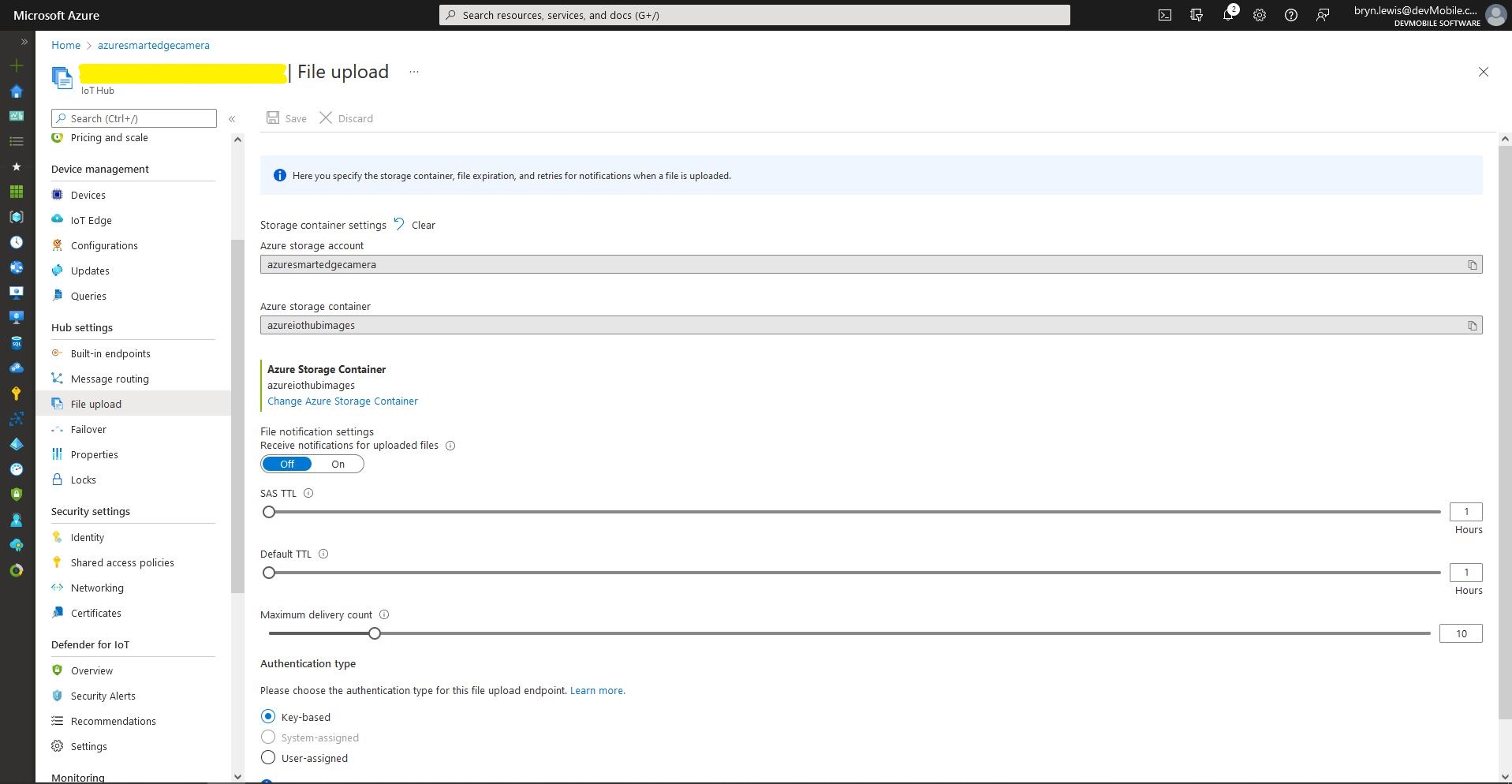
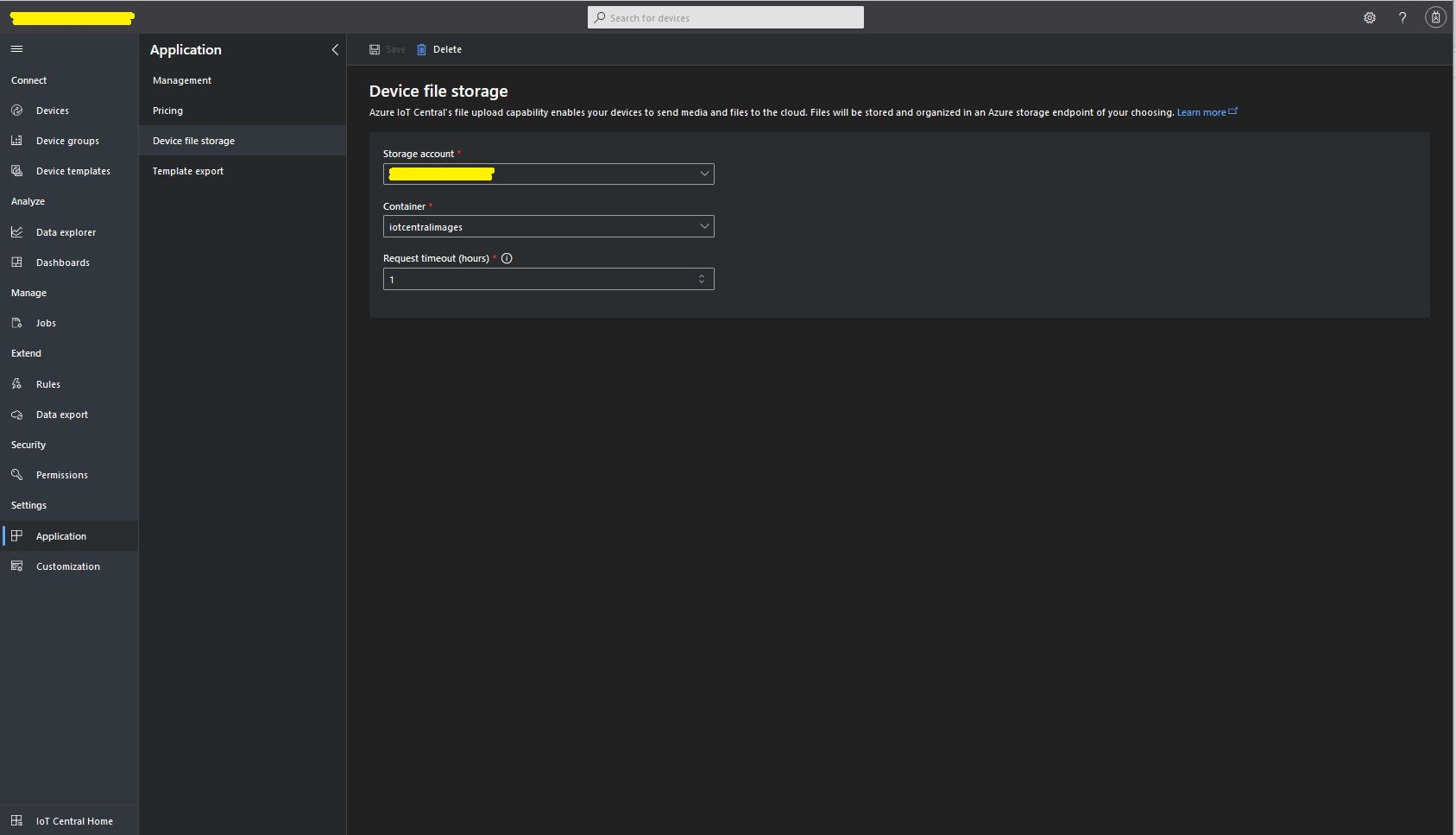
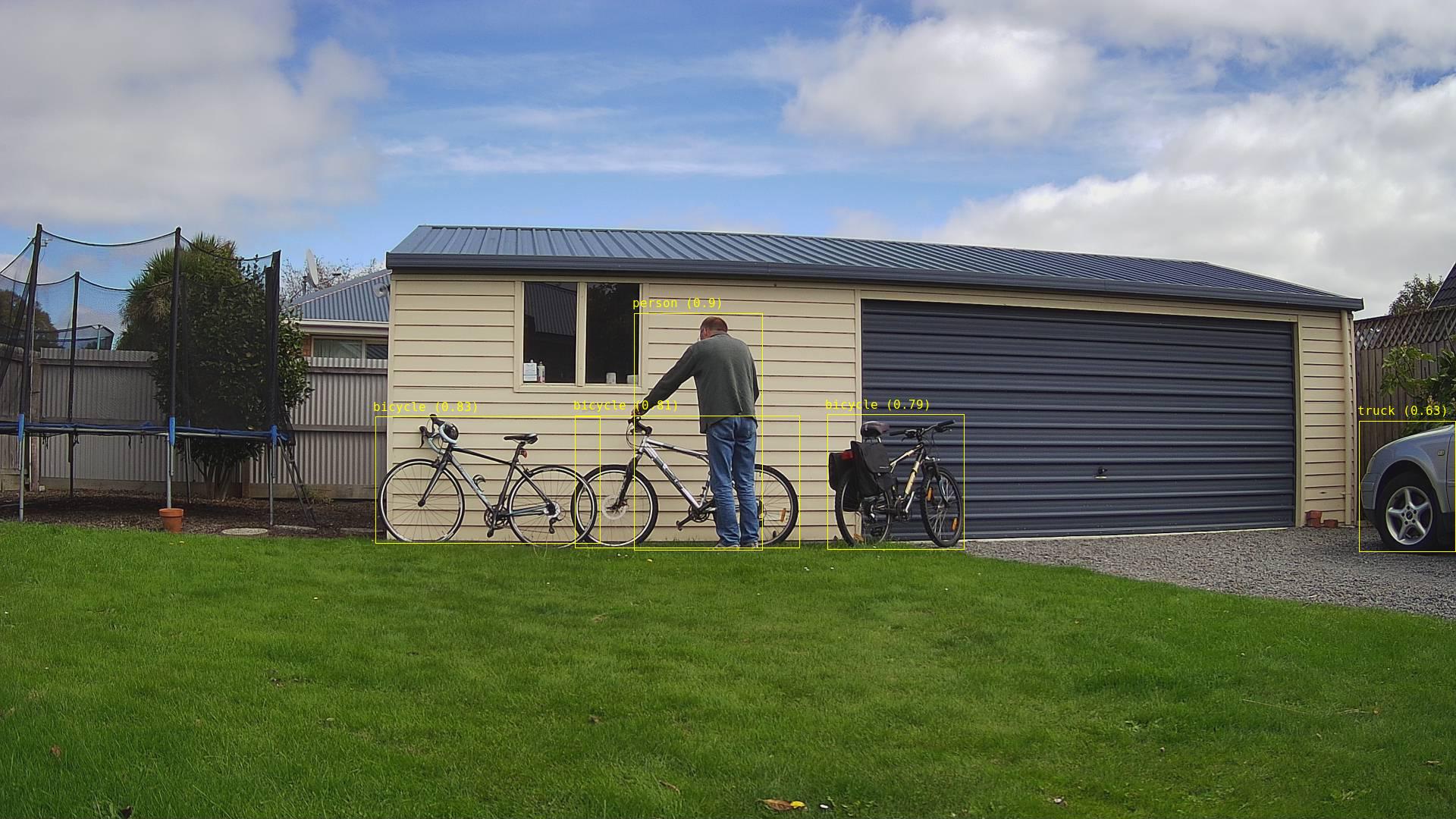
This ML.Net +You only look once V5(YoloV5) + RaspberryPI 4B project uploads raw camera and marked up (with searchable tags) images to Azure Storage.

Raspberry PI 4 B backyard test rig

My backyard test-rig consists of a Unv ADZK-10 Security Camera, Power over Ethernet(PoE) module, D-Link Switch and a Raspberry Pi 4B 8G.

{
   ...

  "Application": {
    "DeviceId": "edgecamera",
...
    "PredicitionScoreThreshold": 0.7,
    "PredictionLabelsOfInterest": [
      "bicycle",
      "person",
      "car"
    ],
    "OutputImageMarkup": true
  },
...
  "AzureStorage": {
    "ConnectionString": "FhisIsNotTheConnectionStringYouAreLookingFor",
    "ImageCameraFilenameFormat": "{0:yyyyMMdd}/camera/{0:HHmmss}.jpg",
    "ImageMarkedUpFilenameFormat": "{0:yyyyMMdd}/markedup/{0:HHmmss}.jpg"
  }
}

After the You Only Look Once(YOLOV5)+ML.Net+Open Neural Network Exchange(ONNX) plumbing has loaded a timer with a configurable due time and period is started.

private async void ImageUpdateTimerCallback(object state)
{
	DateTime requestAtUtc = DateTime.UtcNow;

	// Just incase - stop code being called while photo already in progress
	if (_cameraBusy)
	{
		return;
	}
	_cameraBusy = true;

	_logger.LogInformation("Image processing start");

	try
	{
#if CAMERA_RASPBERRY_PI
		RaspberryPIImageCapture();
#endif
#if CAMERA_SECURITY
		SecurityCameraImageCapture();
#endif
		if (_applicationSettings.ImageCameraUpload)
		{
			_logger.LogTrace("Image camera upload start");

			string imageFilenameCloud = string.Format(_azureStorageSettings.ImageCameraFilenameFormat, requestAtUtc);

			await _imagecontainerClient.GetBlobClient(imageFilenameCloud).UploadAsync(_applicationSettings.ImageCameraFilepath, true);

			_logger.LogTrace("Image camera upload done");
		}

		List<YoloPrediction> predictions;

		using (Image image = Image.FromFile(_applicationSettings.ImageCameraFilepath))
		{
			_logger.LogTrace("Prediction start");
			predictions = _scorer.Predict(image);
			_logger.LogTrace("Prediction done");

			OutputImageMarkup(image, predictions, _applicationSettings.ImageMarkedUpFilepath);
		}

		if (_logger.IsEnabled(LogLevel.Trace))
		{
			_logger.LogTrace("Predictions {0}", predictions.Select(p => new { p.Label.Name, p.Score }));
		}

		var predictionsOfInterest = predictions.Where(p => p.Score > _applicationSettings.PredicitionScoreThreshold).Select(c => c.Label.Name).Intersect(_applicationSettings.PredictionLabelsOfInterest, StringComparer.OrdinalIgnoreCase);
		if (_logger.IsEnabled(LogLevel.Trace))
		{
			_logger.LogTrace("Predictions of interest {0}", predictionsOfInterest.ToList());
		}

		var predictionsTally = predictions.Where(p => p.Score >= _applicationSettings.PredicitionScoreThreshold)
									.GroupBy(p => p.Label.Name)
									.Select(p => new
									{
										Label = p.Key,
										Count = p.Count()
									});

		if (_applicationSettings.ImageMarkedupUpload && predictionsOfInterest.Any())
		{
			_logger.LogTrace("Image marked-up upload start");

			string imageFilenameCloud = string.Format(_azureStorageSettings.ImageMarkedUpFilenameFormat, requestAtUtc);

			BlobUploadOptions blobUploadOptions = new BlobUploadOptions()
			{
				Tags = new Dictionary<string, string>()
			};

			foreach (var predicition in predictionsTally)
			{
				blobUploadOptions.Tags.Add(predicition.Label, predicition.Count.ToString());
			}

			BlobClient blobClient = _imagecontainerClient.GetBlobClient(imageFilenameCloud);

			await blobClient.UploadAsync(_applicationSettings.ImageMarkedUpFilepath, blobUploadOptions);

			_logger.LogTrace("Image marked-up upload done");
		}

		if (_logger.IsEnabled(LogLevel.Information))
		{
			_logger.LogInformation("Predictions tally {0}", predictionsTally.ToList());
		}
	}
	catch (Exception ex)
	{
		_logger.LogError(ex, "Camera image download, post procesing, image upload, or telemetry failed");
	}
	finally
	{
		_cameraBusy = false;
	}

	TimeSpan duration = DateTime.UtcNow - requestAtUtc;

	_logger.LogInformation("Image processing done {0:f2} sec", duration.TotalSeconds);
}
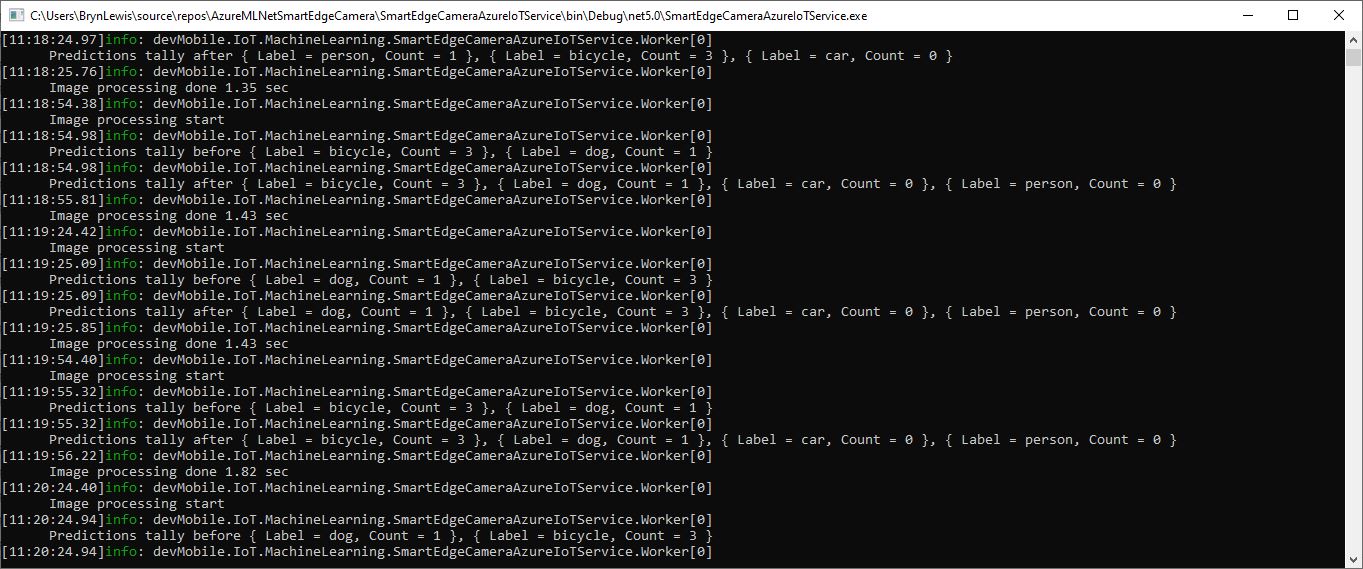
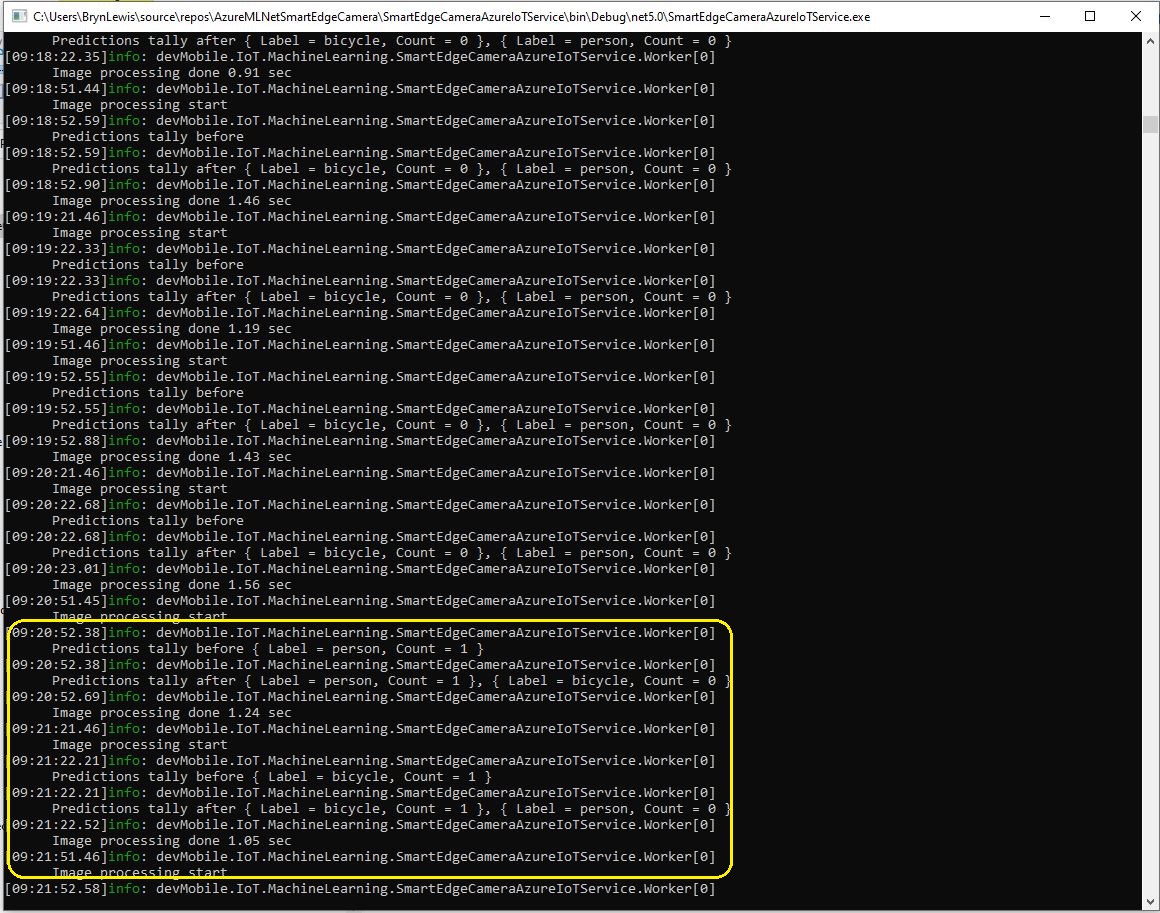
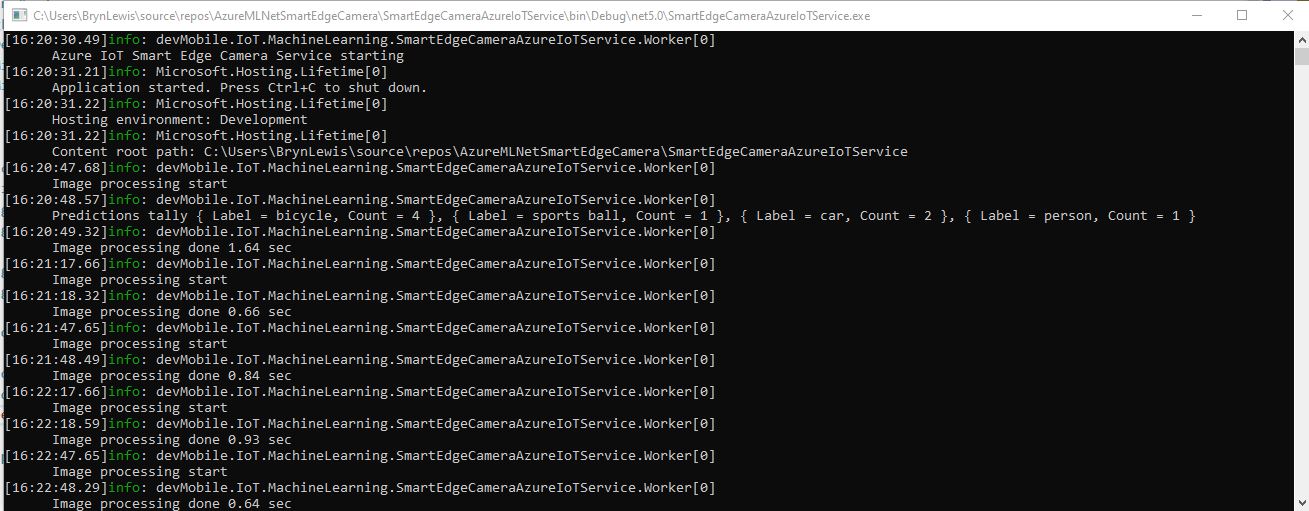
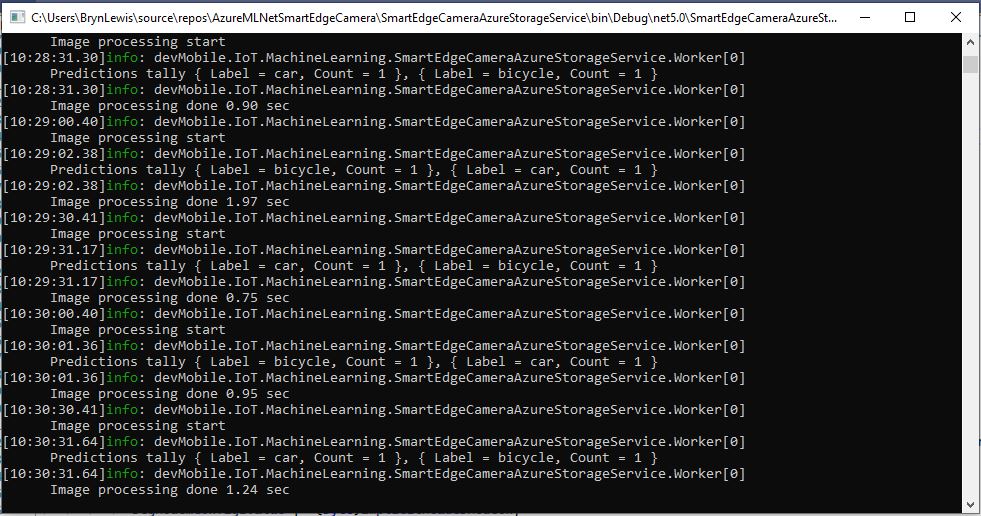
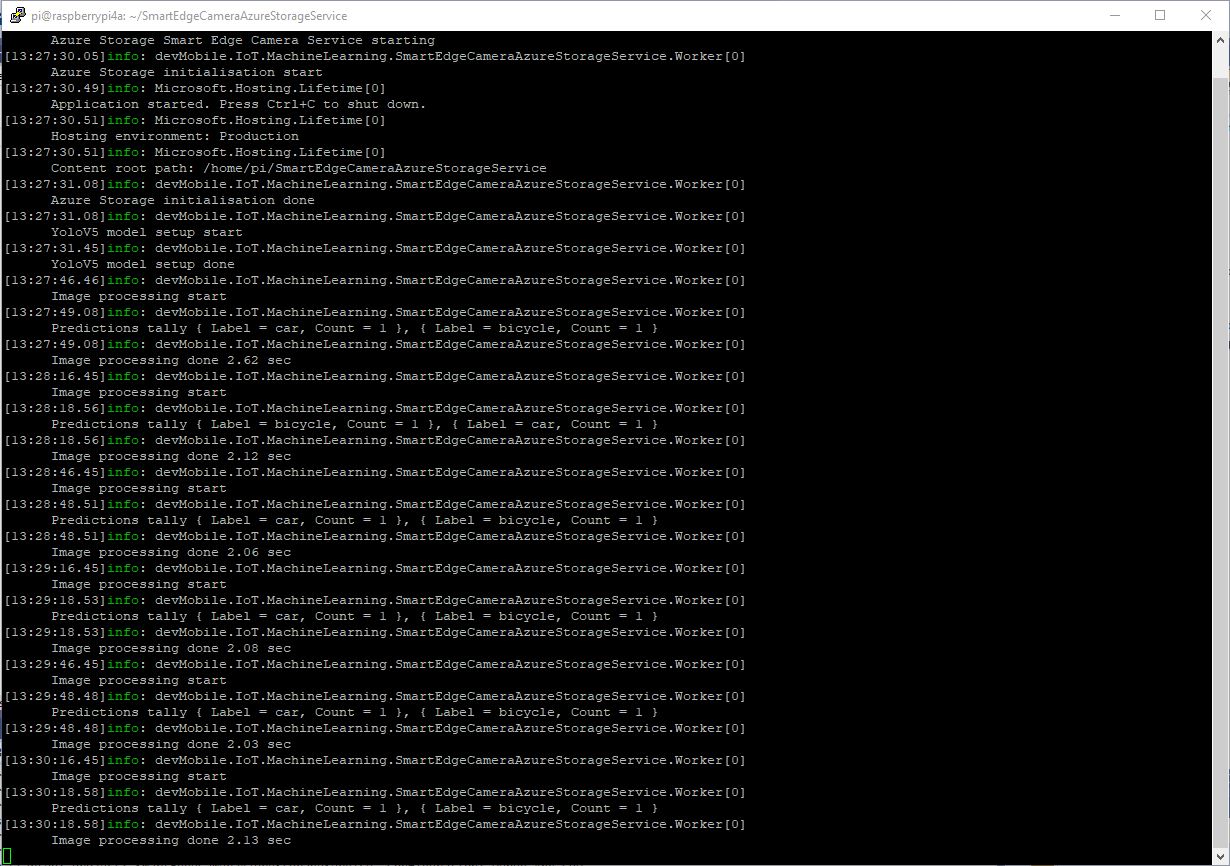
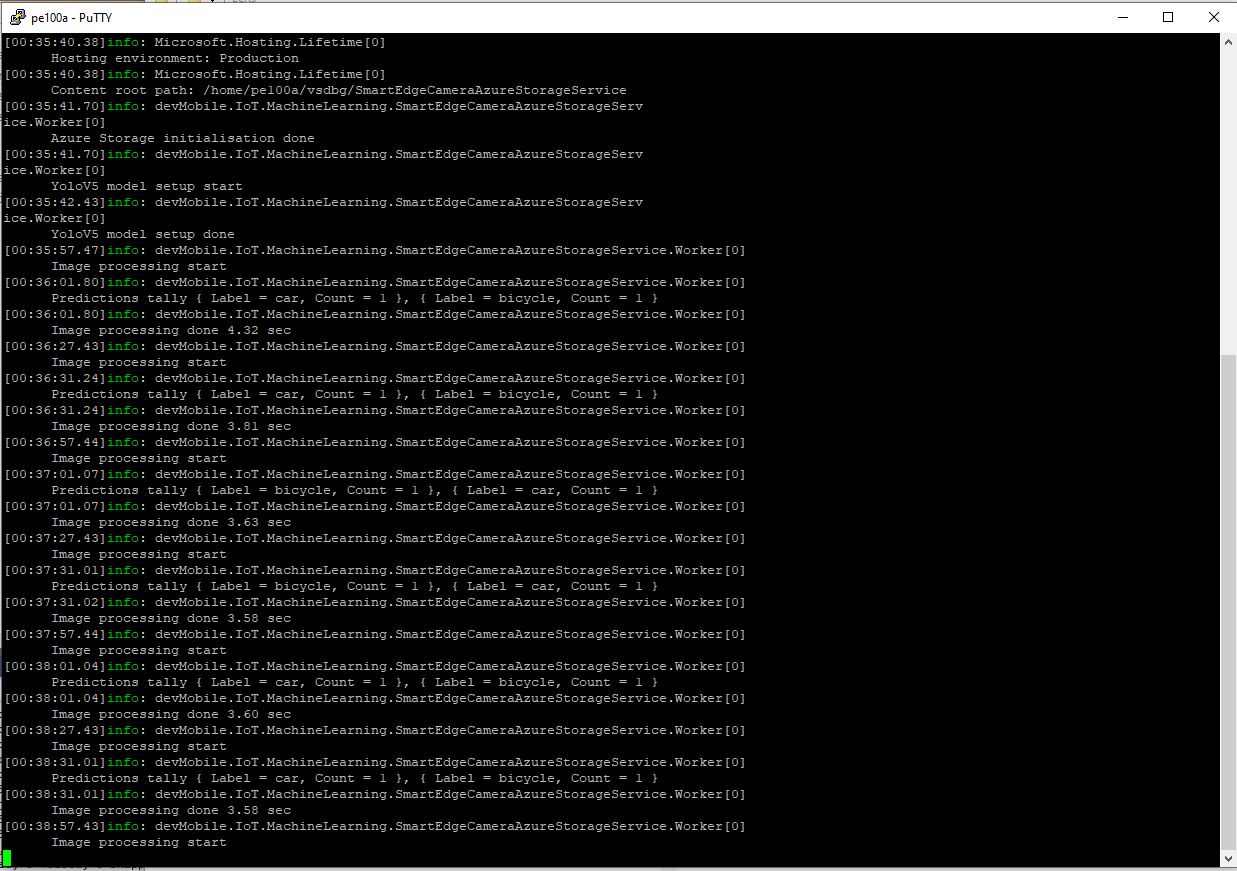
RaspberryPI 4B console application output

A marked up image is uploaded to Azure Storage if any of the objects detected (with a score greater than PredicitionScoreThreshold) is in the PredictionLabelsOfInterest list.

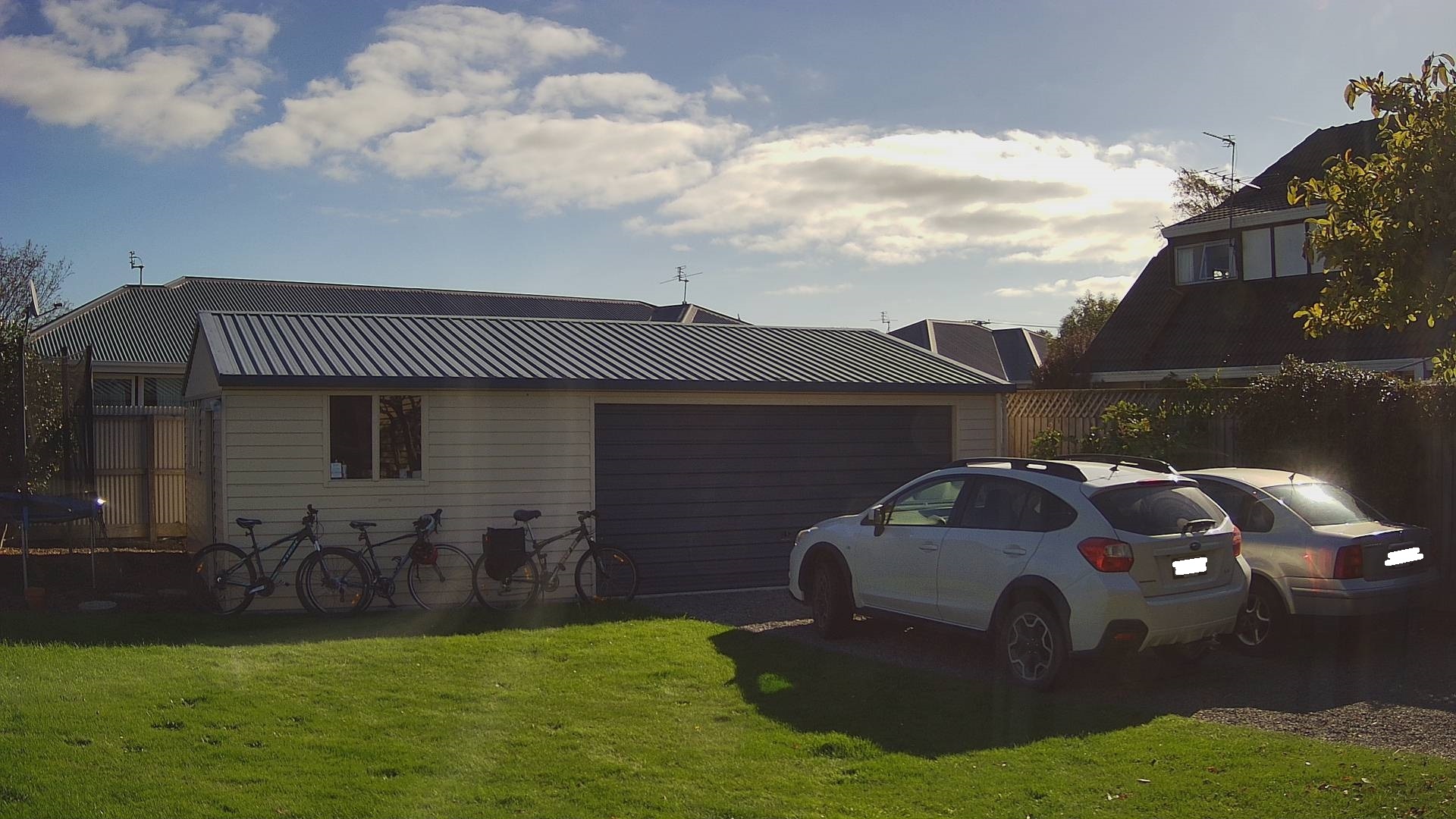
Single bicycle
Two bicycles
Three bicycles
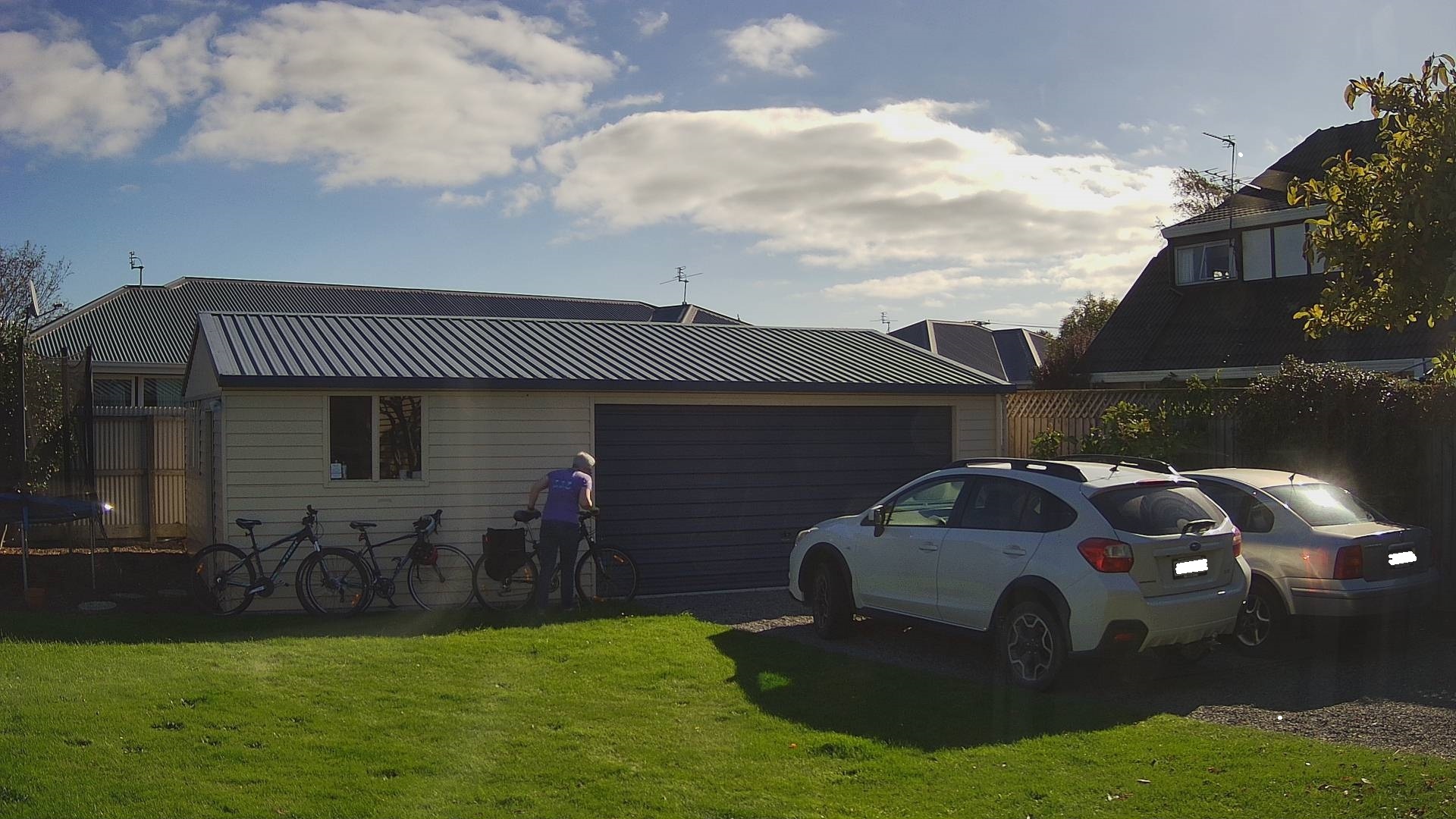
Three bicycles with person in the foreground
Two bicycles with a person and dog in the foreground

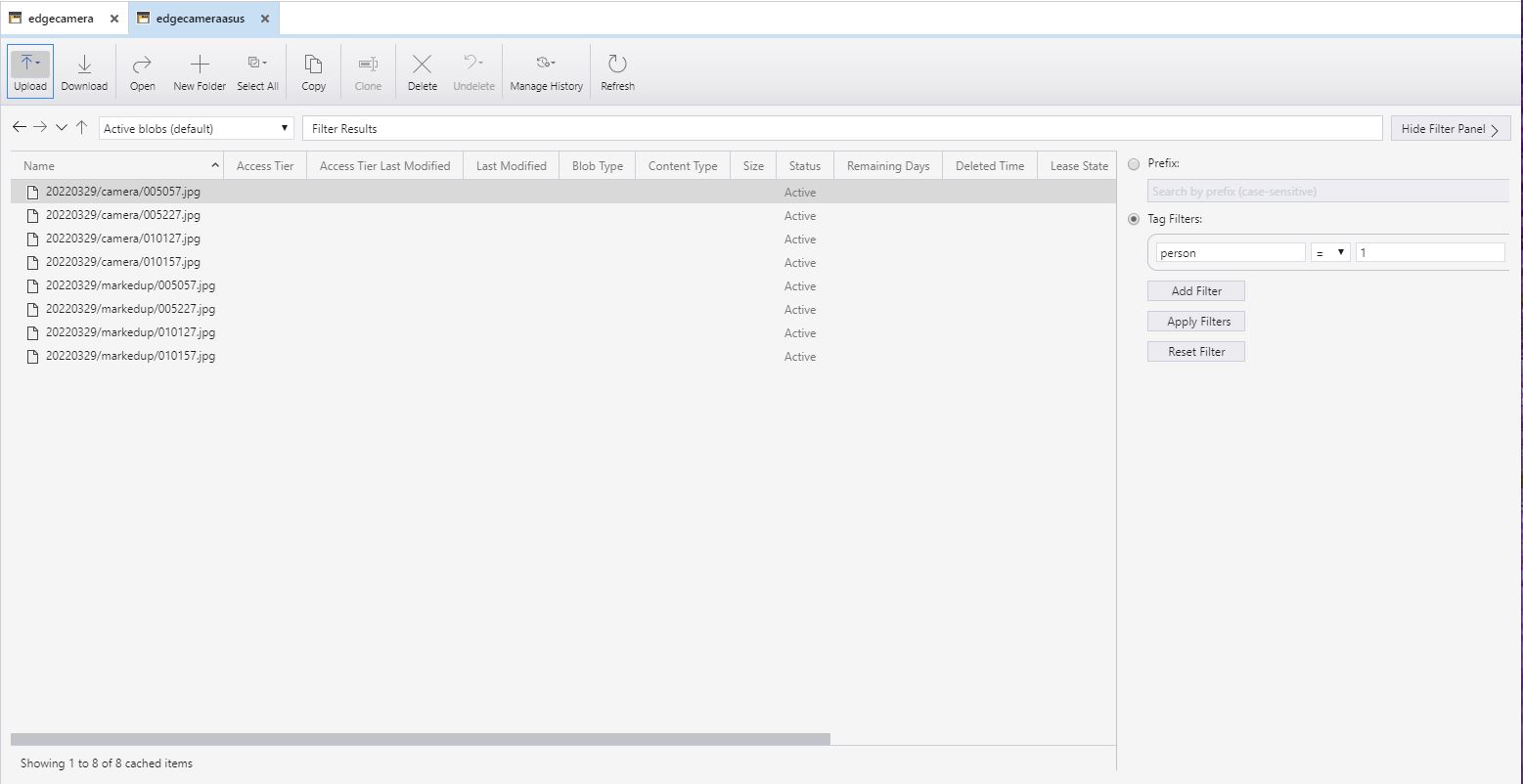
I have added Tags to the images so they can be filtered with tools like Azure Storage Explorer.

All the camera images
All the marked up images with more than one bicycle
All the marked up images with more than two bicycles
All the marked up images with people and bicycles

.NET nanoFramework SX127X LoRa library on Github

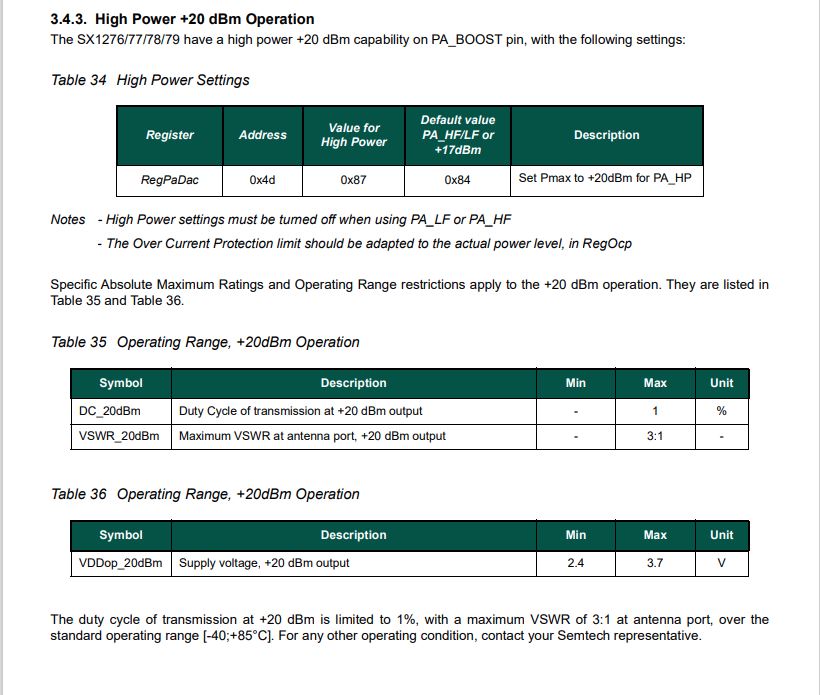
The source code of my nanoFramework SX127X library is now available on GitHub. I have tested the library and sample applications on Netduino 3Wifi, Sparkfun LoRa Gateway 1 Channel ESP32 for LoRaWAN and ST Micro STM32F7691 Discovery devices.(I can add more platform configurations if there is interest).

STM32F769I Discovery, Netduino 3 Wifi and Sparkfun testrig

I started with a proof of concept update of my RFM9X for nanoFramework library to the new nanoFramework System.Device model (“inspired” by .Net Core System.Device) which was slow going. I then tried “back porting” my SX127X for .Net Core library to the .NET nanoFramework which was much quicker.
namespace devMobile.IoT.SX127xLoRaDevice
{
	using System;
	using System.Text;
	using System.Threading;

	class Program
	{
		private const double Frequency = 915000000.0;
#if ESP32_WROOM_32_LORA_1_CHANNEL
      private const int SpiBusId = 1;
#endif
#if NETDUINO3_WIFI
		private const int SpiBusId = 2;
#endif
#if ST_STM32F769I_DISCOVERY
		private const int SpiBusId = 2;
#endif
		private static SX127XDevice sx127XDevice;

		static void Main(string[] args)
		{
			int SendCount = 0;
#if ESP32_WROOM_32_LORA_1_CHANNEL // No reset line for this device as it isn't connected on SX127X
			int chipSelectLine = Gpio.IO16;
			int interruptPinNumber = Gpio.IO26;
#endif
#if NETDUINO3_WIFI
			// Arduino D10->PB10
			int chipSelectLine = PinNumber('B', 10);
			// Arduino D9->PE5
			int resetPinNumber = PinNumber('E', 5);
			// Arduino D2 -PA3
			int interruptPinNumber = PinNumber('A', 3);
#endif
#if ST_STM32F769I_DISCOVERY
			// Arduino D10->PA11
			int chipSelectLine = PinNumber('A', 11);
			// Arduino D9->PH6
			int resetPinNumber = PinNumber('H', 6);
			// Arduino D2->PA4
			int interruptPinNumber = PinNumber('J', 1);
#endif
			Console.WriteLine("devMobile.IoT.SX127xLoRaDevice Client starting");

			try
			{
#if ESP32_WROOM_32_LORA_1_CHANNEL
				Configuration.SetPinFunction(Gpio.IO12, DeviceFunction.SPI1_MISO);
				Configuration.SetPinFunction(Gpio.IO13, DeviceFunction.SPI1_MOSI);
				Configuration.SetPinFunction(Gpio.IO14, DeviceFunction.SPI1_CLOCK);

				sx127XDevice = new SX127XDevice(SpiBusId, chipSelectLine, interruptPinNumber);
#endif
#if NETDUINO3_WIFI || ST_STM32F769I_DISCOVERY
				sx127XDevice = new SX127XDevice(SpiBusId, chipSelectLine, interruptPinNumber, resetPinNumber);
#endif

				sx127XDevice.Initialise(SX127XDevice.RegOpModeMode.ReceiveContinuous,
							Frequency,
							lnaGain: SX127XDevice.RegLnaLnaGain.G3,
							lnaBoost:true, 
							powerAmplifier: SX127XDevice.PowerAmplifier.PABoost,
							rxPayloadCrcOn: true,
							rxDoneignoreIfCrcMissing: false
							);

#if DEBUG
				sx127XDevice.RegisterDump();
#endif

				sx127XDevice.OnReceive += SX127XDevice_OnReceive;
				sx127XDevice.Receive();
				sx127XDevice.OnTransmit += SX127XDevice_OnTransmit;

				Thread.Sleep(500);

				while (true)
				{
					string messageText = $"Hello LoRa from .NET nanoFramework {SendCount += 1}!";

					byte[] messageBytes = UTF8Encoding.UTF8.GetBytes(messageText);
					//Console.WriteLine($"{DateTime.UtcNow:HH:mm:ss}-TX {messageBytes.Length} byte message {messageText}");
					//sx127XDevice.Send(messageBytes);

					Thread.Sleep(50000);
				}
			}
			catch (Exception ex)
			{
				Console.WriteLine(ex.Message);
			}
		}

		private static void SX127XDevice_OnReceive(object sender, SX127XDevice.OnDataReceivedEventArgs e)
		{
			try
			{
				// Remove unprintable characters from messages
				for (int index = 0; index < e.Data.Length; index++)
				{
					if ((e.Data[index] < 0x20) || (e.Data[index] > 0x7E))
					{
						e.Data[index] = 0x7C;
					}
				}

				string messageText = UTF8Encoding.UTF8.GetString(e.Data, 0, e.Data.Length);

				Console.WriteLine($"{DateTime.UtcNow:HH:mm:ss}-RX PacketSnr {e.PacketSnr:0.0} Packet RSSI {e.PacketRssi}dBm RSSI {e.Rssi}dBm = {e.Data.Length} byte message {messageText}");
			}
			catch (Exception ex)
			{
				Console.WriteLine(ex.Message);
			}
		}

		private static void SX127XDevice_OnTransmit(object sender, SX127XDevice.OnDataTransmitedEventArgs e)
		{
			sx127XDevice.SetMode(SX127XDevice.RegOpModeMode.ReceiveContinuous);

			Console.WriteLine($"{DateTime.UtcNow:HH:mm:ss}-TX Done");
		}

#if NETDUINO3_WIFI || ST_STM32F769I_DISCOVERY
		static int PinNumber(char port, byte pin)
		{
			if (port < 'A' || port > 'J')
				throw new ArgumentException();

			return ((port - 'A') * 16) + pin;
		}
#endif
	}
}

The sample application shows how to configure the library for different devices (SPI port, interrupt pin and optional reset pin) then send/receive payloads. The library is intended to be initialised then run for long periods of time (I’m looking at a month long soak test next) rather than changing configuration while running. The initialise method has many parameters which have “reasonable” default values. (Posts coming about optimising power consumption and range).

I’m looking at extending the library with optional functionality like tamper detection via signing and privacy via payload encryption, and mesh network support.

.NET nanoFramework SX127X LoRa library with Interrupts

To test the nanoFramework transmit and receive with interrupts implementation I used three Dragino LoRa Shields, a Seeeduino V4.2 and a pair of Netduino 3 Wifi devices.

Seeeduino and nanoFramework

I started with transmit as I was confident my Netduino 3 Wifi & Seeeduino + Dragino LoRa Shields could receive messages.

Interrupt pin configuration
SX127X ReqIrqFlags options

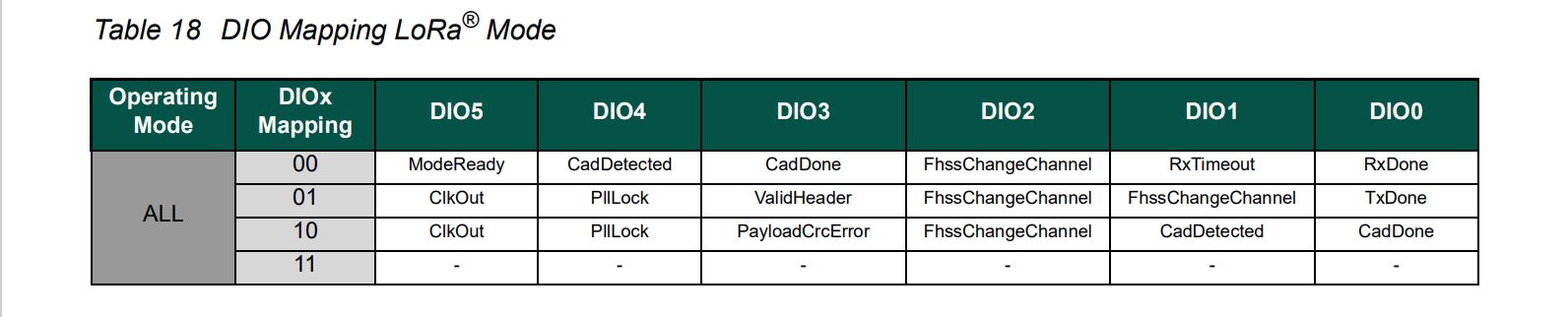
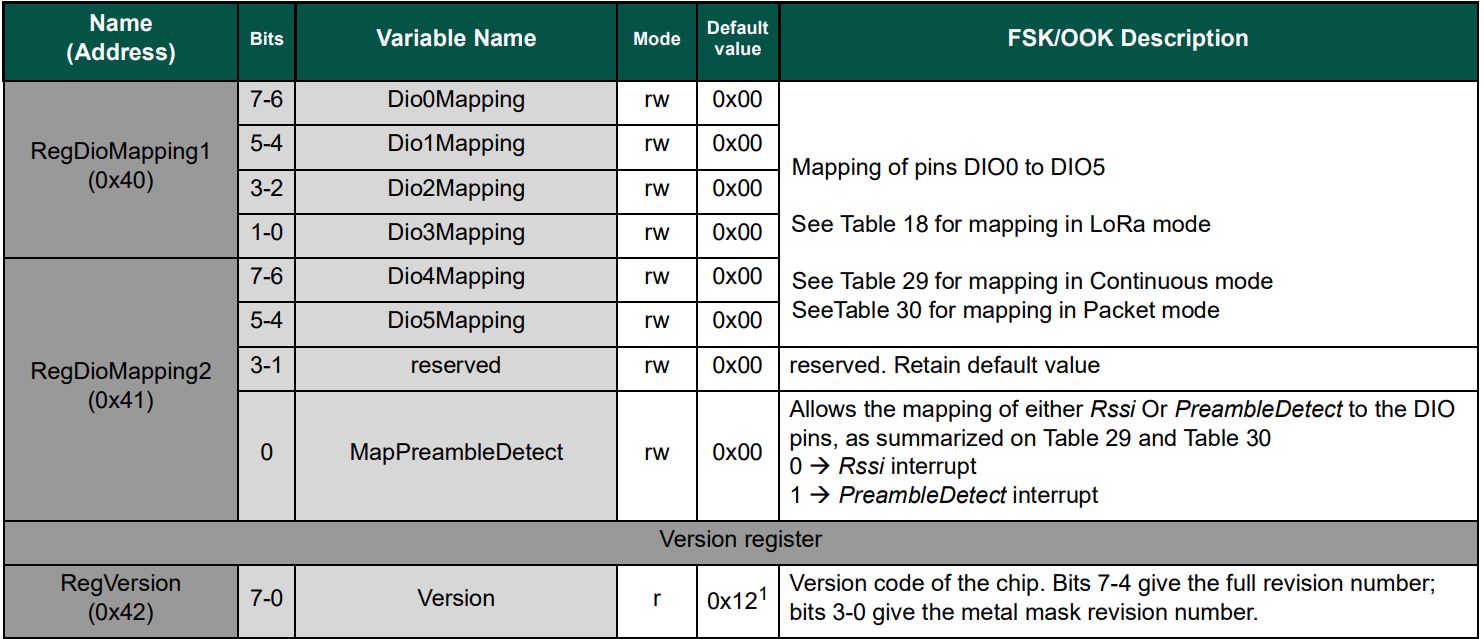
The TransmitInterrupt application loads the message to be sent into the First In First Out(FIFO) buffer, RegDioMapping1 is set to interrupt onTxDone(PacketSent-00), then RegRegOpMode-Mode is set to Transmit. When the message has been sent InterruptGpioPin_ValueChanged is called, and the TxDone(0b00001000) flag is set in the RegIrqFlags register.

The ReceiveInterrupt application sets the RegDioMapping1 to interrupt on RxDone(PacketReady-00), then the RegRegOpMode-Mode is set to Receive(TX-101). When a message is received InterruptGpioPin_ValueChanged is called, with the RxDone(0b00001000) flag set in the RegIrqFlags register, and then the message is read from First In First Out(FIFO) buffer.

namespace devMobile.IoT.SX127x.ReceiveTransmitInterrupt
{
...
   public sealed class SX127XDevice
   {
...
      public SX127XDevice(int busId, int chipSelectLine, int interruptPin, int resetPin)
      {
         var settings = new SpiConnectionSettings(busId, chipSelectLine)
         {
            ClockFrequency = 1000000,
            Mode = SpiMode.Mode0,// From SemTech docs pg 80 CPOL=0, CPHA=0
            SharingMode = SpiSharingMode.Shared
         };

         SX127XTransceiver = new SpiDevice(settings);

         GpioController gpioController = new GpioController();


         // Factory reset pin configuration
         gpioController.OpenPin(resetPin, PinMode.Output);

         gpioController.Write(resetPin, PinValue.Low);
         Thread.Sleep(20);
         gpioController.Write(resetPin, PinValue.High);
         Thread.Sleep(20);

         // Interrupt pin for RX message & TX done notification 
         gpioController.OpenPin(interruptPin, PinMode.InputPullDown);

         gpioController.RegisterCallbackForPinValueChangedEvent(interruptPin, PinEventTypes.Rising, InterruptGpioPin_ValueChanged);
      }
...
   }

      private void InterruptGpioPin_ValueChanged(object sender, PinValueChangedEventArgs e)
      {
         byte irqFlags = this.ReadByte(0x12); // RegIrqFlags
         Debug.WriteLine($"RegIrqFlags 0X{irqFlags:x2}");

         if ((irqFlags & 0b01000000) == 0b01000000)  // RxDone 
         {
            Debug.WriteLine("Receive-Message");
            byte currentFifoAddress = this.ReadByte(0x10); // RegFifiRxCurrent
            this.WriteByte(0x0d, currentFifoAddress); // RegFifoAddrPtr

            byte numberOfBytes = this.ReadByte(0x13); // RegRxNbBytes

            // Allocate buffer for message
            byte[] messageBytes = this.ReadBytes(0X0, numberOfBytes);

            // Remove unprintable characters from messages
            for (int index = 0; index < messageBytes.Length; index++)
            {
               if ((messageBytes[index] < 0x20) || (messageBytes[index] > 0x7E))
               {
                  messageBytes[index] = 0x20;
               }
            }

            string messageText = UTF8Encoding.UTF8.GetString(messageBytes, 0, messageBytes.Length);
            Debug.WriteLine($"Received {messageBytes.Length} byte message {messageText}");
         }

         if ((irqFlags & 0b00001000) == 0b00001000)  // TxDone
         {
            this.WriteByte(0x01, 0b10000101); // RegOpMode set LoRa & RxContinuous
            Debug.WriteLine("Transmit-Done");
         }

         this.WriteByte(0x40, 0b00000000); // RegDioMapping1 0b00000000 DI0 RxReady & TxReady
         this.WriteByte(0x12, 0xff);// RegIrqFlags
      }

   public class Program
   {
...
   #if NETDUINO3_WIFI
      private const int SpiBusId = 2;
#endif
...

      public static void Main()
      {
         int SendCount = 0;
...
#if NETDUINO3_WIFI
         // Arduino D10->PB10
         int chipSelectLine = PinNumber('B', 10);
         // Arduino D9->PE5
         int resetPinNumber = PinNumber('E', 5);
         // Arduino D2 -PA3
         int interruptPinNumber = PinNumber('A', 3);
#endif
...
  
       Debug.WriteLine("devMobile.IoT.SX127x.ReceiveTransmitInterrupt starting");

         try
         {
...
#if NETDUINO3_WIFI || ST_STM32F769I_DISCOVERY
            SX127XDevice sx127XDevice = new SX127XDevice(SpiBusId, chipSelectLine, interruptPinNumber, resetPinNumber);
#endif
            Thread.Sleep(500);

            // Put device into LoRa + Sleep mode
            sx127XDevice.WriteByte(0x01, 0b10000000); // RegOpMode 

            // Set the frequency to 915MHz
            byte[] frequencyWriteBytes = { 0xE4, 0xC0, 0x00 }; // RegFrMsb, RegFrMid, RegFrLsb
            sx127XDevice.WriteBytes(0x06, frequencyWriteBytes);

            // More power PA Boost
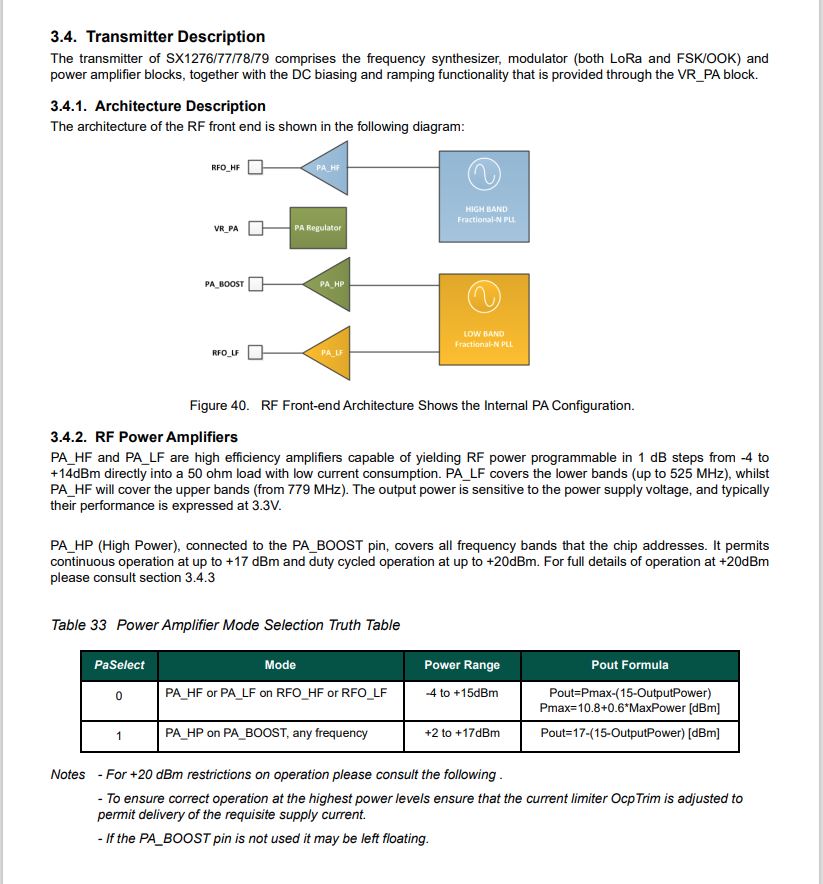
            sx127XDevice.WriteByte(0x09, 0b10000000); // RegPaConfig

            sx127XDevice.WriteByte(0x01, 0b10000101); // RegOpMode set LoRa & RxContinuous

            while (true)
            {
               // Set the Register Fifo address pointer
               sx127XDevice.WriteByte(0x0E, 0x00); // RegFifoTxBaseAddress 

               // Set the Register Fifo address pointer
               sx127XDevice.WriteByte(0x0D, 0x0); // RegFifoAddrPtr 

               string messageText = $"Hello LoRa {SendCount += 1}!";

               // load the message into the fifo
               byte[] messageBytes = UTF8Encoding.UTF8.GetBytes(messageText);
               sx127XDevice.WriteBytes(0x0, messageBytes); // RegFifo 

               // Set the length of the message in the fifo
               sx127XDevice.WriteByte(0x22, (byte)messageBytes.Length); // RegPayloadLength
               sx127XDevice.WriteByte(0x40, 0b01000000); // RegDioMapping1 0b00000000 DI0 RxReady & TxReady
               sx127XDevice.WriteByte(0x01, 0b10000011); // RegOpMode 

               Debug.WriteLine($"Sending {messageBytes.Length} bytes message {messageText}");

               Thread.Sleep(10000);
            }
         }
         catch (Exception ex)
         {
            Debug.WriteLine(ex.Message);
         }
      }
...
   }
}
ReceiveTransmitInterrupt application output

The ReceiveTransmitInterrupt application combines the functionality TransmitInterrupt and ReceiveInterrupt programs. The key differences are the RegDioMapping1 setup and in InterruptGpioPin_ValueChanged where the TxDone & RxDone flags in the RegIrqFlags register specify how the interrupt is handled.

.NET nanoFramework SX127X LoRa library Basic Receive & Transmit

For testing nanoFramework device transmit and receive functionality I used an Arduino/Seeeduino with a Dragino LoRa Shield (running one of the Arduino-LoRa samples) as a client device. This was so I could “bootstrap” connectivity and test interoperability with other libraries/platforms.

Arduino/Netduino devices for .NET nanoFramework interoperability test-rig

I started with transmit as I was confident my Seeeduino + Dragino LoRa Shield could receive messages. The TransmitBasic application puts the device into LoRa + Sleep mode as after reset/powering up the device is in FSK/OOK, Low Frequency + Standby mode).

SX127X RegOpMode options

After loading the message to be sent into the First In First Out(FIFO) buffer, the RegOpMode-Mode is set to Transmit(TX-011), and then the RegIrqFlags register is polled until the TxDone flag is set.

SX127X ReqIrqFlags options
public static void Main()
{
  int SendCount = 0;
...
  Debug.WriteLine("devMobile.IoT.SX127x.TransmitBasic starting");

   try
   {
...
#if NETDUINO3_WIFI || ST_STM32F769I_DISCOVERY
      SX127XDevice sx127XDevice = new SX127XDevice(SpiBusId, chipSelectLine, resetPinNumber);
#endif
     Thread.Sleep(500);

     // Put device into LoRa + Standby mode
     sx127XDevice.WriteByte(0x01, 0b10000000); // RegOpMode 

      // Set the frequency to 915MHz
      byte[] frequencyBytes = { 0xE4, 0xC0, 0x00 }; // RegFrMsb, RegFrMid, RegFrLsb
      sx127XDevice.WriteBytes(0x06, frequencyBytes);

      // More power PA Boost
      sx127XDevice.WriteByte(0x09, 0b10000000); // RegPaConfig

      sx127XDevice.RegisterDump();

      while (true)
      {
         sx127XDevice.WriteByte(0x0E, 0x0); // RegFifoTxBaseAddress 

         // Set the Register Fifo address pointer
         sx127XDevice.WriteByte(0x0D, 0x0); // RegFifoAddrPtr 

         string messageText = $"Hello LoRa from .NET nanoFramework {SendCount += 1}!";

         // load the message into the fifo
         byte[] messageBytes = UTF8Encoding.UTF8.GetBytes(messageText);
         sx127XDevice.WriteBytes(0x0, messageBytes); // RegFifo

         // Set the length of the message in the fifo
         sx127XDevice.WriteByte(0x22, (byte)messageBytes.Length); // RegPayloadLength

         Debug.WriteLine($"Sending {messageBytes.Length} bytes message {messageText}");
         // Set the mode to LoRa + Transmit
         sx127XDevice.WriteByte(0x01, 0b10000011); // RegOpMode 

         // Wait until send done, no timeouts in PoC
         Debug.WriteLine("Send-wait");
         byte irqFlags = sx127XDevice.ReadByte(0x12); // RegIrqFlags
         while ((irqFlags & 0b00001000) == 0)  // wait until TxDone cleared
         {
            Thread.Sleep(10);
            irqFlags = sx127XDevice.ReadByte(0x12); // RegIrqFlags
            Debug.Write(".");
         }
         Debug.WriteLine("");
         sx127XDevice.WriteByte(0x12, 0b00001000); // clear TxDone bit
         Debug.WriteLine("Send-Done");

         Thread.Sleep(30000);
         }
      }
      catch (Exception ex)
      {
         Debug.WriteLine(ex.Message);
      }
   }
}
Transmit Basic application output

Once the TransmitBasic application was sending messages reliably I started working on the ReceiveBasic application. As the ReceiveBasic application starts up the SX127X RegOpMode has to be set to sleep/standby so the device can be configured. TOnce that is completed RegOpMode-Mode is set to RxContinuous(101), and the RegIrqFlags register is polled until the RxDone flag is set.

public static void Main()
{
...
   Debug.WriteLine("devMobile.IoT.SX127x.ReceiveBasic starting");

   try
   {
...
#if NETDUINO3_WIFI || ST_STM32F769I_DISCOVERY
      SX127XDevice sx127XDevice = new SX127XDevice(SpiBusId, chipSelectLine, resetPinNumber);
#endif
      Thread.Sleep(500);

      // Put device into LoRa + Sleep mode
      sx127XDevice.WriteByte(0x01, 0b10000000); // RegOpMode 

      // Set the frequency to 915MHz
      byte[] frequencyBytes = { 0xE4, 0xC0, 0x00 }; // RegFrMsb, RegFrMid, RegFrLsb
      sx127XDevice.WriteBytes(0x06, frequencyBytes);

      sx127XDevice.WriteByte(0x0F, 0x0); // RegFifoRxBaseAddress 

      sx127XDevice.WriteByte(0x01, 0b10000101); // RegOpMode set LoRa & RxContinuous

       while (true)
       {
          // Wait until a packet is received, no timeouts in PoC
         Debug.WriteLine("Receive-Wait");
         byte irqFlags = sx127XDevice.ReadByte(0x12); // RegIrqFlags
         while ((irqFlags & 0b01000000) == 0)  // wait until RxDone cleared
         {
            Thread.Sleep(100);
            irqFlags = sx127XDevice.ReadByte(0x12); // RegIrqFlags
            Debug.Write(".");
         }
         Debug.WriteLine("");
         Debug.WriteLine($"RegIrqFlags 0X{irqFlags:X2}");
         Debug.WriteLine("Receive-Message");
         byte currentFifoAddress = sx127XDevice.ReadByte(0x10); // RegFifiRxCurrent
         sx127XDevice.WriteByte(0x0d, currentFifoAddress); // RegFifoAddrPtr

         byte numberOfBytes = sx127XDevice.ReadByte(0x13); // RegRxNbBytes

         // Read the message from the FIFO
         byte[] messageBytes = sx127XDevice.ReadBytes(0x00, numberOfBytes);

         sx127XDevice.WriteByte(0x0d, 0);
         sx127XDevice.WriteByte(0x12, 0b11111111); // RegIrqFlags clear all the bits

         // Remove unprintable characters from messages
         for (int index = 0; index < messageBytes.Length; index++)
         {
            if ((messageBytes[index] < 0x20) || (messageBytes[index] > 0x7E))
            {
               messageBytes[index] = 0x20;
            }
         }

         string messageText = UTF8Encoding.UTF8.GetString(messageBytes, 0, messageBytes.Length);
         Debug.WriteLine($"Received {messageBytes.Length} byte message {messageText}");

         Debug.WriteLine("Receive-Done");
      }
    }
   catch (Exception ex)
   {
      Debug.WriteLine(ex.Message);
   }
}
Receive Basic application output

Every so often the ReceiveBasic application would display a message sent on the same frequency by a device somewhere nearby.

ReceiveBasic application messages from unknown source

I need to do some more investigation into whether writing 0b00001000 (Transmit) vs. 0b11111111(Receive) to RegIrqFlags is important.

.NET nanoFramework SX127X LoRa library Read & Write

Now that I could reliably dump all the Dragino shield registers I wanted to be able to configure the Semtech 127X device and reset it back to factory settings. A factory reset is done by strobing the SX127X reset pin.

SX127X Reset timing diagram

SX127X Reset process

To support this I added a constructor with an additional parameter for the reset General Purpose Input Output(GPIO) pin number to the SX127XDevice class. The original constructor was retained as the SX127X reset pin is not connected on the SparkFun LoRa Gateway-1-Channel (ESP32) and a limited number of other devices.

namespace devMobile.IoT.SX127x.RegisterReadAndWrite
{
   using System;
   using System.Diagnostics;
   using System.Threading;

   using System.Device.Gpio;
   using System.Device.Spi;

#if ESP32_WROOM_32_LORA_1_CHANNEL
   using nanoFramework.Hardware.Esp32;
#endif

   public sealed class SX127XDevice
   {
      private const byte RegisterAddressMinimum = 0X0;
      private const byte RegisterAddressMaximum = 0x42;
      private const byte RegisterAddressReadMask = 0X7f;
      private const byte RegisterAddressWriteMask = 0x80;

      private readonly SpiDevice SX127XTransceiver;

      public SX127XDevice(int busId, int chipSelectLine, int resetPin)
      {
         var settings = new SpiConnectionSettings(busId, chipSelectLine)
         {
            ClockFrequency = 1000000,
            Mode = SpiMode.Mode0,// From SemTech docs pg 80 CPOL=0, CPHA=0
            SharingMode = SpiSharingMode.Shared
         };

         SX127XTransceiver = new SpiDevice(settings);

         // Factory reset pin configuration
         GpioController gpioController = new GpioController();
         gpioController.OpenPin(resetPin, PinMode.Output);

         gpioController.Write(resetPin, PinValue.Low);
         Thread.Sleep(20);
         gpioController.Write(resetPin, PinValue.High);
         Thread.Sleep(20);
      }

      public SX127XDevice(int busId, int chipSelectLine)
      {
         var settings = new SpiConnectionSettings(busId, chipSelectLine)
         {
            ClockFrequency = 1000000,
            Mode = SpiMode.Mode0,// From SemTech docs pg 80 CPOL=0, CPHA=0
            SharingMode = SpiSharingMode.Shared,
         };

         SX127XTransceiver = new SpiDevice(settings);
      }

      public Byte ReadByte(byte registerAddress)
      {
         byte[] writeBuffer = new byte[] { registerAddress &= RegisterAddressReadMask, 0x0 };
         byte[] readBuffer = new byte[writeBuffer.Length];

         SX127XTransceiver.TransferFullDuplex(writeBuffer, readBuffer);

         return readBuffer[1];
      }

      public ushort ReadWord(byte address)
      {
         byte[] writeBuffer = new byte[] { address &= RegisterAddressReadMask, 0x0, 0x0 };
         byte[] readBuffer = new byte[writeBuffer.Length];

         SX127XTransceiver.TransferFullDuplex(writeBuffer, readBuffer);

         return (ushort)(readBuffer[2] + (readBuffer[1] << 8));
      }

      public ushort ReadWordMsbLsb(byte address)
      {
         byte[] writeBuffer = new byte[] { address &= RegisterAddressReadMask, 0x0, 0x0 };
         byte[] readBuffer = new byte[writeBuffer.Length];

         SX127XTransceiver.TransferFullDuplex(writeBuffer, readBuffer);

         return (ushort)((readBuffer[1] << 8) + readBuffer[2]);
      }

      public byte[] ReadBytes(byte address, byte length)
      {
         byte[] writeBuffer = new byte[length + 1];
         byte[] readBuffer = new byte[writeBuffer.Length];
         byte[] replyBuffer = new byte[length];

         writeBuffer[0] = address &= RegisterAddressReadMask;

         SX127XTransceiver.TransferFullDuplex(writeBuffer, readBuffer);

         Array.Copy(readBuffer, 1, replyBuffer, 0, length);

         return replyBuffer;
      }

      public void WriteByte(byte address, byte value)
      {
         byte[] writeBuffer = new byte[] { address |= RegisterAddressWriteMask, value };
         byte[] readBuffer = new byte[writeBuffer.Length];

         SX127XTransceiver.TransferFullDuplex(writeBuffer, readBuffer);
      }

      public void WriteWord(byte address, ushort value)
      {
         byte[] valueBytes = BitConverter.GetBytes(value);
         byte[] writeBuffer = new byte[] { address |= RegisterAddressWriteMask, valueBytes[0], valueBytes[1] };
         byte[] readBuffer = new byte[writeBuffer.Length];

         SX127XTransceiver.TransferFullDuplex(writeBuffer, readBuffer);
      }

      public void WriteWordMsbLsb(byte address, ushort value)
      {
         byte[] valueBytes = BitConverter.GetBytes(value);
         byte[] writeBuffer = new byte[] { address |= RegisterAddressWriteMask, valueBytes[1], valueBytes[0] };
         byte[] readBuffer = new byte[writeBuffer.Length];

         SX127XTransceiver.TransferFullDuplex(writeBuffer, readBuffer);
      }

      public void WriteBytes(byte address, byte[] bytes)
      {
         byte[] writeBuffer = new byte[1 + bytes.Length];
         byte[] readBuffer = new byte[writeBuffer.Length];

         Array.Copy(bytes, 0, writeBuffer, 1, bytes.Length);
         writeBuffer[0] = address |= RegisterAddressWriteMask;

         SX127XTransceiver.TransferFullDuplex(writeBuffer, readBuffer);
      }

      public void RegisterDump()
      {
         Debug.WriteLine("Register dump");
         for (byte registerIndex = RegisterAddressMinimum; registerIndex <= RegisterAddressMaximum; registerIndex++)
         {
            byte registerValue = this.ReadByte(registerIndex);

            Debug.WriteLine($"Register 0x{registerIndex:x2} - Value 0X{registerValue:x2}");
         }

         Debug.WriteLine("");
      }
   }

   public class Program
   {
#if ESP32_WROOM_32_LORA_1_CHANNEL
      private const int SpiBusId = 1;
#endif
#if NETDUINO3_WIFI
      private const int SpiBusId = 2;
#endif
#if ST_STM32F769I_DISCOVERY
      private const int SpiBusId = 2;
#endif


      public static void Main()
      {
         byte[] frequencyBytes;
#if ESP32_WROOM_32_LORA_1_CHANNEL // No reset line for this device as it isn't connected on SX127X
         int chipSelectLine = Gpio.IO16;
#endif
#if NETDUINO3_WIFI
         // Arduino D10->PB10
         int chipSelectLine = PinNumber('B', 10);
         // Arduino D9->PE5
         int resetPinNumber = PinNumber('E', 5);
#endif
#if ST_STM32F769I_DISCOVERY
         // Arduino D10->PA11
         int chipSelectLine = PinNumber('A', 11);
         // Arduino D9->PH6
         int resetPinNumber = PinNumber('H', 6);
#endif

         Debug.WriteLine("devMobile.IoT.SX127x.RegisterReadAndWrite starting");

         try
         {
#if ESP32_WROOM_32_LORA_1_CHANNEL
            Configuration.SetPinFunction(Gpio.IO12, DeviceFunction.SPI1_MISO);
            Configuration.SetPinFunction(Gpio.IO13, DeviceFunction.SPI1_MOSI);
            Configuration.SetPinFunction(Gpio.IO14, DeviceFunction.SPI1_CLOCK);

            SX127XDevice sx127XDevice = new SX127XDevice(SpiBusId, chipSelectLine);
#endif
#if NETDUINO3_WIFI || ST_STM32F769I_DISCOVERY
            SX127XDevice sx127XDevice = new SX127XDevice(SpiBusId, chipSelectLine, resetPinNumber);
#endif
            Thread.Sleep(500);

            sx127XDevice.RegisterDump();

            while (true)
            {
               Debug.WriteLine("Read RegOpMode (read byte)");
               Byte regOpMode1 = sx127XDevice.ReadByte(0x1);
               Debug.WriteLine($"RegOpMode 0x{regOpMode1:x2}");

               Debug.WriteLine("Set LoRa mode and sleep mode (write byte)");
               sx127XDevice.WriteByte(0x01, 0b10000000);

               Debug.WriteLine("Read RegOpMode (read byte)");
               Byte regOpMode2 = sx127XDevice.ReadByte(0x1);
               Debug.WriteLine($"RegOpMode 0x{regOpMode2:x2}");

               Debug.WriteLine("Read the preamble (read word)");
               ushort preamble = sx127XDevice.ReadWord(0x20);
               Debug.WriteLine($"Preamble 0x{preamble:x2}");

	            Console.WriteLine("Read the preamble (read word)"); // Should be 0x08
			      preamble = sx127XDevice.ReadWordMsbLsb(0x20);
               Debug.WriteLine($"Preamble 0x{preamble:x2}");

               Debug.WriteLine("Read the centre frequency (read byte array)");
               frequencyBytes = sx127XDevice.ReadBytes(0x06, 3);
               Debug.WriteLine($"Frequency Msb 0x{frequencyBytes[0]:x2} Mid 0x{frequencyBytes[1]:x2} Lsb 0x{frequencyBytes[2]:x2}");

               Debug.WriteLine("Set the centre frequency to 915MHz (write byte array)");
               byte[] frequencyWriteBytes = { 0xE4, 0xC0, 0x00 };
               sx127XDevice.WriteBytes(0x06, frequencyWriteBytes);

               Debug.WriteLine("Read the centre frequency (read byte array)");
               frequencyBytes = sx127XDevice.ReadBytes(0x06, 3);
               Debug.WriteLine($"Frequency Msb 0x{frequencyBytes[0]:x2} Mid 0x{frequencyBytes[1]:x2} Lsb 0x{frequencyBytes[2]:x2}");

               sx127XDevice.RegisterDump();

               Thread.Sleep(30000);
            }
         }
         catch (Exception ex)
         {
            Debug.WriteLine(ex.Message);
         }
      }

#if NETDUINO3_WIFI || ST_STM32F769I_DISCOVERY
      static int PinNumber(char port, byte pin)
      {
         if (port < 'A' || port > 'J')
            throw new ArgumentException();

         return ((port - 'A') * 16) + pin;
      }
#endif
   }
}

The PinNumber helper is more user friendly that the raw numbers and is “inspired” by sample .NET nanoFramework General Purpose Input Output(GPIO) sample code.

Each method was tested by read/writing suitable register(s) in the device configuration (Needed to set it into LoRa mode first).

The next step is to extract the Serial Peripheral Interface(SPI) register access functionality into a module and configure the bare minimum of settings required to get the SX127X to receive and transmit messages.

.NET nanoFramework SX127X LoRa library Registers

Over the years I have ported my HopeRF RFM9X(Now a generic Semtech SX127X ) Windows 10 IoT Core (May 2018) library to .NET microFramework(May 2018), Wilderness Labs Meadow(Jan 2020), GHI Electronics TinyCLR-OS(July 2020), .NET nanoFramework V1(May 2020) and .NET Core(Aug 2021).

All this madness started because I wasn’t confident the frequency calculation of the Emmellsoft Dragino.Lora code was correct. Over the last couple of years I have also found bugs in my Transmit Power, InvertIQ RX/TX with many others yet to be discovered.

For my updated .NET nanoFramework port I have mainly used a half a dozen Dragino LoRa shields for Arduino and Netduino 3 Wifi devices I had lying around. I have also tested the code with SparkFun LoRa Gateway-1-Channel (ESP32) and ST 32F769IDiscovery devices.

STM32F769IDiscovery, Netduino 3 Wifi, and SparkFun LoRa Gateway-1-Channel (ESP32) devices

The Dragino shield uses D10 for chip select, D2 for RFM9X DI0 interrupt and D9 for Reset.

Dragino Arduino LoRa Shield Schematic

Netduino 3 Wifi pin mapping

  • D10->CS->PB10
  • D9->RST->E5

ST 32F769IDiscovery pin mapping

D10->CS->PA11
D9->RST->PH6

Sparkfun ESP32 1 Channel Gateway Schematic

SparkFun LoRa Gateway-1-Channel (ESP32) pin mapping(SX127X reset is not connected)

  • CS->PB10

The first step was to confirm I could read a single(ShieldSPI) then scan all the Semtech SX1276 registers with the new nanoFramework System.Device.SPI Nuget (which was”inspired by” .Net Core System.Device.SPI)

namespace devMobile.IoT.SX127x.ShieldSPI
{
   using System;
   using System.Diagnostics;
   using System.Threading;

   using System.Device.Gpio;
   using System.Device.Spi;

#if ESP32_WROOM_32_LORA_1_CHANNEL
   using nanoFramework.Hardware.Esp32;
#endif

   public class Program
   {
      private const byte RegVersion = 0x42;
#if ESP32_WROOM_32_LORA_1_CHANNEL
      private const int SpiBusId = 1;
#endif
#if NETDUINO3_WIFI
      private const int SpiBusId = 2;
#endif
#if ST_STM32F769I_DISCOVERY
      private const int SpiBusId = 2;
#endif

      public static void Main()
      {
         GpioController gpioController = new GpioController();

#if ESP32_WROOM_32_LORA_1_CHANNEL // No reset line for this device as it isn't connected on SX127X
         int ledPinNumber = Gpio.IO17;
         int chipSelectLine = Gpio.IO16;
#endif
#if NETDUINO3_WIFI
         int ledPinNumber = PinNumber('A', 10);
         // Arduino D10->PB10
         int chipSelectLine = PinNumber('B', 10);
         // Arduino D9->PE5
         int resetPinNumber = PinNumber('E', 5);
#endif
#if ST_STM32F769I_DISCOVERY
         int ledPinNumber  = PinNumber('J', 5);
         // Arduino D10->PA11
         int chipSelectLine = PinNumber('A', 11);
         // Arduino D9->PH6
         int resetPinNumber = PinNumber('H', 6);
#endif
         Debug.WriteLine("devMobile.IoT.SX127x.ShieldSPI starting");

         try
         {
#if ESP32_WROOM_32_LORA_1_CHANNEL || NETDUINO3_WIFI || ST_STM32F769I_DISCOVERY
            // Setup the onboard LED
            gpioController.OpenPin(ledPinNumber, PinMode.Output);
#endif

#if NETDUINO3_WIFI || ST_STM32F769I_DISCOVERY
            // Setup the reset pin
            gpioController.OpenPin(resetPinNumber, PinMode.Output);
            gpioController.Write(resetPinNumber, PinValue.High);
#endif

#if ESP32_WROOM_32_LORA_1_CHANNEL
            Configuration.SetPinFunction(Gpio.IO12, DeviceFunction.SPI1_MISO);
            Configuration.SetPinFunction(Gpio.IO13, DeviceFunction.SPI1_MOSI);
            Configuration.SetPinFunction(Gpio.IO14, DeviceFunction.SPI1_CLOCK);
#endif

            var settings = new SpiConnectionSettings(SpiBusId, chipSelectLine)
            {
               ClockFrequency = 1000000,
               Mode = SpiMode.Mode0,// From SemTech docs pg 80 CPOL=0, CPHA=0
               SharingMode = SpiSharingMode.Shared,
            };

            using (SpiDevice device = SpiDevice.Create(settings))
            {
               Thread.Sleep(500);

               while (true)
               {
                  byte[] writeBuffer = new byte[] { RegVersion, 0x0 };
                  byte[] readBuffer = new byte[writeBuffer.Length];

                  device.TransferFullDuplex(writeBuffer, readBuffer);

                  Debug.WriteLine(String.Format("Register 0x{0:x2} - Value 0X{1:x2}", RegVersion, readBuffer[1]));

#if ESP32_WROOM_32_LORA_1_CHANNEL || NETDUINO3_WIFI || ST_STM32F769I_DISCOVERY
                  if ( gpioController.Read(ledPinNumber) == PinValue.High)
						{
                     gpioController.Write(ledPinNumber, PinValue.Low);
                  }
                  else
						{
                     gpioController.Write(ledPinNumber, PinValue.High);
                  }
#endif
                  Thread.Sleep(10000);
               }
            }
         }
         catch (Exception ex)
         {
            Debug.WriteLine(ex.Message);
         }
      }

#if NETDUINO3_WIFI || ST_STM32F769I_DISCOVERY
      static int PinNumber(char port, byte pin)
      {
         if (port < 'A' || port > 'J')
            throw new ArgumentException();

         return ((port - 'A') * 16) + pin;
      }
#endif
   }
}
Shield SPI Debug output
namespace devMobile.IoT.SX127x.RegisterScan
{
   using System;
   using System.Diagnostics;
   using System.Threading;

   using System.Device.Gpio;
   using System.Device.Spi;

#if ESP32_WROOM_32_LORA_1_CHANNEL
   using nanoFramework.Hardware.Esp32;
#endif

   public sealed class SX127XDevice
   {
      private readonly SpiDevice SX127XTransceiver;

      public SX127XDevice(int busId, int chipSelectLine)
      {

         var settings = new SpiConnectionSettings(busId, chipSelectLine)
         {
            ClockFrequency = 1000000,
            Mode = SpiMode.Mode0,// From SemTech docs pg 80 CPOL=0, CPHA=0
            SharingMode = SpiSharingMode.Shared
         };

         SX127XTransceiver = new SpiDevice(settings);
      }

      public SX127XDevice(int busId, int chipSelectLine, int resetPin)
      {
         var settings = new SpiConnectionSettings(busId, chipSelectLine)
         {
            ClockFrequency = 1000000,
            Mode = SpiMode.Mode0,// From SemTech docs pg 80 CPOL=0, CPHA=0
            SharingMode = SpiSharingMode.Shared
         };

         SX127XTransceiver = new SpiDevice(settings);

         // Factory reset pin configuration
         GpioController gpioController = new GpioController();
         gpioController.OpenPin(resetPin, PinMode.Output);

         gpioController.Write(resetPin, PinValue.Low);
         Thread.Sleep(20);
         gpioController.Write(resetPin, PinValue.High);
         Thread.Sleep(20);
      }

      public Byte RegisterReadByte(byte registerAddress)
      {
         byte[] writeBuffer = new byte[] { registerAddress, 0x0 };
         byte[] readBuffer = new byte[writeBuffer.Length];

         SX127XTransceiver.TransferFullDuplex(writeBuffer, readBuffer);

         return readBuffer[1];
      }
   }

   public class Program
   {
#if ESP32_WROOM_32_LORA_1_CHANNEL
      private const int SpiBusId = 1;
#endif
#if NETDUINO3_WIFI
      private const int SpiBusId = 2;
#endif
#if ST_STM32F769I_DISCOVERY
      private const int SpiBusId = 2;
#endif

      public static void Main()
      {
#if ESP32_WROOM_32_LORA_1_CHANNEL
         int chipSelectLine = Gpio.IO16;
#endif
#if NETDUINO3_WIFI
         // Arduino D10->PB10
         int chipSelectLine = PinNumber('B', 10);
         // Arduino D9->PE5
         int resetPinNumber = PinNumber('E', 5);
#endif
#if ST_STM32F769I_DISCOVERY
         // Arduino D10->PA11
         int chipSelectLine = PinNumber('A', 11);
         // Arduino D9->PH6
         int resetPinNumber = PinNumber('H', 6);
#endif

         Debug.WriteLine("devMobile.IoT.SX127x.RegisterScan starting");

         try
         {
#if NETDUINO3_WIFI || ST_STM32F769I_DISCOVERY
            SX127XDevice sx127XDevice = new SX127XDevice(SpiBusId, chipSelectLine, resetPinNumber);
#endif

#if ESP32_WROOM_32_LORA_1_CHANNEL
            Configuration.SetPinFunction(Gpio.IO12, DeviceFunction.SPI1_MISO);
            Configuration.SetPinFunction(Gpio.IO13, DeviceFunction.SPI1_MOSI);
            Configuration.SetPinFunction(Gpio.IO14, DeviceFunction.SPI1_CLOCK);

            SX127XDevice sx127XDevice = new SX127XDevice(SpiBusId, chipSelectLine);
#endif

            Thread.Sleep(500);

            while (true)
            {
               for (byte registerIndex = 0; registerIndex <= 0x42; registerIndex++)
               {
                  byte registerValue = sx127XDevice.RegisterReadByte(registerIndex);

                  Debug.WriteLine($"Register 0x{registerIndex:x2} - Value 0X{registerValue:x2}");
               }
               Debug.WriteLine("");

               Thread.Sleep(10000);
            }
         }
         catch (Exception ex)
         {
            Debug.WriteLine(ex.Message);
         }
      }

#if NETDUINO3_WIFI || ST_STM32F769I_DISCOVERY
      static int PinNumber(char port, byte pin)
      {
         if (port < 'A' || port > 'J')
            throw new ArgumentException();

         return ((port - 'A') * 16) + pin;
      }
#endif
   }
}
RegisterScan Debug Output

There is some SparkFun LoRa Gateway-1-Channel (ESP32) specific configuration to map the Serial Peripheral Interface(SPI) pins and an additional NuGet for ESP32 has to be added. For the initial versions I have not used more advanced .NET nanoFramework functionality like SpanByte.

.NET nanoFramework ValueChanged

If you have landed at this post you were most probably searching for issues updating .NET nanoFramework code that used ValueChanged to handle interrupts. Back in mid 2020 the initial version of my Semtech SX127X(HopeRF RFM9X) library used the Windows.Devices.Gpio Nuget package.

public Rfm9XDevice(string spiPort, int chipSelectPin, int resetPin, int interruptPin)
{
    //...
   
   // Interrupt pin for RX message & TX done notification 
   InterruptGpioPin = gpioController.OpenPin(interruptPin);
   InterruptGpioPin.SetDriveMode(GpioPinDriveMode.Input);

   InterruptGpioPin.ValueChanged += InterruptGpioPin_ValueChanged;
}

private void InterruptGpioPin_ValueChanged(object sender, GpioPinValueChangedEventArgs e)
{
   if (e.Edge != GpioPinEdge.RisingEdge)
   {
      return;
   }

   byte irqFlags = this.RegisterReadByte(0x12); // RegIrqFlags
   //...
}

Then in March 2022 I updated the CoreLibrary, Runtime.Events, System.Devices.GPIO, System.Devices.SPI NuGets.

I then fixed all the breaking changes (For the initial versions I have not updated the code to use SpanByte etc.).

public Rfm9XDevice(int spiBusId, int chipSelectPin, int resetPin, int interruptPin)
{
   //...

   // Interrupt pin for RX message & TX done notification 
   InterruptGpioPin = gpioController.OpenPin(interruptPin);
   InterruptGpioPin.SetPinMode(PinMode.Input);

   InterruptGpioPin.ValueChanged += InterruptGpioPin_ValueChanged;
}

private void InterruptGpioPin_ValueChanged(object sender, PinValueChangedEventArgs e)
{
   if (e.ChangeType != PinEventTypes.Rising)
   {
      return;
   }

   byte irqFlags = this.RegisterReadByte(0x12); // RegIrqFlags
   //...
}

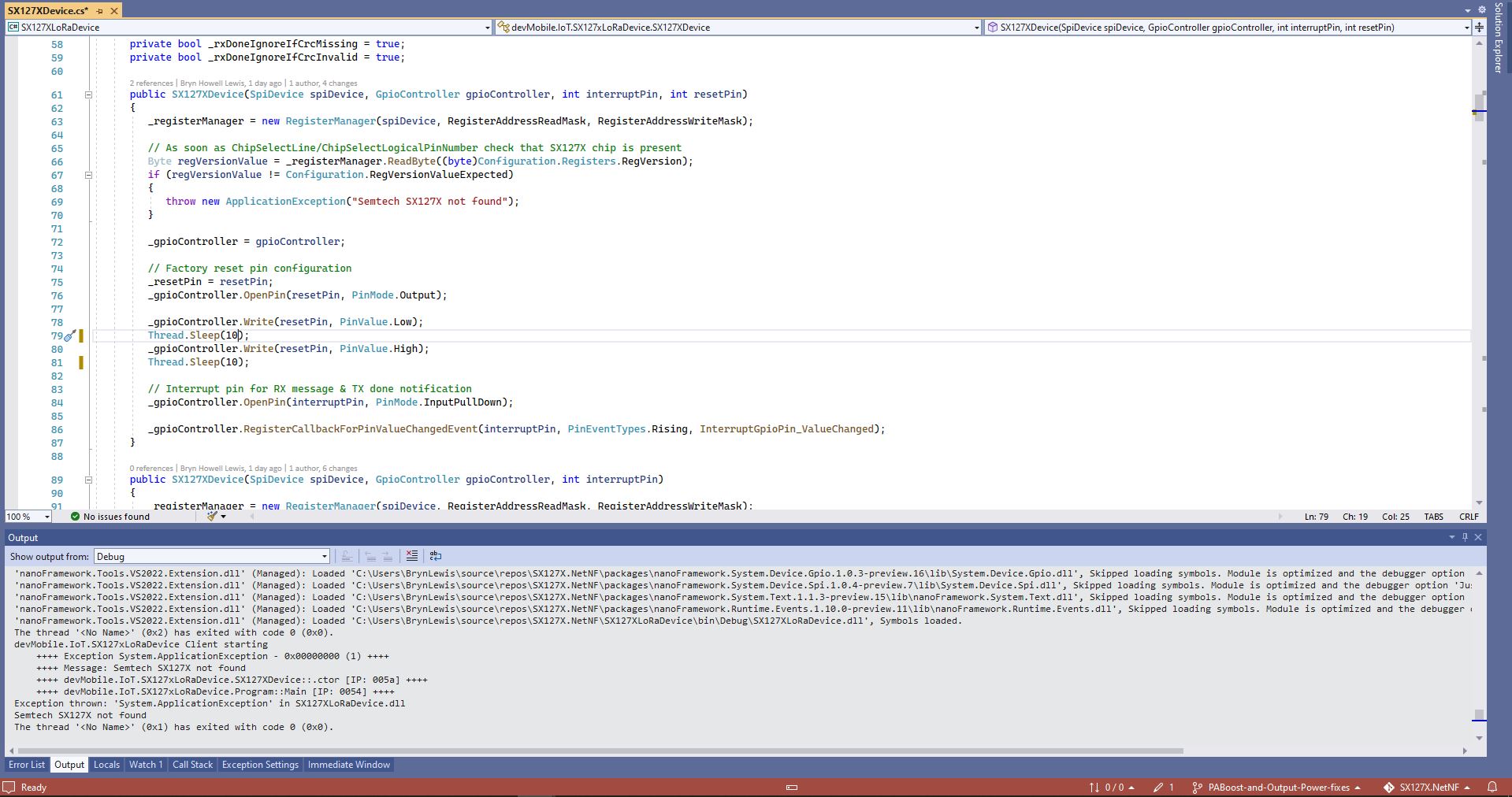
While “soak testing” the ReceiveInterrupt application I noticed that sometimes when I started the application interrupts were not processed or processing stopped after a while.

Visual Studio Debugger output showing intermittent calling of InterruptGpioPin_ValueChanged

I then found the RangeTester application wouldn’t start or run reliably. My original code was based on the Widnows.Devices.GPIO sample so I updated it based on the System.Device.GPIO sample.

public Rfm9XDevice(int spiBusId, int chipSelectPin, int resetPin, int interruptPin)
{
   //...

   // Interrupt pin for RX message & TX done notification 
   gpioController.OpenPin(interruptPin,PinMode.InputPullDown);

   gpioController.RegisterCallbackForPinValueChangedEvent(interruptPin, PinEventTypes.Rising, InterruptGpioPin_ValueChanged);
}

private void InterruptGpioPin_ValueChanged(object sender, PinValueChangedEventArgs e)
{
   byte irqFlags = this.RegisterReadByte(0x12); // RegIrqFlags
   //...
}
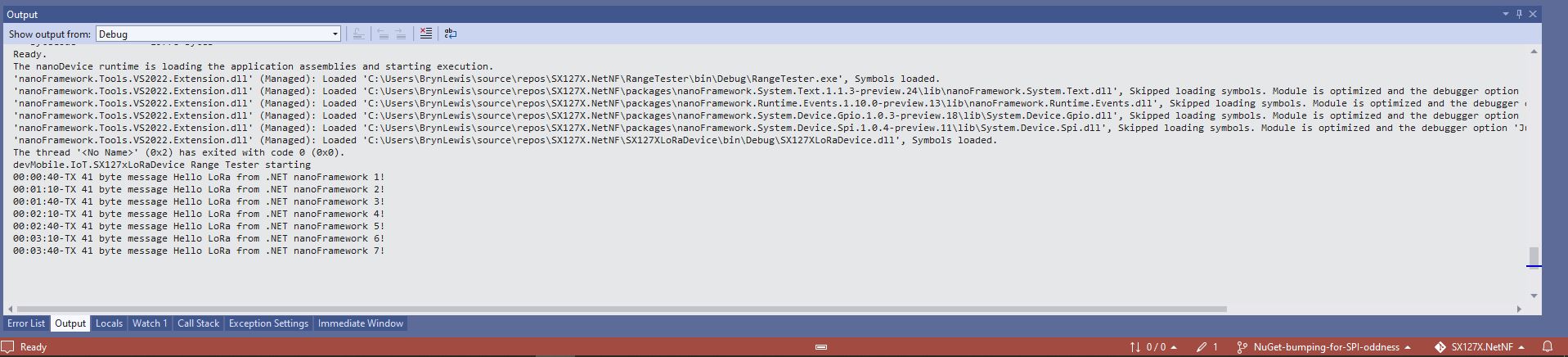
Visual Studio Debugger output showing reliable calling of InterruptGpioPin_ValueChanged

If your Windows.Devices.GPIO based project is not reliably handling interrupts after upgrading to System.Device.GPIO and fixing any “breaking changes” the implementation most probably need to be updated to use RegisterCallbackForPinValueChangedEvent as well.

.NET Core web API + Dapper – MultiMapping

Shaping recordsets with SplitOn

Sometimes there is no easy way to build a “list of lists” using the contents of multiple database tables. I have run into this problem a few times especially when building webby services which query the database of a “legacy” (aka. production) system.

Retrieving a list of StockGroups and their StockItems from the World Wide Importers database was one of the better “real world” examples I could come up with.

SQL Server Management Studio Diagram showing relationships of tables

There is a fair bit of duplication (StockGroupID, StockGroupName) in the results set

SQL Server Management Studio StockItems-StockItemStockGroups-StockGroups query and results

There were 442 rows in the results set and 227 StockItems in the database so I ordered the query results by StockItemID and confirmed that there were many StockItems in several StockGroups.

public class StockItemListDtoV1
{
	public int Id { get; set; }

	public string Name { get; set; }

	public decimal RecommendedRetailPrice { get; set; }

	public decimal TaxRate { get; set; }
}

public class StockGroupStockItemsListDto
{
	StockGroupStockItemsListDto()
	{
		StockItems = new List<StockItemListDto>();
	}

	public int StockGroupID { get; set; }

	public string StockGroupName { get; set; }

	public List<StockItemListDto> StockItems { get; set; }
}

My initial version uses a Generic List for a StockGroup’s StockItems which is most probably not a good idea.

[Route("api/[controller]")]
[ApiController]
public class InvoiceQuerySplitOnController : ControllerBase
{
	private readonly string connectionString;
	private readonly ILogger<InvoiceQuerySplitOnController> logger;

	public InvoiceQuerySplitOnController(IConfiguration configuration, ILogger<InvoiceQuerySplitOnController> logger)
	{
		this.connectionString = configuration.GetConnectionString("WorldWideImportersDatabase");

		this.logger = logger;
	}

	[HttpGet]
	public async Task<ActionResult<IEnumerable<StockGroupStockItemsListDto>>> Get()
	{
		IEnumerable<StockGroupStockItemsListDto> response = null;

		try
		{
			using (SqlConnection db = new SqlConnection(this.connectionString))
			{
				var stockGroups = await db.QueryAsync<StockGroupStockItemsListDto, StockItemListDto, StockGroupStockItemsListDto>(
					sql: @"SELECT [StockGroups].[StockGroupID] as 'StockGroupID'" +
								",[StockGroups].[StockGroupName]" +
								",[StockItems].StockItemID as 'ID'" +
								",[StockItems].StockItemName as 'Name'" +
								",[StockItems].TaxRate" +
								",[StockItems].RecommendedRetailPrice " +
							"FROM [Warehouse].[StockGroups] " +
							"INNER JOIN[Warehouse].[StockItemStockGroups] ON ([StockGroups].[StockGroupID] = [StockItemStockGroups].[StockGroupID])" +
							"INNER JOIN[Warehouse].[StockItems] ON ([Warehouse].[StockItemStockGroups].[StockItemID] = [StockItems].[StockItemID])",
					(stockGroup, stockItem) =>
					{
						// Not certain I think using a List<> here is a good idea...
						stockGroup.StockItems.Add(stockItem);
						return stockGroup;
					},
				splitOn: "ID",
				commandType: CommandType.Text);

			response = stockGroups.GroupBy(p => p.StockGroupID).Select(g =>
			{
				var groupedStockGroup = g.First();
				groupedStockGroup.StockItems = g.Select(p => p.StockItems.Single()).ToList();
				return groupedStockGroup;
			});
		}
	}
	catch (SqlException ex)
	{
		logger.LogError(ex, "Retrieving S, Invoice Lines or Stock Item Transactions");

		return this.StatusCode(StatusCodes.Status500InternalServerError);
	}

	return this.Ok(response);
}

The MultiMapper syntax always trips me up and it usually takes a couple of attempts to get it to work.

List of StockGroups with StockItems

I have extended my DapperTransient module adding WithRetry versions of the 14 MultiMapper methods.

NOTE : Error Handling approach has changed

.NET Core web API + Dapper – QueryMultiple

Returning multiple recordsets

My current “day job” is building applications for managing portfolios of foreign currency instruments. A portfolio can contain many different types of instrument (Forwards, Options, Swaps etc.). One of the “optimisations” we use is retrieving all the different types of instruments in a portfolio with one stored procedure call.

SQL Server Management Studio Dependency viewer

The closest scenario I could come up with using the World Wide Importers database was retrieving a summary of all the information associated with an Invoice for display on a single screen.

CREATE PROCEDURE [Sales].[InvoiceSummaryGetV1](@InvoiceID as int)
AS
BEGIN

SELECT [InvoiceID]
--        ,[CustomerID]
--        ,[BillToCustomerID]
		,[OrderID]
		,[Invoices].[DeliveryMethodID]
		,[DeliveryMethodName]
--        ,[ContactPersonID]
--        ,[AccountsPersonID]
		,[SalespersonPersonID] as SalesPersonID
		,[SalesPerson].[PreferredName] as SalesPersonName
--        ,[PackedByPersonID]
		,[InvoiceDate]
		,[CustomerPurchaseOrderNumber]
		,[IsCreditNote]
		,[CreditNoteReason]
		,[Comments]
		,[DeliveryInstructions]
--        ,[InternalComments]
--        ,[TotalDryItems]
--        ,[TotalChillerItems]
		,[DeliveryRun]
		,[RunPosition] as DeliveryRunPosition
		,[ReturnedDeliveryData] as DeliveryData
		,[ConfirmedDeliveryTime] as DeliveredAt
		,[ConfirmedReceivedBy] as DeliveredTo
--        ,[LastEditedBy]
--        ,[LastEditedWhen]
	FROM [Sales].[Invoices]
	INNER JOIN [Application].[People] as SalesPerson ON (Invoices.[SalespersonPersonID] = [SalesPerson].[PersonID])
	INNER JOIN [Application].[DeliveryMethods] as DeliveryMethod ON (Invoices.[DeliveryMethodID] = DeliveryMethod.[DeliveryMethodID])
WHERE ([Invoices].[InvoiceID] = @InvoiceID)

SELECT [InvoiceLineID]
      ,[InvoiceID]
      ,[StockItemID]
      ,[Description] as StockItemDescription
      ,[InvoiceLines].[PackageTypeID]
	  ,[PackageType].[PackageTypeName]
      ,[Quantity]
      ,[UnitPrice]
      ,[TaxRate]
      ,[TaxAmount]
--      ,[LineProfit]
      ,[ExtendedPrice]
--      ,[LastEditedBy]
--      ,[LastEditedWhen]
	FROM [Sales].[InvoiceLines]
		INNER JOIN [Warehouse].[PackageTypes] as PackageType ON ([PackageType].[PackageTypeID] = [InvoiceLines].[PackageTypeID])
WHERE ([InvoiceLines].[InvoiceID] = @InvoiceID)

SELECT [StockItemTransactionID]
      ,[StockItemTransactions].[StockItemID]
      ,StockItem.[StockItemName] as StockItemName
      ,[StockItemTransactions].[TransactionTypeID]
      ,[TransactionType].[TransactionTypeName]
--      ,[CustomerID]
--      ,[InvoiceID]
--      ,[SupplierID]
--      ,[PurchaseOrderID]
      ,[TransactionOccurredWhen] as TransactionAt
      ,[Quantity]
--      ,[LastEditedBy]
--      ,[LastEditedWhen]
	FROM [Warehouse].[StockItemTransactions]
	INNER JOIN [Warehouse].[StockItems] as StockItem ON ([StockItemTransactions].StockItemID = [StockItem].StockItemID)
	INNER JOIN [Application].[TransactionTypes] as TransactionType ON ([StockItemTransactions].[TransactionTypeID] = TransactionType.[TransactionTypeID])
	WHERE ([StockItemTransactions].[InvoiceID] = @InvoiceID)

END

The stored procedure returns 3 recordsets, a “summary” of the Order, a summary of the associated OrderLines and a summary of the associated StockItemTransactions.

public async Task<ActionResult<Model.InvoiceSummaryGetDtoV1>>Get([Range(1, int.MaxValue, ErrorMessage = "Invoice id must greater than 0")] int id)
{
	Model.InvoiceSummaryGetDtoV1 response = null;

	try
	{
		using (SqlConnection db = new SqlConnection(this.connectionString))
		{
			var invoiceSummary = await db.QueryMultipleWithRetryAsync("[Sales].[InvoiceSummaryGetV1]", param: new { InvoiceId = id }, commandType: CommandType.StoredProcedure);

			response = await invoiceSummary.ReadSingleOrDefaultWithRetryAsync<Model.InvoiceSummaryGetDtoV1>();
			if (response == default)
			{
				logger.LogInformation("Invoice:{0} not found", id);

				return this.NotFound($"Invoice:{id} not found");
			}

			response.InvoiceLines = (await invoiceSummary.ReadWithRetryAsync<Model.InvoiceLineSummaryListDtoV1>()).ToArray();

			response.StockItemTransactions = (await invoiceSummary.ReadWithRetryAsync<Model.StockItemTransactionSummaryListDtoV1>()).ToArray();
		}
	}
	catch (SqlException ex)
	{
		logger.LogError(ex, "Retrieving Invoice, Invoice Lines or Stock Item Transactions");

		return this.StatusCode(StatusCodes.Status500InternalServerError);
	}

	return this.Ok(response);
}

I use Google Chrome, Mozilla Firefox, Microsoft Edgeium, and Opera but the screen capture was done with FireFox mainly because it formats the Java Script Object Notation(JSON) response payloads nicely.

FireFox displaying Invoice Summary response

I had to extend the DapperTransient module to add SqlMapper extension (plus all the different overloads) retry methods.

NOTE : Error Handling approach has been updated

Smartish Edge Camera – Azure Storage basics

This project is another reworked version of on my ML.Net YoloV5 + Camera + GPIO on ARM64 Raspberry PI which supports only the uploading of camera and marked up images to Azure Storage.

My backyard test-rig consists of a Unv IPC675LFW Pan Tilt Zoom(PTZ) Security Camera, Power over Ethernet(PoE) module, and a Raspberry Pi 4B 8G.

Raspberry PI 4 B backyard test rig

The application can be compiled with Raspberry PI V2 Camera or Unv Security Camera (The security camera configuration may work for other cameras/vendors).

The appsetings.json file has configuration options for the Azure Storage Account, DeviceID (Used for the Azure Blob storage container name), the list of object classes of interest (based on the YoloV5 image classes) , and the image blob storage file names (used to “bucket” images).

{
  "Logging": {
    "LogLevel": {
      "Default": "Information",
      "Microsoft": "Warning",
      "Microsoft.Hosting.Lifetime": "Information"
    }
  },

  "Application": {
    "DeviceId": "edgecamera",

    "ImageTimerDue": "0.00:00:15",
    "ImageTimerPeriod": "0.00:00:30",

    "ImageCameraFilepath": "ImageCamera.jpg",
    "ImageMarkedUpFilepath": "ImageMarkedup.jpg",

    "ImageCameraUpload": true,
    "ImageMarkedupUpload": true,

    "YoloV5ModelPath": "YoloV5/yolov5s.onnx",

    "PredicitionScoreThreshold": 0.7,
    "PredictionLabelsOfInterest": [
      "bicycle",
      "person",
      "car"
    ],
    "OutputImageMarkup": true
  },

  "SecurityCamera": {
    "CameraUrl": "",
    "CameraUserName": "",
    "CameraUserPassword": ""
  },

  "RaspberryPICamera": {
    "ProcessWaitForExit": 1000,
    "Rotation": 180
  },

  "AzureStorage": {
    "ConnectionString": "FhisIsNotTheConnectionStringYouAreLookingFor",
    "ImageCameraFilenameFormat": "{0:yyyyMMdd}/camera/{0:HHmmss}.jpg",
    "ImageMarkedUpFilenameFormat": "{0:yyyyMMdd}/markedup/{0:HHmmss}.jpg"
  }
}

Part of this refactor was injecting(DI) the logging and configuration dependencies.

public class Program
{
	public static void Main(string[] args)
	{
		CreateHostBuilder(args).Build().Run();
	}

	public static IHostBuilder CreateHostBuilder(string[] args) =>
		 Host.CreateDefaultBuilder(args)
			.ConfigureServices((hostContext, services) =>
			{
				services.Configure<ApplicationSettings>(hostContext.Configuration.GetSection("Application"));
				services.Configure<SecurityCameraSettings>(hostContext.Configuration.GetSection("SecurityCamera"));
				services.Configure<RaspberryPICameraSettings>(hostContext.Configuration.GetSection("RaspberryPICamera"));
				services.Configure<AzureStorageSettings>(hostContext.Configuration.GetSection("AzureStorage"));
			})
			.ConfigureLogging(logging =>
			{
				logging.ClearProviders();
				logging.AddSimpleConsole(c => c.TimestampFormat = "[HH:mm:ss.ff]");
			})
			.UseSystemd()
			.ConfigureServices((hostContext, services) =>
			{
			  services.AddHostedService<Worker>();
			});
		}
	}
}

After the You Only Look Once(YOLOV5)+ML.Net+Open Neural Network Exchange(ONNX) plumbing has loaded a timer with a configurable due time and period is started.

private async void ImageUpdateTimerCallback(object state)
{
	DateTime requestAtUtc = DateTime.UtcNow;

	// Just incase - stop code being called while photo already in progress
	if (_cameraBusy)
	{
		return;
	}
	_cameraBusy = true;

	_logger.LogInformation("Image processing start");

	try
	{
#if CAMERA_RASPBERRY_PI
		RaspberryPIImageCapture();
#endif
#if CAMERA_SECURITY
		SecurityCameraImageCapture();
#endif
		if (_applicationSettings.ImageCameraUpload)
		{
					await AzureStorageImageUpload(requestAtUtc, _applicationSettings.ImageCameraFilepath, 
 azureStorageSettings.ImageCameraFilenameFormat);
		}

		List<YoloPrediction> predictions;

		using (Image image = Image.FromFile(_applicationSettings.ImageCameraFilepath))
		{
			_logger.LogTrace("Prediction start");
			predictions = _scorer.Predict(image);
			_logger.LogTrace("Prediction done");

			OutputImageMarkup(image, predictions, _applicationSettings.ImageMarkedUpFilepath);
		}

		if (_logger.IsEnabled(LogLevel.Trace))
		{
			_logger.LogTrace("Predictions {0}", predictions.Select(p => new { p.Label.Name, p.Score }));
		}

		var predictionsOfInterest = predictions.Where(p => p.Score > _applicationSettings.PredicitionScoreThreshold).Select(c => c.Label.Name).Intersect(_applicationSettings.PredictionLabelsOfInterest, StringComparer.OrdinalIgnoreCase);
		if (_logger.IsEnabled(LogLevel.Trace))
		{
			_logger.LogTrace("Predictions of interest {0}", predictionsOfInterest.ToList());
		}

		if (_applicationSettings.ImageMarkedupUpload && predictionsOfInterest.Any())
		{
			await AzureStorageImageUpload(requestAtUtc, _applicationSettings.ImageMarkedUpFilepath, _azureStorageSettings.ImageMarkedUpFilenameFormat);
		}

		var predictionsTally = predictions.Where(p => p.Score >= _applicationSettings.PredicitionScoreThreshold)
									.GroupBy(p => p.Label.Name)
									.Select(p => new
									{
										Label = p.Key,
										Count = p.Count()
									});

		if (_logger.IsEnabled(LogLevel.Information))
		{
			_logger.LogInformation("Predictions tally {0}", predictionsTally.ToList());
		}
	}
	catch (Exception ex)
	{
		_logger.LogError(ex, "Camera image download, post procesing, image upload, or telemetry failed");
	}
	finally
	{
		_cameraBusy = false;
	}

	TimeSpan duration = DateTime.UtcNow - requestAtUtc;

	_logger.LogInformation("Image processing done {0:f2} sec", duration.TotalSeconds);
}

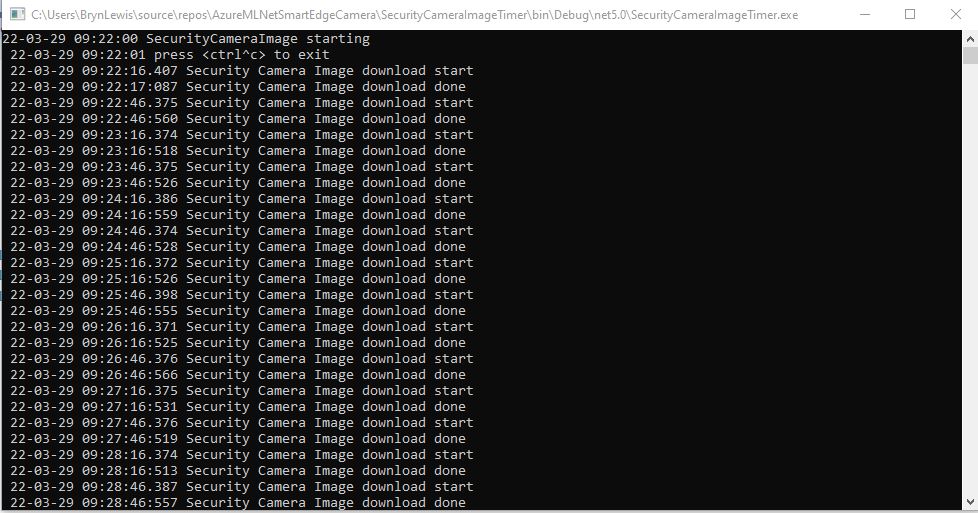
In the ImageUpdateTimerCallback method a camera image is captured (by my Raspberry Pi Camera Module 2 or IPC675LFW Security Camera) and written to the local file system.

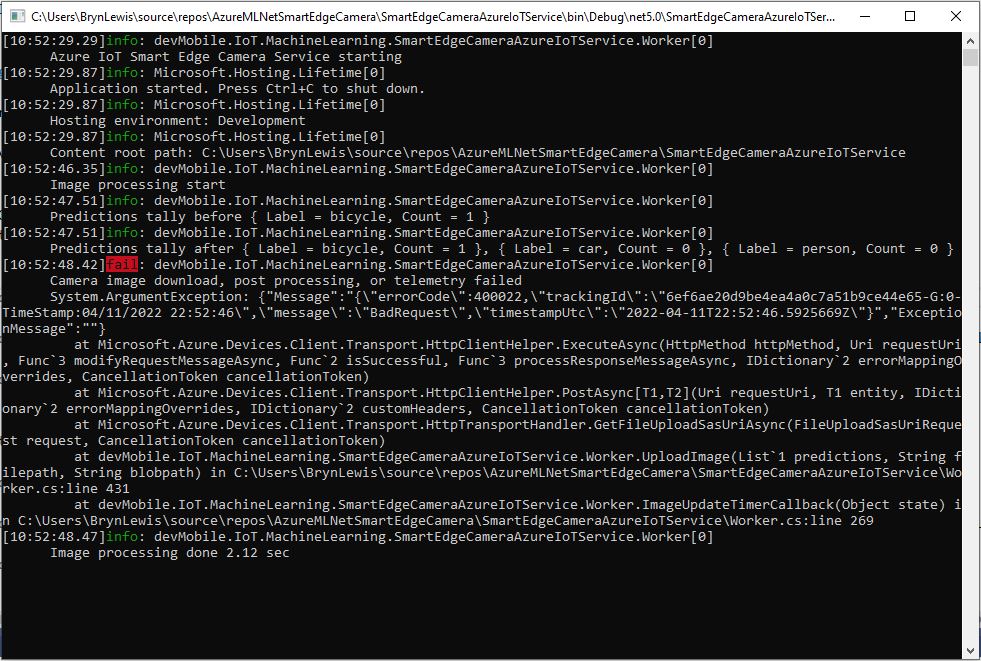
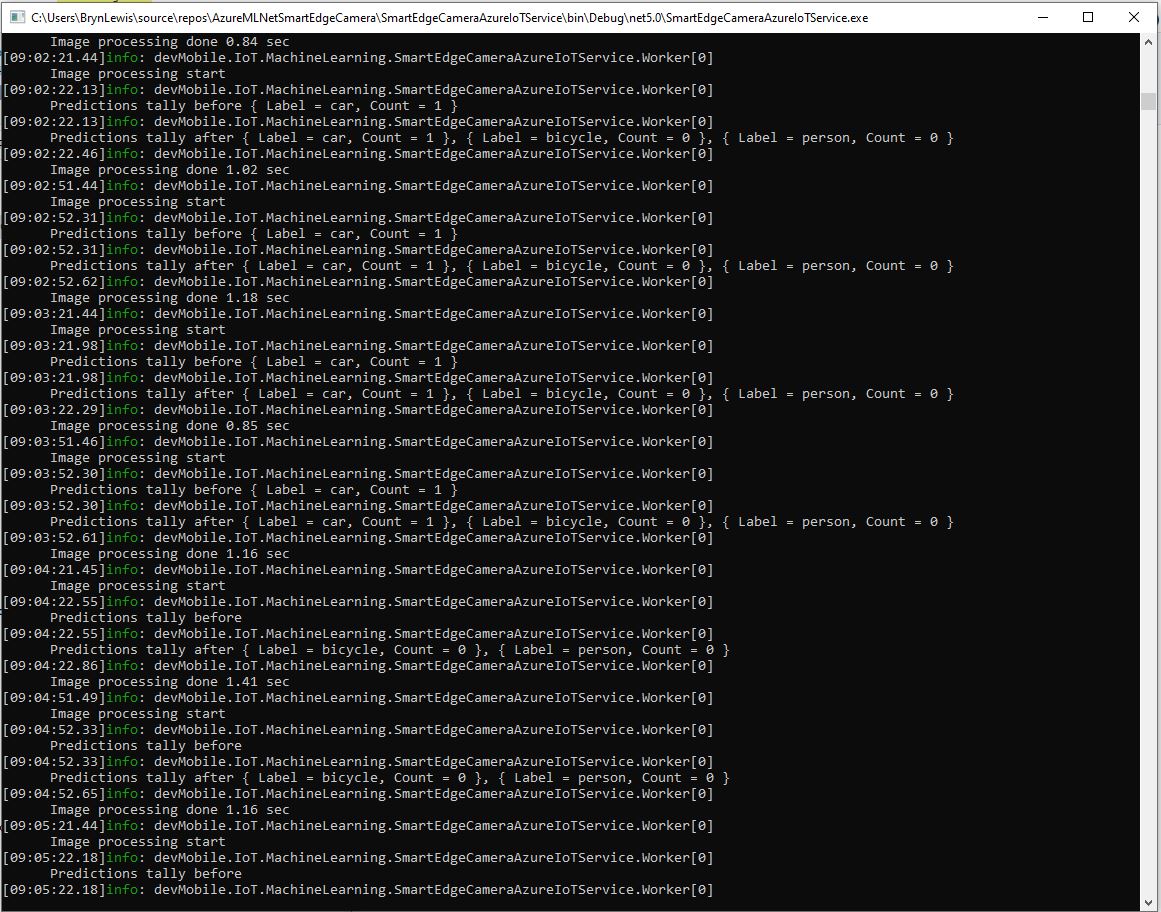
Raspberry PI4B console displaying image processing and uploading

The MentalStack YoloV5 model ML.Net support library processes the camera image on the local filesystem. The prediction output (can be inspected with Netron) is parsed generating list of objects that have been detected, their Minimum Bounding Rectangle(MBR) and class.

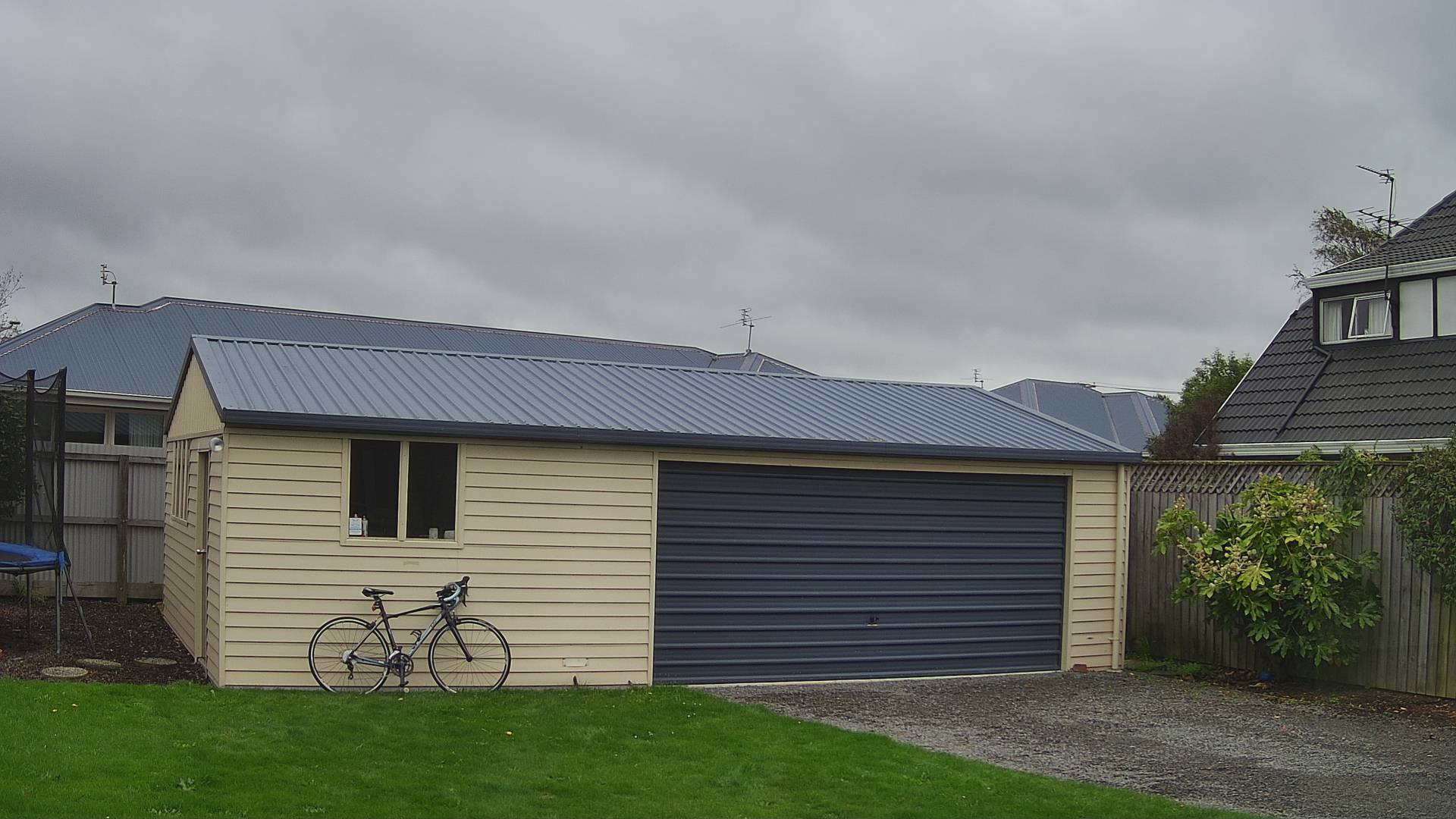
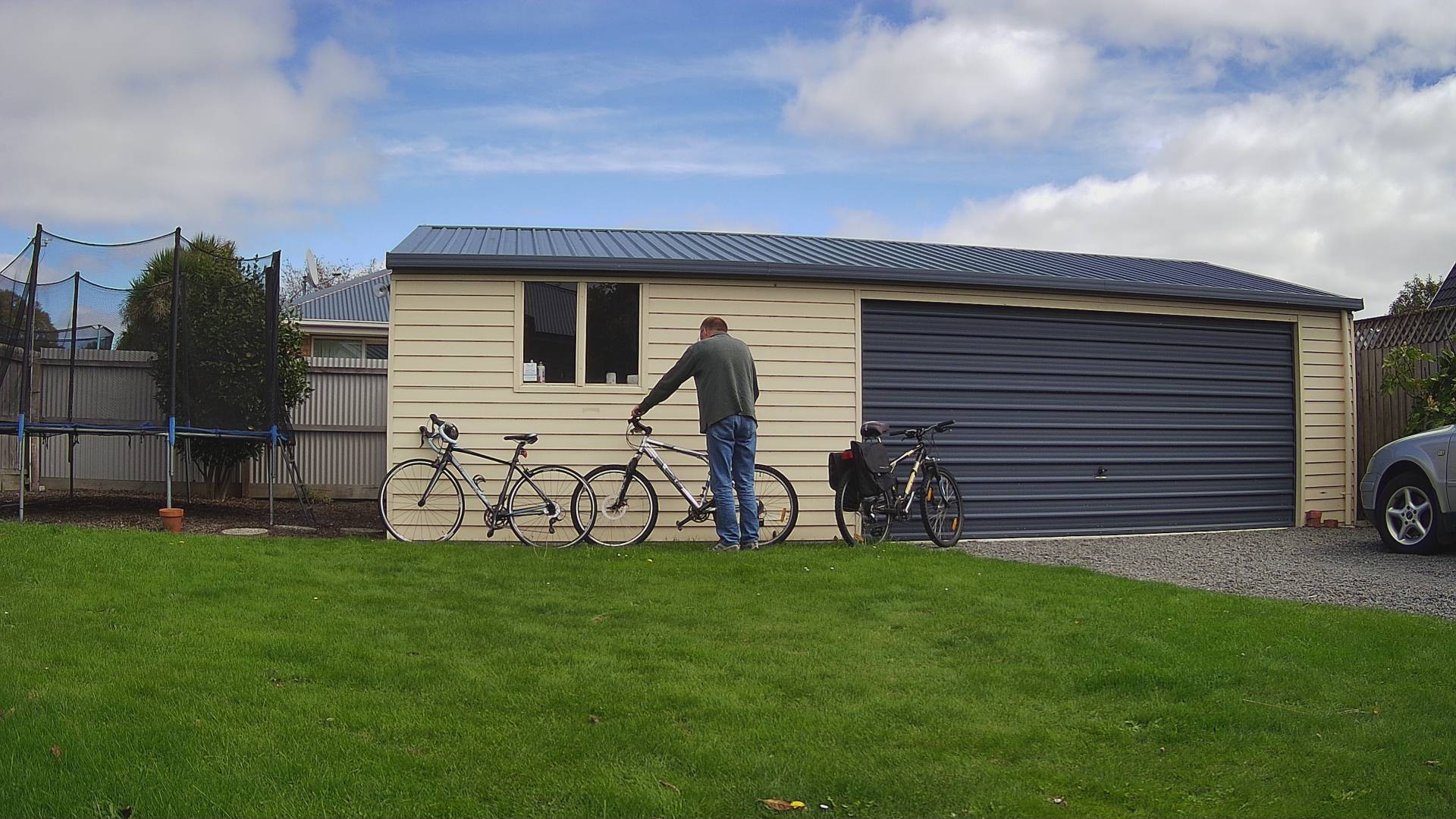
Image from security camera
Azure IoT Storage Explorer displaying list of camera images

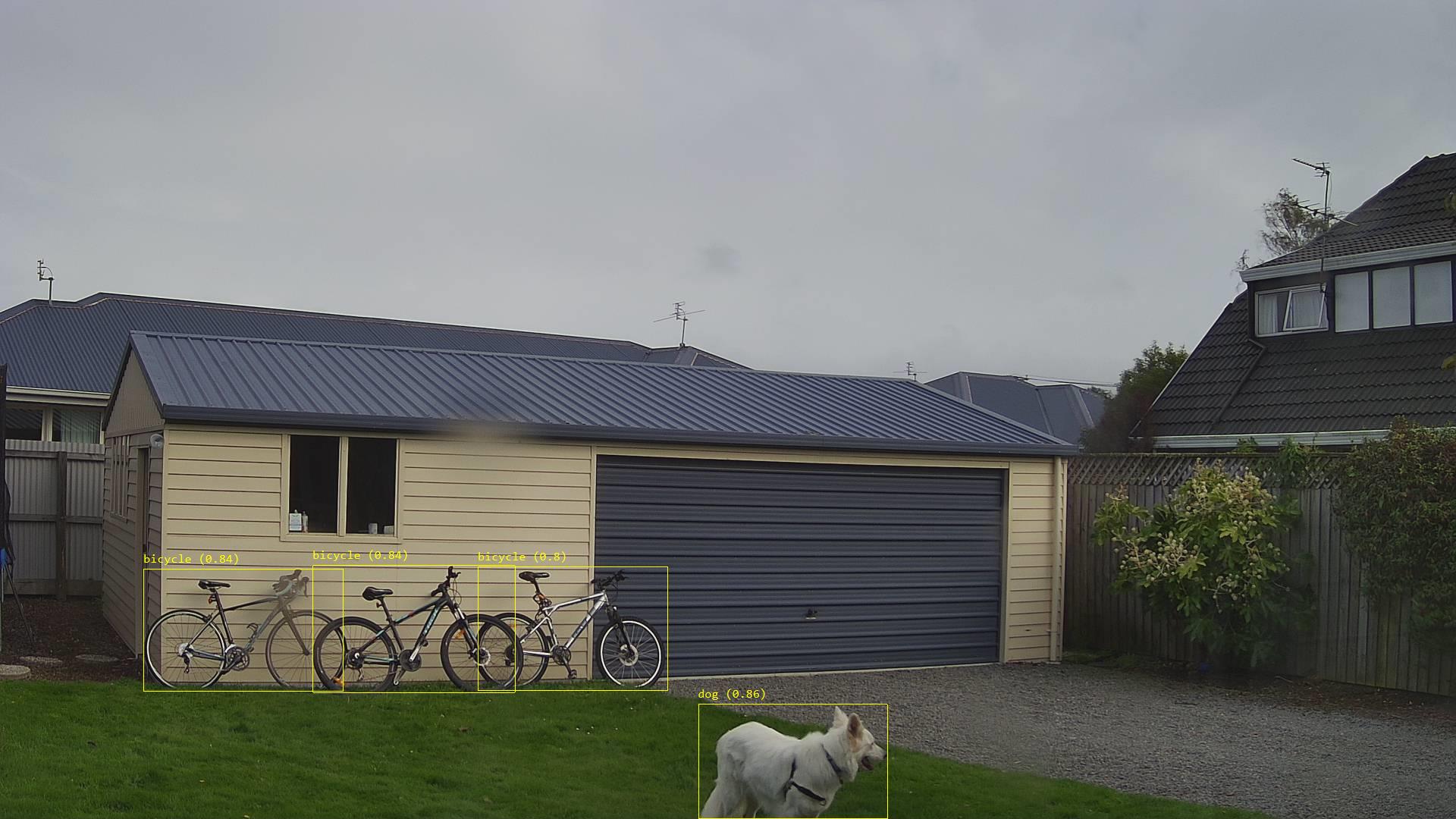
The list of predictions is post processed with a Language Integrated Query(LINQ) which filters out predictions with a score below a configurable threshold(PredicitionScoreThreshold) and returns a count of each class. If this list intersects with the configurable PredictionLabelsOfInterest a marked up image is uploaded to Azure Storage.

Image from security camera marked up with Minimum Bounding Boxes(MBRs)
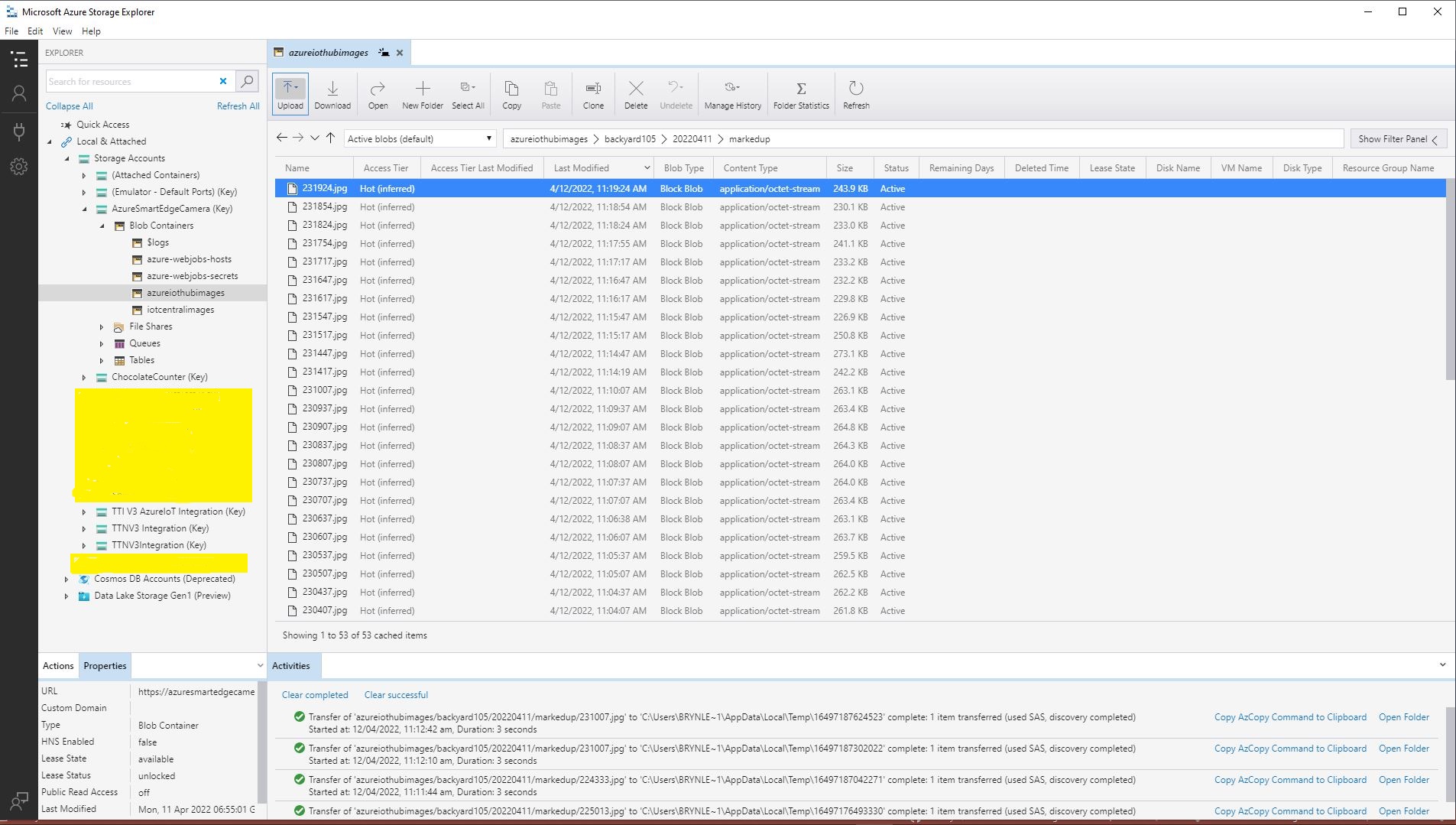
Azure IoT Storage Explorer displaying list of marked up camera images

The current implementation is quite limited, the camera image upload, object detection and image upload if there are objects of interest is implemented in a single timer callback. I’m considering implementing two timers one for the uploading of camera images (time lapse camera) and the other for running the object detection process and uploading marked up images.

Marked up images are uploaded if any of the objects detected (with a score greater than PredicitionScoreThreshold) is in the PredictionLabelsOfInterest. I’m considering adding a PredicitionScoreThreshold and minimum count for individual prediction classes, and optionally marked up image upload only when the list of objects detected has changed.