Mistral Steaming Chat Completions

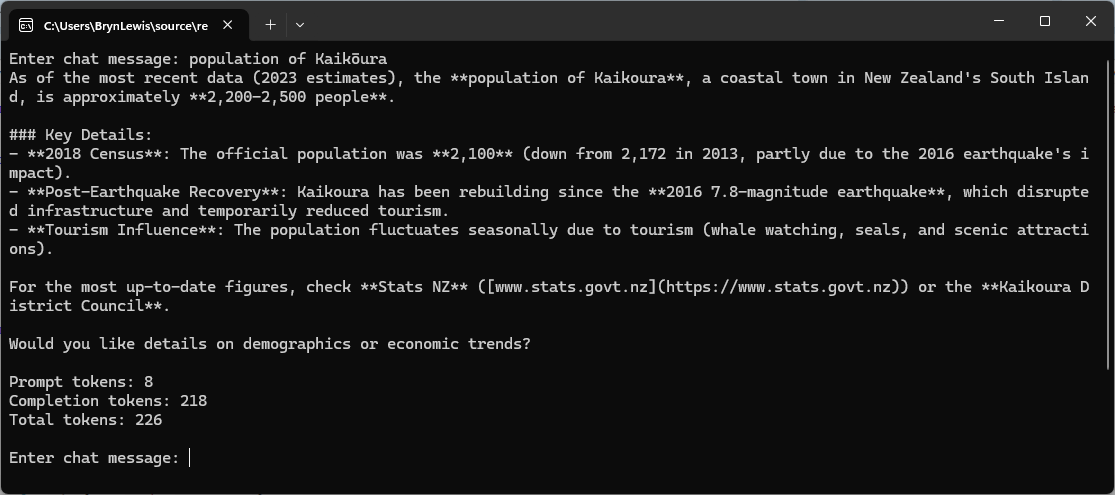
This sample demonstrates how to consume Mistral’s streaming chat completion endpoint using HttpClient and Server-Sent Events (SSE). The implementation streams tokens to the console as they arrive, supports cancellation with Ctrl+C, and captures token usage information. A CancellationTokenSource is used to support user-initiated cancellation. Pressing Ctrl+C cancels the active request without terminating the application, allowing the user to continue interacting with the chat client.

Rather than waiting for the complete response, the request is sent with Stream = true and the response is processed as an SSE stream. This provides a significantly better user experience because generated tokens are displayed as soon as they are received. Each chunk contains a delta payload that may include newly generated content.

// Ctrl+C cancels the current request and returns to the prompt; second Ctrl+C exits the process.
using var cts = new CancellationTokenSource();
Console.CancelKeyPress += (_, e) =>
{
   if (!cts.IsCancellationRequested)
   {
      e.Cancel = true;
      cts.Cancel();
   }
};

while (!cts.IsCancellationRequested)
{
   Console.Write("Enter chat message: ");
   var content = Console.ReadLine();
   if (string.IsNullOrWhiteSpace(content)) break;

   var request = new ChatStreamingCompletionRequest
   {
      Model = settings.ModelName,
      Messages =
      [
         new ChatMessage { Role = "user", Content = content }
      ],
      Stream = true,
   };

   try
   {
      using var httpRequest = new HttpRequestMessage(HttpMethod.Post, "chat/completions")
      {
         Content = JsonContent.Create(request, options: jsonSerializerOptions)
      };

      using var httpResponse = await httpClient.SendAsync(httpRequest, HttpCompletionOption.ResponseHeadersRead, cts.Token);
      if (!httpResponse.IsSuccessStatusCode)
      {
         var body = await httpResponse.Content.ReadAsStringAsync(cts.Token);
         throw new HttpRequestException($"Mistral API {(int)httpResponse.StatusCode}: {body}", null, httpResponse.StatusCode);
      }

      await using var stream = await httpResponse.Content.ReadAsStreamAsync(cts.Token);
      using var reader = new StreamReader(stream);

      TokenUsage? finalUsage = null;
      string? finishReason = null;

      string? line;
      // Mistral emits single-line `data:` chunks, so per-line dispatch is sufficient (no multi-line SSE concatenation required).
      while ((line = await reader.ReadLineAsync(cts.Token)) is not null)
      {
         // SSE framing: blank line separates events, lines without "data:" are ignored (e.g. ":" keep-alive comments, "event:" / "id:" / "retry:" fields).
         if (string.IsNullOrEmpty(line)) continue;
         if (!line.StartsWith("data:", StringComparison.Ordinal)) continue;

         var payload = line.AsSpan(5).TrimStart();
         if (payload.SequenceEqual("[DONE]")) break;

         var chunk = JsonSerializer.Deserialize<ChatCompletionChunk>(payload, jsonSerializerOptions);
         if (chunk is null) continue;

         foreach (var choice in chunk.Choices)
         {
            if (!string.IsNullOrEmpty(choice.Delta.Content))
            {
               Console.Write(choice.Delta.Content);
            }
            if (choice.FinishReason is not null)
            {
               finishReason = choice.FinishReason;
            }
         }

         if (chunk.Usage is not null)
         {
            finalUsage = chunk.Usage;
         }
      }

      Console.WriteLine();
      Console.WriteLine();
      if (finalUsage is not null)
      {
         Console.WriteLine($"Prompt tokens: {finalUsage.PromptTokens}");
         Console.WriteLine($"Completion tokens: {finalUsage.CompletionTokens}");
         Console.WriteLine($"Total tokens: {finalUsage.TotalTokens}");
      }
      if (finishReason is not null)
      {
         Console.WriteLine($"Finish reason: {finishReason}");
      }
      Console.WriteLine();
   }
   catch (OperationCanceledException) when (cts.IsCancellationRequested)
   {
      Console.WriteLine();
      Console.WriteLine("Request cancelled.");
      // Reset the CTS so the next prompt iteration is cancellable again.
      cts.TryReset();
   }
   catch (HttpRequestException ex)
   {
      Console.WriteLine($"Request failed: {(int?)ex.StatusCode ?? 0} {ex.Message}");
   }
   catch (TaskCanceledException)
   {
      Console.WriteLine("Request timed out.");
   }
   catch (JsonException ex)
   {
      Console.WriteLine($"Failed to parse response: {ex.Message}");
   }
   catch (IOException ex)
   {
      Console.WriteLine($"Stream error: {ex.Message}");
   }
   catch (Exception ex)
   {
      Console.WriteLine($"Unexpected error: {ex.GetType().Name}: {ex.Message}");
   }
}

Uses HttpCompletionOption.ResponseHeadersRead to begin processing data as soon as headers are received.

public sealed class ChatStreamingCompletionRequest
{
   [JsonPropertyName("model")] public required string Model { get; init; }
   [JsonPropertyName("messages")] public required List<ChatMessage> Messages { get; init; }
   [JsonPropertyName("temperature")] public double? Temperature { get; init; }
   [JsonPropertyName("max_tokens")] public int? MaxTokens { get; init; }
   [JsonPropertyName("stream")] public bool? Stream { get; init; } 
   [JsonPropertyName("response_format")] public ResponseFormat? ResponseFormat { get; init; }
}

public sealed class ChatMessage
{
   [JsonPropertyName("role")] public required string Role { get; init; }
   [JsonPropertyName("content")] public required string Content { get; init; }
}

public sealed class ResponseFormat
{
   [JsonPropertyName("type")] public required string Type { get; init; }
}

public sealed class ChatCompletionChunk
{
   [JsonPropertyName("id")] public required string Id { get; init; }
   [JsonPropertyName("choices")] public required List<ChatCompletionDelta> Choices { get; init; }
   [JsonPropertyName("usage")] public TokenUsage? Usage { get; init; }
}

public sealed class ChatCompletionDelta
{
   [JsonPropertyName("index")] public int Index { get; init; }
   [JsonPropertyName("delta")] public required ChatMessageDelta Delta { get; init; }
   [JsonPropertyName("finish_reason")] public string? FinishReason { get; init; }
}

public sealed class ChatMessageDelta
{
   [JsonPropertyName("role")] public string? Role { get; init; }
   [JsonPropertyName("content")] public string? Content { get; init; }
}

public sealed class TokenUsage
{
   [JsonPropertyName("prompt_tokens")] public int? PromptTokens { get; init; }
   [JsonPropertyName("completion_tokens")] public int? CompletionTokens { get; init; }
   [JsonPropertyName("total_tokens")] public int? TotalTokens { get; init; }
}

When available, token usage statistics are captured from the final response chunk and displayed after generation completes.

Figured I might as well get Anthropic’s Claude to review my code.

Code Review: MistralBasicStreamingCLI

Scope: files in MistralBasicStreamingCLI/ only (Program.cs, Model.cs, ApplicationSettings.cs, appsettings.json, .csproj).

Summary

Small, single-file-ish PoC CLI that streams Mistral chat completions over SSE. Overall solid for its stated purpose (the file header calls it “horrible” — it’s actually reasonably clean). Config/secrets handling, cancellation plumbing, and exception granularity are all good practice. Findings below are ranked roughly by severity.

Findings

1. Ctrl+C behavior contradicts its own comment (Medium)

Program.cs:43 says:

> Ctrl+C cancels the current request and returns to the prompt; second Ctrl+C exits the process.

That holds only if Ctrl+C is pressed while a request is in flight — in that case the catch (OperationCanceledException) block runs and calls cts.TryReset() (line 141), so the loop continues.

But if Ctrl+C is pressed while sitting at the Console.ReadLine() prompt (before any request is sent), cts.Cancel() fires, Console.ReadLine() returns (typically null), and content fails the IsNullOrWhiteSpace check on line 58, so the loop hits break directly — no TryReset() call, no “second Ctrl+C” needed. The program exits on the first Ctrl+C in this case.

Net effect: whether Ctrl+C exits immediately or returns you to the prompt depends on exact timing (mid-request vs. at-prompt), which will look like inconsistent/buggy behavior to a user. If the two-stage cancel is intended everywhere, the prompt-read would need to be cancellable too (e.g. via a Task.Run wrapping Console.ReadLine() racing the token, or Console.KeyAvailable polling).

2. Streaming Usage block may never populate (Worth verifying)

Program.cs:116-119 and 126-128 only print token counts if chunk.Usage is not null. For OpenAI-compatible streaming APIs, the final chunk generally only carries usage when the request explicitly opts in (OpenAI requires "stream_options": {"include_usage": true}). ChatStreamingCompletionRequest (Model.cs:5-13) has no StreamOptions/equivalent property, and the request never sends one.

If Mistral’s API follows the same opt-in convention, finalUsage will always stay null and the “Prompt tokens / Completion tokens / Total tokens” lines will silently never print. If Mistral always includes usage on the last chunk regardless (some of their docs suggest this), then it’s fine as-is. Worth a quick manual test against the real API to confirm which is true — if it’s the former, add a stream_options field to the request model.

3. Redundant double-dispose of the response stream (Low)

await using var stream = await httpResponse.Content.ReadAsStreamAsync(cts.Token);
using var reader = new StreamReader(stream);

reader’s (synchronous) Dispose() runs first at scope exit and disposes the underlying stream (default leaveOpen: false). The outer await using then calls DisposeAsync() on the same, already-disposed stream. This is harmless (Stream.Dispose/DisposeAsync are idempotent) but is dead code — either drop await using in favor of a plain using, or construct StreamReader with leaveOpen: true and let the outer await using be the one real disposal.

4. No conversation history — every turn is stateless (Design note)

Each loop iteration sends a single ChatMessage { Role = "user", Content = content } (Program.cs:60-68) with no prior turns or system prompt included. So the “chat loop” is really a sequence of independent one-shot completions, not a multi-turn conversation. Likely intentional for a minimal PoC, but worth calling out in case a real chat history was expected.

5. Unused request fields (Low / cosmetic)

Temperature, MaxTokens, and ResponseFormat on ChatStreamingCompletionRequest (Model.cs:9,10,12) are never set anywhere — every request sends null for all three (and they’re omitted from the JSON payload thanks to WhenWritingNull). Not a bug, just currently-dead surface area on the model; fine to leave if they’re there for future use, otherwise consider trimming until needed.

6. appsettings.json ships an empty ApiKey (Informational, not a defect)

appsettings.json:3 has "ApiKey": "", with the real key presumably supplied via dotnet user-secrets (UserSecretsId is wired up in the .csproj). This is the correct pattern — flagging only so it stays that way and nobody “temporarily” pastes a real key into this file for a quick test and commits it.

Positives worth keeping

  • Secrets handling: AddUserSecrets() + empty placeholder in appsettings.json is the right pattern for a local PoC.
  • Startup validation: ArgumentException.ThrowIfNullOrWhiteSpace on required settings fails fast with a clear message instead of a confusing null-ref later.
  • HttpClient.Timeout = Timeout.InfiniteTimeSpan paired with a CancellationToken is the correct way to handle long-lived SSE connections — avoids the common bug of a wall-clock timeout killing a slow-but-healthy stream.
  • BaseAddress/relative-URI combination (https://api.mistral.ai/v1/ + chat/completions) is done correctly (trailing slash on base, no leading slash on relative) — a very common source of bugs elsewhere.
  • SSE line parsing correctly ignores blank lines and non-data: fields (comments, event:, id:, retry:), and checks for [DONE] before attempting to parse JSON.
  • Exception granularity: catching OperationCanceledException, HttpRequestException, TaskCanceledException, JsonException, IOException separately before a generic fallback gives useful, distinct messages per failure mode rather than one catch-all.

Suggested priority

  1. Decide/fix the Ctrl+C-at-prompt vs. Ctrl+C-mid-request inconsistency (#1) if consistent behavior matters for this PoC’s usability.
  2. Confirm whether Usage actually arrives from Mistral’s streaming endpoint without stream_options (#2) — quick manual test settles it.
  3. Everything else is cosmetic/cleanup, safe to defer.

Using strongly typed request and response Data Transfer Objects(DTOs) improved maintainability but without manual “tweaking” a request/response could fail.(esp. required & nullable). This implementation assumes that the Mistral Chat Completion API returns single-line JavaScript Object Notation(JSON) payloads in each SSE data: event, which simplified the parser implementation.

Low Power Payload (LPP) Encoder

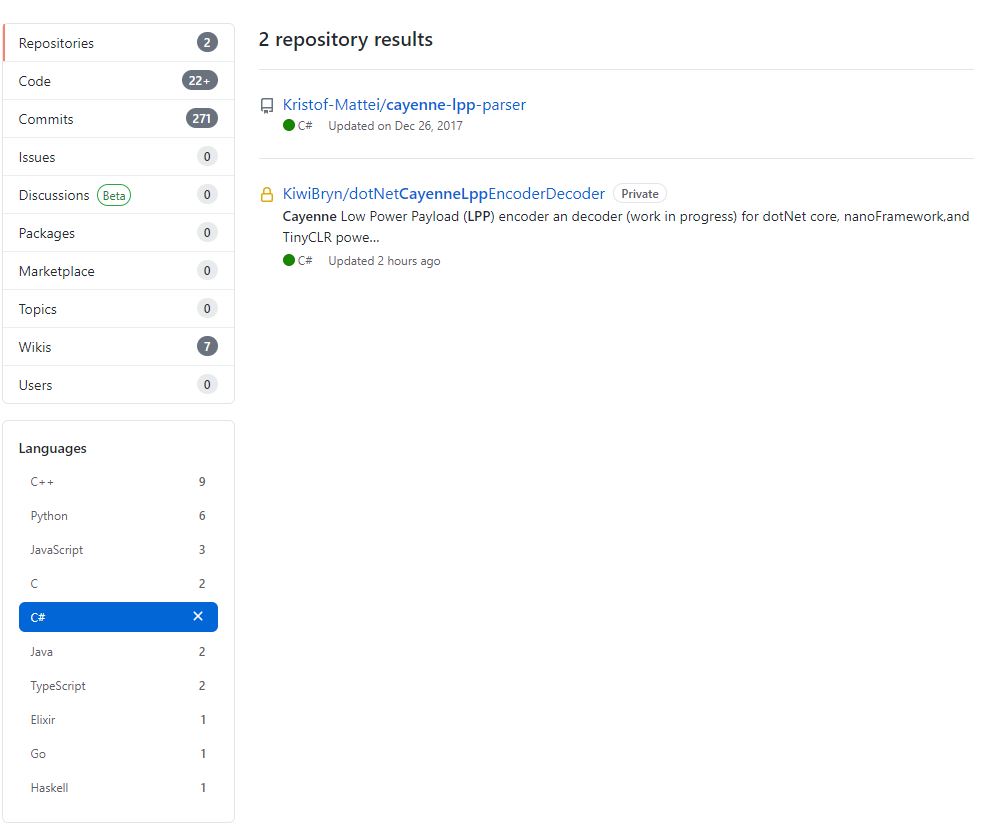
I originally started building my own Low Power Protocol(LPP) encoder because I could only find one other Github repository with a C# implementation. There hadn’t been any updates for a while and I wasn’t confident that I could make the code work on my nanoFramework and TinyCLR devices.

I started with the sample Mbed C code and did a largely mechanical conversion to C#. I then revisited some of the mathematics where floating point values were converted to an integer.

The original C++ code (understandably) had some language specific approaches which didn’t map well into C#. I then translated the code to C#

public void TemperatureAdd(byte channel, float celsius)
{
   if ((index + TemperatureSize) > buffer.Length)
   {
      throw new ApplicationException("TemperatureAdd insufficent buffer capacity");
   }

   short val = (short)(celsius * 10);

   buffer[index++] = channel;
   buffer[index++] = (byte)DataType.Temperature;
   buffer[index++] = (byte)(val >> 8);
   buffer[index++] = (byte)val;
}

One of my sensors was sending values with more decimal places than LPP supported and I noticed the value was not getting rounded e.g. 2.99 ->2.9 not 3.0 etc. So I revised my implementation to use Math.Round (which is supported by the nanoFramework and TinyCLR).

public void DigitalInputAdd(byte channel, bool value)
{
   #region Guard conditions
   if ((channel < Constants.ChannelMinimum) || (channel > Constants.ChannelMaximum))
   {
      throw new ArgumentException($"channel must be between {Constants.ChannelMinimum} and {Constants.ChannelMaximum}", "channel");
   }

   if ((index + Constants.DigitalInputSize) > buffer.Length)
   {
      throw new ApplicationException($"Datatype DigitalInput insufficent buffer capacity, {buffer.Length - index} bytes available");
   }
   #endregion

   buffer[index++] = channel;
   buffer[index++] = (byte)Enumerations.DataType.DigitalInput;

   // I know this is fugly but it works on all platforms
   if (value)
   {
      buffer[index++] = 1;
   }
   else
   {
     buffer[index++] = 0;
   }
 }

I then extracted out the channel and buffer size validation but I’m not certain this makes the code anymore readable/understandable

public void DigitalInputAdd(byte channel, bool value)
{
   IsChannelNumberValid(channel);
   IsBufferSizeSufficient(Enumerations.DataType.DigitalInput);

   buffer[index++] = channel;
   buffer[index++] = (byte)Enumerations.DataType.DigitalInput;

   // I know this is fugly but it works on all platforms
   if (value)
   {
      buffer[index++] = 1;
   }
   else
   {
      buffer[index++] = 0;
   }
}

The code runs on netCore, nanoFramework, and TinyCLRV2 just needs a few more unit tests and it will be ready for production. I started with an LPP encoder which I needed for one of my applications. I’m also working an approach for a decoder which will run on all my target platforms with minimal modification or compile time directives.

Nexus Analog, GPIO and PWM testing

Over the weekend I have been testing a beta Ingenuity Micro Nexus device building a series of simple applications to exercise all of the input and output ports.

The device is equipped with 11 x Seeedstudio Grove compatible sockets (2 x UART, 5 x I2C, 3 x ADC, 1 x PWM sockets) which support a wide variety of sensors.

Test cables and devices
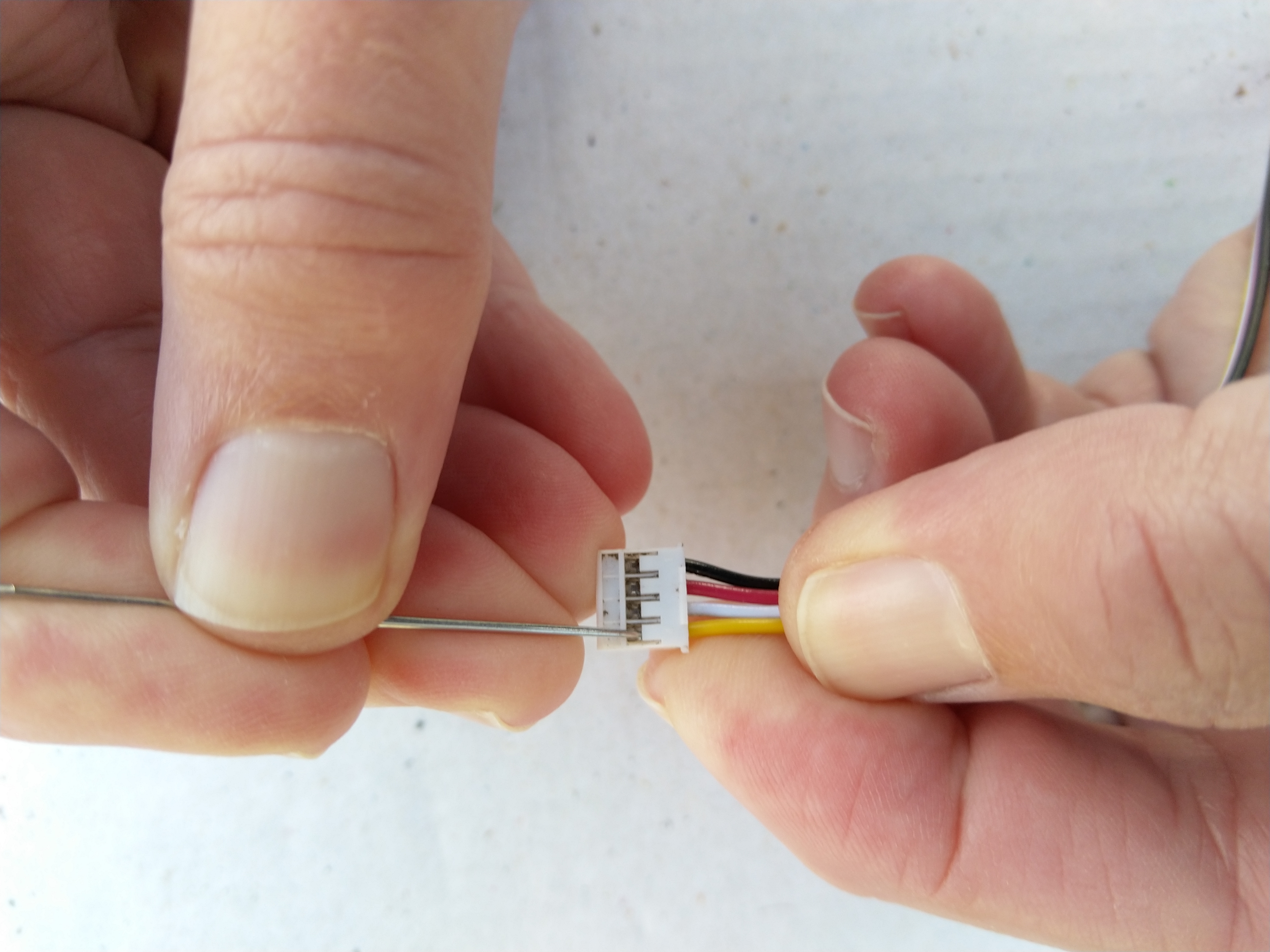
Grove Cable Modification with a cross stitch needle

So I could test all the analog port pins I modified a Grove Branch Cable by carefully unplugging the yellow and white branch cables and replacing them with yellow and white (plugged into the yellow connector on both sensor connectors) cables split from a spare Grove Universal Buckled 20cm cable. I used a pair of Grove Rotary Angle Sensors as analog inputs.

public static void Main()
{
	AnalogInput analogSensor1 = new AnalogInput
	(
		Pins.Analog.Socket1Pin1
		//Pins.Analog.Socket2Pin1
		//Pins.Analog.Socket3Pin1
		//Pins.Analog.Socket4Pin1
	);
	AnalogInput analogSensor2 = new AnalogInput
	(
		Pins.Analog.Socket1Pin2
		//Pins.Analog.Socket2Pin2
		//Pins.Analog.Socket3Pin2
		//Pins.Analog.Socket4Pin2
	);

	Debug.Print("Program running");

	while (true)
	{
		double sensorValue1 = analogSensor1.Read();
		double sensorValue2 = analogSensor2.Read();

		Debug.Print("Value 1:" + sensorValue1.ToString("F2") + " Value 2:" + sensorValue2.ToString("F2"));

		Thread.Sleep(500);
	}
}

To speed up testing of the GPIO and PWM ports I modified a Grove Universal Buckled 20cm cable by twisting the white and yellow wires.

I used a pair of Grove illuminated buttons (Red, Yellow or Blue). The button was the digital input, the LED was the digital output. By uncommenting pairs of socket pins I could quickly step through all the ports checking that pressing the button toggled the state of the LED.

public class Program
{
	const Cpu.Pin ButtonLedPin =
		Pins.Gpio.Socket1Pin1;
		//Pins.Gpio.Socket1Pin2;
		//Pins.Gpio.Socket2Pin1;
		//Pins.Gpio.Socket2Pin2;
		//Pins.Gpio.Socket3Pin1;
		//Pins.Gpio.Socket3Pin2;
		//Pins.Gpio.Socket4Pin1;
		//Pins.Gpio.Socket4Pin2;
		//Pins.Gpio.Socket5Pin1;
		//Pins.Gpio.Socket5Pin2;
		//Pins.Gpio.Socket6Pin1;
		//Pins.Gpio.Socket6Pin2;
		//Pins.Gpio.Socket7Pin1;
		//Pins.Gpio.Socket7Pin2;
		//Pins.Gpio.Socket8Pin1;
		//Pins.Gpio.Socket8Pin2;
		//Pins.Gpio.Socket9Pin1;
		//Pins.Gpio.Socket9Pin2;
		//Pins.Gpio.Socket10Pin1;
		//Pins.Gpio.Socket10Pin2;
		//Pins.Gpio.Socket11Pin1;
		//Pins.Gpio.Socket11Pin2;
	const Cpu.Pin ButtonPin =
		//Pins.Gpio.Socket1Pin1;
		Pins.Gpio.Socket1Pin2;
		//Pins.Gpio.Socket2Pin1;
		//Pins.Gpio.Socket2Pin2;
		//Pins.Gpio.Socket3Pin1;
		//Pins.Gpio.Socket3Pin2;
		//Pins.Gpio.Socket4Pin1;
		//Pins.Gpio.Socket4Pin2;
		//Pins.Gpio.Socket5Pin1;
		//Pins.Gpio.Socket5Pin2;
		//Pins.Gpio.Socket6Pin1;
		//Pins.Gpio.Socket6Pin2;
		//Pins.Gpio.Socket7Pin1;
		//Pins.Gpio.Socket7Pin2;
		//Pins.Gpio.Socket8Pin1;
		//Pins.Gpio.Socket8Pin2;
		//Pins.Gpio.Socket9Pin1;
		//Pins.Gpio.Socket9Pin2;
		//Pins.Gpio.Socket10Pin1;
		//Pins.Gpio.Socket10Pin2;
		//Pins.Gpio.Socket11Pin1;
		//Pins.Gpio.Socket11Pin2;
	static OutputPort buttonLed = new OutputPort(ButtonLedPin, false);

	public static void Main()
	{
		InterruptPort button = new InterruptPort(ButtonPin, false, Port.ResistorMode.Disabled, Port.InterruptMode.InterruptEdgeBoth);
		button.OnInterrupt += Button_OnInterrupt;

		Debug.Print("Program running");

		Thread.Sleep(Timeout.Infinite);
	}

	private static void Button_OnInterrupt(uint data1, uint data2, DateTime time)
	{
		Debug.Print(time.ToString("hh:mm:ss") + " Data1:" + data1 + " Data 2:" + data2);

		buttonLed.Write(!buttonLed.Read());
	}

So I could test the PWM port I used a Grove Rotary Angle Sensor plugged into Socket 4 and a Grove LED (Red, Green or Blue) plugged into Socket 6 with a standard cable for pin 1 or my twisted cable for pin 2.

public class Program
{
	public static void Main()
	{
		AnalogInput analogSensor = new AnalogInput(Pins.Analog.Socket4Pin1);

		//const Cpu.PWMChannel LedPin = Pins.Pwm.Socket6Pin1;
		const Cpu.PWMChannel LedPin = Pins.Pwm.Socket6Pin2;
			
		PWM ledDim = new PWM(LedPin, 1000.0, 0.0, false);

		ledDim.Start();
		Debug.Print("Program running");

		while (true)
		{
			double sensorValue = analogSensor.Read();

			Debug.Print(DateTime.Now.ToString("hh:mm:ss") +" Value:" + sensorValue.ToString("F1"));

			ledDim.DutyCycle = sensorValue;

			Thread.Sleep(500);
		}
	}
}

All of the Analog, GPIO & PWM sockets/pins worked as expected, there maybe a couple of extra PWM outputs available on I2C sockets.

Nexus LoRa Radio 915 MHz Payload Addressing client

This is a demo Ingenuity Micro Nexus client (based on the Netduino example for my RFM9XLoRaNetMF library) that uploads temperature and humidity data to my Azure IoT Hubs/Central or AdaFruit.IO on Raspberry PI field gateways

Bill of materials (Prices June 2019).

// <copyright file="client.cs" company="devMobile Software">
// Copyright ® 2019 Feb devMobile Software, All Rights Reserved
//
//  MIT License
//
//  Permission is hereby granted, free of charge, to any person obtaining a copy
// of this software and associated documentation files (the "Software"), to deal
// in the Software without restriction, including without limitation the rights
// to use, copy, modify, merge, publish, distribute, sublicense, and/or sell
// copies of the Software, and to permit persons to whom the Software is
// furnished to do so, subject to the following conditions:
//
// The above copyright notice and this permission notice shall be included in all copies or substantial portions of the Software.
//
// THE SOFTWARE IS PROVIDED "AS IS", WITHOUT WARRANTY OF ANY KIND, EXPRESS OR
// IMPLIED, INCLUDING BUT NOT LIMITED TO THE WARRANTIES OF MERCHANTABILITY,
// FITNESS FOR A PARTICULAR PURPOSE AND NONINFRINGEMENT. IN NO EVENT SHALL THE
// AUTHORS OR COPYRIGHT HOLDERS BE LIABLE FOR ANY CLAIM, DAMAGES OR OTHER
// LIABILITY, WHETHER IN AN ACTION OF CONTRACT, TORT OR OTHERWISE, ARISING FROM,
// OUT OF OR IN CONNECTION WITH THE SOFTWARE OR THE USE OR OTHER DEALINGS IN THE
// SOFTWARE"
//
// </copyright>
namespace devMobile.IoT.Nexus.FieldGateway
{
	using System;
	using System.Text;
	using System.Threading;
	using Microsoft.SPOT;
	using Microsoft.SPOT.Hardware;

	using devMobile.IoT.NetMF.ISM;
	using devMobile.NetMF.Sensor;
	using IngenuityMicro.Nexus;

	class NexusClient
	{
		private Rfm9XDevice rfm9XDevice;
		private readonly TimeSpan dueTime = new TimeSpan(0, 0, 15);
		private readonly TimeSpan periodTime = new TimeSpan(0, 0, 60);
		private readonly SiliconLabsSI7005 sensor = new SiliconLabsSI7005();
		private readonly Led _led = new Led();
		private readonly byte[] fieldGatewayAddress = Encoding.UTF8.GetBytes("LoRaIoT1");
		private readonly byte[] deviceAddress = Encoding.UTF8.GetBytes("Nexus915");

		public NexusClient()
		{
			rfm9XDevice = new Rfm9XDevice(SPI.SPI_module.SPI3, (Cpu.Pin)28, (Cpu.Pin)15, (Cpu.Pin)26);
			_led.Set(0, 0, 0);
		}

		public void Run()
		{

			rfm9XDevice.Initialise(frequency: 915000000, paBoost: true, rxPayloadCrcOn: true);
			rfm9XDevice.Receive(deviceAddress);

			rfm9XDevice.OnDataReceived += rfm9XDevice_OnDataReceived;
			rfm9XDevice.OnTransmit += rfm9XDevice_OnTransmit;

			Timer humidityAndtemperatureUpdates = new Timer(HumidityAndTemperatureTimerProc, null, dueTime, periodTime);

			Thread.Sleep(Timeout.Infinite);
		}


		private void HumidityAndTemperatureTimerProc(object state)
		{
			_led.Set(0, 128, 0);

			double humidity = sensor.Humidity();
			double temperature = sensor.Temperature();

			Debug.Print(DateTime.UtcNow.ToString("hh:mm:ss") + " H:" + humidity.ToString("F1") + " T:" + temperature.ToString("F1"));

			rfm9XDevice.Send(fieldGatewayAddress, Encoding.UTF8.GetBytes("t " + temperature.ToString("F1") + ",H " + humidity.ToString("F0")));
		}

		void rfm9XDevice_OnTransmit()
		{
			_led.Set(0, 0, 0);

			Debug.Print("Transmit-Done");
		}

		void rfm9XDevice_OnDataReceived(byte[] address, float packetSnr, int packetRssi, int rssi, byte[] data)
		{
			try
			{
				string messageText = new string(UTF8Encoding.UTF8.GetChars(data));
				string addressText = new string(UTF8Encoding.UTF8.GetChars(address));

				Debug.Print(DateTime.UtcNow.ToString("HH:MM:ss") + "-Rfm9X PacketSnr " + packetSnr.ToString("F1") + " Packet RSSI " + packetRssi + "dBm RSSI " + rssi + "dBm = " + data.Length + " byte message " + @"""" + messageText + @"""");
			}
			catch (Exception ex)
			{
				Debug.Print(ex.Message);
			}
		}
	}
}

Overall the development process was good with no modifications to my RFM9X.NetMF library or SI7005 library (bar removing a Netduino I2C work around) required

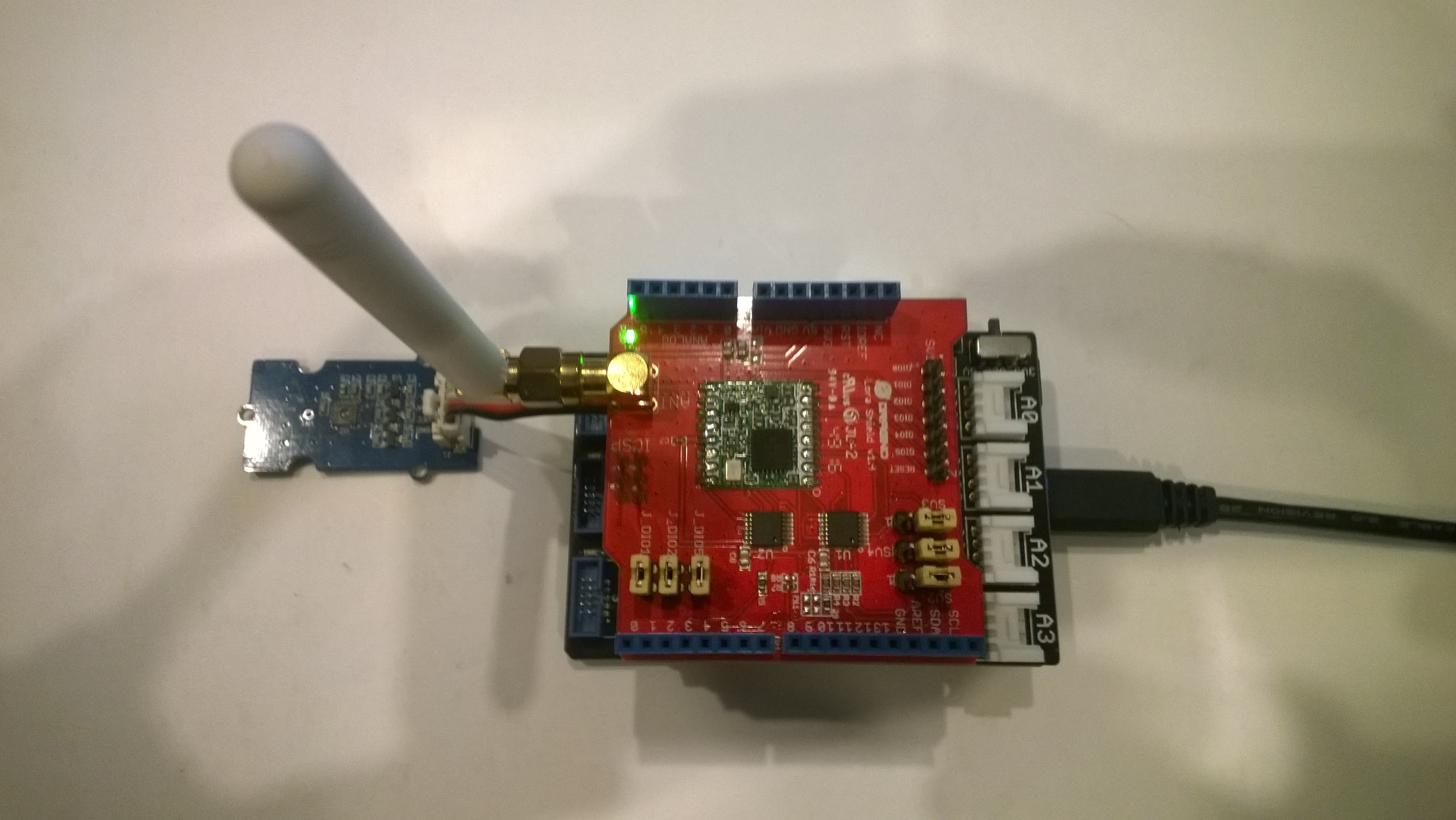
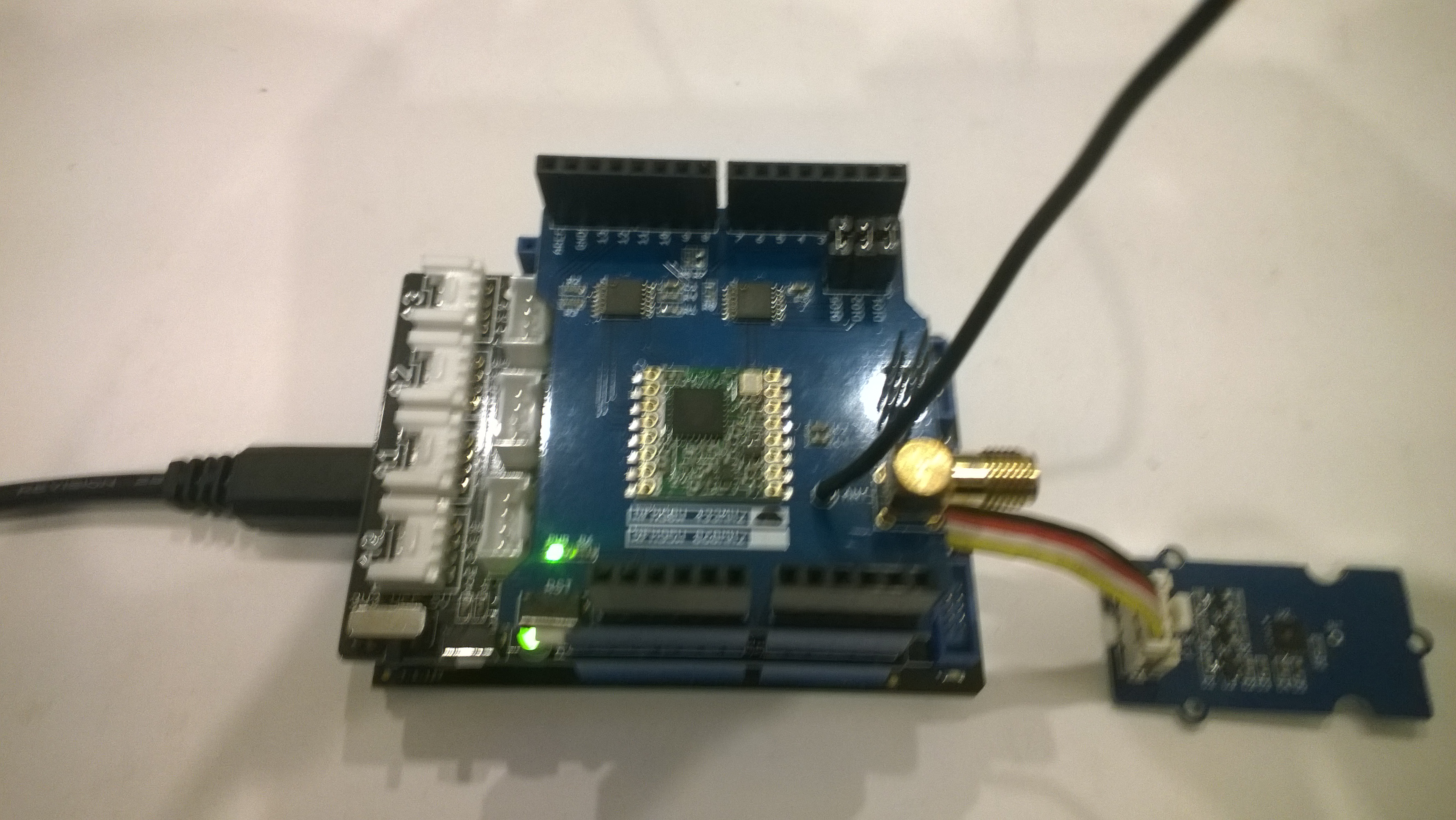
Nexus device with Seeedstudio Temperature & Humidity Sensors
Nexus Sensor data in Azure IoT Hub Field Gateway ETW Logging
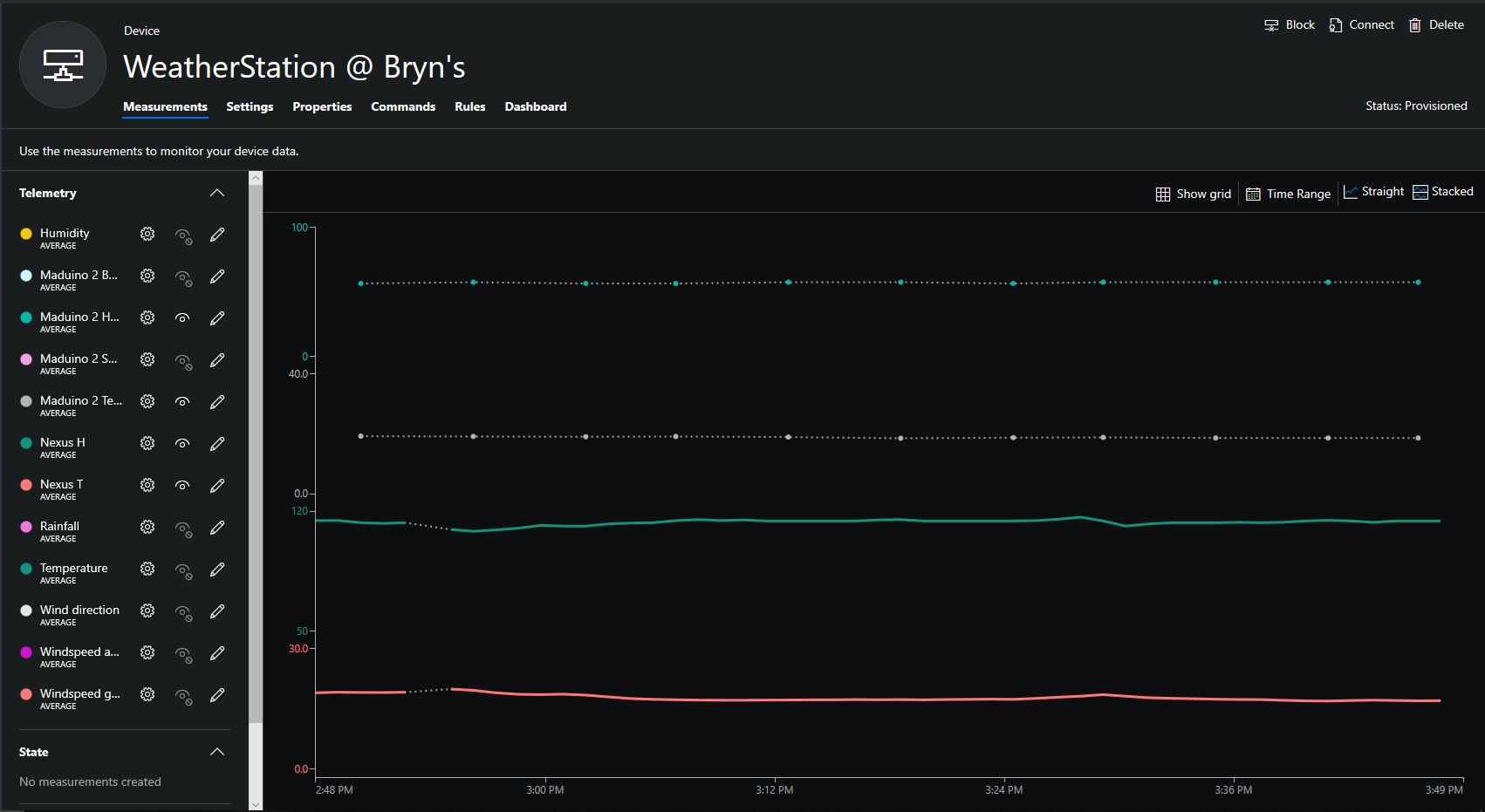
Nexus temperature & humidity data displayed in Azure IoT Central

IoT.Net LoRa Radio 915 MHz Payload Addressing client

This is a demo ingenuity micro IoT.Net client (based on one of the examples in my RFM9XLoRaNetMF library) that uploads telemetry data to my Windows 10 IoT Core on Raspberry PI field gateway. 

Thought the silk screen says RFM69 this is a prototype running an RFM95 module.

iotnetlora.jpg

Bill of materials (Prices Sep 2018)

  • IoT.Net device (Beta tester will add price when available)

The device has an onboard MCP9808 temperature sensor which kept the BoM really short. I have had to make some modifications to my RFM9XLoRaNetMF library as the IoT.Net device uses a different SPI port. The code for this devices and the changes will be uploaded to GitHub in the next couple of days.

//---------------------------------------------------------------------------------
// Copyright (c) Sept 2018, devMobile Software
//
// Licensed under the Apache License, Version 2.0 (the "License");
// you may not use this file except in compliance with the License.
// You may obtain a copy of the License at
//
//     http://www.apache.org/licenses/LICENSE-2.0
//
// Unless required by applicable law or agreed to in writing, software
// distributed under the License is distributed on an "AS IS" BASIS,
// WITHOUT WARRANTIES OR CONDITIONS OF ANY KIND, either express or implied.
// See the License for the specific language governing permissions and
// limitations under the License.
// git remote add origin https://github.com/KiwiBryn/FieldGateway.LoRa.IoTNetClient.git
// git push -u origin master
//---------------------------------------------------------------------------------
namespace devMobile.IoT.IoTNet.FieldGateway
{
	using System;
	using System.Text;
	using System.Threading;
	using Microsoft.SPOT;
	using Microsoft.SPOT.Hardware;
	using devMobile.IoT.NetMF.ISM;
	using IngenuityMicro.Sensors;

	class IoTNetClient
	{
		private readonly Rfm9XDevice rfm9XDevice;
		private readonly TimeSpan dueTime = new TimeSpan(0, 0, 10);
		private readonly TimeSpan periodTime = new TimeSpan(0, 0, 30);
		private readonly MCP9808 mcp9808 = new MCP9808();
		private readonly OutputPort _led = new OutputPort((Cpu.Pin)16 + 8, false);
		private readonly byte[] fieldGatewayAddress = Encoding.UTF8.GetBytes("LoRaIoT1");
		private readonly byte[] deviceAddress = Encoding.UTF8.GetBytes("IoTNet1");

		public IoTNetClient()
		{
			rfm9XDevice = new Rfm9XDevice( SPI.SPI_module.SPI3, (Cpu.Pin)16 + 9, (Cpu.Pin)5, (Cpu.Pin)4);
		}

		public void Run()
		{
			rfm9XDevice.Initialise(frequency: 915000000, paBoost: true, rxPayloadCrcOn: true);
			rfm9XDevice.Receive(deviceAddress);

			rfm9XDevice.OnDataReceived += rfm9XDevice_OnDataReceived;
			rfm9XDevice.OnTransmit += rfm9XDevice_OnTransmit;

			Timer temperatureUpdates = new Timer(TemperatureTimerProc, null, dueTime, periodTime);

			Thread.Sleep(Timeout.Infinite);
		}

		private void TemperatureTimerProc(object state)
		{
			_led.Write(true);

			double temperature = mcp9808.ReadTempInC();

			Debug.Print(DateTime.UtcNow.ToString("hh:mm:ss") + "  T:" + temperature.ToString("F1"));

			rfm9XDevice.Send(fieldGatewayAddress, Encoding.UTF8.GetBytes("t " + temperature.ToString("F1")));

			_led.Write(true);
		}

		void rfm9XDevice_OnTransmit()
		{
			Debug.Print("Transmit-Done");
			_led.Write(false);
		}

		void rfm9XDevice_OnDataReceived(byte[] address, float packetSnr, int packetRssi, int rssi, byte[] data)
		{
			try
			{
				string messageText = new string(UTF8Encoding.UTF8.GetChars(data));
				string addressText = new string(UTF8Encoding.UTF8.GetChars(address));

				Debug.Print(DateTime.UtcNow.ToString("HH:MM:ss") + "-Rfm9X PacketSnr " + packetSnr.ToString("F1") + " Packet RSSI " + packetRssi + "dBm RSSI " + rssi + "dBm = " + data.Length + " byte message " + @"""" + messageText + @"""");
			}
			catch (Exception ex)
			{
				Debug.Print(ex.Message);
			}
		}
	}
}
}

.Net Framework debug output Field Gateway

22:55:39-RX From IoTNet1 PacketSnr 9.5 Packet RSSI -50dBm RSSI -110dBm = 6 byte message "t 23.6"
 Sensor IoTNet1t Value 23.6
 AzureIoTHubClient SendEventAsync start
 AzureIoTHubClient SendEventAsync finish
The thread 0xbec has exited with code 0 (0x0).
The thread 0xbb4 has exited with code 0 (0x0).
The thread 0xa0c has exited with code 0 (0x0).
The thread 0x13c has exited with code 0 (0x0).
22:56:09-RX From IoTNet1 PacketSnr 9.3 Packet RSSI -44dBm RSSI -102dBm = 6 byte message "t 23.8"
 Sensor IoTNet1t Value 23.8
 AzureIoTHubClient SendEventAsync start
 AzureIoTHubClient SendEventAsync finish

A small footprint, battery powered .NetMF 4.4 LoRa device designed and made in New Zealand with Visual Studio 2017 support is great.

Netduino LoRa Radio 433/868/915 MHz Payload Addressing client

This is a demo Netduino client (based on one of the examples in my RFM9XLoRaNetMF library) that uploads telemetry data to my Windows 10 IoT Core on Raspberry PI field gateway proof of concept(PoC).

Bill of materials (Prices Sep 2018)

//---------------------------------------------------------------------------------
// Copyright (c) 2017, devMobile Software
//
// Licensed under the Apache License, Version 2.0 (the "License");
// you may not use this file except in compliance with the License.
// You may obtain a copy of the License at
//
//     http://www.apache.org/licenses/LICENSE-2.0
//
// Unless required by applicable law or agreed to in writing, software
// distributed under the License is distributed on an "AS IS" BASIS,
// WITHOUT WARRANTIES OR CONDITIONS OF ANY KIND, either express or implied.
// See the License for the specific language governing permissions and
// limitations under the License.
//---------------------------------------------------------------------------------
namespace devMobile.IoT.Netduino.FieldGateway
{
   using System;
   using System.Text;
   using System.Threading;
   using Microsoft.SPOT;
   using Microsoft.SPOT.Hardware;
   using SecretLabs.NETMF.Hardware.Netduino;
   using devMobile.IoT.NetMF.ISM;
   using devMobile.NetMF.Sensor;

   class NetduinoClient
   {
      Rfm9XDevice rfm9XDevice;
      private readonly TimeSpan dueTime = new TimeSpan(0, 0, 15);
      private readonly TimeSpan periodTime = new TimeSpan(0, 0, 300);
      private readonly SiliconLabsSI7005 sensor = new SiliconLabsSI7005();
      private readonly OutputPort _led = new OutputPort(Pins.ONBOARD_LED, false);
      private readonly byte[] fieldGatewayAddress = Encoding.UTF8.GetBytes("LoRaIoT1");
      private readonly byte[] deviceAddress = Encoding.UTF8.GetBytes("Netduino1");

      public NetduinoClient()
      {
         rfm9XDevice = new Rfm9XDevice(Pins.GPIO_PIN_D10, Pins.GPIO_PIN_D9, Pins.GPIO_PIN_D2);
      }

      public void Run()
      {
         //rfm9XDevice.Initialise(frequency: 915000000, paBoost: true, rxPayloadCrcOn: true);
         rfm9XDevice.Initialise(frequency: 433000000, paBoost: true, rxPayloadCrcOn: true);
         rfm9XDevice.Receive(deviceAddress);

         rfm9XDevice.OnDataReceived += rfm9XDevice_OnDataReceived;
         rfm9XDevice.OnTransmit += rfm9XDevice_OnTransmit;

         Timer humidityAndtemperatureUpdates = new Timer(HumidityAndTemperatureTimerProc, null, dueTime, periodTime);

         Thread.Sleep(Timeout.Infinite);
      }

      private void HumidityAndTemperatureTimerProc(object state)
      {
         _led.Write(true);

         double humidity = sensor.Humidity();
         double temperature = sensor.Temperature();

         Debug.Print(DateTime.UtcNow.ToString("hh:mm:ss") + " H:" + humidity.ToString("F1") + " T:" + temperature.ToString("F1"));

         rfm9XDevice.Send(fieldGatewayAddress, Encoding.UTF8.GetBytes( "t " + temperature.ToString("F1") + ",H " + humidity.ToString("F0")));

         _led.Write(true);
      }

      void rfm9XDevice_OnTransmit()
      {
         Debug.Print("Transmit-Done");
         _led.Write(false);
      }

      void rfm9XDevice_OnDataReceived(byte[] address, float packetSnr, int packetRssi, int rssi, byte[] data)
      {
         try
         {
            string messageText = new string(UTF8Encoding.UTF8.GetChars(data));
            string addressText = new string(UTF8Encoding.UTF8.GetChars(address));

            Debug.Print(DateTime.UtcNow.ToString("HH:MM:ss") + "-Rfm9X PacketSnr " + packetSnr.ToString("F1") + " Packet RSSI " + packetRssi + "dBm RSSI " + rssi + "dBm = " + data.Length + " byte message " + @"""" + messageText + @"""");
         }
         catch (Exception ex)
         {
            Debug.Print(ex.Message);
         }
      }
   }
}

The code is available on GitHub
FieldGatewayNetduinoLoRaElecrow915
Elecrow shield
FieldGatewayNetduinoLoRaDragino915
Dragino shield
FieldGatewayNetduinLoRaMakerFabs433
MakerFabs shield
Net Micro Framework debug output from device

The thread '' (0x2) has exited with code 0 (0x0).
12:00:18 H:96.9 T:19.6
Transmit-Done
12:05:17 H:95.1 T:20.1
Transmit-Done

.Net Framework debug output Field Gateway

The thread 0x1550 has exited with code 0 (0x0).
21:21:49-RX From Netduino1 PacketSnr 9.5 Packet RSSI -40dBm RSSI -107dBm = 11 byte message "t 19.6,H 97"
 Sensor Netduino1t Value 19.6
 Sensor Netduino1H Value 97
 AzureIoTHubClient SendEventAsync start
 AzureIoTHubClient SendEventAsync finish
...
21:26:49-RX From Netduino1 PacketSnr 9.5 Packet RSSI -33dBm RSSI -103dBm = 11 byte message "t 20.1,H 95"
 Sensor Netduino1t Value 20.1
 Sensor Netduino1H Value 95
 AzureIoTHubClient SendEventAsync start
 AzureIoTHubClient SendEventAsync finish
The thread 0xfbc has exited with code 0 (0x0).

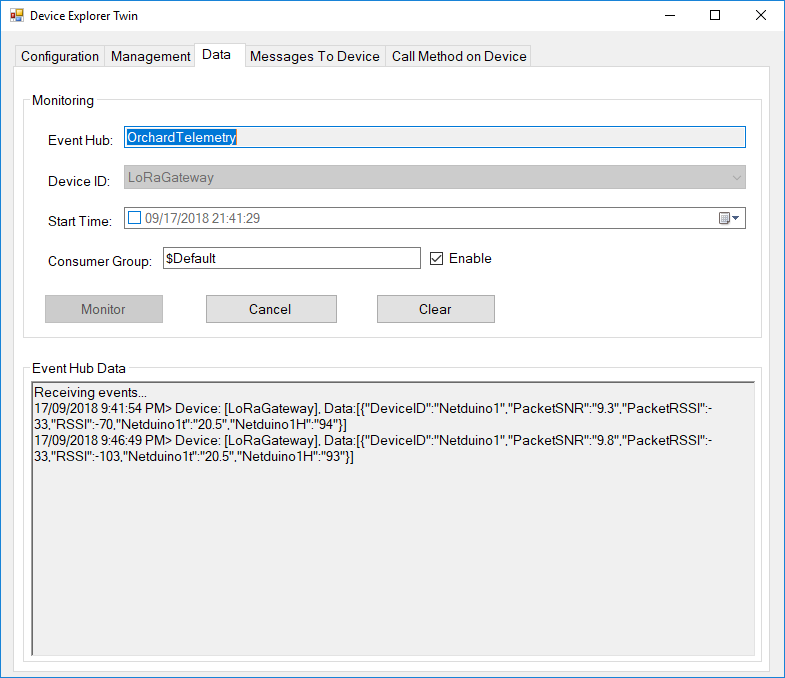
Then in my Azure IoT Hub

AzureIOTHubExplorerScreenGrab20180917

RFM9X.NetMF Payload Addressing

I have extended the NetMF sample application and library to show how the conditional compilation directive ADDRESSED_MESSAGES_PAYLOAD controls the configuration.

When the application is started the RFM9X is in sleep mode, then when the Receive method is called the device is set to ReceiveContinuous.

//---------------------------------------------------------------------------------
// Copyright (c) August 2018, devMobile Software
//
// Licensed under the Apache License, Version 2.0 (the "License");
// you may not use this file except in compliance with the License.
// You may obtain a copy of the License at
//
//     http://www.apache.org/licenses/LICENSE-2.0
//
// Unless required by applicable law or agreed to in writing, software
// distributed under the License is distributed on an "AS IS" BASIS,
// WITHOUT WARRANTIES OR CONDITIONS OF ANY KIND, either express or implied.
// See the License for the specific language governing permissions and
// limitations under the License.
//
//---------------------------------------------------------------------------------
namespace devMobile.IoT.NetMF.Rfm9X.Client
{
   using System;
   using System.Text;
   using System.Threading;
   using devMobile.IoT.NetMF.ISM;
   using Microsoft.SPOT;
   using SecretLabs.NETMF.Hardware.Netduino;

   public class Program
   {
      public static void Main()
      {
         Rfm9XDevice rfm9XDevice = new Rfm9XDevice(Pins.GPIO_PIN_D10, Pins.GPIO_PIN_D9, Pins.GPIO_PIN_D2);
         byte MessageCount = Byte.MinValue;

         rfm9XDevice.Initialise( frequency:915000000, paBoost: true, rxPayloadCrcOn: true);
#if ADDRESSED_MESSAGES
         rfm9XDevice.Receive(Encoding.UTF8.GetBytes("Netduino"));
#else
         rfm9XDevice.Receive();
#endif
         rfm9XDevice.OnDataReceived += rfm9XDevice_OnDataReceived;
         rfm9XDevice.OnTransmit += rfm9XDevice_OnTransmit;

         while (true)
         {
            string messageText = "Hello NetMF LoRa! " + MessageCount.ToString();
            MessageCount += 1;
            byte[] messageBytes = UTF8Encoding.UTF8.GetBytes(messageText);
            Debug.Print("Sending " + messageBytes.Length + " bytes message " + messageText);

#if ADDRESSED_MESSAGES
            rfm9XDevice.Send(UTF8Encoding.UTF8.GetBytes("LoRaIoT1"), messageBytes);
#else
            rfm9XDevice.Send(messageBytes);
#endif
            Thread.Sleep(10000);
         }
      }

      static void rfm9XDevice_OnTransmit()
      {
         Debug.Print("Transmit-Done");
      }

#if ADDRESSED_MESSAGES
      static void rfm9XDevice_OnDataReceived(byte[] address, float packetSnr, int packetRssi, int rssi, byte[] data)
#else
      static void rfm9XDevice_OnDataReceived(float packetSnr, int packetRssi, int rssi,  byte[] data)
#endif
      {
         try
         {
            string messageText = new string(UTF8Encoding.UTF8.GetChars(data));
#if ADDRESSED_MESSAGES
            string addressText = new string(UTF8Encoding.UTF8.GetChars(address));

            Debug.Print(DateTime.UtcNow.ToString("HH:MM:ss") + "-From " + addressText + " PacketSnr " + packetSnr.ToString("F1") + " Packet RSSI " + packetRssi + "dBm RSSI " + rssi + "dBm = " + data.Length + " byte message " + @"""" + messageText + @"""") ;
#else
            Debug.Print(DateTime.UtcNow.ToString("HH:MM:ss") + "-Rfm9X PacketSnr " + packetSnr.ToString("F1") + " Packet RSSI " + packetRssi + "dBm RSSI " + rssi + "dBm = " + data.Length + " byte message " + @"""" + messageText + @"""") ;
#endif
         }
         catch (Exception ex)
         {
            Debug.Print(ex.Message);
         }
      }
   }
}

namespace System.Diagnostics
{
   public enum DebuggerBrowsableState
   {
      Never = 0,
      Collapsed = 2,
      RootHidden = 3
   }
}

The Netduino client “plays nicely” with my Windows 10 IoT Core on Raspberry PI field gateway proof of concept(PoC).

The Semech SX127X datasheet describes how addressing can be implemented using interrupts which I will have a look at soon.

Library needs further testing and I’m working on a sample Arduino application.

RFM9X.IoTCore Payload Addressing

The reason for RFM9XLoRaNet was so that I could build a field gateway to upload telemetry data from “cheap n cheerful” *duino devices to Azure IoT Hubs and AdaFruit.IO.

I have extended the Windows10IoTCore sample application and library to show how the conditional compilation directive ADDRESSED_MESSAGES_PAYLOAD controls the configuration.

When the application is started the RFM9X is in sleep mode, then when the Receive method is called the device is set to ReceiveContinuous.

public void Run(IBackgroundTaskInstance taskInstance)
{
   rfm9XDevice.Initialise(915000000.0, paBoost: true, rxPayloadCrcOn : true);

#if DEBUG
   rfm9XDevice.RegisterDump();
#endif

#if ADDRESSED_MESSAGES_PAYLOAD
   rfm9XDevice.OnReceive += Rfm9XDevice_OnReceive;
   rfm9XDevice.Receive(UTF8Encoding.UTF8.GetBytes(Environment.MachineName));
#else
   rfm9XDevice.Receive();
#endif
   rfm9XDevice.OnTransmit += Rfm9XDevice_OnTransmit;

   Task.Delay(10000).Wait();

   while (true)
   {
      string messageText = string.Format("Hello from {0} ! {1}", Environment.MachineName, NessageCount);
      MessageCount -= 1;

      byte[] messageBytes = UTF8Encoding.UTF8.GetBytes(messageText);
      Debug.WriteLine("{0:HH:mm:ss}-TX {1} byte message {2}", DateTime.Now, messageBytes.Length, messageText);
#if ADDRESSED_MESSAGES_PAYLOAD
      this.rfm9XDevice.Send(UTF8Encoding.UTF8.GetBytes("AddressGoesHere"), messageBytes);
#else
      this.rfm9XDevice.Send(messageBytes);
#endif
      Task.Delay(10000).Wait();
   }
}

On receipt of a message, the message is parsed and the to/from addresses and payload extracted (ADDRESSED_MESSAGES defined) or passed to the client application for processing.

private void Rfm9XDevice_OnReceive(object sender, Rfm9XDevice.OnDataReceivedEventArgs e)
{
   try
   {
      string messageText = UTF8Encoding.UTF8.GetString(e.Data);

#if ADDRESSED_MESSAGES_PAYLOAD
      string addressText = UTF8Encoding.UTF8.GetString(e.Address);

      Debug.WriteLine(@"{0:HH:mm:ss}-RX From {1} PacketSnr {2:0.0} Packet RSSI {3}dBm RSSI {4}dBm = {5} byte message ""{6}""", DateTime.Now, addressText, e.PacketSnr, e.PacketRssi, e.Rssi, e.Data.Length, messageText);
#else
      Debug.WriteLine(@"{0:HH:mm:ss}-RX PacketSnr {1:0.0} Packet RSSI {2}dBm RSSI {3}dBm = {4} byte message ""{5}""", DateTime.Now, e.PacketSnr, e.PacketRssi, e.Rssi, e.Data.Length, messageText);
#endif
   }
   catch (Exception ex)
   {
      Debug.WriteLine(ex.Message);
   }
}

The addressing implementation needs further testing and I’m building sample .NetMF and *duino clients.

Rfm9xLoRaDevice NetMF Payload CRCs

To ensure I was only handling messages with valid contents I added code to appended a cyclic redundancy check(CRC) onto outbound messages and validate the CRC on inbound messages.

First step was to update the initialise method parameter list (the parameter list is huge but for most scenarios the defaults are fine)

public void Initialise(RegOpModeMode regOpModeAfterInitialise, // RegOpMode
         double frequency = FrequencyDefault, // RegFrMsb, RegFrMid, RegFrLsb
         bool rxDoneignoreIfCrcMissing = true, bool rxDoneignoreIfCrcInvalid = true,
         bool paBoost = false, byte maxPower = RegPAConfigMaxPowerDefault, byte outputPower = RegPAConfigOutputPowerDefault, // RegPaConfig
         bool ocpOn = true, byte ocpTrim = RegOcpOcpTrimDefault, // RegOcp
         RegLnaLnaGain lnaGain = LnaGainDefault, bool lnaBoost = false, // RegLna
         RegModemConfigBandwidth bandwidth = RegModemConfigBandwidthDefault, RegModemConfigCodingRate codingRate = RegModemConfigCodingRateDefault, RegModemConfigImplicitHeaderModeOn implicitHeaderModeOn = RegModemConfigImplicitHeaderModeOnDefault, //RegModemConfig1
         RegModemConfig2SpreadingFactor spreadingFactor = RegModemConfig2SpreadingFactorDefault, bool txContinuousMode = false, bool rxPayloadCrcOn = false,
         ushort symbolTimeout = SymbolTimeoutDefault,
         ushort preambleLength = PreambleLengthDefault,
         byte payloadLength = PayloadLengthDefault,
         byte payloadMaxLength = PayloadMaxLengthDefault,
         byte freqHoppingPeriod = FreqHoppingPeriodDefault,
         bool lowDataRateOptimize = false, bool agcAutoOn = false,
         byte ppmCorrection = ppmCorrectionDefault,
         RegDetectOptimizeDectionOptimize detectionOptimize = RegDetectOptimizeDectionOptimizeDefault,
         bool invertIQ = false,
         RegisterDetectionThreshold detectionThreshold = RegisterDetectionThresholdDefault,
         byte syncWord = RegSyncWordDefault)

The rxPayloadCrcOn needs to be set to True for outbound messages to have a CRC.

Then in the RxDone interrupt handler the CRC is checked (regHopChannel & regIrqFlagsMask) if this feature is enabled. Any messages with missing\invalid CRCs will currently be silently discarded and I’m not certain this is a good idea.

 // Check to see if payload has CRC
         if (RxDoneIgnoreIfCrcMissing)
         {
            byte regHopChannel = this.Rfm9XLoraModem.ReadByte((byte)Registers.RegHopChannel);
            if ((regHopChannel & (byte)RegHopChannelFlags.CrcOnPayload) != (byte)RegHopChannelFlags.CrcOnPayload)
            {
               return;
            }
         }

         // Check to see if payload CRC is valid
         if (RxDoneIgnoreIfCrcInvalid)
         {
            if (((byte)IrqFlags & (byte)RegIrqFlagsMask.PayLoadCrcErrorMask) == (byte)RegIrqFlagsMask.PayLoadCrcErrorMask)
            {
               return;
            }
         }

The conversion of the payload from an array of bytes to a string for display stopped failing with an exception. When I had a number of clients running up to 10% of the messages were getting corrupted.

Rfm9xLoRaDevice NetMF LNA

While fixing up the Signal to Noise Ratio(SNR) and Received Signal Strength Indication(RSSI) in a previous posts. I noted the Low Noise Amplifier(LNA) had High Frequency(LF) and Low Frequency settings.

First step was to update the initialise method parameter list (the parameter list is huge but for most scenarios the defaults are fine)

 public void Initialise(RegOpModeMode regOpModeAfterInitialise, // RegOpMode
       double frequency = FrequencyDefault, // RegFrMsb, RegFrMid, RegFrLsb
         bool paBoost = false, byte maxPower = RegPAConfigMaxPowerDefault, byte outputPower = RegPAConfigOutputPowerDefault, // RegPaConfig
         bool ocpOn = true, byte ocpTrim = RegOcpOcpTrimDefault, // RegOcp
         RegLnaLnaGain lnaGain = LnaGainDefault, bool lnaBoost = false, // RegLna
         RegModemConfigBandwidth bandwidth = RegModemConfigBandwidthDefault, RegModemConfigCodingRate codingRate = RegModemConfigCodingRateDefault, RegModemConfigImplicitHeaderModeOn implicitHeaderModeOn = RegModemConfigImplicitHeaderModeOnDefault, //RegModemConfig1
         RegModemConfig2SpreadingFactor spreadingFactor = RegModemConfig2SpreadingFactorDefault, bool txContinuousMode = false, bool rxPayloadCrcOn = false,
         ushort symbolTimeout = SymbolTimeoutDefault,
         ushort preambleLength = PreambleLengthDefault,
         byte payloadLength = PayloadLengthDefault,
         byte payloadMaxLength = PayloadMaxLengthDefault,
         byte freqHoppingPeriod = FreqHoppingPeriodDefault,
         bool lowDataRateOptimize = false, bool agcAutoOn = false,
         byte ppmCorrection = ppmCorrectionDefault,
         RegDetectOptimizeDectionOptimize detectionOptimize = RegDetectOptimizeDectionOptimizeDefault,
         bool invertIQ = false,
         RegisterDetectionThreshold detectionThreshold = RegisterDetectionThresholdDefault,
         byte syncWord = RegSyncWordDefault)
      {

The SX127X RegLNA configuration code and the SetMode method required modification

if ((lnaGain != LnaGainDefault) || (lnaBoost != false))
         {
            byte regLnaValue = (byte)lnaGain;
            if (lnaBoost)
            {
               if (Frequency > RFMidBandThreshold)
               {
                  regLnaValue |= RegLnaLnaBoostHfOn;
               }
               else
               {
                  regLnaValue |= RegLnaLnaBoostLfOn;
               }
            }
            Rfm9XLoraModem.WriteByte((byte)Registers.RegLna, regLnaValue);
         }
public void SetMode(RegOpModeMode mode)
      {
         byte regOpModeValue;

         regOpModeValue = RegOpModeLongRangeModeLoRa;
         regOpModeValue |= RegOpModeAcessSharedRegLoRa;
         if (Frequency > RFMidBandThreshold)
         {
            regOpModeValue |= RegOpModeLowFrequencyModeOnHighFrequency;
         }
         else
         {
            regOpModeValue |= RegOpModeLowFrequencyModeOnLowFrequency;
         }
         regOpModeValue |= (byte)mode;
         Rfm9XLoraModem.WriteByte((byte)Registers.RegOpMode, regOpModeValue);
      }

Having to convert all the Flags & masks from binary to hexadecimal values was a bit painful

// RegDioMapping1
[Flags]
public enum RegDioMapping1
{
Dio0RxDone = 0x00,
Dio0TxDone = 0x40,
Dio0CadDone = 0x80,
}

The HF & LF differences where not obviously handled in Arduino-LoRa library and the Semtech LoRaMac node GitHub repository wasn’t so helpful.

When I stress tested this code the UTF8Encoding.UTF8.GetChars kept on throwing exceptions as the messages were corrupt. Need to add CRC presence and validity checking to next version.

 static void rfm9XDevice_OnDataReceived(float packetSnr, int packetRssi, int rssi,  byte[] data)
{
   try
   {
      string messageText = new string(UTF8Encoding.UTF8.GetChars(data));

      Debug.Print(DateTime.UtcNow.ToString("HH:MM:ss") + "-Rfm9X PacketSnr " + packetSnr.ToString("F1") + " Packet RSSI " + packetRssi + "dBm RSSI " + rssi + "dBm = " + data.Length + " byte message " + @"""" + messageText + @"""") ;
   }
   catch (Exception ex)
   {
      Debug.Print(ex.Message);
   }
}