Random wanderings through Microsoft Azure esp. PaaS plumbing, the IoT bits, AI on Micro controllers, AI on Edge Devices, .NET nanoFramework, .NET Core on *nix and ML.NET+ONNX
The first FoehnAIBuilder tool had to be a very basic scan tool so the LLM could find chunks of text in text files. The generated code had some issues which were pointed out by Copilot.
ReviewScanFiles.cs wonder how well is going to handle large files. I think more async would be good
You’re right to be concerned. There are several places where large files or large trees will bite you.
Large-file / scalability issues
1. StreamReader with default buffer + no explicit encoding
new StreamReader(file) uses a 1 KB buffer and auto-detects encoding by reading a BOM. For large files this is inefficient. Pass a bigger buffer and make async real:
using var stream = new FileStream(
    file,
    FileMode.Open,
    FileAccess.Read,
    FileShare.ReadWrite | FileShare.Delete,
    bufferSize: 64 * 1024,
    FileOptions.Asynchronous | FileOptions.SequentialScan);
using var reader = new StreamReader(stream, detectEncodingFromByteOrderMarks: true);
FileOptions.SequentialScan hints the OS cache manager for forward-only reads. FileOptions.Asynchronous is what actually makes ReadLineAsync non-blocking — without it you’re doing sync I/O on the thread pool.
2. FileShare.Read (default) blocks files opened for write elsewhere
Locked files (log files, files being edited) throw and get skipped. FileShare.ReadWrite | FileShare.Delete lets you scan them.
3. Binary-file detection is weak
if (lineNumber == 1 && line.Contains('\0')) break;
Only checks line 1; many binaries have text at the top. And a huge binary with no \n will be read into memory as one giant string before this check fires. Better:
Read the first ~4–8 KB as bytes, look for \0 → skip if binary.
Or exclude common binary extensions up front (.dll, .exe, .pdb, .png, .jpg, .zip, .bin, .so, .dylib, etc.).
4. No per-file size cap
A 2 GB log file will be fully streamed. Add a guard:
var info = new FileInfo(file);
if (info.Length > MaxFileSizeBytes) continue;
5. No max-line-length guard
ReadLineAsync on a file with no newlines (minified JS, single-line log) will buffer the whole file into one string. Skip lines above ~8 KB.
6. matches stores full trimmed line
A minified match line could be megabytes. Truncate:
The outer foreach awaits one file at a time. On an SSD scanning thousands of files, most time is spent waiting on I/O. Use Parallel.ForEachAsync with bounded concurrency:
var gate = new Lock(); // .NET 9+ Lock
await Parallel.ForEachAsync(
    files,
    new ParallelOptions
    {
        MaxDegreeOfParallelism = Environment.ProcessorCount,
        CancellationToken = cancellationToken
    },
    async (file, ct) =>
    {
        // scan file into a local list, then merge under `gate`
    });
Result order becomes non-deterministic — sort by (RelativePath, LineNumber) before printing so output is stable.
8. ReadLineAsync allocates a string per line
For hot paths, PipeReader + SequenceReader searching raw UTF-8 is much faster and lower-allocation, but more code. Probably overkill unless benchmarks say so.
9. Cancellation inside a huge file
ReadLineAsync(cancellationToken) honors cancellation on each read — good. The outer ThrowIfCancellationRequested becomes redundant once you parallelize (the ParallelOptions.CancellationToken covers it).
Other observations
filesScanned counter is misleading once parallelized — use Interlocked.Increment and only count successful opens.
sb.AppendLine uses Environment.NewLine. For LLM output, '\n' is more portable.
ToolPath.TryResolve(sandboxRoot, path, ...) — different signature than WriteFileTool uses. Worth checking consistency.
Skipped-file reporting: consider distinguishing filesScanned vs filesSkipped in the summary.
Suggested per-file scan method
private static async Task<List> ScanFileAsync(
    string file, string text, StringComparison comparison, int maxMatches, CancellationToken ct)
{
    var results = new List();

    var info = new FileInfo(file);
    if (info.Length == 0 || info.Length > 50L * 1024 * 1024) // 50 MB cap
        return results;

    await using var stream = new FileStream(
        file, FileMode.Open, FileAccess.Read,
        FileShare.ReadWrite | FileShare.Delete,
        bufferSize: 64 * 1024,
        FileOptions.Asynchronous | FileOptions.SequentialScan);

    // Cheap binary sniff on first 4 KB
    var sniffLen = (int)Math.Min(4096, info.Length);
    var sniff = new byte[sniffLen];
    var read = await stream.ReadAsync(sniff, ct);
    if (sniff.AsSpan(0, read).IndexOf((byte)0) >= 0) return results;
    stream.Position = 0;

    using var reader = new StreamReader(stream, detectEncodingFromByteOrderMarks: true);

    int lineNumber = 0;
    string? line;
    while ((line = await reader.ReadLineAsync(ct)) is not null)
    {
        lineNumber++;
        if (line.Length > 8192) continue; // skip absurdly long lines
        if (line.Contains(text, comparison))
        {
            var snippet = line.Length > 500 ? line[..500] + "…" : line;
            results.Add((lineNumber, snippet.Trim()));
            if (results.Count >= maxMatches) break;
        }
    }

    return results;
}
The first FoehnAIBuilder tools had to be a scan and file read tools so the LLM could understand the structure and functionality of a project. Then the ability to write a text file was next so it could generate application files.
// Copyright (c) August 2026, devMobile Software
//
using FoehnAIBuilder.Abstractions;

namespace FoehnAI.Tools.WriteFile;

/// <summary>
/// Writes text content to a file, creating the file (and any missing parent
/// directories) if it doesn't already exist.
/// </summary>
public sealed class WriteFileTool : ITool
{
    private readonly ILogger<WriteFileTool> _logger;

    public WriteFileTool(ILogger<WriteFileTool> logger)
    {
        _logger = logger;
    }

    public string Name => "write_file";

    public string Description =>
        "Writes text content to a file at the given path, creating the file (and any missing " +
        "parent directories) if it doesn't already exist.";

    public string Command => """
        {
          "type": "object",
          "properties": {
            "path": { "type": "string", "description": "Path to the file to write." },
            "content": { "type": "string", "description": "Text content to write to the file." },
            "overwrite": { "type": "boolean", "description": "Whether to overwrite the file if it already exists. Defaults to true." }
          },
          "required": ["path", "content"]
        }
        """;

    public ToolRiskLevel RiskLevel => ToolRiskLevel.Write;

    public async Task<ToolExecutionResult> ExecuteAsync(string argumentsJson, CancellationToken cancellationToken = default)
    {
        if (!ToolArguments.TryParse(argumentsJson, WriteFileJsonContext.Default.WriteFileArguments, out var args, out var jsonError))
        {
            _logger.LogWarning("Failed to parse write_file arguments: {Arguments} ({Error})", argumentsJson, jsonError);
            return ToolExecutionResult.Fail(jsonError!);
        }

        var path = args.Path;
        var content = args.Content;
        var overwrite = args.Overwrite ?? true;

        if (!ToolPath.TryResolve(path, out var fullPath, out var pathError))
            return ToolExecutionResult.Fail(pathError!);

        if (!overwrite && File.Exists(fullPath))
            return ToolExecutionResult.Fail($"File already exists and overwrite is false: {path}");

        _logger.LogInformation("Writing {Length} characters to {Path}", content.Length, path);

        try
        {
            var directory = Path.GetDirectoryName(fullPath);
            if (!string.IsNullOrEmpty(directory))
                Directory.CreateDirectory(directory);

            await File.WriteAllTextAsync(fullPath, content, cancellationToken);
            return ToolExecutionResult.Ok($"Wrote {content.Length} characters to \"{path}\".");
        }
        catch (Exception ex) when (ex is UnauthorizedAccessException or IOException)
        {
            _logger.LogError(ex, "Error writing file {Path}", path);
            return ToolExecutionResult.Fail($"Error writing \"{path}\": {ex.Message}");
        }
    }
}
I hadn’t noticed the LLM checking to see whether the class1.cs file existed before. I’m also considering creating an another ToolRiskLevel “Trusted” for tools like dotnet.
Again, the markdown response for the review was huge
Review: WriteFileTool.cs
Clean, small, focused implementation. Same shape as the earlier version — most of my prior comments still apply. Highlights below, with a couple of new items.
Notable changes since last review
Name is now "write_file" (was "file.write"). Fine — but make sure it matches the naming convention used by sibling tools (files.search, read_file, etc.). Pick one: dot-namespaced (files.write) or snake_case (write_file) and apply everywhere.
Correctness / robustness
1. TOCTOU race on the overwrite check
if (!overwrite && File.Exists(fullPath)) ...
await File.WriteAllTextAsync(fullPath, content, cancellationToken);
Another process could create the file between check and write. Use FileMode.CreateNew for the strict guarantee:
var mode = overwrite ? FileMode.Create : FileMode.CreateNew;
await using var fs = new FileStream(fullPath, mode, FileAccess.Write, FileShare.None,
    bufferSize: 4096, FileOptions.Asynchronous | FileOptions.SequentialScan);
await using var sw = new StreamWriter(fs); // UTF-8 no BOM
await sw.WriteAsync(content.AsMemory(), cancellationToken);
Then catch IOException when the file already exists to return the friendly message.
2. Exception filter still too narrow
Catches only UnauthorizedAccessException | IOException. Also possible:
ArgumentException from Path.GetDirectoryName on malformed input
Add them, or ensure ToolPath.TryResolve guarantees they can’t occur.
3. File.WriteAllTextAsync is truly async only with the right stream options
The overload you use internally opens a FileStreamwithoutFileOptions.Asynchronous, so the write happens on a thread-pool thread doing sync I/O. If you build the FileStream yourself (as in #1), pass FileOptions.Asynchronous for real async I/O.
Schema
4. Command doesn’t declare defaults or forbid extras
Same finding as SearchFilesTool:
{
  "type": "object",
  "additionalProperties": false,
  "properties": {
    "path":      { "type": "string",  "minLength": 1, "description": "Path to the file to write." },
    "content":   { "type": "string",  "description": "Text content to write to the file." },
    "overwrite": { "type": "boolean", "default": true, "description": "Whether to overwrite the file if it already exists." }
  },
  "required": ["path", "content"]
}
default: true matches your args.Overwrite ?? true fallback and stops the LLM from guessing.
Consistency with SearchFilesTool
5. ToolPath.TryResolve signature differs
Here you call:
ToolPath.TryResolve(path, out var fullPath, out var pathError)
SearchFilesTool calls the 4-arg overload with an explicit sandboxRoot:
ToolPath.TryResolve(sandboxRoot, path, out var fullPath, out var pathError)
If both resolve against Directory.GetCurrentDirectory(), no functional difference — but the inconsistency is a code-review smell. Prefer the explicit-sandbox overload everywhere so escape-from-sandbox behavior is provable per tool.
Observability / safety
6. Logging argumentsJson on parse failure could leak content
logger.LogWarning("Failed to parse write_file arguments: {Arguments} ({Error})", argumentsJson, jsonError);
content may contain secrets/PII. Log only length + jsonError, or redact.
7. content.Length = UTF-16 chars, not bytes
The success message says "Wrote {N} characters". Accurate but not a byte count. If callers expect bytes, use Encoding.UTF8.GetByteCount(content).
8. Cancellation before sync work
Directory.CreateDirectory is synchronous and not cancellable. Add:
cancellationToken.ThrowIfCancellationRequested();
just before it — cheap fast-fail.
Style nits
Mixed indentation: primary constructor line uses 3-space indent ( public string Name), the rest 4 spaces. Run a format pass.
Consider making Description and the schema static readonly fields instead of expression-bodied properties allocating the same strings per call (micro-optimization, only matters if Command is read on every LLM request).
Suggested consolidated write block
try
{
    cancellationToken.ThrowIfCancellationRequested();

    var directory = Path.GetDirectoryName(fullPath);
    if (!string.IsNullOrEmpty(directory))
        Directory.CreateDirectory(directory);

    var mode = overwrite ? FileMode.Create : FileMode.CreateNew;
    await using (var fs = new FileStream(
        fullPath, mode, FileAccess.Write, FileShare.None,
        bufferSize: 4096, FileOptions.Asynchronous))
    await using (var sw = new StreamWriter(fs)) // UTF-8 no BOM
    {
        await sw.WriteAsync(content.AsMemory(), cancellationToken);
    }

    return ToolExecutionResult.Ok($"Wrote {content.Length} characters to \"{path}\".");
}
catch (IOException) when (!overwrite && File.Exists(fullPath))
{
    return ToolExecutionResult.Fail($"File already exists and overwrite is false: {path}");
}
catch (Exception ex) when (ex is UnauthorizedAccessException
                              or IOException
                              or NotSupportedException
                              or System.Security.SecurityException)
{
    logger.LogError(ex, "Error writing file {Path}", path);
    return ToolExecutionResult.Fail($"Error writing \"{path}\": {ex.Message}");
}
Real async I/O via explicit FileStream — only matters for large writes.
Consistent ToolPath.TryResolve signature across tools.
Want me to produce the fully rewritten file?
The review was ok for throw away PoC so the only change I made was modifying the class to use a primary constructor. In a future version I’m considering loading the commandText from a file so it can be “tweaked” without requiring recompilation.
The first FoehnAIBuilder tool had to be a very scan tool so the LLM could understand the structure of a project. Then the ability to load a text file so it could figure out what the underlying code did. At this point the LLM couldn’t generate some code to read a file, so I wrote as basic implementation.
// Copyright (c) August 2026, devMobile Software
//
using FoehnAIBuilder.Abstractions;
using FoehnAI.Tools.ReadFile;

namespace FoehnAIBuilder.Tools.ReadFile;

/// <summary>
/// Reads and returns the full text contents of a file.
/// </summary>
public sealed class ReadFileTool : ITool
{
    private const int MaxCharacters = 200_000;

    private readonly ILogger<ReadFileTool> _logger;

    public ReadFileTool(ILogger<ReadFileTool> logger)
    {
        _logger = logger;
    }

    public string Name => "file.read";

    public string Description => "Reads and returns the full text contents of a file at the given path.";

    public string Command => """
        {
          "type": "object",
          "properties": {
            "path": { "type": "string", "description": "Path to the file to read (relative or absolute)." }
          },
          "required": ["path"]
        }
        """;

    public ToolRiskLevel RiskLevel => ToolRiskLevel.ReadOnly;

    public async Task<ToolExecutionResult> ExecuteAsync(string argumentsJson, CancellationToken cancellationToken = default)
    {
        if (!ToolArguments.TryParse(argumentsJson, ReadFileJsonContext.Default.ReadFileArguments, out var args, out var jsonError))
        {
            _logger.LogWarning("Failed to parse read_file arguments: {Arguments} ({Error})", argumentsJson, jsonError);
            return ToolExecutionResult.Fail(jsonError!);
        }

        var path = args.Path;
        if (!ToolPath.TryResolve(path, out var fullPath, out var pathError))
            return ToolExecutionResult.Fail(pathError!);

        _logger.LogInformation("Reading file {Path}", path);

        if (!File.Exists(fullPath))
            return ToolExecutionResult.Fail($"File not found: {path}");

        try
        {
            var content = await File.ReadAllTextAsync(fullPath, cancellationToken);
            if (content.Length > MaxCharacters)
            {
                var truncated = content[..MaxCharacters];
                return ToolExecutionResult.Ok(
                    $"{truncated}\n\n[Output truncated at {MaxCharacters} characters; file is {content.Length} characters long.]");
            }

            return ToolExecutionResult.Ok(content);
        }
        catch (Exception ex) when (ex is UnauthorizedAccessException or IOException)
        {
            _logger.LogError(ex, "Error reading file {Path}", path);
            return ToolExecutionResult.Fail($"Error reading \"{path}\": {ex.Message}");
        }
    }
}
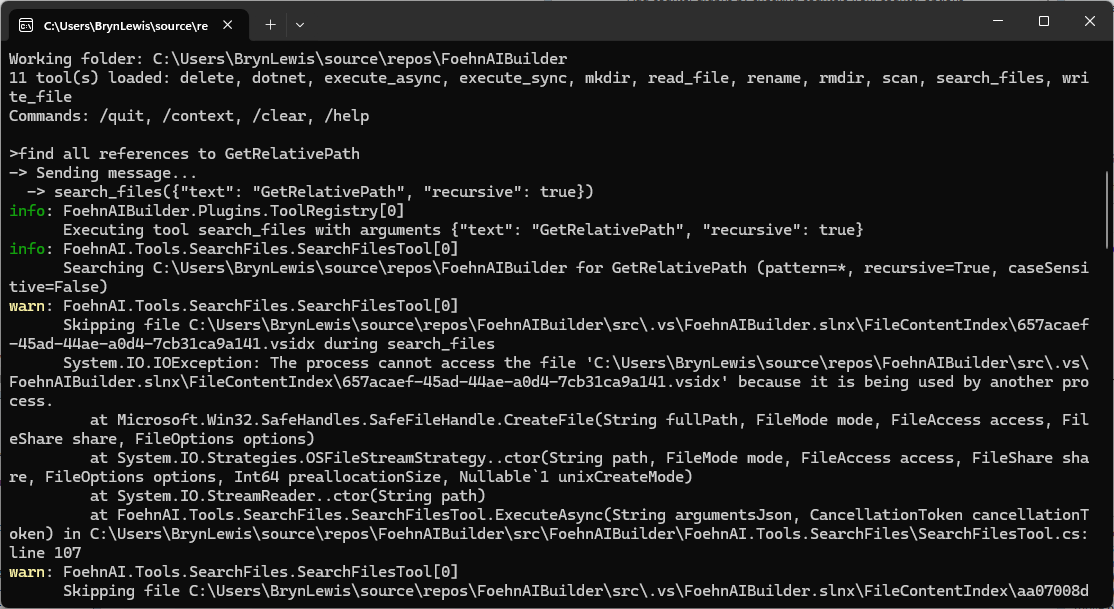
The LLM took a couple of attempts to get the right file path. If could be the way I phrased the question or files.scan tool needs some work.
The markdown response for the review was huge
Overview
The ReadFileTool class is a tool designed to read and return the contents of a file. It implements the ITool interface and is part of the FoehnAIBuilder.Tools.ReadFile namespace. The tool is marked as ReadOnly in terms of risk level, indicating it does not modify any files or system state.
Key Components
Constants and Fields:
MaxCharacters: A constant set to 200,000, defining the maximum number of characters to read from a file. If the file exceeds this limit, the output is truncated.
_logger: A logger instance for logging information, warnings, and errors.
Properties:
Name: Returns "file.read", the name of the tool.
Description: Provides a brief description of the tool’s functionality.
Command: Defines the JSON schema for the tool’s input arguments. It expects a single property, path, which is a required string.
RiskLevel: Specifies the tool’s risk level as ReadOnly.
Constructor:
The constructor initializes the logger.
ExecuteAsync Method:
This method is responsible for executing the tool’s functionality asynchronously.
It parses the input arguments, resolves the file path, checks if the file exists, reads the file content, and handles potential errors.
Detailed Review
Argument Parsing
The method uses ToolArguments.TryParse to parse the input JSON into a structured object (ReadFileArguments). If parsing fails, it logs a warning and returns a failure result with the parsing error.
Path Resolution
The tool resolves the provided path using ToolPath.TryResolve. If the path resolution fails, it returns a failure result with the path error.
File Existence Check
The tool checks if the file exists at the resolved path. If the file does not exist, it returns a failure result indicating the file was not found.
File Reading
The tool reads the file content asynchronously using File.ReadAllTextAsync.
If the file content exceeds MaxCharacters, the content is truncated, and a message is appended to indicate truncation.
Error Handling
The tool catches specific exceptions (UnauthorizedAccessException and IOException) and logs them as errors. It returns a failure result with a descriptive error message.
Strengths
Asynchronous Operation: The tool uses asynchronous file reading, which is efficient and non-blocking.
Error Handling: It handles specific exceptions and provides meaningful error messages.
Truncation Handling: The tool gracefully handles large files by truncating the output and informing the user.
Logging: Comprehensive logging is implemented for debugging and monitoring purposes.
Potential Improvements
Configurable MaxCharacters: The MaxCharacters constant could be made configurable, allowing users to adjust the truncation limit based on their needs.
Additional File Information: The tool could optionally return additional file information, such as file size, last modified date, or encoding.
Support for Binary Files: Currently, the tool only supports text files. Adding support for binary files could extend its functionality.
Path Validation: Additional validation could be added to ensure the resolved path is within an allowed directory, enhancing security.
Conclusion
The ReadFileTool is a well-designed and robust tool for reading file contents. It handles errors gracefully, provides meaningful feedback, and operates efficiently. With minor enhancements, it could become even more versatile and user-friendly.
The review was pretty good so the only change I made was modifying the class to use a primary constructor. In a future version I’m considering loading the commandText from a file so it can be “tweaked” without requiring recompilation.
FoehnAIBuilder uses a plugin-based architecture where every tool implements a standard .NET class that conforms to the ITool C# interface. As part of the startup process, the application scans the plugin directory, loads all the available assemblies, and includes all that implement this contract.
Tools also have a risk level (considering increasing the number of options and training an ML.NET model to detect potentially malicious arguments), so the host application can apply safety controls such as requiring user confirmation before operations that may have significant side effects.
FoehnAIBuilder enforces a maximum tool iteration count. This prevents runaway execution loops, stops the context growing to the point where it impacts on the LLM’s performance (The dumb zone), and “burning” lots of Tokens
   "Mistral": {
      "BaseUrl": "https://api.mistral.ai",
      "APIKey": "This is not the APIKey you are looking for",
      "DefaultModel": "devstral-latest",
      "TimeoutSeconds": 120,
      "MaxRetries": 3,
      "EnableStreaming": false
   },
   "FoehnAIBuilder": {
      "SystemMessageFile": "foehn.md",
      "PluginsPath": ".plugins",
      "WorkingDirectory": "",
      "MaxToolIterations": 30
   },
}
Each tool exposes metadata that allows the LLM to understand how to invoke it. This includes a unique function name, a human-readable description, and a JSON Schema describing the parameters the tool expects. I’m considering implementing the parameters for a plug-in using Data Transfer Objects (DTO) rather than the current approach using strings.
public string Name => "scan";

public string Description =>
    "Recursively lists files and directories under a given path, or the current working " +
    "folder if no path is supplied. Use this first to discover what exists before reading, " +
    "writing, deleting, or executing anything.";

public string Command => """
{
   "type": "object",
   "properties": {
        "path": { "type": "string", "description": "Directory to scan. Defaults to the application's current working folder if omitted." },
        "pattern": { "type": "string", "description": "Search pattern, e.g. '*.cs'. Defaults to '*' (all files)." },
         "recursive": { "type": "boolean", "description": "Whether to recurse into subdirectories. Defaults to true." }
    },
    "required": []
}
The plugins have code to detect an LLM directory escape with a path in a parameter like “directory to scan”. When the LLM chooses to invoke a tool, FoehnAIBuilder calls the tool’s ExecuteAsync method and passes the arguments as a JSON document that conforms to the schema exposed by the tool.
FoehnAIBuilder processes the request and returns a ToolExecutionResult, which provides a standardised way for both the application and the LLM to understand the outcome. The result contains a boolean success indicator and a descriptive message that may include returned data, status information, or error details.
public sealed class ToolExecutionResult
{
    public required bool Success { get; init; }

    public required string Result { get; init; }

    public static ToolExecutionResult Ok(string result) => new() { Success = true, Result = result };

    public static ToolExecutionResult Fail(string result) => new() { Success = false, Result = result };
}
ToolExecutionResult approach follows the result pattern rather than an exception-driven programming model. Every tool invocation returns a result containing both a success indicator and a human-readable message describing the outcome. This provides a consistent contract between the tool, the host, and the language model. This allows the LLM to reason about both successful operations and expected failure conditions such as validation errors, missing resources, or access restrictions.
The plug-in implementations handle and translate all anticipated error conditions into a ToolExecutionResult.Fail response rather than allowing exceptions to propagate to the FoehnAIBuilder host (this would be bad). Returning structured failure information enables the language model to understand what went wrong and potentially adjust its behaviour and retry with different inputs.
try
{
   var searchOption = recursive ? SearchOption.AllDirectories : SearchOption.TopDirectoryOnly;

   ...

   return Task.FromResult(ToolExecutionResult.Ok(sb.ToString()));
}
catch (Exception ex) when (ex is UnauthorizedAccessException or IOException)
{
   _logger.LogError(ex, "Error scanning {Path}", path);
   return Task.FromResult(ToolExecutionResult.Fail($"Error scanning \"{path}\": {ex.Message}"));
}
Exceptions are reserved for genuinely unexpected conditions such as programming errors, infrastructure failures, or unrecoverable runtime errors. As a general rule, no exception in a tool plug-in should be returned to FoehnAIBuilder for business logic or user-correctable error, these should always be represented as a failed ToolExecutionResult containing a clear and actionable explanation of the problem.
The next couple of posts will explore progressively more capable (read dangerous) operations. First, file and directory tools, where path traversal, deletion, and privilege boundaries (file and directory permissions) introduce real risk.
Generate C# DTOs and a ChatCompletionClient for https://docs.mistral.ai/api/endpoint/chat. The ChatCompletionClient should
use HttpClientFactory with resilience and should have async methods where suitable. The DTOs should be split up into files
for shared, buffered, and streaming.

Generate a console application which uses ChatCompletionClient
Then I took the initial implementation and prompted GitHub Copilot, Anthropic Claude Code, and Mistral Vibe Code to review them. The aim was to see how each tool thinks, what they prioritise, and then how their feedback differs when given identical code.
TL;DR – the code was fine.
Github Copilot
Overall the library is well-structured, cleanly documented, and follows familiar patterns (Options, IHttpClientFactory, Polly).
Anthropic Claude
The client is a small, focused wrapper around POST /v1/chat/completions, supporting both a buffered call (CompleteAsync) and an SSE streaming call (StreamAsync). Overall design is clean: immutable JsonSerializerOptions, an immutable record request type mutated via with, DI registration through IHttpClientFactory with a resilience pipeline, and polymorphic DTOs for messages/content/tools that mirror the Mistral (OpenAI-compatible) wire format. No correctness-blocking bugs were found; findings below are mostly design nits and a few things worth double-checking against real API behavior.
Mistral Vibe Code
Overall Rating: ⭐⭐⭐⭐☆ (4.2/5) – Production Ready with Minor Improvements
Overall the library is well-structured, cleanly documented, and follows familiar patterns (Options, IHttpClientFactory, Polly). Below are the concrete issues and improvements I’d action, roughly ordered by impact.
🔴 Correctness / bugs
Streaming isn’t actually streaming. In StreamCompletionAsync you call _httpClient.PostAsync(...), which buffers the whole response before returning. You must pass HttpCompletionOption.ResponseHeadersRead, otherwise every “streamed” token arrives at once (and the retry policy will hold the full body in memory).
using var req = new HttpRequestMessage(HttpMethod.Post, requestUri) { Content = requestContent };
response = await _retryPolicy.ExecuteAsync(ct =>
    _httpClient.SendAsync(req, HttpCompletionOption.ResponseHeadersRead, ct), cancellationToken);
Retry policy + single StringContent is broken.StringContent is disposed once sent, so any retry after the first attempt POSTs an empty/disposed body. The HttpRequestMessage/content must be re-created inside the ExecuteAsync delegate (or use HttpClientHandler-level Polly via AddPolicyHandler, which handles this).
IDisposable + IHttpClientFactory conflict. The class implements IDisposable and holds _disposed, implying it disposes _httpClient. HttpClients from IHttpClientFactorymust not be disposed by the consumer — the factory owns the handler lifetime. Either:
drop IDisposable, or
dispose only in the HttpClient-injected overload and track ownership with a flag.
Mutating a factory-provided HttpClient in the constructor. Setting Timeout, DefaultRequestHeaders.Authorization, and User-Agent on httpClientFactory.CreateClient() re-configures a shared/named client each time and, worse, appending User-Agent via Add(...) will throw InvalidOperationException on second construction against the same named client. Configure this once through services.AddHttpClient(c => …) and remove it from the ctor.
ReadLineAsync treats SSE as line-oriented text. Real SSE:
allows data: (no space) — your Substring(6) is off by one in that case,
allows multi-line data: chunks concatenated per event,
has comment lines starting with : (heartbeat/keep-alive) that must be ignored,
has event:, id:, retry: fields.
Consider System.Net.ServerSentEvents.SseParser (built-in) instead of hand-rolling.
Polymorphic streaming events. You deserialize into a single CompletionEvent type, yet StreamingDto.cs defines CompletionEventBase with TextCompletionEvent, ToolCallEvent, … discriminated by type. Without [JsonPolymorphic]/[JsonDerivedType] on the base, the derived data is lost. Either:
Add polymorphism attributes on CompletionEventBase and deserialize as the base, or
Keep a flat CompletionEvent DTO and drop the base/derived hierarchy — currently you have both, which is confusing.
Fallback path assumes Text exists on CompletionEvent. new CompletionEvent { Type = "unknown", Text = line } implies a flat DTO; reconcile with issue #6.
No Retry-After handling on 429. Polly’s WaitAndRetryAsync uses only 2^n. Mistral (like OpenAI) returns Retry-After — honour it.
response.Content.ReadAsStringAsync() / ReadAsStreamAsync() don’t take the cancellationToken. These overloads exist on .NET 8 — pass the token so hanging responses can be cancelled.
HttpClient.Timeout fights with cancellation. With Polly retries + streaming, a global 120 s timeout aborts long streams. Use HttpClient.Timeout = Timeout.InfiniteTimeSpan and enforce per-request timeout via a linked CancellationTokenSource.
🟠 API / design
Massive DTO duplication.ChatCompletionRequest (Buffered) and ChatCompletionStreamRequest (Streaming) are byte-for-byte identical apart from the default of Stream. Introduce a shared base (or single DTO) in DTOs.Shared and delete ~130 lines. The Stream boolean is the only real difference and can be set by the client method.
Stop and ToolChoice typed as object?. These serialize fine but deserialize poorly and lose IntelliSense. Use OneOf<string, List>, a small wrapper type, or JsonElement.
Metadata is Dictionary. Mistral’s schema is Dictionary.
MessageBase.Content is string? only. Mistral supports multimodal content (array of {type, text|image_url} parts) on user messages. Model as object? or OneOf<string, List> to be forward-compatible.
AssistantMessage missing prefix/reasoning/tool_call_id variants.ChatCompletionChoice.Prefix exists but not on the message itself, which is where the API places it for message replay.
GuardrailConfig is an empty placeholder. Either implement it or omit the property so serializers don’t emit "guardrails": [].
ResponseFormat.Schema should be JsonElement/typed to avoid double serialization surprises via object.
MistralAiException — add the three standard Exception ctors ((), (string), (string, Exception)), and consider a strongly typed MistralApiError model (type, message, param, code) parsed from the body instead of the raw string.
Validation.MistralAiOptions.ApiKey defaults to ""; the constructor happily builds a client with no auth. Add IValidateOptions or throw in the ctor.
GetJsonOptions() (not shown) should be cached in a static readonly field — creating JsonSerializerOptions per call is expensive and defeats the internal metadata cache.
CreateRequest / CreateStreamRequest just build DTOs. They add little over new ChatCompletionRequest { … } and inflate the surface area. Consider removing, or make them extension methods.
Second ctor mutates a caller-owned HttpClient. Prefer treating an injected HttpClient as read-only and route auth via HttpRequestMessage.Headers.Authorization on each request.
🟡 Style / minor
line.StartsWith("data: ", StringComparison.Ordinal) — add ordinal comparison; ditto for the [DONE] sentinel.
Use _httpClient.DefaultRequestHeaders.UserAgent.Add(new ProductInfoHeaderValue("MistralAI.Client", "1.0")) instead of Add("User-Agent", …).
Consider sealed on ChatCompletionClient; extension is unlikely and it simplifies IDisposable.
MistralAiOptions.EnableStreaming is declared but never used.
XML doc for CreateStreamRequest says stream param exists — it doesn’t.
Naming: CompletionEvent vs CompletionEventBase vs TextCompletionEvent — pick one convention (drop Base, since it’s abstract).
The client is a small, focused wrapper around POST /v1/chat/completions, supporting both a buffered call (CompleteAsync) and an SSE streaming call (StreamAsync). Overall design is clean: immutable JsonSerializerOptions, an immutable record request type mutated via with, DI registration through IHttpClientFactory with a resilience pipeline, and polymorphic DTOs for messages/content/tools that mirror the Mistral (OpenAI-compatible) wire format. No correctness-blocking bugs were found; findings below are mostly design nits and a few things worth double-checking against real API behavior.
ChatCompletionClient.cs
Strengths
JsonOptions is a single static, cached JsonSerializerOptions instance (line 18) — correct, since re-creating JsonSerializerOptions per call is a well-known perf trap with System.Text.Json.
CompleteAsync/StreamAsync both null-check request at the boundary (ArgumentNullException.ThrowIfNull), consistent with API-boundary validation.
request with { Stream = false/true } cleanly forces the correct value regardless of what the caller set, without mutating the caller’s object.
StreamAsync uses HttpCompletionOption.ResponseHeadersRead so the response isn’t buffered before the SSE loop starts — necessary for real streaming.
Malformed SSE chunks are swallowed with a comment explaining why (// Skip malformed chunks rather than aborting the whole stream.) — an intentional, documented tradeoff rather than silent-failure-by-accident.
EnsureSuccessAsync reads the error body only on failure, and wraps it into HttpRequestException with the status code attached (statusCode: response.StatusCode) — good for callers that pattern-match on StatusCode.
Findings / things to double check
ChatCompletionRequest.Stream is public but always overwritten.
The DTO exposes a settable Stream property, documented as "Overridden internally by the client depending on the method called." (ChatCompletionRequest.cs:26). Any value the caller sets is silently discarded by both CompleteAsync and StreamAsync. This isn’t a bug, but it’s a slightly surprising public API — a caller could reasonably expect setting Stream = true and calling CompleteAsync to do something, when it’s actually a no-op. Consider either making the setter internal/removing it from the public request shape, or asserting/ignoring rather than silently stomping it.
Silent chunk-skip on JsonException has no observability hook.StreamAsync (lines 104–113) catches JsonException and continues with no logging or counter. For a PoC this is fine, but if the wire format ever drifts (e.g., a new event type Mistral adds), failures will be invisible — chunks just quietly vanish. Consider at least a ILogger debug-level log if one is easy to thread through, since this is the one place errors are deliberately suppressed rather than propagated.
SSE parsing only recognizes data: lines.
The reader loop only reacts to lines starting with data: and otherwise continues (lines 89–92), which correctly skips blank lines and SSE comment/event: lines. This matches Mistral’s OpenAI-compatible SSE format (each event is a single data: {...} line), so it should be fine in practice — just flagging that it assumes single-line JSON payloads per event; a server that ever wrapped a JSON payload across multiple data: lines (some SSE producers do this) would need concatenation logic that isn’t present here.
No cancellation-specific handling.CancellationToken is threaded through correctly (ConfigureAwait(false) + [EnumeratorCancellation]), but there’s no explicit catch/rethrow around OperationCanceledException — that’s actually correct behavior (let it propagate), just noting it was checked.
Request DTOs (ChatCompletionRequest.cs)
Strengths
ChatCompletionRequest is a sealed record with required members for Model/Messages, giving compile-time enforcement of the two truly mandatory fields.
Polymorphic ChatMessage/ContentPart hierarchies use [JsonPolymorphic] + [JsonDerivedType] correctly keyed off role and type respectively, matching the API’s discriminator fields.
MessageContent cleanly models the “string OR array of parts” duality the API allows, with implicit conversions (string, ContentPart[], List) making call sites ergonomic, and a custom JsonConverter handling both read and write shapes.
GuardrailConfig.AdditionalProperties via [JsonExtensionData] is a sensible forward-compatibility escape hatch for a field Mistral is likely to extend.
Findings
Naming collision: ToolChoice property vs. ToolChoice static helper class.ChatCompletionRequest.ToolChoice (an object? property, line 41) and the top-level public static class ToolChoice (line 239) share the identifier ToolChoice in the same namespace (Mistral.Client.Shared). This compiles and works — new ChatCompletionRequest { ToolChoice = ToolChoice.Auto } resolves the right-hand side to the static class since object-initializer right-hand expressions aren’t evaluated in the initializer’s member scope — but it’s a readability trap: IntelliSense/go-to-definition on ToolChoice inside that expression can be momentarily ambiguous to a human reader, and a future refactor that moves code around could make this genuinely ambiguous or require global::/qualification. Consider renaming the helper class (e.g. ToolChoiceValues or ToolChoices) to remove the shadow.
ToolChoice property typed as object?.
Reasonable given the API accepts either a string enum or an object literal, and the ToolChoice helper class exists specifically to build valid values — but it does mean nothing stops a caller from passing an arbitrary/invalid object that will only fail at the HTTP layer. Given this is a PoC and the alternative (a discriminated-union style type) is meaningfully more code, this looks like an acceptable, deliberate tradeoff rather than an oversight.
MessageContentJsonConverter.Write prefers Text over Parts if both are set.
Not reachable through the public implicit-conversion surface (only one of Text/Parts is ever set), but since MessageContent has public init accessors, nothing stops object-initializer code from setting both fields directly, at which point Parts would be silently dropped on serialize. Low risk given current usage patterns, just noting the type doesn’t defensively guard against that state.
Minor: IReadOnlyList has no implicit conversion, only ContentPart[] and List do (lines 122–124). Not a bug — just means a caller holding an IReadOnlyList from elsewhere has to materialize it to one of the two supported types first.
Response DTOs (ChatCompletionResponse.cs)
Straightforward, mutable POCOs (get; set;) matching typical System.Text.Json deserialization targets — appropriately different from the request side (which is a record built by the caller) since these are populated by the deserializer, not constructed by consumers.
ChatCompletionChoice.Message is typed as AssistantMessage? (line 21), correctly narrowing the polymorphic ChatMessage base to the one concrete type a response choice can actually contain.
Choices and other list-typed members default to [] rather than null (e.g., ChatCompletionResponse.cs:12), which avoids null-checks for consumers even before deserialization overwrites them — good defensive default.
No SystemFingerprint/LogProbs/similar fields are modeled. If Mistral’s response includes them and callers might want them, they’re currently unreachable (no [JsonExtensionData] catch-all on the response types, unlike GuardrailConfig on the request side). Worth confirming this is an intentional scope decision for the PoC.
Streaming DTOs (Streaming/StreamingDTOs.cs)
ChatCompletionChunk/ChatCompletionChoiceChunk/DeltaMessage correctly mirror the non-streaming shapes where structurally identical (UsageInfo, MessageContent, ToolCall are reused rather than duplicated), which is good — no drift risk between streaming/non-streaming content models.
The XML doc on DeltaMessage (lines 28–32) correctly documents the aggregation contract callers must implement (accumulate Content, merge ToolCalls by Index) — useful since the client itself provides no aggregation helper, so this is the only place that contract is written down. Worth keeping in sync with any future consumer-side aggregation utility.
Minor cosmetic: namespace Mistral.Client.Shared.Streaming; (line 3) has a double space after the namespace keyword. Harmless, but worth a quick formatter pass.
Supporting types (context only)
MistralClientOptions / MistralServiceCollectionExtensions: registration wires IChatCompletionClient as a singleton backed by a named HttpClient with Timeout = Timeout.InfiniteTimeSpan and delegates time-boxing to the standard resilience handler (AttemptTimeout 90s, TotalRequestTimeout 5m) — a sensible choice given long-running generations and streaming responses, and the comment explaining why the infinite client timeout is safe here is a good practice (explains a non-obvious decision rather than just stating what the code does).
Overall assessment
No functional bugs found. The code is well-structured for a PoC: immutable request model, cached serializer options, correct streaming/cancellation plumbing, and DTOs that faithfully mirror the API’s polymorphic wire format. The main things worth a follow-up decision are the ToolChoice naming collision (cosmetic but worth a rename) and whether the public, always-overridden Stream property on ChatCompletionRequest is intentional API surface or should be tightened.
This creates confusion about which namespace to use
💡 Recommendation: Standardize on Mistral.Client or MistralAI.Client throughout
2. Nullability Annotations
⚠️ Issue: Incomplete nullability annotations
Many DTO properties lack ? for nullable reference types
Example: ChatCompletionRequest.Model is required string but could benefit from explicit nullability
💡 Recommendation: Add consistent nullability annotations, especially for optional fields
3. Record vs Class Usage
⚠️ Issue: Mixed use of record and class for DTOs
ChatCompletionRequest is a record (good for immutability)
Message types (SystemMessage, UserMessage) are class with setters
💡 Recommendation: Consider making all DTOs immutable record types for consistency
4. JSON Serialization Edge Cases
⚠️ Issue: MessageContentJsonConverter doesn’t handle all possible JSON scenarios
No validation that exactly one of Text or Parts is set
Could throw on unexpected JSON structures
💡 Recommendation: Add validation in converter to ensure data integrity
5. Error Handling in Streaming
⚠️ Issue: Silent skipping of malformed chunks
Line 111-112: continue on JsonException
No logging or telemetry for skipped chunks
💡 Recommendation: Add optional logging/delegate for error handling
6. Configuration Validation
⚠️ Issue: Minimal validation in MistralClientOptions
No validation that ApiKey is not empty when provided
No validation that BaseAddress ends with trailing slash (as documented)
💡 Recommendation: Add validation in property setters or use validation library
7. HTTP Client Configuration
⚠️ Issue: Hardcoded timeout values in resilience pipeline
90s attempt timeout, 180s sampling duration, 5min total timeout
These may not be appropriate for all use cases
💡 Recommendation: Make timeouts configurable via MistralClientOptions
8. Missing Features
⚠️ Missing: No support for custom headers
⚠️ Missing: No retry-after header handling
⚠️ Missing: No built-in rate limit detection
🐛 Potential Bugs
1. JSON Serialization Issue
File: ChatCompletionRequest.cs, Line 137
Parts = JsonSerializer.Deserialize<List>(ref reader, options),
Issue: If deserialization fails, this will throw JsonException which isn’t caught
Impact: Could break entire request parsing
Fix: Wrap in try-catch similar to streaming logic
2. Content Part Initialization
File: ChatCompletionRequest.cs, Line 137
Parts = JsonSerializer.Deserialize<List>(ref reader, options),
Issue: Creates mutable List but property expects IReadOnlyListImpact: Type mismatch – should use ToList().AsReadOnly() or change property type
3. Usage Info in Streaming
File: StreamingDTOs.csIssue: UsageInfo appears on terminal chunk, but no validation that it’s only set once
Impact: Could lead to incorrect token counting if multiple usage objects received
Fix: Document this behavior or add validation
📈 Performance Considerations
Aspect
Status
Notes
Async/Await
✅ Excellent
Proper use throughout
Memory Usage
✅ Good
Streaming implementation is memory-efficient
JSON Serialization
✅ Good
Uses System.Text.Json
HTTP Client
✅ Good
Uses IHttpClientFactory for connection pooling
Object Allocation
⚠️ Minor
Could reduce allocations in hot paths
Recommendation: Consider using ArrayPool for buffer management in high-throughput scenarios
❌ Real API Calls: Test against Mistral API (with test API key)
❌ Mock Server: Test with local mock server for controlled scenarios
📝 Code Style & Best Practices
Following .NET Best Practices
Practice
Status
Async method naming (Async suffix)
✅
Cancellation token support
✅
IDisposable pattern for resources
✅
Argument validation
✅
Nullable reference types enabled
✅ (but needs more annotations)
Consistent naming conventions
✅
XML documentation
✅
Style Issues
⚠️ Brace Style: Inconsistent – some files use same-line braces, others use new-line
⚠️ Indentation: Mostly consistent (4 spaces), but verify throughout
⚠️ Line Length: Some lines exceed typical 100-120 character limits
🛡️ Security Considerations
Aspect
Status
Notes
API Key Handling
✅ Good
Supports both configured and custom auth headers
HTTPS
✅ Good
Defaults to https://api.mistral.ai/
Input Validation
✅ Good
Argument null checks
Error Messages
⚠️ Caution
Error messages include response body (could expose sensitive data)
Rate Limiting
✅ Good
Built-in via resilience pipeline
Recommendation: Consider sanitizing error messages in production to avoid exposing sensitive API response data
🚀 Usage Example
// Configuration
var builder = WebApplication.CreateBuilder(args);

builder.Services.AddMistralChatClient(options =>
{
    options.ApiKey = "your-api-key";
    options.BaseAddress = new Uri("https://api.mistral.ai/");
});

// Usage
var client = serviceProvider.GetRequiredService();

// Non-streaming
var request = new ChatCompletionRequest
{
    Model = "mistral-large",
    Messages = new List
    {
        new UserMessage { Content = "Hello, how are you?" }
    }
};

var response = await client.CompleteAsync(request);

// Streaming
await foreach (var chunk in client.StreamAsync(request))
{
    if (chunk.Choices.FirstOrDefault()?.Delta?.Content is { } content)
    {
        Console.Write(content);
    }
}
📊 Summary & Rating
Category
Score
Notes
Architecture
⭐⭐⭐⭐⭐
Excellent separation of concerns, DI-friendly
Code Quality
⭐⭐⭐⭐☆
Very good, minor inconsistencies
Error Handling
⭐⭐⭐⭐☆
Robust, could improve logging
Performance
⭐⭐⭐⭐☆
Good, streaming is efficient
Documentation
⭐⭐⭐⭐☆
Good XML docs, could use more examples
Testing
⭐⭐☆☆☆
Needs comprehensive test coverage
Security
⭐⭐⭐⭐☆
Good foundation, watch error messages
Overall Rating: ⭐⭐⭐⭐☆ (4.2/5) – Production Ready with Minor Improvements
✅ Action Items
High Priority
[P1] Fix namespace inconsistency between Mistral.Client and Mistral.Client.Shared
[P1] Fix MessageContentJsonConverter to handle all edge cases properly
[P1] Add validation for MistralClientOptions.ApiKey and BaseAddress
Medium Priority
[P2] Add comprehensive unit tests
[P2] Standardize all DTOs as immutable records
[P2] Make resilience timeouts configurable
[P2] Add nullability annotations to all properties
Low Priority
[P3] Add logging for streaming errors
[P3] Consider adding telemetry support
[P3] Add integration tests with mock server
Review completed using Mistral Vibe | Generated: 2026-07-20
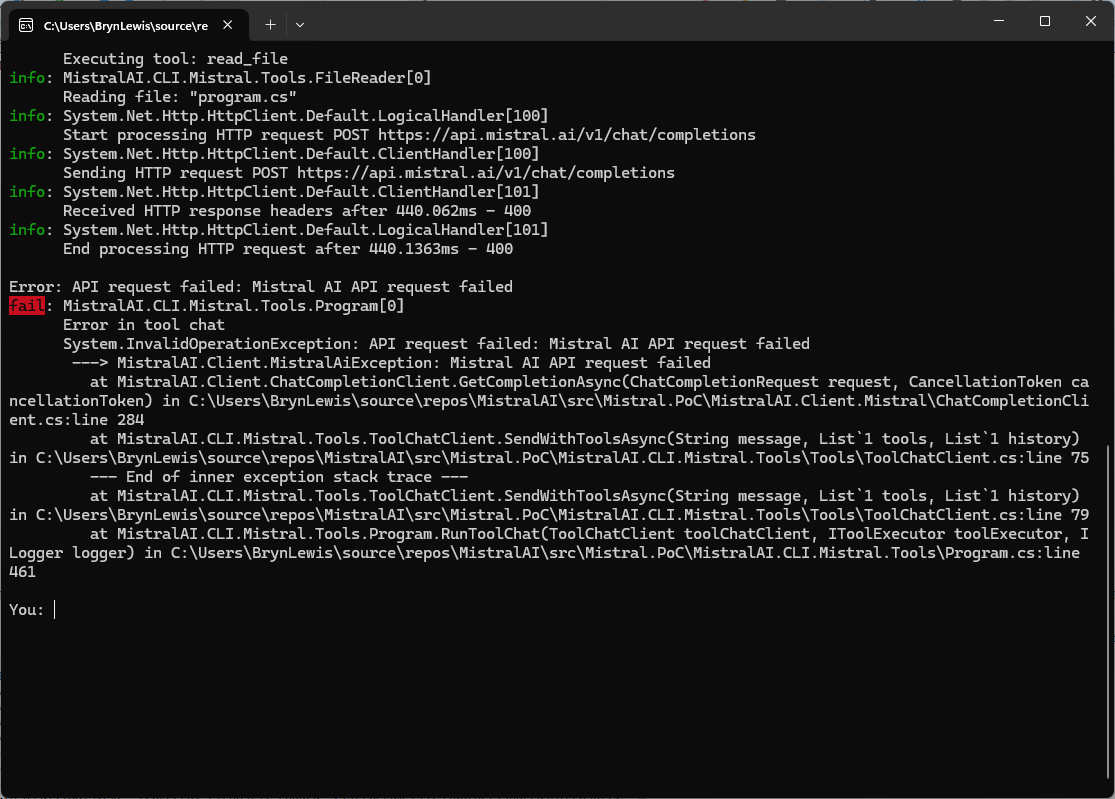
When I tested the Mistral Vibe Code generated client for the Mistral Chat Completion API, everything looked good until I added a couple of tool calls. The very first request exploded with a runtime exception:
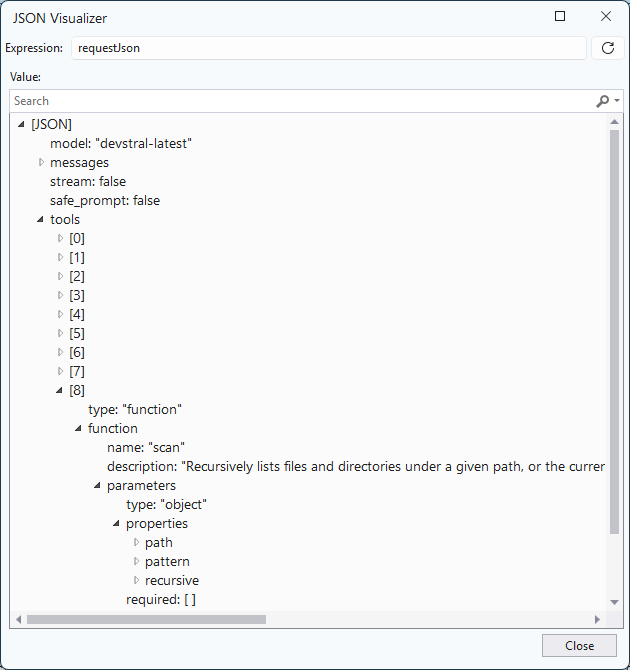
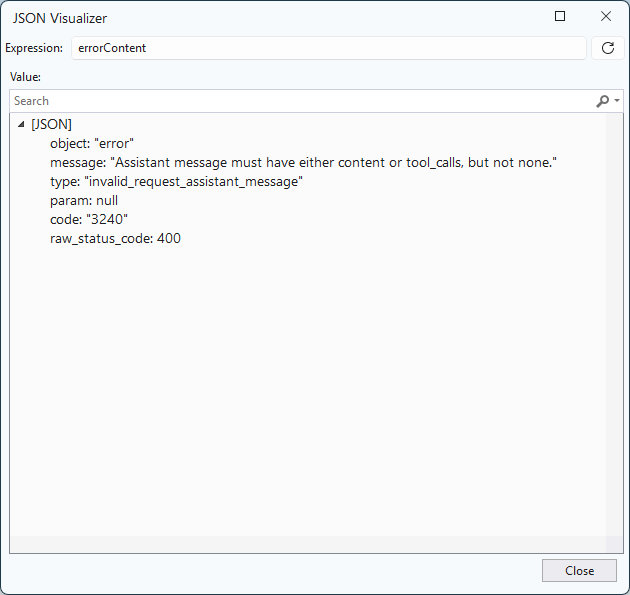
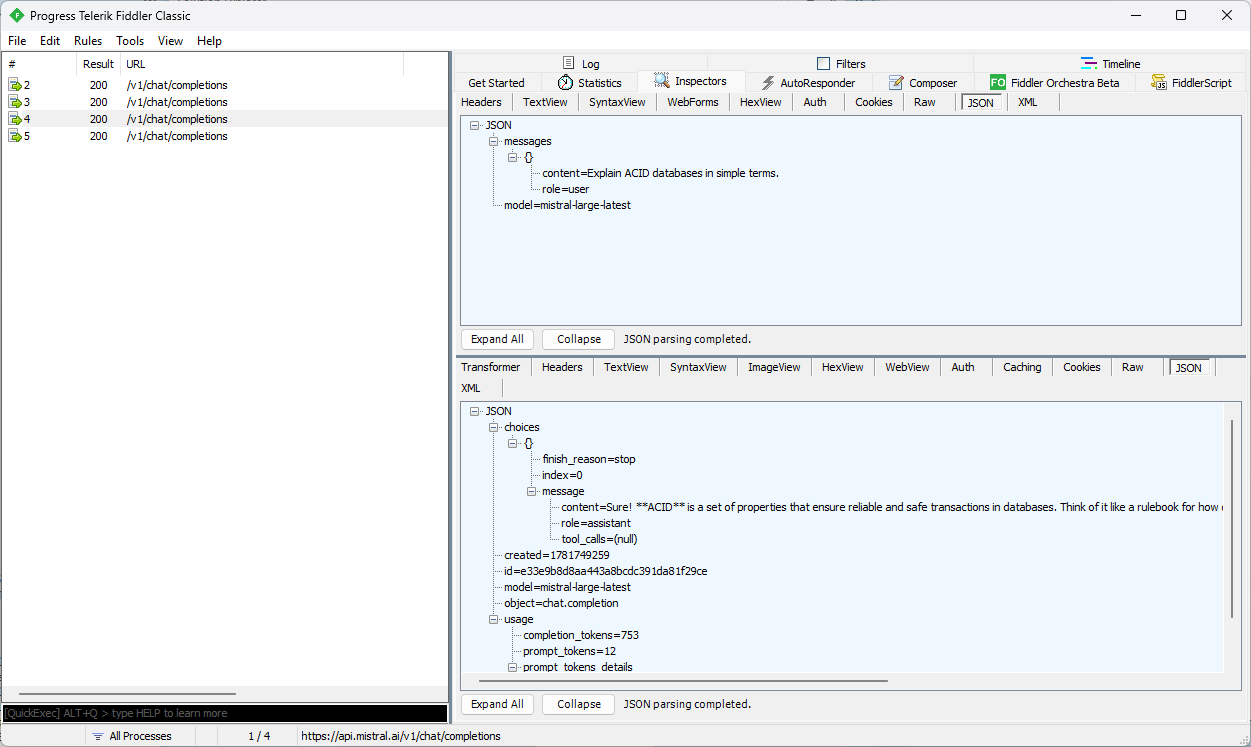
The Mistral Chat Completion API rejected the malformed assistant message: “Assistant message must have either content or tool_calls, but not none” This was the first clue that the polymorphic message model wasn’t being serialised correctly.
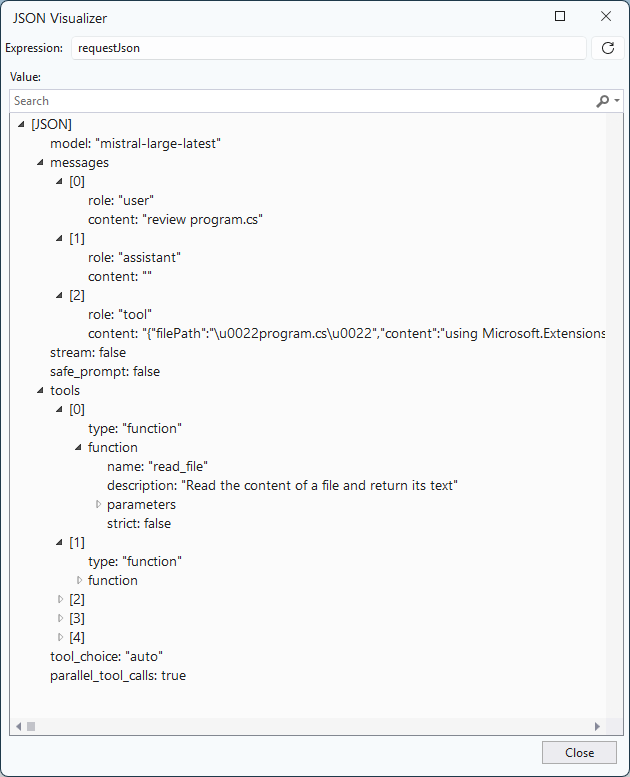
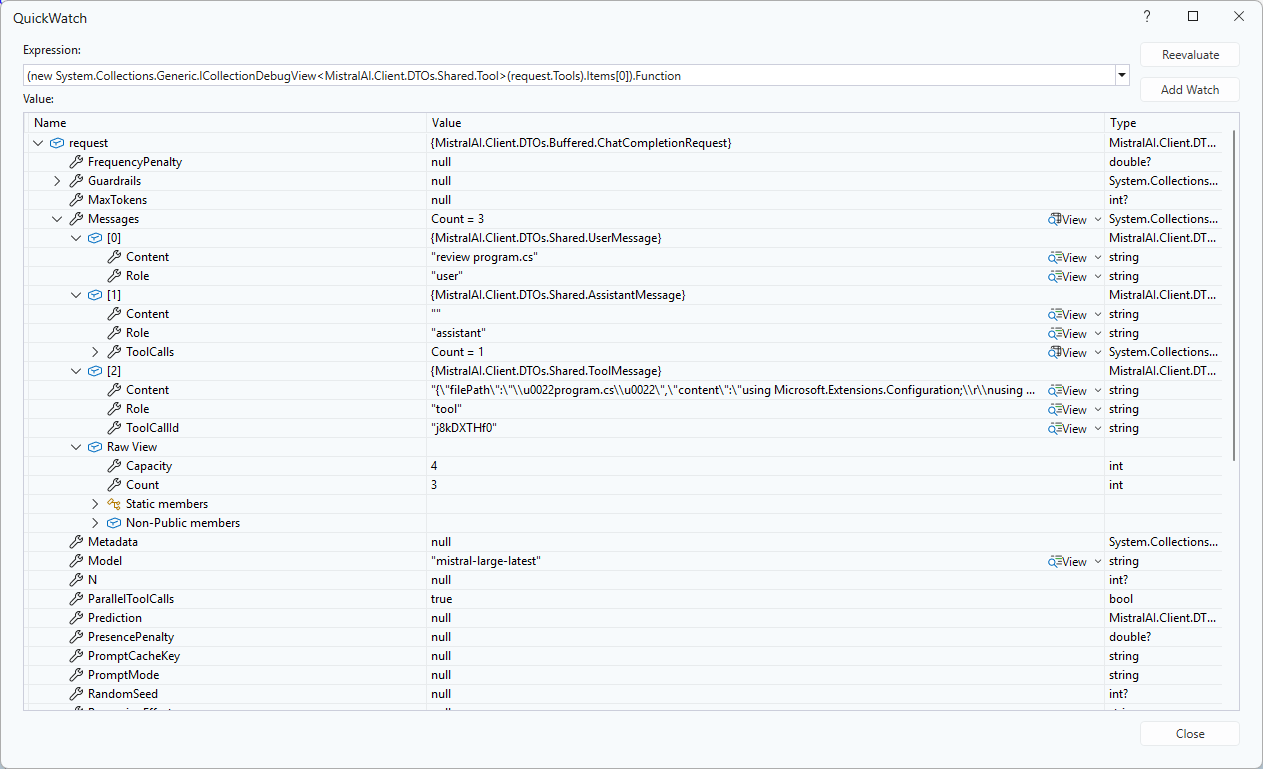
Inspecting the raw JSON request inside Visual Studio’s JSON Visualizer. The error object clearly showed the invalid assistant message structure generated by the client.
After digging through the JSON returned by Mistral and inspecting the request object in Visual Studio, I figured out that System.Text.Json wasn’t serializing the polymorphic MessageBase hierarchy correctly.
namespace MistralAI.Client.DTOs.Shared
{
   /// <summary>
   /// Represents a message in a chat conversation.
   /// </summary>
   [JsonPolymorphic(TypeDiscriminatorPropertyName = "role")]
   [JsonDerivedType(typeof(SystemMessage), "system")]
   [JsonDerivedType(typeof(UserMessage), "user")]
   [JsonDerivedType(typeof(AssistantMessage), "assistant")]
   [JsonDerivedType(typeof(ToolMessage), "tool")]
   public abstract class MessageBase
    {
        /// <summary>
        /// The role of the message author.
        /// </summary>
        [JsonPropertyName("role")]
        public string Role { get; set; } = string.Empty;

        /// <summary>
        /// The content of the message.
        /// </summary>
        [JsonPropertyName("content")]
        public string? Content { get; set; }
    }

    /// <summary>
    /// A message from the system.
    /// </summary>
    public class SystemMessage : MessageBase
    {
        public SystemMessage() => Role = "system";
    }

    /// <summary>
    /// A message from the user.
    /// </summary>
    public class UserMessage : MessageBase
    {
        public UserMessage() => Role = "user";
    }

    /// <summary>
    /// A message from the assistant.
    /// </summary>
    public class AssistantMessage : MessageBase
    {
        public AssistantMessage() => Role = "assistant";

        /// <summary>
        /// Tool calls made by the assistant.
        /// </summary>
        [JsonPropertyName("tool_calls")]
        public List<ToolCall>? ToolCalls { get; set; }
    }
The fix was to annotate the base class with JsonPolymorphic and JsonDerivedType attributes so the serialiser could select the correct concrete type based on the role field.
Before writing or generating typed Data Transfer Objects(DTO), or any kind of strongly‑typed client, streaming the response JSON into a jsonDocument was a good way to visualise the shape of the responses. I could enumerate properties, check for missing or inconsistent fields, validate casing, and confirm whether optional objects appear only in certain scenarios. Any undocumented polymorphic shapes, and response constructs can be impossible to model cleanly, and “hand-rolled” serialisation can be fragile.
//...
Console.Write("Enter chat message: ");
var prompt = Console.ReadLine();

// Anonymous type for the request body which feels bit "hinky" but, it works and is concise. Alternatively, could define a class for request body for better type safety and maintainability.
var requestObject = new
{
   model = settings.ModelName,
   messages = new[]
   {
      new { role = "user", content = prompt }
   }
};

// Alternatively, a JsonObject and JsonArray for more control over the JSON structure
var requestJson = new JsonObject()
{
   ["model"] = settings.ModelName,
   ["messages"] = new JsonArray
   {
      new JsonObject
      {
         ["role"] = "user",
         ["content"] = prompt
      }
   }
};

// Create HttpClient with required headers. Note that HttpClient should ideally be reused, but for simplicity we're creating a new instance here.
HttpClient httpClient = new()
{
   DefaultRequestHeaders =
   {
      Accept = { new MediaTypeWithQualityHeaderValue("application/json") },
      Authorization = new AuthenticationHeaderValue("Bearer", settings.ApiKey)
   },
   BaseAddress = new Uri(settings.BaseUrl)
};

using var httpResponse = await httpClient.PostAsync("chat/completions", new StringContent(JsonSerializer.Serialize(requestObject), Encoding.UTF8, "application/json"));

httpResponse.EnsureSuccessStatusCode();

using var stream = await httpResponse.Content.ReadAsStreamAsync();
using var responseDocument = await JsonDocument.ParseAsync(stream);

var content = responseDocument.RootElement.GetProperty("choices")[0].GetProperty("message").GetProperty("content").GetString();

Console.WriteLine(content);
Console.WriteLine();

var usage = responseDocument.RootElement.GetProperty("usage");
Console.WriteLine($"Prompt tokens: {usage.GetProperty("prompt_tokens").GetInt32()}");
Console.WriteLine($"Completion tokens: {usage.GetProperty("completion_tokens").GetInt32()}");
Console.WriteLine($"Total tokens: {usage.GetProperty("total_tokens").GetInt32()}");
Console.WriteLine();

Console.WriteLine("Press <Enter> to exit...");
Console.ReadLine();
Reading the response string and parsing it with a jsonDocument is straightforward but can be inefficient for large responses because it loads the entire response into memory.
I built the typed interface by inspecting real JSON responses especially structures like polymorphic message, and cross‑checking them against the Mistral API docs. This highlighted which fields are genuinely optional, which only appear for tool calls, and which vary by finish reason. It also highlighted that I would have to introduce polymorphic message classes so the interface can cleanly represent text messages, tool‑call messages, and whatever new variants the API adds later.
// Create HttpClient with required headers. Note that HttpClient should ideally be reused, but for simplicity we're creating a new instance here..
using HttpClient httpClient = new()
{
   DefaultRequestHeaders =
   {
      Accept = { new MediaTypeWithQualityHeaderValue("application/json") },
      Authorization = new AuthenticationHeaderValue("Bearer", settings.ApiKey)
   },
   BaseAddress = new Uri(settings.BaseUrl)
};

var jsonSerializerOptions = new JsonSerializerOptions()
{
   // PropertyNamingPolicy removed - [JsonPropertyName] attributes on model handle wire names
   WriteIndented           = false,
   DefaultIgnoreCondition  = JsonIgnoreCondition.WhenWritingNull,
   AllowTrailingCommas     = false,
   ReadCommentHandling     = JsonCommentHandling.Disallow,
   UnmappedMemberHandling  = JsonUnmappedMemberHandling.Skip,
};

Console.Write("Enter chat message: ");
var content = Console.ReadLine();

while (!string.IsNullOrWhiteSpace(content))
{
   var request = new ChatCompletionRequest
   {
      Model = settings.ModelName,
      Messages =
      [
         new ChatMessage { Role = "user", Content = content }
      ],
   };

   try
   {
      using var httpResponse = await httpClient.PostAsJsonAsync("chat/completions", request, jsonSerializerOptions);
      httpResponse.EnsureSuccessStatusCode();

      ChatCompletionResponse? chatCompletionResponse = await httpResponse.Content.ReadFromJsonAsync<ChatCompletionResponse>(jsonSerializerOptions);

      if (chatCompletionResponse != null)
      {
         foreach (var choice in chatCompletionResponse.Choices)
         {
            Console.WriteLine(choice.Message.Content);
         }

         Console.WriteLine();
         if (chatCompletionResponse.Usage != null)
         {
            Console.WriteLine($"Prompt tokens: {chatCompletionResponse.Usage.PromptTokens}");
            Console.WriteLine($"Completion tokens: {chatCompletionResponse.Usage.CompletionTokens}");
            Console.WriteLine($"Total tokens: {chatCompletionResponse.Usage.TotalTokens}");
         }
         Console.WriteLine();
      }
   }
   catch (HttpRequestException ex)
   {
      Console.WriteLine($"Request failed: {(int?)ex.StatusCode} {ex.Message}");
   }
   catch (TaskCanceledException)
   {
      Console.WriteLine("Request timed out.");
   }
   catch (JsonException ex)
   {
      Console.WriteLine($"Failed to parse response: {ex.Message}");
   }

   Console.Write("Enter chat message: ");
   content = Console.ReadLine();
}
public sealed class ChatCompletionRequest
{
   [JsonPropertyName("model")] public required string Model { get; init; }
   [JsonPropertyName("messages")] public required List<ChatMessage> Messages { get; init; }
   [JsonPropertyName("temperature")] public double? Temperature { get; init; }
   [JsonPropertyName("max_tokens")] public int? MaxTokens { get; init; }
   [JsonPropertyName("stream")] public bool? Stream { get; init; }
   [JsonPropertyName("response_format")] public ResponseFormat? ResponseFormat { get; init; }
}

public sealed class ChatMessage
{
   [JsonPropertyName("role")] public required string Role { get; init; }
   [JsonPropertyName("content")] public required string Content { get; init; }
}

public sealed class ResponseFormat
{
   [JsonPropertyName("type")] public required string Type { get; init; }
}

public sealed class ChatCompletionResponse
{
   [JsonPropertyName("id")] public required string Id { get; init; }
   [JsonPropertyName("choices")] public required List<ChatCompletionChoice> Choices { get; init; }
   [JsonPropertyName("usage")] public TokenUsage? Usage { get; init; }
}

public sealed class TokenUsage
{
   [JsonPropertyName("prompt_tokens")] public int? PromptTokens { get; init; }
   [JsonPropertyName("completion_tokens")] public int? CompletionTokens { get; init; }
   [JsonPropertyName("total_tokens")] public int? TotalTokens { get; init; }
}

public sealed class ChatCompletionChoice
{
   [JsonPropertyName("index")] public int Index { get; init; }
   [JsonPropertyName("message")] public required ChatMessage Message { get; init; }
   [JsonPropertyName("finish_reason")] public string? FinishReason { get; init; }
}
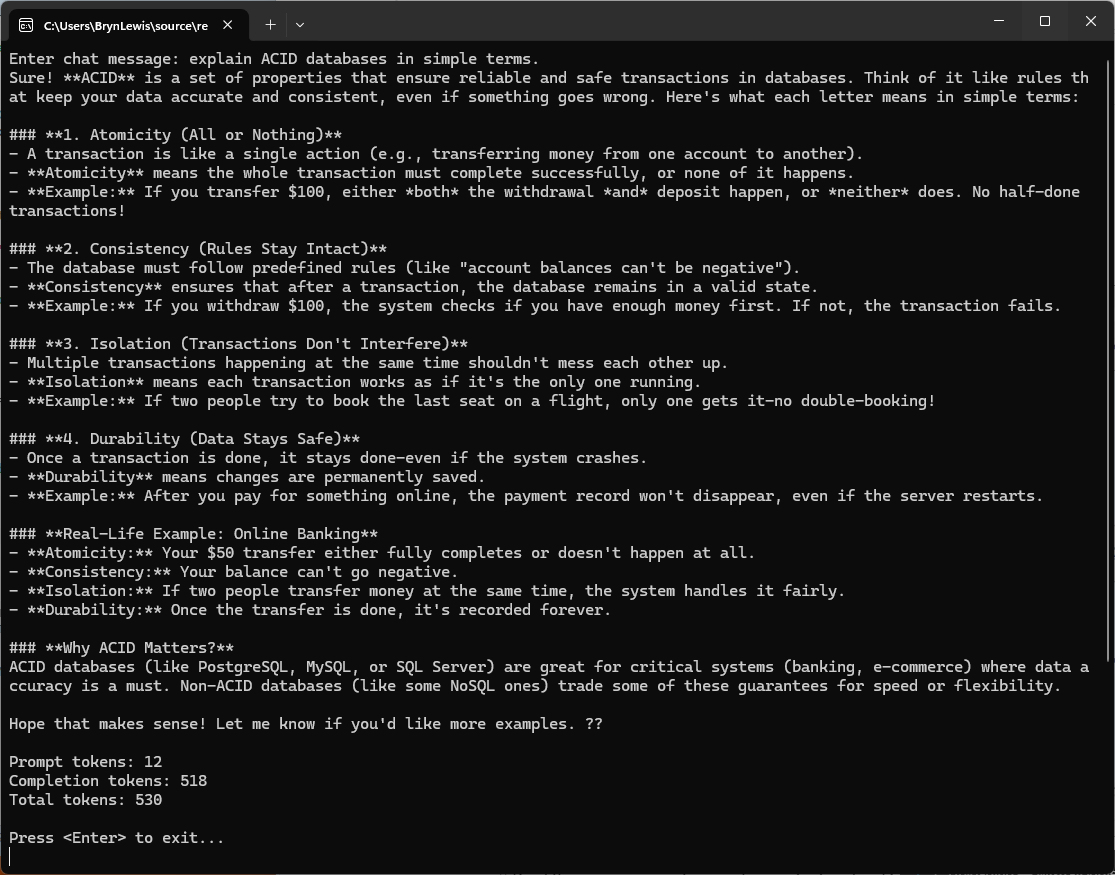
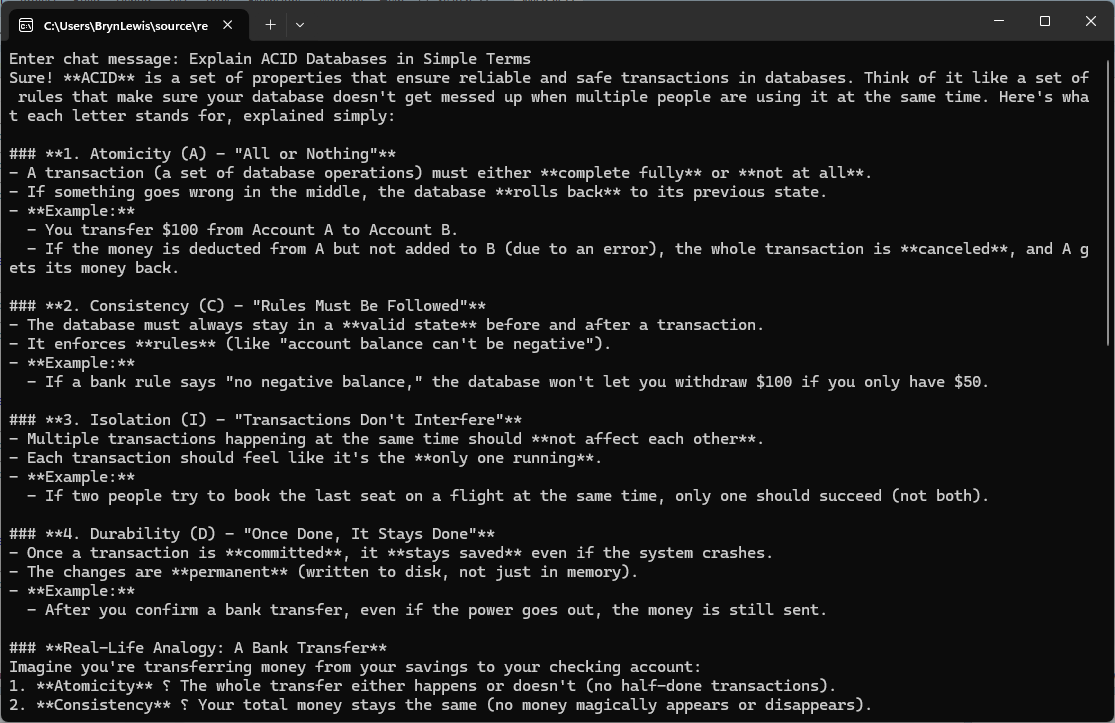
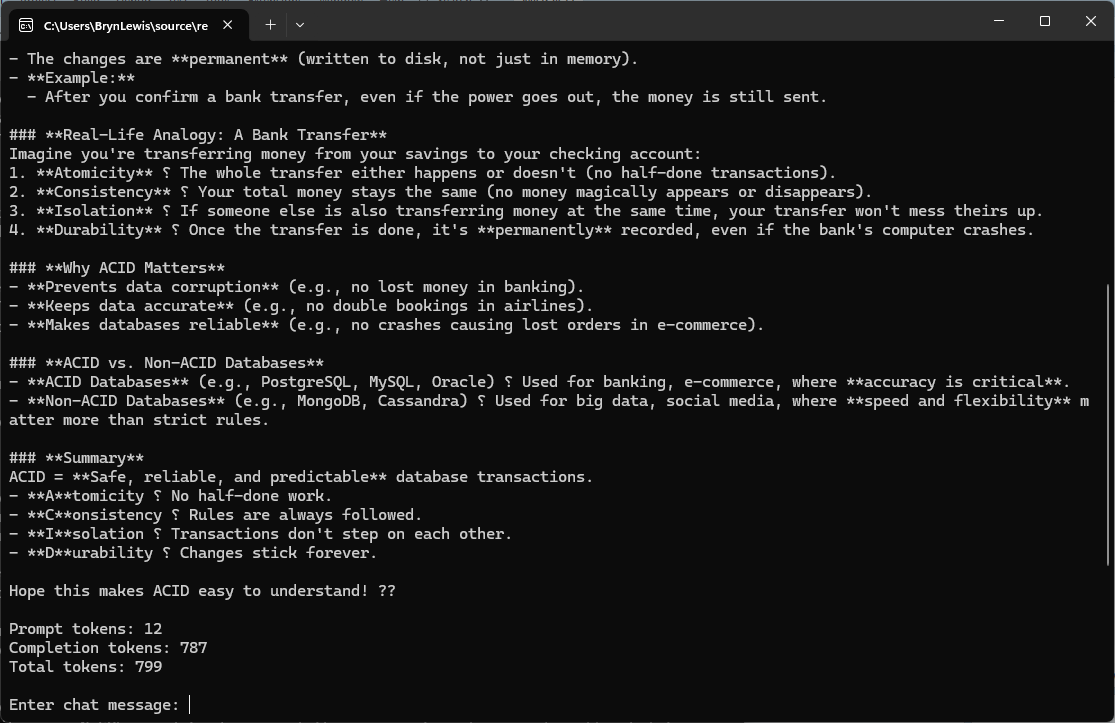
I had to capture the application output in two screenshots as the response text was longer.
The non-deterministic nature of LLMs resulted in different response messages, with the longest one consuming significantly more tokens, 530 vs. 799 (future posts will cover the use of Random_seed)
Like many .NET developers, I started with Copilot as a natural extension of my workflow, expecting it to streamline repetitive tasks and accelerate development. When I started using Building Edge AI with Github Copilot- Security Camera HTTP(Jan 2025) the experience wasn’t great. Especially when I was using it for the “niche” areas I work-in it was pretty hopeless (sometimes even referred me to my own blog posts).
After a while I started trialing the other tools in my workflow and though they were better, sometimes F2-Replace or intellisense were faster and used a lot less tokens. I would also get the tools to review the code of the others, and I especially liked the Claude “Irony stack” when using it review Co-Pilot generated code.
While the other tools certainly helped (especially after adding custom skills files), I often found myself spending as much time going “down rabbit holes”(not the tool’s problem, though I hopefully learnt some useful stuff) and correcting or restructuring or debugging generated code that I could have written faster from scratch.
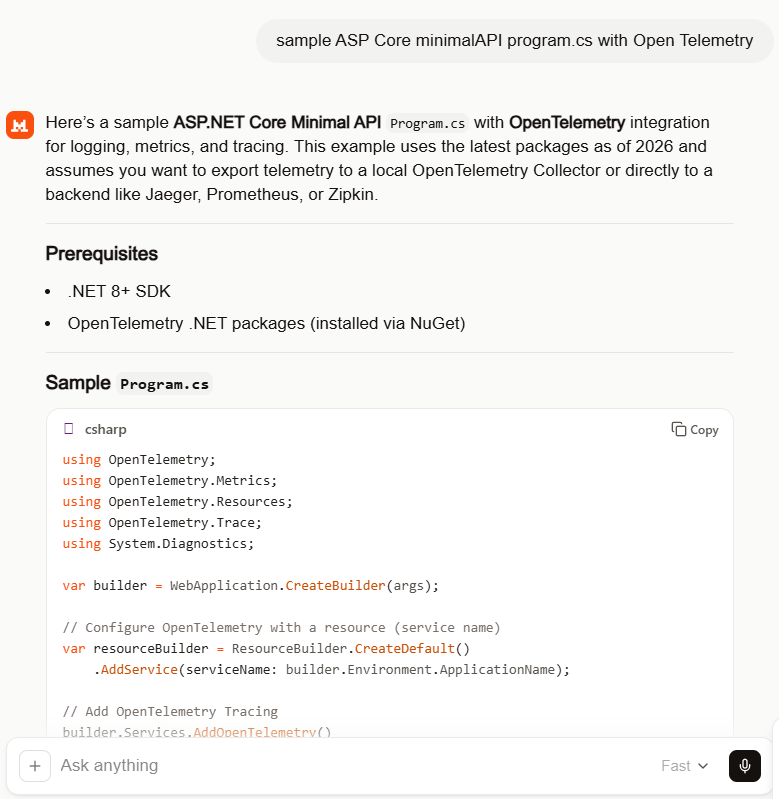
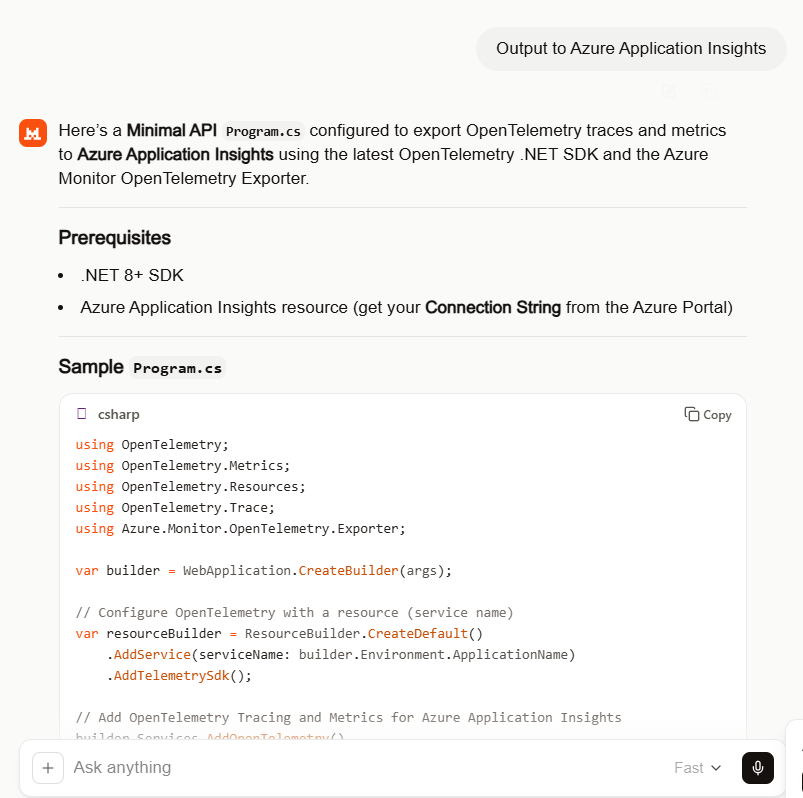
That’s what made my “out of box” experience with Mistral stand out. With a relatively simple prompt, it produced code that was not only concise but surprisingly accurate with just a single compile time error and no warnings on the first pass.
NOTE: This was using the webby interface, but I now have a paid for subscription.
The instructions which included .NET 8 (bit retro) and “dotnet add package”(pretty good) meant the code compiled on second attempt. The issue was a syntax error initialising OpenTelemetry which was quickly fixed, somewhat ironically with GitHub Copilot.
.ConfigureResource(resourceBuilder) rather than .ConfigureResource(rb => rb = resourceBuilder)
//dotnet add package OpenTelemetry
//dotnet add package OpenTelemetry.Extensions.Hosting
//dotnet add package OpenTelemetry.Instrumentation.AspNetCore
//dotnet add package OpenTelemetry.Instrumentation.Http
//dotnet add package OpenTelemetry.Exporter.Console
//dotnet add package OpenTelemetry.Exporter.OpenTelemetryProtocol
//
//using OpenTelemetry;
using OpenTelemetry.Metrics;
using OpenTelemetry.Resources;
using OpenTelemetry.Trace;
using System.Diagnostics;

var builder = WebApplication.CreateBuilder(args);

// Configure OpenTelemetry with a resource (service name)
var resourceBuilder = ResourceBuilder.CreateDefault()
    .AddService(serviceName: builder.Environment.ApplicationName);

// Add OpenTelemetry Tracing
builder.Services.AddOpenTelemetry()
    //.ConfigureResource(resourceBuilder) /**** This was the only compile time issue
    .ConfigureResource(rb => rb = resourceBuilder)
    .WithTracing(tracerProviderBuilder =>
    {
       tracerProviderBuilder
           .AddSource("MinimalApiSample")
           .AddAspNetCoreInstrumentation(options =>
           {
              options.RecordException = true;
           })
           .AddHttpClientInstrumentation()
           .AddConsoleExporter(); // For demo: export to console
           //.AddOtlpExporter(); // Uncomment to export to OpenTelemetry Collector

    })
    .WithMetrics(metricsProviderBuilder =>
    {
       metricsProviderBuilder
           .AddAspNetCoreInstrumentation()
           .AddHttpClientInstrumentation()
           .AddConsoleExporter(); // For demo: export to console
           //.AddOtlpExporter(); // Uncomment to export to OpenTelemetry Collector
    });

var app = builder.Build();

// Example of a custom activity for tracing
var activitySource = new ActivitySource("MinimalApiSample");

app.MapGet("/", () =>
{
   using var activity = activitySource.StartActivity("RootEndpoint");
   activity?.SetTag("custom.tag", "Hello, OpenTelemetry!");
   return Results.Ok("Hello, OpenTelemetry!");
});

app.MapGet("/metrics", () =>
{
   // This endpoint is just for demo; metrics are exported automatically
   return Results.Ok("Metrics are being collected in the background.");
});

app.Run();
//dotnet add package OpenTelemetry
//dotnet add package OpenTelemetry.Extensions.Hosting
//dotnet add package OpenTelemetry.Instrumentation.AspNetCore
//dotnet add package OpenTelemetry.Instrumentation.Http
//dotnet add package Azure.Monitor.OpenTelemetry.Exporter
//
using Azure.Monitor.OpenTelemetry.Exporter;
//using OpenTelemetry;
using OpenTelemetry.Metrics;
using OpenTelemetry.Resources;
using OpenTelemetry.Trace;
using System.Diagnostics;

var builder = WebApplication.CreateBuilder(args);

// Configure OpenTelemetry with a resource (service name)
var resourceBuilder = ResourceBuilder.CreateDefault()
    .AddService(serviceName: builder.Environment.ApplicationName)
    .AddTelemetrySdk();

// Add OpenTelemetry Tracing and Metrics for Azure Application Insights
builder.Services.AddOpenTelemetry()
    //.ConfigureResource(resourceBuilder)
    .ConfigureResource(rb => rb = resourceBuilder) //*****
    .WithTracing(tracerProviderBuilder =>
    {
       tracerProviderBuilder
           .AddSource("MinimalApiSample")
           .AddAspNetCoreInstrumentation(options =>
           {
              options.RecordException = true;
           })
           .AddHttpClientInstrumentation()
           .AddAzureMonitorTraceExporter(options =>
           {
              options.ConnectionString = builder.Configuration["APPLICATIONINSIGHTS_CONNECTION_STRING"];
           });
    })
    .WithMetrics(metricsProviderBuilder =>
    {
       metricsProviderBuilder
           .AddAspNetCoreInstrumentation()
           .AddHttpClientInstrumentation()
           .AddAzureMonitorMetricExporter(options =>
           {
              options.ConnectionString = builder.Configuration["APPLICATIONINSIGHTS_CONNECTION_STRING"];
           });
    });

var app = builder.Build();

// Example of a custom activity for tracing
var activitySource = new ActivitySource("MinimalApiSample");

app.MapGet("/", () =>
{
   using var activity = activitySource.StartActivity("RootEndpoint");
   activity?.SetTag("custom.tag", "Hello, Azure Application Insights!");
   return Results.Ok("Hello, Azure Application Insights!");
});

app.MapGet("/metrics", () =>
{
   return Results.Ok("Metrics and traces are being sent to Azure Application Insights.");
});

app.Run();
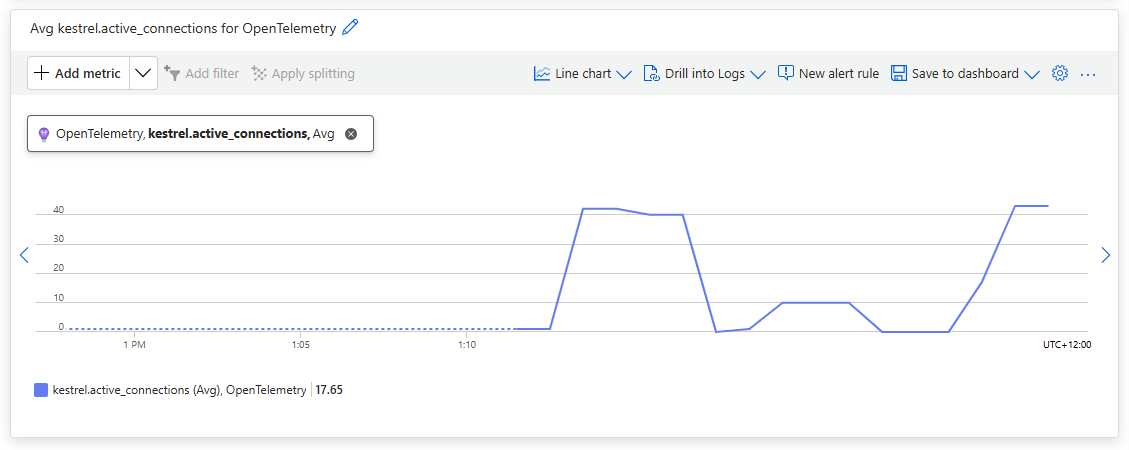
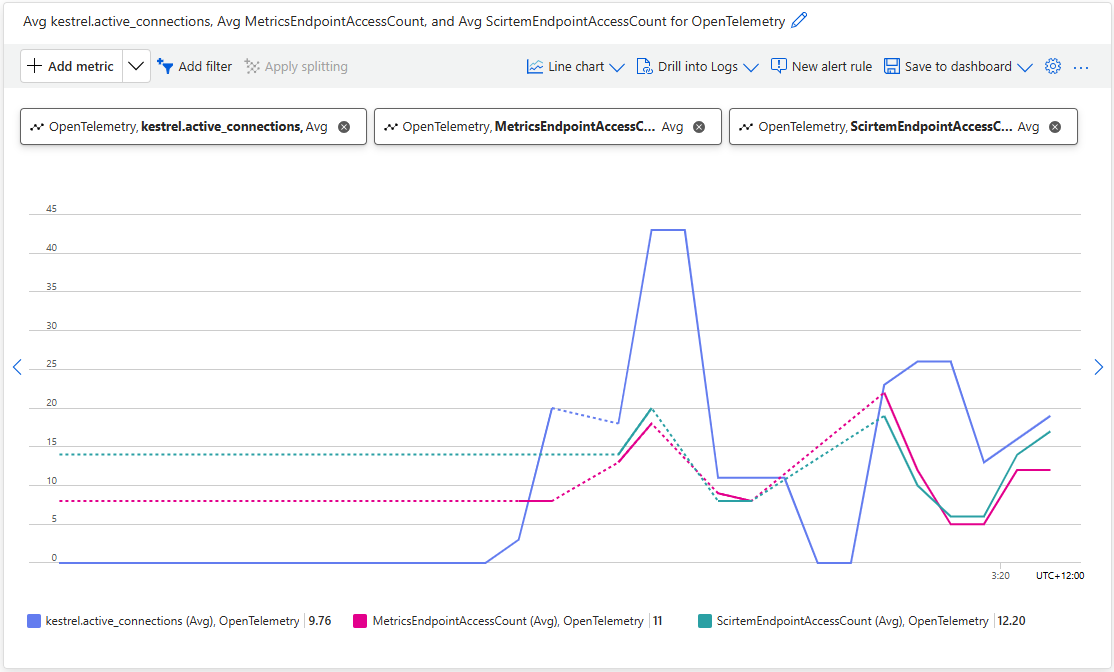
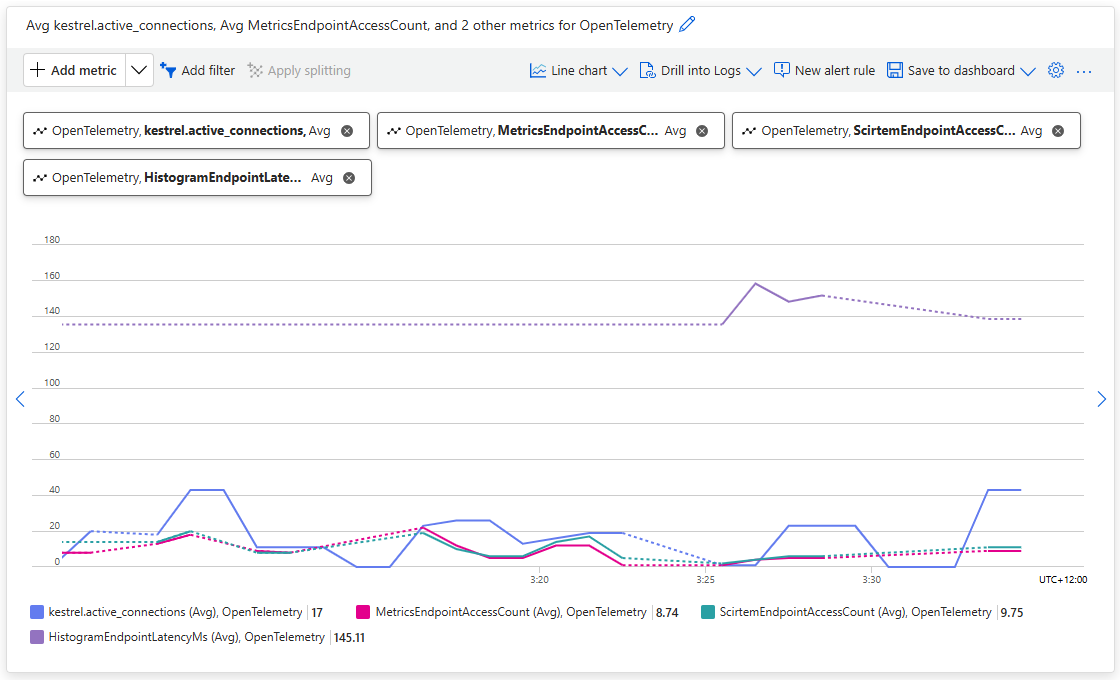
Using Application Insights metrics the Kestral.active_connections graphs to shows some of the additional telemetry emitted by the application.
//dotnet add package OpenTelemetry
//dotnet add package OpenTelemetry.Extensions.Hosting
//dotnet add package OpenTelemetry.Instrumentation.AspNetCore
//dotnet add package OpenTelemetry.Instrumentation.Http
//dotnet add package Azure.Monitor.OpenTelemetry.Exporter
//
using Azure.Monitor.OpenTelemetry.Exporter;
//using OpenTelemetry;
using OpenTelemetry.Metrics;
using OpenTelemetry.Resources;
using OpenTelemetry.Trace;
using System.Diagnostics;
using System.Diagnostics.Metrics;

var builder = WebApplication.CreateBuilder(args);

// Configure OpenTelemetry with a resource (service name)
var resourceBuilder = ResourceBuilder.CreateDefault()
    .AddService(serviceName: builder.Environment.ApplicationName)
    .AddTelemetrySdk();

// Create a meter for custom metrics
var meter = new Meter("MinimalApiSample.Metrics");
var metricsCounter = meter.CreateCounter<int>("MetricsEndpointAccessCount");

// Add OpenTelemetry Tracing and Metrics for Azure Application Insights
builder.Services.AddOpenTelemetry()
    //.ConfigureResource(resourceBuilder) /**** This is the only compile time issue
    .ConfigureResource(rb=>rb =  resourceBuilder)
    .WithTracing(tracerProviderBuilder =>
    {
       tracerProviderBuilder
           .AddSource("MinimalApiSample")
           .AddAspNetCoreInstrumentation(options =>
           {
              options.RecordException = true;
           })
           .AddHttpClientInstrumentation()
           .AddAzureMonitorTraceExporter(options =>
           {
              options.ConnectionString = builder.Configuration["APPLICATIONINSIGHTS_CONNECTION_STRING"];
           });
    })
    .WithMetrics(metricsProviderBuilder =>
    {
       metricsProviderBuilder
           .AddAspNetCoreInstrumentation()
           .AddHttpClientInstrumentation()
           .AddMeter("MinimalApiSample.Metrics") // Add your custom meter
           .AddAzureMonitorMetricExporter(options =>
           {
              options.ConnectionString = builder.Configuration["APPLICATIONINSIGHTS_CONNECTION_STRING"];
           });
    });

var app = builder.Build();

// Example of a custom activity for tracing
var activitySource = new ActivitySource("MinimalApiSample");

app.MapGet("/", () =>
{
   using var activity = activitySource.StartActivity("RootEndpoint");
   activity?.SetTag("custom.tag", "Hello, Azure Application Insights!");
   return Results.Ok("Hello, Azure Application Insights!");
});

app.MapGet("/metrics", () =>
{
   // Increment custom metric on each access
   metricsCounter.Add(1);
   return Results.Ok("Metrics and traces are being sent to Azure Application Insights.");
});

app.Run();
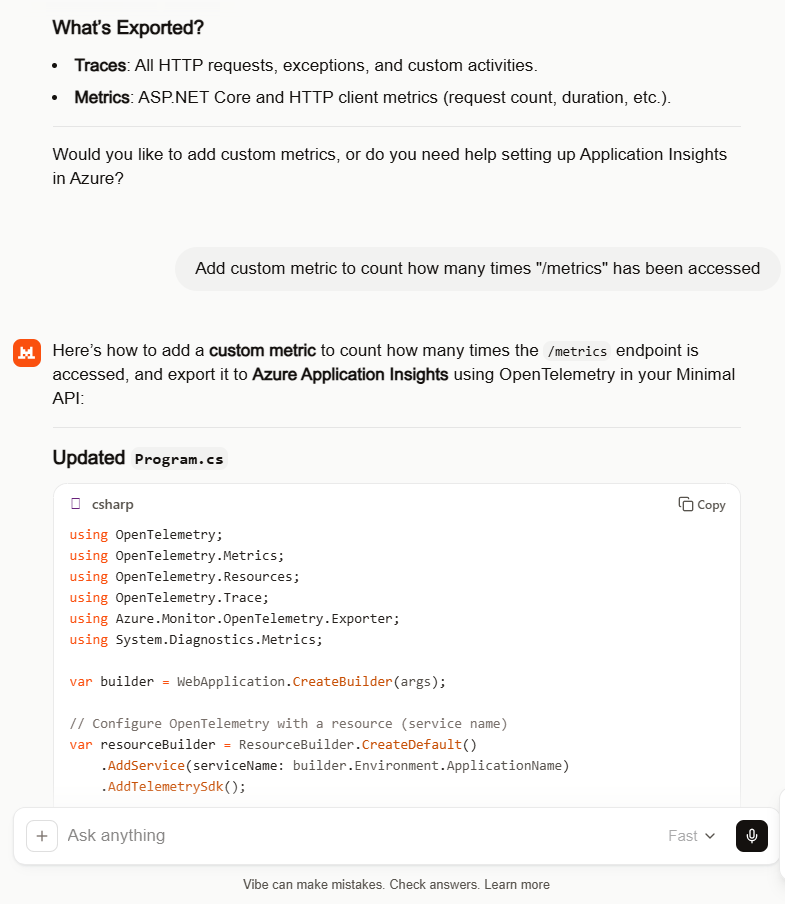
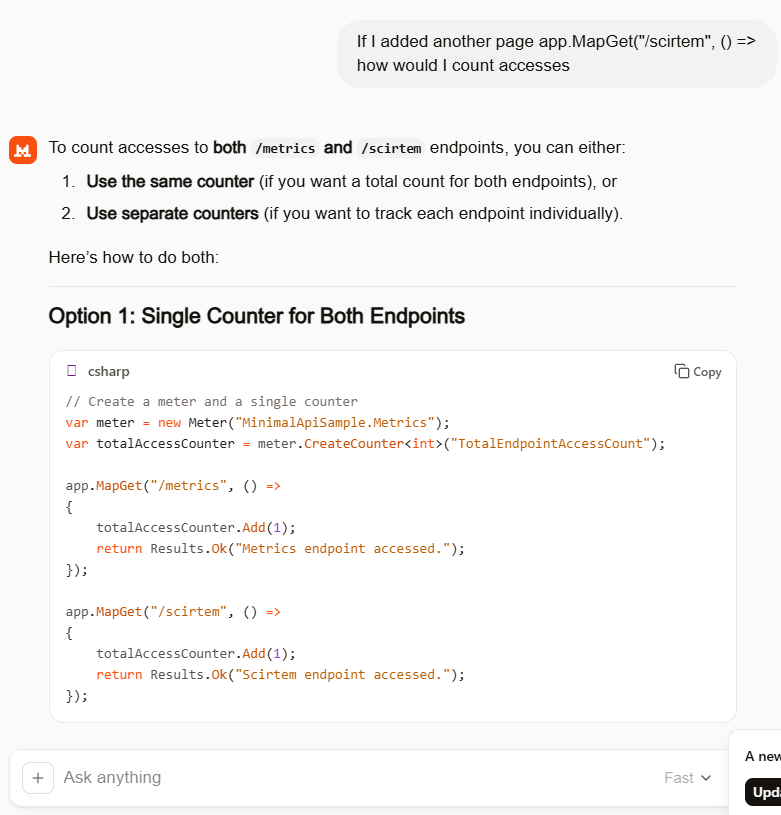
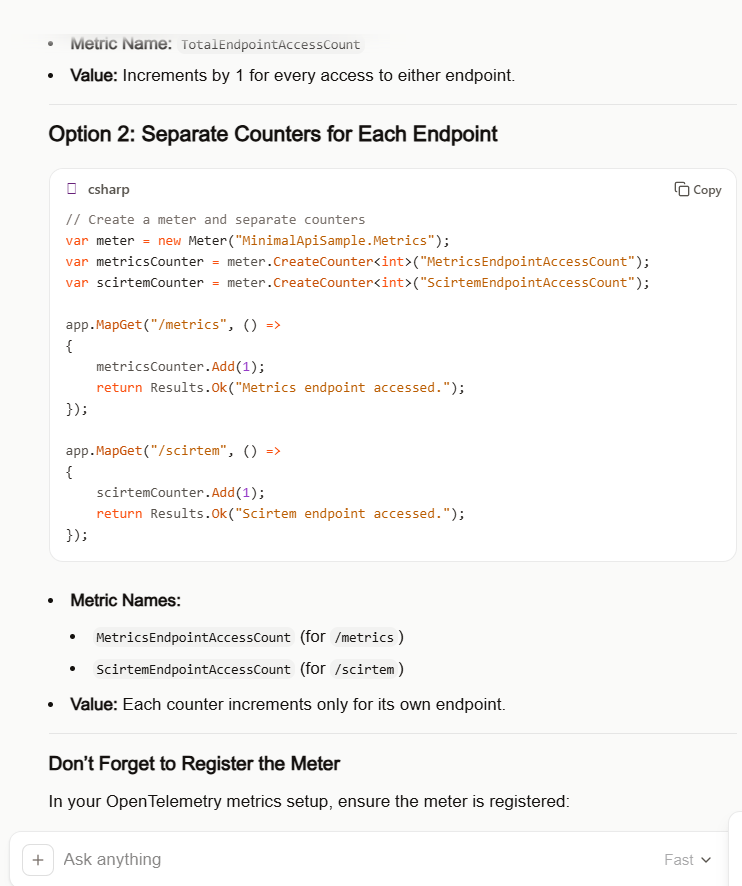
I by pleasantly surprised by suggestion of a counter for each endpoint which was my original intent.
Couldn’t think of a better name “scirtem” is “metrics” backwards. The way Meter and CreateCount are global would not be a good idea in a more complex system but this is fine for a hacky PoC.
//dotnet add package OpenTelemetry
//dotnet add package OpenTelemetry.Extensions.Hosting
//dotnet add package OpenTelemetry.Instrumentation.AspNetCore
//dotnet add package OpenTelemetry.Instrumentation.Http
//dotnet add package Azure.Monitor.OpenTelemetry.Exporter
//
using Azure.Monitor.OpenTelemetry.Exporter;
//using OpenTelemetry;  //***** Unnecessary with OpenTelemetry.Extensions.Hosting
using OpenTelemetry.Metrics;
using OpenTelemetry.Resources;
using OpenTelemetry.Trace;
using System.Diagnostics;
using System.Diagnostics.Metrics;

var builder = WebApplication.CreateBuilder(args);

// Configure OpenTelemetry with a resource (service name)
var resourceBuilder = ResourceBuilder.CreateDefault()
    .AddService(serviceName: builder.Environment.ApplicationName)
    .AddTelemetrySdk();

// Create a meter for custom metrics
var meter = new Meter("MinimalApiSample.Metrics");
var metricsCounter = meter.CreateCounter<int>("MetricsEndpointAccessCount");
var scirtemCounter = meter.CreateCounter<int>("ScirtemEndpointAccessCount");

// Add OpenTelemetry Tracing and Metrics for Azure Application Insights
builder.Services.AddOpenTelemetry()
    //.ConfigureResource(resourceBuilder) /**** This is the only compile time issue
    .ConfigureResource(rb=>rb =  resourceBuilder)
    .WithTracing(tracerProviderBuilder =>
    {
       tracerProviderBuilder
           .AddSource("MinimalApiSample")
           .AddAspNetCoreInstrumentation(options =>
           {
              options.RecordException = true;
           })
           .AddHttpClientInstrumentation()
           .AddAzureMonitorTraceExporter(options =>
           {
              options.ConnectionString = builder.Configuration["APPLICATIONINSIGHTS_CONNECTION_STRING"];
           });
    })
    .WithMetrics(metricsProviderBuilder =>
    {
       metricsProviderBuilder
           .AddAspNetCoreInstrumentation()
           .AddHttpClientInstrumentation()
           .AddMeter("MinimalApiSample.Metrics") // Add your custom meter
           .AddAzureMonitorMetricExporter(options =>
           {
              options.ConnectionString = builder.Configuration["APPLICATIONINSIGHTS_CONNECTION_STRING"];
           });
    });

var app = builder.Build();

// Example of a custom activity for tracing
var activitySource = new ActivitySource("MinimalApiSample");

app.MapGet("/", () =>
{
   using var activity = activitySource.StartActivity("RootEndpoint");
   activity?.SetTag("custom.tag", "Hello, Azure Application Insights!");
   return Results.Ok("Hello, Azure Application Insights!");
});

app.MapGet("/metrics", () =>
{
   // Increment custom metric on each access
   metricsCounter.Add(1);
   return Results.Ok("Metrics and traces are being sent to Azure Application Insights.");
});

app.MapGet("/scirtem", () =>
{
   scirtemCounter.Add(1);
   return Results.Ok("Scirtem endpoint accessed.");
});

app.Run();
Using Application Insights metrics the MetricsEndPointAccesCount, and ScirtemEndPointAccesCount, plots to show the OLTP telemetry emitted by the application.
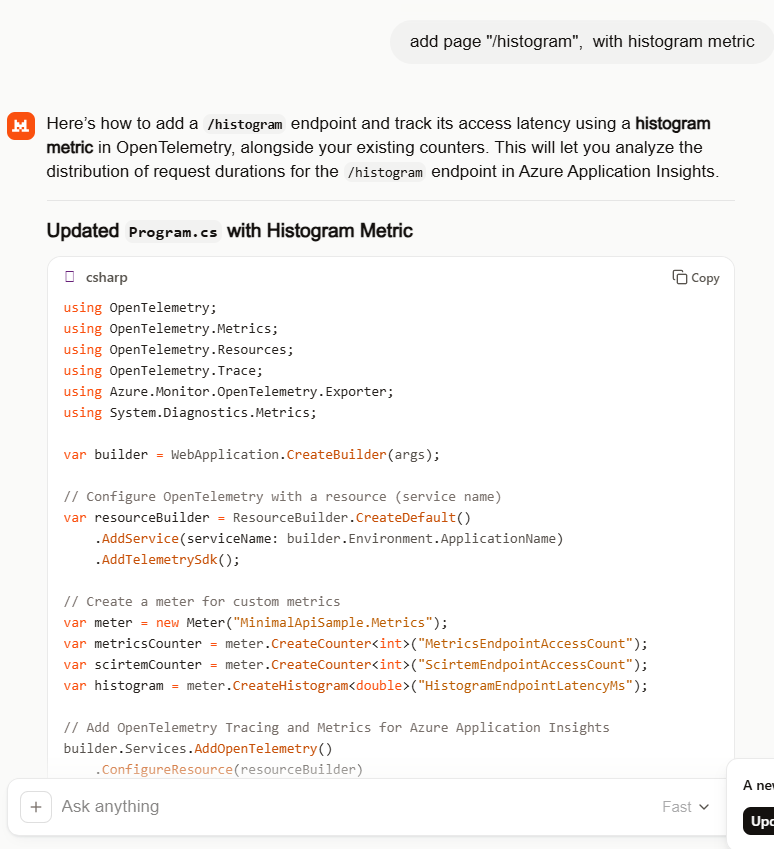
Mistral generated the code for the endpoint latency histogram without any prompting.
//dotnet add package OpenTelemetry
//dotnet add package OpenTelemetry.Extensions.Hosting
//dotnet add package OpenTelemetry.Instrumentation.AspNetCore
//dotnet add package OpenTelemetry.Instrumentation.Http
//dotnet add package Azure.Monitor.OpenTelemetry.Exporter
//
using Azure.Monitor.OpenTelemetry.Exporter;
//using OpenTelemetry;
using OpenTelemetry.Metrics;
using OpenTelemetry.Resources;
using OpenTelemetry.Trace;
using System.Diagnostics;
using System.Diagnostics.Metrics;

var builder = WebApplication.CreateBuilder(args);

// Configure OpenTelemetry with a resource (service name)
var resourceBuilder = ResourceBuilder.CreateDefault()
    .AddService(serviceName: builder.Environment.ApplicationName)
    .AddTelemetrySdk();

// Create a meter for custom metrics
var meter = new Meter("MinimalApiSample.Metrics");
var metricsCounter = meter.CreateCounter<int>("MetricsEndpointAccessCount");
var scirtemCounter = meter.CreateCounter<int>("ScirtemEndpointAccessCount");
var histogram = meter.CreateHistogram<double>("HistogramEndpointLatencyMs");

// Add OpenTelemetry Tracing and Metrics for Azure Application Insights
builder.Services.AddOpenTelemetry()
    //.ConfigureResource(resourceBuilder) /**** This is the only compile time issue
    .ConfigureResource(rb=>rb =  resourceBuilder)
    .WithTracing(tracerProviderBuilder =>
    {
       tracerProviderBuilder
           .AddSource("MinimalApiSample")
           .AddAspNetCoreInstrumentation(options =>
           {
              options.RecordException = true;
           })
           .AddHttpClientInstrumentation()
           .AddAzureMonitorTraceExporter(options =>
           {
              options.ConnectionString = builder.Configuration["APPLICATIONINSIGHTS_CONNECTION_STRING"];
           });
    })
    .WithMetrics(metricsProviderBuilder =>
    {
       metricsProviderBuilder
           .AddAspNetCoreInstrumentation()
           .AddHttpClientInstrumentation()
           .AddMeter("MinimalApiSample.Metrics") // Register your custom meter
           .AddAzureMonitorMetricExporter(options =>
           {
              options.ConnectionString = builder.Configuration["APPLICATIONINSIGHTS_CONNECTION_STRING"];
           });
    });

var app = builder.Build();

// Example of a custom activity for tracing
var activitySource = new ActivitySource("MinimalApiSample");

app.MapGet("/", () =>
{
   using var activity = activitySource.StartActivity("RootEndpoint");
   activity?.SetTag("custom.tag", "Hello, Azure Application Insights!");
   return Results.Ok("Hello, Azure Application Insights!");
});

app.MapGet("/metrics", () =>
{
   metricsCounter.Add(1);
   return Results.Ok("Metrics endpoint accessed.");
});

app.MapGet("/scirtem", () =>
{
   scirtemCounter.Add(1);
   return Results.Ok("Scirtem endpoint accessed.");
});

app.MapGet("/histogram", async () =>
{
   // Simulate some work
   var startTime = Stopwatch.GetTimestamp();
   await Task.Delay(Random.Shared.Next(50, 200)); // Random delay between 50-200ms
   var endTime = Stopwatch.GetTimestamp();

   // Calculate latency in milliseconds
   var latencyMs = (endTime - startTime) * 1000.0 / Stopwatch.Frequency;
   histogram.Record(latencyMs);

   return Results.Ok($"Histogram endpoint accessed. Latency: {latencyMs:F2}ms");
});

app.Run();
Using Application Insights metrics the OpenTelemetry.HistogramEndpointLatencyMs plot to show the OLTP telemetry emitted by the application.
Even with my relatively trivial OTLP learning applications, Mistral consistently produced clean and usable code with my simple prompts (maybe, I have got better and prompting). The generated code was straightforward, required only minor fixes, and avoided much of the over-complexity I’d seen in earlier experiments with other tools (looking at you mid/late 2025 Copilot). For my simple OTLP observability learning scenarios, that translated into faster iteration and less time spent refactoring and debugging generated code.
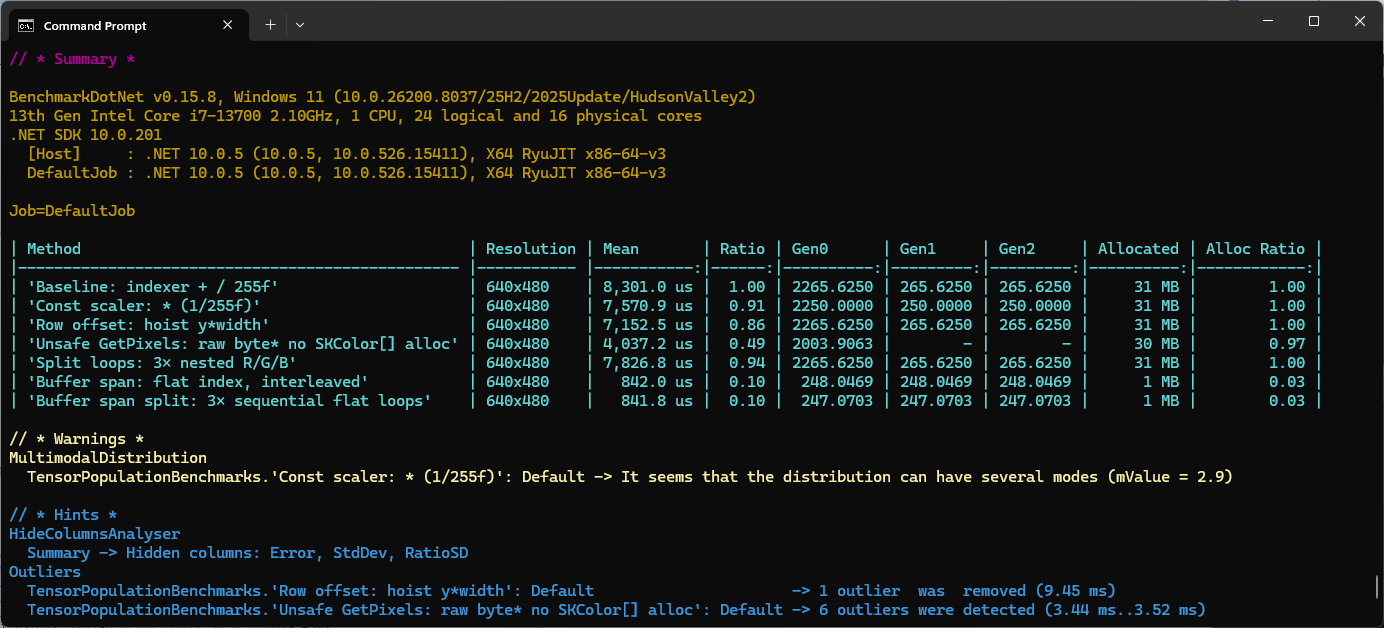
These benchmarks use UltralyticsYolo26 standard object detection model input image size of 640*640pixels.
var _tensor= new DenseTensor<float>(new[] { 1, 3, modelH, modelW });
The original nested loop: multi-dimensional [0,c,y,x] indexer, with divide by 255f. This is the baseline to measure all other implementations against.
[Benchmark(Baseline = true, Description = "Baseline: indexer + / 255f")]
public void Baseline()
{
   for (int y = 0; y < modelH; y++)
      for (int x = 0; x < modelW; x++)
      {
          var c = _letterboxed.GetPixel(x, y);

         _tensor[0, 0, y, x] = px.Red / 255f;
         _tensor[0, 1, y, x] = px.Green / 255f;
         _tensor[0, 2, y, x] = px.Blue / 255f;
      }
}
The implementation bypasses the multi-dimensional [0,c,y,x] indexer entirely with Span<> over the tensor’s backing buffer. Channel planes are at offsets 0, planeSize, and 2*planeSize. Then a single loop reads each pixel once; writes to all three planes interleaved.
This implementation slices the flat buffer into three non-overlapping channel spans, it then runs three separate sequential loops, one for each colour. This Combines the benefits of span (no indexer overhead, JIT can also auto-vectorise) and with split loops which the JIT can eliminate per-element bounds checks after the slice.
   [Benchmark(Description = "Buffer span split: 3× sequential flat loops")]
   public void BufferSpanSplit()
   {
      SKColor[] pixels = _letterboxed.Pixels;
      const float scaler = 1 / 255f;
      int planeSize = _modelW* _modelH;
      Span<float> buf = _tensor.Buffer.Span;

      Span<float> rPlane = buf.Slice(0, planeSize);
      Span<float> gPlane = buf.Slice(planeSize, planeSize);
      Span<float> bPlane = buf.Slice(2 * planeSize, planeSize);

      for (int i = 0; i < planeSize; i++) rPlane[i] = pixels[i].Red * scaler;
      for (int i = 0; i < planeSize; i++) gPlane[i] = pixels[i].Green * scaler;
      for (int i = 0; i < planeSize; i++) bPlane[i] = pixels[i].Blue * scaler;
   }
The minimal difference in performance of the two fastest implementations of the benchmark suite running on my development box was a surprise. It will be interesting to see how the performance of the different implementations changes on my Seeedstudio EdgeBox RPi 200 which has a different instruction set (esp. ARM NEON Single Instruction, Multiple Data (SIMD) extensions) and memory caching model
These benchmarks should be treated as indicative not authoritative