Mistral Chat Completions

Building a lightweight Codestral Chat Completion Command-Line Interface(CLI) is one of the fastest ways to understand how modern Large Language Model(LLM) Application Programming Interfaces (API) work in the real world. While everyone is talking about “agentic” programming (I now spend a lot of time reviewing code, as more agents = more reviews) and “token maxing” (difficult conversations with finance) this series of posts is about the plumbing.

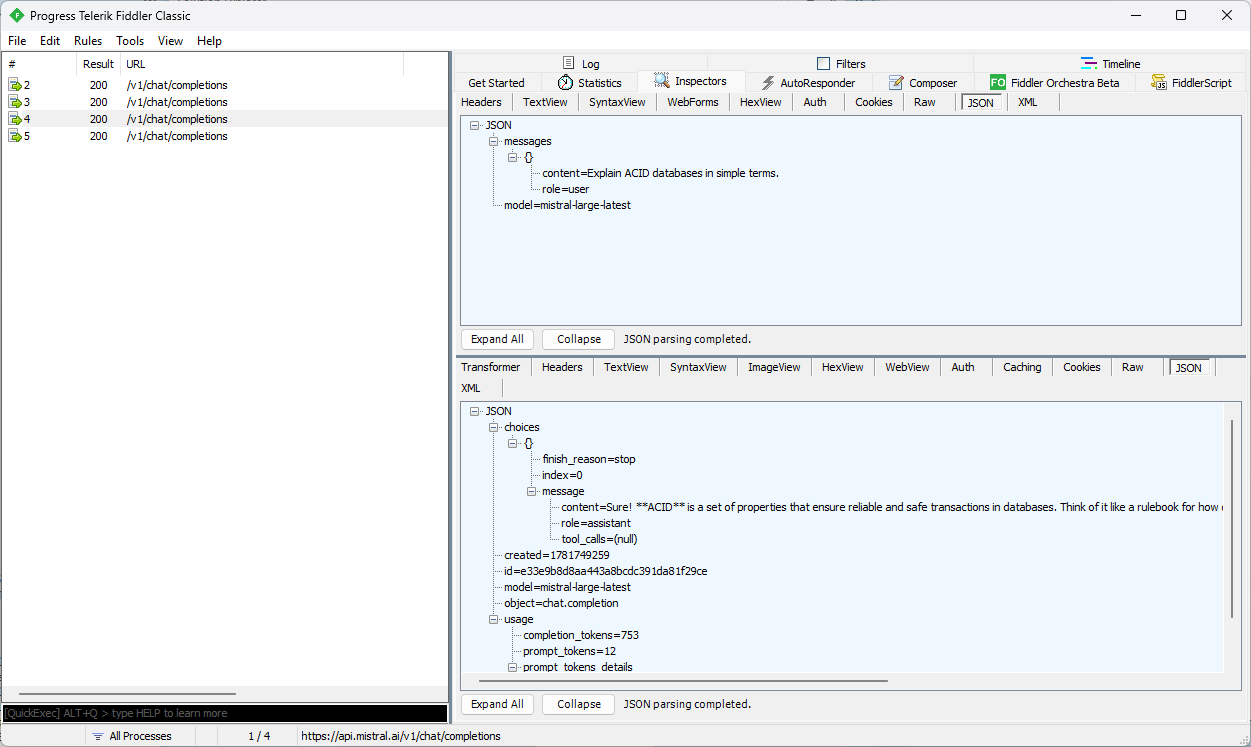
I’m starting from the bottom and working my way up the stack. A raw Hypertext Transfer Protocol(HTTP) contract: an HTTP POST, a model name, a messages array, and a response object you have to parse yourself. With an HTTP proxy (Telerik Fiddler) I confirmed the Mistral Chat API endpoint Uniform Resource Locator(URL) and my API Key worked.

Before writing or generating typed Data Transfer Objects(DTO), or any kind of strongly‑typed client, streaming the response JSON into a jsonDocument was a good way to visualise the shape of the responses. I could enumerate properties, check for missing or inconsistent fields, validate casing, and confirm whether optional objects appear only in certain scenarios. Any undocumented polymorphic shapes, and response constructs can be impossible to model cleanly, and “hand-rolled” serialisation can be fragile.

//...
Console.Write("Enter chat message: ");
var prompt = Console.ReadLine();

// Anonymous type for the request body which feels bit "hinky" but, it works and is concise. Alternatively, could define a class for request body for better type safety and maintainability.
var requestObject = new
{
   model = settings.ModelName,
   messages = new[]
   {
      new { role = "user", content = prompt }
   }
};

// Alternatively, a JsonObject and JsonArray for more control over the JSON structure
var requestJson = new JsonObject()
{
   ["model"] = settings.ModelName,
   ["messages"] = new JsonArray
   {
      new JsonObject
      {
         ["role"] = "user",
         ["content"] = prompt
      }
   }
};

// Create HttpClient with required headers. Note that HttpClient should ideally be reused, but for simplicity we're creating a new instance here.
HttpClient httpClient = new()
{
   DefaultRequestHeaders =
   {
      Accept = { new MediaTypeWithQualityHeaderValue("application/json") },
      Authorization = new AuthenticationHeaderValue("Bearer", settings.ApiKey)
   },
   BaseAddress = new Uri(settings.BaseUrl)
};

using var httpResponse = await httpClient.PostAsync("chat/completions", new StringContent(JsonSerializer.Serialize(requestObject), Encoding.UTF8, "application/json"));

httpResponse.EnsureSuccessStatusCode();

using var stream = await httpResponse.Content.ReadAsStreamAsync();
using var responseDocument = await JsonDocument.ParseAsync(stream);

var content = responseDocument.RootElement.GetProperty("choices")[0].GetProperty("message").GetProperty("content").GetString();

Console.WriteLine(content);
Console.WriteLine();

var usage = responseDocument.RootElement.GetProperty("usage");
Console.WriteLine($"Prompt tokens: {usage.GetProperty("prompt_tokens").GetInt32()}");
Console.WriteLine($"Completion tokens: {usage.GetProperty("completion_tokens").GetInt32()}");
Console.WriteLine($"Total tokens: {usage.GetProperty("total_tokens").GetInt32()}");
Console.WriteLine();

Console.WriteLine("Press <Enter> to exit...");
Console.ReadLine();

Reading the response string and parsing it with a jsonDocument is straightforward but can be inefficient for large responses because it loads the entire response into memory.

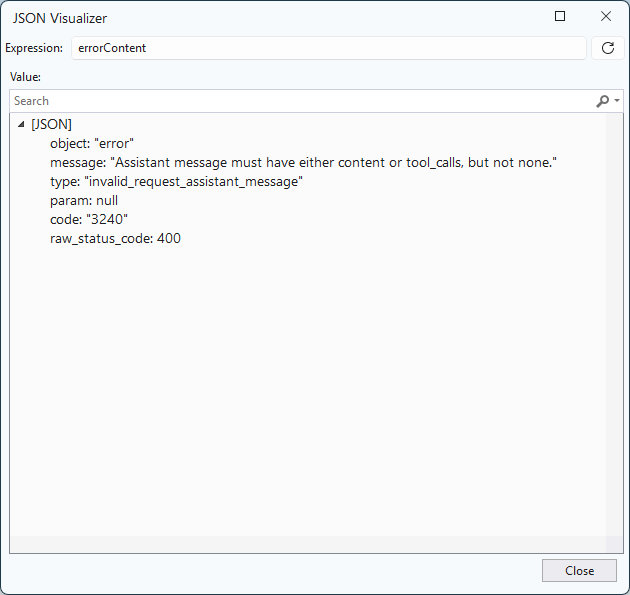
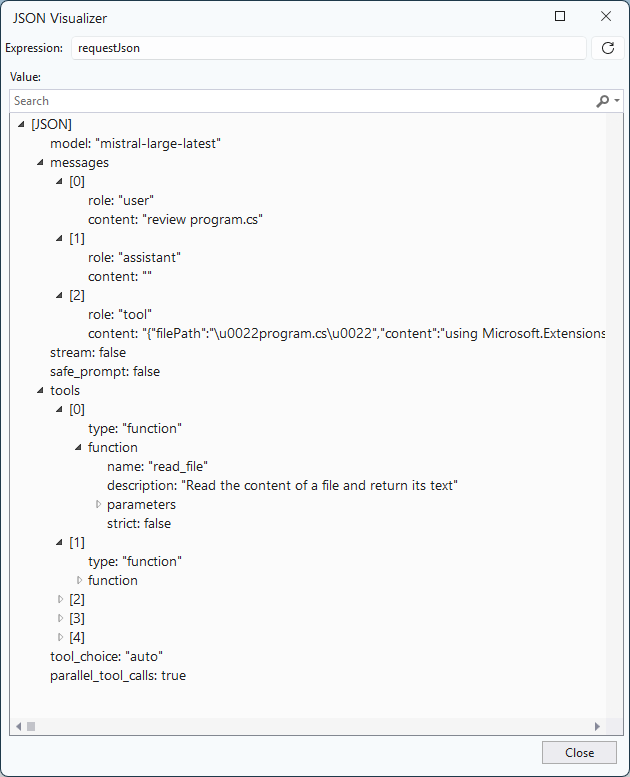
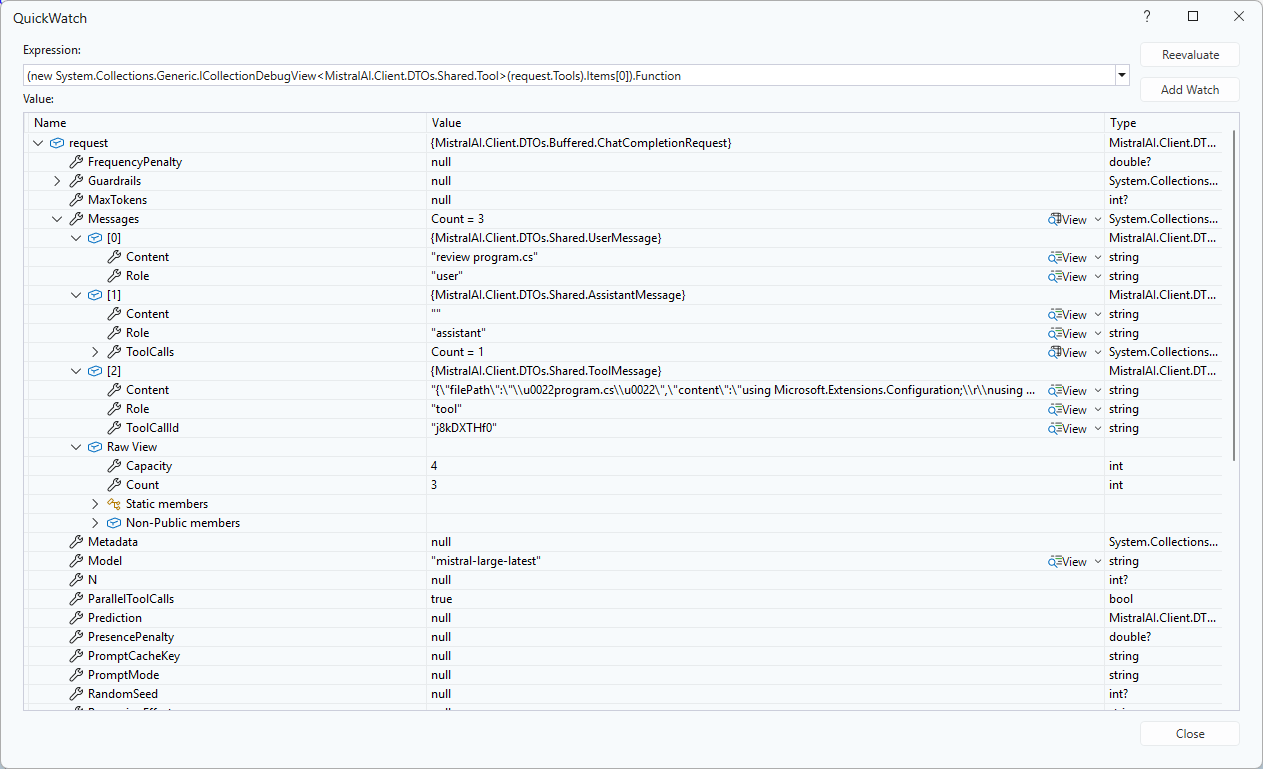
I built the typed interface by inspecting real JSON responses especially structures like choices[*].message and cross‑checking them against the Mistral API docs. This highlighted which fields are genuinely optional, which only appear for tool calls, and which vary by finish reason. It also highlighted that I would have to introduce polymorphic message classes so the interface can cleanly represent text messages, tool‑call messages, and whatever new variants the API adds later.

// Create HttpClient with required headers. Note that HttpClient should ideally be reused, but for simplicity we're creating a new instance here..
using HttpClient httpClient = new()
{
   DefaultRequestHeaders =
   {
      Accept = { new MediaTypeWithQualityHeaderValue("application/json") },
      Authorization = new AuthenticationHeaderValue("Bearer", settings.ApiKey)
   },
   BaseAddress = new Uri(settings.BaseUrl)
};

var jsonSerializerOptions = new JsonSerializerOptions()
{
   // PropertyNamingPolicy removed - [JsonPropertyName] attributes on model handle wire names
   WriteIndented           = false,
   DefaultIgnoreCondition  = JsonIgnoreCondition.WhenWritingNull,
   AllowTrailingCommas     = false,
   ReadCommentHandling     = JsonCommentHandling.Disallow,
   UnmappedMemberHandling  = JsonUnmappedMemberHandling.Skip,
};

Console.Write("Enter chat message: ");
var content = Console.ReadLine();

while (!string.IsNullOrWhiteSpace(content))
{
   var request = new ChatCompletionRequest
   {
      Model = settings.ModelName,
      Messages =
      [
         new ChatMessage { Role = "user", Content = content }
      ],
   };

   try
   {
      using var httpResponse = await httpClient.PostAsJsonAsync("chat/completions", request, jsonSerializerOptions);
      httpResponse.EnsureSuccessStatusCode();

      ChatCompletionResponse? chatCompletionResponse = await httpResponse.Content.ReadFromJsonAsync<ChatCompletionResponse>(jsonSerializerOptions);

      if (chatCompletionResponse != null)
      {
         foreach (var choice in chatCompletionResponse.Choices)
         {
            Console.WriteLine(choice.Message.Content);
         }

         Console.WriteLine();
         if (chatCompletionResponse.Usage != null)
         {
            Console.WriteLine($"Prompt tokens: {chatCompletionResponse.Usage.PromptTokens}");
            Console.WriteLine($"Completion tokens: {chatCompletionResponse.Usage.CompletionTokens}");
            Console.WriteLine($"Total tokens: {chatCompletionResponse.Usage.TotalTokens}");
         }
         Console.WriteLine();
      }
   }
   catch (HttpRequestException ex)
   {
      Console.WriteLine($"Request failed: {(int?)ex.StatusCode} {ex.Message}");
   }
   catch (TaskCanceledException)
   {
      Console.WriteLine("Request timed out.");
   }
   catch (JsonException ex)
   {
      Console.WriteLine($"Failed to parse response: {ex.Message}");
   }

   Console.Write("Enter chat message: ");
   content = Console.ReadLine();
}
public sealed class ChatCompletionRequest
{
   [JsonPropertyName("model")] public required string Model { get; init; }
   [JsonPropertyName("messages")] public required List<ChatMessage> Messages { get; init; }
   [JsonPropertyName("temperature")] public double? Temperature { get; init; }
   [JsonPropertyName("max_tokens")] public int? MaxTokens { get; init; }
   [JsonPropertyName("stream")] public bool? Stream { get; init; }
   [JsonPropertyName("response_format")] public ResponseFormat? ResponseFormat { get; init; }
}

public sealed class ChatMessage
{
   [JsonPropertyName("role")] public required string Role { get; init; }
   [JsonPropertyName("content")] public required string Content { get; init; }
}

public sealed class ResponseFormat
{
   [JsonPropertyName("type")] public required string Type { get; init; }
}

public sealed class ChatCompletionResponse
{
   [JsonPropertyName("id")] public required string Id { get; init; }
   [JsonPropertyName("choices")] public required List<ChatCompletionChoice> Choices { get; init; }
   [JsonPropertyName("usage")] public TokenUsage? Usage { get; init; }
}

public sealed class TokenUsage
{
   [JsonPropertyName("prompt_tokens")] public int? PromptTokens { get; init; }
   [JsonPropertyName("completion_tokens")] public int? CompletionTokens { get; init; }
   [JsonPropertyName("total_tokens")] public int? TotalTokens { get; init; }
}

public sealed class ChatCompletionChoice
{
   [JsonPropertyName("index")] public int Index { get; init; }
   [JsonPropertyName("message")] public required ChatMessage Message { get; init; }
   [JsonPropertyName("finish_reason")] public string? FinishReason { get; init; }
}

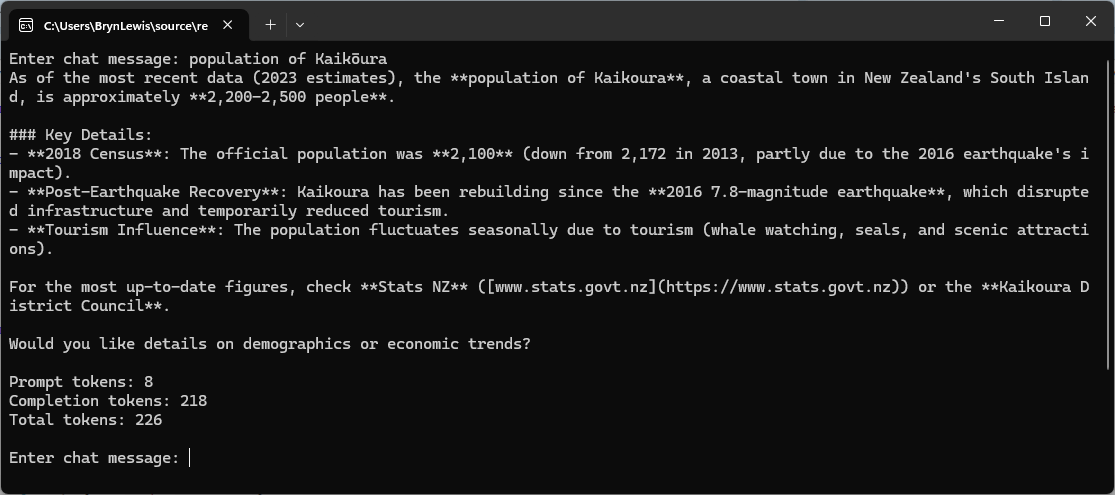
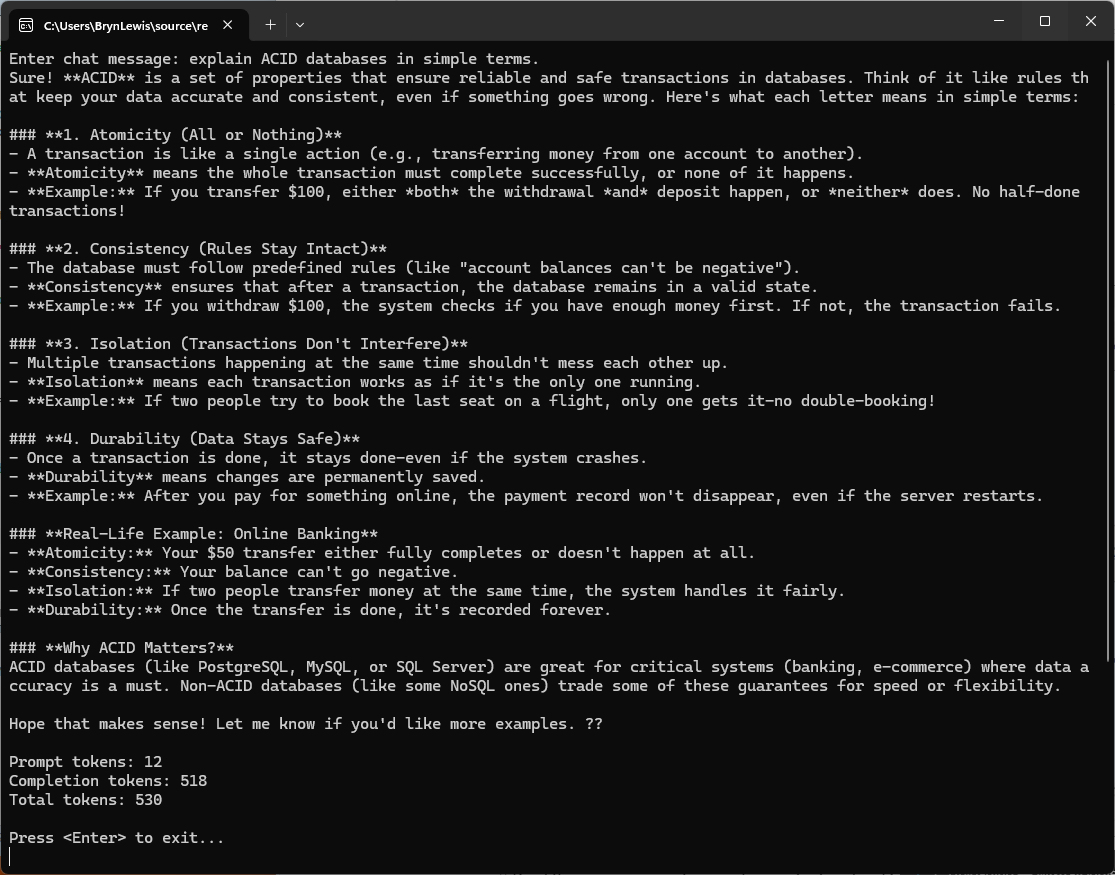
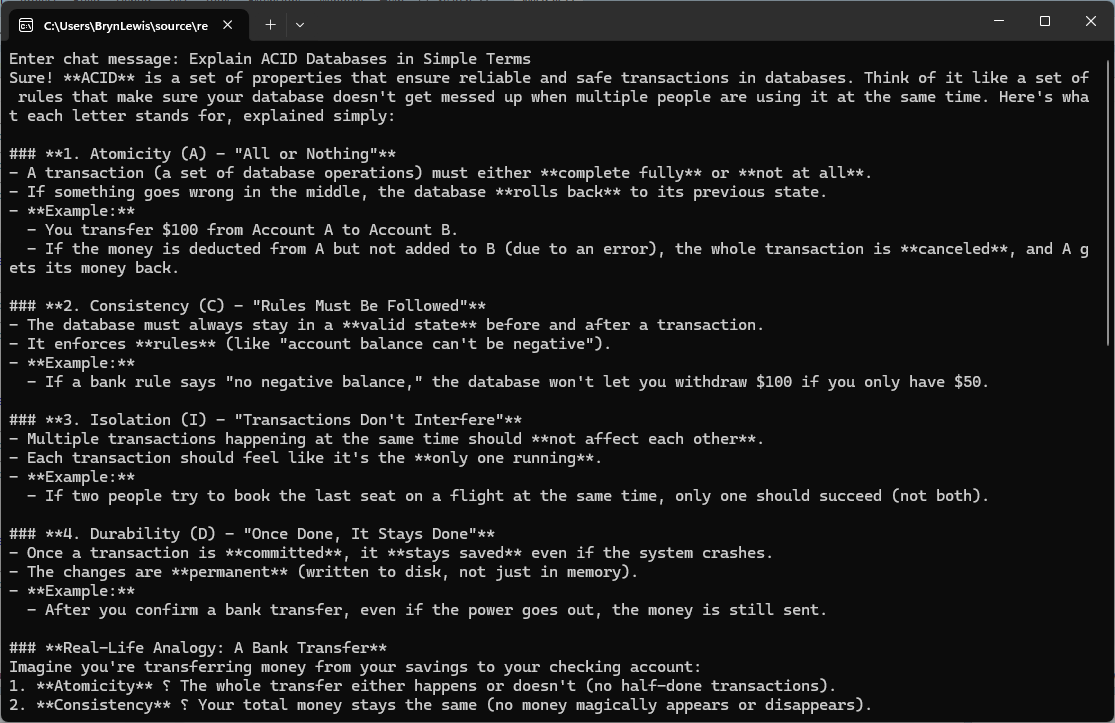
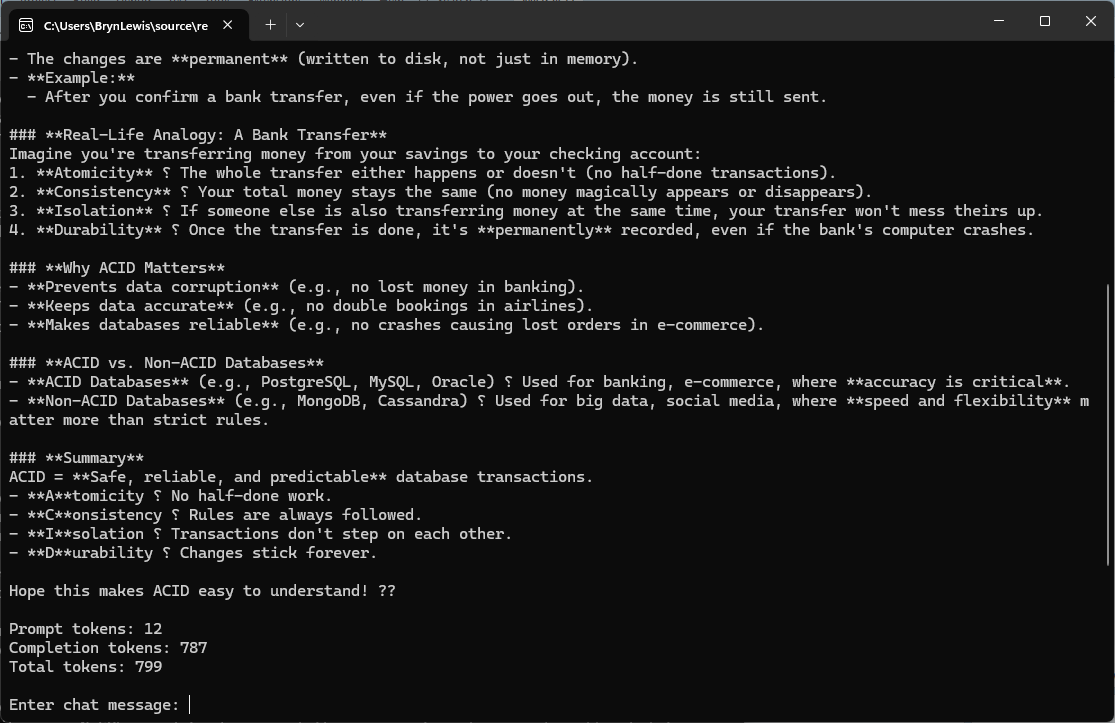
I had to capture the application output in two screenshots as the response text was longer.

The non-deterministic nature of LLMs resulted in different response messages, with the longest one consuming significantly more tokens, 530 vs. 799 (future posts will cover the use of Random_seed)

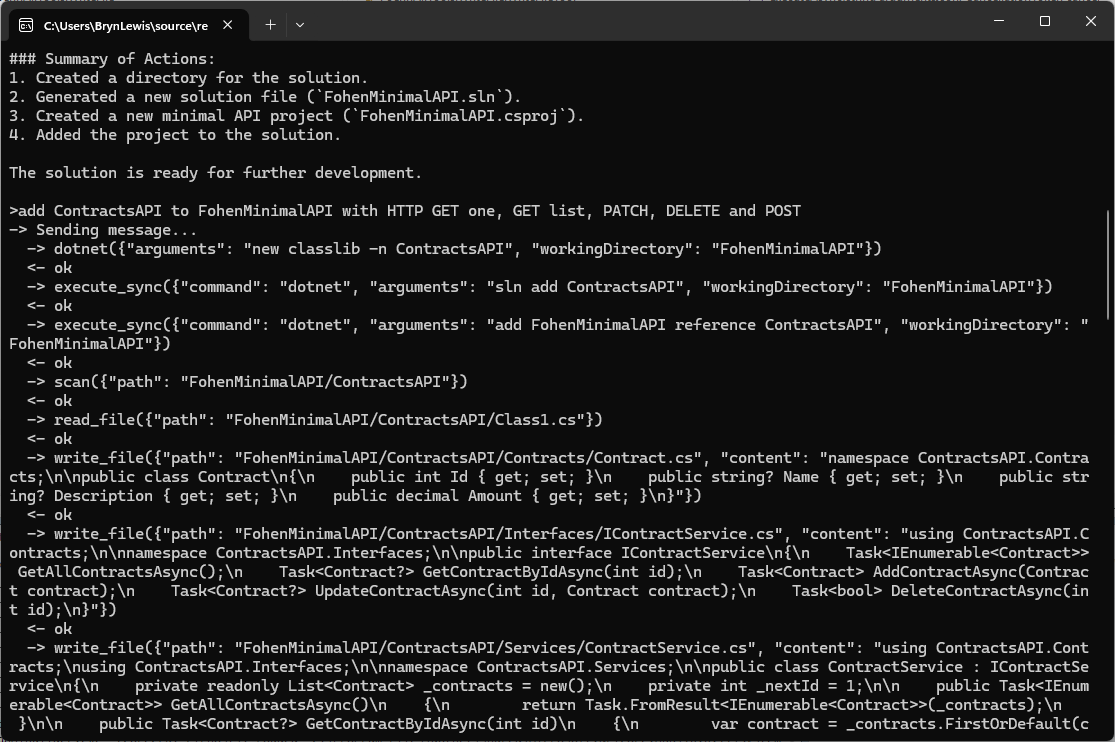
Mistral AI ASP Net CORE MinimalAPI Experiment

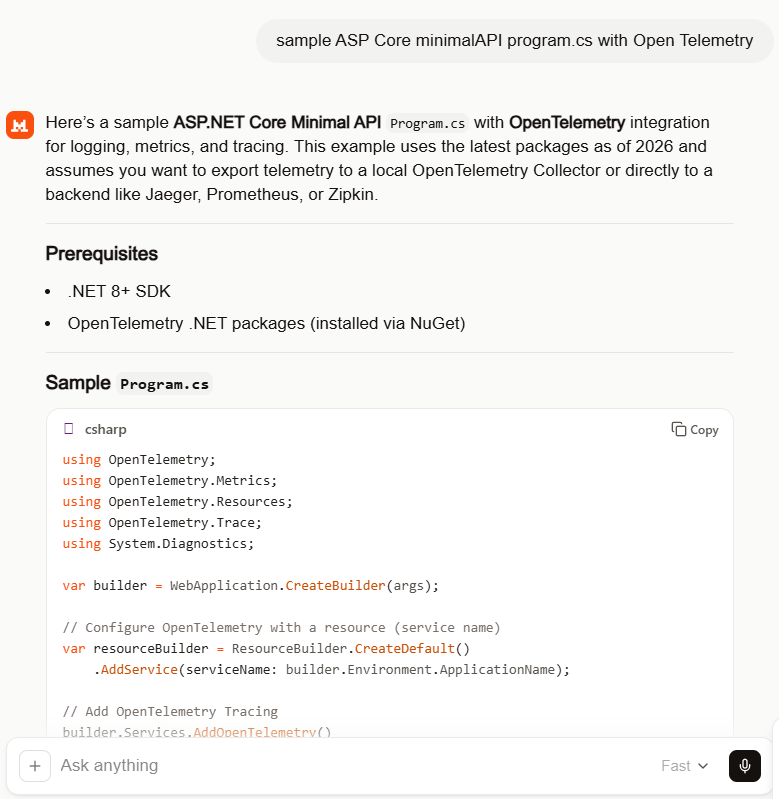
Over the last couple of months, I’ve been experimenting with a range of AI coding tools starting with GitHub Copilot, then Anthropic Claude, and more recently, Mistral (I was looking for an on-prem solution). Mistral is a French company so is covered by the General Data Protect Regulation(GDPR) rules of the European Union(EU) which are much better than the regulations other providers have to comply with.

Like many .NET developers, I started with Copilot as a natural extension of my workflow, expecting it to streamline repetitive tasks and accelerate development. When I started using Building Edge AI with Github Copilot- Security Camera HTTP(Jan 2025) the experience wasn’t great. Especially when I was using it for the “niche” areas I work-in it was pretty hopeless (sometimes even referred me to my own blog posts).

After a while I started trialing the other tools in my workflow and though they were better, sometimes F2-Replace or intellisense were faster and used a lot less tokens. I would also get the tools to review the code of the others, and I especially liked the Claude “Irony stack” when using it review Co-Pilot generated code.

While the other tools certainly helped (especially after adding custom skills files), I often found myself spending as much time going “down rabbit holes”(not the tool’s problem, though I hopefully learnt some useful stuff) and correcting or restructuring or debugging generated code that I could have written faster from scratch.

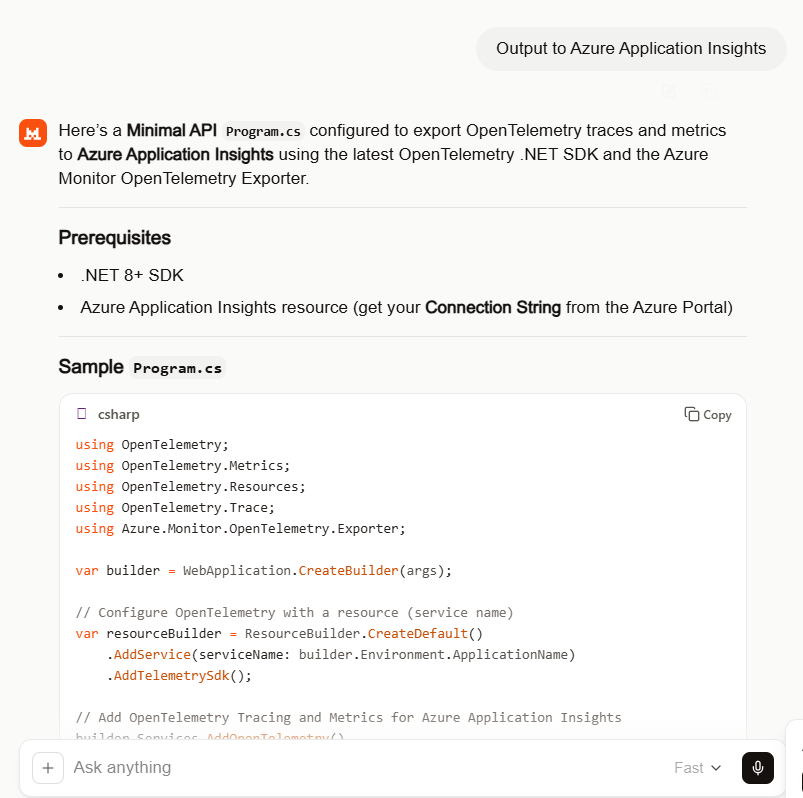
That’s what made my “out of box” experience with Mistral stand out. With a relatively simple prompt, it produced code that was not only concise but surprisingly accurate with just a single compile time error and no warnings on the first pass.

NOTE: This was using the webby interface, but I now have a paid for subscription.

The instructions which included .NET 8 (bit retro) and “dotnet add package”(pretty good) meant the code compiled on second attempt. The issue was a syntax error initialising OpenTelemetry which was quickly fixed, somewhat ironically with GitHub Copilot.

.ConfigureResource(resourceBuilder) rather than .ConfigureResource(rb => rb = resourceBuilder)

//dotnet add package OpenTelemetry 
//dotnet add package OpenTelemetry.Extensions.Hosting
//dotnet add package OpenTelemetry.Instrumentation.AspNetCore
//dotnet add package OpenTelemetry.Instrumentation.Http
//dotnet add package OpenTelemetry.Exporter.Console
//dotnet add package OpenTelemetry.Exporter.OpenTelemetryProtocol
//
//using OpenTelemetry;
using OpenTelemetry.Metrics;
using OpenTelemetry.Resources;
using OpenTelemetry.Trace;
using System.Diagnostics;

var builder = WebApplication.CreateBuilder(args);

// Configure OpenTelemetry with a resource (service name)
var resourceBuilder = ResourceBuilder.CreateDefault()
    .AddService(serviceName: builder.Environment.ApplicationName);

// Add OpenTelemetry Tracing
builder.Services.AddOpenTelemetry()
    //.ConfigureResource(resourceBuilder) /**** This was the only compile time issue
    .ConfigureResource(rb => rb = resourceBuilder)
    .WithTracing(tracerProviderBuilder =>
    {
       tracerProviderBuilder
           .AddSource("MinimalApiSample")
           .AddAspNetCoreInstrumentation(options =>
           {
              options.RecordException = true;
           })
           .AddHttpClientInstrumentation()
           .AddConsoleExporter(); // For demo: export to console
           //.AddOtlpExporter(); // Uncomment to export to OpenTelemetry Collector

    })
    .WithMetrics(metricsProviderBuilder =>
    {
       metricsProviderBuilder
           .AddAspNetCoreInstrumentation()
           .AddHttpClientInstrumentation()
           .AddConsoleExporter(); // For demo: export to console
           //.AddOtlpExporter(); // Uncomment to export to OpenTelemetry Collector
    });

var app = builder.Build();

// Example of a custom activity for tracing
var activitySource = new ActivitySource("MinimalApiSample");

app.MapGet("/", () =>
{
   using var activity = activitySource.StartActivity("RootEndpoint");
   activity?.SetTag("custom.tag", "Hello, OpenTelemetry!");
   return Results.Ok("Hello, OpenTelemetry!");
});

app.MapGet("/metrics", () =>
{
   // This endpoint is just for demo; metrics are exported automatically
   return Results.Ok("Metrics are being collected in the background.");
});

app.Run();
//dotnet add package OpenTelemetry
//dotnet add package OpenTelemetry.Extensions.Hosting
//dotnet add package OpenTelemetry.Instrumentation.AspNetCore
//dotnet add package OpenTelemetry.Instrumentation.Http
//dotnet add package Azure.Monitor.OpenTelemetry.Exporter
//
using Azure.Monitor.OpenTelemetry.Exporter; 
//using OpenTelemetry; 
using OpenTelemetry.Metrics;
using OpenTelemetry.Resources;
using OpenTelemetry.Trace;
using System.Diagnostics;

var builder = WebApplication.CreateBuilder(args);

// Configure OpenTelemetry with a resource (service name)
var resourceBuilder = ResourceBuilder.CreateDefault()
    .AddService(serviceName: builder.Environment.ApplicationName)
    .AddTelemetrySdk();

// Add OpenTelemetry Tracing and Metrics for Azure Application Insights
builder.Services.AddOpenTelemetry()
    //.ConfigureResource(resourceBuilder)
    .ConfigureResource(rb => rb = resourceBuilder) //*****
    .WithTracing(tracerProviderBuilder =>
    {
       tracerProviderBuilder
           .AddSource("MinimalApiSample")
           .AddAspNetCoreInstrumentation(options =>
           {
              options.RecordException = true;
           })
           .AddHttpClientInstrumentation()
           .AddAzureMonitorTraceExporter(options =>
           {
              options.ConnectionString = builder.Configuration["APPLICATIONINSIGHTS_CONNECTION_STRING"];
           });
    })
    .WithMetrics(metricsProviderBuilder =>
    {
       metricsProviderBuilder
           .AddAspNetCoreInstrumentation()
           .AddHttpClientInstrumentation()
           .AddAzureMonitorMetricExporter(options =>
           {
              options.ConnectionString = builder.Configuration["APPLICATIONINSIGHTS_CONNECTION_STRING"];
           });
    });

var app = builder.Build();

// Example of a custom activity for tracing
var activitySource = new ActivitySource("MinimalApiSample");

app.MapGet("/", () =>
{
   using var activity = activitySource.StartActivity("RootEndpoint");
   activity?.SetTag("custom.tag", "Hello, Azure Application Insights!");
   return Results.Ok("Hello, Azure Application Insights!");
});

app.MapGet("/metrics", () =>
{
   return Results.Ok("Metrics and traces are being sent to Azure Application Insights.");
});

app.Run();

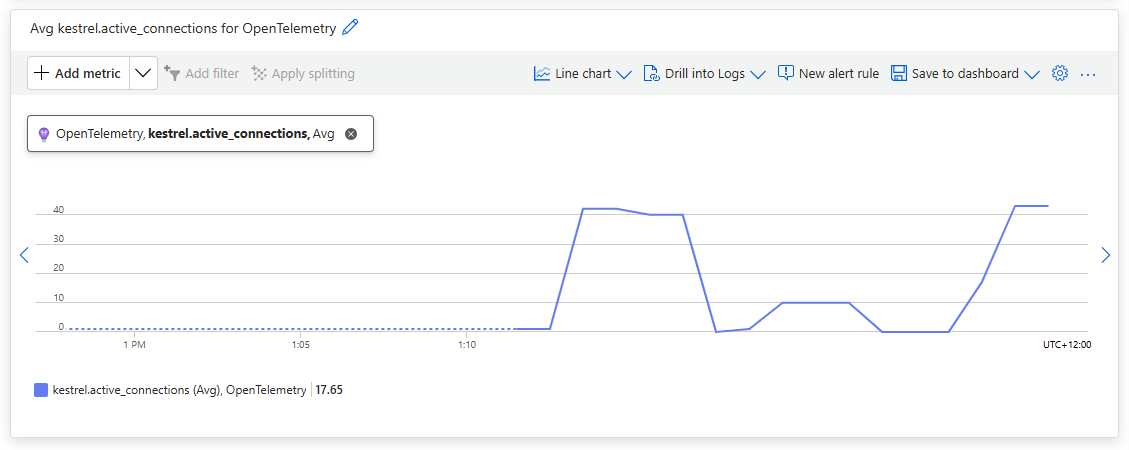
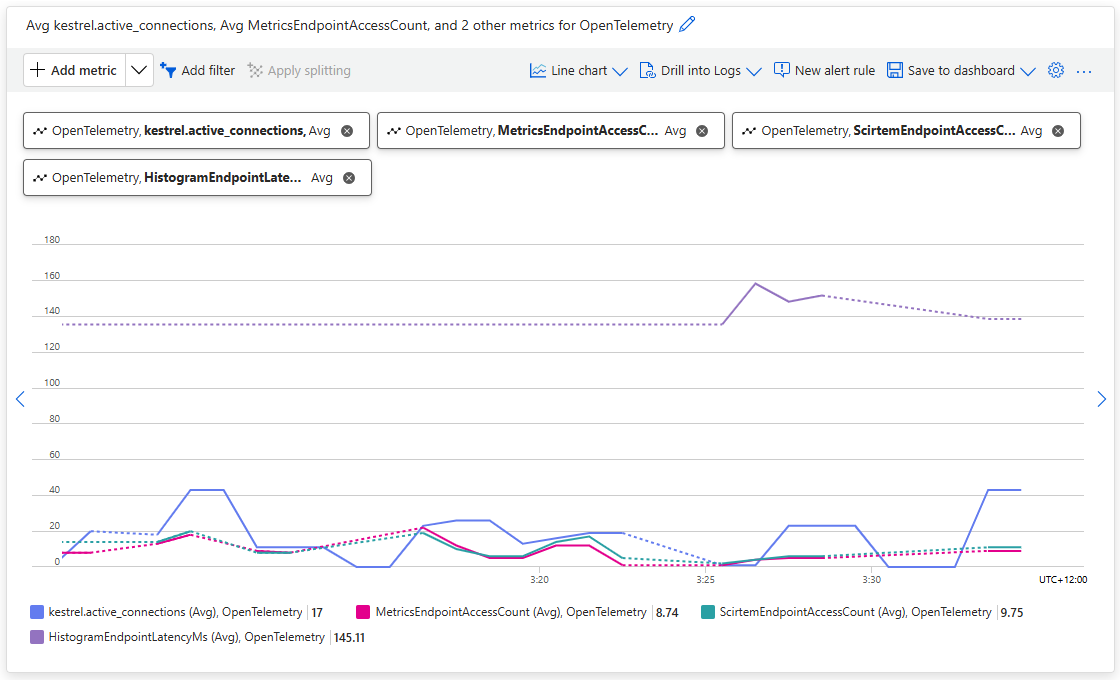
Using Application Insights metrics the Kestral.active_connections graphs to shows some of the additional telemetry emitted by the application.

//dotnet add package OpenTelemetry
//dotnet add package OpenTelemetry.Extensions.Hosting
//dotnet add package OpenTelemetry.Instrumentation.AspNetCore
//dotnet add package OpenTelemetry.Instrumentation.Http
//dotnet add package Azure.Monitor.OpenTelemetry.Exporter
//
using Azure.Monitor.OpenTelemetry.Exporter;
//using OpenTelemetry;  
using OpenTelemetry.Metrics;
using OpenTelemetry.Resources;
using OpenTelemetry.Trace;
using System.Diagnostics;
using System.Diagnostics.Metrics;

var builder = WebApplication.CreateBuilder(args);

// Configure OpenTelemetry with a resource (service name)
var resourceBuilder = ResourceBuilder.CreateDefault()
    .AddService(serviceName: builder.Environment.ApplicationName)
    .AddTelemetrySdk();

// Create a meter for custom metrics
var meter = new Meter("MinimalApiSample.Metrics");
var metricsCounter = meter.CreateCounter<int>("MetricsEndpointAccessCount");

// Add OpenTelemetry Tracing and Metrics for Azure Application Insights
builder.Services.AddOpenTelemetry()
    //.ConfigureResource(resourceBuilder) /**** This is the only compile time issue
    .ConfigureResource(rb=>rb =  resourceBuilder)
    .WithTracing(tracerProviderBuilder =>
    {
       tracerProviderBuilder
           .AddSource("MinimalApiSample")
           .AddAspNetCoreInstrumentation(options =>
           {
              options.RecordException = true;
           })
           .AddHttpClientInstrumentation()
           .AddAzureMonitorTraceExporter(options =>
           {
              options.ConnectionString = builder.Configuration["APPLICATIONINSIGHTS_CONNECTION_STRING"];
           });
    })
    .WithMetrics(metricsProviderBuilder =>
    {
       metricsProviderBuilder
           .AddAspNetCoreInstrumentation()
           .AddHttpClientInstrumentation()
           .AddMeter("MinimalApiSample.Metrics") // Add your custom meter
           .AddAzureMonitorMetricExporter(options =>
           {
              options.ConnectionString = builder.Configuration["APPLICATIONINSIGHTS_CONNECTION_STRING"];
           });
    });

var app = builder.Build();

// Example of a custom activity for tracing
var activitySource = new ActivitySource("MinimalApiSample");

app.MapGet("/", () =>
{
   using var activity = activitySource.StartActivity("RootEndpoint");
   activity?.SetTag("custom.tag", "Hello, Azure Application Insights!");
   return Results.Ok("Hello, Azure Application Insights!");
});

app.MapGet("/metrics", () =>
{
   // Increment custom metric on each access
   metricsCounter.Add(1);
   return Results.Ok("Metrics and traces are being sent to Azure Application Insights.");
});

app.Run();

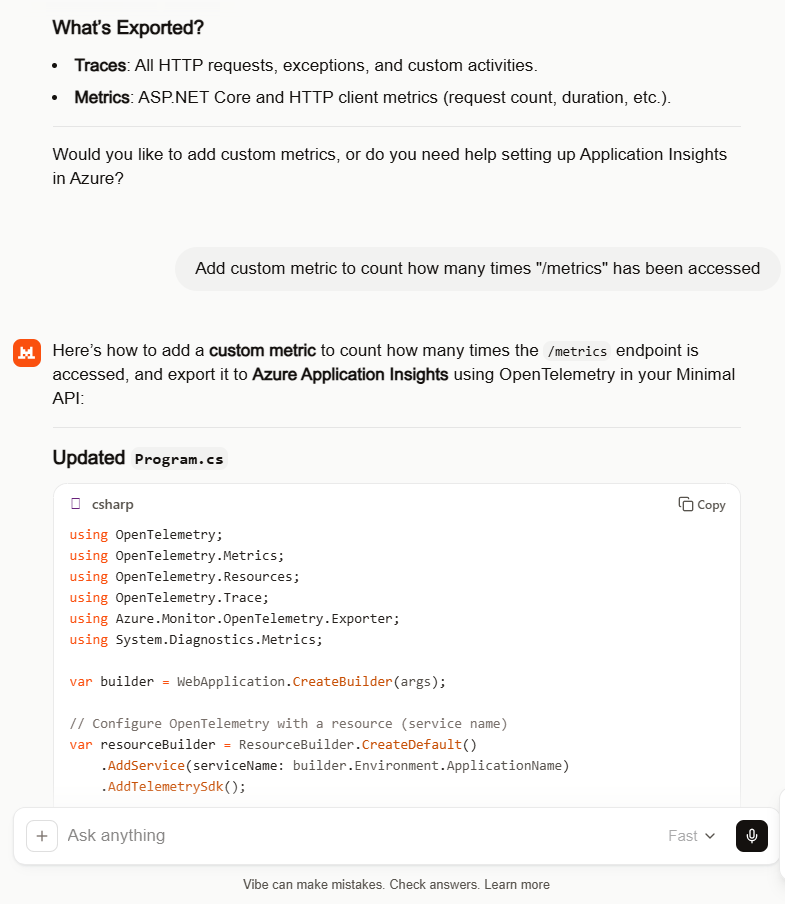
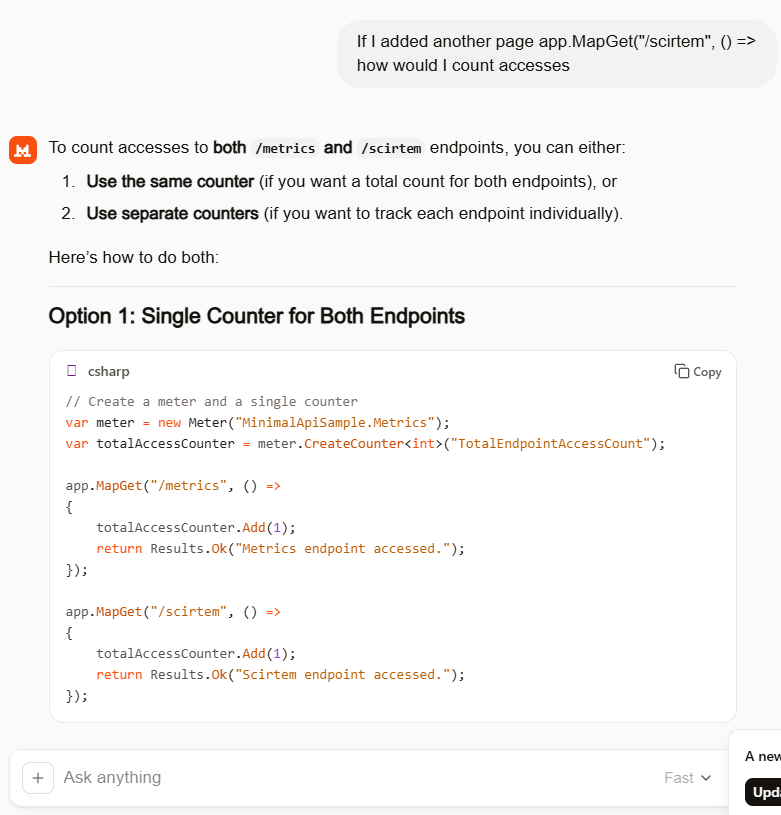
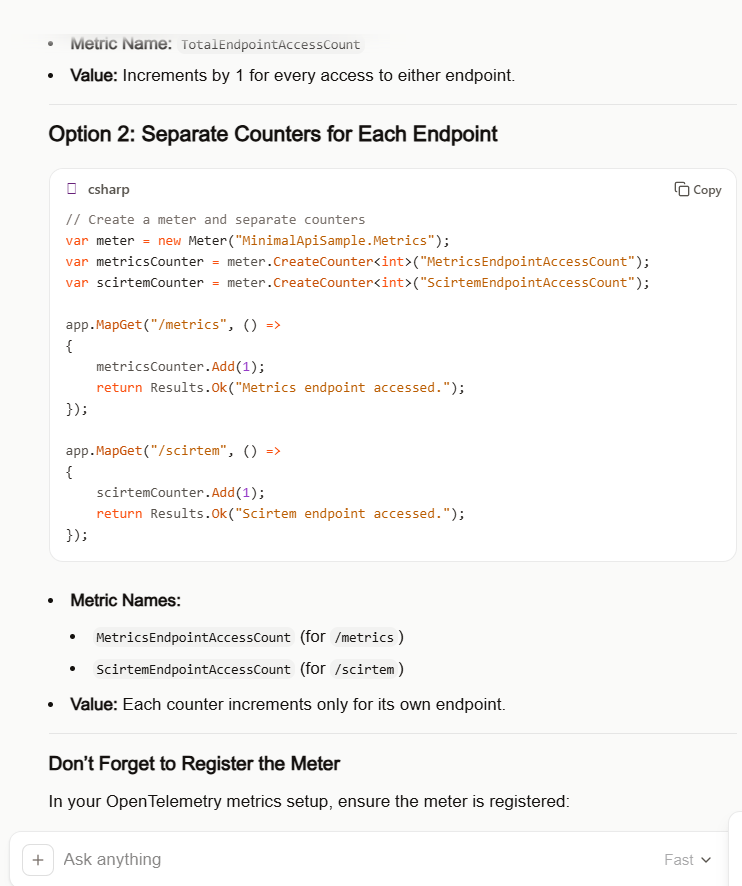
I by pleasantly surprised by suggestion of a counter for each endpoint which was my original intent.

Couldn’t think of a better name “scirtem” is “metrics” backwards. The way Meter and CreateCount are global would not be a good idea in a more complex system but this is fine for a hacky PoC.

//dotnet add package OpenTelemetry
//dotnet add package OpenTelemetry.Extensions.Hosting
//dotnet add package OpenTelemetry.Instrumentation.AspNetCore
//dotnet add package OpenTelemetry.Instrumentation.Http
//dotnet add package Azure.Monitor.OpenTelemetry.Exporter
//
using Azure.Monitor.OpenTelemetry.Exporter;
//using OpenTelemetry;  //***** Unnecessary with OpenTelemetry.Extensions.Hosting
using OpenTelemetry.Metrics;
using OpenTelemetry.Resources;
using OpenTelemetry.Trace;
using System.Diagnostics;
using System.Diagnostics.Metrics;

var builder = WebApplication.CreateBuilder(args);

// Configure OpenTelemetry with a resource (service name)
var resourceBuilder = ResourceBuilder.CreateDefault()
    .AddService(serviceName: builder.Environment.ApplicationName)
    .AddTelemetrySdk();

// Create a meter for custom metrics
var meter = new Meter("MinimalApiSample.Metrics");
var metricsCounter = meter.CreateCounter<int>("MetricsEndpointAccessCount");
var scirtemCounter = meter.CreateCounter<int>("ScirtemEndpointAccessCount");

// Add OpenTelemetry Tracing and Metrics for Azure Application Insights
builder.Services.AddOpenTelemetry()
    //.ConfigureResource(resourceBuilder) /**** This is the only compile time issue
    .ConfigureResource(rb=>rb =  resourceBuilder)
    .WithTracing(tracerProviderBuilder =>
    {
       tracerProviderBuilder
           .AddSource("MinimalApiSample")
           .AddAspNetCoreInstrumentation(options =>
           {
              options.RecordException = true;
           })
           .AddHttpClientInstrumentation()
           .AddAzureMonitorTraceExporter(options =>
           {
              options.ConnectionString = builder.Configuration["APPLICATIONINSIGHTS_CONNECTION_STRING"];
           });
    })
    .WithMetrics(metricsProviderBuilder =>
    {
       metricsProviderBuilder
           .AddAspNetCoreInstrumentation()
           .AddHttpClientInstrumentation()
           .AddMeter("MinimalApiSample.Metrics") // Add your custom meter
           .AddAzureMonitorMetricExporter(options =>
           {
              options.ConnectionString = builder.Configuration["APPLICATIONINSIGHTS_CONNECTION_STRING"];
           });
    });

var app = builder.Build();

// Example of a custom activity for tracing
var activitySource = new ActivitySource("MinimalApiSample");

app.MapGet("/", () =>
{
   using var activity = activitySource.StartActivity("RootEndpoint");
   activity?.SetTag("custom.tag", "Hello, Azure Application Insights!");
   return Results.Ok("Hello, Azure Application Insights!");
});

app.MapGet("/metrics", () =>
{
   // Increment custom metric on each access
   metricsCounter.Add(1);
   return Results.Ok("Metrics and traces are being sent to Azure Application Insights.");
});

app.MapGet("/scirtem", () =>
{
   scirtemCounter.Add(1);
   return Results.Ok("Scirtem endpoint accessed.");
});

app.Run();

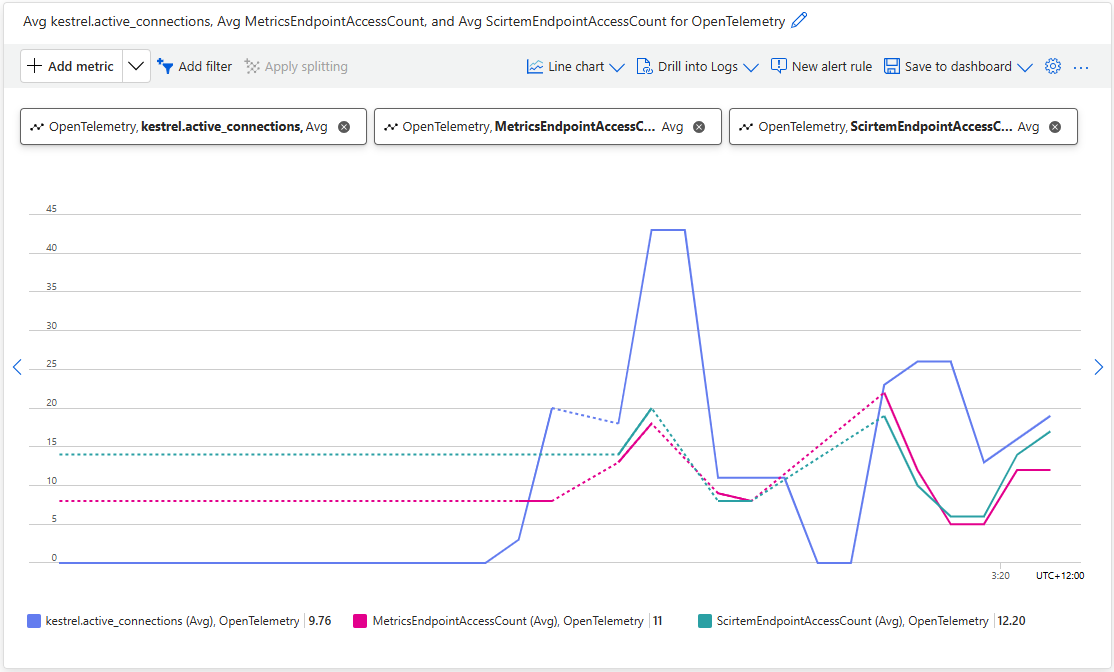
Using Application Insights metrics the MetricsEndPointAccesCount, and ScirtemEndPointAccesCount, plots to show the OLTP telemetry emitted by the application.

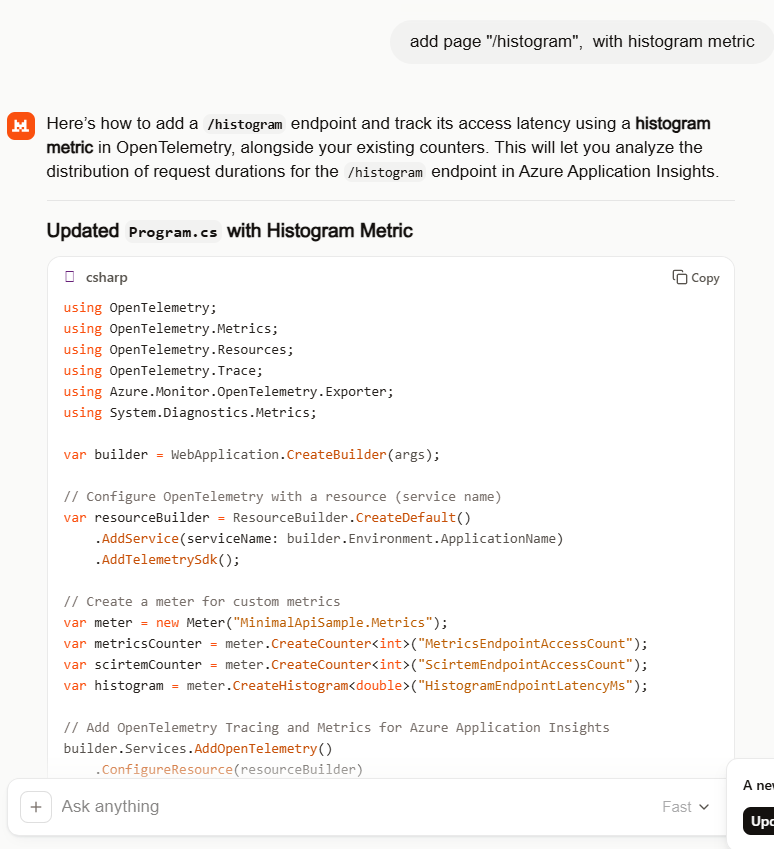
Mistral generated the code for the endpoint latency histogram without any prompting.

//dotnet add package OpenTelemetry
//dotnet add package OpenTelemetry.Extensions.Hosting
//dotnet add package OpenTelemetry.Instrumentation.AspNetCore
//dotnet add package OpenTelemetry.Instrumentation.Http
//dotnet add package Azure.Monitor.OpenTelemetry.Exporter
//
using Azure.Monitor.OpenTelemetry.Exporter;
//using OpenTelemetry;
using OpenTelemetry.Metrics;
using OpenTelemetry.Resources;
using OpenTelemetry.Trace;
using System.Diagnostics;
using System.Diagnostics.Metrics;

var builder = WebApplication.CreateBuilder(args);

// Configure OpenTelemetry with a resource (service name)
var resourceBuilder = ResourceBuilder.CreateDefault()
    .AddService(serviceName: builder.Environment.ApplicationName)
    .AddTelemetrySdk();

// Create a meter for custom metrics
var meter = new Meter("MinimalApiSample.Metrics");
var metricsCounter = meter.CreateCounter<int>("MetricsEndpointAccessCount");
var scirtemCounter = meter.CreateCounter<int>("ScirtemEndpointAccessCount");
var histogram = meter.CreateHistogram<double>("HistogramEndpointLatencyMs");

// Add OpenTelemetry Tracing and Metrics for Azure Application Insights
builder.Services.AddOpenTelemetry()
    //.ConfigureResource(resourceBuilder) /**** This is the only compile time issue
    .ConfigureResource(rb=>rb =  resourceBuilder)
    .WithTracing(tracerProviderBuilder =>
    {
       tracerProviderBuilder
           .AddSource("MinimalApiSample")
           .AddAspNetCoreInstrumentation(options =>
           {
              options.RecordException = true;
           })
           .AddHttpClientInstrumentation()
           .AddAzureMonitorTraceExporter(options =>
           {
              options.ConnectionString = builder.Configuration["APPLICATIONINSIGHTS_CONNECTION_STRING"];
           });
    })
    .WithMetrics(metricsProviderBuilder =>
    {
       metricsProviderBuilder
           .AddAspNetCoreInstrumentation()
           .AddHttpClientInstrumentation()
           .AddMeter("MinimalApiSample.Metrics") // Register your custom meter
           .AddAzureMonitorMetricExporter(options =>
           {
              options.ConnectionString = builder.Configuration["APPLICATIONINSIGHTS_CONNECTION_STRING"];
           });
    });

var app = builder.Build();

// Example of a custom activity for tracing
var activitySource = new ActivitySource("MinimalApiSample");

app.MapGet("/", () =>
{
   using var activity = activitySource.StartActivity("RootEndpoint");
   activity?.SetTag("custom.tag", "Hello, Azure Application Insights!");
   return Results.Ok("Hello, Azure Application Insights!");
});

app.MapGet("/metrics", () =>
{
   metricsCounter.Add(1);
   return Results.Ok("Metrics endpoint accessed.");
});

app.MapGet("/scirtem", () =>
{
   scirtemCounter.Add(1);
   return Results.Ok("Scirtem endpoint accessed.");
});

app.MapGet("/histogram", async () =>
{
   // Simulate some work
   var startTime = Stopwatch.GetTimestamp();
   await Task.Delay(Random.Shared.Next(50, 200)); // Random delay between 50-200ms
   var endTime = Stopwatch.GetTimestamp();

   // Calculate latency in milliseconds
   var latencyMs = (endTime - startTime) * 1000.0 / Stopwatch.Frequency;
   histogram.Record(latencyMs);

   return Results.Ok($"Histogram endpoint accessed. Latency: {latencyMs:F2}ms");
});

app.Run();

Using Application Insights metrics the OpenTelemetry.HistogramEndpointLatencyMs plot to show the OLTP telemetry emitted by the application.

Even with my relatively trivial OTLP learning applications, Mistral consistently produced clean and usable code with my simple prompts (maybe, I have got better and prompting). The generated code was straightforward, required only minor fixes, and avoided much of the over-complexity I’d seen in earlier experiments with other tools (looking at you mid/late 2025 Copilot). For my simple OTLP observability learning scenarios, that translated into faster iteration and less time spent refactoring and debugging generated code.