Random wanderings through Microsoft Azure esp. PaaS plumbing, the IoT bits, AI on Micro controllers, AI on Edge Devices, .NET nanoFramework, .NET Core on *nix and ML.NET+ONNX
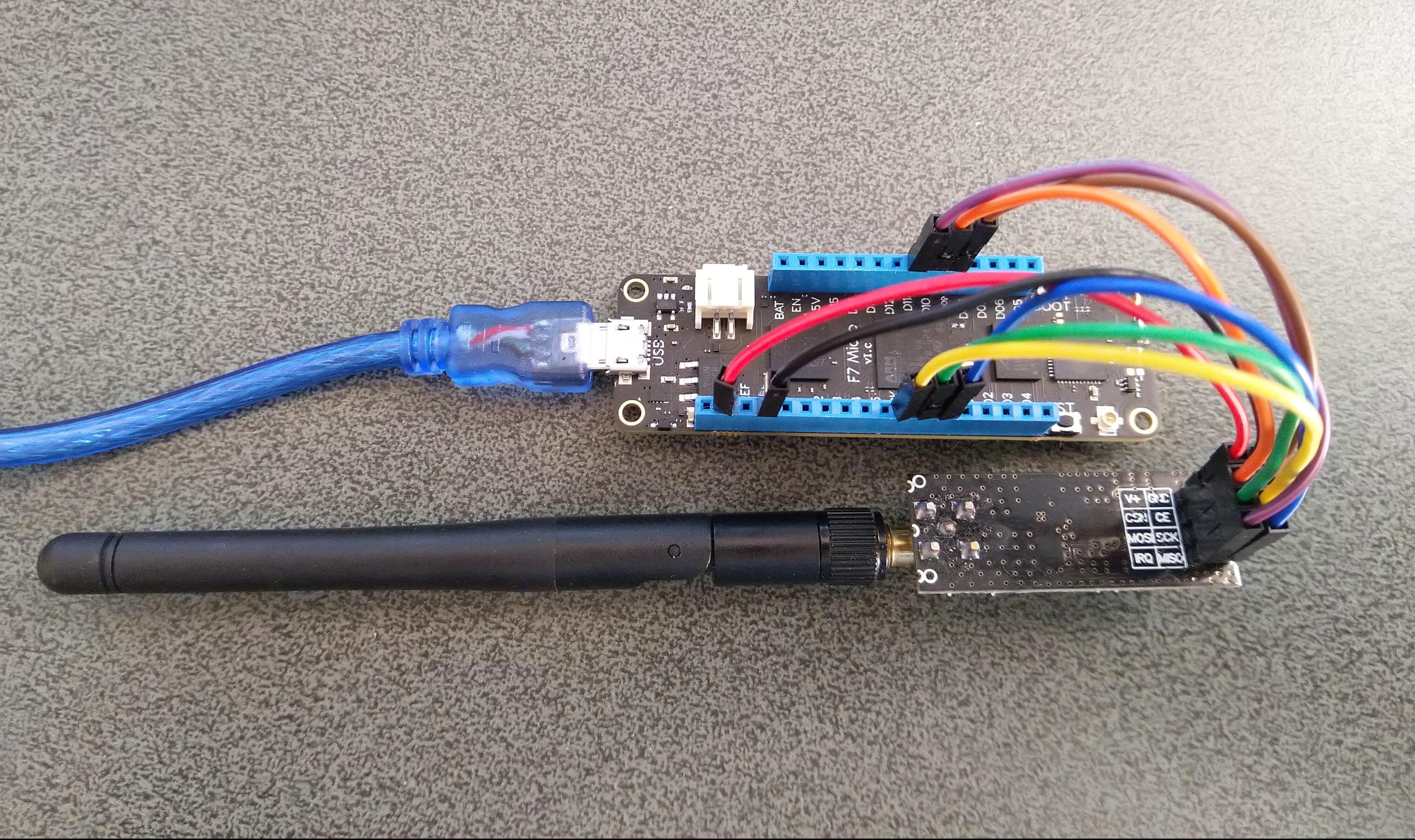
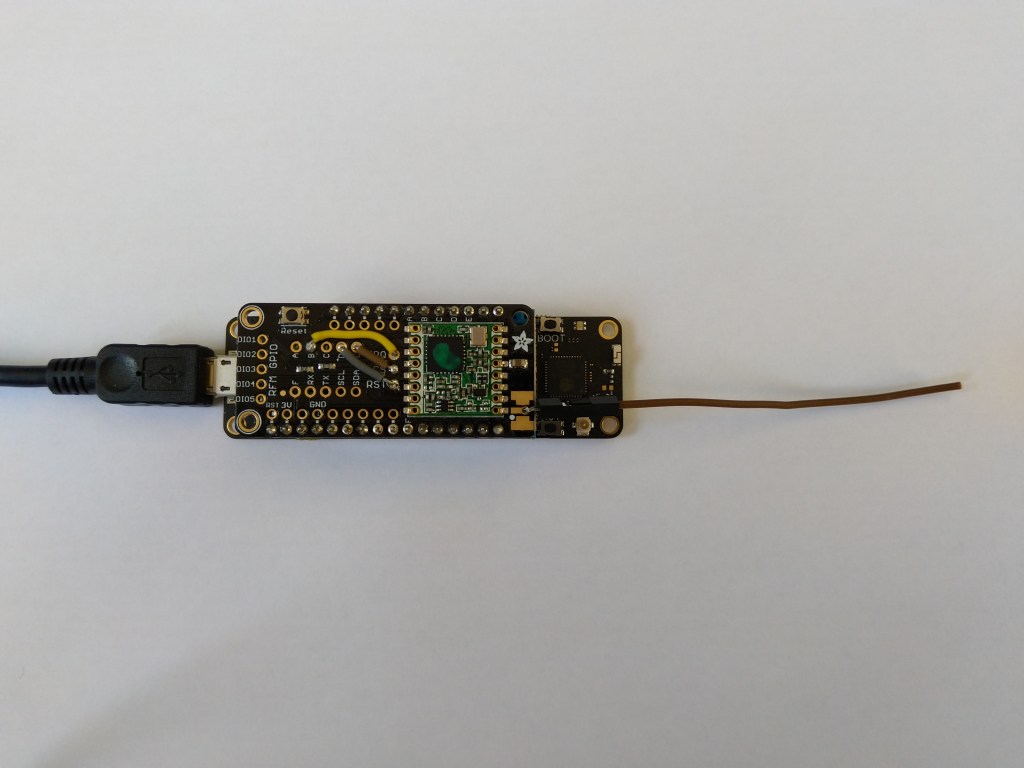
I couldn’t source an nRF24L01 feather wing so built a test rig with jumpers
nRF24L01P Test Harness
//---------------------------------------------------------------------------------
// Copyright (c) Feb 2020, devMobile Software
//
// Licensed under the Apache License, Version 2.0 (the "License");
// you may not use this file except in compliance with the License.
// You may obtain a copy of the License at
//
//     http://www.apache.org/licenses/LICENSE-2.0
//
// Unless required by applicable law or agreed to in writing, software
// distributed under the License is distributed on an "AS IS" BASIS,
// WITHOUT WARRANTIES OR CONDITIONS OF ANY KIND, either express or implied.
// See the License for the specific language governing permissions and
// limitations under the License.
//
//---------------------------------------------------------------------------------
namespace devMobile.IoT.nRf24L01
{
   using System;
   using System.Text;
   using System.Threading;
   using Meadow;
   using Meadow.Devices;
   using Meadow.Hardware;

   public class MeadowApp : App<F7Micro, MeadowApp>
   {
      const byte SETUP_AW = 0x03;
      const byte RX_ADDR_P0 = 0x0A;
      const byte R_REGISTER = 0b00000000;
      const byte W_REGISTER = 0b00100000;
      ISpiBus spiBus;
      SpiPeripheral nrf24L01Device;
      IDigitalOutputPort spiPeriphChipSelect;
      IDigitalOutputPort ChipEnable;


      public MeadowApp()
      {
         ConfigureSpiPort();
         SetPipe0RxAddress("ZYXWV");
      }

      public void ConfigureSpiPort()
      {
         try
         {
            ChipEnable = Device.CreateDigitalOutputPort(Device.Pins.D09, initialState: false);
            if (ChipEnable == null)
            {
               Console.WriteLine("chipEnable == null");
            }

            var spiClockConfiguration = new SpiClockConfiguration(2000, SpiClockConfiguration.Mode.Mode0);
            spiBus = Device.CreateSpiBus(Device.Pins.SCK,
                                         Device.Pins.MOSI,
                                         Device.Pins.MISO,
                                         spiClockConfiguration);
            if (spiBus == null)
            {
               Console.WriteLine("spiBus == null");
            }

            Console.WriteLine("Creating SPI NSS Port...");
            spiPeriphChipSelect = Device.CreateDigitalOutputPort(Device.Pins.D10, initialState: true);
            if (spiPeriphChipSelect == null)
            {
               Console.WriteLine("spiPeriphChipSelect == null");
            }

            Console.WriteLine("nrf24L01Device Device...");
            nrf24L01Device = new SpiPeripheral(spiBus, spiPeriphChipSelect);
            if (nrf24L01Device == null)
            {
               Console.WriteLine("nrf24L01Device == null");
            }

            Thread.Sleep(100);

            Console.WriteLine("ConfigureSpiPort Done...");
         }
         catch (Exception ex)
         {
            Console.WriteLine("ConfigureSpiPort " + ex.Message);
         }
      }

      public void SetPipe0RxAddress(string address)
      {
         try
         {
            // Read the Address width
            byte[] txBuffer1 = new byte[] { SETUP_AW | R_REGISTER, 0x0 };
            Console.WriteLine(" txBuffer:" + BitConverter.ToString(txBuffer1));

            /*
            // Appears to work but not certain it does
            Console.WriteLine(" nrf24L01Device.WriteRead...SETUP_AW");
            byte[] rxBuffer1 = nrf24L01Device.WriteRead(txBuffer1, (ushort)txBuffer1.Length);
            Console.WriteLine(" nrf24L01Device.WriteRead...SETUP_AW");
            */

            byte[] rxBuffer1 = new byte[txBuffer1.Length];
            Console.WriteLine(" spiBus.ExchangeData...RX_ADDR_P0");
            spiBus.ExchangeData(spiPeriphChipSelect, ChipSelectMode.ActiveLow, txBuffer1, rxBuffer1);

            Console.WriteLine(" rxBuffer:" + BitConverter.ToString(rxBuffer1));

            // Extract then adjust the address width
            byte addressWidthValue = rxBuffer1[1];
            addressWidthValue &= 0b00000011;
            addressWidthValue += 2;
            Console.WriteLine("Address width 0x{0:x2} - Value 0X{1:x2} - Bits {2} Value adjusted {3}", SETUP_AW, rxBuffer1[1], Convert.ToString(rxBuffer1[1], 2).PadLeft(8, '0'), addressWidthValue);
            Console.WriteLine();

            // Write Pipe0 Receive address
            Console.WriteLine("Address write 1");
            byte[] txBuffer2 = new byte[addressWidthValue + 1];
            txBuffer2[0] = RX_ADDR_P0 | W_REGISTER;
            Array.Copy(Encoding.UTF8.GetBytes(address), 0, txBuffer2, 1, addressWidthValue);
            Console.WriteLine(" txBuffer:" + BitConverter.ToString(txBuffer2));

            Console.WriteLine(" nrf24L01Device.Write...RX_ADDR_P0");
            nrf24L01Device.WriteBytes(txBuffer2);
            Console.WriteLine();

            // Read Pipe0 Receive address
            Console.WriteLine("Address read 1");
            byte[] txBuffer3 = new byte[addressWidthValue + 1];
            txBuffer3[0] = RX_ADDR_P0 | R_REGISTER;
            Console.WriteLine(" txBuffer:" + BitConverter.ToString(txBuffer3));

            /*
            // Broken returns  Address 0x0a - RX Buffer 5A-5A-5A-5A-59-58 RX Address 5A-5A-5A-59-58 Address ZZZYX
            Console.WriteLine(" nrf24L01Device.WriteRead...RX_ADDR_P0");
            byte[] rxBuffer3 = nrf24L01Device.WriteRead(txBuffer3, (ushort)txBuffer3.Length);
            */

            byte[] rxBuffer3 = new byte[addressWidthValue + 1];
            Console.WriteLine(" spiBus.ExchangeData...RX_ADDR_P0");
            spiBus.ExchangeData(spiPeriphChipSelect, ChipSelectMode.ActiveLow, txBuffer3, rxBuffer3);

            Console.WriteLine("Address 0x{0:x2} - RX Buffer {1} RX Address {2} Address {3}", RX_ADDR_P0, BitConverter.ToString(rxBuffer3, 0), BitConverter.ToString(rxBuffer3, 1), UTF8Encoding.UTF8.GetString(rxBuffer3, 1, addressWidthValue));
         }
         catch (Exception ex)
         {
            Console.WriteLine("ReadDeviceIDDiy " + ex.Message);
         }
      }
   }
}
After lots of tinkering with SPI configuration options and trialing different methods (spiBus vs.SpiPeripheral) I can read and write my nRF24L01 device receive port address
As I’m testing my Message Queue Telemetry Transport(MQTT) LoRa gateway I’m building a proof of concept(PoC) .Net core console application for each IoT platform I would like to support.
This PoC was to confirm that I could connect to the AllThingsTalkMQTT API then format topics and payloads correctly.
MQTTNet Console Client
The AllThingsTalk MQTT broker, username, and device ID are required command line parameters.
namespace devmobile.Mqtt.TestClient.AllThingsTalk
{
	using System;
	using System.Diagnostics;
	using System.Threading;
	using System.Threading.Tasks;

	using MQTTnet;
	using MQTTnet.Client;
	using MQTTnet.Client.Disconnecting;
	using MQTTnet.Client.Options;
	using MQTTnet.Client.Receiving;

	using Newtonsoft.Json;
	using Newtonsoft.Json.Linq;

	class Program
	{
		private static IMqttClient mqttClient = null;
		private static IMqttClientOptions mqttOptions = null;
		private static string server;
		private static string username;
		private static string deviceID;

		static void Main(string[] args)
		{
			MqttFactory factory = new MqttFactory();
			mqttClient = factory.CreateMqttClient();

			if ((args.Length != 3))
			{
				Console.WriteLine("[MQTT Server] [UserName] [ClientID]");
				Console.WriteLine("Press <enter> to exit");
				Console.ReadLine();
				return;
			}

			server = args[0];
			username = args[1];
			deviceID = args[2];

			Console.WriteLine($"MQTT Server:{server} DeviceID:{deviceID}");

			// AllThingsTalk formatted device state update topic
			string topicD2C = $"device/{deviceID}/state";

			mqttOptions = new MqttClientOptionsBuilder()
				.WithTcpServer(server)
				.WithCredentials(username, "HighlySecurePassword")
				.WithClientId(deviceID)
				.WithTls()
				.Build();

			mqttClient.UseDisconnectedHandler(new MqttClientDisconnectedHandlerDelegate(e => MqttClient_Disconnected(e)));
			mqttClient.UseApplicationMessageReceivedHandler(new MqttApplicationMessageReceivedHandlerDelegate(e => MqttClient_ApplicationMessageReceived(e)));
			mqttClient.ConnectAsync(mqttOptions).Wait();

			// AllThingsTalk formatted device command with wildcard topic
			string topicC2D = $"device/{deviceID}/asset/+/command";

			mqttClient.SubscribeAsync(topicC2D, MQTTnet.Protocol.MqttQualityOfServiceLevel.AtLeastOnce).GetAwaiter().GetResult();

			while (true)
			{
				JObject payloadJObject = new JObject();

				double temperature = 22.0 + (DateTime.UtcNow.Millisecond / 1000.0);
				temperature = Math.Round( temperature, 1 );
				double humidity = 50 + (DateTime.UtcNow.Millisecond / 100.0);
				humidity = Math.Round(humidity, 1);

				JObject temperatureJObject = new JObject
				{
					{ "value", temperature }
				};
				payloadJObject.Add("Temperature", temperatureJObject);

				JObject humidityJObject = new JObject
				{
					{ "value", humidity }
				};
				payloadJObject.Add("Humidity", humidityJObject);

				string payload = JsonConvert.SerializeObject(payloadJObject);
				Console.WriteLine($"Topic:{topicD2C} Payload:{payload}");

				var message = new MqttApplicationMessageBuilder()
					.WithTopic(topicD2C)
					.WithPayload(payload)
					.WithAtMostOnceQoS()
//					.WithAtLeastOnceQoS()
					.Build();

				Console.WriteLine("PublishAsync start");
				mqttClient.PublishAsync(message).Wait();
				Console.WriteLine("PublishAsync finish");

				Thread.Sleep(15100);
			}
		}

		private static void MqttClient_ApplicationMessageReceived(MqttApplicationMessageReceivedEventArgs e)
		{
			Console.WriteLine($"ClientId:{e.ClientId} Topic:{e.ApplicationMessage.Topic} Payload:{e.ApplicationMessage.ConvertPayloadToString()}");
		}

		private static async void MqttClient_Disconnected(MqttClientDisconnectedEventArgs e)
		{
			Debug.WriteLine("Disconnected");
			await Task.Delay(TimeSpan.FromSeconds(5));

			try
			{
				await mqttClient.ConnectAsync(mqttOptions);
			}
			catch (Exception ex)
			{
				Debug.WriteLine("Reconnect failed {0}", ex.Message);
			}
		}
	}
The AllThingsTalk device configuration was relatively easy but I need to investigate “Gateway” functionality and configuration further.
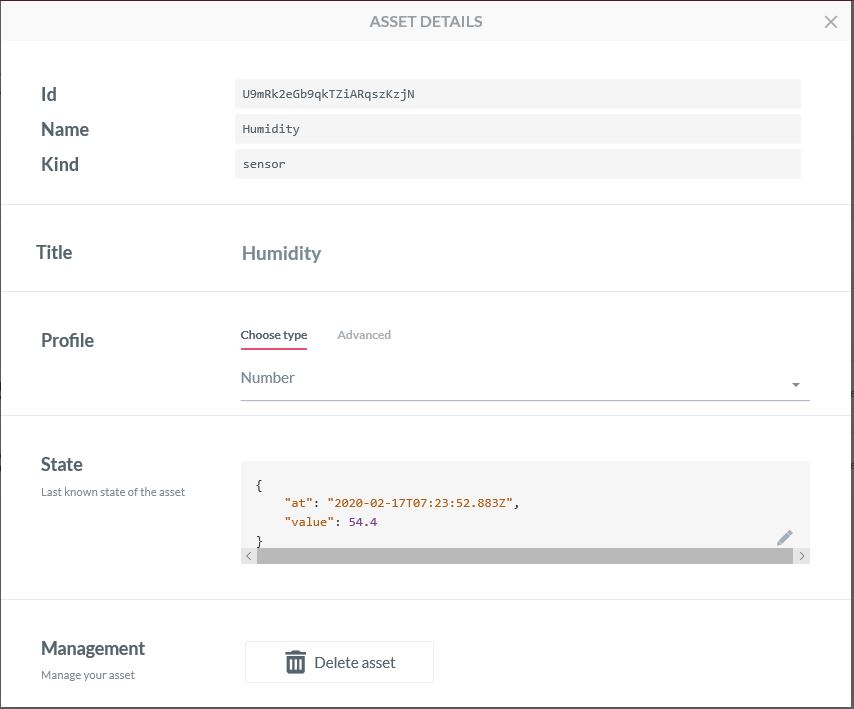
Configuring an Asset
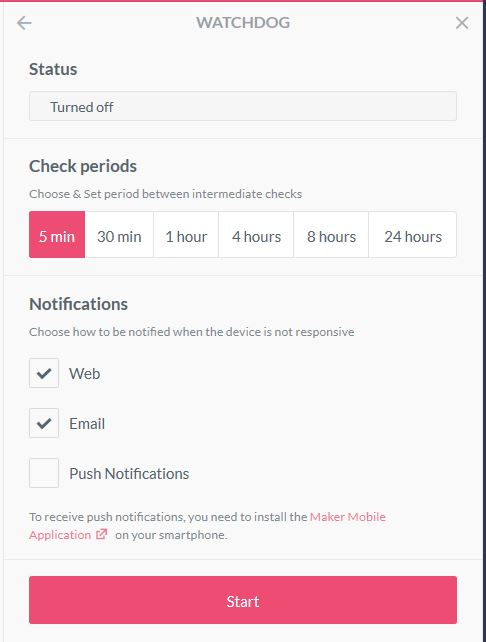
Configuration a watchdog to check for sensor data
Sending a command to an actuatorProcessing a command on the client
The ability to look at message payloads in the Debug tab would be very helpful when working out why a payload was not being processed as expected.
Asset debug information
Overall the AllThingsTalk configuration went fairly smoothly, though I need to investigate the “Gateway” configuration and functionality further. The way that assets are name by the system could make support in my MQTT Gateway more complex.
Application Insights logging with message unpackingApplication Insights logging message payload
Then in the last log entry the decoded message payload
/*
    Copyright ® 2020 Feb devMobile Software, All Rights Reserved

    MIT License

    Permission is hereby granted, free of charge, to any person obtaining a copy
    of this software and associated documentation files (the "Software"), to deal
    in the Software without restriction, including without limitation the rights
    to use, copy, modify, merge, publish, distribute, sublicense, and/or sell
    copies of the Software, and to permit persons to whom the Software is
    furnished to do so, subject to the following conditions:

    The above copyright notice and this permission notice shall be included in all
    copies or substantial portions of the Software.

    THE SOFTWARE IS PROVIDED "AS IS", WITHOUT WARRANTY OF ANY KIND, EXPRESS OR
    IMPLIED, INCLUDING BUT NOT LIMITED TO THE WARRANTIES OF MERCHANTABILITY,
    FITNESS FOR A PARTICULAR PURPOSE AND NONINFRINGEMENT. IN NO EVENT SHALL THE
    AUTHORS OR COPYRIGHT HOLDERS BE LIABLE FOR ANY CLAIM, DAMAGES OR OTHER
    LIABILITY, WHETHER IN AN ACTION OF CONTRACT, TORT OR OTHERWISE, ARISING FROM,
    OUT OF OR IN CONNECTION WITH THE SOFTWARE OR THE USE OR OTHER DEALINGS IN THE
    SOFTWARE

    Default URL for triggering event grid function in the local environment.
    http://localhost:7071/runtime/webhooks/EventGrid?functionName=functionname
 */
namespace EventGridProcessorAzureIotHub
{
   using System;
   using System.IO;
   using System.Reflection;

   using Microsoft.Azure.WebJobs;
   using Microsoft.Azure.EventGrid.Models;
   using Microsoft.Azure.WebJobs.Extensions.EventGrid;

   using log4net;
   using log4net.Config;
   using Newtonsoft.Json;

   public static class Telemetry
    {
        [FunctionName("Telemetry")]
        public static void Run([EventGridTrigger]Microsoft.Azure.EventGrid.Models.EventGridEvent eventGridEvent, ExecutionContext executionContext )//, TelemetryClient telemetryClient)
        {
			ILog log = log4net.LogManager.GetLogger(System.Reflection.MethodBase.GetCurrentMethod().DeclaringType);

		   var logRepository = LogManager.GetRepository(Assembly.GetEntryAssembly());
			XmlConfigurator.Configure(logRepository, new FileInfo(Path.Combine(executionContext.FunctionAppDirectory, "log4net.config")));

         log.Info($"eventGridEvent.Data-{eventGridEvent}");

         log.Info($"eventGridEvent.Data.ToString()-{eventGridEvent.Data.ToString()}");

        IotHubDeviceTelemetryEventData iOThubDeviceTelemetryEventData = (IotHubDeviceTelemetryEventData)JsonConvert.DeserializeObject(eventGridEvent.Data.ToString(), typeof(IotHubDeviceTelemetryEventData));

         log.Info($"iOThubDeviceTelemetryEventData.Body.ToString()-{iOThubDeviceTelemetryEventData.Body.ToString()}");

         byte[] base64EncodedBytes = System.Convert.FromBase64String(iOThubDeviceTelemetryEventData.Body.ToString());

         log.Info($"System.Text.Encoding.UTF8.GetString(-{System.Text.Encoding.UTF8.GetString(base64EncodedBytes)}");
      }
	}
}
Overall it took roughly half a page of code (mainly generated by a tool) to unpack and log the contents of an Azure IoT Hub EventGrid payload to Application Insights.
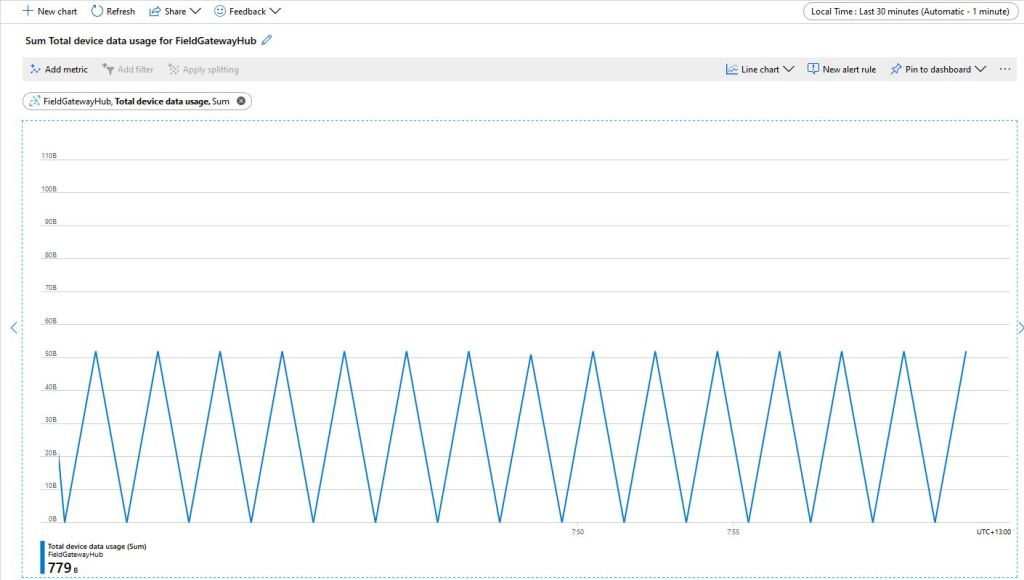
The size of the packets sent and the total device data appeared to map pretty well but I was also interested in the Transport Layer Security (TLS) and Messaging Queuing Telemetry Transport (MQTT) overheads.
Azure IoT Hub Metrics
To get an idea of the overheads I fired up LiveTcpUdpWatch by Nirsoft and noted down the traffic measure on port 8883.
Conenction LiveTcpUdpWatch main screen
Launching the MQTTNet client sending every 30 seconds resulted in traffic like this
So it looks like my very rough numbers are close to the numbers discussed in the above article. I need to explore the impact of keep-alive messages and other background operations.
I did notice that the .DeviceConnected and .DeviceDisconnected events did take a while to arrive. When I started the field gateway application on the Windows 10 IoT Core device I would get several DeviceTelemetry events before the DeviceConnected event arrived.
I was using Advanced Message Queueing Protocol (AMQP) so I modified the configuration file so I could try all the available options.
C# TransportType enumeration
namespace Microsoft.Azure.Devices.Client
{
	//
	// Summary:
	//     Transport types supported by DeviceClient - AMQP/TCP, HTTP 1.1, MQTT/TCP, AMQP/WS,
	//     MQTT/WS
	public enum TransportType
	{
		//
		// Summary:
		//     Advanced Message Queuing Protocol transport. Try Amqp over TCP first and fallback
		//     to Amqp over WebSocket if that fails
		Amqp = 0,
		//
		// Summary:
		//     HyperText Transfer Protocol version 1 transport.
		Http1 = 1,
		//
		// Summary:
		//     Advanced Message Queuing Protocol transport over WebSocket only.
		Amqp_WebSocket_Only = 2,
		//
		// Summary:
		//     Advanced Message Queuing Protocol transport over native TCP only
		Amqp_Tcp_Only = 3,
		//
		// Summary:
		//     Message Queuing Telemetry Transport. Try Mqtt over TCP first and fallback to
		//     Mqtt over WebSocket if that fails
		Mqtt = 4,
		//
		// Summary:
		//     Message Queuing Telemetry Transport over Websocket only.
		Mqtt_WebSocket_Only = 5,
		//
		// Summary:
		//     Message Queuing Telemetry Transport over native TCP only
		Mqtt_Tcp_Only = 6
	}
}
The first telemetry data arrived 00:57:18, the DeviceConnected arrived 01:01:28 so approximately a 4 minute delay, the DeviceDisconnected arrived within a minute of me shutting the device down.
The first telemetry data arrived 04:16:48, the DeviceConnected arrived 04:20:39 so approximately a 4 minute delay, the DeviceDisconnected arrived within a minute of me shutting the device down.
The first telemetry data arrived 04:05:36, DeviceConnected arrived 04:09:52 so approximately a 4 minute delay, the DeviceDisconnected arrived within a minute of me shutting the device down.
HTTP
I waited for 20 minutes and there wasn’t a DeviceConnected message which I sort of expected as HTTP is a connectionless protocol.
The first telemetry data arrived 01:11:33, the DeviceConnected arrived 01:11:25 so they arrived in order and within 10 seconds, the DeviceDisconnected arrived within a 15 seconds of me shutting the device down.
The first telemetry data arrived 04:42:15, the DeviceConnected arrived 04:42:06 so they arrived in order and within 10 seconds, the DeviceDisconnected arrived within a 20 seconds of me shutting device down.
The first telemetry data arrived 04:36:08, the DeviceConnected arrived 04:36:03 so they arrived in order and within 10 seconds, the DeviceDisconnected arrived within a 30 seconds of me shutting device down.
Summary
My LoRa sensors nodes are sending data roughly every minute which reduces the precision of the times.
It looks like for AMQP based messaging it can take 4-5 minutes for a Devices.DeviceConnected message to arrive, for based MQTT messaging it’s 5-10 seconds.
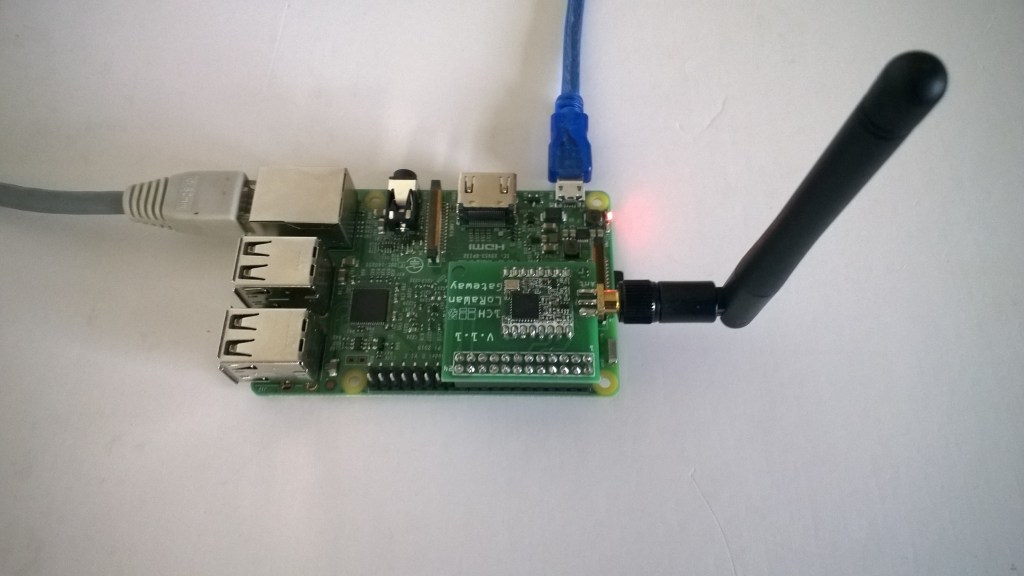
I have one an Azure IoT HubLoRa Telemetry Field Gateway running in my office and I wanted to process the data collected by the sensors around my property without using a Software as a Service(SaaS) Internet of Things (IoT) package.
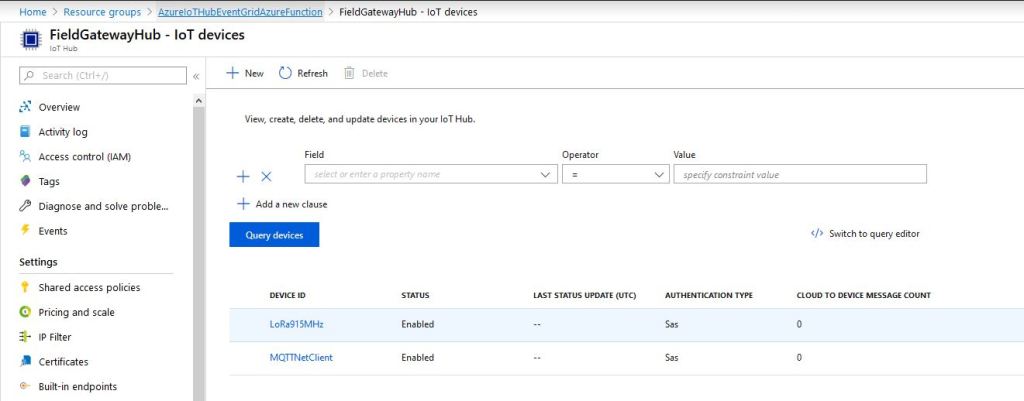
Rather than lots of screen grabs of my configuration steps I figured people reading this series of posts would be able to figure the details out themselves.
I downloaded the JSON configuration file template from my Windows 10 device (which is created on first startup after installation) and configured the Azure IoT Hub connection string.
I then uploaded this to my Windows 10 IoT Core device and restarted the Azure IoT Hub Field gateway so it picked up the new settings.
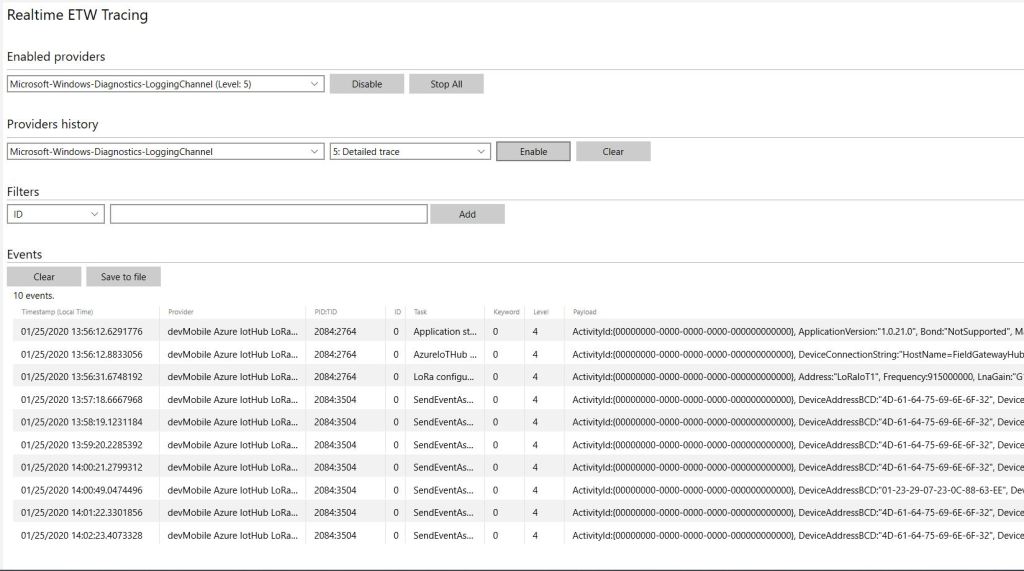
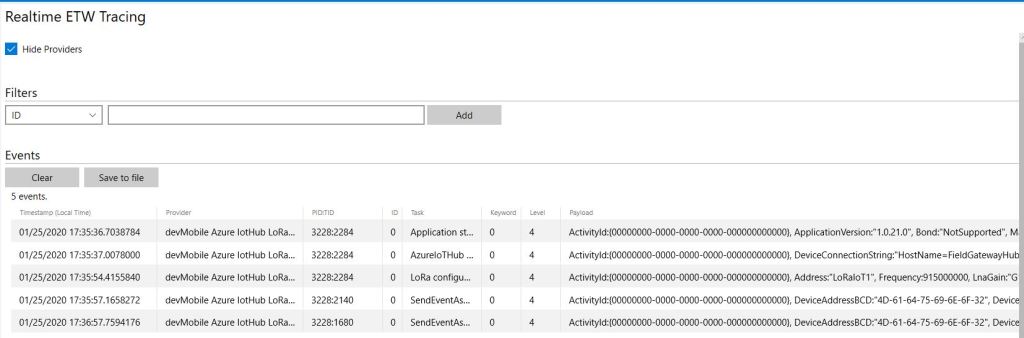
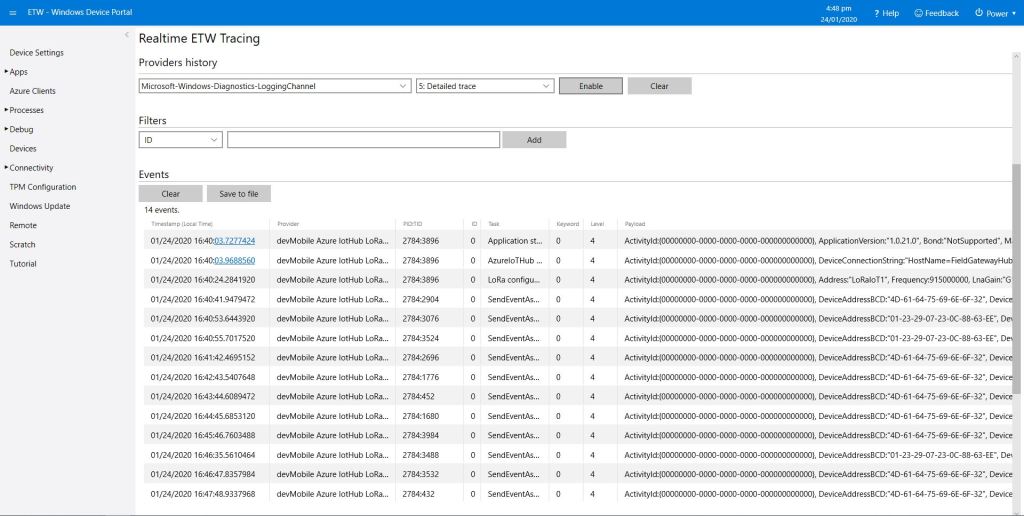
I could then see on the device messages from sensor nodes being unpacked and uploaded to my Azure IoT Hub.
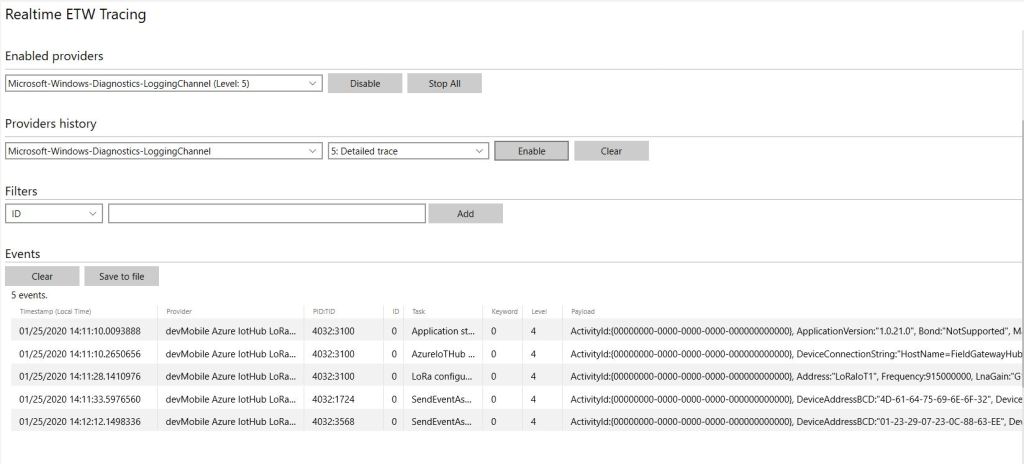
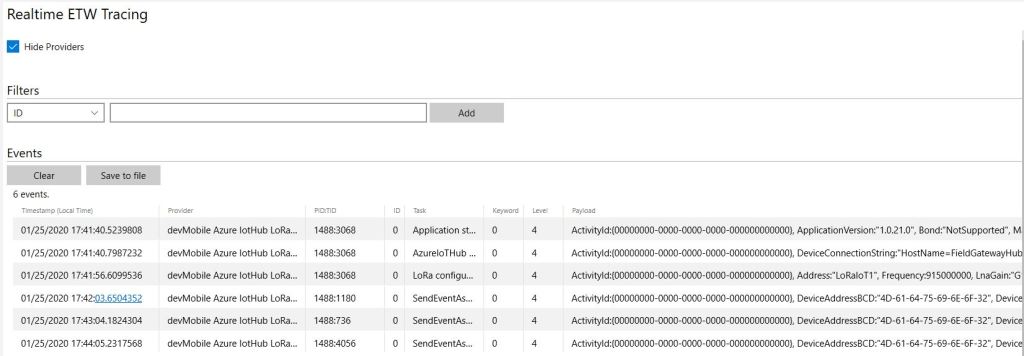
ETW logging on device
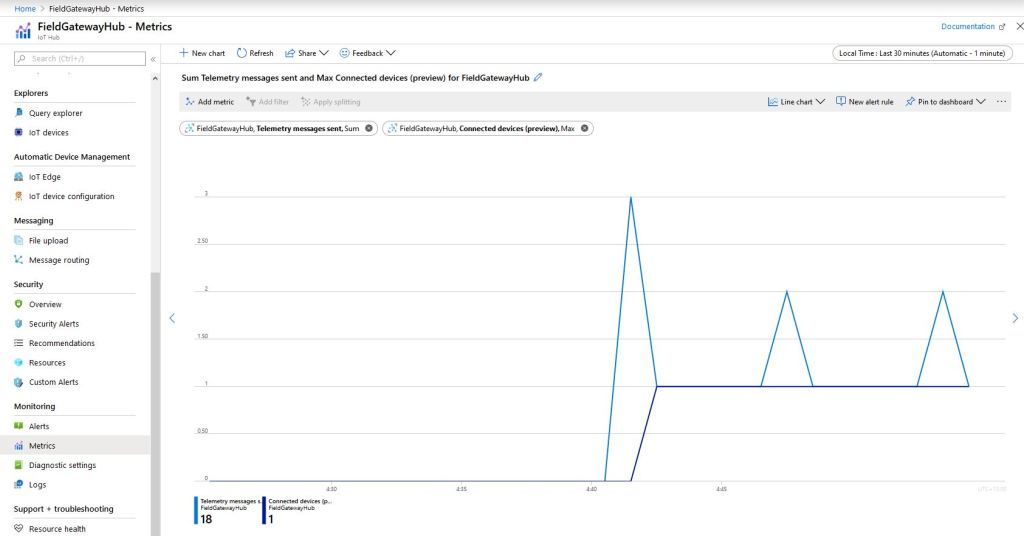
In the Azure IoT Hub metrics I graphed the number of devices connected and the number of telemetry messages sent and could see my device connect then start uploading telemetry.
Azure IoT Hub metrics
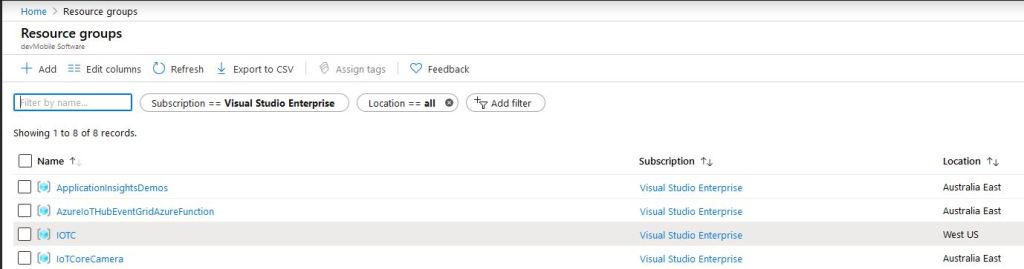
One of my customers uses Azure Event Grid for application integration and I wanted to explore using it in an IoT solution. The first step was to create an Event Grid Domain.
To confirm my event subscriptions were successful I previously found the “simplest” approach was to use an Azure storage queue endpoint. I had to create an Azure Storage Account with two Azure Storage Queues one for device connectivity (.DeviceConnected & .DeviceDisconnected) events and the other for device telemetry (.DeviceTelemetry) events.
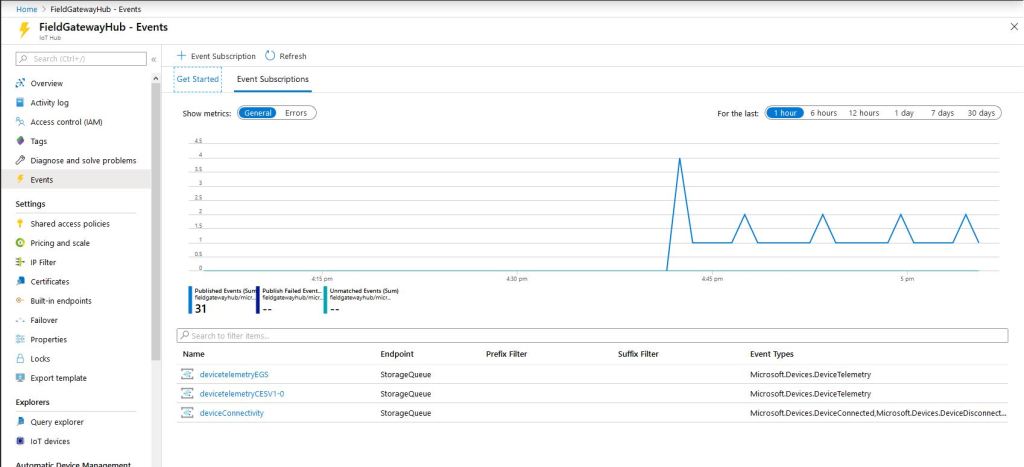
I created a couple of other subscriptions so I could compare the different Event schemas (Event Grid Schema & Cloud Event Schema v1.0). At this stage I didn’t configure any Filters or Additional Features.
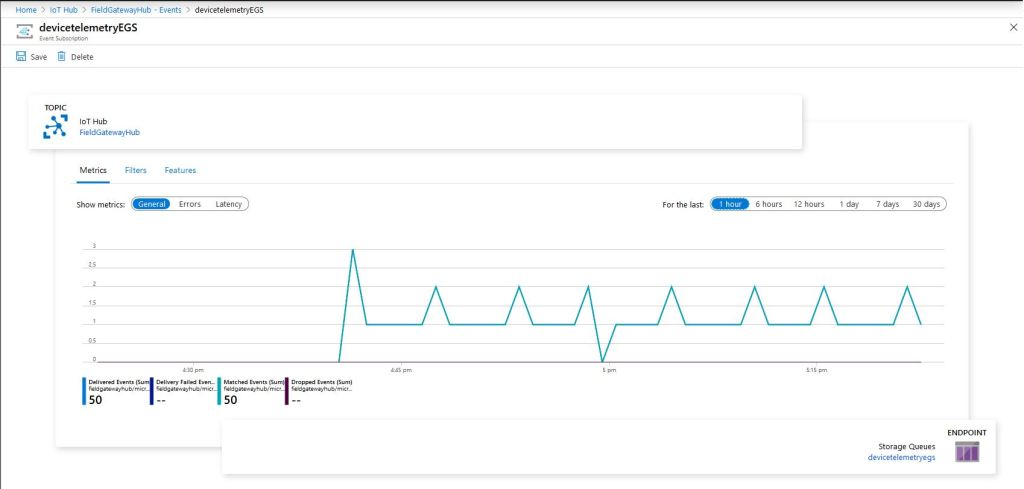
Azure IoT Hub Telemetry Event Metrics
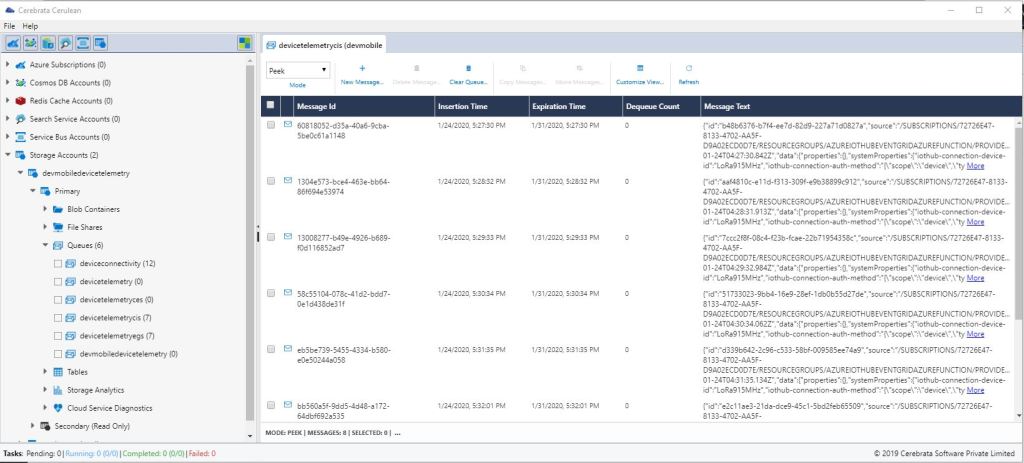
I use Cerebrate Cerculean for monitoring and managing a couple of other customer projects so I used it to inspect the messages in the storage queues.
Without writing any code (I will script the configuration) I could upload sensor data to an Azure IoT Hub, subscribe to a selection of events the Azure IoT Hub publishes and then inspect them in an Azure Storage Queue.
I did notice that the .DeviceConnected and .DeviceDisconnected events did take a while to arrive. When I started the field gateway application on the device I would get several DeviceTelemetry events before the DeviceConnected event arrived.
//---------------------------------------------------------------------------------
// Copyright (c) January 2020, devMobile Software
//
// Licensed under the Apache License, Version 2.0 (the "License");
// you may not use this file except in compliance with the License.
// You may obtain a copy of the License at
//
//     http://www.apache.org/licenses/LICENSE-2.0
//
// Unless required by applicable law or agreed to in writing, software
// distributed under the License is distributed on an "AS IS" BASIS,
// WITHOUT WARRANTIES OR CONDITIONS OF ANY KIND, either express or implied.
// See the License for the specific language governing permissions and
// limitations under the License.
//
//---------------------------------------------------------------------------------
namespace devMobile.IoT.FieldGateway.Client
{
   using System;
   using System.Text;
   using System.Threading;

   using devMobile.IoT.Rfm9x;

   using Meadow;
   using Meadow.Devices;
   using Meadow.Foundation.Leds;
   using Meadow.Foundation.Sensors.Atmospheric;
   using Meadow.Hardware;
   using Meadow.Peripherals.Leds;

   public class MeadowClient : App<F7Micro, MeadowClient>
   {
      private const double Frequency = 915000000.0;
      private readonly byte[] fieldGatewayAddress = Encoding.UTF8.GetBytes("LoRaIoT1");
      private readonly byte[] deviceAddress = Encoding.UTF8.GetBytes("Meadow");
      private readonly Rfm9XDevice rfm9XDevice;
      private readonly TimeSpan periodTime = new TimeSpan(0, 0, 60);
      private readonly Sht31D sensor;
      private readonly ILed Led;

      public MeadowClient()
      {
         Led = new Led(Device, Device.Pins.OnboardLedGreen);

         try
         {
            sensor = new Sht31D(Device.CreateI2cBus());

            ISpiBus spiBus = Device.CreateSpiBus(500);

            rfm9XDevice = new Rfm9XDevice(Device, spiBus, Device.Pins.D09, Device.Pins.D10, Device.Pins.D12);

            rfm9XDevice.Initialise(Frequency, paBoost: true, rxPayloadCrcOn: true);
#if DEBUG
            rfm9XDevice.RegisterDump();
#endif
            rfm9XDevice.OnReceive += Rfm9XDevice_OnReceive;
            rfm9XDevice.Receive(deviceAddress);
            rfm9XDevice.OnTransmit += Rfm9XDevice_OnTransmit;
         }
         catch (Exception ex)
         {
            Console.WriteLine(ex.Message);
         }

         while (true)
         {
            sensor.Update();

            Console.WriteLine($"{DateTime.UtcNow:HH:mm:ss}-TX T:{sensor.Temperature:0.0}C H:{sensor.Humidity:0}%");

            string payload = $"t {sensor.Temperature:0.0},h {sensor.Humidity:0}";

            Led.IsOn = true;

            rfm9XDevice.Send(fieldGatewayAddress, Encoding.UTF8.GetBytes(payload));

            Thread.Sleep(periodTime);
         }
      }

      private void Rfm9XDevice_OnReceive(object sender, Rfm9XDevice.OnDataReceivedEventArgs e)
      {
         try
         {
            string addressText = UTF8Encoding.UTF8.GetString(e.Address);
            string addressHex = BitConverter.ToString(e.Address);
            string messageText = UTF8Encoding.UTF8.GetString(e.Data);

            Console.WriteLine($"{DateTime.UtcNow:HH:mm:ss}-RX PacketSnr {e.PacketSnr:0.0} Packet RSSI {e.PacketRssi}dBm RSSI {e.Rssi}dBm = {e.Data.Length} byte message {messageText}");
         }
         catch (Exception ex)
         {
            Console.WriteLine(ex.Message);
         }
      }

      private void Rfm9XDevice_OnTransmit(object sender, Rfm9XDevice.OnDataTransmitedEventArgs e)
      {
         Led.IsOn = false;

         Console.WriteLine("{0:HH:mm:ss}-TX Done", DateTime.Now);
      }
   }
}
The Meadow platform is a work in progress (Jan 2020) so I haven’t put any effort into minimising power consumption but will revisit this in a future post.
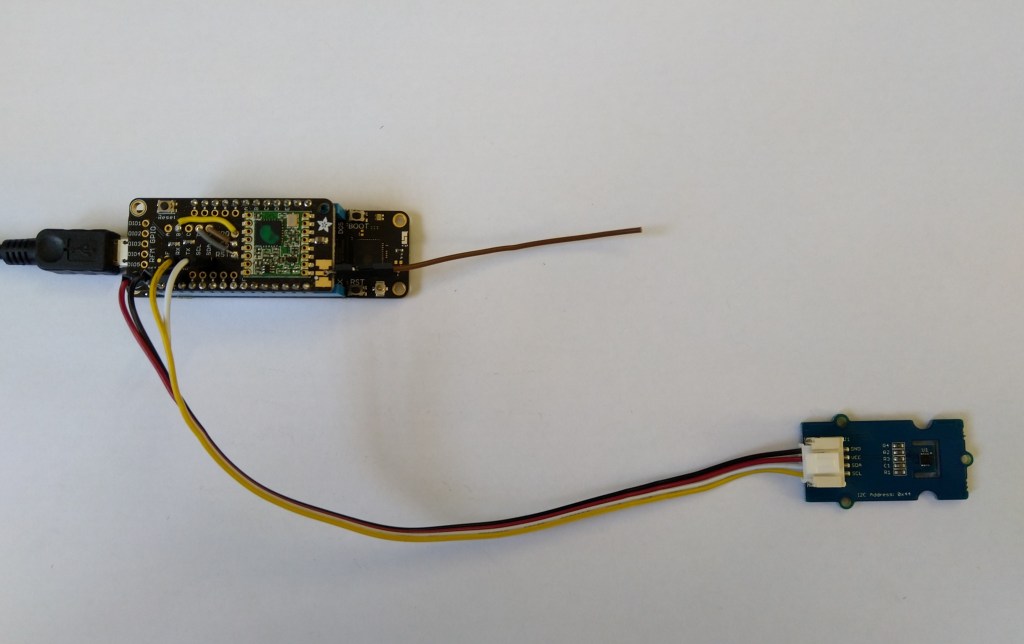
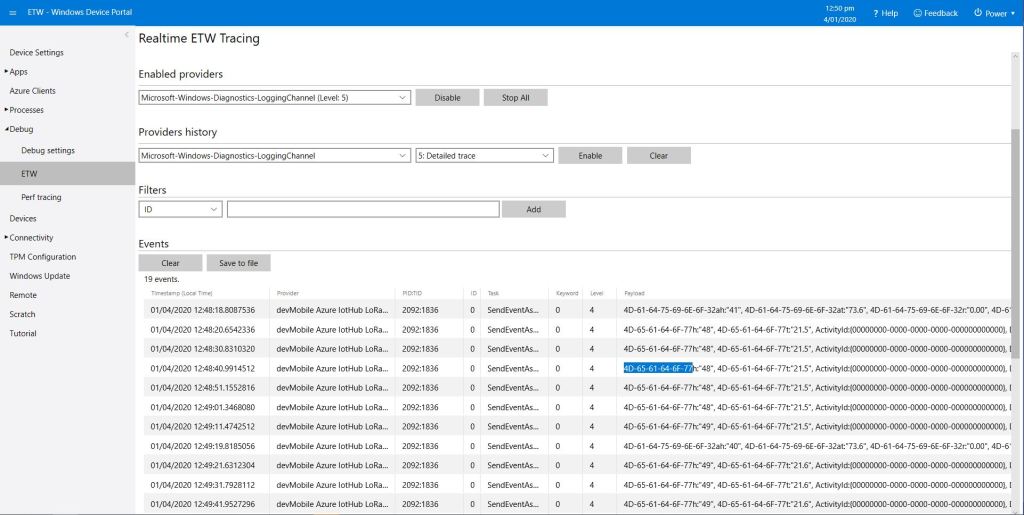
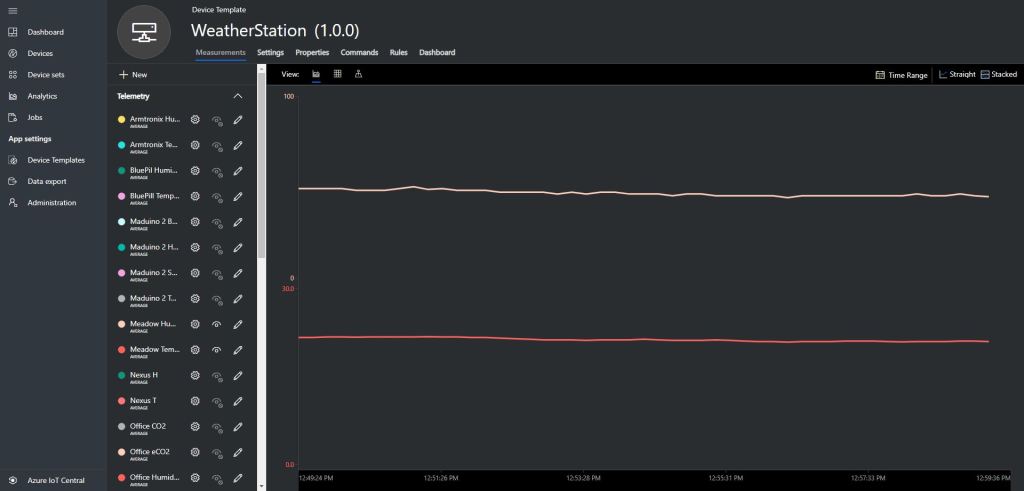
Meadow device with Seeedstudio SHT31 temperature & humidity sensorMeadow sensor data in Field Gateway ETW loggingMeadow Sensor data in Azure IoT Central
After a month or so of posts the source code of V1.0 of my Wilderness LabsMeadowRFM9X/SX127X library is on GitHub. I included all of the source for my test harness and proof of concept(PoC) application so other people can follow along with “my meadow learning experience”.
I initially started with a DraginoLoRa Shield for Arduino and jumper cables. I did this so only the pins I was using on the shield were connected to the Meadow.
Dragino LoRa Shield for Arduino based test harness
For the final iteration of the “nasty” test harness I got the interrupts working for the transmitting and receiving of messages. It’s not quite simultaneous, the code sends a message every 10 seconds then goes back to receive continuous mode after each message has been sent.
The RegIrqFlags 01011000 indicates the RxDone, ValidHeader, and TxDone flags were set which was what I was expecting. Note the interference, the 46 byte packet
Starting with the TransmitBasic sample application I modified the code so that a hardware interrupt (specified in RegDioMapping1) was generated on TxDone (FIFO Payload Transmission completed).
The application inserts a message into the RFM95 transmit FIFO every 10 seconds with confirmation of transmission displayed shortly afterwards
      public Rfm9XDevice(IIODevice device, ISpiBus spiBus, IPin chipSelectPin, IPin resetPin, IPin interruptPin)
      {
         // Chip select pin configuration
         ChipSelectGpioPin = device.CreateDigitalOutputPort(chipSelectPin, initialState: true);
         if (ChipSelectGpioPin == null)
         {
            Console.WriteLine("ChipSelectGpioPin == null");
         }

         // Factory reset pin configuration
         IDigitalOutputPort resetGpioPin = device.CreateDigitalOutputPort(resetPin);
         if (resetGpioPin == null)
         {
            Console.WriteLine("resetGpioPin == null");
         }
         resetGpioPin.State = false;
         Task.Delay(10);
         resetGpioPin.State = true;
         Task.Delay(10);

         // Interrupt pin for RX message & TX done notification
         InterruptGpioPin = device.CreateDigitalInputPort(interruptPin, InterruptMode.EdgeRising);
         InterruptGpioPin.Changed += InterruptGpioPin_ValueChanged;

         Rfm9XLoraModem = new SpiPeripheral(spiBus, ChipSelectGpioPin);
         if (Rfm9XLoraModem == null)
         {
            Console.WriteLine("Rfm9XLoraModem == null");
         }
      }

      private void InterruptGpioPin_ValueChanged(object sender, DigitalInputPortEventArgs args)
      {
        byte irqFlags = this.RegisterReadByte(0x12); // RegIrqFlags
        this.RegisterWriteByte(0x12, 0xff);// Clear RegIrqFlags

        //Console.WriteLine(string.Format("RegIrqFlags:{0}", Convert.ToString(irqFlags, 2).PadLeft(8, '0')));
         if ((irqFlags & 0b00001000) == 0b00001000)  // TxDone
         {
            Console.WriteLine("Transmit-Done");
         }
      }
…
   public class MeadowApp : App<F7Micro, MeadowApp>
   {
      private Rfm9XDevice rfm9XDevice;

      public MeadowApp()
      {
         ISpiBus spiBus = Device.CreateSpiBus(500);
         if (spiBus == null)
         {
            Console.WriteLine("spiBus == null");
         }

         rfm9XDevice = new Rfm9XDevice(Device, spiBus, Device.Pins.D09, Device.Pins.D11, Device.Pins.D10);

         // Put device into LoRa + Sleep mode
         rfm9XDevice.RegisterWriteByte(0x01, 0b10000000); // RegOpMode

         // Set the frequency to 915MHz
         byte[] frequencyWriteBytes = { 0xE4, 0xC0, 0x00 }; // RegFrMsb, RegFrMid, RegFrLsb
         rfm9XDevice.RegisterWrite(0x06, frequencyWriteBytes);

         // More power PA Boost
         rfm9XDevice.RegisterWriteByte(0x09, 0b10000000); // RegPaConfig

         // Interrupt on TxDone
         rfm9XDevice.RegisterWriteByte(0x40, 0b01000000); // RegDioMapping1 0b00000000 DI0 TxDone

         while (true)
         {
            // Set the Register Fifo address pointer
            rfm9XDevice.RegisterWriteByte(0x0E, 0x00); // RegFifoTxBaseAddress

            // Set the Register Fifo address pointer
            rfm9XDevice.RegisterWriteByte(0x0D, 0x0); // RegFifoAddrPtr

            string messageText = "Hello LoRa!";

            // load the message into the fifo
            byte[] messageBytes = UTF8Encoding.UTF8.GetBytes(messageText);
            rfm9XDevice.RegisterWrite(0x0, messageBytes); // RegFifo

            // Set the length of the message in the fifo
            rfm9XDevice.RegisterWriteByte(0x22, (byte)messageBytes.Length); // RegPayloadLength
            Console.WriteLine("Sending {0} bytes message {1}", messageBytes.Length, messageText);
            rfm9XDevice.RegisterWriteByte(0x01, 0b10000011); // RegOpMode

            Task.Delay(10000).Wait();
         }
      }
   }
The output in the debug window
'App.exe' (CLR v4.0.30319: DefaultDomain): Loaded 'C:\WINDOWS\Microsoft.Net\assembly\GAC_64\mscorlib\v4.0_4.0.0.0__b77a5c561934e089\mscorlib.dll'.
'App.exe' (CLR v4.0.30319: DefaultDomain): Loaded 'C:\Users\BrynLewis\source\repos\RFM9X.Meadow\TransmitInterrupt\bin\Debug\net472\App.exe'. Symbols loaded.
'App.exe' (CLR v4.0.30319: App.exe): Loaded 'C:\Users\BrynLewis\source\repos\RFM9X.Meadow\TransmitInterrupt\bin\Debug\net472\Meadow.dll'.
The program '[11164] App.exe: Program Trace' has exited with code 0 (0x0).
The program '[11164] App.exe' has exited with code 0 (0x0).
.
.
DirectRegisterAccess = True
.
.
Sending 11 bytes message Hello LoRa!
Transmit-Done
Sending 11 bytes message Hello LoRa!
Transmit-Done
Sending 11 bytes message Hello LoRa!
Transmit-Done
On the Arduino test client the serial monitor displayed






 devMobile's blog