The first FoehnAIBuilder tool had to be a very basic scan tool so the LLM could find chunks of text in text files. The generated code had some issues which were pointed out by Copilot.
ReviewScanFiles.cs wonder how well is going to handle large files. I think more async would be good
Review: SearchFilesTool.cs — Large-File & Async Concerns
You’re right to be concerned. There are several places where large files or large trees will bite you.
Large-file / scalability issues
1. StreamReader with default buffer + no explicit encoding
new StreamReader(file) uses a 1 KB buffer and auto-detects encoding by reading a BOM. For large files this is inefficient. Pass a bigger buffer and make async real:
using var stream = new FileStream(
    file,
    FileMode.Open,
    FileAccess.Read,
    FileShare.ReadWrite | FileShare.Delete,
    bufferSize: 64 * 1024,
    FileOptions.Asynchronous | FileOptions.SequentialScan);
using var reader = new StreamReader(stream, detectEncodingFromByteOrderMarks: true);
FileOptions.SequentialScan hints the OS cache manager for forward-only reads. FileOptions.Asynchronous is what actually makes ReadLineAsync non-blocking — without it you’re doing sync I/O on the thread pool.
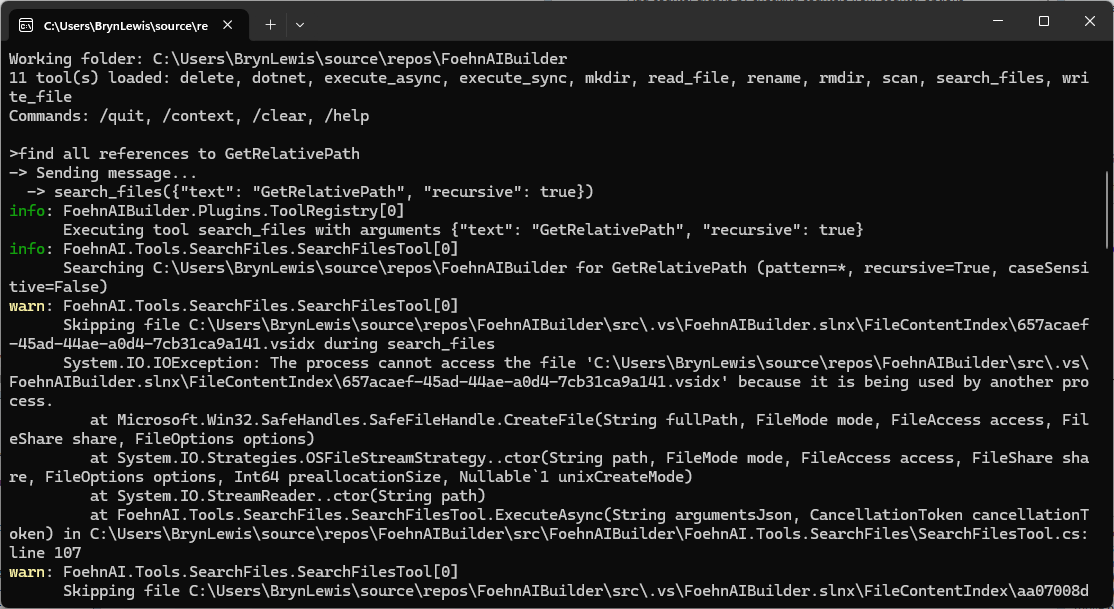
2. FileShare.Read (default) blocks files opened for write elsewhere
Locked files (log files, files being edited) throw and get skipped. FileShare.ReadWrite | FileShare.Delete lets you scan them.
3. Binary-file detection is weak
if (lineNumber == 1 && line.Contains('\0')) break;
Only checks line 1; many binaries have text at the top. And a huge binary with no \n will be read into memory as one giant string before this check fires. Better:
- Read the first ~4–8 KB as bytes, look for
\0→ skip if binary. - Or exclude common binary extensions up front (
.dll,.exe,.pdb,.png,.jpg,.zip,.bin,.so,.dylib, etc.).
4. No per-file size cap
A 2 GB log file will be fully streamed. Add a guard:
var info = new FileInfo(file);
if (info.Length > MaxFileSizeBytes) continue;
5. No max-line-length guard
ReadLineAsync on a file with no newlines (minified JS, single-line log) will buffer the whole file into one string. Skip lines above ~8 KB.
6. matches stores full trimmed line
A minified match line could be megabytes. Truncate:
var snippet = line.Length > 500 ? line[..500] + "…" : line;
matches.Add((Path.GetRelativePath(fullPath, file), lineNumber, snippet.Trim()));
Async concerns
7. Sequential file iteration
The outer foreach awaits one file at a time. On an SSD scanning thousands of files, most time is spent waiting on I/O. Use Parallel.ForEachAsync with bounded concurrency:
var gate = new Lock(); // .NET 9+ Lock
await Parallel.ForEachAsync(
    files,
    new ParallelOptions
    {
        MaxDegreeOfParallelism = Environment.ProcessorCount,
        CancellationToken = cancellationToken
    },
    async (file, ct) =>
    {
        // scan file into a local list, then merge under `gate`
    });
Result order becomes non-deterministic — sort by (RelativePath, LineNumber) before printing so output is stable.
8. ReadLineAsync allocates a string per line
For hot paths, PipeReader + SequenceReader searching raw UTF-8 is much faster and lower-allocation, but more code. Probably overkill unless benchmarks say so.
9. Cancellation inside a huge file
ReadLineAsync(cancellationToken) honors cancellation on each read — good. The outer ThrowIfCancellationRequested becomes redundant once you parallelize (the ParallelOptions.CancellationToken covers it).
Other observations
filesScannedcounter is misleading once parallelized — useInterlocked.Incrementand only count successful opens.sb.AppendLineusesEnvironment.NewLine. For LLM output,'\n'is more portable.ToolPath.TryResolve(sandboxRoot, path, ...)— different signature thanWriteFileTooluses. Worth checking consistency.- Skipped-file reporting: consider distinguishing
filesScannedvsfilesSkippedin the summary.
Suggested per-file scan method
private static async Task<List> ScanFileAsync(
    string file, string text, StringComparison comparison, int maxMatches, CancellationToken ct)
{
    var results = new List();

    var info = new FileInfo(file);
    if (info.Length == 0 || info.Length > 50L * 1024 * 1024) // 50 MB cap
        return results;

    await using var stream = new FileStream(
        file, FileMode.Open, FileAccess.Read,
        FileShare.ReadWrite | FileShare.Delete,
        bufferSize: 64 * 1024,
        FileOptions.Asynchronous | FileOptions.SequentialScan);

    // Cheap binary sniff on first 4 KB
    var sniffLen = (int)Math.Min(4096, info.Length);
    var sniff = new byte[sniffLen];
    var read = await stream.ReadAsync(sniff, ct);
    if (sniff.AsSpan(0, read).IndexOf((byte)0) >= 0) return results;
    stream.Position = 0;

    using var reader = new StreamReader(stream, detectEncodingFromByteOrderMarks: true);

    int lineNumber = 0;
    string? line;
    while ((line = await reader.ReadLineAsync(ct)) is not null)
    {
        lineNumber++;
        if (line.Length > 8192) continue; // skip absurdly long lines
        if (line.Contains(text, comparison))
        {
            var snippet = line.Length > 500 ? line[..500] + "…" : line;
            results.Add((lineNumber, snippet.Trim()));
            if (results.Count >= maxMatches) break;
        }
    }

    return results;
}
Priorities
FileOptions.Asynchronous | FileOptions.SequentialScan+ bigger buffer — biggest win, tiny change.- Per-file size cap + better binary detection — prevents worst-case blow-ups.
- Snippet truncation — bounds memory of
matches. Parallel.ForEachAsync— the real “more async” you asked for; scales with cores/SSD.FileShare.ReadWrite | FileShare.Delete— fewer spurious skips.
Want me to produce the full rewritten file?
The review wasn’t great but for a “nasty” PoC it will be okay. Need to work on exception catching and directory escape functionality.

