.NET nanoFramework SX127X LoRa library Registers

Over the years I have ported my HopeRF RFM9X(Now a generic Semtech SX127X ) Windows 10 IoT Core (May 2018) library to .NET microFramework(May 2018), Wilderness Labs Meadow(Jan 2020), GHI Electronics TinyCLR-OS(July 2020), .NET nanoFramework V1(May 2020) and .NET Core(Aug 2021).

All this madness started because I wasn’t confident the frequency calculation of the Emmellsoft Dragino.Lora code was correct. Over the last couple of years I have also found bugs in my Transmit Power, InvertIQ RX/TX with many others yet to be discovered.

For my updated .NET nanoFramework port I have mainly used a half a dozen Dragino LoRa shields for Arduino and Netduino 3 Wifi devices I had lying around. I have also tested the code with SparkFun LoRa Gateway-1-Channel (ESP32) and ST 32F769IDiscovery devices.

STM32F769IDiscovery, Netduino 3 Wifi, and SparkFun LoRa Gateway-1-Channel (ESP32) devices

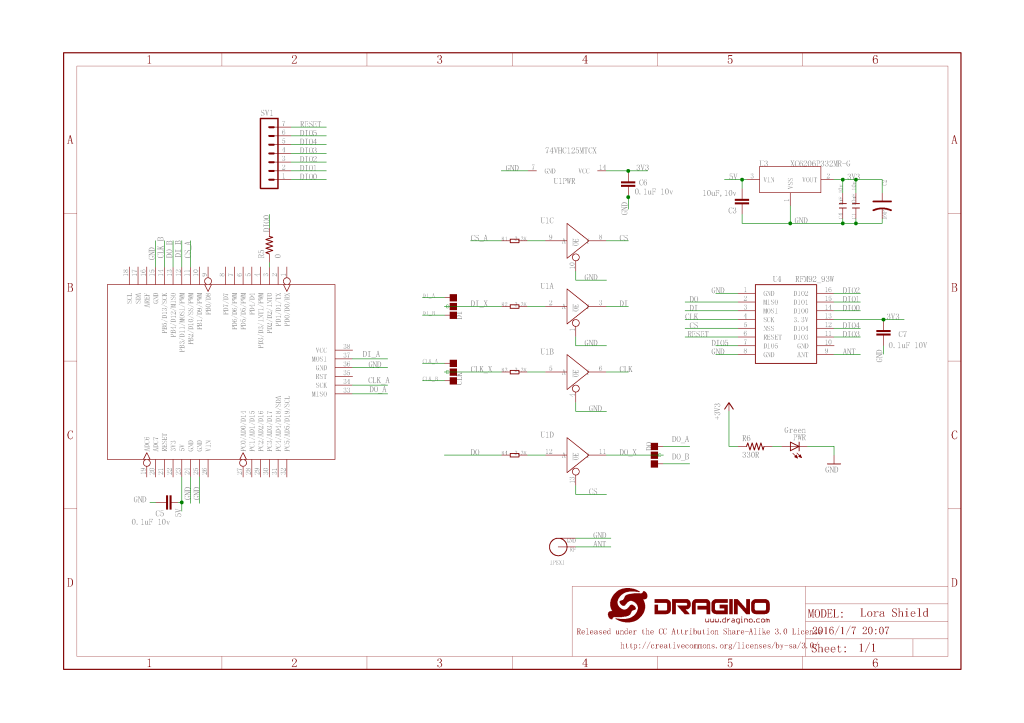
The Dragino shield uses D10 for chip select, D2 for RFM9X DI0 interrupt and D9 for Reset.

Dragino Arduino LoRa Shield Schematic

Netduino 3 Wifi pin mapping

  • D10->CS->PB10
  • D9->RST->E5

ST 32F769IDiscovery pin mapping

D10->CS->PA11
D9->RST->PH6

Sparkfun ESP32 1 Channel Gateway Schematic

SparkFun LoRa Gateway-1-Channel (ESP32) pin mapping(SX127X reset is not connected)

  • CS->PB10

The first step was to confirm I could read a single(ShieldSPI) then scan all the Semtech SX1276 registers with the new nanoFramework System.Device.SPI Nuget (which was”inspired by” .Net Core System.Device.SPI)

namespace devMobile.IoT.SX127x.ShieldSPI
{
   using System;
   using System.Diagnostics;
   using System.Threading;

   using System.Device.Gpio;
   using System.Device.Spi;

#if ESP32_WROOM_32_LORA_1_CHANNEL
   using nanoFramework.Hardware.Esp32;
#endif

   public class Program
   {
      private const byte RegVersion = 0x42;
#if ESP32_WROOM_32_LORA_1_CHANNEL
      private const int SpiBusId = 1;
#endif
#if NETDUINO3_WIFI
      private const int SpiBusId = 2;
#endif
#if ST_STM32F769I_DISCOVERY
      private const int SpiBusId = 2;
#endif

      public static void Main()
      {
         GpioController gpioController = new GpioController();

#if ESP32_WROOM_32_LORA_1_CHANNEL // No reset line for this device as it isn't connected on SX127X
         int ledPinNumber = Gpio.IO17;
         int chipSelectLine = Gpio.IO16;
#endif
#if NETDUINO3_WIFI
         int ledPinNumber = PinNumber('A', 10);
         // Arduino D10->PB10
         int chipSelectLine = PinNumber('B', 10);
         // Arduino D9->PE5
         int resetPinNumber = PinNumber('E', 5);
#endif
#if ST_STM32F769I_DISCOVERY
         int ledPinNumber  = PinNumber('J', 5);
         // Arduino D10->PA11
         int chipSelectLine = PinNumber('A', 11);
         // Arduino D9->PH6
         int resetPinNumber = PinNumber('H', 6);
#endif
         Debug.WriteLine("devMobile.IoT.SX127x.ShieldSPI starting");

         try
         {
#if ESP32_WROOM_32_LORA_1_CHANNEL || NETDUINO3_WIFI || ST_STM32F769I_DISCOVERY
            // Setup the onboard LED
            gpioController.OpenPin(ledPinNumber, PinMode.Output);
#endif

#if NETDUINO3_WIFI || ST_STM32F769I_DISCOVERY
            // Setup the reset pin
            gpioController.OpenPin(resetPinNumber, PinMode.Output);
            gpioController.Write(resetPinNumber, PinValue.High);
#endif

#if ESP32_WROOM_32_LORA_1_CHANNEL
            Configuration.SetPinFunction(Gpio.IO12, DeviceFunction.SPI1_MISO);
            Configuration.SetPinFunction(Gpio.IO13, DeviceFunction.SPI1_MOSI);
            Configuration.SetPinFunction(Gpio.IO14, DeviceFunction.SPI1_CLOCK);
#endif

            var settings = new SpiConnectionSettings(SpiBusId, chipSelectLine)
            {
               ClockFrequency = 1000000,
               Mode = SpiMode.Mode0,// From SemTech docs pg 80 CPOL=0, CPHA=0
               SharingMode = SpiSharingMode.Shared,
            };

            using (SpiDevice device = SpiDevice.Create(settings))
            {
               Thread.Sleep(500);

               while (true)
               {
                  byte[] writeBuffer = new byte[] { RegVersion, 0x0 };
                  byte[] readBuffer = new byte[writeBuffer.Length];

                  device.TransferFullDuplex(writeBuffer, readBuffer);

                  Debug.WriteLine(String.Format("Register 0x{0:x2} - Value 0X{1:x2}", RegVersion, readBuffer[1]));

#if ESP32_WROOM_32_LORA_1_CHANNEL || NETDUINO3_WIFI || ST_STM32F769I_DISCOVERY
                  if ( gpioController.Read(ledPinNumber) == PinValue.High)
						{
                     gpioController.Write(ledPinNumber, PinValue.Low);
                  }
                  else
						{
                     gpioController.Write(ledPinNumber, PinValue.High);
                  }
#endif
                  Thread.Sleep(10000);
               }
            }
         }
         catch (Exception ex)
         {
            Debug.WriteLine(ex.Message);
         }
      }

#if NETDUINO3_WIFI || ST_STM32F769I_DISCOVERY
      static int PinNumber(char port, byte pin)
      {
         if (port < 'A' || port > 'J')
            throw new ArgumentException();

         return ((port - 'A') * 16) + pin;
      }
#endif
   }
}
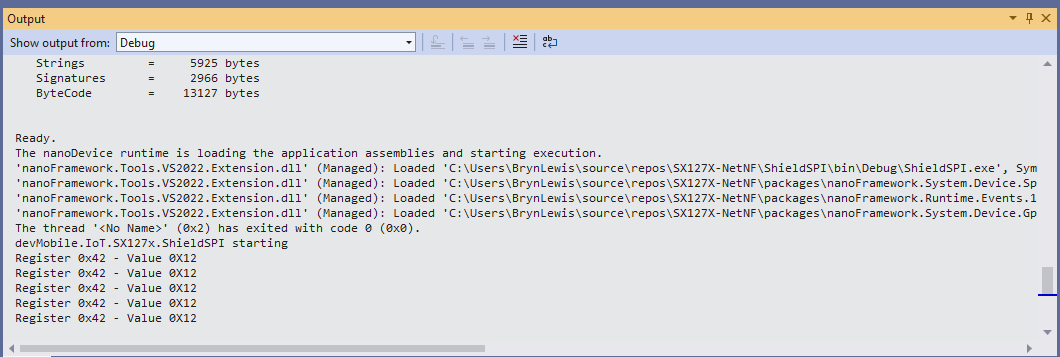
Shield SPI Debug output
namespace devMobile.IoT.SX127x.RegisterScan
{
   using System;
   using System.Diagnostics;
   using System.Threading;

   using System.Device.Gpio;
   using System.Device.Spi;

#if ESP32_WROOM_32_LORA_1_CHANNEL
   using nanoFramework.Hardware.Esp32;
#endif

   public sealed class SX127XDevice
   {
      private readonly SpiDevice SX127XTransceiver;

      public SX127XDevice(int busId, int chipSelectLine)
      {

         var settings = new SpiConnectionSettings(busId, chipSelectLine)
         {
            ClockFrequency = 1000000,
            Mode = SpiMode.Mode0,// From SemTech docs pg 80 CPOL=0, CPHA=0
            SharingMode = SpiSharingMode.Shared
         };

         SX127XTransceiver = new SpiDevice(settings);
      }

      public SX127XDevice(int busId, int chipSelectLine, int resetPin)
      {
         var settings = new SpiConnectionSettings(busId, chipSelectLine)
         {
            ClockFrequency = 1000000,
            Mode = SpiMode.Mode0,// From SemTech docs pg 80 CPOL=0, CPHA=0
            SharingMode = SpiSharingMode.Shared
         };

         SX127XTransceiver = new SpiDevice(settings);

         // Factory reset pin configuration
         GpioController gpioController = new GpioController();
         gpioController.OpenPin(resetPin, PinMode.Output);

         gpioController.Write(resetPin, PinValue.Low);
         Thread.Sleep(20);
         gpioController.Write(resetPin, PinValue.High);
         Thread.Sleep(20);
      }

      public Byte RegisterReadByte(byte registerAddress)
      {
         byte[] writeBuffer = new byte[] { registerAddress, 0x0 };
         byte[] readBuffer = new byte[writeBuffer.Length];

         SX127XTransceiver.TransferFullDuplex(writeBuffer, readBuffer);

         return readBuffer[1];
      }
   }

   public class Program
   {
#if ESP32_WROOM_32_LORA_1_CHANNEL
      private const int SpiBusId = 1;
#endif
#if NETDUINO3_WIFI
      private const int SpiBusId = 2;
#endif
#if ST_STM32F769I_DISCOVERY
      private const int SpiBusId = 2;
#endif

      public static void Main()
      {
#if ESP32_WROOM_32_LORA_1_CHANNEL
         int chipSelectLine = Gpio.IO16;
#endif
#if NETDUINO3_WIFI
         // Arduino D10->PB10
         int chipSelectLine = PinNumber('B', 10);
         // Arduino D9->PE5
         int resetPinNumber = PinNumber('E', 5);
#endif
#if ST_STM32F769I_DISCOVERY
         // Arduino D10->PA11
         int chipSelectLine = PinNumber('A', 11);
         // Arduino D9->PH6
         int resetPinNumber = PinNumber('H', 6);
#endif

         Debug.WriteLine("devMobile.IoT.SX127x.RegisterScan starting");

         try
         {
#if NETDUINO3_WIFI || ST_STM32F769I_DISCOVERY
            SX127XDevice sx127XDevice = new SX127XDevice(SpiBusId, chipSelectLine, resetPinNumber);
#endif

#if ESP32_WROOM_32_LORA_1_CHANNEL
            Configuration.SetPinFunction(Gpio.IO12, DeviceFunction.SPI1_MISO);
            Configuration.SetPinFunction(Gpio.IO13, DeviceFunction.SPI1_MOSI);
            Configuration.SetPinFunction(Gpio.IO14, DeviceFunction.SPI1_CLOCK);

            SX127XDevice sx127XDevice = new SX127XDevice(SpiBusId, chipSelectLine);
#endif

            Thread.Sleep(500);

            while (true)
            {
               for (byte registerIndex = 0; registerIndex <= 0x42; registerIndex++)
               {
                  byte registerValue = sx127XDevice.RegisterReadByte(registerIndex);

                  Debug.WriteLine($"Register 0x{registerIndex:x2} - Value 0X{registerValue:x2}");
               }
               Debug.WriteLine("");

               Thread.Sleep(10000);
            }
         }
         catch (Exception ex)
         {
            Debug.WriteLine(ex.Message);
         }
      }

#if NETDUINO3_WIFI || ST_STM32F769I_DISCOVERY
      static int PinNumber(char port, byte pin)
      {
         if (port < 'A' || port > 'J')
            throw new ArgumentException();

         return ((port - 'A') * 16) + pin;
      }
#endif
   }
}
RegisterScan Debug Output

There is some SparkFun LoRa Gateway-1-Channel (ESP32) specific configuration to map the Serial Peripheral Interface(SPI) pins and an additional NuGet for ESP32 has to be added. For the initial versions I have not used more advanced .NET nanoFramework functionality like SpanByte.

.NET nanoFramework ValueChanged

If you have landed at this post you were most probably searching for issues updating .NET nanoFramework code that used ValueChanged to handle interrupts. Back in mid 2020 the initial version of my Semtech SX127X(HopeRF RFM9X) library used the Windows.Devices.Gpio Nuget package.

public Rfm9XDevice(string spiPort, int chipSelectPin, int resetPin, int interruptPin)
{
    //...
   
   // Interrupt pin for RX message & TX done notification 
   InterruptGpioPin = gpioController.OpenPin(interruptPin);
   InterruptGpioPin.SetDriveMode(GpioPinDriveMode.Input);

   InterruptGpioPin.ValueChanged += InterruptGpioPin_ValueChanged;
}

private void InterruptGpioPin_ValueChanged(object sender, GpioPinValueChangedEventArgs e)
{
   if (e.Edge != GpioPinEdge.RisingEdge)
   {
      return;
   }

   byte irqFlags = this.RegisterReadByte(0x12); // RegIrqFlags
   //...
}

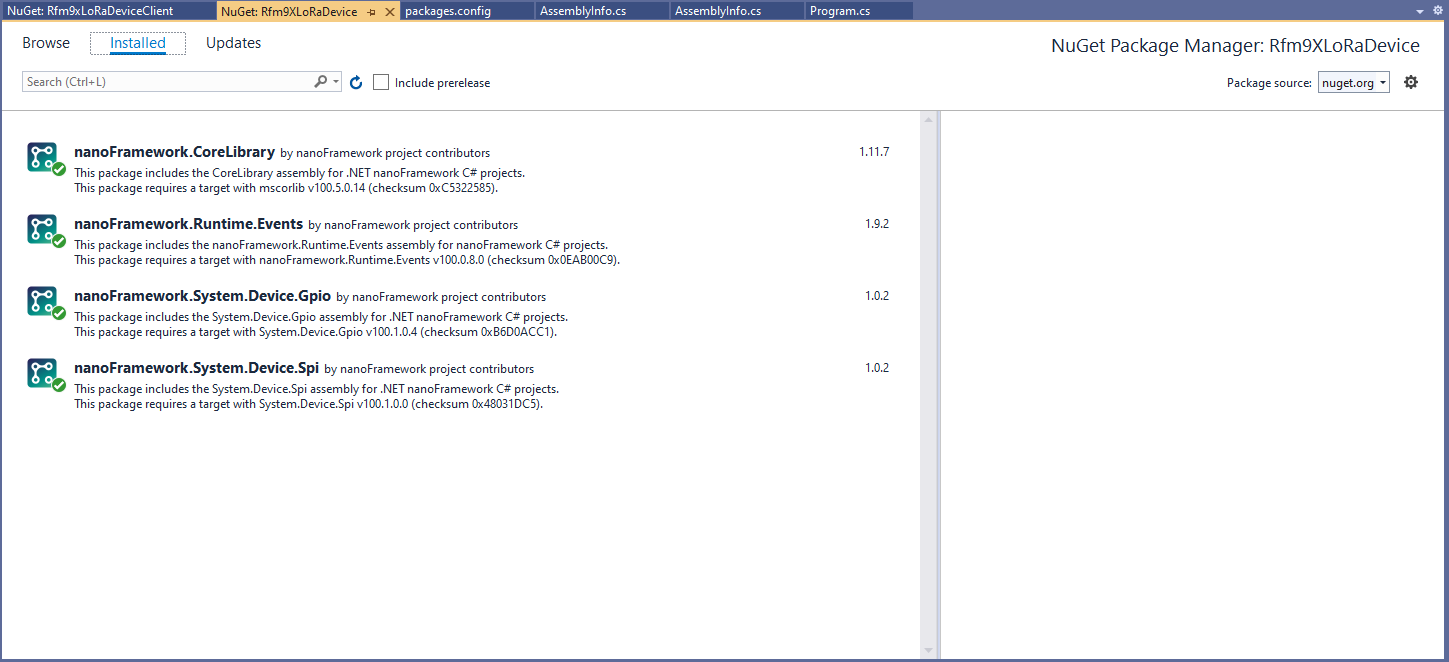
Then in March 2022 I updated the CoreLibrary, Runtime.Events, System.Devices.GPIO, System.Devices.SPI NuGets.

I then fixed all the breaking changes (For the initial versions I have not updated the code to use SpanByte etc.).

public Rfm9XDevice(int spiBusId, int chipSelectPin, int resetPin, int interruptPin)
{
   //...

   // Interrupt pin for RX message & TX done notification 
   InterruptGpioPin = gpioController.OpenPin(interruptPin);
   InterruptGpioPin.SetPinMode(PinMode.Input);

   InterruptGpioPin.ValueChanged += InterruptGpioPin_ValueChanged;
}

private void InterruptGpioPin_ValueChanged(object sender, PinValueChangedEventArgs e)
{
   if (e.ChangeType != PinEventTypes.Rising)
   {
      return;
   }

   byte irqFlags = this.RegisterReadByte(0x12); // RegIrqFlags
   //...
}

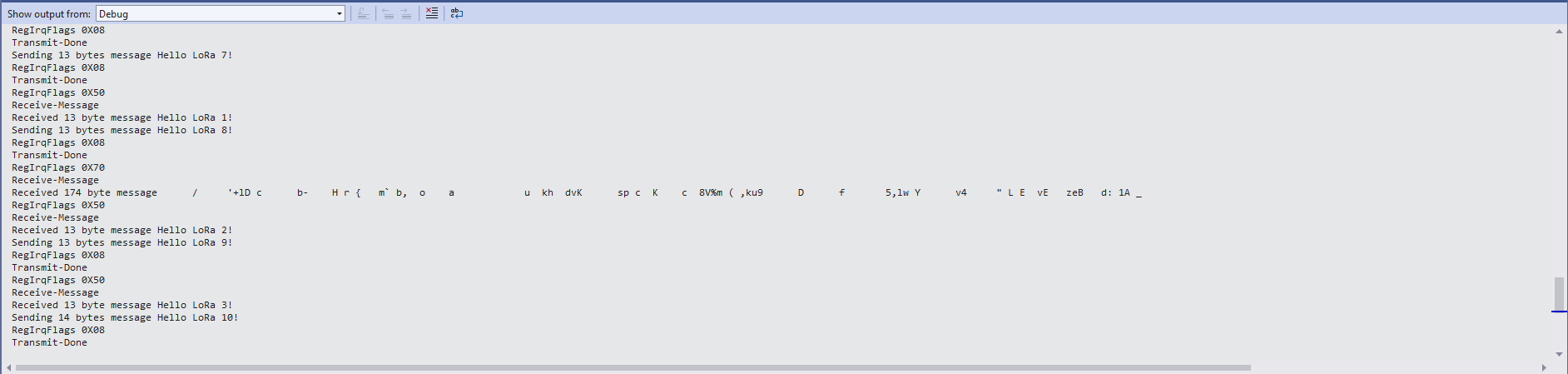
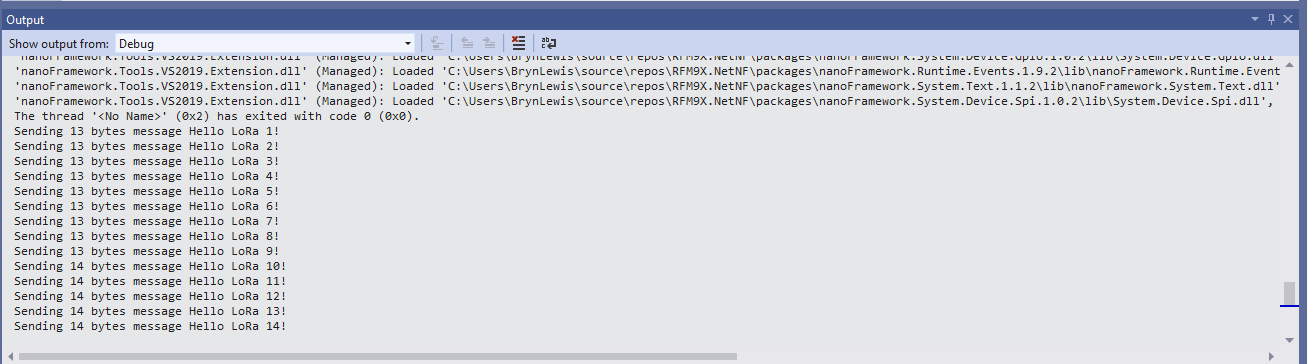
While “soak testing” the ReceiveInterrupt application I noticed that sometimes when I started the application interrupts were not processed or processing stopped after a while.

Visual Studio Debugger output showing intermittent calling of InterruptGpioPin_ValueChanged

I then found the RangeTester application wouldn’t start or run reliably. My original code was based on the Widnows.Devices.GPIO sample so I updated it based on the System.Device.GPIO sample.

public Rfm9XDevice(int spiBusId, int chipSelectPin, int resetPin, int interruptPin)
{
   //...

   // Interrupt pin for RX message & TX done notification 
   gpioController.OpenPin(interruptPin,PinMode.InputPullDown);

   gpioController.RegisterCallbackForPinValueChangedEvent(interruptPin, PinEventTypes.Rising, InterruptGpioPin_ValueChanged);
}

private void InterruptGpioPin_ValueChanged(object sender, PinValueChangedEventArgs e)
{
   byte irqFlags = this.RegisterReadByte(0x12); // RegIrqFlags
   //...
}
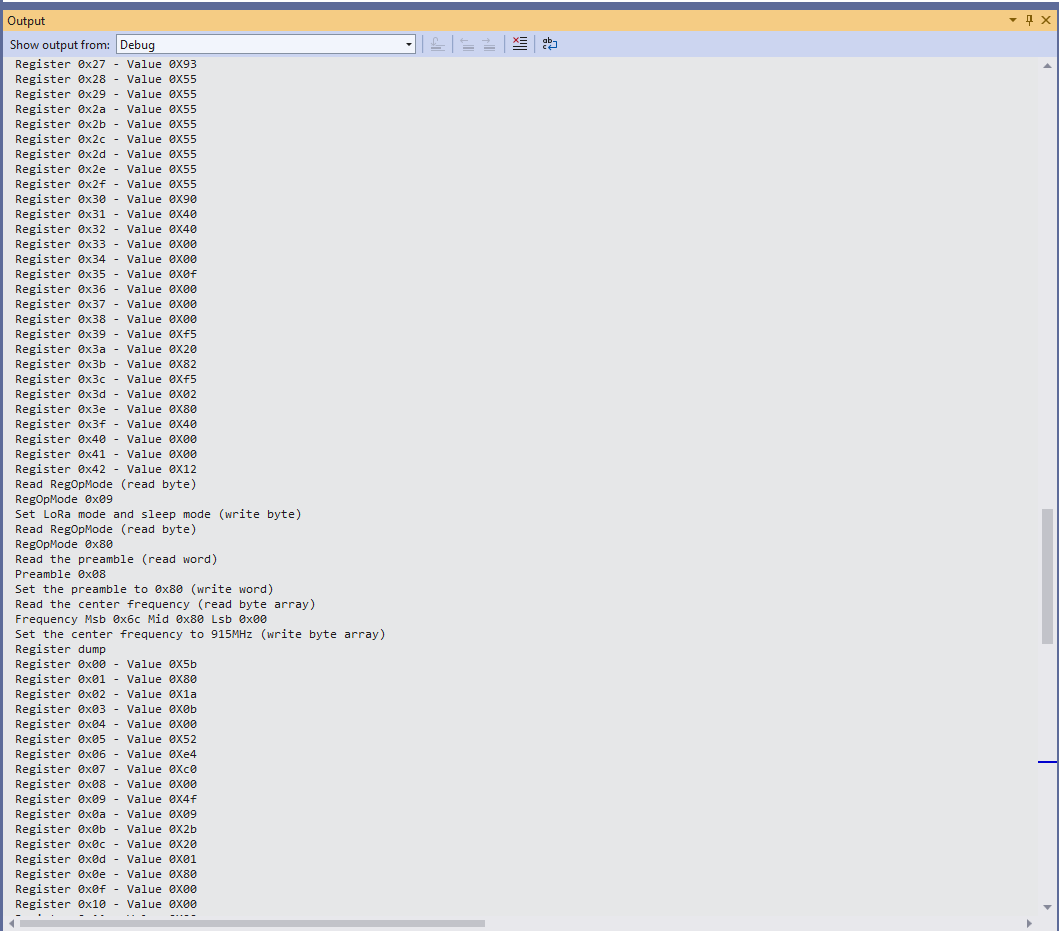
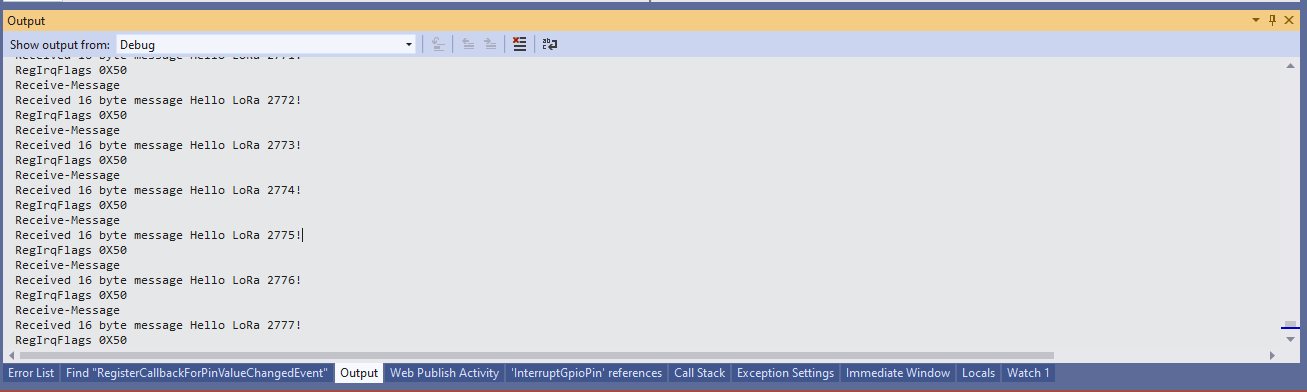
Visual Studio Debugger output showing reliable calling of InterruptGpioPin_ValueChanged

If your Windows.Devices.GPIO based project is not reliably handling interrupts after upgrading to System.Device.GPIO and fixing any “breaking changes” the implementation most probably need to be updated to use RegisterCallbackForPinValueChangedEvent as well.

nanoFramework Seeed LoRa-E5 on Github

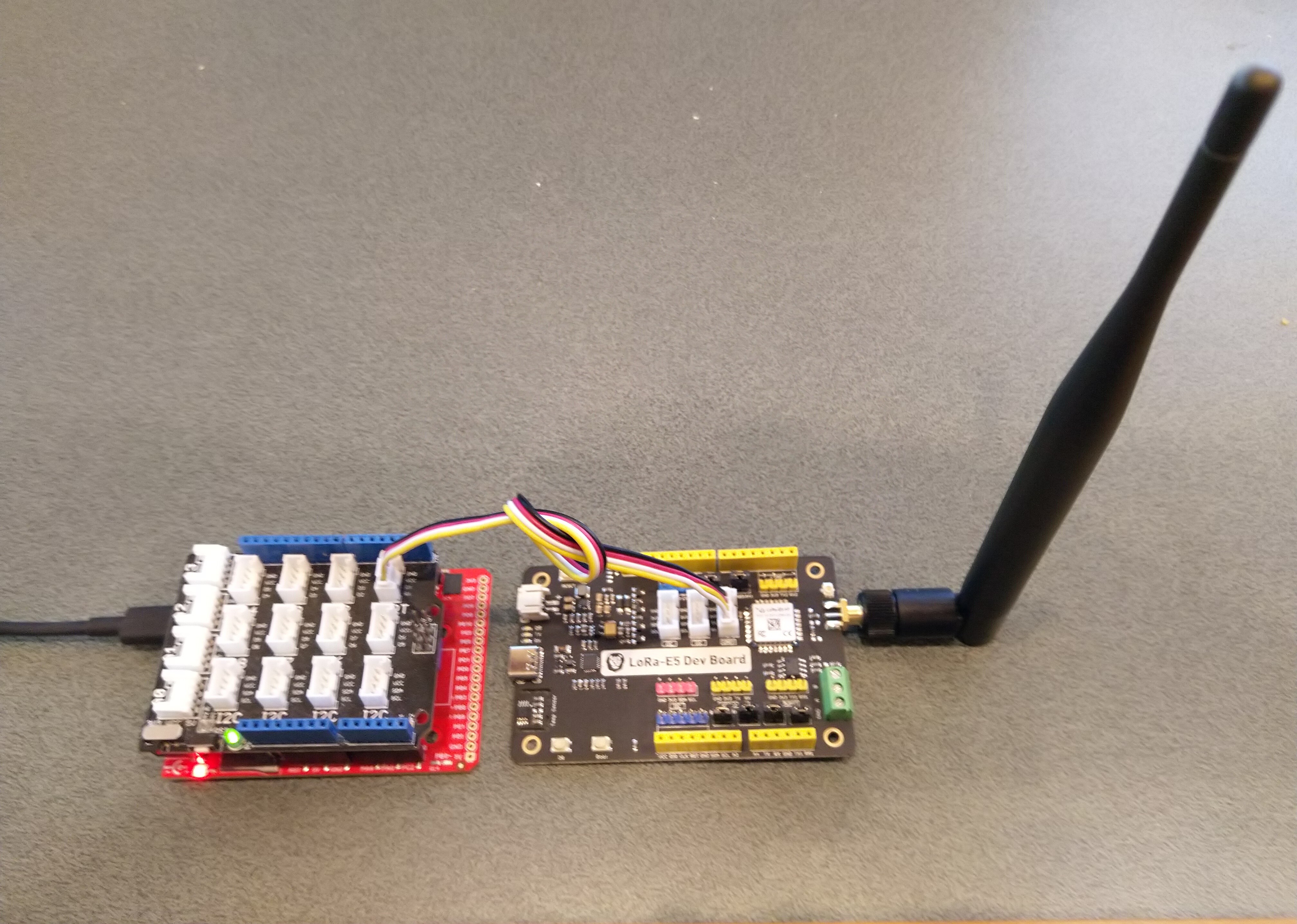
The source code of my nanoFramework C# Seeed LoRa-E5 library is live on GitHub. My initial test rig was based on an STM32F691DISCOVERY board which has an Arduino Uno R3 format socket for a Grove Base Shield V2.0. I then connected it to my LoRa-E5 Development Kit with a Grove – Universal 4 Pin 20cm Unbuckled Cable(TX/RX reversed)

STM32F769I test rig with Seeedstudio Grove Base shield V2 and LoRa-E5 Development Kit

So far the demo application has been running for a couple of weeks

The thread '<No Name>' (0x2) has exited with code 0 (0x0).
devMobile.IoT.SeeedE5LoRaWANDeviceClient starting
12:00:01 Join start Timeout:25 Seconds
12:00:07 Join finish
12:00:07 Send Timeout:10 Seconds payload BCD:010203040506070809
12:00:13 Sleep
12:05:13 Wakeup
12:05:13 Send Timeout:10 Seconds payload BCD:010203040506070809
12:05:20 Sleep
12:10:20 Wakeup
12:10:20 Send Timeout:10 Seconds payload BCD:010203040506070809
12:10:27 Sleep
12:15:27 Wakeup
12:15:27 Send Timeout:10 Seconds payload BCD:010203040506070809
12:15:34 Sleep
...
11:52:40 Wakeup
11:52:40 Send Timeout:10 Seconds payload BCD:010203040506070809
11:52:45 Sleep
11:57:45 Wakeup
11:57:45 Send Timeout:10 Seconds payload BCD:010203040506070809
11:57:52 Sleep
12:02:52 Wakeup
12:02:52 Send Timeout:10 Seconds payload BCD:010203040506070809
12:02:59 Sleep
12:07:59 Wakeup
12:07:59 Send Timeout:10 Seconds payload BCD:010203040506070809
12:08:07 Sleep
12:13:07 Wakeup
12:13:07 Send Timeout:10 Seconds payload BCD:010203040506070809
12:13:14 Sleep

I have tested the Over The Air Activation(OTAA) code and will work on testing the other functionality over the coming week,

public static void Main()
{
   Result result;

   Debug.WriteLine("devMobile.IoT.SeeedE5LoRaWANDeviceClient starting");

   try
   {
      using (SeeedE5LoRaWANDevice device = new SeeedE5LoRaWANDevice())
      {
         result = device.Initialise(SerialPortId, 9600, UartParity.None, 8, UartStopBitCount.One);
         if (result != Result.Success)
         {
            Debug.WriteLine($"Initialise failed {result}");
            return;
         }

#if CONFIRMED
         device.OnMessageConfirmation += OnMessageConfirmationHandler;
#endif
         device.OnReceiveMessage += OnReceiveMessageHandler;

#if RESET
         Debug.WriteLine($"{DateTime.UtcNow:hh:mm:ss} Reset");
         result = device.Reset();
         if (result != Result.Success)
         {
            Debug.WriteLine($"Reset failed {result}");
            return;
          }
#endif

         Debug.WriteLine($"{DateTime.UtcNow:hh:mm:ss} Region {Region}");
         result = device.Region(Region);
         if (result != Result.Success)
         {
            Debug.WriteLine($"Region failed {result}");
            return;
         }

         Debug.WriteLine($"{DateTime.UtcNow:hh:mm:ss} ADR On");
         result = device.AdrOn();
         if (result != Result.Success)
         {
            Debug.WriteLine($"ADR on failed {result}");
            return;
         }

               Debug.WriteLine($"{DateTime.UtcNow:hh:mm:ss} Port");
               result = device.Port(MessagePort);
               if (result != Result.Success)
               {
                  Debug.WriteLine($"Port on failed {result}");
                  return;
               }

#if OTAA
               Debug.WriteLine($"{DateTime.UtcNow:hh:mm:ss} OTAA");
               result = device.OtaaInitialise(Config.AppEui, Config.AppKey);
               if (result != Result.Success)
               {
                  Debug.WriteLine($"OTAA Initialise failed {result}");
                  return;
               }
#endif

#if ABP
               Debug.WriteLine($"{DateTime.UtcNow:hh:mm:ss} ABP");
               result = device.AbpInitialise(DevAddress, NwksKey, AppsKey);
               if (result != Result.Success)
               {
                  Debug.WriteLine($"ABP Initialise failed {result}");
                  return;
               }
#endif

               Debug.WriteLine($"{DateTime.UtcNow:hh:mm:ss} Join start Timeout:{JoinTimeOut.TotalSeconds} Seconds");
               result = device.Join(true, JoinTimeOut);
               if (result != Result.Success)
               {
                  Debug.WriteLine($"Join failed {result}");
                  return;
               }
               Debug.WriteLine($"{DateTime.UtcNow:hh:mm:ss} Join finish");

               while (true)
               {
#if PAYLOAD_BCD
                  Debug.WriteLine($"{DateTime.UtcNow:hh:mm:ss} Send Timeout:{SendTimeout.TotalSeconds} Seconds payload BCD:{PayloadBcd}");
#if CONFIRMED
                  result = device.Send(PayloadBcd, true, SendTimeout);
#else
                  result = device.Send(PayloadBcd, false, SendTimeout);
#endif
#endif

#if PAYLOAD_BYTES
                  Debug.WriteLine($"{DateTime.UtcNow:hh:mm:ss} Send Timeout:{SendTimeout.TotalSeconds} Seconds payload Bytes:{BitConverter.ToString(PayloadBytes)}");
#if CONFIRMED
                  result = device.Send(PayloadBytes, true, SendTimeout);
#else
                  result = device.Send(PayloadBytes, false, SendTimeout);
#endif
#endif
                  if (result != Result.Success)
                  {
                     Debug.WriteLine($"Send failed {result}");
                  }

                  Debug.WriteLine($"{DateTime.UtcNow:hh:mm:ss} Sleep");
                  result = device.Sleep();
                  if (result != Result.Success)
                  {
                     Debug.WriteLine($"Sleep failed {result}");
                     return;
                  }

                  Thread.Sleep(300000);

                  Debug.WriteLine($"{DateTime.UtcNow:hh:mm:ss} Wakeup");
                  result = device.Wakeup();
                  if (result != Result.Success)
                  {
                     Debug.WriteLine($"Wakeup failed {result}");
                     return;
                  }
               }
            }
         }
         catch (Exception ex)
         {
            Debug.WriteLine(ex.Message);
         }
      }

The Region, ADR and OtaaInitialise methods only need to be called when the device is first powered up and after a reset.

The library works but should be treated as late beta.

Seeed LoRa-E5 Wakeup

Over the last week I have been working on GHI Electronics TinyCLR-0SV2RC1 and nanoFramework and C# libraries for the LoRa-E5 module from Seeedstudio.

The initial test rigs were based on an Arduino Uno R3 format socket for a Grove Base Shield V2.0 which I then connected to my LoRa-E5 Development Kit with a Grove – Universal 4 Pin 20cm Unbuckled Cable(TX/RX reversed)

Fezduino device with Seeedstudio Grove base shield and LoRa-E5 development Kit

While testing I noticed that every so often that when I restarted the test application application, rebooted or power cycled the nanoFramework or Fezduino device the Seeed LoRa-E5 wouldn’t connect.

After some trial and error manually entering commands in Terraterm I found that if the LoRa-E5 had been put to sleep (AT+LOWPOWER) the response to the first command (usually setting the region with AT+DR=AS923) would be unexpected. The problem was more obvious when I used devices that were configured for “soak testing” because the gap between messages was much longer (5min vs. 30 seconds)

AT+VER
+VER: 4.0.11

AT+UART=TIMEOUT, 30000 
+UART: TIMEOUT, 30000

AT+LOWPOWER
+LOWPOWER: SLEEP

AT+DR=AS923
AT+LOWPOWER: WAKEUP

AT+DR=AS923
+DR: AS923

AT+JOIN FORCE
+JOIN: Start
+JOIN: FORCE
+JOIN: Network joined
+JOIN: NetID 000013 DevAddr 26:08:46:70
+JOIN: Done

AT+CMSGHEX="00 01 02 03 04"
+CMSGHEX: Start
+CMSGHEX: Wait ACK
+CMSGHEX: FPENDING
+CMSGHEX: ACK Received
+CMSGHEX: RXWIN1, RSSI -29, SNR 9.0
+CMSGHEX: Done

After trying several different approaches which weren’t very robust I settled on sending a wakeup command (AT+LOWPOWER: WAKEUP with an expected response of +LOWPOWER: WAKEUP) and ignoring the result.

public Result Initialise(string serialPortId, int baudRate, UartParity serialParity, int dataBits, UartStopBitCount stopBitCount)
{
    if ((serialPortId == null) || (serialPortId == ""))
    {
       throw new ArgumentException("Invalid SerialPortId", "serialPortId");
    }
    if ((baudRate < BaudRateMinimum) || (baudRate > BaudRateMaximum))
    {
       throw new ArgumentException("Invalid BaudRate", "baudRate");
    }

   serialDevice = UartController.FromName(serialPortId);

   // set parameters
   serialDevice.SetActiveSettings(new UartSetting()
   {
      BaudRate = baudRate,
      Parity = serialParity,
      StopBits = stopBitCount,
      Handshaking = UartHandshake.None,
      DataBits = dataBits
   });

   serialDevice.Enable();

   atCommandExpectedResponse = string.Empty;

   serialDevice.DataReceived += SerialDevice_DataReceived;

   // Ignoring the return from this is intentional
   this.SendCommand("+LOWPOWER: WAKEUP", "AT+LOWPOWER: WAKEUP", SendTimeoutMinimum);

   return Result.Success;
}

This modification has been applied to both libraries. I will also check that the RAK811 nanoFramework and TinyCLR libraries don’t have the same issue.

nanoFramework Seeed LoRa-E5 LoRaWAN library Part2

Nasty OTAA connect

After getting basic connectivity for my Seeedstudio LoRa-E5 Development Kit and STM32F691DISCOVERY test rig working I wanted to see if I could get the device connected to The Things Industries(TTI).

My Over the Air Activation (OTAA) implementation is very “nasty” as it is assumed that there are no timeouts or failures and it only sends one BCD message “01020304”.

   public class Program
   {
      private const string SerialPortId = "COM6";

      private const string AppKey = "................................";
      private const string AppEui = "................";

      private const byte MessagePort = 15;

      //private const string Payload = "48656c6c6f204c6f526157414e"; // Hello LoRaWAN
      private const string Payload = "01020304"; // AQIDBA==
      //private const string Payload = "04030201"; // BAMCAQ==

   public static void Main()
   {
      SerialDevice serialDevice;
      uint bytesWritten;
      uint txByteCount;
      uint bytesRead;

      Debug.WriteLine("devMobile.IoT.SeeedLoRaE5.NetworkJoinOTAA starting");

      Debug.WriteLine($"Ports available: {Windows.Devices.SerialCommunication.SerialDevice.GetDeviceSelector()}");

      try
      {
         serialDevice = SerialDevice.FromId(SerialPortId);

         // set parameters
         serialDevice.BaudRate = 9600;
         serialDevice.Parity = SerialParity.None;
         serialDevice.StopBits = SerialStopBitCount.One;
         serialDevice.Handshake = SerialHandshake.None;
         serialDevice.DataBits = 8;

         serialDevice.ReadTimeout = new TimeSpan(0, 0, 5);
         serialDevice.WriteTimeout = new TimeSpan(0, 0, 4);

         DataWriter outputDataWriter = new DataWriter(serialDevice.OutputStream);
         DataReader inputDataReader = new DataReader(serialDevice.InputStream);

         // set a watch char to be notified when it's available in the input stream
         serialDevice.WatchChar = '\n';

         // clear out the RX buffer
         bytesRead = inputDataReader.Load(128);
         while (bytesRead > 0)
         {
            string response = inputDataReader.ReadString(bytesRead);
            Debug.WriteLine($"RX :{response}");

            bytesRead = inputDataReader.Load(128);
         }

         // Set the Region to AS923
         bytesWritten = outputDataWriter.WriteString("AT+DR=AS923\r\n");
         Debug.WriteLine($"TX: region {outputDataWriter.UnstoredBufferLength} bytes to output stream.");
         txByteCount = outputDataWriter.Store();
         Debug.WriteLine($"TX: {txByteCount} bytes via {serialDevice.PortName}");

         // Read the response
         bytesRead = inputDataReader.Load(128);
         if (bytesRead > 0)
         {
            String response = inputDataReader.ReadString(bytesRead);
            Debug.WriteLine($"RX :{response}");
         }

         // Set the Join mode
         bytesWritten = outputDataWriter.WriteString("AT+MODE=LWOTAA\r\n");
         Debug.WriteLine($"TX: mode {outputDataWriter.UnstoredBufferLength} bytes to output stream.");
         txByteCount = outputDataWriter.Store();
         Debug.WriteLine($"TX: {txByteCount} bytes via {serialDevice.PortName}");

         // Read the response
         bytesRead = inputDataReader.Load(128);
         if (bytesRead > 0)
         {
            string response = inputDataReader.ReadString(bytesRead);
            Debug.WriteLine($"RX :{response}");
         }

         // Set the appEUI
         bytesWritten = outputDataWriter.WriteString($"AT+ID=AppEui,\"{AppEui}\"\r\n");
         Debug.WriteLine($"TX: AppEui {outputDataWriter.UnstoredBufferLength} bytes to output stream.");
         txByteCount = outputDataWriter.Store();
         Debug.WriteLine($"TX: {txByteCount} bytes via {serialDevice.PortName}");

         // Read the response
         bytesRead = inputDataReader.Load(128);
         if (bytesRead > 0)
         {
            String response = inputDataReader.ReadString(bytesRead);
            Debug.WriteLine($"RX :{response}");
         }

         // Set the appKey
         bytesWritten = outputDataWriter.WriteString($"AT+KEY=APPKEY,{AppKey}\r\n");
         Debug.WriteLine($"TX: AppKey {outputDataWriter.UnstoredBufferLength} bytes to output stream.");
         txByteCount = outputDataWriter.Store();
         Debug.WriteLine($"TX: {txByteCount} bytes via {serialDevice.PortName}");

         // Read the response
         bytesRead = inputDataReader.Load(128);
         if (bytesRead > 0)
         {
            String response = inputDataReader.ReadString(bytesRead);
            Debug.WriteLine($"RX :{response}");
         }

         // Set the port number
         bytesWritten = outputDataWriter.WriteString($"AT+PORT={MessagePort}\r\n");
         Debug.WriteLine($"TX: port {outputDataWriter.UnstoredBufferLength} bytes to output stream.");
         txByteCount = outputDataWriter.Store();
         Debug.WriteLine($"TX: {txByteCount} bytes via {serialDevice.PortName}");

         // Read the response
         bytesRead = inputDataReader.Load(128);
         if (bytesRead > 0)
         {
            String response = inputDataReader.ReadString(bytesRead);
            Debug.WriteLine($"RX :{response}");
         }

         // Join the network
         bytesWritten = outputDataWriter.WriteString("AT+JOIN\r\n");
         Debug.WriteLine($"TX: join {outputDataWriter.UnstoredBufferLength} bytes to output stream.");
         txByteCount = outputDataWriter.Store();
         Debug.WriteLine($"TX: {txByteCount} bytes via {serialDevice.PortName}");

         // Read the response, need loop as multi line response
         bytesRead = inputDataReader.Load(128);
         while (bytesRead > 0)
         {
            String response = inputDataReader.ReadString(bytesRead);
            Debug.WriteLine($"RX :{response}");

            bytesRead = inputDataReader.Load(128);
         }

         while (true)
         {
            bytesWritten = outputDataWriter.WriteString($"AT+MSGHEX=\"{Payload}\"\r\n");
            Debug.WriteLine($"TX: send {outputDataWriter.UnstoredBufferLength} bytes to output stream.");

            txByteCount = outputDataWriter.Store();
            Debug.WriteLine($"TX: {txByteCount} bytes via {serialDevice.PortName}");

            // Read the response, need loop as multi line response
            bytesRead = inputDataReader.Load(128);
            while (bytesRead > 0)
            {
               String response = inputDataReader.ReadString(bytesRead);
               Debug.WriteLine($"RX :{response}");

               bytesRead = inputDataReader.Load(128);
            }

            Thread.Sleep(300000);
         }
      }
      catch (Exception ex)
      {
         Debug.WriteLine(ex.Message);
      }
}

The code is not suitable for production but it confirmed my software and hardware configuration worked.

The thread '<No Name>' (0x2) has exited with code 0 (0x0).
devMobile.IoT.SeeedE5.NetworkJoinOTAA starting
TX: DR 13 bytes
RX :+DR: AS923

TX: MODE 16 bytes
RX :+MODE: LWOTAA

TX: ID=AppEui 40 bytes
RX :+ID: AppEui, ..:..:.:.:.:.:.:.

TX: KEY=APPKEY 48 bytes
RX :+KEY: APPKEY ................................

TX: PORT 11 bytes
RX :+PORT: 1

TX: JOIN 9 bytes
RX :+JOIN: Start
+JOIN: NORMAL
+JOIN: Network joined
+JOIN: NetID 000013 DevAddr ..:..:..:..
+JOIN: Done

TX: MSGHEX 22 bytes
RX :+MSGHEX: Start
+MSGHEX: FPENDING
+MSGHEX: RXWIN1, RSSI -41, SNR 9.0
+MSGHEX: Done

TX: MSGHEX 22 bytes
RX :+MSGHEX: Start
+MSGHEX: Done

In the Visual Studio 2019 debug output I could see messages getting sent and then after a short delay they were visible in the TTI console.

Seeed E5 LoRaWAN dev Kit connecting in The Things Industries Device Live data tab

nanoFramework Seeed LoRa-E5 LoRaWAN library Part1

Basic connectivity

Over the weekend I have been working on a nanoFramework C# library for my LoRa-E5 Development Kit from Seeedstudio. My initial test rig is based on an STM32F691DISCOVERY board which has an Arduino Uno R3 format socket for a Grove Base Shield V2.0, which I then connected to my LoRa-E5 Development Kit with a Grove – Universal 4 Pin 20cm Unbuckled Cable(TX/RX reversed)

STM32F769I test rig with Seeedstudio Grove Base shield V2 and LoRa-E5 Development Kit

The code has compile time options for synchronous and asynchronous operation.

public class Program
{
   private const string SerialPortId = "COM6";

   public static void Main()
   {
      SerialDevice serialDevice;

      Debug.WriteLine("devMobile.IoT.SeeedLoRaE5.ShieldSerial starting");

      Debug.WriteLine(Windows.Devices.SerialCommunication.SerialDevice.GetDeviceSelector());

      try
      {
         serialDevice = SerialDevice.FromId(SerialPortId);

         // set parameters
         serialDevice.BaudRate = 9600;
         serialDevice.Parity = SerialParity.None;
         serialDevice.StopBits = SerialStopBitCount.One;
         serialDevice.Handshake = SerialHandshake.None;
         serialDevice.DataBits = 8;

         serialDevice.ReadTimeout = new TimeSpan(0, 0, 30);
         serialDevice.WriteTimeout = new TimeSpan(0, 0, 4);

         DataWriter outputDataWriter = new DataWriter(serialDevice.OutputStream);

#if SERIAL_SYNC_READ
         DataReader inputDataReader = new DataReader(serialDevice.InputStream);
#else
         serialDevice.DataReceived += SerialDevice_DataReceived;
#endif

         // set a watch char to be notified when it's available in the input stream
         // This doesn't appear to work with synchronous calls
         serialDevice.WatchChar = '\n';

         while (true)
         {
            uint bytesWritten = outputDataWriter.WriteString("AT+VER\r\n");
            Debug.WriteLine($"TX: {outputDataWriter.UnstoredBufferLength} bytes to output stream.");

            // calling the 'Store' method on the data writer actually sends the data
            uint txByteCount = outputDataWriter.Store();
            Debug.WriteLine($"TX: {txByteCount} bytes via {serialDevice.PortName}");

#if SERIAL_SYNC_READ
            uint bytesRead = inputDataReader.Load(50);

            Debug.WriteLine($"RXs :{bytesRead} bytes read from {serialDevice.PortName}");

            if (bytesRead > 0)
            {
               String response = inputDataReader.ReadString(bytesRead);
               Debug.WriteLine($"RX sync:{response}");
            }
#endif

            Thread.Sleep(20000);
         }
      }
      catch (Exception ex)
      {
         Debug.WriteLine(ex.Message);
      }
   }

   private static void SerialDevice_DataReceived(object sender, SerialDataReceivedEventArgs e)
   {
      switch (e.EventType)
      {
         case SerialData.Chars:
            //Debug.WriteLine("RX SerialData.Chars");
            break;

         case SerialData.WatchChar:
             Debug.WriteLine("RX: SerialData.WatchChar");
             SerialDevice serialDevice = (SerialDevice)sender;

            using (DataReader inputDataReader = new DataReader(serialDevice.InputStream))
            {
               inputDataReader.InputStreamOptions = InputStreamOptions.Partial;

               // read all available bytes from the Serial Device input stream
               uint bytesRead = inputDataReader.Load(serialDevice.BytesToRead);

               Debug.WriteLine($"RXa: {bytesRead} bytes read from {serialDevice.PortName}");

               if (bytesRead > 0)
               {
                  String response = inputDataReader.ReadString(bytesRead);
                  Debug.WriteLine($"RX:{response}");
               }
            }
            break;
         default:
            Debug.Assert(false, $"e.EventType {e.EventType} unknown");
            break;
      }
   }
}

I have reused a significant amount of code built for my nanoFramework RAK811 LoRaWAN library Part1 post.

The thread '<No Name>' (0x2) has exited with code 0 (0x0).
devMobile.IoT.SeeedLoRaE5.ShieldSerial starting
Ports available: COM5,COM6
TX: 8 bytes to output stream.
TX: 8 bytes via COM6
TX: 8 bytes to output stream.
TX: 8 bytes via COM6
RX: SerialData.WatchChar
RXa: 28 bytes read from COM6
RX:+VER: 4.0.11
+VER: 4.0.11

TX: 8 bytes to output stream.
TX: 8 bytes via COM6
RX: SerialData.WatchChar
RXa: 14 bytes read from COM6
RX:+VER: 4.0.11

TX: 8 bytes to output stream.
TX: 8 bytes via COM6
RX: SerialData.WatchChar
RXa: 14 bytes read from COM6
RX:+VER: 4.0.11

TX: 8 bytes to output stream.
TX: 8 bytes via COM6
RX: SerialData.WatchChar
RXa: 14 bytes read from COM6
RX:+VER: 4.0.11

The test rig confirmed that I had the right configuration for the hardware (TX-RX twist) and LoRa-E5 connection (serial port, baud rate, parity etc.)

netNF Electric Longboard Part 4

The Rideable Prototype

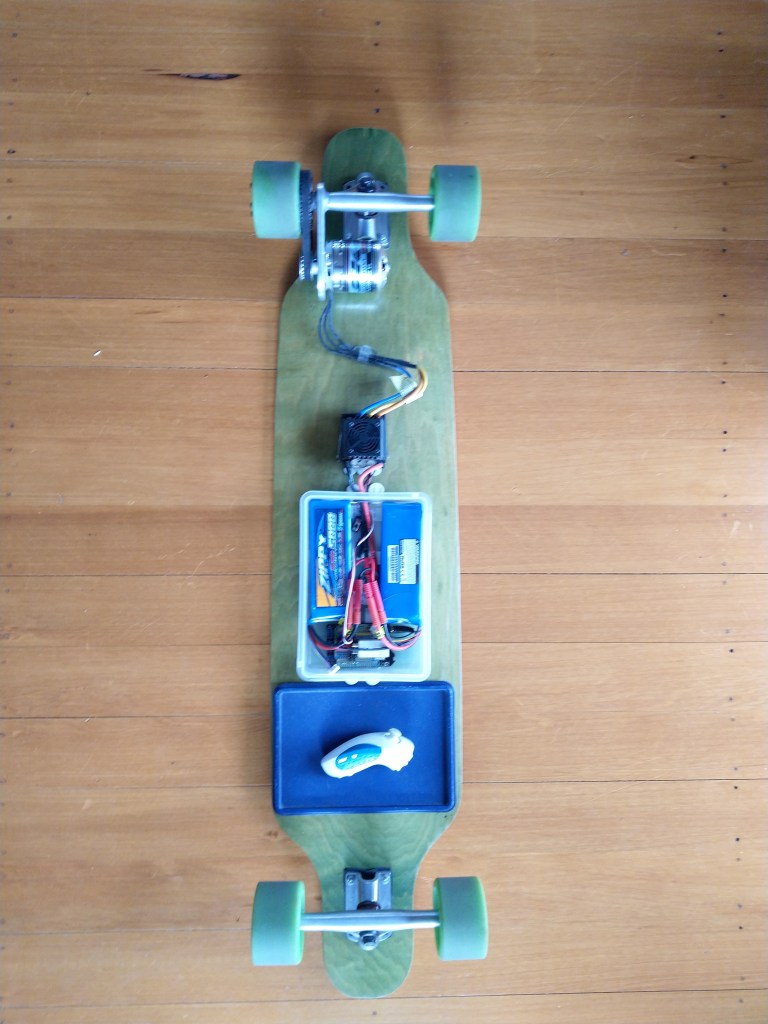
After some experimentation I gave up on the radio control(RC) servo library for controlling my Longboard’s Electronic Speed Control(ESC).

My new longboard controller uses the following parts

  • Netduino 3 Wifi
  • Generic wireless wii nuchuk
  • generic Arduino protoshield

I reused the initial protoshield and only had to shift the PWM output to the ESC from pin 8 to pin 7.

FEZ Panda III Protoshield for longboard with RC Servo for testing
Protoshield for longboard RC Servo test
public class Program
{
   private const double PulseFrequency = 50.0;
   private const double PulseDurationMinimum = 0.05; // 1000uSec
   private const double PulseDurationMaximum = 0.1; // 2000uSec
   private const double WiiNunchukYMinimum = 0.0;
   private const double WiiNunchukYMaximum = 255.0;
   private const int ThrottleUpdatePeriod = 100;

   public static void Main()
   {
      Debug.WriteLine("devMobile.Longboard starting");
      Debug.WriteLine($"I2C:{I2cDevice.GetDeviceSelector()}");
      Debug.WriteLine($"PWM:{PwmController.GetDeviceSelector()}");

      try
      {
         Debug.WriteLine("LED Starting");
         GpioPin led = GpioController.GetDefault().OpenPin(PinNumber('A', 10));
         led.SetDriveMode(GpioPinDriveMode.Output);
         led.Write(GpioPinValue.Low);

         Debug.WriteLine("LED Starting");
         WiiNunchuk nunchuk = new WiiNunchuk("I2C1");

         Debug.WriteLine("ESC Starting");
         PwmController pwm = PwmController.FromId("TIM5");
         PwmPin pwmPin = pwm.OpenPin(PinNumber('A', 1));
         pwmPin.Controller.SetDesiredFrequency(PulseFrequency);
         pwmPin.Start();

         Debug.WriteLine("Thread.Sleep Starting");
         Thread.Sleep(2000);

         Debug.WriteLine("Mainloop Starting");
         while (true)
         {
            nunchuk.Read();

            double duration = Map(nunchuk.AnalogStickY, WiiNunchukYMinimum, WiiNunchukYMaximum, PulseDurationMinimum, PulseDurationMaximum);
            Debug.WriteLine($"Value:{nunchuk.AnalogStickY} Duration:{duration:F3}");

            pwmPin.SetActiveDutyCyclePercentage(duration);
            led.Toggle();
            Thread.Sleep(ThrottleUpdatePeriod);
         }
      }
      catch (Exception ex)
      {
         Debug.WriteLine(ex.Message);
      }
   }

   private static int PinNumber(char port, byte pin)
   {
      if (port < 'A' || port > 'J')
         throw new ArgumentException();

      return ((port - 'A') * 16) + pin;
   }

   private static double Map(double x, double inputMinimum, double inputMaximum, double outputMinimum, double outputMaximum)
   {
      return (x - inputMinimum) * (outputMaximum - outputMinimum) / (inputMaximum - inputMinimum) + outputMinimum;
   }
}

The nanoFramework code polls the wii nunchuk for the joystick position every 100mSec and then updates the PWM duty cycle.

By convention the ESSC PWM frequency is 50Hz (a pulse ever 20mSec) and the duration of the pulse is 1000uSec(minimum throttle) to 2000uSec(maximum throttle), note the change of units.

After converting to the same units there is a pulse every 20mSec and its duration is 1mSec too 2mSec. Then converting the durations to the active duty cycle percentage (for the PWM SetActiveDutyCyclePercentage) the duration of the pulse is 5% to 10%.

I need to re-calibrate the ESC for these durations and ensure that reverse is disabled. Then tinker with the brake (braking percent & percent drag brake) and acceleration(initial acceleration low, medium, high, very high) configurations of my ESC to make the longboard easier to ride.

Next I will look at configurable throttle maps (to make it easier for new and different weight users), then using one of the wii-nunchuk buttons for cruise control (keeping the throttle steady when riding is difficult) and how the software reacts when the connection with nunchuk fails

netNF Electric Longboard Part 3

Servo Control

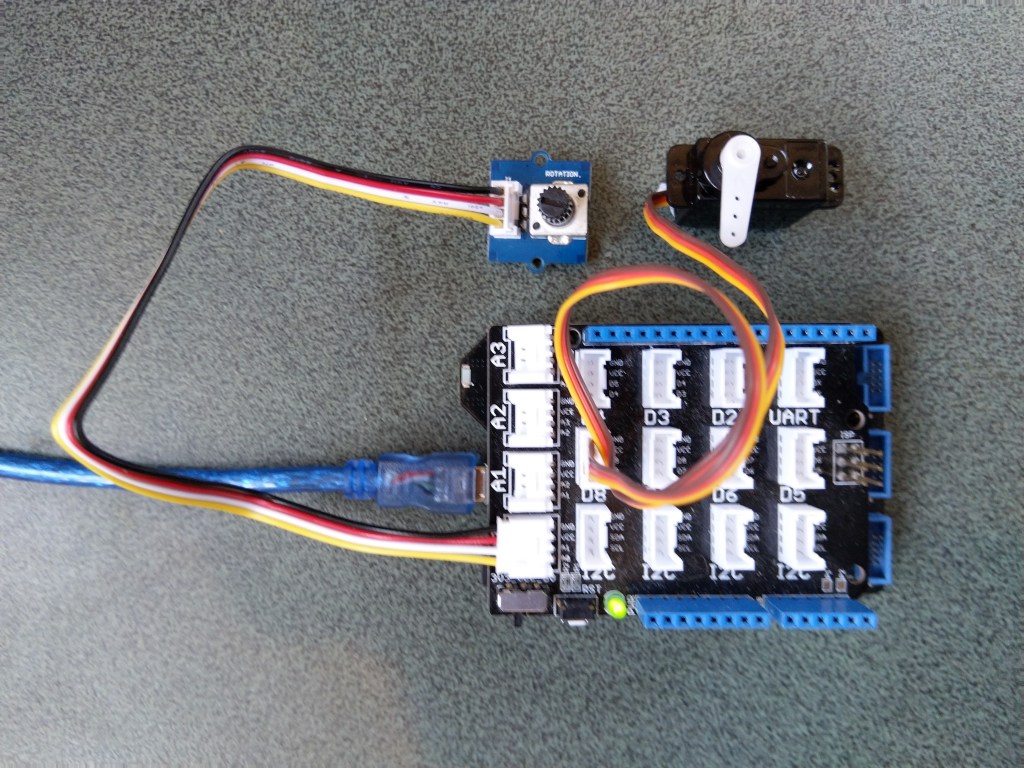
The next step was to figure out how to operate a radio control(RC) servo as a proxy for an Electronic Speed Control(ESC).

My test rig uses (prices as at Aug 2020) the following parts

  • Netduino 3 Wifi
  • Grove-Base Shield V2.0 for Arduino USD4.45
  • Grove-Universal 4 Pin Bucked 20cm cable(5 PCs Pack) USD2.90
  • Grove-Servo USD5.90
  • Grove-Rotary Angle Sensor USD2.90

My servo test harness

public class Program
{
   public static void Main()
   {
      Debug.WriteLine("devMobile.Longboard.ServoTest starting");

      try
      {
         AdcController adc = AdcController.GetDefault();
         AdcChannel adcChannel = adc.OpenChannel(0);

         ServoMotor servo = new ServoMotor("TIM5", ServoMotor.ServoType.Positional, PinNumber('A', 0));
         servo.ConfigurePulseParameters(0.6, 2.3);

         while (true)
         {
            double value = adcChannel.ReadRatio();
            double position = Map(value, 0.0, 1.0, 0.0, 180);

            Debug.WriteLine($"Value: {value:F2} Position: {position:F1}");

            servo.Set(position);

            Thread.Sleep(100);
         }
      }
      catch (Exception ex)
      {
         Debug.WriteLine(ex.Message);
      }
   }

   private static int PinNumber(char port, byte pin)
   {
      if (port < 'A' || port > 'J')
         throw new ArgumentException();

      return ((port - 'A') * 16) + pin;
   }

   private static double Map(double x, double inputMinimum, double inputMaximum, double outputMinimum, double outputMaximum)
   {
      return (x - inputMinimum) * (outputMaximum - outputMinimum) / (inputMaximum - inputMinimum) + outputMinimum;
   }
}

The nanoFramework code polls for the rotary angle sensor for its position every 100mSec and then updates the servo.

The servo code was based on sample code provided by GHI Electronics for their TinyCLR which I had to adapt to work with the nanoFramework.

The next test rig will be getting the Netduino 3 software working my Longboard ESC and Lithium Polymer(LiPo) batteries.

netNF Electric Longboard Part 2

Analog Inputs & Pulse Width Modulation

The next step was to figure out how to configure a Pulse Width Modulation (PWM) output and an Analog Input so I could adjust the duty cycle and control the brightness of a Light Emitting Diode(LED).

Netduino 3 ADC & PWN test rig

My test rig uses (prices as at Aug 2020) the following parts

  • Netduino 3 Wifi
  • Grove-Base Shield V2.0 for Arduino USD4.45
  • Grove-Universal 4 Pin Bucked 5cm cable(5 PCs Pack) USD1.90
  • Grove-Universal 4 Pin Bucked 20cm cable(5 PCs Pack) USD2.90
  • Grove-LED Pack USD2.90
  • Grove-Rotary Angle Sensor USD2.90

My analog input test harness

 public class Program
   {
      public static void Main()
      {
         Debug.WriteLine("devMobile.Longboard.AdcTest starting");
         Debug.WriteLine(AdcController.GetDeviceSelector());

         try
         {
            AdcController adc = AdcController.GetDefault();
            AdcChannel adcChannel = adc.OpenChannel(0);

            while (true)
            {
               double value = adcChannel.ReadRatio();

               Debug.WriteLine($"Value: {value:F2}");

               Thread.Sleep(100);
            }
         }
         catch (Exception ex)
         {
            Debug.WriteLine(ex.Message);
         }
      }
   }

The nanoFramework code polls for the rotary angle sensor for its position value every 100mSec.

The setup to use for the Analog to Digital Convertor(ADC) port was determined by looking at the board.h and target_windows_devices_adc_config.cpp file.

//
// Copyright (c) 2018 The nanoFramework project contributors
// See LICENSE file in the project root for full license information.
//

#include <win_dev_adc_native_target.h>

const NF_PAL_ADC_PORT_PIN_CHANNEL AdcPortPinConfig[] = {
    
    // ADC1
    {1, GPIOC, 0, ADC_CHANNEL_IN10},
    {1, GPIOC, 1, ADC_CHANNEL_IN11},

    // ADC2
    {2, GPIOC, 2, ADC_CHANNEL_IN14},
    {2, GPIOC, 3, ADC_CHANNEL_IN15},

    // ADC3
    {3, GPIOC, 4, ADC_CHANNEL_IN12},
    {3, GPIOC, 5, ADC_CHANNEL_IN13},

    // these are the internal sources, available only at ADC1
    {1, NULL, 0, ADC_CHANNEL_SENSOR},
    {1, NULL, 0, ADC_CHANNEL_VREFINT},
    {1, NULL, 0, ADC_CHANNEL_VBAT},
};

const int AdcChannelCount = ARRAYSIZE(AdcPortPinConfig);

The call to AdcController.GetDeviceSelector() only returned one controller

The thread '<No Name>' (0x2) has exited with code 0 (0x0).
devMobile.Longboard.AdcTest starting
ADC1

After some experimentation it appears that only A0 & A1 work on a Netduino. (Aug 2020).

My PWM test harness

public class Program
{
   public static void Main()
   {
      Debug.WriteLine("devMobile.Longboard.PwmTest starting");
      Debug.WriteLine(PwmController.GetDeviceSelector());

      try
      {
         PwmController pwm = PwmController.FromId("TIM5");
         AdcController adc = AdcController.GetDefault();
         AdcChannel adcChannel = adc.OpenChannel(0);

         PwmPin pwmPin = pwm.OpenPin(PinNumber('A', 0));
         pwmPin.Controller.SetDesiredFrequency(1000);
         pwmPin.Start();

         while (true)
         {
            double value = adcChannel.ReadRatio();

            Debug.WriteLine(value.ToString("F2"));

            pwmPin.SetActiveDutyCyclePercentage(value);

            Thread.Sleep(100);
         }
      }
      catch (Exception ex)
      {
         Debug.WriteLine(ex.Message);
      }
   }

   private static int PinNumber(char port, byte pin)
   {
      if (port < 'A' || port > 'J')
         throw new ArgumentException();
      return ((port - 'A') * 16) + pin;
   }
}

I had to refer to the Netduino schematic to figure out pin mapping

With my test rig (with easy access to D0 thru D8) I found that only D2,D3,D7 and D8 work as PWM outputs.

The next test rig will be getting Servo working.

TinyCLR OS V2 RC1 RAK811 LoRaWAN library Part2

Nasty OTAA connect

After getting basic connectivity for my RAK811 LPWAN Evaluation Board(EVB) and Fezduino test rig working. I wanted to see if I could get the device connected to The Things Network(TTN) via the RAK7246G LPWAN Developer Gateway on my desk. I had got the EVB configuration sorted with a nanoFramework device so I was confident it should work.

EVB plugged into Fezduino

My Over the Air Activation (OTAA) implementation is very “nasty” I assumed that there would be no timeouts or failures and I only send one BCD message “48656c6c6f204c6f526157414e” which is “hello LoRaWAN”

I configured the RAK811 module for LoRaWAN

// Set the Working mode to LoRaWAN
txByteCount = serialDevice.Write(UTF8Encoding.UTF8.GetBytes("at+set_config=lora:work_mode:0\r\n"));
Debug.WriteLine($"TX: work mode {txByteCount} bytes");
Thread.Sleep(500);

// Read the response
rxByteCount = serialDevice.BytesToRead;
if (rxByteCount > 0)
{
   byte[] rxBuffer = new byte[rxByteCount];
   serialDevice.Read(rxBuffer);
   Debug.WriteLine($"RX :{UTF8Encoding.UTF8.GetString(rxBuffer)}");
}
...

Then just sequentially step through the necessary configuration to join the TTN network with a suitable delay after each command is sent.

// Set the Region to AS923
txByteCount = serialDevice.Write(UTF8Encoding.UTF8.GetBytes("at+set_config=lora:region:AS923\r\n"));
Debug.WriteLine($"TX: region {txByteCount} bytes");
Thread.Sleep(500);

// Read the response
rxByteCount = serialDevice.BytesToRead;
if (rxByteCount > 0)
{
   byte[] rxBuffer = new byte[rxByteCount];
   serialDevice.Read(rxBuffer);
   Debug.WriteLine($"RX :{UTF8Encoding.UTF8.GetString(rxBuffer)}");
}

// Set the JoinMode
txByteCount = serialDevice.Write(UTF8Encoding.UTF8.GetBytes("at+set_config=lora:join_mode:0\r\n"));
Debug.WriteLine($"TX: join_mode {txByteCount} bytes");
Thread.Sleep(500);

// Read the response
rxByteCount = serialDevice.BytesToRead;
if (rxByteCount > 0)
{
   byte[] rxBuffer = new byte[rxByteCount];
   serialDevice.Read(rxBuffer);
   Debug.WriteLine($"RX :{UTF8Encoding.UTF8.GetString(rxBuffer)}");
}

// OTAA set the devEUI
txByteCount = serialDevice.Write(UTF8Encoding.UTF8.GetBytes($"at+set_config=lora:dev_eui:{DevEui}\r\n"));
Debug.WriteLine($"TX: dev_eui: {txByteCount} bytes");
Thread.Sleep(500);

// Read the response
rxByteCount = serialDevice.BytesToRead;
if (rxByteCount > 0)
{
   byte[] rxBuffer = new byte[rxByteCount];
   serialDevice.Read(rxBuffer);
   Debug.WriteLine($"RX :{UTF8Encoding.UTF8.GetString(rxBuffer)}");
}
...

The code is not suitable for production but it confirmed my software and hardware configuration worked.

The thread '<No Name>' (0x2) has exited with code 0 (0x0).
devMobile.IoT.Rak811.NetworkJoinOTAA starting
TX: work mode 32 bytes
RX :UART1 work mode: RUI_UART_NORAMAL
Current work_mode:LoRaWAN, join_mode:OTAA, Class: A
Initialization OK 

TX: region 33 bytes
RX :OK 

TX: join_mode 32 bytes
RX :OK 

TX: dev_eui: 45 bytes
RX :OK 

TX: app_eui 45 bytes
RX :OK 

TX: app_key 61 bytes
RX :OK 

TX: confirm 30 bytes
RX :OK 

TX: join 9 bytes
RX :OK Join Success

TX: send 43 bytes
RX :OK 

TX: send 43 bytes
RX :OK 

In the Visual Studio 2019 debug output I could see messages getting sent and then after a short delay they were visible in the TTN console.

Successful OTAA Connect TTN logging

I had some issues with TimeSpan.ToString(…) throwing a CLR_E_UNSUPPORTED_INSTRUCTION exception which has been mentioned on the GHI Forums.

I had to modify my code to fix this issue

Debug.WriteLine($"{DateTime.UtcNow:hh:mm:ss} Join start Timeout:{JoinTimeOut:hh:mm:ss}");

// Became

Debug.WriteLine($" {DateTime.UtcNow:hh:mm:ss} Join Start Timeout {timeout.TotalSeconds} seconds");

I won’t bother with confirming any other functionality as I’m reasonably confident the nanoFramework library (which this code is based on) is working as expected.