Random wanderings through Microsoft Azure esp. PaaS plumbing, the IoT bits, AI on Micro controllers, AI on Edge Devices, .NET nanoFramework, .NET Core on *nix and ML.NET+ONNX
I wanted one of my ML.Net demos to use the Raspberry PI Camera rather than a security camera (so it was more portable) but it took a bit more work than I expected.
Version 1 used Process.Start to launch the libcamera-jpeg application with a command line to store an image to the local file system.
libcamera-jpeg -o latest.jpg
libcamera-jpeg with diagnostic information displayed
There was a lot of diagnostic information which I didn’t want displayed so after reading many stackoverflow posts (lots of different approaches none of which worked in my scenario), then some trial and error I found that I only had to enable RedirectStandardError.
libcamera-jpeg without diagnostic information displayed
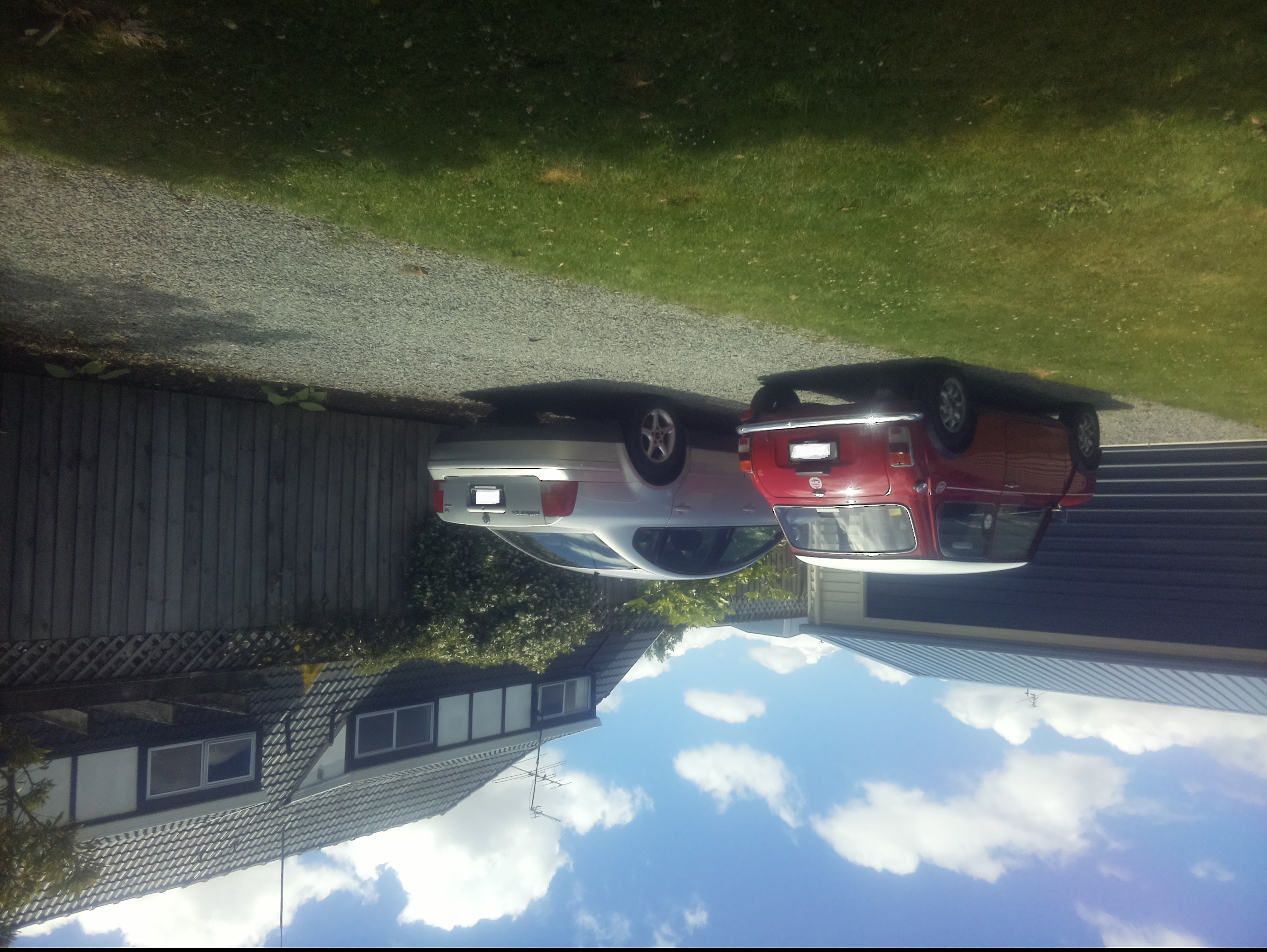
At this point there was a lot less noise but the image was upside down.
Inverted picture of my 30th anniversary Mini Cooper in the backyard
I then added a vertical flip to the command line parameters
libcamera-jpeg -o latest.jpg --vflip
My 30th anniversary Mini Cooper in the backyard
The image was backwards so I added a horizontal flip to the commandline parameters
libcamera-jpeg -o latest.jpg --vflip --hflip
or
libcamera-jpeg -o latest.jpg --rotation 180
My 30th anniversary Mini Cooper in the backyard with the correct orientation
The libcamera code is in a Timer callback so I added the _cameraBusy boolean flag to stop reentrancy problems.
private static void ImageUpdateTimerCallback(object state)
{
	try
	{
		Console.WriteLine($"{DateTime.UtcNow:yy-MM-dd HH:mm:ss} Image update start");

		// Just incase - stop code being called while photo already in progress
		if (_cameraBusy)
		{
			return;
		}

		Console.WriteLine($" {DateTime.UtcNow:yy-MM-dd HH:mm:ss} Image capture start");

		using (Process process = new Process())
		{
			process.StartInfo.FileName = @"libcamera-jpeg";
			// V1 it works
			//process.StartInfo.Arguments = $"-o {_applicationSettings.ImageFilenameLocal}";
			// V3 Image right way up
			//process.StartInfo.Arguments = $"-o {_applicationSettings.ImageFilenameLocal} --vflip";
			// V3 Image right way round
			process.StartInfo.Arguments = $"-o {_applicationSettings.ImageFilenameLocal} --vflip --hflip";
			//process.StartInfo.RedirectStandardOutput = true;
			// V2 No diagnostics
			process.StartInfo.RedirectStandardError = true;
			//process.StartInfo.UseShellExecute = false;
			//process.StartInfo.CreateNoWindow = true;

			process.Start();

			if (!process.WaitForExit(10000) || (process.ExitCode != 0))
			{
				Console.WriteLine($"{DateTime.UtcNow:yy-MM-dd HH:mm:ss} Image update failure {process.ExitCode}");
			}
		}

		Console.WriteLine($" {DateTime.UtcNow:yy-MM-dd HH:mm:ss} Image capture done");
	}
	catch (Exception ex)
	{
		Console.WriteLine($"{DateTime.UtcNow:yy-MM-dd HH:mm:ss} Image update error {ex.Message}");
	}
	finally
	{
		_cameraBusy = false;
	}
}
This was the simplest way I could get an image onto the local file system without lots of dependencies on third party libraries. The image capture process takes about 5 seconds which a bit longer than I was expecting.
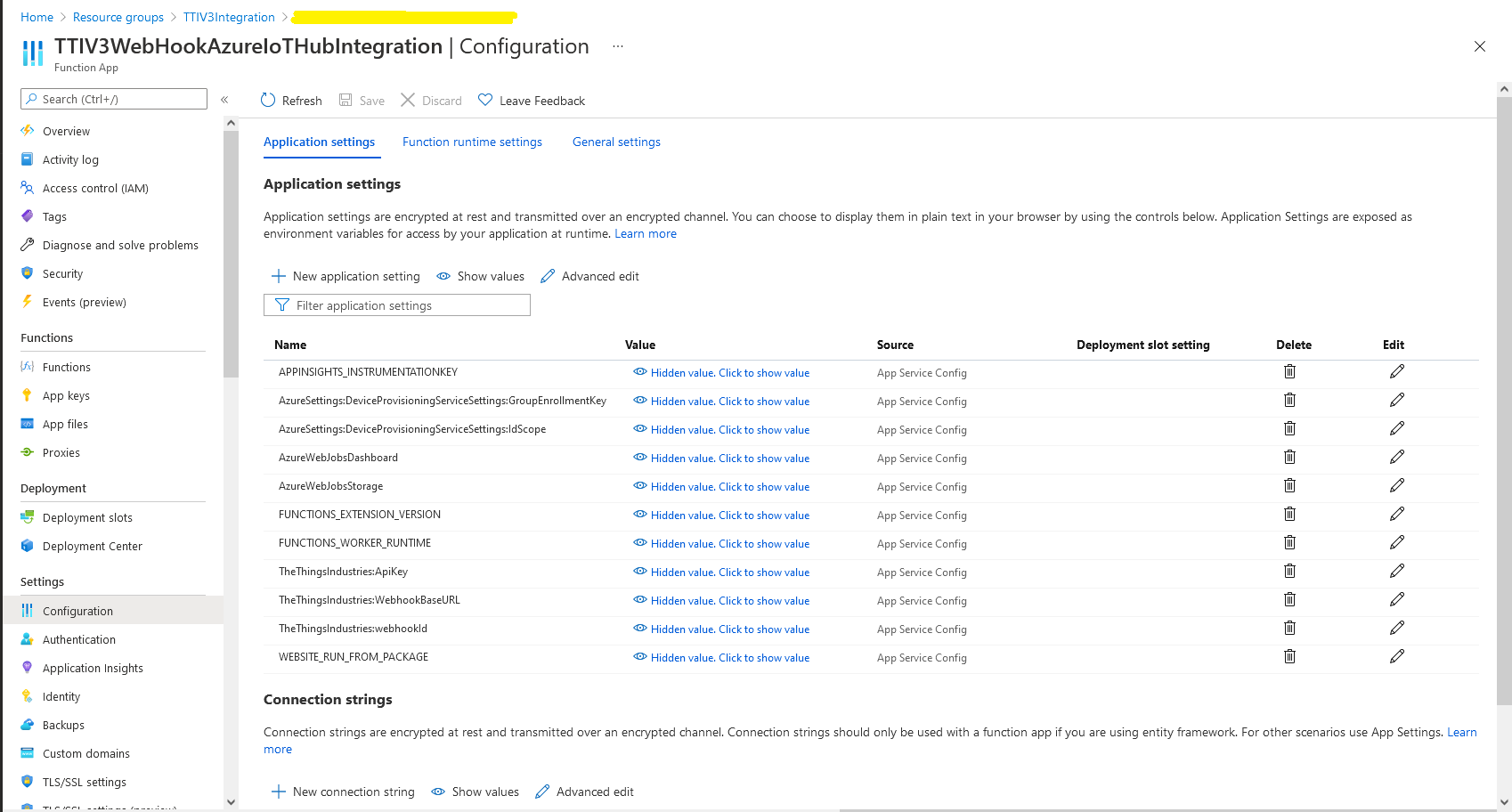
In the Azure Portal I configured the DPS ID Scope (AzureSettings:DeviceProvisioningServiceSettings:IdScope) and the Group Enrollment Key(AzureSettings:DeviceProvisioningServiceSettings:GroupEnrollmentKey) then saved the configuration which restarted the AppService.
Azure Portal AppService configration
The first time a device sent an uplink message the cache query fails and the RegisterAsync method of the ProvisioningDeviceClient is called to get a device connection string.
	logger.LogInformation("Uplink-ApplicationID:{0} DeviceID:{1} Port:{2} Payload Raw:{3}", applicationId, deviceId, port, payload.UplinkMessage.PayloadRaw);

	if (!_DeviceClients.TryGetValue(deviceId, out DeviceClient deviceClient))
	{
		logger.LogInformation("Uplink-Unknown device for ApplicationID:{0} DeviceID:{1}", applicationId, deviceId);

		// Check that only one of Azure Connection string or DPS is configured
		if (string.IsNullOrEmpty(_azureSettings.IoTHubConnectionString) && (_azureSettings.DeviceProvisioningServiceSettings == null))
		{
			logger.LogError("Uplink-Neither Azure IoT Hub connection string or Device Provisioning Service configured");

			return req.CreateResponse(HttpStatusCode.UnprocessableEntity);
		}

		// Check that only one of Azure Connection string or DPS is configured
		if (!string.IsNullOrEmpty(_azureSettings.IoTHubConnectionString) && (_azureSettings.DeviceProvisioningServiceSettings != null))
		{
			logger.LogError("Uplink-Both Azure IoT Hub connection string and Device Provisioning Service configured");

			return req.CreateResponse(HttpStatusCode.UnprocessableEntity);
		}

		// User Azure IoT Connection string if configured and Device Provisioning Service isn't
		if (!string.IsNullOrEmpty(_azureSettings.IoTHubConnectionString))
		{
			deviceClient = DeviceClient.CreateFromConnectionString(_azureSettings.IoTHubConnectionString, deviceId, transportSettings);

			try
			{
				await deviceClient.OpenAsync();
			}
			catch (DeviceNotFoundException)
			{
				logger.LogWarning("Uplink-Unknown DeviceID:{0}", deviceId);

				return req.CreateResponse(HttpStatusCode.NotFound);
			}
		}

		// Azure IoT Hub Device provisioning service if configured
		if (_azureSettings.DeviceProvisioningServiceSettings != null)
		{
			string deviceKey;

			if ( string.IsNullOrEmpty(_azureSettings.DeviceProvisioningServiceSettings.IdScope) || string.IsNullOrEmpty(_azureSettings.DeviceProvisioningServiceSettings.GroupEnrollmentKey))
			{
				logger.LogError("Uplink-Device Provisioning Service requires ID Scope and Group Enrollment Key configured");

				return req.CreateResponse(HttpStatusCode.UnprocessableEntity);
			}

			using (var hmac = new HMACSHA256(Convert.FromBase64String(_azureSettings.DeviceProvisioningServiceSettings.GroupEnrollmentKey)))
			{
				deviceKey = Convert.ToBase64String(hmac.ComputeHash(Encoding.UTF8.GetBytes(deviceId)));
			}

			using (var securityProvider = new SecurityProviderSymmetricKey(deviceId, deviceKey, null))
			{
				using (var transport = new ProvisioningTransportHandlerAmqp(TransportFallbackType.TcpOnly))
				{
					ProvisioningDeviceClient provClient = ProvisioningDeviceClient.Create(
						Constants.AzureDpsGlobalDeviceEndpoint,
						_azureSettings.DeviceProvisioningServiceSettings.IdScope,
						securityProvider,
						transport);

					DeviceRegistrationResult result = await provClient.RegisterAsync();

					if (result.Status != ProvisioningRegistrationStatusType.Assigned)
					{
						_logger.LogError("Config-DeviceID:{0} Status:{1} RegisterAsync failed ", deviceId, result.Status);

						return req.CreateResponse(HttpStatusCode.FailedDependency);
					}

					IAuthenticationMethod authentication = new DeviceAuthenticationWithRegistrySymmetricKey(result.DeviceId, (securityProvider as SecurityProviderSymmetricKey).GetPrimaryKey());

					deviceClient = DeviceClient.Create(result.AssignedHub, authentication, transportSettings);

					await deviceClient.OpenAsync();
				}
			}
		}

		if (!_DeviceClients.TryAdd(deviceId, deviceClient))
		{
			logger.LogWarning("Uplink-TryAdd failed for ApplicationID:{0} DeviceID:{1}", applicationId, deviceId);

			return req.CreateResponse(HttpStatusCode.Conflict);
		}

		Models.AzureIoTHubReceiveMessageHandlerContext context = new Models.AzureIoTHubReceiveMessageHandlerContext()
		{
			DeviceId = deviceId,
			ApplicationId = applicationId,
			WebhookId = _theThingsIndustriesSettings.WebhookId,
			WebhookBaseURL = _theThingsIndustriesSettings.WebhookBaseURL,
			ApiKey = _theThingsIndustriesSettings.ApiKey
		};

		await deviceClient.SetReceiveMessageHandlerAsync(AzureIoTHubClientReceiveMessageHandler, context);

		await deviceClient.SetMethodDefaultHandlerAsync(AzureIoTHubClientDefaultMethodHandler, context);
	}

	JObject telemetryEvent = new JObject
	{
		{ "ApplicationID", applicationId },
		{ "DeviceID", deviceId },
		{ "Port", port },
		{ "Simulated", payload.Simulated },
		{ "ReceivedAtUtc", payload.UplinkMessage.ReceivedAtUtc.ToString("s", CultureInfo.InvariantCulture) },
		{ "PayloadRaw", payload.UplinkMessage.PayloadRaw }
	};

	// If the payload has been decoded by payload formatter, put it in the message body.
	if (payload.UplinkMessage.PayloadDecoded != null)
	{
		telemetryEvent.Add("PayloadDecoded", payload.UplinkMessage.PayloadDecoded);
	}

	// Send the message to Azure IoT Hub
	using (Message ioTHubmessage = new Message(Encoding.ASCII.GetBytes(JsonConvert.SerializeObject(telemetryEvent))))
	{
		// Ensure the displayed time is the acquired time rather than the uploaded time.
		ioTHubmessage.Properties.Add("iothub-creation-time-utc", payload.UplinkMessage.ReceivedAtUtc.ToString("s", CultureInfo.InvariantCulture));
		ioTHubmessage.Properties.Add("ApplicationId", applicationId);
		ioTHubmessage.Properties.Add("DeviceEUI", payload.EndDeviceIds.DeviceEui);
		ioTHubmessage.Properties.Add("DeviceId", deviceId);
		ioTHubmessage.Properties.Add("port", port.ToString());
		ioTHubmessage.Properties.Add("Simulated", payload.Simulated.ToString());

		await deviceClient.SendEventAsync(ioTHubmessage);

		logger.LogInformation("Uplink-DeviceID:{0} SendEventAsync success", payload.EndDeviceIds.DeviceId);
	}
}
catch (Exception ex)
{
	logger.LogError(ex, "Uplink-Message processing failed");

	return req.CreateResponse(HttpStatusCode.InternalServerError);
}
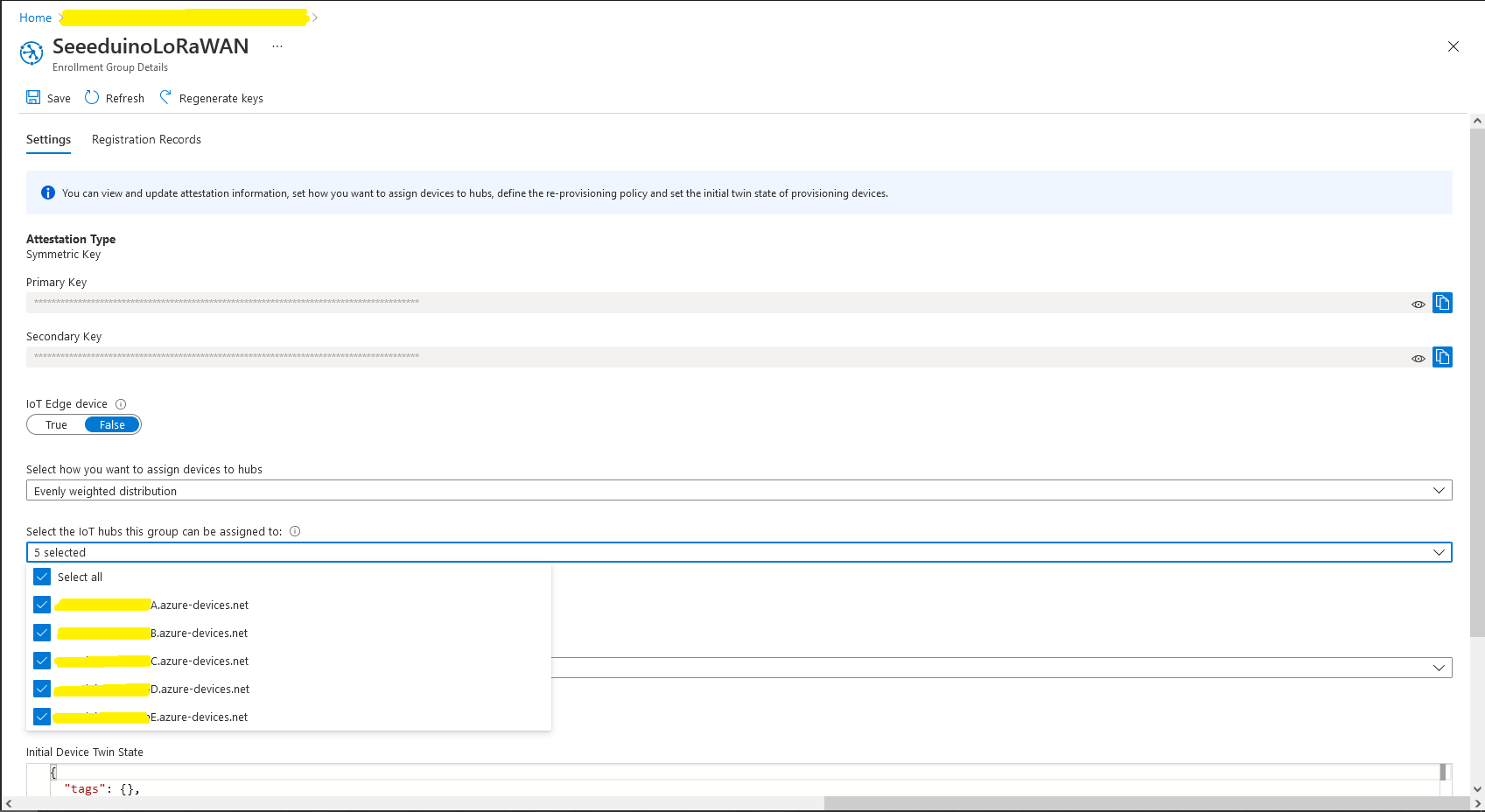
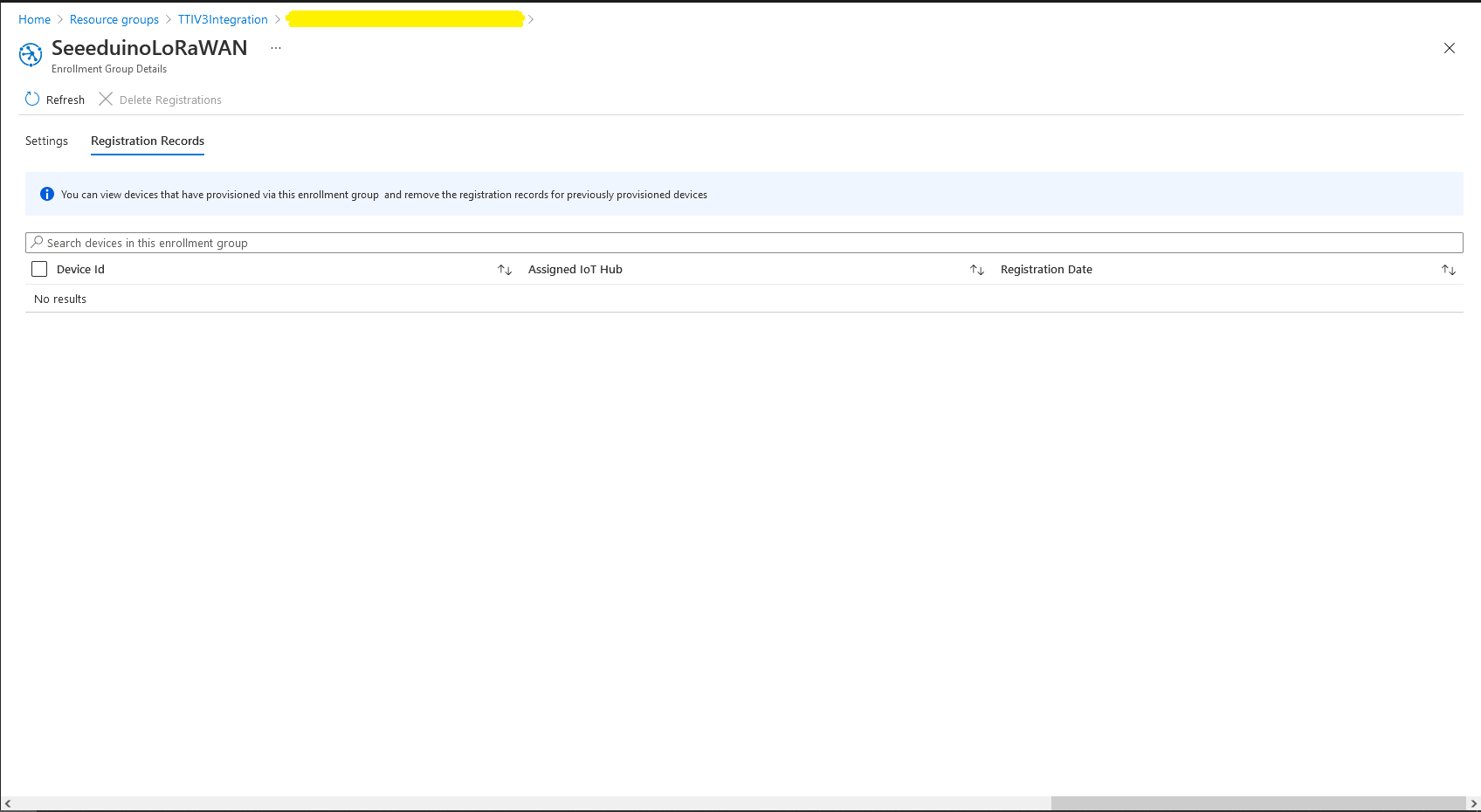
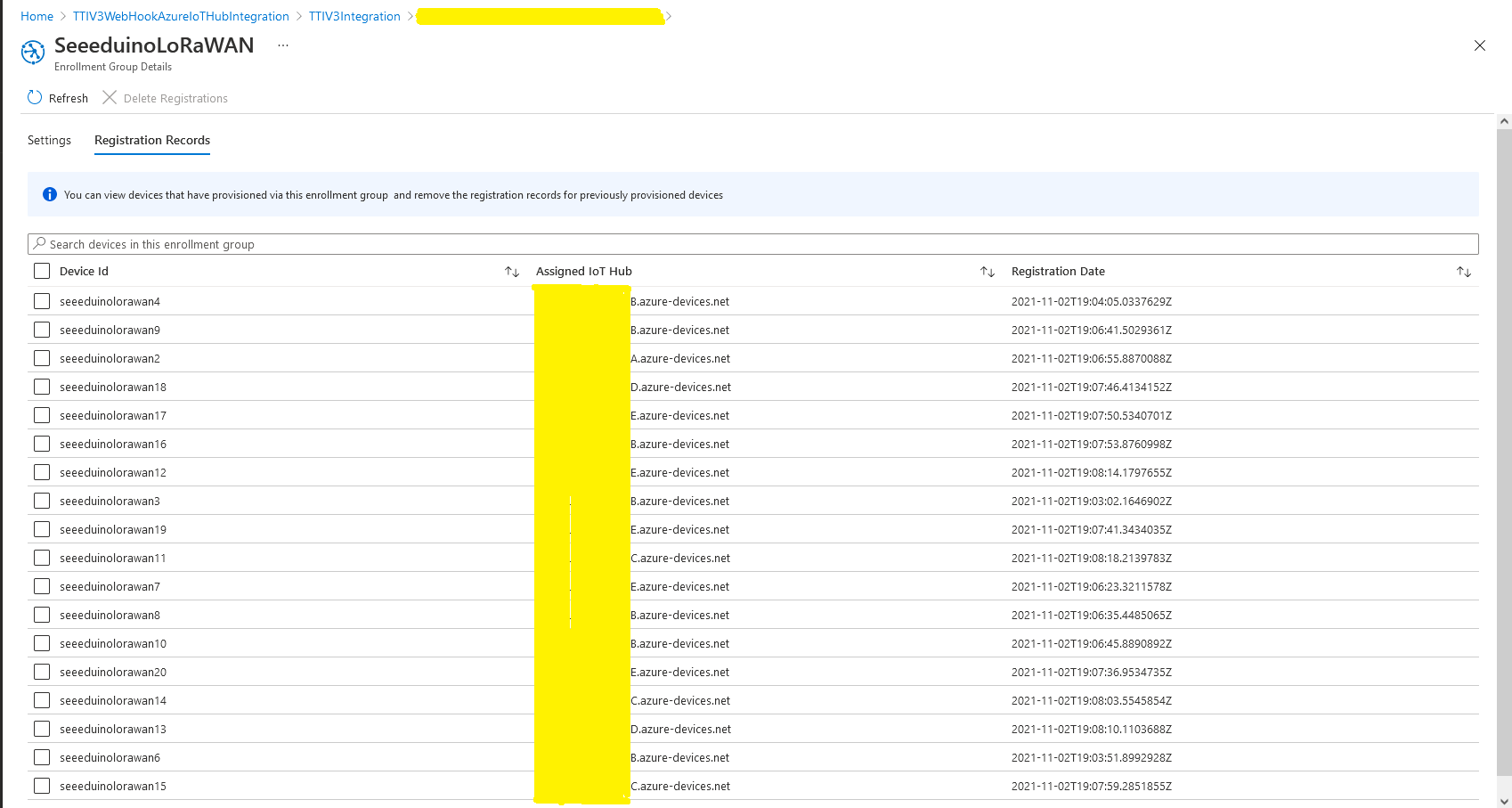
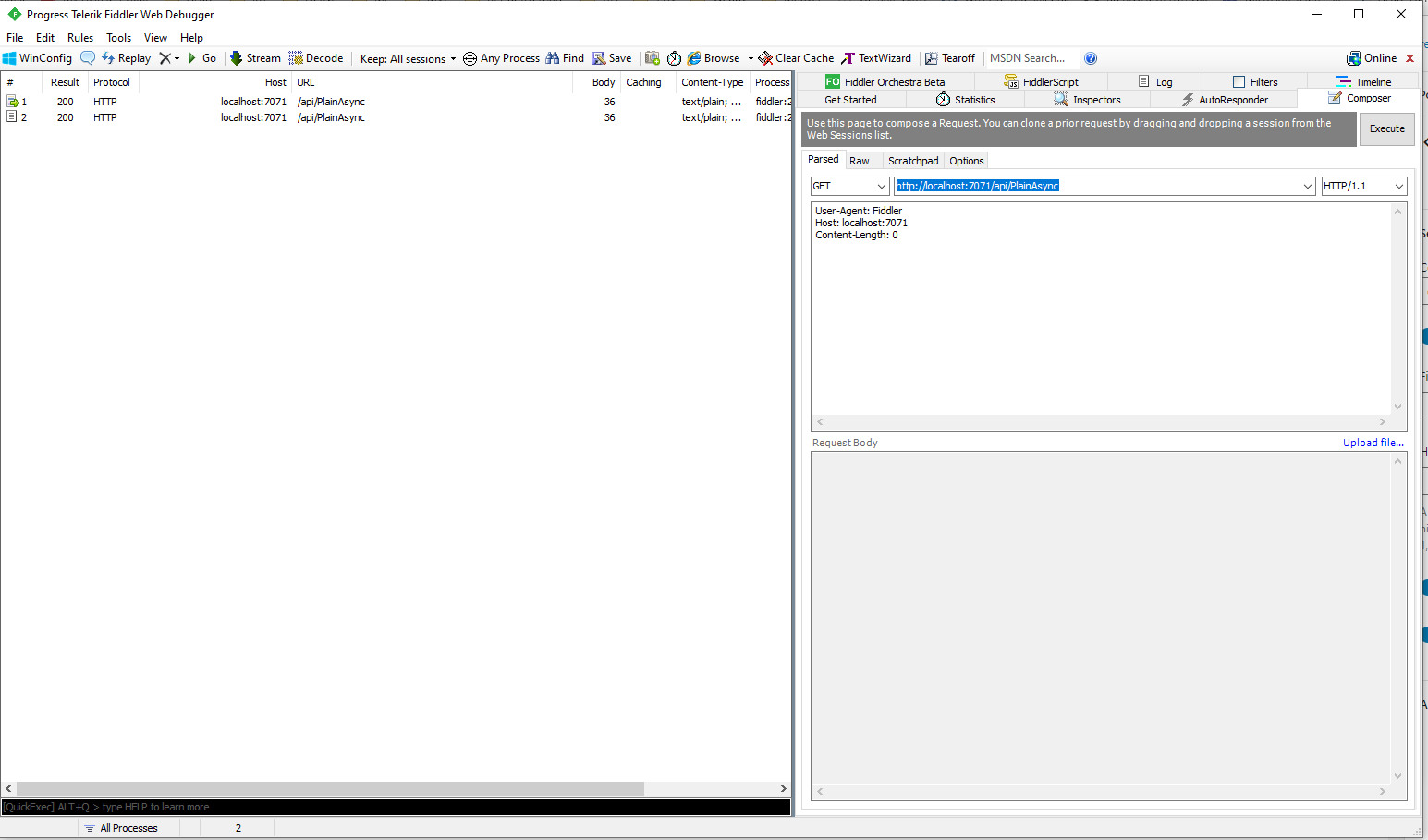
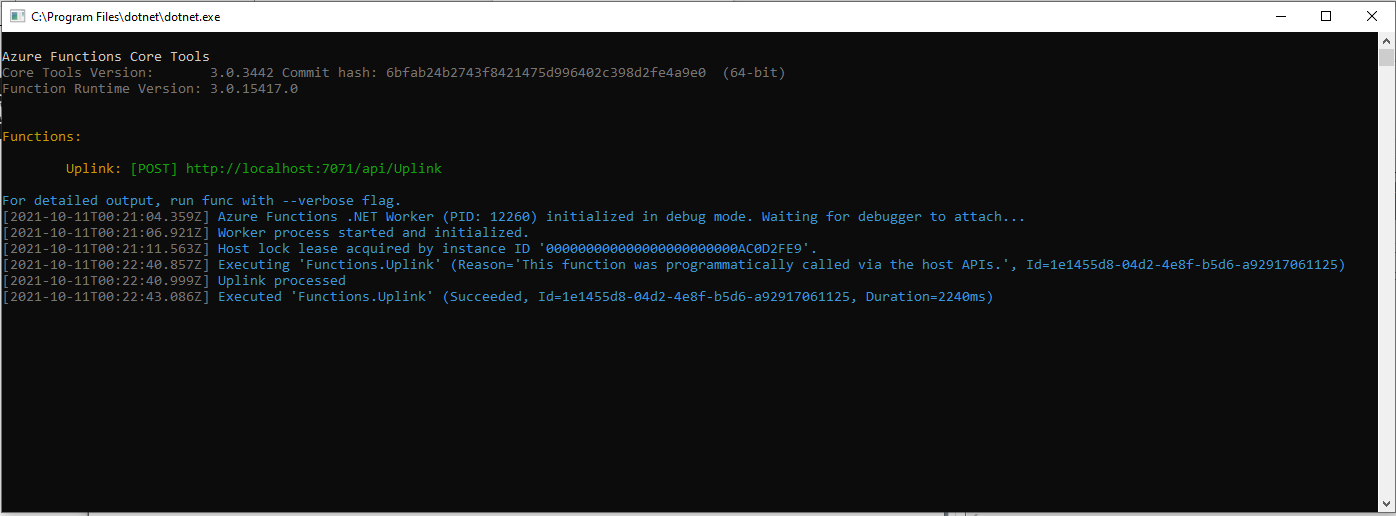
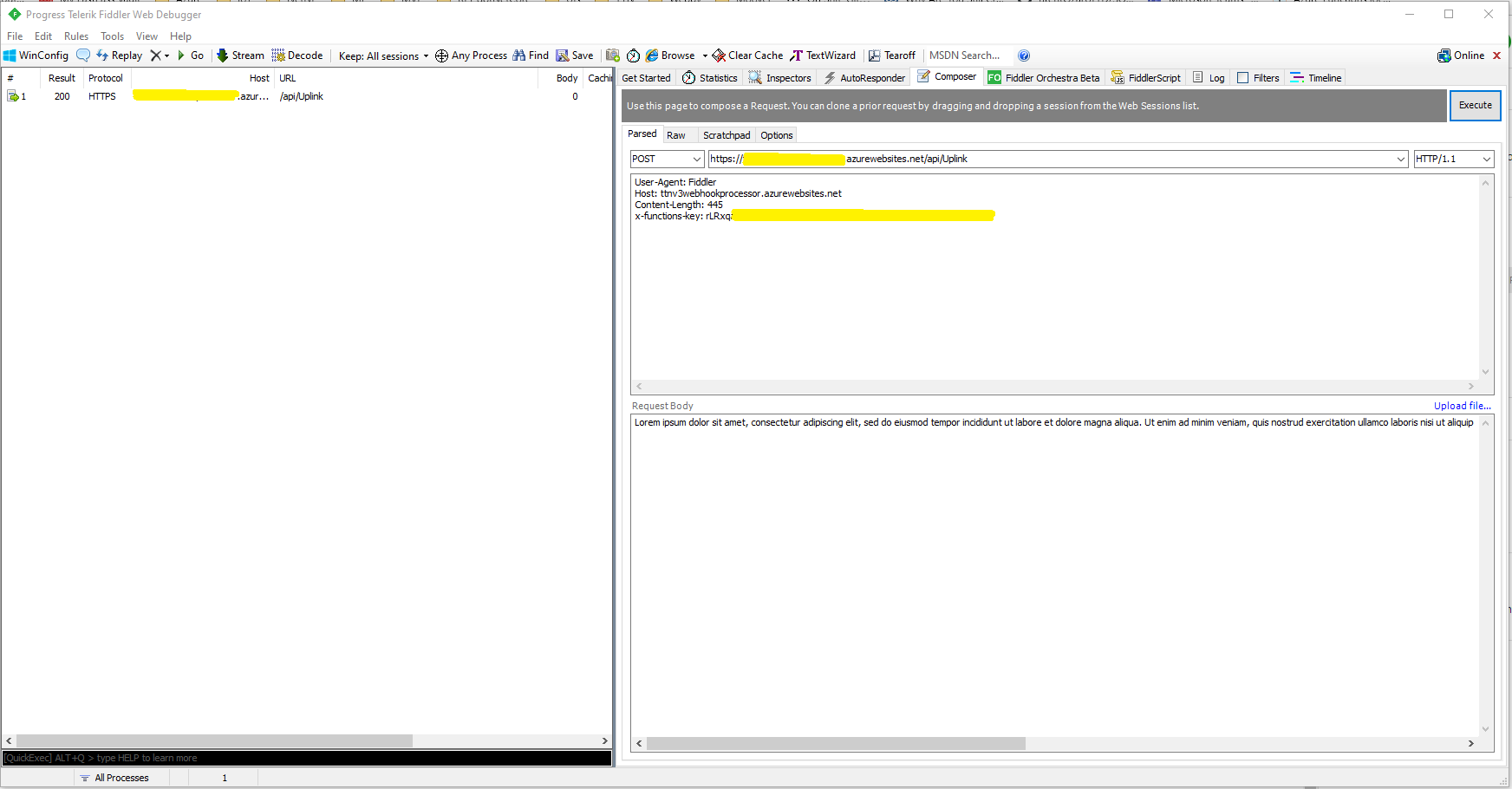
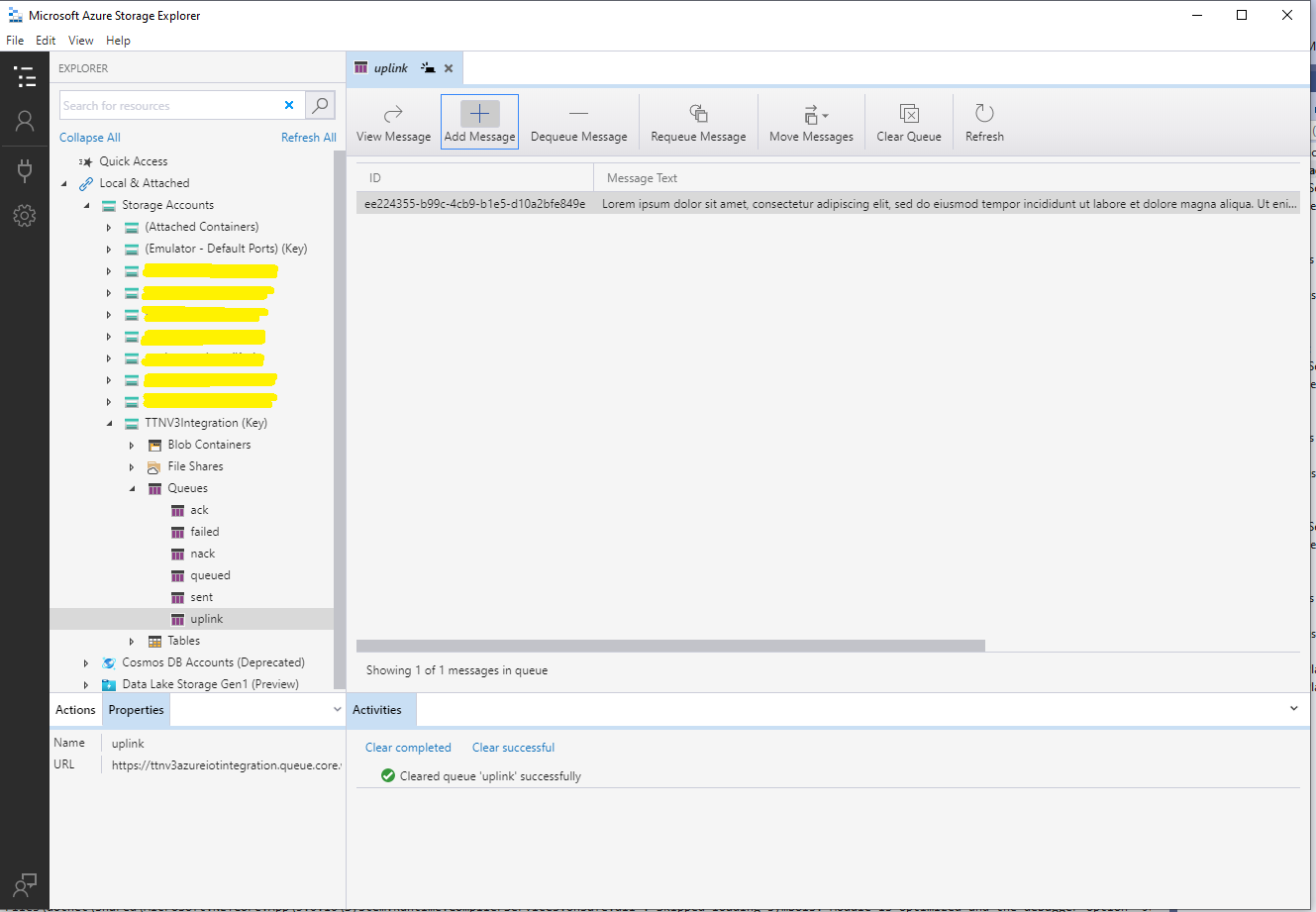
I used Telerik Fiddler and some sample payloads copied from my Azure Storage Queue sample to simulate many devices and the registrations were spread across my five Azure IoT Hubs.
DPS Device Registrations tab showing distribution of LoRaWAN Devices
I need to review the HTTP Error codes returned for different errors and ensure failures are handled robustly.
In this version a downlink message can be sent to a device only after an uplink message. I’m looking at adding an Azure Function which initiates a connection to the configured Azure IoT Hub for the specified device to mitigate with this issue.
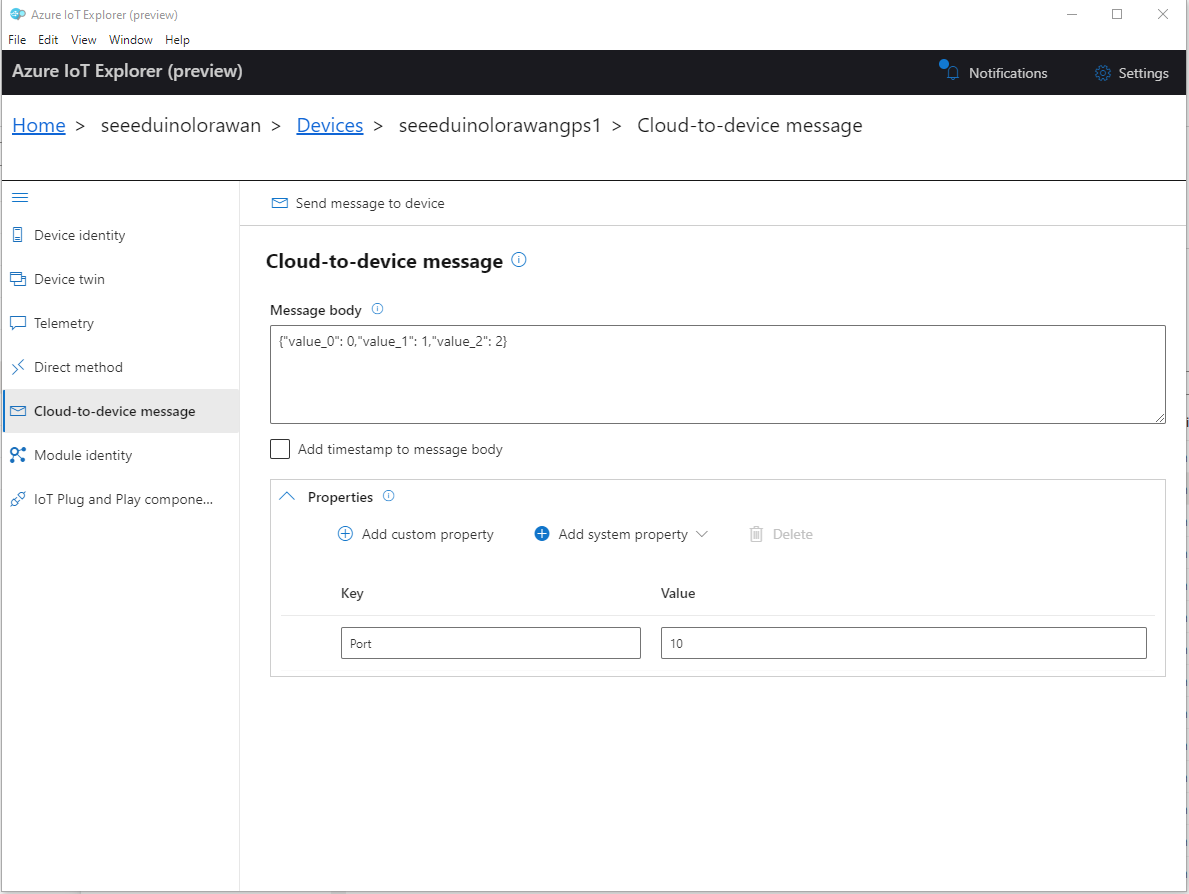
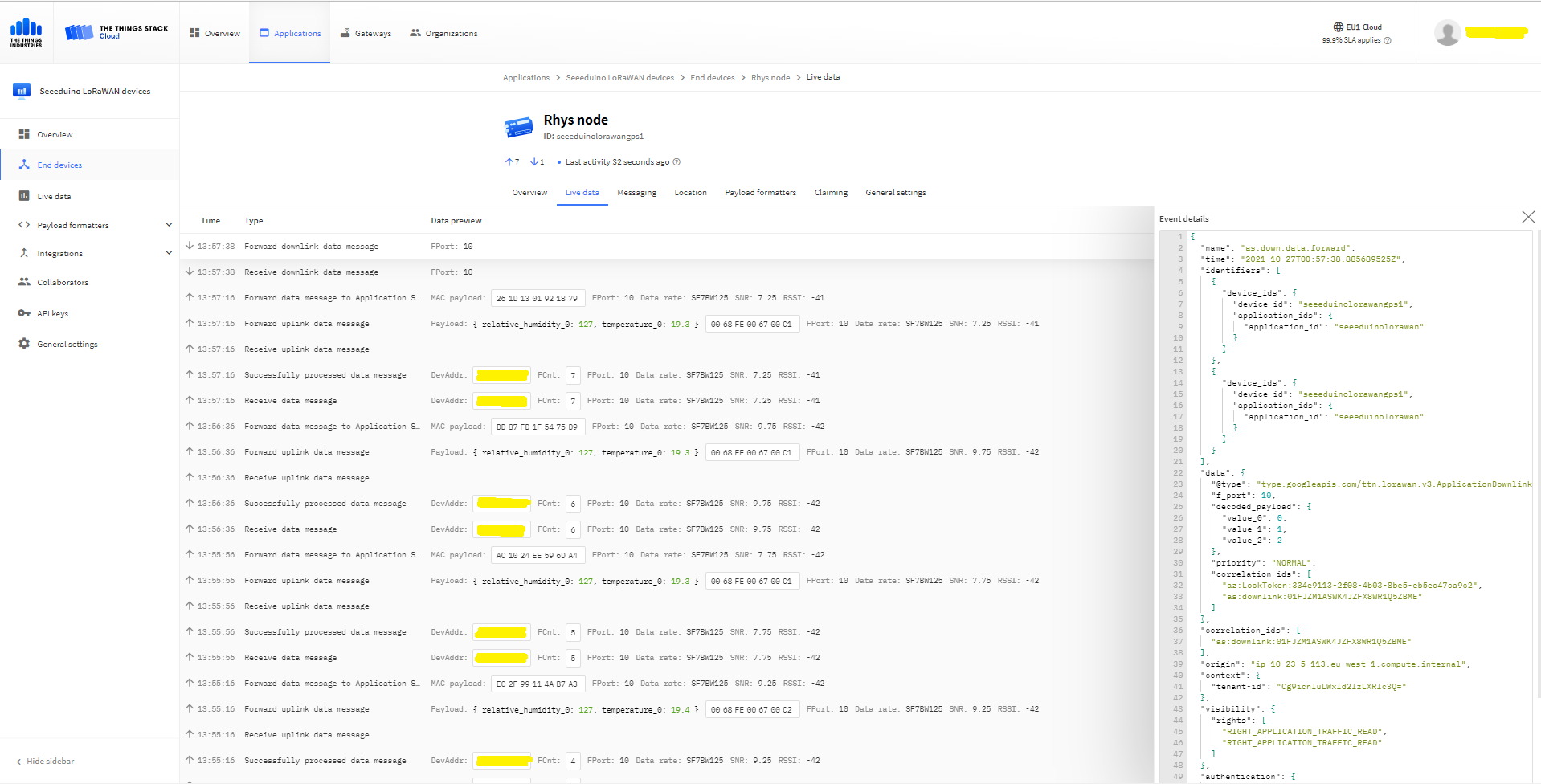
To send a TTN downlink message to a device the minimum required info is the LoRaWAN port number (specified in a Custom Property on the Azure IoT Hub cloud to device message), the device Id (from uplink message payload, which has been validated by a successful Azure IoT Hub connection) web hook id, web hook base URL, and an API Key (The Web Hook parameters are stored in the Connector configuration).
After some experimentation in previous TTN Connectors I found the synchronous nature of DirectMethods didn’t work well with LoRAWAN “irregular” connectivity so currently they are ignored.
public partial class Integration
{
	private async Task AzureIoTHubClientReceiveMessageHandler(Message message, object userContext)
	{
		try
		{
			Models.AzureIoTHubReceiveMessageHandlerContext receiveMessageHandlerContext = (Models.AzureIoTHubReceiveMessageHandlerContext)userContext;

			if (!_DeviceClients.TryGetValue(receiveMessageHandlerContext.DeviceId, out DeviceClient deviceClient))
			{
				_logger.LogWarning("Downlink-DeviceID:{0} unknown", receiveMessageHandlerContext.DeviceId);
				return;
			}

			using (message)
			{
				string payloadText = Encoding.UTF8.GetString(message.GetBytes()).Trim();

				if (!AzureDownlinkMessage.PortTryGet(message.Properties, out byte port))
				{
					_logger.LogWarning("Downlink-Port property is invalid");

					await deviceClient.RejectAsync(message);
					return;
				}

				// Split over multiple lines in an attempt to improve readability. In this scenario a valid JSON string should start/end with {/} for an object or [/] for an array
				if ((payloadText.StartsWith("{") && payloadText.EndsWith("}"))
														||
					((payloadText.StartsWith("[") && payloadText.EndsWith("]"))))
				{
					try
					{
						downlink.PayloadDecoded = JToken.Parse(payloadText);
					}
					catch (JsonReaderException)
					{
						downlink.PayloadRaw = payloadText;
					}
				}
				else
				{
					downlink.PayloadRaw = payloadText;
				}

				_logger.LogInformation("Downlink-IoT Hub DeviceID:{0} MessageID:{1} LockToken :{2} Port{3}",
					receiveMessageHandlerContext.DeviceId,
					message.MessageId,
		            message.LockToken,
					downlink.Port);

				Models.DownlinkPayload Payload = new Models.DownlinkPayload()
				{
					Downlinks = new List<Models.Downlink>()
					{
						downlink
					}
				};

				string url = $"{receiveMessageHandlerContext.WebhookBaseURL}/{receiveMessageHandlerContext.ApplicationId}/webhooks/{receiveMessageHandlerContext.WebhookId}/devices/{receiveMessageHandlerContext.DeviceId}/down/replace");

				using (var client = new WebClient())
				{
					client.Headers.Add("Authorization", $"Bearer {receiveMessageHandlerContext.ApiKey}");

					client.UploadString(new Uri(url), JsonConvert.SerializeObject(Payload));
				}

				_logger.LogInformation("Downlink-DeviceID:{0} LockToken:{1} success", receiveMessageHandlerContext.DeviceId, message.LockToken);
			}
		}
		catch (Exception ex)
		{
			_logger.LogError(ex, "Downlink-ReceiveMessge processing failed");
		}
	}
}
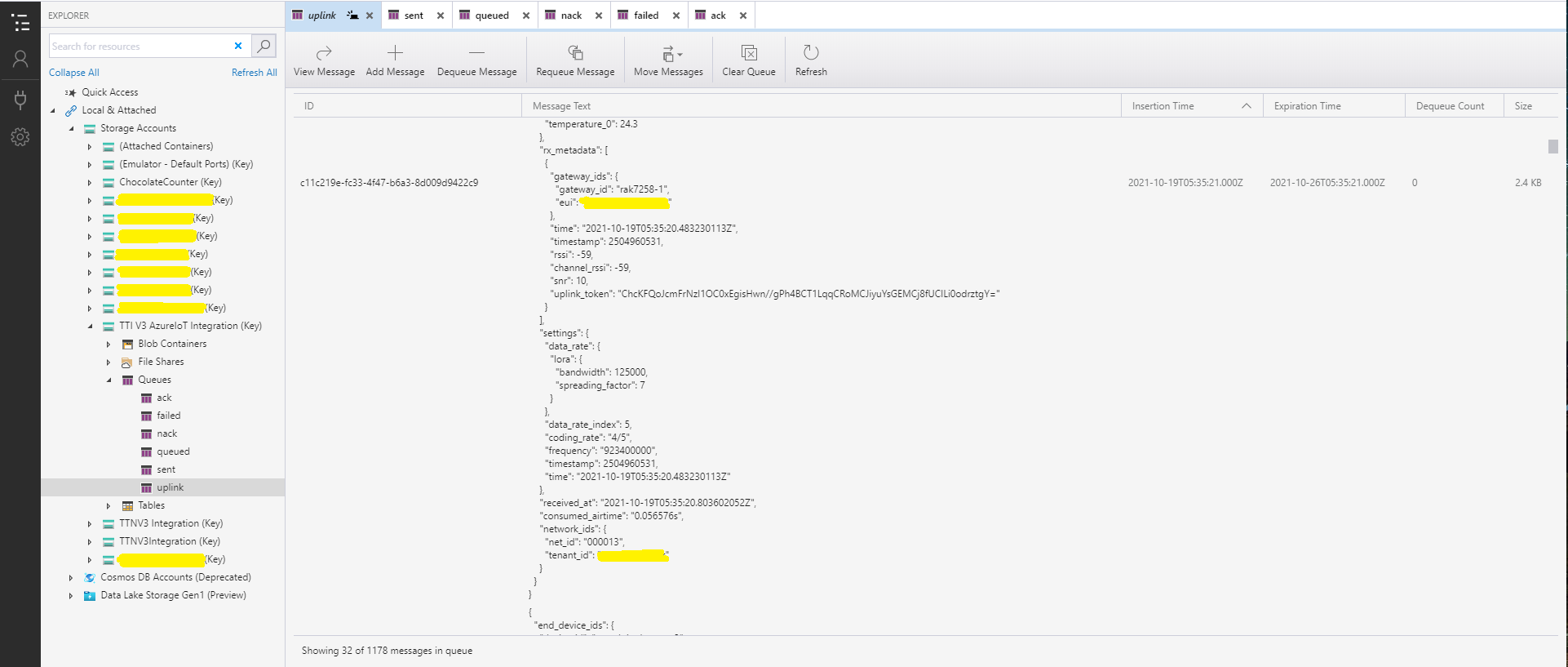
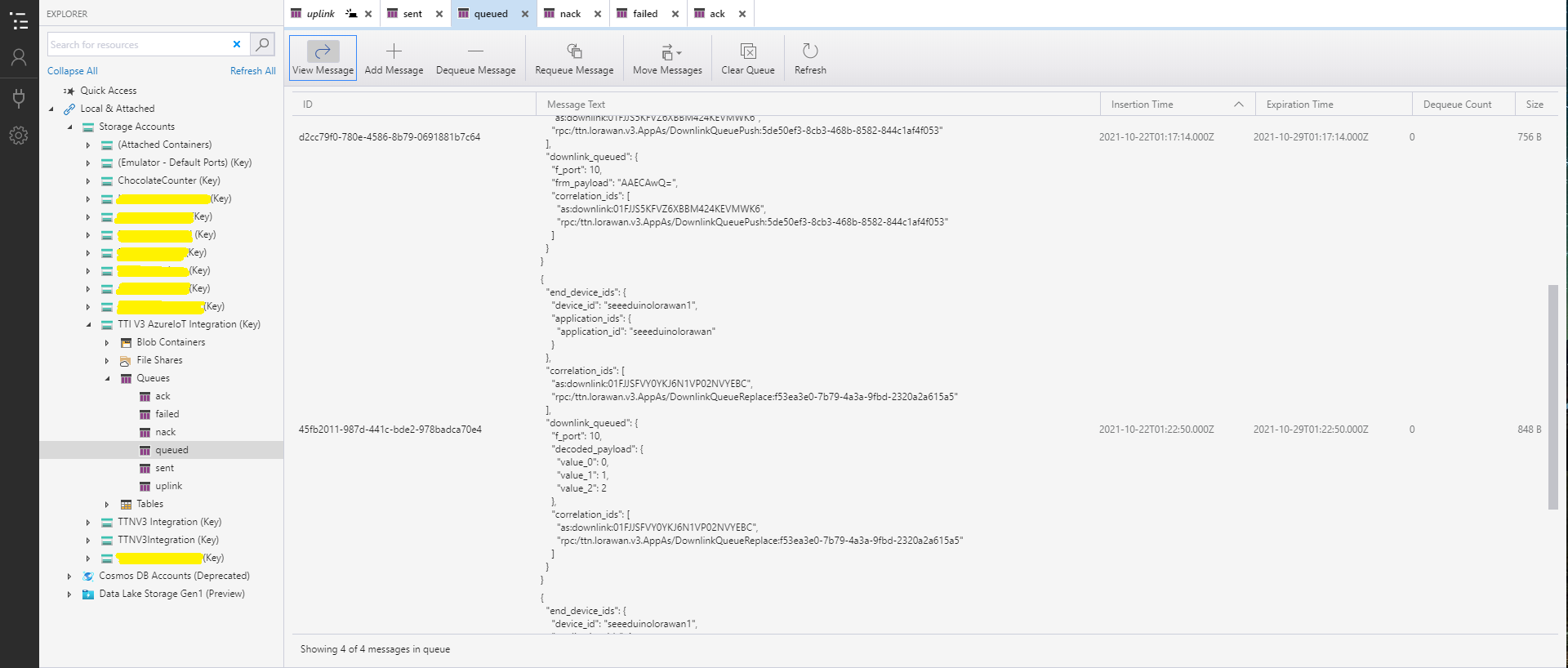
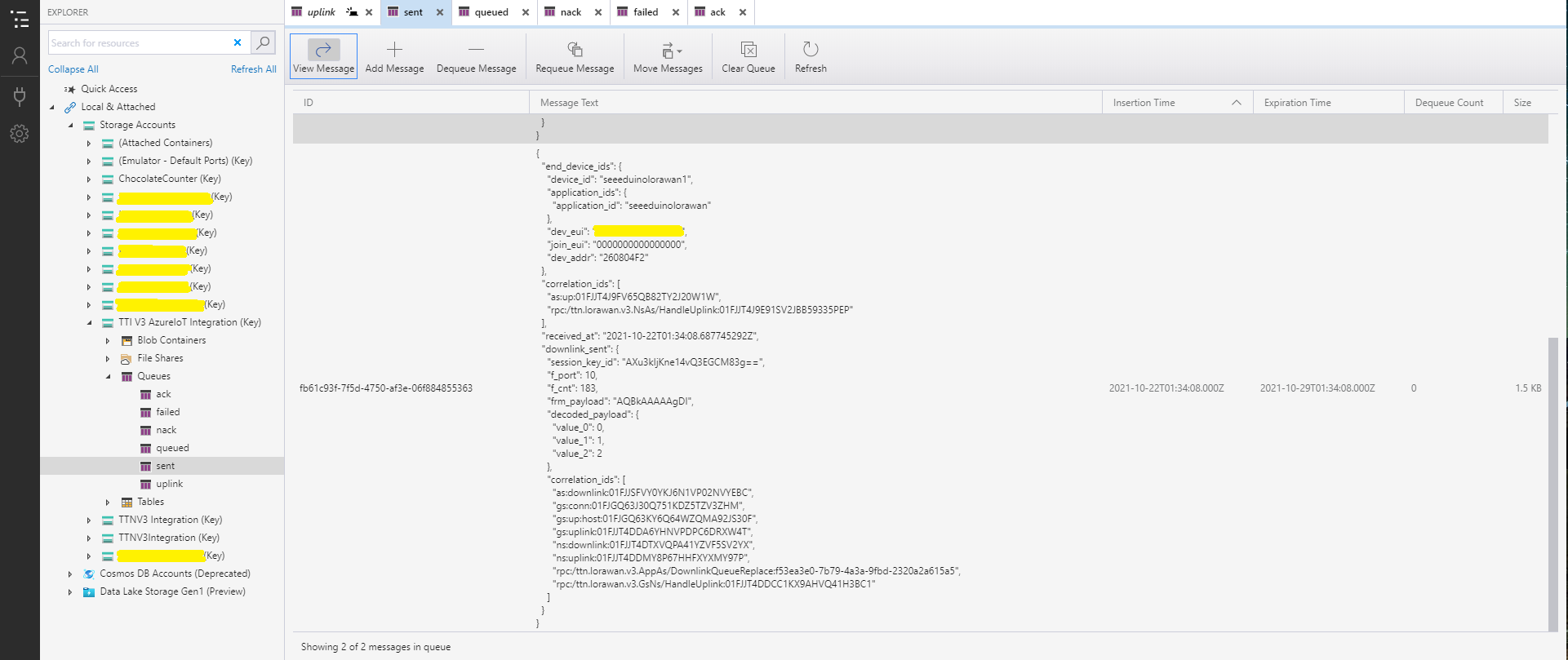
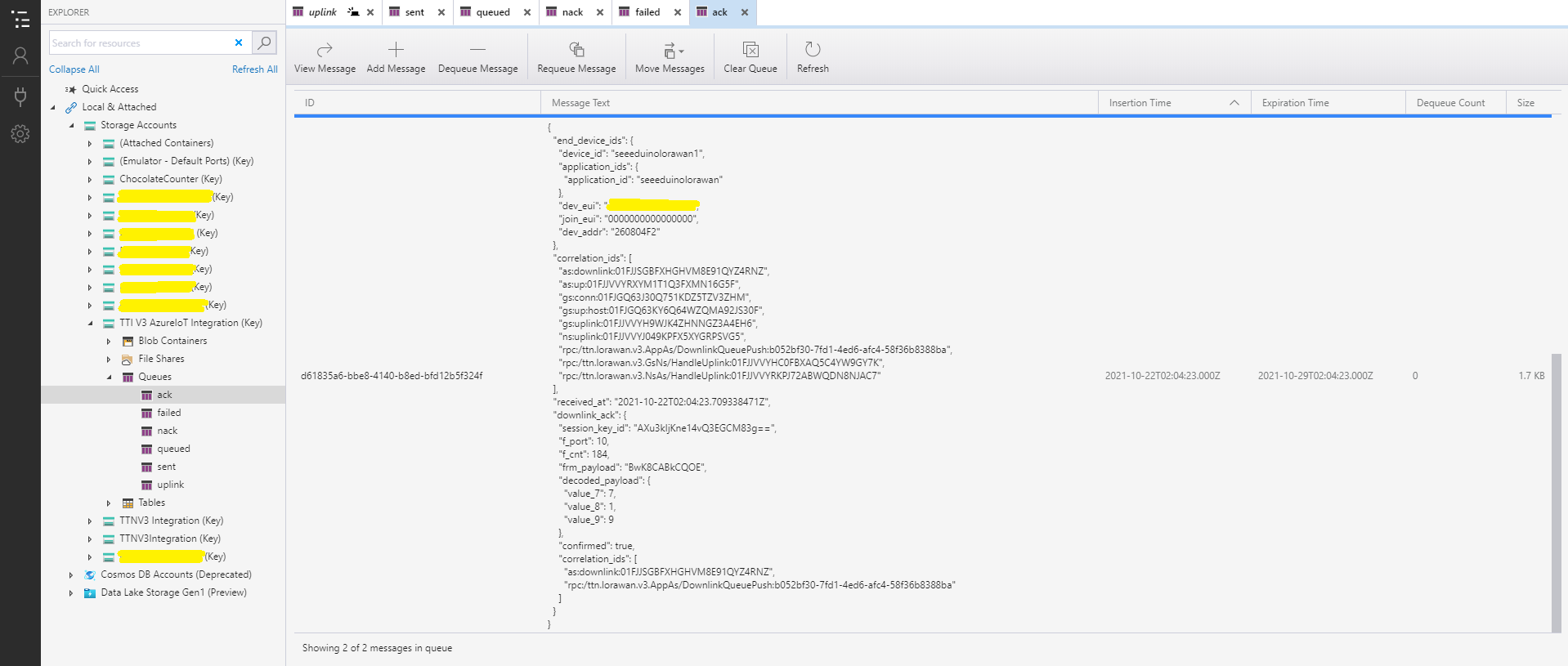
After some experimentation I realised that I had forgotten that the order of message processing was important e.g. a TTI Queued message should be processed before the associated Ack. This could (and did happen) because I had a queue for each message type and in addition the Azure Queue Storage trigger binding would use parallel execution to process backlogs of messages. My approach caused issues with both intra and inter queue message ordering
I have included sample application in the Github repository to show how to use the library
namespace devMobile.IoT.NetCore.Sensirion
{
	using System;
	using System.Device.I2c;
	using System.Threading;

	class Program
	{
		static void Main(string[] args)
		{
			// bus id on the raspberry pi 3
			const int busId = 1;

			I2cConnectionSettings i2cConnectionSettings = new(busId, Sht20.DefaultI2cAddress);

			using I2cDevice i2cDevice = I2cDevice.Create(i2cConnectionSettings);

			using (Sht20 sht20 = new Sht20(i2cDevice))
			{
				sht20.Reset();

				while (true)
				{
					double temperature = sht20.Temperature();
					double humidity = sht20.Humidity();

#if HEATER_ON_OFF
					sht20.HeaterOn();
					Console.WriteLine($"{DateTime.Now:HH:mm:ss} HeaterOn:{sht20.IsHeaterOn()}");
#endif
					Console.WriteLine($"{DateTime.Now:HH:mm:ss} Temperature:{temperature:F1}°C Humidity:{humidity:F0}% HeaterOn:{sht20.IsHeaterOn()}");
#if HEATER_ON_OFF
					sht20.HeaterOff();
					Console.WriteLine($"{DateTime.Now:HH:mm:ss} HeaterOn:{sht20.IsHeaterOn()}");
#endif

					Thread.Sleep(1000);
				}
			}
		}
	}
}
The Sensiron SHT20 has a heater which is intended to be used for functionality diagnosis – relative humidity drops upon rising temperature. The heater consumes about 5.5mW and provides a temperature increase of about 0.5 – 1.5°C.
Beware when the device is soft reset the heater bit is not cleared.
I have included sample application to show how to use the library
namespace devMobile.IoT.NetCore.GroveBaseHat
{
	using System;
	using System.Device.I2c;
	using System.Threading;

	class Program
	{
		static void Main(string[] args)
		{
			// bus id on the raspberry pi 3
			const int busId = 1;

			I2cConnectionSettings i2cConnectionSettings = new(busId, AnalogPorts.DefaultI2cAddress);

			using (I2cDevice i2cDevice = I2cDevice.Create(i2cConnectionSettings))
			using (AnalogPorts AnalogPorts = new AnalogPorts(i2cDevice))
			{
				Console.WriteLine($"{DateTime.Now:HH:mm:SS} Version:{AnalogPorts.Version()}");
				Console.WriteLine();

				double powerSupplyVoltage = AnalogPorts.PowerSupplyVoltage();
				Console.WriteLine($"{DateTime.Now:HH:mm:SS} Power Supply Voltage:{powerSupplyVoltage:F2}v");

				while (true)
				{
					double value = AnalogPorts.Read(AnalogPorts.AnalogPort.A0);
					double rawValue = AnalogPorts.ReadRaw(AnalogPorts.AnalogPort.A0);
					double voltageValue = AnalogPorts.ReadVoltage(AnalogPorts.AnalogPort.A0);

					Console.WriteLine($"{DateTime.Now:HH:mm:SS} Value:{value:F2} Raw:{rawValue:F2} Voltage:{voltageValue:F2}v");
					Console.WriteLine();

					Thread.Sleep(1000);
				}
			}
		}
	}
}
The GROVE_BASE_HAT_RPI and GROVE_BASE_HAT_RPI_ZERO are used to specify the number of available analog ports.
In the new code a Thread reads lines of text from the SerialPort and processes them, checking for command responses, failures and downlink messages.
Unlike most of the devices I have worked with the RAK811 Join and Send commands are synchronous so return once the process has completed. The RAK811 responses also have quite a few empty, null prefixed or null suffixed lines which is a bit odd.
public void SerialPortProcessor()
{
	string line;

	while (CommandProcessResponses)
	{
		try
		{
#if DIAGNOSTICS
			Debug.WriteLine($" {DateTime.UtcNow:hh:mm:ss} ReadLine before");
#endif
			line = SerialDevice.ReadLine().Trim('\0').Trim();
#if DIAGNOSTICS
			Debug.WriteLine($" {DateTime.UtcNow:hh:mm:ss} ReadLine after:{line}");
#endif
			// consume empty lines
			if (String.IsNullOrWhiteSpace(line))
			{
				continue;
			}

			// Consume the response from set work mode
			if (line.StartsWith("?LoRa (R)") || line.StartsWith("RAK811 ") || line.StartsWith("UART1 ") || line.StartsWith("UART3 ") || line.StartsWith("LoRa work mode"))
			{
				continue;
			}

			// See if device successfully joined network
			if (line.StartsWith("OK Join Success"))
			{
				OnJoinCompletion?.Invoke(true);

				CommandResponseExpectedEvent.Set();

				continue;
			}

			if (line.StartsWith("at+recv="))
			{
				string[] payloadFields = line.Split("=,:".ToCharArray());

				byte port = byte.Parse(payloadFields[1]);
				int rssi = int.Parse(payloadFields[2]);
				int snr = int.Parse(payloadFields[3]);
				int length = int.Parse(payloadFields[4]);

				if (this.OnMessageConfirmation != null)
				{
					OnMessageConfirmation?.Invoke(rssi, snr);
				}
				if (length > 0)
				{
					string payload = payloadFields[5];

					if (this.OnReceiveMessage != null)
					{
						OnReceiveMessage.Invoke(port, rssi, snr, payload);
					}
				}
				continue;
			}

			switch (line)
			{
				case "OK":
				case "Initialization OK":
				case "OK Wake Up":
				case "OK Sleep":
					CommandResult = Result.Success;
					break;

				case "ERROR: 1":
					CommandResult = Result.ATCommandUnsuported;
					break;
				case "ERROR: 2":
					CommandResult = Result.ATCommandInvalidParameter;
					break;
				case "ERROR: 3": //There is an error when reading or writing flash.
				case "ERROR: 4": //There is an error when reading or writing through IIC.
					CommandResult = Result.ErrorReadingOrWritingFlash;
					break;
				case "ERROR: 5": //There is an error when sending through UART
					CommandResult = Result.ATCommandInvalidParameter;
					break;
				case "ERROR: 41": //The BLE works in an invalid state, so that it can’t be operated.
					CommandResult = Result.ResponseInvalid;
					break;
				case "ERROR: 80":
					CommandResult = Result.LoRaBusy;
					break;
				case "ERROR: 81":
					CommandResult = Result.LoRaServiceIsUnknown;
					break;
				case "ERROR: 82":
					CommandResult = Result.LoRaParameterInvalid;
					break;
				case "ERROR: 83":
					CommandResult = Result.LoRaFrequencyInvalid;
					break;
				case "ERROR: 84":
					CommandResult = Result.LoRaDataRateInvalid;
					break;
				case "ERROR: 85":
					CommandResult = Result.LoRaFrequencyAndDataRateInvalid;
					break;
				case "ERROR: 86":
					CommandResult = Result.LoRaDeviceNotJoinedNetwork;
					break;
				case "ERROR: 87":
					CommandResult = Result.LoRaPacketToLong;
					break;
				case "ERROR: 88":
					CommandResult = Result.LoRaServiceIsClosedByServer;
					break;
				case "ERROR: 89":
					CommandResult = Result.LoRaRegionUnsupported;
					break;
				case "ERROR: 90":
					CommandResult = Result.LoRaDutyCycleRestricted;
					break;
				case "ERROR: 91":
					CommandResult = Result.LoRaNoValidChannelFound;
					break;
				case "ERROR: 92":
					CommandResult = Result.LoRaNoFreeChannelFound;
					break;
				case "ERROR: 93":
					CommandResult = Result.StatusIsError;
					break;
				case "ERROR: 94":
					CommandResult = Result.LoRaTransmitTimeout;
					break;
				case "ERROR: 95":
					CommandResult = Result.LoRaRX1Timeout;
					break;
				case "ERROR: 96":
					CommandResult = Result.LoRaRX2Timeout;
					break;
				case "ERROR: 97":
					CommandResult = Result.LoRaRX1ReceiveError;
					break;
				case "ERROR: 98":
					CommandResult = Result.LoRaRX2ReceiveError;
					break;
				case "ERROR: 99":
					CommandResult = Result.LoRaJoinFailed;
					break;
				case "ERROR: 100":
					CommandResult = Result.LoRaDownlinkRepeated;
					break;
				case "ERROR: 101":
					CommandResult = Result.LoRaPayloadSizeNotValidForDataRate;
					break;
				case "ERROR: 102":
					CommandResult = Result.LoRaTooManyDownlinkFramesLost;
					break;
				case "ERROR: 103":
					CommandResult = Result.LoRaAddressFail;
					break;
				case "ERROR: 104":
					CommandResult = Result.LoRaMicVerifyError;
					break;
				default:
					CommandResult = Result.ResponseInvalid;
					break;
			}
		}
		catch (TimeoutException)
		{
			// Intentionally ignored, not certain this is a good idea
		}

		CommandResponseExpectedEvent.Set();
	}
}
After a lot of testing I think my thread based approach works reliably. Initially, I was having some signal strength issues because I had forgotten to configure the external antenna. I need to add some validation to the metrics and payload field unpacking (though I’m not certain what todo if they are the wrong format).
//---------------------------------------------------------------------------------
// Copyright (c) September 2021, devMobile Software
//
// Licensed under the Apache License, Version 2.0 (the "License");
// you may not use this file except in compliance with the License.
// You may obtain a copy of the License at
//
//     http://www.apache.org/licenses/LICENSE-2.0
//
// Unless required by applicable law or agreed to in writing, software
// distributed under the License is distributed on an "AS IS" BASIS,
// WITHOUT WARRANTIES OR CONDITIONS OF ANY KIND, either express or implied.
// See the License for the specific language governing permissions and
// limitations under the License.
//
// Must have one of following options defined in the project\build definitions
//    PAYLOAD_BCD or PAYLOAD_BYTES
//    OTAA or ABP
//
// Optional definitions
//    CONFIRMED For confirmed messages
//		DEVEUI_SET
//
//---------------------------------------------------------------------------------
namespace devMobile.IoT.LoRaWAN.NetCore.RAK3172
{
	using System;
	using System.IO.Ports;
	using System.Threading;


	public class Program
	{
		private const string SerialPortId = "/dev/ttyS0";
		private const LoRaClass Class = LoRaClass.A;
		private const string Band = "8-1";
		private const byte MessagePort = 10;
		private static readonly TimeSpan MessageSendTimerDue = new TimeSpan(0, 0, 15);
		private static readonly TimeSpan MessageSendTimerPeriod = new TimeSpan(0, 5, 0);
		private static Timer MessageSendTimer ;
		private const int JoinRetryAttempts = 2;
		private const int JoinRetryIntervalSeconds = 10;
#if PAYLOAD_BCD
		private const string PayloadBcd = "48656c6c6f204c6f526157414e"; // Hello LoRaWAN in BCD
#endif
#if PAYLOAD_BYTES
		private static readonly byte[] PayloadBytes = { 0x48, 0x65 , 0x6c, 0x6c, 0x6f, 0x20, 0x4c, 0x6f, 0x52, 0x61, 0x57, 0x41, 0x4e}; // Hello LoRaWAN in bytes
#endif

		public static void Main()
		{
			Result result;

			Console.WriteLine("devMobile.IoT.LoRaWAN.NetCore.RAK3172 RAK3712LoRaWANDeviceClient starting");

			Console.WriteLine($"Serial ports:{String.Join(",", SerialPort.GetPortNames())}");

			try
			{
				using (Rak3172LoRaWanDevice device = new Rak3172LoRaWanDevice())
				{
					result = device.Initialise(SerialPortId, 9600, Parity.None, 8, StopBits.One);
					if (result != Result.Success)
					{
						Console.WriteLine($"Initialise failed {result}");
						return;
					}

					MessageSendTimer = new Timer(SendMessageTimerCallback, device,Timeout.Infinite, Timeout.Infinite);

					device.OnJoinCompletion += OnJoinCompletionHandler;
					device.OnReceiveMessage += OnReceiveMessageHandler;
#if CONFIRMED
					device.OnMessageConfirmation += OnMessageConfirmationHandler;
#endif

#if DEVEUI_SET
					Console.WriteLine($"{DateTime.UtcNow:hh:mm:ss} DevEUI {Config.devEui}");
					result = device.DeviceEui(Config.devEui);
					if (result != Result.Success)
					{
						Console.WriteLine($"DevEUI failed {result}");
						return;
					}
#endif

					Console.WriteLine($"{DateTime.UtcNow:hh:mm:ss} Class {Class}");
					result = device.Class(Class);
					if (result != Result.Success)
					{
						Console.WriteLine($"Class failed {result}");
						return;
					}

					Console.WriteLine($"{DateTime.UtcNow:hh:mm:ss} Band {Band}");
					result = device.Band(Band);
					if (result != Result.Success)
					{
						Console.WriteLine($"Region failed {result}");
						return;
					}

					Console.WriteLine($"{DateTime.UtcNow:hh:mm:ss} ADR On");
					result = device.AdrOn();
					if (result != Result.Success)
					{
						Console.WriteLine($"ADR on failed {result}");
						return;
					}

#if CONFIRMED
               Console.WriteLine($"{DateTime.UtcNow:hh:mm:ss} Confirmed");
               result = device.UplinkMessageConfirmationOn();
               if (result != Result.Success)
               {
                  Console.WriteLine($"Confirm on failed {result}");
                  return;
               }
#else
					Console.WriteLine($"{DateTime.UtcNow:hh:mm:ss} Unconfirmed");
					result = device.UplinkMessageConfirmationOff();
					if (result != Result.Success)
					{
						Console.WriteLine($"Confirm off failed {result}");
						return;
					}
#endif

#if OTAA
					Console.WriteLine($"{DateTime.UtcNow:hh:mm:ss} OTAA");
					result = device.OtaaInitialise(Config.JoinEui, Config.AppKey);
					if (result != Result.Success)
					{
						Console.WriteLine($"OTAA Initialise failed {result}");
						return;
					}
#endif

#if ABP
               Console.WriteLine($"{DateTime.UtcNow:hh:mm:ss} ABP");
               result = device.AbpInitialise(Config.DevAddress, Config.NwksKey, Config.AppsKey);
               if (result != Result.Success)
               {
                  Console.WriteLine($"ABP Initialise failed {result}");
                  return;
               }
#endif

					Console.WriteLine($"{DateTime.UtcNow:hh:mm:ss} Join start");
					result = device.Join(JoinRetryAttempts, JoinRetryIntervalSeconds);
					if (result != Result.Success)
					{
						Console.WriteLine($"Join failed {result}");
						return;
					}
					Console.WriteLine($"{DateTime.UtcNow:hh:mm:ss} Join started");

					Thread.Sleep(Timeout.Infinite);
				}
			}
			catch (Exception ex)
			{
				Console.WriteLine(ex.Message);
			}
		}

		private static void OnJoinCompletionHandler(bool result)
		{
			Console.WriteLine($"{DateTime.UtcNow:hh:mm:ss} Join finished:{result}");

			if (result)
			{
				MessageSendTimer.Change(MessageSendTimerDue, MessageSendTimerPeriod);
			}
		}

		private static void SendMessageTimerCallback(object state)
		{
			Rak3172LoRaWanDevice device = (Rak3172LoRaWanDevice)state;

#if PAYLOAD_BCD
			Console.WriteLine($"{DateTime.UtcNow:hh:mm:ss} port:{MessagePort} payload BCD:{PayloadBcd}");
			Result result = device.Send(MessagePort, PayloadBcd );
#endif
#if PAYLOAD_BYTES
			Console.WriteLine($"{DateTime.UtcNow:hh:mm:ss} port:{MessagePort} payload bytes:{Rak3172LoRaWanDevice.BytesToBcd(PayloadBytes)}");
         Result result = device.Send(MessagePort, PayloadBytes);
#endif
			if (result != Result.Success)
			{
				Console.WriteLine($"Send failed {result}");
			}
		}

#if CONFIRMED
		private static void OnMessageConfirmationHandler()
      {
			Console.WriteLine($"{DateTime.UtcNow:hh:mm:ss} Send successful");
		}
#endif

		private static void OnReceiveMessageHandler(byte port, int rssi, int snr, string payload)
		{
			byte[] payloadBytes = Rak3172LoRaWanDevice.HexToByes(payload); // Done this way so both conversion methods tested

			Console.WriteLine($"{DateTime.UtcNow:hh:mm:ss} Receive Message RSSI:{rssi} SNR:{snr} Port:{port} Payload:{payload} PayLoadBytes:{BitConverter.ToString(payloadBytes)}");
		}
	}
}
I have added XML Documentation comments which will need some rework, after I have “soak tested” the code for at least a week.
I have also added a method so the DevEUI can be set (intended for use after device firmware has been updated), fixed up my mistake with Binary Coded Decimal(BCD) vs. Hexadecimal strings.
I will also go back and apply the “learnings” from this refactoring to my other LoRaWAN module and platform libraries
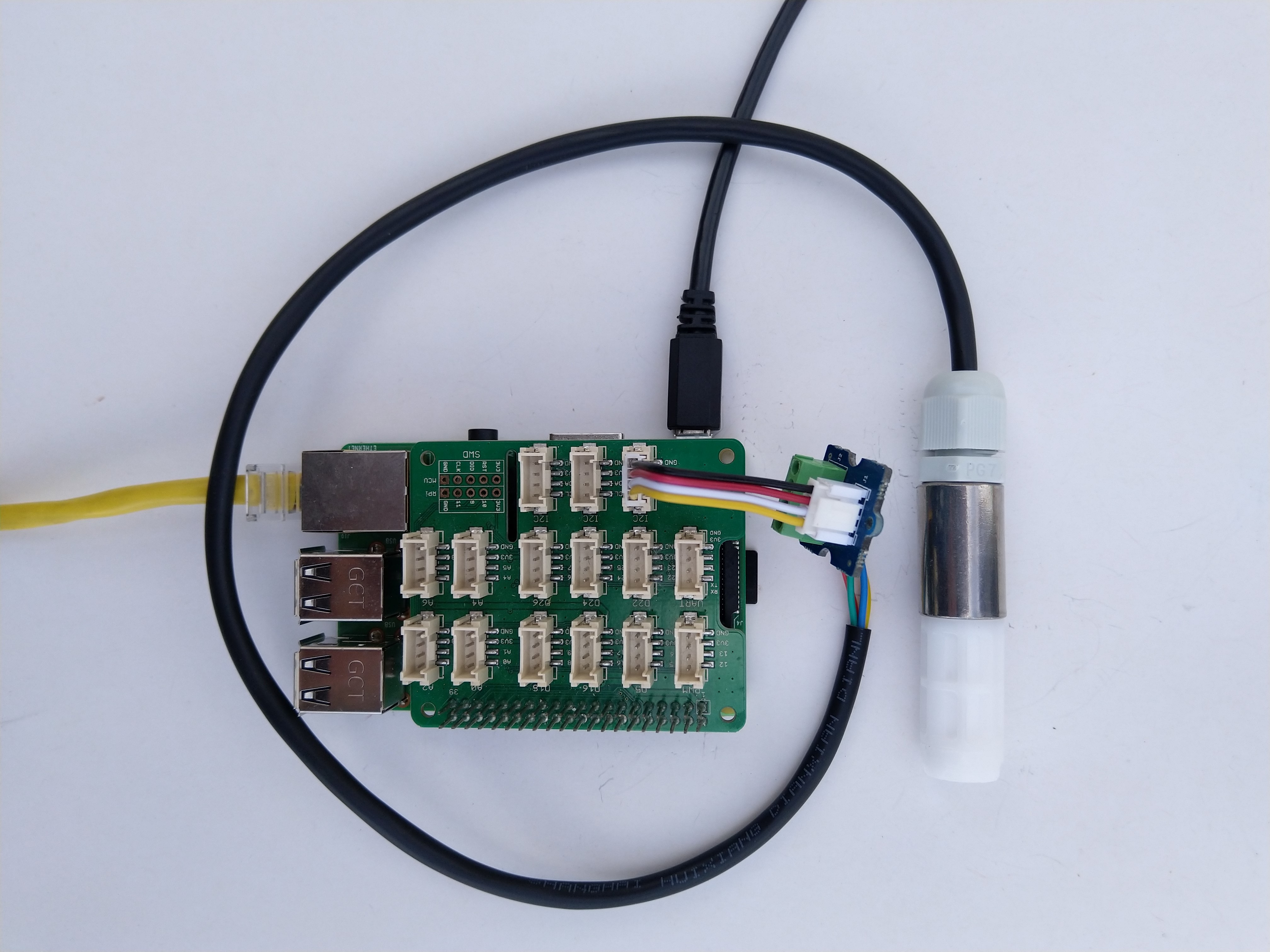
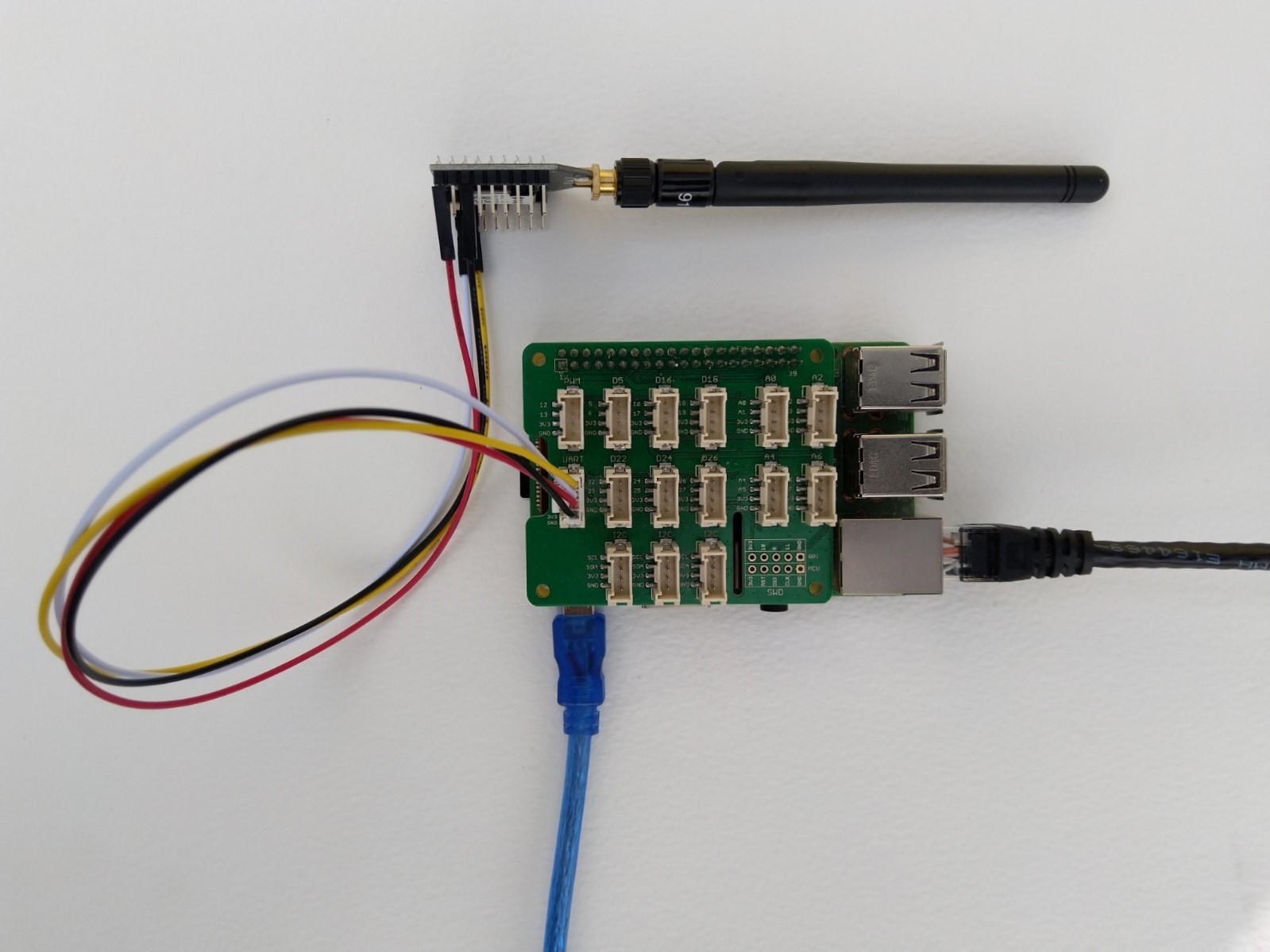
Raspberry Pi3 with Grove Base Hat and RAK3172 Breakout (using UART2)
After some experimentation in the BreakOutSerial project I decided to reimplement the RAK3172 command processing. In the new code a Thread reads lines of text from the SerialPort and processes them. I have replaced the Join and Send(Confirmed) methods with ones that block only while the command are sent to the RAK3172. Then, when completed the OnJoinCompletion or OnMessagesConfirmation event handlers are called.
private Result SendCommand(string command)
{
	if (command == null)
	{
		throw new ArgumentNullException(nameof(command));
	}

	if (command == string.Empty)
	{
		throw new ArgumentException($"command cannot be empty", nameof(command));
	}

	serialDevice.WriteLine(command);

	this.CommandResponseExpectedEvent.Reset();

	if (!this.CommandResponseExpectedEvent.WaitOne(CommandTimeoutDefaultmSec, false))
	{
		return Result.Timeout;
	}

	return CommandResult;
}

private void SerialPortProcessor()
{
	string line;

	while (CommandProcessResponses)
	{
		try
		{
#if DIAGNOSTICS
			Debug.WriteLine($" {DateTime.UtcNow:hh:mm:ss} ReadLine before");
#endif
			line = serialDevice.ReadLine();
#if DIAGNOSTICS
			Debug.WriteLine($" {DateTime.UtcNow:hh:mm:ss} ReadLine after:{line}");
#endif

			// See if device successfully joined network
			if (line.StartsWith("+EVT:JOINED"))
			{
				OnJoinCompletion?.Invoke(true);

				continue;
			}

			// See if device failed ot join network
			if (line.StartsWith("+EVT:JOIN FAILED"))
			{
				OnJoinCompletion?.Invoke(false);

				continue;
			}

			// Applicable only if confirmed messages enabled
			if (line.StartsWith("+EVT:SEND CONFIRMED OK"))
			{
				OnMessageConfirmation?.Invoke();

				continue;
			}

			// Check for A/B/C downlink message
			if (line.StartsWith("+EVT:RX_1") || line.StartsWith("+EVT:RX_2") || line.StartsWith("+EVT:RX_3") || line.StartsWith("+EVT:RX_C"))
			{
				// TODO beef up validation, nto certain what todo if borked
				string[] metricsFields= line.Split(' ', ',');

				int rssi = int.Parse(metricsFields[3]);
				int snr = int.Parse(metricsFields[6]);

				line = serialDevice.ReadLine();

#if DIAGNOSTICS
				Debug.WriteLine($" {DateTime.UtcNow:HH:mm:ss} UNICAST :{line}");
#endif
				line = serialDevice.ReadLine();
#if DIAGNOSTICS
				Debug.WriteLine($" {DateTime.UtcNow:HH:mm:ss} Payload:{line}");
#endif
				// TODO beef up validation, nto certain what todo if borked
				string[] payloadFields = line.Split(':');

				byte port = byte.Parse(payloadFields[1]);
				string payload = payloadFields[2];

				OnReceiveMessage?.Invoke(port, rssi, snr, payload);

				continue;
			}

#if DIAGNOSTICS
           Debug.WriteLine($" {DateTime.UtcNow:hh:mm:ss} ReadLine Result");
#endif
			line = serialDevice.ReadLine();
#if DIAGNOSTICS
             Debug.WriteLine($" {DateTime.UtcNow:hh:mm:ss} ReadLine Result:{line}");
#endif
			switch (line)
			{
				case "OK":
					CommandResult = Result.Success;
					break;
				case "AT_ERROR":
					CommandResult = Result.AtError;
					break;
				case "AT_PARAM_ERROR":
					CommandResult = Result.ParameterError;
					break;
				case "AT_BUSY_ERROR":
					CommandResult = Result.BusyError;
					break;
				case "AT_TEST_PARAM_OVERFLOW":
					CommandResult = Result.ParameterOverflow;
					break;
				case "AT_NO_NETWORK_JOINED":
					CommandResult = Result.NotJoined;
					break;
				case "AT_RX_ERROR":
					CommandResult = Result.ReceiveError;
					break;
				case "AT_DUTYCYLE_RESTRICTED":
					CommandResult = Result.DutyCycleRestricted;
					break;
				default:
					CommandResult = Result.Undefined;
					break;
			}

			CommandResponseExpectedEvent.Set();
		}
		catch (TimeoutException)
		{
			// Intentionally ignored, not certain this is a good idea
		}
	}
}
After a lot of testing I think my thread based approach works reliably. I also had to modify the code to shutdown the command processor thread and free any non managed resources.
/// <summary>
/// Ensures unmanaged serial port and thread resources are released in a "responsible" manner.
/// </summary>
public void Dispose()
{
	CommandProcessResponses = false;

	if (CommandResponsesProcessorThread != null)
	{
		CommandResponsesProcessorThread.Join();
		CommandResponsesProcessorThread = null;
	}

	if (serialDevice != null)
	{
		serialDevice.Dispose();
		serialDevice = null;
	}
}
I need to add some validation to the metrics and payload field unpacking (though I’m not certain what todo if they are the wrong format) and review the handling of multi-line event messages.