.NET nanoFramework RAK3172 Library Usage

After a two week “soak test” using a Sparkfun Thing Plus ESP32 WROOM and RAK3172 Breakout Board completed with no failures, this final post covers the usage of the RAK3172LoRaWAN-NetNF library in a “real-world” application.

Before a factory reset the DevEUI, JoinEUI (was AppEUI), and AppKey were values I had configured earlier

12:02:04 0 TX:AT+DEVEUI=? bytes:11--------------------------------
AT+DEVEUI=A..............1
OK

12:03:05 0 TX:AT+APPEUI=? bytes:11--------------------------------
AT+APPEUI=A..............8
OK

12:04:03 0 TX:AT+APPKEY=? bytes:11--------------------------------
AT+APPKEY=C..............................F
OK

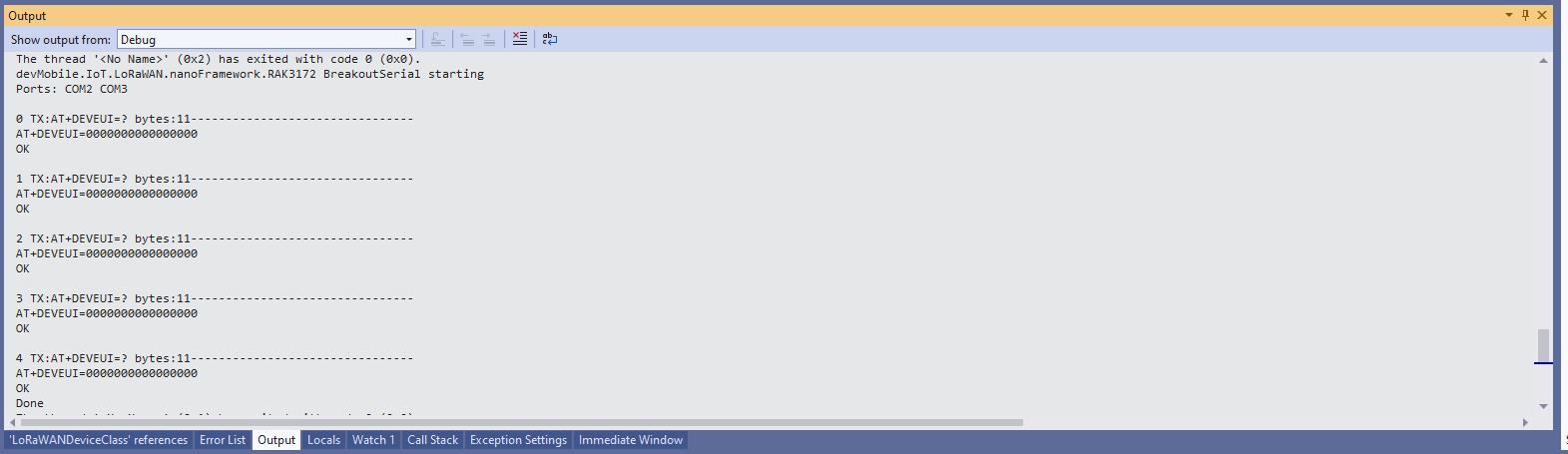
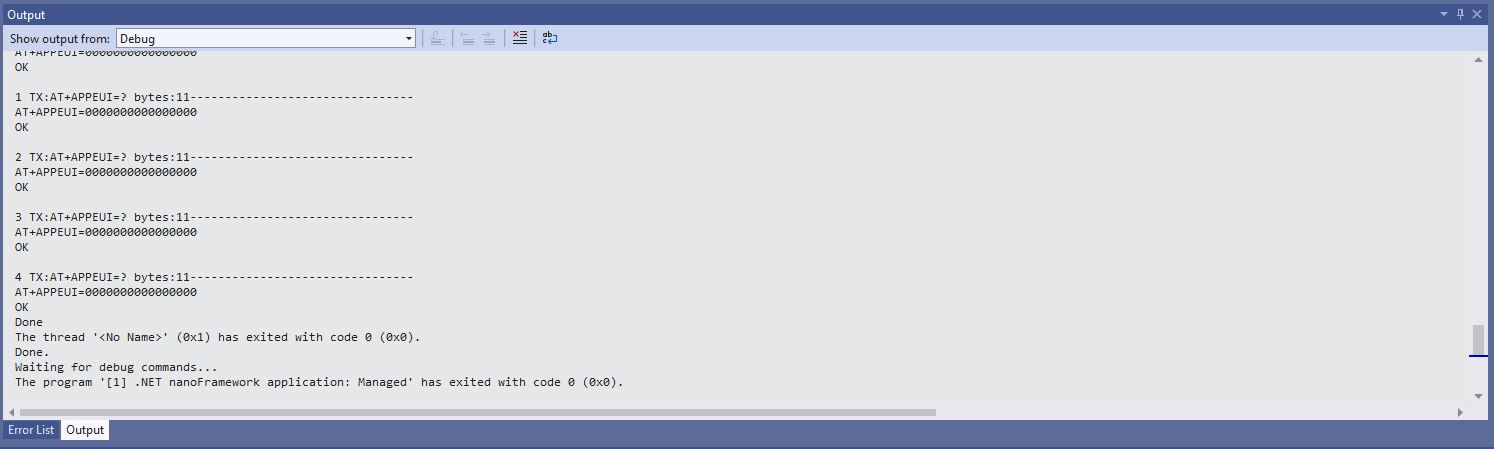
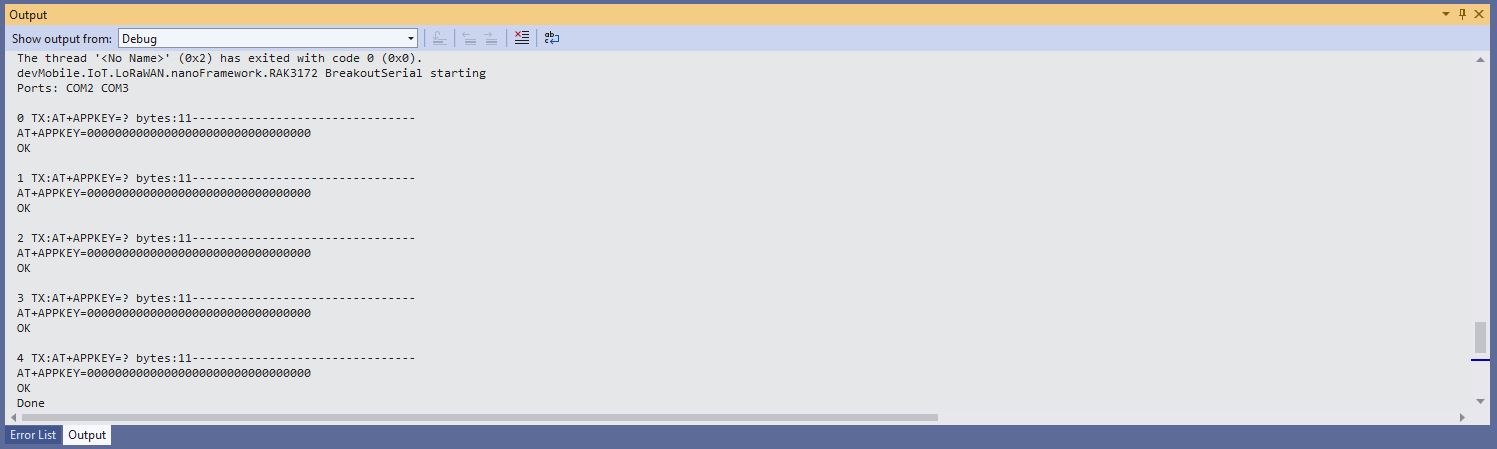
After a factory reset the DevEUI, JoinEUI (was AppEUI), and AppKey were default values

12:00:21 0 TX:AT+DEVEUI=? bytes:11--------------------------------
AT+DEVEUI=0000000000000000
OK

12:01:09 0 TX:AT+APPEUI=? bytes:11--------------------------------
AT+APPEUI=0000000000000000
OK

12:01:48 0 TX:AT+APPKEY=? bytes:11--------------------------------
AT+APPKEY=00000000000000000000000000000000
OK

I then ran the RAK3172LoRaWANDeviceClient with the following preprocessor directives defined to reconfigure the RAK3172 module.

//---------------------------------------------------------------------------------
//#define ST_STM32F769I_DISCOVERY      // nanoff --target ST_STM32F769I_DISCOVERY --update 
#define ESP32_WROOM   // nanoff --target ESP32_REV0 --serialport COM17 --update
#define DEVICE_DEVEUI_SET
//#define FACTORY_RESET
///#define PAYLOAD_BCD
#define PAYLOAD_BYTES
#define OTAA
//#define ABP
//#define CONFIRMED
#define UNCONFIRMED
#define REGION_SET
#define ADR_SET
//#define SLEEP
namespace devMobile.IoT.LoRaWAN
{
...
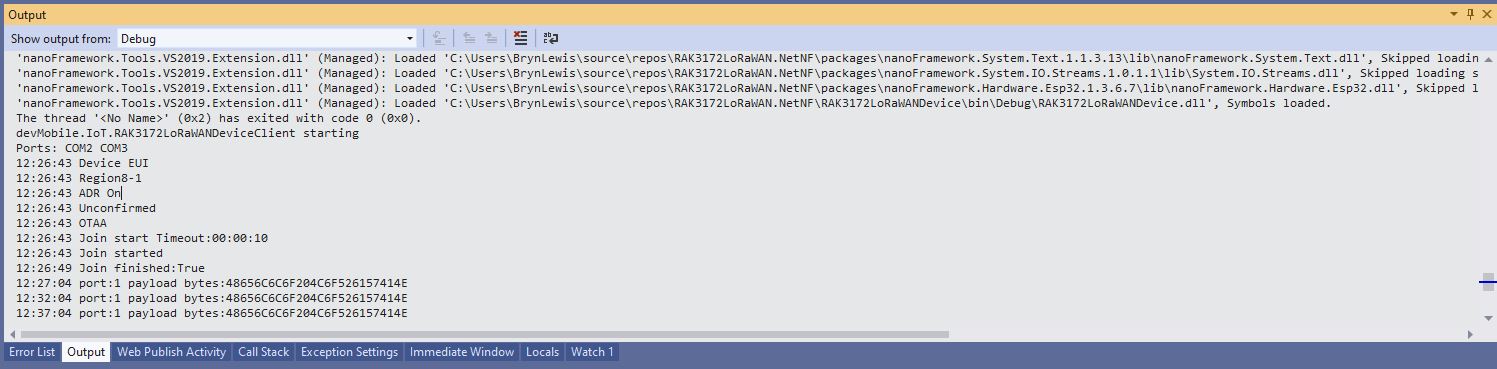
Visual Studio Debug output for RAK3172LoRaWANDeviceClient full configuration

I could then run the RAK3172LoRaWANDeviceClient with only PAYLOAD_BCD or PAYLOAD_BYTES defined

//---------------------------------------------------------------------------------
//#define ST_STM32F769I_DISCOVERY      // nanoff --target ST_STM32F769I_DISCOVERY --update 
#define ESP32_WROOM   // nanoff --target ESP32_REV0 --serialport COM17 --update
//#define DEVICE_DEVEUI_SET
//#define FACTORY_RESET
///#define PAYLOAD_BCD
#define PAYLOAD_BYTES
//#define OTAA
//#define ABP
//#define CONFIRMED
//#define UNCONFIRMED
//#define REGION_SET
//#define ADR_SET
//#define SLEEP
namespace devMobile.IoT.LoRaWAN
{
...
Visual Studio Debug output for RAK3172LoRaWANDeviceClient minimal configuration
public static void Main()
{
	Result result;

	Debug.WriteLine("devMobile.IoT.RAK3172LoRaWANDeviceClient starting");

	try
	{
		// set GPIO functions for COM2 (this is UART1 on ESP32)
#if ESP32_WROOM
		Configuration.SetPinFunction(Gpio.IO17, DeviceFunction.COM2_TX);
		Configuration.SetPinFunction(Gpio.IO16, DeviceFunction.COM2_RX);
#endif

		Debug.Write("Ports:");
		foreach (string port in SerialPort.GetPortNames())
		{
			Debug.Write($" {port}");
		}
		Debug.WriteLine("");

		using (Rak3172LoRaWanDevice device = new Rak3172LoRaWanDevice())
		{
			result = device.Initialise(SerialPortId, 115200, Parity.None, 8, StopBits.One);
			if (result != Result.Success)
			{
				Debug.WriteLine($"Initialise failed {result}");
				return;
			}

			MessageSendTimer = new Timer(SendMessageTimerCallback, device, Timeout.Infinite, Timeout.Infinite);
					
			device.OnJoinCompletion += OnJoinCompletionHandler;
			device.OnReceiveMessage += OnReceiveMessageHandler;
#if CONFIRMED
			device.OnMessageConfirmation += OnMessageConfirmationHandler;
#endif

#if FACTORY_RESET
			Debug.WriteLine($"{DateTime.UtcNow:hh:mm:ss} FactoryReset");
			result = device.FactoryReset();
			if (result != Result.Success)
			{
				Debug.WriteLine($"FactoryReset failed {result}");
				return;
			}
#endif

#if DEVICE_DEVEUI_SET
			Debug.WriteLine($"{DateTime.UtcNow:hh:mm:ss} Device EUI");
			result = device.DeviceEui(Config.devEui);
			if (result != Result.Success)
			{
				Debug.WriteLine($"DeviceEUI set failed {result}");
				return;
			}
#endif

#if REGION_SET
			Debug.WriteLine($"{DateTime.UtcNow:hh:mm:ss} Region{Band}");
			result = device.Band(Band);
			if (result != Result.Success)
			{
				Debug.WriteLine($"Band on failed {result}");
				return;
			}
#endif

#if ADR_SET
			Debug.WriteLine($"{DateTime.UtcNow:hh:mm:ss} ADR On");
			result = device.AdrOn();
			if (result != Result.Success)
			{
				Debug.WriteLine($"ADR on failed {result}");
				return;
			}
#endif
#if CONFIRMED
			Debug.WriteLine($"{DateTime.UtcNow:hh:mm:ss} Confirmed");
			result = device.UplinkMessageConfirmationOn();
			if (result != Result.Success)
			{
				Debug.WriteLine($"Confirm on failed {result}");
				return;
			}
#endif
#if UNCONFIRMED
			Debug.WriteLine($"{DateTime.UtcNow:hh:mm:ss} Unconfirmed");
			result = device.UplinkMessageConfirmationOff();
			if (result != Result.Success)
			{
				Debug.WriteLine($"Confirm off failed {result}");
				return;
			}
#endif

#if OTAA
			Debug.WriteLine($"{DateTime.UtcNow:hh:mm:ss} OTAA");
			result = device.OtaaInitialise(Config.JoinEui, Config.AppKey);
			if (result != Result.Success)
			{
				Debug.WriteLine($"OTAA Initialise failed {result}");
				return;
			}
#endif

#if ABP
			Debug.WriteLine($"{DateTime.UtcNow:hh:mm:ss} ABP");
			result = device.AbpInitialise(Config.DevAddress, Config.NwksKey, Config.AppsKey);
			if (result != Result.Success)
			{
				Debug.WriteLine($"ABP Initialise failed {result}");
				return;
			}
#endif

			Debug.WriteLine($"{DateTime.UtcNow:hh:mm:ss} Join start Timeout:{JoinTimeOut:hh:mm:ss}");
			result = device.Join(JoinTimeOut);
			if (result != Result.Success)
			{
				Debug.WriteLine($"Join failed {result}");
				return;
			}
			Debug.WriteLine($"{DateTime.UtcNow:hh:mm:ss} Join started");

			Thread.Sleep(Timeout.Infinite);
		}
	}
	catch (Exception ex)
	{
		Debug.WriteLine(ex.Message);
	}
}

One of the major differences between the RAK4200 and RAK3127 libraries is the way a LoRaWAN network join is handled. The RAK4200 library Join method blocks until it succeeds of fails, the RAK3172 library Join method returns immediately then an EventHandler is called with the result.

private static void OnJoinCompletionHandler(bool result)
{
	Debug.WriteLine($"{DateTime.UtcNow:hh:mm:ss} Join finished:{result}");

	if (result)
	{
		MessageSendTimer.Change(MessageSendTimerDue, MessageSendTimerPeriod);
	}
}

The new RAK Wireless LoRaWAN modules use the RUI3 AT Commands so the RAK3172 library will most probably be retired and uses as the basis for a generic RUI3 library.
.NET nanoFramework RAK3172 Sleep

The RAKwireless RAK3172 module has “AT+SLEEP -Sleep mode command. To see how it worked I modified the BreakOutSerial application to send an AT-SLEEP command.

public static void Main()
{
#if SERIAL_THREADED_READ
	Thread readThread = new Thread(SerialPortProcessor);
#endif

	Debug.WriteLine("devMobile.IoT.LoRaWAN.nanoFramework.RAK3172 BreakoutSerial starting");

	try
	{
		// set GPIO functions for COM2 (this is UART1 on ESP32)
#if ESP32_WROOM
		Configuration.SetPinFunction(Gpio.IO17, DeviceFunction.COM2_TX);
		Configuration.SetPinFunction(Gpio.IO16, DeviceFunction.COM2_RX);
#endif

		Debug.Write("Ports:");
		foreach (string port in SerialPort.GetPortNames())
		{
			Debug.Write($" {port}");
		}
		Debug.WriteLine("");

		using (_SerialPort = new SerialPort(SerialPortId))
		{
			// set parameters
			_SerialPort.BaudRate = 115200;
			_SerialPort.Parity = Parity.None;
			_SerialPort.DataBits = 8;
			_SerialPort.StopBits = StopBits.One;
			_SerialPort.Handshake = Handshake.None;
			_SerialPort.NewLine = "\r\n";
			_SerialPort.ReadTimeout = 1000;

			//_SerialPort.WatchChar = '\n'; // May 2022 WatchChar event didn't fire github issue https://github.com/nanoframework/Home/issues/1035

#if SERIAL_ASYNC_READ
			_SerialPort.DataReceived += SerialDevice_DataReceived;
#endif

			_SerialPort.Open();

			_SerialPort.WatchChar = '\n';

			_SerialPort.ReadExisting(); // Running at 115K2 this was necessary

#if SERIAL_THREADED_READ
			readThread.Start();
#endif

			for (int i = 0; i < 5; i++)
			{
				string atCommand;
				atCommand = "AT+VER=?";
				//atCommand = "AT+SN=?"; // Empty response?
				//atCommand = "AT+HWMODEL=?";
				//atCommand = "AT+HWID=?";
				//atCommand = "AT+DEVEUI=?";
				//atCommand = "AT+APPEUI=?";
				//atCommand = "AT+APPKEY=?";
				//atCommand = "ATR";
				//atCommand = "AT+SLEEP=4000";
				Debug.WriteLine("");
				Debug.WriteLine($"{DateTime.UtcNow:hh:mm:ss} {i} TX:{atCommand} bytes:{atCommand.Length}--------------------------------");
				_SerialPort.WriteLine(atCommand);

				Thread.Sleep(5000);
			}
		}
#if SERIAL_THREADED_READ
		_Continue = false;
#endif
		Debug.WriteLine("Done");
	}
	catch (Exception ex)
	{
		Debug.WriteLine(ex.Message);
	}
}

#if SERIAL_ASYNC_READ
private static void SerialDevice_DataReceived(object sender, SerialDataReceivedEventArgs e)
{
	SerialPort serialPort = (SerialPort)sender;

	switch (e.EventType)
	{
		case SerialData.Chars:
			break;

		case SerialData.WatchChar:
			string response = serialPort.ReadExisting();
			//Debug.Write($"{DateTime.UtcNow:hh:mm:ss} RX:{response} bytes:{response.Length}");
			Debug.Write(response);
			break;
		default:
			Debug.Assert(false, $"e.EventType {e.EventType} unknown");
			break;
	}
}
#endif

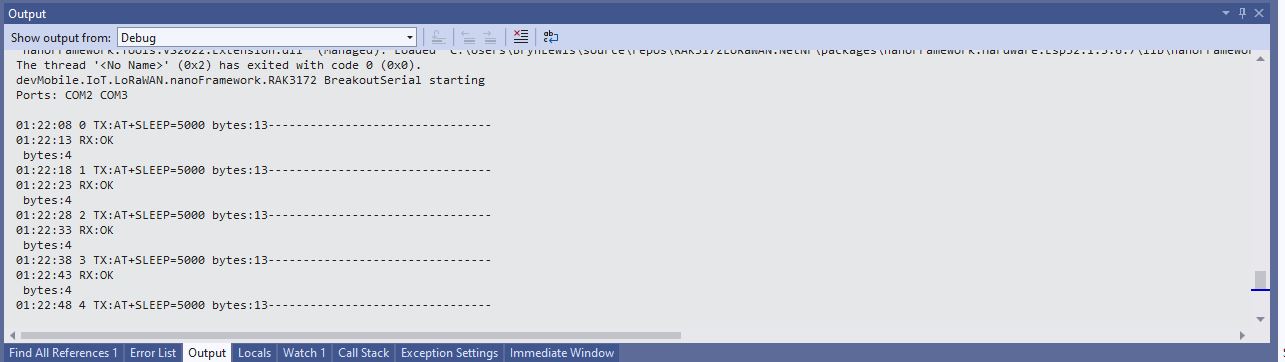
I then ran the device in the debugger to see how the AT+SLEEP was handled.

BreakoutSerial application executing AT+SLEEP command

There was limited AT+SLEEP -Sleep mode documentation but it looks like the RAK3172 module sleeps, “wakes up” and then replies with “OK”.

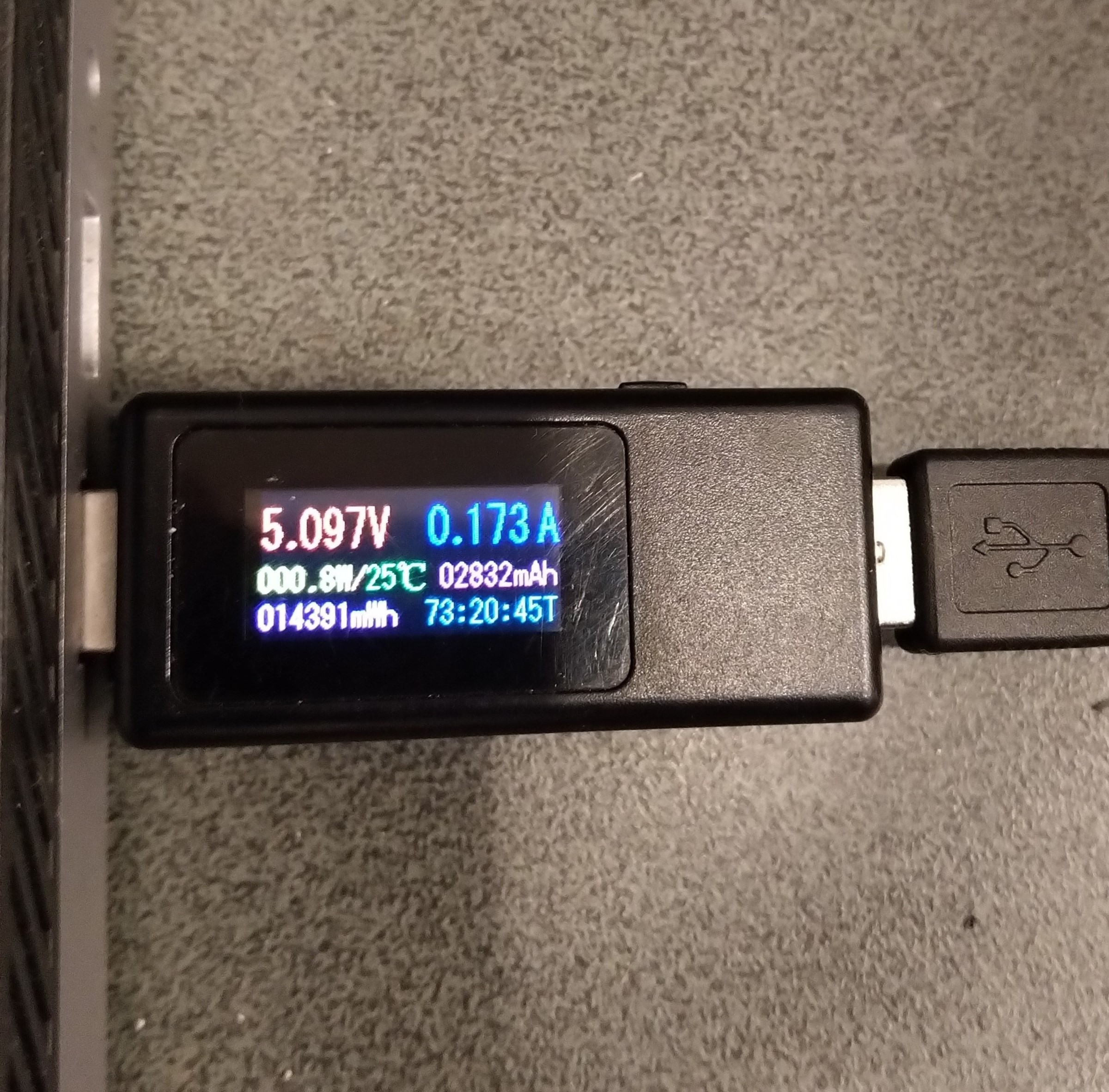
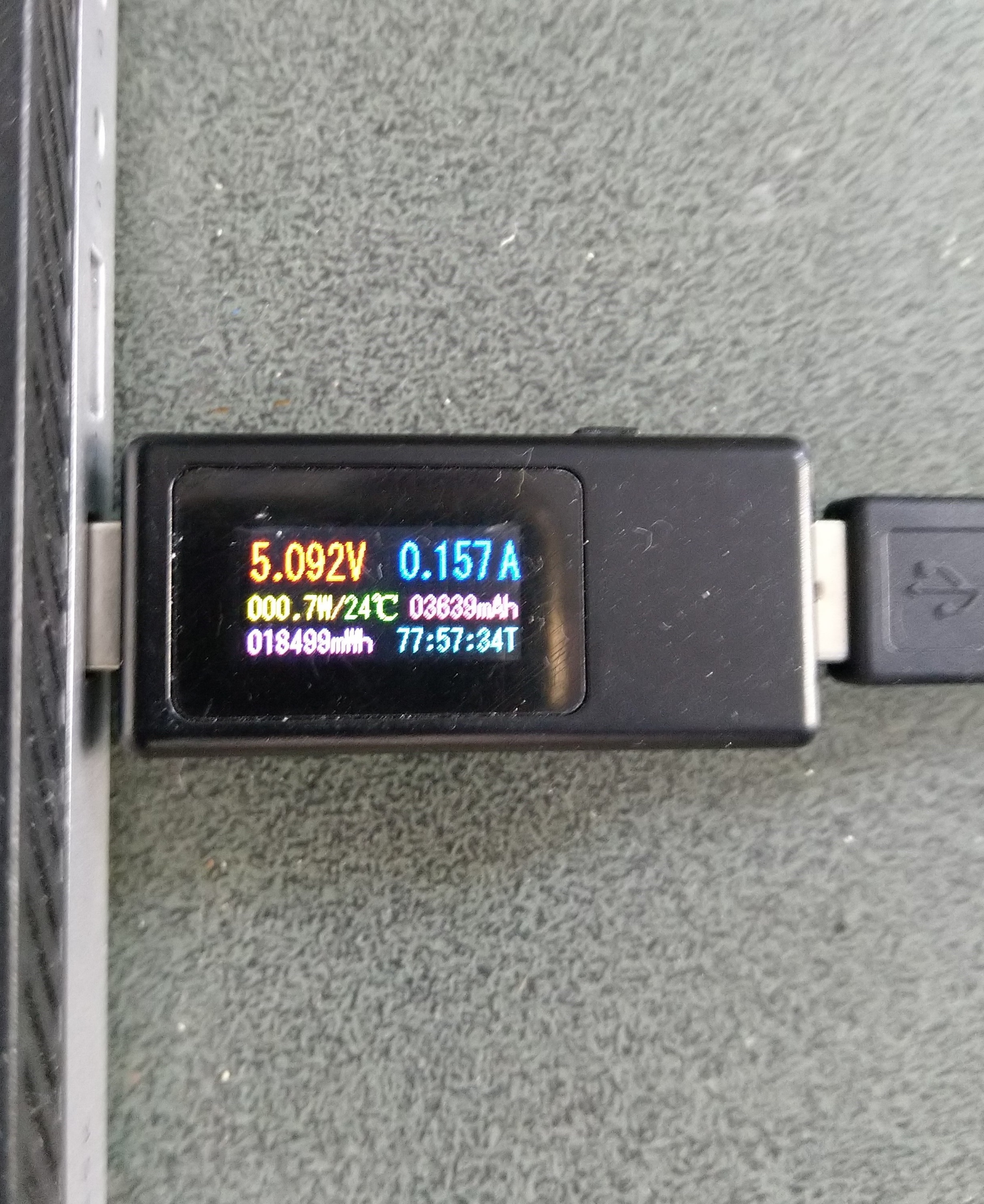
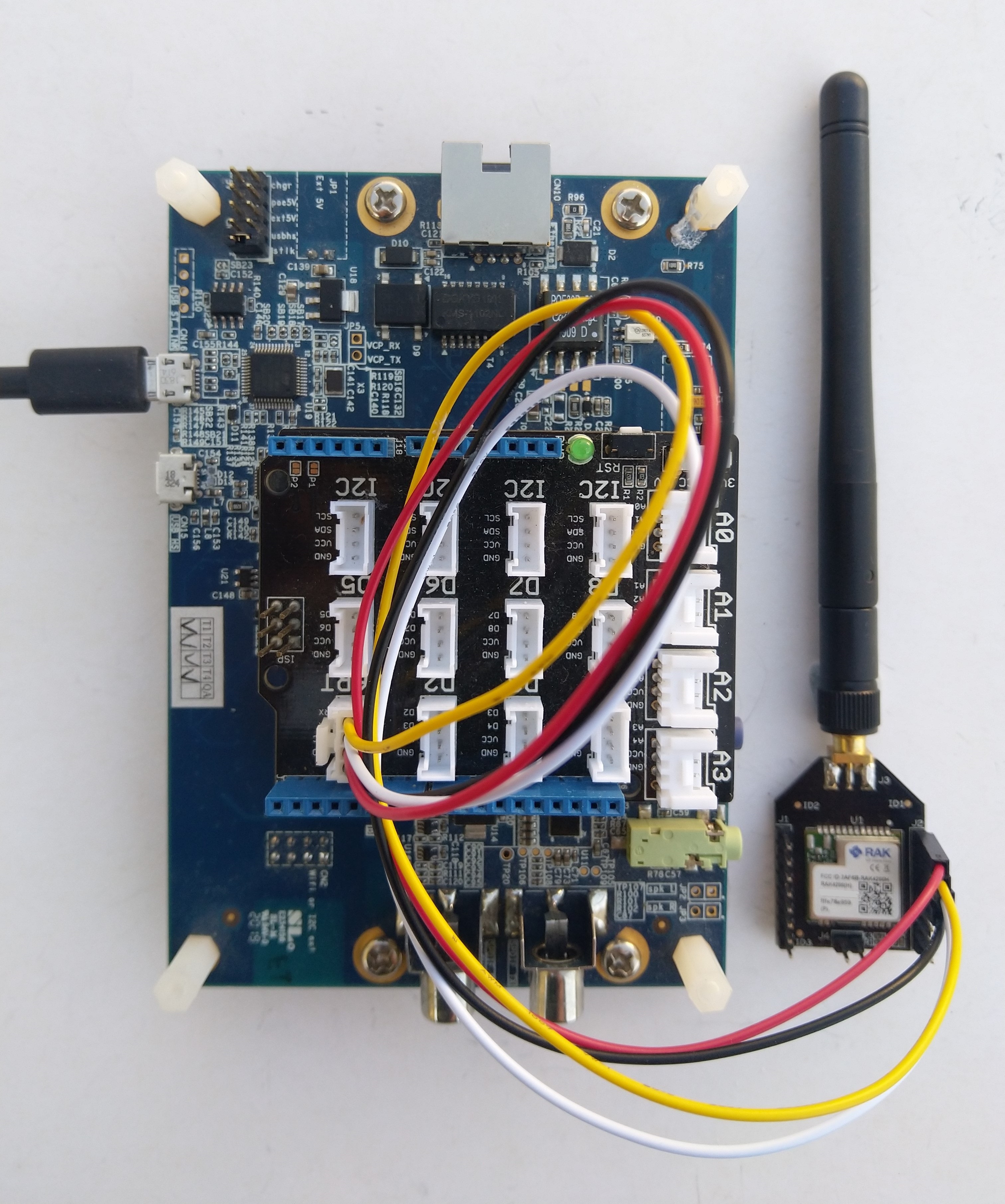
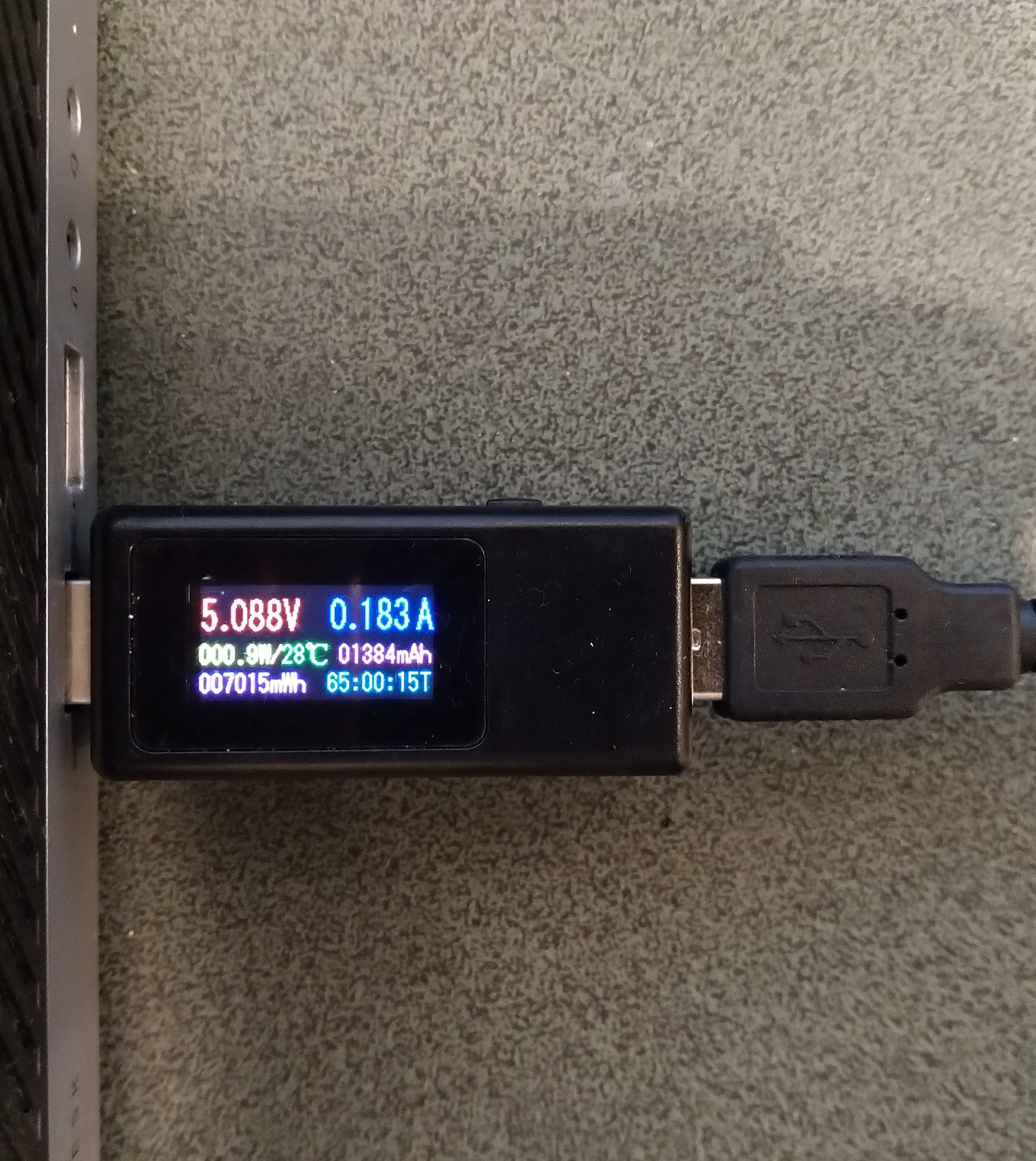
Sparkfun Thing Plus ESP32 WROOM + RAK3172 Idle power consumption

Initially the Sleep method didn’t appear to work, the power consumption didn’t change….

private static void SendMessageTimerCallback(object state)
{
	Rak3172LoRaWanDevice device = (Rak3172LoRaWanDevice)state;

#if PAYLOAD_HEX
	Debug.WriteLine($"{DateTime.UtcNow:hh:mm:ss} port:{MessagePort} payload HEX:{PayloadHex}");
	Result result = device.Send(MessagePort, PayloadHex, SendTimeout);
#endif
#if PAYLOAD_BYTES
	Debug.WriteLine($"{DateTime.UtcNow:hh:mm:ss} port:{MessagePort} payload bytes:{Rak3172LoRaWanDevice.BytesToHex(PayloadBytes)}");
	Result result = device.Send(MessagePort, PayloadBytes, SendTimeout);
#endif
	if (result != Result.Success)
	{
		Debug.WriteLine($"Send failed {result}");
	}

#if SLEEP
	Thread.Sleep(7500); //10000 Works 5000 to short

	Debug.WriteLine($"{DateTime.UtcNow:hh:mm:ss} Sleep period:{SleepPeriod:hh:mm:ss}");
	result = device.Sleep(SleepPeriod);
	if (result != Result.Success)
	{
		Debug.WriteLine($"Sleep failed {result}");
		return;
	}
#endif
}

After some debugging and reading this helpful RAK Wireless forum post I added a short delay before sleeping the RAK3172 module and power consumption reduced.

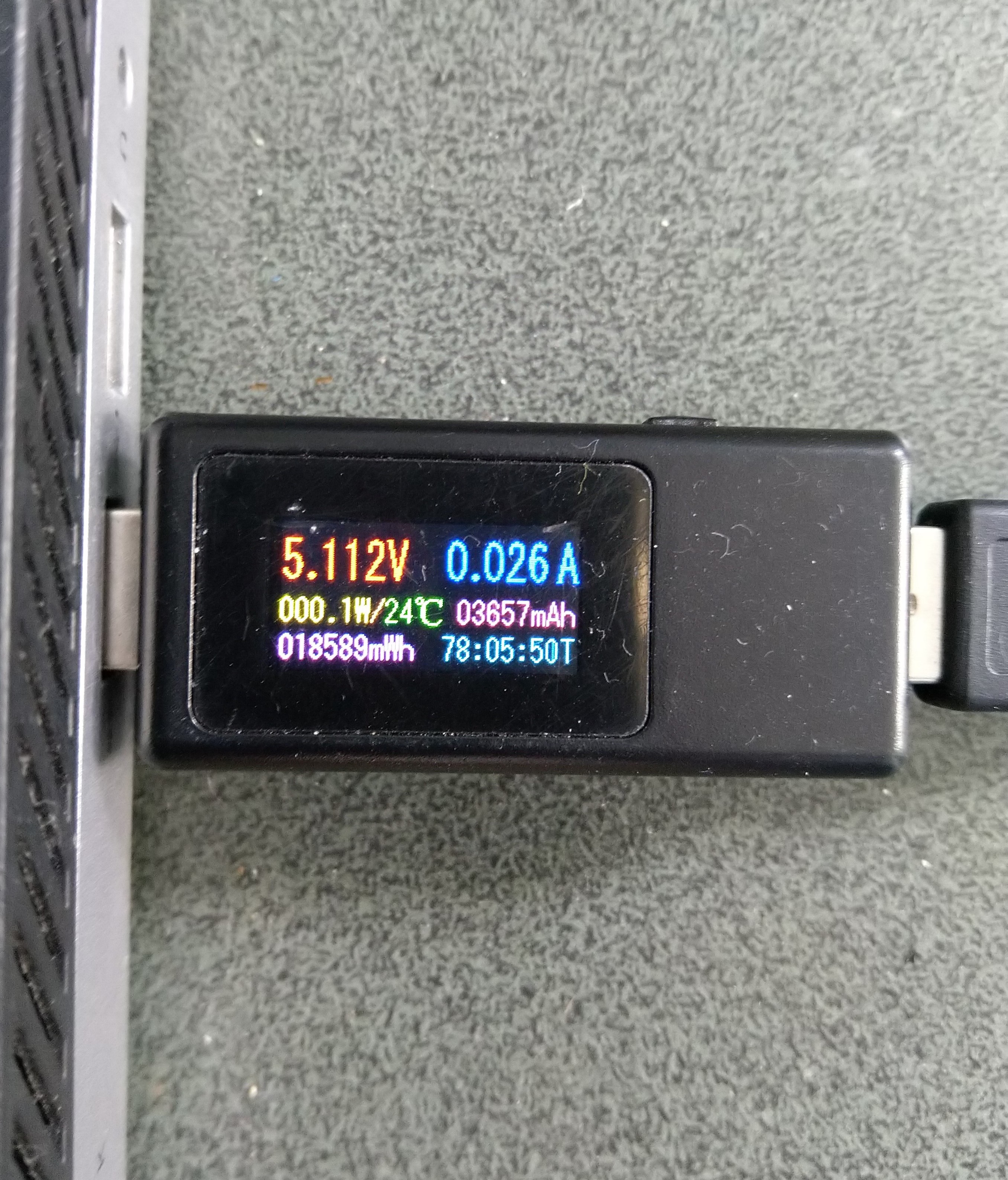
Sparkfun Thing Plus ESP32 WROOM + RAK3172 Sleep mode power consumption

Initially the Sleep method timed out every time it was called. After some more debugging I figured out that I needed a slightly longer delay for the AutoResetEvent.Waitone as it was timing out just before the “OK” was processed.

public Result Sleep(TimeSpan period)
{
	return Sleep(period, SleepExtensionDefault);
}

public Result Sleep(TimeSpan period, TimeSpan extension)
{
#if DIAGNOSTICS
	Debug.WriteLine($" {DateTime.UtcNow:hh:mm:ss} AT+SLEEP {period.TotalMilliseconds:f0} mSec");
#endif
	Result result = SendCommand("OK", $"AT+SLEEP={period.TotalMilliseconds:f0}", period.Add(extension));
	if (result != Result.Success)
	{
#if DIAGNOSTICS
		Debug.WriteLine($" {DateTime.UtcNow:hh:mm:ss} AT+SLEEP failed {result}");
#endif
		return result;
	}

	return Result.Success;
}

I then disconnected RAK3172 module to see how much power the Sparkfun Thing Plus ESP32 WROOM was using.

The nanoFramework ESP32 support library has a LightSleep and DeepSleep functionality which significantly reduced the power consumption

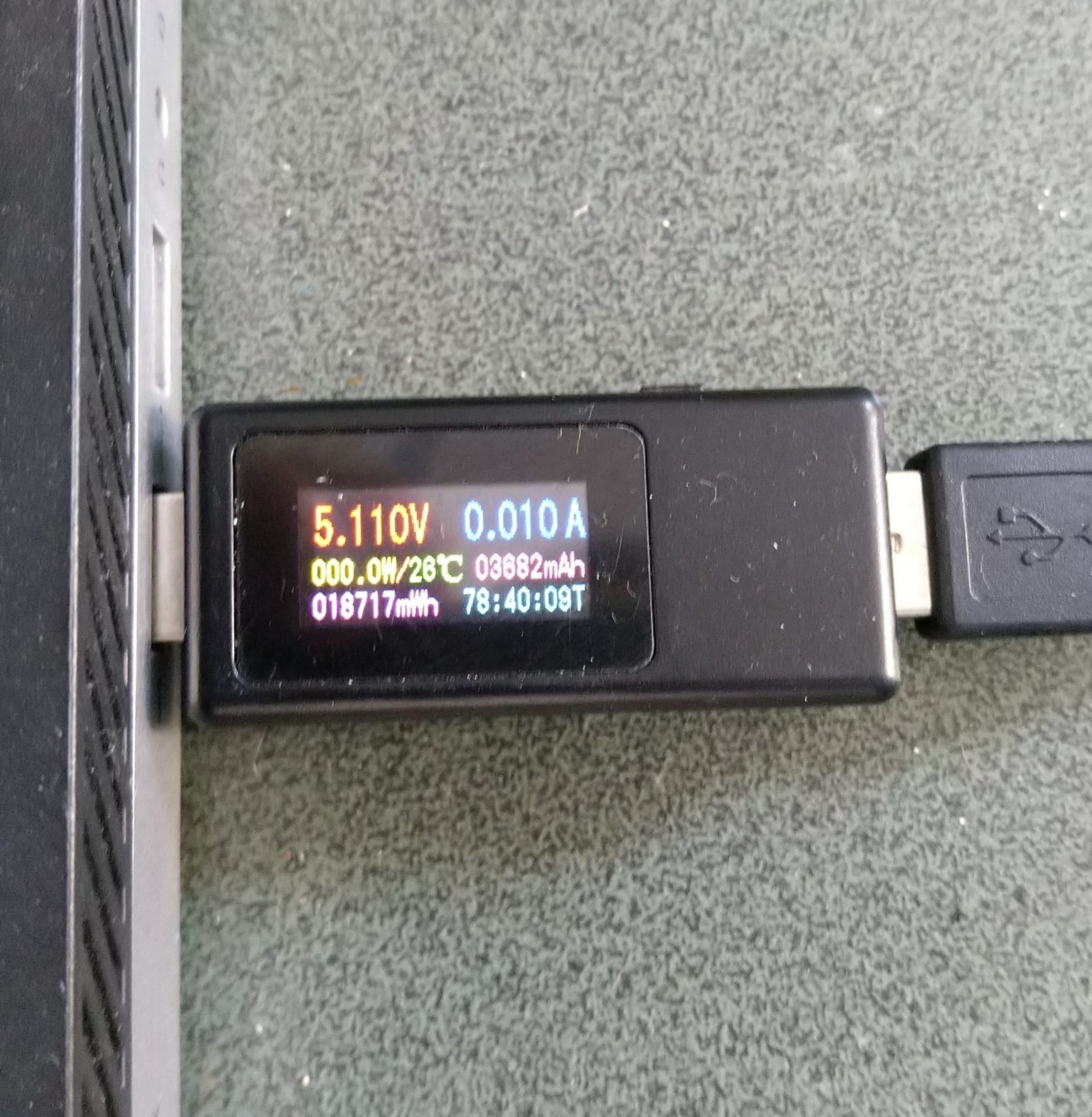
Sparkfun Thing Plus ESP32 WROOM LightSleep power consumption
Sparkfun Thing Plus ESP32 WROOM DeepSleep power consumption

The Keweisi KWS-MX19 USB Tester DC 4V-30V 0-5A Current Voltage Detector is not a precision laboratory instrument but did show the power consumption of my setup could be reduced by sleeping the RAK3172 module and the Sparkfun Thing Plus ESP32 WROOM.

.NET nanoFramework RAK3172 Factory Reset

The RAKwireless RAK3172 module has “ATR – Restore to Default Parameters” command. To see what settings were “restored” I modified the BreakOutSerial application to send an ATR command to reset the device, then display the DevEUI, JoinEUI, and AppKey.

public static void Main()
{
	Debug.WriteLine("devMobile.IoT.LoRaWAN.nanoFramework.RAK3172 BreakoutSerial starting");

	try
	{
		// set GPIO functions for COM2 (this is UART1 on ESP32)
#if ESP32_WROOM
		Configuration.SetPinFunction(Gpio.IO17, DeviceFunction.COM2_TX);
		Configuration.SetPinFunction(Gpio.IO16, DeviceFunction.COM2_RX);
#endif

		Debug.Write("Ports:");
		foreach (string port in SerialPort.GetPortNames())
		{
			Debug.Write($" {port}");
		}
		Debug.WriteLine("");

		using (_SerialPort = new SerialPort(SerialPortId))
		{
			// set parameters
			_SerialPort.BaudRate = 115200;
			_SerialPort.Parity = Parity.None;
			_SerialPort.DataBits = 8;
			_SerialPort.StopBits = StopBits.One;
			_SerialPort.Handshake = Handshake.None;
			_SerialPort.NewLine = "\r\n";
			_SerialPort.ReadTimeout = 1000;

			//_SerialPort.WatchChar = '\n'; // May 2022 WatchChar event didn't fire github issue https://github.com/nanoframework/Home/issues/1035

#if SERIAL_ASYNC_READ
			_SerialPort.DataReceived += SerialDevice_DataReceived;
#endif

			_SerialPort.Open();

			_SerialPort.WatchChar = '\n';

			_SerialPort.ReadExisting(); // Running at 115K2 this was necessary

...

			for (int i = 0; i < 5; i++)
			{
				string atCommand;
				atCommand = "AT+VER=?";
				//atCommand = "AT+SN=?"; // Empty response?
				//atCommand = "AT+HWMODEL=?";
				//atCommand = "AT+HWID=?";
				//atCommand = "AT+DEVEUI=?";
				//atCommand = "AT+APPEUI=?";
				//atCommand = "AT+APPKEY=?";
				//atCommand = "ATR";
				//atCommand = "AT+SLEEP=4000";
				Debug.WriteLine("");
				Debug.WriteLine($"{i} TX:{atCommand} bytes:{atCommand.Length}--------------------------------");
				_SerialPort.WriteLine(atCommand);

				Thread.Sleep(5000);
			}
		}
...
		Debug.WriteLine("Done");
	}
	catch (Exception ex)
	{
		Debug.WriteLine(ex.Message);
	}
}

After resetting the device I modified the code to display some of the configuration.

DevEUI after ATR command
JoinEUI after ATR command
AppKey after ATR command

To reconfigure the device I ran the RAK3172LoRaWANDeviceClient application with DEVICE_DEVEUI_SET, OTAA, UNCONFIRMED, REGION_SET and ADR_SET defined. The testrig could then successfully connect to The Things Network and when the device was power cycled the configuration was retained.

public Result FactoryReset()
{
#if DIAGNOSTICS
	Debug.WriteLine($" {DateTime.UtcNow:hh:mm:ss} ATR");
#endif
	Result result = SendCommand("OK", "ATR", CommandTimeoutDefault);
	if (result != Result.Success)
	{
#if DIAGNOSTICS
		Debug.WriteLine($" {DateTime.UtcNow:hh:mm:ss} ATR failed {result}");
#endif
		return result;
	}

	return Result.Success;
}

I have added a “FactoryReset” method to the RAK3172LoRaWANDevice library.

.NET nanoFramework RAK3172 LoRaWAN library ABP Join

After getting my RAKwireless RAK3172 module to reliably connect to The Things Network(TTN) using Over The Air Activation(OTAA) the next step was to built an Activation By Personalisation(ABP) sample application.

SparkFun Thing Plus – ESP32 WROOM, RAK3172 Breakout board

I modified the NetworkJoinOTAA sample(based on the asynchronous version of BreakOutSerial) to send the required sequence of AT commands and displays the responses.

namespace devMobile.IoT.LoRaWAN.nanoFramework.RAK3172
{
	using System;
	using System.Diagnostics;
	using System.IO.Ports;
	using System.Threading;
#if ESP32_WROOM
	using global::nanoFramework.Hardware.Esp32; //need NuGet nanoFramework.Hardware.Esp32
#endif

	public class Program
	{
#if ESP32_WROOM
		private const string SerialPortId = "COM2";
#endif
#if ST_STM32F769I_DISCOVERY
		private const string SerialPortId = "COM6";
#endif
		private const string DevEui = "...";
		private const string DevAddress = "...";
		private const string NwksKey = "...";
		private const string AppsKey = "..."; 
		private const byte MessagePort = 1;
		private const string Payload = "A0EEE456D02AFF4AB8BAFD58101D2A2A"; // Hello LoRaWAN

		public static void Main()
		{
			Debug.WriteLine("devMobile.IoT.LoRaWAN.nanoFramework.RAK3172.NetworkJoinABP starting");

			try
			{
				// set GPIO functions for COM2 (this is UART1 on ESP32)
#if ESP32_WROOM
				Configuration.SetPinFunction(Gpio.IO17, DeviceFunction.COM2_TX);
				Configuration.SetPinFunction(Gpio.IO16, DeviceFunction.COM2_RX);
#endif

				Debug.Write("Ports:");
				foreach (string port in SerialPort.GetPortNames())
				{
					Debug.Write($" {port}");
				}
				Debug.WriteLine("");

				using (SerialPort serialPort = new SerialPort(SerialPortId))
				{
					// set parameters
					serialPort.BaudRate = 115200;
					serialPort.Parity = Parity.None;
					serialPort.DataBits = 8;
					serialPort.StopBits = StopBits.One;
					serialPort.Handshake = Handshake.None;
					serialPort.NewLine = "\r\n";
					serialPort.ReadTimeout = 1000;

					serialPort.DataReceived += SerialDevice_DataReceived;

					serialPort.Open();

					serialPort.WatchChar = '\n';

					serialPort.ReadExisting(); // Running at 115K2 this was necessary

					// Set the Device EUI
					Console.WriteLine("Set Device EUI");
					serialPort.WriteLine($"AT+DEVEUI={DevEui}");

					// Set the Working mode to LoRaWAN
					Console.WriteLine("Set Work mode");
					serialPort.WriteLine("AT+NWM=1");

					// Set the Region to AS923
					Console.WriteLine("Set Region");
					serialPort.WriteLine("AT+BAND=8");

					// Set the JoinMode
					Console.WriteLine("Set Join mode");
					serialPort.WriteLine("AT+NJM=0");

					// Set the DevAddress
					Console.WriteLine("Set Device Address");
					serialPort.WriteLine($"AT+DEVADDR={DevAddress}");

					// Set the Network Session Key
					Console.WriteLine("Set NwksKey");
					serialPort.WriteLine($"AT+NWKSKEY={NwksKey}");

					// Set the Application Session Key
					Console.WriteLine("Set AppsKey");
					serialPort.WriteLine($"AT+APPSKEY={AppsKey}");

					// Set the Confirm flag
					Console.WriteLine("Set Confirm off");
					serialPort.WriteLine("AT+CFM=0");

					// Join the network
					Console.WriteLine("Start Join");
					serialPort.WriteLine("AT+JOIN=1:0:10:2");

					// Wait for the +EVT:JOINED

					while (true)
					{
						Console.WriteLine("Sending");
						serialPort.WriteLine($"AT+SEND={MessagePort}:{Payload}");

						Thread.Sleep(300000);
					}
				}
			}
			catch (Exception ex)
			{
				Debug.WriteLine(ex.Message);
			}
		}

		private static void SerialDevice_DataReceived(object sender, SerialDataReceivedEventArgs e)
		{
			SerialPort serialPort = (SerialPort)sender;

			switch (e.EventType)
			{
				case SerialData.Chars:
					break;

				case SerialData.WatchChar:
					string response = serialPort.ReadExisting();
					Debug.Write(response);
					break;
				default:
					Debug.Assert(false, $"e.EventType {e.EventType} unknown");
					break;
			}
		}
	}
}

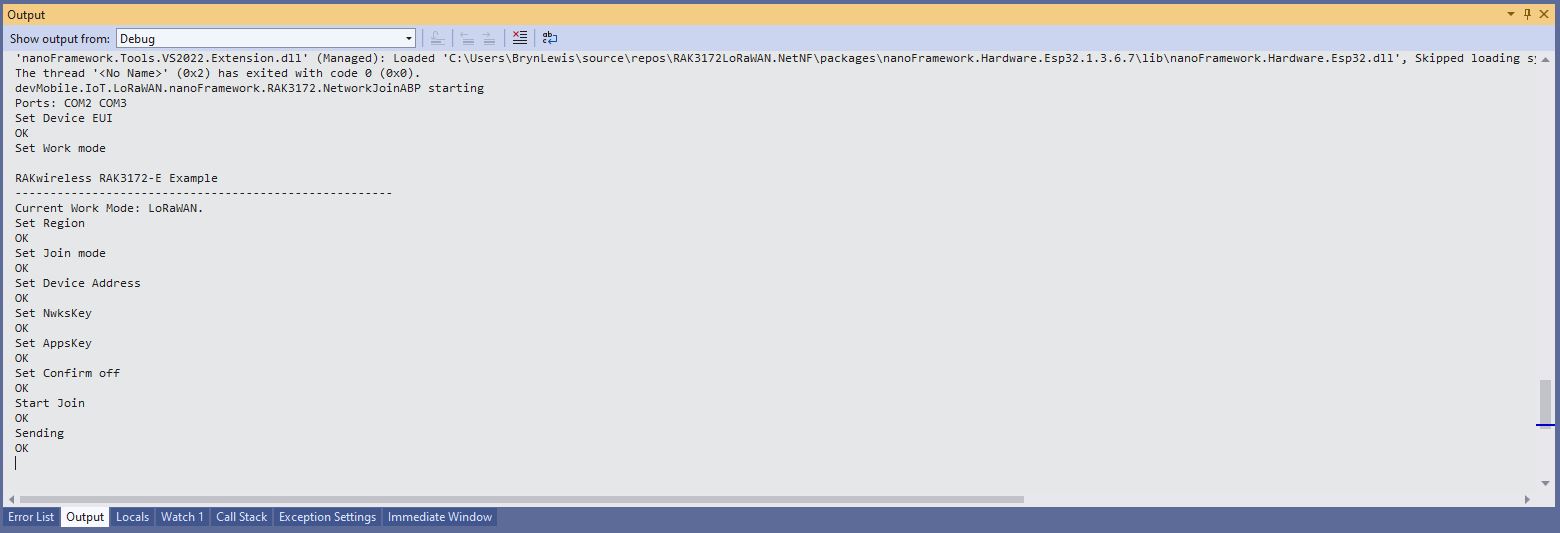
The NetworkJoinABP application assumes that all of the AT commands succeed.

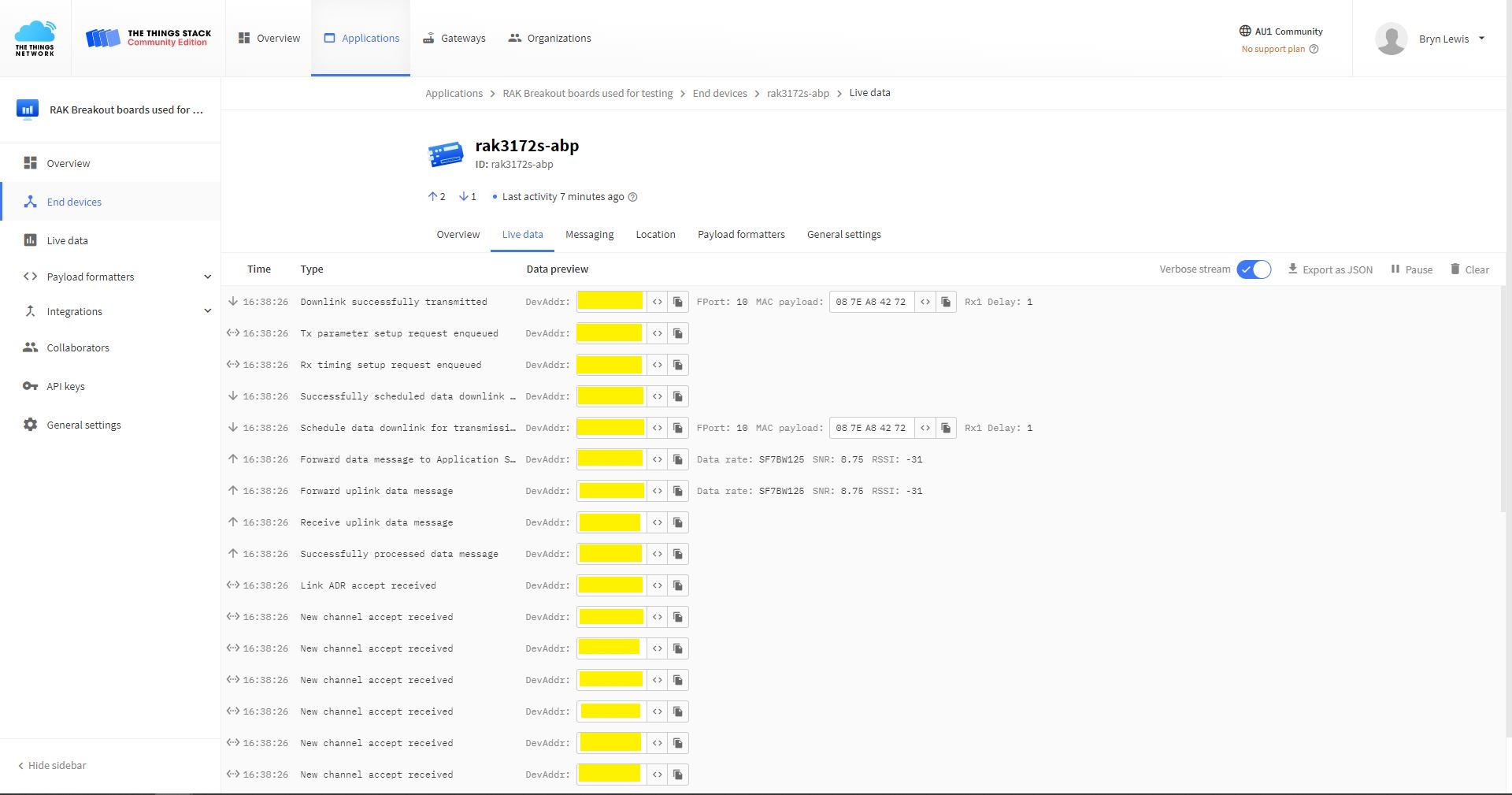
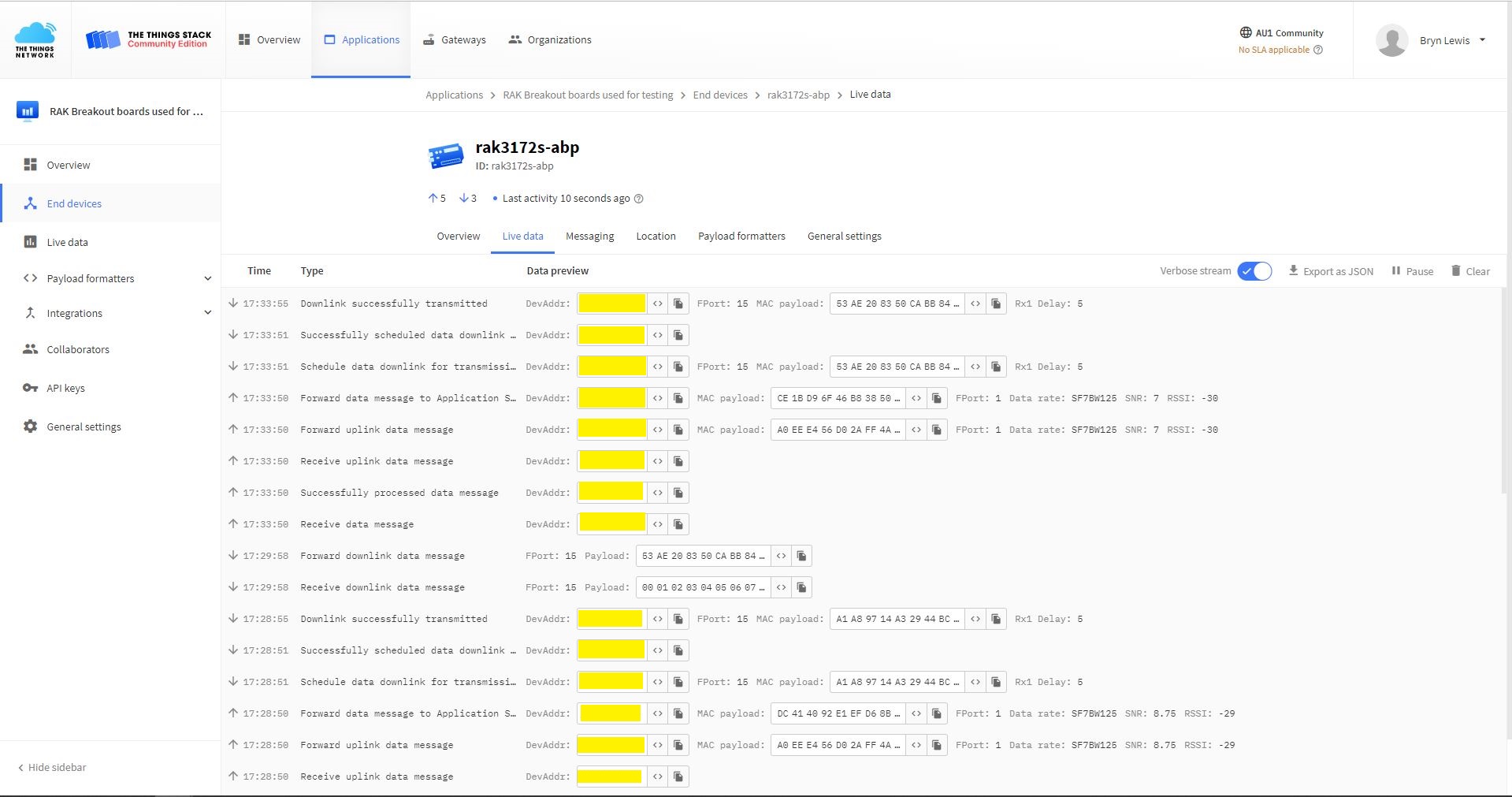
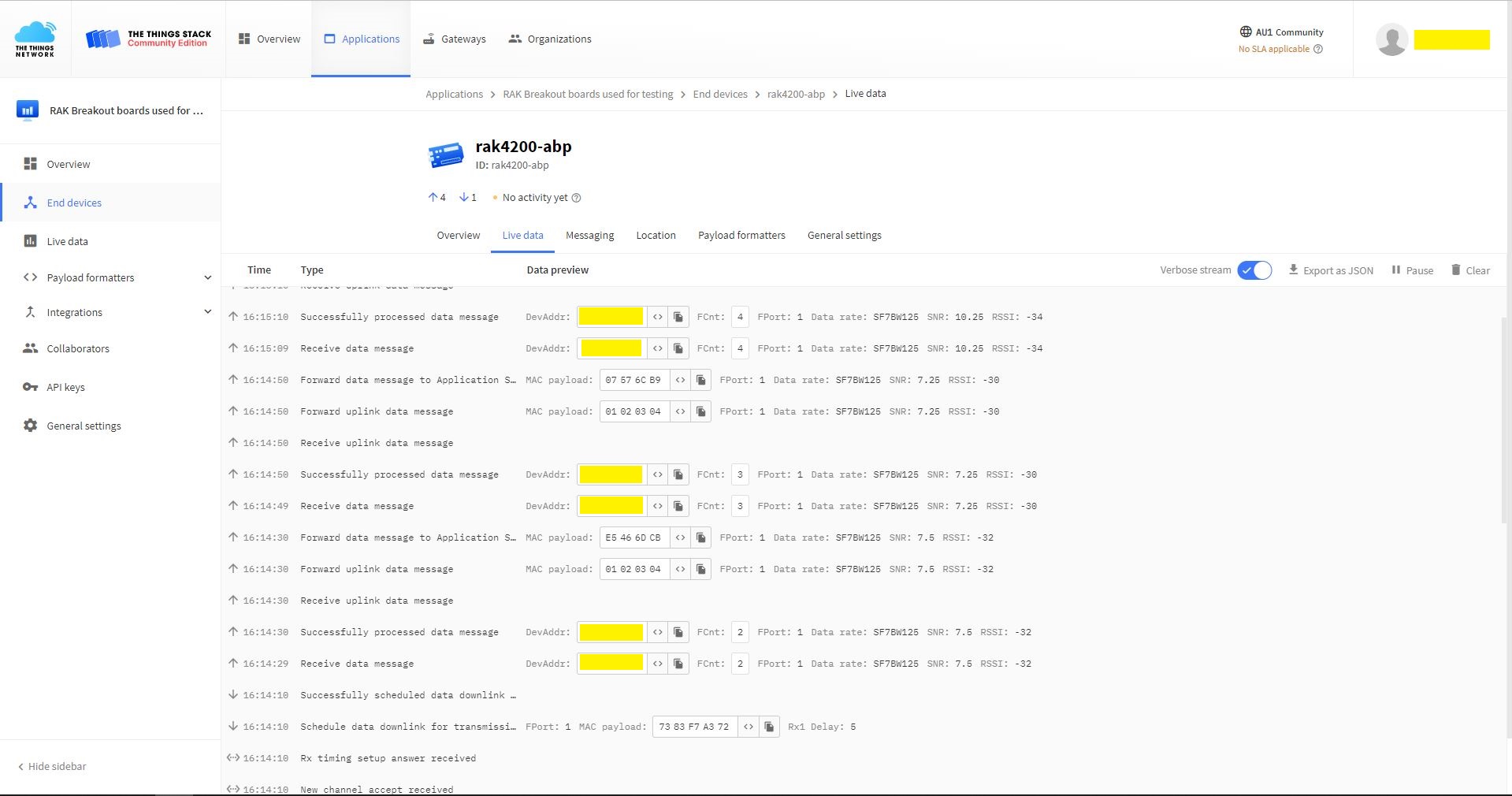
TTN Console live data tab connection process
Visual Studio Output windows displaying connection process and a D2C message
TTN Console live data tab connection process with a couple of D2C messages
Visual Studio Output windows displaying connection process and a couple of C2D messages

The Activation By Personalisation(ABP) sample was a bit more fragile than I expected. The The Things Network(TTN) Live Data Tab updates were often delayed or required a page refresh to be displayed (July 2022).

.NET nanoFramework RAK3172 LoRaWAN library OTAA Join

When I first tried Over The Air Activation(OTAA) to connect to The Things Network(TTN) with my RAKwireless RAK3172 module it didn’t work. I had flashed my Sparkfun Thing plus ESP32 WROOM with the ESP32 PSRAM binaries (Thanks AlbertK on the nanoFramework Discord).

nanoff --target ESP32_REV0 --serialport COM17 --update
RAK3172 Sparkfun ESP32 WROOM Testrig

I modified the NetworkJoinOTAA sample (based on the asynchronous version of BreakOutSerial) to send the sequence of AT commands to join The Things Network(TTN) and display the responses.

#define ST_STM32F769I_DISCOVERY      // nanoff --target ST_STM32F769I_DISCOVERY --update 
//#define ESP32_WROOM   //nanoff --target ESP32_REV0 --serialport COM17 --update

namespace devMobile.IoT.LoRaWAN.nanoFramework.RAK3172
{
	using System;
	using System.Diagnostics;
	using System.IO.Ports;
	using System.Threading;
#if ESP32_WROOM
	using global::nanoFramework.Hardware.Esp32; //need NuGet nanoFramework.Hardware.Esp32
#endif

	public class Program
	{
#if ESP32_WROOM
		private const string SerialPortId = "COM2";
#endif
#if ST_STM32F769I_DISCOVERY
		private const string SerialPortId = "COM6";
#endif
		private const string DevEui = "...";
		private const string AppEui = "...";
		private const string AppKey = "...";
		private const byte MessagePort = 1;
		private const string Payload = "A0EEE456D02AFF4AB8BAFD58101D2A2A"; // Hello LoRaWAN

		public static void Main()
		{
			Debug.WriteLine("devMobile.IoT.LoRaWAN.nanoFramework.RAK3172 NetworkJoinOTAA starting");

			try
			{
				// set GPIO functions for COM2 (this is UART1 on ESP32)
#if ESP32_WROOM
				Configuration.SetPinFunction(Gpio.IO17, DeviceFunction.COM2_TX);
				Configuration.SetPinFunction(Gpio.IO16, DeviceFunction.COM2_RX);
#endif

				Debug.Write("Ports:");
				foreach (string port in SerialPort.GetPortNames())
				{
					Debug.Write($" {port}");
				}
				Debug.WriteLine("");

				using (SerialPort serialPort = new SerialPort(SerialPortId))
				{
					// set parameters
					serialPort.BaudRate = 115200;
					serialPort.Parity = Parity.None;
					serialPort.DataBits = 8;
					serialPort.StopBits = StopBits.One;
					serialPort.Handshake = Handshake.None;
					serialPort.NewLine = "\r\n";
					serialPort.ReadTimeout = 1000;

					serialPort.DataReceived += SerialDevice_DataReceived;

					serialPort.Open();

					serialPort.WatchChar = '\n';

					serialPort.ReadExisting(); // Running at 115K2 this was necessary

					// Set the devEUI
					Console.WriteLine("Set Dev Eui");
					serialPort.WriteLine($"AT+DEVEUI={DevEui}");

					// Set the Working mode to LoRaWAN
					Console.WriteLine("Set Work mode");
					serialPort.WriteLine("AT+NWM=1");

					// Set the Region to AS923
					Console.WriteLine("Set Region");
					serialPort.WriteLine("AT+BAND=8");

					// Set the JoinMode
					Console.WriteLine("Set Join mode");
					serialPort.WriteLine("AT+NJM=1");

					// Set the appEUI
					Console.WriteLine("Set App Eui");
					serialPort.WriteLine($"AT+APPEUI={AppEui}");

					// Set the appKey
					Console.WriteLine("Set App Key");
					serialPort.WriteLine($"AT+APPKEY={AppKey}");

					// Set the Confirm flag
					Console.WriteLine("Set Confirm off");
					serialPort.WriteLine("AT+CFM=0");

					// Join the network
					Console.WriteLine("Start Join");
					serialPort.WriteLine("AT+JOIN=1:0:10:2");

					// Wait for the +EVT:JOINED

					while (true)
					{
						Console.WriteLine("Sending");
						serialPort.WriteLine($"AT+SEND={MessagePort}:{Payload}");

						Thread.Sleep(300000);
					}
				}
			}
			catch (Exception ex)
			{
				Debug.WriteLine(ex.Message);
			}
		}

		private static void SerialDevice_DataReceived(object sender, SerialDataReceivedEventArgs e)
		{
			SerialPort serialPort = (SerialPort)sender;

			switch (e.EventType)
			{
				case SerialData.Chars:
					break;
 
				case SerialData.WatchChar:
					string response = serialPort.ReadExisting();
					Debug.Write(response);
					break;
				default:
					Debug.Assert(false, $"e.EventType {e.EventType} unknown");
					break;
			}
		}
	}
}
Visual Studio Debug Output displaying Configuration-Join-Send
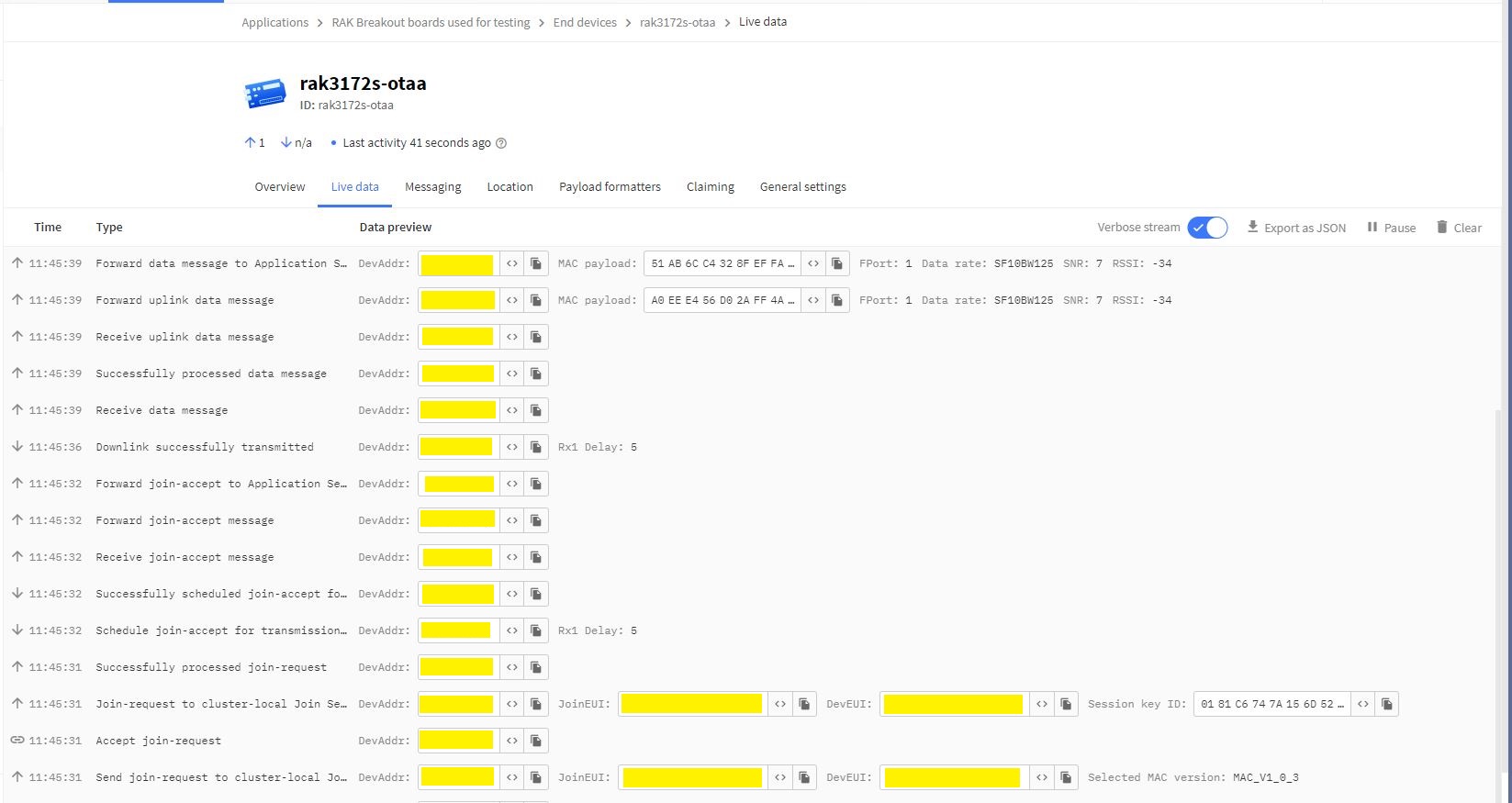
Things Network(TTN) Live Data tab display successful join then D2C message

The NetworkJoinOTAA application assumes that all of the AT commands succeed. I usually step though the application in the debugger so I can monitor progress.

.NET nanoFramework RAK4200 Library Usage

After a two week “soak test” using a Sparkfun Thing Plus ESP32 WROOM and RAK4200 Breakout Board completed with no failures, this final post covers the usage of the RAK4200LoRaWAN-NetNF library in a “real-world” application.

Discovery kit with STM32F769NI MCU and RAK4200 Breakout Board test rig

After a factory reset the DevEUI, JoinEUI (was AppEUI), and AppKey were reset, but the rest of the configuration appeared to be retained.

OK Work Mode: LoRaWAN
Region: AS923
MulticastEnable: false
DutycycleEnable: false
Send_repeat_cnt: 0
Join_mode: OTAA
DevEui: 0000000000000000
AppEui: 0000000000000000
AppKey: 00000000000000000000000000000000
Class: A
Joined Network:false
IsConfirm: unconfirm
AdrEnable: true
EnableRepeaterSupport: false
RX2_CHANNEL_FREQUENCY: 923200000, RX2_CHANNEL_DR:2
RX_WINDOW_DURATION: 3000ms
RECEIVE_DELAY_1: 1000ms
RECEIVE_DELAY_2: 2000ms
JOIN_ACCEPT_DELAY_1: 5000ms
JOIN_ACCEPT_DELAY_2: 6000ms
Current Datarate: 5
Primeval Datarate: 5
ChannelsTxPower: 0
UpLinkCounter: 0
DownLinkCounter: 0

I then ran the RAK4200LoRaWANDeviceClient with DEVICE_DEVEUI_SET (devEui from label on the device), OTAA to configure the AppEui and AppKey and the device connected to The Things Network on the second attempt (typo in the DevEui).

public static void Main()
{
	Result result;

	Debug.WriteLine("devMobile.IoT.RAK4200LoRaWANDeviceClient starting");

	try
	{
		// set GPIO functions for COM2 (this is UART1 on ESP32)
#if ESP32_WROOM
		Configuration.SetPinFunction(Gpio.IO16, DeviceFunction.COM2_TX);
		Configuration.SetPinFunction(Gpio.IO17, DeviceFunction.COM2_RX);
#endif

		Debug.Write("Ports:");
		foreach (string port in SerialPort.GetPortNames())
		{
			Debug.Write($" {port}");
		}
		Debug.WriteLine("");

		using (Rak4200LoRaWanDevice device = new Rak4200LoRaWanDevice())
		{
			result = device.Initialise(SerialPortId, 9600, Parity.None, 8, StopBits.One);
			if (result != Result.Success)
			{
				Debug.WriteLine($"Initialise failed {result}");
				return;
			}

#if CONFIRMED
			device.OnMessageConfirmation += OnMessageConfirmationHandler;
#endif
			device.OnReceiveMessage += OnReceiveMessageHandler;

#if FACTORY_RESET
			Debug.WriteLine($"{DateTime.UtcNow:hh:mm:ss} FactoryReset");
			result = device.FactoryReset();
			if (result != Result.Success)
			{
				Debug.WriteLine($"FactoryReset failed {result}");
				return;
			}
#endif

#if DEVICE_DEVEUI_SET
			Debug.WriteLine($"{DateTime.UtcNow:hh:mm:ss} Device EUI");
			result = device.DeviceEui(Config.devEui);
			if (result != Result.Success)
			{
				Debug.WriteLine($"ADR on failed {result}");
				return;
			}
#endif

#if REGION_SET
			Debug.WriteLine($"{DateTime.UtcNow:hh:mm:ss} Region{Region}");
			result = device.Region(Region);
			if (result != Result.Success)
			{
				Debug.WriteLine($"Region on failed {result}");
				return;
			}
#endif

#if ADR_SET
			Debug.WriteLine($"{DateTime.UtcNow:hh:mm:ss} ADR On");
			result = device.AdrOn();
			if (result != Result.Success)
			{
				Debug.WriteLine($"ADR on failed {result}");
				return;
			}
#endif
#if CONFIRMED
			Debug.WriteLine($"{DateTime.UtcNow:hh:mm:ss} Confirmed");
			result = device.UplinkMessageConfirmationOn();
			if (result != Result.Success)
			{
				Debug.WriteLine($"Confirm on failed {result}");
				return;
			}
#endif
#if UNCONFIRMED
			Debug.WriteLine($"{DateTime.UtcNow:hh:mm:ss} Unconfirmed");
			result = device.UplinkMessageConfirmationOff();
			if (result != Result.Success)
			{
				Debug.WriteLine($"Confirm off failed {result}");
				return;
			}
#endif

#if OTAA
			Debug.WriteLine($"{DateTime.UtcNow:hh:mm:ss} OTAA");
			result = device.OtaaInitialise(Config.JoinEui, Config.AppKey);
			if (result != Result.Success)
			{
				Debug.WriteLine($"OTAA Initialise failed {result}");
				return;
			}
#endif

#if ABP
			Debug.WriteLine($"{DateTime.UtcNow:hh:mm:ss} ABP");
			result = device.AbpInitialise(Config.DevAddress, Config.NwksKey, Config.AppsKey);
			if (result != Result.Success)
			{
				Debug.WriteLine($"ABP Initialise failed {result}");
				return;
			}
#endif

			Debug.WriteLine($"{DateTime.UtcNow:hh:mm:ss} Join start Timeout:{JoinTimeOut:hh:mm:ss}");
			result = device.Join(JoinTimeOut);
			if (result != Result.Success)
			{
				Debug.WriteLine($"Join failed {result}");
				return;
			}
			Debug.WriteLine($"{DateTime.UtcNow:hh:mm:ss} Join finish");

			while (true)
			{
#if PAYLOAD_BCD
				Debug.WriteLine($"{DateTime.UtcNow:hh:mm:ss} Send Timeout:{SendTimeout:hh:mm:ss} port:{MessagePort} payload BCD:{PayloadBcd}");
				result = device.Send(MessagePort, PayloadBcd, SendTimeout);
#endif
#if PAYLOAD_BYTES
				Debug.WriteLine($"{DateTime.UtcNow:hh:mm:ss} Send Timeout:{SendTimeout:hh:mm:ss} port:{MessagePort} payload Bytes:{BitConverter.ToString(PayloadBytes)}");
				result = device.Send(MessagePort, PayloadBytes, SendTimeout);
#endif
				if (result != Result.Success)
				{
					Debug.WriteLine($"Send failed {result}");
				}

				Thread.Sleep(new TimeSpan(0, 5, 0));
			}
		}
	}
	catch (Exception ex)
	{
		Debug.WriteLine(ex.Message);
	}
}

After configuring my Discovery kit with STM32F769NI MCU and RAK4200 Breakout Board test rig the RAK4200LoRaWANDeviceClient application could successfully connect to The Things Network with just ST_STM32F769I_DISCOVERY, PAYLOAD_BCD or PAYLOAD_BYTES and CONFIRMED or UNCONFIRMED defined.

Visual Studio Debug output for RAK4200LoRaWANDeviceClient minimal configuration connection
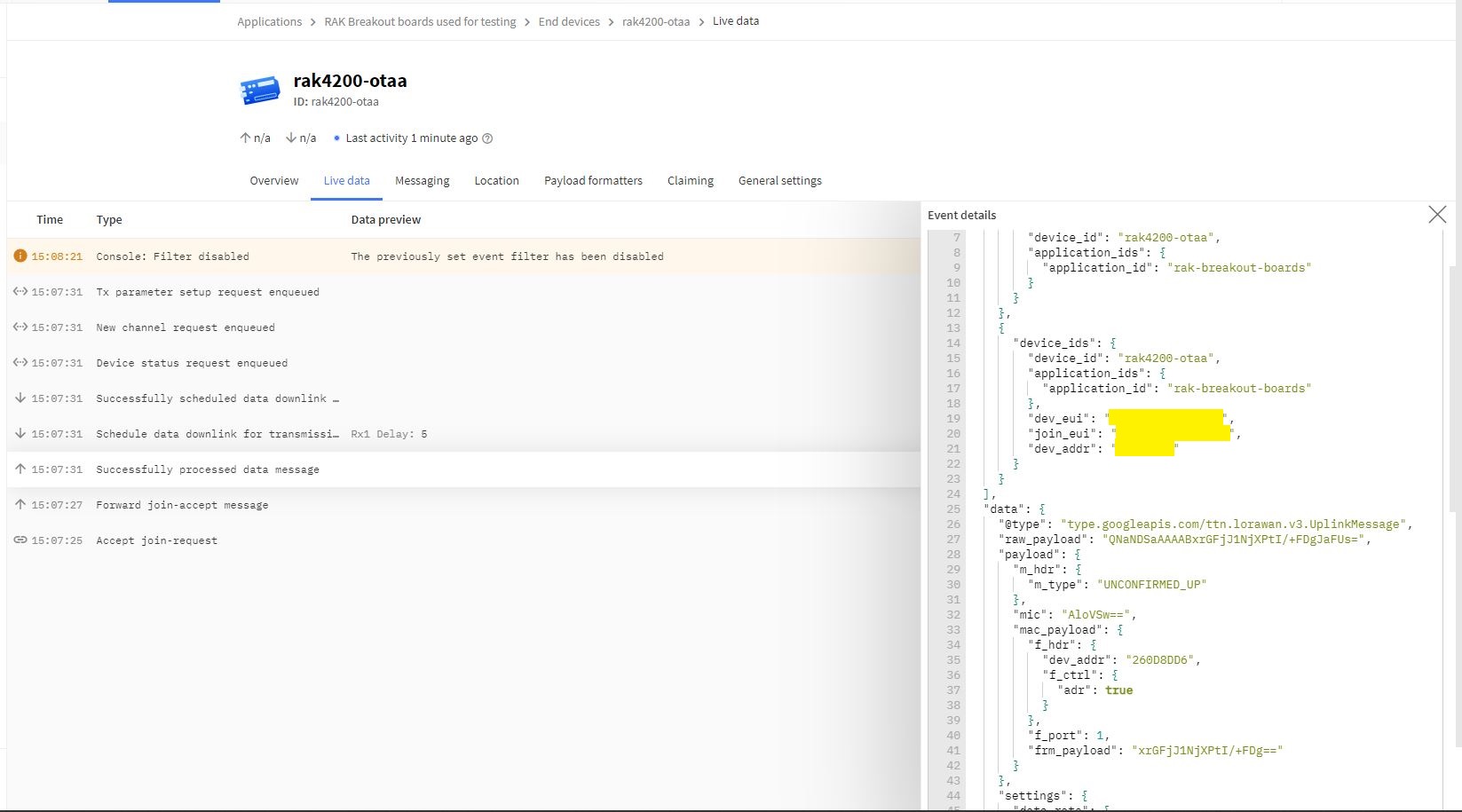
The Things Network “Live Data” for RAK4200LoRaWANDeviceClient minimal configuration connection

One of my client’s products has a configuration mode (button pressed as device starts) which enables a serial port (headers on board + FTDI module) for in field configuration of the onboard RAK4200 module.

.NET nanoFramework RAK4200 Factory Reset

The RAKwireless RAK4200 module has a really useful “reset to factory” AT Command

at+set_config=lora:default_parameters

To see what settings were erased I modified the BreakOutSerial application to send additional AT commands and display the responses.

public static void Main()
{
...
	Debug.WriteLine("devMobile.IoT.LoRaWAN.nanoFramework.RAK4200 BreakoutSerial starting");

	try
	{
		// set GPIO functions for COM2 (this is UART1 on ESP32)
#if ESP32_WROOM
		Configuration.SetPinFunction(Gpio.IO16, DeviceFunction.COM2_TX);
		Configuration.SetPinFunction(Gpio.IO17, DeviceFunction.COM2_RX);
#endif

		Debug.Write("Ports:");
		foreach (string port in SerialPort.GetPortNames())
		{
			Debug.Write($" {port}");
		}
		Debug.WriteLine("");

		using (_SerialPort = new SerialPort(SerialPortId))
		{
			// set parameters
			_SerialPort.BaudRate = 9600;
			//_SerialPort.BaudRate = 115200;
			_SerialPort.Parity = Parity.None;
			_SerialPort.DataBits = 8;
			_SerialPort.StopBits = StopBits.One;
			_SerialPort.Handshake = Handshake.None;
			_SerialPort.NewLine = "\r\n";

			//_SerialPort.ReadBufferSize = 128; 
			//_SerialPort.ReadBufferSize = 256; 
			_SerialPort.ReadBufferSize = 512; 
			//_SerialPort.ReadBufferSize = 1024;
			_SerialPort.ReadTimeout = 1000;

			//_SerialPort.WatchChar = '\n'; // May 2022 WatchChar event didn't fire github issue https://github.com/nanoframework/Home/issues/1035

#if SERIAL_ASYNC_READ
			_SerialPort.DataReceived += SerialDevice_DataReceived;
#endif

			_SerialPort.Open();

			_SerialPort.WatchChar = '\n';
...
			for (int i = 0; i < 5; i++)
			{
				string atCommand;
				atCommand = "at+version";
				//atCommand = "at+set_config=device:uart:1:9600";
				atCommand = "at+get_config=lora:status";
				//atCommand = "at+get_config=device:status";
				//atCommand = "at+get_config=lora:channel";
				//atCommand = "at+help";
				//atCommand = "at+set_config=device:restart";
				//atCommand = "at+set_config=lora:default_parameters";
				Debug.WriteLine("");
				Debug.WriteLine($"{i} TX:{atCommand} bytes:{atCommand.Length}--------------------------------");
				_SerialPort.WriteLine(atCommand);

				Thread.Sleep(5000);
			}
		}
		Debug.WriteLine("Done");
	}
	catch (Exception ex)
	{
		Debug.WriteLine(ex.Message);
	}
}

#if SERIAL_ASYNC_READ
private static void SerialDevice_DataReceived(object sender, SerialDataReceivedEventArgs e)
{
	SerialPort serialPort = (SerialPort)sender;

	switch (e.EventType)
	{
		case SerialData.Chars:
			break;

		case SerialData.WatchChar:
			string response = serialPort.ReadExisting();
			Debug.Write(response);
			break;
		default:
			Debug.Assert(false, $"e.EventType {e.EventType} unknown");
			break;
	}
}
#endif
...
}

After configuring my Sparkfun Thing Plus ESP32 WROOM + RAK42000 Breakout Board test rig the RAK4200LoRaWANDeviceClient application could successfully connect to The Things Network .

The thread '' (0x2) has exited with code 0 (0x0).
devMobile.IoT.LoRaWAN.nanoFramework.RAK4200 BreakoutSerial starting
0 TX:at+get_config=lora:status bytes:25--------------------------------
OK Work Mode: LoRaWAN
Region: AS923
MulticastEnable: false
DutycycleEnable: false
Send_repeat_cnt: 0
Join_mode: OTAA
DevEui:  6..............9
AppEui: 7..............4
AppKey: A.............................9
Class: A
Joined Network:false
IsConfirm: unconfirm
AdrEnable: true
EnableRepeaterSupport: false
RX2_CHANNEL_FREQUENCY: 923200000, RX2_CHANNEL_DR:2
RX_WINDOW_DURATION: 3000ms
RECEIVE_DELAY_1: 1000ms
RECEIVE_DELAY_2: 2000ms
JOIN_ACCEPT_DELAY_1: 5000ms
JOIN_ACCEPT_DELAY_2: 6000ms
Current Datarate: 5
Primeval Datarate: 5
ChannelsTxPower: 0
UpLinkCounter: 0
DownLinkCounter: 0

I then reset the RAK4200 device to “factory defaults”

The thread '<No Name>' (0x2) has exited with code 0 (0x0).
devMobile.IoT.LoRaWAN.nanoFramework.RAK4200 BreakoutSerial starting
Ports: COM5 COM6

0 TX:at+set_config=lora:default_parameters bytes:37--------------------------------
OK

The testrig would no longer connect as the device and network settings were invalid.

The thread '<No Name>' (0x2) has exited with code 0 (0x0).
devMobile.IoT.LoRaWAN.nanoFramework.RAK4200 BreakoutSerial starting
Ports: COM5 COM6

0 TX:at+get_config=lora:status bytes:25--------------------------------
OK Work Mode: LoRaWAN
Region: AS923
MulticastEnable: false
DutycycleEnable: false
Send_repeat_cnt: 0
Join_mode: OTAA
DevEui: 0000000000000000
AppEui: 0000000000000000
AppKey: 00000000000000000000000000000000
Class: A
Joined Network:false
IsConfirm: unconfirm
AdrEnable: true
EnableRepeaterSupport: false
RX2_CHANNEL_FREQUENCY: 923200000, RX2_CHANNEL_DR:2
RX_WINDOW_DURATION: 3000ms
RECEIVE_DELAY_1: 1000ms
RECEIVE_DELAY_2: 2000ms
JOIN_ACCEPT_DELAY_1: 5000ms
JOIN_ACCEPT_DELAY_2: 6000ms
Current Datarate: 5
Primeval Datarate: 5
ChannelsTxPower: 0
UpLinkCounter: 0
DownLinkCounter: 0

To “restore” the device configuration I ran the RAK4200LoRaWANDeviceClient application with DEVICE_DEVEUI_SET, OTAA, UNCONFIRMED, REGION_SET and ADR_SET defined.

The thread '<No Name>' (0x2) has exited with code 0 (0x0).
devMobile.IoT.LoRaWAN.nanoFramework.RAK4200 BreakoutSerial starting
Ports: COM2 COM3

0 TX:at+get_config=lora:status bytes:25--------------------------------
OK Work Mode: LoRaWAN
Region: AS923
MulticastEnable: false
DutycycleEnable: false
Send_repeat_cnt: 0
Join_mode: OTAA
DevEui: 6..............9
AppEui: 7.............4
AppKey: A.............................9
Class: A
Joined Network:false
IsConfirm: unconfirm
AdrEnable: true
EnableRepeaterSupport: false
RX2_CHANNEL_FREQUENCY: 923200000, RX2_CHANNEL_DR:2
RX_WINDOW_DURATION: 3000ms
RECEIVE_DELAY_1: 1000ms
RECEIVE_DELAY_2: 2000ms
JOIN_ACCEPT_DELAY_1: 5000ms
JOIN_ACCEPT_DELAY_2: 6000ms
Current Datarate: 5
Primeval Datarate: 5
ChannelsTxPower: 0
UpLinkCounter: 0
DownLinkCounter: 0

The testrig would then successfully connect to The Things Network. When the testrig was power cycled the device the configuration was retained.

.NET nanoFramework RAK4200 LoRaWAN library ABP Join

After getting my RAKwireless RAK4200 module to reliably connect to The Things Network(TTN) using Over The Air Activation(OTAA) the next step was to built an Activation By Personalisation(ABP) sample application.

I modified the NetworkJoinOTAA sample(based on the asynchronous version of BreakOutSerial) to send the required sequence of AT commands and display the responses.

namespace devMobile.IoT.LoRaWAN.nanoFramework.RAK4200
{
   using System;
   using System.Diagnostics;
   using System.IO.Ports;
   using System.Text;
   using System.Threading;
#if ESP32_WROOM
   using global::nanoFramework.Hardware.Esp32; ///need NuGet nanoFramework.Hardware.Esp32
#endif

   public class Program
   {
#if ST_STM32F769I_DISCOVERY
      private const string SerialPortId = "COM6";
#endif
#if ESP32_WROOM
      private const string SerialPortId = "COM2";
#endif
      private const string DevEui = "...";
      private const string AppEui = "...";
      private const string AppKey = "...";
      private const byte MessagePort = 1;
      private const string Payload = "01020304"; // Is AQIDBA==

      public static void Main()
      {
         string response;

         Debug.WriteLine("devMobile.IoT.Rak4200.NetworkJoinOTAA starting");

         try
         {
#if ESP32_WROOM
            Configuration.SetPinFunction(Gpio.IO16, DeviceFunction.COM2_TX);
            Configuration.SetPinFunction(Gpio.IO17, DeviceFunction.COM2_RX);
#endif

            Debug.Write("Ports:");
            foreach (string port in SerialPort.GetPortNames())
            {
               Debug.Write($" {port}");
            }
            Debug.WriteLine("");

            using (SerialPort serialDevice = new SerialPort(SerialPortId))
            {
               // set parameters
               serialDevice.BaudRate = 9600;
               //_SerialPort.BaudRate = 115200;
               serialDevice.Parity = Parity.None;
               serialDevice.StopBits = StopBits.One;
               serialDevice.Handshake = Handshake.None;
               serialDevice.DataBits = 8;

               serialDevice.ReadTimeout = 10000;
               //serialDevice.ReadBufferSize = 128; 
               //serialDevice.ReadBufferSize = 256; 
               serialDevice.ReadBufferSize = 512;
               //serialDevice.ReadBufferSize = 1024;

               serialDevice.NewLine = "\r\n";

               serialDevice.DataReceived += SerialDevice_DataReceived;

               serialDevice.Open();

               serialDevice.WatchChar = '\n';

               // clear out the RX buffer
               serialDevice.ReadExisting();
               response = serialDevice.ReadExisting();
               Debug.WriteLine($"Response :{response.Trim()} bytes:{response.Length}");
               Thread.Sleep(500);

               // Set the Working mode to LoRaWAN
               Debug.WriteLine("lora:work_mode:0");
               serialDevice.WriteLine("at+set_config=lora:work_mode:0");
               Thread.Sleep(1500);

               // Set the JoinMode
               Debug.WriteLine("lora:join_mode");
               serialDevice.WriteLine("at+set_config=lora:join_mode:0");
               Thread.Sleep(500);

               // Set the Class
               Debug.WriteLine("lora:class");
               serialDevice.WriteLine("at+set_config=lora:class:0");
               Thread.Sleep(500);

               // Set the Region to AS923
               Debug.WriteLine("lora:region");
               serialDevice.WriteLine("at+set_config=lora:region:AS923");
               Thread.Sleep(500);

               // Set the devEUI
               Debug.WriteLine("lora:dev_eui");
               serialDevice.WriteLine($"at+set_config=lora:dev_eui:{DevEui}");
               Thread.Sleep(500);

               // Set the appEUI
               Debug.WriteLine("lora:app_eui");
               serialDevice.WriteLine($"at+set_config=lora:app_eui:{AppEui}");
               Thread.Sleep(500);

               // Set the appKey
               Debug.WriteLine("lora:app_key");
               serialDevice.WriteLine($"at+set_config=lora:app_key:{AppKey}");
               Thread.Sleep(500);

               // Set the Confirm flag
               Debug.WriteLine("lora:confirm");
               serialDevice.WriteLine("at+set_config=lora:confirm:0");
               Thread.Sleep(500);

               Debug.WriteLine("lora:adr");
               serialDevice.WriteLine("at+set_config=lora:adr:1");
               Thread.Sleep(500);

               // Join the network
               Debug.WriteLine("at+join");
               serialDevice.WriteLine("at+join");
               Thread.Sleep(10000);

               byte counter = 1;
               while (true)
               {
                  // Send the BCD messages
                  string payload = $"{Payload}{counter:X2}";
                  Debug.WriteLine($"at+send=lora:{MessagePort}:{payload}");
                  serialDevice.WriteLine($"at+send=lora:{MessagePort}:{payload}");

                  counter += 1;

                  Thread.Sleep(300000);
               }
            }
         }
         catch (Exception ex)
         {
            Debug.WriteLine(ex.Message);
         }
      }

      private static void SerialDevice_DataReceived(object sender, SerialDataReceivedEventArgs e)
      {
         SerialPort serialPort = (SerialPort)sender;
         string response;

         switch (e.EventType)
         {
            case SerialData.Chars:
               break;

            case SerialData.WatchChar:
               response = serialPort.ReadExisting();
               Debug.Write(response);
               break;
            default:
               Debug.Assert(false, $"e.EventType {e.EventType} unknown");
               break;
         }
      }
   }
}

The NetworkJoinABP application assumes that all of the AT commands succeed.

TTN Console live data tab connection process
Visual Studio Output windows displaying connection process and a D2C message

I have been using at+set_config=lora:default_parameters set the WisDuo RAK4200 back to factory settings so I can figure out what settings are persisted by a “at+set_config=device:restart” and which ones need to be set every time the application is run.

.NET nanoFramework SX127X LoRa library Regression Testing

After the big refactor the SparkFun LoRa Gateway-1-Channel (ESP32) configuration wouldn’t compile because, the constant for the interrupt pin number didn’t exist (interruptPinNumber vs. dio0PinNumber). A “using” for the Nuget Package nanoFramework.Hardware.Esp32 was also missing.

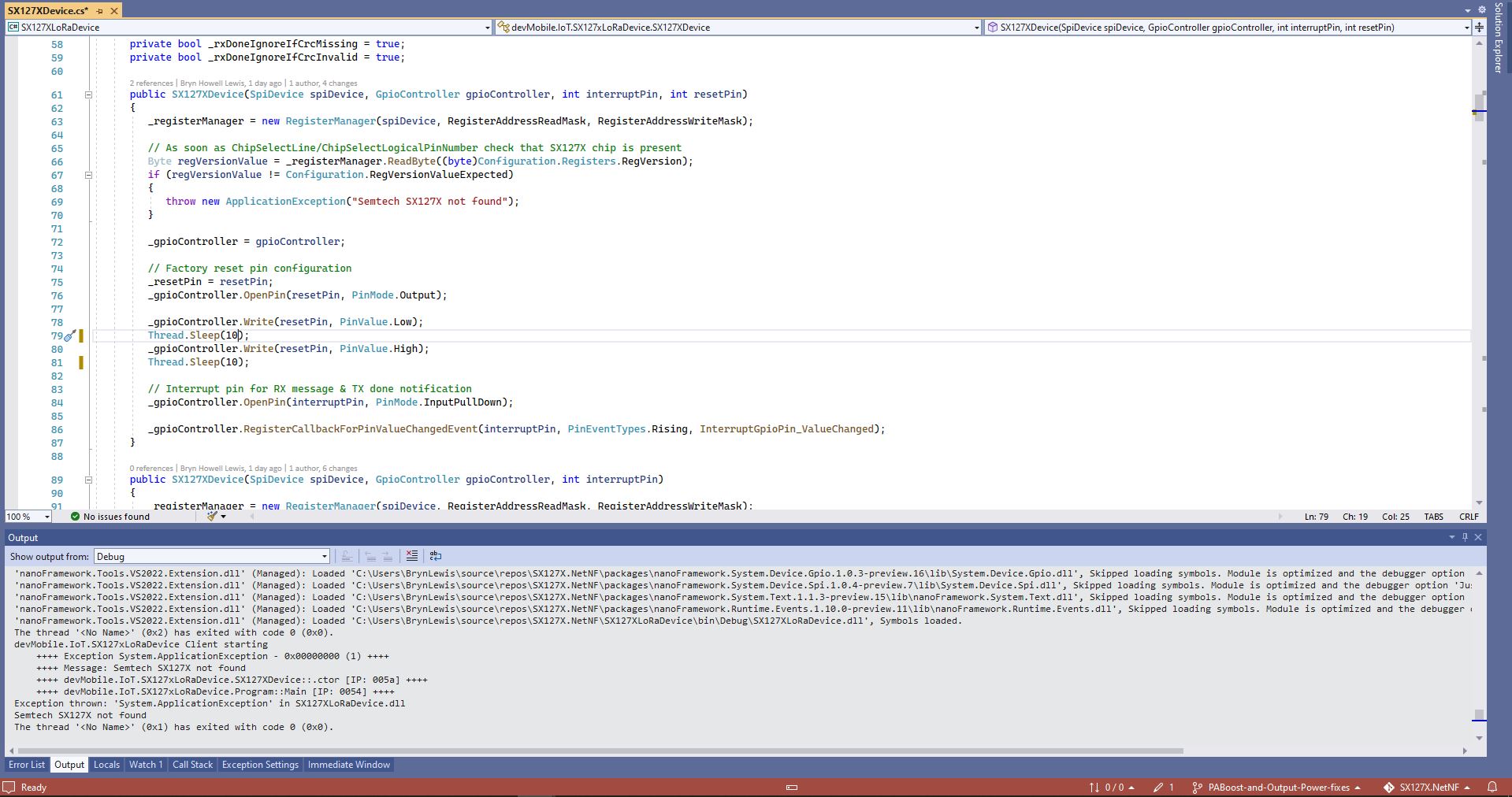
While “smoke testing” the application I noticed that if I erased the flash, power cycled the device, then ran the application the first execution would fail because the Semtech SX127X could not be detected.

SX127XLoRaDeviceClient first execution startup failure
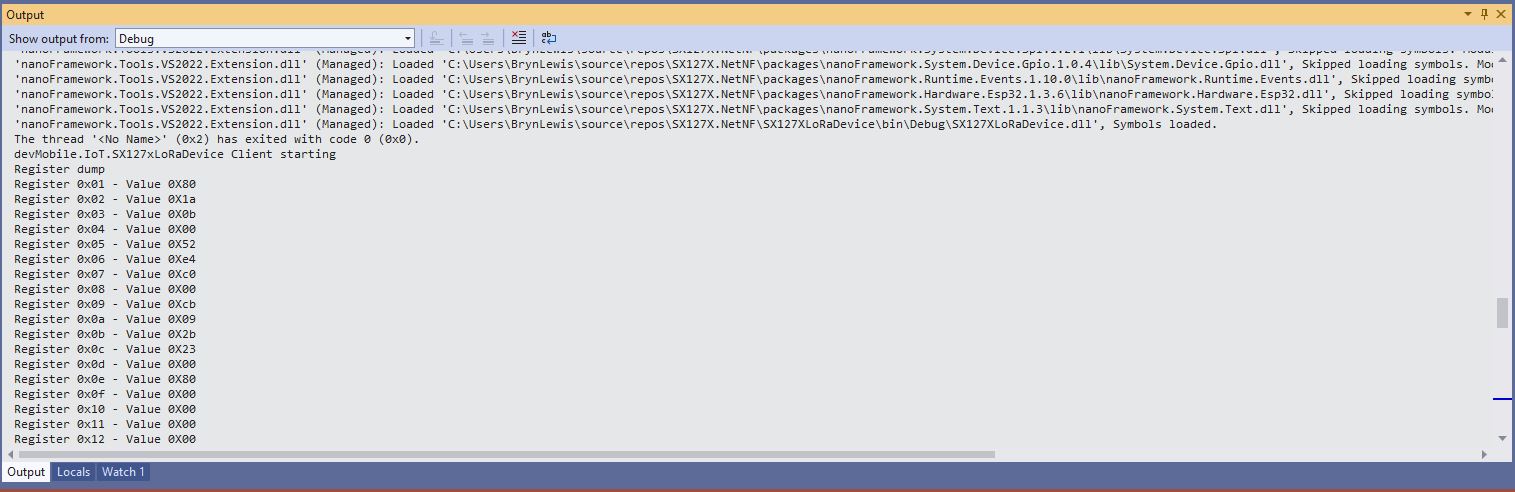
SX127XLoRaDeviceClient second execution startup success

As part of debugging I built the SparkFun LoRa Gateway-1-Channel (ESP32) version of ShieldSPI and it worked…

After printing the code out and reviewing it I noticed that the Configuration.SetPinFunction for the Serial Peripheral Interface(SPI) Master Out Slave In(MOSI), MOSI(Master In Slave Out) and Clock pins was after the opening of the SPI port.

static void Main(string[] args)
{
	byte SendCount = 0;
#if ESP32_WROOM_32_LORA_1_CHANNEL // No reset line for this device as it isn't connected on SX127X
	int chipSelectLine = Gpio.IO16;
	int dio0PinNumber = Gpio.IO26;
#endif
#if NETDUINO3_WIFI
	// Arduino D10->PB10
	int chipSelectLine = PinNumber('B', 10);
	// Arduino D9->PE5
	int resetPinNumber = PinNumber('E', 5);
	// Arduino D2 -PA3
	int dio0PinNumber = PinNumber('A', 3);
#endif
#if ST_STM32F769I_DISCOVERY
	// Arduino D10->PA11
	int chipSelectLine = PinNumber('A', 11);
	// Arduino D9->PH6
	int resetPinNumber = PinNumber('H', 6);
	// Arduino D2->PA4
	int dio0PinNumber = PinNumber('J', 1);
#endif
	Console.WriteLine("devMobile.IoT.SX127xLoRaDevice Range Tester starting");

	try
	{
#f ESP32_WROOM_32_LORA_1_CHANNEL
		Configuration.SetPinFunction(Gpio.IO12, DeviceFunction.SPI1_MISO);
		Configuration.SetPinFunction(Gpio.IO13, DeviceFunction.SPI1_MOSI);
		Configuration.SetPinFunction(Gpio.IO14, DeviceFunction.SPI1_CLOCK);
#endif

		var settings = new SpiConnectionSettings(SpiBusId, chipSelectLine)
		{
			ClockFrequency = 1000000,
			Mode = SpiMode.Mode0,// From SemTech docs pg 80 CPOL=0, CPHA=0
			SharingMode = SpiSharingMode.Shared
		};

		using (_gpioController = new GpioController())
		using (SpiDevice spiDevice = new SpiDevice(settings))
		{

#if ESP32_WROOM_32_LORA_1_CHANNEL
			_sx127XDevice = new SX127XDevice(spiDevice, _gpioController, dio0Pin: dio0PinNumber);
#endif

#if NETDUINO3_WIFI || ST_STM32F769I_DISCOVERY
			_sx127XDevice = new SX127XDevice(spiDevice, _gpioController, dio0Pin: dio0PinNumber, resetPin:resetPinNumber);
#endif
...

		}
		catch (Exception ex)
		{
				Console.WriteLine(ex.Message);
		}
	}

I assume that the first execution after erasing the flash and power cycling the device, the SPI port pin assignments were not configured when the port was opened, then on the next execution the port was pre-configured.

The RangeTester application flashes on onboard Light Emitting Diode(LED) every time a valid message is received. But, on the ESP32 it turned on when the first message arrived and didn’t turn off. After discussion on the nanoFramework Discord this has been identified as an issue(May 2022).

The library is designed to be a approximate .NET nanoFramework equivalent of Arduino-LoRa so it doesn’t support/implement all of the functionality of the Semtech SX127X.

.NET nanoFramework SX127X LoRa library “it’s all about timing”

Every so often my nanoFramework SX127X library RangeTester application wouldn’t start. When I poked around with the Visual Studio 2022 debugger the issue went away(a “Heisenbug” in the wild) which made figuring out what was going on impossible.

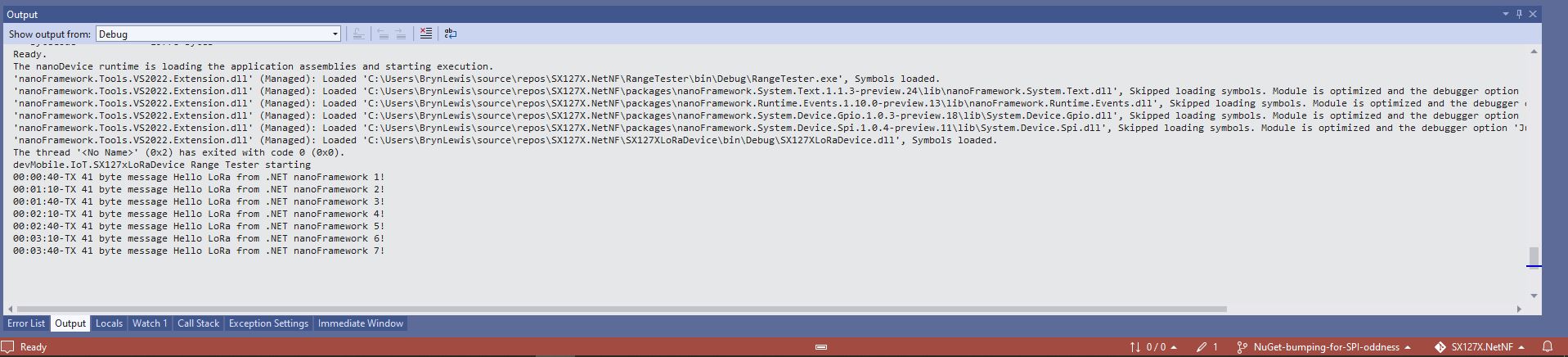
One afternoon the issue occurred several times in a row, the application wouldn’t startup because the SX127X device detection failed and message transmission was also not being confirmed.(TX Done).

Visual Studio output windows with SX127X detection failure
Visual Studio output windows with no Transmit confirmations
public SX127XDevice(SpiDevice spiDevice, GpioController gpioController, int interruptPin, int resetPin)
{
	_gpioController = gpioController;

	// Factory reset pin configuration
	_resetPin = resetPin;
	_gpioController.OpenPin(resetPin, PinMode.Output);

	_gpioController.Write(resetPin, PinValue.Low);
	Thread.Sleep(20);
	_gpioController.Write(resetPin, PinValue.High);
	Thread.Sleep(100);

	_registerManager = new RegisterManager(spiDevice, RegisterAddressReadMask, RegisterAddressWriteMask);

	// Once the pins setup check that SX127X chip is present
	Byte regVersionValue = _registerManager.ReadByte((byte)Configuration.Registers.RegVersion);
	if (regVersionValue != Configuration.RegVersionValueExpected)
	{
		throw new ApplicationException("Semtech SX127X not found");
	}

	// Interrupt pin for RX message & TX done notification 
	_gpioController.OpenPin(interruptPin, PinMode.InputPullDown);

	_gpioController.RegisterCallbackForPinValueChangedEvent(interruptPin, PinEventTypes.Rising, InterruptGpioPin_ValueChanged);
}

I could single step through the code and inspect variables with the debugger and it looks like a timing issue with order of the strobing of the reset pin and the initialisation of the RegisterManager. I’ll spend and hour starting and stopping the application, then smoke test the code for 24 hours with a couple of other devices generating traffic just to check.