Random wanderings through Microsoft Azure esp. PaaS plumbing, the IoT bits, AI on Micro controllers, AI on Edge Devices, .NET nanoFramework, .NET Core on *nix and ML.NET+ONNX
//---------------------------------------------------------------------------------
// Copyright (c) September 2022, devMobile Software
//
// Licensed under the Apache License, Version 2.0 (the "License");
// you may not use this file except in compliance with the License.
// You may obtain a copy of the License at
//
// http://www.apache.org/licenses/LICENSE-2.0
//
// Unless required by applicable law or agreed to in writing, software
// distributed under the License is distributed on an "AS IS" BASIS,
// WITHOUT WARRANTIES OR CONDITIONS OF ANY KIND, either express or implied.
// See the License for the specific language governing permissions and
// limitations under the License.
//
// https://docs.rakwireless.com/Product-Categories/WisBlock/RAK2305
//
// https://docs.rakwireless.com/Product-Categories/WisBlock/RAK11200
//
// https://store.rakwireless.com/products/rak1901-shtc3-temperature-humidity-sensor
//
// https://github.com/nanoframework/nanoFramework.IoT.Device/tree/develop/devices/Shtc3
//
//---------------------------------------------------------------------------------
namespace devMobile.IoT.RAK.Wisblock.RAK1901
{
using System;
using System.Diagnostics;
using System.Device.I2c;
using System.Threading;
using nanoFramework.Hardware.Esp32;
using Iot.Device.Shtc3;
public class Program
{
public static void Main()
{
Debug.WriteLine("devMobile.IoT.RAK.Wisblock.RAK11200RAK1901 starting");
try
{
// RAK11200 & RAK2305
                Configuration.SetPinFunction(Gpio.IO04, DeviceFunction.I2C1_DATA);
Configuration.SetPinFunction(Gpio.IO05, DeviceFunction.I2C1_CLOCK);
I2cConnectionSettings settings = new(1, Shtc3.DefaultI2cAddress);
using (I2cDevice device = I2cDevice.Create(settings))
using (Shtc3 shtc3 = new(device))
{
while (true)
{
if (shtc3.TryGetTemperatureAndHumidity(out var temperature, out var relativeHumidity))
{
Debug.WriteLine($"Temperature {temperature.DegreesCelsius:F1}°C Humidity {relativeHumidity.Value:F0}%");
}
Thread.Sleep(10000);
}
}
}
catch (Exception ex)
{
Debug.WriteLine($"SHTC3 initialisation or read failed {ex.Message}");
Thread.Sleep(Timeout.Infinite);
}
}
}
}
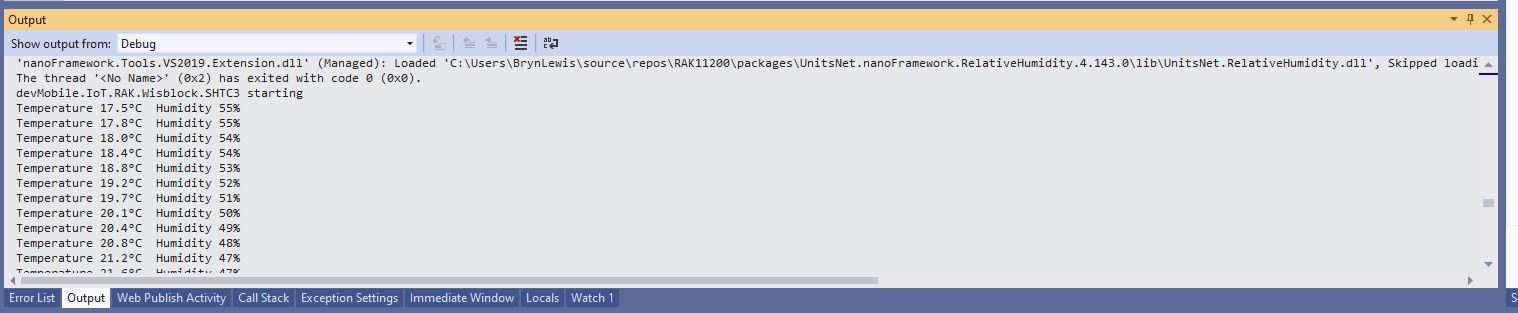
Visual Studio Output window displaying SHT31 temperature & humidity values
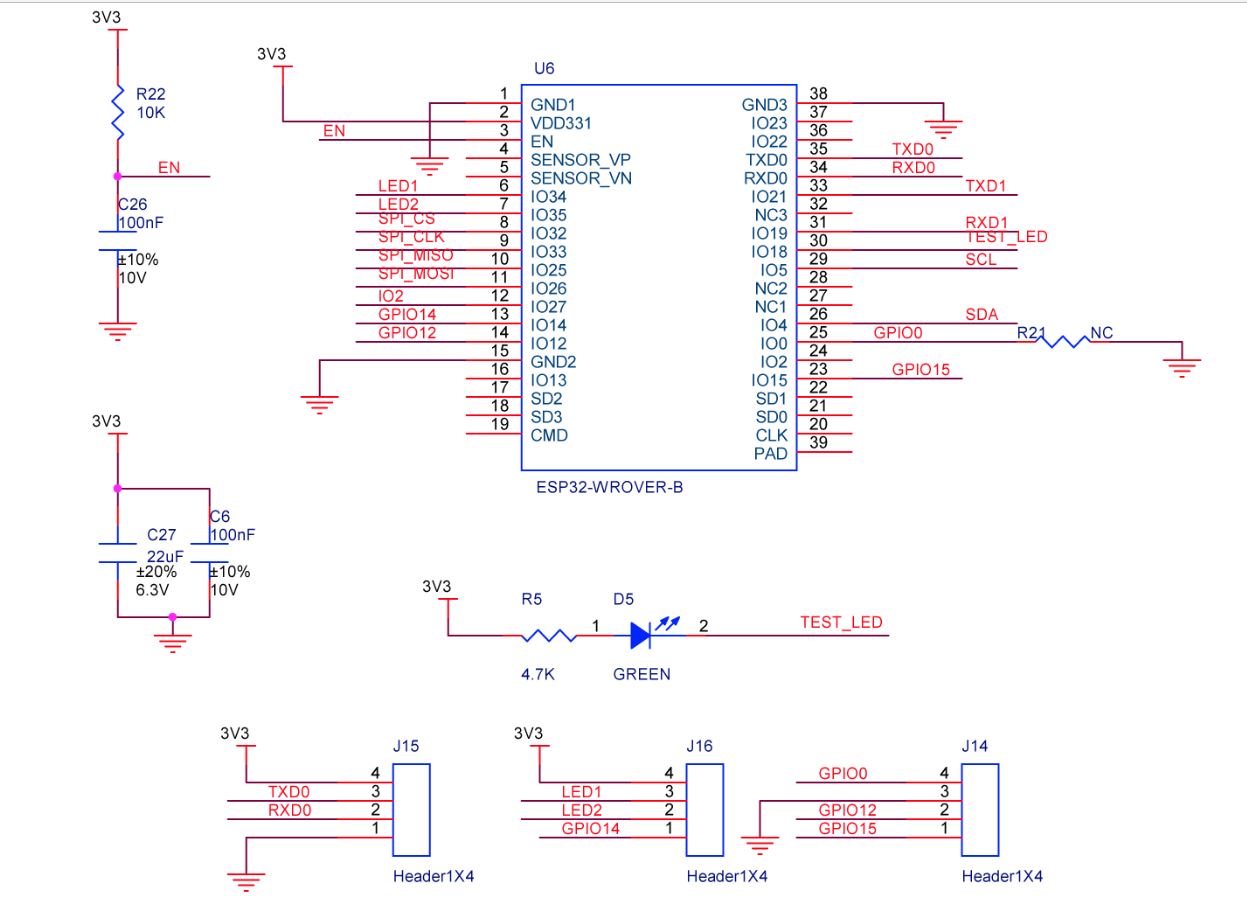
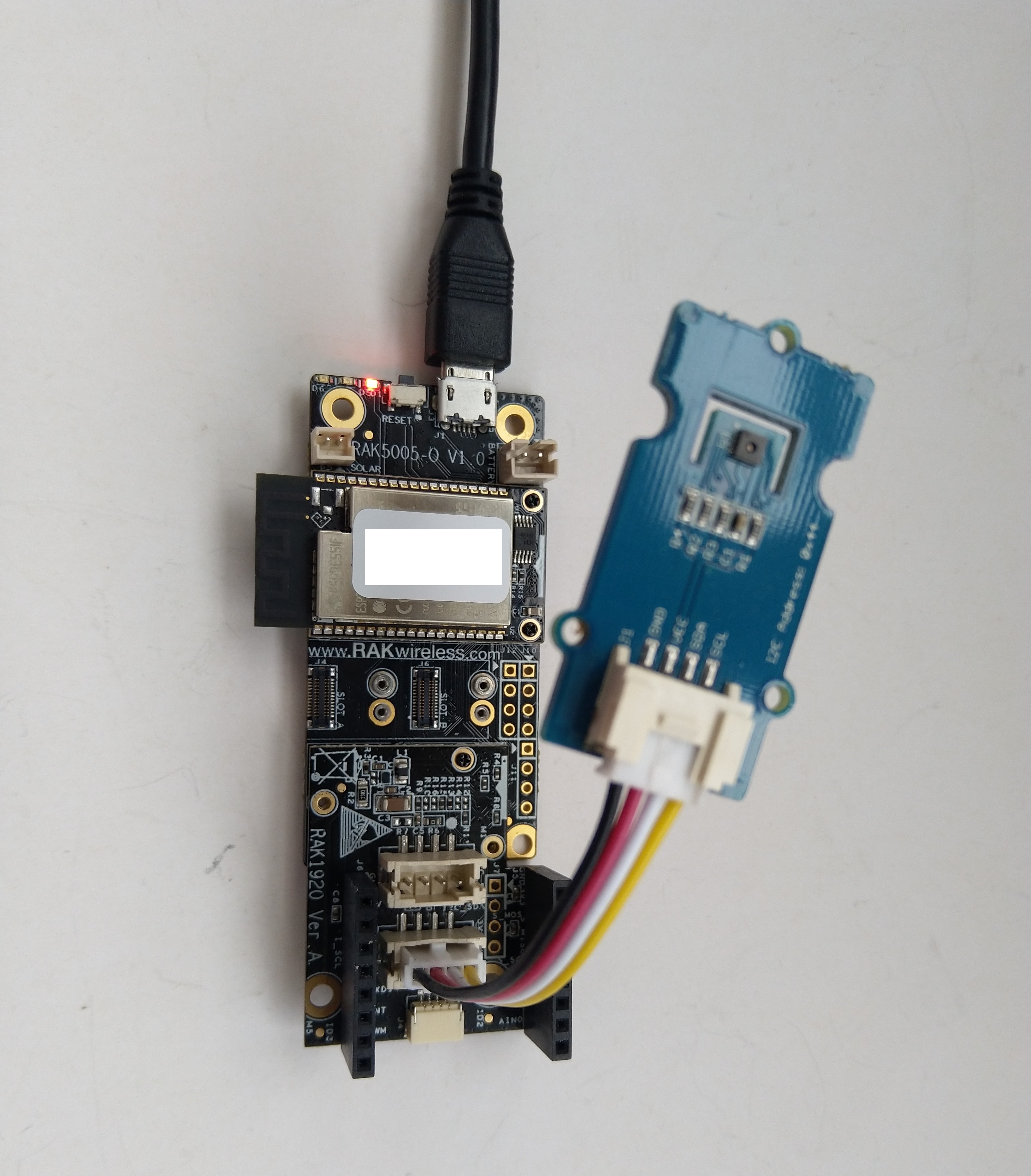
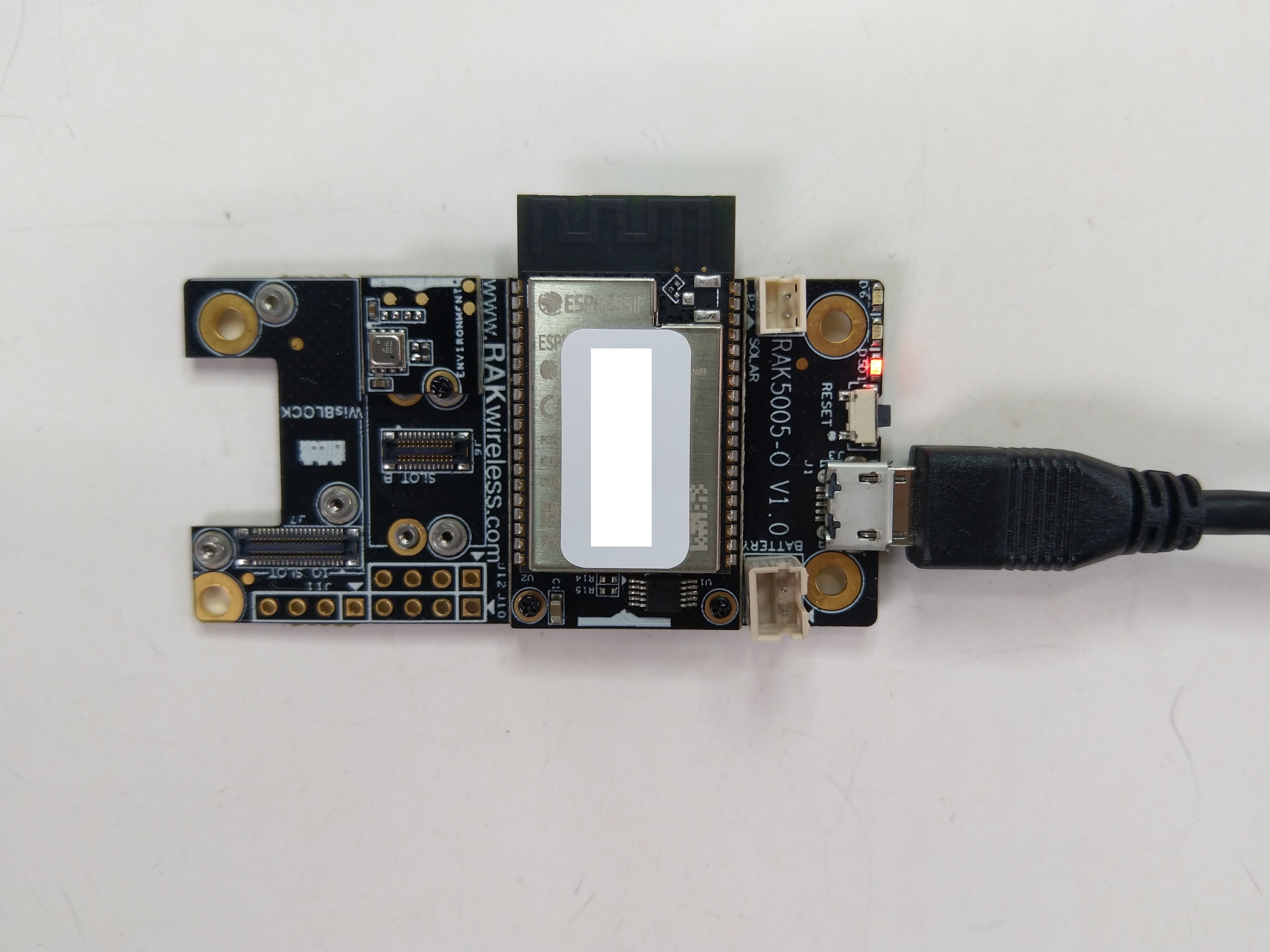
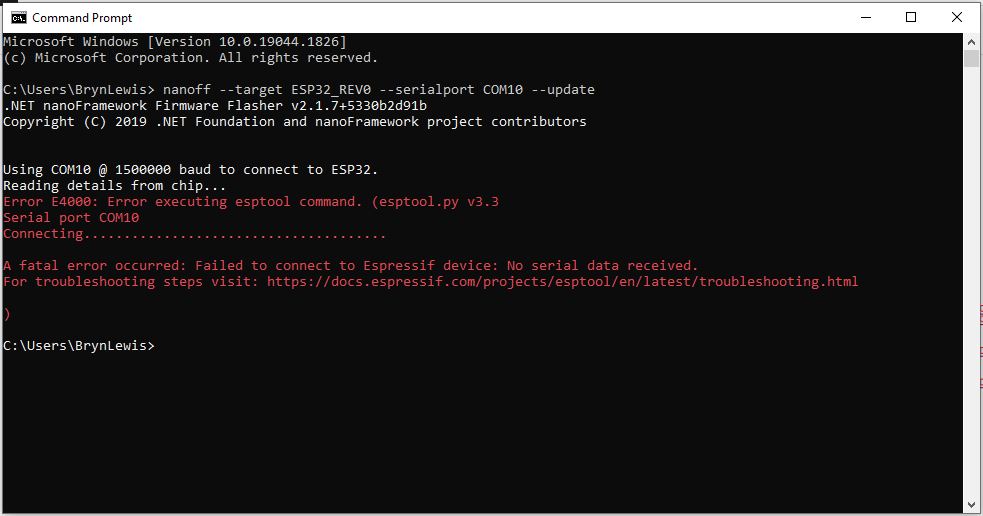
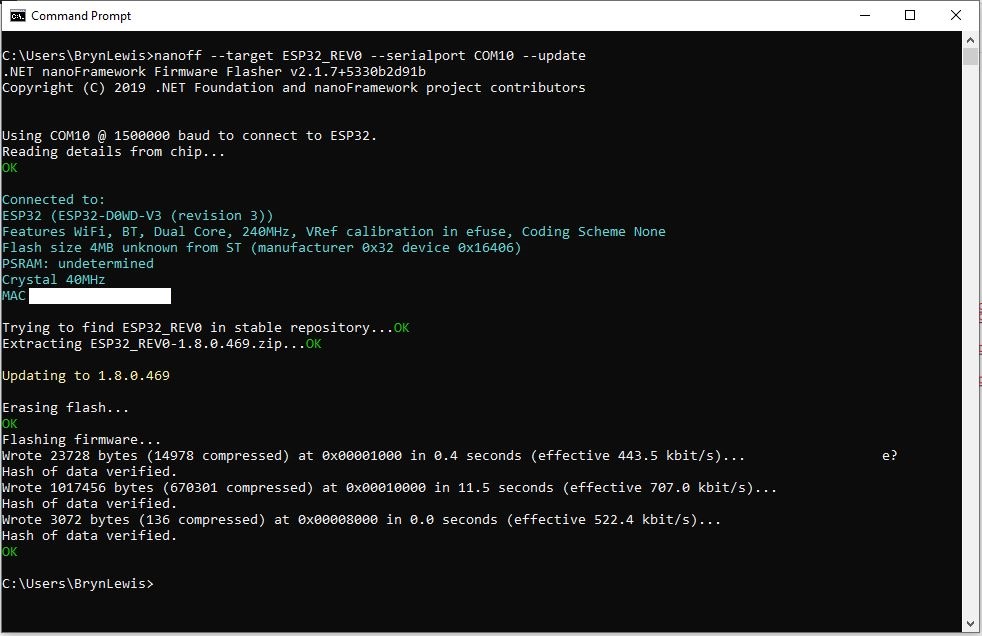
The RAK2305 Low Level Developer documentation described how to upload software developed with the Arduino tools by putting the ESP32 into “bootloader mode”. This is done by connecting (with the white jumper) the GPIO0 and GND pins on J14, and pressing the reset button.
The RAK2305 has has one onboard LED(TEST_LED) attached to IO18 which I added to the .NET nanoFrameworkBlinky sample.
//
// Copyright (c) .NET Foundation and Contributors
// See LICENSE file in the project root for full license information.
//
//
using System;
using System.Device.Gpio;
using System.Threading;
using nanoFramework.Hardware.Esp32;

namespace Blinky
{
   public class Program
   {
      private static GpioController s_GpioController;

      public static void Main()
      {
         s_GpioController = new GpioController();

         // pick a board, uncomment one line for GpioPin; default is STM32F769I_DISCO

         // DISCOVERY4: PD15 is LED6
         //GpioPin led = s_GpioController.OpenPin(PinNumber('D', 15), PinMode.Output);

         // ESP32 DevKit: 4 is a valid GPIO pin in, some boards like Xiuxin ESP32 may require GPIO Pin 2 instead.
         //GpioPin led = s_GpioController.OpenPin(4, PinMode.Output);

         // FEATHER S2:
         //GpioPin led = s_GpioController.OpenPin(13, PinMode.Output);

         // F429I_DISCO: PG14 is LEDLD4
         //GpioPin led = s_GpioController.OpenPin(PinNumber('G', 14), PinMode.Output);

         // NETDUINO 3 Wifi: A10 is LED onboard blue
         //GpioPin led = s_GpioController.OpenPin(PinNumber('A', 10), PinMode.Output);

         // QUAIL: PE15 is LED1
         //GpioPin led = s_GpioController.OpenPin(PinNumber('E', 15), PinMode.Output);

         // STM32F091RC: PA5 is LED_GREEN
         //GpioPin led = s_GpioController.OpenPin(PinNumber('A', 5), PinMode.Output);

         // STM32F746_NUCLEO: PB75 is LED2
         //GpioPin led = s_GpioController.OpenPin(PinNumber('B', 7), PinMode.Output);

         //STM32F769I_DISCO: PJ5 is LD2
         //GpioPin led = s_GpioController.OpenPin(PinNumber('J', 5), PinMode.Output);

         // ST_B_L475E_IOT01A: PB14 is LD2
         //GpioPin led = s_GpioController.OpenPin(PinNumber('B', 14), PinMode.Output);

         // STM32L072Z_LRWAN1: PA5 is LD2
         //GpioPin led = s_GpioController.OpenPin(PinNumber('A', 5), PinMode.Output);

         // TI CC13x2 Launchpad: DIO_07 it's the green LED
         //GpioPin led = s_GpioController.OpenPin(7, PinMode.Output);

         // TI CC13x2 Launchpad: DIO_06 it's the red LED
         //GpioPin led = s_GpioController.OpenPin(6, PinMode.Output);

         // ULX3S FPGA board: for the red D22 LED from the ESP32-WROOM32, GPIO5
         //GpioPin led = s_GpioController.OpenPin(5, PinMode.Output);

         // Silabs SLSTK3701A: LED1 PH14 is LLED1
         //GpioPin led = s_GpioController.OpenPin(PinNumber('H', 14), PinMode.Output);

         // RAK11200 on RAK5005
         //GpioPin led = s_GpioController.OpenPin(Gpio.IO12, PinMode.Output); // LED1 Green
         //GpioPin led = s_GpioController.OpenPin(Gpio.IO02, PinMode.Output); // LED2 Blue

         // RAK11200 on RAK19001 needs battery connected or power switch in rechargeable position.
         //GpioPin led = s_GpioController.OpenPin(Gpio.IO12, PinMode.Output); // LED1 Green
         //GpioPin led = s_GpioController.OpenPin(Gpio.IO02, PinMode.Output); // LED2 Blue

         // RAK2305
         //GpioPin led = s_GpioController.OpenPin(Gpio.IO18, PinMode.Output); // LED Green (Test LED) on device

         // RAK2305 On 5005 throws exceptions
         //GpioPin led = s_GpioController.OpenPin(Gpio.IO34, PinMode.Output); // LED1 Green
         //GpioPin led = s_GpioController.OpenPin(Gpio.IO35, PinMode.Output); // LED2 Blue

         // RAK2305 On 17001 throws exceptions
         //GpioPin led = s_GpioController.OpenPin(Gpio.IO34, PinMode.Output); // LED1 Green
         //GpioPin led = s_GpioController.OpenPin(Gpio.IO35, PinMode.Output); // LED2 Blue

         led.Write(PinValue.Low);

         while (true)
         {
            led.Toggle();
            Thread.Sleep(125);
            led.Toggle();
            Thread.Sleep(125);
            led.Toggle();
            Thread.Sleep(125);
            led.Toggle();
            Thread.Sleep(525);
         }
      }

      static int PinNumber(char port, byte pin)
      {
         if (port < 'A' || port > 'J')
            throw new ArgumentException();

         return ((port - 'A') * 16) + pin;
      }
   }
}
I added the RAK2305 configuration to my version of the nanoFramework Blinky sample and could reliably flash the onboard LED.
A customer with large application which had a lot of ADO.Net code was comfortable Dapper DynamicParameters. Hundreds of stored procedures with input (some output) parameters were used to manage access to data. The main advantage of this approach was “familiarity” and the use of DynamicParameters made mapping of C# variable and stored procedure parameters (with different naming conventions) obvious.
[HttpGet("Dynamic")]
public async Task<ActionResult<IEnumerable<Model.StockItemListDtoV1>>> GetDynamic(
            [Required][MinLength(3, ErrorMessage = "The name search text must be at least {1} characters long"), MaxLength(20, ErrorMessage = "The name search text must be no more that {1} characters long")] string searchText,
            [Required][Range(1, int.MaxValue, ErrorMessage = "MaximumRowsToReturn must be greater than or equal to {1}")] int maximumRowsToReturn)
{
    IEnumerable<Model.StockItemListDtoV1> response = null;

    using (SqlConnection db = new SqlConnection(this.connectionString))
    {
        DynamicParameters parameters = new DynamicParameters();

        parameters.Add("MaximumRowsToReturn", maximumRowsToReturn);
        parameters.Add("SearchText", searchText);

        response = await db.QueryWithRetryAsync<Model.StockItemListDtoV1>(sql: "[Warehouse].[StockItemsNameSearchV1]", param: parameters, commandType: CommandType.StoredProcedure);
    }

    return this.Ok(response);
}
Error message displayed when SearchText field missing
Error message displayed when SearchText is too short
Error message displayed when SearchText too long
Successful query of StockItems table
The developers at another company used anonymous typed variables everywhere. They also had similar C# and stored procedure parameter naming conventions so there was minimal (in the example code only maximumRowsToReturn vs. stockItemsMaximum) mapping required. They found mapping stored procedure output parameters was problematic. For longer parameter lists they struggled with formatting the code in a way which was readable.
 [HttpGet("Anonymous")]
public async Task<ActionResult<IEnumerable<Model.StockItemListDtoV1>>> GetAnonymous(
            [Required][MinLength(3, ErrorMessage = "The name search text must be at least {1} characters long"), MaxLength(20, ErrorMessage = "The name search text must be no more that {1} characters long")] string searchText,
            [Required][Range(1, 100, ErrorMessage = "The maximum number of stock items to return must be greater than or equal to {1} and less then or equal {2}")] int stockItemsMaximum)
{
   IEnumerable<Model.StockItemListDtoV1> response = null;

   using (SqlConnection db = new SqlConnection(this.connectionString))
   {
      response = await db.QueryWithRetryAsync<Model.StockItemListDtoV1>(sql: "[Warehouse].[StockItemsNameSearchV1]", new { searchText, maximumRowsToReturn = stockItemsMaximum }, commandType: CommandType.StoredProcedure);
   }

   return this.Ok(response);
}
public class StockItemNameSearchDtoV1
{
   [Required]
   [MinLength(3, ErrorMessage = "The name search text must be at least {1} characters long"), MaxLength(20, ErrorMessage = "The name search text must be no more that {1} characters long")]
   public string SearchText { get; set; }

   [Required]
   [Range(1, 100, ErrorMessage = "The maximum number of rows to return must be greater than or equal to {1} and less then or equal {2}")]
   public int MaximumRowsToReturn { get; set; }
}
[HttpGet("AutomagicDefault")]
public async Task<ActionResult<IEnumerable<Model.StockItemListDtoV1>>> GetDefault([FromQuery] Model.StockItemNameSearchDtoV1 request)
{
   IEnumerable<Model.StockItemListDtoV1> response = null;

   using (SqlConnection db = new SqlConnection(this.connectionString))
   {
      response = await db.QueryWithRetryAsync<Model.StockItemListDtoV1>(sql: "[Warehouse].[StockItemsNameSearchV1]", param: request, commandType: CommandType.StoredProcedure);
   }

   return this.Ok(response);
}
At another customer the developers used Data Transfer Objects(DTOs)/Plain Old CLR Objects(POCOs) to access the database which had several hundred stored procedures. They had no control over the stored procedure parameter names so they mapped query string parameters to the properties of their POCOs.
public class StockItemNameSearchDtoV2
{
   [Required]
   [FromQuery(Name = "SearchText")]
   [MinLength(3, ErrorMessage = "The name search text must be at least {1} characters long"), MaxLength(20, ErrorMessage = "The name search text must be no more than {1} characters long")]
   public string SearchText { get; set; }

   [Required]
   [FromQuery(Name = "StockItemsMaximum")]
   [Range(1, 100, ErrorMessage = "The maximum number of stock items to return must be greater than or equal to {1} and less then or equal {2}")]
   public int MaximumRowsToReturn { get; set; }
}
[HttpGet("AutomagicMapped")]
public async Task<ActionResult<IEnumerable<Model.StockItemListDtoV1>>> GetMapperDecorated([FromQuery] Model.StockItemNameSearchDtoV2 request)
{
   IEnumerable<Model.StockItemListDtoV1> response = null;

   using (SqlConnection db = new SqlConnection(this.connectionString))
   {
      response = await db.QueryWithRetryAsync<Model.StockItemListDtoV1>(sql: "[Warehouse].[StockItemsNameSearchV1]", param: request, commandType: CommandType.StoredProcedure);
   }

   return this.Ok(response);
}
I don’t think that [FromQuery] decorations on POCOs is a good idea. If the classes are only used for one method I would consider moving them into the controller file.
//
// https://localhost:5001/api/StockItemsParameter/Array?StockItemId=1&StockItemId=5&StockItemId=10
//
[HttpGet("Array")]
public async Task<ActionResult<IEnumerable<Model.StockItemListDtoV1>>> GetArray(
   [FromQuery(Name = "stockItemID")][Required(), MinLength(1, ErrorMessage = "Minimum of {1} StockItem id(s)"), MaxLength(100, ErrorMessage = "Maximum {1} StockItem ids")] int[] stockItemIDs)
{
    IEnumerable<Model.StockItemListDtoV1> response = null;

    using (SqlConnection db = new SqlConnection(this.connectionString))
    {
        response = await db.QueryWithRetryAsync<Model.StockItemListDtoV1>(sql: @"SELECT [StockItemID] as ""ID"", [StockItemName] as ""Name"", [RecommendedRetailPrice], [TaxRate] FROM [Warehouse].[StockItems] WHERE  StockItemID IN @StockItemIds ", new { StockItemIDs = stockItemIDs }, commandType: CommandType.Text);
    }

    return this.Ok(response);
}
A customer wanted users to be able search for items selected in a multiple selection list so a DapperWHERE IN value array was used.
Dapper WHERE IN with no StockItemIds on the query string
Dapper WHERE IN with several StockItemIds on query string
To explore how this worked I downloaded the Dapper source code and reference the project in my solution.
After single stepping through the Dapper source code I found where the array of StockTtems was getting mapped into a “generated” parameterised SQL statement.
Dapper generated parameterised SQL Statement
Based on my customer’s experiences a “mix ‘and ‘n’ match” approach to parameterising Dapper queries looks like a reasonable approach.
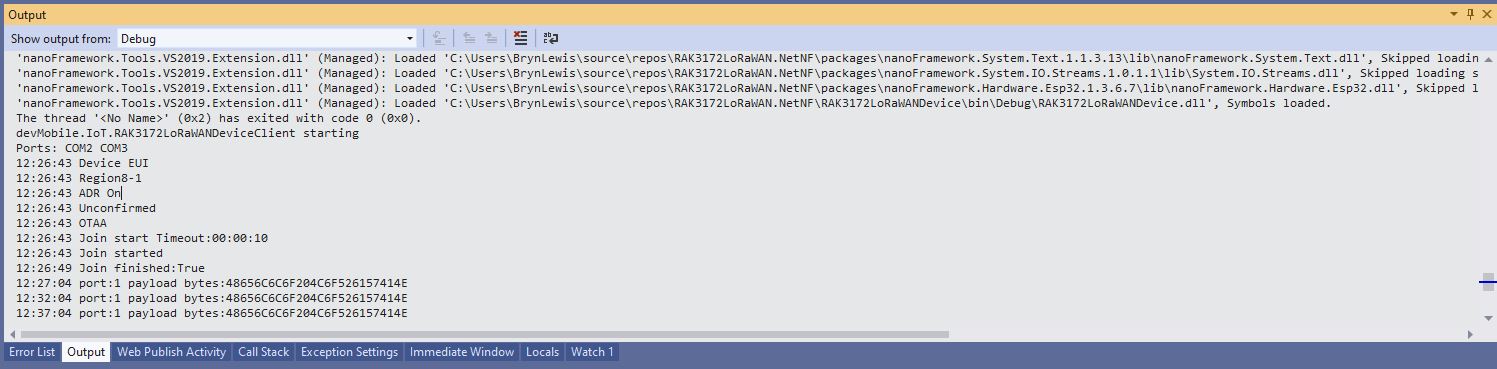
Visual Studio Debug output for RAK3172LoRaWANDeviceClient minimal configuration
public static void Main()
{
	Result result;

	Debug.WriteLine("devMobile.IoT.RAK3172LoRaWANDeviceClient starting");

	try
	{
		// set GPIO functions for COM2 (this is UART1 on ESP32)
#if ESP32_WROOM
		Configuration.SetPinFunction(Gpio.IO17, DeviceFunction.COM2_TX);
		Configuration.SetPinFunction(Gpio.IO16, DeviceFunction.COM2_RX);
#endif

		Debug.Write("Ports:");
		foreach (string port in SerialPort.GetPortNames())
		{
			Debug.Write($" {port}");
		}
		Debug.WriteLine("");

		using (Rak3172LoRaWanDevice device = new Rak3172LoRaWanDevice())
		{
			result = device.Initialise(SerialPortId, 115200, Parity.None, 8, StopBits.One);
			if (result != Result.Success)
			{
				Debug.WriteLine($"Initialise failed {result}");
				return;
			}

			MessageSendTimer = new Timer(SendMessageTimerCallback, device, Timeout.Infinite, Timeout.Infinite);

			device.OnJoinCompletion += OnJoinCompletionHandler;
			device.OnReceiveMessage += OnReceiveMessageHandler;
#if CONFIRMED
			device.OnMessageConfirmation += OnMessageConfirmationHandler;
#endif

#if FACTORY_RESET
			Debug.WriteLine($"{DateTime.UtcNow:hh:mm:ss} FactoryReset");
			result = device.FactoryReset();
			if (result != Result.Success)
			{
				Debug.WriteLine($"FactoryReset failed {result}");
				return;
			}
#endif

#if DEVICE_DEVEUI_SET
			Debug.WriteLine($"{DateTime.UtcNow:hh:mm:ss} Device EUI");
			result = device.DeviceEui(Config.devEui);
			if (result != Result.Success)
			{
				Debug.WriteLine($"DeviceEUI set failed {result}");
				return;
			}
#endif

#if REGION_SET
			Debug.WriteLine($"{DateTime.UtcNow:hh:mm:ss} Region{Band}");
			result = device.Band(Band);
			if (result != Result.Success)
			{
				Debug.WriteLine($"Band on failed {result}");
				return;
			}
#endif

#if ADR_SET
			Debug.WriteLine($"{DateTime.UtcNow:hh:mm:ss} ADR On");
			result = device.AdrOn();
			if (result != Result.Success)
			{
				Debug.WriteLine($"ADR on failed {result}");
				return;
			}
#endif
#if CONFIRMED
			Debug.WriteLine($"{DateTime.UtcNow:hh:mm:ss} Confirmed");
			result = device.UplinkMessageConfirmationOn();
			if (result != Result.Success)
			{
				Debug.WriteLine($"Confirm on failed {result}");
				return;
			}
#endif
#if UNCONFIRMED
			Debug.WriteLine($"{DateTime.UtcNow:hh:mm:ss} Unconfirmed");
			result = device.UplinkMessageConfirmationOff();
			if (result != Result.Success)
			{
				Debug.WriteLine($"Confirm off failed {result}");
				return;
			}
#endif

#if OTAA
			Debug.WriteLine($"{DateTime.UtcNow:hh:mm:ss} OTAA");
			result = device.OtaaInitialise(Config.JoinEui, Config.AppKey);
			if (result != Result.Success)
			{
				Debug.WriteLine($"OTAA Initialise failed {result}");
				return;
			}
#endif

#if ABP
			Debug.WriteLine($"{DateTime.UtcNow:hh:mm:ss} ABP");
			result = device.AbpInitialise(Config.DevAddress, Config.NwksKey, Config.AppsKey);
			if (result != Result.Success)
			{
				Debug.WriteLine($"ABP Initialise failed {result}");
				return;
			}
#endif

			Debug.WriteLine($"{DateTime.UtcNow:hh:mm:ss} Join start Timeout:{JoinTimeOut:hh:mm:ss}");
			result = device.Join(JoinTimeOut);
			if (result != Result.Success)
			{
				Debug.WriteLine($"Join failed {result}");
				return;
			}
			Debug.WriteLine($"{DateTime.UtcNow:hh:mm:ss} Join started");

			Thread.Sleep(Timeout.Infinite);
		}
	}
	catch (Exception ex)
	{
		Debug.WriteLine(ex.Message);
	}
}
One of the major differences between the RAK4200 and RAK3127 libraries is the way a LoRaWAN network join is handled. The RAK4200 library Join method blocks until it succeeds of fails, the RAK3172 library Join method returns immediately then an EventHandler is called with the result.
[HttpGet("IEnumerableSmall")]
public async Task<ActionResult<IEnumerable<Model.StockItemListDtoV1>>> GetIEnumerableSmall([FromQuery] bool buffered = false)
{
	IEnumerable<Model.StockItemListDtoV1> response = null;

	using (SqlConnection db = new SqlConnection(this.connectionString))
	{
		logger.LogInformation("IEnumerableSmall start Buffered:{buffered}", buffered);

		response = await db.QueryWithRetryAsync<Model.StockItemListDtoV1>(
			sql: @"SELECT [SI1].[StockItemID] as ""ID"", [SI1].[StockItemName] as ""Name"", [SI1].[RecommendedRetailPrice], [SI1].[TaxRate]" +
				   "FROM [Warehouse].[StockItems] as SI1",
			buffered,
			commandType: CommandType.Text);

		logger.LogInformation("IEnumerableSmall done");
	}

	return this.Ok(response);
}
The easiest way to increase the size of the returned record was with CROSS JOIN(s). This is the first (and most probably the last time) I have used a cross join in a “real” application.
[HttpGet("IEnumerableMedium")]
public async Task<ActionResult<IEnumerable<Model.StockItemListDtoV1>>> GetIEnumerableMedium([FromQuery] bool buffered = false)
{
	IEnumerable<Model.StockItemListDtoV1> response = null;

	using (SqlConnection db = new SqlConnection(this.connectionString))
	{
		logger.LogInformation("IEnumerableMedium start Buffered:{buffered}", buffered);

		response = await db.QueryWithRetryAsync<Model.StockItemListDtoV1>(
					sql: @" SELECT [SI2].[StockItemID] as ""ID"", [SI2].[StockItemName] as ""Name"", [SI2].[RecommendedRetailPrice], [SI2].[TaxRate]" +
									"FROM [Warehouse].[StockItems] as SI1" +
									"CROSS JOIN[Warehouse].[StockItems] as SI2",
					buffered,
					commandType: CommandType.Text);

		logger.LogInformation("IEnumerableMedium done");
	}

	return this.Ok(response);
}
The medium controller returns 51,529 (227 x 227) rows and the large controller upto 11,697,083 (227 x 227 x 227) rows.
[HttpGet("IEnumerableLarge")]
public async Task<ActionResult<IEnumerable<Model.StockItemListDtoV1>>> GetIEnumerableLarge()
{
	IEnumerable<Model.StockItemListDtoV1> response = null;

	using (SqlConnection db = new SqlConnection(this.connectionString))
	{
		logger.LogInformation("IEnumerableLarge start");

		response = await db.QueryWithRetryAsync<Model.StockItemListDtoV1>(
				sql: $@"SELECT [SI3].[StockItemID] as ""ID"", [SI3].[StockItemName] as ""Name"", [SI3].[RecommendedRetailPrice], [SI3].[TaxRate]" +
						"FROM [Warehouse].[StockItems] as SI1" +
						"   CROSS JOIN[Warehouse].[StockItems] as SI2" +
						"	CROSS JOIN[Warehouse].[StockItems] as SI3",
				commandType: CommandType.Text);

		logger.LogInformation("IEnumerableLarge done");
	}

	return this.Ok(response);
}
if (command.Buffered)
{
   var buffer = new List<T>();
   var convertToType = Nullable.GetUnderlyingType(effectiveType) ?? effectiveType;
   while (await reader.ReadAsync(cancel).ConfigureAwait(false))
   {
      object val = func(reader);
      buffer.Add(GetValue<T>(reader, effectiveType, val));
   }
   while (await reader.NextResultAsync(cancel).ConfigureAwait(false))
   { /* ignore subsequent result sets */ }
   command.OnCompleted();
   return buffer;
}
else
{
   // can't use ReadAsync / cancellation; but this will have to do
   wasClosed = false; // don't close if handing back an open reader; rely on the command-behavior
   var deferred = ExecuteReaderSync<T>(reader, func, command.Parameters);
   reader = null; // to prevent it being disposed before the caller gets to see it
   return deferred;
 }
IEnumberableLarge method (buffered=false) response sizes and timings
IEnumberableLarge method (buffered=true) response sizes and timings
The unbuffered buffered version was slower Time To Last Byte(TTLB) and failed earlier which I was expecting.
[HttpGet("IAsyncEnumerableLarge")]
public async Task<ActionResult<IAsyncEnumerable<Model.StockItemListDtoV1>>> GetAsyncEnumerableLarge([FromQuery] bool buffered = false, [FromQuery]int recordCount = 10)
{
    IEnumerable<Model.StockItemListDtoV1> response = null;

    using (SqlConnection db = new SqlConnection(this.connectionString))
    {
        logger.LogInformation("IAsyncEnumerableLarge start RecordCount:{recordCount} Buffered:{buffered}", recordCount, buffered);

        response = await db.QueryWithRetryAsync<Model.StockItemListDtoV1>(
            sql: $@"SELECT TOP({recordCount}) [SI3].[StockItemID] as ""ID"", [SI3].[StockItemName] as ""Name"", [SI3].[RecommendedRetailPrice], [SI3].[TaxRate]" +
                    "FROM [Warehouse].[StockItems] as SI1" +
                    "   CROSS JOIN[Warehouse].[StockItems] as SI2" +
                    "   CROSS JOIN[Warehouse].[StockItems] as SI3",
        buffered,
        commandType: CommandType.Text);

        logger.LogInformation("IAsyncEnumerableLarge done");
    }

    return this.Ok(response);
}
IAsyncEnumberableLarge method response sizes and timings
[HttpGet("IAsyncEnumerableLargeYield")]
public async IAsyncEnumerable<Model.StockItemListDtoV1> GetAsyncEnumerableLargeYield([FromQuery] int recordCount = 10)
{
	int rowCount = 0;

	using (SqlConnection db = new SqlConnection(this.connectionString))
	{
		logger.LogInformation("IAsyncEnumerableLargeYield start RecordCount:{recordCount}", recordCount);

		CommandDefinition commandDefinition = new CommandDefinition(
			$@"SELECT TOP({recordCount}) [SI3].[StockItemID] as ""ID"", [SI3].[StockItemName] as ""Name"", [SI3].[RecommendedRetailPrice], [SI3].[TaxRate]" +
						"FROM [Warehouse].[StockItems] as SI1" +
						"   CROSS JOIN[Warehouse].[StockItems] as SI2" +
						"	CROSS JOIN[Warehouse].[StockItems] as SI3",
			//commandTimeout:
			CommandType.Text,
			//flags: CommandFlags.Pipelined
		);

		using var reader = await db.ExecuteReaderWithRetryAsync(commandDefinition);

		var rowParser = reader.GetRowParser<Model.StockItemListDtoV1>();

		while (await reader.ReadAsync())
		{
			rowCount++;

			if ((rowCount % 10000) == 0)
			{
				logger.LogInformation("Row count:{0}", rowCount);
			}

			yield return rowParser(reader);
		}
		logger.LogInformation("IAsyncEnumerableLargeYield done");
	}
}
When this post was written (August 2022) Dapper IAsyncEnumerable understanding was limited so I trialed the approach suggested in the StackOverflow post.
IAsyncEnumberableLargeYield method response sizes and timings
The IAsyncEnumerableLargeYield was faster to start responding, the overall duration was less and returned significantly more records 7000000 vs. 13000000. I assume this was because the response was streamed so there wasn’t a timeout.
Azure Application Insights displaying the IAsyncEnumerable with yield method executing
The results of my tests should be treated as “indicative” rather than “definitive”. In a future post I compare the scalability of different approaches. The number of records returned by the IAsyncEnumerableLargeYield not realistic and in a “real-world” scenario paging or an alternate approach should be used.
The RAK11200 documentation described how to upload software developed with the Arduino tools by putting the ESP32 into “bootloader mode” by connecting the BOOT0 and GND pins, then pressing the reset button.
RAK11200 BOOT0 & GND pins connected to
After some “trial and error” the download process worked pretty reliably…
The RAK11200 has two LEDs, a blue attached to IO02 and a green one attached to IO12.
//
// Copyright (c) .NET Foundation and Contributors
// See LICENSE file in the project root for full license information.
//
//
using System;
using System.Device.Gpio;
using System.Threading;
using nanoFramework.Hardware.Esp32;

namespace Blinky
{
   public class Program
   {
      private static GpioController s_GpioController;
      public static void Main()
      {
         s_GpioController = new GpioController();

         // pick a board, uncomment one line for GpioPin; default is STM32F769I_DISCO

         // DISCOVERY4: PD15 is LED6
         //GpioPin led = s_GpioController.OpenPin(PinNumber('D', 15), PinMode.Output);

         // ESP32 DevKit: 4 is a valid GPIO pin in, some boards like Xiuxin ESP32 may require GPIO Pin 2 instead.
         //GpioPin led = s_GpioController.OpenPin(4, PinMode.Output);

         // FEATHER S2:
         //GpioPin led = s_GpioController.OpenPin(13, PinMode.Output);

         // F429I_DISCO: PG14 is LEDLD4
         //GpioPin led = s_GpioController.OpenPin(PinNumber('G', 14), PinMode.Output);

         // NETDUINO 3 Wifi: A10 is LED onboard blue
         //GpioPin led = s_GpioController.OpenPin(PinNumber('A', 10), PinMode.Output);

         // QUAIL: PE15 is LED1
         //GpioPin led = s_GpioController.OpenPin(PinNumber('E', 15), PinMode.Output);

         // STM32F091RC: PA5 is LED_GREEN
         //GpioPin led = s_GpioController.OpenPin(PinNumber('A', 5), PinMode.Output);

         // STM32F746_NUCLEO: PB75 is LED2
         //GpioPin led = s_GpioController.OpenPin(PinNumber('B', 7), PinMode.Output);

         //STM32F769I_DISCO: PJ5 is LD2
         //GpioPin led = s_GpioController.OpenPin(PinNumber('J', 5), PinMode.Output);

         // ST_B_L475E_IOT01A: PB14 is LD2
         //GpioPin led = s_GpioController.OpenPin(PinNumber('B', 14), PinMode.Output);

         // STM32L072Z_LRWAN1: PA5 is LD2
         //GpioPin led = s_GpioController.OpenPin(PinNumber('A', 5), PinMode.Output);

         // TI CC13x2 Launchpad: DIO_07 it's the green LED
         //GpioPin led = s_GpioController.OpenPin(7, PinMode.Output);

         // TI CC13x2 Launchpad: DIO_06 it's the red LED
         //GpioPin led = s_GpioController.OpenPin(6, PinMode.Output);

         // ULX3S FPGA board: for the red D22 LED from the ESP32-WROOM32, GPIO5
         //GpioPin led = s_GpioController.OpenPin(5, PinMode.Output);

         // Silabs SLSTK3701A: LED1 PH14 is LLED1
         //GpioPin led = s_GpioController.OpenPin(PinNumber('H', 14), PinMode.Output);

         // RAK11200 on RAK5005
         //GpioPin led = s_GpioController.OpenPin(Gpio.IO12, PinMode.Output); // LED1 Green
         //GpioPin led = s_GpioController.OpenPin(Gpio.IO02, PinMode.Output); // LED2 Blue

         // RAK11200 on RAK19001 needs battery connected or power switch in rechargeable position.
         //GpioPin led = s_GpioController.OpenPin(Gpio.IO12, PinMode.Output); // LED1 Green
         //GpioPin led = s_GpioController.OpenPin(Gpio.IO02, PinMode.Output); // LED2 Blue

         // RAK2305
         //GpioPin led = s_GpioController.OpenPin(Gpio.IO18, PinMode.Output); // LED Green (Test LED) on device

         // RAK2305 On 5005 throws exceptions
         //GpioPin led = s_GpioController.OpenPin(Gpio.IO34, PinMode.Output); // LED1 Green
         //GpioPin led = s_GpioController.OpenPin(Gpio.IO35, PinMode.Output); // LED2 Blue

         // RAK2305 On 17001 throws exceptions
         //GpioPin led = s_GpioController.OpenPin(Gpio.IO34, PinMode.Output); // LED1 Green
         //GpioPin led = s_GpioController.OpenPin(Gpio.IO35, PinMode.Output); // LED2 Blue

         led.Write(PinValue.Low);

         while (true)
         {
            led.Toggle();
            Thread.Sleep(125);
            led.Toggle();
            Thread.Sleep(125);
            led.Toggle();
            Thread.Sleep(125);
            led.Toggle();
            Thread.Sleep(525);
         }
      }

      static int PinNumber(char port, byte pin)
      {
         if (port < 'A' || port > 'J')
            throw new ArgumentException();

         return ((port - 'A') * 16) + pin;
      }
   }
}
I added the RAK11200 configuration to my version of the nanoFramework Blinky sample and could reliably flash either of the LEDs.
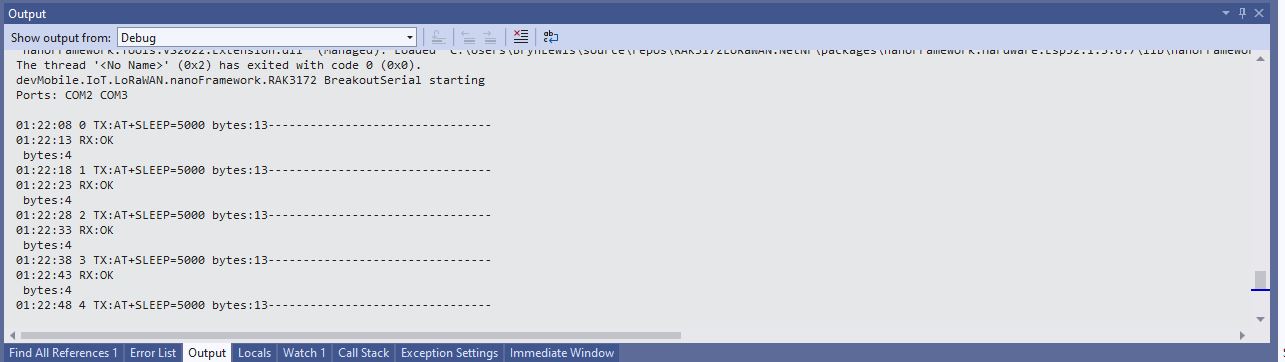
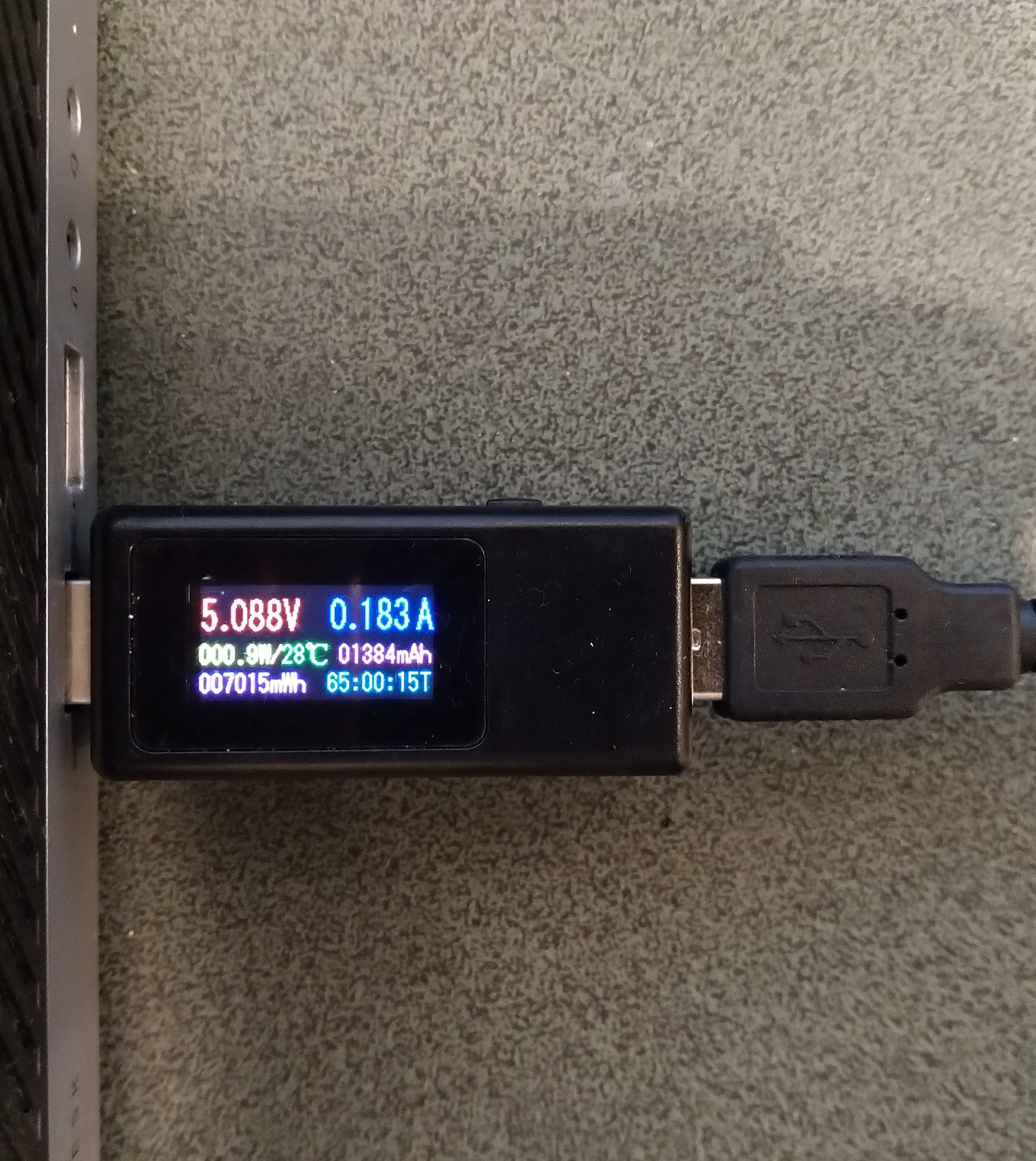
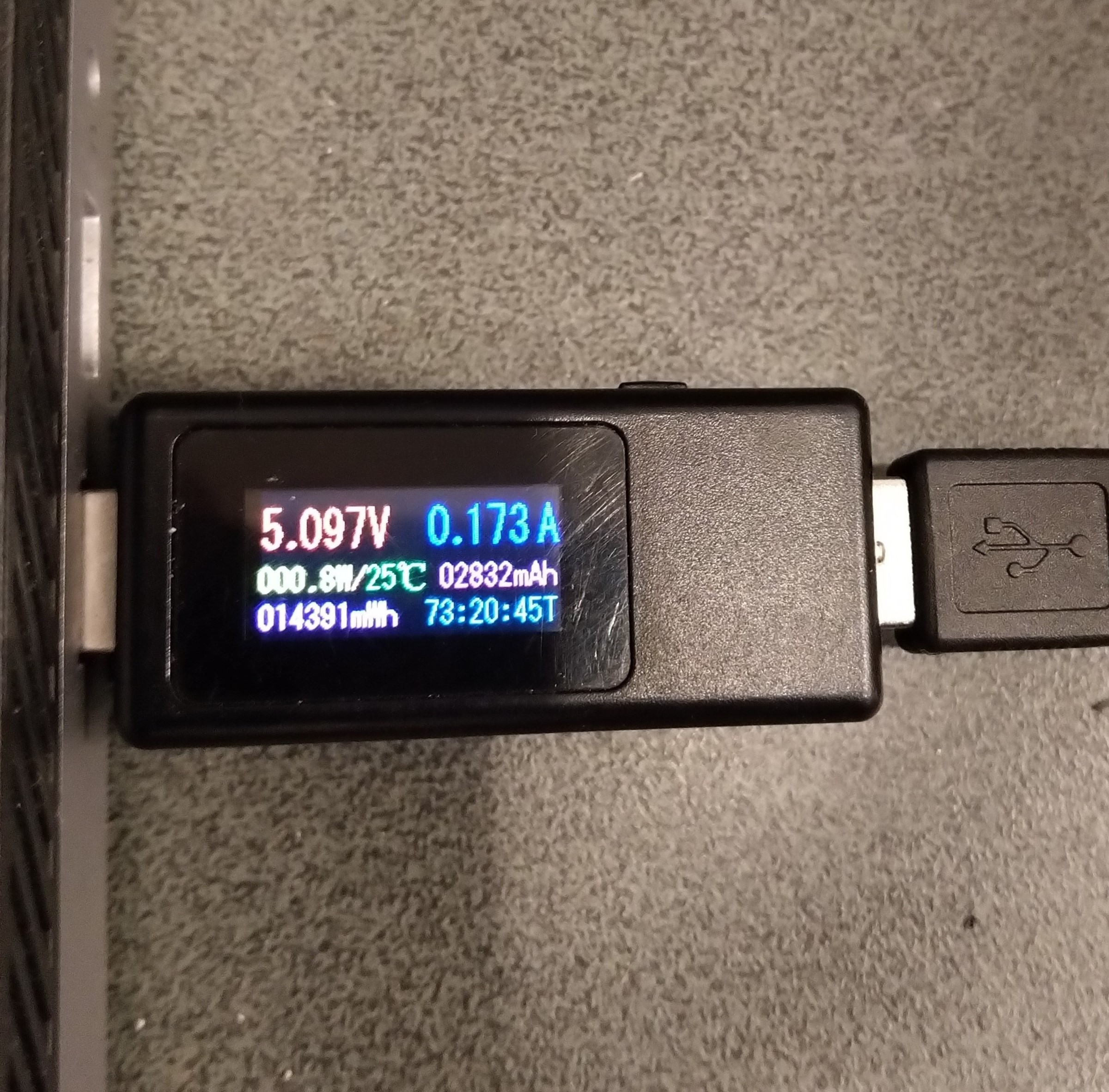
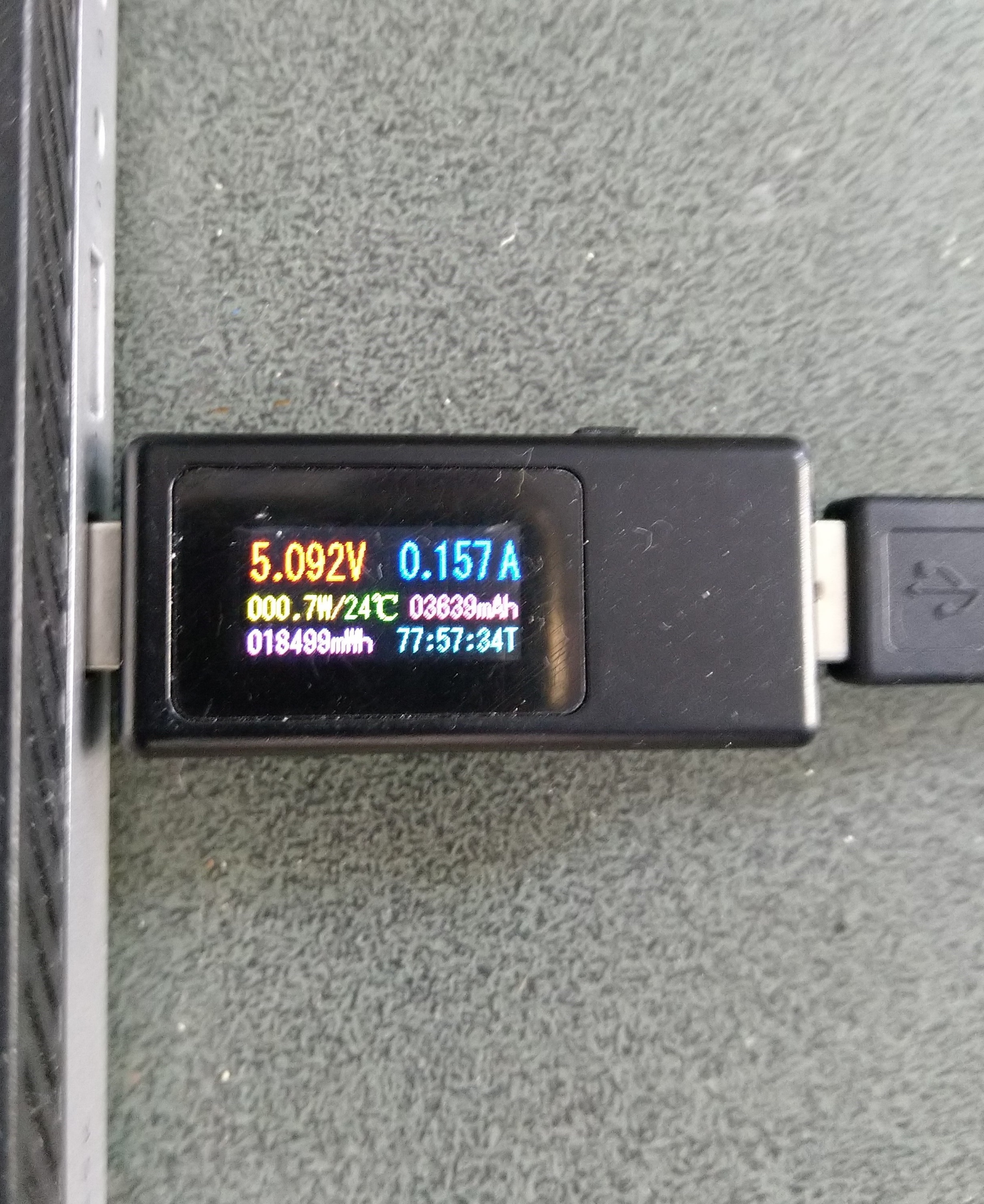
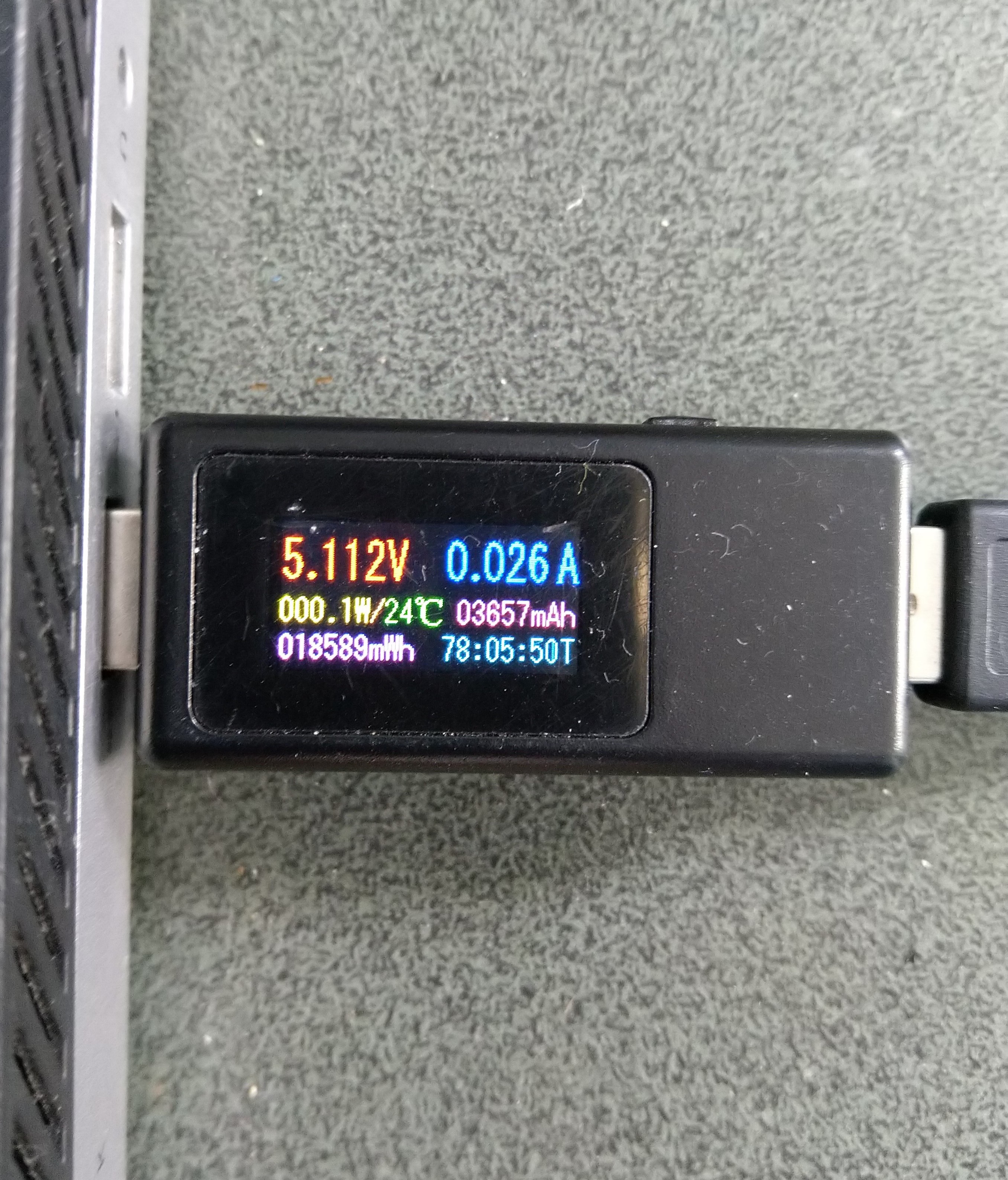
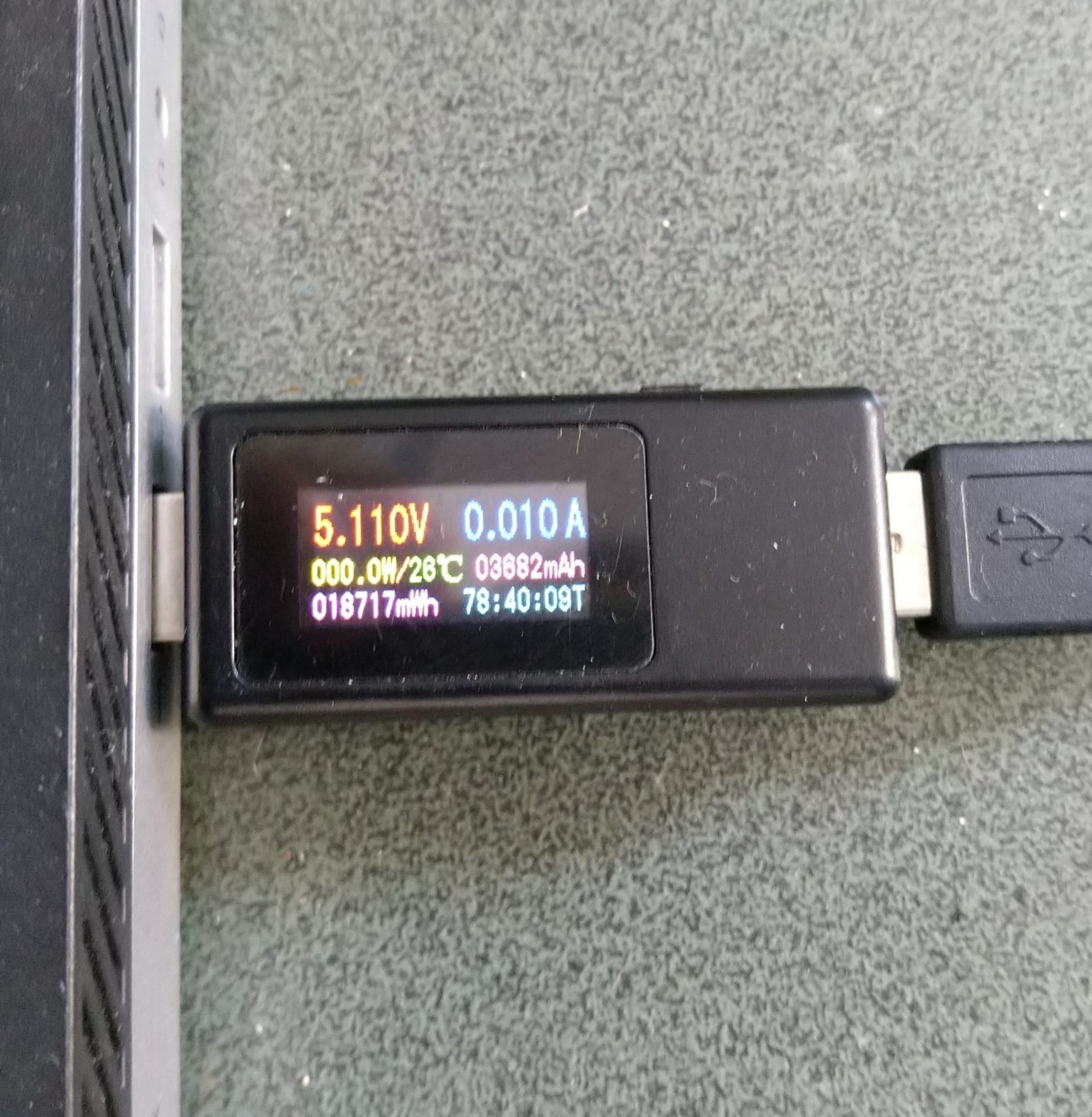
Initially the Sleep method didn’t appear to work, the power consumption didn’t change….
private static void SendMessageTimerCallback(object state)
{
	Rak3172LoRaWanDevice device = (Rak3172LoRaWanDevice)state;

#if PAYLOAD_HEX
	Debug.WriteLine($"{DateTime.UtcNow:hh:mm:ss} port:{MessagePort} payload HEX:{PayloadHex}");
	Result result = device.Send(MessagePort, PayloadHex, SendTimeout);
#endif
#if PAYLOAD_BYTES
	Debug.WriteLine($"{DateTime.UtcNow:hh:mm:ss} port:{MessagePort} payload bytes:{Rak3172LoRaWanDevice.BytesToHex(PayloadBytes)}");
	Result result = device.Send(MessagePort, PayloadBytes, SendTimeout);
#endif
	if (result != Result.Success)
	{
		Debug.WriteLine($"Send failed {result}");
	}

#if SLEEP
	Thread.Sleep(7500); //10000 Works 5000 to short

	Debug.WriteLine($"{DateTime.UtcNow:hh:mm:ss} Sleep period:{SleepPeriod:hh:mm:ss}");
	result = device.Sleep(SleepPeriod);
	if (result != Result.Success)
	{
		Debug.WriteLine($"Sleep failed {result}");
		return;
	}
#endif
}
After some debugging and reading this helpful RAK Wireless forum post I added a short delay before sleeping the RAK3172 module and power consumption reduced.
Initially the Sleep method timed out every time it was called. After some more debugging I figured out that I needed a slightly longer delay for the AutoResetEvent.Waitone as it was timing out just before the “OK” was processed.
public Result Sleep(TimeSpan period)
{
	return Sleep(period, SleepExtensionDefault);
}

public Result Sleep(TimeSpan period, TimeSpan extension)
{
#if DIAGNOSTICS
	Debug.WriteLine($" {DateTime.UtcNow:hh:mm:ss} AT+SLEEP {period.TotalMilliseconds:f0} mSec");
#endif
	Result result = SendCommand("OK", $"AT+SLEEP={period.TotalMilliseconds:f0}", period.Add(extension));
	if (result != Result.Success)
	{
#if DIAGNOSTICS
		Debug.WriteLine($" {DateTime.UtcNow:hh:mm:ss} AT+SLEEP failed {result}");
#endif
		return result;
	}

	return Result.Success;
}
public static void Main()
{
	Debug.WriteLine("devMobile.IoT.LoRaWAN.nanoFramework.RAK3172 BreakoutSerial starting");

	try
	{
		// set GPIO functions for COM2 (this is UART1 on ESP32)
#if ESP32_WROOM
		Configuration.SetPinFunction(Gpio.IO17, DeviceFunction.COM2_TX);
		Configuration.SetPinFunction(Gpio.IO16, DeviceFunction.COM2_RX);
#endif

		Debug.Write("Ports:");
		foreach (string port in SerialPort.GetPortNames())
		{
			Debug.Write($" {port}");
		}
		Debug.WriteLine("");

		using (_SerialPort = new SerialPort(SerialPortId))
		{
			// set parameters
			_SerialPort.BaudRate = 115200;
			_SerialPort.Parity = Parity.None;
			_SerialPort.DataBits = 8;
			_SerialPort.StopBits = StopBits.One;
			_SerialPort.Handshake = Handshake.None;
			_SerialPort.NewLine = "\r\n";
			_SerialPort.ReadTimeout = 1000;

			//_SerialPort.WatchChar = '\n'; // May 2022 WatchChar event didn't fire github issue https://github.com/nanoframework/Home/issues/1035

#if SERIAL_ASYNC_READ
			_SerialPort.DataReceived += SerialDevice_DataReceived;
#endif

			_SerialPort.Open();

			_SerialPort.WatchChar = '\n';

			_SerialPort.ReadExisting(); // Running at 115K2 this was necessary

...

			for (int i = 0; i < 5; i++)
			{
				string atCommand;
				atCommand = "AT+VER=?";
				//atCommand = "AT+SN=?"; // Empty response?
				//atCommand = "AT+HWMODEL=?";
				//atCommand = "AT+HWID=?";
				//atCommand = "AT+DEVEUI=?";
				//atCommand = "AT+APPEUI=?";
				//atCommand = "AT+APPKEY=?";
				//atCommand = "ATR";
				//atCommand = "AT+SLEEP=4000";
				Debug.WriteLine("");
				Debug.WriteLine($"{i} TX:{atCommand} bytes:{atCommand.Length}--------------------------------");
				_SerialPort.WriteLine(atCommand);

				Thread.Sleep(5000);
			}
		}
...
		Debug.WriteLine("Done");
	}
	catch (Exception ex)
	{
		Debug.WriteLine(ex.Message);
	}
}
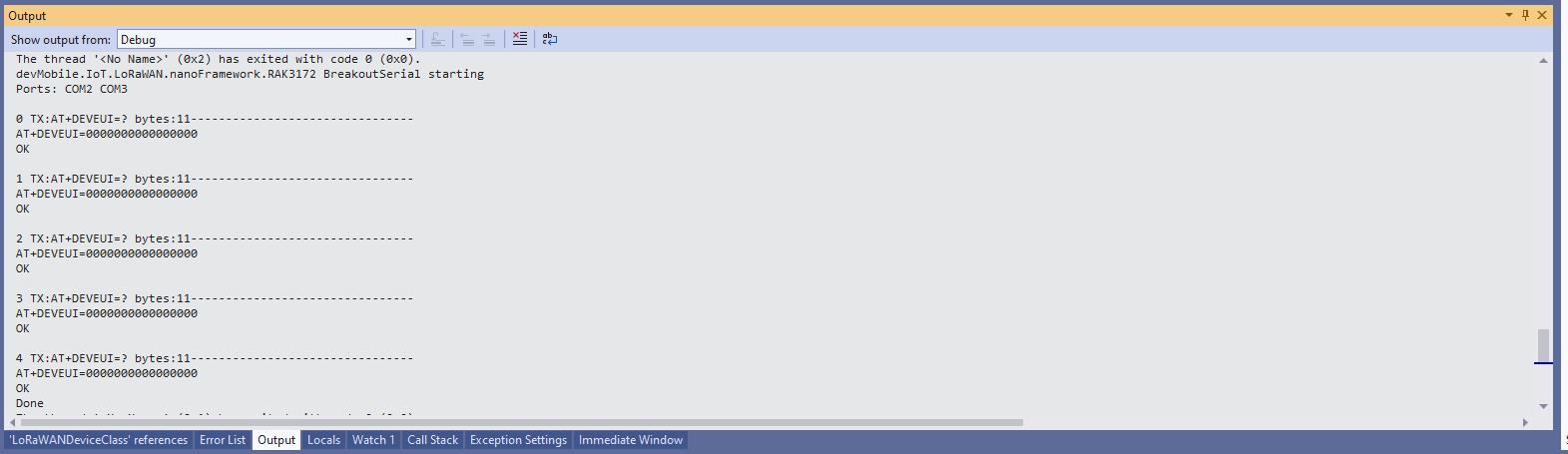
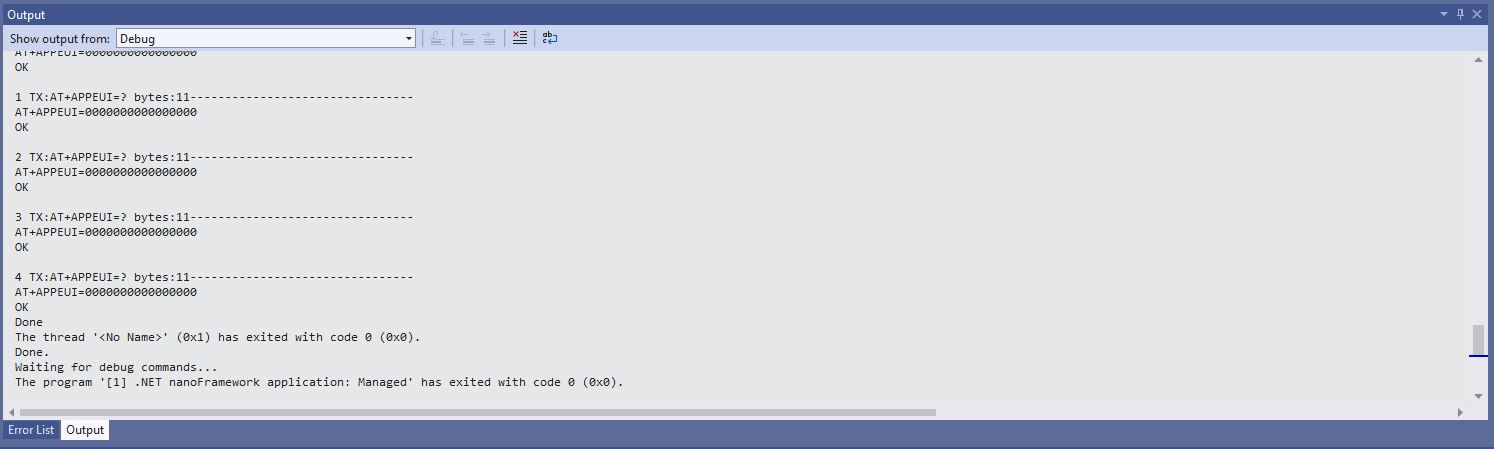
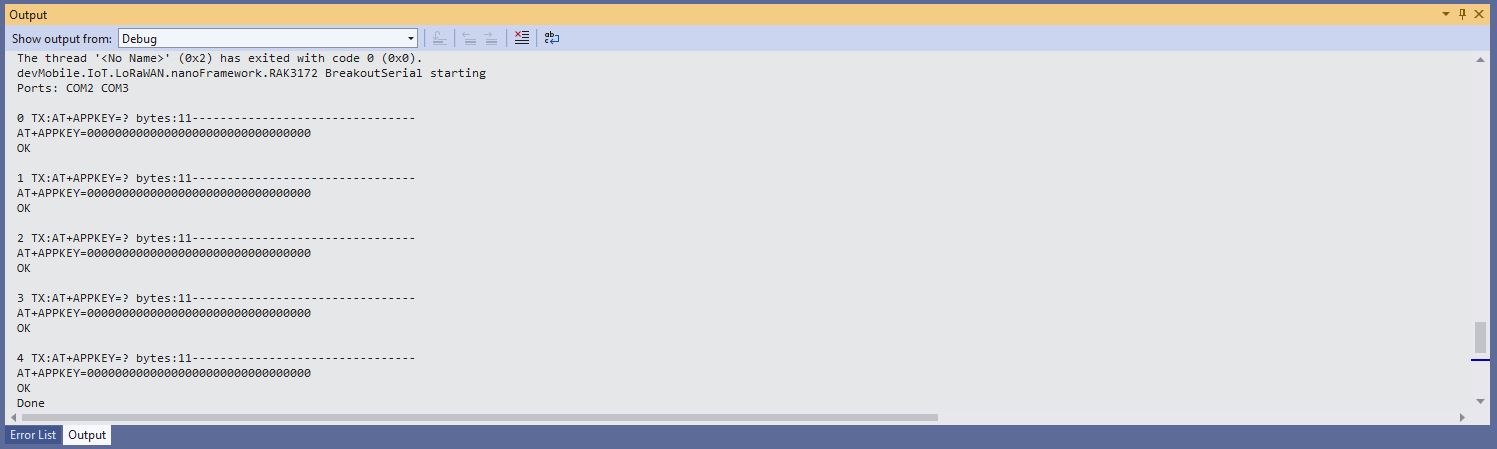
After resetting the device I modified the code to display some of the configuration.
DevEUI after ATR command
JoinEUI after ATR command
AppKey after ATR command
To reconfigure the device I ran the RAK3172LoRaWANDeviceClient application with DEVICE_DEVEUI_SET, OTAA, UNCONFIRMED, REGION_SET and ADR_SET defined. The testrig could then successfully connect to The Things Network and when the device was power cycled the configuration was retained.
public Result FactoryReset()
{
#if DIAGNOSTICS
	Debug.WriteLine($" {DateTime.UtcNow:hh:mm:ss} ATR");
#endif
	Result result = SendCommand("OK", "ATR", CommandTimeoutDefault);
	if (result != Result.Success)
	{
#if DIAGNOSTICS
		Debug.WriteLine($" {DateTime.UtcNow:hh:mm:ss} ATR failed {result}");
#endif
		return result;
	}

	return Result.Success;
}