Random wanderings through Microsoft Azure esp. PaaS plumbing, the IoT bits, AI on Micro controllers, AI on Edge Devices, .NET nanoFramework, .NET Core on *nix and ML.NET+ONNX
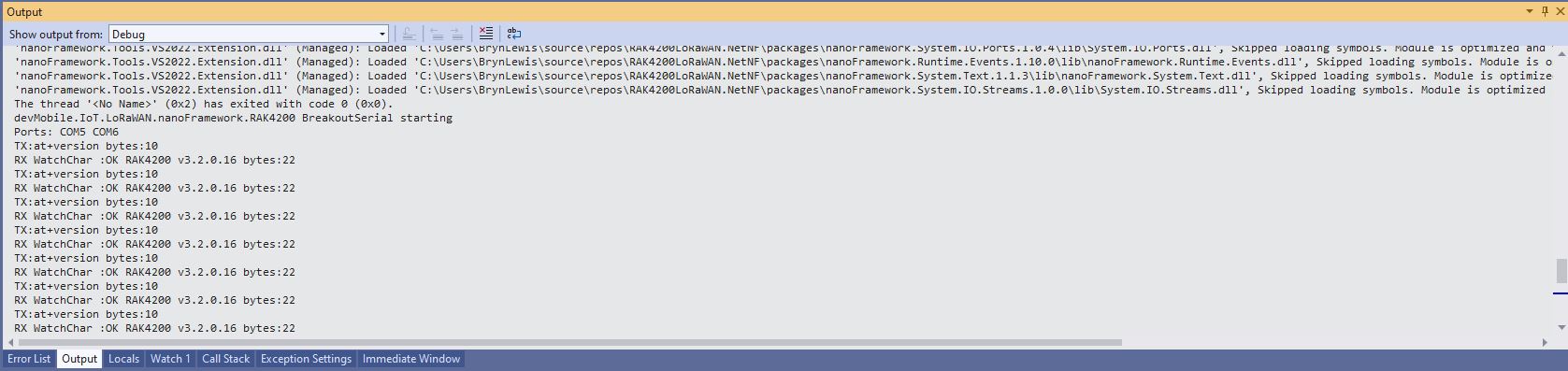
When I initially deployed the RAK4200LoRaWANDeviceClient the RAK4200LoRaWAN-NetNF library failed in the OtaaInitialise method. I think this was caused by the “at+set_config=lora:work_mode:0” command rebooting the RAK4200 Module. I have commented out the code but may move it to a standalone method if required.
// Set the Working mode to LoRaWAN, not/never going todo P2P with this library.
#if DIAGNOSTICS
Debug.WriteLine($" {DateTime.UtcNow:hh:mm:ss} at+set_config=lora:work_mode:0");
#endif
Result result = SendCommand("Initialization OK", "at+set_config=lora:work_mode:0", CommandTimeoutDefault);
if (result != Result.Success)
{
#if DIAGNOSTICS
         Debug.WriteLine($" {DateTime.UtcNow:hh:mm:ss} at+set_config=lora:work_mode:0 failed {result}");
#endif
	return result;
}
I think it would be reasonable to assume that the device is in the correct mode (the default after a reset to factory) on startup so I removed the LoRa® network work mode configuration code.
// Set the Working mode to LoRaWAN, not/never going todo P2P with this library.
#if DIAGNOSTICS
Debug.WriteLine($" {DateTime.UtcNow:hh:mm:ss} AT+NWM=1");
#endif
Result result = SendCommand("Current Work Mode: LoRaWAN.", "AT+NWM=1", CommandTimeoutDefault);
if (result != Result.Success)
{
#if DIAGNOSTICS
	Debug.WriteLine($" {DateTime.UtcNow:hh:mm:ss} AT+NWM=1 failed {result}");
#endif
	return result;
}
I think it would be reasonable to assume that the device is in the correct mode (the default after a reset to factory) on startup so I removed the LoRa® network work mode configuration code.
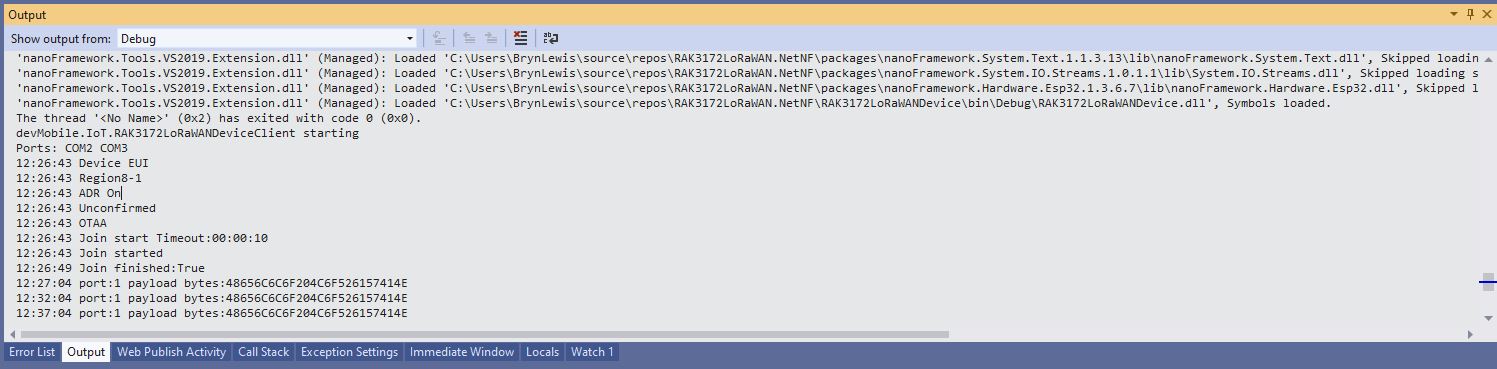
Visual Studio Debug output for RAK3172LoRaWANDeviceClient minimal configuration
public static void Main()
{
	Result result;

	Debug.WriteLine("devMobile.IoT.RAK3172LoRaWANDeviceClient starting");

	try
	{
		// set GPIO functions for COM2 (this is UART1 on ESP32)
#if ESP32_WROOM
		Configuration.SetPinFunction(Gpio.IO17, DeviceFunction.COM2_TX);
		Configuration.SetPinFunction(Gpio.IO16, DeviceFunction.COM2_RX);
#endif

		Debug.Write("Ports:");
		foreach (string port in SerialPort.GetPortNames())
		{
			Debug.Write($" {port}");
		}
		Debug.WriteLine("");

		using (Rak3172LoRaWanDevice device = new Rak3172LoRaWanDevice())
		{
			result = device.Initialise(SerialPortId, 115200, Parity.None, 8, StopBits.One);
			if (result != Result.Success)
			{
				Debug.WriteLine($"Initialise failed {result}");
				return;
			}

			MessageSendTimer = new Timer(SendMessageTimerCallback, device, Timeout.Infinite, Timeout.Infinite);

			device.OnJoinCompletion += OnJoinCompletionHandler;
			device.OnReceiveMessage += OnReceiveMessageHandler;
#if CONFIRMED
			device.OnMessageConfirmation += OnMessageConfirmationHandler;
#endif

#if FACTORY_RESET
			Debug.WriteLine($"{DateTime.UtcNow:hh:mm:ss} FactoryReset");
			result = device.FactoryReset();
			if (result != Result.Success)
			{
				Debug.WriteLine($"FactoryReset failed {result}");
				return;
			}
#endif

#if DEVICE_DEVEUI_SET
			Debug.WriteLine($"{DateTime.UtcNow:hh:mm:ss} Device EUI");
			result = device.DeviceEui(Config.devEui);
			if (result != Result.Success)
			{
				Debug.WriteLine($"DeviceEUI set failed {result}");
				return;
			}
#endif

#if REGION_SET
			Debug.WriteLine($"{DateTime.UtcNow:hh:mm:ss} Region{Band}");
			result = device.Band(Band);
			if (result != Result.Success)
			{
				Debug.WriteLine($"Band on failed {result}");
				return;
			}
#endif

#if ADR_SET
			Debug.WriteLine($"{DateTime.UtcNow:hh:mm:ss} ADR On");
			result = device.AdrOn();
			if (result != Result.Success)
			{
				Debug.WriteLine($"ADR on failed {result}");
				return;
			}
#endif
#if CONFIRMED
			Debug.WriteLine($"{DateTime.UtcNow:hh:mm:ss} Confirmed");
			result = device.UplinkMessageConfirmationOn();
			if (result != Result.Success)
			{
				Debug.WriteLine($"Confirm on failed {result}");
				return;
			}
#endif
#if UNCONFIRMED
			Debug.WriteLine($"{DateTime.UtcNow:hh:mm:ss} Unconfirmed");
			result = device.UplinkMessageConfirmationOff();
			if (result != Result.Success)
			{
				Debug.WriteLine($"Confirm off failed {result}");
				return;
			}
#endif

#if OTAA
			Debug.WriteLine($"{DateTime.UtcNow:hh:mm:ss} OTAA");
			result = device.OtaaInitialise(Config.JoinEui, Config.AppKey);
			if (result != Result.Success)
			{
				Debug.WriteLine($"OTAA Initialise failed {result}");
				return;
			}
#endif

#if ABP
			Debug.WriteLine($"{DateTime.UtcNow:hh:mm:ss} ABP");
			result = device.AbpInitialise(Config.DevAddress, Config.NwksKey, Config.AppsKey);
			if (result != Result.Success)
			{
				Debug.WriteLine($"ABP Initialise failed {result}");
				return;
			}
#endif

			Debug.WriteLine($"{DateTime.UtcNow:hh:mm:ss} Join start Timeout:{JoinTimeOut:hh:mm:ss}");
			result = device.Join(JoinTimeOut);
			if (result != Result.Success)
			{
				Debug.WriteLine($"Join failed {result}");
				return;
			}
			Debug.WriteLine($"{DateTime.UtcNow:hh:mm:ss} Join started");

			Thread.Sleep(Timeout.Infinite);
		}
	}
	catch (Exception ex)
	{
		Debug.WriteLine(ex.Message);
	}
}
One of the major differences between the RAK4200 and RAK3127 libraries is the way a LoRaWAN network join is handled. The RAK4200 library Join method blocks until it succeeds of fails, the RAK3172 library Join method returns immediately then an EventHandler is called with the result.
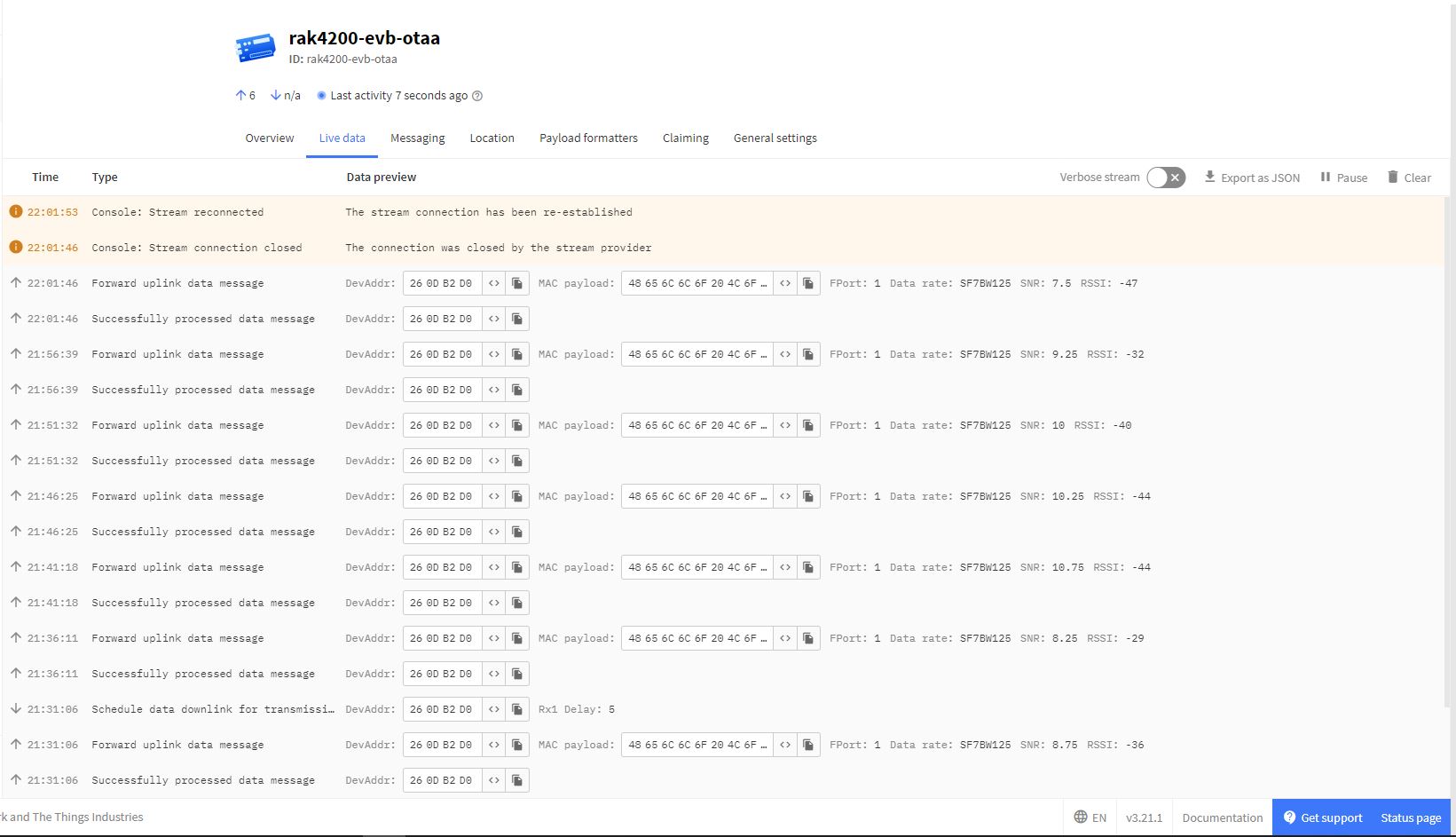
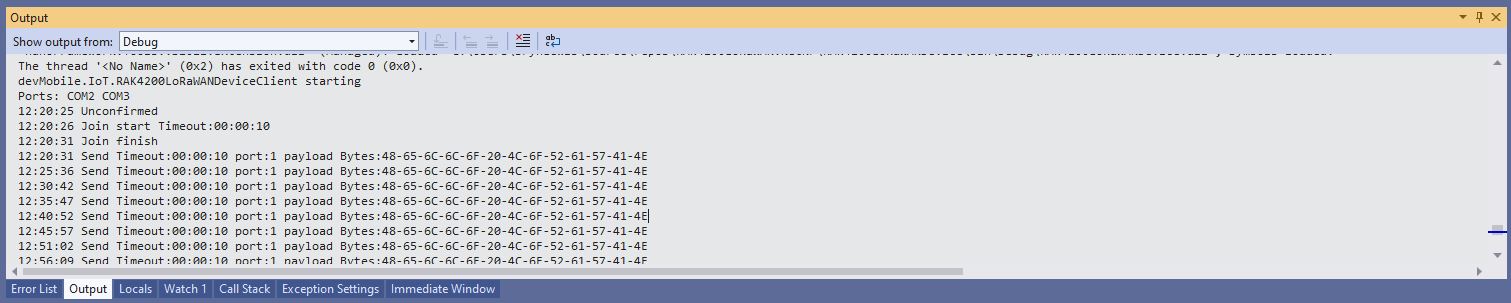
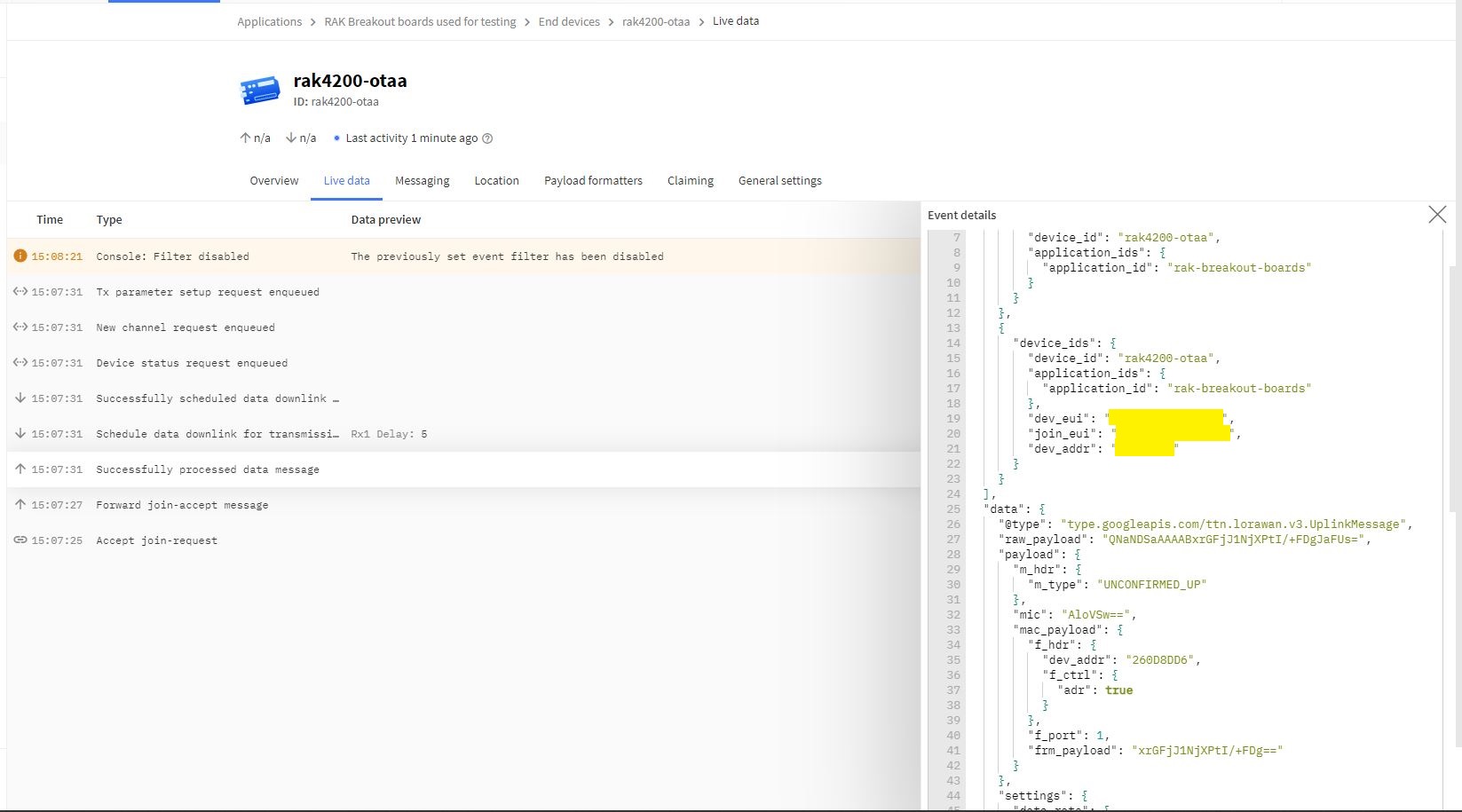
I then ran the RAK4200LoRaWANDeviceClient with DEVICE_DEVEUI_SET (devEui from label on the device), OTAA to configure the AppEui and AppKey and the device connected to The Things Network on the second attempt (typo in the DevEui).
public static void Main()
{
	Result result;

	Debug.WriteLine("devMobile.IoT.RAK4200LoRaWANDeviceClient starting");

	try
	{
		// set GPIO functions for COM2 (this is UART1 on ESP32)
#if ESP32_WROOM
		Configuration.SetPinFunction(Gpio.IO16, DeviceFunction.COM2_TX);
		Configuration.SetPinFunction(Gpio.IO17, DeviceFunction.COM2_RX);
#endif

		Debug.Write("Ports:");
		foreach (string port in SerialPort.GetPortNames())
		{
			Debug.Write($" {port}");
		}
		Debug.WriteLine("");

		using (Rak4200LoRaWanDevice device = new Rak4200LoRaWanDevice())
		{
			result = device.Initialise(SerialPortId, 9600, Parity.None, 8, StopBits.One);
			if (result != Result.Success)
			{
				Debug.WriteLine($"Initialise failed {result}");
				return;
			}

#if CONFIRMED
			device.OnMessageConfirmation += OnMessageConfirmationHandler;
#endif
			device.OnReceiveMessage += OnReceiveMessageHandler;

#if FACTORY_RESET
			Debug.WriteLine($"{DateTime.UtcNow:hh:mm:ss} FactoryReset");
			result = device.FactoryReset();
			if (result != Result.Success)
			{
				Debug.WriteLine($"FactoryReset failed {result}");
				return;
			}
#endif

#if DEVICE_DEVEUI_SET
			Debug.WriteLine($"{DateTime.UtcNow:hh:mm:ss} Device EUI");
			result = device.DeviceEui(Config.devEui);
			if (result != Result.Success)
			{
				Debug.WriteLine($"ADR on failed {result}");
				return;
			}
#endif

#if REGION_SET
			Debug.WriteLine($"{DateTime.UtcNow:hh:mm:ss} Region{Region}");
			result = device.Region(Region);
			if (result != Result.Success)
			{
				Debug.WriteLine($"Region on failed {result}");
				return;
			}
#endif

#if ADR_SET
			Debug.WriteLine($"{DateTime.UtcNow:hh:mm:ss} ADR On");
			result = device.AdrOn();
			if (result != Result.Success)
			{
				Debug.WriteLine($"ADR on failed {result}");
				return;
			}
#endif
#if CONFIRMED
			Debug.WriteLine($"{DateTime.UtcNow:hh:mm:ss} Confirmed");
			result = device.UplinkMessageConfirmationOn();
			if (result != Result.Success)
			{
				Debug.WriteLine($"Confirm on failed {result}");
				return;
			}
#endif
#if UNCONFIRMED
			Debug.WriteLine($"{DateTime.UtcNow:hh:mm:ss} Unconfirmed");
			result = device.UplinkMessageConfirmationOff();
			if (result != Result.Success)
			{
				Debug.WriteLine($"Confirm off failed {result}");
				return;
			}
#endif

#if OTAA
			Debug.WriteLine($"{DateTime.UtcNow:hh:mm:ss} OTAA");
			result = device.OtaaInitialise(Config.JoinEui, Config.AppKey);
			if (result != Result.Success)
			{
				Debug.WriteLine($"OTAA Initialise failed {result}");
				return;
			}
#endif

#if ABP
			Debug.WriteLine($"{DateTime.UtcNow:hh:mm:ss} ABP");
			result = device.AbpInitialise(Config.DevAddress, Config.NwksKey, Config.AppsKey);
			if (result != Result.Success)
			{
				Debug.WriteLine($"ABP Initialise failed {result}");
				return;
			}
#endif

			Debug.WriteLine($"{DateTime.UtcNow:hh:mm:ss} Join start Timeout:{JoinTimeOut:hh:mm:ss}");
			result = device.Join(JoinTimeOut);
			if (result != Result.Success)
			{
				Debug.WriteLine($"Join failed {result}");
				return;
			}
			Debug.WriteLine($"{DateTime.UtcNow:hh:mm:ss} Join finish");

			while (true)
			{
#if PAYLOAD_BCD
				Debug.WriteLine($"{DateTime.UtcNow:hh:mm:ss} Send Timeout:{SendTimeout:hh:mm:ss} port:{MessagePort} payload BCD:{PayloadBcd}");
				result = device.Send(MessagePort, PayloadBcd, SendTimeout);
#endif
#if PAYLOAD_BYTES
				Debug.WriteLine($"{DateTime.UtcNow:hh:mm:ss} Send Timeout:{SendTimeout:hh:mm:ss} port:{MessagePort} payload Bytes:{BitConverter.ToString(PayloadBytes)}");
				result = device.Send(MessagePort, PayloadBytes, SendTimeout);
#endif
				if (result != Result.Success)
				{
					Debug.WriteLine($"Send failed {result}");
				}

				Thread.Sleep(new TimeSpan(0, 5, 0));
			}
		}
	}
	catch (Exception ex)
	{
		Debug.WriteLine(ex.Message);
	}
}
Visual Studio Debug output for RAK4200LoRaWANDeviceClient minimal configuration connection
The Things Network “Live Data” for RAK4200LoRaWANDeviceClient minimal configuration connection
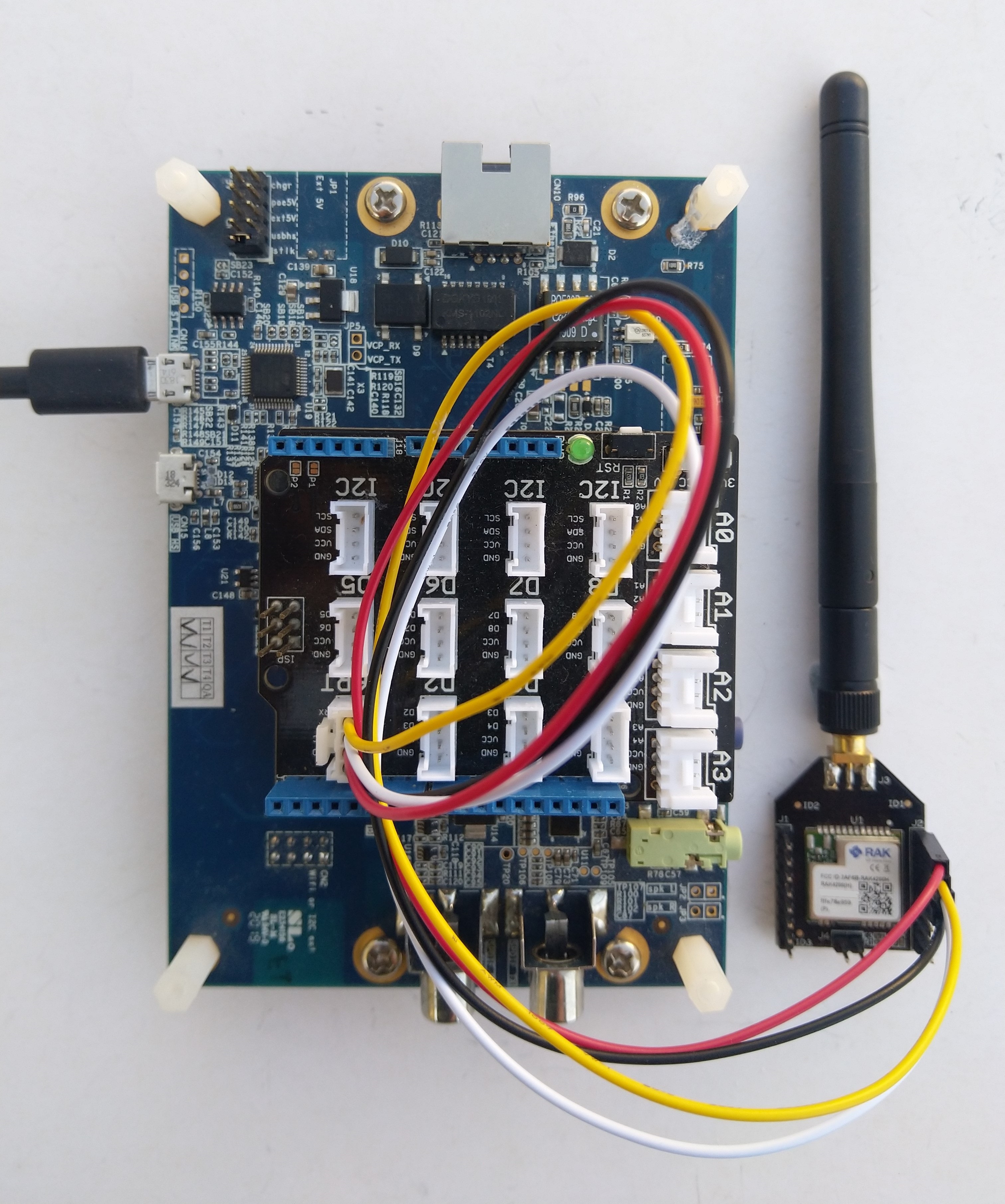
One of my client’s products has a configuration mode (button pressed as device starts) which enables a serial port (headers on board + FTDI module) for in field configuration of the onboard RAK4200 module.
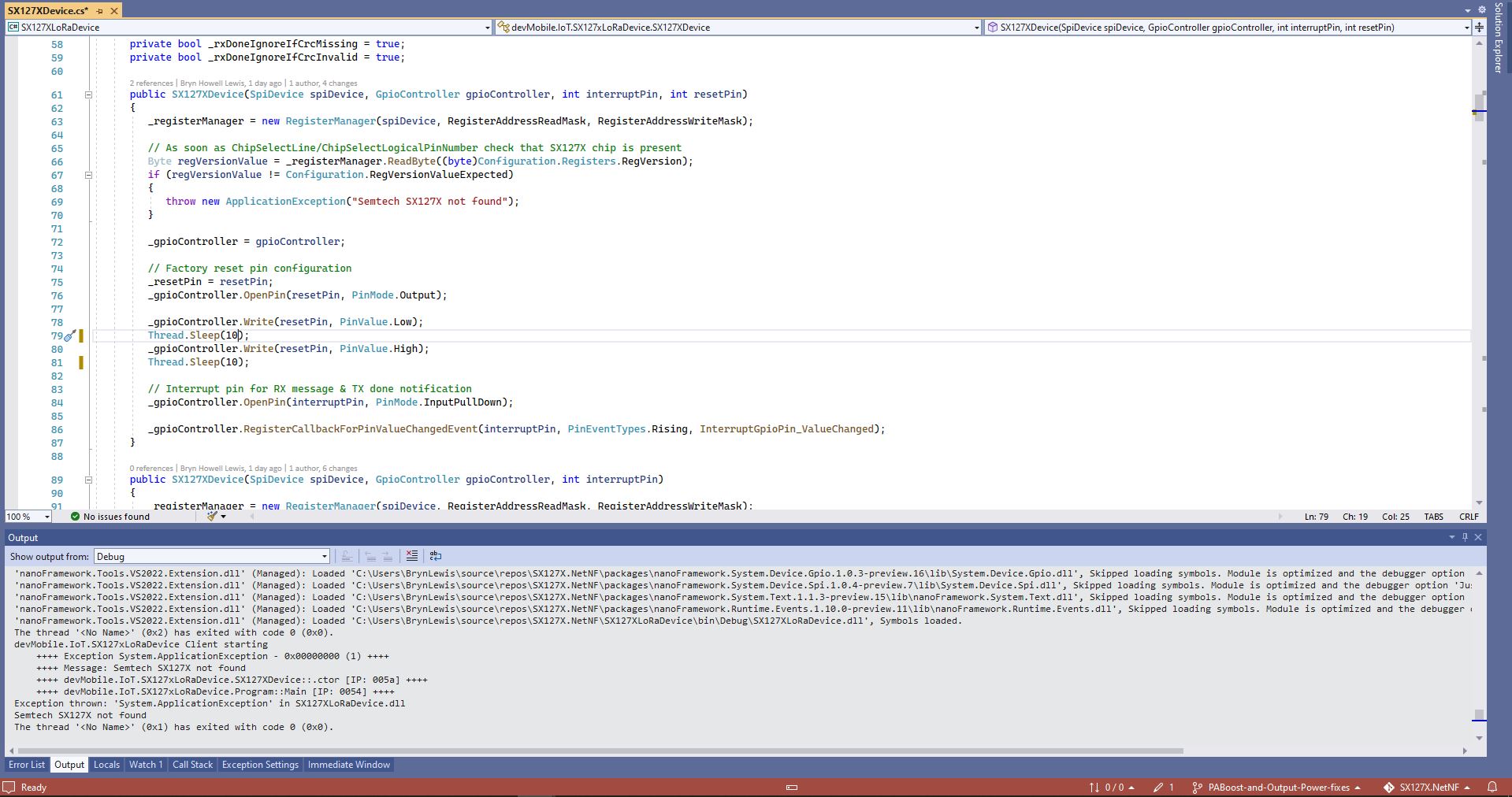
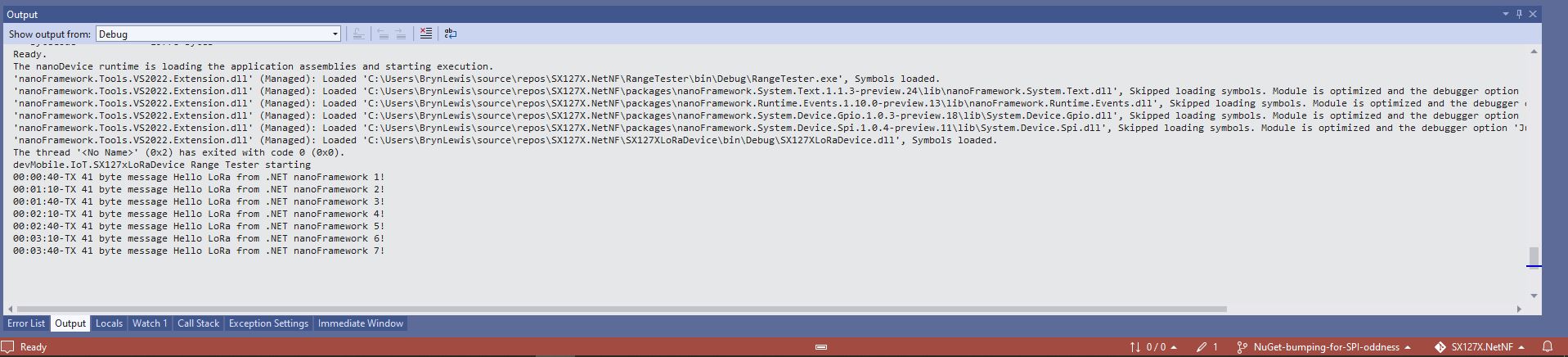
One afternoon the issue occurred several times in a row, the application wouldn’t startup because the SX127X device detection failed and message transmission was also not being confirmed.(TX Done).
Visual Studio output windows with SX127X detection failure
Visual Studio output windows with no Transmit confirmations
public SX127XDevice(SpiDevice spiDevice, GpioController gpioController, int interruptPin, int resetPin)
{
	_gpioController = gpioController;

	// Factory reset pin configuration
	_resetPin = resetPin;
	_gpioController.OpenPin(resetPin, PinMode.Output);

	_gpioController.Write(resetPin, PinValue.Low);
	Thread.Sleep(20);
	_gpioController.Write(resetPin, PinValue.High);
	Thread.Sleep(100);

	_registerManager = new RegisterManager(spiDevice, RegisterAddressReadMask, RegisterAddressWriteMask);

	// Once the pins setup check that SX127X chip is present
	Byte regVersionValue = _registerManager.ReadByte((byte)Configuration.Registers.RegVersion);
	if (regVersionValue != Configuration.RegVersionValueExpected)
	{
		throw new ApplicationException("Semtech SX127X not found");
	}

	// Interrupt pin for RX message & TX done notification
	_gpioController.OpenPin(interruptPin, PinMode.InputPullDown);

	_gpioController.RegisterCallbackForPinValueChangedEvent(interruptPin, PinEventTypes.Rising, InterruptGpioPin_ValueChanged);
}
I could single step through the code and inspect variables with the debugger and it looks like a timing issue with order of the strobing of the reset pin and the initialisation of the RegisterManager. I’ll spend and hour starting and stopping the application, then smoke test the code for 24 hours with a couple of other devices generating traffic just to check.
namespace devMobile.IoT.SX127xLoRaDevice
{
	using System;
	using System.Text;
	using System.Threading;

	class Program
	{
		private const double Frequency = 915000000.0;
#if ESP32_WROOM_32_LORA_1_CHANNEL
      private const int SpiBusId = 1;
#endif
#if NETDUINO3_WIFI
		private const int SpiBusId = 2;
#endif
#if ST_STM32F769I_DISCOVERY
		private const int SpiBusId = 2;
#endif
		private static SX127XDevice sx127XDevice;

		static void Main(string[] args)
		{
			int SendCount = 0;
#if ESP32_WROOM_32_LORA_1_CHANNEL // No reset line for this device as it isn't connected on SX127X
			int chipSelectLine = Gpio.IO16;
			int interruptPinNumber = Gpio.IO26;
#endif
#if NETDUINO3_WIFI
			// Arduino D10->PB10
			int chipSelectLine = PinNumber('B', 10);
			// Arduino D9->PE5
			int resetPinNumber = PinNumber('E', 5);
			// Arduino D2 -PA3
			int interruptPinNumber = PinNumber('A', 3);
#endif
#if ST_STM32F769I_DISCOVERY
			// Arduino D10->PA11
			int chipSelectLine = PinNumber('A', 11);
			// Arduino D9->PH6
			int resetPinNumber = PinNumber('H', 6);
			// Arduino D2->PA4
			int interruptPinNumber = PinNumber('J', 1);
#endif
			Console.WriteLine("devMobile.IoT.SX127xLoRaDevice Client starting");

			try
			{
#if ESP32_WROOM_32_LORA_1_CHANNEL
				Configuration.SetPinFunction(Gpio.IO12, DeviceFunction.SPI1_MISO);
				Configuration.SetPinFunction(Gpio.IO13, DeviceFunction.SPI1_MOSI);
				Configuration.SetPinFunction(Gpio.IO14, DeviceFunction.SPI1_CLOCK);

				sx127XDevice = new SX127XDevice(SpiBusId, chipSelectLine, interruptPinNumber);
#endif
#if NETDUINO3_WIFI || ST_STM32F769I_DISCOVERY
				sx127XDevice = new SX127XDevice(SpiBusId, chipSelectLine, interruptPinNumber, resetPinNumber);
#endif

				sx127XDevice.Initialise(SX127XDevice.RegOpModeMode.ReceiveContinuous,
							Frequency,
							lnaGain: SX127XDevice.RegLnaLnaGain.G3,
							lnaBoost:true,
							powerAmplifier: SX127XDevice.PowerAmplifier.PABoost,
							rxPayloadCrcOn: true,
							rxDoneignoreIfCrcMissing: false
							);

#if DEBUG
				sx127XDevice.RegisterDump();
#endif

				sx127XDevice.OnReceive += SX127XDevice_OnReceive;
				sx127XDevice.Receive();
				sx127XDevice.OnTransmit += SX127XDevice_OnTransmit;

				Thread.Sleep(500);

				while (true)
				{
					string messageText = $"Hello LoRa from .NET nanoFramework {SendCount += 1}!";

					byte[] messageBytes = UTF8Encoding.UTF8.GetBytes(messageText);
					//Console.WriteLine($"{DateTime.UtcNow:HH:mm:ss}-TX {messageBytes.Length} byte message {messageText}");
					//sx127XDevice.Send(messageBytes);

					Thread.Sleep(50000);
				}
			}
			catch (Exception ex)
			{
				Console.WriteLine(ex.Message);
			}
		}

		private static void SX127XDevice_OnReceive(object sender, SX127XDevice.OnDataReceivedEventArgs e)
		{
			try
			{
				// Remove unprintable characters from messages
				for (int index = 0; index < e.Data.Length; index++)
				{
					if ((e.Data[index] < 0x20) || (e.Data[index] > 0x7E))
					{
						e.Data[index] = 0x7C;
					}
				}

				string messageText = UTF8Encoding.UTF8.GetString(e.Data, 0, e.Data.Length);

				Console.WriteLine($"{DateTime.UtcNow:HH:mm:ss}-RX PacketSnr {e.PacketSnr:0.0} Packet RSSI {e.PacketRssi}dBm RSSI {e.Rssi}dBm = {e.Data.Length} byte message {messageText}");
			}
			catch (Exception ex)
			{
				Console.WriteLine(ex.Message);
			}
		}

		private static void SX127XDevice_OnTransmit(object sender, SX127XDevice.OnDataTransmitedEventArgs e)
		{
			sx127XDevice.SetMode(SX127XDevice.RegOpModeMode.ReceiveContinuous);

			Console.WriteLine($"{DateTime.UtcNow:HH:mm:ss}-TX Done");
		}

#if NETDUINO3_WIFI || ST_STM32F769I_DISCOVERY
		static int PinNumber(char port, byte pin)
		{
			if (port < 'A' || port > 'J')
				throw new ArgumentException();

			return ((port - 'A') * 16) + pin;
		}
#endif
	}
}
The sample application shows how to configure the library for different devices (SPI port, interrupt pin and optional reset pin) then send/receive payloads. The library is intended to be initialised then run for long periods of time (I’m looking at a month long soak test next) rather than changing configuration while running. The initialise method has many parameters which have “reasonable” default values. (Posts coming about optimising power consumption and range).
The TransmitInterrupt application loads the message to be sent into the First In First Out(FIFO) buffer, RegDioMapping1 is set to interrupt onTxDone(PacketSent-00), then RegRegOpMode-Mode is set to Transmit. When the message has been sent InterruptGpioPin_ValueChanged is called, and the TxDone(0b00001000) flag is set in the RegIrqFlags register.
The ReceiveInterrupt application sets the RegDioMapping1 to interrupt on RxDone(PacketReady-00), then the RegRegOpMode-Mode is set to Receive(TX-101). When a message is received InterruptGpioPin_ValueChanged is called, with the RxDone(0b00001000) flag set in the RegIrqFlags register, and then the message is read from First In First Out(FIFO) buffer.
namespace devMobile.IoT.SX127x.ReceiveTransmitInterrupt
{
...
   public sealed class SX127XDevice
   {
...
      public SX127XDevice(int busId, int chipSelectLine, int interruptPin, int resetPin)
      {
         var settings = new SpiConnectionSettings(busId, chipSelectLine)
         {
            ClockFrequency = 1000000,
            Mode = SpiMode.Mode0,// From SemTech docs pg 80 CPOL=0, CPHA=0
            SharingMode = SpiSharingMode.Shared
         };

         SX127XTransceiver = new SpiDevice(settings);

         GpioController gpioController = new GpioController();


         // Factory reset pin configuration
         gpioController.OpenPin(resetPin, PinMode.Output);

         gpioController.Write(resetPin, PinValue.Low);
         Thread.Sleep(20);
         gpioController.Write(resetPin, PinValue.High);
         Thread.Sleep(20);

         // Interrupt pin for RX message & TX done notification
         gpioController.OpenPin(interruptPin, PinMode.InputPullDown);

         gpioController.RegisterCallbackForPinValueChangedEvent(interruptPin, PinEventTypes.Rising, InterruptGpioPin_ValueChanged);
      }
...
   }

      private void InterruptGpioPin_ValueChanged(object sender, PinValueChangedEventArgs e)
      {
         byte irqFlags = this.ReadByte(0x12); // RegIrqFlags
         Debug.WriteLine($"RegIrqFlags 0X{irqFlags:x2}");

         if ((irqFlags & 0b01000000) == 0b01000000)  // RxDone
         {
            Debug.WriteLine("Receive-Message");
            byte currentFifoAddress = this.ReadByte(0x10); // RegFifiRxCurrent
            this.WriteByte(0x0d, currentFifoAddress); // RegFifoAddrPtr

            byte numberOfBytes = this.ReadByte(0x13); // RegRxNbBytes

            // Allocate buffer for message
            byte[] messageBytes = this.ReadBytes(0X0, numberOfBytes);

            // Remove unprintable characters from messages
            for (int index = 0; index < messageBytes.Length; index++)
            {
               if ((messageBytes[index] < 0x20) || (messageBytes[index] > 0x7E))
               {
                  messageBytes[index] = 0x20;
               }
            }

            string messageText = UTF8Encoding.UTF8.GetString(messageBytes, 0, messageBytes.Length);
            Debug.WriteLine($"Received {messageBytes.Length} byte message {messageText}");
         }

         if ((irqFlags & 0b00001000) == 0b00001000)  // TxDone
         {
            this.WriteByte(0x01, 0b10000101); // RegOpMode set LoRa & RxContinuous
            Debug.WriteLine("Transmit-Done");
         }

         this.WriteByte(0x40, 0b00000000); // RegDioMapping1 0b00000000 DI0 RxReady & TxReady
         this.WriteByte(0x12, 0xff);// RegIrqFlags
      }

   public class Program
   {
...
   #if NETDUINO3_WIFI
      private const int SpiBusId = 2;
#endif
...

      public static void Main()
      {
         int SendCount = 0;
...
#if NETDUINO3_WIFI
         // Arduino D10->PB10
         int chipSelectLine = PinNumber('B', 10);
         // Arduino D9->PE5
         int resetPinNumber = PinNumber('E', 5);
         // Arduino D2 -PA3
         int interruptPinNumber = PinNumber('A', 3);
#endif
...

       Debug.WriteLine("devMobile.IoT.SX127x.ReceiveTransmitInterrupt starting");

         try
         {
...
#if NETDUINO3_WIFI || ST_STM32F769I_DISCOVERY
            SX127XDevice sx127XDevice = new SX127XDevice(SpiBusId, chipSelectLine, interruptPinNumber, resetPinNumber);
#endif
            Thread.Sleep(500);

            // Put device into LoRa + Sleep mode
            sx127XDevice.WriteByte(0x01, 0b10000000); // RegOpMode

            // Set the frequency to 915MHz
            byte[] frequencyWriteBytes = { 0xE4, 0xC0, 0x00 }; // RegFrMsb, RegFrMid, RegFrLsb
            sx127XDevice.WriteBytes(0x06, frequencyWriteBytes);

            // More power PA Boost
            sx127XDevice.WriteByte(0x09, 0b10000000); // RegPaConfig

            sx127XDevice.WriteByte(0x01, 0b10000101); // RegOpMode set LoRa & RxContinuous

            while (true)
            {
               // Set the Register Fifo address pointer
               sx127XDevice.WriteByte(0x0E, 0x00); // RegFifoTxBaseAddress

               // Set the Register Fifo address pointer
               sx127XDevice.WriteByte(0x0D, 0x0); // RegFifoAddrPtr

               string messageText = $"Hello LoRa {SendCount += 1}!";

               // load the message into the fifo
               byte[] messageBytes = UTF8Encoding.UTF8.GetBytes(messageText);
               sx127XDevice.WriteBytes(0x0, messageBytes); // RegFifo

               // Set the length of the message in the fifo
               sx127XDevice.WriteByte(0x22, (byte)messageBytes.Length); // RegPayloadLength
               sx127XDevice.WriteByte(0x40, 0b01000000); // RegDioMapping1 0b00000000 DI0 RxReady & TxReady
               sx127XDevice.WriteByte(0x01, 0b10000011); // RegOpMode

               Debug.WriteLine($"Sending {messageBytes.Length} bytes message {messageText}");

               Thread.Sleep(10000);
            }
         }
         catch (Exception ex)
         {
            Debug.WriteLine(ex.Message);
         }
      }
...
   }
}
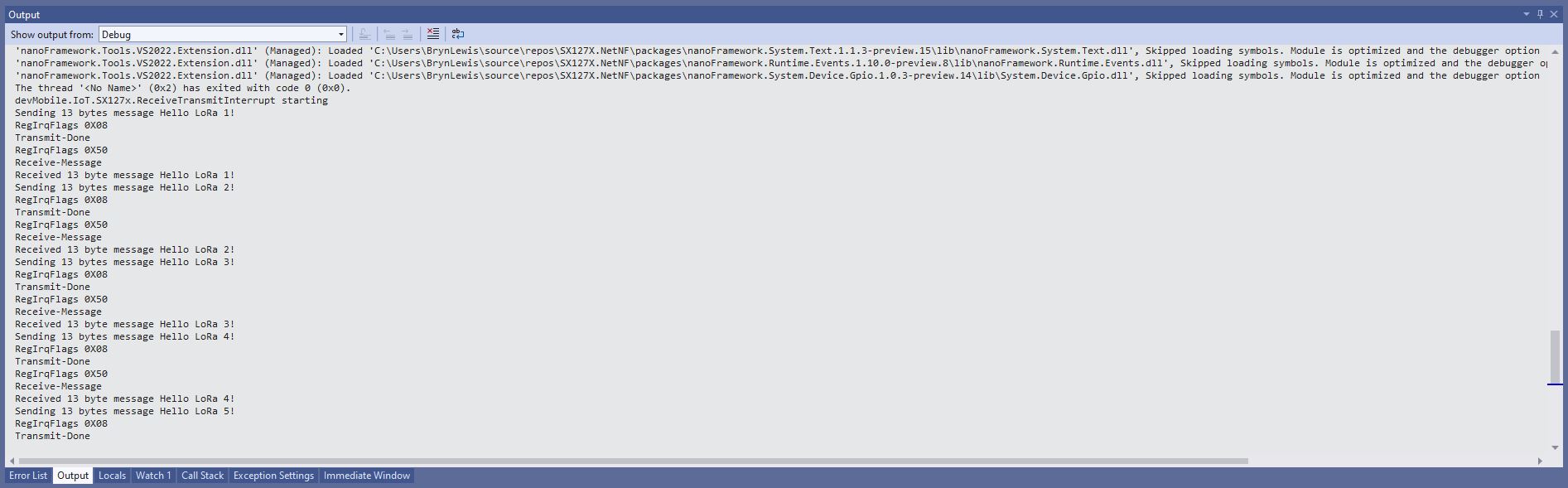
ReceiveTransmitInterrupt application output
The ReceiveTransmitInterrupt application combines the functionality TransmitInterrupt and ReceiveInterrupt programs. The key differences are the RegDioMapping1 setup and in InterruptGpioPin_ValueChanged where the TxDone & RxDone flags in the RegIrqFlags register specify how the interrupt is handled.
For testing nanoFramework device transmit and receive functionality I used an Arduino/Seeeduino with a Dragino LoRa Shield (running one of the Arduino-LoRa samples) as a client device. This was so I could “bootstrap” connectivity and test interoperability with other libraries/platforms.
Arduino/Netduino devices for .NET nanoFramework interoperability test-rig
I started with transmit as I was confident my Seeeduino + Dragino LoRa Shield could receive messages. The TransmitBasic application puts the device into LoRa + Sleep mode as after reset/powering up the device is in FSK/OOK, Low Frequency + Standby mode).
SX127X RegOpMode options
After loading the message to be sent into the First In First Out(FIFO) buffer, the RegOpMode-Mode is set to Transmit(TX-011), and then the RegIrqFlags register is polled until the TxDone flag is set.
SX127X ReqIrqFlags options
public static void Main()
{
  int SendCount = 0;
...
  Debug.WriteLine("devMobile.IoT.SX127x.TransmitBasic starting");

   try
   {
...
#if NETDUINO3_WIFI || ST_STM32F769I_DISCOVERY
      SX127XDevice sx127XDevice = new SX127XDevice(SpiBusId, chipSelectLine, resetPinNumber);
#endif
     Thread.Sleep(500);

     // Put device into LoRa + Standby mode
     sx127XDevice.WriteByte(0x01, 0b10000000); // RegOpMode

      // Set the frequency to 915MHz
      byte[] frequencyBytes = { 0xE4, 0xC0, 0x00 }; // RegFrMsb, RegFrMid, RegFrLsb
      sx127XDevice.WriteBytes(0x06, frequencyBytes);

      // More power PA Boost
      sx127XDevice.WriteByte(0x09, 0b10000000); // RegPaConfig

      sx127XDevice.RegisterDump();

      while (true)
      {
         sx127XDevice.WriteByte(0x0E, 0x0); // RegFifoTxBaseAddress

         // Set the Register Fifo address pointer
         sx127XDevice.WriteByte(0x0D, 0x0); // RegFifoAddrPtr

         string messageText = $"Hello LoRa from .NET nanoFramework {SendCount += 1}!";

         // load the message into the fifo
         byte[] messageBytes = UTF8Encoding.UTF8.GetBytes(messageText);
         sx127XDevice.WriteBytes(0x0, messageBytes); // RegFifo

         // Set the length of the message in the fifo
         sx127XDevice.WriteByte(0x22, (byte)messageBytes.Length); // RegPayloadLength

         Debug.WriteLine($"Sending {messageBytes.Length} bytes message {messageText}");
         // Set the mode to LoRa + Transmit
         sx127XDevice.WriteByte(0x01, 0b10000011); // RegOpMode

         // Wait until send done, no timeouts in PoC
         Debug.WriteLine("Send-wait");
         byte irqFlags = sx127XDevice.ReadByte(0x12); // RegIrqFlags
         while ((irqFlags & 0b00001000) == 0)  // wait until TxDone cleared
         {
            Thread.Sleep(10);
            irqFlags = sx127XDevice.ReadByte(0x12); // RegIrqFlags
            Debug.Write(".");
         }
         Debug.WriteLine("");
         sx127XDevice.WriteByte(0x12, 0b00001000); // clear TxDone bit
         Debug.WriteLine("Send-Done");

         Thread.Sleep(30000);
         }
      }
      catch (Exception ex)
      {
         Debug.WriteLine(ex.Message);
      }
   }
}
Transmit Basic application output
Once the TransmitBasic application was sending messages reliably I started working on the ReceiveBasic application. As the ReceiveBasic application starts up the SX127X RegOpMode has to be set to sleep/standby so the device can be configured. TOnce that is completed RegOpMode-Mode is set to RxContinuous(101), and the RegIrqFlags register is polled until the RxDone flag is set.
public static void Main()
{
...
   Debug.WriteLine("devMobile.IoT.SX127x.ReceiveBasic starting");

   try
   {
...
#if NETDUINO3_WIFI || ST_STM32F769I_DISCOVERY
      SX127XDevice sx127XDevice = new SX127XDevice(SpiBusId, chipSelectLine, resetPinNumber);
#endif
      Thread.Sleep(500);

      // Put device into LoRa + Sleep mode
      sx127XDevice.WriteByte(0x01, 0b10000000); // RegOpMode

      // Set the frequency to 915MHz
      byte[] frequencyBytes = { 0xE4, 0xC0, 0x00 }; // RegFrMsb, RegFrMid, RegFrLsb
      sx127XDevice.WriteBytes(0x06, frequencyBytes);

      sx127XDevice.WriteByte(0x0F, 0x0); // RegFifoRxBaseAddress

      sx127XDevice.WriteByte(0x01, 0b10000101); // RegOpMode set LoRa & RxContinuous

       while (true)
       {
          // Wait until a packet is received, no timeouts in PoC
         Debug.WriteLine("Receive-Wait");
         byte irqFlags = sx127XDevice.ReadByte(0x12); // RegIrqFlags
         while ((irqFlags & 0b01000000) == 0)  // wait until RxDone cleared
         {
            Thread.Sleep(100);
            irqFlags = sx127XDevice.ReadByte(0x12); // RegIrqFlags
            Debug.Write(".");
         }
         Debug.WriteLine("");
         Debug.WriteLine($"RegIrqFlags 0X{irqFlags:X2}");
         Debug.WriteLine("Receive-Message");
         byte currentFifoAddress = sx127XDevice.ReadByte(0x10); // RegFifiRxCurrent
         sx127XDevice.WriteByte(0x0d, currentFifoAddress); // RegFifoAddrPtr

         byte numberOfBytes = sx127XDevice.ReadByte(0x13); // RegRxNbBytes

         // Read the message from the FIFO
         byte[] messageBytes = sx127XDevice.ReadBytes(0x00, numberOfBytes);

         sx127XDevice.WriteByte(0x0d, 0);
         sx127XDevice.WriteByte(0x12, 0b11111111); // RegIrqFlags clear all the bits

         // Remove unprintable characters from messages
         for (int index = 0; index < messageBytes.Length; index++)
         {
            if ((messageBytes[index] < 0x20) || (messageBytes[index] > 0x7E))
            {
               messageBytes[index] = 0x20;
            }
         }

         string messageText = UTF8Encoding.UTF8.GetString(messageBytes, 0, messageBytes.Length);
         Debug.WriteLine($"Received {messageBytes.Length} byte message {messageText}");

         Debug.WriteLine("Receive-Done");
      }
    }
   catch (Exception ex)
   {
      Debug.WriteLine(ex.Message);
   }
}
Receive Basic application output
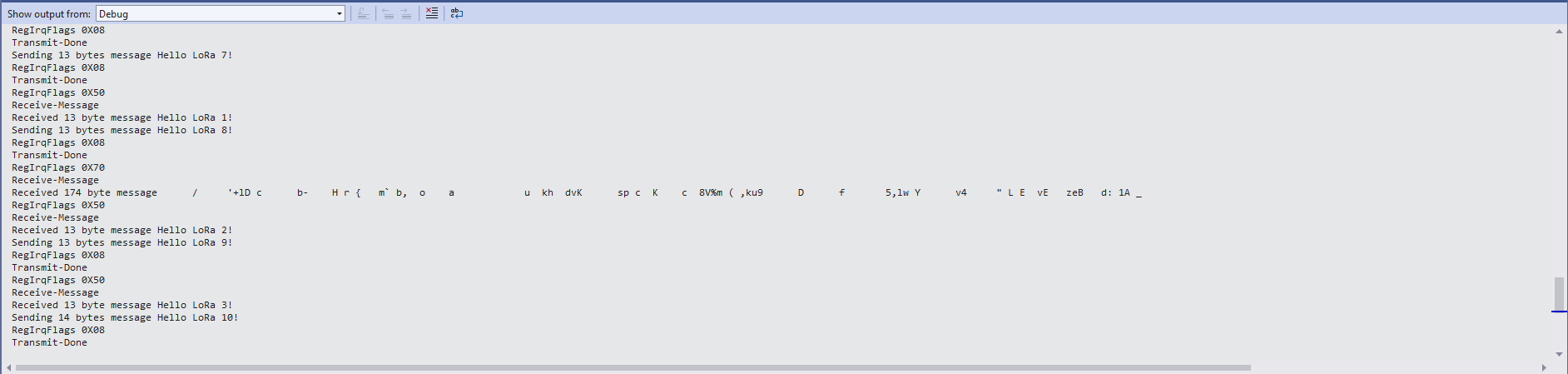
Every so often the ReceiveBasic application would display a message sent on the same frequency by a device somewhere nearby.
ReceiveBasic application messages from unknown source
I need to do some more investigation into whether writing 0b00001000 (Transmit) vs. 0b11111111(Receive) to RegIrqFlags is important.














 devMobile's blog