Random wanderings through Microsoft Azure esp. PaaS plumbing, the IoT bits, AI on Micro controllers, AI on Edge Devices, .NET nanoFramework, .NET Core on *nix and ML.NET+ONNX
I have included sample application to show how to use the library
namespace devMobile.IoT.NetCore.GroveBaseHat
{
using System;
using System.Device.I2c;
using System.Threading;
class Program
{
static void Main(string[] args)
{
// bus id on the raspberry pi 3
const int busId = 1;
I2cConnectionSettings i2cConnectionSettings = new(busId, AnalogPorts.DefaultI2cAddress);
using (I2cDevice i2cDevice = I2cDevice.Create(i2cConnectionSettings))
using (AnalogPorts AnalogPorts = new AnalogPorts(i2cDevice))
{
Console.WriteLine($"{DateTime.Now:HH:mm:SS} Version:{AnalogPorts.Version()}");
Console.WriteLine();
double powerSupplyVoltage = AnalogPorts.PowerSupplyVoltage();
Console.WriteLine($"{DateTime.Now:HH:mm:SS} Power Supply Voltage:{powerSupplyVoltage:F2}v");
while (true)
{
double value = AnalogPorts.Read(AnalogPorts.AnalogPort.A0);
double rawValue = AnalogPorts.ReadRaw(AnalogPorts.AnalogPort.A0);
double voltageValue = AnalogPorts.ReadVoltage(AnalogPorts.AnalogPort.A0);
Console.WriteLine($"{DateTime.Now:HH:mm:SS} Value:{value:F2} Raw:{rawValue:F2} Voltage:{voltageValue:F2}v");
Console.WriteLine();
Thread.Sleep(1000);
}
}
}
}
}
The GROVE_BASE_HAT_RPI and GROVE_BASE_HAT_RPI_ZERO are used to specify the number of available analog ports.
//---------------------------------------------------------------------------------
// Copyright (c) September 2021, devMobile Software
//
// Licensed under the Apache License, Version 2.0 (the "License");
// you may not use this file except in compliance with the License.
// You may obtain a copy of the License at
//
// http://www.apache.org/licenses/LICENSE-2.0
//
// Unless required by applicable law or agreed to in writing, software
// distributed under the License is distributed on an "AS IS" BASIS,
// WITHOUT WARRANTIES OR CONDITIONS OF ANY KIND, either express or implied.
// See the License for the specific language governing permissions and
// limitations under the License.
//
// Must have one of following options defined in the project\build definitions
// PAYLOAD_BCD or PAYLOAD_BYTES
// OTAA or ABP
//
// Optional definitions
// CONFIRMED For confirmed messages
// DEVEUI_SET
//
//---------------------------------------------------------------------------------
namespace devMobile.IoT.LoRaWAN.NetCore.RAK3172
{
using System;
using System.IO.Ports;
using System.Threading;
public class Program
{
private const string SerialPortId = "/dev/ttyS0";
private const LoRaClass Class = LoRaClass.A;
private const string Band = "8-1";
private const byte MessagePort = 10;
private static readonly TimeSpan MessageSendTimerDue = new TimeSpan(0, 0, 15);
private static readonly TimeSpan MessageSendTimerPeriod = new TimeSpan(0, 5, 0);
private static Timer MessageSendTimer ;
private const int JoinRetryAttempts = 2;
private const int JoinRetryIntervalSeconds = 10;
#if PAYLOAD_BCD
private const string PayloadBcd = "48656c6c6f204c6f526157414e"; // Hello LoRaWAN in BCD
#endif
#if PAYLOAD_BYTES
private static readonly byte[] PayloadBytes = { 0x48, 0x65 , 0x6c, 0x6c, 0x6f, 0x20, 0x4c, 0x6f, 0x52, 0x61, 0x57, 0x41, 0x4e}; // Hello LoRaWAN in bytes
#endif
public static void Main()
{
Result result;
Console.WriteLine("devMobile.IoT.LoRaWAN.NetCore.RAK3172 RAK3712LoRaWANDeviceClient starting");
Console.WriteLine($"Serial ports:{String.Join(",", SerialPort.GetPortNames())}");
try
{
using (Rak3172LoRaWanDevice device = new Rak3172LoRaWanDevice())
{
result = device.Initialise(SerialPortId, 9600, Parity.None, 8, StopBits.One);
if (result != Result.Success)
{
Console.WriteLine($"Initialise failed {result}");
return;
}
MessageSendTimer = new Timer(SendMessageTimerCallback, device,Timeout.Infinite, Timeout.Infinite);
device.OnJoinCompletion += OnJoinCompletionHandler;
device.OnReceiveMessage += OnReceiveMessageHandler;
#if CONFIRMED
device.OnMessageConfirmation += OnMessageConfirmationHandler;
#endif
#if DEVEUI_SET
Console.WriteLine($"{DateTime.UtcNow:hh:mm:ss} DevEUI {Config.devEui}");
result = device.DeviceEui(Config.devEui);
if (result != Result.Success)
{
Console.WriteLine($"DevEUI failed {result}");
return;
}
#endif
Console.WriteLine($"{DateTime.UtcNow:hh:mm:ss} Class {Class}");
result = device.Class(Class);
if (result != Result.Success)
{
Console.WriteLine($"Class failed {result}");
return;
}
Console.WriteLine($"{DateTime.UtcNow:hh:mm:ss} Band {Band}");
result = device.Band(Band);
if (result != Result.Success)
{
Console.WriteLine($"Region failed {result}");
return;
}
Console.WriteLine($"{DateTime.UtcNow:hh:mm:ss} ADR On");
result = device.AdrOn();
if (result != Result.Success)
{
Console.WriteLine($"ADR on failed {result}");
return;
}
#if CONFIRMED
Console.WriteLine($"{DateTime.UtcNow:hh:mm:ss} Confirmed");
result = device.UplinkMessageConfirmationOn();
if (result != Result.Success)
{
Console.WriteLine($"Confirm on failed {result}");
return;
}
#else
Console.WriteLine($"{DateTime.UtcNow:hh:mm:ss} Unconfirmed");
result = device.UplinkMessageConfirmationOff();
if (result != Result.Success)
{
Console.WriteLine($"Confirm off failed {result}");
return;
}
#endif
#if OTAA
Console.WriteLine($"{DateTime.UtcNow:hh:mm:ss} OTAA");
result = device.OtaaInitialise(Config.JoinEui, Config.AppKey);
if (result != Result.Success)
{
Console.WriteLine($"OTAA Initialise failed {result}");
return;
}
#endif
#if ABP
Console.WriteLine($"{DateTime.UtcNow:hh:mm:ss} ABP");
result = device.AbpInitialise(Config.DevAddress, Config.NwksKey, Config.AppsKey);
if (result != Result.Success)
{
Console.WriteLine($"ABP Initialise failed {result}");
return;
}
#endif
Console.WriteLine($"{DateTime.UtcNow:hh:mm:ss} Join start");
result = device.Join(JoinRetryAttempts, JoinRetryIntervalSeconds);
if (result != Result.Success)
{
Console.WriteLine($"Join failed {result}");
return;
}
Console.WriteLine($"{DateTime.UtcNow:hh:mm:ss} Join started");
Thread.Sleep(Timeout.Infinite);
}
}
catch (Exception ex)
{
Console.WriteLine(ex.Message);
}
}
private static void OnJoinCompletionHandler(bool result)
{
Console.WriteLine($"{DateTime.UtcNow:hh:mm:ss} Join finished:{result}");
if (result)
{
MessageSendTimer.Change(MessageSendTimerDue, MessageSendTimerPeriod);
}
}
private static void SendMessageTimerCallback(object state)
{
Rak3172LoRaWanDevice device = (Rak3172LoRaWanDevice)state;
#if PAYLOAD_BCD
Console.WriteLine($"{DateTime.UtcNow:hh:mm:ss} port:{MessagePort} payload BCD:{PayloadBcd}");
Result result = device.Send(MessagePort, PayloadBcd );
#endif
#if PAYLOAD_BYTES
Console.WriteLine($"{DateTime.UtcNow:hh:mm:ss} port:{MessagePort} payload bytes:{Rak3172LoRaWanDevice.BytesToBcd(PayloadBytes)}");
Result result = device.Send(MessagePort, PayloadBytes);
#endif
if (result != Result.Success)
{
Console.WriteLine($"Send failed {result}");
}
}
#if CONFIRMED
private static void OnMessageConfirmationHandler()
{
Console.WriteLine($"{DateTime.UtcNow:hh:mm:ss} Send successful");
}
#endif
private static void OnReceiveMessageHandler(byte port, int rssi, int snr, string payload)
{
byte[] payloadBytes = Rak3172LoRaWanDevice.HexToByes(payload); // Done this way so both conversion methods tested
Console.WriteLine($"{DateTime.UtcNow:hh:mm:ss} Receive Message RSSI:{rssi} SNR:{snr} Port:{port} Payload:{payload} PayLoadBytes:{BitConverter.ToString(payloadBytes)}");
}
}
}
I have added XML Documentation comments which will need some rework, after I have “soak tested” the code for at least a week.
I have also added a method so the DevEUI can be set (intended for use after device firmware has been updated), fixed up my mistake with Binary Coded Decimal(BCD) vs. Hexadecimal strings.
I will also go back and apply the “learnings” from this refactoring to my other LoRaWAN module and platform libraries
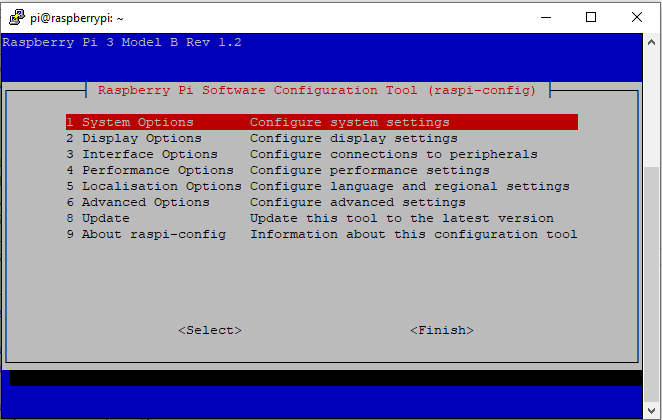
RaspberyPI OS Software Configuration tool mains screen
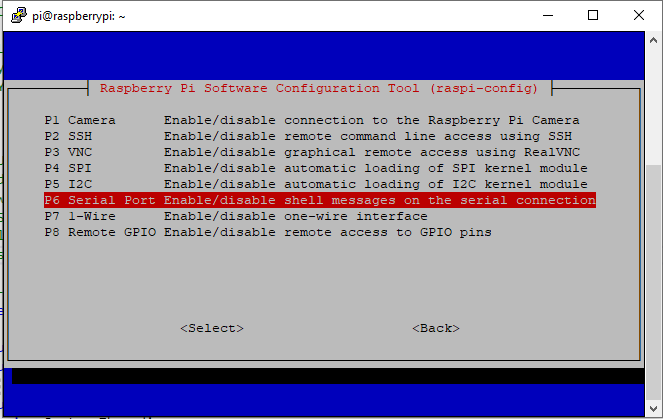
RaspberryPI OS IO Serial Port configuration
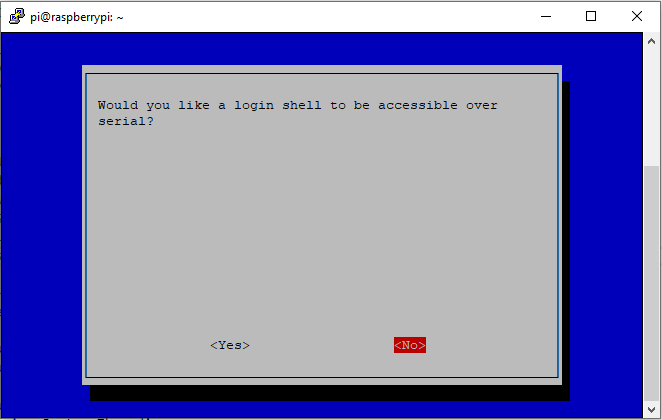
Raspberry PI OS disabling remote serial login shell
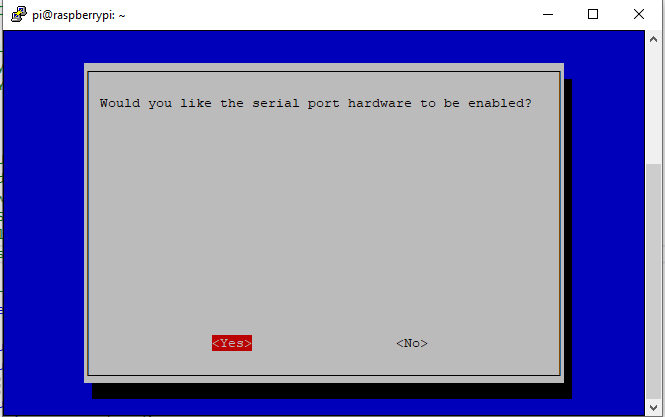
RaspberryPI OS enabling serial port access
Once serial port access was enabled I could enumerate them with SerialPort.GetPortNames() which is in the System.IO.PortsNuGet package. My sample code has compile time options for synchronous and asynchronous operation.
//---------------------------------------------------------------------------------
// Copyright (c) September 2021, devMobile Software
//
// Licensed under the Apache License, Version 2.0 (the "License");
// you may not use this file except in compliance with the License.
// You may obtain a copy of the License at
//
// http://www.apache.org/licenses/LICENSE-2.0
//
// Unless required by applicable law or agreed to in writing, software
// distributed under the License is distributed on an "AS IS" BASIS,
// WITHOUT WARRANTIES OR CONDITIONS OF ANY KIND, either express or implied.
// See the License for the specific language governing permissions and
// limitations under the License.
//
//---------------------------------------------------------------------------------
namespace devMobile.IoT.NetCore.RAK3172.ShieldSerial
{
using System;
using System.Diagnostics;
using System.IO.Ports;
using System.Threading;
public class Program
{
private const string SerialPortId = "/dev/ttyS0";
public static void Main()
{
SerialPort serialPort;
Debug.WriteLine("devMobile.IoT.NetCore.Rak3172.pHatSerial starting");
Debug.WriteLine(String.Join(",", SerialPort.GetPortNames()));
try
{
serialPort = new SerialPort(SerialPortId);
// set parameters
serialPort.BaudRate = 9600;
serialPort.Parity = Parity.None;
serialPort.DataBits = 8;
serialPort.StopBits = StopBits.One;
serialPort.Handshake = Handshake.None;
serialPort.ReadTimeout = 1000;
serialPort.NewLine = "\r\n";
serialPort.Open();
#if SERIAL_ASYNC_READ
serialPort.DataReceived += SerialDevice_DataReceived;
#endif
while (true)
{
serialPort.WriteLine("AT+VER=?");
#if SERIAL_SYNC_READ
// Read the response
string response = serialPort.ReadLine();
Debug.WriteLine($"RX:{response.Trim()} bytes:{response.Length}");
// Read the blank line
response = serialPort.ReadLine();
Debug.WriteLine($"RX:{response.Trim()} bytes:{response.Length}");
// Read the result
response = serialPort.ReadLine();
Debug.WriteLine($"RX:{response.Trim()} bytes:{response.Length}");
#endif
Thread.Sleep(20000);
}
}
catch (Exception ex)
{
Debug.WriteLine(ex.Message);
}
}
#if SERIAL_ASYNC_READ
private static void SerialDevice_DataReceived(object sender, SerialDataReceivedEventArgs e)
{
SerialPort serialPort = (SerialPort)sender;
switch (e.EventType)
{
case SerialData.Chars:
string response = serialPort.ReadExisting();
Debug.WriteLine($"RX:{response.Trim()} bytes:{response.Length}");
break;
case SerialData.Eof:
Debug.WriteLine("RX :EoF");
break;
default:
Debug.Assert(false, $"e.EventType {e.EventType} unknown");
break;
}
}
#endif
}
}
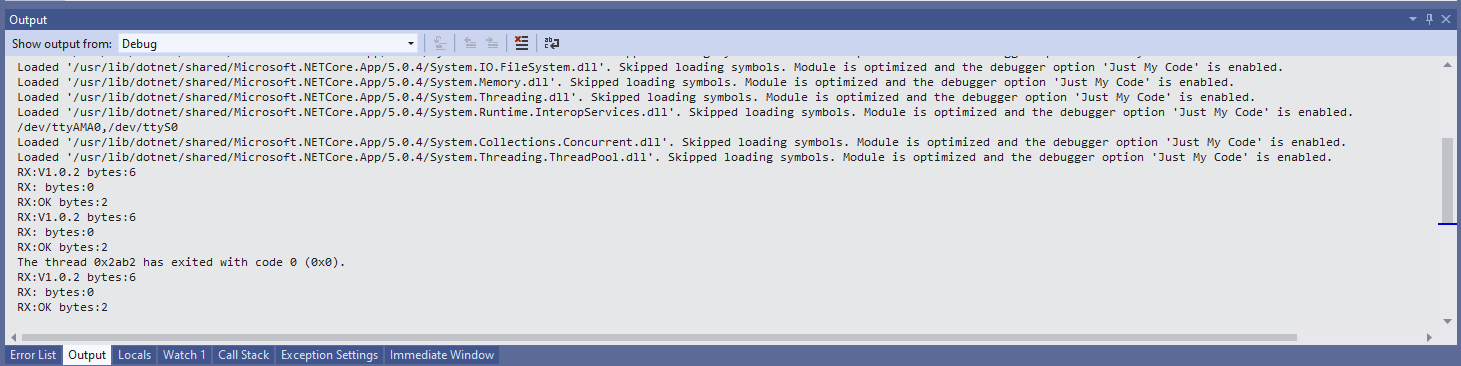
When I requested the RAK3172 version information with the AT+VER? command the response was three lines, consisting of the version information, a blank line, then the result of the command. If I sent an invalid command the response was two lines, a blank line then “AT_ERROR”
AT+VER? response synchronous
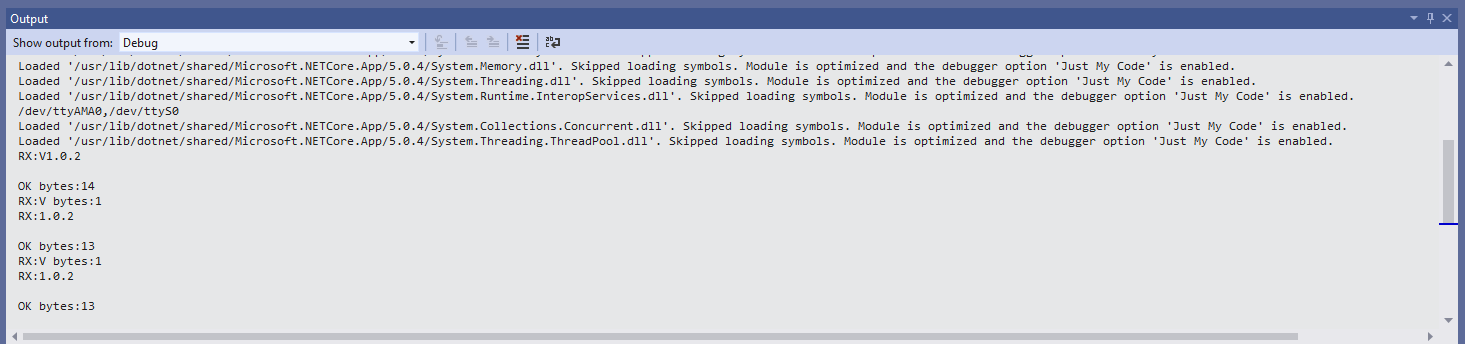
The asynchronous version of the application displays character(s) as they arrive so a response could be split across multiple SerialDataReceived events
AT+VER? response asynchronous
Unlike the RAK811 module the RAK3172 defaults 9600 baud which means there is no need to change the baudrate before using the device. I use the excellent RaspberryDebugger to download application and debug them on my Raspberry PI 3.
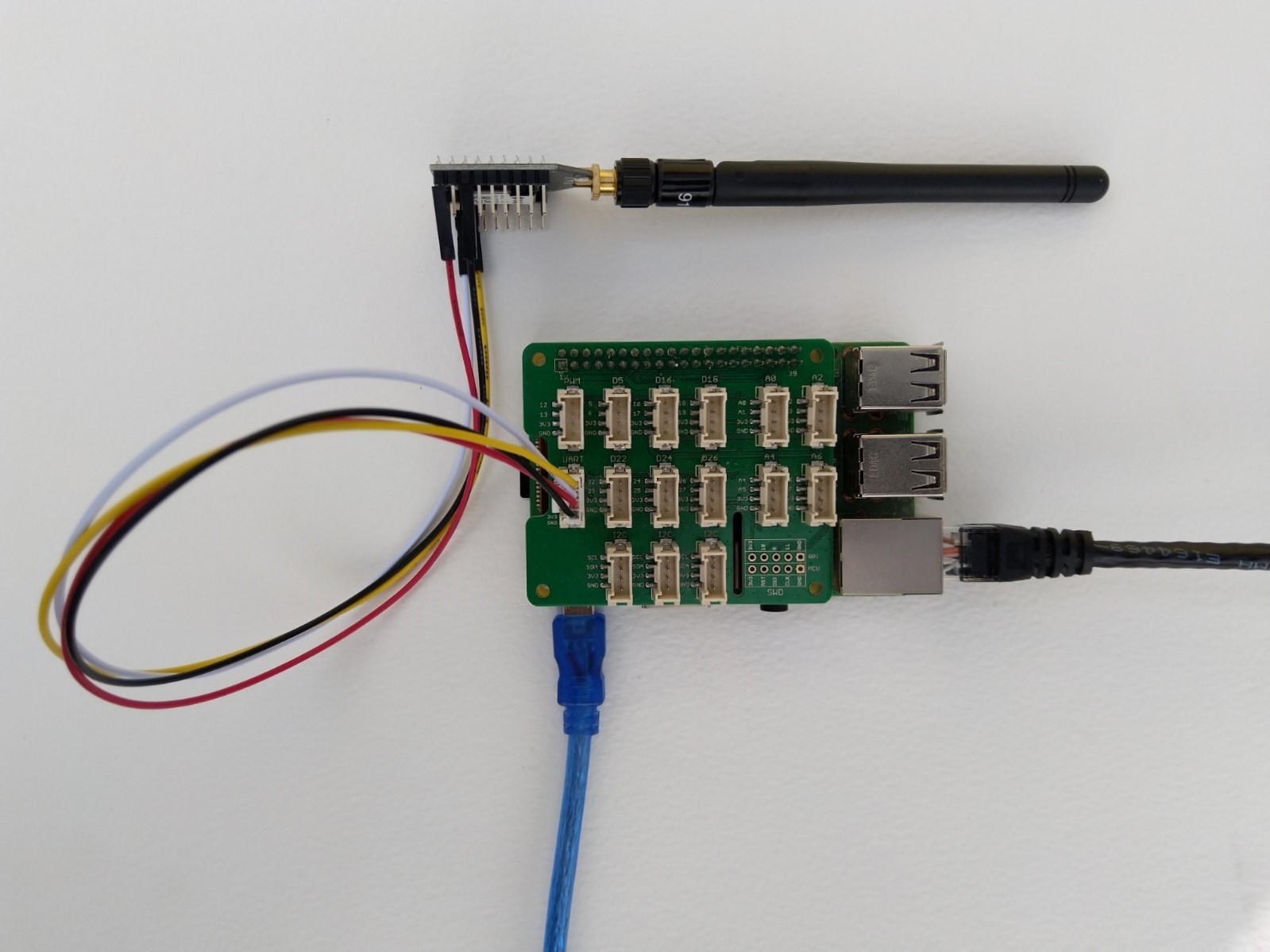
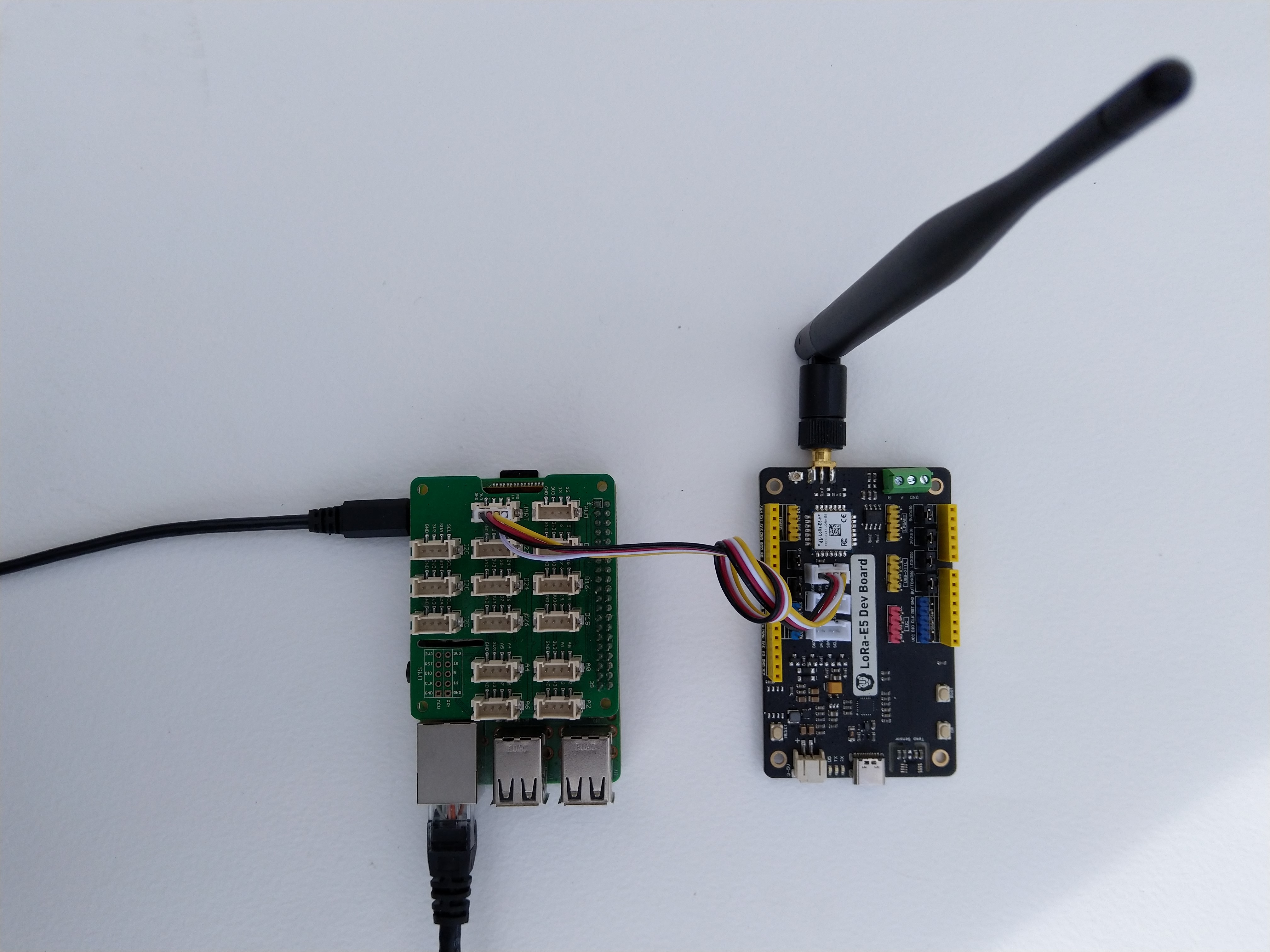
Seeed LoRa-E5 Development kit connected to Gove bas shield on a Raspberry PI3
My Over the Air Activation (OTAA) implementation is very “nasty” I have assumed that there would be no timeouts or failures and I only send one BCD message “48656c6c6f204c6f526157414e” which is “hello LoRaWAN”.
The code just sequentially steps through the necessary configuration to join the TTN network with a suitable delay after each command is sent. There also appeared to be quite a variation in response times, especially for joining the network(most probably network related) and the progress of sending a message.
//---------------------------------------------------------------------------------
// Copyright (c) September 2021, devMobile Software
//
// Licensed under the Apache License, Version 2.0 (the "License");
// you may not use this file except in compliance with the License.
// You may obtain a copy of the License at
//
// http://www.apache.org/licenses/LICENSE-2.0
//
// Unless required by applicable law or agreed to in writing, software
// distributed under the License is distributed on an "AS IS" BASIS,
// WITHOUT WARRANTIES OR CONDITIONS OF ANY KIND, either express or implied.
// See the License for the specific language governing permissions and
// limitations under the License.
//
//---------------------------------------------------------------------------------
namespace devMobile.IoT.NetCore.SeeedLoRaE5.NetworkJoinOTAA
{
using System;
using System.Diagnostics;
using System.IO.Ports;
using System.Threading;
class Program
{
private const string SerialPortId = "/dev/ttyS0";
private const string AppKey = "................................";
private const string AppEui = "................";
private const byte MessagePort = 15;
//private const string Payload = "48656c6c6f204c6f526157414e"; // Hello LoRaWAN
private const string Payload = "01020304"; // AQIDBA==
//private const string Payload = "04030201"; // BAMCAQ==
public static void Main()
{
string response;
Debug.WriteLine("devMobile.IoT.SeeedLoRaE5.NetworkJoinOTAA starting");
Debug.WriteLine(String.Join(",", SerialPort.GetPortNames()));
try
{
using (SerialPort serialDevice = new SerialPort(SerialPortId))
{
// set parameters
serialDevice.BaudRate = 9600;
serialDevice.Parity = Parity.None;
serialDevice.StopBits = StopBits.One;
serialDevice.Handshake = Handshake.None;
serialDevice.DataBits = 8;
serialDevice.ReadTimeout = 10000;
serialDevice.NewLine = "\r\n";
serialDevice.Open();
// clear out the RX buffer
serialDevice.ReadExisting();
response = serialDevice.ReadExisting();
Debug.WriteLine($"Response :{response.Trim()} bytes:{response.Length}");
Thread.Sleep(500);
// Set the Region to AS923
serialDevice.WriteLine("AT+DR=AS923\r\n");
response = serialDevice.ReadLine();
Debug.WriteLine($"Response :{response.Trim()} bytes:{response.Length}");
// Set the Join mode
serialDevice.WriteLine("AT +MODE=LWOTAA\r\n");
response = serialDevice.ReadLine();
Debug.WriteLine($"Response :{response.Trim()} bytes:{response.Length}");
// Set the appEUI
serialDevice.WriteLine($"AT+ID=AppEui,\"{AppEui}\"\r\n");
response = serialDevice.ReadLine();
Debug.WriteLine($"Response :{response.Trim()} bytes:{response.Length}");
// Set the appKey
serialDevice.WriteLine($"AT+KEY=APPKEY,{AppKey}\r\n");
response = serialDevice.ReadLine();
Debug.WriteLine($"Response :{response.Trim()} bytes:{response.Length}");
// Set the port number
serialDevice.WriteLine($"AT+PORT={MessagePort}\r\n");
response = serialDevice.ReadLine();
Debug.WriteLine($"Response :{response.Trim()} bytes:{response.Length}");
// Join the network
serialDevice.WriteLine("AT+JOIN\r\n");
// Join start
response = serialDevice.ReadLine();
Debug.WriteLine($"Response :{response.Trim()} bytes:{response.Length}");
// JOIN normal
response = serialDevice.ReadLine();
Debug.WriteLine($"Response :{response.Trim()} bytes:{response.Length}");
Thread.Sleep(5000);
// network joined
response = serialDevice.ReadLine();
Debug.WriteLine($"Response :{response.Trim()} bytes:{response.Length}");
// Net ID
response = serialDevice.ReadLine();
Debug.WriteLine($"Response :{response.Trim()} bytes:{response.Length}");
// Join done
response = serialDevice.ReadLine();
Debug.WriteLine($"Response :{response.Trim()} bytes:{response.Length}");
while (true)
{
Debug.WriteLine("Sending");
serialDevice.WriteLine($"AT+MSGHEX=\"{Payload}\"\r\n");
// Start
response = serialDevice.ReadLine();
Debug.WriteLine($"Response :{response.Trim()} bytes:{response.Length}");
// Fpending
response = serialDevice.ReadLine();
Debug.WriteLine($"Response :{response.Trim()} bytes:{response.Length}");
//Read metrics
response = serialDevice.ReadLine();
Debug.WriteLine($"Response :{response.Trim()} bytes:{response.Length}");
//Done
response = serialDevice.ReadLine();
Debug.WriteLine($"Response :{response.Trim()} bytes:{response.Length}");
Thread.Sleep(30000);
}
}
}
catch (Exception ex)
{
Debug.WriteLine(ex.Message);
}
}
}
}
The code is not suitable for production but it confirmed my software and hardware configuration worked.
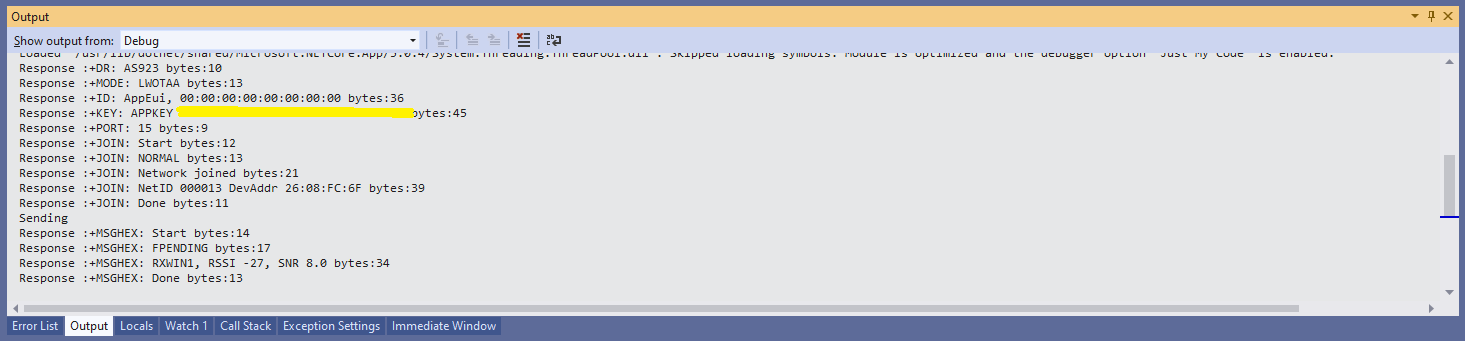
Visual Studio debugger output window showing network join and sensing a message
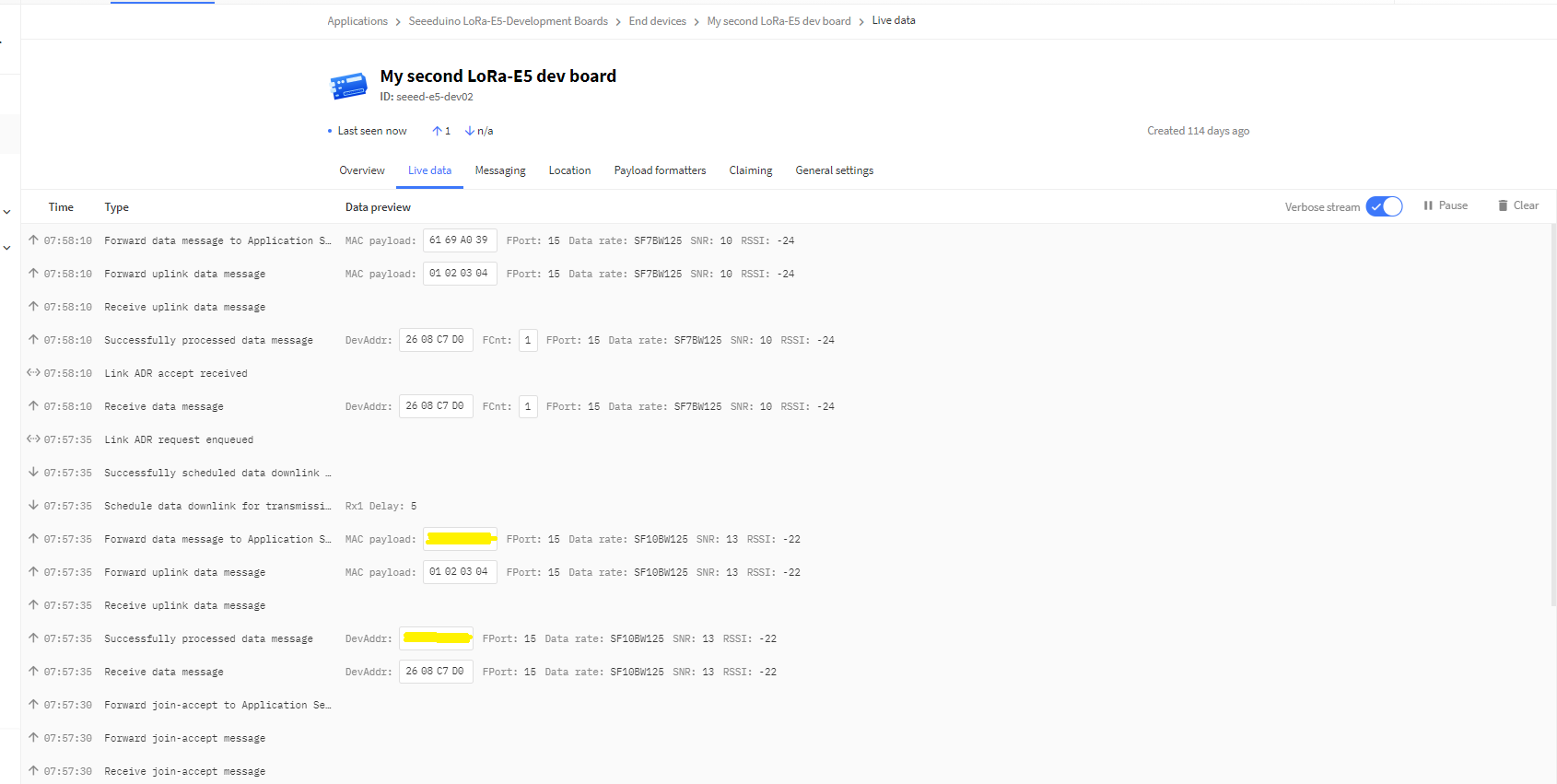
In the Visual Studio 2019 debug output I could see messages getting sent and then after a short delay they were visible in the TTN console.
The Things Industries Live Data view showing network join and sensing a message
Most of the LoRaWAN modems I have worked with reply “OK” when a command is successful. The SeeedLoRa-E5 often returns the payload of the request in the response which makes the code a little bit more complex.
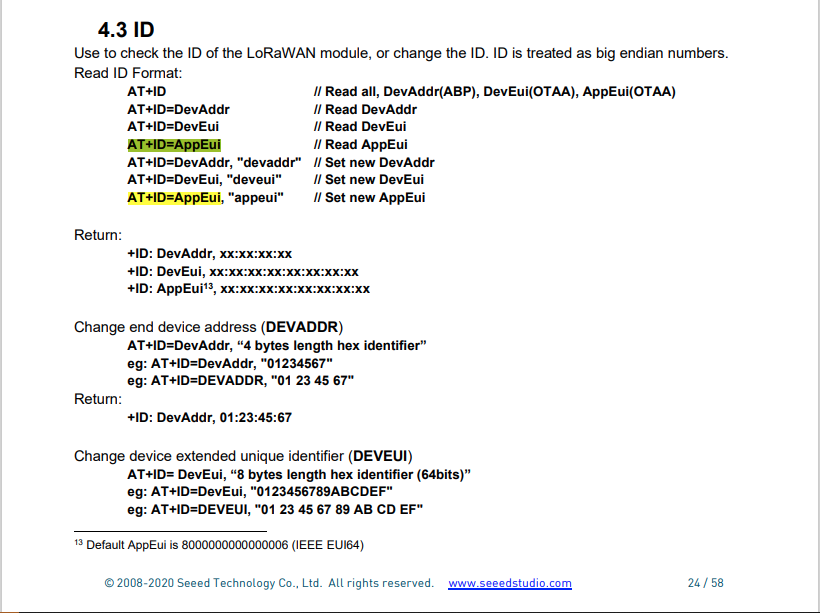
AppEui command structure in AT Command documentation
For example the AppEui can be passed in as “00:00:00:00:00:00:00:00” or “0000000000000000” but in the response the format is always “00:00:00:00:00:00:00:00”
RaspberyPI OS Software Configuration tool mains screen
RaspberryPI OS IO Serial Port configuration
Raspberry PI OS disabling remote serial login shell
RaspberryPI OS enabling serial port access
Once serial port access was enabled I could enumerate them with SerialPort.GetPortNames() which is in the System.IO.PortsNuGet package. The code has compile time options for synchronous and asynchronous operation.
//---------------------------------------------------------------------------------
// Copyright (c) September 2021, devMobile Software
//
// Licensed under the Apache License, Version 2.0 (the "License");
// you may not use this file except in compliance with the License.
// You may obtain a copy of the License at
//
// http://www.apache.org/licenses/LICENSE-2.0
//
// Unless required by applicable law or agreed to in writing, software
// distributed under the License is distributed on an "AS IS" BASIS,
// WITHOUT WARRANTIES OR CONDITIONS OF ANY KIND, either express or implied.
// See the License for the specific language governing permissions and
// limitations under the License.
//
//---------------------------------------------------------------------------------
namespace devMobile.IoT.NetCore.SeeedLoRaE5.ShieldSerial
{
using System;
using System.Diagnostics;
using System.IO.Ports;
using System.Threading;
public class Program
{
private const string SerialPortId = "/dev/ttyS0";
public static void Main()
{
SerialPort serialPort;
Debug.WriteLine("devMobile.IoT.NetCore.SeeedLoRaE5.ShieldSerial starting");
Debug.WriteLine(String.Join(",", SerialPort.GetPortNames()));
try
{
serialPort = new SerialPort(SerialPortId);
// set parameters
serialPort.BaudRate = 9600;
serialPort.Parity = Parity.None;
serialPort.DataBits = 8;
serialPort.StopBits = StopBits.One;
serialPort.Handshake = Handshake.None;
serialPort.ReadTimeout = 1000;
serialPort.NewLine = "\r\n";
serialPort.Open();
#if SERIAL_ASYNC_READ
serialPort.DataReceived += SerialDevice_DataReceived;
#endif
while (true)
{
serialPort.WriteLine("AT+VER");
#if SERIAL_SYNC_READ
string response = serialPort.ReadLine();
Debug.WriteLine($"RX:{response.Trim()} bytes:{response.Length}");
#endif
Thread.Sleep(20000);
}
}
catch (Exception ex)
{
Debug.WriteLine(ex.Message);
}
}
#if SERIAL_ASYNC_READ
private static void SerialDevice_DataReceived(object sender, SerialDataReceivedEventArgs e)
{
SerialPort serialPort = (SerialPort)sender;
switch (e.EventType)
{
case SerialData.Chars:
string response = serialPort.ReadExisting();
Debug.WriteLine($"RX:{response.Trim()} bytes:{response.Length}");
break;
case SerialData.Eof:
Debug.WriteLine("RX :EoF");
break;
default:
Debug.Assert(false, $"e.EventType {e.EventType} unknown");
break;
}
}
#endif
}
}
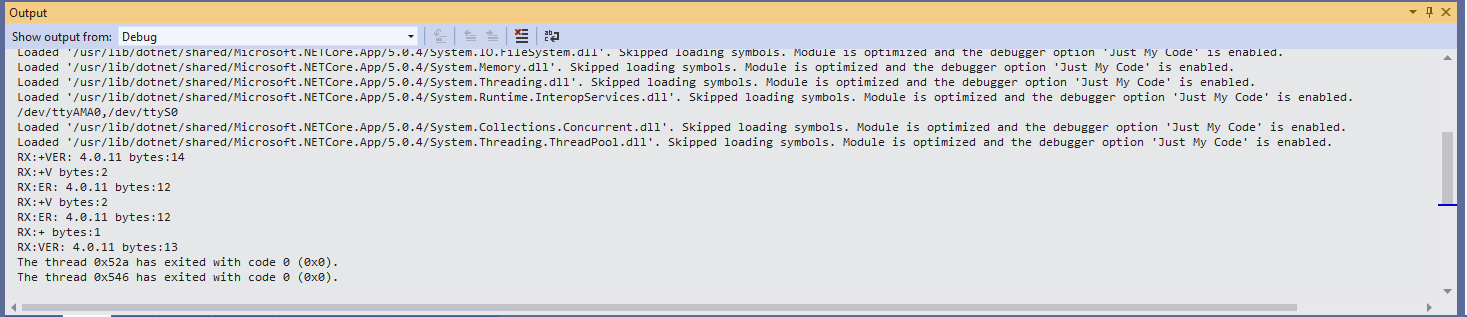
The synchronous version of the test client requests the Seeeduino LoRa-E5 version information with the AT+VER command.
Synchronously reading characters from the Seeeduino LoRa-E5
The asynchronous version of the application displays character(s) as they arrive so a response can be split across multiple SerialDataReceived events.
I have been soak testing Seeed LoRa-E5 equipped TinyCLR and netNF devices for the last couple of weeks and after approximately two days they would stop sending data. The code is still running but The Things Industries device live data tab is empty.
I have reviewed the code line by line and it looks okay. When I run the application on the device with the debugger attached the device does not stop transmitting (a heisenbug) which is a problem.
First step was to disable the sleep/wakeup power conservation calls and see what happens
#if PAYLOAD_COUNTER
Debug.WriteLine($"{DateTime.UtcNow:hh:mm:ss} Send Timeout:{SendTimeout.TotalSeconds} Seconds payload Counter:{PayloadCounter}");
#if CONFIRMED
result = device.Send(BitConverter.GetBytes(PayloadCounter), true, SendTimeout);
#else
result = device.Send(BitConverter.GetBytes(PayloadCounter), false, SendTimeout);
#endif
PayloadCounter += 1;
#endif
if (result != Result.Success)
{
Debug.WriteLine($"Send failed {result}");
}
/*
Debug.WriteLine($"{DateTime.UtcNow:hh:mm:ss} Sleep");
result = device.Sleep();
if (result != Result.Success)
{
Debug.WriteLine($"Sleep failed {result}");
return;
}
*/
Thread.Sleep(60000);
/*
Debug.WriteLine($"{DateTime.UtcNow:hh:mm:ss} Wakeup");
result = device.Wakeup();
if (result != Result.Success)
{
Debug.WriteLine($"Wakeup failed {result}");
return;
}
*/
The devices have now been running fine for 4.5 days so it looks like it might be something todo with entering and/or exiting low power mode.