Random wanderings through Microsoft Azure esp. PaaS plumbing, the IoT bits, AI on Micro controllers, AI on Edge Devices, .NET nanoFramework, .NET Core on *nix and ML.NET+ONNX
namespace devMobile.IoT.SX127xLoRaDevice
{
	using System;
	using System.Text;
	using System.Threading;

	class Program
	{
		private const double Frequency = 915000000.0;
#if ESP32_WROOM_32_LORA_1_CHANNEL
      private const int SpiBusId = 1;
#endif
#if NETDUINO3_WIFI
		private const int SpiBusId = 2;
#endif
#if ST_STM32F769I_DISCOVERY
		private const int SpiBusId = 2;
#endif
		private static SX127XDevice sx127XDevice;

		static void Main(string[] args)
		{
			int SendCount = 0;
#if ESP32_WROOM_32_LORA_1_CHANNEL // No reset line for this device as it isn't connected on SX127X
			int chipSelectLine = Gpio.IO16;
			int interruptPinNumber = Gpio.IO26;
#endif
#if NETDUINO3_WIFI
			// Arduino D10->PB10
			int chipSelectLine = PinNumber('B', 10);
			// Arduino D9->PE5
			int resetPinNumber = PinNumber('E', 5);
			// Arduino D2 -PA3
			int interruptPinNumber = PinNumber('A', 3);
#endif
#if ST_STM32F769I_DISCOVERY
			// Arduino D10->PA11
			int chipSelectLine = PinNumber('A', 11);
			// Arduino D9->PH6
			int resetPinNumber = PinNumber('H', 6);
			// Arduino D2->PA4
			int interruptPinNumber = PinNumber('J', 1);
#endif
			Console.WriteLine("devMobile.IoT.SX127xLoRaDevice Client starting");

			try
			{
#if ESP32_WROOM_32_LORA_1_CHANNEL
				Configuration.SetPinFunction(Gpio.IO12, DeviceFunction.SPI1_MISO);
				Configuration.SetPinFunction(Gpio.IO13, DeviceFunction.SPI1_MOSI);
				Configuration.SetPinFunction(Gpio.IO14, DeviceFunction.SPI1_CLOCK);

				sx127XDevice = new SX127XDevice(SpiBusId, chipSelectLine, interruptPinNumber);
#endif
#if NETDUINO3_WIFI || ST_STM32F769I_DISCOVERY
				sx127XDevice = new SX127XDevice(SpiBusId, chipSelectLine, interruptPinNumber, resetPinNumber);
#endif

				sx127XDevice.Initialise(SX127XDevice.RegOpModeMode.ReceiveContinuous,
							Frequency,
							lnaGain: SX127XDevice.RegLnaLnaGain.G3,
							lnaBoost:true,
							powerAmplifier: SX127XDevice.PowerAmplifier.PABoost,
							rxPayloadCrcOn: true,
							rxDoneignoreIfCrcMissing: false
							);

#if DEBUG
				sx127XDevice.RegisterDump();
#endif

				sx127XDevice.OnReceive += SX127XDevice_OnReceive;
				sx127XDevice.Receive();
				sx127XDevice.OnTransmit += SX127XDevice_OnTransmit;

				Thread.Sleep(500);

				while (true)
				{
					string messageText = $"Hello LoRa from .NET nanoFramework {SendCount += 1}!";

					byte[] messageBytes = UTF8Encoding.UTF8.GetBytes(messageText);
					//Console.WriteLine($"{DateTime.UtcNow:HH:mm:ss}-TX {messageBytes.Length} byte message {messageText}");
					//sx127XDevice.Send(messageBytes);

					Thread.Sleep(50000);
				}
			}
			catch (Exception ex)
			{
				Console.WriteLine(ex.Message);
			}
		}

		private static void SX127XDevice_OnReceive(object sender, SX127XDevice.OnDataReceivedEventArgs e)
		{
			try
			{
				// Remove unprintable characters from messages
				for (int index = 0; index < e.Data.Length; index++)
				{
					if ((e.Data[index] < 0x20) || (e.Data[index] > 0x7E))
					{
						e.Data[index] = 0x7C;
					}
				}

				string messageText = UTF8Encoding.UTF8.GetString(e.Data, 0, e.Data.Length);

				Console.WriteLine($"{DateTime.UtcNow:HH:mm:ss}-RX PacketSnr {e.PacketSnr:0.0} Packet RSSI {e.PacketRssi}dBm RSSI {e.Rssi}dBm = {e.Data.Length} byte message {messageText}");
			}
			catch (Exception ex)
			{
				Console.WriteLine(ex.Message);
			}
		}

		private static void SX127XDevice_OnTransmit(object sender, SX127XDevice.OnDataTransmitedEventArgs e)
		{
			sx127XDevice.SetMode(SX127XDevice.RegOpModeMode.ReceiveContinuous);

			Console.WriteLine($"{DateTime.UtcNow:HH:mm:ss}-TX Done");
		}

#if NETDUINO3_WIFI || ST_STM32F769I_DISCOVERY
		static int PinNumber(char port, byte pin)
		{
			if (port < 'A' || port > 'J')
				throw new ArgumentException();

			return ((port - 'A') * 16) + pin;
		}
#endif
	}
}
The sample application shows how to configure the library for different devices (SPI port, interrupt pin and optional reset pin) then send/receive payloads. The library is intended to be initialised then run for long periods of time (I’m looking at a month long soak test next) rather than changing configuration while running. The initialise method has many parameters which have “reasonable” default values. (Posts coming about optimising power consumption and range).
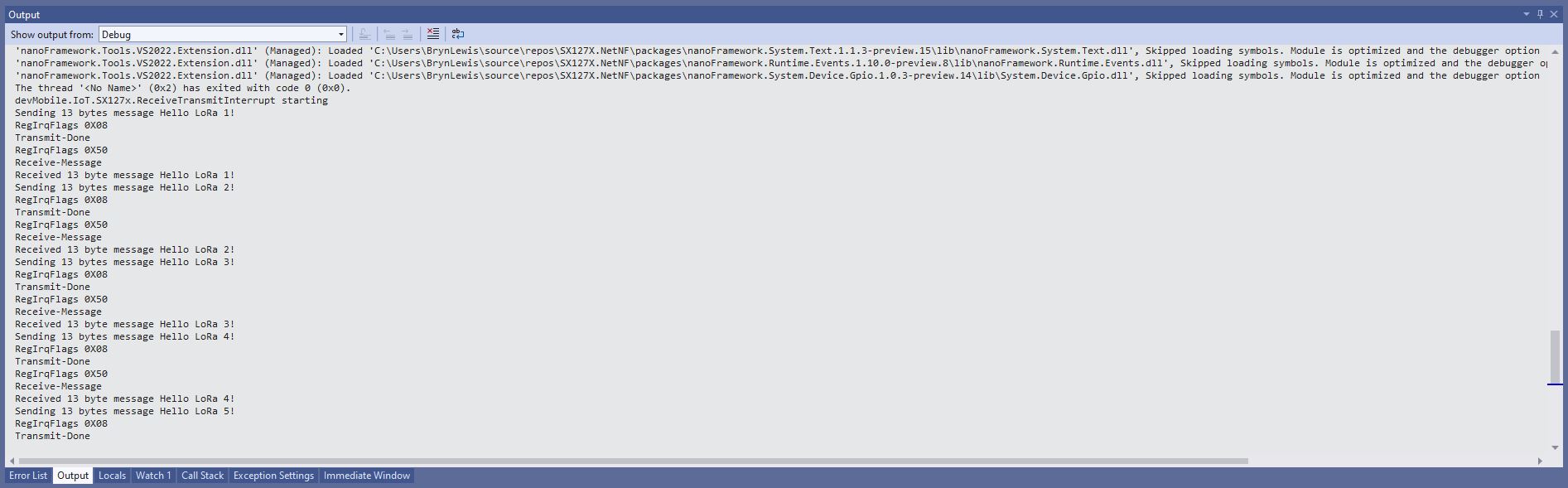
The TransmitInterrupt application loads the message to be sent into the First In First Out(FIFO) buffer, RegDioMapping1 is set to interrupt onTxDone(PacketSent-00), then RegRegOpMode-Mode is set to Transmit. When the message has been sent InterruptGpioPin_ValueChanged is called, and the TxDone(0b00001000) flag is set in the RegIrqFlags register.
The ReceiveInterrupt application sets the RegDioMapping1 to interrupt on RxDone(PacketReady-00), then the RegRegOpMode-Mode is set to Receive(TX-101). When a message is received InterruptGpioPin_ValueChanged is called, with the RxDone(0b00001000) flag set in the RegIrqFlags register, and then the message is read from First In First Out(FIFO) buffer.
namespace devMobile.IoT.SX127x.ReceiveTransmitInterrupt
{
...
   public sealed class SX127XDevice
   {
...
      public SX127XDevice(int busId, int chipSelectLine, int interruptPin, int resetPin)
      {
         var settings = new SpiConnectionSettings(busId, chipSelectLine)
         {
            ClockFrequency = 1000000,
            Mode = SpiMode.Mode0,// From SemTech docs pg 80 CPOL=0, CPHA=0
            SharingMode = SpiSharingMode.Shared
         };

         SX127XTransceiver = new SpiDevice(settings);

         GpioController gpioController = new GpioController();


         // Factory reset pin configuration
         gpioController.OpenPin(resetPin, PinMode.Output);

         gpioController.Write(resetPin, PinValue.Low);
         Thread.Sleep(20);
         gpioController.Write(resetPin, PinValue.High);
         Thread.Sleep(20);

         // Interrupt pin for RX message & TX done notification
         gpioController.OpenPin(interruptPin, PinMode.InputPullDown);

         gpioController.RegisterCallbackForPinValueChangedEvent(interruptPin, PinEventTypes.Rising, InterruptGpioPin_ValueChanged);
      }
...
   }

      private void InterruptGpioPin_ValueChanged(object sender, PinValueChangedEventArgs e)
      {
         byte irqFlags = this.ReadByte(0x12); // RegIrqFlags
         Debug.WriteLine($"RegIrqFlags 0X{irqFlags:x2}");

         if ((irqFlags & 0b01000000) == 0b01000000)  // RxDone
         {
            Debug.WriteLine("Receive-Message");
            byte currentFifoAddress = this.ReadByte(0x10); // RegFifiRxCurrent
            this.WriteByte(0x0d, currentFifoAddress); // RegFifoAddrPtr

            byte numberOfBytes = this.ReadByte(0x13); // RegRxNbBytes

            // Allocate buffer for message
            byte[] messageBytes = this.ReadBytes(0X0, numberOfBytes);

            // Remove unprintable characters from messages
            for (int index = 0; index < messageBytes.Length; index++)
            {
               if ((messageBytes[index] < 0x20) || (messageBytes[index] > 0x7E))
               {
                  messageBytes[index] = 0x20;
               }
            }

            string messageText = UTF8Encoding.UTF8.GetString(messageBytes, 0, messageBytes.Length);
            Debug.WriteLine($"Received {messageBytes.Length} byte message {messageText}");
         }

         if ((irqFlags & 0b00001000) == 0b00001000)  // TxDone
         {
            this.WriteByte(0x01, 0b10000101); // RegOpMode set LoRa & RxContinuous
            Debug.WriteLine("Transmit-Done");
         }

         this.WriteByte(0x40, 0b00000000); // RegDioMapping1 0b00000000 DI0 RxReady & TxReady
         this.WriteByte(0x12, 0xff);// RegIrqFlags
      }

   public class Program
   {
...
   #if NETDUINO3_WIFI
      private const int SpiBusId = 2;
#endif
...

      public static void Main()
      {
         int SendCount = 0;
...
#if NETDUINO3_WIFI
         // Arduino D10->PB10
         int chipSelectLine = PinNumber('B', 10);
         // Arduino D9->PE5
         int resetPinNumber = PinNumber('E', 5);
         // Arduino D2 -PA3
         int interruptPinNumber = PinNumber('A', 3);
#endif
...

       Debug.WriteLine("devMobile.IoT.SX127x.ReceiveTransmitInterrupt starting");

         try
         {
...
#if NETDUINO3_WIFI || ST_STM32F769I_DISCOVERY
            SX127XDevice sx127XDevice = new SX127XDevice(SpiBusId, chipSelectLine, interruptPinNumber, resetPinNumber);
#endif
            Thread.Sleep(500);

            // Put device into LoRa + Sleep mode
            sx127XDevice.WriteByte(0x01, 0b10000000); // RegOpMode

            // Set the frequency to 915MHz
            byte[] frequencyWriteBytes = { 0xE4, 0xC0, 0x00 }; // RegFrMsb, RegFrMid, RegFrLsb
            sx127XDevice.WriteBytes(0x06, frequencyWriteBytes);

            // More power PA Boost
            sx127XDevice.WriteByte(0x09, 0b10000000); // RegPaConfig

            sx127XDevice.WriteByte(0x01, 0b10000101); // RegOpMode set LoRa & RxContinuous

            while (true)
            {
               // Set the Register Fifo address pointer
               sx127XDevice.WriteByte(0x0E, 0x00); // RegFifoTxBaseAddress

               // Set the Register Fifo address pointer
               sx127XDevice.WriteByte(0x0D, 0x0); // RegFifoAddrPtr

               string messageText = $"Hello LoRa {SendCount += 1}!";

               // load the message into the fifo
               byte[] messageBytes = UTF8Encoding.UTF8.GetBytes(messageText);
               sx127XDevice.WriteBytes(0x0, messageBytes); // RegFifo

               // Set the length of the message in the fifo
               sx127XDevice.WriteByte(0x22, (byte)messageBytes.Length); // RegPayloadLength
               sx127XDevice.WriteByte(0x40, 0b01000000); // RegDioMapping1 0b00000000 DI0 RxReady & TxReady
               sx127XDevice.WriteByte(0x01, 0b10000011); // RegOpMode

               Debug.WriteLine($"Sending {messageBytes.Length} bytes message {messageText}");

               Thread.Sleep(10000);
            }
         }
         catch (Exception ex)
         {
            Debug.WriteLine(ex.Message);
         }
      }
...
   }
}
ReceiveTransmitInterrupt application output
The ReceiveTransmitInterrupt application combines the functionality TransmitInterrupt and ReceiveInterrupt programs. The key differences are the RegDioMapping1 setup and in InterruptGpioPin_ValueChanged where the TxDone & RxDone flags in the RegIrqFlags register specify how the interrupt is handled.
For testing nanoFramework device transmit and receive functionality I used an Arduino/Seeeduino with a Dragino LoRa Shield (running one of the Arduino-LoRa samples) as a client device. This was so I could “bootstrap” connectivity and test interoperability with other libraries/platforms.
Arduino/Netduino devices for .NET nanoFramework interoperability test-rig
I started with transmit as I was confident my Seeeduino + Dragino LoRa Shield could receive messages. The TransmitBasic application puts the device into LoRa + Sleep mode as after reset/powering up the device is in FSK/OOK, Low Frequency + Standby mode).
SX127X RegOpMode options
After loading the message to be sent into the First In First Out(FIFO) buffer, the RegOpMode-Mode is set to Transmit(TX-011), and then the RegIrqFlags register is polled until the TxDone flag is set.
SX127X ReqIrqFlags options
public static void Main()
{
  int SendCount = 0;
...
  Debug.WriteLine("devMobile.IoT.SX127x.TransmitBasic starting");

   try
   {
...
#if NETDUINO3_WIFI || ST_STM32F769I_DISCOVERY
      SX127XDevice sx127XDevice = new SX127XDevice(SpiBusId, chipSelectLine, resetPinNumber);
#endif
     Thread.Sleep(500);

     // Put device into LoRa + Standby mode
     sx127XDevice.WriteByte(0x01, 0b10000000); // RegOpMode

      // Set the frequency to 915MHz
      byte[] frequencyBytes = { 0xE4, 0xC0, 0x00 }; // RegFrMsb, RegFrMid, RegFrLsb
      sx127XDevice.WriteBytes(0x06, frequencyBytes);

      // More power PA Boost
      sx127XDevice.WriteByte(0x09, 0b10000000); // RegPaConfig

      sx127XDevice.RegisterDump();

      while (true)
      {
         sx127XDevice.WriteByte(0x0E, 0x0); // RegFifoTxBaseAddress

         // Set the Register Fifo address pointer
         sx127XDevice.WriteByte(0x0D, 0x0); // RegFifoAddrPtr

         string messageText = $"Hello LoRa from .NET nanoFramework {SendCount += 1}!";

         // load the message into the fifo
         byte[] messageBytes = UTF8Encoding.UTF8.GetBytes(messageText);
         sx127XDevice.WriteBytes(0x0, messageBytes); // RegFifo

         // Set the length of the message in the fifo
         sx127XDevice.WriteByte(0x22, (byte)messageBytes.Length); // RegPayloadLength

         Debug.WriteLine($"Sending {messageBytes.Length} bytes message {messageText}");
         // Set the mode to LoRa + Transmit
         sx127XDevice.WriteByte(0x01, 0b10000011); // RegOpMode

         // Wait until send done, no timeouts in PoC
         Debug.WriteLine("Send-wait");
         byte irqFlags = sx127XDevice.ReadByte(0x12); // RegIrqFlags
         while ((irqFlags & 0b00001000) == 0)  // wait until TxDone cleared
         {
            Thread.Sleep(10);
            irqFlags = sx127XDevice.ReadByte(0x12); // RegIrqFlags
            Debug.Write(".");
         }
         Debug.WriteLine("");
         sx127XDevice.WriteByte(0x12, 0b00001000); // clear TxDone bit
         Debug.WriteLine("Send-Done");

         Thread.Sleep(30000);
         }
      }
      catch (Exception ex)
      {
         Debug.WriteLine(ex.Message);
      }
   }
}
Transmit Basic application output
Once the TransmitBasic application was sending messages reliably I started working on the ReceiveBasic application. As the ReceiveBasic application starts up the SX127X RegOpMode has to be set to sleep/standby so the device can be configured. TOnce that is completed RegOpMode-Mode is set to RxContinuous(101), and the RegIrqFlags register is polled until the RxDone flag is set.
public static void Main()
{
...
   Debug.WriteLine("devMobile.IoT.SX127x.ReceiveBasic starting");

   try
   {
...
#if NETDUINO3_WIFI || ST_STM32F769I_DISCOVERY
      SX127XDevice sx127XDevice = new SX127XDevice(SpiBusId, chipSelectLine, resetPinNumber);
#endif
      Thread.Sleep(500);

      // Put device into LoRa + Sleep mode
      sx127XDevice.WriteByte(0x01, 0b10000000); // RegOpMode

      // Set the frequency to 915MHz
      byte[] frequencyBytes = { 0xE4, 0xC0, 0x00 }; // RegFrMsb, RegFrMid, RegFrLsb
      sx127XDevice.WriteBytes(0x06, frequencyBytes);

      sx127XDevice.WriteByte(0x0F, 0x0); // RegFifoRxBaseAddress

      sx127XDevice.WriteByte(0x01, 0b10000101); // RegOpMode set LoRa & RxContinuous

       while (true)
       {
          // Wait until a packet is received, no timeouts in PoC
         Debug.WriteLine("Receive-Wait");
         byte irqFlags = sx127XDevice.ReadByte(0x12); // RegIrqFlags
         while ((irqFlags & 0b01000000) == 0)  // wait until RxDone cleared
         {
            Thread.Sleep(100);
            irqFlags = sx127XDevice.ReadByte(0x12); // RegIrqFlags
            Debug.Write(".");
         }
         Debug.WriteLine("");
         Debug.WriteLine($"RegIrqFlags 0X{irqFlags:X2}");
         Debug.WriteLine("Receive-Message");
         byte currentFifoAddress = sx127XDevice.ReadByte(0x10); // RegFifiRxCurrent
         sx127XDevice.WriteByte(0x0d, currentFifoAddress); // RegFifoAddrPtr

         byte numberOfBytes = sx127XDevice.ReadByte(0x13); // RegRxNbBytes

         // Read the message from the FIFO
         byte[] messageBytes = sx127XDevice.ReadBytes(0x00, numberOfBytes);

         sx127XDevice.WriteByte(0x0d, 0);
         sx127XDevice.WriteByte(0x12, 0b11111111); // RegIrqFlags clear all the bits

         // Remove unprintable characters from messages
         for (int index = 0; index < messageBytes.Length; index++)
         {
            if ((messageBytes[index] < 0x20) || (messageBytes[index] > 0x7E))
            {
               messageBytes[index] = 0x20;
            }
         }

         string messageText = UTF8Encoding.UTF8.GetString(messageBytes, 0, messageBytes.Length);
         Debug.WriteLine($"Received {messageBytes.Length} byte message {messageText}");

         Debug.WriteLine("Receive-Done");
      }
    }
   catch (Exception ex)
   {
      Debug.WriteLine(ex.Message);
   }
}
Receive Basic application output
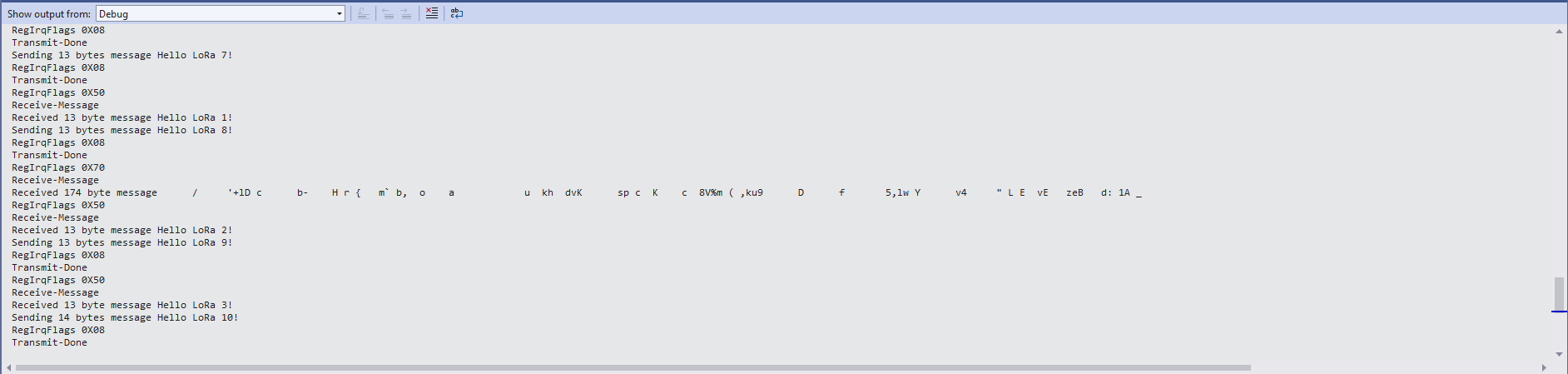
Every so often the ReceiveBasic application would display a message sent on the same frequency by a device somewhere nearby.
ReceiveBasic application messages from unknown source
I need to do some more investigation into whether writing 0b00001000 (Transmit) vs. 0b11111111(Receive) to RegIrqFlags is important.
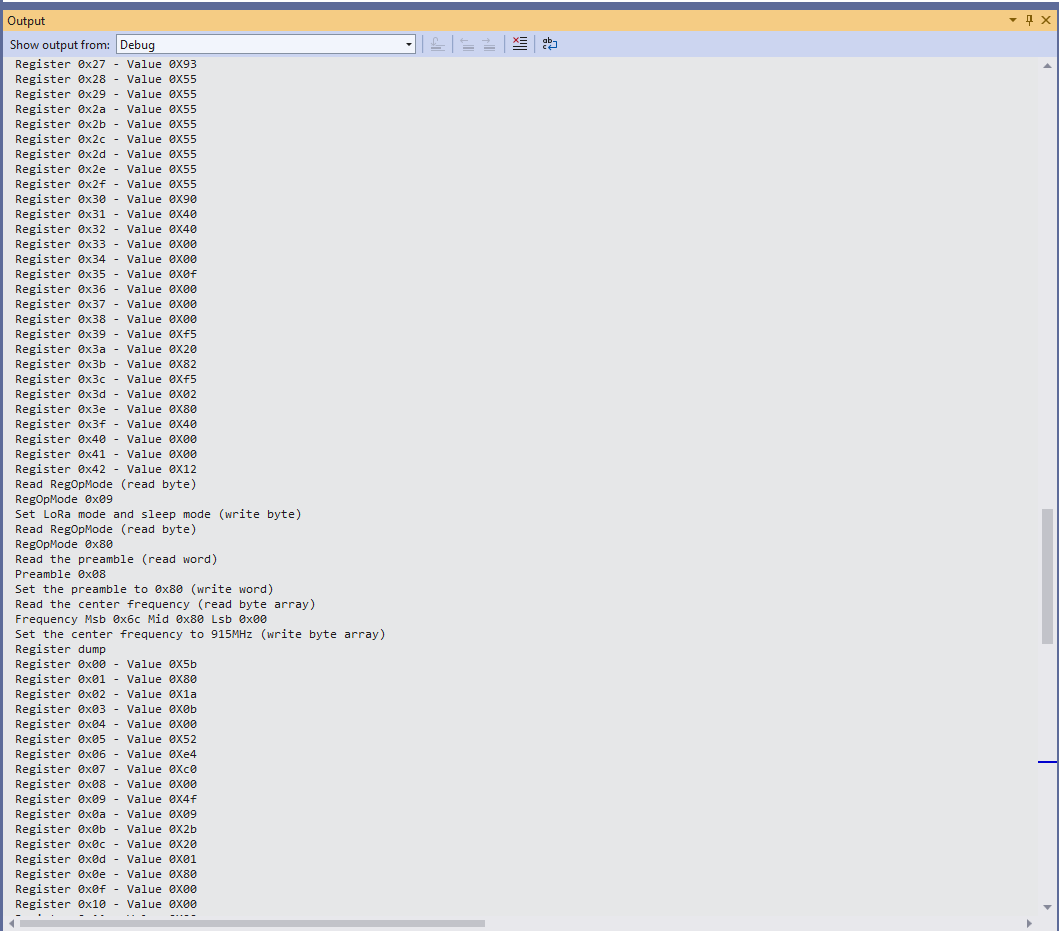
Now that I could reliably dump all the Dragino shield registers I wanted to be able to configure the Semtech 127X device and reset it back to factory settings. A factory reset is done by strobing the SX127X reset pin.
SX127X Reset timing diagram
SX127X Reset process
To support this I added a constructor with an additional parameter for the reset General Purpose Input Output(GPIO) pin number to the SX127XDevice class. The original constructor was retained as the SX127X reset pin is not connected on the SparkFun LoRa Gateway-1-Channel (ESP32) and a limited number of other devices.
namespace devMobile.IoT.SX127x.RegisterReadAndWrite
{
   using System;
   using System.Diagnostics;
   using System.Threading;

   using System.Device.Gpio;
   using System.Device.Spi;

#if ESP32_WROOM_32_LORA_1_CHANNEL
   using nanoFramework.Hardware.Esp32;
#endif

   public sealed class SX127XDevice
   {
      private const byte RegisterAddressMinimum = 0X0;
      private const byte RegisterAddressMaximum = 0x42;
      private const byte RegisterAddressReadMask = 0X7f;
      private const byte RegisterAddressWriteMask = 0x80;

      private readonly SpiDevice SX127XTransceiver;

      public SX127XDevice(int busId, int chipSelectLine, int resetPin)
      {
         var settings = new SpiConnectionSettings(busId, chipSelectLine)
         {
            ClockFrequency = 1000000,
            Mode = SpiMode.Mode0,// From SemTech docs pg 80 CPOL=0, CPHA=0
            SharingMode = SpiSharingMode.Shared
         };

         SX127XTransceiver = new SpiDevice(settings);

         // Factory reset pin configuration
         GpioController gpioController = new GpioController();
         gpioController.OpenPin(resetPin, PinMode.Output);

         gpioController.Write(resetPin, PinValue.Low);
         Thread.Sleep(20);
         gpioController.Write(resetPin, PinValue.High);
         Thread.Sleep(20);
      }

      public SX127XDevice(int busId, int chipSelectLine)
      {
         var settings = new SpiConnectionSettings(busId, chipSelectLine)
         {
            ClockFrequency = 1000000,
            Mode = SpiMode.Mode0,// From SemTech docs pg 80 CPOL=0, CPHA=0
            SharingMode = SpiSharingMode.Shared,
         };

         SX127XTransceiver = new SpiDevice(settings);
      }

      public Byte ReadByte(byte registerAddress)
      {
         byte[] writeBuffer = new byte[] { registerAddress &= RegisterAddressReadMask, 0x0 };
         byte[] readBuffer = new byte[writeBuffer.Length];

         SX127XTransceiver.TransferFullDuplex(writeBuffer, readBuffer);

         return readBuffer[1];
      }

      public ushort ReadWord(byte address)
      {
         byte[] writeBuffer = new byte[] { address &= RegisterAddressReadMask, 0x0, 0x0 };
         byte[] readBuffer = new byte[writeBuffer.Length];

         SX127XTransceiver.TransferFullDuplex(writeBuffer, readBuffer);

         return (ushort)(readBuffer[2] + (readBuffer[1] << 8));
      }

      public ushort ReadWordMsbLsb(byte address)
      {
         byte[] writeBuffer = new byte[] { address &= RegisterAddressReadMask, 0x0, 0x0 };
         byte[] readBuffer = new byte[writeBuffer.Length];

         SX127XTransceiver.TransferFullDuplex(writeBuffer, readBuffer);

         return (ushort)((readBuffer[1] << 8) + readBuffer[2]);
      }

      public byte[] ReadBytes(byte address, byte length)
      {
         byte[] writeBuffer = new byte[length + 1];
         byte[] readBuffer = new byte[writeBuffer.Length];
         byte[] replyBuffer = new byte[length];

         writeBuffer[0] = address &= RegisterAddressReadMask;

         SX127XTransceiver.TransferFullDuplex(writeBuffer, readBuffer);

         Array.Copy(readBuffer, 1, replyBuffer, 0, length);

         return replyBuffer;
      }

      public void WriteByte(byte address, byte value)
      {
         byte[] writeBuffer = new byte[] { address |= RegisterAddressWriteMask, value };
         byte[] readBuffer = new byte[writeBuffer.Length];

         SX127XTransceiver.TransferFullDuplex(writeBuffer, readBuffer);
      }

      public void WriteWord(byte address, ushort value)
      {
         byte[] valueBytes = BitConverter.GetBytes(value);
         byte[] writeBuffer = new byte[] { address |= RegisterAddressWriteMask, valueBytes[0], valueBytes[1] };
         byte[] readBuffer = new byte[writeBuffer.Length];

         SX127XTransceiver.TransferFullDuplex(writeBuffer, readBuffer);
      }

      public void WriteWordMsbLsb(byte address, ushort value)
      {
         byte[] valueBytes = BitConverter.GetBytes(value);
         byte[] writeBuffer = new byte[] { address |= RegisterAddressWriteMask, valueBytes[1], valueBytes[0] };
         byte[] readBuffer = new byte[writeBuffer.Length];

         SX127XTransceiver.TransferFullDuplex(writeBuffer, readBuffer);
      }

      public void WriteBytes(byte address, byte[] bytes)
      {
         byte[] writeBuffer = new byte[1 + bytes.Length];
         byte[] readBuffer = new byte[writeBuffer.Length];

         Array.Copy(bytes, 0, writeBuffer, 1, bytes.Length);
         writeBuffer[0] = address |= RegisterAddressWriteMask;

         SX127XTransceiver.TransferFullDuplex(writeBuffer, readBuffer);
      }

      public void RegisterDump()
      {
         Debug.WriteLine("Register dump");
         for (byte registerIndex = RegisterAddressMinimum; registerIndex <= RegisterAddressMaximum; registerIndex++)
         {
            byte registerValue = this.ReadByte(registerIndex);

            Debug.WriteLine($"Register 0x{registerIndex:x2} - Value 0X{registerValue:x2}");
         }

         Debug.WriteLine("");
      }
   }

   public class Program
   {
#if ESP32_WROOM_32_LORA_1_CHANNEL
      private const int SpiBusId = 1;
#endif
#if NETDUINO3_WIFI
      private const int SpiBusId = 2;
#endif
#if ST_STM32F769I_DISCOVERY
      private const int SpiBusId = 2;
#endif


      public static void Main()
      {
         byte[] frequencyBytes;
#if ESP32_WROOM_32_LORA_1_CHANNEL // No reset line for this device as it isn't connected on SX127X
         int chipSelectLine = Gpio.IO16;
#endif
#if NETDUINO3_WIFI
         // Arduino D10->PB10
         int chipSelectLine = PinNumber('B', 10);
         // Arduino D9->PE5
         int resetPinNumber = PinNumber('E', 5);
#endif
#if ST_STM32F769I_DISCOVERY
         // Arduino D10->PA11
         int chipSelectLine = PinNumber('A', 11);
         // Arduino D9->PH6
         int resetPinNumber = PinNumber('H', 6);
#endif

         Debug.WriteLine("devMobile.IoT.SX127x.RegisterReadAndWrite starting");

         try
         {
#if ESP32_WROOM_32_LORA_1_CHANNEL
            Configuration.SetPinFunction(Gpio.IO12, DeviceFunction.SPI1_MISO);
            Configuration.SetPinFunction(Gpio.IO13, DeviceFunction.SPI1_MOSI);
            Configuration.SetPinFunction(Gpio.IO14, DeviceFunction.SPI1_CLOCK);

            SX127XDevice sx127XDevice = new SX127XDevice(SpiBusId, chipSelectLine);
#endif
#if NETDUINO3_WIFI || ST_STM32F769I_DISCOVERY
            SX127XDevice sx127XDevice = new SX127XDevice(SpiBusId, chipSelectLine, resetPinNumber);
#endif
            Thread.Sleep(500);

            sx127XDevice.RegisterDump();

            while (true)
            {
               Debug.WriteLine("Read RegOpMode (read byte)");
               Byte regOpMode1 = sx127XDevice.ReadByte(0x1);
               Debug.WriteLine($"RegOpMode 0x{regOpMode1:x2}");

               Debug.WriteLine("Set LoRa mode and sleep mode (write byte)");
               sx127XDevice.WriteByte(0x01, 0b10000000);

               Debug.WriteLine("Read RegOpMode (read byte)");
               Byte regOpMode2 = sx127XDevice.ReadByte(0x1);
               Debug.WriteLine($"RegOpMode 0x{regOpMode2:x2}");

               Debug.WriteLine("Read the preamble (read word)");
               ushort preamble = sx127XDevice.ReadWord(0x20);
               Debug.WriteLine($"Preamble 0x{preamble:x2}");

	            Console.WriteLine("Read the preamble (read word)"); // Should be 0x08
			      preamble = sx127XDevice.ReadWordMsbLsb(0x20);
               Debug.WriteLine($"Preamble 0x{preamble:x2}");

               Debug.WriteLine("Read the centre frequency (read byte array)");
               frequencyBytes = sx127XDevice.ReadBytes(0x06, 3);
               Debug.WriteLine($"Frequency Msb 0x{frequencyBytes[0]:x2} Mid 0x{frequencyBytes[1]:x2} Lsb 0x{frequencyBytes[2]:x2}");

               Debug.WriteLine("Set the centre frequency to 915MHz (write byte array)");
               byte[] frequencyWriteBytes = { 0xE4, 0xC0, 0x00 };
               sx127XDevice.WriteBytes(0x06, frequencyWriteBytes);

               Debug.WriteLine("Read the centre frequency (read byte array)");
               frequencyBytes = sx127XDevice.ReadBytes(0x06, 3);
               Debug.WriteLine($"Frequency Msb 0x{frequencyBytes[0]:x2} Mid 0x{frequencyBytes[1]:x2} Lsb 0x{frequencyBytes[2]:x2}");

               sx127XDevice.RegisterDump();

               Thread.Sleep(30000);
            }
         }
         catch (Exception ex)
         {
            Debug.WriteLine(ex.Message);
         }
      }

#if NETDUINO3_WIFI || ST_STM32F769I_DISCOVERY
      static int PinNumber(char port, byte pin)
      {
         if (port < 'A' || port > 'J')
            throw new ArgumentException();

         return ((port - 'A') * 16) + pin;
      }
#endif
   }
}
The PinNumber helper is more user friendly that the raw numbers and is “inspired” by sample .NET nanoFramework General Purpose Input Output(GPIO) sample code.
Each method was tested by read/writing suitable register(s) in the device configuration (Needed to set it into LoRa mode first).
The next step is to extract the Serial Peripheral Interface(SPI) register access functionality into a module and configure the bare minimum of settings required to get the SX127X to receive and transmit messages.
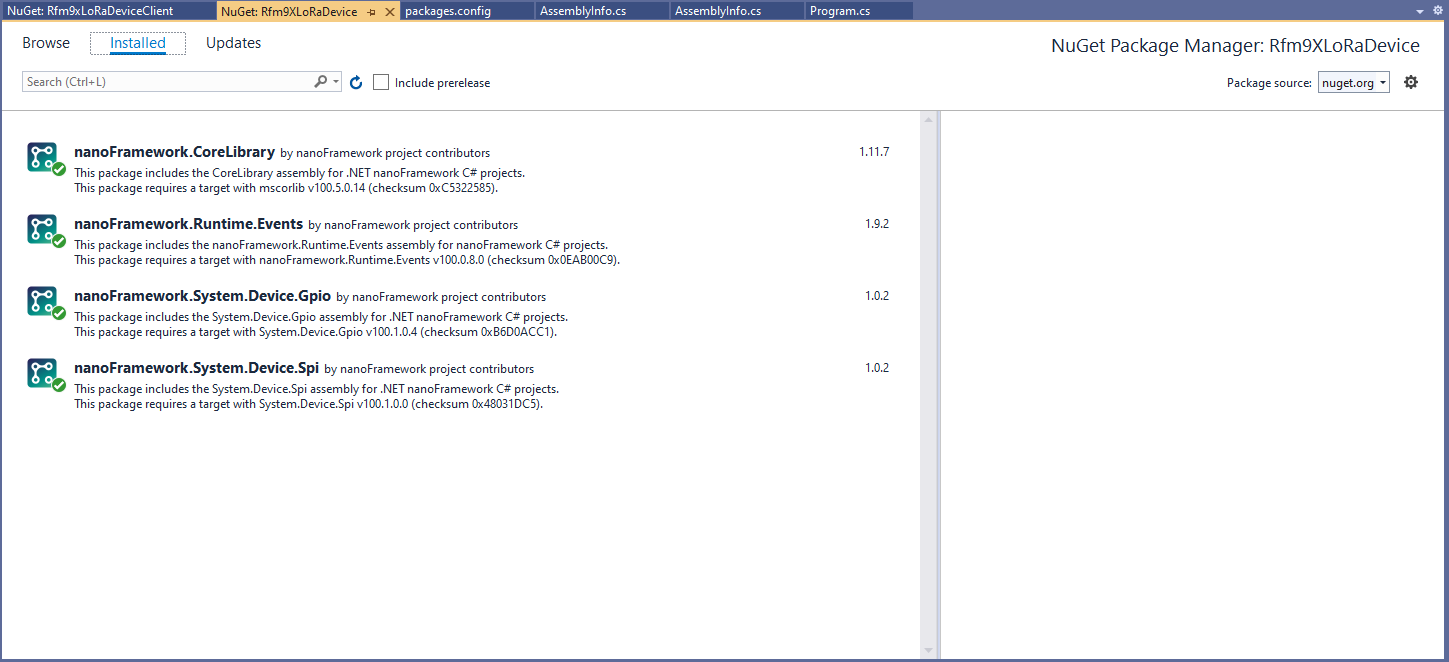
I then fixed all the breaking changes (For the initial versions I have not updated the code to use SpanByte etc.).
public Rfm9XDevice(int spiBusId, int chipSelectPin, int resetPin, int interruptPin)
{
   //...

   // Interrupt pin for RX message & TX done notification
   InterruptGpioPin = gpioController.OpenPin(interruptPin);
   InterruptGpioPin.SetPinMode(PinMode.Input);

   InterruptGpioPin.ValueChanged += InterruptGpioPin_ValueChanged;
}

private void InterruptGpioPin_ValueChanged(object sender, PinValueChangedEventArgs e)
{
   if (e.ChangeType != PinEventTypes.Rising)
   {
      return;
   }

   byte irqFlags = this.RegisterReadByte(0x12); // RegIrqFlags
   //...
}
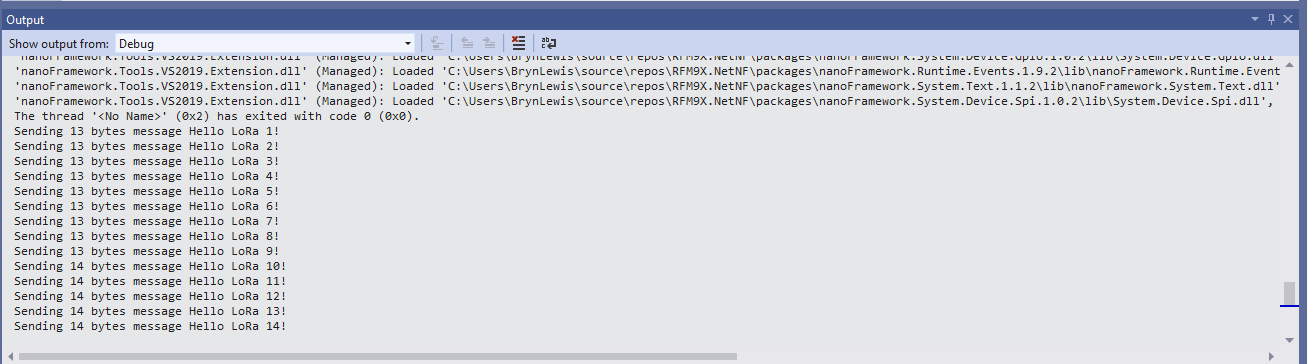
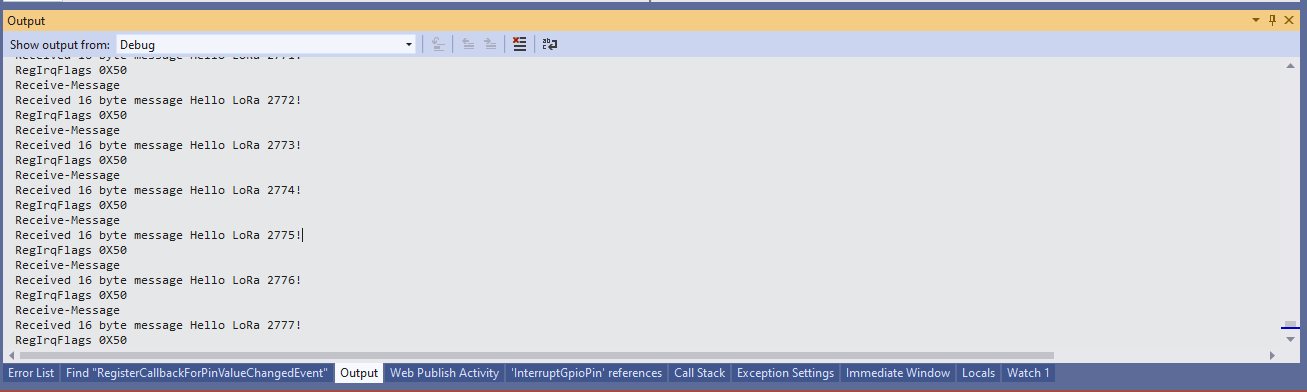
While “soak testing” the ReceiveInterrupt application I noticed that sometimes when I started the application interrupts were not processed or processing stopped after a while.
Visual Studio Debugger output showing intermittent calling of InterruptGpioPin_ValueChanged
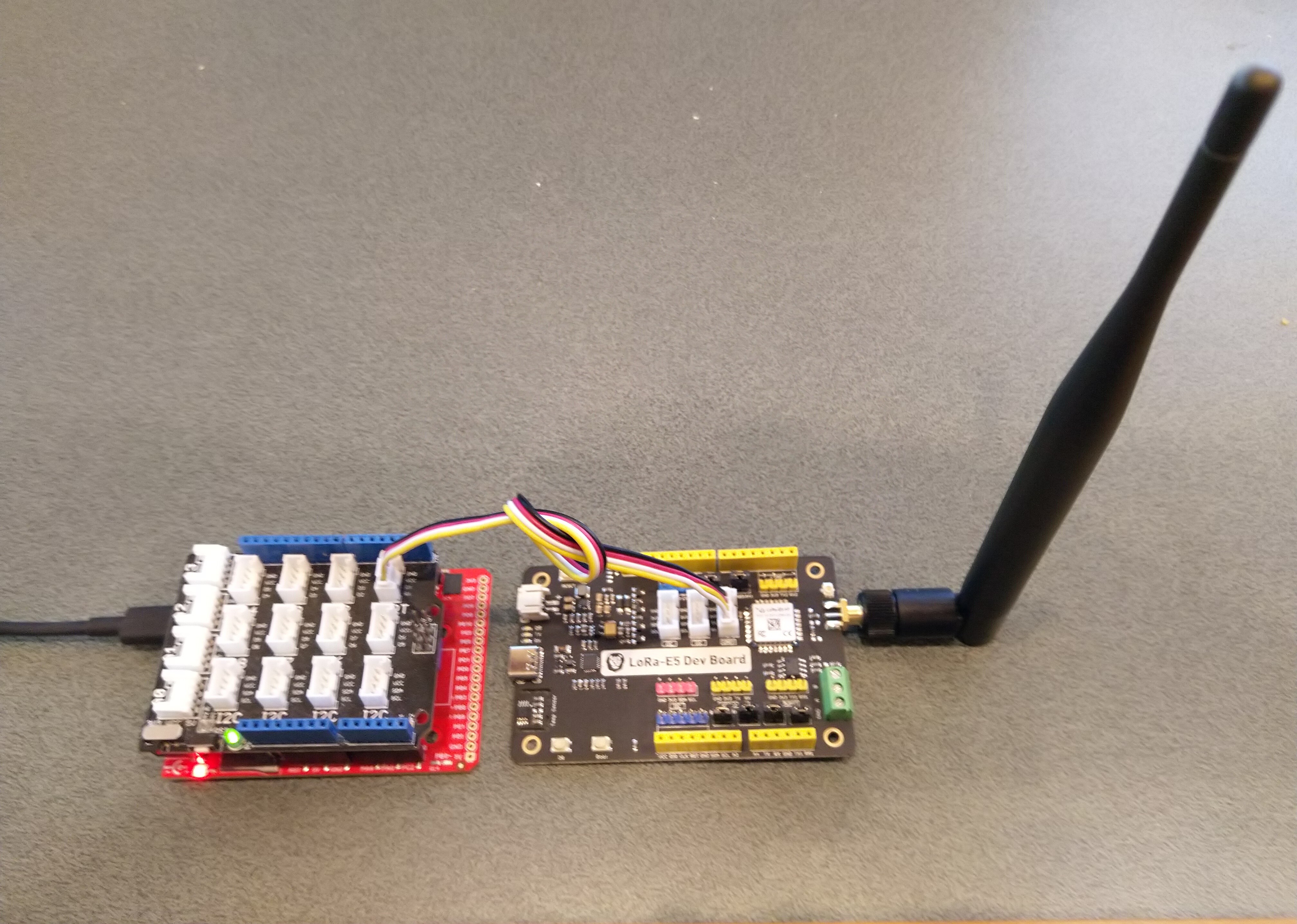
Fezduino device with Seeedstudio Grove base shield and LoRa-E5 development Kit
While testing I noticed that every so often that when I restarted the test application application, rebooted or power cycled the nanoFramework or Fezduino device the Seeed LoRa-E5 wouldn’t connect.
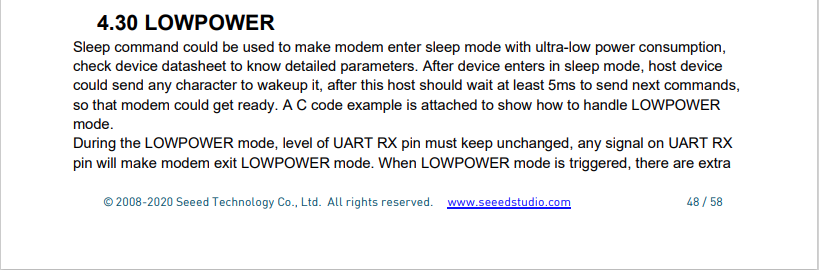
After some trial and error manually entering commands in Terraterm I found that if the LoRa-E5 had been put to sleep (AT+LOWPOWER) the response to the first command (usually setting the region with AT+DR=AS923) would be unexpected. The problem was more obvious when I used devices that were configured for “soak testing” because the gap between messages was much longer (5min vs. 30 seconds)
After trying several different approaches which weren’t very robust I settled on sending a wakeup command (AT+LOWPOWER: WAKEUP with an expected response of +LOWPOWER: WAKEUP) and ignoring the result.
public Result Initialise(string serialPortId, int baudRate, UartParity serialParity, int dataBits, UartStopBitCount stopBitCount)
{
    if ((serialPortId == null) || (serialPortId == ""))
    {
       throw new ArgumentException("Invalid SerialPortId", "serialPortId");
    }
    if ((baudRate < BaudRateMinimum) || (baudRate > BaudRateMaximum))
    {
       throw new ArgumentException("Invalid BaudRate", "baudRate");
    }

   serialDevice = UartController.FromName(serialPortId);

   // set parameters
   serialDevice.SetActiveSettings(new UartSetting()
   {
      BaudRate = baudRate,
      Parity = serialParity,
      StopBits = stopBitCount,
      Handshaking = UartHandshake.None,
      DataBits = dataBits
   });

   serialDevice.Enable();

   atCommandExpectedResponse = string.Empty;

   serialDevice.DataReceived += SerialDevice_DataReceived;

   // Ignoring the return from this is intentional
   this.SendCommand("+LOWPOWER: WAKEUP", "AT+LOWPOWER: WAKEUP", SendTimeoutMinimum);

   return Result.Success;
}
This modification has been applied to both libraries. I will also check that the RAK811nanoFramework and TinyCLR libraries don’t have the same issue.
My Over the Air Activation (OTAA) implementation is very “nasty” as it is assumed that there are no timeouts or failures and it only sends one BCD message “01020304”.
   public class Program
   {
      private const string SerialPortId = "COM6";

      private const string AppKey = "................................";
      private const string AppEui = "................";

      private const byte MessagePort = 15;

      //private const string Payload = "48656c6c6f204c6f526157414e"; // Hello LoRaWAN
      private const string Payload = "01020304"; // AQIDBA==
      //private const string Payload = "04030201"; // BAMCAQ==

   public static void Main()
   {
      SerialDevice serialDevice;
      uint bytesWritten;
      uint txByteCount;
      uint bytesRead;

      Debug.WriteLine("devMobile.IoT.SeeedLoRaE5.NetworkJoinOTAA starting");

      Debug.WriteLine($"Ports available: {Windows.Devices.SerialCommunication.SerialDevice.GetDeviceSelector()}");

      try
      {
         serialDevice = SerialDevice.FromId(SerialPortId);

         // set parameters
         serialDevice.BaudRate = 9600;
         serialDevice.Parity = SerialParity.None;
         serialDevice.StopBits = SerialStopBitCount.One;
         serialDevice.Handshake = SerialHandshake.None;
         serialDevice.DataBits = 8;

         serialDevice.ReadTimeout = new TimeSpan(0, 0, 5);
         serialDevice.WriteTimeout = new TimeSpan(0, 0, 4);

         DataWriter outputDataWriter = new DataWriter(serialDevice.OutputStream);
         DataReader inputDataReader = new DataReader(serialDevice.InputStream);

         // set a watch char to be notified when it's available in the input stream
         serialDevice.WatchChar = '\n';

         // clear out the RX buffer
         bytesRead = inputDataReader.Load(128);
         while (bytesRead > 0)
         {
            string response = inputDataReader.ReadString(bytesRead);
            Debug.WriteLine($"RX :{response}");

            bytesRead = inputDataReader.Load(128);
         }

         // Set the Region to AS923
         bytesWritten = outputDataWriter.WriteString("AT+DR=AS923\r\n");
         Debug.WriteLine($"TX: region {outputDataWriter.UnstoredBufferLength} bytes to output stream.");
         txByteCount = outputDataWriter.Store();
         Debug.WriteLine($"TX: {txByteCount} bytes via {serialDevice.PortName}");

         // Read the response
         bytesRead = inputDataReader.Load(128);
         if (bytesRead > 0)
         {
            String response = inputDataReader.ReadString(bytesRead);
            Debug.WriteLine($"RX :{response}");
         }

         // Set the Join mode
         bytesWritten = outputDataWriter.WriteString("AT+MODE=LWOTAA\r\n");
         Debug.WriteLine($"TX: mode {outputDataWriter.UnstoredBufferLength} bytes to output stream.");
         txByteCount = outputDataWriter.Store();
         Debug.WriteLine($"TX: {txByteCount} bytes via {serialDevice.PortName}");

         // Read the response
         bytesRead = inputDataReader.Load(128);
         if (bytesRead > 0)
         {
            string response = inputDataReader.ReadString(bytesRead);
            Debug.WriteLine($"RX :{response}");
         }

         // Set the appEUI
         bytesWritten = outputDataWriter.WriteString($"AT+ID=AppEui,\"{AppEui}\"\r\n");
         Debug.WriteLine($"TX: AppEui {outputDataWriter.UnstoredBufferLength} bytes to output stream.");
         txByteCount = outputDataWriter.Store();
         Debug.WriteLine($"TX: {txByteCount} bytes via {serialDevice.PortName}");

         // Read the response
         bytesRead = inputDataReader.Load(128);
         if (bytesRead > 0)
         {
            String response = inputDataReader.ReadString(bytesRead);
            Debug.WriteLine($"RX :{response}");
         }

         // Set the appKey
         bytesWritten = outputDataWriter.WriteString($"AT+KEY=APPKEY,{AppKey}\r\n");
         Debug.WriteLine($"TX: AppKey {outputDataWriter.UnstoredBufferLength} bytes to output stream.");
         txByteCount = outputDataWriter.Store();
         Debug.WriteLine($"TX: {txByteCount} bytes via {serialDevice.PortName}");

         // Read the response
         bytesRead = inputDataReader.Load(128);
         if (bytesRead > 0)
         {
            String response = inputDataReader.ReadString(bytesRead);
            Debug.WriteLine($"RX :{response}");
         }

         // Set the port number
         bytesWritten = outputDataWriter.WriteString($"AT+PORT={MessagePort}\r\n");
         Debug.WriteLine($"TX: port {outputDataWriter.UnstoredBufferLength} bytes to output stream.");
         txByteCount = outputDataWriter.Store();
         Debug.WriteLine($"TX: {txByteCount} bytes via {serialDevice.PortName}");

         // Read the response
         bytesRead = inputDataReader.Load(128);
         if (bytesRead > 0)
         {
            String response = inputDataReader.ReadString(bytesRead);
            Debug.WriteLine($"RX :{response}");
         }

         // Join the network
         bytesWritten = outputDataWriter.WriteString("AT+JOIN\r\n");
         Debug.WriteLine($"TX: join {outputDataWriter.UnstoredBufferLength} bytes to output stream.");
         txByteCount = outputDataWriter.Store();
         Debug.WriteLine($"TX: {txByteCount} bytes via {serialDevice.PortName}");

         // Read the response, need loop as multi line response
         bytesRead = inputDataReader.Load(128);
         while (bytesRead > 0)
         {
            String response = inputDataReader.ReadString(bytesRead);
            Debug.WriteLine($"RX :{response}");

            bytesRead = inputDataReader.Load(128);
         }

         while (true)
         {
            bytesWritten = outputDataWriter.WriteString($"AT+MSGHEX=\"{Payload}\"\r\n");
            Debug.WriteLine($"TX: send {outputDataWriter.UnstoredBufferLength} bytes to output stream.");

            txByteCount = outputDataWriter.Store();
            Debug.WriteLine($"TX: {txByteCount} bytes via {serialDevice.PortName}");

            // Read the response, need loop as multi line response
            bytesRead = inputDataReader.Load(128);
            while (bytesRead > 0)
            {
               String response = inputDataReader.ReadString(bytesRead);
               Debug.WriteLine($"RX :{response}");

               bytesRead = inputDataReader.Load(128);
            }

            Thread.Sleep(300000);
         }
      }
      catch (Exception ex)
      {
         Debug.WriteLine(ex.Message);
      }
}
The code is not suitable for production but it confirmed my software and hardware configuration worked.







 devMobile's blog