RFM69 hat library Part4C

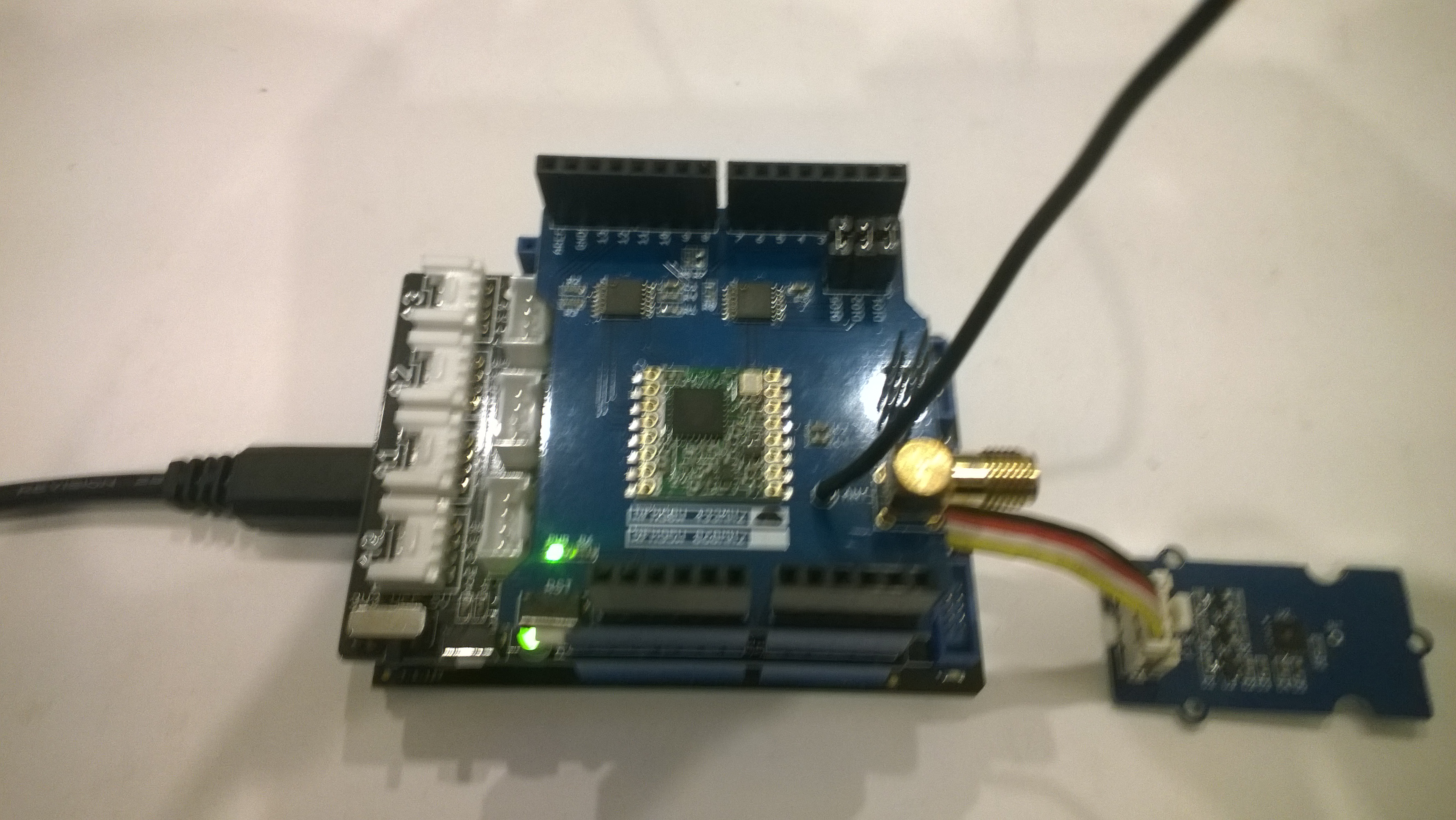
Transmit Basic: Rasmatic/RFM69-Arduino-Library

While I was searching for a suitable library on GitHub I downloaded the RFM-Arduino-Library by Rasmatic which had a link to sample library on the HopeRF website which I also downloaded.

/*
@author Tadeusz Studnik https://rasmatic.pl

MIT License
...

This library is a port of HopeRF's library:

https://www.hoperf.com/data/upload/back/20181122/HoepRF_HSP_V1.3.rar
*/

I made the minimum possible modifications to the C/C++ code to get it to compile, then to run on my Arduino Nano Radio Shield RFM69/95 device. I had to change the RFM69 DIO pin mode, the SPI config, and I added a method to dump all the registers.

/**********************************************************
**Name:     vInitialize
**Function: initialize rfm69 or rfm69c
**Input:    none
**Output:   none
**********************************************************/
void RMRFM69::vInitialize(void)
{
	pinMode (_csPin, OUTPUT);
	pinMode (_rstPin, OUTPUT);
	pinMode (_dio0Pin, INPUT_PULLDOWN); // Changed from INPUT_PULLDOWN

	digitalWrite(_csPin, HIGH);
	digitalWrite(_rstPin, LOW);
	
	vSpiInit();
	
	//�˿ڳ�ʼ�� for 32MHz
	FrequencyValue.Freq = (Frequency << 11) / 125; //Calc. Freq
	BitRateValue = (SymbolTime << 5) / 1000;	   //Calc. BitRate
	DevationValue = (Devation << 11) / 125;		   //Calc. Fdev
	BandWidthValue = bSelectBandwidth(BandWidth);

	vConfig();
	vGoStandby();
}
/**********************************************************
**Name:     vSpiInit
**Function: init SPI
**Input:    none
**Output:   none
**********************************************************/
void RMRFM69::vSpiInit()
{
	digitalWrite(_csPin, HIGH);
//	_spiPort->setFrequency(1000000); 
	_spiPort->setBitOrder(MSBFIRST);
	_spiPort->setDataMode(SPI_MODE0);
	_spiPort->begin();

}

void RMRFM69::dumpRegisters(Stream& out)
{
  for (int i = 0; i <= 0x3d; i++) {
    out.print("0x");
    out.print(i, HEX);
    out.print(": 0x");
    out.println(this->bSpiRead(i), HEX);
  }
}

I created an application based on the RFM69-ESP32-arduino-example which received messages.

#include <SPI.h>
#include <RMRFM69.h>

RMRFM69 radio(SPI, 10, 2, 9);

void setup() 
{
  Serial.begin(9600);
  
  radio.Modulation     = FSK;
  radio.COB            = RFM69;
  radio.Frequency      = 915000;
  radio.OutputPower    = 10+18;          //10dBm OutputPower
  radio.PreambleLength = 16;             //16Byte preamble
  radio.FixedPktLength = false;          //packet in message which need to be send
  radio.CrcDisable     = false;          //CRC On
  radio.AesOn          = false;
  radio.SymbolTime     = 416000;         //2.4Kbps
  radio.Devation       = 35;             //35KHz for devation
  radio.BandWidth      = 100;            //100KHz for bandwidth
  radio.SyncLength     = 3;              //
  radio.SyncWord[0]    = 0xAA;
  radio.SyncWord[1]    = 0x2D;
  radio.SyncWord[2]    = 0xD4;

  radio.vInitialize();

  radio.dumpRegisters(Serial);
  radio.vGoRx();

  Serial.println("Start RX...");
}

void loop() 
{
  char messageIn[128] = {""};
  byte messageOut[] = {"Hello world"};

  if(radio.bGetMessage(messageIn)!=0)
  { 
    Serial.print("MessageIn:");
    Serial.print(messageIn);
    Serial.println();
  }    
}

The application started up after I sorted out the RFM69 chip select, interrupt and reset pin numbers.

20:03:56.574 -> 0x0: 0x0
20:03:56.608 -> 0x1: 0x4
20:03:56.608 -> 0x2: 0x0
20:03:56.608 -> 0x3: 0x34
20:03:56.643 -> 0x4: 0x0
20:03:56.643 -> 0x5: 0x2
20:03:56.643 -> 0x6: 0x3D
20:03:56.643 -> 0x7: 0xE4
20:03:56.677 -> 0x8: 0xC0
20:03:56.677 -> 0x9: 0x0
20:03:56.677 -> 0xA: 0x41
20:03:56.710 -> 0xB: 0x40
20:03:56.710 -> 0xC: 0x2
20:03:56.710 -> 0xD: 0x92
20:03:56.745 -> 0xE: 0xF5
20:03:56.745 -> 0xF: 0x20
20:03:56.745 -> 0x10: 0x24
20:03:56.779 -> 0x11: 0x9C
20:03:56.779 -> 0x12: 0x5
20:03:56.813 -> 0x13: 0xF
20:03:56.813 -> 0x14: 0x40
20:03:56.813 -> 0x15: 0xB0
20:03:56.846 -> 0x16: 0x7B
20:03:56.846 -> 0x17: 0x9B
20:03:56.846 -> 0x18: 0x88
20:03:56.880 -> 0x19: 0x2A
20:03:56.880 -> 0x1A: 0x2A
20:03:56.880 -> 0x1B: 0x78
20:03:56.880 -> 0x1C: 0x80
20:03:56.914 -> 0x1D: 0x6
20:03:56.914 -> 0x1E: 0x10
20:03:56.947 -> 0x1F: 0x0
20:03:56.947 -> 0x20: 0x0
20:03:56.947 -> 0x21: 0x0
20:03:56.981 -> 0x22: 0x0
20:03:56.981 -> 0x23: 0x2
20:03:56.981 -> 0x24: 0xFF
20:03:57.015 -> 0x25: 0x0
20:03:57.015 -> 0x26: 0xF7
20:03:57.049 -> 0x27: 0x80
20:03:57.049 -> 0x28: 0x0
20:03:57.049 -> 0x29: 0xFF
20:03:57.083 -> 0x2A: 0x0
20:03:57.083 -> 0x2B: 0x0
20:03:57.083 -> 0x2C: 0x0
20:03:57.118 -> 0x2D: 0x10
20:03:57.118 -> 0x2E: 0x90
20:03:57.152 -> 0x2F: 0xAA
20:03:57.152 -> 0x30: 0x2D
20:03:57.152 -> 0x31: 0xD4
20:03:57.152 -> 0x32: 0x0
20:03:57.186 -> 0x33: 0x0
20:03:57.186 -> 0x34: 0x0
20:03:57.186 -> 0x35: 0x0
20:03:57.219 -> 0x36: 0x0
20:03:57.219 -> 0x37: 0x90
20:03:57.219 -> 0x38: 0x40
20:03:57.253 -> 0x39: 0x0
20:03:57.253 -> 0x3A: 0x0
20:03:57.253 -> 0x3B: 0x0
20:03:57.288 -> 0x3C: 0x1
20:03:57.288 -> 0x3D: 0x0
20:03:57.322 -> Start RX...

I then manually set the RFM69HCW Radio Bonnet registers to match the Arduino device.

public sealed class StartupTask : IBackgroundTask
{
	private const int ChipSelectLine = 1;
	private const int ResetLine = 25;
	private Rfm69HcwDevice rfm69Device = new Rfm69HcwDevice(ChipSelectLine, ResetLine);

	const double RH_RF6M9HCW_FXOSC = 32000000.0;
	const double RH_RFM69HCW_FSTEP = RH_RF6M9HCW_FXOSC / 524288.0;

	const byte NetworkID = 100;
	const byte NodeAddressFrom = 0x03;
	const byte NodeAddressTo = 0x02;

	public void Run(IBackgroundTaskInstance taskInstance)
	{
		//rfm69Device.RegisterDump();

		// regOpMode standby
		rfm69Device.RegisterWriteByte(0x01, 0b00000100);

		// BitRate MSB/LSB
		rfm69Device.RegisterWriteByte(0x03, 0x34);
		rfm69Device.RegisterWriteByte(0x04, 0x00);

		// Frequency deviation
		rfm69Device.RegisterWriteByte(0x05, 0x02);
		rfm69Device.RegisterWriteByte(0x06, 0x3d);
			
		// Calculate the frequency accoring to the datasheett
		byte[] bytes = BitConverter.GetBytes((uint)(915000000.0 / RH_RFM69HCW_FSTEP));
		Debug.WriteLine("Byte Hex 0x{0:x2} 0x{1:x2} 0x{2:x2} 0x{3:x2}", bytes[0], bytes[1], bytes[2], bytes[3]);
		rfm69Device.RegisterWriteByte(0x07, bytes[2]);
		rfm69Device.RegisterWriteByte(0x08, bytes[1]);
		rfm69Device.RegisterWriteByte(0x09, bytes[0]);

		// RegRxBW
		rfm69Device.RegisterWriteByte(0x19, 0x55);
		// RegAfcBw
		rfm69Device.RegisterWriteByte(0x1A, 0x8b);
		// RegOokPeak
		rfm69Device.RegisterWriteByte(0x1B, 0x40);

		// Setup preamble length to 16 (default is 3)
		rfm69Device.RegisterWriteByte(0x2C, 0x0);
		rfm69Device.RegisterWriteByte(0x2D, 0x10);
	
		// Set the Sync length and byte values SyncOn + 3 custom sync bytes
		rfm69Device.RegisterWriteByte(0x2e, 0x90);

		rfm69Device.RegisterWriteByte(0x2f, 0xAA);
		rfm69Device.RegisterWriteByte(0x30, 0x2D);
		rfm69Device.RegisterWriteByte(0x31, 0xD4);

		// RegPacketConfig1 changed for Variable length after 9:00PM vs 10:00PM fail
		rfm69Device.RegisterWriteByte(0x37, 0x90);
		//rfm69Device.RegisterWriteByte(0x38, 0x14);

		rfm69Device.RegisterDump();
	
		while (true)
		{
			// Standby mode while loading message into FIFO
			rfm69Device.RegisterWriteByte(0x01, 0b00000100);
			byte[] messageBuffer = UTF8Encoding.UTF8.GetBytes(" hello world " + DateTime.Now.ToLongTimeString());
			messageBuffer[0] = (byte)messageBuffer.Length;
			rfm69Device.RegisterWrite(0x0, messageBuffer);

			// Transmit mode once FIFO loaded
			rfm69Device.RegisterWriteByte(0x01, 0b00001100);

			// Wait until send done, no timeouts in PoC
			Debug.WriteLine("Send-wait");
			byte IrqFlags = rfm69Device.RegisterReadByte(0x28); // RegIrqFlags2
			while ((IrqFlags & 0b00001000) == 0)  // wait until TxDone cleared
			{
				Task.Delay(10).Wait();
				IrqFlags = rfm69Device.RegisterReadByte(0x28); // RegIrqFlags
				Debug.Write(".");
			}
			Debug.WriteLine("");

			// Standby mode while sleeping
			rfm69Device.RegisterWriteByte(0x01, 0b00000100);
			Debug.WriteLine($"{DateTime.Now.ToLongTimeString()}Send-Done");
			Task.Delay(5000).Wait();
		}
	}
}

My Arduino device then started receiving messages from my Raspberry PI 3 running Windows 10 IoT Core.

20:03:57.288 -> 0x3C: 0x1
20:03:57.288 -> 0x3D: 0x0
20:03:57.322 -> Start RX...
20:03:58.648 -> MessageIn:hello world 8:03:58 PM
20:04:03.920 -> MessageIn:hello world 8:04:03 PM
20:04:09.161 -> MessageIn:hello world 8:04:09 PM
20:04:14.421 -> MessageIn:hello world 8:04:14 PM
20:04:19.662 -> MessageIn:hello world 8:04:19 PM
20:04:24.895 -> MessageIn:hello world 8:04:24 PM
20:04:30.139 -> MessageIn:hello world 8:04:30 PM
20:04:35.392 -> MessageIn:hello world 8:04:35 PM
20:04:40.637 -> MessageIn:hello world 8:04:40 PM
20:04:45.890 -> MessageIn:hello world 8:04:45 PM
20:04:51.158 -> MessageIn:hello world 8:04:51 PM

Transmit is working! Though it’s starting to look like I might have to create my own lightweight Arduino RFM69HCW library “inspired” by the Arduino-LoRa library.

Nexus LoRa Radio 915 MHz Payload Addressing client

This is a demo Ingenuity Micro Nexus client (based on the Netduino example for my RFM9XLoRaNetMF library) that uploads temperature and humidity data to my Azure IoT Hubs/Central or AdaFruit.IO on Raspberry PI field gateways

Bill of materials (Prices June 2019).

// <copyright file="client.cs" company="devMobile Software">
// Copyright ® 2019 Feb devMobile Software, All Rights Reserved
//
//  MIT License
//
//  Permission is hereby granted, free of charge, to any person obtaining a copy
// of this software and associated documentation files (the "Software"), to deal
// in the Software without restriction, including without limitation the rights
// to use, copy, modify, merge, publish, distribute, sublicense, and/or sell
// copies of the Software, and to permit persons to whom the Software is
// furnished to do so, subject to the following conditions:
//
// The above copyright notice and this permission notice shall be included in all copies or substantial portions of the Software.
//
// THE SOFTWARE IS PROVIDED "AS IS", WITHOUT WARRANTY OF ANY KIND, EXPRESS OR
// IMPLIED, INCLUDING BUT NOT LIMITED TO THE WARRANTIES OF MERCHANTABILITY,
// FITNESS FOR A PARTICULAR PURPOSE AND NONINFRINGEMENT. IN NO EVENT SHALL THE
// AUTHORS OR COPYRIGHT HOLDERS BE LIABLE FOR ANY CLAIM, DAMAGES OR OTHER
// LIABILITY, WHETHER IN AN ACTION OF CONTRACT, TORT OR OTHERWISE, ARISING FROM,
// OUT OF OR IN CONNECTION WITH THE SOFTWARE OR THE USE OR OTHER DEALINGS IN THE
// SOFTWARE"
//
// </copyright>
namespace devMobile.IoT.Nexus.FieldGateway
{
	using System;
	using System.Text;
	using System.Threading;
	using Microsoft.SPOT;
	using Microsoft.SPOT.Hardware;

	using devMobile.IoT.NetMF.ISM;
	using devMobile.NetMF.Sensor;
	using IngenuityMicro.Nexus;

	class NexusClient
	{
		private Rfm9XDevice rfm9XDevice;
		private readonly TimeSpan dueTime = new TimeSpan(0, 0, 15);
		private readonly TimeSpan periodTime = new TimeSpan(0, 0, 60);
		private readonly SiliconLabsSI7005 sensor = new SiliconLabsSI7005();
		private readonly Led _led = new Led();
		private readonly byte[] fieldGatewayAddress = Encoding.UTF8.GetBytes("LoRaIoT1");
		private readonly byte[] deviceAddress = Encoding.UTF8.GetBytes("Nexus915");

		public NexusClient()
		{
			rfm9XDevice = new Rfm9XDevice(SPI.SPI_module.SPI3, (Cpu.Pin)28, (Cpu.Pin)15, (Cpu.Pin)26);
			_led.Set(0, 0, 0);
		}

		public void Run()
		{

			rfm9XDevice.Initialise(frequency: 915000000, paBoost: true, rxPayloadCrcOn: true);
			rfm9XDevice.Receive(deviceAddress);

			rfm9XDevice.OnDataReceived += rfm9XDevice_OnDataReceived;
			rfm9XDevice.OnTransmit += rfm9XDevice_OnTransmit;

			Timer humidityAndtemperatureUpdates = new Timer(HumidityAndTemperatureTimerProc, null, dueTime, periodTime);

			Thread.Sleep(Timeout.Infinite);
		}


		private void HumidityAndTemperatureTimerProc(object state)
		{
			_led.Set(0, 128, 0);

			double humidity = sensor.Humidity();
			double temperature = sensor.Temperature();

			Debug.Print(DateTime.UtcNow.ToString("hh:mm:ss") + " H:" + humidity.ToString("F1") + " T:" + temperature.ToString("F1"));

			rfm9XDevice.Send(fieldGatewayAddress, Encoding.UTF8.GetBytes("t " + temperature.ToString("F1") + ",H " + humidity.ToString("F0")));
		}

		void rfm9XDevice_OnTransmit()
		{
			_led.Set(0, 0, 0);

			Debug.Print("Transmit-Done");
		}

		void rfm9XDevice_OnDataReceived(byte[] address, float packetSnr, int packetRssi, int rssi, byte[] data)
		{
			try
			{
				string messageText = new string(UTF8Encoding.UTF8.GetChars(data));
				string addressText = new string(UTF8Encoding.UTF8.GetChars(address));

				Debug.Print(DateTime.UtcNow.ToString("HH:MM:ss") + "-Rfm9X PacketSnr " + packetSnr.ToString("F1") + " Packet RSSI " + packetRssi + "dBm RSSI " + rssi + "dBm = " + data.Length + " byte message " + @"""" + messageText + @"""");
			}
			catch (Exception ex)
			{
				Debug.Print(ex.Message);
			}
		}
	}
}

Overall the development process was good with no modifications to my RFM9X.NetMF library or SI7005 library (bar removing a Netduino I2C work around) required

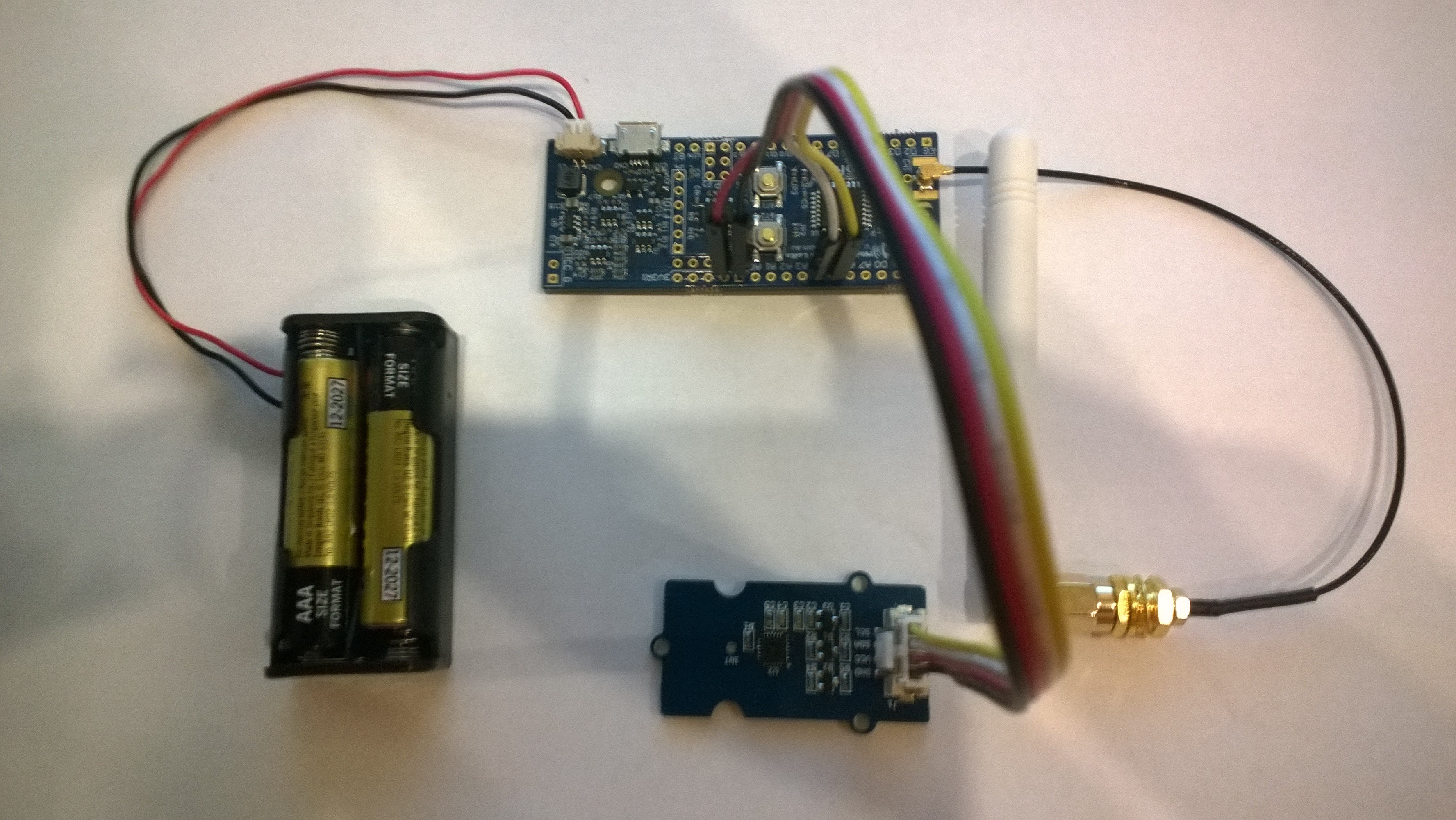
Nexus device with Seeedstudio Temperature & Humidity Sensors
Nexus Sensor data in Azure IoT Hub Field Gateway ETW Logging
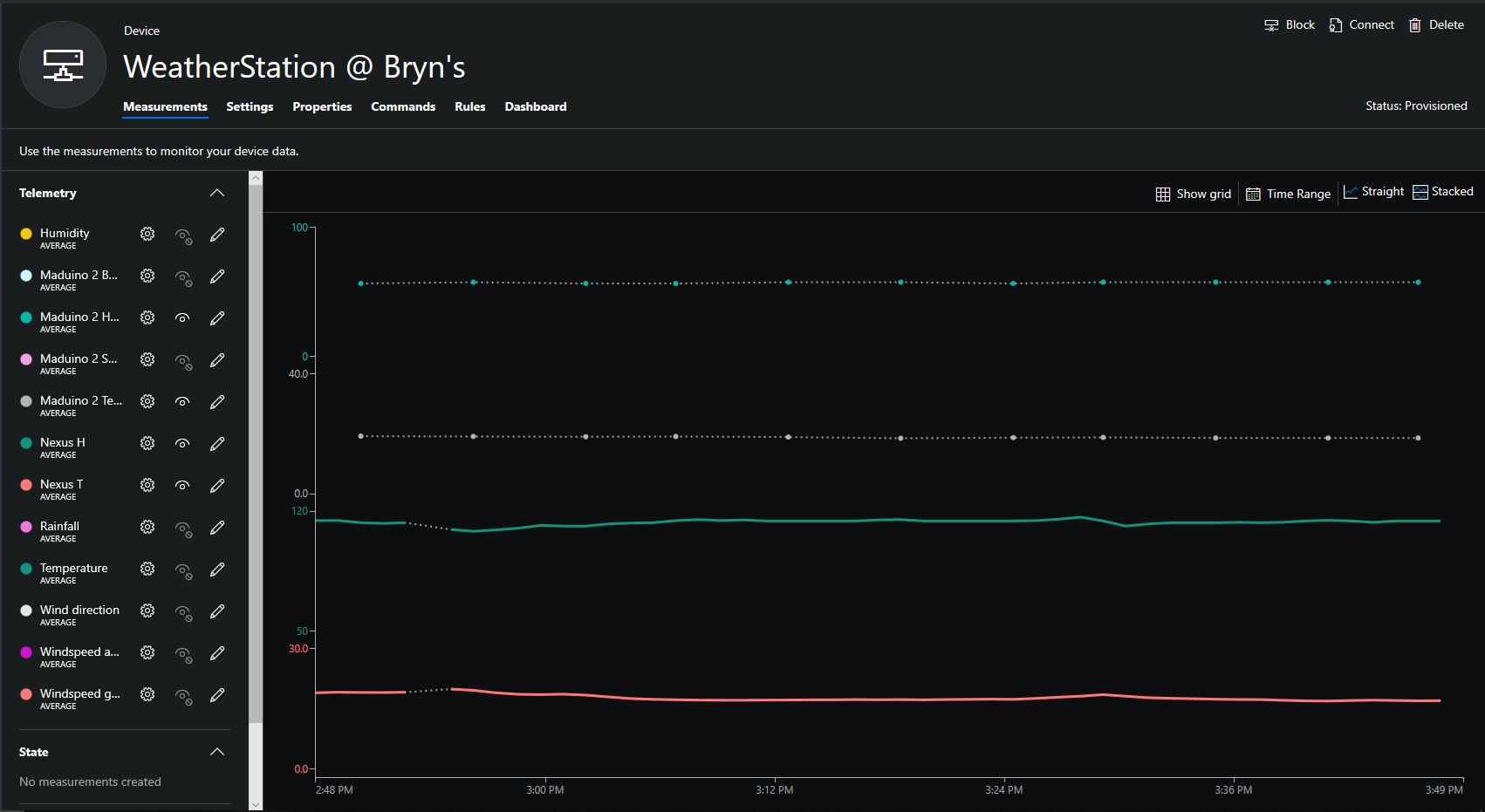
Nexus temperature & humidity data displayed in Azure IoT Central

RFM9X.IoTCore Adafruit LoRa Radio Bonnet support

The RFM9X chip select line on the Adafruit LoRa Radio Bonnet 868 or 915MHz with OLED RFM95W is connected to pin 26(CS1), the reset line to pin 22(GPIO25) and the interrupt line to pin 15(GPIO22).

When I ran the RFM9XLoRaDeviceClient from my RFM9X.IoTCore library with the following configuration

#if ADAFRUIT_RADIO_BONNET
	private const byte ResetLine = 25;
	private const byte InterruptLine = 22;
	private Rfm9XDevice rfm9XDevice = new Rfm9XDevice(ChipSelectPin.CS1, ResetLine, InterruptLine);
#endif

public void Run(IBackgroundTaskInstance taskInstance)
{
	rfm9XDevice.Initialise(Frequency, paBoost: true, rxPayloadCrcOn : true);
#if DEBUG
	rfm9XDevice.RegisterDump();
#endif
	rfm9XDevice.OnReceive += Rfm9XDevice_OnReceive;
#if ADDRESSED_MESSAGES_PAYLOAD
	rfm9XDevice.Receive(UTF8Encoding.UTF8.GetBytes(Environment.MachineName));
#else
	rfm9XDevice.Receive();
#endif
	rfm9XDevice.OnTransmit += Rfm9XDevice_OnTransmit;

	Task.Delay(10000).Wait();

	while (true)
	{
		string messageText = string.Format("Hello from {0} ! {1}", Environment.MachineName, MessageCount);
		MessageCount -= 1;

		byte[] messageBytes = UTF8Encoding.UTF8.GetBytes(messageText);
		Debug.WriteLine("{0:HH:mm:ss}-TX {1} byte message {2}", DateTime.Now, messageBytes.Length, messageText);
#if ADDRESSED_MESSAGES_PAYLOAD
		this.rfm9XDevice.Send(UTF8Encoding.UTF8.GetBytes("AddressHere"), messageBytes);
#else
		this.rfm9XDevice.Send(messageBytes);
#endif
		Task.Delay(10000).Wait();
	}
}
#endif

I could see messages being sent and received in the debug output

Register 0x3e - Value 0X00 - Bits 00000000
Register 0x3f - Value 0X00 - Bits 00000000
Register 0x40 - Value 0X00 - Bits 00000000
Register 0x41 - Value 0X00 - Bits 00000000
Register 0x42 - Value 0X12 - Bits 00010010
...
The thread 0xec4 has exited with code 0 (0x0).
The thread 0x868 has exited with code 0 (0x0).
22:21:47-RX PacketSnr 9.8 Packet RSSI -80dBm RSSI -122dBm = 59 byte message "�LoRaIoT1Maduino2at 62.8,ah 77,wsa 1,wsg 3,wd 34.88,r 0.00,"
22:21:52-TX 31 byte message Hello from AdaFruitIOLoRa ! 255
22:21:52-TX Done
The thread 0xbf8 has exited with code 0 (0x0).
The program '[3380] backgroundTaskHost.exe' has exited with code -1 (0xffffffff).

Next step modify my Adafruit IO and Azure IoT Hub/Central field gateways.

Adafruit LoRa Radio Bonnet with OLED – RadioFruit

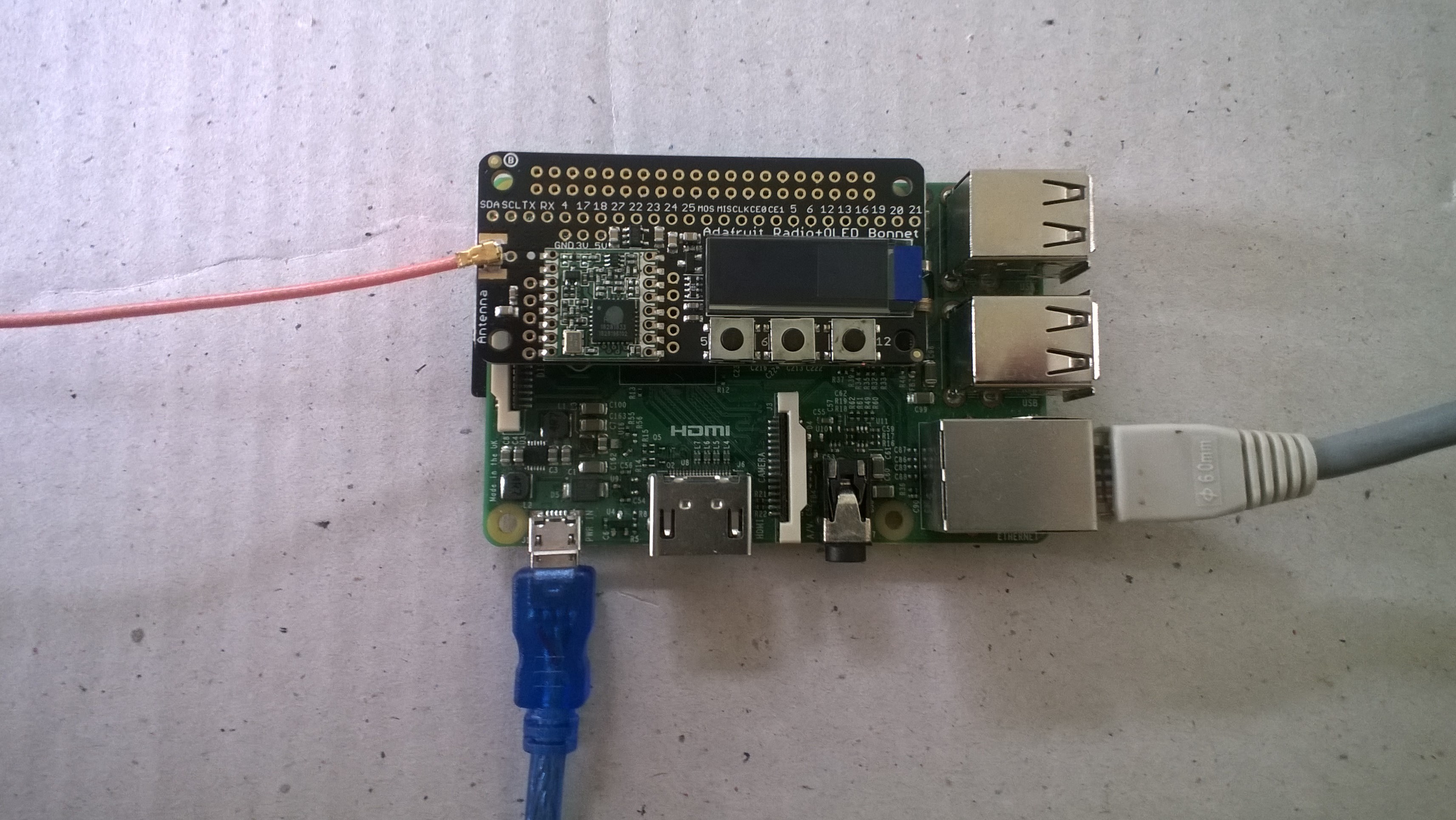
Today a package arrived from Adafruit which contained an Adafruit LoRa Radio Bonnet 868 or 915MHz with OLED RFM95W.

The shield has a small OLED screen and 3 buttons connected to General Purpose Input Output(GPIO) pins.

The first step was to check the pin assignments of the 3 buttons.

/*
    Copyright ® 2019 Feb devMobile Software, All Rights Reserved
 
    MIT License

    Permission is hereby granted, free of charge, to any person obtaining a copy
    of this software and associated documentation files (the "Software"), to deal
    in the Software without restriction, including without limitation the rights
    to use, copy, modify, merge, publish, distribute, sublicense, and/or sell
    copies of the Software, and to permit persons to whom the Software is
    furnished to do so, subject to the following conditions:

    The above copyright notice and this permission notice shall be included in all
    copies or substantial portions of the Software.

    THE SOFTWARE IS PROVIDED "AS IS", WITHOUT WARRANTY OF ANY KIND, EXPRESS OR
    IMPLIED, INCLUDING BUT NOT LIMITED TO THE WARRANTIES OF MERCHANTABILITY,
    FITNESS FOR A PARTICULAR PURPOSE AND NONINFRINGEMENT. IN NO EVENT SHALL THE
    AUTHORS OR COPYRIGHT HOLDERS BE LIABLE FOR ANY CLAIM, DAMAGES OR OTHER
    LIABILITY, WHETHER IN AN ACTION OF CONTRACT, TORT OR OTHERWISE, ARISING FROM,
    OUT OF OR IN CONNECTION WITH THE SOFTWARE OR THE USE OR OTHER DEALINGS IN THE
    SOFTWARE

	 Adafruit documentation page
	 https://learn.adafruit.com/adafruit-radio-bonnets/pinouts

    Button 1: GPIO 5 
    Button 2: GPIO 6
    Button 3: GPIO 12 

 */
namespace devMobile.IoT.Rfm9x.AdafruitButtons
{
	using System;
	using System.Diagnostics;
	using Windows.ApplicationModel.Background;
	using Windows.Devices.Gpio;

	public sealed class StartupTask : IBackgroundTask
    {
		private BackgroundTaskDeferral backgroundTaskDeferral = null;
		private GpioPin InterruptGpioPin1 = null;
		private GpioPin InterruptGpioPin2 = null;
		private GpioPin InterruptGpioPin3 = null;
		private const int InterruptPinNumber1 = 5;
		private const int InterruptPinNumber2 = 6;
		private const int InterruptPinNumber3 = 12;
		private readonly TimeSpan debounceTimeout = new TimeSpan(0, 0, 15);


		public void Run(IBackgroundTaskInstance taskInstance)
        {
			Debug.WriteLine("Application startup");

			try
			{
				GpioController gpioController = GpioController.GetDefault();

				InterruptGpioPin1 = gpioController.OpenPin(InterruptPinNumber1);
				InterruptGpioPin1.SetDriveMode(GpioPinDriveMode.InputPullUp);
				InterruptGpioPin1.ValueChanged += InterruptGpioPin_ValueChanged; ;

				InterruptGpioPin2 = gpioController.OpenPin(InterruptPinNumber2);
				InterruptGpioPin2.SetDriveMode(GpioPinDriveMode.InputPullUp);
				InterruptGpioPin2.ValueChanged += InterruptGpioPin_ValueChanged; ;

				InterruptGpioPin3 = gpioController.OpenPin(InterruptPinNumber3);
				InterruptGpioPin3.SetDriveMode(GpioPinDriveMode.InputPullUp);
				InterruptGpioPin3.ValueChanged += InterruptGpioPin_ValueChanged; ;

				Debug.WriteLine("Digital Input Interrupt configuration success");
			}
			catch (Exception ex)
			{
				Debug.WriteLine($"Digital Input Interrupt configuration failed " + ex.Message);
				return;
			}

			//enable task to continue running in background
			backgroundTaskDeferral = taskInstance.GetDeferral();
		}

		private void InterruptGpioPin_ValueChanged(GpioPin sender, GpioPinValueChangedEventArgs args)
		{
			Debug.WriteLine($"Digital Input Interrupt {sender.PinNumber} triggered {args.Edge}");
		}
	}
}

When I ran the application it produced the following output when I pressed the three buttons (left->right) which confirmed I had the correct GPIO pins configuration.

Application startup
'backgroundTaskHost.exe' (CoreCLR: CoreCLR_UWP_Domain): Loaded 'C:\Data\Programs\WindowsApps\Microsoft.NET.CoreFramework.Debug.2.2_2.2.27129.1_arm__8wekyb3d8bbwe\System.Runtime.WindowsRuntime.dll'. Skipped loading symbols. Module is optimized and the debugger option 'Just My Code' is enabled.
Digital Input Interrupt configuration success
Digital Input Interrupt 5 triggered FallingEdge
Digital Input Interrupt 5 triggered RisingEdge
Digital Input Interrupt 6 triggered FallingEdge
Digital Input Interrupt 6 triggered RisingEdge
Digital Input Interrupt 12 triggered FallingEdge
Digital Input Interrupt 12 triggered RisingEdge

The next step was to get the Serial Peripheral Interface (SPI) interface for the module working.

/*
    Copyright ® 2019 Feb devMobile Software, All Rights Reserved
 
    MIT License

    Permission is hereby granted, free of charge, to any person obtaining a copy
    of this software and associated documentation files (the "Software"), to deal
    in the Software without restriction, including without limitation the rights
    to use, copy, modify, merge, publish, distribute, sublicense, and/or sell
    copies of the Software, and to permit persons to whom the Software is
    furnished to do so, subject to the following conditions:

    The above copyright notice and this permission notice shall be included in all
    copies or substantial portions of the Software.

    THE SOFTWARE IS PROVIDED "AS IS", WITHOUT WARRANTY OF ANY KIND, EXPRESS OR
    IMPLIED, INCLUDING BUT NOT LIMITED TO THE WARRANTIES OF MERCHANTABILITY,
    FITNESS FOR A PARTICULAR PURPOSE AND NONINFRINGEMENT. IN NO EVENT SHALL THE
    AUTHORS OR COPYRIGHT HOLDERS BE LIABLE FOR ANY CLAIM, DAMAGES OR OTHER
    LIABILITY, WHETHER IN AN ACTION OF CONTRACT, TORT OR OTHERWISE, ARISING FROM,
    OUT OF OR IN CONNECTION WITH THE SOFTWARE OR THE USE OR OTHER DEALINGS IN THE
    SOFTWARE

	 Adafruit documentation page
	 https://learn.adafruit.com/adafruit-radio-bonnets/pinouts

	 CS : CE1
	 RST : GPIO25
	 IRQ : GPIO22 (DIO0)
	 Unused : GPIO23 (DIO1)
	 Unused : GPIO24 (DIO2)
 */
namespace devMobile.IoT.Rfm9x.AdafruitSPI
{
	using System;
	using System.Diagnostics;
	using System.Threading;
	using Windows.ApplicationModel.Background;
	using Windows.Devices.Spi;

	public sealed class StartupTask : IBackgroundTask
	{
		public void Run(IBackgroundTaskInstance taskInstance)
		{
			SpiController spiController = SpiController.GetDefaultAsync().AsTask().GetAwaiter().GetResult();
			var settings = new SpiConnectionSettings(1)
			{
				ClockFrequency = 500000,
				Mode = SpiMode.Mode0,   // From SemTech docs pg 80 CPOL=0, CPHA=0
			};

			SpiDevice Device = spiController.GetDevice(settings);

			while (true)
			{
				byte[] writeBuffer = new byte[] { 0x42 }; // RegVersion
				byte[] readBuffer = new byte[1];

				Device.TransferSequential(writeBuffer, readBuffer);

				byte registerValue = readBuffer[0];
				Debug.WriteLine("Register 0x{0:x2} - Value 0X{1:x2} - Bits {2}", 0x42, registerValue, Convert.ToString(registerValue, 2).PadLeft(8, '0'));

				Thread.Sleep(10000);
			}
		}
	}
}

The output confirm the code worked

'backgroundTaskHost.exe' (CoreCLR: CoreCLR_UWP_Domain): Loaded 'C:\Data\Programs\WindowsApps\Microsoft.NET.CoreFramework.Debug.2.2_2.2.27129.1_arm__8wekyb3d8bbwe\System.Threading.Thread.dll'. Skipped loading symbols. Module is optimized and the debugger option 'Just My Code' is enabled.
Register 0x42 - Value 0X12 - Bits 00010010

The next step is to build support for this shield into my RFM9X.IoTCore library and get the OLED working.

Wisen Whisper Node – LoRa 915 MHz Payload Addressing Client

This is a demo Wizen Whisper NodeLoRa client (based on one of the examples from Arduino-LoRa) that uploads telemetry data to my Windows 10 IoT Core on Raspberry PI field gateway proof of concept(PoC).

The Wisen Bitbucket repository had sample code based on the RadioHead library which was useful for port numbers. This device family supports 433MHz, 868MHz & 915Mz modules. Wisen has other RFM69 based devices as well.

Bill of materials (Prices Sep 2018)

  • Wizen Whisper Node LoRa (433, 868 or 900 MHz) AUD27.90
  • Seeedstudio Temperature and Humidity Sensor Pro USD11.50
  • Seeedstudio 4 pin Male Jumper to Grove 4 pin Conversion Cable USD2.90

The code is pretty basic, it reads a value from the Seeedstudio temperature and humidity sensor, then packs the payload and sets the necessary RFM9X/SX127X LoRa module configuration. It has no power conservation, advanced wireless configuration etc.

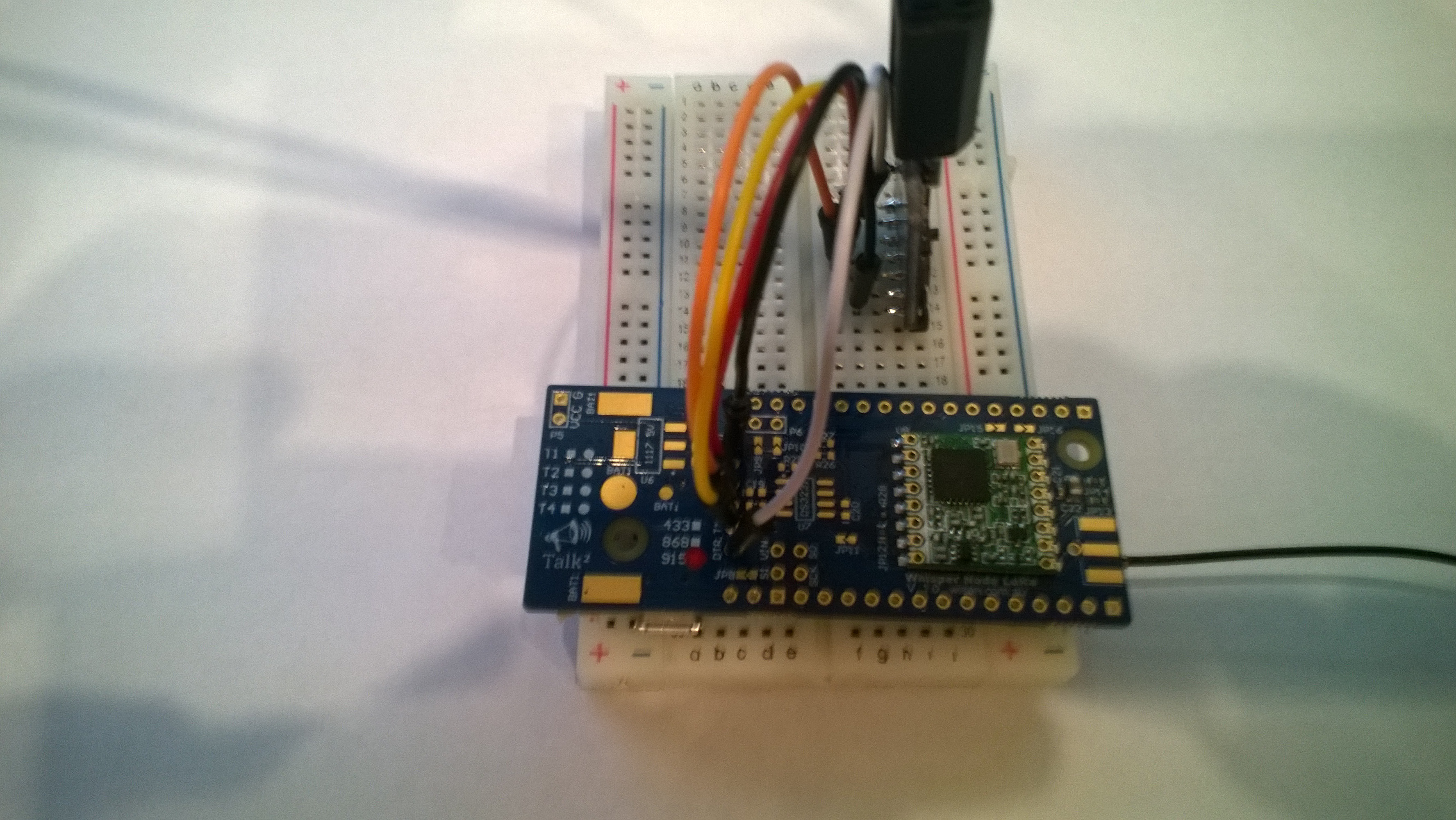
I needed to use jumpers to connect my device up

WisenPatch20180924

WisenLoRa20180924

/*
  Adapted from LoRa Duplex communication with Sync Word

  Sends temperature & humidity data from Seeedstudio 

  https://www.seeedstudio.com/Grove-Temperature-Humidity-Sensor-High-Accuracy-Min-p-1921.html

  To my Windows 10 IoT Core RFM 9X library

  
RFM9X.IoTCore Payload Addressing
*/ #include // include libraries #include #include const int csPin = 10; // LoRa radio chip select const int resetPin = 7; // LoRa radio reset const int irqPin = 2; // change for your board; must be a hardware interrupt pin // Field gateway configuration const char FieldGatewayAddress[] = "LoRaIoT1"; const float FieldGatewayFrequency = 915000000.0; const byte FieldGatewaySyncWord = 0x12 ; // Payload configuration const int PayloadSizeMaximum = 64 ; byte payload[PayloadSizeMaximum] = ""; const byte SensorReadingSeperator = ',' ; // Manual serial number configuration const char DeviceId[] = {"Wisen01"}; const int LoopSleepDelaySeconds = 10 ; void setup() { Serial.begin(9600); //while (!Serial); Serial.println("LoRa Setup"); // override the default CS, reset, and IRQ pins (optional) LoRa.setPins(csPin, resetPin, irqPin);// set CS, reset, IRQ pin if (!LoRa.begin(FieldGatewayFrequency)) { Serial.println("LoRa init failed. Check your connections."); while (true); } // Need to do this so field gateways pays attention to messsages from this device LoRa.enableCrc(); LoRa.setSyncWord(FieldGatewaySyncWord); //LoRa.dumpRegisters(Serial); Serial.println("LoRa Setup done."); // Configure the Seeedstudio TH02 temperature & humidity sensor Serial.println("TH02 setup"); TH02.begin(); delay(100); Serial.println("TH02 Setup done"); Serial.println("Setup done"); } void loop() { int payloadLength = 0 ; float temperature ; float humidity ; Serial.println("Loop called"); memset(payload, 0, sizeof(payload)); // prepare the payload header with "To" Address length (top nibble) and "From" address length (bottom nibble) payload[0] = (strlen(FieldGatewayAddress) << 4) | strlen( DeviceId ) ; payloadLength += 1; // Copy the "To" address into payload memcpy(&payload[payloadLength], FieldGatewayAddress, strlen(FieldGatewayAddress)); payloadLength += strlen(FieldGatewayAddress) ; // Copy the "From" into payload memcpy(&payload[payloadLength], DeviceId, strlen(DeviceId)); payloadLength += strlen(DeviceId) ; // Read the temperature and humidity values then display nicely temperature = TH02.ReadTemperature(); humidity = TH02.ReadHumidity(); Serial.print("T:"); Serial.print( temperature, 1 ) ; Serial.print( "C" ) ; Serial.print(" H:"); Serial.print( humidity, 0 ) ; Serial.println( "%" ) ; // Copy the temperature into the payload payload[ payloadLength] = 't'; payloadLength += 1 ; payload[ payloadLength] = ' '; payloadLength += 1 ; payloadLength += strlen( dtostrf(temperature, -1, 1, (char*)&payload[payloadLength])); payload[ payloadLength] = SensorReadingSeperator; payloadLength += sizeof(SensorReadingSeperator) ; // Copy the humidity into the payload payload[ payloadLength] = 'h'; payloadLength += 1 ; payload[ payloadLength] = ' '; payloadLength += 1 ; payloadLength += strlen( dtostrf(humidity, -1, 0, (char *)&payload[payloadLength])); // display info about payload then send it (No ACK) with LoRa unlike nRF24L01 Serial.print( "RFM9X/SX127X Payload length:"); Serial.print( payloadLength ); Serial.println( " bytes" ); LoRa.beginPacket(); LoRa.write( payload, payloadLength ); LoRa.endPacket(); Serial.println("Loop done"); delay(LoopSleepDelaySeconds * 1000l); }

In the debug output window the messages from the device looked like this

20:38:30-RX From Wisen01 PacketSnr 10.0 Packet RSSI -48dBm RSSI -104dBm = 11 byte message "t 22.2,h 91"
Sensor Wisen01t Value 22.2
Sensor Wisen01h Value 91
AzureIoTHubClient SendEventAsync start
AzureIoTHubClient SendEventAsync finish
The thread 0x14c0 has exited with code 0 (0x0).
The thread 0x788 has exited with code 0 (0x0).
20:38:40-RX From Wisen01 PacketSnr 9.8 Packet RSSI -48dBm RSSI -103dBm = 11 byte message "t 22.5,h 91"
Sensor Wisen01t Value 22.5
Sensor Wisen01h Value 91
AzureIoTHubClient SendEventAsync start
AzureIoTHubClient SendEventAsync finish
The thread 0x1124 has exited with code 0 (0x0).
The thread 0x129c has exited with code 0 (0x0).
20:38:50-RX From Wisen01 PacketSnr 9.3 Packet RSSI -47dBm RSSI -96dBm = 11 byte message "t 22.7,h 91"
Sensor Wisen01t Value 22.7
Sensor Wisen01h Value 91
AzureIoTHubClient SendEventAsync start
AzureIoTHubClient SendEventAsync finish
The thread 0x664 has exited with code 0 (0x0).

Then at my Azure IoT hub the data stream looked like this

WisenTalkLoRaAzureIoTHub

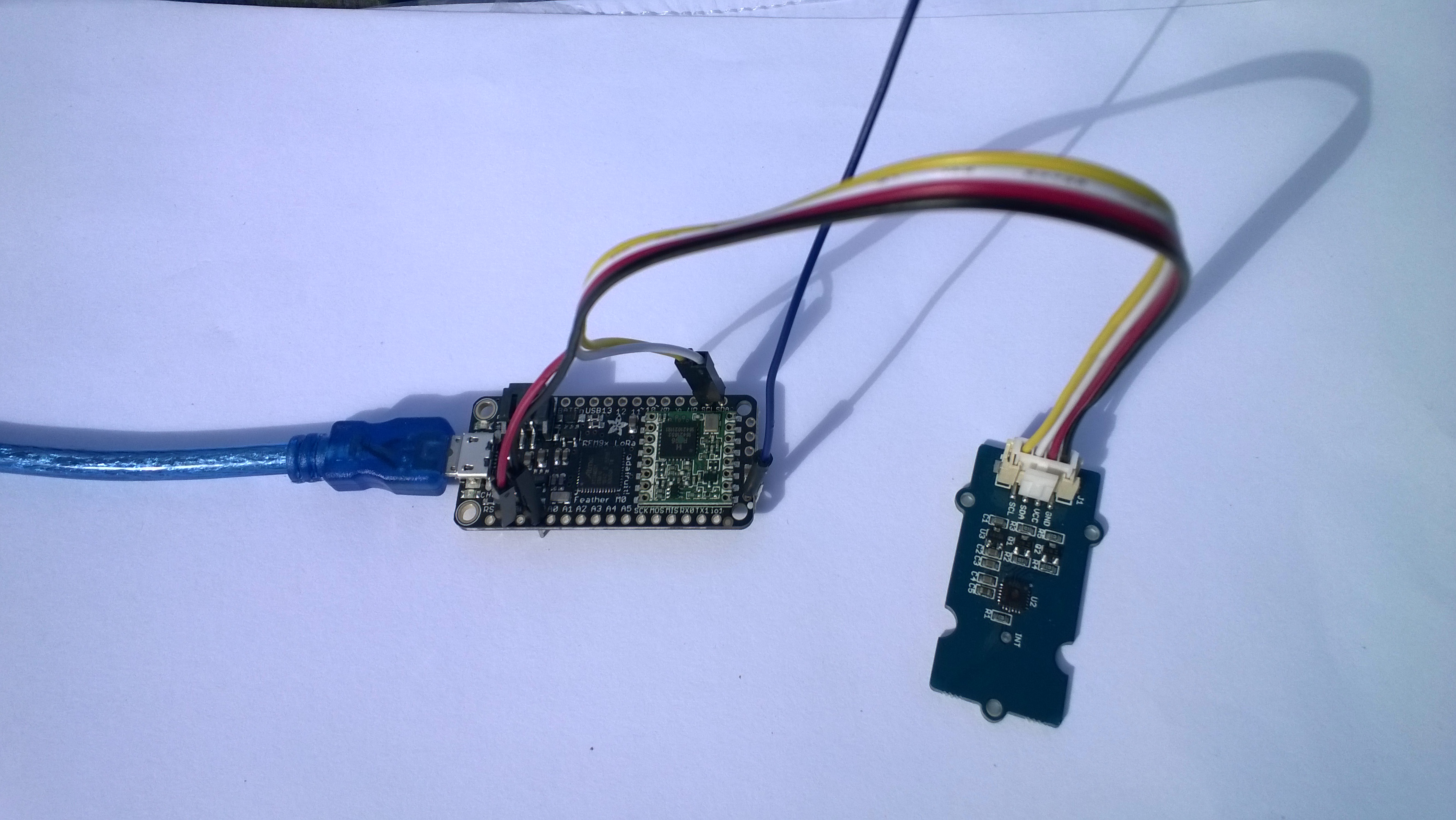
Adafruit Feather M0 RFM95 LoRa Radio Payload Addressing Client

This is a demo AdaFruit Feather Mo0 Radio with LoRa Radio Module client (based on one of the examples from Arduino-LoRa) that uploads telemetry data to my Windows 10 IoT Core on Raspberry PI field gateway proof of concept(PoC).

The Adafruit learn site had sample code based on the RadioHead library which was useful. This device supports 868MHz & 915Mz, there is are other Arduino 32u4 and 433MHz devices available.

Bill of materials (Prices Sep 2018)

  • Adafruit Feather M0 RFM95 LoRa Radio (433 or 900 MHz) USD34.95
  • Seeedstudio Temperature and Humidity Sensor Pro USD11.50
  • Seeedstudio 4 pin Male Jumper to Grove 4 pin Conversion Cable USD2.90

The code is pretty basic, it reads a value from the Seeedstudio temperature and humidity sensor, then packs the payload and sets the necessary RFM9X/SX127X LoRa module configuration, has no power conservation, advanced wireless configuration etc. I had to add an extra include from the dstrtof function

AdaFruitM0Feather

/*
  Adapted from LoRa Duplex communication with Sync Word

  Sends temperature & humidity data from Seeedstudio 

  https://www.seeedstudio.com/Grove-Temperature-Humidity-Sensor-High-Accuracy-Min-p-1921.html

  To my Windows 10 IoT Core RFM 9X library

  
RFM9X.IoTCore Payload Addressing
*/ #include #include #include #include const int csPin = 8; // LoRa radio chip select const int resetPin = 4; // LoRa radio reset const int irqPin = 3; // change for your board; must be a hardware interrupt pin // Field gateway configuration const char FieldGatewayAddress[] = "LoRaIoT1"; const float FieldGatewayFrequency = 915000000.0; const byte FieldGatewaySyncWord = 0x12 ; // Payload configuration const int PayloadSizeMaximum = 64 ; byte payload[PayloadSizeMaximum] = ""; const byte SensorReadingSeperator = ',' ; // Manual serial number configuration const char DeviceId[] = {"AdafruitM0"}; const int LoopSleepDelaySeconds = 10 ; void setup() { Serial.begin(9600); //while (!Serial); Serial.println("LoRa Setup"); // override the default CS, reset, and IRQ pins (optional) LoRa.setPins(csPin, resetPin, irqPin);// set CS, reset, IRQ pin if (!LoRa.begin(FieldGatewayFrequency)) { Serial.println("LoRa init failed. Check your connections."); while (true); } // Need to do this so field gateways pays attention to messages from this device LoRa.enableCrc(); LoRa.setSyncWord(FieldGatewaySyncWord); //LoRa.dumpRegisters(Serial); Serial.println("LoRa Setup done."); // Configure the Seeedstudio TH02 temperature & humidity sensor Serial.println("TH02 setup"); TH02.begin(); delay(100); Serial.println("TH02 Setup done"); Serial.println("Setup done"); } void loop() { int payloadLength = 0 ; float temperature ; float humidity ; Serial.println("Loop called"); memset(payload, 0, sizeof(payload)); // prepare the payload header with "To" Address length (top nibble) and "From" address length (bottom nibble) payload[0] = (strlen(FieldGatewayAddress) << 4) | strlen( DeviceId ) ; payloadLength += 1; // Copy the "To" address into payload memcpy(&payload[payloadLength], FieldGatewayAddress, strlen(FieldGatewayAddress)); payloadLength += strlen(FieldGatewayAddress) ; // Copy the "From" into payload memcpy(&payload[payloadLength], DeviceId, strlen(DeviceId)); payloadLength += strlen(DeviceId) ; // Read the temperature and humidity values then display nicely temperature = TH02.ReadTemperature(); humidity = TH02.ReadHumidity(); Serial.print("T:"); Serial.print( temperature, 1 ) ; Serial.print( "C" ) ; Serial.print(" H:"); Serial.print( humidity, 0 ) ; Serial.println( "%" ) ; // Copy the temperature into the payload payload[ payloadLength] = 't'; payloadLength += 1 ; payload[ payloadLength] = ' '; payloadLength += 1 ; payloadLength += strlen( dtostrf(temperature, -1, 1, (char*)&payload[payloadLength])); payload[ payloadLength] = SensorReadingSeperator; payloadLength += sizeof(SensorReadingSeperator) ; // Copy the humidity into the payload payload[ payloadLength] = 'h'; payloadLength += 1 ; payload[ payloadLength] = ' '; payloadLength += 1 ; payloadLength += strlen( dtostrf(humidity, -1, 0, (char *)&payload[payloadLength])); // display info about payload then send it (No ACK) with LoRa unlike nRF24L01 Serial.print( "RFM9X/SX127X Payload length:"); Serial.print( payloadLength ); Serial.println( " bytes" ); LoRa.beginPacket(); LoRa.write( payload, payloadLength ); LoRa.endPacket(); Serial.println("Loop done"); delay(LoopSleepDelaySeconds * 1000l); }

In the Arduino debug monitor the messages from the device looked like this

Loop done
Loop called
T:17.5C H:94%
RFM9X/SX127X Payload length:30 bytes
Loop done
Loop called
T:17.5C H:95%
RFM9X/SX127X Payload length:30 bytes
Loop done
Loop called
T:17.6C H:95%
RFM9X/SX127X Payload length:30 bytes
Loop done

In the debug output window the messages from the device looked like this

The thread 0xf9c has exited with code 0 (0x0).
The thread 0x8ac has exited with code 0 (0x0).
09:53:53-RX From AdafruitM0 PacketSnr 10.3 Packet RSSI -51dBm RSSI -103dBm = 11 byte message "t 17.8,h 93"
Sensor AdafruitM0t Value 17.8
Sensor AdafruitM0h Value 93
AzureIoTHubClient SendEventAsync start
AzureIoTHubClient SendEventAsync finish
The thread 0x704 has exited with code 0 (0x0).
The thread 0xad4 has exited with code 0 (0x0).
09:54:03-RX From AdafruitM0 PacketSnr 9.8 Packet RSSI -52dBm RSSI -101dBm = 11 byte message "t 17.8,h 93"
Sensor AdafruitM0t Value 17.8
Sensor AdafruitM0h Value 93
AzureIoTHubClient SendEventAsync start
AzureIoTHubClient SendEventAsync finish
The thread 0x1084 has exited with code 0 (0x0).
The thread 0xa2c has exited with code 0 (0x0).
09:54:14-RX From AdafruitM0 PacketSnr 9.8 Packet RSSI -54dBm RSSI -102dBm = 11 byte message "t 17.7,h 93"
Sensor AdafruitM0t Value 17.7
Sensor AdafruitM0h Value 93
AzureIoTHubClient SendEventAsync start
AzureIoTHubClient SendEventAsync finish
The thread 0x1720 has exited with code 0 (0x0).

10:00:06-RX From AdafruitM0 PacketSnr 9.3 Packet RSSI -52dBm RSSI -100dBm = 12 byte message "t 184.0,h 91"
Sensor AdafruitM0t Value 184.0
Sensor AdafruitM0h Value 91
AzureIoTHubClient SendEventAsync start
AzureIoTHubClient SendEventAsync finish
The thread 0x15d4 has exited with code 0 (0x0).
The thread 0x15f4 has exited with code 0 (0x0).
10:00:19-RX From AdafruitM0 PacketSnr 10.0 Packet RSSI -48dBm RSSI -102dBm = 12 byte message "t 180.9,h 94"
Sensor AdafruitM0t Value 180.9
Sensor AdafruitM0h Value 94
AzureIoTHubClient SendEventAsync start
AzureIoTHubClient SendEventAsync finish
The thread 0xabc has exited with code 0 (0x0).
The thread 0x2e4 has exited with code 0 (0x0).
10:00:29-RX From AdafruitM0 PacketSnr 9.8 Packet RSSI -49dBm RSSI -102dBm = 12 byte message "t -50.0,h 94"
Sensor AdafruitM0t Value -50.0
Sensor AdafruitM0h Value 94
AzureIoTHubClient SendEventAsync start
AzureIoTHubClient SendEventAsync finish
The thread 0x950 has exited with code 0 (0x0).
The thread 0x145c has exited with code 0 (0x0).
The thread 0x176c has exited with code 0 (0x0).
10:00:39-RX From AdafruitM0 PacketSnr 9.5 Packet RSSI -50dBm RSSI -102dBm = 11 byte message "t 17.5,h 94"
Sensor AdafruitM0t Value 17.5
Sensor AdafruitM0h Value 94
AzureIoTHubClient SendEventAsync start
AzureIoTHubClient SendEventAsync finish
The thread 0x165c has exited with code 0 (0x0).
The thread 0x6e8 has exited with code 0 (0x0).
10:00:49-RX From AdafruitM0 PacketSnr 9.8 Packet RSSI -59dBm RSSI -100dBm = 11 byte message "t 17.5,h 95"
Sensor AdafruitM0t Value 17.5
Sensor AdafruitM0h Value 95
AzureIoTHubClient SendEventAsync start
AzureIoTHubClient SendEventAsync finish
The thread 0x1334 has exited with code 0 (0x0).
The thread 0x14d0 has exited with code 0 (0x0).
10:00:59-RX From AdafruitM0 PacketSnr 9.5 Packet RSSI -66dBm RSSI -102dBm = 11 byte message "t 17.6,h 95"
Sensor AdafruitM0t Value 17.6
Sensor AdafruitM0h Value 95
AzureIoTHubClient SendEventAsync start
AzureIoTHubClient SendEventAsync finish

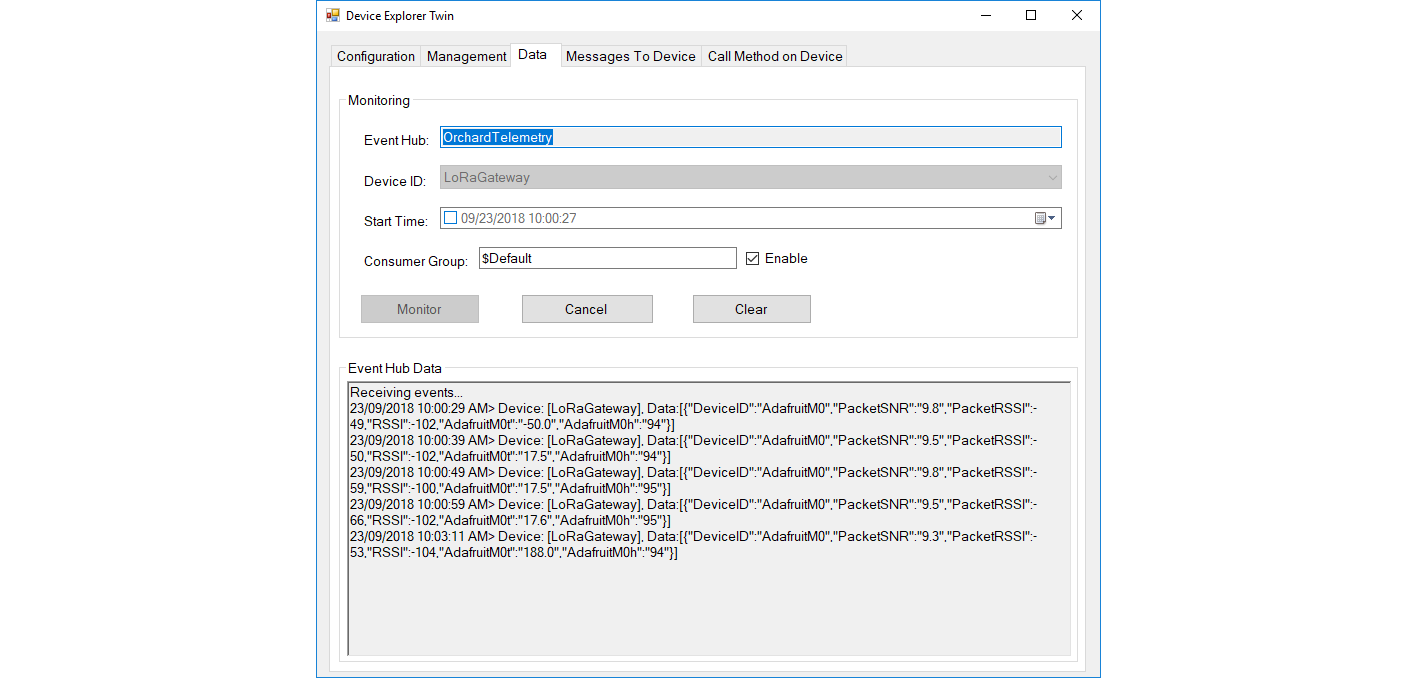
Then at my Azure IoT hub the data stream looked like this
AdaFruitM0LoRaFeatherIoTHub

To reduce power consumption I would disconnect/remove the light emitting diode(LED)

IoT.Net LoRa Radio 915 MHz Payload Addressing client

This is a demo ingenuity micro IoT.Net client (based on one of the examples in my RFM9XLoRaNetMF library) that uploads telemetry data to my Windows 10 IoT Core on Raspberry PI field gateway. 

Thought the silk screen says RFM69 this is a prototype running an RFM95 module.

iotnetlora.jpg

Bill of materials (Prices Sep 2018)

  • IoT.Net device (Beta tester will add price when available)

The device has an onboard MCP9808 temperature sensor which kept the BoM really short. I have had to make some modifications to my RFM9XLoRaNetMF library as the IoT.Net device uses a different SPI port. The code for this devices and the changes will be uploaded to GitHub in the next couple of days.

//---------------------------------------------------------------------------------
// Copyright (c) Sept 2018, devMobile Software
//
// Licensed under the Apache License, Version 2.0 (the "License");
// you may not use this file except in compliance with the License.
// You may obtain a copy of the License at
//
//     http://www.apache.org/licenses/LICENSE-2.0
//
// Unless required by applicable law or agreed to in writing, software
// distributed under the License is distributed on an "AS IS" BASIS,
// WITHOUT WARRANTIES OR CONDITIONS OF ANY KIND, either express or implied.
// See the License for the specific language governing permissions and
// limitations under the License.
// git remote add origin https://github.com/KiwiBryn/FieldGateway.LoRa.IoTNetClient.git
// git push -u origin master
//---------------------------------------------------------------------------------
namespace devMobile.IoT.IoTNet.FieldGateway
{
	using System;
	using System.Text;
	using System.Threading;
	using Microsoft.SPOT;
	using Microsoft.SPOT.Hardware;
	using devMobile.IoT.NetMF.ISM;
	using IngenuityMicro.Sensors;

	class IoTNetClient
	{
		private readonly Rfm9XDevice rfm9XDevice;
		private readonly TimeSpan dueTime = new TimeSpan(0, 0, 10);
		private readonly TimeSpan periodTime = new TimeSpan(0, 0, 30);
		private readonly MCP9808 mcp9808 = new MCP9808();
		private readonly OutputPort _led = new OutputPort((Cpu.Pin)16 + 8, false);
		private readonly byte[] fieldGatewayAddress = Encoding.UTF8.GetBytes("LoRaIoT1");
		private readonly byte[] deviceAddress = Encoding.UTF8.GetBytes("IoTNet1");

		public IoTNetClient()
		{
			rfm9XDevice = new Rfm9XDevice( SPI.SPI_module.SPI3, (Cpu.Pin)16 + 9, (Cpu.Pin)5, (Cpu.Pin)4);
		}

		public void Run()
		{
			rfm9XDevice.Initialise(frequency: 915000000, paBoost: true, rxPayloadCrcOn: true);
			rfm9XDevice.Receive(deviceAddress);

			rfm9XDevice.OnDataReceived += rfm9XDevice_OnDataReceived;
			rfm9XDevice.OnTransmit += rfm9XDevice_OnTransmit;

			Timer temperatureUpdates = new Timer(TemperatureTimerProc, null, dueTime, periodTime);

			Thread.Sleep(Timeout.Infinite);
		}

		private void TemperatureTimerProc(object state)
		{
			_led.Write(true);

			double temperature = mcp9808.ReadTempInC();

			Debug.Print(DateTime.UtcNow.ToString("hh:mm:ss") + "  T:" + temperature.ToString("F1"));

			rfm9XDevice.Send(fieldGatewayAddress, Encoding.UTF8.GetBytes("t " + temperature.ToString("F1")));

			_led.Write(true);
		}

		void rfm9XDevice_OnTransmit()
		{
			Debug.Print("Transmit-Done");
			_led.Write(false);
		}

		void rfm9XDevice_OnDataReceived(byte[] address, float packetSnr, int packetRssi, int rssi, byte[] data)
		{
			try
			{
				string messageText = new string(UTF8Encoding.UTF8.GetChars(data));
				string addressText = new string(UTF8Encoding.UTF8.GetChars(address));

				Debug.Print(DateTime.UtcNow.ToString("HH:MM:ss") + "-Rfm9X PacketSnr " + packetSnr.ToString("F1") + " Packet RSSI " + packetRssi + "dBm RSSI " + rssi + "dBm = " + data.Length + " byte message " + @"""" + messageText + @"""");
			}
			catch (Exception ex)
			{
				Debug.Print(ex.Message);
			}
		}
	}
}
}

.Net Framework debug output Field Gateway

22:55:39-RX From IoTNet1 PacketSnr 9.5 Packet RSSI -50dBm RSSI -110dBm = 6 byte message "t 23.6"
 Sensor IoTNet1t Value 23.6
 AzureIoTHubClient SendEventAsync start
 AzureIoTHubClient SendEventAsync finish
The thread 0xbec has exited with code 0 (0x0).
The thread 0xbb4 has exited with code 0 (0x0).
The thread 0xa0c has exited with code 0 (0x0).
The thread 0x13c has exited with code 0 (0x0).
22:56:09-RX From IoTNet1 PacketSnr 9.3 Packet RSSI -44dBm RSSI -102dBm = 6 byte message "t 23.8"
 Sensor IoTNet1t Value 23.8
 AzureIoTHubClient SendEventAsync start
 AzureIoTHubClient SendEventAsync finish

A small footprint, battery powered .NetMF 4.4 LoRa device designed and made in New Zealand with Visual Studio 2017 support is great.

Elecrow 32u4 with Lora RFM95 IOT Board Payload Addressing Client

This is a demo Elecrow 32u4 with Lora RFM95 IOT Board-868MHz/915MHz client (based on one of the examples from Arduino-LoRa) that uploads telemetry data to my Windows 10 IoT Core on Raspberry PI field gateway proof of concept(PoC).

The elecrow wiki had sample code based on the RadioHead library which was useful.

Bill of materials (Prices Sep 2018)

  • 32u4 with Lora RFM95 IOT Board-868MHz/915MHz USD22.50
  • Seeedstudio LightLevel Sensor USD2.90
  • Elecrow Crowtail to Grove 4 pin Conversion Cable USD1.00

The code is pretty basic, it reads a value from the light sensor, scales it, then packs the payload and sets the necessary RFM9X/SX127X LoRa module configuration, has no power conservation, advanced wireless configuration etc.

Elecrow32u4LoRa

/*
  Adapted from LoRa Duplex communication with Sync Word

  Sends Light data from Seeedstudio 

   https://www.seeedstudio.com/Grove-Light-Sensor-v1-2-p-2727.html

  To my Windows 10 IoT Core RFM 9X library

  https://blog.devmobile.co.nz/2018/09/03/rfm9x-iotcore-payload-addressing/

*/
#include               // include libraries
#include
const int csPin = 10;          // LoRa radio chip select
const int resetPin = 9;       // LoRa radio reset
const int irqPin = 2;         // change for your board; must be a hardware interrupt pin

// Field gateway configuration
const char FieldGatewayAddress[] = "LoRaIoT1";
const float FieldGatewayFrequency =  915000000.0;
const byte FieldGatewaySyncWord = 0x12 ;

// Payload configuration
const int PayloadSizeMaximum = 64 ;
byte payload[PayloadSizeMaximum] = "";
const byte SensorReadingSeperator = ',' ;

// Manual serial number configuration
const char DeviceId[] = {"Elecrow32u4"};

const int analogInPin = A0;
const int LoopSleepDelaySeconds = 60 ;

void setup() {
  Serial.begin(9600);

  Serial.println("LoRa Setup");

  // override the default CS, reset, and IRQ pins (optional)
  LoRa.setPins(csPin, resetPin, irqPin);// set CS, reset, IRQ pin

  if (!LoRa.begin(FieldGatewayFrequency))
  {
    Serial.println("LoRa init failed. Check your connections.");
    while (true);
  }

  // Need to do this so field gateways pays attention to messages from this device
  LoRa.enableCrc();
  LoRa.setSyncWord(FieldGatewaySyncWord);  

  LoRa.dumpRegisters(Serial);
  Serial.println("LoRa Setup done.");

  Serial.println("Setup done");
}

void loop()
{
  int payloadLength = 0 ;
  int sensorValue = 0;
  int outputValue = 0; 

  Serial.println("Loop called");
  memset(payload, 0, sizeof(payload));

  // Scale the sensor value to a %
  sensorValue = analogRead(analogInPin);
  outputValue = map(sensorValue, 0, 1023, 0, 100);  

  // prepare the payload header with "To" Address length (top nibble) and "From" address length (bottom nibble)
  payload[0] = (strlen(FieldGatewayAddress) << 4) | strlen( DeviceId ) ;
  payloadLength += 1;

  // Copy the "To" address into payload
  memcpy(&payload[payloadLength], FieldGatewayAddress, strlen(FieldGatewayAddress));
  payloadLength += strlen(FieldGatewayAddress) ;

  // Copy the "From" into payload
  memcpy(&payload[payloadLength], DeviceId, strlen(DeviceId));
  payloadLength += strlen(DeviceId) ;

  Serial.println("Loop called 5");

  Serial.print("L:");
  Serial.print( outputValue ) ;
  Serial.println( "%" ) ;

  // Copy the temperature into the payload
  payload[ payloadLength] = 'l';
  payloadLength += 1 ;
  payload[ payloadLength] = ' ';
  payloadLength += 1 ;
  payloadLength += strlen( itoa(outputValue, &payload[payloadLength],10 ));  

  // display info about payload then send it (No ACK) with LoRa unlike nRF24L01
  Serial.print( "RFM9X/SX127X Payload length:");
  Serial.print( payloadLength );
  Serial.println( " bytes" );

  LoRa.beginPacket();
  LoRa.write( payload, payloadLength );
  LoRa.endPacket();      

  Serial.println("Loop done");

  delay(LoopSleepDelaySeconds * 1000l);
}

In the debug output window the messages from the device looked like this

14:06:38-RX From Elecrow32u4 PacketSnr 9.8 Packet RSSI -88dBm RSSI -110dBm = 4 byte message "l 85"
Sensor Elecrow32u4l Value 85
AzureIoTHubClient SendEventAsync start
AzureIoTHubClient SendEventAsync finish
The thread 0x930 has exited with code 0 (0x0).
The thread 0xb74 has exited with code 0 (0x0).
The thread 0x3c8 has exited with code 0 (0x0).
The thread 0x984 has exited with code 0 (0x0).
14:07:01-RX From IoTMCU915 PacketSnr 9.3 Packet RSSI -87dBm RSSI -110dBm = 12 byte message "t 13.7,h 113"
Sensor IoTMCU915t Value 13.7
Sensor IoTMCU915h Value 113
AzureIoTHubClient SendEventAsync start
AzureIoTHubClient SendEventAsync finish
The thread 0x6e8 has exited with code 0 (0x0).
The thread 0x7b4 has exited with code 0 (0x0).
The thread 0xe9c has exited with code 0 (0x0).

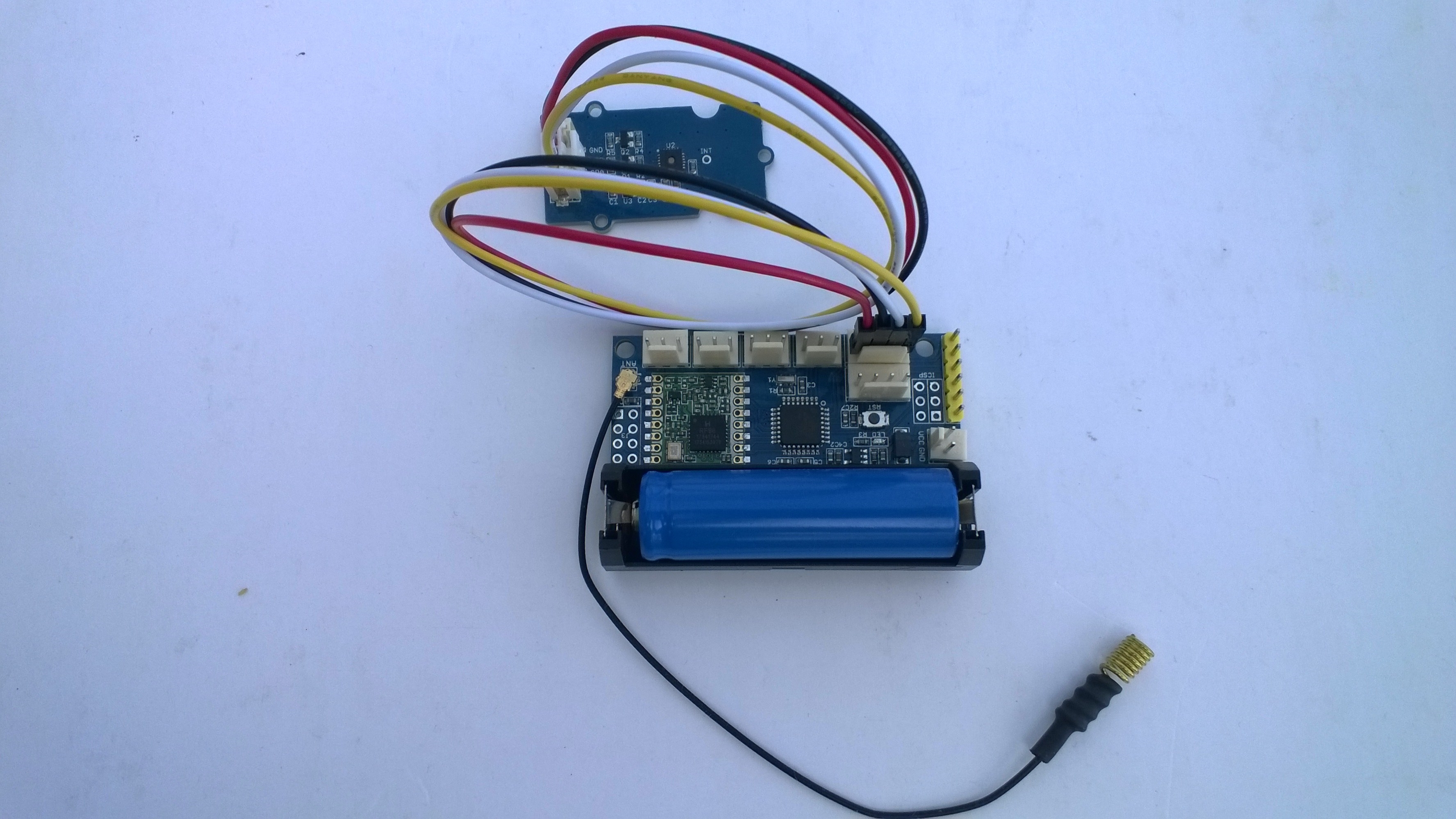
My battery is a bit of an overkill and to reduce power consumption I would disconnect/remove the light emitting diode(LED)

LoRa Radio Node v1.0 868/915MHz Payload Addressing Client

This is a demo IoTMCU LoRa Radio Node V1.0 868/915MHz client (based on one of the examples from Arduino-LoRa) that uploads telemetry data to my Windows 10 IoT Core on Raspberry PI field gateway proof of concept(PoC).

The devices arrived promptly and the sample code and schematics made adapting my Arduino code easy.

Bill of materials (Prices Sep 2018)

The code is pretty basic, it shows how to pack the payload and set the necessary RFM9X/SX127X LoRa module configuration, has no power conservation, advanced wireless configuration etc.

IoTMCULoRa915V2

/*
  Adapted from LoRa Duplex communication with Sync Word

  Sends temperature & humidity data from Seeedstudio 

  https://www.seeedstudio.com/Grove-Temperature-Humidity-Sensor-High-Accuracy-Min-p-1921.html

  To my Windows 10 IoT Core RFM 9X library

  https://blog.devmobile.co.nz/2018/09/03/rfm9x-iotcore-payload-addressing/
*/
#include               // include libraries
#include
#include
const int csPin = 10;          // LoRa radio chip select
const int resetPin = 9;       // LoRa radio reset
const int irqPin = 2;         // change for your board; must be a hardware interrupt pin

// Field gateway configuration
const char FieldGatewayAddress[] = "LoRaIoT1";
const float FieldGatewayFrequency =  915000000.0;
const byte FieldGatewaySyncWord = 0x12 ;

// Payload configuration
const int PayloadSizeMaximum = 64 ;
byte payload[PayloadSizeMaximum] = "";
const byte SensorReadingSeperator = ',' ;

// Manual serial number configuration
const char DeviceId[] = {"IoTMCU915"};

const int LoopSleepDelaySeconds = 60 ;

void setup() {
  Serial.begin(9600);
  while (!Serial);

  Serial.println("LoRa Setup");

  // override the default CS, reset, and IRQ pins (optional)
  LoRa.setPins(csPin, resetPin, irqPin);// set CS, reset, IRQ pin

  if (!LoRa.begin(FieldGatewayFrequency))
  {
    Serial.println("LoRa init failed. Check your connections.");
    while (true);
  }

  // Need to do this so field gateways pays attention to messages from this device
  LoRa.enableCrc();
  LoRa.setSyncWord(FieldGatewaySyncWord);  

  //LoRa.dumpRegisters(Serial);
  Serial.println("LoRa Setup done.");

  // Configure the Seeedstudio TH02 temperature & humidity sensor
  Serial.println("TH02 setup");
  TH02.begin();
  delay(100);
  Serial.println("TH02 Setup done");  

  Serial.println("Setup done");
}

void loop()
{
  int payloadLength = 0 ;
  float temperature ;
  float humidity ;

  Serial.println("Loop called");
  memset(payload, 0, sizeof(payload));

  // prepare the payload header with "To" Address length (top nibble) and "From" address length (bottom nibble)
  payload[0] = (strlen(FieldGatewayAddress) << 4) | strlen( DeviceId ) ;
  payloadLength += 1;

  // Copy the "To" address into payload
  memcpy(&payload[payloadLength], FieldGatewayAddress, strlen(FieldGatewayAddress));
  payloadLength += strlen(FieldGatewayAddress) ;

  // Copy the "From" into payload
  memcpy(&payload[payloadLength], DeviceId, strlen(DeviceId));
  payloadLength += strlen(DeviceId) ;

  // Read the temperature and humidity values then display nicely
  temperature = TH02.ReadTemperature();
  humidity = TH02.ReadHumidity();

  Serial.print("T:");
  Serial.print( temperature, 1 ) ;
  Serial.print( "C" ) ;

  Serial.print(" H:");
  Serial.print( humidity, 0 ) ;
  Serial.println( "%" ) ;

  // Copy the temperature into the payload
  payload[ payloadLength] = 't';
  payloadLength += 1 ;
  payload[ payloadLength] = ' ';
  payloadLength += 1 ;
  payloadLength += strlen( dtostrf(temperature, -1, 1, &payload[payloadLength]));
  payload[ payloadLength] = SensorReadingSeperator;
  payloadLength += sizeof(SensorReadingSeperator) ;

  // Copy the humidity into the payload
  payload[ payloadLength] = 'h';
  payloadLength += 1 ;
  payload[ payloadLength] = ' ';
  payloadLength += 1 ;
  payloadLength += strlen( dtostrf(humidity, -1, 0, &payload[payloadLength]));  

  // display info about payload then send it (No ACK) with LoRa unlike nRF24L01
  Serial.print( "RFM9X/SX127X Payload length:");
  Serial.print( payloadLength );
  Serial.println( " bytes" );

  LoRa.beginPacket();
  LoRa.write( payload, payloadLength );
  LoRa.endPacket();      

  Serial.println("Loop done");

  delay(LoopSleepDelaySeconds * 1000l);
}

In the debug output window the messages from the device looked like this

Register 0x40 – Value 0X00 – Bits 00000000
Register 0x41 – Value 0X00 – Bits 00000000
Register 0x42 – Value 0X12 – Bits 00010010

The thread 0x6f8 has exited with code 0 (0x0).
The thread 0x2f0 has exited with code 0 (0x0).
19:35:35-RX From IoTMCU915 PacketSnr 10.0 Packet RSSI -45dBm RSSI -109dBm = 11 byte message "t 19.8,h 88"
Sensor IoTMCU915t Value 19.8
Sensor IoTMCU915h Value 88
AzureIoTHubClient SendEventAsync start
AzureIoTHubClient SendEventAsync finish
The thread 0x9b0 has exited with code 0 (0x0).
The thread 0x9f4 has exited with code 0 (0x0).
The thread 0x9dc has exited with code 0 (0x0).
The thread 0x17fc has exited with code 0 (0x0).
The thread 0x944 has exited with code 0 (0x0).
19:36:35-RX From IoTMCU915 PacketSnr 10.8 Packet RSSI -45dBm RSSI -108dBm = 11 byte message "t 19.7,h 88"
Sensor IoTMCU915t Value 19.7
Sensor IoTMCU915h Value 88
AzureIoTHubClient SendEventAsync start
AzureIoTHubClient SendEventAsync finish
The thread 0xbf0 has exited with code 0 (0x0).

I have some suitable batteries on order from Jaycar a local supplier. There is also a 433MHz version of this device available other regions.

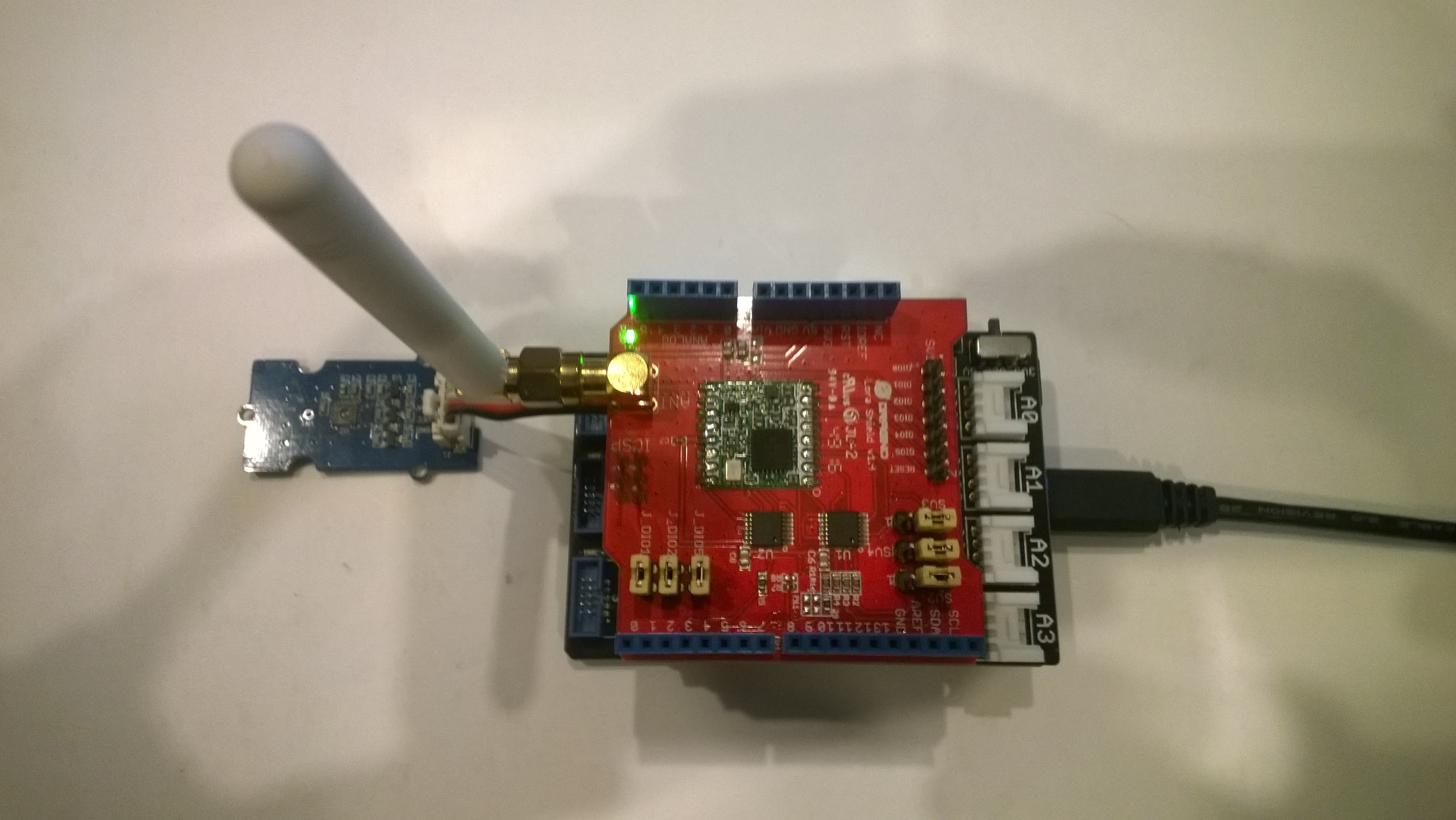
Netduino LoRa Radio 433/868/915 MHz Payload Addressing client

This is a demo Netduino client (based on one of the examples in my RFM9XLoRaNetMF library) that uploads telemetry data to my Windows 10 IoT Core on Raspberry PI field gateway proof of concept(PoC).

Bill of materials (Prices Sep 2018)

//---------------------------------------------------------------------------------
// Copyright (c) 2017, devMobile Software
//
// Licensed under the Apache License, Version 2.0 (the "License");
// you may not use this file except in compliance with the License.
// You may obtain a copy of the License at
//
//     http://www.apache.org/licenses/LICENSE-2.0
//
// Unless required by applicable law or agreed to in writing, software
// distributed under the License is distributed on an "AS IS" BASIS,
// WITHOUT WARRANTIES OR CONDITIONS OF ANY KIND, either express or implied.
// See the License for the specific language governing permissions and
// limitations under the License.
//---------------------------------------------------------------------------------
namespace devMobile.IoT.Netduino.FieldGateway
{
   using System;
   using System.Text;
   using System.Threading;
   using Microsoft.SPOT;
   using Microsoft.SPOT.Hardware;
   using SecretLabs.NETMF.Hardware.Netduino;
   using devMobile.IoT.NetMF.ISM;
   using devMobile.NetMF.Sensor;

   class NetduinoClient
   {
      Rfm9XDevice rfm9XDevice;
      private readonly TimeSpan dueTime = new TimeSpan(0, 0, 15);
      private readonly TimeSpan periodTime = new TimeSpan(0, 0, 300);
      private readonly SiliconLabsSI7005 sensor = new SiliconLabsSI7005();
      private readonly OutputPort _led = new OutputPort(Pins.ONBOARD_LED, false);
      private readonly byte[] fieldGatewayAddress = Encoding.UTF8.GetBytes("LoRaIoT1");
      private readonly byte[] deviceAddress = Encoding.UTF8.GetBytes("Netduino1");

      public NetduinoClient()
      {
         rfm9XDevice = new Rfm9XDevice(Pins.GPIO_PIN_D10, Pins.GPIO_PIN_D9, Pins.GPIO_PIN_D2);
      }

      public void Run()
      {
         //rfm9XDevice.Initialise(frequency: 915000000, paBoost: true, rxPayloadCrcOn: true);
         rfm9XDevice.Initialise(frequency: 433000000, paBoost: true, rxPayloadCrcOn: true);
         rfm9XDevice.Receive(deviceAddress);

         rfm9XDevice.OnDataReceived += rfm9XDevice_OnDataReceived;
         rfm9XDevice.OnTransmit += rfm9XDevice_OnTransmit;

         Timer humidityAndtemperatureUpdates = new Timer(HumidityAndTemperatureTimerProc, null, dueTime, periodTime);

         Thread.Sleep(Timeout.Infinite);
      }

      private void HumidityAndTemperatureTimerProc(object state)
      {
         _led.Write(true);

         double humidity = sensor.Humidity();
         double temperature = sensor.Temperature();

         Debug.Print(DateTime.UtcNow.ToString("hh:mm:ss") + " H:" + humidity.ToString("F1") + " T:" + temperature.ToString("F1"));

         rfm9XDevice.Send(fieldGatewayAddress, Encoding.UTF8.GetBytes( "t " + temperature.ToString("F1") + ",H " + humidity.ToString("F0")));

         _led.Write(true);
      }

      void rfm9XDevice_OnTransmit()
      {
         Debug.Print("Transmit-Done");
         _led.Write(false);
      }

      void rfm9XDevice_OnDataReceived(byte[] address, float packetSnr, int packetRssi, int rssi, byte[] data)
      {
         try
         {
            string messageText = new string(UTF8Encoding.UTF8.GetChars(data));
            string addressText = new string(UTF8Encoding.UTF8.GetChars(address));

            Debug.Print(DateTime.UtcNow.ToString("HH:MM:ss") + "-Rfm9X PacketSnr " + packetSnr.ToString("F1") + " Packet RSSI " + packetRssi + "dBm RSSI " + rssi + "dBm = " + data.Length + " byte message " + @"""" + messageText + @"""");
         }
         catch (Exception ex)
         {
            Debug.Print(ex.Message);
         }
      }
   }
}

The code is available on GitHub
FieldGatewayNetduinoLoRaElecrow915
Elecrow shield
FieldGatewayNetduinoLoRaDragino915
Dragino shield
FieldGatewayNetduinLoRaMakerFabs433
MakerFabs shield
Net Micro Framework debug output from device

The thread '' (0x2) has exited with code 0 (0x0).
12:00:18 H:96.9 T:19.6
Transmit-Done
12:05:17 H:95.1 T:20.1
Transmit-Done

.Net Framework debug output Field Gateway

The thread 0x1550 has exited with code 0 (0x0).
21:21:49-RX From Netduino1 PacketSnr 9.5 Packet RSSI -40dBm RSSI -107dBm = 11 byte message "t 19.6,H 97"
 Sensor Netduino1t Value 19.6
 Sensor Netduino1H Value 97
 AzureIoTHubClient SendEventAsync start
 AzureIoTHubClient SendEventAsync finish
...
21:26:49-RX From Netduino1 PacketSnr 9.5 Packet RSSI -33dBm RSSI -103dBm = 11 byte message "t 20.1,H 95"
 Sensor Netduino1t Value 20.1
 Sensor Netduino1H Value 95
 AzureIoTHubClient SendEventAsync start
 AzureIoTHubClient SendEventAsync finish
The thread 0xfbc has exited with code 0 (0x0).

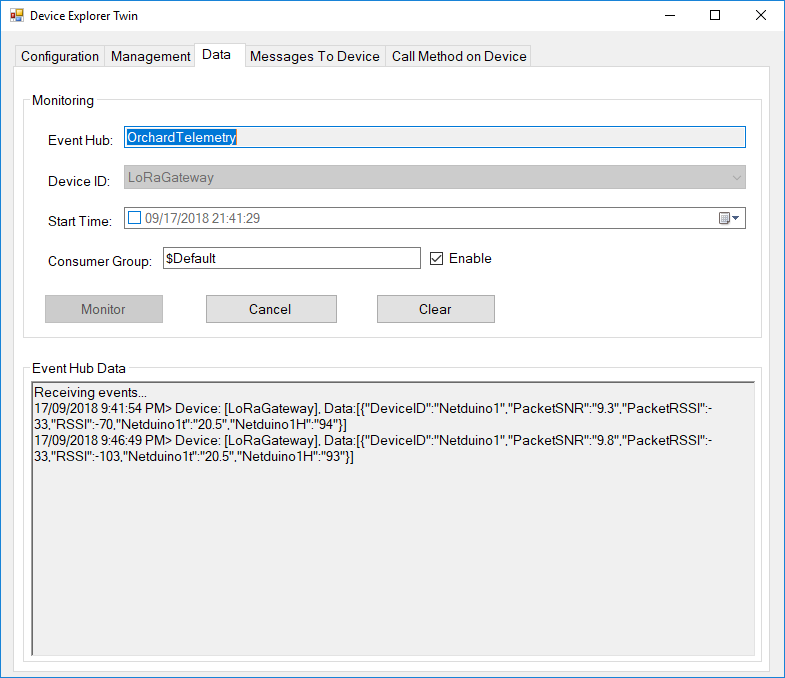
Then in my Azure IoT Hub

AzureIOTHubExplorerScreenGrab20180917