Random wanderings through Microsoft Azure esp. PaaS plumbing, the IoT bits, AI on Micro controllers, AI on Edge Devices, .NET nanoFramework, .NET Core on *nix and ML.NET+ONNX
The console application uses MQTTNet to connect to TTN. It subscribes to to the TTN application device uplink topic (did try subscribing to the uplink messages for all the devices in the application, and the downlink message scheduled, sent and acknowledged topics.
I tried a lot of topic formats with and without wildcards to see which worked best
I generated new classes from the ones provided in the documentation then added any obvious missing fields and fine tuned the data types by delving into the TTN V3GO code.
The new messages payloads have significant differences to the V2 ones. I have refactored the generated classes to reduce the duplication of code and fix up datatypes e.g. int32 vs. ulong where JSON2Charp couldn’t infer the size of the number.
namespace devMobile.TheThingsNetwork.Models
{
   public class ApplicationIds
   {
      public string application_id { get; set; }
   }

   public class EndDeviceIds
   {
      public string device_id { get; set; }
      public ApplicationIds application_ids { get; set; }
      public string dev_eui { get; set; }
      public string join_eui { get; set; }
      public string dev_addr { get; set; }
   }
}
I wonder about the naming of the applicationIds class as it appears that it could only ever contain single applicationId.
I installed the tooling for GO support into Visual Studio Code and went looking for the uplink message definition which I think is in messages.pb.go (still learning go and how the TTN GO source is structured).
type ApplicationUplink struct {
	// Join Server issued identifier for the session keys used by this uplink.
	SessionKeyID []byte `protobuf:"bytes,1,opt,name=session_key_id,json=sessionKeyId,proto3" json:"session_key_id,omitempty"`
	FPort        uint32 `protobuf:"varint,2,opt,name=f_port,json=fPort,proto3" json:"f_port,omitempty"`
	FCnt         uint32 `protobuf:"varint,3,opt,name=f_cnt,json=fCnt,proto3" json:"f_cnt,omitempty"`
	// The frame payload of the uplink message.
	// The payload is still encrypted if the skip_payload_crypto field of the EndDevice
	// is true, which is indicated by the presence of the app_s_key field.
	FRMPayload []byte `protobuf:"bytes,4,opt,name=frm_payload,json=frmPayload,proto3" json:"frm_payload,omitempty"`
	// The decoded frame payload of the uplink message.
	// This field is set by the message processor that is configured for the end device (see formatters) or application (see default_formatters).
	DecodedPayload *types.Struct `protobuf:"bytes,5,opt,name=decoded_payload,json=decodedPayload,proto3" json:"decoded_payload,omitempty"`
	// Warnings generated by the message processor while decoding the frm_payload.
	DecodedPayloadWarnings []string `protobuf:"bytes,12,rep,name=decoded_payload_warnings,json=decodedPayloadWarnings,proto3" json:"decoded_payload_warnings,omitempty"`
	// A list of metadata for each antenna of each gateway that received this message.
	RxMetadata []*RxMetadata `protobuf:"bytes,6,rep,name=rx_metadata,json=rxMetadata,proto3" json:"rx_metadata,omitempty"`
	// Settings for the transmission.
	Settings TxSettings `protobuf:"bytes,7,opt,name=settings,proto3" json:"settings"`
	// Server time when the Network Server received the message.
	ReceivedAt time.Time `protobuf:"bytes,8,opt,name=received_at,json=receivedAt,proto3,stdtime" json:"received_at"`
	// The AppSKey of the current session.
	// This field is only present if the skip_payload_crypto field of the EndDevice
	// is true.
	// Can be used to decrypt uplink payloads and encrypt downlink payloads.
	AppSKey *KeyEnvelope `protobuf:"bytes,9,opt,name=app_s_key,json=appSKey,proto3" json:"app_s_key,omitempty"`
	// The last AFCntDown of the current session.
	// This field is only present if the skip_payload_crypto field of the EndDevice
	// is true.
	// Can be used with app_s_key to encrypt downlink payloads.
	LastAFCntDown uint32 `protobuf:"varint,10,opt,name=last_a_f_cnt_down,json=lastAFCntDown,proto3" json:"last_a_f_cnt_down,omitempty"`
	Confirmed     bool   `protobuf:"varint,11,opt,name=confirmed,proto3" json:"confirmed,omitempty"`
	// Consumed airtime for the transmission of the uplink message. Calculated by Network Server using the RawPayload size and the transmission settings.
	ConsumedAirtime *time.Duration `protobuf:"bytes,13,opt,name=consumed_airtime,json=consumedAirtime,proto3,stdduration" json:"consumed_airtime,omitempty"`
	// End device location metadata, set by the Application Server while handling the message.
	Locations            map[string]*Location `protobuf:"bytes,14,rep,name=locations,proto3" json:"locations,omitempty" protobuf_key:"bytes,1,opt,name=key,proto3" protobuf_val:"bytes,2,opt,name=value,proto3"`
	XXX_NoUnkeyedLiteral struct{}             `json:"-"`
	XXX_sizecache        int32                `json:"-"`
}
I also need to deploy some more gateways and devices to check that I haven’t missed any fields available in more realistic environments.
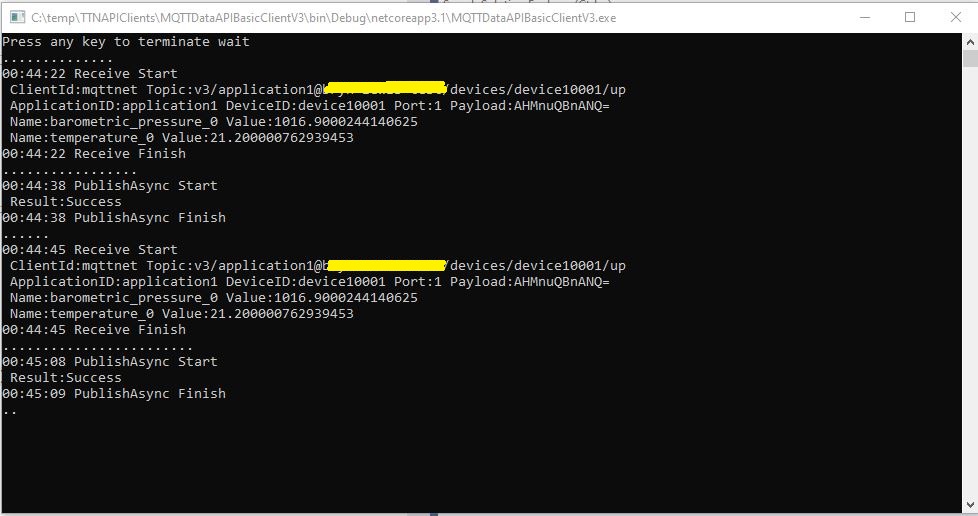
TTN V3 MQTT Console client
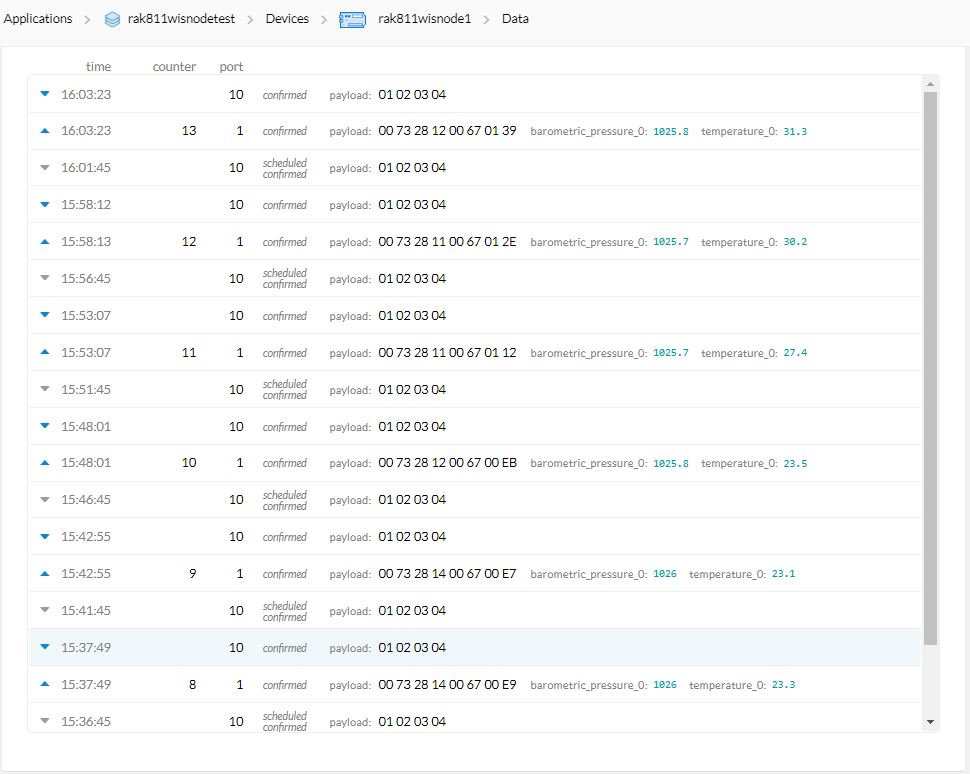
In the TTN Device data tab I could see messages being sent, to and received from from the simulated device.
TTN V3 MQTT Device Live Data
The next step is to get downlink messages working, then connect up a couple of gateways and trial with some real devices.
The console application uses MQTTNet to connect to TTN. It subscribes to to the TTN application device uplink topic (did try subscribing to the uplink messages for all the devices in the application but this was to noisy), and the downlink message scheduled, sent and acknowledged topics. To send messages to the device I published them on the device downlink topic.
class Program
{
   private static string payload;

   static async Task Main(string[] args)
   {
      string filename;
      string azureIoTHubconnectionString;
      DeviceClient azureIoTHubClient;

      if (args.Length != 2)
      {
         Console.WriteLine("[JOSN file] [AzureIoTHubConnectionString]");
         Console.WriteLine("Press <enter> to exit");
         Console.ReadLine();
         return;
      }

      filename = args[0];
      azureIoTHubconnectionString = args[1];

      try
      {
         payload = File.ReadAllText(filename);

         // Open up the connection
         azureIoTHubClient = DeviceClient.CreateFromConnectionString(azureIoTHubconnectionString, TransportType.Mqtt);
         //azureIoTHubClient = DeviceClient.CreateFromConnectionString(azureIoTHubconnectionString, TransportType.Mqtt_Tcp_Only);
         //azureIoTHubClient = DeviceClient.CreateFromConnectionString(azureIoTHubconnectionString, TransportType.Mqtt_WebSocket_Only);

         await azureIoTHubClient.OpenAsync();

         await azureIoTHubClient.SetMethodDefaultHandlerAsync(MethodCallbackDefault, null);

         Timer MessageSender = new Timer(TimerCallback, azureIoTHubClient, new TimeSpan(0, 0, 10), new TimeSpan(0, 0, 10));


         Console.WriteLine("Press <enter> to exit");
         Console.ReadLine();
      }
      catch (Exception ex)
      {
         Console.WriteLine(ex.Message);
         Console.WriteLine("Press <enter> to exit");
         Console.ReadLine();
      }
   }

   public static async void TimerCallback(object state)
   {
      DeviceClient azureIoTHubClient = (DeviceClient)state;

      try
      {
         // I know having the payload as a global is a bit nasty but this is a demo..
         using (Message message = new Message(Encoding.ASCII.GetBytes(JsonConvert.SerializeObject(payload))))
         {
            Console.WriteLine(" {0:HH:mm:ss} AzureIoTHubDeviceClient SendEventAsync start", DateTime.UtcNow);
            await azureIoTHubClient.SendEventAsync(message);
            Console.WriteLine(" {0:HH:mm:ss} AzureIoTHubDeviceClient SendEventAsync finish", DateTime.UtcNow);
         }
      }
      catch (Exception ex)
      {
         Console.WriteLine(ex.Message);
      }
   }

   private static async Task<MethodResponse> MethodCallbackDefault(MethodRequest methodRequest, object userContext)
   {
      Console.WriteLine($"Default handler method {methodRequest.Name} was called.");

      return new MethodResponse(200);
   }
}
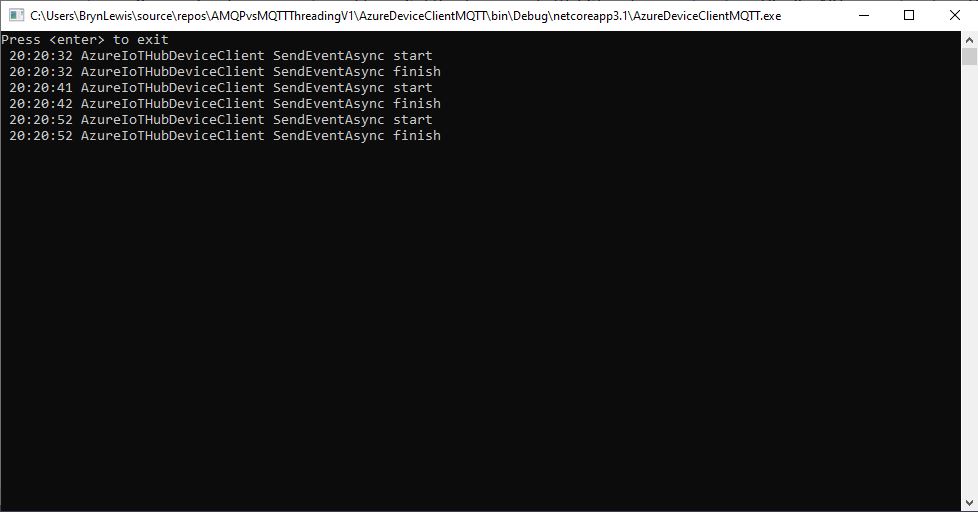
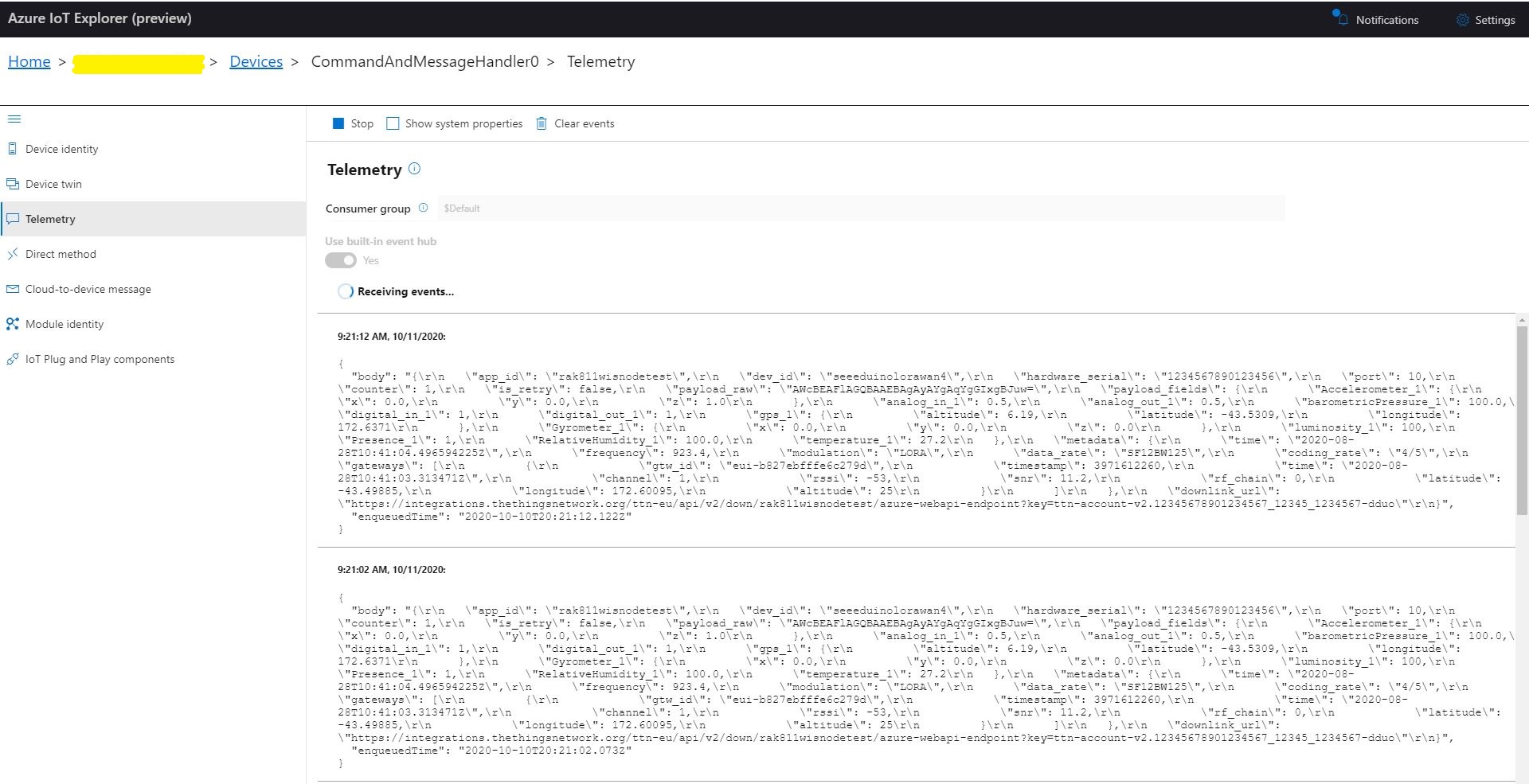
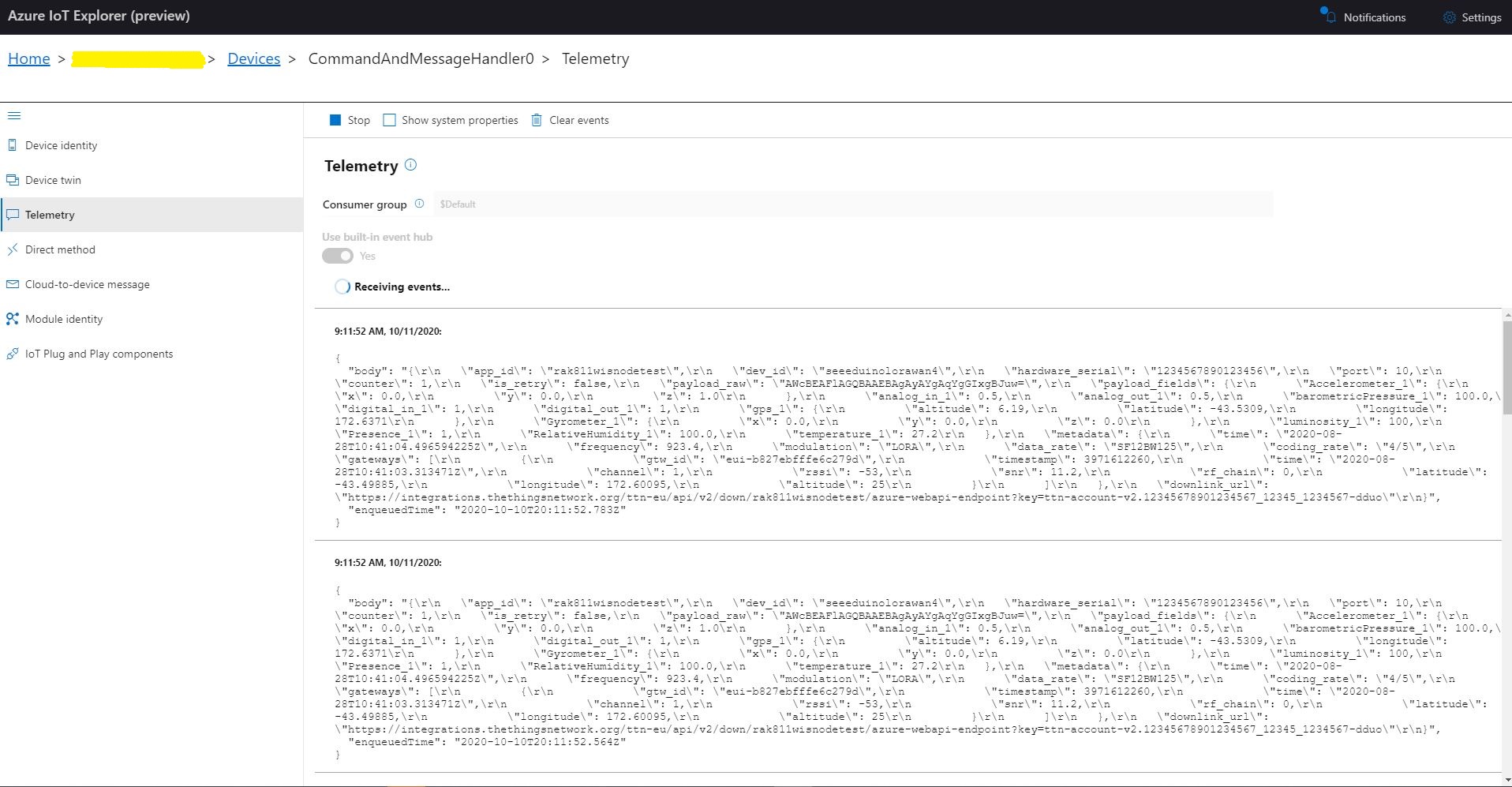
I configured an Azure IoT hub then used Azure IoT explorer to create a device and get the connections string for my application. After fixing up the application’s command line parameters I could see the timer code was successfully sending telemetry messages to my Azure IoT Hub. I also explored the different MQTT connections options TransportType.Mqtt, TransportType.Mqtt_Tcp_Only, and TransportType.Mqtt_WebSocket_Only which worked as expected.
MQTT Console application displaying sent telemetryAzure IoT Hub displaying received telemetry
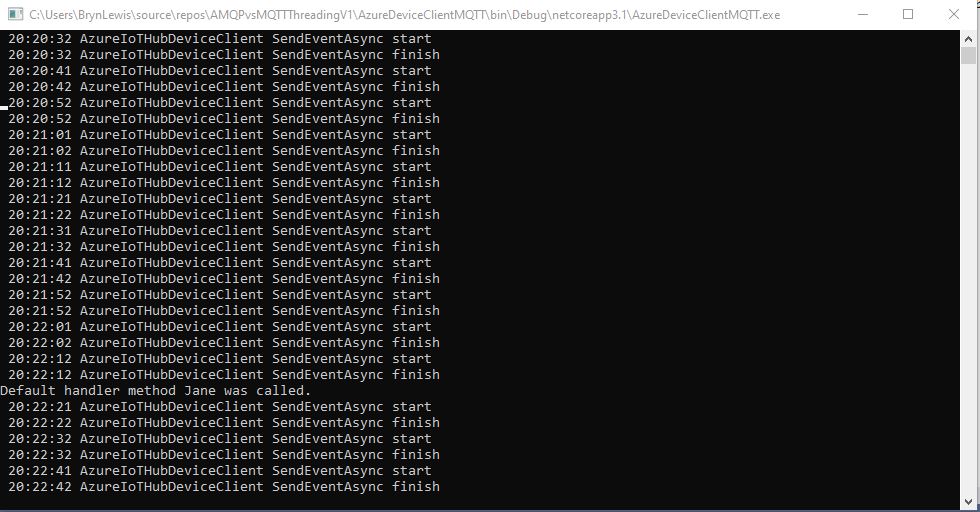
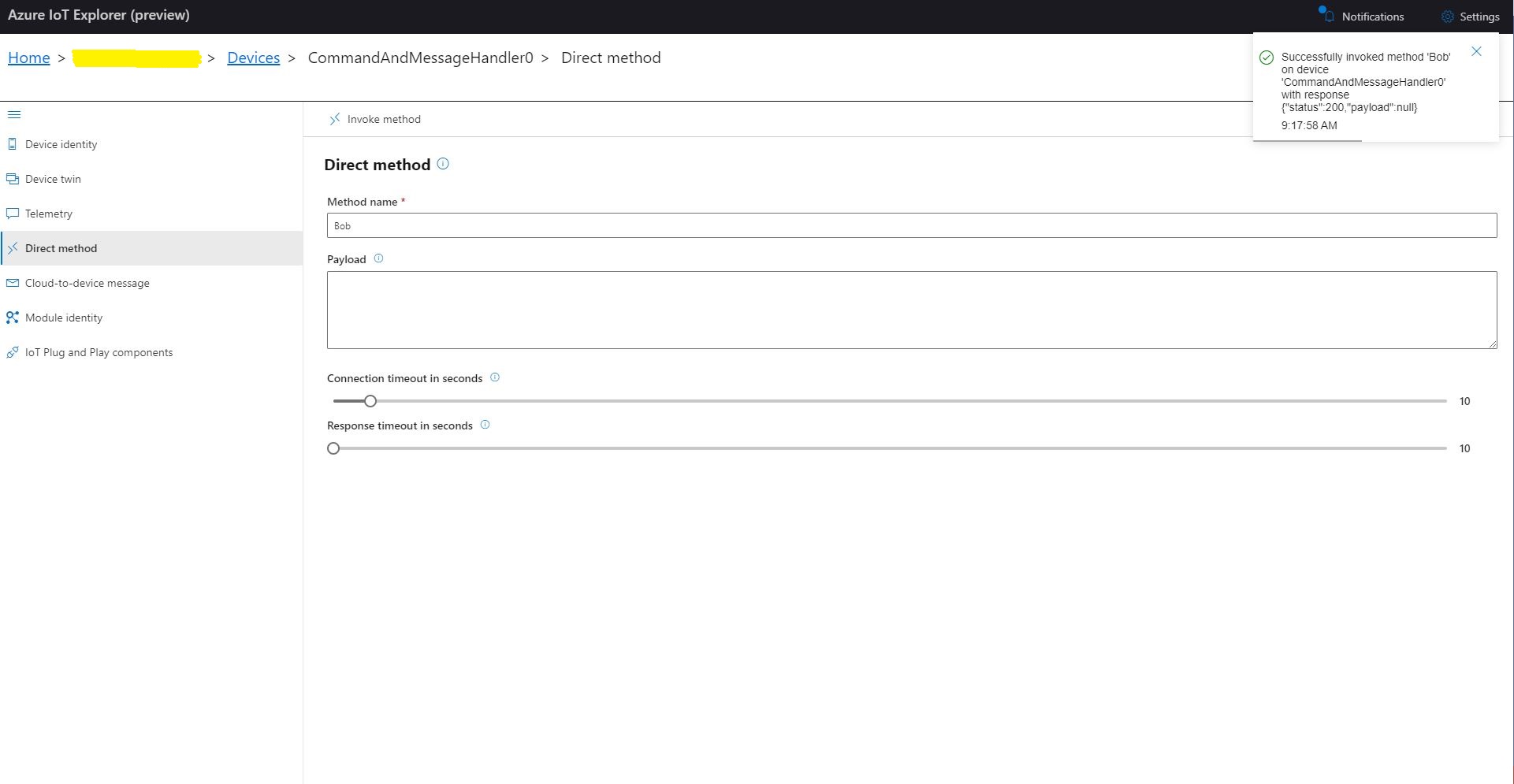
I could also initiate Direct Method calls to my console application from Azure IoT explorer.
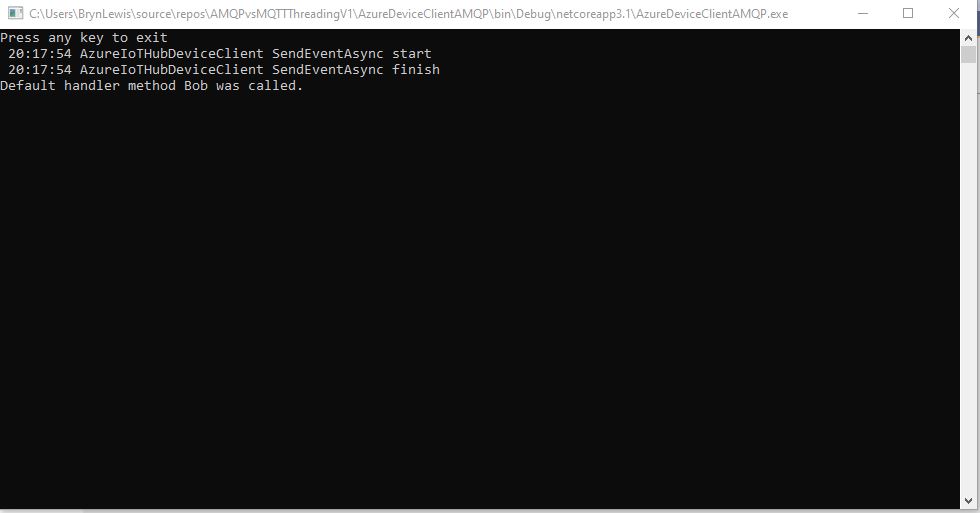
Azure IoT Explorer initiating a Direct Method MQTT console application displaying direct method call.
I then changed the protocol to AMQP
class Program
{
   private static string payload;

   static async Task Main(string[] args)
   {
      string filename;
      string azureIoTHubconnectionString;
      DeviceClient azureIoTHubClient;
      Timer MessageSender;

      if (args.Length != 2)
      {
         Console.WriteLine("[JOSN file] [AzureIoTHubConnectionString]");
         Console.WriteLine("Press <enter> to exit");
         Console.ReadLine();
         return;
      }

      filename = args[0];
      azureIoTHubconnectionString = args[1];

      try
      {
         payload = File.ReadAllText(filename);

         // Open up the connection
         azureIoTHubClient = DeviceClient.CreateFromConnectionString(azureIoTHubconnectionString, TransportType.Amqp);
         //azureIoTHubClient = DeviceClient.CreateFromConnectionString(azureIoTHubconnectionString, TransportType.Amqp_Tcp_Only);
         //azureIoTHubClient = DeviceClient.CreateFromConnectionString(azureIoTHubconnectionString, TransportType.Amqp_WebSocket_Only);

         await azureIoTHubClient.OpenAsync();

         await azureIoTHubClient.SetMethodDefaultHandlerAsync(MethodCallbackDefault, null);

         //MessageSender = new Timer(TimerCallbackAsync, azureIoTHubClient, new TimeSpan(0, 0, 10), new TimeSpan(0, 0, 10));
         MessageSender = new Timer(TimerCallbackSync, azureIoTHubClient, new TimeSpan(0, 0, 10), new TimeSpan(0, 0, 10));

#if MESSAGE_PUMP
         Console.WriteLine("Press any key to exit");
         while (!Console.KeyAvailable)
         {
            await Task.Delay(100);
         }
#else
         Console.WriteLine("Press <enter> to exit");
         Console.ReadLine();
#endif
      }
      catch (Exception ex)
      {
         Console.WriteLine(ex.Message);
         Console.WriteLine("Press <enter> to exit");
         Console.ReadLine();
      }
   }

   public static async void TimerCallbackAsync(object state)
   {
      DeviceClient azureIoTHubClient = (DeviceClient)state;

      try
      {
         // I know having the payload as a global is a bit nasty but this is a demo..
         using (Message message = new Message(Encoding.ASCII.GetBytes(JsonConvert.SerializeObject(payload))))
         {
            Console.WriteLine(" {0:HH:mm:ss} AzureIoTHubDeviceClient SendEventAsync start", DateTime.UtcNow);
            await azureIoTHubClient.SendEventAsync(message);
            Console.WriteLine(" {0:HH:mm:ss} AzureIoTHubDeviceClient SendEventAsync finish", DateTime.UtcNow);
         }
      }
      catch (Exception ex)
      {
         Console.WriteLine(ex.Message);
      }
   }

   public static void TimerCallbackSync(object state)
   {
      DeviceClient azureIoTHubClient = (DeviceClient)state;

      try
      {
         // I know having the payload as a global is a bit nasty but this is a demo..
         using (Message message = new Message(Encoding.ASCII.GetBytes(JsonConvert.SerializeObject(payload))))
         {
            Console.WriteLine(" {0:HH:mm:ss} AzureIoTHubDeviceClient SendEventAsync start", DateTime.UtcNow);
            azureIoTHubClient.SendEventAsync(message).GetAwaiter();
            Console.WriteLine(" {0:HH:mm:ss} AzureIoTHubDeviceClient SendEventAsync finish", DateTime.UtcNow);
         }
      }
      catch (Exception ex)
      {
         Console.WriteLine(ex.Message);
      }
   }


   private static async Task<MethodResponse> MethodCallbackDefault(MethodRequest methodRequest, object userContext)
   {
      Console.WriteLine($"Default handler method {methodRequest.Name} was called.");

      return new MethodResponse(200);
   }
}
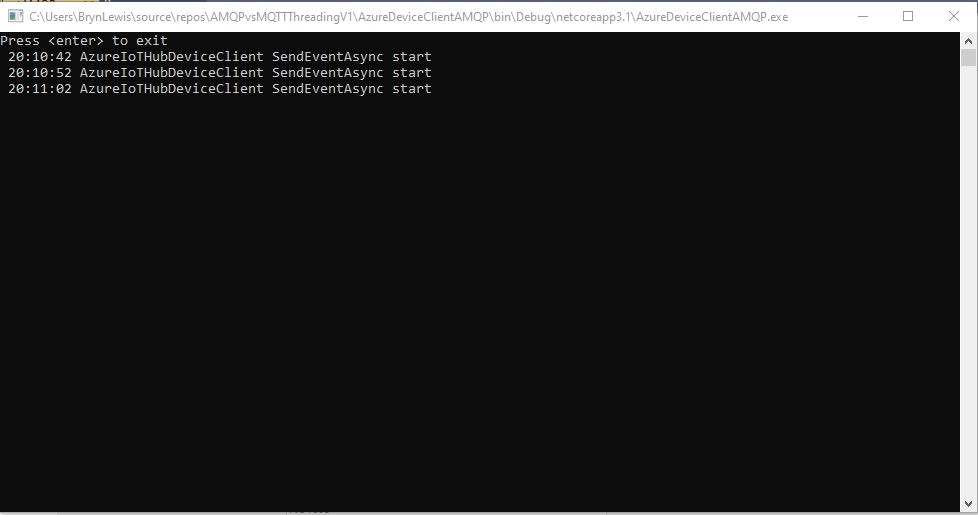
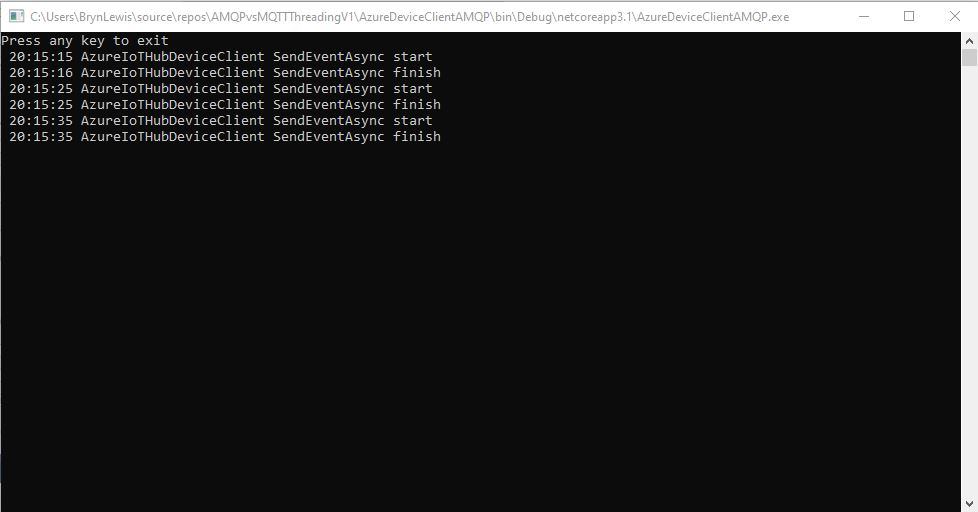
In the first version of my console application I could see the SendEventAsync method was getting called but was not returning
AMQP Console application displaying sent telemetry failure
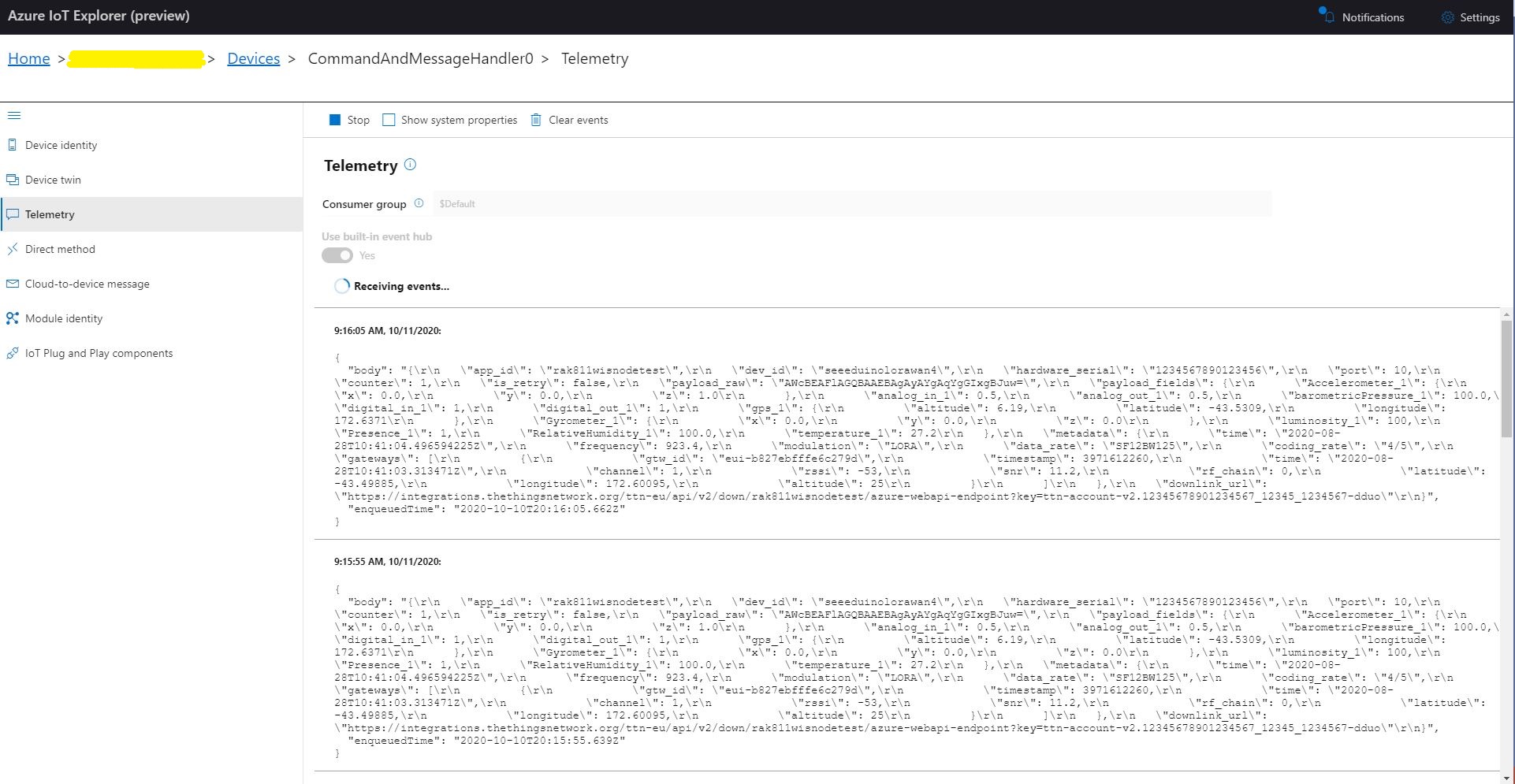
Even though the SendEventAsync call was not returning the telemetry messages were making it to my Azure IoT Hub.
Azure IoT Hub displaying AMQP telemetry
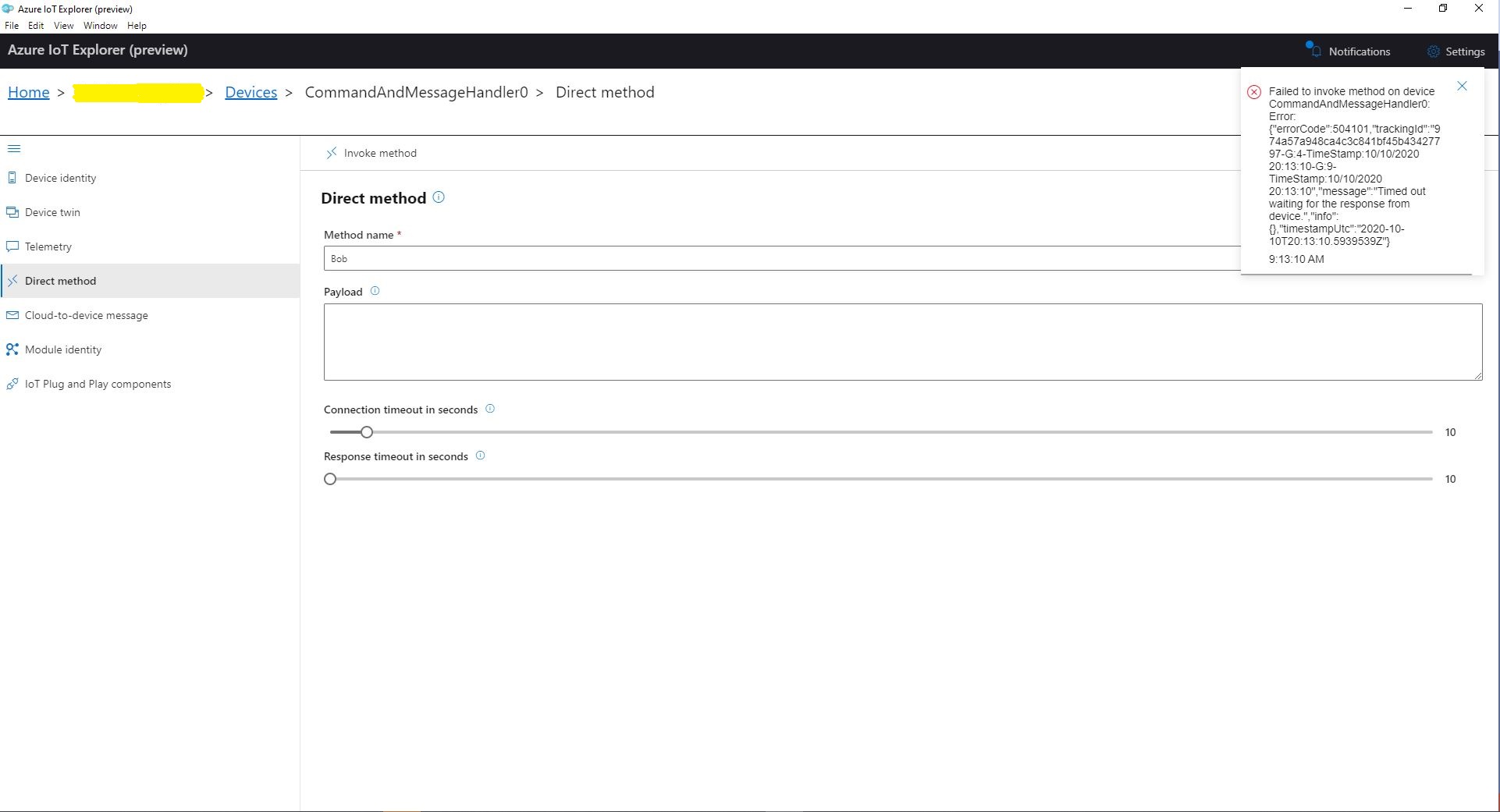
When I tried to initiate a Direct Method call from Azure IoT Explorer it failed after a while with a timeout.
Azure IoT Explorer initiating a Direct Method
The first successful approach I tried was to change the Console.Readline to a “message pump” (flashbacks to Win32 API programming).
Console.WriteLine("Press any key to exit");
while (!Console.KeyAvailable)
{
   await Task.Delay(100);
}
After some more experimentation I found that changing the timer method from asynchronous to synchronous also worked.
public static void TimerCallbackSync(object state)
{
   DeviceClient azureIoTHubClient = (DeviceClient)state;

   try
   {
      // I know having the payload as a global is a bit nasty but this is a demo..
      using (Message message = new Message(Encoding.ASCII.GetBytes(JsonConvert.SerializeObject(payload))))
      {
         Console.WriteLine(" {0:HH:mm:ss} AzureIoTHubDeviceClient SendEventAsync start", DateTime.UtcNow);
         azureIoTHubClient.SendEventAsync(message).GetAwaiter();
         Console.WriteLine(" {0:HH:mm:ss} AzureIoTHubDeviceClient SendEventAsync finish", DateTime.UtcNow);
      }
   }
   catch (Exception ex)
   {
      Console.WriteLine(ex.Message);
   }
}
I also had to change the method declaration and modify the SendEventAsync call to use a GetAwaiter.
AMQP Console application displaying sent telemetryAzure IoT Hub displaying received telemetryAzure IoT Explorer initiating a Direct MethodMQTT console application displaying direct method call.
It took a while to figure out enough about what was going on so I could do a search with the right keywords (DeviceClient AMQP async await SendEventAsync) to confirm my suspicion that MQTT and AMQP clients did behave differently.
As I’m testing my Message Queue Telemetry Transport(MQTT) LoRa gateway I’m building a proof of concept(PoC) .Net core console application for each IoT platform I would like to support.
This PoC was to confirm that I could connect to the AllThingsTalkMQTT API then format topics and payloads correctly.
MQTTNet Console Client
The AllThingsTalk MQTT broker, username, and device ID are required command line parameters.
namespace devmobile.Mqtt.TestClient.AllThingsTalk
{
	using System;
	using System.Diagnostics;
	using System.Threading;
	using System.Threading.Tasks;

	using MQTTnet;
	using MQTTnet.Client;
	using MQTTnet.Client.Disconnecting;
	using MQTTnet.Client.Options;
	using MQTTnet.Client.Receiving;

	using Newtonsoft.Json;
	using Newtonsoft.Json.Linq;

	class Program
	{
		private static IMqttClient mqttClient = null;
		private static IMqttClientOptions mqttOptions = null;
		private static string server;
		private static string username;
		private static string deviceID;

		static void Main(string[] args)
		{
			MqttFactory factory = new MqttFactory();
			mqttClient = factory.CreateMqttClient();

			if ((args.Length != 3))
			{
				Console.WriteLine("[MQTT Server] [UserName] [ClientID]");
				Console.WriteLine("Press <enter> to exit");
				Console.ReadLine();
				return;
			}

			server = args[0];
			username = args[1];
			deviceID = args[2];

			Console.WriteLine($"MQTT Server:{server} DeviceID:{deviceID}");

			// AllThingsTalk formatted device state update topic
			string topicD2C = $"device/{deviceID}/state";

			mqttOptions = new MqttClientOptionsBuilder()
				.WithTcpServer(server)
				.WithCredentials(username, "HighlySecurePassword")
				.WithClientId(deviceID)
				.WithTls()
				.Build();

			mqttClient.UseDisconnectedHandler(new MqttClientDisconnectedHandlerDelegate(e => MqttClient_Disconnected(e)));
			mqttClient.UseApplicationMessageReceivedHandler(new MqttApplicationMessageReceivedHandlerDelegate(e => MqttClient_ApplicationMessageReceived(e)));
			mqttClient.ConnectAsync(mqttOptions).Wait();

			// AllThingsTalk formatted device command with wildcard topic
			string topicC2D = $"device/{deviceID}/asset/+/command";

			mqttClient.SubscribeAsync(topicC2D, MQTTnet.Protocol.MqttQualityOfServiceLevel.AtLeastOnce).GetAwaiter().GetResult();

			while (true)
			{
				JObject payloadJObject = new JObject();

				double temperature = 22.0 + (DateTime.UtcNow.Millisecond / 1000.0);
				temperature = Math.Round( temperature, 1 );
				double humidity = 50 + (DateTime.UtcNow.Millisecond / 100.0);
				humidity = Math.Round(humidity, 1);

				JObject temperatureJObject = new JObject
				{
					{ "value", temperature }
				};
				payloadJObject.Add("Temperature", temperatureJObject);

				JObject humidityJObject = new JObject
				{
					{ "value", humidity }
				};
				payloadJObject.Add("Humidity", humidityJObject);

				string payload = JsonConvert.SerializeObject(payloadJObject);
				Console.WriteLine($"Topic:{topicD2C} Payload:{payload}");

				var message = new MqttApplicationMessageBuilder()
					.WithTopic(topicD2C)
					.WithPayload(payload)
					.WithAtMostOnceQoS()
//					.WithAtLeastOnceQoS()
					.Build();

				Console.WriteLine("PublishAsync start");
				mqttClient.PublishAsync(message).Wait();
				Console.WriteLine("PublishAsync finish");

				Thread.Sleep(15100);
			}
		}

		private static void MqttClient_ApplicationMessageReceived(MqttApplicationMessageReceivedEventArgs e)
		{
			Console.WriteLine($"ClientId:{e.ClientId} Topic:{e.ApplicationMessage.Topic} Payload:{e.ApplicationMessage.ConvertPayloadToString()}");
		}

		private static async void MqttClient_Disconnected(MqttClientDisconnectedEventArgs e)
		{
			Debug.WriteLine("Disconnected");
			await Task.Delay(TimeSpan.FromSeconds(5));

			try
			{
				await mqttClient.ConnectAsync(mqttOptions);
			}
			catch (Exception ex)
			{
				Debug.WriteLine("Reconnect failed {0}", ex.Message);
			}
		}
	}
The AllThingsTalk device configuration was relatively easy but I need to investigate “Gateway” functionality and configuration further.
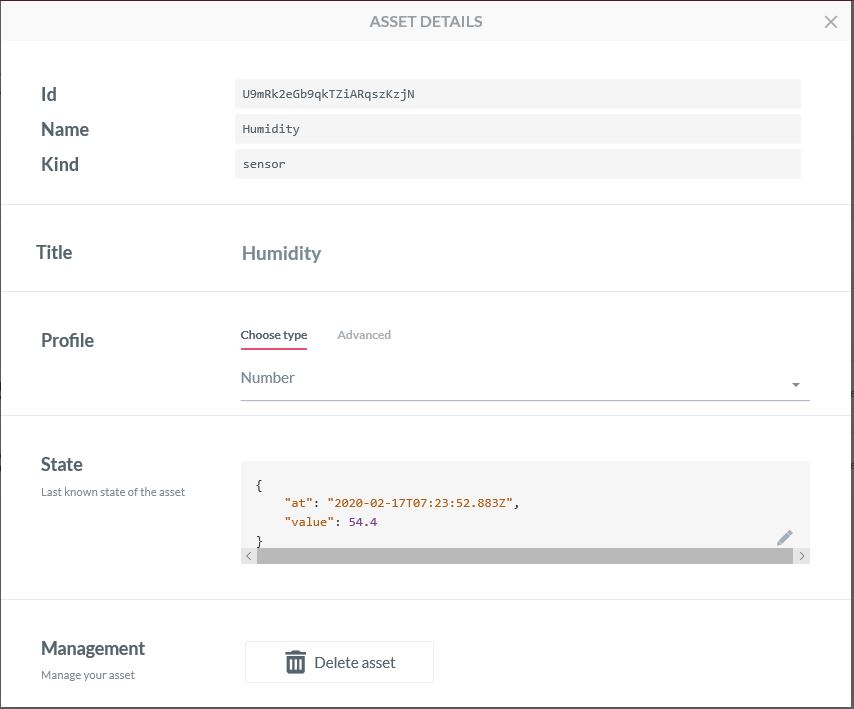
Configuring an Asset
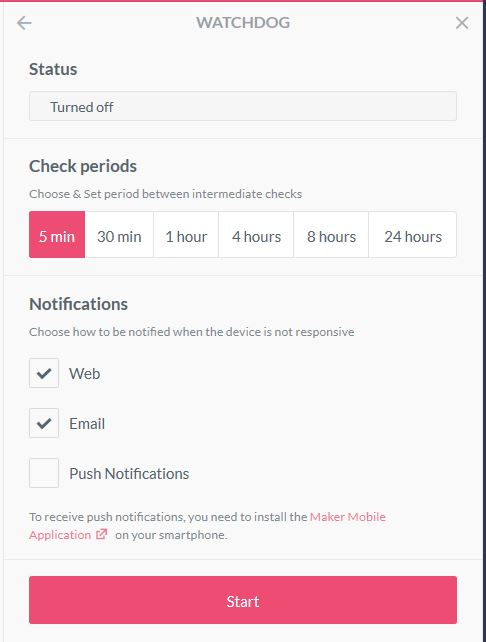
Configuration a watchdog to check for sensor data
Sending a command to an actuatorProcessing a command on the client
The ability to look at message payloads in the Debug tab would be very helpful when working out why a payload was not being processed as expected.
Asset debug information
Overall the AllThingsTalk configuration went fairly smoothly, though I need to investigate the “Gateway” configuration and functionality further. The way that assets are name by the system could make support in my MQTT Gateway more complex.
Application Insights logging with message unpackingApplication Insights logging message payload
Then in the last log entry the decoded message payload
/*
    Copyright ® 2020 Feb devMobile Software, All Rights Reserved

    MIT License

    Permission is hereby granted, free of charge, to any person obtaining a copy
    of this software and associated documentation files (the "Software"), to deal
    in the Software without restriction, including without limitation the rights
    to use, copy, modify, merge, publish, distribute, sublicense, and/or sell
    copies of the Software, and to permit persons to whom the Software is
    furnished to do so, subject to the following conditions:

    The above copyright notice and this permission notice shall be included in all
    copies or substantial portions of the Software.

    THE SOFTWARE IS PROVIDED "AS IS", WITHOUT WARRANTY OF ANY KIND, EXPRESS OR
    IMPLIED, INCLUDING BUT NOT LIMITED TO THE WARRANTIES OF MERCHANTABILITY,
    FITNESS FOR A PARTICULAR PURPOSE AND NONINFRINGEMENT. IN NO EVENT SHALL THE
    AUTHORS OR COPYRIGHT HOLDERS BE LIABLE FOR ANY CLAIM, DAMAGES OR OTHER
    LIABILITY, WHETHER IN AN ACTION OF CONTRACT, TORT OR OTHERWISE, ARISING FROM,
    OUT OF OR IN CONNECTION WITH THE SOFTWARE OR THE USE OR OTHER DEALINGS IN THE
    SOFTWARE

    Default URL for triggering event grid function in the local environment.
    http://localhost:7071/runtime/webhooks/EventGrid?functionName=functionname
 */
namespace EventGridProcessorAzureIotHub
{
   using System;
   using System.IO;
   using System.Reflection;

   using Microsoft.Azure.WebJobs;
   using Microsoft.Azure.EventGrid.Models;
   using Microsoft.Azure.WebJobs.Extensions.EventGrid;

   using log4net;
   using log4net.Config;
   using Newtonsoft.Json;

   public static class Telemetry
    {
        [FunctionName("Telemetry")]
        public static void Run([EventGridTrigger]Microsoft.Azure.EventGrid.Models.EventGridEvent eventGridEvent, ExecutionContext executionContext )//, TelemetryClient telemetryClient)
        {
			ILog log = log4net.LogManager.GetLogger(System.Reflection.MethodBase.GetCurrentMethod().DeclaringType);

		   var logRepository = LogManager.GetRepository(Assembly.GetEntryAssembly());
			XmlConfigurator.Configure(logRepository, new FileInfo(Path.Combine(executionContext.FunctionAppDirectory, "log4net.config")));

         log.Info($"eventGridEvent.Data-{eventGridEvent}");

         log.Info($"eventGridEvent.Data.ToString()-{eventGridEvent.Data.ToString()}");

        IotHubDeviceTelemetryEventData iOThubDeviceTelemetryEventData = (IotHubDeviceTelemetryEventData)JsonConvert.DeserializeObject(eventGridEvent.Data.ToString(), typeof(IotHubDeviceTelemetryEventData));

         log.Info($"iOThubDeviceTelemetryEventData.Body.ToString()-{iOThubDeviceTelemetryEventData.Body.ToString()}");

         byte[] base64EncodedBytes = System.Convert.FromBase64String(iOThubDeviceTelemetryEventData.Body.ToString());

         log.Info($"System.Text.Encoding.UTF8.GetString(-{System.Text.Encoding.UTF8.GetString(base64EncodedBytes)}");
      }
	}
}
Overall it took roughly half a page of code (mainly generated by a tool) to unpack and log the contents of an Azure IoT Hub EventGrid payload to Application Insights.
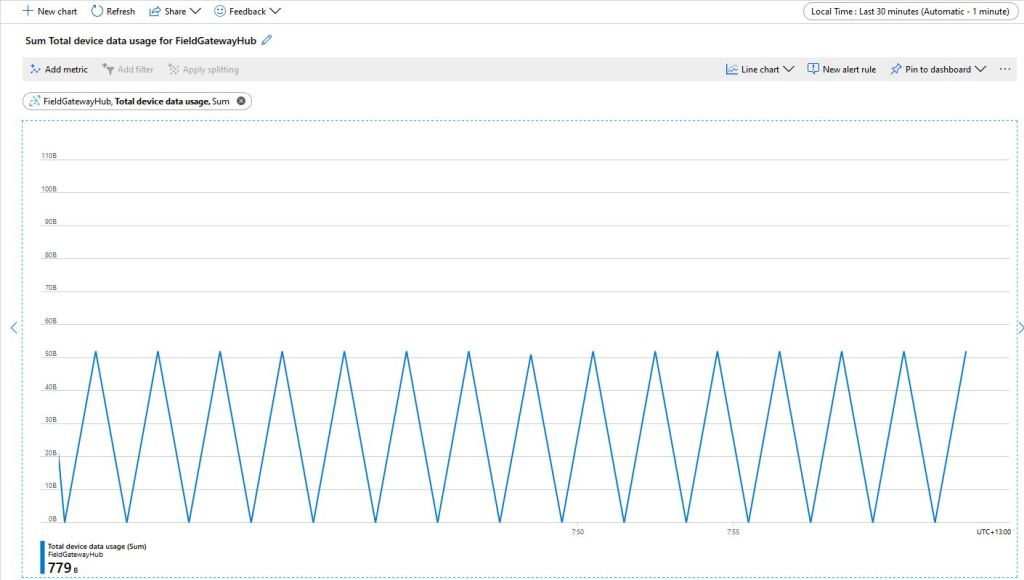
The size of the packets sent and the total device data appeared to map pretty well but I was also interested in the Transport Layer Security (TLS) and Messaging Queuing Telemetry Transport (MQTT) overheads.
Azure IoT Hub Metrics
To get an idea of the overheads I fired up LiveTcpUdpWatch by Nirsoft and noted down the traffic measure on port 8883.
Conenction LiveTcpUdpWatch main screen
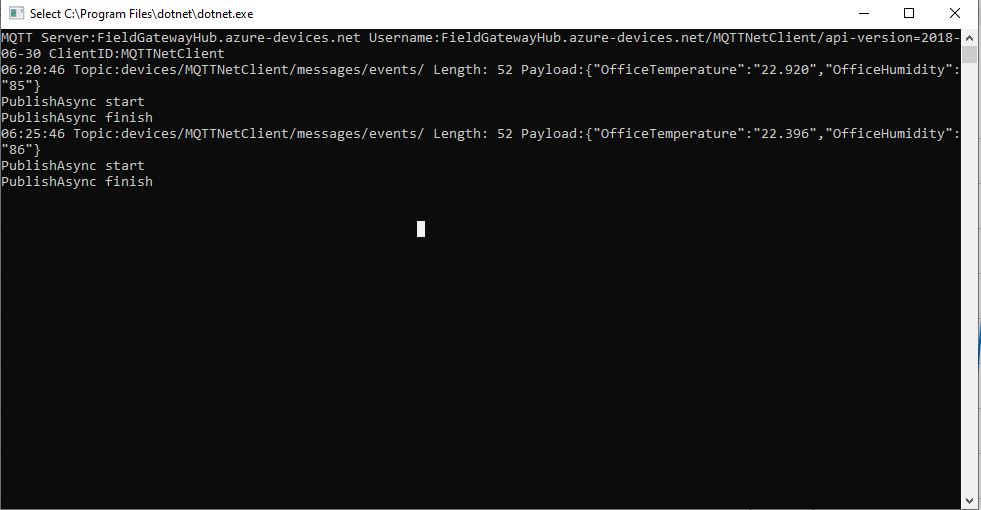
Launching the MQTTNet client sending every 30 seconds resulted in traffic like this
So it looks like my very rough numbers are close to the numbers discussed in the above article. I need to explore the impact of keep-alive messages and other background operations.
I did notice that the .DeviceConnected and .DeviceDisconnected events did take a while to arrive. When I started the field gateway application on the Windows 10 IoT Core device I would get several DeviceTelemetry events before the DeviceConnected event arrived.
I was using Advanced Message Queueing Protocol (AMQP) so I modified the configuration file so I could try all the available options.
C# TransportType enumeration
namespace Microsoft.Azure.Devices.Client
{
	//
	// Summary:
	//     Transport types supported by DeviceClient - AMQP/TCP, HTTP 1.1, MQTT/TCP, AMQP/WS,
	//     MQTT/WS
	public enum TransportType
	{
		//
		// Summary:
		//     Advanced Message Queuing Protocol transport. Try Amqp over TCP first and fallback
		//     to Amqp over WebSocket if that fails
		Amqp = 0,
		//
		// Summary:
		//     HyperText Transfer Protocol version 1 transport.
		Http1 = 1,
		//
		// Summary:
		//     Advanced Message Queuing Protocol transport over WebSocket only.
		Amqp_WebSocket_Only = 2,
		//
		// Summary:
		//     Advanced Message Queuing Protocol transport over native TCP only
		Amqp_Tcp_Only = 3,
		//
		// Summary:
		//     Message Queuing Telemetry Transport. Try Mqtt over TCP first and fallback to
		//     Mqtt over WebSocket if that fails
		Mqtt = 4,
		//
		// Summary:
		//     Message Queuing Telemetry Transport over Websocket only.
		Mqtt_WebSocket_Only = 5,
		//
		// Summary:
		//     Message Queuing Telemetry Transport over native TCP only
		Mqtt_Tcp_Only = 6
	}
}
The first telemetry data arrived 00:57:18, the DeviceConnected arrived 01:01:28 so approximately a 4 minute delay, the DeviceDisconnected arrived within a minute of me shutting the device down.
The first telemetry data arrived 04:16:48, the DeviceConnected arrived 04:20:39 so approximately a 4 minute delay, the DeviceDisconnected arrived within a minute of me shutting the device down.
The first telemetry data arrived 04:05:36, DeviceConnected arrived 04:09:52 so approximately a 4 minute delay, the DeviceDisconnected arrived within a minute of me shutting the device down.
HTTP
I waited for 20 minutes and there wasn’t a DeviceConnected message which I sort of expected as HTTP is a connectionless protocol.
The first telemetry data arrived 01:11:33, the DeviceConnected arrived 01:11:25 so they arrived in order and within 10 seconds, the DeviceDisconnected arrived within a 15 seconds of me shutting the device down.
The first telemetry data arrived 04:42:15, the DeviceConnected arrived 04:42:06 so they arrived in order and within 10 seconds, the DeviceDisconnected arrived within a 20 seconds of me shutting device down.
The first telemetry data arrived 04:36:08, the DeviceConnected arrived 04:36:03 so they arrived in order and within 10 seconds, the DeviceDisconnected arrived within a 30 seconds of me shutting device down.
Summary
My LoRa sensors nodes are sending data roughly every minute which reduces the precision of the times.
It looks like for AMQP based messaging it can take 4-5 minutes for a Devices.DeviceConnected message to arrive, for based MQTT messaging it’s 5-10 seconds.
I have one an Azure IoT HubLoRa Telemetry Field Gateway running in my office and I wanted to process the data collected by the sensors around my property without using a Software as a Service(SaaS) Internet of Things (IoT) package.
Rather than lots of screen grabs of my configuration steps I figured people reading this series of posts would be able to figure the details out themselves.
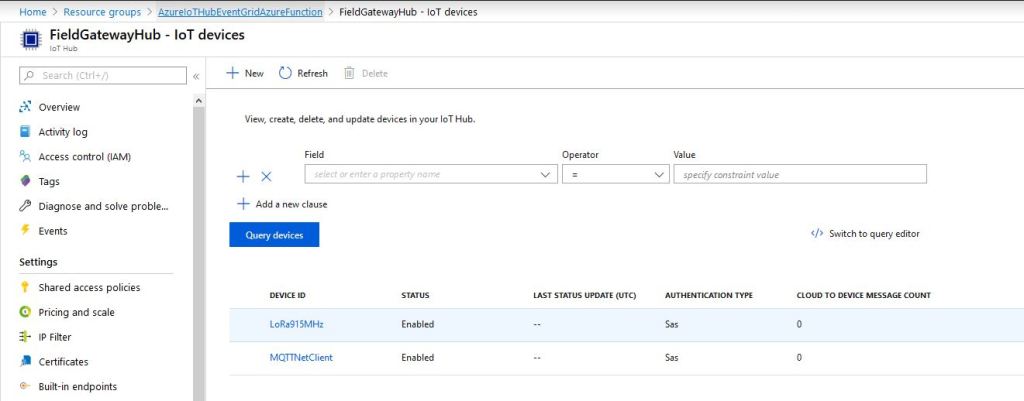
I downloaded the JSON configuration file template from my Windows 10 device (which is created on first startup after installation) and configured the Azure IoT Hub connection string.
I then uploaded this to my Windows 10 IoT Core device and restarted the Azure IoT Hub Field gateway so it picked up the new settings.
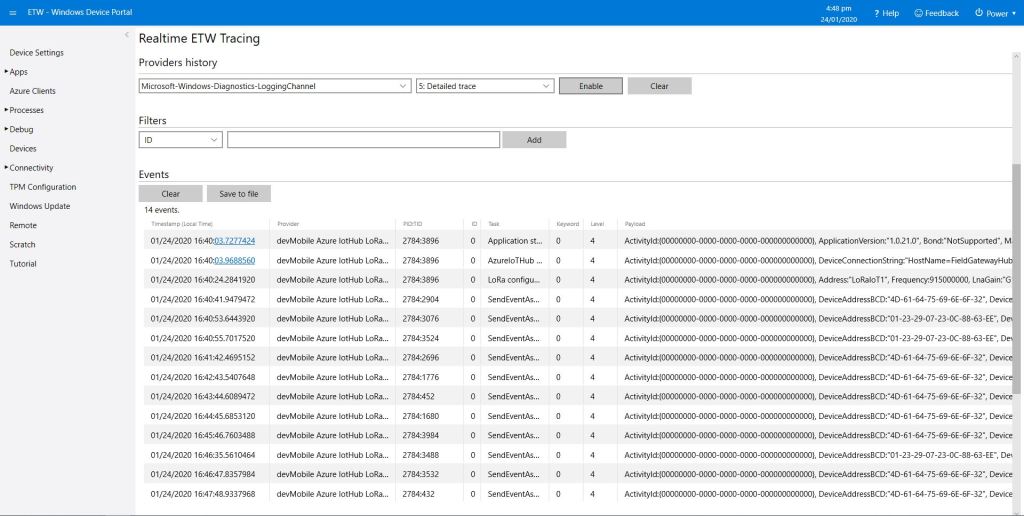
I could then see on the device messages from sensor nodes being unpacked and uploaded to my Azure IoT Hub.
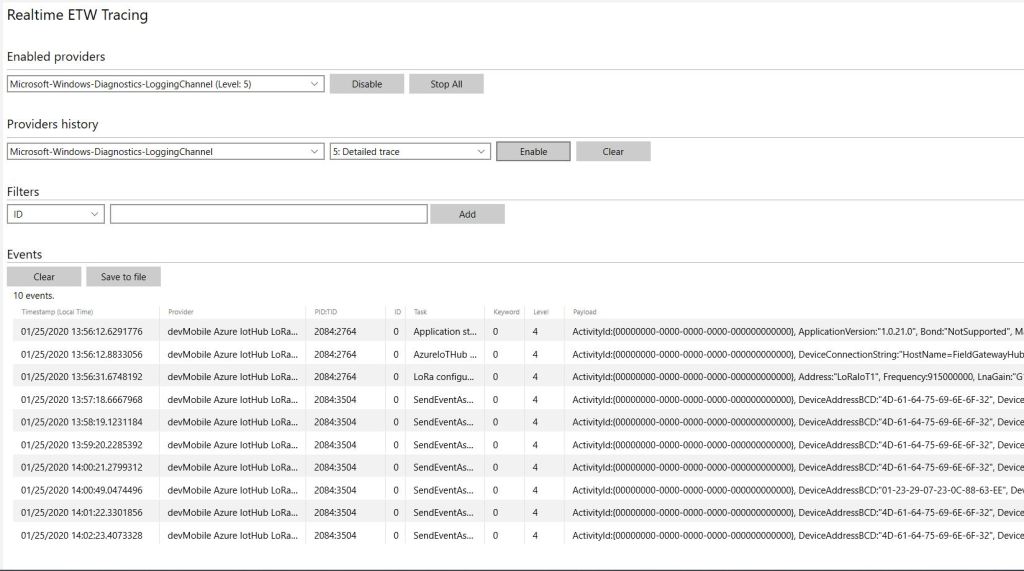
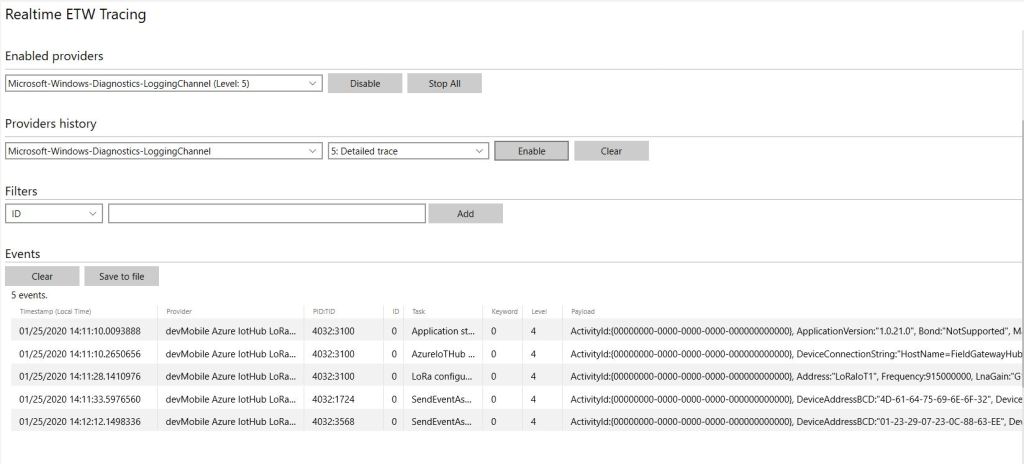
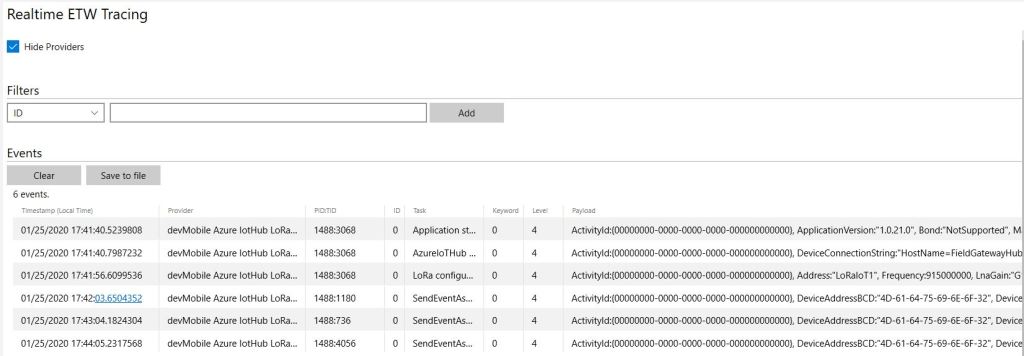
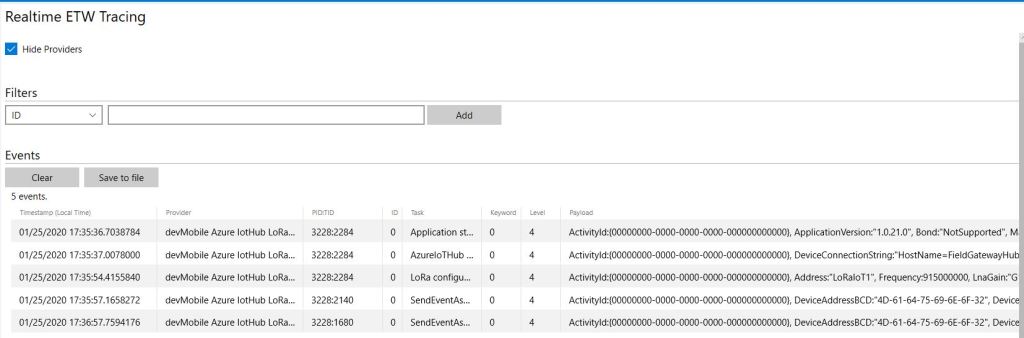
ETW logging on device
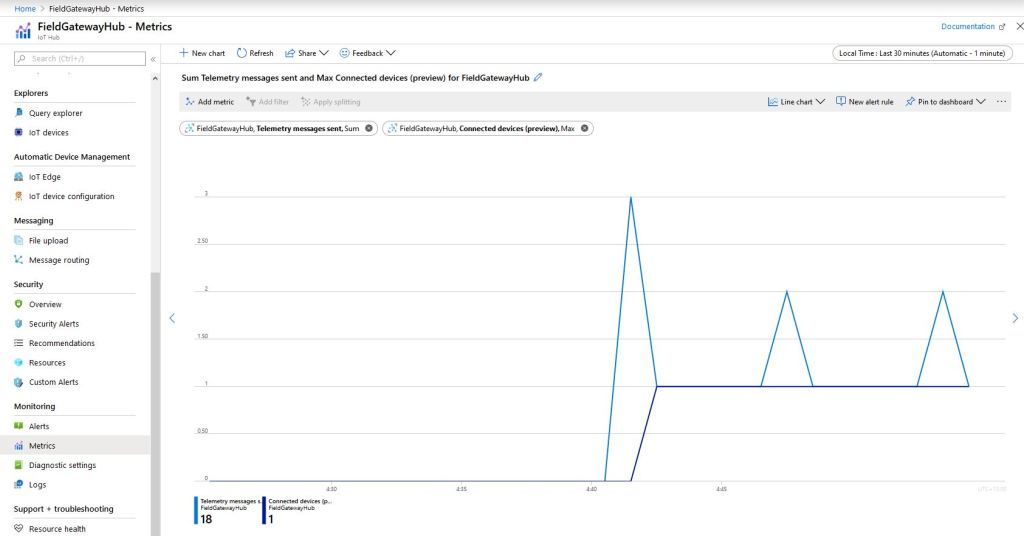
In the Azure IoT Hub metrics I graphed the number of devices connected and the number of telemetry messages sent and could see my device connect then start uploading telemetry.
Azure IoT Hub metrics
One of my customers uses Azure Event Grid for application integration and I wanted to explore using it in an IoT solution. The first step was to create an Event Grid Domain.
To confirm my event subscriptions were successful I previously found the “simplest” approach was to use an Azure storage queue endpoint. I had to create an Azure Storage Account with two Azure Storage Queues one for device connectivity (.DeviceConnected & .DeviceDisconnected) events and the other for device telemetry (.DeviceTelemetry) events.
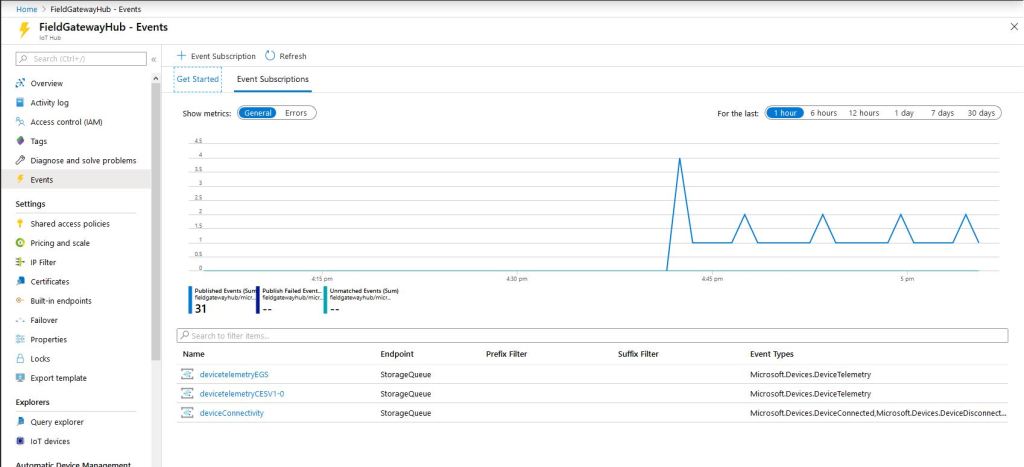
I created a couple of other subscriptions so I could compare the different Event schemas (Event Grid Schema & Cloud Event Schema v1.0). At this stage I didn’t configure any Filters or Additional Features.
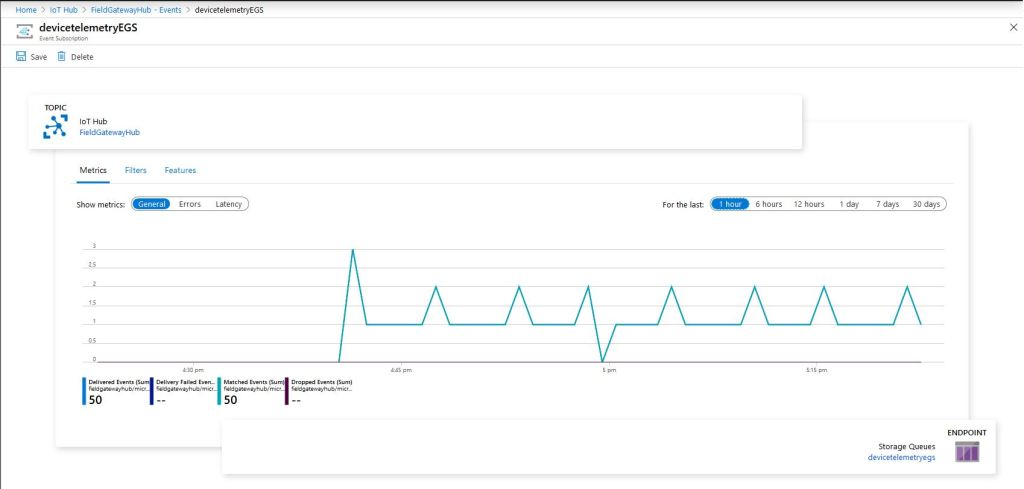
Azure IoT Hub Telemetry Event Metrics
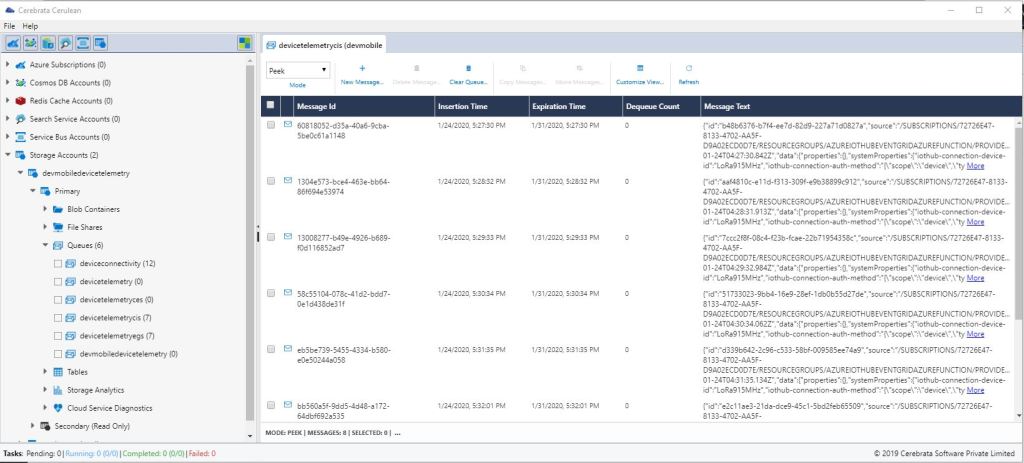
I use Cerebrate Cerculean for monitoring and managing a couple of other customer projects so I used it to inspect the messages in the storage queues.
Without writing any code (I will script the configuration) I could upload sensor data to an Azure IoT Hub, subscribe to a selection of events the Azure IoT Hub publishes and then inspect them in an Azure Storage Queue.
I did notice that the .DeviceConnected and .DeviceDisconnected events did take a while to arrive. When I started the field gateway application on the device I would get several DeviceTelemetry events before the DeviceConnected event arrived.
As I’m testing my Message Queue Telemetry Transport(MQTT) LoRa gateway I’m building a proof of concept(PoC) .Net core console application for each IoT platform I would like to support.
This PoC was to confirm that I could connect to the Bosch IoT SuiteMQTT API then format topics and payloads correctly.
MQTTNet Console Client
The Bosch IoT Hub MQTT broker, username, password, and clientID are the required command line parameters. For this PoC I ran out of time to get cloud to device (C2D) messaging or any presentation functionality working.
/*
    Copyright ® 2019 December devMobile Software, All Rights Reserved

    MIT License

    Permission is hereby granted, free of charge, to any person obtaining a copy
    of this software and associated documentation files (the "Software"), to deal
    in the Software without restriction, including without limitation the rights
    to use, copy, modify, merge, publish, distribute, sublicense, and/or sell
    copies of the Software, and to permit persons to whom the Software is
    furnished to do so, subject to the following conditions:

    The above copyright notice and this permission notice shall be included in all
    copies or substantial portions of the Software.

    THE SOFTWARE IS PROVIDED "AS IS", WITHOUT WARRANTY OF ANY KIND, EXPRESS OR
    IMPLIED, INCLUDING BUT NOT LIMITED TO THE WARRANTIES OF MERCHANTABILITY,
    FITNESS FOR A PARTICULAR PURPOSE AND NONINFRINGEMENT. IN NO EVENT SHALL THE
    AUTHORS OR COPYRIGHT HOLDERS BE LIABLE FOR ANY CLAIM, DAMAGES OR OTHER
    LIABILITY, WHETHER IN AN ACTION OF CONTRACT, TORT OR OTHERWISE, ARISING FROM,
    OUT OF OR IN CONNECTION WITH THE SOFTWARE OR THE USE OR OTHER DEALINGS IN THE
    SOFTWARE

	 A quick and dirty test client to explore how BoschIoT Suite MQTT connectivity works
 */
namespace devMobile.Mqtt.TestClient.BoschIoTSuite
{
   using System;
   using System.Diagnostics;
   using System.Threading;
   using System.Threading.Tasks;

   using MQTTnet;
   using MQTTnet.Client;
   using MQTTnet.Client.Disconnecting;
   using MQTTnet.Client.Options;
   using MQTTnet.Client.Receiving;
   using Newtonsoft.Json;
   using Newtonsoft.Json.Linq;

   class Program
   {
      private static IMqttClient mqttClient = null;
      private static IMqttClientOptions mqttOptions = null;
      private static string server;
      private static string username;
      private static string password;
      private static string clientId;

      static void Main(string[] args)
      {
         MqttFactory factory = new MqttFactory();
         mqttClient = factory.CreateMqttClient();

         if (args.Length != 4)
         {
            Console.WriteLine("[MQTT Server] [UserName] [Password] [ClientID]");
            Console.WriteLine("Press <enter> to exit");
            Console.ReadLine();
            return;
         }

         server = args[0];
         username = args[1];
         password = args[2];
         clientId = args[3];

         mqttOptions = new MqttClientOptionsBuilder()
            .WithTcpServer(server)
            .WithCredentials(username, password)
            .WithClientId(clientId)
            .WithTls()
            .Build();

         mqttClient.UseDisconnectedHandler(new MqttClientDisconnectedHandlerDelegate(e => MqttClient_Disconnected(e)));
         mqttClient.UseApplicationMessageReceivedHandler(new MqttApplicationMessageReceivedHandlerDelegate(e => MqttClient_ApplicationMessageReceived(e)));
         mqttClient.ConnectAsync(mqttOptions).Wait();

         string topicD2C = "telemetry";

         while (true)
         {
            JObject payloadJObject = new JObject();

            payloadJObject.Add("OfficeTemperature", "22." + DateTime.UtcNow.Millisecond.ToString());
            payloadJObject.Add("OfficeHumidity", (DateTime.UtcNow.Second + 40).ToString());

            string payload = JsonConvert.SerializeObject(payloadJObject);
            Console.WriteLine($"Topic:{topicD2C} Payload:{payload}");

            var message = new MqttApplicationMessageBuilder()
               .WithTopic(topicD2C)
               .WithPayload(payload)
               .WithAtMostOnceQoS() // Anthing but this causes timeout
               .WithRetainFlag()
            .Build();

            Console.WriteLine("PublishAsync start");
            mqttClient.PublishAsync(message).Wait();
            Console.WriteLine("PublishAsync finish");

            Thread.Sleep(30100);
         }
      }

      private static void MqttClient_ApplicationMessageReceived(MqttApplicationMessageReceivedEventArgs e)
      {
         Console.WriteLine($"ClientId:{e.ClientId} Topic:{e.ApplicationMessage.Topic} Payload:{e.ApplicationMessage.ConvertPayloadToString()}");
      }

      private static async void MqttClient_Disconnected(MqttClientDisconnectedEventArgs e)
      {
         Debug.WriteLine("Disconnected");
         await Task.Delay(TimeSpan.FromSeconds(5));

         try
         {
            await mqttClient.ConnectAsync(mqttOptions);
         }
         catch (Exception ex)
         {
            Debug.WriteLine("Reconnect failed {0}", ex.Message);
         }
      }
   }
}
The bosch IoT Hub device configuration was via a swagger API but I need to spend some more time figuring out how to configure the data analysis and presentation tools.
I adapted the steps in the IoT Hub Documentation for Sending Device Data using MQTT. The first step was to create a free Hub subscription.
IoT Hub Subscription
Then using the device registry swagger UI page to add a new device.
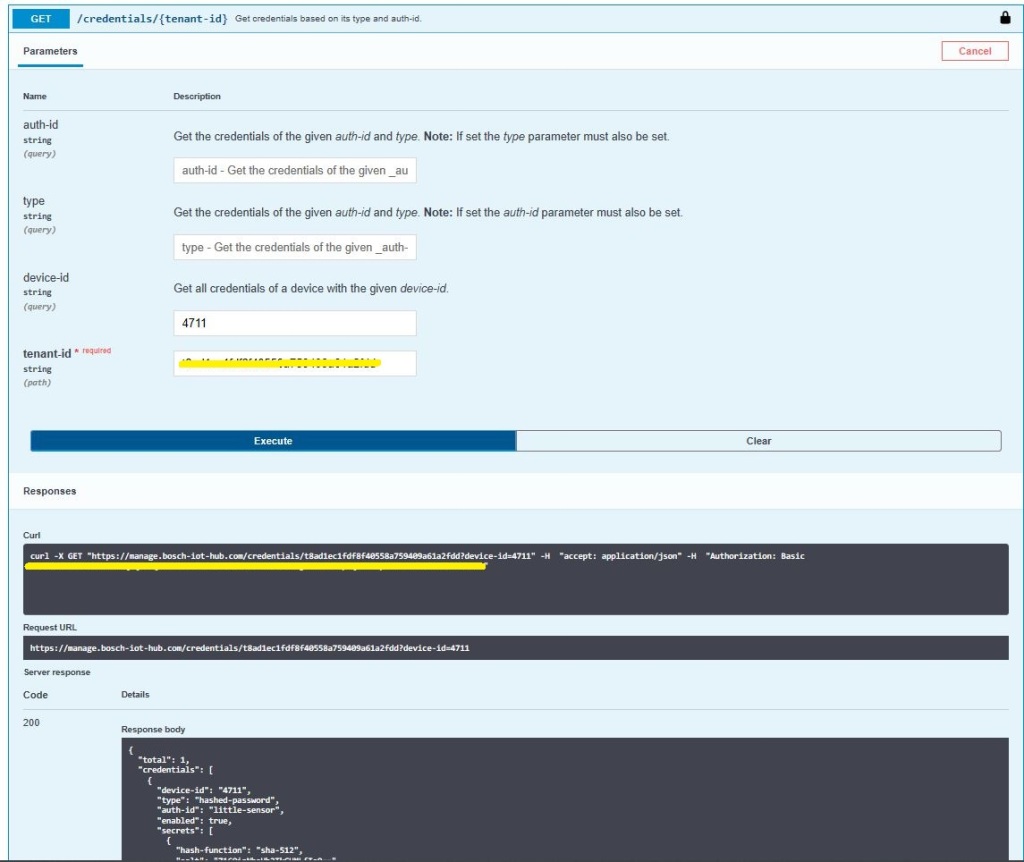
Device Registry Swagger UI
After a couple of failed attempts I worked out the format of the Authorisation details (I think the username format in the online documentation might be wrong)
Swagger UI Authorisation formQuerying the available devices
Of the 10+ SaaS IoT services I have setup the Bosch IoT Suite was the hardest to get working. I think this was becuase it is meant to be managed via the API from a in-house application. In a future post I’ll get configure the cloud to device messaging, plus analysis and display functionality.
As I’m testing my Message Queue Telemetry Transport(MQTT) LoRa gateway I’m building a proof of concept(PoC) .Net core console application for each IoT platform I would like to support.
This PoC was to confirm that I could connect to the walkaboutMQTT API then format topics and payloads correctly.
MQTTNet Console Client
The walkabout MQTT broker, username, API Key, and device ID are the required command line parameters. For this PoC I couldn’t get cloud to device (C2D) or Transport Layer Security(TLS) working so will have to do some more research.
namespace devmobile.Mqtt.TestClient.WolkAbout
{
   using System;
   using System.Diagnostics;
   using System.Threading;
   using System.Threading.Tasks;

   using MQTTnet;
   using MQTTnet.Client;
   using MQTTnet.Client.Disconnecting;
   using MQTTnet.Client.Options;

   using Newtonsoft.Json;
   using Newtonsoft.Json.Linq;

   class Program
   {
      private static IMqttClient mqttClient = null;
      private static IMqttClientOptions mqttOptions = null;
      private static string server;
      private static string username;
      private static string apiKey;
      private static string clientID;

      static void Main(string[] args)
      {
         MqttFactory factory = new MqttFactory();
         mqttClient = factory.CreateMqttClient();

         if ((args.Length != 4) )
            {
            Console.WriteLine("[MQTT Server] [UserName] [APIKey] [ClientID]");
            Console.WriteLine("Press <enter> to exit");
            Console.ReadLine();
            return;
         }

         server = args[0];
         username = args[1];
         apiKey = args[2];
         clientID = args[3];

         Console.WriteLine($"MQTT Server:{server} Username:{username} ClientID:{clientID}");

         // wolkabout formatted client state update topic
         string topicD2C = $"readings/{username}/";

         mqttOptions = new MqttClientOptionsBuilder()
            .WithTcpServer(server)
            .WithCredentials(username, apiKey)
            .WithClientId(clientID)
            //.WithTls()
            .Build();

         mqttClient.UseDisconnectedHandler(new MqttClientDisconnectedHandlerDelegate(e => MqttClient_Disconnected(e)));
         mqttClient.ConnectAsync(mqttOptions).Wait();

         while (true)
         {
            JObject payloadJObject = new JObject();

            double temperature = 22.0 + (DateTime.UtcNow.Millisecond / 1000.0);
            double humidity = 50 + (DateTime.UtcNow.Millisecond / 100.0);

            payloadJObject.Add("Temperature", temperature);
            payloadJObject.Add("Humidity", humidity);

            string payload = JsonConvert.SerializeObject(payloadJObject);
            Console.WriteLine($"Topic:{topicD2C} Payload:{payload}");

            var message = new MqttApplicationMessageBuilder()
               .WithTopic(topicD2C)
               .WithPayload(payload)
               .WithAtLeastOnceQoS()
               .Build();

            Console.WriteLine("PublishAsync start");
            mqttClient.PublishAsync(message).Wait();
            Console.WriteLine("PublishAsync finish");

            Thread.Sleep(30100);
         }
      }

      private static async void MqttClient_Disconnected(MqttClientDisconnectedEventArgs e)
      {
         Debug.WriteLine("Disconnected");
         await Task.Delay(TimeSpan.FromSeconds(5));

         try
         {
            await mqttClient.ConnectAsync(mqttOptions);
         }
         catch (Exception ex)
         {
            Debug.WriteLine("Reconnect failed {0}", ex.Message);
         }
      }
   }
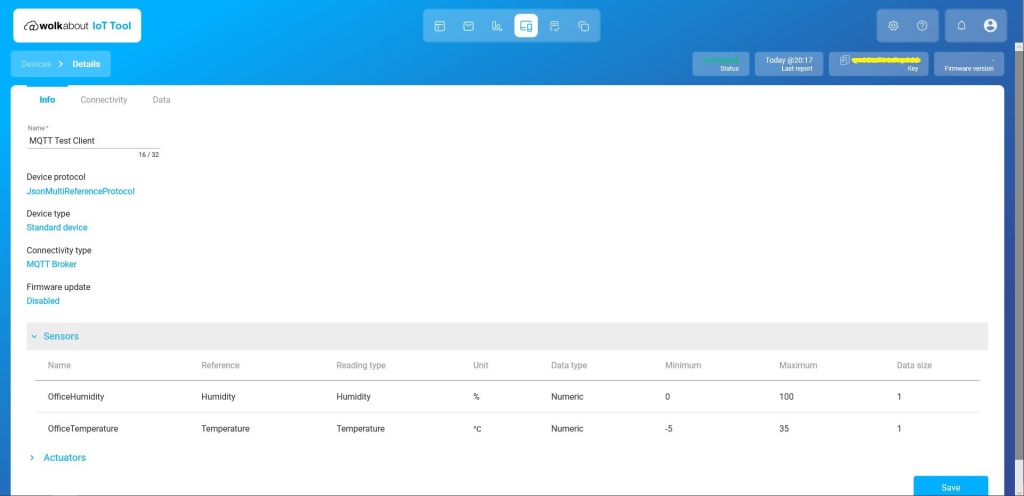
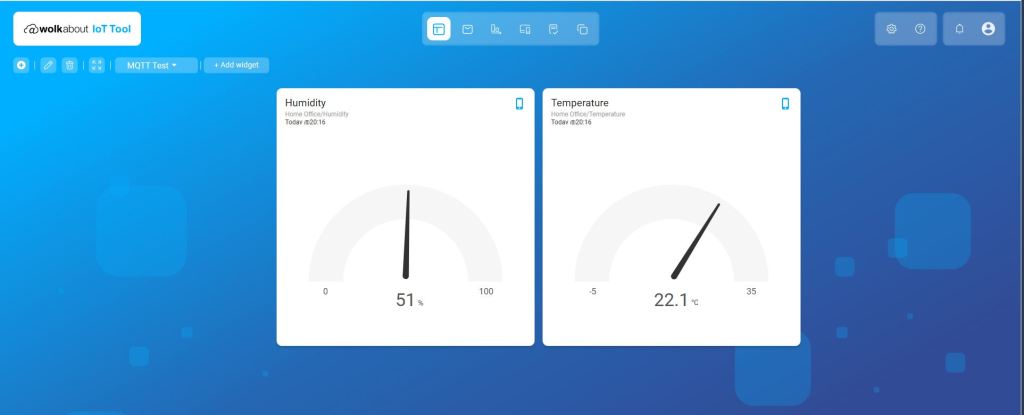
The walkabout device configuration was relatively easy but I need watch the instructional videos again to better understand the device and data semantics relationship.
Data semantics configurationDevices setupDevice SetupMy first dashboard












 devMobile's blog