STM32 Blue Pill LoRaWAN node

A few weeks ago I ordered an STM32 Blue Pill LoRaWAN node from the M2M Shop on Tindie for evaluation. I have bought a few M2M client devices including a Low power LoRaWan Node Model A328, and Low power LoRaWan Node Model B1284 for projects and they have worked well. This one looked interesting as I had never used a maple like device before.

Bill of materials (Prices as at July 2019)

  • STM32 Blue Pill LoRaWAN node USD21
  • Grove – Temperature&Humidity Sensor USD11.5
  • Grove – 4 pin Female Jumper to Grove 4 pin Conversion Cable USD3.90

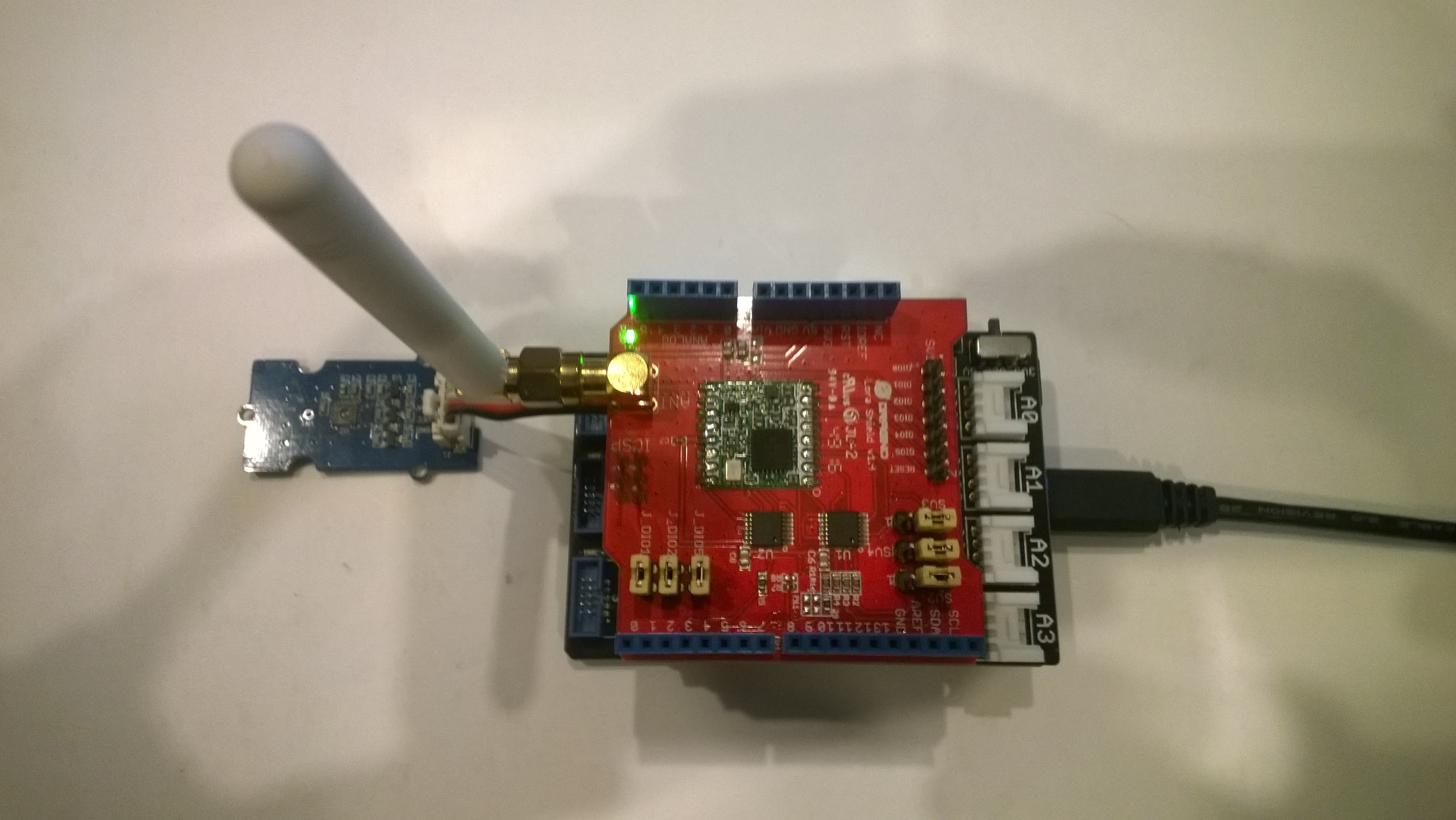
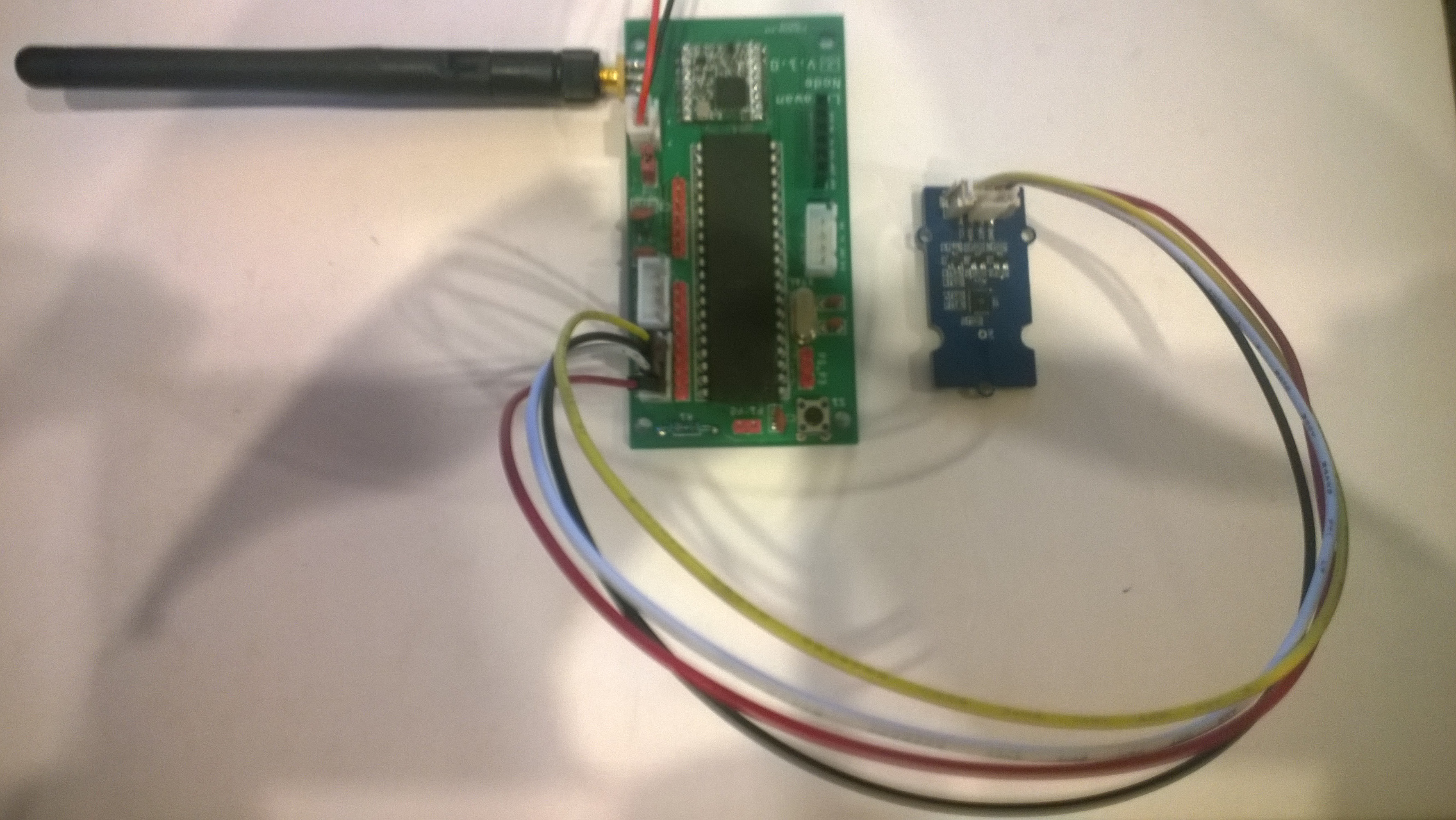
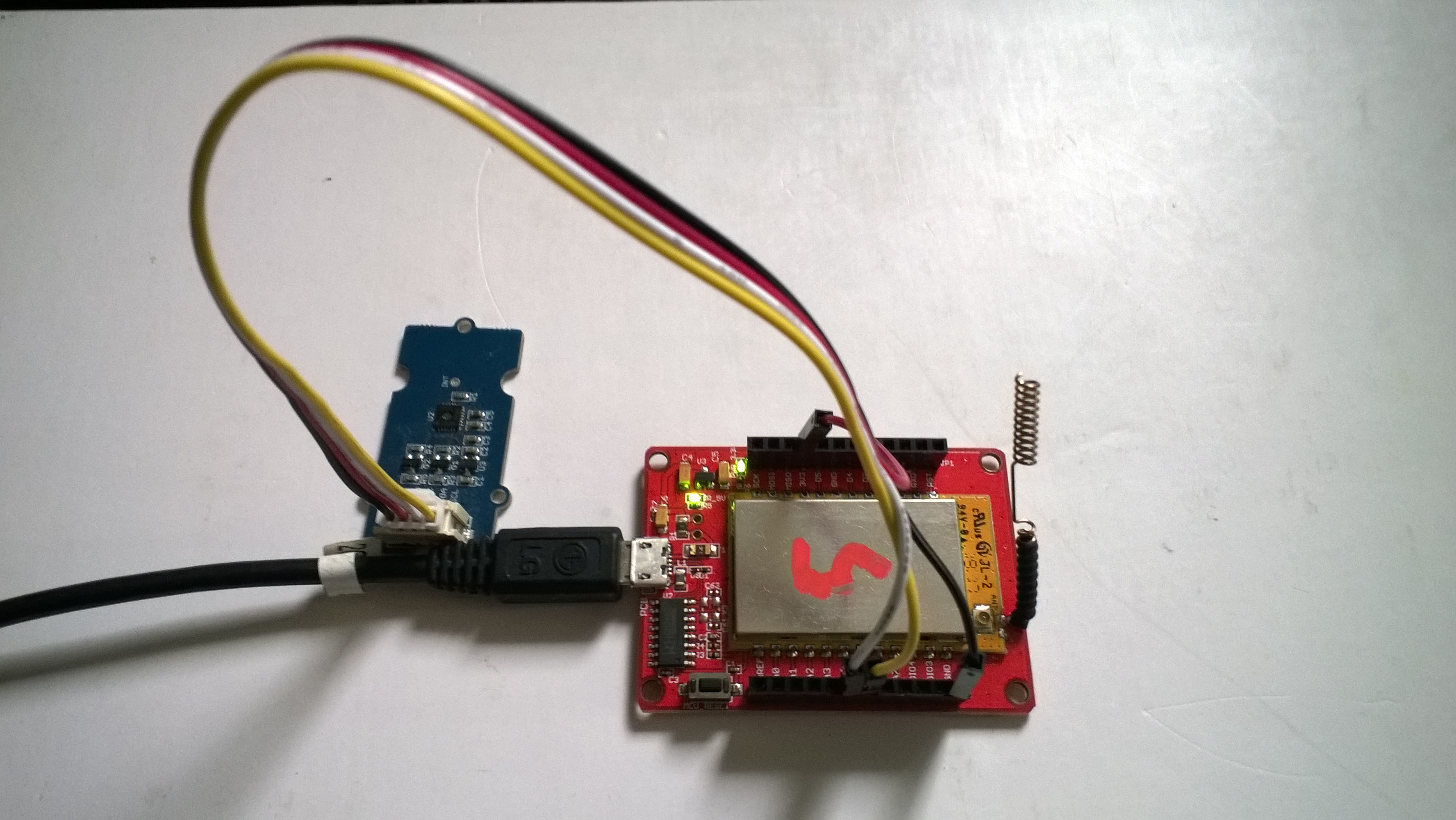
The two sockets on the main board aren’t Grove compatible so I used the 4 pin female to Grove 4 pin conversion cable to connect the temperature and humidity sensor.

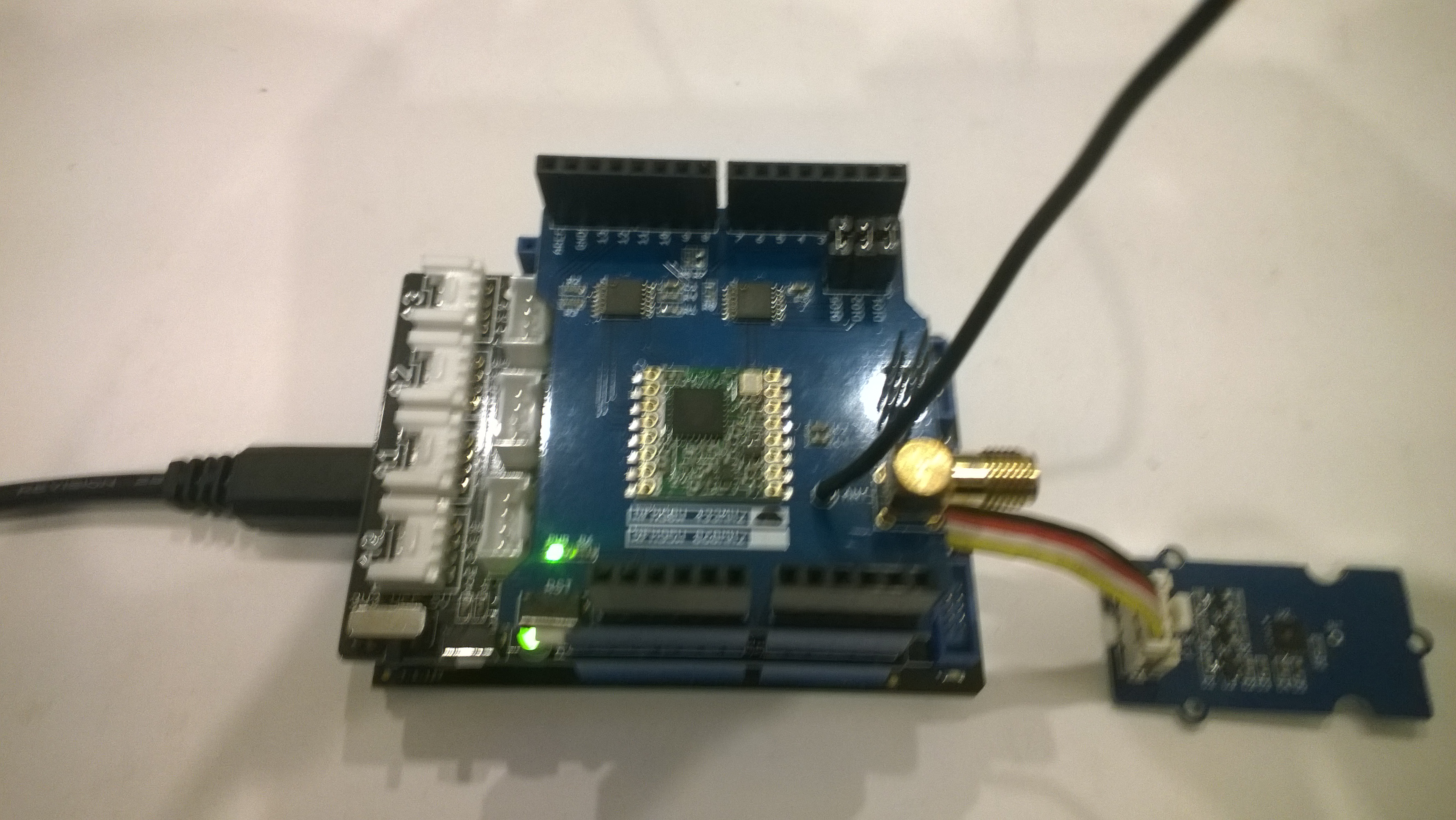
STM32 Blue Pill LoRaWAN node test rig

I used a modified version of my Arduino client code which worked after I got the pin reset pin sorted and the female sockets in the right order.

/*
  Copyright ® 2019 July devMobile Software, All Rights Reserved

  THIS CODE AND INFORMATION IS PROVIDED "AS IS" WITHOUT WARRANTY OF ANY
  KIND, EITHER EXPRESSED OR IMPLIED, INCLUDING BUT NOT LIMITED TO THE
  IMPLIED WARRANTIES OF MERCHANTABILITY AND/OR FITNESS FOR A PARTICULAR
  PURPOSE.
  
  Adapted from LoRa Duplex communication with Sync Word

  Sends temperature & humidity data from Seeedstudio 

  https://www.seeedstudio.com/Grove-Temperature-Humidity-Sensor-High-Accuracy-Min-p-1921.html

  To my Windows 10 IoT Core RFM 9X library

  https://blog.devmobile.co.nz/2018/09/03/rfm9x-iotcore-payload-addressing/
*/
#include <itoa.h>     
#include <SPI.h>     
#include <LoRa.h>

#include <TH02_dev.h>

#define DEBUG
//#define DEBUG_TELEMETRY
//#define DEBUG_LORA

// LoRa field gateway configuration (these settings must match your field gateway)
const char DeviceAddress[] = {"BLUEPILL"};

// Azure IoT Hub FieldGateway
const char FieldGatewayAddress[] = {"LoRaIoT1"}; 
const float FieldGatewayFrequency =  915000000.0;
const byte FieldGatewaySyncWord = 0x12 ;

// Bluepill hardware configuration
const int ChipSelectPin = PA4;
const int InterruptPin = PA0;
const int ResetPin = -1;

// LoRa radio payload configuration
const byte SensorIdValueSeperator = ' ' ;
const byte SensorReadingSeperator = ',' ;
const byte PayloadSizeMaximum = 64 ;
byte payload[PayloadSizeMaximum];
byte payloadLength = 0 ;

const int LoopDelaySeconds = 300 ;

// Sensor configuration
const char SensorIdTemperature[] = {"t"};
const char SensorIdHumidity[] = {"h"};


void setup()
{
  Serial.begin(9600);
#ifdef DEBUG
  while (!Serial);
#endif
  Serial.println("Setup called");

  Serial.println("LoRa setup start");

  // override the default chip select and reset pins
  LoRa.setPins(ChipSelectPin, ResetPin, InterruptPin);
  if (!LoRa.begin(FieldGatewayFrequency))
  {
    Serial.println("LoRa begin failed");
    while (true); // Drop into endless loop requiring restart
  }

  // Need to do this so field gateways pays attention to messsages from this device
  LoRa.enableCrc();
  LoRa.setSyncWord(FieldGatewaySyncWord);

#ifdef DEBUG_LORA
  LoRa.dumpRegisters(Serial);
#endif
  Serial.println("LoRa setup done.");

  PayloadHeader((byte*)FieldGatewayAddress, strlen(FieldGatewayAddress), (byte*)DeviceAddress, strlen(DeviceAddress));

 // Configure the Seeedstudio TH02 temperature & humidity sensor
  Serial.println("TH02 setup");
  TH02.begin();
  delay(100);
  Serial.println("TH02 Setup done");  

  Serial.println("Setup done");
}

void loop() {
  // read the value from the sensor:
  double temperature = TH02.ReadTemperature();
  double humidity = TH02.ReadHumidity();

  Serial.print("Humidity: ");
  Serial.print(humidity, 0);
  Serial.print(" %\t");
  Serial.print("Temperature: ");
  Serial.print(temperature, 1);
  Serial.println(" *C");

  PayloadReset();

  PayloadAdd(SensorIdHumidity, humidity, 0) ;
  PayloadAdd(SensorIdTemperature, temperature, 1) ;

  LoRa.beginPacket();
  LoRa.write(payload, payloadLength);
  LoRa.endPacket();

  Serial.println("Loop done");

  delay(LoopDelaySeconds * 1000);
}


void PayloadHeader( byte *to, byte toAddressLength, byte *from, byte fromAddressLength)
{
  byte addressesLength = toAddressLength + fromAddressLength ;

#ifdef DEBUG_TELEMETRY
  Serial.println("PayloadHeader- ");
  Serial.print( "To Address len:");
  Serial.print( toAddressLength );
  Serial.print( " From Address len:");
  Serial.print( fromAddressLength );
  Serial.print( " Addresses length:");
  Serial.print( addressesLength );
  Serial.println( );
#endif

  payloadLength = 0 ;

  // prepare the payload header with "To" Address length (top nibble) and "From" address length (bottom nibble)
  payload[payloadLength] = (toAddressLength << 4) | fromAddressLength ;
  payloadLength += 1;

  // Copy the "To" address into payload
  memcpy(&payload[payloadLength], to, toAddressLength);
  payloadLength += toAddressLength ;

  // Copy the "From" into payload
  memcpy(&payload[payloadLength], from, fromAddressLength);
  payloadLength += fromAddressLength ;
}


void PayloadAdd( const char *sensorId, float value, byte decimalPlaces)
{
  byte sensorIdLength = strlen( sensorId ) ;

#ifdef DEBUG_TELEMETRY
  Serial.println("PayloadAdd-float ");
  Serial.print( "SensorId:");
  Serial.print( sensorId );
  Serial.print( " sensorIdLen:");
  Serial.print( sensorIdLength );
  Serial.print( " Value:");
  Serial.print( value, decimalPlaces );
  Serial.print( " payloadLength:");
  Serial.print( payloadLength);
#endif

  memcpy( &payload[payloadLength], sensorId,  sensorIdLength) ;
  payloadLength += sensorIdLength ;
  payload[ payloadLength] = SensorIdValueSeperator;
  payloadLength += 1 ;
  payloadLength += strlen( dtostrf(value, -1, decimalPlaces, (char *)&payload[payloadLength]));
  payload[ payloadLength] = SensorReadingSeperator;
  payloadLength += 1 ;

#ifdef DEBUG_TELEMETRY
  Serial.print( " payloadLength:");
  Serial.print( payloadLength);
  Serial.println( );
#endif
}


void PayloadAdd( const char *sensorId, int value )
{
  byte sensorIdLength = strlen( sensorId ) ;

#ifdef DEBUG_TELEMETRY
  Serial.println("PayloadAdd-int ");
  Serial.print( "SensorId:");
  Serial.print( sensorId );
  Serial.print( " sensorIdLen:");
  Serial.print( sensorIdLength );
  Serial.print( " Value:");
  Serial.print( value );
  Serial.print( " payloadLength:");
  Serial.print( payloadLength);
#endif

  memcpy( &payload[payloadLength], sensorId,  sensorIdLength) ;
  payloadLength += sensorIdLength ;
  payload[ payloadLength] = SensorIdValueSeperator;
  payloadLength += 1 ;
  payloadLength += strlen( itoa( value, (char *)&payload[payloadLength], 10));
  payload[ payloadLength] = SensorReadingSeperator;
  payloadLength += 1 ;

#ifdef DEBUG_TELEMETRY
  Serial.print( " payloadLength:");
  Serial.print( payloadLength);
  Serial.println( );
#endif
}

void PayloadAdd( const char *sensorId, unsigned int value )
{
  byte sensorIdLength = strlen( sensorId ) ;

#ifdef DEBUG_TELEMETRY
  Serial.println("PayloadAdd-unsigned int ");
  Serial.print( "SensorId:");
  Serial.print( sensorId );
  Serial.print( " sensorIdLen:");
  Serial.print( sensorIdLength );
  Serial.print( " Value:");
  Serial.print( value );
  Serial.print( " payloadLength:");
  Serial.print( payloadLength);
#endif

  memcpy( &payload[payloadLength], sensorId,  sensorIdLength) ;
  payloadLength += sensorIdLength ;
  payload[ payloadLength] = SensorIdValueSeperator;
  payloadLength += 1 ;
  payloadLength += strlen( utoa( value, (char *)&payload[payloadLength], 10));
  payload[ payloadLength] = SensorReadingSeperator;
  payloadLength += 1 ;

#ifdef DEBUG_TELEMETRY
  Serial.print( " payloadLength:");
  Serial.print( payloadLength);
  Serial.println( );
#endif
}


void PayloadReset()
{
  byte fromAddressLength = payload[0] & 0xf ;
  byte toAddressLength = payload[0] >> 4 ;
  byte addressesLength = toAddressLength + fromAddressLength ;

  payloadLength = addressesLength + 1;

#ifdef DEBUG_TELEMETRY
  Serial.println("PayloadReset- ");
  Serial.print( "To Address len:");
  Serial.print( toAddressLength );
  Serial.print( " From Address len:");
  Serial.print( fromAddressLength );
  Serial.print( " Addresses length:");
  Serial.print( addressesLength );
  Serial.println( );
#endif
}

To get the application to compile I also had to include itoa.h rather than stdlib.h.

maple_loader v0.1
Resetting to bootloader via DTR pulse
[Reset via USB Serial Failed! Did you select the right serial port?]
Searching for DFU device [1EAF:0003]...
Assuming the board is in perpetual bootloader mode and continuing to attempt dfu programming...

dfu-util - (C) 2007-2008 by OpenMoko Inc.

Initially I had some problems deploying my software because I hadn’t followed the instructions and run the installation batch file.

14:03:56.946 -> Setup called
14:03:56.946 -> LoRa setup start
14:03:56.946 -> LoRa setup done.
14:03:56.946 -> TH02 setup
14:03:57.046 -> TH02 Setup done
14:03:57.046 -> Setup done
14:03:57.115 -> Humidity: 76 %	Temperature: 18.9 *C
14:03:57.182 -> Loop done
14:08:57.226 -> Humidity: 74 %	Temperature: 18.7 *C
14:08:57.295 -> Loop done
14:13:57.360 -> Humidity: 76 %	Temperature: 18.3 *C
14:13:57.430 -> Loop done
14:18:57.475 -> Humidity: 74 %	Temperature: 18.2 *C
14:18:57.544 -> Loop done
14:23:57.593 -> Humidity: 70 %	Temperature: 17.8 *C
14:23:57.662 -> Loop done
14:28:57.733 -> Humidity: 71 %	Temperature: 17.8 *C
14:28:57.802 -> Loop done
14:33:57.883 -> Humidity: 73 %	Temperature: 17.9 *C
14:33:57.952 -> Loop done
14:38:57.997 -> Humidity: 73 %	Temperature: 18.0 *C
14:38:58.066 -> Loop done
14:43:58.138 -> Humidity: 73 %	Temperature: 18.1 *C
14:43:58.208 -> Loop done
14:48:58.262 -> Humidity: 73 %	Temperature: 18.3 *C
14:48:58.331 -> Loop done
14:53:58.374 -> Humidity: 73 %	Temperature: 18.2 *C
14:53:58.444 -> Loop done
14:58:58.509 -> Humidity: 73 %	Temperature: 18.3 *C
14:58:58.578 -> Loop done
15:03:58.624 -> Humidity: 65 %	Temperature: 16.5 *C
15:03:58.694 -> Loop done
15:08:58.766 -> Humidity: 71 %	Temperature: 18.8 *C
15:08:58.836 -> Loop done
15:13:58.893 -> Humidity: 75 %	Temperature: 19.1 *C
15:13:58.963 -> Loop done

I configured the device to upload to my Azure IoT Hub/Azure IoT Central gateway and after getting the device name configuration right it has been running reliably for a couple of days
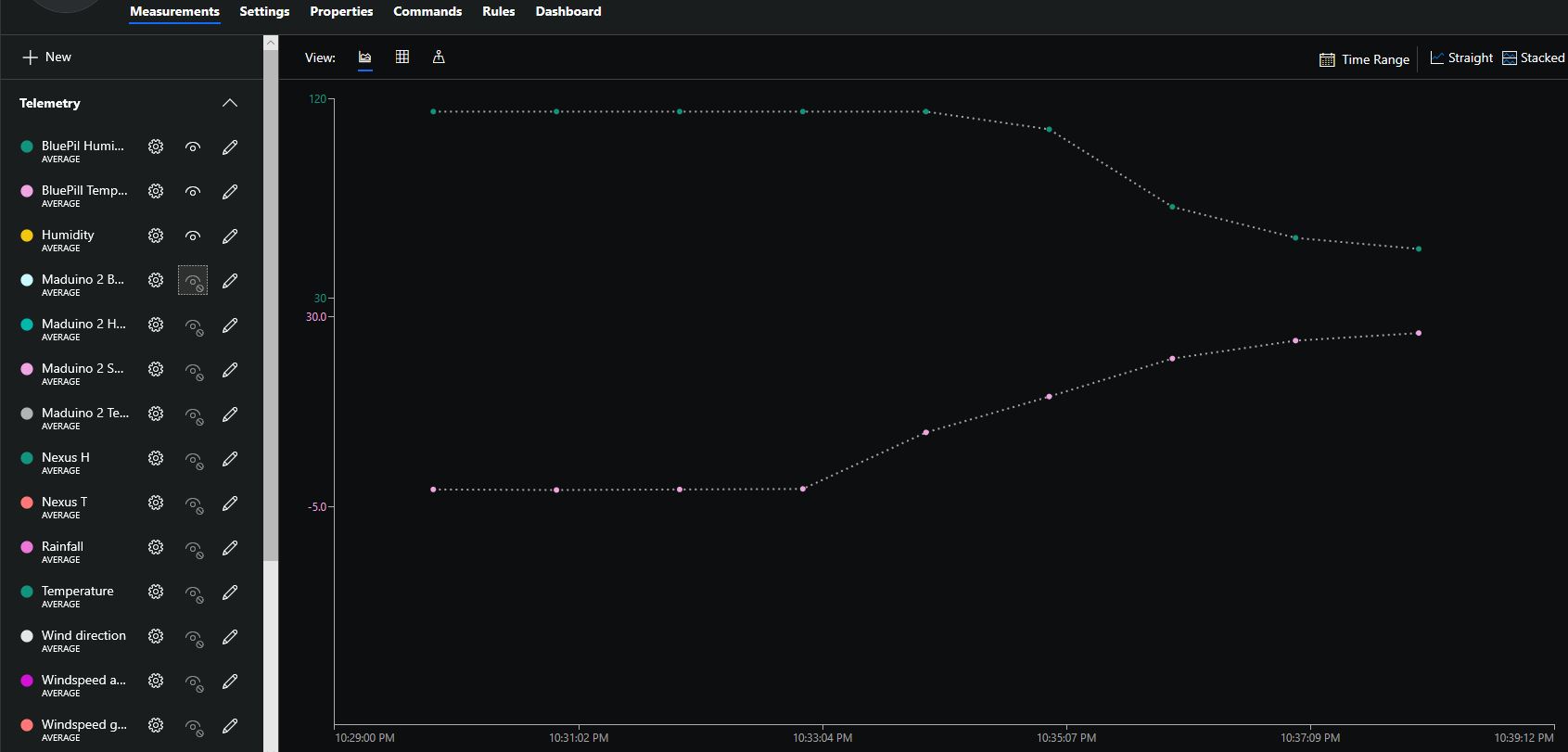
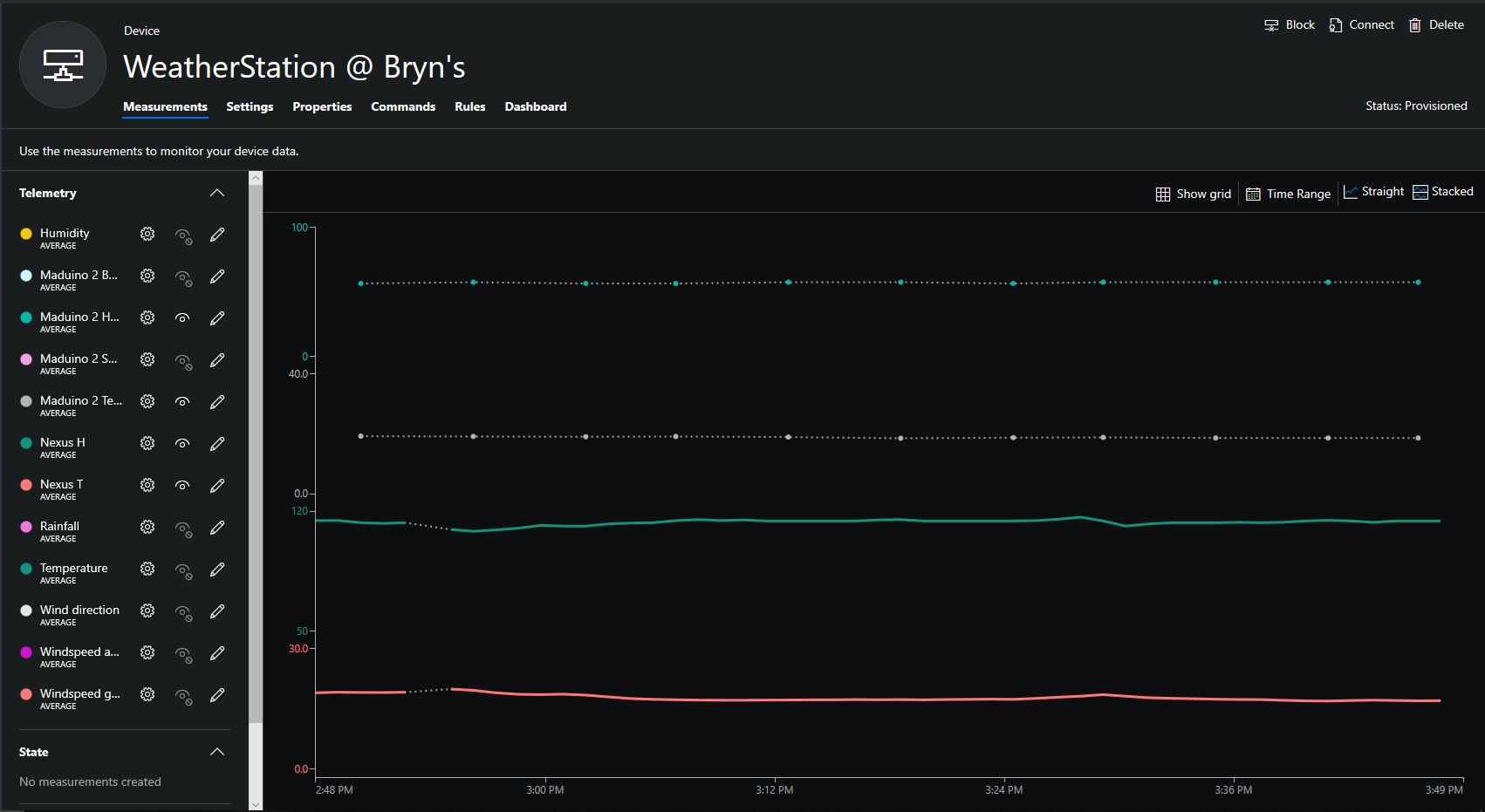
Azure IoT Central Temperature and humidity

The device was sitting outside on the deck and rapid increase in temperature is me bringing it inside.

Nexus LoRa Radio 915 MHz Payload Addressing client

This is a demo Ingenuity Micro Nexus client (based on the Netduino example for my RFM9XLoRaNetMF library) that uploads temperature and humidity data to my Azure IoT Hubs/Central or AdaFruit.IO on Raspberry PI field gateways

Bill of materials (Prices June 2019).

// <copyright file="client.cs" company="devMobile Software">
// Copyright ® 2019 Feb devMobile Software, All Rights Reserved
//
//  MIT License
//
//  Permission is hereby granted, free of charge, to any person obtaining a copy
// of this software and associated documentation files (the "Software"), to deal
// in the Software without restriction, including without limitation the rights
// to use, copy, modify, merge, publish, distribute, sublicense, and/or sell
// copies of the Software, and to permit persons to whom the Software is
// furnished to do so, subject to the following conditions:
//
// The above copyright notice and this permission notice shall be included in all copies or substantial portions of the Software.
//
// THE SOFTWARE IS PROVIDED "AS IS", WITHOUT WARRANTY OF ANY KIND, EXPRESS OR
// IMPLIED, INCLUDING BUT NOT LIMITED TO THE WARRANTIES OF MERCHANTABILITY,
// FITNESS FOR A PARTICULAR PURPOSE AND NONINFRINGEMENT. IN NO EVENT SHALL THE
// AUTHORS OR COPYRIGHT HOLDERS BE LIABLE FOR ANY CLAIM, DAMAGES OR OTHER
// LIABILITY, WHETHER IN AN ACTION OF CONTRACT, TORT OR OTHERWISE, ARISING FROM,
// OUT OF OR IN CONNECTION WITH THE SOFTWARE OR THE USE OR OTHER DEALINGS IN THE
// SOFTWARE"
//
// </copyright>
namespace devMobile.IoT.Nexus.FieldGateway
{
	using System;
	using System.Text;
	using System.Threading;
	using Microsoft.SPOT;
	using Microsoft.SPOT.Hardware;

	using devMobile.IoT.NetMF.ISM;
	using devMobile.NetMF.Sensor;
	using IngenuityMicro.Nexus;

	class NexusClient
	{
		private Rfm9XDevice rfm9XDevice;
		private readonly TimeSpan dueTime = new TimeSpan(0, 0, 15);
		private readonly TimeSpan periodTime = new TimeSpan(0, 0, 60);
		private readonly SiliconLabsSI7005 sensor = new SiliconLabsSI7005();
		private readonly Led _led = new Led();
		private readonly byte[] fieldGatewayAddress = Encoding.UTF8.GetBytes("LoRaIoT1");
		private readonly byte[] deviceAddress = Encoding.UTF8.GetBytes("Nexus915");

		public NexusClient()
		{
			rfm9XDevice = new Rfm9XDevice(SPI.SPI_module.SPI3, (Cpu.Pin)28, (Cpu.Pin)15, (Cpu.Pin)26);
			_led.Set(0, 0, 0);
		}

		public void Run()
		{

			rfm9XDevice.Initialise(frequency: 915000000, paBoost: true, rxPayloadCrcOn: true);
			rfm9XDevice.Receive(deviceAddress);

			rfm9XDevice.OnDataReceived += rfm9XDevice_OnDataReceived;
			rfm9XDevice.OnTransmit += rfm9XDevice_OnTransmit;

			Timer humidityAndtemperatureUpdates = new Timer(HumidityAndTemperatureTimerProc, null, dueTime, periodTime);

			Thread.Sleep(Timeout.Infinite);
		}


		private void HumidityAndTemperatureTimerProc(object state)
		{
			_led.Set(0, 128, 0);

			double humidity = sensor.Humidity();
			double temperature = sensor.Temperature();

			Debug.Print(DateTime.UtcNow.ToString("hh:mm:ss") + " H:" + humidity.ToString("F1") + " T:" + temperature.ToString("F1"));

			rfm9XDevice.Send(fieldGatewayAddress, Encoding.UTF8.GetBytes("t " + temperature.ToString("F1") + ",H " + humidity.ToString("F0")));
		}

		void rfm9XDevice_OnTransmit()
		{
			_led.Set(0, 0, 0);

			Debug.Print("Transmit-Done");
		}

		void rfm9XDevice_OnDataReceived(byte[] address, float packetSnr, int packetRssi, int rssi, byte[] data)
		{
			try
			{
				string messageText = new string(UTF8Encoding.UTF8.GetChars(data));
				string addressText = new string(UTF8Encoding.UTF8.GetChars(address));

				Debug.Print(DateTime.UtcNow.ToString("HH:MM:ss") + "-Rfm9X PacketSnr " + packetSnr.ToString("F1") + " Packet RSSI " + packetRssi + "dBm RSSI " + rssi + "dBm = " + data.Length + " byte message " + @"""" + messageText + @"""");
			}
			catch (Exception ex)
			{
				Debug.Print(ex.Message);
			}
		}
	}
}

Overall the development process was good with no modifications to my RFM9X.NetMF library or SI7005 library (bar removing a Netduino I2C work around) required

Nexus device with Seeedstudio Temperature & Humidity Sensors
Nexus Sensor data in Azure IoT Hub Field Gateway ETW Logging
Nexus temperature & humidity data displayed in Azure IoT Central

IoT.Net LoRa Radio 915 MHz Payload Addressing client

This is a demo ingenuity micro IoT.Net client (based on one of the examples in my RFM9XLoRaNetMF library) that uploads telemetry data to my Windows 10 IoT Core on Raspberry PI field gateway. 

Thought the silk screen says RFM69 this is a prototype running an RFM95 module.

iotnetlora.jpg

Bill of materials (Prices Sep 2018)

  • IoT.Net device (Beta tester will add price when available)

The device has an onboard MCP9808 temperature sensor which kept the BoM really short. I have had to make some modifications to my RFM9XLoRaNetMF library as the IoT.Net device uses a different SPI port. The code for this devices and the changes will be uploaded to GitHub in the next couple of days.

//---------------------------------------------------------------------------------
// Copyright (c) Sept 2018, devMobile Software
//
// Licensed under the Apache License, Version 2.0 (the "License");
// you may not use this file except in compliance with the License.
// You may obtain a copy of the License at
//
//     http://www.apache.org/licenses/LICENSE-2.0
//
// Unless required by applicable law or agreed to in writing, software
// distributed under the License is distributed on an "AS IS" BASIS,
// WITHOUT WARRANTIES OR CONDITIONS OF ANY KIND, either express or implied.
// See the License for the specific language governing permissions and
// limitations under the License.
// git remote add origin https://github.com/KiwiBryn/FieldGateway.LoRa.IoTNetClient.git
// git push -u origin master
//---------------------------------------------------------------------------------
namespace devMobile.IoT.IoTNet.FieldGateway
{
	using System;
	using System.Text;
	using System.Threading;
	using Microsoft.SPOT;
	using Microsoft.SPOT.Hardware;
	using devMobile.IoT.NetMF.ISM;
	using IngenuityMicro.Sensors;

	class IoTNetClient
	{
		private readonly Rfm9XDevice rfm9XDevice;
		private readonly TimeSpan dueTime = new TimeSpan(0, 0, 10);
		private readonly TimeSpan periodTime = new TimeSpan(0, 0, 30);
		private readonly MCP9808 mcp9808 = new MCP9808();
		private readonly OutputPort _led = new OutputPort((Cpu.Pin)16 + 8, false);
		private readonly byte[] fieldGatewayAddress = Encoding.UTF8.GetBytes("LoRaIoT1");
		private readonly byte[] deviceAddress = Encoding.UTF8.GetBytes("IoTNet1");

		public IoTNetClient()
		{
			rfm9XDevice = new Rfm9XDevice( SPI.SPI_module.SPI3, (Cpu.Pin)16 + 9, (Cpu.Pin)5, (Cpu.Pin)4);
		}

		public void Run()
		{
			rfm9XDevice.Initialise(frequency: 915000000, paBoost: true, rxPayloadCrcOn: true);
			rfm9XDevice.Receive(deviceAddress);

			rfm9XDevice.OnDataReceived += rfm9XDevice_OnDataReceived;
			rfm9XDevice.OnTransmit += rfm9XDevice_OnTransmit;

			Timer temperatureUpdates = new Timer(TemperatureTimerProc, null, dueTime, periodTime);

			Thread.Sleep(Timeout.Infinite);
		}

		private void TemperatureTimerProc(object state)
		{
			_led.Write(true);

			double temperature = mcp9808.ReadTempInC();

			Debug.Print(DateTime.UtcNow.ToString("hh:mm:ss") + "  T:" + temperature.ToString("F1"));

			rfm9XDevice.Send(fieldGatewayAddress, Encoding.UTF8.GetBytes("t " + temperature.ToString("F1")));

			_led.Write(true);
		}

		void rfm9XDevice_OnTransmit()
		{
			Debug.Print("Transmit-Done");
			_led.Write(false);
		}

		void rfm9XDevice_OnDataReceived(byte[] address, float packetSnr, int packetRssi, int rssi, byte[] data)
		{
			try
			{
				string messageText = new string(UTF8Encoding.UTF8.GetChars(data));
				string addressText = new string(UTF8Encoding.UTF8.GetChars(address));

				Debug.Print(DateTime.UtcNow.ToString("HH:MM:ss") + "-Rfm9X PacketSnr " + packetSnr.ToString("F1") + " Packet RSSI " + packetRssi + "dBm RSSI " + rssi + "dBm = " + data.Length + " byte message " + @"""" + messageText + @"""");
			}
			catch (Exception ex)
			{
				Debug.Print(ex.Message);
			}
		}
	}
}
}

.Net Framework debug output Field Gateway

22:55:39-RX From IoTNet1 PacketSnr 9.5 Packet RSSI -50dBm RSSI -110dBm = 6 byte message "t 23.6"
 Sensor IoTNet1t Value 23.6
 AzureIoTHubClient SendEventAsync start
 AzureIoTHubClient SendEventAsync finish
The thread 0xbec has exited with code 0 (0x0).
The thread 0xbb4 has exited with code 0 (0x0).
The thread 0xa0c has exited with code 0 (0x0).
The thread 0x13c has exited with code 0 (0x0).
22:56:09-RX From IoTNet1 PacketSnr 9.3 Packet RSSI -44dBm RSSI -102dBm = 6 byte message "t 23.8"
 Sensor IoTNet1t Value 23.8
 AzureIoTHubClient SendEventAsync start
 AzureIoTHubClient SendEventAsync finish

A small footprint, battery powered .NetMF 4.4 LoRa device designed and made in New Zealand with Visual Studio 2017 support is great.

Netduino LoRa Radio 433/868/915 MHz Payload Addressing client

This is a demo Netduino client (based on one of the examples in my RFM9XLoRaNetMF library) that uploads telemetry data to my Windows 10 IoT Core on Raspberry PI field gateway proof of concept(PoC).

Bill of materials (Prices Sep 2018)

//---------------------------------------------------------------------------------
// Copyright (c) 2017, devMobile Software
//
// Licensed under the Apache License, Version 2.0 (the "License");
// you may not use this file except in compliance with the License.
// You may obtain a copy of the License at
//
//     http://www.apache.org/licenses/LICENSE-2.0
//
// Unless required by applicable law or agreed to in writing, software
// distributed under the License is distributed on an "AS IS" BASIS,
// WITHOUT WARRANTIES OR CONDITIONS OF ANY KIND, either express or implied.
// See the License for the specific language governing permissions and
// limitations under the License.
//---------------------------------------------------------------------------------
namespace devMobile.IoT.Netduino.FieldGateway
{
   using System;
   using System.Text;
   using System.Threading;
   using Microsoft.SPOT;
   using Microsoft.SPOT.Hardware;
   using SecretLabs.NETMF.Hardware.Netduino;
   using devMobile.IoT.NetMF.ISM;
   using devMobile.NetMF.Sensor;

   class NetduinoClient
   {
      Rfm9XDevice rfm9XDevice;
      private readonly TimeSpan dueTime = new TimeSpan(0, 0, 15);
      private readonly TimeSpan periodTime = new TimeSpan(0, 0, 300);
      private readonly SiliconLabsSI7005 sensor = new SiliconLabsSI7005();
      private readonly OutputPort _led = new OutputPort(Pins.ONBOARD_LED, false);
      private readonly byte[] fieldGatewayAddress = Encoding.UTF8.GetBytes("LoRaIoT1");
      private readonly byte[] deviceAddress = Encoding.UTF8.GetBytes("Netduino1");

      public NetduinoClient()
      {
         rfm9XDevice = new Rfm9XDevice(Pins.GPIO_PIN_D10, Pins.GPIO_PIN_D9, Pins.GPIO_PIN_D2);
      }

      public void Run()
      {
         //rfm9XDevice.Initialise(frequency: 915000000, paBoost: true, rxPayloadCrcOn: true);
         rfm9XDevice.Initialise(frequency: 433000000, paBoost: true, rxPayloadCrcOn: true);
         rfm9XDevice.Receive(deviceAddress);

         rfm9XDevice.OnDataReceived += rfm9XDevice_OnDataReceived;
         rfm9XDevice.OnTransmit += rfm9XDevice_OnTransmit;

         Timer humidityAndtemperatureUpdates = new Timer(HumidityAndTemperatureTimerProc, null, dueTime, periodTime);

         Thread.Sleep(Timeout.Infinite);
      }

      private void HumidityAndTemperatureTimerProc(object state)
      {
         _led.Write(true);

         double humidity = sensor.Humidity();
         double temperature = sensor.Temperature();

         Debug.Print(DateTime.UtcNow.ToString("hh:mm:ss") + " H:" + humidity.ToString("F1") + " T:" + temperature.ToString("F1"));

         rfm9XDevice.Send(fieldGatewayAddress, Encoding.UTF8.GetBytes( "t " + temperature.ToString("F1") + ",H " + humidity.ToString("F0")));

         _led.Write(true);
      }

      void rfm9XDevice_OnTransmit()
      {
         Debug.Print("Transmit-Done");
         _led.Write(false);
      }

      void rfm9XDevice_OnDataReceived(byte[] address, float packetSnr, int packetRssi, int rssi, byte[] data)
      {
         try
         {
            string messageText = new string(UTF8Encoding.UTF8.GetChars(data));
            string addressText = new string(UTF8Encoding.UTF8.GetChars(address));

            Debug.Print(DateTime.UtcNow.ToString("HH:MM:ss") + "-Rfm9X PacketSnr " + packetSnr.ToString("F1") + " Packet RSSI " + packetRssi + "dBm RSSI " + rssi + "dBm = " + data.Length + " byte message " + @"""" + messageText + @"""");
         }
         catch (Exception ex)
         {
            Debug.Print(ex.Message);
         }
      }
   }
}

The code is available on GitHub
FieldGatewayNetduinoLoRaElecrow915
Elecrow shield
FieldGatewayNetduinoLoRaDragino915
Dragino shield
FieldGatewayNetduinLoRaMakerFabs433
MakerFabs shield
Net Micro Framework debug output from device

The thread '' (0x2) has exited with code 0 (0x0).
12:00:18 H:96.9 T:19.6
Transmit-Done
12:05:17 H:95.1 T:20.1
Transmit-Done

.Net Framework debug output Field Gateway

The thread 0x1550 has exited with code 0 (0x0).
21:21:49-RX From Netduino1 PacketSnr 9.5 Packet RSSI -40dBm RSSI -107dBm = 11 byte message "t 19.6,H 97"
 Sensor Netduino1t Value 19.6
 Sensor Netduino1H Value 97
 AzureIoTHubClient SendEventAsync start
 AzureIoTHubClient SendEventAsync finish
...
21:26:49-RX From Netduino1 PacketSnr 9.5 Packet RSSI -33dBm RSSI -103dBm = 11 byte message "t 20.1,H 95"
 Sensor Netduino1t Value 20.1
 Sensor Netduino1H Value 95
 AzureIoTHubClient SendEventAsync start
 AzureIoTHubClient SendEventAsync finish
The thread 0xfbc has exited with code 0 (0x0).

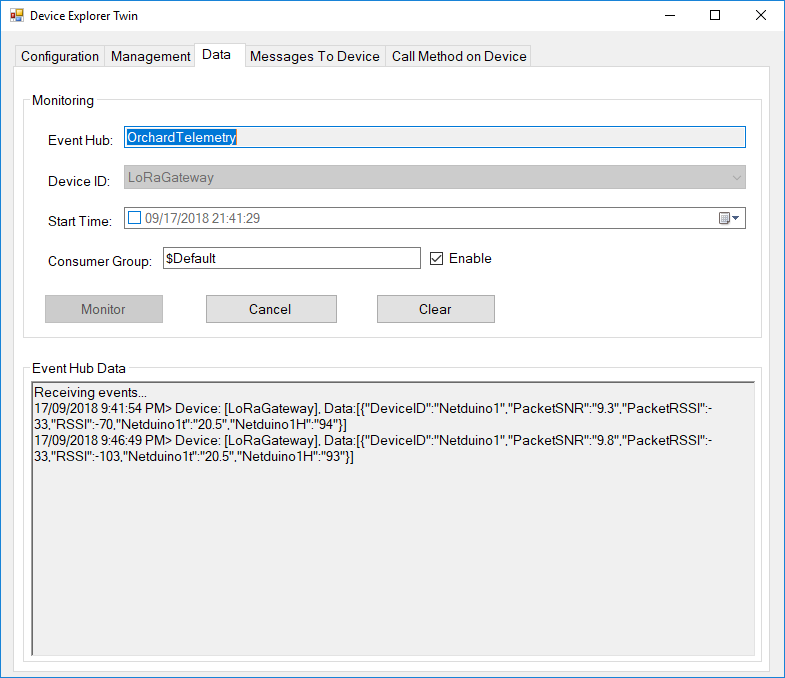
Then in my Azure IoT Hub

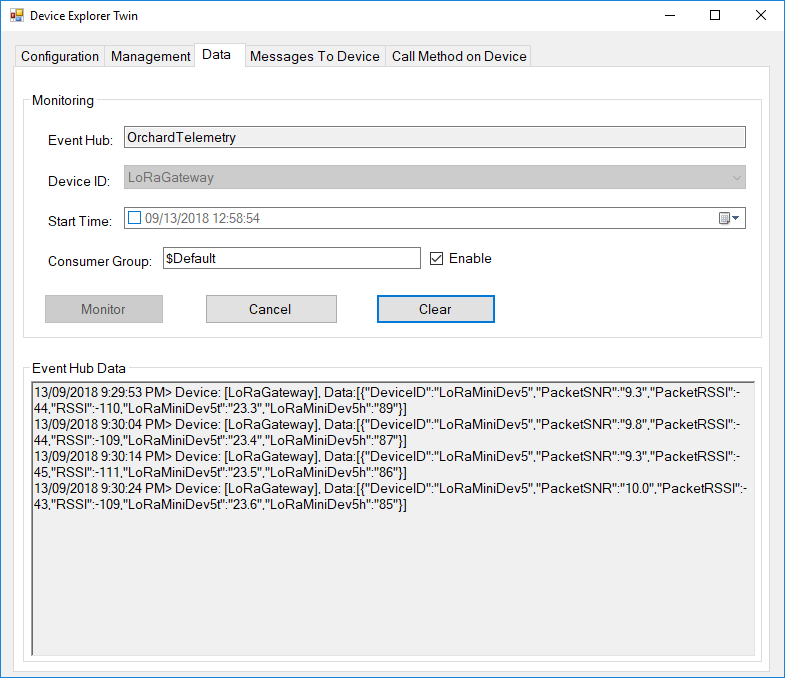
AzureIOTHubExplorerScreenGrab20180917

Low power LoRaWan Node Model B1248 Payload Addressing Client

This is a demo M2M Low power LoRaWan Node Model B1284 client (based on one of the examples from Arduino-LoRa) that uploads telemetry data to my Windows 10 IoT Core on Raspberry PI AdaFruit.IO and Azure IoT Hub field gateways.

LoraWanNodeV1_0_0

The compiler used by the Arduino tooling for this processor was stricter about byte-char conversions so a couple of extra casts were necessary.

/*
  Adapted from LoRa Duplex communication with Sync Word

  Sends temperature & humidity data from Seeedstudio 

  https://www.seeedstudio.com/Grove-Temperature-Humidity-Sensor-High-Accuracy-Min-p-1921.html

  To my Windows 10 IoT Core RFM 9X library

  https://blog.devmobile.co.nz/2018/09/03/rfm9x-iotcore-payload-addressing/

*/
#include               // include libraries
#include
#include
const int csPin = 14;          // LoRa radio chip select
const int resetPin = 9;       // LoRa radio reset
const int irqPin = 2;         // change for your board; must be a hardware interrupt pin

// Field gateway configuration
const char FieldGatewayAddress[] = "LoRaIoT1";
const float FieldGatewayFrequency =  915000000.0;
const byte FieldGatewaySyncWord = 0x12 ;

// Payload configuration
const int PayloadSizeMaximum = 64 ;
byte payload[PayloadSizeMaximum] = "";
const byte SensorReadingSeperator = ',' ;

// Manual serial number configuration
const char DeviceId[] = {"M2MNodeV100"};

const int LoopSleepDelaySeconds = 10 ;

void setup() {
  Serial.begin(9600);
  while (!Serial);

  Serial.println("LoRa Setup");

  // override the default CS, reset, and IRQ pins (optional)
  LoRa.setPins(csPin, resetPin, irqPin);// set CS, reset, IRQ pin

  if (!LoRa.begin(FieldGatewayFrequency))
  {
    Serial.println("LoRa init failed. Check your connections.");
    while (true);
  }

  // Need to do this so field gateway pays attention to messsages from this device
  LoRa.enableCrc();
  LoRa.setSyncWord(FieldGatewaySyncWord);  

  //LoRa.dumpRegisters(Serial);
  Serial.println("LoRa Setup done.");

  // Configure the Seeedstudio TH02 temperature & humidity sensor
  Serial.println("TH02 setup");
  TH02.begin();
  delay(100);
  Serial.println("TH02 Setup done");  

  Serial.println("Setup done");
}

void loop()
{
  int payloadLength = 0 ;
  float temperature ;
  float humidity ;

  Serial.println("Loop called");
  memset(payload, 0, sizeof(payload));

  // prepare the payload header with "To" Address length (top nibble) and "From" address length (bottom nibble)
  payload[0] = (strlen(FieldGatewayAddress)<< 4) | strlen( DeviceId ) ;
  payloadLength += 1;

  // Copy the "To" address into payload
  memcpy(&payload[payloadLength], FieldGatewayAddress, strlen(FieldGatewayAddress));
  payloadLength += strlen(FieldGatewayAddress) ;

  // Copy the "From" into payload
  memcpy(&payload[payloadLength], DeviceId, strlen(DeviceId));
  payloadLength += strlen(DeviceId) ;

  // Read the temperature and humidity values then display nicely
  temperature = TH02.ReadTemperature();
  humidity = TH02.ReadHumidity();

  Serial.print("T:");
  Serial.print( temperature, 1 ) ;
  Serial.print( "C" ) ;

  Serial.print(" H:");
  Serial.print( humidity, 0 ) ;
  Serial.println( "%" ) ;

  // Copy the temperature into the payload
  payload[ payloadLength] = 't';
  payloadLength += 1 ;
  payload[ payloadLength] = ' ';
  payloadLength += 1 ;
  payloadLength += strlen( dtostrf(temperature, -1, 1, (char*)&payload[payloadLength]));
  payload[ payloadLength] = SensorReadingSeperator;
  payloadLength += sizeof(SensorReadingSeperator) ;

  // Copy the humidity into the payload
  payload[ payloadLength] = 'h';
  payloadLength += 1 ;
  payload[ payloadLength] = ' ';
  payloadLength += 1 ;
  payloadLength += strlen( dtostrf(humidity, -1, 0, (char *)&payload[payloadLength]));  

  // display info about payload then send it (No ACK) with LoRa unlike nRF24L01
  Serial.print( "RFM9X/SX127X Payload length:");
  Serial.print( payloadLength );
  Serial.println( " bytes" );

  LoRa.beginPacket();
  LoRa.write( payload, payloadLength );
  LoRa.endPacket();      

  Serial.println("Loop done");

  delay(LoopSleepDelaySeconds * 1000l);
}

Bill of materials (Prices Sep 2018)

  • M2M Low power LoRaWan Node Model B1284 USD40
  • Seeedstudio Temperature&Humidity Sensor USD11.50
  • 4 pin Female Jumper to Grove 4 pin Conversion Cable USD2.90

The code is pretty basic (like the other samples), it shows how to pack the payload and set the necessary RFM9X/SX127X LoRa module configuration, has no power conservation, advanced wireless configuration etc.

The Grove 4 pin Female Jumper to Grove 4 pin Conversion Cable was a quick & convenient way to get the I2C Grove temperature and humidity sensor connected up.

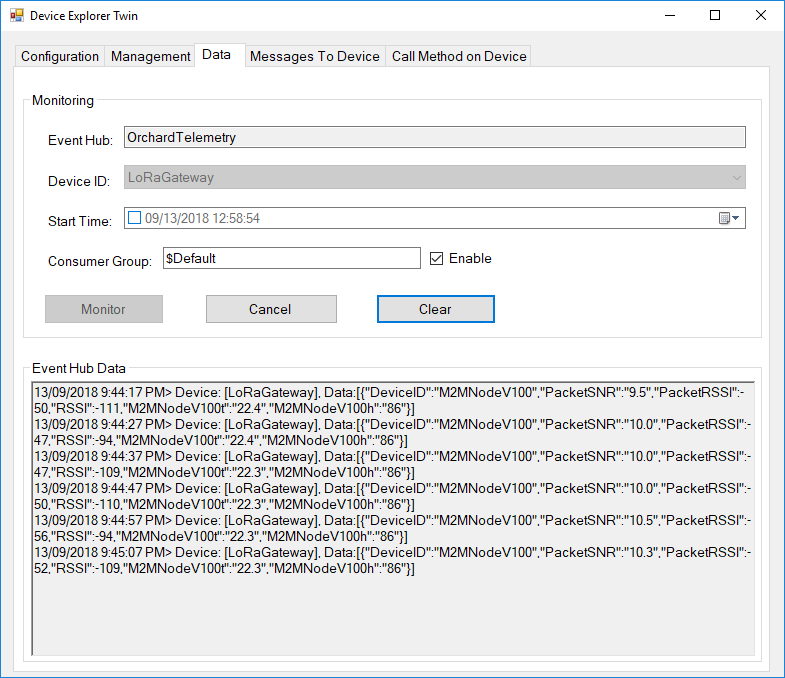
Then in my Azure IoT Hub monitoring software

M2MNodeV100EventHub

Maduino LoRa Radio 868MHz Payload Addressing client

This is a demo MakerFabs Maduino LoRa Radio 868MHz client (based on one of the examples from Arduino-LoRa) that uploads telemetry data to my Windows 10 IoT Core on Raspberry PI AdaFruit.IO and Azure IoT Hub field gateways.

The code is available on Github

MaduinoLoRa86820180914
/*
Adapted from LoRa Duplex communication with Sync Word Sends temperature & humidity data from Seeedstudio https://www.seeedstudio.com/Grove-Temperature-Humidity-Sensor-High-Accuracy-Min-p-1921.html To my Windows 10 IoT Core RFM 9X library https://blog.devmobile.co.nz/2018/09/03/rfm9x-iotcore-payload-addressing/*/#include // include libraries#include#includeconst int csPin = 10; // LoRa radio chip selectconst int resetPin = 9; // LoRa radio resetconst int irqPin = 2; // change for your board; must be a hardware interrupt pin// Field gateway configurationconst char FieldGatewayAddress[] = "LoRaIoT1";const float FieldGatewayFrequency = 915000000.0;//const float FieldGatewayFrequency = 433000000.0;const byte FieldGatewaySyncWord = 0x12 ;// Payload configurationconst int PayloadSizeMaximum = 64 ;byte payload[PayloadSizeMaximum] = "";const byte SensorReadingSeperator = ',' ;// Manual serial number configurationconst char DeviceId[] = {"Maduino1"};const int LoopSleepDelaySeconds = 10 ;void setup() { Serial.begin(9600); while (!Serial); Serial.println("LoRa Setup"); // override the default CS, reset, and IRQ pins (optional) LoRa.setPins(csPin, resetPin, irqPin);// set CS, reset, IRQ pin if (!LoRa.begin(FieldGatewayFrequency)) { Serial.println("LoRa init failed. Check your connections."); while (true); } // Need to do this so field gateways pays attention to messsages from this device LoRa.enableCrc(); LoRa.setSyncWord(FieldGatewaySyncWord); //LoRa.dumpRegisters(Serial); Serial.println("LoRa Setup done."); // Configure the Seeedstudio TH02 temperature &amp;amp;amp;amp;amp;amp;amp;amp;amp; humidity sensor Serial.println("TH02 setup"); TH02.begin(); delay(100); Serial.println("TH02 Setup done"); Serial.println("Setup done");}void loop(){ int payloadLength = 0 ; float temperature ; float humidity ; Serial.println("Loop called"); memset(payload, 0, sizeof(payload)); // prepare the payload header with "To" Address length (top nibble) and "From" address length (bottom nibble) &lt;&lt; 4) | strlen( DeviceId ) ; payloadLength += 1; // Copy the "To" address into payload memcpy(&amp;amp;amp;amp;amp;amp;amp;amp;amp;payload[payloadLength], FieldGatewayAddress, strlen(FieldGatewayAddress)); payloadLength += strlen(FieldGatewayAddress) ; // Copy the "From" into payload memcpy(&amp;amp;amp;amp;amp;amp;amp;amp;amp;payload[payloadLength], DeviceId, strlen(DeviceId)); payloadLength += strlen(DeviceId) ; // Read the temperature and humidity values then display nicely temperature = TH02.ReadTemperature(); humidity = TH02.ReadHumidity(); Serial.print("T:"); Serial.print( temperature, 1 ) ; Serial.print( "C" ) ; Serial.print(" H:"); Serial.print( humidity, 0 ) ; Serial.println( "%" ) ; // Copy the temperature into the payload payload[ payloadLength] = 't'; payloadLength += 1 ; payload[ payloadLength] = ' '; payloadLength += 1 ; payloadLength += strlen( dtostrf(temperature, -1, 1, (char*)&amp;payload[payloadLength])); payload[ payloadLength] = SensorReadingSeperator; payloadLength += sizeof(SensorReadingSeperator) ; // Copy the humidity into the payload payload[ payloadLength] = 'h'; payloadLength += 1 ; payload[ payloadLength] = ' '; payloadLength += 1 ; payloadLength += strlen( dtostrf(humidity, -1, 0, (char *)&amp;[payloadLength])); // display info about payload then send it (No ACK) with LoRa unlike nRF24L01 Serial.print( "RFM9X/SX127X Payload length:"); Serial.print( payloadLength ); Serial.println( " bytes" ); LoRa.beginPacket(); LoRa.write( payload, payloadLength ); LoRa.endPacket(); Serial.println("Loop done"); delay(LoopSleepDelaySeconds * 1000l);}

In the debugging output the data looked like this

13:40:28-RX From Maduino1 PacketSnr 9.8 Packet RSSI -65dBm RSSI -110dBm = 11 byte message "t 33.7,h 51"
 Sensor Maduino1t Value 33.7
 Sensor Maduino1h Value 51
 AzureIoTHubClient SendEventAsync start
 AzureIoTHubClient SendEventAsync finish
The thread 0x268 has exited with code 0 (0x0).
The thread 0xb28 has exited with code 0 (0x0).
13:40:38-RX From Maduino1 PacketSnr 9.5 Packet RSSI -66dBm RSSI -112dBm = 11 byte message "t 33.9,h 51"
 Sensor Maduino1t Value 33.9
 Sensor Maduino1h Value 51
 AzureIoTHubClient SendEventAsync start
 AzureIoTHubClient SendEventAsync finish
13:40:49-RX From Maduino1 PacketSnr 9.5 Packet RSSI -66dBm RSSI -110dBm = 11 byte message "t 34.0,h 51"
 Sensor Maduino1t Value 34.0
 Sensor Maduino1h Value 51
 AzureIoTHubClient SendEventAsync start
 AzureIoTHubClient SendEventAsync finish


Bill of materials (Prices Sep 2018)


  • Maduino LoRa Radion (868MHz) USD14.10
  • Seeedstudio Temperature&Humidity Sensor USD11.50
  • 4 pin Female Jumper to Grove 4 pin Conversion Cable USD2.90
  • 1 Watt solar panel with wires USD3.80
  • 3000 mAh LI-Ion battery

There is also a 433MHz version available at the same price


The code is pretty basic, it shows how to pack the payload and set the necessary RFM9X/SX127X LoRa module configuration, has no power conservation, advanced wireless configuration etc.


The onboard sockets for battery and charging make the device easier to package and power in the field.


The Grove 4 pin Female Jumper to Grove 4 pin Conversion Cable was a quick & convenient way to get the I2C Grove temperature and humidity sensor connected up.


Then in my Azure IoT Hub monitoring software


MaduinoLoRaAzureIoT20180914
			

Low power LoRaWan Node Model A328 Payload Addressing Client

This is a demo M2M Low power LoRaWan Node Model A328 client (based on one of the examples from Arduino-LoRa) that uploads telemetry data to my Windows 10 IoT Core on Raspberry PI AdaFruit.IO and Azure IoT Hub field gateways.

M2MNodeV351

/*
  Adapted from LoRa Duplex communication with Sync Word

  Sends temperature & humidity data from Seeedstudio 

  https://www.seeedstudio.com/Grove-Temperature-Humidity-Sensor-High-Accuracy-Min-p-1921.html

  To my Windows 10 IoT Core RFM 9X library

  https://blog.devmobile.co.nz/2018/09/03/rfm9x-iotcore-payload-addressing/

*/
#include               // include libraries
#include
#include 

const int csPin = 10;          // LoRa radio chip select
const int resetPin = 9;       // LoRa radio reset
const int irqPin = 2;         // change for your board; must be a hardware interrupt pin

// Field gateway configuration
const char FieldGatewayAddress[] = "LoRaIoT1";
const float FieldGatewayFrequency =  915000000.0;
const byte FieldGatewaySyncWord = 0x12 ;

// Payload configuration
const int PayloadSizeMaximum = 64 ;
byte payload[PayloadSizeMaximum] = "";
const byte SensorReadingSeperator = ',' ;

// Manual serial number configuration
const char DeviceId[] = {"M2MNodeV351"};

const int LoopSleepDelaySeconds = 10 ;

void setup() {
  Serial.begin(9600);
  while (!Serial);

  Serial.println("LoRa Setup");

  // override the default CS, reset, and IRQ pins (optional)
  LoRa.setPins(csPin, resetPin, irqPin);// set CS, reset, IRQ pin

  if (!LoRa.begin(FieldGatewayFrequency))
  {
    Serial.println("LoRa init failed. Check your connections.");
    while (true);
  }

  // Need to do this so field gateways pays attention to messages from this device
  LoRa.enableCrc();
  LoRa.setSyncWord(FieldGatewaySyncWord);  

  //LoRa.dumpRegisters(Serial);
  Serial.println("LoRa Setup done.");

  // Configure the Seeedstudio TH02 temperature & humidity sensor
  Serial.println("TH02 setup");
  TH02.begin();
  delay(100);
  Serial.println("TH02 Setup done");  

  Serial.println("Setup done");
}

void loop()
{
  int payloadLength = 0 ;
  float temperature ;
  float humidity ;

  Serial.println("Loop called");
  memset(payload, 0, sizeof(payload));

  // prepare the payload header with "To" Address length (top nibble) and "From" address length (bottom nibble)
 payload[0] = (strlen(FieldGatewayAddress) << 4) | strlen( DeviceId ) ;   payloadLength += 1;

  // Copy the "To" address into payload
  memcpy(&payload[payloadLength], FieldGatewayAddress, strlen(FieldGatewayAddress));
  payloadLength += strlen(FieldGatewayAddress) ;

  // Copy the "From" into payload
  memcpy(&payload[payloadLength], DeviceId, strlen(DeviceId));
  payloadLength += strlen(DeviceId) ;

  // Read the temperature and humidity values then display nicely
  temperature = TH02.ReadTemperature();
  humidity = TH02.ReadHumidity();

  Serial.print("T:");
  Serial.print( temperature, 1 ) ;
  Serial.print( "C" ) ;

  Serial.print(" H:");
  Serial.print( humidity, 0 ) ;
  Serial.println( "%" ) ;

  // Copy the temperature into the payload
  payload[ payloadLength] = 't';
  payloadLength += 1 ;
  payload[ payloadLength] = ' ';
  payloadLength += 1 ;
  payloadLength += strlen( dtostrf(temperature, -1, 1, &payload[payloadLength]));
  payload[ payloadLength] = SensorReadingSeperator;
  payloadLength += sizeof(SensorReadingSeperator) ;

  // Copy the humidity into the payload
  payload[ payloadLength] = 'h';
  payloadLength += 1 ;
  payload[ payloadLength] = ' ';
  payloadLength += 1 ;
  payloadLength += strlen( dtostrf(humidity, -1, 0, &payload[payloadLength]));  

  // display info about payload then send it (No ACK) with LoRa unlike nRF24L01
  Serial.print( "RFM9X/SX127X Payload length:");
  Serial.print( payloadLength );
  Serial.println( " bytes" );

  LoRa.beginPacket();
  LoRa.write( payload, payloadLength );
  LoRa.endPacket();      

  Serial.println("Loop done");

  delay(LoopSleepDelaySeconds * 1000l);
}

Bill of materials (Prices Sep 2018)

  • M2M Low power LoRaWan Node Model A328 USD30
  • Seeedstudio Temperature & Humidity Sensor USD11.50
  • 4 pin Female Jumper to Grove 4 pin Conversion Cable USD2.90

The code is pretty basic, it shows how to pack the payload and set the necessary RFM9X/SX127X LoRa module configuration, has no power conservation, advanced wireless configuration etc.

The Grove 4 pin Female Jumper to Grove 4 pin Conversion Cable was a quick & convenient way to get the I2C Grove temperature and humidity sensor connected up.

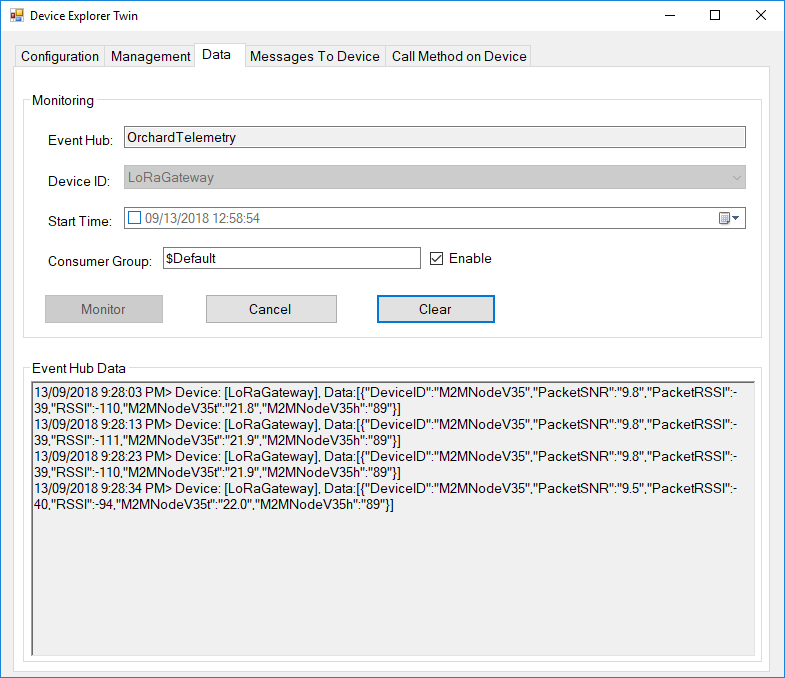
Then in my Azure IoT Hub monitoring software

M2MNodeV35EventHub

Dragino LoRaMiniDev Payload Addressing Client

This is a demo Dragino LoRa Mini Dev featuring LoRa® technology client (based on one of the examples from Arduino-LoRa) that uploads telemetry data to my AdaFruit.IO and Azure IoT Hubs Windows 10 IoT Core on Raspberry PI proof of concept (PoC) field gateways.

LoRaMiniDevTH02

Bill of materials (Prices Sep 2018)

  • Draguino LoRa MiniDev USD23
  • Seeedstudio Temperature&Humidity Sensor USD11.50 NZD20
  • 4 pin Male Jumper to Grove 4 pin Conversion Cable USD2.90

The code is pretty basic, it shows how to pack the payload and set the necessary RFM9X/SX127X LoRa module configuration, has no power conservation, advanced wireless configuration etc.

The Grove 4 pin Male Jumper to Grove 4 pin Conversion Cable was a quick & convenient way to get the I2C Grove temperature and humidity sensor connected up.

/*
Adapted from LoRa Duplex communication with Sync Word

Sends temperature & humidity data from Seeedstudio

https://www.seeedstudio.com/Grove-Temperature-Humidity-Sensor-High-Accuracy-Min-p-1921.html

To my Windows 10 IoT Core RFM 9X library

https://blog.devmobile.co.nz/2018/09/03/rfm9x-iotcore-payload-addressing/

*/
#include
#include
#include
const int csPin = 10;          // LoRa radio chip select
const int resetPin = 9;       // LoRa radio reset
const int irqPin = 2;         // change for your board; must be a hardware interrupt pin

// Field gateway configuration
const byte FieldGatewayAddress[] = "LoRaIoT1";
const float FieldGatewayFrequency =  915000000.0;
//const float FieldGatewayFrequency =  433000000.0;
const byte FieldGatewaySyncWord = 0x12 ;

// Payload configuration
const int PayloadSizeMaximum = 64 ;
char payload[PayloadSizeMaximum] = "";
const byte SensorReadingSeperator = ',' ;

// Manual serial number configuration
char DeviceId[] = {"LoRaMiniDev5"};

const int LoopSleepDelaySeconds = 10 ;

void setup() {
Serial.begin(9600);
while (!Serial);

Serial.print("LoRa Setup-");
Serial.println( DeviceId ) ;

// override the default CS, reset, and IRQ pins (optional)
LoRa.setPins(csPin, resetPin, irqPin);// set CS, reset, IRQ pin

if (!LoRa.begin(FieldGatewayFrequency))
{
Serial.println("LoRa init failed. Check your connections.");
while (true);
}

// Need to do this so field gateways pays attention to messsages from this device
LoRa.enableCrc();
LoRa.setSyncWord(FieldGatewaySyncWord);

//LoRa.dumpRegisters(Serial);
Serial.println("LoRa Setup done.");

// Configure the Seeedstudio TH02 temperature & humidity sensor
Serial.println("TH02 setup");
TH02.begin();
delay(100);
Serial.println("TH02 Setup done");

Serial.println("Setup done");
}

void loop()
{
int payloadLength = 0 ;
float temperature ;
float humidity ;

Serial.println("Loop called");
memset(payload, 0, sizeof(payload));

// prepare the payload header with "To" Address length (top nibble) and "From" address length (bottom nibble)
payload[0] = (strlen(FieldGatewayAddress)<<4) | strlen( DeviceId ) ;
payloadLength += 1;

// Copy the "To" address into payload
memcpy(&payload[payloadLength], FieldGatewayAddress, strlen(FieldGatewayAddress));
payloadLength += strlen(FieldGatewayAddress) ;

// Copy the "From" into payload
memcpy(&payload[payloadLength], DeviceId, strlen(DeviceId));
payloadLength += strlen(DeviceId) ;

// Read the temperature and humidity values then display nicely
temperature = TH02.ReadTemperature();
humidity = TH02.ReadHumidity();

Serial.print("T:");
Serial.print( temperature, 1 ) ;
Serial.print( "C" ) ;

Serial.print(" H:");
Serial.print( humidity, 0 ) ;
Serial.println( "%" ) ;

// Copy the temperature into the payload
payload[ payloadLength] = 't';
payloadLength += 1 ;
payload[ payloadLength] = ' ';
payloadLength += 1 ;
payloadLength += strlen( dtostrf(temperature, -1, 1, &payload[payloadLength]));
payload[ payloadLength] = SensorReadingSeperator;
payloadLength += sizeof(SensorReadingSeperator) ;

// Copy the humidity into the payload
payload[ payloadLength] = 'h';
payloadLength += 1 ;
payload[ payloadLength] = ' ';
payloadLength += 1 ;
payloadLength += strlen( dtostrf(humidity, -1, 0, &payload[payloadLength]));

// display info about payload then send it (No ACK) with LoRa unlike nRF24L01
Serial.print( "RFM9X/SX127X Payload length:");
Serial.print( payloadLength );
Serial.println( " bytes" );

LoRa.beginPacket();
LoRa.write( payload, payloadLength );
LoRa.endPacket();

Serial.println("Loop done");

delay(LoopSleepDelaySeconds * 1000l);
}

In the debug output window the messages from the device looked like this

09:53:05-RX From LoRaMiniDev5 PacketSnr 9.3 Packet RSSI -65dBm RSSI -109dBm = 11 byte message "t 16.8,h 98"
Sensor LoRaMiniDev5t Value 16.8
Sensor LoRaMiniDev5h Value 98
AzureIoTHubClient SendEventAsync start
AzureIoTHubClient SendEventAsync finish
The thread 0xba0 has exited with code 0 (0x0).
The thread 0xb24 has exited with code 0 (0x0).
09:53:15-RX From LoRaMiniDev5 PacketSnr 9.3 Packet RSSI -65dBm RSSI -108dBm = 11 byte message "t 16.7,h 98"
Sensor LoRaMiniDev5t Value 16.7
Sensor LoRaMiniDev5h Value 98
AzureIoTHubClient SendEventAsync start
AzureIoTHubClient SendEventAsync finish
The thread 0x76c has exited with code 0 (0x0).
The thread 0x91c has exited with code 0 (0x0).

Then in my Azure IoT Hub monitoring software
DraginoLoraMinDevEventHub
The dragino LoRa Mini Dev with an external antenna connector would be a good indoor data acquisition node for student project when powered by a 2nd hand cellphone charger.

Wireless field gateway protocol V2

I have now built a couple of nRF2L01P field gateways (for AdaFriut.IO & Azure IoT Hubs) which run as a background tasks on Windows 10 IoT Core on RaspberyPI). I have also written several clients which run on Arduino, devDuino, Netduino, and Seeeduino devices.

I have tried to keep the protocol simple (telemetry only) to deploy and it will be used in high school student projects in the next couple of weeks.

To make the payload smaller the first byte of the message now specifies the message type in the top nibble and the length of the device unique identifier in the bottom nibble.

0 = Echo

The message is displayed by the field gateway as text & hexadecimal.

1 = Device identifier + Comma separated values (CSV) payload

[0] – Set to 0001, XXXX   Device identifier length

[1]..[1+Device identifier length] – Unique device identifier bytes e.g. Mac address

[1+Device identifier length+1 ]..[31] – CSV payload e.g.  SensorID value, SensorID value


Microsoft IoT Central dynamic payload desktop client

Unlike most of the Azure IoT Hub client examples the names and number of sensor values will only be known when messages received over the nRF24L01 wireless link are processed so the JSON message payload has to be constructed on the fly.

Using the Newtonsoft.Json NuGet package and Linq + JObject made this much easier than expected so I have added some code improve robustness.

/*

Copyright ® 2018 Jan devMobile Software, All Rights Reserved

THIS CODE AND INFORMATION IS PROVIDED "AS IS" WITHOUT WARRANTY OF ANY
KIND, EITHER EXPRESSED OR IMPLIED, INCLUDING BUT NOT LIMITED TO THE
IMPLIED WARRANTIES OF MERCHANTABILITY AND/OR FITNESS FOR A PARTICULAR
PURPOSE.

You can do what you want with this code, acknowledgment would be nice.

http://www.devmobile.co.nz

*/
using System;
using System.Text;
using System.Threading;
using Microsoft.Azure.Devices.Client;
using Newtonsoft.Json;
using Newtonsoft.Json.Linq;

namespace devMobile.IoT.MicrosoftIoTCentral.Desktop.DynamicPayload
{
   class Program
   {
      const string DeviceConnectionString = "YourDeviceConnectionStringFromIoTCentralGoesHere";
      const string TelemetryDataPointPropertyNameFormat = @"{0}-{1}";
      const double temperatureBase = 20.0;
      const double temperatureRange = 10.0;
      const double humidityBase = 70.0;
      const double humidityRange = 20.0;
      const double batteryVoltageBase = 3.00;
      const double batteryVoltageRange = -1.00;
      static readonly TimeSpan feedUpdateDelay = new TimeSpan(0, 0, 15);

      static void Main(string[] args)
      {
         DeviceClient Client = null;

         try
         {
            Console.WriteLine("Connecting to IoI hub");
            Client = DeviceClient.CreateFromConnectionString(DeviceConnectionString, TransportType.Amqp);
            Console.WriteLine(" Connected");
         }
         catch (Exception ex)
         {
            Console.WriteLine("Error connecting or sending data to IoT Central: {0}", ex.Message);
            return;
         }

         while (true)
         {
            // Then send simulated temperature, humidity & battery voltage data
            Random random = new Random();
            double temperature = temperatureBase + random.NextDouble() * temperatureRange;
            double humidity = humidityBase + random.NextDouble() * humidityRange;
            double batteryVoltage = batteryVoltageBase + random.NextDouble() * batteryVoltageRange;

            Console.WriteLine("Temperature {0}°C  Humidity {1}% Battery Voltage {2}V", temperature.ToString("F1"), humidity.ToString("F0"), batteryVoltage.ToString("F2"));

            // Populate the data point -
            JObject telemetryDataPoint = new JObject(); // This could be simplified but for field gateway will use this style

            string sensorDeviceSerialNumber = "0123456789ABCDEF"; // intentionally created and initialised at this level as sensor device will send over NRF24 link

            telemetryDataPoint.Add(string.Format(TelemetryDataPointPropertyNameFormat, sensorDeviceSerialNumber, "T"), temperature.ToString("F1"));
            telemetryDataPoint.Add(string.Format(TelemetryDataPointPropertyNameFormat, sensorDeviceSerialNumber, "H"), humidity.ToString("F0"));
            telemetryDataPoint.Add(string.Format(TelemetryDataPointPropertyNameFormat, sensorDeviceSerialNumber, "V"), batteryVoltage.ToString("F2"));

            string messageString = JsonConvert.SerializeObject(telemetryDataPoint);

            Console.WriteLine("{0:hh:mm:ss} > Sending telemetry: {1}", DateTime.Now, messageString);

            try
            {
               using (Message message = new Message(Encoding.ASCII.GetBytes(messageString)))
               {
                  Client.SendEventAsync(message).Wait();
                  Console.WriteLine(" Sent");
               }
            }
            catch (Exception ex)
            {
               Console.WriteLine("Error sending data to IoT Central: {0}", ex.Message);
            }

            Thread.Sleep(feedUpdateDelay);
         }
      }
   }
}

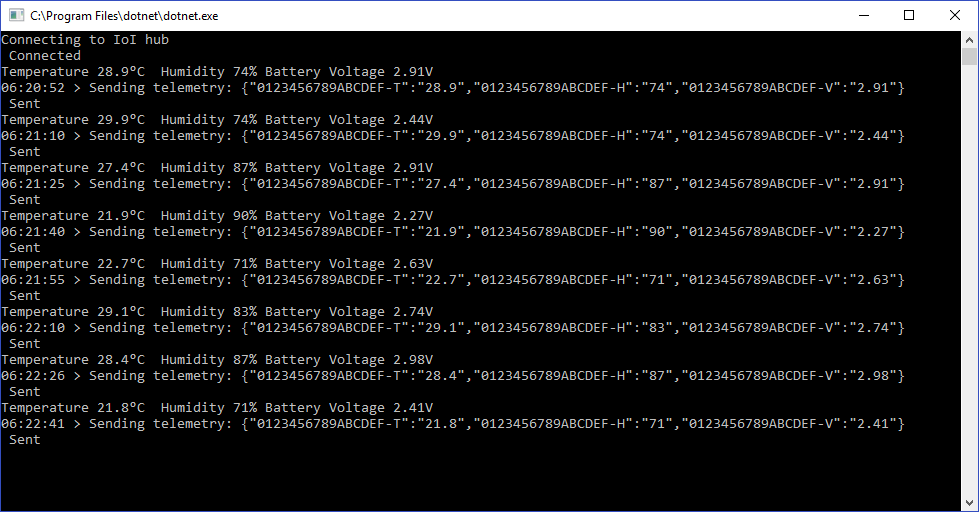
The application produces very similar output to the basic desktop client

IoTCentralDashboardDynamicPayloadClient