.NET nanoFramework RAK2305

The RAKwireless RAK2305 WisBlock WiFi Interface Module (WisBlock Wireless-IO Slot) is based on an Expressif ESP32 processor which is supported by the .NET nanoFramework. The first step was to solder some headers onto the RAK2305 so I could connect an FTDI module to get Universal Serial Bus(USB) connectivity.

RAK2305 + FTDI Test

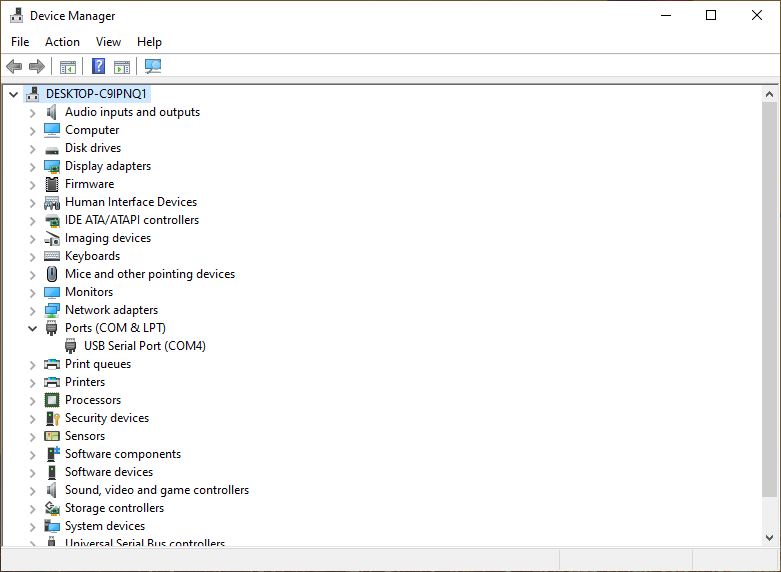
After a small delay the RAK2305 appeared in Windows Device Manager on COM4
My first attempt to “flash” the RAK2305 with the nano Firmware Flasher(nanoff) failed
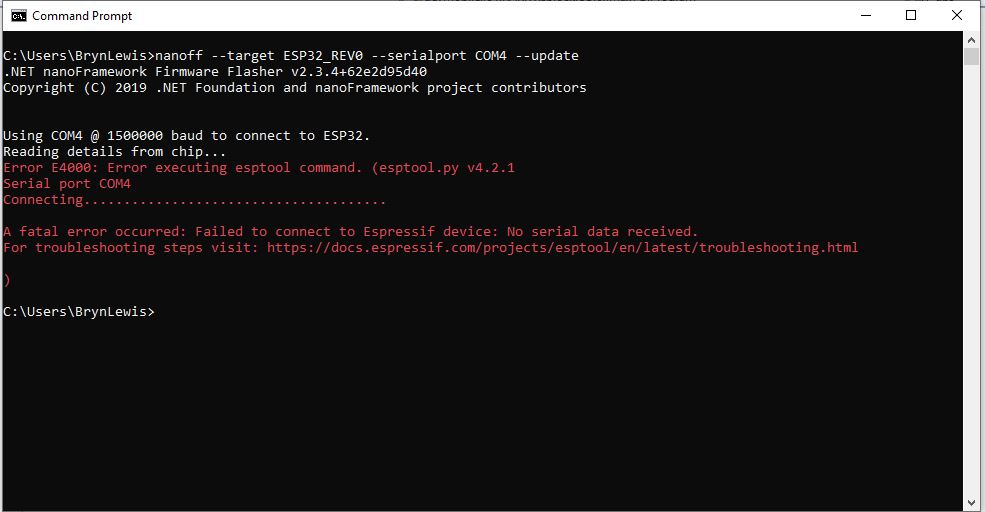
nanoff flashing failure

The RAK2305 Low Level Developer documentation described how to upload software developed with the Arduino tools by putting the ESP32 into “bootloader mode”. This is done by connecting (with the white jumper) the GPIO0 and GND pins on J14, and pressing the reset button.


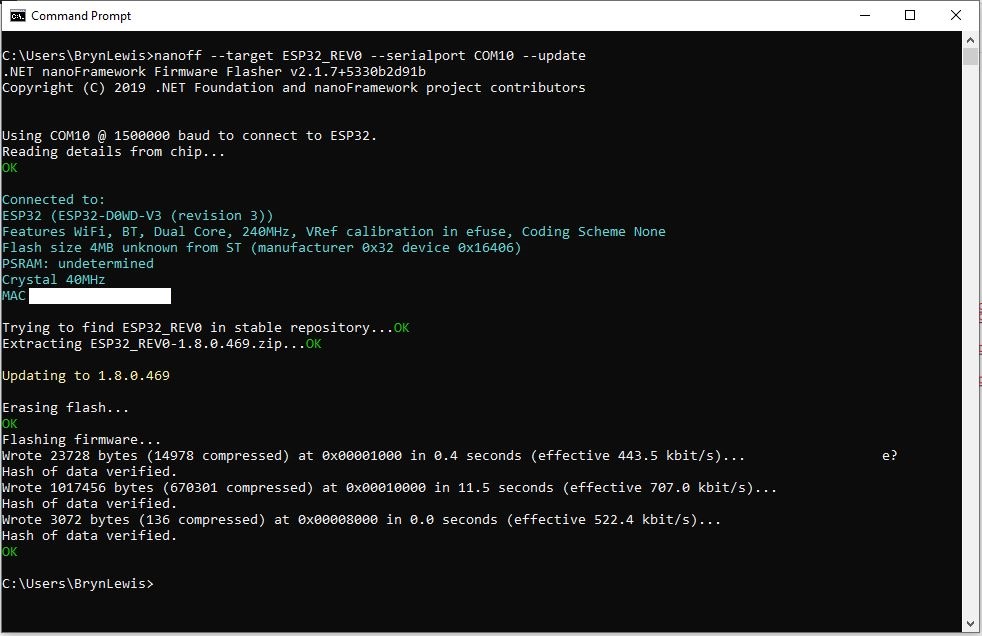
nanoff flashing success

The first step with any embedded development project is to flash a Light Emitting Diode(LED)….
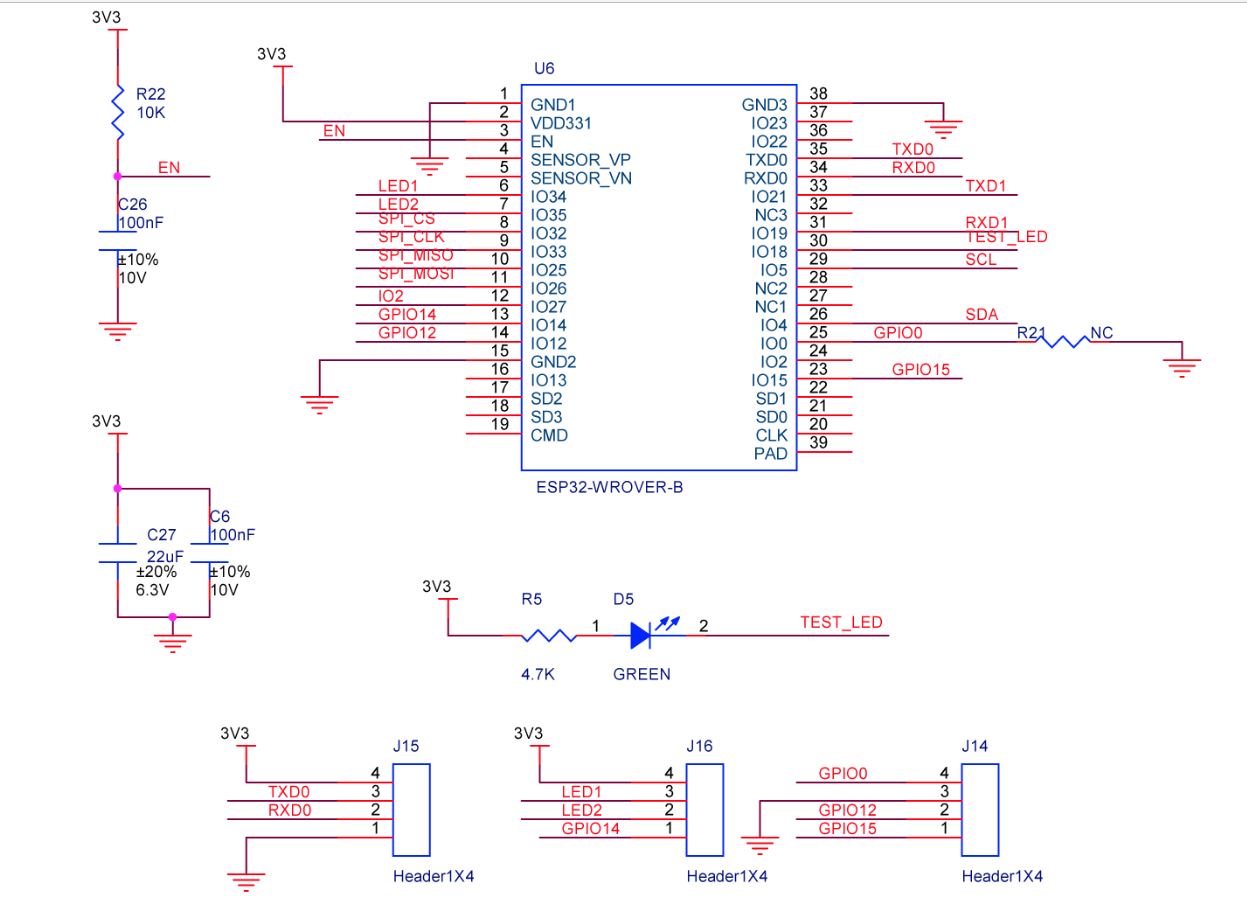
The RAK2305 has has one onboard LED(TEST_LED) attached to IO18 which I added to the .NET nanoFramework Blinky sample.

//
// Copyright (c) .NET Foundation and Contributors
// See LICENSE file in the project root for full license information.
//
//
using System;
using System.Device.Gpio;
using System.Threading;
using nanoFramework.Hardware.Esp32;

namespace Blinky
{
   public class Program
   {
      private static GpioController s_GpioController;

      public static void Main()
      {
         s_GpioController = new GpioController();

         // pick a board, uncomment one line for GpioPin; default is STM32F769I_DISCO

         // DISCOVERY4: PD15 is LED6 
         //GpioPin led = s_GpioController.OpenPin(PinNumber('D', 15), PinMode.Output);

         // ESP32 DevKit: 4 is a valid GPIO pin in, some boards like Xiuxin ESP32 may require GPIO Pin 2 instead.
         //GpioPin led = s_GpioController.OpenPin(4, PinMode.Output);

         // FEATHER S2: 
         //GpioPin led = s_GpioController.OpenPin(13, PinMode.Output);

         // F429I_DISCO: PG14 is LEDLD4 
         //GpioPin led = s_GpioController.OpenPin(PinNumber('G', 14), PinMode.Output);

         // NETDUINO 3 Wifi: A10 is LED onboard blue
         //GpioPin led = s_GpioController.OpenPin(PinNumber('A', 10), PinMode.Output);

         // QUAIL: PE15 is LED1  
         //GpioPin led = s_GpioController.OpenPin(PinNumber('E', 15), PinMode.Output);

         // STM32F091RC: PA5 is LED_GREEN
         //GpioPin led = s_GpioController.OpenPin(PinNumber('A', 5), PinMode.Output);

         // STM32F746_NUCLEO: PB75 is LED2
         //GpioPin led = s_GpioController.OpenPin(PinNumber('B', 7), PinMode.Output);

         //STM32F769I_DISCO: PJ5 is LD2
         //GpioPin led = s_GpioController.OpenPin(PinNumber('J', 5), PinMode.Output);

         // ST_B_L475E_IOT01A: PB14 is LD2
         //GpioPin led = s_GpioController.OpenPin(PinNumber('B', 14), PinMode.Output);

         // STM32L072Z_LRWAN1: PA5 is LD2
         //GpioPin led = s_GpioController.OpenPin(PinNumber('A', 5), PinMode.Output);

         // TI CC13x2 Launchpad: DIO_07 it's the green LED
         //GpioPin led = s_GpioController.OpenPin(7, PinMode.Output);

         // TI CC13x2 Launchpad: DIO_06 it's the red LED  
         //GpioPin led = s_GpioController.OpenPin(6, PinMode.Output);

         // ULX3S FPGA board: for the red D22 LED from the ESP32-WROOM32, GPIO5
         //GpioPin led = s_GpioController.OpenPin(5, PinMode.Output);

         // Silabs SLSTK3701A: LED1 PH14 is LLED1
         //GpioPin led = s_GpioController.OpenPin(PinNumber('H', 14), PinMode.Output);

         // RAK11200 on RAK5005
         //GpioPin led = s_GpioController.OpenPin(Gpio.IO12, PinMode.Output); // LED1 Green
         //GpioPin led = s_GpioController.OpenPin(Gpio.IO02, PinMode.Output); // LED2 Blue

         // RAK11200 on RAK19001 needs battery connected or power switch in rechargeable position.
         //GpioPin led = s_GpioController.OpenPin(Gpio.IO12, PinMode.Output); // LED1 Green
         //GpioPin led = s_GpioController.OpenPin(Gpio.IO02, PinMode.Output); // LED2 Blue

         // RAK2305 
         //GpioPin led = s_GpioController.OpenPin(Gpio.IO18, PinMode.Output); // LED Green (Test LED) on device

         // RAK2305 On 5005 throws exceptions
         //GpioPin led = s_GpioController.OpenPin(Gpio.IO34, PinMode.Output); // LED1 Green
         //GpioPin led = s_GpioController.OpenPin(Gpio.IO35, PinMode.Output); // LED2 Blue

         // RAK2305 On 17001 throws exceptions
         //GpioPin led = s_GpioController.OpenPin(Gpio.IO34, PinMode.Output); // LED1 Green
         //GpioPin led = s_GpioController.OpenPin(Gpio.IO35, PinMode.Output); // LED2 Blue

         led.Write(PinValue.Low);

         while (true)
         {
            led.Toggle();
            Thread.Sleep(125);
            led.Toggle();
            Thread.Sleep(125);
            led.Toggle();
            Thread.Sleep(125);
            led.Toggle();
            Thread.Sleep(525);
         }
      }

      static int PinNumber(char port, byte pin)
      {
         if (port < 'A' || port > 'J')
            throw new ArgumentException();

         return ((port - 'A') * 16) + pin;
      }
   }
}

I added the RAK2305 configuration to my version of the nanoFramework Blinky sample and could reliably flash the onboard LED.

.NET Core web API + Dapper – Parameters

Different Approaches…

While working on customer ASP.NET Core web API(WebAPI) + Microsoft SQL Server(MSSQL) applications I have encountered several different ways of passing parameters to stored procedures and embedded Structured Query Language(SQL) statements. I have created five examples which query the World Wide Importers database [Warehouse].[StockItems] in the World Wide Importers database to illustrate the different approaches.
A customer with large application which had a lot of ADO.Net code was comfortable Dapper DynamicParameters. Hundreds of stored procedures with input (some output) parameters were used to manage access to data. The main advantage of this approach was “familiarity” and the use of DynamicParameters made mapping of C# variable and stored procedure parameters (with different naming conventions) obvious.

[HttpGet("Dynamic")]
public async Task<ActionResult<IEnumerable<Model.StockItemListDtoV1>>> GetDynamic(
            [Required][MinLength(3, ErrorMessage = "The name search text must be at least {1} characters long"), MaxLength(20, ErrorMessage = "The name search text must be no more that {1} characters long")] string searchText,
            [Required][Range(1, int.MaxValue, ErrorMessage = "MaximumRowsToReturn must be greater than or equal to {1}")] int maximumRowsToReturn)
{
    IEnumerable<Model.StockItemListDtoV1> response = null;

    using (SqlConnection db = new SqlConnection(this.connectionString))
    {
        DynamicParameters parameters = new DynamicParameters();

        parameters.Add("MaximumRowsToReturn", maximumRowsToReturn);
        parameters.Add("SearchText", searchText);

        response = await db.QueryWithRetryAsync<Model.StockItemListDtoV1>(sql: "[Warehouse].[StockItemsNameSearchV1]", param: parameters, commandType: CommandType.StoredProcedure);
    }

    return this.Ok(response);
}
Error message displayed when SearchText field missing
Error message displayed when SearchText is too short
Error message displayed when SearchText too long
Successful query of StockItems table

The developers at another company used anonymous typed variables everywhere. They also had similar C# and stored procedure parameter naming conventions so there was minimal (in the example code only maximumRowsToReturn vs. stockItemsMaximum) mapping required. They found mapping stored procedure output parameters was problematic. For longer parameter lists they struggled with formatting the code in a way which was readable.

 [HttpGet("Anonymous")]
public async Task<ActionResult<IEnumerable<Model.StockItemListDtoV1>>> GetAnonymous(
            [Required][MinLength(3, ErrorMessage = "The name search text must be at least {1} characters long"), MaxLength(20, ErrorMessage = "The name search text must be no more that {1} characters long")] string searchText,
            [Required][Range(1, 100, ErrorMessage = "The maximum number of stock items to return must be greater than or equal to {1} and less then or equal {2}")] int stockItemsMaximum)
{
   IEnumerable<Model.StockItemListDtoV1> response = null;

   using (SqlConnection db = new SqlConnection(this.connectionString))
   {
      response = await db.QueryWithRetryAsync<Model.StockItemListDtoV1>(sql: "[Warehouse].[StockItemsNameSearchV1]", new { searchText, maximumRowsToReturn = stockItemsMaximum }, commandType: CommandType.StoredProcedure);
   }

   return this.Ok(response);
}

At another customer the developers used Data Transfer Objects(DTOs)/Plain Old CLR Objects(POCOs) and they had some control over the naming of the stored procedure/embedded SQL parameters.

public class StockItemNameSearchDtoV1
{
   [Required]
   [MinLength(3, ErrorMessage = "The name search text must be at least {1} characters long"), MaxLength(20, ErrorMessage = "The name search text must be no more that {1} characters long")]
   public string SearchText { get; set; }

   [Required]
   [Range(1, 100, ErrorMessage = "The maximum number of rows to return must be greater than or equal to {1} and less then or equal {2}")]
   public int MaximumRowsToReturn { get; set; }
}
[HttpGet("AutomagicDefault")]
public async Task<ActionResult<IEnumerable<Model.StockItemListDtoV1>>> GetDefault([FromQuery] Model.StockItemNameSearchDtoV1 request)
{
   IEnumerable<Model.StockItemListDtoV1> response = null;

   using (SqlConnection db = new SqlConnection(this.connectionString))
   {
      response = await db.QueryWithRetryAsync<Model.StockItemListDtoV1>(sql: "[Warehouse].[StockItemsNameSearchV1]", param: request, commandType: CommandType.StoredProcedure);
   }

   return this.Ok(response);
}

At another customer the developers used Data Transfer Objects(DTOs)/Plain Old CLR Objects(POCOs) to access the database which had several hundred stored procedures. They had no control over the stored procedure parameter names so they mapped query string parameters to the properties of their POCOs.

This took some experimentation as System.Text.Json/Newtonsoft.Json decorations didn’t work (query string is not Java Script Object Notation(JSON)). They decorated the properties of their DTOs with the [FromQuery] attribute.

public class StockItemNameSearchDtoV2
{
   [Required]
   [FromQuery(Name = "SearchText")]
   [MinLength(3, ErrorMessage = "The name search text must be at least {1} characters long"), MaxLength(20, ErrorMessage = "The name search text must be no more than {1} characters long")]
   public string SearchText { get; set; }

   [Required]
   [FromQuery(Name = "StockItemsMaximum")]
   [Range(1, 100, ErrorMessage = "The maximum number of stock items to return must be greater than or equal to {1} and less then or equal {2}")]
   public int MaximumRowsToReturn { get; set; }
}
[HttpGet("AutomagicMapped")]
public async Task<ActionResult<IEnumerable<Model.StockItemListDtoV1>>> GetMapperDecorated([FromQuery] Model.StockItemNameSearchDtoV2 request)
{
   IEnumerable<Model.StockItemListDtoV1> response = null;

   using (SqlConnection db = new SqlConnection(this.connectionString))
   {
      response = await db.QueryWithRetryAsync<Model.StockItemListDtoV1>(sql: "[Warehouse].[StockItemsNameSearchV1]", param: request, commandType: CommandType.StoredProcedure);
   }

   return this.Ok(response);
}

I don’t think that [FromQuery] decorations on POCOs is a good idea. If the classes are only used for one method I would consider moving them into the controller file.

//
// https://localhost:5001/api/StockItemsParameter/Array?StockItemId=1&StockItemId=5&StockItemId=10
//
[HttpGet("Array")]
public async Task<ActionResult<IEnumerable<Model.StockItemListDtoV1>>> GetArray(
   [FromQuery(Name = "stockItemID")][Required(), MinLength(1, ErrorMessage = "Minimum of {1} StockItem id(s)"), MaxLength(100, ErrorMessage = "Maximum {1} StockItem ids")] int[] stockItemIDs)
{
    IEnumerable<Model.StockItemListDtoV1> response = null;

    using (SqlConnection db = new SqlConnection(this.connectionString))
    {
        response = await db.QueryWithRetryAsync<Model.StockItemListDtoV1>(sql: @"SELECT [StockItemID] as ""ID"", [StockItemName] as ""Name"", [RecommendedRetailPrice], [TaxRate] FROM [Warehouse].[StockItems] WHERE  StockItemID IN @StockItemIds ", new { StockItemIDs = stockItemIDs }, commandType: CommandType.Text);
    }

    return this.Ok(response);
}

A customer wanted users to be able search for items selected in a multiple selection list so a Dapper WHERE IN value array was used.

Dapper WHERE IN with no StockItemIds on the query string
Dapper WHERE IN with several StockItemIds on query string

To explore how this worked I downloaded the Dapper source code and reference the project in my solution.

After single stepping through the Dapper source code I found where the array of StockTtems was getting mapped into a “generated” parameterised SQL statement.

Dapper generated parameterised SQL Statement

Based on my customer’s experiences a “mix ‘and ‘n’ match” approach to parameterising Dapper queries looks like a reasonable approach.

.NET nanoFramework RAK3172 Library Usage

After a two week “soak test” using a Sparkfun Thing Plus ESP32 WROOM and RAK3172 Breakout Board completed with no failures, this final post covers the usage of the RAK3172LoRaWAN-NetNF library in a “real-world” application.

Before a factory reset the DevEUI, JoinEUI (was AppEUI), and AppKey were values I had configured earlier

12:02:04 0 TX:AT+DEVEUI=? bytes:11--------------------------------
AT+DEVEUI=A..............1
OK

12:03:05 0 TX:AT+APPEUI=? bytes:11--------------------------------
AT+APPEUI=A..............8
OK

12:04:03 0 TX:AT+APPKEY=? bytes:11--------------------------------
AT+APPKEY=C..............................F
OK

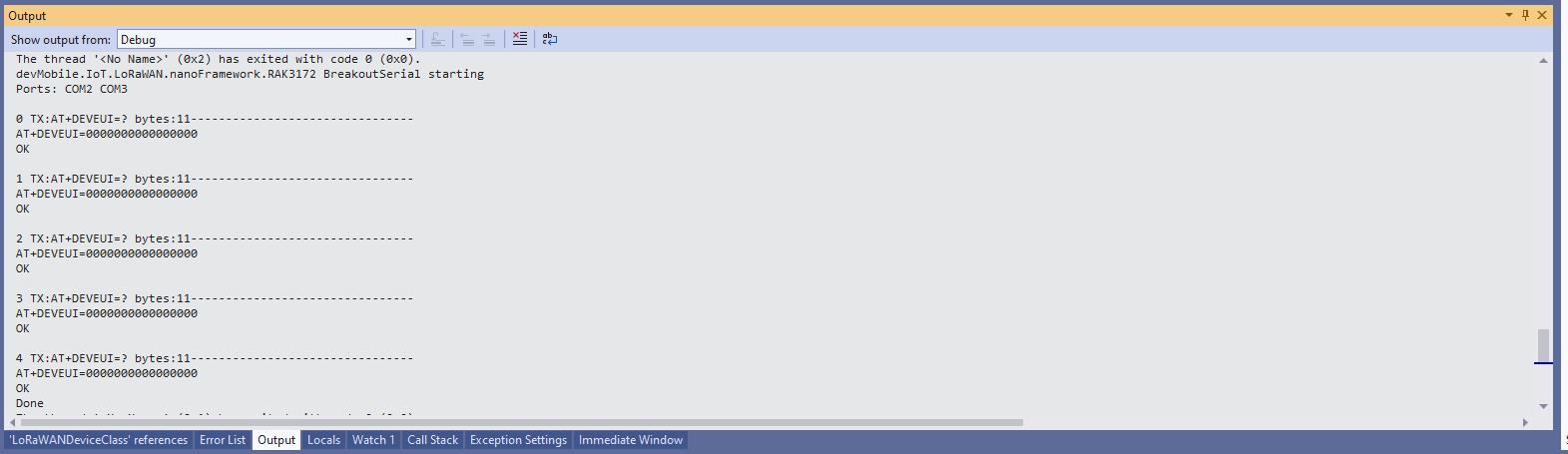
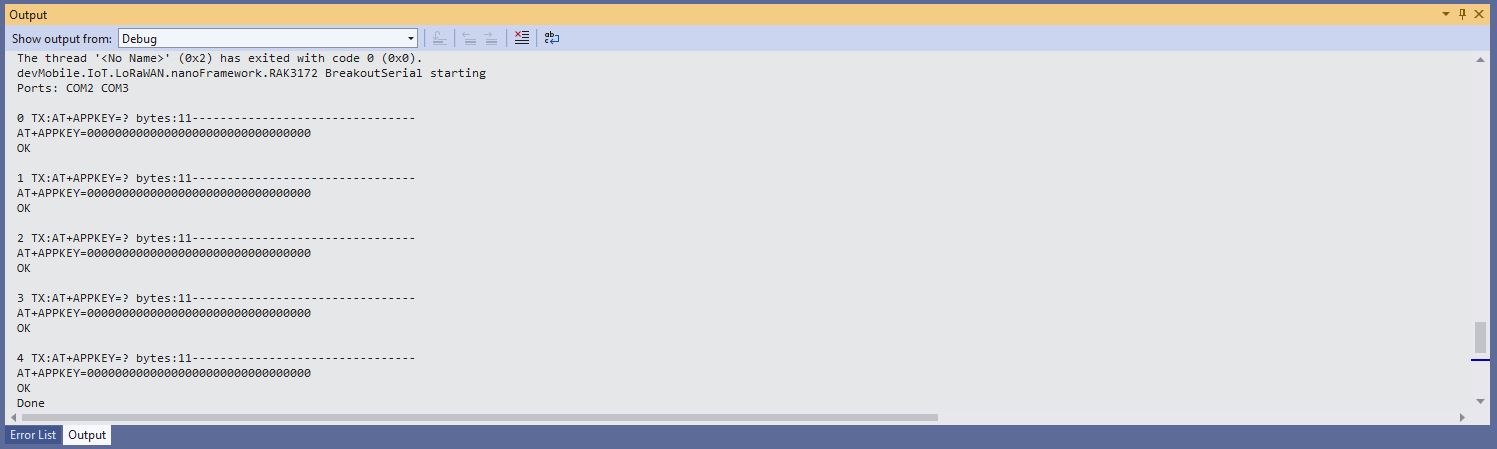
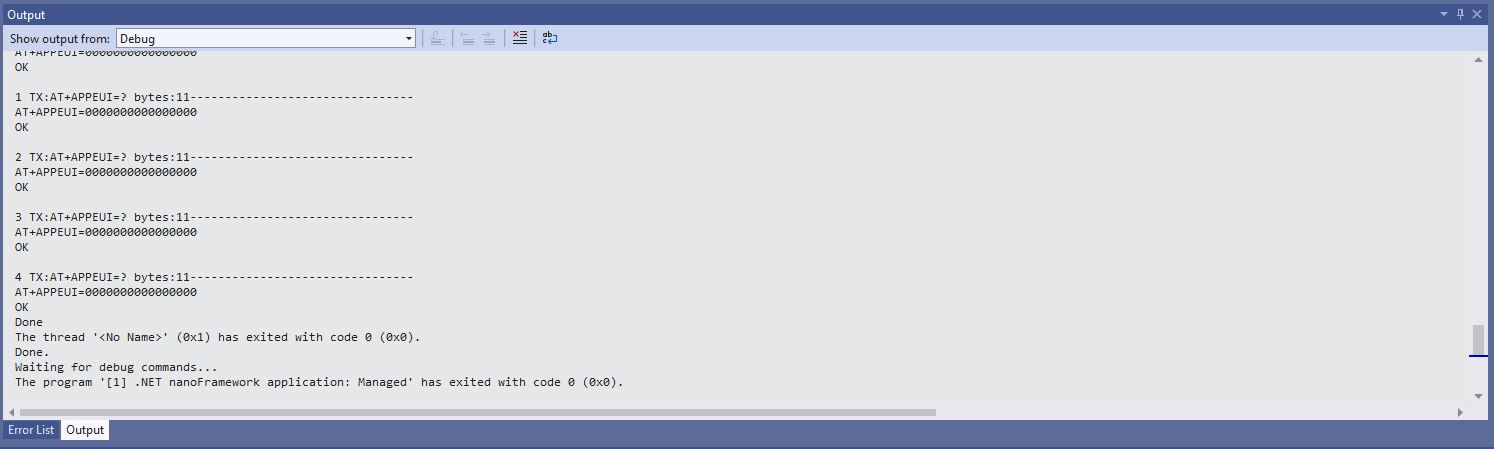
After a factory reset the DevEUI, JoinEUI (was AppEUI), and AppKey were default values

12:00:21 0 TX:AT+DEVEUI=? bytes:11--------------------------------
AT+DEVEUI=0000000000000000
OK

12:01:09 0 TX:AT+APPEUI=? bytes:11--------------------------------
AT+APPEUI=0000000000000000
OK

12:01:48 0 TX:AT+APPKEY=? bytes:11--------------------------------
AT+APPKEY=00000000000000000000000000000000
OK

I then ran the RAK3172LoRaWANDeviceClient with the following preprocessor directives defined to reconfigure the RAK3172 module.

//---------------------------------------------------------------------------------
//#define ST_STM32F769I_DISCOVERY      // nanoff --target ST_STM32F769I_DISCOVERY --update 
#define ESP32_WROOM   // nanoff --target ESP32_REV0 --serialport COM17 --update
#define DEVICE_DEVEUI_SET
//#define FACTORY_RESET
///#define PAYLOAD_BCD
#define PAYLOAD_BYTES
#define OTAA
//#define ABP
//#define CONFIRMED
#define UNCONFIRMED
#define REGION_SET
#define ADR_SET
//#define SLEEP
namespace devMobile.IoT.LoRaWAN
{
...
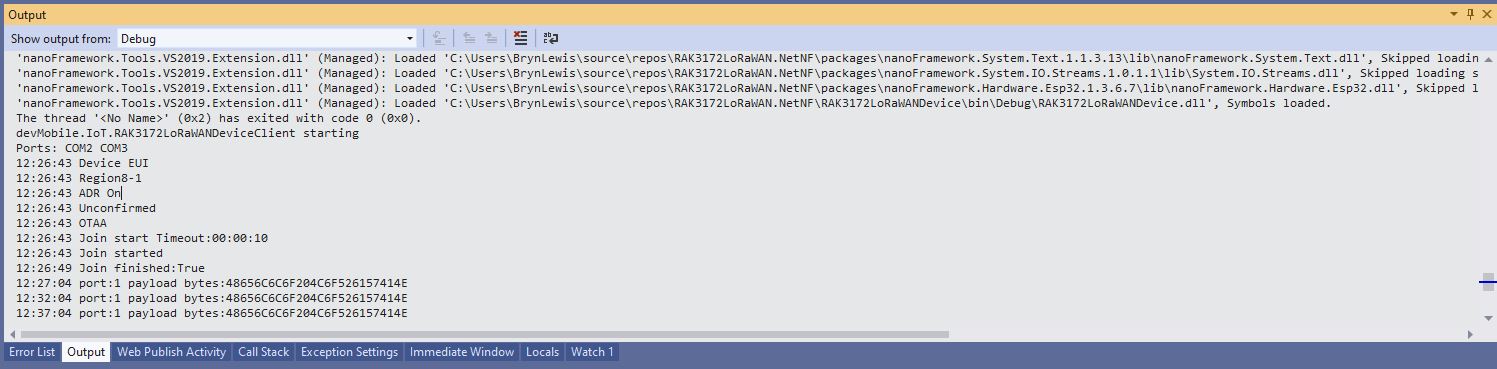
Visual Studio Debug output for RAK3172LoRaWANDeviceClient full configuration

I could then run the RAK3172LoRaWANDeviceClient with only PAYLOAD_BCD or PAYLOAD_BYTES defined

//---------------------------------------------------------------------------------
//#define ST_STM32F769I_DISCOVERY      // nanoff --target ST_STM32F769I_DISCOVERY --update 
#define ESP32_WROOM   // nanoff --target ESP32_REV0 --serialport COM17 --update
//#define DEVICE_DEVEUI_SET
//#define FACTORY_RESET
///#define PAYLOAD_BCD
#define PAYLOAD_BYTES
//#define OTAA
//#define ABP
//#define CONFIRMED
//#define UNCONFIRMED
//#define REGION_SET
//#define ADR_SET
//#define SLEEP
namespace devMobile.IoT.LoRaWAN
{
...
Visual Studio Debug output for RAK3172LoRaWANDeviceClient minimal configuration
public static void Main()
{
	Result result;

	Debug.WriteLine("devMobile.IoT.RAK3172LoRaWANDeviceClient starting");

	try
	{
		// set GPIO functions for COM2 (this is UART1 on ESP32)
#if ESP32_WROOM
		Configuration.SetPinFunction(Gpio.IO17, DeviceFunction.COM2_TX);
		Configuration.SetPinFunction(Gpio.IO16, DeviceFunction.COM2_RX);
#endif

		Debug.Write("Ports:");
		foreach (string port in SerialPort.GetPortNames())
		{
			Debug.Write($" {port}");
		}
		Debug.WriteLine("");

		using (Rak3172LoRaWanDevice device = new Rak3172LoRaWanDevice())
		{
			result = device.Initialise(SerialPortId, 115200, Parity.None, 8, StopBits.One);
			if (result != Result.Success)
			{
				Debug.WriteLine($"Initialise failed {result}");
				return;
			}

			MessageSendTimer = new Timer(SendMessageTimerCallback, device, Timeout.Infinite, Timeout.Infinite);
					
			device.OnJoinCompletion += OnJoinCompletionHandler;
			device.OnReceiveMessage += OnReceiveMessageHandler;
#if CONFIRMED
			device.OnMessageConfirmation += OnMessageConfirmationHandler;
#endif

#if FACTORY_RESET
			Debug.WriteLine($"{DateTime.UtcNow:hh:mm:ss} FactoryReset");
			result = device.FactoryReset();
			if (result != Result.Success)
			{
				Debug.WriteLine($"FactoryReset failed {result}");
				return;
			}
#endif

#if DEVICE_DEVEUI_SET
			Debug.WriteLine($"{DateTime.UtcNow:hh:mm:ss} Device EUI");
			result = device.DeviceEui(Config.devEui);
			if (result != Result.Success)
			{
				Debug.WriteLine($"DeviceEUI set failed {result}");
				return;
			}
#endif

#if REGION_SET
			Debug.WriteLine($"{DateTime.UtcNow:hh:mm:ss} Region{Band}");
			result = device.Band(Band);
			if (result != Result.Success)
			{
				Debug.WriteLine($"Band on failed {result}");
				return;
			}
#endif

#if ADR_SET
			Debug.WriteLine($"{DateTime.UtcNow:hh:mm:ss} ADR On");
			result = device.AdrOn();
			if (result != Result.Success)
			{
				Debug.WriteLine($"ADR on failed {result}");
				return;
			}
#endif
#if CONFIRMED
			Debug.WriteLine($"{DateTime.UtcNow:hh:mm:ss} Confirmed");
			result = device.UplinkMessageConfirmationOn();
			if (result != Result.Success)
			{
				Debug.WriteLine($"Confirm on failed {result}");
				return;
			}
#endif
#if UNCONFIRMED
			Debug.WriteLine($"{DateTime.UtcNow:hh:mm:ss} Unconfirmed");
			result = device.UplinkMessageConfirmationOff();
			if (result != Result.Success)
			{
				Debug.WriteLine($"Confirm off failed {result}");
				return;
			}
#endif

#if OTAA
			Debug.WriteLine($"{DateTime.UtcNow:hh:mm:ss} OTAA");
			result = device.OtaaInitialise(Config.JoinEui, Config.AppKey);
			if (result != Result.Success)
			{
				Debug.WriteLine($"OTAA Initialise failed {result}");
				return;
			}
#endif

#if ABP
			Debug.WriteLine($"{DateTime.UtcNow:hh:mm:ss} ABP");
			result = device.AbpInitialise(Config.DevAddress, Config.NwksKey, Config.AppsKey);
			if (result != Result.Success)
			{
				Debug.WriteLine($"ABP Initialise failed {result}");
				return;
			}
#endif

			Debug.WriteLine($"{DateTime.UtcNow:hh:mm:ss} Join start Timeout:{JoinTimeOut:hh:mm:ss}");
			result = device.Join(JoinTimeOut);
			if (result != Result.Success)
			{
				Debug.WriteLine($"Join failed {result}");
				return;
			}
			Debug.WriteLine($"{DateTime.UtcNow:hh:mm:ss} Join started");

			Thread.Sleep(Timeout.Infinite);
		}
	}
	catch (Exception ex)
	{
		Debug.WriteLine(ex.Message);
	}
}

One of the major differences between the RAK4200 and RAK3127 libraries is the way a LoRaWAN network join is handled. The RAK4200 library Join method blocks until it succeeds of fails, the RAK3172 library Join method returns immediately then an EventHandler is called with the result.

private static void OnJoinCompletionHandler(bool result)
{
	Debug.WriteLine($"{DateTime.UtcNow:hh:mm:ss} Join finished:{result}");

	if (result)
	{
		MessageSendTimer.Change(MessageSendTimerDue, MessageSendTimerPeriod);
	}
}

The new RAK Wireless LoRaWAN modules use the RUI3 AT Commands so the RAK3172 library will most probably be retired and uses as the basis for a generic RUI3 library.

.NET nanoFramework RAK11200 – UART GPS

The RAKwireless RAK11200 WisBlock WiFi Module module is based on an Expressif ESP32 processor which is supported by the .NET nanoFramework and I wanted try out it out with a RAK1910 GNSS GPS Location Module.

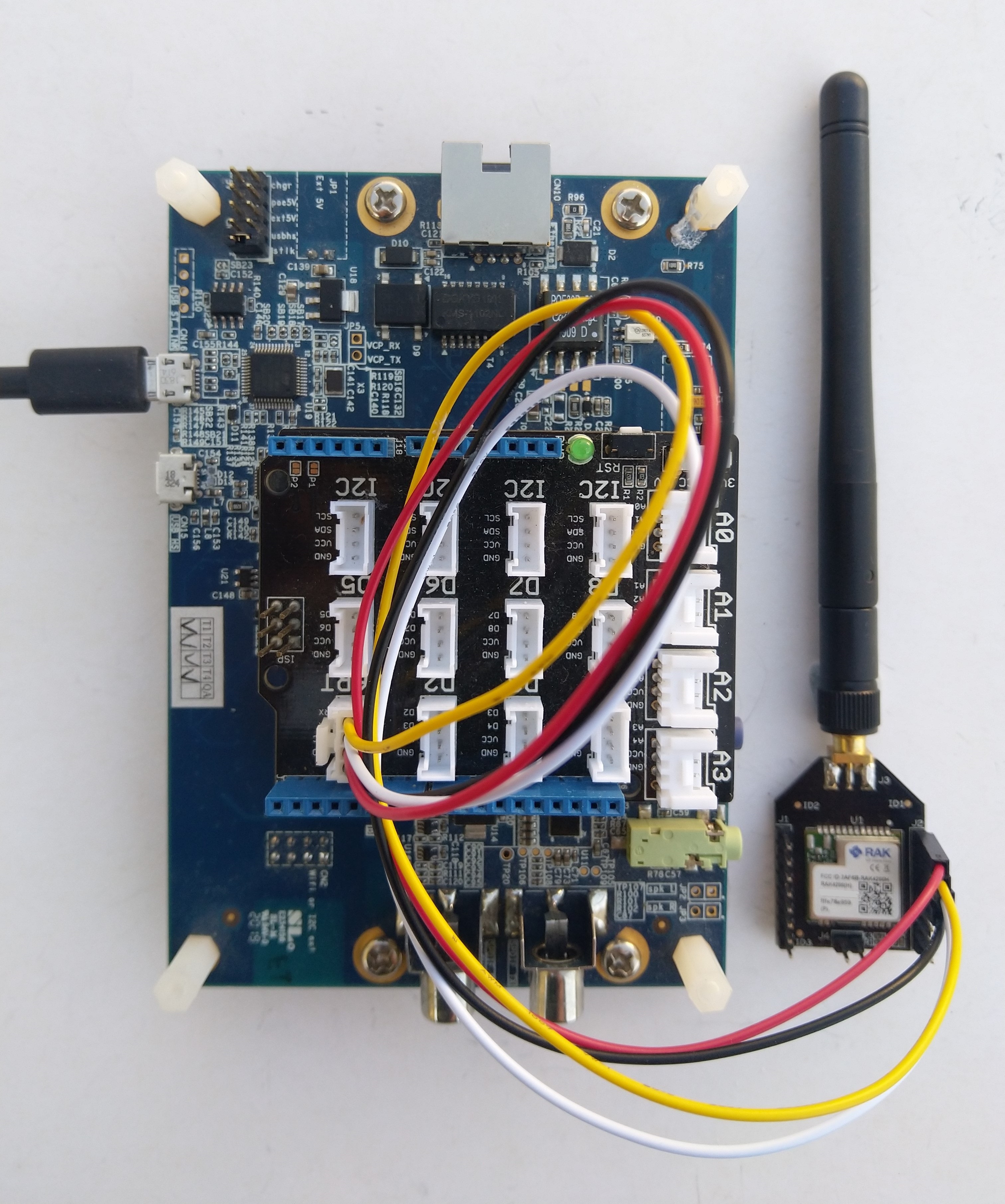
RAK11200, RAK5005-O and RAK1910 with GPS Antenna

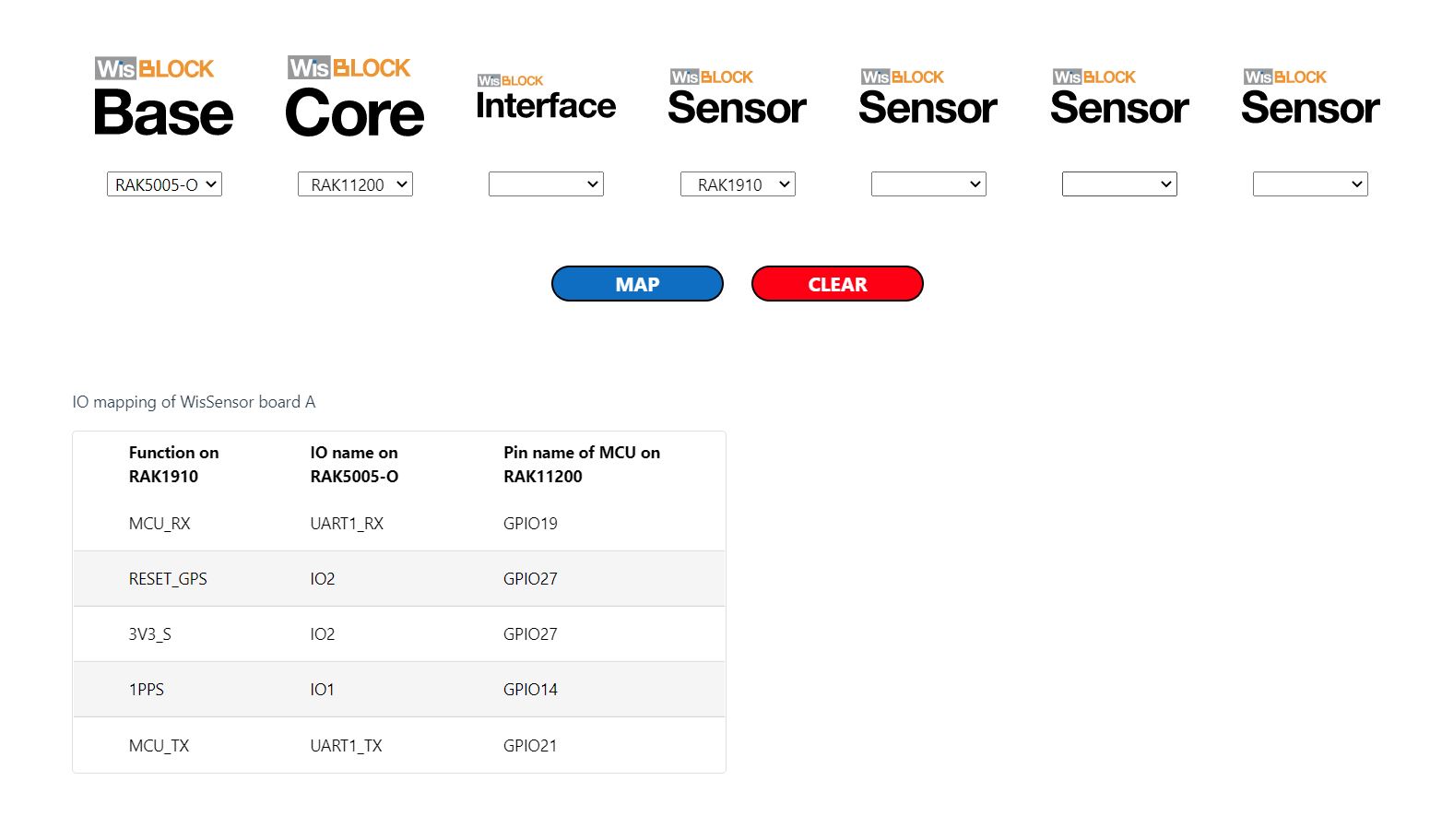
The RAK WinBlock Pin Mapper tool output for RAK1910, RAK5005-O WisBlock Base Board and RAK11200

The test application is based on the TinyGPSPlusNF library by MBoude which parses the NMEA 0183 sentences produced by the RAK1910.

public class Program
{
    private static TinyGPSPlus _gps;

    public static void Main()
    {
        Debug.WriteLine($"devMobile.IoT.RAK.Wisblock.Max7Q starting TinyGPS {TinyGPSPlus.LibraryVersion}");

        Configuration.SetPinFunction(Gpio.IO21, DeviceFunction.COM2_TX);
        Configuration.SetPinFunction(Gpio.IO19, DeviceFunction.COM2_RX);

        _gps = new TinyGPSPlus();

        // UART1 with default Max7Q baudrate
        SerialPort serialPort = new SerialPort("COM2", 9600);

        serialPort.DataReceived += SerialDevice_DataReceived;
        serialPort.Open();
        serialPort.WatchChar = '\n';

         // // Enable the with GPS 3V3_S/RESET_GPS - IO2 - GPIO27
        GpioController gpioController = new GpioController();

        GpioPin Gps3V3 = gpioController.OpenPin(Gpio.IO27, PinMode.Output);
        Gps3V3.Write(PinValue.High);

        Debug.WriteLine("Waiting...");

        Thread.Sleep(Timeout.Infinite);
    }

    private static void SerialDevice_DataReceived(object sender, SerialDataReceivedEventArgs e)
    {
        // we only care if got EoL character
        if (e.EventType != SerialData.WatchChar)
        {
            return;
        }

        SerialPort serialDevice = (SerialPort)sender;

        string sentence = serialDevice.ReadExisting();

        if (_gps.Encode(sentence))
        {
            if (_gps.Date.IsValid)
            {
                Debug.Write($"{_gps.Date.Year}-{_gps.Date.Month:D2}-{_gps.Date.Day:D2} ");
            }

            if (_gps.Time.IsValid)
            {
                Debug.Write($"{_gps.Time.Hour:D2}:{_gps.Time.Minute:D2}:{_gps.Time.Second:D2}.{_gps.Time.Centisecond:D2} ");
            }

            if (_gps.Location.IsValid)
            {
                Debug.Write($"Lat:{_gps.Location.Latitude.Degrees:F5}° Lon:{_gps.Location.Longitude.Degrees:F5}° ");
            }

            if (_gps.Altitude.IsValid)
            {
                Debug.Write($"Alt:{_gps.Altitude.Meters:F1}M");
            }

            if (_gps.Date.IsValid || _gps.Time.IsValid || _gps.Location.IsValid || _gps.Altitude.IsValid)
            {
                Debug.WriteLine("");
            }
        }
    }
}
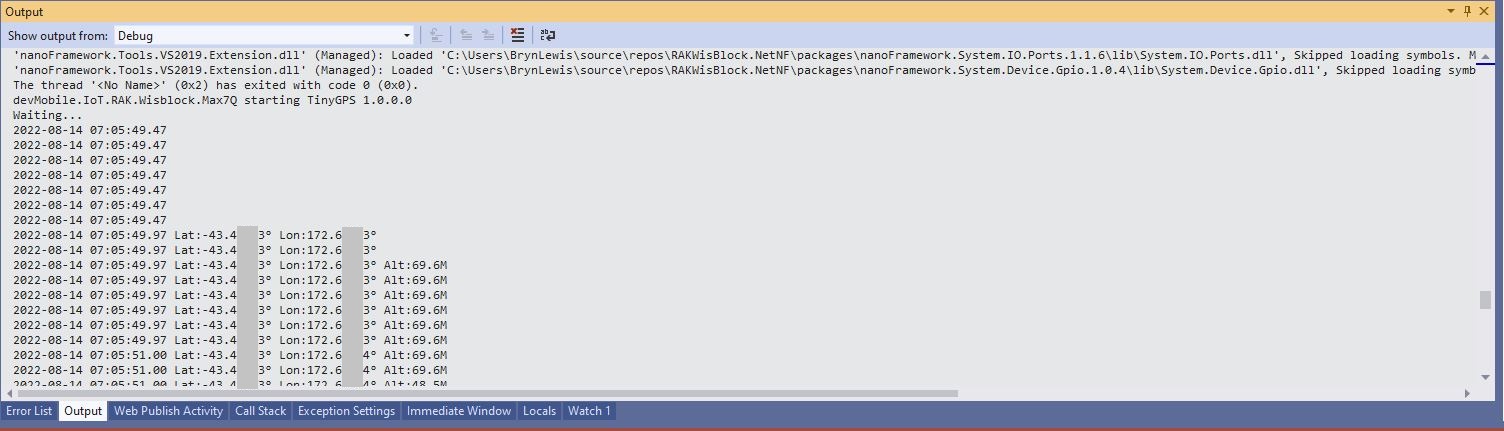
Visual Studio 2K22 Output Window

.NET Core web API + Dapper – Asynchronicity Revisited

Asynchronous is always better, maybe…

For a trivial ASP.NET Core web API controller like the one below the difference between using synchronous and asynchronous calls is most probably negligible. Especially as the sample World Wide Importers database [Warehouse].[StockItems] table only has 227 records.

[HttpGet("IEnumerableSmall")]
public async Task<ActionResult<IEnumerable<Model.StockItemListDtoV1>>> GetIEnumerableSmall([FromQuery] bool buffered = false)
{
	IEnumerable<Model.StockItemListDtoV1> response = null;

	using (SqlConnection db = new SqlConnection(this.connectionString))
	{
		logger.LogInformation("IEnumerableSmall start Buffered:{buffered}", buffered);

		response = await db.QueryWithRetryAsync<Model.StockItemListDtoV1>(
			sql: @"SELECT [SI1].[StockItemID] as ""ID"", [SI1].[StockItemName] as ""Name"", [SI1].[RecommendedRetailPrice], [SI1].[TaxRate]" +
				   "FROM [Warehouse].[StockItems] as SI1",
			buffered,
			commandType: CommandType.Text);

		logger.LogInformation("IEnumerableSmall done");
	}

	return this.Ok(response);
}

The easiest way to increase the size of the returned record was with CROSS JOIN(s). This is the first (and most probably the last time) I have used a cross join in a “real” application.

[HttpGet("IEnumerableMedium")]
public async Task<ActionResult<IEnumerable<Model.StockItemListDtoV1>>> GetIEnumerableMedium([FromQuery] bool buffered = false)
{
	IEnumerable<Model.StockItemListDtoV1> response = null;

	using (SqlConnection db = new SqlConnection(this.connectionString))
	{
		logger.LogInformation("IEnumerableMedium start Buffered:{buffered}", buffered);

		response = await db.QueryWithRetryAsync<Model.StockItemListDtoV1>(
					sql: @" SELECT [SI2].[StockItemID] as ""ID"", [SI2].[StockItemName] as ""Name"", [SI2].[RecommendedRetailPrice], [SI2].[TaxRate]" +
									"FROM [Warehouse].[StockItems] as SI1" +
									"CROSS JOIN[Warehouse].[StockItems] as SI2",
					buffered,
					commandType: CommandType.Text);

		logger.LogInformation("IEnumerableMedium done");
	}

	return this.Ok(response);
}

The medium controller returns 51,529 (227 x 227) rows and the large controller upto 11,697,083 (227 x 227 x 227) rows.

[HttpGet("IEnumerableLarge")]
public async Task<ActionResult<IEnumerable<Model.StockItemListDtoV1>>> GetIEnumerableLarge()
{
	IEnumerable<Model.StockItemListDtoV1> response = null;

	using (SqlConnection db = new SqlConnection(this.connectionString))
	{
		logger.LogInformation("IEnumerableLarge start");

		response = await db.QueryWithRetryAsync<Model.StockItemListDtoV1>(
				sql: $@"SELECT [SI3].[StockItemID] as ""ID"", [SI3].[StockItemName] as ""Name"", [SI3].[RecommendedRetailPrice], [SI3].[TaxRate]" +
						"FROM [Warehouse].[StockItems] as SI1" +
						"   CROSS JOIN[Warehouse].[StockItems] as SI2" +
						"	CROSS JOIN[Warehouse].[StockItems] as SI3",
				commandType: CommandType.Text);

		logger.LogInformation("IEnumerableLarge done");
	}

	return this.Ok(response);
}

The first version of “IEnumerableLarge” returned some odd Hyper Text Transfer Protocol(HTTP) error codes and Opera kept running out of memory.

After a roughly 3minute delay Opera Browser displayed a 500 error

I think this error was due to the Azure App Service Load Balancer 230 second timeout.

Opera displaying out of memory error

I added some query string parameters to the IEnumerable and IAsyncEnumerable methods so the limit number of records returned by the QueryWithRetryAsync(us the TOP statement).

if (command.Buffered)
{
   var buffer = new List<T>();
   var convertToType = Nullable.GetUnderlyingType(effectiveType) ?? effectiveType;
   while (await reader.ReadAsync(cancel).ConfigureAwait(false))
   {
      object val = func(reader);
      buffer.Add(GetValue<T>(reader, effectiveType, val));
   }
   while (await reader.NextResultAsync(cancel).ConfigureAwait(false)) 
   { /* ignore subsequent result sets */ }
   command.OnCompleted();
   return buffer;
}
else
{
   // can't use ReadAsync / cancellation; but this will have to do
   wasClosed = false; // don't close if handing back an open reader; rely on the command-behavior
   var deferred = ExecuteReaderSync<T>(reader, func, command.Parameters);
   reader = null; // to prevent it being disposed before the caller gets to see it
   return deferred;
 }

The QueryWithRetryAsync method (My wrapper around Dapper’s QueryAsync) also has a “buffered” vs. “Unbuffered” reader parameter(defaults to True) and I wanted to see if that had any impact.

[HttpGet("IEnumerableLarge")]
public async Task<ActionResult<IEnumerable<Model.StockItemListDtoV1>>> GetIEnumerableLarge([FromQuery] bool buffered = false, [FromQuery] int recordCount = 10)
{
	IEnumerable<Model.StockItemListDtoV1> response = null;

	using (SqlConnection db = new SqlConnection(this.connectionString))
	{
		logger.LogInformation("IEnumerableLarge start RecordCount:{recordCount} Buffered:{buffered}", recordCount, buffered);

		response = await db.QueryWithRetryAsync<Model.StockItemListDtoV1>(
			sql: $@"SELECT TOP({recordCount}) [SI3].[StockItemID] as ""ID"", [SI3].[StockItemName] as ""Name"", [SI3].[RecommendedRetailPrice], [SI3].[TaxRate]" +
					"FROM [Warehouse].[StockItems] as SI1" +
					"   CROSS JOIN[Warehouse].[StockItems] as SI2" +
					"	CROSS JOIN[Warehouse].[StockItems] as SI3",
		buffered,
		commandType: CommandType.Text);

		logger.LogInformation("IEnumerableLarge done");
	}

	return this.Ok(response);
}

I used Telerik Fiddler to call the StockItemsIAsyncEnumerable controller IEnumberable and IAsyncEnumerable methods. The Azure App Service was hosted in an Azure Application Plan (S1, 100 total ACU, 1.75 GB). I found Telerik Fiddler had problems with larger responses, and would crash if the body of a larger response was viewed.

IEnumberableLarge method (buffered=false) response sizes and timings
IEnumberableLarge method (buffered=true) response sizes and timings

The unbuffered buffered version was slower Time To Last Byte(TTLB) and failed earlier which I was expecting.

[HttpGet("IAsyncEnumerableLarge")]
public async Task<ActionResult<IAsyncEnumerable<Model.StockItemListDtoV1>>> GetAsyncEnumerableLarge([FromQuery] bool buffered = false, [FromQuery]int recordCount = 10)
{
    IEnumerable<Model.StockItemListDtoV1> response = null;

    using (SqlConnection db = new SqlConnection(this.connectionString))
    {
        logger.LogInformation("IAsyncEnumerableLarge start RecordCount:{recordCount} Buffered:{buffered}", recordCount, buffered);

        response = await db.QueryWithRetryAsync<Model.StockItemListDtoV1>(
            sql: $@"SELECT TOP({recordCount}) [SI3].[StockItemID] as ""ID"", [SI3].[StockItemName] as ""Name"", [SI3].[RecommendedRetailPrice], [SI3].[TaxRate]" +
                    "FROM [Warehouse].[StockItems] as SI1" +
                    "   CROSS JOIN[Warehouse].[StockItems] as SI2" +
                    "   CROSS JOIN[Warehouse].[StockItems] as SI3",
        buffered,
        commandType: CommandType.Text);

        logger.LogInformation("IAsyncEnumerableLarge done");
    }

    return this.Ok(response);
}
IAsyncEnumberableLarge method response sizes and timings
[HttpGet("IAsyncEnumerableLargeYield")]
public async IAsyncEnumerable<Model.StockItemListDtoV1> GetAsyncEnumerableLargeYield([FromQuery] int recordCount = 10)
{
	int rowCount = 0;

	using (SqlConnection db = new SqlConnection(this.connectionString))
	{
		logger.LogInformation("IAsyncEnumerableLargeYield start RecordCount:{recordCount}", recordCount);

		CommandDefinition commandDefinition = new CommandDefinition(
			$@"SELECT TOP({recordCount}) [SI3].[StockItemID] as ""ID"", [SI3].[StockItemName] as ""Name"", [SI3].[RecommendedRetailPrice], [SI3].[TaxRate]" +
						"FROM [Warehouse].[StockItems] as SI1" +
						"   CROSS JOIN[Warehouse].[StockItems] as SI2" +
						"	CROSS JOIN[Warehouse].[StockItems] as SI3",
			//commandTimeout:
			CommandType.Text,
			//flags: CommandFlags.Pipelined
		);

		using var reader = await db.ExecuteReaderWithRetryAsync(commandDefinition);

		var rowParser = reader.GetRowParser<Model.StockItemListDtoV1>();

		while (await reader.ReadAsync())
		{
			rowCount++;

			if ((rowCount % 10000) == 0)
			{
				logger.LogInformation("Row count:{0}", rowCount);
			}

			yield return rowParser(reader);
		}
		logger.LogInformation("IAsyncEnumerableLargeYield done");
	}
}

When this post was written (August 2022) Dapper IAsyncEnumerable understanding was limited so I trialed the approach suggested in the StackOverflow post.

IAsyncEnumberableLargeYield method response sizes and timings

The IAsyncEnumerableLargeYield was faster to start responding, the overall duration was less and returned significantly more records 7000000 vs. 13000000. I assume this was because the response was streamed so there wasn’t a timeout.

Azure Application Insights displaying the IAsyncEnumerable with yield method executing

The results of my tests should be treated as “indicative” rather than “definitive”. In a future post I compare the scalability of different approaches. The number of records returned by the IAsyncEnumerableLargeYield not realistic and in a “real-world” scenario paging or an alternate approach should be used.

.NET nanoFramework RAK11200 – I2C SHT3C & SHT31

The RAKwireless RAK11200 WisBlock WiFi Module module is based on an Expressif ESP32 processor which is supported by the .NET nanoFramework and I wanted to explore the different ways Inter-Integrated Circuit(I2C) devices could be connected.

The RAK11200 WisBlock WiFi Module has two I2C ports and on the RAK5005 WisBlock Base Board the Wisblock Sensor, and RAK1920 WisBlock Sensor Adapter Module Grove Socket are connected to I2C1.

RAK11200 Schematic

The I2C1 the SDA(serial data) and SCL(serial clock line) have to be mapped to physical pins on the RAK11200 WisBlock WiFi Module using the nanoFramework ESP32 support NuGet. package

                Configuration.SetPinFunction(Gpio.IO04, DeviceFunction.I2C1_DATA);
                Configuration.SetPinFunction(Gpio.IO05, DeviceFunction.I2C1_CLOCK)

The first sample project uses a RAK1901 SHTC3 WisBlock Sensor because it plugs into the RAK5005 WisBlock Base Board.

RAK5005 Baseboard, RAK1901 Sensor and RAK11200 Core WisBlock modules
public static void Main()
{
    Debug.WriteLine("devMobile.IoT.RAK.Wisblock.SHTC3 starting");

    try
    {
        Configuration.SetPinFunction(Gpio.IO04, DeviceFunction.I2C1_DATA);
        Configuration.SetPinFunction(Gpio.IO05, DeviceFunction.I2C1_CLOCK);

        I2cConnectionSettings settings = new(1, Shtc3.DefaultI2cAddress);

        using (I2cDevice device = I2cDevice.Create(settings))
        using (Shtc3 shtc3 = new(device))
        {
            while (true)
            {
                if (shtc3.TryGetTemperatureAndHumidity(out var temperature, out var relativeHumidity))
                {
                    Debug.WriteLine($"Temperature {temperature.DegreesCelsius:F1}°C  Humidity {relativeHumidity.Value:F0}%");
                }

                Thread.Sleep(10000);
            }
        }
    }
    catch (Exception ex)
    {
        Debug.WriteLine($"SHTC3 initialisation or read failed {ex.Message}");

        Thread.Sleep(Timeout.Infinite);
    }
}
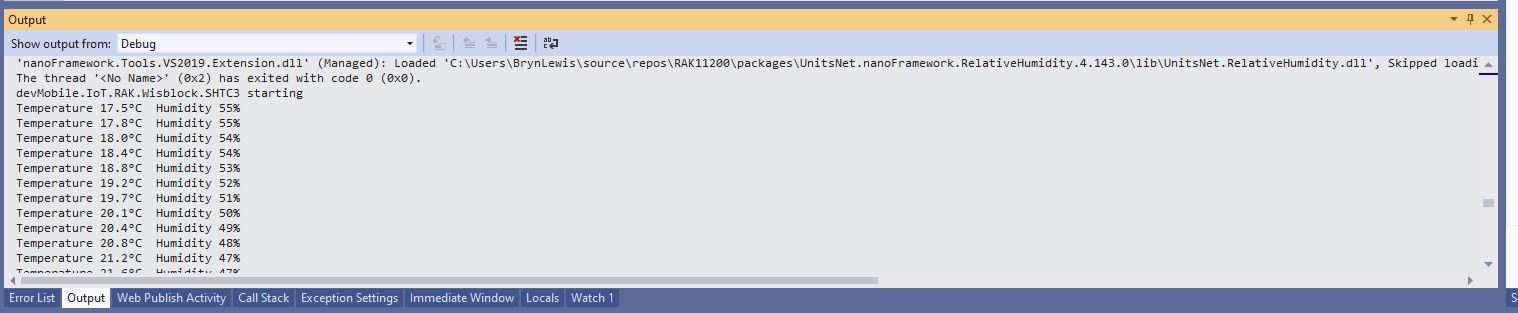
Visual Studio Output window displaying SHT3C temperature & humidity values

The second sample uses a Seeedstudio Grove – Temperature & Humidity Sensor (SHT31) pluged into a RAK1920 Sensor Adapter for Click, QWIIC and Grove Modules.

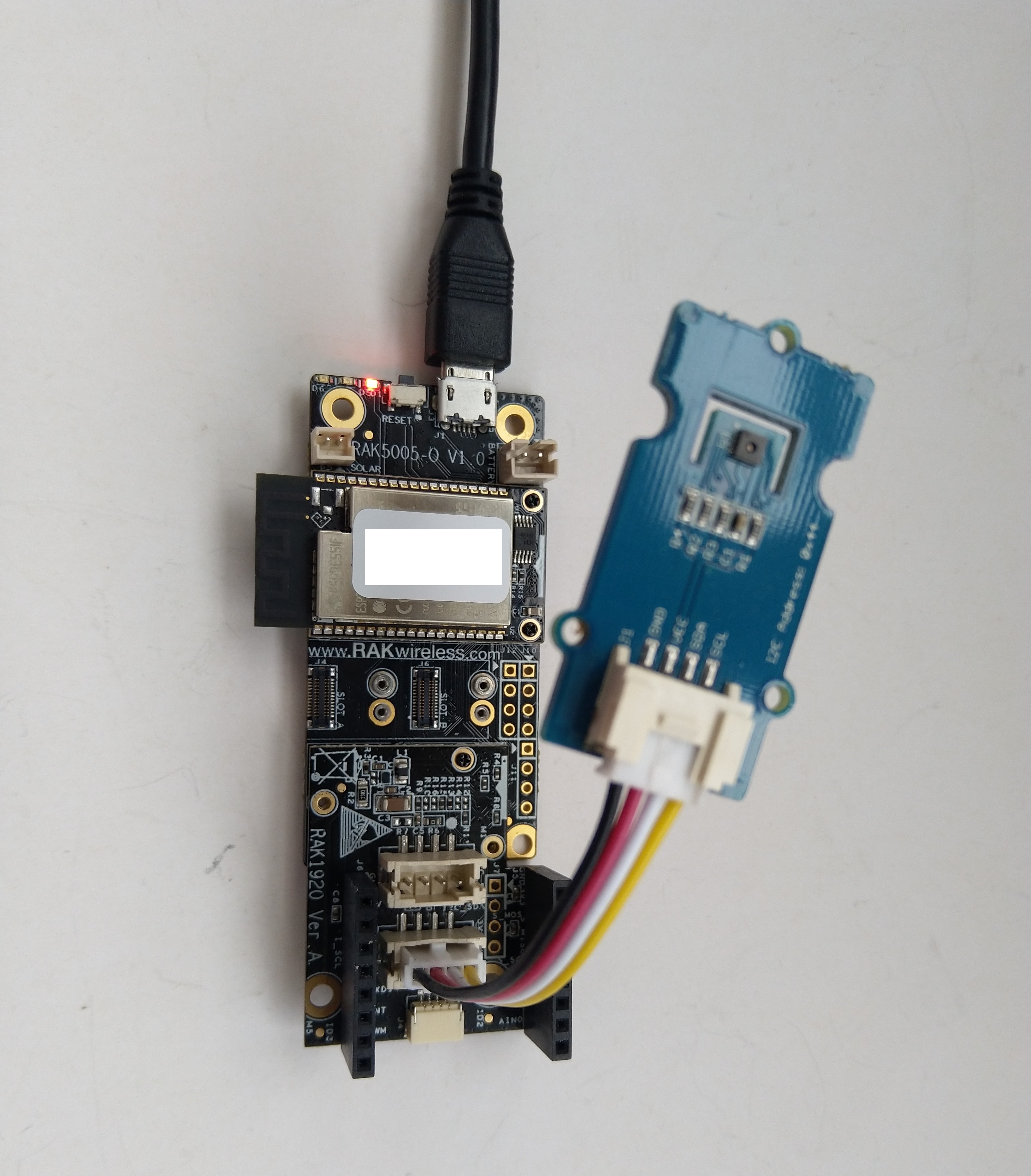
RAK5005 Baseboard, RAK1920 Sensor, RAK11200 Core WisBlock modules and Seeedstudio Grove SHT31
public static void Main()
{
    Debug.WriteLine("devMobile.IoT.RAK.Wisblock.SHT31 starting");

    try
    {
        Configuration.SetPinFunction(Gpio.IO04, DeviceFunction.I2C1_DATA);
        Configuration.SetPinFunction(Gpio.IO05, DeviceFunction.I2C1_CLOCK);

        I2cConnectionSettings settings = new(1, (byte)I2cAddress.AddrLow);

        using (I2cDevice device = I2cDevice.Create(settings))
        using (Sht3x sht31 = new(device))
        {

            while (true)
            {
                var temperature = sht31.Temperature;
                var relativeHumidity = sht31.Humidity;

                Debug.WriteLine($"Temperature {temperature.DegreesCelsius:F1}°C  Humidity {relativeHumidity.Value:F0}%");

                Thread.Sleep(10000);
            }
        }
    }
    catch (Exception ex)
    {
        Debug.WriteLine($"SHT31 initialisation or read failed {ex.Message}");

        Thread.Sleep(Timeout.Infinite);
     }
}
Visual Studio Output window displaying SHT31 temperature & humidity values

The SHTC3 and SHT31 sensors were used because they both have nanoFramework.IoTDevice library support.

.NET nanoFramework RAK11200

The RAKwireless RAK11200 WisBlock WiFi Module module is based on an Expressif ESP32 processor which is supported by the .NET nanoFramework. The first step was to mount the RAK11200 on a RAK5005 WisBlock Base Board to get Universal Serial Bus(USB) connectivity.

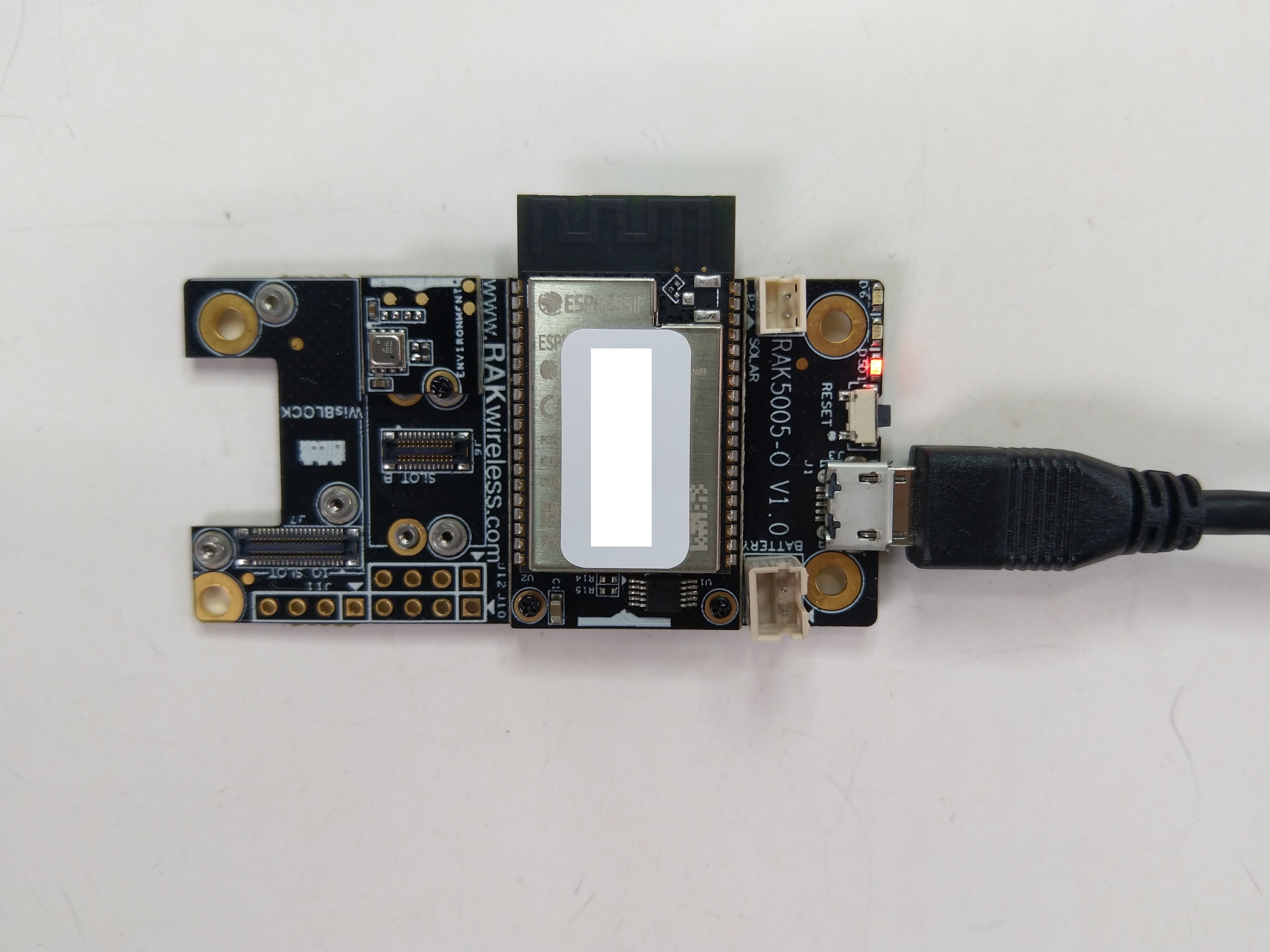
RAK11200 Mounted on RAK5005 base board

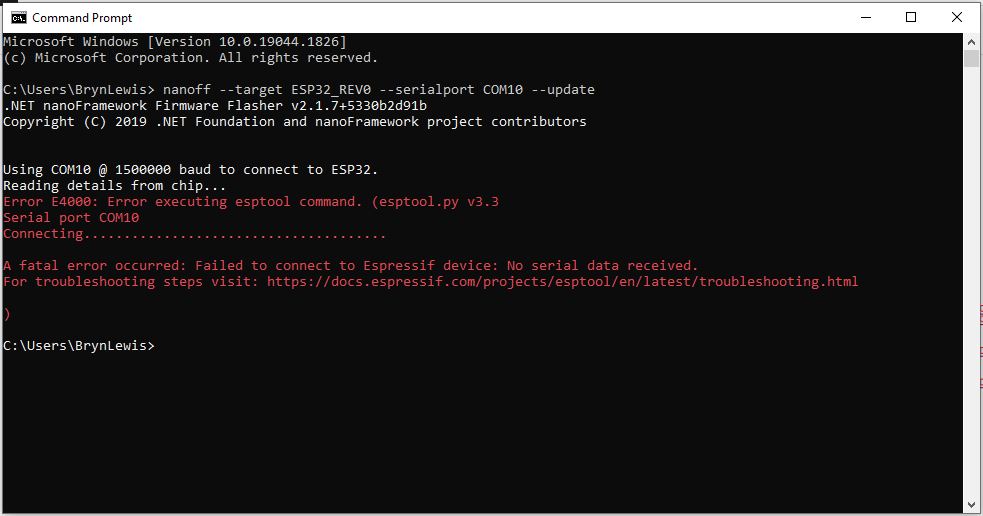
My first attempt “flash” the RAK11200 with the nano Firmware Flasher(nanoff) failed badly

nanoff flashing failure

The RAK11200 documentation described how to upload software developed with the Arduino tools by putting the ESP32 into “bootloader mode” by connecting the BOOT0 and GND pins, then pressing the reset button.

RAK11200 BOOT0 & GND pins connected to

After some “trial and error” the download process worked pretty reliably…

nanoff flashing success

The first step with any embedded development project is to flash a Light Emitting Diode(LED)….

RAK11200 Schematic

The RAK11200 has two LEDs, a blue attached to IO02 and a green one attached to IO12.

//
// Copyright (c) .NET Foundation and Contributors
// See LICENSE file in the project root for full license information.
//
//
using System;
using System.Device.Gpio;
using System.Threading;
using nanoFramework.Hardware.Esp32;

namespace Blinky
{
   public class Program
   {
      private static GpioController s_GpioController;
      public static void Main()
      {
         s_GpioController = new GpioController();

         // pick a board, uncomment one line for GpioPin; default is STM32F769I_DISCO

         // DISCOVERY4: PD15 is LED6 
         //GpioPin led = s_GpioController.OpenPin(PinNumber('D', 15), PinMode.Output);

         // ESP32 DevKit: 4 is a valid GPIO pin in, some boards like Xiuxin ESP32 may require GPIO Pin 2 instead.
         //GpioPin led = s_GpioController.OpenPin(4, PinMode.Output);

         // FEATHER S2: 
         //GpioPin led = s_GpioController.OpenPin(13, PinMode.Output);

         // F429I_DISCO: PG14 is LEDLD4 
         //GpioPin led = s_GpioController.OpenPin(PinNumber('G', 14), PinMode.Output);

         // NETDUINO 3 Wifi: A10 is LED onboard blue
         //GpioPin led = s_GpioController.OpenPin(PinNumber('A', 10), PinMode.Output);

         // QUAIL: PE15 is LED1  
         //GpioPin led = s_GpioController.OpenPin(PinNumber('E', 15), PinMode.Output);

         // STM32F091RC: PA5 is LED_GREEN
         //GpioPin led = s_GpioController.OpenPin(PinNumber('A', 5), PinMode.Output);

         // STM32F746_NUCLEO: PB75 is LED2
         //GpioPin led = s_GpioController.OpenPin(PinNumber('B', 7), PinMode.Output);

         //STM32F769I_DISCO: PJ5 is LD2
         //GpioPin led = s_GpioController.OpenPin(PinNumber('J', 5), PinMode.Output);

         // ST_B_L475E_IOT01A: PB14 is LD2
         //GpioPin led = s_GpioController.OpenPin(PinNumber('B', 14), PinMode.Output);

         // STM32L072Z_LRWAN1: PA5 is LD2
         //GpioPin led = s_GpioController.OpenPin(PinNumber('A', 5), PinMode.Output);

         // TI CC13x2 Launchpad: DIO_07 it's the green LED
         //GpioPin led = s_GpioController.OpenPin(7, PinMode.Output);

         // TI CC13x2 Launchpad: DIO_06 it's the red LED  
         //GpioPin led = s_GpioController.OpenPin(6, PinMode.Output);

         // ULX3S FPGA board: for the red D22 LED from the ESP32-WROOM32, GPIO5
         //GpioPin led = s_GpioController.OpenPin(5, PinMode.Output);

         // Silabs SLSTK3701A: LED1 PH14 is LLED1
         //GpioPin led = s_GpioController.OpenPin(PinNumber('H', 14), PinMode.Output);

         // RAK11200 on RAK5005
         //GpioPin led = s_GpioController.OpenPin(Gpio.IO12, PinMode.Output); // LED1 Green
         //GpioPin led = s_GpioController.OpenPin(Gpio.IO02, PinMode.Output); // LED2 Blue

         // RAK11200 on RAK19001 needs battery connected or power switch in rechargeable position.
         //GpioPin led = s_GpioController.OpenPin(Gpio.IO12, PinMode.Output); // LED1 Green
         //GpioPin led = s_GpioController.OpenPin(Gpio.IO02, PinMode.Output); // LED2 Blue

         // RAK2305 
         //GpioPin led = s_GpioController.OpenPin(Gpio.IO18, PinMode.Output); // LED Green (Test LED) on device

         // RAK2305 On 5005 throws exceptions
         //GpioPin led = s_GpioController.OpenPin(Gpio.IO34, PinMode.Output); // LED1 Green
         //GpioPin led = s_GpioController.OpenPin(Gpio.IO35, PinMode.Output); // LED2 Blue

         // RAK2305 On 17001 throws exceptions
         //GpioPin led = s_GpioController.OpenPin(Gpio.IO34, PinMode.Output); // LED1 Green
         //GpioPin led = s_GpioController.OpenPin(Gpio.IO35, PinMode.Output); // LED2 Blue

         led.Write(PinValue.Low);

         while (true)
         {
            led.Toggle();
            Thread.Sleep(125);
            led.Toggle();
            Thread.Sleep(125);
            led.Toggle();
            Thread.Sleep(125);
            led.Toggle();
            Thread.Sleep(525);
         }
      }

      static int PinNumber(char port, byte pin)
      {
         if (port < 'A' || port > 'J')
            throw new ArgumentException();

         return ((port - 'A') * 16) + pin;
      }
   }
}

I added the RAK11200 configuration to my version of the nanoFramework Blinky sample and could reliably flash either of the LEDs.

.NET nanoFramework RAK3172 Sleep

The RAKwireless RAK3172 module has “AT+SLEEP -Sleep mode command. To see how it worked I modified the BreakOutSerial application to send an AT-SLEEP command.

public static void Main()
{
#if SERIAL_THREADED_READ
	Thread readThread = new Thread(SerialPortProcessor);
#endif

	Debug.WriteLine("devMobile.IoT.LoRaWAN.nanoFramework.RAK3172 BreakoutSerial starting");

	try
	{
		// set GPIO functions for COM2 (this is UART1 on ESP32)
#if ESP32_WROOM
		Configuration.SetPinFunction(Gpio.IO17, DeviceFunction.COM2_TX);
		Configuration.SetPinFunction(Gpio.IO16, DeviceFunction.COM2_RX);
#endif

		Debug.Write("Ports:");
		foreach (string port in SerialPort.GetPortNames())
		{
			Debug.Write($" {port}");
		}
		Debug.WriteLine("");

		using (_SerialPort = new SerialPort(SerialPortId))
		{
			// set parameters
			_SerialPort.BaudRate = 115200;
			_SerialPort.Parity = Parity.None;
			_SerialPort.DataBits = 8;
			_SerialPort.StopBits = StopBits.One;
			_SerialPort.Handshake = Handshake.None;
			_SerialPort.NewLine = "\r\n";
			_SerialPort.ReadTimeout = 1000;

			//_SerialPort.WatchChar = '\n'; // May 2022 WatchChar event didn't fire github issue https://github.com/nanoframework/Home/issues/1035

#if SERIAL_ASYNC_READ
			_SerialPort.DataReceived += SerialDevice_DataReceived;
#endif

			_SerialPort.Open();

			_SerialPort.WatchChar = '\n';

			_SerialPort.ReadExisting(); // Running at 115K2 this was necessary

#if SERIAL_THREADED_READ
			readThread.Start();
#endif

			for (int i = 0; i < 5; i++)
			{
				string atCommand;
				atCommand = "AT+VER=?";
				//atCommand = "AT+SN=?"; // Empty response?
				//atCommand = "AT+HWMODEL=?";
				//atCommand = "AT+HWID=?";
				//atCommand = "AT+DEVEUI=?";
				//atCommand = "AT+APPEUI=?";
				//atCommand = "AT+APPKEY=?";
				//atCommand = "ATR";
				//atCommand = "AT+SLEEP=4000";
				Debug.WriteLine("");
				Debug.WriteLine($"{DateTime.UtcNow:hh:mm:ss} {i} TX:{atCommand} bytes:{atCommand.Length}--------------------------------");
				_SerialPort.WriteLine(atCommand);

				Thread.Sleep(5000);
			}
		}
#if SERIAL_THREADED_READ
		_Continue = false;
#endif
		Debug.WriteLine("Done");
	}
	catch (Exception ex)
	{
		Debug.WriteLine(ex.Message);
	}
}

#if SERIAL_ASYNC_READ
private static void SerialDevice_DataReceived(object sender, SerialDataReceivedEventArgs e)
{
	SerialPort serialPort = (SerialPort)sender;

	switch (e.EventType)
	{
		case SerialData.Chars:
			break;

		case SerialData.WatchChar:
			string response = serialPort.ReadExisting();
			//Debug.Write($"{DateTime.UtcNow:hh:mm:ss} RX:{response} bytes:{response.Length}");
			Debug.Write(response);
			break;
		default:
			Debug.Assert(false, $"e.EventType {e.EventType} unknown");
			break;
	}
}
#endif

I then ran the device in the debugger to see how the AT+SLEEP was handled.

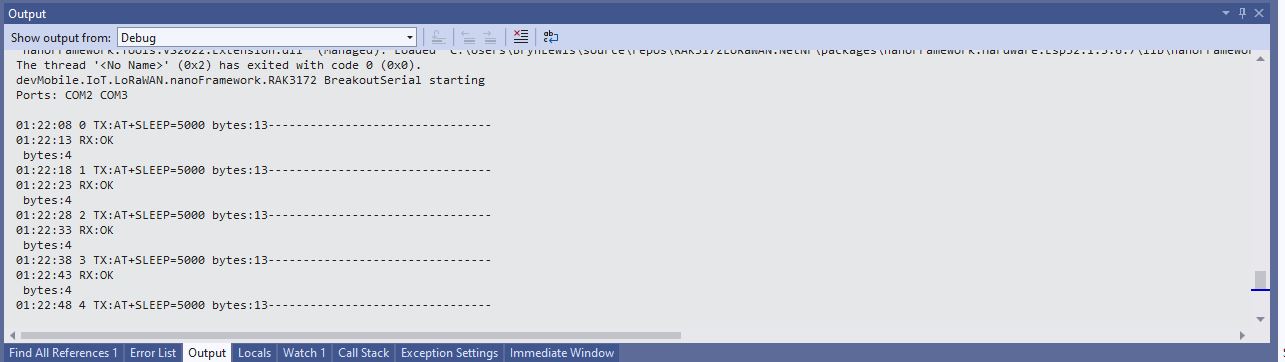
BreakoutSerial application executing AT+SLEEP command

There was limited AT+SLEEP -Sleep mode documentation but it looks like the RAK3172 module sleeps, “wakes up” and then replies with “OK”.

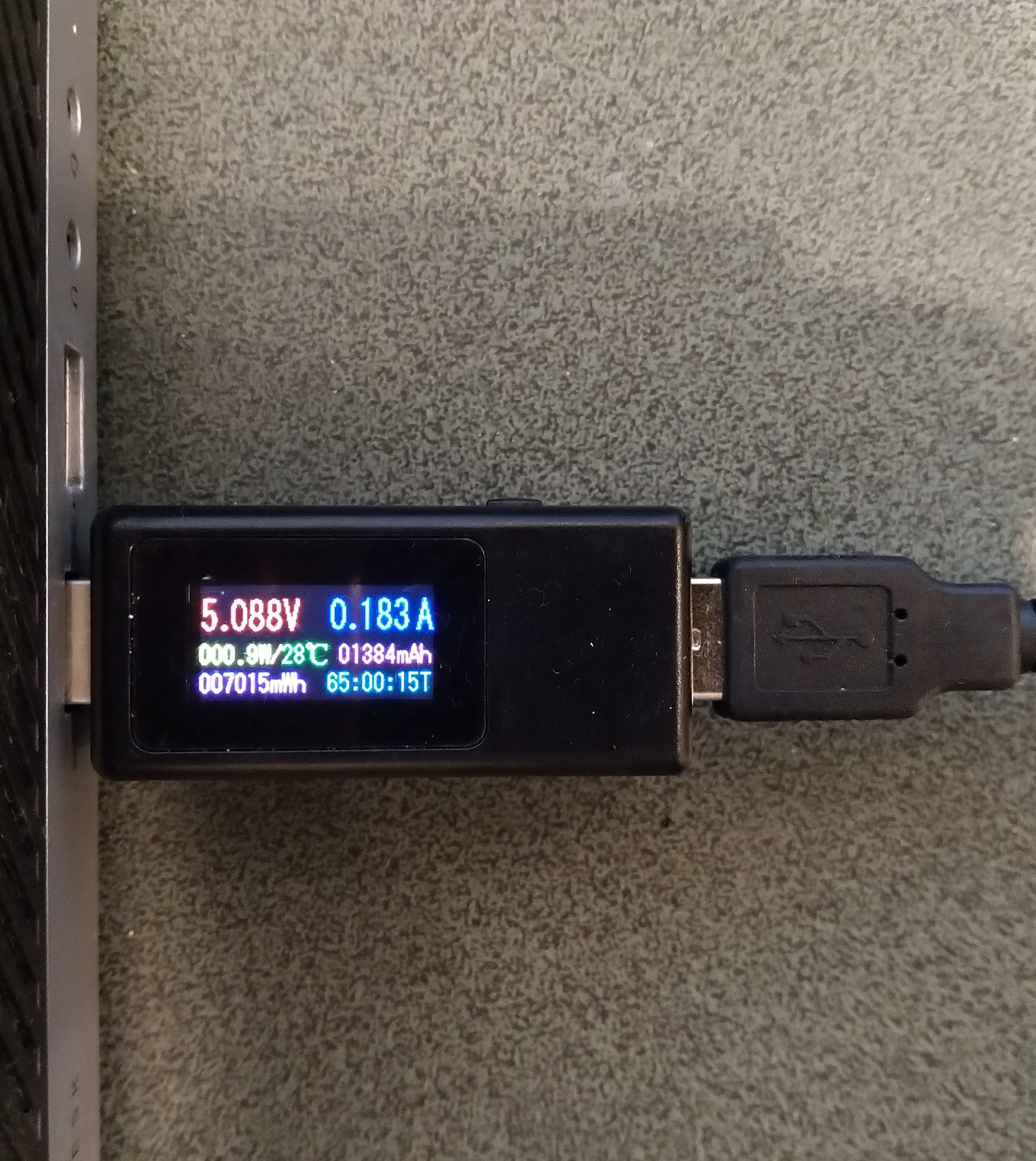
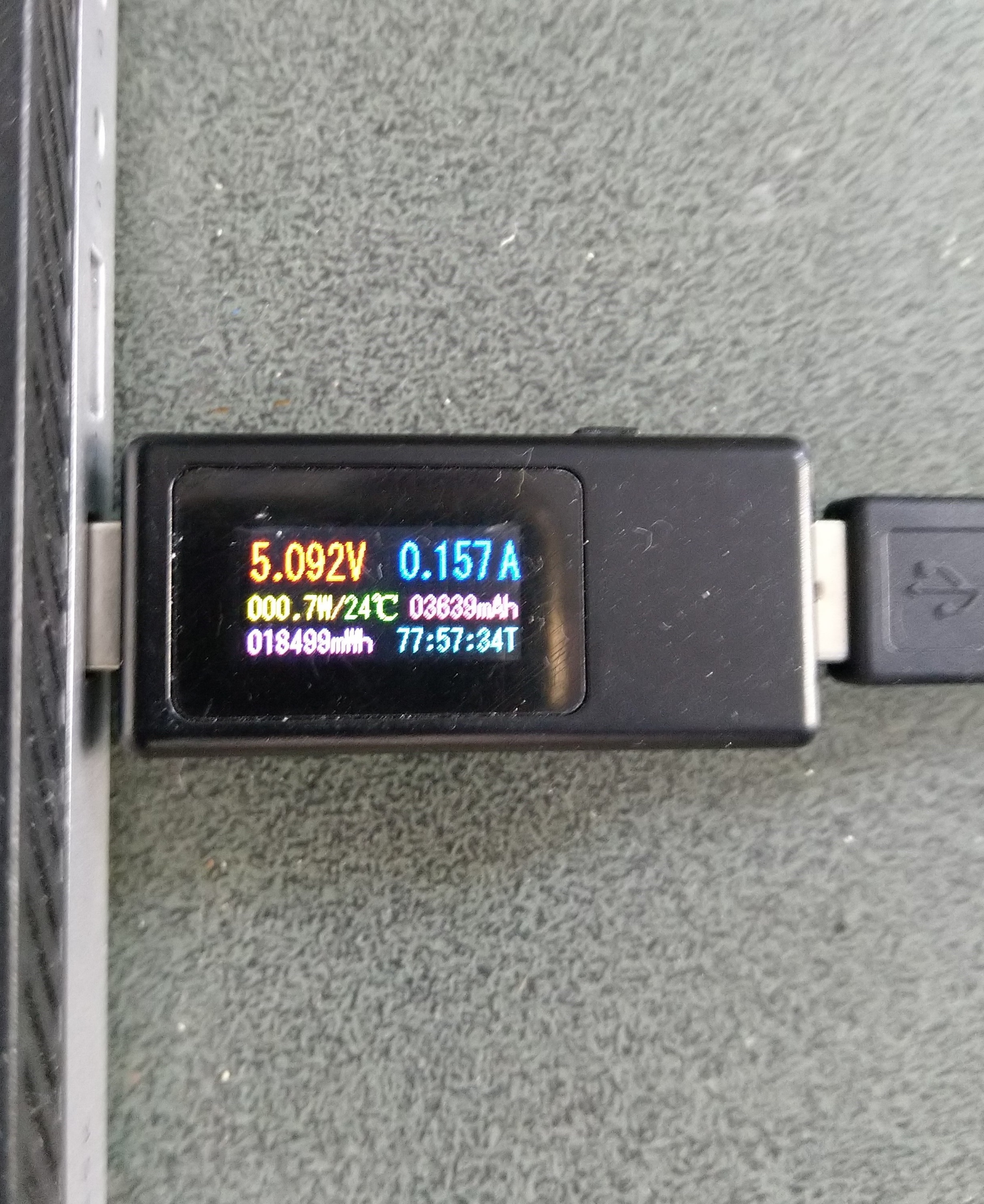
Sparkfun Thing Plus ESP32 WROOM + RAK3172 Idle power consumption

Initially the Sleep method didn’t appear to work, the power consumption didn’t change….

private static void SendMessageTimerCallback(object state)
{
	Rak3172LoRaWanDevice device = (Rak3172LoRaWanDevice)state;

#if PAYLOAD_HEX
	Debug.WriteLine($"{DateTime.UtcNow:hh:mm:ss} port:{MessagePort} payload HEX:{PayloadHex}");
	Result result = device.Send(MessagePort, PayloadHex, SendTimeout);
#endif
#if PAYLOAD_BYTES
	Debug.WriteLine($"{DateTime.UtcNow:hh:mm:ss} port:{MessagePort} payload bytes:{Rak3172LoRaWanDevice.BytesToHex(PayloadBytes)}");
	Result result = device.Send(MessagePort, PayloadBytes, SendTimeout);
#endif
	if (result != Result.Success)
	{
		Debug.WriteLine($"Send failed {result}");
	}

#if SLEEP
	Thread.Sleep(7500); //10000 Works 5000 to short

	Debug.WriteLine($"{DateTime.UtcNow:hh:mm:ss} Sleep period:{SleepPeriod:hh:mm:ss}");
	result = device.Sleep(SleepPeriod);
	if (result != Result.Success)
	{
		Debug.WriteLine($"Sleep failed {result}");
		return;
	}
#endif
}

After some debugging and reading this helpful RAK Wireless forum post I added a short delay before sleeping the RAK3172 module and power consumption reduced.

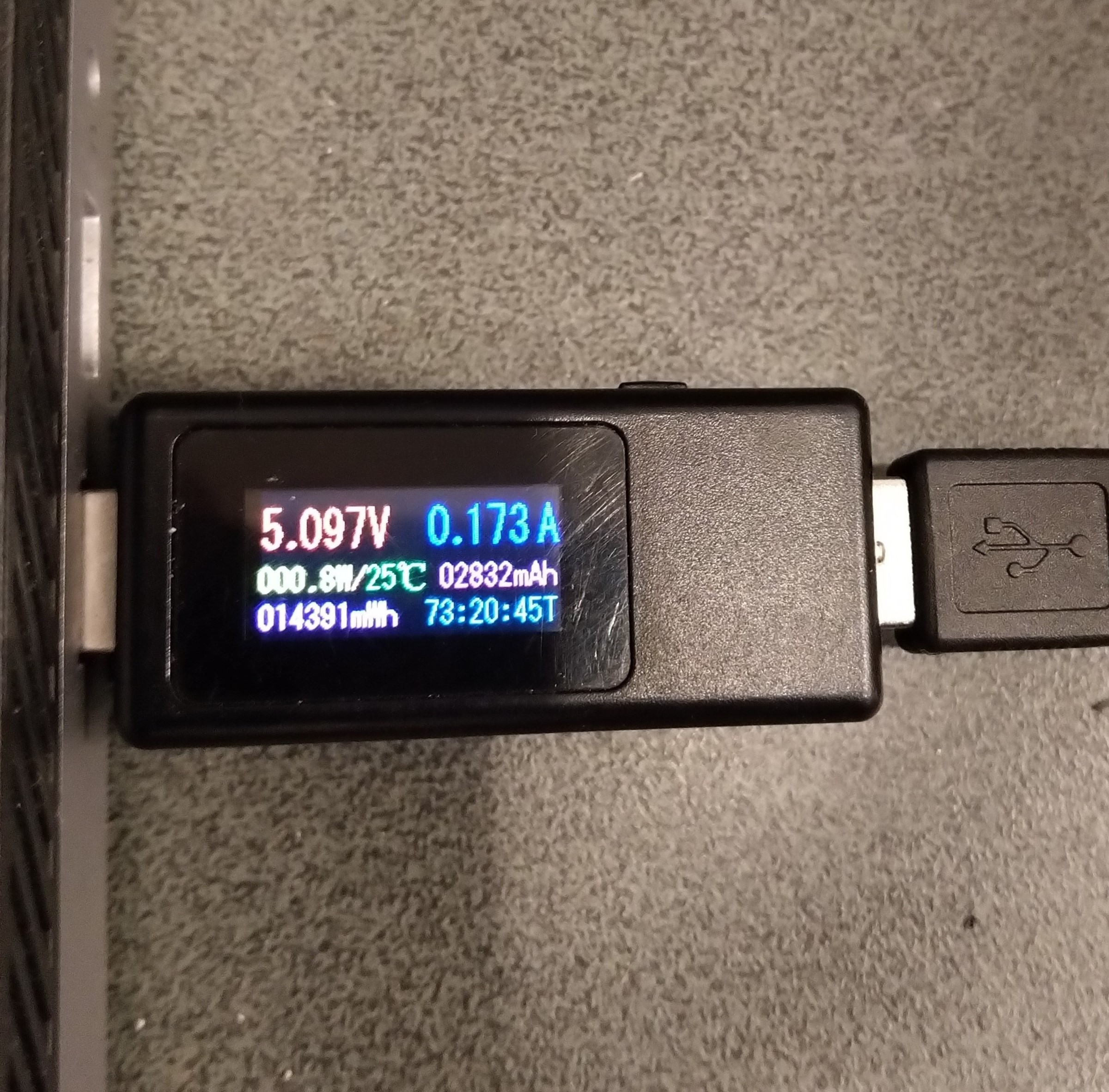
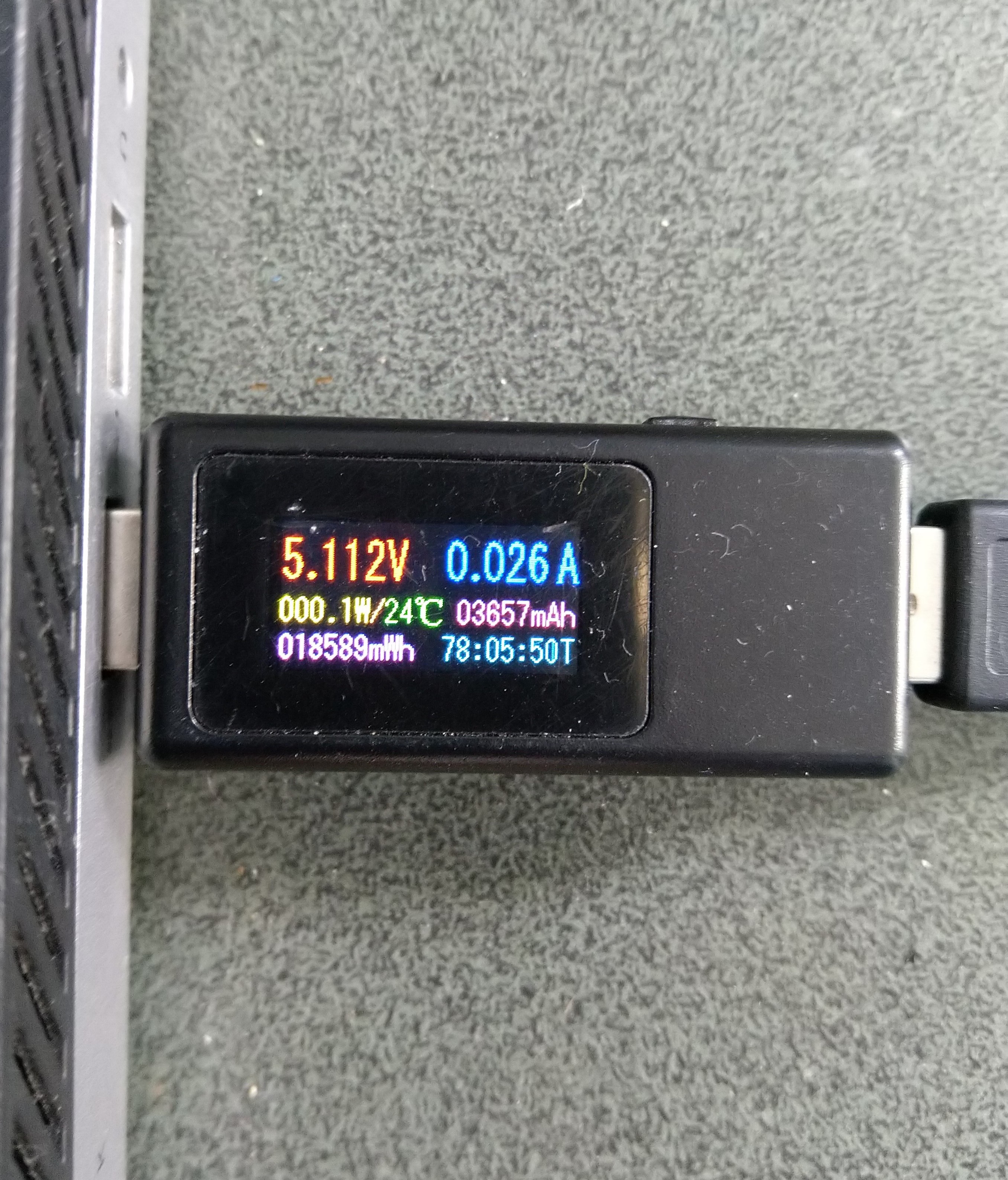
Sparkfun Thing Plus ESP32 WROOM + RAK3172 Sleep mode power consumption

Initially the Sleep method timed out every time it was called. After some more debugging I figured out that I needed a slightly longer delay for the AutoResetEvent.Waitone as it was timing out just before the “OK” was processed.

public Result Sleep(TimeSpan period)
{
	return Sleep(period, SleepExtensionDefault);
}

public Result Sleep(TimeSpan period, TimeSpan extension)
{
#if DIAGNOSTICS
	Debug.WriteLine($" {DateTime.UtcNow:hh:mm:ss} AT+SLEEP {period.TotalMilliseconds:f0} mSec");
#endif
	Result result = SendCommand("OK", $"AT+SLEEP={period.TotalMilliseconds:f0}", period.Add(extension));
	if (result != Result.Success)
	{
#if DIAGNOSTICS
		Debug.WriteLine($" {DateTime.UtcNow:hh:mm:ss} AT+SLEEP failed {result}");
#endif
		return result;
	}

	return Result.Success;
}

I then disconnected RAK3172 module to see how much power the Sparkfun Thing Plus ESP32 WROOM was using.

The nanoFramework ESP32 support library has a LightSleep and DeepSleep functionality which significantly reduced the power consumption

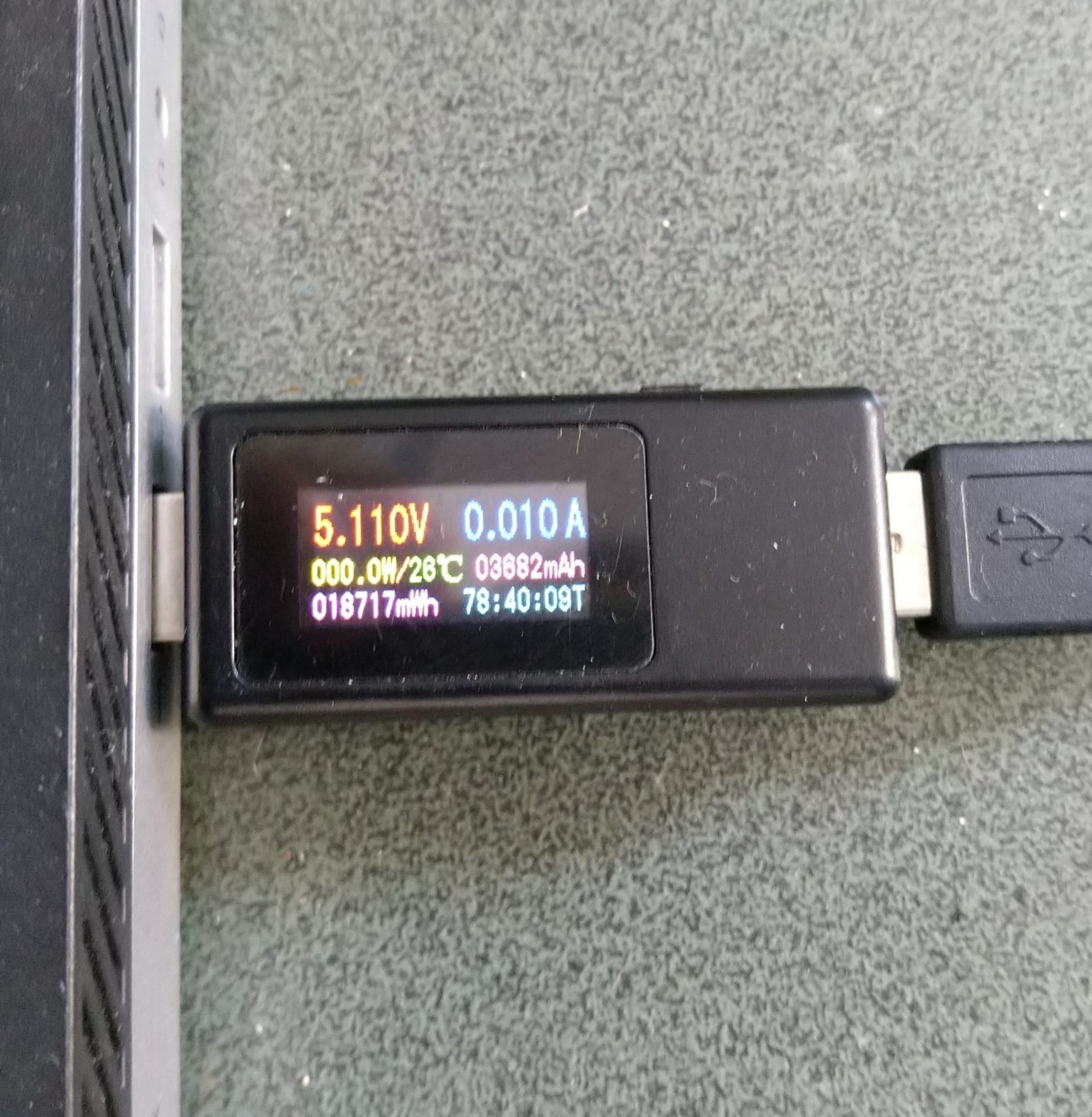
Sparkfun Thing Plus ESP32 WROOM LightSleep power consumption
Sparkfun Thing Plus ESP32 WROOM DeepSleep power consumption

The Keweisi KWS-MX19 USB Tester DC 4V-30V 0-5A Current Voltage Detector is not a precision laboratory instrument but did show the power consumption of my setup could be reduced by sleeping the RAK3172 module and the Sparkfun Thing Plus ESP32 WROOM.

.NET nanoFramework RAK3172 Factory Reset

The RAKwireless RAK3172 module has “ATR – Restore to Default Parameters” command. To see what settings were “restored” I modified the BreakOutSerial application to send an ATR command to reset the device, then display the DevEUI, JoinEUI, and AppKey.

public static void Main()
{
	Debug.WriteLine("devMobile.IoT.LoRaWAN.nanoFramework.RAK3172 BreakoutSerial starting");

	try
	{
		// set GPIO functions for COM2 (this is UART1 on ESP32)
#if ESP32_WROOM
		Configuration.SetPinFunction(Gpio.IO17, DeviceFunction.COM2_TX);
		Configuration.SetPinFunction(Gpio.IO16, DeviceFunction.COM2_RX);
#endif

		Debug.Write("Ports:");
		foreach (string port in SerialPort.GetPortNames())
		{
			Debug.Write($" {port}");
		}
		Debug.WriteLine("");

		using (_SerialPort = new SerialPort(SerialPortId))
		{
			// set parameters
			_SerialPort.BaudRate = 115200;
			_SerialPort.Parity = Parity.None;
			_SerialPort.DataBits = 8;
			_SerialPort.StopBits = StopBits.One;
			_SerialPort.Handshake = Handshake.None;
			_SerialPort.NewLine = "\r\n";
			_SerialPort.ReadTimeout = 1000;

			//_SerialPort.WatchChar = '\n'; // May 2022 WatchChar event didn't fire github issue https://github.com/nanoframework/Home/issues/1035

#if SERIAL_ASYNC_READ
			_SerialPort.DataReceived += SerialDevice_DataReceived;
#endif

			_SerialPort.Open();

			_SerialPort.WatchChar = '\n';

			_SerialPort.ReadExisting(); // Running at 115K2 this was necessary

...

			for (int i = 0; i < 5; i++)
			{
				string atCommand;
				atCommand = "AT+VER=?";
				//atCommand = "AT+SN=?"; // Empty response?
				//atCommand = "AT+HWMODEL=?";
				//atCommand = "AT+HWID=?";
				//atCommand = "AT+DEVEUI=?";
				//atCommand = "AT+APPEUI=?";
				//atCommand = "AT+APPKEY=?";
				//atCommand = "ATR";
				//atCommand = "AT+SLEEP=4000";
				Debug.WriteLine("");
				Debug.WriteLine($"{i} TX:{atCommand} bytes:{atCommand.Length}--------------------------------");
				_SerialPort.WriteLine(atCommand);

				Thread.Sleep(5000);
			}
		}
...
		Debug.WriteLine("Done");
	}
	catch (Exception ex)
	{
		Debug.WriteLine(ex.Message);
	}
}

After resetting the device I modified the code to display some of the configuration.

DevEUI after ATR command
JoinEUI after ATR command
AppKey after ATR command

To reconfigure the device I ran the RAK3172LoRaWANDeviceClient application with DEVICE_DEVEUI_SET, OTAA, UNCONFIRMED, REGION_SET and ADR_SET defined. The testrig could then successfully connect to The Things Network and when the device was power cycled the configuration was retained.

public Result FactoryReset()
{
#if DIAGNOSTICS
	Debug.WriteLine($" {DateTime.UtcNow:hh:mm:ss} ATR");
#endif
	Result result = SendCommand("OK", "ATR", CommandTimeoutDefault);
	if (result != Result.Success)
	{
#if DIAGNOSTICS
		Debug.WriteLine($" {DateTime.UtcNow:hh:mm:ss} ATR failed {result}");
#endif
		return result;
	}

	return Result.Success;
}

I have added a “FactoryReset” method to the RAK3172LoRaWANDevice library.

.NET Core web API + Dapper – Readonly query workloads with Data Sync

Azure SQL Data Synchronisation Process

Read-only replicas of an Azure SQL Database database with Active geo-replication are easy to setup but there are some disadvantages. e.g. bi-directional synchronisation is not supported, not all tables or selected columns of some tables might not be needed\should not be accessible for reporting, the overhead of replicating tables used for transaction processing might impact on the performance of the solution etc. Azure SQL Data Sync is a service built on Azure SQL Database that can synchronise selected data bi-directionally across multiple databases, both on-premises and in the cloud.

The first step was to remove all the Microsoft SQL Server features used in the the World Wide Importers database (e.g. Sequence Numbers, Column Store indexes etc.) which are not supported(see general limitiations) by Azure SQL Data Sync. I then used the “Deploy Database Wizard” to copy my modified World Wide Importers database to an Azure SQL Database.

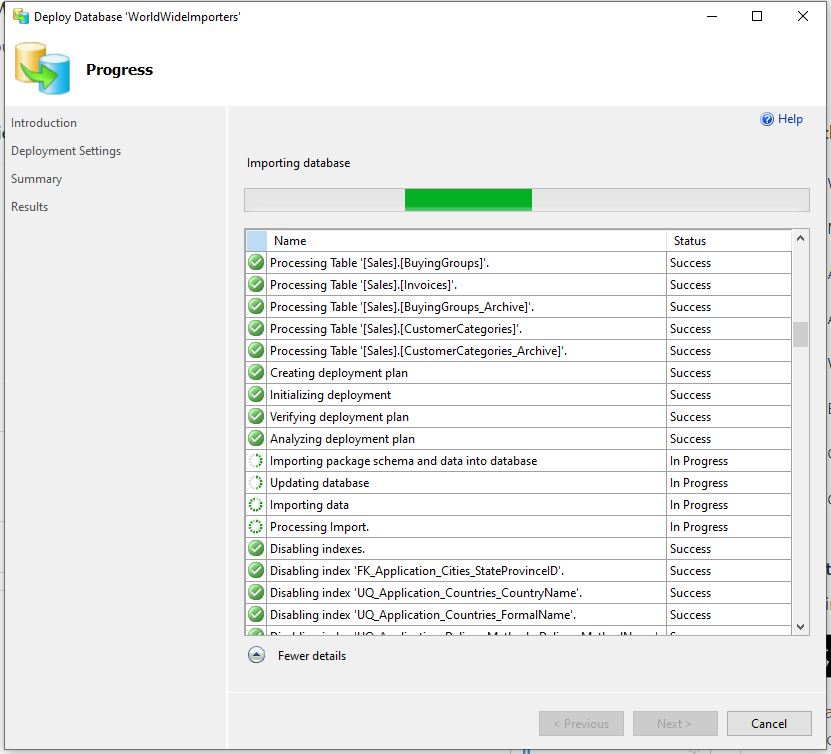
Deploy Database to Microsoft Azure SQL Database running
Microsoft Azure SQL Database Servers with WorldWideImporters and ReadonlyReplicaHub database
Data Sync Group creation onReadOnlyReplicaHub database

For my “read-only replicas” scenario if there are any update conflicts the the source database “wins”.

Data Sync Group created
Data Sync Group configuration database management
Data Sync Group configuration adding “source” database synchronisation to Hub
Data Sync Group configuration adding “destination” database(s) synchronisation from Hub
Data Sync Group selecting source database StockItems table and columns to synchronise
Data Sync Group “destination” databases configured
Initial synchronisation of only StockItems table and seed data
Regular synchronisation of a subset of StockItems columns to destination databases
Source Azure SQL Database regular synchronisation compute utilisation
StockItemsReadOnlyReplicas Controller JSON after first replication completed
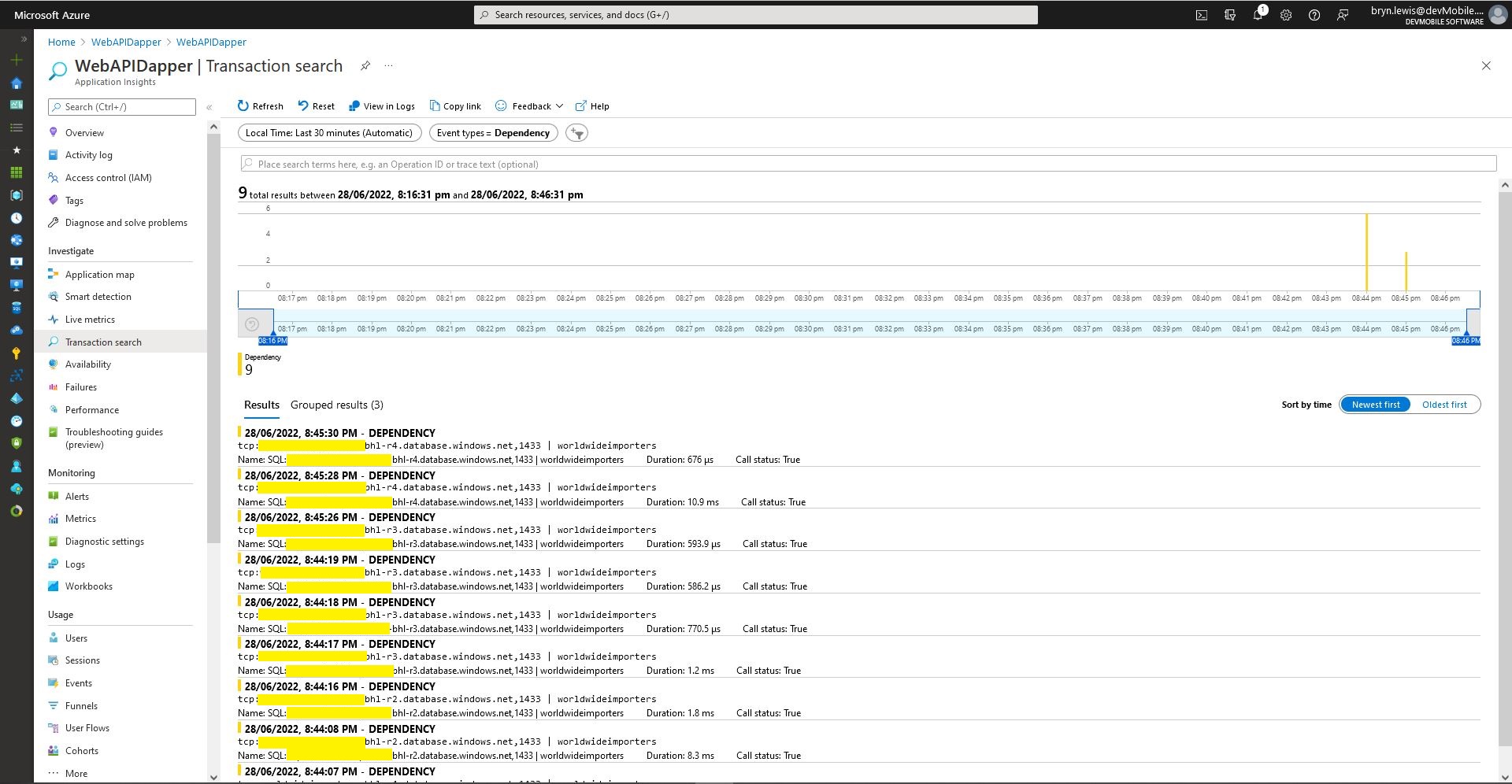
Azure application Insights Dependencies showing usage of different synchronised databases
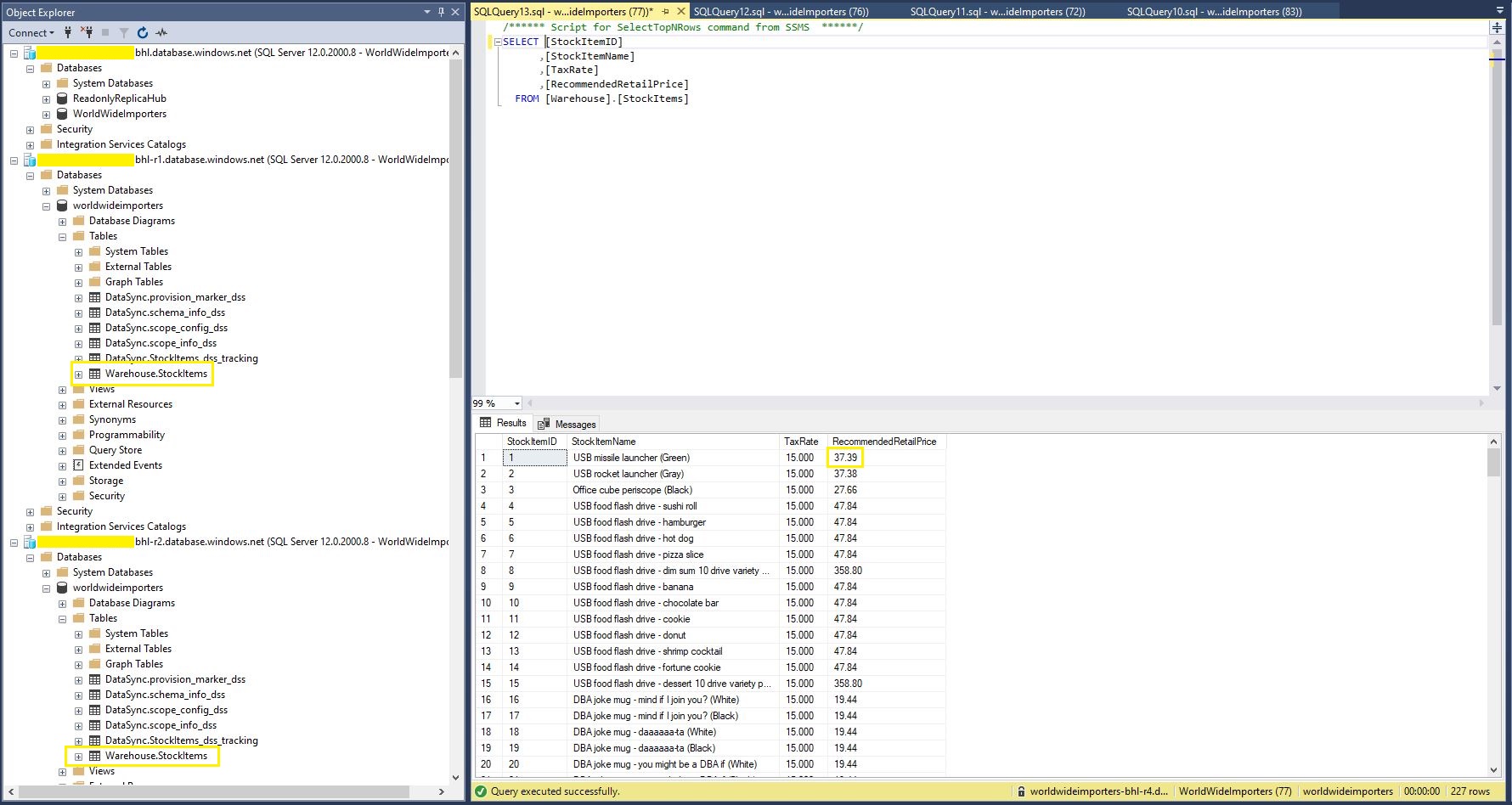
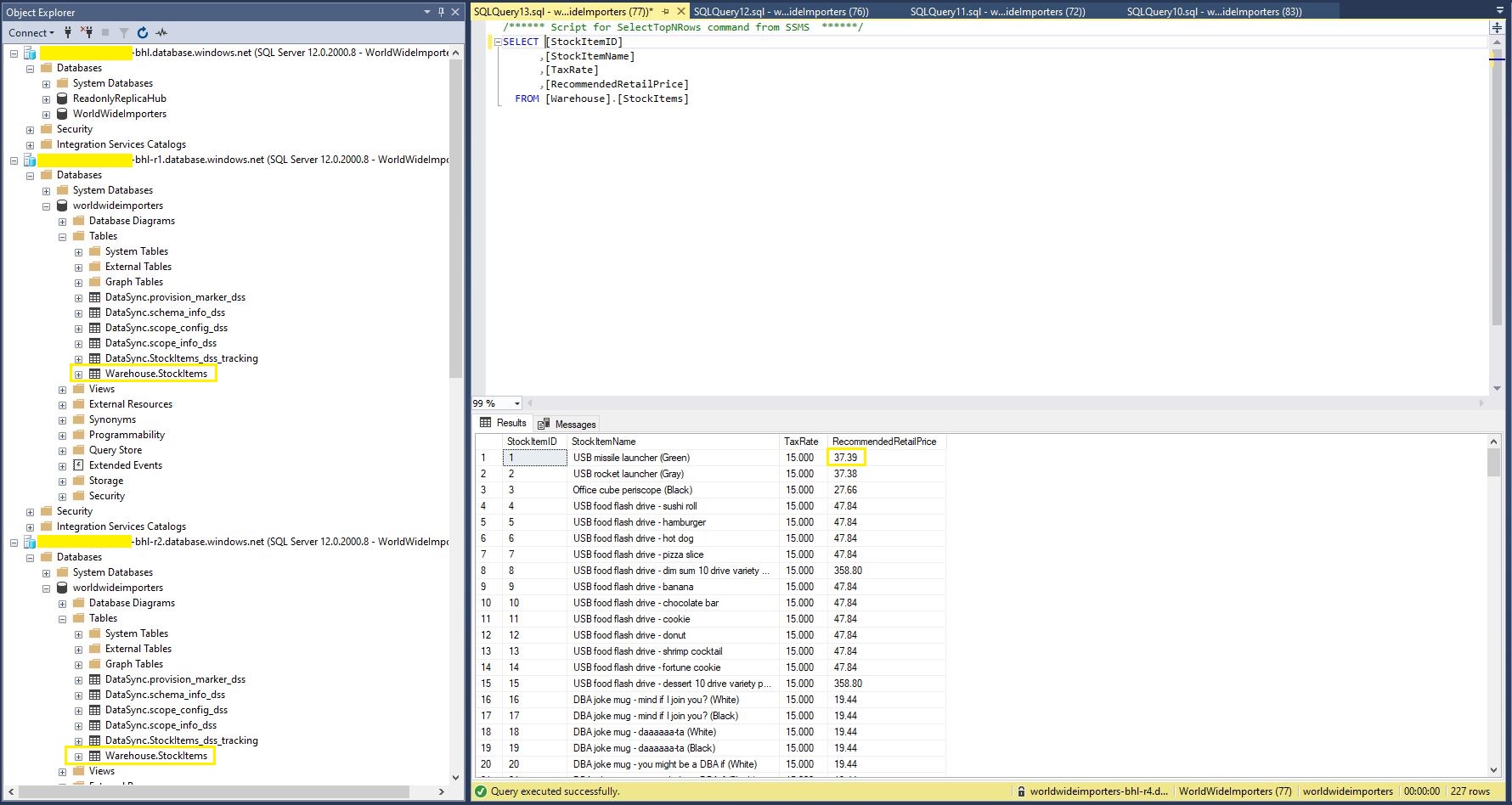
StockItems table in source database with updated RRP
StockItems table in destination database with updated RRP after next scheduled snychronisation
StockItems table in destination database after next scheduled synchronisation

The Azure SQL Database Data Sync was pretty easy to setup (configuration in the hub database tripped me up initially). For a production scenario where only a portion of the database (e.g. shaped by Customer, Geography, security considerations, or a bi-directional requirement) it would be an effective solution, though for some applications the delay between synchronisations might be an issue.