.NET nanoFramework SX127X LoRa library DIO0,DIO1,DIO2,DIO3,DIO4,DIO5

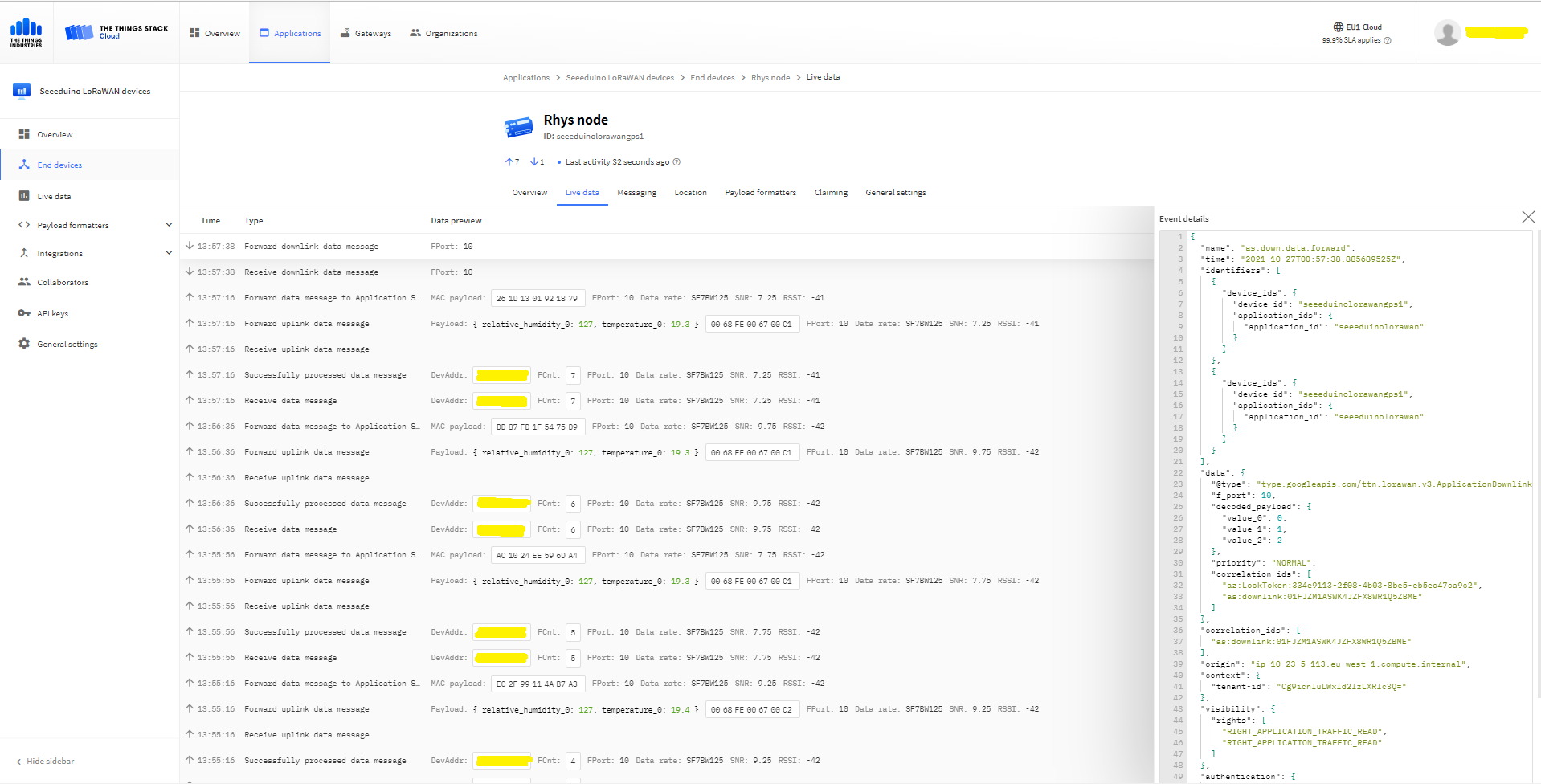
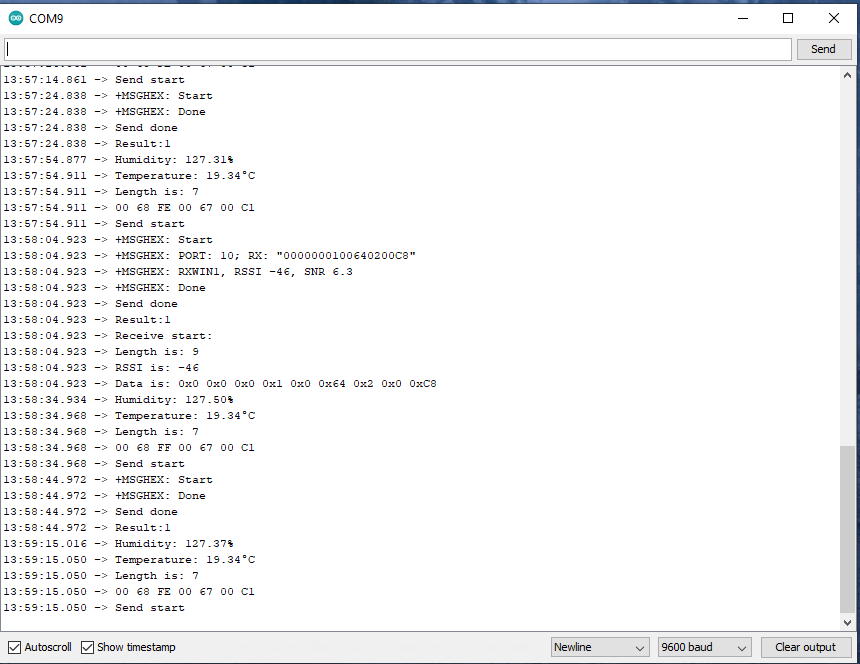
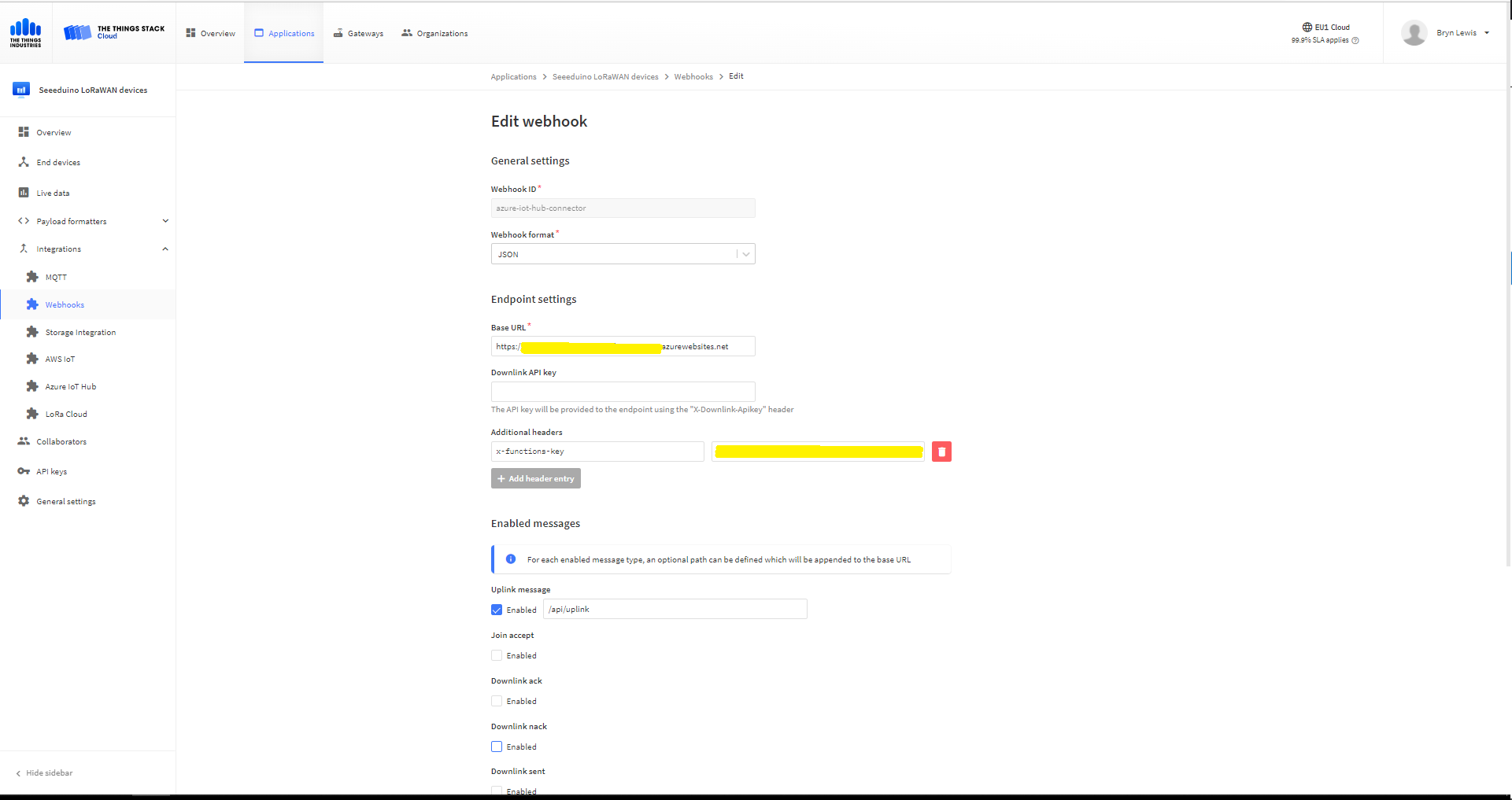
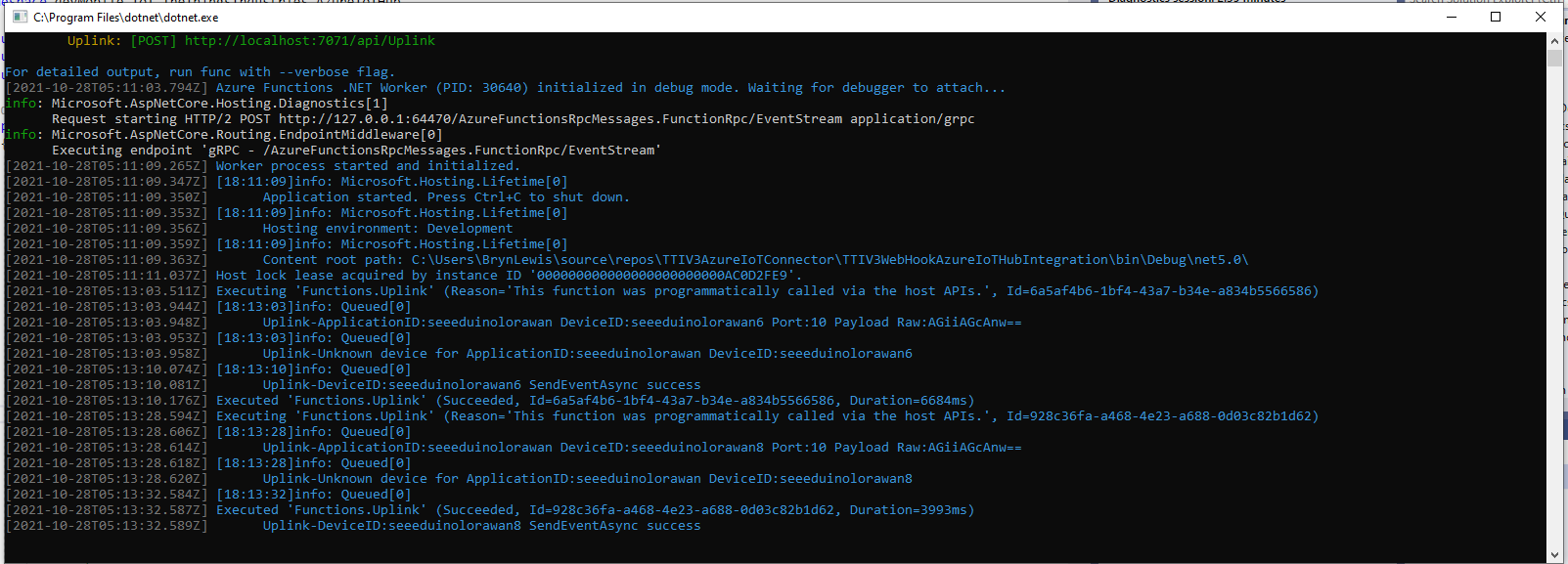
All the previous versions of my .NET nanoFramework Semtech SX127X (LoRa® Mode) library only supported a Dio0 (RegDioMapping1 bits 6&7) EventHandler. This version supports mapping Dio0, Dio1, Dio2, Dio3, Dio4 and Dio5.
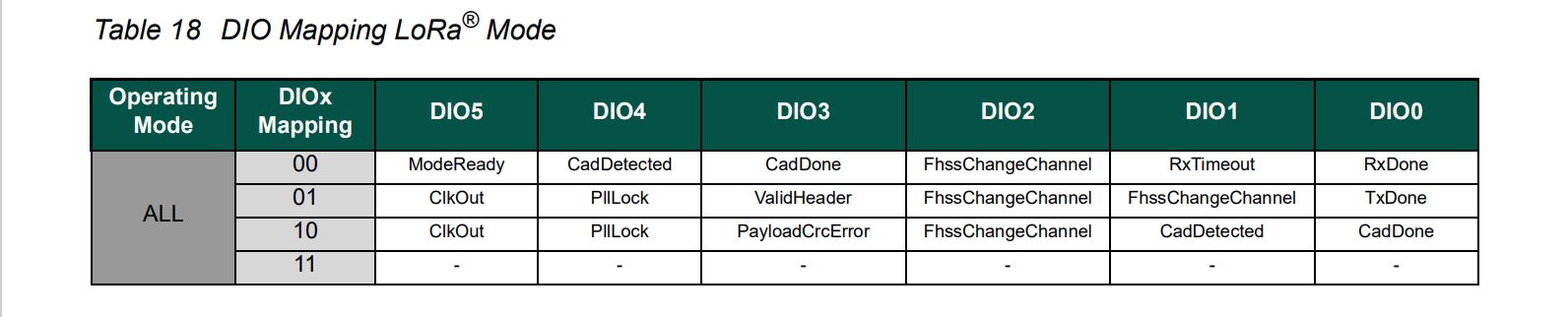
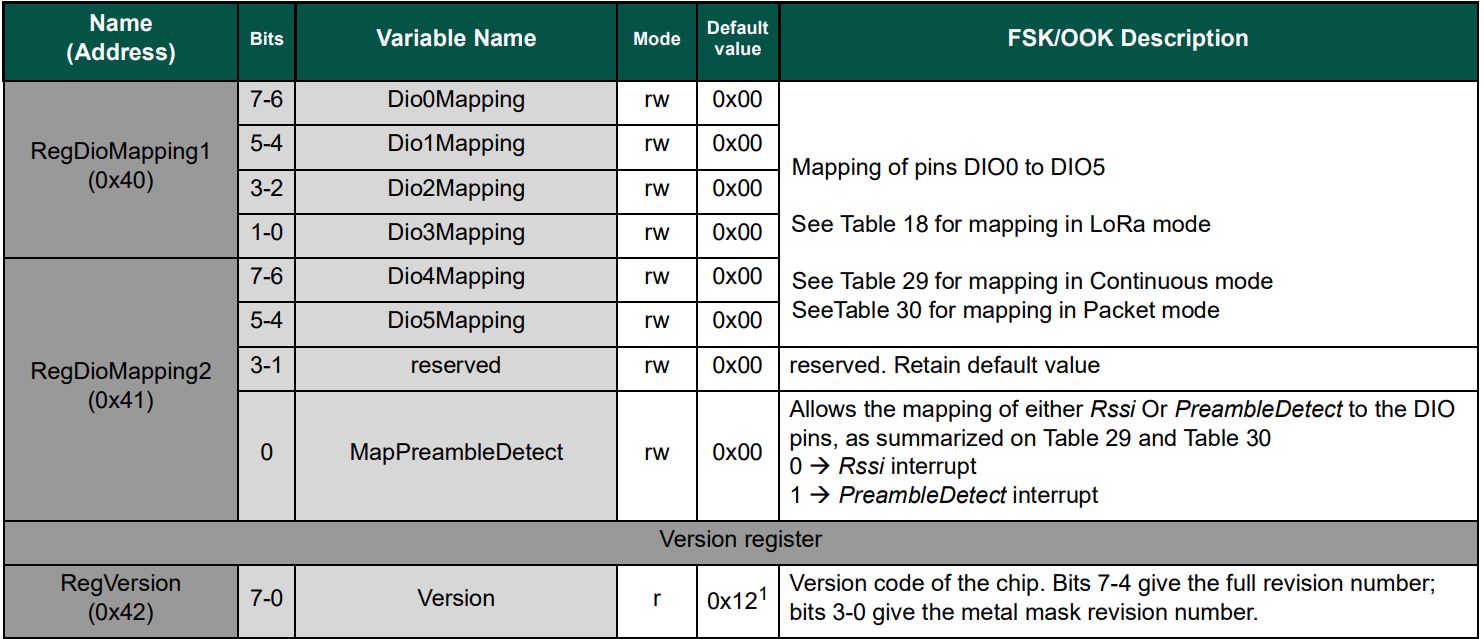
DIO Mapping in LoRa Mode
RegDioMapping1 & RegDioMapping2 options

The Dragino Arduino Shield featuring LoRa® technology does not have Dio3 and Dio4 connected so I have been unable to test that functionality.

Dragino LoRa Shield Pin Mapping

The SX127XLoRaDeviceClient main now has OnRxTimeout, OnReceive, OnPayloadCrcError, OnValidHeader, OnTransmit, OnChannelActivityDetectionDone, OnFhssChangeChannel, and OnChannelActivityDetected event handlers (Based on RegIrqFlags bit ordering)

static void Main(string[] args)
{
	int sendCount = 0;
...
#if NETDUINO3_WIFI
	// Arduino D10->PB10
	int chipSelectLine = PinNumber('B', 10);
	// Arduino D9->PE5
	int resetPinNumber = PinNumber('E', 5);
	// Arduino D2 -PA3
	int dio0PinNumber = PinNumber('A', 3);
	// Arduino D6 - PB9
	int dio1PinNumber = PinNumber('B', 9);
	// Arduino D7
	int dio2PinNumber = PinNumber('A', 1);
	// Not connected on Dragino LoRa shield
	//int dio3PinNumber = PinNumber('A', 1);
	//  Not connected on Dragino LoRa shield
	//int dio4PinNumber = PinNumber('A', 1);
	// Arduino D8
	int dio5PinNumber = PinNumber('A', 0);
#endif
...
	Console.WriteLine("devMobile.IoT.SX127xLoRaDevice Client starting");

	try
	{
		var settings = new SpiConnectionSettings(SpiBusId, chipSelectLine)
		{
			ClockFrequency = 1000000,
			Mode = SpiMode.Mode0,// From SemTech docs pg 80 CPOL=0, CPHA=0
			SharingMode = SpiSharingMode.Shared
		};

		using (SpiDevice spiDevice = new SpiDevice(settings))
		using (GpioController gpioController = new GpioController())
		{
...
#if NETDUINO3_WIFI || ST_STM32F769I_DISCOVERY
			sx127XDevice = new SX127XDevice(spiDevice, gpioController, dio0Pin:dio0PinNumber, resetPin:resetPinNumber, dio1Pin: dio1PinNumber, dio2Pin: dio2PinNumber);
#endif

			sx127XDevice.Initialise(Frequency
						, lnaGain: Configuration.RegLnaLnaGain.Default
						, lnaBoost: true
						, powerAmplifier: Configuration.RegPAConfigPASelect.PABoost							
						, rxPayloadCrcOn: true
						, rxDoneignoreIfCrcMissing: false
						);

#if DEBUG
			sx127XDevice.RegisterDump();
#endif

			//sx127XDevice.OnRxTimeout += Sx127XDevice_OnRxTimeout;
			sx127XDevice.OnReceive += SX127XDevice_OnReceive;
			//sx127XDevice.OnPayloadCrcError += Sx127XDevice_OnPayloadCrcError;
			//sx127XDevice.OnValidHeader += Sx127XDevice_OnValidHeader;
			sx127XDevice.OnTransmit += SX127XDevice_OnTransmit;
			//sx127XDevice.OnChannelActivityDetectionDone += Sx127XDevice_OnChannelActivityDetectionDone;
			//sx127XDevice.OnFhssChangeChannel += Sx127XDevice_OnFhssChangeChannel;
			//sx127XDevice.OnChannelActivityDetected += SX127XDevice_OnChannelActivityDetected;

			sx127XDevice.Receive();
			//sx127XDevice.ChannelActivityDetect();

			Thread.Sleep(500);

			while (true)
			{
				string messageText = $"Hello LoRa from .NET nanoFramework Count {sendCount+=1}!";

				byte[] messageBytes = UTF8Encoding.UTF8.GetBytes(messageText);
				Console.WriteLine($"{DateTime.UtcNow:HH:mm:ss}-TX {messageBytes.Length} byte message {messageText}");
				sx127XDevice.Send(messageBytes);

				Thread.Sleep(50000);

				Console.WriteLine($"{DateTime.UtcNow:HH:mm:ss} Random {sx127XDevice.Random()}");
			}
		}
	}
	catch (Exception ex)
	{
		Console.WriteLine(ex.Message);
	}
}

The Dio0 pin number is the only required pin number parameter, the resetPin, and Dio1 thru Dio5 pin numbers are optional. All the RegDioMapping1 and RegDioMapping2 mappings are disabled on intialisation so there should be no events while the SX127X is being configured.

public SX127XDevice(SpiDevice spiDevice, GpioController gpioController,
	int dio0Pin,
	int resetPin = 0, // Odd order so as not to break exisiting code
	int dio1Pin = 0,
	int dio2Pin = 0,
	int dio3Pin = 0,
	int dio4Pin = 0,
	int dio5Pin = 0
	)
{
	_gpioController = gpioController;

	// Factory reset pin configuration
	if (resetPin != 0)
	{
		_resetPin = resetPin;
		_gpioController.OpenPin(resetPin, PinMode.Output);

		_gpioController.Write(resetPin, PinValue.Low);
		Thread.Sleep(20);
		_gpioController.Write(resetPin, PinValue.High);
		Thread.Sleep(50);
	}

	_registerManager = new RegisterManager(spiDevice, RegisterAddressReadMask, RegisterAddressWriteMask);

	// Once the pins setup check that SX127X chip is present
	Byte regVersionValue = _registerManager.ReadByte((byte)Configuration.Registers.RegVersion);
	if (regVersionValue != Configuration.RegVersionValueExpected)
	{
		throw new ApplicationException("Semtech SX127X not found");
	}

	// See Table 18 DIO Mapping LoRa® Mode
	Configuration.RegDioMapping1 regDioMapping1Value = Configuration.RegDioMapping1.Dio0None;
	regDioMapping1Value |= Configuration.RegDioMapping1.Dio1None;
	regDioMapping1Value |= Configuration.RegDioMapping1.Dio2None;
	regDioMapping1Value |= Configuration.RegDioMapping1.Dio3None;
	_registerManager.WriteByte((byte)Configuration.Registers.RegDioMapping1, (byte)regDioMapping1Value);

	// Currently no easy way to test this with available hardware
	//Configuration.RegDioMapping2 regDioMapping2Value = Configuration.RegDioMapping2.Dio4None;
	//regDioMapping2Value = Configuration.RegDioMapping2.Dio5None;
	//_registerManager.WriteByte((byte)Configuration.Registers.RegDioMapping2, (byte)regDioMapping2Value);

	// Interrupt pin for RXDone, TXDone, and CadDone notification 
	_gpioController.OpenPin(dio0Pin, PinMode.InputPullDown);
	_gpioController.RegisterCallbackForPinValueChangedEvent(dio0Pin, PinEventTypes.Rising, InterruptGpioPin_ValueChanged);

	// RxTimeout, FhssChangeChannel, and CadDetected
	if (dio1Pin != 0)
	{
		_gpioController.OpenPin(dio1Pin, PinMode.InputPullDown);
		_gpioController.RegisterCallbackForPinValueChangedEvent(dio1Pin, PinEventTypes.Rising, InterruptGpioPin_ValueChanged);
	}

	// FhssChangeChannel, FhssChangeChannel, and FhssChangeChannel
	if (dio2Pin != 0)
	{
		_gpioController.OpenPin(dio2Pin, PinMode.InputPullDown);
		_gpioController.RegisterCallbackForPinValueChangedEvent(dio2Pin, PinEventTypes.Rising, InterruptGpioPin_ValueChanged);
	}

	// CadDone, ValidHeader, and PayloadCrcError
	if (dio3Pin != 0)
	{
		_gpioController.OpenPin(dio3Pin, PinMode.InputPullDown);
		_gpioController.RegisterCallbackForPinValueChangedEvent(dio3Pin, PinEventTypes.Rising, InterruptGpioPin_ValueChanged);
	}

	// CadDetected, PllLock and PllLock
	if (dio4Pin != 0)
	{
		_gpioController.OpenPin(dio4Pin, PinMode.InputPullDown);
		_gpioController.RegisterCallbackForPinValueChangedEvent(dio4Pin, PinEventTypes.Rising, InterruptGpioPin_ValueChanged);
	}

	// ModeReady, ClkOut and ClkOut
	if (dio5Pin != 0)
	{
		_gpioController.OpenPin(dio5Pin, PinMode.InputPullDown);
		_gpioController.RegisterCallbackForPinValueChangedEvent(dio5Pin, PinEventTypes.Rising, InterruptGpioPin_ValueChanged);
	}
}

The same event handler (InterruptGpioPin_ValueChanged) is used for Dio0 thru Dio5. Each event has a “process” method and the RegIrqFlags register controls which one(s) are called.

private void InterruptGpioPin_ValueChanged(object sender, PinValueChangedEventArgs pinValueChangedEventArgs)
{
	Byte regIrqFlagsToClear = (byte)Configuration.RegIrqFlags.ClearNone;

	// Read RegIrqFlags to see what caused the interrupt
	Byte irqFlags = _registerManager.ReadByte((byte)Configuration.Registers.RegIrqFlags);

	//Console.WriteLine($"IrqFlags 0x{irqFlags:x} Pin:{pinValueChangedEventArgs.PinNumber}");

	// Check RxTimeout for inbound message
	if ((irqFlags & (byte)Configuration.RegIrqFlagsMask.RxTimeoutMask) == (byte)Configuration.RegIrqFlags.RxTimeout)
	{
		regIrqFlagsToClear |= (byte)Configuration.RegIrqFlags.RxTimeout;

		ProcessRxTimeout(irqFlags);
	}

	// Check RxDone for inbound message
	if ((irqFlags & (byte)Configuration.RegIrqFlagsMask.RxDoneMask) == (byte)Configuration.RegIrqFlags.RxDone)
	{
		regIrqFlagsToClear |= (byte)Configuration.RegIrqFlags.RxDone;

		ProcessRxDone(irqFlags);
	}

	// Check PayLoadCrcError for inbound message
	if ((irqFlags & (byte)Configuration.RegIrqFlagsMask.PayLoadCrcErrorMask) == (byte)Configuration.RegIrqFlags.PayLoadCrcError)
	{
		regIrqFlagsToClear |= (byte)Configuration.RegIrqFlags.PayLoadCrcError;

		ProcessPayloadCrcError(irqFlags);
	}

	// Check ValidHeader for inbound message
	if ((irqFlags & (byte)Configuration.RegIrqFlagsMask.ValidHeaderMask) == (byte)Configuration.RegIrqFlags.ValidHeader)
	{
		regIrqFlagsToClear |= (byte)Configuration.RegIrqFlags.ValidHeader;

		ProcessValidHeader(irqFlags);
	}

	// Check TxDone for outbound message
	if ((irqFlags & (byte)Configuration.RegIrqFlagsMask.TxDoneMask) == (byte)Configuration.RegIrqFlags.TxDone)
	{
		regIrqFlagsToClear |= (byte)Configuration.RegIrqFlags.TxDone;

		ProcessTxDone(irqFlags);
	}

	// Check Channel Activity Detection done 
	if (((irqFlags & (byte)Configuration.RegIrqFlagsMask.CadDoneMask) == (byte)Configuration.RegIrqFlags.CadDone))
	{
		regIrqFlagsToClear |= (byte)Configuration.RegIrqFlags.CadDone;

		ProcessChannelActivityDetectionDone(irqFlags);
	}

	// Check FhssChangeChannel for inbound message
	if ((irqFlags & (byte)Configuration.RegIrqFlagsMask.FhssChangeChannelMask) == (byte)Configuration.RegIrqFlags.FhssChangeChannel)
	{
		regIrqFlagsToClear |= (byte)Configuration.RegIrqFlags.FhssChangeChannel;

		ProcessFhssChangeChannel(irqFlags);
	}

	// Check Channel Activity Detected 
	if (((irqFlags & (byte)Configuration.RegIrqFlagsMask.CadDetectedMask) == (byte)Configuration.RegIrqFlags.CadDetected))
	{
		regIrqFlagsToClear |= (byte)Configuration.RegIrqFlags.CadDetected;

		ProcessChannelActivityDetected(irqFlags);
	}

	_registerManager.WriteByte((byte)Configuration.Registers.RegIrqFlags, regIrqFlagsToClear);
}

private void ProcessRxTimeout(byte irqFlags)
{
	OnRxTimeoutEventArgs onRxTimeoutArgs = new OnRxTimeoutEventArgs();

	OnRxTimeout?.Invoke(this, onRxTimeoutArgs);
}

private void ProcessRxDone(byte irqFlags)
{
	byte[] payloadBytes;
...
}

The RegIrqFlags bits are cleared individually (with regIrqFlagsToClear) at the end of the event handler. Initially I cleared all the flags by writing 0xFF to RegIrqFlags but this caused issues when there were multiple bits set e.g. CadDone along with CadDetected.

devMobile.IoT.SX127xLoRaDevice Client starting
Register dump
Register 0x01 - Value 0X80
...
Register 0x4d - Value 0X84

00:00:09-CAD Detection Done
00:00:09-CAD Detected
00:00:09-RX PacketSnr 0.0 Packet RSSI -100dBm RSSI -96dBm = 9 byte message hello 41
00:00:09-RX PacketSnr 0.0 Packet RSSI -100dBm RSSI -96dBm = 9 byte message hello 42
00:00:09-RX PacketSnr 0.0 Packet RSSI -100dBm RSSI -96dBm = 9 byte message hello 43
00:00:09-RX PacketSnr 0.0 Packet RSSI -100dBm RSSI -96dBm = 9 byte message hello 44
00:00:09-RX PacketSnr 0.0 Packet RSSI -100dBm RSSI -96dBm = 9 byte message hello 45
00:00:09-RX PacketSnr 0.0 Packet RSSI -100dBm RSSI -94dBm = 9 byte message hello 46
00:00:09-RX PacketSnr 0.0 Packet RSSI -99dBm RSSI -94dBm = 9 byte message hello 47
00:00:19-RX PacketSnr 0.0 Packet RSSI -100dBm RSSI -96dBm = 9 byte message hello 48

It took some experimentation with the SX127xLoRaDeviceClient application to “reliably” trigger events for testing. To generate CAD Detected event, I had to modify one of the Arduino-LoRa sample applications to send messages without a delay, then have it running as the SX127xLoRaDeviceClient application was starting.
TTI V3 Connector Azure IoT Central Device Provisioning Service(DPS) support

The TTI Connector supports the Azure IoT Hub Device Provisioning Service(DPS) which is required (it is possible to provision individual devices but this intended for small deployments or testing) for Azure IoT Central applications. The TTI Connector implementation also supports Azure IoT Central Digital Twin Definition Language (DTDL V2) for “automagic” device provisioning.
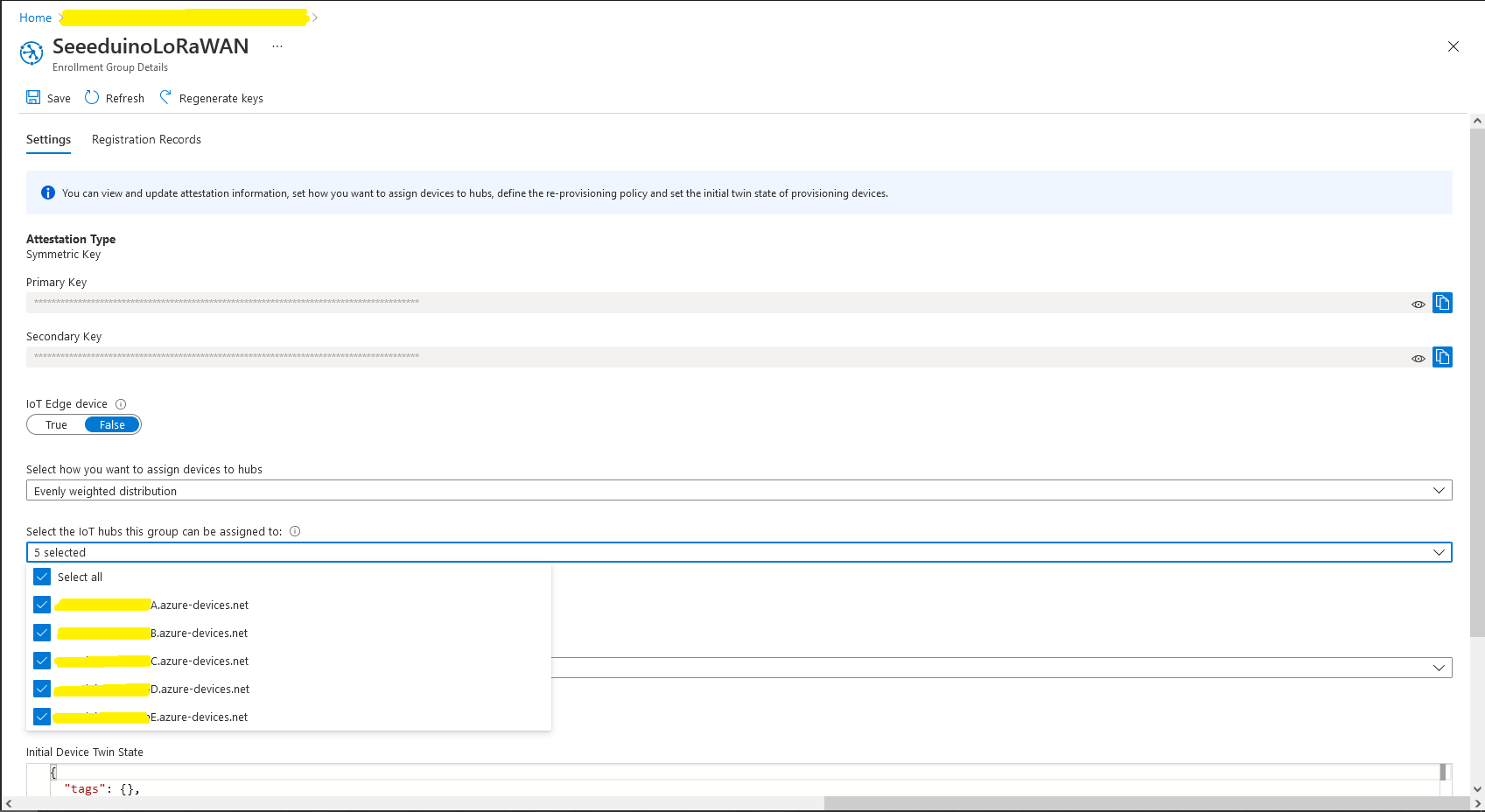
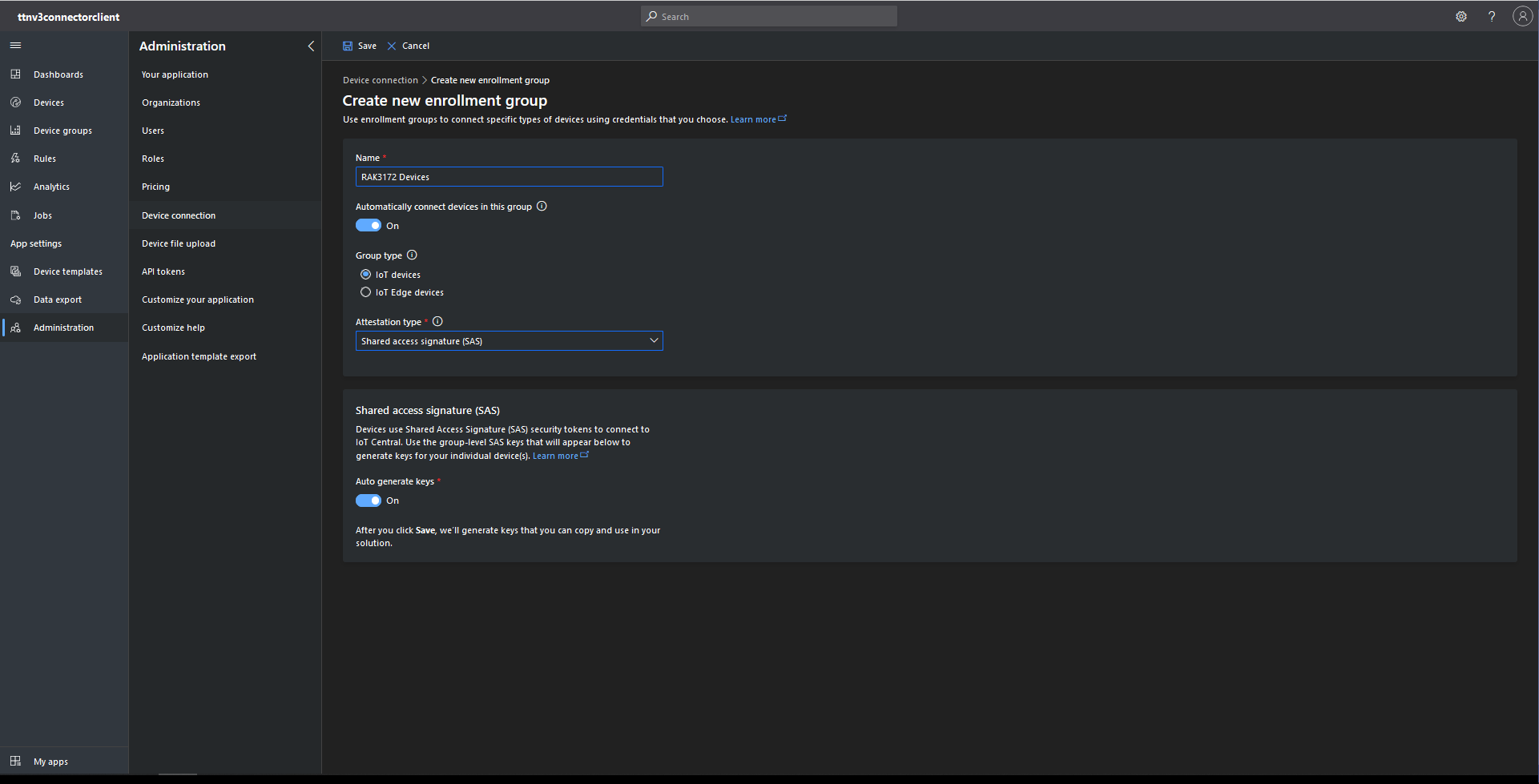
The first step was to configure and Azure IoT Central enrollment group (ensure “Automatically connect devices in this group” is on for “zero touch” provisioning) and copy the IDScope and Group Enrollment key to the TTI Connector configuration

RAK3172 Enrollment Group creation
Azure IoT Hub Device Provisioning Service configuration

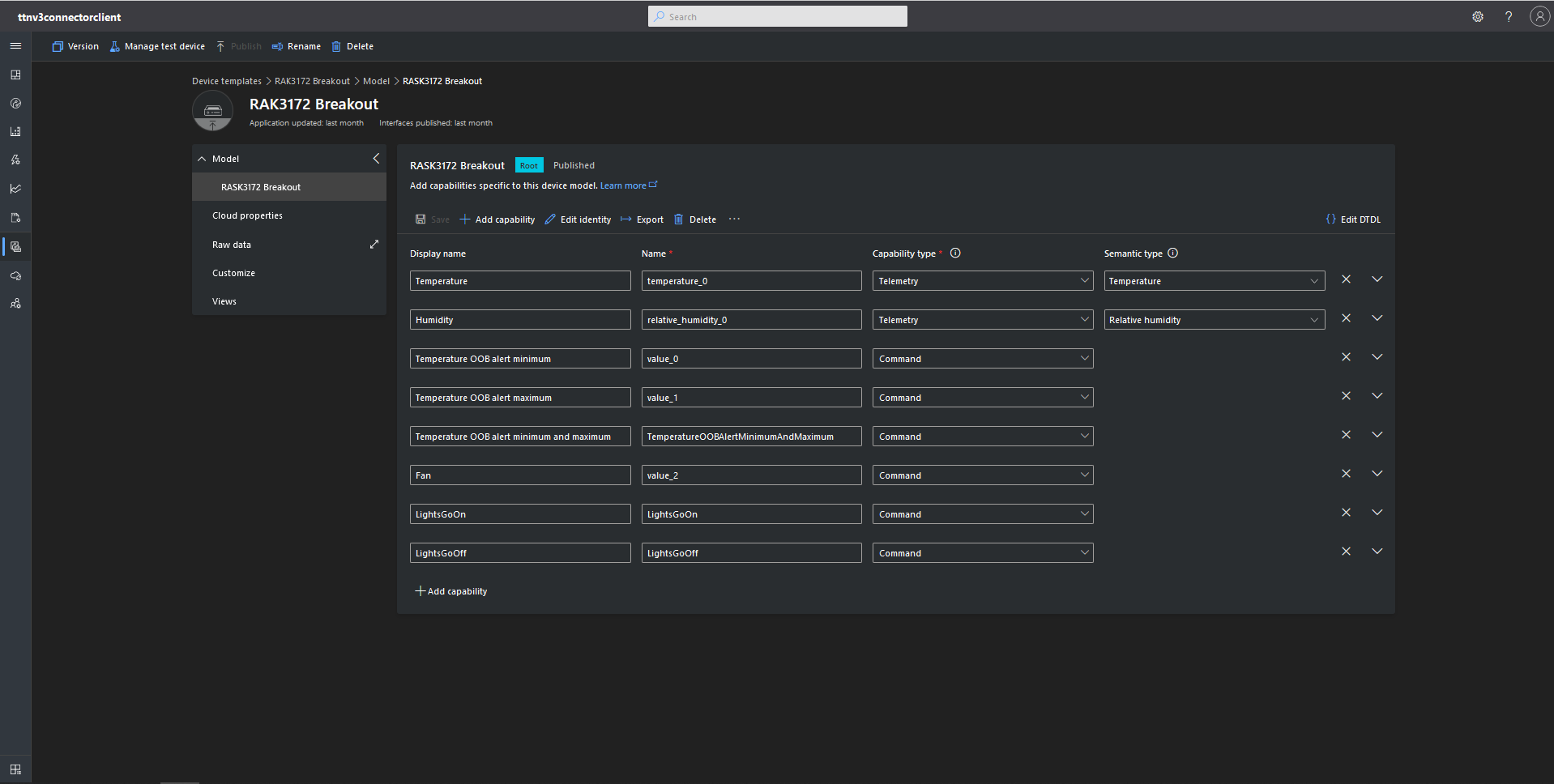
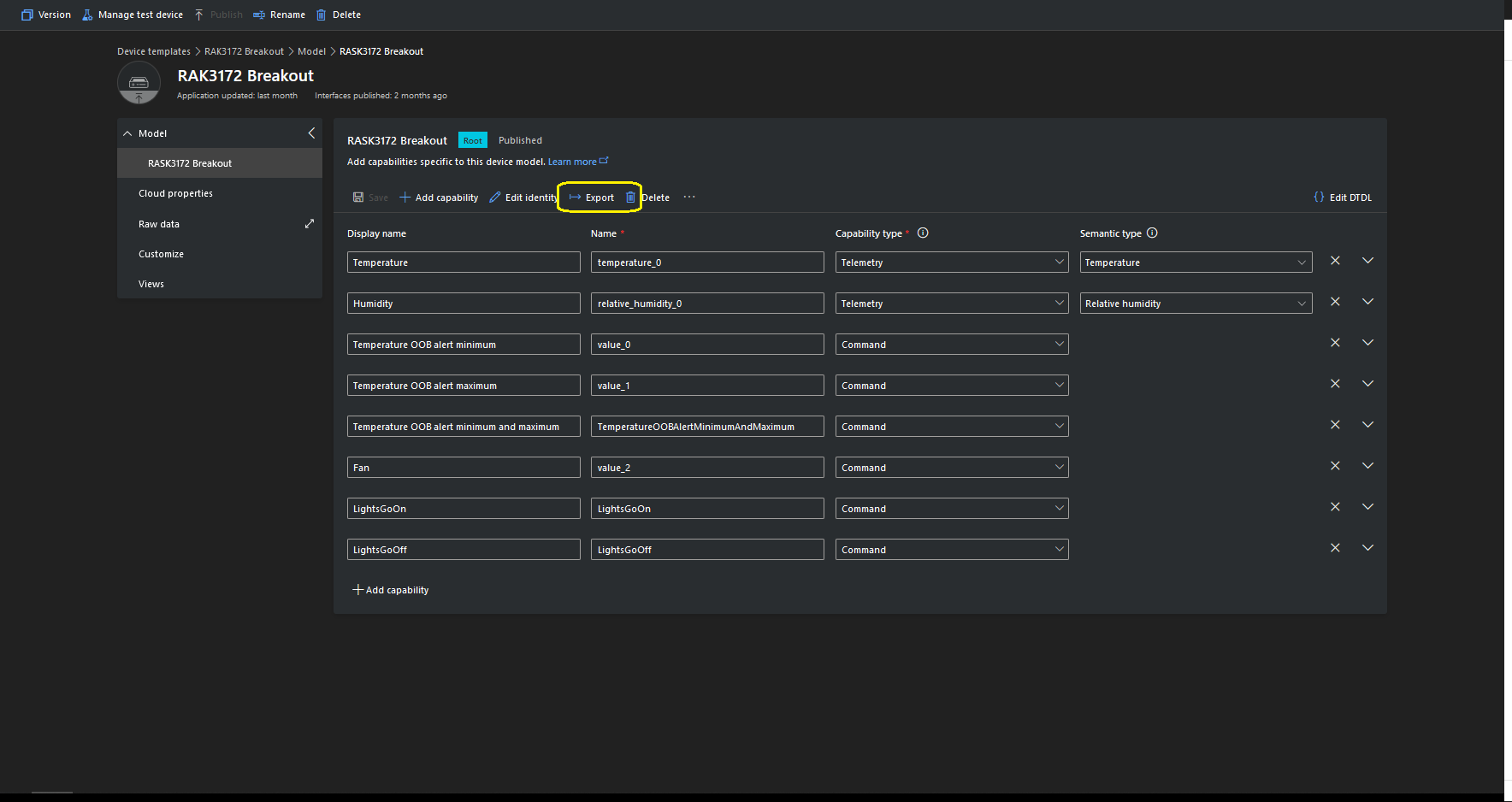
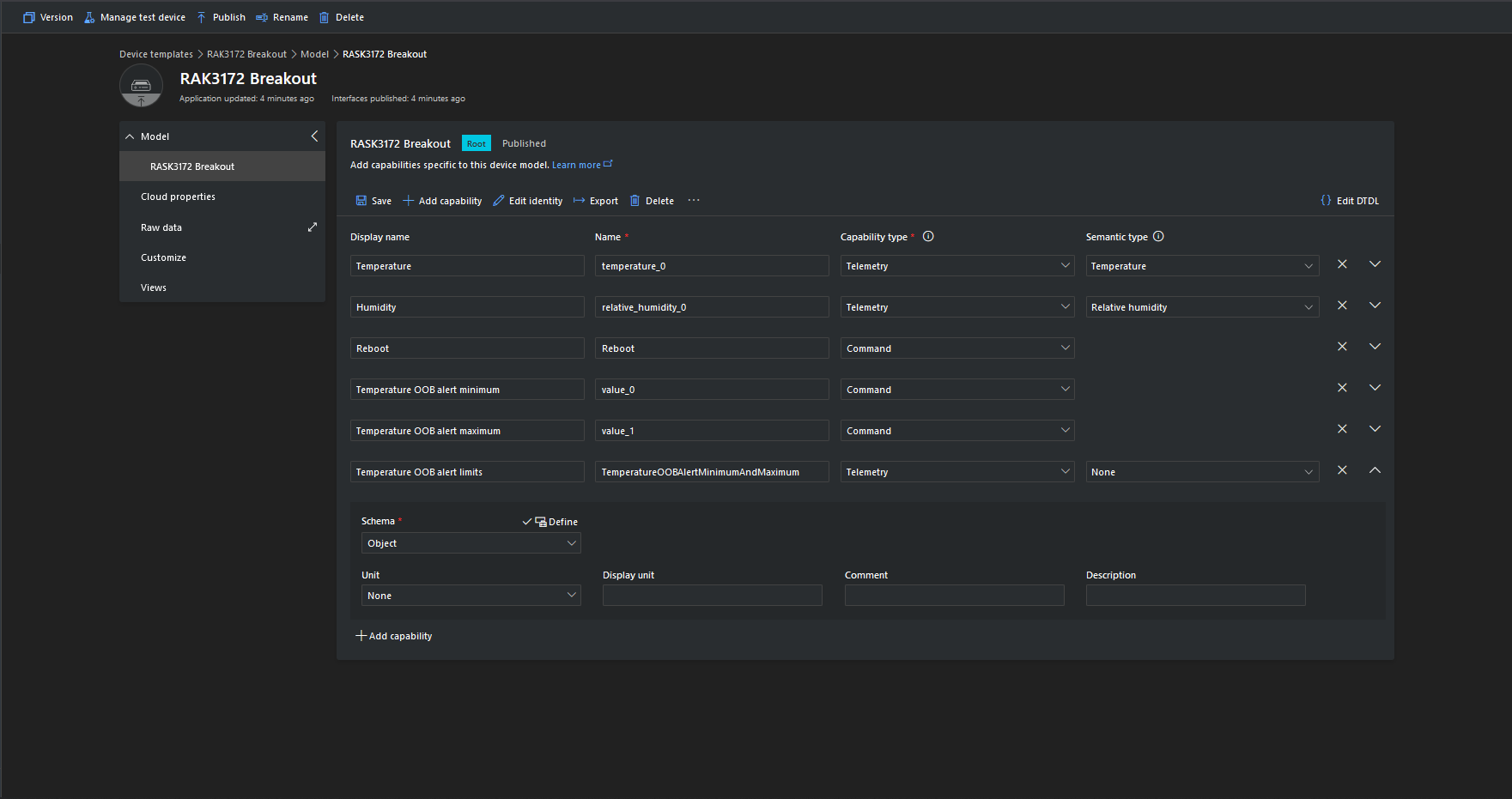
I then created an Azure IoT Central template for my RAK3172 breakout board based.Net Core powered test device.

{
    "@id": "dtmi:ttnv3connectorclient:RASK3172Breakout1c7;1",
    "@type": "Interface",
    "contents": [
        {
            "@id": "dtmi:ttnv3connectorclient:RASK3172Breakout1c7:temperature_0;1",
            "@type": [
                "Telemetry",
                "Temperature"
            ],
            "displayName": {
                "en": "Temperature"
            },
            "name": "temperature_0",
            "schema": "double",
            "unit": "degreeCelsius"
        },
        {
            "@id": "dtmi:ttnv3connectorclient:RASK3172Breakout1c7:relative_humidity_0;1",
            "@type": [
                "Telemetry",
                "RelativeHumidity"
            ],
            "displayName": {
                "en": "Humidity"
            },
            "name": "relative_humidity_0",
            "schema": "double",
            "unit": "percent"
        },
        {
            "@id": "dtmi:ttnv3connectorclient:RASK3172Breakout1c7:value_0;1",
            "@type": "Command",
            "displayName": {
                "en": "Temperature OOB alert minimum"
            },
            "name": "value_0",
            "request": {
                "@type": "CommandPayload",
                "displayName": {
                    "en": "Minimum"
                },
                "name": "value_0",
                "schema": "double"
            },
            "durable": true
        },
        {
            "@id": "dtmi:ttnv3connectorclient:RASK3172Breakout1c7:value_1;1",
            "@type": "Command",
            "displayName": {
                "en": "Temperature OOB alert maximum"
            },
            "name": "value_1",
            "request": {
                "@type": "CommandPayload",
                "displayName": {
                    "en": "Maximum"
                },
                "name": "value_1",
                "schema": "double"
            },
            "durable": true
        },
        {
            "@id": "dtmi:ttnv3connectorclient:RASK3172Breakout1c7:TemperatureOOBAlertMinimumAndMaximum;1",
            "@type": "Command",
            "displayName": {
                "en": "Temperature OOB alert minimum and maximum"
            },
            "name": "TemperatureOOBAlertMinimumAndMaximum",
            "request": {
                "@type": "CommandPayload",
                "displayName": {
                    "en": "Alert Temperature"
                },
                "name": "AlertTemperature",
                "schema": {
                    "@type": "Object",
                    "displayName": {
                        "en": "Object"
                    },
                    "fields": [
                        {
                            "displayName": {
                                "en": "minimum"
                            },
                            "name": "value_0",
                            "schema": "double"
                        },
                        {
                            "displayName": {
                                "en": "maximum"
                            },
                            "name": "value_1",
                            "schema": "double"
                        }
                    ]
                }
            },
            "durable": true
        },
        {
            "@id": "dtmi:ttnv3connectorclient:RASK3172Breakout1c7:value_2;1",
            "@type": "Command",
            "displayName": {
                "en": "Fan"
            },
            "name": "value_2",
            "request": {
                "@type": "CommandPayload",
                "displayName": {
                    "en": "On"
                },
                "name": "value_3",
                "schema": {
                    "@type": "Enum",
                    "displayName": {
                        "en": "Enum"
                    },
                    "enumValues": [
                        {
                            "displayName": {
                                "en": "On"
                            },
                            "enumValue": 1,
                            "name": "On"
                        },
                        {
                            "displayName": {
                                "en": "Off"
                            },
                            "enumValue": 0,
                            "name": "Off"
                        }
                    ],
                    "valueSchema": "integer"
                }
            },
            "durable": true
        },
        {
            "@id": "dtmi:ttnv3connectorclient:RASK3172Breakout1c7:LightsGoOn;1",
            "@type": "Command",
            "displayName": {
                "en": "LightsGoOn"
            },
            "name": "LightsGoOn",
            "durable": true
        },
        {
            "@id": "dtmi:ttnv3connectorclient:RASK3172Breakout1c7:LightsGoOff;1",
            "@type": "Command",
            "displayName": {
                "en": "LightsGoOff"
            },
            "name": "LightsGoOff",
            "durable": true
        }
    ],
    "displayName": {
        "en": "RASK3172 Breakout"
    },
    "@context": [
        "dtmi:iotcentral:context;2",
        "dtmi:dtdl:context;2"
    ]
}

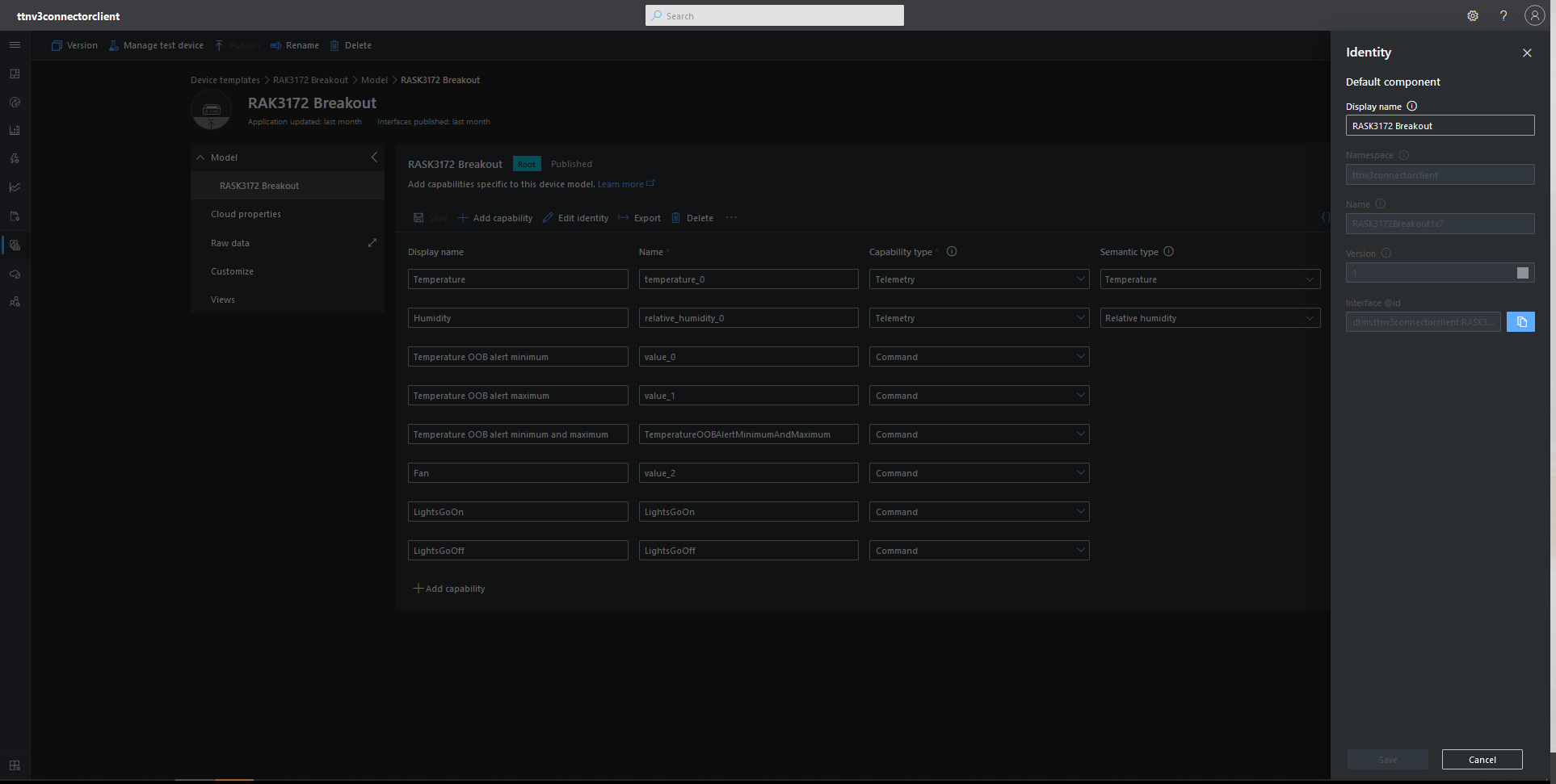
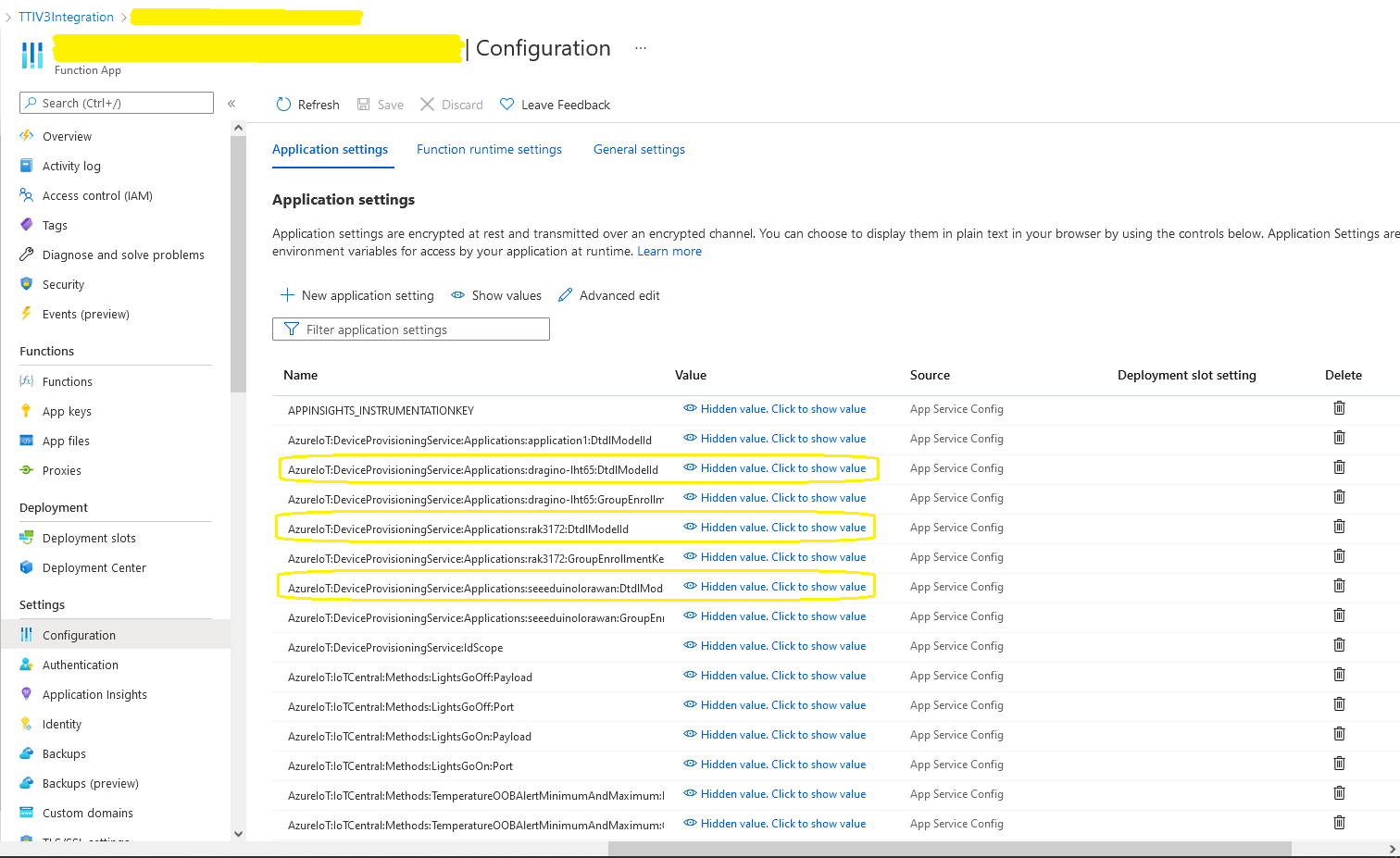
The Device Template @Id can also be set for a TTI application using an optional dtdlmodelid which is specified the the TTI Connector configuration.

RAK7258 Local server and Message Queuing Telemetry Transport(MQTT)

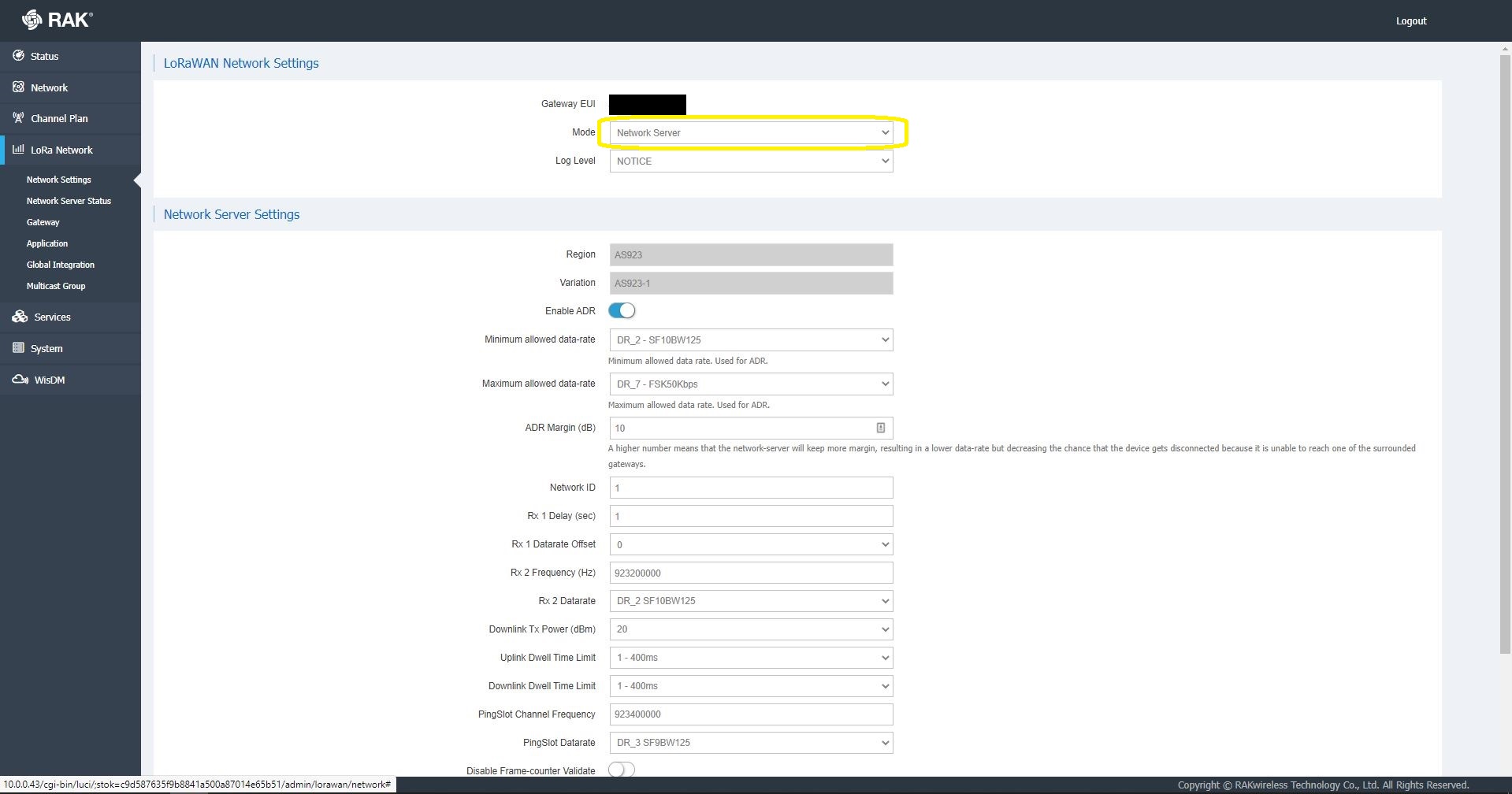
This post was originally about getting the built in Network Server of my RAKWireless RAK7258 WisGate Edge Lite to connect to an Azure IoT Hub or Azure IoT Central. The RAK7258 had been connected to The Things Industries(TTI) network so I updated the firmware and checked the “mode” in the LoRaWAN Network settings.

RAK 7258 LoRaWAN Network settings

Azure IoT Hub is not a fully featured MQTT broker so I initially looked at running Eclipse Mosquitto or HiveMQ locally but this seemed like a lot of effort for a Proof of Concept(PoC).

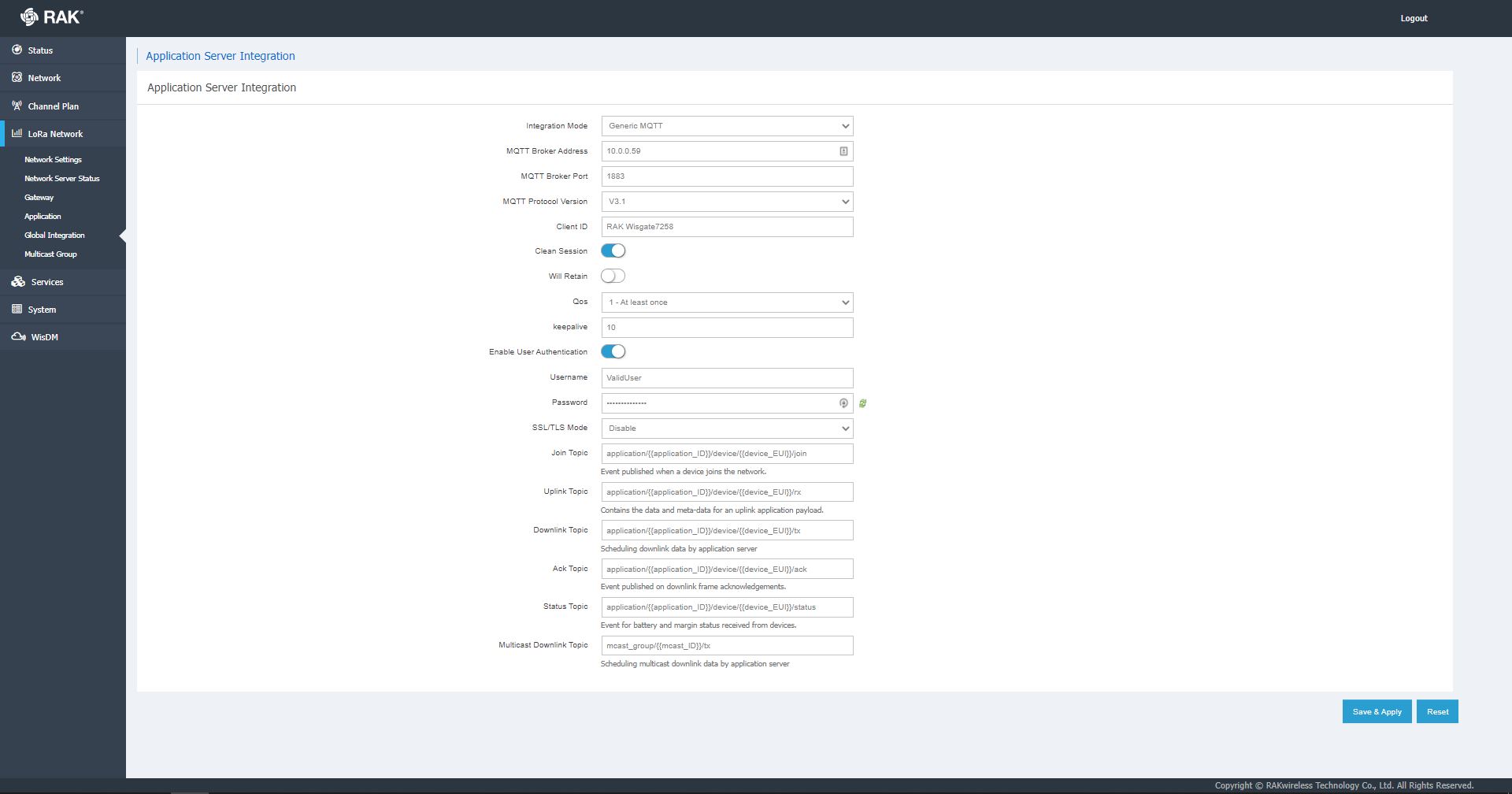
RAK 7258 Network Server Global Integration settings

I have used MQTTNet in a few other projects (The Things Network(TTN) V3 Azure IoT Connector, The Things Network V2 MQTT SQL Connector, Windows 10 IoT Core MQTT Field gateway etc.) and there was a sample application which showed ho to build a simple server so that became my preferred approach.

I then started exploring how applications and devices are provisioned in the RAK Network Server.

RAK 7258 Network Server applications list

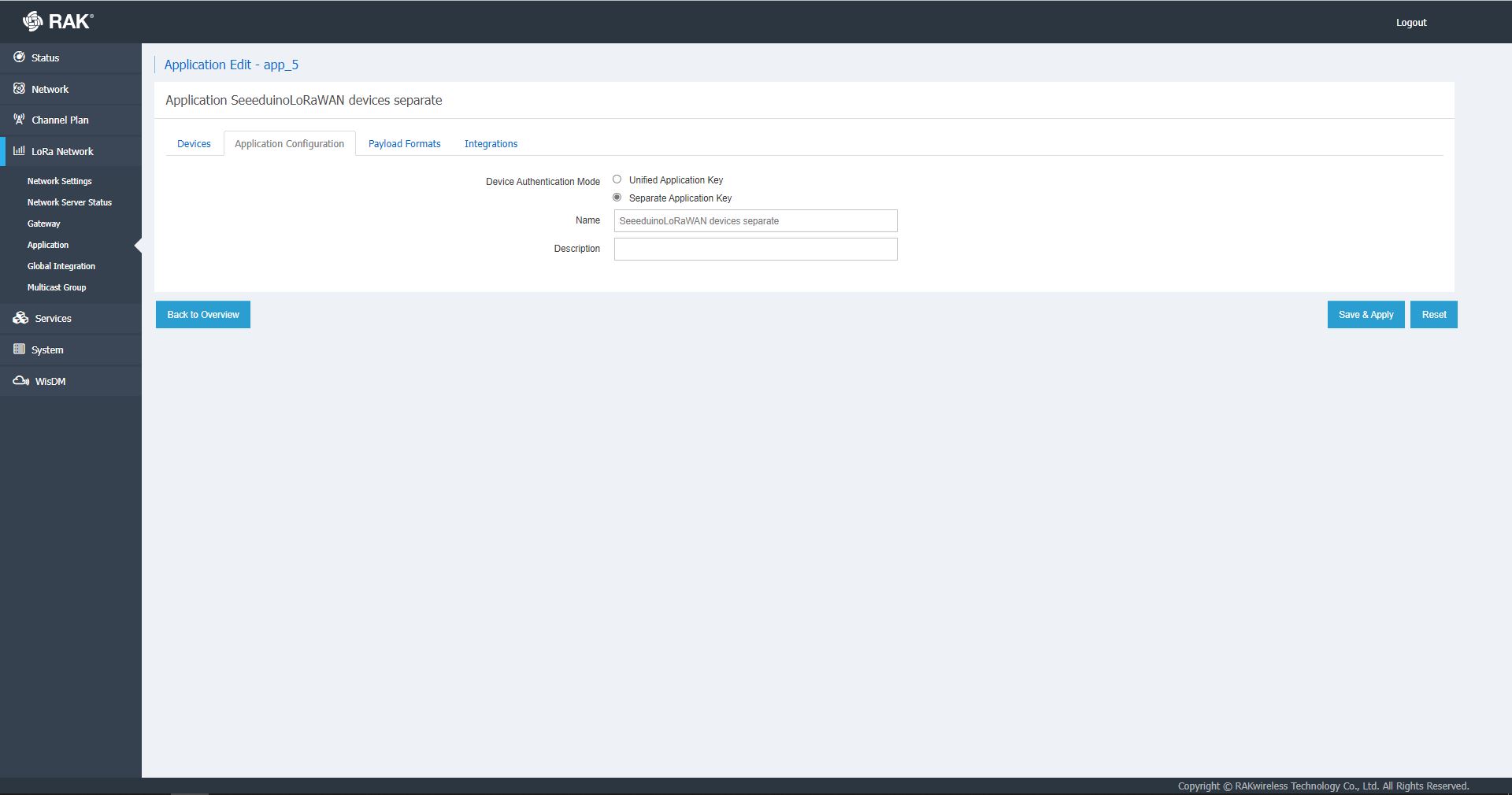
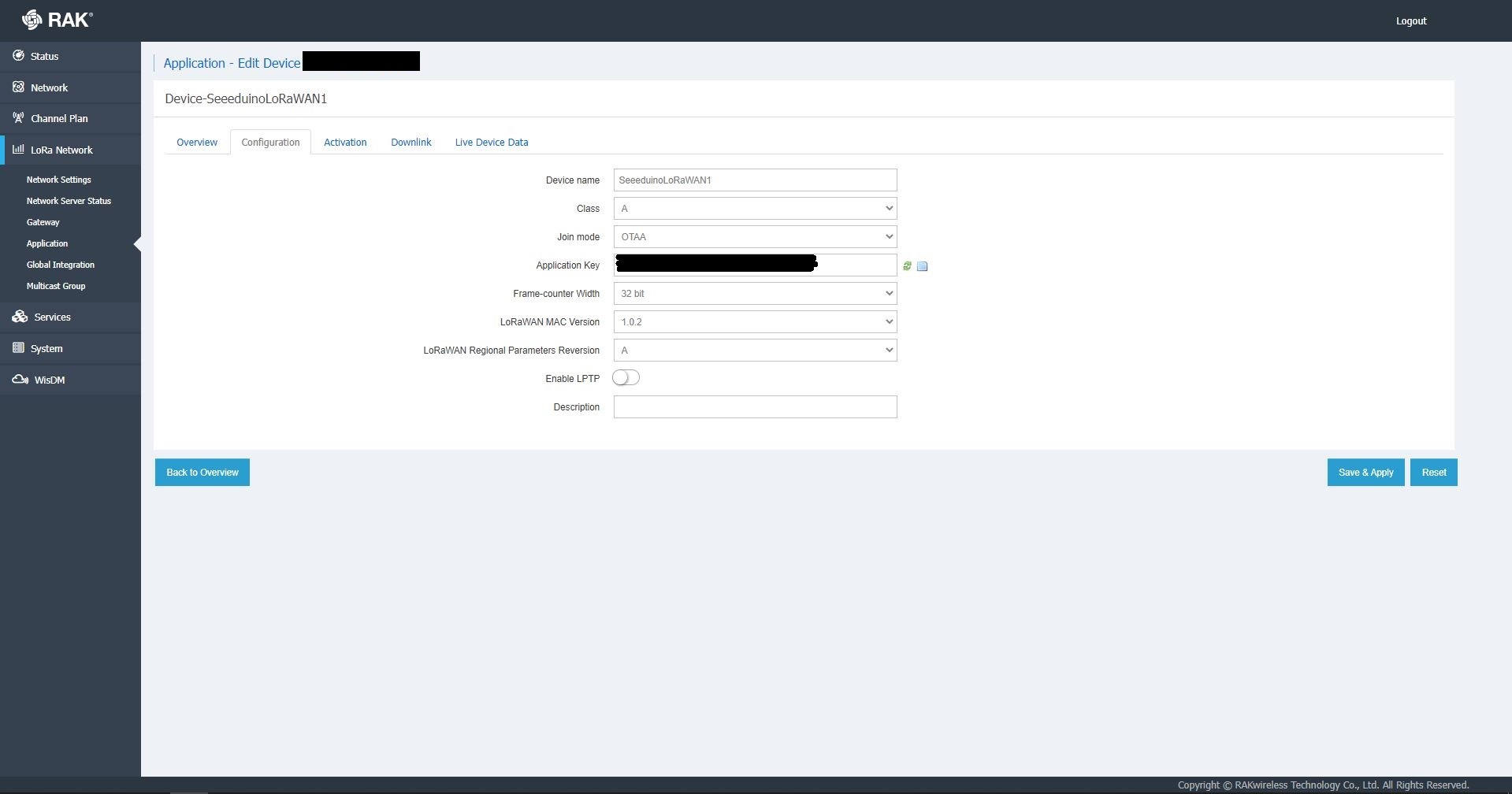
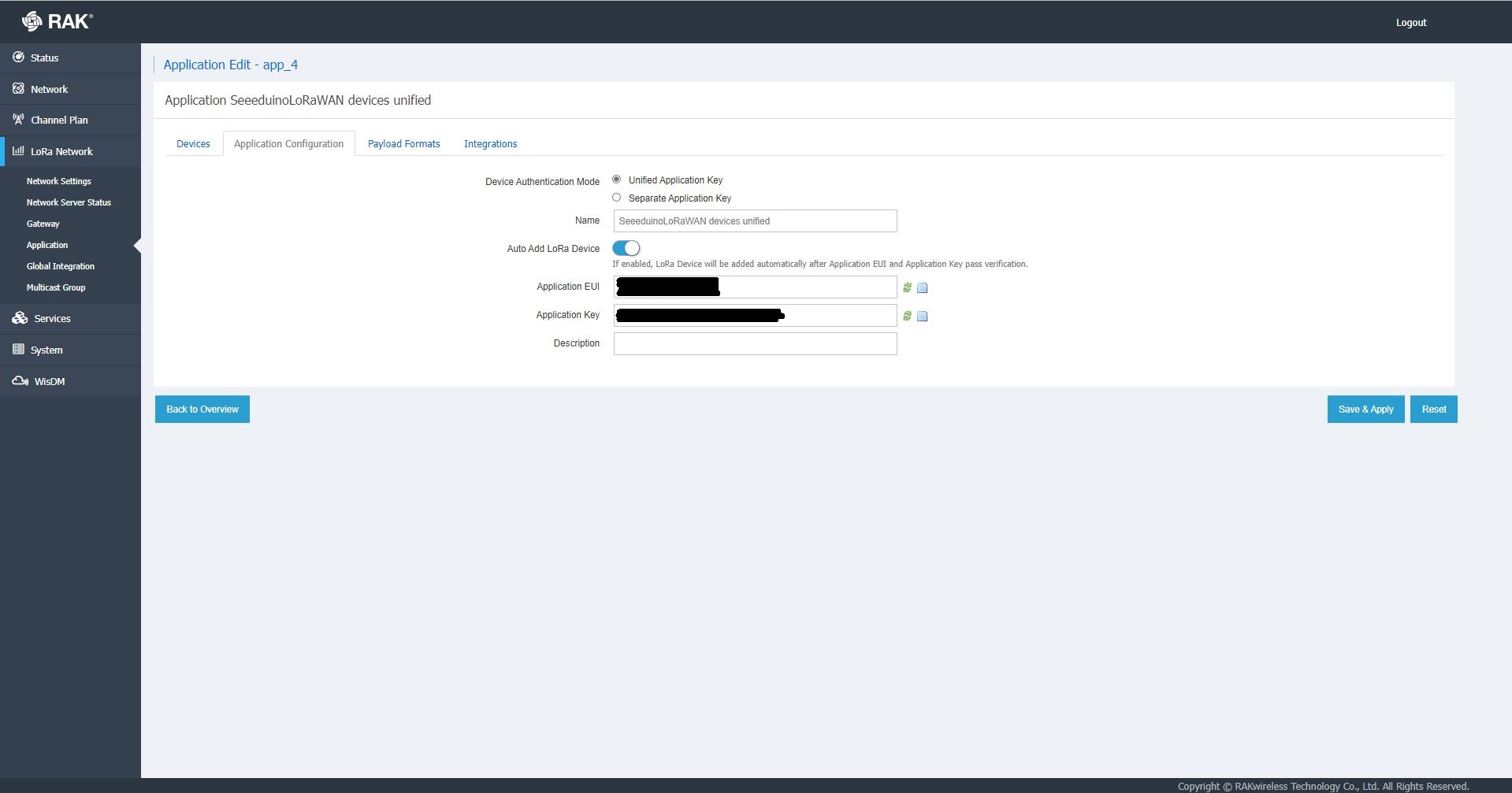
The network server software has “unified” and “separate” “Device authentication mode”s and will “auto Add LoRa Device”s if enabled.

RAK 7258 Network Server Separate Application basic setup
RAK 7258 Network Server Separate Application device basic setup
RAK 7258 Network Server Unified Application device basic setup

Applications also have configurable payload formats(raw & LPP) and integrations (uplink messages plus join, ack, and device notifications etc.)

RAK7258 live device data display

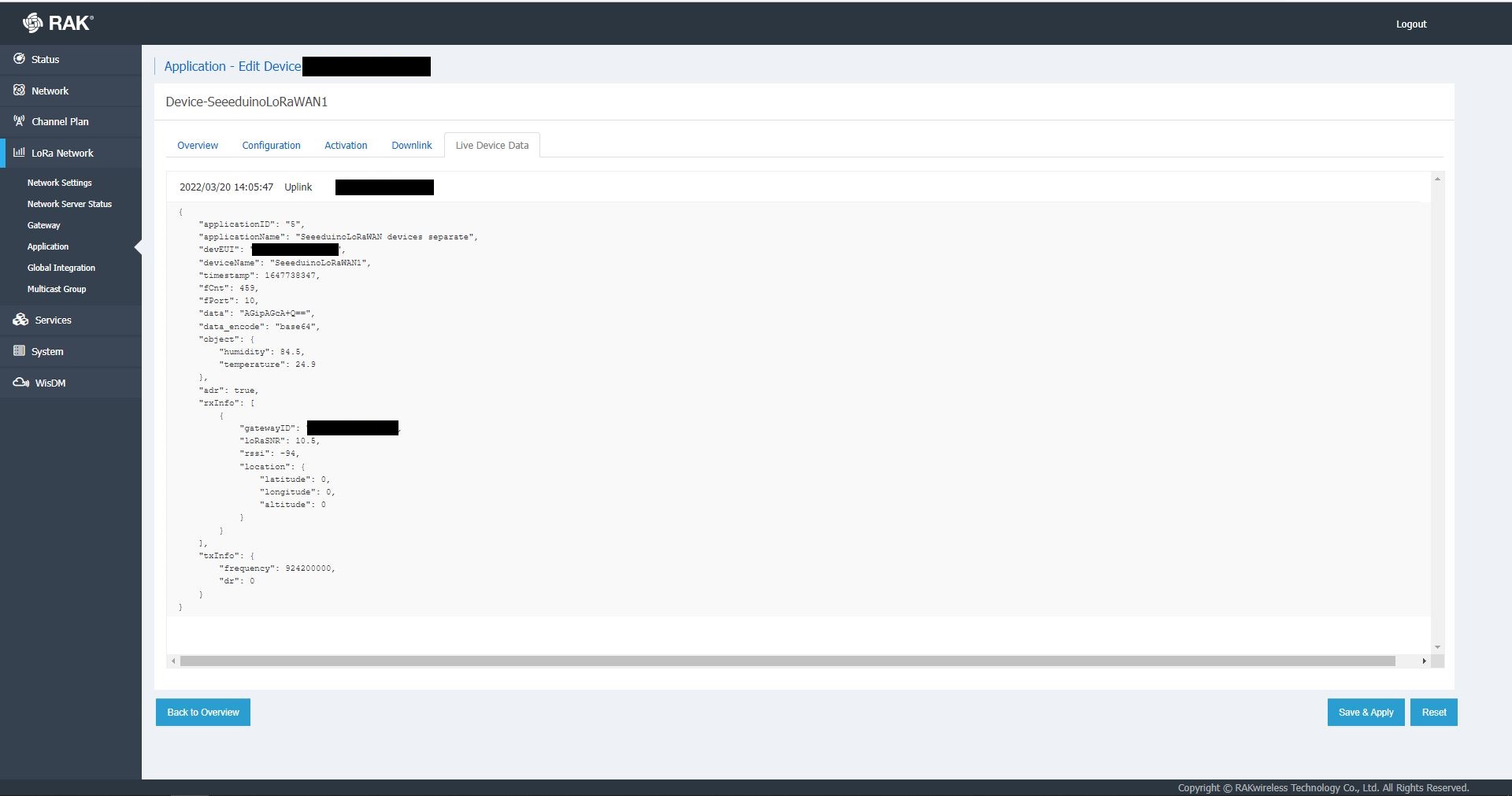
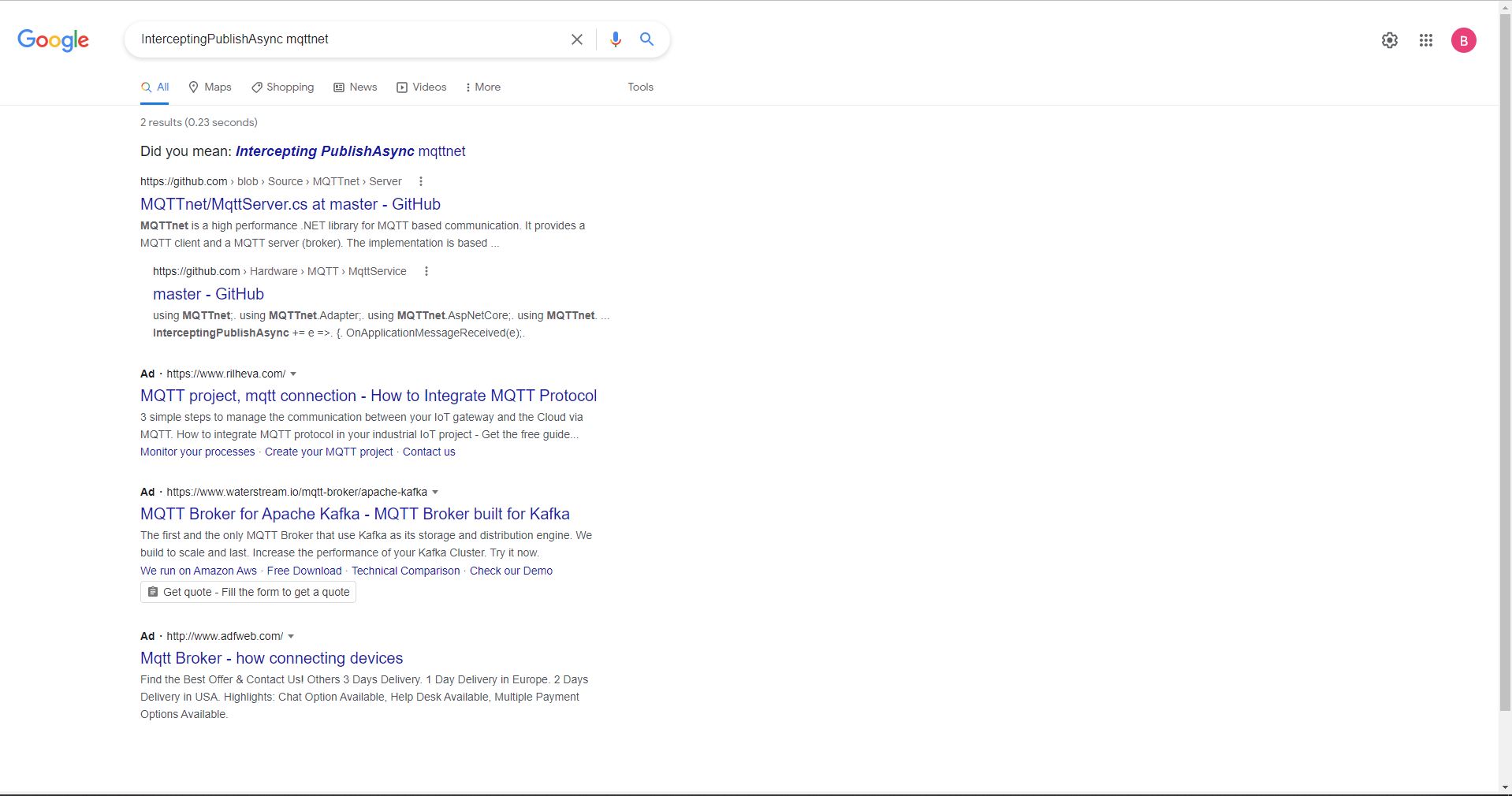
In the sample server I could see how ValidatingConnectionAsync was used to check the clientID, username and password when a device connected. I just wanted to display messages and payloads without having to use an MQTT client and it looked like InterceptingPublishAsync was a possible solution.

But the search results were a bit sparse…

InterceptingPublishAsync + MQTTNet search results

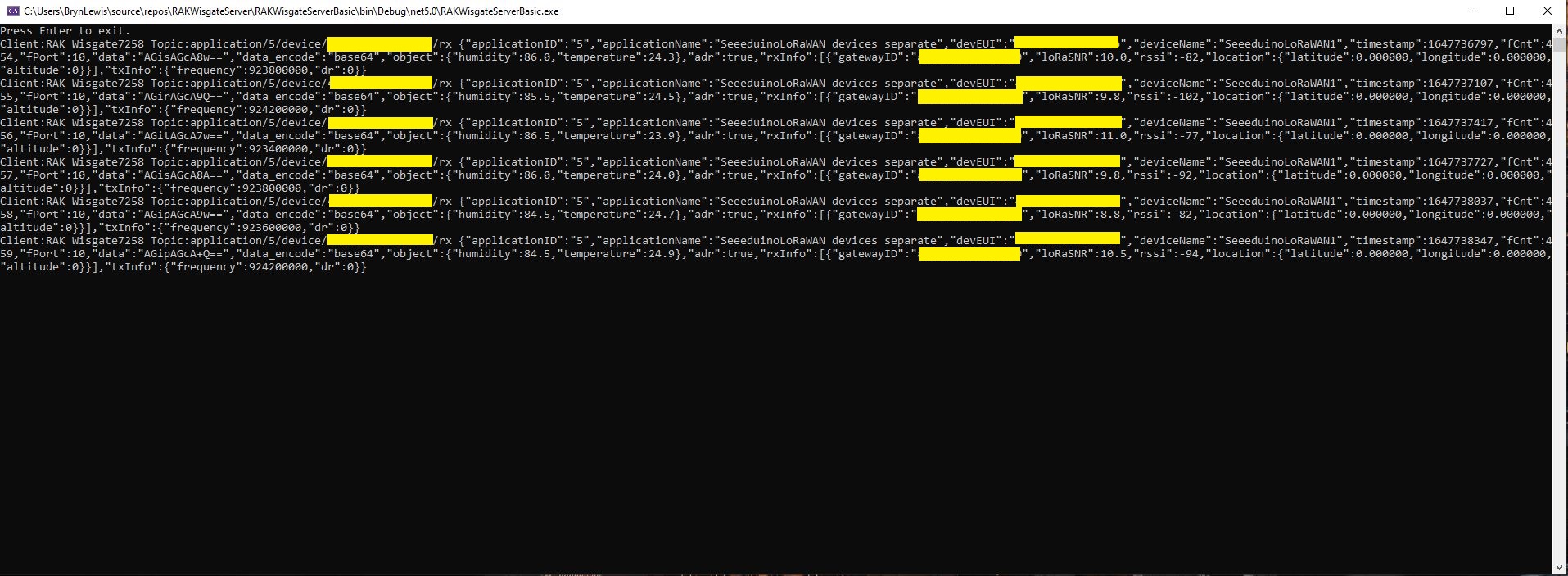
After some reading the MQTTNet documentation and some experimentation I could display the message payload (same as in the live device data display) in a “nasty” console application.

namespace devMobile.IoT.RAKWisgate.ServerBasic
{
   using System;
	using System.Threading.Tasks;

   using MQTTnet;
   using MQTTnet.Protocol;
   using MQTTnet.Server;

   public static class Program
   {
      static async Task Main(string[] args)
      {
         var mqttFactory = new MqttFactory();

         var mqttServerOptions = new MqttServerOptionsBuilder()
             .WithDefaultEndpoint()
             .Build();

         using (var mqttServer = mqttFactory.CreateMqttServer(mqttServerOptions))
         {
            mqttServer.InterceptingPublishAsync += e =>
            {
               Console.WriteLine($"Client:{e.ClientId} Topic:{e.ApplicationMessage.Topic} {e.ApplicationMessage.ConvertPayloadToString()}");

               return Task.CompletedTask;
            };

            mqttServer.ValidatingConnectionAsync += e =>
            {
               if (e.ClientId != "RAK Wisgate7258")
               {
                  e.ReasonCode = MqttConnectReasonCode.ClientIdentifierNotValid;
               }

               if (e.Username != "ValidUser")
               {
                  e.ReasonCode = MqttConnectReasonCode.BadUserNameOrPassword;
               }

               if (e.Password != "TopSecretPassword")
               {
                  e.ReasonCode = MqttConnectReasonCode.BadUserNameOrPassword;
               }

               return Task.CompletedTask;
            };

            await mqttServer.StartAsync();

            Console.WriteLine("Press Enter to exit.");
            Console.ReadLine();

            await mqttServer.StopAsync();
         }
      }
   }
}
MQTTNet based console application displaying device payloads

The process of provisioning Applications and Devices is quite different (The use of the AppEUI/JoinEUI is odd) to The Things Network(TTN) and other platforms I have used so I will explore this some more in future post(s).

TTI V3 Connector Azure IoT Central Cloud to Device(C2D)

Handling Cloud to Device(D2C) Azure IoT Central messages (The Things Industries(TTI) downlink) is a bit more complex than Device To Cloud(D2C) messaging. The format of the command messages is reasonably well documented and I have already explored in detail with basic telemetry, basic commands, request commands, and The Things Industries Friendly commands and Digital Twin Definition Language(DTDL) support.
public class IoTHubApplicationSetting
{
	public string DtdlModelId { get; set; }
}

public class IoTHubSettings
{
	public string IoTHubConnectionString { get; set; } = string.Empty;

	public Dictionary<string, IoTHubApplicationSetting> Applications { get; set; }
}


public class DeviceProvisiongServiceApplicationSetting
{
	public string DtdlModelId { get; set; } = string.Empty;

	public string GroupEnrollmentKey { get; set; } = string.Empty;
}

public class DeviceProvisiongServiceSettings
{
	public string IdScope { get; set; } = string.Empty;

	public Dictionary<string, DeviceProvisiongServiceApplicationSetting> Applications { get; set; }
}


public class IoTCentralMethodSetting
{
	public byte Port { get; set; } = 0;

	public bool Confirmed { get; set; } = false;

	public Models.DownlinkPriority Priority { get; set; } = Models.DownlinkPriority.Normal;

	public Models.DownlinkQueue Queue { get; set; } = Models.DownlinkQueue.Replace;
}

public class IoTCentralSetting
{
	public Dictionary<string, IoTCentralMethodSetting> Methods { get; set; }
}

public class AzureIoTSettings
{
	public IoTHubSettings IoTHub { get; set; }

	public DeviceProvisiongServiceSettings DeviceProvisioningService { get; set; }

	public IoTCentralSetting IoTCentral { get; set; }
}

Azure IoT Central appears to have no support for setting message properties so the LoRaWAN port, confirmed flag, priority, and queuing so these a retrieved from configuration.

Azure Function Configuration
Models.Downlink downlink;
Models.DownlinkQueue queue;

string payloadText = Encoding.UTF8.GetString(message.GetBytes()).Trim();

if (message.Properties.ContainsKey("method-name"))
{
	#region Azure IoT Central C2D message processing
	string methodName = message.Properties["method-name"];

	if (string.IsNullOrWhiteSpace(methodName))
	{
		_logger.LogWarning("Downlink-DeviceID:{0} MessagedID:{1} LockToken:{2} method-name property empty", receiveMessageHandlerContext.DeviceId, message.MessageId, message.LockToken);

		await deviceClient.RejectAsync(message);
		return;
	}

	// Look up the method settings to get confirmed, port, priority, and queue
	if ((_azureIoTSettings == null) || (_azureIoTSettings.IoTCentral == null) || !_azureIoTSettings.IoTCentral.Methods.TryGetValue(methodName, out IoTCentralMethodSetting methodSetting))
	{
		_logger.LogWarning("Downlink-DeviceID:{0} MessagedID:{1} LockToken:{2} method-name:{3} has no settings", receiveMessageHandlerContext.DeviceId, message.MessageId, message.LockToken, methodName);
							
		await deviceClient.RejectAsync(message);
		return;
	}

	downlink = new Models.Downlink()
	{
		Confirmed = methodSetting.Confirmed,
		Priority = methodSetting.Priority,
		Port = methodSetting.Port,
		CorrelationIds = AzureLockToken.Add(message.LockToken),
	};

	queue = methodSetting.Queue;

	// Check to see if special case for Azure IoT central command with no request payload
	if (payloadText.IsPayloadEmpty())
	{
		downlink.PayloadRaw = "";
	}

	if (!payloadText.IsPayloadEmpty())
	{
		if (payloadText.IsPayloadValidJson())
		{
			downlink.PayloadDecoded = JToken.Parse(payloadText);
			}
		else
		{
			downlink.PayloadDecoded = new JObject(new JProperty(methodName, payloadText));
		}
	}

	logger.LogInformation("Downlink-IoT Central DeviceID:{0} Method:{1} MessageID:{2} LockToken:{3} Port:{4} Confirmed:{5} Priority:{6} Queue:{7}",
		receiveMessageHandlerContext.DeviceId,
		methodName,
		message.MessageId,
		message.LockToken,
		downlink.Port,
		downlink.Confirmed,
		downlink.Priority,
		queue);
	#endregion
}

The reboot command payload only contains an “@” so the TTTI payload will be empty, the minimum and maximum command payloads will contain only a numeric value which is added to the decoded payload with the method name, the combined minimum and maximum command has a JSON payload which is “grafted” into the decoded payload.

Azure IoT Central Device Template

TTI V3 Connector Azure IoT Central Device to Cloud(D2C)

This post is largely about adapting the output of The Things Industries(TTI) Low Power Protocol(LPP) payload formatter so that it can be injested by Azure IoT Central. The Azure function for processing TTI Uplink messages first deserialises the JSON payload discarding any LoRaWAN control messages and messages with empty payloads.

[Function("Uplink")]
public async Task<HttpResponseData> Uplink([HttpTrigger(AuthorizationLevel.Function, "post")] HttpRequestData req, FunctionContext executionContext)
{
	Models.PayloadUplink payload;
	var logger = executionContext.GetLogger("Queued");

	// Wrap all the processing in a try\catch so if anything blows up we have logged it.
	try
	{
		string payloadText = await req.ReadAsStringAsync();

		try
		{
			payload = JsonConvert.DeserializeObject<Models.PayloadUplink>(payloadText);
		}
		catch(JsonException ex)
		{
			logger.LogInformation(ex, "Uplink-Payload Invalid JSON:{0}", payloadText);

			return req.CreateResponse(HttpStatusCode.BadRequest);
		}

		if (payload == null)
		{
			logger.LogInformation("Uplink-Payload invalid:{0}", payloadText);

			return req.CreateResponse(HttpStatusCode.BadRequest);
		}

		string applicationId = payload.EndDeviceIds.ApplicationIds.ApplicationId;
		string deviceId = payload.EndDeviceIds.DeviceId;

		if ((payload.UplinkMessage.Port == null) || (!payload.UplinkMessage.Port.HasValue) || (payload.UplinkMessage.Port.Value == 0))
		{
			logger.LogInformation("Uplink-ApplicationID:{0} DeviceID:{1} Payload Raw:{2} Control message", applicationId, deviceId, payload.UplinkMessage.PayloadRaw);

			return req.CreateResponse(HttpStatusCode.UnprocessableEntity);
		}

		int port = payload.UplinkMessage.Port.Value;

		logger.LogInformation("Uplink-ApplicationID:{0} DeviceID:{1} Port:{2} Payload Raw:{3}", applicationId, deviceId, port, payload.UplinkMessage.PayloadRaw);

		if (!_DeviceClients.TryGetValue(deviceId, out DeviceClient deviceClient))
		{
...		
		}

		JObject telemetryEvent = new JObject
		{
			{ "ApplicationID", applicationId },
			{ "DeviceID", deviceId },
			{ "Port", port },
			{ "Simulated", payload.Simulated },
			{ "ReceivedAtUtc", payload.UplinkMessage.ReceivedAtUtc.ToString("s", CultureInfo.InvariantCulture) },
			{ "PayloadRaw", payload.UplinkMessage.PayloadRaw }
		};

		// If the payload has been decoded by payload formatter, put it in the message body.
		if (payload.UplinkMessage.PayloadDecoded != null)
		{
			EnumerateChildren(telemetryEvent, payload.UplinkMessage.PayloadDecoded);
		}

		// Send the message to Azure IoT Hub
		using (Message ioTHubmessage = new Message(Encoding.ASCII.GetBytes(JsonConvert.SerializeObject(telemetryEvent))))
		{
			// Ensure the displayed time is the acquired time rather than the uploaded time. 
			ioTHubmessage.Properties.Add("iothub-creation-time-utc", payload.UplinkMessage.ReceivedAtUtc.ToString("s", CultureInfo.InvariantCulture));
			ioTHubmessage.Properties.Add("ApplicationId", applicationId);
			ioTHubmessage.Properties.Add("DeviceEUI", payload.EndDeviceIds.DeviceEui);
			ioTHubmessage.Properties.Add("DeviceId", deviceId);
			ioTHubmessage.Properties.Add("port", port.ToString());
			ioTHubmessage.Properties.Add("Simulated", payload.Simulated.ToString());

			await deviceClient.SendEventAsync(ioTHubmessage);

			logger.LogInformation("Uplink-DeviceID:{0} SendEventAsync success", payload.EndDeviceIds.DeviceId);
		}
	}
	catch (Exception ex)
	{
		logger.LogError(ex, "Uplink-Message processing failed");

		return req.CreateResponse(HttpStatusCode.InternalServerError);
	}

	return req.CreateResponse(HttpStatusCode.OK);
}

If the message has been successfully decoded by a payload formatter the PayloadDecoded contents will be “grafted” into the Azure IoT Central Telemetry message.

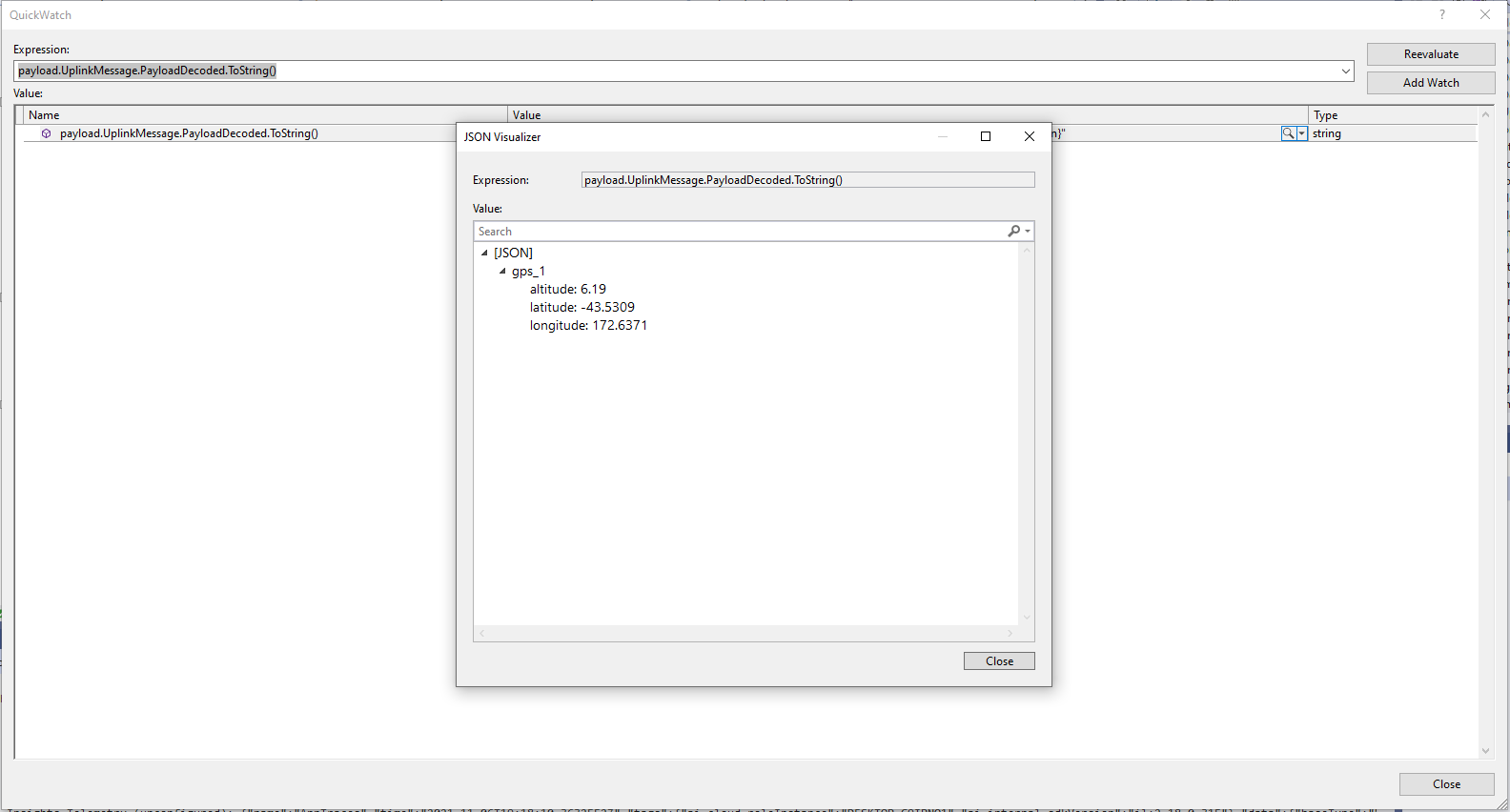
TTI JSON GPS position format

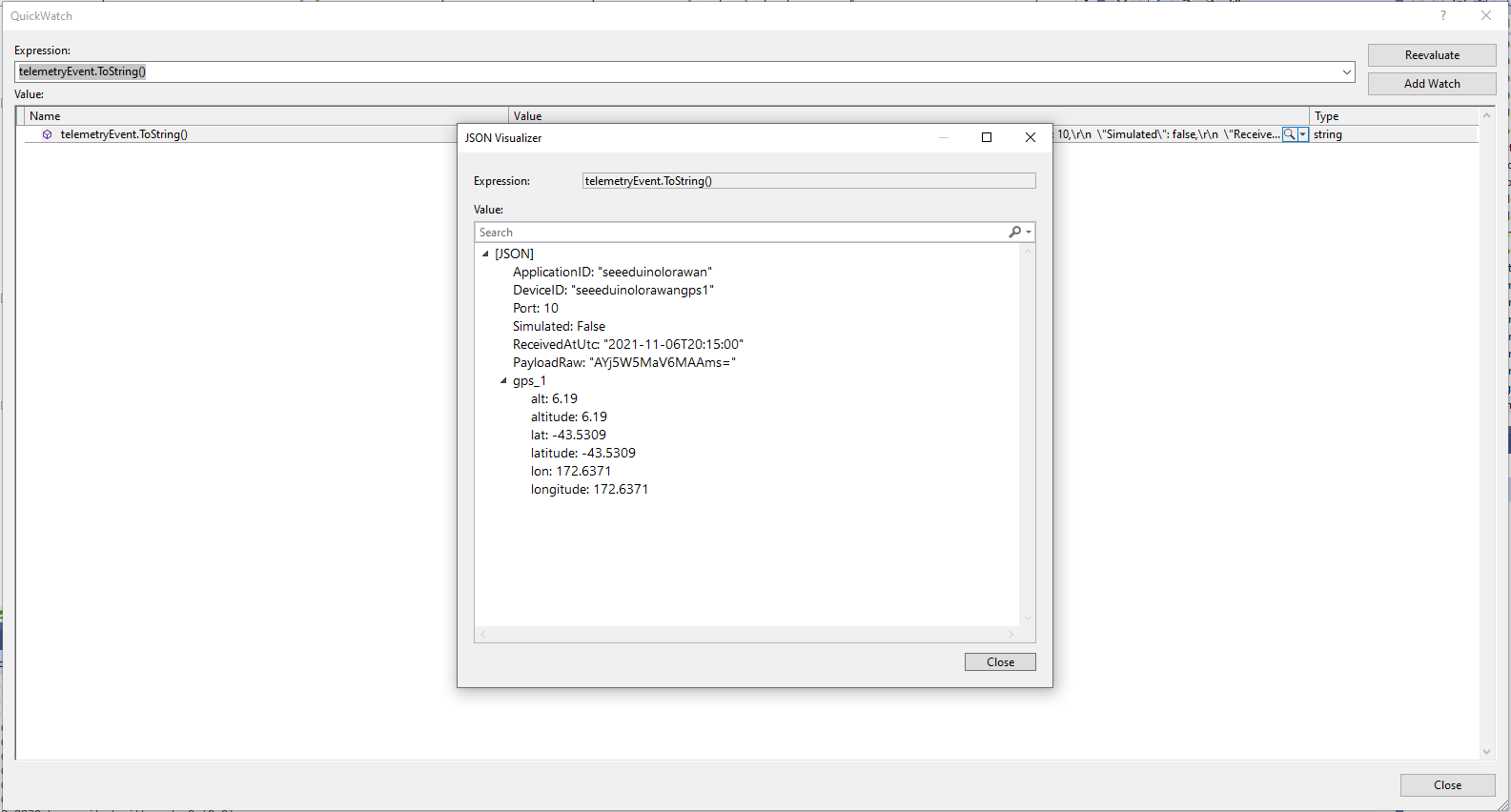
The Azure IoT Central Location Telemetry messages have a slightly different format to the output of the TTI LPP Payload formatter so the payload has to be “post processed”.

private void EnumerateChildren(JObject jobject, JToken token)
{
	if (token is JProperty property)
	{
		if (token.First is JValue)
		{
			// Temporary dirty hack for Azure IoT Central compatibility
			if (token.Parent is JObject possibleGpsProperty)
			{
				// TODO Need to check if similar approach necessary accelerometer and gyro LPP payloads
				if (possibleGpsProperty.Path.StartsWith("GPS_", StringComparison.OrdinalIgnoreCase))
				{
					if (string.Compare(property.Name, "Latitude", true) == 0)
					{
						jobject.Add("lat", property.Value);
					}
					if (string.Compare(property.Name, "Longitude", true) == 0)
					{
						jobject.Add("lon", property.Value);
					}
					if (string.Compare(property.Name, "Altitude", true) == 0)
					{
						jobject.Add("alt", property.Value);
					}
				}
			}
			jobject.Add(property.Name, property.Value);
		}
		else
		{
			JObject parentObject = new JObject();
			foreach (JToken token2 in token.Children())
			{
				EnumerateChildren(parentObject, token2);
				jobject.Add(property.Name, parentObject);
			}
		}
	}
	else
	{
		foreach (JToken token2 in token.Children())
		{
			EnumerateChildren(jobject, token2);
		}
	}
}

I may have to extend this method for other LPP datatypes

“Post processed” TTI JSON GPS Position data suitable for Azure IoT Central

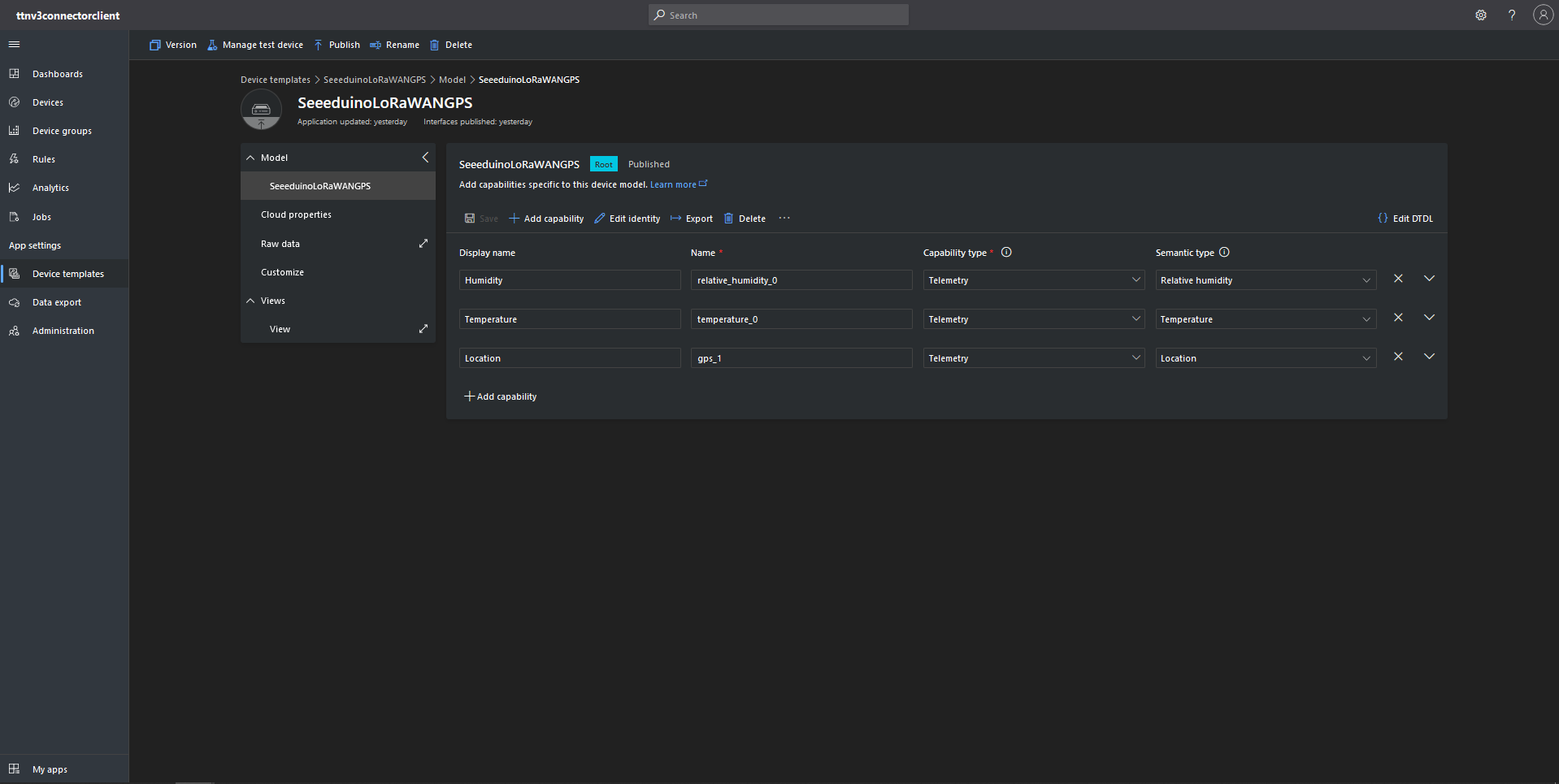
To test the telemetry message JSON I created an Azure IoT Central Device Template which had a “capability type” of Location.

Azure IoT Central Device Template with Location Capability

For initial development and testing I ran the function application in the desktop emulator and simulated TTI webhook calls with Telerik Fiddler and modified sample payloads. After some issues with iothub-creation-time-utc decoded telemetry messages were displayed in the Device Raw Data tab

Azure IoT Central Device Raw Data tab with successfully decoded GPS location payloads
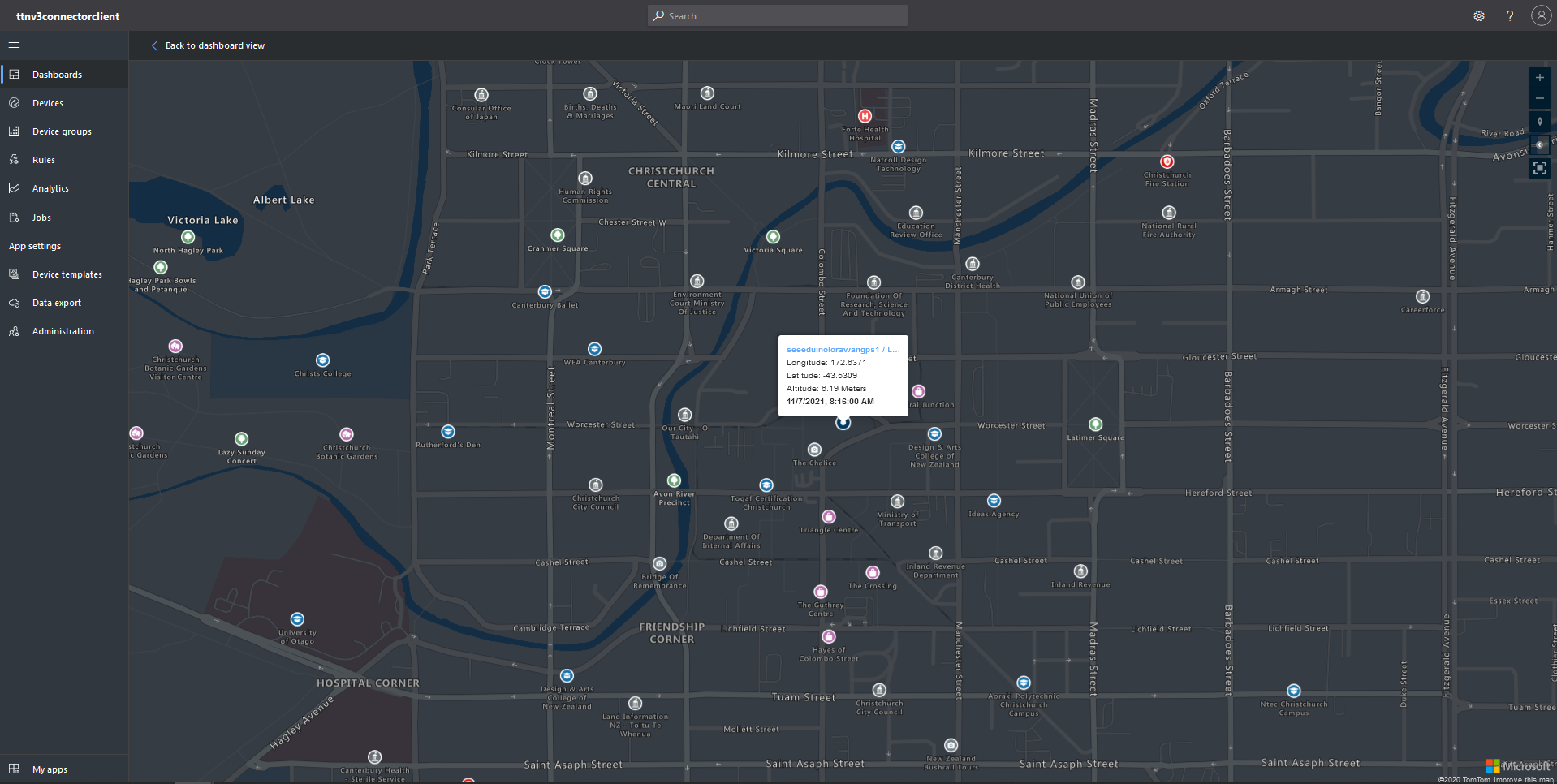
Azure IoT Central map displaying with device location highlighted

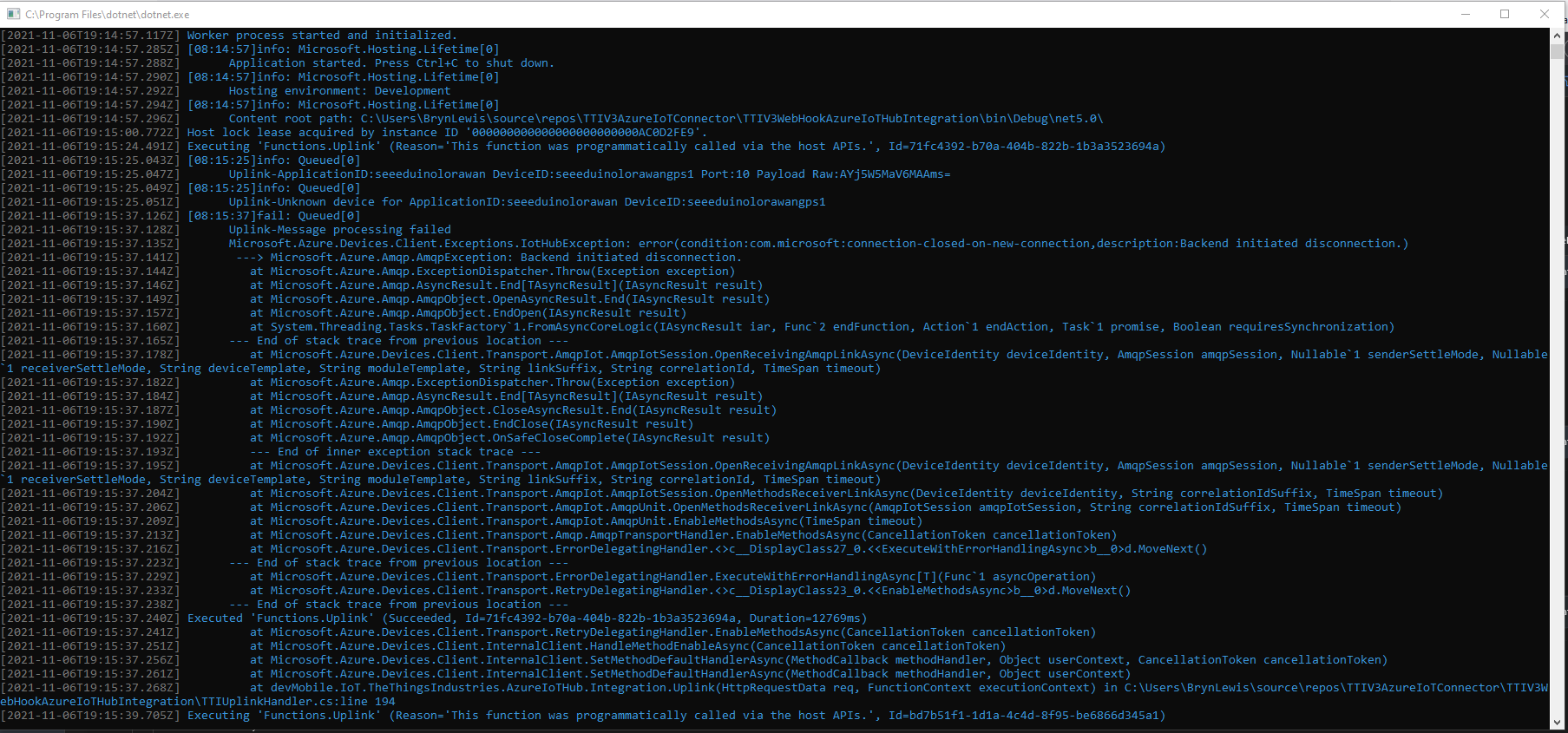
This post uses a lot of the work done for my The Things Network V2 integration. I also found the first time a device connected to the Azure IoT Central Azure IoT hub (using the Azure IoT Central Device Provisioning Service(DPS) to get the connection string) there was always an exception.

Microsoft.Azure.Devices.Client.Exceptions.IotHubException: error(condition:com.microsoft:connection-closed-on-new-connection,description:Backend initiated disconnection.

TTI V3 Gateway Azure IoT Central first call exception

This exception occurs when the SetMethodDefaultHandlerAsync method is called which is a bit odd. This exception does not occur when I use Device Provisioning Service(DPS) and Azure IoT Hub instances I have provisioned.

TTI V3 Connector Cloud to Device(C2D)

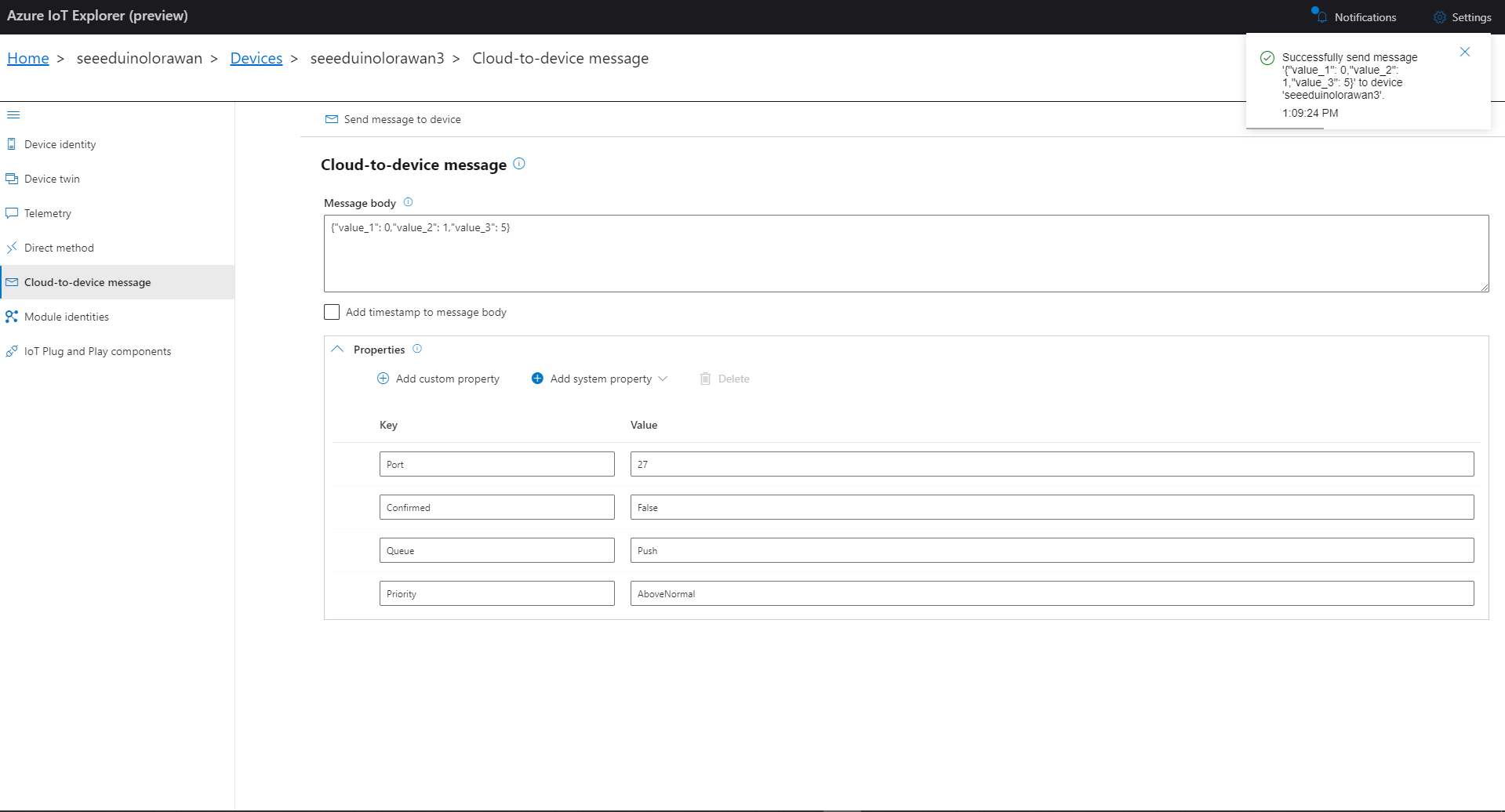
The TTI V3 Connector Minimalist Cloud to Device only required a port number, and there was no way to specify whether delivery of message had to be confirmed, the way the message was queued, or the priority of message delivery. Like the port number these optional settings can be specified in message properties.

  • Confirmation – True/False
  • Queue – Push/Replace
  • Priority – Lowest/Low/BelowNormal/Normal/AboveNormal/High/Highest

If any of these properties are incorrect DeviceClient.RejectAsync is called which deletes the message from the device queue and indicates to the server that the message could not be processed.

private async Task AzureIoTHubClientReceiveMessageHandler(Message message, object userContext)
{
	try
	{
		Models.AzureIoTHubReceiveMessageHandlerContext receiveMessageHandlerContext = (Models.AzureIoTHubReceiveMessageHandlerContext)userContext;

		if (!_DeviceClients.TryGetValue(receiveMessageHandlerContext.DeviceId, out DeviceClient deviceClient))
		{
			_logger.LogWarning("Downlink-DeviceID:{0} unknown", receiveMessageHandlerContext.DeviceId);
			return;
		}

		using (message)
		{
			string payloadText = Encoding.UTF8.GetString(message.GetBytes()).Trim();

			if (!AzureDownlinkMessage.PortTryGet(message.Properties, out byte port))
			{
				_logger.LogWarning("Downlink-Port property is invalid");

				await deviceClient.RejectAsync(message);
				return;
			}

			if (!AzureDownlinkMessage.ConfirmedTryGet(message.Properties, out bool confirmed))
			{
				_logger.LogWarning("Downlink-Confirmed flag is invalid");

				await deviceClient.RejectAsync(message);
				return;
			}

			if (!AzureDownlinkMessage.PriorityTryGet(message.Properties, out Models.DownlinkPriority priority))
			{
				_logger.LogWarning("Downlink-Priority value is invalid");

				await deviceClient.RejectAsync(message);
				return;
			}

			if (!AzureDownlinkMessage.QueueTryGet(message.Properties, out Models.DownlinkQueue queue))
			{
				_logger.LogWarning("Downlink-Queue value is invalid");

				await deviceClient.RejectAsync(message.LockToken);
				return;
			}

			Models.Downlink downlink = new Models.Downlink()
			{
				Confirmed = confirmed,
				Priority = priority,
				Port = port,
				CorrelationIds = AzureLockToken.Add(message.LockToken),
			};

			// Split over multiple lines in an attempt to improve readability. In this scenario a valid JSON string should start/end with {/} for an object or [/] for an array
			if ((payloadText.StartsWith("{") && payloadText.EndsWith("}"))
													||
				((payloadText.StartsWith("[") && payloadText.EndsWith("]"))))
			{
				try
				{
					downlink.PayloadDecoded = JToken.Parse(payloadText);
				}
				catch (JsonReaderException)
				{
					downlink.PayloadRaw = payloadText;
				}
			}
			else
			{
				downlink.PayloadRaw = payloadText;
			}

			_logger.LogInformation("Downlink-IoT Hub DeviceID:{0} MessageID:{2} LockToken:{3} Port:{4} Confirmed:{5} Priority:{6} Queue:{7}",
				receiveMessageHandlerContext.DeviceId,
				message.MessageId,
				message.LockToken,
				downlink.Port,
				downlink.Confirmed,
				downlink.Priority,
				queue);

			Models.DownlinkPayload Payload = new Models.DownlinkPayload()
			{
				Downlinks = new List<Models.Downlink>()
				{
					downlink
				}
			};

			string url = $"{receiveMessageHandlerContext.WebhookBaseURL}/{receiveMessageHandlerContext.ApplicationId}/webhooks/{receiveMessageHandlerContext.WebhookId}/devices/{receiveMessageHandlerContext.DeviceId}/down/{queue}".ToLower();

			using (var client = new WebClient())
			{
				client.Headers.Add("Authorization", $"Bearer {receiveMessageHandlerContext.ApiKey}");

				client.UploadString(new Uri(url), JsonConvert.SerializeObject(Payload));
			}

			_logger.LogInformation("Downlink-DeviceID:{0} LockToken:{1} success", receiveMessageHandlerContext.DeviceId, message.LockToken);
		}
	}
	catch (Exception ex)
	{
		_logger.LogError(ex, "Downlink-ReceiveMessge processing failed");
	}
}

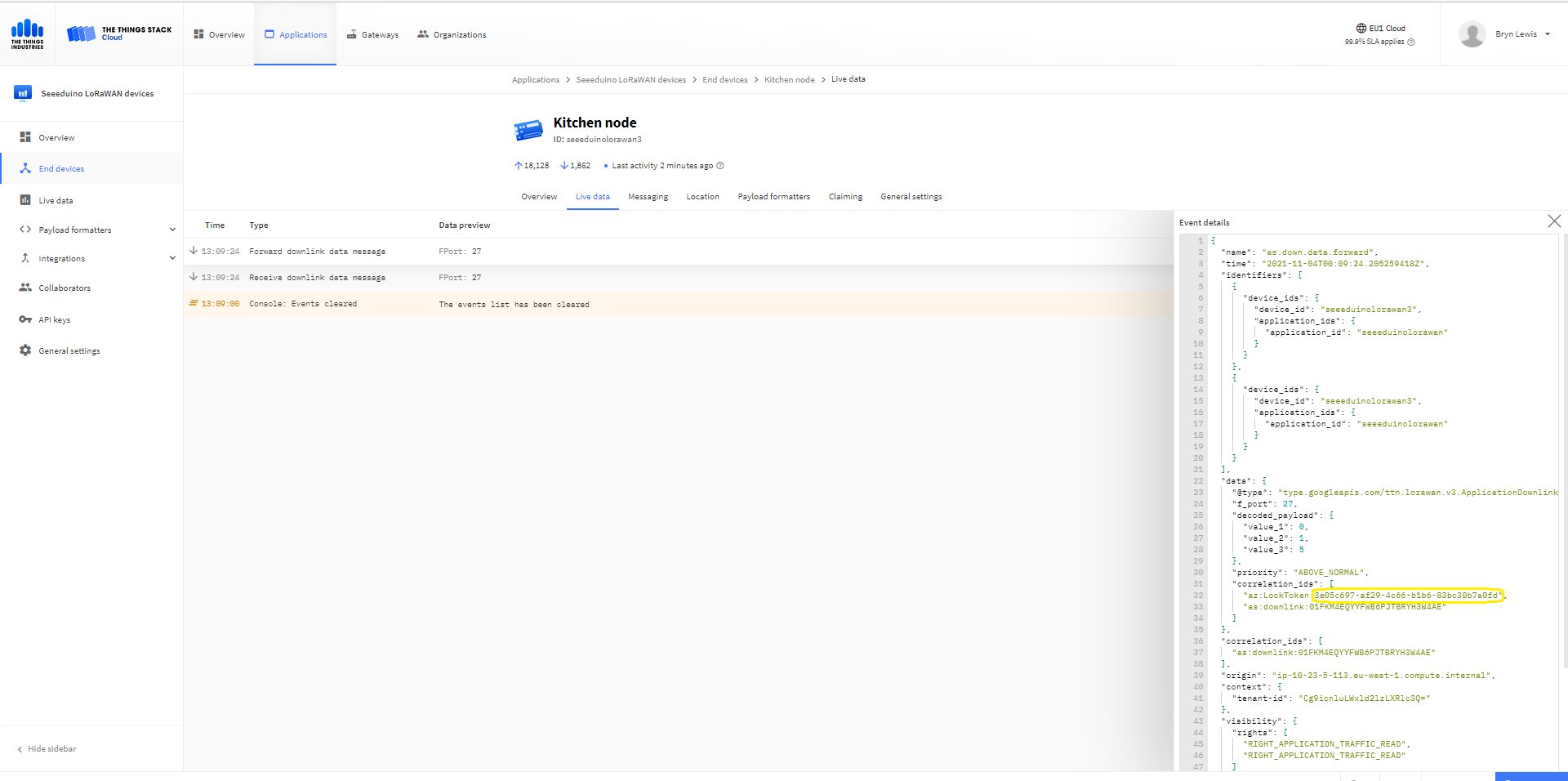
A correlation identifier containing the Message LockToken is added to the downlink payload.

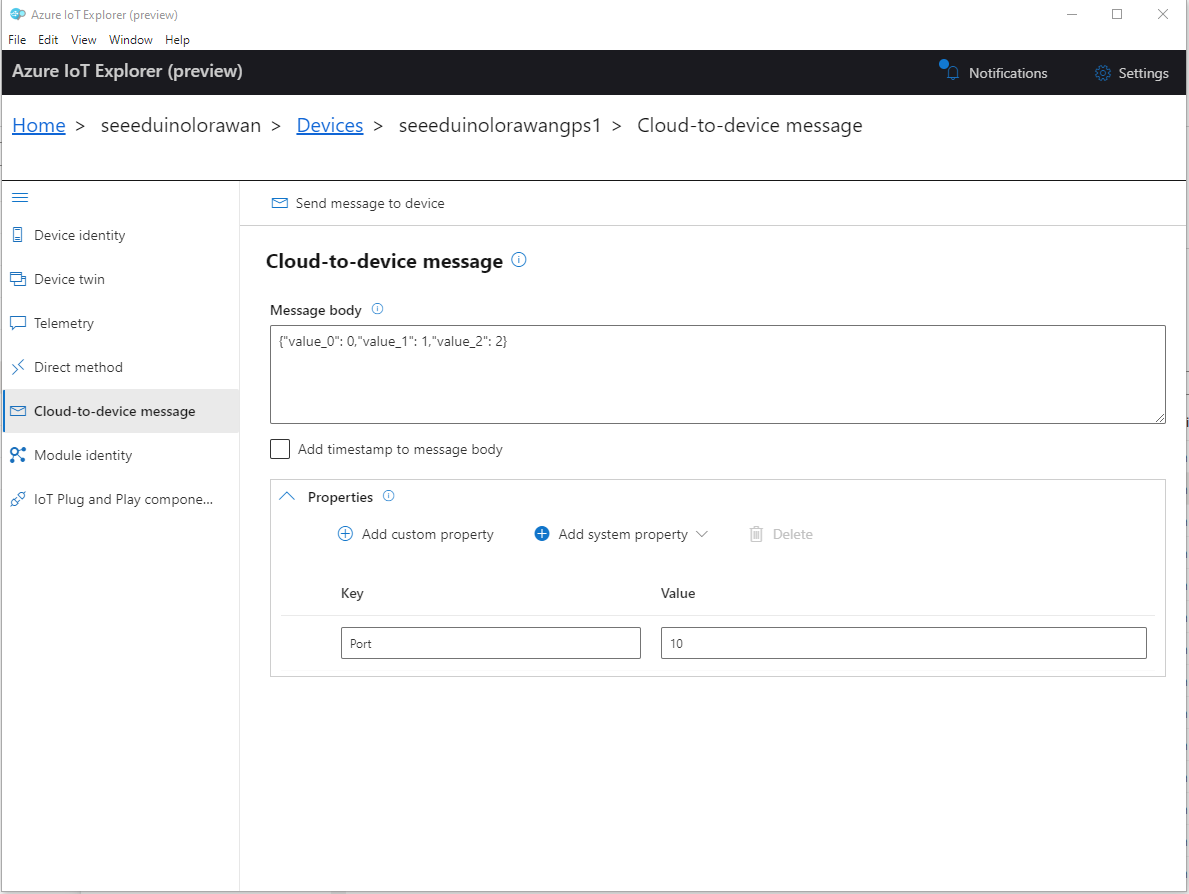
Azure IoT Explorer Cloud to Device sending an unconfirmed downlink message

For unconfirmed messages The TTI Connector calls the DeviceClient.CompletedAsync method (with the LockToken from the CorrelationIDs list) which deletes the message from the device queue.

[Function("Queued")]
public async Task<HttpResponseData> Queued([HttpTrigger(AuthorizationLevel.Function, "post")] HttpRequestData req, FunctionContext executionContext)
{
	var logger = executionContext.GetLogger("Queued");

	// Wrap all the processing in a try\catch so if anything blows up we have logged it.
	try
	{
		string payloadText = await req.ReadAsStringAsync();

		Models.DownlinkQueuedPayload payload = JsonConvert.DeserializeObject<Models.DownlinkQueuedPayload>(payloadText);
		if (payload == null)
		{
			logger.LogInformation("Queued-Payload {0} invalid", payloadText);

			return req.CreateResponse(HttpStatusCode.BadRequest);
		}

		string applicationId = payload.EndDeviceIds.ApplicationIds.ApplicationId;
		string deviceId = payload.EndDeviceIds.DeviceId;

		logger.LogInformation("Queued-ApplicationID:{0} DeviceID:{1} ", applicationId, deviceId);

		if (!_DeviceClients.TryGetValue(deviceId, out DeviceClient deviceClient))
		{
			logger.LogInformation("Queued-Unknown device for ApplicationID:{0} DeviceID:{1}", applicationId, deviceId);

			return req.CreateResponse(HttpStatusCode.Conflict);
		}

		// If the message is not confirmed "complete" it as soon as with network
		if (!payload.DownlinkQueued.Confirmed)
		{
			if (!AzureLockToken.TryGet(payload.DownlinkQueued.CorrelationIds, out string lockToken))
			{
				logger.LogWarning("Queued-DeviceID:{0} LockToken missing from payload:{1}", payload.EndDeviceIds.DeviceId, payloadText);

				return req.CreateResponse(HttpStatusCode.BadRequest);
			}

			try
			{
				await deviceClient.CompleteAsync(lockToken);
			}
			catch (DeviceMessageLockLostException)
			{
				logger.LogWarning("Queued-CompleteAsync DeviceID:{0} LockToken:{1} timeout", payload.EndDeviceIds.DeviceId, lockToken);

				return req.CreateResponse(HttpStatusCode.Conflict);
			}

			logger.LogInformation("Queued-DeviceID:{0} LockToken:{1} success", payload.EndDeviceIds.DeviceId, lockToken);
		}
	}
	catch (Exception ex)
	{
		logger.LogError(ex, "Queued message processing failed");

		return req.CreateResponse(HttpStatusCode.InternalServerError);
	}

	return req.CreateResponse(HttpStatusCode.OK);
}

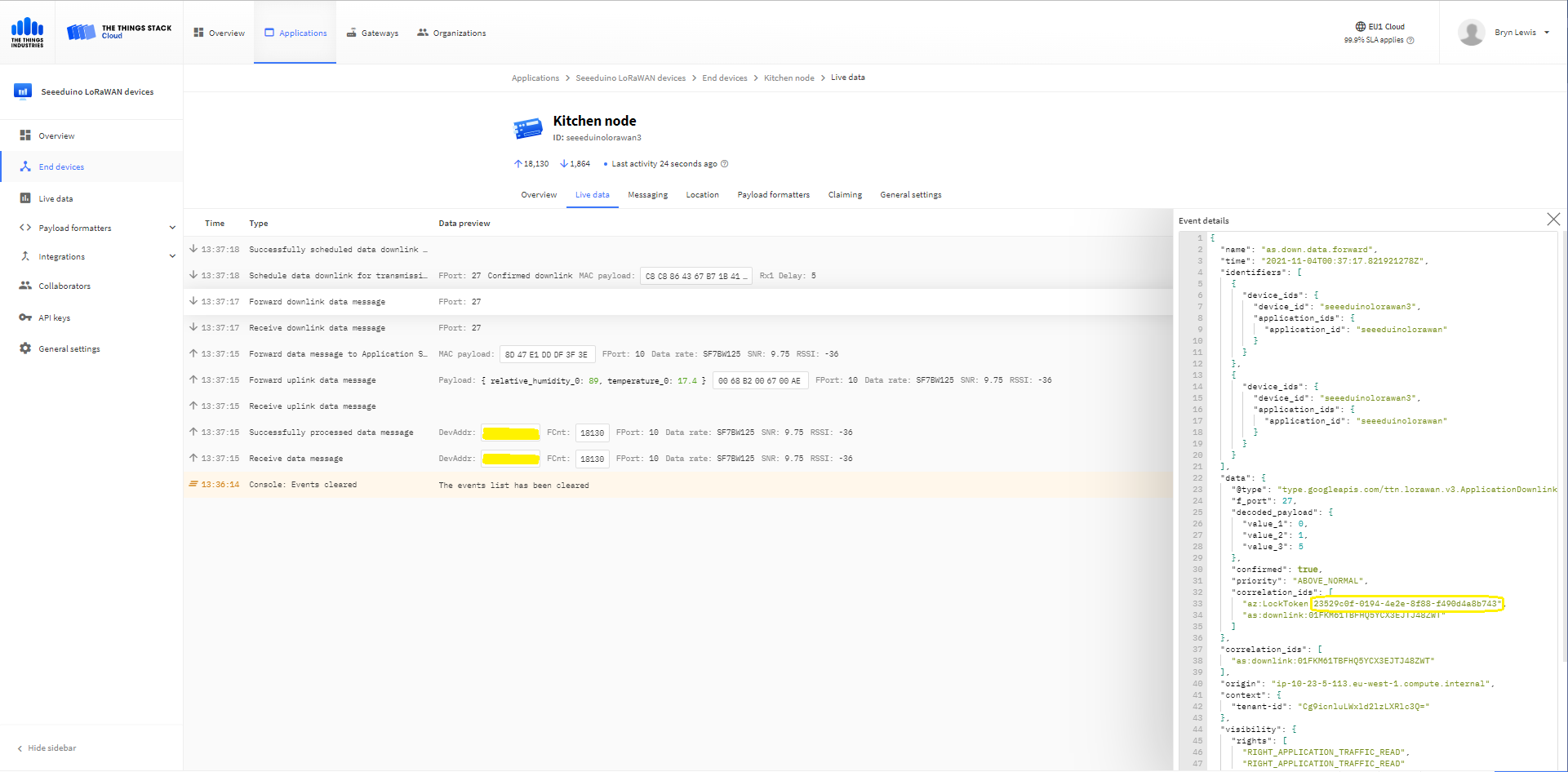
The Things Industries Live Data tab for an unconfirmed message-Queued
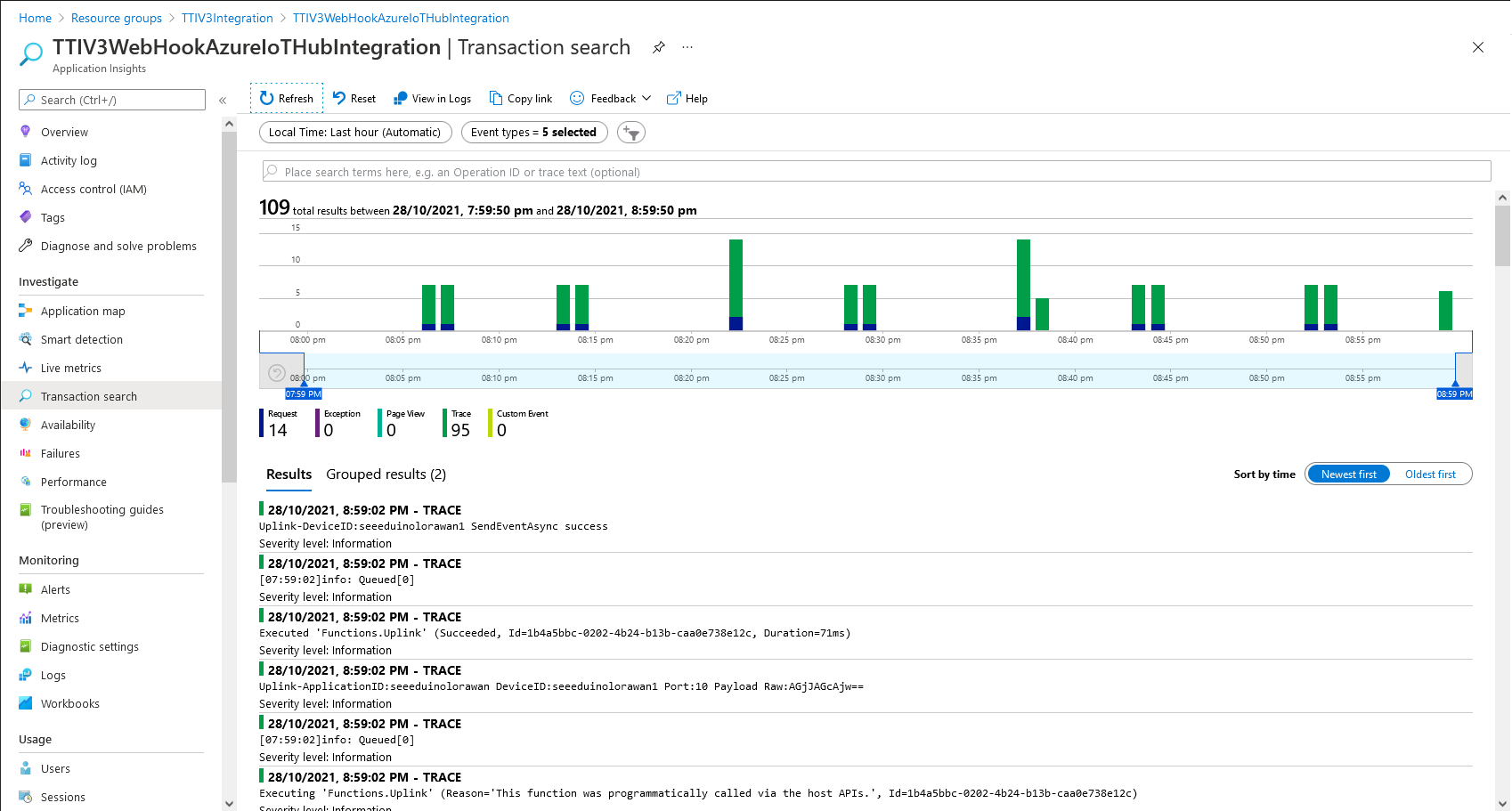
Azure Application Insights for an unconfirmed message
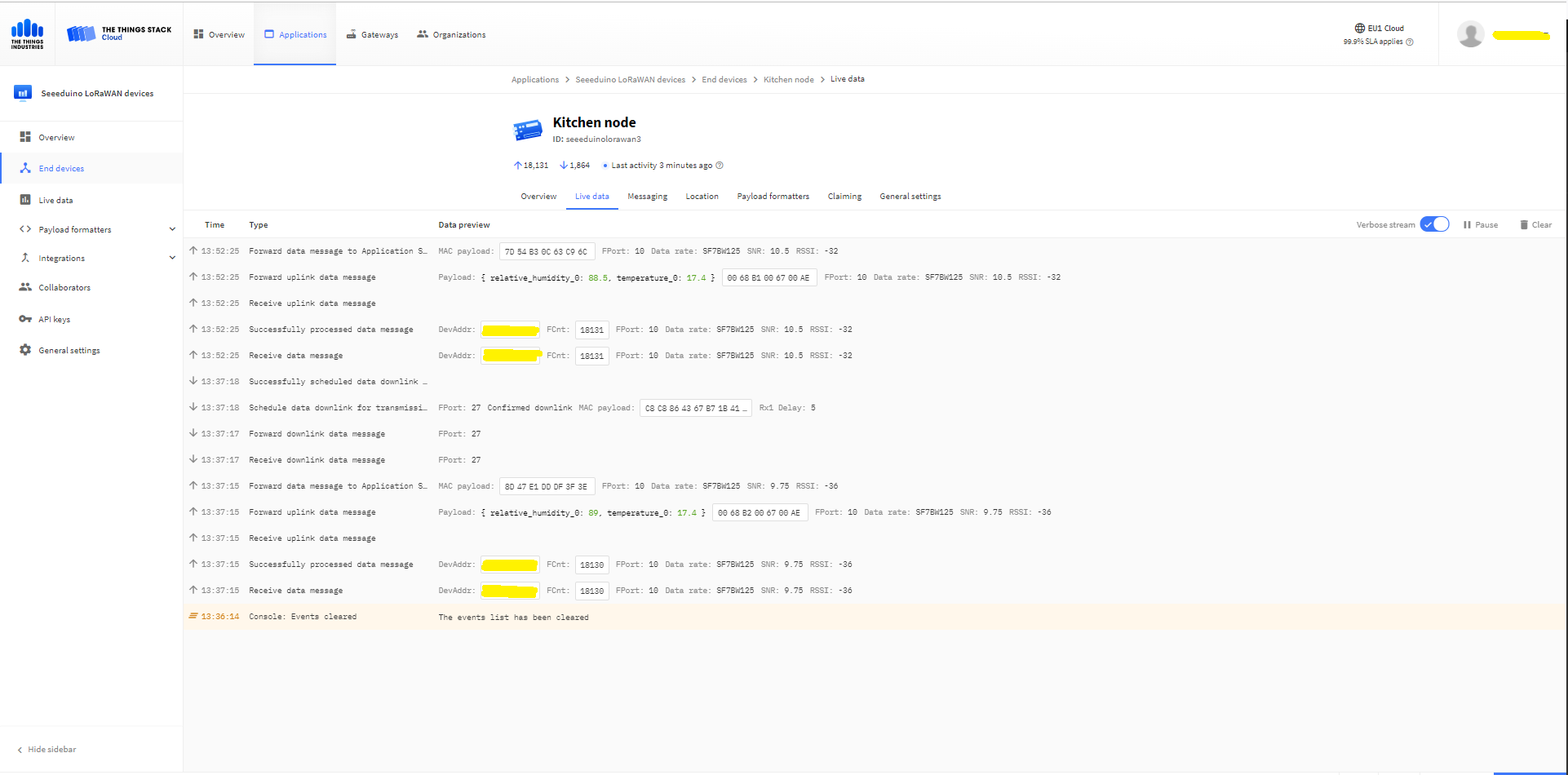
The Things Industries Live Data tab for an unconfirmed message-Sent
Azure IoT Explorer Cloud to Device sending a confirmed downlink message
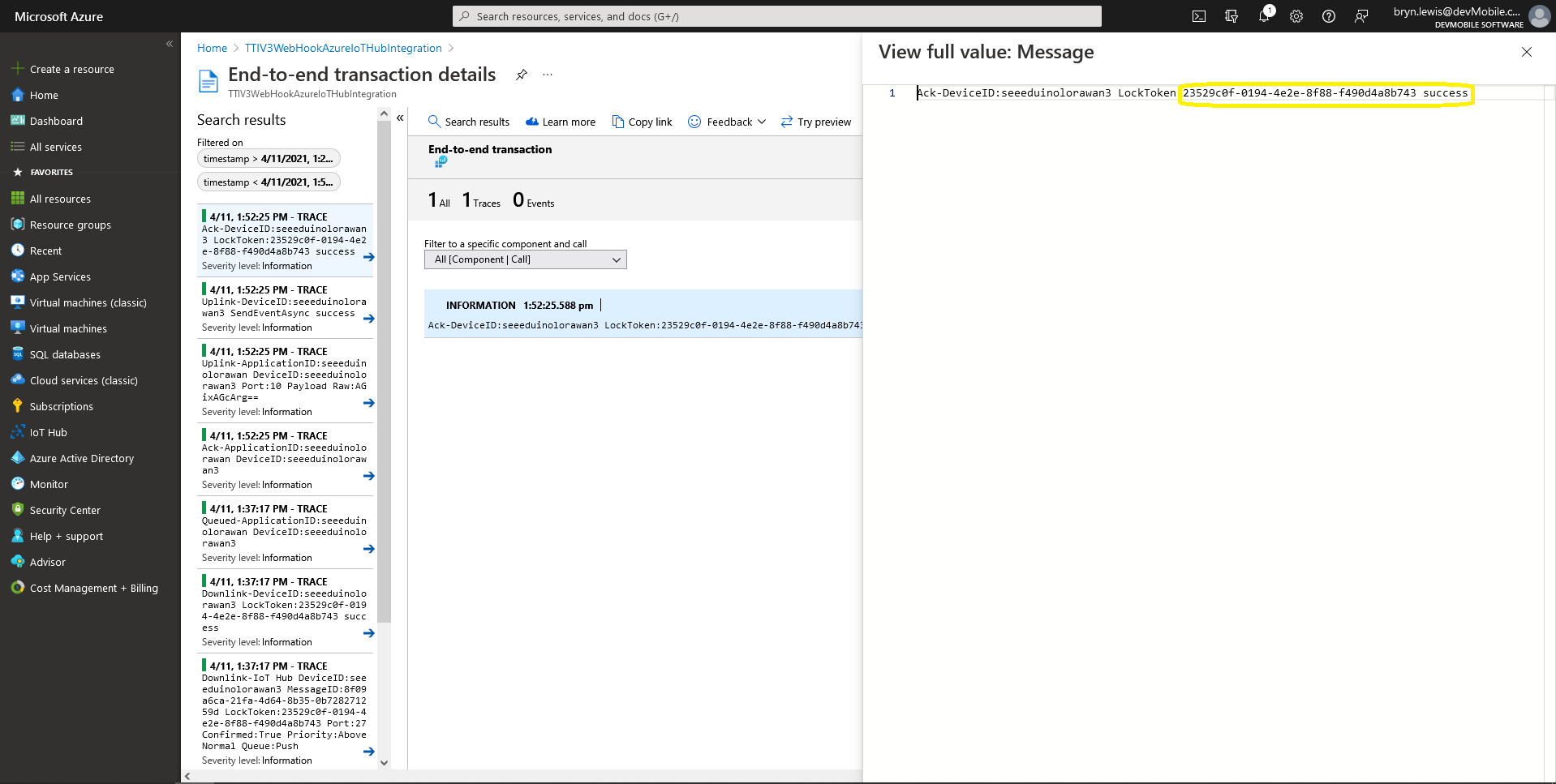
Azure Application Insights for a confirmed message
The Things Industries Live Data tab for a confirmed message-Sent
The Things Industries Live Data tab for a confirmed message-Ack

If message delivery succeeds the deviceClient.CompleteAsync method (with the LockToken from the CorrelationIDs list) is called which removes the message from the device queue.

[Function("Ack")]
public async Task<HttpResponseData> Ack([HttpTrigger(AuthorizationLevel.Function, "post")] HttpRequestData req, FunctionContext executionContext)
{
	var logger = executionContext.GetLogger("Queued");

	// Wrap all the processing in a try\catch so if anything blows up we have logged it.
	try
	{
		string payloadText = await req.ReadAsStringAsync();

		Models.DownlinkAckPayload payload = JsonConvert.DeserializeObject<Models.DownlinkAckPayload>(payloadText);
		if (payload == null)
		{
			logger.LogInformation("Ack-Payload {0} invalid", payloadText);

			return req.CreateResponse(HttpStatusCode.BadRequest);
		}

		string applicationId = payload.EndDeviceIds.ApplicationIds.ApplicationId;
		string deviceId = payload.EndDeviceIds.DeviceId;

		logger.LogInformation("Ack-ApplicationID:{0} DeviceID:{1} ", applicationId, deviceId);

		if (!_DeviceClients.TryGetValue(deviceId, out DeviceClient deviceClient))
		{
			logger.LogInformation("Ack-Unknown device for ApplicationID:{0} DeviceID:{1}", applicationId, deviceId);

			return req.CreateResponse(HttpStatusCode.Conflict);
		}

		if (!AzureLockToken.TryGet(payload.DownlinkAck.CorrelationIds, out string lockToken))
		{
			logger.LogWarning("Ack-DeviceID:{0} LockToken missing from payload:{1}", payload.EndDeviceIds.DeviceId, payloadText);

			return req.CreateResponse(HttpStatusCode.BadRequest);
		}

		try
		{
			await deviceClient.CompleteAsync(lockToken);
		}
		catch (DeviceMessageLockLostException)
		{
			logger.LogWarning("Ack-CompleteAsync DeviceID:{0} LockToken:{1} timeout", payload.EndDeviceIds.DeviceId, lockToken);

			return req.CreateResponse(HttpStatusCode.Conflict);
		}

		logger.LogInformation("Ack-DeviceID:{0} LockToken:{1} success", payload.EndDeviceIds.DeviceId, lockToken);
	}
	catch (Exception ex)
	{
		logger.LogError(ex, "Ack message processing failed");

		return req.CreateResponse(HttpStatusCode.InternalServerError);
	}

	return req.CreateResponse(HttpStatusCode.OK);
}

Azure Application Insights for an confirmed message Ack

If message delivery fails the deviceClient.AbandonAsync method (with the LockToken from the CorrelationIDs list) is called which puts the downlink message back onto the device queue.

[Function("Failed")]
public async Task<HttpResponseData> Failed([HttpTrigger(AuthorizationLevel.Function, "post")] HttpRequestData req, FunctionContext executionContext)
{
	var logger = executionContext.GetLogger("Queued");

	// Wrap all the processing in a try\catch so if anything blows up we have logged it.
	try
	{
		string payloadText = await req.ReadAsStringAsync();

		Models.DownlinkFailedPayload payload = JsonConvert.DeserializeObject<Models.DownlinkFailedPayload>(payloadText);
		if (payload == null)
		{
			logger.LogInformation("Failed-Payload {0} invalid", payloadText);

			return req.CreateResponse(HttpStatusCode.BadRequest);
		}

		string applicationId = payload.EndDeviceIds.ApplicationIds.ApplicationId;
		string deviceId = payload.EndDeviceIds.DeviceId;

		logger.LogInformation("Failed-ApplicationID:{0} DeviceID:{1} ", applicationId, deviceId);

		if (!_DeviceClients.TryGetValue(deviceId, out DeviceClient deviceClient))
		{
			logger.LogInformation("Failed-Unknown device for ApplicationID:{0} DeviceID:{1}", applicationId, deviceId);

			return req.CreateResponse(HttpStatusCode.Conflict);
		}

		if (!AzureLockToken.TryGet(payload.DownlinkFailed.CorrelationIds, out string lockToken))
		{
			logger.LogWarning("Failed-DeviceID:{0} LockToken missing from payload:{1}", payload.EndDeviceIds.DeviceId, payloadText);

			return req.CreateResponse(HttpStatusCode.BadRequest);
		}

		try
		{
			await deviceClient.RejectAsync(lockToken);
		}
		catch (DeviceMessageLockLostException)
		{
			logger.LogWarning("Failed-RejectAsync DeviceID:{0} LockToken:{1} timeout", payload.EndDeviceIds.DeviceId, lockToken);

			return req.CreateResponse(HttpStatusCode.Conflict);
		}

		logger.LogInformation("Failed-DeviceID:{0} LockToken:{1} success", payload.EndDeviceIds.DeviceId, lockToken);
	}
	catch (Exception ex)
	{
		logger.LogError(ex, "Failed message processing failed");

		return req.CreateResponse(HttpStatusCode.InternalServerError);
	}

	return req.CreateResponse(HttpStatusCode.OK);
}

If message delivery is unsuccessful the deviceClient.RejectAsync method (with the LockToken from the CorrelationIDs list) is called which deletes the message from the device queue and indicates to the server that the message could not be processed.

[Function("Nack")]
public async Task<HttpResponseData> Nack([HttpTrigger(AuthorizationLevel.Function, "post")] HttpRequestData req, FunctionContext executionContext)
{
	var logger = executionContext.GetLogger("Queued");

	// Wrap all the processing in a try\catch so if anything blows up we have logged it.
	try
	{
		string payloadText = await req.ReadAsStringAsync();

		Models.DownlinkNackPayload payload = JsonConvert.DeserializeObject<Models.DownlinkNackPayload>(payloadText);
		if (payload == null)
		{
			logger.LogInformation("Nack-Payload {0} invalid", payloadText);

			return req.CreateResponse(HttpStatusCode.BadRequest);
		}

		string applicationId = payload.EndDeviceIds.ApplicationIds.ApplicationId;
		string deviceId = payload.EndDeviceIds.DeviceId;

		logger.LogInformation("Nack-ApplicationID:{0} DeviceID:{1} ", applicationId, deviceId);

		if (!_DeviceClients.TryGetValue(deviceId, out DeviceClient deviceClient))
		{
			logger.LogInformation("Nack-Unknown device for ApplicationID:{0} DeviceID:{1}", applicationId, deviceId);

			return req.CreateResponse(HttpStatusCode.Conflict);
		}

		if (!AzureLockToken.TryGet(payload.DownlinkNack.CorrelationIds, out string lockToken))
		{
			logger.LogWarning("Nack-DeviceID:{0} LockToken missing from payload:{1}", payload.EndDeviceIds.DeviceId, payloadText);

			return req.CreateResponse(HttpStatusCode.BadRequest);
		}

		try
		{
			await deviceClient.RejectAsync(lockToken);
		}
		catch (DeviceMessageLockLostException)
		{
			logger.LogWarning("Nack-RejectAsync DeviceID:{0} LockToken:{1} timeout", payload.EndDeviceIds.DeviceId, lockToken);

			return req.CreateResponse(HttpStatusCode.Conflict);
		}

		logger.LogInformation("Nack-DeviceID:{0} LockToken:{1} success", payload.EndDeviceIds.DeviceId, lockToken);
	}
	catch (Exception ex)
	{
		logger.LogError(ex, "Nack message processing failed");

		return req.CreateResponse(HttpStatusCode.InternalServerError);
	}

	return req.CreateResponse(HttpStatusCode.OK);
}

The way message Failed(Abandon), Ack(CompleteAsync) and Nack(RejectAsync) are handled needs some more testing to confirm my understanding of the sequencing of TTI confirmed message delivery.

BEWARE

The use of Confirmed messaging with devices that send uplink messages irregularly can cause weird problems if the Azure IoT hub downlink message times out.

TTI V3 Connector Device Provisioning Service(DPS) support

The previous versions of my Things Network Industries(TTI) and The Things Network(TTN) connectors supported the Azure IoT Hub Device Provisioning Service(DPS) with Symmetric Key Attestation(SAS) to “automagically” setup the LoRaWAN devices in a TTI Application.(See my V2 Gateway DPS setup post for more detail).

Azure Device Provisioning Service configuring Azure IoT Hubs

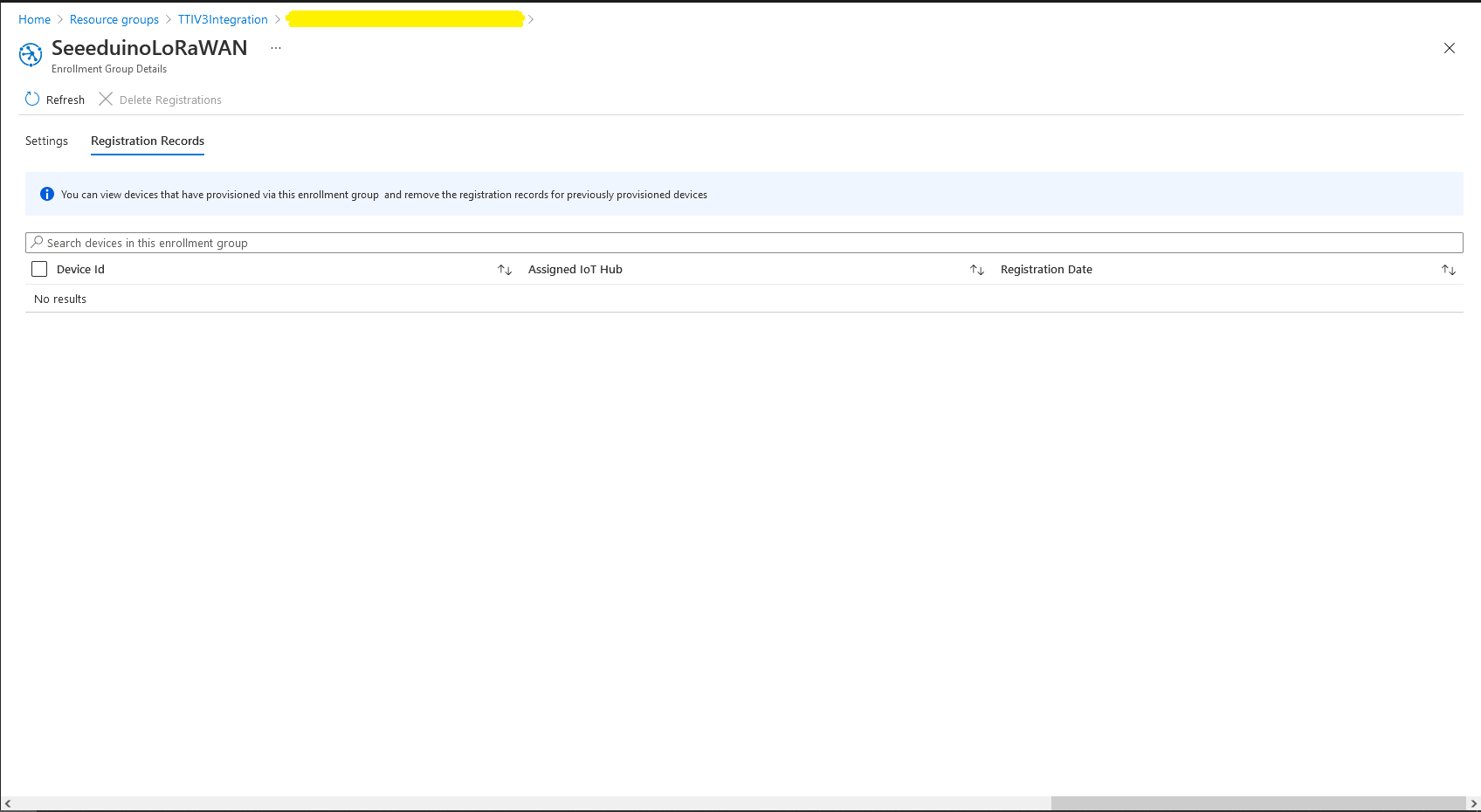
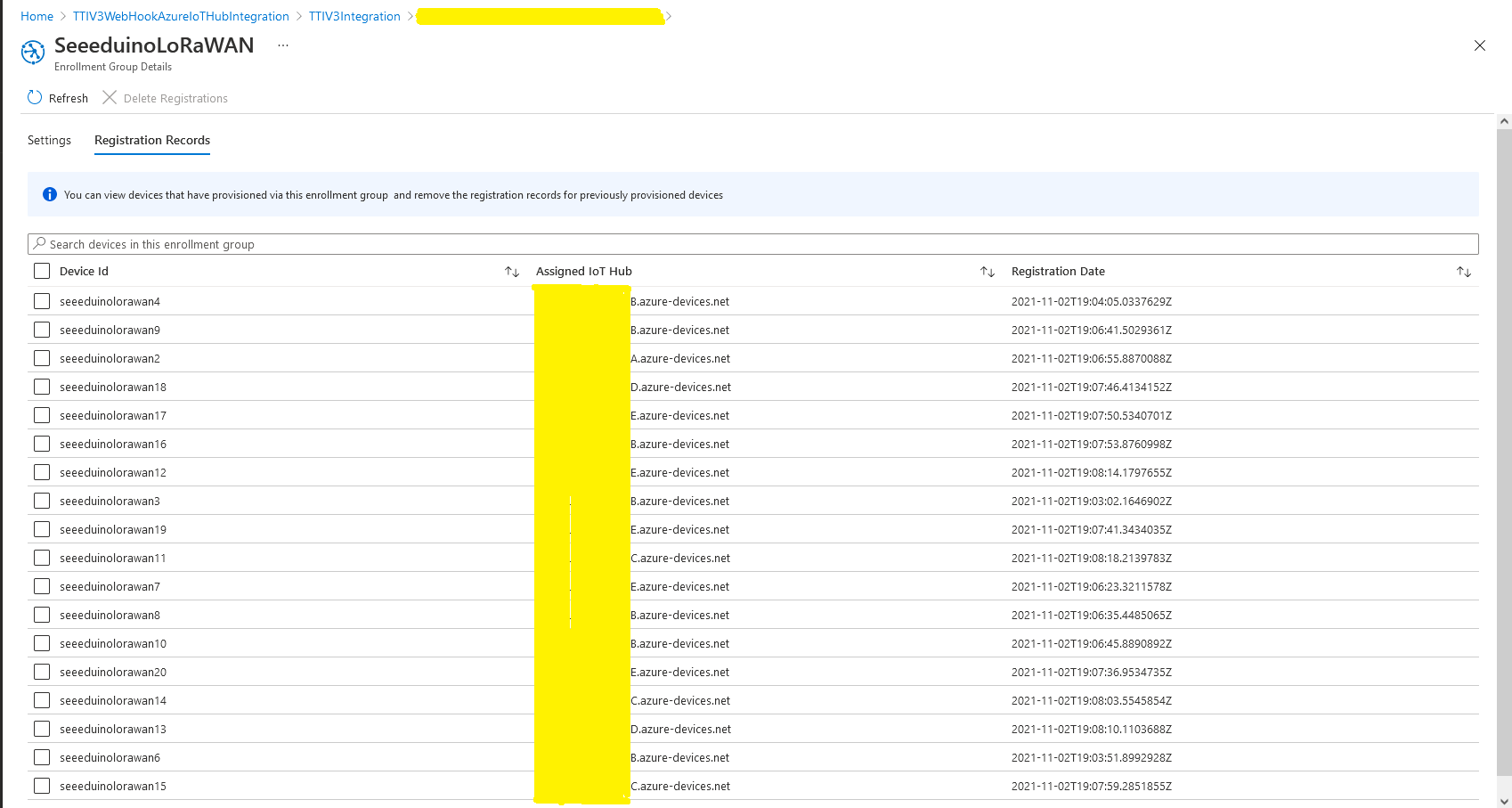
I used an “evenly weighted distribution” to spread the devices across five Azure IoT Hubs.

Azure IoT Hub no registered devices

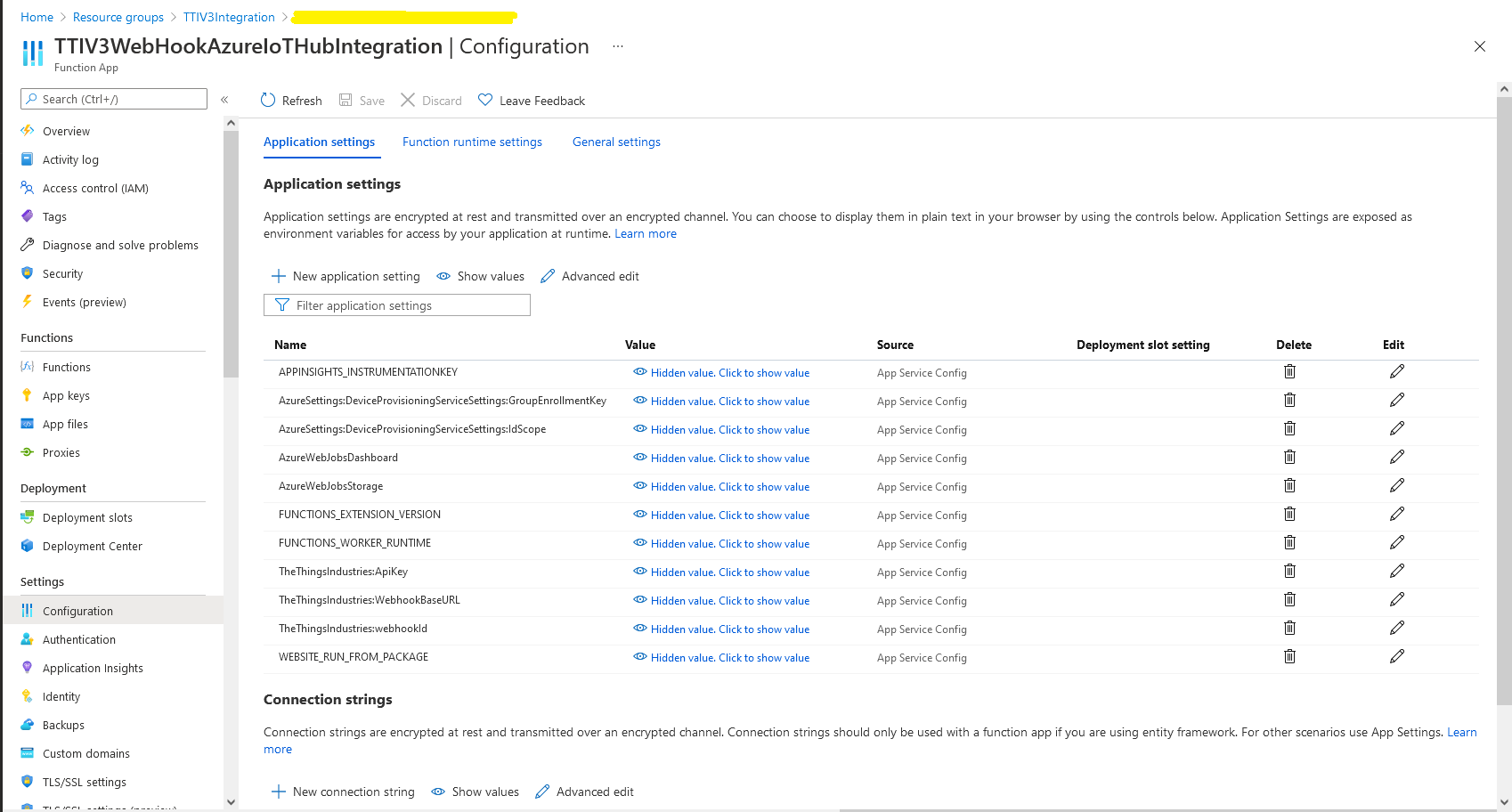
In the Azure Portal I configured the DPS ID Scope (AzureSettings:DeviceProvisioningServiceSettings:IdScope) and the Group Enrollment Key(AzureSettings:DeviceProvisioningServiceSettings:GroupEnrollmentKey) then saved the configuration which restarted the AppService.

Azure Portal AppService configration

The first time a device sent an uplink message the cache query fails and the RegisterAsync method of the ProvisioningDeviceClient is called to get a device connection string.
	logger.LogInformation("Uplink-ApplicationID:{0} DeviceID:{1} Port:{2} Payload Raw:{3}", applicationId, deviceId, port, payload.UplinkMessage.PayloadRaw);

	if (!_DeviceClients.TryGetValue(deviceId, out DeviceClient deviceClient))
	{
		logger.LogInformation("Uplink-Unknown device for ApplicationID:{0} DeviceID:{1}", applicationId, deviceId);

		// Check that only one of Azure Connection string or DPS is configured
		if (string.IsNullOrEmpty(_azureSettings.IoTHubConnectionString) && (_azureSettings.DeviceProvisioningServiceSettings == null))
		{
			logger.LogError("Uplink-Neither Azure IoT Hub connection string or Device Provisioning Service configured");

			return req.CreateResponse(HttpStatusCode.UnprocessableEntity);
		}

		// Check that only one of Azure Connection string or DPS is configured
		if (!string.IsNullOrEmpty(_azureSettings.IoTHubConnectionString) && (_azureSettings.DeviceProvisioningServiceSettings != null))
		{
			logger.LogError("Uplink-Both Azure IoT Hub connection string and Device Provisioning Service configured");

			return req.CreateResponse(HttpStatusCode.UnprocessableEntity);
		}

		// User Azure IoT Connection string if configured and Device Provisioning Service isn't
		if (!string.IsNullOrEmpty(_azureSettings.IoTHubConnectionString))
		{
			deviceClient = DeviceClient.CreateFromConnectionString(_azureSettings.IoTHubConnectionString, deviceId, transportSettings);

			try
			{
				await deviceClient.OpenAsync();
			}
			catch (DeviceNotFoundException)
			{
				logger.LogWarning("Uplink-Unknown DeviceID:{0}", deviceId);

				return req.CreateResponse(HttpStatusCode.NotFound);
			}
		}

		// Azure IoT Hub Device provisioning service if configured
		if (_azureSettings.DeviceProvisioningServiceSettings != null) 
		{
			string deviceKey;

			if ( string.IsNullOrEmpty(_azureSettings.DeviceProvisioningServiceSettings.IdScope) || string.IsNullOrEmpty(_azureSettings.DeviceProvisioningServiceSettings.GroupEnrollmentKey))
			{
				logger.LogError("Uplink-Device Provisioning Service requires ID Scope and Group Enrollment Key configured");

				return req.CreateResponse(HttpStatusCode.UnprocessableEntity);
			}

			using (var hmac = new HMACSHA256(Convert.FromBase64String(_azureSettings.DeviceProvisioningServiceSettings.GroupEnrollmentKey)))
			{
				deviceKey = Convert.ToBase64String(hmac.ComputeHash(Encoding.UTF8.GetBytes(deviceId)));
			}

			using (var securityProvider = new SecurityProviderSymmetricKey(deviceId, deviceKey, null))
			{
				using (var transport = new ProvisioningTransportHandlerAmqp(TransportFallbackType.TcpOnly))
				{
					ProvisioningDeviceClient provClient = ProvisioningDeviceClient.Create(
						Constants.AzureDpsGlobalDeviceEndpoint,
						_azureSettings.DeviceProvisioningServiceSettings.IdScope,
						securityProvider,
						transport);

					DeviceRegistrationResult result = await provClient.RegisterAsync();

					if (result.Status != ProvisioningRegistrationStatusType.Assigned)
					{
						_logger.LogError("Config-DeviceID:{0} Status:{1} RegisterAsync failed ", deviceId, result.Status);

						return req.CreateResponse(HttpStatusCode.FailedDependency);
					}

					IAuthenticationMethod authentication = new DeviceAuthenticationWithRegistrySymmetricKey(result.DeviceId, (securityProvider as SecurityProviderSymmetricKey).GetPrimaryKey());

					deviceClient = DeviceClient.Create(result.AssignedHub, authentication, transportSettings);

					await deviceClient.OpenAsync();
				}
			}
		}

		if (!_DeviceClients.TryAdd(deviceId, deviceClient))
		{
			logger.LogWarning("Uplink-TryAdd failed for ApplicationID:{0} DeviceID:{1}", applicationId, deviceId);

			return req.CreateResponse(HttpStatusCode.Conflict);
		}

		Models.AzureIoTHubReceiveMessageHandlerContext context = new Models.AzureIoTHubReceiveMessageHandlerContext()
		{
			DeviceId = deviceId,
			ApplicationId = applicationId,
			WebhookId = _theThingsIndustriesSettings.WebhookId,
			WebhookBaseURL = _theThingsIndustriesSettings.WebhookBaseURL,
			ApiKey = _theThingsIndustriesSettings.ApiKey
		};

		await deviceClient.SetReceiveMessageHandlerAsync(AzureIoTHubClientReceiveMessageHandler, context);

		await deviceClient.SetMethodDefaultHandlerAsync(AzureIoTHubClientDefaultMethodHandler, context);
	}

	JObject telemetryEvent = new JObject
	{
		{ "ApplicationID", applicationId },
		{ "DeviceID", deviceId },
		{ "Port", port },
		{ "Simulated", payload.Simulated },
		{ "ReceivedAtUtc", payload.UplinkMessage.ReceivedAtUtc.ToString("s", CultureInfo.InvariantCulture) },
		{ "PayloadRaw", payload.UplinkMessage.PayloadRaw }
	};

	// If the payload has been decoded by payload formatter, put it in the message body.
	if (payload.UplinkMessage.PayloadDecoded != null)
	{
		telemetryEvent.Add("PayloadDecoded", payload.UplinkMessage.PayloadDecoded);
	}

	// Send the message to Azure IoT Hub
	using (Message ioTHubmessage = new Message(Encoding.ASCII.GetBytes(JsonConvert.SerializeObject(telemetryEvent))))
	{
		// Ensure the displayed time is the acquired time rather than the uploaded time. 
		ioTHubmessage.Properties.Add("iothub-creation-time-utc", payload.UplinkMessage.ReceivedAtUtc.ToString("s", CultureInfo.InvariantCulture));
		ioTHubmessage.Properties.Add("ApplicationId", applicationId);
		ioTHubmessage.Properties.Add("DeviceEUI", payload.EndDeviceIds.DeviceEui);
		ioTHubmessage.Properties.Add("DeviceId", deviceId);
		ioTHubmessage.Properties.Add("port", port.ToString());
		ioTHubmessage.Properties.Add("Simulated", payload.Simulated.ToString());

		await deviceClient.SendEventAsync(ioTHubmessage);

		logger.LogInformation("Uplink-DeviceID:{0} SendEventAsync success", payload.EndDeviceIds.DeviceId);
	}
}
catch (Exception ex)
{
	logger.LogError(ex, "Uplink-Message processing failed");

	return req.CreateResponse(HttpStatusCode.InternalServerError);
}

I used Telerik Fiddler and some sample payloads copied from my Azure Storage Queue sample to simulate many devices and the registrations were spread across my five Azure IoT Hubs.

DPS Device Registrations tab showing distribution of LoRaWAN Devices

I need to review the HTTP Error codes returned for different errors and ensure failures are handled robustly.

TTI V3 Connector Minimalist Cloud to Device(C2D)

In a previous version of my Things Network Industries(TTI) The Things Network(TTN) connector I queried the The Things Stack(TTS) Application Programing Interface(API) to get a list of Applications and their Devices. For a large number of Applications and/or Devices this process could take many 10’s of seconds. Application and Device creation and deletion then had to be tracked to keep the AzureDeviceClient connection list current, which added significant complexity.

In this version a downlink message can be sent to a device only after an uplink message. I’m looking at adding an Azure Function which initiates a connection to the configured Azure IoT Hub for the specified device to mitigate with this issue.

To send a TTN downlink message to a device the minimum required info is the LoRaWAN port number (specified in a Custom Property on the Azure IoT Hub cloud to device message), the device Id (from uplink message payload, which has been validated by a successful Azure IoT Hub connection) web hook id, web hook base URL, and an API Key (The Web Hook parameters are stored in the Connector configuration).

Azure IoT Explorer Clod to Device message with LoRaWAN Port number custom parameter

When a LoRaWAN device sends an Uplink message a session is established using Advanced Message Queuing Protocol(AMQP) so connections can be multiplexed)

I used Azure IoT Explorer to send Cloud to Device messages to the Azure IoT Hub (to initiate the sending of a downlink message to the Device by the Connector) after simulating a TTN uplink message with Telerik Fiddler and a modified TTN sample payload.

BEWARE – TTN URLs and Azure IoT Hub device identifiers are case sensitive

...
if (!_DeviceClients.TryGetValue(deviceId, out DeviceClient deviceClient))
{
   logger.LogInformation("Uplink-Unknown device for ApplicationID:{0} DeviceID:{1}", applicationId, deviceId);

   deviceClient = DeviceClient.CreateFromConnectionString(_configuration.GetConnectionString("AzureIoTHub"), deviceId, 
                    new ITransportSettings[]
                    {
                        new AmqpTransportSettings(TransportType.Amqp_Tcp_Only)
                        {
                            AmqpConnectionPoolSettings = new AmqpConnectionPoolSettings()
                            {
                                Pooling = true,
                            }
                        }
                    });

   try
   {
      await deviceClient.OpenAsync();
   }
   catch (DeviceNotFoundException)
   {
      logger.LogWarning("Uplink-Unknown DeviceID:{0}", deviceId);

      return req.CreateResponse(HttpStatusCode.NotFound);
   }

   if (!_DeviceClients.TryAdd(deviceId, deviceClient))
   {
      logger.LogWarning("Uplink-TryAdd failed for ApplicationID:{0} DeviceID:{1}", applicationId, deviceId);

      return req.CreateResponse(HttpStatusCode.Conflict);
   }

   Models.AzureIoTHubReceiveMessageHandlerContext context = new Models.AzureIoTHubReceiveMessageHandlerContext()
   { 
      DeviceId = deviceId,
      ApplicationId = applicationId,
      WebhookId = _configuration.GetSection("TheThingsIndustries").GetSection("WebhookId").Value,
      WebhookBaseURL = _configuration.GetSection("TheThingsIndustries").GetSection("WebhookBaseURL").Value,
      ApiKey = _configuration.GetSection("TheThingsIndustries").GetSection("APiKey").Value,
   };      

   await deviceClient.SetReceiveMessageHandlerAsync(AzureIoTHubClientReceiveMessageHandler, context);

   await deviceClient.SetMethodDefaultHandlerAsync(AzureIoTHubClientDefaultMethodHandler, context);
 }

...

An Azure IoT Hub can invoke methods(synchronous) or send messages(asynchronous) to a device for processing. The Azure IoT Hub DeviceClient has two methods SetMethodDefaultHandlerAsync and SetReceiveMessageHandlerAsync which enable the processing of direct methods and messages.

private async Task<MethodResponse> AzureIoTHubClientDefaultMethodHandler(MethodRequest methodRequest, object userContext)
{
	if (methodRequest.DataAsJson != null)
	{
		_logger.LogWarning("AzureIoTHubClientDefaultMethodHandler name:{0} payload:{1}", methodRequest.Name, methodRequest.DataAsJson);
	}
	else
	{
		_logger.LogWarning("AzureIoTHubClientDefaultMethodHandler name:{0} payload:NULL", methodRequest.Name);
	}

	return new MethodResponse(404);
}

After some experimentation in previous TTN Connectors I found the synchronous nature of DirectMethods didn’t work well with LoRAWAN “irregular” connectivity so currently they are ignored.

public partial class Integration
{
	private async Task AzureIoTHubClientReceiveMessageHandler(Message message, object userContext)
	{
		try
		{
			Models.AzureIoTHubReceiveMessageHandlerContext receiveMessageHandlerContext = (Models.AzureIoTHubReceiveMessageHandlerContext)userContext;

			if (!_DeviceClients.TryGetValue(receiveMessageHandlerContext.DeviceId, out DeviceClient deviceClient))
			{
				_logger.LogWarning("Downlink-DeviceID:{0} unknown", receiveMessageHandlerContext.DeviceId);
				return;
			}

			using (message)
			{
				string payloadText = Encoding.UTF8.GetString(message.GetBytes()).Trim();

				if (!AzureDownlinkMessage.PortTryGet(message.Properties, out byte port))
				{
					_logger.LogWarning("Downlink-Port property is invalid");

					await deviceClient.RejectAsync(message);
					return;
				}

				// Split over multiple lines in an attempt to improve readability. In this scenario a valid JSON string should start/end with {/} for an object or [/] for an array
				if ((payloadText.StartsWith("{") && payloadText.EndsWith("}"))
														||
					((payloadText.StartsWith("[") && payloadText.EndsWith("]"))))
				{
					try
					{
						downlink.PayloadDecoded = JToken.Parse(payloadText);
					}
					catch (JsonReaderException)
					{
						downlink.PayloadRaw = payloadText;
					}
				}
				else
				{
					downlink.PayloadRaw = payloadText;
				}

				_logger.LogInformation("Downlink-IoT Hub DeviceID:{0} MessageID:{1} LockToken :{2} Port{3}",
					receiveMessageHandlerContext.DeviceId,
					message.MessageId,
		            message.LockToken,
					downlink.Port);

				Models.DownlinkPayload Payload = new Models.DownlinkPayload()
				{
					Downlinks = new List<Models.Downlink>()
					{
						downlink
					}
				};

				string url = $"{receiveMessageHandlerContext.WebhookBaseURL}/{receiveMessageHandlerContext.ApplicationId}/webhooks/{receiveMessageHandlerContext.WebhookId}/devices/{receiveMessageHandlerContext.DeviceId}/down/replace");

				using (var client = new WebClient())
				{
					client.Headers.Add("Authorization", $"Bearer {receiveMessageHandlerContext.ApiKey}");

					client.UploadString(new Uri(url), JsonConvert.SerializeObject(Payload));
				}

				_logger.LogInformation("Downlink-DeviceID:{0} LockToken:{1} success", receiveMessageHandlerContext.DeviceId, message.LockToken);
			}
		}
		catch (Exception ex)
		{
			_logger.LogError(ex, "Downlink-ReceiveMessge processing failed");
		}
	}
}

If the message body contains a valid JavaScript Object Notation(JSON) payload it is “spliced” into the DownLink message decoded_payload field otherwise the Base64 encoded frm_payload is populated.

The Things “Industries Live” data tab downlink message

The SetReceiveMessageHandlerAsync context information is used to construct a TTN downlink message payload and request URL(with default queuing, message priority and confirmation options)

Arduino Serial Monitor displaying Uplink and Downlink messages

TTI V3 Connector Minimalist Device to Cloud(D2C)

After pausing my Azure Storage Queued based approach I built a quick Proof of Concept(PoC) with an HTTPTrigger Azure Function. The application has a single endpoint for processing uplink messages which is called by a The Things Industries(TTI) Webhooks integration.

The Things Industries Application Webhook configuration
namespace devMobile.IoT.TheThingsIndustries.AzureIoTHub
{
	using System.Collections.Concurrent;
	using Microsoft.Azure.Devices.Client;
...

	public partial class Integration
	{
...
		private static readonly ConcurrentDictionary<string, DeviceClient> _DeviceClients = new ConcurrentDictionary<string, DeviceClient>();
...
	}
}

The connector uses a ConcurrentDictionary(indexed by TTI deviceID) to cache Azure IoT Hub DeviceClient instances.

public partial class Webhooks
{
	[Function("Uplink")]
	public async Task<HttpResponseData> Uplink([HttpTrigger(AuthorizationLevel.Function, "post")] HttpRequestData req, FunctionContext executionContext)
	{
		var logger = executionContext.GetLogger("Uplink");

		// Wrap all the processing in a try\catch so if anything blows up we have logged it. Will need to specialise for connectivity failues etc.
		try
		{
			Models.PayloadUplink payload = JsonConvert.DeserializeObject<Models.PayloadUplink>(await req.ReadAsStringAsync());
			if (payload == null)
			{
				logger.LogInformation("Uplink: Payload {0} invalid", await req.ReadAsStringAsync());

				return req.CreateResponse(HttpStatusCode.BadRequest);
			}

			string applicationId = payload.EndDeviceIds.ApplicationIds.ApplicationId;
			string deviceId = payload.EndDeviceIds.DeviceId;

			if ((payload.UplinkMessage.Port == null ) || (!payload.UplinkMessage.Port.HasValue) || (payload.UplinkMessage.Port.Value == 0))
			{
				logger.LogInformation("Uplink-ApplicationID:{0} DeviceID:{1} Payload Raw:{2} Control nessage", applicationId, deviceId, payload.UplinkMessage.PayloadRaw);

				return req.CreateResponse(HttpStatusCode.BadRequest);
			}

			int port = payload.UplinkMessage.Port.Value;

			logger.LogInformation("Uplink-ApplicationID:{0} DeviceID:{1} Port:{2} Payload Raw:{3}", applicationId, deviceId, port, payload.UplinkMessage.PayloadRaw);

			if (!_DeviceClients.TryGetValue(deviceId, out DeviceClient deviceClient))
			{
				logger.LogInformation("Uplink-Unknown device for ApplicationID:{0} DeviceID:{1}", applicationId, deviceId);

				deviceClient = DeviceClient.CreateFromConnectionString(_configuration.GetConnectionString("AzureIoTHub"), deviceId);

				try
				{
					await deviceClient.OpenAsync();
				}
				catch (DeviceNotFoundException)
				{
					logger.LogWarning("Uplink-Unknown DeviceID:{0}", deviceId);

					return req.CreateResponse(HttpStatusCode.NotFound);
				}

				if (!_DeviceClients.TryAdd(deviceId, deviceClient))
				{
					logger.LogWarning("Uplink-TryAdd failed for ApplicationID:{0} DeviceID:{1}", applicationId, deviceId);

					return req.CreateResponse(HttpStatusCode.Conflict);
				}
			}

			JObject telemetryEvent = new JObject
			{
				{ "ApplicationID", applicationId },
				{ "DeviceID", deviceId },
				{ "Port", port },
				{ "PayloadRaw", payload.UplinkMessage.PayloadRaw }
			};

			// If the payload has been decoded by payload formatter, put it in the message body.
			if (payload.UplinkMessage.PayloadDecoded != null)
			{
				telemetryEvent.Add("PayloadDecoded", payload.UplinkMessage.PayloadDecoded);
			}

			// Send the message to Azure IoT Hub
			using (Message ioTHubmessage = new Message(Encoding.ASCII.GetBytes(JsonConvert.SerializeObject(telemetryEvent))))
			{
				// Ensure the displayed time is the acquired time rather than the uploaded time. 
				ioTHubmessage.Properties.Add("iothub-creation-time-utc", payload.UplinkMessage.ReceivedAtUtc.ToString("s", CultureInfo.InvariantCulture));
				ioTHubmessage.Properties.Add("ApplicationId", applicationId);
				ioTHubmessage.Properties.Add("DeviceEUI", payload.EndDeviceIds.DeviceEui);
				ioTHubmessage.Properties.Add("DeviceId", deviceId);
				ioTHubmessage.Properties.Add("port", port.ToString());

				await deviceClient.SendEventAsync(ioTHubmessage);
			}
		}
		catch (Exception ex)
		{
			logger.LogError(ex, "Uplink message processing failed");

			return req.CreateResponse(HttpStatusCode.InternalServerError);
		}

		return req.CreateResponse(HttpStatusCode.OK);
	}
}

For initial development and testing I ran the function application in the desktop emulator and simulated TTI webhook calls with Telerik Fiddler and modified TTI sample payloads.

Azure Functions Desktop development environment

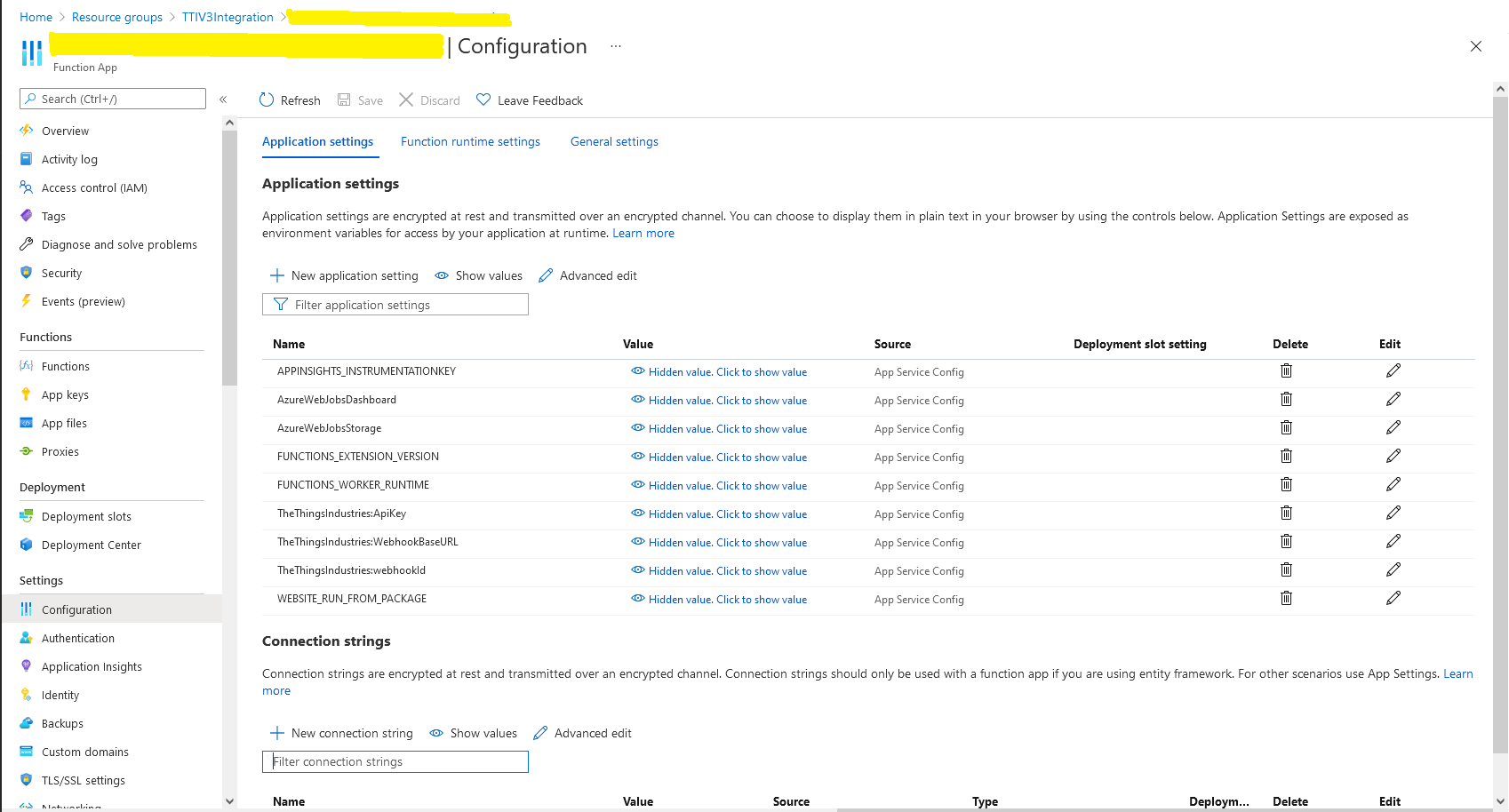
I then deployed my function to Azure and configured the Azure IoT Hub connection string, Azure Application Insights key etc.

Azure Function configuration

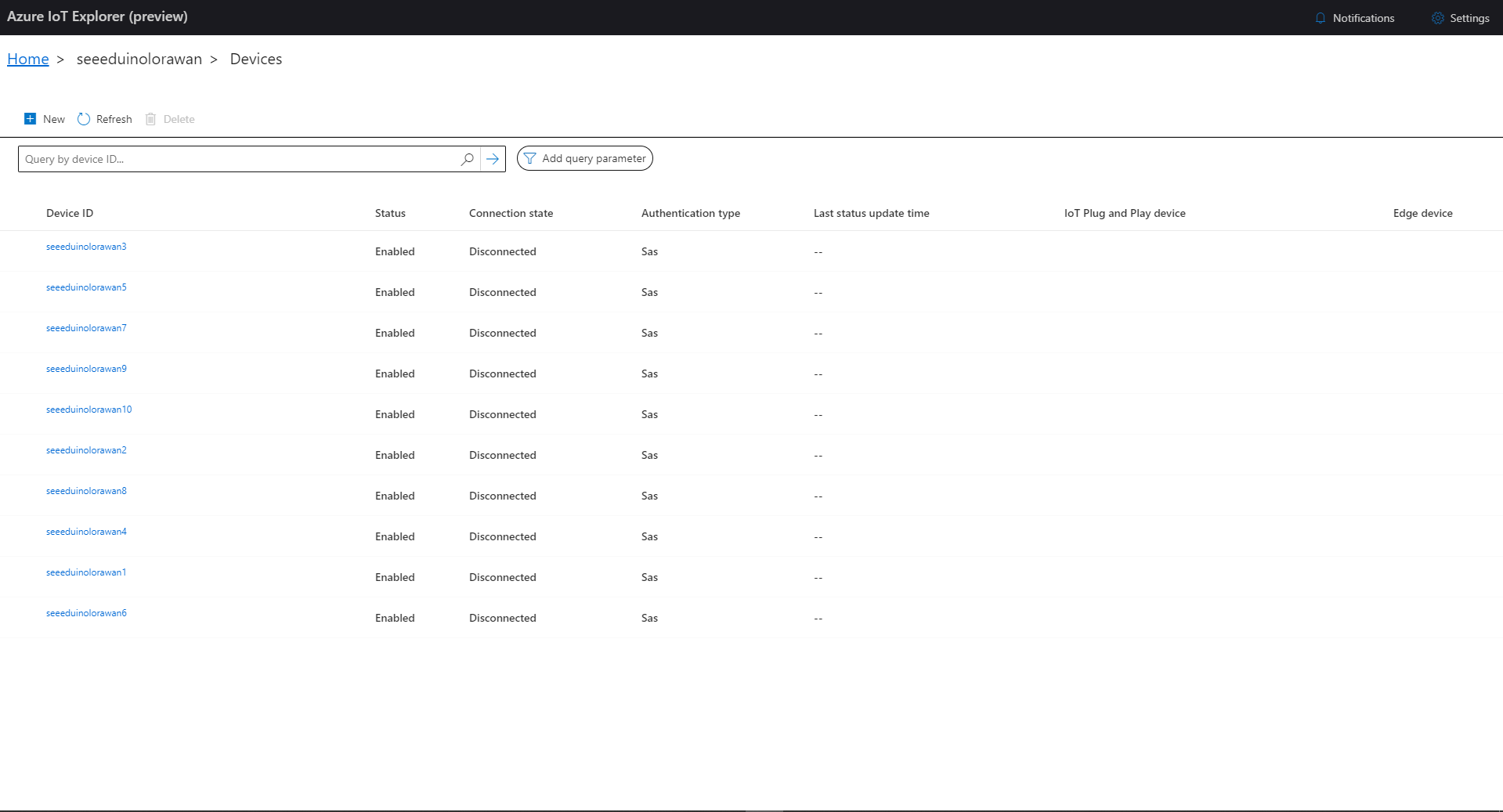
I then used Azure IoT Explorer to configure devices, view uplink traffic etc. When I connected to my Azure IoT Hub shortly after starting the application all the devices were disconnected.

Azure IoT Explorer – no connected devices

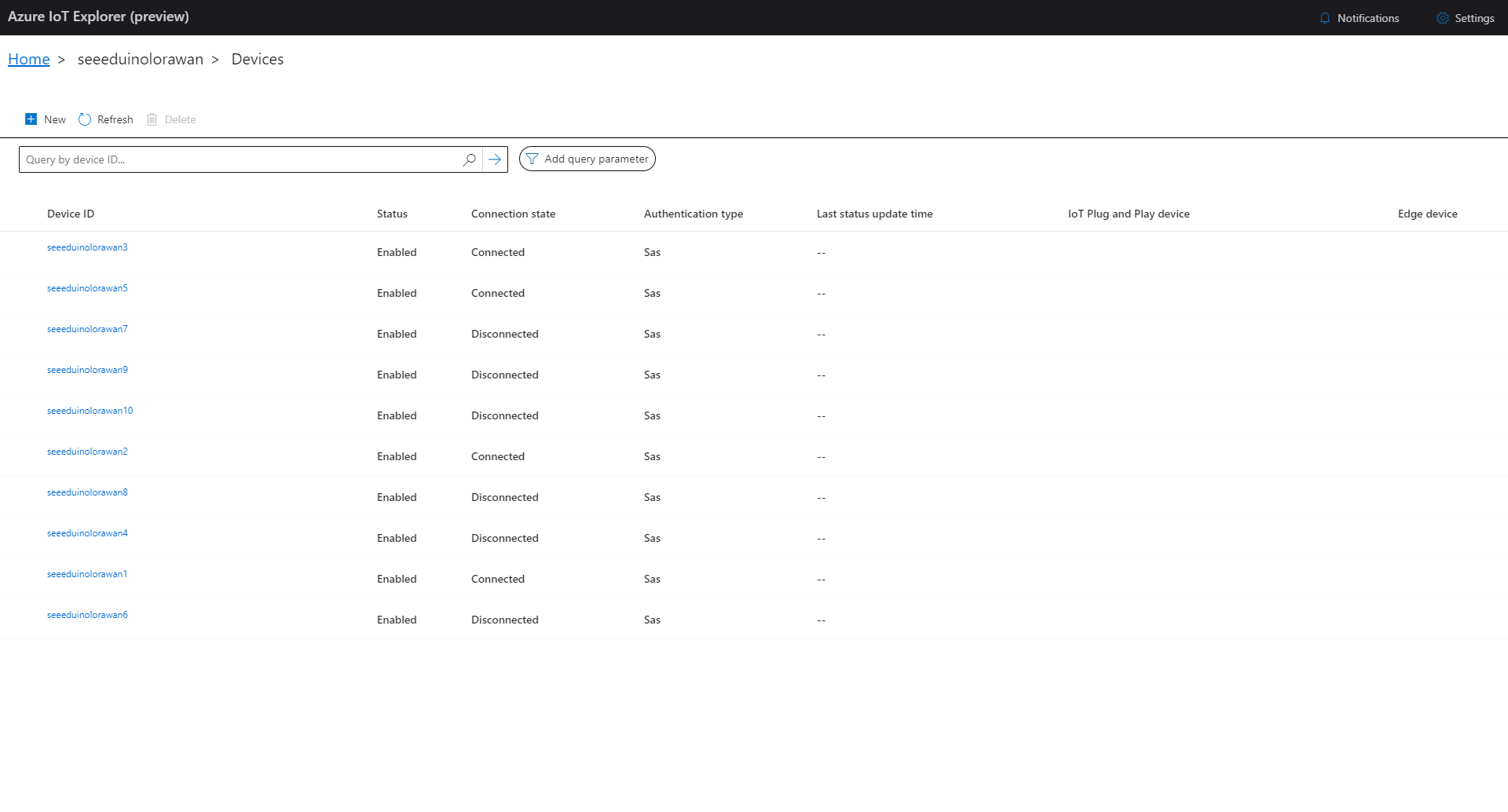
The SeeeduinoLoRaWAN devices report roughly every 15 minutes so it took a while for them all to connect. (the SeeeduinoLoRaWAN4 & SeeeduinoLoRaWAN6 need to be repaired) .

Azure IoT Explorer – some connected devices

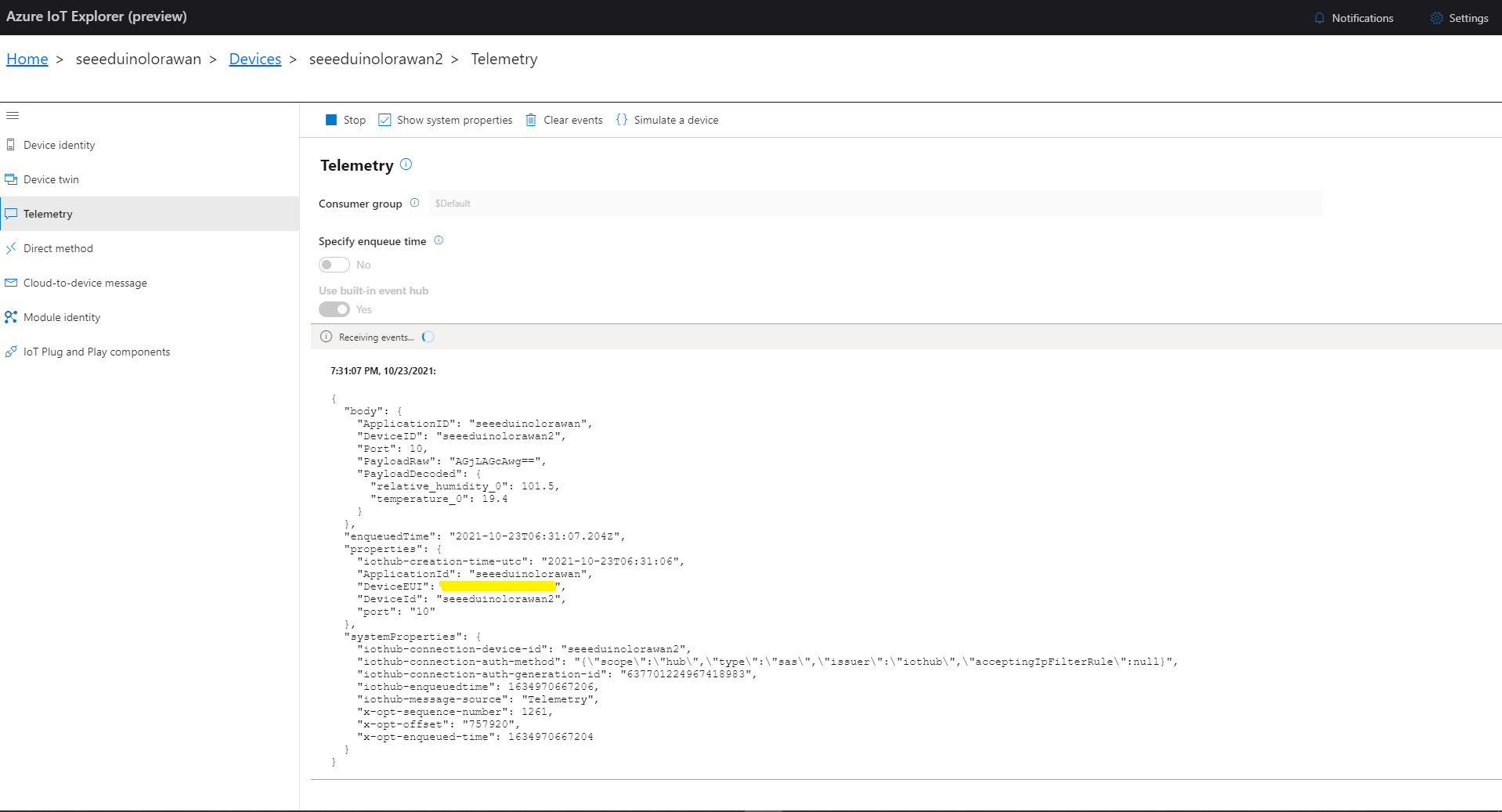
After a device had connected I could use Azure IoT Explorer to inspect the Seeeduino LoRaWAN device uplink message payloads.

Azure IoT Explorer displaying device telemetry

I also used Azure Application Insights to monitor the performance of the function and device activity.

Azure Application Insights displaying device telemetry

The Azure functions uplink message processor was then “soak tested” for a week without an issues.

.NET Core RAK811 LoRaWAN library Part3

The massive refactor

After refactoring my RAK3172 device library I have applied a similar approach to code on my RAK811 device library. My test-rig is a RaspberryPI 3B with a PI Supply RAK811 pHat and external antenna.

PI Supply RAK811 LoRaWAN pHat

In the new code a Thread reads lines of text from the SerialPort and processes them, checking for command responses, failures and downlink messages.

Unlike most of the devices I have worked with the RAK811 Join and Send commands are synchronous so return once the process has completed. The RAK811 responses also have quite a few empty, null prefixed or null suffixed lines which is a bit odd.

public void SerialPortProcessor()
{
	string line;

	while (CommandProcessResponses)
	{
		try
		{
#if DIAGNOSTICS
			Debug.WriteLine($" {DateTime.UtcNow:hh:mm:ss} ReadLine before");
#endif
			line = SerialDevice.ReadLine().Trim('\0').Trim();
#if DIAGNOSTICS
			Debug.WriteLine($" {DateTime.UtcNow:hh:mm:ss} ReadLine after:{line}");
#endif
			// consume empty lines
			if (String.IsNullOrWhiteSpace(line))
			{
				continue;
			}

			// Consume the response from set work mode
			if (line.StartsWith("?LoRa (R)") || line.StartsWith("RAK811 ") || line.StartsWith("UART1 ") || line.StartsWith("UART3 ") || line.StartsWith("LoRa work mode"))
			{
				continue;
			}

			// See if device successfully joined network
			if (line.StartsWith("OK Join Success"))
			{
				OnJoinCompletion?.Invoke(true);

				CommandResponseExpectedEvent.Set();

				continue;
			}

			if (line.StartsWith("at+recv="))
			{
				string[] payloadFields = line.Split("=,:".ToCharArray());

				byte port = byte.Parse(payloadFields[1]);
				int rssi = int.Parse(payloadFields[2]);
				int snr = int.Parse(payloadFields[3]);
				int length = int.Parse(payloadFields[4]);

				if (this.OnMessageConfirmation != null)
				{
					OnMessageConfirmation?.Invoke(rssi, snr);
				}
				if (length > 0)
				{
					string payload = payloadFields[5];

					if (this.OnReceiveMessage != null)
					{
						OnReceiveMessage.Invoke(port, rssi, snr, payload);
					}
				}
				continue;
			}

			switch (line)
			{
				case "OK":
				case "Initialization OK":
				case "OK Wake Up":
				case "OK Sleep":
					CommandResult = Result.Success;
					break;

				case "ERROR: 1":
					CommandResult = Result.ATCommandUnsuported;
					break;
				case "ERROR: 2":
					CommandResult = Result.ATCommandInvalidParameter;
					break;
				case "ERROR: 3": //There is an error when reading or writing flash.
				case "ERROR: 4": //There is an error when reading or writing through IIC.
					CommandResult = Result.ErrorReadingOrWritingFlash;
					break;
				case "ERROR: 5": //There is an error when sending through UART
					CommandResult = Result.ATCommandInvalidParameter;
					break;
				case "ERROR: 41": //The BLE works in an invalid state, so that it can’t be operated.
					CommandResult = Result.ResponseInvalid;
					break;
				case "ERROR: 80":
					CommandResult = Result.LoRaBusy;
					break;
				case "ERROR: 81":
					CommandResult = Result.LoRaServiceIsUnknown;
					break;
				case "ERROR: 82":
					CommandResult = Result.LoRaParameterInvalid;
					break;
				case "ERROR: 83":
					CommandResult = Result.LoRaFrequencyInvalid;
					break;
				case "ERROR: 84":
					CommandResult = Result.LoRaDataRateInvalid;
					break;
				case "ERROR: 85":
					CommandResult = Result.LoRaFrequencyAndDataRateInvalid;
					break;
				case "ERROR: 86":
					CommandResult = Result.LoRaDeviceNotJoinedNetwork;
					break;
				case "ERROR: 87":
					CommandResult = Result.LoRaPacketToLong;
					break;
				case "ERROR: 88":
					CommandResult = Result.LoRaServiceIsClosedByServer;
					break;
				case "ERROR: 89":
					CommandResult = Result.LoRaRegionUnsupported;
					break;
				case "ERROR: 90":
					CommandResult = Result.LoRaDutyCycleRestricted;
					break;
				case "ERROR: 91":
					CommandResult = Result.LoRaNoValidChannelFound;
					break;
				case "ERROR: 92":
					CommandResult = Result.LoRaNoFreeChannelFound;
					break;
				case "ERROR: 93":
					CommandResult = Result.StatusIsError;
					break;
				case "ERROR: 94":
					CommandResult = Result.LoRaTransmitTimeout;
					break;
				case "ERROR: 95":
					CommandResult = Result.LoRaRX1Timeout;
					break;
				case "ERROR: 96":
					CommandResult = Result.LoRaRX2Timeout;
					break;
				case "ERROR: 97":
					CommandResult = Result.LoRaRX1ReceiveError;
					break;
				case "ERROR: 98":
					CommandResult = Result.LoRaRX2ReceiveError;
					break;
				case "ERROR: 99":
					CommandResult = Result.LoRaJoinFailed;
					break;
				case "ERROR: 100":
					CommandResult = Result.LoRaDownlinkRepeated;
					break;
				case "ERROR: 101":
					CommandResult = Result.LoRaPayloadSizeNotValidForDataRate;
					break;
				case "ERROR: 102":
					CommandResult = Result.LoRaTooManyDownlinkFramesLost;
					break;
				case "ERROR: 103":
					CommandResult = Result.LoRaAddressFail;
					break;
				case "ERROR: 104":
					CommandResult = Result.LoRaMicVerifyError;
					break;
				default:
					CommandResult = Result.ResponseInvalid;
					break;
			}
		}
		catch (TimeoutException)
		{
			// Intentionally ignored, not certain this is a good idea
		}

		CommandResponseExpectedEvent.Set();
	}
}

After a lot of testing I think my thread based approach works reliably. Initially, I was having some signal strength issues because I had forgotten to configure the external antenna. I need to add some validation to the metrics and payload field unpacking (though I’m not certain what todo if they are the wrong format).