TTI V3 Connector Minimalist Cloud to Device(C2D)

In a previous version of my Things Network Industries(TTI) The Things Network(TTN) connector I queried the The Things Stack(TTS) Application Programing Interface(API) to get a list of Applications and their Devices. For a large number of Applications and/or Devices this process could take many 10’s of seconds. Application and Device creation and deletion then had to be tracked to keep the AzureDeviceClient connection list current, which added significant complexity.

In this version a downlink message can be sent to a device only after an uplink message. I’m looking at adding an Azure Function which initiates a connection to the configured Azure IoT Hub for the specified device to mitigate with this issue.

To send a TTN downlink message to a device the minimum required info is the LoRaWAN port number (specified in a Custom Property on the Azure IoT Hub cloud to device message), the device Id (from uplink message payload, which has been validated by a successful Azure IoT Hub connection) web hook id, web hook base URL, and an API Key (The Web Hook parameters are stored in the Connector configuration).
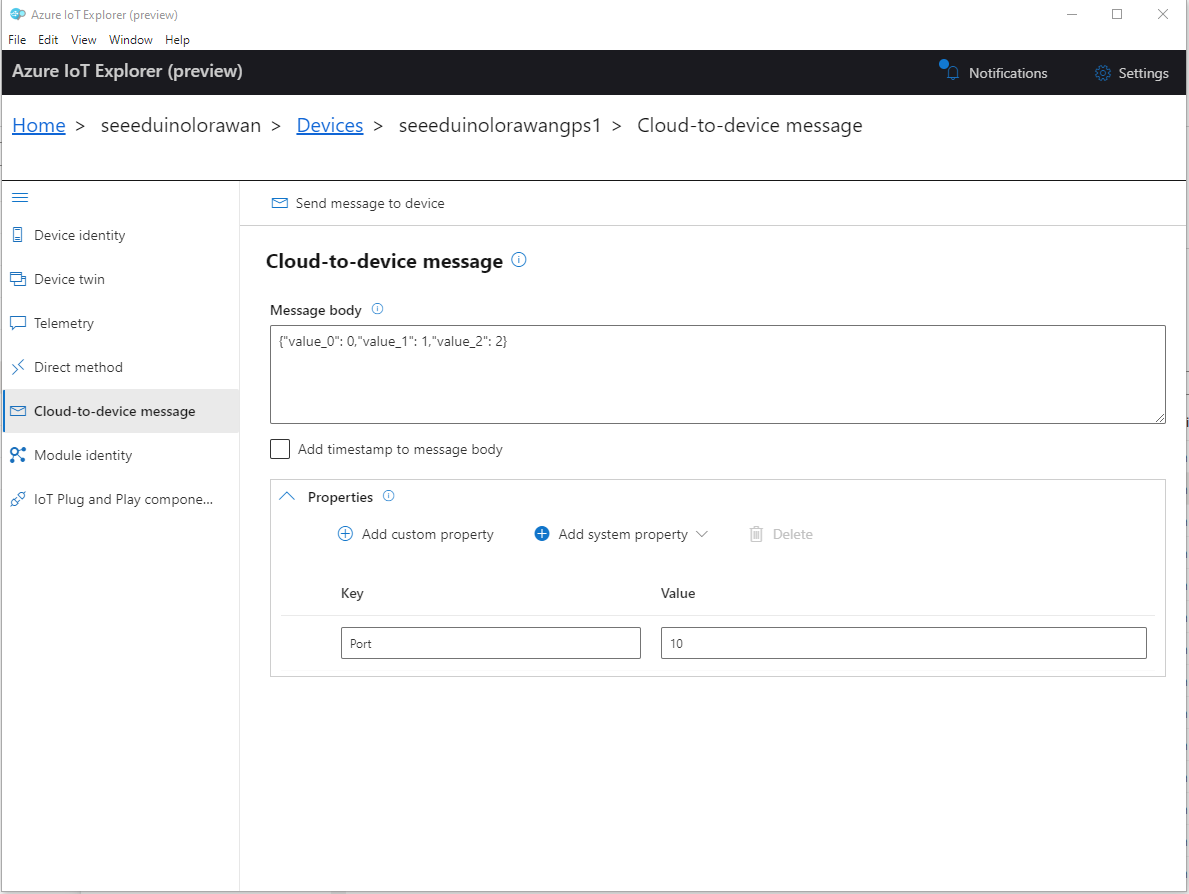
Azure IoT Explorer Clod to Device message with LoRaWAN Port number custom parameter

When a LoRaWAN device sends an Uplink message a session is established using Advanced Message Queuing Protocol(AMQP) so connections can be multiplexed)

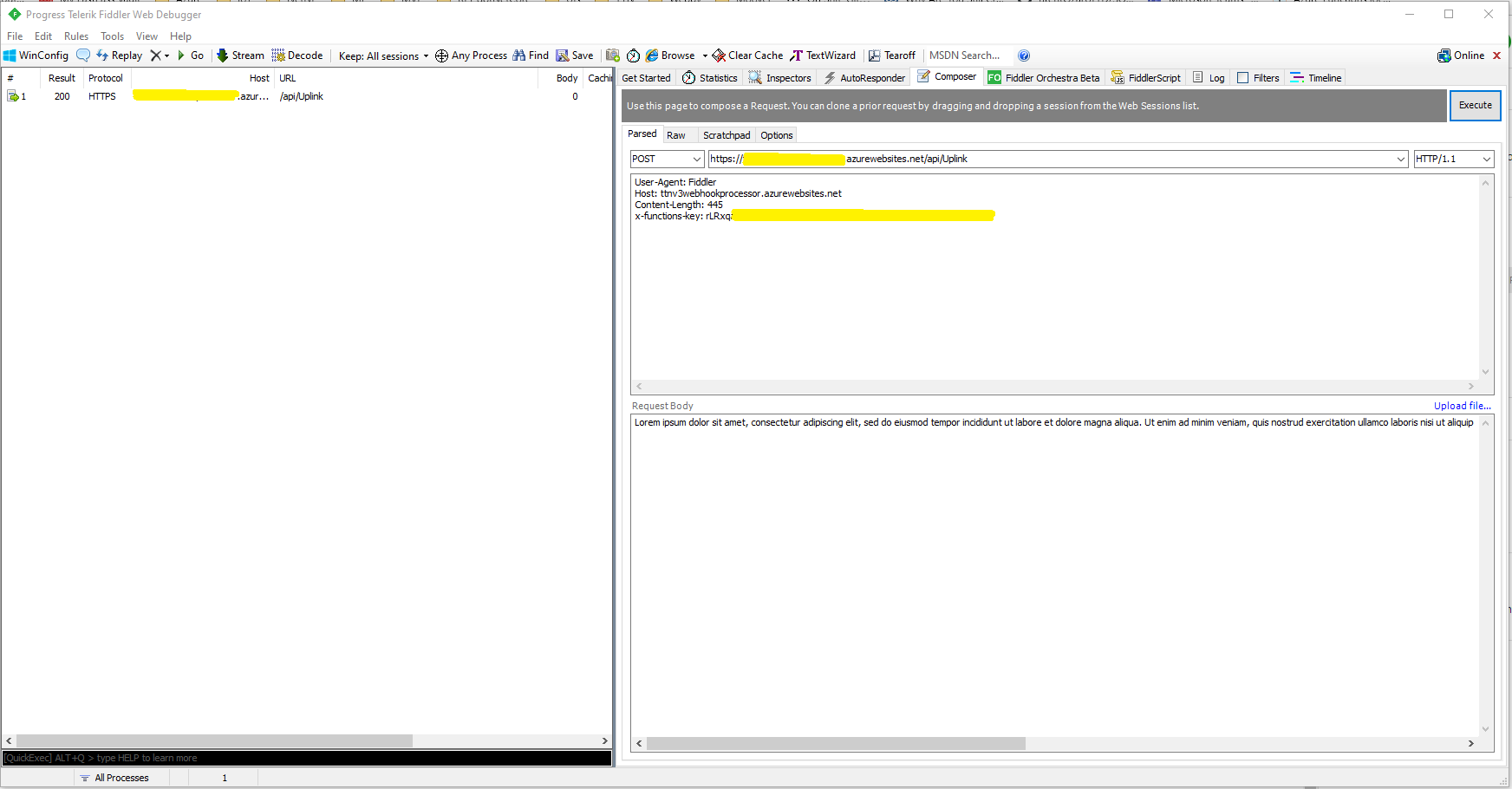
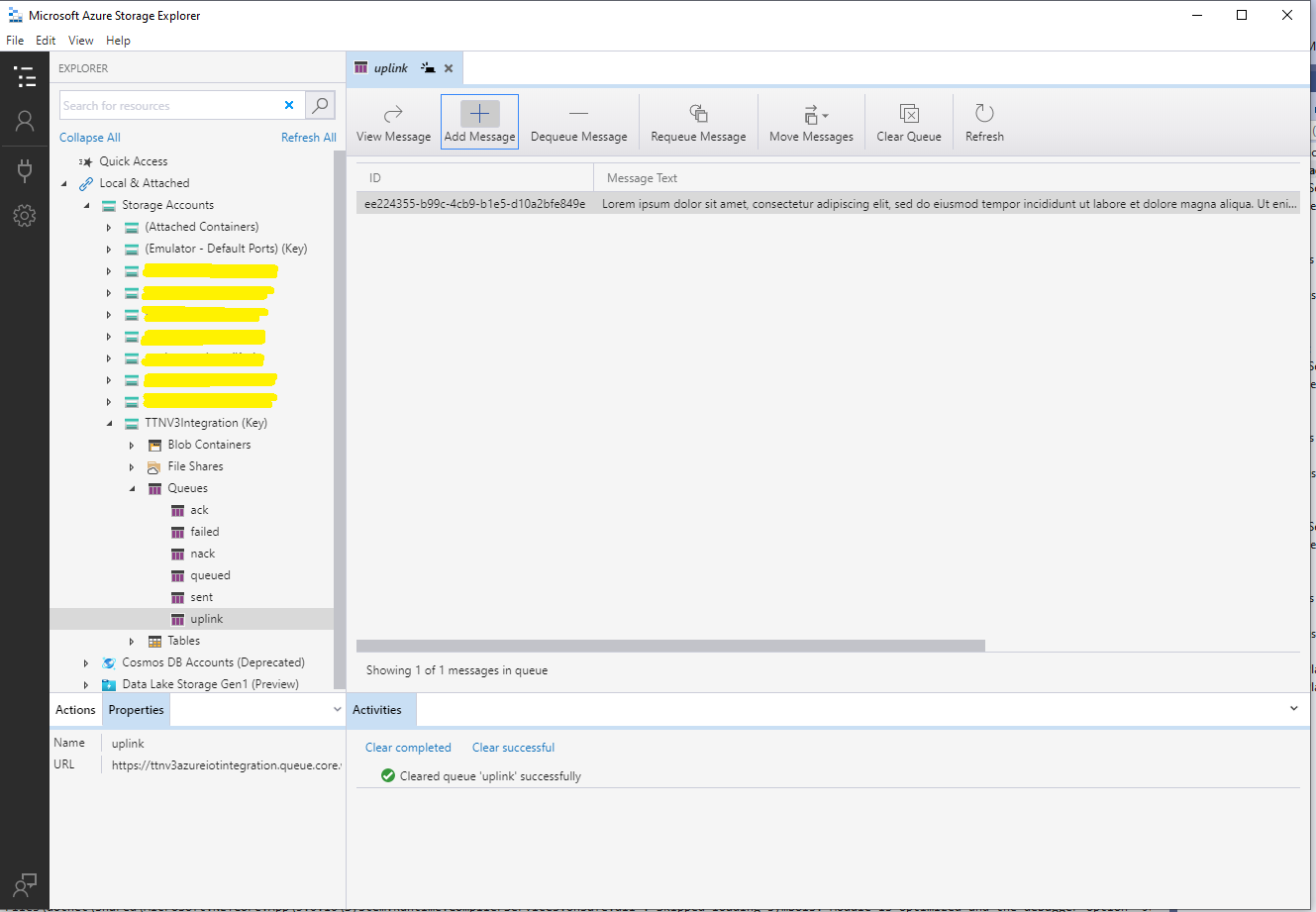
I used Azure IoT Explorer to send Cloud to Device messages to the Azure IoT Hub (to initiate the sending of a downlink message to the Device by the Connector) after simulating a TTN uplink message with Telerik Fiddler and a modified TTN sample payload.

BEWARE – TTN URLs and Azure IoT Hub device identifiers are case sensitive

...
if (!_DeviceClients.TryGetValue(deviceId, out DeviceClient deviceClient))
{
   logger.LogInformation("Uplink-Unknown device for ApplicationID:{0} DeviceID:{1}", applicationId, deviceId);

   deviceClient = DeviceClient.CreateFromConnectionString(_configuration.GetConnectionString("AzureIoTHub"), deviceId, 
                    new ITransportSettings[]
                    {
                        new AmqpTransportSettings(TransportType.Amqp_Tcp_Only)
                        {
                            AmqpConnectionPoolSettings = new AmqpConnectionPoolSettings()
                            {
                                Pooling = true,
                            }
                        }
                    });

   try
   {
      await deviceClient.OpenAsync();
   }
   catch (DeviceNotFoundException)
   {
      logger.LogWarning("Uplink-Unknown DeviceID:{0}", deviceId);

      return req.CreateResponse(HttpStatusCode.NotFound);
   }

   if (!_DeviceClients.TryAdd(deviceId, deviceClient))
   {
      logger.LogWarning("Uplink-TryAdd failed for ApplicationID:{0} DeviceID:{1}", applicationId, deviceId);

      return req.CreateResponse(HttpStatusCode.Conflict);
   }

   Models.AzureIoTHubReceiveMessageHandlerContext context = new Models.AzureIoTHubReceiveMessageHandlerContext()
   { 
      DeviceId = deviceId,
      ApplicationId = applicationId,
      WebhookId = _configuration.GetSection("TheThingsIndustries").GetSection("WebhookId").Value,
      WebhookBaseURL = _configuration.GetSection("TheThingsIndustries").GetSection("WebhookBaseURL").Value,
      ApiKey = _configuration.GetSection("TheThingsIndustries").GetSection("APiKey").Value,
   };      

   await deviceClient.SetReceiveMessageHandlerAsync(AzureIoTHubClientReceiveMessageHandler, context);

   await deviceClient.SetMethodDefaultHandlerAsync(AzureIoTHubClientDefaultMethodHandler, context);
 }

...

An Azure IoT Hub can invoke methods(synchronous) or send messages(asynchronous) to a device for processing. The Azure IoT Hub DeviceClient has two methods SetMethodDefaultHandlerAsync and SetReceiveMessageHandlerAsync which enable the processing of direct methods and messages.

private async Task<MethodResponse> AzureIoTHubClientDefaultMethodHandler(MethodRequest methodRequest, object userContext)
{
	if (methodRequest.DataAsJson != null)
	{
		_logger.LogWarning("AzureIoTHubClientDefaultMethodHandler name:{0} payload:{1}", methodRequest.Name, methodRequest.DataAsJson);
	}
	else
	{
		_logger.LogWarning("AzureIoTHubClientDefaultMethodHandler name:{0} payload:NULL", methodRequest.Name);
	}

	return new MethodResponse(404);
}

After some experimentation in previous TTN Connectors I found the synchronous nature of DirectMethods didn’t work well with LoRAWAN “irregular” connectivity so currently they are ignored.

public partial class Integration
{
	private async Task AzureIoTHubClientReceiveMessageHandler(Message message, object userContext)
	{
		try
		{
			Models.AzureIoTHubReceiveMessageHandlerContext receiveMessageHandlerContext = (Models.AzureIoTHubReceiveMessageHandlerContext)userContext;

			if (!_DeviceClients.TryGetValue(receiveMessageHandlerContext.DeviceId, out DeviceClient deviceClient))
			{
				_logger.LogWarning("Downlink-DeviceID:{0} unknown", receiveMessageHandlerContext.DeviceId);
				return;
			}

			using (message)
			{
				string payloadText = Encoding.UTF8.GetString(message.GetBytes()).Trim();

				if (!AzureDownlinkMessage.PortTryGet(message.Properties, out byte port))
				{
					_logger.LogWarning("Downlink-Port property is invalid");

					await deviceClient.RejectAsync(message);
					return;
				}

				// Split over multiple lines in an attempt to improve readability. In this scenario a valid JSON string should start/end with {/} for an object or [/] for an array
				if ((payloadText.StartsWith("{") && payloadText.EndsWith("}"))
														||
					((payloadText.StartsWith("[") && payloadText.EndsWith("]"))))
				{
					try
					{
						downlink.PayloadDecoded = JToken.Parse(payloadText);
					}
					catch (JsonReaderException)
					{
						downlink.PayloadRaw = payloadText;
					}
				}
				else
				{
					downlink.PayloadRaw = payloadText;
				}

				_logger.LogInformation("Downlink-IoT Hub DeviceID:{0} MessageID:{1} LockToken :{2} Port{3}",
					receiveMessageHandlerContext.DeviceId,
					message.MessageId,
		            message.LockToken,
					downlink.Port);

				Models.DownlinkPayload Payload = new Models.DownlinkPayload()
				{
					Downlinks = new List<Models.Downlink>()
					{
						downlink
					}
				};

				string url = $"{receiveMessageHandlerContext.WebhookBaseURL}/{receiveMessageHandlerContext.ApplicationId}/webhooks/{receiveMessageHandlerContext.WebhookId}/devices/{receiveMessageHandlerContext.DeviceId}/down/replace");

				using (var client = new WebClient())
				{
					client.Headers.Add("Authorization", $"Bearer {receiveMessageHandlerContext.ApiKey}");

					client.UploadString(new Uri(url), JsonConvert.SerializeObject(Payload));
				}

				_logger.LogInformation("Downlink-DeviceID:{0} LockToken:{1} success", receiveMessageHandlerContext.DeviceId, message.LockToken);
			}
		}
		catch (Exception ex)
		{
			_logger.LogError(ex, "Downlink-ReceiveMessge processing failed");
		}
	}
}

If the message body contains a valid JavaScript Object Notation(JSON) payload it is “spliced” into the DownLink message decoded_payload field otherwise the Base64 encoded frm_payload is populated.
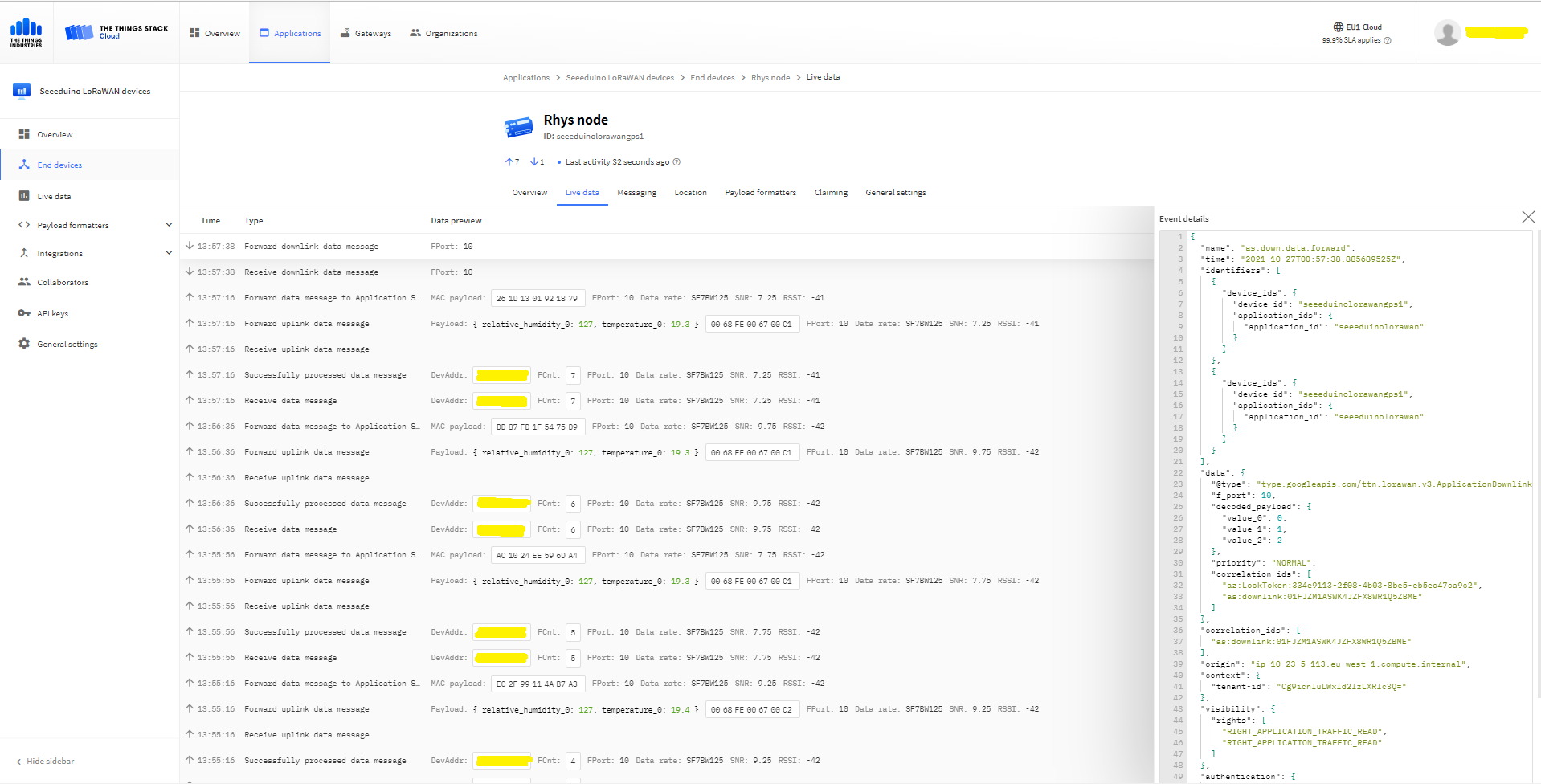
The Things “Industries Live” data tab downlink message

The SetReceiveMessageHandlerAsync context information is used to construct a TTN downlink message payload and request URL(with default queuing, message priority and confirmation options)
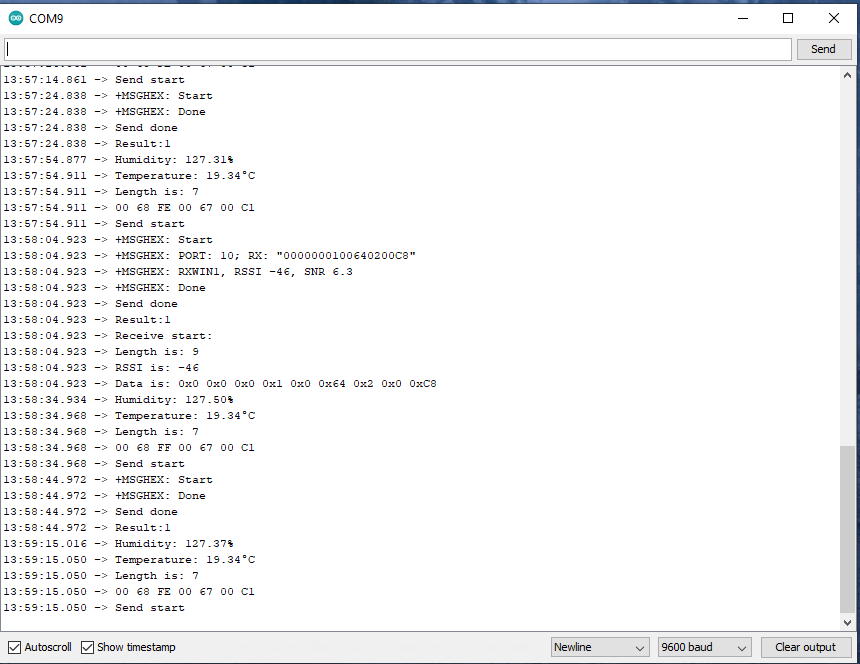
Arduino Serial Monitor displaying Uplink and Downlink messages

TTI V3 Connector Minimalist Device to Cloud(D2C)

After pausing my Azure Storage Queued based approach I built a quick Proof of Concept(PoC) with an HTTPTrigger Azure Function. The application has a single endpoint for processing uplink messages which is called by a The Things Industries(TTI) Webhooks integration.

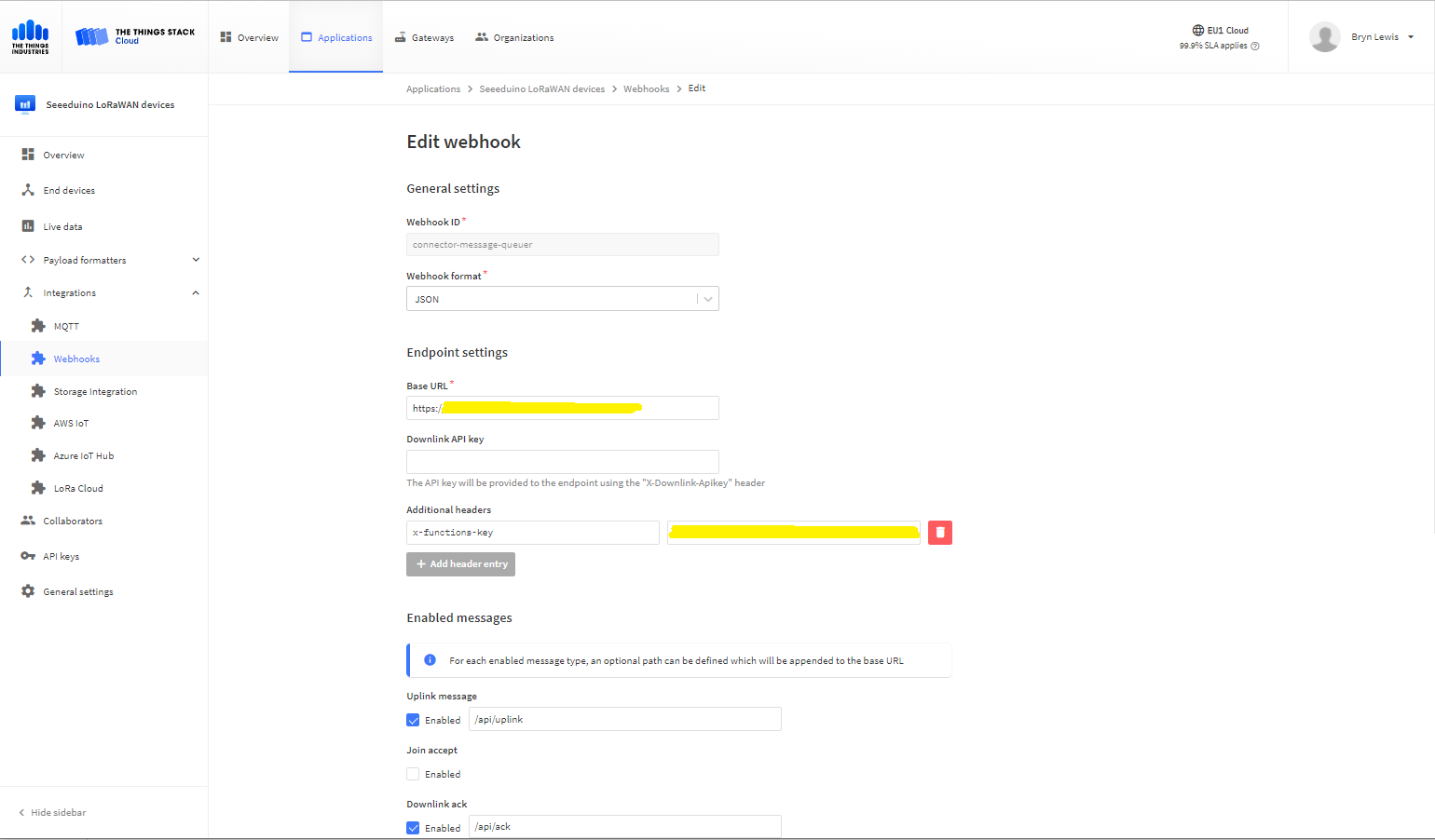
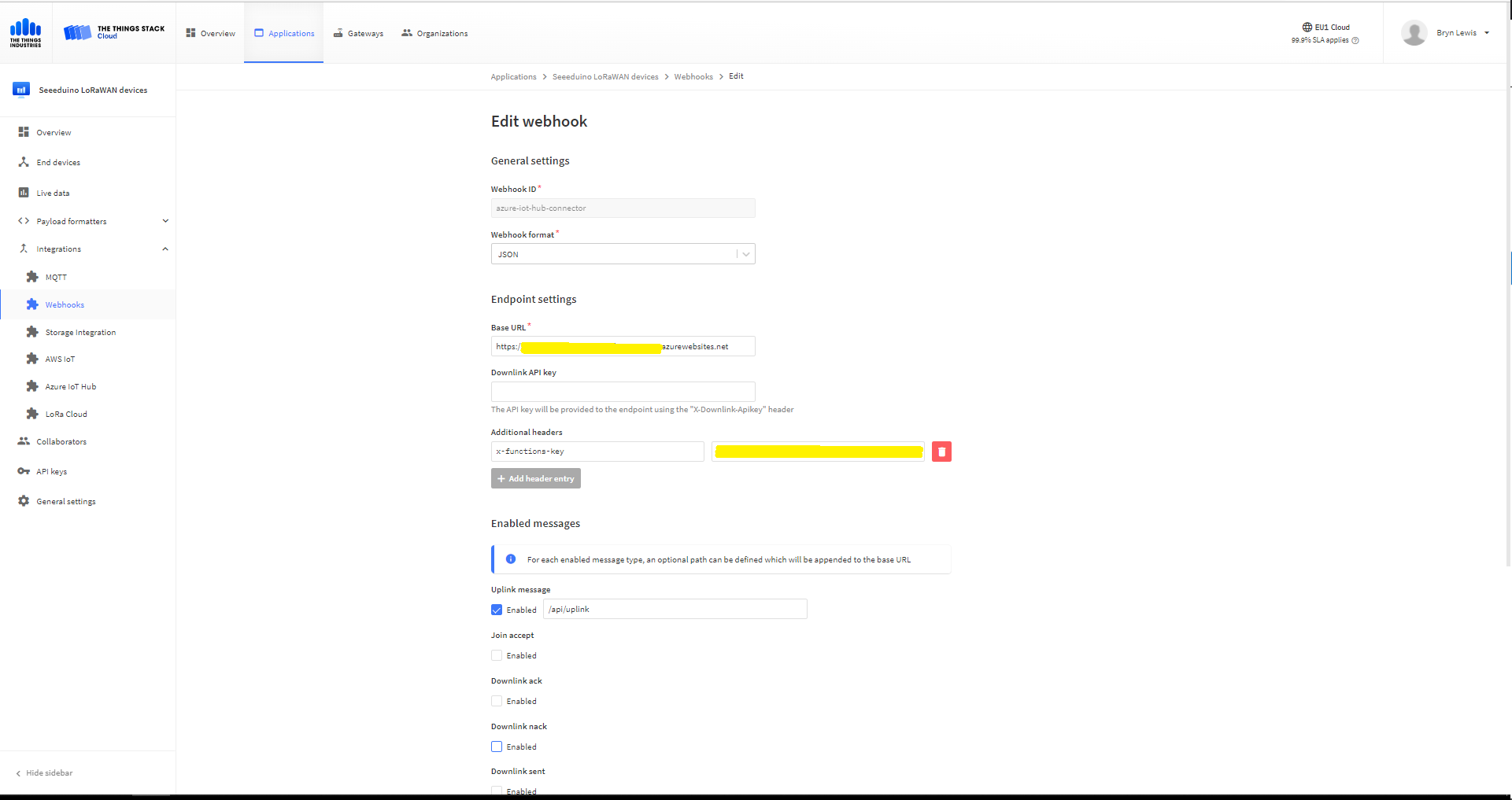
The Things Industries Application Webhook configuration
namespace devMobile.IoT.TheThingsIndustries.AzureIoTHub
{
	using System.Collections.Concurrent;
	using Microsoft.Azure.Devices.Client;
...

	public partial class Integration
	{
...
		private static readonly ConcurrentDictionary<string, DeviceClient> _DeviceClients = new ConcurrentDictionary<string, DeviceClient>();
...
	}
}

The connector uses a ConcurrentDictionary(indexed by TTI deviceID) to cache Azure IoT Hub DeviceClient instances.

public partial class Webhooks
{
	[Function("Uplink")]
	public async Task<HttpResponseData> Uplink([HttpTrigger(AuthorizationLevel.Function, "post")] HttpRequestData req, FunctionContext executionContext)
	{
		var logger = executionContext.GetLogger("Uplink");

		// Wrap all the processing in a try\catch so if anything blows up we have logged it. Will need to specialise for connectivity failues etc.
		try
		{
			Models.PayloadUplink payload = JsonConvert.DeserializeObject<Models.PayloadUplink>(await req.ReadAsStringAsync());
			if (payload == null)
			{
				logger.LogInformation("Uplink: Payload {0} invalid", await req.ReadAsStringAsync());

				return req.CreateResponse(HttpStatusCode.BadRequest);
			}

			string applicationId = payload.EndDeviceIds.ApplicationIds.ApplicationId;
			string deviceId = payload.EndDeviceIds.DeviceId;

			if ((payload.UplinkMessage.Port == null ) || (!payload.UplinkMessage.Port.HasValue) || (payload.UplinkMessage.Port.Value == 0))
			{
				logger.LogInformation("Uplink-ApplicationID:{0} DeviceID:{1} Payload Raw:{2} Control nessage", applicationId, deviceId, payload.UplinkMessage.PayloadRaw);

				return req.CreateResponse(HttpStatusCode.BadRequest);
			}

			int port = payload.UplinkMessage.Port.Value;

			logger.LogInformation("Uplink-ApplicationID:{0} DeviceID:{1} Port:{2} Payload Raw:{3}", applicationId, deviceId, port, payload.UplinkMessage.PayloadRaw);

			if (!_DeviceClients.TryGetValue(deviceId, out DeviceClient deviceClient))
			{
				logger.LogInformation("Uplink-Unknown device for ApplicationID:{0} DeviceID:{1}", applicationId, deviceId);

				deviceClient = DeviceClient.CreateFromConnectionString(_configuration.GetConnectionString("AzureIoTHub"), deviceId);

				try
				{
					await deviceClient.OpenAsync();
				}
				catch (DeviceNotFoundException)
				{
					logger.LogWarning("Uplink-Unknown DeviceID:{0}", deviceId);

					return req.CreateResponse(HttpStatusCode.NotFound);
				}

				if (!_DeviceClients.TryAdd(deviceId, deviceClient))
				{
					logger.LogWarning("Uplink-TryAdd failed for ApplicationID:{0} DeviceID:{1}", applicationId, deviceId);

					return req.CreateResponse(HttpStatusCode.Conflict);
				}
			}

			JObject telemetryEvent = new JObject
			{
				{ "ApplicationID", applicationId },
				{ "DeviceID", deviceId },
				{ "Port", port },
				{ "PayloadRaw", payload.UplinkMessage.PayloadRaw }
			};

			// If the payload has been decoded by payload formatter, put it in the message body.
			if (payload.UplinkMessage.PayloadDecoded != null)
			{
				telemetryEvent.Add("PayloadDecoded", payload.UplinkMessage.PayloadDecoded);
			}

			// Send the message to Azure IoT Hub
			using (Message ioTHubmessage = new Message(Encoding.ASCII.GetBytes(JsonConvert.SerializeObject(telemetryEvent))))
			{
				// Ensure the displayed time is the acquired time rather than the uploaded time. 
				ioTHubmessage.Properties.Add("iothub-creation-time-utc", payload.UplinkMessage.ReceivedAtUtc.ToString("s", CultureInfo.InvariantCulture));
				ioTHubmessage.Properties.Add("ApplicationId", applicationId);
				ioTHubmessage.Properties.Add("DeviceEUI", payload.EndDeviceIds.DeviceEui);
				ioTHubmessage.Properties.Add("DeviceId", deviceId);
				ioTHubmessage.Properties.Add("port", port.ToString());

				await deviceClient.SendEventAsync(ioTHubmessage);
			}
		}
		catch (Exception ex)
		{
			logger.LogError(ex, "Uplink message processing failed");

			return req.CreateResponse(HttpStatusCode.InternalServerError);
		}

		return req.CreateResponse(HttpStatusCode.OK);
	}
}

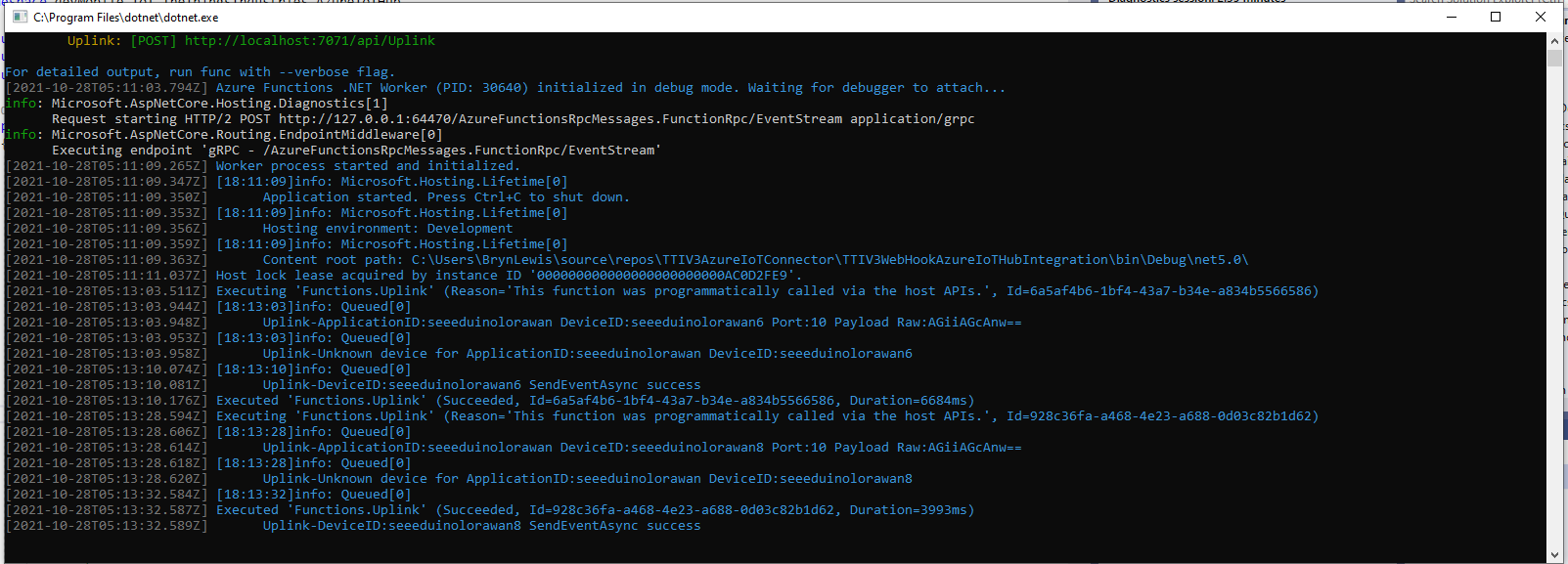
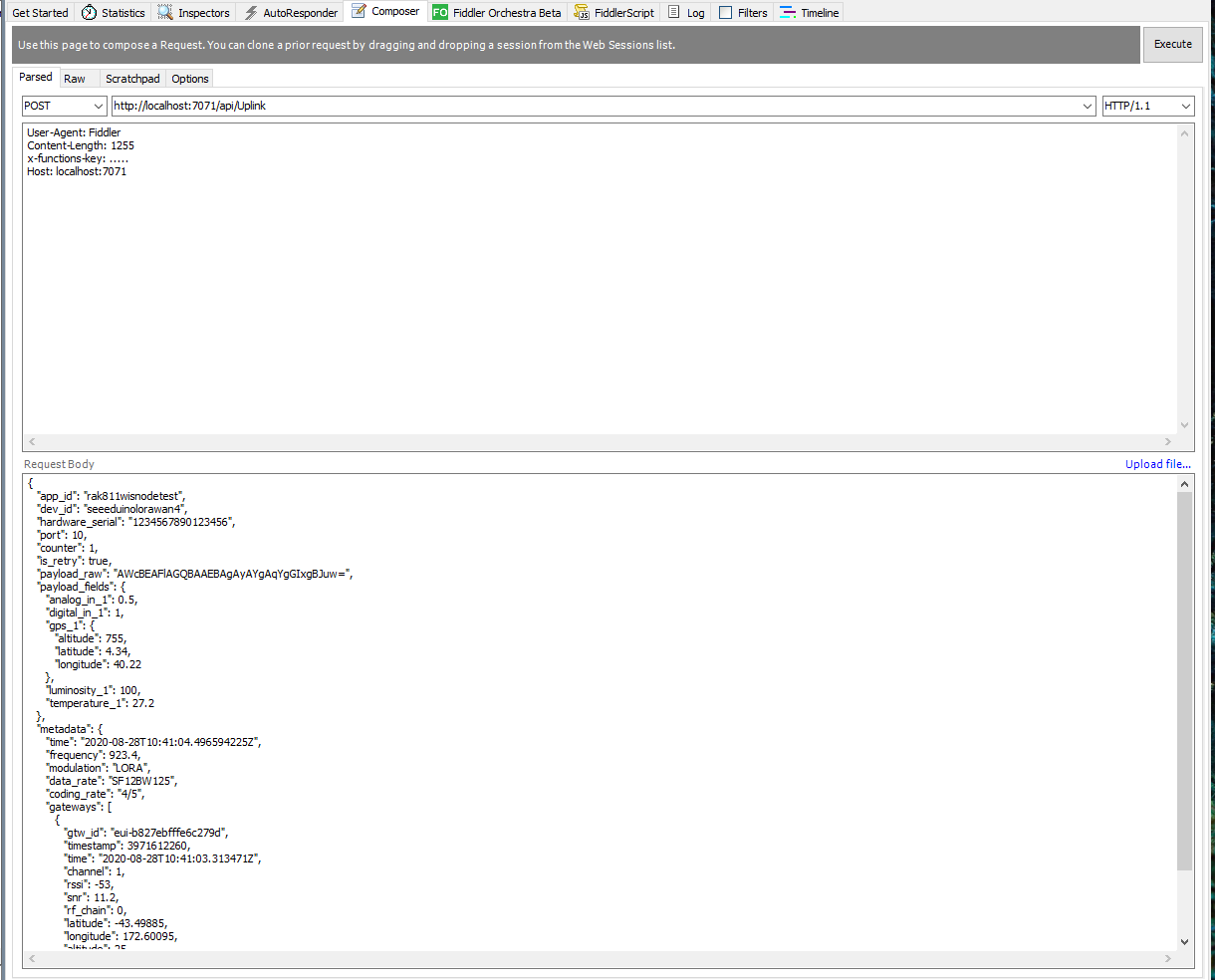
For initial development and testing I ran the function application in the desktop emulator and simulated TTI webhook calls with Telerik Fiddler and modified TTI sample payloads.

Azure Functions Desktop development environment

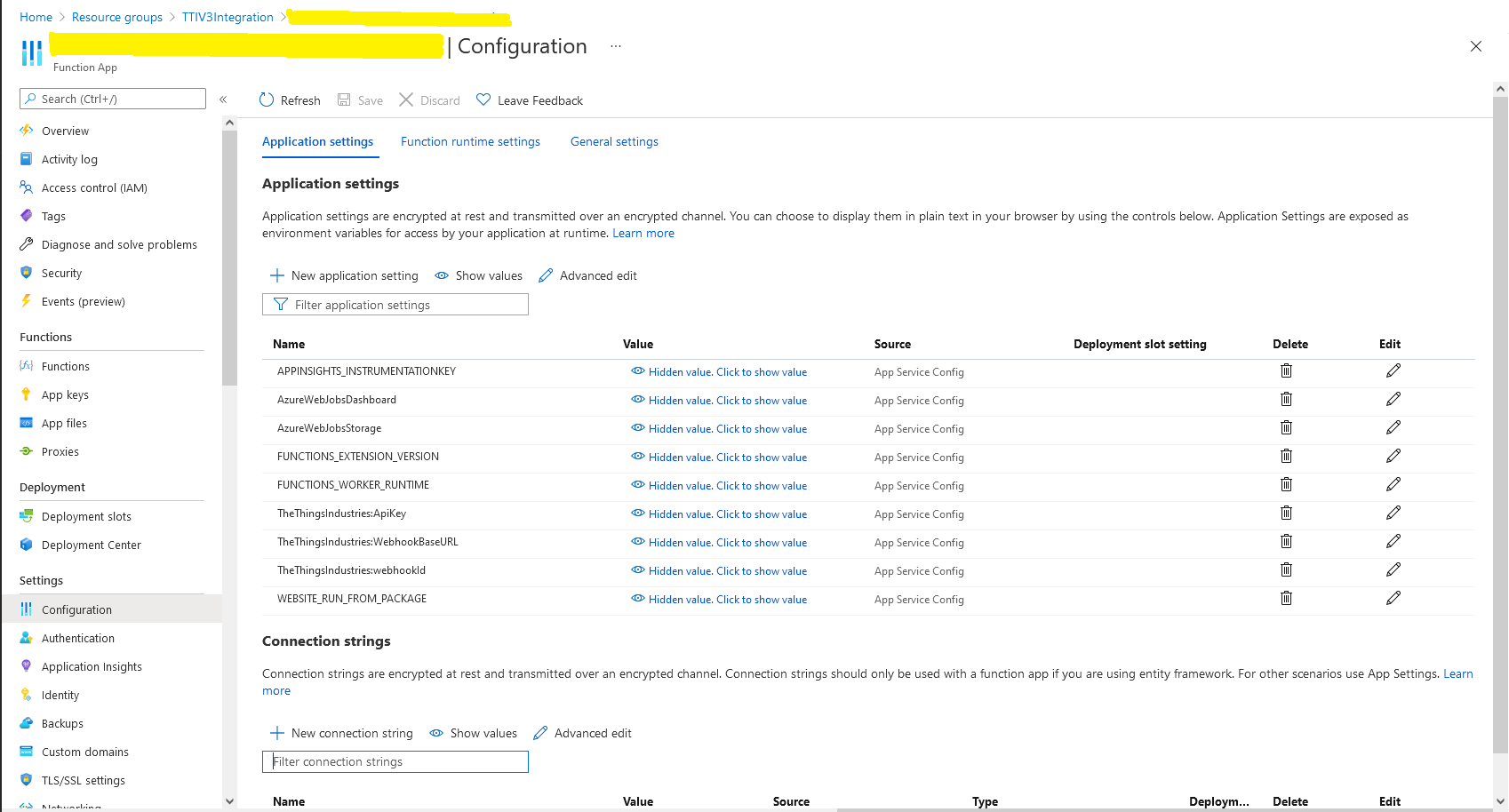
I then deployed my function to Azure and configured the Azure IoT Hub connection string, Azure Application Insights key etc.

Azure Function configuration

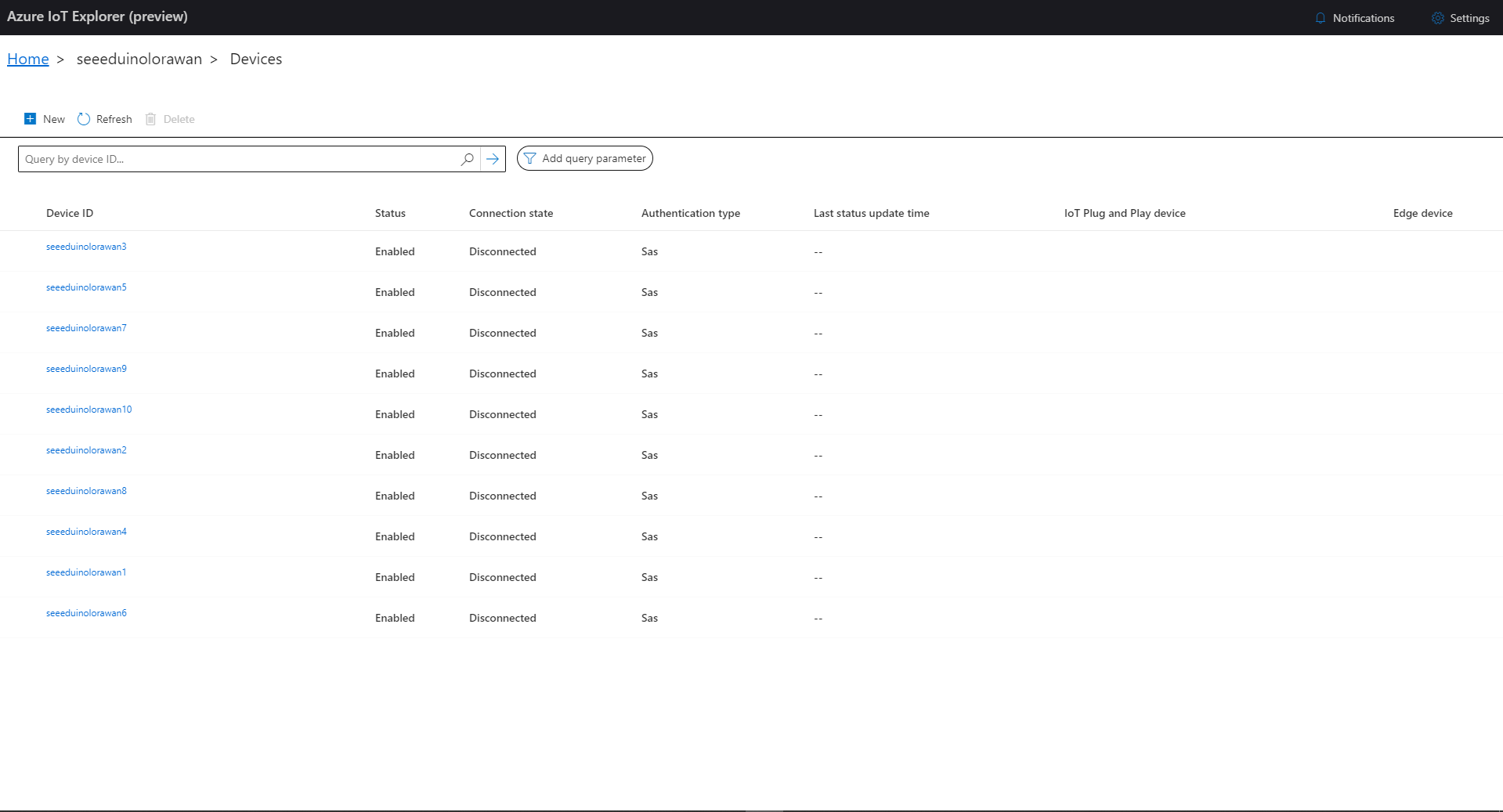
I then used Azure IoT Explorer to configure devices, view uplink traffic etc. When I connected to my Azure IoT Hub shortly after starting the application all the devices were disconnected.

Azure IoT Explorer – no connected devices

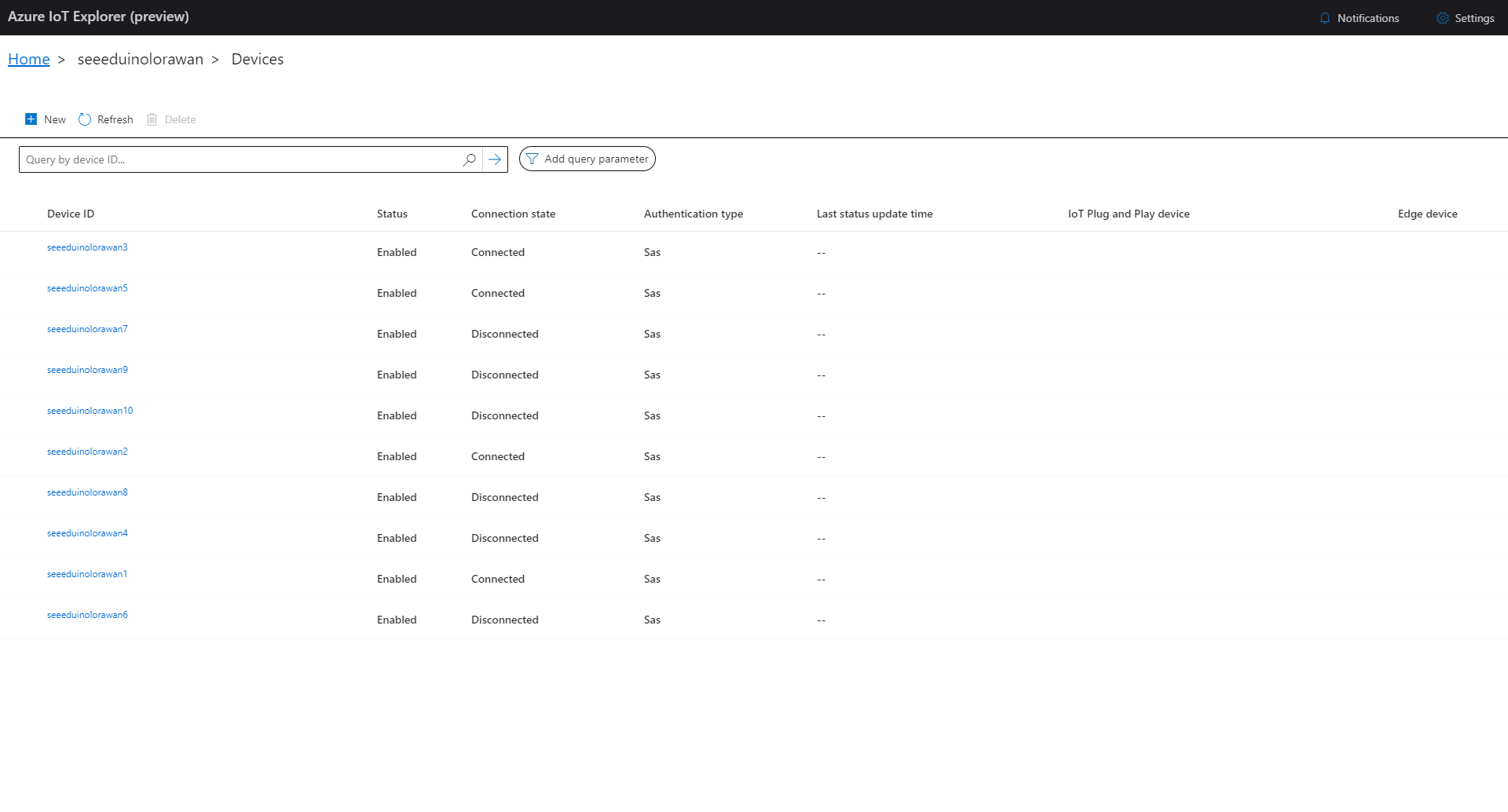
The SeeeduinoLoRaWAN devices report roughly every 15 minutes so it took a while for them all to connect. (the SeeeduinoLoRaWAN4 & SeeeduinoLoRaWAN6 need to be repaired) .

Azure IoT Explorer – some connected devices

After a device had connected I could use Azure IoT Explorer to inspect the Seeeduino LoRaWAN device uplink message payloads.

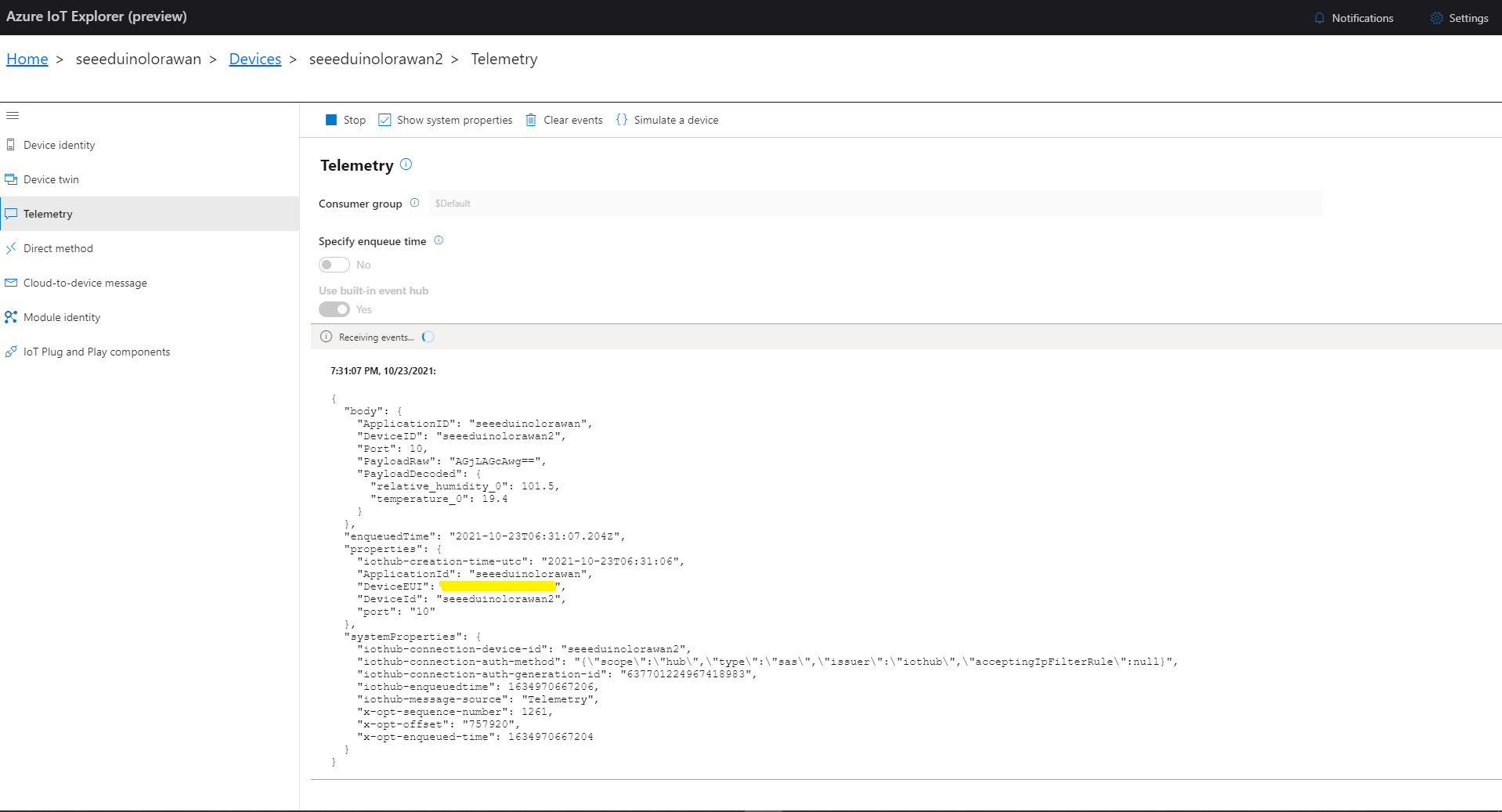
Azure IoT Explorer displaying device telemetry

I also used Azure Application Insights to monitor the performance of the function and device activity.

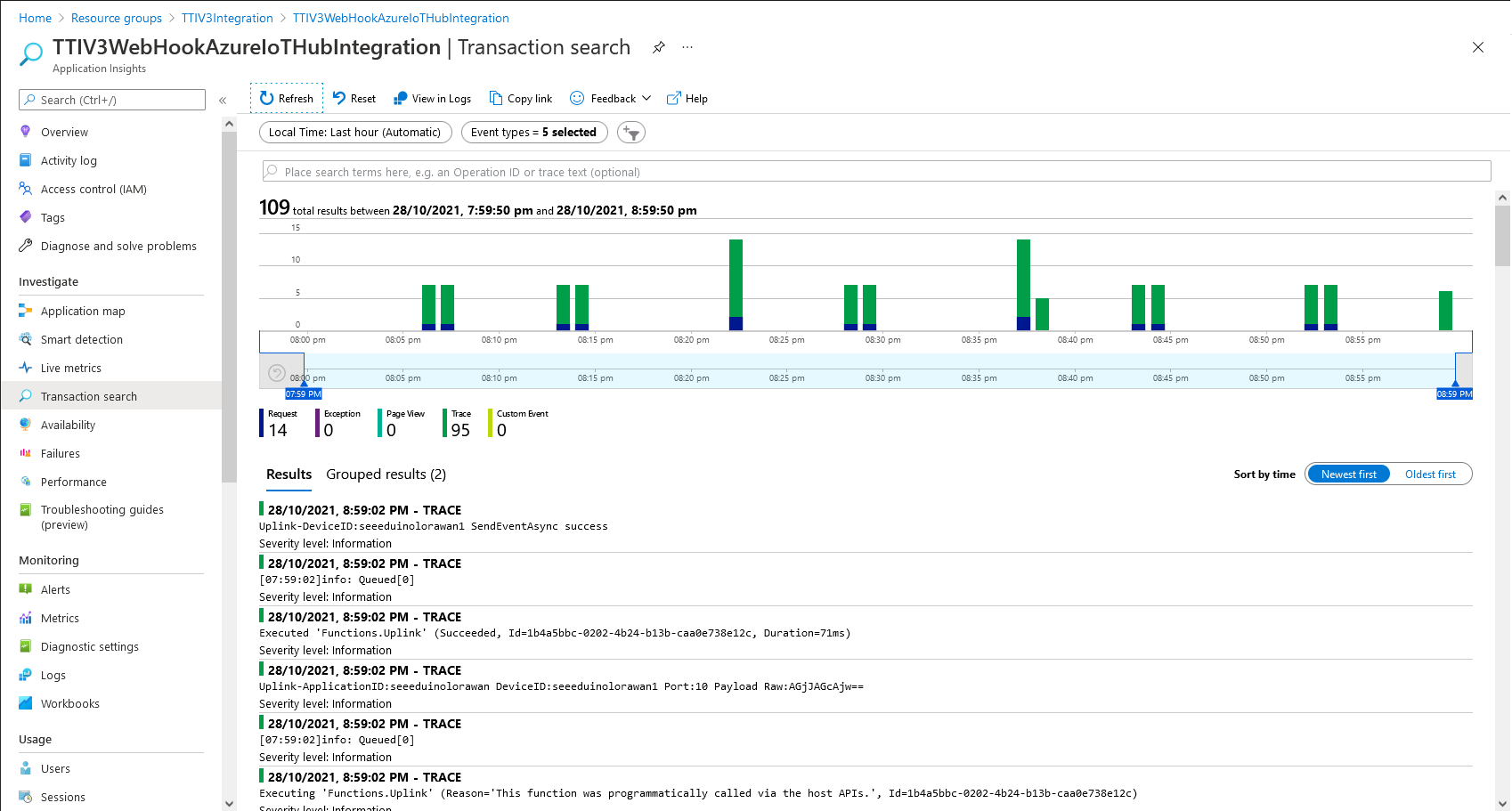
Azure Application Insights displaying device telemetry

The Azure functions uplink message processor was then “soak tested” for a week without an issues.

TTI V3 Connector Azure Storage Queues Paused

After running my The Things Industries(TTI) V3 HTTPStorageQueueOutput application for a week I think there are some problems with my approach so I have paused development while I build another HTTPTrigger Azure Functions based Proof of Concept(PoC).

The HTTPTrigger and Azure Storage Queue OutputBinding based code which inserts messages into an Azure Storage Queue was minimal

[StorageAccount("AzureWebJobsStorage")]
public static class Webhooks
{
	[Function("Uplink")]
	public static async Task<HttpTriggerUplinkOutputBindingType> Uplink([HttpTrigger(AuthorizationLevel.Function, "post")] HttpRequestData req, FunctionContext context)
	{
		var logger = context.GetLogger("UplinkMessage");

		logger.LogInformation("Uplink processed");
			
		var response = req.CreateResponse(HttpStatusCode.OK);

		return new HttpTriggerUplinkOutputBindingType()
		{
			Name = await req.ReadAsStringAsync(),
			HttpReponse = response
		};
	}
}

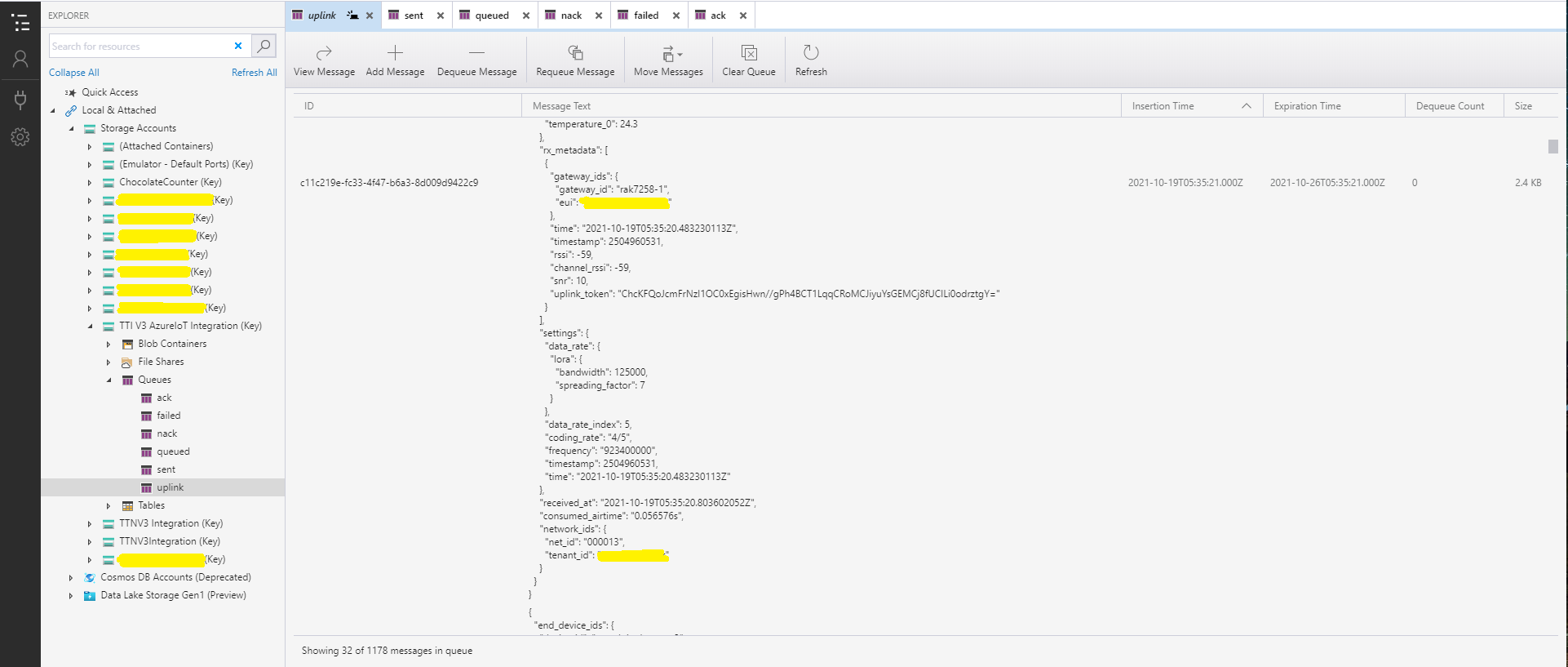
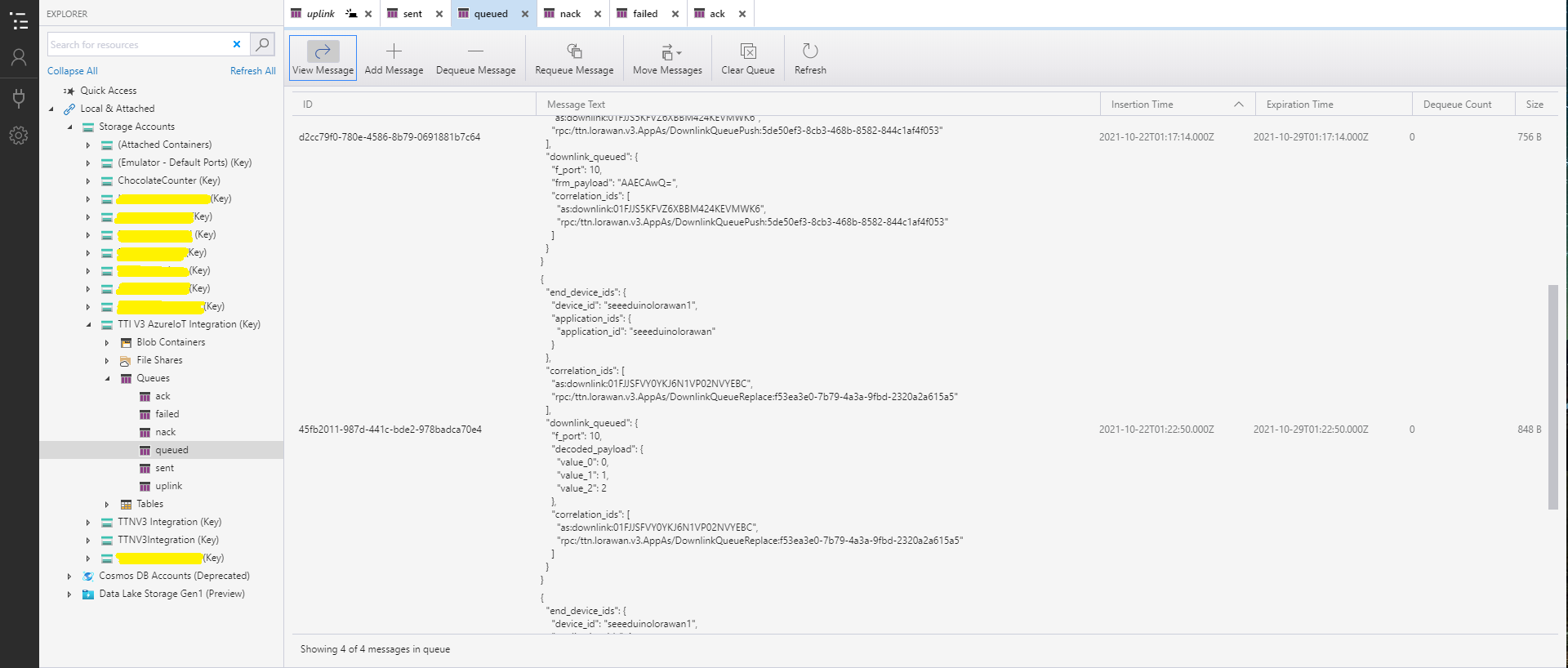
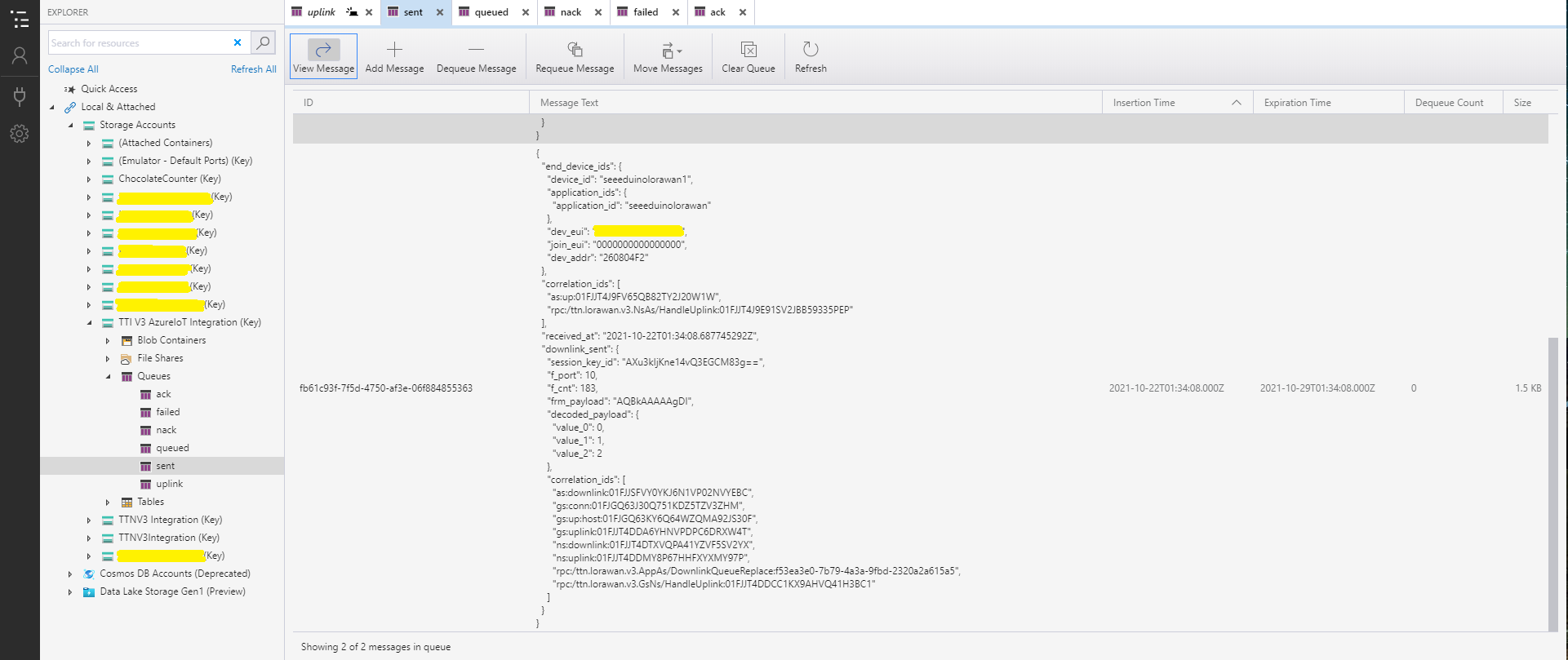
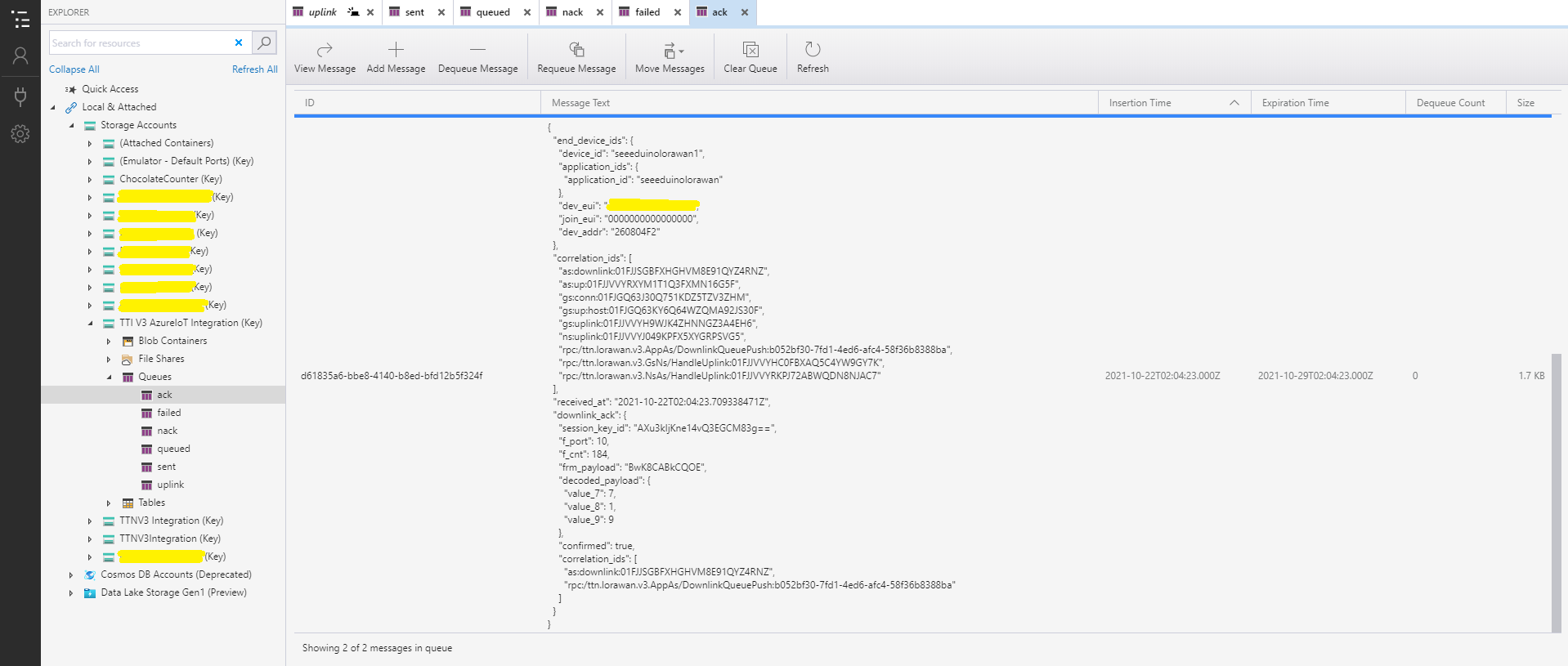
With Azure Storage Explorer I could inspect uplink, queued, sent, and acknowledgment(ACK) messages. It was difficult to generate failed and Negative Acknowledgement (Nack) and failed messages

Azure Storage Explorer displaying Uplink messages
Azure Storage Explorer displaying queued messages
Azure Storage Explorer displaying sent messages
Azure Storage Explorer Displaying Ack messages

After some experimentation I realised that I had forgotten that the order of message processing was important e.g. a TTI Queued message should be processed before the associated Ack. This could (and did happen) because I had a queue for each message type and in addition the Azure Queue Storage trigger binding would use parallel execution to process backlogs of messages. My approach caused issues with both intra and inter queue message ordering

TTI V3 Connector Azure Storage Queues

The first Proof of Concept(PoC) for my updated The Things Industries(TTI) V3 Webhooks Integration was to explore the use of Azure Functions to securely ingest webhook calls. The aim was to have uplink and downlink message progress message payloads written to Azure Storage Queues with output bindings ready for processing.

namespace devMobile.IoT.TheThingsIndustries.HttpInputStorageQueueOutput
{
	using System.Net;
	using System.Threading.Tasks;

	using Microsoft.Azure.Functions.Worker;
	using Microsoft.Azure.Functions.Worker.Http;
	using Microsoft.Azure.WebJobs;
	using Microsoft.Extensions.Logging;


	[StorageAccount("AzureWebJobsStorage")]
	public static class Webhooks
	{
		[Function("Uplink")]
		public static async Task<HttpTriggerUplinkOutputBindingType> Uplink([HttpTrigger(AuthorizationLevel.Function, "post")] HttpRequestData req, FunctionContext context)
		{
			var logger = context.GetLogger("UplinkMessage");

			logger.LogInformation("Uplink processed");
			
			var response = req.CreateResponse(HttpStatusCode.OK);

			return new HttpTriggerUplinkOutputBindingType()
			{
				Name = await req.ReadAsStringAsync(),
				HttpReponse = response
			};
		}

		public class HttpTriggerUplinkOutputBindingType
		{
			[QueueOutput("uplink")]
			public string Name { get; set; }

			public HttpResponseData HttpReponse { get; set; }
		}

...

		[Function("Failed")]
		public static async Task<HttpTriggerFailedOutputBindingType> Failed([HttpTrigger(AuthorizationLevel.Function, "post")] HttpRequestData req, FunctionContext context)
		{
			var logger = context.GetLogger("Failed");

			logger.LogInformation("Failed procssed");

			var response = req.CreateResponse(HttpStatusCode.OK);

			return new HttpTriggerFailedOutputBindingType()
			{
				Name = await req.ReadAsStringAsync(),
				HttpReponse = response
			};
		}

		public class HttpTriggerFailedOutputBindingType
		{
			[QueueOutput("failed")]
			public string Name { get; set; }

			public HttpResponseData HttpReponse { get; set; }
		}
	}
}

After some initial problems with the use of Azure Storage Queue output bindings to insert messages into the ack, nak, failed, queued, and uplink Azure Storage Queues I found it didn’t take much code and worked reliably on my desktop.

Azure Functions Desktop Development environment running my functions

I used Telerik Fiddler with some sample payloads to test my application.

Telerik Fiddler Request Composer “posting” sample message to desktop endpoint

Once the functions were running reliably on my desktop, I created an Azure Service Plan, deployed the code, then generated an API Key for securing my HTTPTrigger endpoints.

Azure Functions Host Key configuration dialog

I then added a TTI Webhook Integration to my TTI SeeduinoLoRaWAN application, manually configured the endpoint, enabled the different messages I wanted to process and set the x-functions-key header.

TTI Application Webhook configuration

After a short delay I could see messages in the message uplink queue with Azure Storage Explorer

Azure Storage Explorer displaying content of my uplink queue

Building a new version of my TTIV3 Azure IoT connector is a useful learning exercise but I’m still deciding whether is it worth the effort as TTI has one now?

Azure HTTP Trigger Functions with .NET Core 5

Updated .NET Core V6 Version

My updated The Things Industries(TTI) connector will use a number of Azure Functions to process Application Integration webhooks (with HTTP Triggers) and Azure Storage Queue messages(with Output Bindings & QueueTriggers).

On a couple of customer projects we had been updating Azure Functions from .NET 4.X to .NET Core 3.1, and most recently .NET Core 5. This process has been surprisingly painful so I decided to build a series of small proof of concept (PoC) projects to explore the problem.

Visual Studio Azure Function Trigger type selector

I started with the Visual Studio 2019 Azure Function template and created a plain HTTPTrigger.

public static class Function1
{
   [Function("Function1")]
   public static HttpResponseData Run([HttpTrigger(AuthorizationLevel.Function, "get", "post")] HttpRequestData req,
      FunctionContext executionContext)
   {
      var logger = executionContext.GetLogger("Function1");
      logger.LogInformation("C# HTTP trigger function processed a request.");

      var response = req.CreateResponse(HttpStatusCode.OK);
      response.Headers.Add("Content-Type", "text/plain; charset=utf-8");

      response.WriteString("Welcome to Azure Functions!");

      return response;
   }
}

I changed the AuthorizationLevel to Anonymous to make testing in Azure with Telerik Fiddler easier

public static class Function1
{
	[Function("PlainAsync")]
	public static async Task<IActionResult> Run([HttpTrigger(AuthorizationLevel.Anonymous, "get", "post", Route = null)] HttpRequestData request, FunctionContext executionContext)
	{
		var logger = executionContext.GetLogger("UplinkMessage");

		logger.LogInformation("C# HTTP trigger function processed a request.");

		var response = request.CreateResponse(HttpStatusCode.OK);

		response.Headers.Add("Content-Type", "text/plain; charset=utf-8");

		response.WriteString("Welcome to Azure Functions!");

		return new OkResult();
	}
}

With not a lot of work I had an Azure Function I could run in the Visual Studio debugger

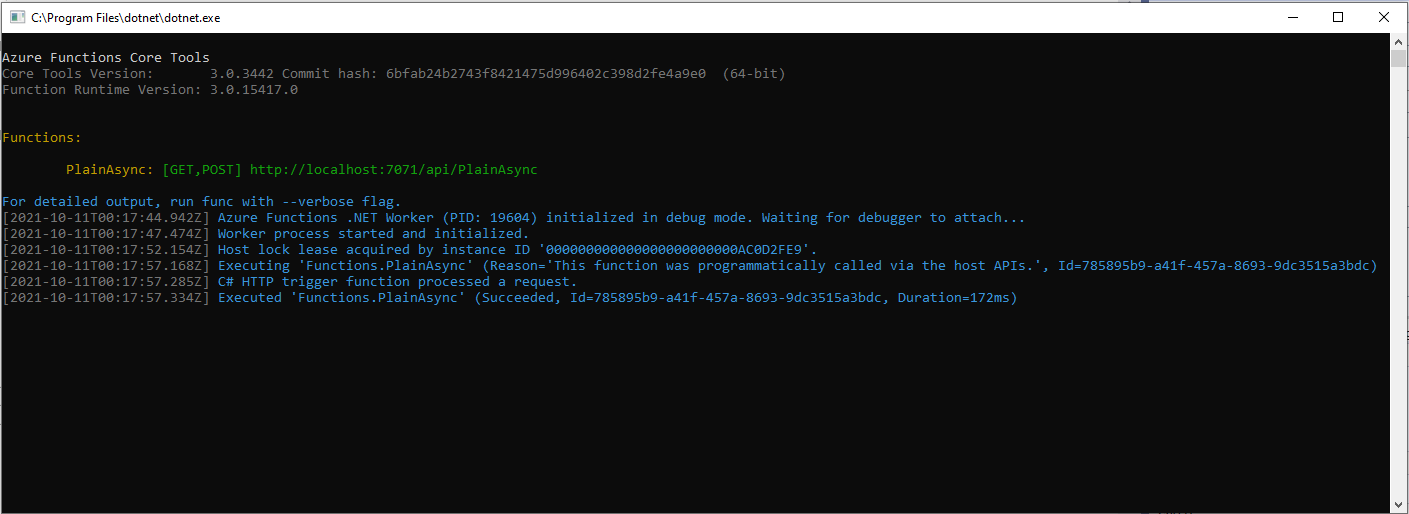
Azure Functions Debug Diagnostic Output

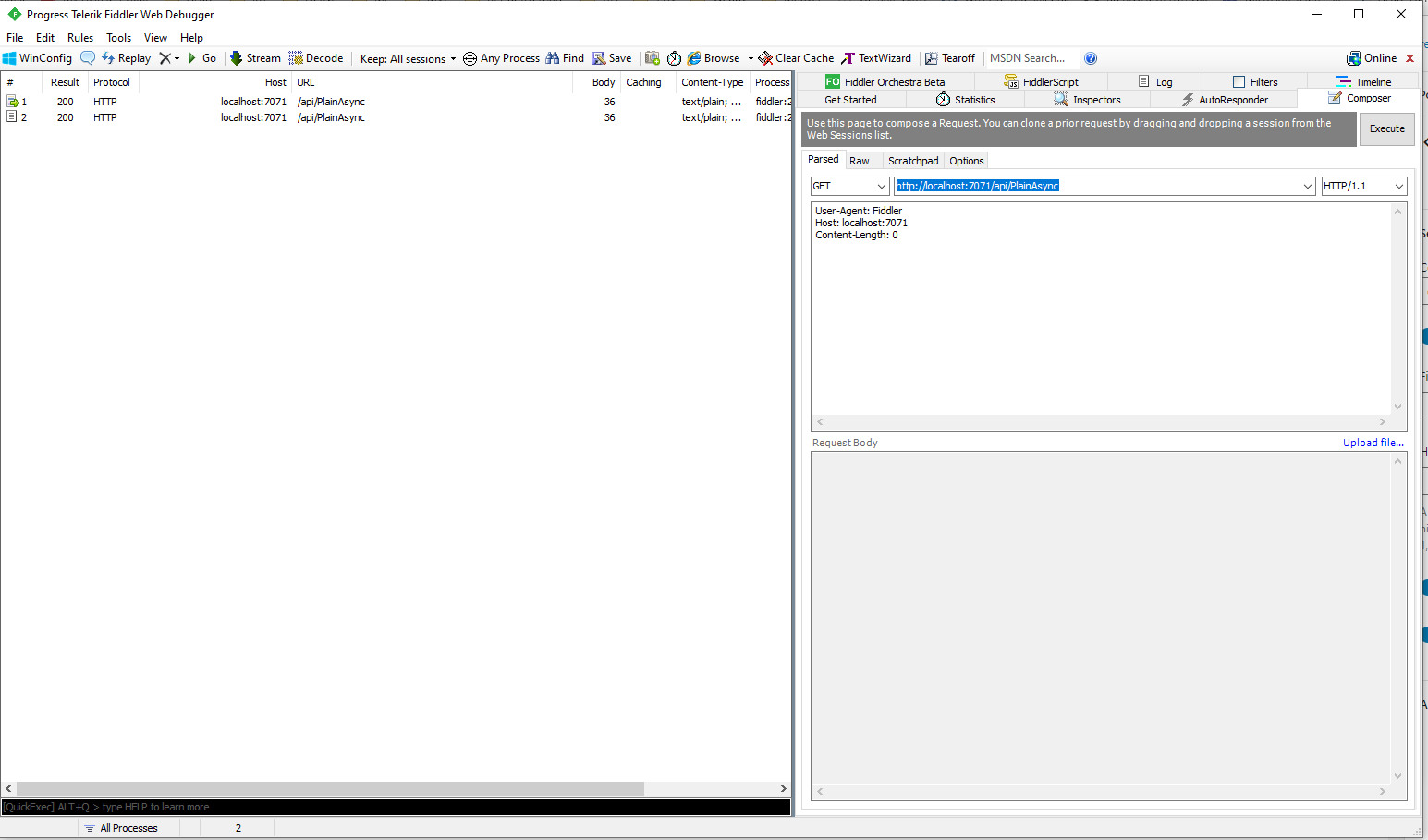
I could invoke the function using the endpoint displayed as debugging environment started.

Telerik Fiddler Composer invoking Azure Function running locally

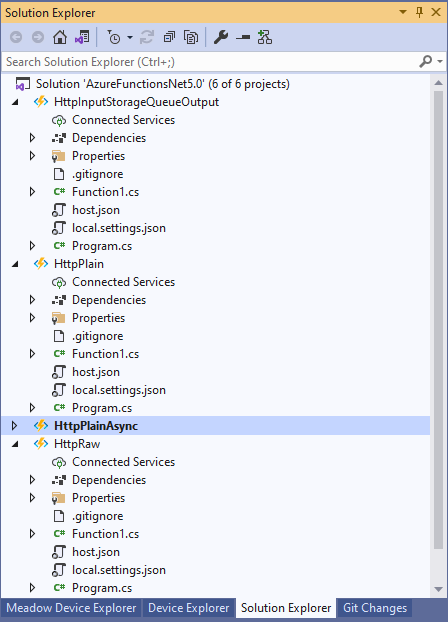
I then added more projects to explore asynchronicity, and output bindings

Azure Functions Solution PoC Projects

After a bit of “trial and error” I had an HTTPTrigger Function that inserted a message containing the payload of an HTTP POST into an Azure Storage Queue.

[StorageAccount("AzureWebJobsStorage")]
public static class Function1
{
	[Function("Uplink")]
	public static async Task<HttpTriggerUplinkOutputBindingType> Uplink([HttpTrigger(AuthorizationLevel.Function, "post")] HttpRequestData req, FunctionContext context)
	{
		var logger = context.GetLogger("UplinkMessage");

		logger.LogInformation("Uplink processed");
			
		var response = req.CreateResponse(HttpStatusCode.OK);

		return new HttpTriggerUplinkOutputBindingType()
		{
			Name = await req.ReadAsStringAsync(),
			HttpReponse = response
		};
	}

	public class HttpTriggerUplinkOutputBindingType
	{
		[QueueOutput("uplink")]
		public string Name { get; set; }

		public HttpResponseData HttpReponse { get; set; }
	}
}

The key was Multiple Output Bindings so the function could return a result for both the HttpResponseData and Azure Storage Queue operations

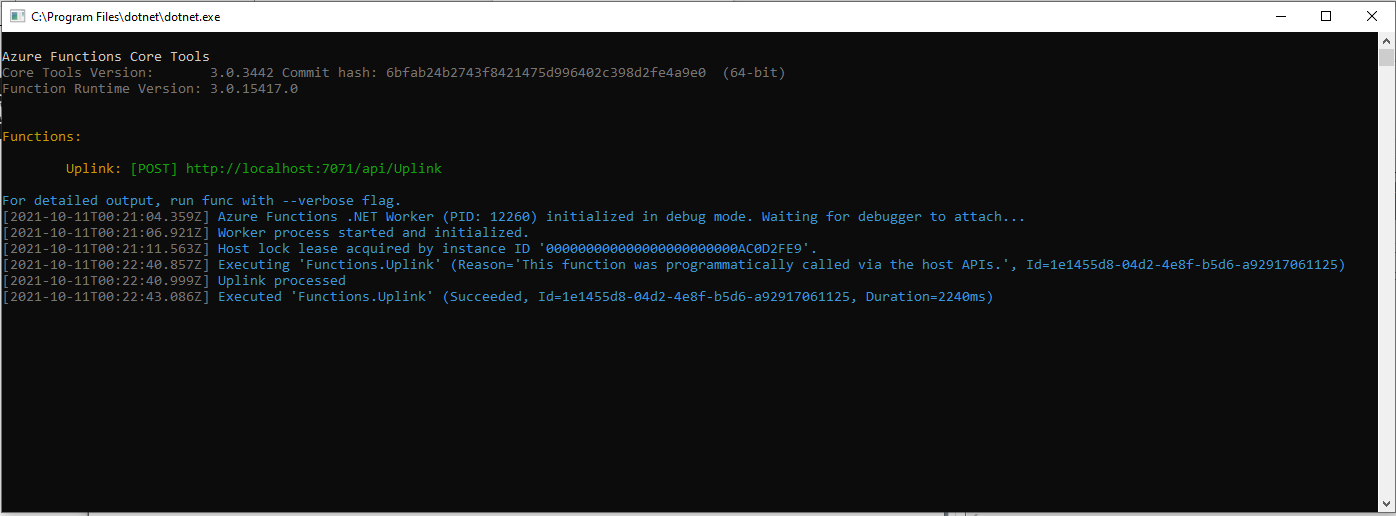
Azure Functions Debug Diagnostic Output

After getting the function running locally I deployed it to a Function App running in an App Service plan

Azure HTTP Trigger function Host Key configuration

Using the Azure Portal I configured an x-functions-key which I could use in Telerik Fiddler

After fixing an accidental truncation of the x-functions-key a message with the body of the POST was created in the Azure Storage Queue.

Azure Storage Queue Message containing HTTP Post Payload

The aim of this series of PoCs was to have an Azure function that securely (x-functions-key) processed an Hyper Text Transfer Protocol(HTTP) POST with an HTTPTrigger and inserted a message containing the payload into an Azure Storage Queue using an OutputBinding.

Use the contents of this blog post with care as it may not age well.

TTN V3 Connector Revisited

Earlier in the year I built Things Network(TTN) V2 and V3 connectors and after using these in production applications I have learnt a lot about what I had got wrong, less wrong and what I had got right.

Using a TTN V3 MQTT Application integration wasn’t a great idea. The management of state was very complex. The storage of application keys in a app.settings file made configuration easy but was bad for security.

The use of Azure Key Vault in the TTNV2 connector was a good approach, but the process of creation and updating of the settings needs to be easier.

Using TTN device registry as the “single source of truth” was a good decision as managing the amount of LoRaWAN network, application and device specific configuration in an Azure IoT Hub would be non-trivial.

Using a Webhooks Application Integration like the TTNV2 connector is my preferred approach.

The TTNV2 Connector’s use of Azure Storage Queues was a good idea as they it provide an elastic buffer between the different parts of the application.

The use of Azure Functions to securely ingest webhook calls and write them to Azure Storage Queues with output bindingts should simplify configuration and deployment. The use of Azure Storage Queue input bindings to process messages is the preferred approach.

The TTN V3 processing of JSON uplink messages into a structure that Azure IoT Central could ingest is a required feature

The TTN V2 and V3 support for the Azure Device Provisioning Service(DPS) is a required feature (mandated by Azure IoT Central). The TTN V3 connector support for DTDLV2 is a desirable feature. The DPS implementation worked with Azure IoT Central but I was unable to get the DeviceClient based version working.

Using DPS to pre-provision devices in Azure IoT Hubs and Azure IoT Central by using the TTN Application Registry API then enumerating the TTN applications, then devices needs to be revisited as it was initially slow then became quite complex.

The support for Azure IoT Hub connection strings was a useful feature, but added some complexity. This plus basic Azure IoT Hub DPS support(No Azure IoT Central support) could be implemented in a standalone application which connects via Azure Storage Queue messages.

The processing of Azure IoT Central Basic, and Request commands then translating the payloads so they work with TTN V3 is a required feature. The management of Azure IoT Hub command delivery confirmations (abandon, complete and Reject) is a required feature.

I’m considering building a new TTN V3 connector but is it worth the effort as TTN has one now?

.NET Core web API + Dapper – Image Upload

Stream of Bytes or Base64 Encoded

To test my Dapper based functionality to upload images to my World Wide Importers database I used Telerik Fiddler.

Fiddler Composer with the image field name and upload file button highlighted

The currentimplementation only supports the uploading of one image at a time in a field called “image”.

Fiddler console after succesfull upload

This implementation supports a “Content-Type” of “application/octet-stream” or “image/jpeg”.

[HttpPost("{id}/image")]
public async Task<ActionResult> Upload([FromRoute(Name = "id")][Range(1, int.MaxValue, ErrorMessage = "StockItem id must greater than 0")] int id, [FromForm] IFormFile image)
{
	if (image == null) 
	{
		return this.BadRequest("Image image file missing");
	}

	if (image.Length == 0)
	{
		return this.BadRequest("Image image file is empty");
	}

	if ((string.Compare(image.ContentType, "application/octet-stream",true) != 0) && (string.Compare(image.ContentType, "image/jpeg", true) != 0))
	{
		return this.BadRequest("Image image file content-type is not application/octet-stream or image/jpeg");
	}

	try
	{
		using (MemoryStream ms = new MemoryStream())
		{
			await image.CopyToAsync(ms);

			ms.Seek(0, SeekOrigin.Begin);

			using (SqlConnection db = new SqlConnection(this.connectionString))
			{
				DynamicParameters parameters = new DynamicParameters();

				parameters.Add("StockItemId", id);
				parameters.Add("photo", ms, DbType.Binary, ParameterDirection.Input);

				await db.ExecuteAsync(sql: @"UPDATE [WareHouse].[StockItems] SET [Photo]=@Photo WHERE StockItemID=@StockItemId", param: parameters, commandType: CommandType.Text);
			}
		}
	}
	catch (SqlException ex)
	{
		logger.LogError(ex, "Updating photo of StockItem with ID:{0}", id);

		return this.StatusCode(StatusCodes.Status500InternalServerError);
	}

	return this.Ok();
}

After uploading the image I could download it as either a stream of bytes(displayed in Fiddler) or Base64 encoded (this had to be converted to an image)

Fiddler displaying downloaded jpeg image

This implementation doesn’t support the uploading of multiple images or the streaming of larger images but would be sufficient for uploading thumbnails etc.

NOTE : Error Handling approach has been updated

.NET Core web API + Dapper – Image Download

Stream of Bytes and Base64 Encoded

I needed to add some code using Dapper to retrieve images stored in a database for a webby client. The stockItems table has a column for a photo but they were all null…

CREATE TABLE [Warehouse].[StockItems](
	[StockItemID] [int] NOT NULL,
	[StockItemName] [nvarchar](100) NOT NULL,
	[SupplierID] [int] NOT NULL,
	[ColorID] [int] NULL,
	[UnitPackageID] [int] NOT NULL,
	[OuterPackageID] [int] NOT NULL,
	[Brand] [nvarchar](50) NULL,
	[Size] [nvarchar](20) NULL,
	[LeadTimeDays] [int] NOT NULL,
	[QuantityPerOuter] [int] NOT NULL,
	[IsChillerStock] [bit] NOT NULL,
	[Barcode] [nvarchar](50) NULL,
	[TaxRate] [decimal](18, 3) NOT NULL,
	[UnitPrice] [decimal](18, 2) NOT NULL,
	[RecommendedRetailPrice] [decimal](18, 2) NULL,
	[TypicalWeightPerUnit] [decimal](18, 3) NOT NULL,
	[MarketingComments] [nvarchar](max) NULL,
	[InternalComments] [nvarchar](max) NULL,
	[Photo] [varbinary](max) NULL,
	[CustomFields] [nvarchar](max) NULL,
	[Tags]  AS (json_query([CustomFields],N'$.Tags')),
	[SearchDetails]  AS (concat([StockItemName],N' ',[MarketingComments])),
	[LastEditedBy] [int] NOT NULL,
	[ValidFrom] [datetime2](7) GENERATED ALWAYS AS ROW START NOT NULL,
	[ValidTo] [datetime2](7) GENERATED ALWAYS AS ROW END NOT NULL,
 CONSTRAINT [PK_Warehouse_StockItems] PRIMARY KEY CLUSTERED 
(
	[StockItemID] ASC
)

I uploaded images of three different colours of sellotape dispensers with the following SQL

UPDATE Warehouse.StockItems 
SET [Photo] =(SELECT * FROM Openrowset( Bulk 'C:\Users\BrynLewis\Pictures\TapeDispenserBlue.jpg', Single_Blob) as  MyImage) where StockItemID = 

-- 203	Tape dispenser (Black)
-- 204	Tape dispenser (Red)
-- 205	Tape dispenser (Blue)

There are two options for downloading the image. The first is as a stream of bytes

[HttpGet("{id}/image")]
public async Task<ActionResult> GetImage([Range(1, int.MaxValue, ErrorMessage = "StockItem id must greater than 0")] int id)
{
	Byte[] response;

	try
	{
		using (SqlConnection db = new SqlConnection(this.connectionString))
		{
			response = await db.ExecuteScalarAsync<byte[]>(sql: @"SELECT [Photo] as ""photo"" FROM [Warehouse].[StockItems] WHERE StockItemID=@StockItemId", param: new { StockItemId = id }, commandType: CommandType.Text);
		}

		if (response == default)
		{
			logger.LogInformation("StockItem:{0} image not found", id);

			return this.NotFound($"StockItem:{id} image not found");
		}
	}
	catch (SqlException ex)
	{
		logger.LogError(ex, "Looking up a StockItem:{0} image", id);

		return this.StatusCode(StatusCodes.Status500InternalServerError);
	}

	return File(response, "image/jpeg");
}

The second is a Base64 encoded stream of bytes

[HttpGet("{id}/base64")]
public async Task<ActionResult> GetBase64([Range(1, int.MaxValue, ErrorMessage = "Stock item id must greater than 0")] int id)
{
	Byte[] response;

	try
	{
		using (SqlConnection db = new SqlConnection(this.connectionString))
		{
			response = await db.ExecuteScalarAsync<byte[]>(sql: @"SELECT [Photo] as ""photo"" FROM [Warehouse].[StockItems] WHERE StockItemID=@StockItemId", param: new { StockItemId = id }, commandType: CommandType.Text);
		}

		if (response == default)
		{
			logger.LogInformation("StockItem:{0} Base64 not found", id);

			return this.NotFound($"StockItem:{id} image not found");
		}
	}
	catch (SqlException ex)
	{
		logger.LogError(ex, "Looking up a StockItem withID:{0} base64", id);

		return this.StatusCode(StatusCodes.Status500InternalServerError);
	}

	return Ok("data:image/jpeg;base64," + Convert.ToBase64String(response));
}

I lost an hour from my life I will never get back figuring out that a correctly formatted/spelt content types “image/jpeg” and “data:image/jpeg;base64” were key to getting the webby client to render image.

NOTE : Error Handling approach has been updated

.NET Core web API + Dapper – Polly Retries

Recovering from transient failures with Polly

It’s not uncommon for SQL Azure servers and databases to suffer from “transient failures”. In application logs I have seen these occur during scale up/down events, periods where my application’s performance has been temporarily impacted (but its throughput has not changed), which I assume has been some load balancing going on in the background and when network connectivity has been a bit flakey.

Microsoft has published guidance for building Microservices applications, troubleshooting common AzureSQL errors and improving the resilience of ADO.Net connections which cover different approaches in depth.

For many years I used the Microsoft Enterprise Library Transient Fault Handling Application Block (TOPAZ), then upgraded to the .Net Core Version built by Mo Chavoshi both of which have been retired.

Now I’m using The Polly Project which builds on the concepts of TOPAZ but has been thoroughly re-engineered with lots of extensibility, an active community and modern codebase. Inspired by Ben Hyrman and several other developers I have built a minimalist wrapper for the Dapper Async methods which detects transient errors using the same approach as the Entity Framework Core library.

public static Task<int> ExecuteWithRetryAsync(
			  this IDbConnection connection,
			  string sql,
			  object param = null,
			  IDbTransaction transaction = null,
			  int? commandTimeout = null,
			  CommandType? commandType = null) => RetryPolicy.ExecuteAsync(() => connection.ExecuteAsync(sql, param, transaction, commandTimeout, commandType));

I did think about retry functionality for async methods which returned object/dynamic but have only implemented strongly typed ones for the initial version.

[HttpGet]
public async Task<ActionResult<IEnumerable<Model.StockItemListDtoV1>>> Get()
{
	IEnumerable<Model.StockItemListDtoV1> response = null;

	try
	{
		using (SqlConnection db = new SqlConnection(this.connectionString))
		{
			response = await db.QueryWithRetryAsync<Model.StockItemListDtoV1>(sql: @"SELECT [StockItemID] as ""ID"", [StockItemName] as ""Name"", [RecommendedRetailPrice], [TaxRate] FROM [Warehouse].[StockItems]", commandType: CommandType.Text);
		}
	}
	catch (SqlException ex)
	{
		logger.LogError(ex, "Retrieving list of StockItems");

		return this.StatusCode(StatusCodes.Status500InternalServerError);
	}

	return this.Ok(response);
}

I have struggled to get reproduceable transient failures without pausing execution in the Visual Studio debugger and tinkering with variables or scaling up/down my databases (limit to how often this can be done) or unplugging the network cable at the wrong time.

NOTE : Error Handling approach has been updated

.NET Core web API + Dapper – Web Caching

Web cache validation with eTags

On a couple of the systems I work on there are a number of queries (often complex spatial searches) which are very resource intensive but are quite readily cached. In these systems we have used HTTP GET and HEAD Request methods together so that the client only re-GETs the query results after a HEAD method indicates there have been updates.

I have been trying to keep the number of changes to my Microsoft SQL Azure World Wide Importers database to a minimum but for this post I have added a rowversion column to the StockGroups table. The rowversion data type is an automatically generated, unique 8 byte binary(12 bytes Base64 encoded) number within a database.

StockGroups table with Version column

Adding a rowversion table to an existing System Versioned table in the SQL Server Management Studio Designer is painful so I used…

ALTER TABLE [Warehouse].[StockGroups] ADD [Version] [timestamp] NULL

To reduce complexity the embedded SQL is contains two commands (normally I wouldn’t do this) one for retrieving the list StockGroups the other for retrieving the maximum StockGroup rowversion. If a StockGroup is changed the rowversion will be “automagically” updated and the maximum value will change.

[HttpGet]
public async Task<ActionResult<IEnumerable<Model.StockGroupListDtoV1>>> Get()
{
	IEnumerable<Model.StockGroupListDtoV1> response = null;

	try
	{
		using (SqlConnection db = new SqlConnection(this.connectionString))
		{
			var parameters = new DynamicParameters();

			parameters.Add("@RowVersion", dbType: DbType.Binary, direction: ParameterDirection.Output, size: ETagBytesLength);

			response = await db.QueryAsync<Model.StockGroupListDtoV1>(sql: @"SELECT [StockGroupID] as ""ID"", [StockGroupName] as ""Name""FROM [Warehouse].[StockGroups] ORDER BY Name; SELECT @RowVersion=MAX(Version) FROM [Warehouse].[StockGroups]", param: parameters, commandType: CommandType.Text);

			if (response.Any())
			{
				byte[] rowVersion = parameters.Get<byte[]>("RowVersion");

				this.HttpContext.Response.Headers.Add("ETag", Convert.ToBase64String(rowVersion));
			}
		}
	}
	catch (SqlException ex)
	{
		logger.LogError(ex, "Retrieving list of StockGroups");

		return this.StatusCode(StatusCodes.Status500InternalServerError);
	}

	return this.Ok(response);
}

I used Telerik Fiddler to to capture the GET response payload.

HTTP/1.1 200 OK
Transfer-Encoding: chunked
Content-Type: application/json; charset=utf-8
ETag: AAAAAAABrdE=
Server: Microsoft-IIS/10.0
X-Powered-By: ASP.NET
Date: Sat, 26 Jun 2021 06:12:16 GMT

136
[
   {"id":5,"name":"Airline Novelties"},
   {"id":2,"name":"Clothing"},
   {"id":6,"name":"Computing Novelties"},
   {"id":8,"name":"Furry Footwear"},
   {"id":3,"name":"Mugs"},
   {"id":1,"name":"Novelty Items"},
   {"id":10,"name":"Packaging Material"},
   {"id":9,"name":"Toys"},
   {"id":4,"name":"T-Shirts"},
   {"id":7,"name":"USB Novelties"}
]
0

The HEAD method requests the maximum rwoversion value from the StockGroups table and compares it to the eTag. In a more complex scenario this could be a call to a local cache to see if a query result has bee refreshed.

[HttpHead]
public async Task<ActionResult> Head([Required][FromHeader(Name = "ETag")][MinLength(ETagBase64Length, ErrorMessage = "eTag length invalid too short")][MaxLength(ETagBase64Length, ErrorMessage = "eTag length {0} invalid too long")] string eTag)
{
	byte[] headerVersion = new byte[ETagBytesLength];

	if (!Convert.TryFromBase64String(eTag, headerVersion, out _))
	{
		logger.LogInformation("eTag invalid format");

		return this.BadRequest("eTag invalid format");
	}

	try
	{
		using (SqlConnection db = new SqlConnection(this.connectionString))
		{
			byte[] databaseVersion = await db.ExecuteScalarAsync<byte[]>(sql: "SELECT MAX(Version) FROM [Warehouse].[StockGroups]", commandType: CommandType.Text);

			if (headerVersion.SequenceEqual(databaseVersion))
			{
				return this.StatusCode(StatusCodes.Status304NotModified);
			}
		}
	}
	catch (SqlException ex)
	{
		logger.LogError(ex, "Retrieving StockItem list");

		return this.StatusCode(StatusCodes.Status500InternalServerError);
	}

	return this.Ok();
}

I used Fiddler to to capture a HEAD response payload a 304 Not modified.

HTTP/1.1 304 Not Modified
Server: Microsoft-IIS/10.0
X-Powered-By: ASP.NET
Date: Sat, 26 Jun 2021 22:09:02 GMT

I then modified the database and the response changed to 200 OK indicating the local cache should be updated with a GET.

HTTP/1.1 200 OK
Transfer-Encoding: chunked
Server: Microsoft-IIS/10.0
X-Powered-By: ASP.NET
Date: Sat, 26 Jun 2021 22:09:59 GMT

This approach combined with the use of the If-Match, If-Modified-Since, If-None-Match and If-Unmodified-since allows web and client side caches to use previously requested results when there have been no changes. This can significantly reduce the amount of network traffic and server requests.

As part of my testing I modified the eTag so it was invalid (to check the Convert.ToBase64String and Convert.TryFromBase64String error handling) and the response was much smaller than I expected.

HTTP/1.1 400 Bad Request
Content-Length: 240
Content-Type: application/problem+json; charset=utf-8
Server: Microsoft-IIS/10.0
X-Powered-By: ASP.NET
Date: Sat, 26 Jun 2021 06:28:11 GMT

This was unlike the helpful validation messages returned by the GET method of the StockItems pagination example code

{
   "type":"https://tools.ietf.org/html/rfc7231#section-6.5.1",
   "title":"One or more validation errors occurred.",
   "status":400,
   "traceId":"00-bd68c94bf05f5c4ca8752011d6a60533-48e966211dec4847-00",
   "errors": 
   {
      "PageSize":["PageSize must be present and greater than 0"],
      "PageNumber":["PageNumber must be present and greater than 0"]
   }
}

The lack of diagnostic information was not helpful and I’ll explore this further in a future post. I often work on Fintech applications which are “insert only”, or nothing is deleted just marked as inactive/readonly so this approach is viable.

NOTE : Error Handling approach has been updated