Over the years I have ported my HopeRF RFM9X(Now a generic Semtech SX127X ) Windows 10 IoT Core (May 2018) library to .NET microFramework(May 2018), Wilderness Labs Meadow(Jan 2020), GHI Electronics TinyCLR-OS(July 2020), .NET nanoFramework V1(May 2020) and .NET Core(Aug 2021).
All this madness started because I wasn’t confident the frequency calculation of the Emmellsoft Dragino.Lora code was correct. Over the last couple of years I have also found bugs in my Transmit Power, InvertIQ RX/TX with many others yet to be discovered.
For my updated .NET nanoFramework port I have mainly used a half a dozen Dragino LoRa shields for Arduino and Netduino 3 Wifi devices I had lying around. I have also tested the code with SparkFun LoRa Gateway-1-Channel (ESP32) and ST 32F769IDiscovery devices.

The Dragino shield uses D10 for chip select, D2 for RFM9X DI0 interrupt and D9 for Reset.
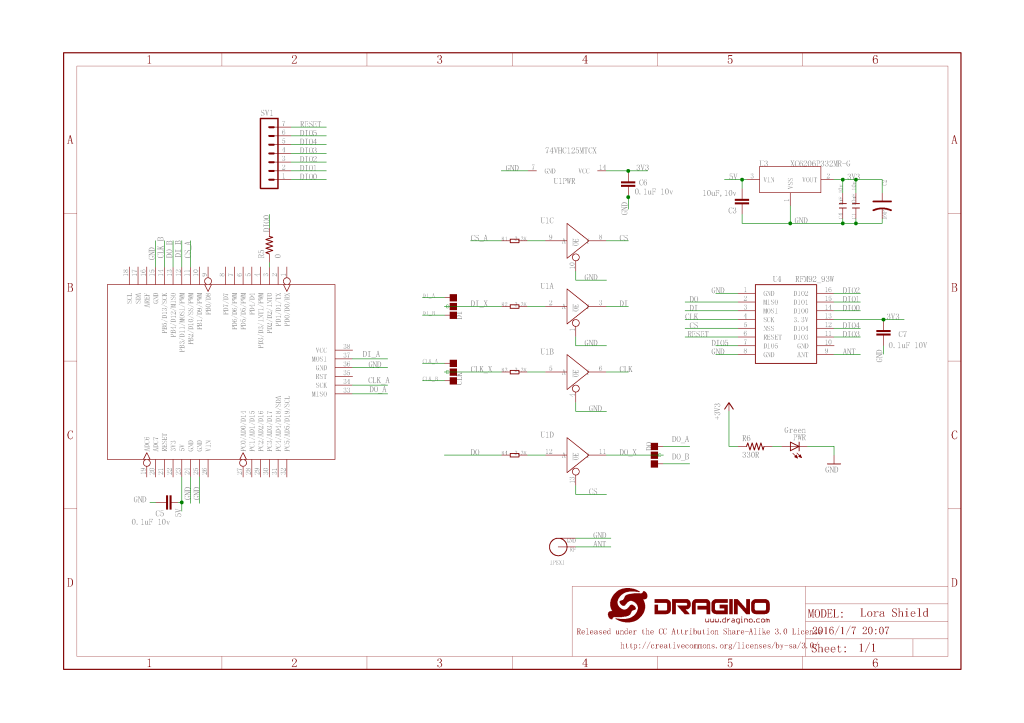
Netduino 3 Wifi pin mapping
- D10->CS->PB10
- D9->RST->E5
ST 32F769IDiscovery pin mapping
D10->CS->PA11
D9->RST->PH6

SparkFun LoRa Gateway-1-Channel (ESP32) pin mapping(SX127X reset is not connected)
- CS->PB10
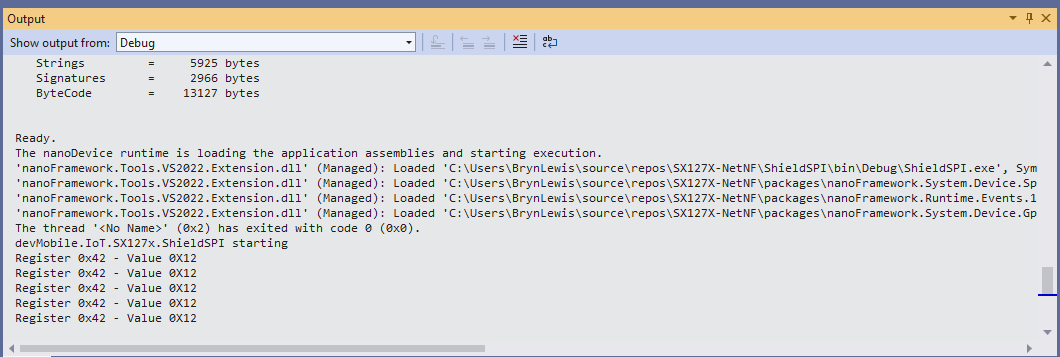
The first step was to confirm I could read a single(ShieldSPI) then scan all the Semtech SX1276 registers with the new nanoFramework System.Device.SPI Nuget (which was”inspired by” .Net Core System.Device.SPI)
namespace devMobile.IoT.SX127x.ShieldSPI
{
   using System;
   using System.Diagnostics;
   using System.Threading;

   using System.Device.Gpio;
   using System.Device.Spi;

#if ESP32_WROOM_32_LORA_1_CHANNEL
   using nanoFramework.Hardware.Esp32;
#endif

   public class Program
   {
      private const byte RegVersion = 0x42;
#if ESP32_WROOM_32_LORA_1_CHANNEL
      private const int SpiBusId = 1;
#endif
#if NETDUINO3_WIFI
      private const int SpiBusId = 2;
#endif
#if ST_STM32F769I_DISCOVERY
      private const int SpiBusId = 2;
#endif

      public static void Main()
      {
         GpioController gpioController = new GpioController();

#if ESP32_WROOM_32_LORA_1_CHANNEL // No reset line for this device as it isn't connected on SX127X
         int ledPinNumber = Gpio.IO17;
         int chipSelectLine = Gpio.IO16;
#endif
#if NETDUINO3_WIFI
         int ledPinNumber = PinNumber('A', 10);
         // Arduino D10->PB10
         int chipSelectLine = PinNumber('B', 10);
         // Arduino D9->PE5
         int resetPinNumber = PinNumber('E', 5);
#endif
#if ST_STM32F769I_DISCOVERY
         int ledPinNumber  = PinNumber('J', 5);
         // Arduino D10->PA11
         int chipSelectLine = PinNumber('A', 11);
         // Arduino D9->PH6
         int resetPinNumber = PinNumber('H', 6);
#endif
         Debug.WriteLine("devMobile.IoT.SX127x.ShieldSPI starting");

         try
         {
#if ESP32_WROOM_32_LORA_1_CHANNEL || NETDUINO3_WIFI || ST_STM32F769I_DISCOVERY
            // Setup the onboard LED
            gpioController.OpenPin(ledPinNumber, PinMode.Output);
#endif

#if NETDUINO3_WIFI || ST_STM32F769I_DISCOVERY
            // Setup the reset pin
            gpioController.OpenPin(resetPinNumber, PinMode.Output);
            gpioController.Write(resetPinNumber, PinValue.High);
#endif

#if ESP32_WROOM_32_LORA_1_CHANNEL
            Configuration.SetPinFunction(Gpio.IO12, DeviceFunction.SPI1_MISO);
            Configuration.SetPinFunction(Gpio.IO13, DeviceFunction.SPI1_MOSI);
            Configuration.SetPinFunction(Gpio.IO14, DeviceFunction.SPI1_CLOCK);
#endif

            var settings = new SpiConnectionSettings(SpiBusId, chipSelectLine)
            {
               ClockFrequency = 1000000,
               Mode = SpiMode.Mode0,// From SemTech docs pg 80 CPOL=0, CPHA=0
               SharingMode = SpiSharingMode.Shared,
            };

            using (SpiDevice device = SpiDevice.Create(settings))
            {
               Thread.Sleep(500);

               while (true)
               {
                  byte[] writeBuffer = new byte[] { RegVersion, 0x0 };
                  byte[] readBuffer = new byte[writeBuffer.Length];

                  device.TransferFullDuplex(writeBuffer, readBuffer);

                  Debug.WriteLine(String.Format("Register 0x{0:x2} - Value 0X{1:x2}", RegVersion, readBuffer[1]));

#if ESP32_WROOM_32_LORA_1_CHANNEL || NETDUINO3_WIFI || ST_STM32F769I_DISCOVERY
                  if ( gpioController.Read(ledPinNumber) == PinValue.High)
						{
                     gpioController.Write(ledPinNumber, PinValue.Low);
                  }
                  else
						{
                     gpioController.Write(ledPinNumber, PinValue.High);
                  }
#endif
                  Thread.Sleep(10000);
               }
            }
         }
         catch (Exception ex)
         {
            Debug.WriteLine(ex.Message);
         }
      }

#if NETDUINO3_WIFI || ST_STM32F769I_DISCOVERY
      static int PinNumber(char port, byte pin)
      {
         if (port < 'A' || port > 'J')
            throw new ArgumentException();

         return ((port - 'A') * 16) + pin;
      }
#endif
   }
}
namespace devMobile.IoT.SX127x.RegisterScan
{
   using System;
   using System.Diagnostics;
   using System.Threading;

   using System.Device.Gpio;
   using System.Device.Spi;

#if ESP32_WROOM_32_LORA_1_CHANNEL
   using nanoFramework.Hardware.Esp32;
#endif

   public sealed class SX127XDevice
   {
      private readonly SpiDevice SX127XTransceiver;

      public SX127XDevice(int busId, int chipSelectLine)
      {

         var settings = new SpiConnectionSettings(busId, chipSelectLine)
         {
            ClockFrequency = 1000000,
            Mode = SpiMode.Mode0,// From SemTech docs pg 80 CPOL=0, CPHA=0
            SharingMode = SpiSharingMode.Shared
         };

         SX127XTransceiver = new SpiDevice(settings);
      }

      public SX127XDevice(int busId, int chipSelectLine, int resetPin)
      {
         var settings = new SpiConnectionSettings(busId, chipSelectLine)
         {
            ClockFrequency = 1000000,
            Mode = SpiMode.Mode0,// From SemTech docs pg 80 CPOL=0, CPHA=0
            SharingMode = SpiSharingMode.Shared
         };

         SX127XTransceiver = new SpiDevice(settings);

         // Factory reset pin configuration
         GpioController gpioController = new GpioController();
         gpioController.OpenPin(resetPin, PinMode.Output);

         gpioController.Write(resetPin, PinValue.Low);
         Thread.Sleep(20);
         gpioController.Write(resetPin, PinValue.High);
         Thread.Sleep(20);
      }

      public Byte RegisterReadByte(byte registerAddress)
      {
         byte[] writeBuffer = new byte[] { registerAddress, 0x0 };
         byte[] readBuffer = new byte[writeBuffer.Length];

         SX127XTransceiver.TransferFullDuplex(writeBuffer, readBuffer);

         return readBuffer[1];
      }
   }

   public class Program
   {
#if ESP32_WROOM_32_LORA_1_CHANNEL
      private const int SpiBusId = 1;
#endif
#if NETDUINO3_WIFI
      private const int SpiBusId = 2;
#endif
#if ST_STM32F769I_DISCOVERY
      private const int SpiBusId = 2;
#endif

      public static void Main()
      {
#if ESP32_WROOM_32_LORA_1_CHANNEL
         int chipSelectLine = Gpio.IO16;
#endif
#if NETDUINO3_WIFI
         // Arduino D10->PB10
         int chipSelectLine = PinNumber('B', 10);
         // Arduino D9->PE5
         int resetPinNumber = PinNumber('E', 5);
#endif
#if ST_STM32F769I_DISCOVERY
         // Arduino D10->PA11
         int chipSelectLine = PinNumber('A', 11);
         // Arduino D9->PH6
         int resetPinNumber = PinNumber('H', 6);
#endif

         Debug.WriteLine("devMobile.IoT.SX127x.RegisterScan starting");

         try
         {
#if NETDUINO3_WIFI || ST_STM32F769I_DISCOVERY
            SX127XDevice sx127XDevice = new SX127XDevice(SpiBusId, chipSelectLine, resetPinNumber);
#endif

#if ESP32_WROOM_32_LORA_1_CHANNEL
            Configuration.SetPinFunction(Gpio.IO12, DeviceFunction.SPI1_MISO);
            Configuration.SetPinFunction(Gpio.IO13, DeviceFunction.SPI1_MOSI);
            Configuration.SetPinFunction(Gpio.IO14, DeviceFunction.SPI1_CLOCK);

            SX127XDevice sx127XDevice = new SX127XDevice(SpiBusId, chipSelectLine);
#endif

            Thread.Sleep(500);

            while (true)
            {
               for (byte registerIndex = 0; registerIndex <= 0x42; registerIndex++)
               {
                  byte registerValue = sx127XDevice.RegisterReadByte(registerIndex);

                  Debug.WriteLine($"Register 0x{registerIndex:x2} - Value 0X{registerValue:x2}");
               }
               Debug.WriteLine("");

               Thread.Sleep(10000);
            }
         }
         catch (Exception ex)
         {
            Debug.WriteLine(ex.Message);
         }
      }

#if NETDUINO3_WIFI || ST_STM32F769I_DISCOVERY
      static int PinNumber(char port, byte pin)
      {
         if (port < 'A' || port > 'J')
            throw new ArgumentException();

         return ((port - 'A') * 16) + pin;
      }
#endif
   }
}

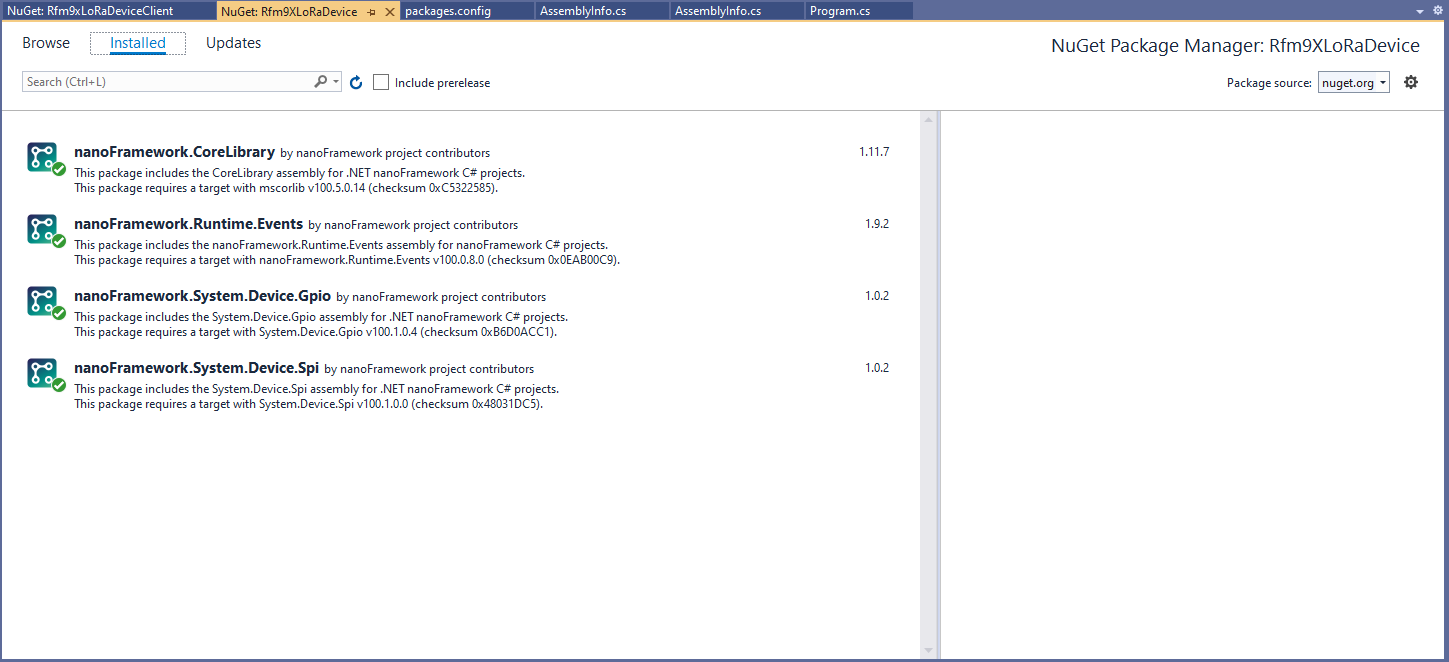
There is some SparkFun LoRa Gateway-1-Channel (ESP32) specific configuration to map the Serial Peripheral Interface(SPI) pins and an additional NuGet for ESP32 has to be added. For the initial versions I have not used more advanced .NET nanoFramework functionality like SpanByte.


 devMobile's blog