.NET nanoFramework SX127X LoRa library Basic Receive & Transmit

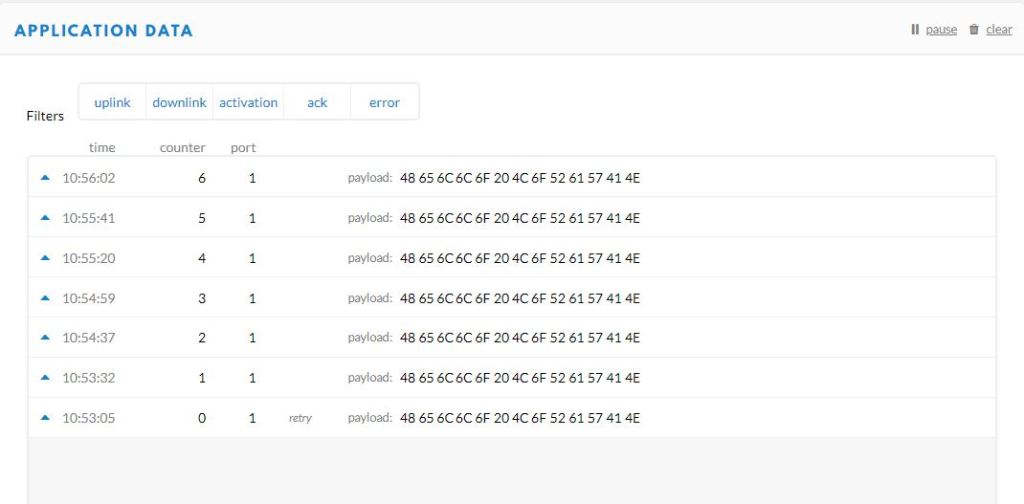
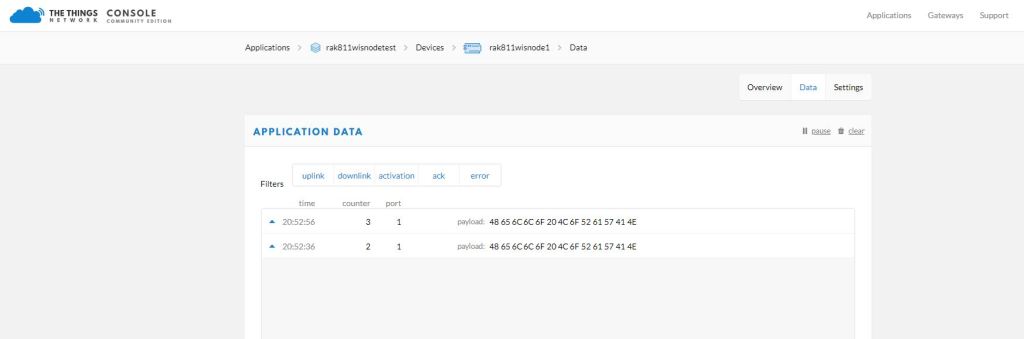
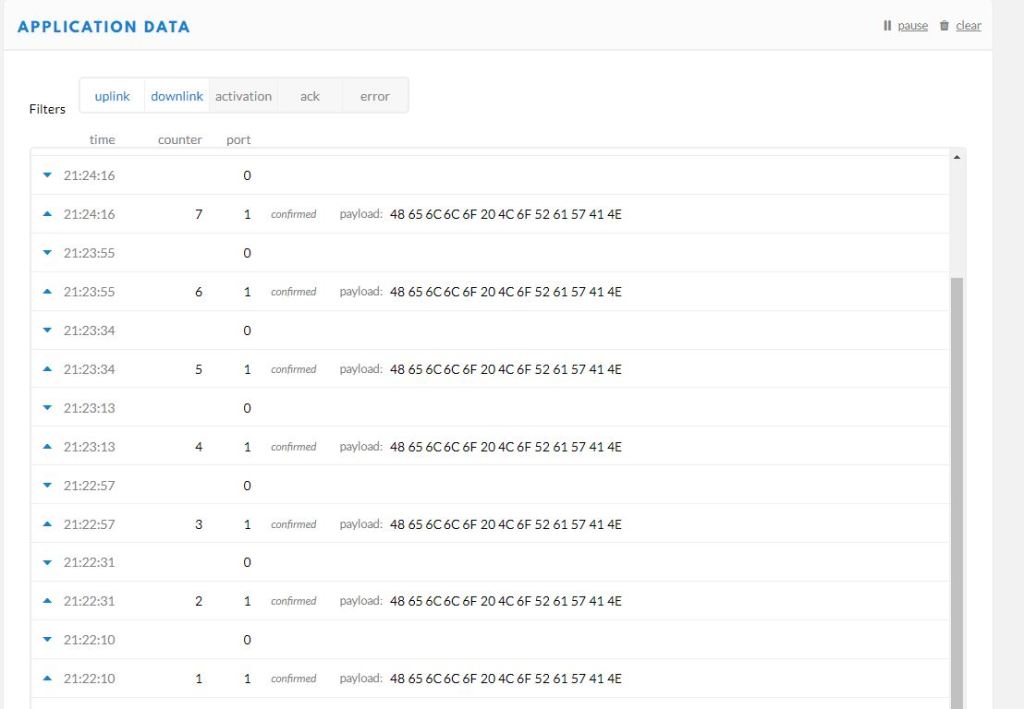
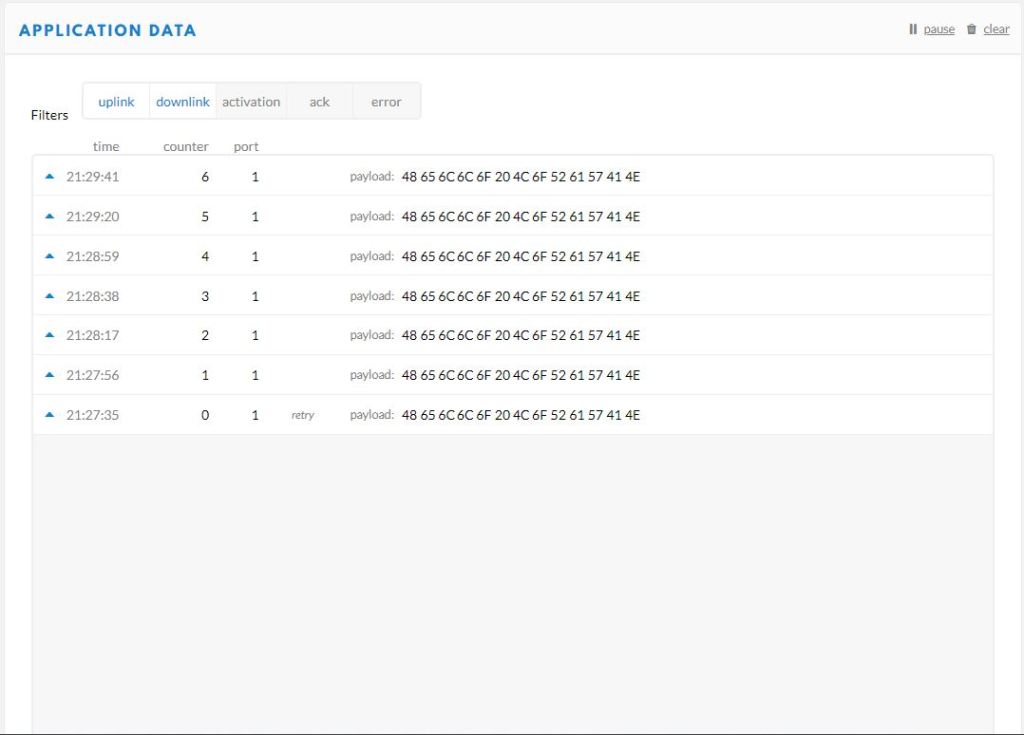
For testing nanoFramework device transmit and receive functionality I used an Arduino/Seeeduino with a Dragino LoRa Shield (running one of the Arduino-LoRa samples) as a client device. This was so I could “bootstrap” connectivity and test interoperability with other libraries/platforms.

Arduino/Netduino devices for .NET nanoFramework interoperability test-rig

I started with transmit as I was confident my Seeeduino + Dragino LoRa Shield could receive messages. The TransmitBasic application puts the device into LoRa + Sleep mode as after reset/powering up the device is in FSK/OOK, Low Frequency + Standby mode).

SX127X RegOpMode options

After loading the message to be sent into the First In First Out(FIFO) buffer, the RegOpMode-Mode is set to Transmit(TX-011), and then the RegIrqFlags register is polled until the TxDone flag is set.

SX127X ReqIrqFlags options
public static void Main()
{
  int SendCount = 0;
...
  Debug.WriteLine("devMobile.IoT.SX127x.TransmitBasic starting");

   try
   {
...
#if NETDUINO3_WIFI || ST_STM32F769I_DISCOVERY
      SX127XDevice sx127XDevice = new SX127XDevice(SpiBusId, chipSelectLine, resetPinNumber);
#endif
     Thread.Sleep(500);

     // Put device into LoRa + Standby mode
     sx127XDevice.WriteByte(0x01, 0b10000000); // RegOpMode 

      // Set the frequency to 915MHz
      byte[] frequencyBytes = { 0xE4, 0xC0, 0x00 }; // RegFrMsb, RegFrMid, RegFrLsb
      sx127XDevice.WriteBytes(0x06, frequencyBytes);

      // More power PA Boost
      sx127XDevice.WriteByte(0x09, 0b10000000); // RegPaConfig

      sx127XDevice.RegisterDump();

      while (true)
      {
         sx127XDevice.WriteByte(0x0E, 0x0); // RegFifoTxBaseAddress 

         // Set the Register Fifo address pointer
         sx127XDevice.WriteByte(0x0D, 0x0); // RegFifoAddrPtr 

         string messageText = $"Hello LoRa from .NET nanoFramework {SendCount += 1}!";

         // load the message into the fifo
         byte[] messageBytes = UTF8Encoding.UTF8.GetBytes(messageText);
         sx127XDevice.WriteBytes(0x0, messageBytes); // RegFifo

         // Set the length of the message in the fifo
         sx127XDevice.WriteByte(0x22, (byte)messageBytes.Length); // RegPayloadLength

         Debug.WriteLine($"Sending {messageBytes.Length} bytes message {messageText}");
         // Set the mode to LoRa + Transmit
         sx127XDevice.WriteByte(0x01, 0b10000011); // RegOpMode 

         // Wait until send done, no timeouts in PoC
         Debug.WriteLine("Send-wait");
         byte irqFlags = sx127XDevice.ReadByte(0x12); // RegIrqFlags
         while ((irqFlags & 0b00001000) == 0)  // wait until TxDone cleared
         {
            Thread.Sleep(10);
            irqFlags = sx127XDevice.ReadByte(0x12); // RegIrqFlags
            Debug.Write(".");
         }
         Debug.WriteLine("");
         sx127XDevice.WriteByte(0x12, 0b00001000); // clear TxDone bit
         Debug.WriteLine("Send-Done");

         Thread.Sleep(30000);
         }
      }
      catch (Exception ex)
      {
         Debug.WriteLine(ex.Message);
      }
   }
}
Transmit Basic application output

Once the TransmitBasic application was sending messages reliably I started working on the ReceiveBasic application. As the ReceiveBasic application starts up the SX127X RegOpMode has to be set to sleep/standby so the device can be configured. TOnce that is completed RegOpMode-Mode is set to RxContinuous(101), and the RegIrqFlags register is polled until the RxDone flag is set.

public static void Main()
{
...
   Debug.WriteLine("devMobile.IoT.SX127x.ReceiveBasic starting");

   try
   {
...
#if NETDUINO3_WIFI || ST_STM32F769I_DISCOVERY
      SX127XDevice sx127XDevice = new SX127XDevice(SpiBusId, chipSelectLine, resetPinNumber);
#endif
      Thread.Sleep(500);

      // Put device into LoRa + Sleep mode
      sx127XDevice.WriteByte(0x01, 0b10000000); // RegOpMode 

      // Set the frequency to 915MHz
      byte[] frequencyBytes = { 0xE4, 0xC0, 0x00 }; // RegFrMsb, RegFrMid, RegFrLsb
      sx127XDevice.WriteBytes(0x06, frequencyBytes);

      sx127XDevice.WriteByte(0x0F, 0x0); // RegFifoRxBaseAddress 

      sx127XDevice.WriteByte(0x01, 0b10000101); // RegOpMode set LoRa & RxContinuous

       while (true)
       {
          // Wait until a packet is received, no timeouts in PoC
         Debug.WriteLine("Receive-Wait");
         byte irqFlags = sx127XDevice.ReadByte(0x12); // RegIrqFlags
         while ((irqFlags & 0b01000000) == 0)  // wait until RxDone cleared
         {
            Thread.Sleep(100);
            irqFlags = sx127XDevice.ReadByte(0x12); // RegIrqFlags
            Debug.Write(".");
         }
         Debug.WriteLine("");
         Debug.WriteLine($"RegIrqFlags 0X{irqFlags:X2}");
         Debug.WriteLine("Receive-Message");
         byte currentFifoAddress = sx127XDevice.ReadByte(0x10); // RegFifiRxCurrent
         sx127XDevice.WriteByte(0x0d, currentFifoAddress); // RegFifoAddrPtr

         byte numberOfBytes = sx127XDevice.ReadByte(0x13); // RegRxNbBytes

         // Read the message from the FIFO
         byte[] messageBytes = sx127XDevice.ReadBytes(0x00, numberOfBytes);

         sx127XDevice.WriteByte(0x0d, 0);
         sx127XDevice.WriteByte(0x12, 0b11111111); // RegIrqFlags clear all the bits

         // Remove unprintable characters from messages
         for (int index = 0; index < messageBytes.Length; index++)
         {
            if ((messageBytes[index] < 0x20) || (messageBytes[index] > 0x7E))
            {
               messageBytes[index] = 0x20;
            }
         }

         string messageText = UTF8Encoding.UTF8.GetString(messageBytes, 0, messageBytes.Length);
         Debug.WriteLine($"Received {messageBytes.Length} byte message {messageText}");

         Debug.WriteLine("Receive-Done");
      }
    }
   catch (Exception ex)
   {
      Debug.WriteLine(ex.Message);
   }
}
Receive Basic application output

Every so often the ReceiveBasic application would display a message sent on the same frequency by a device somewhere nearby.
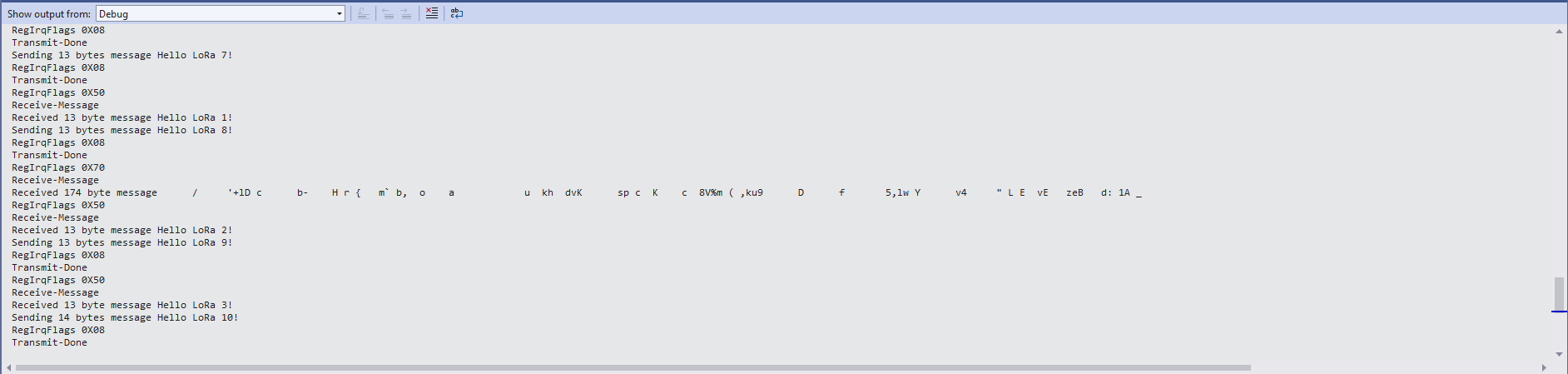
ReceiveBasic application messages from unknown source

I need to do some more investigation into whether writing 0b00001000 (Transmit) vs. 0b11111111(Receive) to RegIrqFlags is important.

.NET nanoFramework SX127X LoRa library Read & Write

Now that I could reliably dump all the Dragino shield registers I wanted to be able to configure the Semtech 127X device and reset it back to factory settings. A factory reset is done by strobing the SX127X reset pin.

SX127X Reset timing diagram

SX127X Reset process

To support this I added a constructor with an additional parameter for the reset General Purpose Input Output(GPIO) pin number to the SX127XDevice class. The original constructor was retained as the SX127X reset pin is not connected on the SparkFun LoRa Gateway-1-Channel (ESP32) and a limited number of other devices.

namespace devMobile.IoT.SX127x.RegisterReadAndWrite
{
   using System;
   using System.Diagnostics;
   using System.Threading;

   using System.Device.Gpio;
   using System.Device.Spi;

#if ESP32_WROOM_32_LORA_1_CHANNEL
   using nanoFramework.Hardware.Esp32;
#endif

   public sealed class SX127XDevice
   {
      private const byte RegisterAddressMinimum = 0X0;
      private const byte RegisterAddressMaximum = 0x42;
      private const byte RegisterAddressReadMask = 0X7f;
      private const byte RegisterAddressWriteMask = 0x80;

      private readonly SpiDevice SX127XTransceiver;

      public SX127XDevice(int busId, int chipSelectLine, int resetPin)
      {
         var settings = new SpiConnectionSettings(busId, chipSelectLine)
         {
            ClockFrequency = 1000000,
            Mode = SpiMode.Mode0,// From SemTech docs pg 80 CPOL=0, CPHA=0
            SharingMode = SpiSharingMode.Shared
         };

         SX127XTransceiver = new SpiDevice(settings);

         // Factory reset pin configuration
         GpioController gpioController = new GpioController();
         gpioController.OpenPin(resetPin, PinMode.Output);

         gpioController.Write(resetPin, PinValue.Low);
         Thread.Sleep(20);
         gpioController.Write(resetPin, PinValue.High);
         Thread.Sleep(20);
      }

      public SX127XDevice(int busId, int chipSelectLine)
      {
         var settings = new SpiConnectionSettings(busId, chipSelectLine)
         {
            ClockFrequency = 1000000,
            Mode = SpiMode.Mode0,// From SemTech docs pg 80 CPOL=0, CPHA=0
            SharingMode = SpiSharingMode.Shared,
         };

         SX127XTransceiver = new SpiDevice(settings);
      }

      public Byte ReadByte(byte registerAddress)
      {
         byte[] writeBuffer = new byte[] { registerAddress &= RegisterAddressReadMask, 0x0 };
         byte[] readBuffer = new byte[writeBuffer.Length];

         SX127XTransceiver.TransferFullDuplex(writeBuffer, readBuffer);

         return readBuffer[1];
      }

      public ushort ReadWord(byte address)
      {
         byte[] writeBuffer = new byte[] { address &= RegisterAddressReadMask, 0x0, 0x0 };
         byte[] readBuffer = new byte[writeBuffer.Length];

         SX127XTransceiver.TransferFullDuplex(writeBuffer, readBuffer);

         return (ushort)(readBuffer[2] + (readBuffer[1] << 8));
      }

      public ushort ReadWordMsbLsb(byte address)
      {
         byte[] writeBuffer = new byte[] { address &= RegisterAddressReadMask, 0x0, 0x0 };
         byte[] readBuffer = new byte[writeBuffer.Length];

         SX127XTransceiver.TransferFullDuplex(writeBuffer, readBuffer);

         return (ushort)((readBuffer[1] << 8) + readBuffer[2]);
      }

      public byte[] ReadBytes(byte address, byte length)
      {
         byte[] writeBuffer = new byte[length + 1];
         byte[] readBuffer = new byte[writeBuffer.Length];
         byte[] replyBuffer = new byte[length];

         writeBuffer[0] = address &= RegisterAddressReadMask;

         SX127XTransceiver.TransferFullDuplex(writeBuffer, readBuffer);

         Array.Copy(readBuffer, 1, replyBuffer, 0, length);

         return replyBuffer;
      }

      public void WriteByte(byte address, byte value)
      {
         byte[] writeBuffer = new byte[] { address |= RegisterAddressWriteMask, value };
         byte[] readBuffer = new byte[writeBuffer.Length];

         SX127XTransceiver.TransferFullDuplex(writeBuffer, readBuffer);
      }

      public void WriteWord(byte address, ushort value)
      {
         byte[] valueBytes = BitConverter.GetBytes(value);
         byte[] writeBuffer = new byte[] { address |= RegisterAddressWriteMask, valueBytes[0], valueBytes[1] };
         byte[] readBuffer = new byte[writeBuffer.Length];

         SX127XTransceiver.TransferFullDuplex(writeBuffer, readBuffer);
      }

      public void WriteWordMsbLsb(byte address, ushort value)
      {
         byte[] valueBytes = BitConverter.GetBytes(value);
         byte[] writeBuffer = new byte[] { address |= RegisterAddressWriteMask, valueBytes[1], valueBytes[0] };
         byte[] readBuffer = new byte[writeBuffer.Length];

         SX127XTransceiver.TransferFullDuplex(writeBuffer, readBuffer);
      }

      public void WriteBytes(byte address, byte[] bytes)
      {
         byte[] writeBuffer = new byte[1 + bytes.Length];
         byte[] readBuffer = new byte[writeBuffer.Length];

         Array.Copy(bytes, 0, writeBuffer, 1, bytes.Length);
         writeBuffer[0] = address |= RegisterAddressWriteMask;

         SX127XTransceiver.TransferFullDuplex(writeBuffer, readBuffer);
      }

      public void RegisterDump()
      {
         Debug.WriteLine("Register dump");
         for (byte registerIndex = RegisterAddressMinimum; registerIndex <= RegisterAddressMaximum; registerIndex++)
         {
            byte registerValue = this.ReadByte(registerIndex);

            Debug.WriteLine($"Register 0x{registerIndex:x2} - Value 0X{registerValue:x2}");
         }

         Debug.WriteLine("");
      }
   }

   public class Program
   {
#if ESP32_WROOM_32_LORA_1_CHANNEL
      private const int SpiBusId = 1;
#endif
#if NETDUINO3_WIFI
      private const int SpiBusId = 2;
#endif
#if ST_STM32F769I_DISCOVERY
      private const int SpiBusId = 2;
#endif


      public static void Main()
      {
         byte[] frequencyBytes;
#if ESP32_WROOM_32_LORA_1_CHANNEL // No reset line for this device as it isn't connected on SX127X
         int chipSelectLine = Gpio.IO16;
#endif
#if NETDUINO3_WIFI
         // Arduino D10->PB10
         int chipSelectLine = PinNumber('B', 10);
         // Arduino D9->PE5
         int resetPinNumber = PinNumber('E', 5);
#endif
#if ST_STM32F769I_DISCOVERY
         // Arduino D10->PA11
         int chipSelectLine = PinNumber('A', 11);
         // Arduino D9->PH6
         int resetPinNumber = PinNumber('H', 6);
#endif

         Debug.WriteLine("devMobile.IoT.SX127x.RegisterReadAndWrite starting");

         try
         {
#if ESP32_WROOM_32_LORA_1_CHANNEL
            Configuration.SetPinFunction(Gpio.IO12, DeviceFunction.SPI1_MISO);
            Configuration.SetPinFunction(Gpio.IO13, DeviceFunction.SPI1_MOSI);
            Configuration.SetPinFunction(Gpio.IO14, DeviceFunction.SPI1_CLOCK);

            SX127XDevice sx127XDevice = new SX127XDevice(SpiBusId, chipSelectLine);
#endif
#if NETDUINO3_WIFI || ST_STM32F769I_DISCOVERY
            SX127XDevice sx127XDevice = new SX127XDevice(SpiBusId, chipSelectLine, resetPinNumber);
#endif
            Thread.Sleep(500);

            sx127XDevice.RegisterDump();

            while (true)
            {
               Debug.WriteLine("Read RegOpMode (read byte)");
               Byte regOpMode1 = sx127XDevice.ReadByte(0x1);
               Debug.WriteLine($"RegOpMode 0x{regOpMode1:x2}");

               Debug.WriteLine("Set LoRa mode and sleep mode (write byte)");
               sx127XDevice.WriteByte(0x01, 0b10000000);

               Debug.WriteLine("Read RegOpMode (read byte)");
               Byte regOpMode2 = sx127XDevice.ReadByte(0x1);
               Debug.WriteLine($"RegOpMode 0x{regOpMode2:x2}");

               Debug.WriteLine("Read the preamble (read word)");
               ushort preamble = sx127XDevice.ReadWord(0x20);
               Debug.WriteLine($"Preamble 0x{preamble:x2}");

	            Console.WriteLine("Read the preamble (read word)"); // Should be 0x08
			      preamble = sx127XDevice.ReadWordMsbLsb(0x20);
               Debug.WriteLine($"Preamble 0x{preamble:x2}");

               Debug.WriteLine("Read the centre frequency (read byte array)");
               frequencyBytes = sx127XDevice.ReadBytes(0x06, 3);
               Debug.WriteLine($"Frequency Msb 0x{frequencyBytes[0]:x2} Mid 0x{frequencyBytes[1]:x2} Lsb 0x{frequencyBytes[2]:x2}");

               Debug.WriteLine("Set the centre frequency to 915MHz (write byte array)");
               byte[] frequencyWriteBytes = { 0xE4, 0xC0, 0x00 };
               sx127XDevice.WriteBytes(0x06, frequencyWriteBytes);

               Debug.WriteLine("Read the centre frequency (read byte array)");
               frequencyBytes = sx127XDevice.ReadBytes(0x06, 3);
               Debug.WriteLine($"Frequency Msb 0x{frequencyBytes[0]:x2} Mid 0x{frequencyBytes[1]:x2} Lsb 0x{frequencyBytes[2]:x2}");

               sx127XDevice.RegisterDump();

               Thread.Sleep(30000);
            }
         }
         catch (Exception ex)
         {
            Debug.WriteLine(ex.Message);
         }
      }

#if NETDUINO3_WIFI || ST_STM32F769I_DISCOVERY
      static int PinNumber(char port, byte pin)
      {
         if (port < 'A' || port > 'J')
            throw new ArgumentException();

         return ((port - 'A') * 16) + pin;
      }
#endif
   }
}

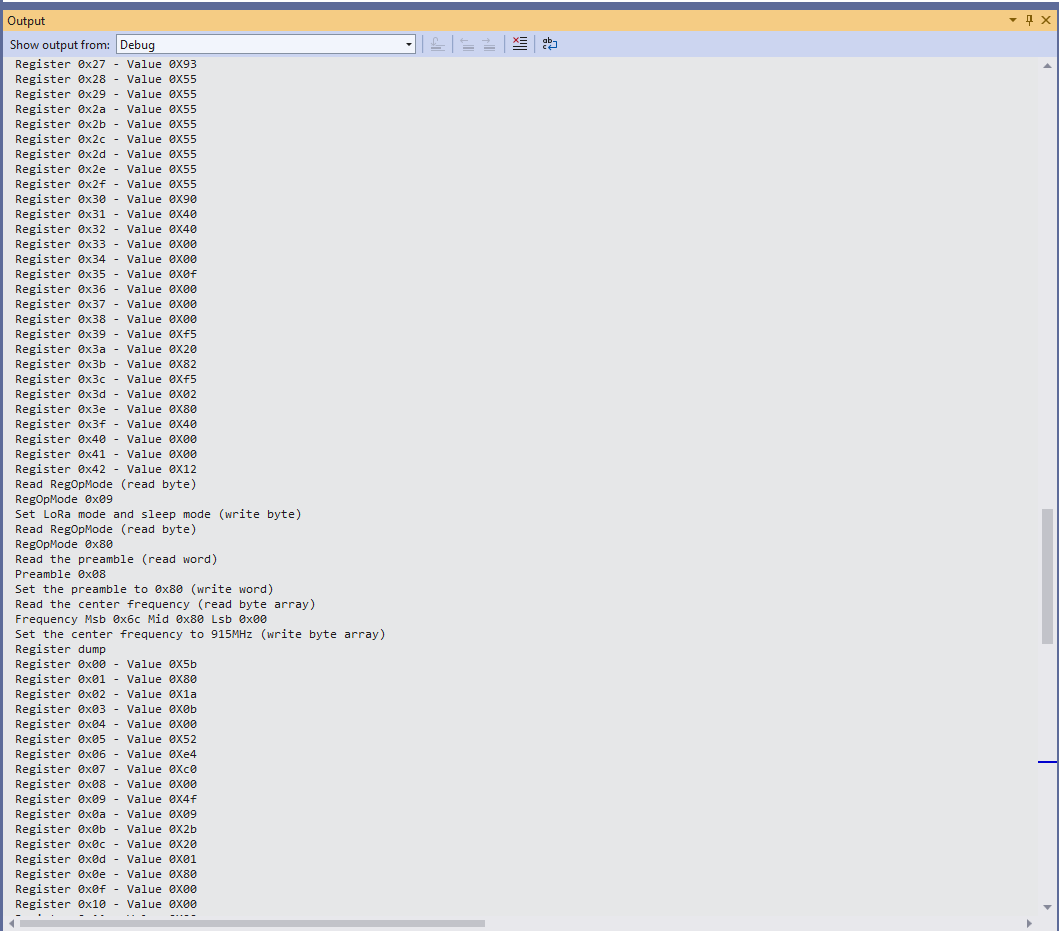
The PinNumber helper is more user friendly that the raw numbers and is “inspired” by sample .NET nanoFramework General Purpose Input Output(GPIO) sample code.

Each method was tested by read/writing suitable register(s) in the device configuration (Needed to set it into LoRa mode first).

The next step is to extract the Serial Peripheral Interface(SPI) register access functionality into a module and configure the bare minimum of settings required to get the SX127X to receive and transmit messages.

.NET nanoFramework SX127X LoRa library Registers

Over the years I have ported my HopeRF RFM9X(Now a generic Semtech SX127X ) Windows 10 IoT Core (May 2018) library to .NET microFramework(May 2018), Wilderness Labs Meadow(Jan 2020), GHI Electronics TinyCLR-OS(July 2020), .NET nanoFramework V1(May 2020) and .NET Core(Aug 2021).

All this madness started because I wasn’t confident the frequency calculation of the Emmellsoft Dragino.Lora code was correct. Over the last couple of years I have also found bugs in my Transmit Power, InvertIQ RX/TX with many others yet to be discovered.

For my updated .NET nanoFramework port I have mainly used a half a dozen Dragino LoRa shields for Arduino and Netduino 3 Wifi devices I had lying around. I have also tested the code with SparkFun LoRa Gateway-1-Channel (ESP32) and ST 32F769IDiscovery devices.

STM32F769IDiscovery, Netduino 3 Wifi, and SparkFun LoRa Gateway-1-Channel (ESP32) devices

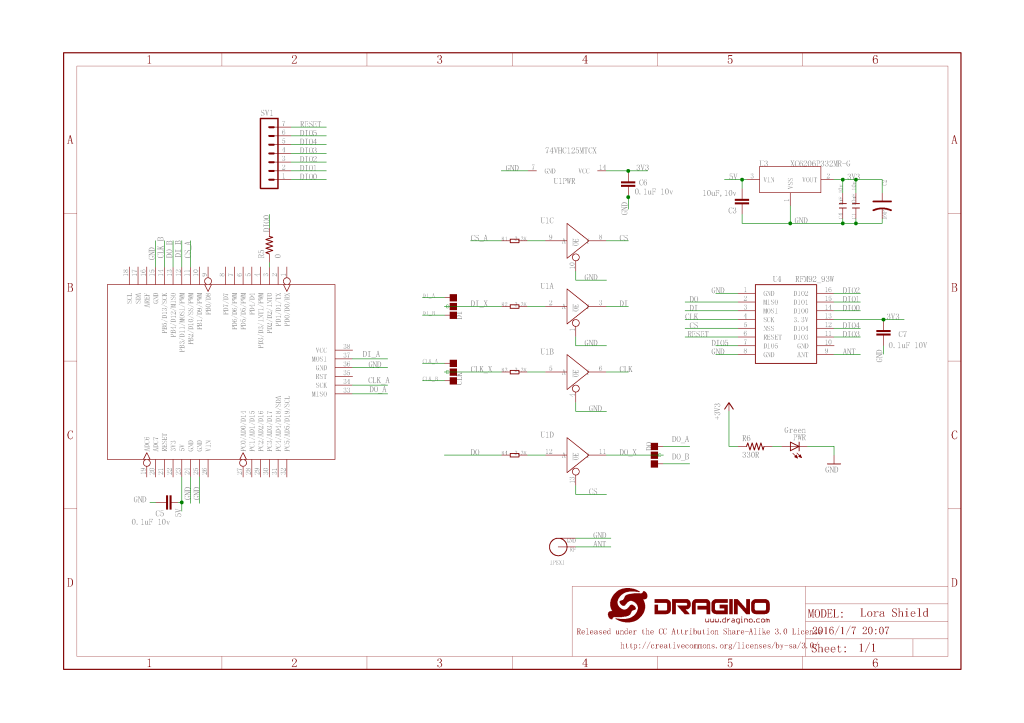
The Dragino shield uses D10 for chip select, D2 for RFM9X DI0 interrupt and D9 for Reset.

Dragino Arduino LoRa Shield Schematic

Netduino 3 Wifi pin mapping

  • D10->CS->PB10
  • D9->RST->E5

ST 32F769IDiscovery pin mapping

D10->CS->PA11
D9->RST->PH6

Sparkfun ESP32 1 Channel Gateway Schematic

SparkFun LoRa Gateway-1-Channel (ESP32) pin mapping(SX127X reset is not connected)

  • CS->PB10

The first step was to confirm I could read a single(ShieldSPI) then scan all the Semtech SX1276 registers with the new nanoFramework System.Device.SPI Nuget (which was”inspired by” .Net Core System.Device.SPI)

namespace devMobile.IoT.SX127x.ShieldSPI
{
   using System;
   using System.Diagnostics;
   using System.Threading;

   using System.Device.Gpio;
   using System.Device.Spi;

#if ESP32_WROOM_32_LORA_1_CHANNEL
   using nanoFramework.Hardware.Esp32;
#endif

   public class Program
   {
      private const byte RegVersion = 0x42;
#if ESP32_WROOM_32_LORA_1_CHANNEL
      private const int SpiBusId = 1;
#endif
#if NETDUINO3_WIFI
      private const int SpiBusId = 2;
#endif
#if ST_STM32F769I_DISCOVERY
      private const int SpiBusId = 2;
#endif

      public static void Main()
      {
         GpioController gpioController = new GpioController();

#if ESP32_WROOM_32_LORA_1_CHANNEL // No reset line for this device as it isn't connected on SX127X
         int ledPinNumber = Gpio.IO17;
         int chipSelectLine = Gpio.IO16;
#endif
#if NETDUINO3_WIFI
         int ledPinNumber = PinNumber('A', 10);
         // Arduino D10->PB10
         int chipSelectLine = PinNumber('B', 10);
         // Arduino D9->PE5
         int resetPinNumber = PinNumber('E', 5);
#endif
#if ST_STM32F769I_DISCOVERY
         int ledPinNumber  = PinNumber('J', 5);
         // Arduino D10->PA11
         int chipSelectLine = PinNumber('A', 11);
         // Arduino D9->PH6
         int resetPinNumber = PinNumber('H', 6);
#endif
         Debug.WriteLine("devMobile.IoT.SX127x.ShieldSPI starting");

         try
         {
#if ESP32_WROOM_32_LORA_1_CHANNEL || NETDUINO3_WIFI || ST_STM32F769I_DISCOVERY
            // Setup the onboard LED
            gpioController.OpenPin(ledPinNumber, PinMode.Output);
#endif

#if NETDUINO3_WIFI || ST_STM32F769I_DISCOVERY
            // Setup the reset pin
            gpioController.OpenPin(resetPinNumber, PinMode.Output);
            gpioController.Write(resetPinNumber, PinValue.High);
#endif

#if ESP32_WROOM_32_LORA_1_CHANNEL
            Configuration.SetPinFunction(Gpio.IO12, DeviceFunction.SPI1_MISO);
            Configuration.SetPinFunction(Gpio.IO13, DeviceFunction.SPI1_MOSI);
            Configuration.SetPinFunction(Gpio.IO14, DeviceFunction.SPI1_CLOCK);
#endif

            var settings = new SpiConnectionSettings(SpiBusId, chipSelectLine)
            {
               ClockFrequency = 1000000,
               Mode = SpiMode.Mode0,// From SemTech docs pg 80 CPOL=0, CPHA=0
               SharingMode = SpiSharingMode.Shared,
            };

            using (SpiDevice device = SpiDevice.Create(settings))
            {
               Thread.Sleep(500);

               while (true)
               {
                  byte[] writeBuffer = new byte[] { RegVersion, 0x0 };
                  byte[] readBuffer = new byte[writeBuffer.Length];

                  device.TransferFullDuplex(writeBuffer, readBuffer);

                  Debug.WriteLine(String.Format("Register 0x{0:x2} - Value 0X{1:x2}", RegVersion, readBuffer[1]));

#if ESP32_WROOM_32_LORA_1_CHANNEL || NETDUINO3_WIFI || ST_STM32F769I_DISCOVERY
                  if ( gpioController.Read(ledPinNumber) == PinValue.High)
						{
                     gpioController.Write(ledPinNumber, PinValue.Low);
                  }
                  else
						{
                     gpioController.Write(ledPinNumber, PinValue.High);
                  }
#endif
                  Thread.Sleep(10000);
               }
            }
         }
         catch (Exception ex)
         {
            Debug.WriteLine(ex.Message);
         }
      }

#if NETDUINO3_WIFI || ST_STM32F769I_DISCOVERY
      static int PinNumber(char port, byte pin)
      {
         if (port < 'A' || port > 'J')
            throw new ArgumentException();

         return ((port - 'A') * 16) + pin;
      }
#endif
   }
}
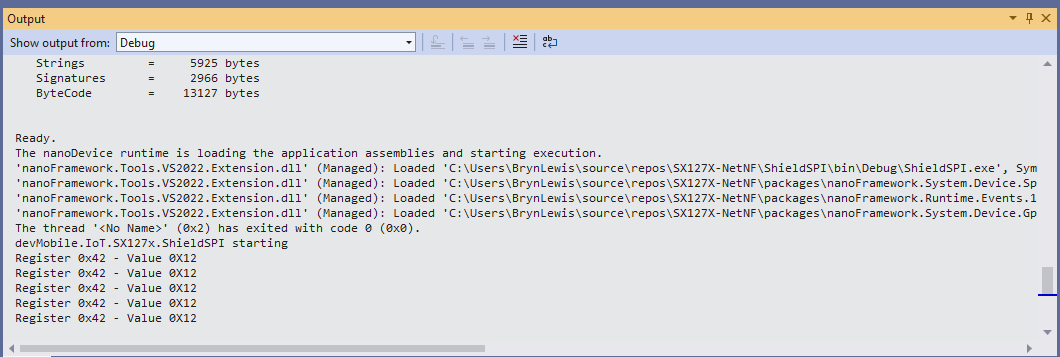
Shield SPI Debug output
namespace devMobile.IoT.SX127x.RegisterScan
{
   using System;
   using System.Diagnostics;
   using System.Threading;

   using System.Device.Gpio;
   using System.Device.Spi;

#if ESP32_WROOM_32_LORA_1_CHANNEL
   using nanoFramework.Hardware.Esp32;
#endif

   public sealed class SX127XDevice
   {
      private readonly SpiDevice SX127XTransceiver;

      public SX127XDevice(int busId, int chipSelectLine)
      {

         var settings = new SpiConnectionSettings(busId, chipSelectLine)
         {
            ClockFrequency = 1000000,
            Mode = SpiMode.Mode0,// From SemTech docs pg 80 CPOL=0, CPHA=0
            SharingMode = SpiSharingMode.Shared
         };

         SX127XTransceiver = new SpiDevice(settings);
      }

      public SX127XDevice(int busId, int chipSelectLine, int resetPin)
      {
         var settings = new SpiConnectionSettings(busId, chipSelectLine)
         {
            ClockFrequency = 1000000,
            Mode = SpiMode.Mode0,// From SemTech docs pg 80 CPOL=0, CPHA=0
            SharingMode = SpiSharingMode.Shared
         };

         SX127XTransceiver = new SpiDevice(settings);

         // Factory reset pin configuration
         GpioController gpioController = new GpioController();
         gpioController.OpenPin(resetPin, PinMode.Output);

         gpioController.Write(resetPin, PinValue.Low);
         Thread.Sleep(20);
         gpioController.Write(resetPin, PinValue.High);
         Thread.Sleep(20);
      }

      public Byte RegisterReadByte(byte registerAddress)
      {
         byte[] writeBuffer = new byte[] { registerAddress, 0x0 };
         byte[] readBuffer = new byte[writeBuffer.Length];

         SX127XTransceiver.TransferFullDuplex(writeBuffer, readBuffer);

         return readBuffer[1];
      }
   }

   public class Program
   {
#if ESP32_WROOM_32_LORA_1_CHANNEL
      private const int SpiBusId = 1;
#endif
#if NETDUINO3_WIFI
      private const int SpiBusId = 2;
#endif
#if ST_STM32F769I_DISCOVERY
      private const int SpiBusId = 2;
#endif

      public static void Main()
      {
#if ESP32_WROOM_32_LORA_1_CHANNEL
         int chipSelectLine = Gpio.IO16;
#endif
#if NETDUINO3_WIFI
         // Arduino D10->PB10
         int chipSelectLine = PinNumber('B', 10);
         // Arduino D9->PE5
         int resetPinNumber = PinNumber('E', 5);
#endif
#if ST_STM32F769I_DISCOVERY
         // Arduino D10->PA11
         int chipSelectLine = PinNumber('A', 11);
         // Arduino D9->PH6
         int resetPinNumber = PinNumber('H', 6);
#endif

         Debug.WriteLine("devMobile.IoT.SX127x.RegisterScan starting");

         try
         {
#if NETDUINO3_WIFI || ST_STM32F769I_DISCOVERY
            SX127XDevice sx127XDevice = new SX127XDevice(SpiBusId, chipSelectLine, resetPinNumber);
#endif

#if ESP32_WROOM_32_LORA_1_CHANNEL
            Configuration.SetPinFunction(Gpio.IO12, DeviceFunction.SPI1_MISO);
            Configuration.SetPinFunction(Gpio.IO13, DeviceFunction.SPI1_MOSI);
            Configuration.SetPinFunction(Gpio.IO14, DeviceFunction.SPI1_CLOCK);

            SX127XDevice sx127XDevice = new SX127XDevice(SpiBusId, chipSelectLine);
#endif

            Thread.Sleep(500);

            while (true)
            {
               for (byte registerIndex = 0; registerIndex <= 0x42; registerIndex++)
               {
                  byte registerValue = sx127XDevice.RegisterReadByte(registerIndex);

                  Debug.WriteLine($"Register 0x{registerIndex:x2} - Value 0X{registerValue:x2}");
               }
               Debug.WriteLine("");

               Thread.Sleep(10000);
            }
         }
         catch (Exception ex)
         {
            Debug.WriteLine(ex.Message);
         }
      }

#if NETDUINO3_WIFI || ST_STM32F769I_DISCOVERY
      static int PinNumber(char port, byte pin)
      {
         if (port < 'A' || port > 'J')
            throw new ArgumentException();

         return ((port - 'A') * 16) + pin;
      }
#endif
   }
}
RegisterScan Debug Output

There is some SparkFun LoRa Gateway-1-Channel (ESP32) specific configuration to map the Serial Peripheral Interface(SPI) pins and an additional NuGet for ESP32 has to be added. For the initial versions I have not used more advanced .NET nanoFramework functionality like SpanByte.

nanoFramework RAK811 LoRaWAN library Part7

Now with added callbacks

After building a nanoFramework library “inspired” by the RakWireless Arduino library(which has some issues) I figured it would be good to refactor the library to be more asynchronous with event handlers for send confirmation (if configured) and received messages.

If the RAK811 module is initialised, and connects to the network successfully, the application sends “48656c6c6f204c6f526157414e” (“hello LoRaWAN”) every 5 minutes.

STM32F691Discovery with EVB plugged into Arduino headers

The code application code now has a lot more compile time options for network configuration and payload format.

//---------------------------------------------------------------------------------
// Copyright (c) June 2020, devMobile Software
//
// Licensed under the Apache License, Version 2.0 (the "License");
// you may not use this file except in compliance with the License.
// You may obtain a copy of the License at
//
//     http://www.apache.org/licenses/LICENSE-2.0
//
// Unless required by applicable law or agreed to in writing, software
// distributed under the License is distributed on an "AS IS" BASIS,
// WITHOUT WARRANTIES OR CONDITIONS OF ANY KIND, either express or implied.
// See the License for the specific language governing permissions and
// limitations under the License.
//
//---------------------------------------------------------------------------------
#define ST_STM32F769I_DISCOVERY      // nanoff --target ST_STM32F769I_DISCOVERY --update 
#define PAYLOAD_BCD
//#define PAYLOAD_BYTES
#define OTAA
//#define ABP
#define CONFIRMED
namespace devMobile.IoT.Rak811LoRaWanDeviceClient
{
   using System;
   using System.Threading;
   using System.Diagnostics;
   using Windows.Devices.SerialCommunication;

   using devMobile.IoT.LoRaWan;

   public class Program
   {
#if ST_STM32F769I_DISCOVERY
      private const string SerialPortId = "COM6";
#endif
#if OTAA
      private const string DevEui = "...";
      private const string AppEui = "...";
      private const string AppKey = "...";
#endif
#if ABP
      private const string DevAddress = "...";
      private const string NwksKey = "...";
      private const string AppsKey = "...";
#endif
      private const string Region = "AS923";
      private static readonly TimeSpan JoinTimeOut = new TimeSpan(0, 0, 10);
      private static readonly TimeSpan SendTimeout = new TimeSpan(0, 0, 10);
      private const byte MessagePort = 1;
#if PAYLOAD_BCD
      private const string PayloadBcd = "48656c6c6f204c6f526157414e"; // Hello LoRaWAN in BCD
#endif
#if PAYLOAD_BYTES
      private static readonly byte[] PayloadBytes = { 0x48, 0x65, 0x6c, 0x6c, 0x6f, 0x20, 0x4c, 0x6f, 0x52, 0x61, 0x57, 0x41, 0x4e}; // Hello LoRaWAN in bytes
#endif

      public static void Main()
      {
         Result result;

         Debug.WriteLine("devMobile.IoT.Rak811LoRaWanDeviceClient starting");

         Debug.WriteLine($"Ports :{Windows.Devices.SerialCommunication.SerialDevice.GetDeviceSelector()}");

         try
         {
            using ( Rak811LoRaWanDevice device = new Rak811LoRaWanDevice())
            {
               result = device.Initialise(SerialPortId, 9600, SerialParity.None, 8, SerialStopBitCount.One);
               if (result != Result.Success)
               {
                  Debug.WriteLine($"Initialise failed {result}");
                  return;
               }

#if CONFIRMED
               device.OnMessageConfirmation += OnMessageConfirmationHandler;
#endif
               device.OnReceiveMessage += OnReceiveMessageHandler;

               Debug.WriteLine($"{DateTime.UtcNow:hh:mm:ss} Region {Region}");
               result = device.Region(Region);
               if (result != Result.Success)
               {
                  Debug.WriteLine($"Region failed {result}");
                  return;
               }

               Debug.WriteLine($"{DateTime.UtcNow:hh:mm:ss} ADR On");
               result = device.AdrOn();
               if (result != Result.Success)
               {
                  Debug.WriteLine($"ADR on failed {result}");
                  return;
               }

#if CONFIRMED
               Debug.WriteLine($"{DateTime.UtcNow:hh:mm:ss} Confirmed");
               result = device.Confirm(LoRaConfirmType.Confirmed);
               if (result != Result.Success)
               {
                  Debug.WriteLine($"Confirm on failed {result}");
                  return;
               }
#else
               Debug.WriteLine($"{DateTime.UtcNow:hh:mm:ss} Unconfirmed");
               result = device.Confirm(LoRaConfirmType.Unconfirmed);
               if (result != Result.Success)
               {
                  Debug.WriteLine($"Confirm off failed {result}");
                  return;
               }
#endif

#if OTAA
               Debug.WriteLine($"{DateTime.UtcNow:hh:mm:ss} OTAA");
               result = device.OtaaInitialise(DevEui, AppEui, AppKey);
               if (result != Result.Success)
               {
                  Debug.WriteLine($"OTAA Initialise failed {result}");
                  return;
               }
#endif

#if ABP
               Debug.WriteLine($"{DateTime.UtcNow:hh:mm:ss} ABP");
               result = device.AbpInitialise(DevAddress, NwksKey, AppsKey);
               if (result != Result.Success)
               {
                  Debug.WriteLine($"ABP Initialise failed {result}");
                  return;
               }
#endif

               Debug.WriteLine($"{DateTime.UtcNow:hh:mm:ss} Join start Timeout:{JoinTimeOut:hh:mm:ss}");
               result = device.Join(JoinTimeOut);
               if (result != Result.Success)
               {
                  Debug.WriteLine($"Join failed {result}");
                  return;
               }
               Debug.WriteLine($"{DateTime.UtcNow:hh:mm:ss} Join finish");

               while (true)
               {
#if PAYLOAD_BCD
                  Debug.WriteLine($"{DateTime.UtcNow:hh:mm:ss} Send Timeout:{SendTimeout:hh:mm:ss} port:{MessagePort} payload BCD:{PayloadBcd}");
                  result = device.Send(MessagePort, PayloadBcd, SendTimeout);
#endif
#if PAYLOAD_BYTES
                  Debug.WriteLine($"{DateTime.UtcNow:hh:mm:ss} Send Timeout:{SendTimeout:hh:mm:ss} port:{MessagePort} payload Bytes:{BitConverter.ToString(PayloadBytes)}");
                  result = device.Send(MessagePort, PayloadBytes, SendTimeout);
#endif
                  if (result != Result.Success)
                  {
                     Debug.WriteLine($"Send failed {result}");
                  }

                  // if we sleep module too soon response is missed
                  Thread.Sleep(new TimeSpan( 0,0,5));

                  Debug.WriteLine($"{DateTime.UtcNow:hh:mm:ss} Sleep");
                  result = device.Sleep();
                  if (result != Result.Success)
                  {
                     Debug.WriteLine($"Sleep failed {result}");
                     return;
                  }

                  Thread.Sleep(new TimeSpan(0, 5, 0));

                  Debug.WriteLine($"{DateTime.UtcNow:hh:mm:ss} Wakeup");
                  result = device.Wakeup();
                  if (result != Result.Success)
                  {
                     Debug.WriteLine($"Wakeup failed {result}");
                     return;
                  }
               }
            }
         }
         catch (Exception ex)
         {
            Debug.WriteLine(ex.Message);
         }
      }

      static void OnMessageConfirmationHandler(int rssi, int snr)
      {
         Debug.WriteLine($"{DateTime.UtcNow:hh:mm:ss} Send Confirm RSSI:{rssi} SNR:{snr}");
      }

      static void OnReceiveMessageHandler(int port, int rssi, int snr, string payloadBcd)
      {
         byte[] payloadBytes = Rak811LoRaWanDevice.BcdToByes(payloadBcd);

         Debug.WriteLine($"{DateTime.UtcNow:hh:mm:ss} Receive Message RSSI:{rssi} SNR:{snr} Port:{port} Payload:{payloadBcd} PayLoadBytes:{BitConverter.ToString(payloadBytes)}");
      }
   }
}

The debugging output with the Rak811LoRaWanDevice class diagnostics off

The thread '<No Name>' (0x2) has exited with code 0 (0x0).
devMobile.IoT.Rak811LoRaWanDeviceClient starting
Ports :COM5,COM6
12:00:51 Region AS923
12:00:51 ADR On
12:00:51 Confirmed
12:00:52 OTAA
12:00:52 Join start Timeout:00:00:10
12:00:59 Join finish
12:00:59 Send Timeout:00:00:10 port:1 payload BCD:48656c6c6f204c6f526157414e
12:01:02 Send Confirm RSSI:-79 SNR:9
12:01:07 Sleep
12:06:07 Wakeup
12:06:07 Send Timeout:00:00:10 port:1 payload BCD:48656c6c6f204c6f526157414e
12:06:08 Send Confirm RSSI:-65 SNR:8
12:06:13 Sleep
12:11:13 Wakeup
12:11:13 Send Timeout:00:00:10 port:1 payload BCD:48656c6c6f204c6f526157414e
12:11:15 Send Confirm RSSI:-60 SNR:7
12:11:15 Receive Message RSSI:-60 SNR:7 Port:5 Payload:48656c6c6f PayLoadBytes:48-65-6C-6C-6F
12:11:20 Sleep
TTN OTAA Connection + RX&TX

Some commands are quite quick to respond e.g. setting the Region, Sleep, and Wakeup. Others, take quite a while e.g. Join, Send, WorkMode so they have separate timeout configurations.

The code is approaching beta and I’ll be testing and fixing bugs for the next couple of days.

nanoFramework RAK811 LoRaWAN library Part6

Inspired by the Arduino Library

After successful proof of concept projects I have build a nanoFramwork library “inspired” by the RakWireless Arduino library.

The initial version only supports my RAK811 LPWAN Evaluation Board(EVB) and STM32F691DISCOVERY based test rig It handles failures, displays error codes/messages, but doesn’t handle all timeouts.

If the RAK811 module is initialised, then connects to the network successfully, the application sends “48656c6c6f204c6f526157414e” (“hello LoRaWAN”) every 20 seconds.

STM32F691Discovery with EVB plugged into Arduino headers

The code application code is now a lot smaller & simpler

   public class Program
   {
#if ST_STM32F769I_DISCOVERY
      private const string SerialPortId = "COM6";
#endif
#if OTAA
      private const string DevEui = "...";
      private const string AppEui = "...";
      private const string AppKey = "...";
#endif
#if ABP
      private const string devAddress = "...";
      private const string nwksKey = "...";
      private const string appsKey = "...";
#endif
      private const byte MessagePort = 1;
      private const string Payload = "48656c6c6f204c6f526157414e"; // Hello LoRaWAN

      public static void Main()
      {
         Result result;

         Debug.WriteLine(" devMobile.IoT.Rak811LoRaWanDeviceClient starting");

         Debug.WriteLine(Windows.Devices.SerialCommunication.SerialDevice.GetDeviceSelector());

         try
         {
            using ( Rak811LoRaWanDevice device = new Rak811LoRaWanDevice())
            {
               result = device.Initialise(SerialPortId, SerialParity.None, 8, SerialStopBitCount.One);
               if (result != Result.Success)
               {
                  Debug.WriteLine($"Initialise failed {result}");
                  return;
               }

               result = device.Region("AS923");
               if (result != Result.Success)
               {
                  Debug.WriteLine($"Region failed {result}");
                  return;
               }

#if OTAA
               result = device.OtaaInitialise(DevEui, AppEui, AppKey);
               if (result != Result.Success)
               {
                  Debug.WriteLine($"OTAA Initialise failed {result}");
                  return;
               }
#endif

#if ABP
               result = device.AbpInitialise(devAddress, nwksKey, appsKey);
               if (result != Result.Success)
               {
                  Debug.WriteLine($"ABP Initialise failed {result}");
                  return;
               }
#endif

               result = device.Join(new TimeSpan(0,0,10));
               if (result != Result.Success)
               {
                  Debug.WriteLine($"Join failed {result}");
                  return;
               }

               while (true)
               {
                  result = device.Send(MessagePort, Payload);
                  if (result != Result.Success)
                  {
                     Debug.WriteLine($"Send failed {result}");
                  }

                  result = device.Sleep();
                  if (result != Result.Success)
                  {
                     Debug.WriteLine($"Sleep failed {result}");
                     return;
                  }

                  Thread.Sleep(20000);

                  result = device.Wakeup();
                  if (result != Result.Success)
                  {
                     Debug.WriteLine($"Wakeup failed {result}");
                     return;
                  }
               }
            }
         }
         catch (Exception ex)
         {
            Debug.WriteLine(ex.Message);
         }
      }
   }

I compared the debugging output with confirmations off

The thread '<No Name>' (0x2) has exited with code 0 (0x0).
 devMobile.IoT.Rak811LoRaWanDeviceClient starting
COM5,COM6
01:11:13 lora:work_mode
TX: send 32 bytes 32 via COM6
RX 01:11:14:UART1 work mode: RUI_UART_NORAMAL
Current work_mode:LoRaWAN, join_mode:OTAA, Class: A
Initialization OK 

01:11:15 lora:region
TX: send 33 bytes 33 via COM6
RX 01:11:16:OK 

01:11:16 lora:join_mode
TX: send 32 bytes 32 via COM6
RX 01:11:17:OK 

01:11:18 lora:dev_eui
TX: send 45 bytes 45 via COM6
RX 01:11:19:OK 

01:11:19 lora:app_eui
TX: send 45 bytes 45 via COM6
RX 01:11:20:OK 

01:11:21 lora:app_key
TX: send 61 bytes 61 via COM6
RX 01:11:22:OK 

01:11:22 join
TX: send 9 bytes 9 via COM6
RX 01:11:29:OK Join Success

TX: send 43 bytes to output stream.
TX: 43 bytes via COM6
TX: send 43 bytes to output stream.
TX: 43 bytes via COM6
RX :OK 

TX: send 43 bytes to output stream.
TX: 43 bytes via COM6
RX :OK 
at+recv=1,-54,9,5:48656c6c6f

TX: send 43 bytes to output stream.
TX: 43 bytes via COM6

TX: send 43 bytes to output stream.
TX: 43 bytes via COM6
RX :OK 
at+recv=2,-51,7,5:48656c6c6f

TX: send 43 bytes to output stream.
TX: 43 bytes via COM6

Then with confirmations on (note the at+recv=0,-59,7,0) and received messages (at+recv=23,-53,8,5:48656c6c6f)

devMobile.IoT.Rak811LoRaWanDeviceClient starting
COM5,COM6
01:20:54 lora:work_mode
TX: send 32 bytes 32 via COM6
RX 01:20:56:UART1 work mode: RUI_UART_NORAMAL
Current work_mode:LoRaWAN, join_mode:OTAA, Class: A
Initialization OK 

01:20:56 lora:region
TX: send 33 bytes 33 via COM6
RX 01:20:57:OK 

01:20:58 lora:join_mode
TX: send 32 bytes 32 via COM6
RX 01:20:59:OK 

01:20:59 lora:dev_eui
TX: send 45 bytes 45 via COM6
RX 01:21:00:OK 

01:21:01 lora:app_eui
TX: send 45 bytes 45 via COM6
RX 01:21:02:OK 

01:21:02 lora:app_key
TX: send 61 bytes 61 via COM6
RX 01:21:03:OK 

01:21:04 join
TX: send 9 bytes 9 via COM6
RX 01:21:11:OK Join Success

01:21:11 lora:confirm
TX: send 30 bytes 30 via COM6
RX 01:21:12:OK 

TX: send 43 bytes to output stream.
TX: 43 bytes via COM6
TX: send 43 bytes to output stream.
TX: 43 bytes via COM6
TX: send 43 bytes to output stream.
TX: 43 bytes via COM6
RX :OK 
at+recv=23,-53,8,5:48656c6c6f

TX: send 43 bytes to output stream.
TX: 43 bytes via COM6

TX: send 43 bytes to output stream.
TX: 43 bytes via COM6
RX :OK 
at+recv=0,-59,7,0

In the Visual Studio 2019 debug output I could see the responses to the AT Commands and especially the lack of handling of downlink messages and confirmations from the network.

The next step is to implement timeouts for when operations fail or the module doesn’t respond. Then extend the code to support the receiving of messages as a class A device (missing for the RAK arduino library). I wonder how this will work for when the module is configured as a class C device which can receive messages at any time.

Some commands are quite quick to respond e.g. setting the Region, Sleep, and Wakeup so are most probably ok running synchronously. Other commands can take quite a while e.g. Join, Send, WorkMode so maybe these need to be asynchronous (along with the receiving of confirmations and messages ).

The code is not suitable for production but it confirmed my new approach worked.

nanoFramework RAK811 LoRaWAN library Part5

Nasty ABP connect

After a successful Over The Air Activation(OTAA) with my RAK811 LPWAN Evaluation Board(EVB) and STM32F691DISCOVERY based test rig. I figured for completeness an Activation by Personalization (ABP) would be a good.

My ABP implementation is based on my OTAA one so is pretty “nasty”. Again, I assumed that there would be no timeouts or failures and I only send one message BCD “48656c6c6f204c6f526157414e” (“hello LoRaWAN”) every 20 seconds.

STM32F691Discovery with EVB plugged into Arduino headers

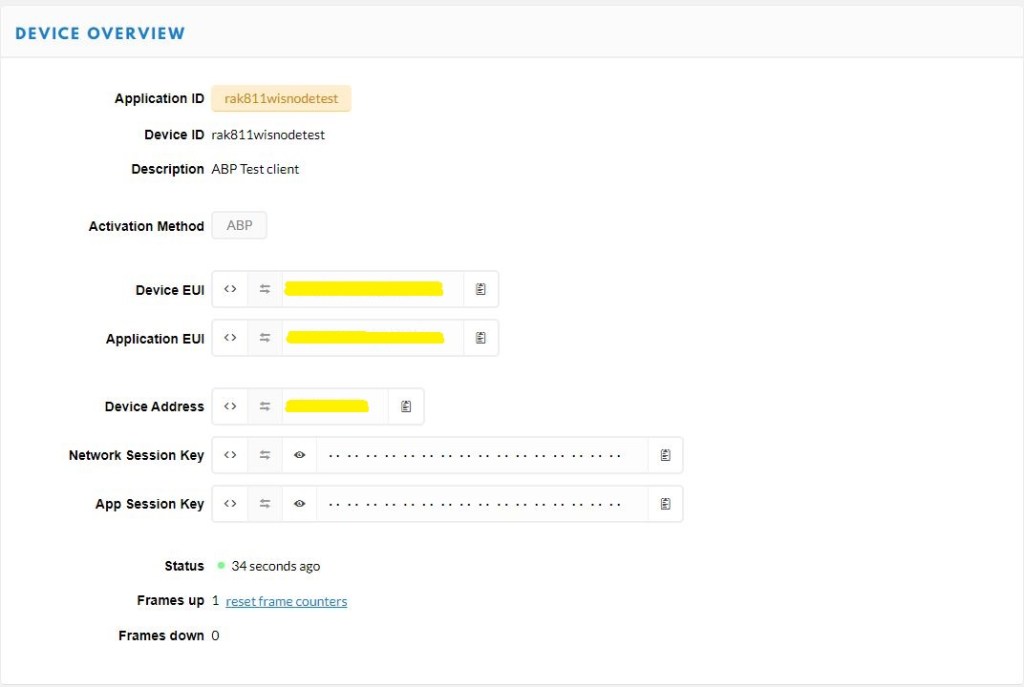
I created a new ABP device

Things Network ABP configuration

Then I configured the RAK811 module for LoRaWAN

// Set the Working mode to LoRaWAN
bytesWritten = outputDataWriter.WriteString("at+set_config=lora:work_mode:0rn");
Debug.WriteLine($"TX: work_mode {outputDataWriter.UnstoredBufferLength} bytes to output stream.");
txByteCount = outputDataWriter.Store();
Debug.WriteLine($"TX: {txByteCount} bytes via {serialDevice.PortName}");

// Read the response
bytesRead = inputDataReader.Load(128);
if (bytesRead > 0)
{
   string response = inputDataReader.ReadString(bytesRead);
   Debug.WriteLine($"RX sync:{response}");
}

Then sequentially stepped through the necessary configuration to join the The Things Network(TTN) network

// Set the JoinMode to ABP
bytesWritten = outputDataWriter.WriteString($"at+set_config=lora:join_mode:1\r\n");
Debug.WriteLine($"TX: join_mode {outputDataWriter.UnstoredBufferLength} bytes to output stream.");
txByteCount = outputDataWriter.Store();
Debug.WriteLine($"TX: {txByteCount} bytes via {serialDevice.PortName}");

// Read the response
bytesRead = inputDataReader.Load(128);
if (bytesRead > 0)
{
   String response = inputDataReader.ReadString(bytesRead);
   Debug.WriteLine($"RX :{response}");
}

// Set the device address
bytesWritten = outputDataWriter.WriteString($"at+set_config=lora:dev_addr:{devAddress}\r\n");
Debug.WriteLine($"TX: dev_addr {outputDataWriter.UnstoredBufferLength} bytes to output stream.");
txByteCount = outputDataWriter.Store();
Debug.WriteLine($"TX: {txByteCount} bytes via {serialDevice.PortName}");

// Read the response
bytesRead = inputDataReader.Load(128);
if (bytesRead > 0)
   {
   String response = inputDataReader.ReadString(bytesRead);
   Debug.WriteLine($"RX :{response}");
   }
...

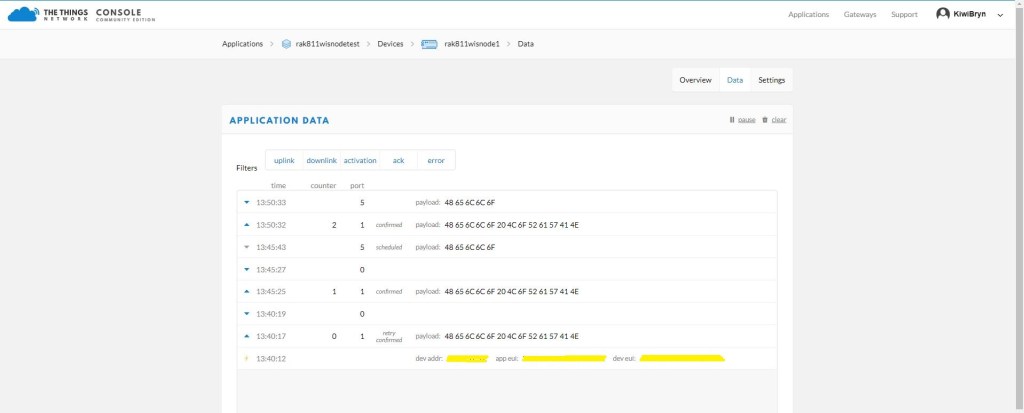
After making a few fixes to my code and tweaking some settings I could see data in the TTN Console.

ABP Device data uplink

The code is not suitable for production but it confirmed my software and hardware configuration worked.

In the Visual Studio 2019 debug output I could see the AT Command responses from were getting truncated in odd ways so I need to be careful how they are processed.

The thread '<No Name>' (0x2) has exited with code 0 (0x0).
devMobile.IoT.Rak811.NetworkJoinABP starting
COM5,COM6
TX: work_mode 32 bytes to output stream.
TX: 32 bytes via COM6
RX :UART1 work mode: RUI_UART_NORAMAL
Current work_mode:LoRaWAN, join_mode:ABP, Class: A
Initialization OK 

TX: region 33 bytes to output stream.
TX: 33 bytes via COM6
RX :OK 

TX: join_mode 32 bytes to output stream.
TX: 32 bytes via COM6
RX :OK 

TX: dev_addr 38 bytes to output stream.
TX: 38 bytes via COM6
RX :OK 

TX: nwks_key 62 bytes to output stream.
TX: 62 bytes via COM6
RX :OK 

TX: apps_key 62 bytes to output stream.
TX: 62 bytes via COM6
RX :OK 

TX: confirm 30 bytes to output stream.
TX: 30 bytes via COM6
RX :OK 

TX: join 9 bytes to output stream.
TX: 9 bytes via COM6
TX: send 43 bytes to output stream.
TX: 43 bytes via COM6
TX: send 43 bytes to output stream.
TX: 43 bytes via COM6
RX :OK Jo
TX: send 43 bytes to output stream.
TX: 43 bytes via COM6
RX :in Su
TX: send 43 bytes to output stream.
TX: 43 bytes via COM6
RX :ccess
TX: send 43 bytes to output stream.
TX: 43 bytes via COM6
RX :
OK 
TX: send 43 bytes to output stream.
TX: 43 bytes via COM6
RX :
OK 

The next step is to get rework the code to process responses to the AT commands in a smarter way and extract error codes when an operation fails.

nanoFramework RAK811 LoRaWAN library Part4

Nasty OTAA connect

After getting basic connectivity for my RAK811 LPWAN Evaluation Board(EVB) and STM32F691DISCOVERY test rig sorted. I wanted to see if I could get the device connected to The Things Network(TTN) via the RAK7246G LPWAN Developer Gateway which was on my desk. I had got the EVB configuration sorted with an Arduino Uno R3 device so I was confident it should work.

STM32F691Discovery with EVB plugged into Arduino headers

My Over the Air Activation(OTAA) implementation is pretty “nasty” I assumed that there would be no timeouts or failures and I only send one BCD message “48656c6c6f204c6f526157414e” which is “hello LoRaWAN”

I configured the RAK811 module for LoRaWAN

// Set the Working mode to LoRaWAN
bytesWritten = outputDataWriter.WriteString("at+set_config=lora:work_mode:0\r\n");
Debug.WriteLine($"TX: work_mode {outputDataWriter.UnstoredBufferLength} bytes to output stream.");
txByteCount = outputDataWriter.Store();
Debug.WriteLine($"TX: {txByteCount} bytes via {serialDevice.PortName}");

// Read the response
bytesRead = inputDataReader.Load(128);
if (bytesRead > 0)
{
   string response = inputDataReader.ReadString(bytesRead);
   Debug.WriteLine($"RX sync:{response}");
}

Then just sequentially stepped through the necessary configuration to join the TTN network

// Set the Region to AS923
bytesWritten = outputDataWriter.WriteString("at+set_config=lora:region:AS923\r\n");
Debug.WriteLine($"TX: region {outputDataWriter.UnstoredBufferLength} bytes to output stream.");
txByteCount = outputDataWriter.Store();
Debug.WriteLine($"TX: {txByteCount} bytes via {serialDevice.PortName}");

// Read the response
bytesRead = inputDataReader.Load(128);
if (bytesRead > 0)
{
   String response = inputDataReader.ReadString(bytesRead);
   Debug.WriteLine($"RX sync:{response}");
}

// Set the JoinMode
bytesWritten = outputDataWriter.WriteString($"at+set_config=lora:join_mode:0\r\n");
Debug.WriteLine($"TX: join_mode {outputDataWriter.UnstoredBufferLength} bytes to output stream.");
txByteCount = outputDataWriter.Store();
Debug.WriteLine($"TX: {txByteCount} bytes via {serialDevice.PortName}");

// Read the response
bytesRead = inputDataReader.Load(128);
if (bytesRead > 0)
{
   String response = inputDataReader.ReadString(bytesRead);
   Debug.WriteLine($"RX sync:{response}");
}

// OTAA set the devEUI
bytesWritten = outputDataWriter.WriteString($"at+set_config=lora:dev_eui:{devEui}\r\n");
Debug.WriteLine($"TX: dev_eui {outputDataWriter.UnstoredBufferLength} bytes to output stream.");
txByteCount = outputDataWriter.Store();
Debug.WriteLine($"TX: {txByteCount} bytes via {serialDevice.PortName}");

// Read the response
bytesRead = inputDataReader.Load(128);
if (bytesRead > 0)
{
   String response = inputDataReader.ReadString(bytesRead);
   Debug.WriteLine($"RX sync:{response}");
}
...

The code is not suitable for production but it confirmed my software and hardware configuration worked.

The thread '<No Name>' (0x2) has exited with code 0 (0x0).
devMobile.IoT.Rak811.NetworkJoinOTAA starting
COM5,COM6
TX: work_mode 32 bytes to output stream.
TX: 32 bytes via COM6
RX sync:UART1 work mode: RUI_UART_NORAMAL
Current work_mode:LoRaWAN, join_mode:OTAA, Class: A
Initialization OK 

TX: region 33 bytes to output stream.
TX: 33 bytes via COM6
RX sync:OK 

TX: join_mode 32 bytes to output stream.
TX: 32 bytes via COM6
RX sync:OK 

TX: dev_eui 45 bytes to output stream.
TX: 45 bytes via COM6
RX sync:OK 

TX: app_eui 45 bytes to output stream.
TX: 45 bytes via COM6
RX sync:OK 

TX: app_key 61 bytes to output stream.
TX: 61 bytes via COM6
RX sync:OK 

TX: confirm 30 bytes to output stream.
TX: 30 bytes via COM6
RX sync:OK 

TX: join 9 bytes to output stream.
TX: 9 bytes via COM6
RX sync:
RX sync:
RX sync:
RX sync:
RX sync:OK Join Success

TX: send 43 bytes to output stream.
TX: 43 bytes via COM6
TX: send 43 bytes to output stream.
TX: 43 bytes via COM6
RX sync:OK 
at+recv=0,-59,9,0

In the Visual Studio 2019 debug out put I could see messages getting sent and then after a short delay they were visible in the TTN console.

I then modified the confirmed flag and in the TTN console I could see how they were processed differently.

Confirmed messages
Unconfirmed messages

I could receive messages but as the RAK 811 module can be configured to be a Class C device there didn’t appear to be a way to receive a message without sending one which seemed a bit odd.

The next step is to get Authentication By Personalisation(ABP) working.

nanoFramework RAK811 LoRaWAN library Part3

Factory Reset

When writing communications libraries one of the first things I try and get working is a “factory reset”. At some stage I will misconfigure the device so badly that it won’t work anymore and having a way to return to the device to its original configuration is really useful.

The RAK811 LPWAN Evaluation Board(EVB) test rig was based on an STM32F691DISCOVERY board which supports hardware (using D8 as I haven’t removed R11) and software reset with an AT command.

//---------------------------------------------------------------------------------
// Copyright (c) June 2020, devMobile Software
//
// Licensed under the Apache License, Version 2.0 (the "License");
// you may not use this file except in compliance with the License.
// You may obtain a copy of the License at
//
//     http://www.apache.org/licenses/LICENSE-2.0
//
// Unless required by applicable law or agreed to in writing, software
// distributed under the License is distributed on an "AS IS" BASIS,
// WITHOUT WARRANTIES OR CONDITIONS OF ANY KIND, either express or implied.
// See the License for the specific language governing permissions and
// limitations under the License.
//
//---------------------------------------------------------------------------------
// nanoff --target ST_STM32F769I_DISCOVERY --update
//#define SERIAL_SYNC_READ
//#define HARDWARE_RESET
//#define SOFTWARE_RESTART
//#define DEVICE_STATUS
//#define LORA_STATUS
namespace devMobile.IoT.Rak811.FactoryReset
{
   using System;
   using System.Diagnostics;
   using System.Threading;
   using Windows.Devices.Gpio;
   using Windows.Devices.SerialCommunication;
   using Windows.Storage.Streams;
   
   public class Program
   {
      private const string SerialPortId = "COM6";

      public static void Main()
      {
         SerialDevice serialDevice;

         Debug.WriteLine("devMobile.IoT.Rak811.FactoryReset starting");

         Debug.WriteLine(Windows.Devices.SerialCommunication.SerialDevice.GetDeviceSelector());

         try
         {
#if HARDWARE_RESET
            GpioPin resetPin = GpioController.GetDefault().OpenPin(PinNumber('J', 4));
            resetPin.SetDriveMode(GpioPinDriveMode.Output);
            resetPin.Write(GpioPinValue.Low);
#endif
            serialDevice = SerialDevice.FromId(SerialPortId);

            // set parameters
            serialDevice.BaudRate = 9600;
            serialDevice.Parity = SerialParity.None;
            serialDevice.StopBits = SerialStopBitCount.One;
            serialDevice.Handshake = SerialHandshake.None;
            serialDevice.DataBits = 8;

            serialDevice.ReadTimeout = new TimeSpan(0, 0, 30);
            serialDevice.WriteTimeout = new TimeSpan(0, 0, 4);

            DataWriter outputDataWriter = new DataWriter(serialDevice.OutputStream);

#if SERIAL_SYNC_READ
            DataReader inputDataReader = new DataReader(serialDevice.InputStream);
#else
            serialDevice.DataReceived += SerialDevice_DataReceived;
#endif

            // set a watch char to be notified when it's available in the input stream
            serialDevice.WatchChar = '\n';

            while (true)
            {
#if HARDWARE_RESET
               resetPin.Write(GpioPinValue.High);
               Thread.Sleep(10);
               resetPin.Write(GpioPinValue.Low);
#endif

#if SOFTWARE_RESTART
               uint bytesWritten = outputDataWriter.WriteString("at+set_config=device:restart\r\n");
               Debug.WriteLine($"TX: {outputDataWriter.UnstoredBufferLength} bytes to output stream.");

               // calling the 'Store' method on the data writer actually sends the data
               uint txByteCount = outputDataWriter.Store();
               Debug.WriteLine($"TX: {txByteCount} bytes via {serialDevice.PortName}");
#endif

#if DEVICE_STATUS
               uint bytesWritten = outputDataWriter.WriteString("at+get_config=device:status\r\n");
               Debug.WriteLine($"TX: {outputDataWriter.UnstoredBufferLength} bytes to output stream.");

               // calling the 'Store' method on the data writer actually sends the data
               uint txByteCount = outputDataWriter.Store();
               Debug.WriteLine($"TX: {txByteCount} bytes via {serialDevice.PortName}");
#endif

#if LORA_STATUS
               uint bytesWritten = outputDataWriter.WriteString("at+get_config=lora:status\r\n");
               Debug.WriteLine($"TX: {outputDataWriter.UnstoredBufferLength} bytes to output stream.");

               // calling the 'Store' method on the data writer actually sends the data
               uint txByteCount = outputDataWriter.Store();
               Debug.WriteLine($"TX: {txByteCount} bytes via {serialDevice.PortName}");
#endif

#if SERIAL_SYNC_READ
               // June 2020 appears to be limited to 256 chars
               uint bytesRead = inputDataReader.Load(50);

               Debug.WriteLine($"RXs :{bytesRead} bytes read from {serialDevice.PortName}");

               if (bytesRead > 0)
               {
                  String response = inputDataReader.ReadString(bytesRead);
                  Debug.WriteLine($"RX sync:{response}");
               }
#endif

               Thread.Sleep(20000);
            }
         }
         catch (Exception ex)
         {
            Debug.WriteLine(ex.Message);
         }
      }

      private static void SerialDevice_DataReceived(object sender, SerialDataReceivedEventArgs e)
      {
         switch (e.EventType)
         {
            case SerialData.Chars:
               //Debug.WriteLine("RX SerialData.Chars");
               break;

            case SerialData.WatchChar:
               Debug.WriteLine("RX: SerialData.WatchChar");
               SerialDevice serialDevice = (SerialDevice)sender;

               using (DataReader inputDataReader = new DataReader(serialDevice.InputStream))
               {
                  inputDataReader.InputStreamOptions = InputStreamOptions.Partial;

                  // read all available bytes from the Serial Device input stream
                  uint bytesRead = inputDataReader.Load(serialDevice.BytesToRead);

                  Debug.WriteLine($"RXa: {bytesRead} bytes read from {serialDevice.PortName}");

                  if (bytesRead > 0)
                  {
                     String response = inputDataReader.ReadString(bytesRead);
                     Debug.WriteLine($"RX:{response}");
                  }
               }
               break;
            default:
               Debug.Assert(false, $"e.EventType {e.EventType} unknown");
               break;
         }
      }
      static int PinNumber(char port, byte pin)
      {
         if (port < 'A' || port > 'J')
            throw new ArgumentException();

         return ((port - 'A') * 16) + pin;
      }
   }
}

Initially I tried strobing D8 which is connected to the reset pin on the RAK811 module.

UART1 work mode: RUI_UART_NORAMAL
Current work_mode:LoRaWAN, join_mode:OTAA, Class: A
Initialization OK 

I then used the RAK Serial Port Tool to see if the configuration had changed

OK Work Mode: LoRaWAN
Region: AS923
Send_interval: 600s
Auto send status: false.
Join_mode: OTAA
DevEui: ...
AppEui: ...
AppKey: ...
Class: A
Joined Network:false
IsConfirm: false
AdrEnable: true
EnableRepeaterSupport: false
RX2_CHANNEL_FREQUENCY: 923200000, RX2_CHANNEL_DR:2
RX_WINDOW_DURATION: 3000ms
RECEIVE_DELAY_1: 1000ms
RECEIVE_DELAY_2: 2000ms
JOIN_ACCEPT_DELAY_1: 5000ms
JOIN_ACCEPT_DELAY_2: 6000ms
Current Datarate: 2
Primeval Datarate: 2
ChannelsTxPower: 0
UpLinkCounter: 0
DownLinkCounter: 0

The device reset but the settings appear not to have returned to factory.

I then tried the device:restart AT command

>>at+set_config=device:restart
UART1 work mode: RUI_UART_NORAMAL
Current work_mode:LoRaWAN, join_mode:OTAA, Class: A
Initialization OK 

>>at+get_config=lora:status
OK Work Mode: LoRaWAN
Region: AS923
Send_interval: 600s
Auto send status: false.
Join_mode: OTAA
DevEui: ...
AppEui: ...
AppKey: ...
Class: A
Joined Network:false
IsConfirm: false
AdrEnable: true
EnableRepeaterSupport: false
RX2_CHANNEL_FREQUENCY: 923200000, RX2_CHANNEL_DR:2
RX_WINDOW_DURATION: 3000ms
RECEIVE_DELAY_1: 1000ms
RECEIVE_DELAY_2: 2000ms
JOIN_ACCEPT_DELAY_1: 5000ms
JOIN_ACCEPT_DELAY_2: 6000ms
Current Datarate: 2
Primeval Datarate: 2
ChannelsTxPower: 0
UpLinkCounter: 0
DownLinkCounter: 0

The device settings appear not to have returned to factory.

After some experimentation it looks like the only way to get a factory reset maybe re-flashing the device.

nanoFramework RAK811 LoRaWAN library Part2

Shield Serial

My initial RAK811 LPWAN Evaluation Board(EVB) test rig was based on an STM32F7691DISCOVERY. I connected the EVB with jumper leads and sent the AT Command to request the LoRaWAN module version information

STM32F691Discovery with EVB connected with Jumpers

The STM32F691DISCOVERY board has an Arduino Uno R3 format socket which I wanted to be able to plug the EVB into. After removing R8,R17 & R19 I put the EVB on the STM32F691DISCOVERY and could still retrieve the RAK811 module version information.

STM32F691Discovery with EVB plugged into Arduino headers
The thread '<No Name>' (0x2) has exited with code 0 (0x0).
devMobile.IoT.Rfm9x.ShieldSerial starting
COM5,COM6
TX: 12 bytes to output stream.
TX: 12 bytes via COM6
RXs :19 bytes read from COM6
RX sync:OK V3.0.0.13.H.T3

TX: 12 bytes to output stream.
TX: 12 bytes via COM6
RXs :19 bytes read from COM6
RX sync:OK V3.0.0.13.H.T3

nanoFramework RAK811 LoRaWAN library Part1

Invalidating the warranty

Over the last couple of days I have been working on a nanoFramework C# library for my RAK811 LPWAN Evaluation Board(EVB) from RAK Wireless which I have been using with an Arduino Uno R3 device. My initial test rig is based on an STM32F691DISCOVERY board which has Arduino Uno R3 format socket for the EVB.

My first step was to check what serial ports were available (COM5 & COM6) on the STM32F691Discovery and what pins they were connected to. (COM6 Arduino D0 & D1). Then check that these would work with the EVB pin assignments.

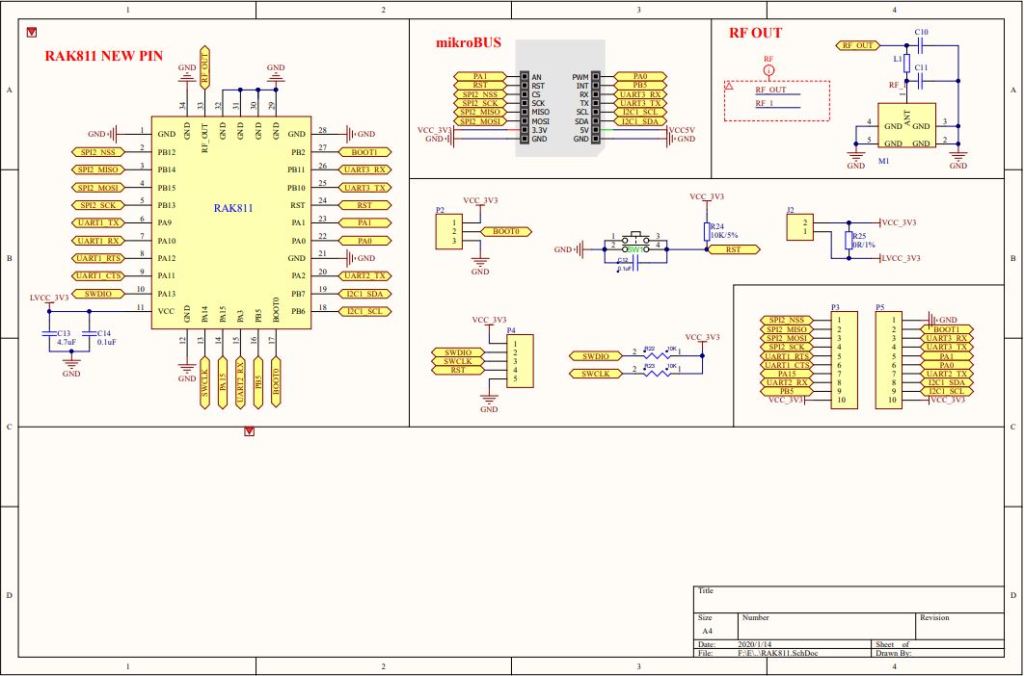
RAK 811 EVB schematic pg1
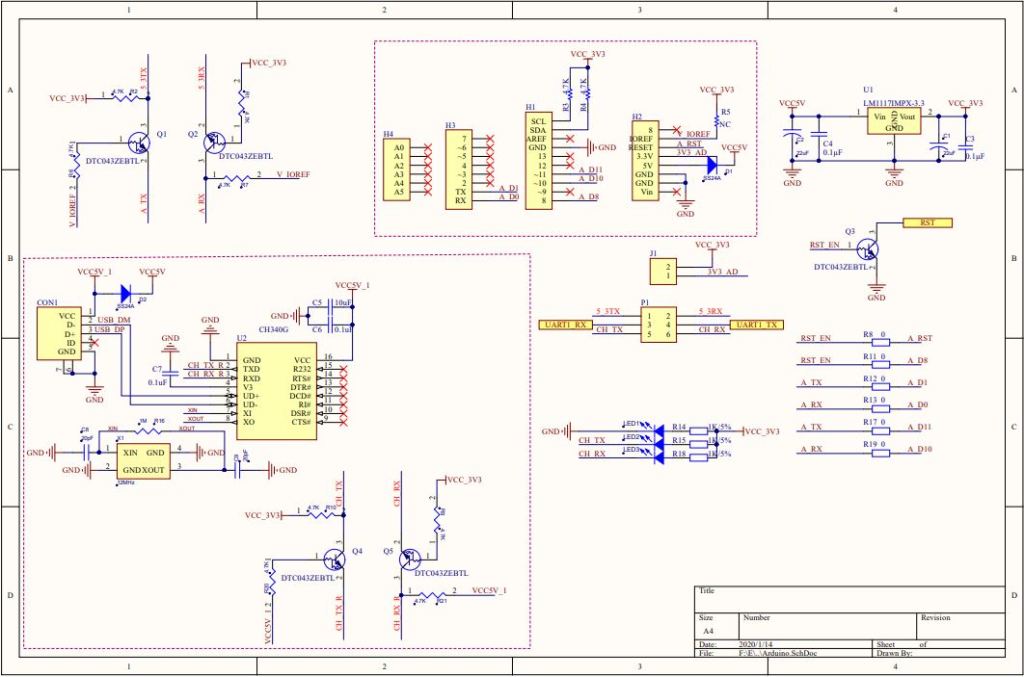
RAK 811 EVB schematic pg2

My first test was was a simple loopback based on the nanoFramework samples Serial Communications example.

STM32F691Discovery with jumper loopback
//---------------------------------------------------------------------------------
// Copyright (c) June 2020, devMobile Software
//
// Licensed under the Apache License, Version 2.0 (the "License");
// you may not use this file except in compliance with the License.
// You may obtain a copy of the License at
//
//     http://www.apache.org/licenses/LICENSE-2.0
//
// Unless required by applicable law or agreed to in writing, software
// distributed under the License is distributed on an "AS IS" BASIS,
// WITHOUT WARRANTIES OR CONDITIONS OF ANY KIND, either express or implied.
// See the License for the specific language governing permissions and
// limitations under the License.
//
//---------------------------------------------------------------------------------
//#define ESP32_WROOM   //nanoff --target ESP32_WROOM_32 --serialport COM4 --update
//#define NETDUINO3_WIFI   // nanoff --target NETDUINO3_WIFI --update
//#define MBN_QUAIL // nanoff --target MBN_QUAIL --update
//#define ST_NUCLEO64_F091RC // nanoff --target ST_NUCLEO64_F091RC --update
//#define ST_NUCLEO144_F746ZG //nanoff --target ST_NUCLEO144_F746ZG --update
#define ST_STM32F769I_DISCOVERY      // nanoff --target ST_STM32F769I_DISCOVERY --update 
namespace devMobile.IoT.Rak811.ShieldSerial
{
   using System;
   using System.Diagnostics;
   using System.Threading;
   using Windows.Devices.SerialCommunication;
   using Windows.Storage.Streams;

#if ESP32_WROOM_32_LORA_1_CHANNEL
   using nanoFramework.Hardware.Esp32;
#endif

   public class Program
   {
#if ESP32_WROOM
      private const string SerialPortId = "";
#endif
#if NETDUINO3_WIFI
      private const string SpiBusId = "";
#endif
#if MBN_QUAIL
      private const string SpiBusId = "";
#endif
#if ST_NUCLEO64_F091RC
      private const string SpiBusId = "";
#endif
#if ST_NUCLEO144_F746ZG
      private const string SpiBusId = "";
#endif
#if ST_STM32F429I_DISCOVERY
      private const string SpiBusId = "";
#endif
#if ST_STM32F769I_DISCOVERY
      private const string SerialPortId = "COM6";
#endif

      public static void Main()
      {
         SerialDevice serialDevice;

         Debug.WriteLine("devMobile.IoT.Rfm9x.ShieldSerial starting");

         Debug.WriteLine(Windows.Devices.SerialCommunication.SerialDevice.GetDeviceSelector());

         try
         {
            // set GPIO functions for COM2 (this is UART1 on ESP32)
            #if ESP32_WROOM
               Configuration.SetPinFunction(Gpio.IO04, DeviceFunction.COM2_TX);
               Configuration.SetPinFunction(Gpio.IO05, DeviceFunction.COM2_RX);
            #endif
            serialDevice = SerialDevice.FromId(SerialPortId);

            // set parameters
            serialDevice.BaudRate = 9600;
            serialDevice.Parity = SerialParity.None;
            serialDevice.StopBits = SerialStopBitCount.One;
            serialDevice.Handshake = SerialHandshake.None;
            serialDevice.DataBits = 8;

            serialDevice.ReadTimeout = new TimeSpan(0, 0, 30);
            serialDevice.WriteTimeout = new TimeSpan(0, 0, 4);

            DataWriter outputDataWriter = new DataWriter(serialDevice.OutputStream);

            #if SERIAL_SYNC_READ
               DataReader inputDataReader = new DataReader(serialDevice.InputStream);
            #else
               serialDevice.DataReceived += SerialDevice_DataReceived;
            #endif

            // set a watch char to be notified when it's available in the input stream
            serialDevice.WatchChar = '\n';

            while (true)
            {
               uint bytesWritten = outputDataWriter.WriteString("at+version\r\n");
               Debug.WriteLine($"TX: {outputDataWriter.UnstoredBufferLength} bytes to output stream.");

               // calling the 'Store' method on the data writer actually sends the data
               uint txByteCount = outputDataWriter.Store();
               Debug.WriteLine($"TX: {txByteCount} bytes via {serialDevice.PortName}");

#if SERIAL_SYNC_READ
               uint bytesRead = inputDataReader.Load(50);

               Debug.WriteLine($"RXs :{bytesRead} bytes read from {serialDevice.PortName}");

               if (bytesRead > 0)
               {
                  String response = inputDataReader.ReadString(bytesRead);
                  Debug.WriteLine($"RX sync:{response}");
               }
#endif

               Thread.Sleep(20000);
            }
         }
         catch (Exception ex)
         {
            Debug.WriteLine(ex.Message);
         }
      }

      private static void SerialDevice_DataReceived(object sender, SerialDataReceivedEventArgs e)
      {
         switch(e.EventType)
         {
            case SerialData.Chars:
               //Debug.WriteLine("RX SerialData.Chars");
               break;

            case SerialData.WatchChar:
               Debug.WriteLine("RX: SerialData.WatchChar");
               SerialDevice serialDevice = (SerialDevice)sender;

               using (DataReader inputDataReader = new DataReader(serialDevice.InputStream))
               {
                  inputDataReader.InputStreamOptions = InputStreamOptions.Partial;

                  // read all available bytes from the Serial Device input stream
                  uint bytesRead = inputDataReader.Load(serialDevice.BytesToRead);

                  Debug.WriteLine($"RXa: {bytesRead} bytes read from {serialDevice.PortName}");

                  if (bytesRead > 0)
                  {
                     String response = inputDataReader.ReadString(bytesRead);
                     Debug.WriteLine($"RX:{response}");
                  }
               }
               break;
            default:
               Debug.Assert(false, $"e.EventType {e.EventType} unknown");
               break;
         }
      }
   }
}

After some tinkering I could successfully transmit and receive a string.

The next step was to connect my EVB and sent the AT Command to request the LoRaWAN module version information

STM32F691Discovery with EVB connected with Jumpers
The thread '<No Name>' (0x2) has exited with code 0 (0x0).
devMobile.IoT.Rfm9x.ShieldSerial starting
COM5,COM6
TX: 12 bytes to output stream.
TX: 12 bytes via COM6
RX: SerialData.WatchChar
RXa: 19 bytes read from COM6
RX:OK V3.0.0.13.H.T3

TX: 12 bytes to output stream.
TX: 12 bytes via COM6
RX: SerialData.WatchChar
RXa: 19 bytes read from COM6
RX:OK V3.0.0.13.H.T3

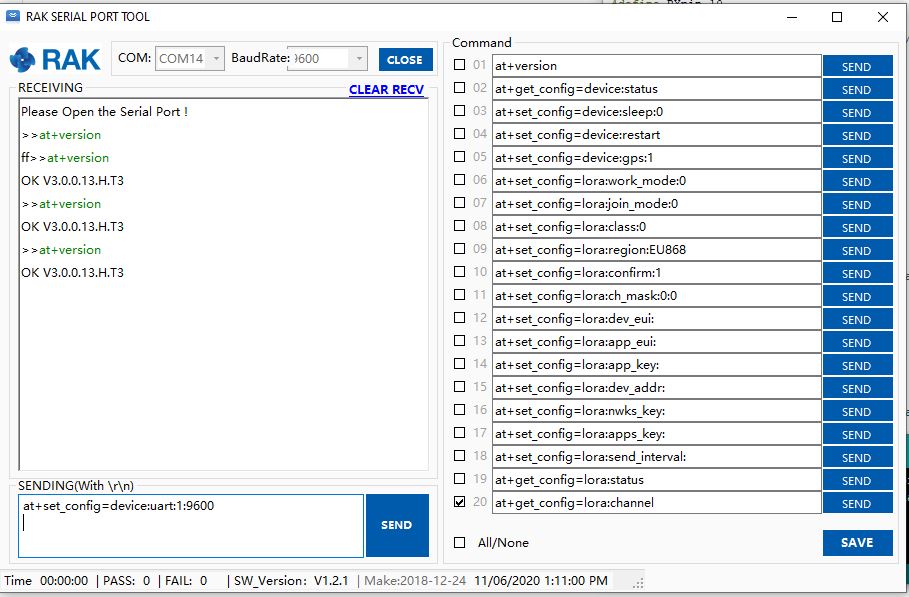
The response was the same as I got with the RAK Serial Port Tool which was positive.

Version number check with RAK Serial Port tool

I need to do some more digging into how serialDevice.WatchChar = ‘\n’ works for synchronous reads.

Plus removing R17 & R19 there is no interaction with D11 & D10 which are normally used by the Serial Peripheral Interface(SPI) port so I can plug the shield directly into the STM32F691Discovery board.

My plan was to get an initial version of the library working with the STM32F691Discovery, then port it to the Netduino 3 Wifi (possible serial port pin issues) , ST_NUCLEO144_F746ZG, and ST_NUCLEO64_F091RC (possible issues with available flash).