Random wanderings through Microsoft Azure esp. PaaS plumbing, the IoT bits, AI on Micro controllers, AI on Edge Devices, .NET nanoFramework, .NET Core on *nix and ML.NET+ONNX
My Azure IoT Hub messages have properties for the LoRaWAN port (required), confirmed (which defaults to false), priority (which defaults to Normal) and queue(which defaults to Replace). The priority and queue enumerations are defined in TTNcommon.cs.
I used the enumeration for message priority in the JSON payload and MQTT downlink message topic.
Initially when I published a message it wasn’t sent and there was no error. It was a while before I noticed that the queue setting was being being converted to the text “Push” or “Replace” based on the enumeration value name (The priority value was in the JSON which is case insensitive). I did wonder if the tenantId and ApplicationId were also case sensitive so I ensured consistent capitalisation with ToLower();
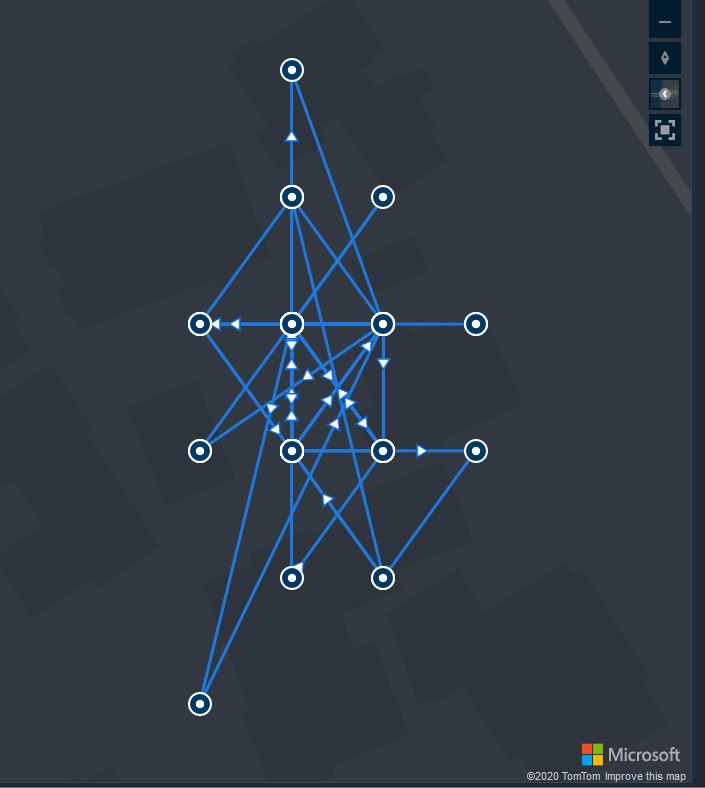
I left a Wisnode Track Lite RAK7200 outside on the deck for a day and the way the positions “snapped” to a grid caught my attention. Based on the size of my property the grid looked to be roughly 10 x 10 meters
The sample Low Power Payload Mbed C code uses a cast which is I think is the same as a floor.
“These functions round x downwards to the nearest integer, returning that value as a double. Thus, floor (1.5) is 1.0 and floor (-1.5) is -2.0.”
In the C code the latitude and longitude values are truncated to four decimal places and the altitude to two decimal places. In my C# code I used Math.Round and I wondered what impact that could have…
public void GpsLocationAdd(byte channel, float latitude, float longitude, float altitude)
{
   IsChannelNumberValid(channel);
   IsBfferSizeSufficient(Enumerations.DataType.Gps);

   if ((latitude < Constants.LatitudeMinimum ) || (latitude > Constants.LatitudeMaximum))
   {
      throw new ArgumentException($"Latitude must be between {Constants.LatitudeMinimum} and {Constants.LatitudeMaximum}", "latitude");
   }

   if ((latitude < Constants.LongitudeMinimum) || (latitude > Constants.LongitudeMaximum))
   {
      throw new ArgumentException($"Longitude must be between {Constants.LongitudeMinimum} and {Constants.LongitudeMaximum}", "latitude");
   }

   if ((altitude < Constants.AltitudeMinimum) || (altitude > Constants.AltitudeMaximum))
   {
      throw new ArgumentException($"Altitude must be between {Constants.AltitudeMinimum} and {Constants.AltitudeMaximum}", "altitude");
   }

   int lat = (int)Math.Round(latitude * 10000.0f);
   int lon = (int)Math.Round(longitude * 10000.0f);
   int alt = (int)Math.Round(altitude * 100.0f);

   buffer[index++] = channel;
   buffer[index++] = (byte)Enumerations.DataType.Gps;

   buffer[index++] = (byte)(lat >> 16);
   buffer[index++] = (byte)(lat >> 8);
   buffer[index++] = (byte)lat;
   buffer[index++] = (byte)(lon >> 16);
   buffer[index++] = (byte)(lon >> 8);
   buffer[index++] = (byte)lon;
   buffer[index++] = (byte)(alt >> 16);
   buffer[index++] = (byte)(alt >> 8);
   buffer[index++] = (byte)alt;
}
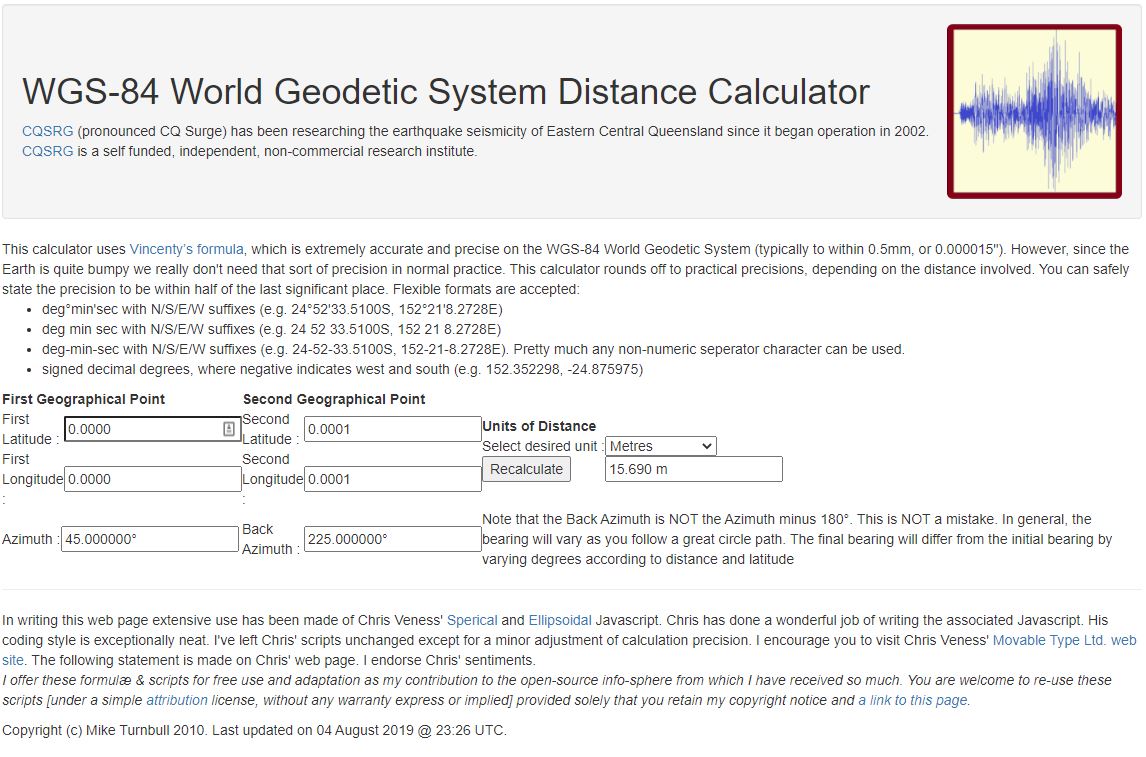
I live in Christchurch New Zealand and the theoretical maximum distance is 13.6 m. So, in summary the LPP latitude and longitude values are most probably fine for tracking applications.
Back in 1986 in my second first year at the University of Canterbury I did “MATH131 Numerical Methods” which was a year of looking at why mathematics in FORTRAN, C, and Pascal sometimes didn’t return the result you were expecting…
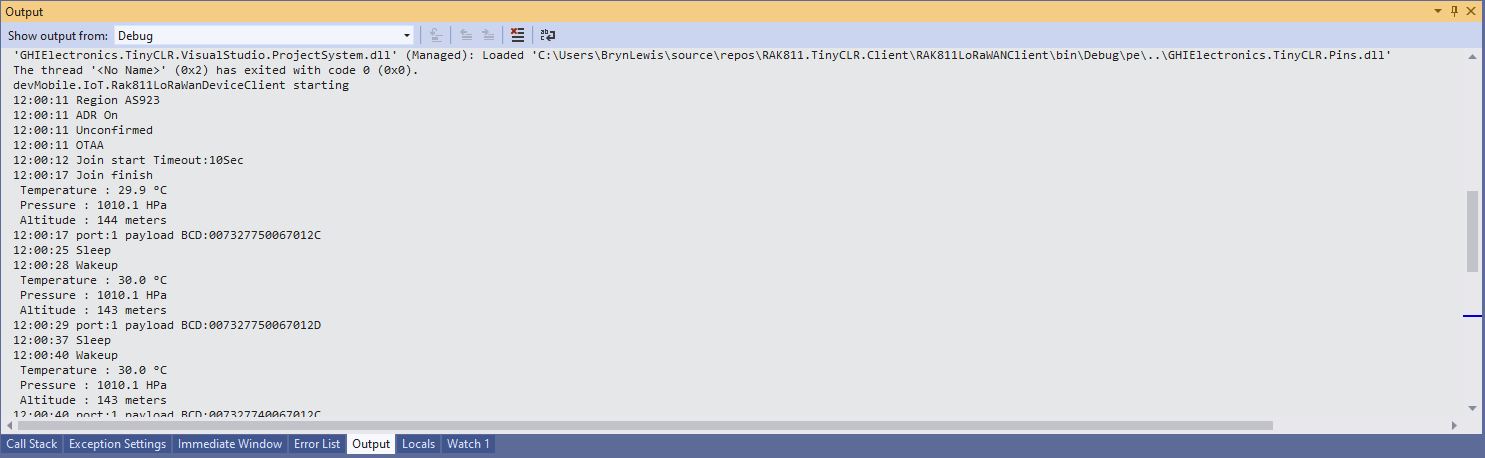
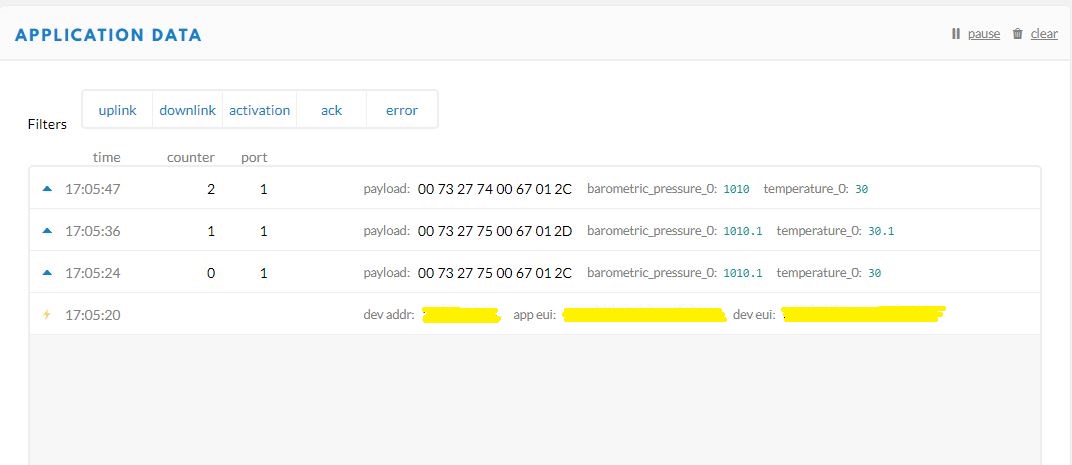
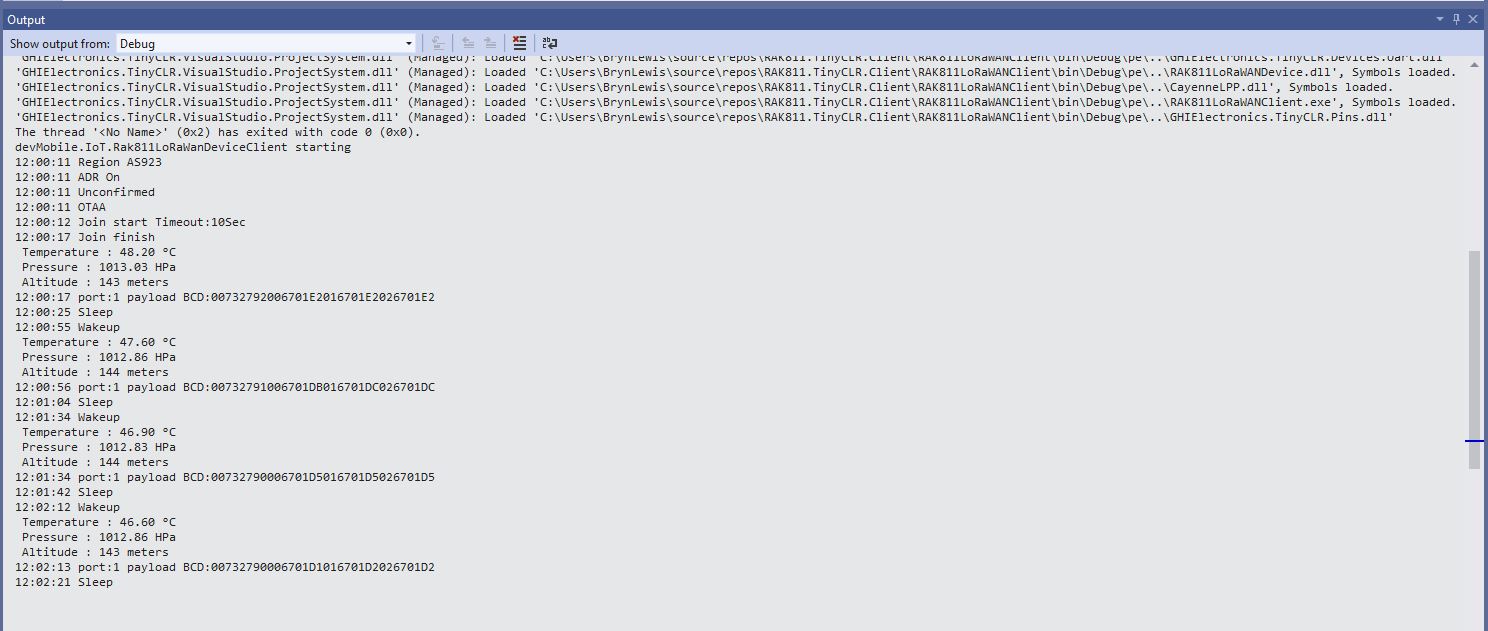
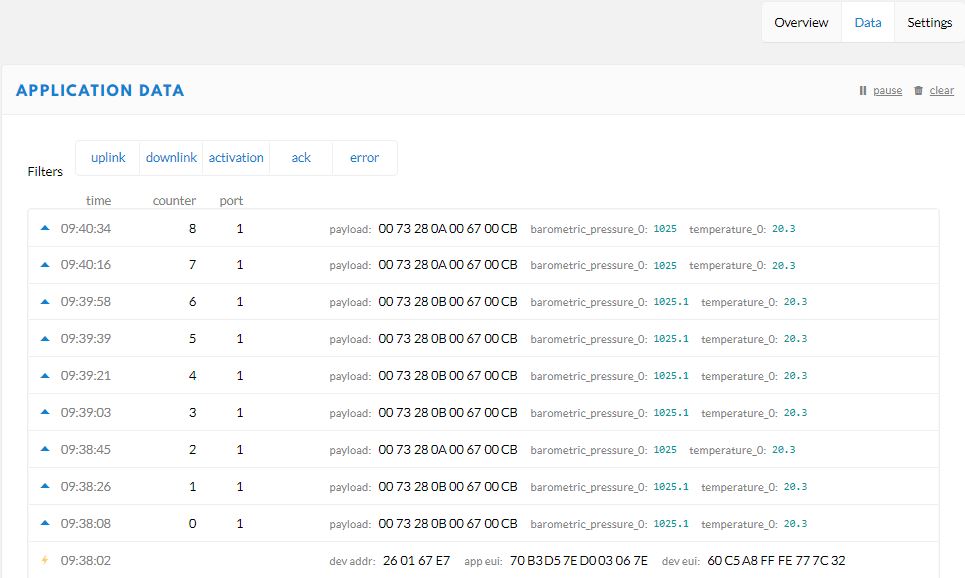
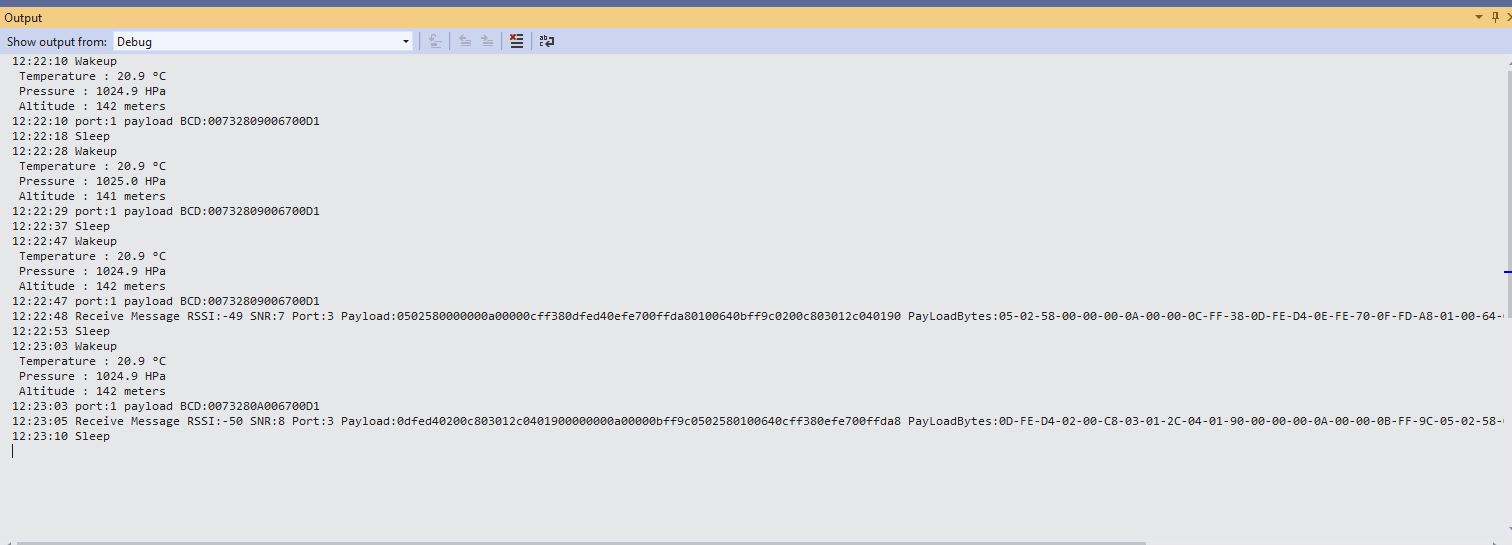
Visual Studio 2019 Debug output windowThe Things Network Device Application Data tab
I have implemented my own Low Power Payload encoder in C# based on the sample Mbed C code
My translation of that code to C#
public void TemperatureAdd(byte channel, float celsius)
{
   if ((index + TemperatureSize) > buffer.Length)
   {
      throw new ApplicationException("TemperatureAdd insufficent buffer capacity");
   }

   short val = (short)(celsius * 10);

   buffer[index++] = channel;
   buffer[index++] = (byte)DataType.Temperature;
   buffer[index++] = (byte)(val >> 8);
   buffer[index++] = (byte)val;
}
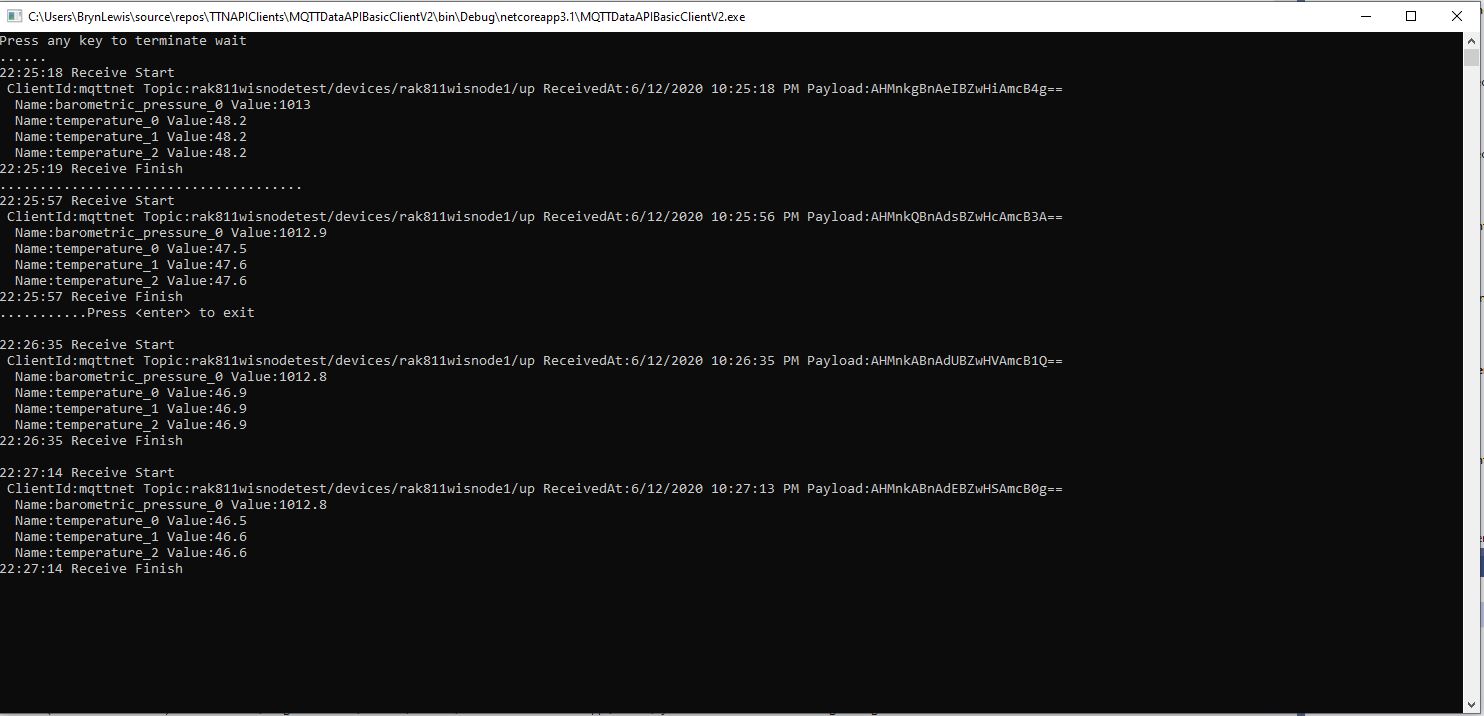
After looking at the code I think the issues was most probably due to the representation of the constant 10(int32), 10.0(double), and 10.0f(single) . To confirm my theory I modified the client to send the temperature with the calculation done with three different constants.
Visual Studio 2019 Debug output windowThe Things Network(TTN) Message Queue Telemetry Transport(MQTT) client
After some trial and error I settled on this C# code for my decoder
public void TemperatureAdd(byte channel, float celsius)
{
   if ((index + TemperatureSize) > buffer.Length)
   {
      throw new ApplicationException("TemperatureAdd insufficent buffer capacity");
   }

   short val = (short)(celsius * 10.0f);

   buffer[index++] = channel;
   buffer[index++] = (byte)DataType.Temperature;
   buffer[index++] = (byte)(val >> 8);
   buffer[index++] = (byte)val;
}
I don’t think this is specifically an issue with the TinyCLR V2 just with number type used for the constant.
The next step was to enumerate all the EndDevices of a The Things Network(TTN) Application and display their attributes. I have to establish an Azure DeviceClient connection to an Azure IoT Hub for each TTN EndDevice to get downlink messages. To do this I will have to enumerate the TTN Applications in the instance then enumerate the LoRaWAN EndDevices.
using (HttpClient httpClient = new HttpClient())
{
	EndDeviceRegistryClient endDeviceRegistryClient = new EndDeviceRegistryClient(baseUrl, httpClient)
	{
		ApiKey = apiKey
	};

	try
	{
#if FIELDS_MINIMUM
		string[] fieldMaskPathsDevice = { "attributes" }; // think this is the bare minimum required for integration
#else
		string[] fieldMaskPathsDevice = { "name", "description", "attributes" };
#endif
		V3EndDevices endDevices = await endDeviceRegistryClient.ListAsync(applicationID, field_mask_paths:fieldMaskPathsDevice);
		if ((endDevices != null) && (endDevices.End_devices != null)) // If there are no devices returns null rather than empty list
		{
			foreach (V3EndDevice endDevice in endDevices.End_devices)
			{
#if FIELDS_MINIMUM
				Console.WriteLine($"EndDevice ID:{endDevice.Ids.Device_id}");
#else
				Console.WriteLine($"Device ID:{endDevice.Ids.Device_id} Name:{endDevice.Name} Description:{endDevice.Description}");
				Console.WriteLine($"  CreatedAt: {endDevice.Created_at:dd-MM-yy HH:mm:ss} UpdatedAt: {endDevice.Updated_at:dd-MM-yy HH:mm:ss}");
#endif
				if (endDevice.Attributes != null)
				{
					Console.WriteLine("  EndDevice attributes");

					foreach (KeyValuePair<string, string> attribute in endDevice.Attributes)
					{
						Console.WriteLine($"    Key: {attribute.Key} Value: {attribute.Value}");
					}
				}
				Console.WriteLine();
			}
		}
	}
	catch (Exception ex)
	{
		Console.WriteLine(ex.Message);
	}

	Console.WriteLine("Press <enter> to exit");
	Console.ReadLine();
}
Like the applicationRegistryClient.ListAsync call the endDeviceRegistryClient.ListAsync also returns null rather than an empty list.
The next step was to enumerate The Things Network(TTN) Applications so I could connect only to the required Azure IoT hub(s). There would also be a single configuration setting for the client (establish a connection for every TTN application, or don’t establish a connection for any) and this could be overridden with a TTN application attribute
long pageSize = long.Parse(args[3]);
Console.WriteLine($"Page size: {pageSize}");

Console.WriteLine();

using (HttpClient httpClient = new HttpClient())
{
	ApplicationRegistryClient applicationRegistryClient = new ApplicationRegistryClient(baseUrl, httpClient)
	{
		ApiKey = apiKey
	};

	try
	{
		int page = 1;

		string[] fieldMaskPathsApplication = { "attributes" }; // think this is the bare minimum required for integration

		V3Applications applications = await applicationRegistryClient.ListAsync(collaborator, field_mask_paths: fieldMaskPathsApplication, limit: pageSize, page: page);
		while ((applications != null) && (applications.Applications != null))
		{
			Console.WriteLine($"Applications:{applications.Applications.Count} Page:{page} Page size:{pageSize}");
			foreach (V3Application application in applications.Applications)
			{
				bool applicationIntegration = ApplicationAzureintegrationDefault;

				Console.WriteLine($"Application ID:{application.Ids.Application_id}");
				if (application.Attributes != null)
				{
					string ApplicationAzureIntegrationValue = string.Empty;
					if (application.Attributes.TryGetValue(ApplicationAzureIntegrationField, out ApplicationAzureIntegrationValue))
					{
						bool.TryParse(ApplicationAzureIntegrationValue, out applicationIntegration);
					}

					if (applicationIntegration)
					{
						Console.WriteLine("  Application attributes");

						foreach (KeyValuePair<string, string> attribute in application.Attributes)
						{
							Console.WriteLine($"   Key: {attribute.Key} Value: {attribute.Value}");
						}
					}
				}
				Console.WriteLine();
			}
			page += 1;
			applications = await applicationRegistryClient.ListAsync(collaborator, field_mask_paths: fieldMaskPathsApplication, limit: pageSize, page: page);
		};
	}
	catch (Exception ex)
	{
		Console.WriteLine(ex.Message);
	}

	Console.WriteLine("Press <enter> to exit");
	Console.ReadLine();
}
I Used the field_mask_paths parameter (don’t need created_at, updated_at, name etc.) to minimise the data returned to my client.
I was hoping that there would be a away to further “shape” the returned data, but in the NSwag generated code the construction of the URL with field_mask_paths, order, limit, and page parameters meant this appears not to be possible.
For each LoraWAN client I have to have an open connection to the Azure IoT hub to get Cloud to Device (C2D) messages so I’m looking at using connection pooling to reduce the overall number of connections.
I think the Azure ClientDevice library supports up to 995 devices per connection and has quiet a lot of additional functionality.
/// <summary>
/// contains Amqp Connection Pool settings for DeviceClient
/// </summary>
public sealed class AmqpConnectionPoolSettings
{
   private static readonly TimeSpan s_defaultConnectionIdleTimeout = TimeSpan.FromMinutes(2);
    private uint _maxPoolSize;
    internal const uint MaxDevicesPerConnection = 995; // IotHub allows upto 999 tokens per connection. Setting the threshold just below that.

    /// <summary>
    /// The default size of the pool
    /// </summary>
    /// <remarks>
    /// Allows up to 100,000 devices
    /// </remarks>
    private const uint DefaultPoolSize = 100;

    /// <summary>
    /// The maximum value that can be used for the MaxPoolSize property
    /// </summary>
     public const uint AbsoluteMaxPoolSize = ushort.MaxValue;

    /// <summary>
    /// Creates an instance of AmqpConnecitonPoolSettings with default properties
    /// </summary>
    public AmqpConnectionPoolSettings()
    {
       _maxPoolSize = DefaultPoolSize;
       Pooling = false;
    }
Whereas I think AMQPNetLite may support more, but will require me to implement more of the Azure IoT client interface
/// <summary>
/// The default maximum frame size used by the library.
/// </summary>
public const uint DefaultMaxFrameSize = 64 * 1024;
internal const ushort DefaultMaxConcurrentChannels = 8 * 1024;
internal const uint DefaultMaxLinkHandles = 256 * 1024;
internal const uint DefaultHeartBeatInterval = 90000;
internal const uint MinimumHeartBeatIntervalMs = 5 * 1000;
I have got todo some more research to see which library is easier/requires more code/complex/scales better.
After reviewing the initial implementation I found I had to have one connection per The Things Network(TTN) device. Todo this I first have to enumerate the LoRaWAN Devices for each Application in my instance. First I had to add the TTN APIKey to the application and device registry requests.
namespace devMobile.TheThingsNetwork.API
{
	public partial class EndDeviceRegistryClient
	{
		public string ApiKey { set; get; }

		partial void PrepareRequest(System.Net.Http.HttpClient client, System.Net.Http.HttpRequestMessage request, string url)
		{
			if (!client.DefaultRequestHeaders.Contains("Authorization"))
			{
				client.DefaultRequestHeaders.Add("Authorization", $"Bearer {ApiKey}");
			}
		}
	}

	public partial class ApplicationRegistryClient
	{
		public string ApiKey { set; get; }

		partial void PrepareRequest(System.Net.Http.HttpClient client, System.Net.Http.HttpRequestMessage request, string url)
		{
			if (!client.DefaultRequestHeaders.Contains("Authorization"))
			{
				client.DefaultRequestHeaders.Add("Authorization", $"Bearer {ApiKey}");
			}
		}
	}
}
The first step was to enumerate Applications and their attributes
#if FIELDS_MINIMUM
	string[] fieldMaskPathsApplication = { "attributes" }; // think this is the bare minimum required for integration
#else
	string[] fieldMaskPathsApplication = { "name", "description", "attributes" };
#endif

	V3Applications applications = await applicationRegistryClient.ListAsync(collaborator, field_mask_paths: fieldMaskPathsApplication);
	if ((applications != null) && (applications.Applications != null)) // If there are no applications returns null rather than empty list
	{
		foreach (V3Application application in applications.Applications)
		{
#if FIELDS_MINIMUM
			Console.WriteLine($"Application ID:{application.Ids.Application_id}");
#else
			Console.WriteLine($"Application ID:{application.Ids.Application_id} Name:{application.Name} Description:{application.Description}");
			Console.WriteLine($"  CreatedAt: {application.Created_at:dd-MM-yy HH:mm:ss} UpdatedAt: {application.Updated_at:dd-MM-yy HH:mm:ss}");
#endif
			if (application.Attributes != null)
			{
				Console.WriteLine("  Application attributes");

				foreach (KeyValuePair<string, string> attribute in application.Attributes)
				{
					Console.WriteLine($"    Key: {attribute.Key} Value: {attribute.Value}");
				}
			}
			Console.WriteLine();
		}
	}
}
The applicationRegistryClient.ListAsync call returns null rather than an empty list which tripped me up. I only found this when I deleted all the applications in my instance and started from scratch.
In my applications the Low power payload(LPP) uplink messages from my *duino devices are decoded by the built in The Things Network(TTN) decoder. I can also see the nicely formatted values in the device data view.
Downlink Encoding
I could successfully download raw data to the device but I found that manually unpacking it on the device was painful.
Raw data
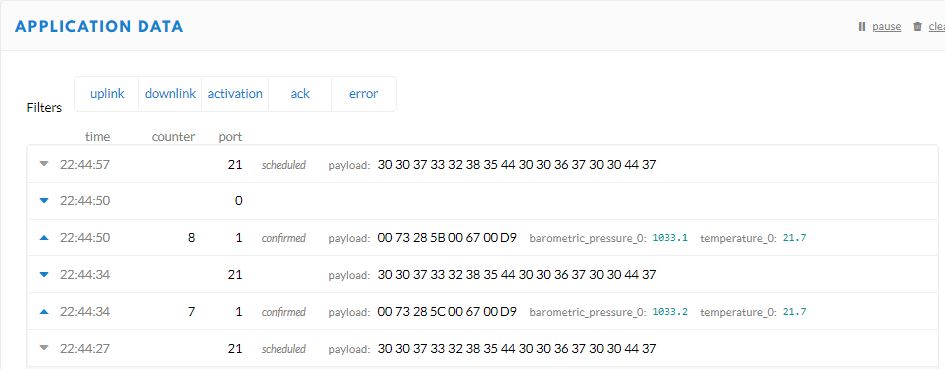
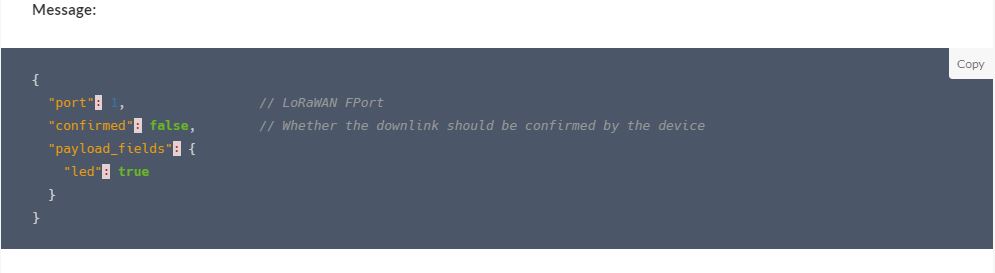
I really want to send LPP formatted messages to my devices so I could use a standard LPP library. I initially populated the payload fields in the downlink message JSON. The TTN documentation appeared to indicate this was possible.
Download JSON payload format
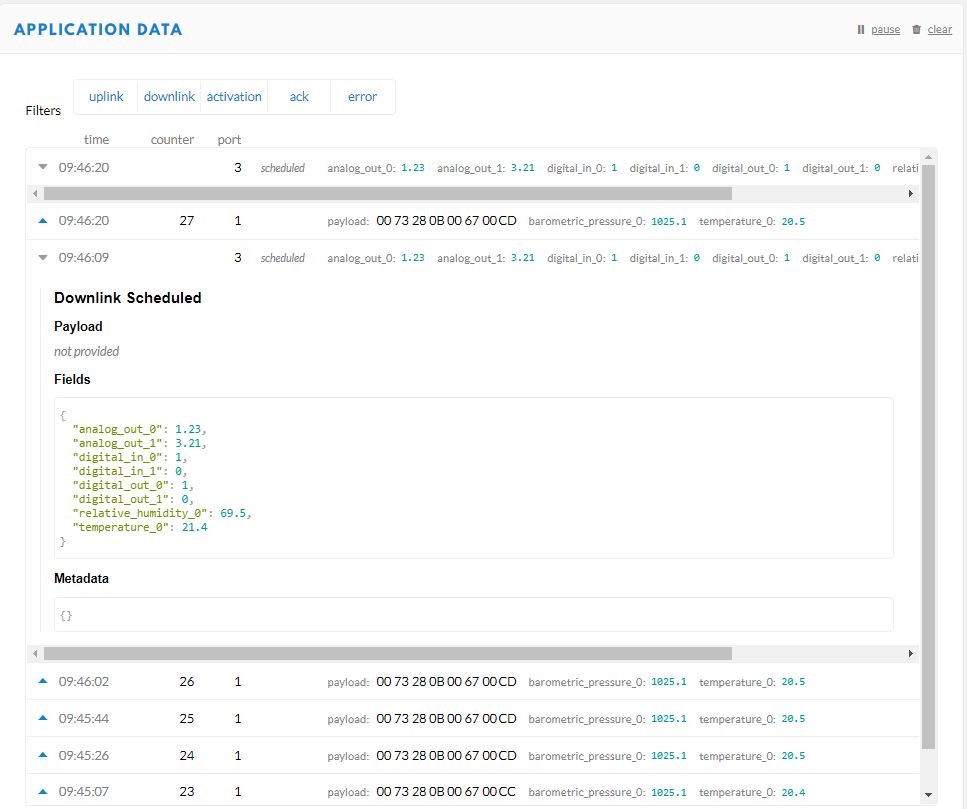
Initially I tried a more complex data type because I was looking at downloading a location to the device.
Complex data type
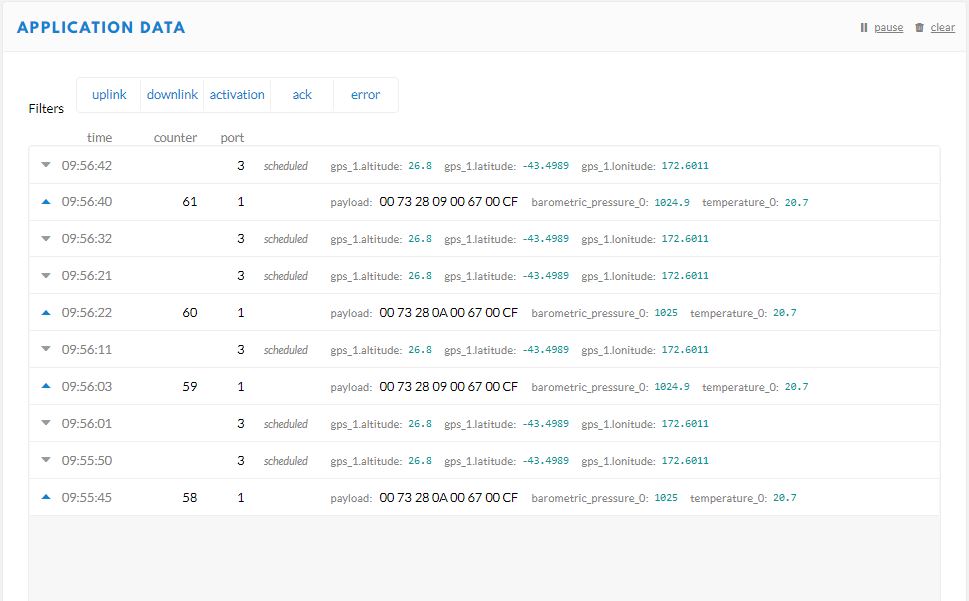
I could see nicely formatted values in the device data view but they didn’t arrive at the device. I then tried simpler data type to see if the complex data type was an issue.
Simple Data Types
At this point I asked a few questions on the TTN forums and started to dig into the TTN source code.
Learning Go on demand
I had a look at the TTB Go code and learnt a lot as I figured out how the “baked in “encoder/decoder worked. I haven’t done any Go coding so it took a while to get comfortable with the syntax. The code my look a bit odd as a Pascal formatter was the closest I could get to Go.
At this point I started to hit the limits of my Go skills but with some trial and error I figured it out…
Executive Summary
The downlink payload values are sent as 2 byte floats with a sign bit, 100 multiplier. The fields have to be named “value_X” where X is is a byte value.
return DeviceClient.Create(result.AssignedHub,
                  authentication,
                  new ITransportSettings[]
                  {
                     new AmqpTransportSettings(TransportType.Amqp_Tcp_Only)
                     {
                        PrefetchCount = 0,
                        AmqpConnectionPoolSettings = new AmqpConnectionPoolSettings()
                        {
                           Pooling = true,
                        }
                     }
                  }
               );
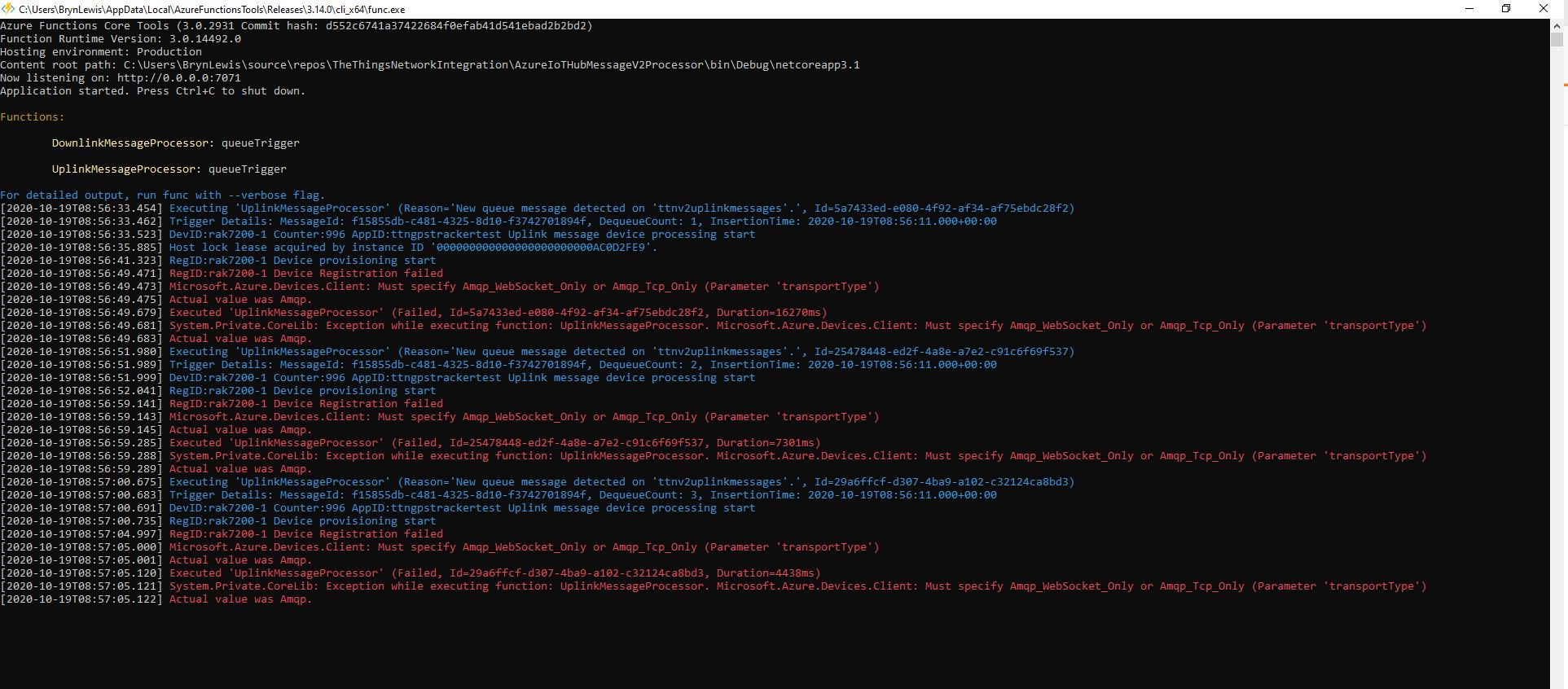
My first attempt failed as I hadn’t configured “TransportType.Amqp_Tcp_Only” which would have allowed the AMQP implementation to fallback to other protocols which don’t support pooling.
Exception caused by not using TransportType.Amqp_Tcp_Only
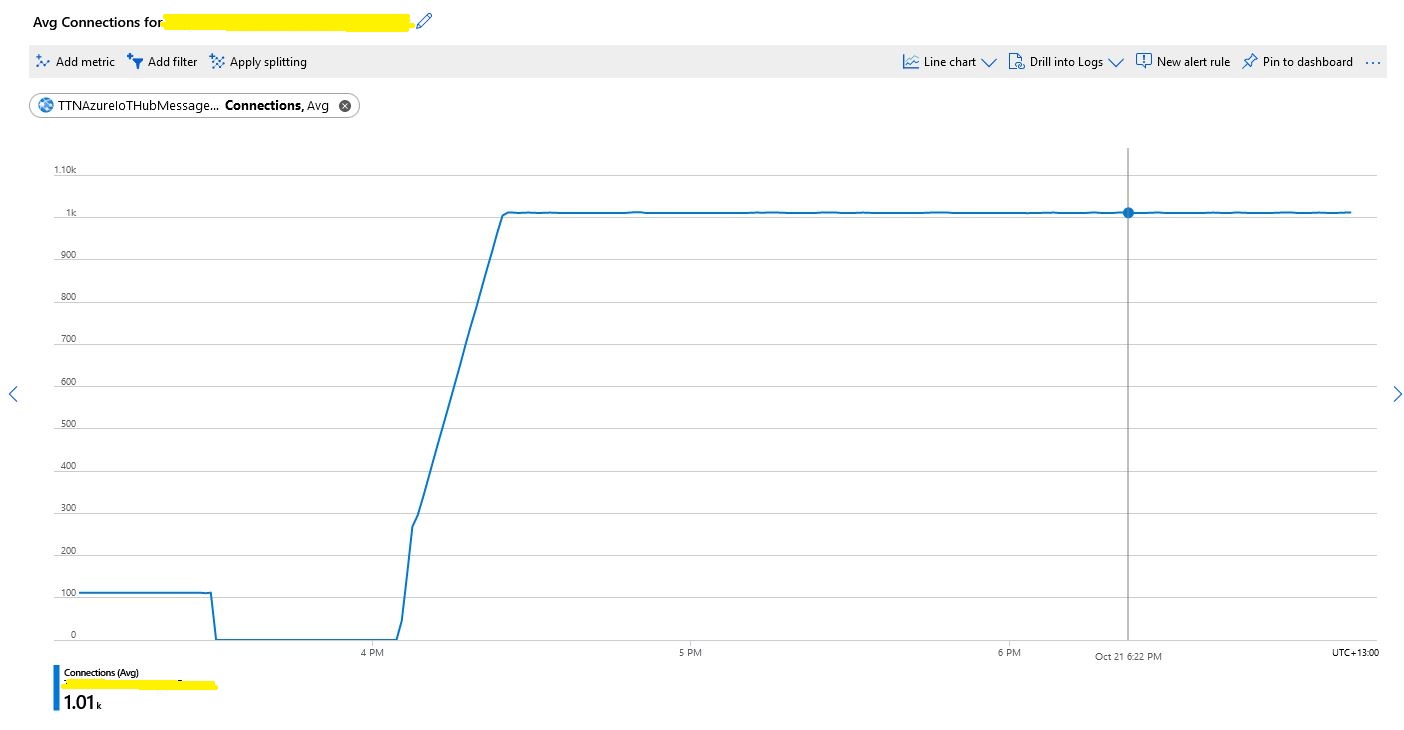
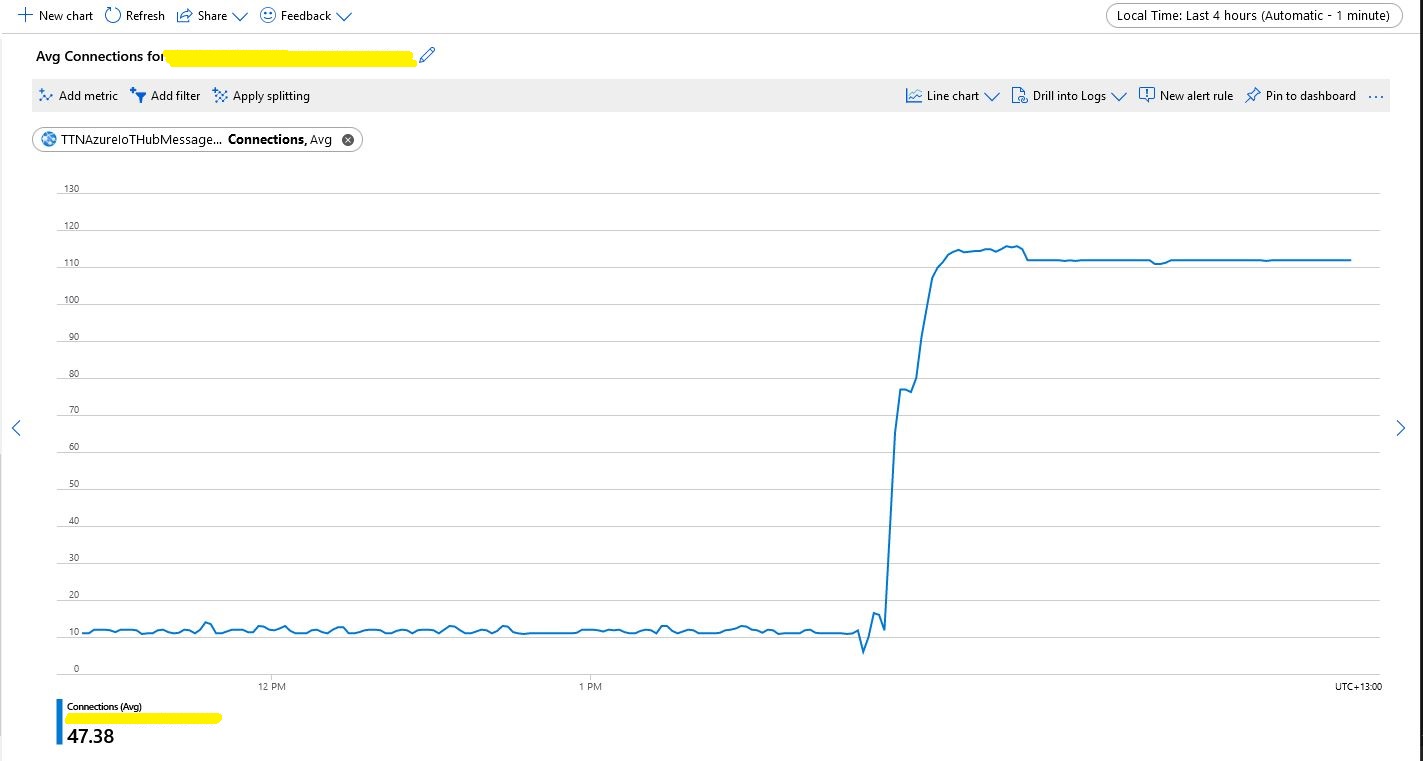
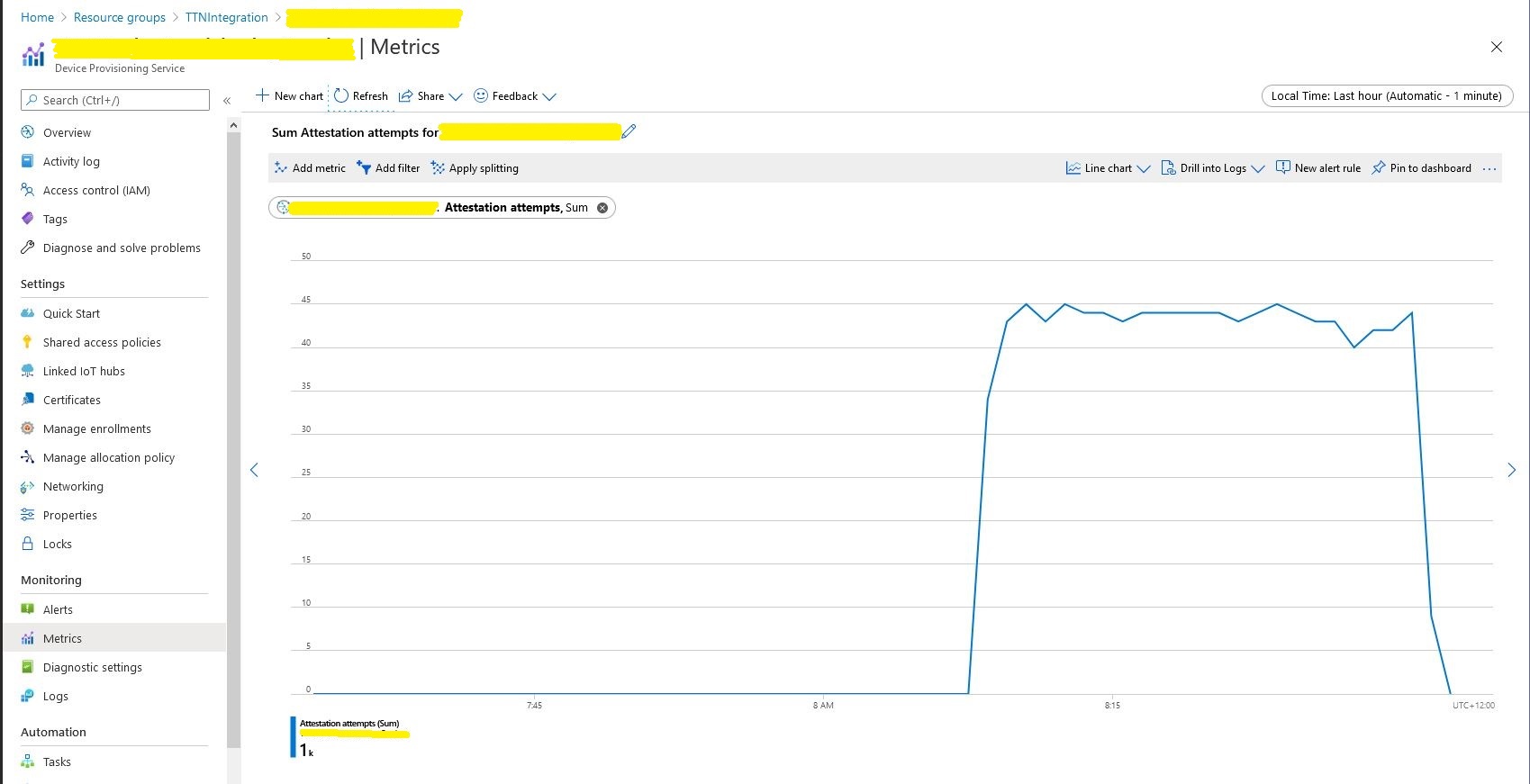
I then deployed the updated code and ran my 1000 device stress test (note the different x axis scales)
Number of connections with pooling
This confirmed what I found in the Azure.AMQP source code
/// <summary>
/// The default size of the pool
/// </summary>
/// <remarks>
/// Allows up to 100,000 devices
/// </remarks>
/// private const uint DefaultPoolSize = 100;
For a PoC the DIY cache was ok but I wanted to replace it with something more robust like the .Net ObjectCache which is in the System.Runtime.Caching namespace.
I started by replacing the ConcurrentDictionary declaration
static readonly ConcurrentDictionary<string, DeviceClient> DeviceClients = new ConcurrentDictionary<string, DeviceClient>();
Then, where there were compiler errors I updated the method call.
// See if the device has already been provisioned or is being provisioned on another thread.
if (DeviceClients.Add(registrationId, deviceContext, cacheItemPolicy))
{
   log.LogInformation("RegID:{registrationId} Device provisioning start", registrationId);
...
One difference I found was that ObjectCache throws an exception if the value is null. I was using a null value to indicate that the Device Provisioning Service(DPS) process had been initiated on another thread and was underway.