.NET ASP.NET Core Custom Identity Provider Sample Update

As part of some security updates to one of the ASP.NET Core applications I work on there were changes to how users are authorised and authenticated(A&A). As part of this we were looking at replacing custom A&A (login names & passwords+ existing database) with ASP.NET Core Identity and a Custom Storage Provider. I downloaded the sample code from the Github AspNetCore.Docs repository and opened the project in Visual Studio 2022.

The Custom Storage Provider sample hasn’t been updated for years and used .NET Core 1.1 which was released Q4 2016.

When I opened the project there were errors and many of the NuGets were deprecated.

The sample code uses Dapper (micro ORM) to access tables in a custom Microsoft SQL Server database but there was also NuGets and code that referenced Entity Framework Core.

After several unsuccessful attempts at updating the NuGets packages I started again from scratch

The code wouldn’t compile so I started fixing issues (The first couple of attempts were very “hacky”). The UseDatabaseErrorPage method was from EF Core so it was commented out. The UseBrowserLink method was from the Browser Link support which I decided not to use etc.

...
namespace CustomIdentityProviderSample
{
    public class Startup
    {
        public Startup(IHostingEnvironment env)
        {
            var builder = new ConfigurationBuilder()
                .SetBasePath(env.ContentRootPath)
                .AddJsonFile("appsettings.json", optional: false, reloadOnChange: true)
                .AddJsonFile($"appsettings.{env.EnvironmentName}.json", optional: true);

            if (env.IsDevelopment())
            {
                // For more details on using the user secret store see https://go.microsoft.com/fwlink/?LinkID=532709
                builder.AddUserSecrets<Startup>();
            }

            builder.AddEnvironmentVariables();
            Configuration = builder.Build();
        }

        public IConfigurationRoot Configuration { get; }

        // This method gets called by the runtime. Use this method to add services to the container.
        public void ConfigureServices(IServiceCollection services)
        {
            // Add identity types
            services.AddIdentity<ApplicationUser, ApplicationRole>()
                .AddDefaultTokenProviders();

            // Identity Services
            services.AddTransient<IUserStore<ApplicationUser>, CustomUserStore>();
            services.AddTransient<IRoleStore<ApplicationRole>, CustomRoleStore>();
            string connectionString = Configuration.GetConnectionString("DefaultConnection");
            services.AddTransient<SqlConnection>(e => new SqlConnection(connectionString));
            services.AddTransient<DapperUsersTable>();

            services.AddMvc();

            // Add application services.
            services.AddTransient<IEmailSender, AuthMessageSender>();
            services.AddTransient<ISmsSender, AuthMessageSender>();
        }

        // This method gets called by the runtime. Use this method to configure the HTTP request pipeline.
        public void Configure(IApplicationBuilder app, IHostingEnvironment env, ILoggerFactory loggerFactory)
        {
            // loggerFactory.AddConsole(Configuration.GetSection("Logging"));
            // loggerFactory.AddDebug();

            if (env.IsDevelopment())
            {
                app.UseDeveloperExceptionPage();
                // app.UseDatabaseErrorPage(); BHL
                // app.UseBrowserLink(); BHL
            }
            else
            {
                app.UseExceptionHandler("/Home/Error");
            }

            app.UseStaticFiles();

            app.UseRouting(); // BHL

            // app.UseIdentity(); BHL
            app.UseAuthentication();
            app.UseAuthorization();

            // Add external authentication middleware below. To configure them please see https://go.microsoft.com/fwlink/?LinkID=532715
            app.UseMvc(routes =>
            {
                routes.MapRoute(
                    name: "default",
                    template: "{controller=Home}/{action=Index}/{id?}");
            });
        }
    }
}

This process was repeated many times until the Custom Storage Provider sample compiled so I could run it in the Visual Studio 2022 debugger.

The Custom Storage Provider sample then failed because of changes to routing etc.

The Custom Storage Provider sample then failed because of changes to A&A middleware

The Custom Storage Provider sample then failed because the database creation script and the code didn’t match.

CREATE TABLE [dbo].[CustomUser](
	[Id] [uniqueidentifier] NOT NULL,
	[Email] [nvarchar](256) NULL,
	[EmailConfirmed] [bit] NOT NULL,
	[PasswordHash] [nvarchar](max) NULL,
	[UserName] [nvarchar](256) NOT NULL,
 CONSTRAINT [PK_dbo.CustomUsers] PRIMARY KEY CLUSTERED 
(
	[Id] ASC
)WITH (PAD_INDEX = OFF, STATISTICS_NORECOMPUTE = OFF, IGNORE_DUP_KEY = OFF, ALLOW_ROW_LOCKS = ON, ALLOW_PAGE_LOCKS = ON) ON [PRIMARY]
) ON [PRIMARY] TEXTIMAGE_ON [PRIMARY]

Finally, the Custom Storage Provider sample worked but the page layout was broken

I then worked through the Razor views adding stylesheets where necessary.

@inject Microsoft.ApplicationInsights.AspNetCore.JavaScriptSnippet JavaScriptSnippet
<!DOCTYPE html>
<html>
<head>
    <meta charset="utf-8" />
    <meta name="viewport" content="width=device-width, initial-scale=1.0" />
    <title>@ViewData["Title"] - CustomIdentityProviderSample</title>
    @* BHL *@
    <link rel="stylesheet" href="https://ajax.aspnetcdn.com/ajax/bootstrap/3.3.7/css/bootstrap.css"
          asp-fallback-href="~/lib/bootstrap/dist/css/bootstrap.css"
          asp-fallback-test-class="sr-only" asp-fallback-test-property="position" asp-fallback-test-value="absolute" />

    <environment names="Development">
        <link rel="stylesheet" href="~/lib/bootstrap/dist/css/bootstrap.css" />
    </environment>
    <environment names="Staging,Production">
        <link rel="stylesheet" href="https://ajax.aspnetcdn.com/ajax/bootstrap/3.3.7/css/bootstrap.css"
              asp-fallback-href="~/lib/bootstrap/dist/css/bootstrap.css"
              asp-fallback-test-class="sr-only" asp-fallback-test-property="position" asp-fallback-test-value="absolute" />
    </environment>
    @Html.Raw(JavaScriptSnippet.FullScript)
</head>
...

The Custom Storage Provider sample subset of pages then rendered better.

The Custom Storage Provider sample then failed when functionality like user phone number was used.

This required the addition of implementations (many just throw NotImplementedException exceptions) for IUserPhoneNumberStore, IUserTwoFactorStore, and IUserLoginStore etc.

using Microsoft.AspNetCore.Identity;
using System;
using System.Threading.Tasks;
using System.Threading;
using System.Collections.Generic;

namespace CustomIdentityProviderSample.CustomProvider
{
    /// <summary>
    /// This store is only partially implemented. It supports user creation and find methods.
    /// </summary>
    public class CustomUserStore : IUserStore<ApplicationUser>, 
        IUserPasswordStore<ApplicationUser>,
        IUserPhoneNumberStore<ApplicationUser>,
        IUserTwoFactorStore<ApplicationUser>,
        IUserLoginStore<ApplicationUser>
    {
        private readonly DapperUsersTable _usersTable;

        public CustomUserStore(DapperUsersTable usersTable)
        {
            _usersTable = usersTable;
        }

        public Task AddLoginAsync(ApplicationUser user, UserLoginInfo login, CancellationToken cancellationToken)
        {
            throw new NotImplementedException();
        }

        public async Task<IdentityResult> CreateAsync(ApplicationUser user, 
            CancellationToken cancellationToken = default(CancellationToken))
        {
            cancellationToken.ThrowIfCancellationRequested();
            if (user == null) throw new ArgumentNullException(nameof(user));

            return await _usersTable.CreateAsync(user);
        }

        public async Task<IdentityResult> DeleteAsync(ApplicationUser user, 
            CancellationToken cancellationToken = default(CancellationToken))
        {
            cancellationToken.ThrowIfCancellationRequested();
            if (user == null) throw new ArgumentNullException(nameof(user));

            return await _usersTable.DeleteAsync(user);

        }

        public async Task<ApplicationUser> FindByIdAsync(string userId, 
            CancellationToken cancellationToken = default(CancellationToken))
        {
            cancellationToken.ThrowIfCancellationRequested();
            if (userId == null) throw new ArgumentNullException(nameof(userId));
            Guid idGuid;
            if(!Guid.TryParse(userId, out idGuid))
            {
                throw new ArgumentException("Not a valid Guid id", nameof(userId));
            }

            return await _usersTable.FindByIdAsync(idGuid);

        }

        public Task<ApplicationUser> FindByLoginAsync(string loginProvider, string providerKey, CancellationToken cancellationToken)
        {
            throw new NotImplementedException();
        }

        public async Task<ApplicationUser> FindByNameAsync(string userName, 
            CancellationToken cancellationToken = default(CancellationToken))
        {
            cancellationToken.ThrowIfCancellationRequested();
            if (userName == null) throw new ArgumentNullException(nameof(userName));

            return await _usersTable.FindByNameAsync(userName);
        }

        public async Task<IList<UserLoginInfo>> GetLoginsAsync(ApplicationUser user, CancellationToken cancellationToken)
        {
            cancellationToken.ThrowIfCancellationRequested();
            if (user == null) throw new ArgumentNullException(nameof(user));

            return await _usersTable.GetLoginsAsync(user.Id);
        }
... 
}

This also required extensions to the DapperUsersTable.cs.

public async Task<IdentityResult> UpdateAsync(ApplicationUser user)
{
   string sql = "UPDATE dbo.AspNetUsers " + // BHL
                     "SET [Id] = @Id, [Email]= @Email, [EmailConfirmed] = @EmailConfirmed, [PasswordHash] = @PasswordHash, [UserName] = @UserName " +
                     "WHERE Id = @Id;";


   int rows = await _connection.ExecuteAsync(sql, new { user.Id, user.Email, user.EmailConfirmed, user.PasswordHash, user.UserName });

   if (rows == 1)
   {
      return IdentityResult.Success;
   }

return IdentityResult.Failed(new IdentityError { Description = $"Could not update user {user.Email}." });
}

After many failed attempts my very nasty Custom Storage Provider refresh works (with many warnings and messages). I now understand how they work well enough that I am going to start again from scratch.
.NET Core web API + Dapper – Readonly query workloads with Data Sync

Azure SQL Data Synchronisation Process

Read-only replicas of an Azure SQL Database database with Active geo-replication are easy to setup but there are some disadvantages. e.g. bi-directional synchronisation is not supported, not all tables or selected columns of some tables might not be needed\should not be accessible for reporting, the overhead of replicating tables used for transaction processing might impact on the performance of the solution etc. Azure SQL Data Sync is a service built on Azure SQL Database that can synchronise selected data bi-directionally across multiple databases, both on-premises and in the cloud.
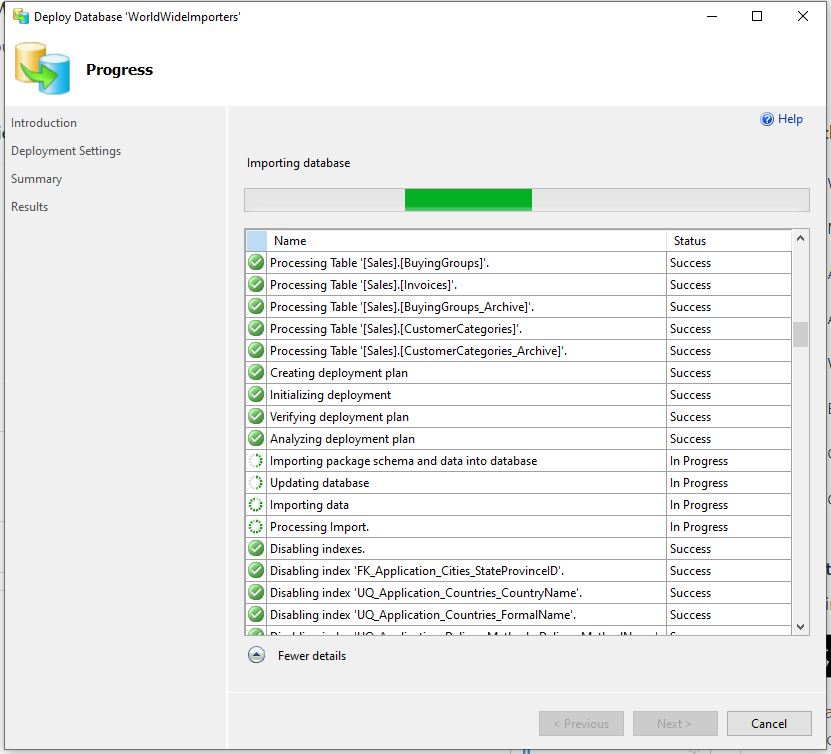
The first step was to remove all the Microsoft SQL Server features used in the the World Wide Importers database (e.g. Sequence Numbers, Column Store indexes etc.) which are not supported(see general limitiations) by Azure SQL Data Sync. I then used the “Deploy Database Wizard” to copy my modified World Wide Importers database to an Azure SQL Database.

Deploy Database to Microsoft Azure SQL Database running
Microsoft Azure SQL Database Servers with WorldWideImporters and ReadonlyReplicaHub database
Data Sync Group creation onReadOnlyReplicaHub database

For my “read-only replicas” scenario if there are any update conflicts the the source database “wins”.

Data Sync Group created
Data Sync Group configuration database management
Data Sync Group configuration adding “source” database synchronisation to Hub
Data Sync Group configuration adding “destination” database(s) synchronisation from Hub
Data Sync Group selecting source database StockItems table and columns to synchronise
Data Sync Group “destination” databases configured
Initial synchronisation of only StockItems table and seed data
Regular synchronisation of a subset of StockItems columns to destination databases
Source Azure SQL Database regular synchronisation compute utilisation
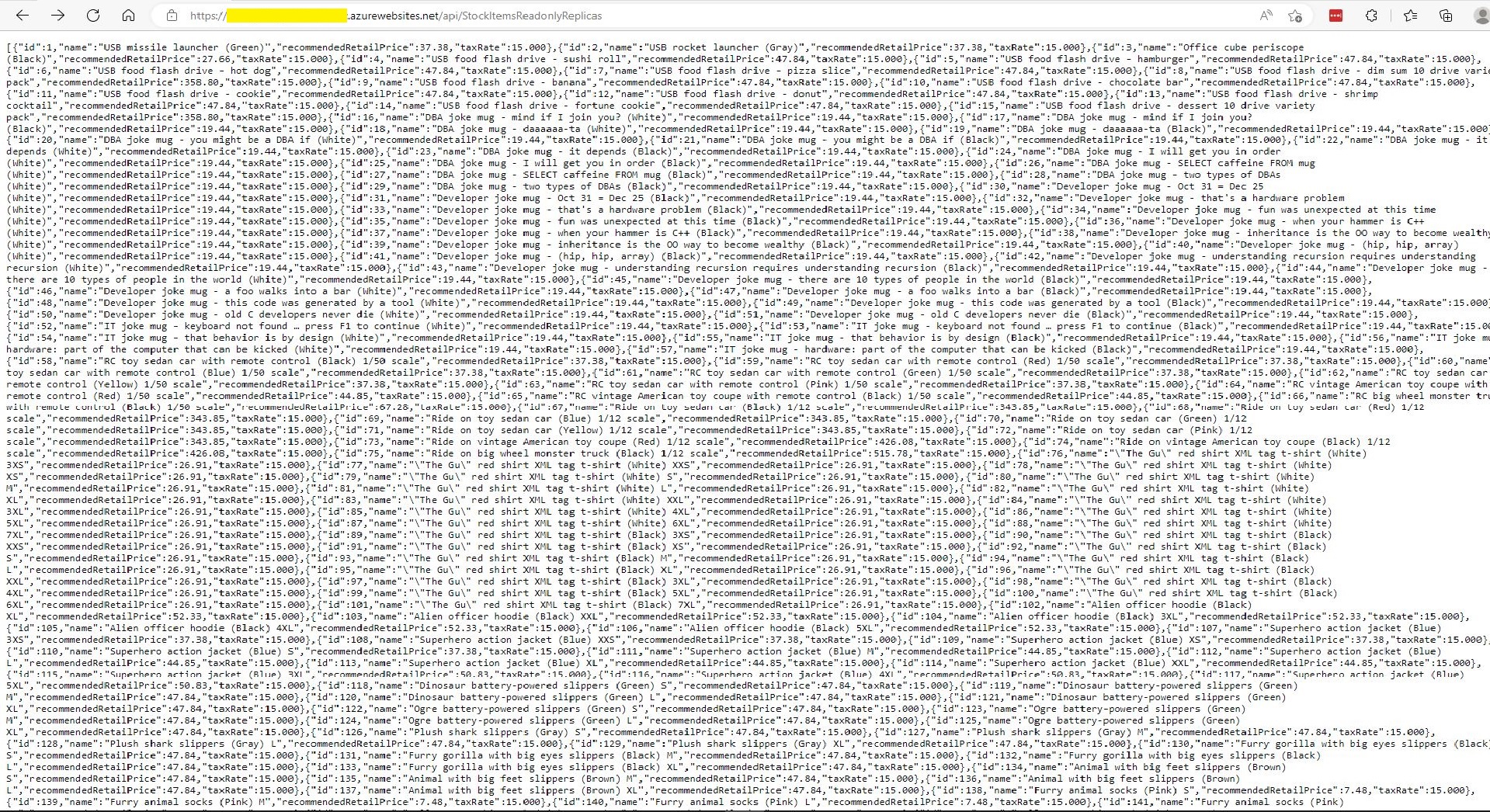
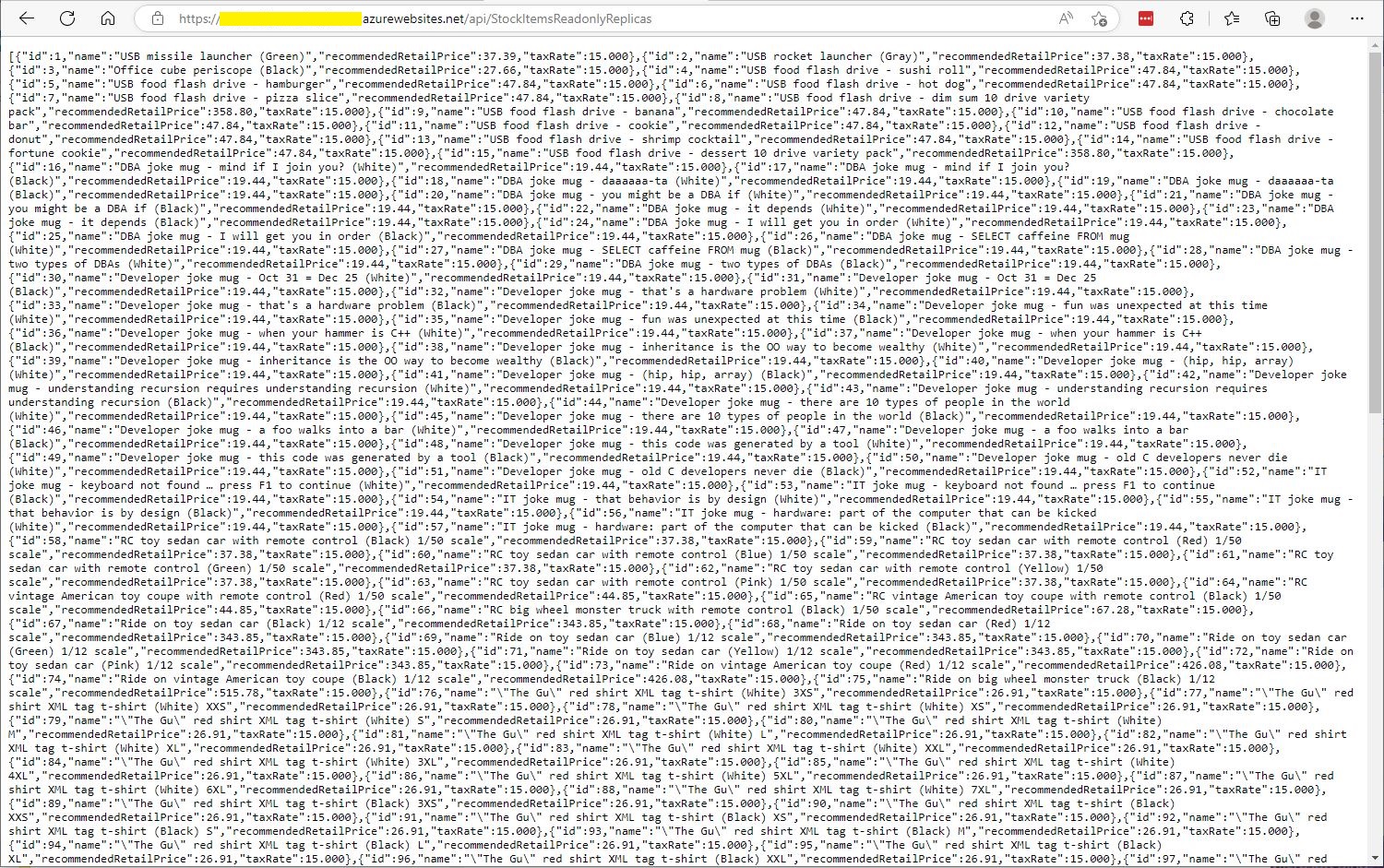
StockItemsReadOnlyReplicas Controller JSON after first replication completed
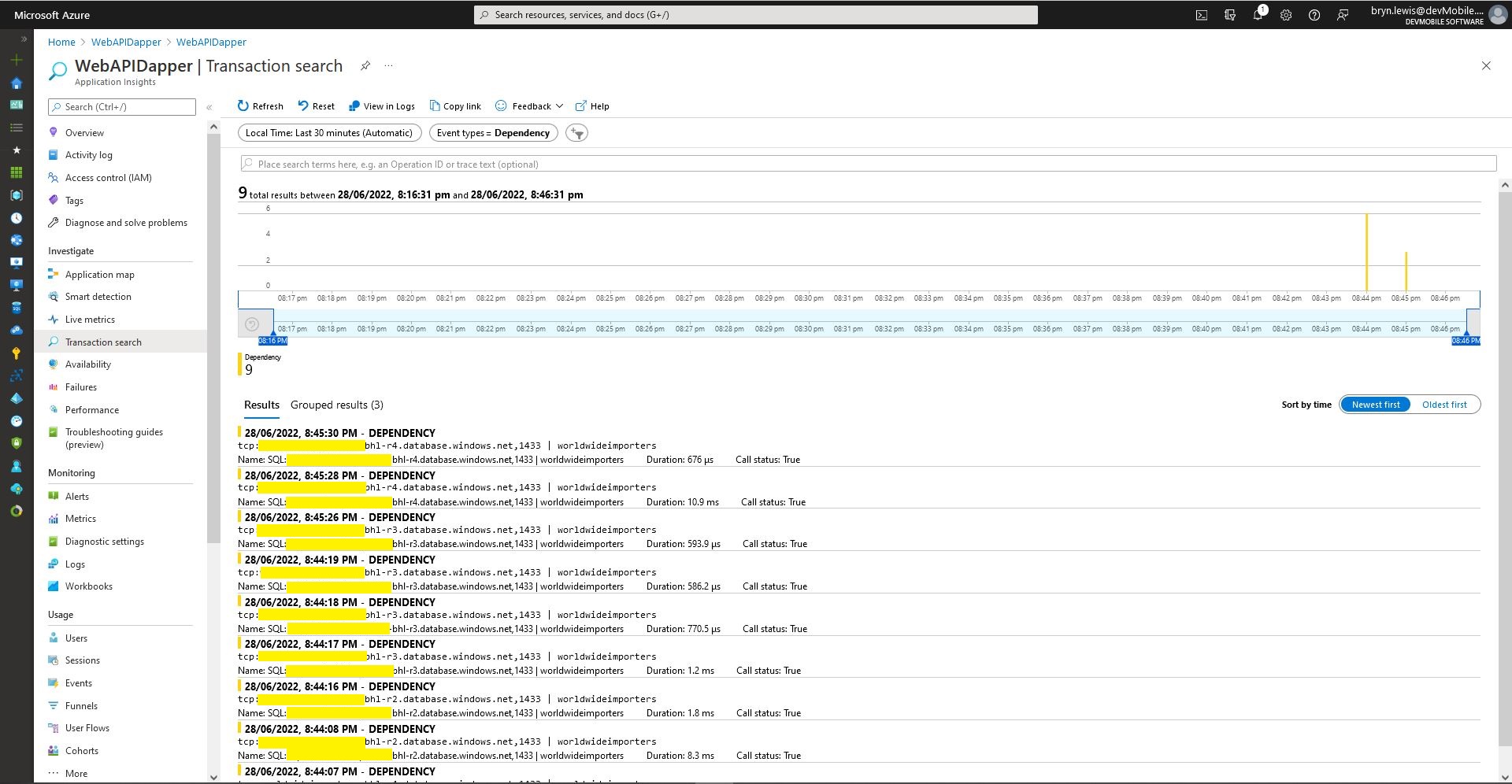
Azure application Insights Dependencies showing usage of different synchronised databases
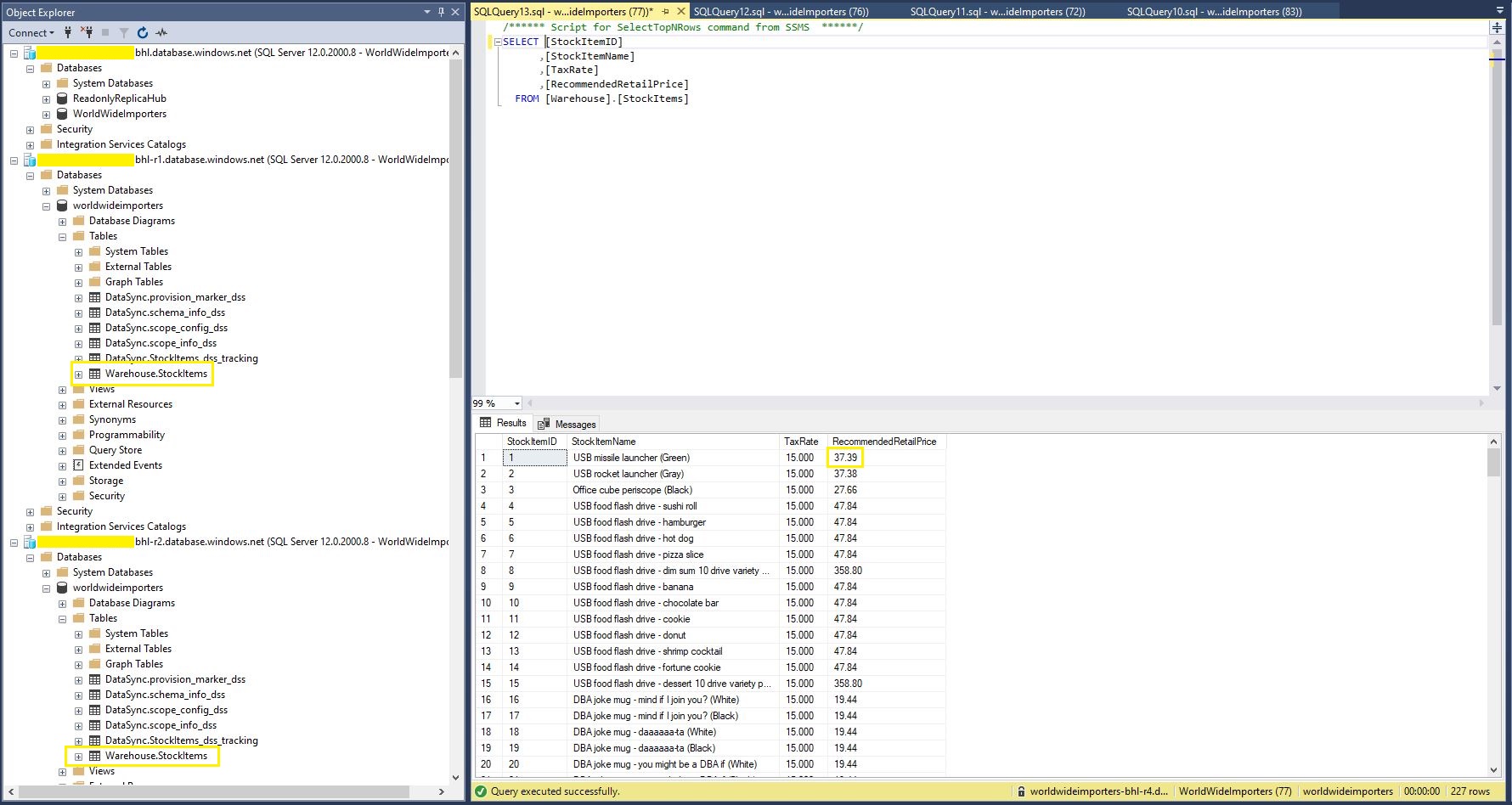
StockItems table in source database with updated RRP
StockItems table in destination database with updated RRP after next scheduled snychronisation
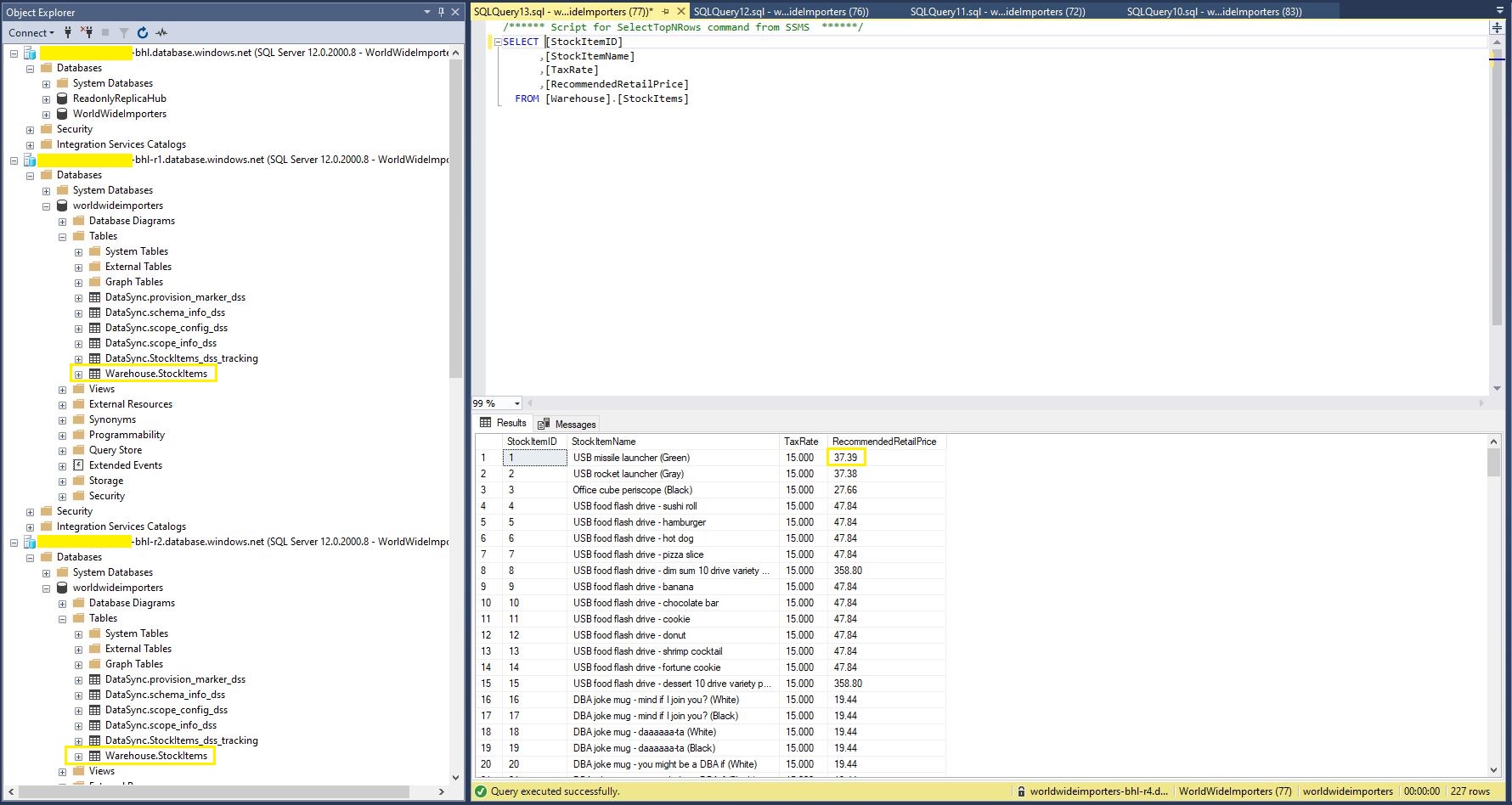
StockItems table in destination database after next scheduled synchronisation

The Azure SQL Database Data Sync was pretty easy to setup (configuration in the hub database tripped me up initially). For a production scenario where only a portion of the database (e.g. shaped by Customer, Geography, security considerations, or a bi-directional requirement) it would be an effective solution, though for some applications the delay between synchronisations might be an issue.

.NET Core web API + Dapper – Readonly query workloads with Geo Replication

Geo Replication process

One of the easiest ways to create read-only replicas of an Azure SQL Database database is with Active geo-replication(it’s also useful for disaster recovery with geo-failure to a geo-secondary in a different Azure Region).

The first step was to remove all the Microsoft SQL Server features used in the The World Wide Importers database (e.g. Memory Optimized tables) which were not supported by the Azure SQL Database tier I was using.

SQL Service Management Studio(SSMS) Deploy to Azure wizard

I then used the “Deploy Database Wizard” to copy my modified World Wide Importers database to an Azure SQL Database.

Azure Portal Primary Database in SQL Service Management Studio(SSMS)

I then created replicas in the same region (if the application had a global customer base creating read only geo replicas in regions close to users might be worth considering) for the read-only queries.

Azure SQL Database no replicas configured
Azure Portal Create Geo Replica

I created four replicas which is the maximum number supported. If more replicas were required a secondary of a secondary (a process known as chaining) could be use to create additional geo-replicas

Azure Portal Primary Database and four Geo-replicas
Azure Portal Primary Database and Geo-replicas in SQL Service Management Studio(SSMS)
Azure Application Insights showing multiple Geo-Replicas being used.

The Azure Database Geo-replication was pretty easy to setup. For a production scenario where only a portion of the database (e.g. shaped by Customer or Geography) is required it might not be the “right hammer”.

WebAPI Dapper Azure Resource Group

The other limitation I encountered was the resources used by the replication of “transaction processing” tables (in the World Wide Importers database tables like the Sales.OrderLines, Sales.CustomerTransactions etc.) which often wouldn’t be required for read-only applications.

.NET Core web API + Dapper – Offloading readonly query workloads.

A Scaling Out Scenario

Initially this was going to be a post about Sharding but after some discussion with my manager at one of the companies I work for it evolved into a post about using the Dapper Object Relational Mapper(ORM) with Azure SQL Database and Active geo-replication or SQL Data Sync for Azure to offload read-only query workloads to improve scalability.

The company builds a Software as a Service(Saas) product for managing portfolios of foreign currency forwardsoptionsswaps etc. Part of the solution has an application which customers use to get an “aggregated” view of their purchases.

The database queries to lookup reference data (forward curves etc.), return a shaped dataset for each supported instrument type, then “aggregating” the information with C# code consumes significant database and processing resources.

The first step was to remove all the Microsoft SQL Server features used in the The World Wide Importers database (e.g. Memory Optimized tables) which were not supported by the Azure SQL Database vCore or DTU tier I had was using.

I then uploaded my modified World Wide Importers database to an Azure SQL Database Server.

Azure SQL Database SQL Server Management Studio (SSMS) initial database

I then created read only replicas of the original database to use for scaling out in my demo application.

Azure SQL Database SQL Server Management Studio (SSMS) with replicas databases

The configuration strings of the read-only replicas are loaded as the application starts.

// This method gets called by the runtime. Use this method to add services to the container.
public void ConfigureServices(IServiceCollection services)
{
	services.AddControllers();

	var errorHandlerSettings = Configuration.GetSection(nameof(ErrorHandlerSettings));
	services.Configure<ErrorHandlerSettings>(errorHandlerSettings);

	var readonlyReplicaServersConnectionStringSettings = Configuration.GetSection("ReadonlyReplicaServersConnectionStringSettings");
	services.Configure<List<string>>(readonlyReplicaServersConnectionStringSettings);

	services.AddResponseCaching();

	services.AddDapperForMSSQL();
#if DAPPER_EXTENSIONS_CACHE_MEMORY
	services.AddDapperCachingInMemory(new MemoryConfiguration
	{
		AllMethodsEnableCache = false
 	});
#endif
#if DAPPER_EXTENSIONS_CACHE_REDIS
	services.AddDapperCachingInRedis(new RedisConfiguration
	{
		AllMethodsEnableCache = false,
		KeyPrefix = Configuration.GetValue<string>("RedisKeyPrefix"),
		ConnectionString = Configuration.GetConnectionString("RedisConnection")
	}); 
#endif
	services.AddApplicationInsightsTelemetry();
}

Then code was added to the controller to randomly select which read-only replica to use. More complex approaches were considered but not implemented for the initial version.

[ApiController]
[Route("api/[controller]")]
public class StockItemsReadonlyReplicasController : ControllerBase
{
    private readonly ILogger<StockItemsReadonlyReplicasController> logger;
    private readonly List<string> readonlyReplicasConnectionStrings;

    public StockItemsReadonlyReplicasController(ILogger<StockItemsReadonlyReplicasController> logger, IOptions<List<string>> readonlyReplicasServerConnectionStrings)
    {
        this.logger = logger;

        this.readonlyReplicasConnectionStrings = readonlyReplicasServerConnectionStrings.Value;
    }

    [HttpGet]
    public async Task<ActionResult<IEnumerable<Model.StockItemListDtoV1>>> Get()
    {
        IEnumerable<Model.StockItemListDtoV1> response = null;

        if (readonlyReplicasConnectionStrings.Count == 0)
        {
            logger.LogError("No readonly replica server Connection strings configured");

            return this.StatusCode(StatusCodes.Status500InternalServerError);
        }

        Random random = new Random(); // maybe this should be instantiated ever call, but "danger here by thy threading"

        string connectionString = readonlyReplicasConnectionStrings[random.Next(0, readonlyReplicasConnectionStrings.Count)];

        logger.LogTrace("Connection string {connectionString}", connectionString);

        using (SqlConnection db = new SqlConnection(connectionString))
        {
            response = await db.QueryAsync<Model.StockItemListDtoV1>(sql: @"SELECT [StockItemID] as ""ID"", [StockItemName] as ""Name"", [RecommendedRetailPrice], [TaxRate] FROM [Warehouse].[StockItems]", commandType: CommandType.Text);
        }

        return this.Ok(response);
    }
}

The Read-only replica server connection string setup template in appsettings.Development.json.

{
  "Logging": {
    "LogLevel": {
      "Default": "Information",
      "Microsoft": "Warning",
      "Microsoft.Hosting.Lifetime": "Information"
    }
  },
  "ConnectionStrings": {
    "WorldWideImportersDatabase": "ThisIsNotTheDatabaseConnectionStringYouAreLookingFor",
    "DefaultConnection": "ThisIsNotTheDefaultDatabaseConnectionStringYouAreLookingFor",
    "RedisConnection": "ThisIsNotTheRedisConnectionStringYouAreLookingFor"
  },
  "ReadonlyReplicaServersConnectionStringSettings": [
    "ThisIsNotTheReadonlyReplicaDatabaseConnectionStringYouAreLookingFor",
    "ThisIsNotTheReadonlyReplicaDatabaseConnectionStringYouAreLookingFor",
    "ThisIsNotTheReadonlyReplicaDatabaseConnectionStringYouAreLookingFor",
    "ThisIsNotTheReadonlyReplicaDatabaseConnectionStringYouAreLookingFor"
  ],
  "ApplicationInsights": {
    "ConnectionString": "ThisIsNotTheApplicationInsightsConnectionStringYouAreLookingFor"
  },
  "ErrorHandlerSettings": {
    "Detail": "Default detail",
    "Title": "Default title",
    "UrlSpecificSettings": {
      "localhost": {
        "Title": "Title for localhost",
        "Detail": "Detail for localhost"
      },
      "127.0.0.1": {
        "Title": "Title for 127.0.0.1",
        "Detail": "Detail for 127.0.0.1"
      }
    }
  }
}

The Manage UserSecrets(Secrets.json) functionality was used for testing on my development machine. In production Azure App Service the array of connections strings was configured with ReadonlyReplicaServersConnectionStringSettings:0, ReadonlyReplicaServersConnectionStringSettings:1 etc. syntax

Sample application Azure App Service Configuration
Azure Application Insights with connections to different read-only replicas highlighted

I had incorrectly configured the firewall on one of the read-only replica database servers so roughly one in four connection attempts failed.

Azure Application Insights failed database connection displayed

The customer’s application was also fairly compute intensive so we configure the Azure App Service to Auto scale based on the CPU load.,

Azure app service horizontal auto scale configuration

I’ll outline the configuration of Active geo-replication or SQL Data Sync for Azure in a couple of future posts.

The current solution works but I need to tidy up few issues like the StockItemsReadonlyReplicasController getting constructor getting a bit “chunky”.

.NET Core web API + Dapper – Error handling

Failure is an Option

For some historical reason I can’t remember my controllers often had an outer try/catch and associated logging. I think may have been ensure no “sensitive” information was returned to the caller even if the application was incorrectly deployed. So I could revisit my approach I added a controller with two methods one which returns an HTTP 500 error and another which has un-caught exception.

[Route("api/[controller]")]
[ApiController]
public class StockItemsNok500Controller : ControllerBase
{
	private readonly string connectionString;
	private readonly ILogger<StockItemsNok500Controller> logger;

	public StockItemsNok500Controller(IConfiguration configuration, ILogger<StockItemsNok500Controller> logger)
	{
		this.connectionString = configuration.GetConnectionString("WorldWideImportersDatabase");

		this.logger = logger;
	}

	public async Task<ActionResult<IEnumerable<Model.StockItemListDtoV1>>> Get500()
	{
		IEnumerable<Model.StockItemListDtoV1> response = null;

		try
		{
			using (SqlConnection db = new SqlConnection(this.connectionString))
			{
				response = await db.QueryWithRetryAsync<Model.StockItemListDtoV1>(sql: @"SELECT [StockItemID] as ""ID"", [StockItemName] as ""Name"", [RecommendedRetailPrice], [TaxRate] FROM [Warehouse].[StockItem500]", commandType: CommandType.Text);
			}
		}
		catch (SqlException ex)
		{
			logger.LogError(ex, "Retrieving list of StockItems");

			return this.StatusCode(StatusCodes.Status500InternalServerError);
		}

		return this.Ok(response);
	}
}

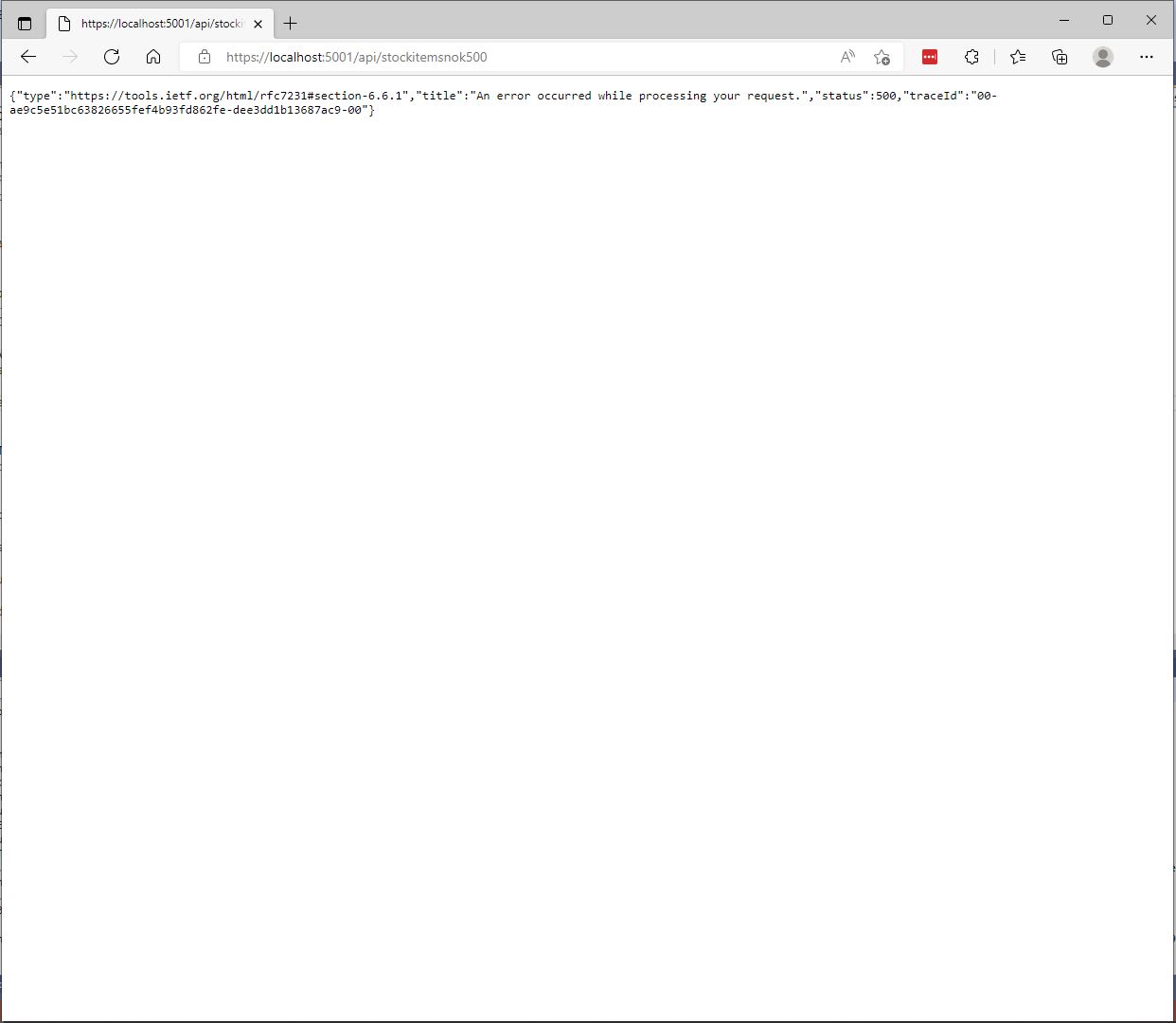
The information returned to a caller was generic and the only useful information was the “traceId”.

StockItemsNok500Controller error page
[Route("api/[controller]")]
[ApiController]
public class StockItemsNokExceptionController : ControllerBase
{
	private readonly string connectionString;

	public StockItemsNokExceptionController(IConfiguration configuration)
	{
		this.connectionString = configuration.GetConnectionString("WorldWideImportersDatabase");
	}

	public async Task<ActionResult<IEnumerable<Model.StockItemListDtoV1>>> GetException()
	{
		IEnumerable<Model.StockItemListDtoV1> response = null;

		using (SqlConnection db = new SqlConnection(this.connectionString))
		{
			response = await db.QueryWithRetryAsync<Model.StockItemListDtoV1>(sql: @"SELECT [StockItemID] as ""ID"", [StockItemName] as ""Name"", [RecommendedRetailPrice], [TaxRate] FROM [Warehouse].[StockItemsException]", commandType: CommandType.Text);
		}

		return this.Ok(response);
	}
}

In “Development” mode the information returned to the caller contains a detailed stack trace that reveals implementation details which are useful for debugging but would also be useful to an attacker.

Developer StockItemsNok Controller Exception page

When not in “Development” mode no additional information is returned (not even a TraceId).

Production StockItemsNok500Controller Exception

The diagnostic stacktrace information logged by the two different controllers was essentially the same

System.Data.SqlClient.SqlException:
   at System.Data.SqlClient.SqlCommand+<>c.<ExecuteDbDataReaderAsync>b__126_0 (System.Data.SqlClient, Version=4.6.1.3, Culture=neutral, PublicKeyToken=b03f5f7f11d50a3a)
   at System.Threading.Tasks.ContinuationResultTaskFromResultTask`2.InnerInvoke (System.Private.CoreLib, Version=6.0.0.0, Culture=neutral, PublicKeyToken=7cec85d7bea7798e)
   at System.Threading.Tasks.Task+<>c.<.cctor>b__272_0 (System.Private.CoreLib, Version=6.0.0.0, Culture=neutral, PublicKeyToken=7cec85d7bea7798e)
   at System.Threading.ExecutionContext.RunInternal (System.Private.CoreLib, Version=6.0.0.0, Culture=neutral, PublicKeyToken=7cec85d7bea7798e)
   at System.Runtime.ExceptionServices.ExceptionDispatchInfo.Throw (System.Private.CoreLib, Version=6.0.0.0, Culture=neutral, PublicKeyToken=7cec85d7bea7798e)
   at System.Threading.ExecutionContext.RunInternal (System.Private.CoreLib, Version=6.0.0.0, Culture=neutral, PublicKeyToken=7cec85d7bea7798e)
   at System.Threading.Tasks.Task.ExecuteWithThreadLocal (System.Private.CoreLib, Version=6.0.0.0, Culture=neutral, PublicKeyToken=7cec85d7bea7798e)
   at System.Runtime.ExceptionServices.ExceptionDispatchInfo.Throw (System.Private.CoreLib, Version=6.0.0.0, Culture=neutral, PublicKeyToken=7cec85d7bea7798e)
   at System.Runtime.CompilerServices.TaskAwaiter.ThrowForNonSuccess (System.Private.CoreLib, Version=6.0.0.0, Culture=neutral, PublicKeyToken=7cec85d7bea7798e)
   at System.Runtime.CompilerServices.TaskAwaiter.HandleNonSuccessAndDebuggerNotification (System.Private.CoreLib, Version=6.0.0.0, Culture=neutral, PublicKeyToken=7cec85d7bea7798e)
   at Dapper.SqlMapper+<QueryAsync>d__33`1.MoveNext (Dapper, Version=2.0.0.0, Culture=neutral, PublicKeyToken=null: /_/Dapper/SqlMapper.Async.cs:418)
   at System.Runtime.ExceptionServices.ExceptionDispatchInfo.Throw (System.Private.CoreLib, Version=6.0.0.0, Culture=neutral, PublicKeyToken=7cec85d7bea7798e)
   at System.Runtime.CompilerServices.TaskAwaiter.ThrowForNonSuccess (System.Private.CoreLib, Version=6.0.0.0, Culture=neutral, PublicKeyToken=7cec85d7bea7798e)
   at System.Runtime.CompilerServices.TaskAwaiter.HandleNonSuccessAndDebuggerNotification (System.Private.CoreLib, Version=6.0.0.0, Culture=neutral, PublicKeyToken=7cec85d7bea7798e)
   at Polly.Retry.AsyncRetryEngine+<ImplementationAsync>d__0`1.MoveNext (Polly, Version=7.0.0.0, Culture=neutral, PublicKeyToken=c8a3ffc3f8f825cc)
   at System.Runtime.ExceptionServices.ExceptionDispatchInfo.Throw (System.Private.CoreLib, Version=6.0.0.0, Culture=neutral, PublicKeyToken=7cec85d7bea7798e)
   at System.Runtime.CompilerServices.TaskAwaiter.ThrowForNonSuccess (System.Private.CoreLib, Version=6.0.0.0, Culture=neutral, PublicKeyToken=7cec85d7bea7798e)
   at System.Runtime.CompilerServices.TaskAwaiter.HandleNonSuccessAndDebuggerNotification (System.Private.CoreLib, Version=6.0.0.0, Culture=neutral, PublicKeyToken=7cec85d7bea7798e)
   at System.Runtime.CompilerServices.ConfiguredTaskAwaitable`1+ConfiguredTaskAwaiter.GetResult (System.Private.CoreLib, Version=6.0.0.0, Culture=neutral, PublicKeyToken=7cec85d7bea7798e)
   at Polly.AsyncPolicy+<ExecuteAsync>d__21`1.MoveNext (Polly, Version=7.0.0.0, Culture=neutral, PublicKeyToken=c8a3ffc3f8f825cc)
   at System.Runtime.ExceptionServices.ExceptionDispatchInfo.Throw (System.Private.CoreLib, Version=6.0.0.0, Culture=neutral, PublicKeyToken=7cec85d7bea7798e)
   at System.Runtime.CompilerServices.TaskAwaiter.ThrowForNonSuccess (System.Private.CoreLib, Version=6.0.0.0, Culture=neutral, PublicKeyToken=7cec85d7bea7798e)
   at System.Runtime.CompilerServices.TaskAwaiter.HandleNonSuccessAndDebuggerNotification (System.Private.CoreLib, Version=6.0.0.0, Culture=neutral, PublicKeyToken=7cec85d7bea7798e)
   at System.Runtime.CompilerServices.TaskAwaiter`1.GetResult (System.Private.CoreLib, Version=6.0.0.0, Culture=neutral, PublicKeyToken=7cec85d7bea7798e)
   at devMobile.WebAPIDapper.Lists.Controllers.StockItemsNokController+<Get500>d__4.MoveNext (ListsClassic, Version=1.0.0.0, Culture=neutral, PublicKeyToken=null: C:\Users\BrynLewis\source\repos\WebAPIDapper\Lists\Controllers\14.StockItemsNokController.cs:70)

One customer wanted their client application to display a corporate help desk number for staff to call for support. This information was made configurable

namespace devMobile.WebAPIDapper.Lists
{
	public class ErrorHandlerSettings
	{
		public string Detail { get; set; } = "devMobile Lists Classic API failure";

		public string Title { get; set; } = "System Error";
	}
}
public void ConfigureServices(IServiceCollection services)
{
	services.AddControllers();

	var errorHandlerSettings = Configuration.GetSection(nameof(ErrorHandlerSettings));
	services.Configure<ErrorHandlerSettings>(errorHandlerSettings);

	services.AddResponseCaching();

	services.AddDapperForMSSQL();
#if DAPPER_EXTENSIONS_CACHE_MEMORY
	services.AddDapperCachingInMemory(new MemoryConfiguration
	{
		AllMethodsEnableCache = false
	});
#endif
#if DAPPER_EXTENSIONS_CACHE_REDIS
	services.AddDapperCachingInRedis(new RedisConfiguration
	{
		AllMethodsEnableCache = false,
		KeyPrefix = Configuration.GetConnectionString("RedisKeyPrefix"),
		ConnectionString = Configuration.GetConnectionString("RedisConnection")
	}); 
#endif
	services.AddApplicationInsightsTelemetry();
}
{
 ...
  },
  "ErrorHandlerSettings": {
    "Title": "Webpage has died",
    "Detail": "Something has gone wrong call the help desk on 0800-RebootIt"
  },
...
}
namespace devMobile.WebAPIDapper.Lists.Controllers
{
	using Microsoft.AspNetCore.Mvc;
	using Microsoft.Extensions.Hosting;
	using Microsoft.Extensions.Options;


	[ApiController]
	public class ErrorController : Controller
	{
		private readonly ErrorHandlerSettings errorHandlerSettings;

		public ErrorController(IOptions<ErrorHandlerSettings> errorHandlerSettings)
		{
			this.errorHandlerSettings = errorHandlerSettings.Value;
		}

		[Route("/error")]
		public IActionResult HandleError([FromServices] IHostEnvironment hostEnvironment)
		{
			return Problem(detail: errorHandlerSettings.Detail, title: errorHandlerSettings.Title);
		}
	}
}
StockItemsNok Controller Error page with configurable title and details

Another customer wanted their client application to display a corporate help desk number based on the source hostname.

  • ClientA.SaasApplicationProvider.co.nz
  • ClientB.SaasApplicationProvider.co.nz
  • ClientC.SaasApplicationProvider.co.nz
  • SaasApplication.ClientD.co.nz

This information was also made configurable

namespace devMobile.WebAPIDapper.Lists
{
	using System.Collections.Generic;

	public class UrlSpecificSetting
	{
		public string Title { get; set; } = "";
		
		public string Detail { get; set; } = "";

		public UrlSpecificSetting()
		{
		}

		public UrlSpecificSetting(string title, string detail)
		{
			this.Title = title;
			this.Detail = detail;
		}
	}

	public class ErrorHandlerSettings
	{
		public string Title { get; set; } = "System Error";

		public string Detail { get; set; } = "devMobile Lists Classic API failure";

		public Dictionary<string, UrlSpecificSetting> UrlSpecificSettings { get; set; }

		public ErrorHandlerSettings()
		{
		}

		public ErrorHandlerSettings(string title, string detail, Dictionary<string, UrlSpecificSetting> urlSpecificSettings )
		{
			Title = title;

			Detail = detail;

			UrlSpecificSettings = urlSpecificSettings;
		}
	}
}

We considered storing the title and details message in the database but that approach was discounted as we wanted to minimise dependencies.

{
 ...
  "ErrorHandlerSettings": {
    "Detail": "Default detail",
    "Title": "Default title",
    "UrlSpecificSettings": {
      "localhost": {
        "Title": "Title for localhost",
        "Detail": "Detail for localhost"
      },
      "127.0.0.1": {
        "Title": "Title for 127.0.0.1",
        "Detail": "Detail for 127.0.0.1"
      }
    }
  }
}
namespace devMobile.WebAPIDapper.Lists.Controllers
{
	using Microsoft.AspNetCore.Mvc;
	using Microsoft.Extensions.Hosting;
	using Microsoft.Extensions.Options;


	[ApiController]
	public class ErrorController : Controller
	{
		private readonly ErrorHandlerSettings errorHandlerSettings;

		public ErrorController(IOptions<ErrorHandlerSettings> errorHandlerSettings)
		{
			this.errorHandlerSettings = errorHandlerSettings.Value;
		}

		[Route("/error")]
		public IActionResult HandleError([FromServices] IHostEnvironment hostEnvironment)
		{
			if (!this.errorHandlerSettings.UrlSpecificSettings.ContainsKey(this.Request.Host.Host))
			{
				return Problem(detail: errorHandlerSettings.Detail, title: errorHandlerSettings.Title);
			}

			return Problem(errorHandlerSettings.UrlSpecificSettings[this.Request.Host.Host].Title, errorHandlerSettings.UrlSpecificSettings[this.Request.Host.Host].Detail);
		}
	}
}

The sample configuration has custom title and details text for localhost and 127.0.0.1 with a default title and details text for all other hostnames.

StockItemsNok Controller Error page with 127.0.0.1 specific title and details
StockItemsNok Controller Error page with localhost specific title and details

One customer had a staff member who would take a photo of the client application error page with their mobile and email it to us which made it really easy to track down issues. This was especially usefully as they were in an awkward timezone.

Application Insights TraceId search
Application Insights TraceId search result with exception details

With a customisable error page my approach with the outer try/catch has limited benefit and just adds complexity.

TTI V3 Connector Device EUI Representation

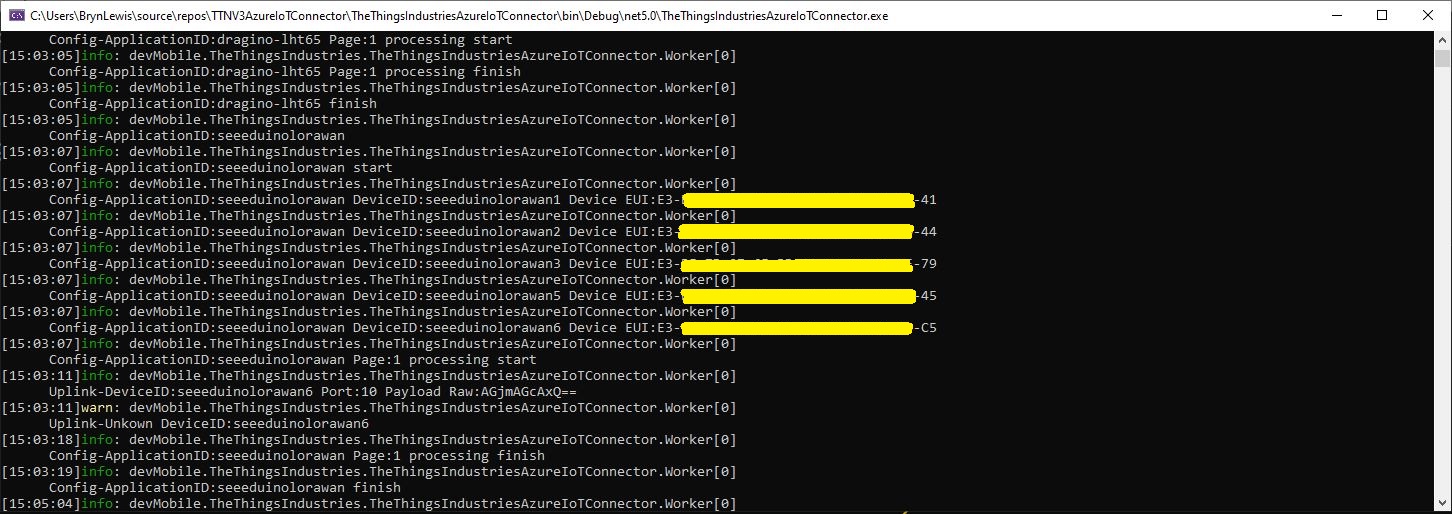
While debugging The Things Industries(TTI) V3 connector on my desktop I had noticed the Device EUI‘s were wrong.

TTI V3 Connector application running as a console application showing incorrect DeviceEUIs

The TTI V3 Connector code…

foreach (V3EndDevice device in endDevices.End_devices)
{
   if (DeviceAzureEnabled(device))
   {
      _logger.LogInformation("Config-ApplicationID:{0} DeviceID:{1} Device EUI:{2}", device.Ids.Application_ids.Application_id, device.Ids.Device_id, BitConverter.ToString(device.Ids.Dev_eui));

      tasks.Add(DeviceRegistration(device.Ids.Application_ids.Application_id, device.Ids.Device_id, _programSettings.ResolveDeviceModelId(device.Ids.Application_ids.Application_id, device.Attributes), stoppingToken));
   }
}

…uses some classes generated by nSwag based on the TheThingsNetwork/LoRaWAN-stack api.swagger.json

public partial class V3EndDeviceIdentifiers 
{
        [Newtonsoft.Json.JsonProperty("device_id", Required = Newtonsoft.Json.Required.Default, NullValueHandling = Newtonsoft.Json.NullValueHandling.Ignore)]
        public string Device_id { get; set; }
    
        [Newtonsoft.Json.JsonProperty("application_ids", Required = Newtonsoft.Json.Required.Default, NullValueHandling = Newtonsoft.Json.NullValueHandling.Ignore)]
        public V3ApplicationIdentifiers Application_ids { get; set; }
    
        /// <summary>The LoRaWAN DevEUI.</summary>
        [Newtonsoft.Json.JsonProperty("dev_eui", Required = Newtonsoft.Json.Required.Default, NullValueHandling = Newtonsoft.Json.NullValueHandling.Ignore)]
        public byte[] Dev_eui { get; set; }
    
        /// <summary>The LoRaWAN JoinEUI (AppEUI until LoRaWAN 1.0.3 end devices).</summary>
        [Newtonsoft.Json.JsonProperty("join_eui", Required = Newtonsoft.Json.Required.Default, NullValueHandling = Newtonsoft.Json.NullValueHandling.Ignore)]
        public byte[] Join_eui { get; set; }
    
        /// <summary>The LoRaWAN DevAddr.</summary>
        [Newtonsoft.Json.JsonProperty("dev_addr", Required = Newtonsoft.Json.Required.Default, NullValueHandling = Newtonsoft.Json.NullValueHandling.Ignore)]
        public byte[] Dev_addr { get; set; }
}

After some research I found references to the underlying problem in TTN and OpenAPI forums. The Dev_addr and Dev_eui fields are Base16(Hexidecimal) encoded binary but are being processed as if they were Base64(mime) encoded.

The TTI connector only displays the Device EUI so I changed the Dev_eui property to a string

public partial class V3EndDeviceIdentifiers 
{
        [Newtonsoft.Json.JsonProperty("device_id", Required = Newtonsoft.Json.Required.Default, NullValueHandling = Newtonsoft.Json.NullValueHandling.Ignore)]
        public string Device_id { get; set; }
    
        [Newtonsoft.Json.JsonProperty("application_ids", Required = Newtonsoft.Json.Required.Default, NullValueHandling = Newtonsoft.Json.NullValueHandling.Ignore)]
        public V3ApplicationIdentifiers Application_ids { get; set; }
    
        /// <summary>The LoRaWAN DevEUI.</summary>
        [Newtonsoft.Json.JsonProperty("dev_eui", Required = Newtonsoft.Json.Required.Default, NullValueHandling = Newtonsoft.Json.NullValueHandling.Ignore)]
        public string Dev_eui { get; set; }

      /// <summary>The LoRaWAN JoinEUI (AppEUI until LoRaWAN 1.0.3 end devices).</summary>
      [Newtonsoft.Json.JsonProperty("join_eui", Required = Newtonsoft.Json.Required.Default, NullValueHandling = Newtonsoft.Json.NullValueHandling.Ignore)]
        public byte[] Join_eui { get; set; }
    
        /// <summary>The LoRaWAN DevAddr.</summary>
        [Newtonsoft.Json.JsonProperty("dev_addr", Required = Newtonsoft.Json.Required.Default, NullValueHandling = Newtonsoft.Json.NullValueHandling.Ignore)]
        public byte[] Dev_addr { get; set; }
}

I also had to remove the BitConverter.ToString call

foreach (V3EndDevice device in endDevices.End_devices)
{
   if (DeviceAzureEnabled(device))
   {
      _logger.LogInformation("Config-ApplicationID:{0} DeviceID:{1} Device EUI:{2}", device.Ids.Application_ids.Application_id, device.Ids.Device_id, device.Ids.Dev_eui);

      tasks.Add(DeviceRegistration(device.Ids.Application_ids.Application_id, device.Ids.Device_id, _programSettings.ResolveDeviceModelId(device.Ids.Application_ids.Application_id, device.Attributes), stoppingToken));
   }
}

Now the DeviceEUI values are displayed correctly and searching for EndDevices in Azure Application Insights is easier

TTI V3 Connector application running as a console application showing correct DeviceEUIs

Modifying the nSwag generated classes is a really nasty way of fixing the problem but I think this approach is okay as it’s only one field and any other solution I could find was significantly more complex.

The Things Network HTTP Integration Part11

Moving Secrets to KeyVault

The application configuration file contained sensitive information like Device Provision Service(DPS) Group Enrollment Symmetric Keys and Azure IoT Hub connection strings which is OK for a proof of concept (PoC) but sub-optimal for production deployments.

"DeviceProvisioningService": {
      "GlobalDeviceEndpoint": "global.azure-devices-provisioning.net",
      "ScopeID": "",
      "EnrollmentGroupSymmetricKeyDefault": "TopSecretKey",
      "DeviceProvisioningPollingDelay": 500,
      "ApplicationEnrollmentGroupMapping": {
         "Application1": "TopSecretKey1",
         "Application2": "TopSecretKey2"
      }
   }

The Azure Key Vault is intended for securing sensitive information like connection strings so I added one to my resource group.

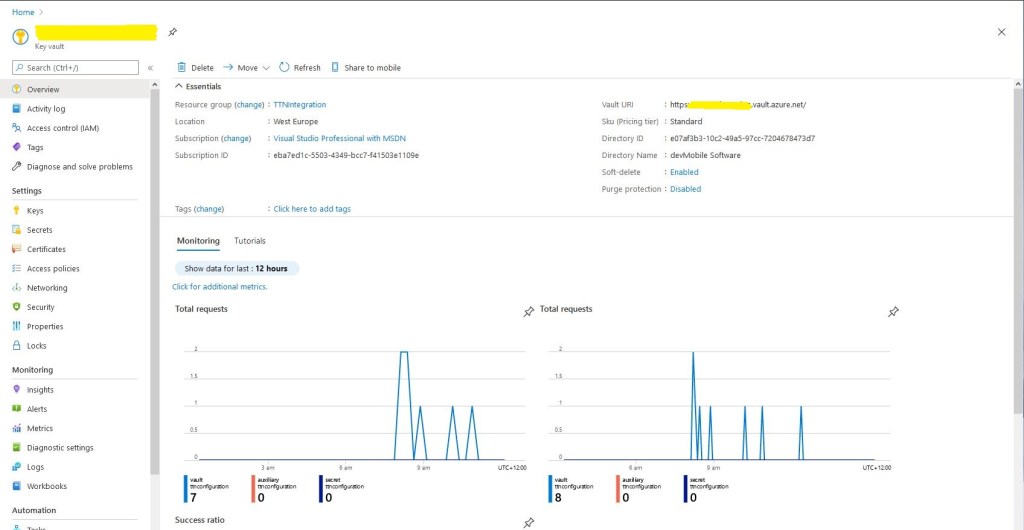
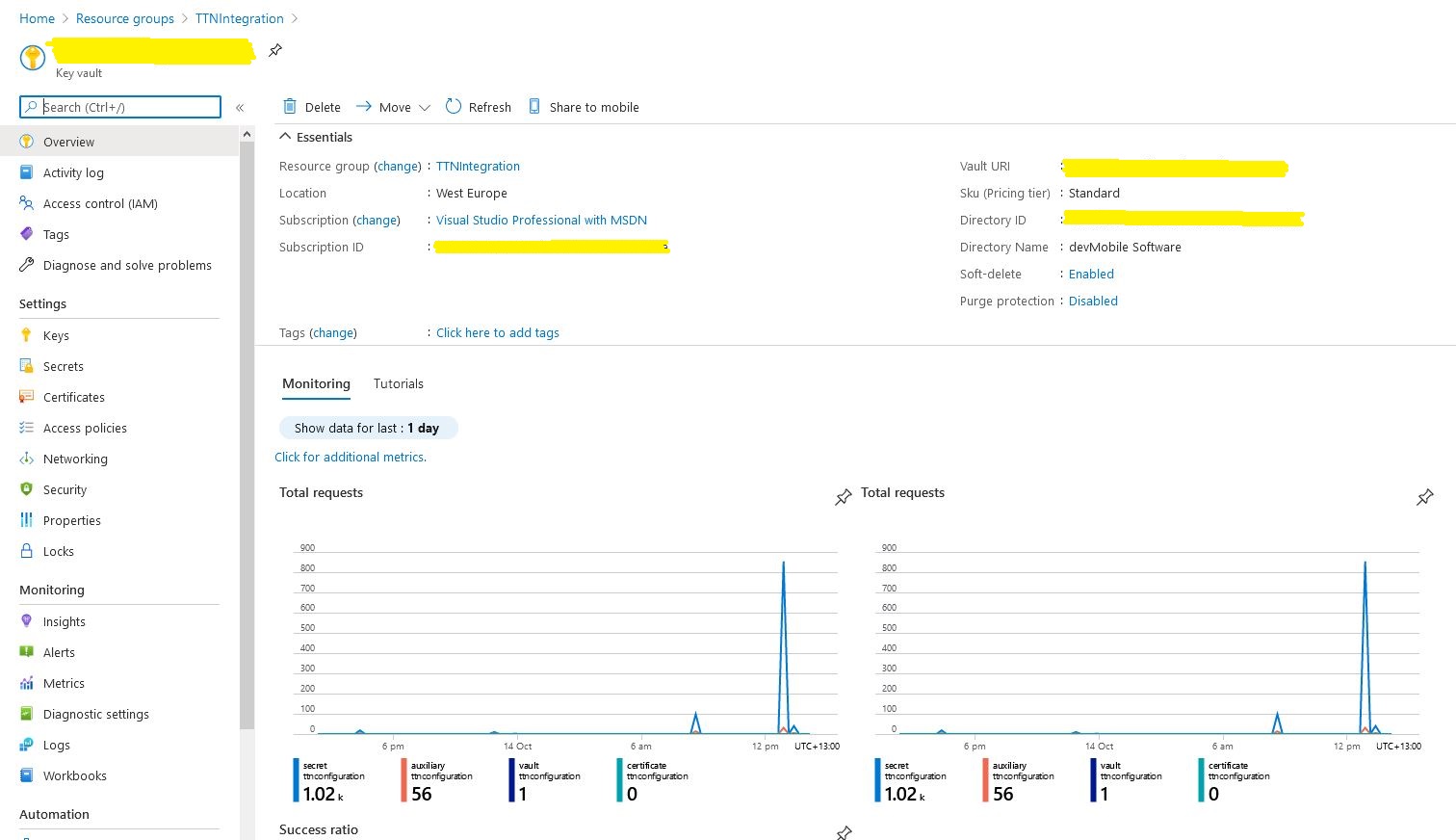
Azure Key Vault overview and basic metrics

I wrote a wrapper which resolves configuration settings based on the The Things Network(TTN) application identifier and port information in the uplink message payload. The resolve methods start by looking for configuration for the applicationId and port (separated by a – ), then the applicationId and then finally falling back to a default value. This functionality is used for AzureIoTHub connection strings, DPS IDScopes, DPS Enrollment Group Symmetric Keys, and is also used to format the cache keys.

public class ApplicationConfiguration
{
const string DpsGlobaDeviceEndpointDefault = "global.azure-devices-provisioning.net";

private IConfiguration Configuration;

public void Initialise( )
{
   // Check that KeyVault URI is configured in environment variables. Not a lot we can do if it isn't....
   if (Configuration == null)
   {
      string keyVaultUri = Environment.GetEnvironmentVariable("KeyVaultURI");
      if (string.IsNullOrWhiteSpace(keyVaultUri))
      {
         throw new ApplicationException("KeyVaultURI environment variable not set");
      }

      // Load configuration from KeyVault 
      Configuration = new ConfigurationBuilder()
         .AddEnvironmentVariables()
         .AddAzureKeyVault(keyVaultUri)
         .Build();
   }
}

public string DpsGlobaDeviceEndpointResolve()
{
   string globaDeviceEndpoint = Configuration.GetSection("DPSGlobaDeviceEndpoint").Value;
   if (string.IsNullOrWhiteSpace(globaDeviceEndpoint))
   {
      globaDeviceEndpoint = DpsGlobaDeviceEndpointDefault;
   }

   return globaDeviceEndpoint;
}

public string ConnectionStringResolve(string applicationId, int port)
{
   // Check to see if there is application + port specific configuration
   string connectionString = Configuration.GetSection($"AzureIotHubConnectionString-{applicationId}-{port}").Value;
   if (!string.IsNullOrWhiteSpace(connectionString))
   {
      return connectionString;
   }

   // Check to see if there is application specific configuration, otherwise run with default
   connectionString = Configuration.GetSection($"AzureIotHubConnectionString-{applicationId}").Value;
   if (!string.IsNullOrWhiteSpace(connectionString))
   {
      return connectionString;
   }

   // get the default as not a specialised configuration
   connectionString = Configuration.GetSection("AzureIotHubConnectionStringDefault").Value;

   return connectionString;
}

public string DpsIdScopeResolve(string applicationId, int port)
{
   // Check to see if there is application + port specific configuration
   string idScope = Configuration.GetSection($"DPSIDScope-{applicationId}-{port}").Value;
   if (!string.IsNullOrWhiteSpace(idScope))
   {
      return idScope;
   }

   // Check to see if there is application specific configuration, otherwise run with default
   idScope = Configuration.GetSection($"DPSIDScope-{applicationId}").Value;
   if (!string.IsNullOrWhiteSpace(idScope))
   {
      return idScope;
   }

   // get the default as not a specialised configuration
   idScope = Configuration.GetSection("DPSIDScopeDefault").Value;

   if (string.IsNullOrWhiteSpace(idScope))
   {
      throw new ApplicationException($"DPSIDScope configuration invalid");
   }

   return idScope;
}

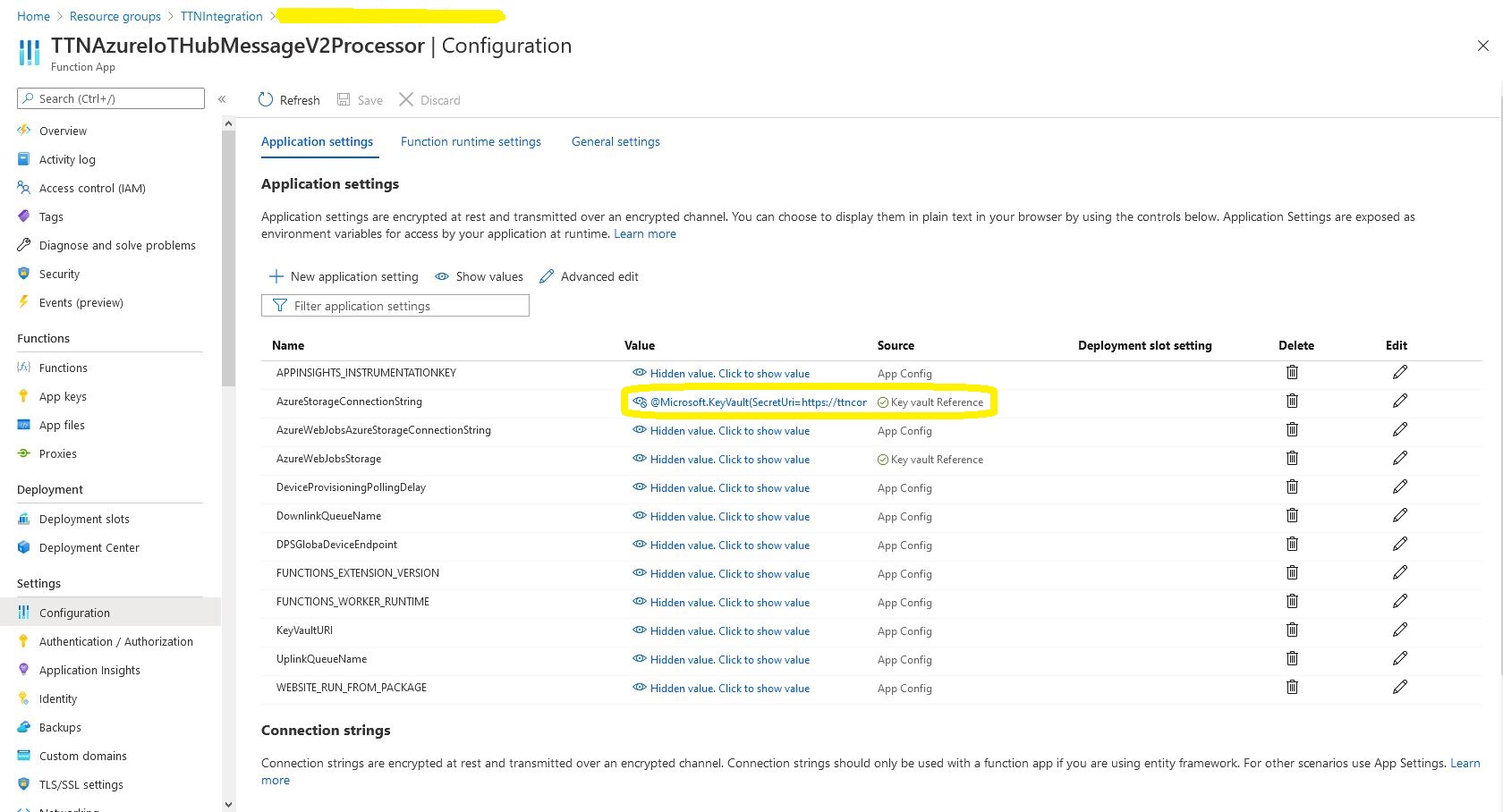
The values of Azure function configuration settings are replaced by a reference to the secret in the Azure Key Vault.

Azure Function configuration value replacement

In the Azure Key Vault “Access Policies” I configured an “Application Access Policy” so my Azure TTNAzureIoTHubMessageV2Processor function identity could retrieve secrets.

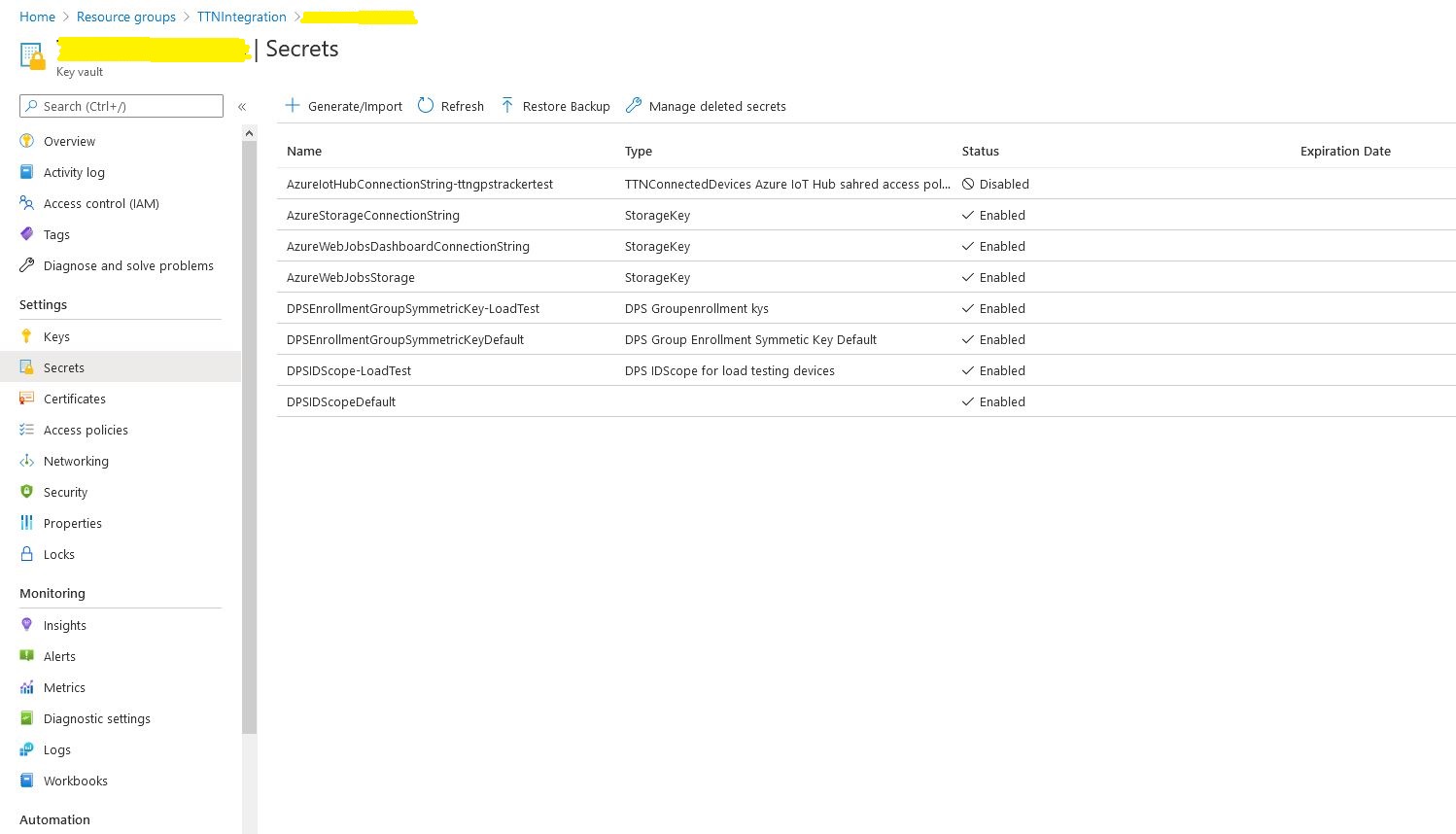
Azure Key Vault Secrets

I kept on making typos in the secret names and types which was frustrating.

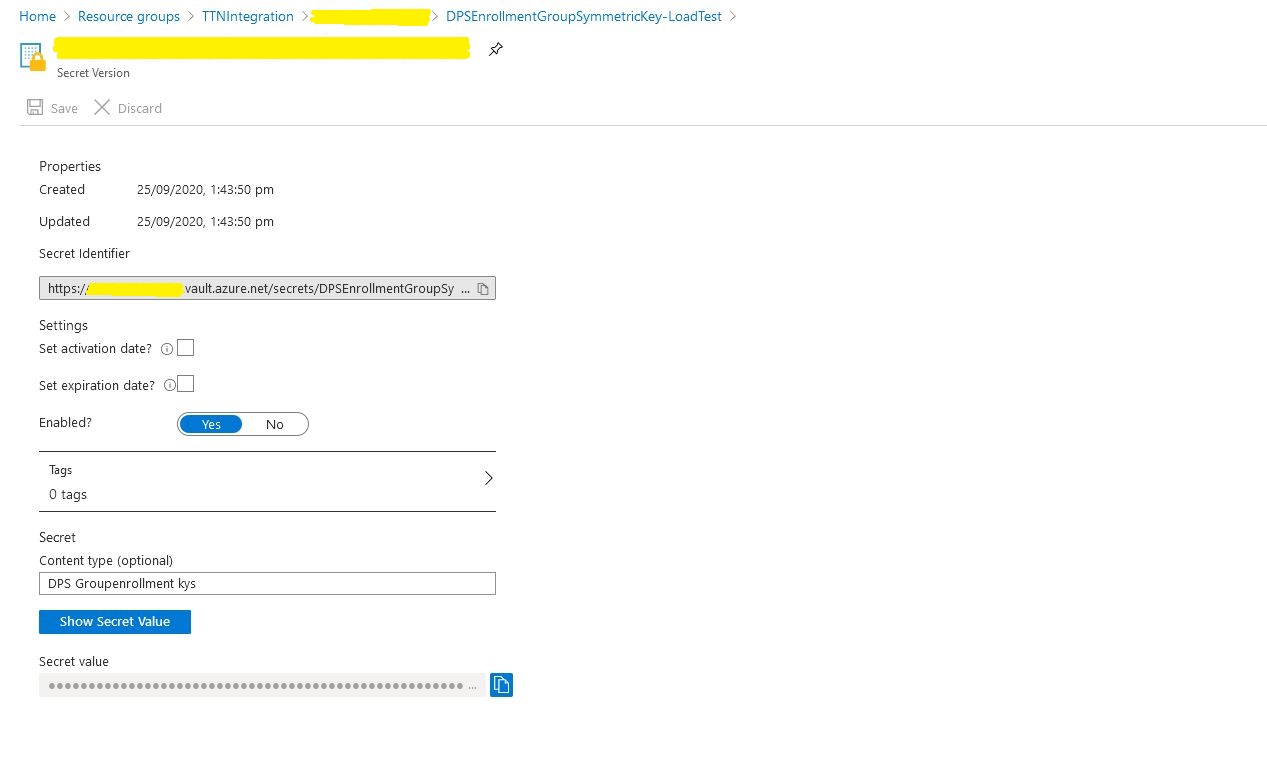
Azure Key Vault secret

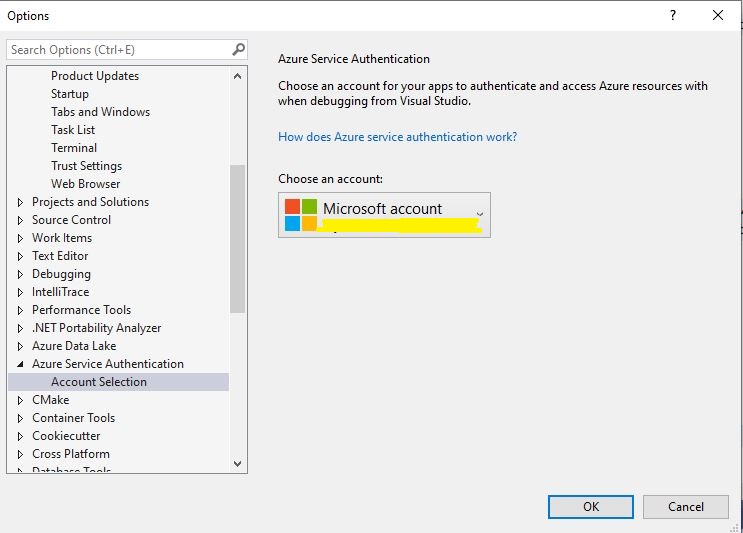
While debugging in Visual Studio you may need to configure the Azure Identity so the application can access the Azure Key Vault.

The Things Network HTTP Azure IoT Integration Soak Testing

I wanted to do some testing to make sure the application would reliably process messages from 1000’s of devices…

The first thing I learnt was “don’t forget to restart your Azure Function after deleting all the devices from the Azure IoT Hub” as the DeviceClients are cached. Also make sure you delete the devices from both your Azure Device Provisioning service(DPS) and Azure IoT Hub instances.

Applications Insights provisioning event tracking

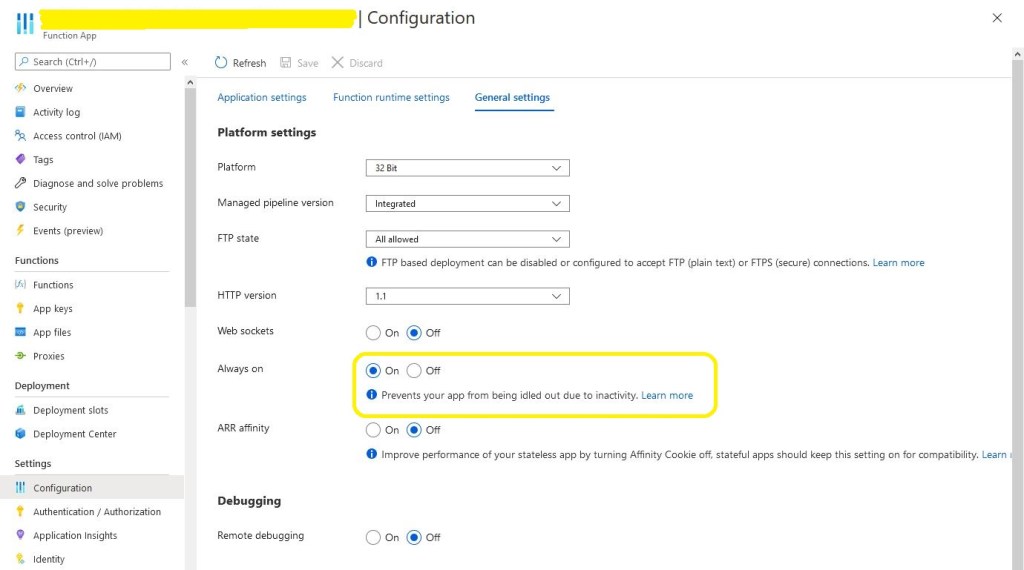
The next “learning” was that if you forget to enable “always on” the caching won’t work and your application will call the DPS way more often than expected.

Azure Application “always on configuration

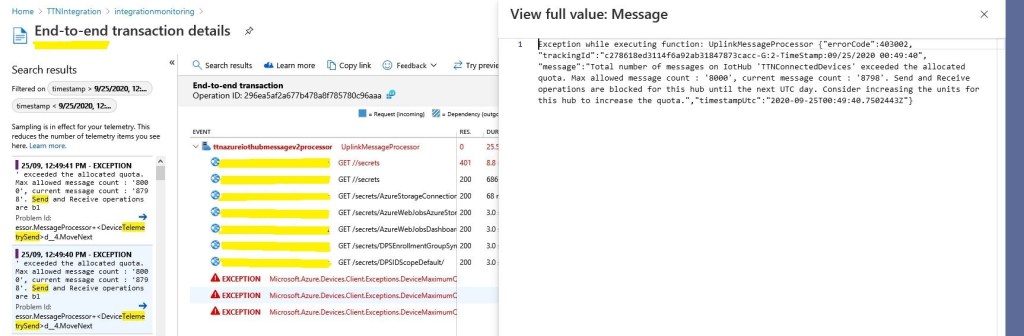
The next “learning” was if your soak test sends 24000 messages it will start to fail just after you go out to get a coffee because of the 8000 msgs/day limit on the free version of IoT Hub.

Azure IoT Hub Free tier 8000 messages/day limit

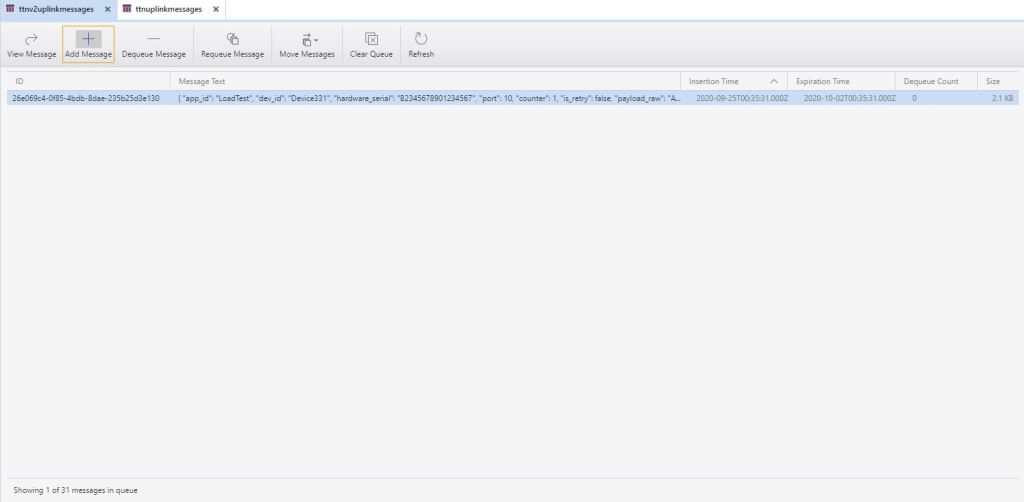
After these “learnings” the application appeared to be working and every so often a message would briefly appear in Azure Storage Explorer queue view.

Azure storage explorer view of uplink messages queue

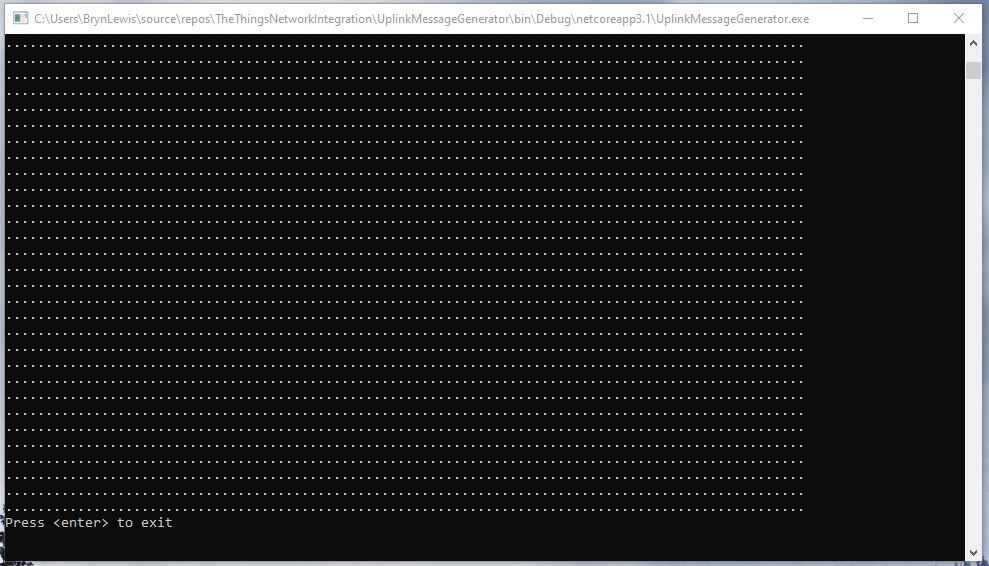
The console test application simulated 1000 devices sending 24 messages every so often and took roughly 8 hours to complete.

Message generator finished

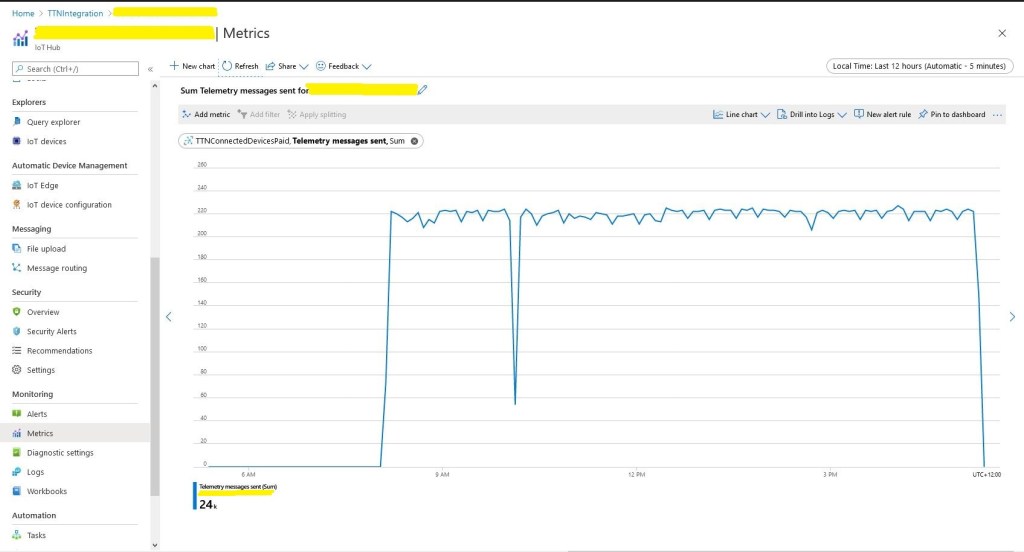
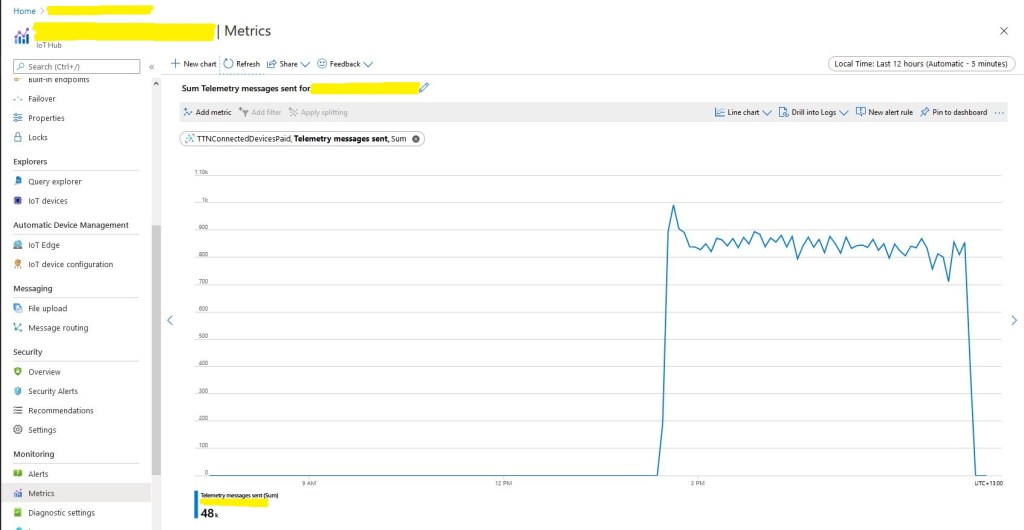
In the Azure IoT Hub telemetry 24000 messages had been received after roughly 8 hours confirming the test rig was working as expected.

The notch was another “learning”, if you go and do some gardening then after roughly 40 minutes of inactivity your desktop PC will go into power save mode and the test client will stop sending messages.

The caching of settings appeared to be work as there were only a couple of requests to my Azure Key Vault where sensitive information like connection strings, symmetric keys etc. are stored.

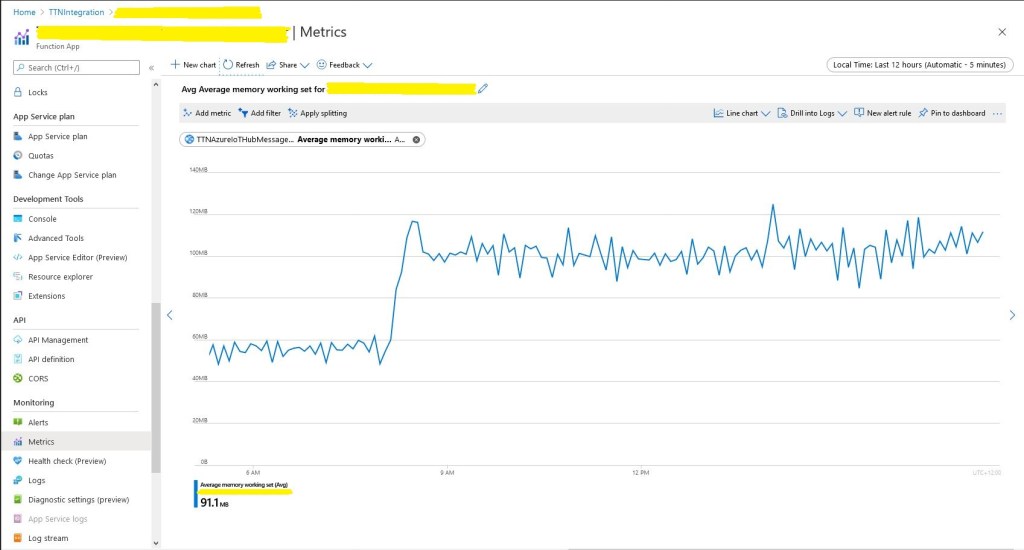
Memory consumption did look to bad and topped out at roughly 120M.

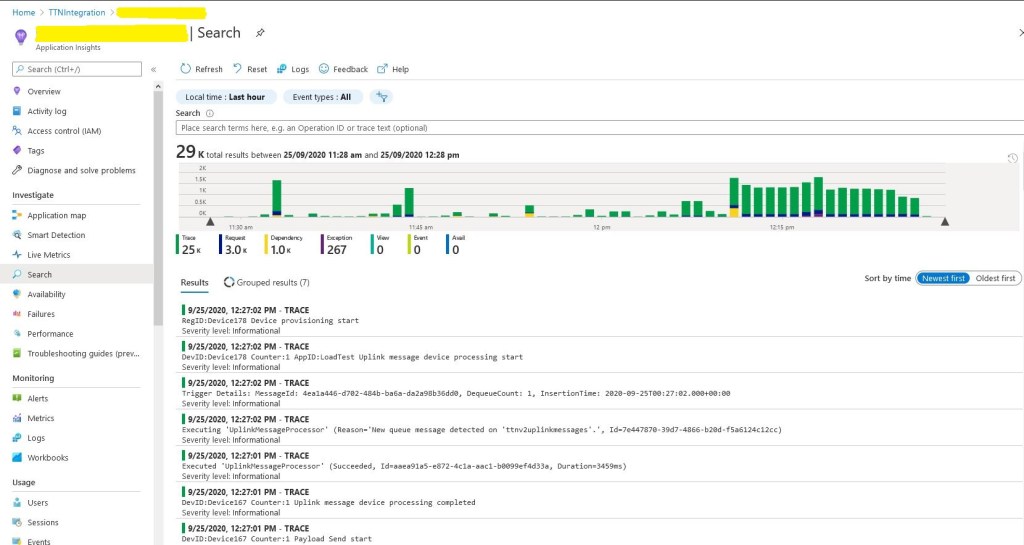
In the application logging you can see the 1000 calls to DPS at the beginning (the yellow dependency events) then the regular processing of messages.

Application Insights logging

Even with the “learnings” the testing went pretty well overall. I do need to run the test rig for longer and with even more simulated devices.

I think this should do

48K Telemetry messages

If you get lots of errors in the logs “Host thresholds exceeded: [Connections]…. might need to bump your plan to something a bit larger

The Things Network HTTP Azure IoT Central Integration

This post is an overview of the Azure IoT Central configuration required to process The Things Network(TTN) HTTP integration uplink messages. I have assumed that the reader is already reasonably familiar with these products. There is an overview of configuring TTN HTTP integration in my “Simplicating and securing the HTTP handler” post.

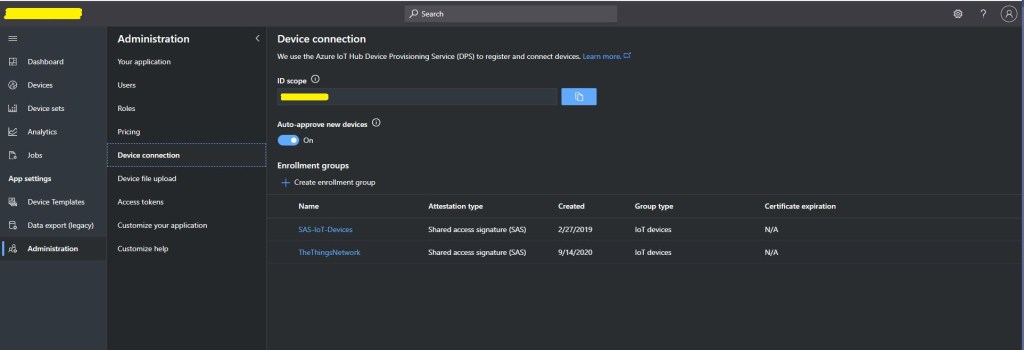
The first step is to copy the IDScope from the Device connection blade.

Device connection blade

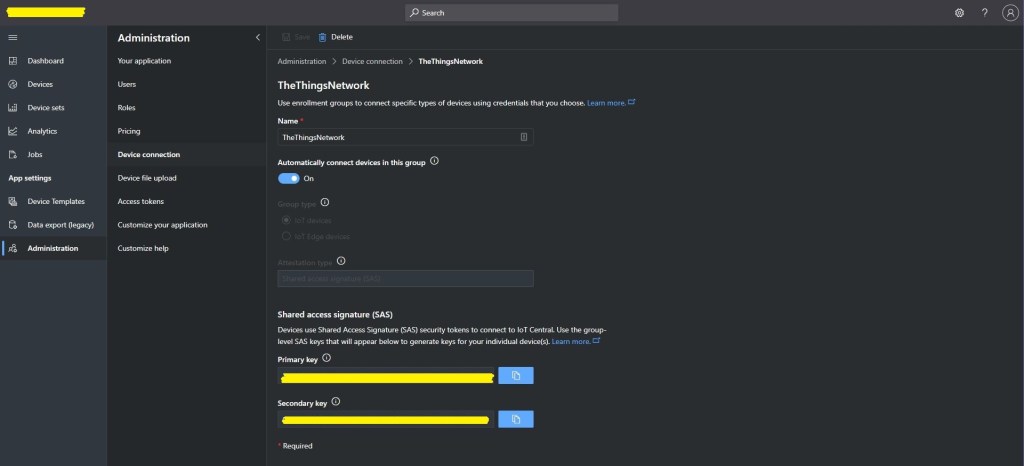
Then copy one of the primary or secondary keys

For more complex deployment the ApplicationEnrollmentGroupMapping configuration enables The Things Network(TTN) devices to be provisioned using different GroupEnrollment keys based on the applicationid in the Uplink message which initiates their provisoning.

"DeviceProvisioningService": {
      "GlobalDeviceEndpoint": "global.azure-devices-provisioning.net",
      "IDScope": "",
      "EnrollmentGroupSymmetricKeyDefault": "TopSecretKey",
      "DeviceProvisioningPollingDelay": 500,
      "ApplicationEnrollmentGroupMapping": {
         "Application1": "TopSecretKey1",
         "Application2": "TopSecretKey2"
      }
   }

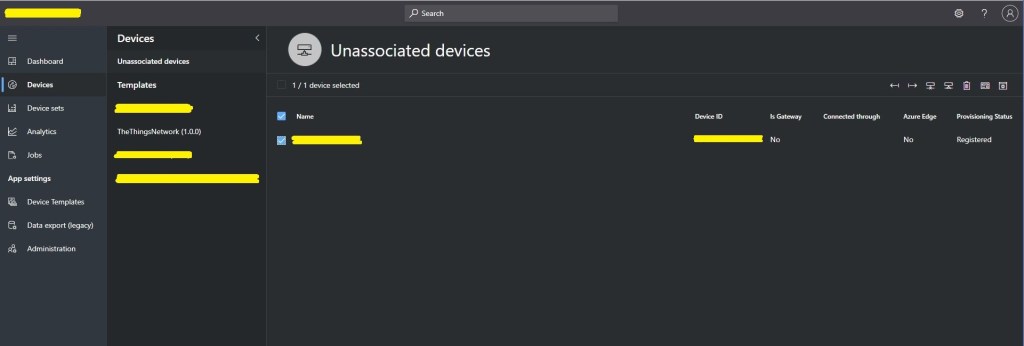
Shortly after the first uplink message from a TTN device is processed, it will listed in the “Unassociated devices” blade with the DevEUI as the Device ID.

Unassociated devices blade

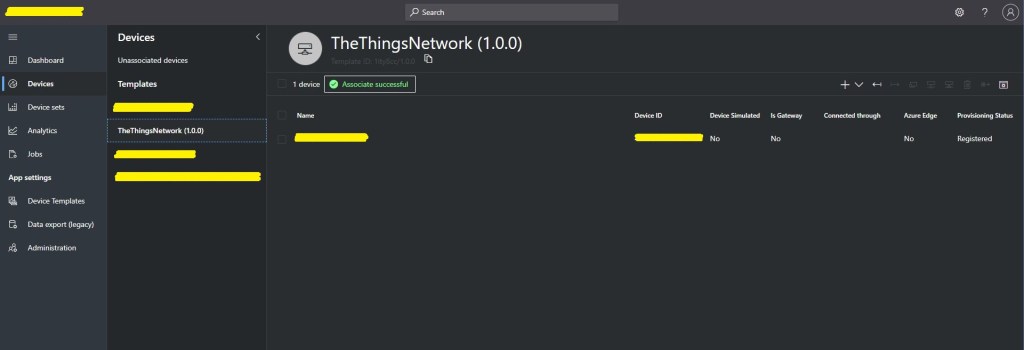
The device can then be associated with an Azure IoT Central Device Template.

Unassociated devices blade showing recently associated device

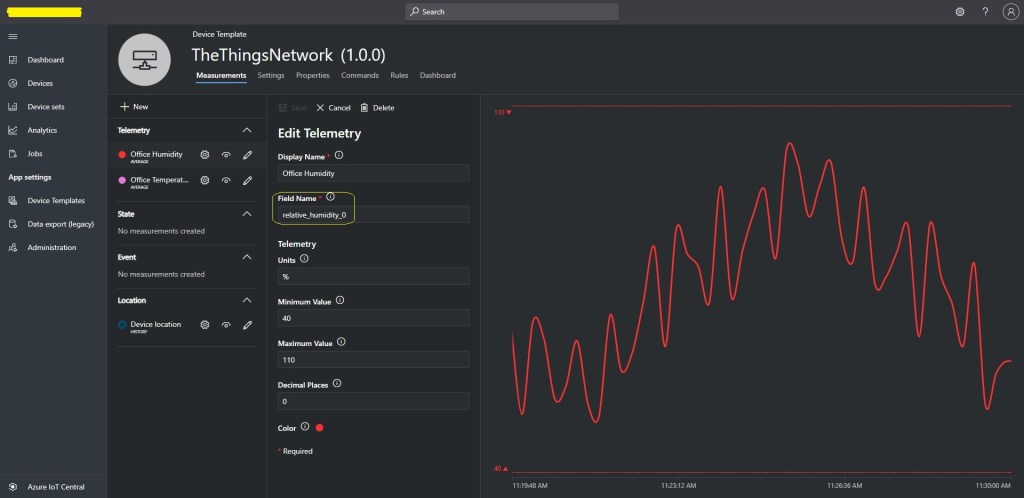
The device template provides for the mapping of uplink message payload_fields to measurements. In this example the payload field has been generated by the TTN HTTP integration Low Power Protocol(LPP) decoder. Many LoRaWAN devices use LPP to minimise the size of the network payload.

Azure IoT Central Device template blade

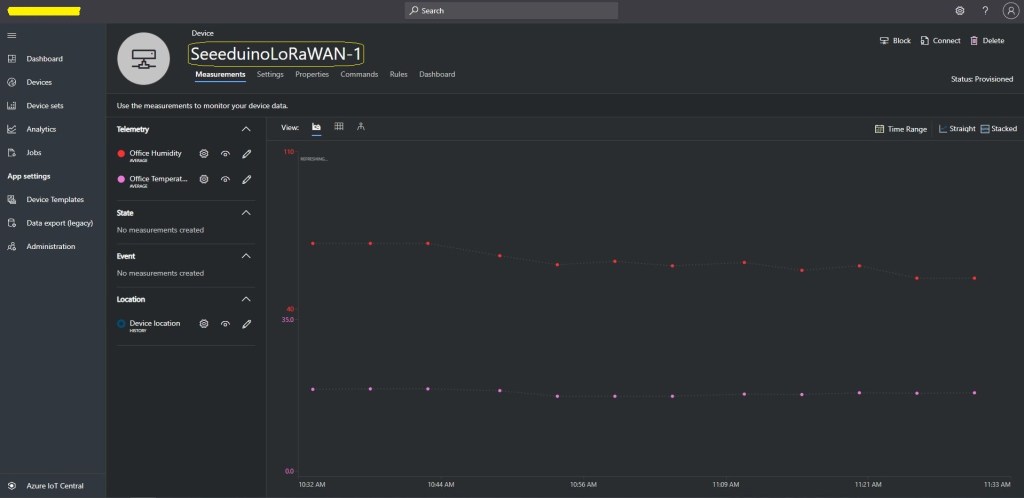
Once the device has been associated with a template a user friendly device name etc. can be configured.

Azure IoT Central Device properties blade

In the telemetry event payload sent to Azure IoT Central there are some extra fields to help with debugging and tracing.

// Assemble the JSON payload to send to Azure IoT Hub/Central.
log.LogInformation($"{messagePrefix} Payload assembly start");
JObject telemetryEvent = new JObject();
try
{
   JObject payloadFields = (JObject)payloadObect.payload_fields;
   telemetryEvent.Add("HardwareSerial", payloadObect.hardware_serial);
   telemetryEvent.Add("Retry", payloadObect.is_retry);
   telemetryEvent.Add("Counter", payloadObect.counter);
   telemetryEvent.Add("DeviceID", payloadObect.dev_id);
   telemetryEvent.Add("ApplicationID", payloadObect.app_id);
   telemetryEvent.Add("Port", payloadObect.port);
   telemetryEvent.Add("PayloadRaw", payloadObect.payload_raw);
   telemetryEvent.Add("ReceivedAtUTC", payloadObect.metadata.time);

   // If the payload has been unpacked in TTN backend add fields to telemetry event payload
   if (payloadFields != null)
   {
      foreach (JProperty child in payloadFields.Children())
      {
         EnumerateChildren(telemetryEvent, child);
      }
   }
}
catch (Exception ex)
{
   log.LogError(ex, $"{messagePrefix} Payload processing or Telemetry event assembly failed");
   throw;
}

Azure IoT Central has mapping functionality which can be used to display the location of a device.

Azure Device

The format of the location payload generated by the TTN LPP decoder is different to the one required by Azure IoT Central. I have added temporary code (“a cost effective modification to expedite deployment” aka. a hack) to format the TelemetryEvent payload so it can be processed.

if (token.First is JValue)
{
   // Temporary dirty hack for Azure IoT Central compatibility
   if (token.Parent is JObject possibleGpsProperty)
   {
      if (possibleGpsProperty.Path.StartsWith("GPS", StringComparison.OrdinalIgnoreCase))
      {
         if (string.Compare(property.Name, "Latitude", true) == 0)
         {
            jobject.Add("lat", property.Value);
         }
         if (string.Compare(property.Name, "Longitude", true) == 0)
         {
            jobject.Add("lon", property.Value);
         }
         if (string.Compare(property.Name, "Altitude", true) == 0)
         {
            jobject.Add("alt", property.Value);
         }
      }
   }
   jobject.Add(property.Name, property.Value);
}

I need review the IoT Plug and Play specification documentation to see what other payload transformations maybe required.

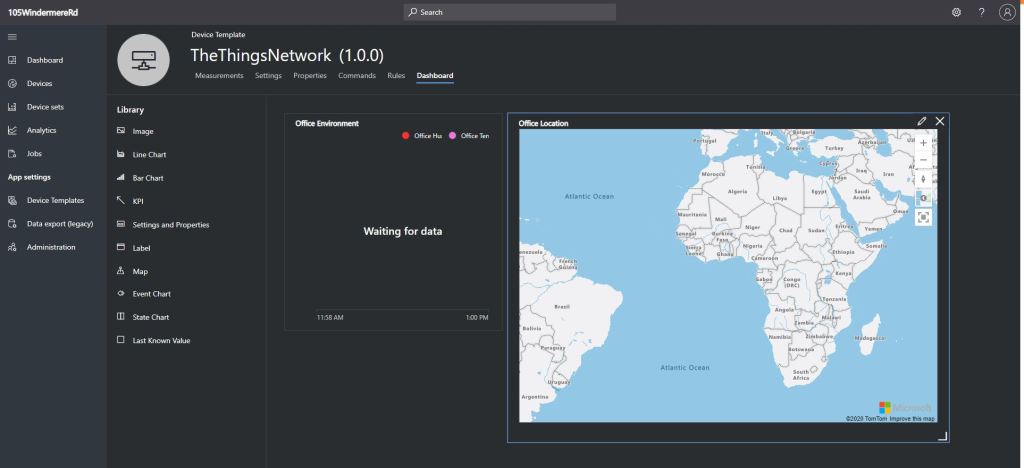
I did observe that if a device had not reported its position the default location was zero degrees latitude and zero degrees longitude which is about 610 KM south of Ghana and 1080 KM west of Gabon in the Atlantic Ocean.

Azure IoT Central mapping default position

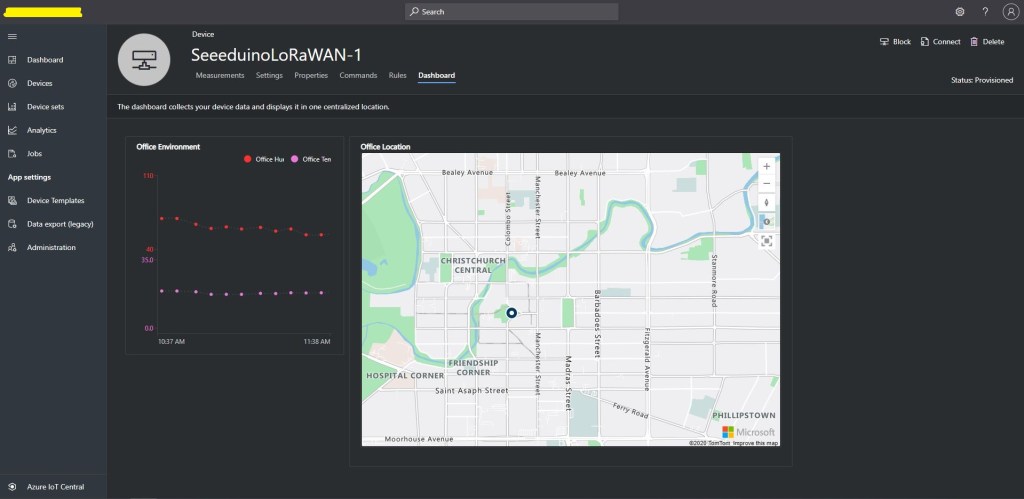
After configuring a device template, associating my devices with the template, and modifying each device’s properties I could create a dashboard to view the temperature and humidity information returned by my Seeeduino LoRaWAN devices.

Azure IoT Central dashboard

The Things Network HTTP Azure IoT Hub Integration

This post provides an overview of the required Azure Device Provisioning Service(DPS) and Azure IoT Hub configuration to process The Things Network(TTN) HTTP integration uplink messages. I have assumed that the reader is already familiar with all these products. There is an overview of configuring TTN HTTP integration in my “Simplicating and securing the HTTP handler” post.

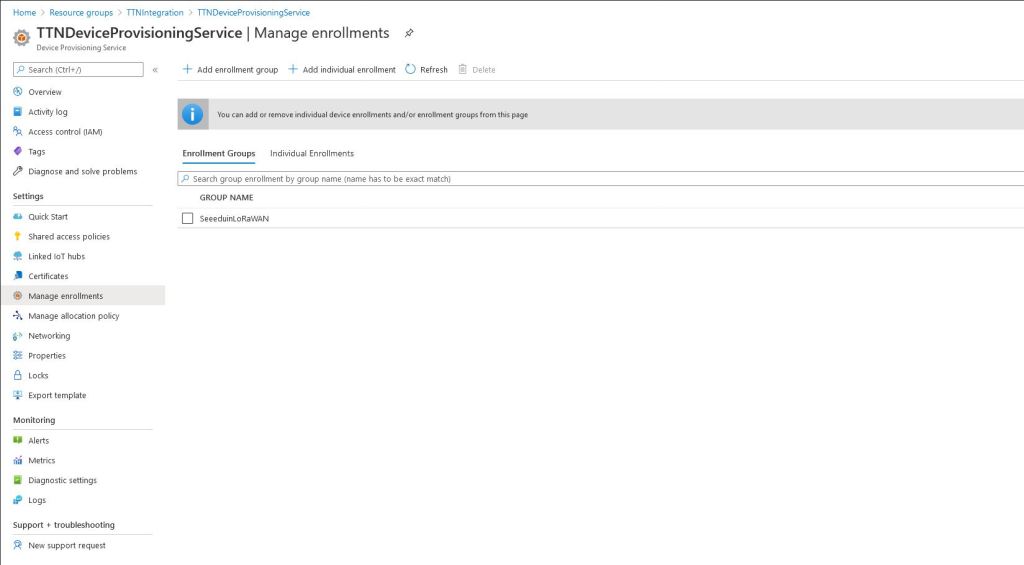
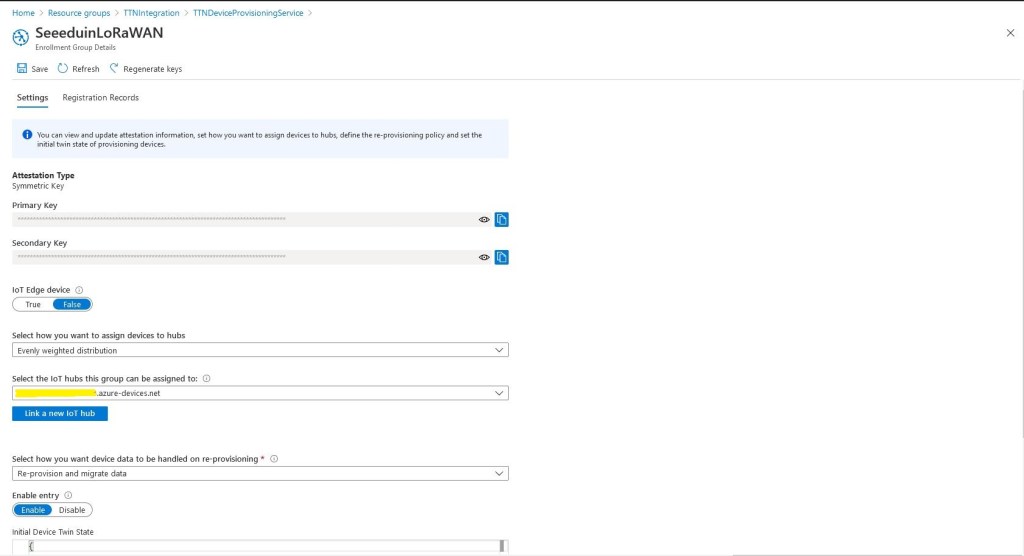
The first step is to configure a DPS Enrollment Group

DPS Group Enrollment blade

The scopeID and the primary/secondary key need to be configured in the appsettings.json file of uplink message processing Azure QueueTrigger function.

For more complex deployments the ApplicationEnrollmentGroupMapping configuration enables The Things Network(TTN) devices to be provisioned using different GroupEnrollment keys based on the applicationid in the first Uplink message which initiates provisoning.

"DeviceProvisioningService": {
      "GlobalDeviceEndpoint": "global.azure-devices-provisioning.net",
      "ScopeID": "",
      "EnrollmentGroupSymmetricKeyDefault": "TopSecretKey",
      "DeviceProvisioningPollingDelay": 500,
      "ApplicationEnrollmentGroupMapping": {
         "Application1": "TopSecretKey1",
         "Application2": "TopSecretKey2"
      }
   }

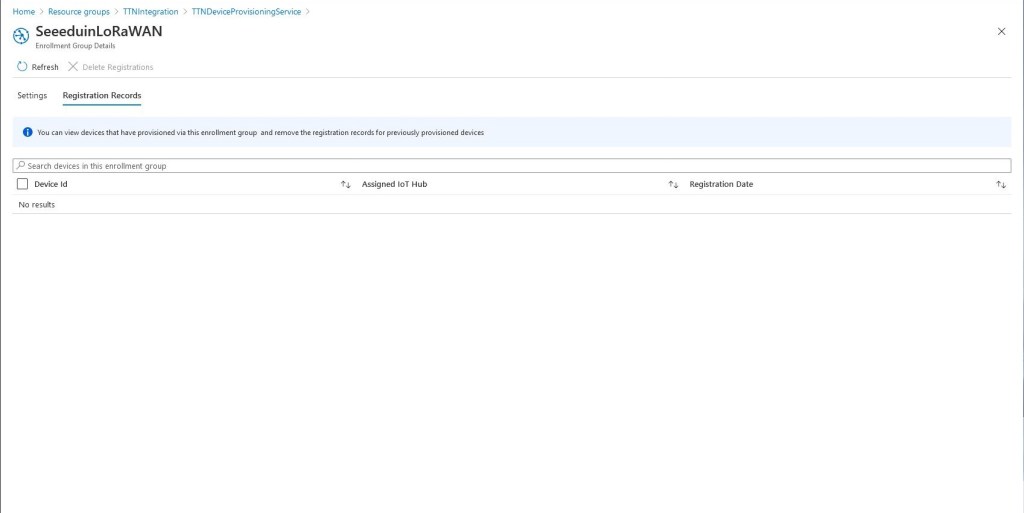
DPS Group Enrolment with no provisioned devices

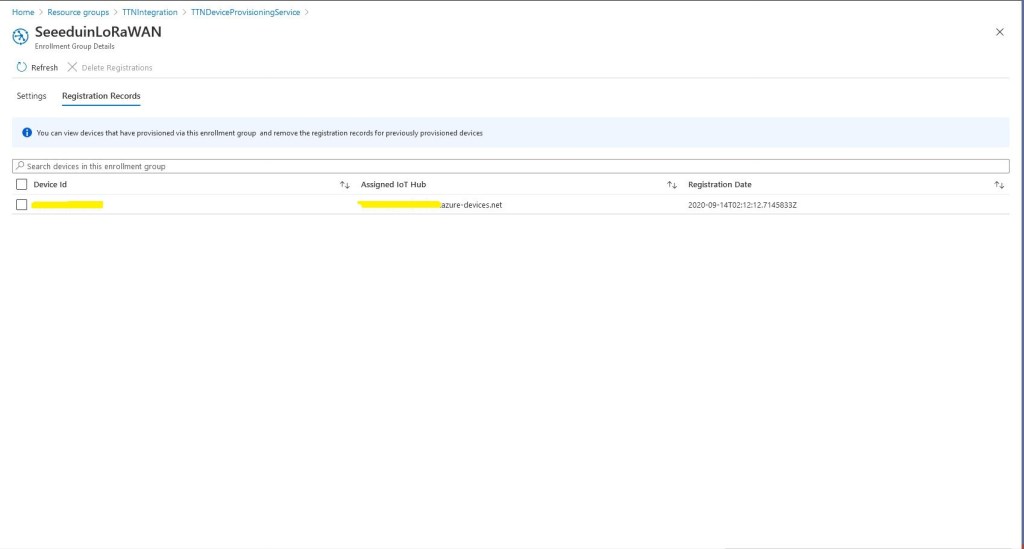
Then as uplink messages from the TTN integration are processed devices are “automagically” created in the DPS.

Simultaneously devices are created in the Azure IoT Hub

Then shortly after telemetry events are available for applications to process or inspection with tools like Azure IoT Explorer.

In the telemetry event payload sent to the Azure IoT IoT Hub are some extra fields to help with debugging and tracing. The raw payload is also included so messages not decoded by TTN can be processed by the client application(s).

/ Assemble the JSON payload to send to Azure IoT Hub/Central.
log.LogInformation($"{messagePrefix} Payload assembly start");
JObject telemetryEvent = new JObject();
try
{
   JObject payloadFields = (JObject)payloadObect.payload_fields;
   telemetryEvent.Add("HardwareSerial", payloadObect.hardware_serial);
   telemetryEvent.Add("Retry", payloadObect.is_retry);
   telemetryEvent.Add("Counter", payloadObect.counter);
   telemetryEvent.Add("DeviceID", payloadObect.dev_id);
   telemetryEvent.Add("ApplicationID", payloadObect.app_id);
   telemetryEvent.Add("Port", payloadObect.port);
   telemetryEvent.Add("PayloadRaw", payloadObect.payload_raw);
   telemetryEvent.Add("ReceivedAtUTC", payloadObect.metadata.time);
 
   // If the payload has been unpacked in TTN backend add fields to telemetry event payload
   if (payloadFields != null)
   {
      foreach (JProperty child in payloadFields.Children())
      {
         EnumerateChildren(telemetryEvent, child);
      }
   }
}
catch (Exception ex)
{
   log.LogError(ex, $"{messagePrefix} Payload processing or Telemetry event assembly failed");
   throw;
}

Beware, the Azure Storage Account and storage queue names have a limited character set. This caused me problems several times when I used camel cased queue names etc.