Random wanderings through Microsoft Azure esp. PaaS plumbing, the IoT bits, AI on Micro controllers, AI on Edge Devices, .NET nanoFramework, .NET Core on *nix and ML.NET+ONNX
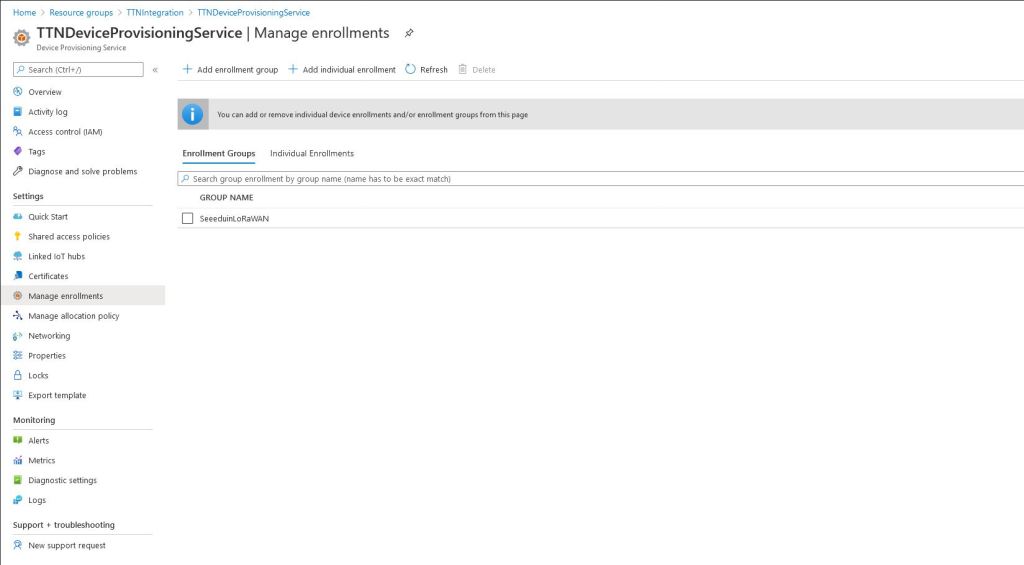
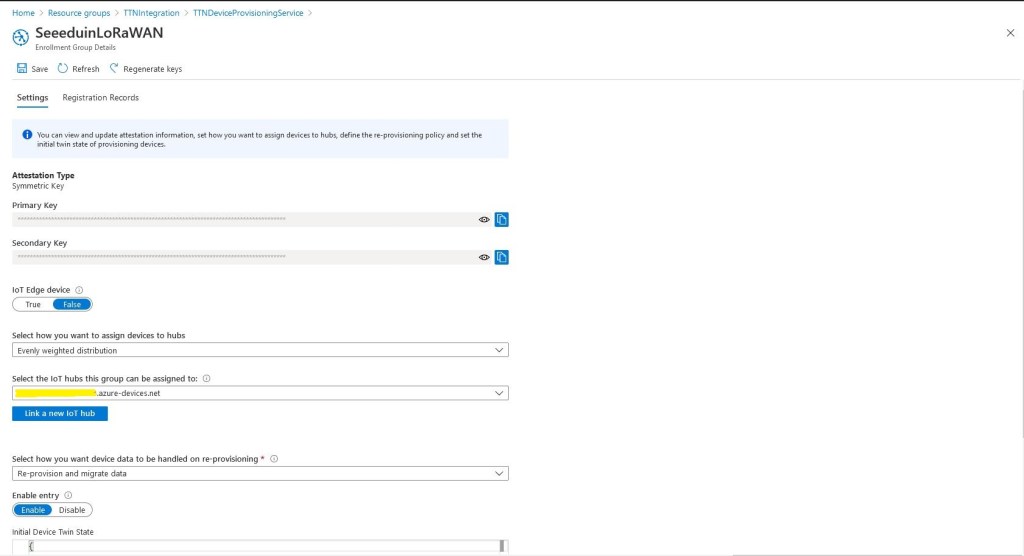
For more complex deployments the ApplicationEnrollmentGroupMapping configuration enables The Things Network(TTN) devices to be provisioned using different GroupEnrollment keys based on the applicationid in the first Uplink message which initiates provisoning.
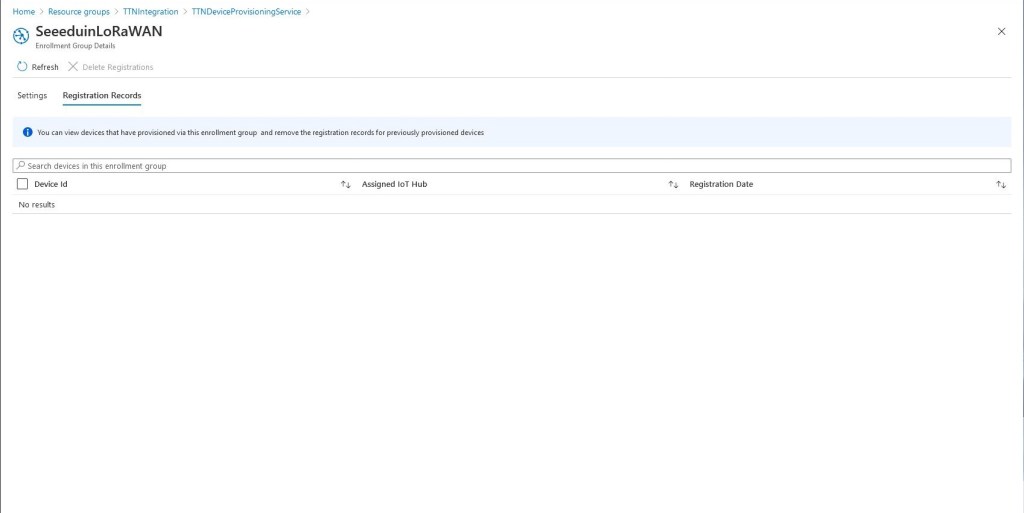
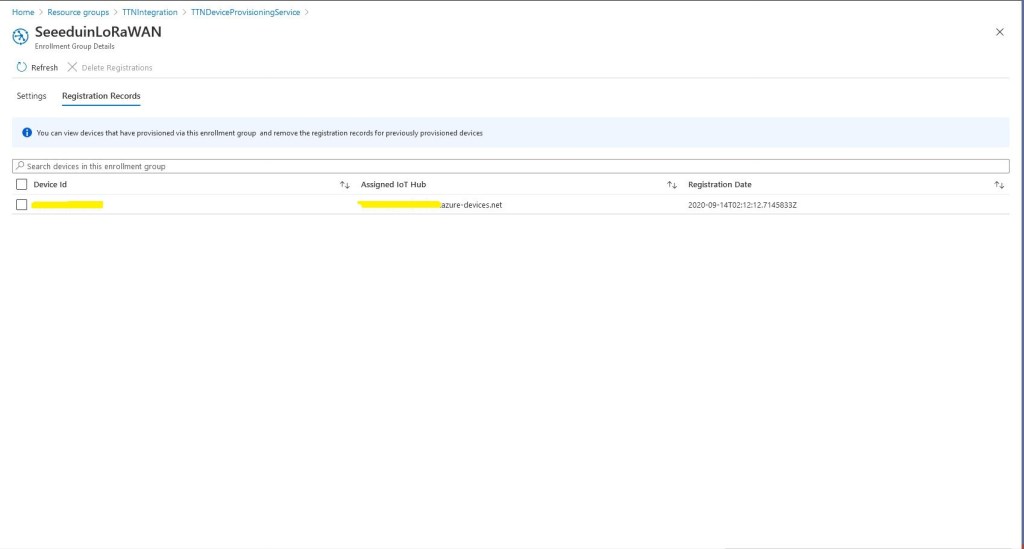
Then as uplink messages from the TTN integration are processed devices are “automagically” created in the DPS.
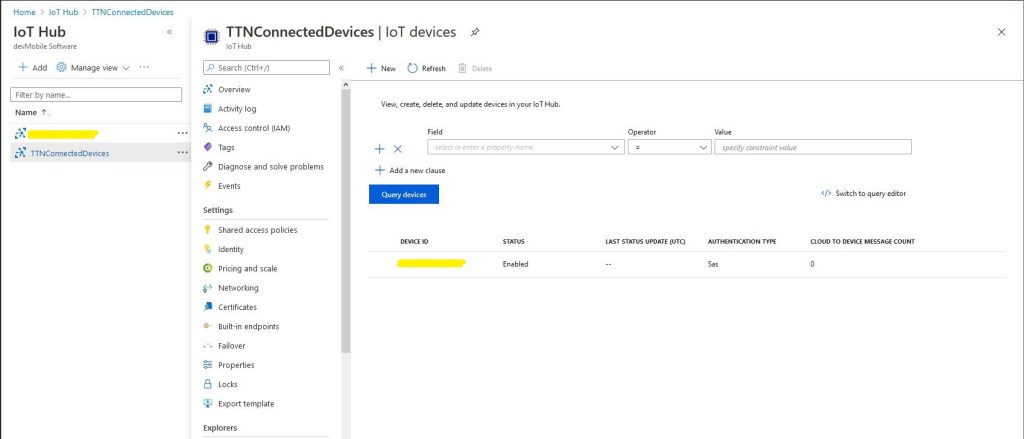
Simultaneously devices are created in the Azure IoT Hub
Then shortly after telemetry events are available for applications to process or inspection with tools like Azure IoT Explorer.
In the telemetry event payload sent to the Azure IoT IoT Hub are some extra fields to help with debugging and tracing. The raw payload is also included so messages not decoded by TTN can be processed by the client application(s).
/ Assemble the JSON payload to send to Azure IoT Hub/Central.
log.LogInformation($"{messagePrefix} Payload assembly start");
JObject telemetryEvent = new JObject();
try
{
   JObject payloadFields = (JObject)payloadObect.payload_fields;
   telemetryEvent.Add("HardwareSerial", payloadObect.hardware_serial);
   telemetryEvent.Add("Retry", payloadObect.is_retry);
   telemetryEvent.Add("Counter", payloadObect.counter);
   telemetryEvent.Add("DeviceID", payloadObect.dev_id);
   telemetryEvent.Add("ApplicationID", payloadObect.app_id);
   telemetryEvent.Add("Port", payloadObect.port);
   telemetryEvent.Add("PayloadRaw", payloadObect.payload_raw);
   telemetryEvent.Add("ReceivedAtUTC", payloadObect.metadata.time);

   // If the payload has been unpacked in TTN backend add fields to telemetry event payload
   if (payloadFields != null)
   {
      foreach (JProperty child in payloadFields.Children())
      {
         EnumerateChildren(telemetryEvent, child);
      }
   }
}
catch (Exception ex)
{
   log.LogError(ex, $"{messagePrefix} Payload processing or Telemetry event assembly failed");
   throw;
}
Beware, the Azure Storage Account and storage queue names have a limited character set. This caused me problems several times when I used camel cased queue names etc.
In the last couple of posts I had been building an Azure Function with a QueueTrigger to process the uplink messages. The function used custom bindings so that the CloudQueueMessage could be accessed, and load the Azure Storage account plus queue name from configuration. I’m still using classes generated by JSON2CSharp (with minimal modifications) for deserialising the payloads with JSON.Net.
The message processor Azure Function uses a ConcurrentCollection to store AzureDeviceClient objects constructed using the information returned by the Azure Device Provisioning Service(DPS). This is so the DPS doesn’t have to be called for the connection details for every message.(When the Azure function is restarted the dictionary of DeviceClient objects has to be repopulated). If there is a backlog of messages the message processor can process more than a dozen messages concurrently so the telemetry events displayed in an application like Azure IoT Central can arrive out of order.
The solution uses DPS Group Enrollment with Symmetric Key Attestation so Azure IoT Hub devices can be “automagically” created when a message from a new device is processed. The processing code is multi-thread and relies on many error conditions being handled by the Azure Function retry mechanism. After a number of failed retries the messages are moved to a poison queue. Azure Storage Explorer is a good tool for viewing payloads and moving poison messages back to the processing queue.
public static class UplinkMessageProcessor
{
   static readonly ConcurrentDictionary<string, DeviceClient> DeviceClients = new ConcurrentDictionary<string, DeviceClient>();

   [FunctionName("UplinkMessageProcessor")]
   public static async Task Run(
      [QueueTrigger("%UplinkQueueName%", Connection = "AzureStorageConnectionString")]
      CloudQueueMessage cloudQueueMessage, // Used to get CloudQueueMessage.Id for logging
      Microsoft.Azure.WebJobs.ExecutionContext context,
      ILogger log)
   {
      PayloadV5 payloadObect;
      DeviceClient deviceClient = null;
      DeviceProvisioningServiceSettings deviceProvisioningServiceConfig;

      string environmentName = Environment.GetEnvironmentVariable("ENVIRONMENT");

      // Load configuration for DPS. Refactor approach and store securely...
      var configuration = new ConfigurationBuilder()
      .SetBasePath(context.FunctionAppDirectory)
      .AddJsonFile($"appsettings.json")
      .AddJsonFile($"appsettings.{environmentName}.json")
      .AddEnvironmentVariables()
      .Build();

      // Load configuration for DPS. Refactor approach and store securely...
      try
      {
         deviceProvisioningServiceConfig = (DeviceProvisioningServiceSettings)configuration.GetSection("DeviceProvisioningService").Get<DeviceProvisioningServiceSettings>(); ;
      }
      catch (Exception ex)
      {
         log.LogError(ex, $"Configuration loading failed");
         throw;
      }

      // Deserialise uplink message from Azure storage queue
      try
      {
         payloadObect = JsonConvert.DeserializeObject<PayloadV5>(cloudQueueMessage.AsString);
      }
      catch (Exception ex)
      {
         log.LogError(ex, $"MessageID:{cloudQueueMessage.Id} uplink message deserialisation failed");
         throw;
      }

      // Extract the device ID as it's used lots of places
      string registrationID = payloadObect.hardware_serial;

      // Construct the prefix used in all the logging
      string messagePrefix = $"MessageID: {cloudQueueMessage.Id} DeviceID:{registrationID} Counter:{payloadObect.counter} Application ID:{payloadObect.app_id}";
      log.LogInformation($"{messagePrefix} Uplink message device processing start");

      // See if the device has already been provisioned
      if (DeviceClients.TryAdd(registrationID, deviceClient))
      {
         log.LogInformation($"{messagePrefix} Device provisioning start");

         string enrollmentGroupSymmetricKey = deviceProvisioningServiceConfig.EnrollmentGroupSymmetricKeyDefault;

         // figure out if custom mapping for TTN applicationID
         if (deviceProvisioningServiceConfig.ApplicationEnrollmentGroupMapping != null)
        {
            deviceProvisioningServiceConfig.ApplicationEnrollmentGroupMapping.GetValueOrDefault(payloadObect.app_id, deviceProvisioningServiceConfig.EnrollmentGroupSymmetricKeyDefault);
         }

         // Do DPS magic first time device seen
         await DeviceRegistration(log, messagePrefix, deviceProvisioningServiceConfig.GlobalDeviceEndpoint, deviceProvisioningServiceConfig.ScopeID, enrollmentGroupSymmetricKey, registrationID);
      }

      // Wait for the Device Provisioning Service to complete on this or other thread
      log.LogInformation($"{messagePrefix} Device provisioning polling start");
      if (!DeviceClients.TryGetValue(registrationID, out deviceClient))
      {
         log.LogError($"{messagePrefix} Device provisioning polling TryGet before while failed");

         throw new ApplicationException($"{messagePrefix} Device provisioning polling TryGet before while failed");
      }

      while (deviceClient == null)
      {
         log.LogInformation($"{messagePrefix} provisioning polling delay");
         await Task.Delay(deviceProvisioningServiceConfig.DeviceProvisioningPollingDelay);

         if (!DeviceClients.TryGetValue(registrationID, out deviceClient))
         {
            log.LogError($"{messagePrefix} Device provisioning polling TryGet while loop failed");

            throw new ApplicationException($"{messagePrefix} Device provisioning polling TryGet while loopfailed");
         }
      }

      // Assemble the JSON payload to send to Azure IoT Hub/Central.
      log.LogInformation($"{messagePrefix} Payload assembly start");
      JObject telemetryEvent = new JObject();
      try
      {
         JObject payloadFields = (JObject)payloadObect.payload_fields;
         telemetryEvent.Add("HardwareSerial", payloadObect.hardware_serial);
         telemetryEvent.Add("Retry", payloadObect.is_retry);
         telemetryEvent.Add("Counter", payloadObect.counter);
         telemetryEvent.Add("DeviceID", payloadObect.dev_id);
         telemetryEvent.Add("ApplicationID", payloadObect.app_id);
         telemetryEvent.Add("Port", payloadObect.port);
         telemetryEvent.Add("PayloadRaw", payloadObect.payload_raw);
         telemetryEvent.Add("ReceivedAt", payloadObect.metadata.time);

         // If the payload has been unpacked in TTN backend add fields to telemetry event payload
         if (payloadFields != null)
         {
            foreach (JProperty child in payloadFields.Children())
            {
               EnumerateChildren(telemetryEvent, child);
            }
         }
      }
      catch (Exception ex)
      {
         if (DeviceClients.TryRemove(registrationID, out deviceClient))
         {
            log.LogWarning($"{messagePrefix} TryRemove payload assembly failed");
         }

         log.LogError(ex, $"{messagePrefix} Payload assembly failed");
         throw;
      }

      // Send the message to Azure IoT Hub/Azure IoT Central
      log.LogInformation($"{messagePrefix} Payload SendEventAsync start");
      try
      {
         using (Message ioTHubmessage = new Message(Encoding.ASCII.GetBytes(JsonConvert.SerializeObject(telemetryEvent))))
         {
            // Ensure the displayed time is the acquired time rather than the uploaded time. esp. importan for messages that end up in poison queue
            ioTHubmessage.Properties.Add("iothub-creation-time-utc", payloadObect.metadata.time.ToString("s", CultureInfo.InvariantCulture));
            await deviceClient.SendEventAsync(ioTHubmessage);
         }
      }
      catch (Exception ex)
      {
         if (DeviceClients.TryRemove(registrationID, out deviceClient))
         {
            log.LogWarning($"{messagePrefix} TryRemove SendEventAsync failed");
         }

         log.LogError(ex, $"{messagePrefix} SendEventAsync failed");
         throw;
      }

   log.LogInformation($"{messagePrefix} Uplink message device processing completed");
   }
}
There is also support for using a specific GroupEnrollment based on the application_id in the uplink message payload.
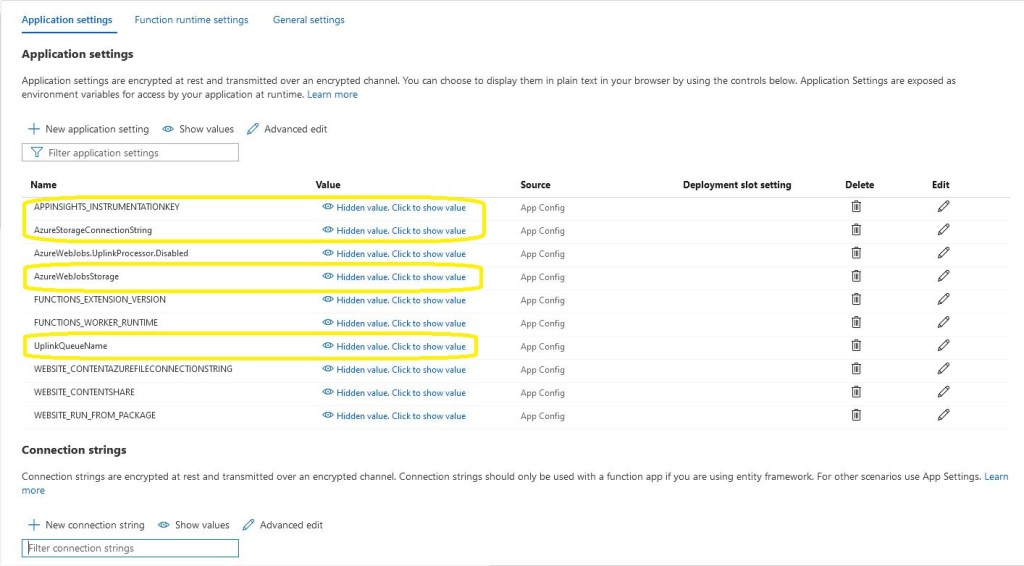
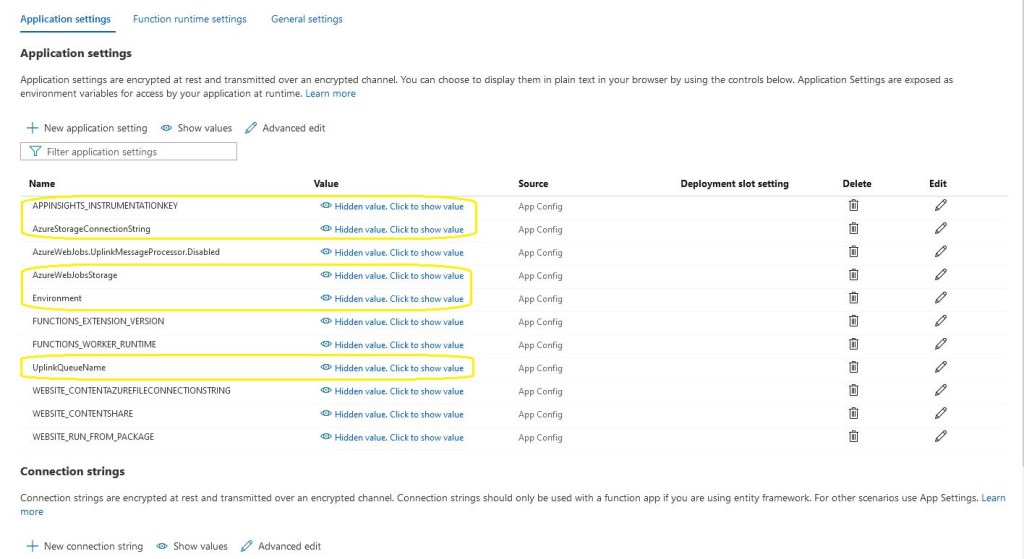
In addition to the appsettings.json there is configuration for application insights, uplink message queue name and Azure Storage connection strings. The “Environment” setting is important as it specifies what appsettings.json file should be used if code is being debugged etc..
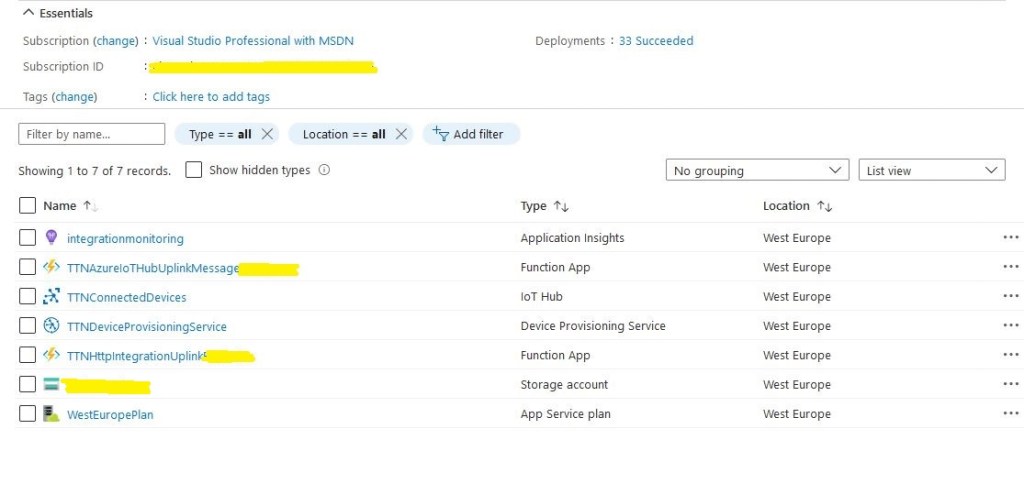
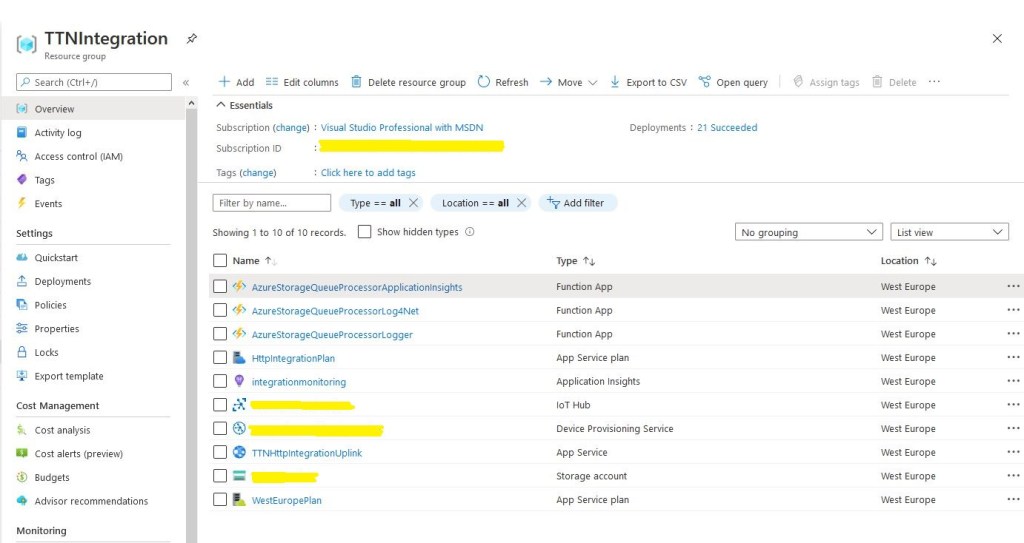
The deployed solution application consists of Azure IoTHub and DPS instances. There are two Azure functions, one for putting the messages from the TTN into a queue the other is for processing them. The Azure Functions are hosted in an Azure AppService plan.
Azure solution deployment
An Azure Storage account is used for the queue and Azure Function synchronisation information and Azure Application Insights is used to monitor the solution.
There was lots of code in nested classes for deserialising the The Things Network(TTN)JSON uplink messages in my WebAPI project. It looked a bit fragile and if the process failed uplink messages could be lost.
My first attempt at an Azure HTTP Trigger Function to handle an uplink message didn’t work. I had decorated the HTTP Trigger method with an Azure Storage Queue as the destination for the output.
public static class UplinkProcessor
{
   [FunctionName("UplinkProcessor")]
   [return: Queue("%UplinkQueueName%", Connection = "AzureStorageConnectionString")]
   public static async Task<IActionResult> Run([HttpTrigger(AuthorizationLevel.Anonymous, "get", "post", Route = null)] HttpRequest request, ILogger log)
   {
      string payload;

      log.LogInformation("C# HTTP trigger function processed a request.");

      using (StreamReader streamReader = new StreamReader(request.Body))
      {
         payload = await streamReader.ReadToEndAsync();
      }

      return new OkObjectResult(payload);
   }
}
There were a couple of other versions which failed with encoding issues.
Invalid uplink event JSON
public static class UplinkProcessor
{
   [FunctionName("UplinkProcessor")]
   [return: Queue("%UplinkQueueName%", Connection = "AzureStorageConnectionString")]
   public static async Task<string> Run([HttpTrigger("post", Route = null)] HttpRequest request, ILogger log)
   {
      string payload;

      log.LogInformation("C# HTTP trigger function processed a request.");

      using (StreamReader streamReader = new StreamReader(request.Body))
      {
         payload = await streamReader.ReadToEndAsync();
      }

      return payload;
   }
}
I finally settled on returning a string, which with the benefit of hindsight was obvious.
Valid JSON message
By storing the raw uplink event JSON from TTN the application can recover if it they can’t deserialised, (message format has changed or generated class issues) The queue processor won’t be able to process the uplink event messages so they will end up in the poison message queue after being retried a few times.
In the Azure management portal I generated a method scope API key.
Azure HTTP function API key management
I then added an x-functions-key header in the TTN application integration configuration and it worked second attempt due to a copy and past fail.
Things Network Application integration
To confirm my APIKey setup was correct I changed the header name and my requests started to fail with a 401 Unauthorised error.
After some experimentation it took less than two dozen lines of C# to create a secure endpoint to receive uplink messages and put them in an Azure Storage queue.
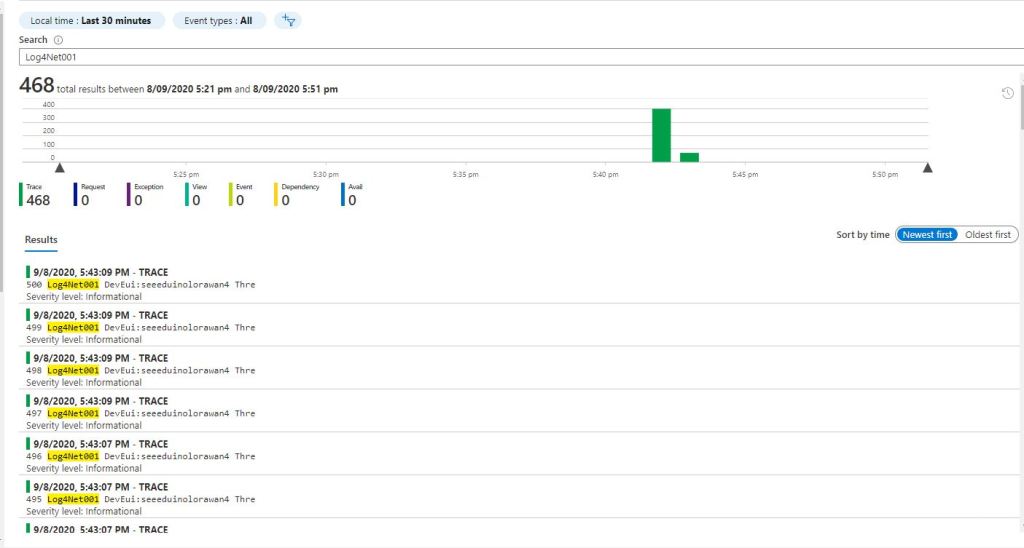
While testing the processing of queued The Things Network(TTN) uplink messages I had noticed that some of the Azure Application Insights events from my Log4Net setup were missing. I could see the MessagesProcessed counter was correct but there weren’t enough events.
I assume the missing events were because I wasn’t “flushing“ at the end of the Run method. There was also a lot of “plumbing” code (including loading configuration files) to setup Log4Net.
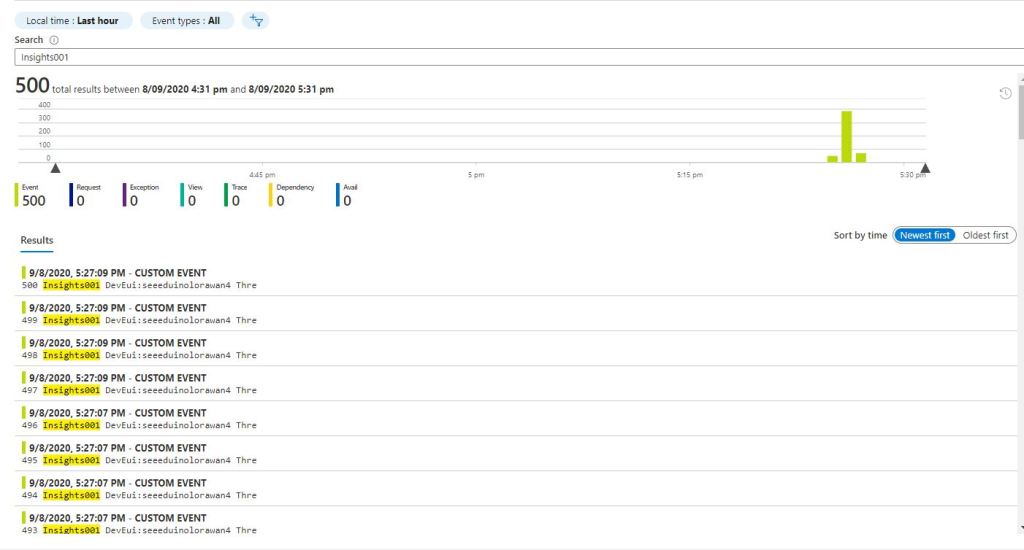
Application Insights API in Application Insights Event viewer
I assume there were no missing events because the using statement was “flushing” every time the Run method completed. There was still a bit of “plumbing” code and which it would be good to get rid of.
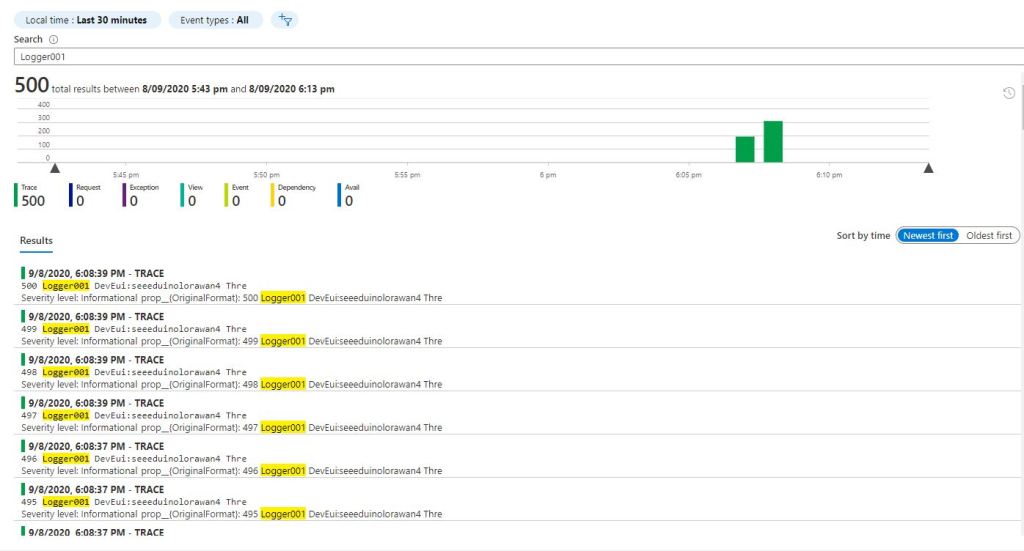
This implementation had even less code and all the messages were visible in the Azure Application Insights event viewer.
All the Azure functions for logging
While built the Proof of Concept(PoC) implementations I added the configurable “runtag” so I could search for the messages relating to a session in the Azure Application Insights event viewer. The queue name and storage account were “automagically” loaded by the runtime which also reduced the amount of code.
At this point I had minimised the amount and complexity of the code required to process messages in the ttnuplinkmessages queue. Reducing the amount of “startup” required should make my QueueTriggerAzure function faster. But there was still a lot of boilerplate code for serialising the body of the message which added complexity.
At this point I realised I had a lot of code across multiple projects which had helped me breakdown the problem into manageable chunks but didn’t add a lot of value.
I modified the application so I could provide the InstrumentationKey via the command line or the ApplicationInsights.Config file.(I have a minimalist config for this sample)
namespace devMobile.Azure.ApplicationInsightsNLogClient
{
   class Program
   {
      private static Logger log = LogManager.GetLogger(System.Reflection.MethodBase.GetCurrentMethod().DeclaringType.ToString());

      static void Main(string[] args)
      {
         if ((args.Length != 0) && (args.Length != 1))
         {
            Console.WriteLine("Usage ApplicationInsightsNLogClient");
            Console.WriteLine("      ApplicationInsightsNLogClient <instrumentationKey>");
            return;
         }

         if (args.Length == 1)
         {
            TelemetryConfiguration.Active.InstrumentationKey = args[0];
         }

         log.Trace("This is an nLog Trace message");
         log.Debug("This is an nLog Debug message");
         log.Info("This is an nLog Info message");
         log.Warn("This is an nLog Warning message");
         log.Error("This is an nLog Error message");
         log.Fatal("This is an nLog Fatal message");

         TelemetryConfiguration.Active.TelemetryChannel.Flush();

			Console.WriteLine("Press <enter> to exit>");
			Console.ReadLine();
		}
	}
}
With the different versions of the libraries involved (Early April 2020) this was what I found worked for me so YMMV.
Initially the logging to Application Insights wasn’t working even though it was configured in the ApplicationIngisghts.config file. After some experimentation I found setting the APPINSIGHTS_INSTRUMENTATIONKEY environment variable was the only way I could get it to work.
namespace ApplicationInsightsAzureFunctionLog4NetClient
{
	using System;
	using System.IO;
	using System.Reflection;
	using log4net;
	using log4net.Config;
	using Microsoft.ApplicationInsights;
	using Microsoft.ApplicationInsights.Extensibility;
	using Microsoft.Azure.WebJobs;

	public static class ApplicationInsightsTimer
	{
		[FunctionName("ApplicationInsightsTimerLog4Net")]
		public static void Run([TimerTrigger("0 */1 * * * *")]TimerInfo myTimer, ExecutionContext executionContext)
		{
         ILog log = log4net.LogManager.GetLogger(System.Reflection.MethodBase.GetCurrentMethod().DeclaringType);

         using (TelemetryConfiguration telemetryConfiguration = TelemetryConfiguration.CreateDefault())
         {
            TelemetryClient telemetryClient = new TelemetryClient(telemetryConfiguration);

            var logRepository = LogManager.GetRepository(Assembly.GetEntryAssembly());
            XmlConfigurator.Configure(logRepository, new FileInfo(Path.Combine(executionContext.FunctionAppDirectory, "log4net.config")));

            log.Debug("This is a Log4Net Debug message");
            log.Info("This is a Log4Net Info message");
            log.Warn("This is a Log4Net Warning message");
            log.Error("This is a Log4Net Error message");
            log.Fatal("This is a Log4Net Fatal message");

            telemetryClient.Flush();
         }
      }
   }
}
I did notice that there were a number of exceptions which warrant further investigation.
'func.exe' (CoreCLR: clrhost): Loaded 'C:\Users\BrynLewis\source\repos\AzureApplicationInsightsClients\ApplicationInsightsAzureFunctionLog4NetClient\bin\Debug\netcoreapp3.1\bin\log4net.dll'.
Exception thrown: 'System.IO.FileNotFoundException' in System.Private.CoreLib.dll
Exception thrown: 'System.IO.FileNotFoundException' in System.Private.CoreLib.dll
Exception thrown: 'System.IO.FileNotFoundException' in System.Private.CoreLib.dll
Exception thrown: 'System.IO.FileNotFoundException' in System.Private.CoreLib.dll
Exception thrown: 'System.IO.FileNotFoundException' in System.Private.CoreLib.dll
Exception thrown: 'System.IO.FileNotFoundException' in System.Private.CoreLib.dll
'func.exe' (CoreCLR: clrhost): Loaded 'C:\Users\BrynLewis\AppData\Local\AzureFunctionsTools\Releases\2.47.1\cli_x64\System.Xml.XmlDocument.dll'.
'func.exe' (CoreCLR: clrhost): Loaded 'C:\Users\BrynLewis\source\repos\AzureApplicationInsightsClients\ApplicationInsightsAzureFunctionLog4NetClient\bin\Debug\netcoreapp3.1\bin\Microsoft.ApplicationInsights.Log4NetAppender.dll'.
'func.exe' (CoreCLR: clrhost): Loaded 'C:\Users\BrynLewis\AppData\Local\AzureFunctionsTools\Releases\2.47.1\cli_x64\System.Reflection.TypeExtensions.dll'.
Application Insights Telemetry: {"name":"Microsoft.ApplicationInsights.64b1950b90bb46aaa36c26f5dce0cad3.Message","time":"2020-04-09T09:22:33.2274370Z","iKey":"1234567890123-1234-12345-123456789012","tags":{"ai.cloud.roleInstance":"DESKTOP-C9IPNQ1","ai.operation.id":"bc6c4d10cebd954c9d815ad06add2582","ai.operation.parentId":"|bc6c4d10cebd954c9d815ad06add2582.d8fa83b88b175348.","ai.operation.name":"ApplicationInsightsTimerLog4Net","ai.location.ip":"0.0.0.0","ai.internal.sdkVersion":"log4net:2.13.1-12554","ai.internal.nodeName":"DESKTOP-C9IPNQ1"},"data":{"baseType":"MessageData","baseData":{"ver":2,"message":"This is a Log4Net Info message","severityLevel":"Information","properties":{"Domain":"NOT AVAILABLE","InvocationId":"91063ef9-70d0-4318-a1e0-e49ade07c51b","ThreadName":"14","ClassName":"?","LogLevel":"Information","ProcessId":"15824","Category":"Function.ApplicationInsightsTimerLog4Net","MethodName":"?","Identity":"NOT AVAILABLE","FileName":"?","LoggerName":"ApplicationInsightsAzureFunctionLog4NetClient.ApplicationInsightsTimer","LineNumber":"?"}}}}
The latest code for my Azure Function Log4net to Applications Insights sample is available on here.
I had to remove the ability to set the instrumentation key via the command line as I couldn’t get it to work.
I tried initialising the logger after loading the telemetry configuration, passing the InstrumentationKey in as a parameter of the TelemetryConfiguration constructor etc. and it made no difference.
The only other option that appeared to work was setting the instrumentation key via an Environment Variable called APPINSIGHTS_INSTRUMENTATIONKEY
   class Program
   {
      private static ILog log = log4net.LogManager.GetLogger(System.Reflection.MethodBase.GetCurrentMethod().DeclaringType);

      static void Main(string[] args)
      {
         using (TelemetryConfiguration telemetryConfiguration = TelemetryConfiguration.CreateDefault())
         {
            TelemetryClient telemetryClient = new TelemetryClient(telemetryConfiguration);

            var logRepository = LogManager.GetRepository(Assembly.GetEntryAssembly());
            XmlConfigurator.Configure(logRepository, new FileInfo(Path.Combine(Environment.CurrentDirectory, "log4net.config")));

            log.Debug("This is a Log4Net Debug message");
            log.Info("This is a Log4Net Info message");
            log.Warn("This is a Log4Net Warning message");
            log.Error("This is a Log4Net Error message");
            log.Fatal("This is a Log4Net Fatal message");

            telemetryClient.Flush();
         }

         Console.WriteLine("Press <enter> to exit");
         Console.ReadLine();
      }
   }
I updated the Log4Net setup to use the ManagedColoredConsoleAppender which required a couple of modifications to the Log4Net.config file. (Initially it was failing because I was using the non US spelling of log4net.Appender.ManagedColoredConsoleAppender)
I did notice that after a several seconds while waiting for the enter key to be pressed there were a number of exceptions which warrants further investigation.
devMobile.Azure.ApplicationInsightsLog4NetCoreClient.Program: 2020-04-08 17:14:23,455 [1] FATAL devMobile.Azure.ApplicationInsightsLog4NetCoreClient.Program – This is a Log4Net Fatal message ‘ApplicationInsightsLog4NetCoreClient.exe’ (CoreCLR: clrhost): Loaded ‘C:\Program Files\dotnet\shared\Microsoft.NETCore.App\3.1.3\System.Security.Cryptography.Encoding.dll’. Exception thrown: ‘System.Threading.Tasks.TaskCanceledException’ in System.Private.CoreLib.dll Exception thrown: ‘System.Threading.Tasks.TaskCanceledException’ in System.Private.CoreLib.dll Exception thrown: ‘System.Threading.Tasks.TaskCanceledException’ in System.Private.CoreLib.dll Exception thrown: ‘System.Threading.Tasks.TaskCanceledException’ in System.Private.CoreLib.dll Exception thrown: ‘System.Threading.Tasks.TaskCanceledException’ in System.Net.Http.dll Exception thrown: ‘System.Threading.Tasks.TaskCanceledException’ in System.Private.CoreLib.dll Exception thrown: ‘System.Threading.Tasks.TaskCanceledException’ in System.Private.CoreLib.dll Exception thrown: ‘System.Threading.Tasks.TaskCanceledException’ in System.Private.CoreLib.dll Exception thrown: ‘System.Threading.Tasks.TaskCanceledException’ in System.Net.Http.dll Exception thrown: ‘System.Threading.Tasks.TaskCanceledException’ in System.Private.CoreLib.dll Exception thrown: ‘System.Threading.Tasks.TaskCanceledException’ in System.Net.Http.dll Exception thrown: ‘System.Threading.Tasks.TaskCanceledException’ in System.Private.CoreLib.dll Exception thrown: ‘System.Threading.Tasks.TaskCanceledException’ in System.Private.CoreLib.dll Exception thrown: ‘System.Threading.Tasks.TaskCanceledException’ in System.Private.CoreLib.dll The program ‘[13920] ApplicationInsightsLog4NetCoreClient.exe’ has exited with code 0 (0x0). The program ‘[13920] ApplicationInsightsLog4NetCoreClient.exe: Program Trace’ has exited with code 0 (0x0).
   class Program
   {
      static void Main(string[] args)
      {
#if INSTRUMENTATION_KEY_TELEMETRY_CONFIGURATION
         if (args.Length != 1)
         {
            Console.WriteLine("Usage AzureApplicationInsightsClientConsole <instrumentationKey>");
            return;
         }

         TelemetryConfiguration telemetryConfiguration = new TelemetryConfiguration(args[0]);
         TelemetryClient telemetryClient = new TelemetryClient(telemetryConfiguration);
         telemetryClient.TrackTrace("INSTRUMENTATION_KEY_TELEMETRY_CONFIGURATION", SeverityLevel.Information);
#endif
#if INSTRUMENTATION_KEY_APPLICATION_INSIGHTS_CONFIG
         TelemetryConfiguration telemetryConfiguration = TelemetryConfiguration.CreateDefault();
         TelemetryClient telemetryClient = new TelemetryClient(telemetryConfiguration);
         telemetryClient.TrackTrace("INSTRUMENTATION_KEY_APPLICATION_INSIGHTS_CONFIG", SeverityLevel.Information);
#endif
         telemetryClient.Context.User.Id = Environment.UserName;
         telemetryClient.Context.Device.Id = Environment.MachineName;
         telemetryClient.Context.Operation.Name = "Test harness";

         telemetryClient.TrackTrace("This is a .Net Core AI API Verbose message", SeverityLevel.Verbose);
         telemetryClient.TrackTrace("This is a .Net Core AI API Information message", SeverityLevel.Information);
         telemetryClient.TrackTrace("This is a .Net Core AI API Warning message", SeverityLevel.Warning);
         telemetryClient.TrackTrace("This is a .Net Core AI API Error message", SeverityLevel.Error);
         telemetryClient.TrackTrace("This is a .Net Core AI API Critical message", SeverityLevel.Critical);

         telemetryClient.Flush();

         telemetryConfiguration.Dispose(); // In real-world use a using or similar approach to ensure cleaned up

         Console.WriteLine("Press <enter> to exit");
         Console.ReadLine();
      }
   }
I modified the code to allow the Instrumentation Key input via a command line parameter or from the ApplicationInsights.config file.
class Program
{
   private static ILog log = log4net.LogManager.GetLogger(System.Reflection.MethodBase.GetCurrentMethod().DeclaringType);

   static void Main(string[] args)
   {
      if (( args.Length != 0) && (args.Length != 1 ))
      {
         Console.WriteLine("Usage AzureApplicationInsightsClientConsole");
         Console.WriteLine("      AzureApplicationInsightsClientConsole <instrumentationKey>");
         return;
      }

      if (args.Length == 1)
      {
         TelemetryConfiguration.Active.InstrumentationKey = args[0];
      }

      log.Debug("This is a Log4Net Debug message");
      log.Info("This is a Log4Net Info message");
      log.Warn("This is a Log4Net Warning message");
      log.Error("This is an Log4Net Error message");
      log.Fatal("This is a Log4Net Fatal message");

      TelemetryConfiguration.Active.TelemetryChannel.Flush();

      Console.WriteLine("Press <enter> to exit>");
      Console.ReadLine();
   }
}
I updated the Log4Net setup to use the ManagedColoredConsoleAppender which required a couple of modifications to the Log4Net.config file. (I had to remove HighIntensity)
This post revisits a previous post “Don’t forget to flush” Application insights and shows how to configure the instrumentation key in code or via the ApplicationInsights.config file.
 class Program
   {
      static void Main(string[] args)
      {
#if INSTRUMENTATION_KEY_TELEMETRY_CONFIGURATION
         if (args.Length != 1)
         {
            Console.WriteLine("Usage AzureApplicationInsightsClientConsole <instrumentationKey>");
            return;
         }

         TelemetryConfiguration telemetryConfiguration = new TelemetryConfiguration(args[0]);
         TelemetryClient telemetryClient = new TelemetryClient(telemetryConfiguration);
         telemetryClient.TrackTrace("INSTRUMENTATION_KEY_TELEMETRY_CONFIGURATION", SeverityLevel.Information);
#endif
#if INSTRUMENTATION_KEY_APPLICATION_INSIGHTS_CONFIG
         TelemetryClient telemetryClient = new TelemetryClient();
         telemetryClient.TrackTrace("INSTRUMENTATION_KEY_APPLICATION_INSIGHTS_CONFIG", SeverityLevel.Information);
#endif
         telemetryClient.TrackTrace("This is an AI API Verbose message", SeverityLevel.Verbose);
         telemetryClient.TrackTrace("This is an AI API Information message", SeverityLevel.Information);
         telemetryClient.TrackTrace("This is an AI API Warning message", SeverityLevel.Warning);
         telemetryClient.TrackTrace("This is an AI API Error message", SeverityLevel.Error);
         telemetryClient.TrackTrace("This is an AI API Critical message", SeverityLevel.Critical);

         telemetryClient.Flush();

         Console.WriteLine("Press <enter> to exit");
         Console.ReadLine();
      }