Random wanderings through Microsoft Azure esp. PaaS plumbing, the IoT bits, AI on Micro controllers, AI on Edge Devices, .NET nanoFramework, .NET Core on *nix and ML.NET+ONNX
// At this point all the AzureIoT Hub deviceClients setup and ready to go so can enable MQTT receive
mqttClient.UseApplicationMessageReceivedHandler(new MqttApplicationMessageReceivedHandlerDelegate(e => MqttClientApplicationMessageReceived(e)));
// This may shift to individual device subscriptions
string uplinkTopic = $"v3/{options.MqttApplicationID}/devices/+/up";
await mqttClient.SubscribeAsync(uplinkTopic, MQTTnet.Protocol.MqttQualityOfServiceLevel.AtLeastOnce);
//string queuedTopic = $"v3/{options.MqttApplicationID}/devices/+/queued";
//await mqttClient.SubscribeAsync(queuedTopic, MQTTnet.Protocol.MqttQualityOfServiceLevel.AtLeastOnce);
The additional commented out subscriptions are for the processing of downlink messages
The MQTTNet received message handler uses the last segment of the topic to route messages to a method for processing
The UplinkMessageReceived method deserialises the message payload, retrieves device context information from the local ObjectCache, adds relevant uplink messages fields (including the raw payload), then if the message has been unpacked by a TTN Decoder, the message fields are added as well.
static async Task UplinkMessageReceived(MqttApplicationMessageReceivedEventArgs e)
{
try
{
PayloadUplinkV3 payload = JsonConvert.DeserializeObject<PayloadUplinkV3>(e.ApplicationMessage.ConvertPayloadToString());
string applicationId = payload.EndDeviceIds.ApplicationIds.ApplicationId;
string deviceId = payload.EndDeviceIds.DeviceId;
int port = payload.UplinkMessage.Port;
...
DeviceClient deviceClient = (DeviceClient)DeviceClients.Get(deviceId);
if (deviceClient == null)
{
Console.WriteLine($" UplinkMessageReceived unknown DeviceID: {deviceId}");
return;
}
JObject telemetryEvent = new JObject();
telemetryEvent.Add("DeviceID", deviceId);
telemetryEvent.Add("ApplicationID", applicationId);
telemetryEvent.Add("Port", port);
telemetryEvent.Add("PayloadRaw", payload.UplinkMessage.PayloadRaw);
// If the payload has been unpacked in TTN backend add fields to telemetry event payload
if (payload.UplinkMessage.PayloadDecoded != null)
{
EnumerateChildren(telemetryEvent, payload.UplinkMessage.PayloadDecoded);
}
// Send the message to Azure IoT Hub/Azure IoT Central
using (Message ioTHubmessage = new Message(Encoding.ASCII.GetBytes(JsonConvert.SerializeObject(telemetryEvent))))
{
// Ensure the displayed time is the acquired time rather than the uploaded time.
//ioTHubmessage.Properties.Add("iothub-creation-time-utc", payloadObject.Metadata.ReceivedAtUtc.ToString("s", CultureInfo.InvariantCulture));
ioTHubmessage.Properties.Add("ApplicationId", applicationId);
ioTHubmessage.Properties.Add("DeviceId", deviceId);
ioTHubmessage.Properties.Add("port", port.ToString());
await deviceClient.SendEventAsync(ioTHubmessage);
}
}
catch( Exception ex)
{
Debug.WriteLine("UplinkMessageReceived failed: {0}", ex.Message);
}
}
private static void EnumerateChildren(JObject jobject, JToken token)
{
if (token is JProperty property)
{
if (token.First is JValue)
{
// Temporary dirty hack for Azure IoT Central compatibility
if (token.Parent is JObject possibleGpsProperty)
{
if (possibleGpsProperty.Path.StartsWith("GPS_", StringComparison.OrdinalIgnoreCase))
{
if (string.Compare(property.Name, "Latitude", true) == 0)
{
jobject.Add("lat", property.Value);
}
if (string.Compare(property.Name, "Longitude", true) == 0)
{
jobject.Add("lon", property.Value);
}
if (string.Compare(property.Name, "Altitude", true) == 0)
{
jobject.Add("alt", property.Value);
}
}
}
jobject.Add(property.Name, property.Value);
}
else
{
JObject parentObject = new JObject();
foreach (JToken token2 in token.Children())
{
EnumerateChildren(parentObject, token2);
jobject.Add(property.Name, parentObject);
}
}
}
else
{
foreach (JToken token2 in token.Children())
{
EnumerateChildren(jobject, token2);
}
}
}
There is also some basic reformatting of the messages for Azure IoT Central
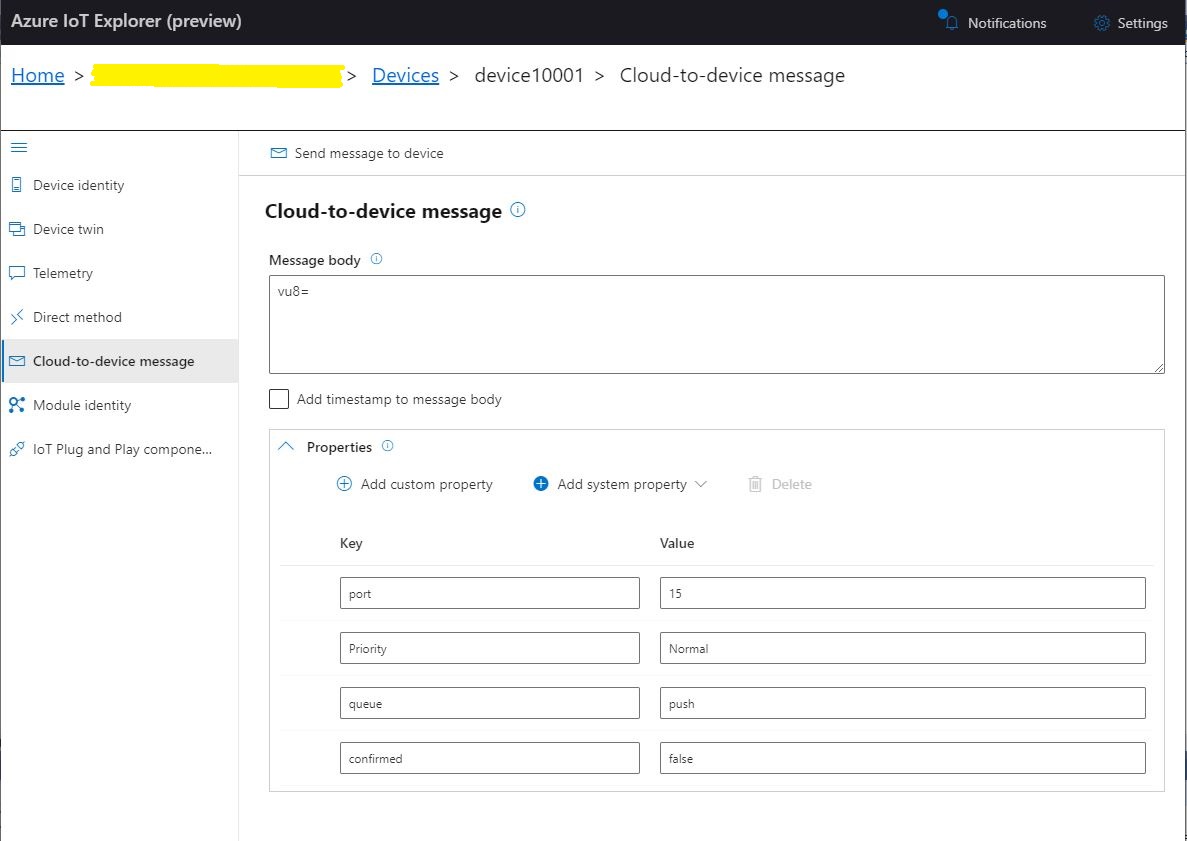
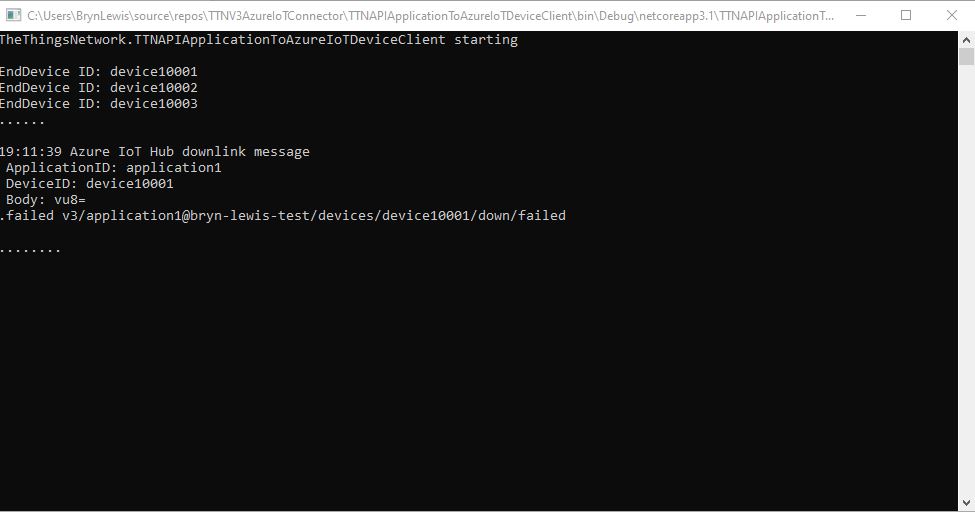
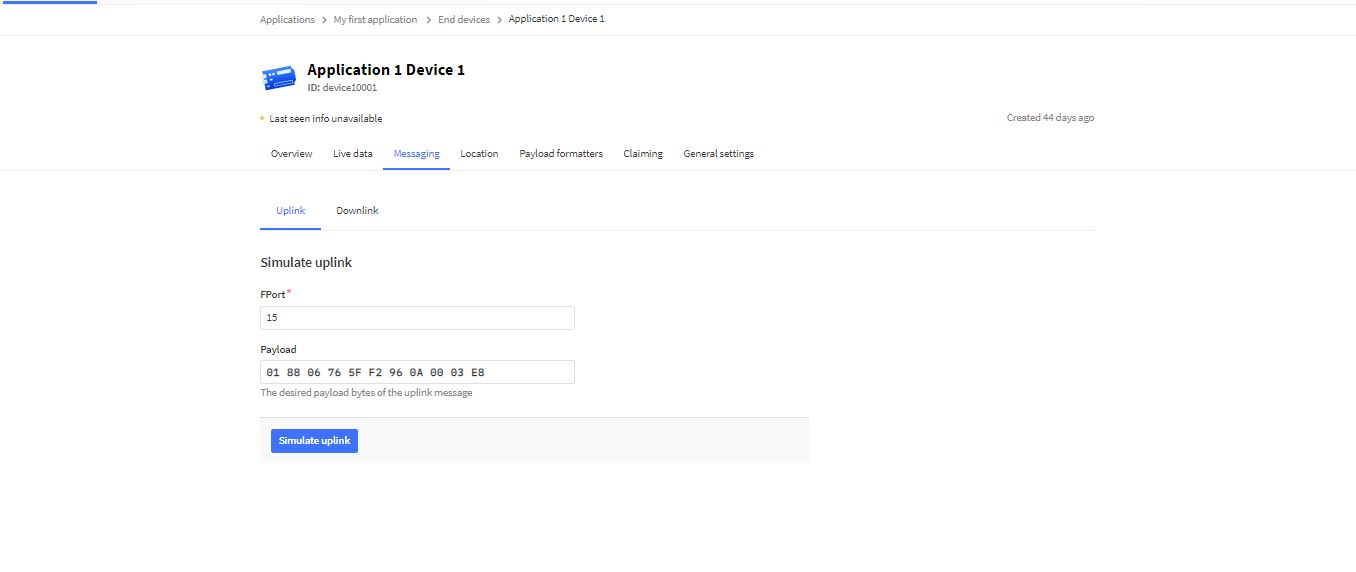
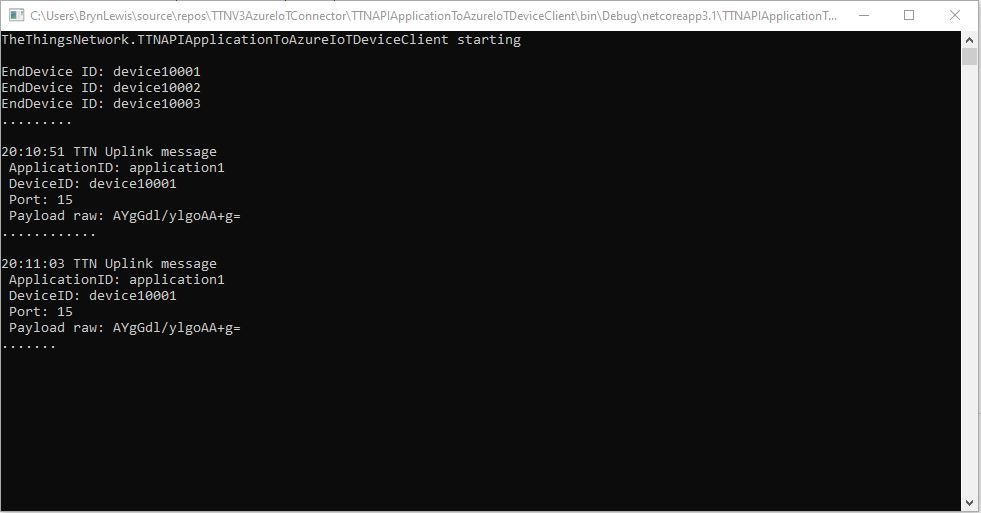
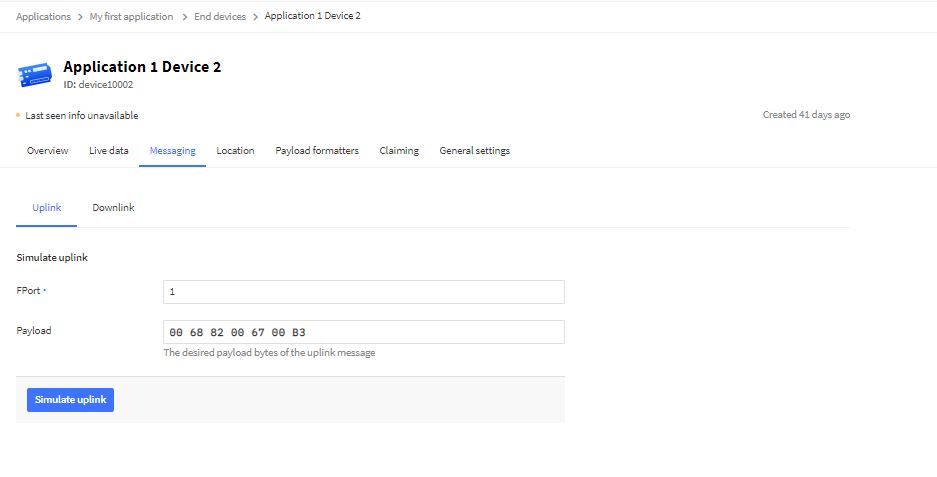
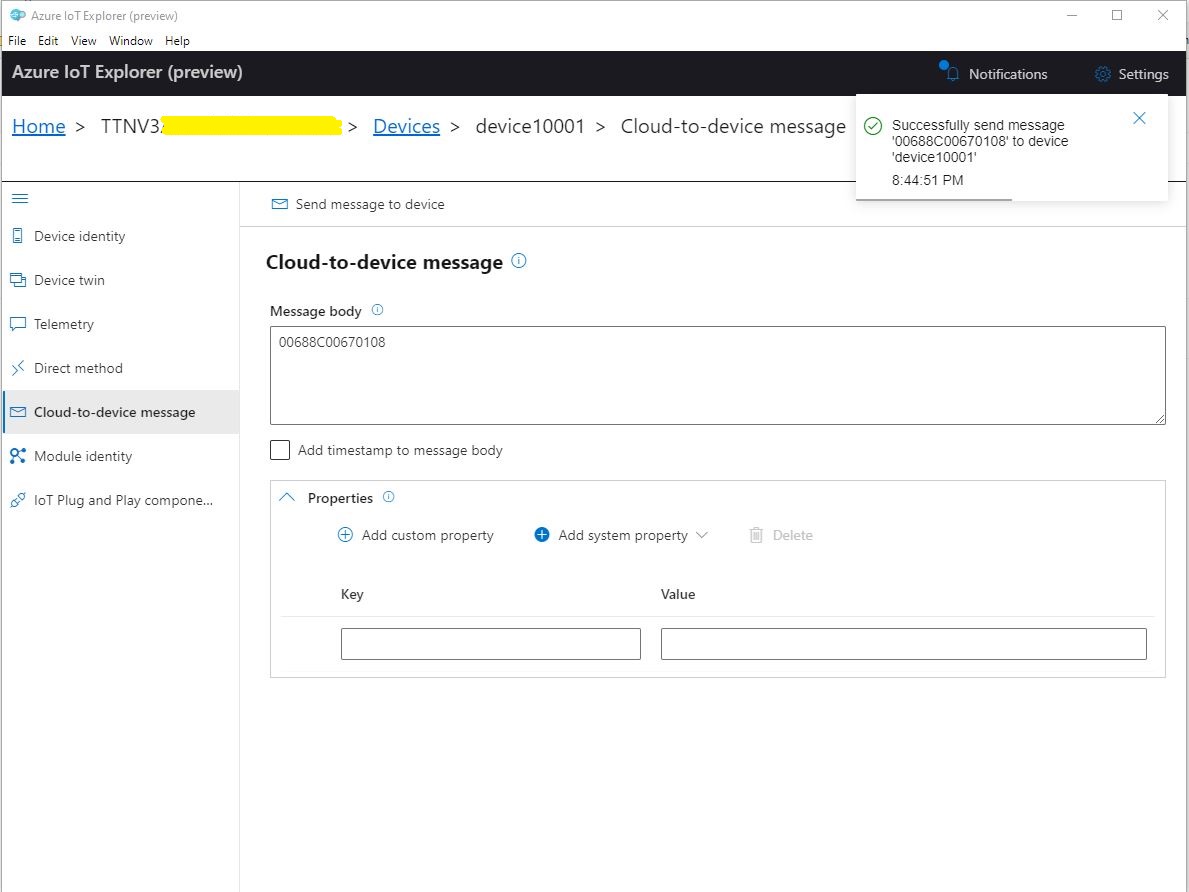
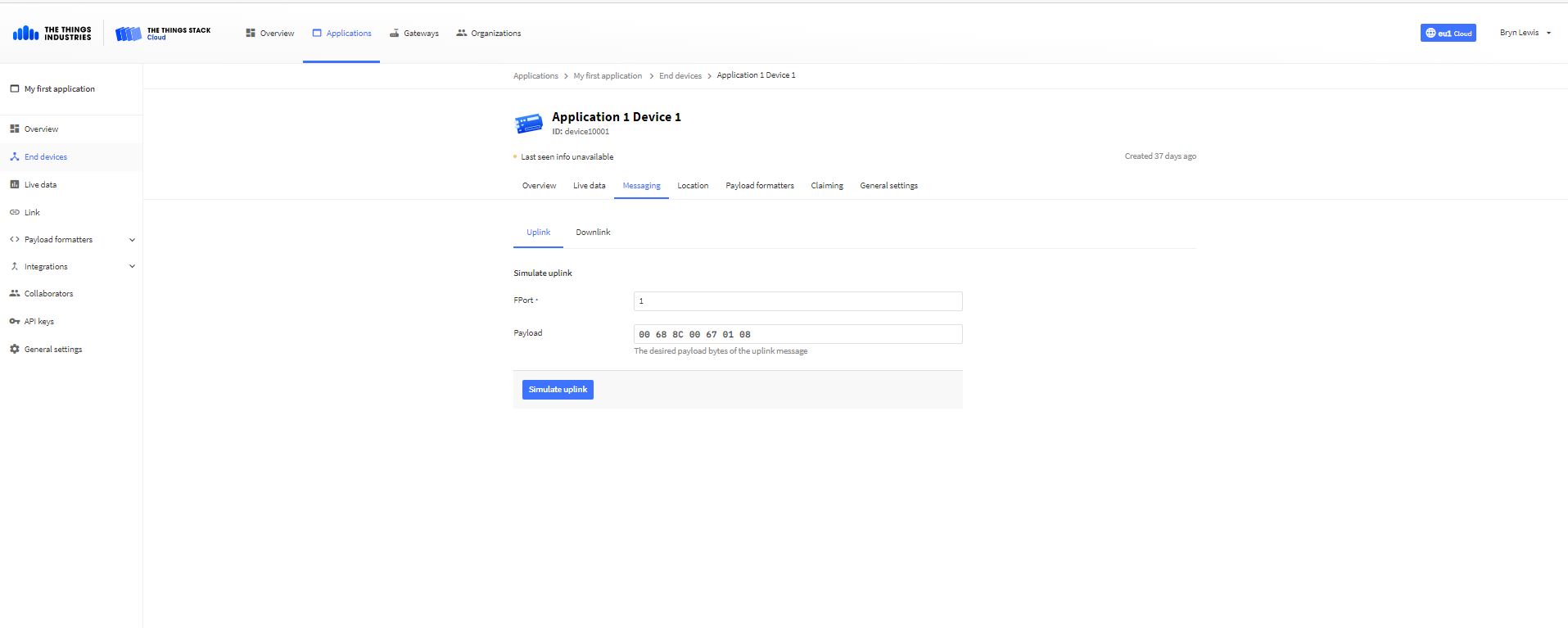
TTN Simulate uplink message with GPS location payload.Nasty console application processing uplink messageMessage from LoRaWAN device displayed in Azure IoT Explorer
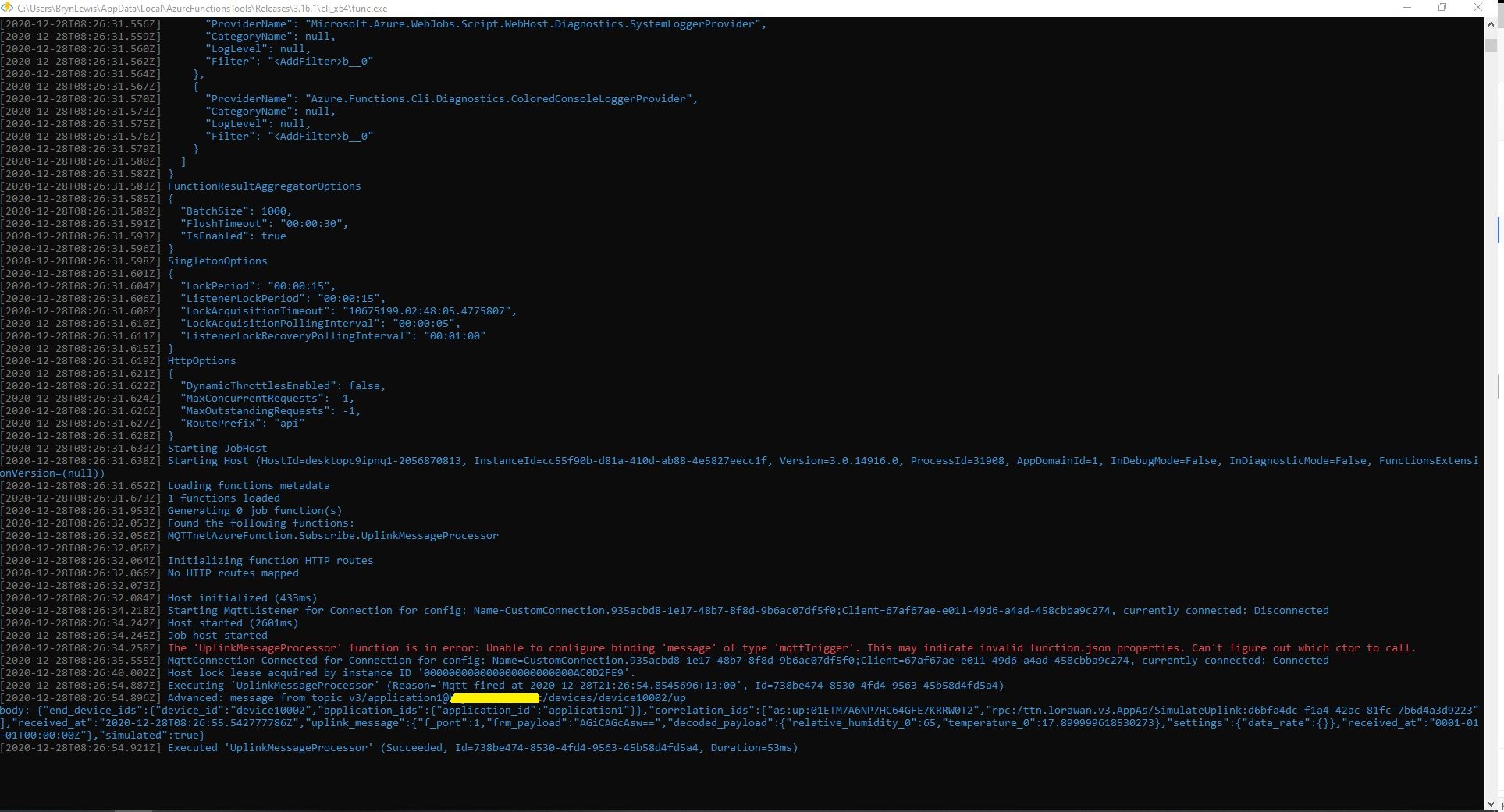
The first version of the Azure function code proof of concept(PoC) was very compact
namespace MQTTnetAzureFunction
{
using System;
using System.Text;
using Microsoft.Azure.WebJobs;
using Microsoft.Extensions.Logging;
using CaseOnline.Azure.WebJobs.Extensions.Mqtt;
using CaseOnline.Azure.WebJobs.Extensions.Mqtt.Messaging;
using CaseOnline.Azure.WebJobs.Extensions.Mqtt.Config;
using CaseOnline.Azure.WebJobs.Extensions.Mqtt.Bindings;
using MQTTnet.Client.Options;
using MQTTnet.Extensions.ManagedClient;
public static class Subscribe
{
[FunctionName("UplinkMessageProcessor")]
public static void UplinkMessageProcessor(
[MqttTrigger("v3/application123456789012345/devices/+/up", ConnectionString = "TTNMQTTConnectionString")] IMqttMessage message,
IMqttMessage message,
ILogger log)
{
var body = Encoding.UTF8.GetString(message.GetMessage());
log.LogInformation($"Advanced: message from topic {message.Topic} \nbody: {body}");
}
}
}
I configured the TTNMQTTConnectionString in the application’s local.settings.json file
This was a good start but I need to be able to configure the MQTT topic for deployments.
After looking at the binding source code plus some trial and error based on the AdvancedConfiguration sample I have a nasty PoC
public static class Subscribe
{
[FunctionName("UplinkMessageProcessor")]
public static void UplinkMessageProcessor(
[MqttTrigger(typeof(ExampleMqttConfigProvider), "v3/%TopicName%/devices/+/up")] IMqttMessage message,
ILogger log)
{
var body = Encoding.UTF8.GetString(message.GetMessage());
log.LogInformation($"Advanced: message from topic {message.Topic} \nbody: {body}");
}
}
public class MqttConfigExample : CustomMqttConfig
{
public override IManagedMqttClientOptions Options { get; }
public override string Name { get; }
public MqttConfigExample(string name, IManagedMqttClientOptions options)
{
Options = options;
Name = name;
}
}
public class ExampleMqttConfigProvider : ICreateMqttConfig
{
public CustomMqttConfig Create(INameResolver nameResolver, ILogger logger)
{
var connectionString = new MqttConnectionString(nameResolver.Resolve("TTNMQTTConnectionString"), "CustomConfiguration");
var options = new ManagedMqttClientOptionsBuilder()
.WithAutoReconnectDelay(TimeSpan.FromSeconds(5))
.WithClientOptions(new MqttClientOptionsBuilder()
.WithClientId(connectionString.ClientId.ToString())
.WithTcpServer(connectionString.Server, connectionString.Port)
.WithCredentials(connectionString.Username, connectionString.Password)
.Build())
.Build();
return new MqttConfigExample("CustomConnection", options);
}
}
The TTNMQTTConnectionString and TopicName can be configured in the application’s local.settings.json file
While building these PoCs I have learnt a lot about the way that the TTN V3 RESTful and MQTT APIs work and this is the first in a series of posts about linking them together. My plan is to start with yet another .NetCore Console application which hosts both the MQTT and Azure IoT Hub DeviceClient (using the Advanced Message Queueing Protocol(AMQP)) client implementations. I’m using MQTTnet to build my data API client and used NSwag by Richo Suter to generate my RESTful client from the TTN provided swagger file.
In this PoC I’m using the commandlineParserNuGet package to the reduce the amount of code required to process command line parameters and make it more robust. This PoC has a lot of command line parameters which would have been painful to manually parse and validate.
public class CommandLineOptions
{
[Option('u', "APIbaseURL", Required = false, HelpText = "TTN Restful API URL.")]
public string ApiBaseUrl { get; set; }
[Option('K', "APIKey", Required = true, HelpText = "TTN Restful API APIkey")]
public string ApiKey { get; set; }
[Option('P', "APIApplicationID", Required = true, HelpText = "TTN Restful API ApplicationID")]
public string ApiApplicationID { get; set; }
[Option('D', "DeviceListPageSize", Required = true, HelpText = "The size of the pages used to retrieve EndDevice configuration")]
public int DevicePageSize { get; set; }
[Option('S', "MQTTServerName", Required = true, HelpText = "TTN MQTT API server name")]
public string MqttServerName { get; set; }
[Option('A', "MQTTAccessKey", Required = true, HelpText = "TTN MQTT API access key")]
public string MqttAccessKey { get; set; }
[Option('Q', "MQTTApplicationID", Required = true, HelpText = "TTN MQTT API ApplicationID")]
public string MqttApplicationID { get; set; }
[Option('C', "MQTTClientName", Required = true, HelpText = "TTN MQTT API Client ID")]
public string MqttClientID { get; set; }
[Option('Z', "AzureIoTHubConnectionString", Required = true, HelpText = "Azure IoT Hub Connection string")]
public string AzureIoTHubconnectionString { get; set; }
}
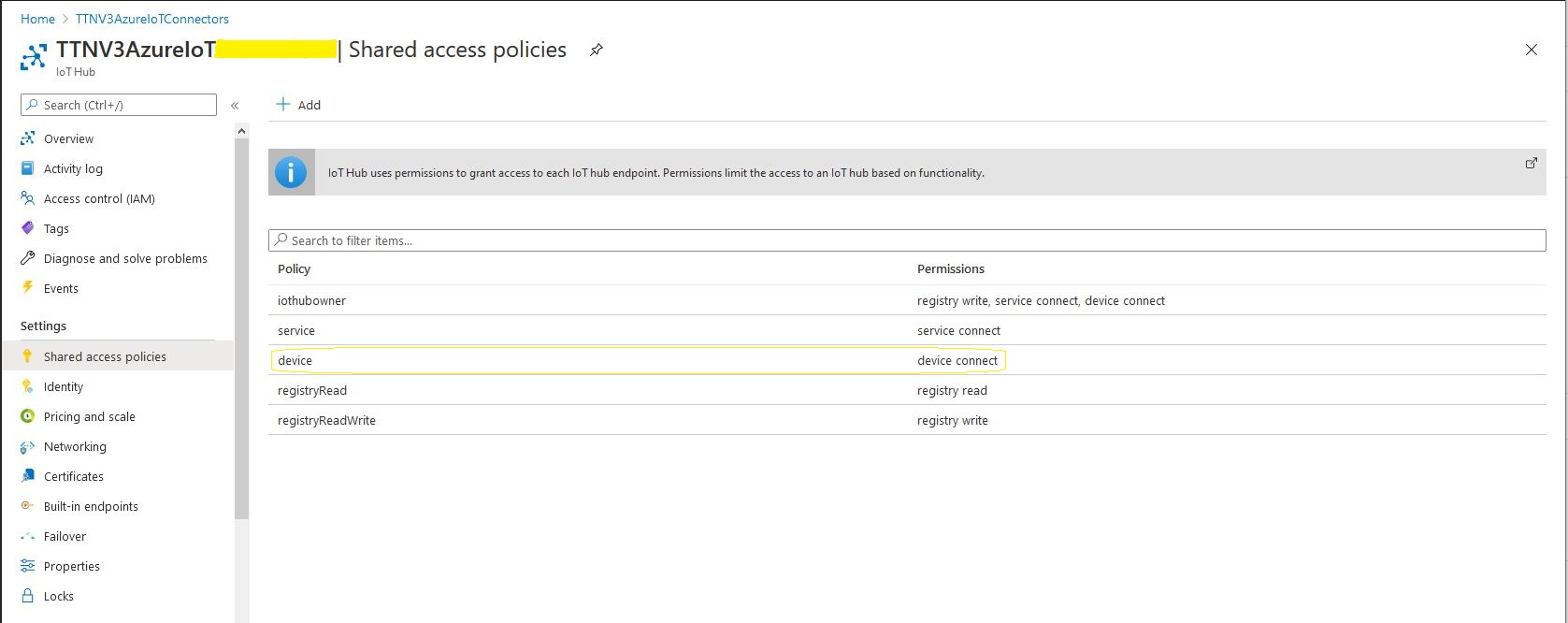
To keep things simple in this PoC I’m using an Azure IoT Hub specific (rather than a device specific connection string)
After some trial and error I found the order of execution was important
Open MQTTnet connection to TTN host (but don’t configure any subscriptions)
Configure connection to TTN RESTful API
Retrieve list of V3EndDevices (paginated), then for each V3EndDevice
Open connection to Azure IoT Hub using command line connection string + TTN Device ID
Call DeviceClient.SetReceiveMessageHandlerAsync to specify ReceiveMessageCallback and additional context information for processing Azure IoT Hub downlink messages.
Store DeviceClient instance in ObjectCache using DeviceID as key
Configure the MQTTnet recived message handler
Subscribe to uplink messages from all the V3EndDevices in the specified application.
private static async Task ApplicationCore(CommandLineOptions options)
{
MqttFactory factory = new MqttFactory();
mqttClient = factory.CreateMqttClient();
#if DIAGNOSTICS
Console.WriteLine($"baseURL: {options.ApiBaseUrl}");
Console.WriteLine($"APIKey: {options.ApiKey}");
Console.WriteLine($"ApplicationID: {options.ApiApplicationID}");
Console.WriteLine($"AazureIoTHubconnectionString: {options.AzureIoTHubconnectionString}");
Console.WriteLine();
#endif
try
{
// First configure MQTT, open connection and wire up disconnection handler.
// Can't wire up MQTT received handler as at this stage AzureIoTHub devices not connected.
mqttOptions = new MqttClientOptionsBuilder()
.WithTcpServer(options.MqttServerName)
.WithCredentials(options.MqttApplicationID, options.MqttAccessKey)
.WithClientId(options.MqttClientID)
.WithTls()
.Build();
mqttClient.UseDisconnectedHandler(new MqttClientDisconnectedHandlerDelegate(e => MqttClientDisconnected(e)));
await mqttClient.ConnectAsync(mqttOptions);
// Prepare the HTTP client to be used in the TTN device enumeration
using (HttpClient httpClient = new HttpClient())
{
EndDeviceRegistryClient endDeviceRegistryClient = new EndDeviceRegistryClient(options.ApiBaseUrl, httpClient)
{
ApiKey = options.ApiKey
};
// Retrieve list of devices page by page
V3EndDevices endDevices = await endDeviceRegistryClient.ListAsync(
options.ApiApplicationID,
field_mask_paths: DevicefieldMaskPaths,
limit: options.DevicePageSize);
if ((endDevices != null) && (endDevices.End_devices != null)) // If no devices returns null rather than empty list
{
foreach (V3EndDevice endDevice in endDevices.End_devices)
{
// Display the device info+attributes then connect device to Azure IoT Hub
#if DEVICE_FIELDS_MINIMUM
Console.WriteLine($"EndDevice ID: {endDevice.Ids.Device_id}");
#else
Console.WriteLine($"Device ID: {endDevice.Ids.Device_id} Name: {endDevice.Name} Description: {endDevice.Description}");
Console.WriteLine($" CreatedAt: {endDevice.Created_at:dd-MM-yy HH:mm:ss} UpdatedAt: {endDevice.Updated_at:dd-MM-yy HH:mm:ss}");
#endif
#if DEVICE_ATTRIBUTES_DISPLAY
if (endDevice.Attributes != null)
{
Console.WriteLine(" EndDevice attributes");
foreach (KeyValuePair<string, string> attribute in endDevice.Attributes)
{
Console.WriteLine($" Key: {attribute.Key} Value: {attribute.Value}");
}
}
#endif
try
{
DeviceClient deviceClient = DeviceClient.CreateFromConnectionString(
options.AzureIoTHubconnectionString,
endDevice.Ids.Device_id,
TransportType.Amqp_Tcp_Only);
await deviceClient.OpenAsync();
await deviceClient.SetReceiveMessageHandlerAsync(
AzureIoTHubClientReceiveMessageHandler,
new AzureIoTHubReceiveMessageHandlerContext()
{
DeviceId = endDevice.Ids.Device_id,
ApplicationId = endDevice.Ids.Application_ids.Application_id,
});
DeviceClients.Add(endDevice.Ids.Device_id, deviceClient, cacheItemPolicy);
}
catch( Exception ex)
{
Console.WriteLine($"Azure IoT Hub OpenAsync failed {ex.Message}");
}
}
}
}
// At this point all the AzureIoT Hub deviceClients setup and ready to go so can enable MQTT receive
mqttClient.UseApplicationMessageReceivedHandler(new MqttApplicationMessageReceivedHandlerDelegate(e => MqttClientApplicationMessageReceived(e)));
// This may shift to individual device subscriptions
string uplinktopic = $"v3/{options.MqttApplicationID}/devices/+/up";
await mqttClient.SubscribeAsync(uplinktopic, MQTTnet.Protocol.MqttQualityOfServiceLevel.AtLeastOnce);
}
catch(Exception ex)
{
Console.WriteLine($"Main {ex.Message}");
Console.WriteLine("Press any key to exit");
Console.ReadLine();
return;
}
while (!Console.KeyAvailable)
{
Console.Write(".");
await Task.Delay(1000);
}
// Consider ways to mop up connections
Console.WriteLine("Press any key to exit");
Console.ReadLine();
}
When I was initially looking at Azure Deviceclient I would of had to have created a thread (which would have been blocked most of the time) for each device. This implementation issued was removed by the introduction of the DeviceClientSetReceiveMessageHandlerAsync method in release 1.33.0.
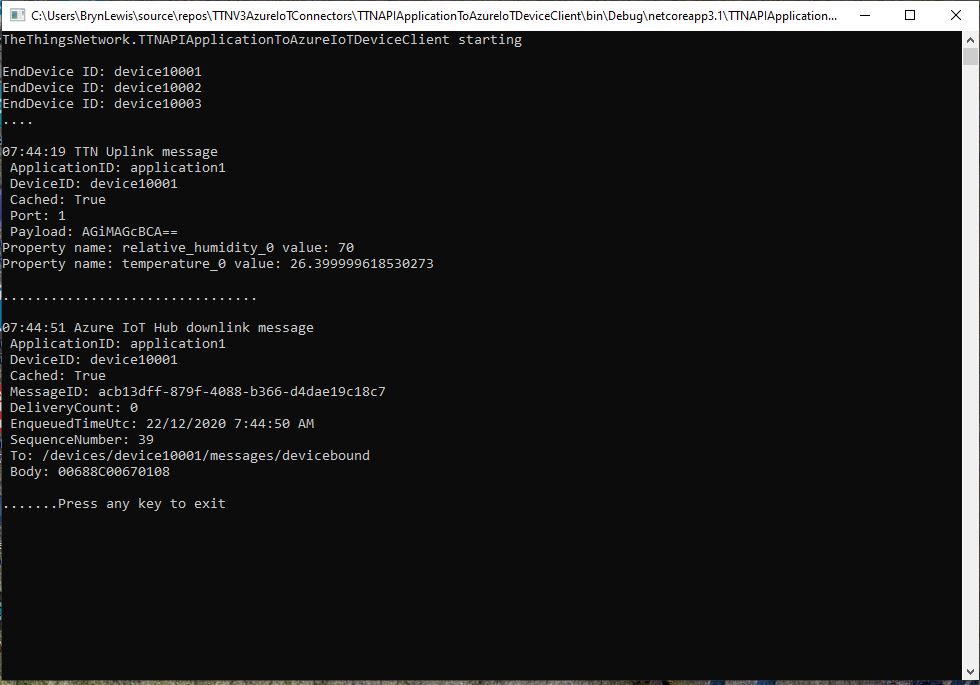
Currently the application just displays the Cloud to Device(C2D) message payload plus diagnostic information, and the CompleteAsync method is called so the message is dequeued.
Currently the application just displays the Cloud to Device(D2C) message payload plus diagnostic information, displaying the payload fields if the message format has been configured and successfully processed.
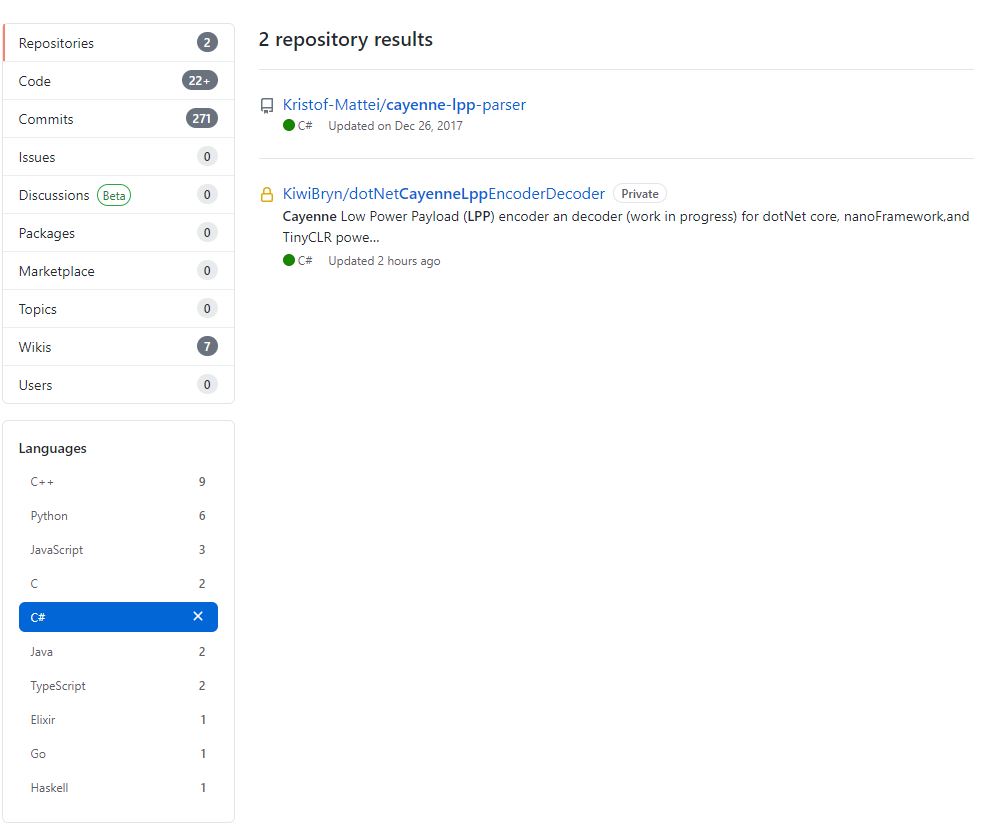
I originally started building my own Low Power Protocol(LPP) encoder because I could only find one other Github repository with a C# implementation. There hadn’t been any updates for a while and I wasn’t confident that I could make the code work on my nanoFramework and TinyCLR devices.
The original C++ code (understandably) had some language specific approaches which didn’t map well into C#. I then translated the code to C#
public void TemperatureAdd(byte channel, float celsius)
{
if ((index + TemperatureSize) > buffer.Length)
{
throw new ApplicationException("TemperatureAdd insufficent buffer capacity");
}
short val = (short)(celsius * 10);
buffer[index++] = channel;
buffer[index++] = (byte)DataType.Temperature;
buffer[index++] = (byte)(val >> 8);
buffer[index++] = (byte)val;
}
One of my sensors was sending values with more decimal places than LPP supported and I noticed the value was not getting rounded e.g. 2.99 ->2.9 not 3.0 etc. So I revised my implementation to use Math.Round (which is supported by the nanoFramework and TinyCLR).
public void DigitalInputAdd(byte channel, bool value)
{
#region Guard conditions
if ((channel < Constants.ChannelMinimum) || (channel > Constants.ChannelMaximum))
{
throw new ArgumentException($"channel must be between {Constants.ChannelMinimum} and {Constants.ChannelMaximum}", "channel");
}
if ((index + Constants.DigitalInputSize) > buffer.Length)
{
throw new ApplicationException($"Datatype DigitalInput insufficent buffer capacity, {buffer.Length - index} bytes available");
}
#endregion
buffer[index++] = channel;
buffer[index++] = (byte)Enumerations.DataType.DigitalInput;
// I know this is fugly but it works on all platforms
if (value)
{
buffer[index++] = 1;
}
else
{
buffer[index++] = 0;
}
}
I then extracted out the channel and buffer size validation but I’m not certain this makes the code anymore readable/understandable
public void DigitalInputAdd(byte channel, bool value)
{
IsChannelNumberValid(channel);
IsBufferSizeSufficient(Enumerations.DataType.DigitalInput);
buffer[index++] = channel;
buffer[index++] = (byte)Enumerations.DataType.DigitalInput;
// I know this is fugly but it works on all platforms
if (value)
{
buffer[index++] = 1;
}
else
{
buffer[index++] = 0;
}
}
The code runs on netCore, nanoFramework, and TinyCLRV2 just needs a few more unit tests and it will be ready for production. I started with an LPP encoder which I needed for one of my applications. I’m also working an approach for a decoder which will run on all my target platforms with minimal modification or compile time directives.
I left a Wisnode Track Lite RAK7200 outside on the deck for a day and the way the positions “snapped” to a grid caught my attention. Based on the size of my property the grid looked to be roughly 10 x 10 meters
The sample Low Power Payload Mbed C code uses a cast which is I think is the same as a floor.
“These functions round x downwards to the nearest integer, returning that value as a double. Thus, floor (1.5) is 1.0 and floor (-1.5) is -2.0.”
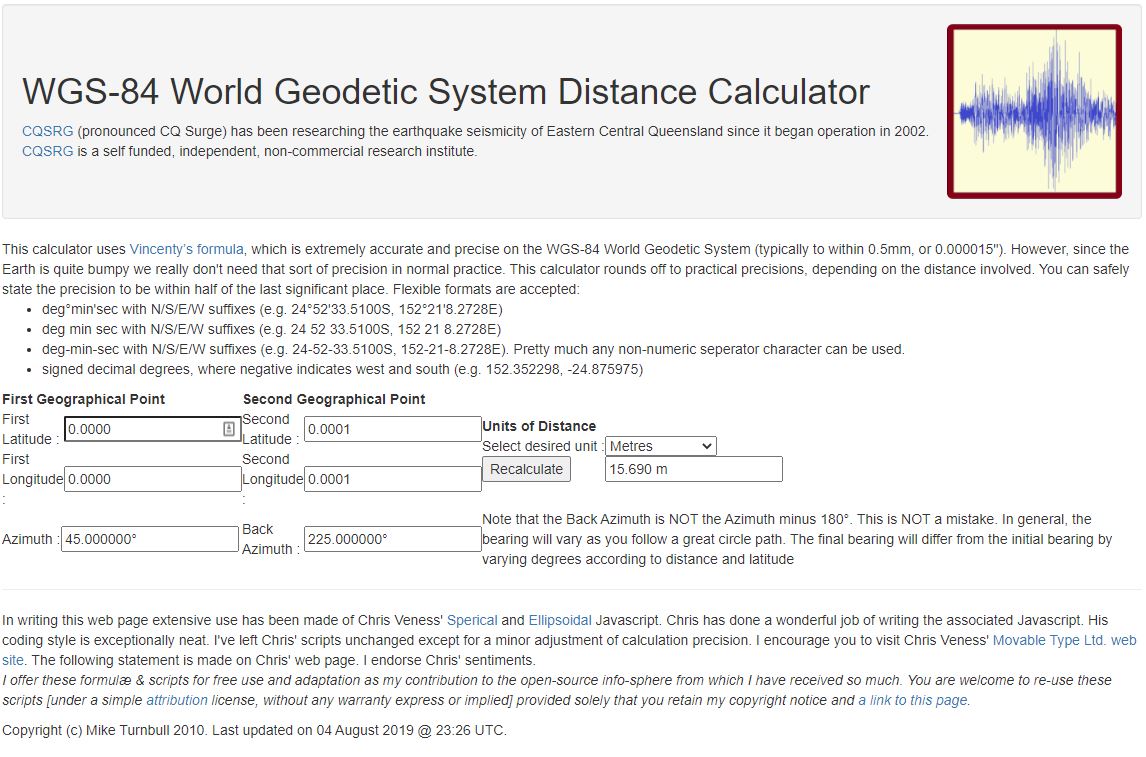
In the C code the latitude and longitude values are truncated to four decimal places and the altitude to two decimal places. In my C# code I used Math.Round and I wondered what impact that could have…
public void GpsLocationAdd(byte channel, float latitude, float longitude, float altitude)
{
IsChannelNumberValid(channel);
IsBfferSizeSufficient(Enumerations.DataType.Gps);
if ((latitude < Constants.LatitudeMinimum ) || (latitude > Constants.LatitudeMaximum))
{
throw new ArgumentException($"Latitude must be between {Constants.LatitudeMinimum} and {Constants.LatitudeMaximum}", "latitude");
}
if ((latitude < Constants.LongitudeMinimum) || (latitude > Constants.LongitudeMaximum))
{
throw new ArgumentException($"Longitude must be between {Constants.LongitudeMinimum} and {Constants.LongitudeMaximum}", "latitude");
}
if ((altitude < Constants.AltitudeMinimum) || (altitude > Constants.AltitudeMaximum))
{
throw new ArgumentException($"Altitude must be between {Constants.AltitudeMinimum} and {Constants.AltitudeMaximum}", "altitude");
}
int lat = (int)Math.Round(latitude * 10000.0f);
int lon = (int)Math.Round(longitude * 10000.0f);
int alt = (int)Math.Round(altitude * 100.0f);
buffer[index++] = channel;
buffer[index++] = (byte)Enumerations.DataType.Gps;
buffer[index++] = (byte)(lat >> 16);
buffer[index++] = (byte)(lat >> 8);
buffer[index++] = (byte)lat;
buffer[index++] = (byte)(lon >> 16);
buffer[index++] = (byte)(lon >> 8);
buffer[index++] = (byte)lon;
buffer[index++] = (byte)(alt >> 16);
buffer[index++] = (byte)(alt >> 8);
buffer[index++] = (byte)alt;
}
I live in Christchurch New Zealand and the theoretical maximum distance is 13.6 m. So, in summary the LPP latitude and longitude values are most probably fine for tracking applications.
Back in 1986 in my second first year at the University of Canterbury I did “MATH131 Numerical Methods” which was a year of looking at why mathematics in FORTRAN, C, and Pascal sometimes didn’t return the result you were expecting…
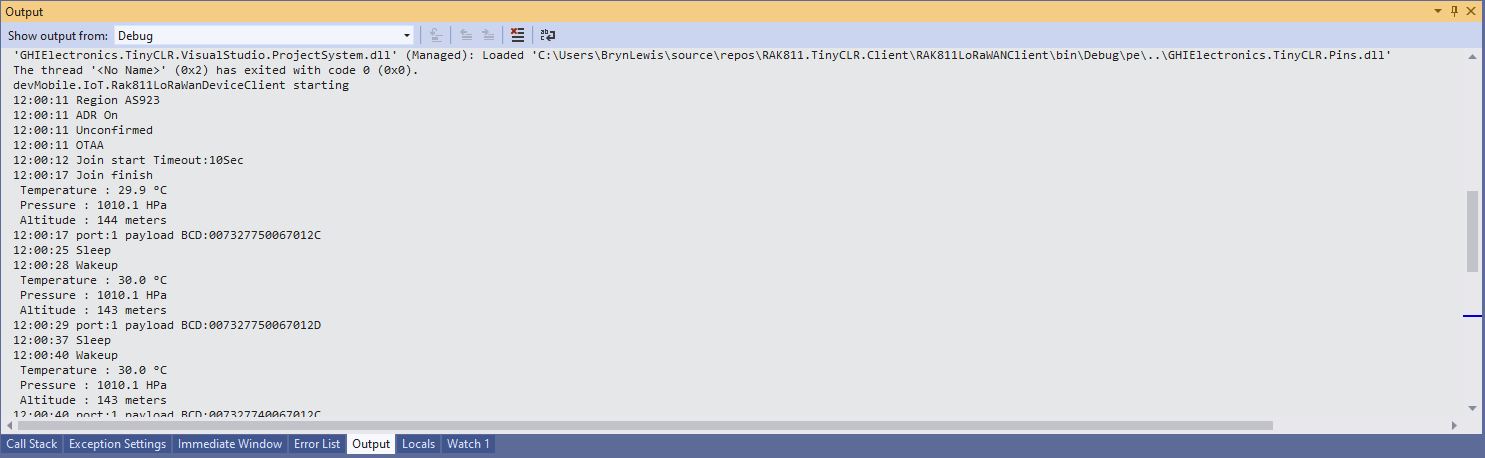
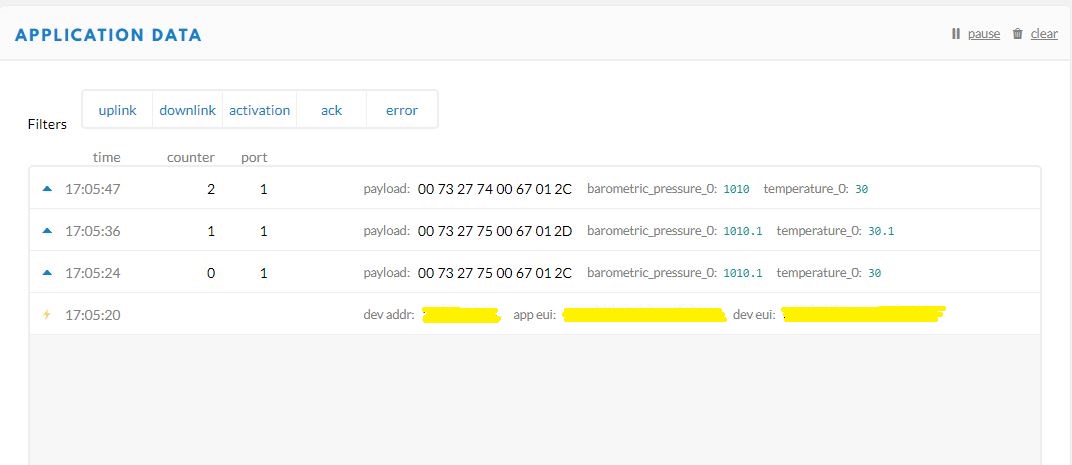
Visual Studio 2019 Debug output windowThe Things Network Device Application Data tab
I have implemented my own Low Power Payload encoder in C# based on the sample Mbed C code
My translation of that code to C#
public void TemperatureAdd(byte channel, float celsius)
{
if ((index + TemperatureSize) > buffer.Length)
{
throw new ApplicationException("TemperatureAdd insufficent buffer capacity");
}
short val = (short)(celsius * 10);
buffer[index++] = channel;
buffer[index++] = (byte)DataType.Temperature;
buffer[index++] = (byte)(val >> 8);
buffer[index++] = (byte)val;
}
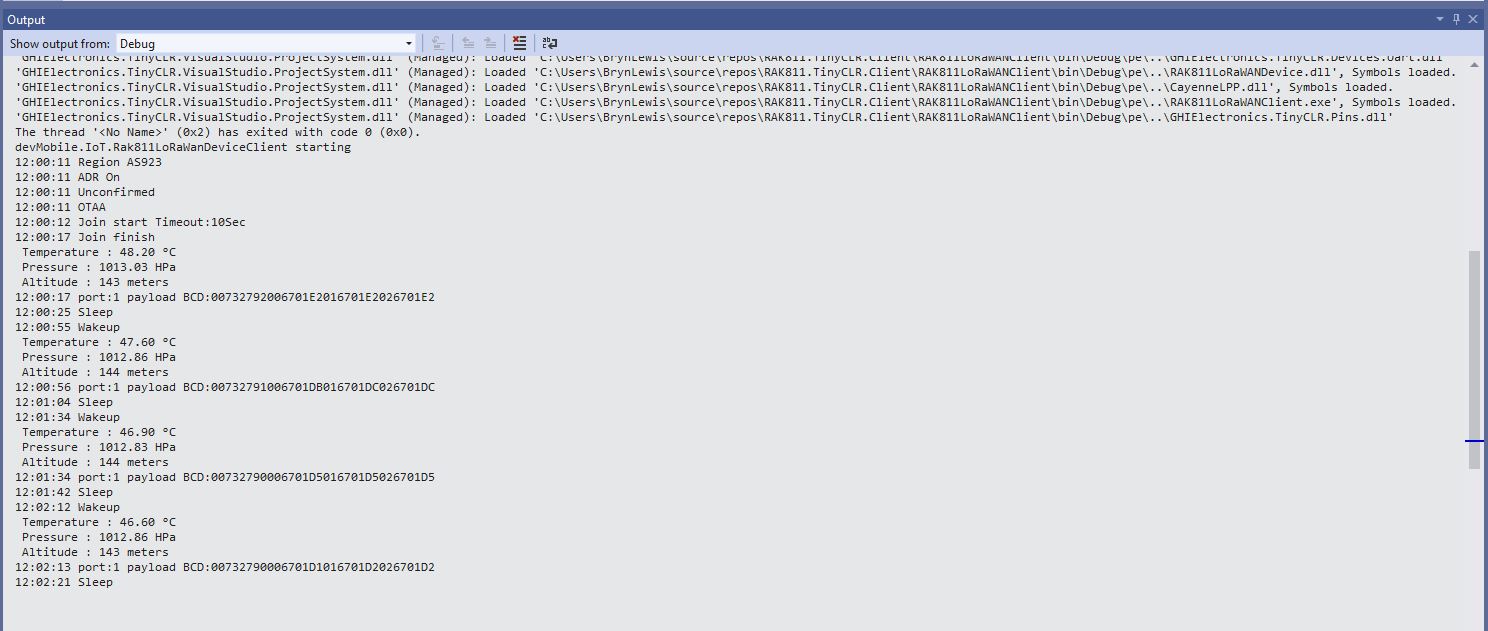
After looking at the code I think the issues was most probably due to the representation of the constant 10(int32), 10.0(double), and 10.0f(single) . To confirm my theory I modified the client to send the temperature with the calculation done with three different constants.
Visual Studio 2019 Debug output windowThe Things Network(TTN) Message Queue Telemetry Transport(MQTT) client
After some trial and error I settled on this C# code for my decoder
public void TemperatureAdd(byte channel, float celsius)
{
if ((index + TemperatureSize) > buffer.Length)
{
throw new ApplicationException("TemperatureAdd insufficent buffer capacity");
}
short val = (short)(celsius * 10.0f);
buffer[index++] = channel;
buffer[index++] = (byte)DataType.Temperature;
buffer[index++] = (byte)(val >> 8);
buffer[index++] = (byte)val;
}
I don’t think this is specifically an issue with the TinyCLR V2 just with number type used for the constant.
This code was written to solve a problem I had debugging and testing an application which processed data from sensors attached to The Things Network(TTN) and I figured others might find it useful.
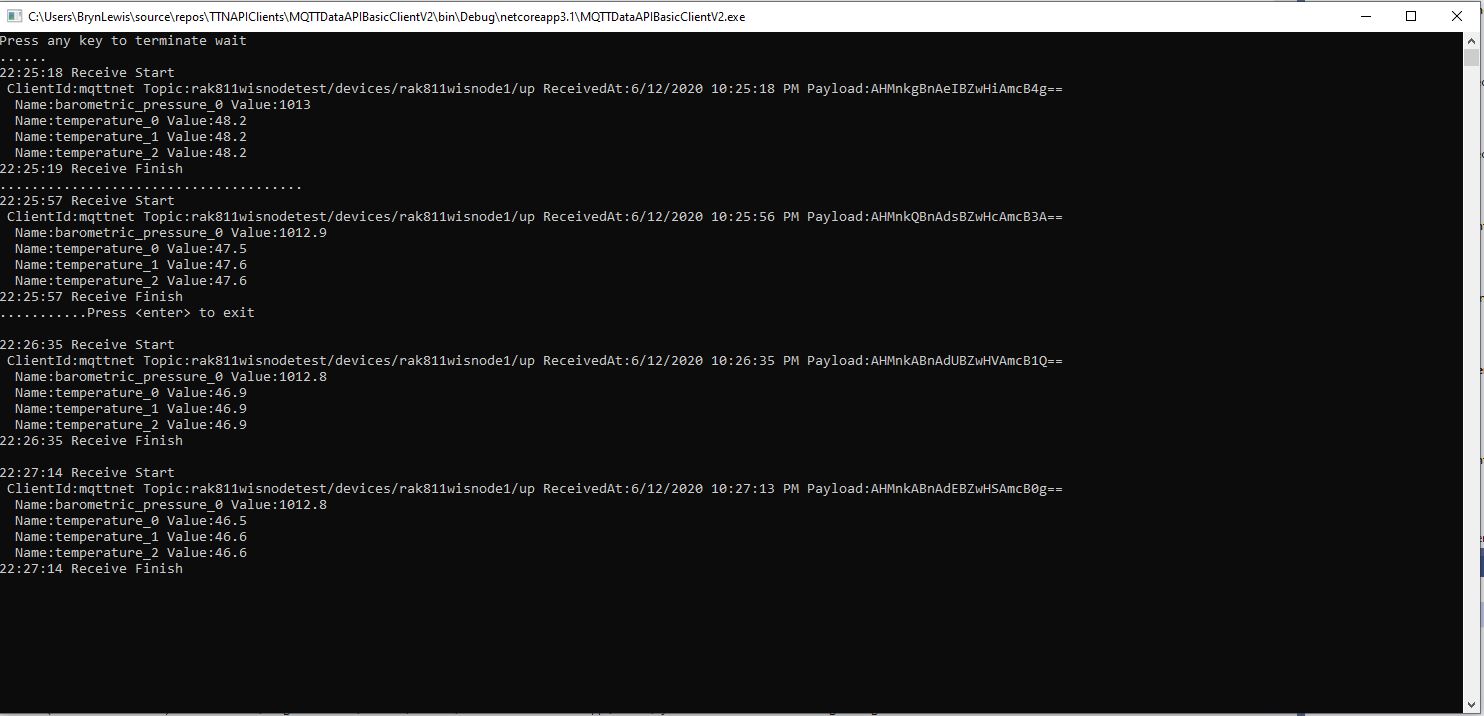
As part of my series of TTN projects I wanted to verify that the data from a number of LoRaWAN sensors connected to TTN was reasonable and complete. I’m familiar with Microsoft SQL Server so I built a .Net Core console application which uses the TTN Message Queue Telemetry Transport(MQTT) Data API (so it can run alongside my existing TTN integration) to receive messages from the all devices in a TTN application and store them in a database for post processing.
The console application uses MQTTNet to connect to TTN MQTT Data API. It subscribes to an application device uplink topic, then uses a combination of Stackoverflow Dapper with Microsoft SQL Server tables and stored procedures to store the device data points. I re-generated the classes I had used in my other projects, added any obvious missing fields and fine tuned the data types by delving into the TTN V2GO code.
The core of the application is in the MQTTNet application message received handler.
private static void MqttClient_ApplicationMessageReceived(MqttApplicationMessageReceivedEventArgs e)
{
PayloadUplinkV2 payload;
log.InfoFormat($"Receive Start Topic:{e.ApplicationMessage.Topic}");
string connectionString = configuration.GetSection("TTNDatabase").Value;
try
{
payload = JsonConvert.DeserializeObject<PayloadUplinkV2>(e.ApplicationMessage.ConvertPayloadToString());
}
catch (Exception ex)
{
log.Error("DeserializeObject failed", ex);
return;
}
try
{
if (payload.PayloadFields != null)
{
var parameters = new DynamicParameters();
EnumerateChildren(parameters, payload.PayloadFields);
log.Debug($"Parameters:{parameters.ParameterNames.Aggregate((i, j) => i + ',' + j)}");
foreach (string storedProcedure in storedProcedureMappings.Keys)
{
if (Enumerable.SequenceEqual(parameters.ParameterNames, storedProcedureMappings[storedProcedure].Split(',', StringSplitOptions.RemoveEmptyEntries), StringComparer.InvariantCultureIgnoreCase))
{
log.Info($"Payload fields processing with:{storedProcedure}");
using (SqlConnection db = new SqlConnection(connectionString))
{
parameters.Add("@ReceivedAtUtc", payload.Metadata.ReceivedAtUtc);
parameters.Add("@DeviceID", payload.DeviceId);
parameters.Add("@DeviceEui", payload.DeviceEui);
parameters.Add("@ApplicationID", payload.ApplicationId);
parameters.Add("@IsConfirmed", payload.IsConfirmed);
parameters.Add("@IsRetry", payload.IsRetry);
parameters.Add("@Port", payload.Port);
db.Execute(sql: storedProcedure, param: parameters, commandType: CommandType.StoredProcedure);
}
}
}
}
else
{
foreach (string storedProcedure in storedProcedureMappings.Keys)
{
if (string.Compare(storedProcedureMappings[storedProcedure], "payload_raw", true) == 0)
{
log.Info($"Payload raw processing with:{storedProcedure}");
using (SqlConnection db = new SqlConnection(connectionString))
{
var parameters = new DynamicParameters();
parameters.Add("@ReceivedAtUtc", payload.Metadata.ReceivedAtUtc);
parameters.Add("@DeviceID", payload.DeviceId);
parameters.Add("@DeviceEui", payload.DeviceEui);
parameters.Add("@ApplicationID", payload.ApplicationId);
parameters.Add("@IsConfirmed", payload.IsConfirmed);
parameters.Add("@IsRetry", payload.IsRetry);
parameters.Add("@Port", payload.Port);
parameters.Add("@Payload", payload.PayloadRaw);
db.Execute(sql: storedProcedure, param: parameters, commandType: CommandType.StoredProcedure);
}
}
}
}
}
catch (Exception ex)
{
log.Error("Message processing failed", ex);
}
}
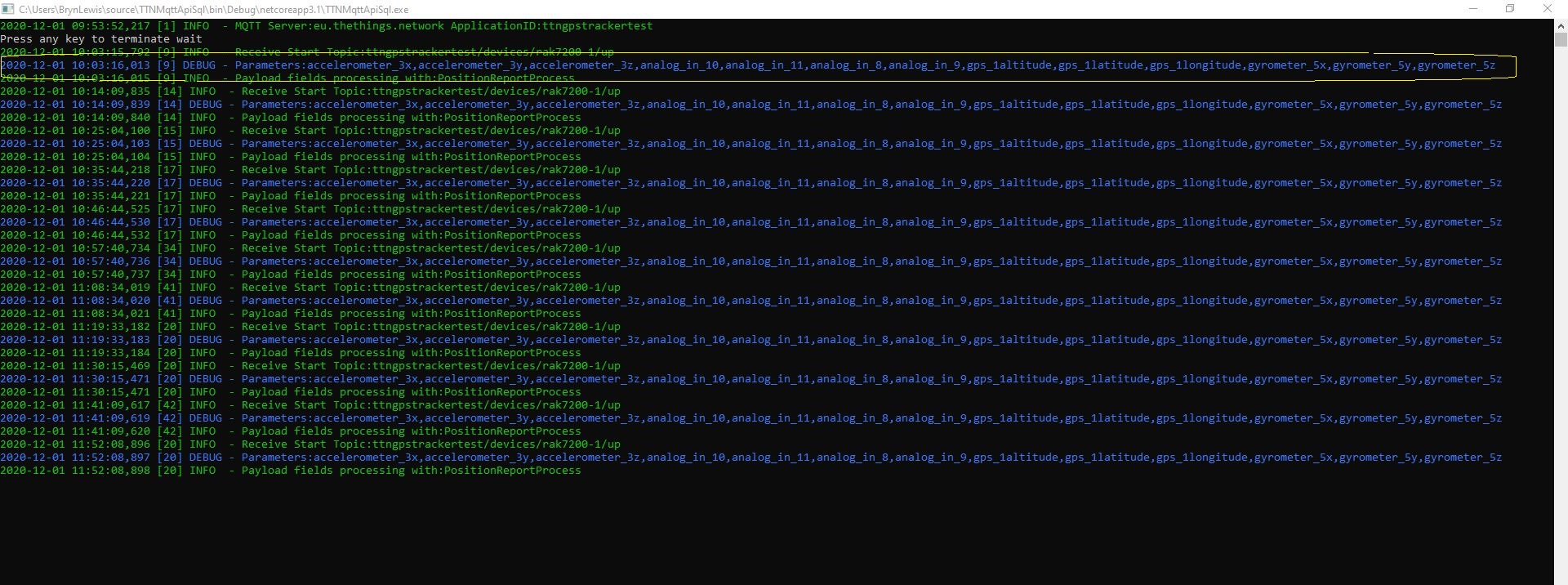
For messages with payload fields the code attempts to match the list of field names (there maybe more than one match) with the parameter list for stored procedures in the AppSettings.json file. The Enumerable.SequenceEqual uses a case insensitive comparison but order is important. I did consider sorting the two lists of parameters but wasn’t certain the added complexity was worth it.
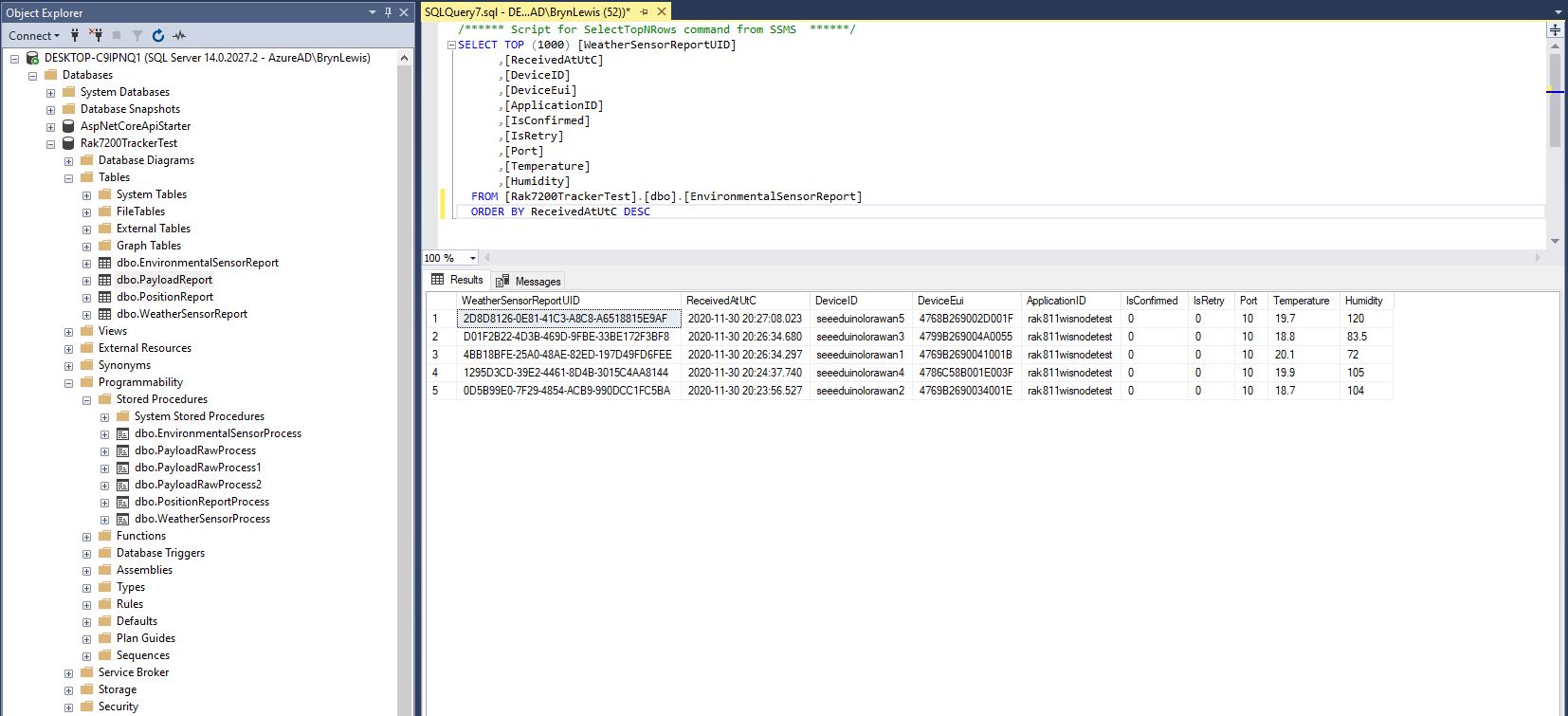
I created a database table to store the temperature and humidity values.
CREATE TABLE [dbo].[EnvironmentalSensorReport](
[WeatherSensorReportUID] [UNIQUEIDENTIFIER] NOT NULL,
[ReceivedAtUtC] [DATETIME] NOT NULL,
[DeviceID] [NVARCHAR](32) NOT NULL,
[DeviceEui] [NVARCHAR](32) NOT NULL,
[ApplicationID] [NVARCHAR](32) NOT NULL,
[IsConfirmed] [BIT] NOT NULL,
[IsRetry] [BIT] NOT NULL,
[Port] [SMALLINT] NOT NULL,
[Temperature] [FLOAT] NOT NULL,
[Humidity] [FLOAT] NOT NULL,
CONSTRAINT [PK_EnvironmentalSensorReport] PRIMARY KEY CLUSTERED
(
[WeatherSensorReportUID] ASC
)WITH (PAD_INDEX = OFF, STATISTICS_NORECOMPUTE = OFF, IGNORE_DUP_KEY = OFF, ALLOW_ROW_LOCKS = ON, ALLOW_PAGE_LOCKS = ON) ON [PRIMARY]
) ON [PRIMARY]
GO
ALTER TABLE [dbo].[EnvironmentalSensorReport] ADD CONSTRAINT [DF_EnvironmentalSensorReport_EnvironmentalSensorReporttUID] DEFAULT (NEWID()) FOR [WeatherSensorReportUID]
GO
The stored procedure must have the parameters @ReceivedAtUtc, @DeviceID, @DeviceEui, @ApplicationID, @IsRetry, @IsConfirmed and @Port. In this example the payload specific fields generated by the Low Power Protocol(LPP) decoder are @Temperature_0 and @relative_humidity_0
CREATE PROCEDURE [dbo].[EnvironmentalSensorProcess]
@ReceivedAtUtc AS DATETIME,
@DeviceID AS NVARCHAR(32),
@DeviceEui AS NVARCHAR(32),
@ApplicationID AS NVARCHAR(32),
@IsRetry AS BIT,
@IsConfirmed AS BIT,
@Port AS SMALLINT,
@Temperature_0 AS FLOAT,
@relative_humidity_0 AS FLOAT
AS
BEGIN
SET NOCOUNT ON;
INSERT INTO [dbo].[EnvironmentalSensorReport]
([PositionReportUID]
.[ReceivedAtUtc]
,[DeviceID]
,[DeviceEui]
,[ApplicationID]
,[IsConfirmed]
,[IsRetry]
,[Port]
,Temperature
,Humidity)
VALUES
(
@ReceivedAtUtc,
@DeviceID,
@DeviceEui,
@ApplicationID,
@IsConfirmed,
@IsRetry,
@port,
@Temperature_0,
@relative_humidity_0)
END
Environmental sensor data displayed in SQL Server Management Studio(SSMS)
To store more complex nest payload fields (e.g. latitude, longitude and altitude values), I flattened the the hierarchy.
private static void EnumerateChildren(DynamicParameters parameters, JToken token, string prefix ="")
{
if (token is JProperty)
if (token.First is JValue)
{
JProperty property = (JProperty)token;
parameters.Add($"@{prefix}{property.Name}", property.Value.ToString());
}
else
{
JProperty property = (JProperty)token;
prefix += property.Name;
}
foreach (JToken token2 in token.Children())
{
EnumerateChildren(parameters,token2, prefix);
}
}
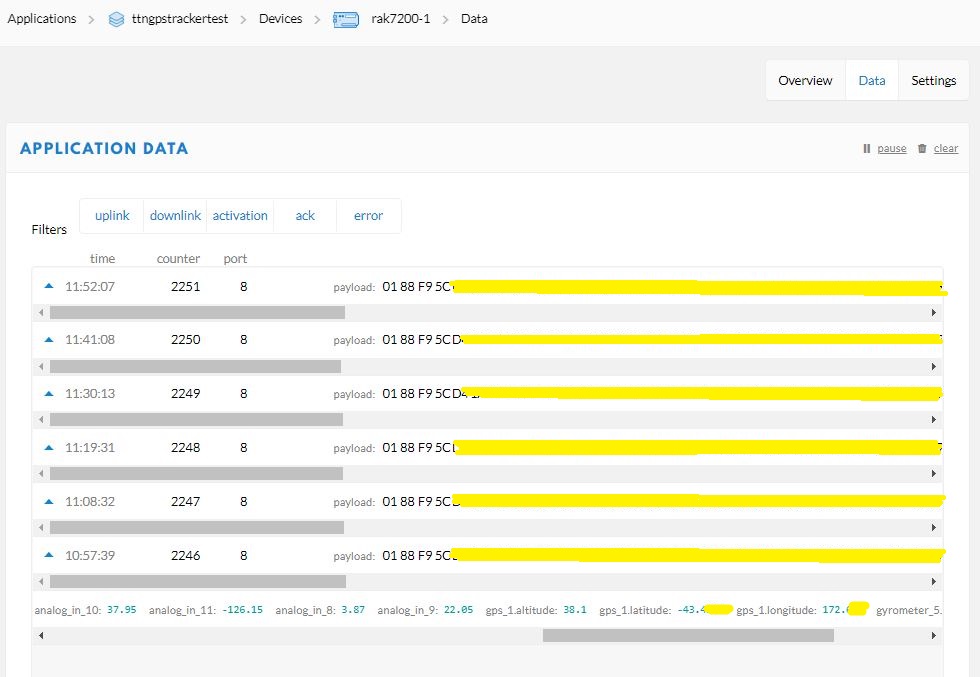
Unpacked LPP payload from GPS tracker displayed in TTN application data viewFlattened location, acceleration and rotation information
CREATE TABLE [dbo].[PositionReport](
[PositionReportUID] [UNIQUEIDENTIFIER] NOT NULL,
[ReceivedAtUtC] [DATETIME] NOT NULL,
[DeviceID] [NVARCHAR](32) NOT NULL,
[DeviceEui] [NVARCHAR](32) NOT NULL,
[ApplicationID] [NVARCHAR](32) NOT NULL,
[IsConfirmed] [BIT] NOT NULL,
[IsRetry] [BIT] NOT NULL,
[Port] [SMALLINT] NOT NULL,
[Latitude] [FLOAT] NOT NULL,
[Longitude] [FLOAT] NOT NULL,
[Altitude] [FLOAT] NOT NULL,
CONSTRAINT [PK_PositionReport] PRIMARY KEY CLUSTERED
(
[PositionReportUID] ASC
)WITH (PAD_INDEX = OFF, STATISTICS_NORECOMPUTE = OFF, IGNORE_DUP_KEY = OFF, ALLOW_ROW_LOCKS = ON, ALLOW_PAGE_LOCKS = ON) ON [PRIMARY]
) ON [PRIMARY]
GO
I created a database table to store values of only the fields I cared about.
CREATE PROCEDURE [dbo].[PositionReportProcess]
@ReceivedAtUtc AS DATETIME,
@DeviceID AS NVARCHAR(32),
@DeviceEui AS NVARCHAR(32),
@ApplicationID AS NVARCHAR(32),
@IsRetry AS Bit,
@IsConfirmed AS BIT,
@Port AS SMALLINT,
@accelerometer_3x AS FLOAT,
@accelerometer_3y AS FLOAT,
@accelerometer_3z AS FLOAT,
@analog_in_8 AS FLOAT,
@analog_in_9 AS FLOAT,
@analog_in_10 AS FLOAT,
@analog_in_11 AS FLOAT,
@gps_1Latitude AS FLOAT,
@gps_1Longitude AS FLOAT,
@gps_1Altitude AS FLOAT,
@gyrometer_5x AS FLOAT,
@gyrometer_5y AS FLOAT,
@gyrometer_5z AS FLOAT
AS
BEGIN
SET NOCOUNT ON;
INSERT INTO [dbo].[PositionReport]
([PositionReportUID]
.[ReceivedAtUtc]
,[DeviceID]
,[DeviceEui]
,[ApplicationID]
,[IsConfirmed]
,[IsRetry]
,[Port]
,Latitude
,Longitude
,Altitude)
VALUES
(
@ReceivedAtUtc,
@DeviceID,
@DeviceEui,
@ApplicationID,
@IsConfirmed,
@IsRetry,
@port,
@gps_1Latitude,
@gps_1Longitude,
@gps_1Altitude)
END
The stored procedure for storing the GPS tracker payload has to have parameters matching each payload field but some of the fields are not used.
Location data displayed in SQL Server Management Studio(SSMS)
For uplink messages with no payload fields the message processor looks for a stored procedure with a single parameter called “payload_raw”.(there maybe more than one match)
CREATE TABLE [dbo].[PayloadReport](
[PayloadReportUID] [UNIQUEIDENTIFIER] NOT NULL,
[ReceivedAtUtC] [DATETIME] NOT NULL,
[DeviceID] [NVARCHAR](32) NOT NULL,
[DeviceEui] [NVARCHAR](32) NOT NULL,
[ApplicationID] [NVARCHAR](32) NOT NULL,
[IsConfirmed] [BIT] NOT NULL,
[IsRetry] [BIT] NOT NULL,
[Port] [SMALLINT] NOT NULL,
[Payload] [NVARCHAR](128) NOT NULL,
CONSTRAINT [PK_PayloadReport] PRIMARY KEY CLUSTERED
(
[PayloadReportUID] ASC
)WITH (PAD_INDEX = OFF, STATISTICS_NORECOMPUTE = OFF, IGNORE_DUP_KEY = OFF, ALLOW_ROW_LOCKS = ON, ALLOW_PAGE_LOCKS = ON) ON [PRIMARY]
) ON [PRIMARY]
GO
ALTER TABLE [dbo].[PayloadReport] ADD CONSTRAINT [DF_PayloadReport_PositionReportUID] DEFAULT (NEWID()) FOR [PayloadReportUID]
GO
ALTER PROCEDURE [dbo].[PayloadRawProcess]
@ReceivedAtUtc AS DATETIME,
@DeviceID AS NVARCHAR(32),
@DeviceEui AS NVARCHAR(32),
@ApplicationID AS NVARCHAR(32),
@IsRetry AS Bit,
@IsConfirmed AS BIT,
@Port AS SMALLINT,
@Payload AS NVARCHAR(128)
AS
BEGIN
SET NOCOUNT ON;
INSERT INTO [dbo].[PayloadReport]
([PositionReportUID]
.[ReceivedAtUtc]
,[DeviceID]
,[DeviceEui]
,[ApplicationID]
,[IsConfirmed]
,[IsRetry]
,[Port]
,[Payload])
VALUES(@ReceivedAtUtc,
@DeviceID,
@DeviceEui,
@ApplicationID,
@IsConfirmed,
@IsRetry,
@port,
@Payload)
END
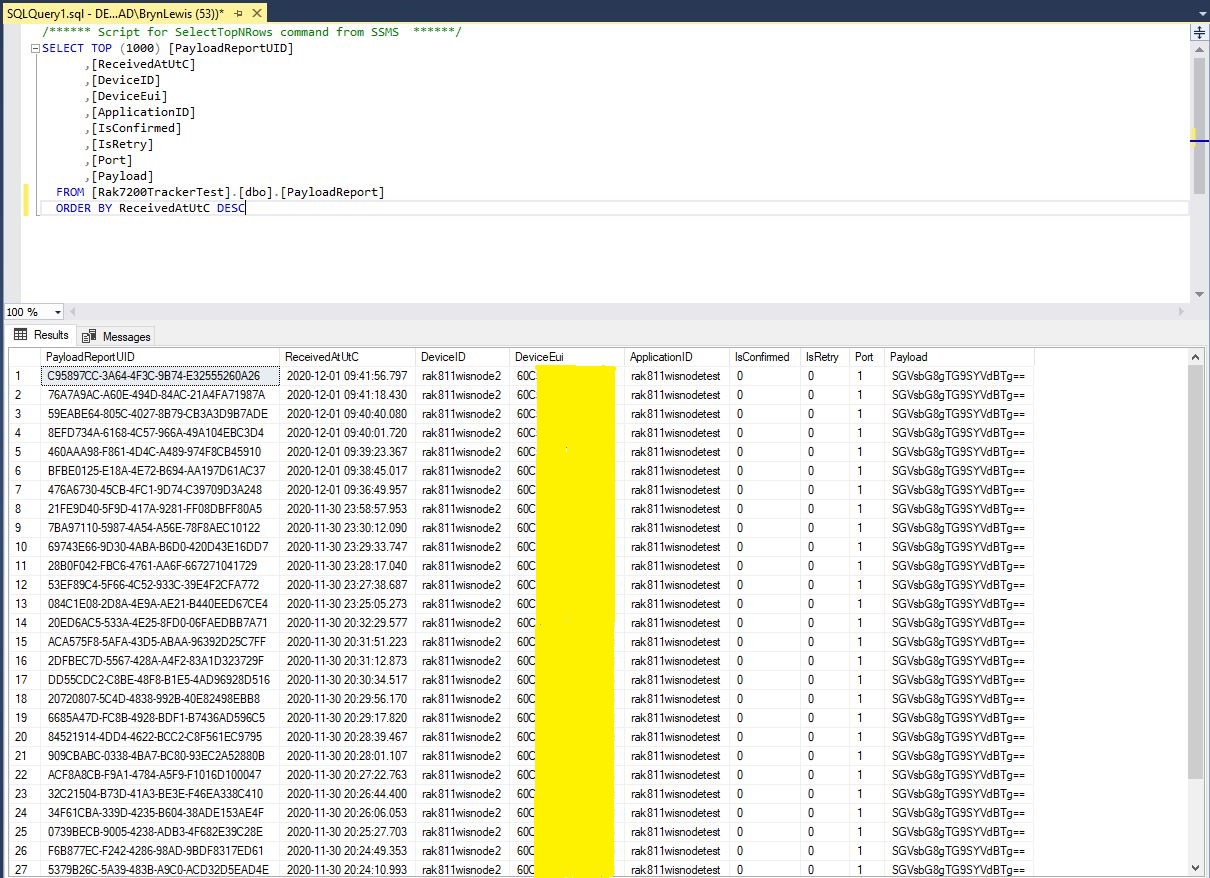
Raw payload data displayed in SQL Server Management Studio(SSMS)
Initially the application just used Console.Writeline for logging, then I added Log4Net because it would be useful to persist information about failures and so I could copy n paste parameter lists to the appSettings.json file.
The console application uses MQTTNet to connect to TTN. It subscribes to to the TTN application device uplink topic (did try subscribing to the uplink messages for all the devices in the application, and the downlink message scheduled, sent and acknowledged topics.
I tried a lot of topic formats with and without wildcards to see which worked best
I generated new classes from the ones provided in the documentation then added any obvious missing fields and fine tuned the data types by delving into the TTN V3GO code.
The new messages payloads have significant differences to the V2 ones. I have refactored the generated classes to reduce the duplication of code and fix up datatypes e.g. int32 vs. ulong where JSON2Charp couldn’t infer the size of the number.
namespace devMobile.TheThingsNetwork.Models
{
public class ApplicationIds
{
public string application_id { get; set; }
}
public class EndDeviceIds
{
public string device_id { get; set; }
public ApplicationIds application_ids { get; set; }
public string dev_eui { get; set; }
public string join_eui { get; set; }
public string dev_addr { get; set; }
}
}
I wonder about the naming of the applicationIds class as it appears that it could only ever contain single applicationId.
I installed the tooling for GO support into Visual Studio Code and went looking for the uplink message definition which I think is in messages.pb.go (still learning go and how the TTN GO source is structured).
type ApplicationUplink struct {
// Join Server issued identifier for the session keys used by this uplink.
SessionKeyID []byte `protobuf:"bytes,1,opt,name=session_key_id,json=sessionKeyId,proto3" json:"session_key_id,omitempty"`
FPort uint32 `protobuf:"varint,2,opt,name=f_port,json=fPort,proto3" json:"f_port,omitempty"`
FCnt uint32 `protobuf:"varint,3,opt,name=f_cnt,json=fCnt,proto3" json:"f_cnt,omitempty"`
// The frame payload of the uplink message.
// The payload is still encrypted if the skip_payload_crypto field of the EndDevice
// is true, which is indicated by the presence of the app_s_key field.
FRMPayload []byte `protobuf:"bytes,4,opt,name=frm_payload,json=frmPayload,proto3" json:"frm_payload,omitempty"`
// The decoded frame payload of the uplink message.
// This field is set by the message processor that is configured for the end device (see formatters) or application (see default_formatters).
DecodedPayload *types.Struct `protobuf:"bytes,5,opt,name=decoded_payload,json=decodedPayload,proto3" json:"decoded_payload,omitempty"`
// Warnings generated by the message processor while decoding the frm_payload.
DecodedPayloadWarnings []string `protobuf:"bytes,12,rep,name=decoded_payload_warnings,json=decodedPayloadWarnings,proto3" json:"decoded_payload_warnings,omitempty"`
// A list of metadata for each antenna of each gateway that received this message.
RxMetadata []*RxMetadata `protobuf:"bytes,6,rep,name=rx_metadata,json=rxMetadata,proto3" json:"rx_metadata,omitempty"`
// Settings for the transmission.
Settings TxSettings `protobuf:"bytes,7,opt,name=settings,proto3" json:"settings"`
// Server time when the Network Server received the message.
ReceivedAt time.Time `protobuf:"bytes,8,opt,name=received_at,json=receivedAt,proto3,stdtime" json:"received_at"`
// The AppSKey of the current session.
// This field is only present if the skip_payload_crypto field of the EndDevice
// is true.
// Can be used to decrypt uplink payloads and encrypt downlink payloads.
AppSKey *KeyEnvelope `protobuf:"bytes,9,opt,name=app_s_key,json=appSKey,proto3" json:"app_s_key,omitempty"`
// The last AFCntDown of the current session.
// This field is only present if the skip_payload_crypto field of the EndDevice
// is true.
// Can be used with app_s_key to encrypt downlink payloads.
LastAFCntDown uint32 `protobuf:"varint,10,opt,name=last_a_f_cnt_down,json=lastAFCntDown,proto3" json:"last_a_f_cnt_down,omitempty"`
Confirmed bool `protobuf:"varint,11,opt,name=confirmed,proto3" json:"confirmed,omitempty"`
// Consumed airtime for the transmission of the uplink message. Calculated by Network Server using the RawPayload size and the transmission settings.
ConsumedAirtime *time.Duration `protobuf:"bytes,13,opt,name=consumed_airtime,json=consumedAirtime,proto3,stdduration" json:"consumed_airtime,omitempty"`
// End device location metadata, set by the Application Server while handling the message.
Locations map[string]*Location `protobuf:"bytes,14,rep,name=locations,proto3" json:"locations,omitempty" protobuf_key:"bytes,1,opt,name=key,proto3" protobuf_val:"bytes,2,opt,name=value,proto3"`
XXX_NoUnkeyedLiteral struct{} `json:"-"`
XXX_sizecache int32 `json:"-"`
}
I also need to deploy some more gateways and devices to check that I haven’t missed any fields available in more realistic environments.
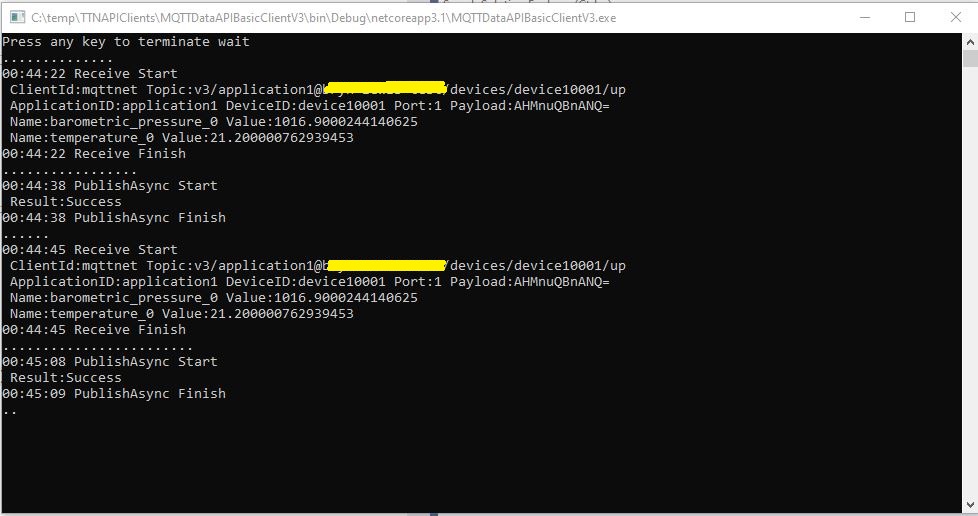
TTN V3 MQTT Console client
In the TTN Device data tab I could see messages being sent, to and received from from the simulated device.
TTN V3 MQTT Device Live Data
The next step is to get downlink messages working, then connect up a couple of gateways and trial with some real devices.
The next step was to enumerate all the EndDevices of a The Things Network(TTN) Application and display their attributes. I have to establish an Azure DeviceClient connection to an Azure IoT Hub for each TTN EndDevice to get downlink messages. To do this I will have to enumerate the TTN Applications in the instance then enumerate the LoRaWAN EndDevices.
using (HttpClient httpClient = new HttpClient())
{
EndDeviceRegistryClient endDeviceRegistryClient = new EndDeviceRegistryClient(baseUrl, httpClient)
{
ApiKey = apiKey
};
try
{
#if FIELDS_MINIMUM
string[] fieldMaskPathsDevice = { "attributes" }; // think this is the bare minimum required for integration
#else
string[] fieldMaskPathsDevice = { "name", "description", "attributes" };
#endif
V3EndDevices endDevices = await endDeviceRegistryClient.ListAsync(applicationID, field_mask_paths:fieldMaskPathsDevice);
if ((endDevices != null) && (endDevices.End_devices != null)) // If there are no devices returns null rather than empty list
{
foreach (V3EndDevice endDevice in endDevices.End_devices)
{
#if FIELDS_MINIMUM
Console.WriteLine($"EndDevice ID:{endDevice.Ids.Device_id}");
#else
Console.WriteLine($"Device ID:{endDevice.Ids.Device_id} Name:{endDevice.Name} Description:{endDevice.Description}");
Console.WriteLine($" CreatedAt: {endDevice.Created_at:dd-MM-yy HH:mm:ss} UpdatedAt: {endDevice.Updated_at:dd-MM-yy HH:mm:ss}");
#endif
if (endDevice.Attributes != null)
{
Console.WriteLine(" EndDevice attributes");
foreach (KeyValuePair<string, string> attribute in endDevice.Attributes)
{
Console.WriteLine($" Key: {attribute.Key} Value: {attribute.Value}");
}
}
Console.WriteLine();
}
}
}
catch (Exception ex)
{
Console.WriteLine(ex.Message);
}
Console.WriteLine("Press <enter> to exit");
Console.ReadLine();
}
Like the applicationRegistryClient.ListAsync call the endDeviceRegistryClient.ListAsync also returns null rather than an empty list.
The next step was to enumerate The Things Network(TTN) Applications so I could connect only to the required Azure IoT hub(s). There would also be a single configuration setting for the client (establish a connection for every TTN application, or don’t establish a connection for any) and this could be overridden with a TTN application attribute
long pageSize = long.Parse(args[3]);
Console.WriteLine($"Page size: {pageSize}");
Console.WriteLine();
using (HttpClient httpClient = new HttpClient())
{
ApplicationRegistryClient applicationRegistryClient = new ApplicationRegistryClient(baseUrl, httpClient)
{
ApiKey = apiKey
};
try
{
int page = 1;
string[] fieldMaskPathsApplication = { "attributes" }; // think this is the bare minimum required for integration
V3Applications applications = await applicationRegistryClient.ListAsync(collaborator, field_mask_paths: fieldMaskPathsApplication, limit: pageSize, page: page);
while ((applications != null) && (applications.Applications != null))
{
Console.WriteLine($"Applications:{applications.Applications.Count} Page:{page} Page size:{pageSize}");
foreach (V3Application application in applications.Applications)
{
bool applicationIntegration = ApplicationAzureintegrationDefault;
Console.WriteLine($"Application ID:{application.Ids.Application_id}");
if (application.Attributes != null)
{
string ApplicationAzureIntegrationValue = string.Empty;
if (application.Attributes.TryGetValue(ApplicationAzureIntegrationField, out ApplicationAzureIntegrationValue))
{
bool.TryParse(ApplicationAzureIntegrationValue, out applicationIntegration);
}
if (applicationIntegration)
{
Console.WriteLine(" Application attributes");
foreach (KeyValuePair<string, string> attribute in application.Attributes)
{
Console.WriteLine($" Key: {attribute.Key} Value: {attribute.Value}");
}
}
}
Console.WriteLine();
}
page += 1;
applications = await applicationRegistryClient.ListAsync(collaborator, field_mask_paths: fieldMaskPathsApplication, limit: pageSize, page: page);
};
}
catch (Exception ex)
{
Console.WriteLine(ex.Message);
}
Console.WriteLine("Press <enter> to exit");
Console.ReadLine();
}
I Used the field_mask_paths parameter (don’t need created_at, updated_at, name etc.) to minimise the data returned to my client.
I was hoping that there would be a away to further “shape” the returned data, but in the NSwag generated code the construction of the URL with field_mask_paths, order, limit, and page parameters meant this appears not to be possible.