Random wanderings through Microsoft Azure esp. PaaS plumbing, the IoT bits, AI on Micro controllers, AI on Edge Devices, .NET nanoFramework, .NET Core on *nix and ML.NET+ONNX
Earlier in the year I built Things Network(TTN)V2 and V3 connectors and after using these in production applications I have learnt a lot about what I had got wrong, less wrong and what I had got right.
Using a TTN V3MQTTApplication integration wasn’t a great idea. The management of state was very complex. The storage of application keys in a app.settings file made configuration easy but was bad for security.
The use of Azure Key Vault in the TTNV2 connector was a good approach, but the process of creation and updating of the settings needs to be easier.
Using TTN device registry as the “single source of truth” was a good decision as managing the amount of LoRaWAN network, application and device specific configuration in an Azure IoT Hub would be non-trivial.
//---------------------------------------------------------------------------------
// Copyright (c) September 2021, devMobile Software
//
// Licensed under the Apache License, Version 2.0 (the "License");
// you may not use this file except in compliance with the License.
// You may obtain a copy of the License at
//
// http://www.apache.org/licenses/LICENSE-2.0
//
// Unless required by applicable law or agreed to in writing, software
// distributed under the License is distributed on an "AS IS" BASIS,
// WITHOUT WARRANTIES OR CONDITIONS OF ANY KIND, either express or implied.
// See the License for the specific language governing permissions and
// limitations under the License.
//
// Must have one of following options defined in the project\build definitions
// PAYLOAD_BCD or PAYLOAD_BYTES
// OTAA or ABP
//
// Optional definitions
// CONFIRMED For confirmed messages
// DEVEUI_SET
//
//---------------------------------------------------------------------------------
namespace devMobile.IoT.LoRaWAN.NetCore.RAK3172
{
using System;
using System.IO.Ports;
using System.Threading;
public class Program
{
private const string SerialPortId = "/dev/ttyS0";
private const LoRaClass Class = LoRaClass.A;
private const string Band = "8-1";
private const byte MessagePort = 10;
private static readonly TimeSpan MessageSendTimerDue = new TimeSpan(0, 0, 15);
private static readonly TimeSpan MessageSendTimerPeriod = new TimeSpan(0, 5, 0);
private static Timer MessageSendTimer ;
private const int JoinRetryAttempts = 2;
private const int JoinRetryIntervalSeconds = 10;
#if PAYLOAD_BCD
private const string PayloadBcd = "48656c6c6f204c6f526157414e"; // Hello LoRaWAN in BCD
#endif
#if PAYLOAD_BYTES
private static readonly byte[] PayloadBytes = { 0x48, 0x65 , 0x6c, 0x6c, 0x6f, 0x20, 0x4c, 0x6f, 0x52, 0x61, 0x57, 0x41, 0x4e}; // Hello LoRaWAN in bytes
#endif
public static void Main()
{
Result result;
Console.WriteLine("devMobile.IoT.LoRaWAN.NetCore.RAK3172 RAK3712LoRaWANDeviceClient starting");
Console.WriteLine($"Serial ports:{String.Join(",", SerialPort.GetPortNames())}");
try
{
using (Rak3172LoRaWanDevice device = new Rak3172LoRaWanDevice())
{
result = device.Initialise(SerialPortId, 9600, Parity.None, 8, StopBits.One);
if (result != Result.Success)
{
Console.WriteLine($"Initialise failed {result}");
return;
}
MessageSendTimer = new Timer(SendMessageTimerCallback, device,Timeout.Infinite, Timeout.Infinite);
device.OnJoinCompletion += OnJoinCompletionHandler;
device.OnReceiveMessage += OnReceiveMessageHandler;
#if CONFIRMED
device.OnMessageConfirmation += OnMessageConfirmationHandler;
#endif
#if DEVEUI_SET
Console.WriteLine($"{DateTime.UtcNow:hh:mm:ss} DevEUI {Config.devEui}");
result = device.DeviceEui(Config.devEui);
if (result != Result.Success)
{
Console.WriteLine($"DevEUI failed {result}");
return;
}
#endif
Console.WriteLine($"{DateTime.UtcNow:hh:mm:ss} Class {Class}");
result = device.Class(Class);
if (result != Result.Success)
{
Console.WriteLine($"Class failed {result}");
return;
}
Console.WriteLine($"{DateTime.UtcNow:hh:mm:ss} Band {Band}");
result = device.Band(Band);
if (result != Result.Success)
{
Console.WriteLine($"Region failed {result}");
return;
}
Console.WriteLine($"{DateTime.UtcNow:hh:mm:ss} ADR On");
result = device.AdrOn();
if (result != Result.Success)
{
Console.WriteLine($"ADR on failed {result}");
return;
}
#if CONFIRMED
Console.WriteLine($"{DateTime.UtcNow:hh:mm:ss} Confirmed");
result = device.UplinkMessageConfirmationOn();
if (result != Result.Success)
{
Console.WriteLine($"Confirm on failed {result}");
return;
}
#else
Console.WriteLine($"{DateTime.UtcNow:hh:mm:ss} Unconfirmed");
result = device.UplinkMessageConfirmationOff();
if (result != Result.Success)
{
Console.WriteLine($"Confirm off failed {result}");
return;
}
#endif
#if OTAA
Console.WriteLine($"{DateTime.UtcNow:hh:mm:ss} OTAA");
result = device.OtaaInitialise(Config.JoinEui, Config.AppKey);
if (result != Result.Success)
{
Console.WriteLine($"OTAA Initialise failed {result}");
return;
}
#endif
#if ABP
Console.WriteLine($"{DateTime.UtcNow:hh:mm:ss} ABP");
result = device.AbpInitialise(Config.DevAddress, Config.NwksKey, Config.AppsKey);
if (result != Result.Success)
{
Console.WriteLine($"ABP Initialise failed {result}");
return;
}
#endif
Console.WriteLine($"{DateTime.UtcNow:hh:mm:ss} Join start");
result = device.Join(JoinRetryAttempts, JoinRetryIntervalSeconds);
if (result != Result.Success)
{
Console.WriteLine($"Join failed {result}");
return;
}
Console.WriteLine($"{DateTime.UtcNow:hh:mm:ss} Join started");
Thread.Sleep(Timeout.Infinite);
}
}
catch (Exception ex)
{
Console.WriteLine(ex.Message);
}
}
private static void OnJoinCompletionHandler(bool result)
{
Console.WriteLine($"{DateTime.UtcNow:hh:mm:ss} Join finished:{result}");
if (result)
{
MessageSendTimer.Change(MessageSendTimerDue, MessageSendTimerPeriod);
}
}
private static void SendMessageTimerCallback(object state)
{
Rak3172LoRaWanDevice device = (Rak3172LoRaWanDevice)state;
#if PAYLOAD_BCD
Console.WriteLine($"{DateTime.UtcNow:hh:mm:ss} port:{MessagePort} payload BCD:{PayloadBcd}");
Result result = device.Send(MessagePort, PayloadBcd );
#endif
#if PAYLOAD_BYTES
Console.WriteLine($"{DateTime.UtcNow:hh:mm:ss} port:{MessagePort} payload bytes:{Rak3172LoRaWanDevice.BytesToBcd(PayloadBytes)}");
Result result = device.Send(MessagePort, PayloadBytes);
#endif
if (result != Result.Success)
{
Console.WriteLine($"Send failed {result}");
}
}
#if CONFIRMED
private static void OnMessageConfirmationHandler()
{
Console.WriteLine($"{DateTime.UtcNow:hh:mm:ss} Send successful");
}
#endif
private static void OnReceiveMessageHandler(byte port, int rssi, int snr, string payload)
{
byte[] payloadBytes = Rak3172LoRaWanDevice.HexToByes(payload); // Done this way so both conversion methods tested
Console.WriteLine($"{DateTime.UtcNow:hh:mm:ss} Receive Message RSSI:{rssi} SNR:{snr} Port:{port} Payload:{payload} PayLoadBytes:{BitConverter.ToString(payloadBytes)}");
}
}
}
I have added XML Documentation comments which will need some rework, after I have “soak tested” the code for at least a week.
I have also added a method so the DevEUI can be set (intended for use after device firmware has been updated), fixed up my mistake with Binary Coded Decimal(BCD) vs. Hexadecimal strings.
I will also go back and apply the “learnings” from this refactoring to my other LoRaWAN module and platform libraries
Raspberry Pi3 with Grove Base Hat and RAK3172 Breakout (using UART2)
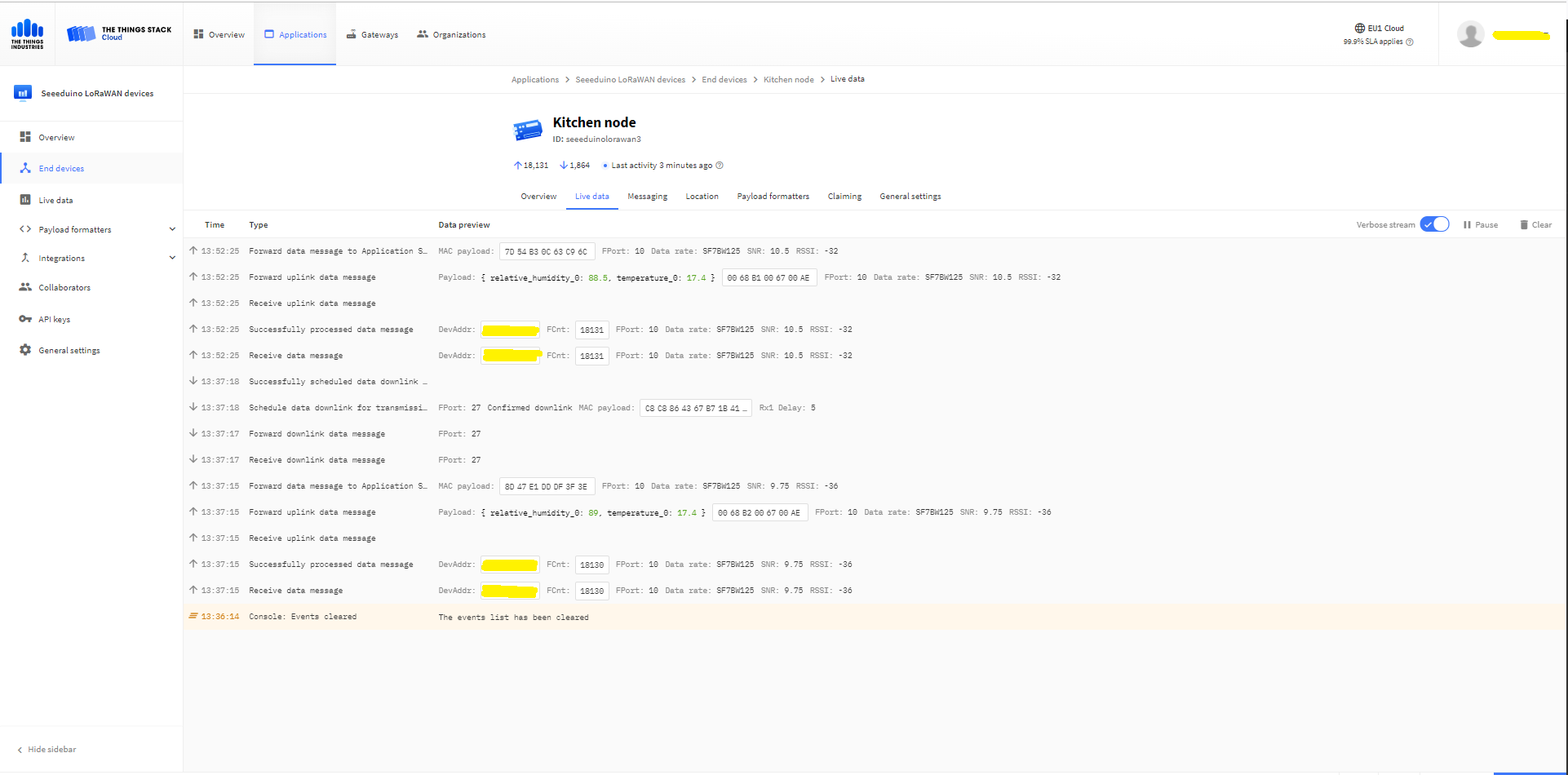
After some experimentation in the BreakOutSerial project I decided to reimplement the RAK3172 command processing. In the new code a Thread reads lines of text from the SerialPort and processes them. I have replaced the Join and Send(Confirmed) methods with ones that block only while the command are sent to the RAK3172. Then, when completed the OnJoinCompletion or OnMessagesConfirmation event handlers are called.
private Result SendCommand(string command)
{
if (command == null)
{
throw new ArgumentNullException(nameof(command));
}
if (command == string.Empty)
{
throw new ArgumentException($"command cannot be empty", nameof(command));
}
serialDevice.WriteLine(command);
this.CommandResponseExpectedEvent.Reset();
if (!this.CommandResponseExpectedEvent.WaitOne(CommandTimeoutDefaultmSec, false))
{
return Result.Timeout;
}
return CommandResult;
}
private void SerialPortProcessor()
{
string line;
while (CommandProcessResponses)
{
try
{
#if DIAGNOSTICS
Debug.WriteLine($" {DateTime.UtcNow:hh:mm:ss} ReadLine before");
#endif
line = serialDevice.ReadLine();
#if DIAGNOSTICS
Debug.WriteLine($" {DateTime.UtcNow:hh:mm:ss} ReadLine after:{line}");
#endif
// See if device successfully joined network
if (line.StartsWith("+EVT:JOINED"))
{
OnJoinCompletion?.Invoke(true);
continue;
}
// See if device failed ot join network
if (line.StartsWith("+EVT:JOIN FAILED"))
{
OnJoinCompletion?.Invoke(false);
continue;
}
// Applicable only if confirmed messages enabled
if (line.StartsWith("+EVT:SEND CONFIRMED OK"))
{
OnMessageConfirmation?.Invoke();
continue;
}
// Check for A/B/C downlink message
if (line.StartsWith("+EVT:RX_1") || line.StartsWith("+EVT:RX_2") || line.StartsWith("+EVT:RX_3") || line.StartsWith("+EVT:RX_C"))
{
// TODO beef up validation, nto certain what todo if borked
string[] metricsFields= line.Split(' ', ',');
int rssi = int.Parse(metricsFields[3]);
int snr = int.Parse(metricsFields[6]);
line = serialDevice.ReadLine();
#if DIAGNOSTICS
Debug.WriteLine($" {DateTime.UtcNow:HH:mm:ss} UNICAST :{line}");
#endif
line = serialDevice.ReadLine();
#if DIAGNOSTICS
Debug.WriteLine($" {DateTime.UtcNow:HH:mm:ss} Payload:{line}");
#endif
// TODO beef up validation, nto certain what todo if borked
string[] payloadFields = line.Split(':');
byte port = byte.Parse(payloadFields[1]);
string payload = payloadFields[2];
OnReceiveMessage?.Invoke(port, rssi, snr, payload);
continue;
}
#if DIAGNOSTICS
Debug.WriteLine($" {DateTime.UtcNow:hh:mm:ss} ReadLine Result");
#endif
line = serialDevice.ReadLine();
#if DIAGNOSTICS
Debug.WriteLine($" {DateTime.UtcNow:hh:mm:ss} ReadLine Result:{line}");
#endif
switch (line)
{
case "OK":
CommandResult = Result.Success;
break;
case "AT_ERROR":
CommandResult = Result.AtError;
break;
case "AT_PARAM_ERROR":
CommandResult = Result.ParameterError;
break;
case "AT_BUSY_ERROR":
CommandResult = Result.BusyError;
break;
case "AT_TEST_PARAM_OVERFLOW":
CommandResult = Result.ParameterOverflow;
break;
case "AT_NO_NETWORK_JOINED":
CommandResult = Result.NotJoined;
break;
case "AT_RX_ERROR":
CommandResult = Result.ReceiveError;
break;
case "AT_DUTYCYLE_RESTRICTED":
CommandResult = Result.DutyCycleRestricted;
break;
default:
CommandResult = Result.Undefined;
break;
}
CommandResponseExpectedEvent.Set();
}
catch (TimeoutException)
{
// Intentionally ignored, not certain this is a good idea
}
}
}
After a lot of testing I think my thread based approach works reliably. I also had to modify the code to shutdown the command processor thread and free any non managed resources.
/// <summary>
/// Ensures unmanaged serial port and thread resources are released in a "responsible" manner.
/// </summary>
public void Dispose()
{
CommandProcessResponses = false;
if (CommandResponsesProcessorThread != null)
{
CommandResponsesProcessorThread.Join();
CommandResponsesProcessorThread = null;
}
if (serialDevice != null)
{
serialDevice.Dispose();
serialDevice = null;
}
}
I need to add some validation to the metrics and payload field unpacking (though I’m not certain what todo if they are the wrong format) and review the handling of multi-line event messages.
Raspberry Pi3 with Grove Base Hat and RAK3172 Breakout (using UART2)
After some experimentation in the BreakOutSerial project I decided to reimplement the RAK3172 command processing. In the new code a Thread reads lines of text from the SerialPort and processes them. I have replaced the Join and Send(Confirmed) methods with ones that block only while the command are sent to the RAK3172. Then, when completed the OnJoinCompletion or OnMessagesConfirmation event handlers are called.
private Result SendCommand(string command)
{
if (command == null)
{
throw new ArgumentNullException(nameof(command));
}
if (command == string.Empty)
{
throw new ArgumentException($"command invalid length cannot be empty", nameof(command));
}
serialDevice.ReadTimeout = (int)CommandTimeoutDefault.TotalMilliseconds;
serialDevice.WriteLine(command);
this.atExpectedEvent.Reset();
if (!this.atExpectedEvent.WaitOne((int)CommandTimeoutDefault.TotalMilliseconds, false))
return Result.Timeout;
return result;
}
public void SerialPortProcessor()
{
string line;
while (true)
{
this.serialDevice.ReadTimeout = -1;
Debug.WriteLine("ReadLine before");
line = serialDevice.ReadLine();
Debug.WriteLine($"ReadLine after:{line}");
// check for +EVT:JOINED
if (line.StartsWith("+EVT:JOINED"))
{
OnJoinCompletion?.Invoke(true);
continue;
}
if (line.StartsWith("+EVT:JOIN FAILED"))
{
OnJoinCompletion?.Invoke(false);
continue;
}
if (line.StartsWith("+EVT:SEND CONFIRMED OK"))
{
OnMessageConfirmation?.Invoke();
continue;
}
// Check for A/B/C downlink message
if (line.StartsWith("+EVT:RX_1") || line.StartsWith("+EVT:RX_2") || line.StartsWith("+EVT:RX_3") || line.StartsWith("+EVT:RX_C"))
{
string[] fields1 = line.Split(' ', ',');
int rssi = int.Parse(fields1[3]);
int snr = int.Parse(fields1[6]);
line = serialDevice.ReadLine();
Console.WriteLine($"{DateTime.UtcNow:HH:mm:ss} UNICAST :{line}");
line = serialDevice.ReadLine();
Console.WriteLine($"{DateTime.UtcNow:HH:mm:ss} Payload:{line}");
string[] fields2 = line.Split(':');
int port = int.Parse(fields2[1]);
string payload = fields2[2];
OnReceiveMessage?.Invoke(port, rssi, snr, payload);
continue;
}
try
{
this.serialDevice.ReadTimeout = 3000;
Debug.WriteLine("ReadLine Result");
line = serialDevice.ReadLine();
Debug.WriteLine($"ReadLine Result after:{line}");
switch (line)
{
case "OK":
result = Result.Success;
break;
case "AT_ERROR":
result = Result.Error;
break;
case "AT_PARAM_ERROR":
result = Result.ParameterError;
break;
case "AT_BUSY_ERROR":
result = Result.BusyError;
break;
case "AT_TEST_PARAM_OVERFLOW":
result = Result.ParameterOverflow;
break;
case "AT_NO_NETWORK_JOINED":
result = Result.NotJoined;
break;
case "AT_RX_ERROR":
result = Result.ReceiveError;
break;
case "AT_DUTYCYLE_RESTRICTED":
result = Result.DutyCycleRestricted;
break;
default:
result = Result.Undefined;
break;
}
}
catch (TimeoutException)
{
result = Result.Timeout;
}
atExpectedEvent.Set();
}
The code is not suitable for production but it confirmed my thread based approach works. I need to add code to shutdown the message processing thread in a controlled way, support for Class B & C devices, replace the OnJoinCompletionHandler timer magic numbers and soak test for 5-7 days.
Visual Studio Displaying RAK3172 device joining network then sending messages
In the Visual Studio 2019 debug output I could see messages getting sent and then after a short delay they were visible in the TTN console.
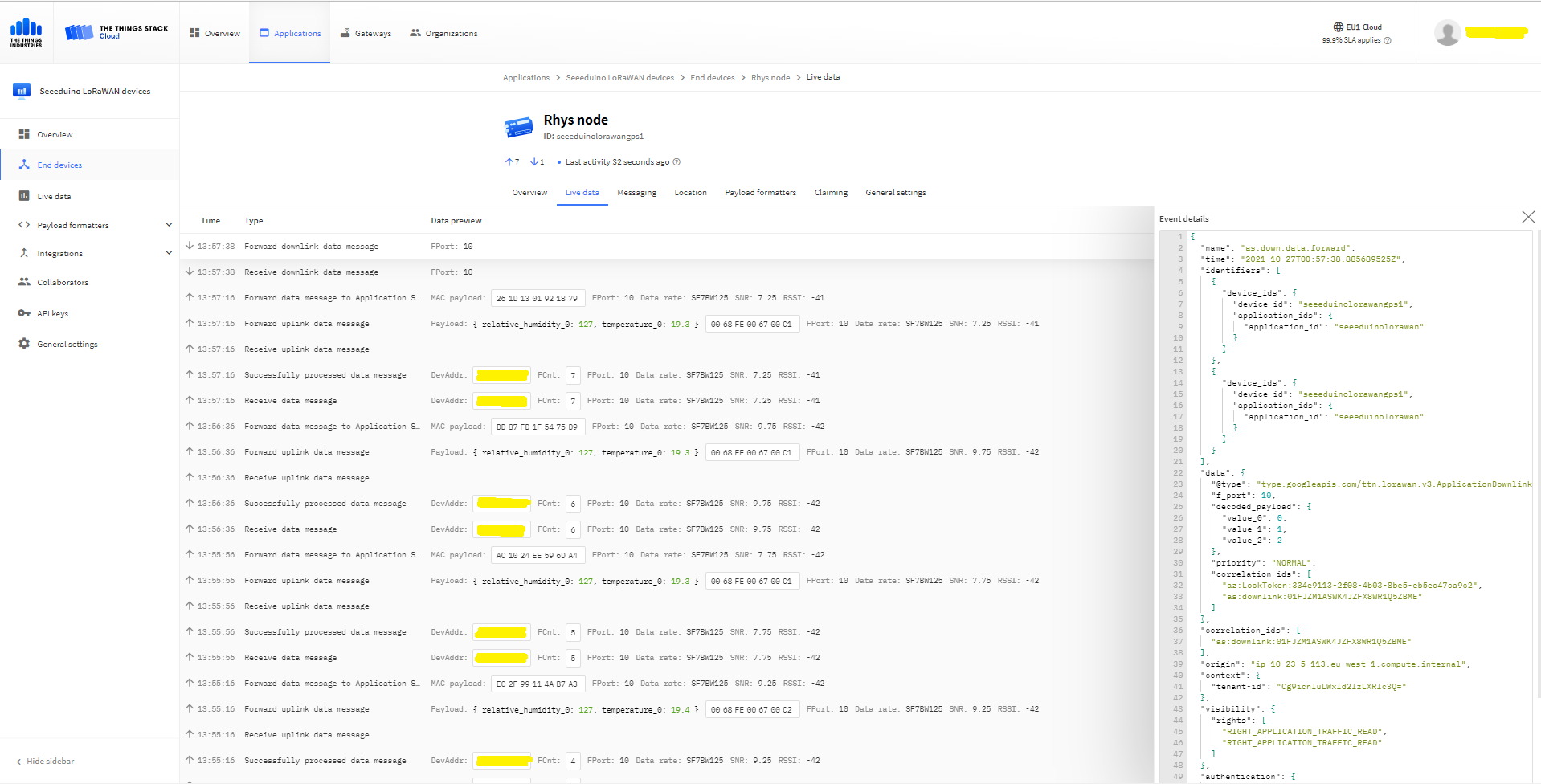
TTN Displaying RAK3172 device joining network then sending messages
Raspberry Pi3 with Grove Base Hat and RAK3172 Breakout (using UART2)
My Activation By Personalisation (ABP) implementation is very “nasty” (just like the OTAA one) I have assumed that there would be no timeouts or failures and I only send one BCD message “48656c6c6f204c6f526157414e” which is “hello LoRaWAN”.
The code just sequentially steps through the necessary configuration to join the TTN network with a suitable delay after each command is sent.
//---------------------------------------------------------------------------------
// Copyright (c) September 2021, devMobile Software
//
// Licensed under the Apache License, Version 2.0 (the "License");
// you may not use this file except in compliance with the License.
// You may obtain a copy of the License at
//
// http://www.apache.org/licenses/LICENSE-2.0
//
// Unless required by applicable law or agreed to in writing, software
// distributed under the License is distributed on an "AS IS" BASIS,
// WITHOUT WARRANTIES OR CONDITIONS OF ANY KIND, either express or implied.
// See the License for the specific language governing permissions and
// limitations under the License.
//
//---------------------------------------------------------------------------------
namespace devMobile.IoT.NetCore.RAK3172.NetworkJoinABP
{
using System;
using System.Diagnostics;
using System.IO.Ports;
using System.Threading;
public class Program
{
private const string SerialPortId = "/dev/ttyS0";
private const string DevAddress = "...";
private const string NwksKey = "...";
private const string AppsKey = "...";
private const byte MessagePort = 1;
private const string Payload = "A0EEE456D02AFF4AB8BAFD58101D2A2A"; // Hello LoRaWAN
public static void Main()
{
string response;
Debug.WriteLine("devMobile.IoT.NetCore.Rak3172.NetworkJoinOTAA starting");
Debug.WriteLine(String.Join(",", SerialPort.GetPortNames()));
try
{
using (SerialPort serialPort = new SerialPort(SerialPortId))
{
// set parameters
serialPort.BaudRate = 9600;
serialPort.DataBits = 8;
serialPort.Parity = Parity.None;
serialPort.StopBits = StopBits.One;
serialPort.Handshake = Handshake.None;
serialPort.ReadTimeout = 5000;
serialPort.NewLine = "\r\n";
serialPort.Open();
// clear out the RX buffer
response = serialPort.ReadExisting();
Debug.WriteLine($"RX :{response.Trim()} bytes:{response.Length}");
Thread.Sleep(500);
// Set the Working mode to LoRaWAN
Console.WriteLine("Set Work mode");
serialPort.WriteLine("AT+NWM=1");
// Read the blank line
response = serialPort.ReadLine();
// Read the response
response = serialPort.ReadLine();
Debug.WriteLine($"RX :{response.Trim()} bytes:{response.Length}");
// Set the Region to AS923
Console.WriteLine("Set Region");
serialPort.WriteLine("AT+BAND=8-1");
// Read the blank line
response = serialPort.ReadLine();
// Read the response
response = serialPort.ReadLine();
Debug.WriteLine($"RX :{response.Trim()} bytes:{response.Length}");
// Set the JoinMode
Console.WriteLine("Set Join mode");
serialPort.WriteLine("AT+NJM=0");
// Read the blank line
response = serialPort.ReadLine();
// Read the response
response = serialPort.ReadLine();
Debug.WriteLine($"RX :{response.Trim()} bytes:{response.Length}");
// Set the device address
Console.WriteLine("Set Device Address");
serialPort.WriteLine($"AT+DEVADDR={DevAddress}");
// Read the blank line
response = serialPort.ReadLine();
// Read the response
response = serialPort.ReadLine();
Debug.WriteLine($"RX :{response.Trim()} bytes:{response.Length}");
// Set the network session key
Console.WriteLine("Set Network Session Key");
serialPort.WriteLine($"AT+NWKSKEY={NwksKey}");
// Read the blank line
response = serialPort.ReadLine();
// Read the response
response = serialPort.ReadLine();
Debug.WriteLine($"RX :{response.Trim()} bytes:{response.Length}");
// Set the application session key
Console.WriteLine("Set application Session Key");
serialPort.WriteLine($"AT+APPSKEY={AppsKey}");
// Read the blank line
response = serialPort.ReadLine();
// Read the response
response = serialPort.ReadLine();
Debug.WriteLine($"RX :{response.Trim()} bytes:{response.Length}");
// Set the Confirm flag
Console.WriteLine("Set Confirm off");
serialPort.WriteLine("AT+CFM=0");
// Read the blank line
response = serialPort.ReadLine();
// Read the response
response = serialPort.ReadLine();
Debug.WriteLine($"RX :{response.Trim()} bytes:{response.Length}");
// Join the network
Console.WriteLine("Start Join");
serialPort.WriteLine("AT+JOIN=1:0:10:2");
// Read the blank line
response = serialPort.ReadLine();
// Read the Result
response = serialPort.ReadLine();
Debug.WriteLine($"RX :{response.Trim()} bytes:{response.Length}");
Thread.Sleep(10000);
// Read the +EVT:JOINED
response = serialPort.ReadLine();
Debug.WriteLine($"RX :{response.Trim()} bytes:{response.Length}");
while (true)
{
Console.WriteLine("Sending");
serialPort.WriteLine($"AT+SEND={MessagePort}:{Payload}");
// Read the blank line
response = serialPort.ReadLine();
// Read the result
Console.WriteLine("Send result");
response = serialPort.ReadLine();
Debug.WriteLine($"RX :{response.Trim()} bytes:{response.Length}");
Thread.Sleep(300000);
}
}
}
catch (Exception ex)
{
Debug.WriteLine(ex.Message);
}
}
}
}
The code is not suitable for production but it confirmed my software and hardware configuration worked.
In the Visual Studio 2019 debug output I could see messages getting sent and then after a short delay they were visible in the TTN console.
The RAK3172 command format is quite different from other modules I have used e.g. Requesting the firmware version information
TX- AT+VER=?
RX- Blank Line
RX- V1.0.2
RX- OK
Requesting the APPEUI
TX- AT+DEVADDR=?
RX- 11223344
RX- Blank line
RX- OK
I think the RAK3172 module ships with a default DEVEUI so in this code and my library I have assumed it will be configured as part of a “provisioning” process.
Raspberry Pi3 with Grove Base Hat and RAK3172 Breakout (using UART2)
My Over the Air Activation (OTAA) implementation is very “nasty” I have assumed that there would be no timeouts or failures and I only send one BCD message “48656c6c6f204c6f526157414e” which is “hello LoRaWAN”.
The code just sequentially steps through the necessary configuration to join the TTN network with a suitable delay after each command is sent.
//---------------------------------------------------------------------------------
// Copyright (c) September 2021, devMobile Software
//
// Licensed under the Apache License, Version 2.0 (the "License");
// you may not use this file except in compliance with the License.
// You may obtain a copy of the License at
//
// http://www.apache.org/licenses/LICENSE-2.0
//
// Unless required by applicable law or agreed to in writing, software
// distributed under the License is distributed on an "AS IS" BASIS,
// WITHOUT WARRANTIES OR CONDITIONS OF ANY KIND, either express or implied.
// See the License for the specific language governing permissions and
// limitations under the License.
//
//---------------------------------------------------------------------------------
namespace devMobile.IoT.NetCore.RAK3172.NetworkJoinOTAA
{
using System;
using System.Diagnostics;
using System.IO.Ports;
using System.Threading;
public class Program
{
private const string SerialPortId = "/dev/ttyS0";
private const string AppEui = "...";
private const string AppKey = "...";
private const byte MessagePort = 1;
private const string Payload = "A0EEE456D02AFF4AB8BAFD58101D2A2A"; // Hello LoRaWAN
public static void Main()
{
string response;
Debug.WriteLine("devMobile.IoT.NetCore.Rak3172.NetworkJoinOTAA starting");
Debug.WriteLine(String.Join(",", SerialPort.GetPortNames()));
try
{
using (SerialPort serialPort = new SerialPort(SerialPortId))
{
// set parameters
serialPort.BaudRate = 9600;
serialPort.DataBits = 8;
serialPort.Parity = Parity.None;
serialPort.StopBits = StopBits.One;
serialPort.Handshake = Handshake.None;
serialPort.ReadTimeout = 5000;
serialPort.NewLine = "\r\n";
serialPort.Open();
// clear out the RX buffer
response = serialPort.ReadExisting();
Debug.WriteLine($"RX :{response.Trim()} bytes:{response.Length}");
Thread.Sleep(500);
// Set the Working mode to LoRaWAN
Console.WriteLine("Set Work mode");
serialPort.WriteLine("AT+NWM=1");
// Read the blank line
response = serialPort.ReadLine();
// Read the response
response = serialPort.ReadLine();
Debug.WriteLine($"RX :{response.Trim()} bytes:{response.Length}");
// Set the Region to AS923
Console.WriteLine("Set Region");
serialPort.WriteLine("AT+BAND=8-1");
// Read the blank line
response = serialPort.ReadLine();
// Read the response
response = serialPort.ReadLine();
Debug.WriteLine($"RX :{response.Trim()} bytes:{response.Length}");
// Set the JoinMode
Console.WriteLine("Set Join mode");
serialPort.WriteLine("AT+NJM=1");
// Read the blank line
response = serialPort.ReadLine();
// Read the response
response = serialPort.ReadLine();
Debug.WriteLine($"RX :{response.Trim()} bytes:{response.Length}");
// Set the appEUI
Console.WriteLine("Set App Eui");
serialPort.WriteLine($"AT+APPEUI={AppEui}");
// Read the blank line
response = serialPort.ReadLine();
// Read the response
response = serialPort.ReadLine();
Debug.WriteLine($"RX :{response.Trim()} bytes:{response.Length}");
// Set the appKey
Console.WriteLine("Set App Key");
serialPort.WriteLine($"AT+APPKEY={AppKey}");
// Read the blank line
response = serialPort.ReadLine();
// Read the response
response = serialPort.ReadLine();
Debug.WriteLine($"RX :{response.Trim()} bytes:{response.Length}");
// Set the Confirm flag
Console.WriteLine("Set Confirm off");
serialPort.WriteLine("AT+CFM=0");
// Read the blank line
response = serialPort.ReadLine();
// Read the response
response = serialPort.ReadLine();
Debug.WriteLine($"RX :{response.Trim()} bytes:{response.Length}");
// Join the network
Console.WriteLine("Start Join");
serialPort.WriteLine("AT+JOIN=1:0:10:2");
// Read the blank line
response = serialPort.ReadLine();
// Read the Result
response = serialPort.ReadLine();
Debug.WriteLine($"RX :{response.Trim()} bytes:{response.Length}");
Thread.Sleep(10000);
// Read the +EVT:JOINED
response = serialPort.ReadLine();
Debug.WriteLine($"RX :{response.Trim()} bytes:{response.Length}");
while (true)
{
Console.WriteLine("Sending");
serialPort.WriteLine($"AT+SEND={MessagePort}:{Payload}");
// Read the blank line
response = serialPort.ReadLine();
// Read the result
Console.WriteLine("Send result");
response = serialPort.ReadLine();
Debug.WriteLine($"RX :{response.Trim()} bytes:{response.Length}");
Thread.Sleep(300000);
}
}
}
catch (Exception ex)
{
Debug.WriteLine(ex.Message);
}
}
}
}
The code is not suitable for production but it confirmed my software and hardware configuration worked.
In the Visual Studio 2019 debug output I could see messages getting sent and then after a short delay they were visible in the TTN console.
The RAK3172 command format is quite different from other modules I have used e.g. Requesting the firmware version information
TX- AT+VER=?
RX- Blank Line
RX- V1.0.2
RX- OK
Requesting the APPEUI
TX- AT+APPEUI=?
RX- 1122334455667788
RX- Blank line
RX- OK
I think the RAK3172 module ships with a default DEVEUI so in this code and my library I have assumed it will be configured as part of a “provisioning” process.
RaspberyPI OS Software Configuration tool mains screen
RaspberryPI OS IO Serial Port configuration
Raspberry PI OS disabling remote serial login shell
RaspberryPI OS enabling serial port access
Once serial port access was enabled I could enumerate them with SerialPort.GetPortNames() which is in the System.IO.PortsNuGet package. My sample code has compile time options for synchronous and asynchronous operation.
//---------------------------------------------------------------------------------
// Copyright (c) September 2021, devMobile Software
//
// Licensed under the Apache License, Version 2.0 (the "License");
// you may not use this file except in compliance with the License.
// You may obtain a copy of the License at
//
// http://www.apache.org/licenses/LICENSE-2.0
//
// Unless required by applicable law or agreed to in writing, software
// distributed under the License is distributed on an "AS IS" BASIS,
// WITHOUT WARRANTIES OR CONDITIONS OF ANY KIND, either express or implied.
// See the License for the specific language governing permissions and
// limitations under the License.
//
//---------------------------------------------------------------------------------
namespace devMobile.IoT.NetCore.RAK3172.ShieldSerial
{
using System;
using System.Diagnostics;
using System.IO.Ports;
using System.Threading;
public class Program
{
private const string SerialPortId = "/dev/ttyS0";
public static void Main()
{
SerialPort serialPort;
Debug.WriteLine("devMobile.IoT.NetCore.Rak3172.pHatSerial starting");
Debug.WriteLine(String.Join(",", SerialPort.GetPortNames()));
try
{
serialPort = new SerialPort(SerialPortId);
// set parameters
serialPort.BaudRate = 9600;
serialPort.Parity = Parity.None;
serialPort.DataBits = 8;
serialPort.StopBits = StopBits.One;
serialPort.Handshake = Handshake.None;
serialPort.ReadTimeout = 1000;
serialPort.NewLine = "\r\n";
serialPort.Open();
#if SERIAL_ASYNC_READ
serialPort.DataReceived += SerialDevice_DataReceived;
#endif
while (true)
{
serialPort.WriteLine("AT+VER=?");
#if SERIAL_SYNC_READ
// Read the response
string response = serialPort.ReadLine();
Debug.WriteLine($"RX:{response.Trim()} bytes:{response.Length}");
// Read the blank line
response = serialPort.ReadLine();
Debug.WriteLine($"RX:{response.Trim()} bytes:{response.Length}");
// Read the result
response = serialPort.ReadLine();
Debug.WriteLine($"RX:{response.Trim()} bytes:{response.Length}");
#endif
Thread.Sleep(20000);
}
}
catch (Exception ex)
{
Debug.WriteLine(ex.Message);
}
}
#if SERIAL_ASYNC_READ
private static void SerialDevice_DataReceived(object sender, SerialDataReceivedEventArgs e)
{
SerialPort serialPort = (SerialPort)sender;
switch (e.EventType)
{
case SerialData.Chars:
string response = serialPort.ReadExisting();
Debug.WriteLine($"RX:{response.Trim()} bytes:{response.Length}");
break;
case SerialData.Eof:
Debug.WriteLine("RX :EoF");
break;
default:
Debug.Assert(false, $"e.EventType {e.EventType} unknown");
break;
}
}
#endif
}
}
When I requested the RAK3172 version information with the AT+VER? command the response was three lines, consisting of the version information, a blank line, then the result of the command. If I sent an invalid command the response was two lines, a blank line then “AT_ERROR”
AT+VER? response synchronous
The asynchronous version of the application displays character(s) as they arrive so a response could be split across multiple SerialDataReceived events
AT+VER? response asynchronous
Unlike the RAK811 module the RAK3172 defaults 9600 baud which means there is no need to change the baudrate before using the device. I use the excellent RaspberryDebugger to download application and debug them on my Raspberry PI 3.
Seeed LoRa-E5 Development kit connected to Gove bas shield on a Raspberry PI3
My Over the Air Activation (OTAA) implementation is very “nasty” I have assumed that there would be no timeouts or failures and I only send one BCD message “48656c6c6f204c6f526157414e” which is “hello LoRaWAN”.
The code just sequentially steps through the necessary configuration to join the TTN network with a suitable delay after each command is sent. There also appeared to be quite a variation in response times, especially for joining the network(most probably network related) and the progress of sending a message.
//---------------------------------------------------------------------------------
// Copyright (c) September 2021, devMobile Software
//
// Licensed under the Apache License, Version 2.0 (the "License");
// you may not use this file except in compliance with the License.
// You may obtain a copy of the License at
//
// http://www.apache.org/licenses/LICENSE-2.0
//
// Unless required by applicable law or agreed to in writing, software
// distributed under the License is distributed on an "AS IS" BASIS,
// WITHOUT WARRANTIES OR CONDITIONS OF ANY KIND, either express or implied.
// See the License for the specific language governing permissions and
// limitations under the License.
//
//---------------------------------------------------------------------------------
namespace devMobile.IoT.NetCore.SeeedLoRaE5.NetworkJoinOTAA
{
using System;
using System.Diagnostics;
using System.IO.Ports;
using System.Threading;
class Program
{
private const string SerialPortId = "/dev/ttyS0";
private const string AppKey = "................................";
private const string AppEui = "................";
private const byte MessagePort = 15;
//private const string Payload = "48656c6c6f204c6f526157414e"; // Hello LoRaWAN
private const string Payload = "01020304"; // AQIDBA==
//private const string Payload = "04030201"; // BAMCAQ==
public static void Main()
{
string response;
Debug.WriteLine("devMobile.IoT.SeeedLoRaE5.NetworkJoinOTAA starting");
Debug.WriteLine(String.Join(",", SerialPort.GetPortNames()));
try
{
using (SerialPort serialDevice = new SerialPort(SerialPortId))
{
// set parameters
serialDevice.BaudRate = 9600;
serialDevice.Parity = Parity.None;
serialDevice.StopBits = StopBits.One;
serialDevice.Handshake = Handshake.None;
serialDevice.DataBits = 8;
serialDevice.ReadTimeout = 10000;
serialDevice.NewLine = "\r\n";
serialDevice.Open();
// clear out the RX buffer
serialDevice.ReadExisting();
response = serialDevice.ReadExisting();
Debug.WriteLine($"Response :{response.Trim()} bytes:{response.Length}");
Thread.Sleep(500);
// Set the Region to AS923
serialDevice.WriteLine("AT+DR=AS923\r\n");
response = serialDevice.ReadLine();
Debug.WriteLine($"Response :{response.Trim()} bytes:{response.Length}");
// Set the Join mode
serialDevice.WriteLine("AT +MODE=LWOTAA\r\n");
response = serialDevice.ReadLine();
Debug.WriteLine($"Response :{response.Trim()} bytes:{response.Length}");
// Set the appEUI
serialDevice.WriteLine($"AT+ID=AppEui,\"{AppEui}\"\r\n");
response = serialDevice.ReadLine();
Debug.WriteLine($"Response :{response.Trim()} bytes:{response.Length}");
// Set the appKey
serialDevice.WriteLine($"AT+KEY=APPKEY,{AppKey}\r\n");
response = serialDevice.ReadLine();
Debug.WriteLine($"Response :{response.Trim()} bytes:{response.Length}");
// Set the port number
serialDevice.WriteLine($"AT+PORT={MessagePort}\r\n");
response = serialDevice.ReadLine();
Debug.WriteLine($"Response :{response.Trim()} bytes:{response.Length}");
// Join the network
serialDevice.WriteLine("AT+JOIN\r\n");
// Join start
response = serialDevice.ReadLine();
Debug.WriteLine($"Response :{response.Trim()} bytes:{response.Length}");
// JOIN normal
response = serialDevice.ReadLine();
Debug.WriteLine($"Response :{response.Trim()} bytes:{response.Length}");
Thread.Sleep(5000);
// network joined
response = serialDevice.ReadLine();
Debug.WriteLine($"Response :{response.Trim()} bytes:{response.Length}");
// Net ID
response = serialDevice.ReadLine();
Debug.WriteLine($"Response :{response.Trim()} bytes:{response.Length}");
// Join done
response = serialDevice.ReadLine();
Debug.WriteLine($"Response :{response.Trim()} bytes:{response.Length}");
while (true)
{
Debug.WriteLine("Sending");
serialDevice.WriteLine($"AT+MSGHEX=\"{Payload}\"\r\n");
// Start
response = serialDevice.ReadLine();
Debug.WriteLine($"Response :{response.Trim()} bytes:{response.Length}");
// Fpending
response = serialDevice.ReadLine();
Debug.WriteLine($"Response :{response.Trim()} bytes:{response.Length}");
//Read metrics
response = serialDevice.ReadLine();
Debug.WriteLine($"Response :{response.Trim()} bytes:{response.Length}");
//Done
response = serialDevice.ReadLine();
Debug.WriteLine($"Response :{response.Trim()} bytes:{response.Length}");
Thread.Sleep(30000);
}
}
}
catch (Exception ex)
{
Debug.WriteLine(ex.Message);
}
}
}
}
The code is not suitable for production but it confirmed my software and hardware configuration worked.
Visual Studio debugger output window showing network join and sensing a message
In the Visual Studio 2019 debug output I could see messages getting sent and then after a short delay they were visible in the TTN console.
The Things Industries Live Data view showing network join and sensing a message
Most of the LoRaWAN modems I have worked with reply “OK” when a command is successful. The SeeedLoRa-E5 often returns the payload of the request in the response which makes the code a little bit more complex.
AppEui command structure in AT Command documentation
For example the AppEui can be passed in as “00:00:00:00:00:00:00:00” or “0000000000000000” but in the response the format is always “00:00:00:00:00:00:00:00”
RaspberyPI OS Software Configuration tool mains screen
RaspberryPI OS IO Serial Port configuration
Raspberry PI OS disabling remote serial login shell
RaspberryPI OS enabling serial port access
Once serial port access was enabled I could enumerate them with SerialPort.GetPortNames() which is in the System.IO.PortsNuGet package. The code has compile time options for synchronous and asynchronous operation.
//---------------------------------------------------------------------------------
// Copyright (c) September 2021, devMobile Software
//
// Licensed under the Apache License, Version 2.0 (the "License");
// you may not use this file except in compliance with the License.
// You may obtain a copy of the License at
//
// http://www.apache.org/licenses/LICENSE-2.0
//
// Unless required by applicable law or agreed to in writing, software
// distributed under the License is distributed on an "AS IS" BASIS,
// WITHOUT WARRANTIES OR CONDITIONS OF ANY KIND, either express or implied.
// See the License for the specific language governing permissions and
// limitations under the License.
//
//---------------------------------------------------------------------------------
namespace devMobile.IoT.NetCore.SeeedLoRaE5.ShieldSerial
{
using System;
using System.Diagnostics;
using System.IO.Ports;
using System.Threading;
public class Program
{
private const string SerialPortId = "/dev/ttyS0";
public static void Main()
{
SerialPort serialPort;
Debug.WriteLine("devMobile.IoT.NetCore.SeeedLoRaE5.ShieldSerial starting");
Debug.WriteLine(String.Join(",", SerialPort.GetPortNames()));
try
{
serialPort = new SerialPort(SerialPortId);
// set parameters
serialPort.BaudRate = 9600;
serialPort.Parity = Parity.None;
serialPort.DataBits = 8;
serialPort.StopBits = StopBits.One;
serialPort.Handshake = Handshake.None;
serialPort.ReadTimeout = 1000;
serialPort.NewLine = "\r\n";
serialPort.Open();
#if SERIAL_ASYNC_READ
serialPort.DataReceived += SerialDevice_DataReceived;
#endif
while (true)
{
serialPort.WriteLine("AT+VER");
#if SERIAL_SYNC_READ
string response = serialPort.ReadLine();
Debug.WriteLine($"RX:{response.Trim()} bytes:{response.Length}");
#endif
Thread.Sleep(20000);
}
}
catch (Exception ex)
{
Debug.WriteLine(ex.Message);
}
}
#if SERIAL_ASYNC_READ
private static void SerialDevice_DataReceived(object sender, SerialDataReceivedEventArgs e)
{
SerialPort serialPort = (SerialPort)sender;
switch (e.EventType)
{
case SerialData.Chars:
string response = serialPort.ReadExisting();
Debug.WriteLine($"RX:{response.Trim()} bytes:{response.Length}");
break;
case SerialData.Eof:
Debug.WriteLine("RX :EoF");
break;
default:
Debug.Assert(false, $"e.EventType {e.EventType} unknown");
break;
}
}
#endif
}
}
The synchronous version of the test client requests the Seeeduino LoRa-E5 version information with the AT+VER command.
Synchronously reading characters from the Seeeduino LoRa-E5
The asynchronous version of the application displays character(s) as they arrive so a response can be split across multiple SerialDataReceived events.