Swarm Space – Azure IoT FromDevice with webhooks

The initial versions of the Swarm Space Azure Cloud Identity Gateway were based on my The Things Industries(TTI) Azure IoT Connector which used six HTTP Triggered Azure Functions. My Swarm Space Azure IoT connector only has one webhook endpoint so a .NET Core WebAPI with controllers based solution appeared to be more practical. The first step was to get some sample JavaScript Object Notation(JSON) uplink message payloads with the SwarmSpace-From Device with Webhooks project.

{
  "packetId": 0,
  "deviceType": 1,
  "deviceId": 0,
  "userApplicationId": 0,
  "organizationId": 65760,
  "data": "VGhpcyBpcyBhIHRlc3QgbWVzc2FnZS4gVGhlIHBhY2tldElkIGFuZCBkZXZpY2VJZCBhcmUgbm90IHBvcHVsYXRlZCwgYnV0IHdpbGwgYmUgZm9yIGEgcmVhbCBtZXNzYWdlLg==",
  "len": 100,
  "status": 0,
  "hiveRxTime": "2022-11-29T04:52:06"
}

I used JSON2CSharp to generate an initial version of a Plain Old CLR(ComonLanguage Runtime) Object(POCO) to deserialise the Delivery Webhook payload.

 https://json2csharp.com/
    
    // Root myDeserializedClass = JsonConvert.DeserializeObject<Root>(myJsonResponse);
    public class Root
    {
        public int packetId { get; set; }
        public int deviceType { get; set; }
        public int deviceId { get; set; }
        public int userApplicationId { get; set; }
        public int organizationId { get; set; }
        public string data { get; set; }
        public int len { get; set; }
        public int status { get; set; }
        public DateTime hiveRxTime { get; set; }
    }
*/

I then “tweaked” the JSON2CSharp class

 public class UplinkPayload
    {
        [JsonProperty("packetId")]
        public int PacketId { get; set; }

        [JsonProperty("deviceType")]
        public int DeviceType { get; set; }

        [JsonProperty("deviceId")]
        public int DeviceId { get; set; }

        [JsonProperty("userApplicationId")]
        public int UserApplicationId { get; set; }

        [JsonProperty("organizationId")]
        public int OrganizationId { get; set; }

        [JsonProperty("data")]
        [JsonRequired]
        public string Data { get; set; }

        [JsonProperty("len")]
        public int Len { get; set; }

        [JsonProperty("status")]
        public int Status { get; set; }

        [JsonProperty("hiveRxTime")]
        public DateTime HiveRxTime { get; set; }
    }

This class is used to “automagically” deserialise Delivery Webhook payloads. There is also some additional payload validation which discards test messages (not certain this is a good idea) etc.

//---------------------------------------------------------------------------------
// Copyright (c) December 2022, devMobile Software
//
// Licensed under the Apache License, Version 2.0 (the "License");
// you may not use this file except in compliance with the License.
// You may obtain a copy of the License at
//
//     http://www.apache.org/licenses/LICENSE-2.0
//
// Unless required by applicable law or agreed to in writing, software
// distributed under the License is distributed on an "AS IS" BASIS,
// WITHOUT WARRANTIES OR CONDITIONS OF ANY KIND, either express or implied.
// See the License for the specific language governing permissions and
// limitations under the License.
//
//---------------------------------------------------------------------------------
namespace devMobile.IoT.SwarmSpace.AzureIoT.Connector.Controllers
{
    using System.Globalization;
    using System.Text;
    using System.Threading.Tasks;

    using Microsoft.AspNetCore.Mvc;
    using Microsoft.Azure.Devices.Client;
    using Microsoft.Extensions.Logging;

    using Newtonsoft.Json;
    using Newtonsoft.Json.Linq;

    [ApiController]
    [Route("api/[controller]")]
    public class UplinkController : ControllerBase
    {
        private readonly ILogger<UplinkController> _logger;
        private readonly IAzureIoTDeviceClientCache _azureIoTDeviceClientCache;

        public UplinkController(ILogger<UplinkController> logger, IAzureIoTDeviceClientCache azureIoTDeviceClientCache)
        {
            _logger = logger;
            _azureIoTDeviceClientCache = azureIoTDeviceClientCache;
        }

        [HttpPost]
        public async Task<IActionResult> Uplink([FromBody] Models.UplinkPayload payload)
        {
            DeviceClient deviceClient;

            _logger.LogDebug("Payload {0}", JsonConvert.SerializeObject(payload, Formatting.Indented));

            if (payload.PacketId == 0)
            {
                _logger.LogWarning("Uplink-payload simulated DeviceId:{DeviceId}", payload.DeviceId);

                return this.Ok();
            }

            if ((payload.UserApplicationId < Constants.UserApplicationIdMinimum) || (payload.UserApplicationId > Constants.UserApplicationIdMaximum))
            {
                _logger.LogWarning("Uplink-payload invalid User Application Id:{UserApplicationId}", payload.UserApplicationId);

                return this.BadRequest($"Invalid User Application Id {payload.UserApplicationId}");
            }

            if ((payload.Len < Constants.PayloadLengthMinimum) || string.IsNullOrEmpty(payload.Data))
            {
                _logger.LogWarning("Uplink-payload.Data is empty PacketId:{PacketId}", payload.PacketId);

                return this.Ok("payload.Data is empty");
            }

            Models.AzureIoTDeviceClientContext context = new Models.AzureIoTDeviceClientContext()
            {
                OrganisationId = payload.OrganizationId,
                UserApplicationId = payload.UserApplicationId,
                DeviceType = payload.DeviceType,
                DeviceId = payload.DeviceId,
            };

            deviceClient = await _azureIoTDeviceClientCache.GetOrAddAsync(payload.DeviceId.ToString(), context);

            JObject telemetryEvent = new JObject
            {
                { "packetId", payload.PacketId},
                { "deviceType" , payload.DeviceType},
                { "DeviceID", payload.DeviceId },
                { "organizationId", payload.OrganizationId },
                { "ApplicationId", payload.UserApplicationId},
                { "ReceivedAtUtc", payload.HiveRxTime.ToString("s", CultureInfo.InvariantCulture) },
                { "DataLength", payload.Len },
                { "Data", payload.Data },
                { "Status", payload.Status },
            };

            // Send the message to Azure IoT Hub
            using (Message ioTHubmessage = new Message(Encoding.ASCII.GetBytes(JsonConvert.SerializeObject(telemetryEvent))))
            {
                // Ensure the displayed time is the acquired time rather than the uploaded time. 
                ioTHubmessage.Properties.Add("iothub-creation-time-utc", payload.HiveRxTime.ToString("s", CultureInfo.InvariantCulture));
                ioTHubmessage.Properties.Add("OrganizationId", payload.OrganizationId.ToString());
                ioTHubmessage.Properties.Add("ApplicationId", payload.UserApplicationId.ToString());
                ioTHubmessage.Properties.Add("DeviceId", payload.DeviceId.ToString());
                ioTHubmessage.Properties.Add("deviceType", payload.DeviceType.ToString());

                await deviceClient.SendEventAsync(ioTHubmessage);

                _logger.LogInformation("Uplink-DeviceID:{deviceId} SendEventAsync success", payload.DeviceId);
            }

            return this.Ok();
        }
    }
}

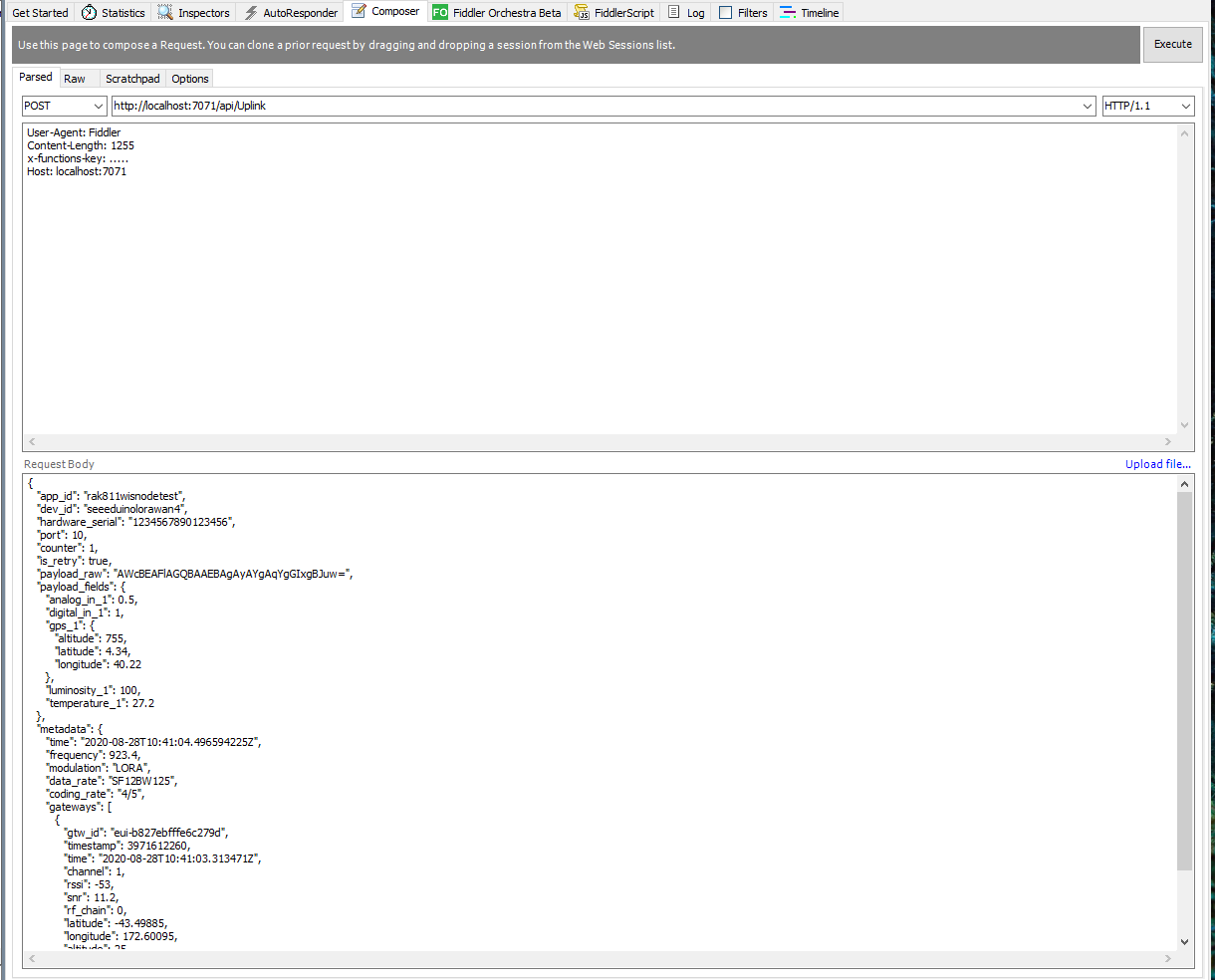
I initially debugged and tested the Uplink controller with Telerik Fiddler using sample payloads captured with the SwarmSpace-From Device with Webhooks project.

Using Telerik Fiddler to make test delivery webhook calls

Which I could then inspect with Azure IoT Explorer as they arrived
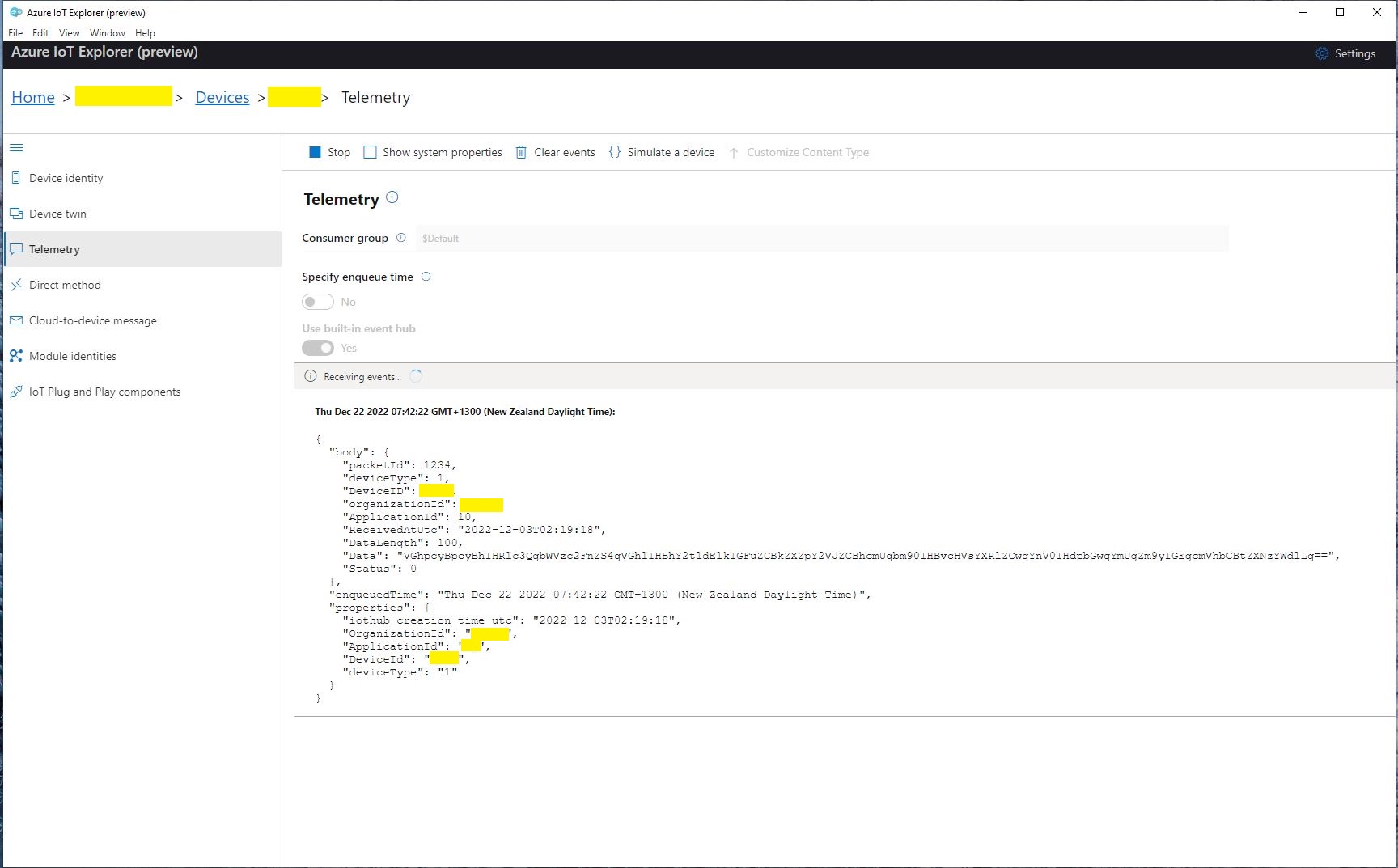
Azure IoT Explorer displaying a test message

The next step was to create a new Delivery Method
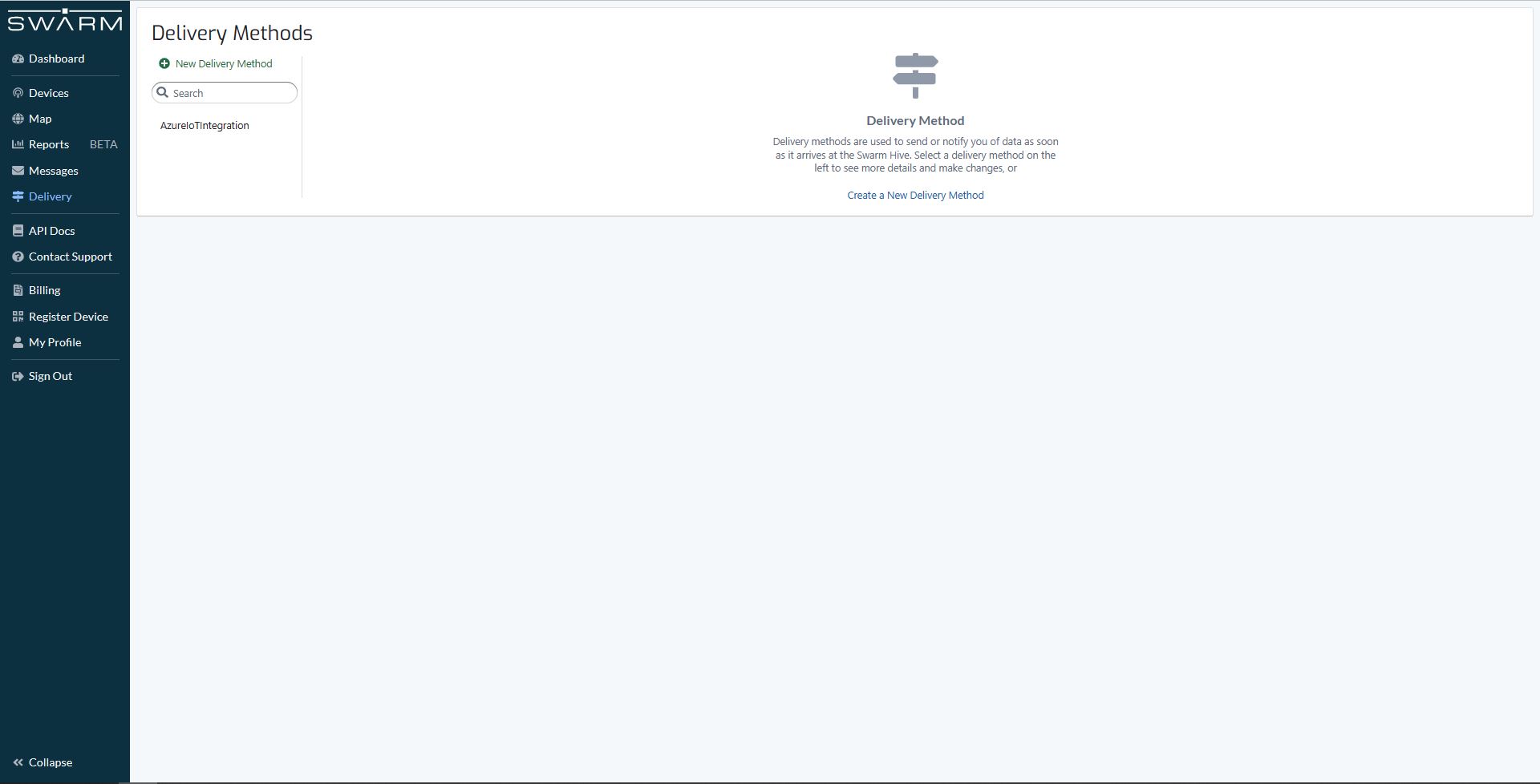
Swarm delivery webhook creation

Configured to call my Uplink controller endpoint.

Swarm delivery webhook configuration

The webhook was configured to “acknowledge messages on successful delivery”. I then checked my Delivery Method configuration with a couple of “Test” messages.

My Swarm Space Eval Kit arrived md-week and after some issues with jumper settings it started reporting position and status information.
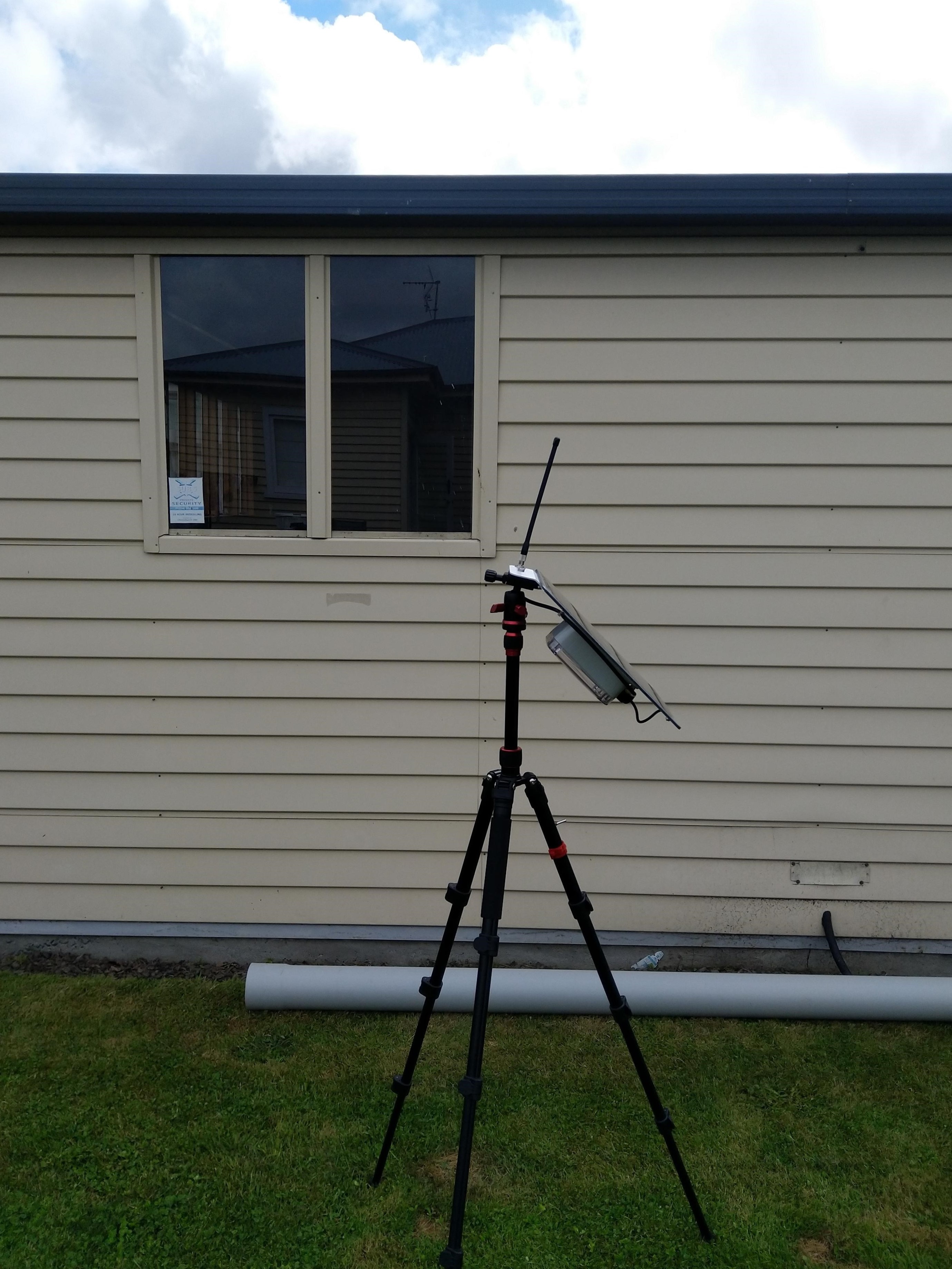
Swarm Eval Kit in my backyard

The first position was just of the coast of West Africa(null island)

Swarm Map centered on Null Island

After the Global Positioning System(GPS) receiver got a good fix the location of the Eval Kit was in the middle of my backyard.

Azure IoT Explorer displaying payload with good latitude and longitude
Swarm Map displaying the location of my device (zoomed out)

Smartish Edge Camera – Azure IoT Updateable Properties (not persisted)

This post builds on my Smartish Edge Camera -Azure IoT Direct Methods post adding two updateable properties for the image capture and processing timer the due and period values. The two properties can be updated together or independently but the values are not persisted.
When I was searching for answers I found this code in many posts and articles but it didn’t really cover my scenario.
private static async Task OnDesiredPropertyChanged(TwinCollection desiredProperties, 
  object userContext)
{
   Console.WriteLine("desired property chPleange:");
   Console.WriteLine(JsonConvert.SerializeObject(desiredProperties));
   Console.WriteLine("Sending current time as reported property");
   TwinCollection reportedProperties = new TwinCollection
   {
       ["DateTimeLastDesiredPropertyChangeReceived"] = DateTime.Now
   };

    await Client.UpdateReportedPropertiesAsync(reportedProperties).ConfigureAwait(false);
}

When AZURE_DEVICE_PROPERTIES is defined in the SmartEdgeCameraAzureIoTService project properties the device reports a number of properties on startup and SetDesiredPropertyUpdateCallbackAsync is used to configure the method called whenever the client receives a state update(desired or reported) from the Azure IoT Hub.

protected override async Task ExecuteAsync(CancellationToken stoppingToken)
{
	_logger.LogInformation("Azure IoT Smart Edge Camera Service starting");

	try
	{
#if AZURE_IOT_HUB_CONNECTION
		_deviceClient = await AzureIoTHubConnection();
#endif
#if AZURE_IOT_HUB_DPS_CONNECTION
		_deviceClient = await AzureIoTHubDpsConnection();
#endif

#if AZURE_DEVICE_PROPERTIES
		_logger.LogTrace("ReportedPropeties upload start");

		TwinCollection reportedProperties = new TwinCollection();

		reportedProperties["OSVersion"] = Environment.OSVersion.VersionString;
		reportedProperties["MachineName"] = Environment.MachineName;
		reportedProperties["ApplicationVersion"] = Assembly.GetAssembly(typeof(Program)).GetName().Version;
		reportedProperties["ImageTimerDue"] = _applicationSettings.ImageTimerDue;
		reportedProperties["ImageTimerPeriod"] = _applicationSettings.ImageTimerPeriod;
		reportedProperties["YoloV5ModelPath"] = _applicationSettings.YoloV5ModelPath;

		reportedProperties["PredictionScoreThreshold"] = _applicationSettings.PredictionScoreThreshold;
		reportedProperties["PredictionLabelsOfInterest"] = _applicationSettings.PredictionLabelsOfInterest;
		reportedProperties["PredictionLabelsMinimum"] = _applicationSettings.PredictionLabelsMinimum;

		await _deviceClient.UpdateReportedPropertiesAsync(reportedProperties, stoppingToken);

		_logger.LogTrace("ReportedPropeties upload done");
#endif

		_logger.LogTrace("YoloV5 model setup start");
		_scorer = new YoloScorer<YoloCocoP5Model>(_applicationSettings.YoloV5ModelPath);
		_logger.LogTrace("YoloV5 model setup done");

		_ImageUpdatetimer = new Timer(ImageUpdateTimerCallback, null, _applicationSettings.ImageTimerDue, _applicationSettings.ImageTimerPeriod);

		await _deviceClient.SetMethodHandlerAsync("ImageTimerStart", ImageTimerStartHandler, null);
		await _deviceClient.SetMethodHandlerAsync("ImageTimerStop", ImageTimerStopHandler, null);
		await _deviceClient.SetMethodDefaultHandlerAsync(DefaultHandler, null);

		await _deviceClient.SetDesiredPropertyUpdateCallbackAsync(OnDesiredPropertyChangedAsync, null);

		try
		{
			await Task.Delay(Timeout.Infinite, stoppingToken);
		}
		catch (TaskCanceledException)
		{
			_logger.LogInformation("Application shutown requested");
		}
	}
	catch (Exception ex)
	{
		_logger.LogError(ex, "Application startup failure");
	}
	finally
	{
		_deviceClient?.Dispose();
	}

	_logger.LogInformation("Azure IoT Smart Edge Camera Service shutdown");
}

// Lots of other code here

private async Task OnDesiredPropertyChangedAsync(TwinCollection desiredProperties, object userContext)
{
	TwinCollection reportedProperties = new TwinCollection();

	_logger.LogInformation("OnDesiredPropertyChanged handler");

	// NB- This approach does not save the ImageTimerDue or ImageTimerPeriod, a stop/start with return to appsettings.json configuration values. If only
	// one parameter specified other is default from appsettings.json. If timer settings changed I think they won't take
	// effect until next time Timer fires.

	try
	{
		// Check to see if either of ImageTimerDue or ImageTimerPeriod has changed
		if (!desiredProperties.Contains("ImageTimerDue") && !desiredProperties.Contains("ImageTimerPeriod"))
		{
			_logger.LogInformation("OnDesiredPropertyChanged neither ImageTimerDue or ImageTimerPeriod present");
			return;
		}

		TimeSpan imageTimerDue = _applicationSettings.ImageTimerDue;

		// Check that format of ImageTimerDue valid if present
		if (desiredProperties.Contains("ImageTimerDue"))
		{
			if (TimeSpan.TryParse(desiredProperties["ImageTimerDue"].Value, out imageTimerDue))
			{
				reportedProperties["ImageTimerDue"] = imageTimerDue;
			}
			else
			{
				_logger.LogInformation("OnDesiredPropertyChanged ImageTimerDue invalid");
				return;
			}
		}

		TimeSpan imageTimerPeriod = _applicationSettings.ImageTimerPeriod;

		// Check that format of ImageTimerPeriod valid if present
		if (desiredProperties.Contains("ImageTimerPeriod"))
		{
			if (TimeSpan.TryParse(desiredProperties["ImageTimerPeriod"].Value, out imageTimerPeriod))
			{
				reportedProperties["ImageTimerPeriod"] = imageTimerPeriod;
			}
			else
			{
				_logger.LogInformation("OnDesiredPropertyChanged ImageTimerPeriod invalid");
				return;
			}
		}

		_logger.LogInformation("Desired Due:{0} Period:{1}", imageTimerDue, imageTimerPeriod);

		if (!_ImageUpdatetimer.Change(imageTimerDue, imageTimerPeriod))
		{
			_logger.LogInformation("Desired Due:{0} Period:{1} failed", imageTimerDue, imageTimerPeriod);
		}

		await _deviceClient.UpdateReportedPropertiesAsync(reportedProperties);
	}
	catch (Exception ex)
	{
		_logger.LogError(ex, "OnDesiredPropertyChangedAsync handler failed");
	}
}

The TwinCollection desiredProperties is checked for ImageTimerDue and ImageTimerPeriod properties and if either of these are present and valid the Timer.Change method is called.

The AzureMLMetSmartEdgeCamera supports both Azure IoT Hub and Azure IoT Central so I have included images from Azure IoT Explorer and my Azure IoT Central Templates.

SmartEdge Camera Device Twin properties in Azure IoT Explorer

When I modified, then saved the Azure IoT Hub Device Twin desired properties JavaScript Object Notation(JSON) in Azure IoT Hub Explorer the method configured with SetDesiredPropertyUpdateCallbackAsync was invoked on the device.

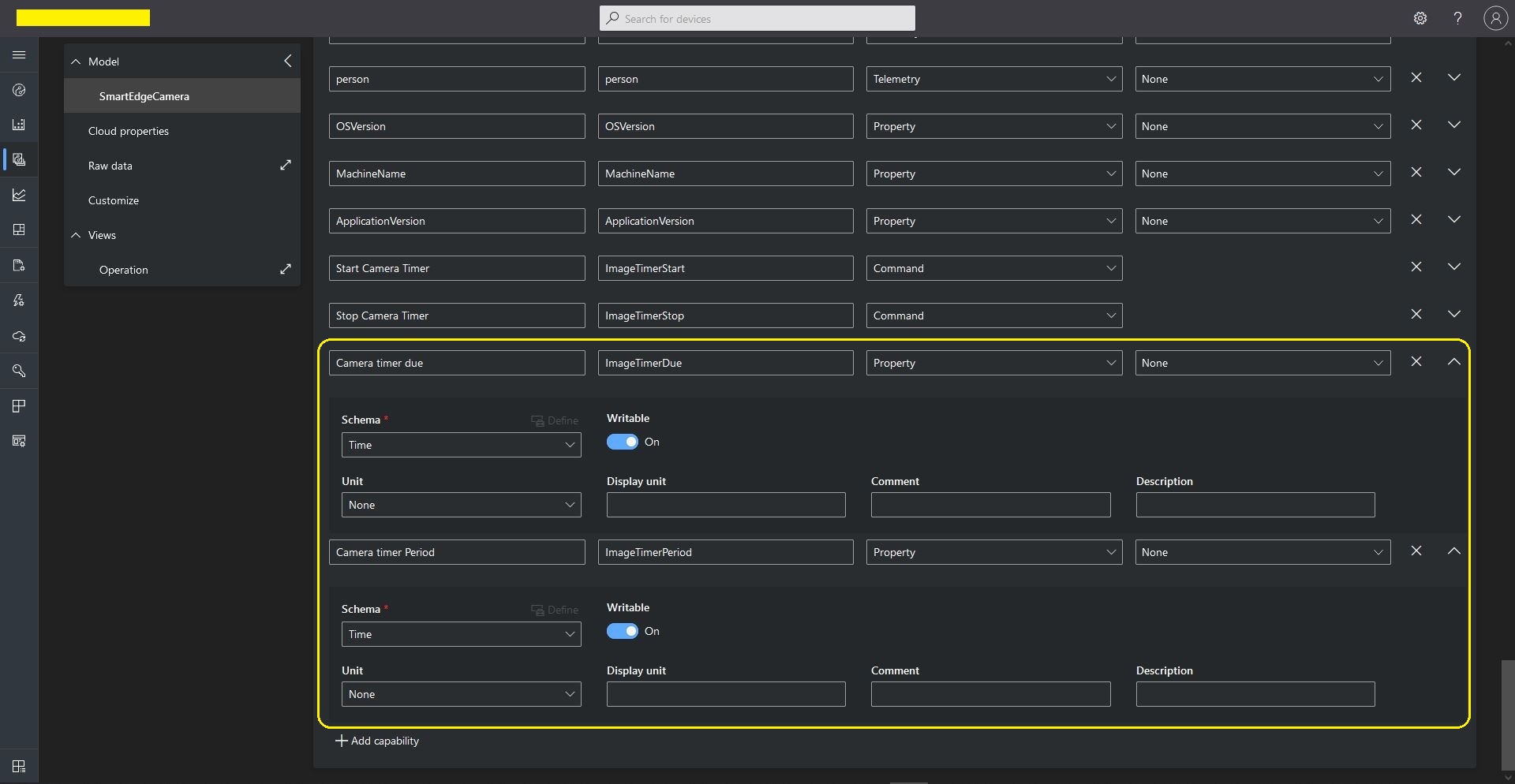
In Azure IoT Central I added two Capabilities to the device template, the time properties ImageTimerDue, and ImageTimerPeriod.

Azure IoT Central SmartEdgeCamera Device template capabilities

I added a View to the template so the two properties could be changed (I didn’t configure either as required)

Azure IoT Central SmartEdgeCamera Device Default view designer

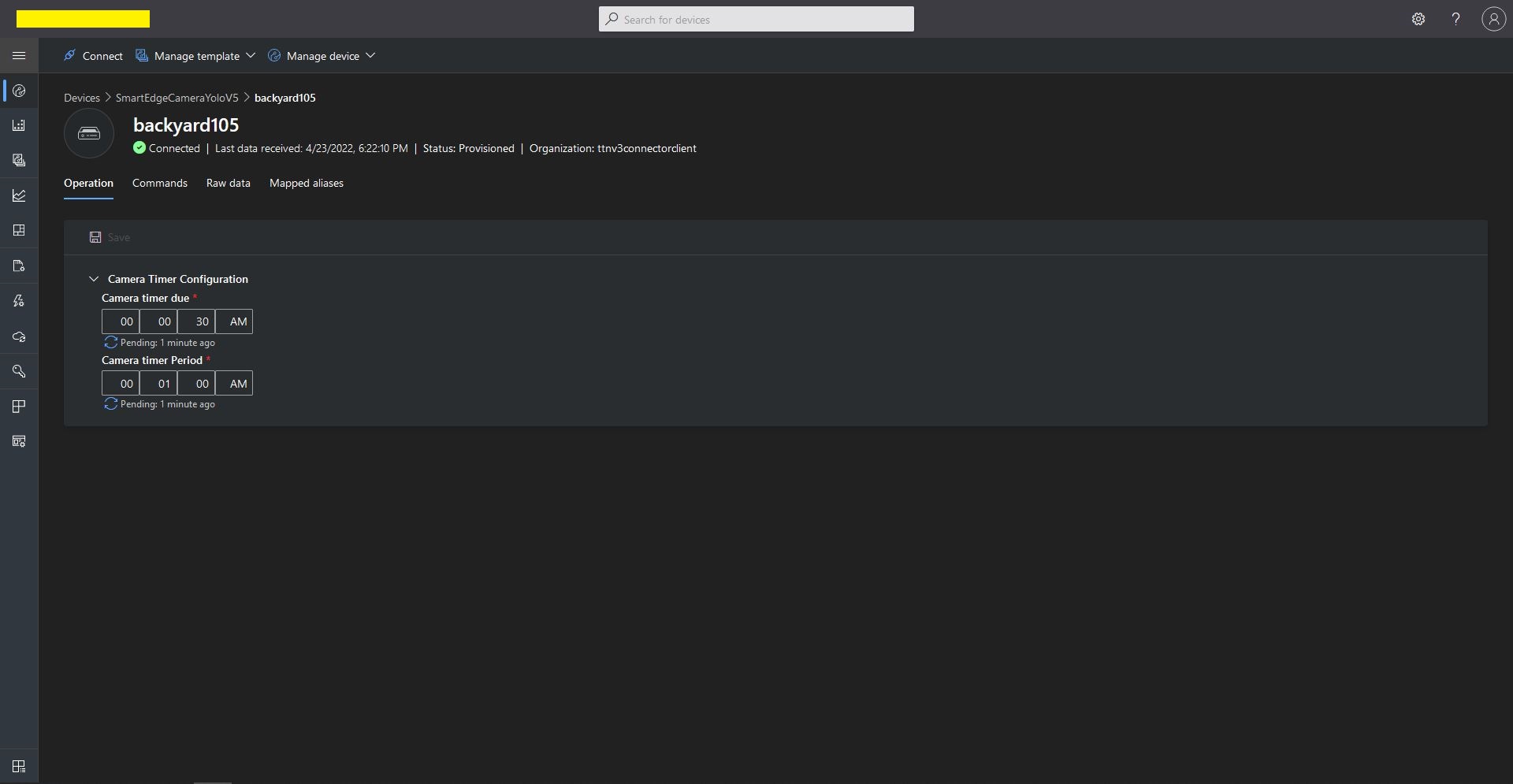
In the “Device Properties”, “Operation Tab” when I changed the ImageTimerDue and/or ImageTimerPeriod there was visual feedback that there was an update in progress.

Azure IoT Central SmartEdgeCamera Device Properties update start

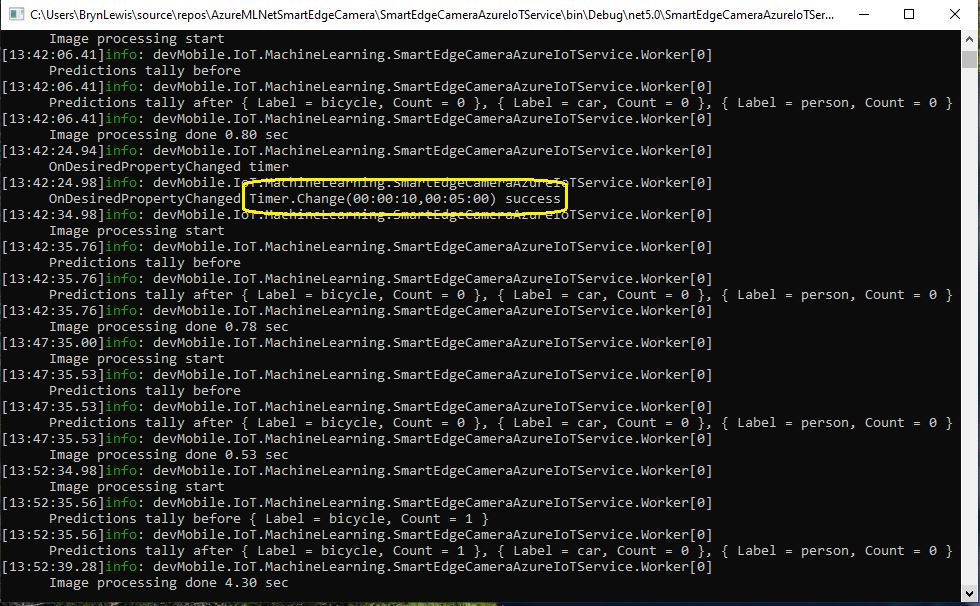
Then on the device the SmartEdgeCameraAzureIoTService the method configured with SetDesiredPropertyUpdateCallbackAsync was invoked on the device.

SmartEdge Camera Console application displaying updated properties

Once the properties have been updated on the device the UpdateReportedPropertiesAsync method is called

Then a message with the updated property values from the device was visible in the telemetry

Azure IoT Central SmartEdgeCamera Device Properties update done

Then finally the “Operation Tab” displayed a visual confirmation that the value(s) had been updated.

Smartish Edge Camera – Azure IoT Readonly Properties

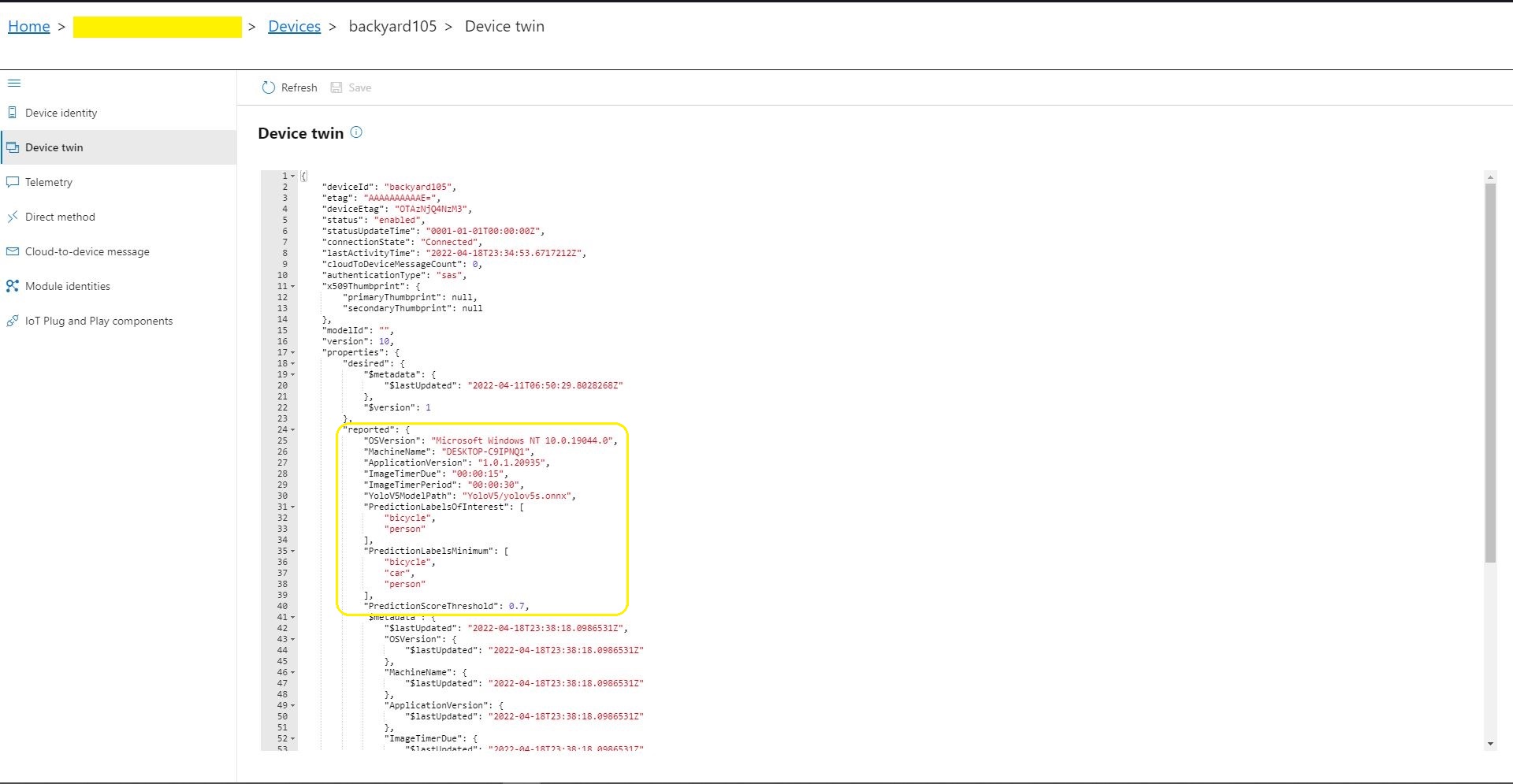
This post builds on my Smartish Edge Camera – Azure IoT Direct Methods post adding a number of read only properties. In this version the application reports the OSVersion, MachineName, ApplicationVersion, ImageTimerDue, ImageTimerPeriod, YoloV5ModelPath, PredictionScoreThreshold, PredictionLabelsOfInterest, and PredictionLabelsMinimum.

Azure IoT Explorer displaying the reported “readonly” property values

The AzureMLMetSmartEdgeCamera application supports both Azure IoT Hub and Azure IoT Central connectivity so I have have covered inspecting the properties with Azure IoT Explorer and adding them to an Azure IoT Central Template.

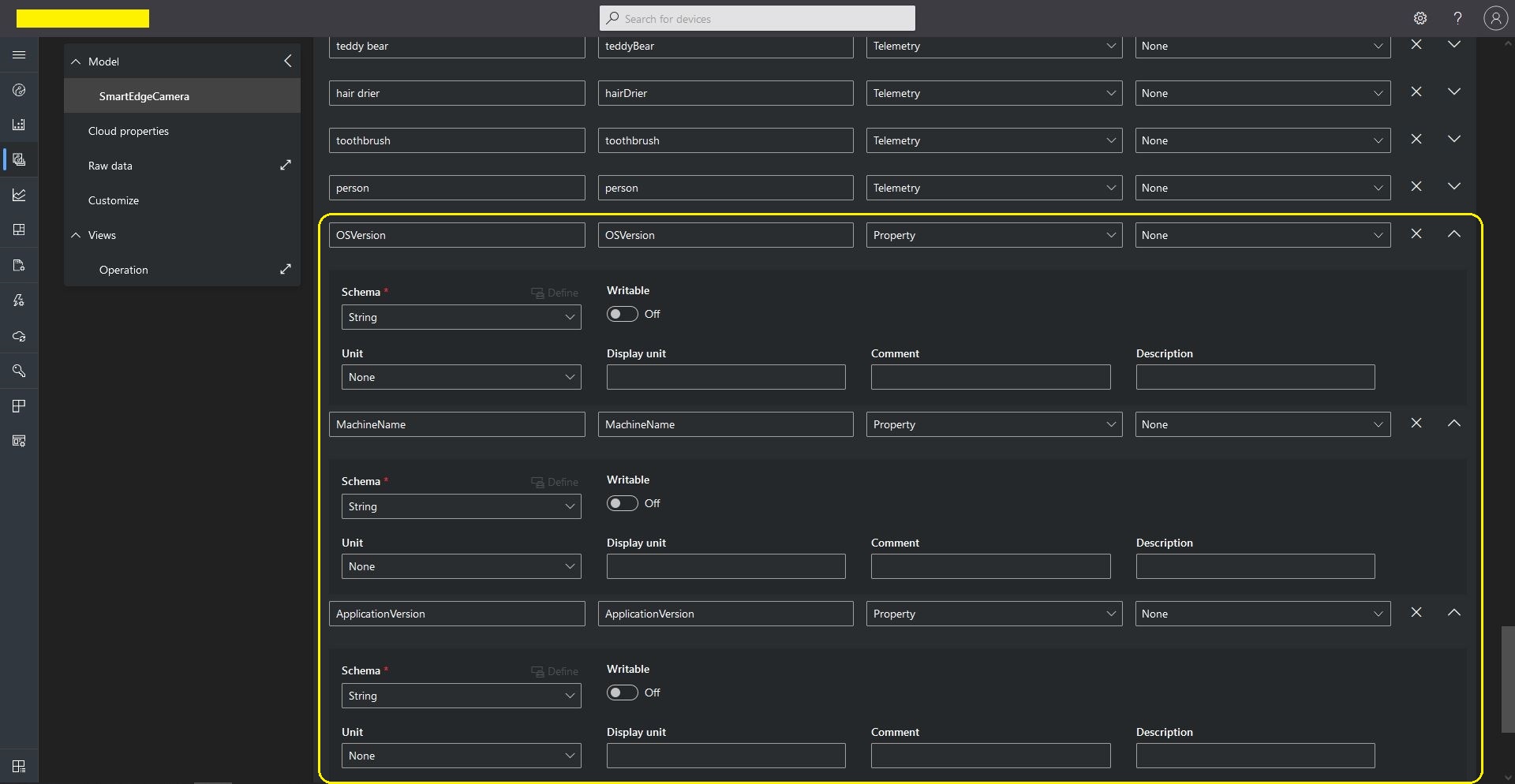
Azure IoT Central Template Readonly properties

The code populates a TwinCollection then calls UpdateReportedPropertiesAsync to push the properties upto my Azure IoT Hub. (This functionality is not available on all Azure IoT hub Tiers)

protected override async Task ExecuteAsync(CancellationToken stoppingToken)
{
	_logger.LogInformation("Azure IoT Smart Edge Camera Service starting");

	try
	{
#if AZURE_IOT_HUB_CONNECTION
		_deviceClient = await AzureIoTHubConnection();
#endif
#if AZURE_IOT_HUB_DPS_CONNECTION
		_deviceClient = await AzureIoTHubDpsConnection();
#endif

#if AZURE_DEVICE_PROPERTIES
		_logger.LogTrace("ReportedPropeties upload start");

		TwinCollection reportedProperties = new TwinCollection();

		reportedProperties["OSVersion"] = Environment.OSVersion.VersionString;
		reportedProperties["MachineName"] = Environment.MachineName;
		reportedProperties["ApplicationVersion"] = Assembly.GetAssembly(typeof(Program)).GetName().Version;
		reportedProperties["ImageTimerDue"] = _applicationSettings.ImageTimerDue;
		reportedProperties["ImageTimerPeriod"] = _applicationSettings.ImageTimerPeriod;
		reportedProperties["YoloV5ModelPath"] = _applicationSettings.YoloV5ModelPath;

		reportedProperties["PredictionScoreThreshold"] = _applicationSettings.PredictionScoreThreshold;
		reportedProperties["PredictionLabelsOfInterest"] = _applicationSettings.PredictionLabelsOfInterest;
		reportedProperties["PredictionLabelsMinimum"] = _applicationSettings.PredictionLabelsMinimum;

		await _deviceClient.UpdateReportedPropertiesAsync(reportedProperties, stoppingToken);

		_logger.LogTrace("ReportedPropeties upload done");
#endif

		_logger.LogTrace("YoloV5 model setup start");
		_scorer = new YoloScorer<YoloCocoP5Model>(_applicationSettings.YoloV5ModelPath);
		_logger.LogTrace("YoloV5 model setup done");
...

Azure IoT Central Dashboard with readonly properties before UpdateReportedPropertiesAsync called
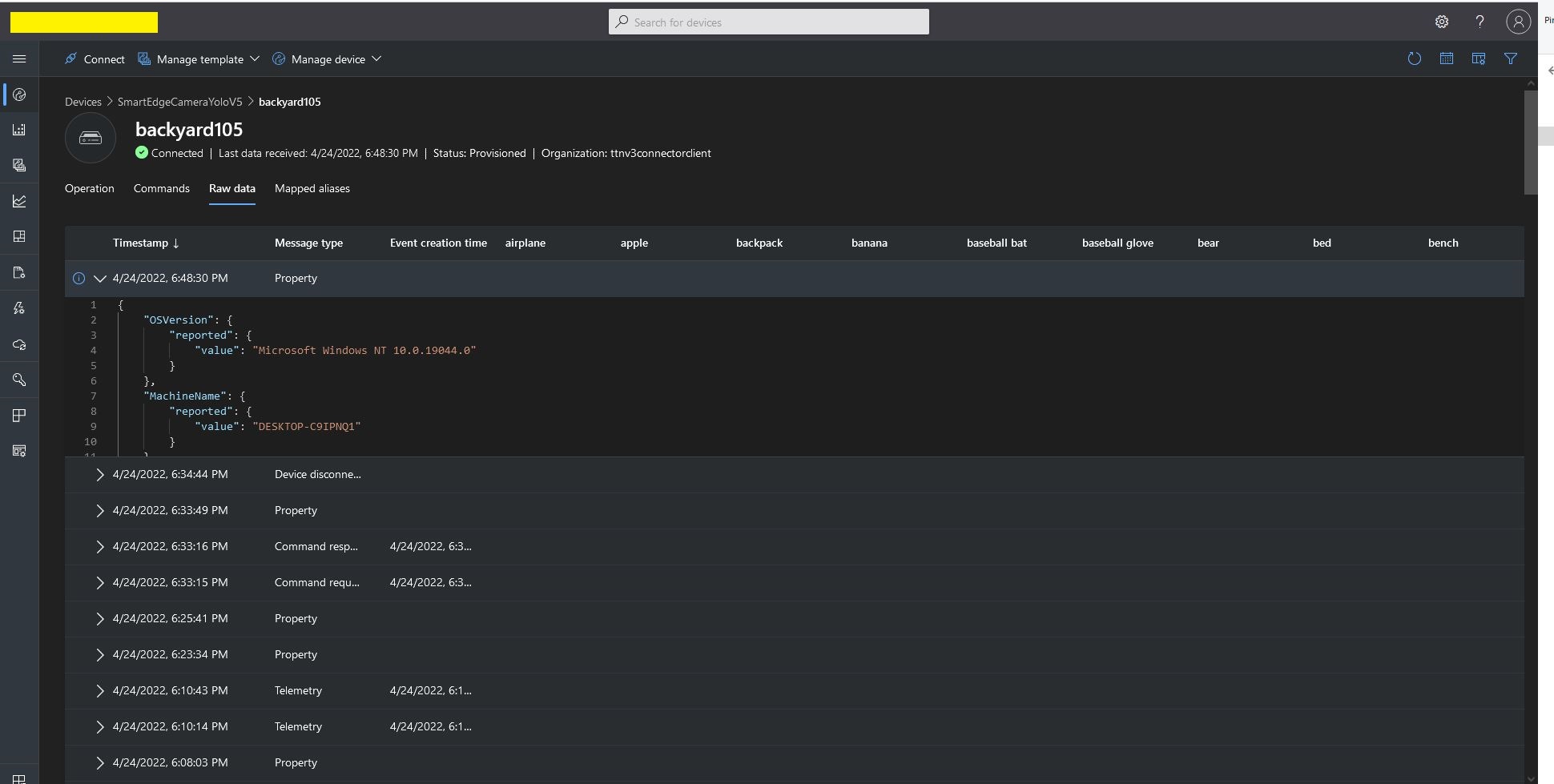
Azure IoT Central Telemetry displaying property update payloads
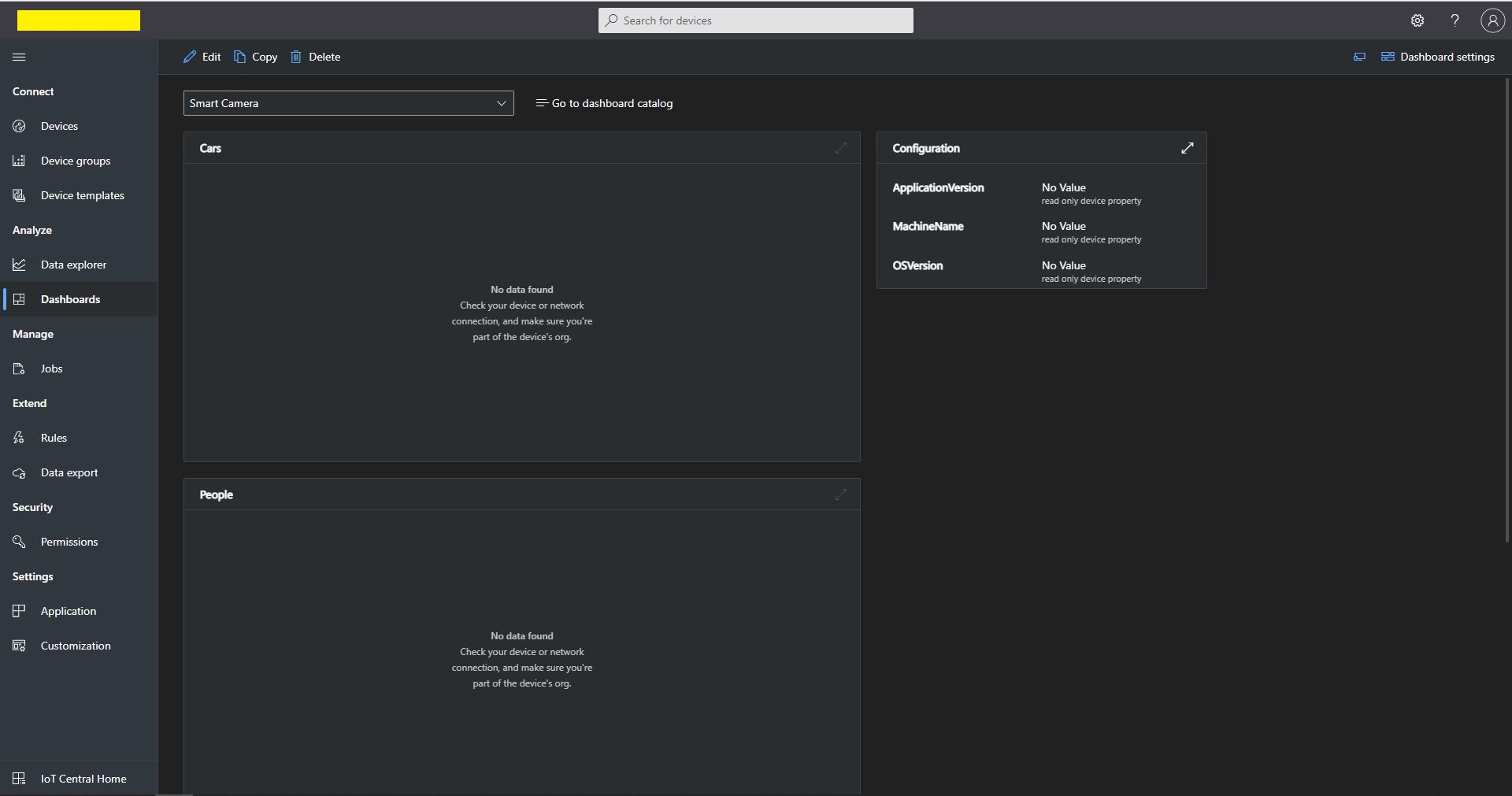
Azure IoT Central Dashboard displaying readonly properties

While testing the application I noticed the reported property version was increasing every time I deployed the application. I was retrieving the version information as the application started with AssemblyName.Version

reportedProperties["ApplicationVersion"] = Assembly.GetAssembly(typeof(Program)).GetName().Version;
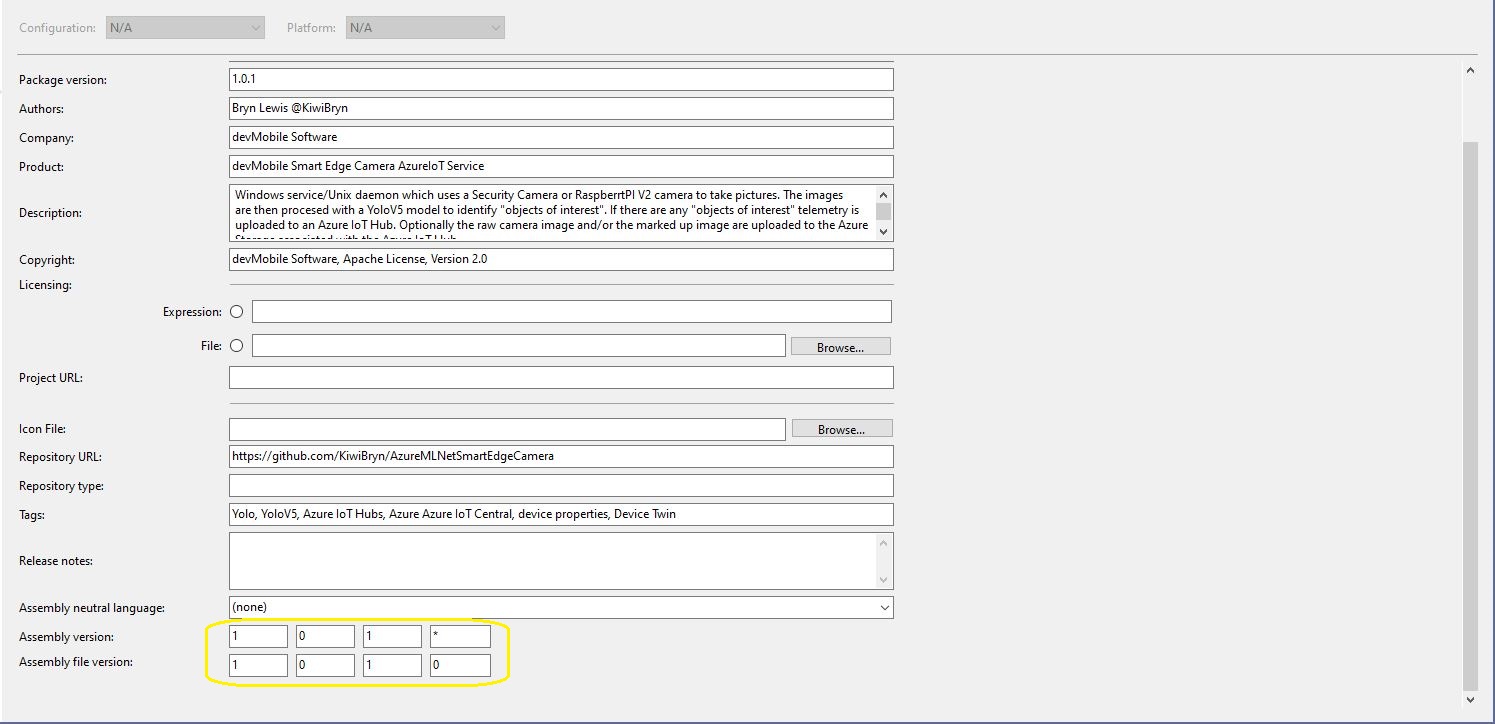
Visual Studio 2019 Application Package information

I had also configured the Assembly Version in the SmartEdgeCameraAzureIoTService project Package tab to update the assembly build number each time the application was compiled. This was forcing an update of the reported properties version every time the application started

Smartish Edge Camera – Azure IoT Direct Methods

This post builds on my Smartish Edge Camera – Azure IoT Image-Upload post adding two Direct Methods for Starting and Stopping the image capture and processing timer. The AzureMLMetSmartEdgeCamera supports both Azure IoT Hub and Azure IoT Central connectivity.

Azure IoT Explorer invoking a Direct Method

BEWARE – The Direct Method names are case sensitive which regularly trips me up when I use Azure IoT Explorer. If the Direct Method name is unknown a default handler is called, the issue logged and a Hyper Text Transfer Protocol(HTTP) Not Implemented(501) error returned

protected override async Task ExecuteAsync(CancellationToken stoppingToken)
{
	_logger.LogInformation("Azure IoT Smart Edge Camera Service starting");

	try
	{
#if AZURE_IOT_HUB_CONNECTION
		_deviceClient = await AzureIoTHubConnection();
#endif
#if AZURE_IOT_HUB_DPS_CONNECTION
		_deviceClient = await AzureIoTHubDpsConnection();
#endif

...
		_logger.LogTrace("YoloV5 model setup start");
		_scorer = new YoloScorer<YoloCocoP5Model>(_applicationSettings.YoloV5ModelPath);
		_logger.LogTrace("YoloV5 model setup done");

		_ImageUpdatetimer = new Timer(ImageUpdateTimerCallback, null, _applicationSettings.ImageTimerDue, _applicationSettings.ImageTimerPeriod);

		await _deviceClient.SetMethodHandlerAsync("ImageTimerStart", ImageTimerStartHandler, null);
		await _deviceClient.SetMethodHandlerAsync("ImageTimerStop", ImageTimerStopHandler, null);
		await _deviceClient.SetMethodDefaultHandlerAsync(DefaultHandler, null);
...
		try
		{
			await Task.Delay(Timeout.Infinite, stoppingToken);
		}
		catch (TaskCanceledException)
		{
			_logger.LogInformation("Application shutown requested");
		}
	}
	catch (Exception ex)
	{
		_logger.LogError(ex, "Application startup failure");
	}
	finally
	{
		_deviceClient?.Dispose();
	}

	_logger.LogInformation("Azure IoT Smart Edge Camera Service shutdown");
}

private async Task<MethodResponse> ImageTimerStartHandler(MethodRequest methodRequest, object userContext)
{
	_logger.LogInformation("ImageUpdatetimer Start Due:{0} Period:{1}", _applicationSettings.ImageTimerDue, _applicationSettings.ImageTimerPeriod);

	_ImageUpdatetimer.Change(_applicationSettings.ImageTimerDue, _applicationSettings.ImageTimerPeriod);

	return new MethodResponse((short)HttpStatusCode.OK);
}

private async Task<MethodResponse> ImageTimerStopHandler(MethodRequest methodRequest, object userContext)
{
	_logger.LogInformation("ImageUpdatetimer Stop");

	_ImageUpdatetimer.Change(Timeout.Infinite, Timeout.Infinite);

	return new MethodResponse((short)HttpStatusCode.OK);
}

private async Task<MethodResponse> DefaultHandler(MethodRequest methodRequest, object userContext)
{
	_logger.LogInformation("Direct Method default handler Name:{0}", methodRequest.Name);

	return new MethodResponse((short)HttpStatusCode.NotFound);
}

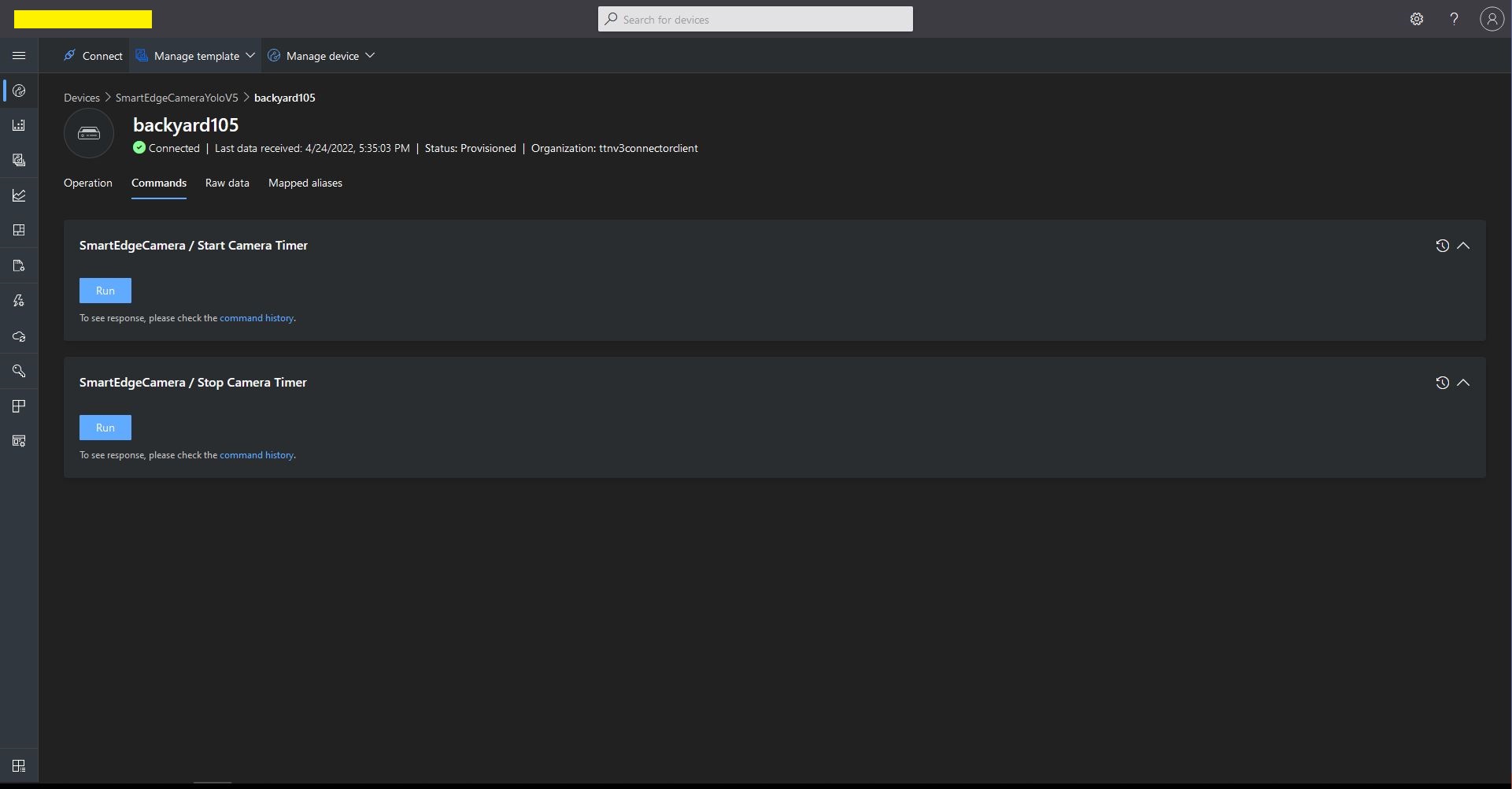
I created an Azure IoT Central Template with two command capabilities. (For more detail see my post TTI V3 Connector Azure IoT Central Cloud to Device(C2D)).

Azure IoT Central Template Direct Method configuration
Azure IoT Central Template Direct Method invocation
Azure Smart Edge Camera console application Start Direct Method call

Initially, I had one long post which covered Direct Methods, Readonly Properties and Updateable Properties but it got too long so I split it into three.

Smartish Edge Camera – Azure IoT Image Upload

This post builds on my Smartish Edge Camera – Azure Storage Service, Azure IoT Hub, and Azure IoT Central projects adding optional camera and marked-up image upload to Azure Blob Storage for Azure IoT Hubs and Azure IoT Central.

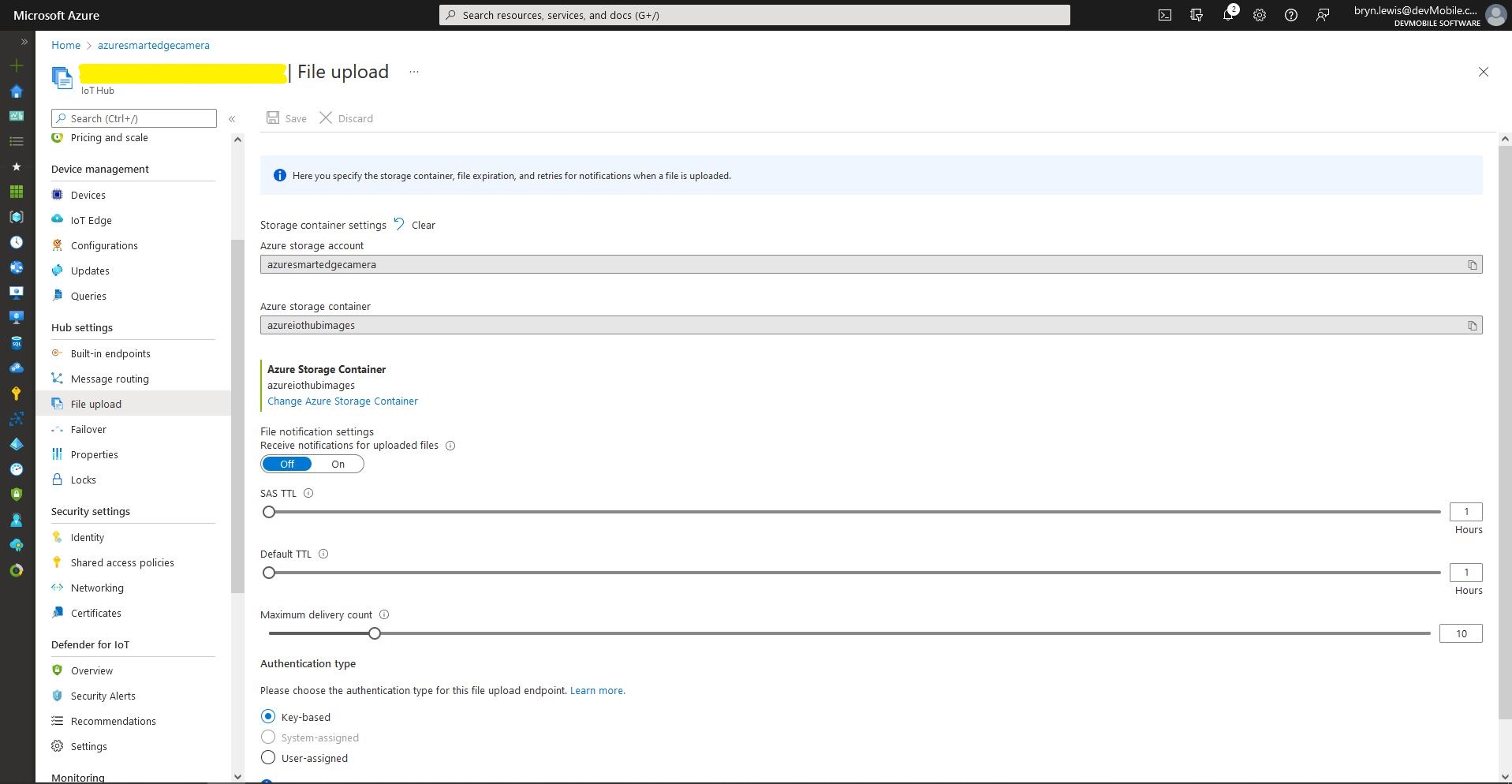
Azure IoT Hub – File upload storage account configuration
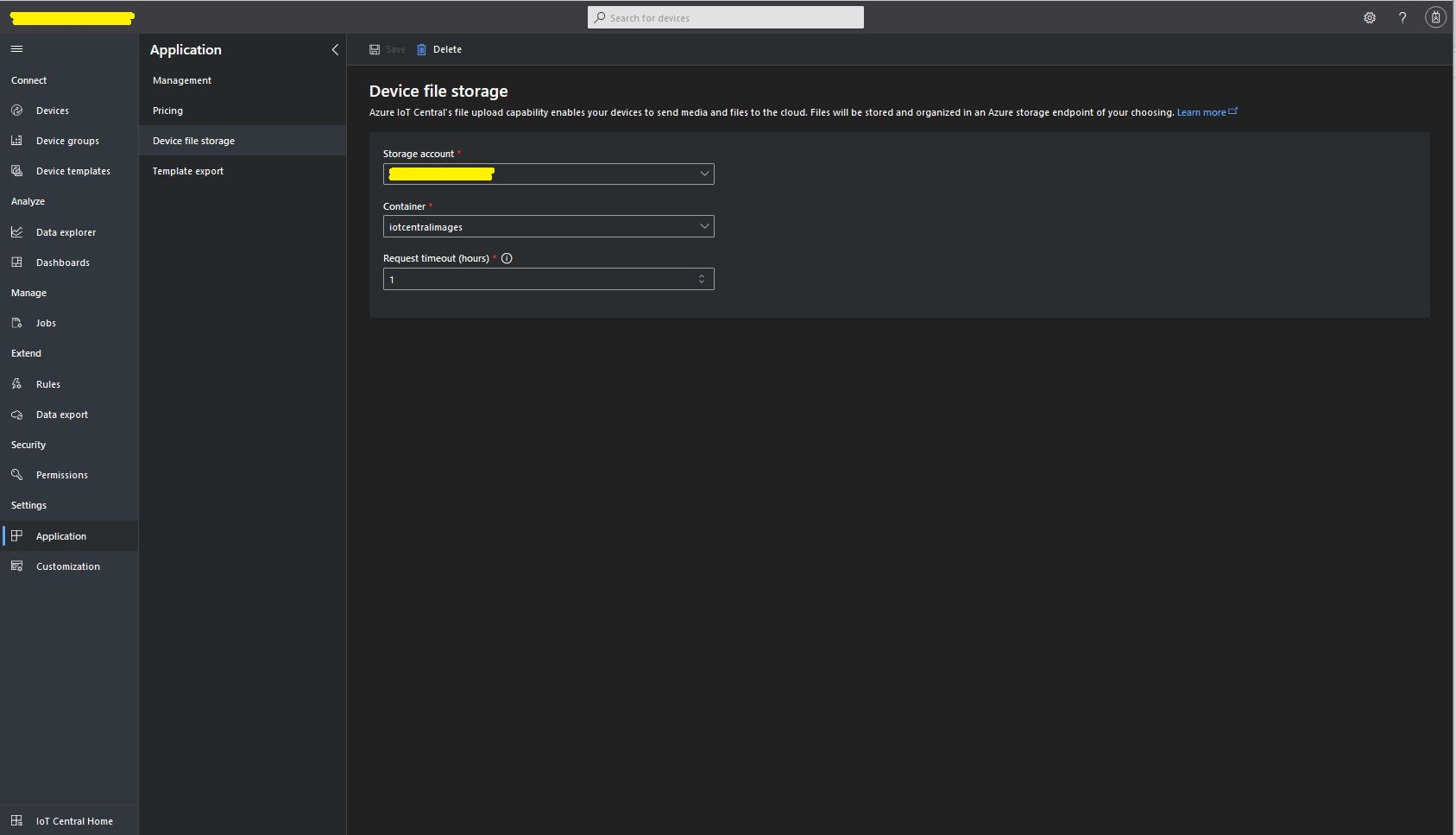
Azure IoT Central – File upload storage account configuration

The “new improved” process of uploading files to an Azure IoT Hub and Azure IoT Central is surprisingly complex to use and make robust(I think the initial approach with DeviceClient.UploadToBlobAsync which is now “deprecated” was easier to use).

public async Task UploadImage(List<YoloPrediction> predictions, string filepath, string blobpath)
{
	var fileUploadSasUriRequest = new FileUploadSasUriRequest()
	{
		BlobName = blobpath 
	};

	FileUploadSasUriResponse sasUri = await _deviceClient.GetFileUploadSasUriAsync(fileUploadSasUriRequest);

	var blockBlobClient = new BlockBlobClient(sasUri.GetBlobUri());

	var fileUploadCompletionNotification = new FileUploadCompletionNotification()
	{
		// Mandatory. Must be the same value as the correlation id returned in the sas uri response
		CorrelationId = sasUri.CorrelationId,

		IsSuccess = true
	};

	try
	{
		using (FileStream fileStream = File.OpenRead(filepath))
		{
			Response<BlobContentInfo> response = await blockBlobClient.UploadAsync(fileStream); //, blobUploadOptions);

			fileUploadCompletionNotification.StatusCode = response.GetRawResponse().Status;

			if (fileUploadCompletionNotification.StatusCode != ((int)HttpStatusCode.Created))
			{
				fileUploadCompletionNotification.IsSuccess = false;

				fileUploadCompletionNotification.StatusDescription = response.GetRawResponse().ReasonPhrase;
			}
		}
	}
	catch (RequestFailedException ex)
	{
		fileUploadCompletionNotification.StatusCode = ex.Status;

		fileUploadCompletionNotification.IsSuccess = false;

		fileUploadCompletionNotification.StatusDescription = ex.Message;
	}
	finally
	{
		await _deviceClient.CompleteFileUploadAsync(fileUploadCompletionNotification);
	}
}

If there is an object with a label in the PredictionLabelsOfInterest list, the camera and marked-up images can (configured with ImageCameraUpload & ImageMarkedupUpload) be uploaded to an Azure Storage Blob container associated with an Azure IoT Hub/ Azure IoT Central instance.

{
  "Logging": {
    "LogLevel": {
      "Default": "Information",
      "Microsoft": "Warning",
      "Microsoft.Hosting.Lifetime": "Information"
    }
  },

  "Application": {
    "DeviceID": "",
    "ImageTimerDue": "0.00:00:15",
    "ImageTimerPeriod": "0.00:00:30",

    "ImageCameraFilepath": "ImageCamera.jpg",
    "ImageMarkedUpFilepath": "ImageMarkedup.jpg",

    "ImageCameraUpload": false,
    "ImageMarkedupUpload": true,

    "ImageUploadFilepath": "ImageMarkedup.jpg",

    "YoloV5ModelPath": "YoloV5/yolov5s.onnx",

    "PredictionScoreThreshold": 0.7,
    "PredictionLabelsOfInterest": [
      "bicycle",
      "person"
    ],

    "PredictionLabelsMinimum": [
      "bicycle",
      "car",
      "person"
    ],

    "ImageCameraFilenameFormat": "{0:yyyyMMdd}/{0:HHmmss}.jpg"
  },

  "SecurityCamera": {
    "CameraUrl": "",
    "CameraUserName": "",
    "CameraUserPassword": ""
  },

  "RaspberryPICamera": {
    "ProcessWaitForExit": 1000,
    "Rotation": 180
  },

  "AzureIoTHub": {
    "ConnectionString": ""
  },

  "AzureIoTHubDPS": {
    "GlobalDeviceEndpoint": "global.azure-devices-provisioning.net",
    "IDScope": "",
    "GroupEnrollmentKey": ""
  },

  "AzureStorage": {
    "ImageCameraFilenameFormat": "{0:yyyyMMdd}/camera/{0:HHmmss}.jpg",
    "ImageMarkedUpFilenameFormat": "{0:yyyyMMdd}/markedup/{0:HHmmss}.jpg"
  }
}

The Blob’s path is prefixed with the device id (My Azure Storage Service created an Azure Blob Storage container for each device).

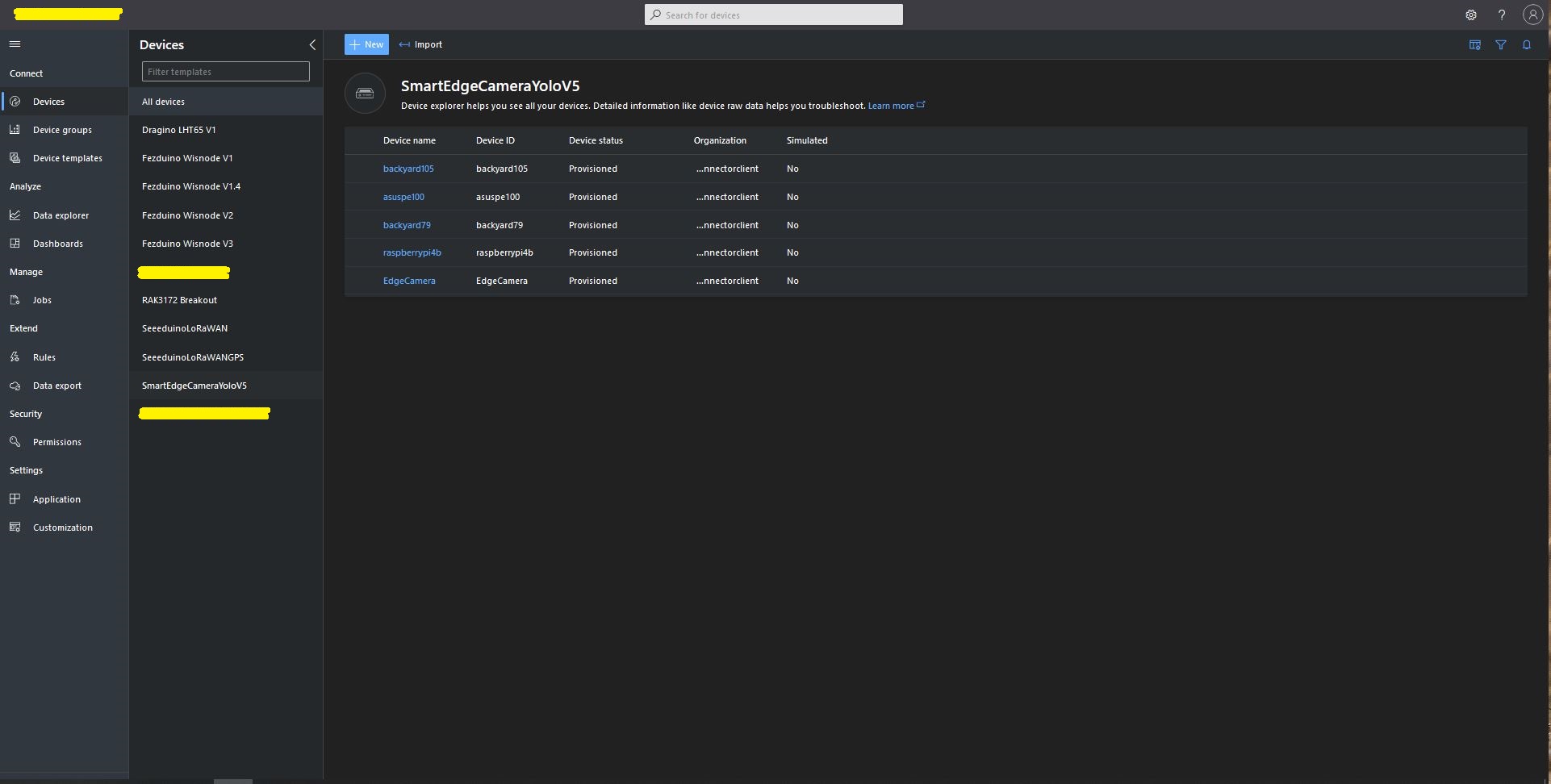
Azure IoT Central SmartEdge Camera devices

The format of the Azure Storage Blob path is configurable(ImageCameraFilenameFormat & ImageMarkedUpFilenameFormat + Universal Coordinated Time(UTC)) so images can be grouped.

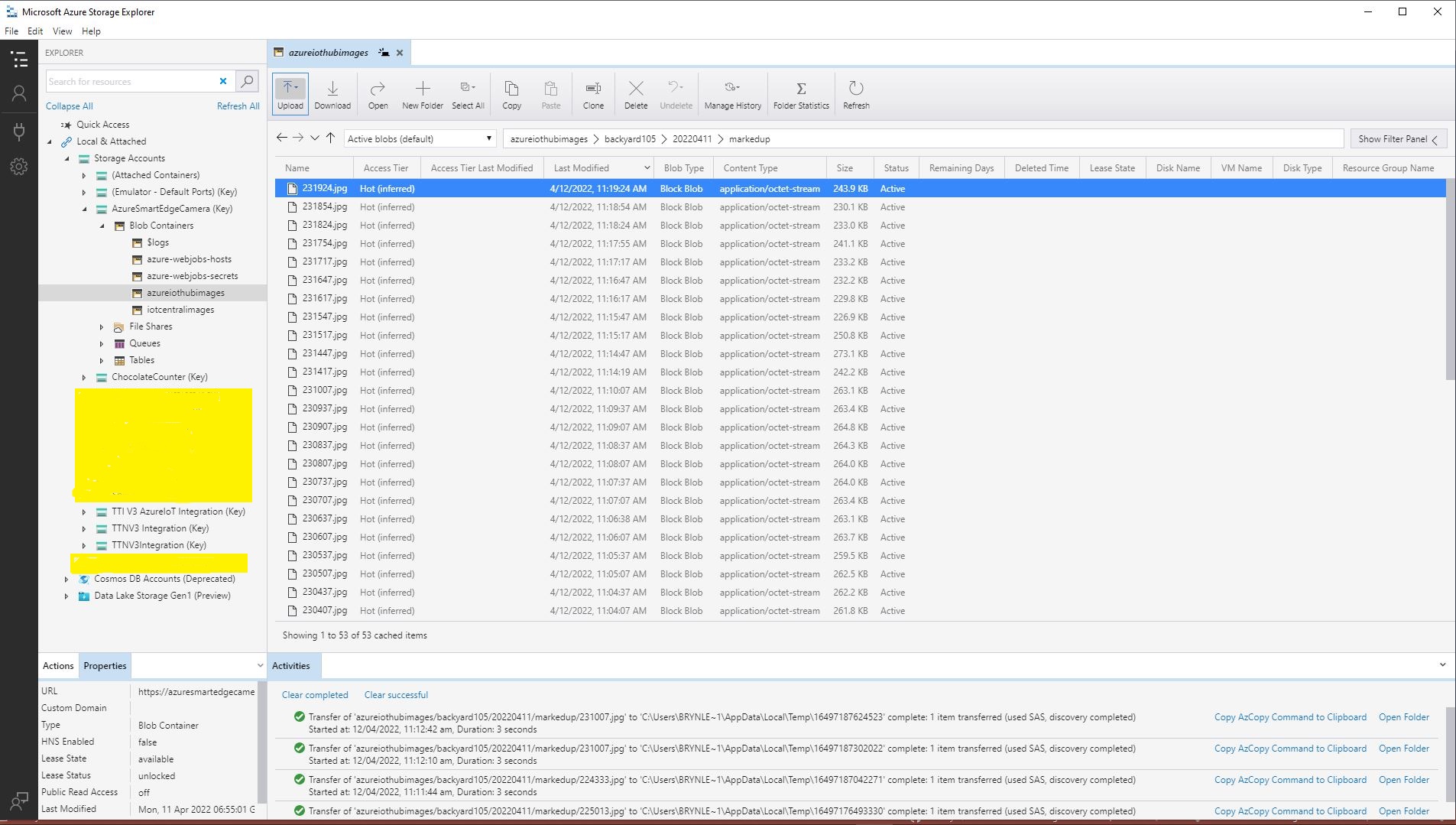
Configurable Blob paths in Azure Storage Explorer

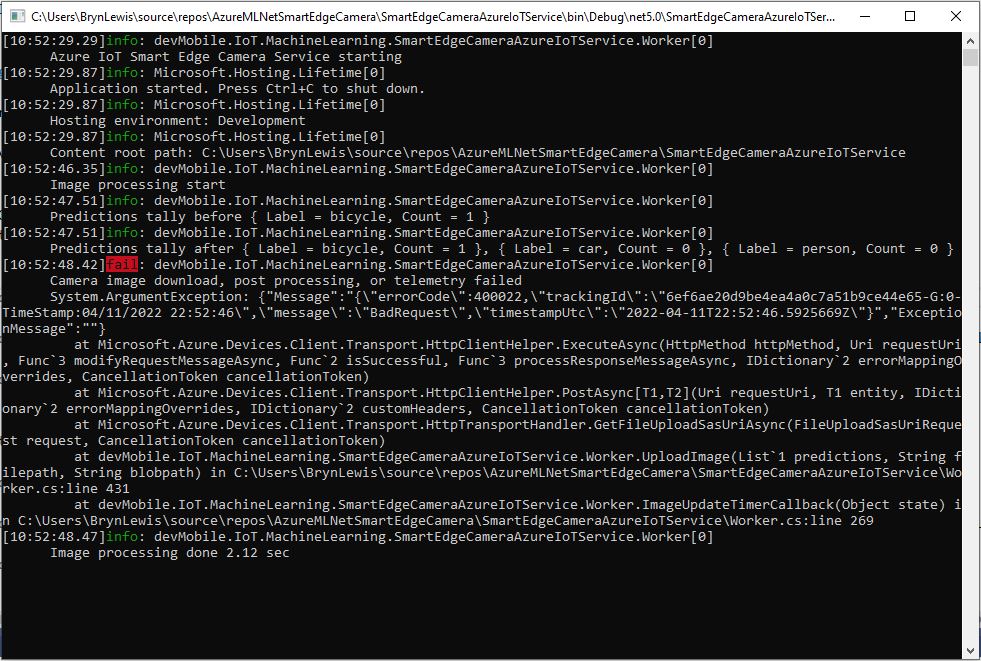
After creating a new Azure IoT Hub uploads started failing with an exception and there weren’t a lot of useful search results (April 2022). I found error this was caused by missing or incorrect Azure Storage Account configuration.

Azure IoT Hub Upload application failure logging
{"Message":"{\"errorCode\":400022,\"trackingId\":\"1175af36ec884cc4a54978f77b877a01-G:0-TimeStamp:04/12/2022 10:19:04\",\"message\":\"BadRequest\",\"timestampUtc\":\"2022-04-12T10:19:04.5925999Z\"}","ExceptionMessage":""}

   at Microsoft.Azure.Devices.Client.Transport.HttpClientHelper.<ExecuteAsync>d__23.MoveNext()
   at System.Runtime.ExceptionServices.ExceptionDispatchInfo.Throw()
   at System.Runtime.CompilerServices.TaskAwaiter.ThrowForNonSuccess(Task task)
   at System.Runtime.CompilerServices.TaskAwaiter.HandleNonSuccessAndDebuggerNotification(Task task)
   at Microsoft.Azure.Devices.Client.Transport.HttpClientHelper.<PostAsync>d__19`2.MoveNext()
   at System.Runtime.ExceptionServices.ExceptionDispatchInfo.Throw()
   at System.Runtime.CompilerServices.TaskAwaiter.ThrowForNonSuccess(Task task)
   at System.Runtime.CompilerServices.TaskAwaiter.HandleNonSuccessAndDebuggerNotification(Task task)
   at System.Runtime.CompilerServices.ConfiguredTaskAwaitable`1.ConfiguredTaskAwaiter.GetResult()
   at Microsoft.Azure.Devices.Client.Transport.HttpTransportHandler.<GetFileUploadSasUriAsync>d__15.MoveNext()
   at System.Runtime.ExceptionServices.ExceptionDispatchInfo.Throw()
   at System.Runtime.CompilerServices.TaskAwaiter.ThrowForNonSuccess(Task task)
   at System.Runtime.CompilerServices.TaskAwaiter.HandleNonSuccessAndDebuggerNotification(Task task)
   at System.Runtime.CompilerServices.TaskAwaiter`1.GetResult()
   at devMobile.IoT.MachineLearning.SmartEdgeCameraAzureIoTService.Worker.<UploadImage>d__14.MoveNext() in C:\Users\BrynLewis\source\repos\AzureMLNetSmartEdgeCamera\SmartEdgeCameraAzureIoTService\Worker.cs:line 430
   at System.Runtime.ExceptionServices.ExceptionDispatchInfo.Throw()
   at System.Runtime.CompilerServices.TaskAwaiter.ThrowForNonSuccess(Task task)
   at System.Runtime.CompilerServices.TaskAwaiter.HandleNonSuccessAndDebuggerNotification(Task task)
   at System.Runtime.CompilerServices.TaskAwaiter.GetResult()
   at devMobile.IoT.MachineLearning.SmartEdgeCameraAzureIoTService.Worker.<ImageUpdateTimerCallback>d__10.MoveNext() in C:\Users\BrynLewis\source\repos\AzureMLNetSmartEdgeCamera\SmartEdgeCameraAzureIoTService\Worker.cs:line 268

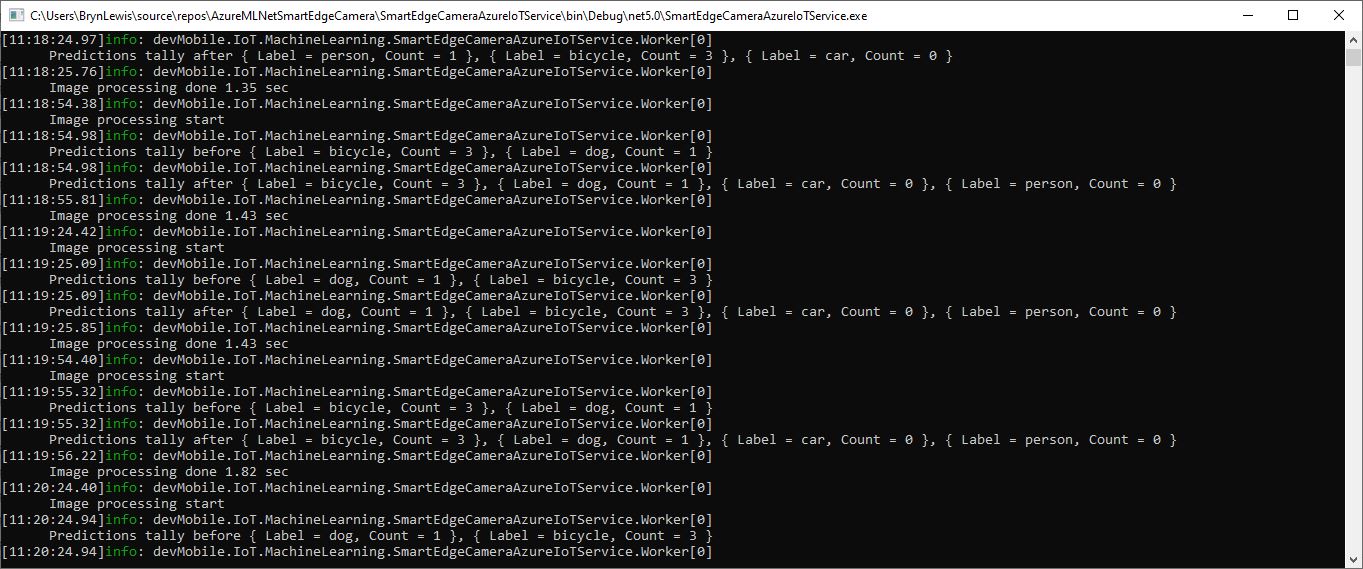
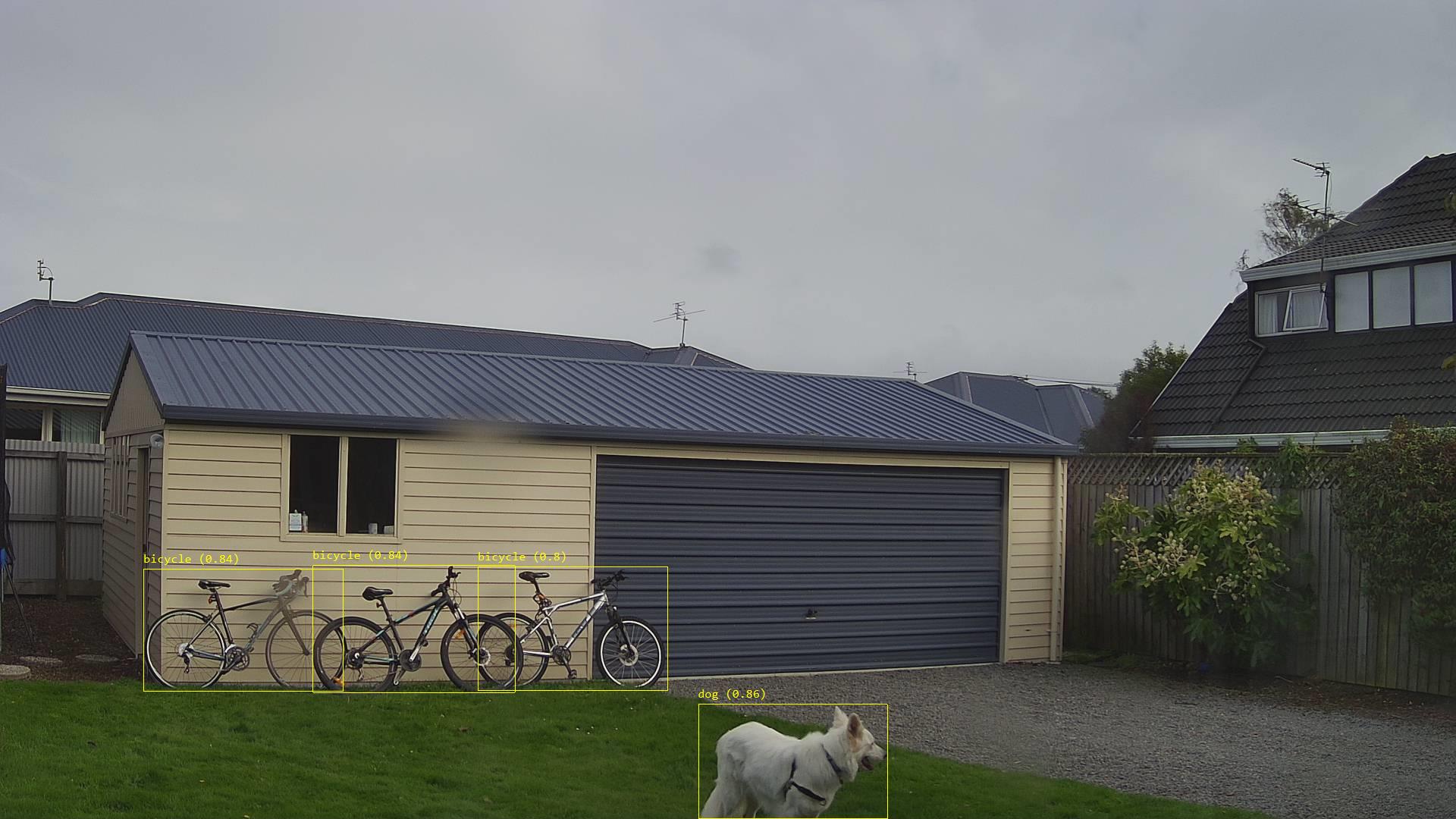
While testing the application I noticed an “unexpected” object detected in my backyard…

Unexpected object detection diagnostic logging
Unexpected object detection results marked-up image

The mentalstack/yolov5-net and NuGet have been incredibly useful and MentalStack team have done a marvelous job building and supporting this project. For this project my test-rig consisted of a Unv ADZK-10 Security Camera, Power over Ethernet(PoE) and my HP Prodesk 400G4 DM (i7-8700T).

TTI V3 Connector Azure IoT Central Device Provisioning Service(DPS) support

The TTI Connector supports the Azure IoT Hub Device Provisioning Service(DPS) which is required (it is possible to provision individual devices but this intended for small deployments or testing) for Azure IoT Central applications. The TTI Connector implementation also supports Azure IoT Central Digital Twin Definition Language (DTDL V2) for “automagic” device provisioning.

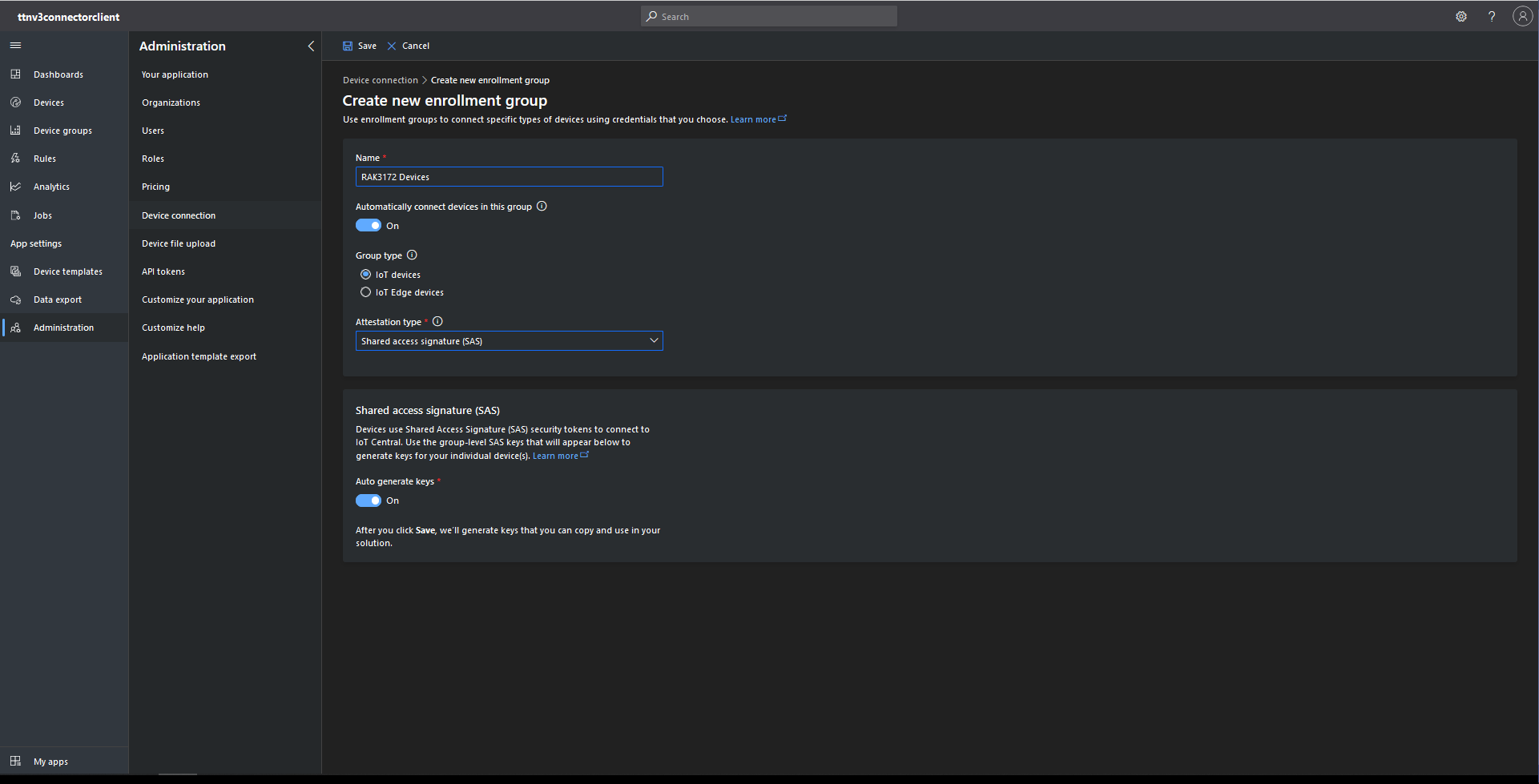
The first step was to configure and Azure IoT Central enrollment group (ensure “Automatically connect devices in this group” is on for “zero touch” provisioning) and copy the IDScope and Group Enrollment key to the TTI Connector configuration

RAK3172 Enrollment Group creation
Azure IoT Hub Device Provisioning Service configuration

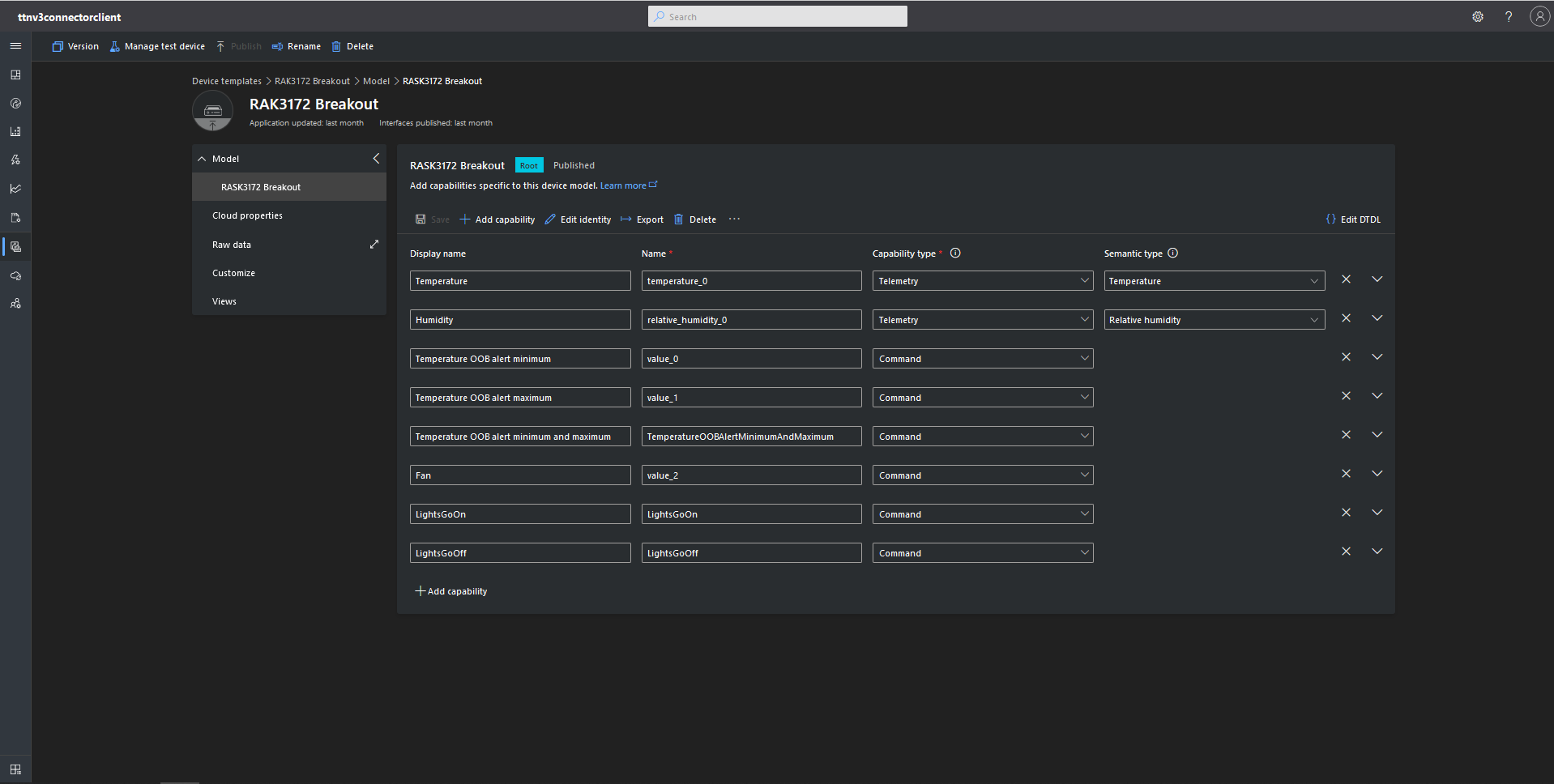
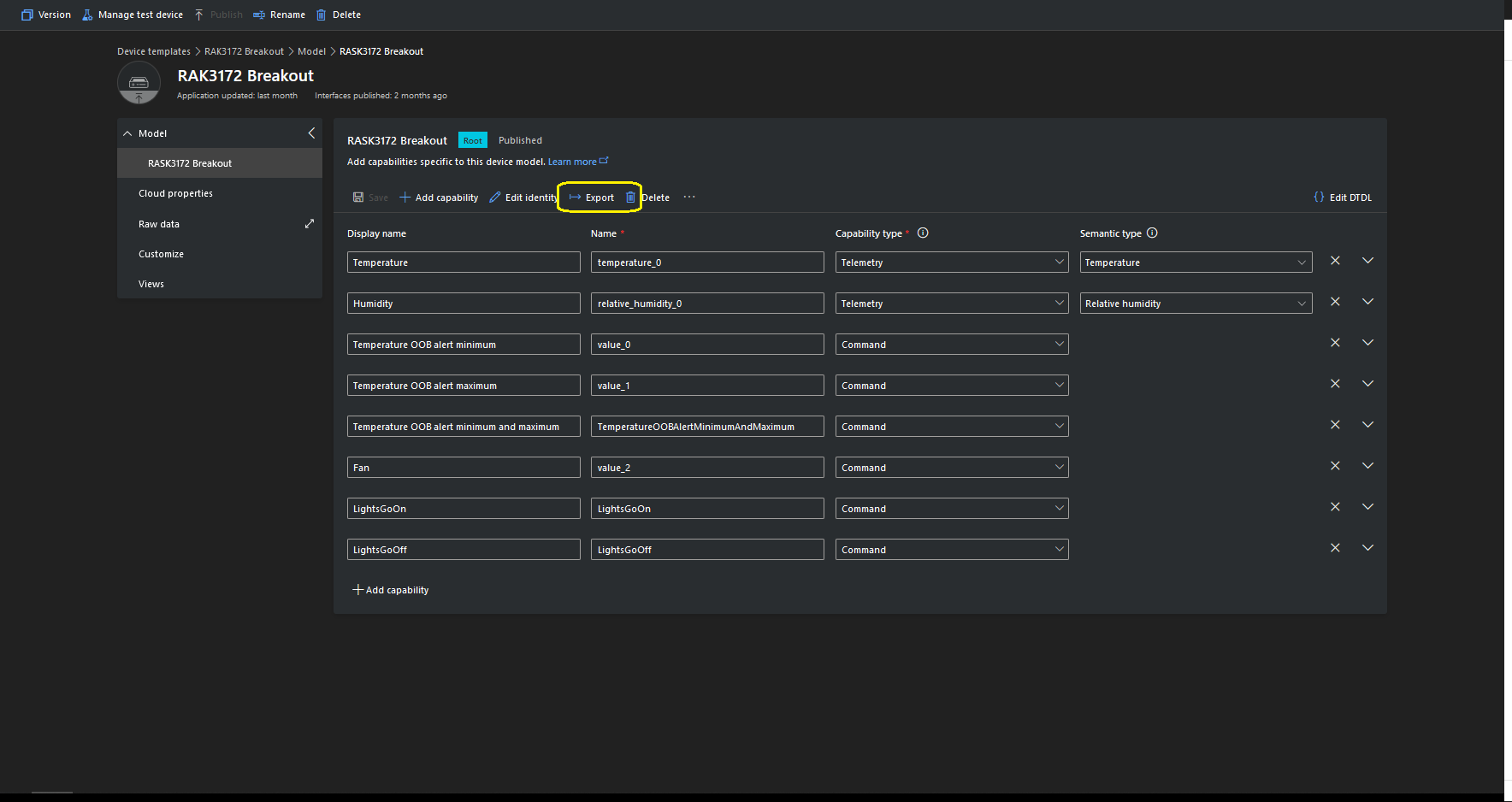
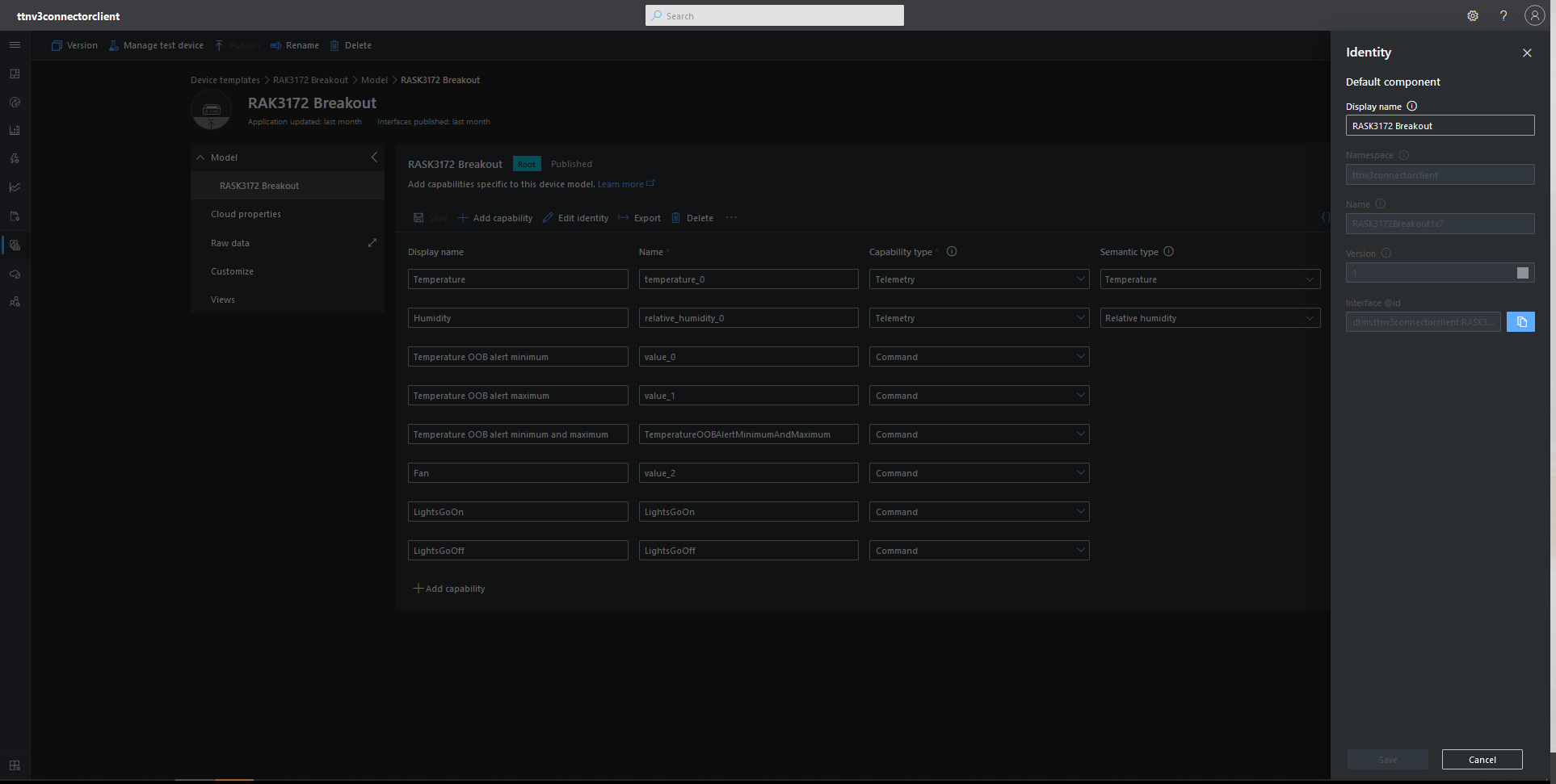
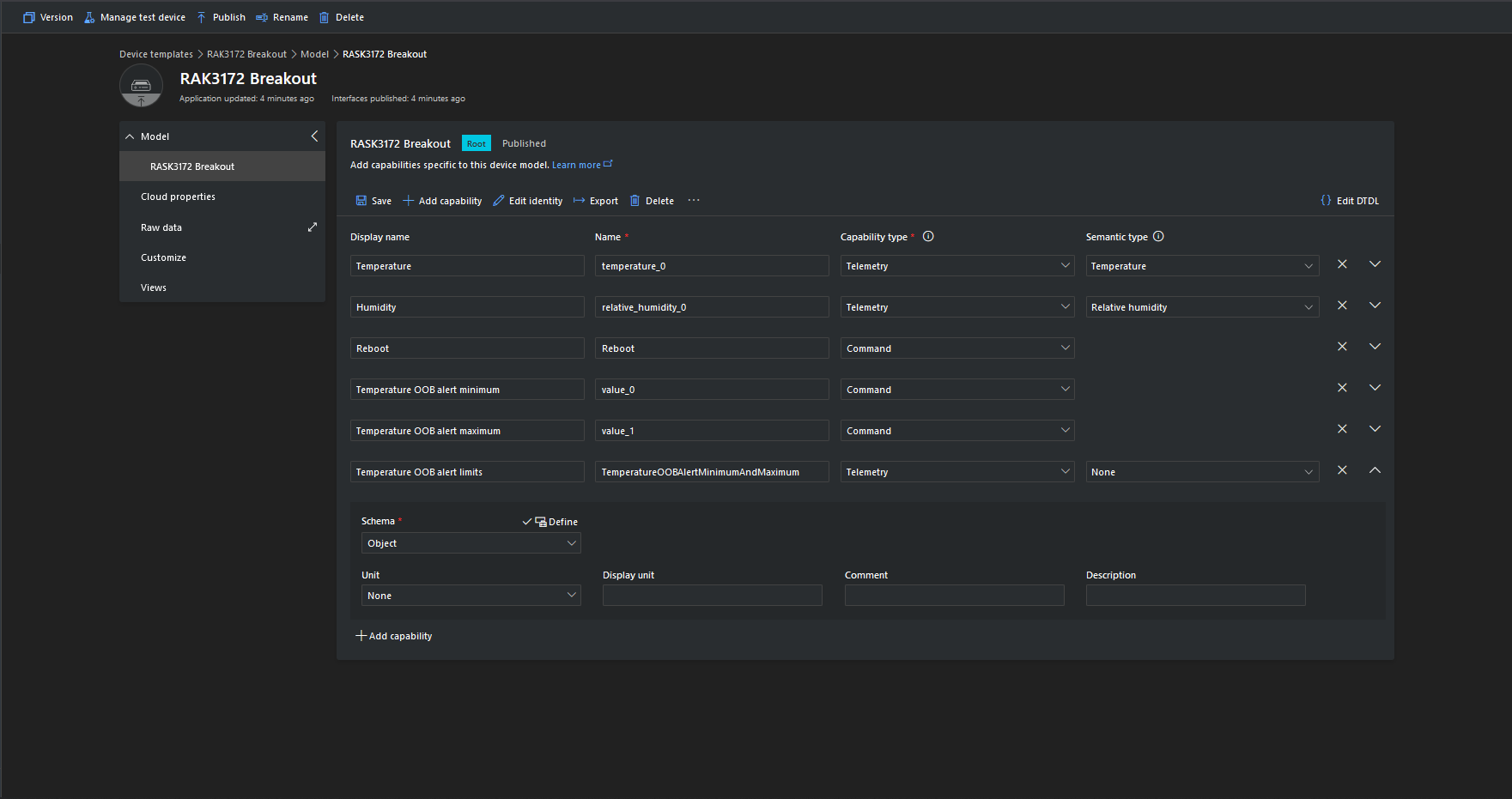
I then created an Azure IoT Central template for my RAK3172 breakout board based.Net Core powered test device.

{
    "@id": "dtmi:ttnv3connectorclient:RASK3172Breakout1c7;1",
    "@type": "Interface",
    "contents": [
        {
            "@id": "dtmi:ttnv3connectorclient:RASK3172Breakout1c7:temperature_0;1",
            "@type": [
                "Telemetry",
                "Temperature"
            ],
            "displayName": {
                "en": "Temperature"
            },
            "name": "temperature_0",
            "schema": "double",
            "unit": "degreeCelsius"
        },
        {
            "@id": "dtmi:ttnv3connectorclient:RASK3172Breakout1c7:relative_humidity_0;1",
            "@type": [
                "Telemetry",
                "RelativeHumidity"
            ],
            "displayName": {
                "en": "Humidity"
            },
            "name": "relative_humidity_0",
            "schema": "double",
            "unit": "percent"
        },
        {
            "@id": "dtmi:ttnv3connectorclient:RASK3172Breakout1c7:value_0;1",
            "@type": "Command",
            "displayName": {
                "en": "Temperature OOB alert minimum"
            },
            "name": "value_0",
            "request": {
                "@type": "CommandPayload",
                "displayName": {
                    "en": "Minimum"
                },
                "name": "value_0",
                "schema": "double"
            },
            "durable": true
        },
        {
            "@id": "dtmi:ttnv3connectorclient:RASK3172Breakout1c7:value_1;1",
            "@type": "Command",
            "displayName": {
                "en": "Temperature OOB alert maximum"
            },
            "name": "value_1",
            "request": {
                "@type": "CommandPayload",
                "displayName": {
                    "en": "Maximum"
                },
                "name": "value_1",
                "schema": "double"
            },
            "durable": true
        },
        {
            "@id": "dtmi:ttnv3connectorclient:RASK3172Breakout1c7:TemperatureOOBAlertMinimumAndMaximum;1",
            "@type": "Command",
            "displayName": {
                "en": "Temperature OOB alert minimum and maximum"
            },
            "name": "TemperatureOOBAlertMinimumAndMaximum",
            "request": {
                "@type": "CommandPayload",
                "displayName": {
                    "en": "Alert Temperature"
                },
                "name": "AlertTemperature",
                "schema": {
                    "@type": "Object",
                    "displayName": {
                        "en": "Object"
                    },
                    "fields": [
                        {
                            "displayName": {
                                "en": "minimum"
                            },
                            "name": "value_0",
                            "schema": "double"
                        },
                        {
                            "displayName": {
                                "en": "maximum"
                            },
                            "name": "value_1",
                            "schema": "double"
                        }
                    ]
                }
            },
            "durable": true
        },
        {
            "@id": "dtmi:ttnv3connectorclient:RASK3172Breakout1c7:value_2;1",
            "@type": "Command",
            "displayName": {
                "en": "Fan"
            },
            "name": "value_2",
            "request": {
                "@type": "CommandPayload",
                "displayName": {
                    "en": "On"
                },
                "name": "value_3",
                "schema": {
                    "@type": "Enum",
                    "displayName": {
                        "en": "Enum"
                    },
                    "enumValues": [
                        {
                            "displayName": {
                                "en": "On"
                            },
                            "enumValue": 1,
                            "name": "On"
                        },
                        {
                            "displayName": {
                                "en": "Off"
                            },
                            "enumValue": 0,
                            "name": "Off"
                        }
                    ],
                    "valueSchema": "integer"
                }
            },
            "durable": true
        },
        {
            "@id": "dtmi:ttnv3connectorclient:RASK3172Breakout1c7:LightsGoOn;1",
            "@type": "Command",
            "displayName": {
                "en": "LightsGoOn"
            },
            "name": "LightsGoOn",
            "durable": true
        },
        {
            "@id": "dtmi:ttnv3connectorclient:RASK3172Breakout1c7:LightsGoOff;1",
            "@type": "Command",
            "displayName": {
                "en": "LightsGoOff"
            },
            "name": "LightsGoOff",
            "durable": true
        }
    ],
    "displayName": {
        "en": "RASK3172 Breakout"
    },
    "@context": [
        "dtmi:iotcentral:context;2",
        "dtmi:dtdl:context;2"
    ]
}

The Device Template @Id can also be set for a TTI application using an optional dtdlmodelid which is specified the the TTI Connector configuration.

TTI V3 Connector Azure IoT Central Cloud to Device(C2D)

Handling Cloud to Device(D2C) Azure IoT Central messages (The Things Industries(TTI) downlink) is a bit more complex than Device To Cloud(D2C) messaging. The format of the command messages is reasonably well documented and I have already explored in detail with basic telemetry, basic commands, request commands, and The Things Industries Friendly commands and Digital Twin Definition Language(DTDL) support.

public class IoTHubApplicationSetting
{
	public string DtdlModelId { get; set; }
}

public class IoTHubSettings
{
	public string IoTHubConnectionString { get; set; } = string.Empty;

	public Dictionary<string, IoTHubApplicationSetting> Applications { get; set; }
}


public class DeviceProvisiongServiceApplicationSetting
{
	public string DtdlModelId { get; set; } = string.Empty;

	public string GroupEnrollmentKey { get; set; } = string.Empty;
}

public class DeviceProvisiongServiceSettings
{
	public string IdScope { get; set; } = string.Empty;

	public Dictionary<string, DeviceProvisiongServiceApplicationSetting> Applications { get; set; }
}


public class IoTCentralMethodSetting
{
	public byte Port { get; set; } = 0;

	public bool Confirmed { get; set; } = false;

	public Models.DownlinkPriority Priority { get; set; } = Models.DownlinkPriority.Normal;

	public Models.DownlinkQueue Queue { get; set; } = Models.DownlinkQueue.Replace;
}

public class IoTCentralSetting
{
	public Dictionary<string, IoTCentralMethodSetting> Methods { get; set; }
}

public class AzureIoTSettings
{
	public IoTHubSettings IoTHub { get; set; }

	public DeviceProvisiongServiceSettings DeviceProvisioningService { get; set; }

	public IoTCentralSetting IoTCentral { get; set; }
}

Azure IoT Central appears to have no support for setting message properties so the LoRaWAN port, confirmed flag, priority, and queuing so these a retrieved from configuration.

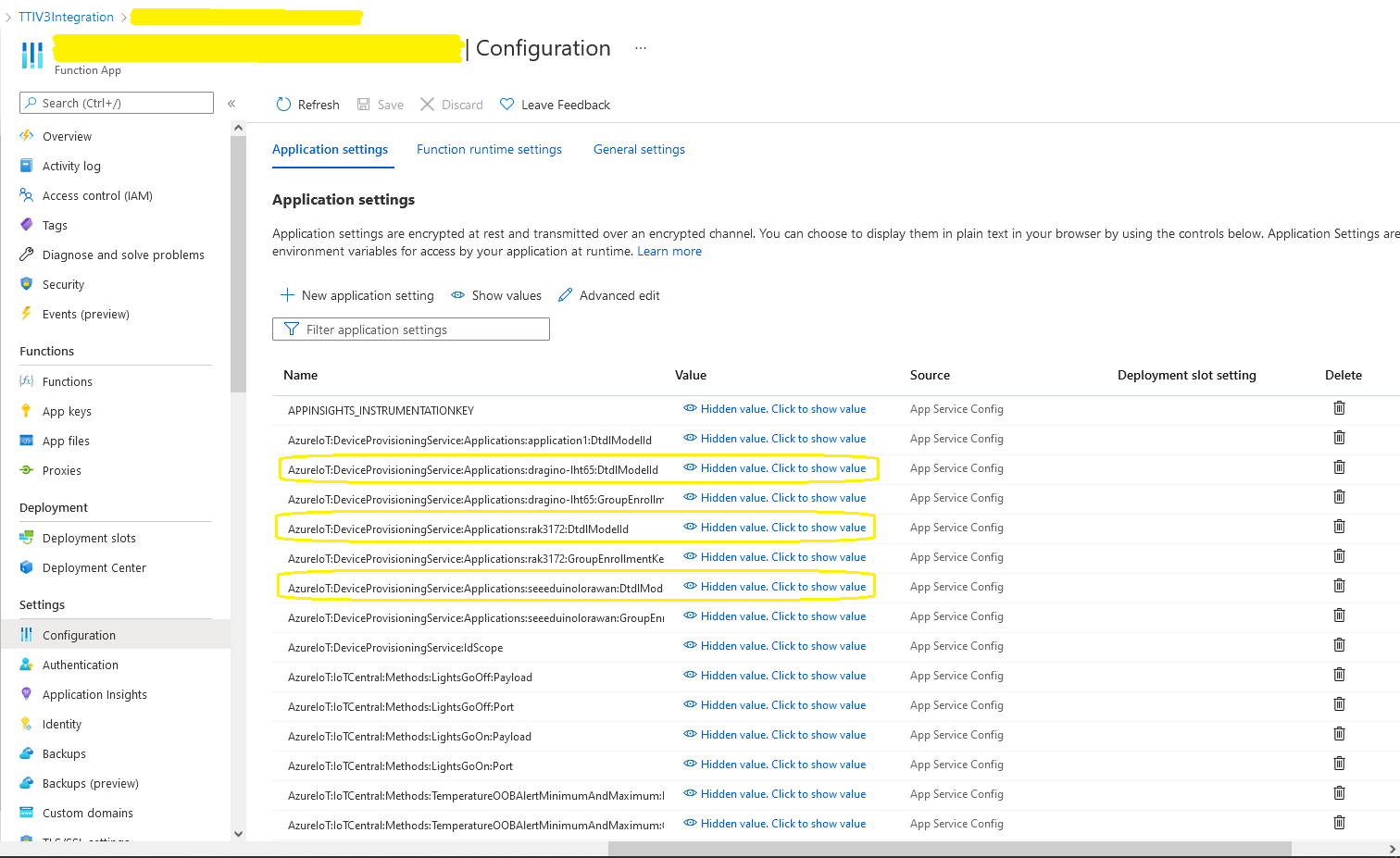
Azure Function Configuration
Models.Downlink downlink;
Models.DownlinkQueue queue;

string payloadText = Encoding.UTF8.GetString(message.GetBytes()).Trim();

if (message.Properties.ContainsKey("method-name"))
{
	#region Azure IoT Central C2D message processing
	string methodName = message.Properties["method-name"];

	if (string.IsNullOrWhiteSpace(methodName))
	{
		_logger.LogWarning("Downlink-DeviceID:{0} MessagedID:{1} LockToken:{2} method-name property empty", receiveMessageHandlerContext.DeviceId, message.MessageId, message.LockToken);

		await deviceClient.RejectAsync(message);
		return;
	}

	// Look up the method settings to get confirmed, port, priority, and queue
	if ((_azureIoTSettings == null) || (_azureIoTSettings.IoTCentral == null) || !_azureIoTSettings.IoTCentral.Methods.TryGetValue(methodName, out IoTCentralMethodSetting methodSetting))
	{
		_logger.LogWarning("Downlink-DeviceID:{0} MessagedID:{1} LockToken:{2} method-name:{3} has no settings", receiveMessageHandlerContext.DeviceId, message.MessageId, message.LockToken, methodName);
							
		await deviceClient.RejectAsync(message);
		return;
	}

	downlink = new Models.Downlink()
	{
		Confirmed = methodSetting.Confirmed,
		Priority = methodSetting.Priority,
		Port = methodSetting.Port,
		CorrelationIds = AzureLockToken.Add(message.LockToken),
	};

	queue = methodSetting.Queue;

	// Check to see if special case for Azure IoT central command with no request payload
	if (payloadText.IsPayloadEmpty())
	{
		downlink.PayloadRaw = "";
	}

	if (!payloadText.IsPayloadEmpty())
	{
		if (payloadText.IsPayloadValidJson())
		{
			downlink.PayloadDecoded = JToken.Parse(payloadText);
			}
		else
		{
			downlink.PayloadDecoded = new JObject(new JProperty(methodName, payloadText));
		}
	}

	logger.LogInformation("Downlink-IoT Central DeviceID:{0} Method:{1} MessageID:{2} LockToken:{3} Port:{4} Confirmed:{5} Priority:{6} Queue:{7}",
		receiveMessageHandlerContext.DeviceId,
		methodName,
		message.MessageId,
		message.LockToken,
		downlink.Port,
		downlink.Confirmed,
		downlink.Priority,
		queue);
	#endregion
}

The reboot command payload only contains an “@” so the TTTI payload will be empty, the minimum and maximum command payloads will contain only a numeric value which is added to the decoded payload with the method name, the combined minimum and maximum command has a JSON payload which is “grafted” into the decoded payload.

Azure IoT Central Device Template

Azure Device Provisioning Service(DPS) when transient isn’t

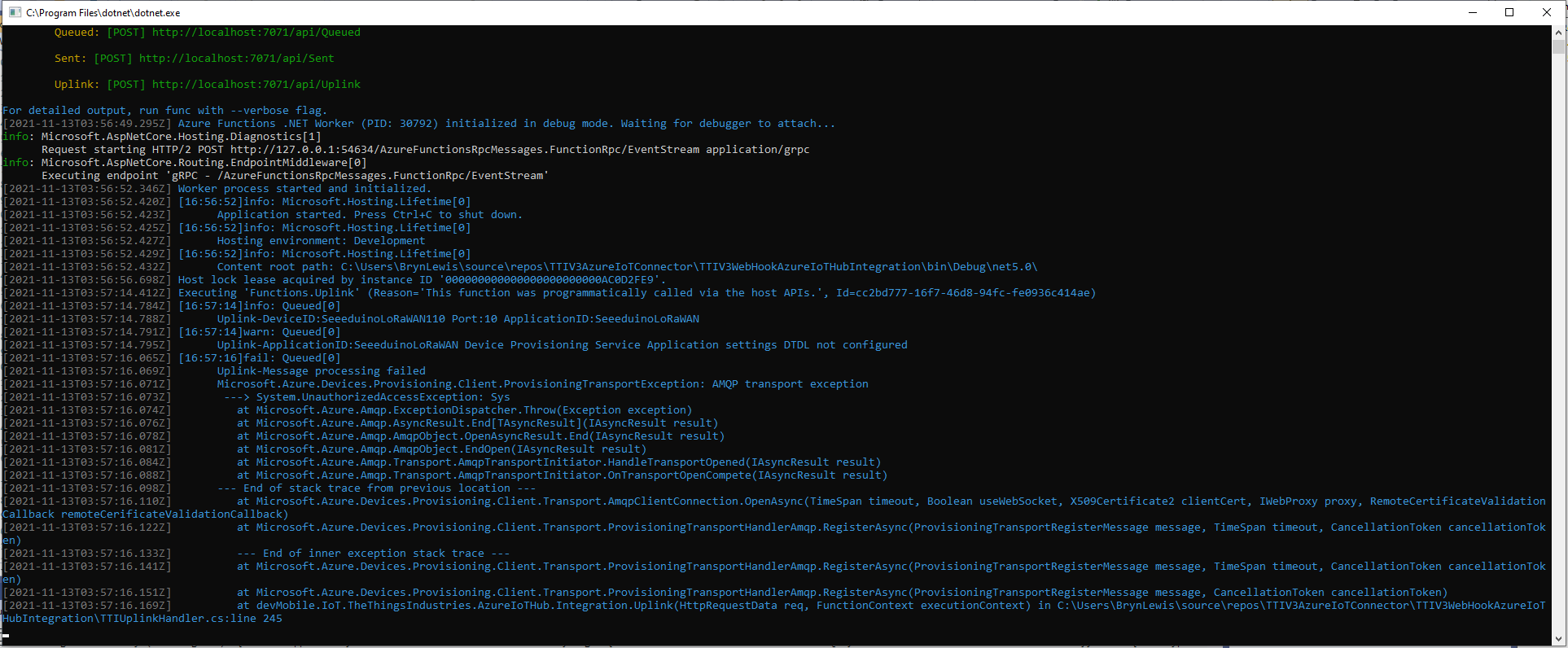
After some updates to my Device Provisioning Service(DPS) code the RegisterAsync method was exploding with an odd exception.

TTI Webhook Integration running in desktop emulator

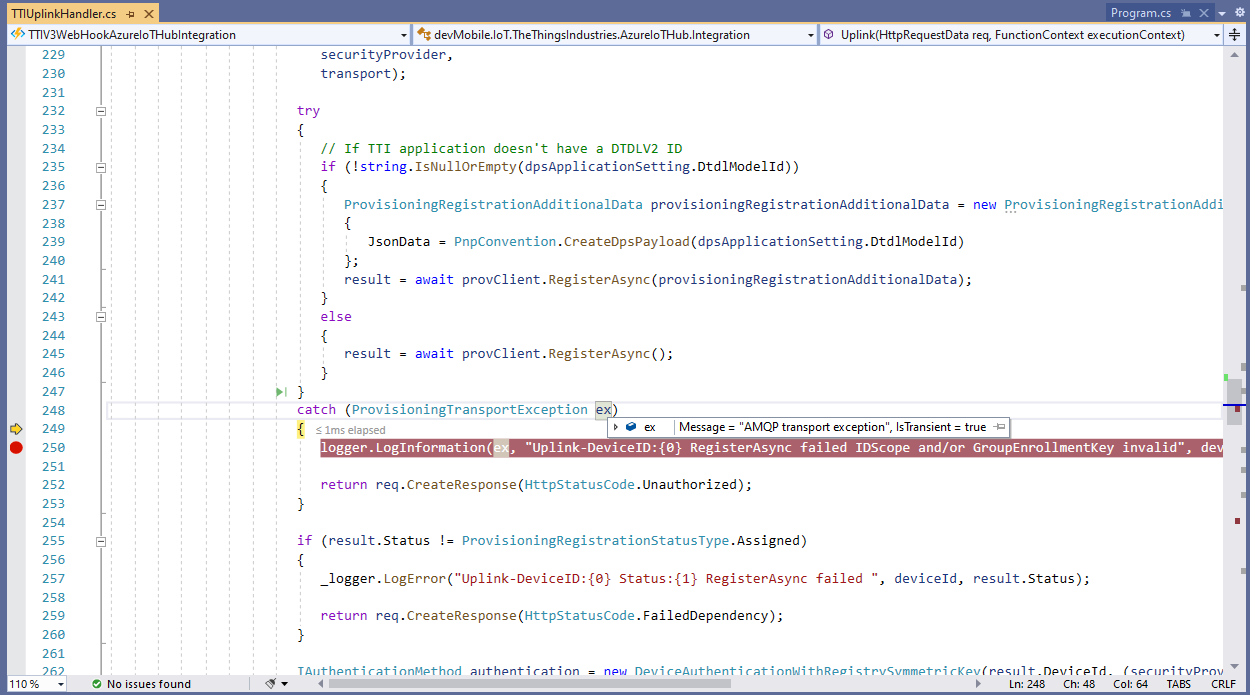
In the Visual Studio 2019 Debugger the exception text was “IsTransient = true” so I went and made a coffee and tried again.

Visual Studio 2019 Quickwatch displaying short from error message

The call was still failing so I dumped out the exception text so I had some key words to search for

Microsoft.Azure.Devices.Provisioning.Client.ProvisioningTransportException: AMQP transport exception
 ---> System.UnauthorizedAccessException: Sys
   at Microsoft.Azure.Amqp.ExceptionDispatcher.Throw(Exception exception)
   at Microsoft.Azure.Amqp.AsyncResult.End[TAsyncResult](IAsyncResult result)
   at Microsoft.Azure.Amqp.AmqpObject.OpenAsyncResult.End(IAsyncResult result)
   at Microsoft.Azure.Amqp.AmqpObject.EndOpen(IAsyncResult result)
   at Microsoft.Azure.Amqp.Transport.AmqpTransportInitiator.HandleTransportOpened(IAsyncResult result)
   at Microsoft.Azure.Amqp.Transport.AmqpTransportInitiator.OnTransportOpenCompete(IAsyncResult result)
--- End of stack trace from previous location ---
   at Microsoft.Azure.Devices.Provisioning.Client.Transport.AmqpClientConnection.OpenAsync(TimeSpan timeout, Boolean useWebSocket, X509Certificate2 clientCert, IWebProxy proxy, RemoteCertificateValidationCallback remoteCerificateValidationCallback)
   at Microsoft.Azure.Devices.Provisioning.Client.Transport.ProvisioningTransportHandlerAmqp.RegisterAsync(ProvisioningTransportRegisterMessage message, TimeSpan timeout, CancellationToken cancellationToken)
   --- End of inner exception stack trace ---
   at Microsoft.Azure.Devices.Provisioning.Client.Transport.ProvisioningTransportHandlerAmqp.RegisterAsync(ProvisioningTransportRegisterMessage message, TimeSpan timeout, CancellationToken cancellationToken)
   at Microsoft.Azure.Devices.Provisioning.Client.Transport.ProvisioningTransportHandlerAmqp.RegisterAsync(ProvisioningTransportRegisterMessage message, CancellationToken cancellationToken)
   at devMobile.IoT.TheThingsIndustries.AzureIoTHub.Integration.Uplink(HttpRequestData req, FunctionContext executionContext) in C:\Users\BrynLewis\source\repos\TTIV3AzureIoTConnector\TTIV3WebHookAzureIoTHubIntegration\TTIUplinkHandler.cs:line 245

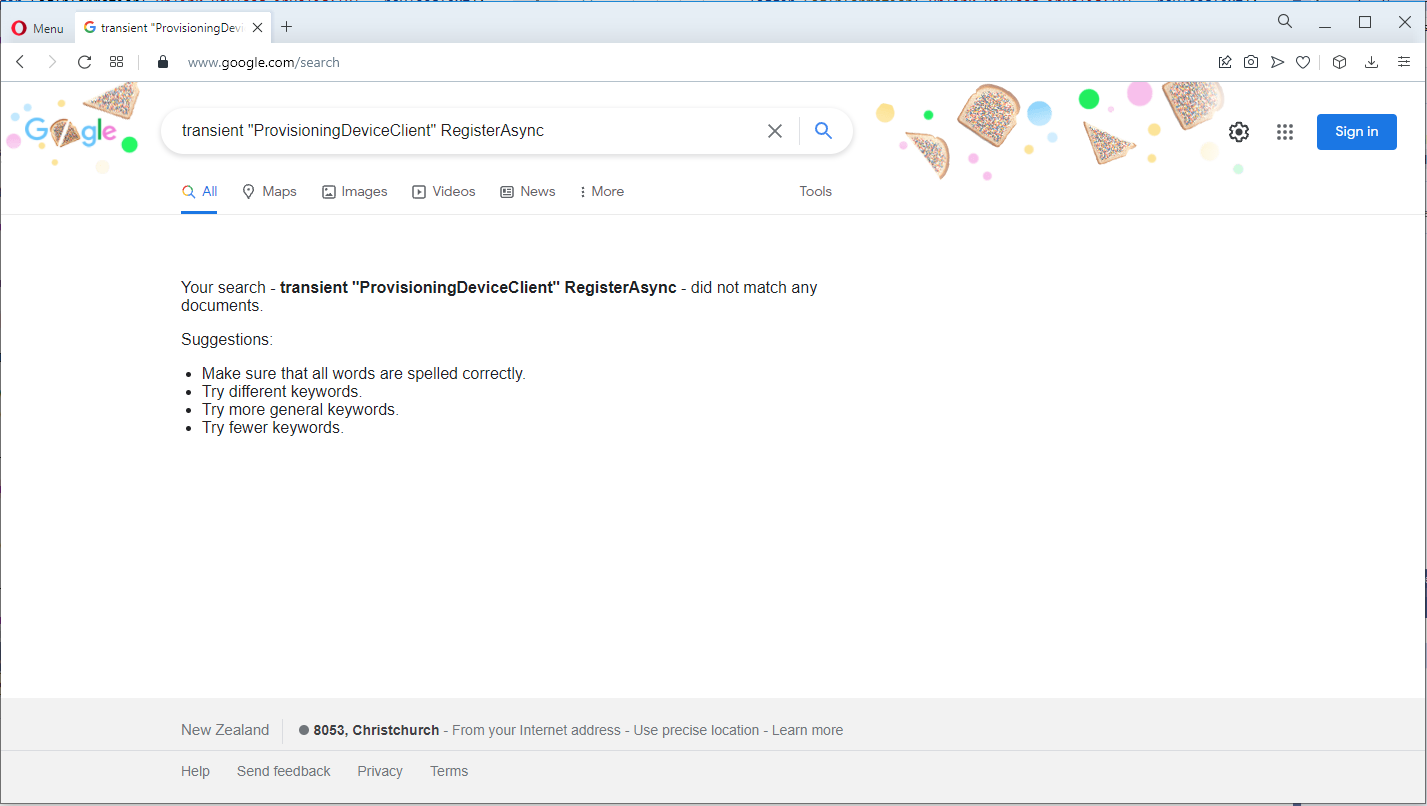
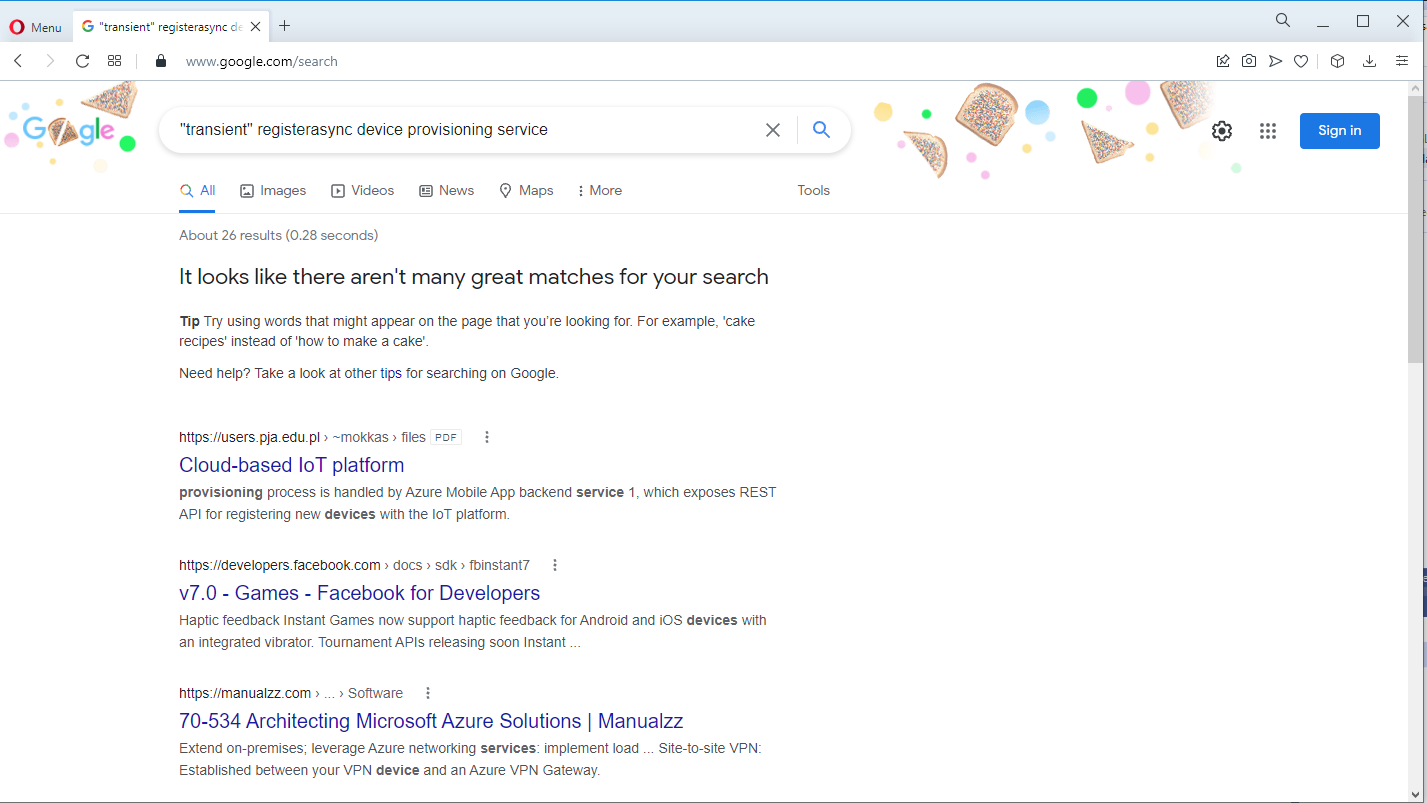
I tried a lot of keywords and went and looked at the source code on github

One of the many keyword searches

Another of the many keyword searches

I then tried another program which did used the Device provisioning Service and it worked first time so it was something wrong with the code.

using (var securityProvider = new SecurityProviderSymmetricKey(deviceId, deviceKey, null))
{
	using (var transport = new ProvisioningTransportHandlerAmqp(TransportFallbackType.TcpOnly))
	{
		DeviceRegistrationResult result;

		ProvisioningDeviceClient provClient = ProvisioningDeviceClient.Create(
			Constants.AzureDpsGlobalDeviceEndpoint,
			 dpsApplicationSetting.GroupEnrollmentKey, <<= Should be _azureIoTSettings.DeviceProvisioningService.IdScope,
			securityProvider,
			transport);

		try
		{
				result = await provClient.RegisterAsync();
		}
		catch (ProvisioningTransportException ex)
		{
			logger.LogInformation(ex, "Uplink-DeviceID:{0} RegisterAsync failed IDScope and/or GroupEnrollmentKey invalid", deviceId);

			return req.CreateResponse(HttpStatusCode.Unauthorized);
		}

		if (result.Status != ProvisioningRegistrationStatusType.Assigned)
		{
			_logger.LogError("Uplink-DeviceID:{0} Status:{1} RegisterAsync failed ", deviceId, result.Status);

			return req.CreateResponse(HttpStatusCode.FailedDependency);
		}

		IAuthenticationMethod authentication = new DeviceAuthenticationWithRegistrySymmetricKey(result.DeviceId, (securityProvider as SecurityProviderSymmetricKey).GetPrimaryKey());

		deviceClient = DeviceClient.Create(result.AssignedHub, authentication, TransportSettings);

		await deviceClient.OpenAsync();

		logger.LogInformation("Uplink-DeviceID:{0} Azure IoT Hub connected (Device Provisioning Service)", deviceId);
	}
}

I then carefully inspected my source code and worked back through the file history and realised I had accidentally replaced the IDScope with the GroupEnrollment setting so it was never going to work i.e. IsTransient != true. So, for the one or two other people who get this error message check your IDScope and GroupEnrollment key make sure they are the right variables and that values they contain are correct.

TTI V3 Connector Azure Storage Queues

The first Proof of Concept(PoC) for my updated The Things Industries(TTI) V3 Webhooks Integration was to explore the use of Azure Functions to securely ingest webhook calls. The aim was to have uplink and downlink message progress message payloads written to Azure Storage Queues with output bindings ready for processing.

namespace devMobile.IoT.TheThingsIndustries.HttpInputStorageQueueOutput
{
	using System.Net;
	using System.Threading.Tasks;

	using Microsoft.Azure.Functions.Worker;
	using Microsoft.Azure.Functions.Worker.Http;
	using Microsoft.Azure.WebJobs;
	using Microsoft.Extensions.Logging;


	[StorageAccount("AzureWebJobsStorage")]
	public static class Webhooks
	{
		[Function("Uplink")]
		public static async Task<HttpTriggerUplinkOutputBindingType> Uplink([HttpTrigger(AuthorizationLevel.Function, "post")] HttpRequestData req, FunctionContext context)
		{
			var logger = context.GetLogger("UplinkMessage");

			logger.LogInformation("Uplink processed");
			
			var response = req.CreateResponse(HttpStatusCode.OK);

			return new HttpTriggerUplinkOutputBindingType()
			{
				Name = await req.ReadAsStringAsync(),
				HttpReponse = response
			};
		}

		public class HttpTriggerUplinkOutputBindingType
		{
			[QueueOutput("uplink")]
			public string Name { get; set; }

			public HttpResponseData HttpReponse { get; set; }
		}

...

		[Function("Failed")]
		public static async Task<HttpTriggerFailedOutputBindingType> Failed([HttpTrigger(AuthorizationLevel.Function, "post")] HttpRequestData req, FunctionContext context)
		{
			var logger = context.GetLogger("Failed");

			logger.LogInformation("Failed procssed");

			var response = req.CreateResponse(HttpStatusCode.OK);

			return new HttpTriggerFailedOutputBindingType()
			{
				Name = await req.ReadAsStringAsync(),
				HttpReponse = response
			};
		}

		public class HttpTriggerFailedOutputBindingType
		{
			[QueueOutput("failed")]
			public string Name { get; set; }

			public HttpResponseData HttpReponse { get; set; }
		}
	}
}

After some initial problems with the use of Azure Storage Queue output bindings to insert messages into the ack, nak, failed, queued, and uplink Azure Storage Queues I found it didn’t take much code and worked reliably on my desktop.

Azure Functions Desktop Development environment running my functions

I used Telerik Fiddler with some sample payloads to test my application.

Telerik Fiddler Request Composer “posting” sample message to desktop endpoint

Once the functions were running reliably on my desktop, I created an Azure Service Plan, deployed the code, then generated an API Key for securing my HTTPTrigger endpoints.

Azure Functions Host Key configuration dialog

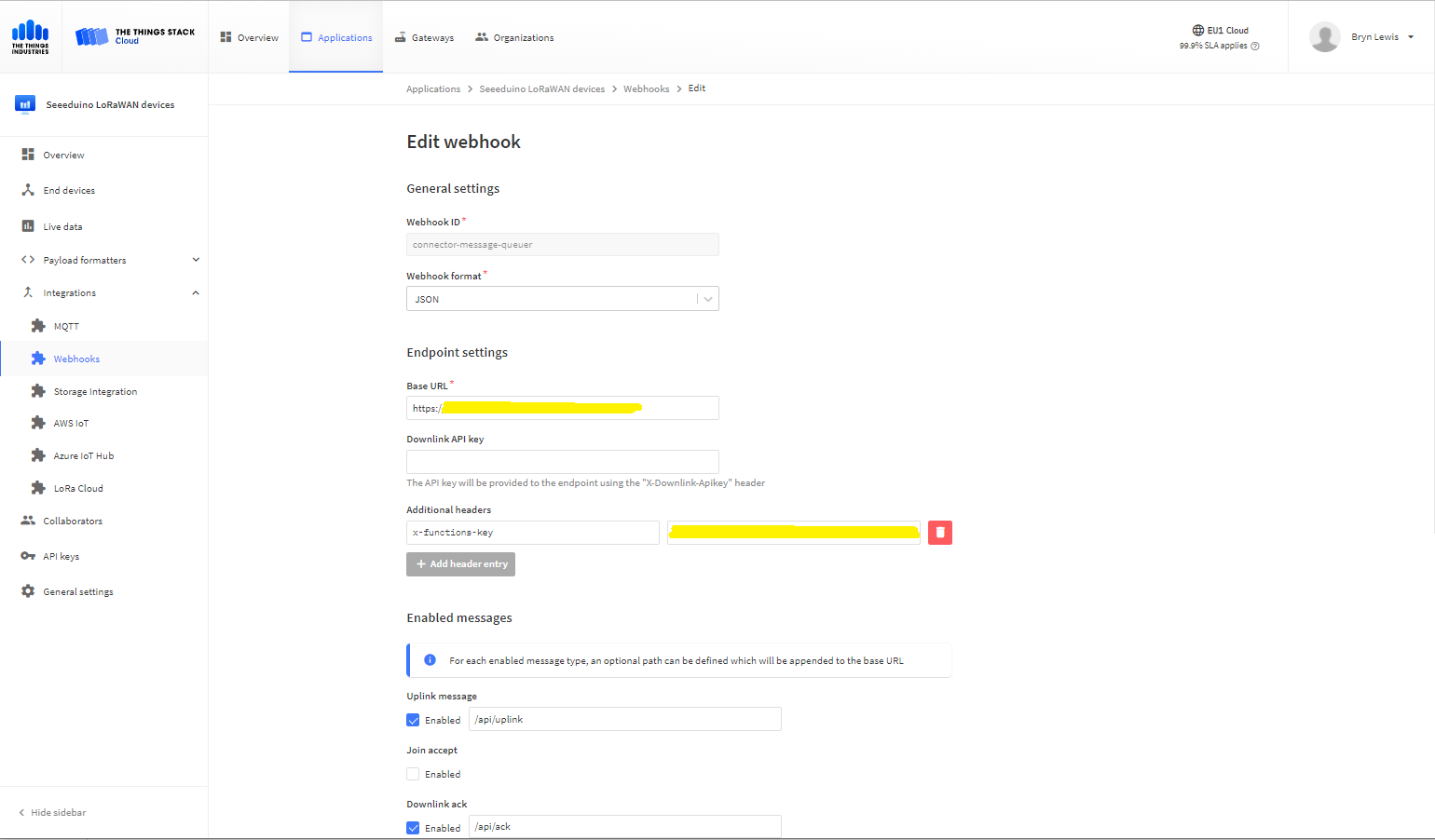
I then added a TTI Webhook Integration to my TTI SeeduinoLoRaWAN application, manually configured the endpoint, enabled the different messages I wanted to process and set the x-functions-key header.

TTI Application Webhook configuration

After a short delay I could see messages in the message uplink queue with Azure Storage Explorer

Azure Storage Explorer displaying content of my uplink queue

Building a new version of my TTIV3 Azure IoT connector is a useful learning exercise but I’m still deciding whether is it worth the effort as TTI has one now?

TTN V3 Connector Revisited

Earlier in the year I built Things Network(TTN) V2 and V3 connectors and after using these in production applications I have learnt a lot about what I had got wrong, less wrong and what I had got right.

Using a TTN V3 MQTT Application integration wasn’t a great idea. The management of state was very complex. The storage of application keys in a app.settings file made configuration easy but was bad for security.

The use of Azure Key Vault in the TTNV2 connector was a good approach, but the process of creation and updating of the settings needs to be easier.

Using TTN device registry as the “single source of truth” was a good decision as managing the amount of LoRaWAN network, application and device specific configuration in an Azure IoT Hub would be non-trivial.

Using a Webhooks Application Integration like the TTNV2 connector is my preferred approach.

The TTNV2 Connector’s use of Azure Storage Queues was a good idea as they it provide an elastic buffer between the different parts of the application.

The use of Azure Functions to securely ingest webhook calls and write them to Azure Storage Queues with output bindingts should simplify configuration and deployment. The use of Azure Storage Queue input bindings to process messages is the preferred approach.

The TTN V3 processing of JSON uplink messages into a structure that Azure IoT Central could ingest is a required feature

The TTN V2 and V3 support for the Azure Device Provisioning Service(DPS) is a required feature (mandated by Azure IoT Central). The TTN V3 connector support for DTDLV2 is a desirable feature. The DPS implementation worked with Azure IoT Central but I was unable to get the DeviceClient based version working.

Using DPS to pre-provision devices in Azure IoT Hubs and Azure IoT Central by using the TTN Application Registry API then enumerating the TTN applications, then devices needs to be revisited as it was initially slow then became quite complex.

The support for Azure IoT Hub connection strings was a useful feature, but added some complexity. This plus basic Azure IoT Hub DPS support(No Azure IoT Central support) could be implemented in a standalone application which connects via Azure Storage Queue messages.

The processing of Azure IoT Central Basic, and Request commands then translating the payloads so they work with TTN V3 is a required feature. The management of Azure IoT Hub command delivery confirmations (abandon, complete and Reject) is a required feature.

I’m considering building a new TTN V3 connector but is it worth the effort as TTN has one now?