Random wanderings through Microsoft Azure esp. PaaS plumbing, the IoT bits, AI on Micro controllers, AI on Edge Devices, .NET nanoFramework, .NET Core on *nix and ML.NET+ONNX
// Set the Working mode to LoRaWAN, not/never going todo P2P with this library.
#if DIAGNOSTICS
Debug.WriteLine($" {DateTime.UtcNow:hh:mm:ss} AT+NWM=1");
#endif
Result result = SendCommand("Current Work Mode: LoRaWAN.", "AT+NWM=1", CommandTimeoutDefault);
if (result != Result.Success)
{
#if DIAGNOSTICS
	Debug.WriteLine($" {DateTime.UtcNow:hh:mm:ss} AT+NWM=1 failed {result}");
#endif
	return result;
}
I think it would be reasonable to assume that the device is in the correct mode (the default after a reset to factory) on startup so I removed the LoRa® network work mode configuration code.
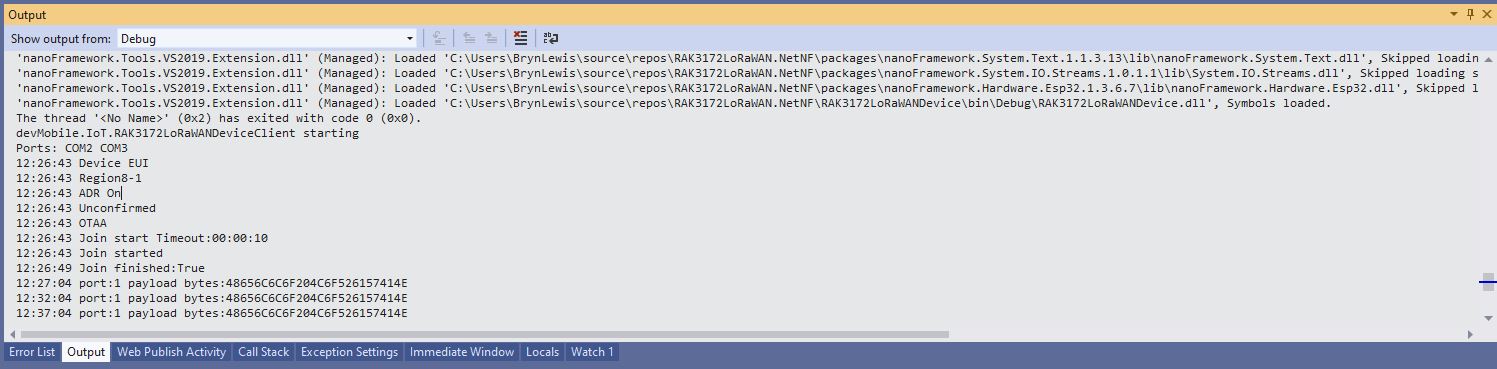
Visual Studio Debug output for RAK3172LoRaWANDeviceClient minimal configuration
public static void Main()
{
	Result result;

	Debug.WriteLine("devMobile.IoT.RAK3172LoRaWANDeviceClient starting");

	try
	{
		// set GPIO functions for COM2 (this is UART1 on ESP32)
#if ESP32_WROOM
		Configuration.SetPinFunction(Gpio.IO17, DeviceFunction.COM2_TX);
		Configuration.SetPinFunction(Gpio.IO16, DeviceFunction.COM2_RX);
#endif

		Debug.Write("Ports:");
		foreach (string port in SerialPort.GetPortNames())
		{
			Debug.Write($" {port}");
		}
		Debug.WriteLine("");

		using (Rak3172LoRaWanDevice device = new Rak3172LoRaWanDevice())
		{
			result = device.Initialise(SerialPortId, 115200, Parity.None, 8, StopBits.One);
			if (result != Result.Success)
			{
				Debug.WriteLine($"Initialise failed {result}");
				return;
			}

			MessageSendTimer = new Timer(SendMessageTimerCallback, device, Timeout.Infinite, Timeout.Infinite);

			device.OnJoinCompletion += OnJoinCompletionHandler;
			device.OnReceiveMessage += OnReceiveMessageHandler;
#if CONFIRMED
			device.OnMessageConfirmation += OnMessageConfirmationHandler;
#endif

#if FACTORY_RESET
			Debug.WriteLine($"{DateTime.UtcNow:hh:mm:ss} FactoryReset");
			result = device.FactoryReset();
			if (result != Result.Success)
			{
				Debug.WriteLine($"FactoryReset failed {result}");
				return;
			}
#endif

#if DEVICE_DEVEUI_SET
			Debug.WriteLine($"{DateTime.UtcNow:hh:mm:ss} Device EUI");
			result = device.DeviceEui(Config.devEui);
			if (result != Result.Success)
			{
				Debug.WriteLine($"DeviceEUI set failed {result}");
				return;
			}
#endif

#if REGION_SET
			Debug.WriteLine($"{DateTime.UtcNow:hh:mm:ss} Region{Band}");
			result = device.Band(Band);
			if (result != Result.Success)
			{
				Debug.WriteLine($"Band on failed {result}");
				return;
			}
#endif

#if ADR_SET
			Debug.WriteLine($"{DateTime.UtcNow:hh:mm:ss} ADR On");
			result = device.AdrOn();
			if (result != Result.Success)
			{
				Debug.WriteLine($"ADR on failed {result}");
				return;
			}
#endif
#if CONFIRMED
			Debug.WriteLine($"{DateTime.UtcNow:hh:mm:ss} Confirmed");
			result = device.UplinkMessageConfirmationOn();
			if (result != Result.Success)
			{
				Debug.WriteLine($"Confirm on failed {result}");
				return;
			}
#endif
#if UNCONFIRMED
			Debug.WriteLine($"{DateTime.UtcNow:hh:mm:ss} Unconfirmed");
			result = device.UplinkMessageConfirmationOff();
			if (result != Result.Success)
			{
				Debug.WriteLine($"Confirm off failed {result}");
				return;
			}
#endif

#if OTAA
			Debug.WriteLine($"{DateTime.UtcNow:hh:mm:ss} OTAA");
			result = device.OtaaInitialise(Config.JoinEui, Config.AppKey);
			if (result != Result.Success)
			{
				Debug.WriteLine($"OTAA Initialise failed {result}");
				return;
			}
#endif

#if ABP
			Debug.WriteLine($"{DateTime.UtcNow:hh:mm:ss} ABP");
			result = device.AbpInitialise(Config.DevAddress, Config.NwksKey, Config.AppsKey);
			if (result != Result.Success)
			{
				Debug.WriteLine($"ABP Initialise failed {result}");
				return;
			}
#endif

			Debug.WriteLine($"{DateTime.UtcNow:hh:mm:ss} Join start Timeout:{JoinTimeOut:hh:mm:ss}");
			result = device.Join(JoinTimeOut);
			if (result != Result.Success)
			{
				Debug.WriteLine($"Join failed {result}");
				return;
			}
			Debug.WriteLine($"{DateTime.UtcNow:hh:mm:ss} Join started");

			Thread.Sleep(Timeout.Infinite);
		}
	}
	catch (Exception ex)
	{
		Debug.WriteLine(ex.Message);
	}
}
One of the major differences between the RAK4200 and RAK3127 libraries is the way a LoRaWAN network join is handled. The RAK4200 library Join method blocks until it succeeds of fails, the RAK3172 library Join method returns immediately then an EventHandler is called with the result.
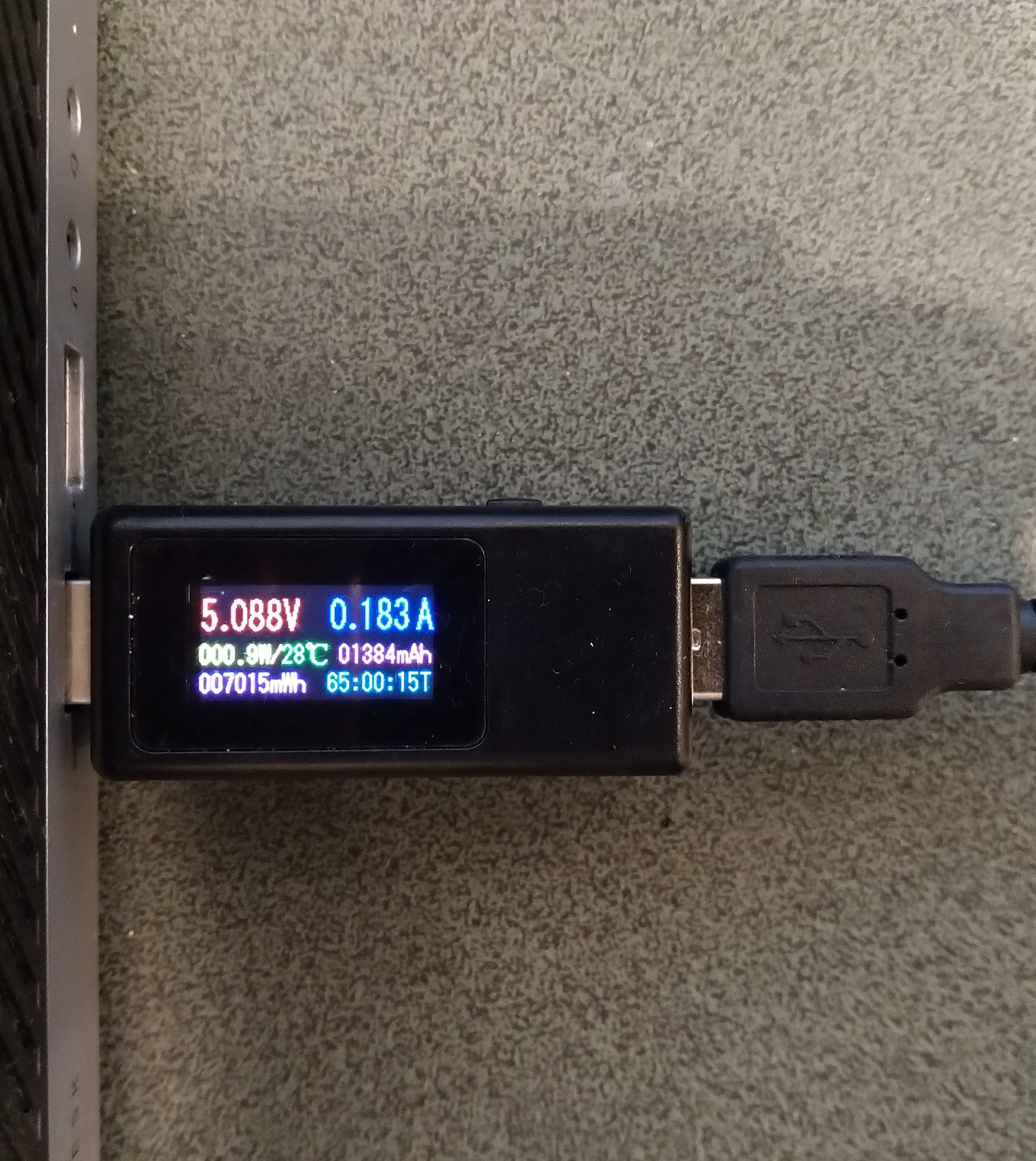
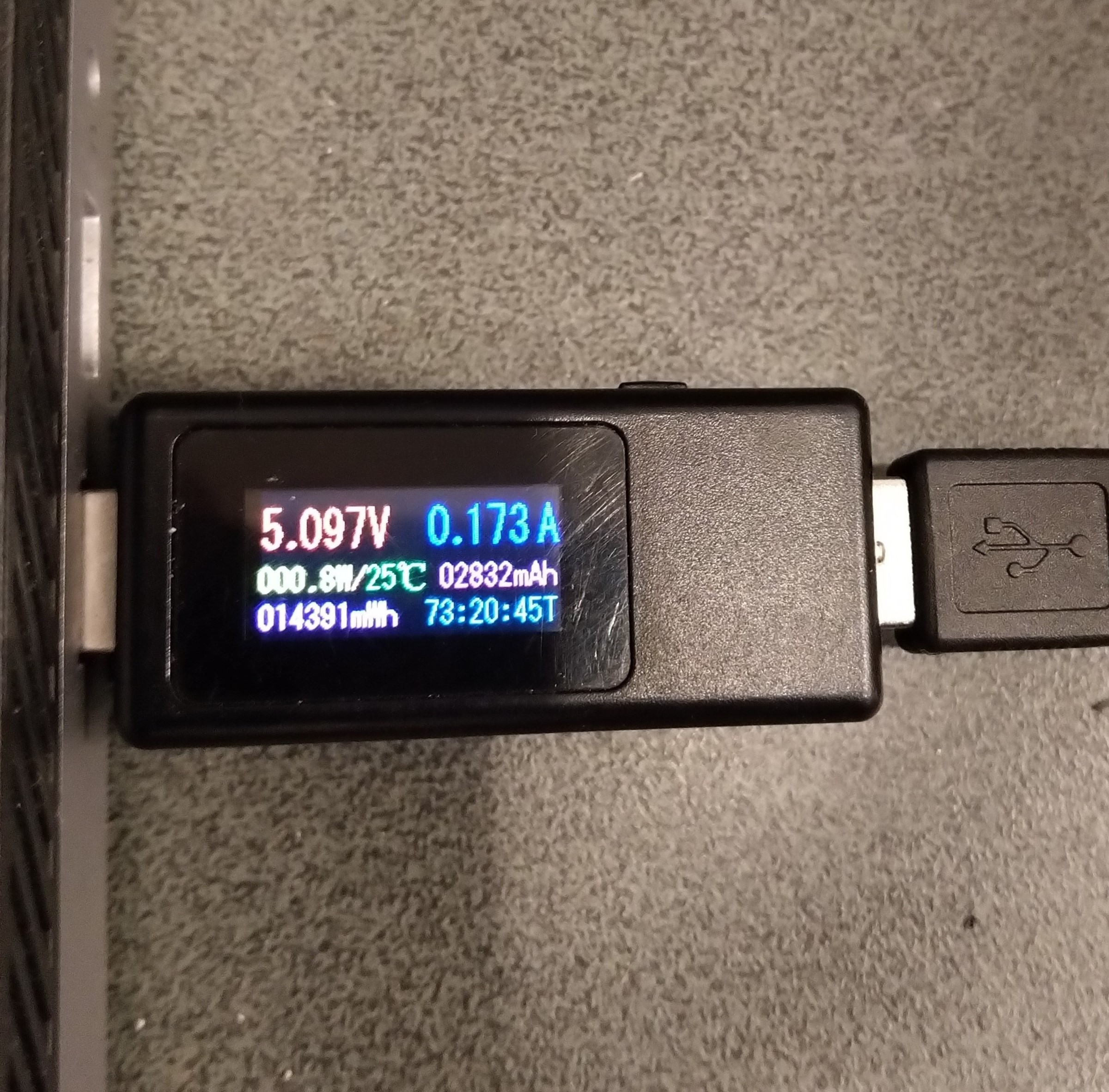
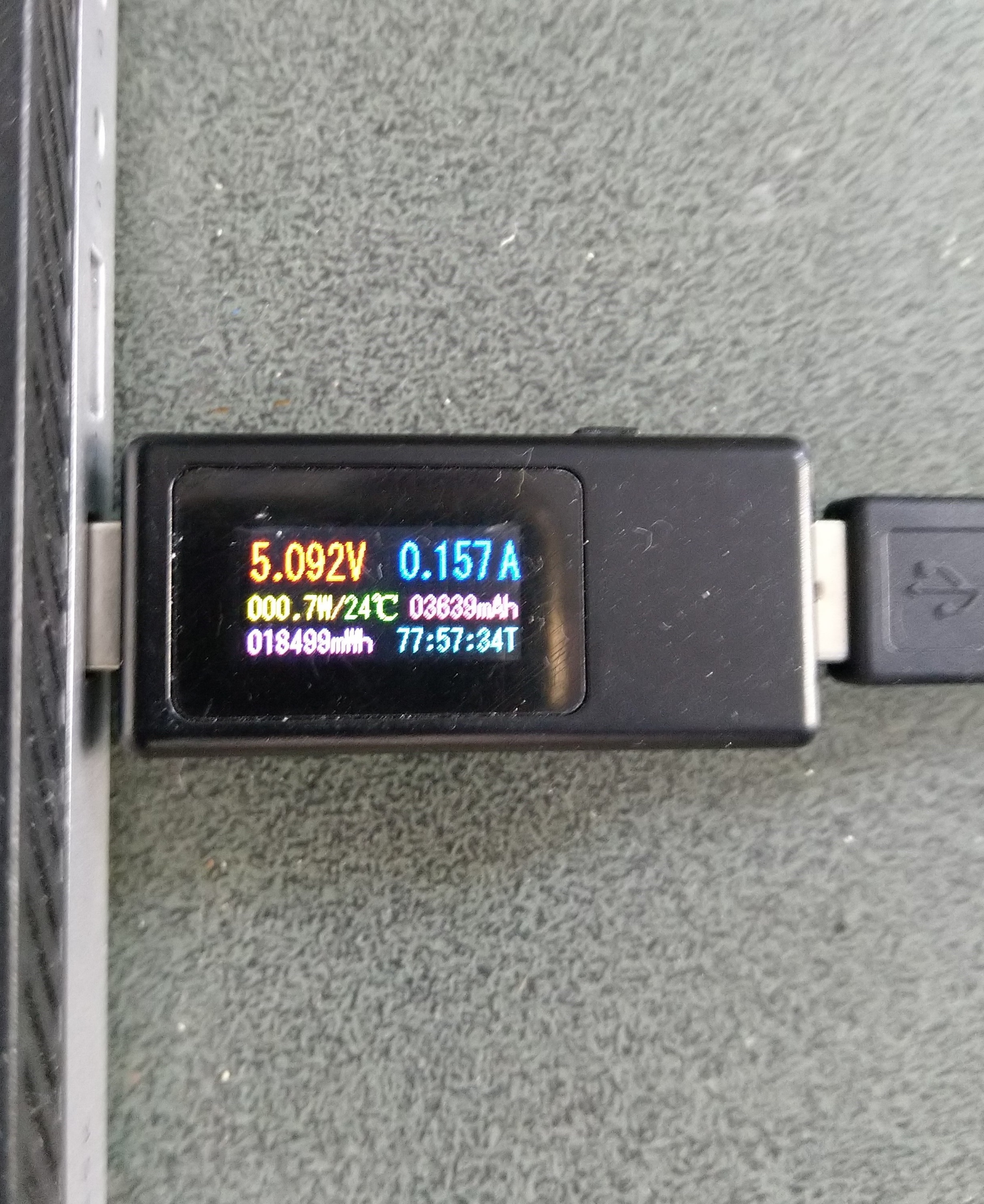
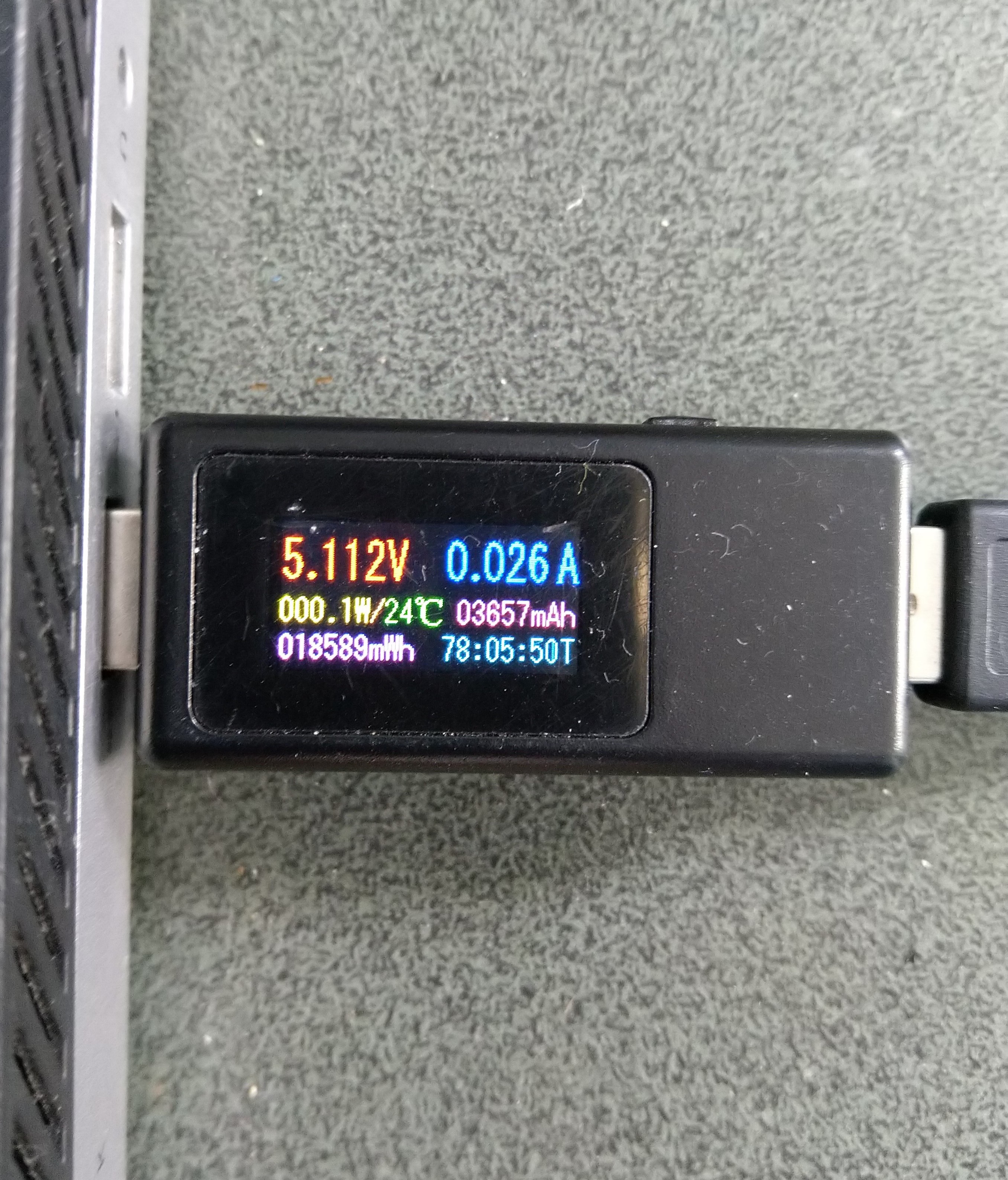
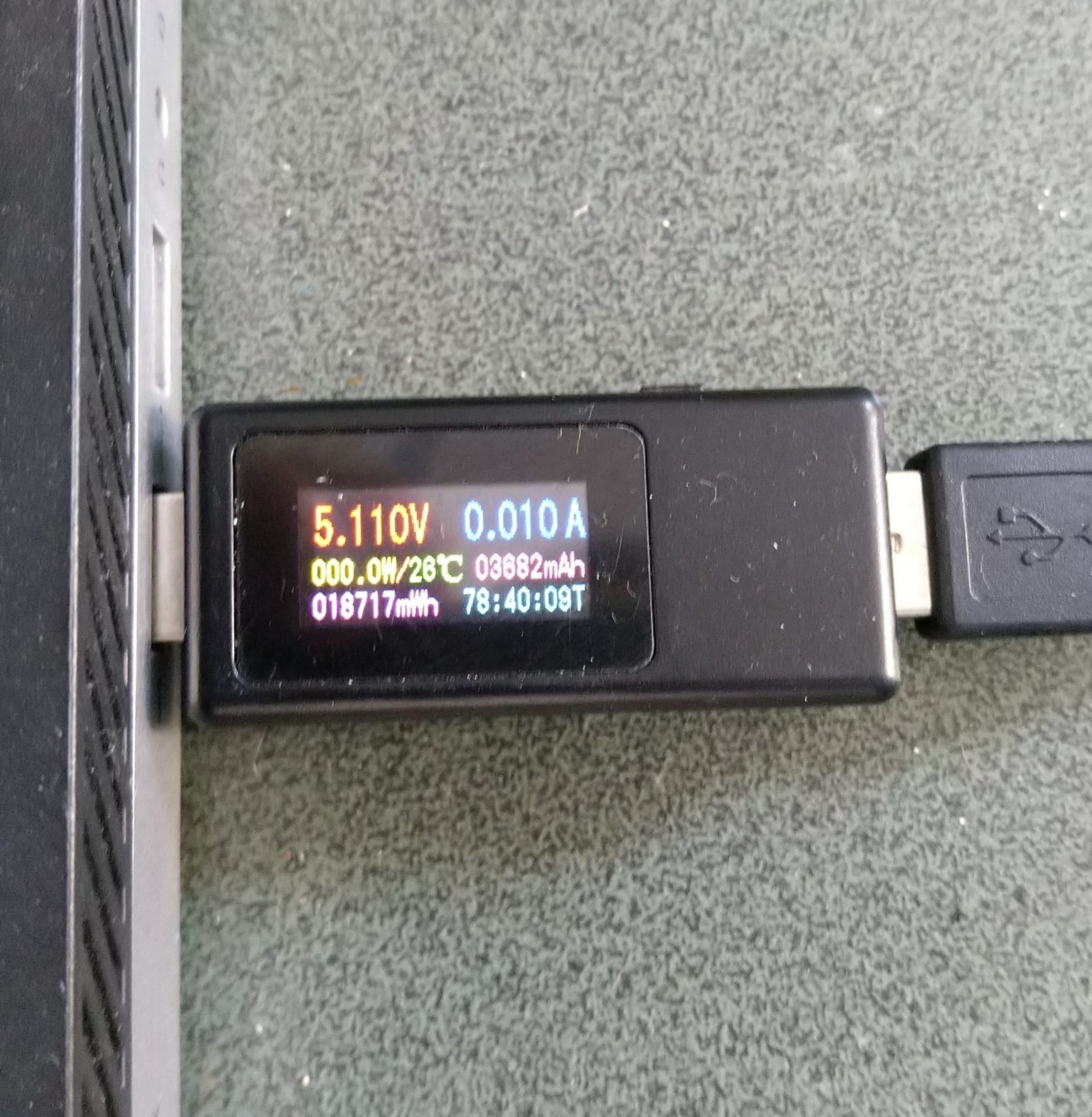
Initially the Sleep method didn’t appear to work, the power consumption didn’t change….
private static void SendMessageTimerCallback(object state)
{
	Rak3172LoRaWanDevice device = (Rak3172LoRaWanDevice)state;

#if PAYLOAD_HEX
	Debug.WriteLine($"{DateTime.UtcNow:hh:mm:ss} port:{MessagePort} payload HEX:{PayloadHex}");
	Result result = device.Send(MessagePort, PayloadHex, SendTimeout);
#endif
#if PAYLOAD_BYTES
	Debug.WriteLine($"{DateTime.UtcNow:hh:mm:ss} port:{MessagePort} payload bytes:{Rak3172LoRaWanDevice.BytesToHex(PayloadBytes)}");
	Result result = device.Send(MessagePort, PayloadBytes, SendTimeout);
#endif
	if (result != Result.Success)
	{
		Debug.WriteLine($"Send failed {result}");
	}

#if SLEEP
	Thread.Sleep(7500); //10000 Works 5000 to short

	Debug.WriteLine($"{DateTime.UtcNow:hh:mm:ss} Sleep period:{SleepPeriod:hh:mm:ss}");
	result = device.Sleep(SleepPeriod);
	if (result != Result.Success)
	{
		Debug.WriteLine($"Sleep failed {result}");
		return;
	}
#endif
}
After some debugging and reading this helpful RAK Wireless forum post I added a short delay before sleeping the RAK3172 module and power consumption reduced.
Initially the Sleep method timed out every time it was called. After some more debugging I figured out that I needed a slightly longer delay for the AutoResetEvent.Waitone as it was timing out just before the “OK” was processed.
public Result Sleep(TimeSpan period)
{
	return Sleep(period, SleepExtensionDefault);
}

public Result Sleep(TimeSpan period, TimeSpan extension)
{
#if DIAGNOSTICS
	Debug.WriteLine($" {DateTime.UtcNow:hh:mm:ss} AT+SLEEP {period.TotalMilliseconds:f0} mSec");
#endif
	Result result = SendCommand("OK", $"AT+SLEEP={period.TotalMilliseconds:f0}", period.Add(extension));
	if (result != Result.Success)
	{
#if DIAGNOSTICS
		Debug.WriteLine($" {DateTime.UtcNow:hh:mm:ss} AT+SLEEP failed {result}");
#endif
		return result;
	}

	return Result.Success;
}
public static void Main()
{
	Debug.WriteLine("devMobile.IoT.LoRaWAN.nanoFramework.RAK3172 BreakoutSerial starting");

	try
	{
		// set GPIO functions for COM2 (this is UART1 on ESP32)
#if ESP32_WROOM
		Configuration.SetPinFunction(Gpio.IO17, DeviceFunction.COM2_TX);
		Configuration.SetPinFunction(Gpio.IO16, DeviceFunction.COM2_RX);
#endif

		Debug.Write("Ports:");
		foreach (string port in SerialPort.GetPortNames())
		{
			Debug.Write($" {port}");
		}
		Debug.WriteLine("");

		using (_SerialPort = new SerialPort(SerialPortId))
		{
			// set parameters
			_SerialPort.BaudRate = 115200;
			_SerialPort.Parity = Parity.None;
			_SerialPort.DataBits = 8;
			_SerialPort.StopBits = StopBits.One;
			_SerialPort.Handshake = Handshake.None;
			_SerialPort.NewLine = "\r\n";
			_SerialPort.ReadTimeout = 1000;

			//_SerialPort.WatchChar = '\n'; // May 2022 WatchChar event didn't fire github issue https://github.com/nanoframework/Home/issues/1035

#if SERIAL_ASYNC_READ
			_SerialPort.DataReceived += SerialDevice_DataReceived;
#endif

			_SerialPort.Open();

			_SerialPort.WatchChar = '\n';

			_SerialPort.ReadExisting(); // Running at 115K2 this was necessary

...

			for (int i = 0; i < 5; i++)
			{
				string atCommand;
				atCommand = "AT+VER=?";
				//atCommand = "AT+SN=?"; // Empty response?
				//atCommand = "AT+HWMODEL=?";
				//atCommand = "AT+HWID=?";
				//atCommand = "AT+DEVEUI=?";
				//atCommand = "AT+APPEUI=?";
				//atCommand = "AT+APPKEY=?";
				//atCommand = "ATR";
				//atCommand = "AT+SLEEP=4000";
				Debug.WriteLine("");
				Debug.WriteLine($"{i} TX:{atCommand} bytes:{atCommand.Length}--------------------------------");
				_SerialPort.WriteLine(atCommand);

				Thread.Sleep(5000);
			}
		}
...
		Debug.WriteLine("Done");
	}
	catch (Exception ex)
	{
		Debug.WriteLine(ex.Message);
	}
}
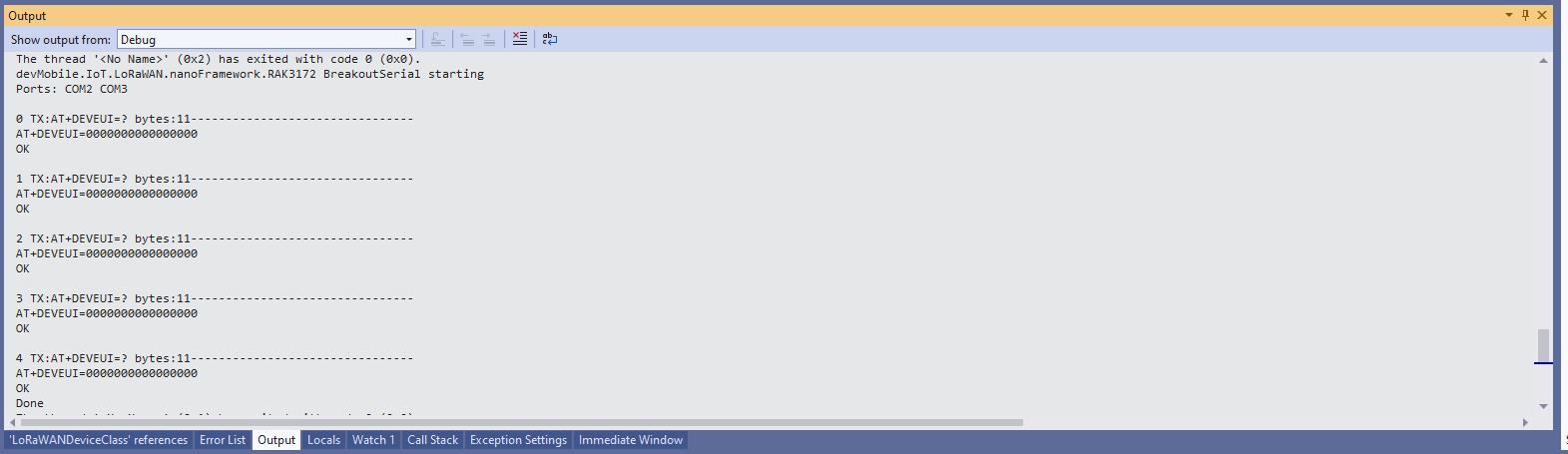
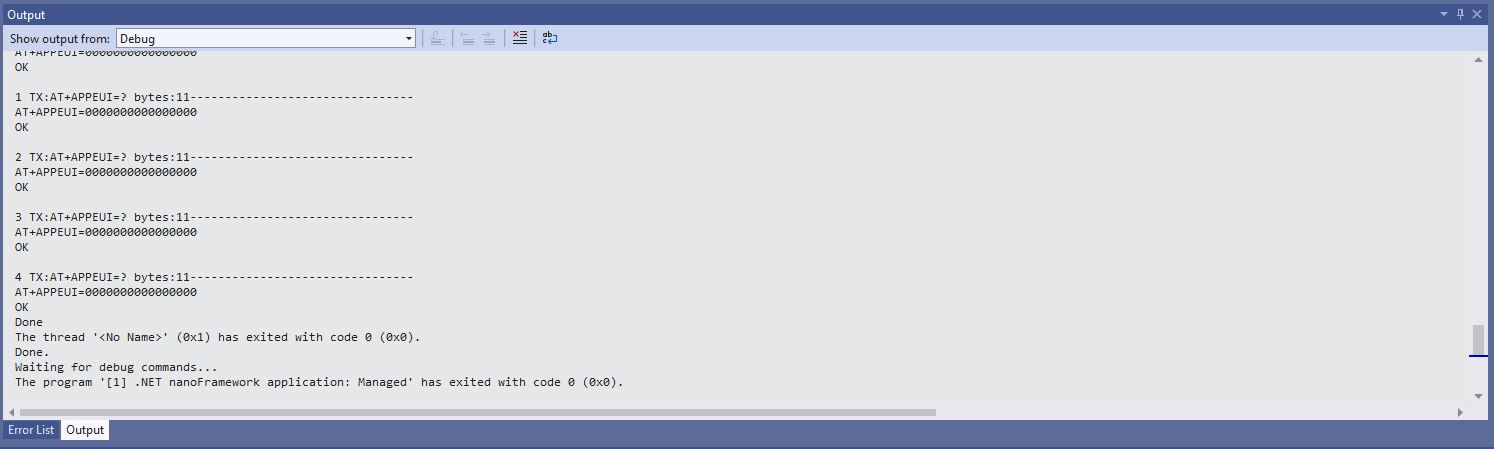
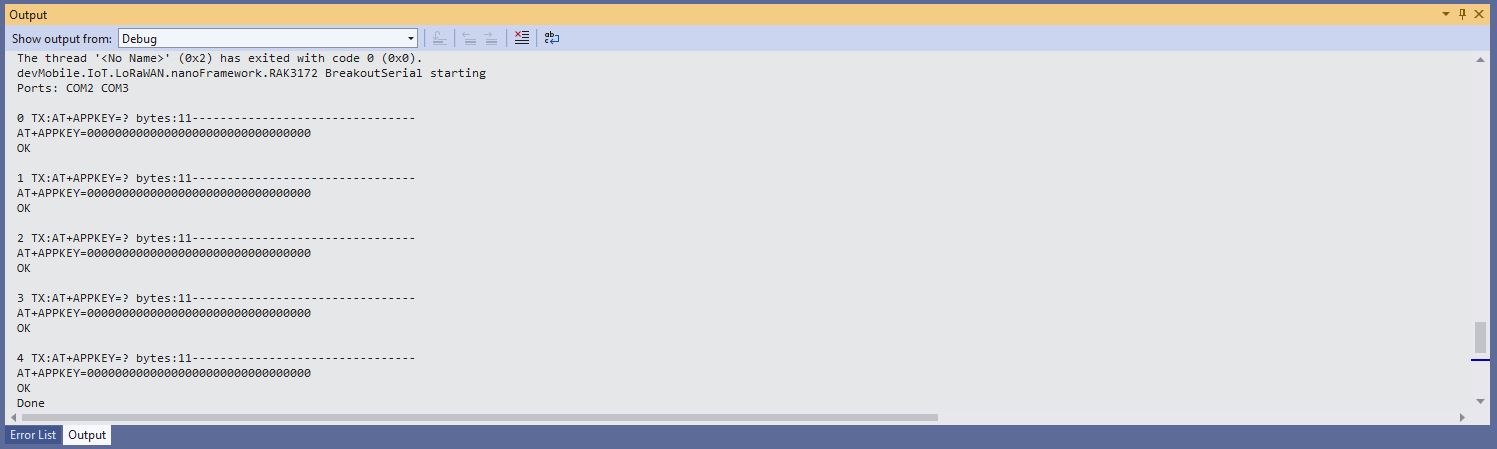
After resetting the device I modified the code to display some of the configuration.
DevEUI after ATR command
JoinEUI after ATR command
AppKey after ATR command
To reconfigure the device I ran the RAK3172LoRaWANDeviceClient application with DEVICE_DEVEUI_SET, OTAA, UNCONFIRMED, REGION_SET and ADR_SET defined. The testrig could then successfully connect to The Things Network and when the device was power cycled the configuration was retained.
public Result FactoryReset()
{
#if DIAGNOSTICS
	Debug.WriteLine($" {DateTime.UtcNow:hh:mm:ss} ATR");
#endif
	Result result = SendCommand("OK", "ATR", CommandTimeoutDefault);
	if (result != Result.Success)
	{
#if DIAGNOSTICS
		Debug.WriteLine($" {DateTime.UtcNow:hh:mm:ss} ATR failed {result}");
#endif
		return result;
	}

	return Result.Success;
}
I modified the NetworkJoinOTAA sample(based on the asynchronous version of BreakOutSerial) to send the required sequence of AT commands and displays the responses.
namespace devMobile.IoT.LoRaWAN.nanoFramework.RAK3172
{
	using System;
	using System.Diagnostics;
	using System.IO.Ports;
	using System.Threading;
#if ESP32_WROOM
	using global::nanoFramework.Hardware.Esp32; //need NuGet nanoFramework.Hardware.Esp32
#endif

	public class Program
	{
#if ESP32_WROOM
		private const string SerialPortId = "COM2";
#endif
#if ST_STM32F769I_DISCOVERY
		private const string SerialPortId = "COM6";
#endif
		private const string DevEui = "...";
		private const string DevAddress = "...";
		private const string NwksKey = "...";
		private const string AppsKey = "...";
		private const byte MessagePort = 1;
		private const string Payload = "A0EEE456D02AFF4AB8BAFD58101D2A2A"; // Hello LoRaWAN

		public static void Main()
		{
			Debug.WriteLine("devMobile.IoT.LoRaWAN.nanoFramework.RAK3172.NetworkJoinABP starting");

			try
			{
				// set GPIO functions for COM2 (this is UART1 on ESP32)
#if ESP32_WROOM
				Configuration.SetPinFunction(Gpio.IO17, DeviceFunction.COM2_TX);
				Configuration.SetPinFunction(Gpio.IO16, DeviceFunction.COM2_RX);
#endif

				Debug.Write("Ports:");
				foreach (string port in SerialPort.GetPortNames())
				{
					Debug.Write($" {port}");
				}
				Debug.WriteLine("");

				using (SerialPort serialPort = new SerialPort(SerialPortId))
				{
					// set parameters
					serialPort.BaudRate = 115200;
					serialPort.Parity = Parity.None;
					serialPort.DataBits = 8;
					serialPort.StopBits = StopBits.One;
					serialPort.Handshake = Handshake.None;
					serialPort.NewLine = "\r\n";
					serialPort.ReadTimeout = 1000;

					serialPort.DataReceived += SerialDevice_DataReceived;

					serialPort.Open();

					serialPort.WatchChar = '\n';

					serialPort.ReadExisting(); // Running at 115K2 this was necessary

					// Set the Device EUI
					Console.WriteLine("Set Device EUI");
					serialPort.WriteLine($"AT+DEVEUI={DevEui}");

					// Set the Working mode to LoRaWAN
					Console.WriteLine("Set Work mode");
					serialPort.WriteLine("AT+NWM=1");

					// Set the Region to AS923
					Console.WriteLine("Set Region");
					serialPort.WriteLine("AT+BAND=8");

					// Set the JoinMode
					Console.WriteLine("Set Join mode");
					serialPort.WriteLine("AT+NJM=0");

					// Set the DevAddress
					Console.WriteLine("Set Device Address");
					serialPort.WriteLine($"AT+DEVADDR={DevAddress}");

					// Set the Network Session Key
					Console.WriteLine("Set NwksKey");
					serialPort.WriteLine($"AT+NWKSKEY={NwksKey}");

					// Set the Application Session Key
					Console.WriteLine("Set AppsKey");
					serialPort.WriteLine($"AT+APPSKEY={AppsKey}");

					// Set the Confirm flag
					Console.WriteLine("Set Confirm off");
					serialPort.WriteLine("AT+CFM=0");

					// Join the network
					Console.WriteLine("Start Join");
					serialPort.WriteLine("AT+JOIN=1:0:10:2");

					// Wait for the +EVT:JOINED

					while (true)
					{
						Console.WriteLine("Sending");
						serialPort.WriteLine($"AT+SEND={MessagePort}:{Payload}");

						Thread.Sleep(300000);
					}
				}
			}
			catch (Exception ex)
			{
				Debug.WriteLine(ex.Message);
			}
		}

		private static void SerialDevice_DataReceived(object sender, SerialDataReceivedEventArgs e)
		{
			SerialPort serialPort = (SerialPort)sender;

			switch (e.EventType)
			{
				case SerialData.Chars:
					break;

				case SerialData.WatchChar:
					string response = serialPort.ReadExisting();
					Debug.Write(response);
					break;
				default:
					Debug.Assert(false, $"e.EventType {e.EventType} unknown");
					break;
			}
		}
	}
}
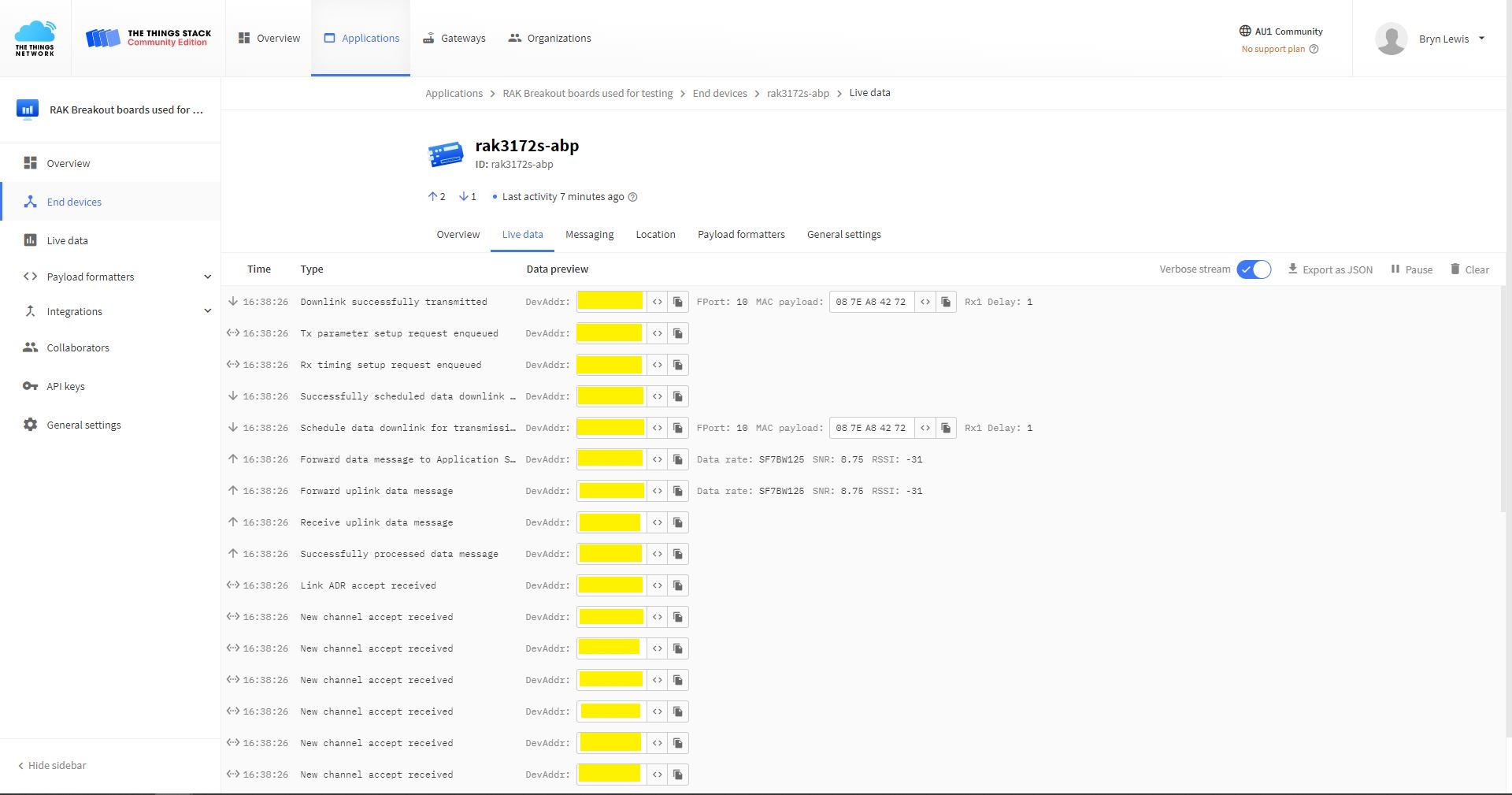
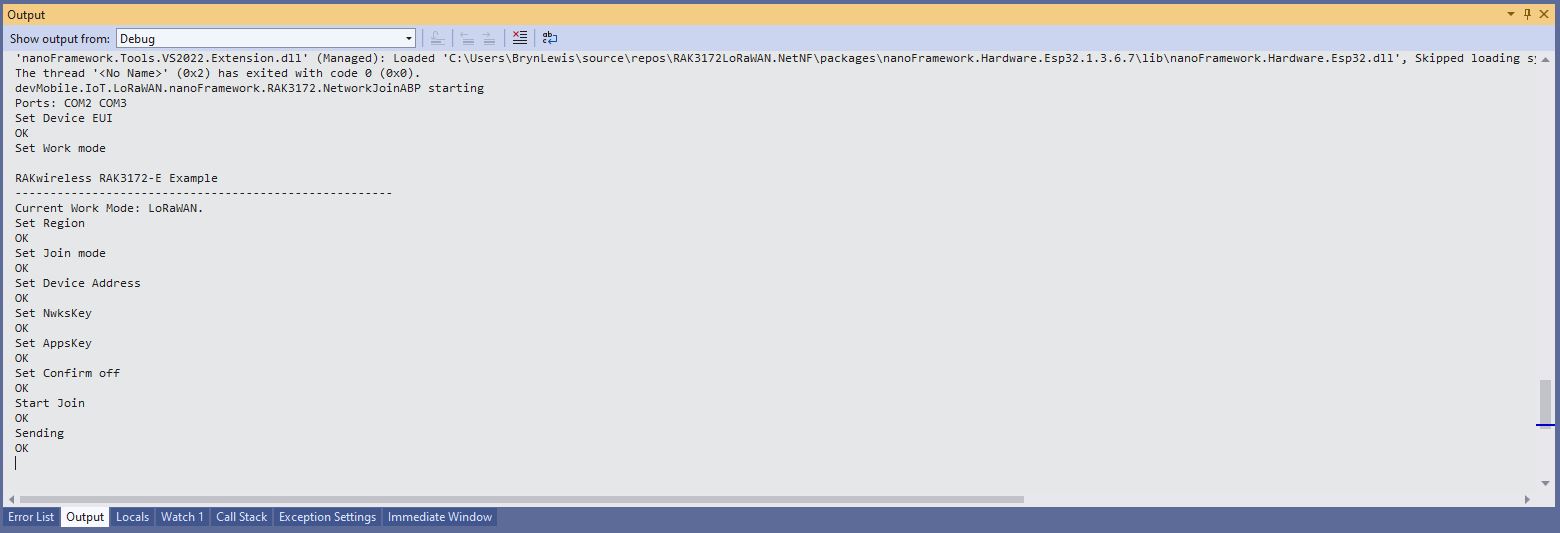
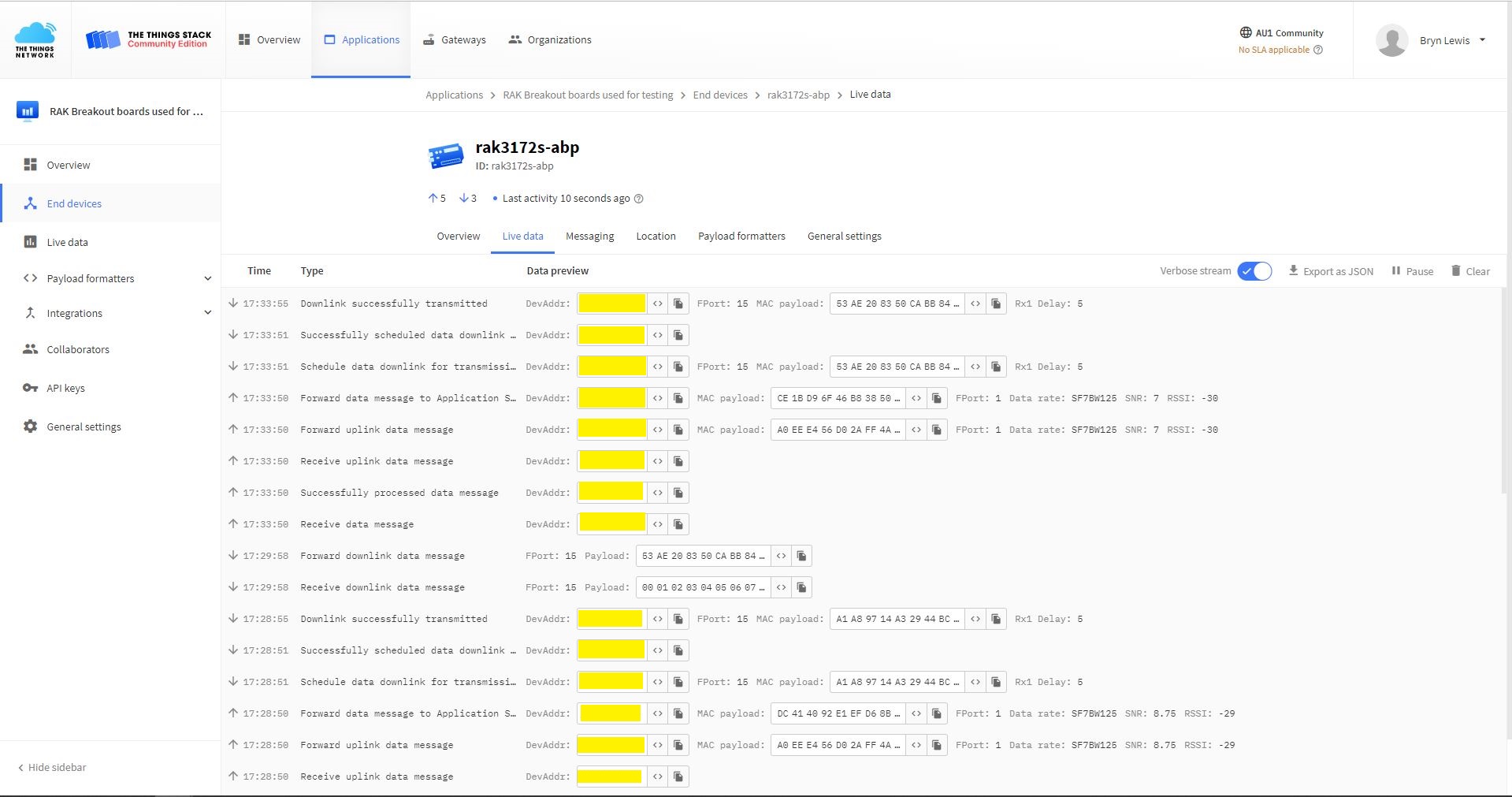
The NetworkJoinABP application assumes that all of the AT commands succeed.
TTN Console live data tab connection process
Visual Studio Output windows displaying connection process and a D2C message
TTN Console live data tab connection process with a couple of D2C messages
Visual Studio Output windows displaying connection process and a couple of C2D messages
#define ST_STM32F769I_DISCOVERY      // nanoff --target ST_STM32F769I_DISCOVERY --update
//#define ESP32_WROOM   //nanoff --target ESP32_REV0 --serialport COM17 --update

namespace devMobile.IoT.LoRaWAN.nanoFramework.RAK3172
{
	using System;
	using System.Diagnostics;
	using System.IO.Ports;
	using System.Threading;
#if ESP32_WROOM
	using global::nanoFramework.Hardware.Esp32; //need NuGet nanoFramework.Hardware.Esp32
#endif

	public class Program
	{
#if ESP32_WROOM
		private const string SerialPortId = "COM2";
#endif
#if ST_STM32F769I_DISCOVERY
		private const string SerialPortId = "COM6";
#endif
		private const string DevEui = "...";
		private const string AppEui = "...";
		private const string AppKey = "...";
		private const byte MessagePort = 1;
		private const string Payload = "A0EEE456D02AFF4AB8BAFD58101D2A2A"; // Hello LoRaWAN

		public static void Main()
		{
			Debug.WriteLine("devMobile.IoT.LoRaWAN.nanoFramework.RAK3172 NetworkJoinOTAA starting");

			try
			{
				// set GPIO functions for COM2 (this is UART1 on ESP32)
#if ESP32_WROOM
				Configuration.SetPinFunction(Gpio.IO17, DeviceFunction.COM2_TX);
				Configuration.SetPinFunction(Gpio.IO16, DeviceFunction.COM2_RX);
#endif

				Debug.Write("Ports:");
				foreach (string port in SerialPort.GetPortNames())
				{
					Debug.Write($" {port}");
				}
				Debug.WriteLine("");

				using (SerialPort serialPort = new SerialPort(SerialPortId))
				{
					// set parameters
					serialPort.BaudRate = 115200;
					serialPort.Parity = Parity.None;
					serialPort.DataBits = 8;
					serialPort.StopBits = StopBits.One;
					serialPort.Handshake = Handshake.None;
					serialPort.NewLine = "\r\n";
					serialPort.ReadTimeout = 1000;

					serialPort.DataReceived += SerialDevice_DataReceived;

					serialPort.Open();

					serialPort.WatchChar = '\n';

					serialPort.ReadExisting(); // Running at 115K2 this was necessary

					// Set the devEUI
					Console.WriteLine("Set Dev Eui");
					serialPort.WriteLine($"AT+DEVEUI={DevEui}");

					// Set the Working mode to LoRaWAN
					Console.WriteLine("Set Work mode");
					serialPort.WriteLine("AT+NWM=1");

					// Set the Region to AS923
					Console.WriteLine("Set Region");
					serialPort.WriteLine("AT+BAND=8");

					// Set the JoinMode
					Console.WriteLine("Set Join mode");
					serialPort.WriteLine("AT+NJM=1");

					// Set the appEUI
					Console.WriteLine("Set App Eui");
					serialPort.WriteLine($"AT+APPEUI={AppEui}");

					// Set the appKey
					Console.WriteLine("Set App Key");
					serialPort.WriteLine($"AT+APPKEY={AppKey}");

					// Set the Confirm flag
					Console.WriteLine("Set Confirm off");
					serialPort.WriteLine("AT+CFM=0");

					// Join the network
					Console.WriteLine("Start Join");
					serialPort.WriteLine("AT+JOIN=1:0:10:2");

					// Wait for the +EVT:JOINED

					while (true)
					{
						Console.WriteLine("Sending");
						serialPort.WriteLine($"AT+SEND={MessagePort}:{Payload}");

						Thread.Sleep(300000);
					}
				}
			}
			catch (Exception ex)
			{
				Debug.WriteLine(ex.Message);
			}
		}

		private static void SerialDevice_DataReceived(object sender, SerialDataReceivedEventArgs e)
		{
			SerialPort serialPort = (SerialPort)sender;

			switch (e.EventType)
			{
				case SerialData.Chars:
					break;

				case SerialData.WatchChar:
					string response = serialPort.ReadExisting();
					Debug.Write(response);
					break;
				default:
					Debug.Assert(false, $"e.EventType {e.EventType} unknown");
					break;
			}
		}
	}
}
Visual Studio Debug Output displaying Configuration-Join-Send
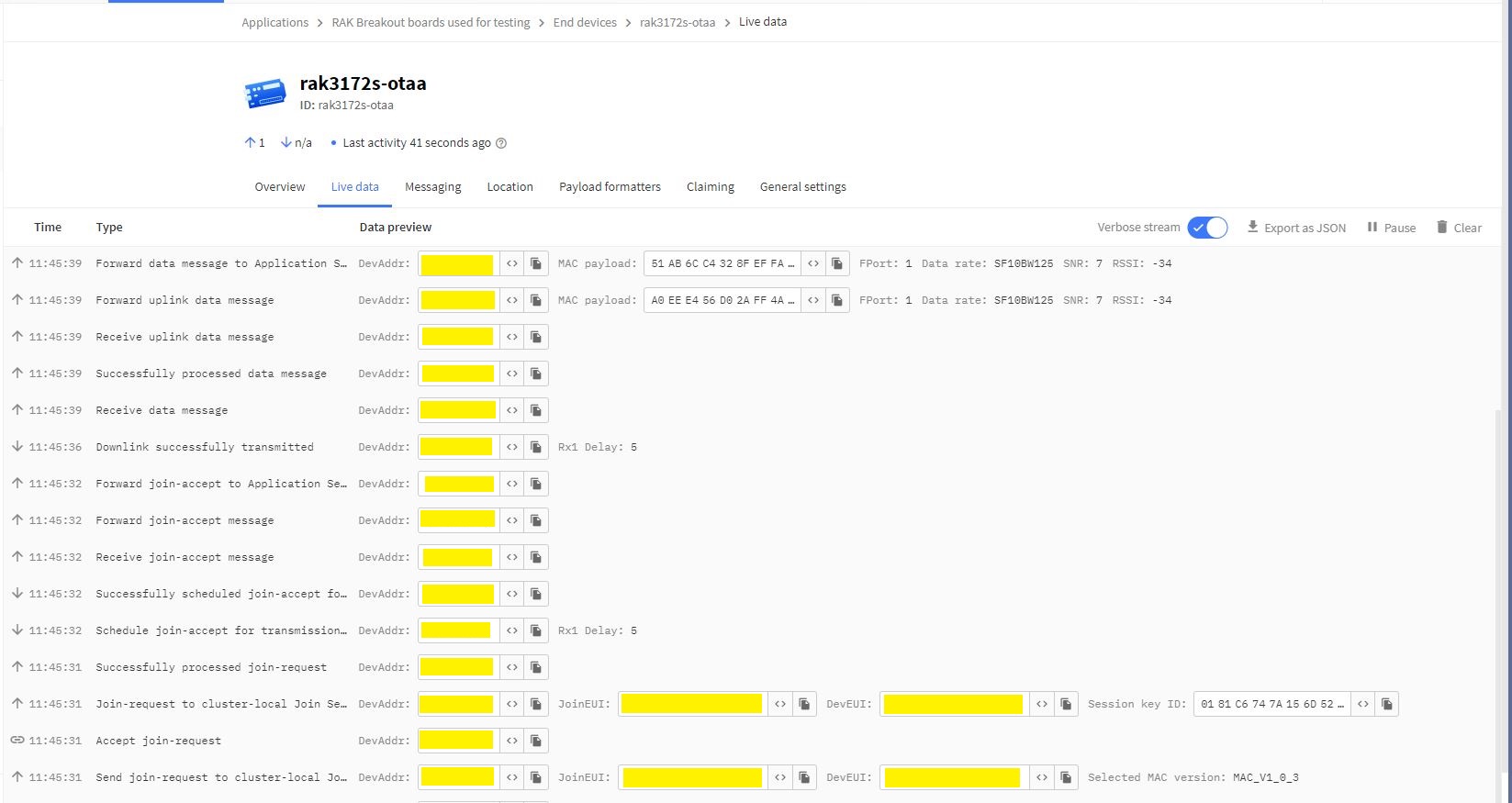
Things Network(TTN) Live Data tab display successful join then D2C message
The NetworkJoinOTAA application assumes that all of the AT commands succeed. I usually step though the application in the debugger so I can monitor progress.
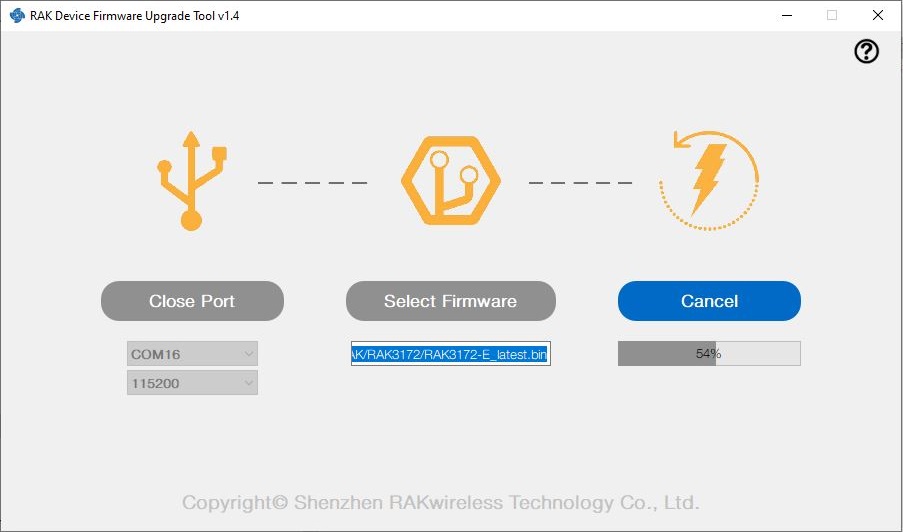
I have been working on a .NET nanoFramework library for the RAKwirelessRAK3172 module for the last couple of weeks. The devices had been in a box under my desk for a couple of months so first step was to flash them with the latest firmware using my FTDI test harness.
My sample code has compile time options for synchronous and asynchronous operation. I also include the different nanoff command lines to make updating the test devices easier.
//---------------------------------------------------------------------------------
// Copyright (c) May 2022, devMobile Software
//
// Licensed under the Apache License, Version 2.0 (the "License");
// you may not use this file except in compliance with the License.
// You may obtain a copy of the License at
//
//     http://www.apache.org/licenses/LICENSE-2.0
//
// Unless required by applicable law or agreed to in writing, software
// distributed under the License is distributed on an "AS IS" BASIS,
// WITHOUT WARRANTIES OR CONDITIONS OF ANY KIND, either express or implied.
// See the License for the specific language governing permissions and
// limitations under the License.
//
// https://docs.rakwireless.com/Product-Categories/WisDuo/RAK4200-Breakout-Board/AT-Command-Manual/
//---------------------------------------------------------------------------------
#define SERIAL_ASYNC_READ
//#define SERIAL_THREADED_READ
#define ST_STM32F769I_DISCOVERY      // nanoff --target ST_STM32F769I_DISCOVERY --update
//#define ESP32_WROOM   // nanoff --target ESP32_REV0 --serialport COM17 --update
...

namespace devMobile.IoT.LoRaWAN.nanoFramework.RAK3172
{
	using System;
	using System.Diagnostics;
	using System.IO.Ports;
	using System.Threading;
#if ESP32_WROOM
	using global::nanoFramework.Hardware.Esp32; //need NuGet nanoFramework.Hardware.Esp32
#endif

	public class Program
	{
		private static SerialPort _SerialPort;
#if SERIAL_THREADED_READ
		private static Boolean _Continue = true;
#endif
#if ESP32_WROOM
		private const string SerialPortId = "COM2";
#endif
...
#if ST_STM32F769I_DISCOVERY
		private const string SerialPortId = "COM6";
#endif

		public static void Main()
		{
#if SERIAL_THREADED_READ
			Thread readThread = new Thread(SerialPortProcessor);
#endif

			Debug.WriteLine("devMobile.IoT.LoRaWAN.nanoFramework.RAK3172 BreakoutSerial starting");

			try
			{
				// set GPIO functions for COM2 (this is UART1 on ESP32)
#if ESP32_WROOM
				Configuration.SetPinFunction(Gpio.IO16, DeviceFunction.COM2_TX);
				Configuration.SetPinFunction(Gpio.IO17, DeviceFunction.COM2_RX);
#endif

				Debug.Write("Ports:");
				foreach (string port in SerialPort.GetPortNames())
				{
					Debug.Write($" {port}");
				}
				Debug.WriteLine("");

				using (_SerialPort = new SerialPort(SerialPortId))
				{
					// set parameters
					_SerialPort.BaudRate = 115200;
					_SerialPort.Parity = Parity.None;
					_SerialPort.DataBits = 8;
					_SerialPort.StopBits = StopBits.One;
					_SerialPort.Handshake = Handshake.None;
					_SerialPort.NewLine = "\r\n";
					_SerialPort.ReadTimeout = 1000;

					//_SerialPort.WatchChar = '\n'; // May 2022 WatchChar event didn't fire github issue https://github.com/nanoframework/Home/issues/1035

#if SERIAL_ASYNC_READ
					_SerialPort.DataReceived += SerialDevice_DataReceived;
#endif

					_SerialPort.Open();

					_SerialPort.WatchChar = '\n';

#if SERIAL_THREADED_READ
					readThread.Start();
#endif

					for (int i = 0; i < 5; i++)
					{
						string atCommand;
						atCommand = "AT+VER=?";

                  Debug.WriteLine("");
						Debug.WriteLine($"{i} TX:{atCommand} bytes:{atCommand.Length}--------------------------------");
						_SerialPort.WriteLine(atCommand);

						Thread.Sleep(5000);
					}
				}
				Debug.WriteLine("Done");
			}
			catch (Exception ex)
			{
				Debug.WriteLine(ex.Message);
			}
		}

#if SERIAL_ASYNC_READ
		private static void SerialDevice_DataReceived(object sender, SerialDataReceivedEventArgs e)
		{
			SerialPort serialPort = (SerialPort)sender;

			switch (e.EventType)
			{
				case SerialData.Chars:
					break;

				case SerialData.WatchChar:
					string response = serialPort.ReadExisting();
					Debug.Write(response);
					break;
				default:
					Debug.Assert(false, $"e.EventType {e.EventType} unknown");
					break;
			}
		}
#endif

#if SERIAL_THREADED_READ
		public static void SerialPortProcessor()
		{

			while (_Continue)
			{
				try
				{
					string response = _SerialPort.ReadLine();
					//string response = _SerialPort.ReadExisting();
					Debug.Write(response);
				}
				catch (TimeoutException ex)
				{
					Debug.WriteLine($"Timeout:{ex.Message}");
				}
			}
		}
#endif
	}
}
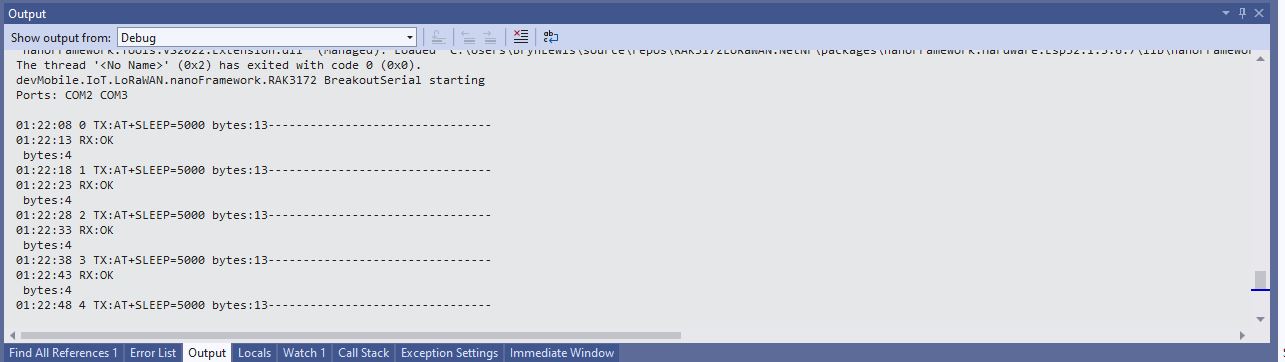
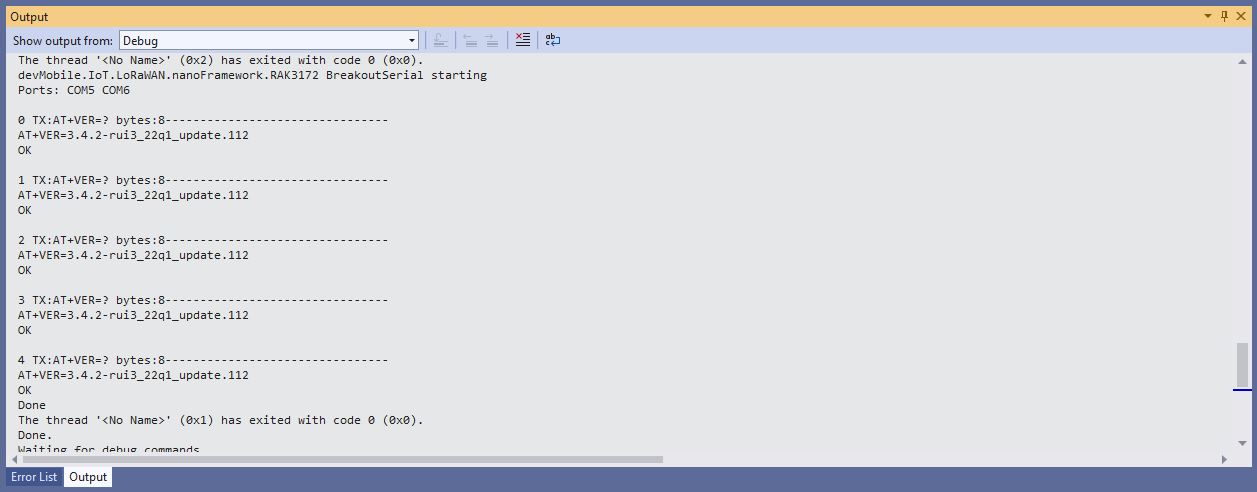
When I requested the RAK3172 version information with “AT+VER=?” the response was spilt over two lines which is a bit of a Pain in the Arse (PitA). The RAK3172 firmware also defaults 115200 baud which seems overkill considering the throughput of a LoRaWAN link.
//---------------------------------------------------------------------------------
// Copyright (c) September 2021, devMobile Software
//
// Licensed under the Apache License, Version 2.0 (the "License");
// you may not use this file except in compliance with the License.
// You may obtain a copy of the License at
//
//     http://www.apache.org/licenses/LICENSE-2.0
//
// Unless required by applicable law or agreed to in writing, software
// distributed under the License is distributed on an "AS IS" BASIS,
// WITHOUT WARRANTIES OR CONDITIONS OF ANY KIND, either express or implied.
// See the License for the specific language governing permissions and
// limitations under the License.
//
// Must have one of following options defined in the project\build definitions
//    PAYLOAD_BCD or PAYLOAD_BYTES
//    OTAA or ABP
//
// Optional definitions
//    CONFIRMED For confirmed messages
//		DEVEUI_SET
//
//---------------------------------------------------------------------------------
namespace devMobile.IoT.LoRaWAN.NetCore.RAK3172
{
	using System;
	using System.IO.Ports;
	using System.Threading;


	public class Program
	{
		private const string SerialPortId = "/dev/ttyS0";
		private const LoRaClass Class = LoRaClass.A;
		private const string Band = "8-1";
		private const byte MessagePort = 10;
		private static readonly TimeSpan MessageSendTimerDue = new TimeSpan(0, 0, 15);
		private static readonly TimeSpan MessageSendTimerPeriod = new TimeSpan(0, 5, 0);
		private static Timer MessageSendTimer ;
		private const int JoinRetryAttempts = 2;
		private const int JoinRetryIntervalSeconds = 10;
#if PAYLOAD_BCD
		private const string PayloadBcd = "48656c6c6f204c6f526157414e"; // Hello LoRaWAN in BCD
#endif
#if PAYLOAD_BYTES
		private static readonly byte[] PayloadBytes = { 0x48, 0x65 , 0x6c, 0x6c, 0x6f, 0x20, 0x4c, 0x6f, 0x52, 0x61, 0x57, 0x41, 0x4e}; // Hello LoRaWAN in bytes
#endif

		public static void Main()
		{
			Result result;

			Console.WriteLine("devMobile.IoT.LoRaWAN.NetCore.RAK3172 RAK3712LoRaWANDeviceClient starting");

			Console.WriteLine($"Serial ports:{String.Join(",", SerialPort.GetPortNames())}");

			try
			{
				using (Rak3172LoRaWanDevice device = new Rak3172LoRaWanDevice())
				{
					result = device.Initialise(SerialPortId, 9600, Parity.None, 8, StopBits.One);
					if (result != Result.Success)
					{
						Console.WriteLine($"Initialise failed {result}");
						return;
					}

					MessageSendTimer = new Timer(SendMessageTimerCallback, device,Timeout.Infinite, Timeout.Infinite);

					device.OnJoinCompletion += OnJoinCompletionHandler;
					device.OnReceiveMessage += OnReceiveMessageHandler;
#if CONFIRMED
					device.OnMessageConfirmation += OnMessageConfirmationHandler;
#endif

#if DEVEUI_SET
					Console.WriteLine($"{DateTime.UtcNow:hh:mm:ss} DevEUI {Config.devEui}");
					result = device.DeviceEui(Config.devEui);
					if (result != Result.Success)
					{
						Console.WriteLine($"DevEUI failed {result}");
						return;
					}
#endif

					Console.WriteLine($"{DateTime.UtcNow:hh:mm:ss} Class {Class}");
					result = device.Class(Class);
					if (result != Result.Success)
					{
						Console.WriteLine($"Class failed {result}");
						return;
					}

					Console.WriteLine($"{DateTime.UtcNow:hh:mm:ss} Band {Band}");
					result = device.Band(Band);
					if (result != Result.Success)
					{
						Console.WriteLine($"Region failed {result}");
						return;
					}

					Console.WriteLine($"{DateTime.UtcNow:hh:mm:ss} ADR On");
					result = device.AdrOn();
					if (result != Result.Success)
					{
						Console.WriteLine($"ADR on failed {result}");
						return;
					}

#if CONFIRMED
               Console.WriteLine($"{DateTime.UtcNow:hh:mm:ss} Confirmed");
               result = device.UplinkMessageConfirmationOn();
               if (result != Result.Success)
               {
                  Console.WriteLine($"Confirm on failed {result}");
                  return;
               }
#else
					Console.WriteLine($"{DateTime.UtcNow:hh:mm:ss} Unconfirmed");
					result = device.UplinkMessageConfirmationOff();
					if (result != Result.Success)
					{
						Console.WriteLine($"Confirm off failed {result}");
						return;
					}
#endif

#if OTAA
					Console.WriteLine($"{DateTime.UtcNow:hh:mm:ss} OTAA");
					result = device.OtaaInitialise(Config.JoinEui, Config.AppKey);
					if (result != Result.Success)
					{
						Console.WriteLine($"OTAA Initialise failed {result}");
						return;
					}
#endif

#if ABP
               Console.WriteLine($"{DateTime.UtcNow:hh:mm:ss} ABP");
               result = device.AbpInitialise(Config.DevAddress, Config.NwksKey, Config.AppsKey);
               if (result != Result.Success)
               {
                  Console.WriteLine($"ABP Initialise failed {result}");
                  return;
               }
#endif

					Console.WriteLine($"{DateTime.UtcNow:hh:mm:ss} Join start");
					result = device.Join(JoinRetryAttempts, JoinRetryIntervalSeconds);
					if (result != Result.Success)
					{
						Console.WriteLine($"Join failed {result}");
						return;
					}
					Console.WriteLine($"{DateTime.UtcNow:hh:mm:ss} Join started");

					Thread.Sleep(Timeout.Infinite);
				}
			}
			catch (Exception ex)
			{
				Console.WriteLine(ex.Message);
			}
		}

		private static void OnJoinCompletionHandler(bool result)
		{
			Console.WriteLine($"{DateTime.UtcNow:hh:mm:ss} Join finished:{result}");

			if (result)
			{
				MessageSendTimer.Change(MessageSendTimerDue, MessageSendTimerPeriod);
			}
		}

		private static void SendMessageTimerCallback(object state)
		{
			Rak3172LoRaWanDevice device = (Rak3172LoRaWanDevice)state;

#if PAYLOAD_BCD
			Console.WriteLine($"{DateTime.UtcNow:hh:mm:ss} port:{MessagePort} payload BCD:{PayloadBcd}");
			Result result = device.Send(MessagePort, PayloadBcd );
#endif
#if PAYLOAD_BYTES
			Console.WriteLine($"{DateTime.UtcNow:hh:mm:ss} port:{MessagePort} payload bytes:{Rak3172LoRaWanDevice.BytesToBcd(PayloadBytes)}");
         Result result = device.Send(MessagePort, PayloadBytes);
#endif
			if (result != Result.Success)
			{
				Console.WriteLine($"Send failed {result}");
			}
		}

#if CONFIRMED
		private static void OnMessageConfirmationHandler()
      {
			Console.WriteLine($"{DateTime.UtcNow:hh:mm:ss} Send successful");
		}
#endif

		private static void OnReceiveMessageHandler(byte port, int rssi, int snr, string payload)
		{
			byte[] payloadBytes = Rak3172LoRaWanDevice.HexToByes(payload); // Done this way so both conversion methods tested

			Console.WriteLine($"{DateTime.UtcNow:hh:mm:ss} Receive Message RSSI:{rssi} SNR:{snr} Port:{port} Payload:{payload} PayLoadBytes:{BitConverter.ToString(payloadBytes)}");
		}
	}
}
I have added XML Documentation comments which will need some rework, after I have “soak tested” the code for at least a week.
I have also added a method so the DevEUI can be set (intended for use after device firmware has been updated), fixed up my mistake with Binary Coded Decimal(BCD) vs. Hexadecimal strings.
I will also go back and apply the “learnings” from this refactoring to my other LoRaWAN module and platform libraries
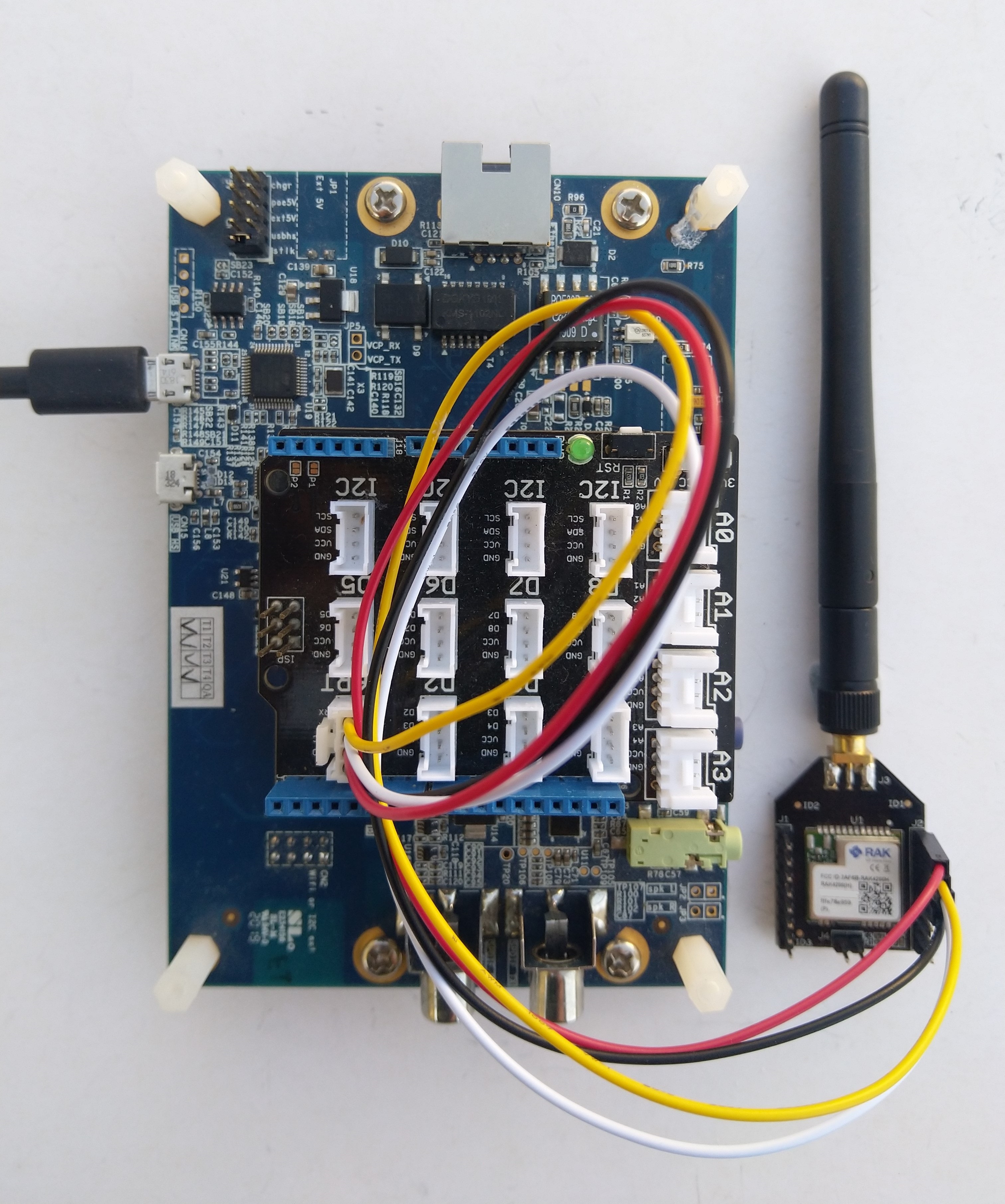
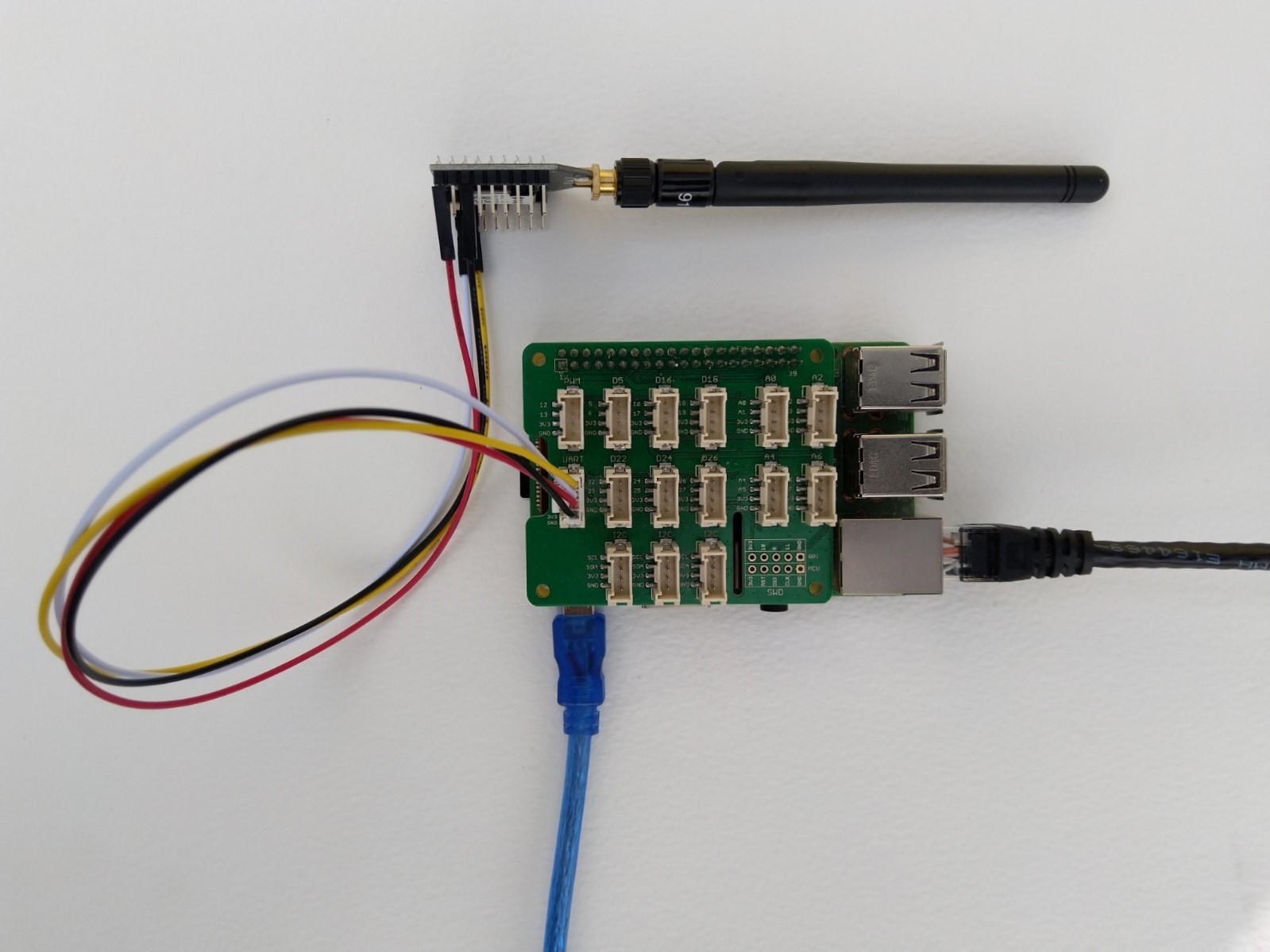
Raspberry Pi3 with Grove Base Hat and RAK3172 Breakout (using UART2)
After some experimentation in the BreakOutSerial project I decided to reimplement the RAK3172 command processing. In the new code a Thread reads lines of text from the SerialPort and processes them. I have replaced the Join and Send(Confirmed) methods with ones that block only while the command are sent to the RAK3172. Then, when completed the OnJoinCompletion or OnMessagesConfirmation event handlers are called.
private Result SendCommand(string command)
{
	if (command == null)
	{
		throw new ArgumentNullException(nameof(command));
	}

	if (command == string.Empty)
	{
		throw new ArgumentException($"command cannot be empty", nameof(command));
	}

	serialDevice.WriteLine(command);

	this.CommandResponseExpectedEvent.Reset();

	if (!this.CommandResponseExpectedEvent.WaitOne(CommandTimeoutDefaultmSec, false))
	{
		return Result.Timeout;
	}

	return CommandResult;
}

private void SerialPortProcessor()
{
	string line;

	while (CommandProcessResponses)
	{
		try
		{
#if DIAGNOSTICS
			Debug.WriteLine($" {DateTime.UtcNow:hh:mm:ss} ReadLine before");
#endif
			line = serialDevice.ReadLine();
#if DIAGNOSTICS
			Debug.WriteLine($" {DateTime.UtcNow:hh:mm:ss} ReadLine after:{line}");
#endif

			// See if device successfully joined network
			if (line.StartsWith("+EVT:JOINED"))
			{
				OnJoinCompletion?.Invoke(true);

				continue;
			}

			// See if device failed ot join network
			if (line.StartsWith("+EVT:JOIN FAILED"))
			{
				OnJoinCompletion?.Invoke(false);

				continue;
			}

			// Applicable only if confirmed messages enabled
			if (line.StartsWith("+EVT:SEND CONFIRMED OK"))
			{
				OnMessageConfirmation?.Invoke();

				continue;
			}

			// Check for A/B/C downlink message
			if (line.StartsWith("+EVT:RX_1") || line.StartsWith("+EVT:RX_2") || line.StartsWith("+EVT:RX_3") || line.StartsWith("+EVT:RX_C"))
			{
				// TODO beef up validation, nto certain what todo if borked
				string[] metricsFields= line.Split(' ', ',');

				int rssi = int.Parse(metricsFields[3]);
				int snr = int.Parse(metricsFields[6]);

				line = serialDevice.ReadLine();

#if DIAGNOSTICS
				Debug.WriteLine($" {DateTime.UtcNow:HH:mm:ss} UNICAST :{line}");
#endif
				line = serialDevice.ReadLine();
#if DIAGNOSTICS
				Debug.WriteLine($" {DateTime.UtcNow:HH:mm:ss} Payload:{line}");
#endif
				// TODO beef up validation, nto certain what todo if borked
				string[] payloadFields = line.Split(':');

				byte port = byte.Parse(payloadFields[1]);
				string payload = payloadFields[2];

				OnReceiveMessage?.Invoke(port, rssi, snr, payload);

				continue;
			}

#if DIAGNOSTICS
           Debug.WriteLine($" {DateTime.UtcNow:hh:mm:ss} ReadLine Result");
#endif
			line = serialDevice.ReadLine();
#if DIAGNOSTICS
             Debug.WriteLine($" {DateTime.UtcNow:hh:mm:ss} ReadLine Result:{line}");
#endif
			switch (line)
			{
				case "OK":
					CommandResult = Result.Success;
					break;
				case "AT_ERROR":
					CommandResult = Result.AtError;
					break;
				case "AT_PARAM_ERROR":
					CommandResult = Result.ParameterError;
					break;
				case "AT_BUSY_ERROR":
					CommandResult = Result.BusyError;
					break;
				case "AT_TEST_PARAM_OVERFLOW":
					CommandResult = Result.ParameterOverflow;
					break;
				case "AT_NO_NETWORK_JOINED":
					CommandResult = Result.NotJoined;
					break;
				case "AT_RX_ERROR":
					CommandResult = Result.ReceiveError;
					break;
				case "AT_DUTYCYLE_RESTRICTED":
					CommandResult = Result.DutyCycleRestricted;
					break;
				default:
					CommandResult = Result.Undefined;
					break;
			}

			CommandResponseExpectedEvent.Set();
		}
		catch (TimeoutException)
		{
			// Intentionally ignored, not certain this is a good idea
		}
	}
}
After a lot of testing I think my thread based approach works reliably. I also had to modify the code to shutdown the command processor thread and free any non managed resources.
/// <summary>
/// Ensures unmanaged serial port and thread resources are released in a "responsible" manner.
/// </summary>
public void Dispose()
{
	CommandProcessResponses = false;

	if (CommandResponsesProcessorThread != null)
	{
		CommandResponsesProcessorThread.Join();
		CommandResponsesProcessorThread = null;
	}

	if (serialDevice != null)
	{
		serialDevice.Dispose();
		serialDevice = null;
	}
}
I need to add some validation to the metrics and payload field unpacking (though I’m not certain what todo if they are the wrong format) and review the handling of multi-line event messages.











 devMobile's blog