Random wanderings through Microsoft Azure esp. PaaS plumbing, the IoT bits, AI on Micro controllers, AI on Edge Devices, .NET nanoFramework, .NET Core on *nix and ML.NET+ONNX
While debugging my AzureIoTSmartEdgeCamera application I kept on getting file locked errors when the image from the security camera downloading which was a bit odd. So, I went back to basics and started with only the compiler directives required to build a “minimalist” version of the application.
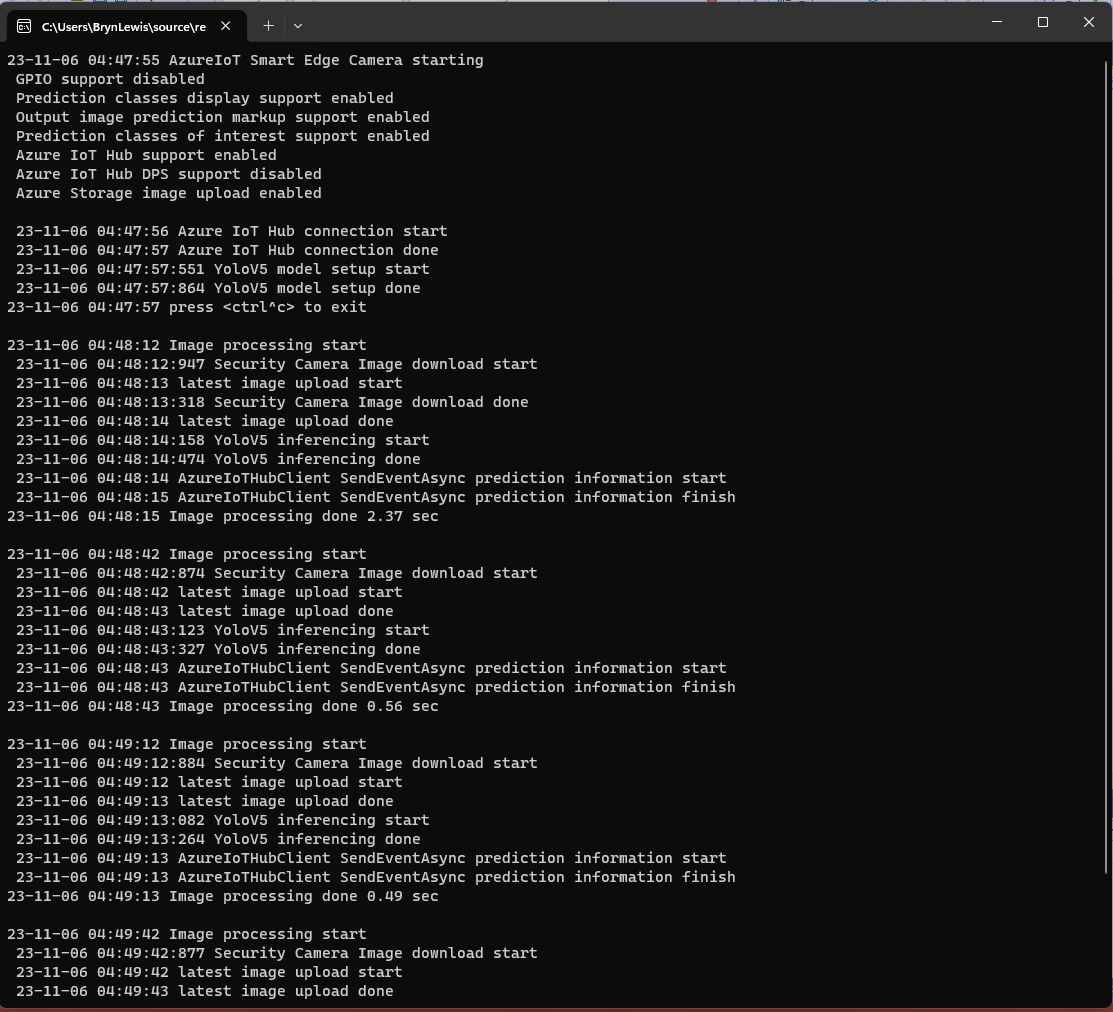
Console output of minimalist application
If I had been paying attention, I would have noticed the issue here. I had missed that in the first block of System.Console.Writelines that the image download finished after the YoloV5 inferencing started.
#if CAMERA_SECURITY
private void SecurityCameraImageCapture()
{
	_logger.LogTrace("Security Camera Image download start");

	NetworkCredential networkCredential = new NetworkCredential()
	{
		UserName = _securityCameraSettings.CameraUserName,
		Password = _securityCameraSettings.CameraUserPassword,
	};

	using (WebClient client = new WebClient())
	{
		client.Credentials = networkCredential;

		client.DownloadFile(_securityCameraSettings.CameraUrl, _applicationSettings.ImageCameraFilepath);
	}

	_logger.LogTrace("Security Camera Image download done");
}
#endif
#if CAMERA_SECURITY
      private async Task SecurityCameraImageCapture()
      {
         _logger.LogTrace("Security Camera Image download start");

         using (Stream cameraStream = await _httpClient.GetStreamAsync(_securityCameraSettings.CameraUrl))
         using (Stream fileStream = File.Create(_applicationSettings.ImageCameraFilepath))
         {
            await cameraStream.CopyToAsync(fileStream);
         }

         _logger.LogTrace("Security Camera Image download done");
      }
#endif
If I had been paying attention, I would have also noticed the issue here..
Console output of maximalist application
When I changed the compiler definitions to turn on pretty much every feature the issue became really really obvious because the “Security Camera Image download done” message wasn’t displayed.
[HttpGet("IEnumerableSmall")]
public async Task<ActionResult<IEnumerable<Model.StockItemListDtoV1>>> GetIEnumerableSmall([FromQuery] bool buffered = false)
{
	IEnumerable<Model.StockItemListDtoV1> response = null;

	using (SqlConnection db = new SqlConnection(this.connectionString))
	{
		logger.LogInformation("IEnumerableSmall start Buffered:{buffered}", buffered);

		response = await db.QueryWithRetryAsync<Model.StockItemListDtoV1>(
			sql: @"SELECT [SI1].[StockItemID] as ""ID"", [SI1].[StockItemName] as ""Name"", [SI1].[RecommendedRetailPrice], [SI1].[TaxRate]" +
				   "FROM [Warehouse].[StockItems] as SI1",
			buffered,
			commandType: CommandType.Text);

		logger.LogInformation("IEnumerableSmall done");
	}

	return this.Ok(response);
}
The easiest way to increase the size of the returned record was with CROSS JOIN(s). This is the first (and most probably the last time) I have used a cross join in a “real” application.
[HttpGet("IEnumerableMedium")]
public async Task<ActionResult<IEnumerable<Model.StockItemListDtoV1>>> GetIEnumerableMedium([FromQuery] bool buffered = false)
{
	IEnumerable<Model.StockItemListDtoV1> response = null;

	using (SqlConnection db = new SqlConnection(this.connectionString))
	{
		logger.LogInformation("IEnumerableMedium start Buffered:{buffered}", buffered);

		response = await db.QueryWithRetryAsync<Model.StockItemListDtoV1>(
					sql: @" SELECT [SI2].[StockItemID] as ""ID"", [SI2].[StockItemName] as ""Name"", [SI2].[RecommendedRetailPrice], [SI2].[TaxRate]" +
									"FROM [Warehouse].[StockItems] as SI1" +
									"CROSS JOIN[Warehouse].[StockItems] as SI2",
					buffered,
					commandType: CommandType.Text);

		logger.LogInformation("IEnumerableMedium done");
	}

	return this.Ok(response);
}
The medium controller returns 51,529 (227 x 227) rows and the large controller upto 11,697,083 (227 x 227 x 227) rows.
[HttpGet("IEnumerableLarge")]
public async Task<ActionResult<IEnumerable<Model.StockItemListDtoV1>>> GetIEnumerableLarge()
{
	IEnumerable<Model.StockItemListDtoV1> response = null;

	using (SqlConnection db = new SqlConnection(this.connectionString))
	{
		logger.LogInformation("IEnumerableLarge start");

		response = await db.QueryWithRetryAsync<Model.StockItemListDtoV1>(
				sql: $@"SELECT [SI3].[StockItemID] as ""ID"", [SI3].[StockItemName] as ""Name"", [SI3].[RecommendedRetailPrice], [SI3].[TaxRate]" +
						"FROM [Warehouse].[StockItems] as SI1" +
						"   CROSS JOIN[Warehouse].[StockItems] as SI2" +
						"	CROSS JOIN[Warehouse].[StockItems] as SI3",
				commandType: CommandType.Text);

		logger.LogInformation("IEnumerableLarge done");
	}

	return this.Ok(response);
}
if (command.Buffered)
{
   var buffer = new List<T>();
   var convertToType = Nullable.GetUnderlyingType(effectiveType) ?? effectiveType;
   while (await reader.ReadAsync(cancel).ConfigureAwait(false))
   {
      object val = func(reader);
      buffer.Add(GetValue<T>(reader, effectiveType, val));
   }
   while (await reader.NextResultAsync(cancel).ConfigureAwait(false))
   { /* ignore subsequent result sets */ }
   command.OnCompleted();
   return buffer;
}
else
{
   // can't use ReadAsync / cancellation; but this will have to do
   wasClosed = false; // don't close if handing back an open reader; rely on the command-behavior
   var deferred = ExecuteReaderSync<T>(reader, func, command.Parameters);
   reader = null; // to prevent it being disposed before the caller gets to see it
   return deferred;
 }
IEnumberableLarge method (buffered=false) response sizes and timings
IEnumberableLarge method (buffered=true) response sizes and timings
The unbuffered buffered version was slower Time To Last Byte(TTLB) and failed earlier which I was expecting.
[HttpGet("IAsyncEnumerableLarge")]
public async Task<ActionResult<IAsyncEnumerable<Model.StockItemListDtoV1>>> GetAsyncEnumerableLarge([FromQuery] bool buffered = false, [FromQuery]int recordCount = 10)
{
    IEnumerable<Model.StockItemListDtoV1> response = null;

    using (SqlConnection db = new SqlConnection(this.connectionString))
    {
        logger.LogInformation("IAsyncEnumerableLarge start RecordCount:{recordCount} Buffered:{buffered}", recordCount, buffered);

        response = await db.QueryWithRetryAsync<Model.StockItemListDtoV1>(
            sql: $@"SELECT TOP({recordCount}) [SI3].[StockItemID] as ""ID"", [SI3].[StockItemName] as ""Name"", [SI3].[RecommendedRetailPrice], [SI3].[TaxRate]" +
                    "FROM [Warehouse].[StockItems] as SI1" +
                    "   CROSS JOIN[Warehouse].[StockItems] as SI2" +
                    "   CROSS JOIN[Warehouse].[StockItems] as SI3",
        buffered,
        commandType: CommandType.Text);

        logger.LogInformation("IAsyncEnumerableLarge done");
    }

    return this.Ok(response);
}
IAsyncEnumberableLarge method response sizes and timings
[HttpGet("IAsyncEnumerableLargeYield")]
public async IAsyncEnumerable<Model.StockItemListDtoV1> GetAsyncEnumerableLargeYield([FromQuery] int recordCount = 10)
{
	int rowCount = 0;

	using (SqlConnection db = new SqlConnection(this.connectionString))
	{
		logger.LogInformation("IAsyncEnumerableLargeYield start RecordCount:{recordCount}", recordCount);

		CommandDefinition commandDefinition = new CommandDefinition(
			$@"SELECT TOP({recordCount}) [SI3].[StockItemID] as ""ID"", [SI3].[StockItemName] as ""Name"", [SI3].[RecommendedRetailPrice], [SI3].[TaxRate]" +
						"FROM [Warehouse].[StockItems] as SI1" +
						"   CROSS JOIN[Warehouse].[StockItems] as SI2" +
						"	CROSS JOIN[Warehouse].[StockItems] as SI3",
			//commandTimeout:
			CommandType.Text,
			//flags: CommandFlags.Pipelined
		);

		using var reader = await db.ExecuteReaderWithRetryAsync(commandDefinition);

		var rowParser = reader.GetRowParser<Model.StockItemListDtoV1>();

		while (await reader.ReadAsync())
		{
			rowCount++;

			if ((rowCount % 10000) == 0)
			{
				logger.LogInformation("Row count:{0}", rowCount);
			}

			yield return rowParser(reader);
		}
		logger.LogInformation("IAsyncEnumerableLargeYield done");
	}
}
When this post was written (August 2022) Dapper IAsyncEnumerable understanding was limited so I trialed the approach suggested in the StackOverflow post.
IAsyncEnumberableLargeYield method response sizes and timings
The IAsyncEnumerableLargeYield was faster to start responding, the overall duration was less and returned significantly more records 7000000 vs. 13000000. I assume this was because the response was streamed so there wasn’t a timeout.
Azure Application Insights displaying the IAsyncEnumerable with yield method executing
The results of my tests should be treated as “indicative” rather than “definitive”. In a future post I compare the scalability of different approaches. The number of records returned by the IAsyncEnumerableLargeYield not realistic and in a “real-world” scenario paging or an alternate approach should be used.
namespace devMobile.WebAPIDapper.Lists.Controllers
{
    [ApiController]
    [Route("api/[controller]")]
    public class StockItemsRetryADONetController : ControllerBase
    {
        private readonly string connectionString;
        private readonly ILogger<StockItemsRetryADONetController> logger;

        // This is a bit nasty but sufficient for PoC
        private readonly int NumberOfRetries = 3;
        private readonly TimeSpan TimeBeforeNextExecution = TimeSpan.Parse("00:00:01");
        private readonly TimeSpan MaximumInterval = TimeSpan.Parse("00:00:30");
        private readonly List<int> TransientErrors = new List<int>()
        {
            49920, // Cannot process rquest. Too many operations in progress for subscription
			49919, // Cannot process create or update request.Too many create or update operations in progress for subscription
			49918, // Cannot process request. Not enough resources to process request.
			41839, // Transaction exceeded the maximum number of commit dependencies.
			41325, // The current transaction failed to commit due to a serializable validation failure.
			41305, // The current transaction failed to commit due to a repeatable read validation failure.
			41302, // The current transaction attempted to update a record that has been updated since the transaction started.
			41301, // Dependency failure: a dependency was taken on another transaction that later failed to commit.
			40613, // Database XXXX on server YYYY is not currently available. Please retry the connection later.
			40501, // The service is currently busy. Retry the request after 10 seconds
			40197, // The service has encountered an error processing your request. Please try again
			20041, // Transaction rolled back. Could not execute trigger. Retry your transaction.
			17197, // Login failed due to timeout; the connection has been closed. This error may indicate heavy server load.
			14355, // The MSSQLServerADHelper service is busy. Retry this operation later.
			11001, // Connection attempt failed
			10936, // The request limit for the elastic pool has been reached.
			10929, // The server is currently too busy to support requests.
			10928, // The limit for the database is has been reached
			10922, // Operation failed. Rerun the statement.
			10060, // A network-related or instance-specific error occurred while establishing a connection to SQL Server.
			10054, // A transport-level error has occurred when sending the request to the server.
			10053, // A transport-level error has occurred when receiving results from the server.
			9515, // An XML schema has been altered or dropped, and the query plan is no longer valid. Please rerun the query batch.
			8651, // Could not perform the operation because the requested memory grant was not available in resource pool
			8645, // A timeout occurred while waiting for memory resources to execute the query in resource pool, Rerun the query
			8628, // A timeout occurred while waiting to optimize the query. Rerun the query.
			4221, // Login to read-secondary failed due to long wait on 'HADR_DATABASE_WAIT_FOR_TRANSITION_TO_VERSIONING'. The replica is not available for login because row versions are missing for transactions that were in-flight when the replica was recycled
			4060, // Cannot open database requested by the login. The login failed.
			3966, // Transaction is rolled back when accessing version store. It was earlier marked as victim when the version store was shrunk due to insufficient space in tempdb. Retry the transaction.
			3960, // Snapshot isolation transaction aborted due to update conflict. You cannot use snapshot isolation to access table directly or indirectly in database
			3935, // A FILESTREAM transaction context could not be initialized. This might be caused by a resource shortage. Retry the operation.
			1807, // Could not obtain exclusive lock on database 'model'. Retry the operation later.
			1221, // The Database Engine is attempting to release a group of locks that are not currently held by the transaction. Retry the transaction.
			1205, // Deadlock
			1204, // The instance of the SQL Server Database Engine cannot obtain a LOCK resource at this time. Rerun your statement.
			1203, // A process attempted to unlock a resource it does not own. Retry the transaction.
			997, // A connection was successfully established with the server, but then an error occurred during the login process.
			921, // Database has not been recovered yet. Wait and try again.
			669, // The row object is inconsistent. Please rerun the query.
			617, // Descriptor for object in database not found in the hash table during attempt to un-hash it. Rerun the query. If a cursor is involved, close and reopen the cursor.
			601, // Could not continue scan with NOLOCK due to data movement.
			233, // The client was unable to establish a connection because of an error during connection initialization process before login.
			121, // The semaphore timeout period has expired.
			64, // A connection was successfully established with the server, but then an error occurred during the login process.
			20, // The instance of SQL Server you attempted to connect to does not support encryption.
		};
...
}
After some experimentation the most reliable way I could reproduce a transient failure (usually SQL Error 11001-“An error has occurred while establishing a connection to the server”) was by modifying the database connection string or unplugging the network cable after a connection had been explicitly opened or command executed.
namespace devMobile.WebAPIDapper.Lists.Controllers
{
    [ApiController]
    [Route("api/[controller]")]
    public class StockItemsRetryADONetController : ControllerBase
    {
...
		[HttpGet("Dapper")]
		public async Task<ActionResult<IEnumerable<Model.StockItemListDtoV1>>> GetDapper()
        {
            IEnumerable<Model.StockItemListDtoV1> response = null;

            SqlRetryLogicOption sqlRetryLogicOption = new SqlRetryLogicOption()
            {
                NumberOfTries = NumberOfRetries,
                DeltaTime = TimeBeforeNextExecution,
                MaxTimeInterval = MaximumInterval,
                TransientErrors = TransientErrors,
                //AuthorizedSqlCondition = x => string.IsNullOrEmpty(x) || Regex.IsMatch(x, @"^SELECT", RegexOptions.IgnoreCase),
            };

            SqlRetryLogicBaseProvider sqlRetryLogicProvider = SqlConfigurableRetryFactory.CreateFixedRetryProvider(sqlRetryLogicOption);

            using (SqlConnection db = new SqlConnection(this.connectionString))
            {
                db.RetryLogicProvider = sqlRetryLogicProvider;

                db.RetryLogicProvider.Retrying += new EventHandler<SqlRetryingEventArgs>(OnDapperRetrying);

                await db.OpenAsync(); // Did explicitly so I could yank out the LAN cable.

                response = await db.QueryAsync<Model.StockItemListDtoV1>(sql: @"SELECT [StockItemID] as ""ID"", [StockItemName] as ""Name"", [RecommendedRetailPrice], [TaxRate] FROM [Warehouse].[StockItems]", commandType: CommandType.Text);
            }

            return this.Ok(response);
        }

        protected void OnDapperRetrying(object sender, SqlRetryingEventArgs args)
        {
            logger.LogInformation("Dapper retrying for {RetryCount} times for {args.Delay.TotalMilliseconds:0.} mSec - Error code: {Number}", args.RetryCount, args.Delay.TotalMilliseconds, (args.Exceptions[0] as SqlException).Number);
        }
...
    }
}
ADO.Net RetryLogicProvider retrying request 3 times
I then added an OpenAsync just before the Dapper query so I could open the database connection, pause the program with a breakpoint, unplug the LAN cable and then continue execution. The QueryAsync failed without any retries and modifying the AuthorizedSqlCondition didn’t seem change the way different SQL statement failures were handled.
There was limited documentation about how to use ADO.Net retry functionality so I hacked up another method to try and figure out what I had done wrong. The method uses the same SqlRetryLogicOption configuration for retrying connection and command failures.
namespace devMobile.WebAPIDapper.Lists.Controllers
{
    [ApiController]
    [Route("api/[controller]")]
    public class StockItemsRetryADONetController : ControllerBase
    {
...
        [HttpGet("AdoNet")]
        public async Task<ActionResult<IEnumerable<Model.StockItemListDtoV1>>> GetAdoNet()
        {
            List<Model.StockItemListDtoV1> response = new List<Model.StockItemListDtoV1>();

            // Both connection and command share same logic not really an issue for nasty demo
            SqlRetryLogicOption sqlRetryLogicOption = new SqlRetryLogicOption()
            {
                NumberOfTries = NumberOfRetries,
                DeltaTime = TimeBeforeNextExecution,
                MaxTimeInterval = MaximumInterval,
                TransientErrors = TransientErrors,
                //AuthorizedSqlCondition = x => string.IsNullOrEmpty(x) || Regex.IsMatch(x, @"^SELECT", RegexOptions.IgnoreCase),
            };

            SqlRetryLogicBaseProvider sqlRetryLogicProvider = SqlConfigurableRetryFactory.CreateFixedRetryProvider(sqlRetryLogicOption);


            // This ADO.Net is a bit overkill but just wanted to highlight ADO.Net vs. Dapper
            using (SqlConnection sqlConnection = new SqlConnection(this.connectionString))
            {
                sqlConnection.RetryLogicProvider = sqlRetryLogicProvider;
                sqlConnection.RetryLogicProvider.Retrying += new EventHandler<SqlRetryingEventArgs>(OnConnectionRetrying);

                await sqlConnection.OpenAsync(); // Did explicitly so I could yank out the LAN cable.

                using (SqlCommand sqlCommand = new SqlCommand())
                {
                    sqlCommand.Connection = sqlConnection;
                    sqlCommand.CommandText = @"SELECT [StockItemID] as ""ID"", [StockItemName] as ""Name"", [RecommendedRetailPrice], [TaxRate] FROM [Warehouse].[StockItems]";
                    sqlCommand.CommandType = CommandType.Text;

                    sqlCommand.RetryLogicProvider = sqlRetryLogicProvider;
                    sqlCommand.RetryLogicProvider.Retrying += new EventHandler<SqlRetryingEventArgs>(OnCommandRetrying);

                    // Over kill but makes really obvious
                    using (SqlDataReader sqlDataReader = await sqlCommand.ExecuteReaderAsync(CommandBehavior.CloseConnection))
                    {
                        while (await sqlDataReader.ReadAsync())
                        {
                            response.Add(new Model.StockItemListDtoV1()
                            {
                                Id = sqlDataReader.GetInt32("Id"),
                                Name = sqlDataReader.GetString("Name"),
                                RecommendedRetailPrice = sqlDataReader.GetDecimal("RecommendedRetailPrice"),
                                TaxRate = sqlDataReader.GetDecimal("TaxRate"),
                            });
                        }
                    }
                };
            }

            return this.Ok(response);
        }

        protected void OnConnectionRetrying(object sender, SqlRetryingEventArgs args)
        {
            logger.LogInformation("Connection retrying for {RetryCount} times for {args.Delay.TotalMilliseconds:0.} mSec - Error code: {Number}", args.RetryCount, args.Delay.TotalMilliseconds, (args.Exceptions[0] as SqlException).Number);
        }

        protected void OnCommandRetrying(object sender, SqlRetryingEventArgs args)
        {
            logger.LogInformation("Command retrying for {RetryCount} times for {args.Delay.TotalMilliseconds:0.} mSec - Error code: {Number}", args.RetryCount, args.Delay.TotalMilliseconds, (args.Exceptions[0] as SqlException).Number);
        }
    }
}
It’s not uncommon for SQL Azure servers and databases to suffer from “transient failures”. In application logs I have seen these occur during scale up/down events, periods where my application’s performance has been temporarily impacted (but its throughput has not changed), which I assume has been some load balancing going on in the background and when network connectivity has been a bit flakey.
Now I’m using The Polly Project which builds on the concepts of TOPAZ but has been thoroughly re-engineered with lots of extensibility, an active community and modern codebase. Inspired by Ben Hyrman and several other developers I have built a minimalist wrapper for the Dapper Async methods which detects transient errors using the same approach as the Entity Framework Core library.
I did think about retry functionality for async methods which returned object/dynamic but have only implemented strongly typed ones for the initial version.
[HttpGet]
public async Task<ActionResult<IEnumerable<Model.StockItemListDtoV1>>> Get()
{
	IEnumerable<Model.StockItemListDtoV1> response = null;

	try
	{
		using (SqlConnection db = new SqlConnection(this.connectionString))
		{
			response = await db.QueryWithRetryAsync<Model.StockItemListDtoV1>(sql: @"SELECT [StockItemID] as ""ID"", [StockItemName] as ""Name"", [RecommendedRetailPrice], [TaxRate] FROM [Warehouse].[StockItems]", commandType: CommandType.Text);
		}
	}
	catch (SqlException ex)
	{
		logger.LogError(ex, "Retrieving list of StockItems");

		return this.StatusCode(StatusCodes.Status500InternalServerError);
	}

	return this.Ok(response);
}
I have struggled to get reproduceable transient failures without pausing execution in the Visual Studio debugger and tinkering with variables or scaling up/down my databases (limit to how often this can be done) or unplugging the network cable at the wrong time.
This StockItemsLookupController has methods for looking up a single record using the StockItemID and retrieving a list of records with a name that “matches” the search text. In my initial version the length of the embedded Structured Query Language(SQL) which spanned multiple lines was starting to get out of hand.
ALTER PROCEDURE [Warehouse].[StockItemsStockItemLookupV1]
		@StockItemID as int
AS
BEGIN
	SELECT [StockItems].[StockItemID] as "ID"
			,[StockItems].[StockItemName] as "Name"
			,[StockItems].[UnitPrice]
			,[StockItems].[RecommendedRetailPrice]
			,[StockItems].[TaxRate]
			,[StockItems].[QuantityPerOuter]
			,[StockItems].[TypicalWeightPerUnit]
			,[UnitPackage].[PackageTypeName] as "UnitPackageName"
			,[OuterPackage].[PackageTypeName] as "OuterPackageName"
			,[Supplier].[SupplierID]
			,[Supplier].[SupplierName]
	FROM[Warehouse].[StockItems] as StockItems
	INNER JOIN[Warehouse].[PackageTypes] as UnitPackage ON ([StockItems].[UnitPackageID] = [UnitPackage].[PackageTypeID])
	INNER JOIN[Warehouse].[PackageTypes] as OuterPackage ON ([StockItems].[OuterPackageID] = [OuterPackage].[PackageTypeID])
	INNER JOIN[Purchasing].[Suppliers] as Supplier ON ([StockItems].SupplierID = [Supplier].]SupplierID])
	WHERE[StockItems].[StockItemID] = @StockItemId
END
The query also returns the inner/outer packaging and the supplier name (plus supplierId for creating a link to the Supplier’s details) to make the example more realistic.
[HttpGet("{id}")]
public async Task<ActionResult<Model.StockItemGetDtoV1>> Get([Range(1, int.MaxValue, ErrorMessage = "Stock item id must greater than 0")] int id)
{
	Model.StockItemGetDtoV1 response = null;

	try
	{
		using (SqlConnection db = new SqlConnection(this.connectionString))
		{
			response = await db.QuerySingleOrDefaultAsync<Model.StockItemGetDtoV1>(sql: "[Warehouse].[StockItemsStockItemLookupV1]", param: new { stockItemId=id }, commandType: CommandType.StoredProcedure);
		}

		if (response == default)
		{
			logger.LogInformation("StockItem:{0} not found", id);

			return this.NotFound($"StockItem:{id} image not found");
		}
	}
	catch (SqlException ex)
	{
		logger.LogError(ex, "Looking up a StockItem with Id:{0}", id);

		return this.StatusCode(StatusCodes.Status500InternalServerError);
	}

	return this.Ok(response);
}
[HttpGet]
public async Task<ActionResult<IEnumerable<Model.StockItemListDtoV1>>> Get([FromQuery] Model.StockItemNameSearchDtoV1 request)
{
	IEnumerable<Model.StockItemListDtoV1> response = null;

	try
	{
		using (SqlConnection db = new SqlConnection(this.connectionString))
		{
			response = await db.QueryAsync<Model.StockItemListDtoV1>(sql: "[Warehouse].[StockItemsNameSearchV1]", param: request, commandType: CommandType.StoredProcedure);
		}
	}
	catch (SqlException ex)
	{
		logger.LogError(ex, "Searching for list of StockItems with name like:{0}", request);

		return this.StatusCode(StatusCodes.Status500InternalServerError);
	}

	return this.Ok(response);
}
The request DTO properties have Data Annotations to ensure the values are valid and suitable error messages are displayed if they are not. The controller GET method will not even be called if the DTO is missing or the values are incorrect. I would use constants for the lengths etc. and the attribute value error messages can be loaded from resource files for multiple language support.
public class StockItemNameSearchDtoV1
{
	[Required]
	[MinLength(3, ErrorMessage = "The name search text must be at least 3 characters long")]
	public string SearchText { get; set; }

	[Required]
	[Range(1, int.MaxValue, ErrorMessage = "MaximumRowsToReturn must be present and greater than 0")]
	public int MaximumRowsToReturn { get; set; }
}
The SELECT TOP command to limit the number of records returned. To improve performance the results of this query could be cached but the result set might need to be filtered based on the current user.
ALTER PROCEDURE [Warehouse].[StockItemsSearchV1]
           @SearchText nvarchar(100),
           @MaximumRowsToReturn int
AS
BEGIN
    SELECT TOP(@MaximumRowsToReturn) [StockItemID] as "ID"
		   ,[StockItemName] as "Name"
		   ,[RecommendedRetailPrice]
		   ,[TaxRate]
    FROM Warehouse.StockItems
    WHERE SearchDetails LIKE N'%' + @SearchText + N'%'
    ORDER BY [StockItemName]
END;
I have used this approach to populate a list of selectable options as a user types their search text.
This controller method returns a limited number of records(pageSize) from a position(pageNumber) in a database query resultset to reduce the size of the response payload.
The SQL command uses the ROWS FETCH NEXT … ROWS ONLY syntax, The use of this approach is not really highlighted in official developer documentation (though I maybe missing the obvious).
There is some discussion in the ORDER BY clause syntax documentation.
Using OFFSET and FETCH to limit the rows returned.
“We recommend that you use the OFFSET and FETCH clauses instead of the TOP clause to implement a query paging solution and limit the number of rows sent to a client application.
Using OFFSET and FETCH as a paging solution requires running the query one time for each “page” of data returned to the client application. For example, to return the results of a query in 10-row increments, you must execute the query one time to return rows 1 to 10 and then run the query again to return rows 11 to 20 and so on. Each query is independent and not related to each other in any way. This means that, unlike using a cursor in which the query is executed once and state is maintained on the server, the client application is responsible for tracking state.”
[HttpGet]
public async Task<ActionResult<IEnumerable<Model.StockItemListDtoV1>>> Get([FromQuery] Model.StockItemPagingDtoV1 request)
{
	IEnumerable<Model.StockItemListDtoV1> response = null;

	var parameters = new DynamicParameters();

	parameters.Add("@PageNumber", request.PageNumber);
	parameters.Add("@PageSize", request.PageSize);

	using (SqlConnection db = new SqlConnection(this.connectionString))
	{
			response = await db.QueryAsync<Model.StockItemListDtoV1>(sql: @"SELECT [StockItemID] as ""ID"", [StockItemName] as ""Name"", [RecommendedRetailPrice], [TaxRate] FROM[Warehouse].[StockItems] ORDER BY ID OFFSET @PageSize * (@PageNumber-1) ROWS FETCH NEXT @PageSize ROWS ONLY", param: parameters, commandType: CommandType.Text);
	}
	return this.Ok(response);
}
	public class StockItemPagingDtoV1
	{
		[Required]
		[Range(1, int.MaxValue, ErrorMessage = "PageSize must be present and greater than 0")]
		public int PageSize { get; set; }

		[Required]
		[Range(1, int.MaxValue, ErrorMessage = "PageNumber must be present and greater than 0")]
		public int PageNumber { get; set; }
	}
The request DTO properties have Data Annotations to ensure the values are valid and suitable error messages are displayed if they are not. The controller GET method will not even be called if the DTO is missing or the values are incorrect. I would use constants for the lengths etc. and the attribute value error messages can be loaded from resource files for multiple language support.
ols.ietf.org/html/rfc7231#section-6.5.1″,”title”:”One or more validation errors occurred.”,”status”:400,”traceId”:”00-917b6336aa8828468c6d78fb73dbe446-f72fc74b22ce724b-00″,”errors”:{“PageSize”:[“PageSize must be present and greater than 0”],”PageNumber”:[“PageNumber must be present and greater than 0”]}}
{“type”:”https://tools.ietf.org/html/rfc7231#section-6.5.1″,”title”:”One or more validation errors occurred.”,”status”:400,”traceId”:”00-dd5f2683c6d7dc4a84bb04949703fc34-0c3658e2e54c2648-00″,”errors”:{“PageNumber”:[“PageNumber must be present and greater than 0”]}}
{“type”:”https://tools.ietf.org/html/rfc7231#section-6.5.1″,”title”:”One or more validation errors occurred.”,”status”:400,”traceId”:”00-63f591ee3bfdc7418a83afbdba2faf7f-3d2ea994eb0c5c49-00″,”errors”:{“PageSize”:[“PageSize must be present and greater than 0”]}}
The amount of code can be reduced a bit further by dropping the dynamic parameter and passing the StockItemListDtoV1 object is as a parameter.
[HttpGet]
public async Task<ActionResult<IEnumerable<Model.StockItemListDtoV1>>> Get([FromQuery] Model.StockItemPagingDtoV1 request)
{
	IEnumerable<Model.StockItemListDtoV1> response = null;

	using (SqlConnection db = new SqlConnection(this.connectionString))
	{
		response = await db.QueryAsync<Model.StockItemListDtoV1>(sql: @"SELECT [StockItemID] as ""ID"", [StockItemName] as ""Name"", [RecommendedRetailPrice], [TaxRate] FROM[Warehouse].[StockItems] ORDER BY ID OFFSET @PageSize * (@PageNumber-1) ROWS FETCH NEXT @PageSize ROWS ONLY", param: request, commandType: CommandType.Text);
	}

	return this.Ok(response);
}
I use both approaches, for example if database fields or parameters have quite a different naming convention to C# properties (with query DTOs then can often be fixed with attributes) I would use the explicit approach .The later approach also had slightly better code metrics
For a trivial controller like the one below the difference between synchronous and asynchronous calls is most probably negligible, the asynchronous versions may even be slightly slower. ASP.NET Core web API applications should be designed to process many requests concurrently.
The Dapper library has the following asynchronous methods
These asynchronous methods enable a small pool of threads to process thousands of concurrent requests by not waiting on blocking database calls. Rather than waiting on a long-running synchronous database call to complete, the thread can work on another request.
namespace devMobile.WebAPIDapper.Lists.Controllers
{
	[ApiController]
	[Route("api/[controller]")]
	public class StockItemsAsyncController : ControllerBase
	{
		private readonly string connectionString;
		private readonly ILogger<StockItemsAsyncController> logger;

		public StockItemsAsyncController(IConfiguration configuration, ILogger<StockItemsAsyncController> logger)
		{
			this.connectionString = configuration.GetSection("ConnectionStrings").GetSection("WideWorldImportersDatabase").Value;

			this.logger = logger;
		}

		[HttpGet]
		public async Task<ActionResult<IAsyncEnumerable<Model.StockItemListDtoV1>>> Get()
		{
			IEnumerable<Model.StockItemListDtoV1> response = null;

			try
			{
				using (SqlConnection db = new SqlConnection(this.connectionString))
				{
					response = await db.QueryAsync<Model.StockItemListDtoV1>(sql: @"SELECT [StockItemID] as ""ID"", [StockItemName] as ""Name"", [RecommendedRetailPrice], [TaxRate] FROM [Warehouse].[StockItems]", commandType: CommandType.Text);
				}
			}
			catch (SqlException ex)
			{
				logger.LogError(ex, "Retrieving list of StockItems");

				return this.StatusCode(StatusCodes.Status500InternalServerError);
			}

			return this.Ok(response);
		}
	}
}
This sample controller method returns a small number of records (approximate 230) in one request so performance is unlikely to be a consideration. A controller method which returns many (1000s or even 10000s) records could cause performance and scalability issues. In a future post I will add pagination and then do some stress testing of the application to compare the different implementations.
class Program
{
   private static string payload;

   static async Task Main(string[] args)
   {
      string filename;
      string azureIoTHubconnectionString;
      DeviceClient azureIoTHubClient;

      if (args.Length != 2)
      {
         Console.WriteLine("[JOSN file] [AzureIoTHubConnectionString]");
         Console.WriteLine("Press <enter> to exit");
         Console.ReadLine();
         return;
      }

      filename = args[0];
      azureIoTHubconnectionString = args[1];

      try
      {
         payload = File.ReadAllText(filename);

         // Open up the connection
         azureIoTHubClient = DeviceClient.CreateFromConnectionString(azureIoTHubconnectionString, TransportType.Mqtt);
         //azureIoTHubClient = DeviceClient.CreateFromConnectionString(azureIoTHubconnectionString, TransportType.Mqtt_Tcp_Only);
         //azureIoTHubClient = DeviceClient.CreateFromConnectionString(azureIoTHubconnectionString, TransportType.Mqtt_WebSocket_Only);

         await azureIoTHubClient.OpenAsync();

         await azureIoTHubClient.SetMethodDefaultHandlerAsync(MethodCallbackDefault, null);

         Timer MessageSender = new Timer(TimerCallback, azureIoTHubClient, new TimeSpan(0, 0, 10), new TimeSpan(0, 0, 10));


         Console.WriteLine("Press <enter> to exit");
         Console.ReadLine();
      }
      catch (Exception ex)
      {
         Console.WriteLine(ex.Message);
         Console.WriteLine("Press <enter> to exit");
         Console.ReadLine();
      }
   }

   public static async void TimerCallback(object state)
   {
      DeviceClient azureIoTHubClient = (DeviceClient)state;

      try
      {
         // I know having the payload as a global is a bit nasty but this is a demo..
         using (Message message = new Message(Encoding.ASCII.GetBytes(JsonConvert.SerializeObject(payload))))
         {
            Console.WriteLine(" {0:HH:mm:ss} AzureIoTHubDeviceClient SendEventAsync start", DateTime.UtcNow);
            await azureIoTHubClient.SendEventAsync(message);
            Console.WriteLine(" {0:HH:mm:ss} AzureIoTHubDeviceClient SendEventAsync finish", DateTime.UtcNow);
         }
      }
      catch (Exception ex)
      {
         Console.WriteLine(ex.Message);
      }
   }

   private static async Task<MethodResponse> MethodCallbackDefault(MethodRequest methodRequest, object userContext)
   {
      Console.WriteLine($"Default handler method {methodRequest.Name} was called.");

      return new MethodResponse(200);
   }
}
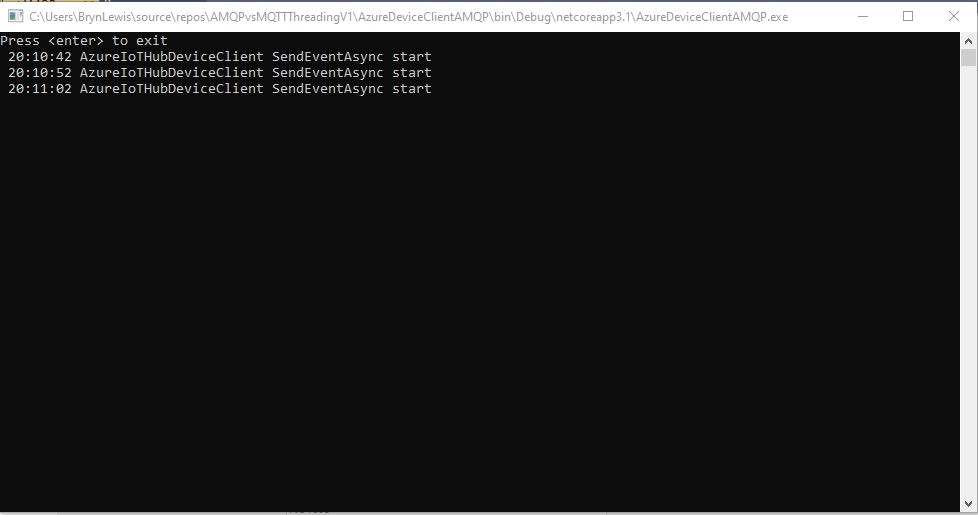
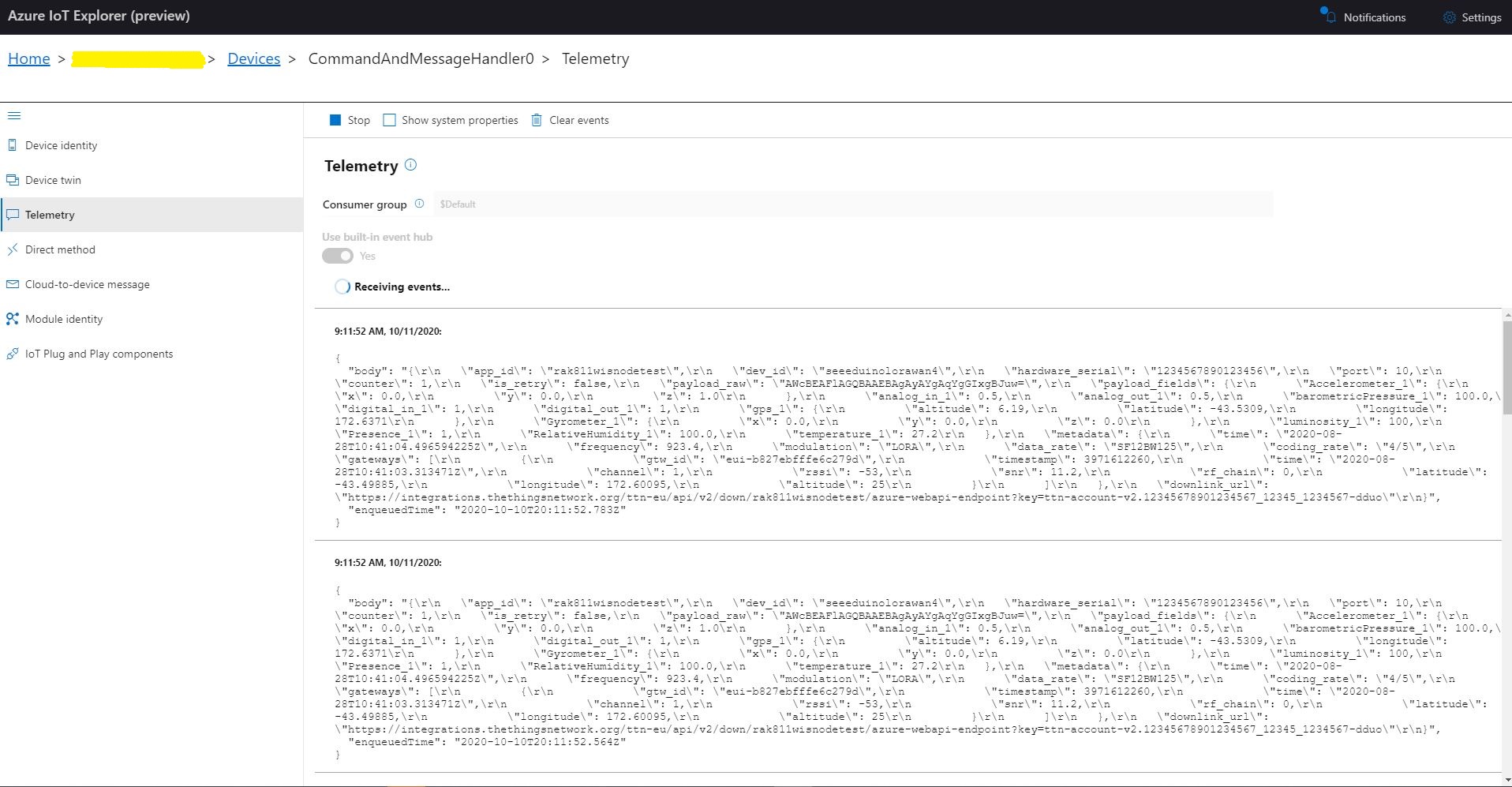
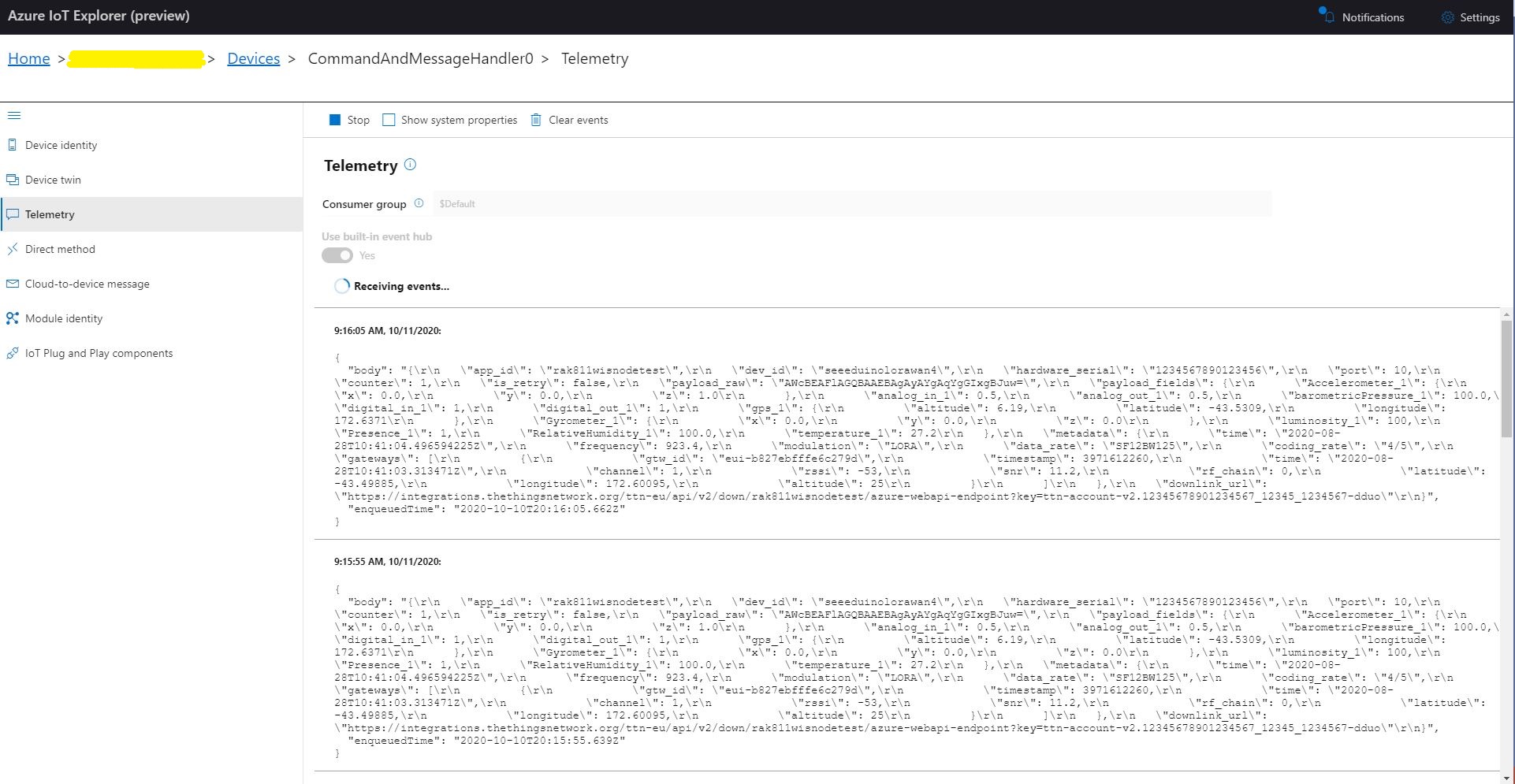
I configured an Azure IoT hub then used Azure IoT explorer to create a device and get the connections string for my application. After fixing up the application’s command line parameters I could see the timer code was successfully sending telemetry messages to my Azure IoT Hub. I also explored the different MQTT connections options TransportType.Mqtt, TransportType.Mqtt_Tcp_Only, and TransportType.Mqtt_WebSocket_Only which worked as expected.
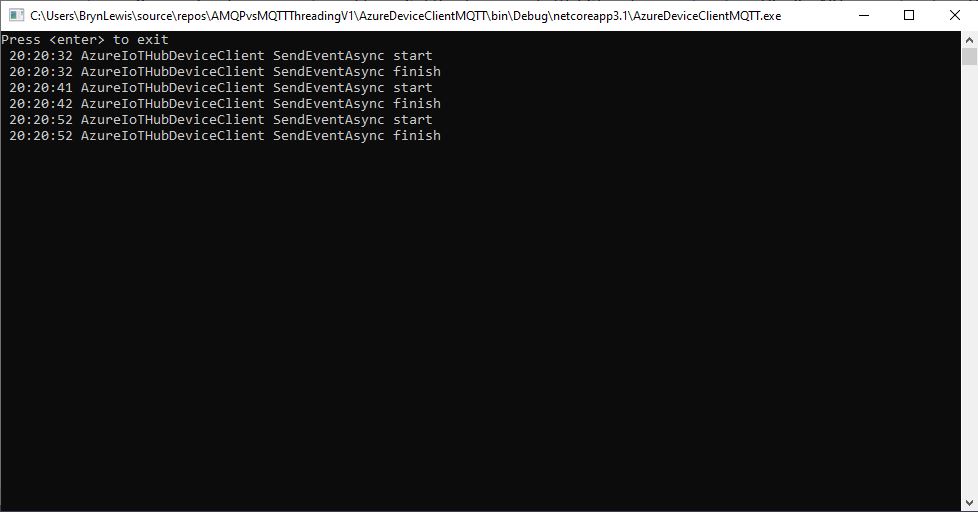
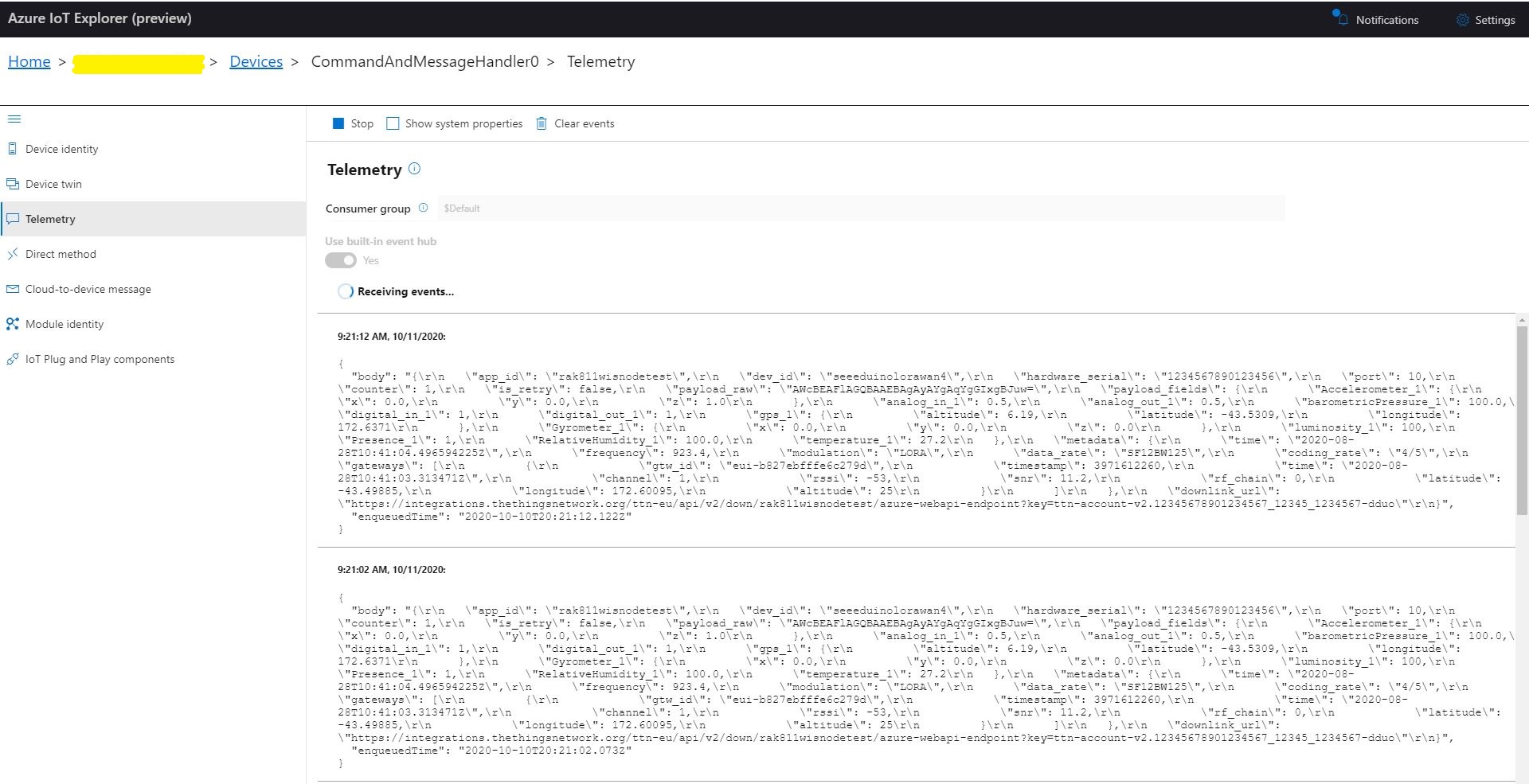
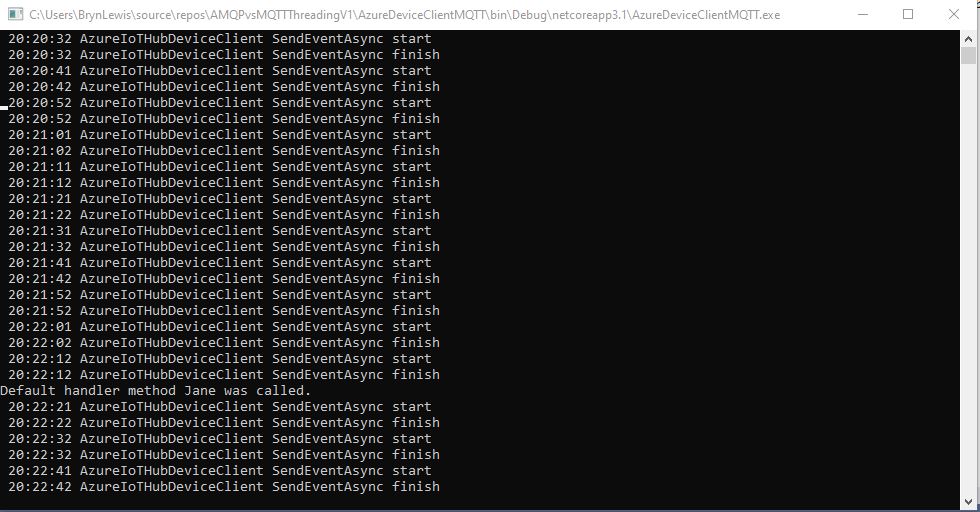
MQTT Console application displaying sent telemetryAzure IoT Hub displaying received telemetry
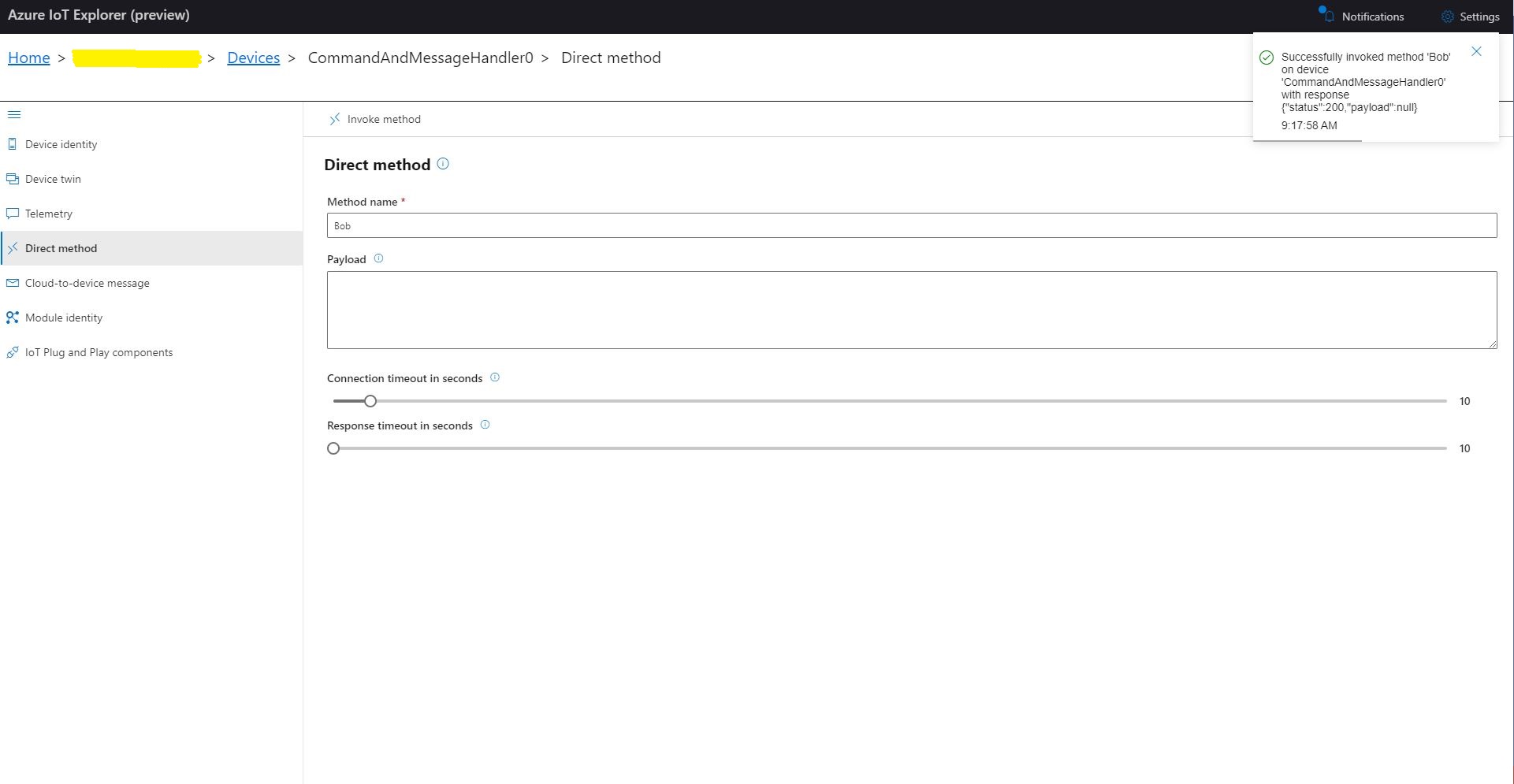
I could also initiate Direct Method calls to my console application from Azure IoT explorer.
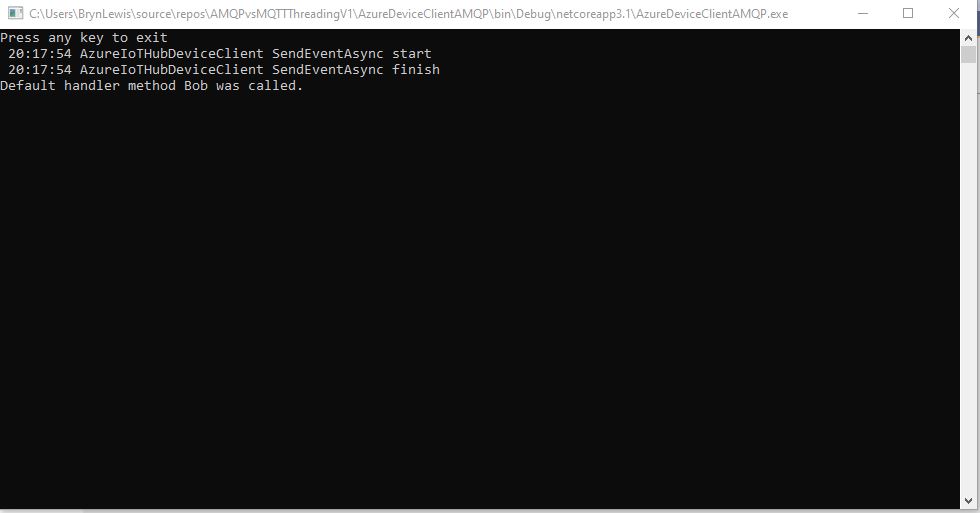
Azure IoT Explorer initiating a Direct Method MQTT console application displaying direct method call.
I then changed the protocol to AMQP
class Program
{
   private static string payload;

   static async Task Main(string[] args)
   {
      string filename;
      string azureIoTHubconnectionString;
      DeviceClient azureIoTHubClient;
      Timer MessageSender;

      if (args.Length != 2)
      {
         Console.WriteLine("[JOSN file] [AzureIoTHubConnectionString]");
         Console.WriteLine("Press <enter> to exit");
         Console.ReadLine();
         return;
      }

      filename = args[0];
      azureIoTHubconnectionString = args[1];

      try
      {
         payload = File.ReadAllText(filename);

         // Open up the connection
         azureIoTHubClient = DeviceClient.CreateFromConnectionString(azureIoTHubconnectionString, TransportType.Amqp);
         //azureIoTHubClient = DeviceClient.CreateFromConnectionString(azureIoTHubconnectionString, TransportType.Amqp_Tcp_Only);
         //azureIoTHubClient = DeviceClient.CreateFromConnectionString(azureIoTHubconnectionString, TransportType.Amqp_WebSocket_Only);

         await azureIoTHubClient.OpenAsync();

         await azureIoTHubClient.SetMethodDefaultHandlerAsync(MethodCallbackDefault, null);

         //MessageSender = new Timer(TimerCallbackAsync, azureIoTHubClient, new TimeSpan(0, 0, 10), new TimeSpan(0, 0, 10));
         MessageSender = new Timer(TimerCallbackSync, azureIoTHubClient, new TimeSpan(0, 0, 10), new TimeSpan(0, 0, 10));

#if MESSAGE_PUMP
         Console.WriteLine("Press any key to exit");
         while (!Console.KeyAvailable)
         {
            await Task.Delay(100);
         }
#else
         Console.WriteLine("Press <enter> to exit");
         Console.ReadLine();
#endif
      }
      catch (Exception ex)
      {
         Console.WriteLine(ex.Message);
         Console.WriteLine("Press <enter> to exit");
         Console.ReadLine();
      }
   }

   public static async void TimerCallbackAsync(object state)
   {
      DeviceClient azureIoTHubClient = (DeviceClient)state;

      try
      {
         // I know having the payload as a global is a bit nasty but this is a demo..
         using (Message message = new Message(Encoding.ASCII.GetBytes(JsonConvert.SerializeObject(payload))))
         {
            Console.WriteLine(" {0:HH:mm:ss} AzureIoTHubDeviceClient SendEventAsync start", DateTime.UtcNow);
            await azureIoTHubClient.SendEventAsync(message);
            Console.WriteLine(" {0:HH:mm:ss} AzureIoTHubDeviceClient SendEventAsync finish", DateTime.UtcNow);
         }
      }
      catch (Exception ex)
      {
         Console.WriteLine(ex.Message);
      }
   }

   public static void TimerCallbackSync(object state)
   {
      DeviceClient azureIoTHubClient = (DeviceClient)state;

      try
      {
         // I know having the payload as a global is a bit nasty but this is a demo..
         using (Message message = new Message(Encoding.ASCII.GetBytes(JsonConvert.SerializeObject(payload))))
         {
            Console.WriteLine(" {0:HH:mm:ss} AzureIoTHubDeviceClient SendEventAsync start", DateTime.UtcNow);
            azureIoTHubClient.SendEventAsync(message).GetAwaiter();
            Console.WriteLine(" {0:HH:mm:ss} AzureIoTHubDeviceClient SendEventAsync finish", DateTime.UtcNow);
         }
      }
      catch (Exception ex)
      {
         Console.WriteLine(ex.Message);
      }
   }


   private static async Task<MethodResponse> MethodCallbackDefault(MethodRequest methodRequest, object userContext)
   {
      Console.WriteLine($"Default handler method {methodRequest.Name} was called.");

      return new MethodResponse(200);
   }
}
In the first version of my console application I could see the SendEventAsync method was getting called but was not returning
AMQP Console application displaying sent telemetry failure
Even though the SendEventAsync call was not returning the telemetry messages were making it to my Azure IoT Hub.
Azure IoT Hub displaying AMQP telemetry
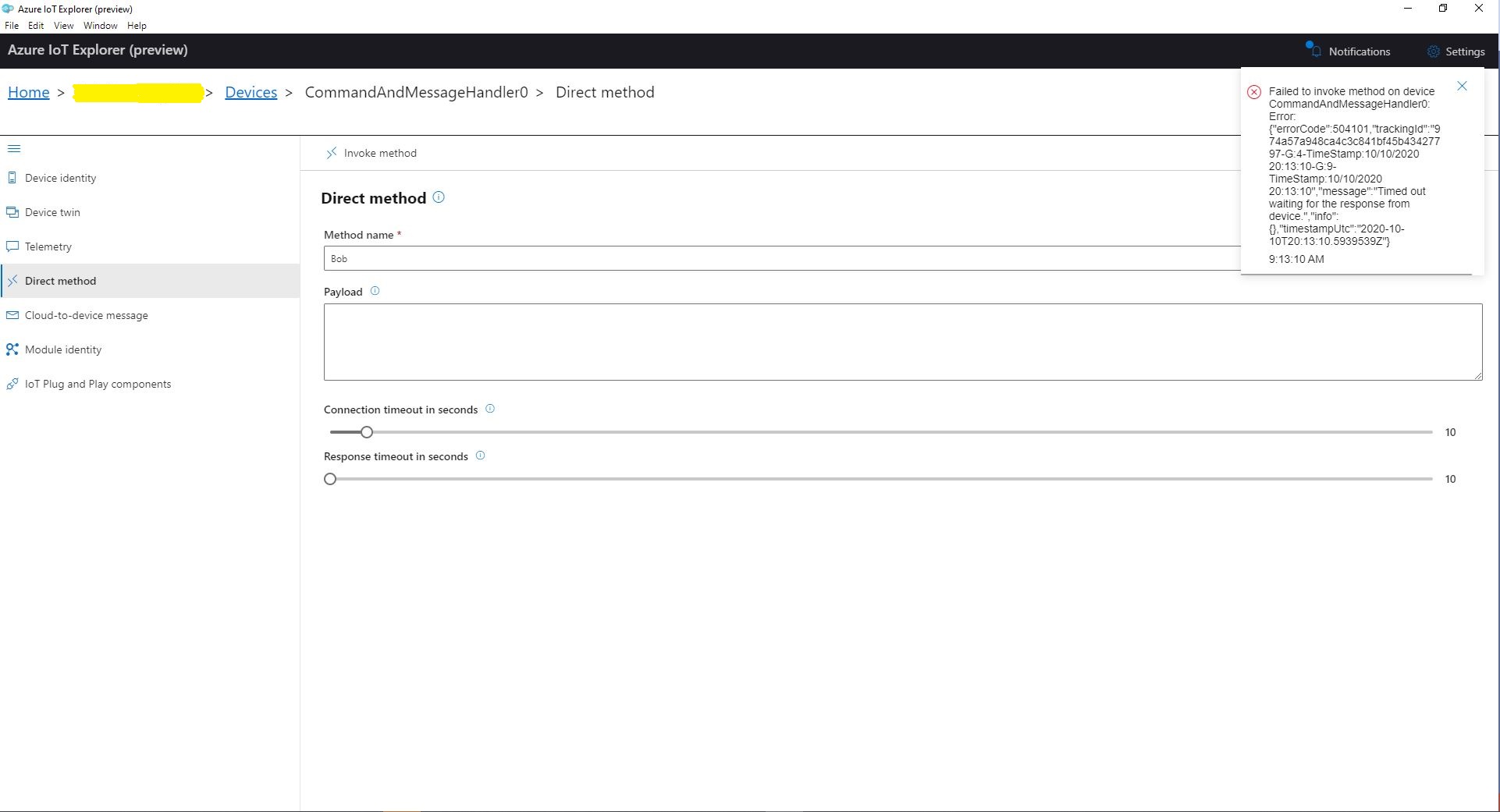
When I tried to initiate a Direct Method call from Azure IoT Explorer it failed after a while with a timeout.
Azure IoT Explorer initiating a Direct Method
The first successful approach I tried was to change the Console.Readline to a “message pump” (flashbacks to Win32 API programming).
Console.WriteLine("Press any key to exit");
while (!Console.KeyAvailable)
{
   await Task.Delay(100);
}
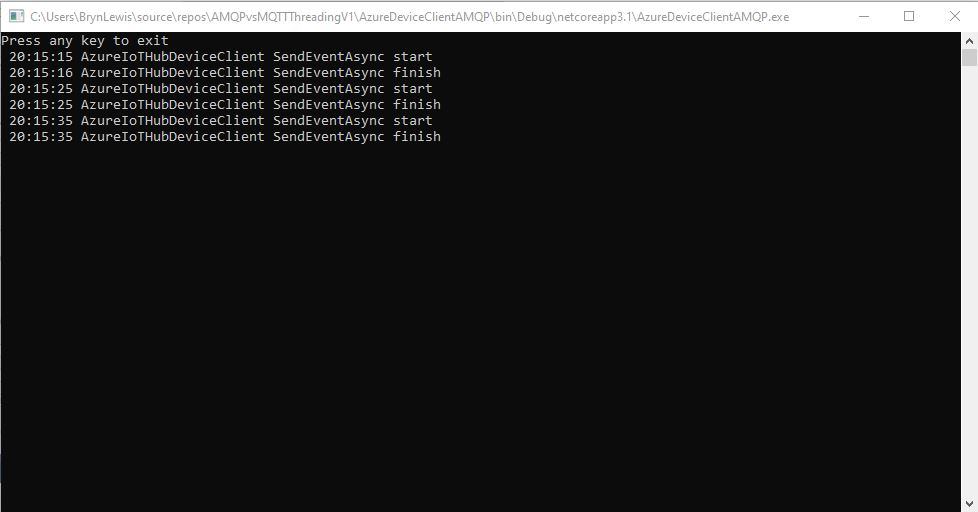
After some more experimentation I found that changing the timer method from asynchronous to synchronous also worked.
public static void TimerCallbackSync(object state)
{
   DeviceClient azureIoTHubClient = (DeviceClient)state;

   try
   {
      // I know having the payload as a global is a bit nasty but this is a demo..
      using (Message message = new Message(Encoding.ASCII.GetBytes(JsonConvert.SerializeObject(payload))))
      {
         Console.WriteLine(" {0:HH:mm:ss} AzureIoTHubDeviceClient SendEventAsync start", DateTime.UtcNow);
         azureIoTHubClient.SendEventAsync(message).GetAwaiter();
         Console.WriteLine(" {0:HH:mm:ss} AzureIoTHubDeviceClient SendEventAsync finish", DateTime.UtcNow);
      }
   }
   catch (Exception ex)
   {
      Console.WriteLine(ex.Message);
   }
}
I also had to change the method declaration and modify the SendEventAsync call to use a GetAwaiter.
AMQP Console application displaying sent telemetryAzure IoT Hub displaying received telemetryAzure IoT Explorer initiating a Direct MethodMQTT console application displaying direct method call.
It took a while to figure out enough about what was going on so I could do a search with the right keywords (DeviceClient AMQP async await SendEventAsync) to confirm my suspicion that MQTT and AMQP clients did behave differently.
After building a nanoFramework library “inspired” by the RakWirelessArduinolibrary(which has some issues) I figured it would be good to refactor the library to be more asynchronous with event handlers for send confirmation (if configured) and received messages.
If the RAK811 module is initialised, and connects to the network successfully, the application sends “48656c6c6f204c6f526157414e” (“hello LoRaWAN”) every 5 minutes.
STM32F691Discovery with EVB plugged into Arduino headers
The code application code now has a lot more compile time options for network configuration and payload format.
//---------------------------------------------------------------------------------
// Copyright (c) June 2020, devMobile Software
//
// Licensed under the Apache License, Version 2.0 (the "License");
// you may not use this file except in compliance with the License.
// You may obtain a copy of the License at
//
//     http://www.apache.org/licenses/LICENSE-2.0
//
// Unless required by applicable law or agreed to in writing, software
// distributed under the License is distributed on an "AS IS" BASIS,
// WITHOUT WARRANTIES OR CONDITIONS OF ANY KIND, either express or implied.
// See the License for the specific language governing permissions and
// limitations under the License.
//
//---------------------------------------------------------------------------------
#define ST_STM32F769I_DISCOVERY      // nanoff --target ST_STM32F769I_DISCOVERY --update
#define PAYLOAD_BCD
//#define PAYLOAD_BYTES
#define OTAA
//#define ABP
#define CONFIRMED
namespace devMobile.IoT.Rak811LoRaWanDeviceClient
{
   using System;
   using System.Threading;
   using System.Diagnostics;
   using Windows.Devices.SerialCommunication;

   using devMobile.IoT.LoRaWan;

   public class Program
   {
#if ST_STM32F769I_DISCOVERY
      private const string SerialPortId = "COM6";
#endif
#if OTAA
      private const string DevEui = "...";
      private const string AppEui = "...";
      private const string AppKey = "...";
#endif
#if ABP
      private const string DevAddress = "...";
      private const string NwksKey = "...";
      private const string AppsKey = "...";
#endif
      private const string Region = "AS923";
      private static readonly TimeSpan JoinTimeOut = new TimeSpan(0, 0, 10);
      private static readonly TimeSpan SendTimeout = new TimeSpan(0, 0, 10);
      private const byte MessagePort = 1;
#if PAYLOAD_BCD
      private const string PayloadBcd = "48656c6c6f204c6f526157414e"; // Hello LoRaWAN in BCD
#endif
#if PAYLOAD_BYTES
      private static readonly byte[] PayloadBytes = { 0x48, 0x65, 0x6c, 0x6c, 0x6f, 0x20, 0x4c, 0x6f, 0x52, 0x61, 0x57, 0x41, 0x4e}; // Hello LoRaWAN in bytes
#endif

      public static void Main()
      {
         Result result;

         Debug.WriteLine("devMobile.IoT.Rak811LoRaWanDeviceClient starting");

         Debug.WriteLine($"Ports :{Windows.Devices.SerialCommunication.SerialDevice.GetDeviceSelector()}");

         try
         {
            using ( Rak811LoRaWanDevice device = new Rak811LoRaWanDevice())
            {
               result = device.Initialise(SerialPortId, 9600, SerialParity.None, 8, SerialStopBitCount.One);
               if (result != Result.Success)
               {
                  Debug.WriteLine($"Initialise failed {result}");
                  return;
               }

#if CONFIRMED
               device.OnMessageConfirmation += OnMessageConfirmationHandler;
#endif
               device.OnReceiveMessage += OnReceiveMessageHandler;

               Debug.WriteLine($"{DateTime.UtcNow:hh:mm:ss} Region {Region}");
               result = device.Region(Region);
               if (result != Result.Success)
               {
                  Debug.WriteLine($"Region failed {result}");
                  return;
               }

               Debug.WriteLine($"{DateTime.UtcNow:hh:mm:ss} ADR On");
               result = device.AdrOn();
               if (result != Result.Success)
               {
                  Debug.WriteLine($"ADR on failed {result}");
                  return;
               }

#if CONFIRMED
               Debug.WriteLine($"{DateTime.UtcNow:hh:mm:ss} Confirmed");
               result = device.Confirm(LoRaConfirmType.Confirmed);
               if (result != Result.Success)
               {
                  Debug.WriteLine($"Confirm on failed {result}");
                  return;
               }
#else
               Debug.WriteLine($"{DateTime.UtcNow:hh:mm:ss} Unconfirmed");
               result = device.Confirm(LoRaConfirmType.Unconfirmed);
               if (result != Result.Success)
               {
                  Debug.WriteLine($"Confirm off failed {result}");
                  return;
               }
#endif

#if OTAA
               Debug.WriteLine($"{DateTime.UtcNow:hh:mm:ss} OTAA");
               result = device.OtaaInitialise(DevEui, AppEui, AppKey);
               if (result != Result.Success)
               {
                  Debug.WriteLine($"OTAA Initialise failed {result}");
                  return;
               }
#endif

#if ABP
               Debug.WriteLine($"{DateTime.UtcNow:hh:mm:ss} ABP");
               result = device.AbpInitialise(DevAddress, NwksKey, AppsKey);
               if (result != Result.Success)
               {
                  Debug.WriteLine($"ABP Initialise failed {result}");
                  return;
               }
#endif

               Debug.WriteLine($"{DateTime.UtcNow:hh:mm:ss} Join start Timeout:{JoinTimeOut:hh:mm:ss}");
               result = device.Join(JoinTimeOut);
               if (result != Result.Success)
               {
                  Debug.WriteLine($"Join failed {result}");
                  return;
               }
               Debug.WriteLine($"{DateTime.UtcNow:hh:mm:ss} Join finish");

               while (true)
               {
#if PAYLOAD_BCD
                  Debug.WriteLine($"{DateTime.UtcNow:hh:mm:ss} Send Timeout:{SendTimeout:hh:mm:ss} port:{MessagePort} payload BCD:{PayloadBcd}");
                  result = device.Send(MessagePort, PayloadBcd, SendTimeout);
#endif
#if PAYLOAD_BYTES
                  Debug.WriteLine($"{DateTime.UtcNow:hh:mm:ss} Send Timeout:{SendTimeout:hh:mm:ss} port:{MessagePort} payload Bytes:{BitConverter.ToString(PayloadBytes)}");
                  result = device.Send(MessagePort, PayloadBytes, SendTimeout);
#endif
                  if (result != Result.Success)
                  {
                     Debug.WriteLine($"Send failed {result}");
                  }

                  // if we sleep module too soon response is missed
                  Thread.Sleep(new TimeSpan( 0,0,5));

                  Debug.WriteLine($"{DateTime.UtcNow:hh:mm:ss} Sleep");
                  result = device.Sleep();
                  if (result != Result.Success)
                  {
                     Debug.WriteLine($"Sleep failed {result}");
                     return;
                  }

                  Thread.Sleep(new TimeSpan(0, 5, 0));

                  Debug.WriteLine($"{DateTime.UtcNow:hh:mm:ss} Wakeup");
                  result = device.Wakeup();
                  if (result != Result.Success)
                  {
                     Debug.WriteLine($"Wakeup failed {result}");
                     return;
                  }
               }
            }
         }
         catch (Exception ex)
         {
            Debug.WriteLine(ex.Message);
         }
      }

      static void OnMessageConfirmationHandler(int rssi, int snr)
      {
         Debug.WriteLine($"{DateTime.UtcNow:hh:mm:ss} Send Confirm RSSI:{rssi} SNR:{snr}");
      }

      static void OnReceiveMessageHandler(int port, int rssi, int snr, string payloadBcd)
      {
         byte[] payloadBytes = Rak811LoRaWanDevice.BcdToByes(payloadBcd);

         Debug.WriteLine($"{DateTime.UtcNow:hh:mm:ss} Receive Message RSSI:{rssi} SNR:{snr} Port:{port} Payload:{payloadBcd} PayLoadBytes:{BitConverter.ToString(payloadBytes)}");
      }
   }
}
The debugging output with the Rak811LoRaWanDevice class diagnostics off
Some commands are quite quick to respond e.g. setting the Region, Sleep, and Wakeup. Others, take quite a while e.g. Join, Send, WorkMode so they have separate timeout configurations.
The code is approaching beta and I’ll be testing and fixing bugs for the next couple of days.
If the RAK811 module is initialised, then connects to the network successfully, the application sends “48656c6c6f204c6f526157414e” (“hello LoRaWAN”) every 20 seconds.
STM32F691Discovery with EVB plugged into Arduino headers
The code application code is now a lot smaller & simpler
   public class Program
   {
#if ST_STM32F769I_DISCOVERY
      private const string SerialPortId = "COM6";
#endif
#if OTAA
      private const string DevEui = "...";
      private const string AppEui = "...";
      private const string AppKey = "...";
#endif
#if ABP
      private const string devAddress = "...";
      private const string nwksKey = "...";
      private const string appsKey = "...";
#endif
      private const byte MessagePort = 1;
      private const string Payload = "48656c6c6f204c6f526157414e"; // Hello LoRaWAN

      public static void Main()
      {
         Result result;

         Debug.WriteLine(" devMobile.IoT.Rak811LoRaWanDeviceClient starting");

         Debug.WriteLine(Windows.Devices.SerialCommunication.SerialDevice.GetDeviceSelector());

         try
         {
            using ( Rak811LoRaWanDevice device = new Rak811LoRaWanDevice())
            {
               result = device.Initialise(SerialPortId, SerialParity.None, 8, SerialStopBitCount.One);
               if (result != Result.Success)
               {
                  Debug.WriteLine($"Initialise failed {result}");
                  return;
               }

               result = device.Region("AS923");
               if (result != Result.Success)
               {
                  Debug.WriteLine($"Region failed {result}");
                  return;
               }

#if OTAA
               result = device.OtaaInitialise(DevEui, AppEui, AppKey);
               if (result != Result.Success)
               {
                  Debug.WriteLine($"OTAA Initialise failed {result}");
                  return;
               }
#endif

#if ABP
               result = device.AbpInitialise(devAddress, nwksKey, appsKey);
               if (result != Result.Success)
               {
                  Debug.WriteLine($"ABP Initialise failed {result}");
                  return;
               }
#endif

               result = device.Join(new TimeSpan(0,0,10));
               if (result != Result.Success)
               {
                  Debug.WriteLine($"Join failed {result}");
                  return;
               }

               while (true)
               {
                  result = device.Send(MessagePort, Payload);
                  if (result != Result.Success)
                  {
                     Debug.WriteLine($"Send failed {result}");
                  }

                  result = device.Sleep();
                  if (result != Result.Success)
                  {
                     Debug.WriteLine($"Sleep failed {result}");
                     return;
                  }

                  Thread.Sleep(20000);

                  result = device.Wakeup();
                  if (result != Result.Success)
                  {
                     Debug.WriteLine($"Wakeup failed {result}");
                     return;
                  }
               }
            }
         }
         catch (Exception ex)
         {
            Debug.WriteLine(ex.Message);
         }
      }
   }
I compared the debugging output with confirmations off
The thread '<No Name>' (0x2) has exited with code 0 (0x0).
 devMobile.IoT.Rak811LoRaWanDeviceClient starting
COM5,COM6
01:11:13 lora:work_mode
TX: send 32 bytes 32 via COM6
RX 01:11:14:UART1 work mode: RUI_UART_NORAMAL
Current work_mode:LoRaWAN, join_mode:OTAA, Class: A
Initialization OK

01:11:15 lora:region
TX: send 33 bytes 33 via COM6
RX 01:11:16:OK

01:11:16 lora:join_mode
TX: send 32 bytes 32 via COM6
RX 01:11:17:OK

01:11:18 lora:dev_eui
TX: send 45 bytes 45 via COM6
RX 01:11:19:OK

01:11:19 lora:app_eui
TX: send 45 bytes 45 via COM6
RX 01:11:20:OK

01:11:21 lora:app_key
TX: send 61 bytes 61 via COM6
RX 01:11:22:OK

01:11:22 join
TX: send 9 bytes 9 via COM6
RX 01:11:29:OK Join Success

TX: send 43 bytes to output stream.
TX: 43 bytes via COM6
TX: send 43 bytes to output stream.
TX: 43 bytes via COM6
RX :OK

TX: send 43 bytes to output stream.
TX: 43 bytes via COM6
RX :OK
at+recv=1,-54,9,5:48656c6c6f

TX: send 43 bytes to output stream.
TX: 43 bytes via COM6

TX: send 43 bytes to output stream.
TX: 43 bytes via COM6
RX :OK
at+recv=2,-51,7,5:48656c6c6f

TX: send 43 bytes to output stream.
TX: 43 bytes via COM6
Then with confirmations on (note the at+recv=0,-59,7,0) and received messages (at+recv=23,-53,8,5:48656c6c6f)
devMobile.IoT.Rak811LoRaWanDeviceClient starting
COM5,COM6
01:20:54 lora:work_mode
TX: send 32 bytes 32 via COM6
RX 01:20:56:UART1 work mode: RUI_UART_NORAMAL
Current work_mode:LoRaWAN, join_mode:OTAA, Class: A
Initialization OK

01:20:56 lora:region
TX: send 33 bytes 33 via COM6
RX 01:20:57:OK

01:20:58 lora:join_mode
TX: send 32 bytes 32 via COM6
RX 01:20:59:OK

01:20:59 lora:dev_eui
TX: send 45 bytes 45 via COM6
RX 01:21:00:OK

01:21:01 lora:app_eui
TX: send 45 bytes 45 via COM6
RX 01:21:02:OK

01:21:02 lora:app_key
TX: send 61 bytes 61 via COM6
RX 01:21:03:OK

01:21:04 join
TX: send 9 bytes 9 via COM6
RX 01:21:11:OK Join Success

01:21:11 lora:confirm
TX: send 30 bytes 30 via COM6
RX 01:21:12:OK

TX: send 43 bytes to output stream.
TX: 43 bytes via COM6
TX: send 43 bytes to output stream.
TX: 43 bytes via COM6
TX: send 43 bytes to output stream.
TX: 43 bytes via COM6
RX :OK
at+recv=23,-53,8,5:48656c6c6f

TX: send 43 bytes to output stream.
TX: 43 bytes via COM6

TX: send 43 bytes to output stream.
TX: 43 bytes via COM6
RX :OK
at+recv=0,-59,7,0
In the Visual Studio 2019 debug output I could see the responses to the AT Commands and especially the lack of handling of downlink messages and confirmations from the network.
The next step is to implement timeouts for when operations fail or the module doesn’t respond. Then extend the code to support the receiving of messages as a class A device (missing for the RAK arduino library). I wonder how this will work for when the module is configured as a class C device which can receive messages at any time.
Some commands are quite quick to respond e.g. setting the Region, Sleep, and Wakeup so are most probably ok running synchronously. Other commands can take quite a while e.g. Join, Send, WorkMode so maybe these need to be asynchronous (along with the receiving of confirmations and messages ).
The code is not suitable for production but it confirmed my new approach worked.





 devMobile's blog