Smartish Edge Camera – Azure IoT Tagged Image Upload Error

The SmartEdgeCameraAzureStorageService uploads images with “tags” so it is easier to search for images that may need reviewing. When I added the same tagging functionality to the SmartEdgeCameraAzureIoTService which uploads images to the Storage Account associated with my Azure IoT Hub it failed.

SmartEdgeCameraAzureIoTService error message
[16:39:30.66]fail: devMobile.IoT.MachineLearning.SmartEdgeCameraAzureIoTService.Worker[0]
      Camera image download, post processing, or telemetry failed
      Azure.RequestFailedException: This request is not authorized to perform this operation using this permission.
RequestId:7a1747db-e01e-0019-484c-5c0499000000
Time:2022-04-30T04:39:31.2050951Z
      Status: 403 (This request is not authorized to perform this operation using this permission.)
      ErrorCode: AuthorizationPermissionMismatch

      Content:
      <?xml version="1.0" encoding="utf-8"?><Error><Code>AuthorizationPermissionMismatch</Code><Message>This request is not authorized to perform this operation using this permission.
RequestId:7a1747db-e01e-0019-484c-5c0499000000
Time:2022-04-30T04:39:31.2050951Z</Message></Error>

      Headers:
      Server: Windows-Azure-Blob/1.0,Microsoft-HTTPAPI/2.0
      x-ms-request-id: 7a1747db-e01e-0019-484c-5c0499000000
      x-ms-client-request-id: d0e8eb36-9e01-4eac-a522-f84b9deafa32
      x-ms-version: 2021-04-10
      x-ms-error-code: AuthorizationPermissionMismatch
      Date: Sat, 30 Apr 2022 04:39:30 GMT
      Content-Length: 279
      Content-Type: application/xml

         at Azure.Storage.Blobs.BlockBlobRestClient.UploadAsync(Int64 contentLength, Stream body, Nullable`1 timeout, Byte[] transactionalContentMD5, String blobContentType, String blobContentEncoding, String blobContentLanguage, Byte[] blobContentMD5, String blobCacheControl, IDictionary`2 metadata, String leaseId, String blobContentDisposition, String encryptionKey, String encryptionKeySha256, Nullable`1 encryptionAlgorithm, String encryptionScope, Nullable`1 tier, Nullable`1 ifModifiedSince, Nullable`1 ifUnmodifiedSince, String ifMatch, String ifNoneMatch, String ifTags, String blobTagsString, Nullable`1 immutabilityPolicyExpiry, Nullable`1 immutabilityPolicyMode, Nullable`1 legalHold, CancellationToken cancellationToken)
         at Azure.Storage.Blobs.Specialized.BlockBlobClient.UploadInternal(Stream content, BlobHttpHeaders blobHttpHeaders, IDictionary`2 metadata, IDictionary`2 tags, BlobRequestConditions conditions, Nullable`1 accessTier, BlobImmutabilityPolicy immutabilityPolicy, Nullable`1 legalHold, IProgress`1 progressHandler, String operationName, Boolean async, CancellationToken cancellationToken)
         at Azure.Storage.Blobs.Specialized.BlockBlobClient.<>c__DisplayClass62_0.<<GetPartitionedUploaderBehaviors>b__0>d.MoveNext()
      --- End of stack trace from previous location ---
         at Azure.Storage.PartitionedUploader`2.UploadInternal(Stream content, Nullable`1 expectedContentLength, TServiceSpecificData args, IProgress`1 progressHandler, Boolean async, CancellationToken cancellationToken)
         at Azure.Storage.Blobs.Specialized.BlockBlobClient.UploadAsync(Stream content, BlobUploadOptions options, CancellationToken cancellationToken)
         at devMobile.IoT.MachineLearning.SmartEdgeCameraAzureIoTService.Worker.UploadImage(List`1 predictions, String filepath, String blobpath) in C:\Users\BrynLewis\source\repos\AzureMLNetSmartEdgeCamera\SmartEdgeCameraAzureIoTService\Worker.cs:line 581
         at devMobile.IoT.MachineLearning.SmartEdgeCameraAzureIoTService.Worker.UploadImage(List`1 predictions, String filepath, String blobpath) in C:\Users\BrynLewis\source\repos\AzureMLNetSmartEdgeCamera\SmartEdgeCameraAzureIoTService\Worker.cs:line 606
         at devMobile.IoT.MachineLearning.SmartEdgeCameraAzureIoTService.Worker.ImageUpdateTimerCallback(Object state) in C:\Users\BrynLewis\source\repos\AzureMLNetSmartEdgeCamera\SmartEdgeCameraAzureIoTService\Worker.cs:line 394
[16:39:30.72]info: devMobile.IoT.MachineLearning.SmartEdgeCameraAzureIoTService.Worker[0]

try
{
   FileUploadSasUriResponse sasUri = await _deviceClient.GetFileUploadSasUriAsync(fileUploadSasUriRequest);

	var blockBlobClient = new BlockBlobClient(sasUri.GetBlobUri());
   ...

   var blockBlobClient = new BlockBlobClient(uploadUri);

	BlobUploadOptions blobUploadOptions = new BlobUploadOptions()
	{
		Tags = new Dictionary<string, string>()
	};

	foreach (var prediction in predictionsTally)
	{
		blobUploadOptions.Tags.Add(prediction.Label, prediction.Count.ToString());
	}   
    await blockBlobClient.UploadAsync(fileStreamSource, blobUploadOptions);
   ...
}
catch (Exception ex)
{
   ...
}

There were no relevant search results(April 2022) so I submitted a Microsoft Azure IoT SDK for .NET issue “UploadAsync fails when Tags added to blob uploading to Storage Account associated with an IoT Hub” which has been triaged and moved to “discussion”.
Smartish Edge Camera – Azure IoT Readonly Properties

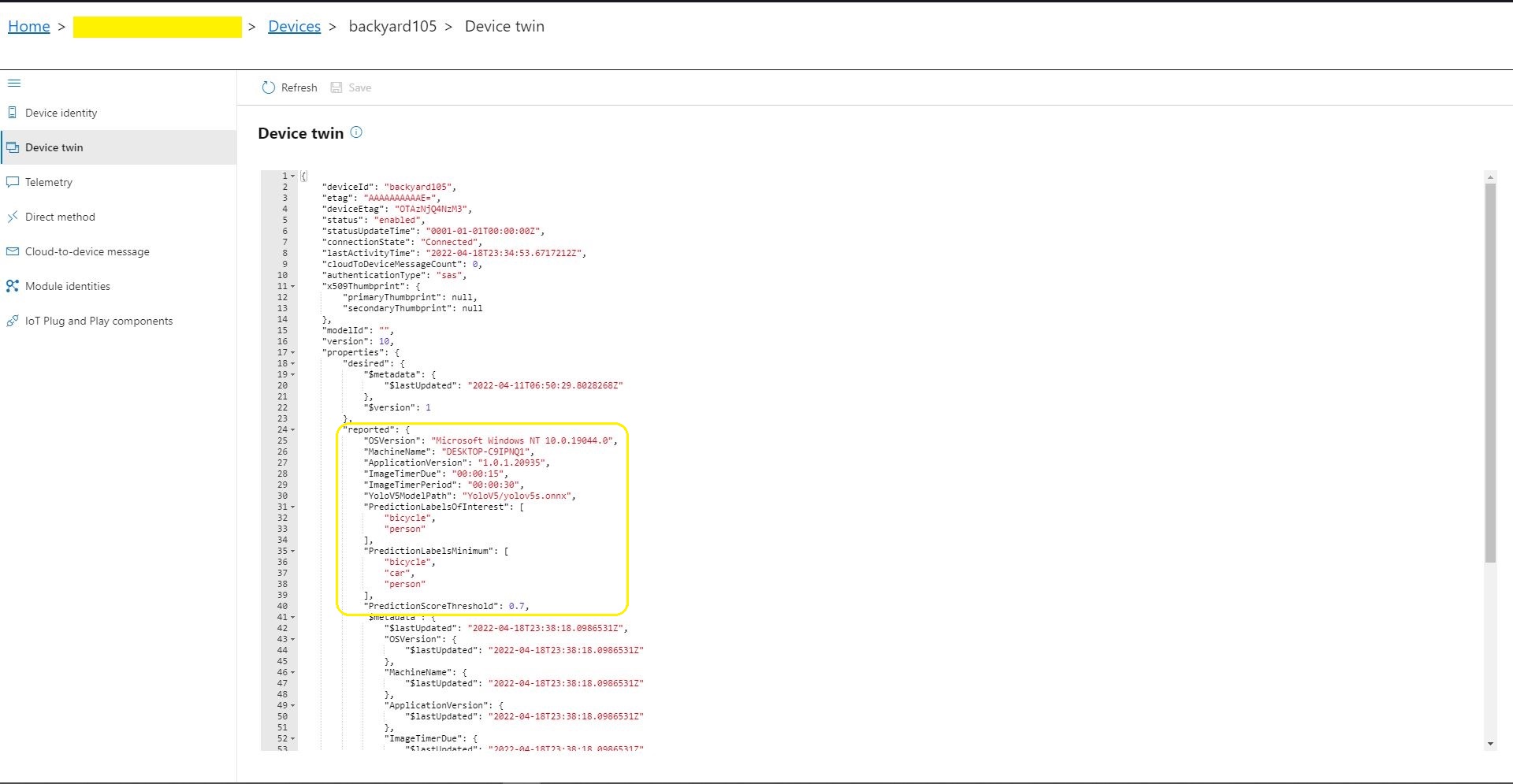
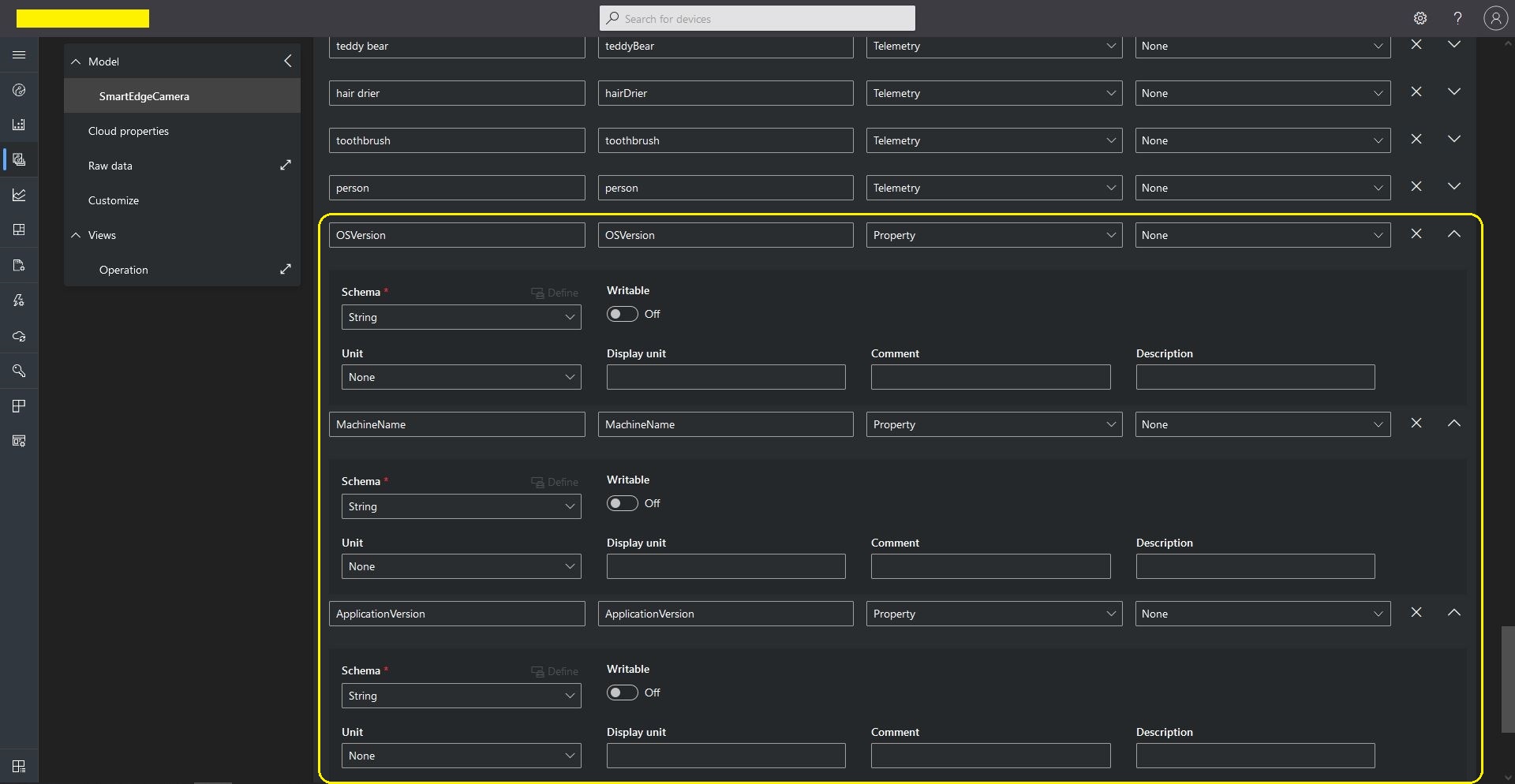
This post builds on my Smartish Edge Camera – Azure IoT Direct Methods post adding a number of read only properties. In this version the application reports the OSVersion, MachineName, ApplicationVersion, ImageTimerDue, ImageTimerPeriod, YoloV5ModelPath, PredictionScoreThreshold, PredictionLabelsOfInterest, and PredictionLabelsMinimum.

Azure IoT Explorer displaying the reported “readonly” property values

The AzureMLMetSmartEdgeCamera application supports both Azure IoT Hub and Azure IoT Central connectivity so I have have covered inspecting the properties with Azure IoT Explorer and adding them to an Azure IoT Central Template.

Azure IoT Central Template Readonly properties

The code populates a TwinCollection then calls UpdateReportedPropertiesAsync to push the properties upto my Azure IoT Hub. (This functionality is not available on all Azure IoT hub Tiers)

protected override async Task ExecuteAsync(CancellationToken stoppingToken)
{
	_logger.LogInformation("Azure IoT Smart Edge Camera Service starting");

	try
	{
#if AZURE_IOT_HUB_CONNECTION
		_deviceClient = await AzureIoTHubConnection();
#endif
#if AZURE_IOT_HUB_DPS_CONNECTION
		_deviceClient = await AzureIoTHubDpsConnection();
#endif

#if AZURE_DEVICE_PROPERTIES
		_logger.LogTrace("ReportedPropeties upload start");

		TwinCollection reportedProperties = new TwinCollection();

		reportedProperties["OSVersion"] = Environment.OSVersion.VersionString;
		reportedProperties["MachineName"] = Environment.MachineName;
		reportedProperties["ApplicationVersion"] = Assembly.GetAssembly(typeof(Program)).GetName().Version;
		reportedProperties["ImageTimerDue"] = _applicationSettings.ImageTimerDue;
		reportedProperties["ImageTimerPeriod"] = _applicationSettings.ImageTimerPeriod;
		reportedProperties["YoloV5ModelPath"] = _applicationSettings.YoloV5ModelPath;

		reportedProperties["PredictionScoreThreshold"] = _applicationSettings.PredictionScoreThreshold;
		reportedProperties["PredictionLabelsOfInterest"] = _applicationSettings.PredictionLabelsOfInterest;
		reportedProperties["PredictionLabelsMinimum"] = _applicationSettings.PredictionLabelsMinimum;

		await _deviceClient.UpdateReportedPropertiesAsync(reportedProperties, stoppingToken);

		_logger.LogTrace("ReportedPropeties upload done");
#endif

		_logger.LogTrace("YoloV5 model setup start");
		_scorer = new YoloScorer<YoloCocoP5Model>(_applicationSettings.YoloV5ModelPath);
		_logger.LogTrace("YoloV5 model setup done");
...

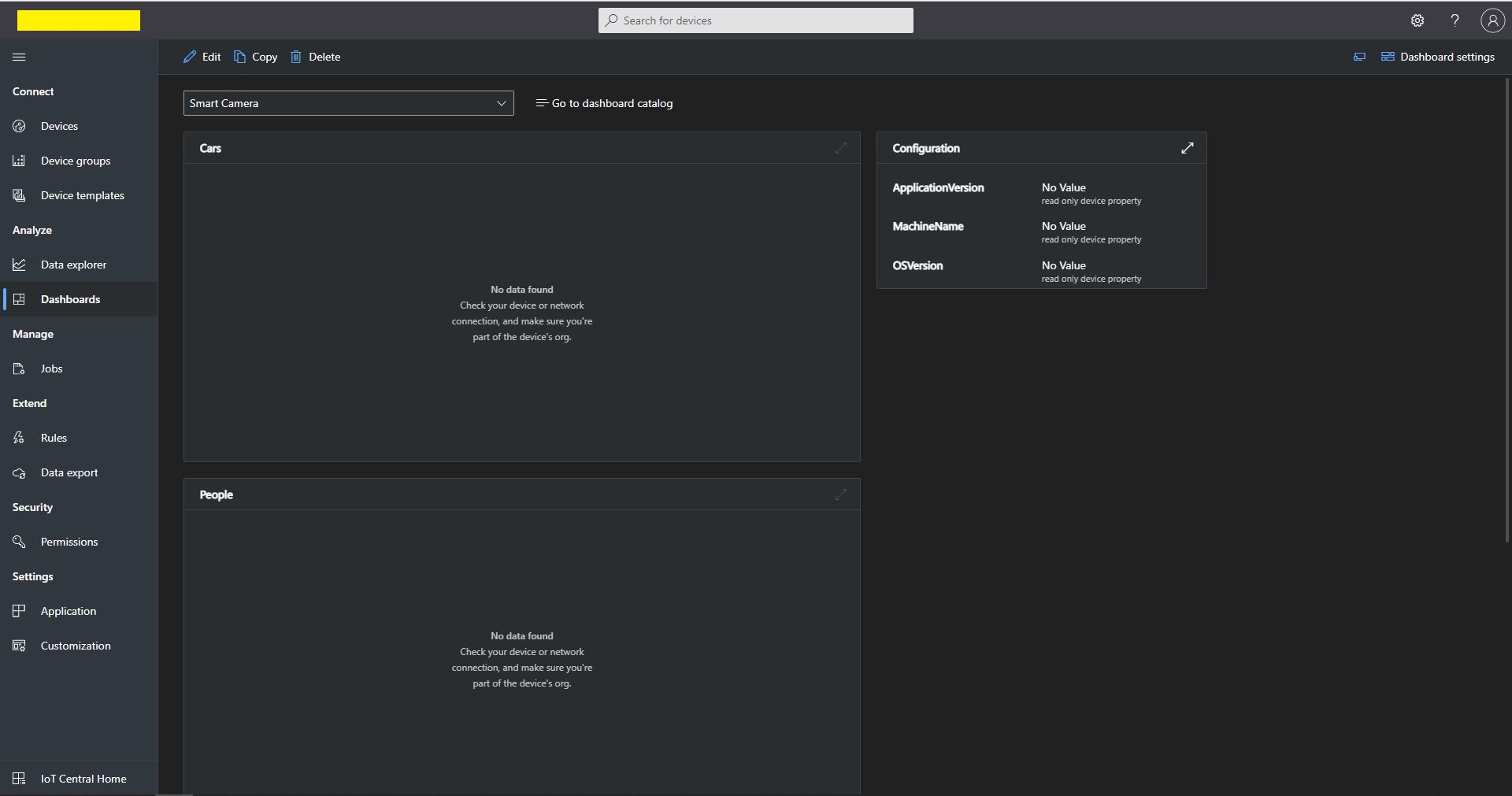
Azure IoT Central Dashboard with readonly properties before UpdateReportedPropertiesAsync called
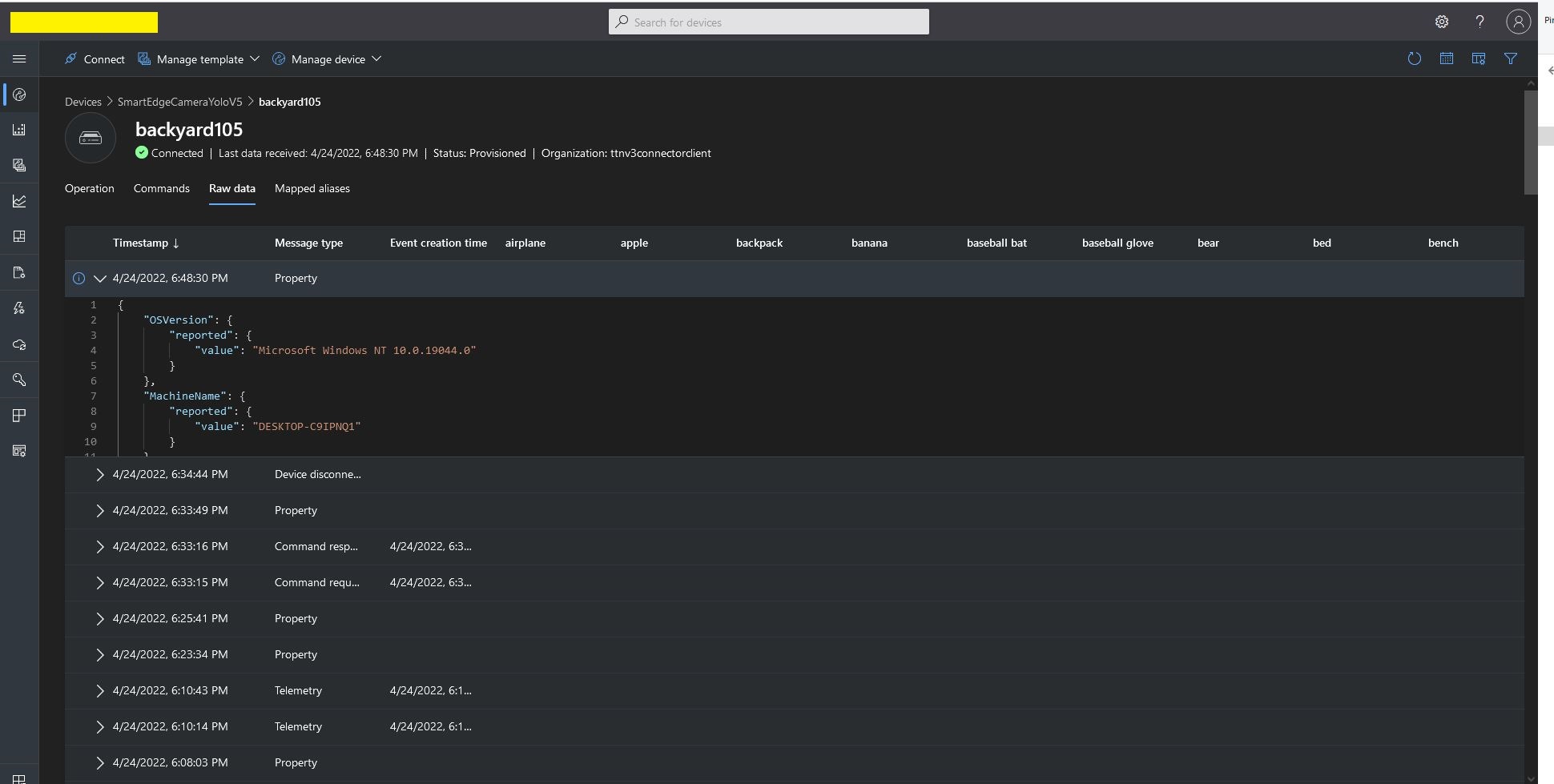
Azure IoT Central Telemetry displaying property update payloads
Azure IoT Central Dashboard displaying readonly properties

While testing the application I noticed the reported property version was increasing every time I deployed the application. I was retrieving the version information as the application started with AssemblyName.Version

reportedProperties["ApplicationVersion"] = Assembly.GetAssembly(typeof(Program)).GetName().Version;
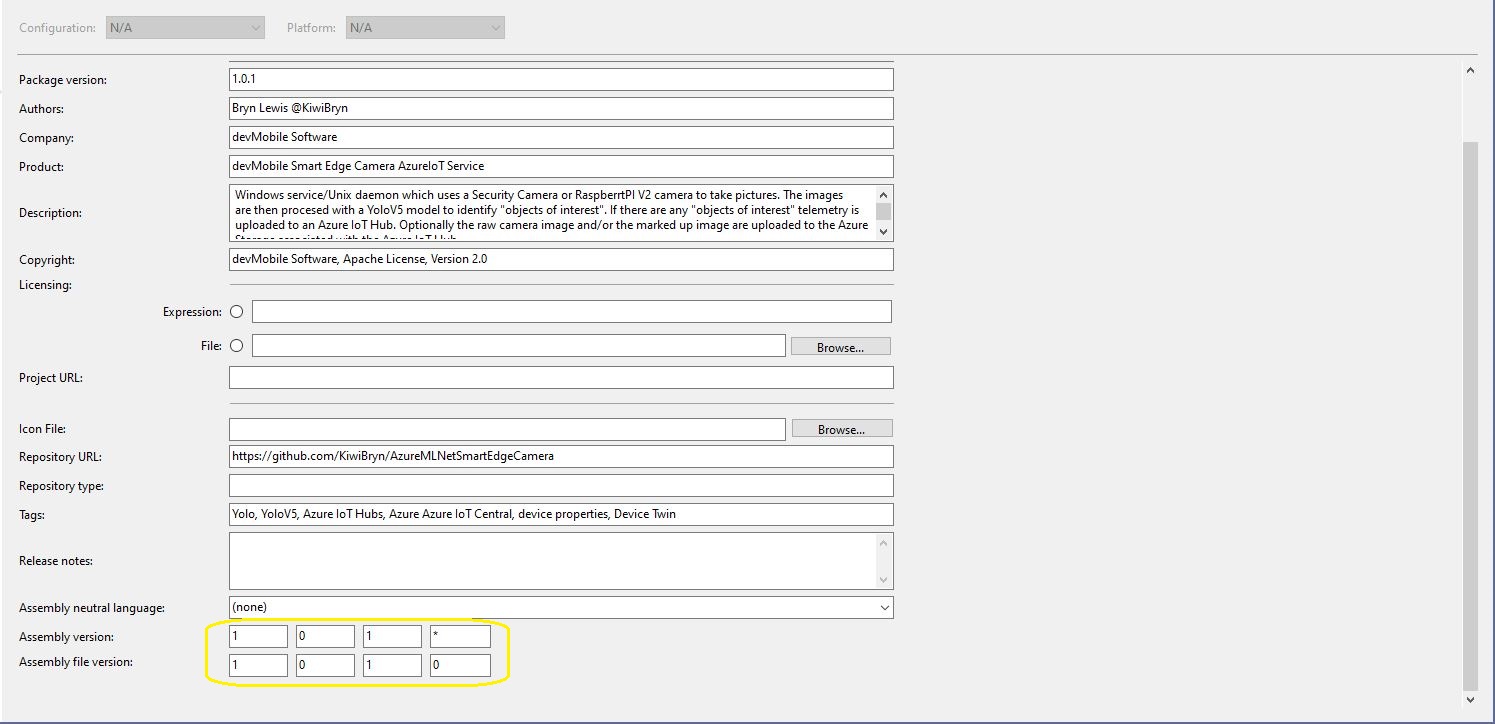
Visual Studio 2019 Application Package information

I had also configured the Assembly Version in the SmartEdgeCameraAzureIoTService project Package tab to update the assembly build number each time the application was compiled. This was forcing an update of the reported properties version every time the application started

Smartish Edge Camera – Azure IoT Direct Methods

This post builds on my Smartish Edge Camera – Azure IoT Image-Upload post adding two Direct Methods for Starting and Stopping the image capture and processing timer. The AzureMLMetSmartEdgeCamera supports both Azure IoT Hub and Azure IoT Central connectivity.

Azure IoT Explorer invoking a Direct Method

BEWARE – The Direct Method names are case sensitive which regularly trips me up when I use Azure IoT Explorer. If the Direct Method name is unknown a default handler is called, the issue logged and a Hyper Text Transfer Protocol(HTTP) Not Implemented(501) error returned

protected override async Task ExecuteAsync(CancellationToken stoppingToken)
{
	_logger.LogInformation("Azure IoT Smart Edge Camera Service starting");

	try
	{
#if AZURE_IOT_HUB_CONNECTION
		_deviceClient = await AzureIoTHubConnection();
#endif
#if AZURE_IOT_HUB_DPS_CONNECTION
		_deviceClient = await AzureIoTHubDpsConnection();
#endif

...
		_logger.LogTrace("YoloV5 model setup start");
		_scorer = new YoloScorer<YoloCocoP5Model>(_applicationSettings.YoloV5ModelPath);
		_logger.LogTrace("YoloV5 model setup done");

		_ImageUpdatetimer = new Timer(ImageUpdateTimerCallback, null, _applicationSettings.ImageTimerDue, _applicationSettings.ImageTimerPeriod);

		await _deviceClient.SetMethodHandlerAsync("ImageTimerStart", ImageTimerStartHandler, null);
		await _deviceClient.SetMethodHandlerAsync("ImageTimerStop", ImageTimerStopHandler, null);
		await _deviceClient.SetMethodDefaultHandlerAsync(DefaultHandler, null);
...
		try
		{
			await Task.Delay(Timeout.Infinite, stoppingToken);
		}
		catch (TaskCanceledException)
		{
			_logger.LogInformation("Application shutown requested");
		}
	}
	catch (Exception ex)
	{
		_logger.LogError(ex, "Application startup failure");
	}
	finally
	{
		_deviceClient?.Dispose();
	}

	_logger.LogInformation("Azure IoT Smart Edge Camera Service shutdown");
}

private async Task<MethodResponse> ImageTimerStartHandler(MethodRequest methodRequest, object userContext)
{
	_logger.LogInformation("ImageUpdatetimer Start Due:{0} Period:{1}", _applicationSettings.ImageTimerDue, _applicationSettings.ImageTimerPeriod);

	_ImageUpdatetimer.Change(_applicationSettings.ImageTimerDue, _applicationSettings.ImageTimerPeriod);

	return new MethodResponse((short)HttpStatusCode.OK);
}

private async Task<MethodResponse> ImageTimerStopHandler(MethodRequest methodRequest, object userContext)
{
	_logger.LogInformation("ImageUpdatetimer Stop");

	_ImageUpdatetimer.Change(Timeout.Infinite, Timeout.Infinite);

	return new MethodResponse((short)HttpStatusCode.OK);
}

private async Task<MethodResponse> DefaultHandler(MethodRequest methodRequest, object userContext)
{
	_logger.LogInformation("Direct Method default handler Name:{0}", methodRequest.Name);

	return new MethodResponse((short)HttpStatusCode.NotFound);
}

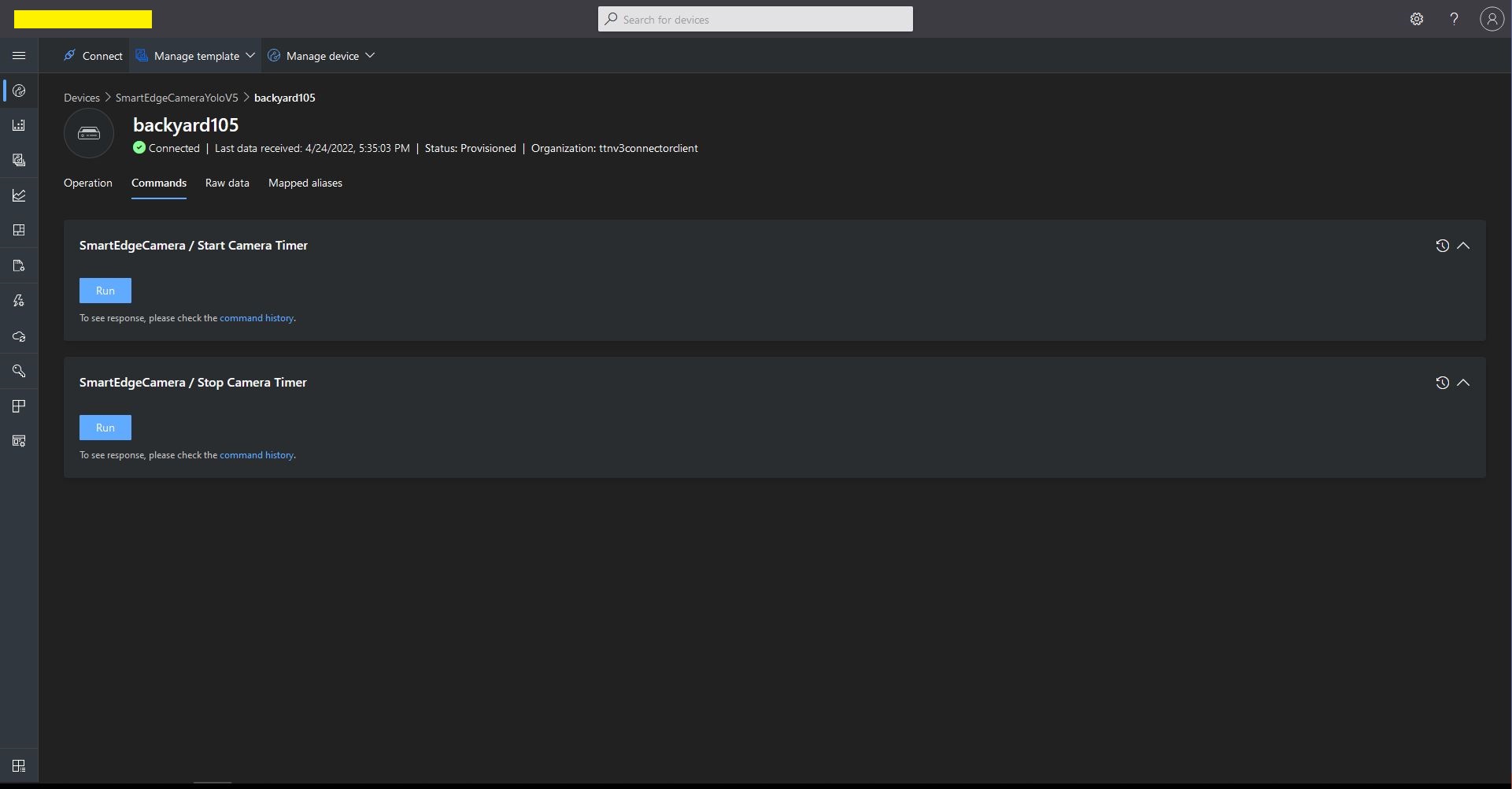
I created an Azure IoT Central Template with two command capabilities. (For more detail see my post TTI V3 Connector Azure IoT Central Cloud to Device(C2D)).

Azure IoT Central Template Direct Method configuration
Azure IoT Central Template Direct Method invocation
Azure Smart Edge Camera console application Start Direct Method call

Initially, I had one long post which covered Direct Methods, Readonly Properties and Updateable Properties but it got too long so I split it into three.

Smartish Edge Camera – Azure IoT Image Upload

This post builds on my Smartish Edge Camera – Azure Storage Service, Azure IoT Hub, and Azure IoT Central projects adding optional camera and marked-up image upload to Azure Blob Storage for Azure IoT Hubs and Azure IoT Central.

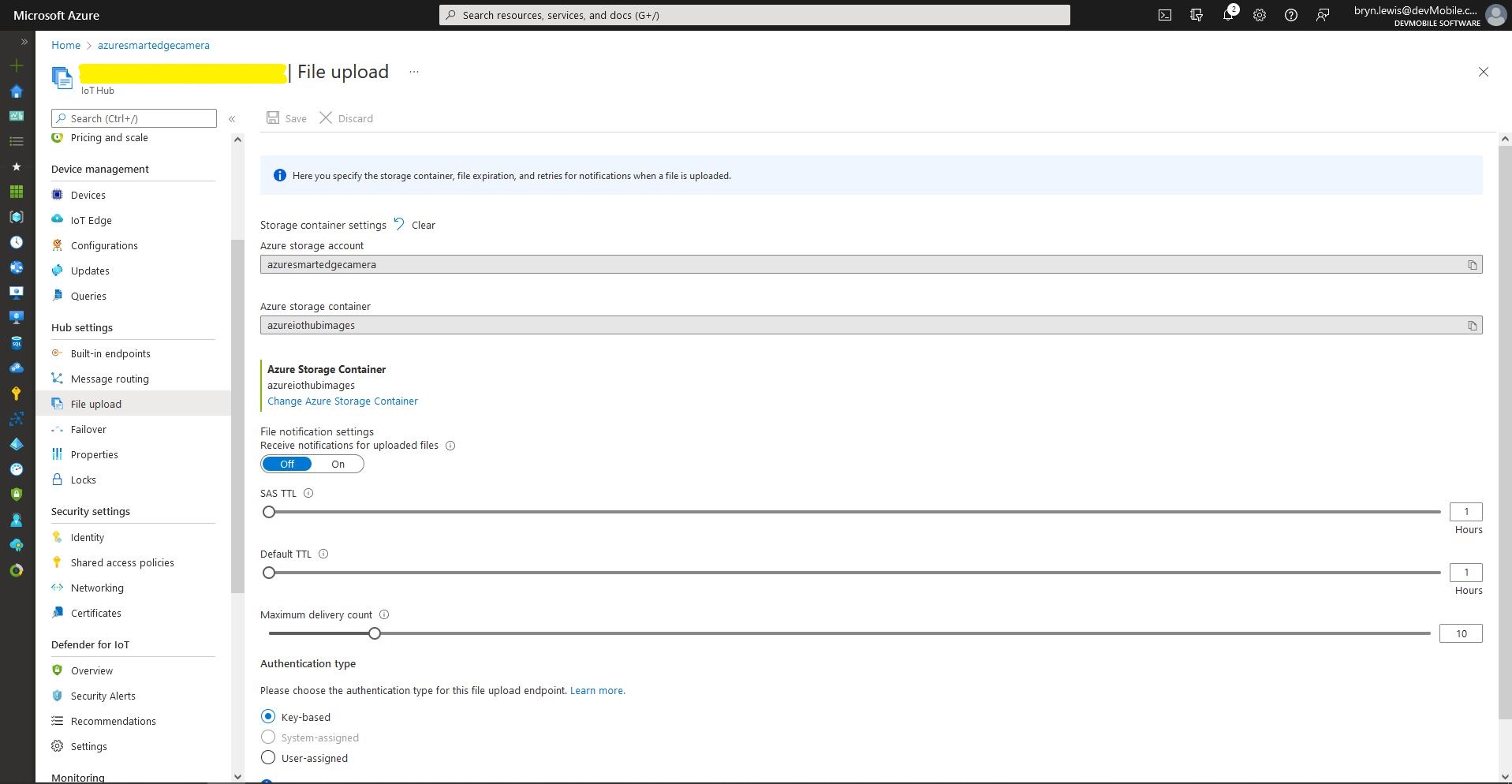
Azure IoT Hub – File upload storage account configuration
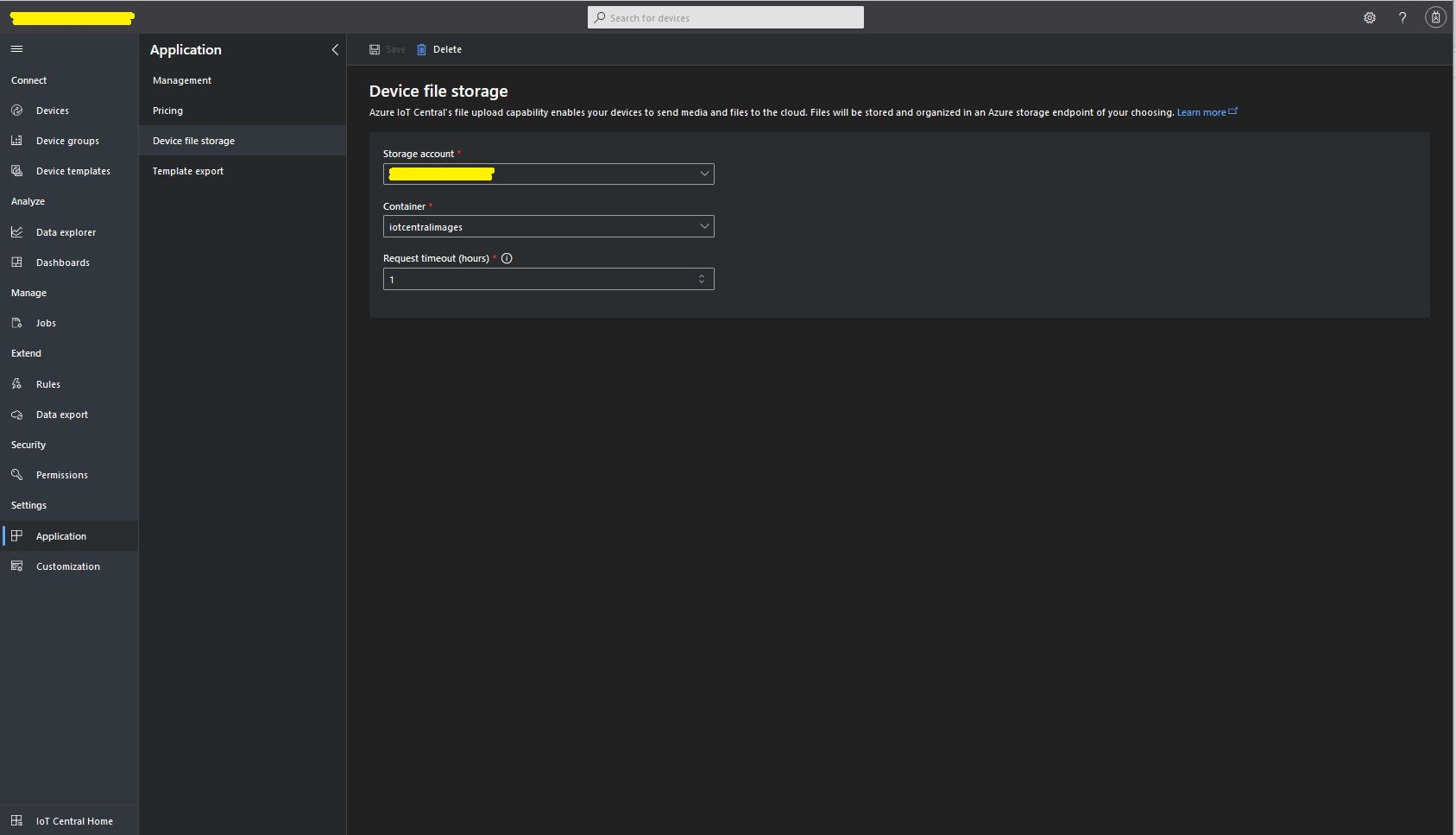
Azure IoT Central – File upload storage account configuration

The “new improved” process of uploading files to an Azure IoT Hub and Azure IoT Central is surprisingly complex to use and make robust(I think the initial approach with DeviceClient.UploadToBlobAsync which is now “deprecated” was easier to use).

public async Task UploadImage(List<YoloPrediction> predictions, string filepath, string blobpath)
{
	var fileUploadSasUriRequest = new FileUploadSasUriRequest()
	{
		BlobName = blobpath 
	};

	FileUploadSasUriResponse sasUri = await _deviceClient.GetFileUploadSasUriAsync(fileUploadSasUriRequest);

	var blockBlobClient = new BlockBlobClient(sasUri.GetBlobUri());

	var fileUploadCompletionNotification = new FileUploadCompletionNotification()
	{
		// Mandatory. Must be the same value as the correlation id returned in the sas uri response
		CorrelationId = sasUri.CorrelationId,

		IsSuccess = true
	};

	try
	{
		using (FileStream fileStream = File.OpenRead(filepath))
		{
			Response<BlobContentInfo> response = await blockBlobClient.UploadAsync(fileStream); //, blobUploadOptions);

			fileUploadCompletionNotification.StatusCode = response.GetRawResponse().Status;

			if (fileUploadCompletionNotification.StatusCode != ((int)HttpStatusCode.Created))
			{
				fileUploadCompletionNotification.IsSuccess = false;

				fileUploadCompletionNotification.StatusDescription = response.GetRawResponse().ReasonPhrase;
			}
		}
	}
	catch (RequestFailedException ex)
	{
		fileUploadCompletionNotification.StatusCode = ex.Status;

		fileUploadCompletionNotification.IsSuccess = false;

		fileUploadCompletionNotification.StatusDescription = ex.Message;
	}
	finally
	{
		await _deviceClient.CompleteFileUploadAsync(fileUploadCompletionNotification);
	}
}

If there is an object with a label in the PredictionLabelsOfInterest list, the camera and marked-up images can (configured with ImageCameraUpload & ImageMarkedupUpload) be uploaded to an Azure Storage Blob container associated with an Azure IoT Hub/ Azure IoT Central instance.

{
  "Logging": {
    "LogLevel": {
      "Default": "Information",
      "Microsoft": "Warning",
      "Microsoft.Hosting.Lifetime": "Information"
    }
  },

  "Application": {
    "DeviceID": "",
    "ImageTimerDue": "0.00:00:15",
    "ImageTimerPeriod": "0.00:00:30",

    "ImageCameraFilepath": "ImageCamera.jpg",
    "ImageMarkedUpFilepath": "ImageMarkedup.jpg",

    "ImageCameraUpload": false,
    "ImageMarkedupUpload": true,

    "ImageUploadFilepath": "ImageMarkedup.jpg",

    "YoloV5ModelPath": "YoloV5/yolov5s.onnx",

    "PredictionScoreThreshold": 0.7,
    "PredictionLabelsOfInterest": [
      "bicycle",
      "person"
    ],

    "PredictionLabelsMinimum": [
      "bicycle",
      "car",
      "person"
    ],

    "ImageCameraFilenameFormat": "{0:yyyyMMdd}/{0:HHmmss}.jpg"
  },

  "SecurityCamera": {
    "CameraUrl": "",
    "CameraUserName": "",
    "CameraUserPassword": ""
  },

  "RaspberryPICamera": {
    "ProcessWaitForExit": 1000,
    "Rotation": 180
  },

  "AzureIoTHub": {
    "ConnectionString": ""
  },

  "AzureIoTHubDPS": {
    "GlobalDeviceEndpoint": "global.azure-devices-provisioning.net",
    "IDScope": "",
    "GroupEnrollmentKey": ""
  },

  "AzureStorage": {
    "ImageCameraFilenameFormat": "{0:yyyyMMdd}/camera/{0:HHmmss}.jpg",
    "ImageMarkedUpFilenameFormat": "{0:yyyyMMdd}/markedup/{0:HHmmss}.jpg"
  }
}

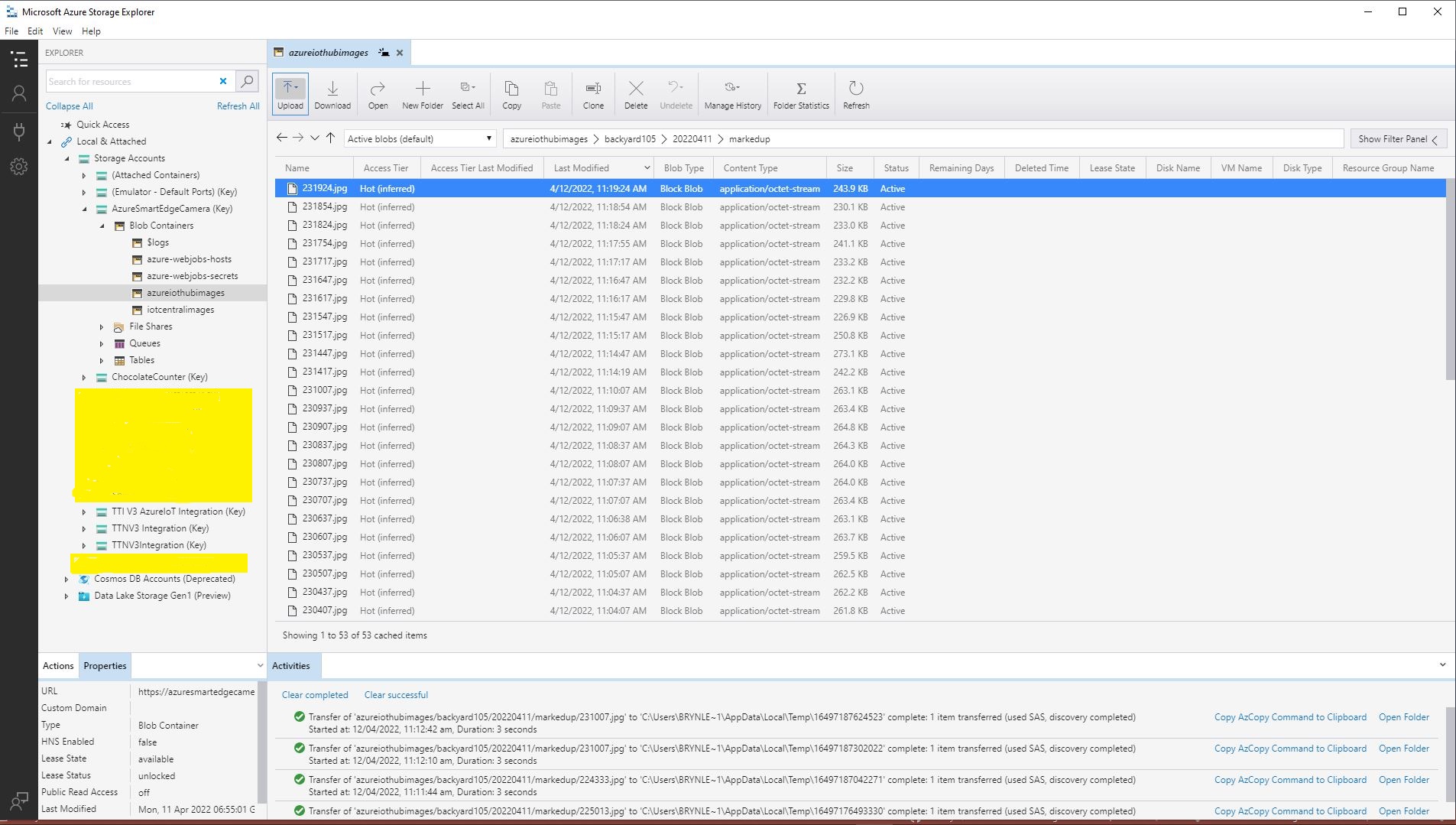
The Blob’s path is prefixed with the device id (My Azure Storage Service created an Azure Blob Storage container for each device).

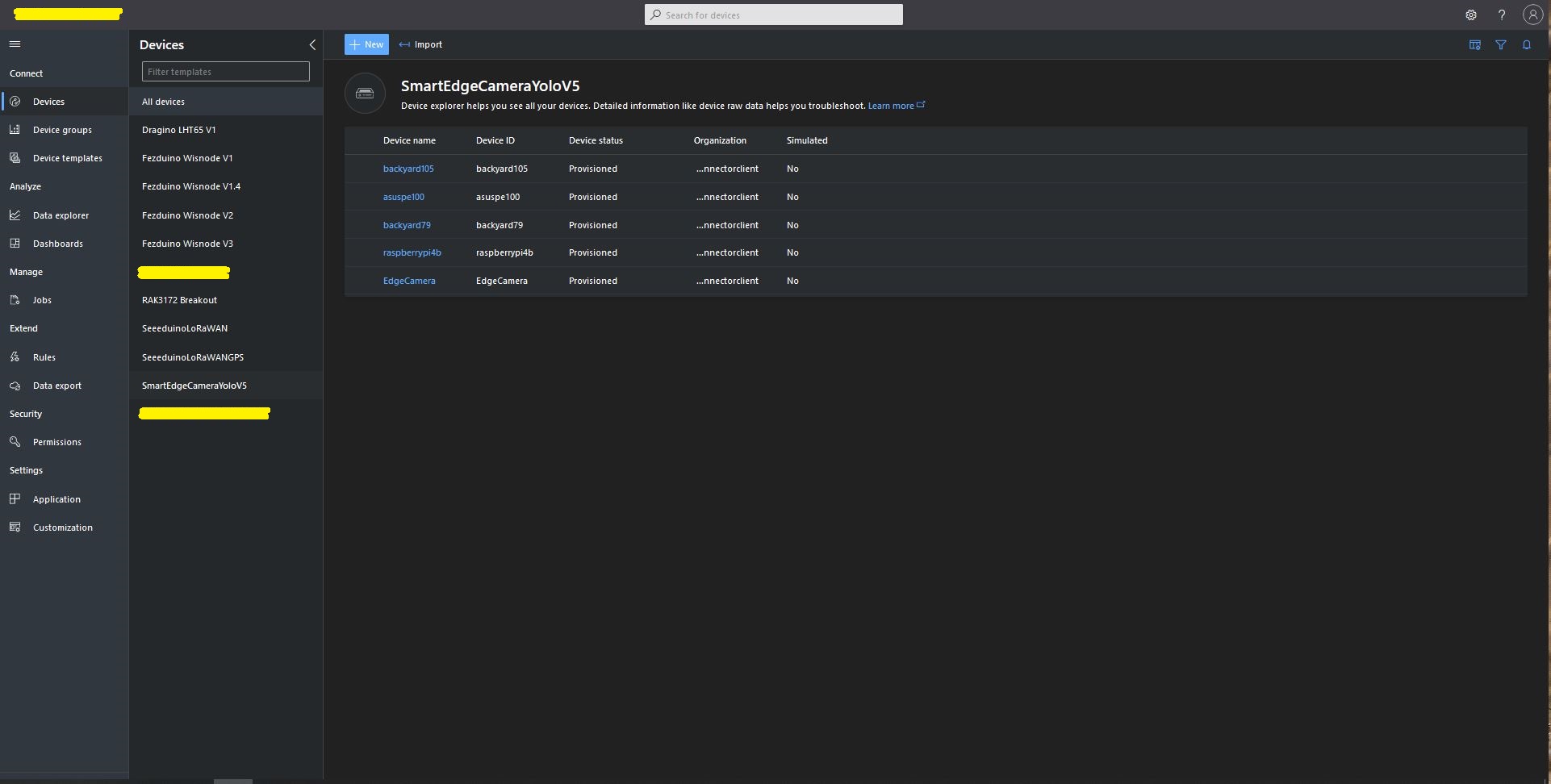
Azure IoT Central SmartEdge Camera devices

The format of the Azure Storage Blob path is configurable(ImageCameraFilenameFormat & ImageMarkedUpFilenameFormat + Universal Coordinated Time(UTC)) so images can be grouped.

Configurable Blob paths in Azure Storage Explorer

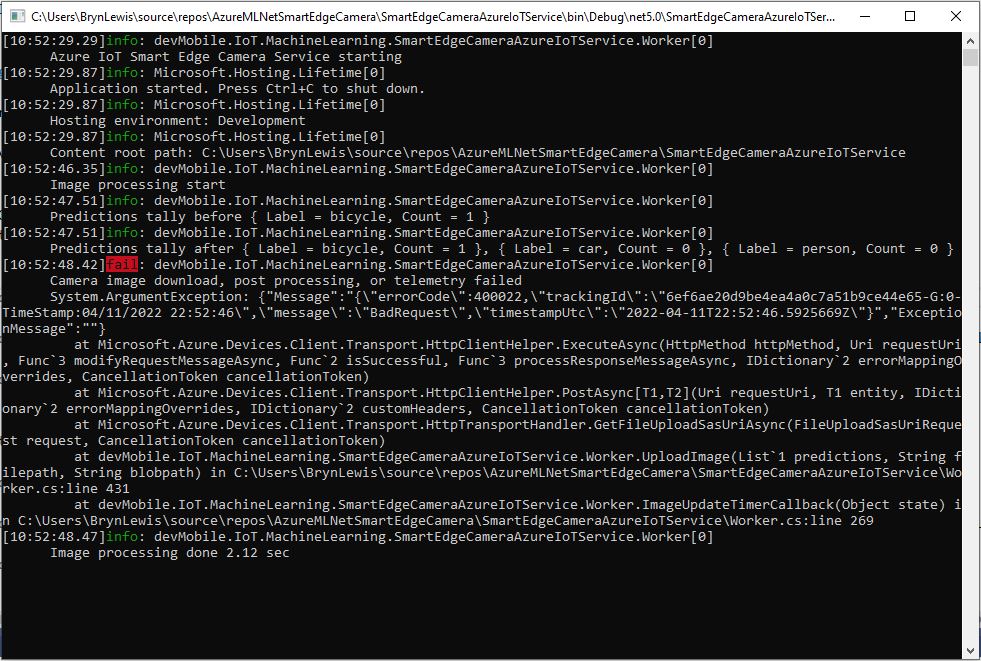
After creating a new Azure IoT Hub uploads started failing with an exception and there weren’t a lot of useful search results (April 2022). I found error this was caused by missing or incorrect Azure Storage Account configuration.

Azure IoT Hub Upload application failure logging
{"Message":"{\"errorCode\":400022,\"trackingId\":\"1175af36ec884cc4a54978f77b877a01-G:0-TimeStamp:04/12/2022 10:19:04\",\"message\":\"BadRequest\",\"timestampUtc\":\"2022-04-12T10:19:04.5925999Z\"}","ExceptionMessage":""}

   at Microsoft.Azure.Devices.Client.Transport.HttpClientHelper.<ExecuteAsync>d__23.MoveNext()
   at System.Runtime.ExceptionServices.ExceptionDispatchInfo.Throw()
   at System.Runtime.CompilerServices.TaskAwaiter.ThrowForNonSuccess(Task task)
   at System.Runtime.CompilerServices.TaskAwaiter.HandleNonSuccessAndDebuggerNotification(Task task)
   at Microsoft.Azure.Devices.Client.Transport.HttpClientHelper.<PostAsync>d__19`2.MoveNext()
   at System.Runtime.ExceptionServices.ExceptionDispatchInfo.Throw()
   at System.Runtime.CompilerServices.TaskAwaiter.ThrowForNonSuccess(Task task)
   at System.Runtime.CompilerServices.TaskAwaiter.HandleNonSuccessAndDebuggerNotification(Task task)
   at System.Runtime.CompilerServices.ConfiguredTaskAwaitable`1.ConfiguredTaskAwaiter.GetResult()
   at Microsoft.Azure.Devices.Client.Transport.HttpTransportHandler.<GetFileUploadSasUriAsync>d__15.MoveNext()
   at System.Runtime.ExceptionServices.ExceptionDispatchInfo.Throw()
   at System.Runtime.CompilerServices.TaskAwaiter.ThrowForNonSuccess(Task task)
   at System.Runtime.CompilerServices.TaskAwaiter.HandleNonSuccessAndDebuggerNotification(Task task)
   at System.Runtime.CompilerServices.TaskAwaiter`1.GetResult()
   at devMobile.IoT.MachineLearning.SmartEdgeCameraAzureIoTService.Worker.<UploadImage>d__14.MoveNext() in C:\Users\BrynLewis\source\repos\AzureMLNetSmartEdgeCamera\SmartEdgeCameraAzureIoTService\Worker.cs:line 430
   at System.Runtime.ExceptionServices.ExceptionDispatchInfo.Throw()
   at System.Runtime.CompilerServices.TaskAwaiter.ThrowForNonSuccess(Task task)
   at System.Runtime.CompilerServices.TaskAwaiter.HandleNonSuccessAndDebuggerNotification(Task task)
   at System.Runtime.CompilerServices.TaskAwaiter.GetResult()
   at devMobile.IoT.MachineLearning.SmartEdgeCameraAzureIoTService.Worker.<ImageUpdateTimerCallback>d__10.MoveNext() in C:\Users\BrynLewis\source\repos\AzureMLNetSmartEdgeCamera\SmartEdgeCameraAzureIoTService\Worker.cs:line 268

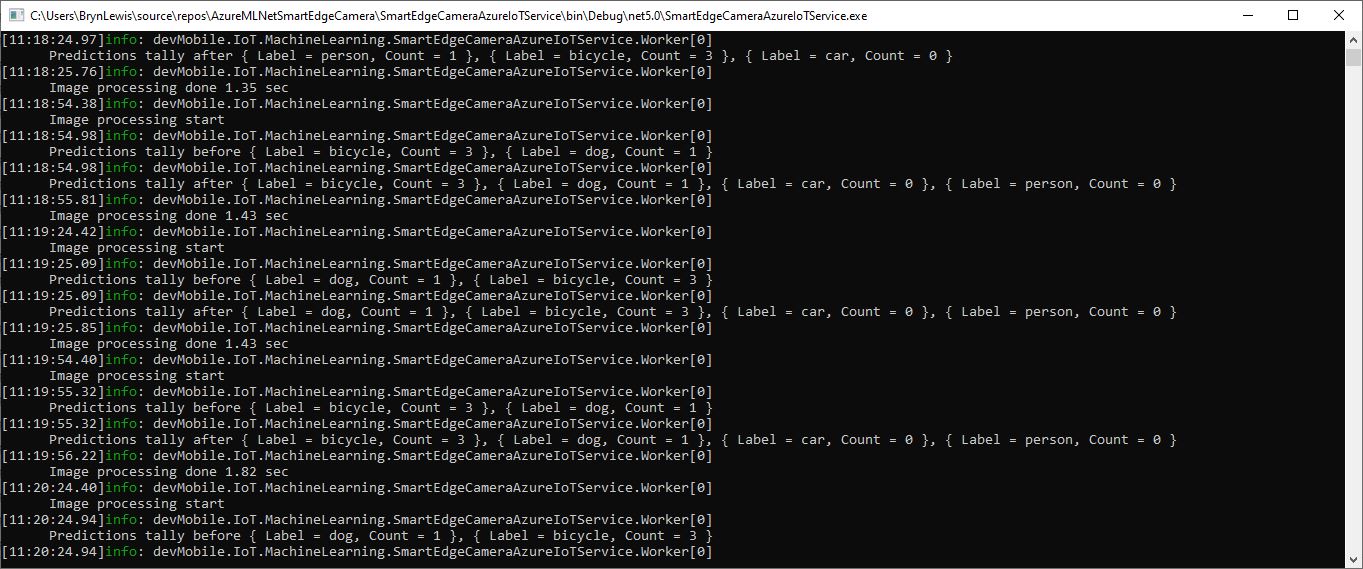
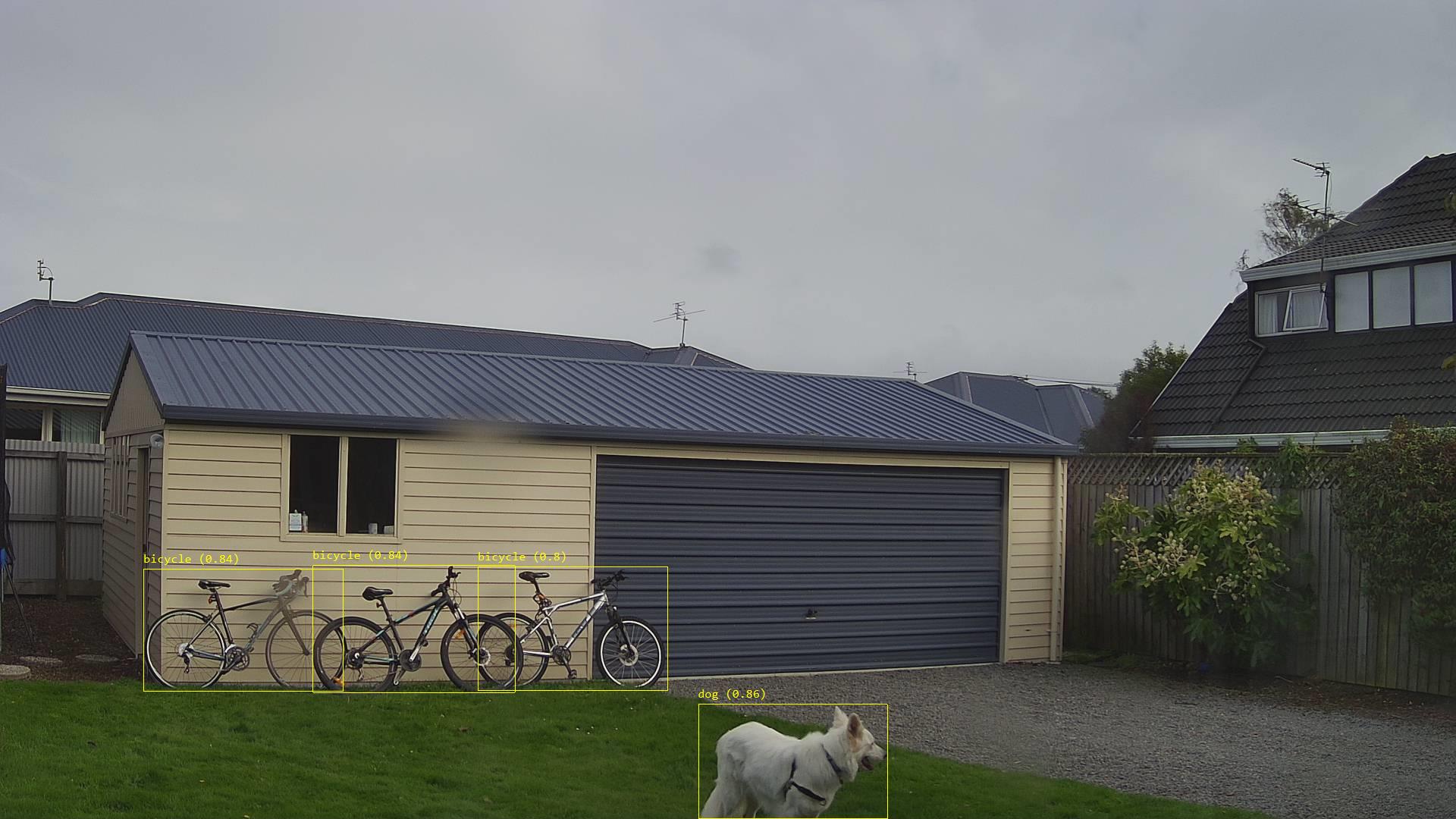
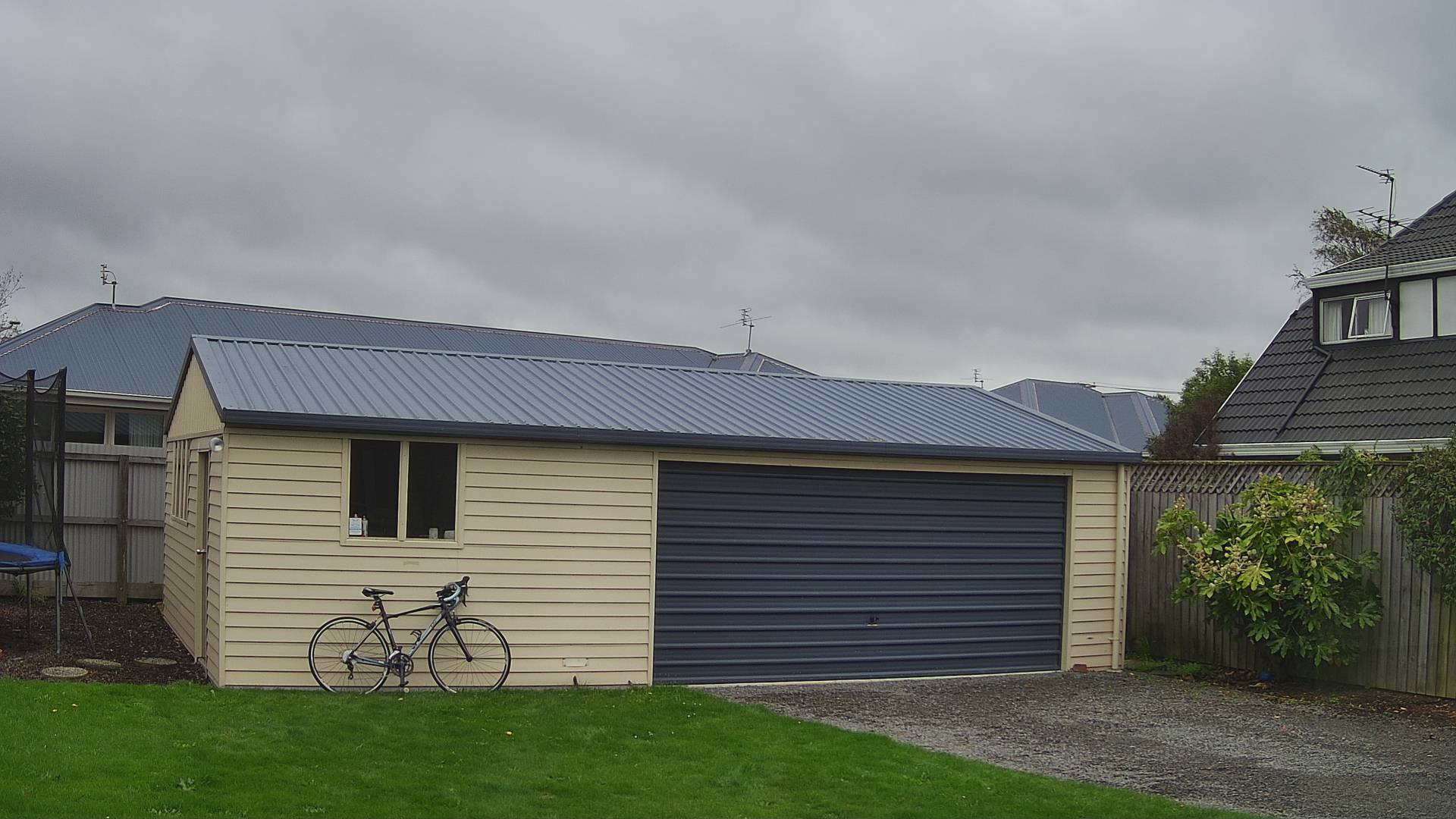
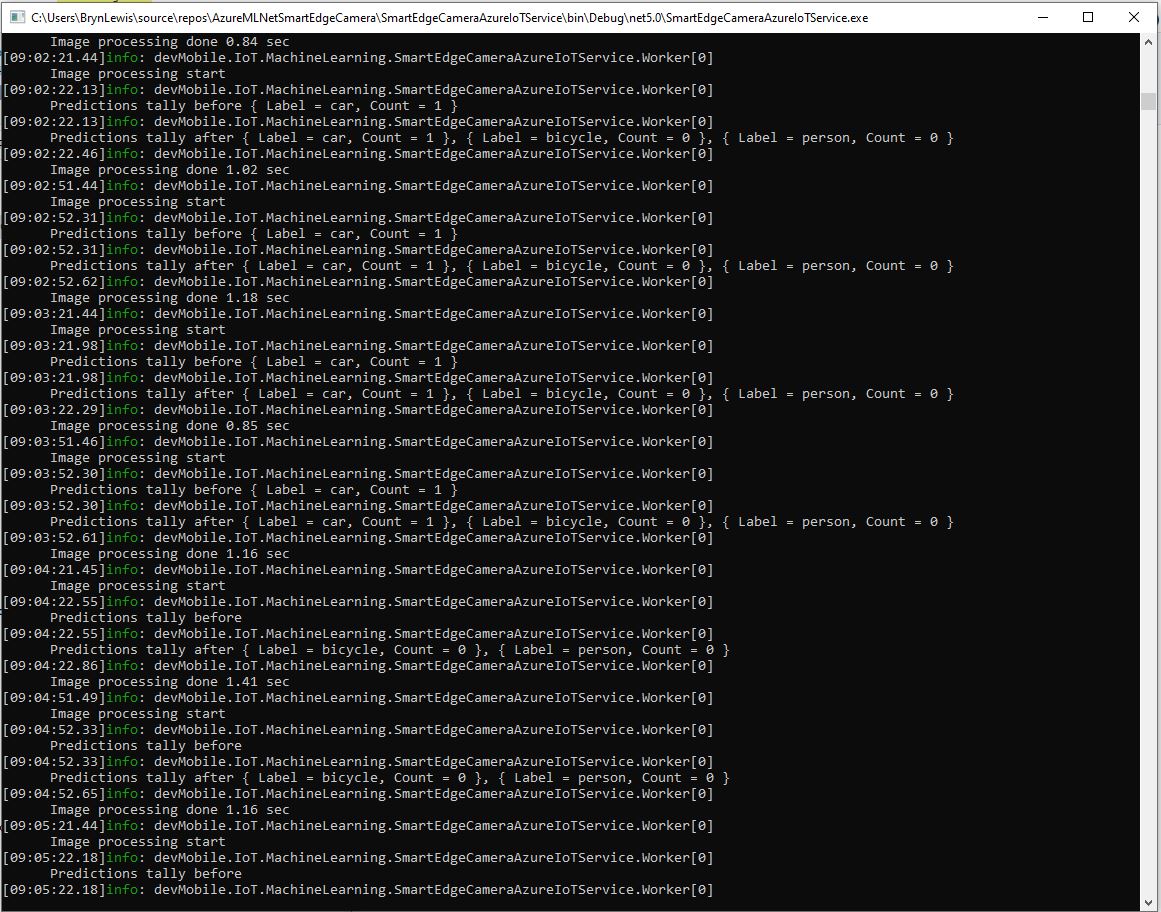
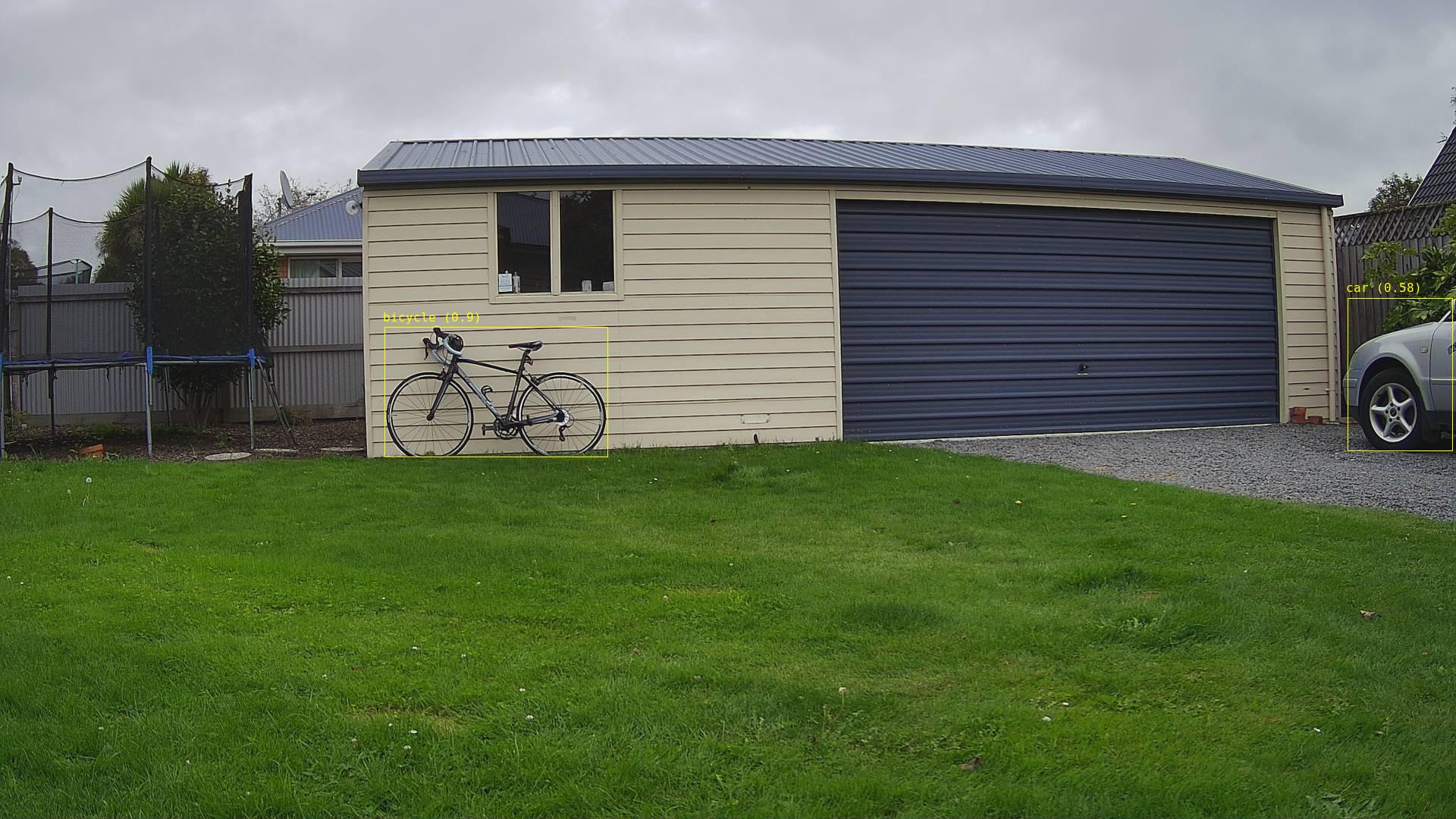
While testing the application I noticed an “unexpected” object detected in my backyard…

Unexpected object detection diagnostic logging
Unexpected object detection results marked-up image

The mentalstack/yolov5-net and NuGet have been incredibly useful and MentalStack team have done a marvelous job building and supporting this project. For this project my test-rig consisted of a Unv ADZK-10 Security Camera, Power over Ethernet(PoE) and my HP Prodesk 400G4 DM (i7-8700T).

Smartish Edge Camera – Azure IoT Central

This post builds on Smartish Edge Camera – Azure Hub Part 1 using the Azure IoT Hub Device Provisioning Service(DPS) to connect to Azure IoT Central.

The list of object classes is in the YoloCocoP5Model.cs file in the mentalstack/yolov5-net repository.

public override List<YoloLabel> Labels { get; set; } = new List<YoloLabel>()
{
    new YoloLabel { Id = 1, Name = "person" },
    new YoloLabel { Id = 2, Name = "bicycle" },
    new YoloLabel { Id = 3, Name = "car" },
    new YoloLabel { Id = 4, Name = "motorcycle" },
    new YoloLabel { Id = 5, Name = "airplane" },
    new YoloLabel { Id = 6, Name = "bus" },
    new YoloLabel { Id = 7, Name = "train" },
    new YoloLabel { Id = 8, Name = "truck" },
    new YoloLabel { Id = 9, Name = "boat" },
    new YoloLabel { Id = 10, Name = "traffic light" },
    new YoloLabel { Id = 11, Name = "fire hydrant" },
    new YoloLabel { Id = 12, Name = "stop sign" },
    new YoloLabel { Id = 13, Name = "parking meter" },
    new YoloLabel { Id = 14, Name = "bench" },
    new YoloLabel { Id = 15, Name = "bird" },
    new YoloLabel { Id = 16, Name = "cat" },
    new YoloLabel { Id = 17, Name = "dog" },
    new YoloLabel { Id = 18, Name = "horse" },
    new YoloLabel { Id = 19, Name = "sheep" },
    new YoloLabel { Id = 20, Name = "cow" },
    new YoloLabel { Id = 21, Name = "elephant" },
    new YoloLabel { Id = 22, Name = "bear" },
    new YoloLabel { Id = 23, Name = "zebra" },
    new YoloLabel { Id = 24, Name = "giraffe" },
    new YoloLabel { Id = 25, Name = "backpack" },
    new YoloLabel { Id = 26, Name = "umbrella" },
    new YoloLabel { Id = 27, Name = "handbag" },
    new YoloLabel { Id = 28, Name = "tie" },
    new YoloLabel { Id = 29, Name = "suitcase" },
    new YoloLabel { Id = 30, Name = "frisbee" },
    new YoloLabel { Id = 31, Name = "skis" },
    new YoloLabel { Id = 32, Name = "snowboard" },
    new YoloLabel { Id = 33, Name = "sports ball" },
    new YoloLabel { Id = 34, Name = "kite" },
    new YoloLabel { Id = 35, Name = "baseball bat" },
    new YoloLabel { Id = 36, Name = "baseball glove" },
    new YoloLabel { Id = 37, Name = "skateboard" },
    new YoloLabel { Id = 38, Name = "surfboard" },
    new YoloLabel { Id = 39, Name = "tennis racket" },
    new YoloLabel { Id = 40, Name = "bottle" },
    new YoloLabel { Id = 41, Name = "wine glass" },
    new YoloLabel { Id = 42, Name = "cup" },
    new YoloLabel { Id = 43, Name = "fork" },
    new YoloLabel { Id = 44, Name = "knife" },
    new YoloLabel { Id = 45, Name = "spoon" },
    new YoloLabel { Id = 46, Name = "bowl" },
    new YoloLabel { Id = 47, Name = "banana" },
    new YoloLabel { Id = 48, Name = "apple" },
    new YoloLabel { Id = 49, Name = "sandwich" },
    new YoloLabel { Id = 50, Name = "orange" },
    new YoloLabel { Id = 51, Name = "broccoli" },
    new YoloLabel { Id = 52, Name = "carrot" },
    new YoloLabel { Id = 53, Name = "hot dog" },
    new YoloLabel { Id = 54, Name = "pizza" },
    new YoloLabel { Id = 55, Name = "donut" },
    new YoloLabel { Id = 56, Name = "cake" },
    new YoloLabel { Id = 57, Name = "chair" },
    new YoloLabel { Id = 58, Name = "couch" },
    new YoloLabel { Id = 59, Name = "potted plant" },
    new YoloLabel { Id = 60, Name = "bed" },
    new YoloLabel { Id = 61, Name = "dining table" },
    new YoloLabel { Id = 62, Name = "toilet" },
    new YoloLabel { Id = 63, Name = "tv" },
    new YoloLabel { Id = 64, Name = "laptop" },
    new YoloLabel { Id = 65, Name = "mouse" },
    new YoloLabel { Id = 66, Name = "remote" },
    new YoloLabel { Id = 67, Name = "keyboard" },
    new YoloLabel { Id = 68, Name = "cell phone" },
    new YoloLabel { Id = 69, Name = "microwave" },
    new YoloLabel { Id = 70, Name = "oven" },
    new YoloLabel { Id = 71, Name = "toaster" },
    new YoloLabel { Id = 72, Name = "sink" },
    new YoloLabel { Id = 73, Name = "refrigerator" },
    new YoloLabel { Id = 74, Name = "book" },
    new YoloLabel { Id = 75, Name = "clock" },
    new YoloLabel { Id = 76, Name = "vase" },
    new YoloLabel { Id = 77, Name = "scissors" },
    new YoloLabel { Id = 78, Name = "teddy bear" },
    new YoloLabel { Id = 79, Name = "hair drier" },
    new YoloLabel { Id = 80, Name = "toothbrush" }
};

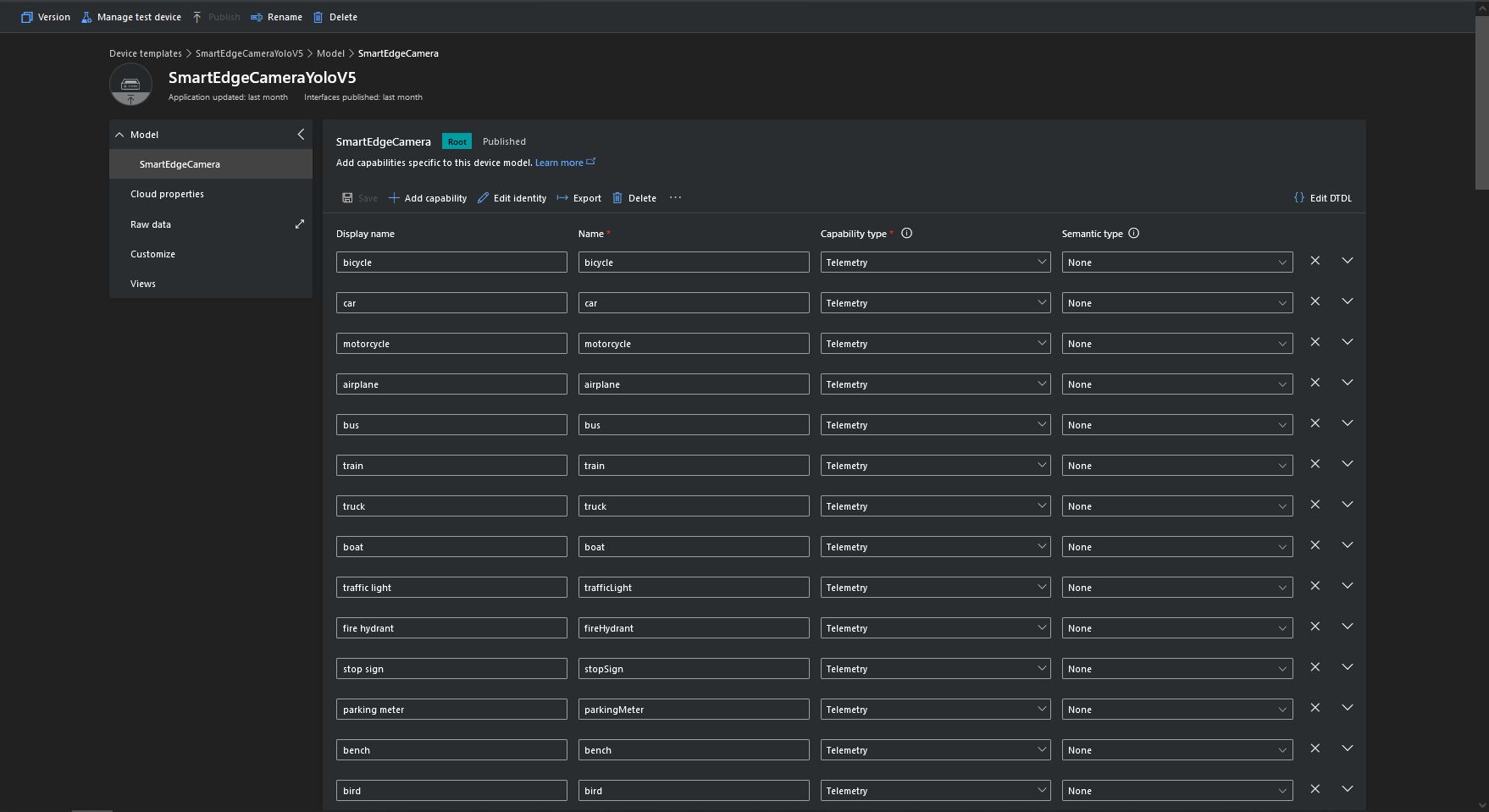
Some of the label choices seem a bit arbitrary(frisbee, surfboard) and American(fire hydrant, baseball bat, baseball glove) It was quite tedious configuring the 80 labels in my Azure IoT Central template.

Azure IoT Central Template with all the YoloV5 labels configured

If there is an object with a label in the PredictionLabelsOfInterest list, a tally of each of the different object classes in the image is sent to an Azure IoT Hub/ Azure IoT Central.

"Application": {
  "DeviceID": "",
  "ImageTimerDue": "0.00:00:15",
  "ImageTimerPeriod": "0.00:00:30",

  "ImageCameraFilepath": "ImageCamera.jpg",
  "ImageMarkedUpFilepath": "ImageMarkedup.jpg",

  "YoloV5ModelPath": "YoloV5/yolov5s.onnx",

  "PredictionScoreThreshold": 0.7,
  "PredictionLabelsOfInterest": [
    "bicycle",
    "person"
  ],
  "PredictionLabelsMinimum": [
    "bicycle",
    "car",
    "person"
  ]
}
My backyard just after the car left (the dry patch in shingle on the right)
Smartish Edge Camera Service console just after car left
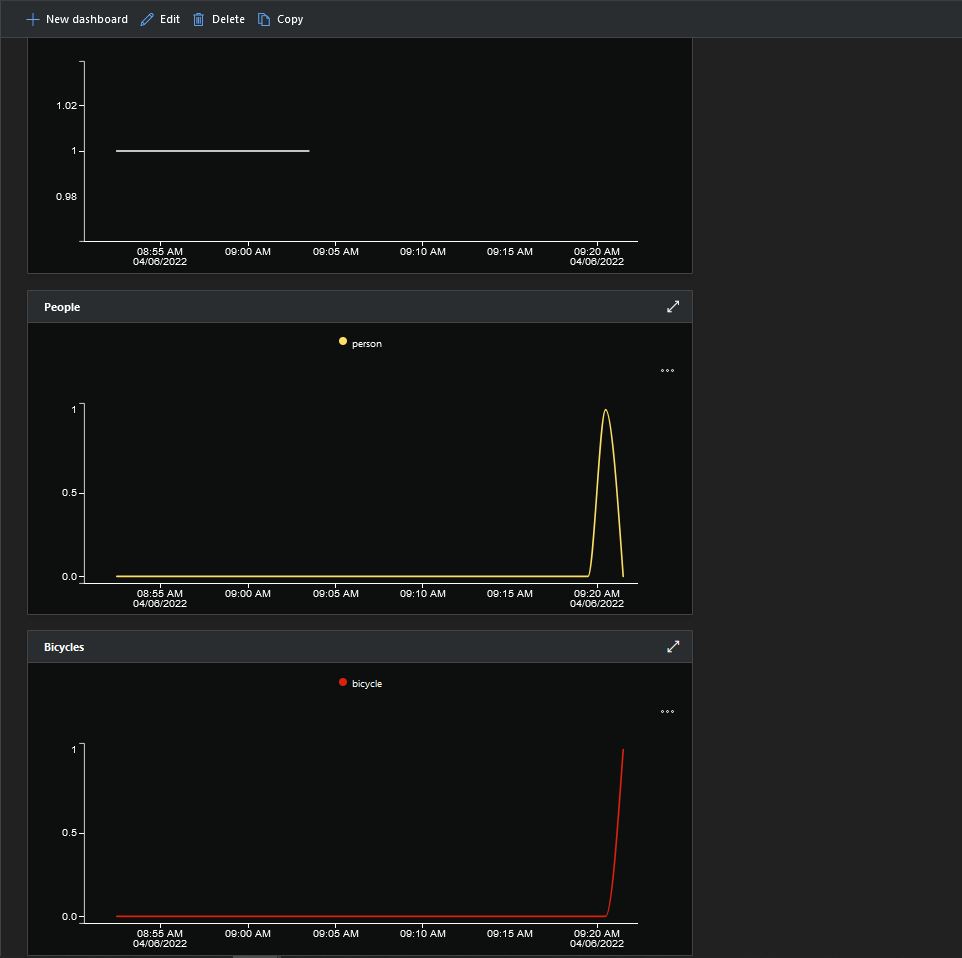
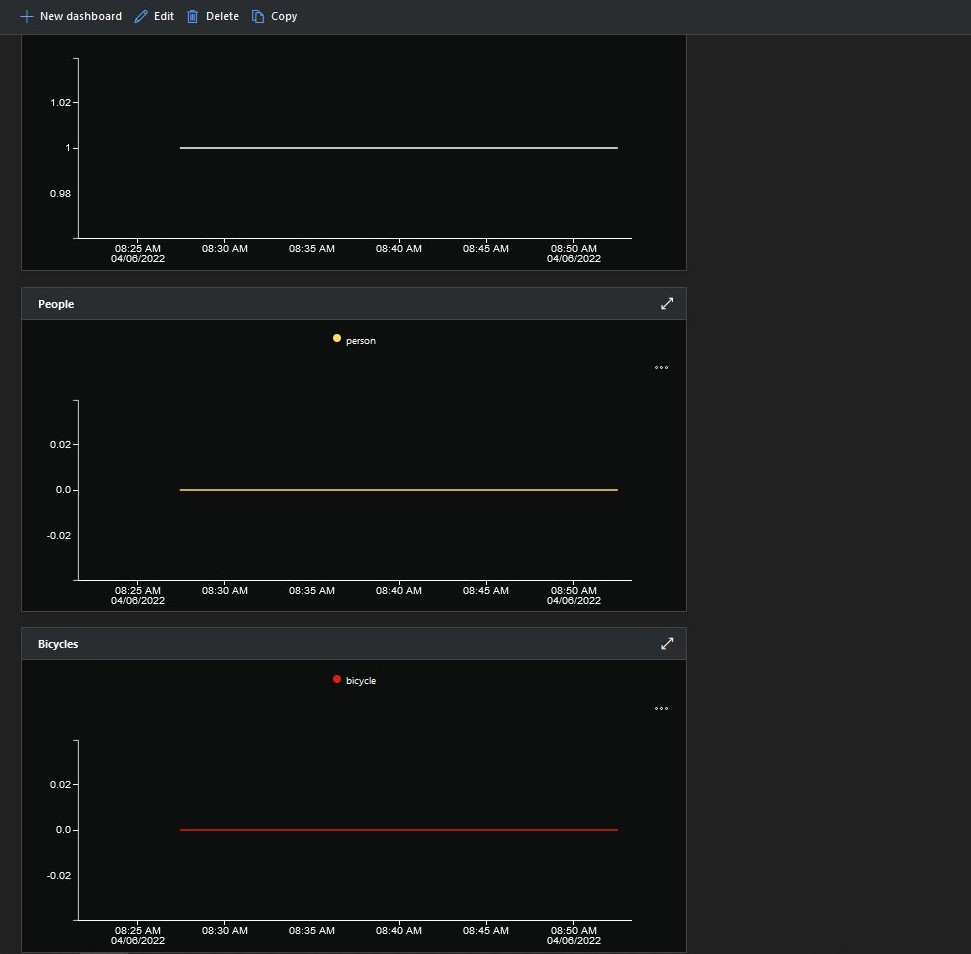
Smartish Edge Camera Azure IoT Central graphs showing missing data points

After the You Only Look Once(YOLOV5)+ML.Net+Open Neural Network Exchange(ONNX) plumbing has loaded a timer with a configurable due time and period is started.

private async void ImageUpdateTimerCallback(object state)
{
	DateTime requestAtUtc = DateTime.UtcNow;

	// Just incase - stop code being called while photo already in progress
	if (_cameraBusy)
	{
		return;
	}
	_cameraBusy = true;

	_logger.LogInformation("Image processing start");

	try
	{
#if CAMERA_RASPBERRY_PI
		RaspberryPIImageCapture();
#endif
#if CAMERA_SECURITY
		SecurityCameraImageCapture();
#endif
		List<YoloPrediction> predictions;

		using (Image image = Image.FromFile(_applicationSettings.ImageCameraFilepath))
		{
			_logger.LogTrace("Prediction start");
			predictions = _scorer.Predict(image);
			_logger.LogTrace("Prediction done");

			OutputImageMarkup(image, predictions, _applicationSettings.ImageMarkedUpFilepath);
		}

		if (_logger.IsEnabled(LogLevel.Trace))
		{
			_logger.LogTrace("Predictions {0}", predictions.Select(p => new { p.Label.Name, p.Score }));
		}

		var predictionsValid = predictions.Where(p => p.Score >= _applicationSettings.PredictionScoreThreshold).Select(p => p.Label.Name);

		// Count up the number of each class detected in the image
		var predictionsTally = predictionsValid.GroupBy(p => p)
				.Select(p => new
				{
					Label = p.Key,
					Count = p.Count()
				});

		if (_logger.IsEnabled(LogLevel.Information))
		{
			_logger.LogInformation("Predictions tally before {0}", predictionsTally.ToList());
		}

		// Add in any missing counts the cloudy side is expecting
		if (_applicationSettings.PredictionLabelsMinimum != null)
		{
			foreach( String label in _applicationSettings.PredictionLabelsMinimum)
			{
				if (!predictionsTally.Any(c=>c.Label == label ))
				{
					predictionsTally = predictionsTally.Append(new {Label = label, Count = 0 });
				}
			}
		}

		if (_logger.IsEnabled(LogLevel.Information))
		{
			_logger.LogInformation("Predictions tally after {0}", predictionsTally.ToList());
		}

		if ((_applicationSettings.PredictionLabelsOfInterest == null) || (predictionsValid.Select(c => c).Intersect(_applicationSettings.PredictionLabelsOfInterest, StringComparer.OrdinalIgnoreCase).Any()))
		{
			JObject telemetryDataPoint = new JObject();

			foreach (var predictionTally in predictionsTally)
			{
				telemetryDataPoint.Add(predictionTally.Label, predictionTally.Count);
			}

			using (Message message = new Message(Encoding.ASCII.GetBytes(JsonConvert.SerializeObject(telemetryDataPoint))))
			{
				message.Properties.Add("iothub-creation-time-utc", requestAtUtc.ToString("s", CultureInfo.InvariantCulture));

				await _deviceClient.SendEventAsync(message);
			}
		}
	}
	catch (Exception ex)
	{
		_logger.LogError(ex, "Camera image download, post processing, or telemetry failed");
	}
	finally
	{
		_cameraBusy = false;
	}

	TimeSpan duration = DateTime.UtcNow - requestAtUtc;

	_logger.LogInformation("Image processing done {0:f2} sec", duration.TotalSeconds);
}

Using some Language Integrated Query (LINQ) code any predictions with a score < PredictionScoreThreshold are discarded. A count of the instances of each class is generated with some more LINQ code.

The PredictionLabelsMinimum(optional) is then used to add additional labels with a count of 0 to PredictionsTally so there are no missing datapoints. This is specifically for Azure IoT Central Dashboard so the graph lines are continuous.

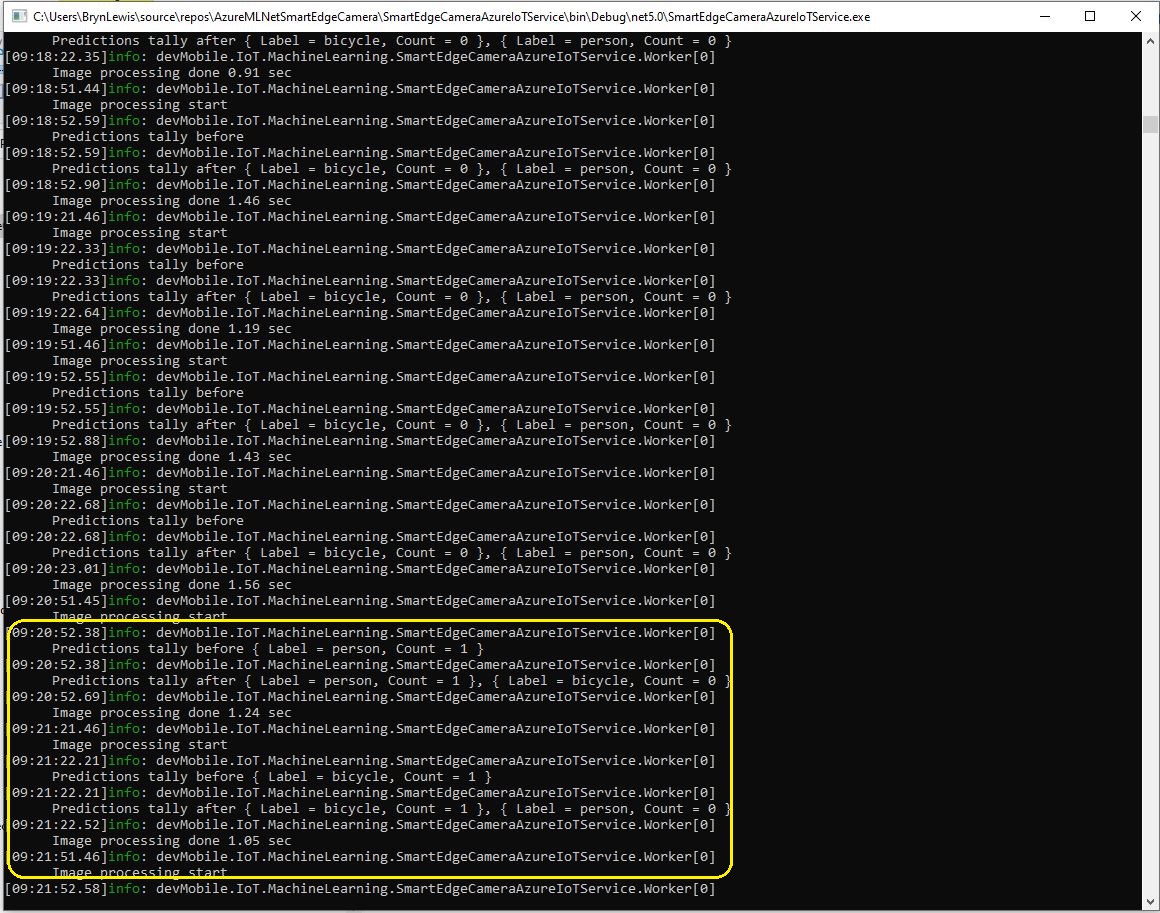
Smartish Edge Camera Service console just after put bike in-front of the garage

If any of the list of valid predictions labels is in the PredictionLabelsOfInterest list (if the PredictionLabelsOfInterest is empty any label is a label of interest) the list of prediction class counts is used to populate a Newtonsoft JObject which is serialised to generate a Java Script Object Notation(JSON) Azure IoT Hub message payload.

The “automagic” graph scaling can be sub-optimal

The mentalstack/yolov5-net and NuGet have been incredibly useful and MentalStack team have done a marvelous job building and supporting this project.

The test-rig consisted of a Unv ADZK-10 Security Camera, Power over Ethernet(PoE) and my HP Prodesk 400G4 DM (i7-8700T).

Smartish Edge Camera – Azure IoT Hub

The SmartEdgeCameraAzureIoTService application uses the same You Only Look Once(YOLOV5) + ML.Net + Open Neural Network Exchange(ONNX) plumbing as the SmartEdgeCameraAzureStorageService.

If there is an object with a label in the PredictionLabelsOfInterest list, a tally of each of the different object classes is sent to an Azure IoT Hub.

"Application": {
  "DeviceID": "",
  "ImageTimerDue": "0.00:00:15",
  "ImageTimerPeriod": "0.00:00:30",

  "ImageCameraFilepath": "ImageCamera.jpg",

  "YoloV5ModelPath": "YoloV5/yolov5s.onnx",

  "PredicitionScoreThreshold": 0.7,
  "PredictionLabelsOfInterest": [
    "person"
  ],
}

The Azure IoT hub can configured via a Shared Access Signature(SAS) device policy connection string or the Azure IoT Hub Device Provisioning Service(DPS)

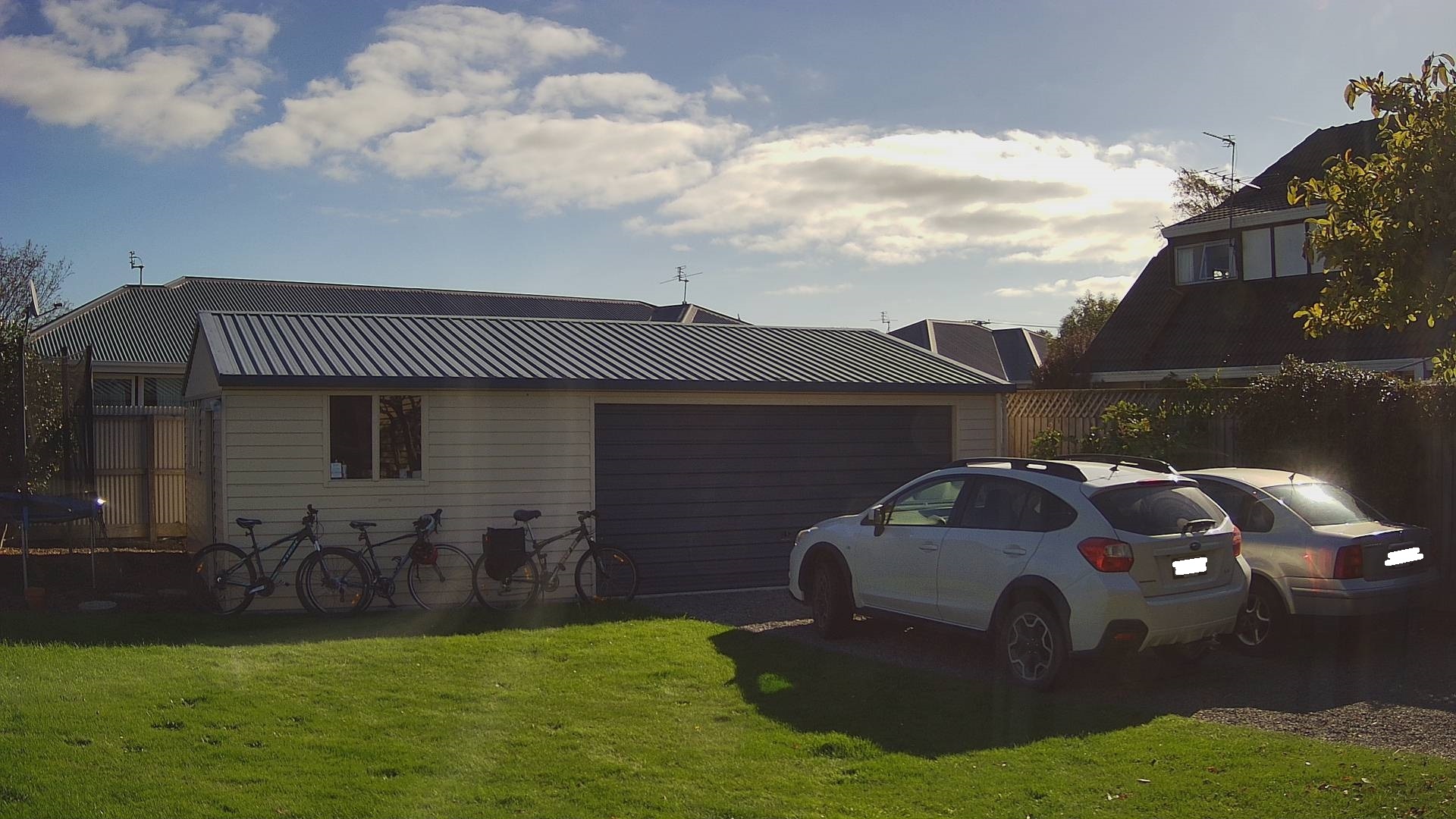
Cars and bicycles in my backyard with no object(s) of interest
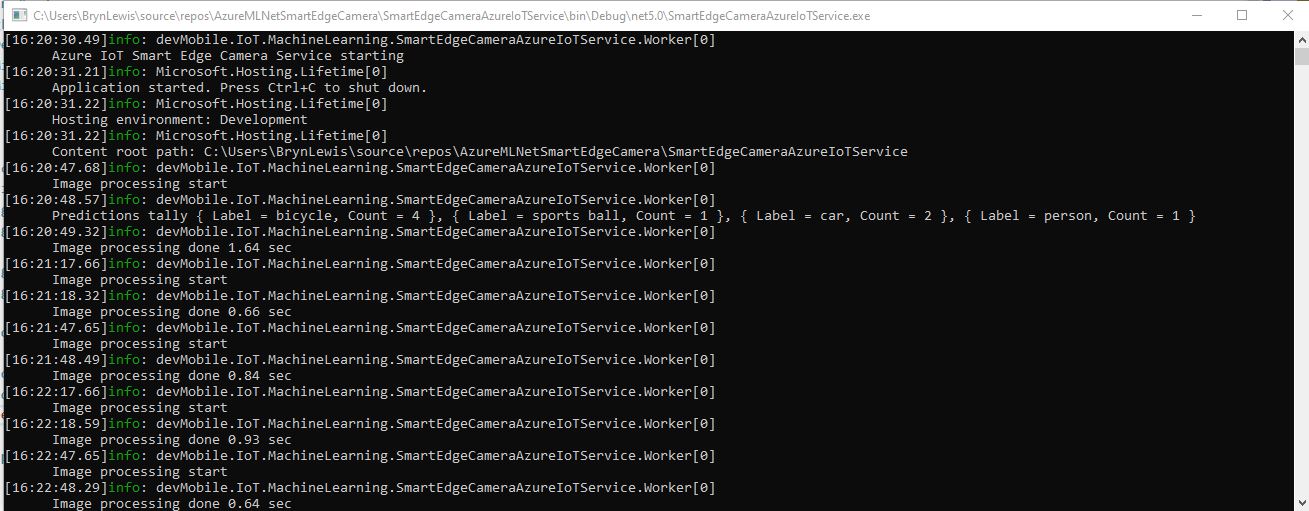
SmartEdgeCameraAzureIoTService no object(s) of interest
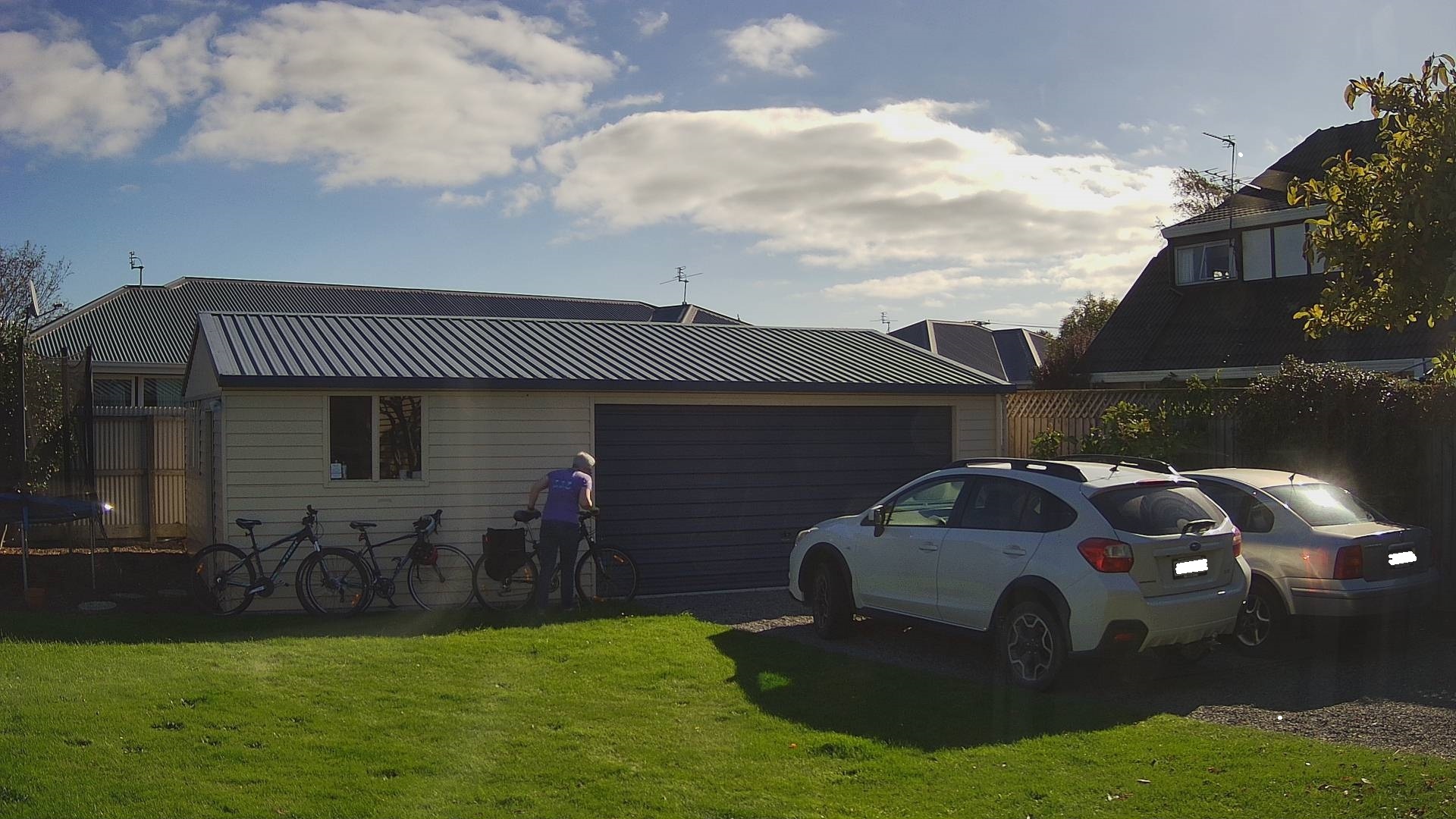
Cars and bicycles in my backyard with one object of interest
SmartEdgeCameraAzureIoTService one object of interest
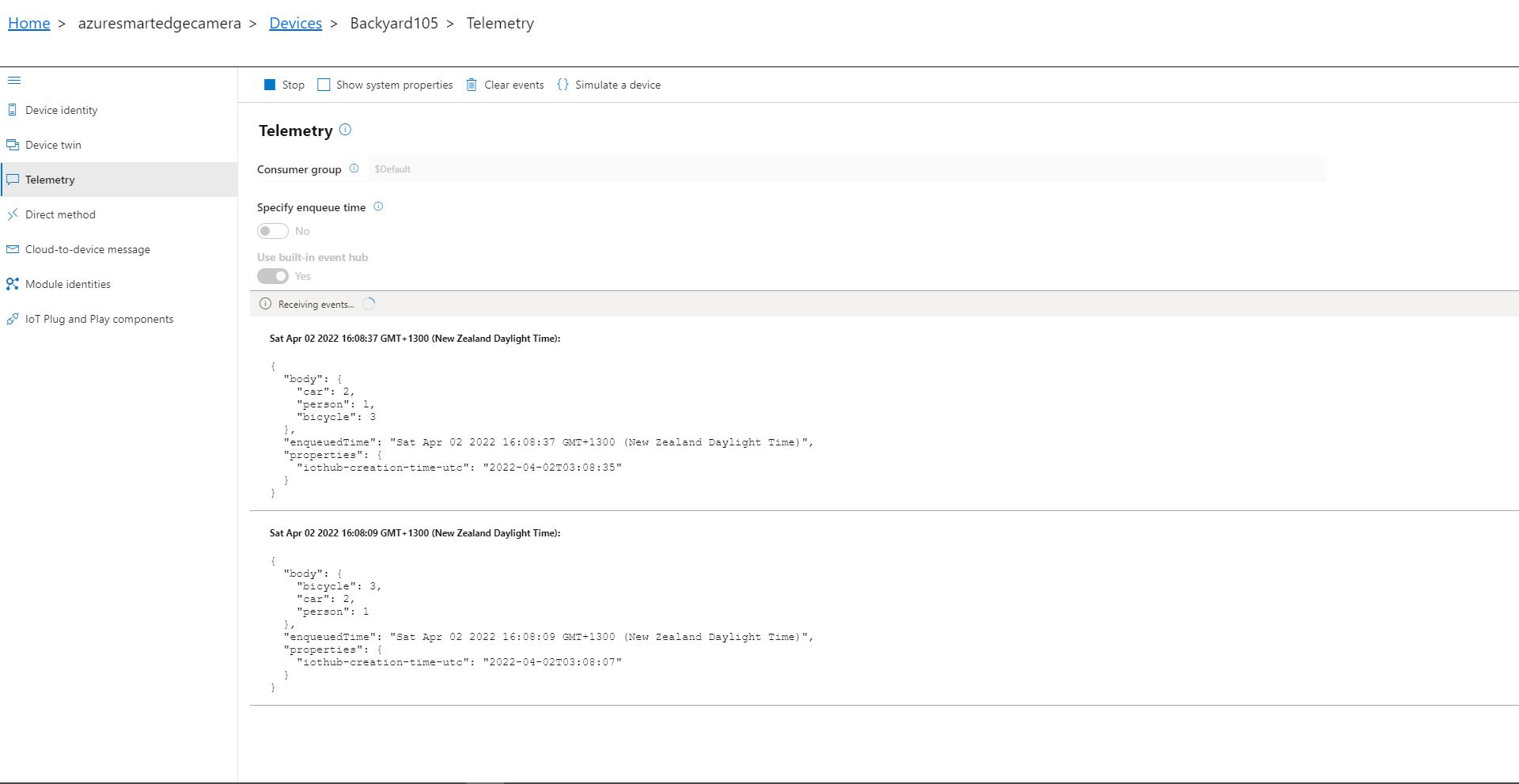
Azure IoT Explorer Telemetry with one object of interest

After the You Only Look Once(YOLOV5)+ML.Net+Open Neural Network Exchange(ONNX) plumbing has loaded a timer with a configurable due time and period is started. Using some Language Integrated Query (LINQ) code any predictions with a score < PredictionScoreThreshold are discarded, then the list of predictions is checked to see if there are any in the PredictionLabelsOfInterest. If there are any matching predictions a count of the instances of each class is generated with more LINQ code.

private async void ImageUpdateTimerCallback(object state)
{
	DateTime requestAtUtc = DateTime.UtcNow;

	// Just incase - stop code being called while photo already in progress
	if (_cameraBusy)
	{
		return;
	}
	_cameraBusy = true;

	_logger.LogInformation("Image processing start");

	try
	{
#if CAMERA_RASPBERRY_PI
		RaspberryPIImageCapture();
#endif
#if CAMERA_SECURITY
		SecurityCameraImageCapture();
#endif
		List<YoloPrediction> predictions;

		using (Image image = Image.FromFile(_applicationSettings.ImageCameraFilepath))
		{
			_logger.LogTrace("Prediction start");
			predictions = _scorer.Predict(image);
			_logger.LogTrace("Prediction done");
		}

		if (_logger.IsEnabled(LogLevel.Trace))
		{
			_logger.LogTrace("Predictions {0}", predictions.Select(p => new { p.Label.Name, p.Score }));
		}

		var predictionsOfInterest = predictions.Where(p => p.Score > _applicationSettings.PredicitionScoreThreshold)
										.Select(c => c.Label.Name)
										.Intersect(_applicationSettings.PredictionLabelsOfInterest, StringComparer.OrdinalIgnoreCase);

		if (predictionsOfInterest.Any())
		{
			if (_logger.IsEnabled(LogLevel.Trace))
			{
				_logger.LogTrace("Predictions of interest {0}", predictionsOfInterest.ToList());
			}

			var predictionsTally = predictions.GroupBy(p => p.Label.Name)
									.Select(p => new
									{
										Label = p.Key,
										Count = p.Count()
									});

			if (_logger.IsEnabled(LogLevel.Information))
			{
				_logger.LogInformation("Predictions tally {0}", predictionsTally.ToList());
			}

			JObject telemetryDataPoint = new JObject();

			foreach (var predictionTally in predictionsTally)
			{
				telemetryDataPoint.Add(predictionTally.Label, predictionTally.Count);
			}

			using (Message message = new Message(Encoding.ASCII.GetBytes(JsonConvert.SerializeObject(telemetryDataPoint))))
			{
				message.Properties.Add("iothub-creation-time-utc", requestAtUtc.ToString("s", CultureInfo.InvariantCulture));

				await _deviceClient.SendEventAsync(message);
			}
		}
	}
	catch (Exception ex)
	{
		_logger.LogError(ex, "Camera image download, post processing, telemetry failed");
	}
	finally
	{
		_cameraBusy = false;
	}

	TimeSpan duration = DateTime.UtcNow - requestAtUtc;

	_logger.LogInformation("Image processing done {0:f2} sec", duration.TotalSeconds);
}

The list of prediction class counts is used to populate a Newtonsoft JObject which serialised to generate a Java Script Object Notation(JSON) payload for an Azure IoT Hub message.

The test-rig consisted of a Unv ADZK-10 Security Camera, Power over Ethernet(PoE) and my HP Prodesk 400G4 DM (i7-8700T)

Smartish Edge Camera – Azure Storage Service

The AzureIoTSmartEdgeCameraService was a useful proof of concept(PoC) but the codebase was starting to get unwieldy so it has been split into the SmartEdgeCameraAzureStorageService and SmartEdgeCameraAzureIoTService.

The initial ML.Net +You only look once V5(YoloV5) project uploaded raw (effectively a time lapse camera) and marked-up (with searchable tags) images to Azure Storage. But, after using it in a “real” project I found…

  • The time-lapse functionality which continually uploaded images wasn’t that useful. I have another standalone application which has that functionality.
  • If an object with a label in the “PredictionLabelsOfInterest” and a score greater than PredicitionScoreThreshold was detected it was useful to have the option to upload the camera and/or marked-up (including objects below the threshold) image(s).
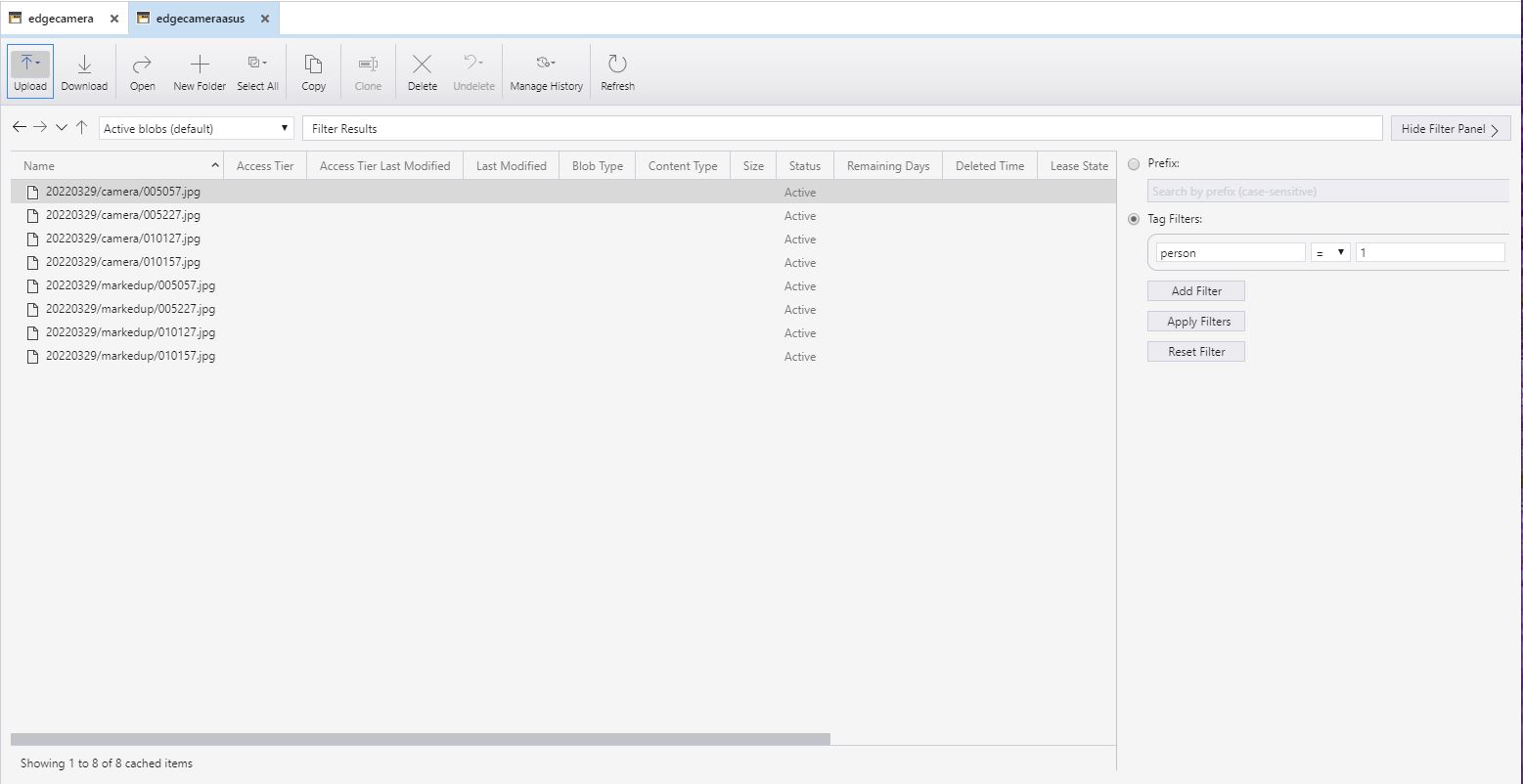
  • Having both camera and marked-up images tagged so they were searchable with an application like Azure Storage Explorer was very useful.
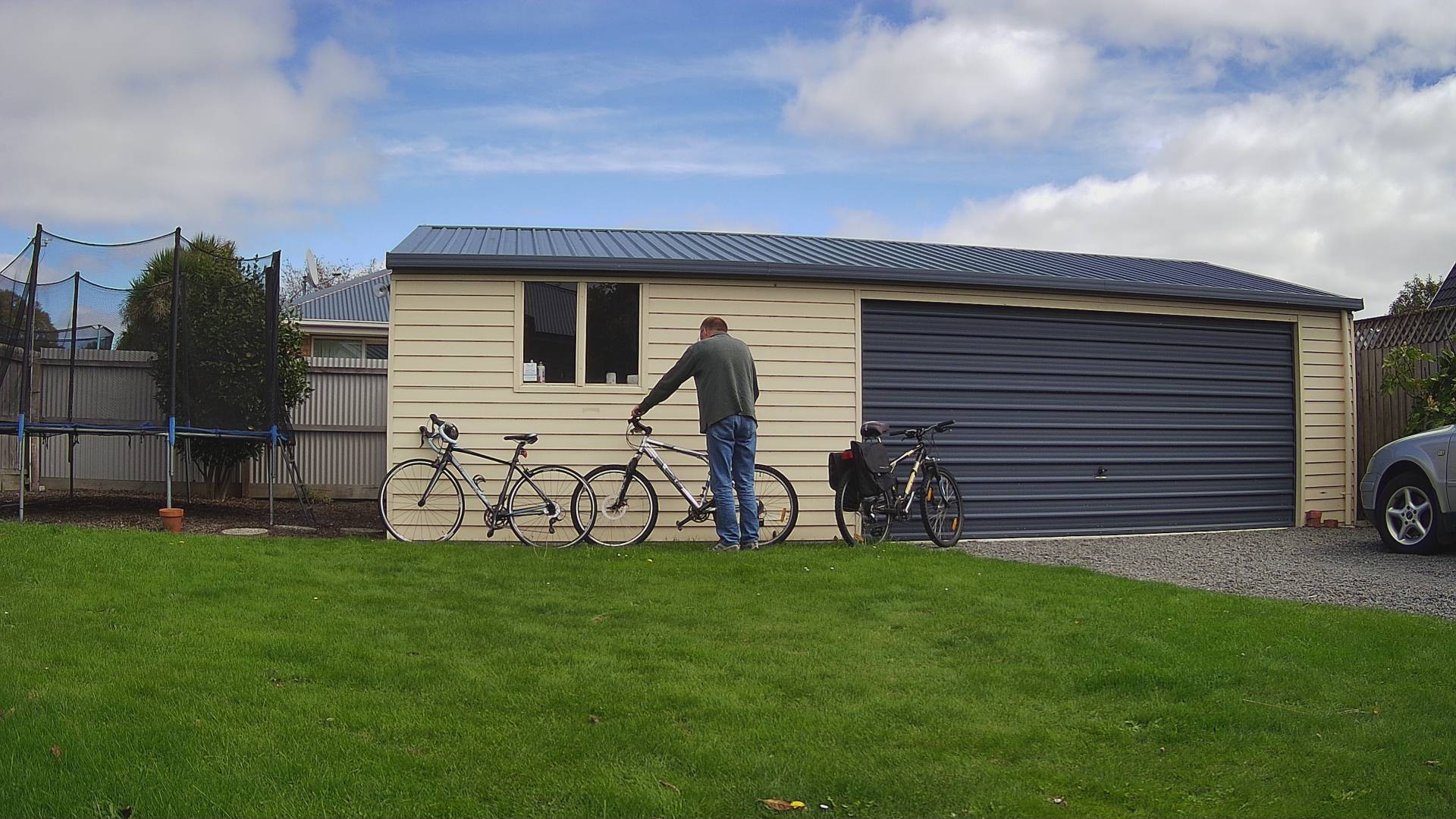
Security Camera Image
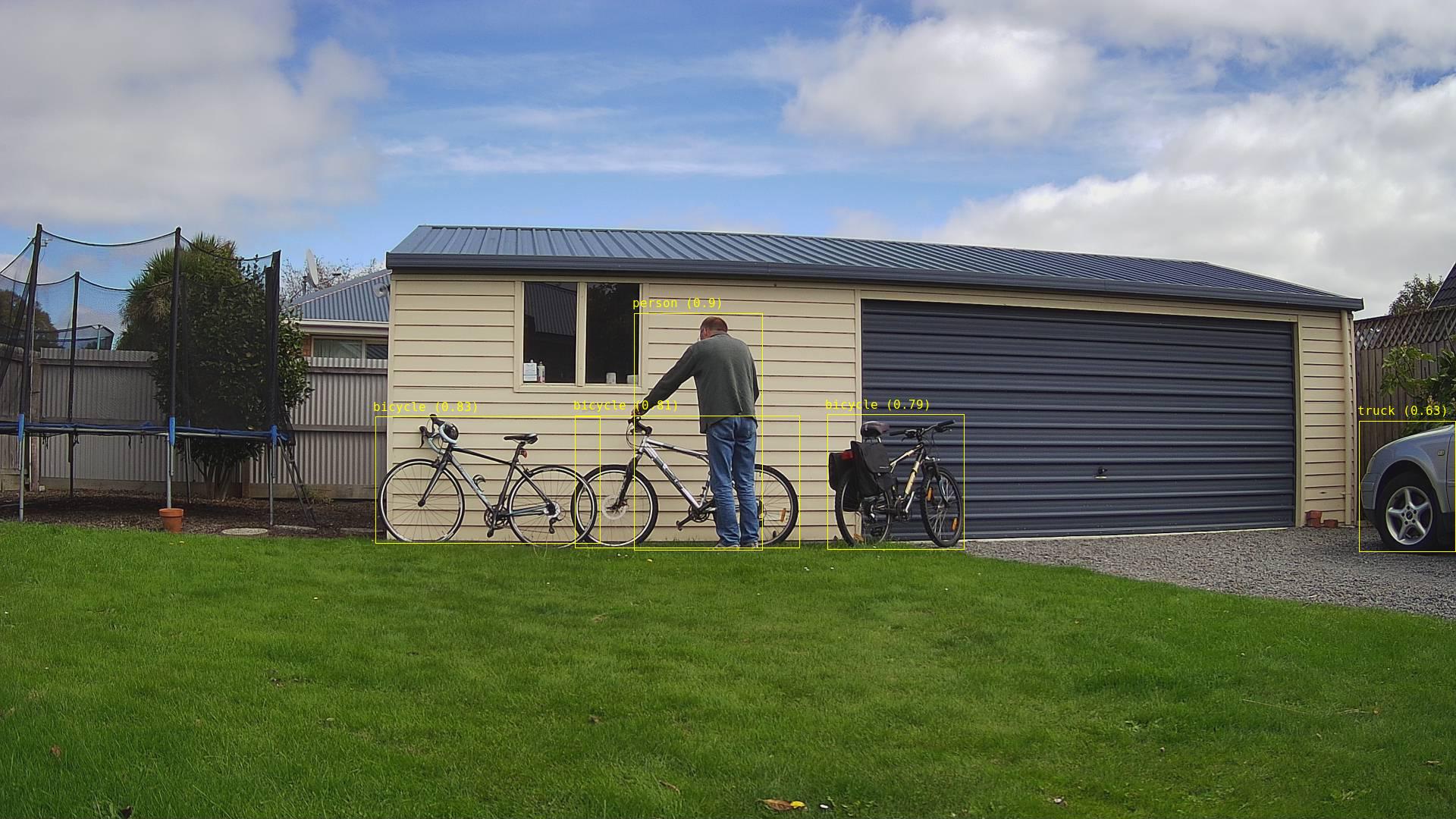
Security Camera image with bounding boxes around all detected objects
Azure Storage Explorer filter for images containing 1 person

After the You Only Look Once(YOLOV5)+ML.Net+Open Neural Network Exchange(ONNX) plumbing has loaded a timer with a configurable due time and period was started.

private async void ImageUpdateTimerCallback(object state)
{
	DateTime requestAtUtc = DateTime.UtcNow;

	// Just incase - stop code being called while photo already in progress
	if (_cameraBusy)
	{
		return;
	}
	_cameraBusy = true;

	_logger.LogInformation("Image processing start");

	try
	{
#if CAMERA_RASPBERRY_PI
		RaspberryPIImageCapture();
#endif
#if CAMERA_SECURITY
		SecurityCameraImageCapture();
#endif
		List<YoloPrediction> predictions;

		using (Image image = Image.FromFile(_applicationSettings.ImageCameraFilepath))
		{
			_logger.LogTrace("Prediction start");
			predictions = _scorer.Predict(image);
			_logger.LogTrace("Prediction done");

			OutputImageMarkup(image, predictions, _applicationSettings.ImageMarkedUpFilepath);
		}

		if (_logger.IsEnabled(LogLevel.Trace))
		{
			_logger.LogTrace("Predictions {0}", predictions.Select(p => new { p.Label.Name, p.Score }));
		}

		var predictionsOfInterest = predictions.Where(p => p.Score > _applicationSettings.PredicitionScoreThreshold).Select(c => c.Label.Name).Intersect(_applicationSettings.PredictionLabelsOfInterest, StringComparer.OrdinalIgnoreCase);
		if (_logger.IsEnabled(LogLevel.Trace))
		{
			_logger.LogTrace("Predictions of interest {0}", predictionsOfInterest.ToList());
		}

		var predictionsTally = predictions.Where(p => p.Score >= _applicationSettings.PredicitionScoreThreshold)
									.GroupBy(p => p.Label.Name)
									.Select(p => new
									{
										Label = p.Key,
										Count = p.Count()
									});

		if (predictionsOfInterest.Any())
		{
			BlobUploadOptions blobUploadOptions = new BlobUploadOptions()
			{
				Tags = new Dictionary<string, string>()
			};

			foreach (var predicition in predictionsTally)
			{
				blobUploadOptions.Tags.Add(predicition.Label, predicition.Count.ToString());
			}

			if (_applicationSettings.ImageCameraUpload)
			{
				_logger.LogTrace("Image camera upload start");

				string imageFilenameCloud = string.Format(_azureStorageSettings.ImageCameraFilenameFormat, requestAtUtc);

				await _imagecontainerClient.GetBlobClient(imageFilenameCloud).UploadAsync(_applicationSettings.ImageCameraFilepath, blobUploadOptions);

				_logger.LogTrace("Image camera upload done");
			}

			if (_applicationSettings.ImageMarkedupUpload)
			{
				_logger.LogTrace("Image marked-up upload start");

				string imageFilenameCloud = string.Format(_azureStorageSettings.ImageMarkedUpFilenameFormat, requestAtUtc);

				await _imagecontainerClient.GetBlobClient(imageFilenameCloud).UploadAsync(_applicationSettings.ImageMarkedUpFilepath, blobUploadOptions);

				_logger.LogTrace("Image marked-up upload done");
			}
		}

		if (_logger.IsEnabled(LogLevel.Information))
		{
			_logger.LogInformation("Predictions tally {0}", predictionsTally.ToList());
		}
	}
	catch (Exception ex)
	{
		_logger.LogError(ex, "Camera image download, post procesing, image upload, or telemetry failed");
	}
	finally
	{
		_cameraBusy = false;
	}

	TimeSpan duration = DateTime.UtcNow - requestAtUtc;

	_logger.LogInformation("Image processing done {0:f2} sec", duration.TotalSeconds);
}

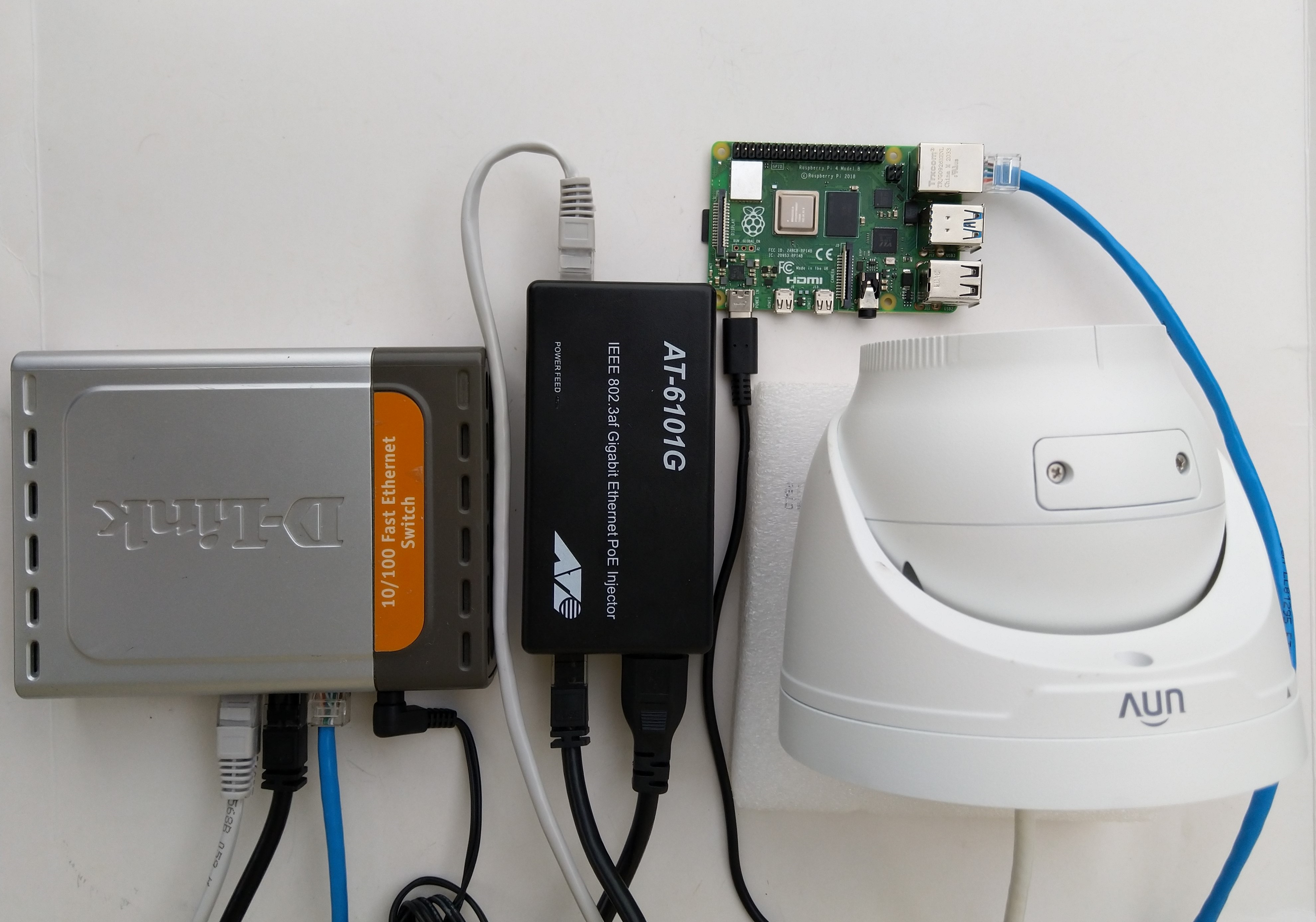
The test-rig consisted of a Unv ADZK-10 Security Camera, Power over Ethernet(PoE) module, D-Link Switch and a Raspberry Pi 4B 8G, or ASUS PE100A, or my HP Prodesk 400G4 DM (i7-8700T)

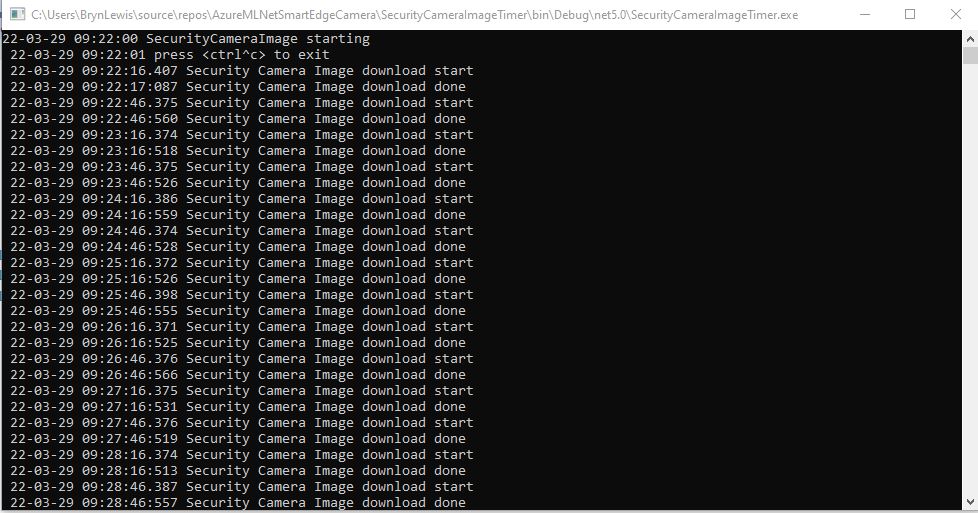
Security Camera Image download times

Excluding the first download it takes on average 0.16 secs to download a security camera image with my network setup.

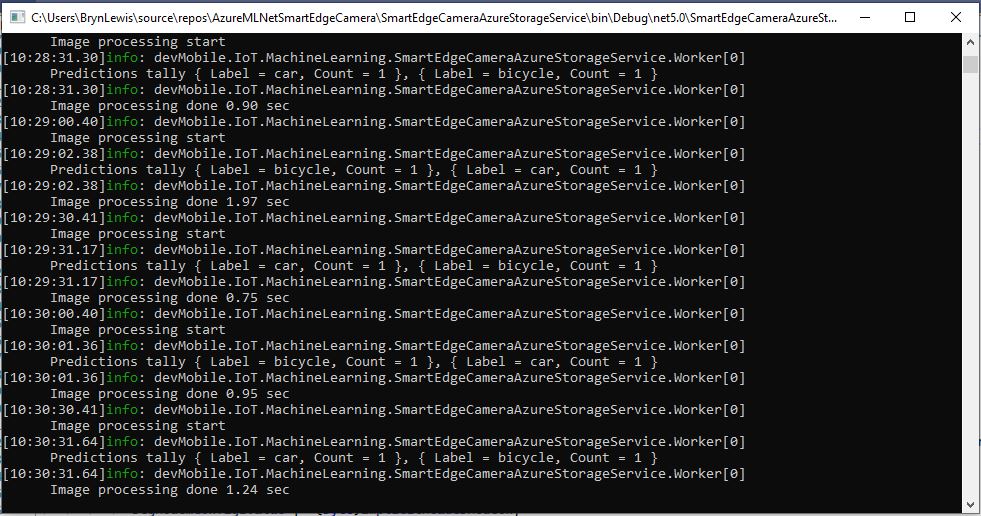
Development PC image download and processing console

The HP Prodesk 400G4 DM (i7-8700T) took on average 1.16 seconds to download an image from the camera, run the model, and upload the two images to Azure Storage

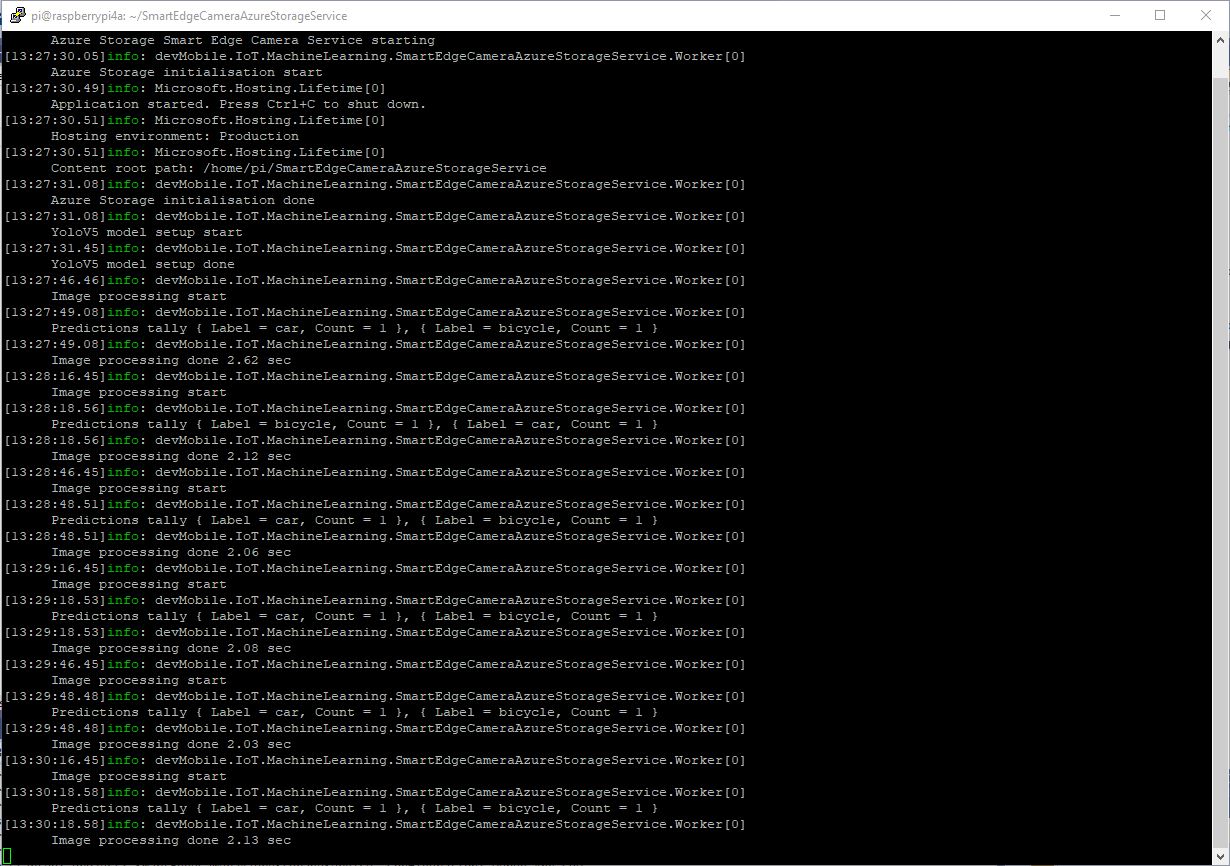
Raspberry PI 4B image download and processing console

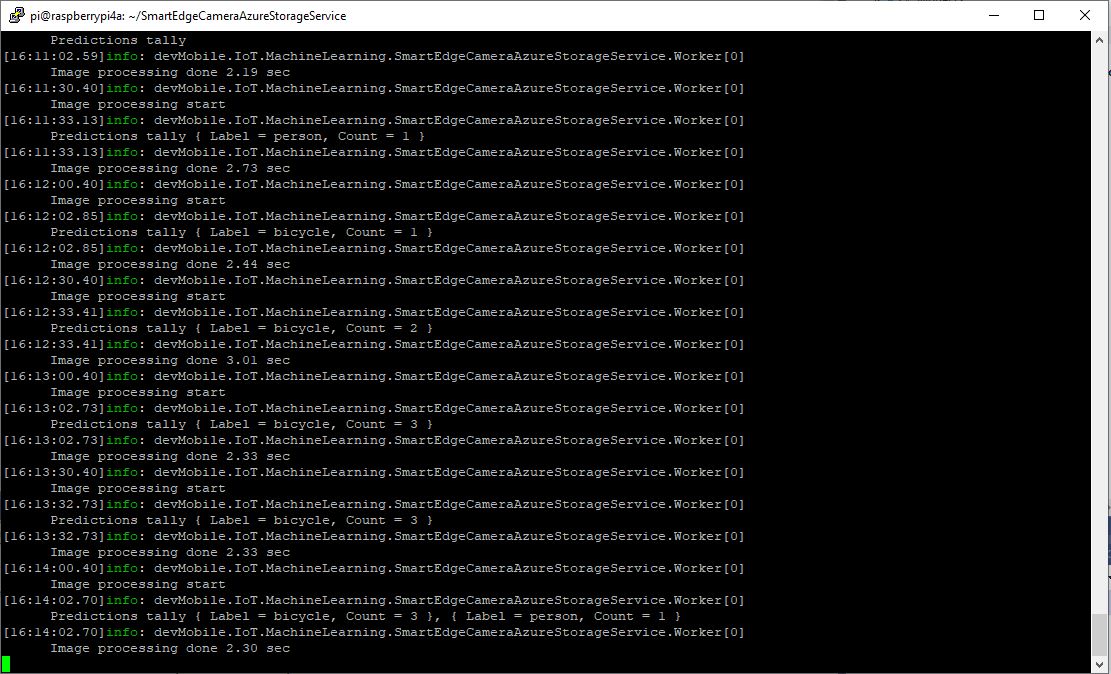
The Raspberry Pi 4B 8G took on average 2.18 seconds to download an image from the camera, run the model, then upload the two images to Azure Storage

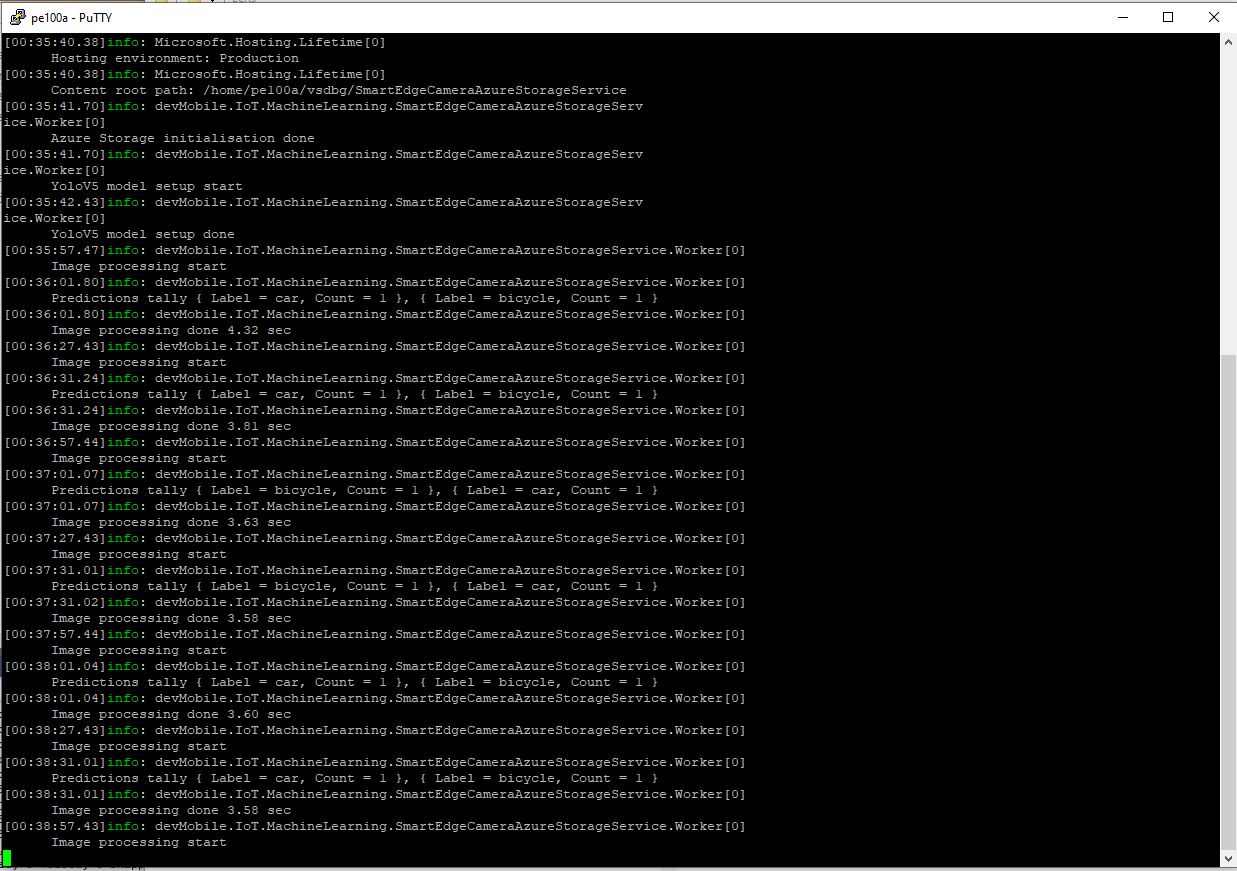
ASUS PE100A image download an processing console

The ASUS PE100A took on average 3.79 seconds to download an image from the camera, run the model, then upload the two images to Azure Storage.

TTI V3 Connector Azure IoT Central Device Provisioning Service(DPS) support

The TTI Connector supports the Azure IoT Hub Device Provisioning Service(DPS) which is required (it is possible to provision individual devices but this intended for small deployments or testing) for Azure IoT Central applications. The TTI Connector implementation also supports Azure IoT Central Digital Twin Definition Language (DTDL V2) for “automagic” device provisioning.

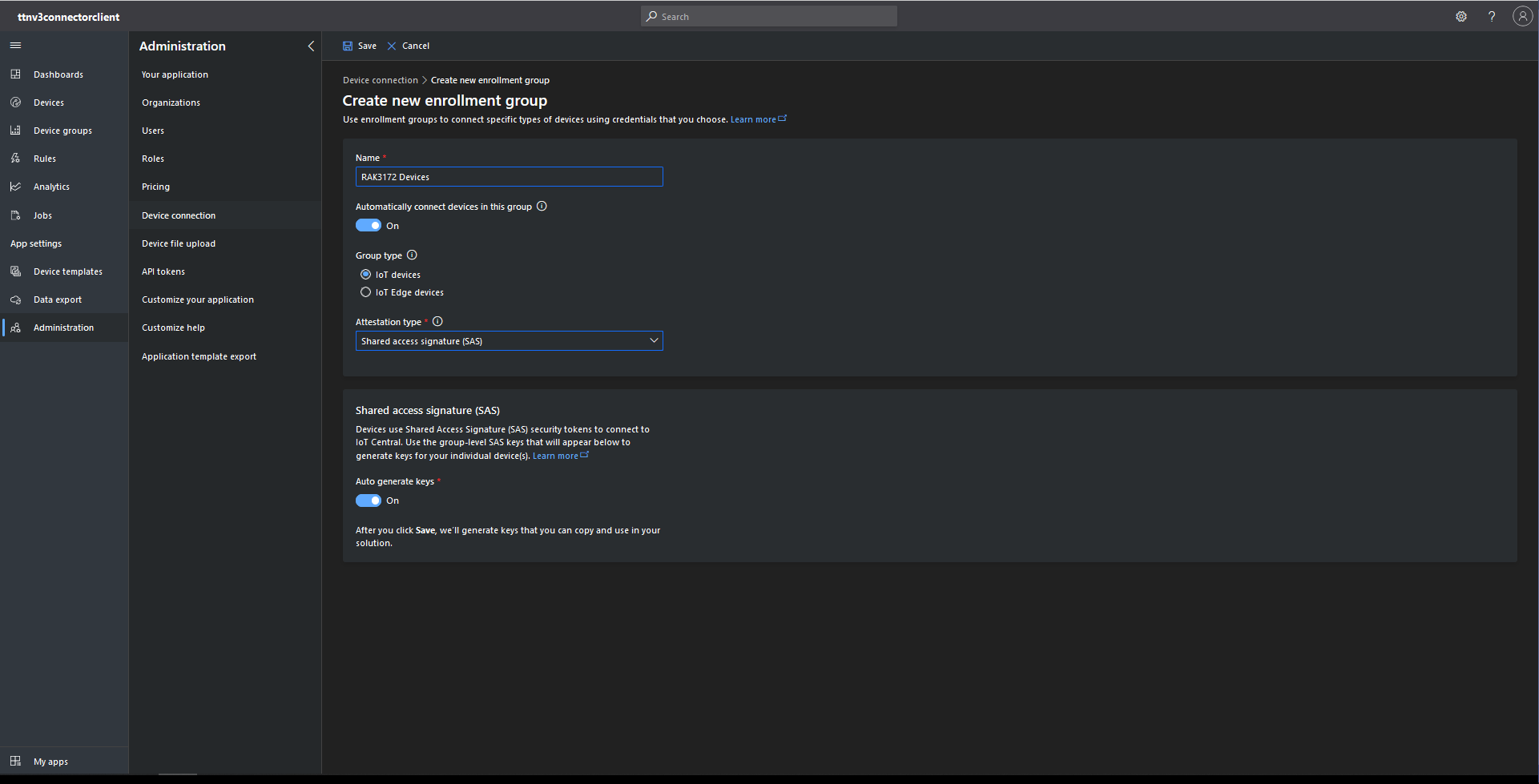
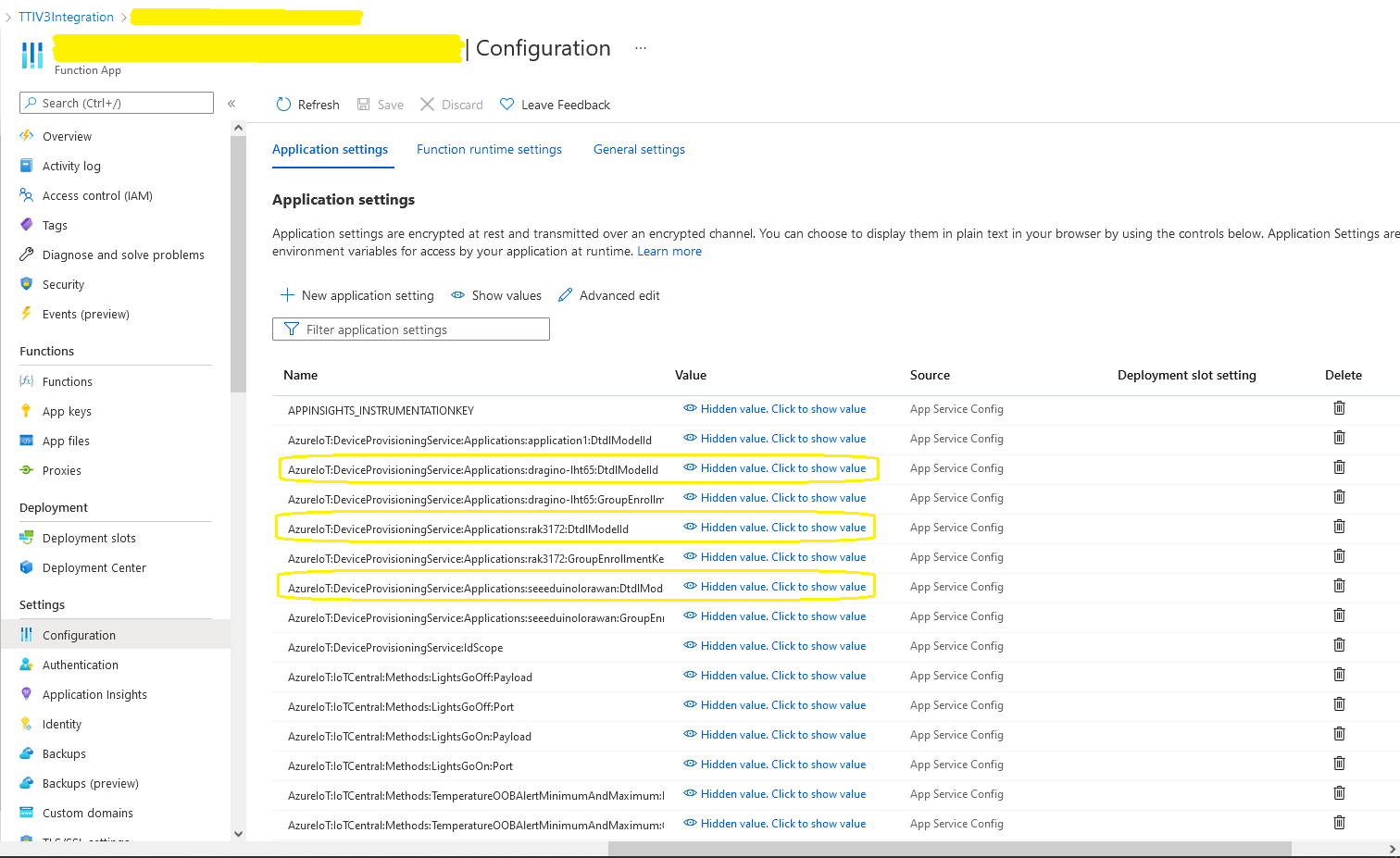
The first step was to configure and Azure IoT Central enrollment group (ensure “Automatically connect devices in this group” is on for “zero touch” provisioning) and copy the IDScope and Group Enrollment key to the TTI Connector configuration

RAK3172 Enrollment Group creation
Azure IoT Hub Device Provisioning Service configuration

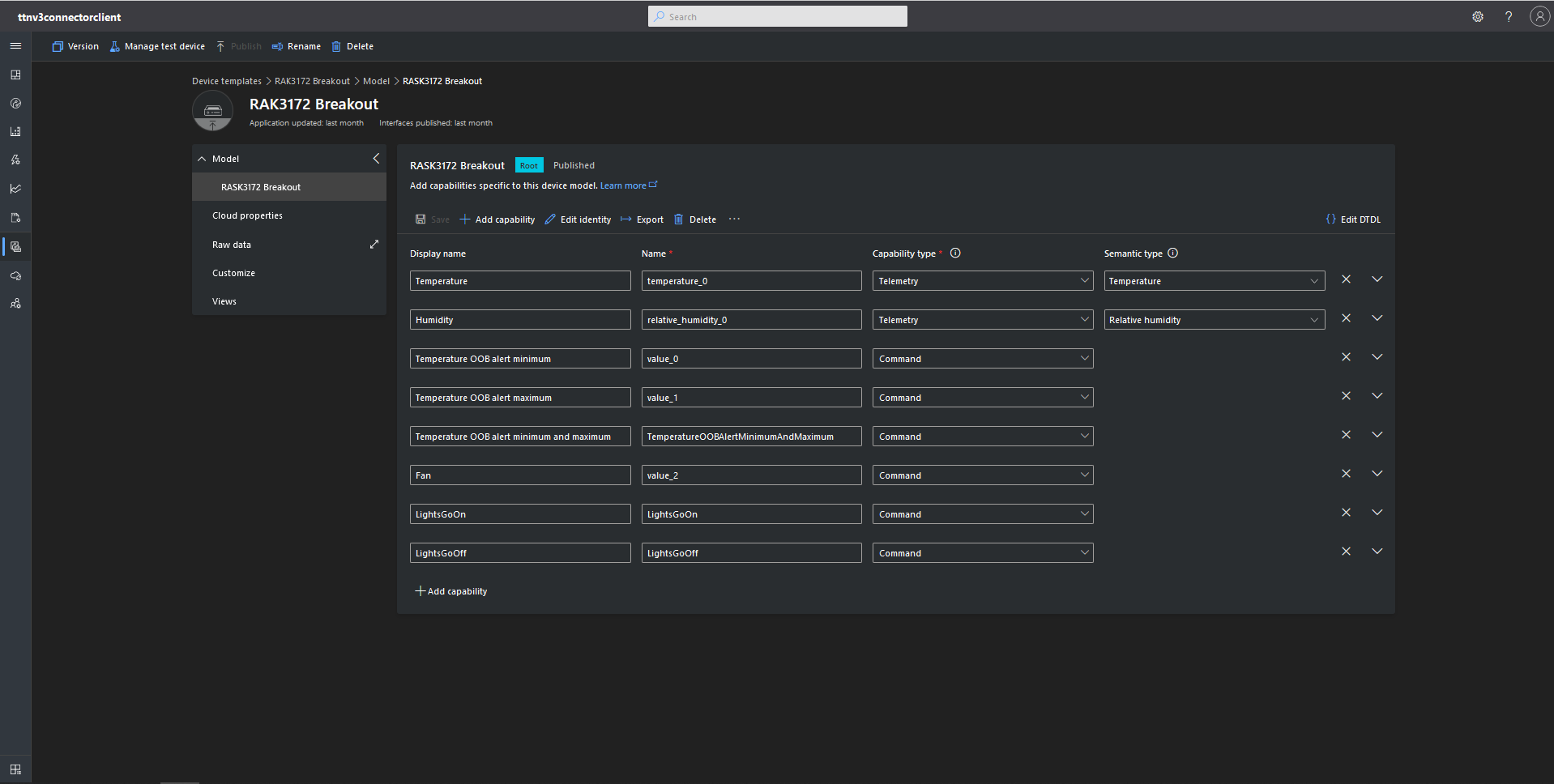
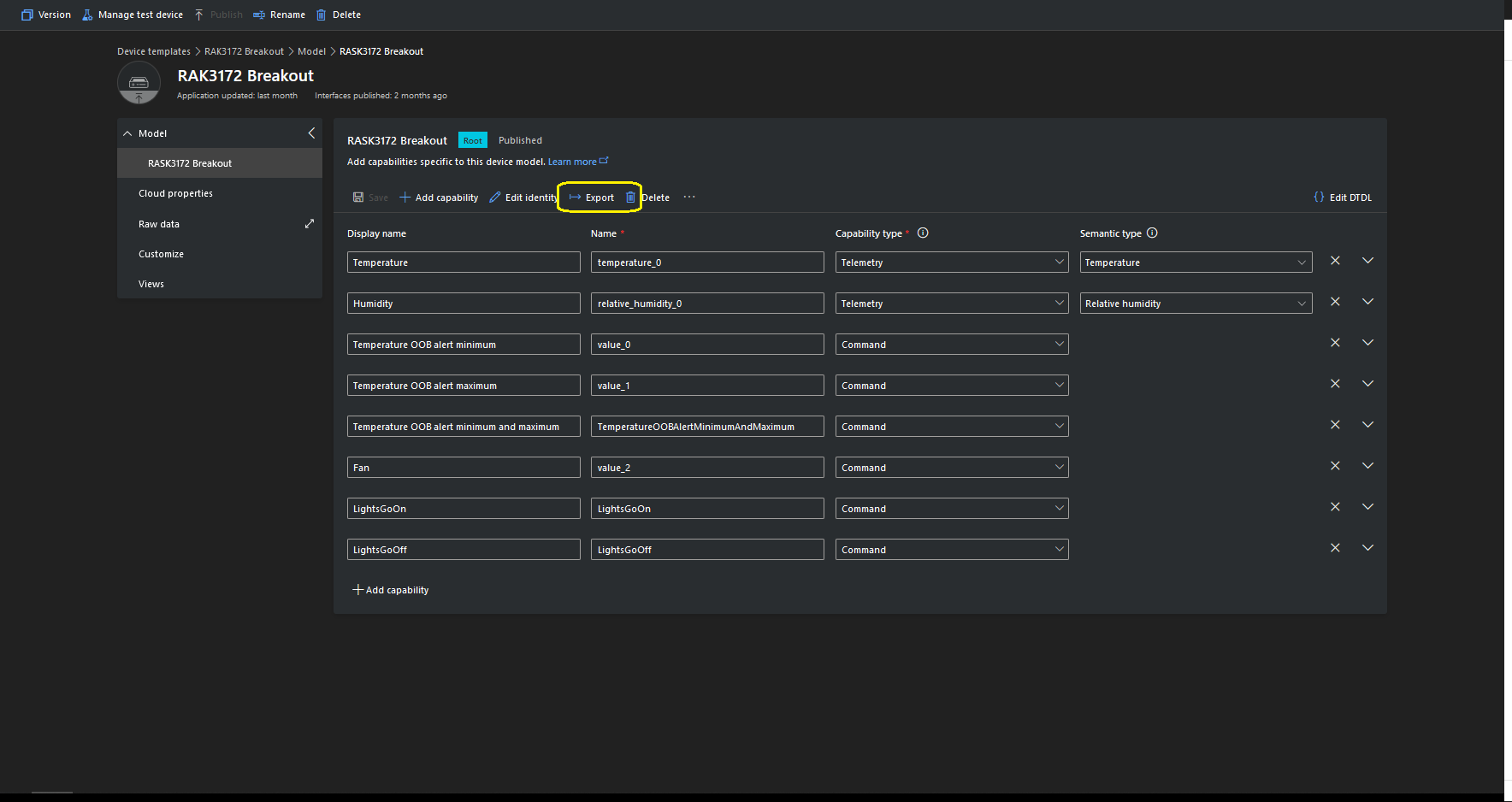
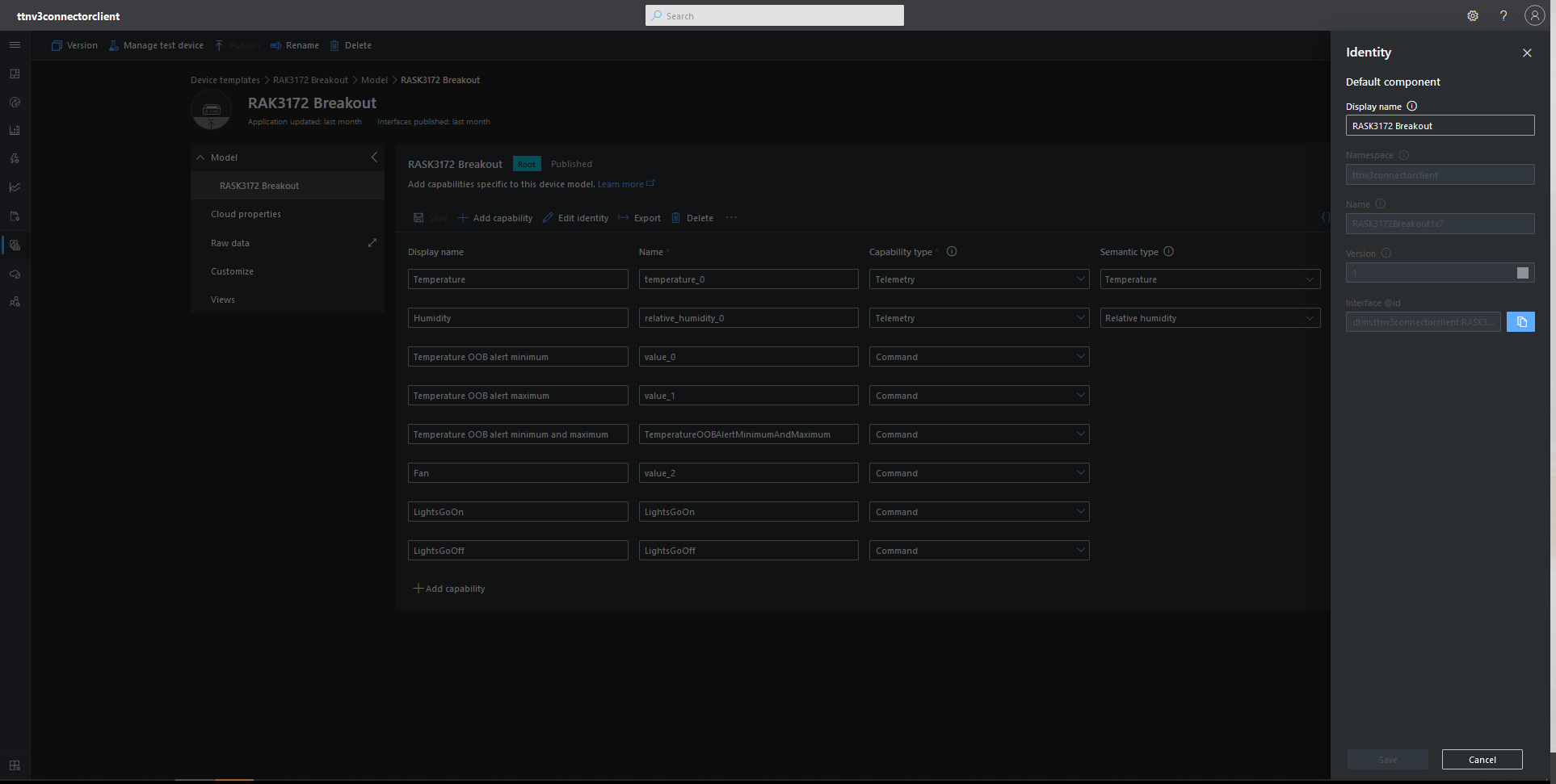
I then created an Azure IoT Central template for my RAK3172 breakout board based.Net Core powered test device.

{
    "@id": "dtmi:ttnv3connectorclient:RASK3172Breakout1c7;1",
    "@type": "Interface",
    "contents": [
        {
            "@id": "dtmi:ttnv3connectorclient:RASK3172Breakout1c7:temperature_0;1",
            "@type": [
                "Telemetry",
                "Temperature"
            ],
            "displayName": {
                "en": "Temperature"
            },
            "name": "temperature_0",
            "schema": "double",
            "unit": "degreeCelsius"
        },
        {
            "@id": "dtmi:ttnv3connectorclient:RASK3172Breakout1c7:relative_humidity_0;1",
            "@type": [
                "Telemetry",
                "RelativeHumidity"
            ],
            "displayName": {
                "en": "Humidity"
            },
            "name": "relative_humidity_0",
            "schema": "double",
            "unit": "percent"
        },
        {
            "@id": "dtmi:ttnv3connectorclient:RASK3172Breakout1c7:value_0;1",
            "@type": "Command",
            "displayName": {
                "en": "Temperature OOB alert minimum"
            },
            "name": "value_0",
            "request": {
                "@type": "CommandPayload",
                "displayName": {
                    "en": "Minimum"
                },
                "name": "value_0",
                "schema": "double"
            },
            "durable": true
        },
        {
            "@id": "dtmi:ttnv3connectorclient:RASK3172Breakout1c7:value_1;1",
            "@type": "Command",
            "displayName": {
                "en": "Temperature OOB alert maximum"
            },
            "name": "value_1",
            "request": {
                "@type": "CommandPayload",
                "displayName": {
                    "en": "Maximum"
                },
                "name": "value_1",
                "schema": "double"
            },
            "durable": true
        },
        {
            "@id": "dtmi:ttnv3connectorclient:RASK3172Breakout1c7:TemperatureOOBAlertMinimumAndMaximum;1",
            "@type": "Command",
            "displayName": {
                "en": "Temperature OOB alert minimum and maximum"
            },
            "name": "TemperatureOOBAlertMinimumAndMaximum",
            "request": {
                "@type": "CommandPayload",
                "displayName": {
                    "en": "Alert Temperature"
                },
                "name": "AlertTemperature",
                "schema": {
                    "@type": "Object",
                    "displayName": {
                        "en": "Object"
                    },
                    "fields": [
                        {
                            "displayName": {
                                "en": "minimum"
                            },
                            "name": "value_0",
                            "schema": "double"
                        },
                        {
                            "displayName": {
                                "en": "maximum"
                            },
                            "name": "value_1",
                            "schema": "double"
                        }
                    ]
                }
            },
            "durable": true
        },
        {
            "@id": "dtmi:ttnv3connectorclient:RASK3172Breakout1c7:value_2;1",
            "@type": "Command",
            "displayName": {
                "en": "Fan"
            },
            "name": "value_2",
            "request": {
                "@type": "CommandPayload",
                "displayName": {
                    "en": "On"
                },
                "name": "value_3",
                "schema": {
                    "@type": "Enum",
                    "displayName": {
                        "en": "Enum"
                    },
                    "enumValues": [
                        {
                            "displayName": {
                                "en": "On"
                            },
                            "enumValue": 1,
                            "name": "On"
                        },
                        {
                            "displayName": {
                                "en": "Off"
                            },
                            "enumValue": 0,
                            "name": "Off"
                        }
                    ],
                    "valueSchema": "integer"
                }
            },
            "durable": true
        },
        {
            "@id": "dtmi:ttnv3connectorclient:RASK3172Breakout1c7:LightsGoOn;1",
            "@type": "Command",
            "displayName": {
                "en": "LightsGoOn"
            },
            "name": "LightsGoOn",
            "durable": true
        },
        {
            "@id": "dtmi:ttnv3connectorclient:RASK3172Breakout1c7:LightsGoOff;1",
            "@type": "Command",
            "displayName": {
                "en": "LightsGoOff"
            },
            "name": "LightsGoOff",
            "durable": true
        }
    ],
    "displayName": {
        "en": "RASK3172 Breakout"
    },
    "@context": [
        "dtmi:iotcentral:context;2",
        "dtmi:dtdl:context;2"
    ]
}

The Device Template @Id can also be set for a TTI application using an optional dtdlmodelid which is specified the the TTI Connector configuration.

Smartish Edge Camera – Azure Storage Image Tags

This ML.Net +You only look once V5(YoloV5) + RaspberryPI 4B project uploads raw camera and marked up (with searchable tags) images to Azure Storage.

Raspberry PI 4 B backyard test rig

My backyard test-rig consists of a Unv ADZK-10 Security Camera, Power over Ethernet(PoE) module, D-Link Switch and a Raspberry Pi 4B 8G.

{
   ...

  "Application": {
    "DeviceId": "edgecamera",
...
    "PredicitionScoreThreshold": 0.7,
    "PredictionLabelsOfInterest": [
      "bicycle",
      "person",
      "car"
    ],
    "OutputImageMarkup": true
  },
...
  "AzureStorage": {
    "ConnectionString": "FhisIsNotTheConnectionStringYouAreLookingFor",
    "ImageCameraFilenameFormat": "{0:yyyyMMdd}/camera/{0:HHmmss}.jpg",
    "ImageMarkedUpFilenameFormat": "{0:yyyyMMdd}/markedup/{0:HHmmss}.jpg"
  }
}

After the You Only Look Once(YOLOV5)+ML.Net+Open Neural Network Exchange(ONNX) plumbing has loaded a timer with a configurable due time and period is started.

private async void ImageUpdateTimerCallback(object state)
{
	DateTime requestAtUtc = DateTime.UtcNow;

	// Just incase - stop code being called while photo already in progress
	if (_cameraBusy)
	{
		return;
	}
	_cameraBusy = true;

	_logger.LogInformation("Image processing start");

	try
	{
#if CAMERA_RASPBERRY_PI
		RaspberryPIImageCapture();
#endif
#if CAMERA_SECURITY
		SecurityCameraImageCapture();
#endif
		if (_applicationSettings.ImageCameraUpload)
		{
			_logger.LogTrace("Image camera upload start");

			string imageFilenameCloud = string.Format(_azureStorageSettings.ImageCameraFilenameFormat, requestAtUtc);

			await _imagecontainerClient.GetBlobClient(imageFilenameCloud).UploadAsync(_applicationSettings.ImageCameraFilepath, true);

			_logger.LogTrace("Image camera upload done");
		}

		List<YoloPrediction> predictions;

		using (Image image = Image.FromFile(_applicationSettings.ImageCameraFilepath))
		{
			_logger.LogTrace("Prediction start");
			predictions = _scorer.Predict(image);
			_logger.LogTrace("Prediction done");

			OutputImageMarkup(image, predictions, _applicationSettings.ImageMarkedUpFilepath);
		}

		if (_logger.IsEnabled(LogLevel.Trace))
		{
			_logger.LogTrace("Predictions {0}", predictions.Select(p => new { p.Label.Name, p.Score }));
		}

		var predictionsOfInterest = predictions.Where(p => p.Score > _applicationSettings.PredicitionScoreThreshold).Select(c => c.Label.Name).Intersect(_applicationSettings.PredictionLabelsOfInterest, StringComparer.OrdinalIgnoreCase);
		if (_logger.IsEnabled(LogLevel.Trace))
		{
			_logger.LogTrace("Predictions of interest {0}", predictionsOfInterest.ToList());
		}

		var predictionsTally = predictions.Where(p => p.Score >= _applicationSettings.PredicitionScoreThreshold)
									.GroupBy(p => p.Label.Name)
									.Select(p => new
									{
										Label = p.Key,
										Count = p.Count()
									});

		if (_applicationSettings.ImageMarkedupUpload && predictionsOfInterest.Any())
		{
			_logger.LogTrace("Image marked-up upload start");

			string imageFilenameCloud = string.Format(_azureStorageSettings.ImageMarkedUpFilenameFormat, requestAtUtc);

			BlobUploadOptions blobUploadOptions = new BlobUploadOptions()
			{
				Tags = new Dictionary<string, string>()
			};

			foreach (var predicition in predictionsTally)
			{
				blobUploadOptions.Tags.Add(predicition.Label, predicition.Count.ToString());
			}

			BlobClient blobClient = _imagecontainerClient.GetBlobClient(imageFilenameCloud);

			await blobClient.UploadAsync(_applicationSettings.ImageMarkedUpFilepath, blobUploadOptions);

			_logger.LogTrace("Image marked-up upload done");
		}

		if (_logger.IsEnabled(LogLevel.Information))
		{
			_logger.LogInformation("Predictions tally {0}", predictionsTally.ToList());
		}
	}
	catch (Exception ex)
	{
		_logger.LogError(ex, "Camera image download, post procesing, image upload, or telemetry failed");
	}
	finally
	{
		_cameraBusy = false;
	}

	TimeSpan duration = DateTime.UtcNow - requestAtUtc;

	_logger.LogInformation("Image processing done {0:f2} sec", duration.TotalSeconds);
}
RaspberryPI 4B console application output

A marked up image is uploaded to Azure Storage if any of the objects detected (with a score greater than PredicitionScoreThreshold) is in the PredictionLabelsOfInterest list.

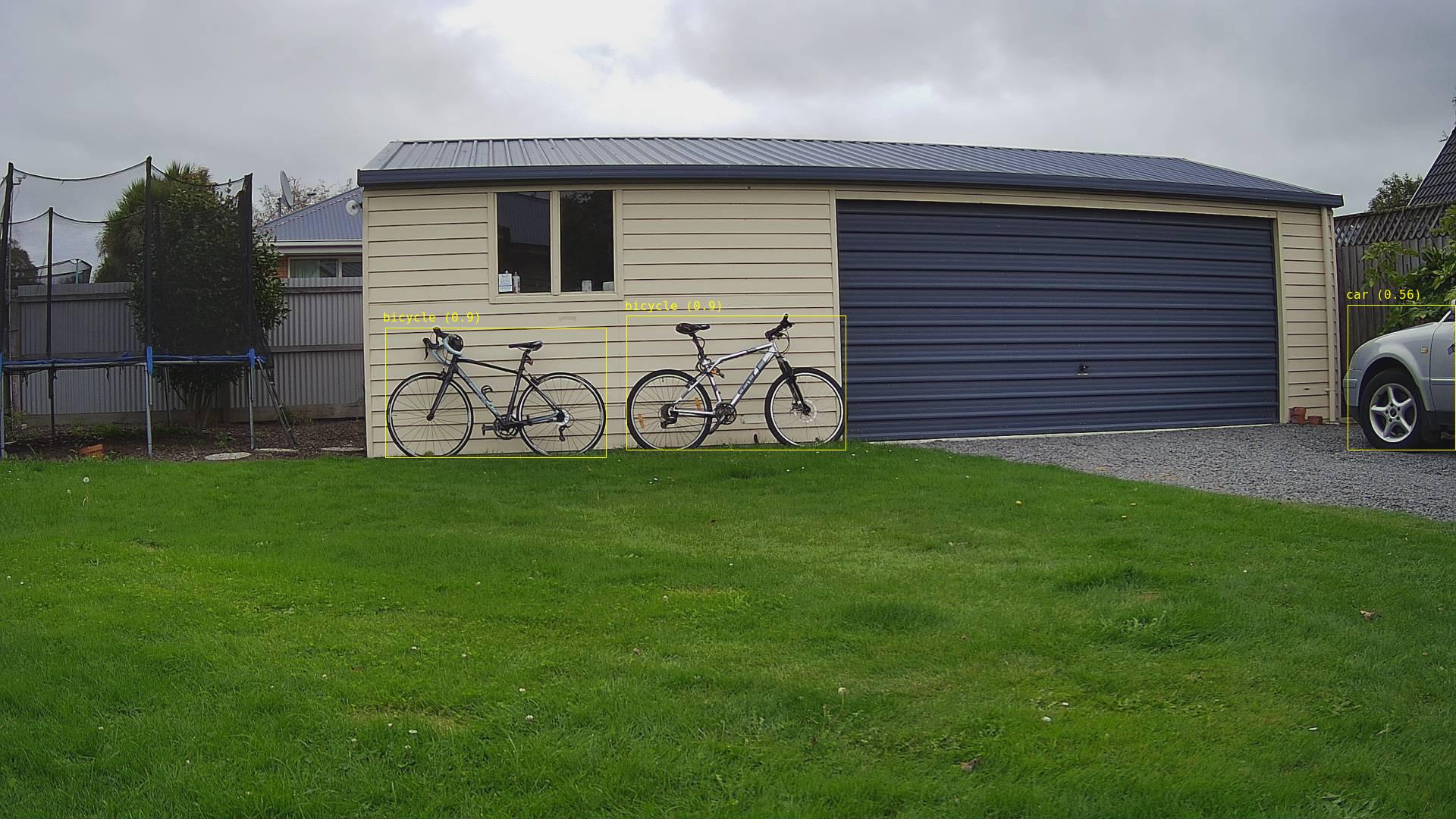
Single bicycle
Two bicycles
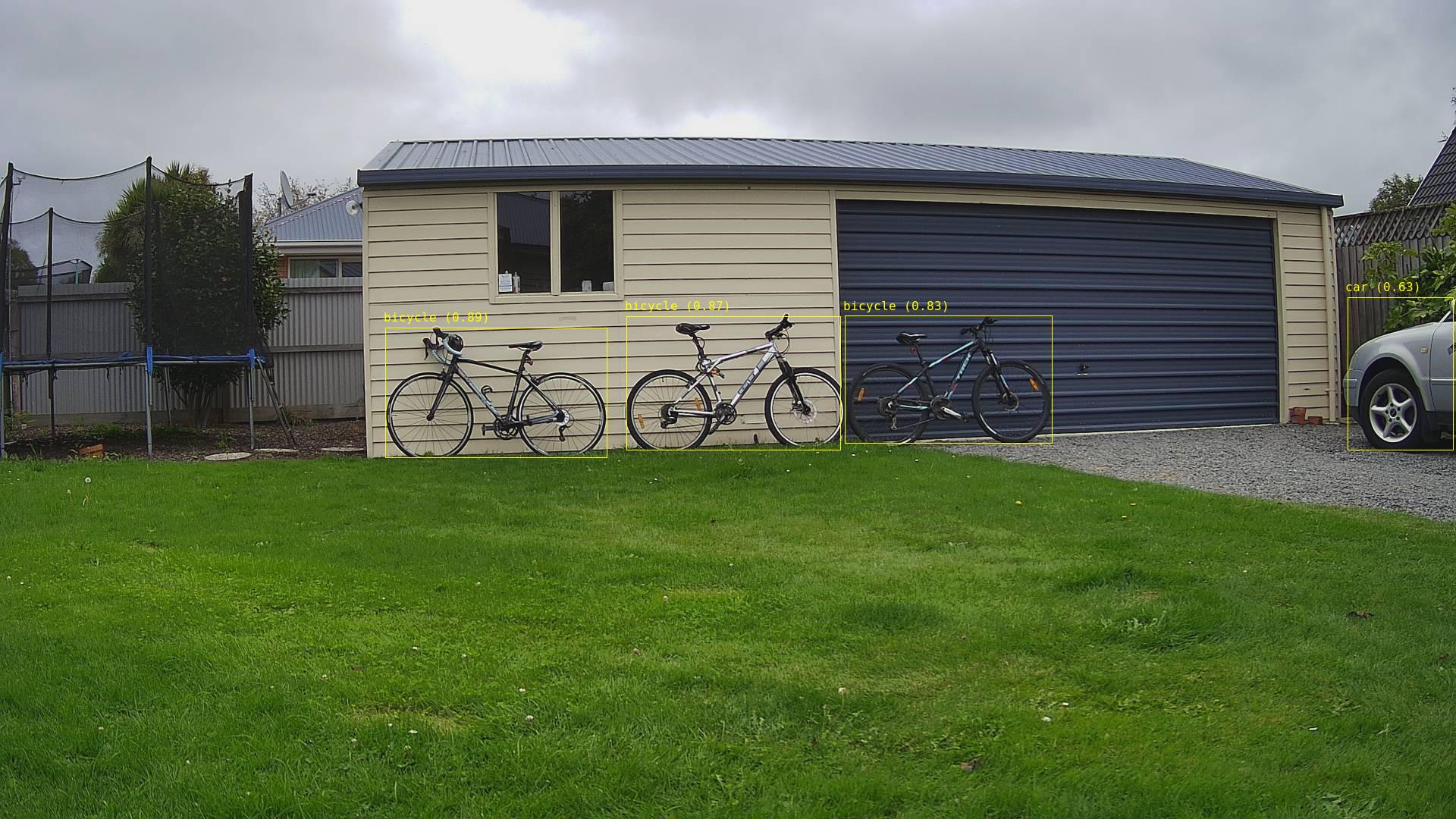
Three bicycles
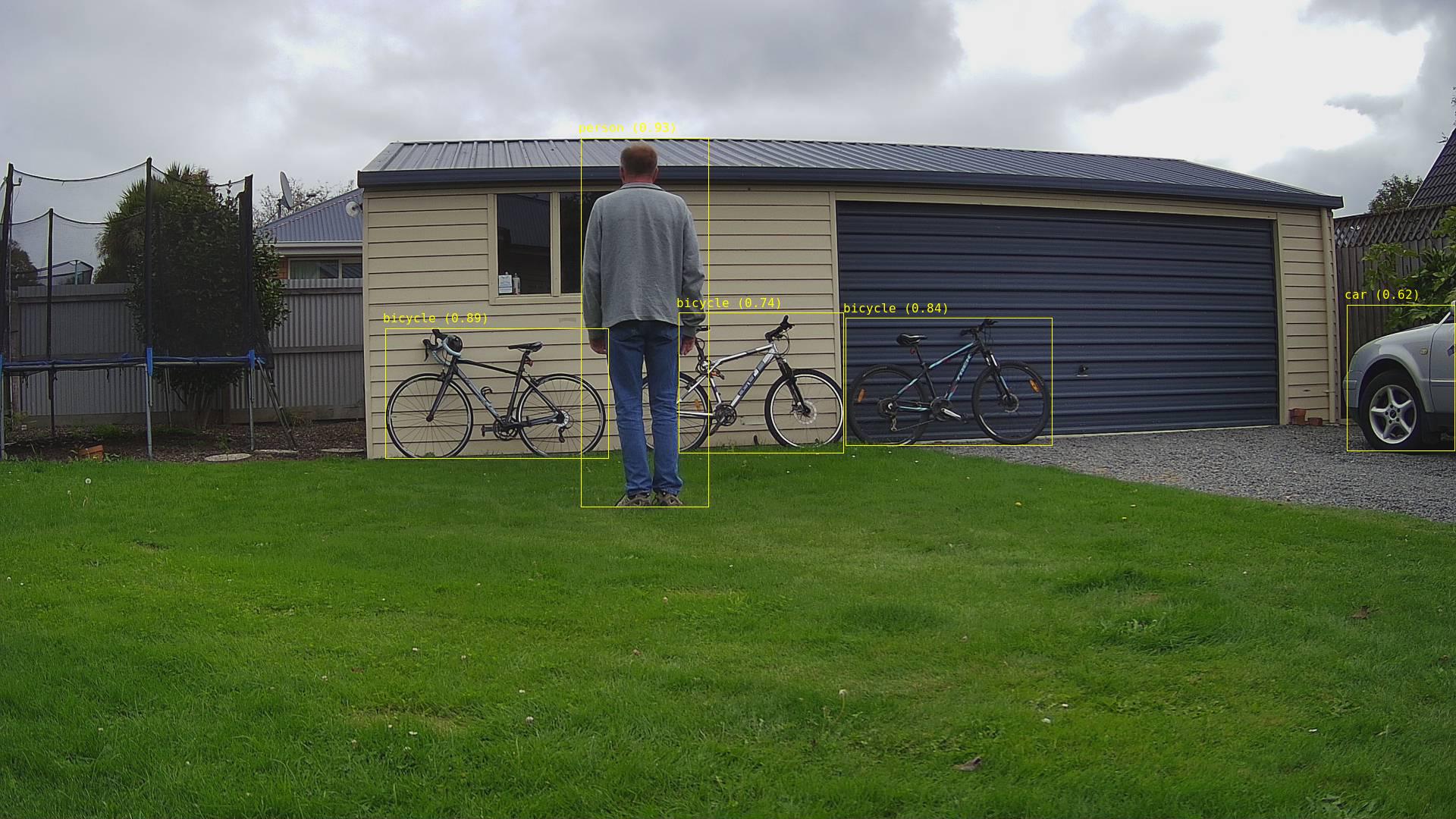
Three bicycles with person in the foreground
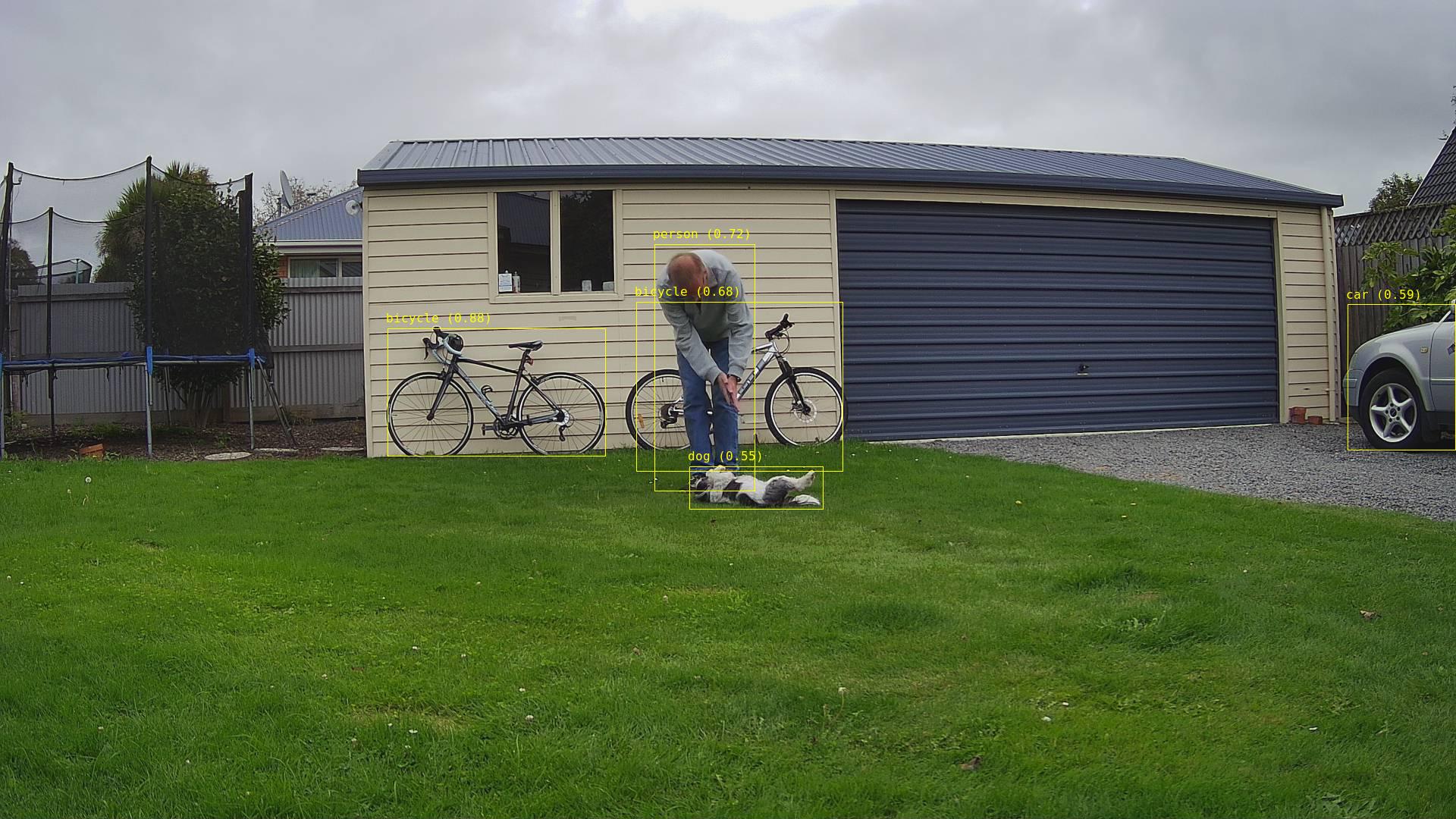
Two bicycles with a person and dog in the foreground

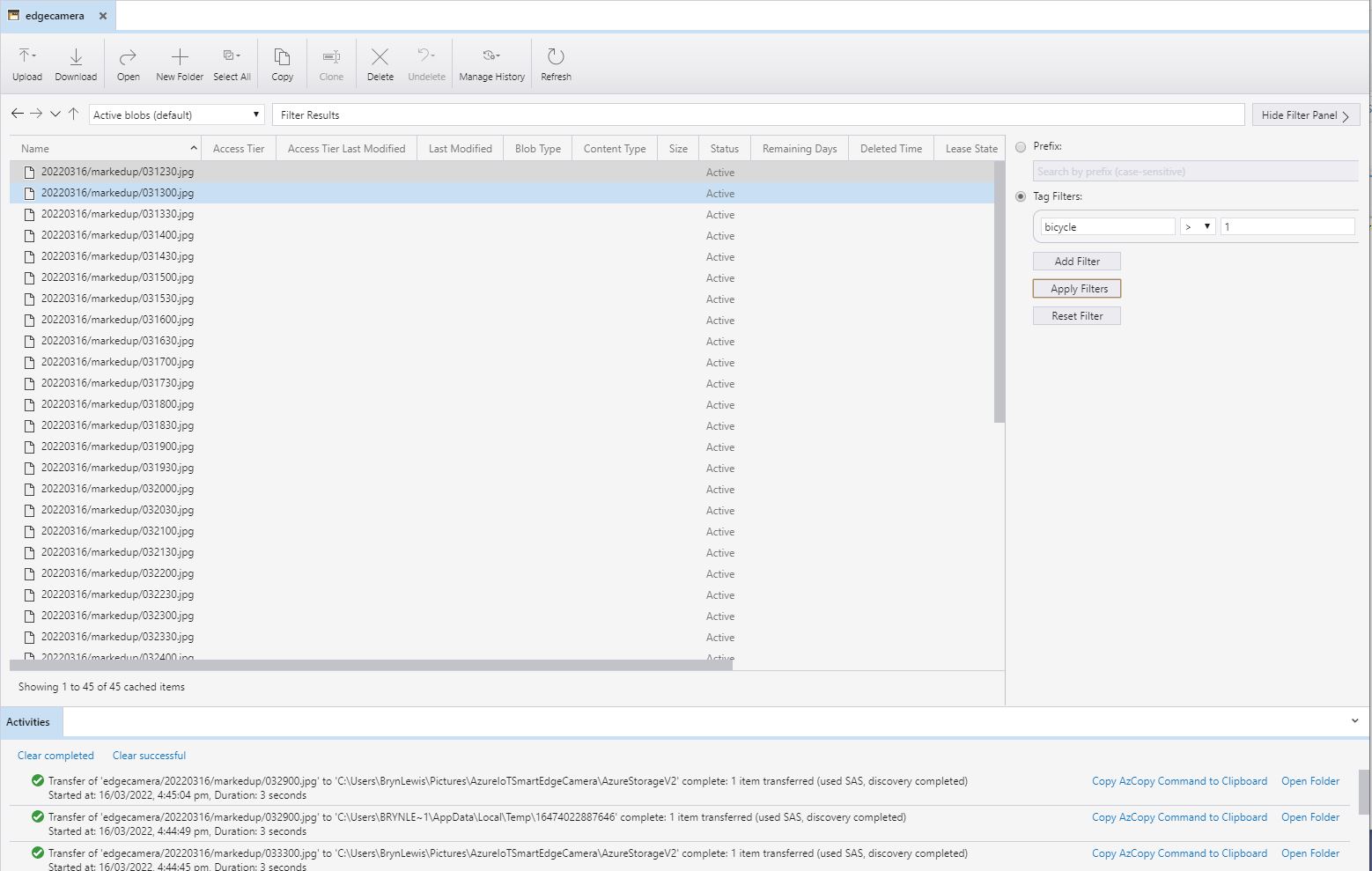
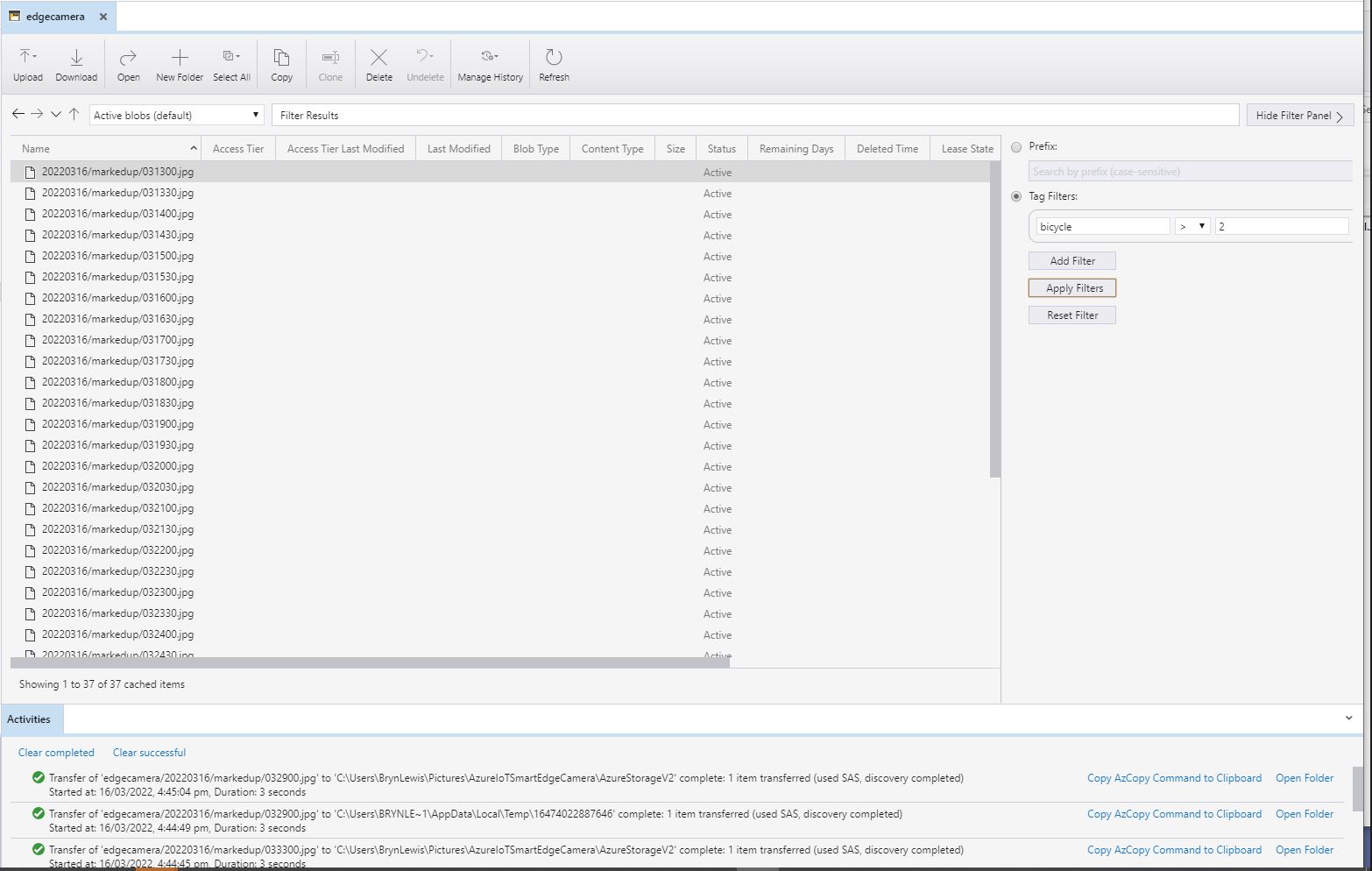
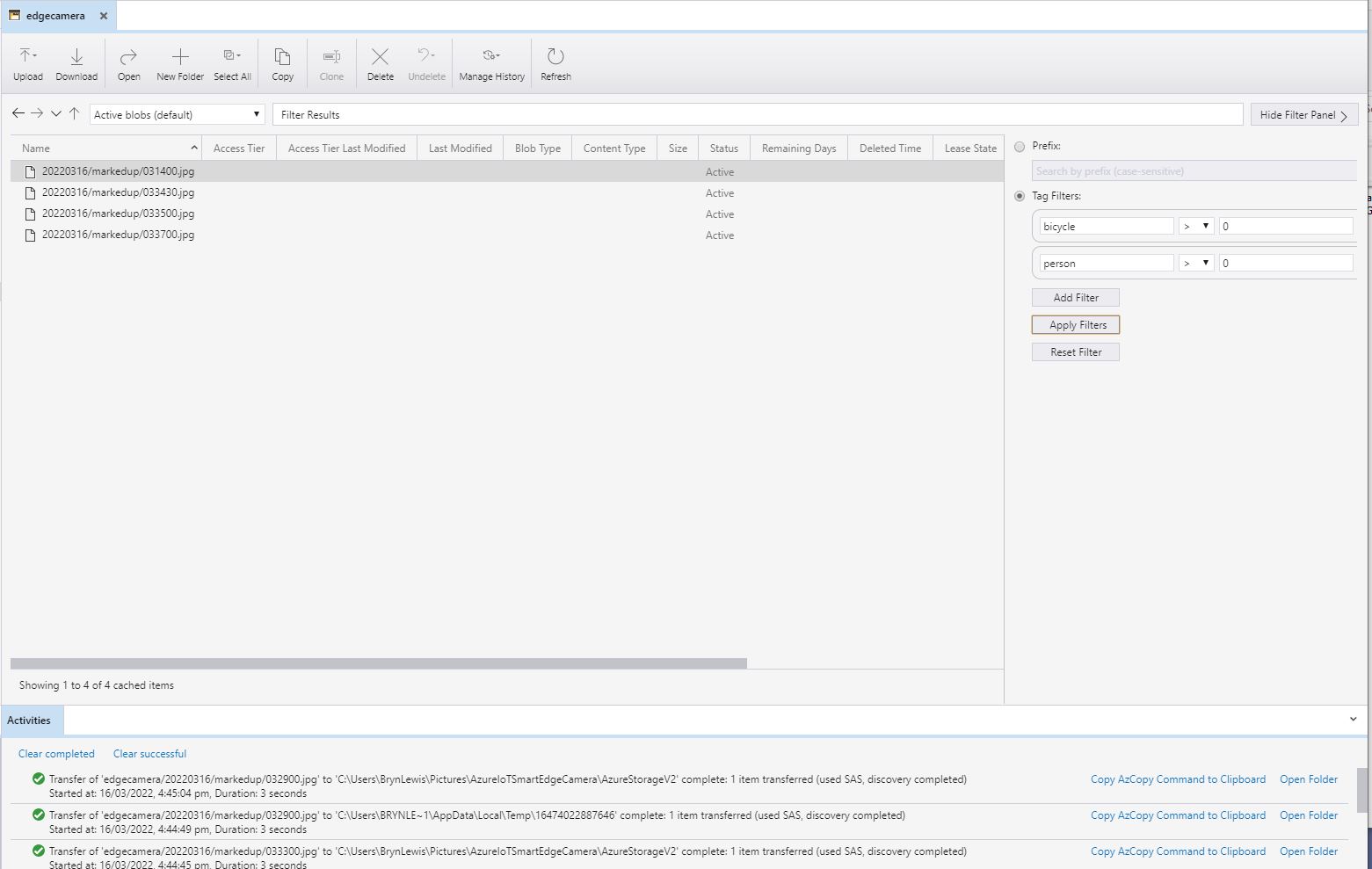
I have added Tags to the images so they can be filtered with tools like Azure Storage Explorer.

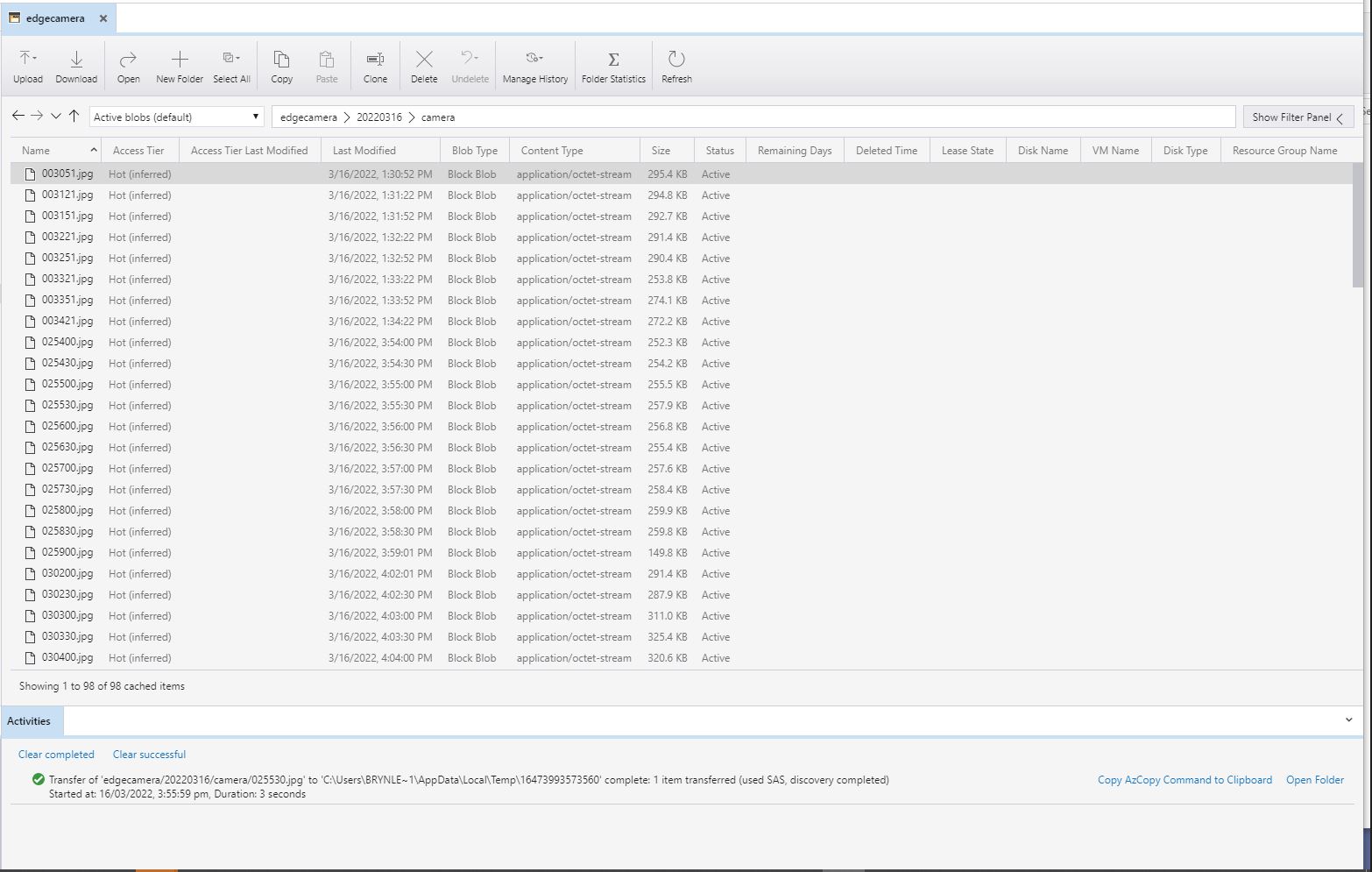
All the camera images
All the marked up images with more than one bicycle
All the marked up images with more than two bicycles
All the marked up images with people and bicycles

.NET Core web API + Dapper – MultiMapping

Shaping recordsets with SplitOn

Sometimes there is no easy way to build a “list of lists” using the contents of multiple database tables. I have run into this problem a few times especially when building webby services which query the database of a “legacy” (aka. production) system.

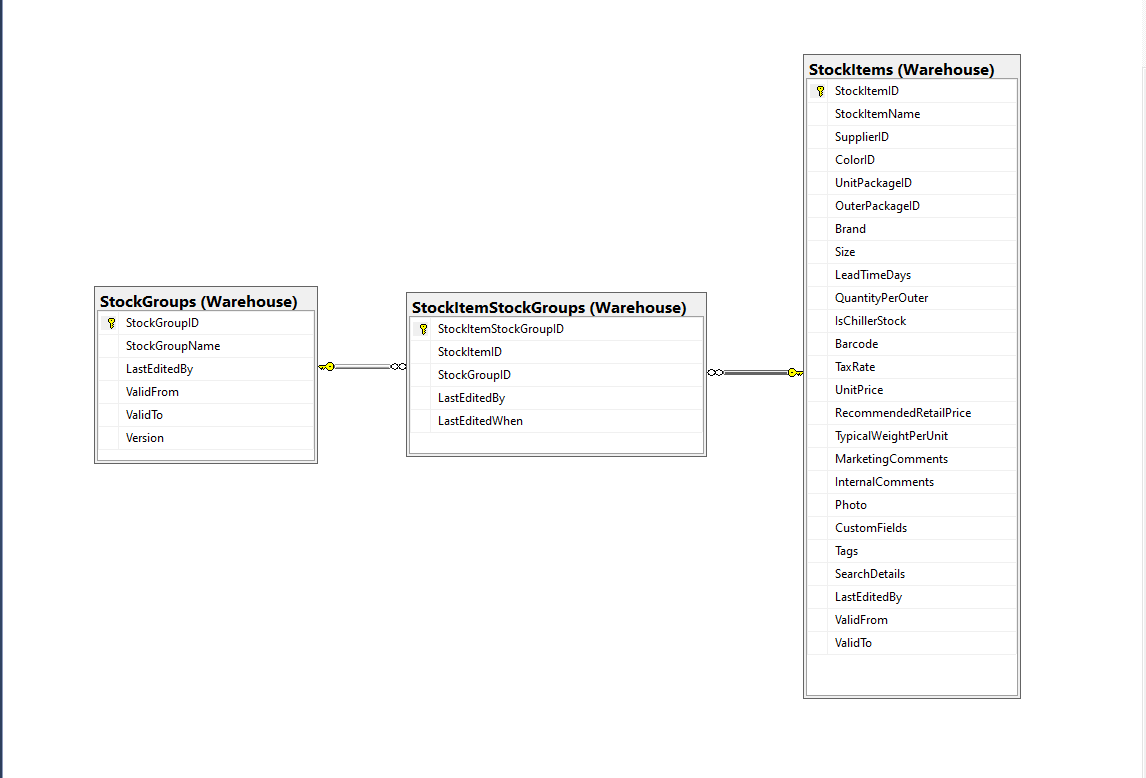
Retrieving a list of StockGroups and their StockItems from the World Wide Importers database was one of the better “real world” examples I could come up with.

SQL Server Management Studio Diagram showing relationships of tables

There is a fair bit of duplication (StockGroupID, StockGroupName) in the results set

SQL Server Management Studio StockItems-StockItemStockGroups-StockGroups query and results

There were 442 rows in the results set and 227 StockItems in the database so I ordered the query results by StockItemID and confirmed that there were many StockItems in several StockGroups.

public class StockItemListDtoV1
{
	public int Id { get; set; }

	public string Name { get; set; }

	public decimal RecommendedRetailPrice { get; set; }

	public decimal TaxRate { get; set; }
}

public class StockGroupStockItemsListDto
{
	StockGroupStockItemsListDto()
	{
		StockItems = new List<StockItemListDto>();
	}

	public int StockGroupID { get; set; }

	public string StockGroupName { get; set; }

	public List<StockItemListDto> StockItems { get; set; }
}

My initial version uses a Generic List for a StockGroup’s StockItems which is most probably not a good idea.

[Route("api/[controller]")]
[ApiController]
public class InvoiceQuerySplitOnController : ControllerBase
{
	private readonly string connectionString;
	private readonly ILogger<InvoiceQuerySplitOnController> logger;

	public InvoiceQuerySplitOnController(IConfiguration configuration, ILogger<InvoiceQuerySplitOnController> logger)
	{
		this.connectionString = configuration.GetConnectionString("WorldWideImportersDatabase");

		this.logger = logger;
	}

	[HttpGet]
	public async Task<ActionResult<IEnumerable<StockGroupStockItemsListDto>>> Get()
	{
		IEnumerable<StockGroupStockItemsListDto> response = null;

		try
		{
			using (SqlConnection db = new SqlConnection(this.connectionString))
			{
				var stockGroups = await db.QueryAsync<StockGroupStockItemsListDto, StockItemListDto, StockGroupStockItemsListDto>(
					sql: @"SELECT [StockGroups].[StockGroupID] as 'StockGroupID'" +
								",[StockGroups].[StockGroupName]" +
								",[StockItems].StockItemID as 'ID'" +
								",[StockItems].StockItemName as 'Name'" +
								",[StockItems].TaxRate" +
								",[StockItems].RecommendedRetailPrice " +
							"FROM [Warehouse].[StockGroups] " +
							"INNER JOIN[Warehouse].[StockItemStockGroups] ON ([StockGroups].[StockGroupID] = [StockItemStockGroups].[StockGroupID])" +
							"INNER JOIN[Warehouse].[StockItems] ON ([Warehouse].[StockItemStockGroups].[StockItemID] = [StockItems].[StockItemID])",
					(stockGroup, stockItem) =>
					{
						// Not certain I think using a List<> here is a good idea...
						stockGroup.StockItems.Add(stockItem);
						return stockGroup;
					},
				splitOn: "ID",
				commandType: CommandType.Text);

			response = stockGroups.GroupBy(p => p.StockGroupID).Select(g =>
			{
				var groupedStockGroup = g.First();
				groupedStockGroup.StockItems = g.Select(p => p.StockItems.Single()).ToList();
				return groupedStockGroup;
			});
		}
	}
	catch (SqlException ex)
	{
		logger.LogError(ex, "Retrieving S, Invoice Lines or Stock Item Transactions");

		return this.StatusCode(StatusCodes.Status500InternalServerError);
	}

	return this.Ok(response);
}

The MultiMapper syntax always trips me up and it usually takes a couple of attempts to get it to work.

List of StockGroups with StockItems

I have extended my DapperTransient module adding WithRetry versions of the 14 MultiMapper methods.

NOTE : Error Handling approach has changed