Seeedstudio XIAO ESP32 S3 RS-485 test harness(nanoFramework)

As part of a project to read values from a MODBUS RS-485 sensor using a RS-485 Breakout Board for Seeed Studio XIAO and a Seeed Studio XIAO ESP32-S3 I built a .NET nanoFramework version of the Arduino test harness described in this wiki post.
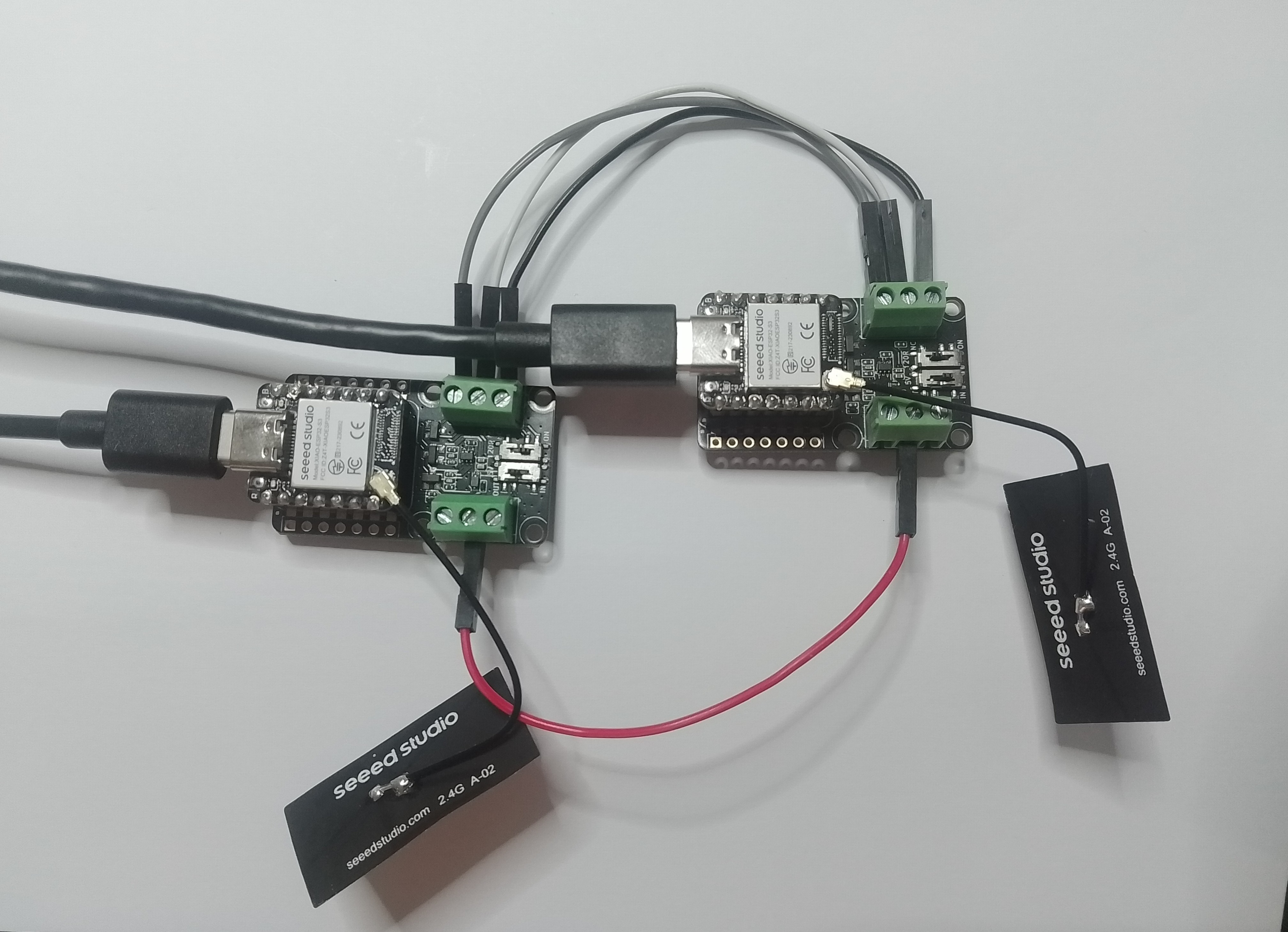
This took a bit longer than I expected mainly because running two instances of Visual Studio 2026 was a problem (running Visual Studio 2022 for one device and Visual Studio 2026 for the other, though not 100% confident this was an issue) as there were some weird interactions.
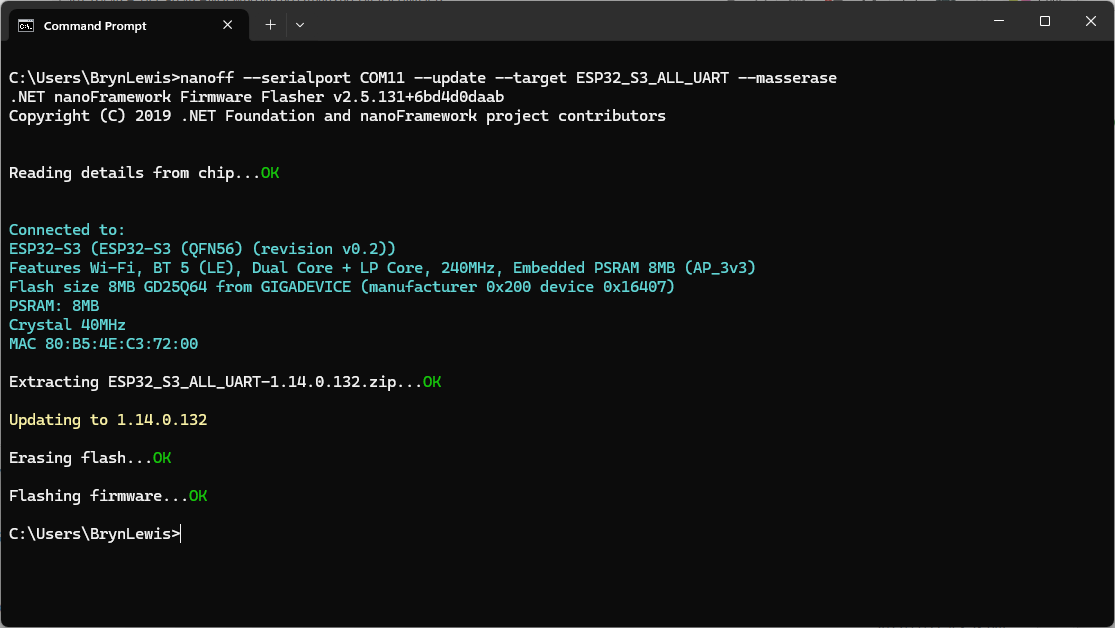
using nanoff to flash a device with the latest version of ESP32_S3_ALL_UART

As I moved between the Arduino tooling and flashing devices with nanoff the serial port numbers would change watching the port assignments in Windows Device Manager was key.
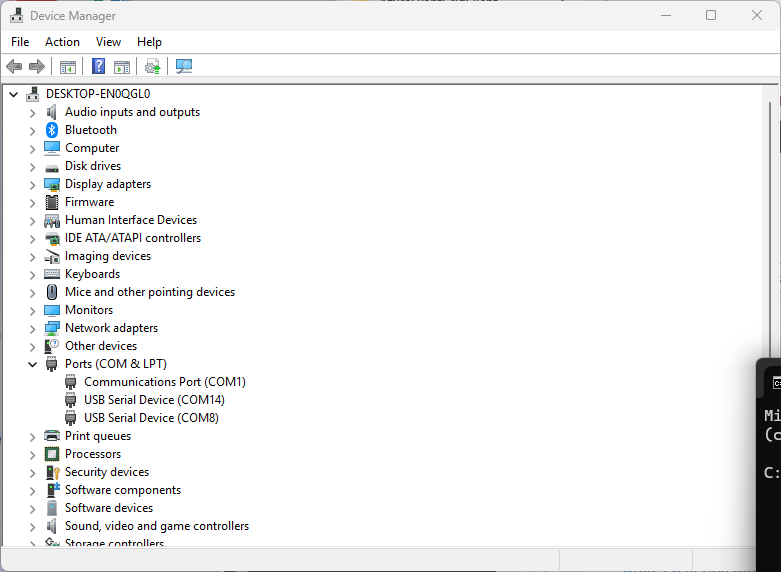
Windows Device manager displaying the available serial ports

Rather than debugging both the nanoFramework RS485Sender and RS485Receiver applications simultaneously, I used the Arduino RS485Sender and RS485 Receiver application but had similar issues with the port assignments changing.
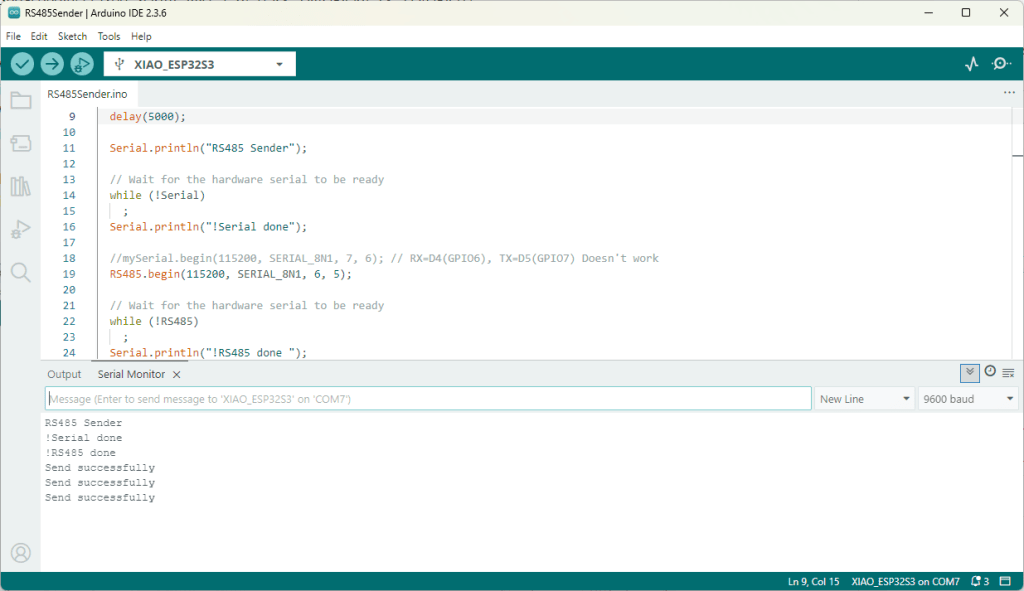
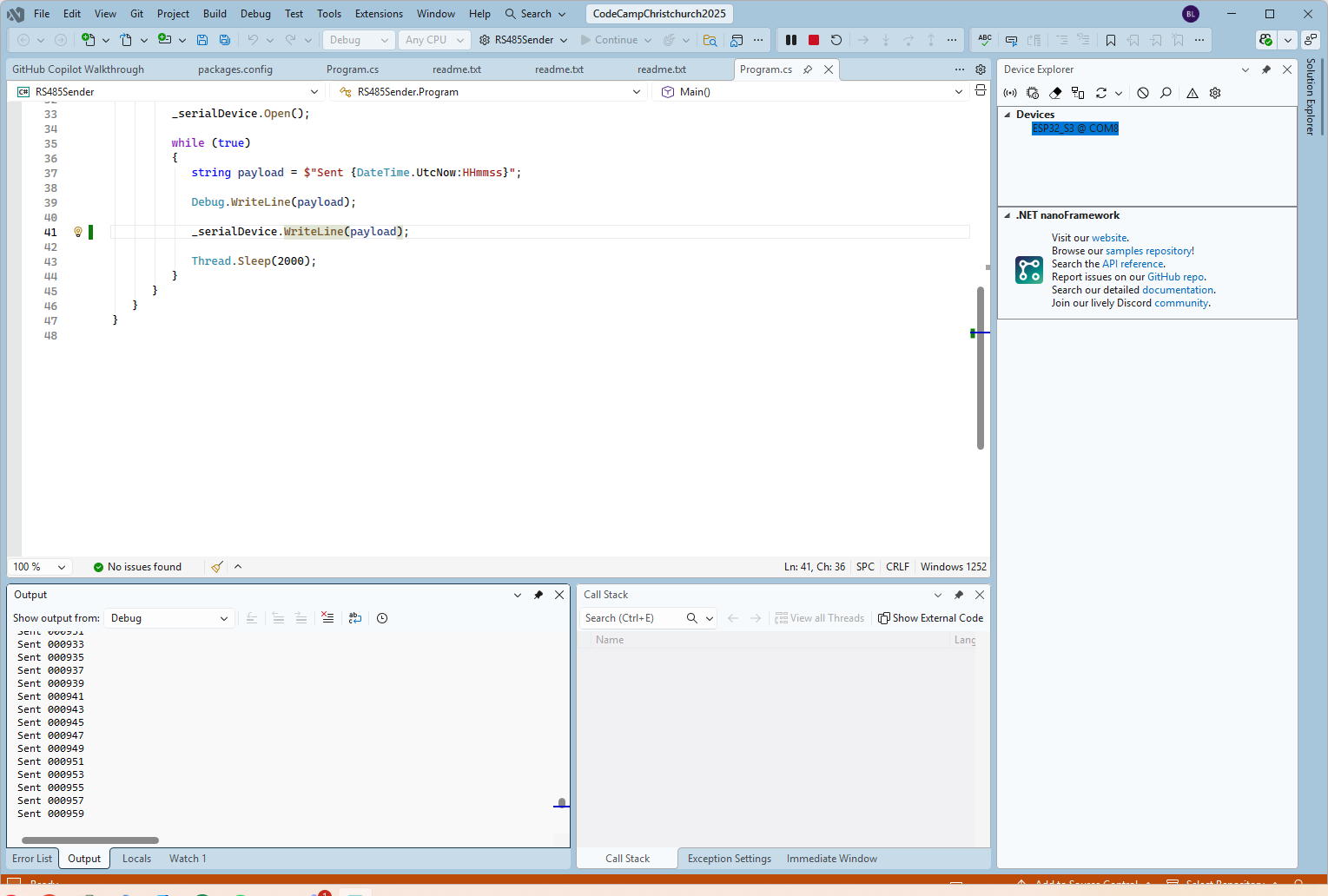
Arduino RS485 Sender application
The nanoFramework sender application
public class Program
{
   static SerialPort _serialDevice;

   public static void Main()
   {
      Configuration.SetPinFunction(Gpio.IO06, DeviceFunction.COM2_RX);
      Configuration.SetPinFunction(Gpio.IO05, DeviceFunction.COM2_TX);
      Configuration.SetPinFunction(Gpio.IO02, DeviceFunction.COM2_RTS);

      Debug.WriteLine("RS485 Sender: ");

      var ports = SerialPort.GetPortNames();

      Debug.WriteLine("Available ports: ");
      foreach (string port in ports)
      {
         Debug.WriteLine($" {port}");
      }

      _serialDevice = new SerialPort("COM2");
      _serialDevice.BaudRate = 9600;
      _serialDevice.Mode = SerialMode.RS485;

      _serialDevice.Open();

      Debug.WriteLine("Sending...");
      while (true)
      {
         string payload = $"{DateTime.UtcNow:HHmmss}";

         Debug.WriteLine($"Sent:{DateTime.UtcNow:HHmmss}");

         Debug.WriteLine(payload);

         _serialDevice.WriteLine(payload);

         Thread.Sleep(2000);
      }
   }
}

if I had built the nanoFramework RS485Sender and RS485Receiver applications first debugging the Arduino RS485Sender and RS485Receiver would been similar.
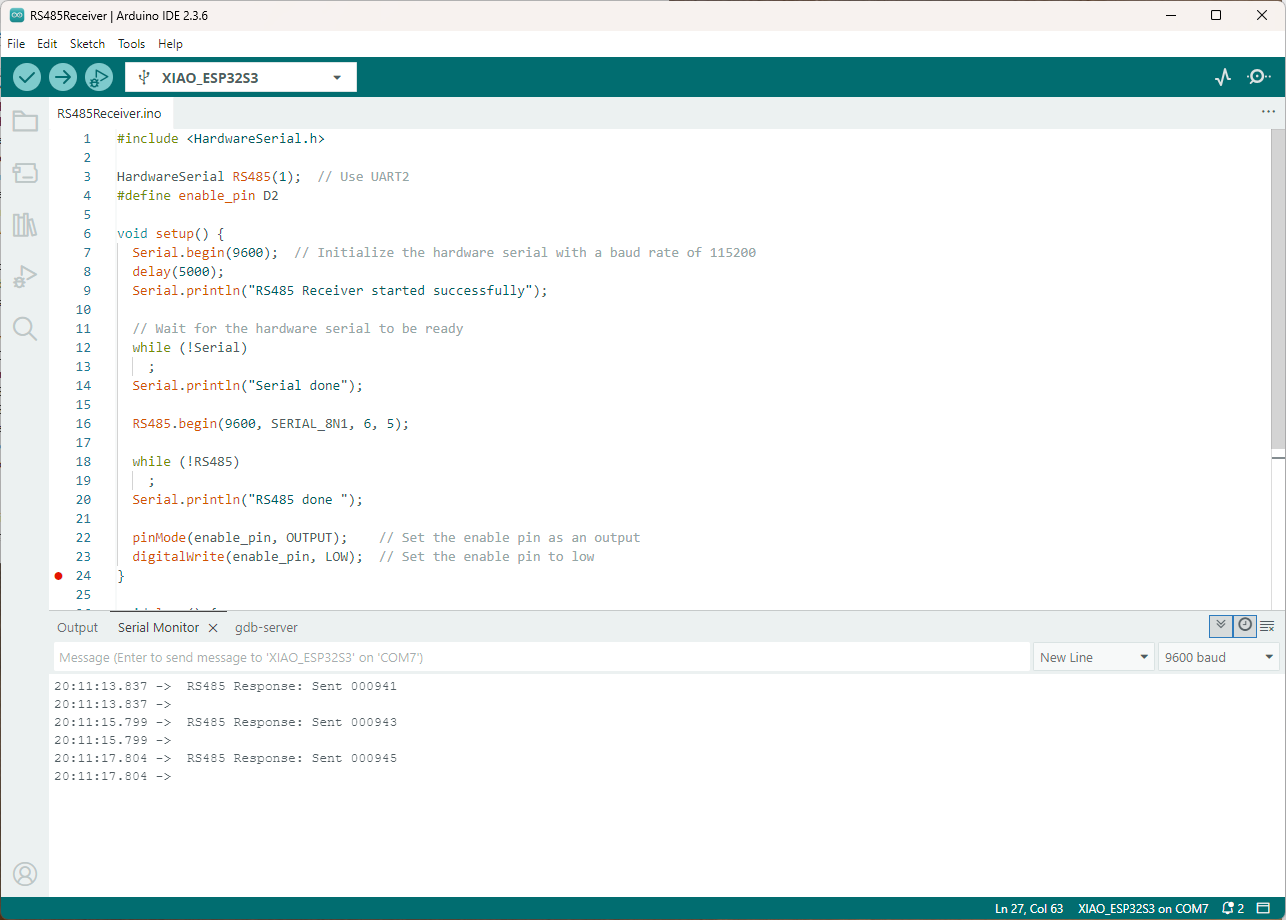
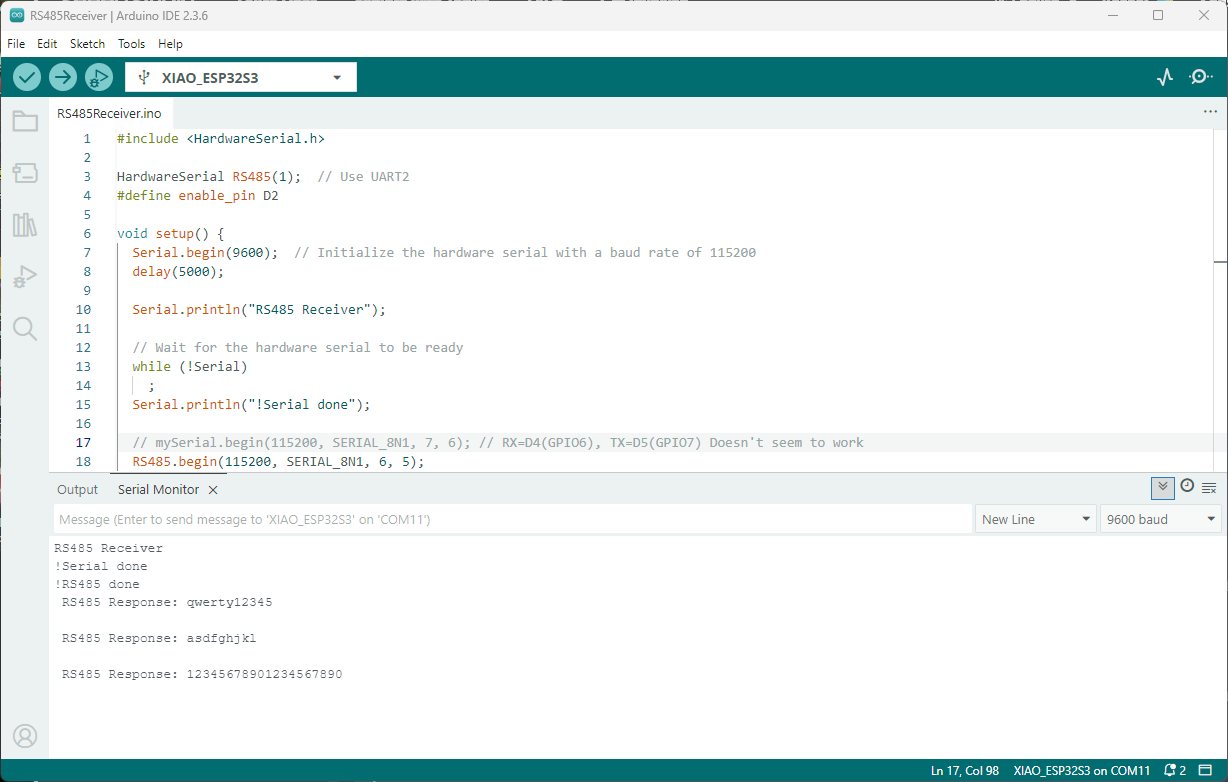
Arduino receiver application displaying messages from the nanoFramework sender application
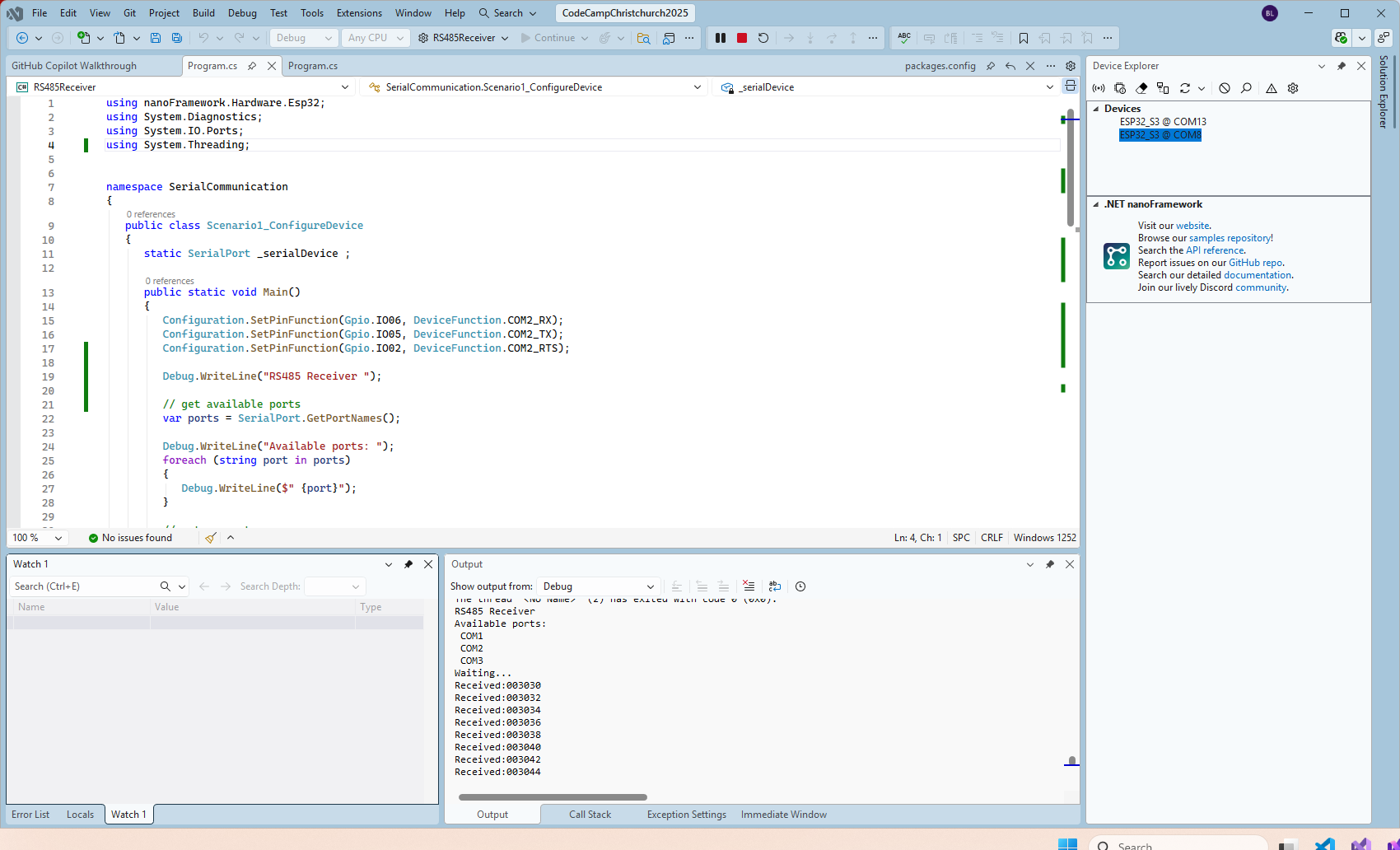
The nanoFramework Receiver receiving messages from the nanoFramework Sender
public class Program
{
   static SerialPort _serialDevice ;
 
   public static void Main()
   {
      Configuration.SetPinFunction(Gpio.IO06, DeviceFunction.COM2_RX);
      Configuration.SetPinFunction(Gpio.IO05, DeviceFunction.COM2_TX);
      Configuration.SetPinFunction(Gpio.IO02, DeviceFunction.COM2_RTS);

      Debug.WriteLine("RS485 Receiver ");

      // get available ports
      var ports = SerialPort.GetPortNames();

      Debug.WriteLine("Available ports: ");
      foreach (string port in ports)
      {
         Debug.WriteLine($" {port}");
      }

      // set parameters
      _serialDevice = new SerialPort("COM2");
      _serialDevice.BaudRate = 9600;
      _serialDevice.Mode = SerialMode.RS485;

      // set a watch char to be notified when it's available in the input stream
      _serialDevice.WatchChar = '\n';

      // setup an event handler that will fire when a char is received in the serial device input stream
      _serialDevice.DataReceived += SerialDevice_DataReceived;

      _serialDevice.Open();

      Debug.WriteLine("Waiting...");
      Thread.Sleep(Timeout.Infinite);
   }

   private static void SerialDevice_DataReceived(object sender, SerialDataReceivedEventArgs e)
   {
      SerialPort serialDevice = (SerialPort)sender;

      switch (e.EventType)
      {
         case SerialData.Chars:
         //break;

         case SerialData.WatchChar:
            string response = serialDevice.ReadExisting();
            Debug.Write($"Received:{response}");
            break;
         default:
            Debug.Assert(false, $"e.EventType {e.EventType} unknown");
            break;
      }
   }
}

The changing of serial port numbers while running different combinations of Arduino and nanoFramework environments concurrently combined with the sender and receiver applications having to be deployed to the right devices (also initially accidentally different baud rates) was a word of pain, and with the benefit of hindsight I should have used two computers.
Seeedstudio XIAO ESP32 S3 RS-485 test harness(Arduino)

As part of a project to read values from a MODBUS RS-485 sensor using a RS-485 Breakout Board for Seeed Studio XIAO and a Seeed Studio XIAO ESP32-S3 I built the test harness described in the wiki post. The test harness setup for a Seeed Studio XIAO ESP32-C3/Seeed Studio XIAO ESP32-C6 didn’t work with my Seeed Studio XIAO ESP32-S3.

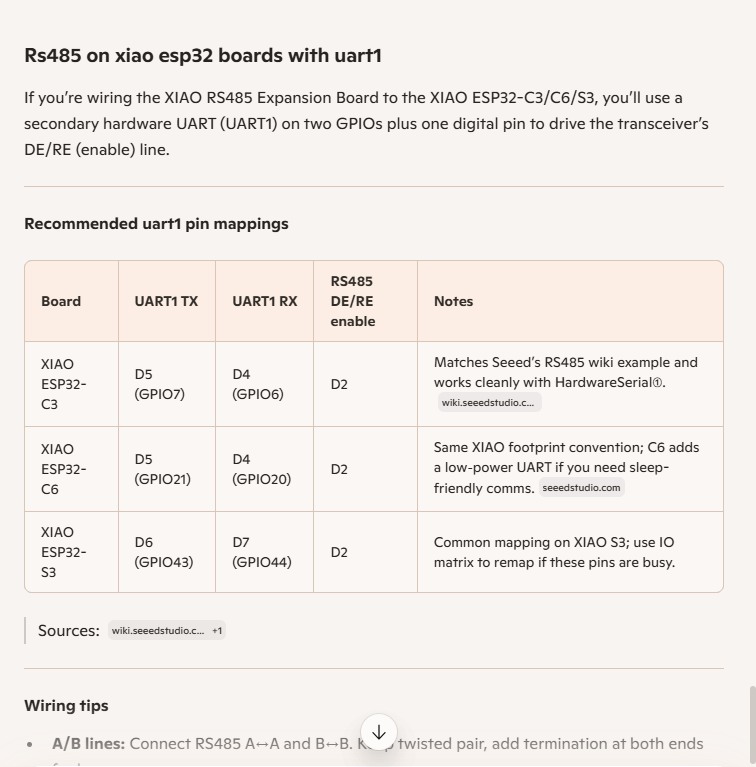
I then did some digging looked at schematics and figured out the port mappings were different. This took a while so I tried Microsoft Copilot

I then updated the port assigned for my RS485Sender application

#include <HardwareSerial.h>

HardwareSerial RS485(1);

#define enable_pin D2

void setup() {
  Serial.begin(9600);  // Initialize the hardware serial with a baud rate of 115200
  delay(5000);

  Serial.println("RS485 Sender");

  // Wait for the hardware serial to be ready
  while (!Serial)
    ;
  Serial.println("!Serial done");

  //mySerial.begin(115200, SERIAL_8N1, 7, 6); // RX=D4(GPIO6), TX=D5(GPIO7) Doesn't work
  RS485.begin(115200, SERIAL_8N1, 6, 5);

  // Wait for the hardware serial to be ready
  while (!RS485)
    ;
  Serial.println("!RS485 done ");

  pinMode(enable_pin, OUTPUT);     // Set the enable pin as an output
  digitalWrite(enable_pin, HIGH);  // Set the enable pin to high
}

void loop() {
  if (Serial.available()) {
    String inputData = Serial.readStringUntil('\n');  // Read the data from the hardware serial until a newline character

    // If the received data is not empty
    if (inputData.length() > 0) {
      Serial.println("Send successfully");  // Print a success message
      RS485.println(inputData);             // Send the received data to the hardware serial
    }
  }
}

I then updated the port assigned for my RS485Receiver application

#include <HardwareSerial.h>

HardwareSerial RS485(1);  // Use UART2
#define enable_pin D2

void setup() {
  Serial.begin(9600);  // Initialize the hardware serial with a baud rate of 115200
  delay(5000);

  Serial.println("RS485 Receiver");

  // Wait for the hardware serial to be ready
  while (!Serial)
    ;
  Serial.println("!Serial done");

  // mySerial.begin(115200, SERIAL_8N1, 7, 6); // RX=D4(GPIO6), TX=D5(GPIO7) Doesn't seem to work
  RS485.begin(115200, SERIAL_8N1, 6, 5); 
  
    // Wait for the hardware serial to be ready
  while (!RS485)
    ;
  Serial.println("!RS485 done ");

  pinMode(enable_pin, OUTPUT);    // Set the enable pin as an output
  digitalWrite(enable_pin, LOW);  // Set the enable pin to low
}

void loop() {
  // Check if there is data available from the hardware serial
  int x = RS485.available();

  if (x) {
    String response = RS485.readString();

    Serial.println(" RS485 Response: " + response);
  }

  delay(1000);
}

Getting my test harness RS485Sender and RS485Receiver applications (inspired by Seeedstudio wiki) took quite a bit longer than expected. Using Copilot worked better than expected but I think that might be because after doing some research my prompts were better.

RAK811 LPWAN EVB Part3

Invalidating the warranty…

I wanted the RAK811 LPWAN Evaluation Board(EVB) -AS923 to work with selection of my Arduino and nanoFramework devices. The first decision was which of the hardware serial port (D0,D1) or the software serial port (D10,D11) should be connected to P1?

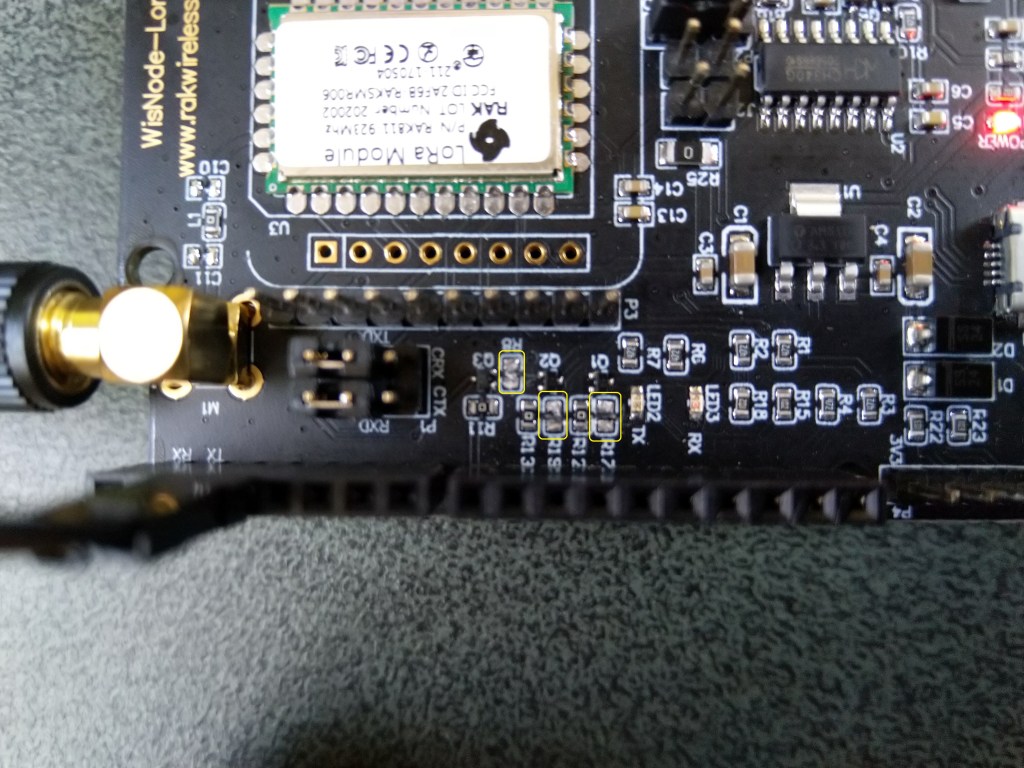
To use the EVB with my STM32F691DISCOVERY board running the nanoFramework (COM5 on the hardware serial port pins D0,D1) I removed R17&R19.

After some tinkering, I found that R8 which is connected to the RAK811 module reset had to be cut as well for the shield to work on my Arduino Uno R3 and STM32F691DISCOVERY devices.

RAK811 EVB with R17,R19 & R8 cut

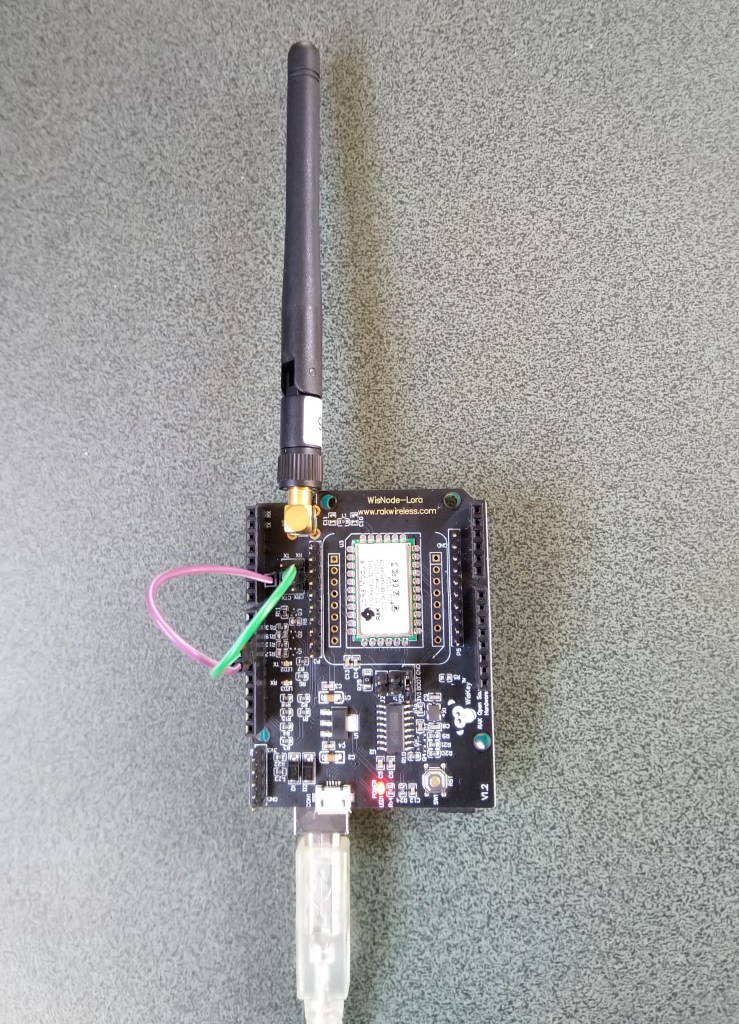
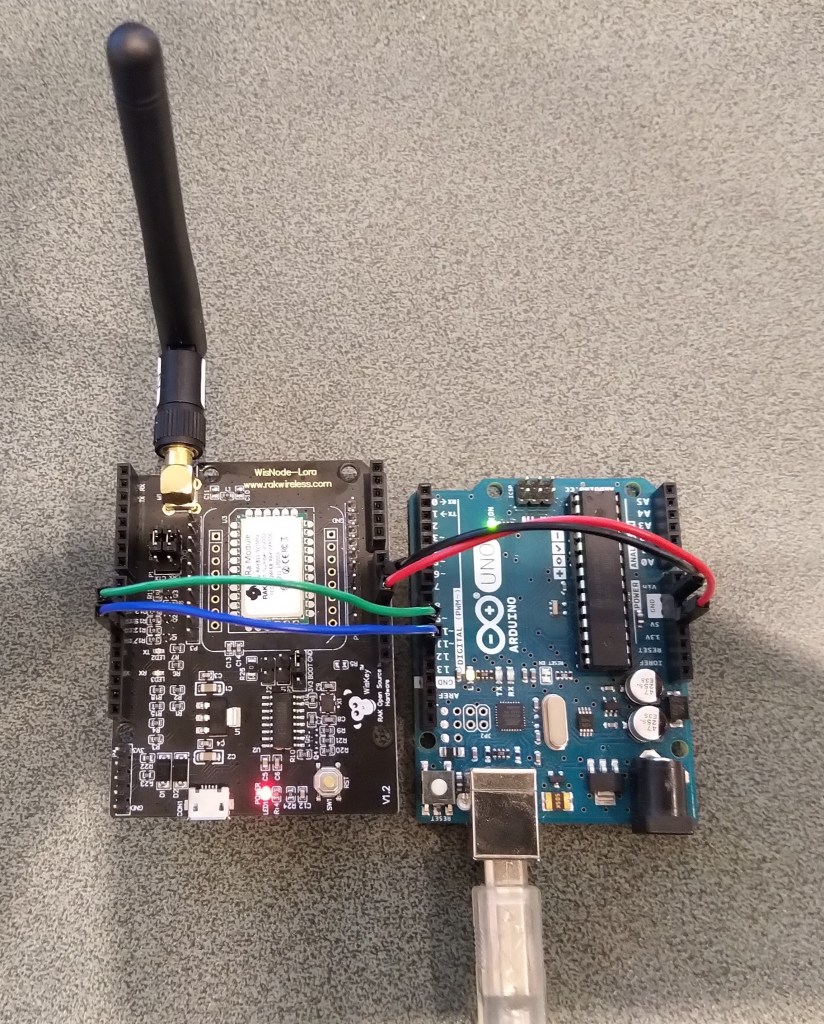
I can still run the Arduino Uno R3 and RAK811 EVB in the original configuration with a couple of jumper leads

RAK811 on Arduino with Serial connected to D10,D1 a SoftwareSerial port

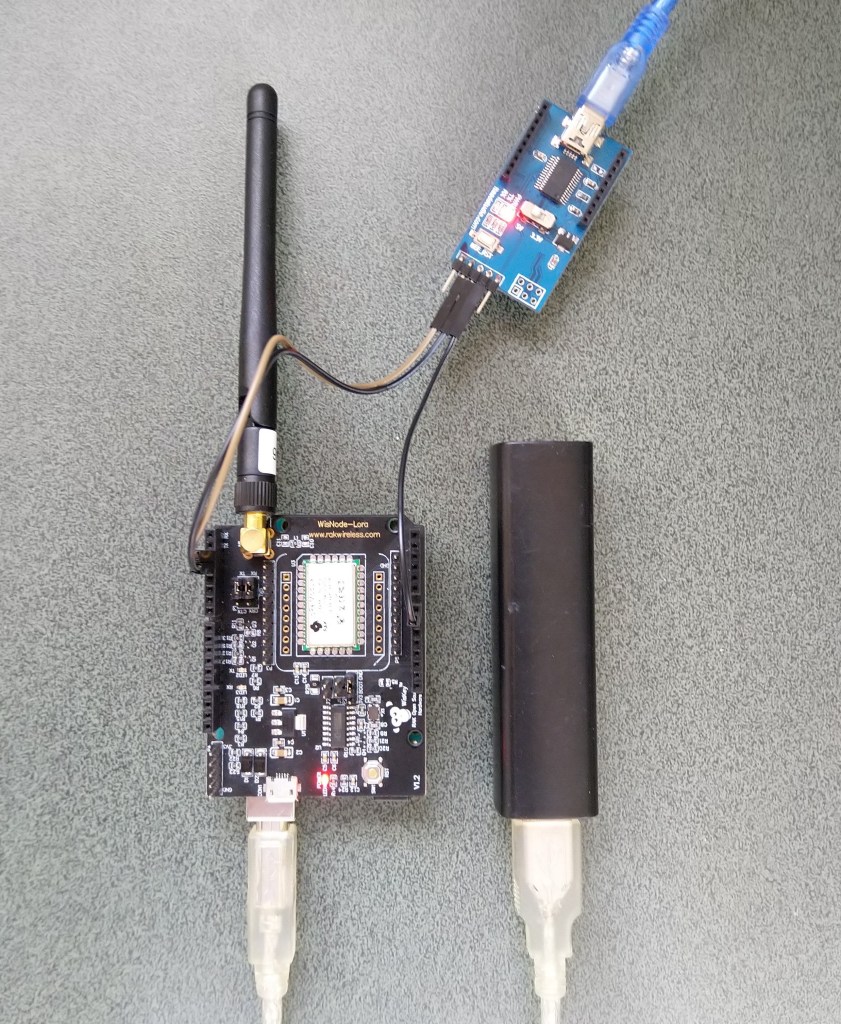
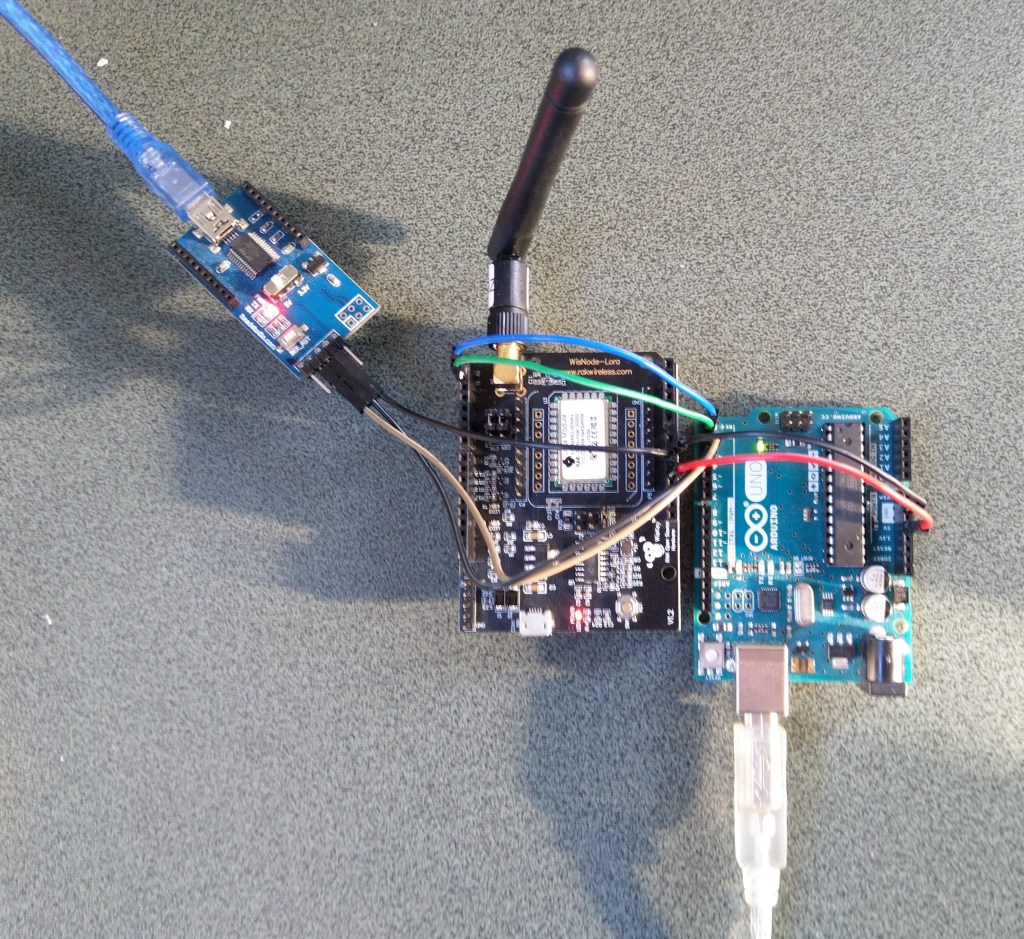
For devices where I needed D10,D11 for a  Serial Peripheral Interface(SPI) I could use an FTDI board and a couple of other pins (in this case D2,D3) for serial logging.

RAK811 on Arduino with Serial connected to D2,D2 a SoftwareSerial port

After debugging some code I also replaced the small jumpers on P1 with a couple of jumper leads so it was less fiddly to swap from downloading to debugging.

RAK811 LPWAN EVB Part2

How can I use this…

Just over a week ago I purchased a RAK811 LPWAN Evaluation Board -AS923 and now I want to trial it with selection of devices and configurations.

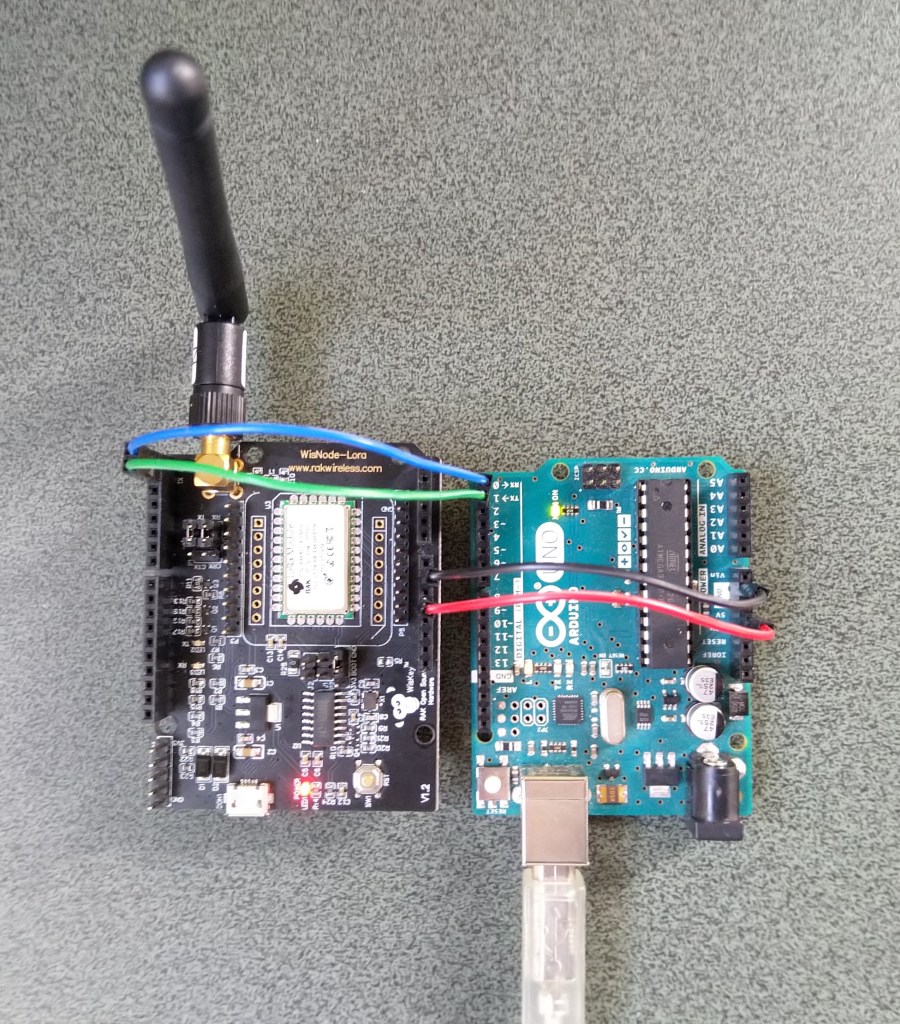
Initially I didn’t want to modify the shield by removing resistors as I only have one, and I’m not certain what device(s) it will be used with. The initial hardware configuration required jumpers for the serial port, ground and 5V power.

Arduino Uno R3 and RAK811 LPWAN Evaluation board 5V config

After looking at the schematic it should be possible to use the shield with a 3v3 device.

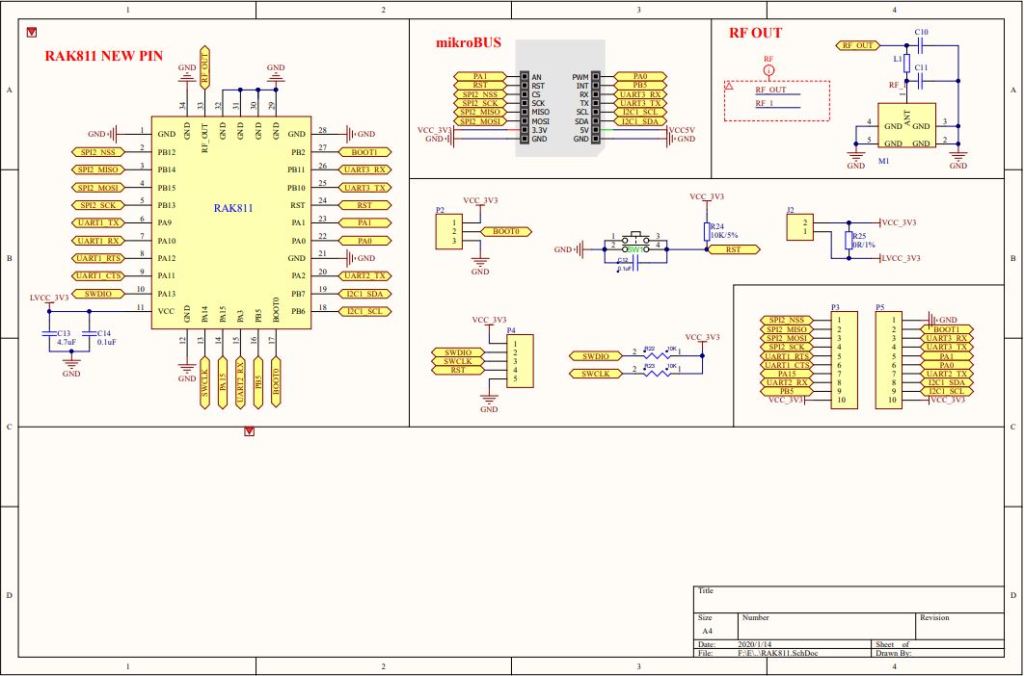
RAK 811 EVB schematic pg1
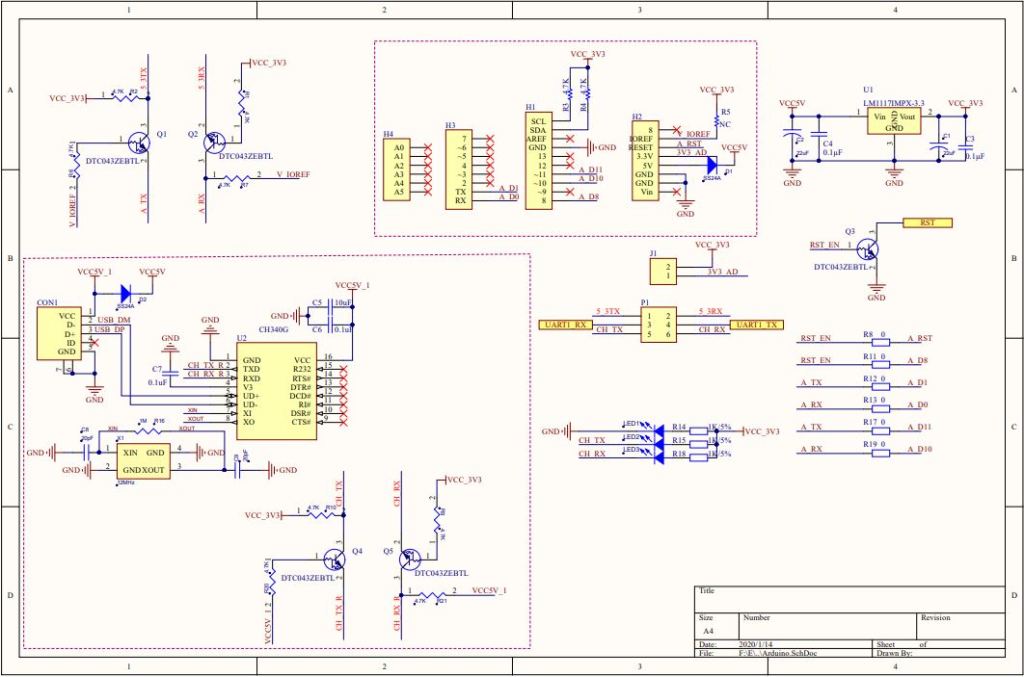
RAK 811 EVB schematic pg2

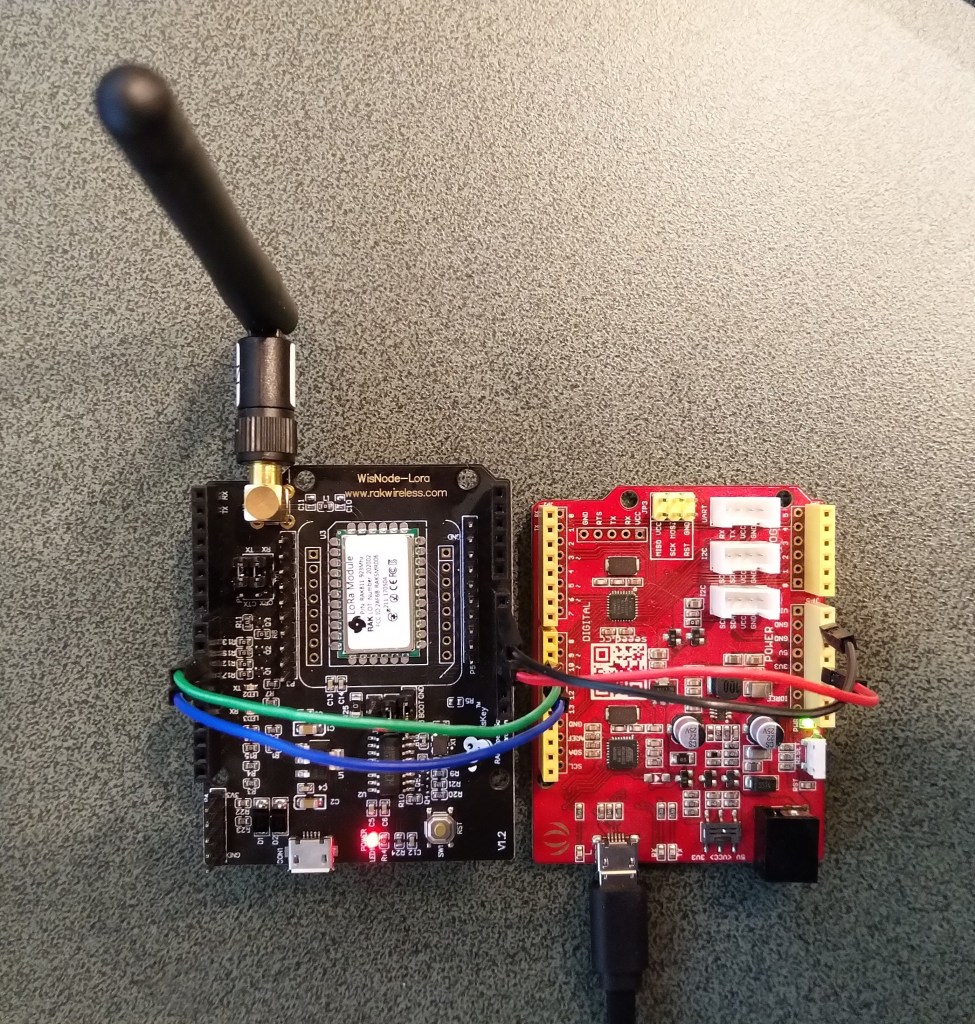
I confirmed this with a Seeeduino V4.2 devices set to 3v3, by putting a jumper on J1 and shifting the jumper wire from the 5V to the 3V3 pin.

Seeeduino V4 and RAK811 LPWAN Evaluation board 3V3 config

The next step was to see how I could get the RAK shield working on other devices without jumpers. On Arduino Uno R3 devices D0&D1 are the hardware(HW) serial port which are used for uploading sketches, and diagnostic logging.

The shield also connects the module serial port to D0&D1 to D10&D11, so by removing R17&R19 the shield should work on a device This would also allow the use of the Serial Peripheral Interface(SPI) port for other applications.

Using the HW Serial port but without any logging.

Unplugging the jumpers to upload was painful but the lack of logging made it really hard to debug my code.

To get around this I configured a SoftwareSerial port on D2&D3 for logging.

/********************************************************
 * This demo is only supported after RUI firmware version 3.0.0.13.X on RAK811
 * Master Board Uart Receive buffer size at least 128 bytes. 
 ********************************************************/
//#define SERIAL_BUFFER_SIZE 128
//#define SERIAL_TX_BUFFER_SIZE 64
//#define SERIAL_RX_BUFFER_SIZE 128
//#define _SS_MAX_RX_BUFF 128
#include "RAK811.h"
#include "SoftwareSerial.h"
#define WORK_MODE LoRaWAN   //  LoRaWAN or LoRaP2P
#define JOIN_MODE OTAA    //  OTAA or ABP
#if JOIN_MODE == OTAA
String DevEui = "..."; // From TTN
String AppEui = "...";
String AppKey = "...";
#else JOIN_MODE == ABP
String NwkSKey = "...";
String AppSKey = "...";
String DevAddr = "...";
#endif

#define TXpin 3   // Set the virtual serial port pins
#define RXpin 2

SoftwareSerial DebugSerial(RXpin,TXpin); // Declare a virtual serial port for debugging
#define ATSerial Serial

char buffer[]= "48656C6C6F20776F726C6435";

bool InitLoRaWAN(void);
RAK811 RAKLoRa(ATSerial,DebugSerial);

void setup() {
  DebugSerial.begin(19200);
  DebugSerial.println(F("Starting"));
  while(DebugSerial.available())
  {
    DebugSerial.read(); 
  }
  
  ATSerial.begin(9600); //set ATSerial baudrate:This baud rate has to be consistent with  the baud rate of the WisNode device.
  while(ATSerial.available())
  {
    ATSerial.read(); 
  }

  if(!RAKLoRa.rk_setWorkingMode(0))  //set WisNode work_mode to LoRaWAN.
  {
    DebugSerial.println(F("set work_mode failed, please reset module."));
    while(1);
  }
  
  RAKLoRa.rk_getVersion();  //get RAK811 firmware version
  DebugSerial.println(RAKLoRa.rk_recvData());  //print version number

  DebugSerial.println(F("Start init RAK811 parameters..."));
 
  if (!InitLoRaWAN())  //init LoRaWAN
  {
    DebugSerial.println(F("Init error,please reset module.")); 
    while(1);
  }

  DebugSerial.println(F("Start to join LoRaWAN..."));
  while(!RAKLoRa.rk_joinLoRaNetwork(60))  //Joining LoRaNetwork timeout 60s
  {
    DebugSerial.println();
    DebugSerial.println(F("Rejoin again after 5s..."));
    delay(5000);
  }
  DebugSerial.println(F("Join LoRaWAN success"));

  if(!RAKLoRa.rk_isConfirm(0))  //set LoRa data send package type:0->unconfirm, 1->confirm
  {
    DebugSerial.println(F("LoRa data send package set error,please reset module.")); 
    while(1);    
  }
}

bool InitLoRaWAN(void)
{
  if(RAKLoRa.rk_setJoinMode(JOIN_MODE))  //set join_mode:OTAA
  {
    if(RAKLoRa.rk_setRegion(0))  //set region EU868
    {
      if (RAKLoRa.rk_initOTAA(DevEui, AppEui, AppKey))
      {
        DebugSerial.println(F("RAK811 init OK!"));  
        return true;    
      }
    }
  }
  return false;
}

void loop() 
{
  DebugSerial.println(F("Start send data..."));
  if (RAKLoRa.rk_sendData(1, buffer))
  {    
    //for (unsigned long start = millis(); millis() - start < 300000L;)
    for (unsigned long start = millis(); millis() - start < 10000L;)
    {
      String ret = RAKLoRa.rk_recvData();
      if(ret != NULL)
      { 
        DebugSerial.println("ret != NULL");
        DebugSerial.println(ret);
      }
      if((ret.indexOf("OK")>0)||(ret.indexOf("ERROR")>0))
      {
        DebugSerial.println(F("Go to Sleep."));
        RAKLoRa.rk_sleep(1);  //Set RAK811 enter sleep mode
        delay(10000);  //delay 10s
        RAKLoRa.rk_sleep(0);  //Wakeup RAK811 from sleep mode
        break;
      }
    }
  }
}

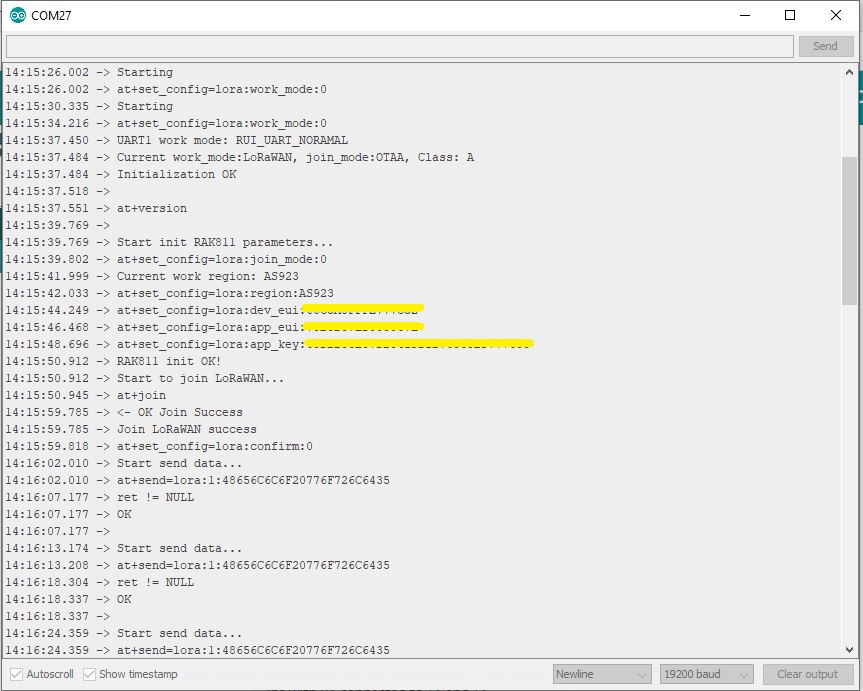
I used an FTDI module I had lying around to connect the diagnostic logging serial port on the test rig to my development box.

Using the HW Serial port but with logging.

Now I only had to unplug the jumpers for D0&D1 and change ports in the Arduino IDE. One port for debugging the other for downloading.

Depending on the application I may remove R8 so I can manually reset the shield.