Asynchronous is always better, maybe…
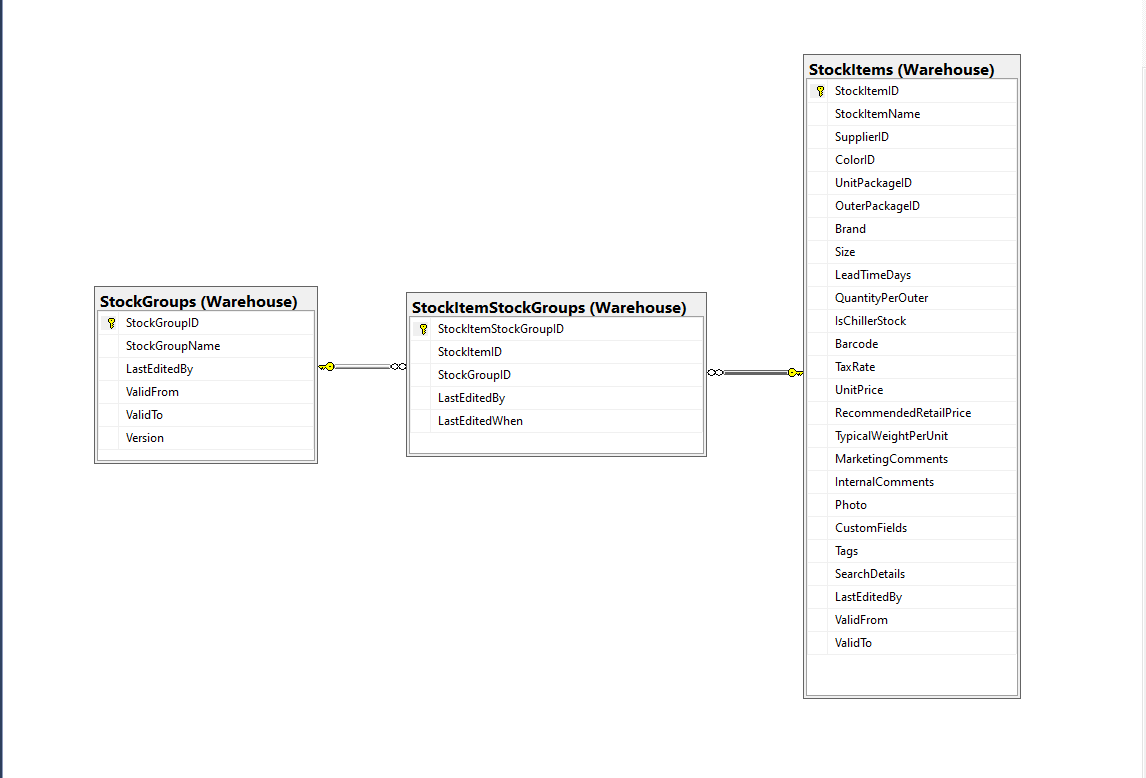
For a trivial ASP.NET Core web API controller like the one below the difference between using synchronous and asynchronous calls is most probably negligible. Especially as the sample World Wide Importers database [Warehouse].[StockItems] table only has 227 records.
[HttpGet("IEnumerableSmall")]
public async Task<ActionResult<IEnumerable<Model.StockItemListDtoV1>>> GetIEnumerableSmall([FromQuery] bool buffered = false)
{
	IEnumerable<Model.StockItemListDtoV1> response = null;

	using (SqlConnection db = new SqlConnection(this.connectionString))
	{
		logger.LogInformation("IEnumerableSmall start Buffered:{buffered}", buffered);

		response = await db.QueryWithRetryAsync<Model.StockItemListDtoV1>(
			sql: @"SELECT [SI1].[StockItemID] as ""ID"", [SI1].[StockItemName] as ""Name"", [SI1].[RecommendedRetailPrice], [SI1].[TaxRate]" +
				   "FROM [Warehouse].[StockItems] as SI1",
			buffered,
			commandType: CommandType.Text);

		logger.LogInformation("IEnumerableSmall done");
	}

	return this.Ok(response);
}
The easiest way to increase the size of the returned record was with CROSS JOIN(s). This is the first (and most probably the last time) I have used a cross join in a “real” application.
[HttpGet("IEnumerableMedium")]
public async Task<ActionResult<IEnumerable<Model.StockItemListDtoV1>>> GetIEnumerableMedium([FromQuery] bool buffered = false)
{
	IEnumerable<Model.StockItemListDtoV1> response = null;

	using (SqlConnection db = new SqlConnection(this.connectionString))
	{
		logger.LogInformation("IEnumerableMedium start Buffered:{buffered}", buffered);

		response = await db.QueryWithRetryAsync<Model.StockItemListDtoV1>(
					sql: @" SELECT [SI2].[StockItemID] as ""ID"", [SI2].[StockItemName] as ""Name"", [SI2].[RecommendedRetailPrice], [SI2].[TaxRate]" +
									"FROM [Warehouse].[StockItems] as SI1" +
									"CROSS JOIN[Warehouse].[StockItems] as SI2",
					buffered,
					commandType: CommandType.Text);

		logger.LogInformation("IEnumerableMedium done");
	}

	return this.Ok(response);
}
The medium controller returns 51,529 (227 x 227) rows and the large controller upto 11,697,083 (227 x 227 x 227) rows.
[HttpGet("IEnumerableLarge")]
public async Task<ActionResult<IEnumerable<Model.StockItemListDtoV1>>> GetIEnumerableLarge()
{
	IEnumerable<Model.StockItemListDtoV1> response = null;

	using (SqlConnection db = new SqlConnection(this.connectionString))
	{
		logger.LogInformation("IEnumerableLarge start");

		response = await db.QueryWithRetryAsync<Model.StockItemListDtoV1>(
				sql: $@"SELECT [SI3].[StockItemID] as ""ID"", [SI3].[StockItemName] as ""Name"", [SI3].[RecommendedRetailPrice], [SI3].[TaxRate]" +
						"FROM [Warehouse].[StockItems] as SI1" +
						"   CROSS JOIN[Warehouse].[StockItems] as SI2" +
						"	CROSS JOIN[Warehouse].[StockItems] as SI3",
				commandType: CommandType.Text);

		logger.LogInformation("IEnumerableLarge done");
	}

	return this.Ok(response);
}
The first version of “IEnumerableLarge” returned some odd Hyper Text Transfer Protocol(HTTP) error codes and Opera kept running out of memory.

I think this error was due to the Azure App Service Load Balancer 230 second timeout.

I added some query string parameters to the IEnumerable and IAsyncEnumerable methods so the limit number of records returned by the QueryWithRetryAsync(us the TOP statement).
if (command.Buffered)
{
   var buffer = new List<T>();
   var convertToType = Nullable.GetUnderlyingType(effectiveType) ?? effectiveType;
   while (await reader.ReadAsync(cancel).ConfigureAwait(false))
   {
      object val = func(reader);
      buffer.Add(GetValue<T>(reader, effectiveType, val));
   }
   while (await reader.NextResultAsync(cancel).ConfigureAwait(false))
   { /* ignore subsequent result sets */ }
   command.OnCompleted();
   return buffer;
}
else
{
   // can't use ReadAsync / cancellation; but this will have to do
   wasClosed = false; // don't close if handing back an open reader; rely on the command-behavior
   var deferred = ExecuteReaderSync<T>(reader, func, command.Parameters);
   reader = null; // to prevent it being disposed before the caller gets to see it
   return deferred;
 }
The QueryWithRetryAsync method (My wrapper around Dapper’s QueryAsync) also has a “buffered” vs. “Unbuffered” reader parameter(defaults to True) and I wanted to see if that had any impact.
[HttpGet("IEnumerableLarge")]
public async Task<ActionResult<IEnumerable<Model.StockItemListDtoV1>>> GetIEnumerableLarge([FromQuery] bool buffered = false, [FromQuery] int recordCount = 10)
{
	IEnumerable<Model.StockItemListDtoV1> response = null;

	using (SqlConnection db = new SqlConnection(this.connectionString))
	{
		logger.LogInformation("IEnumerableLarge start RecordCount:{recordCount} Buffered:{buffered}", recordCount, buffered);

		response = await db.QueryWithRetryAsync<Model.StockItemListDtoV1>(
			sql: $@"SELECT TOP({recordCount}) [SI3].[StockItemID] as ""ID"", [SI3].[StockItemName] as ""Name"", [SI3].[RecommendedRetailPrice], [SI3].[TaxRate]" +
					"FROM [Warehouse].[StockItems] as SI1" +
					"   CROSS JOIN[Warehouse].[StockItems] as SI2" +
					"	CROSS JOIN[Warehouse].[StockItems] as SI3",
		buffered,
		commandType: CommandType.Text);

		logger.LogInformation("IEnumerableLarge done");
	}

	return this.Ok(response);
}
I used Telerik Fiddler to call the StockItemsIAsyncEnumerable controller IEnumberable and IAsyncEnumerable methods. The Azure App Service was hosted in an Azure Application Plan (S1, 100 total ACU, 1.75 GB). I found Telerik Fiddler had problems with larger responses, and would crash if the body of a larger response was viewed.


The unbuffered buffered version was slower Time To Last Byte(TTLB) and failed earlier which I was expecting.
[HttpGet("IAsyncEnumerableLarge")]
public async Task<ActionResult<IAsyncEnumerable<Model.StockItemListDtoV1>>> GetAsyncEnumerableLarge([FromQuery] bool buffered = false, [FromQuery]int recordCount = 10)
{
    IEnumerable<Model.StockItemListDtoV1> response = null;

    using (SqlConnection db = new SqlConnection(this.connectionString))
    {
        logger.LogInformation("IAsyncEnumerableLarge start RecordCount:{recordCount} Buffered:{buffered}", recordCount, buffered);

        response = await db.QueryWithRetryAsync<Model.StockItemListDtoV1>(
            sql: $@"SELECT TOP({recordCount}) [SI3].[StockItemID] as ""ID"", [SI3].[StockItemName] as ""Name"", [SI3].[RecommendedRetailPrice], [SI3].[TaxRate]" +
                    "FROM [Warehouse].[StockItems] as SI1" +
                    "   CROSS JOIN[Warehouse].[StockItems] as SI2" +
                    "   CROSS JOIN[Warehouse].[StockItems] as SI3",
        buffered,
        commandType: CommandType.Text);

        logger.LogInformation("IAsyncEnumerableLarge done");
    }

    return this.Ok(response);
}

[HttpGet("IAsyncEnumerableLargeYield")]
public async IAsyncEnumerable<Model.StockItemListDtoV1> GetAsyncEnumerableLargeYield([FromQuery] int recordCount = 10)
{
	int rowCount = 0;

	using (SqlConnection db = new SqlConnection(this.connectionString))
	{
		logger.LogInformation("IAsyncEnumerableLargeYield start RecordCount:{recordCount}", recordCount);

		CommandDefinition commandDefinition = new CommandDefinition(
			$@"SELECT TOP({recordCount}) [SI3].[StockItemID] as ""ID"", [SI3].[StockItemName] as ""Name"", [SI3].[RecommendedRetailPrice], [SI3].[TaxRate]" +
						"FROM [Warehouse].[StockItems] as SI1" +
						"   CROSS JOIN[Warehouse].[StockItems] as SI2" +
						"	CROSS JOIN[Warehouse].[StockItems] as SI3",
			//commandTimeout:
			CommandType.Text,
			//flags: CommandFlags.Pipelined
		);

		using var reader = await db.ExecuteReaderWithRetryAsync(commandDefinition);

		var rowParser = reader.GetRowParser<Model.StockItemListDtoV1>();

		while (await reader.ReadAsync())
		{
			rowCount++;

			if ((rowCount % 10000) == 0)
			{
				logger.LogInformation("Row count:{0}", rowCount);
			}

			yield return rowParser(reader);
		}
		logger.LogInformation("IAsyncEnumerableLargeYield done");
	}
}
When this post was written (August 2022) Dapper IAsyncEnumerable understanding was limited so I trialed the approach suggested in the StackOverflow post.

The IAsyncEnumerableLargeYield was faster to start responding, the overall duration was less and returned significantly more records 7000000 vs. 13000000. I assume this was because the response was streamed so there wasn’t a timeout.

The results of my tests should be treated as “indicative” rather than “definitive”. In a future post I compare the scalability of different approaches. The number of records returned by the IAsyncEnumerableLargeYield not realistic and in a “real-world” scenario paging or an alternate approach should be used.











 devMobile's blog