Building Cloud AI with Github Copilot- YoloSharp Azure HTTP Functions

Introduction

For this post I have used Github Copilot prompts to generate Azure HTTP Trigger functions which use Ultralytics YoloV8 and Compunet YoloSharp for object classification, object detection, and pose estimation.

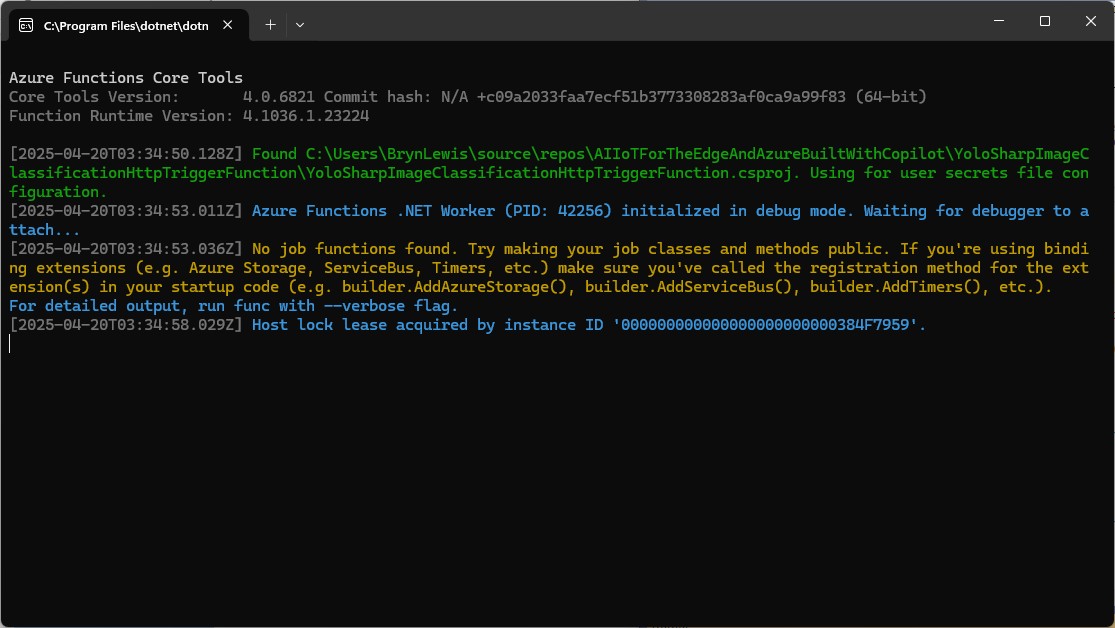
I started with the Visual Studio 2022 Azure functions quick start code which ran first time.

using Microsoft.AspNetCore.Http;
using Microsoft.AspNetCore.Mvc;
using Microsoft.Azure.Functions.Worker;
using Microsoft.Extensions.Logging;

namespace YoloSharpxxxxxHttpTriggerFunction
{
    public class Function1
    {
        private readonly ILogger<Function1> _logger;

        public Function1(ILogger<Function1> logger)
        {
            _logger = logger;
        }

        [Function("Function1")]
        public IActionResult Run([HttpTrigger(AuthorizationLevel.Anonymous, "get", "post")] HttpRequest req)
        {
            _logger.LogInformation("C# HTTP trigger function processed a request.");
            return new OkObjectResult("Welcome to Azure Functions!");
        }
    }
}

The code generated by Github Copilot for the three functions changed the Function attribute to FunctionName and didn’t initialise the ILogger correctly.
[FunctionName("DetectObjects")]
public static async Task<IActionResult> Run(
     [HttpTrigger(AuthorizationLevel.Function, "post", Route = "detect")] HttpRequest req,
     ILogger log)
{
   log.LogInformation("DetectObjects function received a request for object detection.");
   ...
}

Every so often, when uploading more than one image at a time there was a “System.IO.InvalidData Exception: The stream exceeded the data limit 16384” error. In previous examples I had tried the batch processing of multiple images but had hit memory issues, so putting the image to be in the message body rather than Multipart Form Data for future development seems like a reasonable approach.

Image in the body of the request

Object Classification

I started with an object classification function because in previous examples Github Copilot was better at unpacking the results.

please write an httpTrigger azure function that uses YoloSharp and a Yolo image classification onnx model
Image classification not object detection
The image is in the form data
The multipart/form-data check can be removed
The YoloPredictor should be released after use
Many image files could be uploaded in one request
Only one image file can be uploaded in one request

[Function("YoloImageClassificationFunction")]
public async Task<IActionResult> Run([HttpTrigger(AuthorizationLevel.Function, "post", Route = null)] HttpRequest req)
{
   _logger.LogInformation("C# HTTP trigger function processed a request.");

   var form = await req.ReadFormAsync();
   var files = form.Files;

   if (files.Count == 0)
   {
      return new BadRequestObjectResult("No images uploaded.");
   }

   if (files.Count > 1)
   {
      return new BadRequestObjectResult("Only one image file can be uploaded in one request.");
   }

   var file = files[0];
   if (file.Length > 0)
   {
      using (var memoryStream = new MemoryStream())
      {
         await file.CopyToAsync(memoryStream);
         var imageBytes = memoryStream.ToArray();

         using (var yoloModel = new YoloPredictor("yolov8s-cls.onnx"))
         {
            var classifications = yoloModel.Classify(imageBytes);

            return new OkObjectResult(new { file.FileName, classifications });
         }
      }
   }

   return new BadRequestObjectResult("Invalid image file.");
}

Image in the form data of the request

When I compared the results with previous applications, they were the same. I should have added code which discarded any result with less that a specified confidence to reduce the size of the results.

Object Detection

please write an azure function with an http trigger that uses yolosharp and an onnx file to detect objects in an image
The image is not in the body it is in the form
Image.Load is not used
yolo.Detect can process an image file stream
The YoloPredictor should be released after use
Many image files could be uploaded in one request
Only one image per request
Add multipart/form-data content type check
Add check that there are headers — Didn’t get this right
Add check that req.Headers is not null
Add check that request has ContentType and it is multipart/form-data

[Function("ObjectDetectionFunction")]
public async Task<IActionResult> Run( [HttpTrigger(AuthorizationLevel.Function, "post", Route = null)] HttpRequest req)
{
   _logger.LogInformation("C# HTTP trigger function processed a request.");

   // Intellisense fix
   if (req.Headers == null || !req.Headers.TryGetValue("Content-Type", out Microsoft.Extensions.Primitives.StringValues value) || !value.ToString().Contains("multipart/form-data"))
   {
      return new BadRequestObjectResult("The request must have a Content-Type header with multipart/form-data.");
   }

   // Read the images from the form data
   var form = await req.ReadFormAsync();
   var files = form.Files;
   if (files.Count == 0)
   {
      return new BadRequestObjectResult("No image files uploaded.");
   }

   if (files.Count > 1)
   {
      return new BadRequestObjectResult("Only one image file is allowed per request.");
   }

   var file = files[0];
   if (file.Length == 0)
   {
      return new BadRequestObjectResult("The uploaded image file is empty.");
   }

   // Load the YOLOv8 model
   using (var yolo = new YoloPredictor("yolov8s.onnx"))
   {
      // Perform object detection
      using (var stream = file.OpenReadStream())
      {
         var items = yolo.Detect(stream);
         var result = new { FileName = file.FileName, Detections = items };

         // Return the detection results
         return new OkObjectResult(result);
      }
   }
}

After a couple of manual fixes the function ran in the desktop emulator

When I compared the results with previous applications, they were the same.

Pose Estimation

I forgot the ILogger initialisation so had to do it at the end

please write an azure function with an http trigger that uses yolosharp to estimate the pose of humans in an uploaded image.
Yolo v8 pose estimation model and yolosharp library
Make into azure function
The image files are in the form of the request
Modify the code so more than one image per request can be processed
Initialise ILogger in the constructor

//[FunctionName("PoseEstimation")]
[Function("PoseEstimation")]
public async Task<IActionResult> Run([HttpTrigger(AuthorizationLevel.Function, "post", Route = null)] HttpRequest req)
{
   _log.LogInformation("Pose estimation function processed a request.");

   if (!req.HasFormContentType || !req.Form.Files.Any())
   {
      return new BadRequestObjectResult("Please upload image files.");
   }

   var results = new List<object>();

   foreach (var file in req.Form.Files)
   {
      using var memoryStream = new MemoryStream();
      await file.CopyToAsync(memoryStream);
      memoryStream.Position = 0;

      using var image = Image.Load<Rgba32>(memoryStream);

      // Initialize the YOLO model
      //using var predictor = new YoloPredictor("path/to/model.onnx");
      using var predictor = new YoloPredictor("yolov8s-pose.onnx");

      // Perform pose estimation
      var result = await predictor.PoseAsync(image);

      // Format the results
      //var poses = result.Poses.Select(pose => new
      var poses = result.Select(pose => new
      {
         //Keypoints = pose.Keypoints.Select(k => new { k.X, k.Y }),
         Keypoints = pose.Select(k => new { k.Point.X, k.Point.Y }),
         Confidence = pose.Confidence
      });

      results.Add(new
      {
         Image = file.FileName,
         Poses = poses
      });
   }

   return new OkObjectResult(new { results });
}

After a couple of manual fixes including changing the way the results were generated the function ran in the desktop emulator.

Summary

The generated code worked but required manual fixes and was pretty ugly

The Github Copilot generated code in this post is not suitable for production

Building Cloud AI with AI-YoloSharp Object detection Azure HTTP Trigger function

Introduction

Using Copilot to generate the code to retrieve an image from a security camera and small applications for object detection, object classification, with YoloSharp also went surprisingly well. An Azure HTTP Trigger function is a bit more complex so I decided to do one next. I started with the Visual Studio 2022 generated code

using Microsoft.AspNetCore.Http;
using Microsoft.AspNetCore.Mvc;
using Microsoft.Azure.Functions.Worker;
using Microsoft.Extensions.Logging;

namespace YoloObjectDetectionFunction
{
    public class Function1
    {
        private readonly ILogger<Function1> _logger;

        public Function1(ILogger<Function1> logger)
        {
            _logger = logger;
        }

        [Function("Function1")]
        public IActionResult Run([HttpTrigger(AuthorizationLevel.Function, "get", "post")] HttpRequest req)
        {
            _logger.LogInformation("C# HTTP trigger function processed a request.");
            return new OkObjectResult("Welcome to Azure Functions!");
        }
    }
}

I then generated the first version of the code with Copilot desktop

The code looked “okay” but had lots of extra “usings”, used FunctionName vs Function attributes etc. so didn’t compile.

I think the “var yolo = new Yolo(modelPath)” comes from YoloDotNet by Niklas Swärd and “var detections = yolo.Predict(image)” is from YoloV8.Net by Samuel Stainback

using System.IO;
using System.Linq;
using System.Net;
using System.Net.Http;
using System.Threading.Tasks;
using Microsoft.AspNetCore.Mvc;
using Microsoft.Azure.WebJobs;
using Microsoft.Azure.WebJobs.Extensions.Http;
using Microsoft.Extensions.Logging;
using SixLabors.ImageSharp;
using SixLabors.ImageSharp.PixelFormats;
using SixLabors.ImageSharp.Processing;
using YoloSharp;
using YoloSharp.DataStructures;

public static class YoloObjectDetectionFunction
{
    private static readonly string modelPath = "path/to/your/yolo-model.onnx";

    [FunctionName("YoloObjectDetection")]
    public static async Task<IActionResult> Run(
        [HttpTrigger(AuthorizationLevel.Function, "post", Route = null)] HttpRequestMessage req,
        ILogger log)
    {
        log.LogInformation("Yolo Object Detection function processed a request.");

        // Read the image from the request
        byte[] imageBytes = await req.Content.ReadAsByteArrayAsync();
        using (Image<Rgba32> image = Image.Load<Rgba32>(imageBytes))
        {
            // Initialize YoloSharp
            using (var yolo = new Yolo(modelPath))
            {
                // Detect objects in the image
                var detections = yolo.Predict(image);

                // Process the detections
                foreach (var detection in detections)
                {
                    // Draw bounding boxes on the image
                    image.Mutate(ctx => ctx.DrawPolygon(Rgba32.Red, 2, detection.BoundingBox.ToPolygon()));
                }

                // Save the modified image to a memory stream
                using (var ms = new MemoryStream())
                {
                    image.SaveAsPng(ms);
                    ms.Seek(0, SeekOrigin.Begin);

                    // Return the modified image as a response
                    var result = new HttpResponseMessage(HttpStatusCode.OK)
                    {
                        Content = new StreamContent(ms)
                    };
                    result.Content.Headers.ContentType = new System.Net.Http.Headers.MediaTypeHeaderValue("image/png");
                    return new FileStreamResult(ms, "image/png");
                }
            }
        }
    }
}

I manually fixed all the issues in the code with a lot of assistance from Visual Studio 2022 Intellisense

using System.Net;

using Microsoft.AspNetCore.Mvc;
using Microsoft.Azure.Functions.Worker;
using Microsoft.Extensions.Logging;

using SixLabors.ImageSharp;
using SixLabors.ImageSharp.PixelFormats;
using SixLabors.ImageSharp.Processing;
using SixLabors.ImageSharp.Drawing.Processing;

//using YoloSharp;
//using YoloSharp.DataStructures;
using Compunet.YoloSharp;


public static class YoloObjectDetectionFunction
{
   //private static readonly string modelPath = "path/to/your/yolo-model.onnx";
   private static readonly string modelPath = "yolov8s.onnx";

   //[FunctionName("YoloObjectDetection")]
   [Function("YoloObjectDetection")]
   public static async Task<IActionResult> Run(
       [HttpTrigger(AuthorizationLevel.Function, "post", Route = null)] HttpRequestMessage req,
       ILogger log)
   {
      log.LogInformation("Yolo Object Detection function processed a request.");

      // Read the image from the request
      byte[] imageBytes = await req.Content.ReadAsByteArrayAsync();
      using (Image<Rgba32> image = Image.Load<Rgba32>(imageBytes))
      {
         // Initialize YoloSharp
         //using (var yolo = new Yolo(modelPath))
         using (var yolo = new YoloPredictor(modelPath))
         {
            // Detect objects in the image
            //var detections = yolo.Predict(image);
            var detections = yolo.Detect(image);

            // Process the detections
            foreach (var detection in detections)
            {
               // Draw bounding boxes on the image
               //image.Mutate(ctx => ctx.DrawPolygon(Rgba32.Red, 2, detection.BoundingBox.ToPolygon()));

               var rectangle = new PointF[] {new Point(detection.Bounds.Bottom, detection.Bounds.Left), new Point(detection.Bounds.Bottom, detection.Bounds.Right), new Point(detection.Bounds.Right, detection.Bounds.Top), new Point(detection.Bounds.Left, detection.Bounds.Top)};

               image.Mutate(ctx => ctx.DrawPolygon(Rgba32.ParseHex("FF0000"), 2, rectangle));
            }

            // Save the modified image to a memory stream
            using (var ms = new MemoryStream())
            {
               image.SaveAsPng(ms);
               ms.Seek(0, SeekOrigin.Begin);

               // Return the modified image as a response
               var result = new HttpResponseMessage(HttpStatusCode.OK)
               {
                  Content = new StreamContent(ms)
               };
               result.Content.Headers.ContentType = new System.Net.Http.Headers.MediaTypeHeaderValue("image/png");
               return new FileStreamResult(ms, "image/png");
            }
         }
      }
   }
}

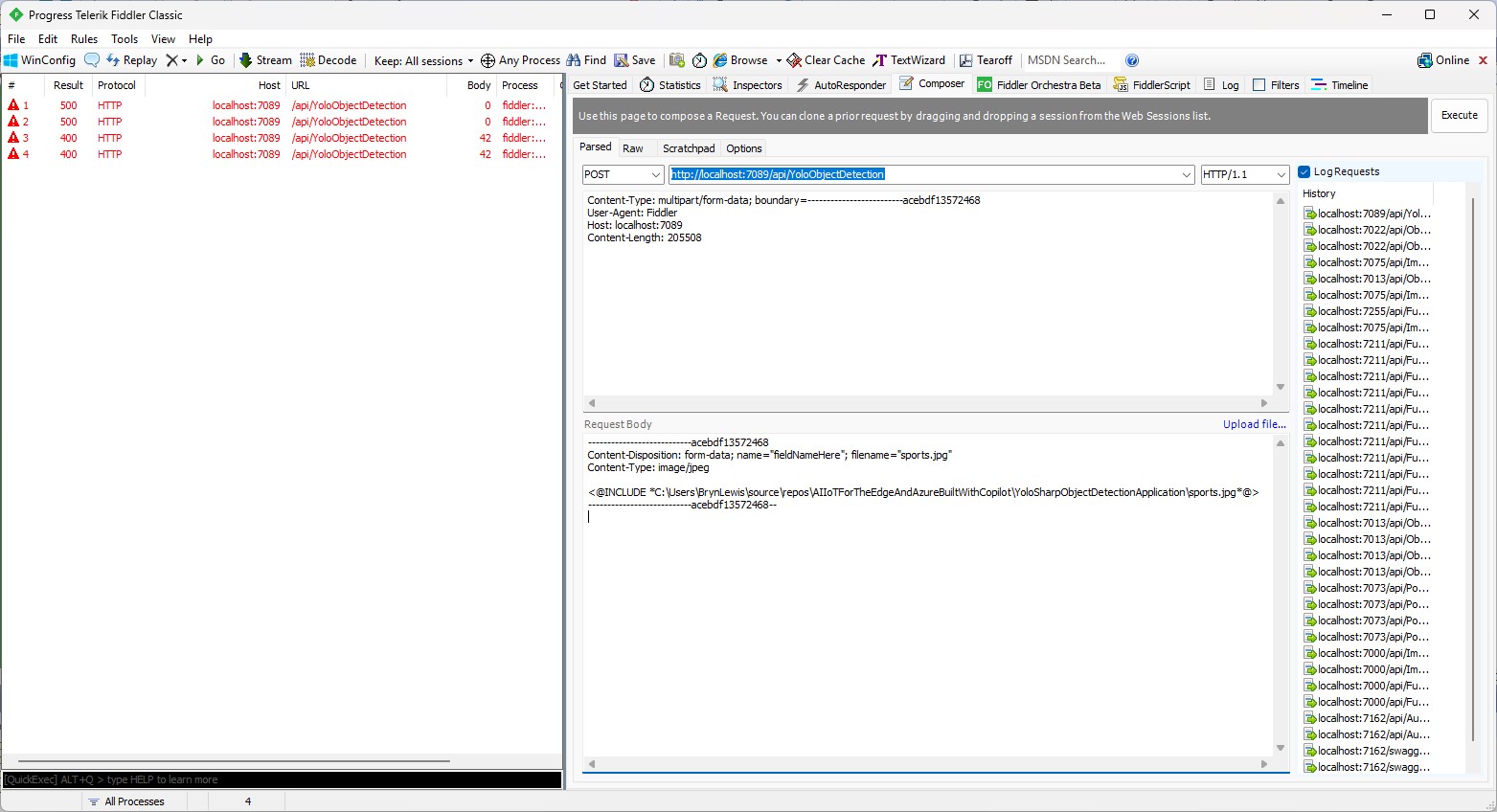
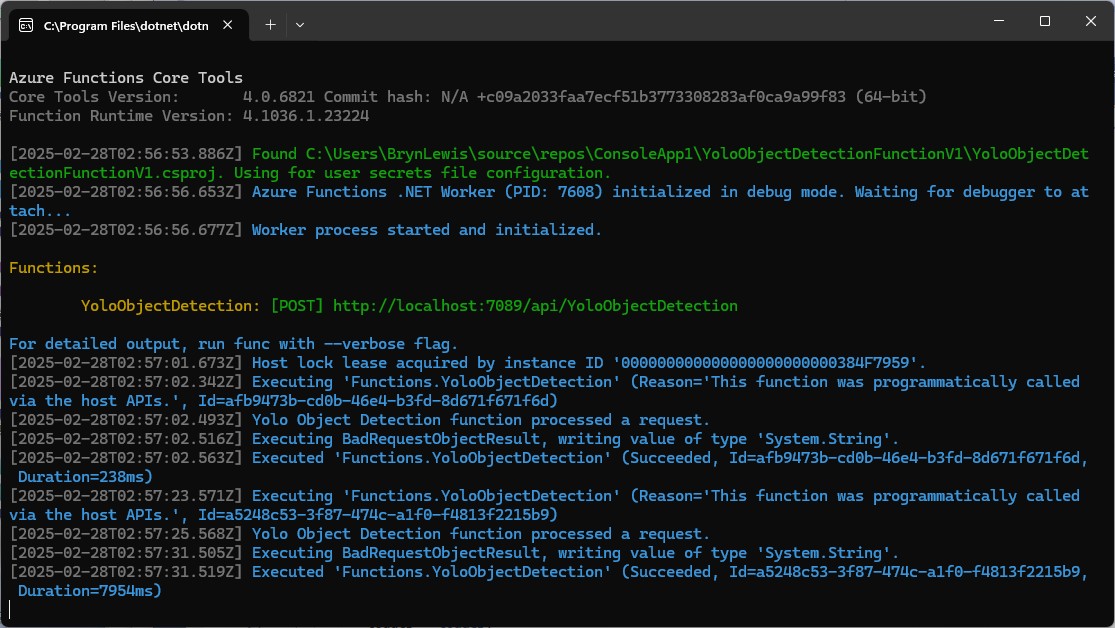
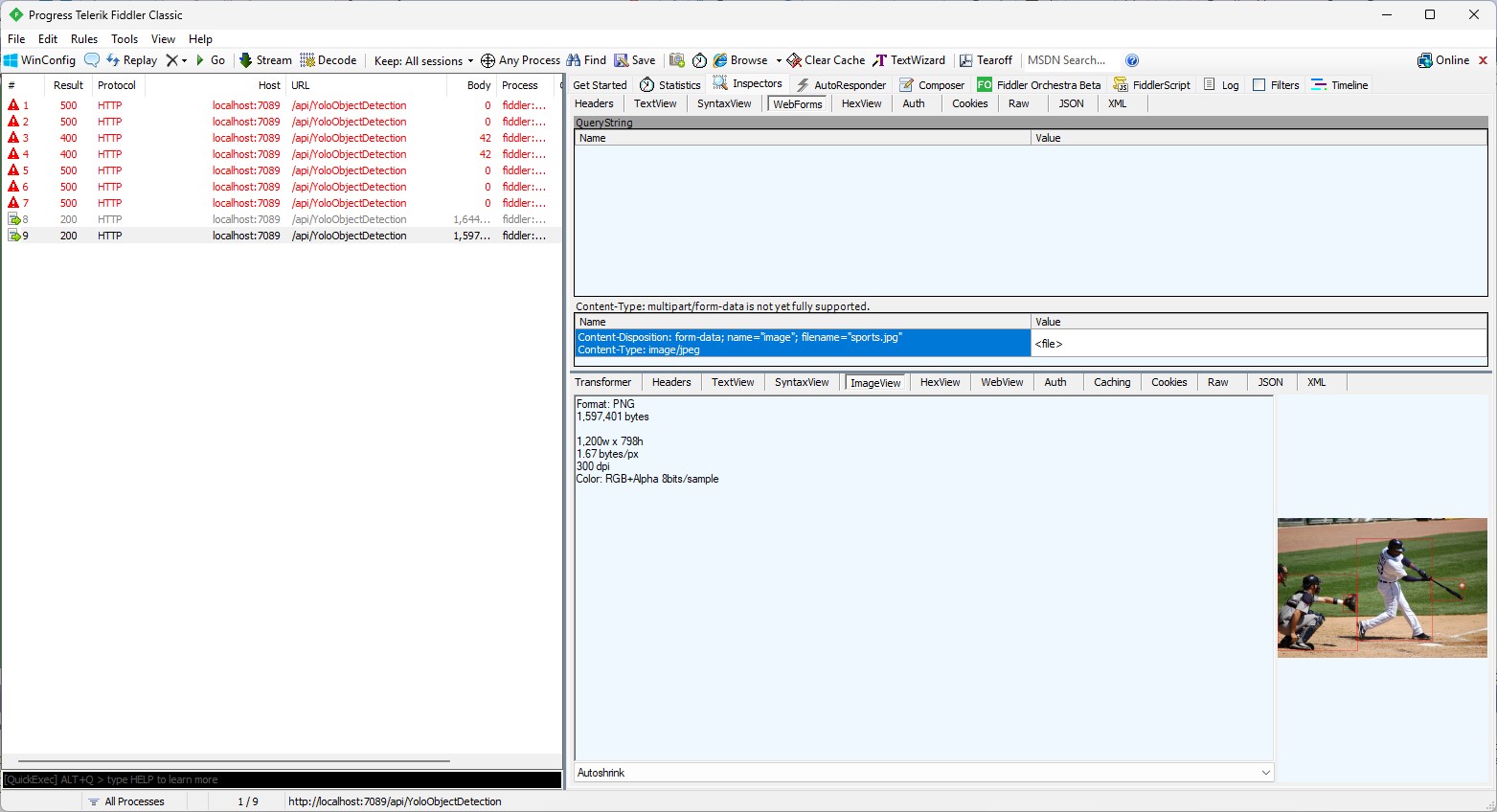
When I posted an image to the function with Telerik Fiddler Classic it threw an exception, because the ILogger injected into the Run method was null.

I then asked Github Copilot to “Modify code so the ILogger is parameter of constructor”

using System.Net;

using Microsoft.AspNetCore.Mvc;
using Microsoft.Azure.Functions.Worker;
using Microsoft.Extensions.Logging;

using SixLabors.ImageSharp;
using SixLabors.ImageSharp.PixelFormats;
using SixLabors.ImageSharp.Processing;
using SixLabors.ImageSharp.Drawing.Processing;

//using YoloSharp;
//using YoloSharp.DataStructures;
using Compunet.YoloSharp;


//public static class YoloObjectDetectionFunction
public class YoloObjectDetectionFunction
{
   private static readonly ILogger _log;
   //private static readonly string modelPath = "path/to/your/yolo-model.onnx";
   private static readonly string modelPath = "yolov8s.onnx";

   public YoloObjectDetectionFunction(ILogger<YoloObjectDetectionFunction> log)
   {
      _log = log;
   }

   //[FunctionName("YoloObjectDetection")]
   [Function("YoloObjectDetection")]
   //public static async Task<IActionResult> Run( [HttpTrigger(AuthorizationLevel.Function, "post", Route = null)] HttpRequestMessage req, ILogger log)
   public static async Task<IActionResult> Run([HttpTrigger(AuthorizationLevel.Function, "post", Route = null)] HttpRequestMessage req)
   {
      _log.LogInformation("Yolo Object Detection function processed a request.");

      // Read the image from the request
      byte[] imageBytes = await req.Content.ReadAsByteArrayAsync();
      using (Image<Rgba32> image = Image.Load<Rgba32>(imageBytes))
      {
         // Initialize YoloSharp
         //using (var yolo = new Yolo(modelPath))
         using (var yolo = new YoloPredictor(modelPath))
         {
            // Detect objects in the image
            //var detections = yolo.Predict(image);
            var detections = yolo.Detect(image);

            // Process the detections
            foreach (var detection in detections)
            {
               // Draw bounding boxes on the image
               //image.Mutate(ctx => ctx.DrawPolygon(Rgba32.Red, 2, detection.BoundingBox.ToPolygon()));

               var rectangle = new PointF[] {new Point(detection.Bounds.Bottom, detection.Bounds.Left), new Point(detection.Bounds.Bottom, detection.Bounds.Right), new Point(detection.Bounds.Right, detection.Bounds.Top), new Point(detection.Bounds.Left, detection.Bounds.Top)};

               image.Mutate(ctx => ctx.DrawPolygon(Rgba32.ParseHex("FF0000"), 2, rectangle));
            }

            // Save the modified image to a memory stream
            using (var ms = new MemoryStream())
            {
               image.SaveAsPng(ms);
               ms.Seek(0, SeekOrigin.Begin);

               // Return the modified image as a response
               var result = new HttpResponseMessage(HttpStatusCode.OK)
               {
                  Content = new StreamContent(ms)
               };
               result.Content.Headers.ContentType = new System.Net.Http.Headers.MediaTypeHeaderValue("image/png");
               return new FileStreamResult(ms, "image/png");
            }
         }
      }
   }
}

When I posted an image to the function it threw an exception, because content of the HttpRequestMessage was null.

I then asked Github Copilot to “Modify the code so that the image is read from the form”

// Read the image from the form
var form = await req.ReadFormAsync();
var file = form.Files["image"];
if (file == null || file.Length == 0)
{
   return new BadRequestObjectResult("Image file is missing or empty.");
}

When I posted an image to the function it returned a 400 Bad Request Error.

After inspecting the request I realized that the name field was wrong, as the generated code was looking for “image”

Content-Disposition: form-data; name=”image”; filename=”sports.jpg”

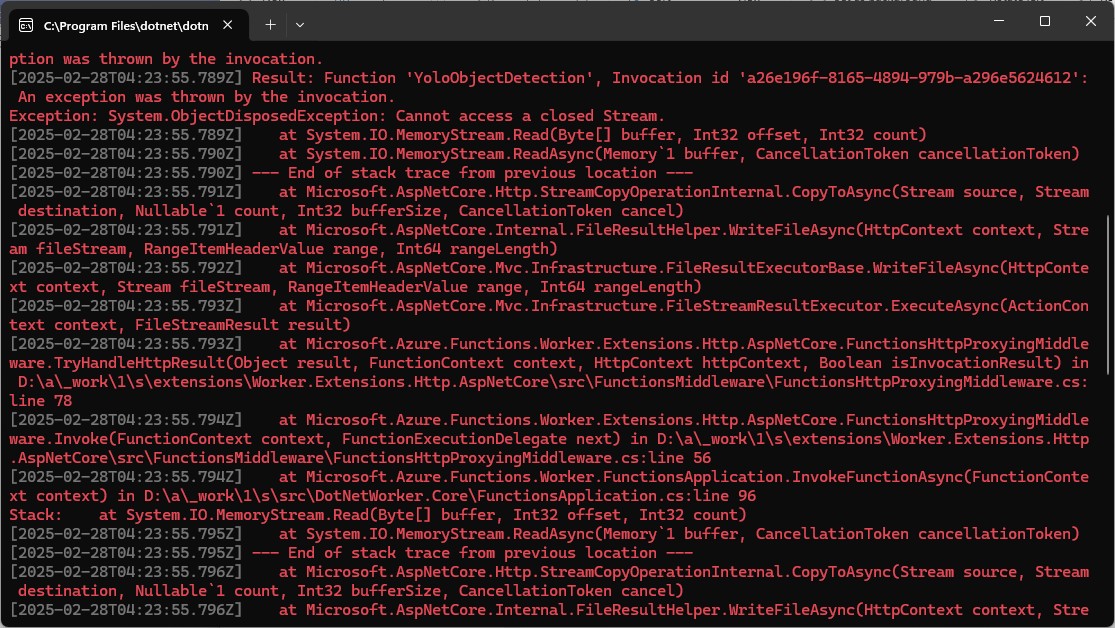
Then, when I posted an image to the function it returned a 500 error.

But, the FileStreamResult was failing so I modified the code to return a FileContentResult

using (var ms = new MemoryStream())
{
   image.SaveAsJpeg(ms);

   return new FileContentResult(ms.ToArray(), "image/jpg");
}

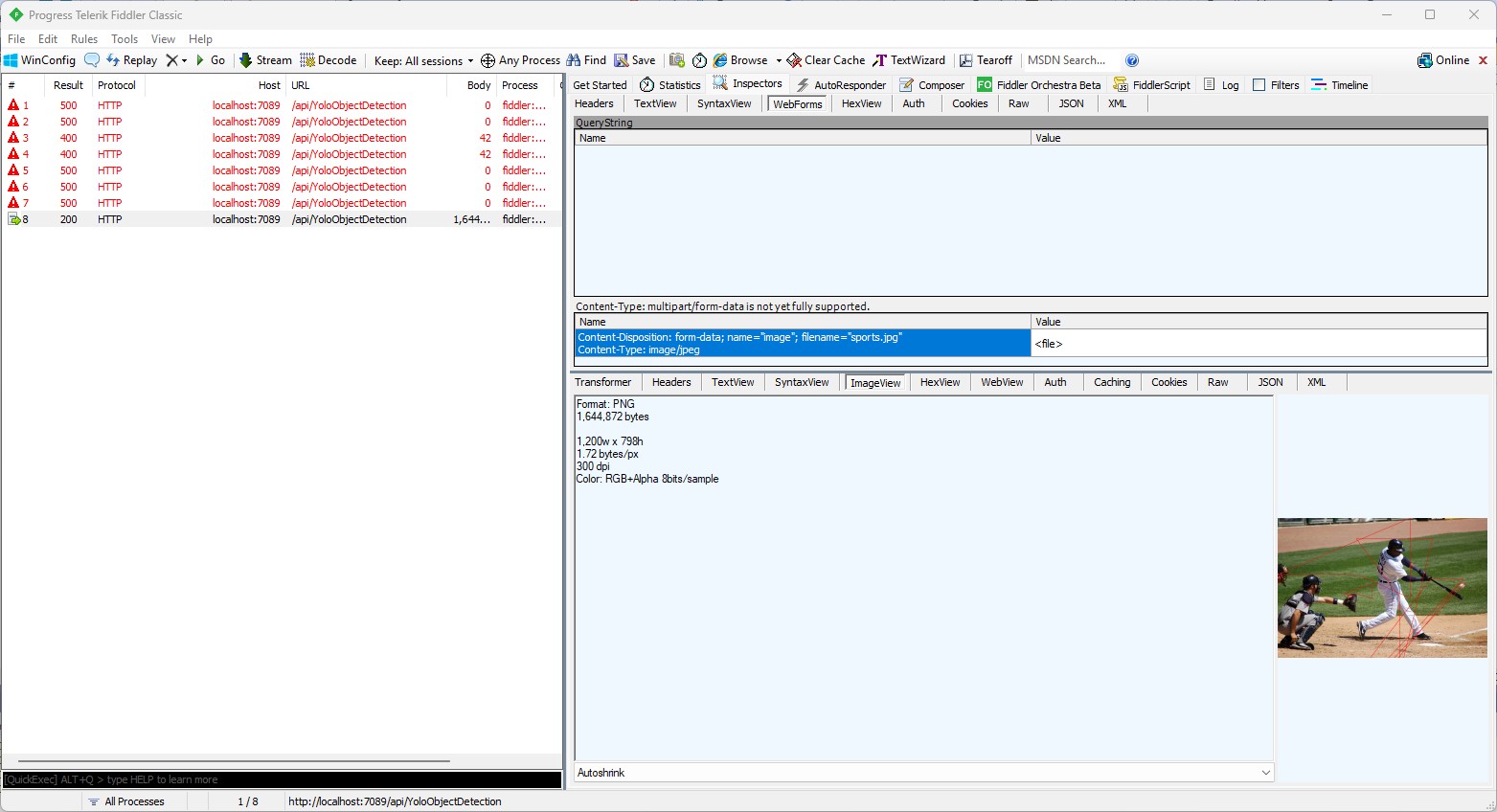
Then, when I posted an image to the function it succeeded

But, the bounding boxes around the detected objects were wrong.

I then manually fixed up the polygon code so the lines for each bounding box were drawn in the correct order.

// Process the detections
foreach (var detection in detections)
{
   var rectangle = new PointF[] {
      new Point(detection.Bounds.Left, detection.Bounds.Bottom),
      new Point(detection.Bounds.Right, detection.Bounds.Bottom),
      new Point(detection.Bounds.Right, detection.Bounds.Top),
      new Point(detection.Bounds.Left, detection.Bounds.Top)
 };

Then, when I posted an image to the function it succeeded

The bounding boxes around the detected objects were correct.

I then “refactored” the code, removing all the unused “using”s, removed any commented out code, changed ILogger to be initialised using a Primary Constructor etc.

using Microsoft.AspNetCore.Http;
using Microsoft.AspNetCore.Mvc;
using Microsoft.Azure.Functions.Worker;
using Microsoft.Extensions.Logging;

using SixLabors.ImageSharp;
using SixLabors.ImageSharp.PixelFormats;
using SixLabors.ImageSharp.Processing;
using SixLabors.ImageSharp.Drawing.Processing;

using Compunet.YoloSharp;

public class YoloObjectDetectionFunction(ILogger<YoloObjectDetectionFunction> log)
{
   private readonly ILogger<YoloObjectDetectionFunction> _log = log;
   private readonly string modelPath = "yolov8s.onnx";

   [Function("YoloObjectDetection")]
   public async Task<IActionResult> Run([HttpTrigger(AuthorizationLevel.Function, "post", Route = null)] HttpRequest req)
   {
      _log.LogInformation("Yolo Object Detection function processed a request.");

      // Read the image from the form
      var form = await req.ReadFormAsync();
      var file = form.Files["image"];
      if (file == null || file.Length == 0)
      {
         return new BadRequestObjectResult("Image file is missing or empty.");
      }

      using (var stream = file.OpenReadStream())
      using (Image<Rgba32> image = Image.Load<Rgba32>(stream))
      {
         // Initialize YoloSharp
         using (var yolo = new YoloPredictor(modelPath))
         {
            // Detect objects in the image
            var detections = yolo.Detect(image);

            // Process the detections
            foreach (var detection in detections)
            {
               var rectangle = new PointF[] {
                  new Point(detection.Bounds.Left, detection.Bounds.Bottom),
                  new Point(detection.Bounds.Right, detection.Bounds.Bottom),
                  new Point(detection.Bounds.Right, detection.Bounds.Top),
                  new Point(detection.Bounds.Left, detection.Bounds.Top)
               };

               image.Mutate(ctx => ctx.DrawPolygon(Rgba32.ParseHex("FF0000"), 2, rectangle));
            }

            // Save the modified image to a memory stream
            using (var ms = new MemoryStream())
            {
               image.SaveAsJpeg(ms);

              return new FileContentResult(ms.ToArray(), "image/jpg");
            }
         }
      }
   }
}

Summary

The initial code generated by Copilot was badly broken but with the assistance of Visual Studio 2022 Intellisense was fixed fairly quickly. The ILogger not being initialised, me using the “wrong” upload file name were easy to debug, but the FileContentResult exception was a bit more difficult.

It took me a quite a bit longer to write the function with Copilot desktop/Github Copilot than what it would have taken me normally. But, I think a lot of this was due to having to take screen shots, writing this blog post as I went, and having already written several Azure HTTP Trigger function for processing uploaded images.

The Copilot generated code in this post is not suitable for production

IoT and AI Building Edge AI with AI- YoloSharp Client

Introduction

Using Copilot to generate the code to retrieve an image from a security camera went surprisingly well so next step was something a bit more complex. For this post I have used Copilot prompts to generate code which uses Ultralytics YoloV8 and Compunet YoloSharp for object detection, object classification, pose estimation, and instance segmentation

using System;
using System.Drawing;
using YOLOSharp;

class Program
{
    static void Main(string[] args)
    {
        string modelPath = "path/to/yolov8.onnx"; // Replace with the path to your YOLOv8 model
        string imagePath = "path/to/image.jpg"; // Replace with the path to your image

        // Load the YOLOv8 model
        var yolo = new YOLO(modelPath);

        // Load the image from disk
        using (var image = Image.FromFile(imagePath))
        {
            // Run the YOLOv8 model on the image
            var results = yolo.Predict(image);

            // Display the results
            foreach (var result in results)
            {
                Console.WriteLine($"Label: {result.Label}, Confidence: {result.Confidence}, BoundingBox: {result.BoundingBox}");
            }
        }
    }
}
In this example:

Replace path/to/yolov8.onnx with the actual path to your YOLOv8 model file.

Replace path/to/image.jpg with the actual path to your image file.

This application loads the YOLOv8 model using YOLOSharp, loads an image from disk, runs the model on the image, and displays the results, including the label, confidence, and bounding box for each detected object.

Happy coding! 🚀

Copilot had “assumed” I meant object detection(reasonable) with YoloSharp and the code didn’t compile.

Object Detection

After some minor fixes and shifting the configuration to an appsettings file the application compiled.

using Compunet.YoloSharp;
using Microsoft.Extensions.Configuration;
using SixLabors.ImageSharp;

class Program
{
   static void Main(string[] args)
   {
      Model.ApplicationSettings applicationSettings;

      Console.WriteLine($"{DateTime.UtcNow:yy-MM-dd HH:mm:ss} 0.3.CameraHTTPClient starting");
#if RELEASE
       Console.WriteLine("RELEASE");
#else
      Console.WriteLine("DEBUG");
#endif
      // load the app settings into configuration
      var configuration = new ConfigurationBuilder()
           .AddJsonFile("appsettings.json", false, true)
      .Build();

      applicationSettings = configuration.GetSection("ApplicationSettings").Get<Model.ApplicationSettings>();

      // Load the YOLOv8 model
      var yolo = new YoloPredictor(applicationSettings.ModelPath);

      // Load the image from disk
      using (var image = Image.Load(applicationSettings.ImagePath))
      {
         // Run the YOLOv8 model on the image
         var results = yolo.Detect(image);

         // Display the results
         foreach (var result in results)
         {
            Console.WriteLine($"Label: {result.Name}, Confidence: {result.Confidence}, BoundingBox: {result.Bounds}");
         }
      }
   }
}

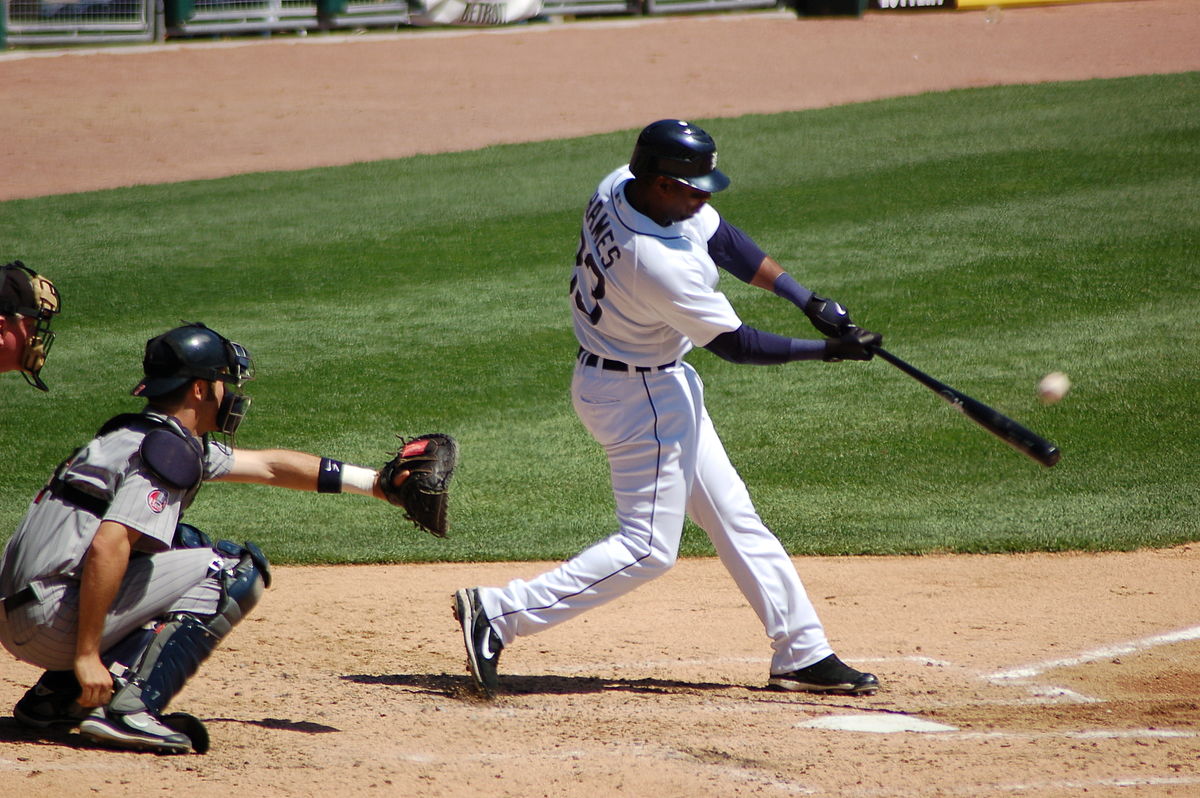
I tested the implementation with sample “sports” image from the YoloSharp Github repository

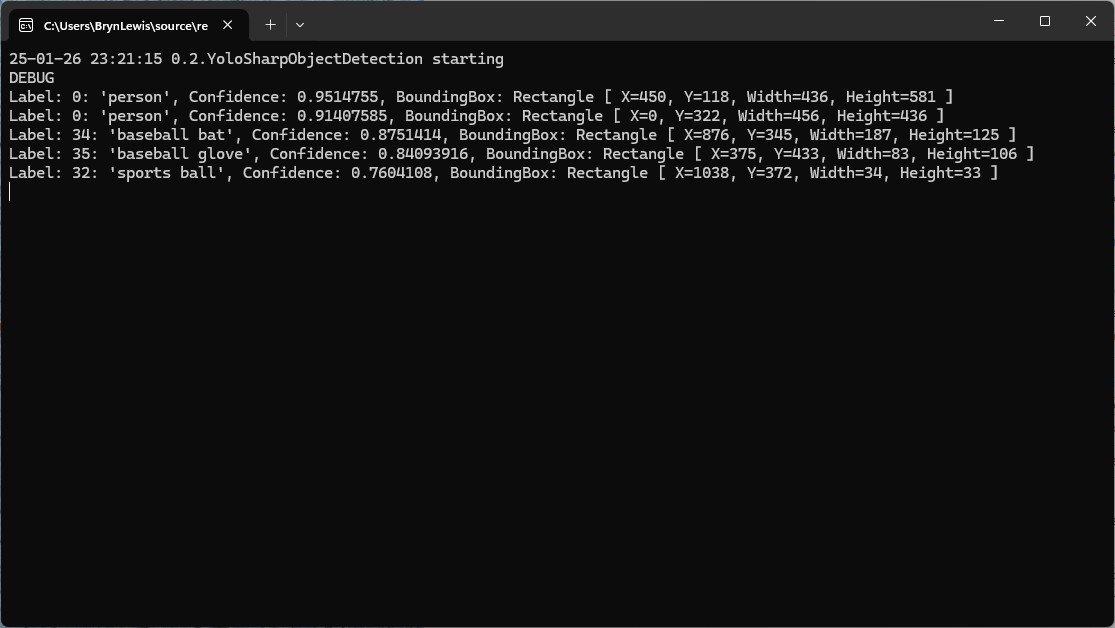
The console application output looked reasonable

I manually compared the output of the console application with the Ultralytics Hub model preview tab and the results looked close enough.

Pose

My Copilot prompt

please write a C# console application that uses Compunet YoloSharp to run a yolov8 pose model on an image loaded from disk
using Compunet.YoloSharp;
using Microsoft.Extensions.Configuration;
using SixLabors.ImageSharp;

class Program
{
   static void Main(string[] args)
   {
      Model.ApplicationSettings applicationSettings;

      Console.WriteLine($"{DateTime.UtcNow:yy-MM-dd HH:mm:ss} 0.3.CameraHTTPClient starting");
#if RELEASE
       Console.WriteLine("RELEASE");
#else
      Console.WriteLine("DEBUG");
#endif
      // load the app settings into configuration
      var configuration = new ConfigurationBuilder()
           .AddJsonFile("appsettings.json", false, true)
      .Build();

      applicationSettings = configuration.GetSection("ApplicationSettings").Get<Model.ApplicationSettings>();

      // Load the YOLOv8 pose model
      var yolo = new YoloPredictor(applicationSettings.ModelPath);

      // Load the image from disk
      using (var image = Image.Load(applicationSettings.ImagePath))
      {
         // Run the YOLOv8 pose model on the image
         var results = yolo.Pose(image);

         // Display the results
         foreach (var result in results)
         {
            Console.WriteLine($"Label: {result.Name.Name}, Confidence: {result.Confidence}, BoundingBox: {result.Bounds}");
            Console.WriteLine("Keypoints:");
            foreach (var keypoint in result)
            {
               Console.WriteLine($"  - {keypoint.Point}");
            }
         }
      }
   }
}

After some minor fixes and shifting the configuration to an appsettings file the application compiled. I tested the implementation with sample “sports” image from the YoloSharp Github repository

The console application output looked reasonable

I manually compared the output of the console application with the Ultralytics Hub model preview tab and the results were reasonable

Classification

My Copilot prompt

please write a C# console application that uses Compunet YoloSharp to run a yolov8 pose model on an image loaded from disk
using Compunet.YoloSharp;
using Microsoft.Extensions.Configuration;
using SixLabors.ImageSharp;

class Program
{
   static void Main(string[] args)
   {
      Model.ApplicationSettings applicationSettings;

      Console.WriteLine($"{DateTime.UtcNow:yy-MM-dd HH:mm:ss} 0.3.CameraHTTPClient starting");
#if RELEASE
       Console.WriteLine("RELEASE");
#else
      Console.WriteLine("DEBUG");
#endif

      // load the app settings into configuration
      var configuration = new ConfigurationBuilder()
           .AddJsonFile("appsettings.json", false, true)
      .Build();

      applicationSettings = configuration.GetSection("ApplicationSettings").Get<Model.ApplicationSettings>();

      // Load the YOLOv8 classification model
      var yolo = new YoloPredictor(applicationSettings.ModelPath);

      // Load the image from disk
      using (var image = Image.Load(applicationSettings.ImagePath))
      {
         // Run the YOLOv8 classification model on the image
         var results = yolo.Classify(image);

         // Display the results
         foreach (var result in results)
         {
             Console.WriteLine($"Label: {result.Name.Name}, Confidence: {result.Confidence}");
         }
      }
   }
}

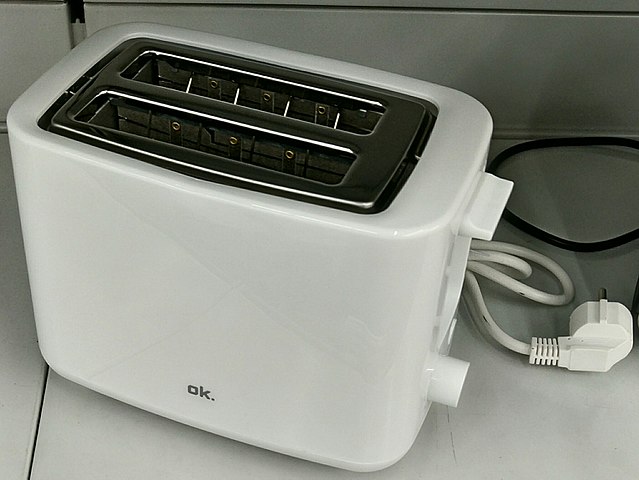
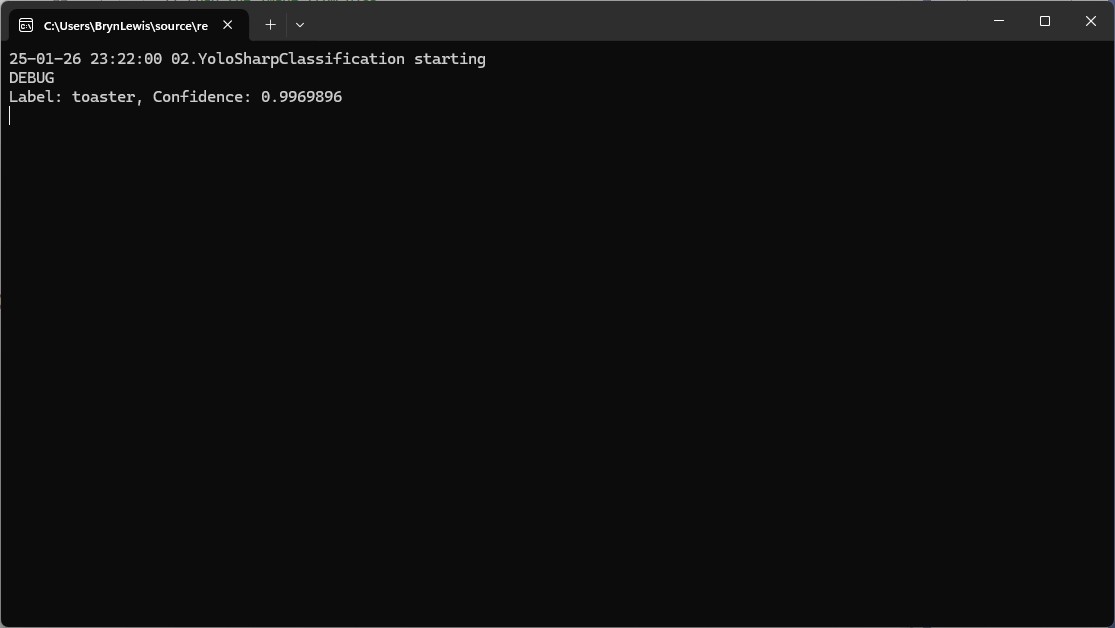
After some minor fixes and shifting the configuration to an appsettings file the application compiled. I tested the implementation with sample “toaster” image from the YoloSharp Github repository

The console application output looked reasonable

I’m pretty confident the input image was a toaster.

Summary

The Copilot prompts to generate code which uses Ultralytics YoloV8 and Compunet YoloSharp and may have produced better code with some “prompt engineering”. Using Visual Studio intellisense the generated code was easy to fix.

The Copilot generated code in this post is not suitable for production

YoloV8 NuGet on a diet – Part 1

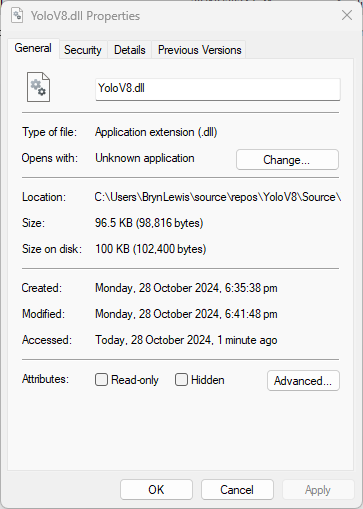
Recently most of my YoloV8 projects inference on edge devices or in Azure and do not use Graphics Processing Unit(GPU) hardware. Most of my projects use the dme-compunet YoloV8 NuGet and for compatibility (Removal of extended CUDA & TensorRT configuration functionality) reasons this post uses version 4.2 of the source.

The initial version of the YoloV8.dll in the version 4.2 of the NuGet was 96.5KB. Most of my applications deployed to edge devices and Azure do not require plotting functionality so I started by commenting out (not terribly subtle).

The intermediate version of the YoloV8.dll in the version 4.2 of the NuGet on a “diet” with the plotting functionality “commented out” also meant the SixLabors.ImageSharp.Drawing NuGet could be removed.

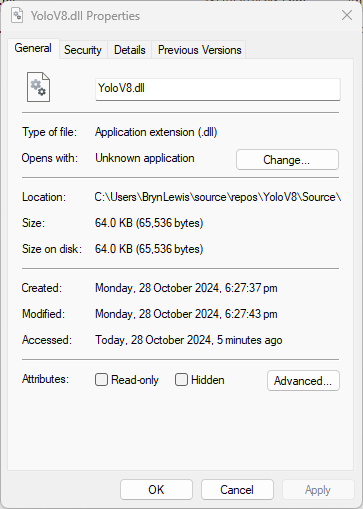
The final release version of the YoloV8.dll in the version 4.2 of the NuGet was 64.0 KB. The main purpose of this process was to remove any unnecessary functionality to see how hard it would be to replace the SixLabors.ImageSharp and SixLabors.ImageSharp.Drawing with libraries that have better performance.

YoloV8-NuGet Performance ARM64 CPU

To see how the dme-compunet, updated YoloDotNet and sstainba NuGets performed on an ARM64 CPU I built a test rig for the different NuGets using standard images and ONNX Models.

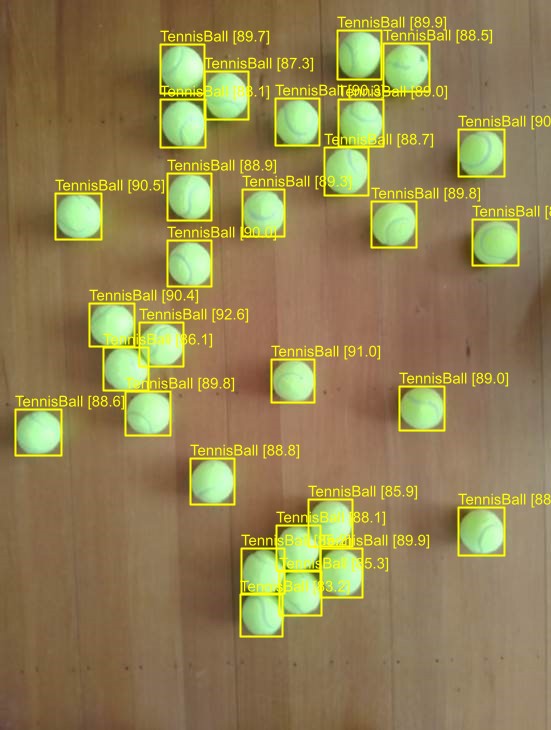
I started with the dme-compunet YoloV8 NuGet which found all the tennis balls and the results were consistent with earlier tests.

The YoloDotNet by NickSwardh NuGet update had some “breaking changes” so I built “old” and “updated” test harnesses.

The YoloDotNet by NickSwardh V1 and V2 results were slightly different. The V2 NuGet uses SkiaSharp which appears to significantly improve the performance.

Even though the YoloV8 by sstainba NuGet hadn’t been updated I ran the test harness just in case

The dme-compunet YoloV8 and NickSwardh YoloDotNet V1 versions produced the same results, but the NickSwardh YoloDotNet V2 results were slightly different.

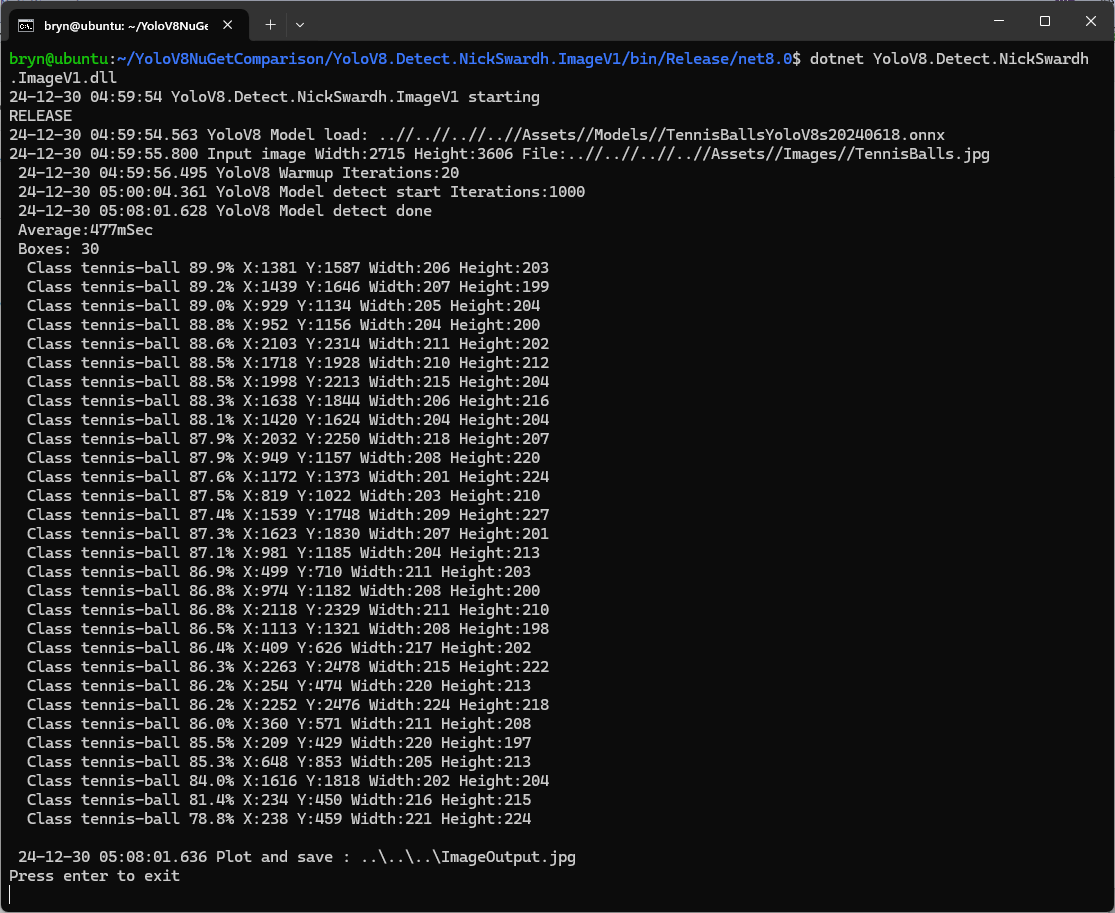
  • dme-Compunet 291 mSec
  • NickSwardV1 480 mSec
  • NickSwardV2 115 mSecs
  • SStainba 422 mSec

Like in the YoloV8-NuGet Performance X64 CPU post the NickSwardV2 implementation which uses SkiaSharp was significantly faster so it looks like Sixlabors.ImageSharp is the issue.

To support Compute Unified Device Architecture (CUDA) or TensorRT inferencing with NickSwardV2(for SkiaSharp) will need some major modifications to the code so it might be better to build my own YoloV8 Nuget.

YoloV8-NuGet Performance X64 CPU

When checking the dme-compunet, YoloDotNet, and sstainba and NuGets I noticed YoloDotNet readme.md detailed some performance enhancements…

What’s new in YoloDotNet v2.0?

YoloDotNet 2.0 is a Speed Demon release where the main focus has been on supercharging performance to bring you the fastest and most efficient version yet. With major code optimizations, a switch to SkiaSharp for lightning-fast image processing, and added support for Yolov10 as a little extra 😉 this release is set to redefine your YoloDotNet experience:

Changing the implementation to use SkiaSharp caught my attention because in previous testing manipulating images with the Sixlabors.ImageSharp library took longer than expected.

I built a test rig for comparing the performance of the different NuGets using standard images and ONNX Models.

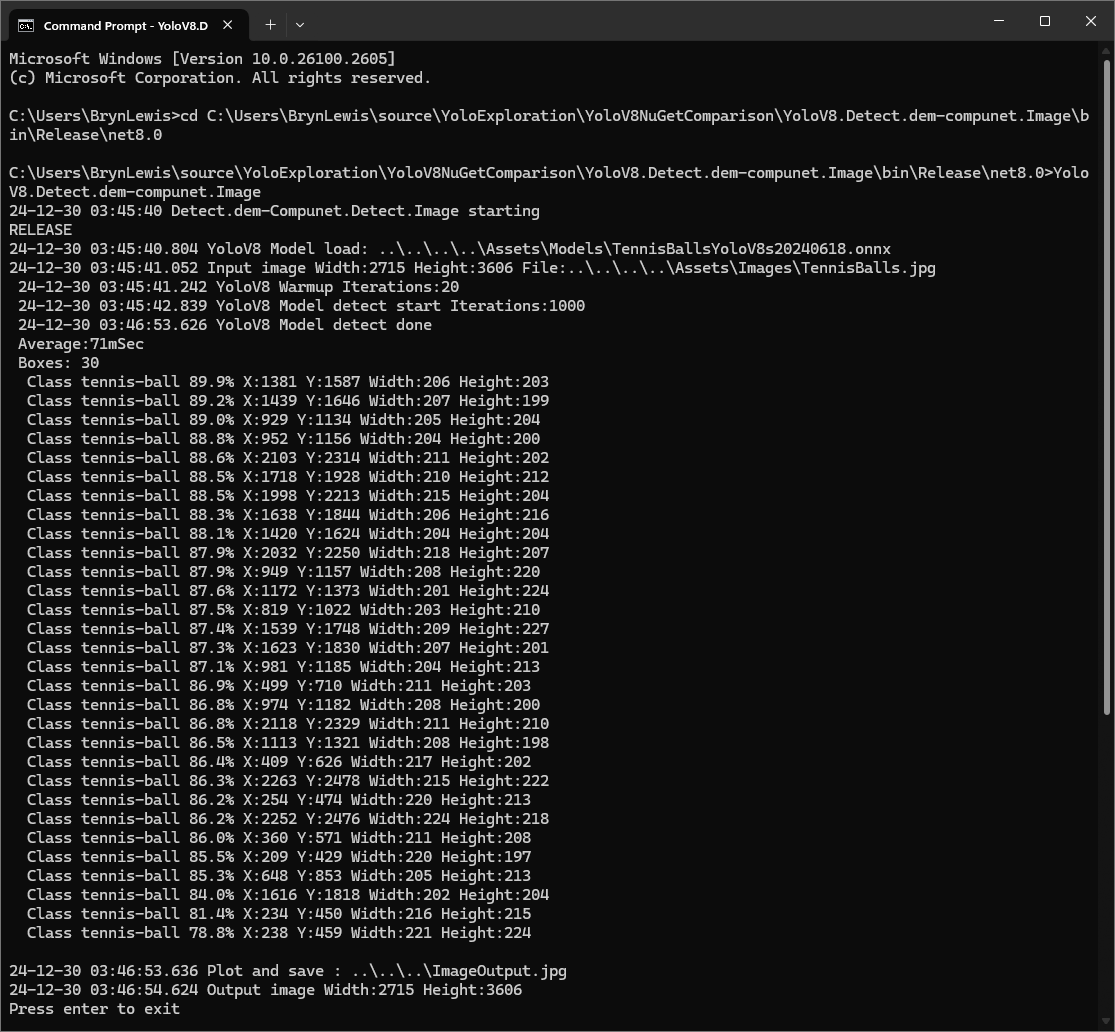
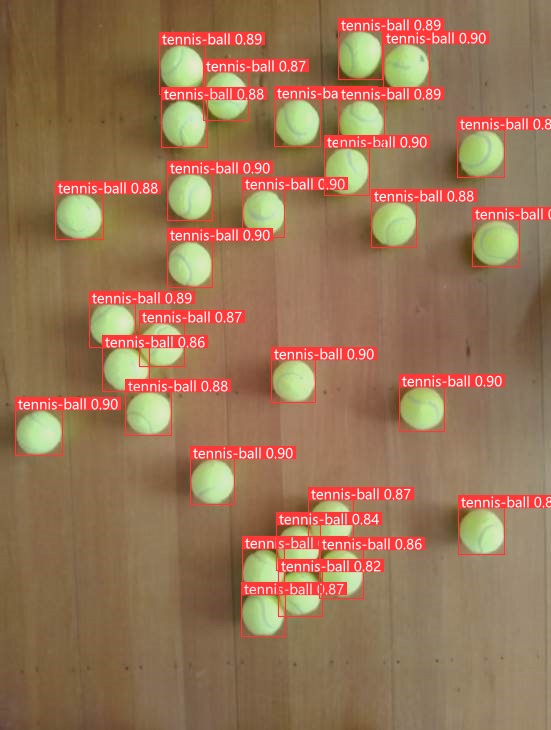
I started with the dme-compunet YoloV8 NuGet which found all the tennis balls and the results were consistent with earlier tests.

dme-compunet test harness image bounding boxes

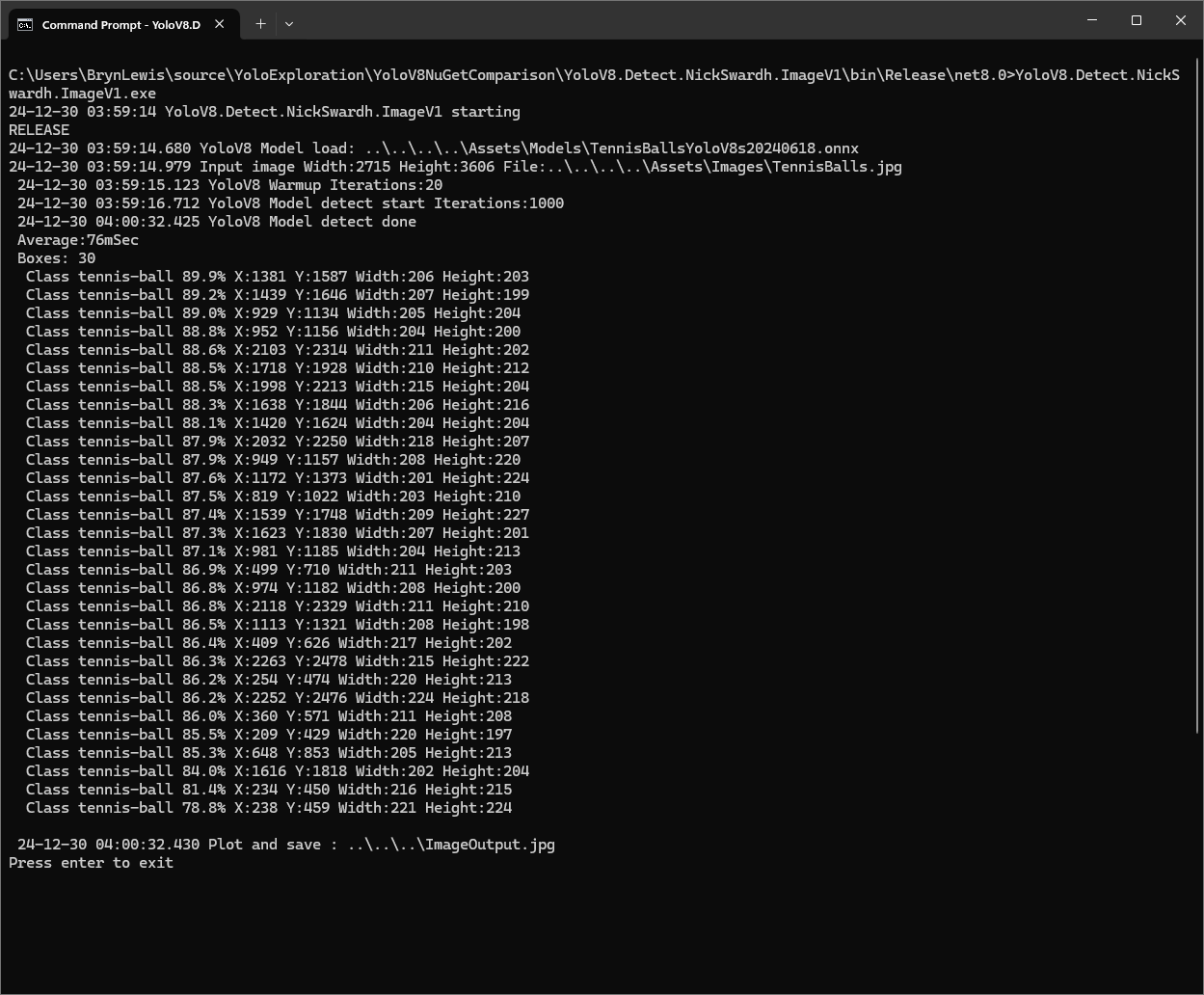
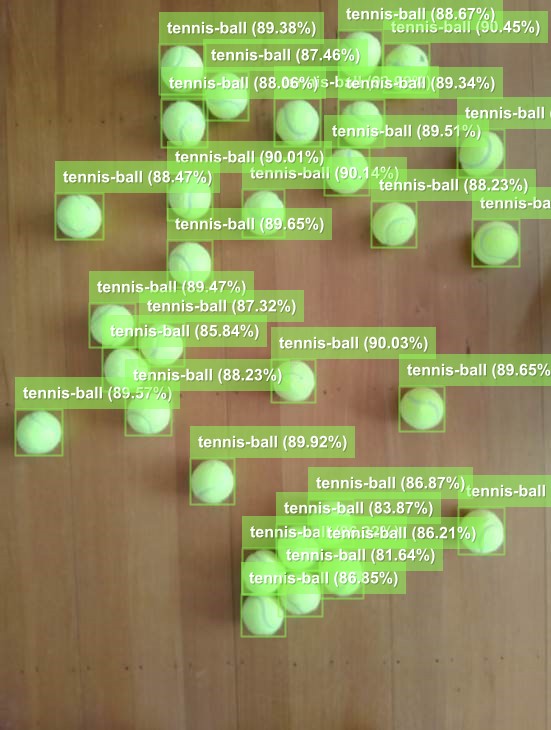
The YoloDotNet by NickSwardh NuGet update had some “breaking changes” so I built “old” and “updated” test harnesses. The V1 version found all the tennis balls and the results were consistent with earlier tests.

NickSwardh V1 test harness image bounding boxes

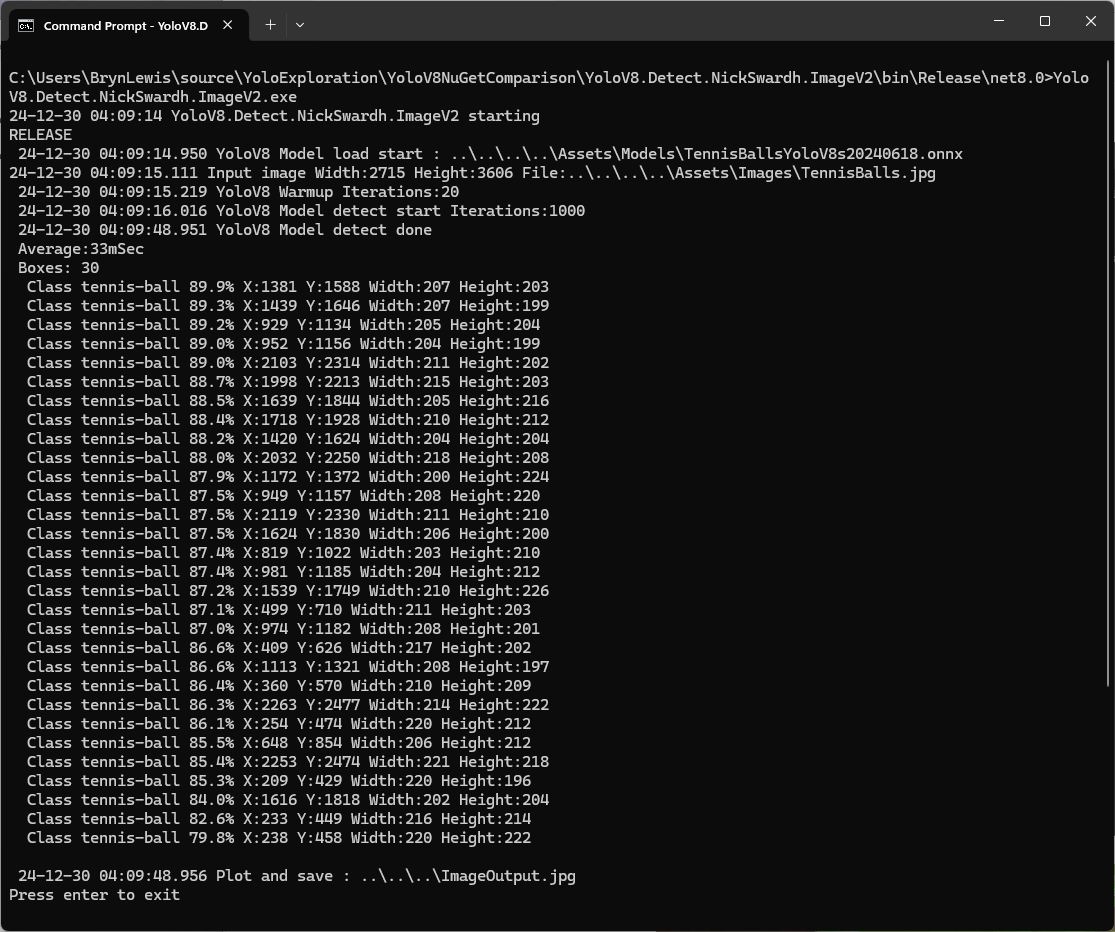
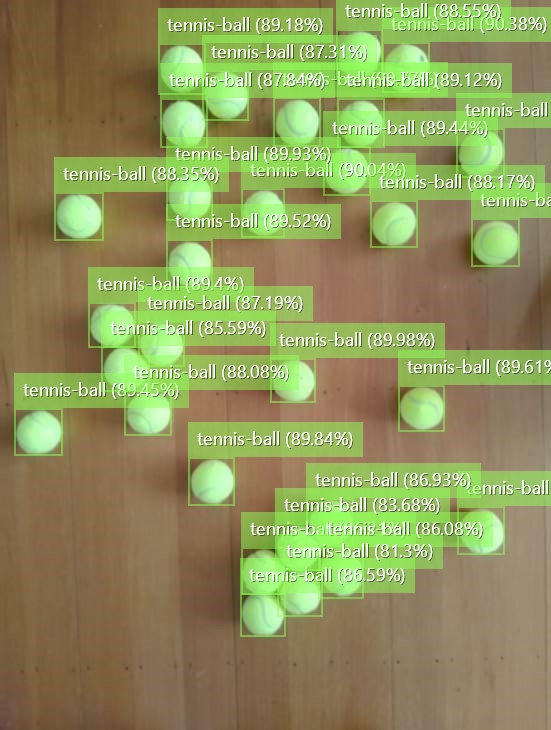
The YoloDotNet by NickSwardh NuGet update had some “breaking changes” so there were some code changes but the V1 and V2 results were slightly different.

NickSwardh V2 test harness image bounding boxes

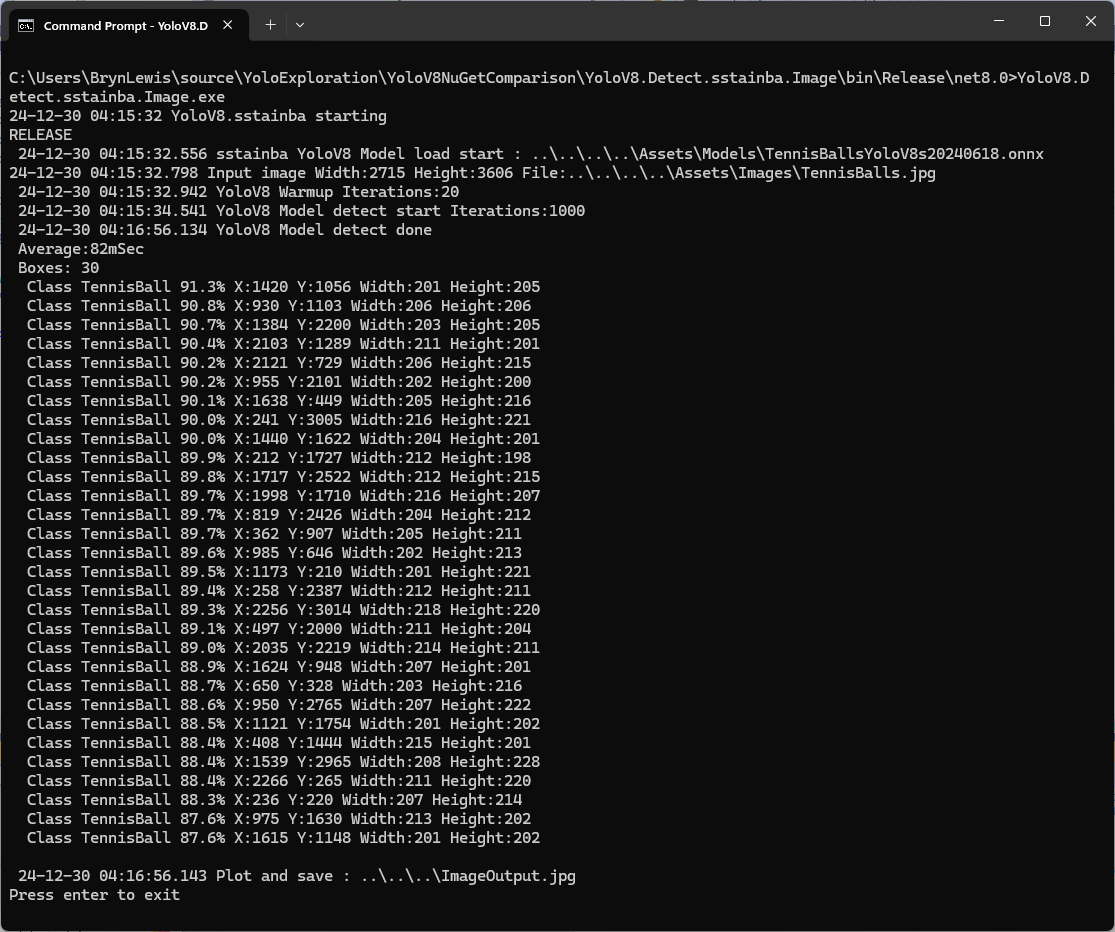
Even though the YoloV8 by sstainba NuGet hadn’t been updated I ran the test harness just in case and the results were consistent with previous tests.

sstainba test harness image bounding boxes

The dme-compunet YoloV8 and NickSwardh YoloDotNet V1 versions produce the same results, but the NickSwardh YoloDotNet V2 results were slightly different. The YoloV8 by sstainba results were unchanged.

  • dme-Compunet 71 mSec
  • NickSwardV1 76 mSec
  • NickSwardV2 33 mSecs
  • SStainba 82mSec

The NickSwardV2 implementation was significantly faster, but I need to investigate the slight difference in the bounding boxes. It looks like Sixlabors.ImageSharp might be the issue.

Azure Event Grid YoloV8- Basic MQTT Client Pose Estimation

The Azure.EventGrid.Image.YoloV8.Pose application downloads images from a security camera, processes them with the default YoloV8(by Ultralytics) Pose Estimation model then publishes the results to an Azure Event Grid MQTT broker topic.

private async void ImageUpdateTimerCallback(object? state)
{
   DateTime requestAtUtc = DateTime.UtcNow;

   // Just incase - stop code being called while photo or prediction already in progress
   if (_ImageProcessing)
   {
      return;
   }
   _ImageProcessing = true;

   try
   {
      _logger.LogDebug("Camera request start");

      PoseResult result;

      using (Stream cameraStream = await _httpClient.GetStreamAsync(_applicationSettings.CameraUrl))
      {
         result = await _predictor.PoseAsync(cameraStream);
      }

      _logger.LogInformation("Speed Preprocess:{Preprocess} Postprocess:{Postprocess}", result.Speed.Preprocess, result.Speed.Postprocess);


      if (_logger.IsEnabled(LogLevel.Debug))
      {
         _logger.LogDebug("Pose results");

         foreach (var box in result.Boxes)
         {
            _logger.LogDebug(" Class:{box.Class} Confidence:{Confidence:f1}% X:{X} Y:{Y} Width:{Width} Height:{Height}", box.Class.Name, box.Confidence * 100.0, box.Bounds.X, box.Bounds.Y, box.Bounds.Width, box.Bounds.Height);

            foreach (var keypoint in box.Keypoints)
            {
               Model.PoseMarker poseMarker = (Model.PoseMarker)keypoint.Index;

               _logger.LogDebug("  Class:{Class} Confidence:{Confidence:f1}% X:{X} Y:{Y}", Enum.GetName(poseMarker), keypoint.Confidence * 100.0, keypoint.Point.X, keypoint.Point.Y);
            }
         }
      }

      var message = new MQTT5PublishMessage
      {
         Topic = string.Format(_applicationSettings.PublishTopic, _applicationSettings.UserName),
         Payload = Encoding.ASCII.GetBytes(JsonSerializer.Serialize(new
         {
            result.Boxes
         })),
         QoS = _applicationSettings.PublishQualityOfService,
      };

      _logger.LogDebug("HiveMQ.Publish start");

      var resultPublish = await _mqttclient.PublishAsync(message);

      _logger.LogDebug("HiveMQ.Publish done");
   }
   catch (Exception ex)
   {
      _logger.LogError(ex, "Camera image download, processing, or telemetry failed");
   }
   finally
   {
      _ImageProcessing = false;
   }

   TimeSpan duration = DateTime.UtcNow - requestAtUtc;

   _logger.LogDebug("Camera Image download, processing and telemetry done {TotalSeconds:f2} sec", duration.TotalSeconds);
}

The application uses a Timer(with configurable Due and Period times) to poll the security camera, detect objects in the image then publish a JavaScript Object Notation(JSON) representation of the results to Azure Event Grid MQTT broker topic using a HiveMQ client.

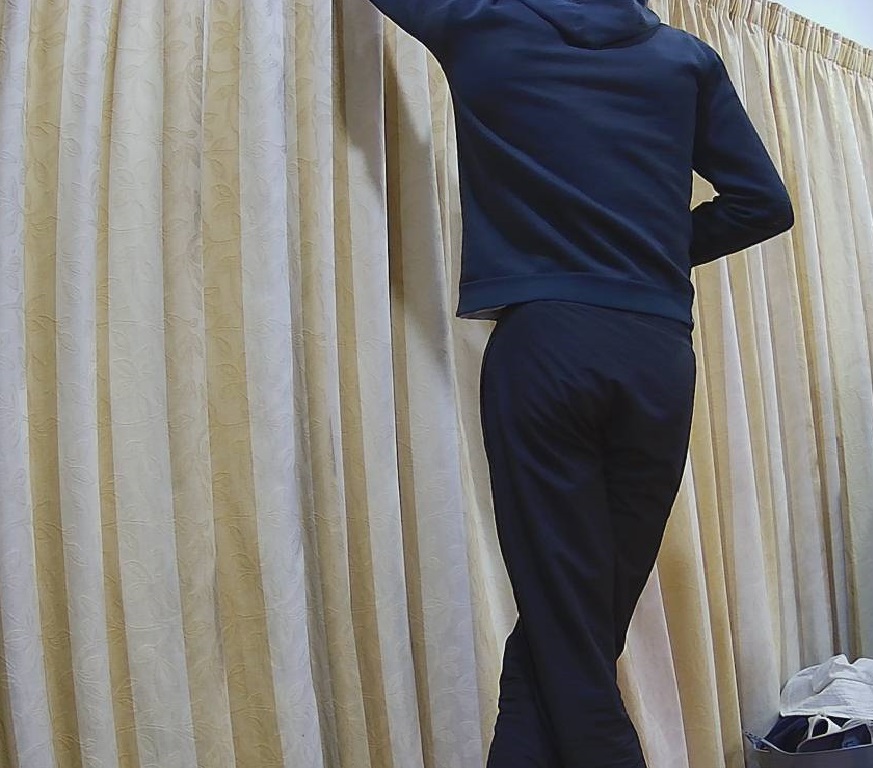
Utralytics Pose Model input image

The Unv ADZK-10 camera used in this sample has a Hypertext Transfer Protocol (HTTP) Uniform Resource Locator(URL) for downloading the current image. Like the YoloV8.Detect.SecurityCamera.Stream sample the image “streamed” using the HttpClient.GetStreamAsync to the YoloV8 PoseAsync method.

Azure.EventGrid.Image.YoloV8.Pose application console output

The same approach as the YoloV8.Detect.SecurityCamera.Stream sample is used because the image doesn’t have to be saved on the local filesystem.

Utralytics Pose Model marked-up image

To check the results, I put a breakpoint in the timer just after PoseAsync method is called and then used the Visual Studio 2022 Debugger QuickWatch functionality to inspect the contents of the PoseResult object.

Visual Studio 2022 Debugger PoseResult Quickwatch

For testing I configured a single Azure Event Grid custom topic subscription an Azure Storage Queue.

Azure Event Grid Topic Metrics

An Azure Storage Queue is an easy way to store messages while debugging/testing an application.

Azure Storage Explorer messages list

Azure Storage Explorer is a good tool for listing recent messages, then inspecting their payloads.

Azure Storage Explorer Message Details

The Azure Event Grid custom topic message text(in data_base64) contains the JavaScript Object Notation(JSON) of the pose detection result.

{"Boxes":[{"Keypoints":[{"Index":0,"Point":{"X":744,"Y":58,"IsEmpty":false},"Confidence":0.6334442},{"Index":1,"Point":{"X":746,"Y":33,"IsEmpty":false},"Confidence":0.759928},{"Index":2,"Point":{"X":739,"Y":46,"IsEmpty":false},"Confidence":0.19036674},{"Index":3,"Point":{"X":784,"Y":8,"IsEmpty":false},"Confidence":0.8745915},{"Index":4,"Point":{"X":766,"Y":45,"IsEmpty":false},"Confidence":0.086735755},{"Index":5,"Point":{"X":852,"Y":50,"IsEmpty":false},"Confidence":0.9166329},{"Index":6,"Point":{"X":837,"Y":121,"IsEmpty":false},"Confidence":0.85815763},{"Index":7,"Point":{"X":888,"Y":31,"IsEmpty":false},"Confidence":0.6234426},{"Index":8,"Point":{"X":871,"Y":205,"IsEmpty":false},"Confidence":0.37670398},{"Index":9,"Point":{"X":799,"Y":21,"IsEmpty":false},"Confidence":0.3686208},{"Index":10,"Point":{"X":768,"Y":205,"IsEmpty":false},"Confidence":0.21734264},{"Index":11,"Point":{"X":912,"Y":364,"IsEmpty":false},"Confidence":0.98523325},{"Index":12,"Point":{"X":896,"Y":382,"IsEmpty":false},"Confidence":0.98377174},{"Index":13,"Point":{"X":888,"Y":637,"IsEmpty":false},"Confidence":0.985927},{"Index":14,"Point":{"X":849,"Y":645,"IsEmpty":false},"Confidence":0.9834709},{"Index":15,"Point":{"X":951,"Y":909,"IsEmpty":false},"Confidence":0.96191007},{"Index":16,"Point":{"X":921,"Y":894,"IsEmpty":false},"Confidence":0.9618156}],"Class":{"Id":0,"Name":"person"},"Bounds":{"X":690,"Y":3,"Width":315,"Height":1001,"Location":{"X":690,"Y":3,"IsEmpty":false},"Size":{"Width":315,"Height":1001,"IsEmpty":false},"IsEmpty":false,"Top":3,"Right":1005,"Bottom":1004,"Left":690},"Confidence":0.8341071}]}

YoloV8-Training a model with Ultralytics Hub

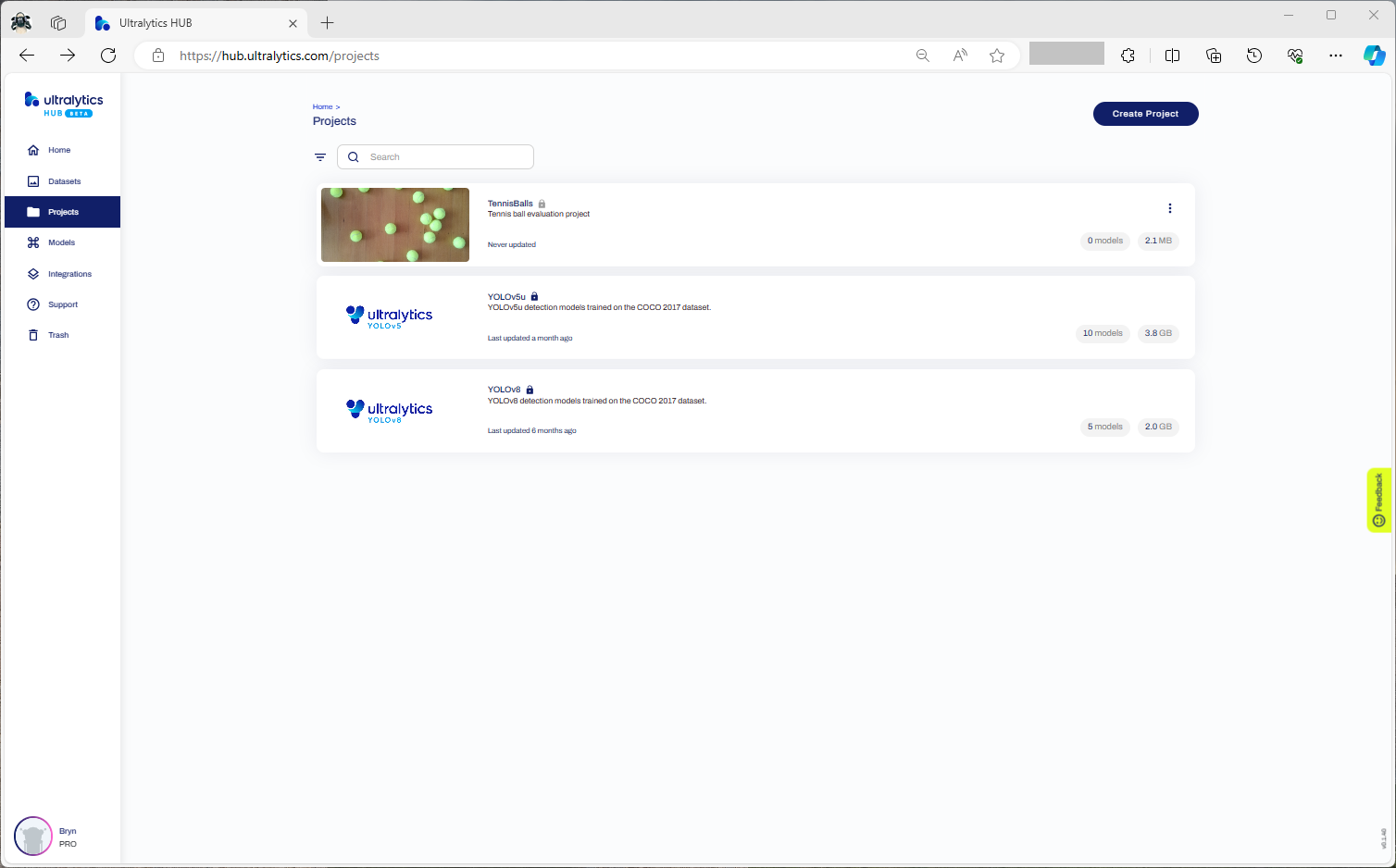
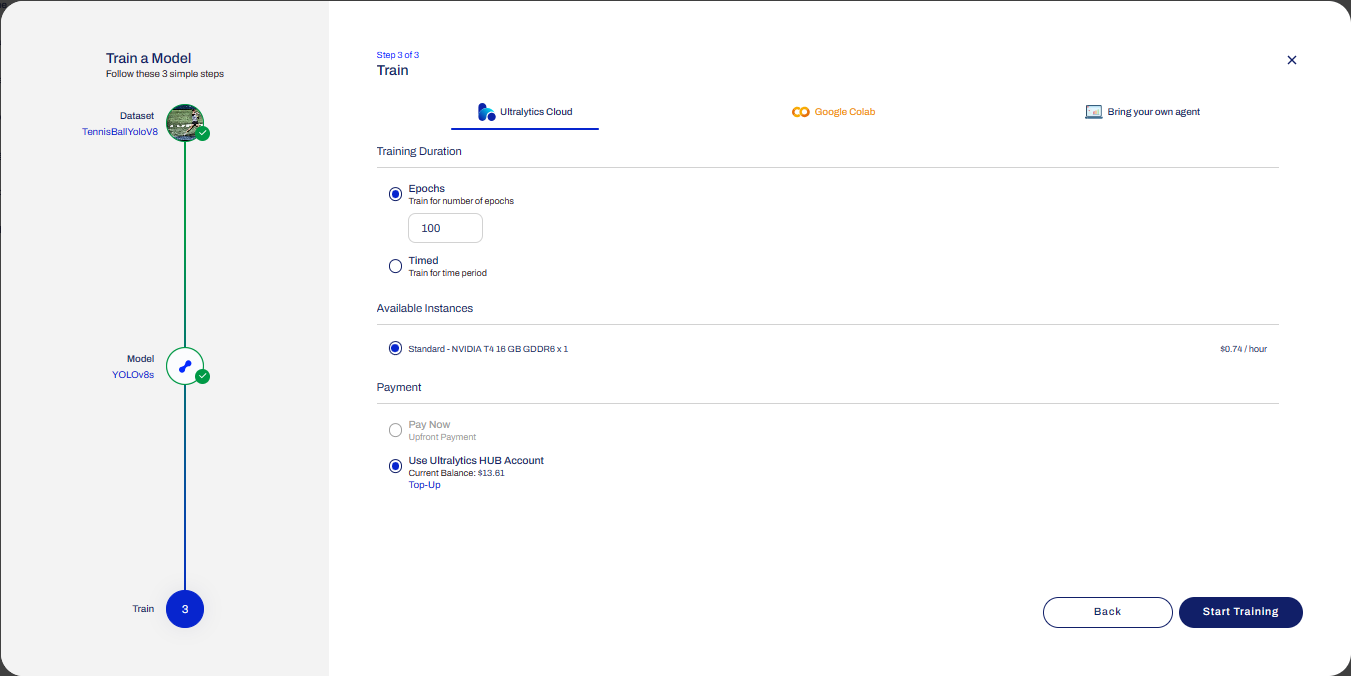
After uploading the roboflow Tennis Ball dataset from my previous post to an Ultralytics Hub dataset. I then used my Ultralytics Pro plan to train a proof of concept(PoC) YoloV8 model.

Creating a new Ultralytics project
Selecting training type the dataset to upload
Checking the Tennis Ball dataset upload
Confirming the number of classes and splits of the training dataset
Selecting the output model architecture (YoloV8s).
Configuring the number of epochs and payment method
Preparing the cloud instance(s) for training
The midpoint of the training process
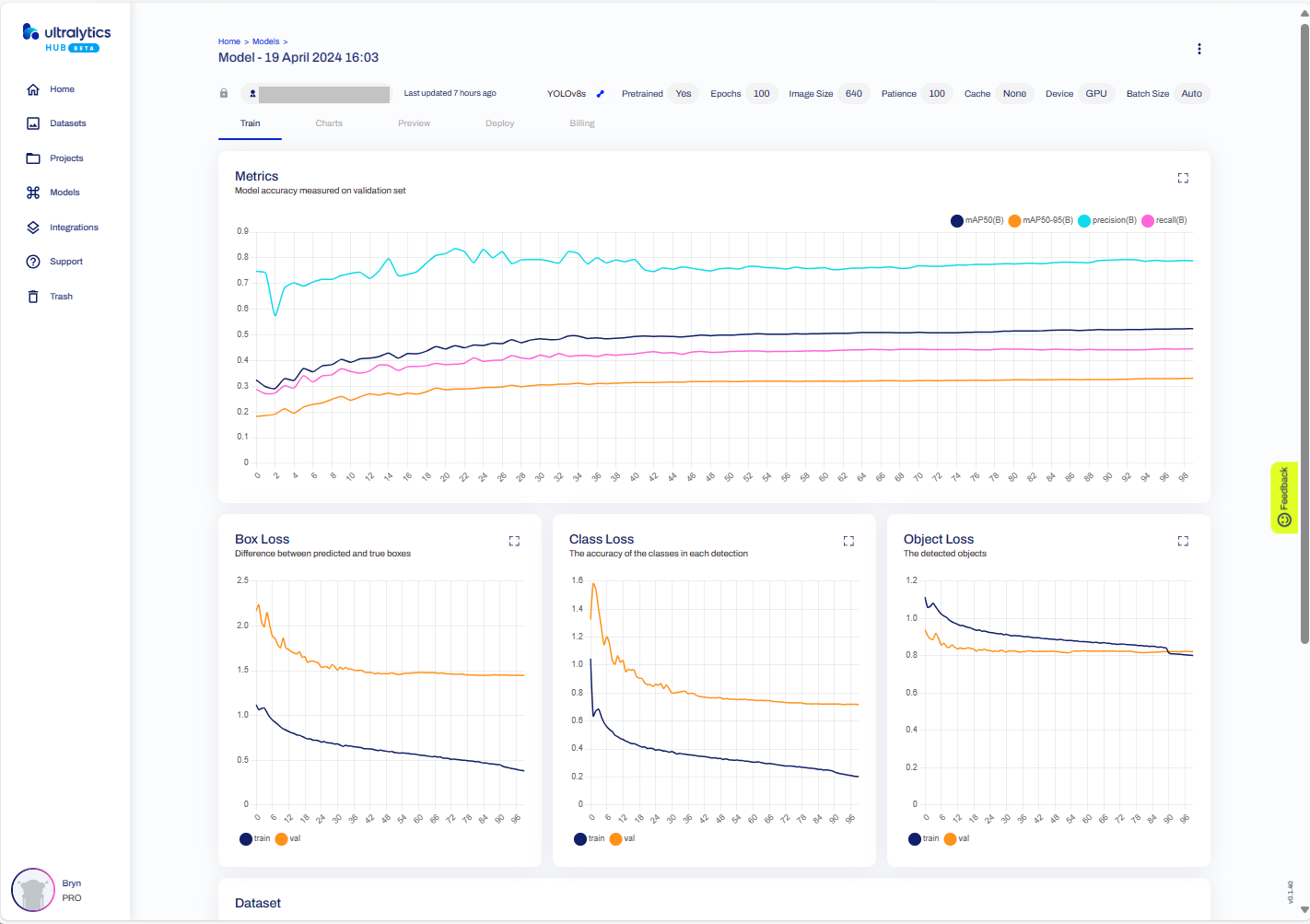
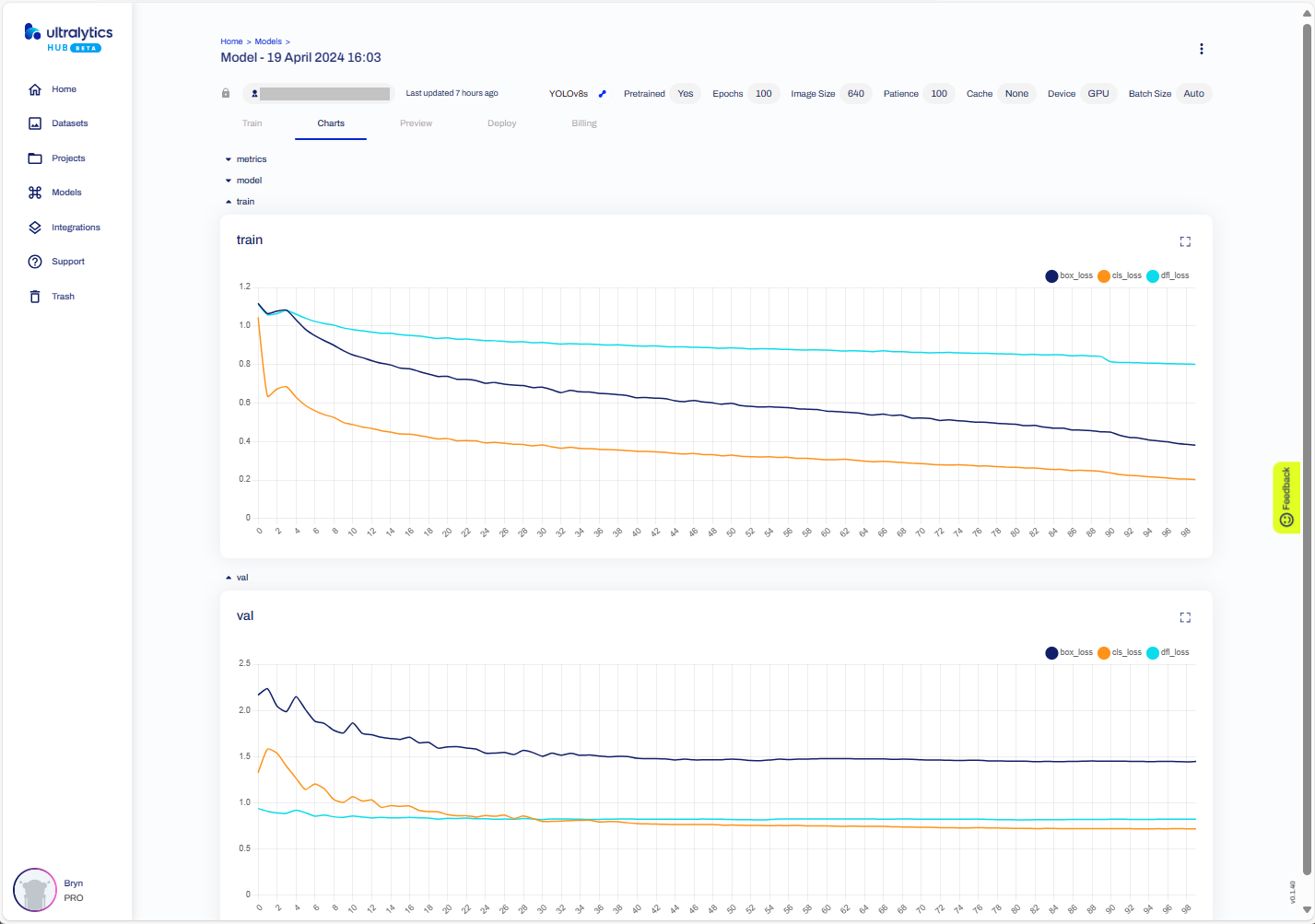
The training process completed with some basic model metrics.
The resources used and model accuracy metrics.
Model training metrics.
Testing the trained model inference results with my test image.
Exporting the trained YoloV8 model in ONNX format.
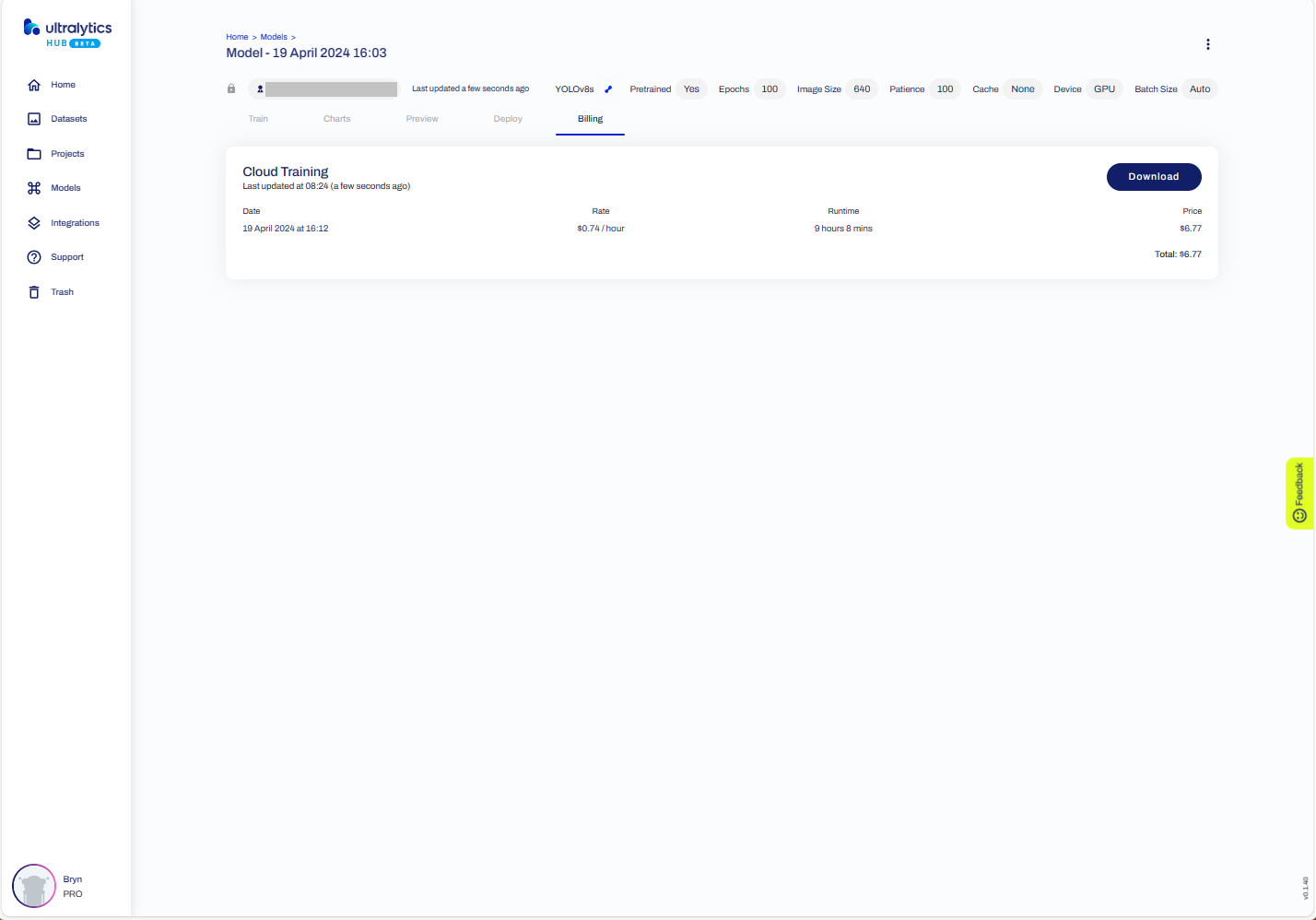
The duration and cost of training the model.
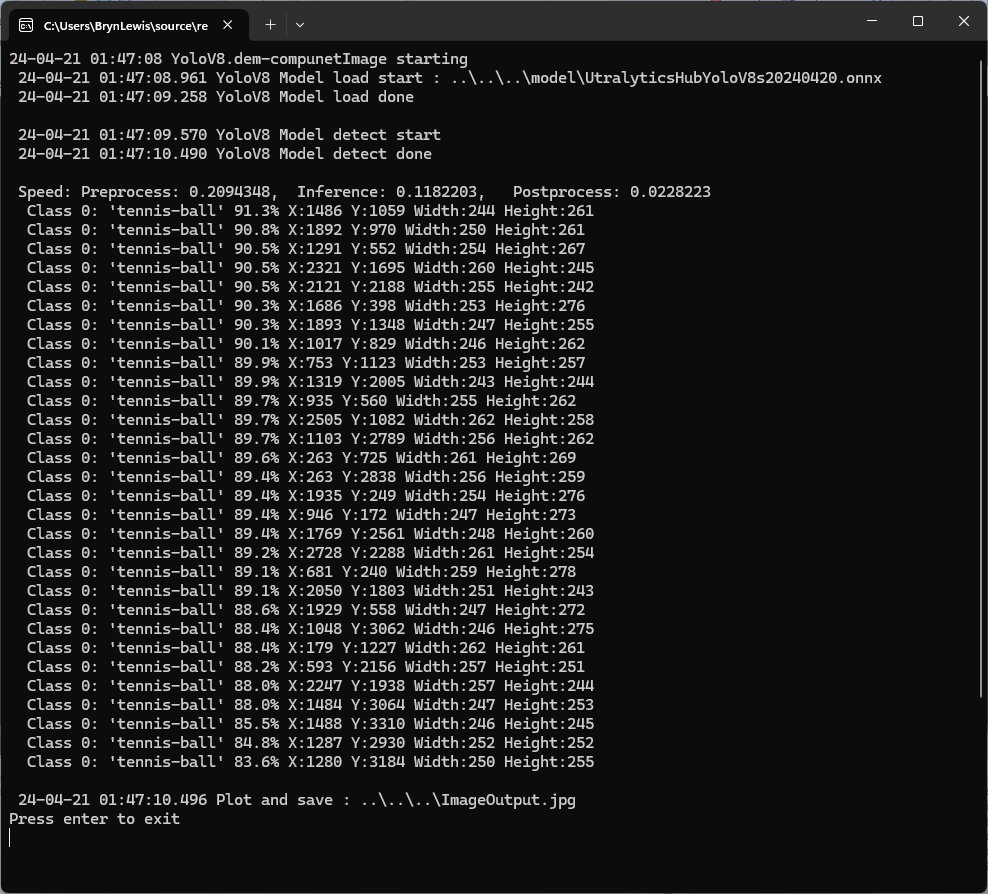
Testing the YoloV8 model with the dem-compunet.Image console application
Marked-up image generated by the dem-compunet.Image console application.

In this post I have not covered YoloV8 model selection and tuning of the training configuration to optimise the “performance” of the model. I used the default settings and then ran the model training overnight which cost USD6.77

This post is not about how create a “good” model it is the approach I took to create a “proof of concept” model for a demonstration.

YoloV8-Selecting a roboflow dataset

To comply with the Ultralytics AGPL-3.0 License and to use an Ultralytics Pro plan the source code and models for an application have to be open source. Rather than publishing my YoloV8 model (which is quite large) this is the first in a series of posts which detail the process I used to create it. (which I think is more useful)

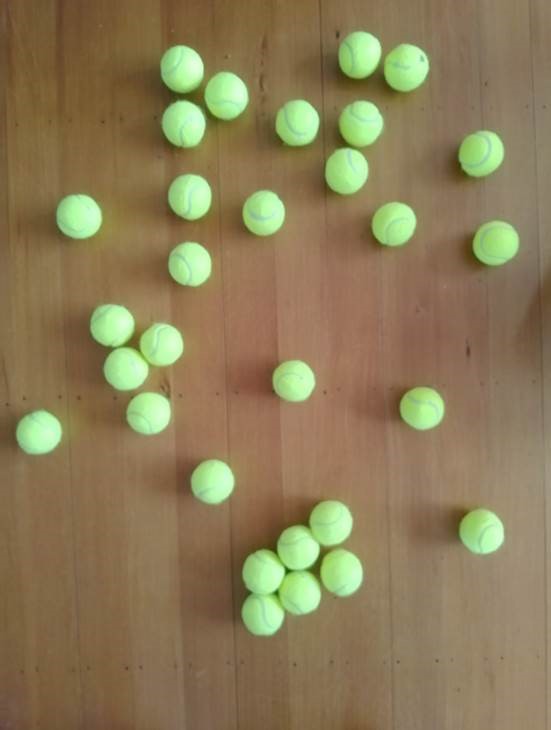
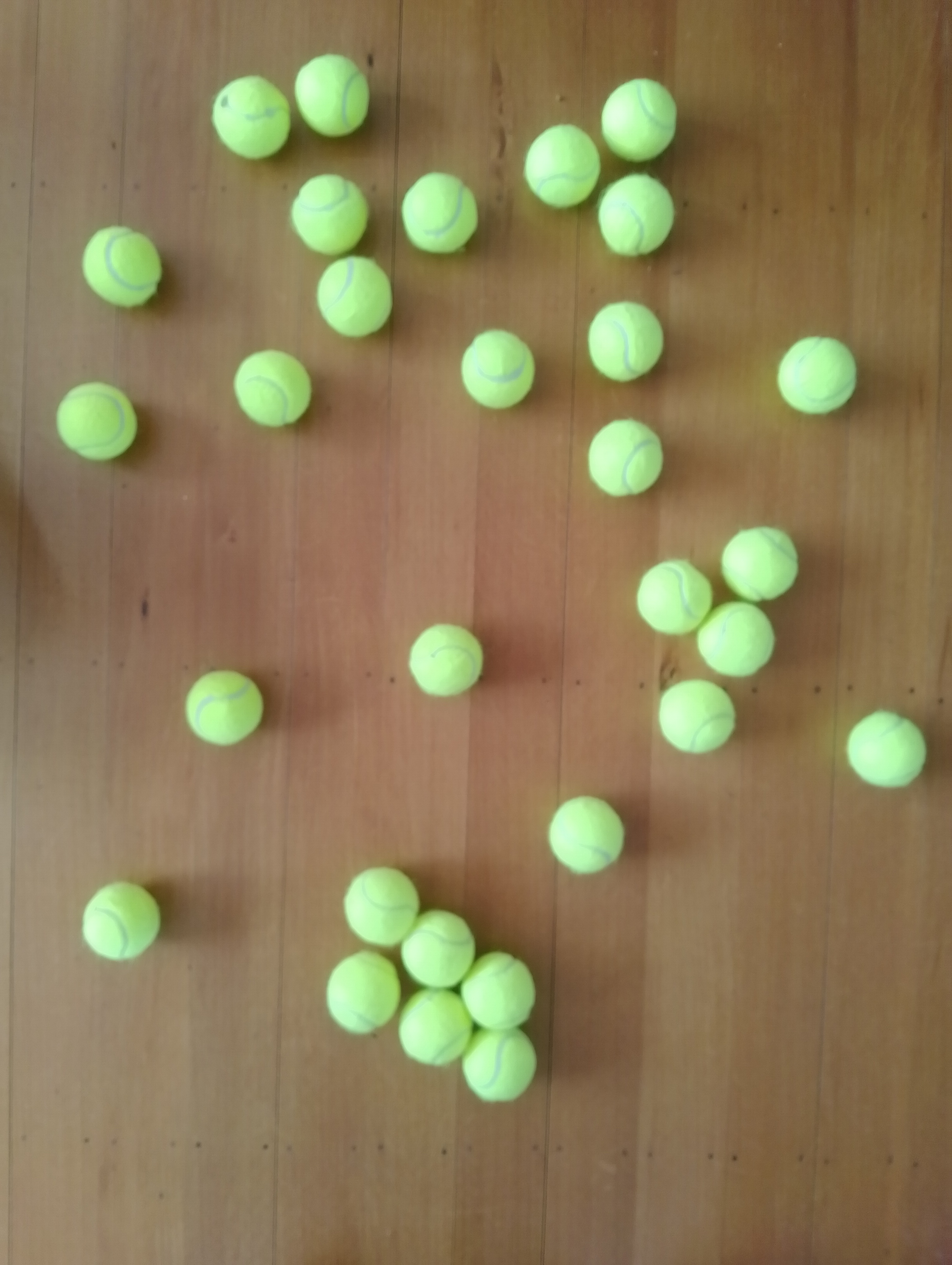
The single test image (not a good idea) is a photograph of 30 tennis balls on my living room floor.

Test image of 30 tennis balls on my living room floor

I stared with the “default” yolov8s.onnx model which is included in the YoloV8 nuget package Github repository YoloV8.Demo application.

YoloV8s.Onnx Tennis ball object detection results

The object detection results using the “default” model were pretty bad, but this wasn’t a surprise as the model is not optimised for this sort of problem.

Roboflow has a suite of tools for annotating, automatic labelling, training and deployment of models as well as a roboflow universe which (according to their website) is “The largest resource of computer vision datasets and pre-trained models”.

roboflow universe open-source model dataset search

I have used datasets from roboflow universe which is a great resource for building “proof of concept” applications.

roboflow universe dataset search

The first step was to identify some datasets which would improve my tennis ball object detection model results. After some searching (with tennis, tennis-ball etc. classes) and filtering (object detection, has a model for faster evaluation, more the 5000 images) to reduce the search results to a manageable number, I identified 5 datasets worth further evaluation.

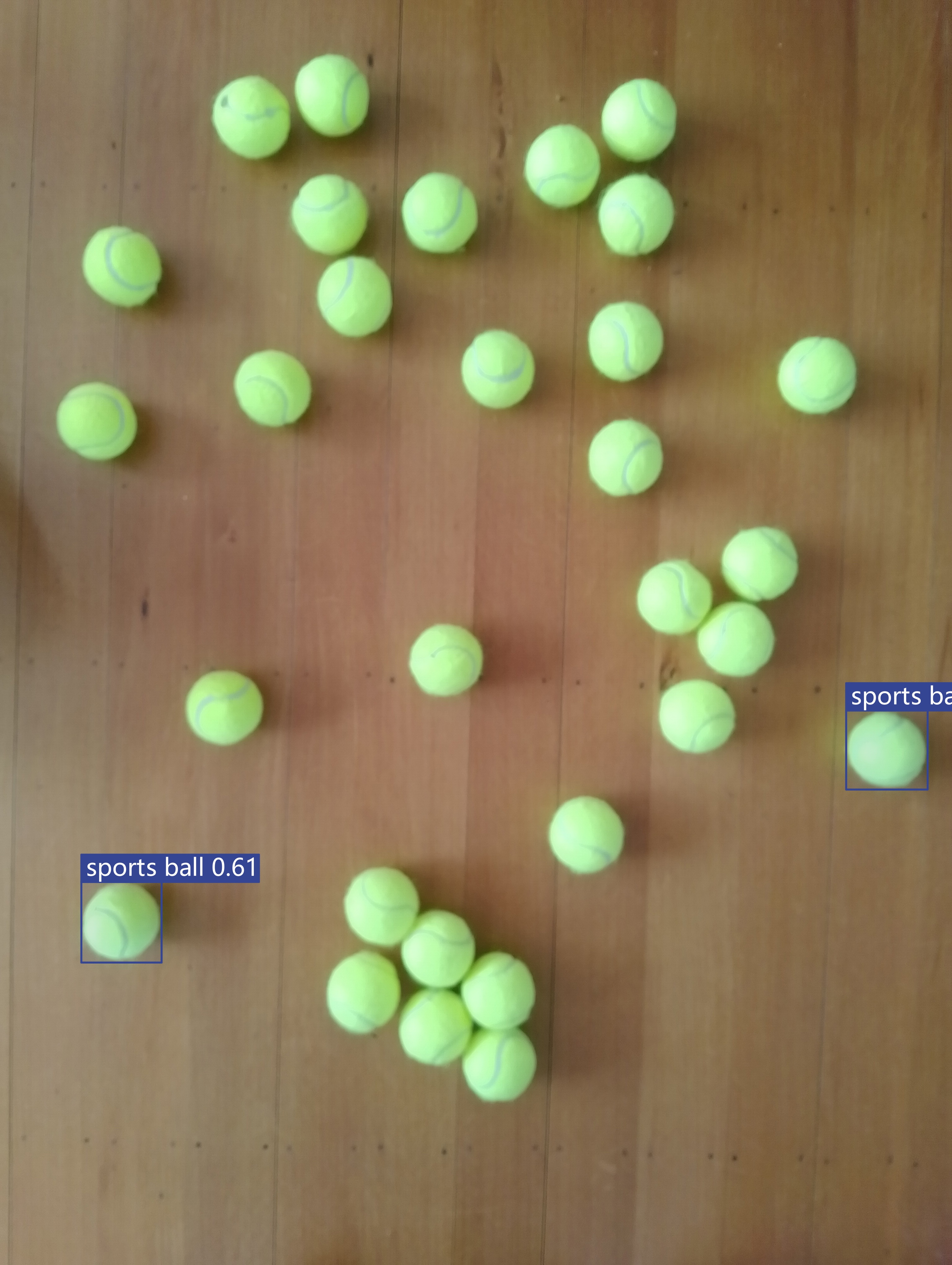
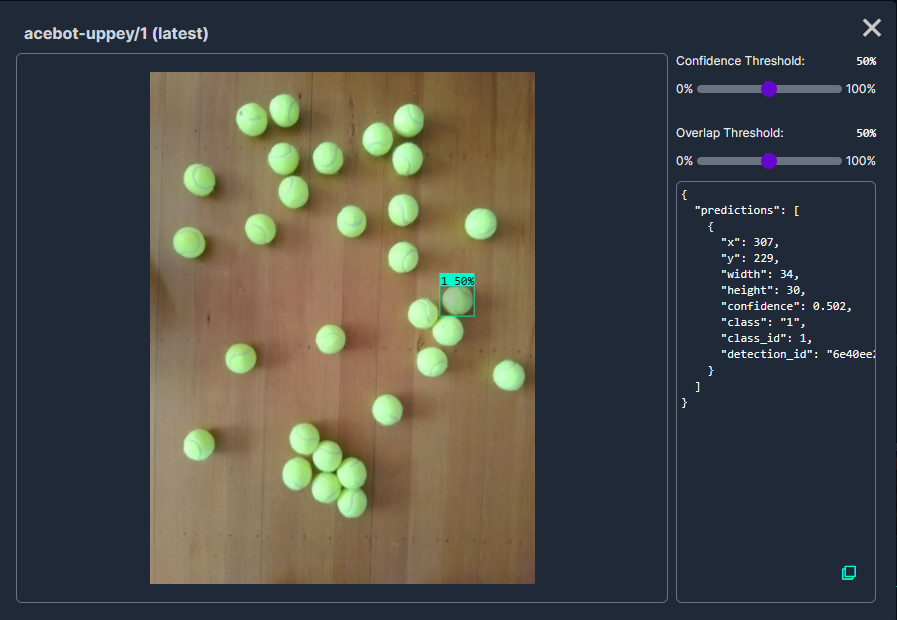
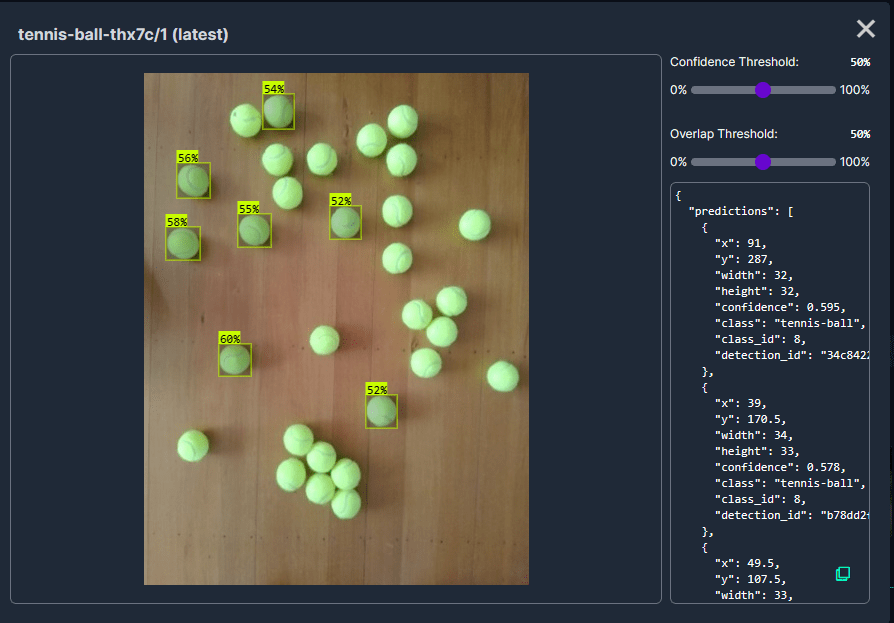
In my scenario the performance of the Acebot by Mrunal model was worse than the “default” yolov8s model.

In my scenario the performance of the tennis racket by test model was similar to the “default” yolov8s model.

In my scenario the performance of the Tennis Ball by Hust model was a bit better than the “default” yolov8s mode

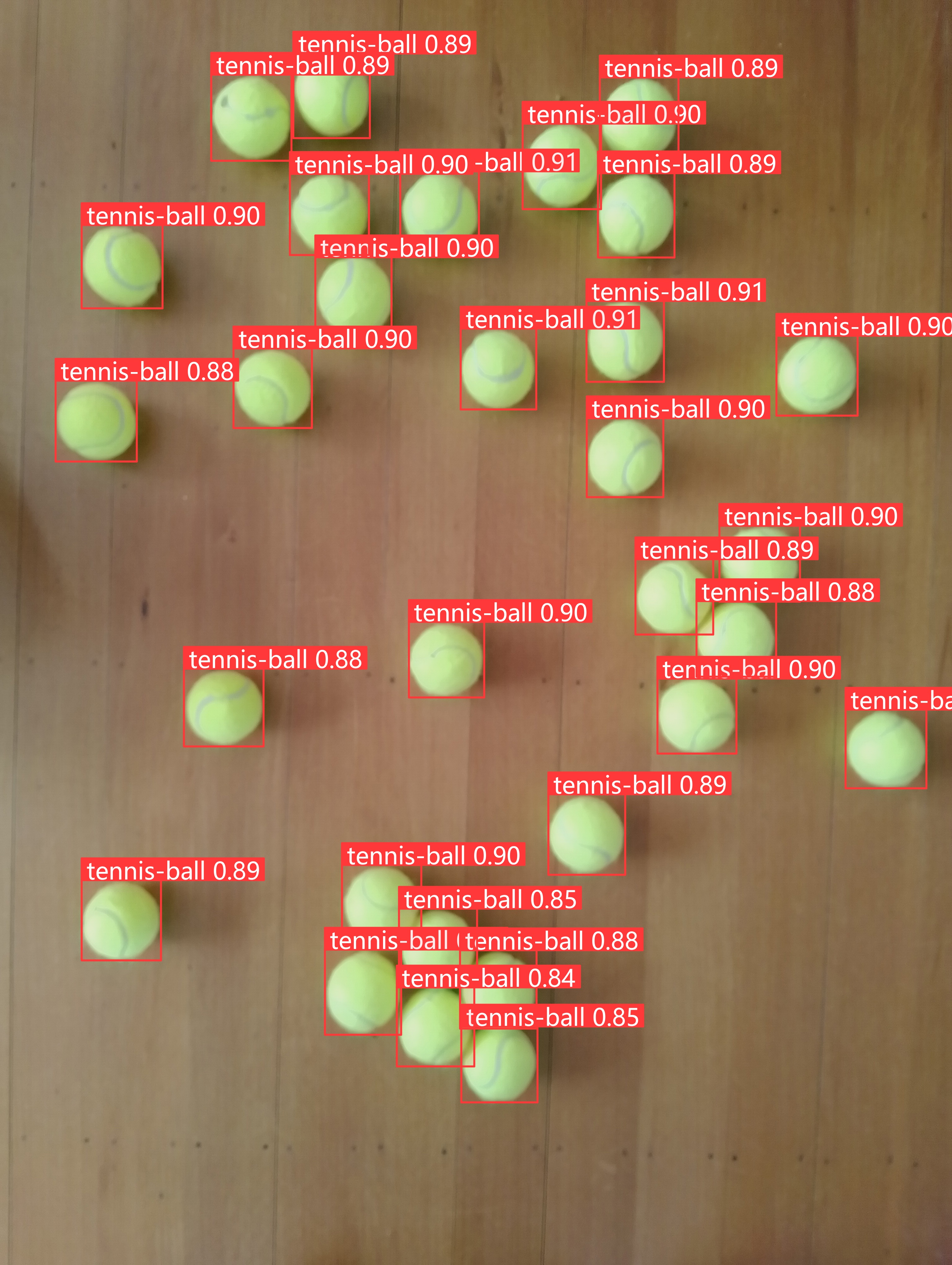
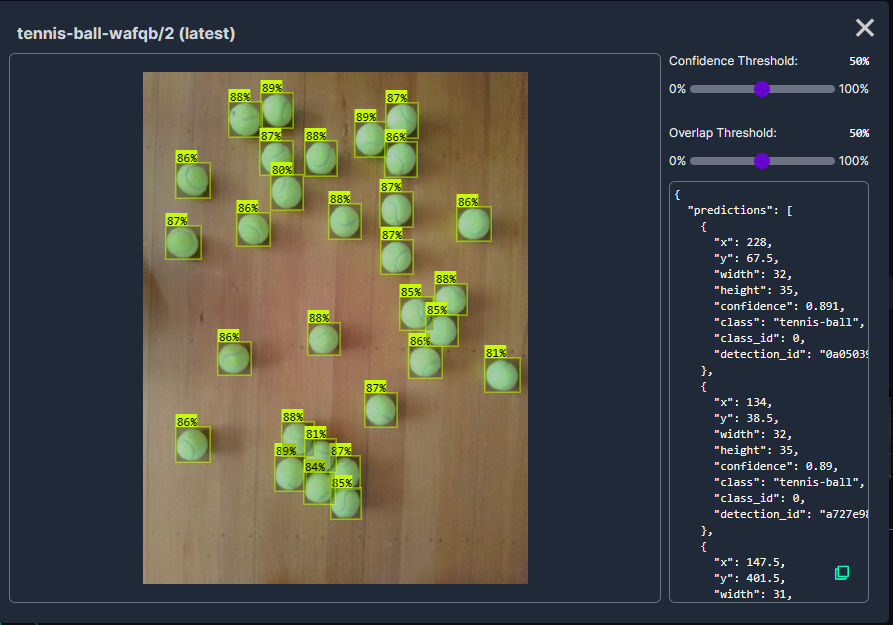
In my scenario the performance of the roboflow_oball by ahmedelshalkany model was pretty good it detected 28 of the 30 tennis balls.

In my scenario the performance of the Tennis Ball by Ugur Ozdemir model was good it detected all of the 30 tennis balls.

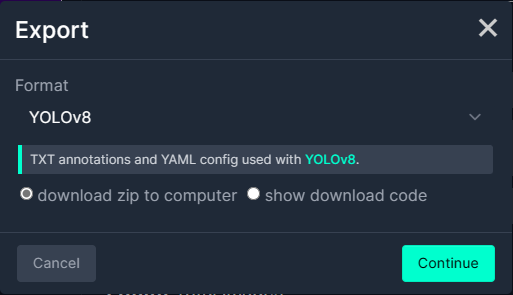
I then exported the Tennis Ball by Ugur Ozdemir dataset in a YoloV8 compatible format so I could use it on the Ultralytics Hub service with my Ultralytics Pro plan to train a model.

This post is not about how create a “good” dataset it is the approach I took to create a “proof of concept” dataset for a demonstration.

Azure Event Grid YoloV8- Basic MQTT Client Object Detection

The Azure.EventGrid.Image.Detect application downloads images from a security camera, processes them with the default YoloV8(by Ultralytics) object detection model, then publishes the results to an Azure Event Grid MQTT broker topic.

The Unv ADZK-10 camera used in this sample has a Hypertext Transfer Protocol (HTTP) Uniform Resource Locator(URL) for downloading the current image. Like the YoloV8.Detect.SecurityCamera.Stream sample the image “streamed” using the HttpClient.GetStreamAsync to the YoloV8 DetectAsync method.

private async void ImageUpdateTimerCallback(object? state)
{
   DateTime requestAtUtc = DateTime.UtcNow;

   // Just incase - stop code being called while photo or prediction already in progress
   if (_ImageProcessing)
   {
      return;
   }
   _ImageProcessing = true;

   try
   {
      _logger.LogDebug("Camera request start");

      DetectionResult result;

      using (Stream cameraStream = await _httpClient.GetStreamAsync(_applicationSettings.CameraUrl))
      {
         result = await _predictor.DetectAsync(cameraStream);
      }

      _logger.LogInformation("Speed Preprocess:{Preprocess} Postprocess:{Postprocess}", result.Speed.Preprocess, result.Speed.Postprocess);

      if (_logger.IsEnabled(LogLevel.Debug))
      {
         _logger.LogDebug("Detection results");

         foreach (var box in result.Boxes)
         {
            _logger.LogDebug(" Class {box.Class} {Confidence:f1}% X:{box.Bounds.X} Y:{box.Bounds.Y} Width:{box.Bounds.Width} Height:{box.Bounds.Height}", box.Class, box.Confidence * 100.0, box.Bounds.X, box.Bounds.Y, box.Bounds.Width, box.Bounds.Height);
         }
      }

      var message = new MQTT5PublishMessage
      {
         Topic = string.Format(_applicationSettings.PublishTopic, _applicationSettings.UserName),
         Payload = Encoding.ASCII.GetBytes(JsonSerializer.Serialize(new
         {
            result.Boxes,
         })),
         QoS = _applicationSettings.PublishQualityOfService,
      };

      _logger.LogDebug("HiveMQ.Publish start");

      var resultPublish = await _mqttclient.PublishAsync(message);

      _logger.LogDebug("HiveMQ.Publish done");
   }
   catch (Exception ex)
   {
      _logger.LogError(ex, "Camera image download, processing, or telemetry failed");
   }
   finally
   {
      _ImageProcessing = false;
   }

   TimeSpan duration = DateTime.UtcNow - requestAtUtc;

   _logger.LogDebug("Camera Image download, processing and telemetry done {TotalSeconds:f2} sec", duration.TotalSeconds);
}

The application uses a Timer(with configurable Due and Period times) to poll the security camera, detect objects in the image then publish a JavaScript Object Notation(JSON) representation of the results to Azure Event Grid MQTT broker topic using a HiveMQ client.

Console application displaying object detection results

The uses the Microsoft.Extensions.Logging library to publish diagnostic information to the console while debugging the application.

Visual Studio 2022 QuickWatch displaying object detection results.

To check the results I put a breakpoint in the timer just after DetectAsync method is called and then used the Visual Studio 2022 Debugger QuickWatch functionality to inspect the contents of the DetectionResult object.

Visual Studio 2022 JSON Visualiser displaying object detection results.

To check the JSON payload of the MQTT message I put a breakpoint just before the HiveMQ PublishAsync method. I then inspected the payload using the Visual Studio 2022 JSON Visualizer.

Security Camera image for object detection photo bombed by Yarnold our Standard Apricot Poodle.

This application can also be deployed as a Linux systemd Service so it will start then run in the background. The same approach as the YoloV8.Detect.SecurityCamera.Stream sample is used because the image doesn’t have to be saved on the local filesystem.