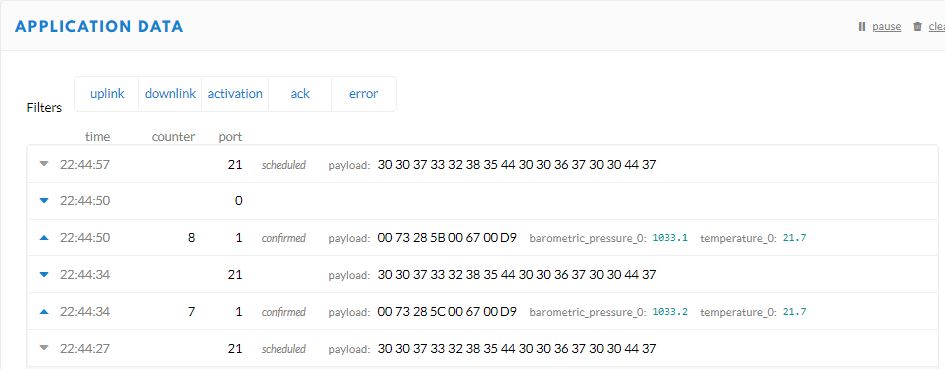
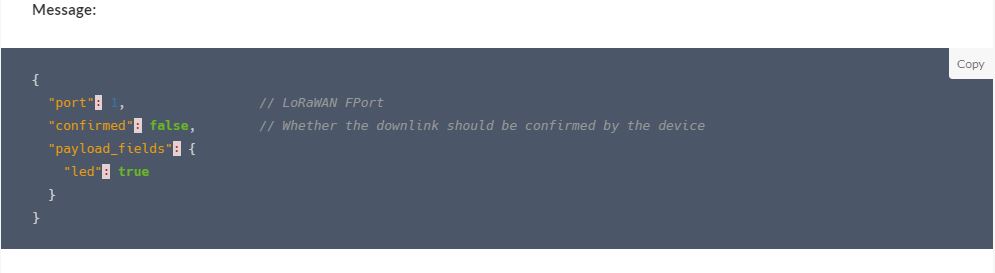
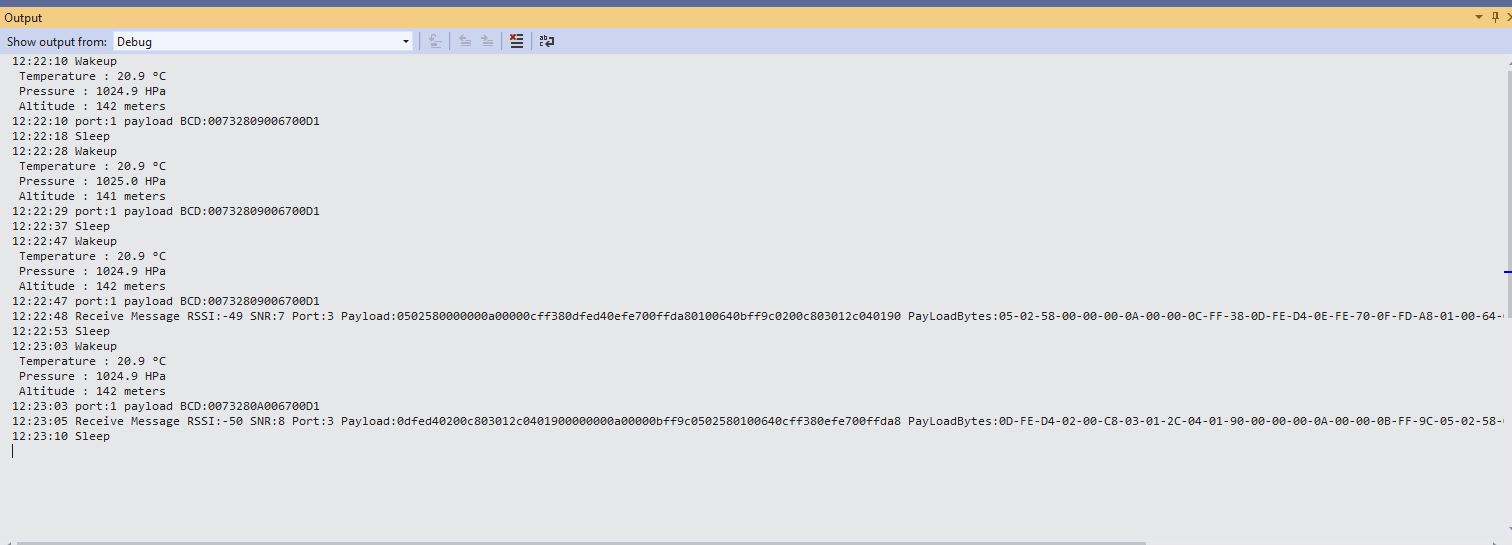
TTI V3 Connector Cloud to Device(C2D)

The TTI V3 Connector Minimalist Cloud to Device only required a port number, and there was no way to specify whether delivery of message had to be confirmed, the way the message was queued, or the priority of message delivery. Like the port number these optional settings can be specified in message properties.

  • Confirmation – True/False
  • Queue – Push/Replace
  • Priority – Lowest/Low/BelowNormal/Normal/AboveNormal/High/Highest

If any of these properties are incorrect DeviceClient.RejectAsync is called which deletes the message from the device queue and indicates to the server that the message could not be processed.

private async Task AzureIoTHubClientReceiveMessageHandler(Message message, object userContext)
{
	try
	{
		Models.AzureIoTHubReceiveMessageHandlerContext receiveMessageHandlerContext = (Models.AzureIoTHubReceiveMessageHandlerContext)userContext;

		if (!_DeviceClients.TryGetValue(receiveMessageHandlerContext.DeviceId, out DeviceClient deviceClient))
		{
			_logger.LogWarning("Downlink-DeviceID:{0} unknown", receiveMessageHandlerContext.DeviceId);
			return;
		}

		using (message)
		{
			string payloadText = Encoding.UTF8.GetString(message.GetBytes()).Trim();

			if (!AzureDownlinkMessage.PortTryGet(message.Properties, out byte port))
			{
				_logger.LogWarning("Downlink-Port property is invalid");

				await deviceClient.RejectAsync(message);
				return;
			}

			if (!AzureDownlinkMessage.ConfirmedTryGet(message.Properties, out bool confirmed))
			{
				_logger.LogWarning("Downlink-Confirmed flag is invalid");

				await deviceClient.RejectAsync(message);
				return;
			}

			if (!AzureDownlinkMessage.PriorityTryGet(message.Properties, out Models.DownlinkPriority priority))
			{
				_logger.LogWarning("Downlink-Priority value is invalid");

				await deviceClient.RejectAsync(message);
				return;
			}

			if (!AzureDownlinkMessage.QueueTryGet(message.Properties, out Models.DownlinkQueue queue))
			{
				_logger.LogWarning("Downlink-Queue value is invalid");

				await deviceClient.RejectAsync(message.LockToken);
				return;
			}

			Models.Downlink downlink = new Models.Downlink()
			{
				Confirmed = confirmed,
				Priority = priority,
				Port = port,
				CorrelationIds = AzureLockToken.Add(message.LockToken),
			};

			// Split over multiple lines in an attempt to improve readability. In this scenario a valid JSON string should start/end with {/} for an object or [/] for an array
			if ((payloadText.StartsWith("{") && payloadText.EndsWith("}"))
													||
				((payloadText.StartsWith("[") && payloadText.EndsWith("]"))))
			{
				try
				{
					downlink.PayloadDecoded = JToken.Parse(payloadText);
				}
				catch (JsonReaderException)
				{
					downlink.PayloadRaw = payloadText;
				}
			}
			else
			{
				downlink.PayloadRaw = payloadText;
			}

			_logger.LogInformation("Downlink-IoT Hub DeviceID:{0} MessageID:{2} LockToken:{3} Port:{4} Confirmed:{5} Priority:{6} Queue:{7}",
				receiveMessageHandlerContext.DeviceId,
				message.MessageId,
				message.LockToken,
				downlink.Port,
				downlink.Confirmed,
				downlink.Priority,
				queue);

			Models.DownlinkPayload Payload = new Models.DownlinkPayload()
			{
				Downlinks = new List<Models.Downlink>()
				{
					downlink
				}
			};

			string url = $"{receiveMessageHandlerContext.WebhookBaseURL}/{receiveMessageHandlerContext.ApplicationId}/webhooks/{receiveMessageHandlerContext.WebhookId}/devices/{receiveMessageHandlerContext.DeviceId}/down/{queue}".ToLower();

			using (var client = new WebClient())
			{
				client.Headers.Add("Authorization", $"Bearer {receiveMessageHandlerContext.ApiKey}");

				client.UploadString(new Uri(url), JsonConvert.SerializeObject(Payload));
			}

			_logger.LogInformation("Downlink-DeviceID:{0} LockToken:{1} success", receiveMessageHandlerContext.DeviceId, message.LockToken);
		}
	}
	catch (Exception ex)
	{
		_logger.LogError(ex, "Downlink-ReceiveMessge processing failed");
	}
}

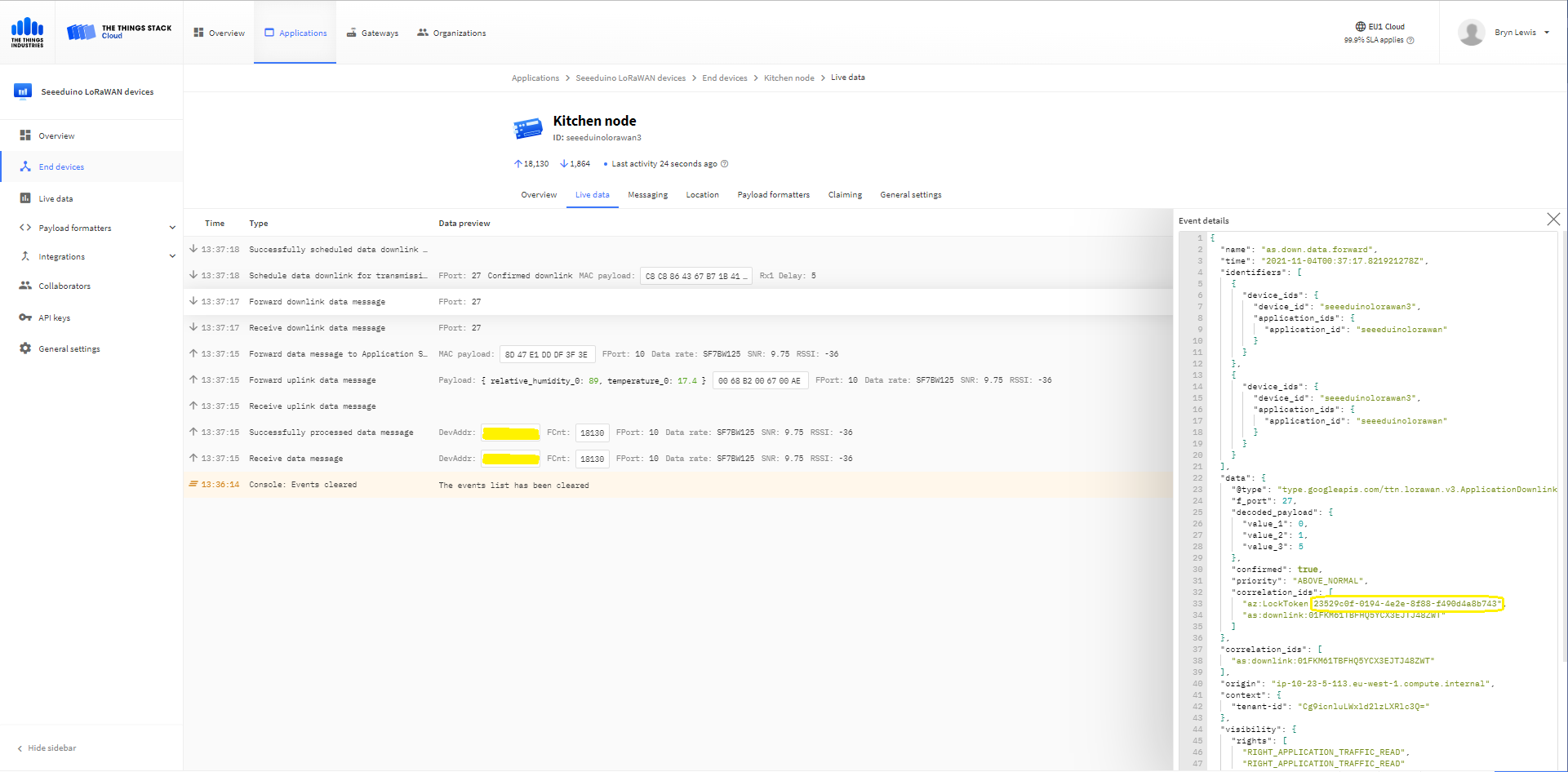
A correlation identifier containing the Message LockToken is added to the downlink payload.

Azure IoT Explorer Cloud to Device sending an unconfirmed downlink message

For unconfirmed messages The TTI Connector calls the DeviceClient.CompletedAsync method (with the LockToken from the CorrelationIDs list) which deletes the message from the device queue.

[Function("Queued")]
public async Task<HttpResponseData> Queued([HttpTrigger(AuthorizationLevel.Function, "post")] HttpRequestData req, FunctionContext executionContext)
{
	var logger = executionContext.GetLogger("Queued");

	// Wrap all the processing in a try\catch so if anything blows up we have logged it.
	try
	{
		string payloadText = await req.ReadAsStringAsync();

		Models.DownlinkQueuedPayload payload = JsonConvert.DeserializeObject<Models.DownlinkQueuedPayload>(payloadText);
		if (payload == null)
		{
			logger.LogInformation("Queued-Payload {0} invalid", payloadText);

			return req.CreateResponse(HttpStatusCode.BadRequest);
		}

		string applicationId = payload.EndDeviceIds.ApplicationIds.ApplicationId;
		string deviceId = payload.EndDeviceIds.DeviceId;

		logger.LogInformation("Queued-ApplicationID:{0} DeviceID:{1} ", applicationId, deviceId);

		if (!_DeviceClients.TryGetValue(deviceId, out DeviceClient deviceClient))
		{
			logger.LogInformation("Queued-Unknown device for ApplicationID:{0} DeviceID:{1}", applicationId, deviceId);

			return req.CreateResponse(HttpStatusCode.Conflict);
		}

		// If the message is not confirmed "complete" it as soon as with network
		if (!payload.DownlinkQueued.Confirmed)
		{
			if (!AzureLockToken.TryGet(payload.DownlinkQueued.CorrelationIds, out string lockToken))
			{
				logger.LogWarning("Queued-DeviceID:{0} LockToken missing from payload:{1}", payload.EndDeviceIds.DeviceId, payloadText);

				return req.CreateResponse(HttpStatusCode.BadRequest);
			}

			try
			{
				await deviceClient.CompleteAsync(lockToken);
			}
			catch (DeviceMessageLockLostException)
			{
				logger.LogWarning("Queued-CompleteAsync DeviceID:{0} LockToken:{1} timeout", payload.EndDeviceIds.DeviceId, lockToken);

				return req.CreateResponse(HttpStatusCode.Conflict);
			}

			logger.LogInformation("Queued-DeviceID:{0} LockToken:{1} success", payload.EndDeviceIds.DeviceId, lockToken);
		}
	}
	catch (Exception ex)
	{
		logger.LogError(ex, "Queued message processing failed");

		return req.CreateResponse(HttpStatusCode.InternalServerError);
	}

	return req.CreateResponse(HttpStatusCode.OK);
}
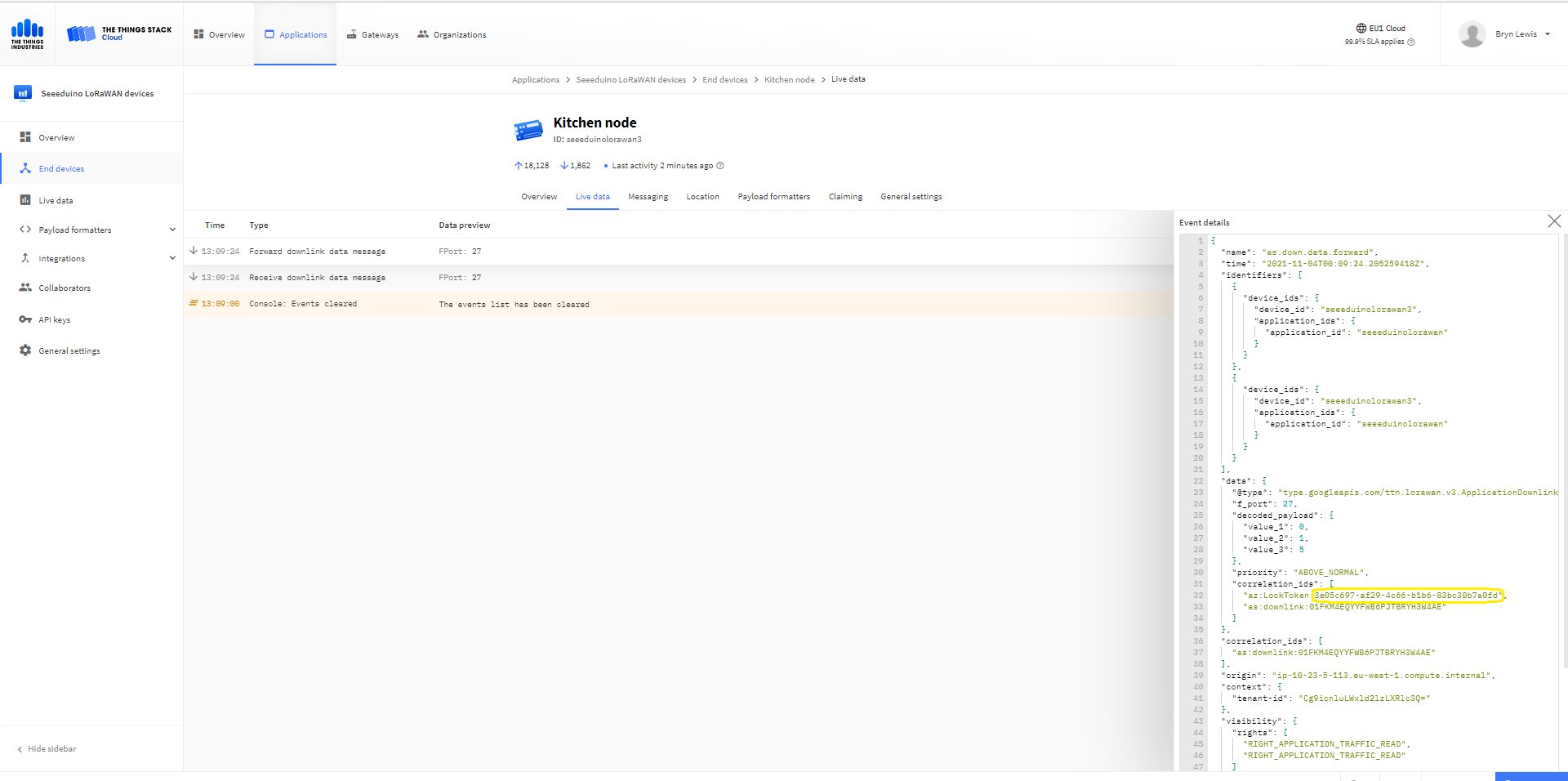
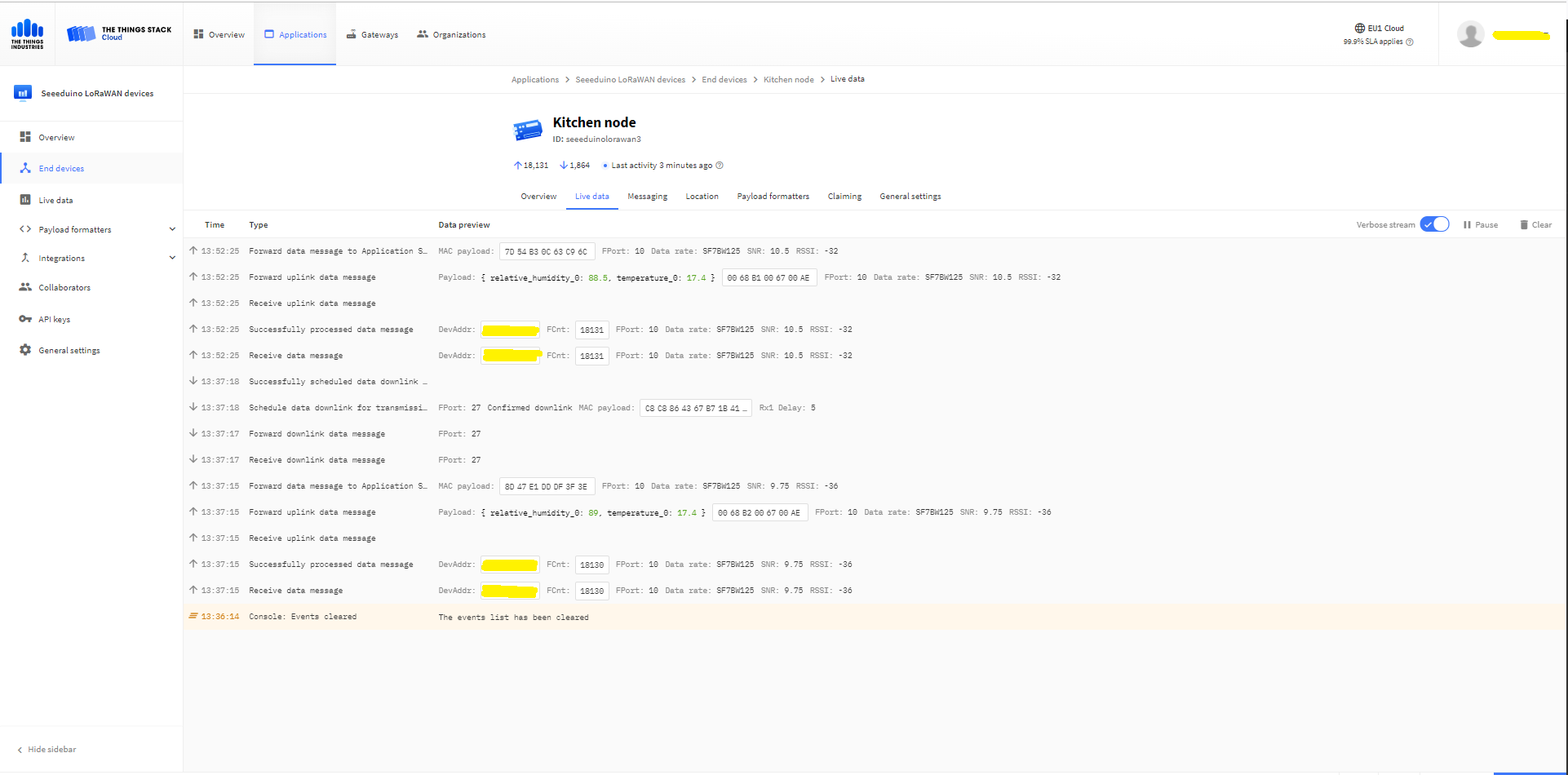
The Things Industries Live Data tab for an unconfirmed message-Queued
Azure Application Insights for an unconfirmed message
The Things Industries Live Data tab for an unconfirmed message-Sent
Azure IoT Explorer Cloud to Device sending a confirmed downlink message
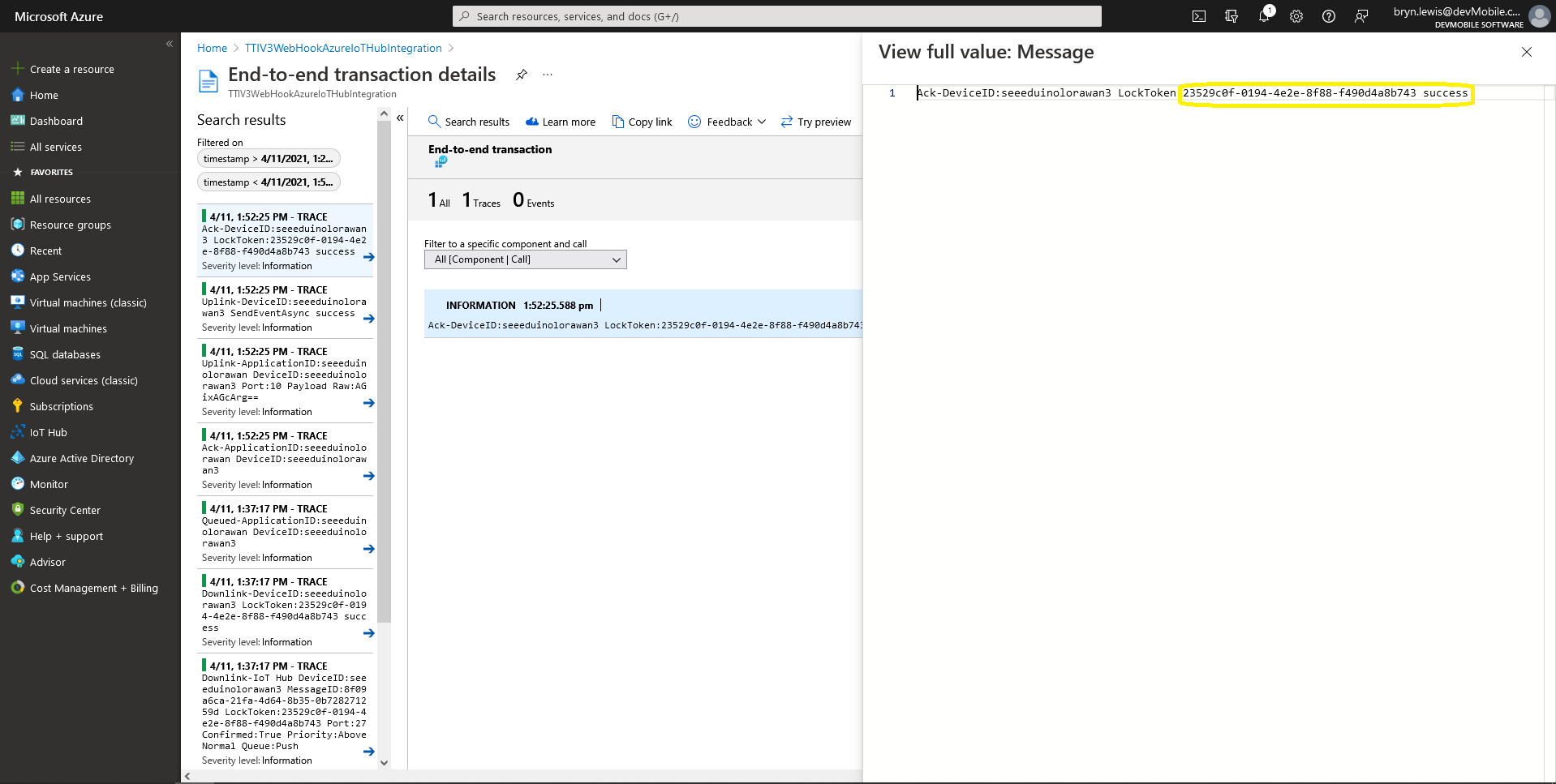
Azure Application Insights for a confirmed message
The Things Industries Live Data tab for a confirmed message-Sent
The Things Industries Live Data tab for a confirmed message-Ack

If message delivery succeeds the deviceClient.CompleteAsync method (with the LockToken from the CorrelationIDs list) is called which removes the message from the device queue.

[Function("Ack")]
public async Task<HttpResponseData> Ack([HttpTrigger(AuthorizationLevel.Function, "post")] HttpRequestData req, FunctionContext executionContext)
{
	var logger = executionContext.GetLogger("Queued");

	// Wrap all the processing in a try\catch so if anything blows up we have logged it.
	try
	{
		string payloadText = await req.ReadAsStringAsync();

		Models.DownlinkAckPayload payload = JsonConvert.DeserializeObject<Models.DownlinkAckPayload>(payloadText);
		if (payload == null)
		{
			logger.LogInformation("Ack-Payload {0} invalid", payloadText);

			return req.CreateResponse(HttpStatusCode.BadRequest);
		}

		string applicationId = payload.EndDeviceIds.ApplicationIds.ApplicationId;
		string deviceId = payload.EndDeviceIds.DeviceId;

		logger.LogInformation("Ack-ApplicationID:{0} DeviceID:{1} ", applicationId, deviceId);

		if (!_DeviceClients.TryGetValue(deviceId, out DeviceClient deviceClient))
		{
			logger.LogInformation("Ack-Unknown device for ApplicationID:{0} DeviceID:{1}", applicationId, deviceId);

			return req.CreateResponse(HttpStatusCode.Conflict);
		}

		if (!AzureLockToken.TryGet(payload.DownlinkAck.CorrelationIds, out string lockToken))
		{
			logger.LogWarning("Ack-DeviceID:{0} LockToken missing from payload:{1}", payload.EndDeviceIds.DeviceId, payloadText);

			return req.CreateResponse(HttpStatusCode.BadRequest);
		}

		try
		{
			await deviceClient.CompleteAsync(lockToken);
		}
		catch (DeviceMessageLockLostException)
		{
			logger.LogWarning("Ack-CompleteAsync DeviceID:{0} LockToken:{1} timeout", payload.EndDeviceIds.DeviceId, lockToken);

			return req.CreateResponse(HttpStatusCode.Conflict);
		}

		logger.LogInformation("Ack-DeviceID:{0} LockToken:{1} success", payload.EndDeviceIds.DeviceId, lockToken);
	}
	catch (Exception ex)
	{
		logger.LogError(ex, "Ack message processing failed");

		return req.CreateResponse(HttpStatusCode.InternalServerError);
	}

	return req.CreateResponse(HttpStatusCode.OK);
}

Azure Application Insights for an confirmed message Ack

If message delivery fails the deviceClient.AbandonAsync method (with the LockToken from the CorrelationIDs list) is called which puts the downlink message back onto the device queue.

[Function("Failed")]
public async Task<HttpResponseData> Failed([HttpTrigger(AuthorizationLevel.Function, "post")] HttpRequestData req, FunctionContext executionContext)
{
	var logger = executionContext.GetLogger("Queued");

	// Wrap all the processing in a try\catch so if anything blows up we have logged it.
	try
	{
		string payloadText = await req.ReadAsStringAsync();

		Models.DownlinkFailedPayload payload = JsonConvert.DeserializeObject<Models.DownlinkFailedPayload>(payloadText);
		if (payload == null)
		{
			logger.LogInformation("Failed-Payload {0} invalid", payloadText);

			return req.CreateResponse(HttpStatusCode.BadRequest);
		}

		string applicationId = payload.EndDeviceIds.ApplicationIds.ApplicationId;
		string deviceId = payload.EndDeviceIds.DeviceId;

		logger.LogInformation("Failed-ApplicationID:{0} DeviceID:{1} ", applicationId, deviceId);

		if (!_DeviceClients.TryGetValue(deviceId, out DeviceClient deviceClient))
		{
			logger.LogInformation("Failed-Unknown device for ApplicationID:{0} DeviceID:{1}", applicationId, deviceId);

			return req.CreateResponse(HttpStatusCode.Conflict);
		}

		if (!AzureLockToken.TryGet(payload.DownlinkFailed.CorrelationIds, out string lockToken))
		{
			logger.LogWarning("Failed-DeviceID:{0} LockToken missing from payload:{1}", payload.EndDeviceIds.DeviceId, payloadText);

			return req.CreateResponse(HttpStatusCode.BadRequest);
		}

		try
		{
			await deviceClient.RejectAsync(lockToken);
		}
		catch (DeviceMessageLockLostException)
		{
			logger.LogWarning("Failed-RejectAsync DeviceID:{0} LockToken:{1} timeout", payload.EndDeviceIds.DeviceId, lockToken);

			return req.CreateResponse(HttpStatusCode.Conflict);
		}

		logger.LogInformation("Failed-DeviceID:{0} LockToken:{1} success", payload.EndDeviceIds.DeviceId, lockToken);
	}
	catch (Exception ex)
	{
		logger.LogError(ex, "Failed message processing failed");

		return req.CreateResponse(HttpStatusCode.InternalServerError);
	}

	return req.CreateResponse(HttpStatusCode.OK);
}
If message delivery is unsuccessful the deviceClient.RejectAsync method (with the LockToken from the CorrelationIDs list) is called which deletes the message from the device queue and indicates to the server that the message could not be processed.

[Function("Nack")]
public async Task<HttpResponseData> Nack([HttpTrigger(AuthorizationLevel.Function, "post")] HttpRequestData req, FunctionContext executionContext)
{
	var logger = executionContext.GetLogger("Queued");

	// Wrap all the processing in a try\catch so if anything blows up we have logged it.
	try
	{
		string payloadText = await req.ReadAsStringAsync();

		Models.DownlinkNackPayload payload = JsonConvert.DeserializeObject<Models.DownlinkNackPayload>(payloadText);
		if (payload == null)
		{
			logger.LogInformation("Nack-Payload {0} invalid", payloadText);

			return req.CreateResponse(HttpStatusCode.BadRequest);
		}

		string applicationId = payload.EndDeviceIds.ApplicationIds.ApplicationId;
		string deviceId = payload.EndDeviceIds.DeviceId;

		logger.LogInformation("Nack-ApplicationID:{0} DeviceID:{1} ", applicationId, deviceId);

		if (!_DeviceClients.TryGetValue(deviceId, out DeviceClient deviceClient))
		{
			logger.LogInformation("Nack-Unknown device for ApplicationID:{0} DeviceID:{1}", applicationId, deviceId);

			return req.CreateResponse(HttpStatusCode.Conflict);
		}

		if (!AzureLockToken.TryGet(payload.DownlinkNack.CorrelationIds, out string lockToken))
		{
			logger.LogWarning("Nack-DeviceID:{0} LockToken missing from payload:{1}", payload.EndDeviceIds.DeviceId, payloadText);

			return req.CreateResponse(HttpStatusCode.BadRequest);
		}

		try
		{
			await deviceClient.RejectAsync(lockToken);
		}
		catch (DeviceMessageLockLostException)
		{
			logger.LogWarning("Nack-RejectAsync DeviceID:{0} LockToken:{1} timeout", payload.EndDeviceIds.DeviceId, lockToken);

			return req.CreateResponse(HttpStatusCode.Conflict);
		}

		logger.LogInformation("Nack-DeviceID:{0} LockToken:{1} success", payload.EndDeviceIds.DeviceId, lockToken);
	}
	catch (Exception ex)
	{
		logger.LogError(ex, "Nack message processing failed");

		return req.CreateResponse(HttpStatusCode.InternalServerError);
	}

	return req.CreateResponse(HttpStatusCode.OK);
}

The way message Failed(Abandon), Ack(CompleteAsync) and Nack(RejectAsync) are handled needs some more testing to confirm my understanding of the sequencing of TTI confirmed message delivery.

BEWARE

The use of Confirmed messaging with devices that send uplink messages irregularly can cause weird problems if the Azure IoT hub downlink message times out.
TTI V3 Connector Device Provisioning Service(DPS) support

The previous versions of my Things Network Industries(TTI) and The Things Network(TTN) connectors supported the Azure IoT Hub Device Provisioning Service(DPS) with Symmetric Key Attestation(SAS) to “automagically” setup the LoRaWAN devices in a TTI Application.(See my V2 Gateway DPS setup post for more detail).

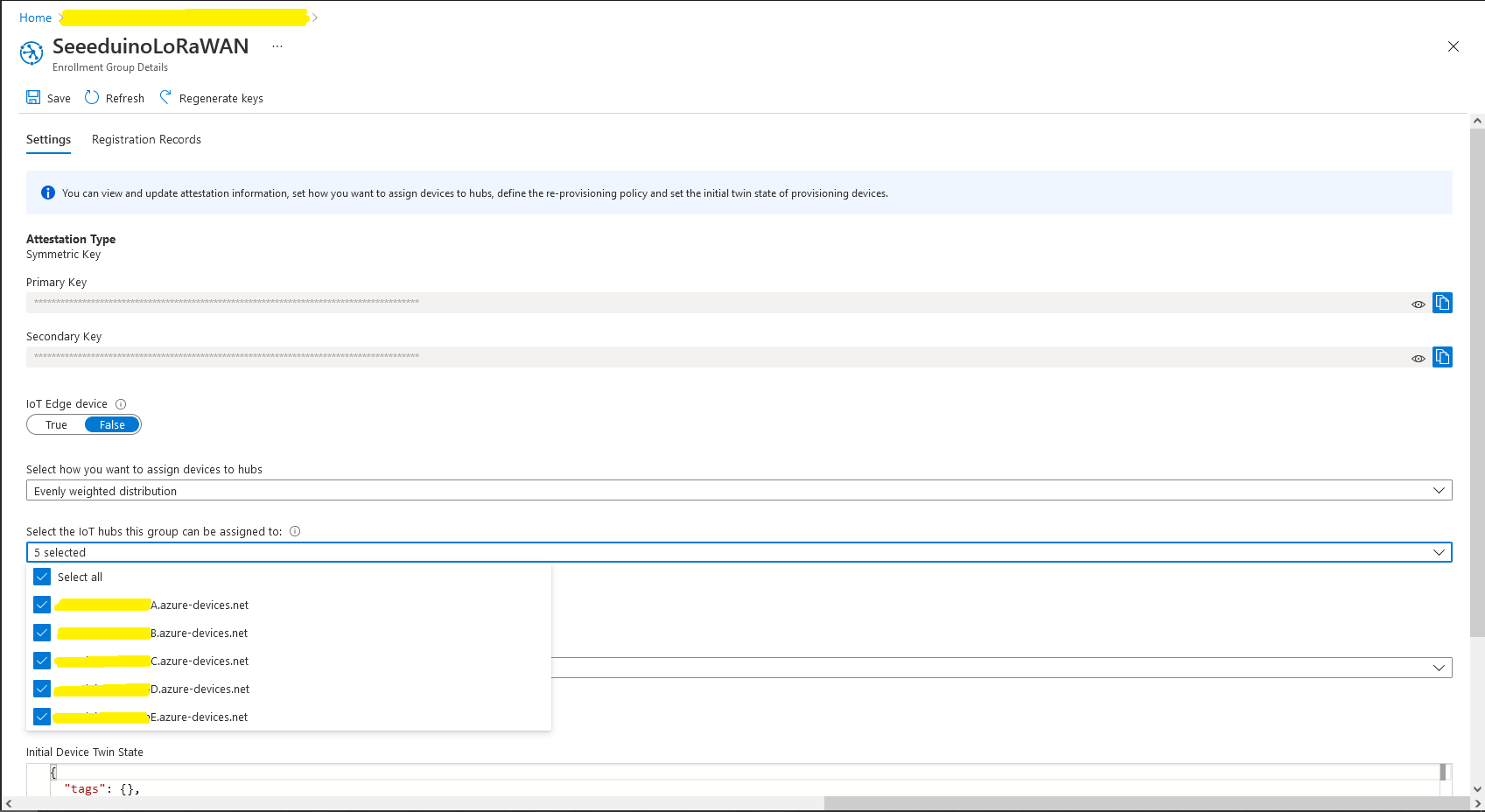
Azure Device Provisioning Service configuring Azure IoT Hubs

I used an “evenly weighted distribution” to spread the devices across five Azure IoT Hubs.

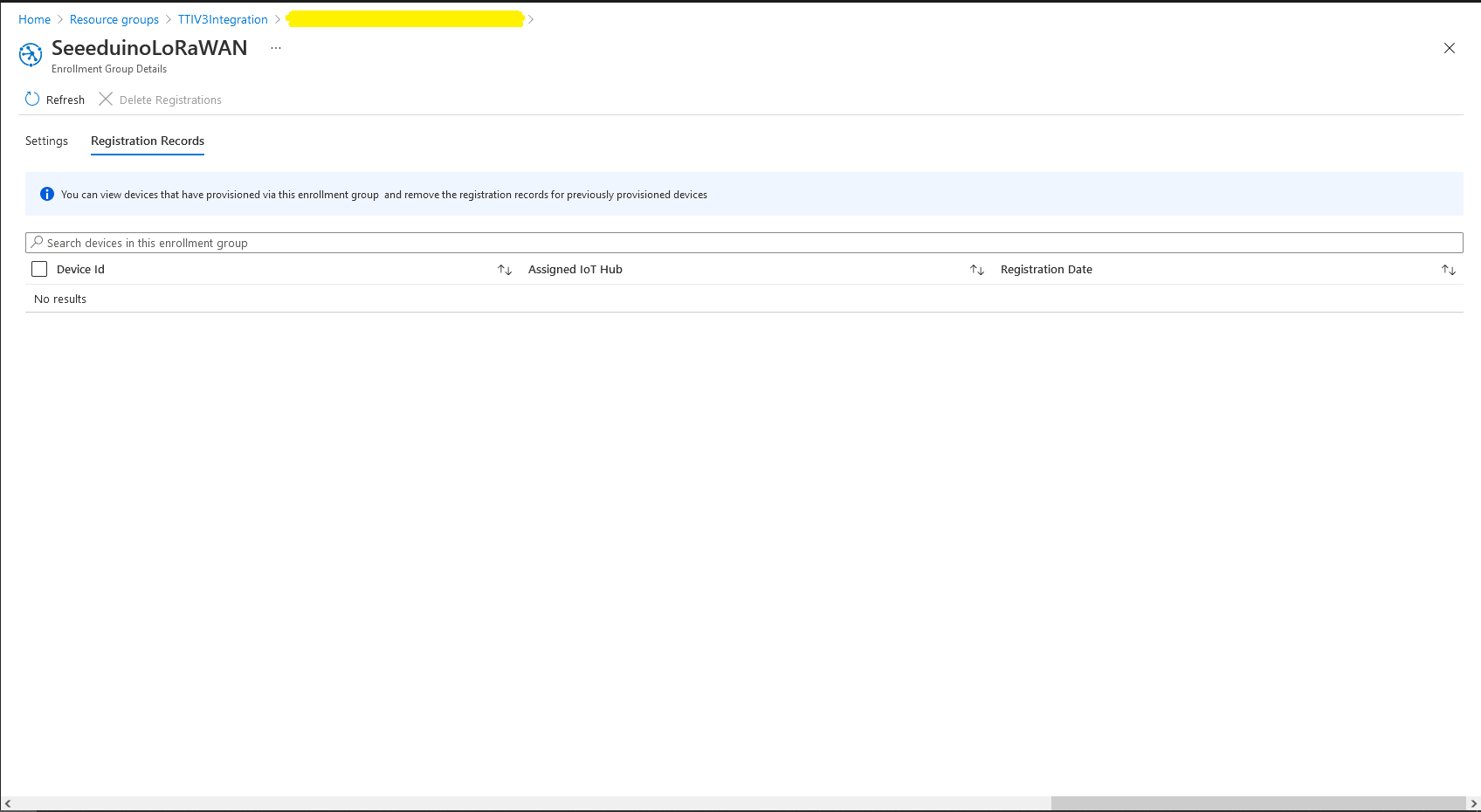
Azure IoT Hub no registered devices

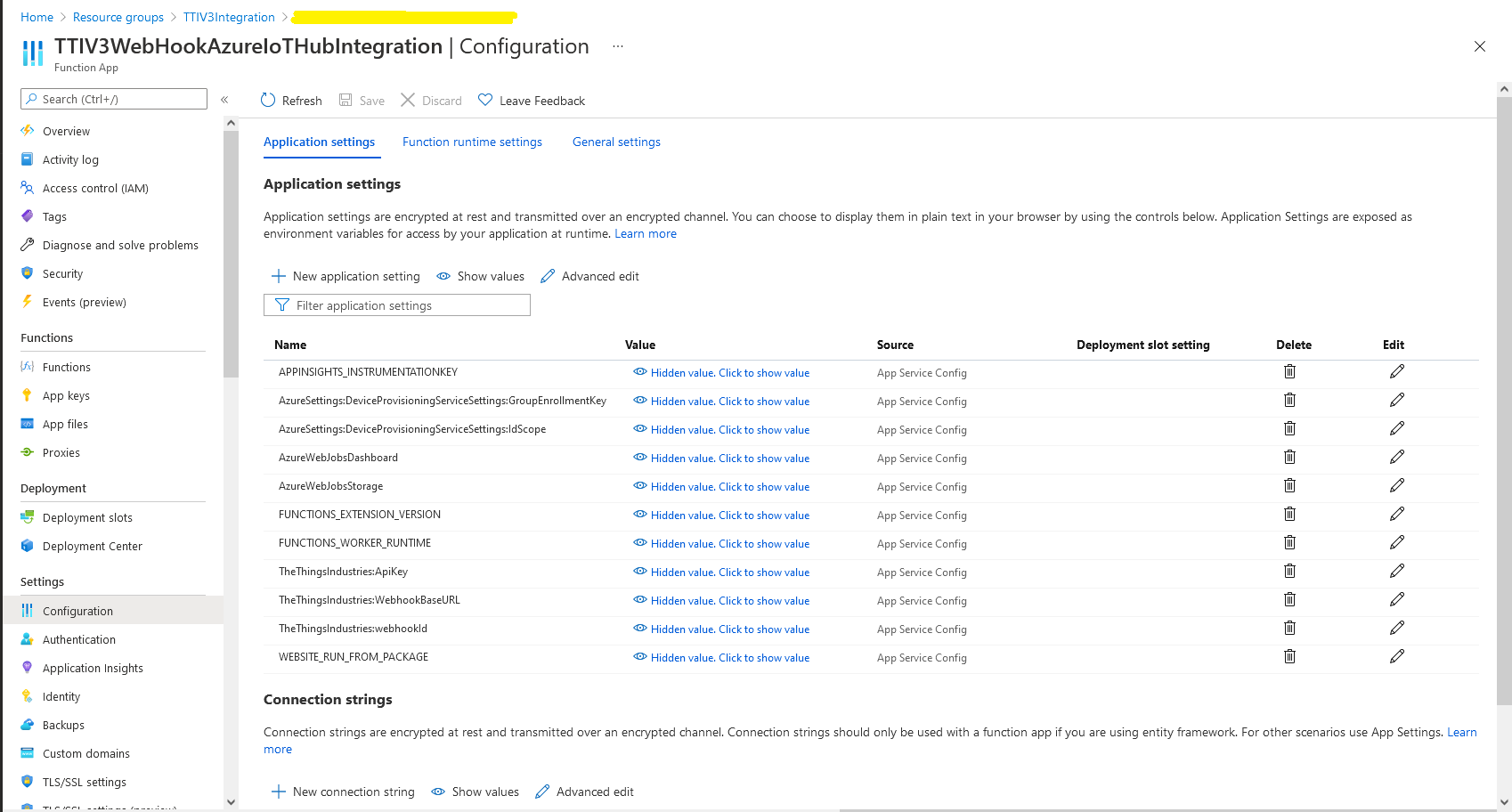
In the Azure Portal I configured the DPS ID Scope (AzureSettings:DeviceProvisioningServiceSettings:IdScope) and the Group Enrollment Key(AzureSettings:DeviceProvisioningServiceSettings:GroupEnrollmentKey) then saved the configuration which restarted the AppService.

Azure Portal AppService configration

The first time a device sent an uplink message the cache query fails and the RegisterAsync method of the ProvisioningDeviceClient is called to get a device connection string.

	logger.LogInformation("Uplink-ApplicationID:{0} DeviceID:{1} Port:{2} Payload Raw:{3}", applicationId, deviceId, port, payload.UplinkMessage.PayloadRaw);

	if (!_DeviceClients.TryGetValue(deviceId, out DeviceClient deviceClient))
	{
		logger.LogInformation("Uplink-Unknown device for ApplicationID:{0} DeviceID:{1}", applicationId, deviceId);

		// Check that only one of Azure Connection string or DPS is configured
		if (string.IsNullOrEmpty(_azureSettings.IoTHubConnectionString) && (_azureSettings.DeviceProvisioningServiceSettings == null))
		{
			logger.LogError("Uplink-Neither Azure IoT Hub connection string or Device Provisioning Service configured");

			return req.CreateResponse(HttpStatusCode.UnprocessableEntity);
		}

		// Check that only one of Azure Connection string or DPS is configured
		if (!string.IsNullOrEmpty(_azureSettings.IoTHubConnectionString) && (_azureSettings.DeviceProvisioningServiceSettings != null))
		{
			logger.LogError("Uplink-Both Azure IoT Hub connection string and Device Provisioning Service configured");

			return req.CreateResponse(HttpStatusCode.UnprocessableEntity);
		}

		// User Azure IoT Connection string if configured and Device Provisioning Service isn't
		if (!string.IsNullOrEmpty(_azureSettings.IoTHubConnectionString))
		{
			deviceClient = DeviceClient.CreateFromConnectionString(_azureSettings.IoTHubConnectionString, deviceId, transportSettings);

			try
			{
				await deviceClient.OpenAsync();
			}
			catch (DeviceNotFoundException)
			{
				logger.LogWarning("Uplink-Unknown DeviceID:{0}", deviceId);

				return req.CreateResponse(HttpStatusCode.NotFound);
			}
		}

		// Azure IoT Hub Device provisioning service if configured
		if (_azureSettings.DeviceProvisioningServiceSettings != null) 
		{
			string deviceKey;

			if ( string.IsNullOrEmpty(_azureSettings.DeviceProvisioningServiceSettings.IdScope) || string.IsNullOrEmpty(_azureSettings.DeviceProvisioningServiceSettings.GroupEnrollmentKey))
			{
				logger.LogError("Uplink-Device Provisioning Service requires ID Scope and Group Enrollment Key configured");

				return req.CreateResponse(HttpStatusCode.UnprocessableEntity);
			}

			using (var hmac = new HMACSHA256(Convert.FromBase64String(_azureSettings.DeviceProvisioningServiceSettings.GroupEnrollmentKey)))
			{
				deviceKey = Convert.ToBase64String(hmac.ComputeHash(Encoding.UTF8.GetBytes(deviceId)));
			}

			using (var securityProvider = new SecurityProviderSymmetricKey(deviceId, deviceKey, null))
			{
				using (var transport = new ProvisioningTransportHandlerAmqp(TransportFallbackType.TcpOnly))
				{
					ProvisioningDeviceClient provClient = ProvisioningDeviceClient.Create(
						Constants.AzureDpsGlobalDeviceEndpoint,
						_azureSettings.DeviceProvisioningServiceSettings.IdScope,
						securityProvider,
						transport);

					DeviceRegistrationResult result = await provClient.RegisterAsync();

					if (result.Status != ProvisioningRegistrationStatusType.Assigned)
					{
						_logger.LogError("Config-DeviceID:{0} Status:{1} RegisterAsync failed ", deviceId, result.Status);

						return req.CreateResponse(HttpStatusCode.FailedDependency);
					}

					IAuthenticationMethod authentication = new DeviceAuthenticationWithRegistrySymmetricKey(result.DeviceId, (securityProvider as SecurityProviderSymmetricKey).GetPrimaryKey());

					deviceClient = DeviceClient.Create(result.AssignedHub, authentication, transportSettings);

					await deviceClient.OpenAsync();
				}
			}
		}

		if (!_DeviceClients.TryAdd(deviceId, deviceClient))
		{
			logger.LogWarning("Uplink-TryAdd failed for ApplicationID:{0} DeviceID:{1}", applicationId, deviceId);

			return req.CreateResponse(HttpStatusCode.Conflict);
		}

		Models.AzureIoTHubReceiveMessageHandlerContext context = new Models.AzureIoTHubReceiveMessageHandlerContext()
		{
			DeviceId = deviceId,
			ApplicationId = applicationId,
			WebhookId = _theThingsIndustriesSettings.WebhookId,
			WebhookBaseURL = _theThingsIndustriesSettings.WebhookBaseURL,
			ApiKey = _theThingsIndustriesSettings.ApiKey
		};

		await deviceClient.SetReceiveMessageHandlerAsync(AzureIoTHubClientReceiveMessageHandler, context);

		await deviceClient.SetMethodDefaultHandlerAsync(AzureIoTHubClientDefaultMethodHandler, context);
	}

	JObject telemetryEvent = new JObject
	{
		{ "ApplicationID", applicationId },
		{ "DeviceID", deviceId },
		{ "Port", port },
		{ "Simulated", payload.Simulated },
		{ "ReceivedAtUtc", payload.UplinkMessage.ReceivedAtUtc.ToString("s", CultureInfo.InvariantCulture) },
		{ "PayloadRaw", payload.UplinkMessage.PayloadRaw }
	};

	// If the payload has been decoded by payload formatter, put it in the message body.
	if (payload.UplinkMessage.PayloadDecoded != null)
	{
		telemetryEvent.Add("PayloadDecoded", payload.UplinkMessage.PayloadDecoded);
	}

	// Send the message to Azure IoT Hub
	using (Message ioTHubmessage = new Message(Encoding.ASCII.GetBytes(JsonConvert.SerializeObject(telemetryEvent))))
	{
		// Ensure the displayed time is the acquired time rather than the uploaded time. 
		ioTHubmessage.Properties.Add("iothub-creation-time-utc", payload.UplinkMessage.ReceivedAtUtc.ToString("s", CultureInfo.InvariantCulture));
		ioTHubmessage.Properties.Add("ApplicationId", applicationId);
		ioTHubmessage.Properties.Add("DeviceEUI", payload.EndDeviceIds.DeviceEui);
		ioTHubmessage.Properties.Add("DeviceId", deviceId);
		ioTHubmessage.Properties.Add("port", port.ToString());
		ioTHubmessage.Properties.Add("Simulated", payload.Simulated.ToString());

		await deviceClient.SendEventAsync(ioTHubmessage);

		logger.LogInformation("Uplink-DeviceID:{0} SendEventAsync success", payload.EndDeviceIds.DeviceId);
	}
}
catch (Exception ex)
{
	logger.LogError(ex, "Uplink-Message processing failed");

	return req.CreateResponse(HttpStatusCode.InternalServerError);
}

I used Telerik Fiddler and some sample payloads copied from my Azure Storage Queue sample to simulate many devices and the registrations were spread across my five Azure IoT Hubs.

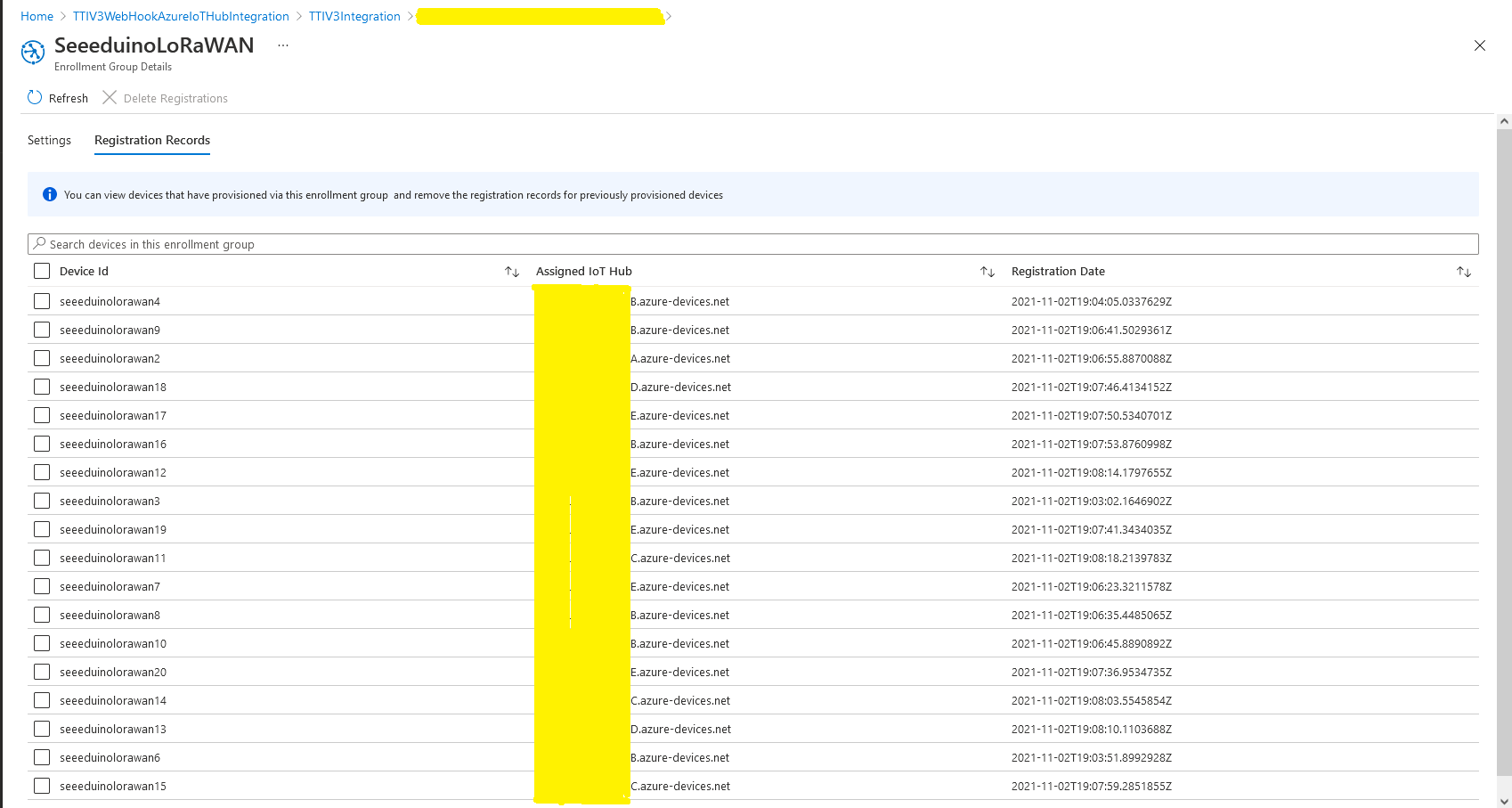
DPS Device Registrations tab showing distribution of LoRaWAN Devices

I need to review the HTTP Error codes returned for different errors and ensure failures are handled robustly.

TTI V3 Connector Minimalist Cloud to Device(C2D)

In a previous version of my Things Network Industries(TTI) The Things Network(TTN) connector I queried the The Things Stack(TTS) Application Programing Interface(API) to get a list of Applications and their Devices. For a large number of Applications and/or Devices this process could take many 10’s of seconds. Application and Device creation and deletion then had to be tracked to keep the AzureDeviceClient connection list current, which added significant complexity.

In this version a downlink message can be sent to a device only after an uplink message. I’m looking at adding an Azure Function which initiates a connection to the configured Azure IoT Hub for the specified device to mitigate with this issue.

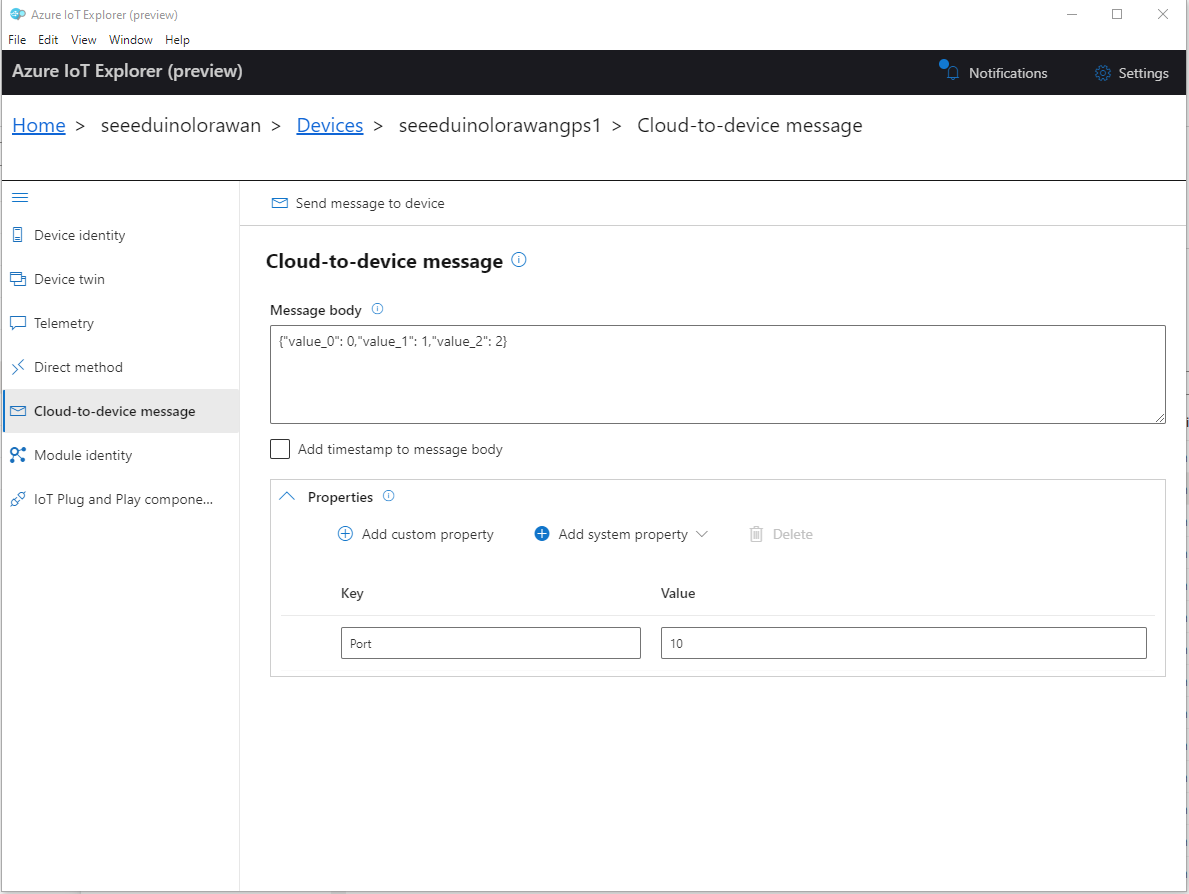
To send a TTN downlink message to a device the minimum required info is the LoRaWAN port number (specified in a Custom Property on the Azure IoT Hub cloud to device message), the device Id (from uplink message payload, which has been validated by a successful Azure IoT Hub connection) web hook id, web hook base URL, and an API Key (The Web Hook parameters are stored in the Connector configuration).

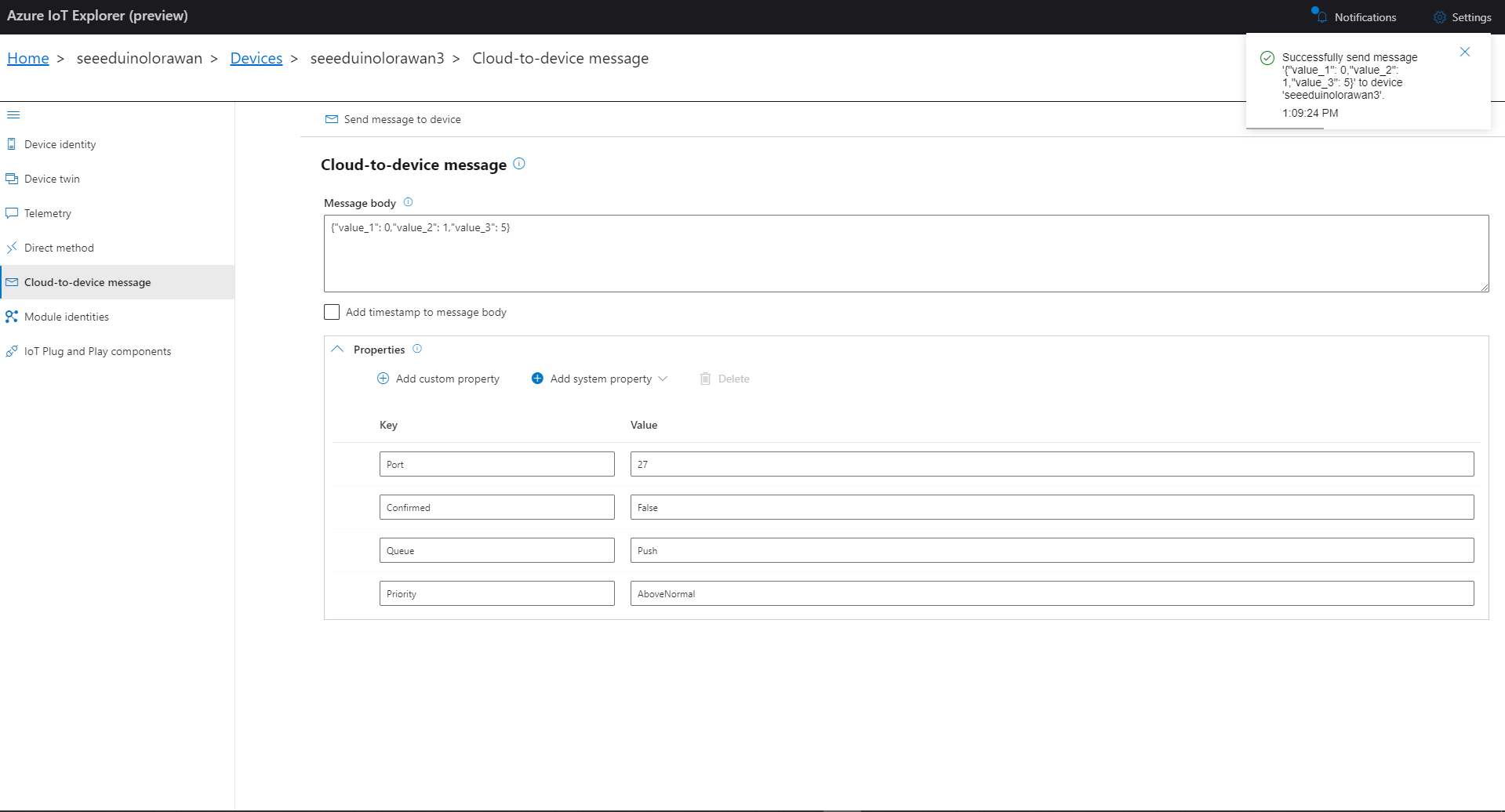
Azure IoT Explorer Clod to Device message with LoRaWAN Port number custom parameter

When a LoRaWAN device sends an Uplink message a session is established using Advanced Message Queuing Protocol(AMQP) so connections can be multiplexed)

I used Azure IoT Explorer to send Cloud to Device messages to the Azure IoT Hub (to initiate the sending of a downlink message to the Device by the Connector) after simulating a TTN uplink message with Telerik Fiddler and a modified TTN sample payload.

BEWARE – TTN URLs and Azure IoT Hub device identifiers are case sensitive

...
if (!_DeviceClients.TryGetValue(deviceId, out DeviceClient deviceClient))
{
   logger.LogInformation("Uplink-Unknown device for ApplicationID:{0} DeviceID:{1}", applicationId, deviceId);

   deviceClient = DeviceClient.CreateFromConnectionString(_configuration.GetConnectionString("AzureIoTHub"), deviceId, 
                    new ITransportSettings[]
                    {
                        new AmqpTransportSettings(TransportType.Amqp_Tcp_Only)
                        {
                            AmqpConnectionPoolSettings = new AmqpConnectionPoolSettings()
                            {
                                Pooling = true,
                            }
                        }
                    });

   try
   {
      await deviceClient.OpenAsync();
   }
   catch (DeviceNotFoundException)
   {
      logger.LogWarning("Uplink-Unknown DeviceID:{0}", deviceId);

      return req.CreateResponse(HttpStatusCode.NotFound);
   }

   if (!_DeviceClients.TryAdd(deviceId, deviceClient))
   {
      logger.LogWarning("Uplink-TryAdd failed for ApplicationID:{0} DeviceID:{1}", applicationId, deviceId);

      return req.CreateResponse(HttpStatusCode.Conflict);
   }

   Models.AzureIoTHubReceiveMessageHandlerContext context = new Models.AzureIoTHubReceiveMessageHandlerContext()
   { 
      DeviceId = deviceId,
      ApplicationId = applicationId,
      WebhookId = _configuration.GetSection("TheThingsIndustries").GetSection("WebhookId").Value,
      WebhookBaseURL = _configuration.GetSection("TheThingsIndustries").GetSection("WebhookBaseURL").Value,
      ApiKey = _configuration.GetSection("TheThingsIndustries").GetSection("APiKey").Value,
   };      

   await deviceClient.SetReceiveMessageHandlerAsync(AzureIoTHubClientReceiveMessageHandler, context);

   await deviceClient.SetMethodDefaultHandlerAsync(AzureIoTHubClientDefaultMethodHandler, context);
 }

...

An Azure IoT Hub can invoke methods(synchronous) or send messages(asynchronous) to a device for processing. The Azure IoT Hub DeviceClient has two methods SetMethodDefaultHandlerAsync and SetReceiveMessageHandlerAsync which enable the processing of direct methods and messages.

private async Task<MethodResponse> AzureIoTHubClientDefaultMethodHandler(MethodRequest methodRequest, object userContext)
{
	if (methodRequest.DataAsJson != null)
	{
		_logger.LogWarning("AzureIoTHubClientDefaultMethodHandler name:{0} payload:{1}", methodRequest.Name, methodRequest.DataAsJson);
	}
	else
	{
		_logger.LogWarning("AzureIoTHubClientDefaultMethodHandler name:{0} payload:NULL", methodRequest.Name);
	}

	return new MethodResponse(404);
}

After some experimentation in previous TTN Connectors I found the synchronous nature of DirectMethods didn’t work well with LoRAWAN “irregular” connectivity so currently they are ignored.

public partial class Integration
{
	private async Task AzureIoTHubClientReceiveMessageHandler(Message message, object userContext)
	{
		try
		{
			Models.AzureIoTHubReceiveMessageHandlerContext receiveMessageHandlerContext = (Models.AzureIoTHubReceiveMessageHandlerContext)userContext;

			if (!_DeviceClients.TryGetValue(receiveMessageHandlerContext.DeviceId, out DeviceClient deviceClient))
			{
				_logger.LogWarning("Downlink-DeviceID:{0} unknown", receiveMessageHandlerContext.DeviceId);
				return;
			}

			using (message)
			{
				string payloadText = Encoding.UTF8.GetString(message.GetBytes()).Trim();

				if (!AzureDownlinkMessage.PortTryGet(message.Properties, out byte port))
				{
					_logger.LogWarning("Downlink-Port property is invalid");

					await deviceClient.RejectAsync(message);
					return;
				}

				// Split over multiple lines in an attempt to improve readability. In this scenario a valid JSON string should start/end with {/} for an object or [/] for an array
				if ((payloadText.StartsWith("{") && payloadText.EndsWith("}"))
														||
					((payloadText.StartsWith("[") && payloadText.EndsWith("]"))))
				{
					try
					{
						downlink.PayloadDecoded = JToken.Parse(payloadText);
					}
					catch (JsonReaderException)
					{
						downlink.PayloadRaw = payloadText;
					}
				}
				else
				{
					downlink.PayloadRaw = payloadText;
				}

				_logger.LogInformation("Downlink-IoT Hub DeviceID:{0} MessageID:{1} LockToken :{2} Port{3}",
					receiveMessageHandlerContext.DeviceId,
					message.MessageId,
		            message.LockToken,
					downlink.Port);

				Models.DownlinkPayload Payload = new Models.DownlinkPayload()
				{
					Downlinks = new List<Models.Downlink>()
					{
						downlink
					}
				};

				string url = $"{receiveMessageHandlerContext.WebhookBaseURL}/{receiveMessageHandlerContext.ApplicationId}/webhooks/{receiveMessageHandlerContext.WebhookId}/devices/{receiveMessageHandlerContext.DeviceId}/down/replace");

				using (var client = new WebClient())
				{
					client.Headers.Add("Authorization", $"Bearer {receiveMessageHandlerContext.ApiKey}");

					client.UploadString(new Uri(url), JsonConvert.SerializeObject(Payload));
				}

				_logger.LogInformation("Downlink-DeviceID:{0} LockToken:{1} success", receiveMessageHandlerContext.DeviceId, message.LockToken);
			}
		}
		catch (Exception ex)
		{
			_logger.LogError(ex, "Downlink-ReceiveMessge processing failed");
		}
	}
}

If the message body contains a valid JavaScript Object Notation(JSON) payload it is “spliced” into the DownLink message decoded_payload field otherwise the Base64 encoded frm_payload is populated.

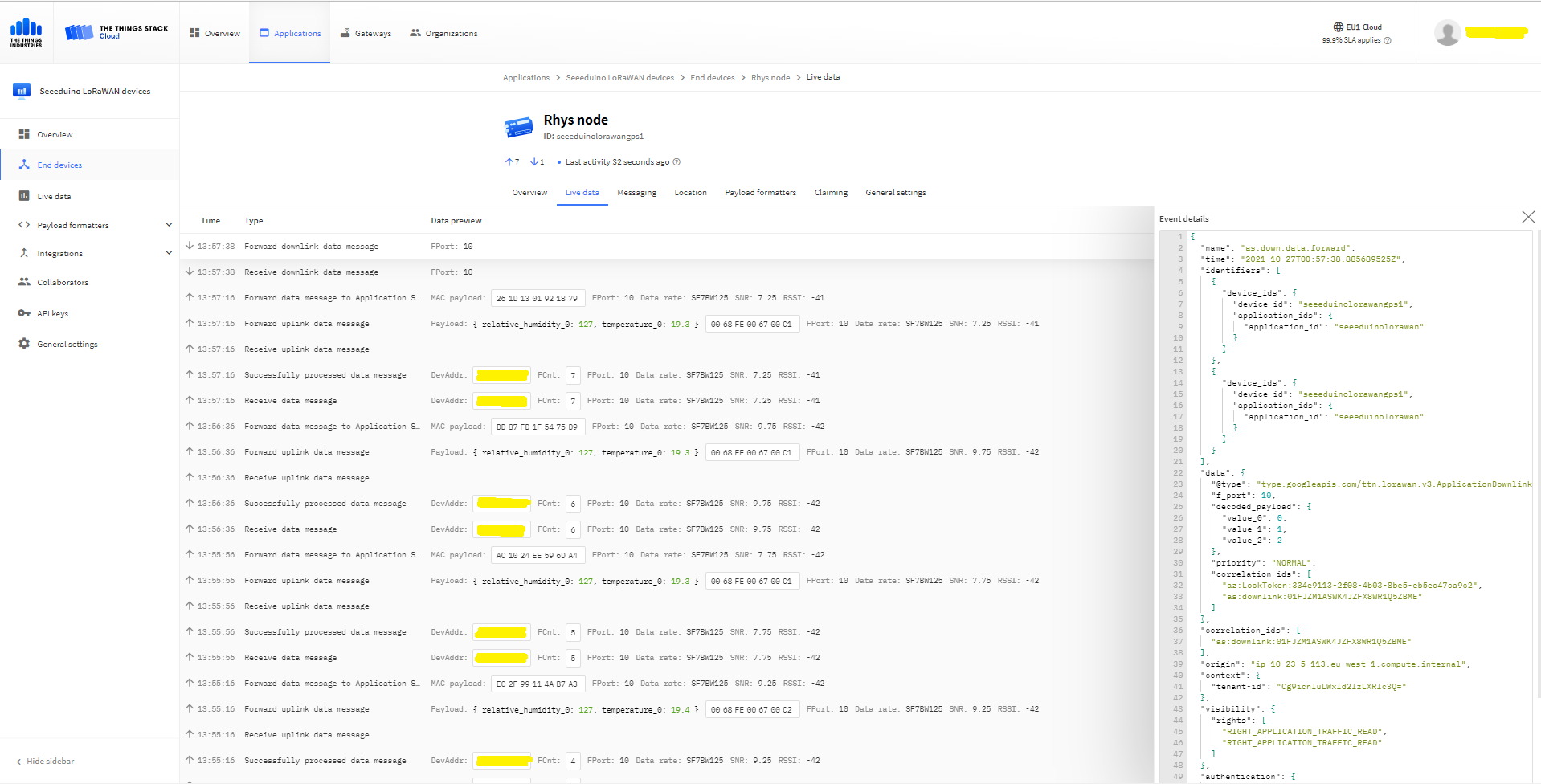
The Things “Industries Live” data tab downlink message

The SetReceiveMessageHandlerAsync context information is used to construct a TTN downlink message payload and request URL(with default queuing, message priority and confirmation options)

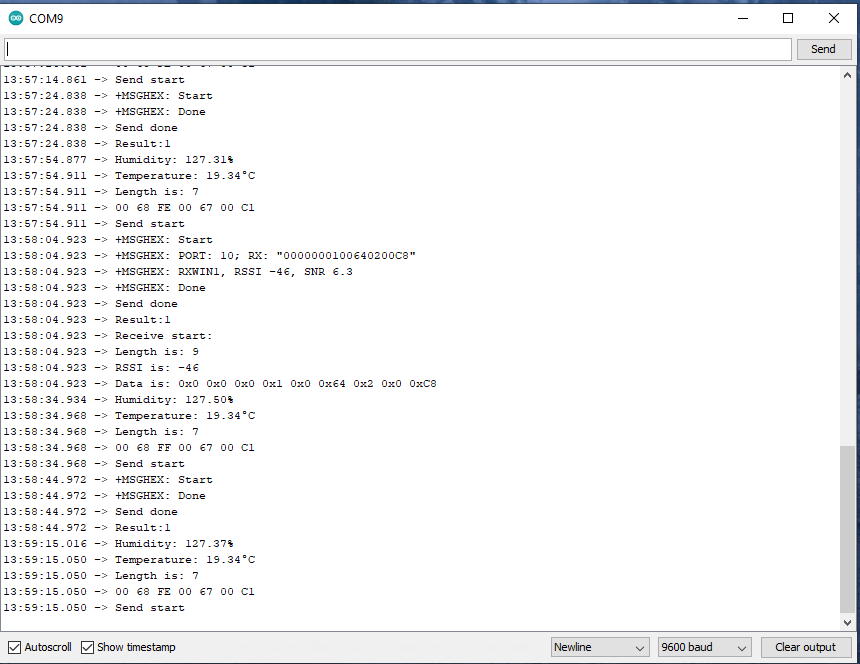
Arduino Serial Monitor displaying Uplink and Downlink messages

TTI V3 Connector Minimalist Device to Cloud(D2C)

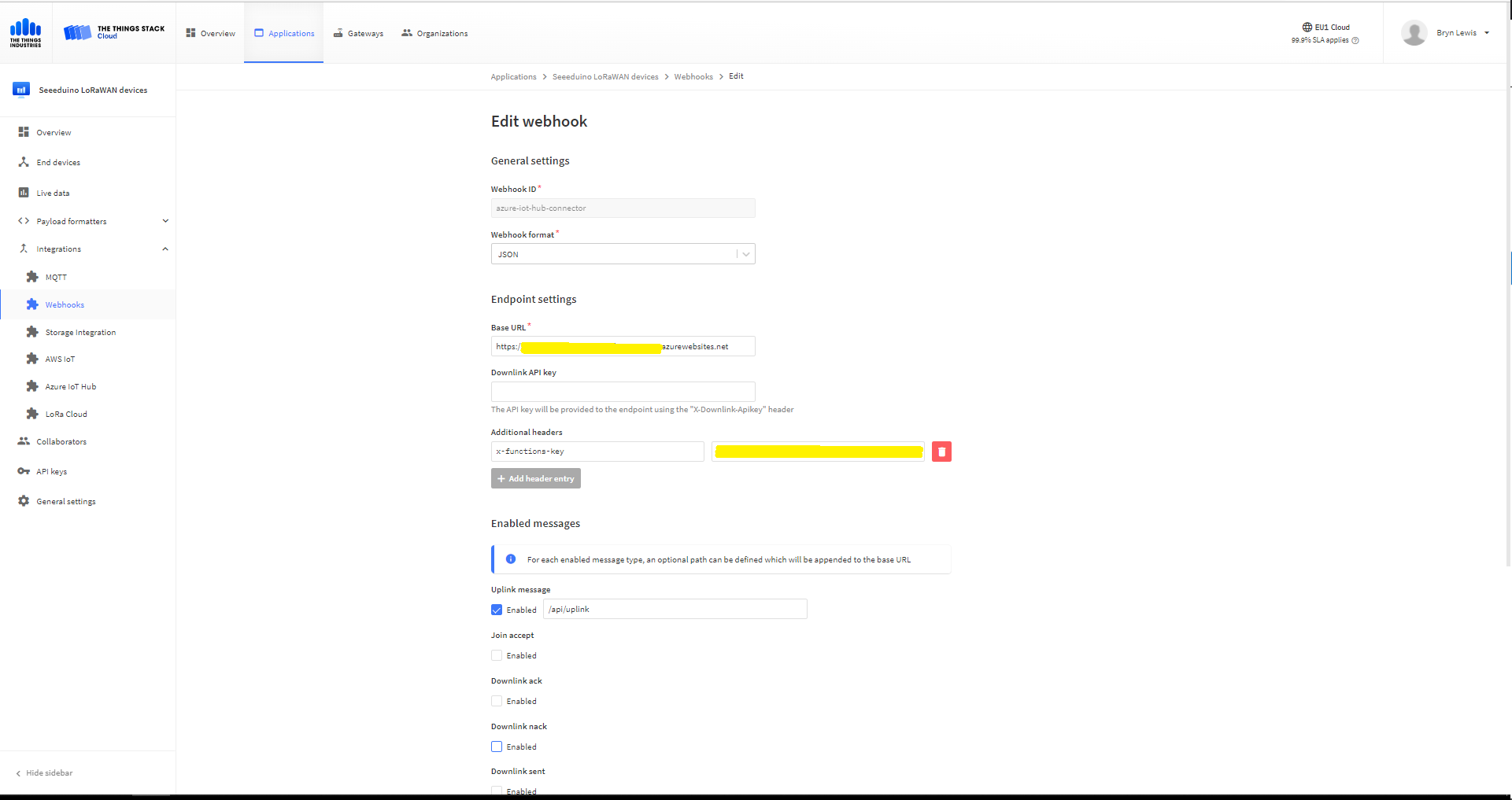
After pausing my Azure Storage Queued based approach I built a quick Proof of Concept(PoC) with an HTTPTrigger Azure Function. The application has a single endpoint for processing uplink messages which is called by a The Things Industries(TTI) Webhooks integration.

The Things Industries Application Webhook configuration
namespace devMobile.IoT.TheThingsIndustries.AzureIoTHub
{
	using System.Collections.Concurrent;
	using Microsoft.Azure.Devices.Client;
...

	public partial class Integration
	{
...
		private static readonly ConcurrentDictionary<string, DeviceClient> _DeviceClients = new ConcurrentDictionary<string, DeviceClient>();
...
	}
}

The connector uses a ConcurrentDictionary(indexed by TTI deviceID) to cache Azure IoT Hub DeviceClient instances.

public partial class Webhooks
{
	[Function("Uplink")]
	public async Task<HttpResponseData> Uplink([HttpTrigger(AuthorizationLevel.Function, "post")] HttpRequestData req, FunctionContext executionContext)
	{
		var logger = executionContext.GetLogger("Uplink");

		// Wrap all the processing in a try\catch so if anything blows up we have logged it. Will need to specialise for connectivity failues etc.
		try
		{
			Models.PayloadUplink payload = JsonConvert.DeserializeObject<Models.PayloadUplink>(await req.ReadAsStringAsync());
			if (payload == null)
			{
				logger.LogInformation("Uplink: Payload {0} invalid", await req.ReadAsStringAsync());

				return req.CreateResponse(HttpStatusCode.BadRequest);
			}

			string applicationId = payload.EndDeviceIds.ApplicationIds.ApplicationId;
			string deviceId = payload.EndDeviceIds.DeviceId;

			if ((payload.UplinkMessage.Port == null ) || (!payload.UplinkMessage.Port.HasValue) || (payload.UplinkMessage.Port.Value == 0))
			{
				logger.LogInformation("Uplink-ApplicationID:{0} DeviceID:{1} Payload Raw:{2} Control nessage", applicationId, deviceId, payload.UplinkMessage.PayloadRaw);

				return req.CreateResponse(HttpStatusCode.BadRequest);
			}

			int port = payload.UplinkMessage.Port.Value;

			logger.LogInformation("Uplink-ApplicationID:{0} DeviceID:{1} Port:{2} Payload Raw:{3}", applicationId, deviceId, port, payload.UplinkMessage.PayloadRaw);

			if (!_DeviceClients.TryGetValue(deviceId, out DeviceClient deviceClient))
			{
				logger.LogInformation("Uplink-Unknown device for ApplicationID:{0} DeviceID:{1}", applicationId, deviceId);

				deviceClient = DeviceClient.CreateFromConnectionString(_configuration.GetConnectionString("AzureIoTHub"), deviceId);

				try
				{
					await deviceClient.OpenAsync();
				}
				catch (DeviceNotFoundException)
				{
					logger.LogWarning("Uplink-Unknown DeviceID:{0}", deviceId);

					return req.CreateResponse(HttpStatusCode.NotFound);
				}

				if (!_DeviceClients.TryAdd(deviceId, deviceClient))
				{
					logger.LogWarning("Uplink-TryAdd failed for ApplicationID:{0} DeviceID:{1}", applicationId, deviceId);

					return req.CreateResponse(HttpStatusCode.Conflict);
				}
			}

			JObject telemetryEvent = new JObject
			{
				{ "ApplicationID", applicationId },
				{ "DeviceID", deviceId },
				{ "Port", port },
				{ "PayloadRaw", payload.UplinkMessage.PayloadRaw }
			};

			// If the payload has been decoded by payload formatter, put it in the message body.
			if (payload.UplinkMessage.PayloadDecoded != null)
			{
				telemetryEvent.Add("PayloadDecoded", payload.UplinkMessage.PayloadDecoded);
			}

			// Send the message to Azure IoT Hub
			using (Message ioTHubmessage = new Message(Encoding.ASCII.GetBytes(JsonConvert.SerializeObject(telemetryEvent))))
			{
				// Ensure the displayed time is the acquired time rather than the uploaded time. 
				ioTHubmessage.Properties.Add("iothub-creation-time-utc", payload.UplinkMessage.ReceivedAtUtc.ToString("s", CultureInfo.InvariantCulture));
				ioTHubmessage.Properties.Add("ApplicationId", applicationId);
				ioTHubmessage.Properties.Add("DeviceEUI", payload.EndDeviceIds.DeviceEui);
				ioTHubmessage.Properties.Add("DeviceId", deviceId);
				ioTHubmessage.Properties.Add("port", port.ToString());

				await deviceClient.SendEventAsync(ioTHubmessage);
			}
		}
		catch (Exception ex)
		{
			logger.LogError(ex, "Uplink message processing failed");

			return req.CreateResponse(HttpStatusCode.InternalServerError);
		}

		return req.CreateResponse(HttpStatusCode.OK);
	}
}

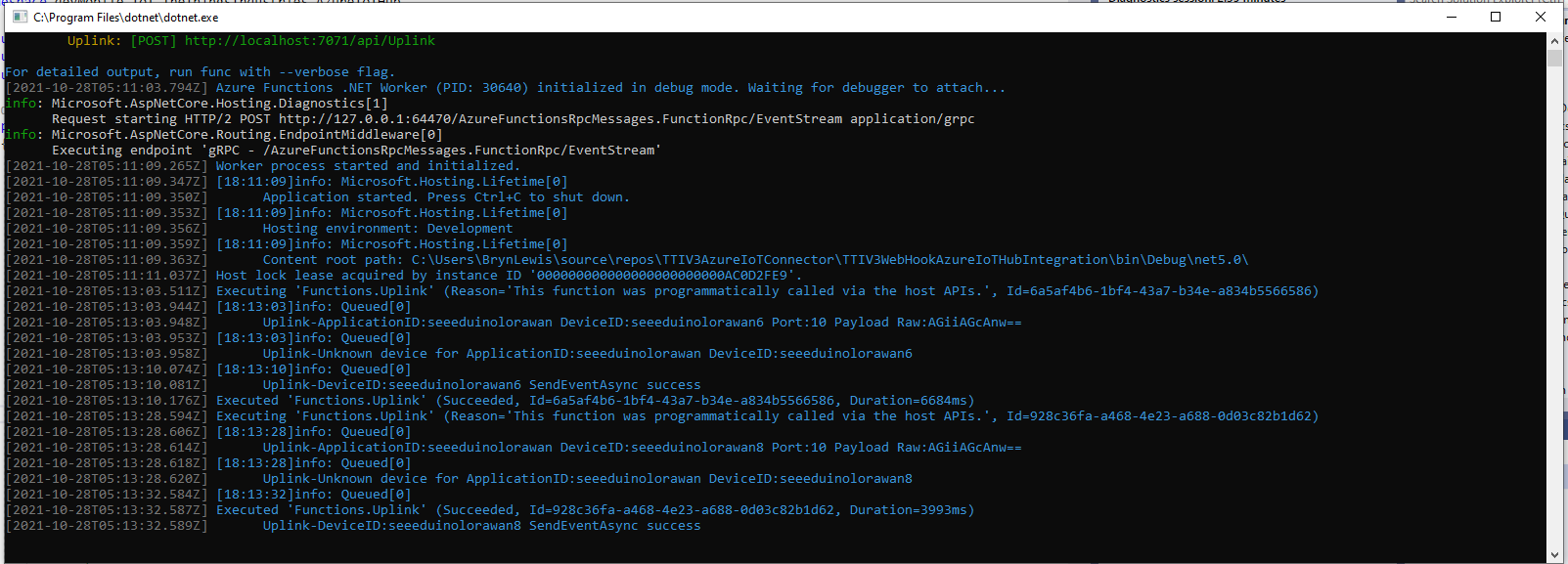
For initial development and testing I ran the function application in the desktop emulator and simulated TTI webhook calls with Telerik Fiddler and modified TTI sample payloads.

Azure Functions Desktop development environment

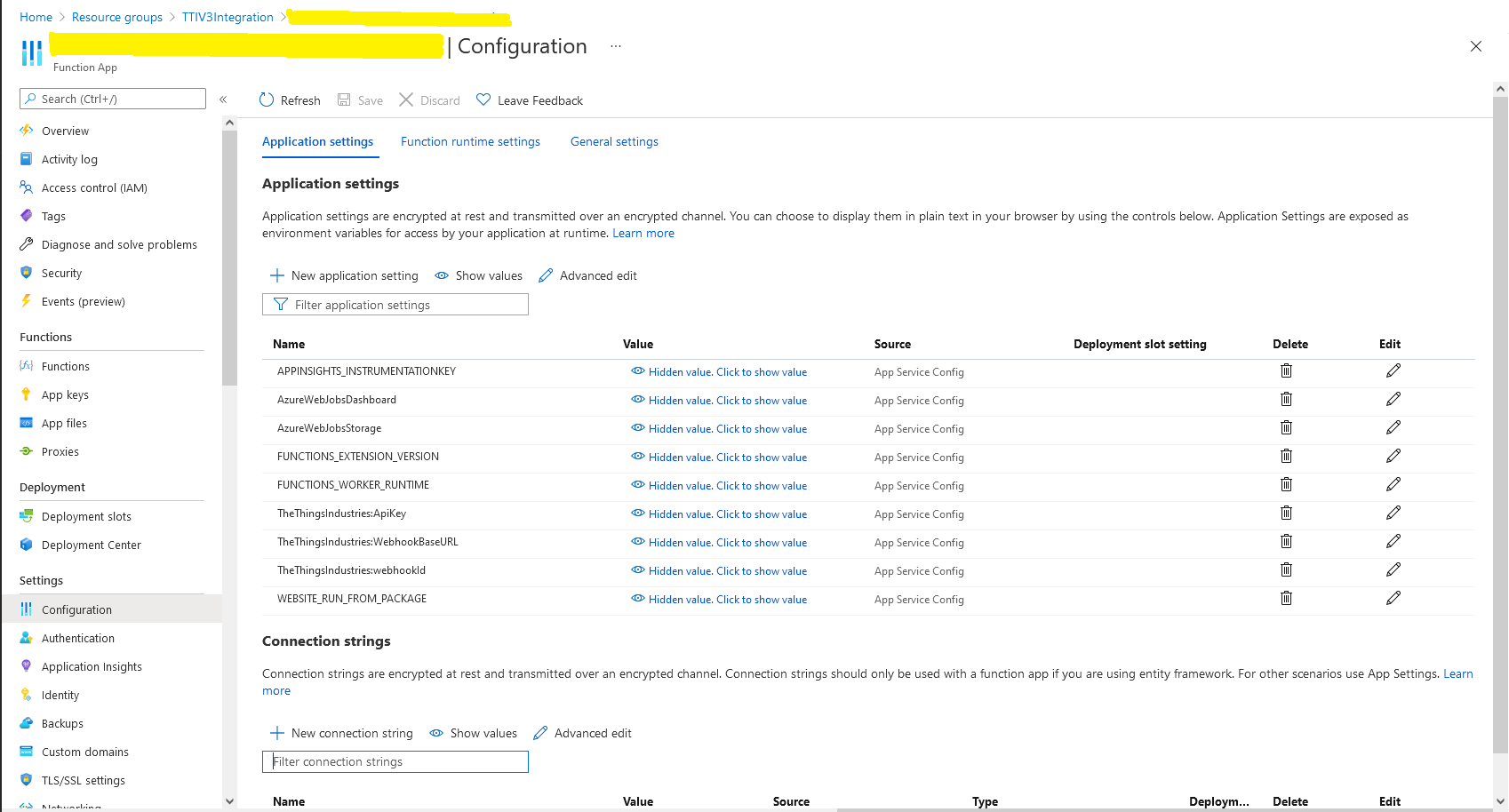
I then deployed my function to Azure and configured the Azure IoT Hub connection string, Azure Application Insights key etc.

Azure Function configuration

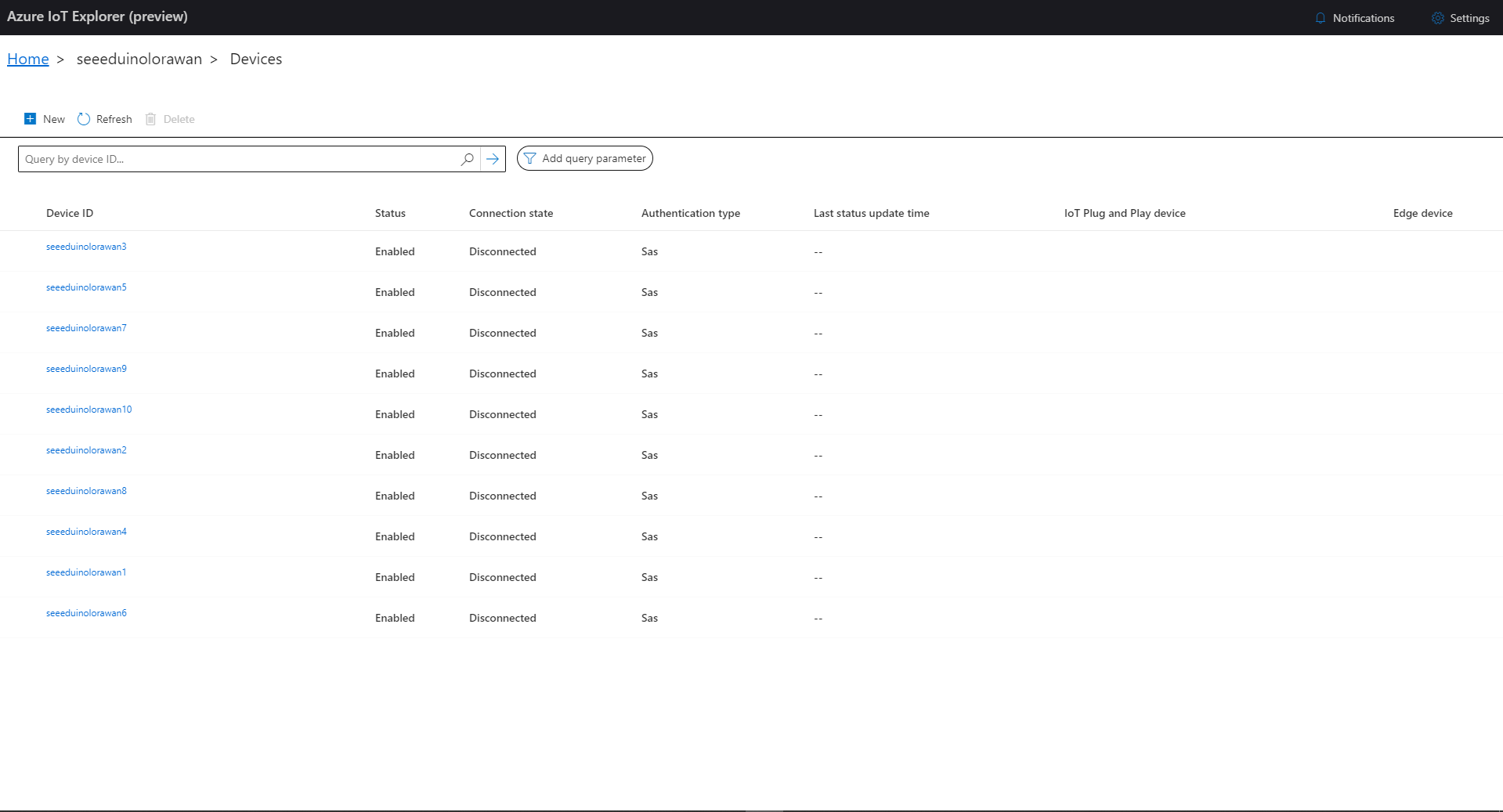
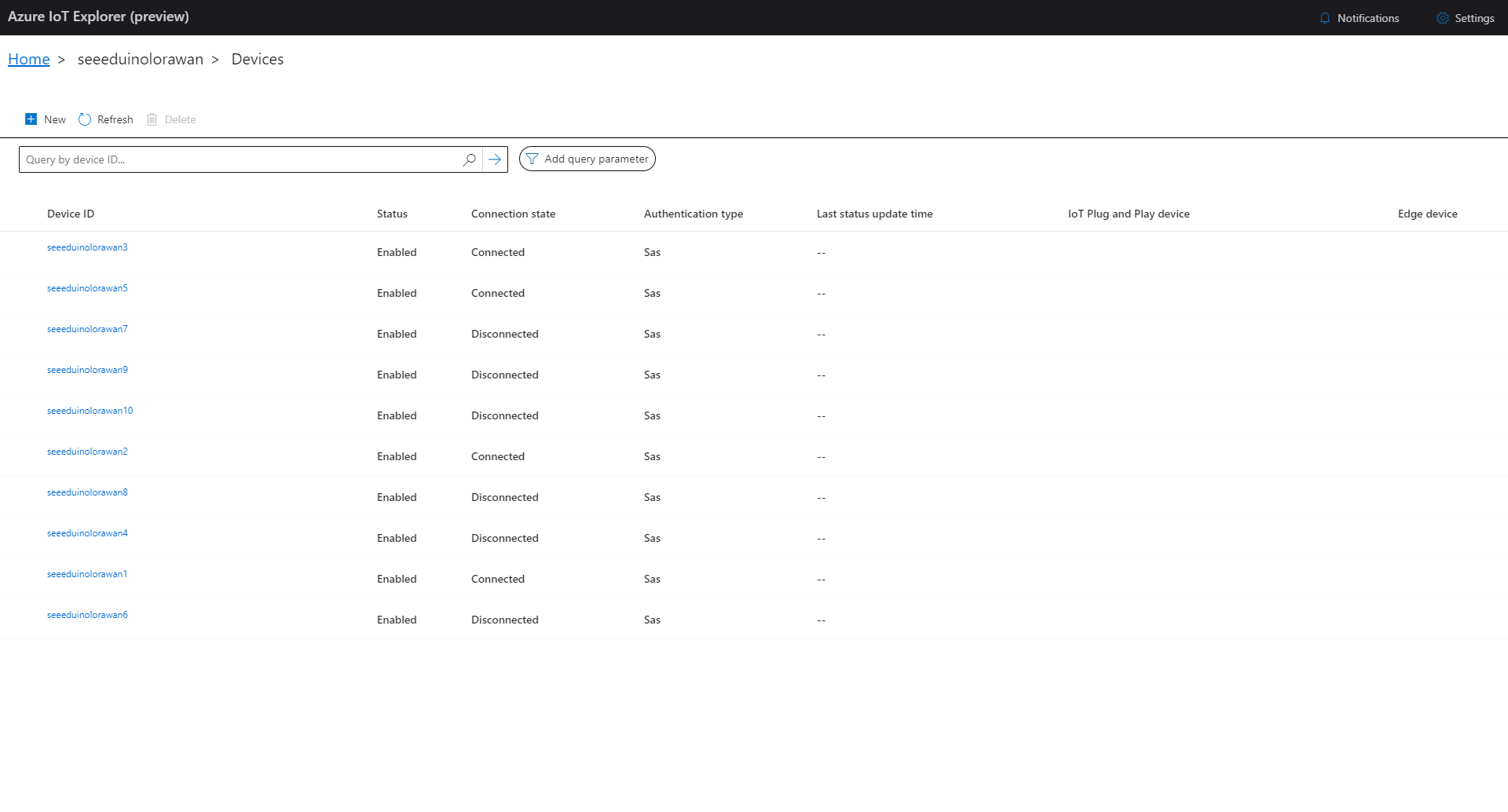
I then used Azure IoT Explorer to configure devices, view uplink traffic etc. When I connected to my Azure IoT Hub shortly after starting the application all the devices were disconnected.

Azure IoT Explorer – no connected devices

The SeeeduinoLoRaWAN devices report roughly every 15 minutes so it took a while for them all to connect. (the SeeeduinoLoRaWAN4 & SeeeduinoLoRaWAN6 need to be repaired) .

Azure IoT Explorer – some connected devices

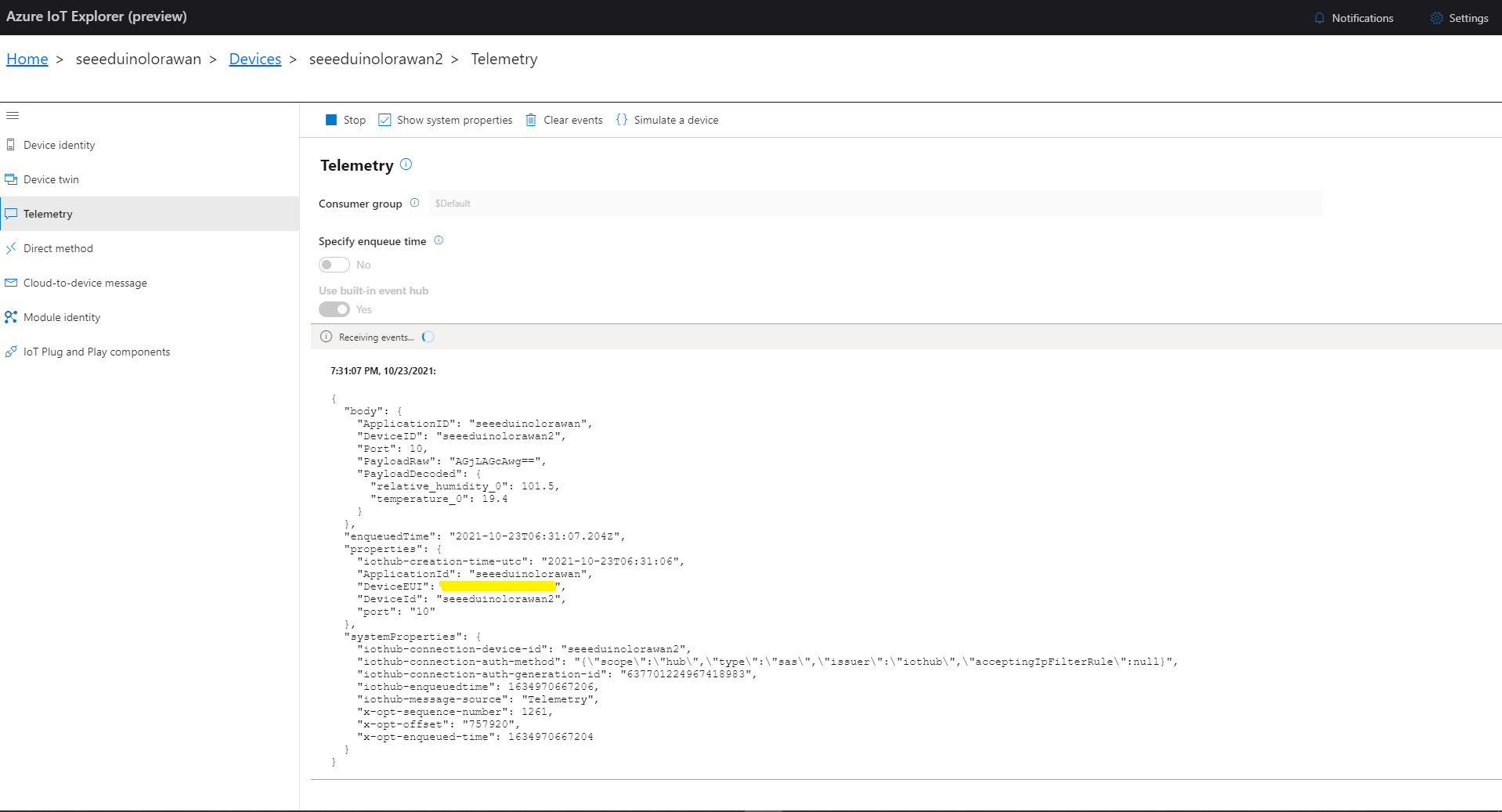
After a device had connected I could use Azure IoT Explorer to inspect the Seeeduino LoRaWAN device uplink message payloads.

Azure IoT Explorer displaying device telemetry

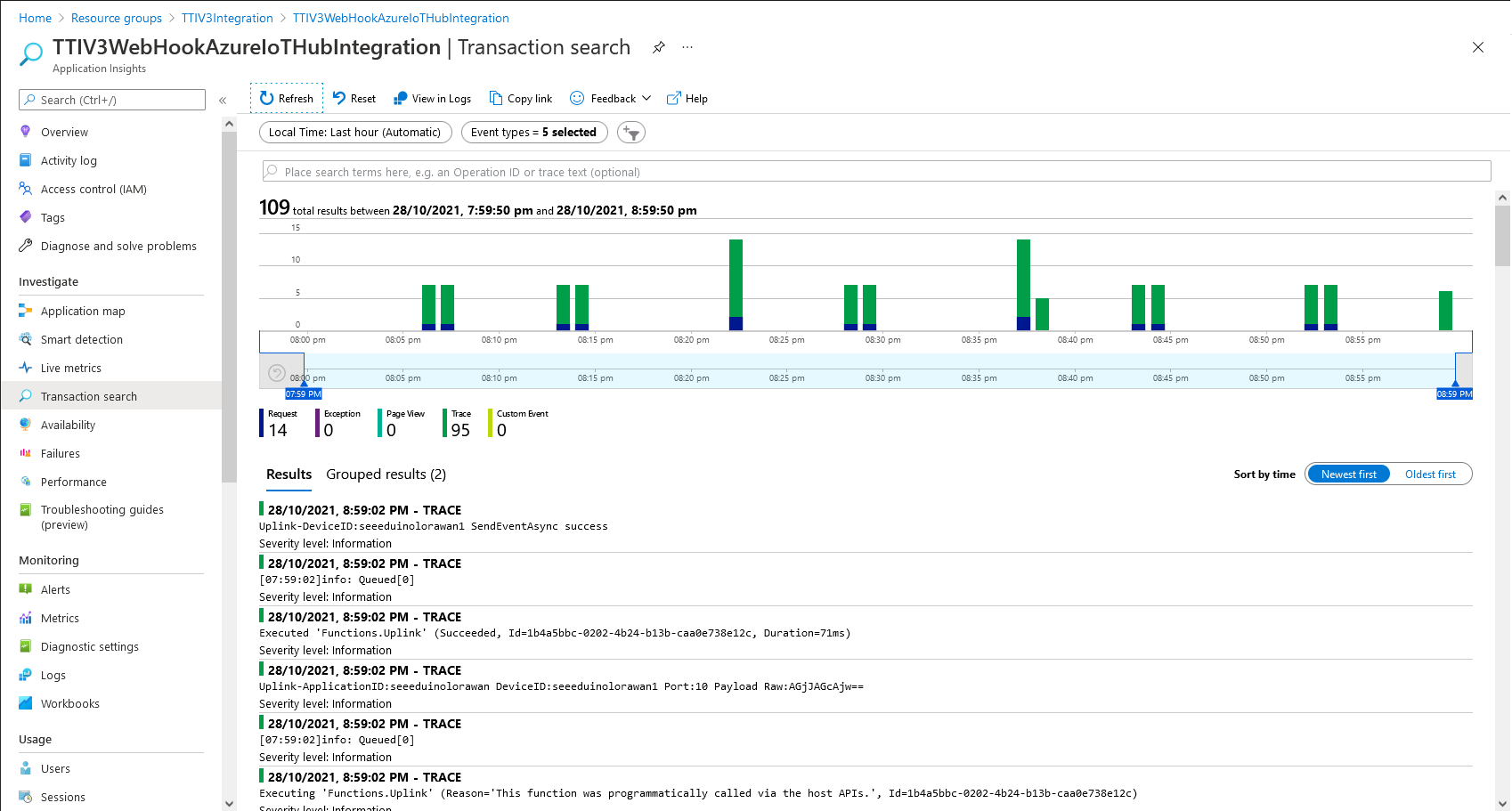
I also used Azure Application Insights to monitor the performance of the function and device activity.

Azure Application Insights displaying device telemetry

The Azure functions uplink message processor was then “soak tested” for a week without an issues.

TTN V3 Connector Revisited

Earlier in the year I built Things Network(TTN) V2 and V3 connectors and after using these in production applications I have learnt a lot about what I had got wrong, less wrong and what I had got right.

Using a TTN V3 MQTT Application integration wasn’t a great idea. The management of state was very complex. The storage of application keys in a app.settings file made configuration easy but was bad for security.

The use of Azure Key Vault in the TTNV2 connector was a good approach, but the process of creation and updating of the settings needs to be easier.

Using TTN device registry as the “single source of truth” was a good decision as managing the amount of LoRaWAN network, application and device specific configuration in an Azure IoT Hub would be non-trivial.

Using a Webhooks Application Integration like the TTNV2 connector is my preferred approach.

The TTNV2 Connector’s use of Azure Storage Queues was a good idea as they it provide an elastic buffer between the different parts of the application.

The use of Azure Functions to securely ingest webhook calls and write them to Azure Storage Queues with output bindingts should simplify configuration and deployment. The use of Azure Storage Queue input bindings to process messages is the preferred approach.

The TTN V3 processing of JSON uplink messages into a structure that Azure IoT Central could ingest is a required feature

The TTN V2 and V3 support for the Azure Device Provisioning Service(DPS) is a required feature (mandated by Azure IoT Central). The TTN V3 connector support for DTDLV2 is a desirable feature. The DPS implementation worked with Azure IoT Central but I was unable to get the DeviceClient based version working.

Using DPS to pre-provision devices in Azure IoT Hubs and Azure IoT Central by using the TTN Application Registry API then enumerating the TTN applications, then devices needs to be revisited as it was initially slow then became quite complex.

The support for Azure IoT Hub connection strings was a useful feature, but added some complexity. This plus basic Azure IoT Hub DPS support(No Azure IoT Central support) could be implemented in a standalone application which connects via Azure Storage Queue messages.

The processing of Azure IoT Central Basic, and Request commands then translating the payloads so they work with TTN V3 is a required feature. The management of Azure IoT Hub command delivery confirmations (abandon, complete and Reject) is a required feature.

I’m considering building a new TTN V3 connector but is it worth the effort as TTN has one now?

TTI V3 Gateway provisioning Dragino LHT65 Uplink

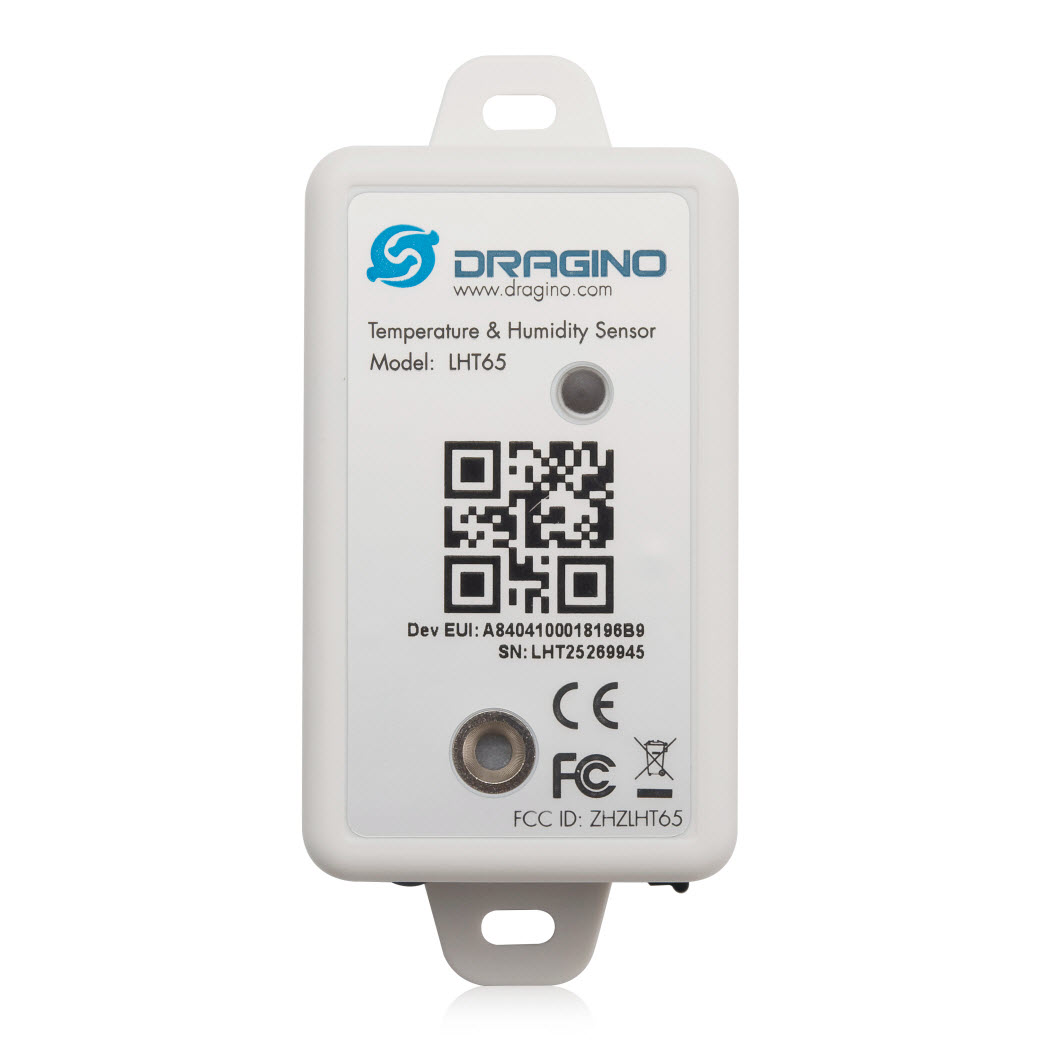
This very long post is about how to connect a Dragino LHT65 Temperature and Humidity sensor to Azure IoT Central using my TTI/TTN V3Azure IoT Connector and the Digital Twin Definition Language (DTDL).

Dragino LHT65 temperature and Humidity sensor

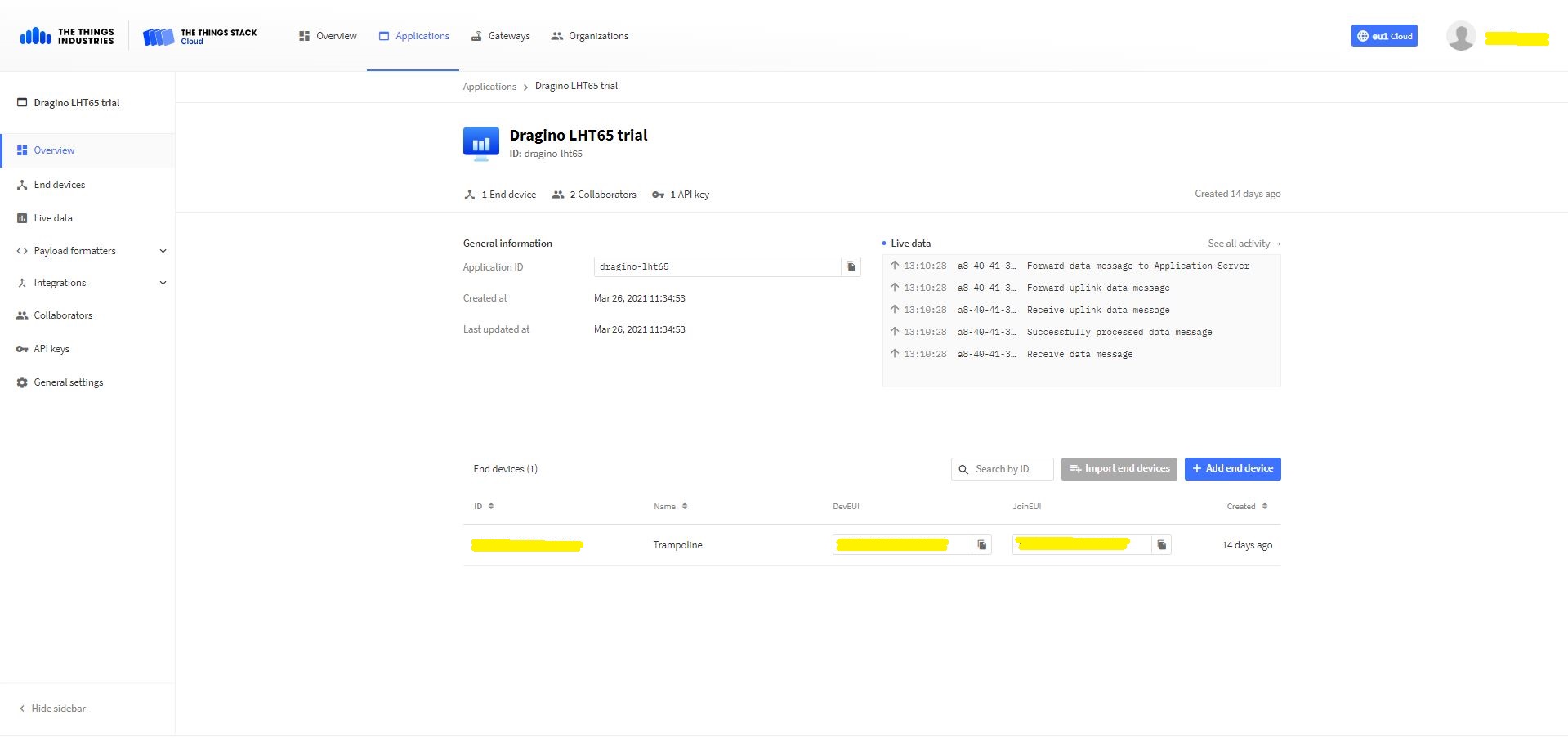
The first step was to add an application(dragino-lht65) in my The Things Industries(TTI) tenant

TTI/TTN application for my Dragino LHT65 devices
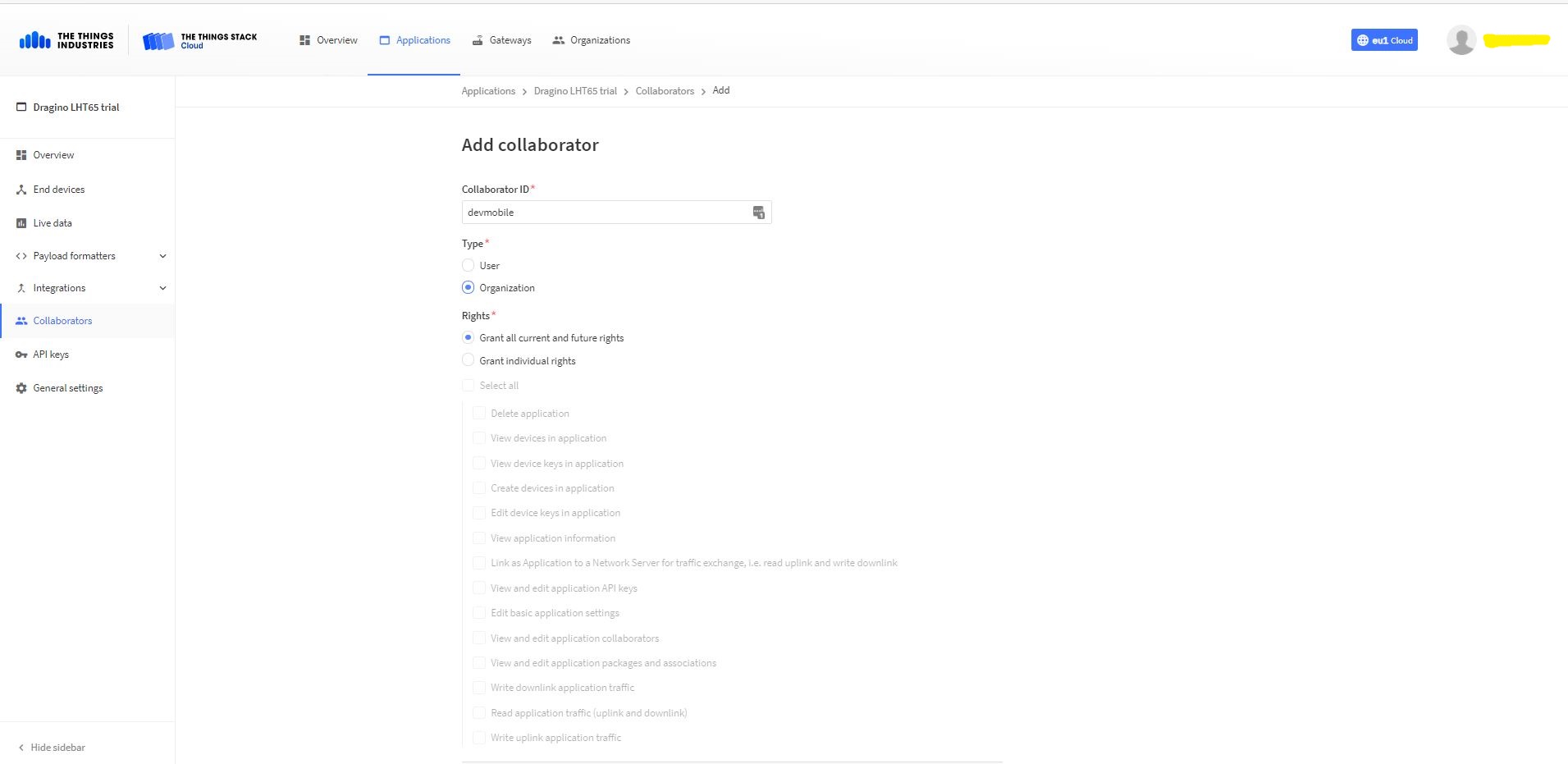
Adding devMobile as a collaborator on the new application
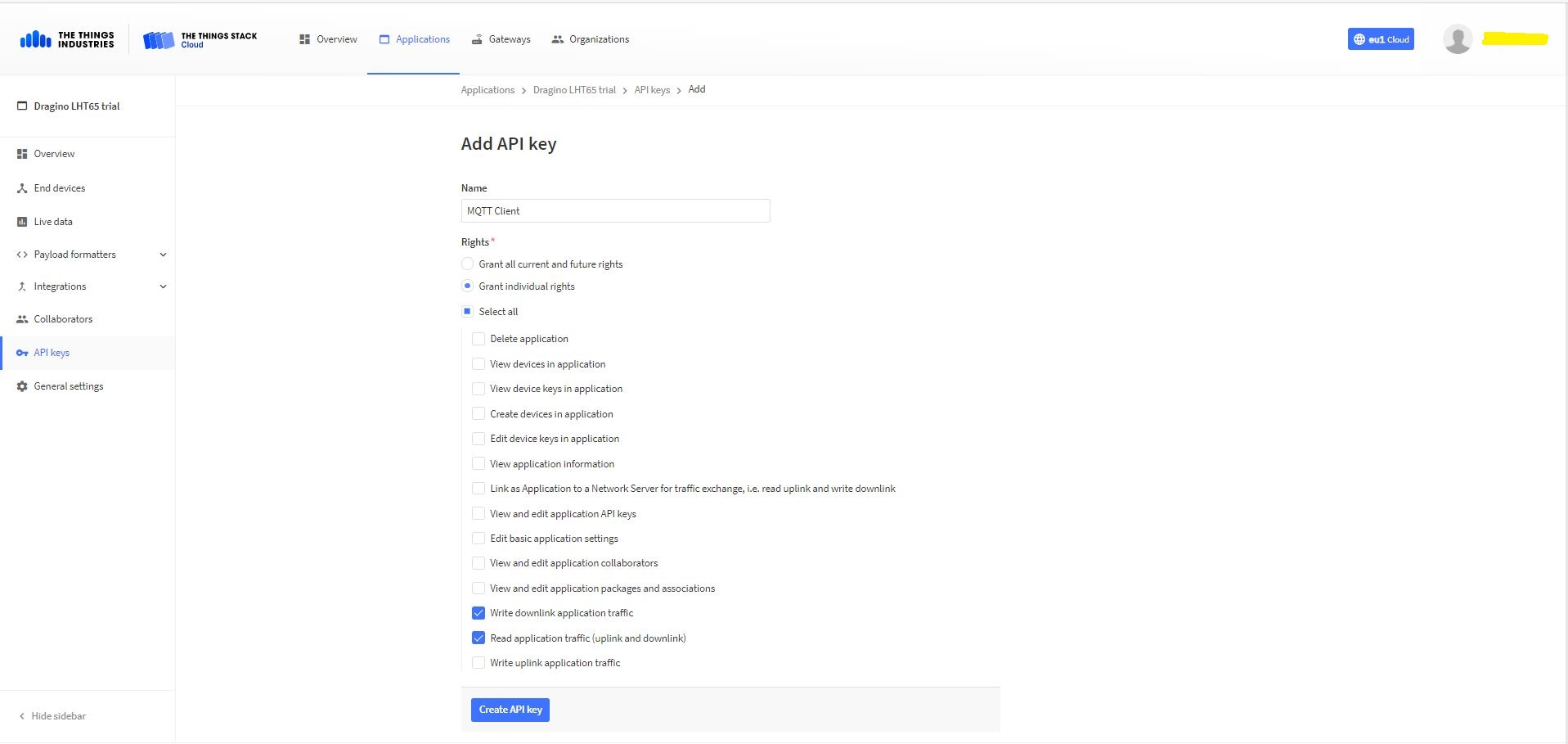
TTI Application API Key configuration

The new Application API Key used by the MQTTnet managed client only needs to have write downlink and read uplink traffic enabled.

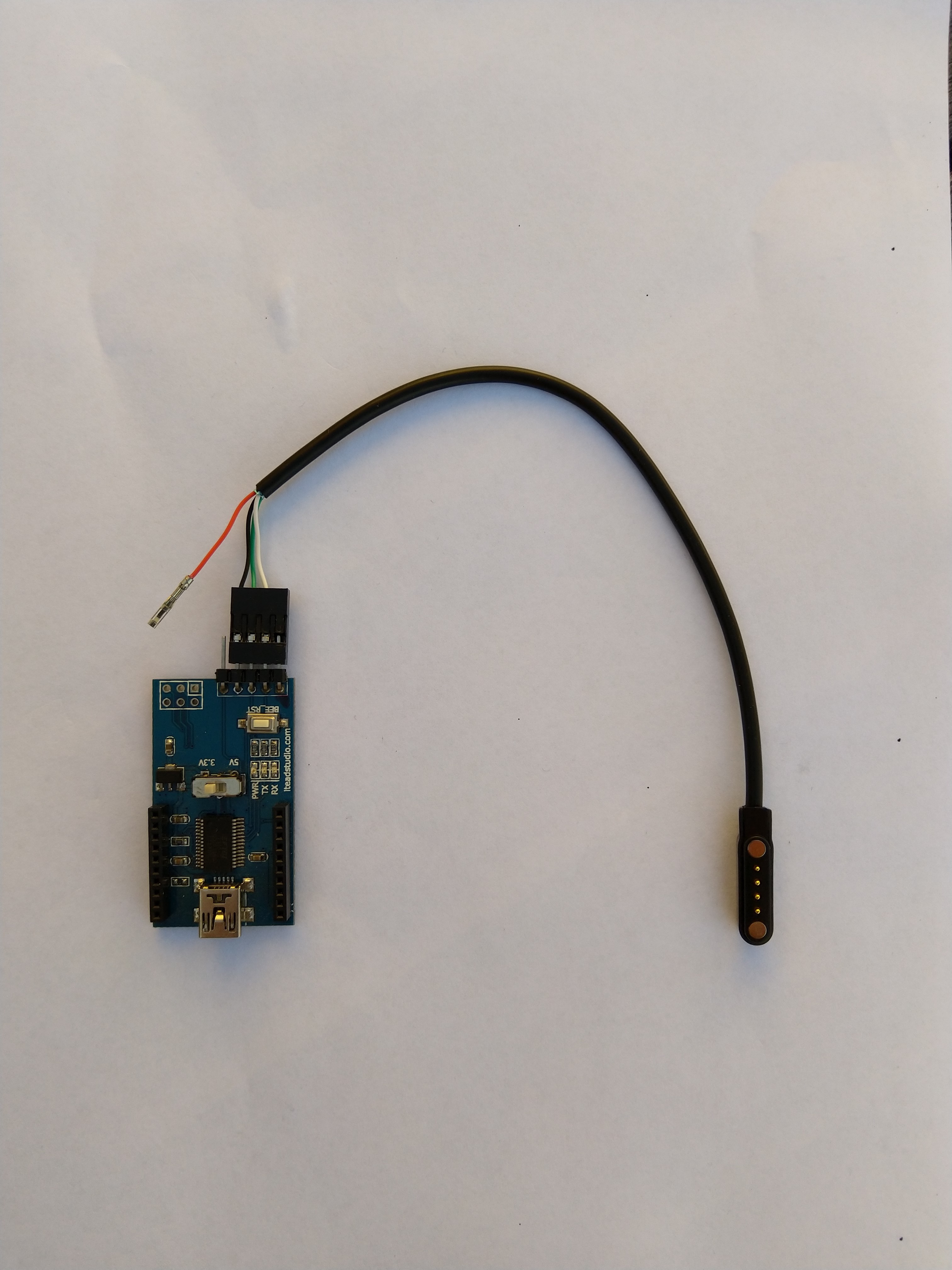
FTDI Adapter and modified LHT64 cable

So I could reliably connect to my LHT65 devices to configure them I modified a programming cable so I could use it with a spare FTDI adaptor without jumper wires. Todo this I used a small jewelers screwdriver to “pop” out the VCC cable and move the transmit data line.

After entering the device password and checking the firmware version I used the AT+CFG command to display the device settings

AT+CFG: Print all configurations

[334428]***** UpLinkCounter= 0 *****
[334430]TX on freq 923200000 Hz at DR 2
[334804]txDone
[339807]RX on freq 923200000 Hz at DR 2
[339868]rxTimeOut
[340807]RX on freq 923200000 Hz at DR 2
[340868]rxTimeOut

Correct Password

Stop Tx events,Please wait for all configurations to print
Printf all config...
AT+DEUI=a8 .. .. .. .. .. .. d6
AT+DADDR=01......D6

AT+APPKEY=9d .. .. .. .. .. .. .. .. .. .. .. .. .. .. 2e
AT+NWKSKEY=f6 .. .. .. .. .. .. .. .. .. .. .. .. .. .. 69
AT+APPSKEY=4c 35 .. .. .. .. .. .. .. .. .. .. .. .. .. 3d
AT+APPEUI=a0 .. .. .. .. .. .. 00
AT+ADR=1
AT+TXP=0
AT+DR=0
AT+DCS=0
AT+PNM=1
AT+RX2FQ=923200000
AT+RX2DR=2
AT+RX1DL=1000
AT+RX2DL=2000
AT+JN1DL=5000
AT+JN2DL=6000
AT+NJM=1
AT+NWKID=00 00 00 00
AT+FCU=0
AT+FCD=0
AT+CLASS=A
AT+NJS=0
AT+RECVB=0:
AT+RECV=0:
AT+VER=v1.7 AS923

AT+CFM=0
AT+CFS=0
AT+SNR=0
AT+RSSI=0
AT+TDC=1200000
AT+PORT=2
AT+PWORD=123456
AT+CHS=0
AT+DATE=21/3/26 07:49:15
AT+SLEEP=0
AT+EXT=4,2
AT+RTP=20
AT+BAT=3120
AT+WMOD=0
AT+ARTEMP=-40,125
AT+CITEMP=1
Start Tx events OK


[399287]***** UpLinkCounter= 0 *****

[399289]TX on freq 923400000 Hz at DR 2

[399663]txDone

[404666]RX on freq 923400000 Hz at DR 2

[404726]rxTimeOut

[405666]RX on freq 923200000 Hz at DR 2

[405726]rxTimeOut

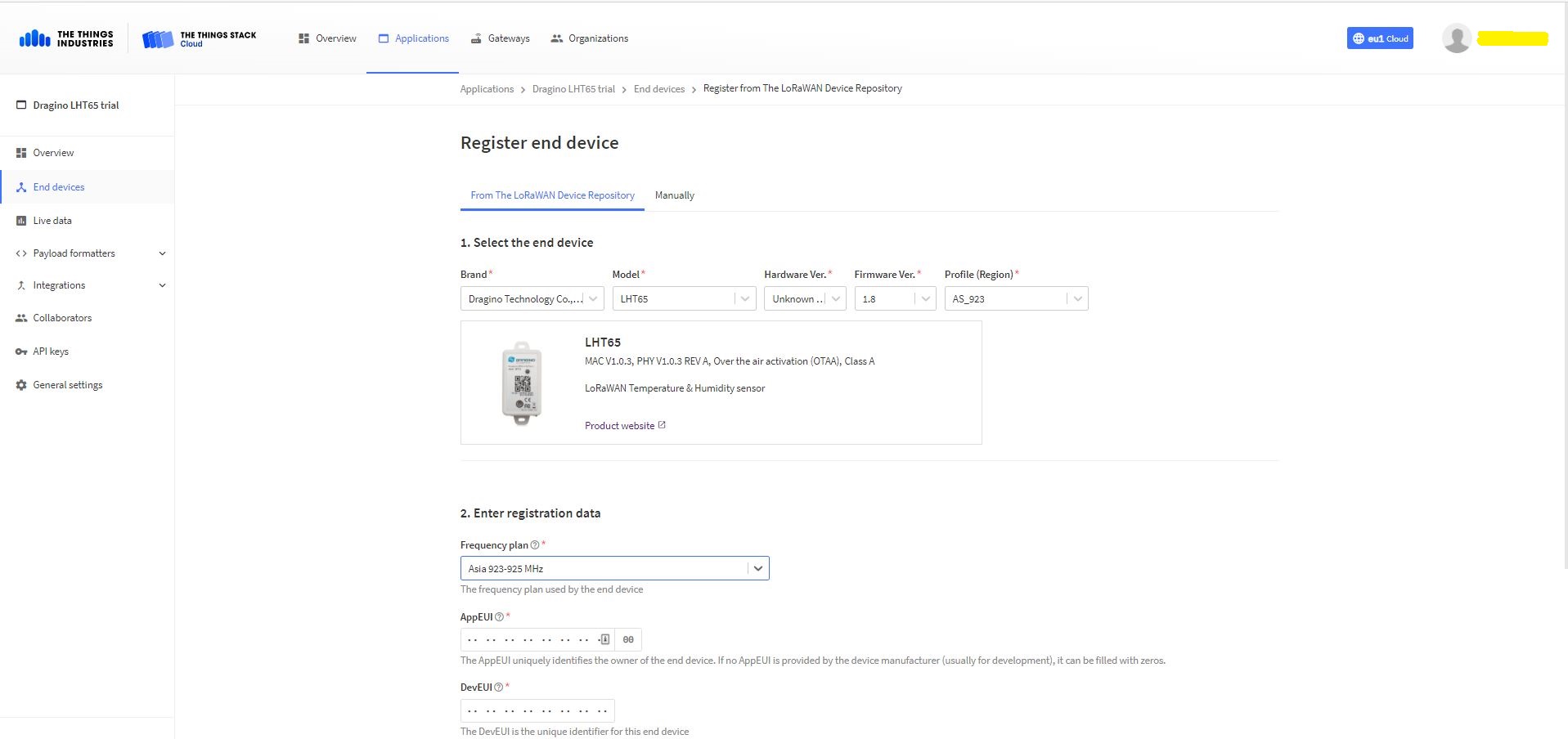
I copied the AppEUI and DevEUI for use on the TI Dragino LHT65 Register end device form provided by the TTI/TTN.

TTYI/TTN Dragino LHT65 Register end device

The Dragino LHT65 uses the DeviceEUI as the DeviceID which meant I had todo more redaction in my TTI/TTN and Azure Application Insights screen captures. The rules around the re-use of EndDevice ID were a pain in the arse(PITA) in my development focused tenant.

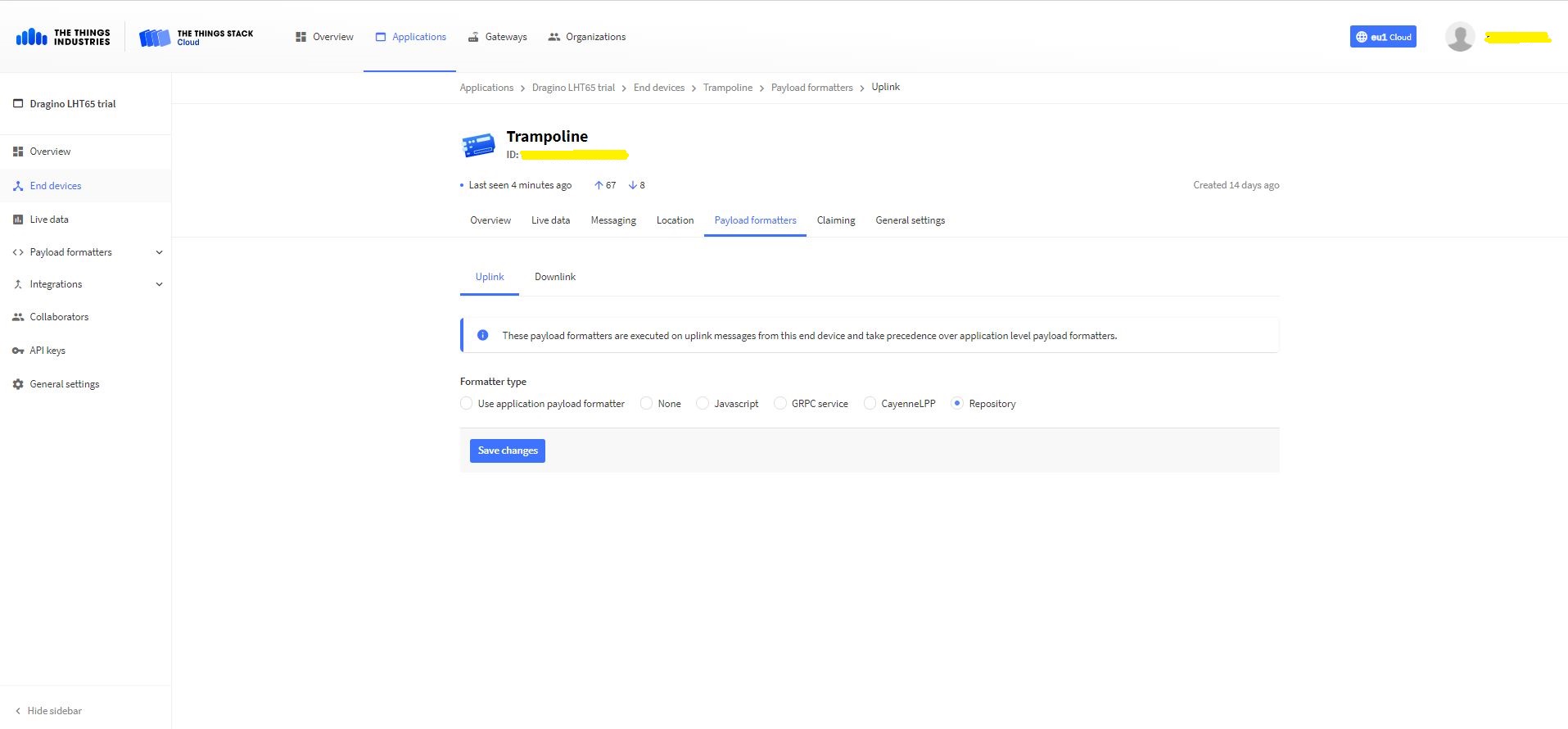
Dragino LHT 65 Device uplink payload formatter

The connector supports both uplink and downlink messages with JSON encoded payloads. The Dragino LHT65 has a vendor supplied formatter which is automatically configured when an EndDevice is created. The EndDevice formatter configuration can also be overridden at the Application level in the app.settings.json file.

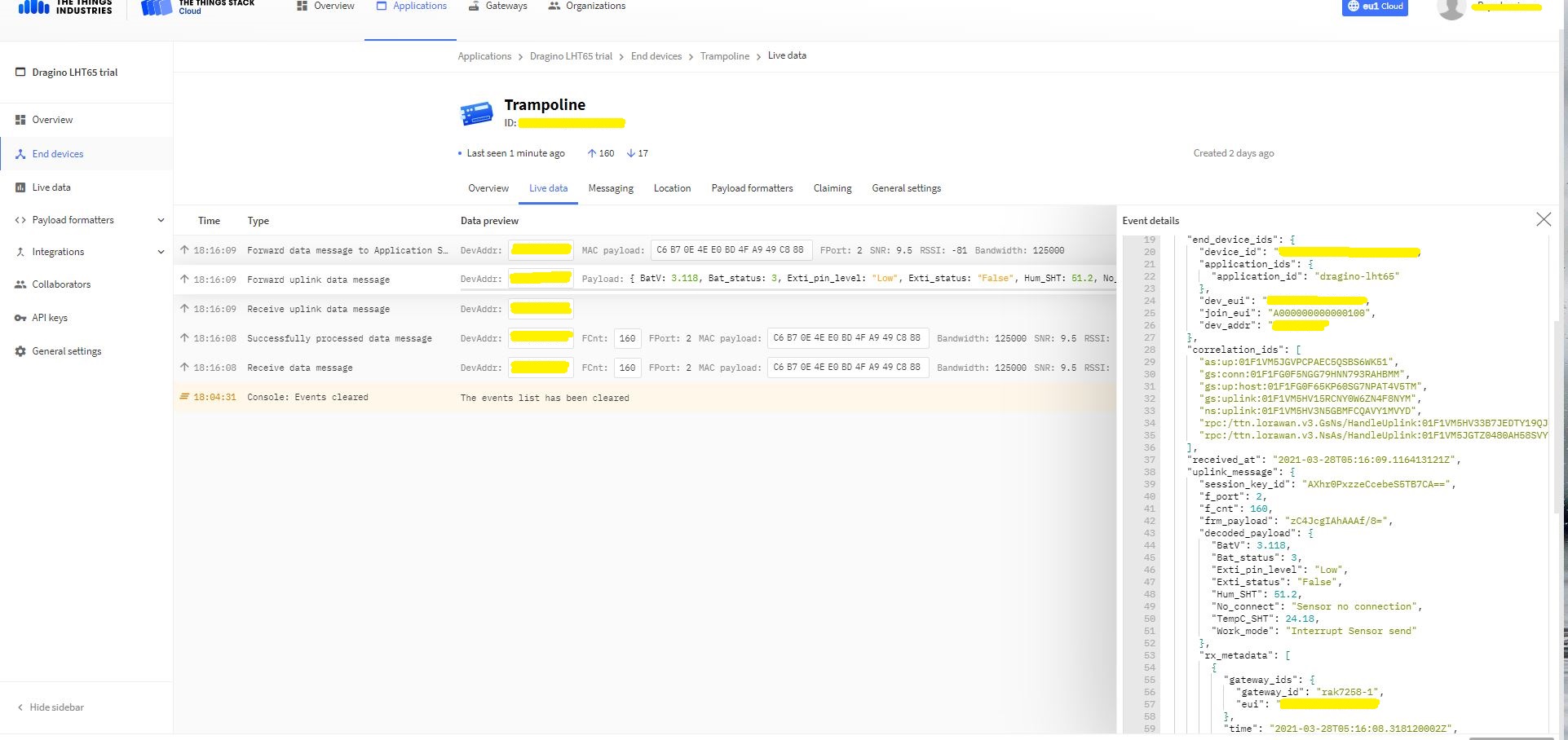
Device Live Data Uplink Data Payload

Once an EndDevice is configured in TTI/TTN I usually use the “Live data Uplink Payload” to work out the decoded payload JSON property names and data types.

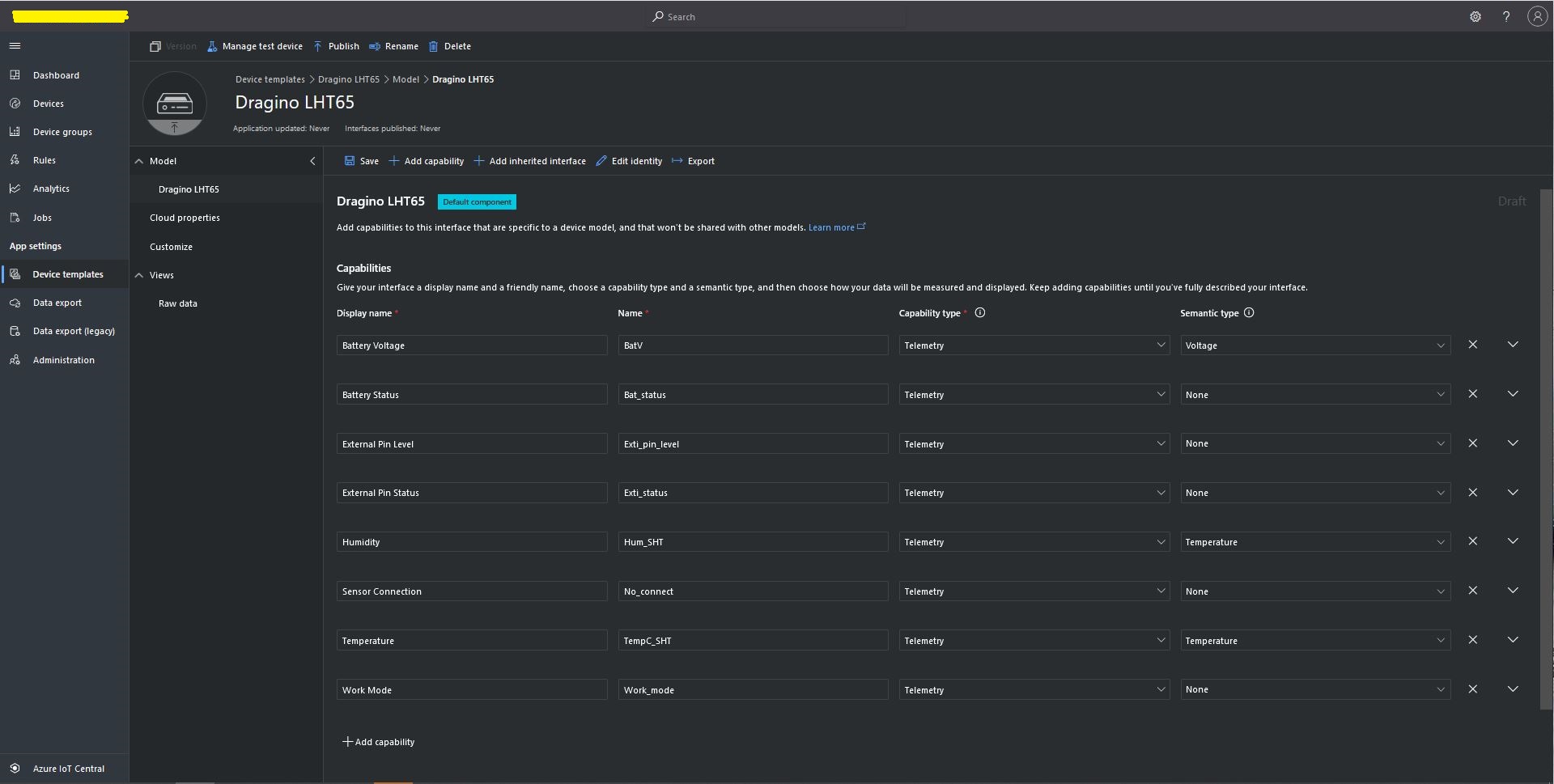
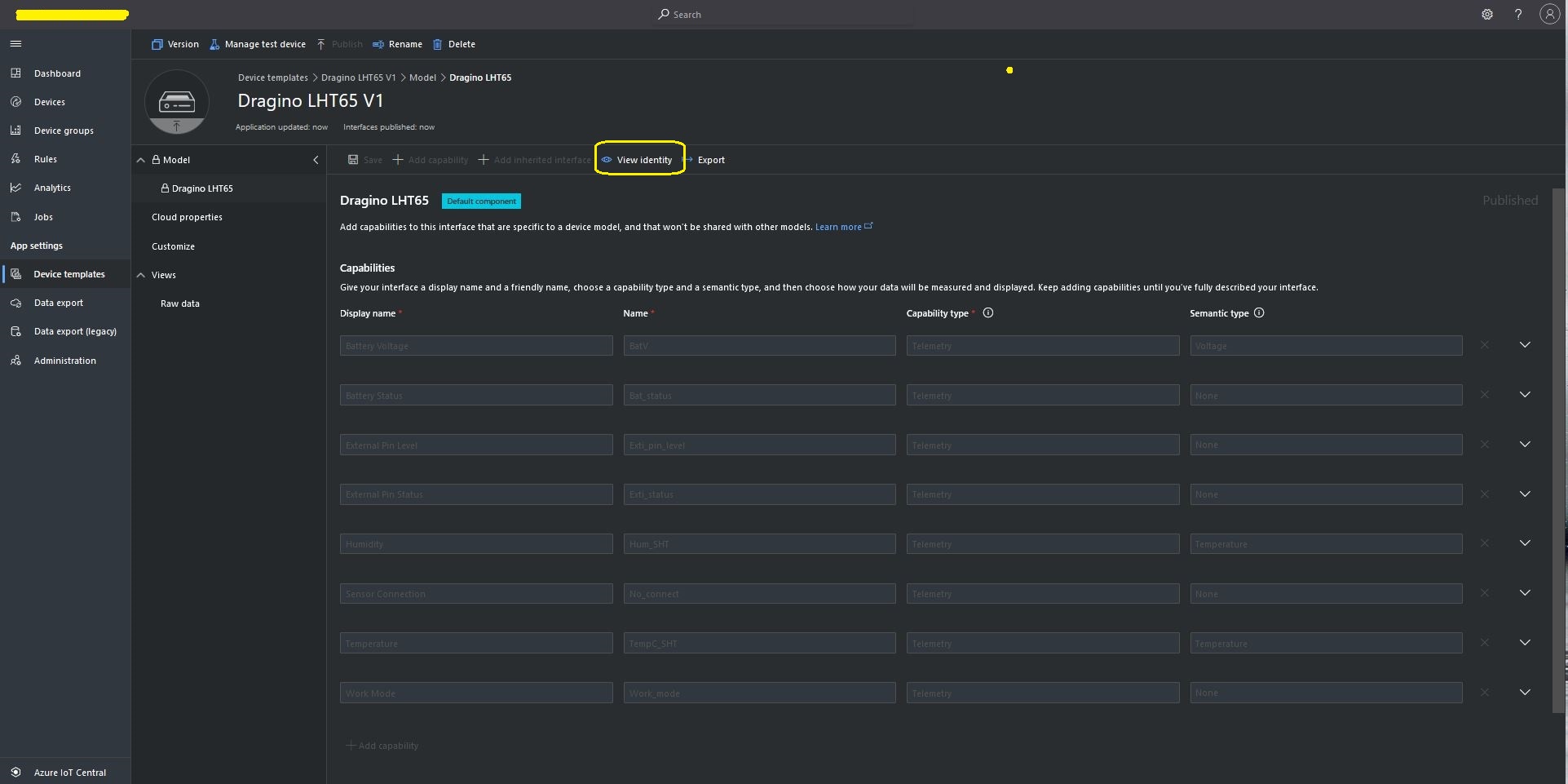
LHT65 Uplink only Azure IoT Central Device Template
LHT65 Device Template View Identity

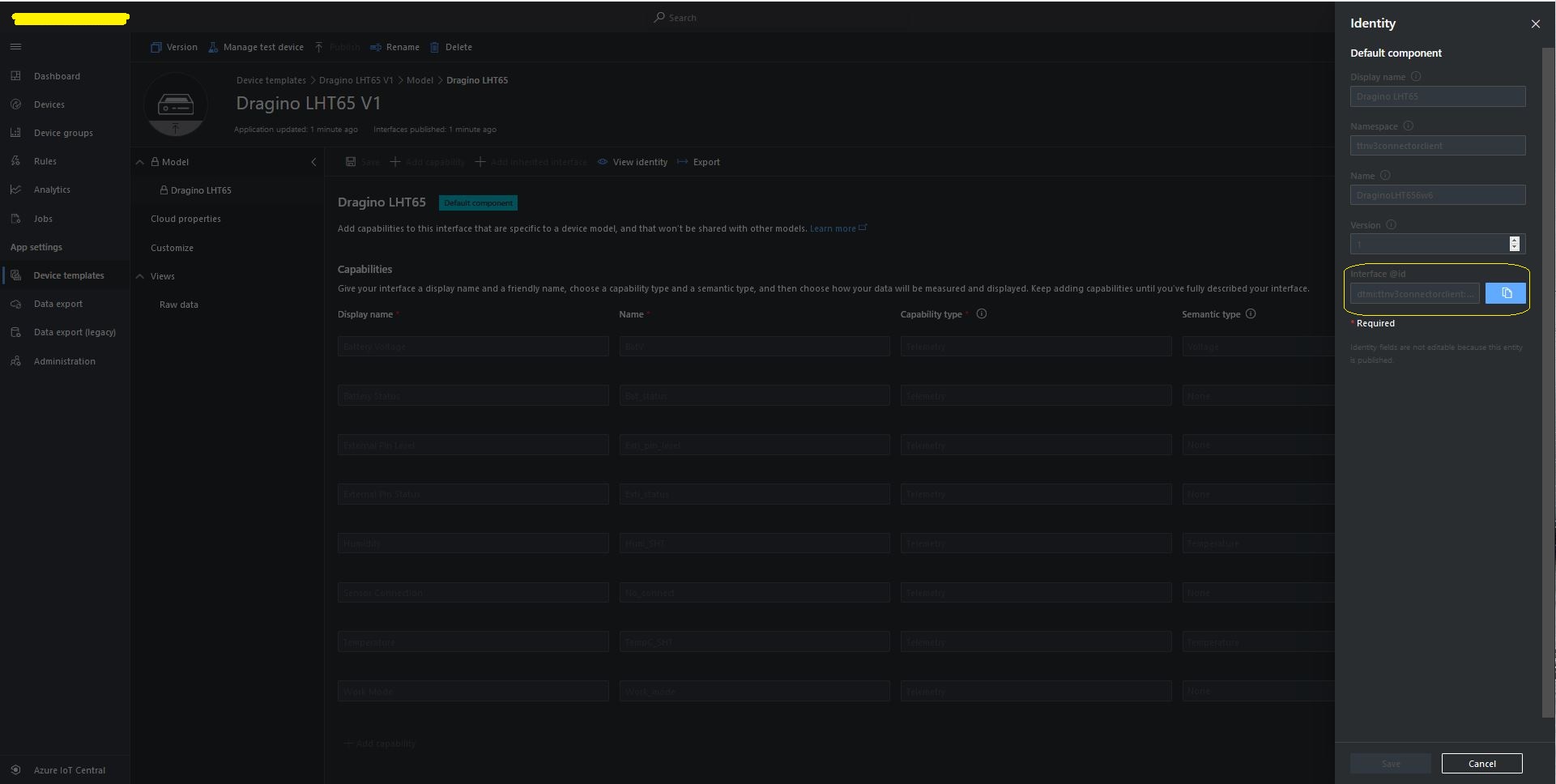
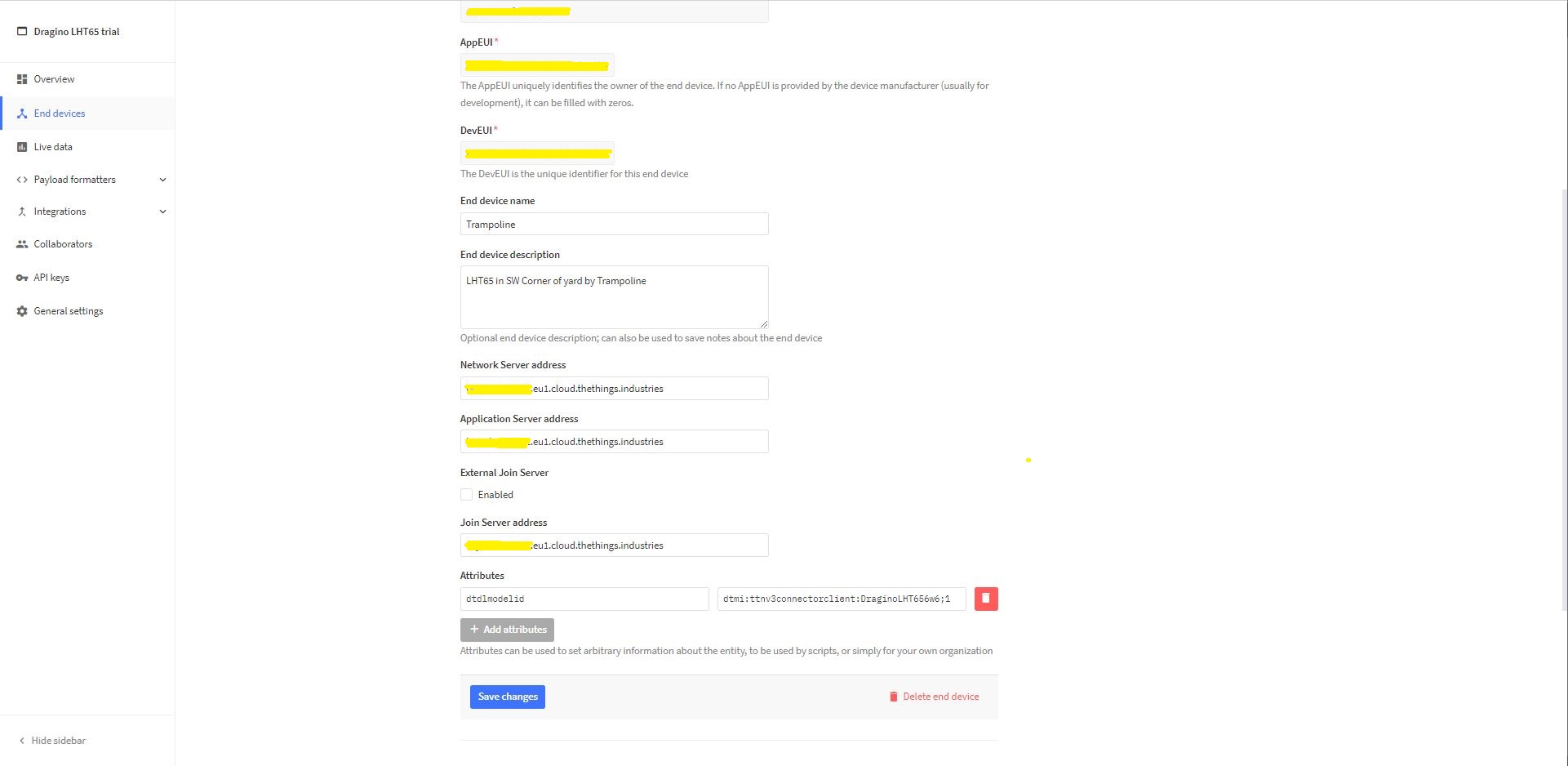
For Azure IoT Central “automagic” provisioning the DTDLModelId has to be copied from the Azure IoT Central Template into the TTI/TTN EndDevice or app.settings.json file application configuration.

LHT65 Device Template copy DTDL @ID
TTI EndDevice configuring the DTDLV2 @ID at the device level

Configuring the DTDLV2 @ID at the TTI application level in the app.settings.json file

{
  "Logging": {
    "LogLevel": {
      "Default": "Debug",
      "Microsoft": "Debug",
      "Microsoft.Hosting.Lifetime": "Debug"
    },
    "ApplicationInsights": {
      "LogLevel": {
        "Default": "Debug"
      }
    }
  },

  "ProgramSettings": {
    "Applications": {
      "application1": {
        "AzureSettings": {
          "DeviceProvisioningServiceSettings": {
            "IdScope": "0ne...DD9",
            "GroupEnrollmentKey": "eFR...w=="
          }
        },
        "DTDLModelId": "dtmi:ttnv3connectorclient:FezduinoWisnodeV14x8;4",
        "MQTTAccessKey": "NNSXS.HCY...RYQ",
        "DeviceIntegrationDefault": false,
        "MethodSettings": {
          "Reboot": {
            "Port": 21,
            "Confirmed": true,
            "Priority": "normal",
            "Queue": "push"
          },
          "value_0": {
            "Port": 30,
            "Confirmed": true,
            "Priority": "normal",
            "Queue": "push"
          },
          "value_1": {
            "Port": 30,
            "Confirmed": true,
            "Priority": "normal",
            "Queue": "push"
          },
          "TemperatureOOBAlertMinimumAndMaximum": {
            "Port": 30,
            "Confirmed": true,
            "Priority": "normal",
            "Queue": "push"
          }
        }
      },
      "seeeduinolorawan": {
        "AzureSettings": {
          "DeviceProvisioningServiceSettings": {
            "IdScope": "0ne...DD9",
            "GroupEnrollmentKey": "AtN...g=="
          },
        },
        "DTDLModelId": "dtmi:ttnv3connectorclient:SeeeduinoLoRaWAN4cz;1",
        "MQTTAccessKey": "NNSXS.V44...42A",
        "DeviceIntegrationDefault": true,
        "DevicePageSize": 10
      },
      "dragino-lht65": {
        "AzureSettings": {
          "DeviceProvisioningServiceSettings": {
            "IdScope": "0ne...DD9",
            "GroupEnrollmentKey": "SLB...w=="
          }
        },
        "DTDLModelId": "dtmi:ttnv3connectorclient:DraginoLHT656w6;1",
        "MQTTAccessKey": "NNSXS.RIJ...NZQ",
        "DeviceIntegrationDefault": true,
        "DevicePageSize": 10
      }
    },
    "TheThingsIndustries": {
      "MqttServerName": "eu1.cloud.thethings.industries",
      "MqttClientId": "MQTTClient",
      "MqttAutoReconnectDelay": "00:00:05",
      "Tenant": "...-test",
      "ApiBaseUrl": "https://...-test.eu1.cloud.thethings.industries/api/v3",
      "ApiKey": "NNSXS.NR7...ZSA",
      "Collaborator": "devmobile",
      "DevicePageSize": 10,
      "DeviceIntegrationDefault": true
    }
  }
}

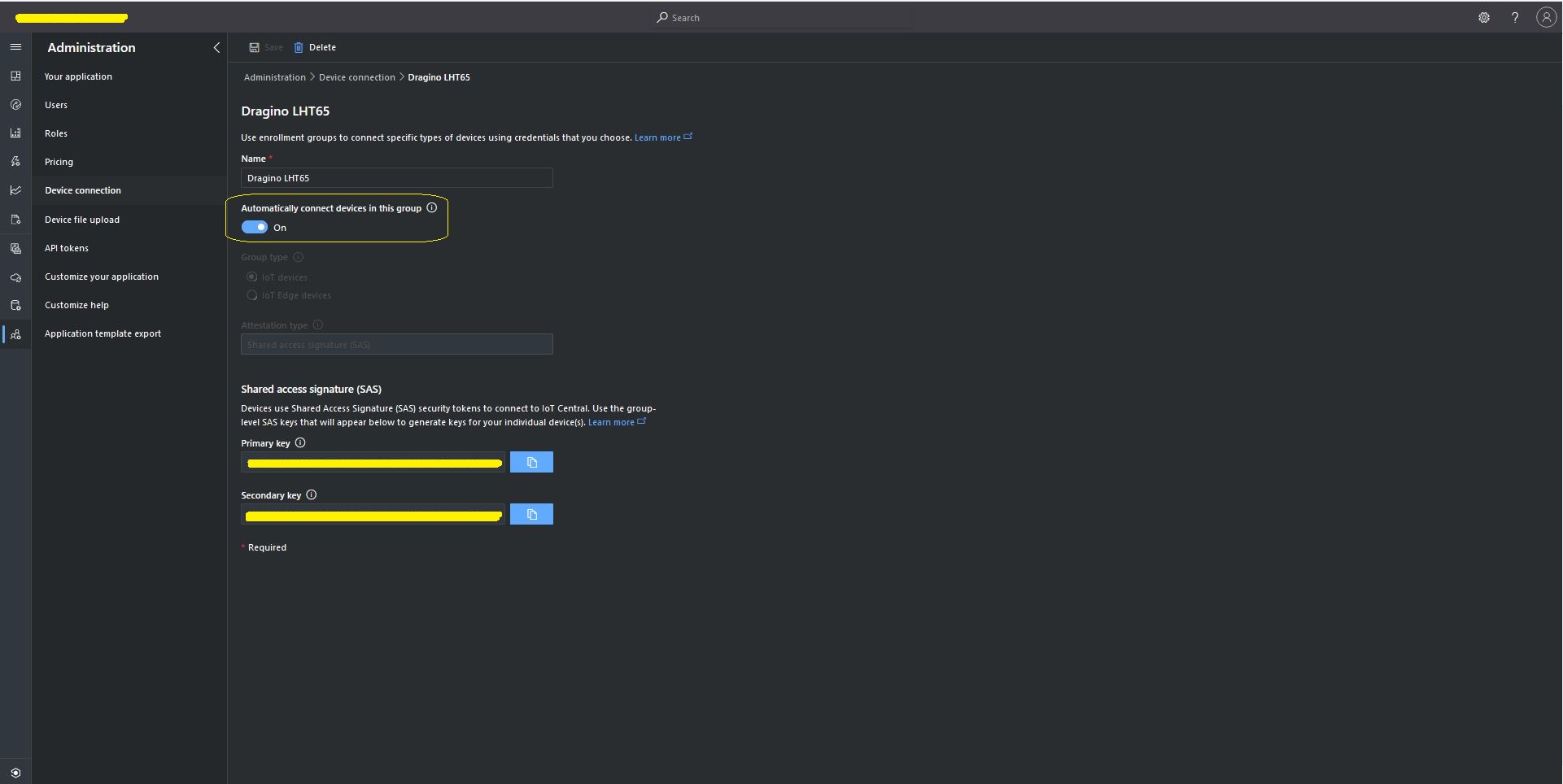
The Azure Device Provisioning Service(DPS) is configured at the TTI application level in the app.settings.json file. The IDScope and one of the Primary or Secondary Shared Access Signature(SAS) keys should be copied into DeviceProvisioningServiceSettings of an Application in the app.settings.json file. I usually set the “Automatically connect devices in this group” flag as part of the “automagic” provisioning process.

Azure IoT Central Group Enrollment Key
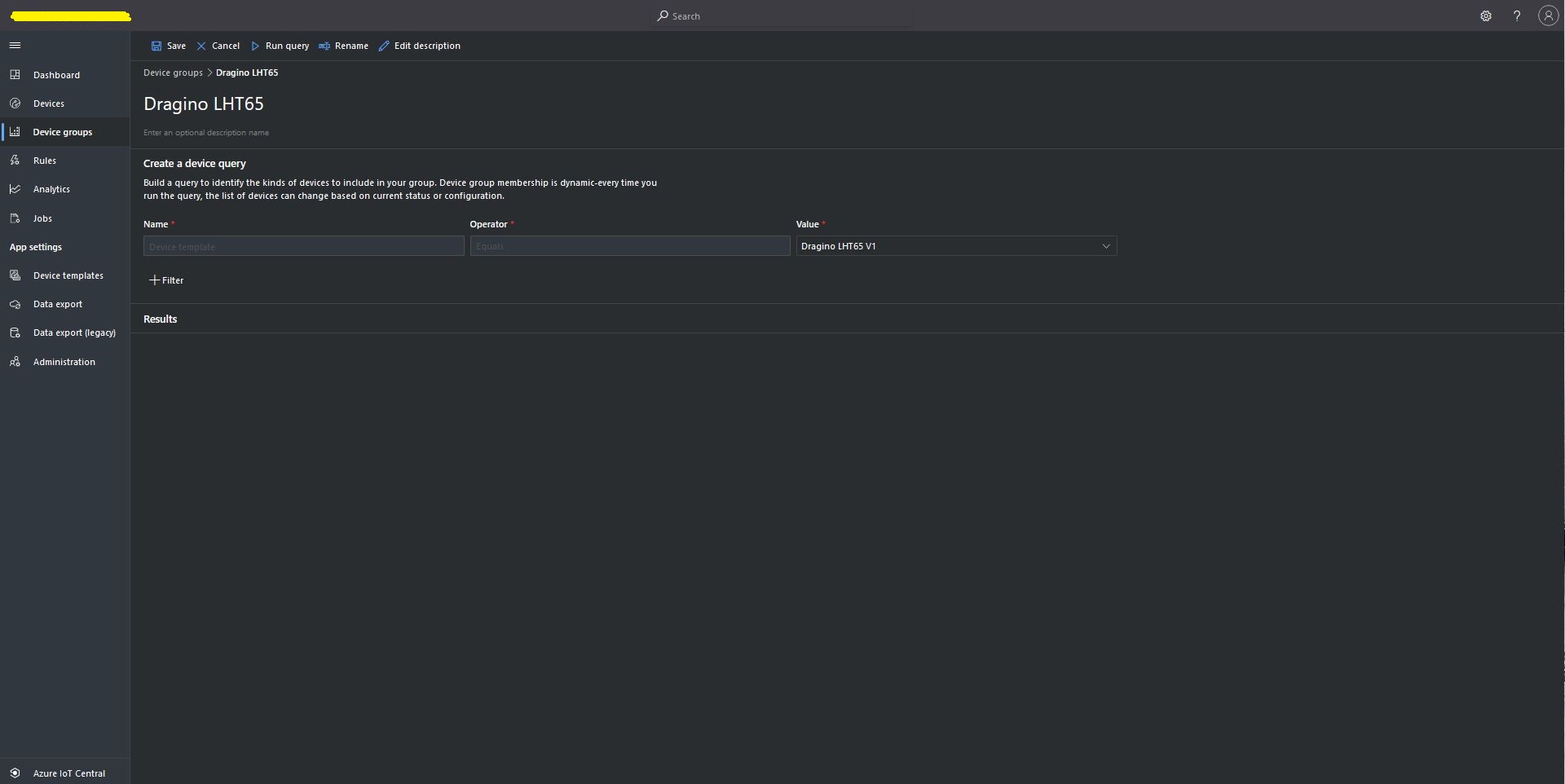
Then device templates need to be mapped to an Enrollment Group then Device Group.

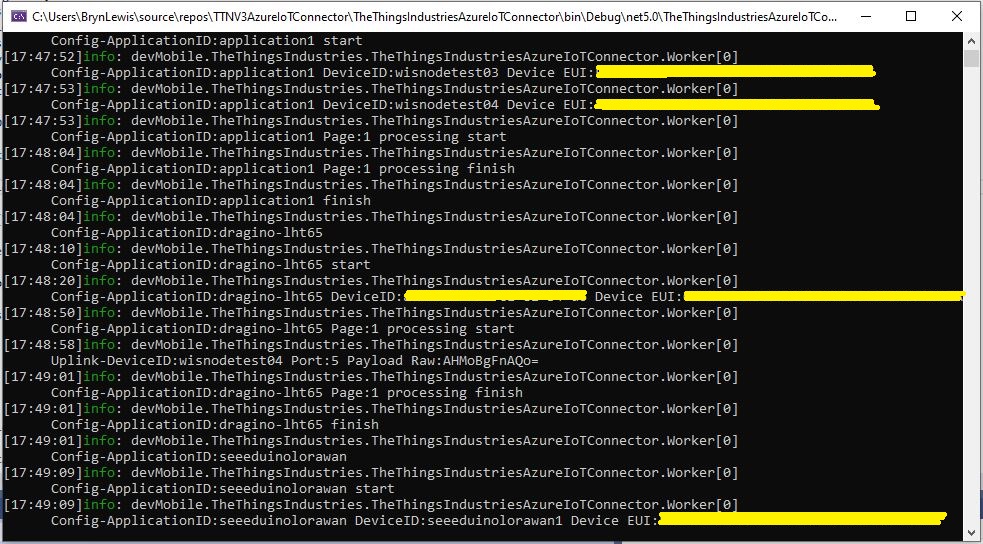
For testing the connector application can be run locally with diagnostic information displayed in the application console window as it “automagically’ provisions devices and uploads telemetry data.

Connector application Diagnostics
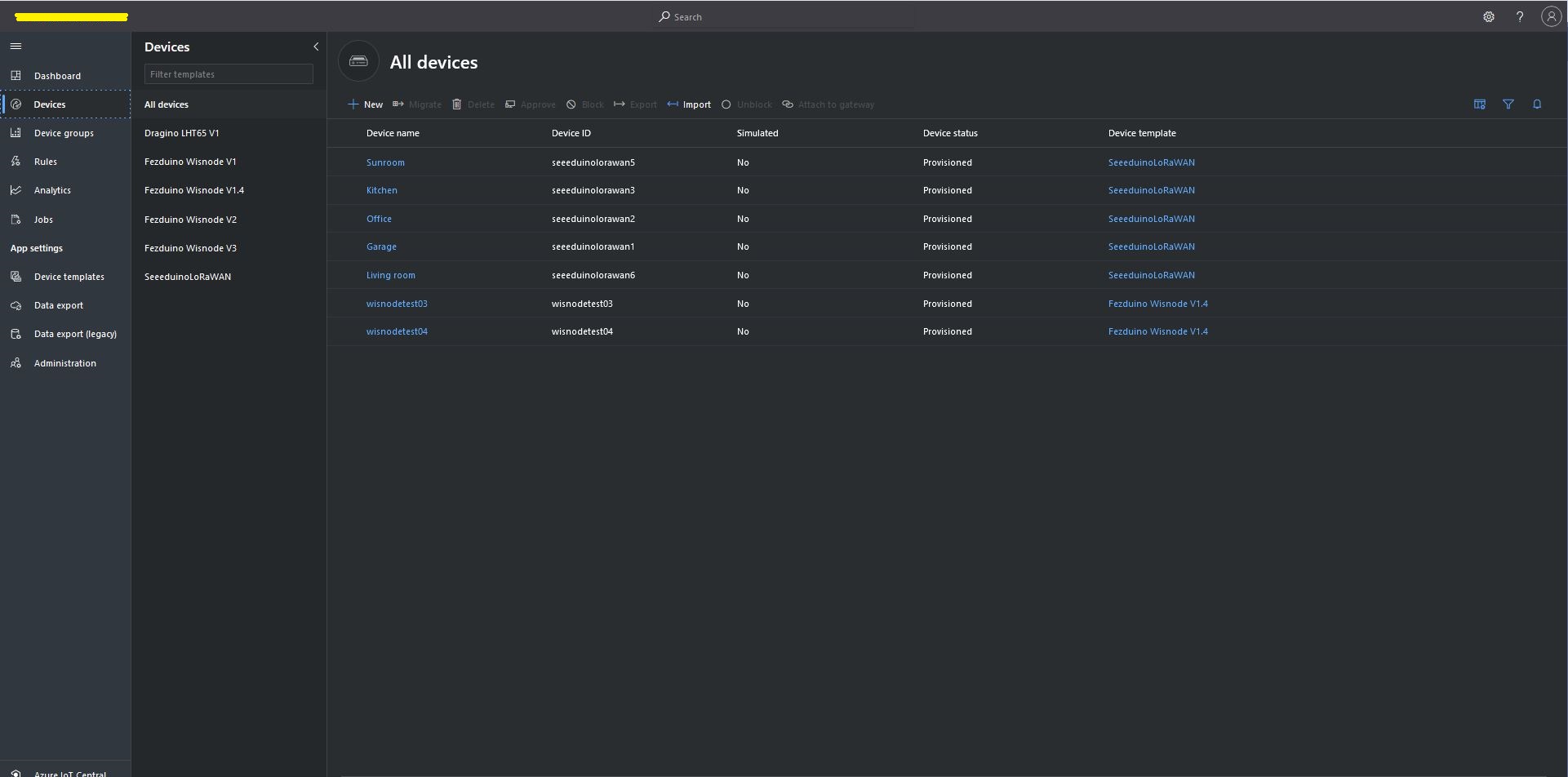
Azure IoT Central Device list before my LHT65 device is “automagically” provisioned
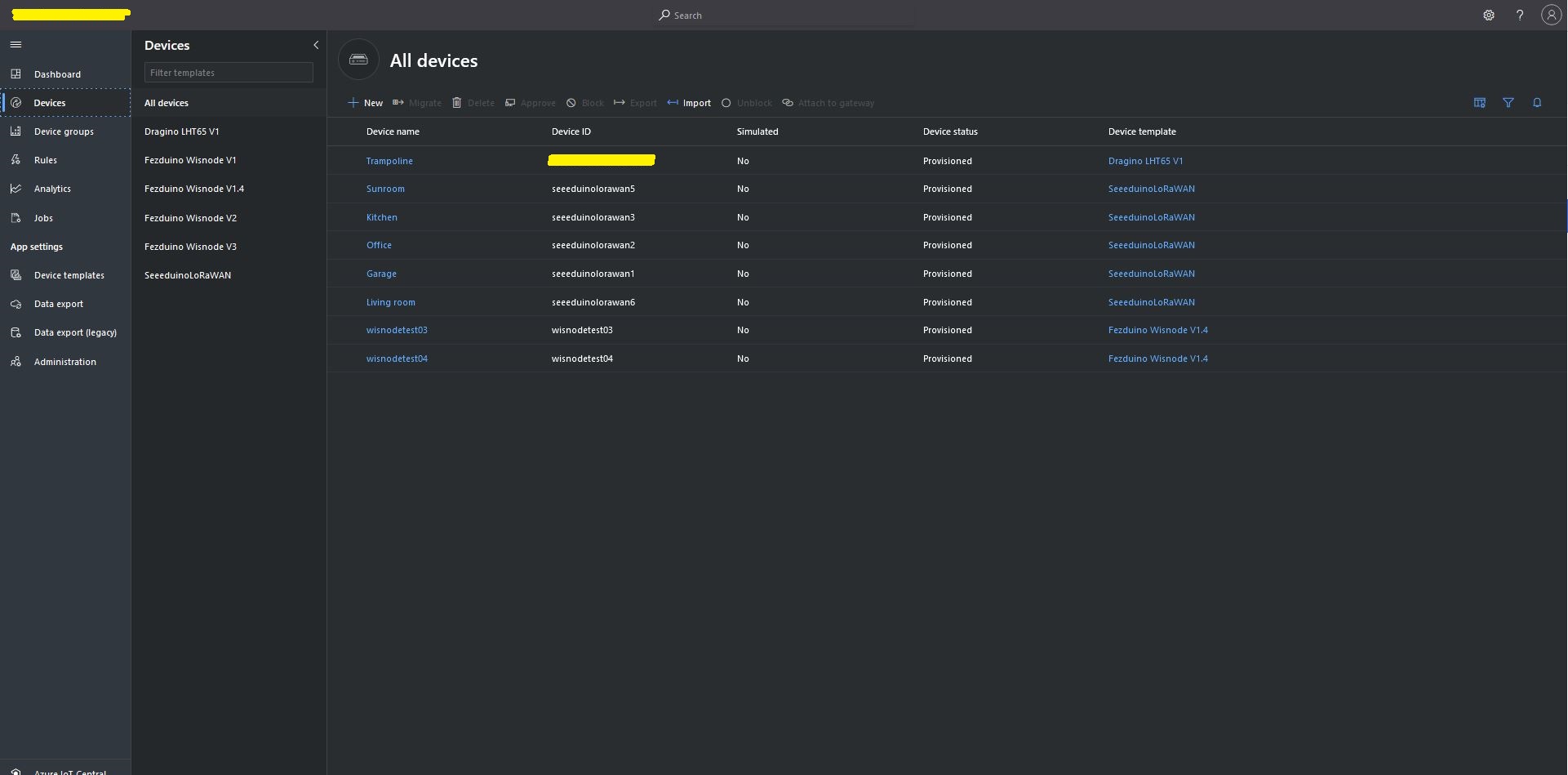
Azure IoT Central Device list after my LHT65 device is “automagically” provisioned

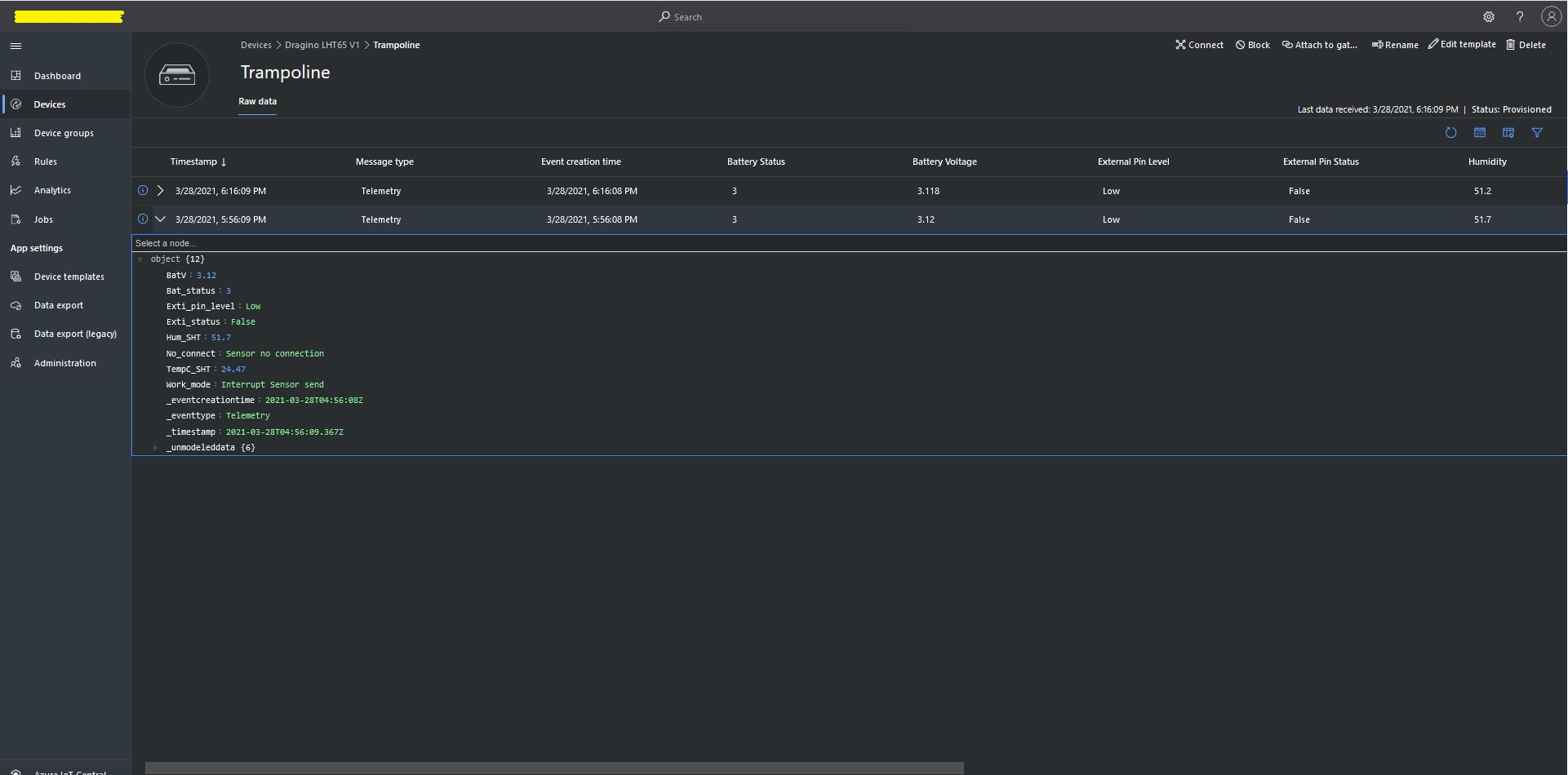
One a device has been provisioned I check on the raw data display that all the fields I configured have been mapped correctly.

Azure IoT Central raw data display

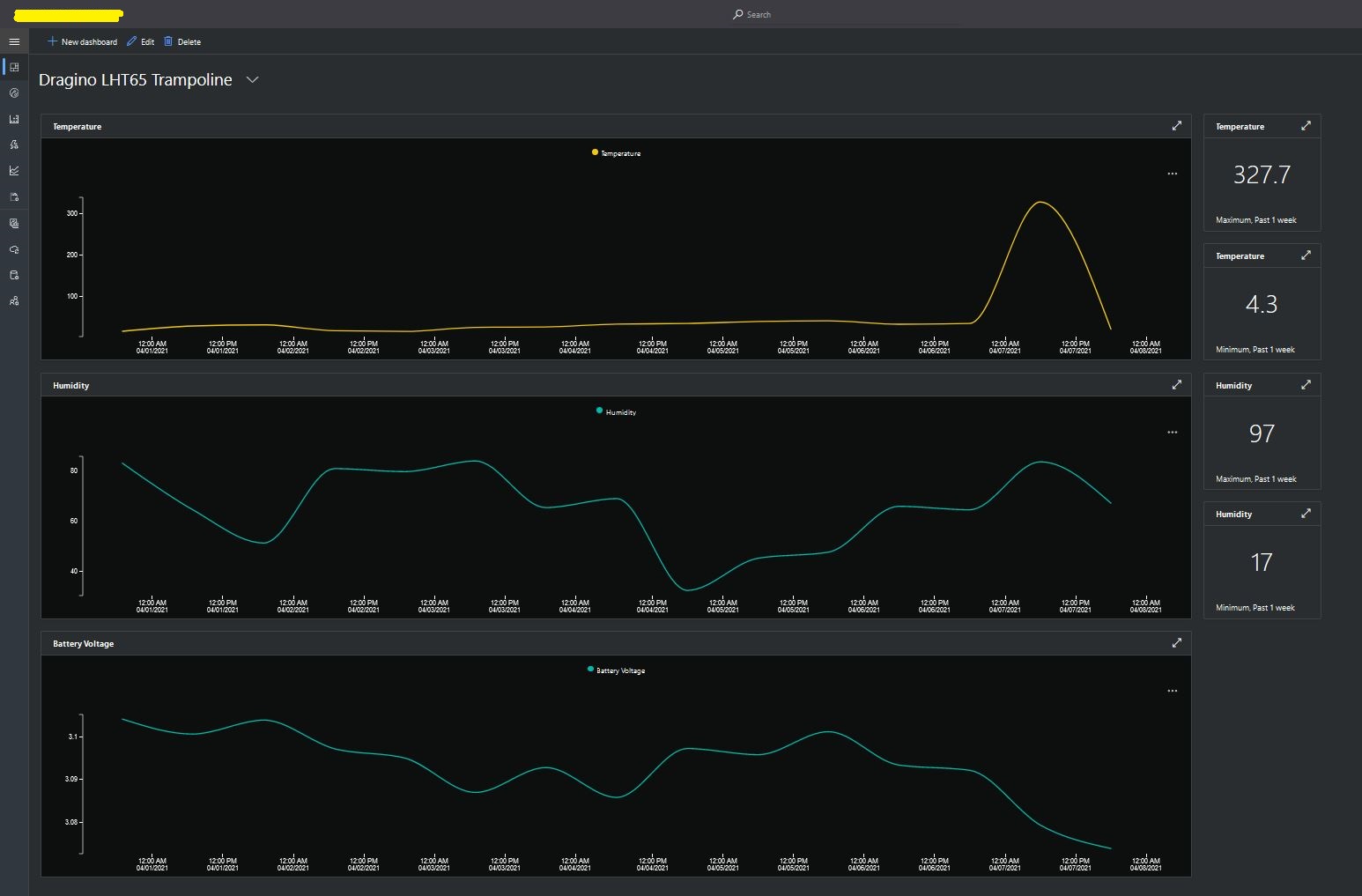
I then created a dashboard to display the telemetry data from the LHT65 sensors.

Azure IoT Central dashboard displaying LHT65 temperature, humidity and battery voltage graphs.

The dashboard also has a few KPI displays which highlighted an issue which occurs a couple of times a month with the LHT65 onboard temperature sensor values (327.7°). I have connected Dragino technical support and have also been unable to find a way to remove the current an/or filter out future aberrant values.

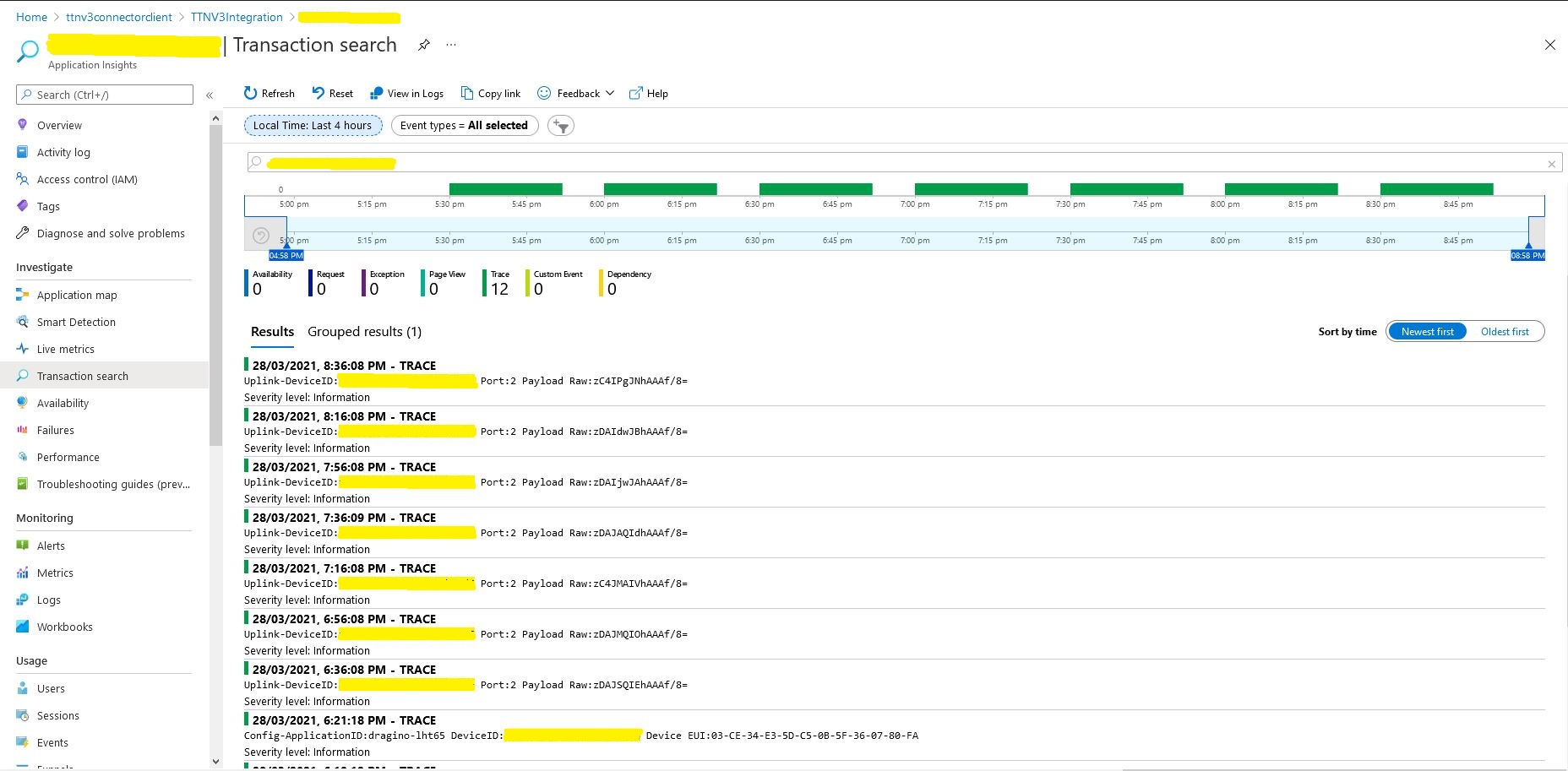
Azure Application Insights logging

I also noticed that the formatting of the DeviceEUI values in the Application Insights logging was incorrect after trying to search for one of my Seeedstudio LoRaWAN device with its DeviceEUI.

The Things Network LPP Support

Uplink Encoding

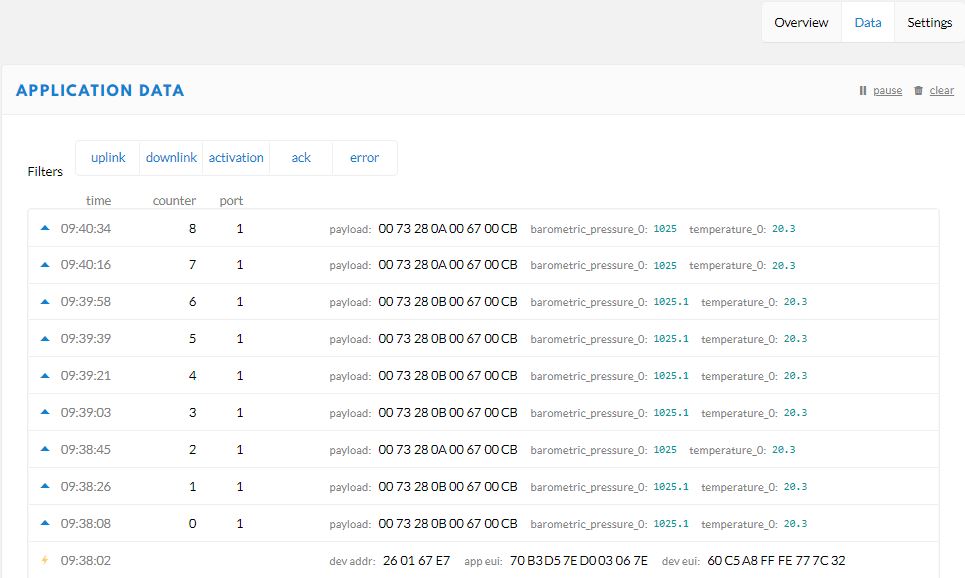
In my applications the Low power payload(LPP) uplink messages from my *duino devices are decoded by the built in The Things Network(TTN) decoder. I can also see the nicely formatted values in the device data view.

Downlink Encoding

I could successfully download raw data to the device but I found that manually unpacking it on the device was painful.

Raw data

I really want to send LPP formatted messages to my devices so I could use a standard LPP library. I initially populated the payload fields in the downlink message JSON. The TTN documentation appeared to indicate this was possible.

Download JSON payload format

Initially I tried a more complex data type because I was looking at downloading a location to the device.

Complex data type

I could see nicely formatted values in the device data view but they didn’t arrive at the device. I then tried simpler data type to see if the complex data type was an issue.

Simple Data Types

At this point I asked a few questions on the TTN forums and started to dig into the TTN source code.

Learning Go on demand

I had a look at the TTB Go code and learnt a lot as I figured out how the “baked in “encoder/decoder worked. I haven’t done any Go coding so it took a while to get comfortable with the syntax. The code my look a bit odd as a Pascal formatter was the closest I could get to Go.

In core/handler/cayennelpp/encoder.go there was

func (e *Encoder) Encode(fields map[string]interface{}, fPort uint8) ([]byte, bool, error) and func (d *Decoder) Decode(payload []byte, fPort uint8) (map[string]interface{}, bool, error)

Which was a positive sign…

Then in core/handler/convert_fields.go there are these two functions

> // ConvertFieldsUp converts the payload to fields using the application's payload formatter
> func (h *handler) ConvertFieldsUp(ctx ttnlog.Interface, _ *pb_broker.DeduplicatedUplinkMessage, appUp *types.UplinkMessage, dev *device.Device) error {
> 	// Find Application

and

> // ConvertFieldsDown converts the fields into a payload
> func (h *handler) ConvertFieldsDown(ctx ttnlog.Interface, appDown *types.DownlinkMessage, ttnDown *pb_broker.DownlinkMessage, _ *device.Device) error {

Then further down in the second function is this call

var encoder PayloadEncoder
	switch app.PayloadFormat {
	case application.PayloadFormatCustom:
		encoder = &CustomDownlinkFunctions{
			Encoder: app.CustomEncoder,
			Logger:  functions.Ignore,
		}
	case application.PayloadFormatCayenneLPP:
		encoder = &cayennelpp.Encoder{}
	default:
		return nil
	}var encoder PayloadEncoder
	switch app.PayloadFormat {
	case application.PayloadFormatCustom:
		encoder = &CustomDownlinkFunctions{
			Encoder: app.CustomEncoder,
			Logger:  functions.Ignore,
		}
	case application.PayloadFormatCayenneLPP:
		encoder = &cayennelpp.Encoder{}
	default:
		return nil
	}

Which I think calls

// Encode encodes the fields to CayenneLPP
func (e *Encoder) Encode(fields map[string]interface{}, fPort uint8) ([]byte, bool, error) {
	encoder := protocol.NewEncoder()
	for name, value := range fields {
		key, channel, err := parseName(name)
		if err != nil {
			continue
		}
		switch key {
		case valueKey:
			if val, ok := value.(float64); ok {
				encoder.AddPort(channel, float32(val))
			}
		}
	}
	return encoder.Bytes(), true, nil
}

Then right down at the very bottom of the call stack in keys.go

func parseName(name string) (string, uint8, error) {
	parts := strings.Split(name, "_")
	if len(parts) < 2 {
		return "", 0, errors.New("Invalid name")
	}
	key := strings.Join(parts[:len(parts)-1], "_")
	if key == "" {
		return "", 0, errors.New("Invalid key")
	}
	channel, err := strconv.Atoi(parts[len(parts)-1])
	if err != nil {
		return "", 0, err
	}
	if channel < 0 || channel > 255 {
		return "", 0, errors.New("Invalid range")
	}
	return key, uint8(channel), nil
}

At this point I started to hit the limits of my Go skills but with some trial and error I figured it out…

Executive Summary

The downlink payload values are sent as 2 byte floats with a sign bit, 100 multiplier. The fields have to be named “value_X” where X is is a byte value.

Dictionary<string, object> payloadFields = new Dictionary<string, object>();
payloadFields.Add(“value_0”, 0.0);
//00-00-00
payloadFields.Add(“value_1”, 1.0);
//01-00-64
payloadFields.Add(“value_2”, 2.0);
//02-00-C8
payloadFields.Add(“value_3”, 3.0);
//03-01-2C
payloadFields.Add(“value_4”, 4.0);
//04-01-90

payloadFields.Add(“value_0”, -0.0);
//00-00-00
payloadFields.Add(“value_1”, -1.0);
//01-FF-9C
payloadFields.Add(“value_2”, -2.0);
//02-FF-38
payloadFields.Add(“value_3”, -3.0);
//03-FE-D4
payloadFields.Add(“value_4”, -4.0);
//04-FE-70

I could see these arrive on my TinyCLR plus RAK811 device and could manually unpack them

The stream of bytes can be decoded on an Arduino using the electronic cats library (needs a small modification) with code this

byte data[] = {0xff,0x38} ; // bytes which represent -2 
float value = lpp.getValue( data, 2, 100, 1);
Serial.print("value:");
Serial.println(value);

It is possible to use the “baked” in LPP Encoder/Decoder to send payload fields to a device but I’m not certain is this is quite what TTN intended.

The Things Network HTTP Integration Part13

Connection multiplexing

For the Proof of Concept(PoC) I had used a cache to store Azure IoT Hub connections to reduce the number of calls to the Device Provisioning Service(DPS).

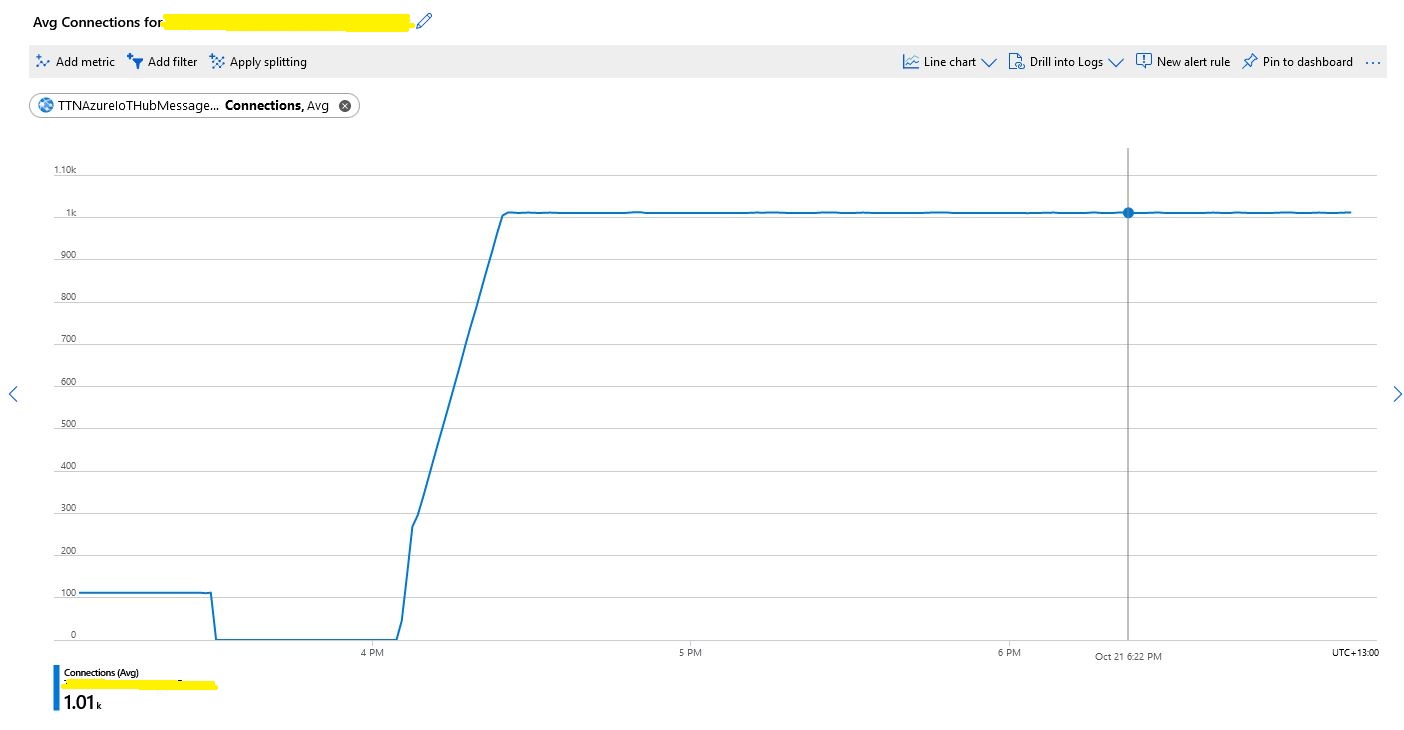
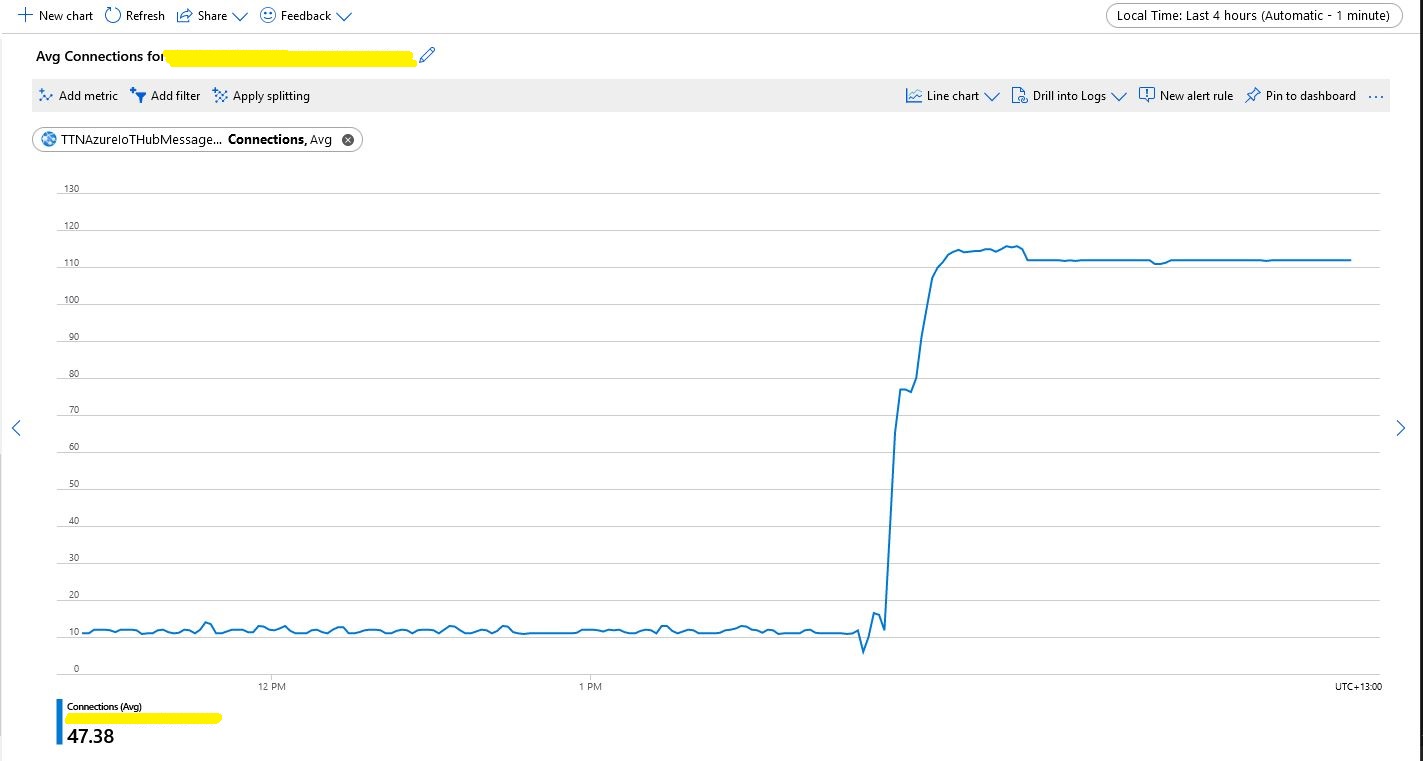
Number of connections with no pooling

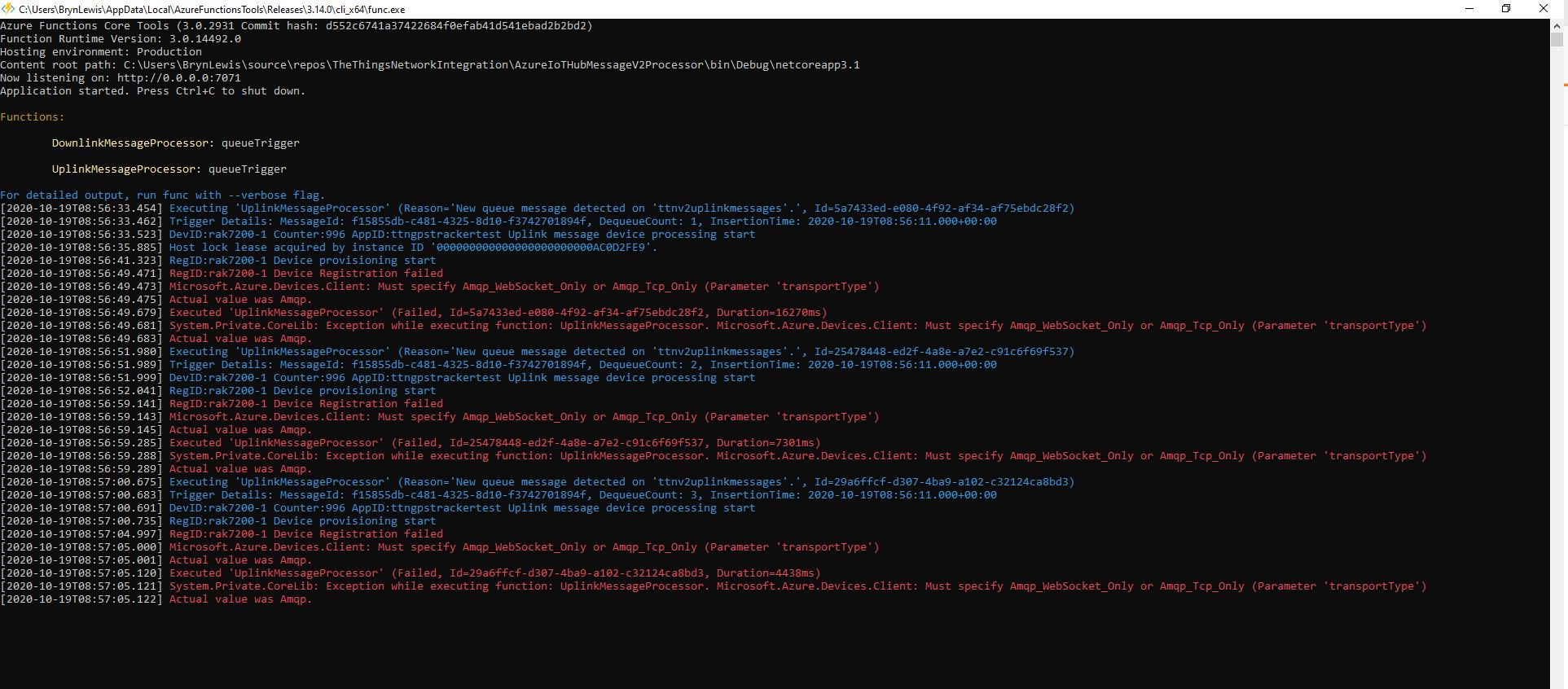
When stress testing with 1000’s of devices my program hit the host connection limit so I enabled Advanced Message Queuing Protocol(AMQP) connection pooling.

return DeviceClient.Create(result.AssignedHub,
                  authentication,
                  new ITransportSettings[]
                  {
                     new AmqpTransportSettings(TransportType.Amqp_Tcp_Only)
                     {
                        PrefetchCount = 0,
                        AmqpConnectionPoolSettings = new AmqpConnectionPoolSettings()
                        {
                           Pooling = true,
                        }
                     }
                  }
               );

My first attempt failed as I hadn’t configured “TransportType.Amqp_Tcp_Only” which would have allowed the AMQP implementation to fallback to other protocols which don’t support pooling.

Exception caused by not using TransportType.Amqp_Tcp_Only

I then deployed the updated code and ran my 1000 device stress test (note the different x axis scales)

Number of connections with pooling

This confirmed what I found in the Azure.AMQP source code

/// <summary>
/// The default size of the pool
/// </summary>
/// <remarks>
/// Allows up to 100,000 devices
/// </remarks>
/// private const uint DefaultPoolSize = 100;

The Things Network HTTP Integration Part12

Removing the DIY cache

For the Proof of Concept(PoC) I had written a simple cache using a ConcurrentDictionary to store Azure IoT Hub connections to reduce the number of calls to the Device Provisioning Service(DPS).

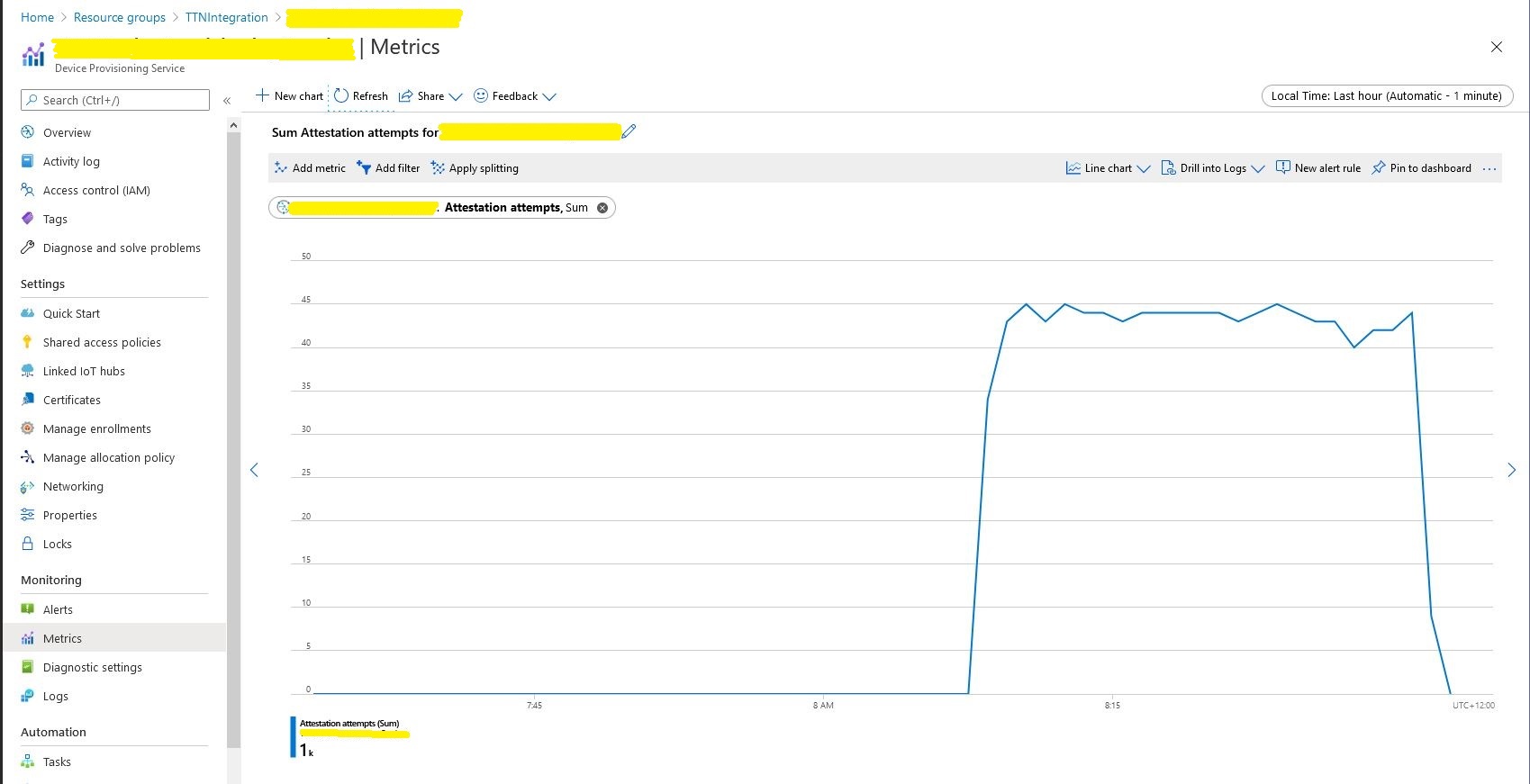
Device Provisioning Service calls in stress test

For a PoC the DIY cache was ok but I wanted to replace it with something more robust like the .Net ObjectCache which is in the System.Runtime.Caching namespace.

I started by replacing the ConcurrentDictionary declaration

static readonly ConcurrentDictionary<string, DeviceClient> DeviceClients = new ConcurrentDictionary<string, DeviceClient>();
     

With an ObjectCache declaration.

static readonly ObjectCache DeviceClients = MemoryCache.Default;
  

Then, where there were compiler errors I updated the method call.

// See if the device has already been provisioned or is being provisioned on another thread.
if (DeviceClients.Add(registrationId, deviceContext, cacheItemPolicy))
{
   log.LogInformation("RegID:{registrationId} Device provisioning start", registrationId);
...

One difference I found was that ObjectCache throws an exception if the value is null. I was using a null value to indicate that the Device Provisioning Service(DPS) process had been initiated on another thread and was underway.

I have been planning to add support for downlink messages so I added a new class to store the uplink (Azure IoT Hub DeviceClient) and downlink ( downlink_url in the uplink message) details.

 public class DeviceContext
   {
      public DeviceClient Uplink { get; set; }
      public Uri Downlink { get; set; }
   }

For the first version the only functionality I’m using is sliding expiration which is set to one day

CacheItemPolicy cacheItemPolicy = new CacheItemPolicy()
{
   SlidingExpiration = new TimeSpan(1, 0, 0, 0),
   //RemovedCallback
};

DeviceContext deviceContext = new DeviceContext()
{
   Uplink = null,
   Downlink = new Uri(payload.DownlinkUrl)
};

I didn’t have to make many changes and I’ll double check my implementation in the next round of stress and soak testing.

The Things Network HTTP Integration Part11

Moving Secrets to KeyVault

The application configuration file contained sensitive information like Device Provision Service(DPS) Group Enrollment Symmetric Keys and Azure IoT Hub connection strings which is OK for a proof of concept (PoC) but sub-optimal for production deployments.

"DeviceProvisioningService": {
      "GlobalDeviceEndpoint": "global.azure-devices-provisioning.net",
      "ScopeID": "",
      "EnrollmentGroupSymmetricKeyDefault": "TopSecretKey",
      "DeviceProvisioningPollingDelay": 500,
      "ApplicationEnrollmentGroupMapping": {
         "Application1": "TopSecretKey1",
         "Application2": "TopSecretKey2"
      }
   }

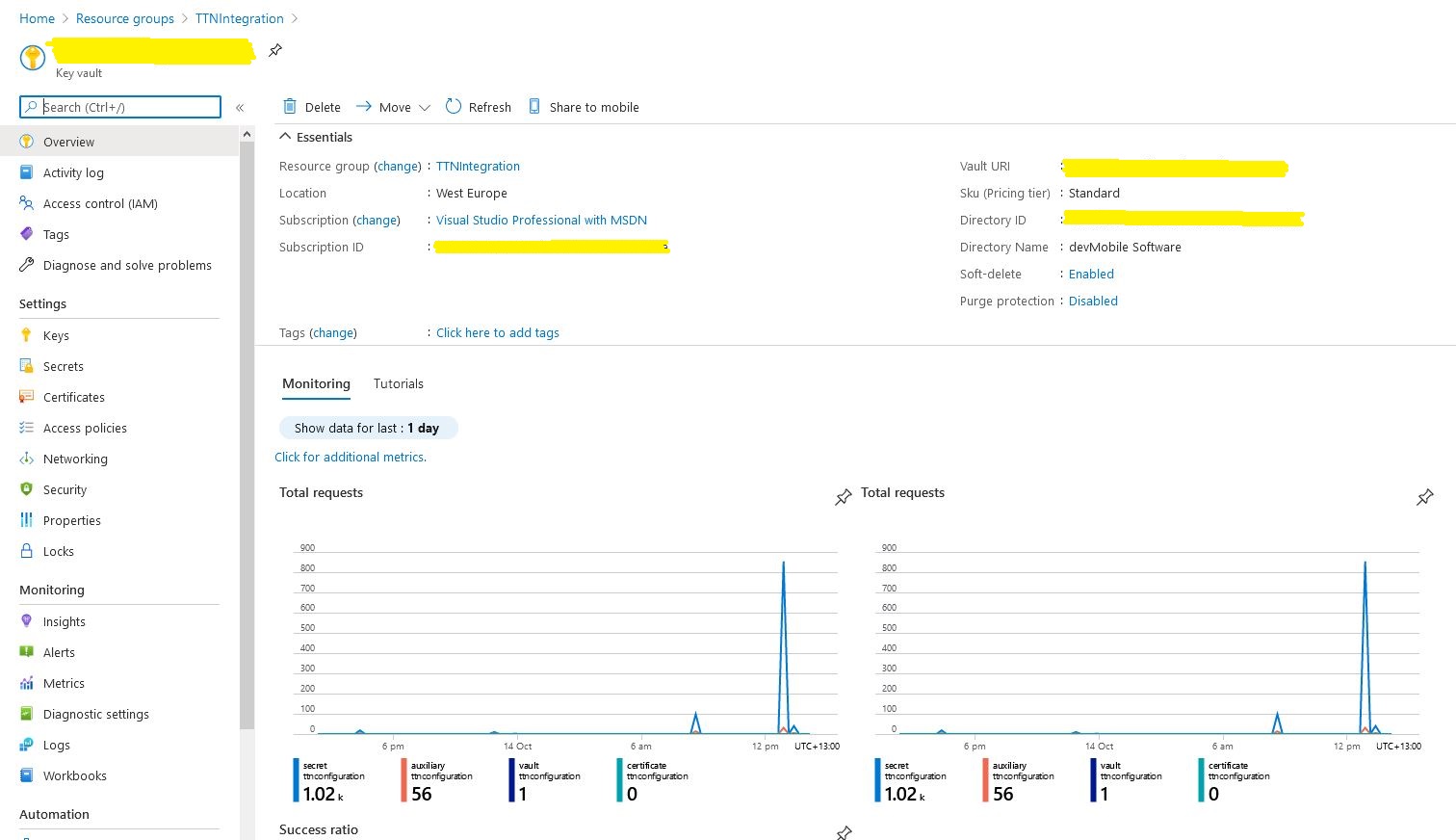
The Azure Key Vault is intended for securing sensitive information like connection strings so I added one to my resource group.

Azure Key Vault overview and basic metrics

I wrote a wrapper which resolves configuration settings based on the The Things Network(TTN) application identifier and port information in the uplink message payload. The resolve methods start by looking for configuration for the applicationId and port (separated by a – ), then the applicationId and then finally falling back to a default value. This functionality is used for AzureIoTHub connection strings, DPS IDScopes, DPS Enrollment Group Symmetric Keys, and is also used to format the cache keys.

public class ApplicationConfiguration
{
const string DpsGlobaDeviceEndpointDefault = "global.azure-devices-provisioning.net";

private IConfiguration Configuration;

public void Initialise( )
{
   // Check that KeyVault URI is configured in environment variables. Not a lot we can do if it isn't....
   if (Configuration == null)
   {
      string keyVaultUri = Environment.GetEnvironmentVariable("KeyVaultURI");
      if (string.IsNullOrWhiteSpace(keyVaultUri))
      {
         throw new ApplicationException("KeyVaultURI environment variable not set");
      }

      // Load configuration from KeyVault 
      Configuration = new ConfigurationBuilder()
         .AddEnvironmentVariables()
         .AddAzureKeyVault(keyVaultUri)
         .Build();
   }
}

public string DpsGlobaDeviceEndpointResolve()
{
   string globaDeviceEndpoint = Configuration.GetSection("DPSGlobaDeviceEndpoint").Value;
   if (string.IsNullOrWhiteSpace(globaDeviceEndpoint))
   {
      globaDeviceEndpoint = DpsGlobaDeviceEndpointDefault;
   }

   return globaDeviceEndpoint;
}

public string ConnectionStringResolve(string applicationId, int port)
{
   // Check to see if there is application + port specific configuration
   string connectionString = Configuration.GetSection($"AzureIotHubConnectionString-{applicationId}-{port}").Value;
   if (!string.IsNullOrWhiteSpace(connectionString))
   {
      return connectionString;
   }

   // Check to see if there is application specific configuration, otherwise run with default
   connectionString = Configuration.GetSection($"AzureIotHubConnectionString-{applicationId}").Value;
   if (!string.IsNullOrWhiteSpace(connectionString))
   {
      return connectionString;
   }

   // get the default as not a specialised configuration
   connectionString = Configuration.GetSection("AzureIotHubConnectionStringDefault").Value;

   return connectionString;
}

public string DpsIdScopeResolve(string applicationId, int port)
{
   // Check to see if there is application + port specific configuration
   string idScope = Configuration.GetSection($"DPSIDScope-{applicationId}-{port}").Value;
   if (!string.IsNullOrWhiteSpace(idScope))
   {
      return idScope;
   }

   // Check to see if there is application specific configuration, otherwise run with default
   idScope = Configuration.GetSection($"DPSIDScope-{applicationId}").Value;
   if (!string.IsNullOrWhiteSpace(idScope))
   {
      return idScope;
   }

   // get the default as not a specialised configuration
   idScope = Configuration.GetSection("DPSIDScopeDefault").Value;

   if (string.IsNullOrWhiteSpace(idScope))
   {
      throw new ApplicationException($"DPSIDScope configuration invalid");
   }

   return idScope;
}

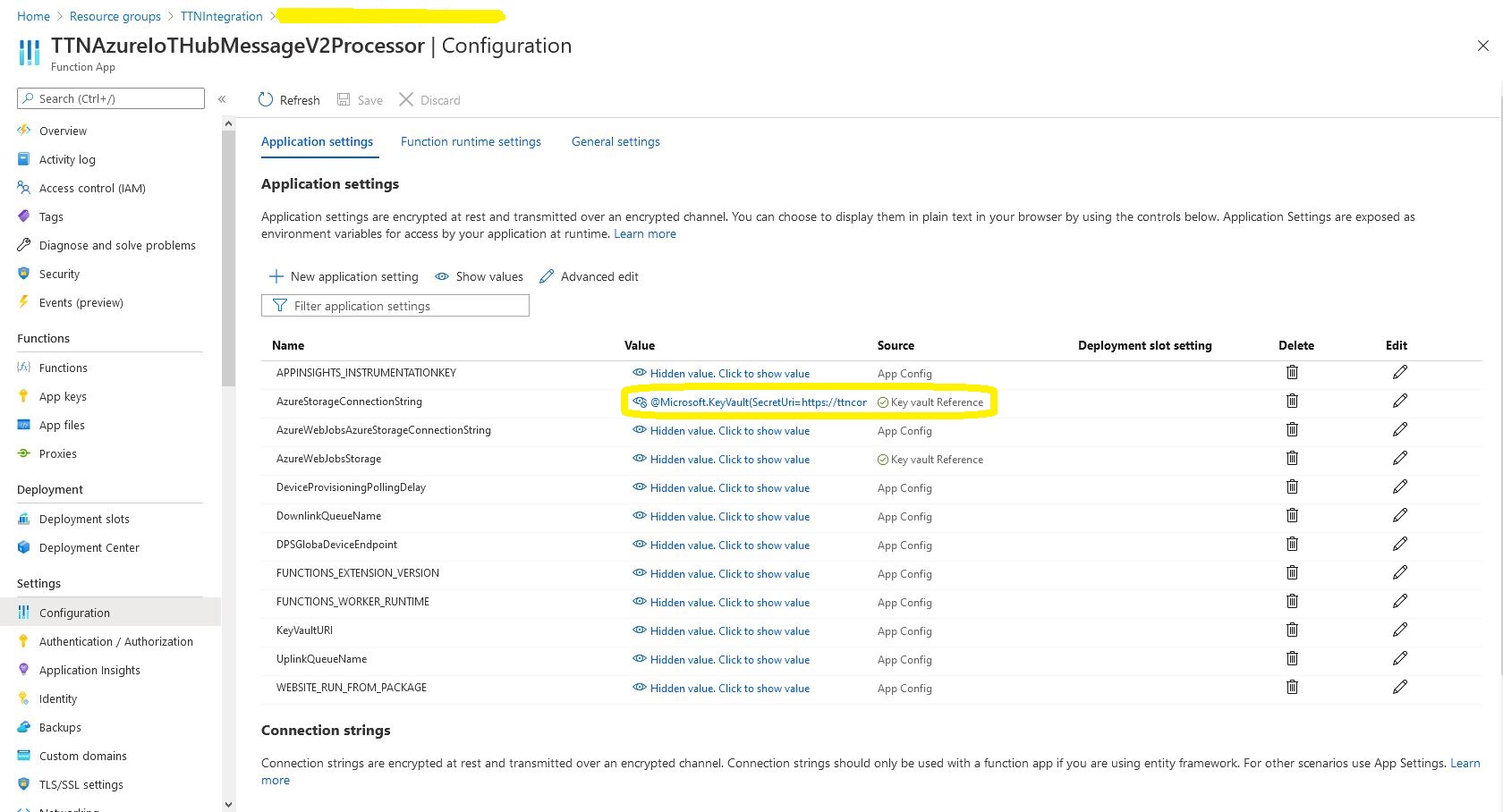
The values of Azure function configuration settings are replaced by a reference to the secret in the Azure Key Vault.

Azure Function configuration value replacement

In the Azure Key Vault “Access Policies” I configured an “Application Access Policy” so my Azure TTNAzureIoTHubMessageV2Processor function identity could retrieve secrets.

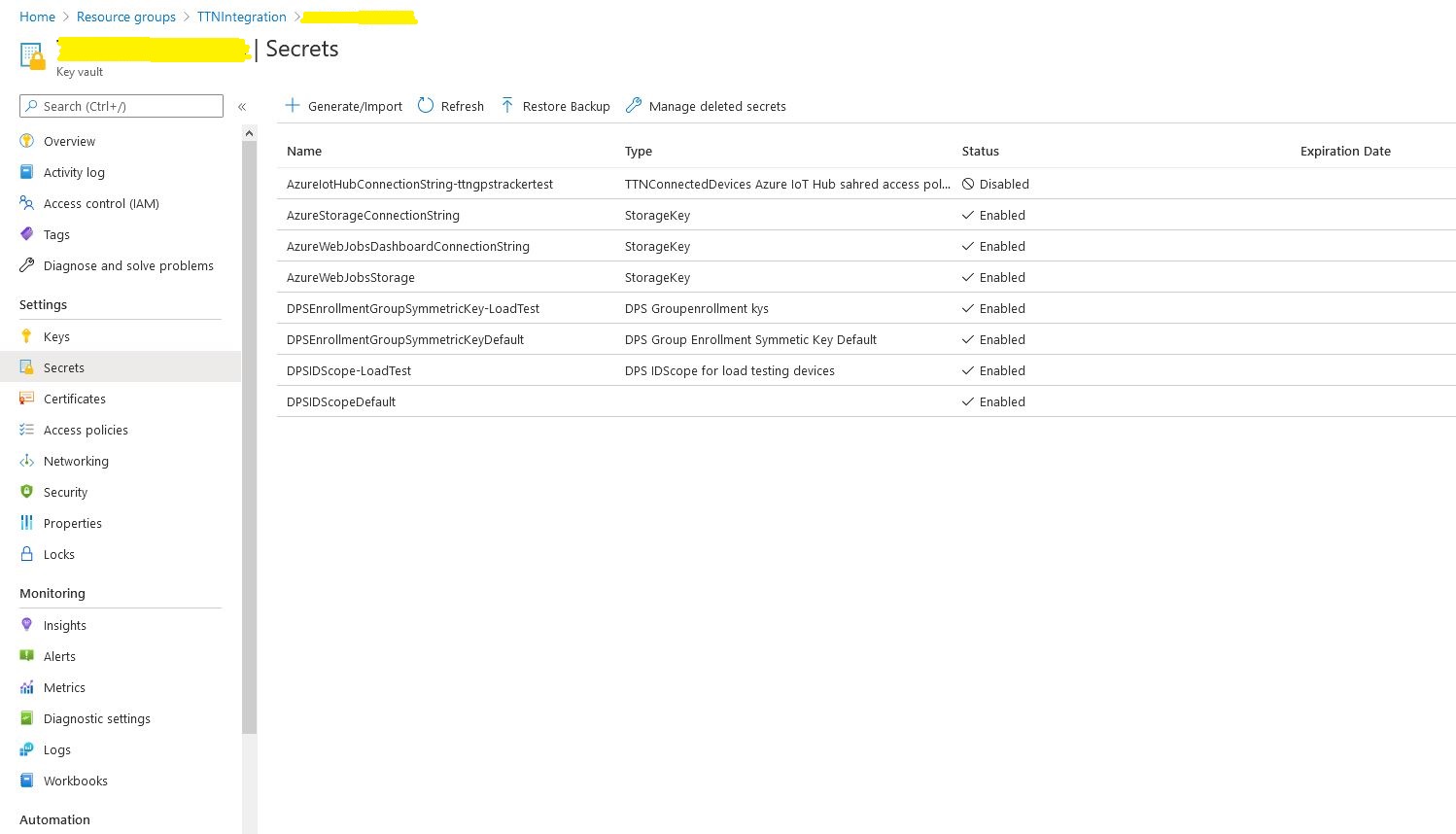
Azure Key Vault Secrets

I kept on making typos in the secret names and types which was frustrating.

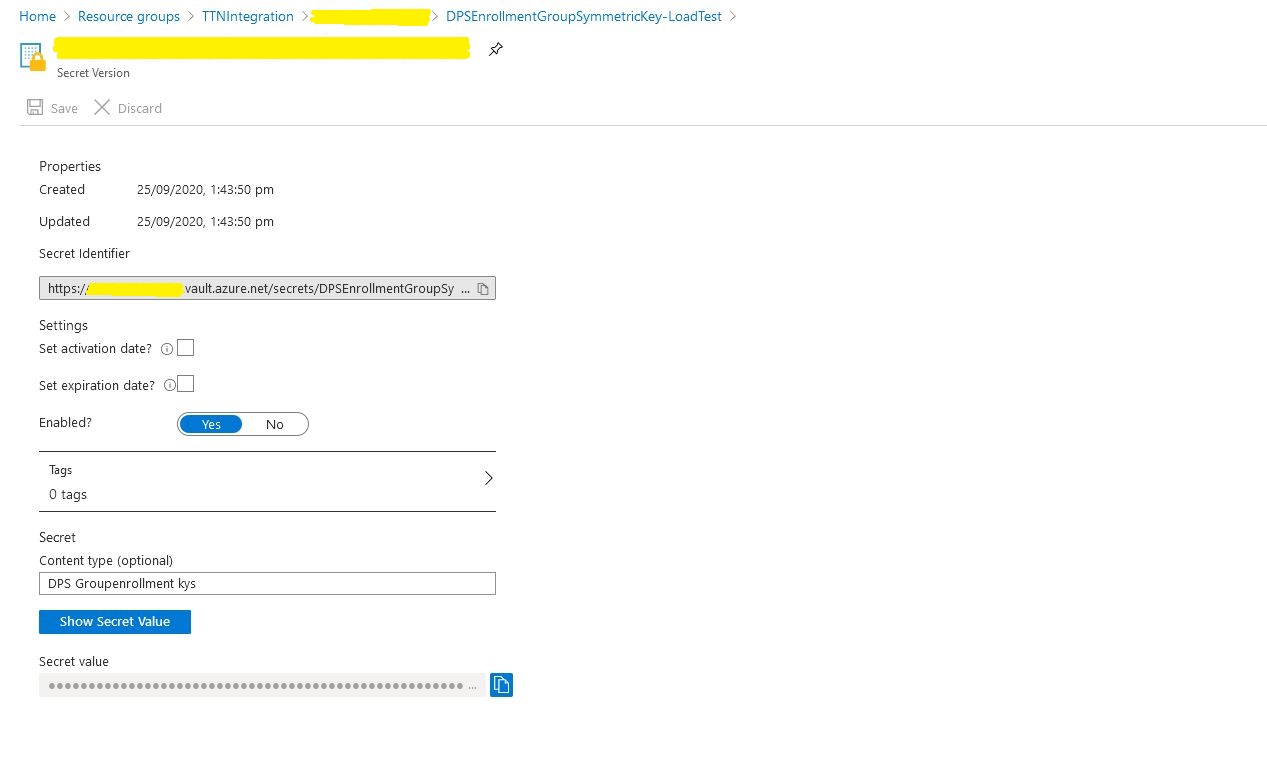
Azure Key Vault secret

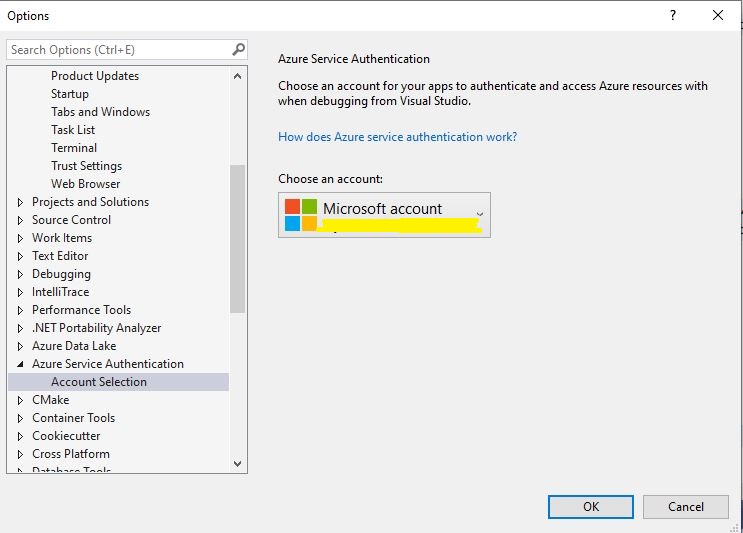
While debugging in Visual Studio you may need to configure the Azure Identity so the application can access the Azure Key Vault.