Myriota Connector – Azure IoT Hub DTDL Support

The Myriota connector supports the use of Digital Twin Definition Language(DTDL) for Azure IoT Hub Connection Strings and the Azure IoT Hub Device Provisioning Service(DPS).

{
  "ConnectionStrings": {
    "ApplicationInsights": "...",
    "UplinkQueueStorage": "...",
    "PayloadFormattersStorage": "..."
  },
  "AzureIoT": {
   ...
 "ApplicationToDtdlModelIdMapping": {
   "tracker": "dtmi:myriotaconnector:Tracker_2lb;1",
     }
  }
 ...    
}

The Digital Twin Definition Language(DTDL) configuration used when a device is provisioned or when it connects is determined by the payload application which is based on the Myriota Destination endpoint.

The Azure Function Configuration of Application to DTDL Model ID

BEWARE – They application in ApplicationToDtdlModelIdMapping is case sensitive!

Azure IoT Central Device Template Configuration

I used Azure IoT Central Device Template functionality to create my Azure Digital Twin definitions.

Azure IoT Hub Device Connection String

The DeviceClient CreateFromConnectionString method has an optional ClientOptions parameter which specifies the DTLDL model ID for the duration of the connection.

private async Task<DeviceClient> AzureIoTHubDeviceConnectionStringConnectAsync(string terminalId, string application, object context)
{
    DeviceClient deviceClient;

    if (_azureIoTSettings.ApplicationToDtdlModelIdMapping.TryGetValue(application, out string? modelId))
    {
        ClientOptions clientOptions = new ClientOptions()
        {
            ModelId = modelId
        };

        deviceClient = DeviceClient.CreateFromConnectionString(_azureIoTSettings.AzureIoTHub.ConnectionString, terminalId, TransportSettings, clientOptions);
    }
    else
    { 
        deviceClient = DeviceClient.CreateFromConnectionString(_azureIoTSettings.AzureIoTHub.ConnectionString, terminalId, TransportSettings);
    }

    await deviceClient.OpenAsync();

    return deviceClient;
}
Azure IoT Explorer Telemetry message with DTDL Model ID

Azure IoT Hub Device Provisioning Service

The ProvisioningDeviceClient RegisterAsync method has an optional ProvisionRegistrationAdditionalData parameter. The PnpConnection CreateDpsPayload is used to generate the JsonData property which specifies the DTLDL model ID used when the device is initially provisioned.

private async Task<DeviceClient> AzureIoTHubDeviceProvisioningServiceConnectAsync(string terminalId, string application, object context)
{
    DeviceClient deviceClient;

    string deviceKey;
    using (var hmac = new HMACSHA256(Convert.FromBase64String(_azureIoTSettings.AzureIoTHub.DeviceProvisioningService.GroupEnrollmentKey)))
    {
        deviceKey = Convert.ToBase64String(hmac.ComputeHash(Encoding.UTF8.GetBytes(terminalId)));
    }

    using (var securityProvider = new SecurityProviderSymmetricKey(terminalId, deviceKey, null))
    {
        using (var transport = new ProvisioningTransportHandlerAmqp(TransportFallbackType.TcpOnly))
        {
            DeviceRegistrationResult result;

            ProvisioningDeviceClient provClient = ProvisioningDeviceClient.Create(
                _azureIoTSettings.AzureIoTHub.DeviceProvisioningService.GlobalDeviceEndpoint,
                _azureIoTSettings.AzureIoTHub.DeviceProvisioningService.IdScope,
                securityProvider,
            transport);

            if (_azureIoTSettings.ApplicationToDtdlModelIdMapping.TryGetValue(application, out string? modelId))
            {
                ClientOptions clientOptions = new ClientOptions()
                {
                    ModelId = modelId
                };

                ProvisioningRegistrationAdditionalData provisioningRegistrationAdditionalData = new ProvisioningRegistrationAdditionalData()
                {
                    JsonData = PnpConvention.CreateDpsPayload(modelId)
                };
                result = await provClient.RegisterAsync(provisioningRegistrationAdditionalData);
            }
            else
            {
                result = await provClient.RegisterAsync();
            }
  
            if (result.Status != ProvisioningRegistrationStatusType.Assigned)
            {
                _logger.LogWarning("Uplink-DeviceID:{0} RegisterAsync status:{1} failed ", terminalId, result.Status);

                throw new ApplicationException($"Uplink-DeviceID:{0} RegisterAsync status:{1} failed");
            }

            IAuthenticationMethod authentication = new DeviceAuthenticationWithRegistrySymmetricKey(result.DeviceId, (securityProvider as SecurityProviderSymmetricKey).GetPrimaryKey());

            deviceClient = DeviceClient.Create(result.AssignedHub, authentication, TransportSettings);
        }
    }

    await deviceClient.OpenAsync();

    return deviceClient;
}
Azure IoT Central Device Connection Group configuration

An Azure IoT Central Device connection groups can be configured to “automagically” provision devices.

Myriota Connector – Azure IoT Hub Connectivity

The Myriota connector supports the use of Azure IoT Hub Connection Strings and the Azure IoT Hub Device Provisioning Service(DPS) for device management. I use Alastair Crabtree’s LazyCache to store Azure IoT Hub connections which are opened the first time they are used.

 public async Task<DeviceClient> GetOrAddAsync(string terminalId, object context)
 {
     DeviceClient deviceClient;

     switch (_azureIoTSettings.AzureIoTHub.ConnectionType)
     {
         case Models.AzureIotHubConnectionType.DeviceConnectionString:
             deviceClient = await _azuredeviceClientCache.GetOrAddAsync(terminalId, (ICacheEntry x) => AzureIoTHubDeviceConnectionStringConnectAsync(terminalId, context));
             break;
         case Models.AzureIotHubConnectionType.DeviceProvisioningService:
             deviceClient = await _azuredeviceClientCache.GetOrAddAsync(terminalId, (ICacheEntry x) => AzureIoTHubDeviceProvisioningServiceConnectAsync(terminalId, context));
             break;
         default:
             _logger.LogError("Uplink- Azure IoT Hub ConnectionType unknown {0}", _azureIoTSettings.AzureIoTHub.ConnectionType);

             throw new NotImplementedException("AzureIoT Hub unsupported ConnectionType");
     }

     return deviceClient;
 }

The IAzureDeviceClientCache.GetOrAddAsync method returns an open Azure IoT Hub DeviceClient connection or uses the method specified in the application configuration.

Azure IoT Hub Device Connection String

The Azure IoT Hub delegate uses a Device Connection String which is retrieved from the application configuration.

{
  "ConnectionStrings": {
    "ApplicationInsights": "...",
    "UplinkQueueStorage": "...",
    "PayloadFormattersStorage": "..."
  },
  "AzureIoT": {
    "AzureIoTHub": {
      "ConnectionType": "DeviceConnectionString",
      "connectionString": "HostName=....azure-devices.net;SharedAccessKeyName=device;SharedAccessKey=...",
        }
   }
 ...    
}
Azure Function with IoT Hub Device connection string configuration
private async Task<DeviceClient> AzureIoTHubDeviceConnectionStringConnectAsync(string terminalId, object context)
{
    DeviceClient deviceClient = DeviceClient.CreateFromConnectionString(_azureIoTSettings.AzureIoTHub.ConnectionString, terminalId, TransportSettings);

    await deviceClient.OpenAsync();

    return deviceClient;
 }
Azure IoT Hub Device Shared Access Policy for Device Connection String

One of my customers uses an Azure Logic Application to manage Myriota and Azure IoT Connector configuration.

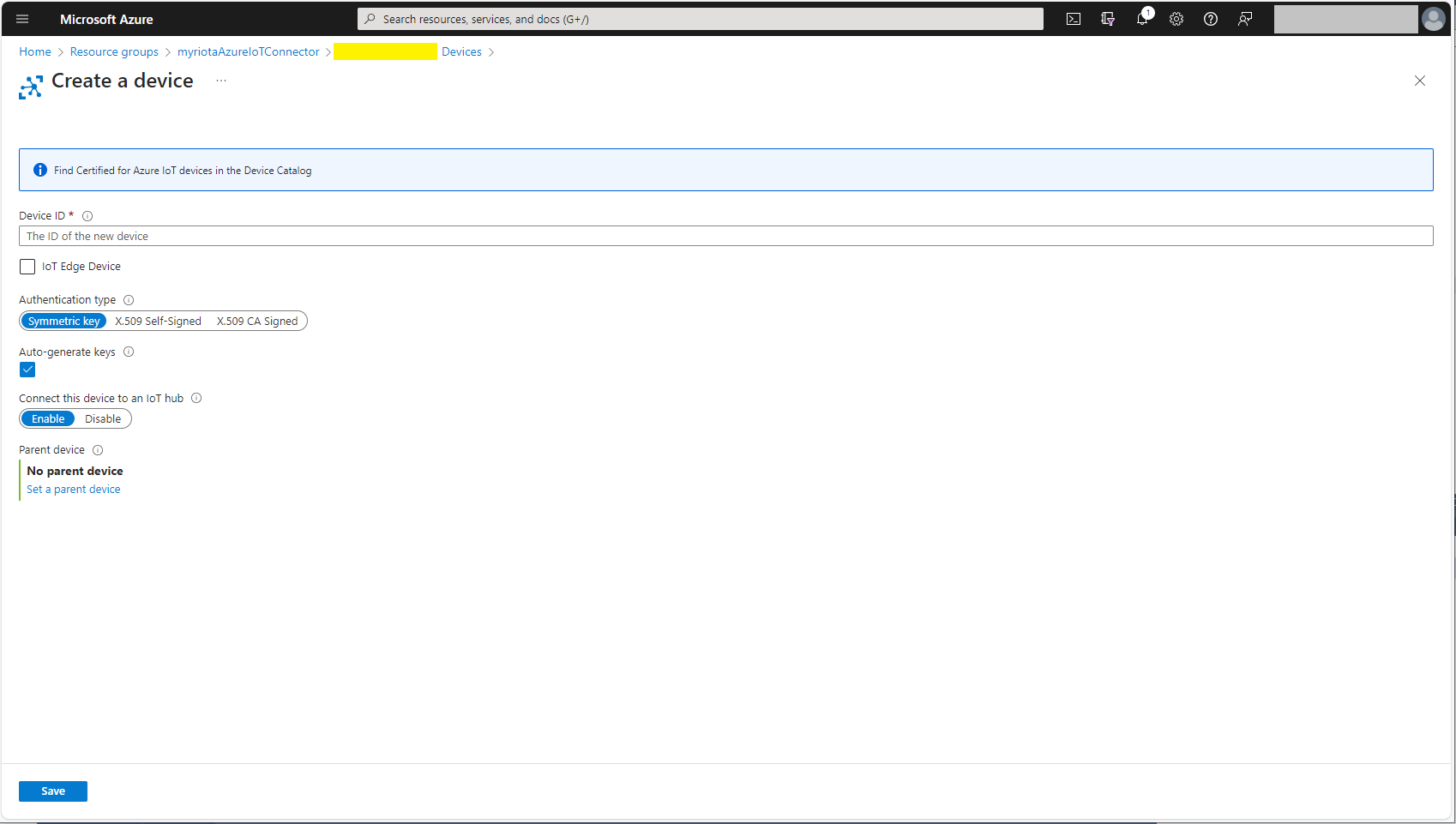
Azure IoT Hub manual Device configuration

Azure IoT Hub Device Provisioning Service

The Azure IoT Hub Device Provisioning Service(DPS) delegate uses Symmetric Key Attestation with the Global Device Endpoint, ID Scope and Group Enrollment Key retrieved from the application configuration.

{
  "ConnectionStrings": {
    "ApplicationInsights": "...",
    "UplinkQueueStorage": "...",
    "PayloadFormattersStorage": "..."
  },
  "AzureIoT": {
      "ConnectionType": "DeviceProvisioningService",
      "DeviceProvisioningServiceIoTHub": {
        "GlobalDeviceEndpoint": "global.azure-devices-provisioning.net",
        "IDScope": ".....",
        "GroupEnrollmentKey": "...."
      }
   }
}
Azure IoT Function with Azure IoT Hub Device Provisioning Service(DPS) configuration

Symmetric key attestation with the Azure IoT Hub Device Provisioning Service(DPS) is performed using the same security tokens supported by Azure IoT Hubs to securely connect devices. The symmetric key of an enrollment group isn’t used directly by devices in the provisioning process. Instead, devices that provision through an enrollment group do so using a derived device key.
private async Task<DeviceClient> AzureIoTHubDeviceProvisioningServiceConnectAsync(string terminalId, object context)
{
    DeviceClient deviceClient;

    string deviceKey;
    using (var hmac = new HMACSHA256(Convert.FromBase64String(_azureIoTSettings.AzureIoTHub.DeviceProvisioningService.GroupEnrollmentKey)))
    {
        deviceKey = Convert.ToBase64String(hmac.ComputeHash(Encoding.UTF8.GetBytes(terminalId)));
    }

    using (var securityProvider = new SecurityProviderSymmetricKey(terminalId, deviceKey, null))
    {
        using (var transport = new ProvisioningTransportHandlerAmqp(TransportFallbackType.TcpOnly))
        {
            DeviceRegistrationResult result;

            ProvisioningDeviceClient provClient = ProvisioningDeviceClient.Create(
                _azureIoTSettings.AzureIoTHub.DeviceProvisioningService.GlobalDeviceEndpoint,
                _azureIoTSettings.AzureIoTHub.DeviceProvisioningService.IdScope,
                securityProvider,
                transport);

            result = await provClient.RegisterAsync();
  
            if (result.Status != ProvisioningRegistrationStatusType.Assigned)
            {
                _logger.LogWarning("Uplink-DeviceID:{0} RegisterAsync status:{1} failed ", terminalId, result.Status);

                throw new ApplicationException($"Uplink-DeviceID:{0} RegisterAsync status:{1} failed");
            }

            IAuthenticationMethod authentication = new DeviceAuthenticationWithRegistrySymmetricKey(result.DeviceId, (securityProvider as SecurityProviderSymmetricKey).GetPrimaryKey());

            deviceClient = DeviceClient.Create(result.AssignedHub, authentication, TransportSettings);
        }
    }

    await deviceClient.OpenAsync();

    return deviceClient;
}

The derived device key is a hash of the device’s registration ID and is computed using the symmetric key of the enrollment group. The device can then use its derived device key to sign the SAS token it uses to register with DPS.

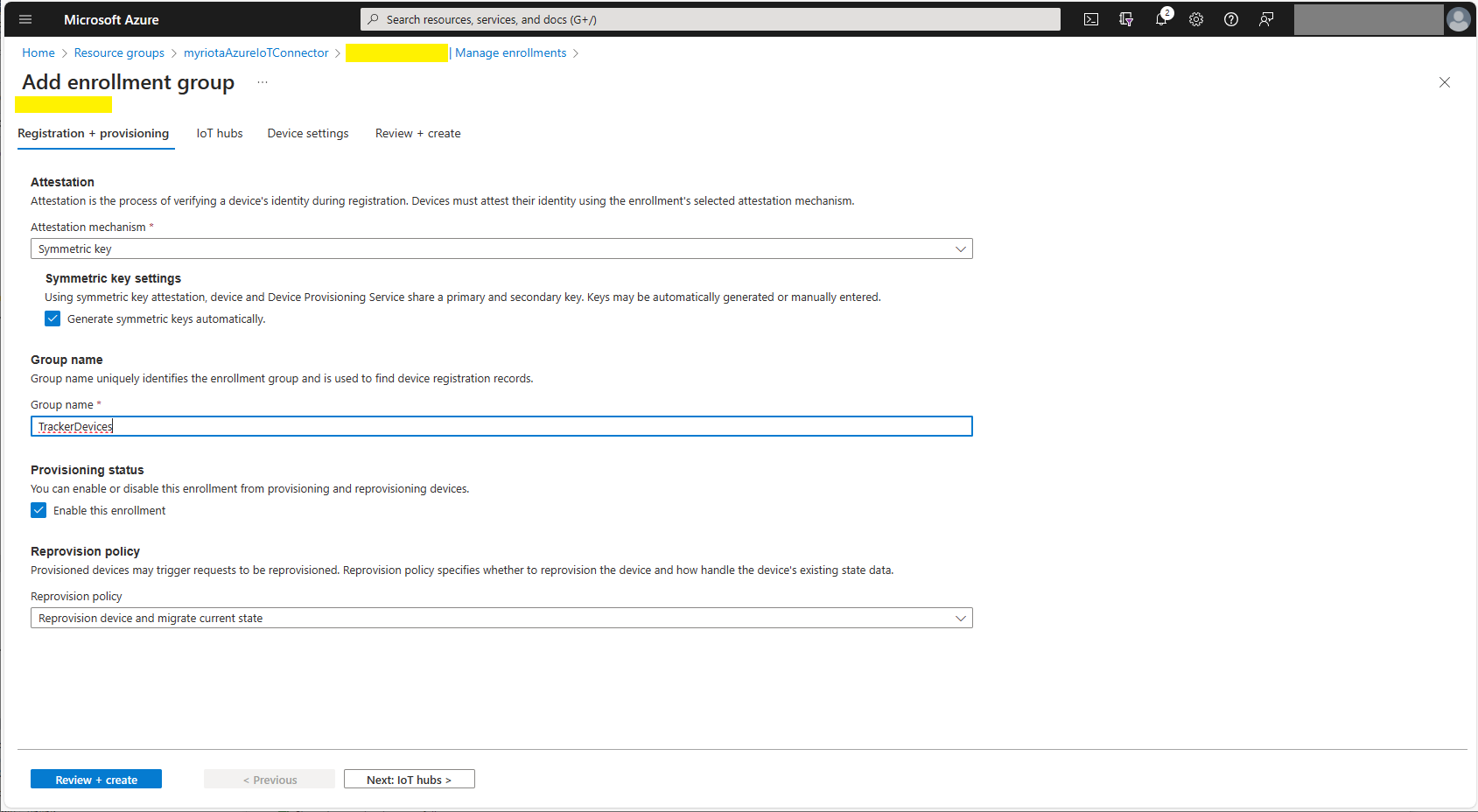
Azure Device Provisioning Service Adding Enrollment Group Attestation
Azure Device Provisioning Service Add Enrollment Group IoT Hub(s) selection.
Azure Device Provisioning Service Manager Enrollments

For initial development and testing I ran the function application in the desktop emulator and simulated Myriota Device Manager webhook calls with Azure Storage Explorer and modified sample payloads.

Azure Storage Explorer Storage Account Queued Messages

I then used Azure IoT Explorer to configure devices, view uplink traffic etc.

Azure IoT Explorer Devices

When I connected to my Azure IoT Hub shortly after starting the Myriota Azure IoT Connector Function my test devices started connecting as messages arrived.

Azure IoT Explorer Device Telemetry

I then deployed my function to Azure and configured the Azure IoT Hub connection string, Azure Application Insights connection string etc.

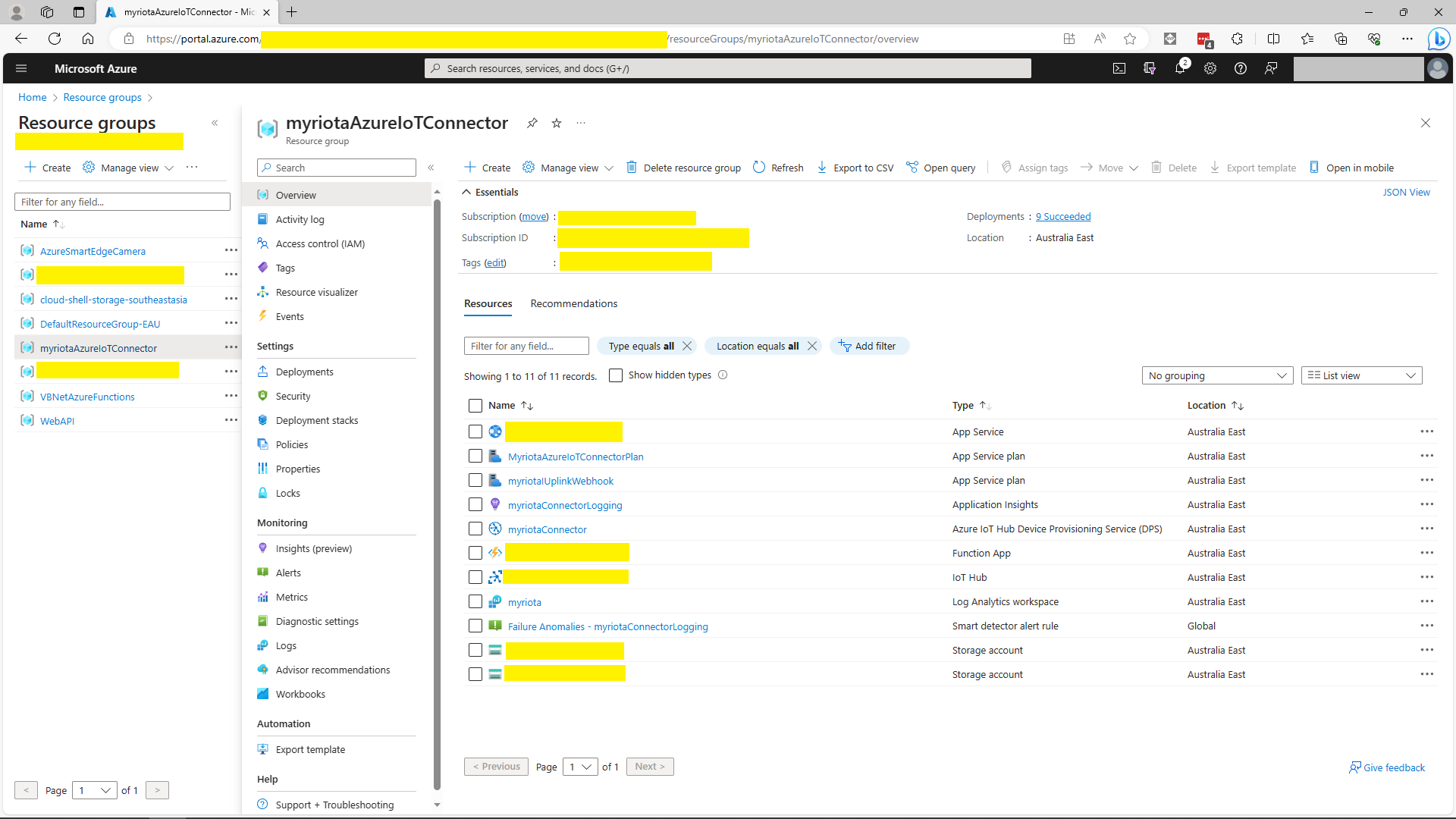
Azure Portal Myriota Resource Group
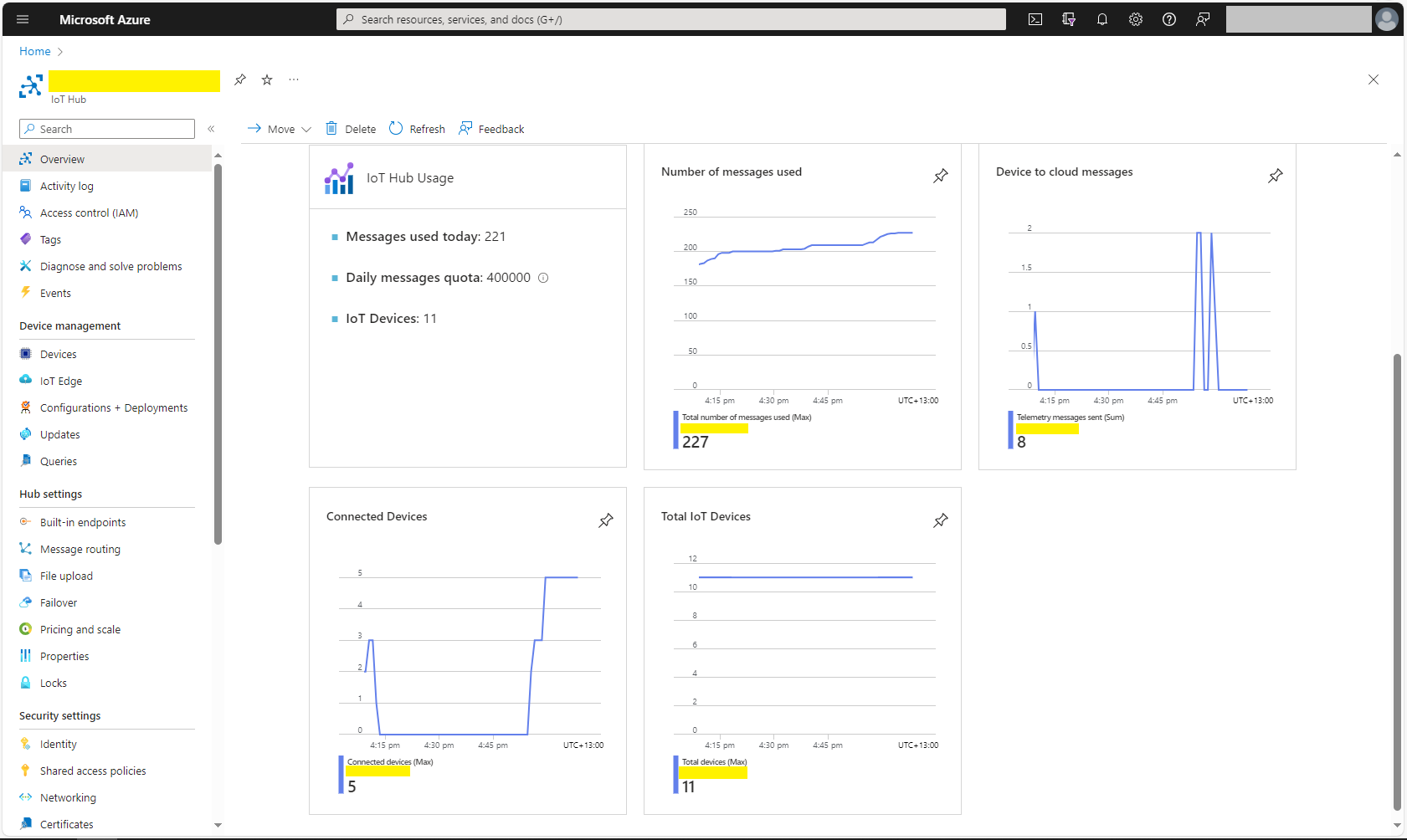
Azure Portal Myriota IoT Hub Metrics

There was often a significant delay for the Device Status to update. which shouldn’t be a problem.

Azure Functions Isolated Worker support for VB.Net 4.8

As part of my “day job” I spend a bit of time working with VB.Net 4.X “legacy” projects doing upgrades, and bug fixes. Currently I am updating a number of Windows Service applications to run as Microsoft Azure Functions. With the release of the Azure functions runtime V4 Isolated Worker Processes with .NET Framework V4.8 support this is the last post in my Azure Functions with VB.Net 4.X and Azure Functions with VB.Net on .NET Core V6 series.

I have published source code for Azure Storage BlobTrigger, Azure Storage QueueTrigger, and TimerTriggers.

Visual Studio Solution explorer Azure Functions projects

All of the examples now have a program.vb which initialises the Trigger.

Namespace VBNet....TriggerIsolated
    Friend Class Program
        Public Shared Sub Main(ByVal args As String())
            Call FunctionsDebugger.Enable()

            Dim host = New HostBuilder().ConfigureFunctionsWorkerDefaults().Build()

            host.Run()
        End Sub
    End Class
End Namespace

All of the Isolated worker process Triggers displayed this message which appeared to be benign.

Csproj not found in C:\Users\..\VBNetHttpTriggerIsolated\bin\Debug\net48 directory tree. Skipping user secrets file configuration.

There were a lot of articles about problems building Docker images but the only relevant ones appeared to talk about getting F# and other .NET Core languages to work in Azure Functions.

Namespace devMobile.Azure.VBNetBlobTriggerIsolated
    Public Class BlobTrigger
        Private ReadOnly _logger As ILogger

        Public Sub New(ByVal loggerFactory As ILoggerFactory)
            _logger = loggerFactory.CreateLogger(Of BlobTrigger)()
        End Sub

        <[Function]("vbnetblobtriggerisolated")>
        Public Sub Run(
        <BlobTrigger("vbnetblobtriggerisolated/{name}", Connection:="blobendpoint")> ByVal myBlob As String, ByVal name As String)

            _logger.LogInformation($"VB.Net NET 4.8 Isolated Blob trigger function Processed blob Name: {name}  Data: {myBlob}")
        End Sub
    End Class
End Namespace

I used Azure Storage Explorer to upload files containing Lorem Ipsum for testing the BlobTrigger.

Azure BlobTrigger function running in the desktop emulator
Azure BlobTrigger Function logging in Application Insights

I used Telerik Fiddler to POST messages to the desktop emulator and Azure endpoints.

Namespace VBNetHttpTriggerIsolated
    Public Class HttpTrigger
        Private Shared executionCount As Int32
        Private ReadOnly _logger As ILogger

        Public Sub New(ByVal loggerFactory As ILoggerFactory)
            _logger = loggerFactory.CreateLogger(Of HttpTrigger)()
        End Sub

        <[Function]("Notifications")>
        Public Function Run(
        <HttpTrigger(AuthorizationLevel.Anonymous, "get", "post")> ByVal req As HttpRequestData) As HttpResponseData
            Interlocked.Increment(executionCount)

            _logger.LogInformation("VB.Net NET 4.8 Isolated HTTP trigger Execution count:{executionCount} Method:{req.Method}", executionCount, req.Method)

            Dim response = req.CreateResponse(HttpStatusCode.OK)
            response.Headers.Add("Content-Type", "text/plain; charset=utf-8")

            Return response
        End Function
    End Class
End Namespace
Azure HttpTrigger Function running in the desktop emulator
Azure HttpTrigger Function logging in Application Insights

I used Azure Storage Explorer to create messages for testing the QueueTrigger

Namespace devMobile.Azure.VBNetQueueTriggerIsolated

    Public Class QueueTrigger
        Private Shared _logger As ILogger
        Private Shared _concurrencyCount As Integer = 0
        Private Shared _executionCount As Integer = 0

        Public Sub New(ByVal loggerFactory As ILoggerFactory)
            _logger = loggerFactory.CreateLogger(Of QueueTrigger)()
        End Sub

        <[Function]("VBNetQueueTriggerIsolated")>
        Public Sub Run(
        <QueueTrigger("vbnetqueuetriggerisolated", Connection:="QueueEndpoint")> ByVal message As String)
            Interlocked.Increment(_concurrencyCount)
            Interlocked.Increment(_executionCount)

            _logger.LogInformation("VB.Net .NET 4.8 Isolated Queue Trigger Concurrency:{_concurrencyCount} ExecutionCount:{_executionCount} Message:{message}", _concurrencyCount, _executionCount, message)

            Interlocked.Decrement(_concurrencyCount)
        End Sub
    End Class
End Namespace
Azure QueueTrigger Function running in the desktop emulator
Azure QueueTrigger Function logging in Application Insights
Namespace devMobile.Azure.VBNetTimerTriggerIsolated
    Public Class TimerTrigger
        Private Shared _logger As ILogger
        Private Shared _executionCount As Integer = 0

        Public Sub New(ByVal loggerFactory As ILoggerFactory)
            _logger = loggerFactory.CreateLogger(Of TimerTrigger)()
        End Sub

        <[Function]("Timer")>
        Public Sub Run(
        <TimerTrigger("0 */1 * * * *")> ByVal myTimer As MyInfo)

            Interlocked.Increment(_executionCount)
            _logger.LogInformation("VB.Net Isolated TimerTrigger next trigger:{0} Execution count:{1}", myTimer.ScheduleStatus.Next, _executionCount)
        End Sub
    End Class
Azure TimerTrigger Function running in the desktop emulator
Azure TimerTrigger Function logging in Application Insights

The development, debugging and deployment of these functions took a lot of time. Initially Azure Application Insights didn’t work when the Azure Isolated Worker triggers were deployed to Azure. After some experimentation I found that Application Insights Connection Strings worked and Application Instrumentation Keys did not.

With the Microsoft: ‘We Do Not Plan to Evolve Visual Basic as a Language this should hopefully be my last post about VB.Net ever.

Swarm Space – DeviceClient Cache warming with HTTPTrigger

For C2D messaging to work a device must have a DeviceClient “connection” established to the Azure IoT Hub which is a problem for irregularly connect devices. Sometimes establishing a connection on the first D2C messages is sufficient, especially for devices which only support D2C messaging. An Identity Translation Gateway establishes a connection for each device (see discussion about AMQP Connection multiplexing) so that C2D messages can be sent immediately.
I initially tried building a cache loader with BackgroundService so that the DeviceClient cache would start loading as the application started but interdependencies became problem.

public partial class Connector
{
    [Function("BumblebeeHiveCacheRefresh")]
    public async Task<IActionResult> BumblebeeHiveCacheRefreshRun([HttpTrigger(AuthorizationLevel.Function, "get")] CancellationToken cancellationToken)
    {
        _logger.LogInformation("BumblebeeHiveCacheRefresh start");

        await _swarmSpaceBumblebeeHive.Login(cancellationToken);

        foreach (SwarmSpace.BumblebeeHiveClient.Device device in await _swarmSpaceBumblebeeHive.DeviceListAsync(cancellationToken))
        {
            _logger.LogInformation("BumblebeeHiveCacheRefresh DeviceId:{DeviceId} DeviceName:{DeviceName}", device.DeviceId, device.DeviceName);

            Models.AzureIoTDeviceClientContext context = new Models.AzureIoTDeviceClientContext()
            {
                // TODO seems a bit odd getting this from application settings
                OrganisationId = _applicationSettings.OrganisationId, 
                //UserApplicationId = device.UserApplicationId, deprecated
                DeviceType = (byte)device.DeviceType,
                DeviceId = (uint)device.DeviceId,
            };

            switch (_azureIoTSettings.ApplicationType)
            {
                case Models.ApplicationType.AzureIotHub:
                    switch (_azureIoTSettings.AzureIotHub.ConnectionType)
                    {
                        case Models.AzureIotHubConnectionType.DeviceConnectionString:
                             await _azureDeviceClientCache.GetOrAddAsync<DeviceClient>(device.DeviceId.ToString(), (ICacheEntry x) => AzureIoTHubDeviceConnectionStringConnectAsync(device.DeviceId.ToString(), context));
                            break;
                        case Models.AzureIotHubConnectionType.DeviceProvisioningService:
                             await _azureDeviceClientCache.GetOrAddAsync<DeviceClient>(device.DeviceId.ToString(), (ICacheEntry x) => AzureIoTHubDeviceProvisioningServiceConnectAsync(device.DeviceId.ToString(), context, _azureIoTSettings.AzureIotHub.DeviceProvisioningService));
                            break;
                        default:

                        _logger.LogError("Azure IoT Hub ConnectionType unknown {0}", _azureIoTSettings.AzureIotHub.ConnectionType);

                            throw new NotImplementedException("AzureIoT Hub unsupported ConnectionType");
                    }
                    break;

                case Models.ApplicationType.AzureIoTCentral:
                    await _azureDeviceClientCache.GetOrAddAsync<DeviceClient>(device.DeviceId.ToString(), (ICacheEntry x) => AzureIoTHubDeviceProvisioningServiceConnectAsync(device.DeviceId.ToString(), context, _azureIoTSettings.AzureIoTCentral.DeviceProvisioningService));
                break;

                default:
                    _logger.LogError("AzureIoT application type unknown {0}", _azureIoTSettings.ApplicationType);

                    throw new NotImplementedException("AzureIoT unsupported ApplicationType");
            }
        }

        _logger.LogInformation("BumblebeeHiveCacheRefresh finish");

        return new OkResult();
    }
}

The HTTP WEBSITE_WARMUP_PATH environment variable is used to call the Azure HTTPTrigger Function and this is secured with an x-functions-key header.

Azure Function App Configuration

In the short-term loading the cache with a call to an Azure HTTPTrigger Function works but may timeout issues. When I ran the connector with my 100’s of devices simulator the function timed out every so often.

Swarm Space – Uplink with Azure Functions or WebAPI

This post could have been much longer with more screen grabs and code snippets, so this is the “highlights package”. This post took a lot longer than I expected as building, testing locally, then deploying the different implementations was time consuming.

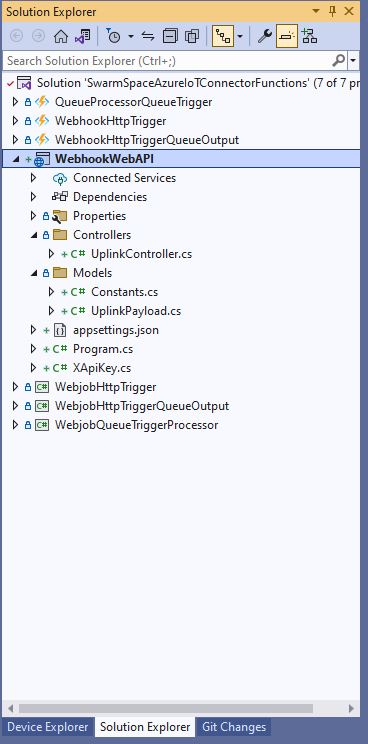
Swarm Space Connector Functions Projects

I built the projects to investigate the different options taking into account reliability, robustness, amount of code, performance (I think slow startup could be a problem). The code is very “plain” I used the default options, no copyright notices, default formatting, context sensitive error messages were used to add any required “using” statements, libraries etc.

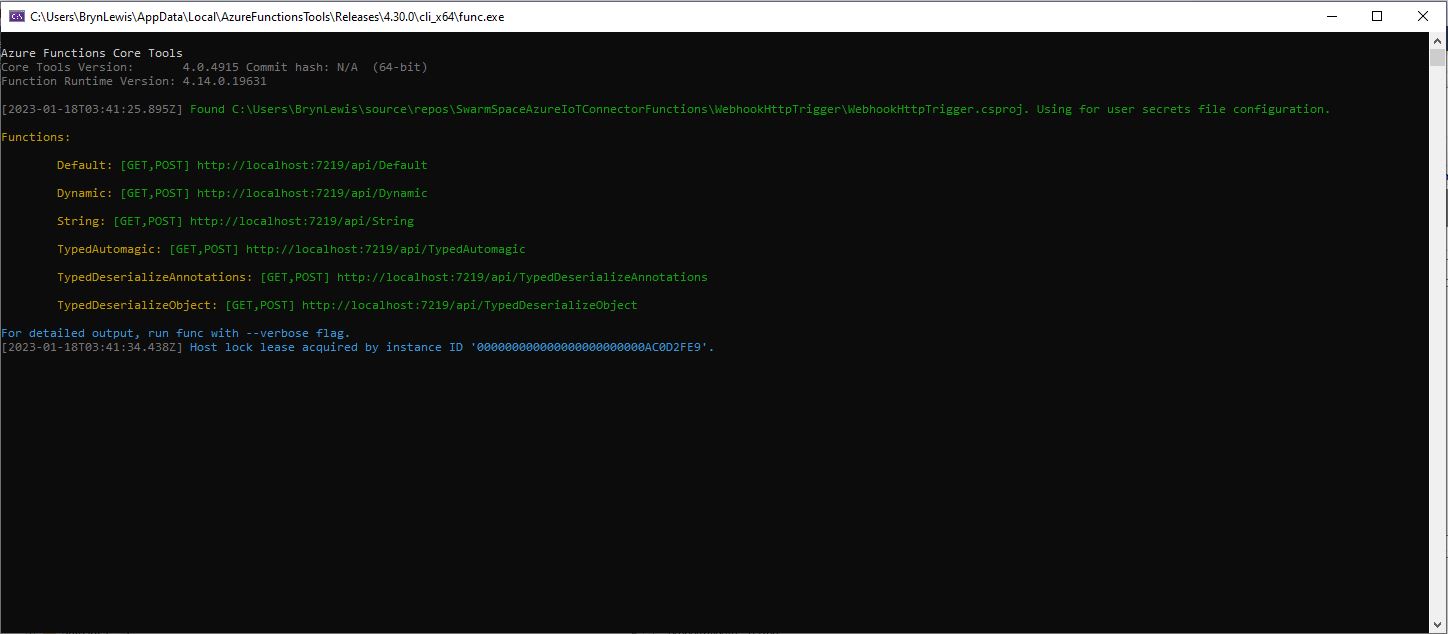
The desktop emulator hosting the six functions

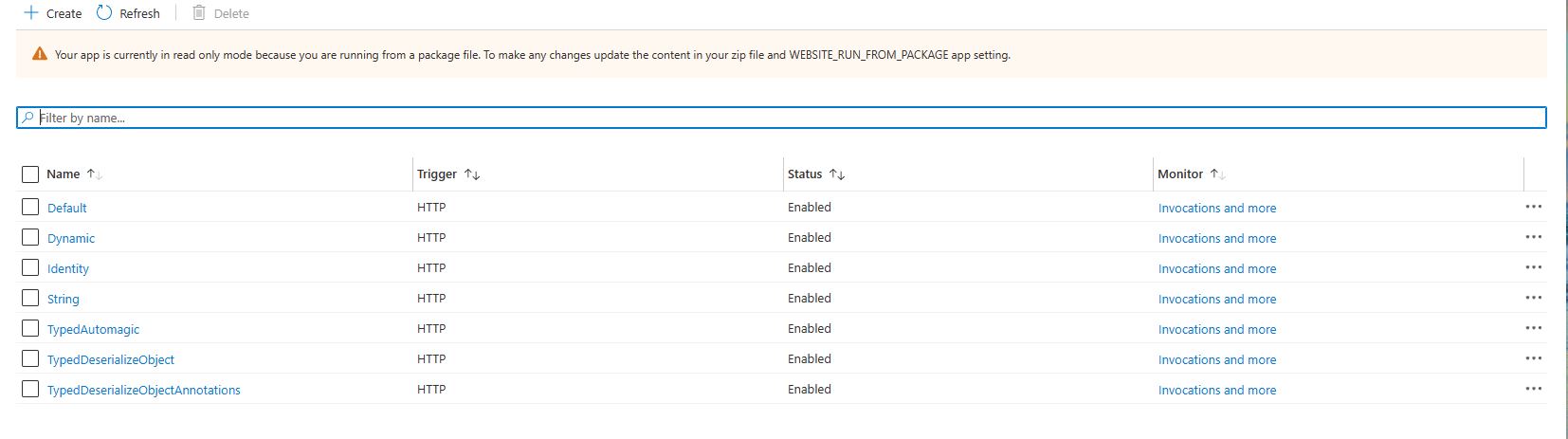
I also deployed the Azure Functions and ASP .NET Core WebAPI application to check there were no difference (beyond performance) in the way they worked. I included a “default” function (generated by the new project wizard) for reference while I was building the others.
The function application with six functions in deployed to Azure

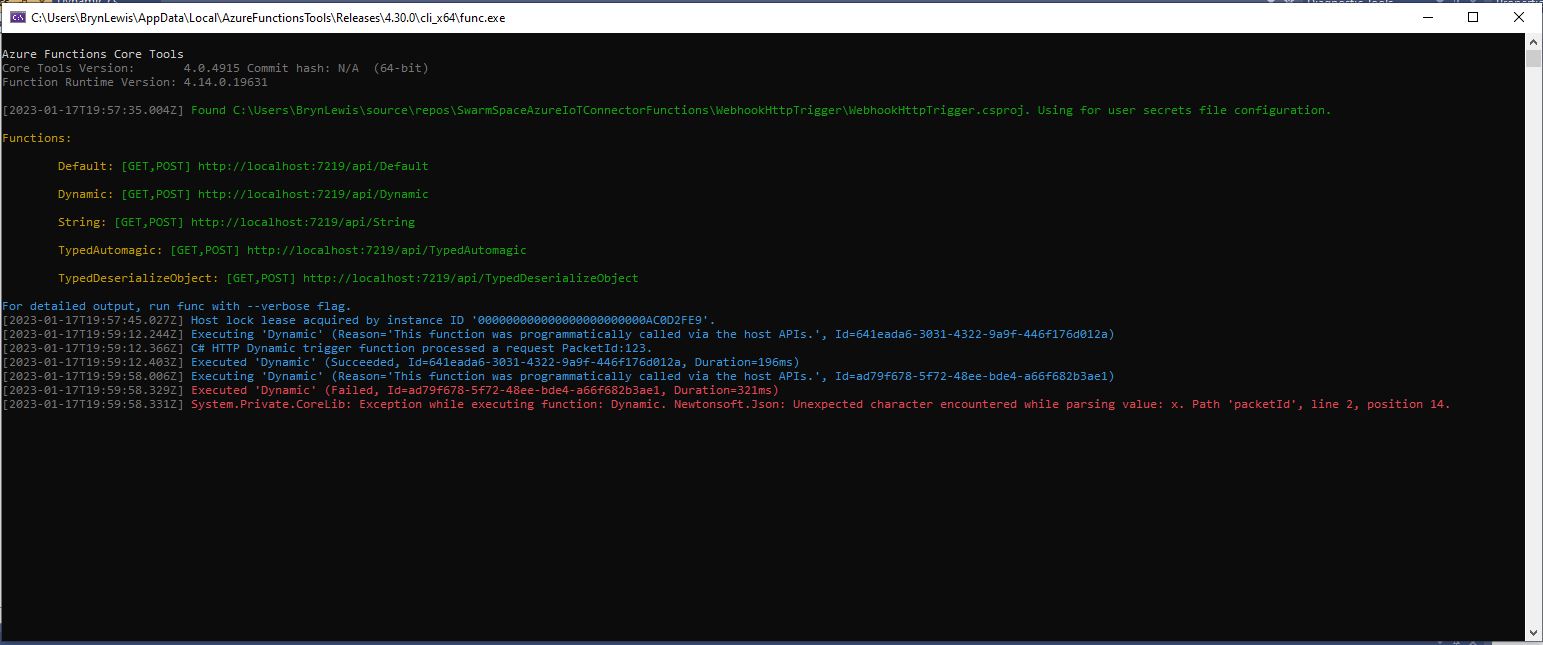
The “dynamic” type function worked but broke when the Javascript Object Notation(JSON) was invalid, or fields were missing, and it didn’t enforce the payload was correct.
namespace WebhookHttpTrigger
{
    public static class Dynamic
    {
        [FunctionName("Dynamic")]
        public static async Task<IActionResult> Run(
            [HttpTrigger(AuthorizationLevel.Function, "get", "post", Route = null)] dynamic input,
            ILogger log)
        {
            log.LogInformation($"C# HTTP Dynamic trigger function processed a request PacketId:{input.packetId}.");

            return new OkObjectResult("Hello, This HTTP triggered Dynamic function executed successfully.");
        }
    }
}
Dynamic Trigger function failing because PacketId format was valid (x in numeric field)

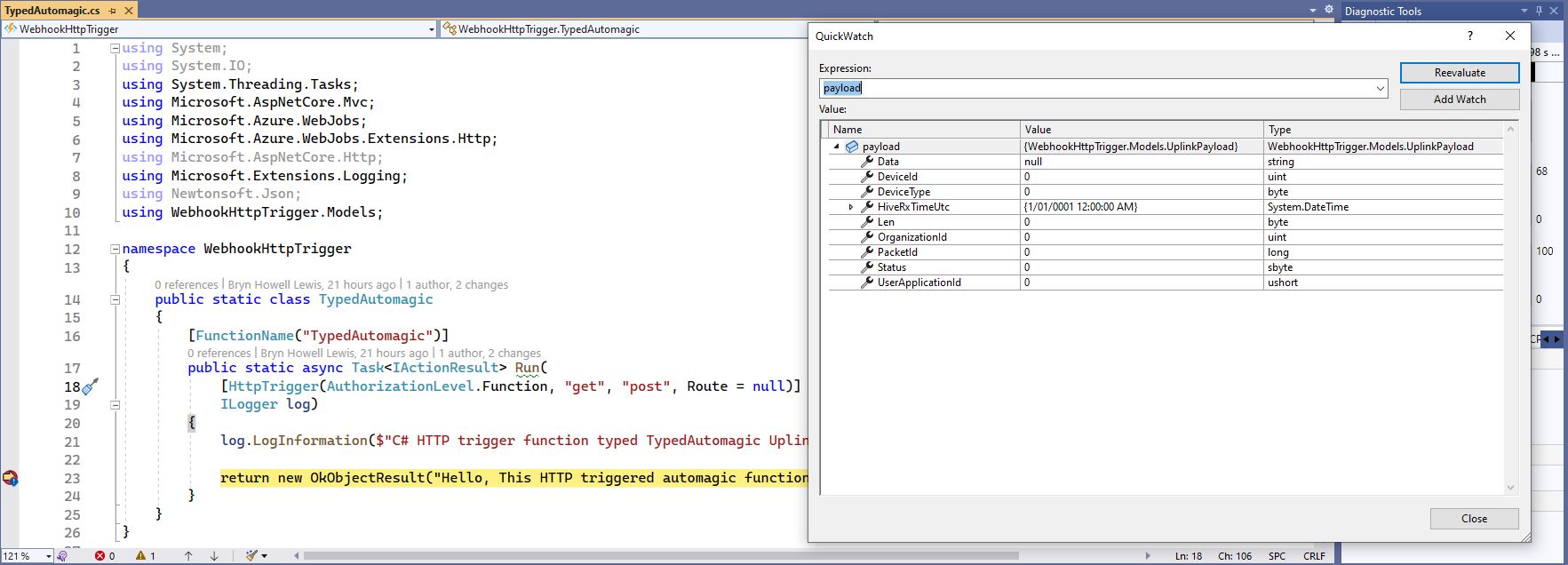
The “TypedAutomagic” function worked, it ensured the Javascript Object Notation(JSON) was valid, the payload format was correct but didn’t enforce the System.ComponentModel.DataAnnotations attributes.

namespace WebhookHttpTrigger
{
    public static class TypedAutomagic
    {
        [FunctionName("TypedAutomagic")]
        public static async Task<IActionResult> Run(
            [HttpTrigger(AuthorizationLevel.Function, "get", "post", Route = null)] UplinkPayload payload,
            ILogger log)
        {
            log.LogInformation($"C# HTTP trigger function typed TypedAutomagic UplinkPayload processed a request PacketId:{payload.PacketId}");

            return new OkObjectResult("Hello, This HTTP triggered automagic function executed successfully.");
        }
    }
}
Successful execution of TypedAutomagic function

The “TypedAutomagic” implementation also detected when the JSON property values in the payload couldn’t be deserialised successfully, but if the hiveRxTime was invalid the value was set to 1/1/0001 12:00:00 am.

TypedAutomagic hiveRxTime deserialisation failing

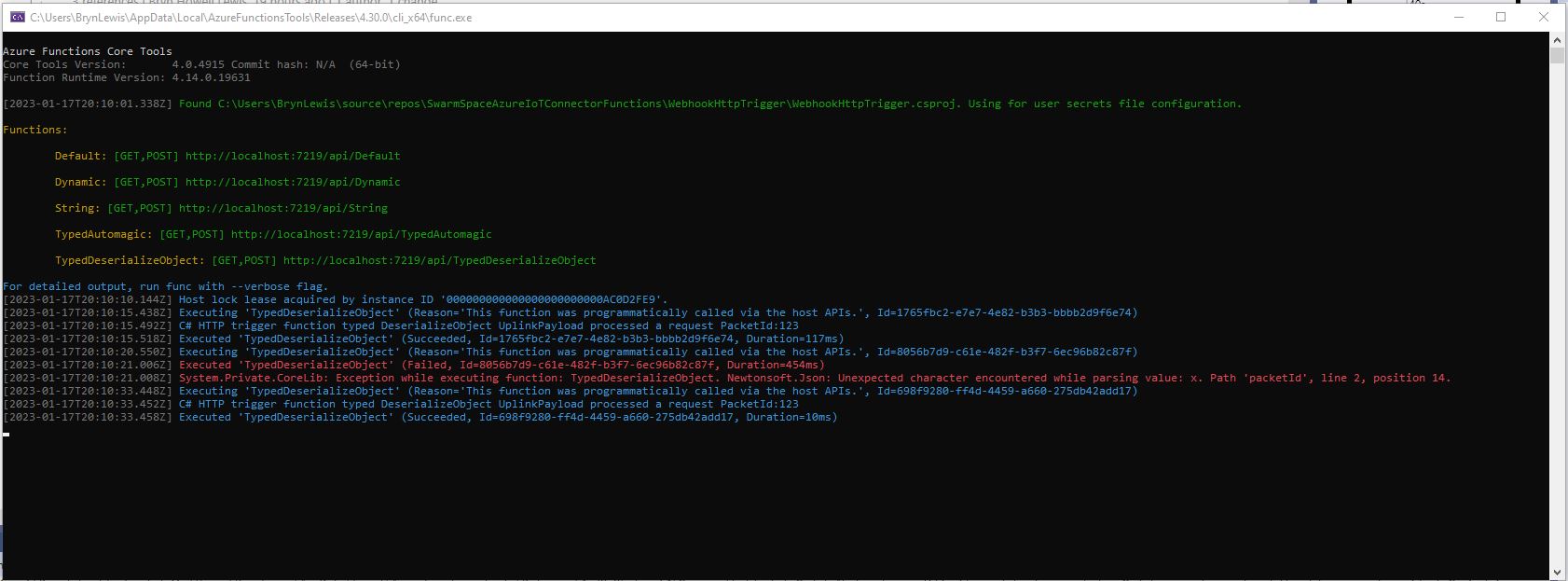
The “TypedDeserializeObject” function worked, it ensured the Javascript Object Notation(JSON) was valid, the payload format was correct but also didn’t enforce the System.ComponentModel.DataAnnotations attributes.

namespace WebhookHttpTrigger
{
    public static class TypedDeserializeObject
    {
        [FunctionName("TypedDeserializeObject")]
        public static async Task<IActionResult> Run(
            [HttpTrigger(AuthorizationLevel.Function, "get", "post", Route = null)] string httpPayload,
            ILogger log)
        {
            UplinkPayload uplinkPayload;

            try
            {
                uplinkPayload = JsonConvert.DeserializeObject<UplinkPayload>(httpPayload);
            }
            catch(Exception ex) 
            {
                log.LogWarning(ex, "JsonConvert.DeserializeObject failed");

                return new BadRequestObjectResult(ex.Message);
            }

            log.LogInformation($"C# HTTP trigger function typed DeserializeObject UplinkPayload processed a request PacketId:{uplinkPayload.PacketId}");

            return new OkObjectResult("Hello, This HTTP triggered DeserializeObject function executed successfully.");
        }
    }
}
TypedDeserializeObject function failing because PacketId format was valid (x in numeric field)
TypedDeserializeObject function failing because deviceId value is negative but datatype is unsigned
Successful execution of TypedDeserializeObject function

The “TypedDeserializeObjectAnnotations” function worked, it ensured the Javascript Object Notation (JSON) was valid, the payload format was correct and enforced the System.ComponentModel.DataAnnotations attributes.

namespace WebhookHttpTrigger
{
    public static class TypedDeserializeObjectAnnotations
    {
        [FunctionName("TypedDeserializeObjectAnnotations")]
        public static async Task<IActionResult> Run(
            [HttpTrigger(AuthorizationLevel.Function, "get", "post", Route = null)] string httpPayload,
            ILogger log)
        {
            UplinkPayload uplinkPayload;

            try
            {
                uplinkPayload = JsonConvert.DeserializeObject<UplinkPayload>(httpPayload);
            }
            catch (Exception ex)
            {
                log.LogWarning(ex, "JsonConvert.DeserializeObject failed");

                return new BadRequestObjectResult(ex.Message);
            }

            var context = new ValidationContext(uplinkPayload, serviceProvider: null, items: null);

            var results = new List<ValidationResult>();

            var isValid = Validator.TryValidateObject(uplinkPayload, context, results,true);

            if (!isValid)
            {
                log.LogWarning("Validator.TryValidateObject failed results:{results}", results);

                return new BadRequestObjectResult(results);
            }

            log.LogInformation($"C# HTTP trigger function typed DeserializeObject UplinkPayload processed a request PacketId:{uplinkPayload.PacketId}");

            return new OkObjectResult("Hello, This HTTP triggered DeserializeObject function executed successfully.");
        }
    }
}

I built an ASP .NET Core WebAPI version with two uplink method implementations, one which used dependency injection (DI) and the other that didn’t. I also added code to validate the deserialisation of HiveRxTimeUtc.

....
[HttpPost]
public async Task<IActionResult> Post([FromBody] UplinkPayload payload)
{
    if ( payload.HiveRxTimeUtc == DateTime.MinValue)
    {
        _logger.LogWarning("HiveRxTimeUtc validation failed");

        return this.BadRequest();
    }

    QueueClient queueClient = _queueServiceClient.GetQueueClient("uplink");

    await queueClient.SendMessageAsync(Convert.ToBase64String(JsonSerializer.SerializeToUtf8Bytes(payload)));

    return this.Ok();
}
...
 [HttpPost]
public async Task<IActionResult> Post([FromBody] UplinkPayload payload)
{
    // Check that the post data is good
    if (!this.ModelState.IsValid)
    {
        _logger.LogWarning("QueuedController validation failed {0}", this.ModelState.ToString());

        return this.BadRequest(this.ModelState);
    }

    if ( payload.HiveRxTimeUtc == DateTime.MinValue)
    {
        _logger.LogWarning("HiveRxTimeUtc validation failed");

        return this.BadRequest();
    }

    try
    {
        QueueClient queueClient = new QueueClient(_configuration.GetConnectionString("AzureWebApi"), "uplink");

        //await queueClient.CreateIfNotExistsAsync();

        await queueClient.SendMessageAsync(Convert.ToBase64String(JsonSerializer.SerializeToUtf8Bytes(payload)));
    }
    catch (Exception ex)
    {
        _logger.LogError(ex,"Unable to open/create queue or send message", ex);

        return this.Problem("Unable to open queue (creating if it doesn't exist) or send message", statusCode: 500, title: "Uplink payload not sent");
    }

    return this.Ok();
}

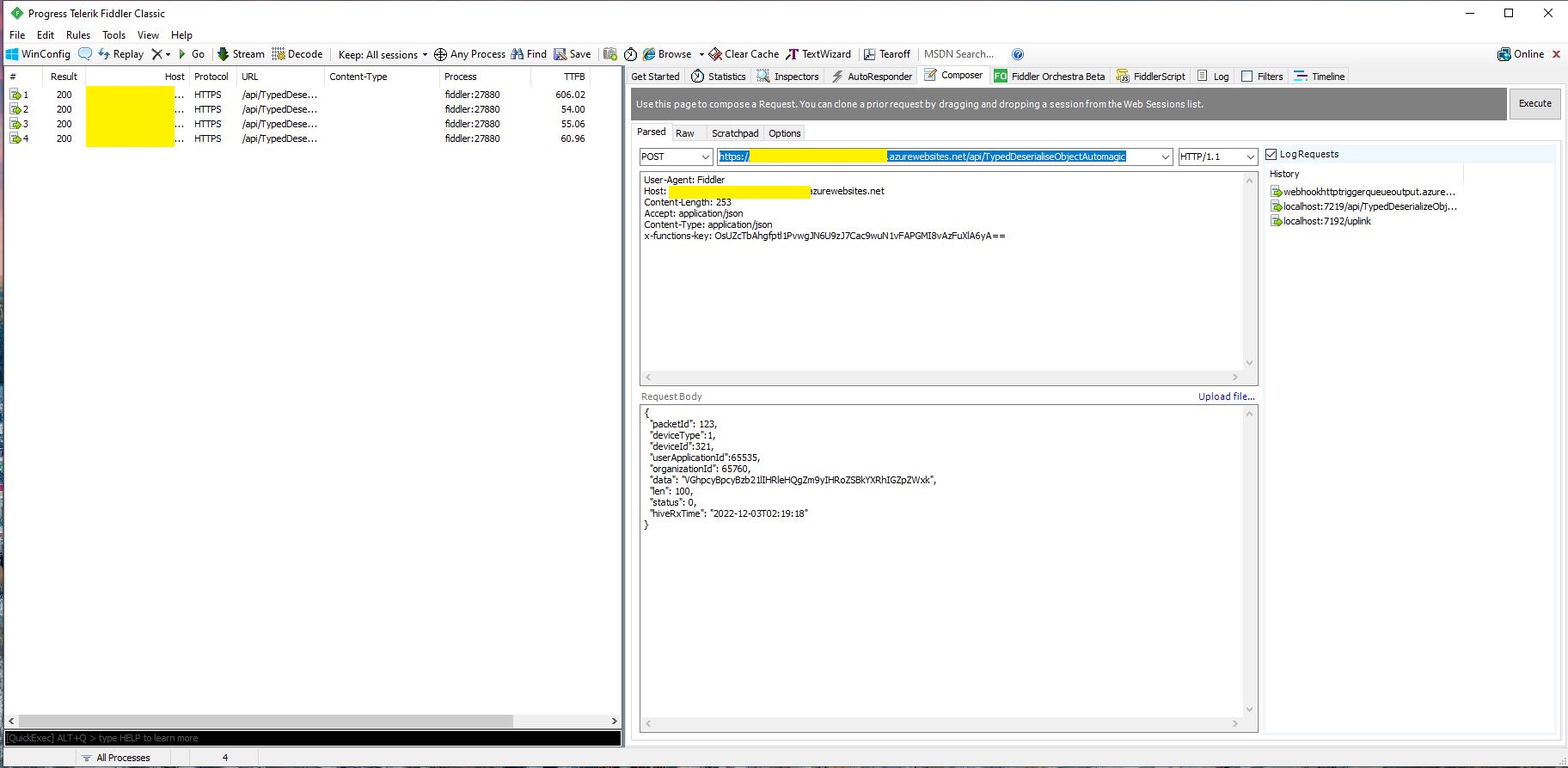
In Telerik Fiddler I could see calls to the Azure Functions and the ASP .NET Core WebAPI were taking similar time to execute (Though I did see 5+ seconds) and the ASP .NET Core WebAPI appeared to take much longer to startup. (I did see 100+ seconds when I made four requests as the ASP .NET Core WebAPI was starting)

I’m going to use the ASP .NET Core WebAPI with dependency injection (DI) approach just because “it’s always better with DI”.

I noticed some other “oddness” while implementing then testing the Azure Http Trigger functions and ASP .NET Core WebAPI which I will cover off in some future posts.

Azure Percept “low code” integration Setup

Introduction

There have been blog posts showing how to build Azure Percept integrations with Power BI, Azure Logic Apps etc. with “zero code”.  But what do you do if your Azure Percept based solution needs some “glue” to connect to other systems?

I work on a SmartAg computer vision based application that uses security cameras to monitor the flow of cattle through stockyards. It has to control some local hardware, display real-time dashboards, and integrate with an existing application so a “zero code” solution wouldn’t work.

Having to connect an Azure Percept to 3rd party applications can’t be a unique problem so this series blog posts will show a couple of “low code” options that I have used to solve this issue. The technologies that will be covered include Azure IoT Hub Message Routing. Azure Storage Queues, Azure Service Bus Queues, Azure Service Bus Topics and Azure Functions.

The Pivot

The initial plan was to take the Azure Percept to a piggery to see if I could build a Proof of Concept(PoC) of a product that the CEO and I had been discussing for a couple of weeks.

But shortly after I started working on this series of blog posts New Zealand went into strict lockdown. Only essential shops like supermarkets and petrol stations were open, our groceries were being delivered, and schools were closed.

I needed a demonstration application which used props I could source from home and the local petrol station. In addition my teenage son’s school was closed so he could be the project “intern”.

While at the local petrol station to buy milk I observed that they had a large selection of confectionary so we decided to build a series of object detection models to count different types of chocolates.

In a retail scenario this could be counting products on shelves, pallets in a cold store, or at the SmartAg start-up I work for counting cattle in a yard.

Configuring The Test Environment

I have not included screen shots of the hardware configuration process as this has been covered by other bloggers. Though, for projects like this I always create a new resource group so I can easily delete all the resources so my Azure invoice doesn’t cause “bill shock”.

Azure Resource Group Creation blade

I also created the Azure IoT Hub before configuring the Percept device rather than via the Device provisioning process.

Azure Percept configuration assigning an Azure IoT Hub

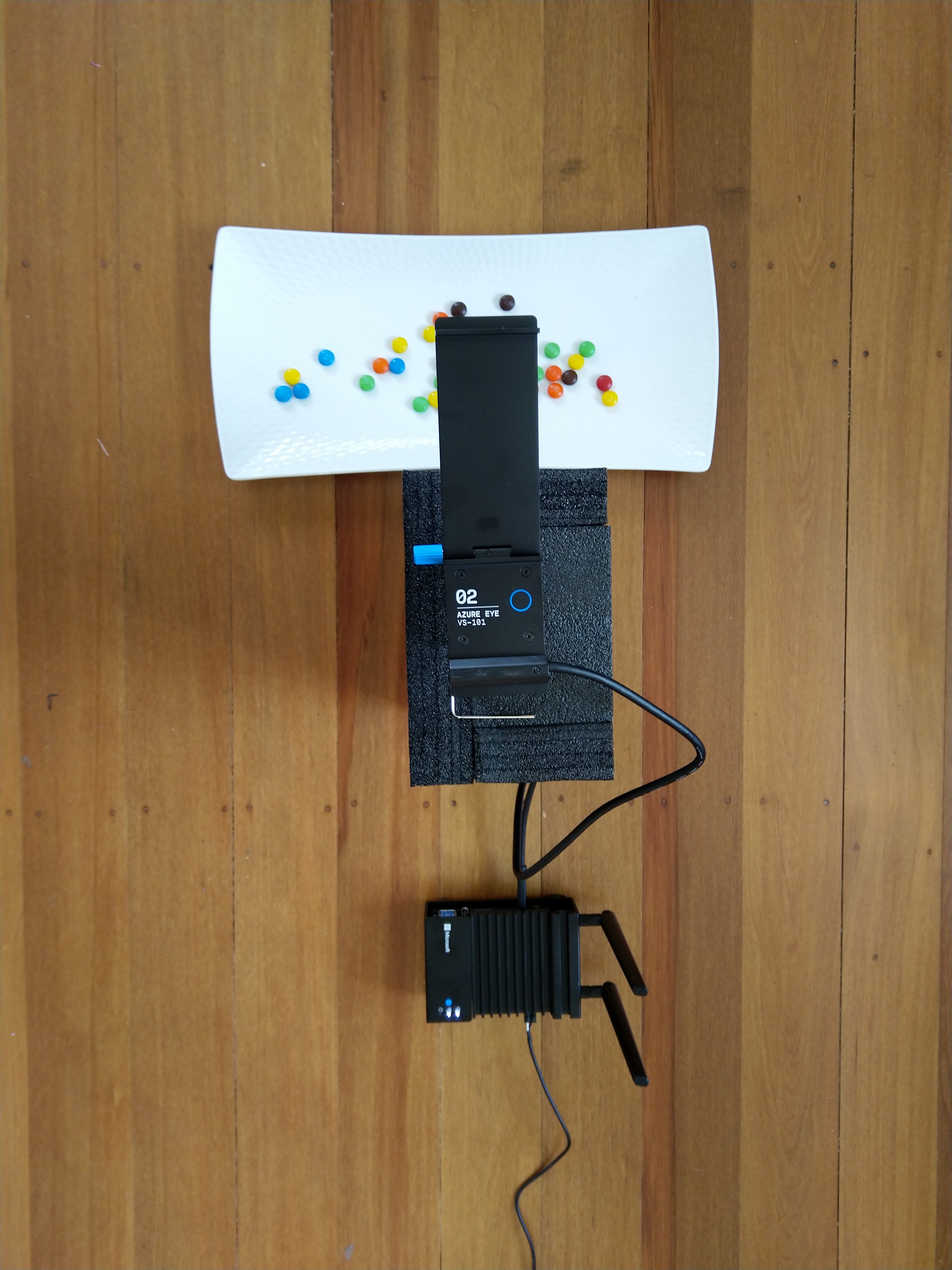
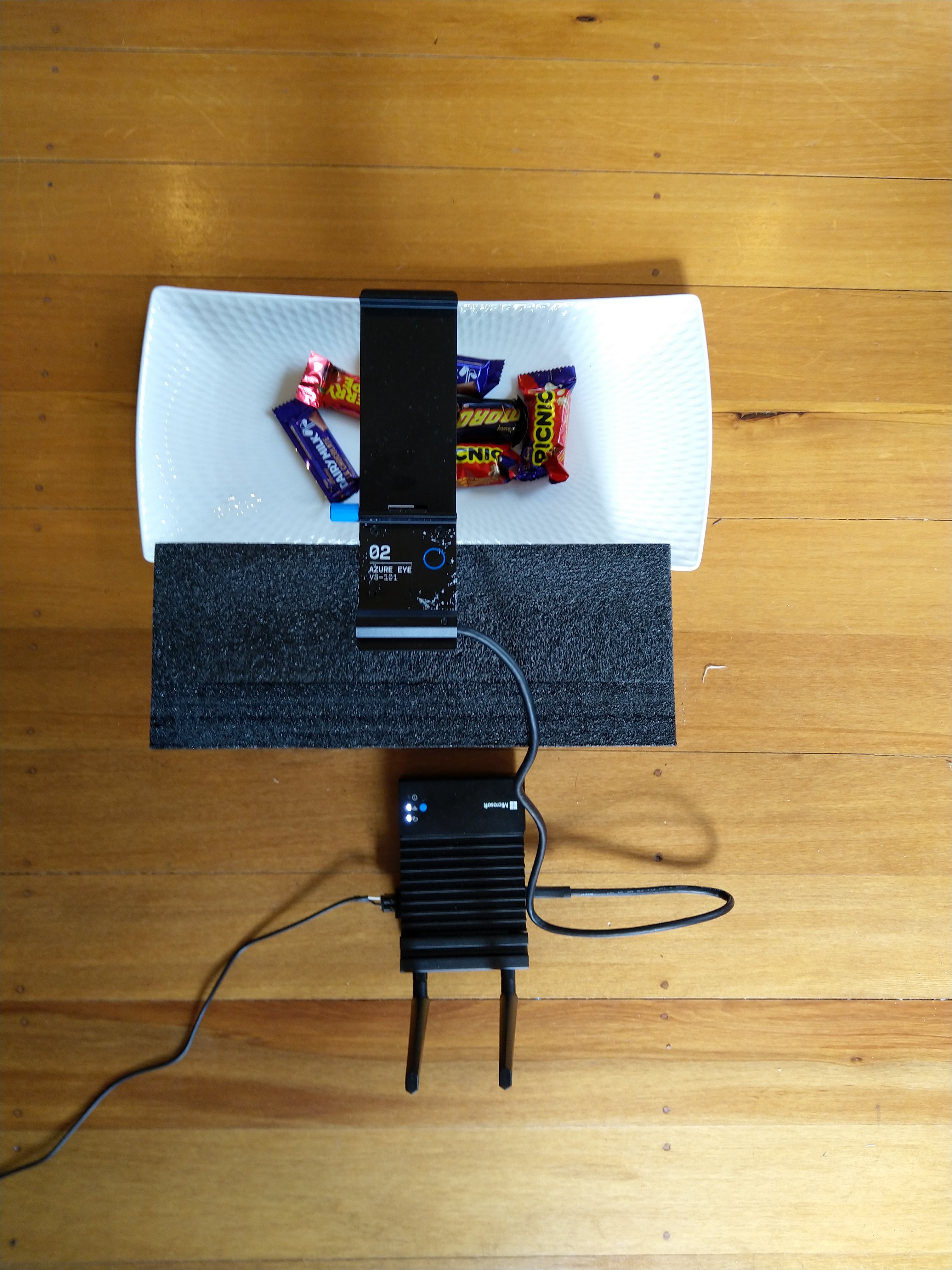
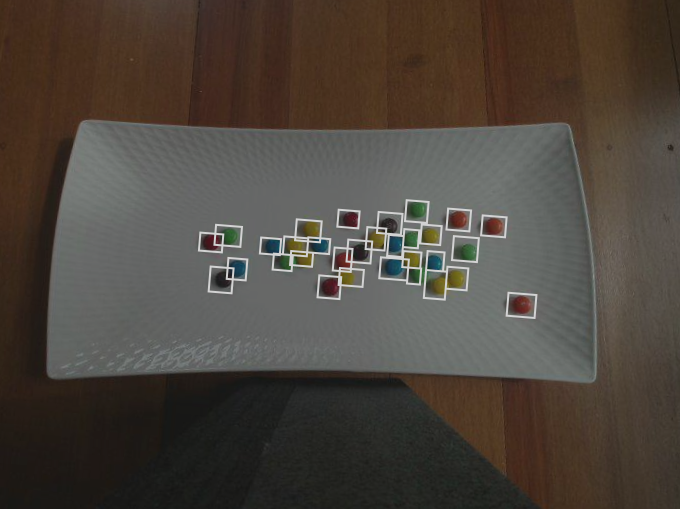
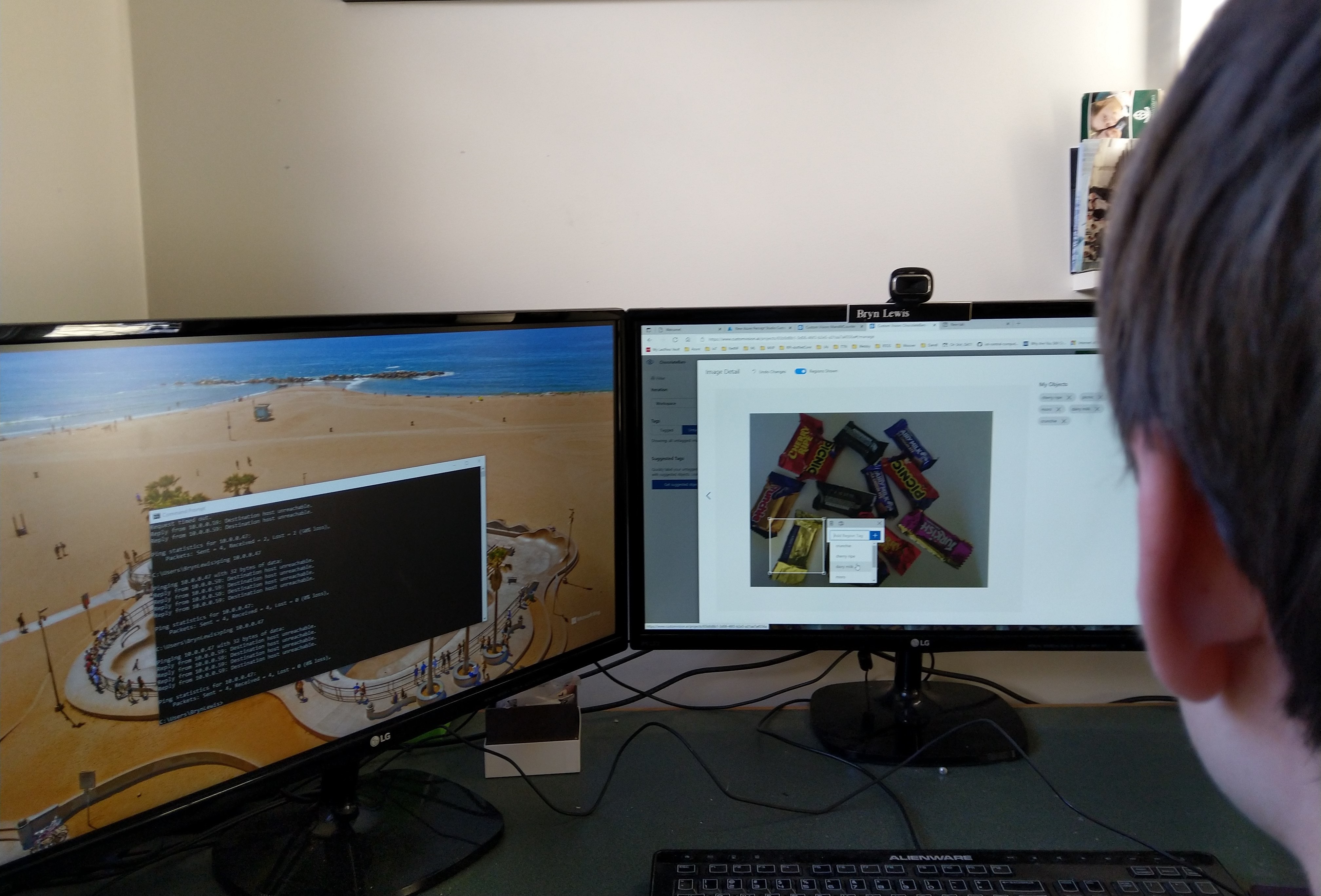
The intern trialed different trays, camera orientations, and lighting as part of building a test rig on the living room floor. After some trial and error, he identified the optimal camera orientation (on top of the packing foam) and lighting (indirect sunlight with no shadows) for reliable inferencing. As this was a proof-of-concept project we limited the number of variables so we didn’t have to collect lots of images which the intern would then have to mark up.

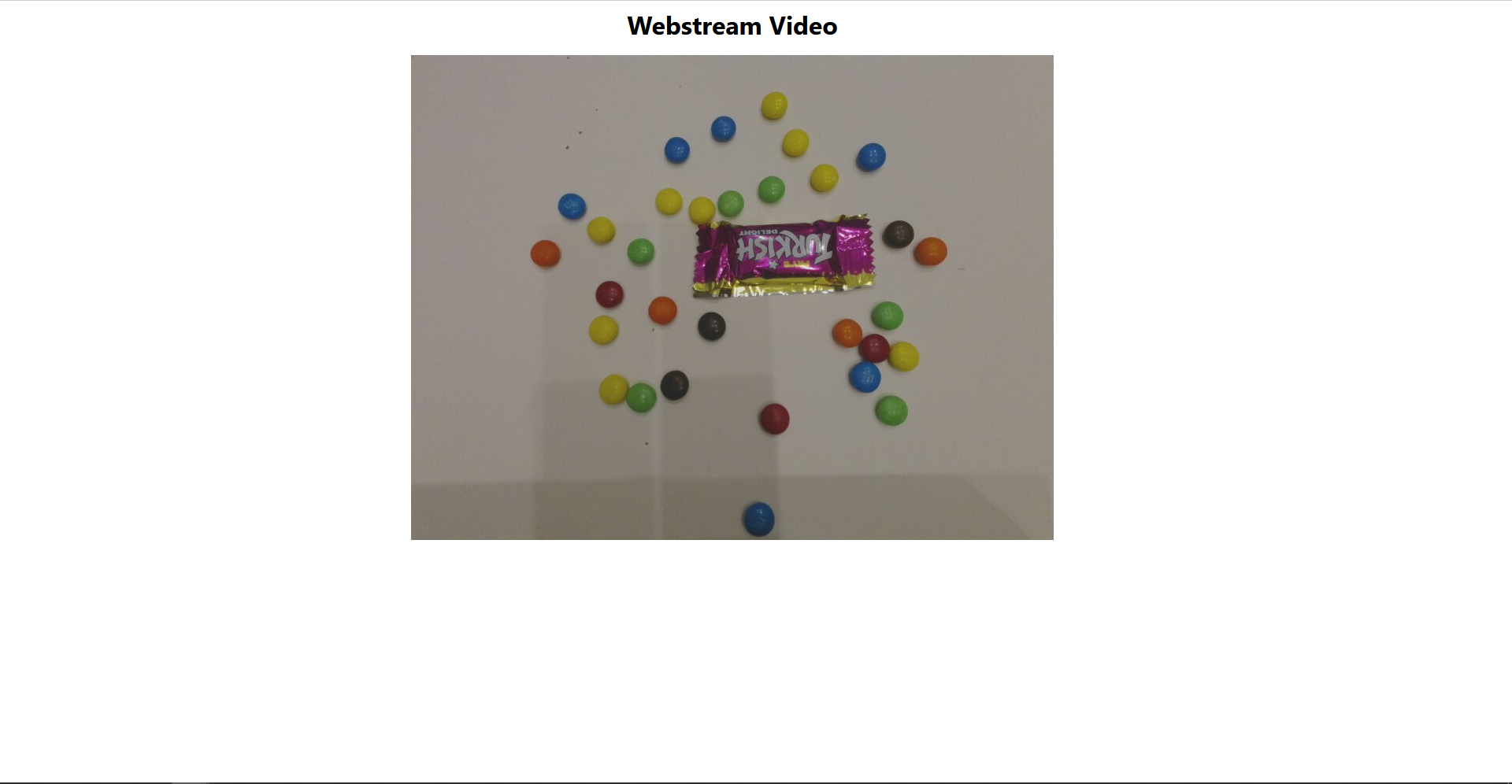
Trialing image capture with M&M’s
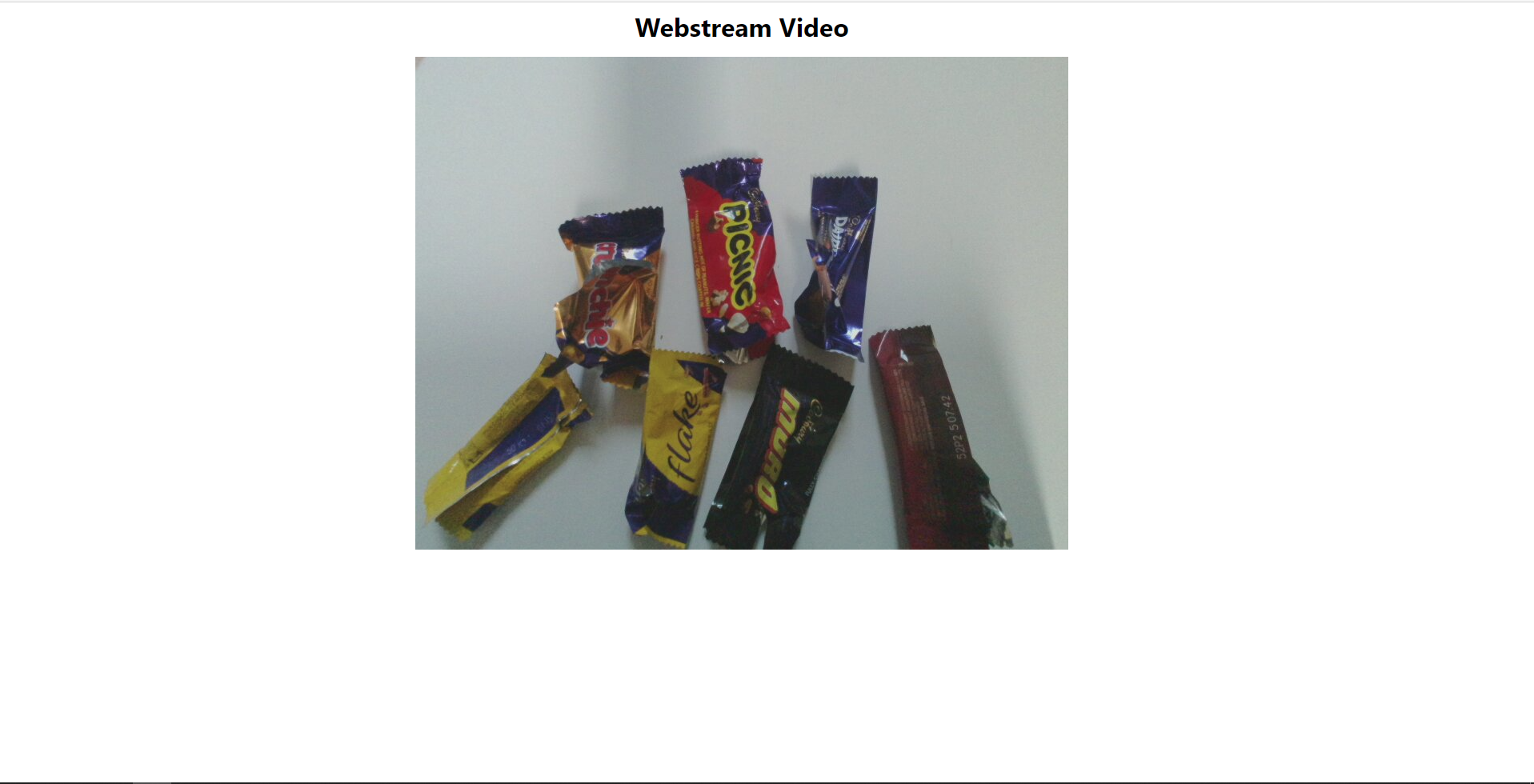
Trialling Image capture with Cadbury Favourites

Azure Percept Studio + CustomVision.AI for capturing and marking up images

The intern created two Custom Vision projects, one for M&M’s and the other for Cadbury Favourites.

Azure M&M and Cadbury Favourites Percept Projects

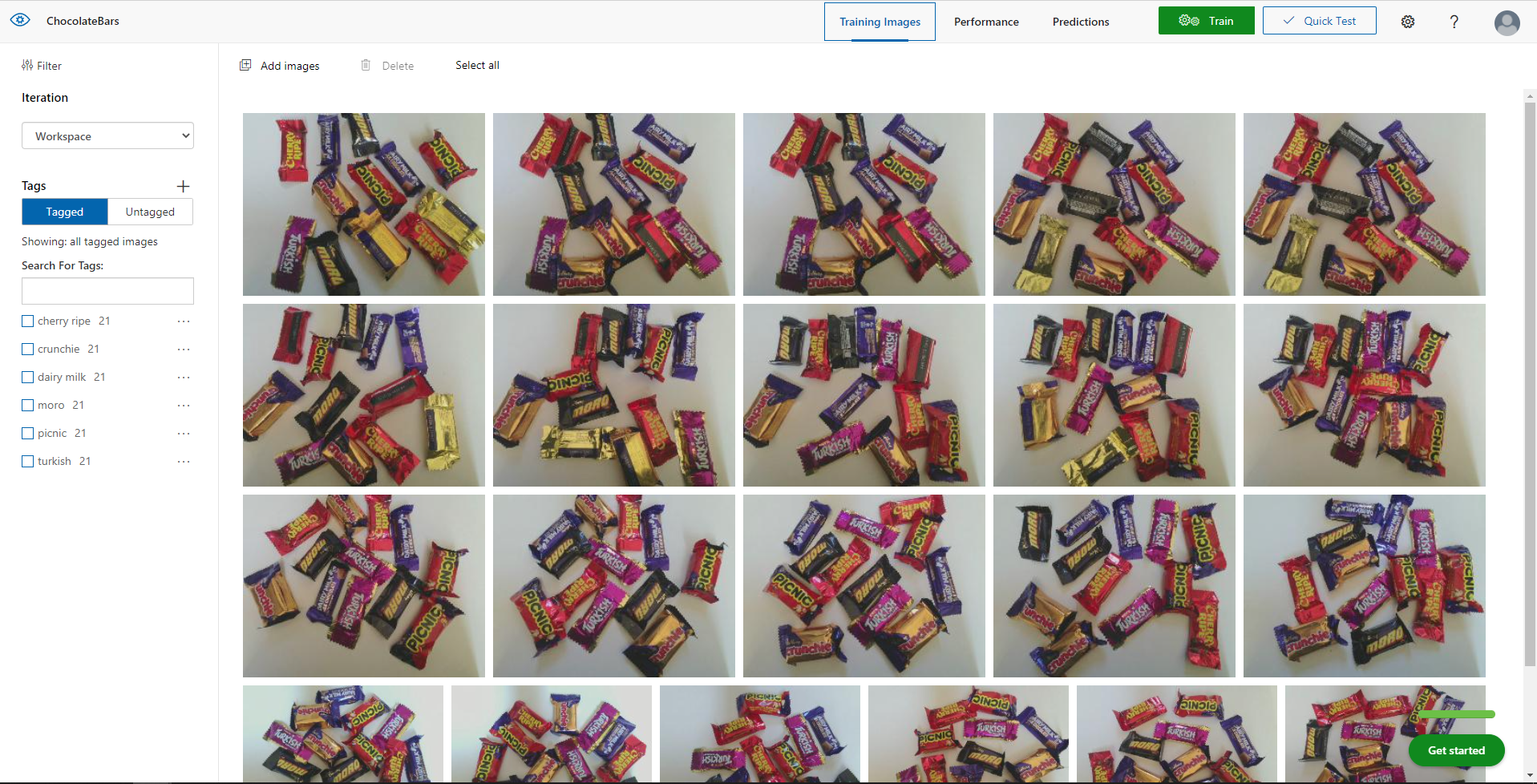
The intern then spent an afternoon drawing minimum bounding rectangles (MBRs) around the different chocolates in the images he had collected.

M&M Size issue

The intern then decided to focus on the chocolate bars after realising they were much easier and faster to markup than the M&Ms.

Cadbury Favourites images before markup

Training

The intern repeatedly trained the model adding additional images and adjusting parameters until the results were “good enough”.

Fine-tuning the Configuration

After using the test rig one evening we found the performance of the model wasn’t great, so the intern collected more images with different lighting, shadows, chocolate bar placements, and orientations to improve the accuracy of the inferencing.

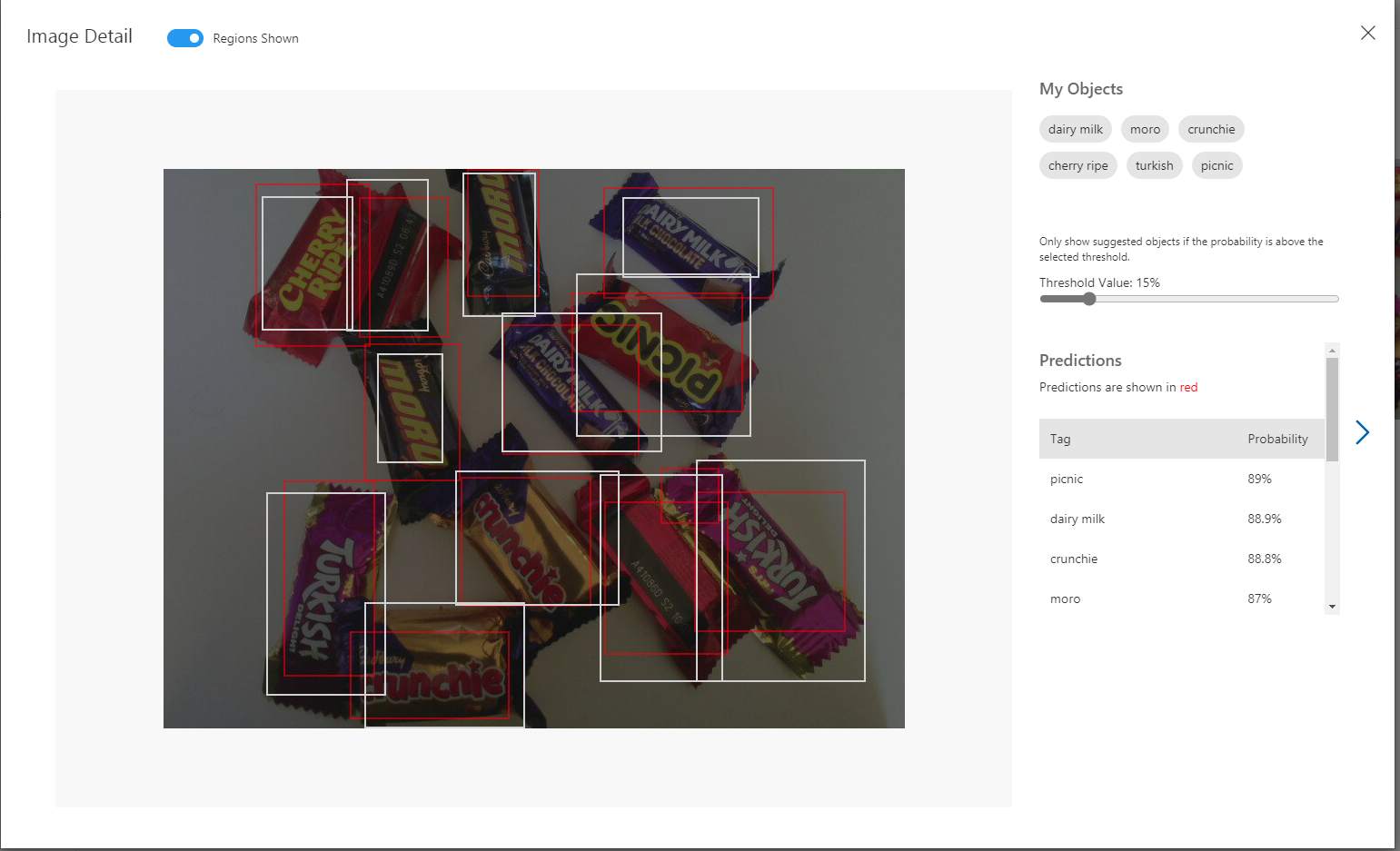
Manual reviewing of object detection results.

Inspecting the Inferencing Results

After several iterations the accuracy of the chocolate bar object detection model was acceptable I wanted to examine the telemetry that was being streamed to my Azure IoT Hub.

In Azure Percept Studio I could view (in a limited way) inferencing telemetry and check the quality and format of the results.

Azure Percept Studio device telemetry

I use Azure IoT Explorer on other projects to configure devices, view telemetry from devices, send messages to devices, view and modify device twin JSON etc. So I used it to inspect the inferencing results streamed to the Azure IoT Hub.

Azure IoT Explorer device telemetry

Summary

In an afternoon the intern had configured and trained a Custom Vision project for me that I could use to to build some “low code” integrations .

Project “Learnings”

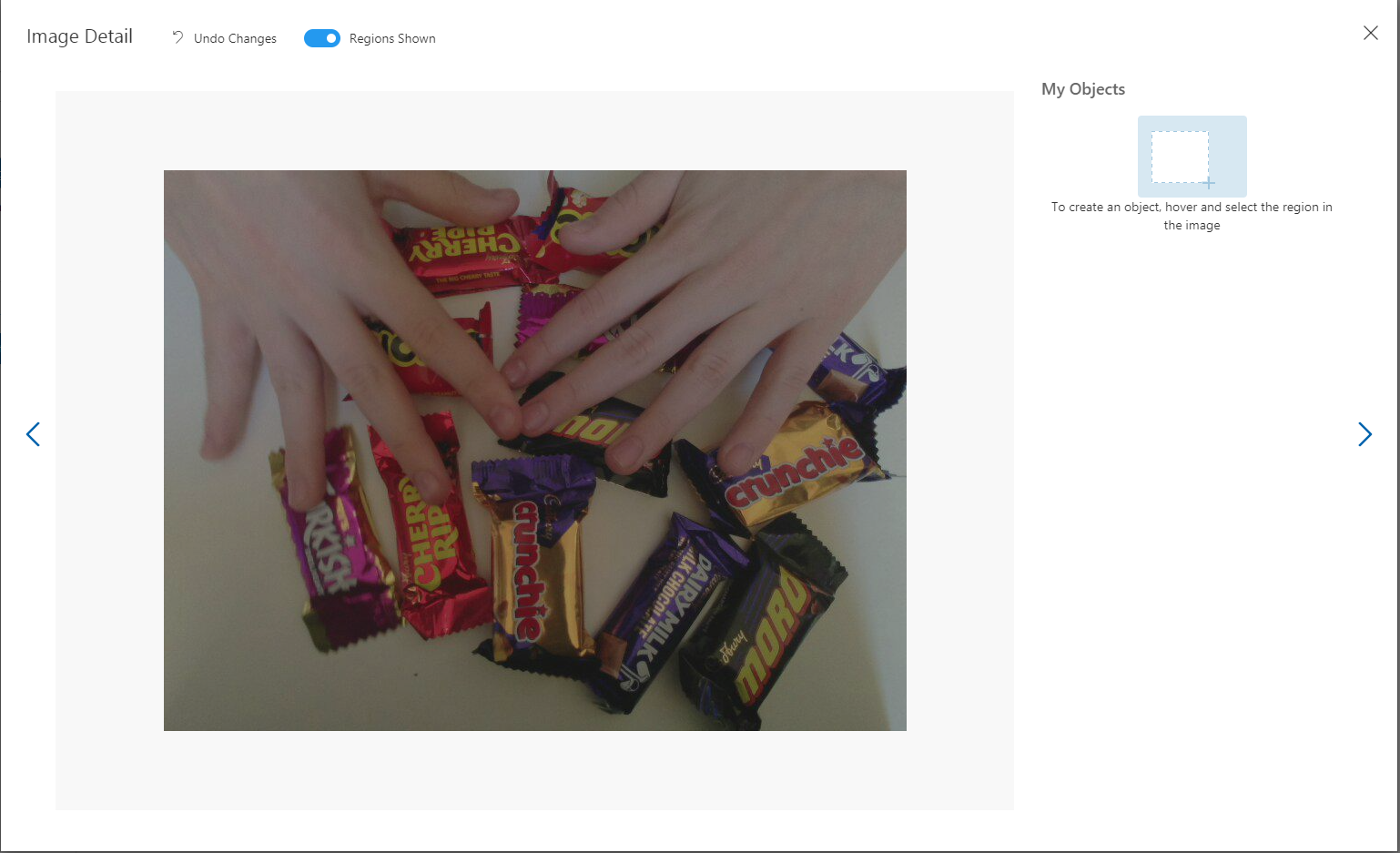
If the image capture delay is too short there will be images with hands.

Captured image with interns hands

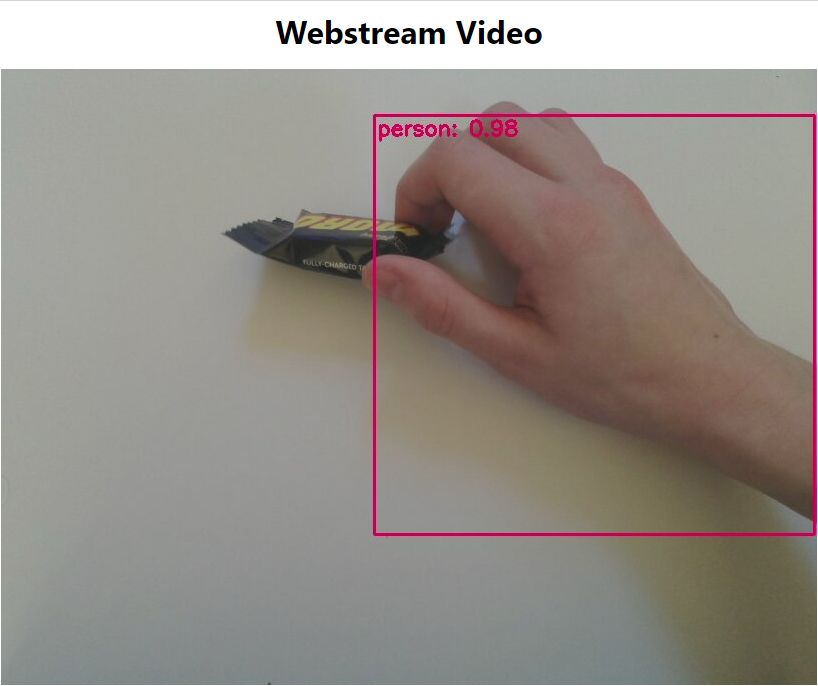
Though, the untrained model did identify the hands

The intern also discovered that by including images with “not favourites” the robustness of the model improved.

Cadbury Favourites with M&Ms

When I had to collect some more images for a blog post, I found the intern had consumed quite a few of the “props” and left the wrappers in the bottom of the Azure Percept packaging.

Cadbury Favourties wrappers

TTI V3 Connector Azure IoT Central Cloud to Device(C2D)

Handling Cloud to Device(D2C) Azure IoT Central messages (The Things Industries(TTI) downlink) is a bit more complex than Device To Cloud(D2C) messaging. The format of the command messages is reasonably well documented and I have already explored in detail with basic telemetry, basic commands, request commands, and The Things Industries Friendly commands and Digital Twin Definition Language(DTDL) support.

public class IoTHubApplicationSetting
{
	public string DtdlModelId { get; set; }
}

public class IoTHubSettings
{
	public string IoTHubConnectionString { get; set; } = string.Empty;

	public Dictionary<string, IoTHubApplicationSetting> Applications { get; set; }
}


public class DeviceProvisiongServiceApplicationSetting
{
	public string DtdlModelId { get; set; } = string.Empty;

	public string GroupEnrollmentKey { get; set; } = string.Empty;
}

public class DeviceProvisiongServiceSettings
{
	public string IdScope { get; set; } = string.Empty;

	public Dictionary<string, DeviceProvisiongServiceApplicationSetting> Applications { get; set; }
}


public class IoTCentralMethodSetting
{
	public byte Port { get; set; } = 0;

	public bool Confirmed { get; set; } = false;

	public Models.DownlinkPriority Priority { get; set; } = Models.DownlinkPriority.Normal;

	public Models.DownlinkQueue Queue { get; set; } = Models.DownlinkQueue.Replace;
}

public class IoTCentralSetting
{
	public Dictionary<string, IoTCentralMethodSetting> Methods { get; set; }
}

public class AzureIoTSettings
{
	public IoTHubSettings IoTHub { get; set; }

	public DeviceProvisiongServiceSettings DeviceProvisioningService { get; set; }

	public IoTCentralSetting IoTCentral { get; set; }
}

Azure IoT Central appears to have no support for setting message properties so the LoRaWAN port, confirmed flag, priority, and queuing so these a retrieved from configuration.

Azure Function Configuration
Models.Downlink downlink;
Models.DownlinkQueue queue;

string payloadText = Encoding.UTF8.GetString(message.GetBytes()).Trim();

if (message.Properties.ContainsKey("method-name"))
{
	#region Azure IoT Central C2D message processing
	string methodName = message.Properties["method-name"];

	if (string.IsNullOrWhiteSpace(methodName))
	{
		_logger.LogWarning("Downlink-DeviceID:{0} MessagedID:{1} LockToken:{2} method-name property empty", receiveMessageHandlerContext.DeviceId, message.MessageId, message.LockToken);

		await deviceClient.RejectAsync(message);
		return;
	}

	// Look up the method settings to get confirmed, port, priority, and queue
	if ((_azureIoTSettings == null) || (_azureIoTSettings.IoTCentral == null) || !_azureIoTSettings.IoTCentral.Methods.TryGetValue(methodName, out IoTCentralMethodSetting methodSetting))
	{
		_logger.LogWarning("Downlink-DeviceID:{0} MessagedID:{1} LockToken:{2} method-name:{3} has no settings", receiveMessageHandlerContext.DeviceId, message.MessageId, message.LockToken, methodName);
							
		await deviceClient.RejectAsync(message);
		return;
	}

	downlink = new Models.Downlink()
	{
		Confirmed = methodSetting.Confirmed,
		Priority = methodSetting.Priority,
		Port = methodSetting.Port,
		CorrelationIds = AzureLockToken.Add(message.LockToken),
	};

	queue = methodSetting.Queue;

	// Check to see if special case for Azure IoT central command with no request payload
	if (payloadText.IsPayloadEmpty())
	{
		downlink.PayloadRaw = "";
	}

	if (!payloadText.IsPayloadEmpty())
	{
		if (payloadText.IsPayloadValidJson())
		{
			downlink.PayloadDecoded = JToken.Parse(payloadText);
			}
		else
		{
			downlink.PayloadDecoded = new JObject(new JProperty(methodName, payloadText));
		}
	}

	logger.LogInformation("Downlink-IoT Central DeviceID:{0} Method:{1} MessageID:{2} LockToken:{3} Port:{4} Confirmed:{5} Priority:{6} Queue:{7}",
		receiveMessageHandlerContext.DeviceId,
		methodName,
		message.MessageId,
		message.LockToken,
		downlink.Port,
		downlink.Confirmed,
		downlink.Priority,
		queue);
	#endregion
}

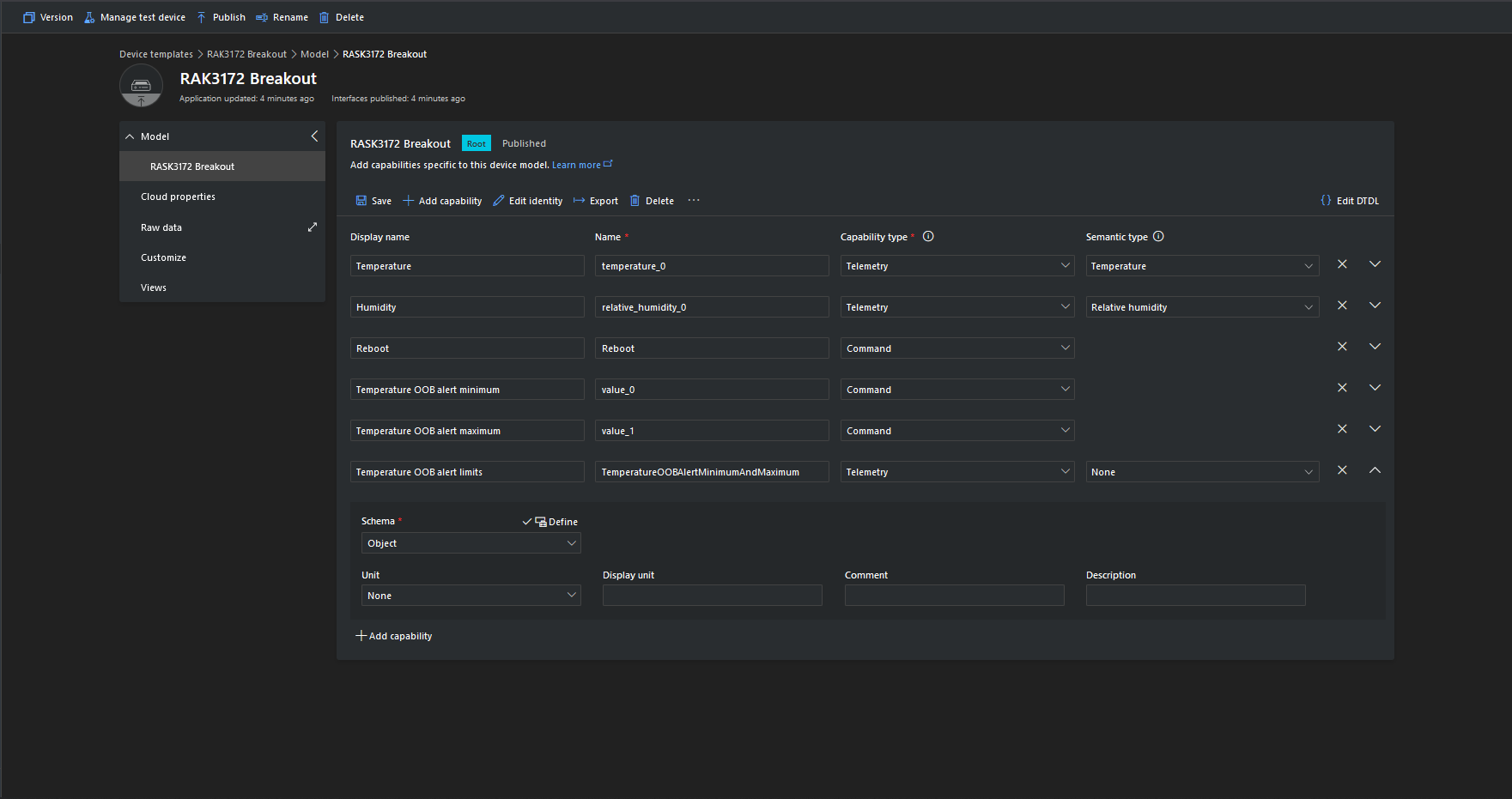
The reboot command payload only contains an “@” so the TTTI payload will be empty, the minimum and maximum command payloads will contain only a numeric value which is added to the decoded payload with the method name, the combined minimum and maximum command has a JSON payload which is “grafted” into the decoded payload.

Azure IoT Central Device Template

Azure Device Provisioning Service(DPS) when transient isn’t

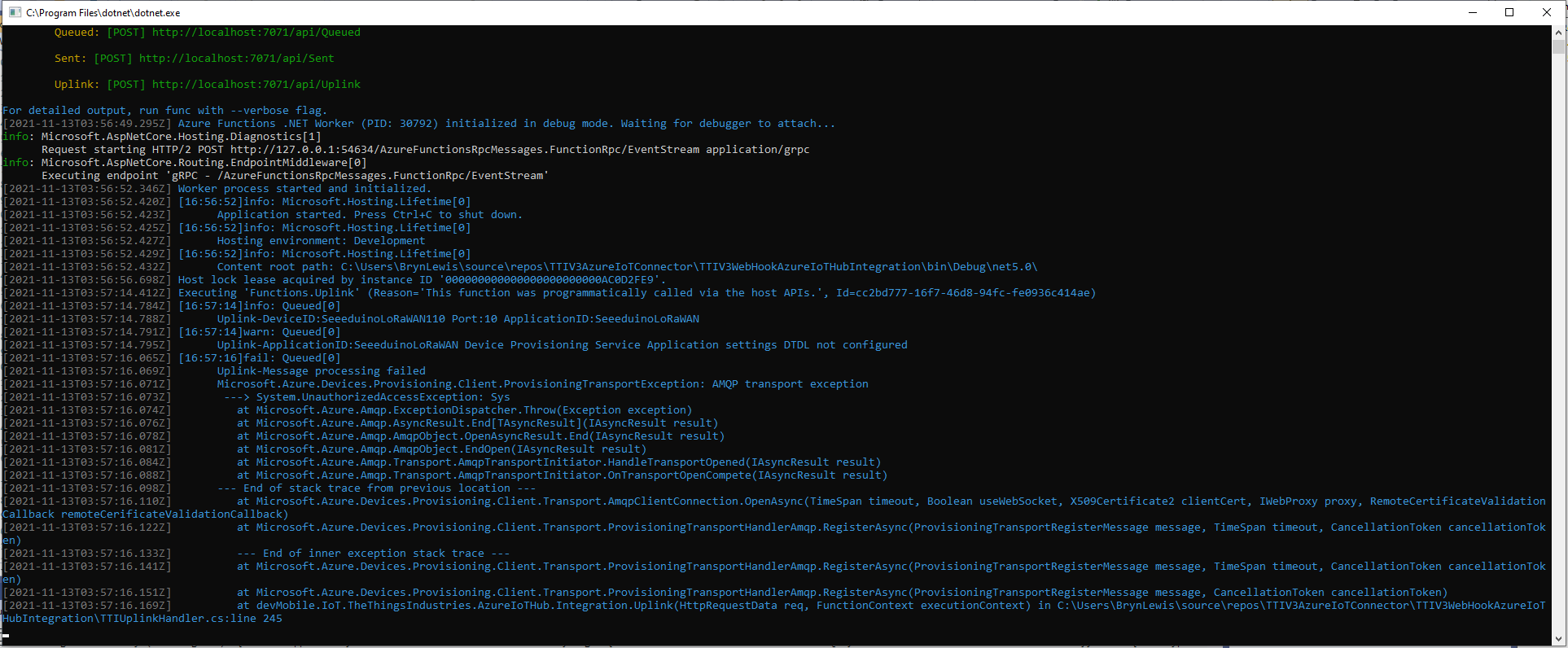
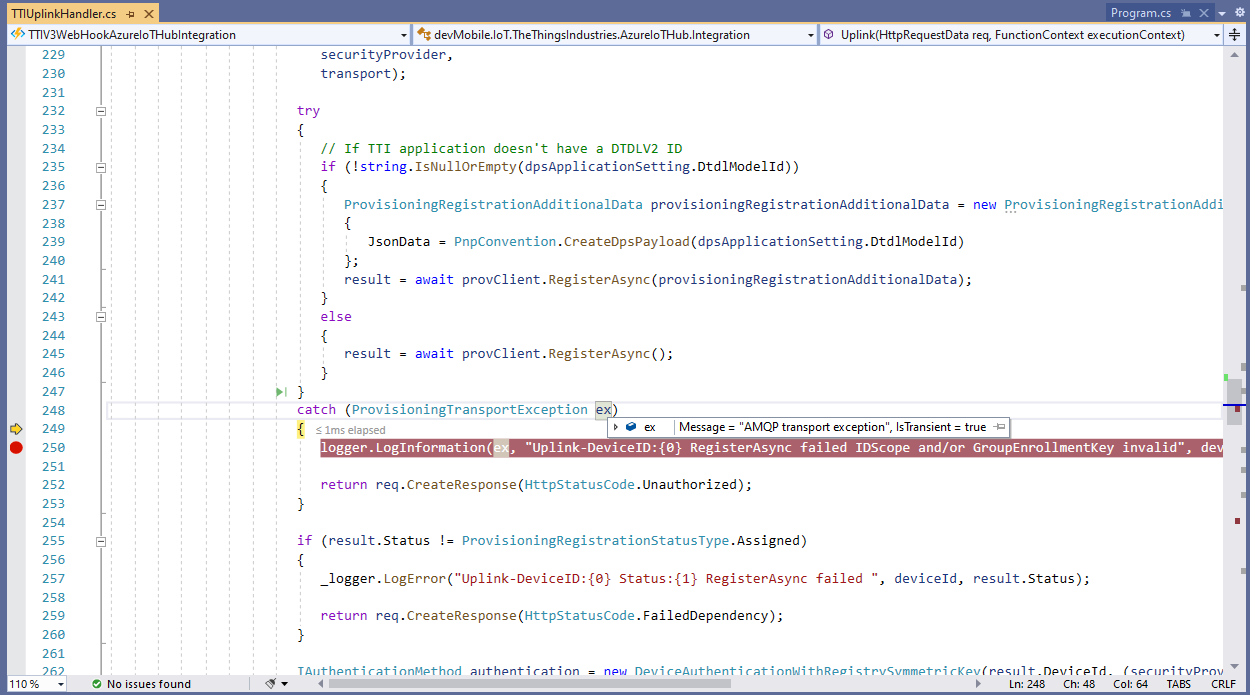
After some updates to my Device Provisioning Service(DPS) code the RegisterAsync method was exploding with an odd exception.

TTI Webhook Integration running in desktop emulator

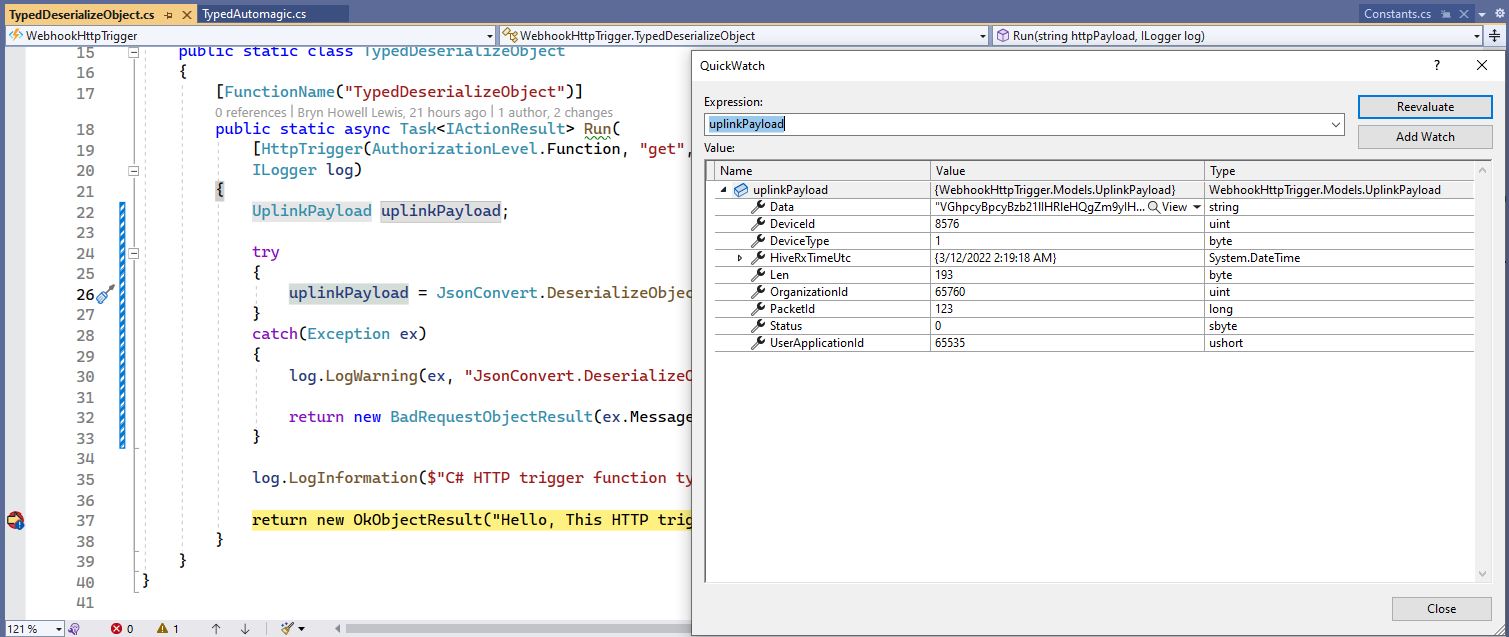
In the Visual Studio 2019 Debugger the exception text was “IsTransient = true” so I went and made a coffee and tried again.

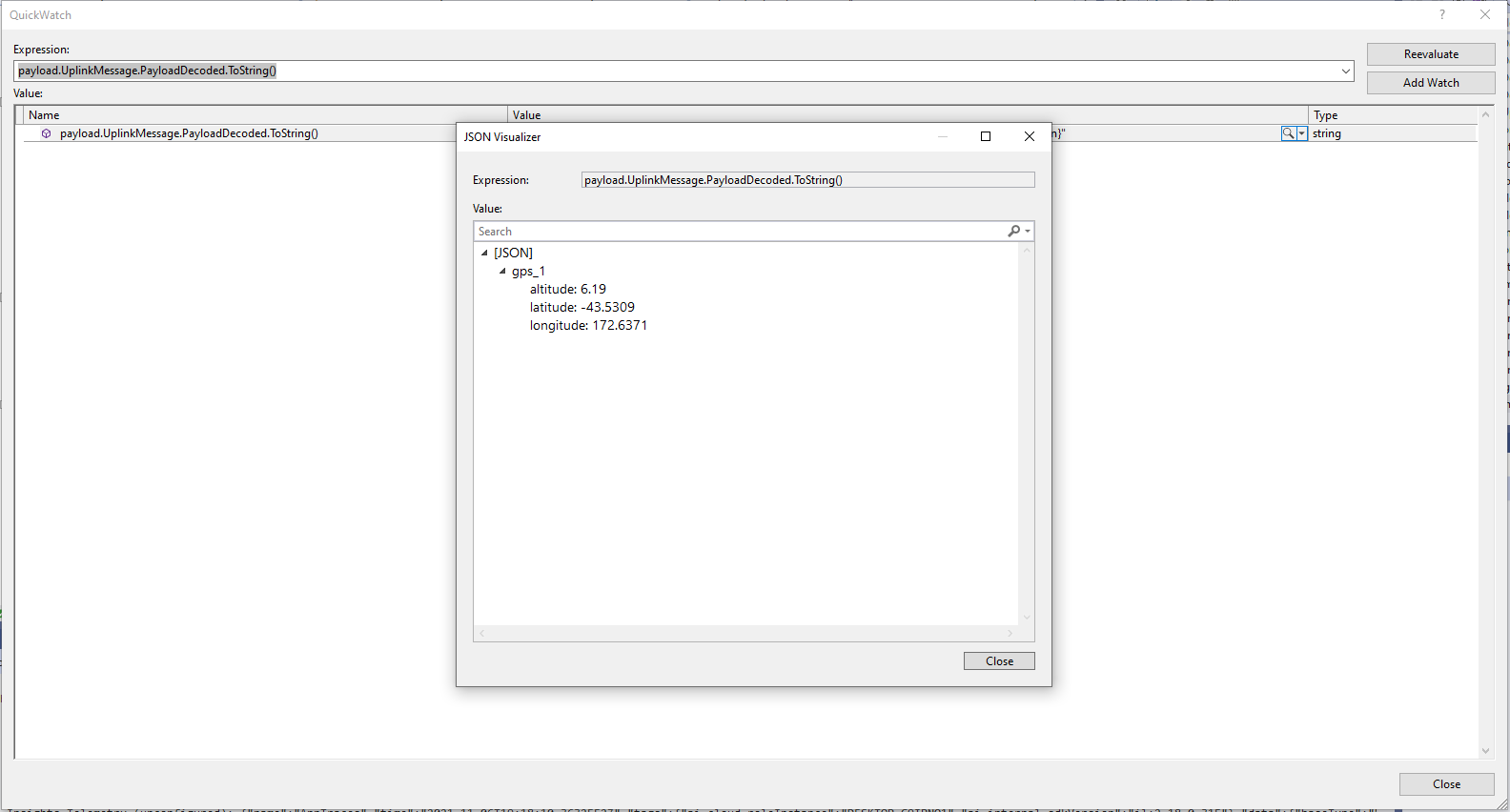
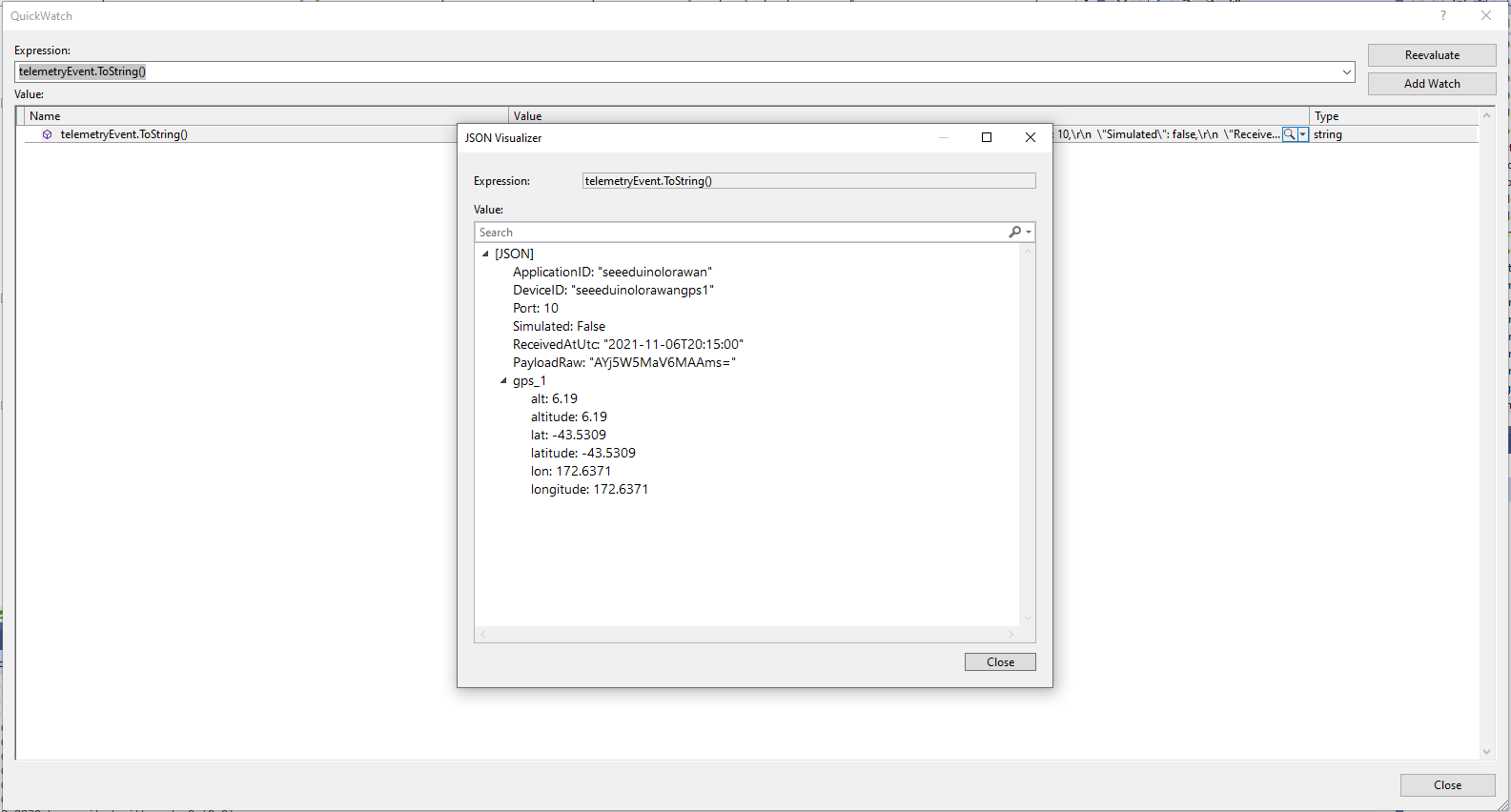
Visual Studio 2019 Quickwatch displaying short from error message

The call was still failing so I dumped out the exception text so I had some key words to search for

Microsoft.Azure.Devices.Provisioning.Client.ProvisioningTransportException: AMQP transport exception
 ---> System.UnauthorizedAccessException: Sys
   at Microsoft.Azure.Amqp.ExceptionDispatcher.Throw(Exception exception)
   at Microsoft.Azure.Amqp.AsyncResult.End[TAsyncResult](IAsyncResult result)
   at Microsoft.Azure.Amqp.AmqpObject.OpenAsyncResult.End(IAsyncResult result)
   at Microsoft.Azure.Amqp.AmqpObject.EndOpen(IAsyncResult result)
   at Microsoft.Azure.Amqp.Transport.AmqpTransportInitiator.HandleTransportOpened(IAsyncResult result)
   at Microsoft.Azure.Amqp.Transport.AmqpTransportInitiator.OnTransportOpenCompete(IAsyncResult result)
--- End of stack trace from previous location ---
   at Microsoft.Azure.Devices.Provisioning.Client.Transport.AmqpClientConnection.OpenAsync(TimeSpan timeout, Boolean useWebSocket, X509Certificate2 clientCert, IWebProxy proxy, RemoteCertificateValidationCallback remoteCerificateValidationCallback)
   at Microsoft.Azure.Devices.Provisioning.Client.Transport.ProvisioningTransportHandlerAmqp.RegisterAsync(ProvisioningTransportRegisterMessage message, TimeSpan timeout, CancellationToken cancellationToken)
   --- End of inner exception stack trace ---
   at Microsoft.Azure.Devices.Provisioning.Client.Transport.ProvisioningTransportHandlerAmqp.RegisterAsync(ProvisioningTransportRegisterMessage message, TimeSpan timeout, CancellationToken cancellationToken)
   at Microsoft.Azure.Devices.Provisioning.Client.Transport.ProvisioningTransportHandlerAmqp.RegisterAsync(ProvisioningTransportRegisterMessage message, CancellationToken cancellationToken)
   at devMobile.IoT.TheThingsIndustries.AzureIoTHub.Integration.Uplink(HttpRequestData req, FunctionContext executionContext) in C:\Users\BrynLewis\source\repos\TTIV3AzureIoTConnector\TTIV3WebHookAzureIoTHubIntegration\TTIUplinkHandler.cs:line 245

I tried a lot of keywords and went and looked at the source code on github

One of the many keyword searches

Another of the many keyword searches

I then tried another program which did used the Device provisioning Service and it worked first time so it was something wrong with the code.

using (var securityProvider = new SecurityProviderSymmetricKey(deviceId, deviceKey, null))
{
	using (var transport = new ProvisioningTransportHandlerAmqp(TransportFallbackType.TcpOnly))
	{
		DeviceRegistrationResult result;

		ProvisioningDeviceClient provClient = ProvisioningDeviceClient.Create(
			Constants.AzureDpsGlobalDeviceEndpoint,
			 dpsApplicationSetting.GroupEnrollmentKey, <<= Should be _azureIoTSettings.DeviceProvisioningService.IdScope,
			securityProvider,
			transport);

		try
		{
				result = await provClient.RegisterAsync();
		}
		catch (ProvisioningTransportException ex)
		{
			logger.LogInformation(ex, "Uplink-DeviceID:{0} RegisterAsync failed IDScope and/or GroupEnrollmentKey invalid", deviceId);

			return req.CreateResponse(HttpStatusCode.Unauthorized);
		}

		if (result.Status != ProvisioningRegistrationStatusType.Assigned)
		{
			_logger.LogError("Uplink-DeviceID:{0} Status:{1} RegisterAsync failed ", deviceId, result.Status);

			return req.CreateResponse(HttpStatusCode.FailedDependency);
		}

		IAuthenticationMethod authentication = new DeviceAuthenticationWithRegistrySymmetricKey(result.DeviceId, (securityProvider as SecurityProviderSymmetricKey).GetPrimaryKey());

		deviceClient = DeviceClient.Create(result.AssignedHub, authentication, TransportSettings);

		await deviceClient.OpenAsync();

		logger.LogInformation("Uplink-DeviceID:{0} Azure IoT Hub connected (Device Provisioning Service)", deviceId);
	}
}

I then carefully inspected my source code and worked back through the file history and realised I had accidentally replaced the IDScope with the GroupEnrollment setting so it was never going to work i.e. IsTransient != true. So, for the one or two other people who get this error message check your IDScope and GroupEnrollment key make sure they are the right variables and that values they contain are correct.

TTI V3 Connector Azure IoT Central Device to Cloud(D2C)

This post is largely about adapting the output of The Things Industries(TTI) Low Power Protocol(LPP) payload formatter so that it can be injested by Azure IoT Central. The Azure function for processing TTI Uplink messages first deserialises the JSON payload discarding any LoRaWAN control messages and messages with empty payloads.

[Function("Uplink")]
public async Task<HttpResponseData> Uplink([HttpTrigger(AuthorizationLevel.Function, "post")] HttpRequestData req, FunctionContext executionContext)
{
	Models.PayloadUplink payload;
	var logger = executionContext.GetLogger("Queued");

	// Wrap all the processing in a try\catch so if anything blows up we have logged it.
	try
	{
		string payloadText = await req.ReadAsStringAsync();

		try
		{
			payload = JsonConvert.DeserializeObject<Models.PayloadUplink>(payloadText);
		}
		catch(JsonException ex)
		{
			logger.LogInformation(ex, "Uplink-Payload Invalid JSON:{0}", payloadText);

			return req.CreateResponse(HttpStatusCode.BadRequest);
		}

		if (payload == null)
		{
			logger.LogInformation("Uplink-Payload invalid:{0}", payloadText);

			return req.CreateResponse(HttpStatusCode.BadRequest);
		}

		string applicationId = payload.EndDeviceIds.ApplicationIds.ApplicationId;
		string deviceId = payload.EndDeviceIds.DeviceId;

		if ((payload.UplinkMessage.Port == null) || (!payload.UplinkMessage.Port.HasValue) || (payload.UplinkMessage.Port.Value == 0))
		{
			logger.LogInformation("Uplink-ApplicationID:{0} DeviceID:{1} Payload Raw:{2} Control message", applicationId, deviceId, payload.UplinkMessage.PayloadRaw);

			return req.CreateResponse(HttpStatusCode.UnprocessableEntity);
		}

		int port = payload.UplinkMessage.Port.Value;

		logger.LogInformation("Uplink-ApplicationID:{0} DeviceID:{1} Port:{2} Payload Raw:{3}", applicationId, deviceId, port, payload.UplinkMessage.PayloadRaw);

		if (!_DeviceClients.TryGetValue(deviceId, out DeviceClient deviceClient))
		{
...		
		}

		JObject telemetryEvent = new JObject
		{
			{ "ApplicationID", applicationId },
			{ "DeviceID", deviceId },
			{ "Port", port },
			{ "Simulated", payload.Simulated },
			{ "ReceivedAtUtc", payload.UplinkMessage.ReceivedAtUtc.ToString("s", CultureInfo.InvariantCulture) },
			{ "PayloadRaw", payload.UplinkMessage.PayloadRaw }
		};

		// If the payload has been decoded by payload formatter, put it in the message body.
		if (payload.UplinkMessage.PayloadDecoded != null)
		{
			EnumerateChildren(telemetryEvent, payload.UplinkMessage.PayloadDecoded);
		}

		// Send the message to Azure IoT Hub
		using (Message ioTHubmessage = new Message(Encoding.ASCII.GetBytes(JsonConvert.SerializeObject(telemetryEvent))))
		{
			// Ensure the displayed time is the acquired time rather than the uploaded time. 
			ioTHubmessage.Properties.Add("iothub-creation-time-utc", payload.UplinkMessage.ReceivedAtUtc.ToString("s", CultureInfo.InvariantCulture));
			ioTHubmessage.Properties.Add("ApplicationId", applicationId);
			ioTHubmessage.Properties.Add("DeviceEUI", payload.EndDeviceIds.DeviceEui);
			ioTHubmessage.Properties.Add("DeviceId", deviceId);
			ioTHubmessage.Properties.Add("port", port.ToString());
			ioTHubmessage.Properties.Add("Simulated", payload.Simulated.ToString());

			await deviceClient.SendEventAsync(ioTHubmessage);

			logger.LogInformation("Uplink-DeviceID:{0} SendEventAsync success", payload.EndDeviceIds.DeviceId);
		}
	}
	catch (Exception ex)
	{
		logger.LogError(ex, "Uplink-Message processing failed");

		return req.CreateResponse(HttpStatusCode.InternalServerError);
	}

	return req.CreateResponse(HttpStatusCode.OK);
}

If the message has been successfully decoded by a payload formatter the PayloadDecoded contents will be “grafted” into the Azure IoT Central Telemetry message.

TTI JSON GPS position format

The Azure IoT Central Location Telemetry messages have a slightly different format to the output of the TTI LPP Payload formatter so the payload has to be “post processed”.

private void EnumerateChildren(JObject jobject, JToken token)
{
	if (token is JProperty property)
	{
		if (token.First is JValue)
		{
			// Temporary dirty hack for Azure IoT Central compatibility
			if (token.Parent is JObject possibleGpsProperty)
			{
				// TODO Need to check if similar approach necessary accelerometer and gyro LPP payloads
				if (possibleGpsProperty.Path.StartsWith("GPS_", StringComparison.OrdinalIgnoreCase))
				{
					if (string.Compare(property.Name, "Latitude", true) == 0)
					{
						jobject.Add("lat", property.Value);
					}
					if (string.Compare(property.Name, "Longitude", true) == 0)
					{
						jobject.Add("lon", property.Value);
					}
					if (string.Compare(property.Name, "Altitude", true) == 0)
					{
						jobject.Add("alt", property.Value);
					}
				}
			}
			jobject.Add(property.Name, property.Value);
		}
		else
		{
			JObject parentObject = new JObject();
			foreach (JToken token2 in token.Children())
			{
				EnumerateChildren(parentObject, token2);
				jobject.Add(property.Name, parentObject);
			}
		}
	}
	else
	{
		foreach (JToken token2 in token.Children())
		{
			EnumerateChildren(jobject, token2);
		}
	}
}

I may have to extend this method for other LPP datatypes

“Post processed” TTI JSON GPS Position data suitable for Azure IoT Central

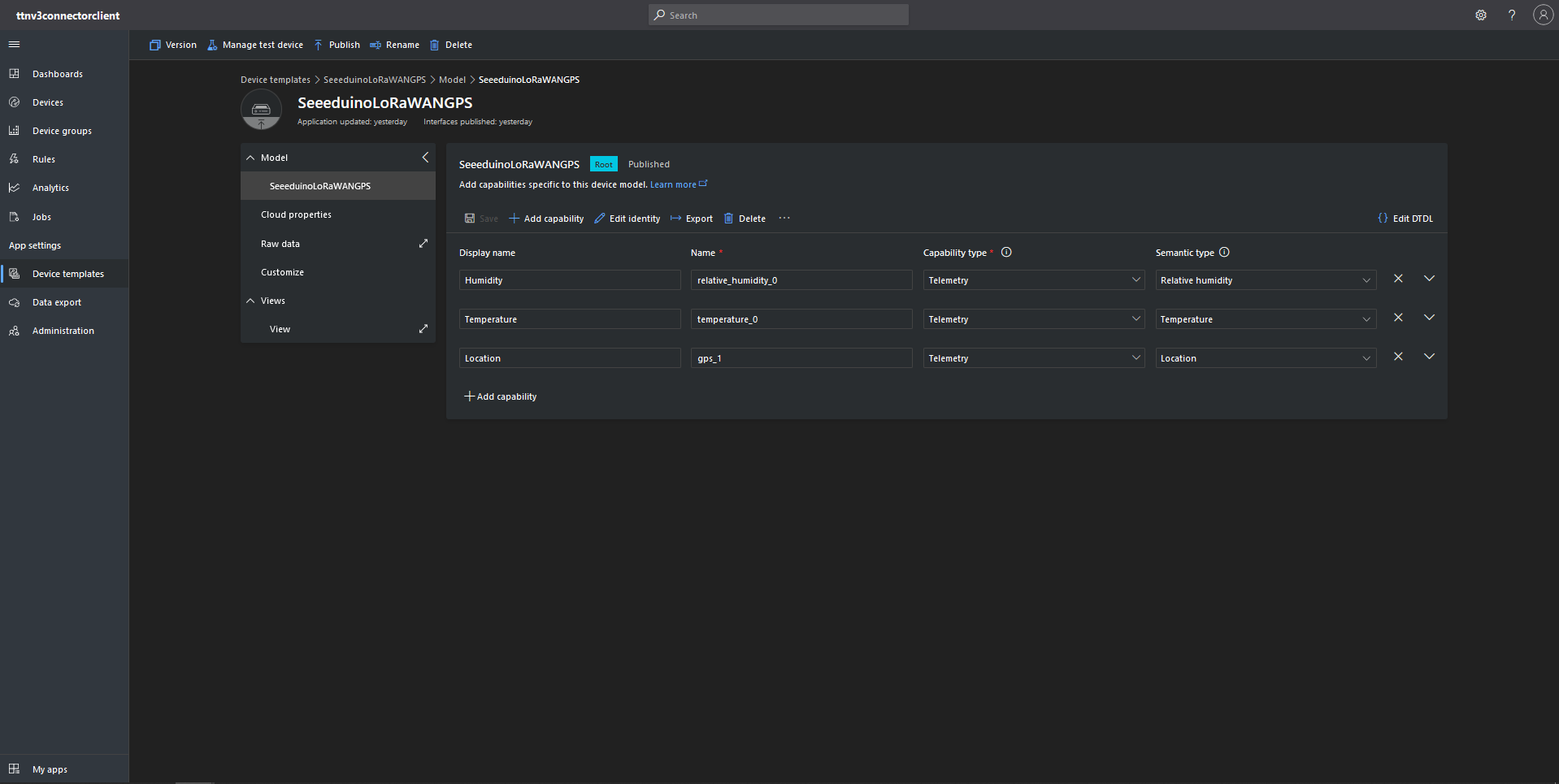
To test the telemetry message JSON I created an Azure IoT Central Device Template which had a “capability type” of Location.

Azure IoT Central Device Template with Location Capability

For initial development and testing I ran the function application in the desktop emulator and simulated TTI webhook calls with Telerik Fiddler and modified sample payloads. After some issues with iothub-creation-time-utc decoded telemetry messages were displayed in the Device Raw Data tab

Azure IoT Central Device Raw Data tab with successfully decoded GPS location payloads
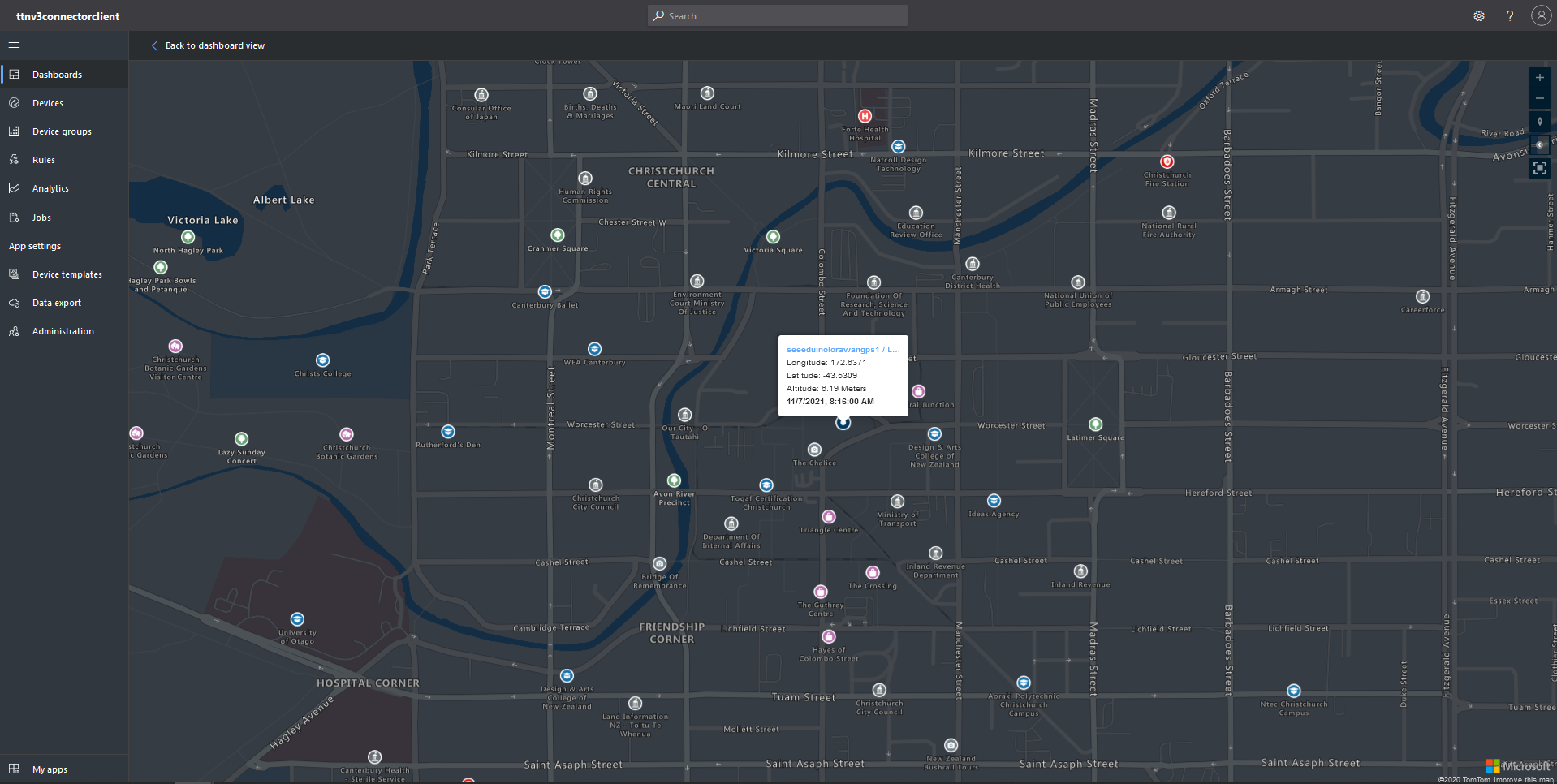
Azure IoT Central map displaying with device location highlighted

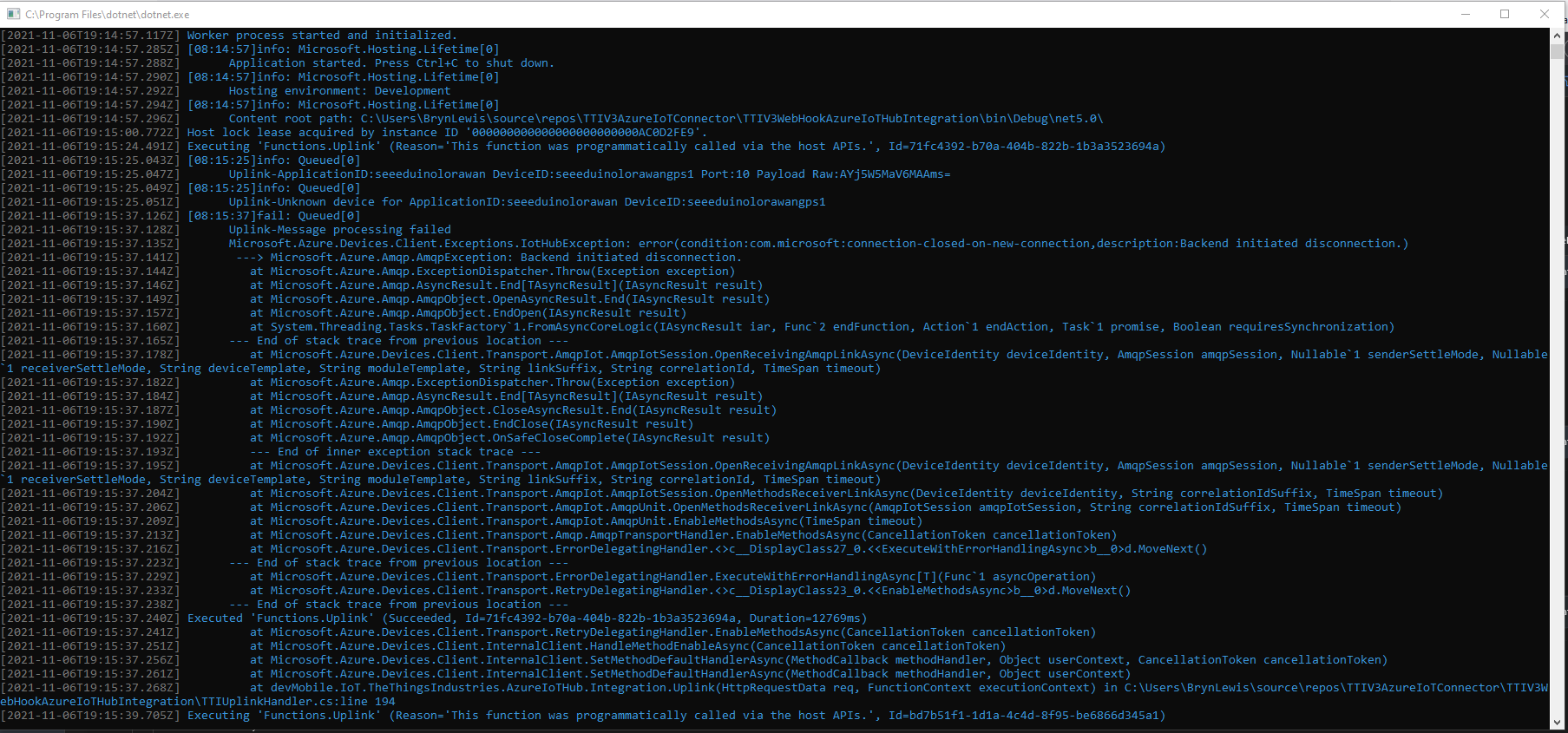
This post uses a lot of the work done for my The Things Network V2 integration. I also found the first time a device connected to the Azure IoT Central Azure IoT hub (using the Azure IoT Central Device Provisioning Service(DPS) to get the connection string) there was always an exception.

Microsoft.Azure.Devices.Client.Exceptions.IotHubException: error(condition:com.microsoft:connection-closed-on-new-connection,description:Backend initiated disconnection.

TTI V3 Gateway Azure IoT Central first call exception

This exception occurs when the SetMethodDefaultHandlerAsync method is called which is a bit odd. This exception does not occur when I use Device Provisioning Service(DPS) and Azure IoT Hub instances I have provisioned.

TTI V3 Connector Cloud to Device(C2D)

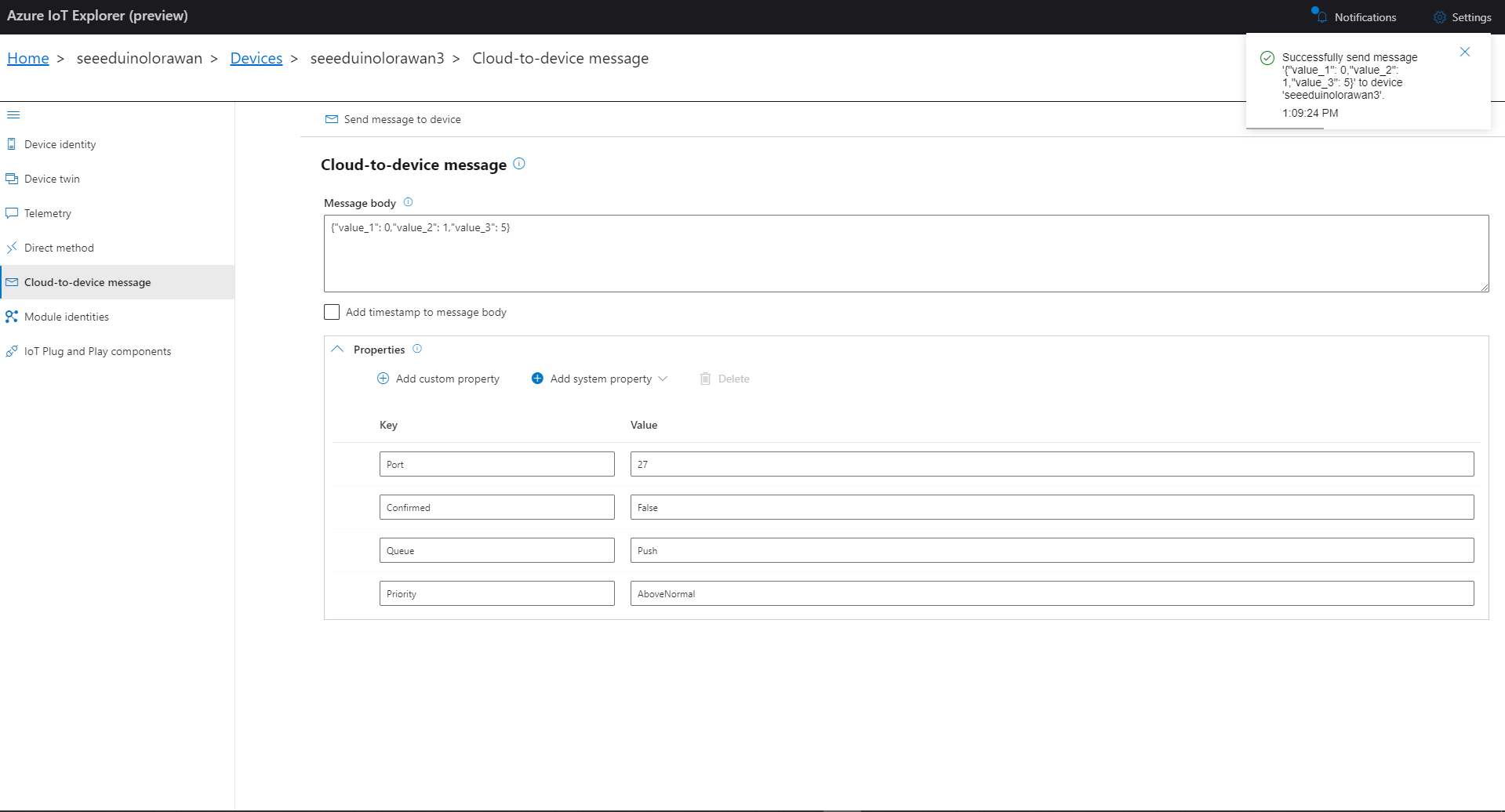
The TTI V3 Connector Minimalist Cloud to Device only required a port number, and there was no way to specify whether delivery of message had to be confirmed, the way the message was queued, or the priority of message delivery. Like the port number these optional settings can be specified in message properties.

  • Confirmation – True/False
  • Queue – Push/Replace
  • Priority – Lowest/Low/BelowNormal/Normal/AboveNormal/High/Highest

If any of these properties are incorrect DeviceClient.RejectAsync is called which deletes the message from the device queue and indicates to the server that the message could not be processed.

private async Task AzureIoTHubClientReceiveMessageHandler(Message message, object userContext)
{
	try
	{
		Models.AzureIoTHubReceiveMessageHandlerContext receiveMessageHandlerContext = (Models.AzureIoTHubReceiveMessageHandlerContext)userContext;

		if (!_DeviceClients.TryGetValue(receiveMessageHandlerContext.DeviceId, out DeviceClient deviceClient))
		{
			_logger.LogWarning("Downlink-DeviceID:{0} unknown", receiveMessageHandlerContext.DeviceId);
			return;
		}

		using (message)
		{
			string payloadText = Encoding.UTF8.GetString(message.GetBytes()).Trim();

			if (!AzureDownlinkMessage.PortTryGet(message.Properties, out byte port))
			{
				_logger.LogWarning("Downlink-Port property is invalid");

				await deviceClient.RejectAsync(message);
				return;
			}

			if (!AzureDownlinkMessage.ConfirmedTryGet(message.Properties, out bool confirmed))
			{
				_logger.LogWarning("Downlink-Confirmed flag is invalid");

				await deviceClient.RejectAsync(message);
				return;
			}

			if (!AzureDownlinkMessage.PriorityTryGet(message.Properties, out Models.DownlinkPriority priority))
			{
				_logger.LogWarning("Downlink-Priority value is invalid");

				await deviceClient.RejectAsync(message);
				return;
			}

			if (!AzureDownlinkMessage.QueueTryGet(message.Properties, out Models.DownlinkQueue queue))
			{
				_logger.LogWarning("Downlink-Queue value is invalid");

				await deviceClient.RejectAsync(message.LockToken);
				return;
			}

			Models.Downlink downlink = new Models.Downlink()
			{
				Confirmed = confirmed,
				Priority = priority,
				Port = port,
				CorrelationIds = AzureLockToken.Add(message.LockToken),
			};

			// Split over multiple lines in an attempt to improve readability. In this scenario a valid JSON string should start/end with {/} for an object or [/] for an array
			if ((payloadText.StartsWith("{") && payloadText.EndsWith("}"))
													||
				((payloadText.StartsWith("[") && payloadText.EndsWith("]"))))
			{
				try
				{
					downlink.PayloadDecoded = JToken.Parse(payloadText);
				}
				catch (JsonReaderException)
				{
					downlink.PayloadRaw = payloadText;
				}
			}
			else
			{
				downlink.PayloadRaw = payloadText;
			}

			_logger.LogInformation("Downlink-IoT Hub DeviceID:{0} MessageID:{2} LockToken:{3} Port:{4} Confirmed:{5} Priority:{6} Queue:{7}",
				receiveMessageHandlerContext.DeviceId,
				message.MessageId,
				message.LockToken,
				downlink.Port,
				downlink.Confirmed,
				downlink.Priority,
				queue);

			Models.DownlinkPayload Payload = new Models.DownlinkPayload()
			{
				Downlinks = new List<Models.Downlink>()
				{
					downlink
				}
			};

			string url = $"{receiveMessageHandlerContext.WebhookBaseURL}/{receiveMessageHandlerContext.ApplicationId}/webhooks/{receiveMessageHandlerContext.WebhookId}/devices/{receiveMessageHandlerContext.DeviceId}/down/{queue}".ToLower();

			using (var client = new WebClient())
			{
				client.Headers.Add("Authorization", $"Bearer {receiveMessageHandlerContext.ApiKey}");

				client.UploadString(new Uri(url), JsonConvert.SerializeObject(Payload));
			}

			_logger.LogInformation("Downlink-DeviceID:{0} LockToken:{1} success", receiveMessageHandlerContext.DeviceId, message.LockToken);
		}
	}
	catch (Exception ex)
	{
		_logger.LogError(ex, "Downlink-ReceiveMessge processing failed");
	}
}

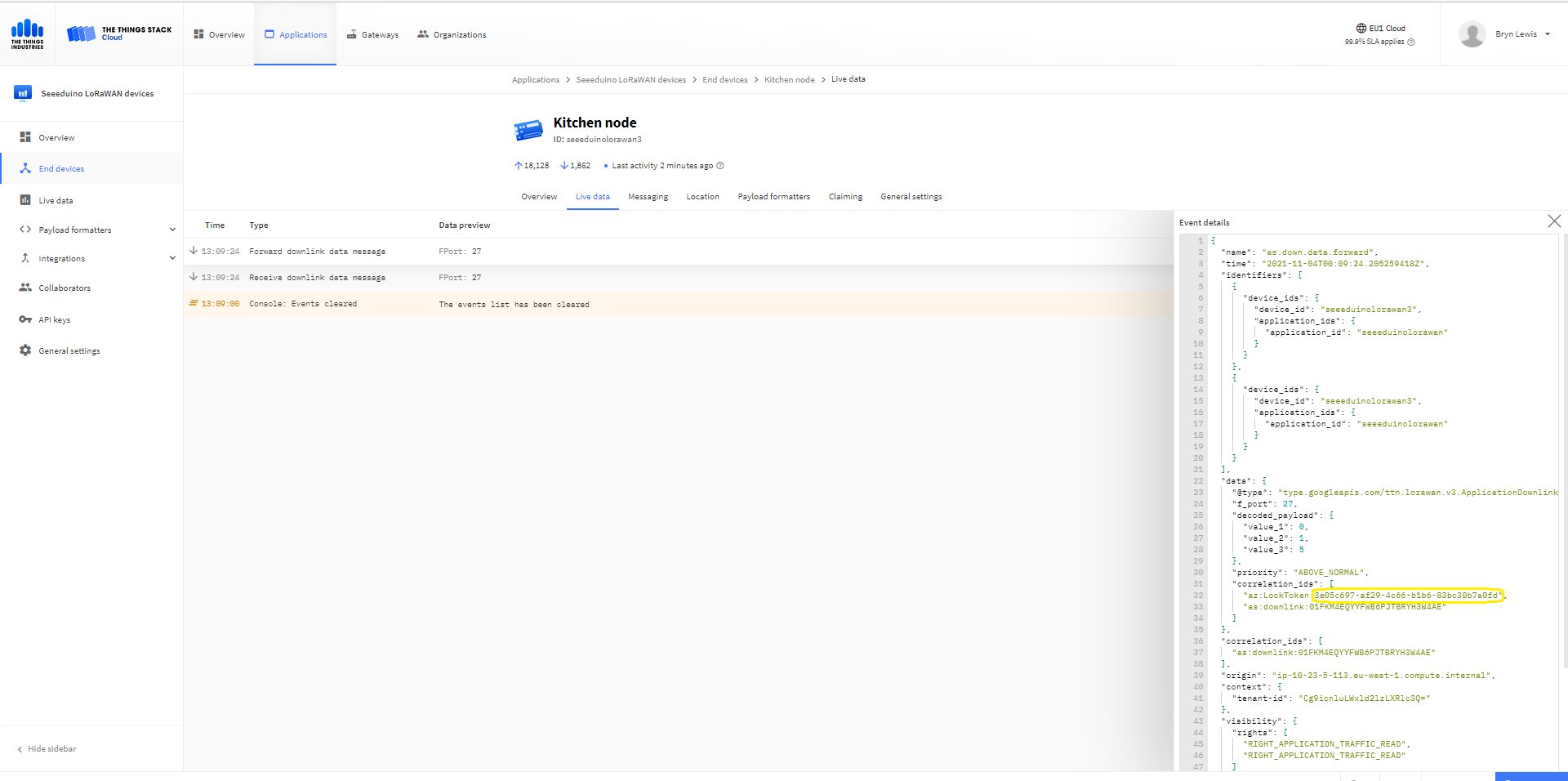
A correlation identifier containing the Message LockToken is added to the downlink payload.

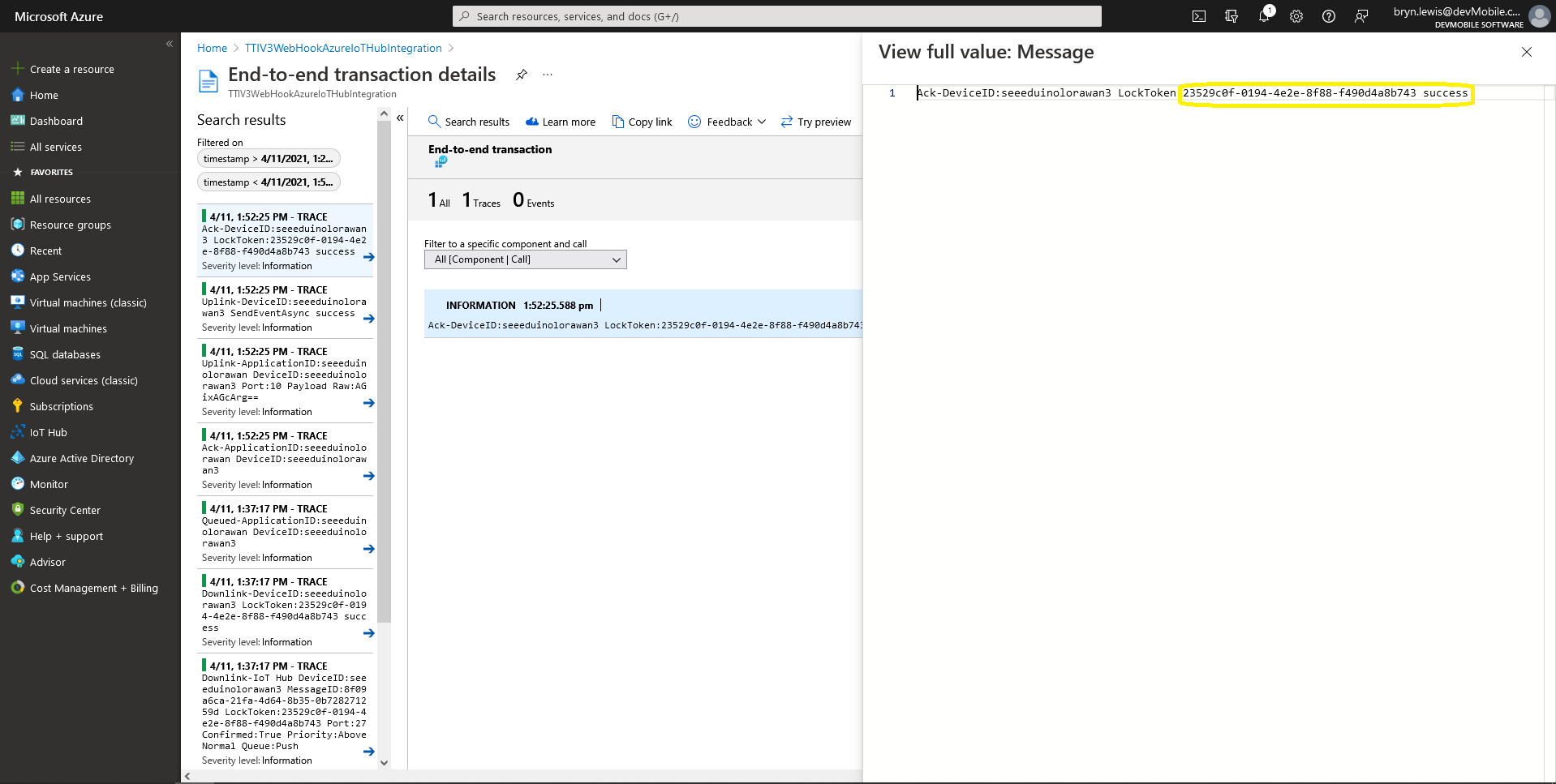
Azure IoT Explorer Cloud to Device sending an unconfirmed downlink message

For unconfirmed messages The TTI Connector calls the DeviceClient.CompletedAsync method (with the LockToken from the CorrelationIDs list) which deletes the message from the device queue.

[Function("Queued")]
public async Task<HttpResponseData> Queued([HttpTrigger(AuthorizationLevel.Function, "post")] HttpRequestData req, FunctionContext executionContext)
{
	var logger = executionContext.GetLogger("Queued");

	// Wrap all the processing in a try\catch so if anything blows up we have logged it.
	try
	{
		string payloadText = await req.ReadAsStringAsync();

		Models.DownlinkQueuedPayload payload = JsonConvert.DeserializeObject<Models.DownlinkQueuedPayload>(payloadText);
		if (payload == null)
		{
			logger.LogInformation("Queued-Payload {0} invalid", payloadText);

			return req.CreateResponse(HttpStatusCode.BadRequest);
		}

		string applicationId = payload.EndDeviceIds.ApplicationIds.ApplicationId;
		string deviceId = payload.EndDeviceIds.DeviceId;

		logger.LogInformation("Queued-ApplicationID:{0} DeviceID:{1} ", applicationId, deviceId);

		if (!_DeviceClients.TryGetValue(deviceId, out DeviceClient deviceClient))
		{
			logger.LogInformation("Queued-Unknown device for ApplicationID:{0} DeviceID:{1}", applicationId, deviceId);

			return req.CreateResponse(HttpStatusCode.Conflict);
		}

		// If the message is not confirmed "complete" it as soon as with network
		if (!payload.DownlinkQueued.Confirmed)
		{
			if (!AzureLockToken.TryGet(payload.DownlinkQueued.CorrelationIds, out string lockToken))
			{
				logger.LogWarning("Queued-DeviceID:{0} LockToken missing from payload:{1}", payload.EndDeviceIds.DeviceId, payloadText);

				return req.CreateResponse(HttpStatusCode.BadRequest);
			}

			try
			{
				await deviceClient.CompleteAsync(lockToken);
			}
			catch (DeviceMessageLockLostException)
			{
				logger.LogWarning("Queued-CompleteAsync DeviceID:{0} LockToken:{1} timeout", payload.EndDeviceIds.DeviceId, lockToken);

				return req.CreateResponse(HttpStatusCode.Conflict);
			}

			logger.LogInformation("Queued-DeviceID:{0} LockToken:{1} success", payload.EndDeviceIds.DeviceId, lockToken);
		}
	}
	catch (Exception ex)
	{
		logger.LogError(ex, "Queued message processing failed");

		return req.CreateResponse(HttpStatusCode.InternalServerError);
	}

	return req.CreateResponse(HttpStatusCode.OK);
}

The Things Industries Live Data tab for an unconfirmed message-Queued
Azure Application Insights for an unconfirmed message
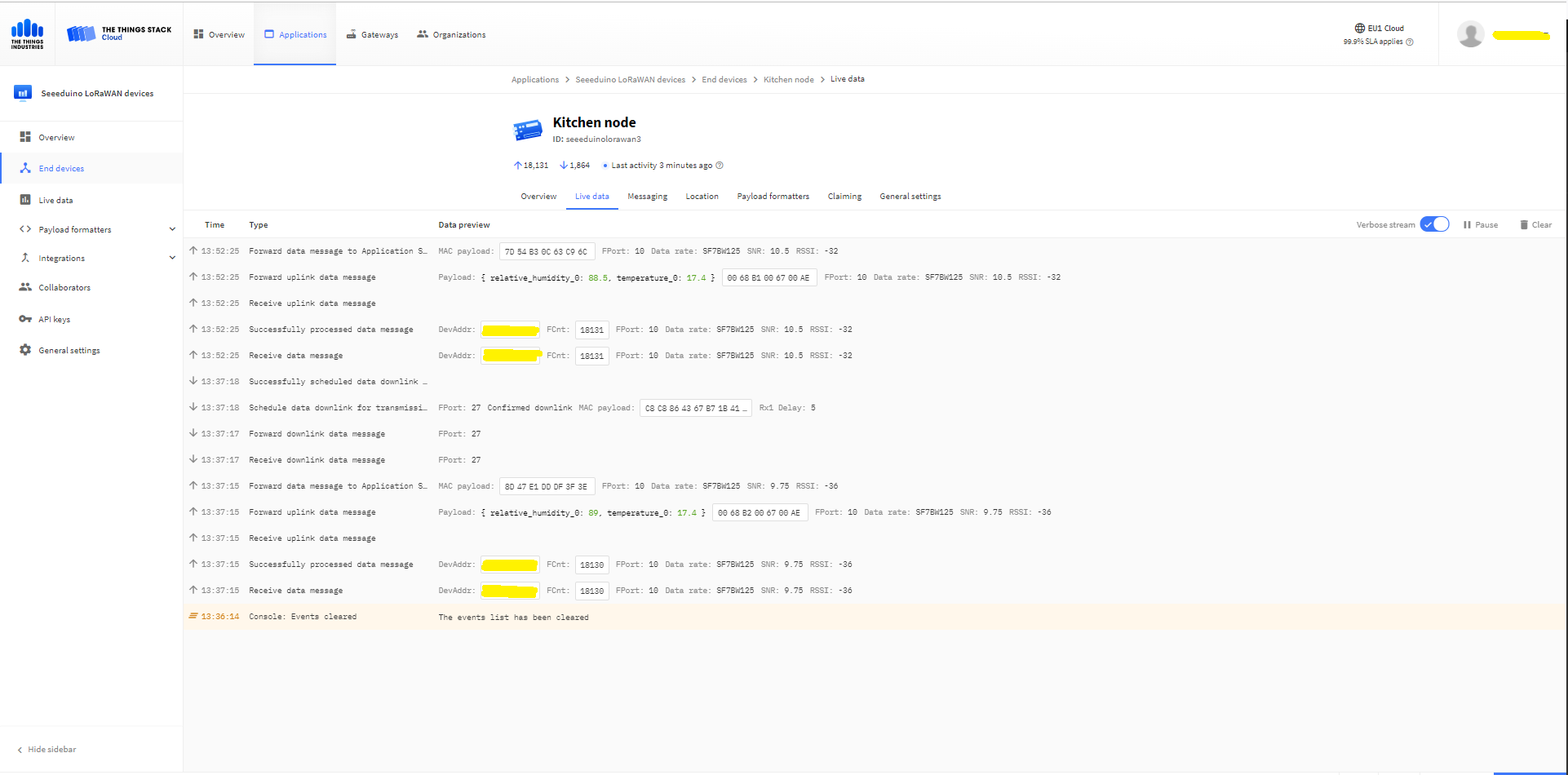
The Things Industries Live Data tab for an unconfirmed message-Sent
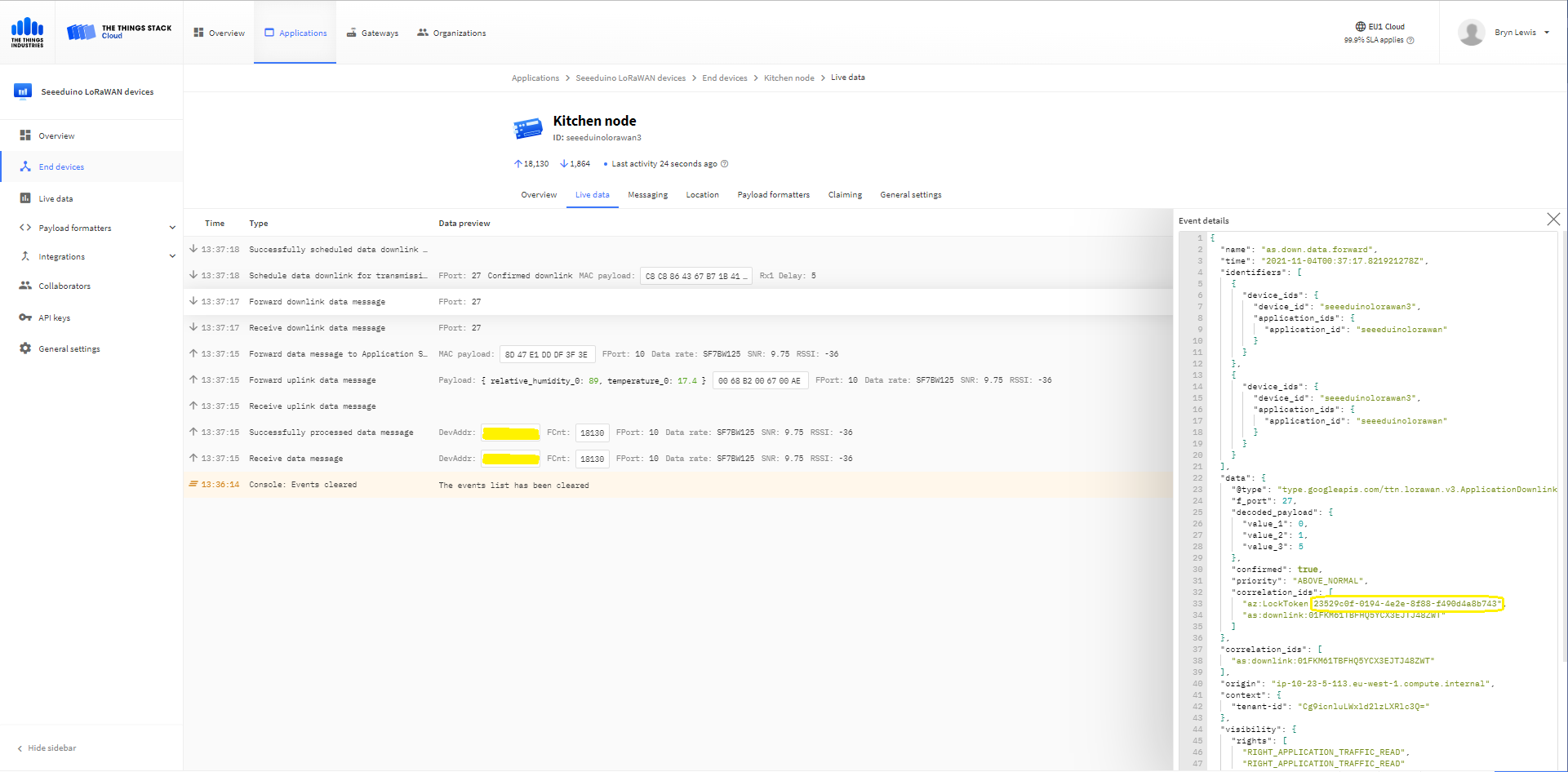
Azure IoT Explorer Cloud to Device sending a confirmed downlink message
Azure Application Insights for a confirmed message
The Things Industries Live Data tab for a confirmed message-Sent
The Things Industries Live Data tab for a confirmed message-Ack

If message delivery succeeds the deviceClient.CompleteAsync method (with the LockToken from the CorrelationIDs list) is called which removes the message from the device queue.

[Function("Ack")]
public async Task<HttpResponseData> Ack([HttpTrigger(AuthorizationLevel.Function, "post")] HttpRequestData req, FunctionContext executionContext)
{
	var logger = executionContext.GetLogger("Queued");

	// Wrap all the processing in a try\catch so if anything blows up we have logged it.
	try
	{
		string payloadText = await req.ReadAsStringAsync();

		Models.DownlinkAckPayload payload = JsonConvert.DeserializeObject<Models.DownlinkAckPayload>(payloadText);
		if (payload == null)
		{
			logger.LogInformation("Ack-Payload {0} invalid", payloadText);

			return req.CreateResponse(HttpStatusCode.BadRequest);
		}

		string applicationId = payload.EndDeviceIds.ApplicationIds.ApplicationId;
		string deviceId = payload.EndDeviceIds.DeviceId;

		logger.LogInformation("Ack-ApplicationID:{0} DeviceID:{1} ", applicationId, deviceId);

		if (!_DeviceClients.TryGetValue(deviceId, out DeviceClient deviceClient))
		{
			logger.LogInformation("Ack-Unknown device for ApplicationID:{0} DeviceID:{1}", applicationId, deviceId);

			return req.CreateResponse(HttpStatusCode.Conflict);
		}

		if (!AzureLockToken.TryGet(payload.DownlinkAck.CorrelationIds, out string lockToken))
		{
			logger.LogWarning("Ack-DeviceID:{0} LockToken missing from payload:{1}", payload.EndDeviceIds.DeviceId, payloadText);

			return req.CreateResponse(HttpStatusCode.BadRequest);
		}

		try
		{
			await deviceClient.CompleteAsync(lockToken);
		}
		catch (DeviceMessageLockLostException)
		{
			logger.LogWarning("Ack-CompleteAsync DeviceID:{0} LockToken:{1} timeout", payload.EndDeviceIds.DeviceId, lockToken);

			return req.CreateResponse(HttpStatusCode.Conflict);
		}

		logger.LogInformation("Ack-DeviceID:{0} LockToken:{1} success", payload.EndDeviceIds.DeviceId, lockToken);
	}
	catch (Exception ex)
	{
		logger.LogError(ex, "Ack message processing failed");

		return req.CreateResponse(HttpStatusCode.InternalServerError);
	}

	return req.CreateResponse(HttpStatusCode.OK);
}

Azure Application Insights for an confirmed message Ack

If message delivery fails the deviceClient.AbandonAsync method (with the LockToken from the CorrelationIDs list) is called which puts the downlink message back onto the device queue.

[Function("Failed")]
public async Task<HttpResponseData> Failed([HttpTrigger(AuthorizationLevel.Function, "post")] HttpRequestData req, FunctionContext executionContext)
{
	var logger = executionContext.GetLogger("Queued");

	// Wrap all the processing in a try\catch so if anything blows up we have logged it.
	try
	{
		string payloadText = await req.ReadAsStringAsync();

		Models.DownlinkFailedPayload payload = JsonConvert.DeserializeObject<Models.DownlinkFailedPayload>(payloadText);
		if (payload == null)
		{
			logger.LogInformation("Failed-Payload {0} invalid", payloadText);

			return req.CreateResponse(HttpStatusCode.BadRequest);
		}

		string applicationId = payload.EndDeviceIds.ApplicationIds.ApplicationId;
		string deviceId = payload.EndDeviceIds.DeviceId;

		logger.LogInformation("Failed-ApplicationID:{0} DeviceID:{1} ", applicationId, deviceId);

		if (!_DeviceClients.TryGetValue(deviceId, out DeviceClient deviceClient))
		{
			logger.LogInformation("Failed-Unknown device for ApplicationID:{0} DeviceID:{1}", applicationId, deviceId);

			return req.CreateResponse(HttpStatusCode.Conflict);
		}

		if (!AzureLockToken.TryGet(payload.DownlinkFailed.CorrelationIds, out string lockToken))
		{
			logger.LogWarning("Failed-DeviceID:{0} LockToken missing from payload:{1}", payload.EndDeviceIds.DeviceId, payloadText);

			return req.CreateResponse(HttpStatusCode.BadRequest);
		}

		try
		{
			await deviceClient.RejectAsync(lockToken);
		}
		catch (DeviceMessageLockLostException)
		{
			logger.LogWarning("Failed-RejectAsync DeviceID:{0} LockToken:{1} timeout", payload.EndDeviceIds.DeviceId, lockToken);

			return req.CreateResponse(HttpStatusCode.Conflict);
		}

		logger.LogInformation("Failed-DeviceID:{0} LockToken:{1} success", payload.EndDeviceIds.DeviceId, lockToken);
	}
	catch (Exception ex)
	{
		logger.LogError(ex, "Failed message processing failed");

		return req.CreateResponse(HttpStatusCode.InternalServerError);
	}

	return req.CreateResponse(HttpStatusCode.OK);
}

If message delivery is unsuccessful the deviceClient.RejectAsync method (with the LockToken from the CorrelationIDs list) is called which deletes the message from the device queue and indicates to the server that the message could not be processed.

[Function("Nack")]
public async Task<HttpResponseData> Nack([HttpTrigger(AuthorizationLevel.Function, "post")] HttpRequestData req, FunctionContext executionContext)
{
	var logger = executionContext.GetLogger("Queued");

	// Wrap all the processing in a try\catch so if anything blows up we have logged it.
	try
	{
		string payloadText = await req.ReadAsStringAsync();

		Models.DownlinkNackPayload payload = JsonConvert.DeserializeObject<Models.DownlinkNackPayload>(payloadText);
		if (payload == null)
		{
			logger.LogInformation("Nack-Payload {0} invalid", payloadText);

			return req.CreateResponse(HttpStatusCode.BadRequest);
		}

		string applicationId = payload.EndDeviceIds.ApplicationIds.ApplicationId;
		string deviceId = payload.EndDeviceIds.DeviceId;

		logger.LogInformation("Nack-ApplicationID:{0} DeviceID:{1} ", applicationId, deviceId);

		if (!_DeviceClients.TryGetValue(deviceId, out DeviceClient deviceClient))
		{
			logger.LogInformation("Nack-Unknown device for ApplicationID:{0} DeviceID:{1}", applicationId, deviceId);

			return req.CreateResponse(HttpStatusCode.Conflict);
		}

		if (!AzureLockToken.TryGet(payload.DownlinkNack.CorrelationIds, out string lockToken))
		{
			logger.LogWarning("Nack-DeviceID:{0} LockToken missing from payload:{1}", payload.EndDeviceIds.DeviceId, payloadText);

			return req.CreateResponse(HttpStatusCode.BadRequest);
		}

		try
		{
			await deviceClient.RejectAsync(lockToken);
		}
		catch (DeviceMessageLockLostException)
		{
			logger.LogWarning("Nack-RejectAsync DeviceID:{0} LockToken:{1} timeout", payload.EndDeviceIds.DeviceId, lockToken);

			return req.CreateResponse(HttpStatusCode.Conflict);
		}

		logger.LogInformation("Nack-DeviceID:{0} LockToken:{1} success", payload.EndDeviceIds.DeviceId, lockToken);
	}
	catch (Exception ex)
	{
		logger.LogError(ex, "Nack message processing failed");

		return req.CreateResponse(HttpStatusCode.InternalServerError);
	}

	return req.CreateResponse(HttpStatusCode.OK);
}

The way message Failed(Abandon), Ack(CompleteAsync) and Nack(RejectAsync) are handled needs some more testing to confirm my understanding of the sequencing of TTI confirmed message delivery.

BEWARE

The use of Confirmed messaging with devices that send uplink messages irregularly can cause weird problems if the Azure IoT hub downlink message times out.