Myriota Connector – Azure IoT Hub DTDL Support

The Myriota connector supports the use of Digital Twin Definition Language(DTDL) for Azure IoT Hub Connection Strings and the Azure IoT Hub Device Provisioning Service(DPS).

{
  "ConnectionStrings": {
    "ApplicationInsights": "...",
    "UplinkQueueStorage": "...",
    "PayloadFormattersStorage": "..."
  },
  "AzureIoT": {
   ...
 "ApplicationToDtdlModelIdMapping": {
   "tracker": "dtmi:myriotaconnector:Tracker_2lb;1",
     }
  }
 ...    
}

The Digital Twin Definition Language(DTDL) configuration used when a device is provisioned or when it connects is determined by the payload application which is based on the Myriota Destination endpoint.

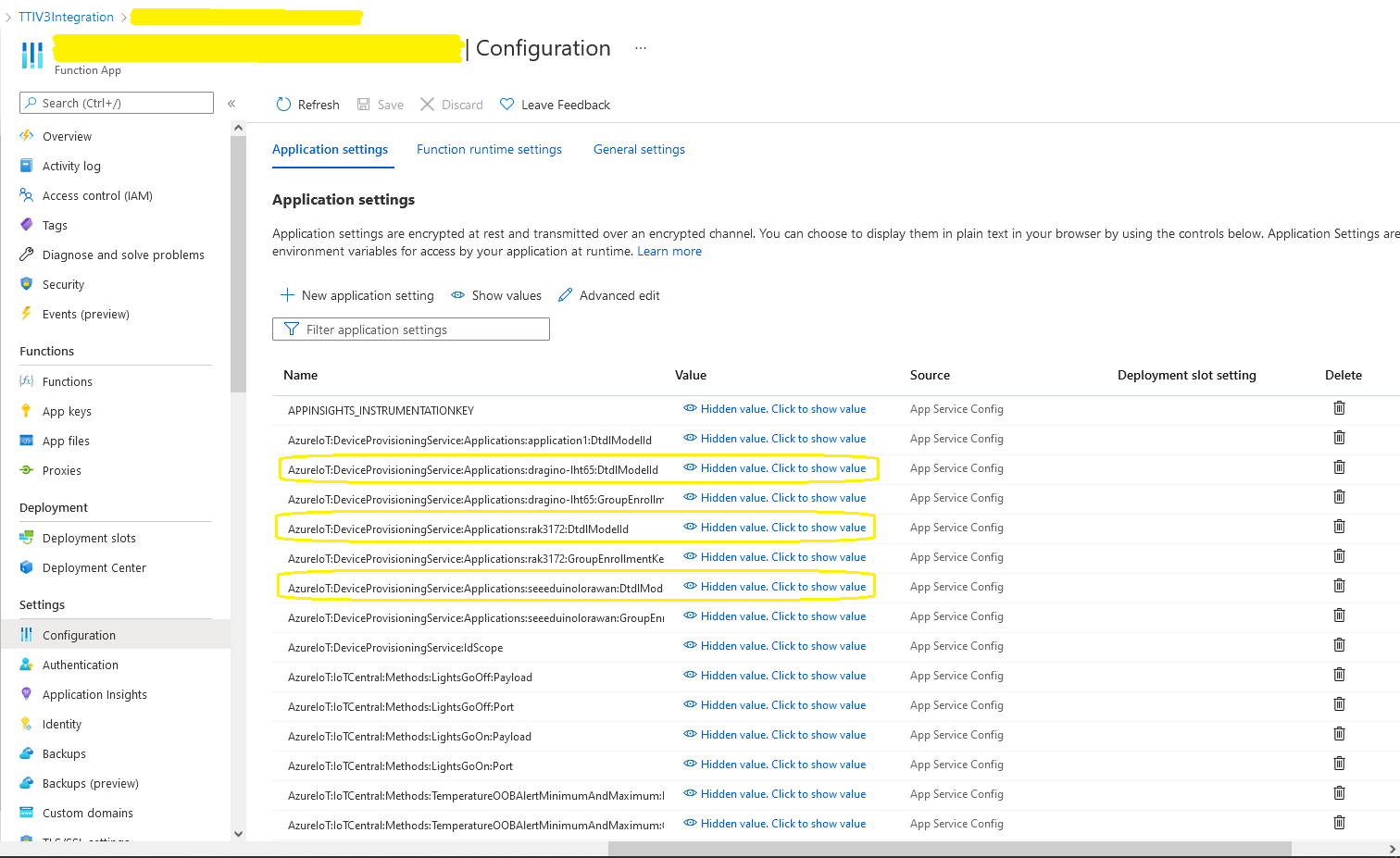
The Azure Function Configuration of Application to DTDL Model ID

BEWARE – They application in ApplicationToDtdlModelIdMapping is case sensitive!

Azure IoT Central Device Template Configuration

I used Azure IoT Central Device Template functionality to create my Azure Digital Twin definitions.

Azure IoT Hub Device Connection String

The DeviceClient CreateFromConnectionString method has an optional ClientOptions parameter which specifies the DTLDL model ID for the duration of the connection.

private async Task<DeviceClient> AzureIoTHubDeviceConnectionStringConnectAsync(string terminalId, string application, object context)
{
    DeviceClient deviceClient;

    if (_azureIoTSettings.ApplicationToDtdlModelIdMapping.TryGetValue(application, out string? modelId))
    {
        ClientOptions clientOptions = new ClientOptions()
        {
            ModelId = modelId
        };

        deviceClient = DeviceClient.CreateFromConnectionString(_azureIoTSettings.AzureIoTHub.ConnectionString, terminalId, TransportSettings, clientOptions);
    }
    else
    { 
        deviceClient = DeviceClient.CreateFromConnectionString(_azureIoTSettings.AzureIoTHub.ConnectionString, terminalId, TransportSettings);
    }

    await deviceClient.OpenAsync();

    return deviceClient;
}
Azure IoT Explorer Telemetry message with DTDL Model ID

Azure IoT Hub Device Provisioning Service

The ProvisioningDeviceClient RegisterAsync method has an optional ProvisionRegistrationAdditionalData parameter. The PnpConnection CreateDpsPayload is used to generate the JsonData property which specifies the DTLDL model ID used when the device is initially provisioned.

private async Task<DeviceClient> AzureIoTHubDeviceProvisioningServiceConnectAsync(string terminalId, string application, object context)
{
    DeviceClient deviceClient;

    string deviceKey;
    using (var hmac = new HMACSHA256(Convert.FromBase64String(_azureIoTSettings.AzureIoTHub.DeviceProvisioningService.GroupEnrollmentKey)))
    {
        deviceKey = Convert.ToBase64String(hmac.ComputeHash(Encoding.UTF8.GetBytes(terminalId)));
    }

    using (var securityProvider = new SecurityProviderSymmetricKey(terminalId, deviceKey, null))
    {
        using (var transport = new ProvisioningTransportHandlerAmqp(TransportFallbackType.TcpOnly))
        {
            DeviceRegistrationResult result;

            ProvisioningDeviceClient provClient = ProvisioningDeviceClient.Create(
                _azureIoTSettings.AzureIoTHub.DeviceProvisioningService.GlobalDeviceEndpoint,
                _azureIoTSettings.AzureIoTHub.DeviceProvisioningService.IdScope,
                securityProvider,
            transport);

            if (_azureIoTSettings.ApplicationToDtdlModelIdMapping.TryGetValue(application, out string? modelId))
            {
                ClientOptions clientOptions = new ClientOptions()
                {
                    ModelId = modelId
                };

                ProvisioningRegistrationAdditionalData provisioningRegistrationAdditionalData = new ProvisioningRegistrationAdditionalData()
                {
                    JsonData = PnpConvention.CreateDpsPayload(modelId)
                };
                result = await provClient.RegisterAsync(provisioningRegistrationAdditionalData);
            }
            else
            {
                result = await provClient.RegisterAsync();
            }
  
            if (result.Status != ProvisioningRegistrationStatusType.Assigned)
            {
                _logger.LogWarning("Uplink-DeviceID:{0} RegisterAsync status:{1} failed ", terminalId, result.Status);

                throw new ApplicationException($"Uplink-DeviceID:{0} RegisterAsync status:{1} failed");
            }

            IAuthenticationMethod authentication = new DeviceAuthenticationWithRegistrySymmetricKey(result.DeviceId, (securityProvider as SecurityProviderSymmetricKey).GetPrimaryKey());

            deviceClient = DeviceClient.Create(result.AssignedHub, authentication, TransportSettings);
        }
    }

    await deviceClient.OpenAsync();

    return deviceClient;
}
Azure IoT Central Device Connection Group configuration

An Azure IoT Central Device connection groups can be configured to “automagically” provision devices.

Myriota Connector – Azure IoT Hub Connectivity

The Myriota connector supports the use of Azure IoT Hub Connection Strings and the Azure IoT Hub Device Provisioning Service(DPS) for device management. I use Alastair Crabtree’s LazyCache to store Azure IoT Hub connections which are opened the first time they are used.

 public async Task<DeviceClient> GetOrAddAsync(string terminalId, object context)
 {
     DeviceClient deviceClient;

     switch (_azureIoTSettings.AzureIoTHub.ConnectionType)
     {
         case Models.AzureIotHubConnectionType.DeviceConnectionString:
             deviceClient = await _azuredeviceClientCache.GetOrAddAsync(terminalId, (ICacheEntry x) => AzureIoTHubDeviceConnectionStringConnectAsync(terminalId, context));
             break;
         case Models.AzureIotHubConnectionType.DeviceProvisioningService:
             deviceClient = await _azuredeviceClientCache.GetOrAddAsync(terminalId, (ICacheEntry x) => AzureIoTHubDeviceProvisioningServiceConnectAsync(terminalId, context));
             break;
         default:
             _logger.LogError("Uplink- Azure IoT Hub ConnectionType unknown {0}", _azureIoTSettings.AzureIoTHub.ConnectionType);

             throw new NotImplementedException("AzureIoT Hub unsupported ConnectionType");
     }

     return deviceClient;
 }

The IAzureDeviceClientCache.GetOrAddAsync method returns an open Azure IoT Hub DeviceClient connection or uses the method specified in the application configuration.

Azure IoT Hub Device Connection String

The Azure IoT Hub delegate uses a Device Connection String which is retrieved from the application configuration.

{
  "ConnectionStrings": {
    "ApplicationInsights": "...",
    "UplinkQueueStorage": "...",
    "PayloadFormattersStorage": "..."
  },
  "AzureIoT": {
    "AzureIoTHub": {
      "ConnectionType": "DeviceConnectionString",
      "connectionString": "HostName=....azure-devices.net;SharedAccessKeyName=device;SharedAccessKey=...",
        }
   }
 ...    
}
Azure Function with IoT Hub Device connection string configuration
private async Task<DeviceClient> AzureIoTHubDeviceConnectionStringConnectAsync(string terminalId, object context)
{
    DeviceClient deviceClient = DeviceClient.CreateFromConnectionString(_azureIoTSettings.AzureIoTHub.ConnectionString, terminalId, TransportSettings);

    await deviceClient.OpenAsync();

    return deviceClient;
 }
Azure IoT Hub Device Shared Access Policy for Device Connection String

One of my customers uses an Azure Logic Application to manage Myriota and Azure IoT Connector configuration.

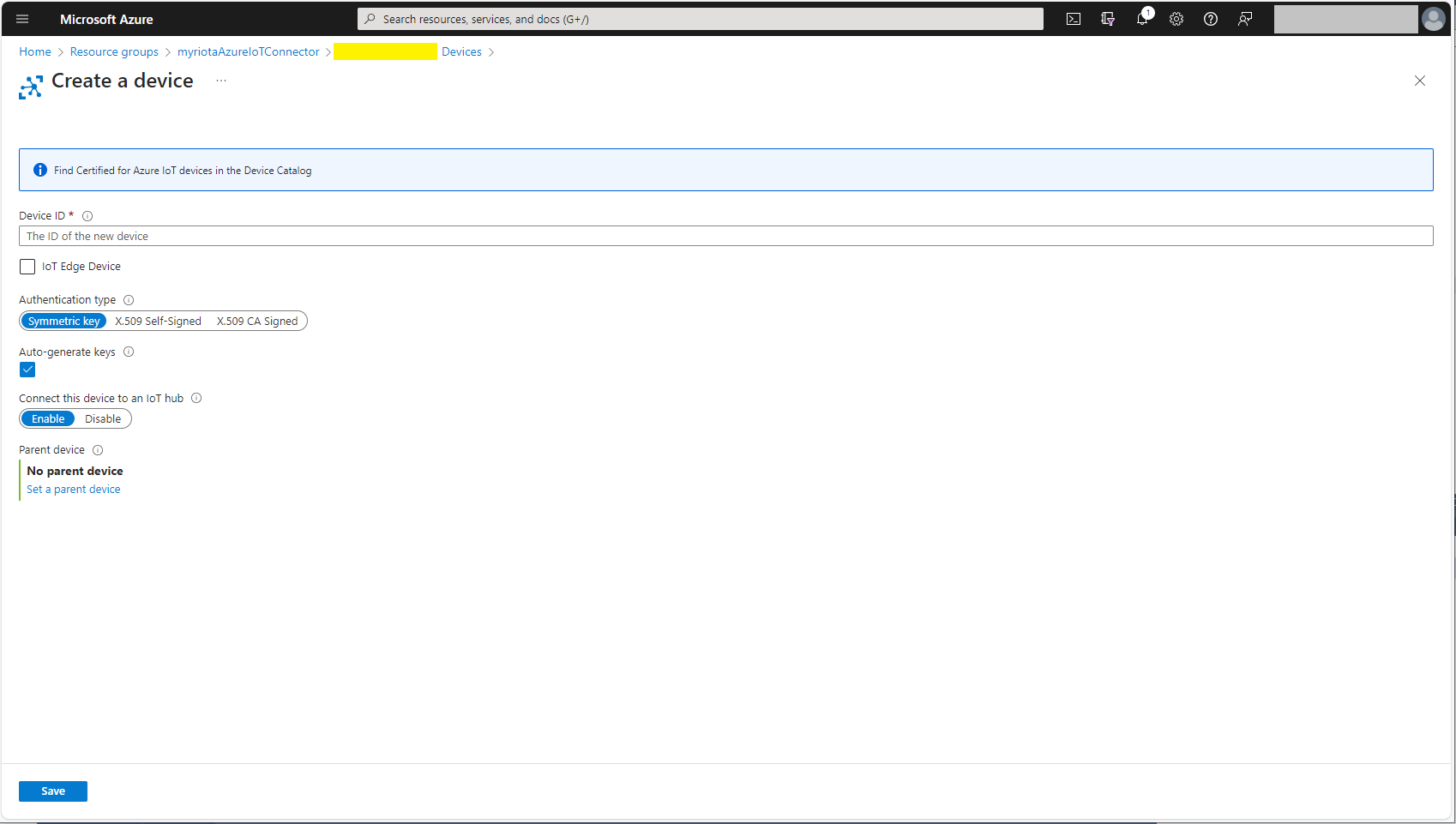
Azure IoT Hub manual Device configuration

Azure IoT Hub Device Provisioning Service

The Azure IoT Hub Device Provisioning Service(DPS) delegate uses Symmetric Key Attestation with the Global Device Endpoint, ID Scope and Group Enrollment Key retrieved from the application configuration.

{
  "ConnectionStrings": {
    "ApplicationInsights": "...",
    "UplinkQueueStorage": "...",
    "PayloadFormattersStorage": "..."
  },
  "AzureIoT": {
      "ConnectionType": "DeviceProvisioningService",
      "DeviceProvisioningServiceIoTHub": {
        "GlobalDeviceEndpoint": "global.azure-devices-provisioning.net",
        "IDScope": ".....",
        "GroupEnrollmentKey": "...."
      }
   }
}
Azure IoT Function with Azure IoT Hub Device Provisioning Service(DPS) configuration

Symmetric key attestation with the Azure IoT Hub Device Provisioning Service(DPS) is performed using the same security tokens supported by Azure IoT Hubs to securely connect devices. The symmetric key of an enrollment group isn’t used directly by devices in the provisioning process. Instead, devices that provision through an enrollment group do so using a derived device key.
private async Task<DeviceClient> AzureIoTHubDeviceProvisioningServiceConnectAsync(string terminalId, object context)
{
    DeviceClient deviceClient;

    string deviceKey;
    using (var hmac = new HMACSHA256(Convert.FromBase64String(_azureIoTSettings.AzureIoTHub.DeviceProvisioningService.GroupEnrollmentKey)))
    {
        deviceKey = Convert.ToBase64String(hmac.ComputeHash(Encoding.UTF8.GetBytes(terminalId)));
    }

    using (var securityProvider = new SecurityProviderSymmetricKey(terminalId, deviceKey, null))
    {
        using (var transport = new ProvisioningTransportHandlerAmqp(TransportFallbackType.TcpOnly))
        {
            DeviceRegistrationResult result;

            ProvisioningDeviceClient provClient = ProvisioningDeviceClient.Create(
                _azureIoTSettings.AzureIoTHub.DeviceProvisioningService.GlobalDeviceEndpoint,
                _azureIoTSettings.AzureIoTHub.DeviceProvisioningService.IdScope,
                securityProvider,
                transport);

            result = await provClient.RegisterAsync();
  
            if (result.Status != ProvisioningRegistrationStatusType.Assigned)
            {
                _logger.LogWarning("Uplink-DeviceID:{0} RegisterAsync status:{1} failed ", terminalId, result.Status);

                throw new ApplicationException($"Uplink-DeviceID:{0} RegisterAsync status:{1} failed");
            }

            IAuthenticationMethod authentication = new DeviceAuthenticationWithRegistrySymmetricKey(result.DeviceId, (securityProvider as SecurityProviderSymmetricKey).GetPrimaryKey());

            deviceClient = DeviceClient.Create(result.AssignedHub, authentication, TransportSettings);
        }
    }

    await deviceClient.OpenAsync();

    return deviceClient;
}

The derived device key is a hash of the device’s registration ID and is computed using the symmetric key of the enrollment group. The device can then use its derived device key to sign the SAS token it uses to register with DPS.

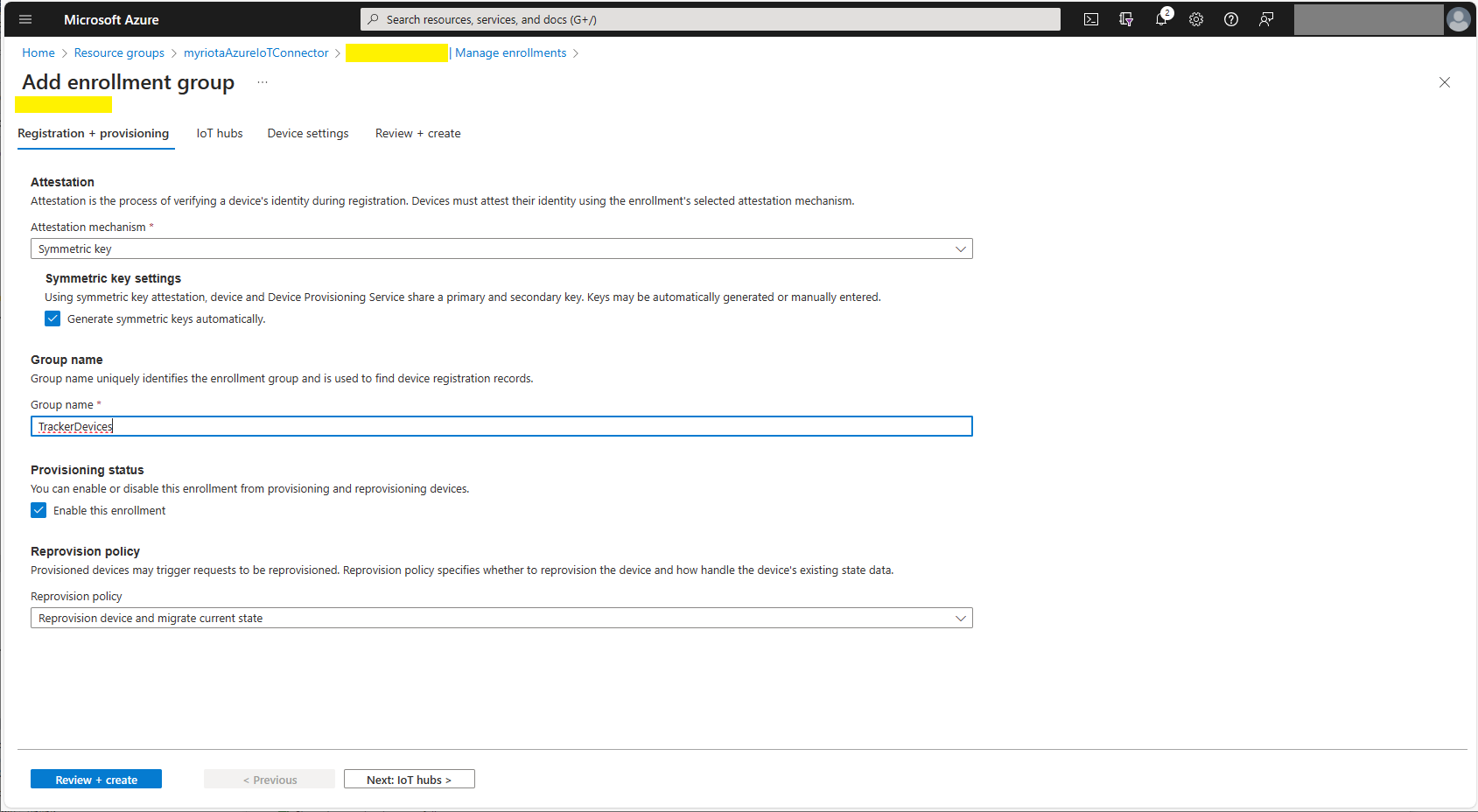
Azure Device Provisioning Service Adding Enrollment Group Attestation
Azure Device Provisioning Service Add Enrollment Group IoT Hub(s) selection.
Azure Device Provisioning Service Manager Enrollments

For initial development and testing I ran the function application in the desktop emulator and simulated Myriota Device Manager webhook calls with Azure Storage Explorer and modified sample payloads.

Azure Storage Explorer Storage Account Queued Messages

I then used Azure IoT Explorer to configure devices, view uplink traffic etc.

Azure IoT Explorer Devices

When I connected to my Azure IoT Hub shortly after starting the Myriota Azure IoT Connector Function my test devices started connecting as messages arrived.

Azure IoT Explorer Device Telemetry

I then deployed my function to Azure and configured the Azure IoT Hub connection string, Azure Application Insights connection string etc.

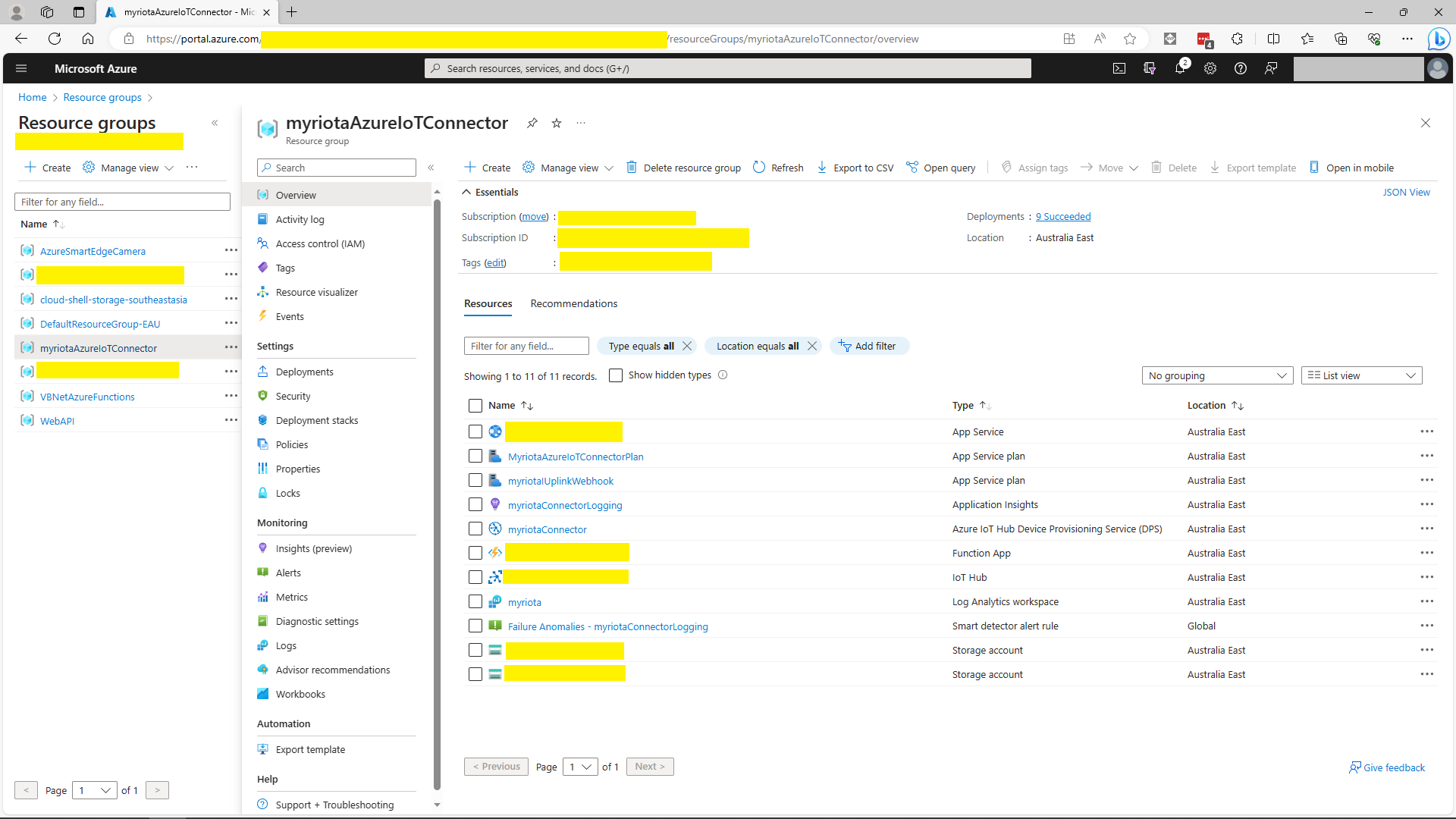
Azure Portal Myriota Resource Group
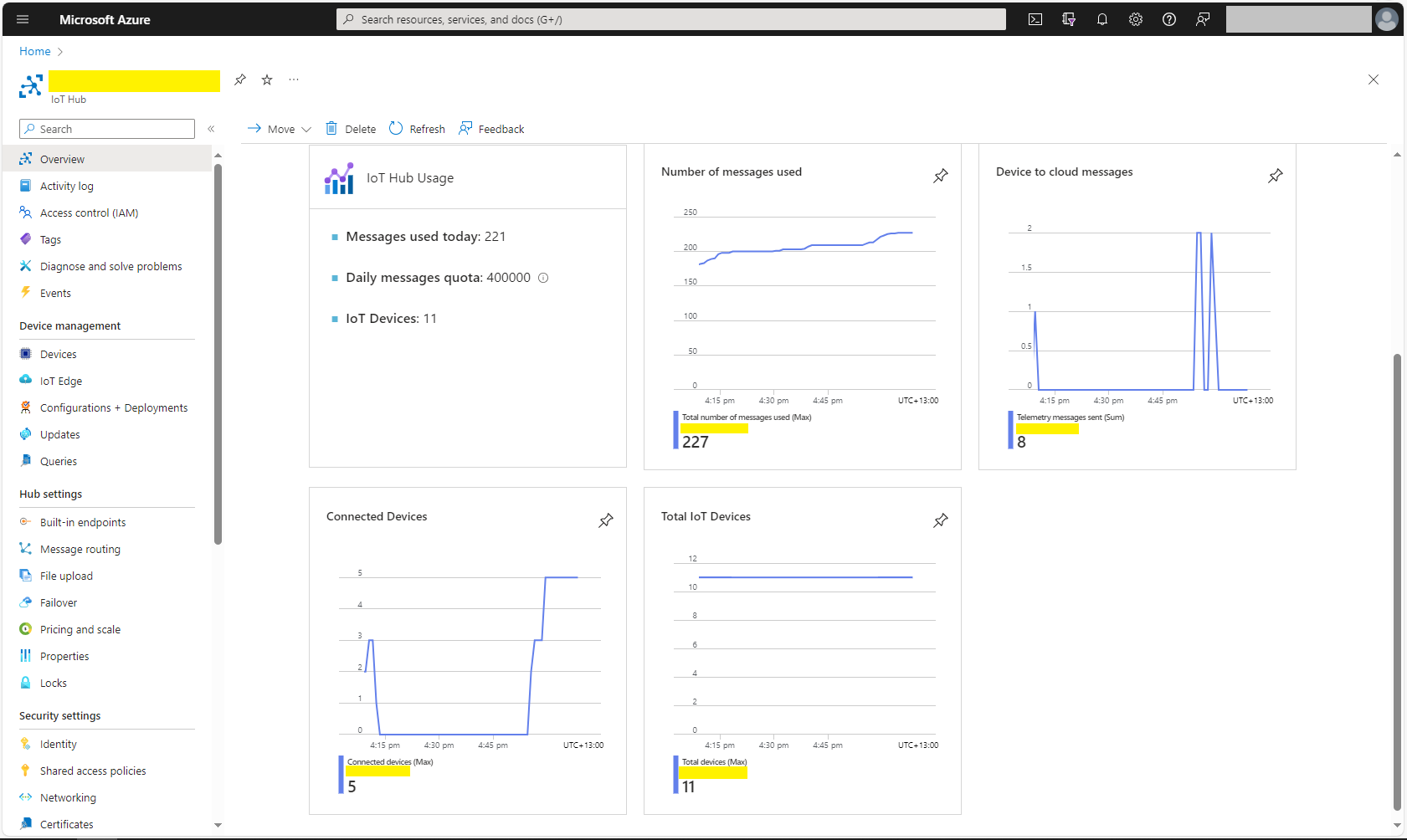
Azure Portal Myriota IoT Hub Metrics

There was often a significant delay for the Device Status to update. which shouldn’t be a problem.

TTI V3 Connector Azure IoT Central Device Provisioning Service(DPS) support

The TTI Connector supports the Azure IoT Hub Device Provisioning Service(DPS) which is required (it is possible to provision individual devices but this intended for small deployments or testing) for Azure IoT Central applications. The TTI Connector implementation also supports Azure IoT Central Digital Twin Definition Language (DTDL V2) for “automagic” device provisioning.

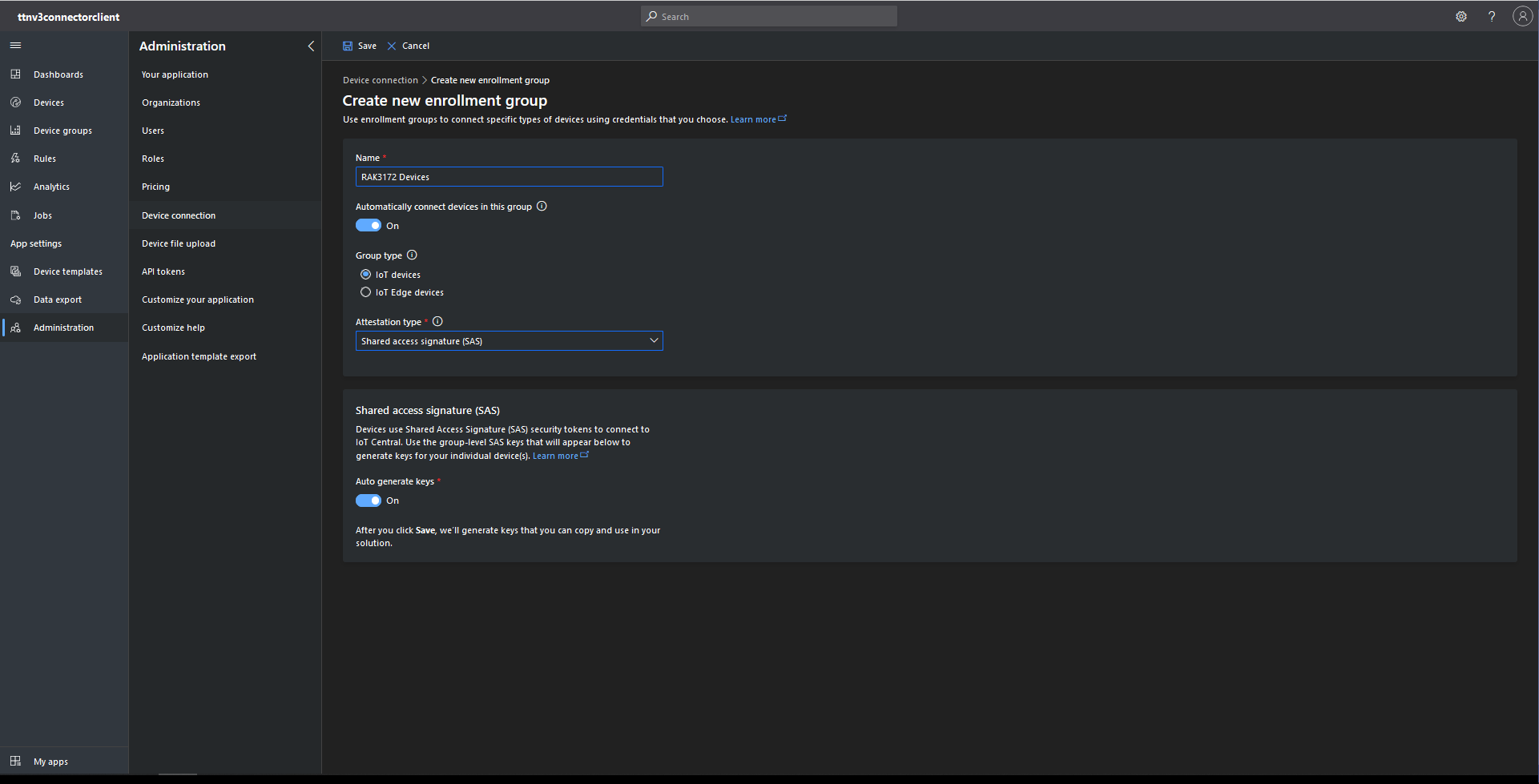
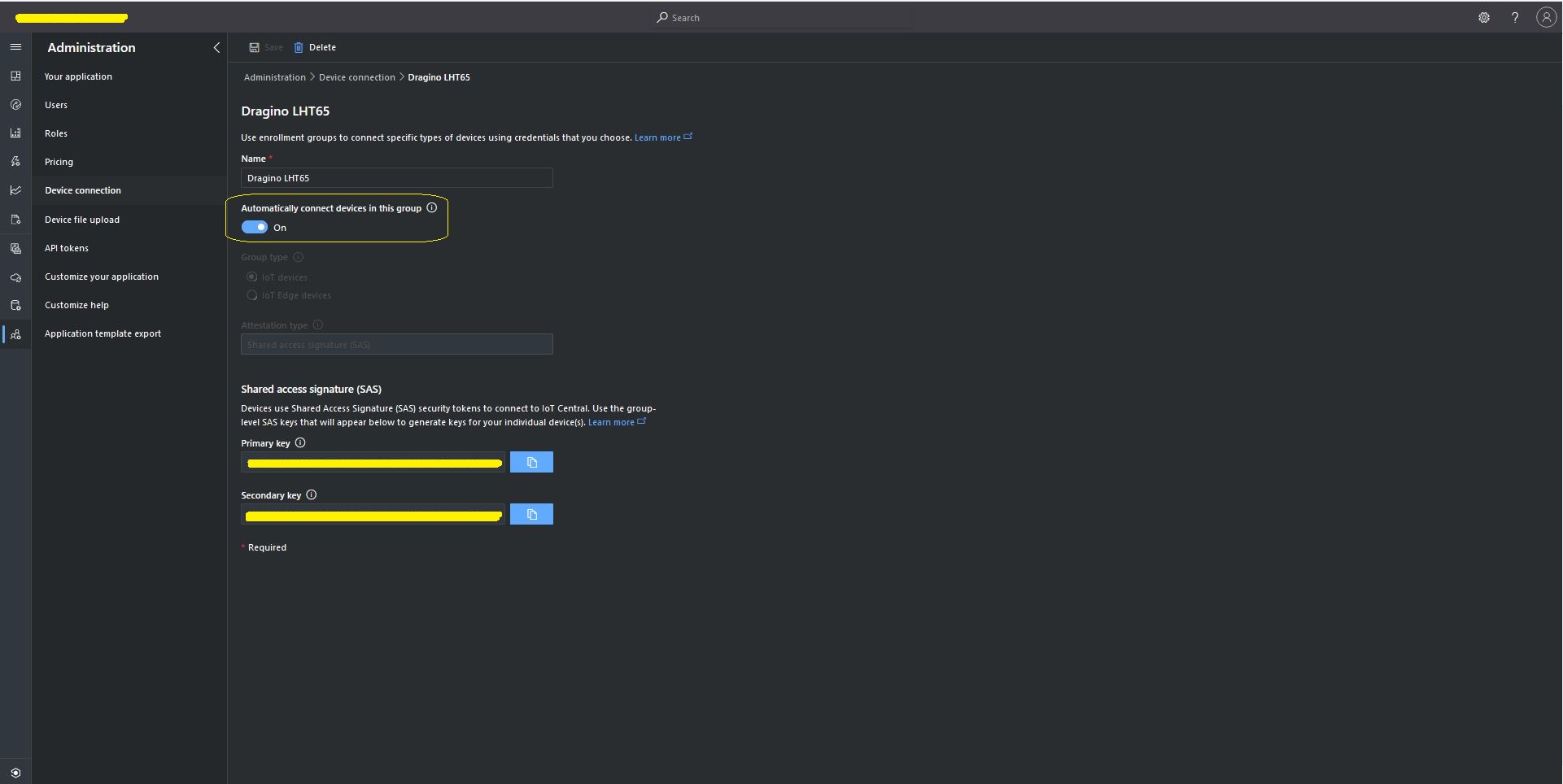
The first step was to configure and Azure IoT Central enrollment group (ensure “Automatically connect devices in this group” is on for “zero touch” provisioning) and copy the IDScope and Group Enrollment key to the TTI Connector configuration

RAK3172 Enrollment Group creation
Azure IoT Hub Device Provisioning Service configuration

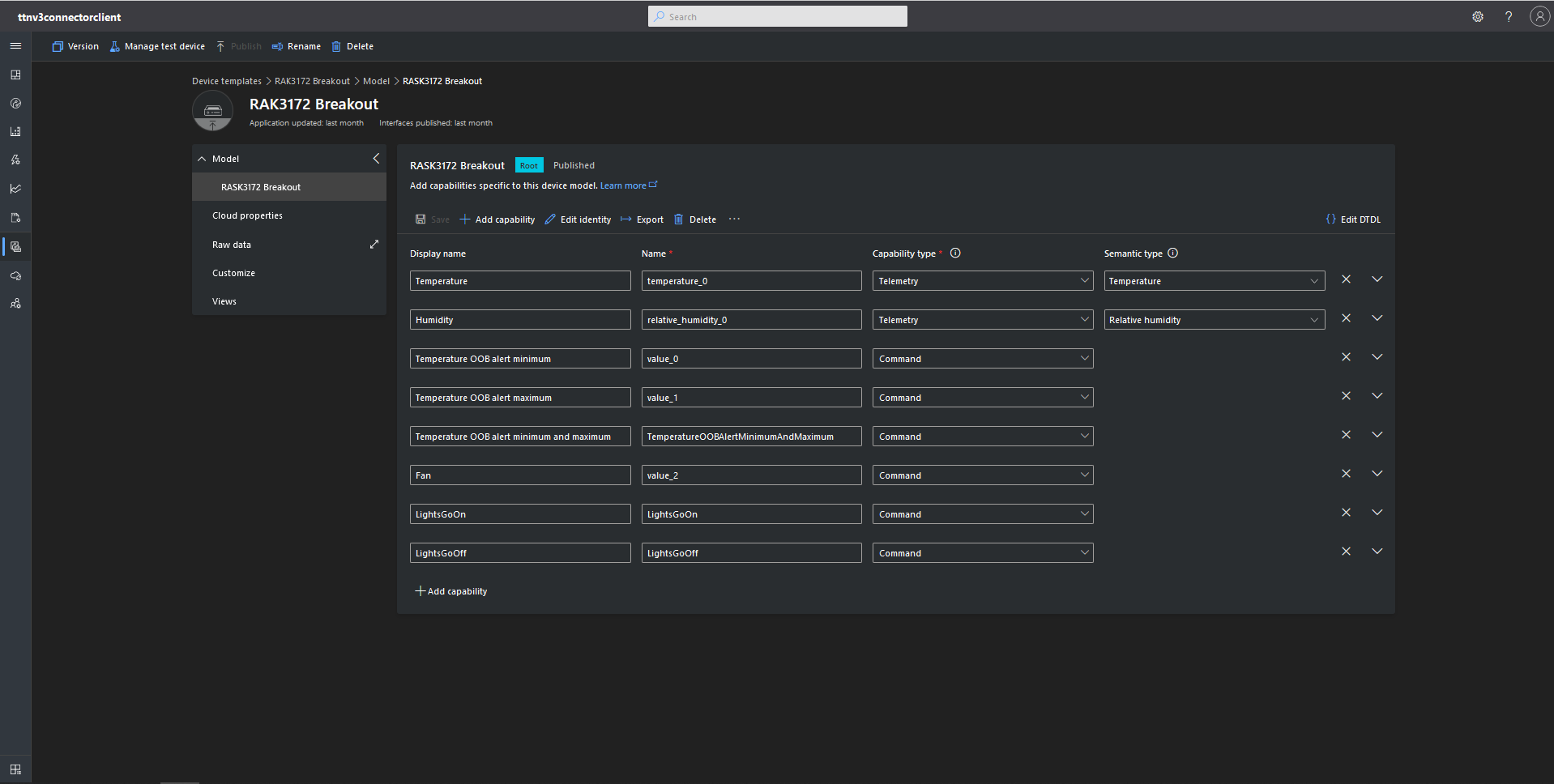
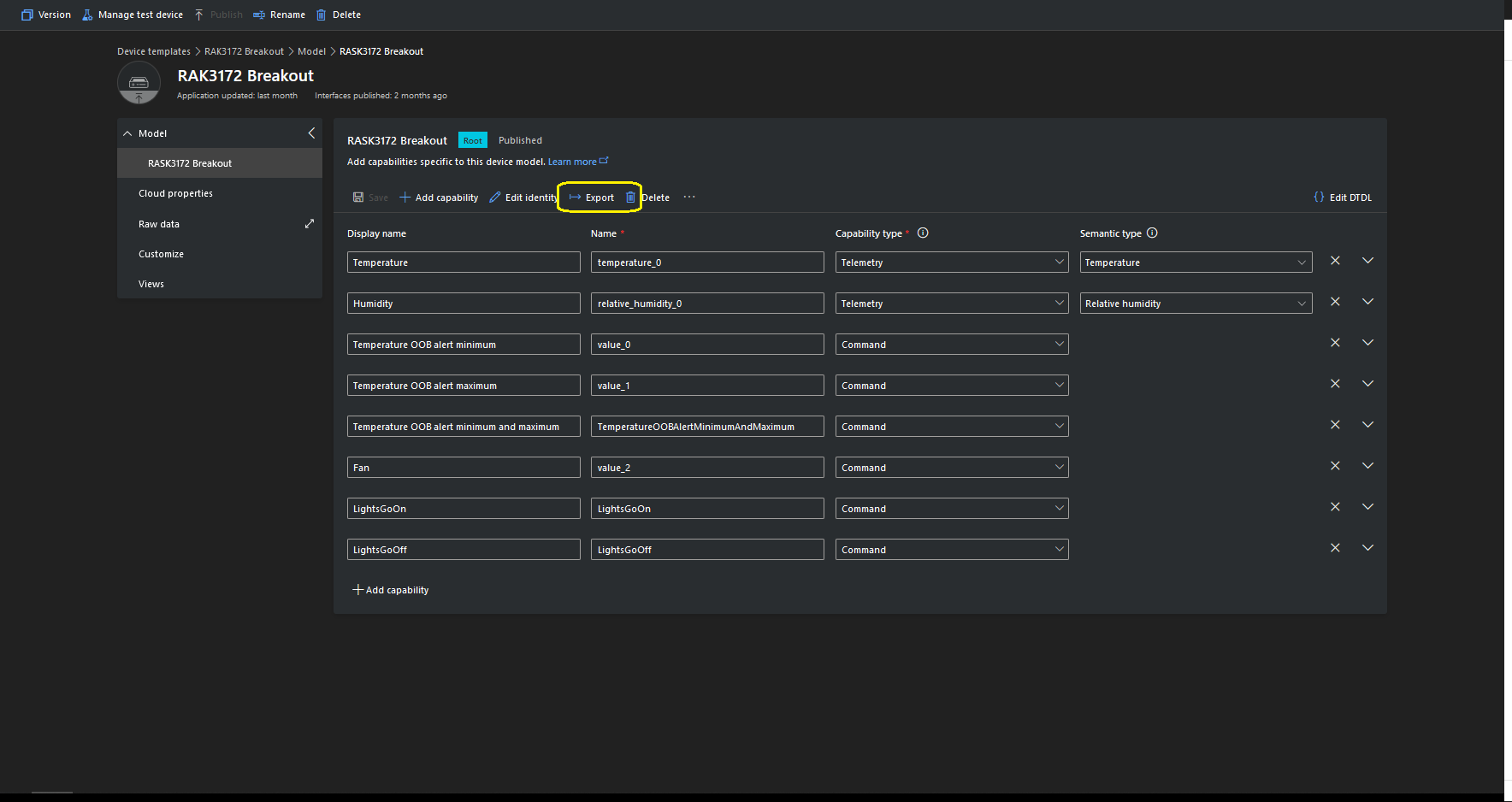
I then created an Azure IoT Central template for my RAK3172 breakout board based.Net Core powered test device.

{
    "@id": "dtmi:ttnv3connectorclient:RASK3172Breakout1c7;1",
    "@type": "Interface",
    "contents": [
        {
            "@id": "dtmi:ttnv3connectorclient:RASK3172Breakout1c7:temperature_0;1",
            "@type": [
                "Telemetry",
                "Temperature"
            ],
            "displayName": {
                "en": "Temperature"
            },
            "name": "temperature_0",
            "schema": "double",
            "unit": "degreeCelsius"
        },
        {
            "@id": "dtmi:ttnv3connectorclient:RASK3172Breakout1c7:relative_humidity_0;1",
            "@type": [
                "Telemetry",
                "RelativeHumidity"
            ],
            "displayName": {
                "en": "Humidity"
            },
            "name": "relative_humidity_0",
            "schema": "double",
            "unit": "percent"
        },
        {
            "@id": "dtmi:ttnv3connectorclient:RASK3172Breakout1c7:value_0;1",
            "@type": "Command",
            "displayName": {
                "en": "Temperature OOB alert minimum"
            },
            "name": "value_0",
            "request": {
                "@type": "CommandPayload",
                "displayName": {
                    "en": "Minimum"
                },
                "name": "value_0",
                "schema": "double"
            },
            "durable": true
        },
        {
            "@id": "dtmi:ttnv3connectorclient:RASK3172Breakout1c7:value_1;1",
            "@type": "Command",
            "displayName": {
                "en": "Temperature OOB alert maximum"
            },
            "name": "value_1",
            "request": {
                "@type": "CommandPayload",
                "displayName": {
                    "en": "Maximum"
                },
                "name": "value_1",
                "schema": "double"
            },
            "durable": true
        },
        {
            "@id": "dtmi:ttnv3connectorclient:RASK3172Breakout1c7:TemperatureOOBAlertMinimumAndMaximum;1",
            "@type": "Command",
            "displayName": {
                "en": "Temperature OOB alert minimum and maximum"
            },
            "name": "TemperatureOOBAlertMinimumAndMaximum",
            "request": {
                "@type": "CommandPayload",
                "displayName": {
                    "en": "Alert Temperature"
                },
                "name": "AlertTemperature",
                "schema": {
                    "@type": "Object",
                    "displayName": {
                        "en": "Object"
                    },
                    "fields": [
                        {
                            "displayName": {
                                "en": "minimum"
                            },
                            "name": "value_0",
                            "schema": "double"
                        },
                        {
                            "displayName": {
                                "en": "maximum"
                            },
                            "name": "value_1",
                            "schema": "double"
                        }
                    ]
                }
            },
            "durable": true
        },
        {
            "@id": "dtmi:ttnv3connectorclient:RASK3172Breakout1c7:value_2;1",
            "@type": "Command",
            "displayName": {
                "en": "Fan"
            },
            "name": "value_2",
            "request": {
                "@type": "CommandPayload",
                "displayName": {
                    "en": "On"
                },
                "name": "value_3",
                "schema": {
                    "@type": "Enum",
                    "displayName": {
                        "en": "Enum"
                    },
                    "enumValues": [
                        {
                            "displayName": {
                                "en": "On"
                            },
                            "enumValue": 1,
                            "name": "On"
                        },
                        {
                            "displayName": {
                                "en": "Off"
                            },
                            "enumValue": 0,
                            "name": "Off"
                        }
                    ],
                    "valueSchema": "integer"
                }
            },
            "durable": true
        },
        {
            "@id": "dtmi:ttnv3connectorclient:RASK3172Breakout1c7:LightsGoOn;1",
            "@type": "Command",
            "displayName": {
                "en": "LightsGoOn"
            },
            "name": "LightsGoOn",
            "durable": true
        },
        {
            "@id": "dtmi:ttnv3connectorclient:RASK3172Breakout1c7:LightsGoOff;1",
            "@type": "Command",
            "displayName": {
                "en": "LightsGoOff"
            },
            "name": "LightsGoOff",
            "durable": true
        }
    ],
    "displayName": {
        "en": "RASK3172 Breakout"
    },
    "@context": [
        "dtmi:iotcentral:context;2",
        "dtmi:dtdl:context;2"
    ]
}

The Device Template @Id can also be set for a TTI application using an optional dtdlmodelid which is specified the the TTI Connector configuration.

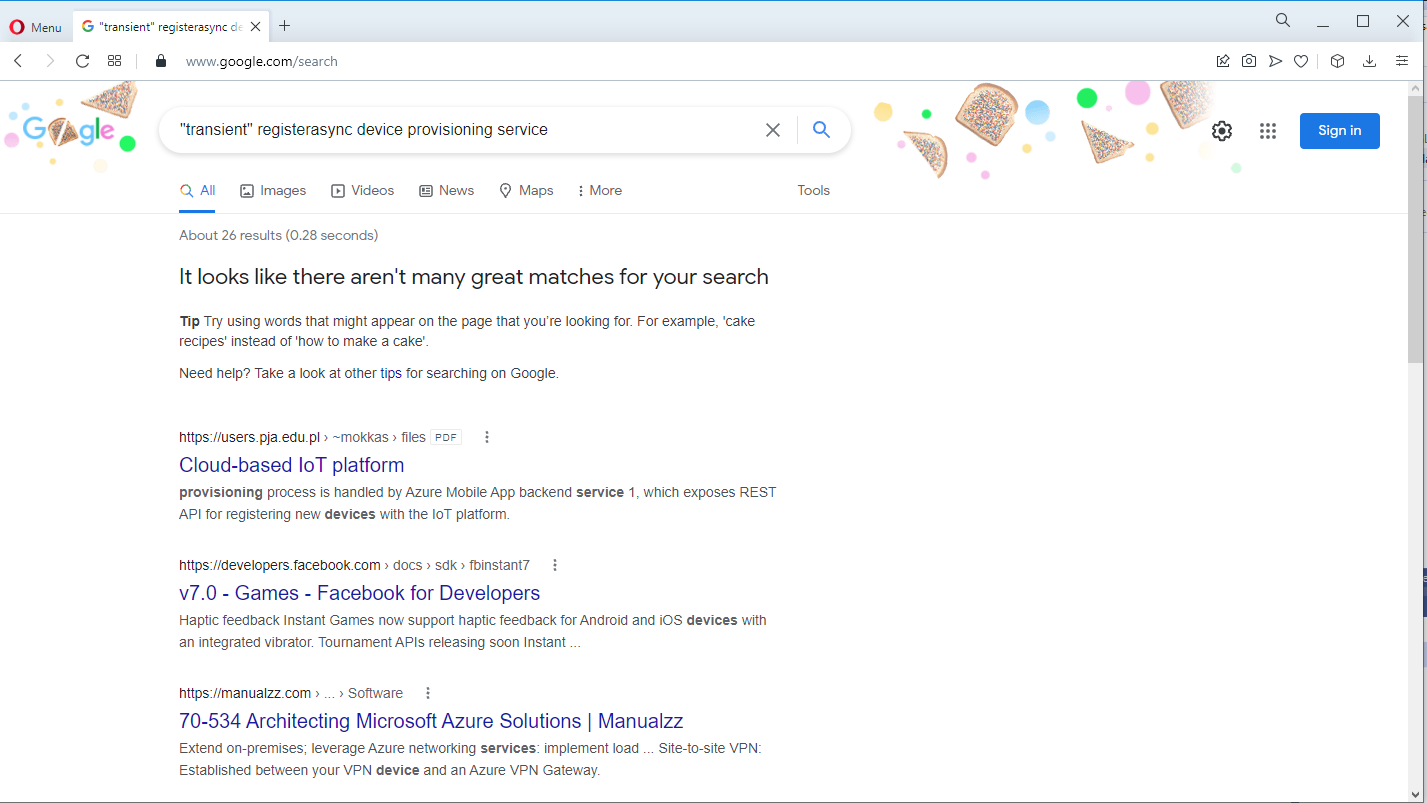
Azure Device Provisioning Service(DPS) when transient isn’t

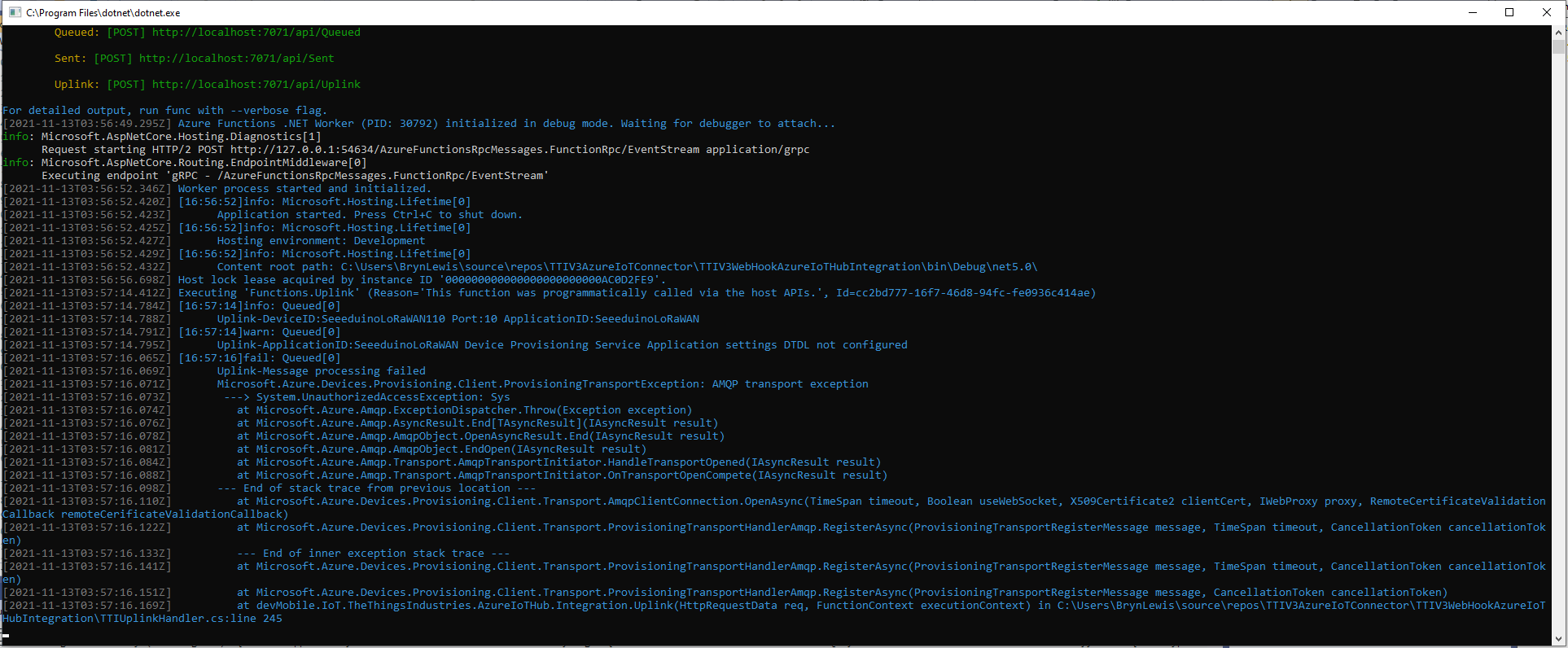
After some updates to my Device Provisioning Service(DPS) code the RegisterAsync method was exploding with an odd exception.

TTI Webhook Integration running in desktop emulator

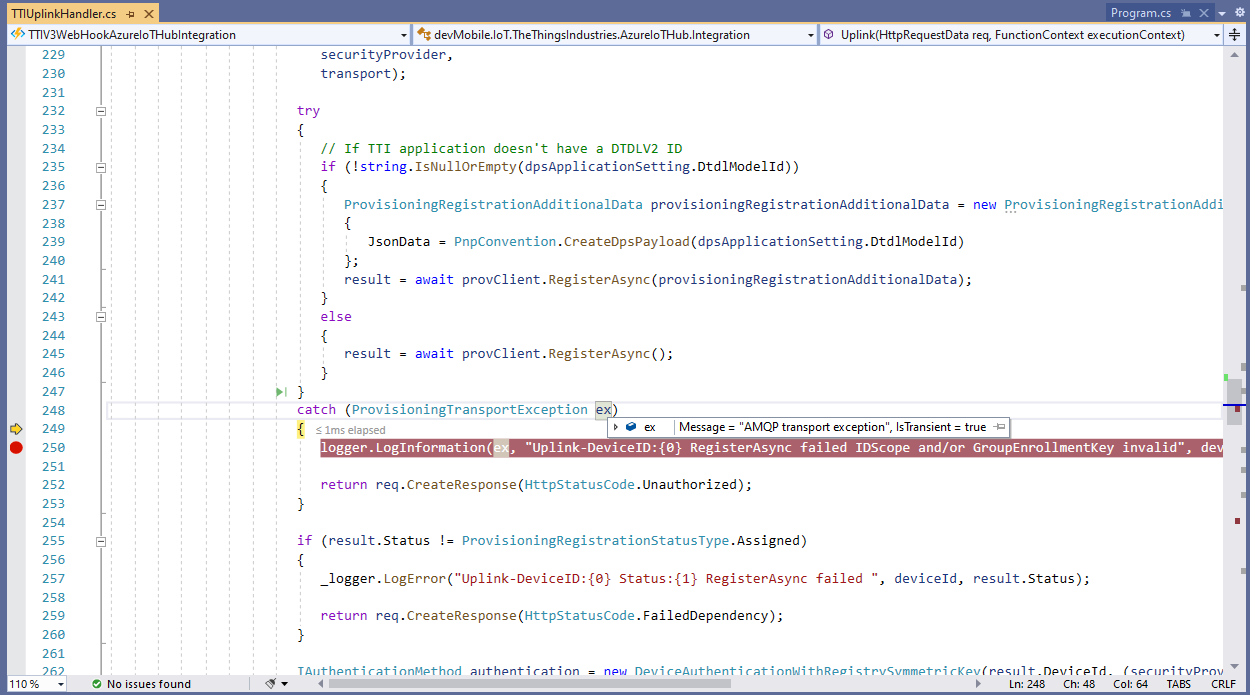
In the Visual Studio 2019 Debugger the exception text was “IsTransient = true” so I went and made a coffee and tried again.

Visual Studio 2019 Quickwatch displaying short from error message

The call was still failing so I dumped out the exception text so I had some key words to search for

Microsoft.Azure.Devices.Provisioning.Client.ProvisioningTransportException: AMQP transport exception
 ---> System.UnauthorizedAccessException: Sys
   at Microsoft.Azure.Amqp.ExceptionDispatcher.Throw(Exception exception)
   at Microsoft.Azure.Amqp.AsyncResult.End[TAsyncResult](IAsyncResult result)
   at Microsoft.Azure.Amqp.AmqpObject.OpenAsyncResult.End(IAsyncResult result)
   at Microsoft.Azure.Amqp.AmqpObject.EndOpen(IAsyncResult result)
   at Microsoft.Azure.Amqp.Transport.AmqpTransportInitiator.HandleTransportOpened(IAsyncResult result)
   at Microsoft.Azure.Amqp.Transport.AmqpTransportInitiator.OnTransportOpenCompete(IAsyncResult result)
--- End of stack trace from previous location ---
   at Microsoft.Azure.Devices.Provisioning.Client.Transport.AmqpClientConnection.OpenAsync(TimeSpan timeout, Boolean useWebSocket, X509Certificate2 clientCert, IWebProxy proxy, RemoteCertificateValidationCallback remoteCerificateValidationCallback)
   at Microsoft.Azure.Devices.Provisioning.Client.Transport.ProvisioningTransportHandlerAmqp.RegisterAsync(ProvisioningTransportRegisterMessage message, TimeSpan timeout, CancellationToken cancellationToken)
   --- End of inner exception stack trace ---
   at Microsoft.Azure.Devices.Provisioning.Client.Transport.ProvisioningTransportHandlerAmqp.RegisterAsync(ProvisioningTransportRegisterMessage message, TimeSpan timeout, CancellationToken cancellationToken)
   at Microsoft.Azure.Devices.Provisioning.Client.Transport.ProvisioningTransportHandlerAmqp.RegisterAsync(ProvisioningTransportRegisterMessage message, CancellationToken cancellationToken)
   at devMobile.IoT.TheThingsIndustries.AzureIoTHub.Integration.Uplink(HttpRequestData req, FunctionContext executionContext) in C:\Users\BrynLewis\source\repos\TTIV3AzureIoTConnector\TTIV3WebHookAzureIoTHubIntegration\TTIUplinkHandler.cs:line 245

I tried a lot of keywords and went and looked at the source code on github

One of the many keyword searches

Another of the many keyword searches

I then tried another program which did used the Device provisioning Service and it worked first time so it was something wrong with the code.

using (var securityProvider = new SecurityProviderSymmetricKey(deviceId, deviceKey, null))
{
	using (var transport = new ProvisioningTransportHandlerAmqp(TransportFallbackType.TcpOnly))
	{
		DeviceRegistrationResult result;

		ProvisioningDeviceClient provClient = ProvisioningDeviceClient.Create(
			Constants.AzureDpsGlobalDeviceEndpoint,
			 dpsApplicationSetting.GroupEnrollmentKey, <<= Should be _azureIoTSettings.DeviceProvisioningService.IdScope,
			securityProvider,
			transport);

		try
		{
				result = await provClient.RegisterAsync();
		}
		catch (ProvisioningTransportException ex)
		{
			logger.LogInformation(ex, "Uplink-DeviceID:{0} RegisterAsync failed IDScope and/or GroupEnrollmentKey invalid", deviceId);

			return req.CreateResponse(HttpStatusCode.Unauthorized);
		}

		if (result.Status != ProvisioningRegistrationStatusType.Assigned)
		{
			_logger.LogError("Uplink-DeviceID:{0} Status:{1} RegisterAsync failed ", deviceId, result.Status);

			return req.CreateResponse(HttpStatusCode.FailedDependency);
		}

		IAuthenticationMethod authentication = new DeviceAuthenticationWithRegistrySymmetricKey(result.DeviceId, (securityProvider as SecurityProviderSymmetricKey).GetPrimaryKey());

		deviceClient = DeviceClient.Create(result.AssignedHub, authentication, TransportSettings);

		await deviceClient.OpenAsync();

		logger.LogInformation("Uplink-DeviceID:{0} Azure IoT Hub connected (Device Provisioning Service)", deviceId);
	}
}

I then carefully inspected my source code and worked back through the file history and realised I had accidentally replaced the IDScope with the GroupEnrollment setting so it was never going to work i.e. IsTransient != true. So, for the one or two other people who get this error message check your IDScope and GroupEnrollment key make sure they are the right variables and that values they contain are correct.

TTN V3 Connector Revisited

Earlier in the year I built Things Network(TTN) V2 and V3 connectors and after using these in production applications I have learnt a lot about what I had got wrong, less wrong and what I had got right.

Using a TTN V3 MQTT Application integration wasn’t a great idea. The management of state was very complex. The storage of application keys in a app.settings file made configuration easy but was bad for security.

The use of Azure Key Vault in the TTNV2 connector was a good approach, but the process of creation and updating of the settings needs to be easier.

Using TTN device registry as the “single source of truth” was a good decision as managing the amount of LoRaWAN network, application and device specific configuration in an Azure IoT Hub would be non-trivial.

Using a Webhooks Application Integration like the TTNV2 connector is my preferred approach.

The TTNV2 Connector’s use of Azure Storage Queues was a good idea as they it provide an elastic buffer between the different parts of the application.

The use of Azure Functions to securely ingest webhook calls and write them to Azure Storage Queues with output bindingts should simplify configuration and deployment. The use of Azure Storage Queue input bindings to process messages is the preferred approach.

The TTN V3 processing of JSON uplink messages into a structure that Azure IoT Central could ingest is a required feature

The TTN V2 and V3 support for the Azure Device Provisioning Service(DPS) is a required feature (mandated by Azure IoT Central). The TTN V3 connector support for DTDLV2 is a desirable feature. The DPS implementation worked with Azure IoT Central but I was unable to get the DeviceClient based version working.

Using DPS to pre-provision devices in Azure IoT Hubs and Azure IoT Central by using the TTN Application Registry API then enumerating the TTN applications, then devices needs to be revisited as it was initially slow then became quite complex.

The support for Azure IoT Hub connection strings was a useful feature, but added some complexity. This plus basic Azure IoT Hub DPS support(No Azure IoT Central support) could be implemented in a standalone application which connects via Azure Storage Queue messages.

The processing of Azure IoT Central Basic, and Request commands then translating the payloads so they work with TTN V3 is a required feature. The management of Azure IoT Hub command delivery confirmations (abandon, complete and Reject) is a required feature.

I’m considering building a new TTN V3 connector but is it worth the effort as TTN has one now?

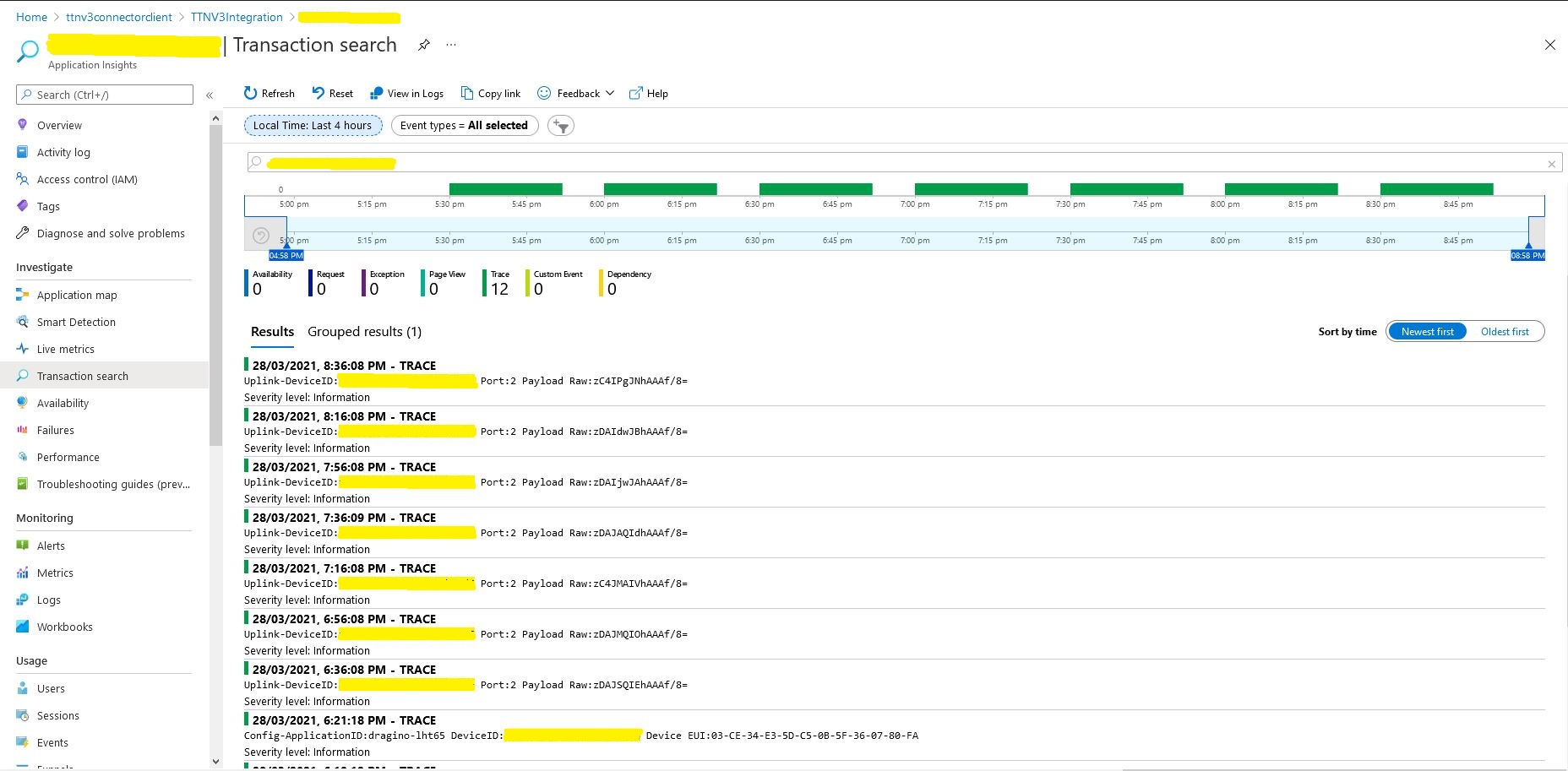
TTI V3 Gateway provisioning Dragino LHT65 Uplink

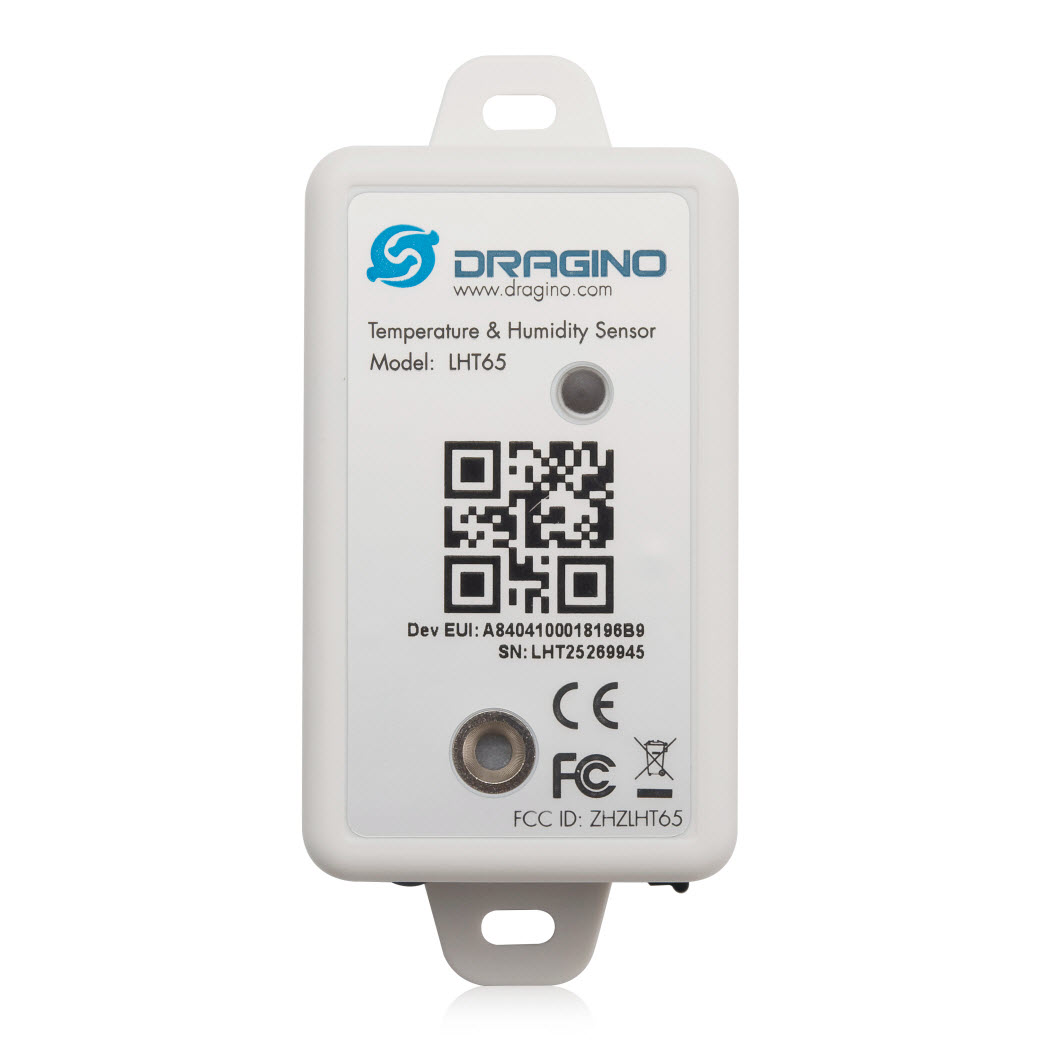
This very long post is about how to connect a Dragino LHT65 Temperature and Humidity sensor to Azure IoT Central using my TTI/TTN V3Azure IoT Connector and the Digital Twin Definition Language (DTDL).

Dragino LHT65 temperature and Humidity sensor

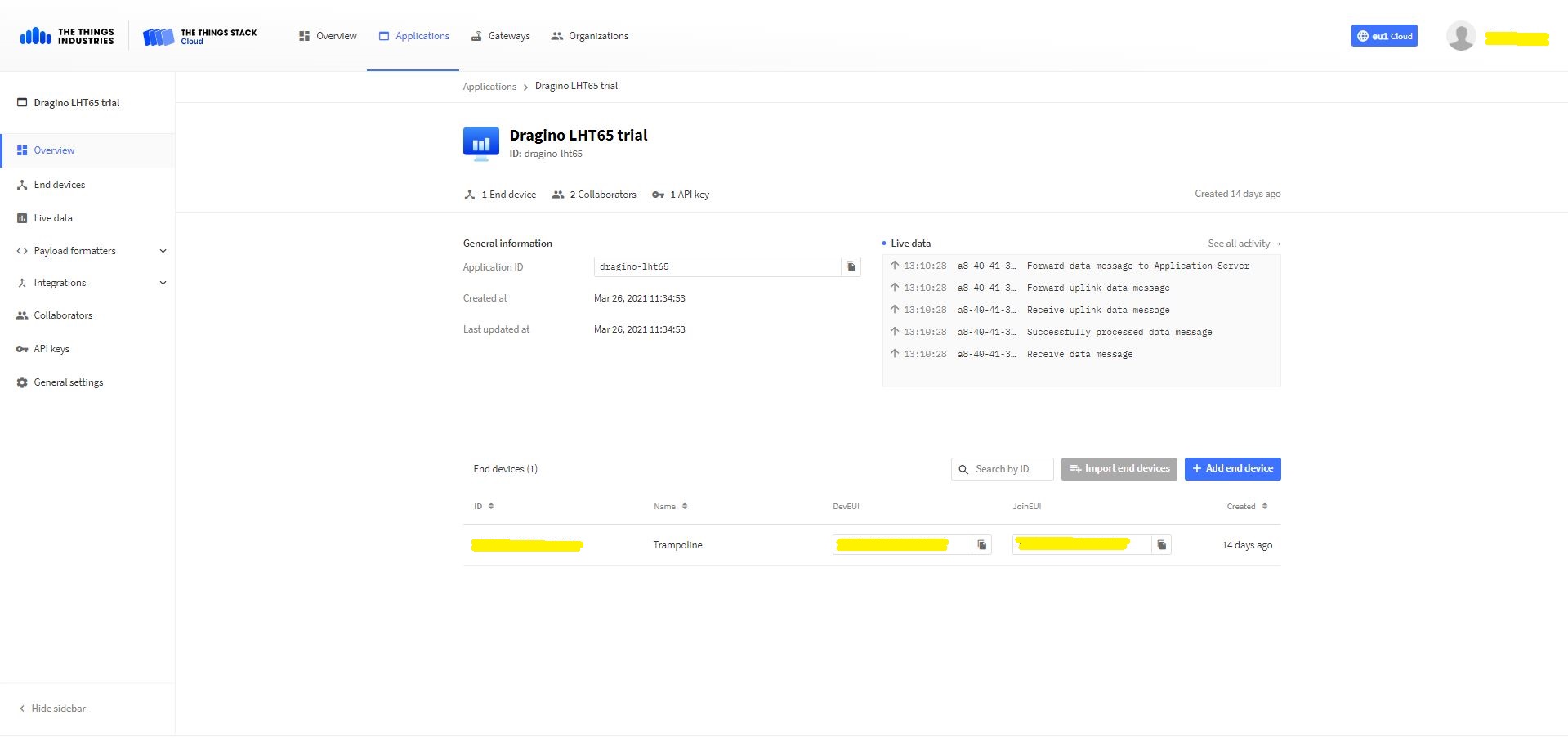
The first step was to add an application(dragino-lht65) in my The Things Industries(TTI) tenant

TTI/TTN application for my Dragino LHT65 devices
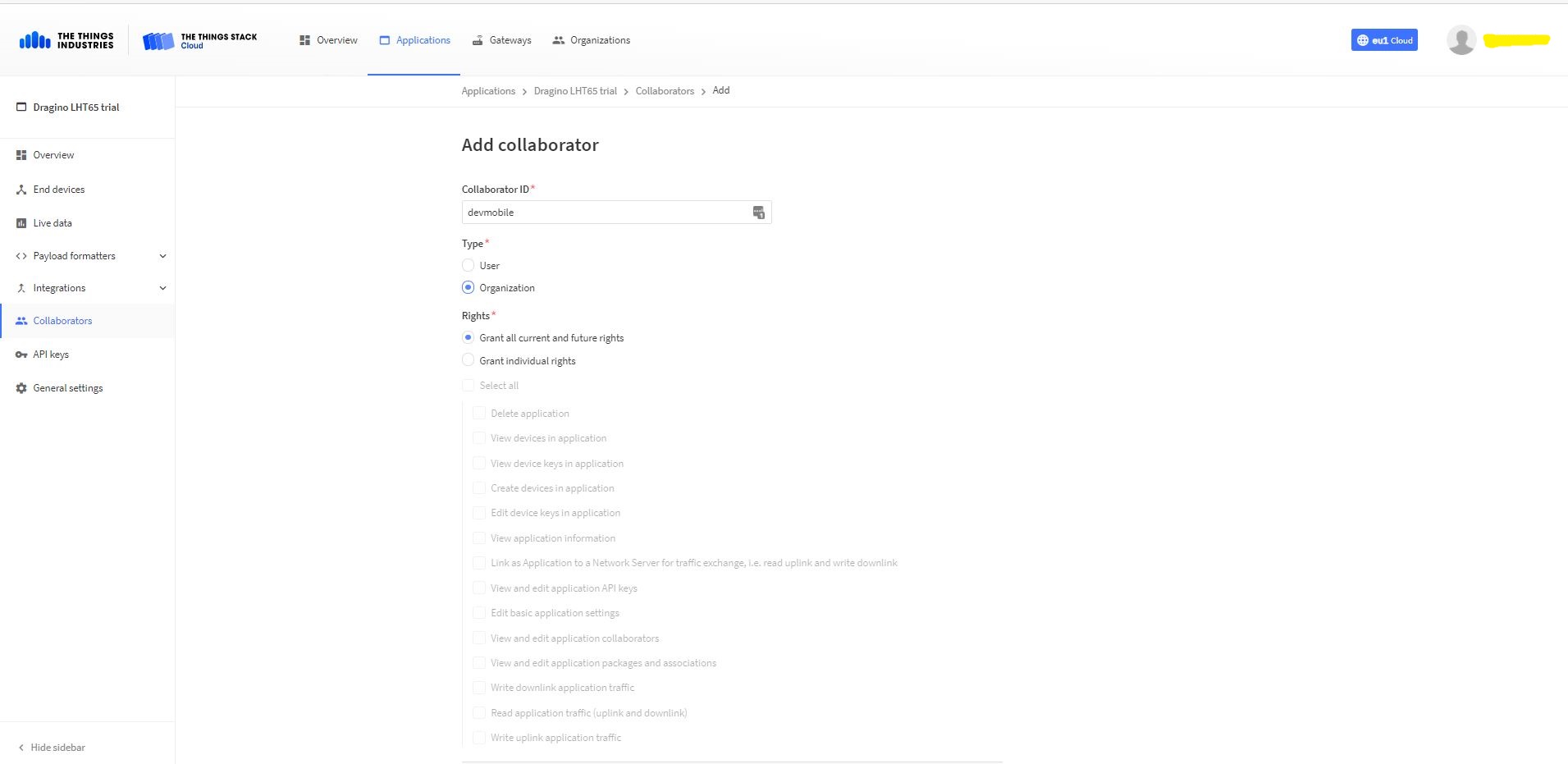
Adding devMobile as a collaborator on the new application
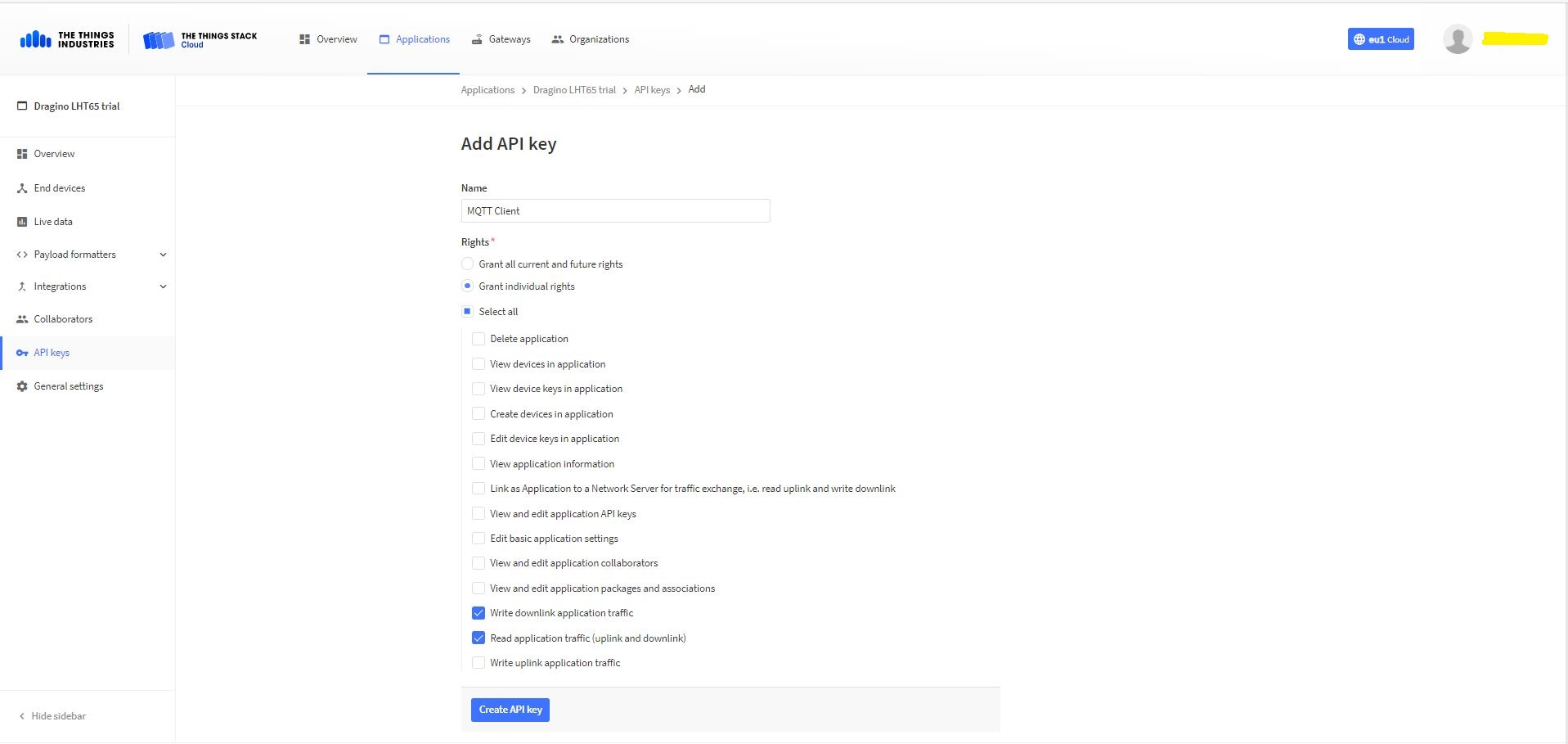
TTI Application API Key configuration

The new Application API Key used by the MQTTnet managed client only needs to have write downlink and read uplink traffic enabled.

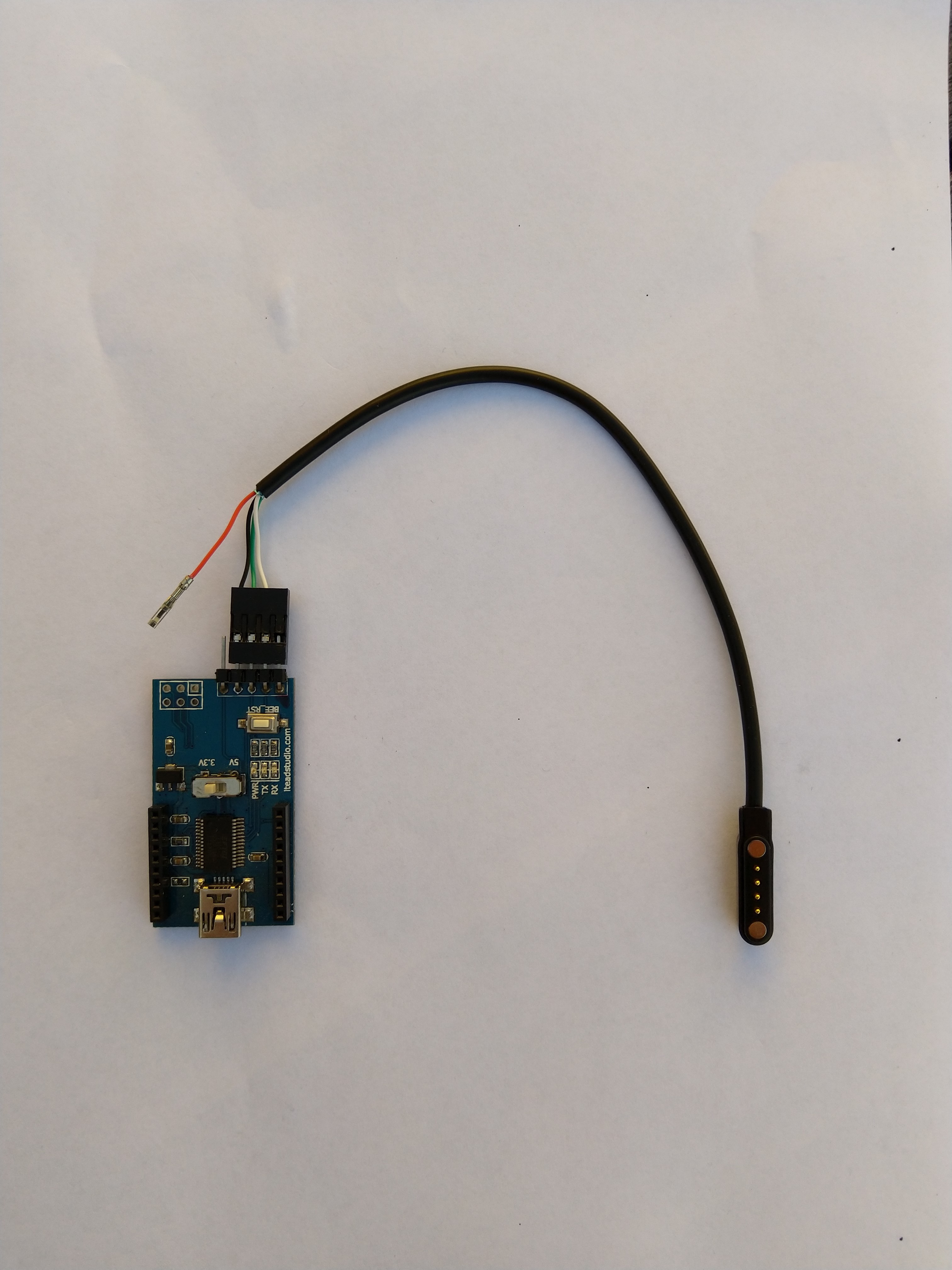
FTDI Adapter and modified LHT64 cable

So I could reliably connect to my LHT65 devices to configure them I modified a programming cable so I could use it with a spare FTDI adaptor without jumper wires. Todo this I used a small jewelers screwdriver to “pop” out the VCC cable and move the transmit data line.

After entering the device password and checking the firmware version I used the AT+CFG command to display the device settings

AT+CFG: Print all configurations

[334428]***** UpLinkCounter= 0 *****
[334430]TX on freq 923200000 Hz at DR 2
[334804]txDone
[339807]RX on freq 923200000 Hz at DR 2
[339868]rxTimeOut
[340807]RX on freq 923200000 Hz at DR 2
[340868]rxTimeOut

Correct Password

Stop Tx events,Please wait for all configurations to print
Printf all config...
AT+DEUI=a8 .. .. .. .. .. .. d6
AT+DADDR=01......D6

AT+APPKEY=9d .. .. .. .. .. .. .. .. .. .. .. .. .. .. 2e
AT+NWKSKEY=f6 .. .. .. .. .. .. .. .. .. .. .. .. .. .. 69
AT+APPSKEY=4c 35 .. .. .. .. .. .. .. .. .. .. .. .. .. 3d
AT+APPEUI=a0 .. .. .. .. .. .. 00
AT+ADR=1
AT+TXP=0
AT+DR=0
AT+DCS=0
AT+PNM=1
AT+RX2FQ=923200000
AT+RX2DR=2
AT+RX1DL=1000
AT+RX2DL=2000
AT+JN1DL=5000
AT+JN2DL=6000
AT+NJM=1
AT+NWKID=00 00 00 00
AT+FCU=0
AT+FCD=0
AT+CLASS=A
AT+NJS=0
AT+RECVB=0:
AT+RECV=0:
AT+VER=v1.7 AS923

AT+CFM=0
AT+CFS=0
AT+SNR=0
AT+RSSI=0
AT+TDC=1200000
AT+PORT=2
AT+PWORD=123456
AT+CHS=0
AT+DATE=21/3/26 07:49:15
AT+SLEEP=0
AT+EXT=4,2
AT+RTP=20
AT+BAT=3120
AT+WMOD=0
AT+ARTEMP=-40,125
AT+CITEMP=1
Start Tx events OK


[399287]***** UpLinkCounter= 0 *****

[399289]TX on freq 923400000 Hz at DR 2

[399663]txDone

[404666]RX on freq 923400000 Hz at DR 2

[404726]rxTimeOut

[405666]RX on freq 923200000 Hz at DR 2

[405726]rxTimeOut

I copied the AppEUI and DevEUI for use on the TI Dragino LHT65 Register end device form provided by the TTI/TTN.

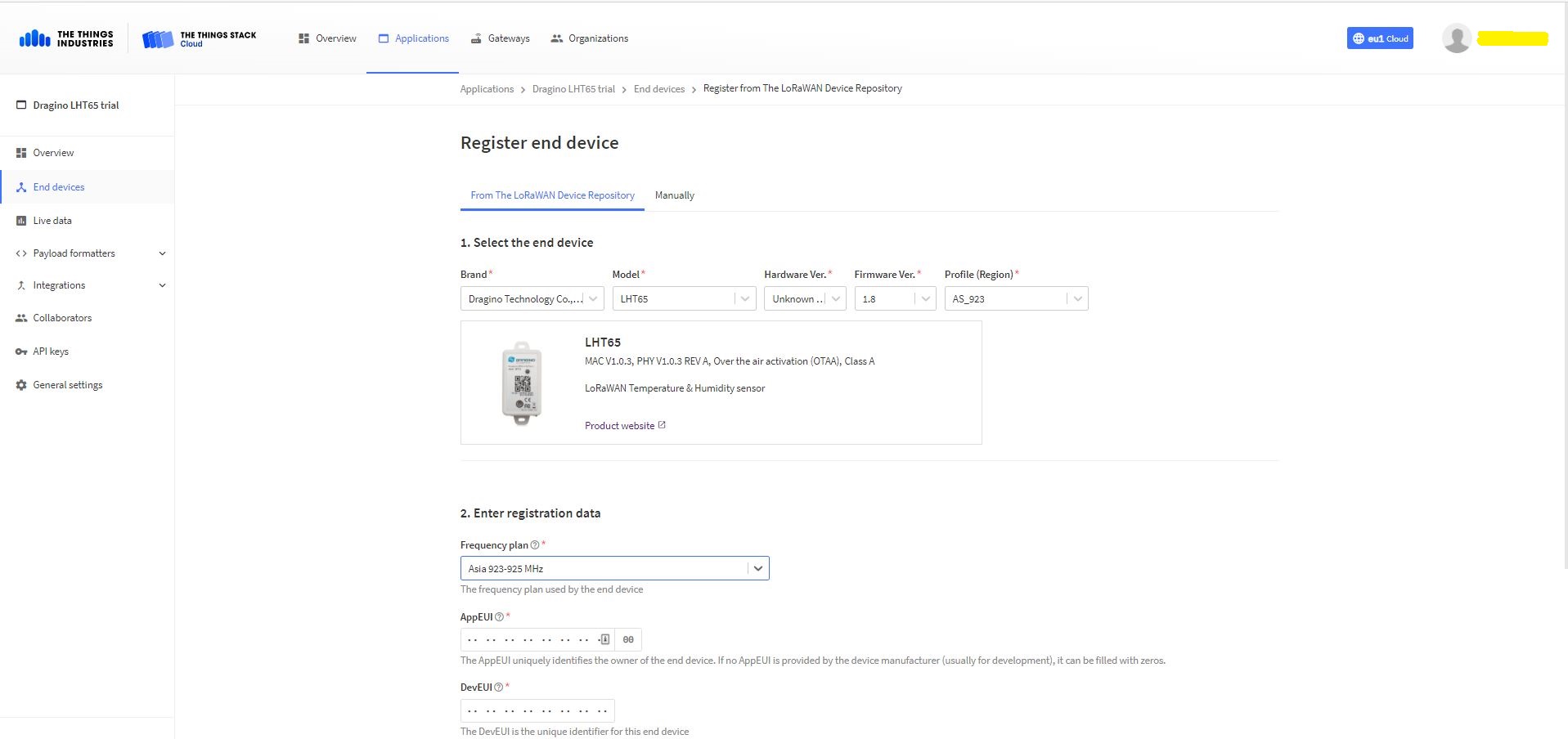
TTYI/TTN Dragino LHT65 Register end device

The Dragino LHT65 uses the DeviceEUI as the DeviceID which meant I had todo more redaction in my TTI/TTN and Azure Application Insights screen captures. The rules around the re-use of EndDevice ID were a pain in the arse(PITA) in my development focused tenant.

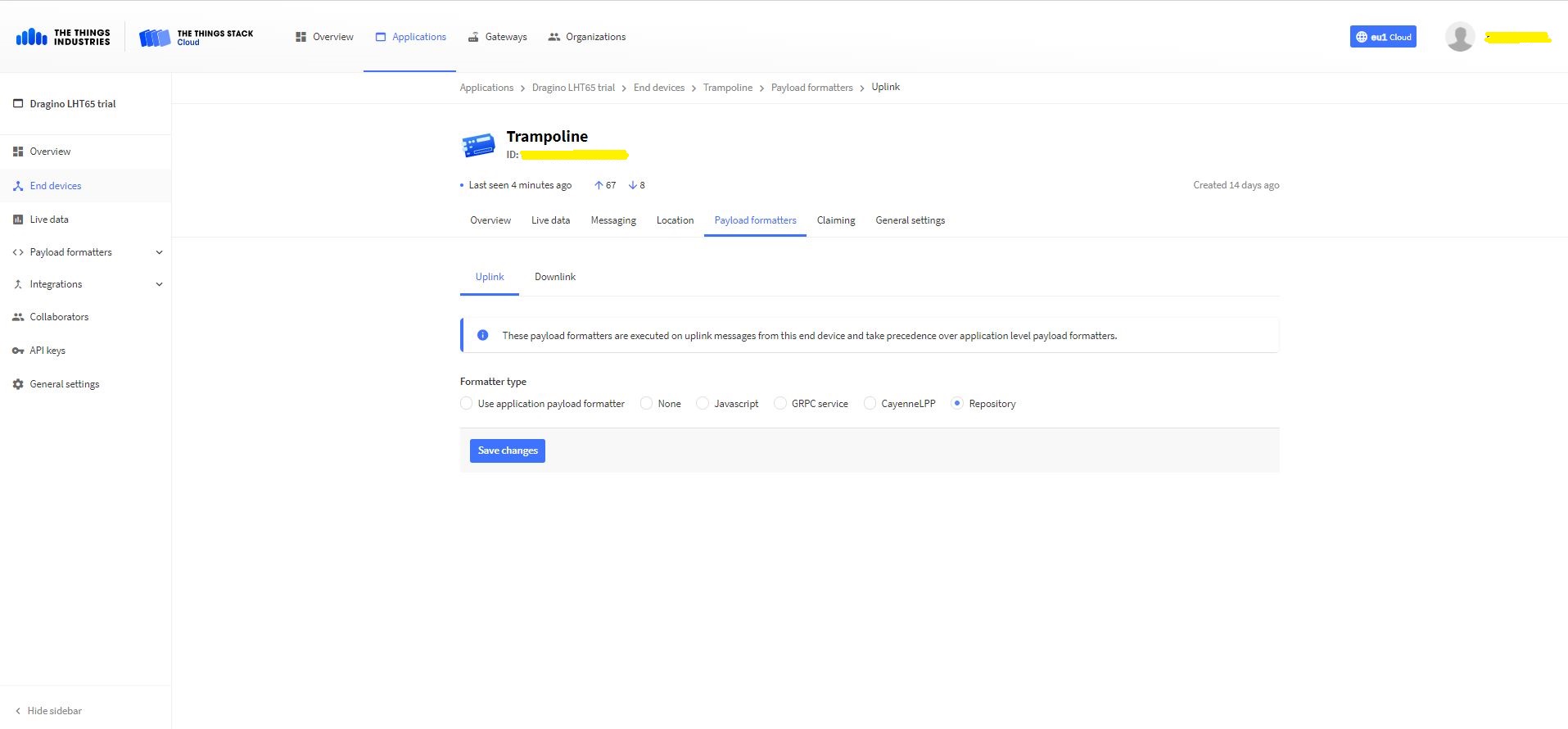
Dragino LHT 65 Device uplink payload formatter

The connector supports both uplink and downlink messages with JSON encoded payloads. The Dragino LHT65 has a vendor supplied formatter which is automatically configured when an EndDevice is created. The EndDevice formatter configuration can also be overridden at the Application level in the app.settings.json file.

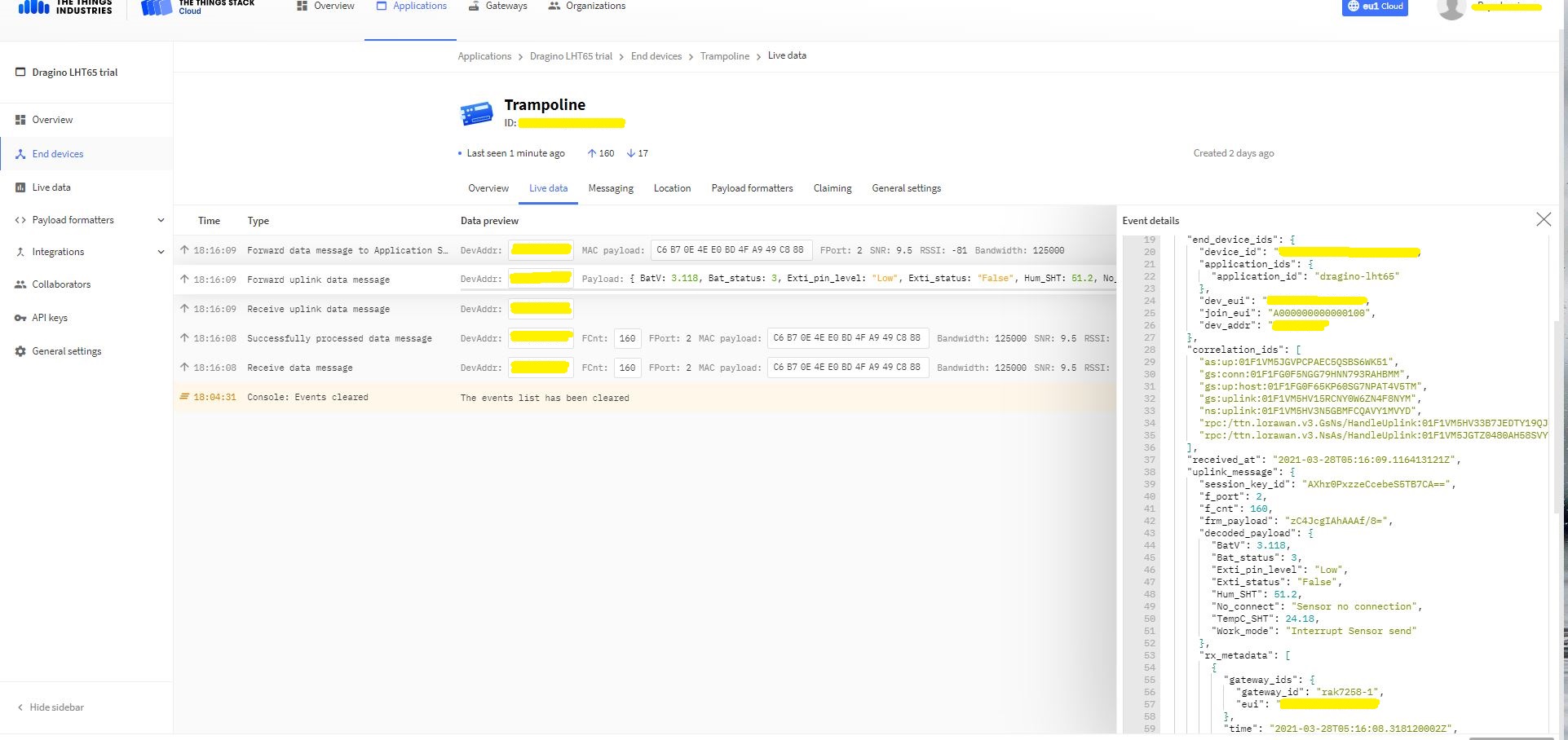
Device Live Data Uplink Data Payload

Once an EndDevice is configured in TTI/TTN I usually use the “Live data Uplink Payload” to work out the decoded payload JSON property names and data types.

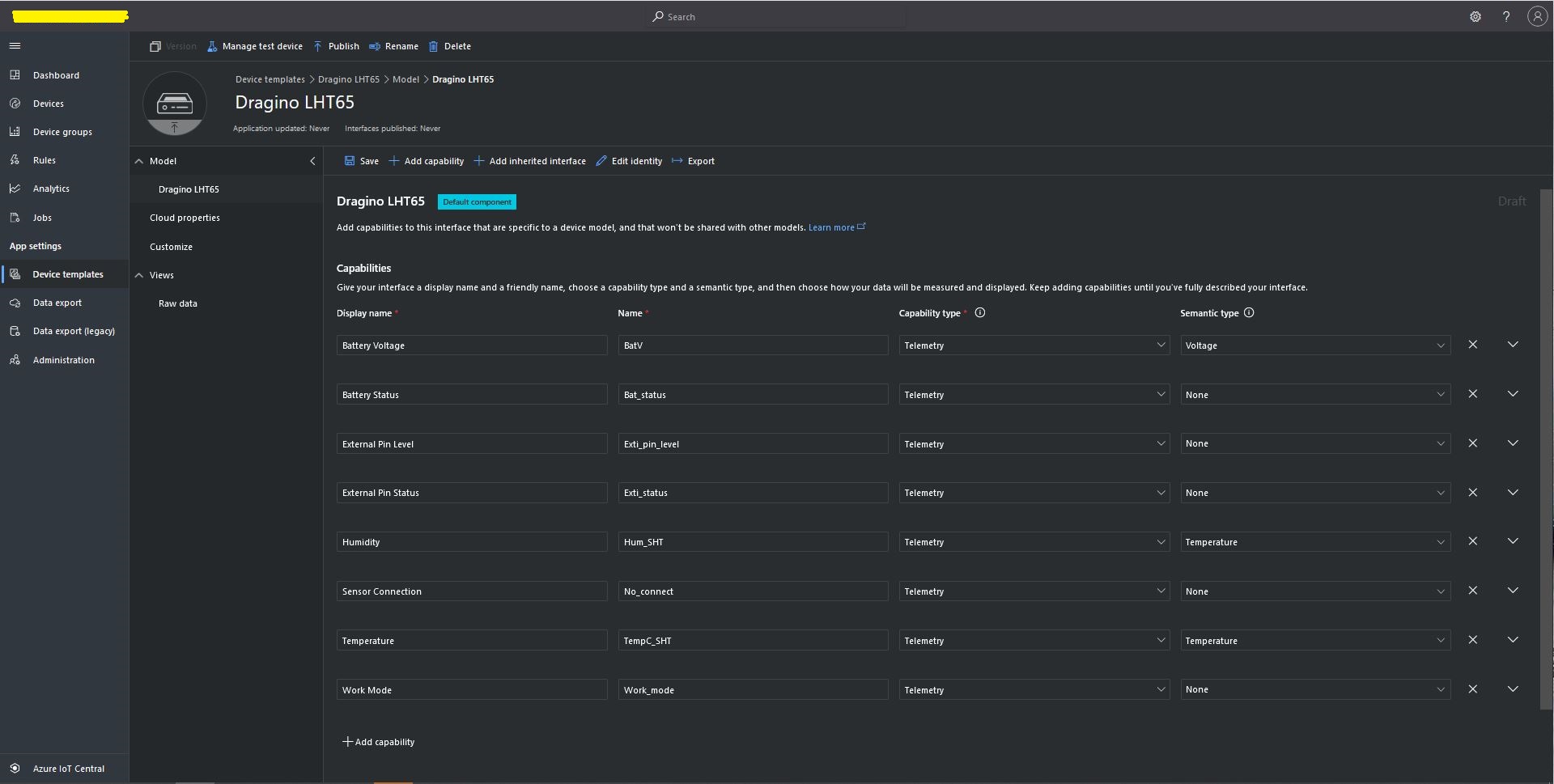
LHT65 Uplink only Azure IoT Central Device Template
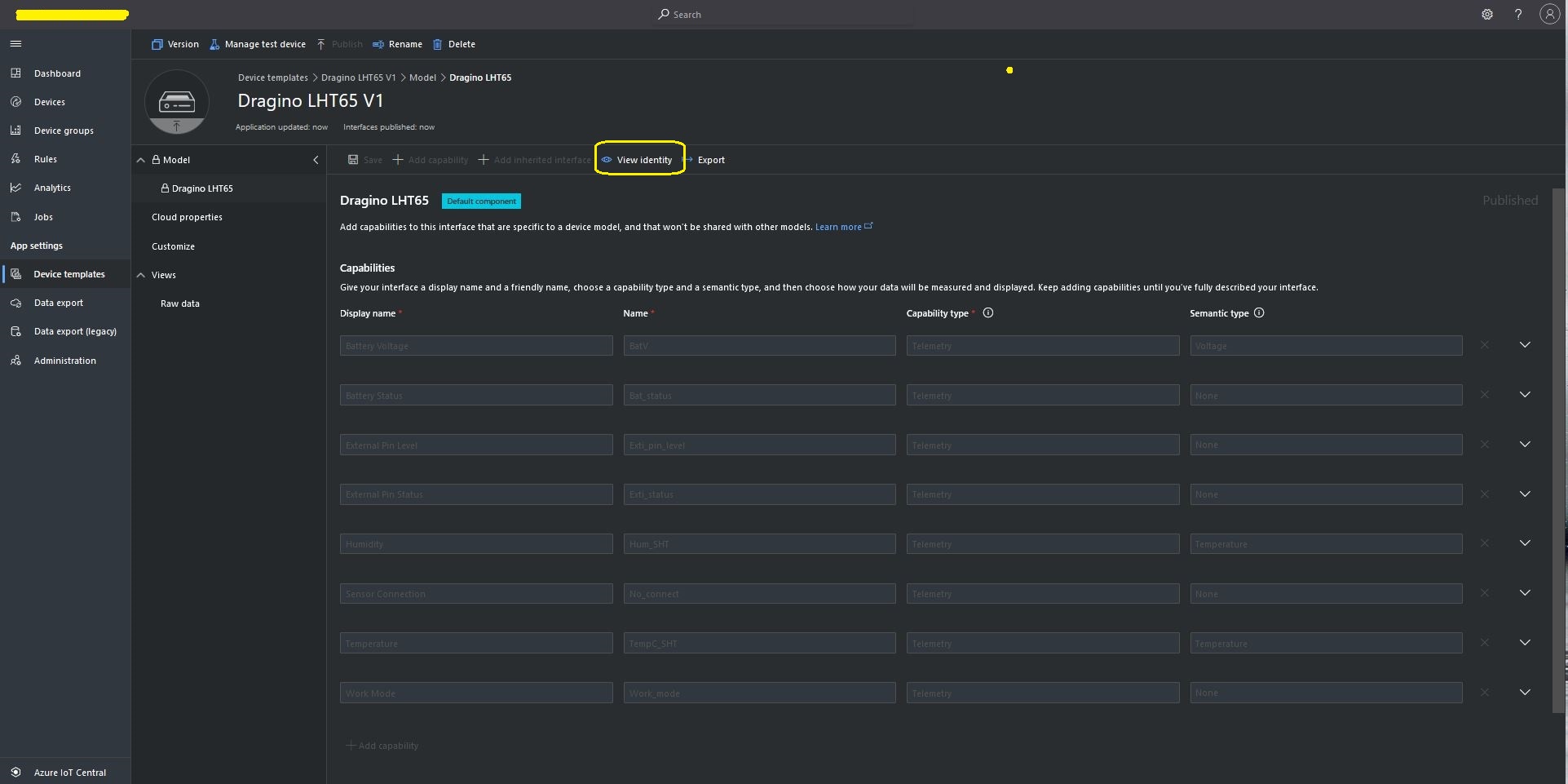
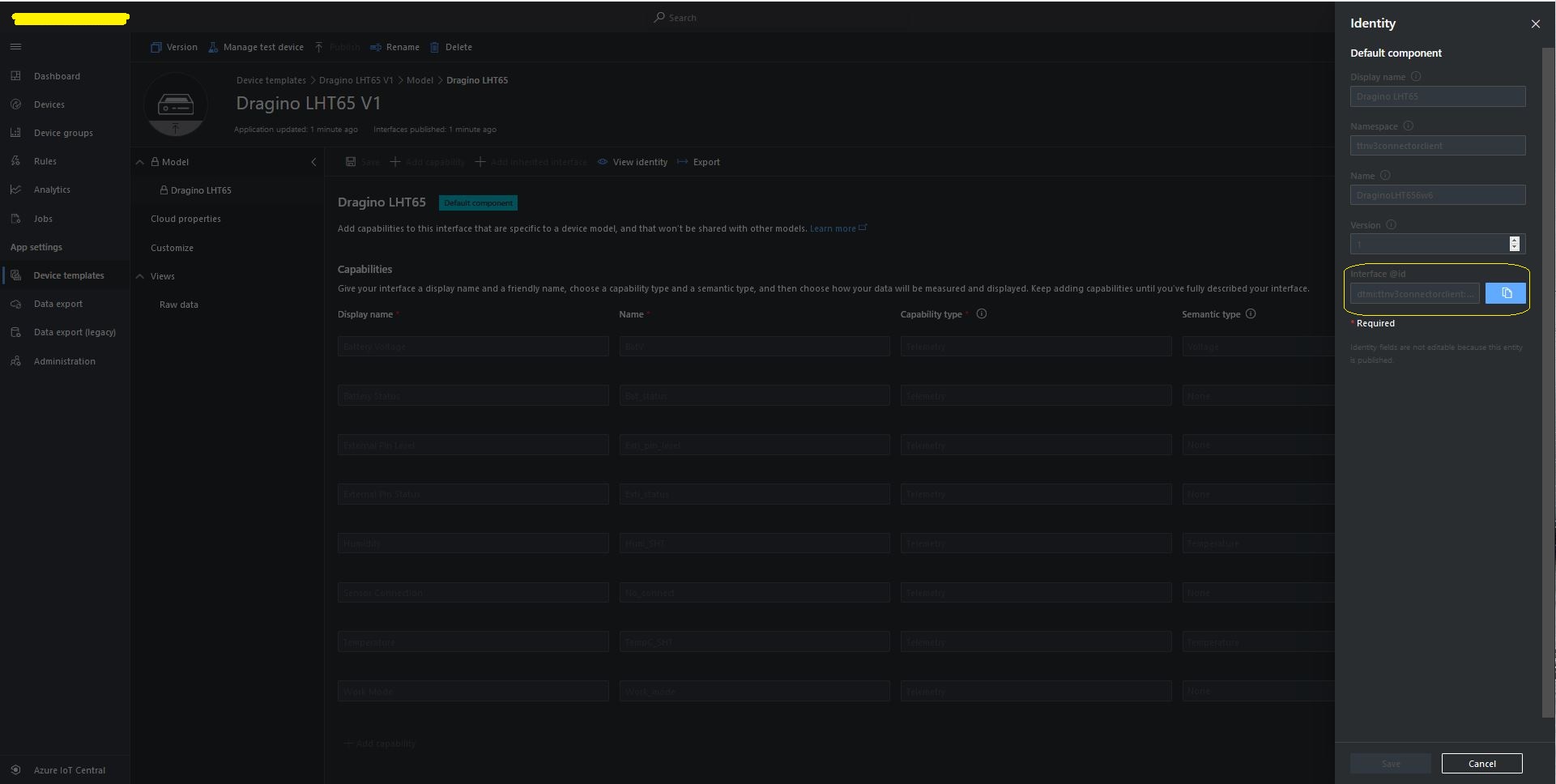
LHT65 Device Template View Identity

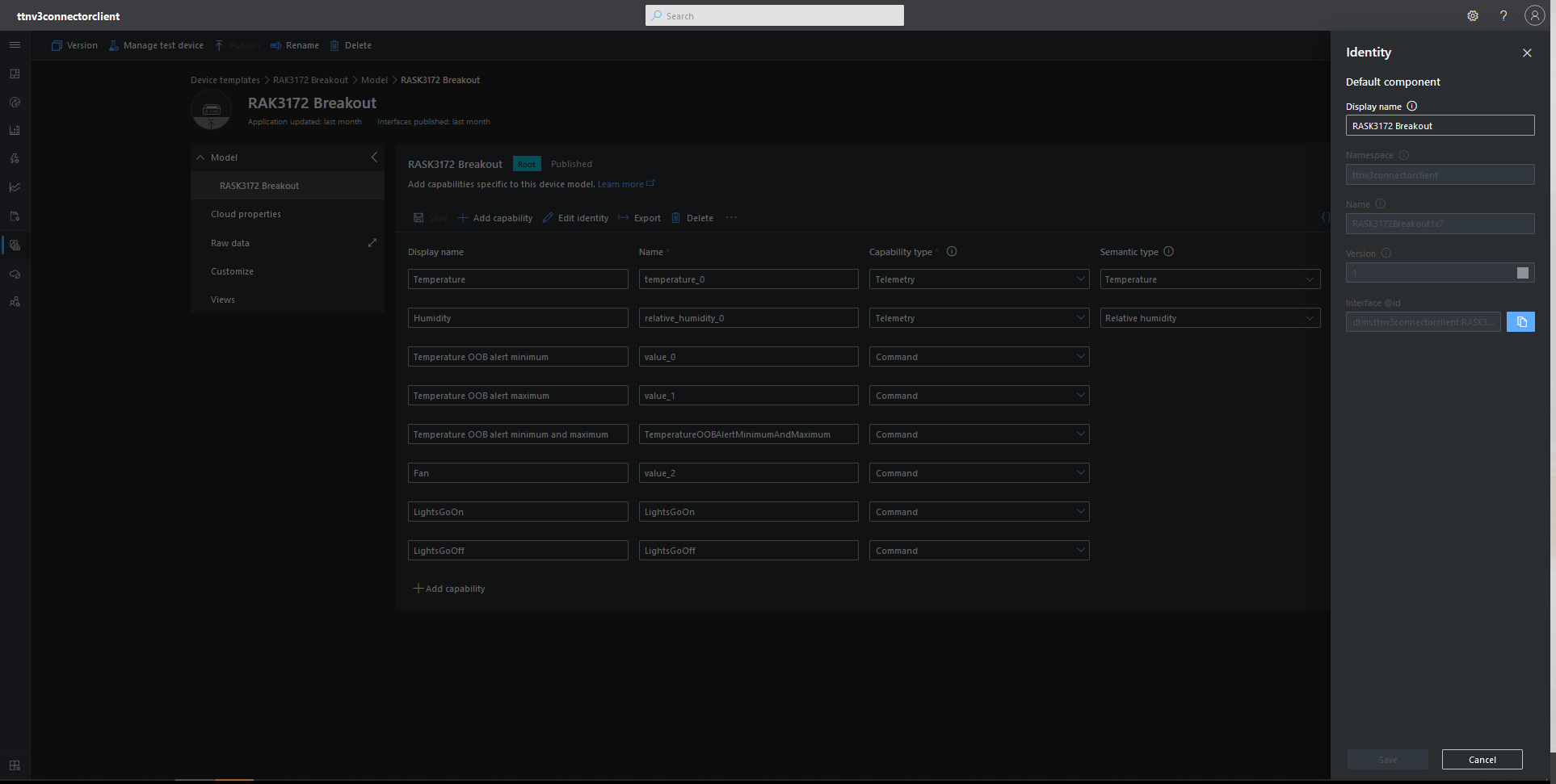
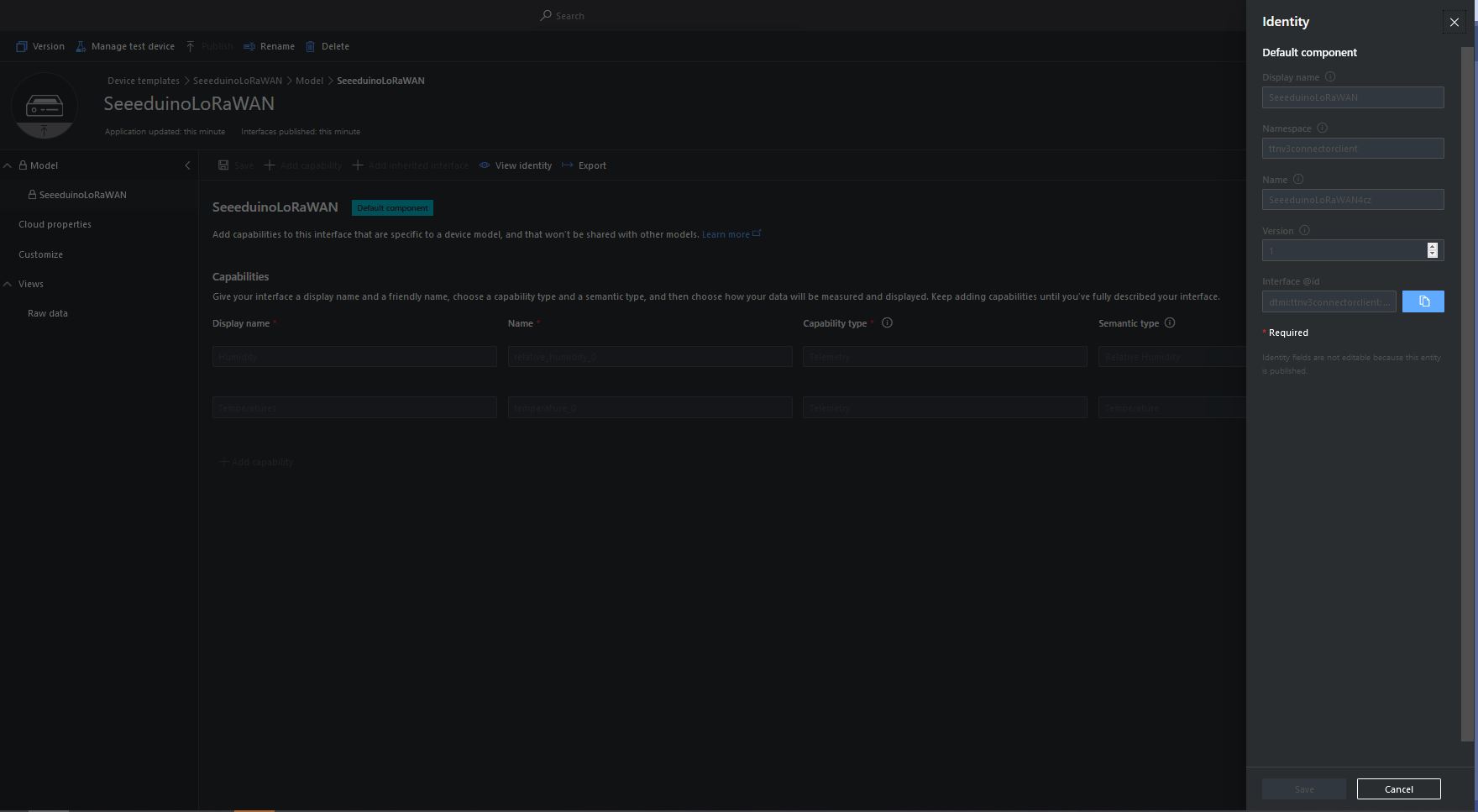
For Azure IoT Central “automagic” provisioning the DTDLModelId has to be copied from the Azure IoT Central Template into the TTI/TTN EndDevice or app.settings.json file application configuration.

LHT65 Device Template copy DTDL @ID
TTI EndDevice configuring the DTDLV2 @ID at the device level

Configuring the DTDLV2 @ID at the TTI application level in the app.settings.json file

{
  "Logging": {
    "LogLevel": {
      "Default": "Debug",
      "Microsoft": "Debug",
      "Microsoft.Hosting.Lifetime": "Debug"
    },
    "ApplicationInsights": {
      "LogLevel": {
        "Default": "Debug"
      }
    }
  },

  "ProgramSettings": {
    "Applications": {
      "application1": {
        "AzureSettings": {
          "DeviceProvisioningServiceSettings": {
            "IdScope": "0ne...DD9",
            "GroupEnrollmentKey": "eFR...w=="
          }
        },
        "DTDLModelId": "dtmi:ttnv3connectorclient:FezduinoWisnodeV14x8;4",
        "MQTTAccessKey": "NNSXS.HCY...RYQ",
        "DeviceIntegrationDefault": false,
        "MethodSettings": {
          "Reboot": {
            "Port": 21,
            "Confirmed": true,
            "Priority": "normal",
            "Queue": "push"
          },
          "value_0": {
            "Port": 30,
            "Confirmed": true,
            "Priority": "normal",
            "Queue": "push"
          },
          "value_1": {
            "Port": 30,
            "Confirmed": true,
            "Priority": "normal",
            "Queue": "push"
          },
          "TemperatureOOBAlertMinimumAndMaximum": {
            "Port": 30,
            "Confirmed": true,
            "Priority": "normal",
            "Queue": "push"
          }
        }
      },
      "seeeduinolorawan": {
        "AzureSettings": {
          "DeviceProvisioningServiceSettings": {
            "IdScope": "0ne...DD9",
            "GroupEnrollmentKey": "AtN...g=="
          },
        },
        "DTDLModelId": "dtmi:ttnv3connectorclient:SeeeduinoLoRaWAN4cz;1",
        "MQTTAccessKey": "NNSXS.V44...42A",
        "DeviceIntegrationDefault": true,
        "DevicePageSize": 10
      },
      "dragino-lht65": {
        "AzureSettings": {
          "DeviceProvisioningServiceSettings": {
            "IdScope": "0ne...DD9",
            "GroupEnrollmentKey": "SLB...w=="
          }
        },
        "DTDLModelId": "dtmi:ttnv3connectorclient:DraginoLHT656w6;1",
        "MQTTAccessKey": "NNSXS.RIJ...NZQ",
        "DeviceIntegrationDefault": true,
        "DevicePageSize": 10
      }
    },
    "TheThingsIndustries": {
      "MqttServerName": "eu1.cloud.thethings.industries",
      "MqttClientId": "MQTTClient",
      "MqttAutoReconnectDelay": "00:00:05",
      "Tenant": "...-test",
      "ApiBaseUrl": "https://...-test.eu1.cloud.thethings.industries/api/v3",
      "ApiKey": "NNSXS.NR7...ZSA",
      "Collaborator": "devmobile",
      "DevicePageSize": 10,
      "DeviceIntegrationDefault": true
    }
  }
}

The Azure Device Provisioning Service(DPS) is configured at the TTI application level in the app.settings.json file. The IDScope and one of the Primary or Secondary Shared Access Signature(SAS) keys should be copied into DeviceProvisioningServiceSettings of an Application in the app.settings.json file. I usually set the “Automatically connect devices in this group” flag as part of the “automagic” provisioning process.

Azure IoT Central Group Enrollment Key
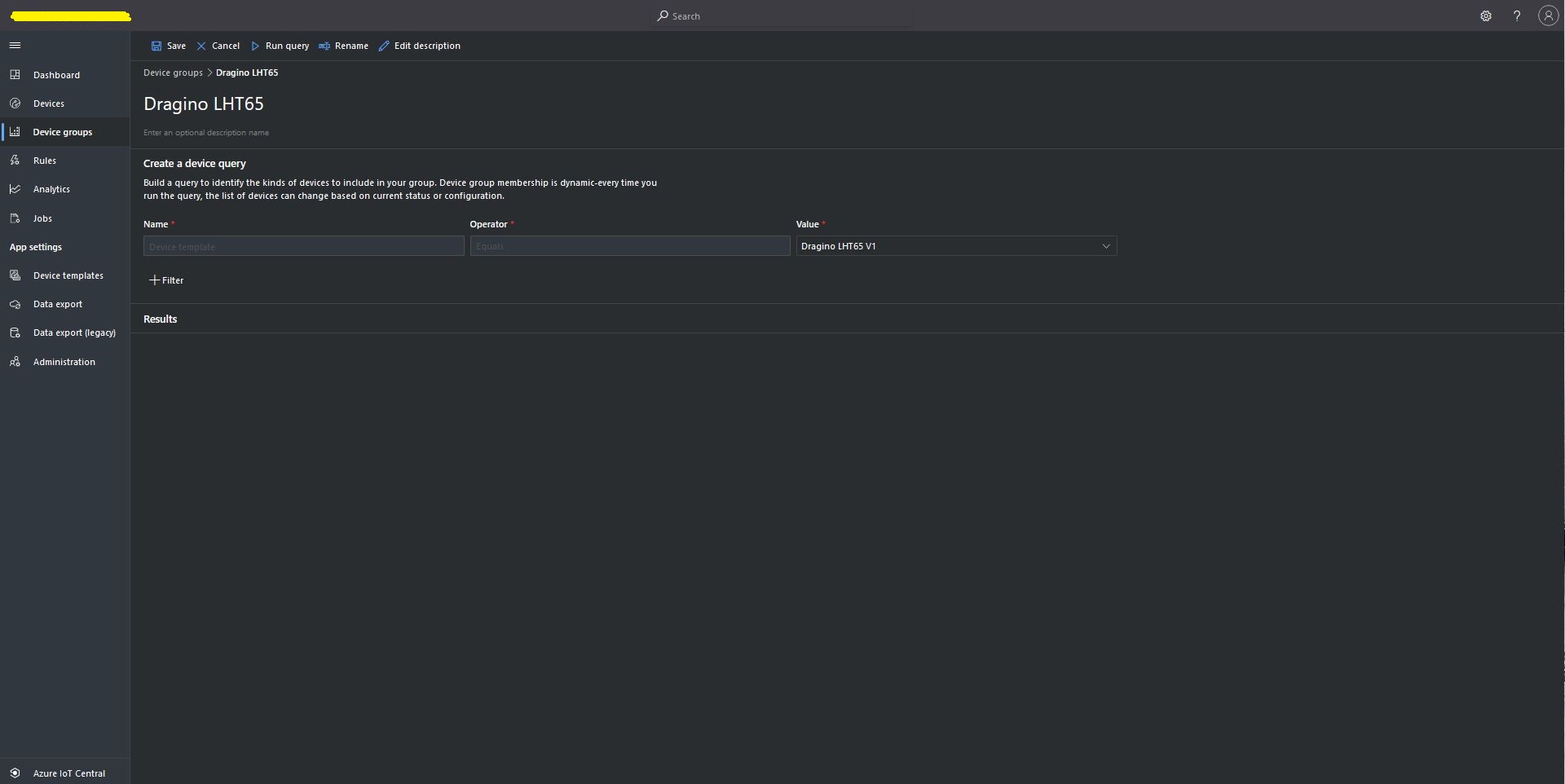
Then device templates need to be mapped to an Enrollment Group then Device Group.

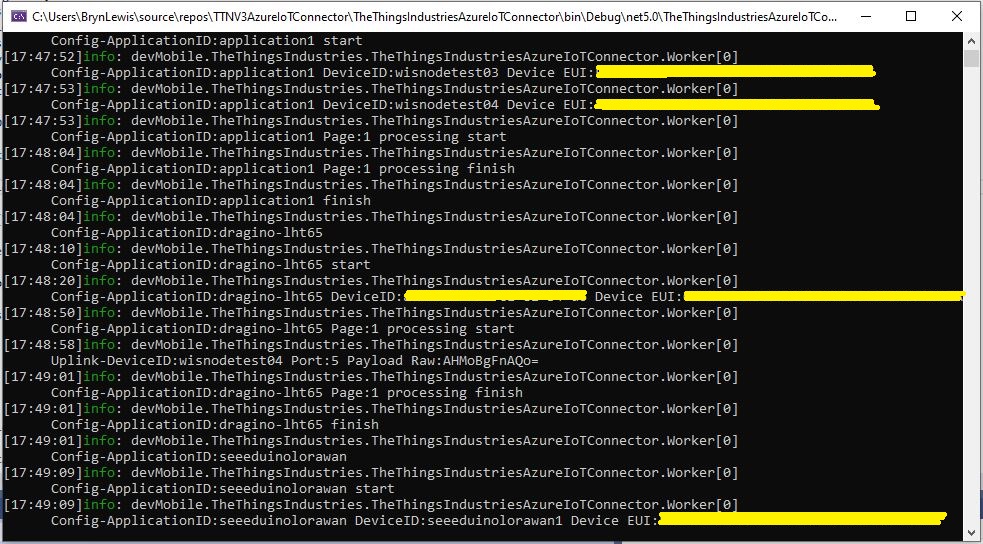
For testing the connector application can be run locally with diagnostic information displayed in the application console window as it “automagically’ provisions devices and uploads telemetry data.

Connector application Diagnostics
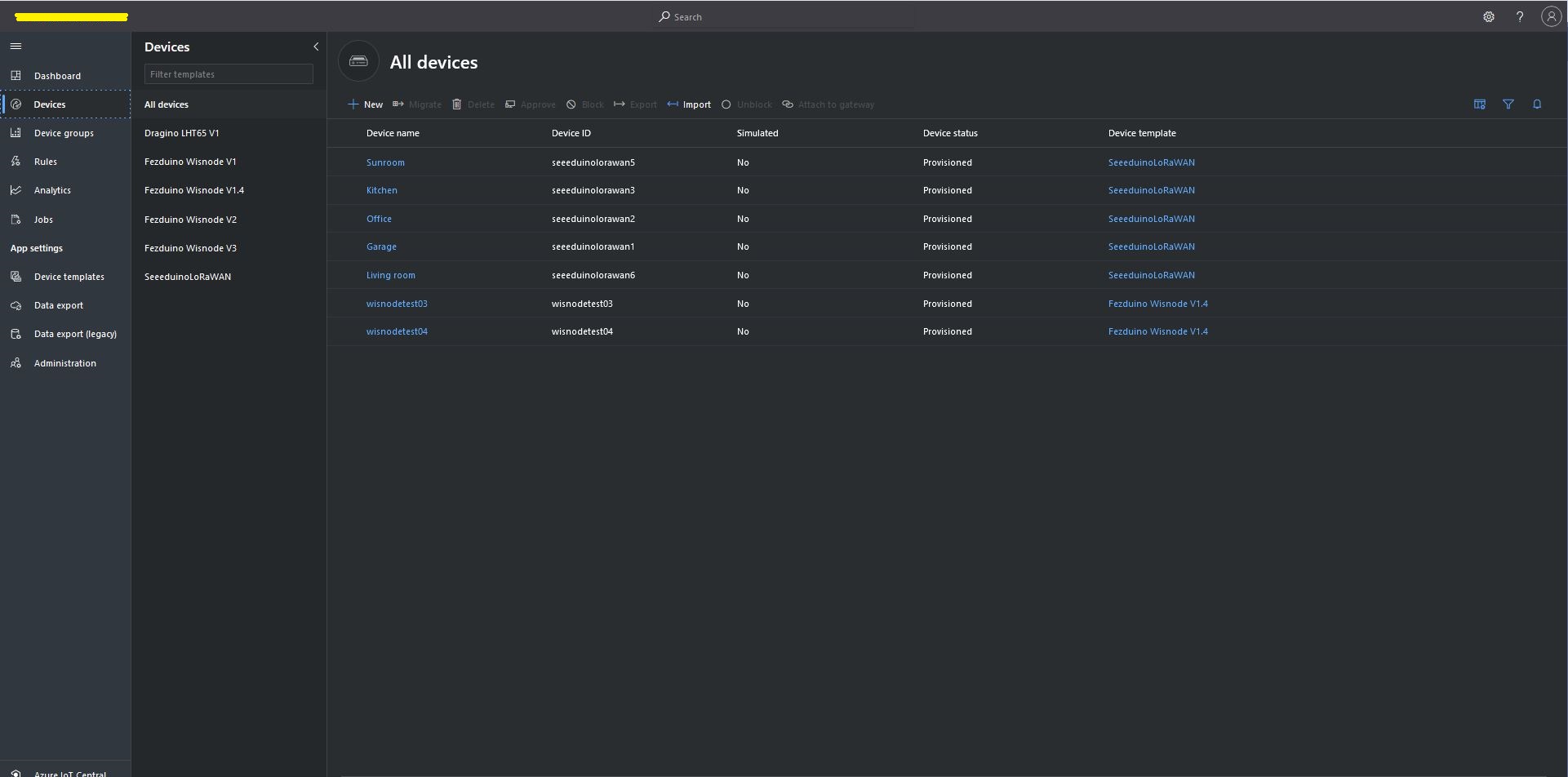
Azure IoT Central Device list before my LHT65 device is “automagically” provisioned
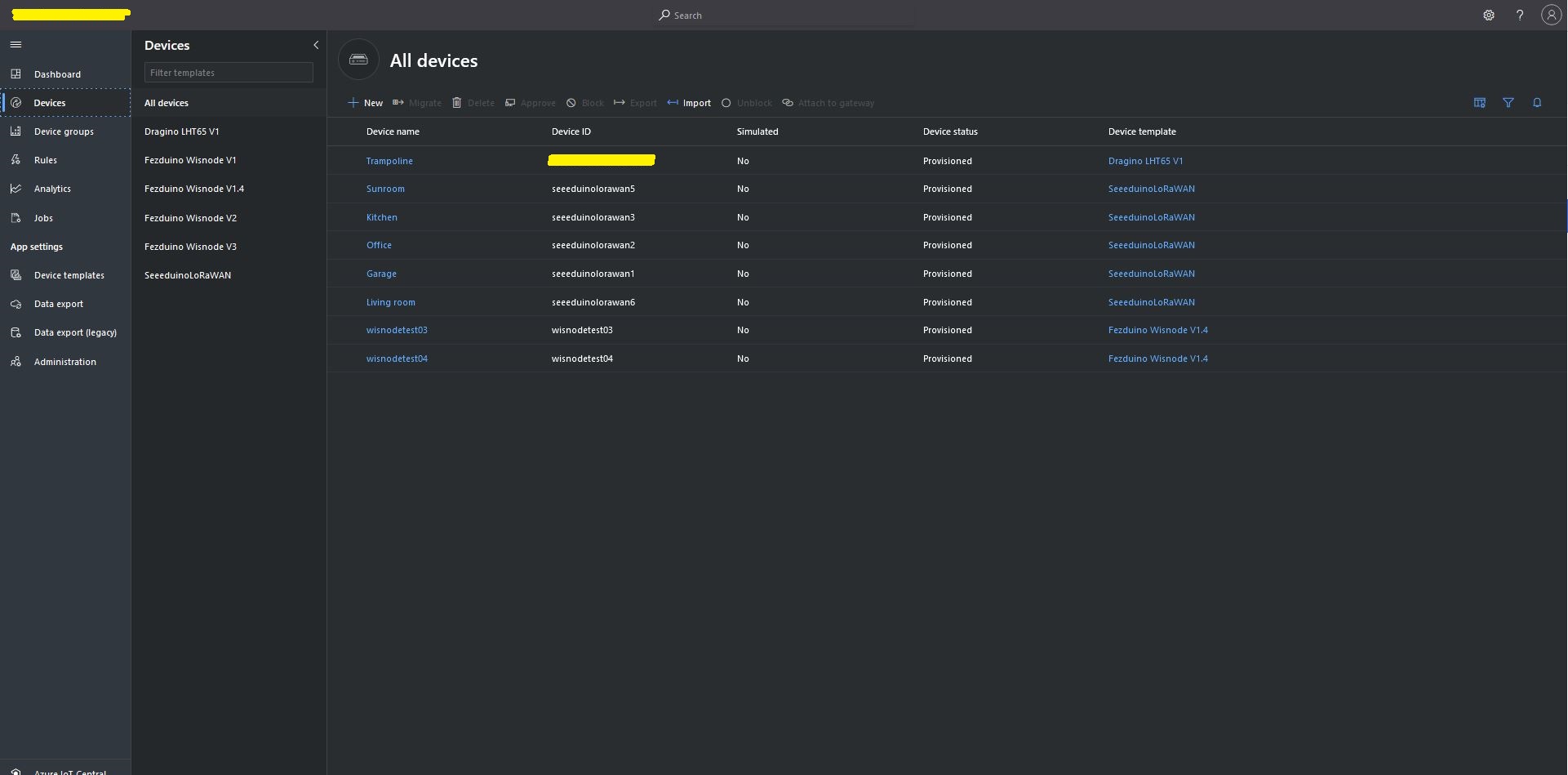
Azure IoT Central Device list after my LHT65 device is “automagically” provisioned

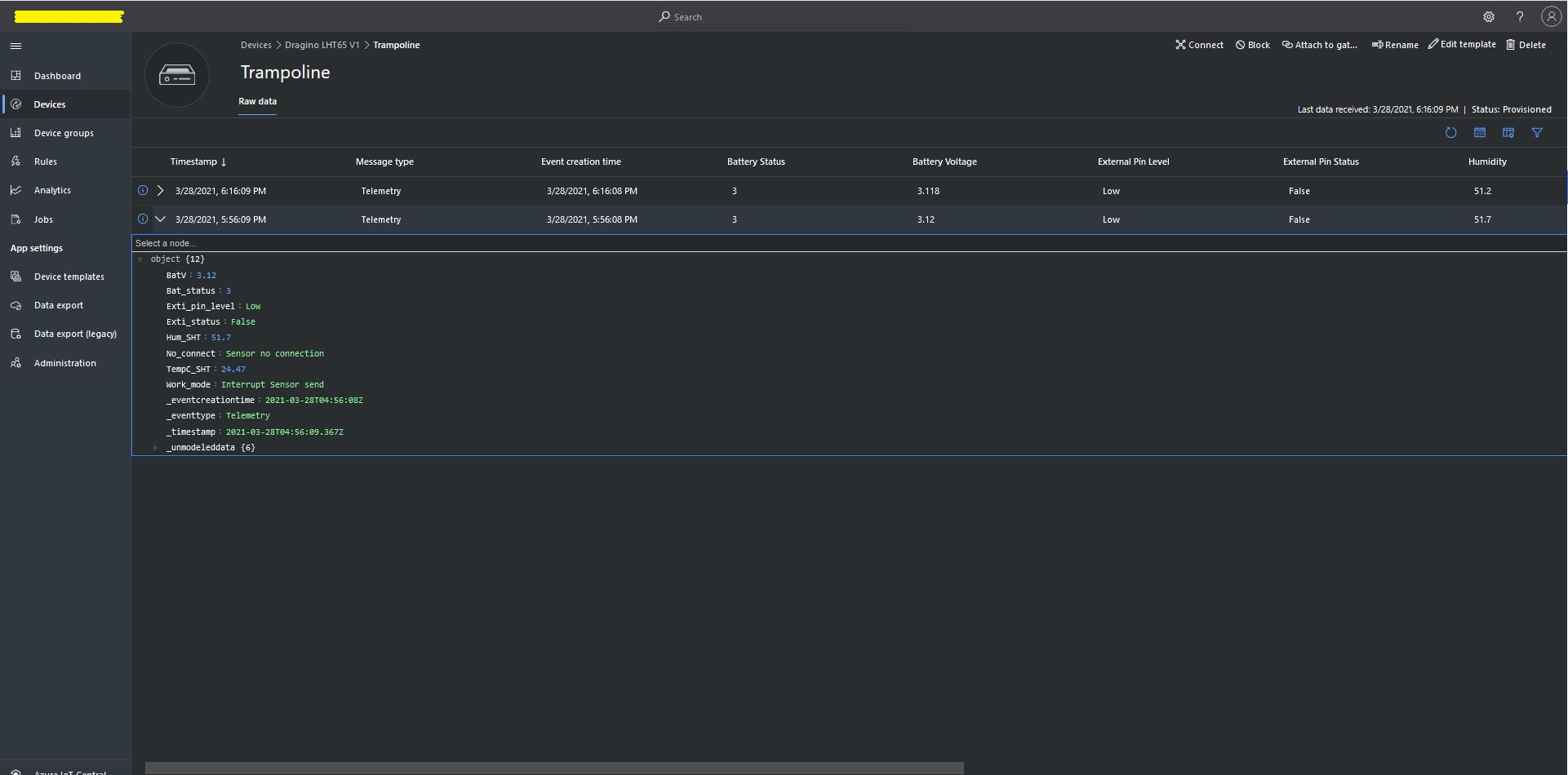
One a device has been provisioned I check on the raw data display that all the fields I configured have been mapped correctly.

Azure IoT Central raw data display

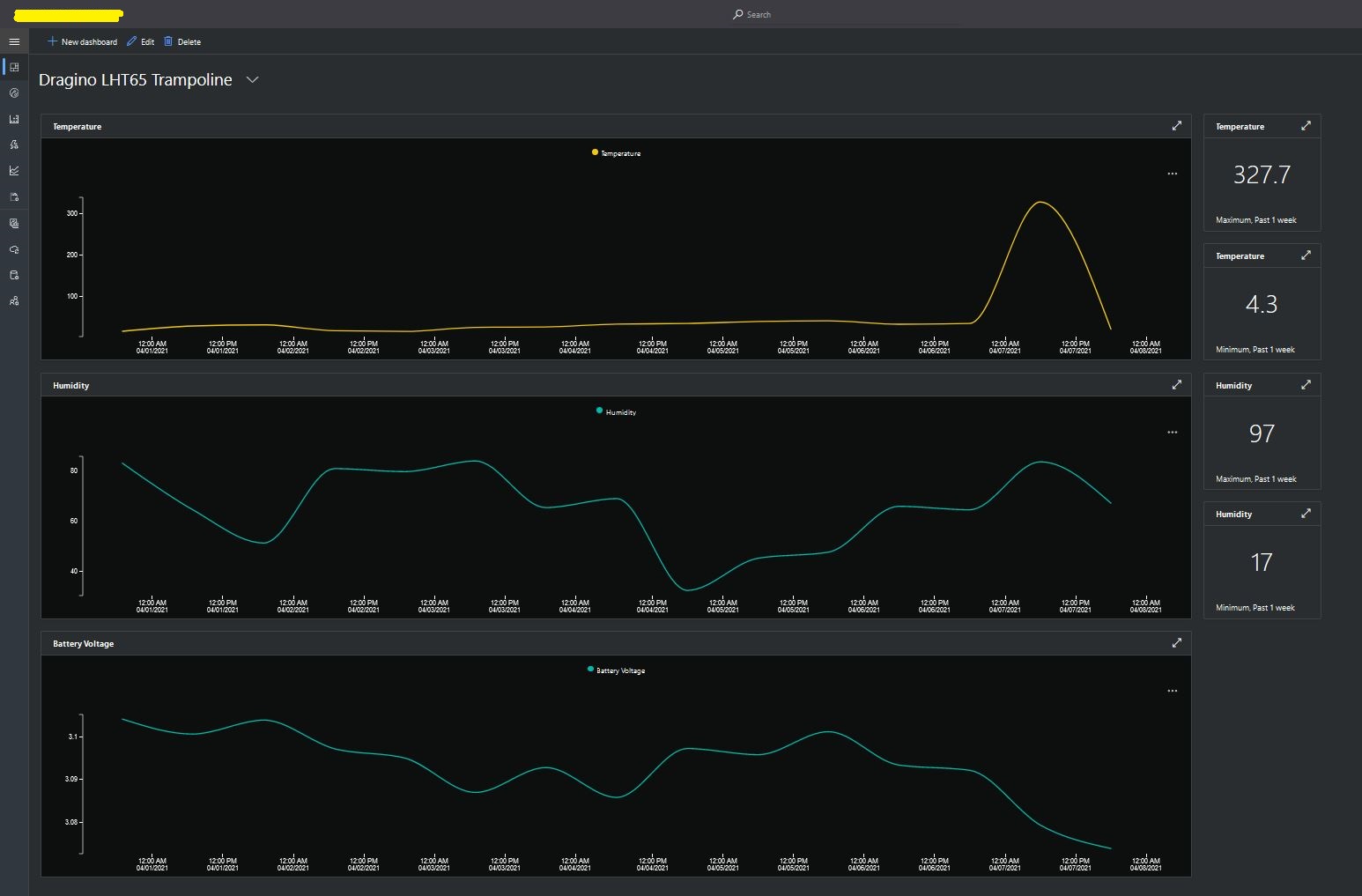
I then created a dashboard to display the telemetry data from the LHT65 sensors.

Azure IoT Central dashboard displaying LHT65 temperature, humidity and battery voltage graphs.

The dashboard also has a few KPI displays which highlighted an issue which occurs a couple of times a month with the LHT65 onboard temperature sensor values (327.7°). I have connected Dragino technical support and have also been unable to find a way to remove the current an/or filter out future aberrant values.

Azure Application Insights logging

I also noticed that the formatting of the DeviceEUI values in the Application Insights logging was incorrect after trying to search for one of my Seeedstudio LoRaWAN device with its DeviceEUI.

Device Provisioning Service(DPS) JsonData

While building my The Things Industries(TTI) V3 connector which uses the Azure Device Provisioning Service(DPS) the way pretty much all of the samples formatted the JsonData property of the ProvisioningRegistrationAdditionalData (part of Plug n Play provisioning) by manually constructing a JSON object which bugged me.

ProvisioningRegistrationAdditionalData provisioningRegistrationAdditionalData = new ProvisioningRegistrationAdditionalData()
{
   JsonData = $"{{\"modelId\": \"{modelId}\"}}"
};

result = await provClient.RegisterAsync(provisioningRegistrationAdditionalData);

I remembered seeing a sample where the DTDLV2 methodId was formatted by a library function and after a surprising amount of searching I found what I was looking for in Azure-Samples repository.

The code for the CreateDpsPayload method

// Copyright (c) Microsoft. All rights reserved.
// Licensed under the MIT license. See LICENSE file in the project root for full license information.

using Microsoft.Azure.Devices.Provisioning.Client.Extensions;

namespace Microsoft.Azure.Devices.Provisioning.Client.PlugAndPlay
{
    /// <summary>
    /// A helper class for formatting the DPS device registration payload, per plug and play convention.
    /// </summary>
    public static class PnpConvention
    {
        /// <summary>
        /// Create the DPS payload to provision a device as plug and play.
        /// </summary>
        /// <remarks>
        /// For more information on device provisioning service and plug and play compatibility,
        /// and PnP device certification, see <see href="https://docs.microsoft.com/en-us/azure/iot-pnp/howto-certify-device"/>.
        /// The DPS payload should be in the format:
        /// <code>
        /// {
        ///   "modelId": "dtmi:com:example:modelName;1"
        /// }
        /// </code>
        /// For information on DTDL, see <see href="https://github.com/Azure/opendigitaltwins-dtdl/blob/master/DTDL/v2/dtdlv2.md"/>
        /// </remarks>
        /// <param name="modelId">The Id of the model the device adheres to for properties, telemetry, and commands.</param>
        /// <returns>The DPS payload to provision a device as plug and play.</returns>
        public static string CreateDpsPayload(string modelId)
        {
            modelId.ThrowIfNullOrWhiteSpace(nameof(modelId));
            return $"{{\"modelId\":\"{modelId}\"}}";
        }
    }
}

With a couple of changes my code now uses the CreateDpsPayload method

using Microsoft.Azure.Devices.Provisioning.Client.PlugAndPlay;

...

using (var securityProvider = new SecurityProviderSymmetricKey(deviceId, deviceKey, null))
{
   using (var transport = new ProvisioningTransportHandlerAmqp(TransportFallbackType.TcpOnly))
   {
      ProvisioningDeviceClient provClient = ProvisioningDeviceClient.Create(
         Constants.AzureDpsGlobalDeviceEndpoint,
         deviceProvisiongServiceSettings.IdScope,
         securityProvider,
         transport);

      DeviceRegistrationResult result;

      if (!string.IsNullOrEmpty(modelId))
      {
         ProvisioningRegistrationAdditionalData provisioningRegistrationAdditionalData = new ProvisioningRegistrationAdditionalData()
         {
               JsonData = PnpConvention.CreateDpsPayload(modelId)
         };

         result = await provClient.RegisterAsync(provisioningRegistrationAdditionalData, stoppingToken);
      }
      else
      {
         result = await provClient.RegisterAsync(stoppingToken);
      }

      if (result.Status != ProvisioningRegistrationStatusType.Assigned)
      {
         _logger.LogError("Config-DeviceID:{0} Status:{1} RegisterAsync failed ", deviceId, result.Status);

         return false;
      }

      IAuthenticationMethod authentication = new DeviceAuthenticationWithRegistrySymmetricKey(result.DeviceId, (securityProvider as SecurityProviderSymmetricKey).GetPrimaryKey());

      deviceClient = DeviceClient.Create(result.AssignedHub, authentication, transportSettings);
   }
}

TTI V3 Gateway Device Provisioning Service(DPS) Concurrent Requests

While debugging The Things Industries(TTI) V3 connector on my desktop I had noticed that using an Azure IoT Hub device connection string was quite a bit faster than using the Azure Device Provisioning Service(DPS). The Azure Webjob connector was executing the requests sequentially which made the duration of the DPS call even more apparent.

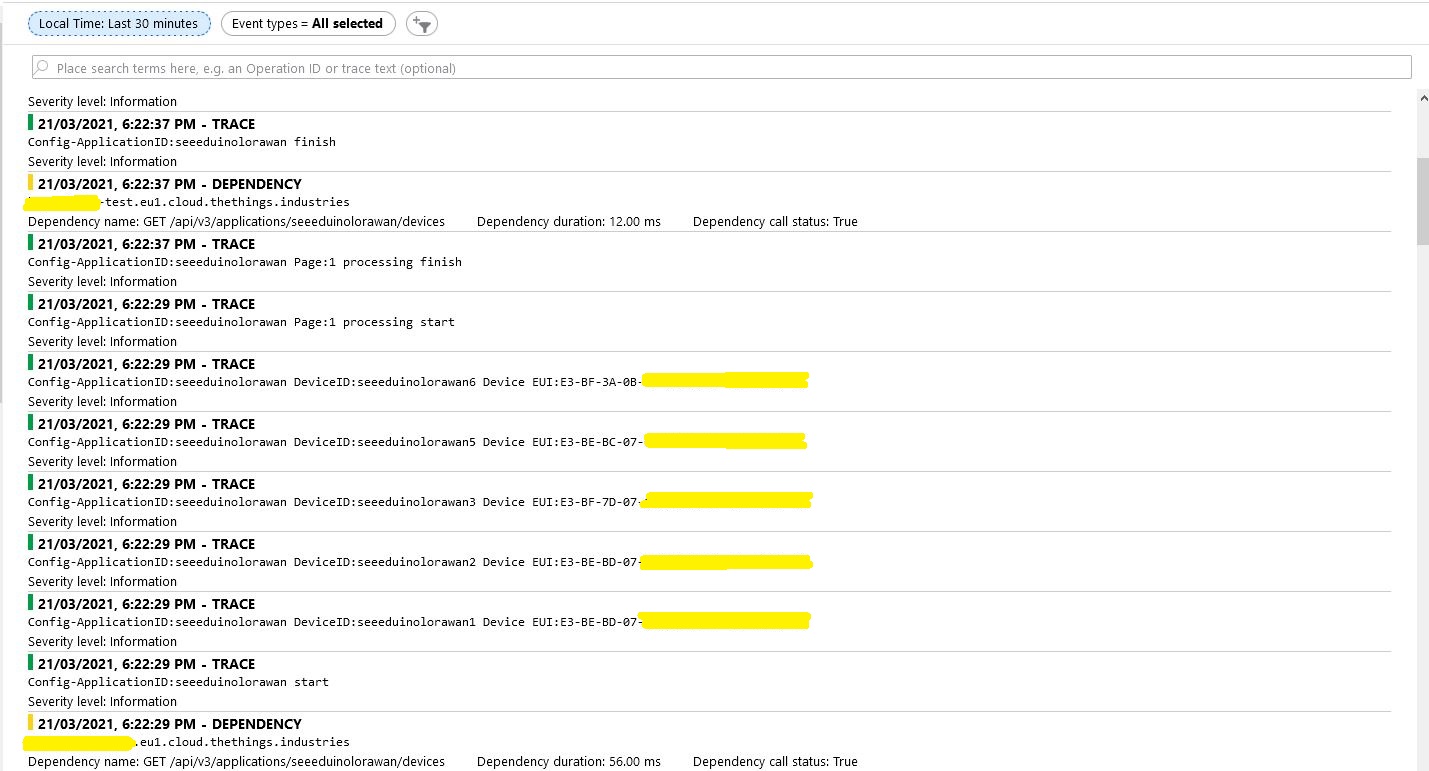
To reduce the impact of the RegisterAsync call duration this Proof of Concept(PoC) code uses the System.Tasks.Threading library to execute each request in its own thread and then wait for all the requests to finish.

try
{
   int devicePage = 1;
   V3EndDevices endDevices = await endDeviceRegistryClient.ListAsync(
      applicationSetting.Key,
      field_mask_paths: Constants.DevicefieldMaskPaths,
      page: devicePage,
      limit: _programSettings.TheThingsIndustries.DevicePageSize,
      cancellationToken: stoppingToken);

   while ((endDevices != null) && (endDevices.End_devices != null)) // If no devices returns null rather than empty list
   {
      List<Task<bool>> tasks = new List<Task<bool>>();

      _logger.LogInformation("Config-ApplicationID:{0} start", applicationSetting.Key);

      foreach (V3EndDevice device in endDevices.End_devices)
      {
         if (DeviceAzureEnabled(device))
         {
            _logger.LogInformation("Config-ApplicationID:{0} DeviceID:{1} Device EUI:{2}", device.Ids.Application_ids.Application_id, device.Ids.Device_id, BitConverter.ToString(device.Ids.Dev_eui));

            tasks.Add(DeviceRegistration(device.Ids.Application_ids.Application_id,
                                       device.Ids.Device_id,
                                       _programSettings.ResolveDeviceModelId(device.Ids.Application_ids.Application_id, device.Attributes),
                                       stoppingToken));
         }
      }

      _logger.LogInformation("Config-ApplicationID:{0} Page:{1} processing start", applicationSetting.Key, devicePage);

      Task.WaitAll(tasks.ToArray(),stoppingToken);

      _logger.LogInformation("Config-ApplicationID:{0} Page:{1} processing finish", applicationSetting.Key, devicePage);

      endDevices = await endDeviceRegistryClient.ListAsync(
         applicationSetting.Key,
         field_mask_paths: Constants.DevicefieldMaskPaths,
         page: devicePage += 1,
         limit: _programSettings.TheThingsIndustries.DevicePageSize,
         cancellationToken: stoppingToken);
   }
   _logger.LogInformation("Config-ApplicationID:{0} finish", applicationSetting.Key);
}
catch (ApiException ex)
{
   _logger.LogError("Config-Application configuration API error:{0}", ex.StatusCode);
}

The connector application paginates the retrieval of device configuration from TTI API and a Task is created for each device returned in a page. In the Application Insights Trace logging the duration of a single page of device registrations was approximately the duration of the longest call.

There will be a tradeoff between device page size (resource utilisation by many threads) and startup duration (to many sequential page operations) which will need to be explored.

TTI V3 Gateway Device Provisioning Service(DPS) Performance

My The Things Industries(TTI) V3 connector is an Identity Translation Cloud Gateway, it maps LoRaWAN devices to Azure IoT Hub devices. The connector creates a DeviceClient for each TTI LoRaWAN device and can use an Azure Device Connection string or the Azure Device Provisioning Service(DPS).
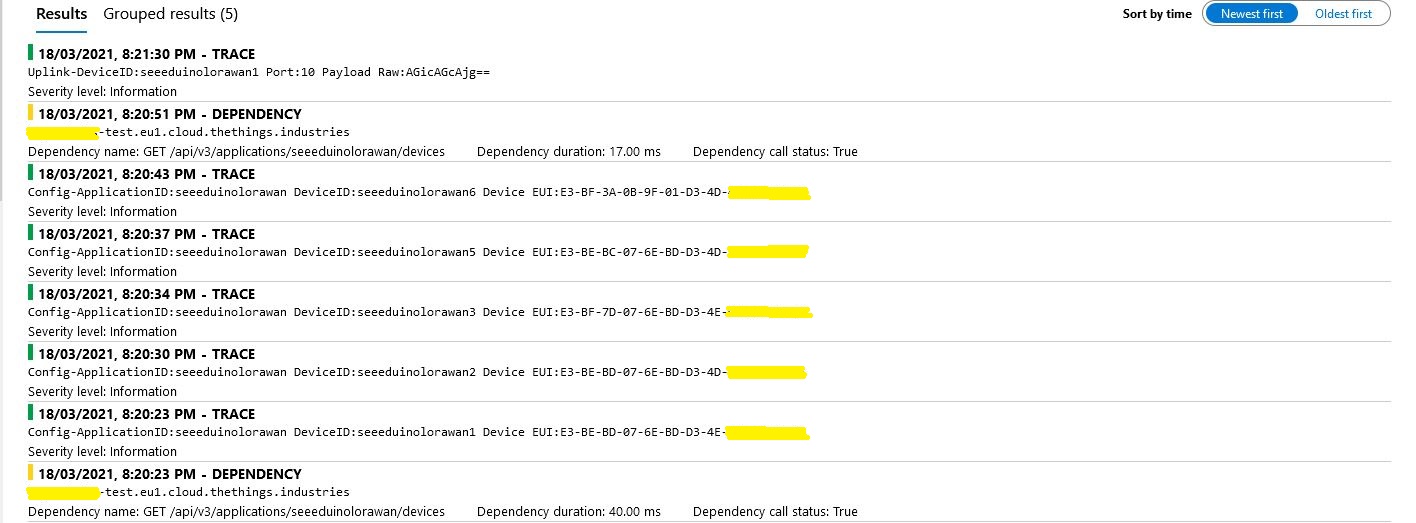
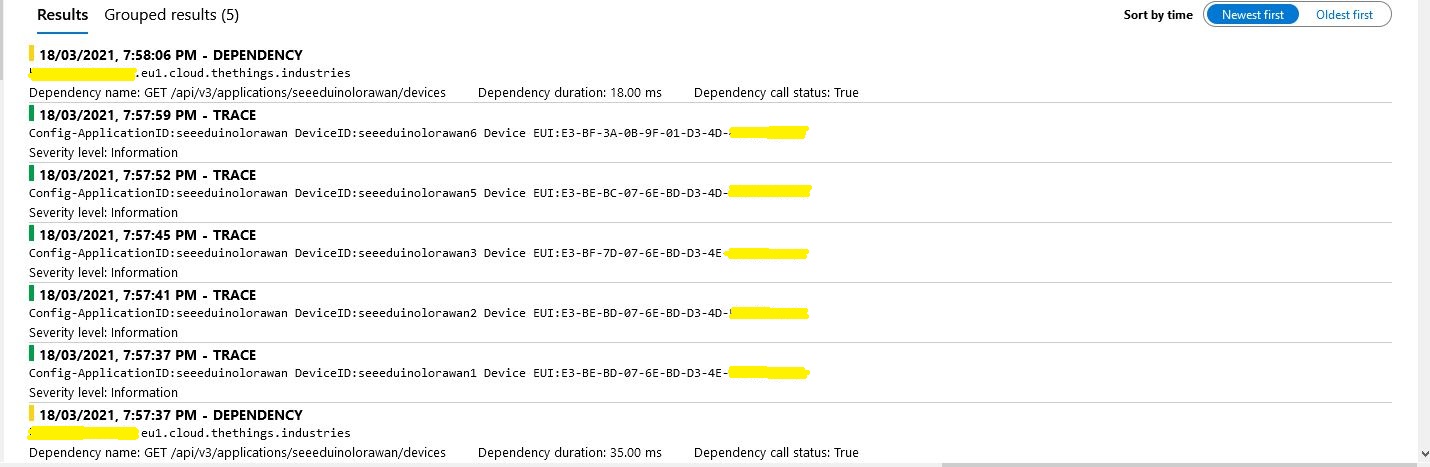
While debugging the connector on my desktop I had noticed that using a connection string was quite a bit faster than using DPS and I had assumed this was just happenstance. While doing some testing in the Azure North Europe data-center (Closer to TTI European servers) I grabbed some screen shots of the trace messages in Azure Application Insights as the TTI Connector Application was starting.

I only have six LoRaWAN devices configured in my TTI dev instance, but I repeated each test several times and the results were consistent so the request durations are reasonable. My TTI Connector application, IoT Hub, DPS and Application insights instances are all in the same Azure Region and Azure Resource Group so networking overheads shouldn’t be significant.

Azure IoT Hub Connection device connection string

Using an Azure IoT Hub Device Shared Access policy connection string establishing a connection took less than a second.

My Azure DPS Instance

Using my own DPS instance to provide the connection string and then establishing a connection took between 3 and 7 seconds.

Azure IoT Central DPS

For my Azure IoT Central instance getting a connection string and establishing a connection took between 4 and 7 seconds.

The Azure DPS client code was copied from one of the sample applications so I have assumed it is “correct”.

using (var transport = new ProvisioningTransportHandlerAmqp(TransportFallbackType.TcpOnly))
{
	ProvisioningDeviceClient provClient = ProvisioningDeviceClient.Create( 
		Constants.AzureDpsGlobalDeviceEndpoint,
		deviceProvisiongServiceSettings.IdScope,
		securityProvider,
		transport);

	DeviceRegistrationResult result;

	if (!string.IsNullOrEmpty(modelId))
	{
		ProvisioningRegistrationAdditionalData provisioningRegistrationAdditionalData = new ProvisioningRegistrationAdditionalData()
		{
			JsonData = $"{{"modelId": "{modelId}"}}"
		};

		result = await provClient.RegisterAsync(provisioningRegistrationAdditionalData, stoppingToken);
	}
	else
    {
		result = await provClient.RegisterAsync(stoppingToken);
	}

	if (result.Status != ProvisioningRegistrationStatusType.Assigned)
	{
		_logger.LogError("Config-DeviceID:{0} Status:{1} RegisterAsync failed ", deviceId, result.Status);

		return false;
	}

	IAuthenticationMethod authentication = new DeviceAuthenticationWithRegistrySymmetricKey(result.DeviceId, (securityProvider as SecurityProviderSymmetricKey).GetPrimaryKey());

	deviceClient = DeviceClient.Create(result.AssignedHub, authentication, transportSettings);
}

I need to investigate why getting a connection string from the DPS then connecting take significantly longer (I appreciate that “behind the scenes” service calls maybe required). This wouldn’t be an issue for individual devices connecting from different locations but for my Identity Translation Cloud gateway which currently open connections sequentially this could be a problem when there are a large number of devices.
If the individual requests duration can’t be reduced (using connection pooling etc.) I may have to spin up multiple threads so multiple devices can be connecting concurrently.

TTI V3 Gateway Azure IoT Central Digital Twin Definition Language(DTDL) support

Over the last couple of days I have added limited Digital Twin Definition Language(DTDLV2) support to my The Things Industries(TTI) V3 connector so that Azure IoT Central devices can be “zero touch” provisioned. For this blog post I used five Seeeduino LoRaWAN devices left over from another abandoned project.

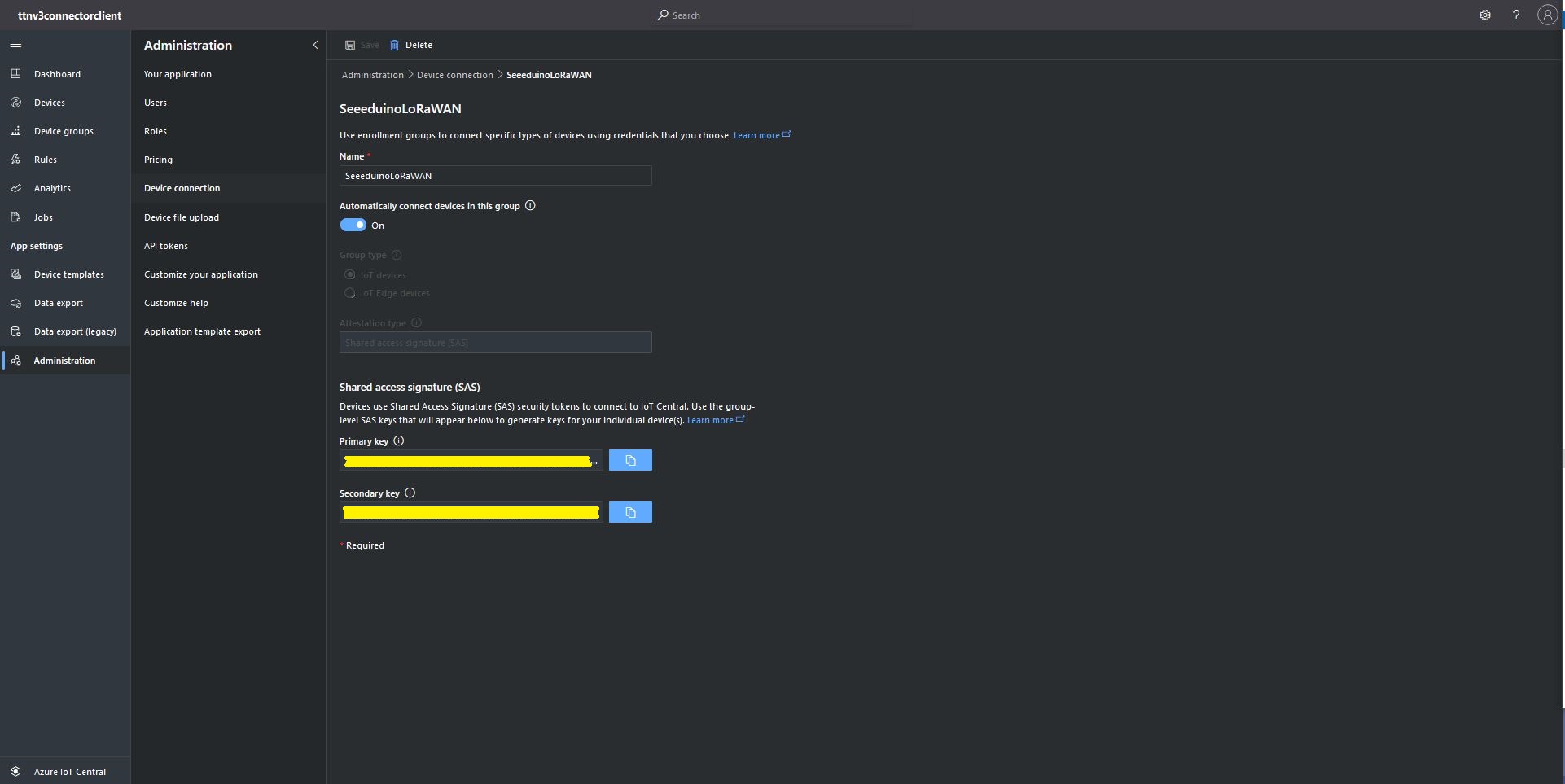
The first step was to configure and Azure IoT Central enrollment group (ensure “Automatically connect devices in this group” is on) and copy the IDScope and Group Enrollment key to the appsettings.json file (see sample file below for more detail)

Azure IoT Central Enrollment Group configuration

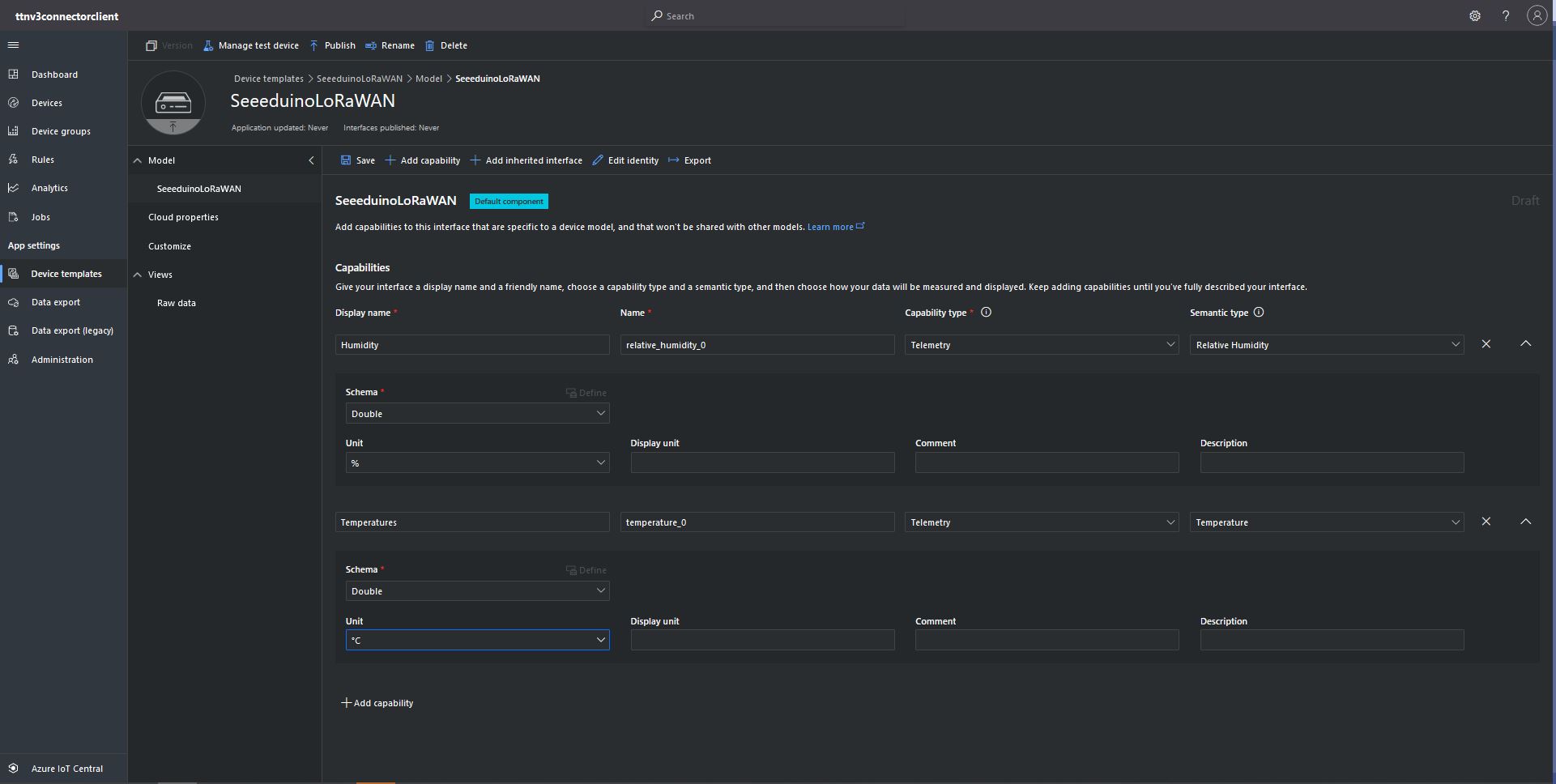
Then I created an Azure IoT Central template for the seeeduino LoRAWAN devices which are running software (developed with the Arduino tooling) that read values from a Grove – Temperature&Humidity sensor. The naming of telemetry properties in specified by the Low Power Protocol(LPP) encoder/decoder (I check the decoded payload in TTI EndDevice “Live Data” tab).

Configuring Seeeduino LoRaWAN device template

Then I mapped the Azure IoT Central Device Group to my Azure IoT Central Enrollment Group

Associating Device Group with Group Enrollment configuration

The Device Template @Id can be configured as the “default” template for all the devices in a TTI application in the app.settings.json file.

{
...
   "ProgramSettings": {
      "Applications": {
...
      "seeeduinolorawan": {
        "AzureSettings": {
           "DeviceProvisioningServiceSettings": {
              "IdScope": "...",
              "GroupEnrollmentKey": "..."
            }
         },
         "DTDLModelId": "dtmi:ttnv3connectorclient:SeeeduinoLoRaWAN4cz;1",
         "MQTTAccessKey": "...",
         "DeviceIntegrationDefault": true,
         "DevicePageSize": 10
      }
   }.
...

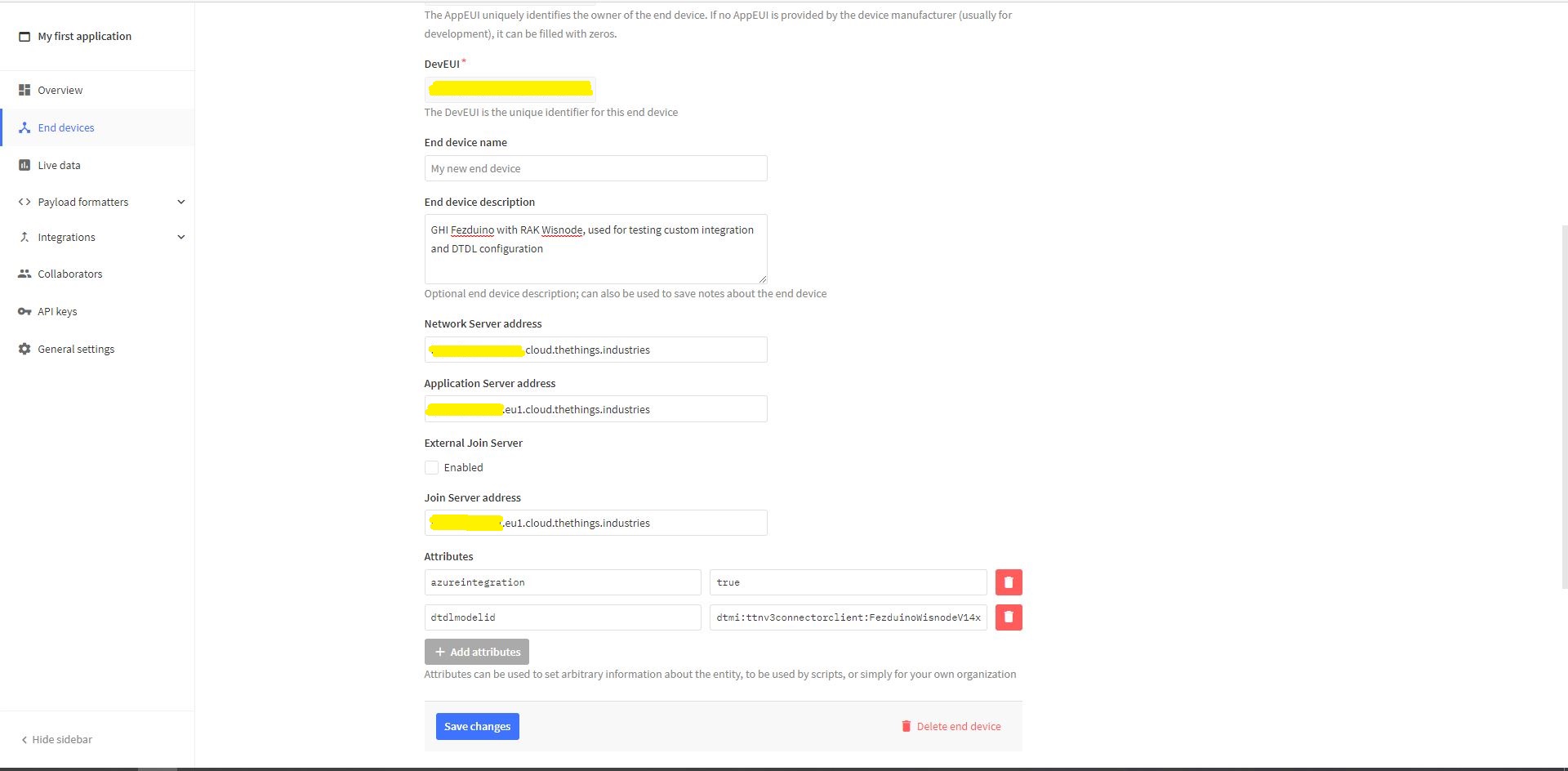
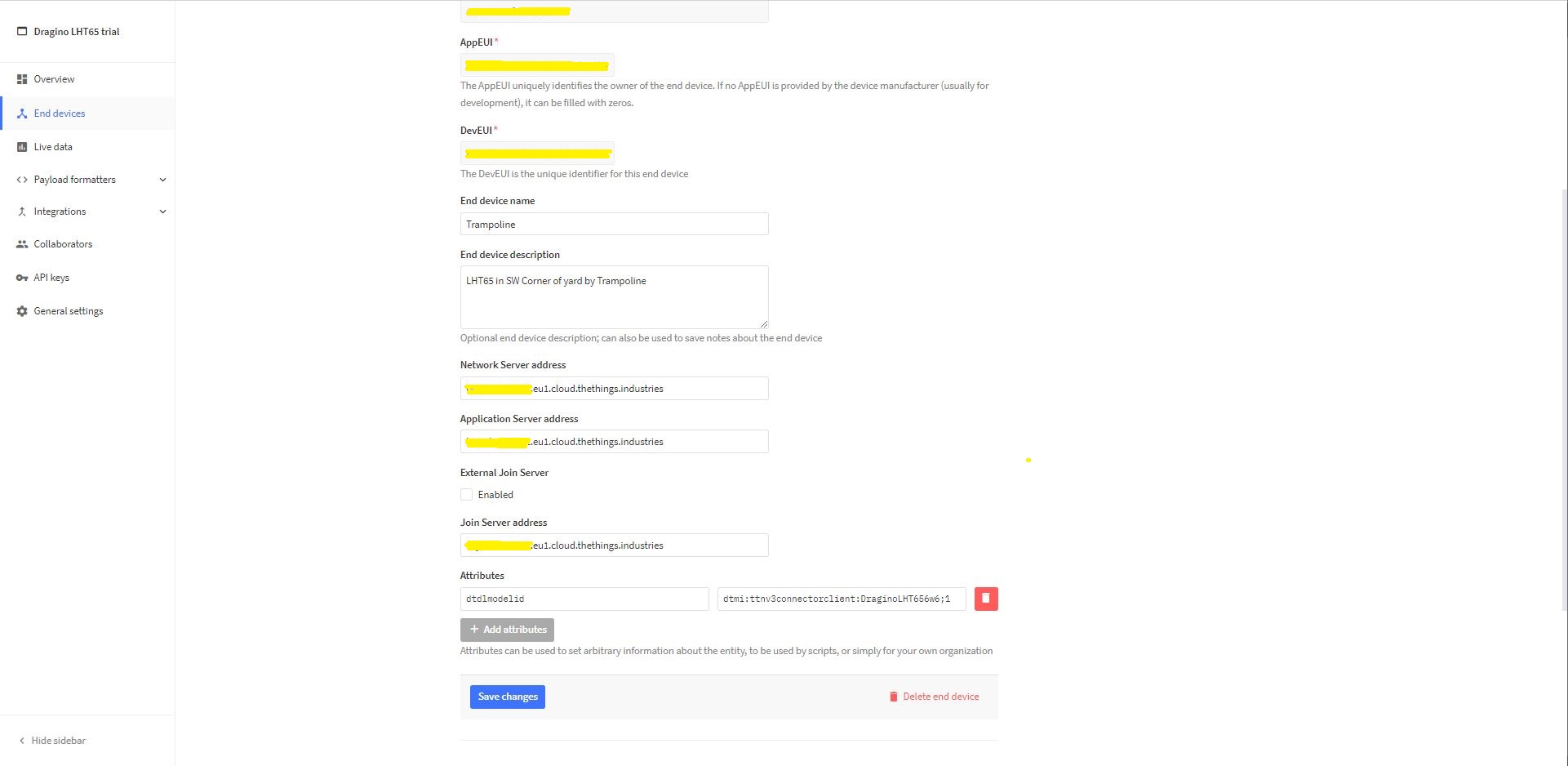
The Device Template @Id can also be set using a dtdlmodelid attribute in a TTI end device settings so devices can be individually configured.

TTI Application EndDevice dtdlmodelid attribute usage

At startup the TTI Gateway enumerates through the devices in each application configured in the app.settings.json. The Azure Device Provisioning Service(DPS) is used to retrieve each device’s connection string and configure it in Azure IoT Central if required.

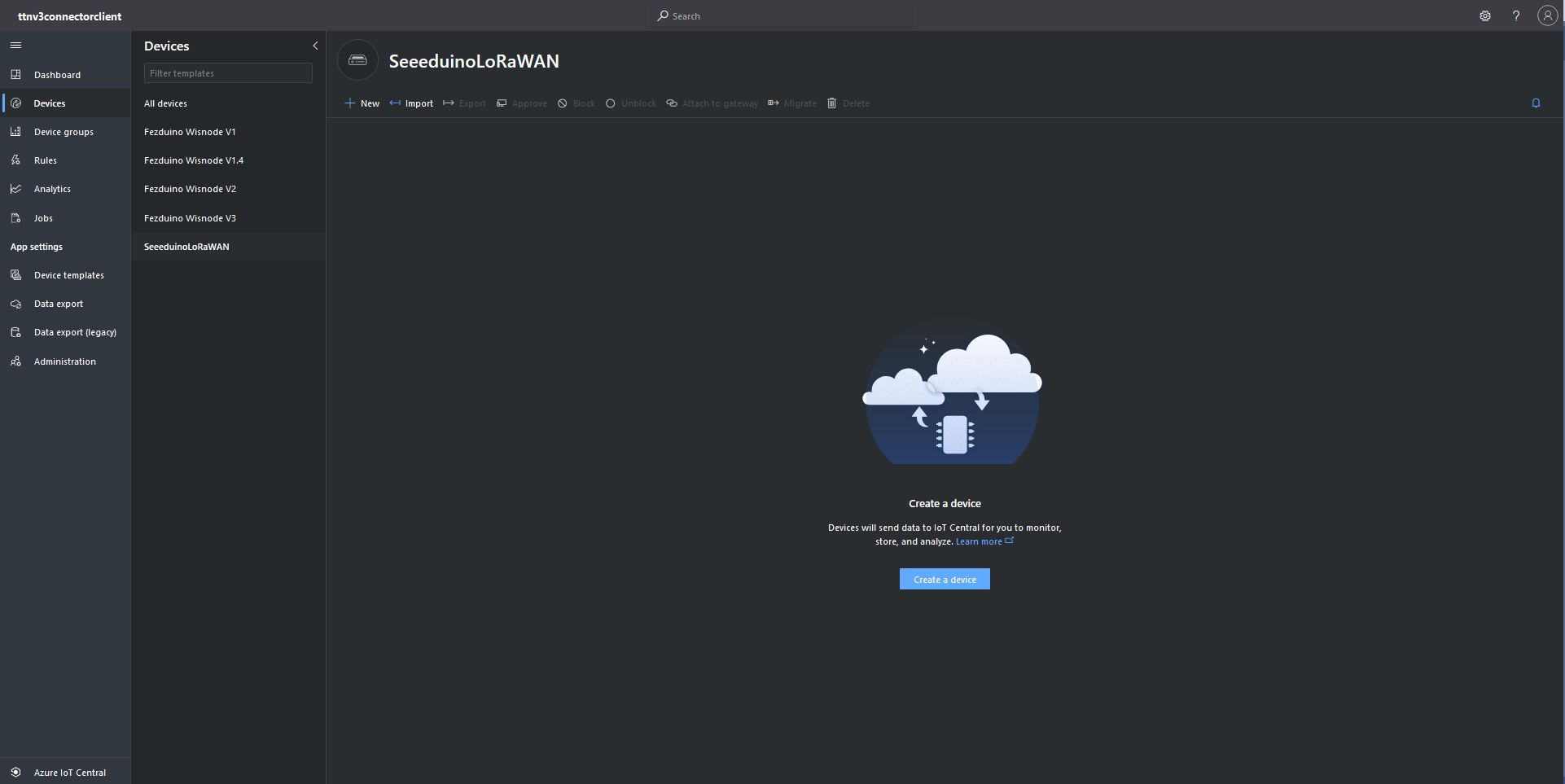
Azure IoT Central Device Group with no provisioned Devices
TTI Connector application connecting and provisioning EndDevices
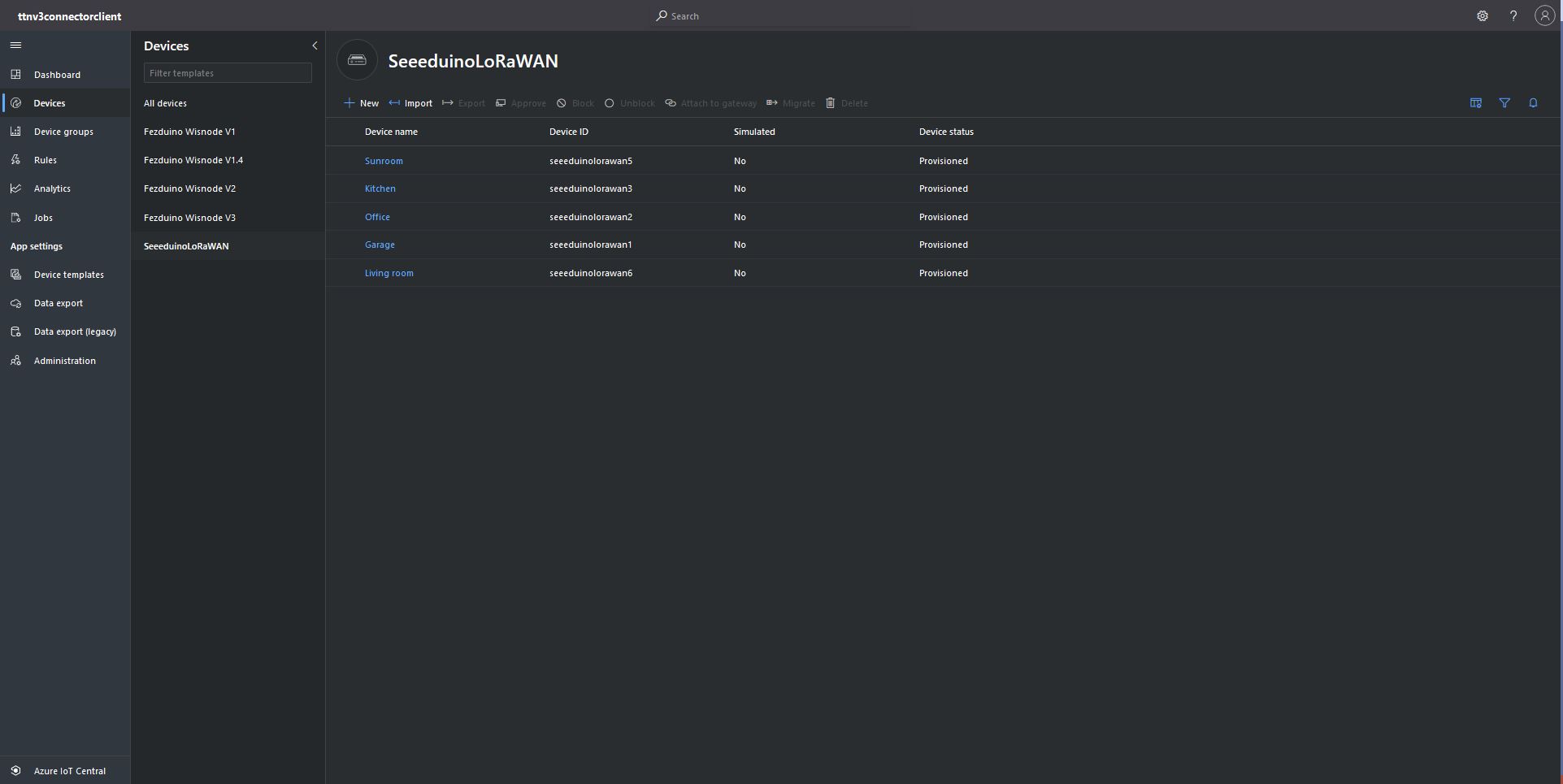
Azure IoT Central devices mapped to an Azure IoT Central Template via the modelID

The ProvisioningRegistrationAdditionalData optional parameter of the DPS RegisterAsync method has a JSON property which is used to the specify the device ModelID.

using (var transport = new ProvisioningTransportHandlerAmqp(TransportFallbackType.TcpOnly))
{
	ProvisioningDeviceClient provClient = ProvisioningDeviceClient.Create( 
		Constants.AzureDpsGlobalDeviceEndpoint,
		deviceProvisiongServiceSettings.IdScope,
		securityProvider,
		transport);

	DeviceRegistrationResult result;

	if (!string.IsNullOrEmpty(modelId))
	{
		ProvisioningRegistrationAdditionalData provisioningRegistrationAdditionalData = new ProvisioningRegistrationAdditionalData()
		{
			JsonData = $"{{\"modelId\": \"{modelId}\"}}"
		};

		result = await provClient.RegisterAsync(provisioningRegistrationAdditionalData, stoppingToken);
	}
	else
    {
		result = await provClient.RegisterAsync(stoppingToken);
	}

	if (result.Status != ProvisioningRegistrationStatusType.Assigned)
	{
		_logger.LogError("Config-DeviceID:{0} Status:{1} RegisterAsync failed ", deviceId, result.Status);

		return false;
	}

	IAuthenticationMethod authentication = new DeviceAuthenticationWithRegistrySymmetricKey(result.DeviceId, (securityProvider as SecurityProviderSymmetricKey).GetPrimaryKey());

	deviceClient = DeviceClient.Create(result.AssignedHub, authentication, transportSettings);
}

My implementation was “inspired” by TemperatureController project in the PnP Device Samples.
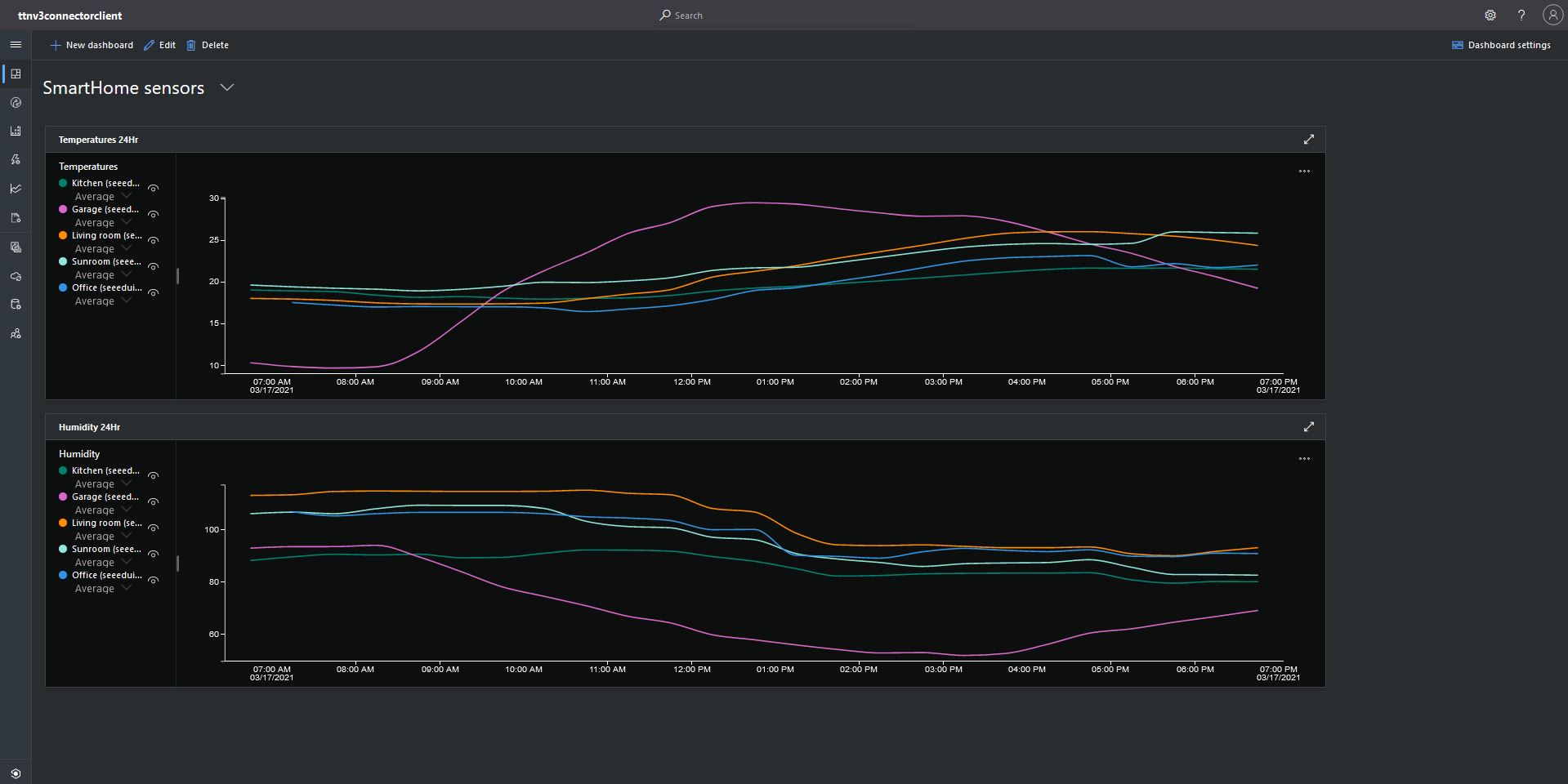
Azure IoT Central Dashboard with Seeeduino LoRaWAN devices around my house that were “automagically” provisioned

I need to do some testing to confirm my code works reliably with both DPS and user provided connection strings. The RegisterAsync call is currently taking about four seconds which could be an issue for TTI applications with many devices.