Random wanderings through Microsoft Azure esp. PaaS plumbing, the IoT bits, AI on Micro controllers, AI on Edge Devices, .NET nanoFramework, .NET Core on *nix and ML.NET+ONNX
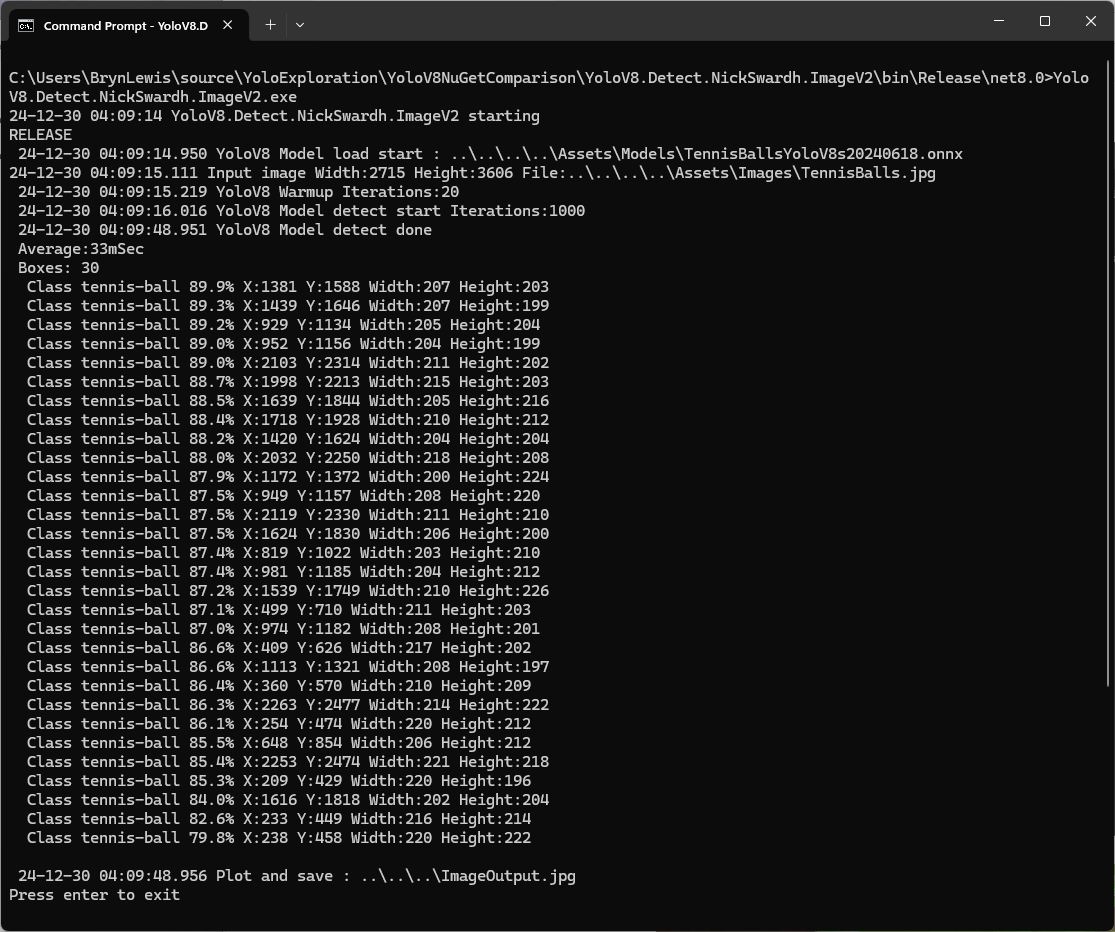
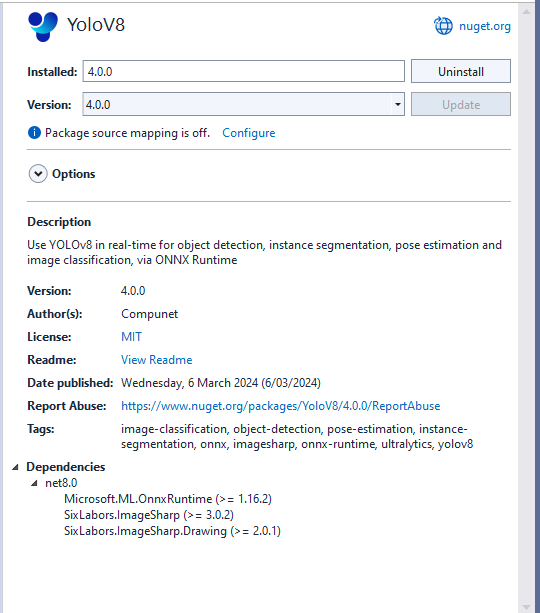
The YoloDotNet by NickSwardh V1 and V2 results were slightly different. The V2 NuGet uses SkiaSharp which appears to significantly improve the performance.
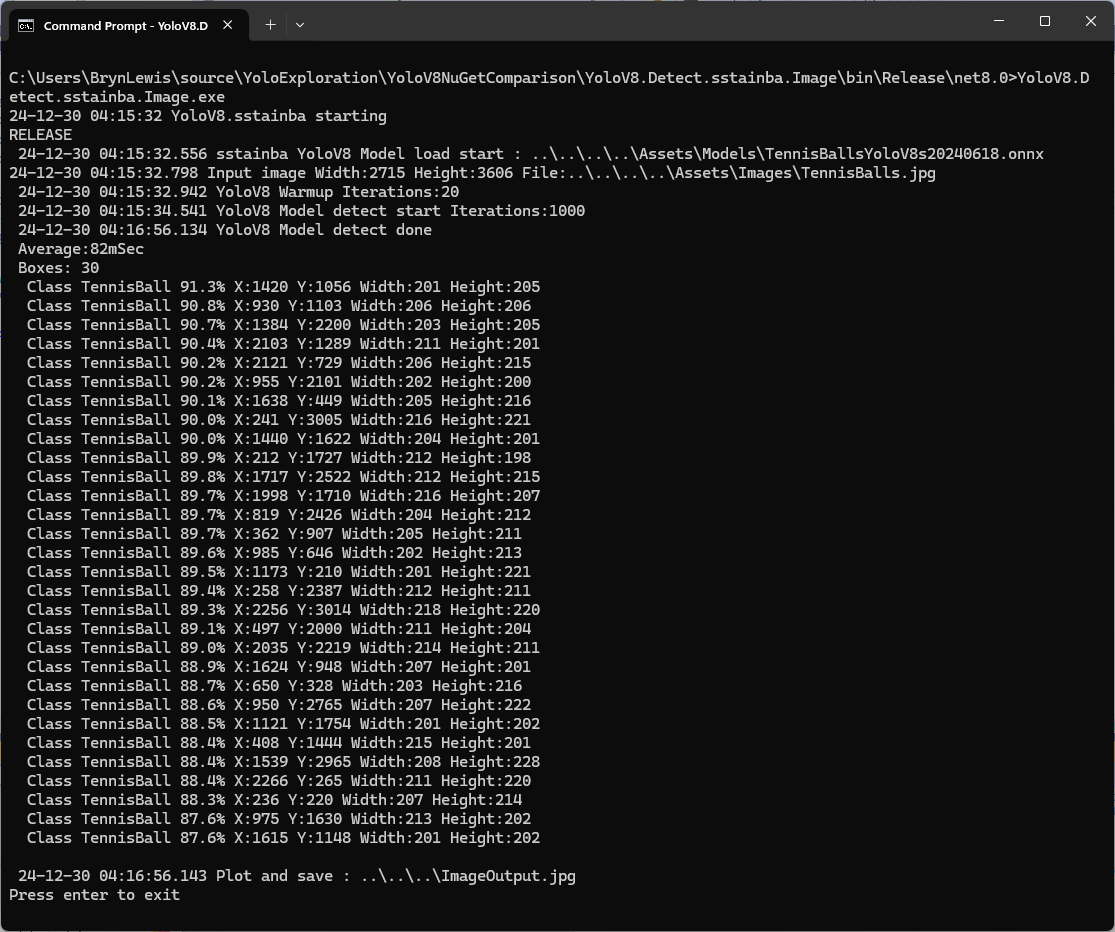
Even though the YoloV8 by sstainba NuGet hadn’t been updated I ran the test harness just in case
YoloDotNet 2.0 is a Speed Demon release where the main focus has been on supercharging performance to bring you the fastest and most efficient version yet. With major code optimizations, a switch to SkiaSharp for lightning-fast image processing, and added support for Yolov10 as a little extra 😉 this release is set to redefine your YoloDotNet experience:
Changing the implementation to use SkiaSharp caught my attention because in previous testing manipulating images with the Sixlabors.ImageSharp library took longer than expected.
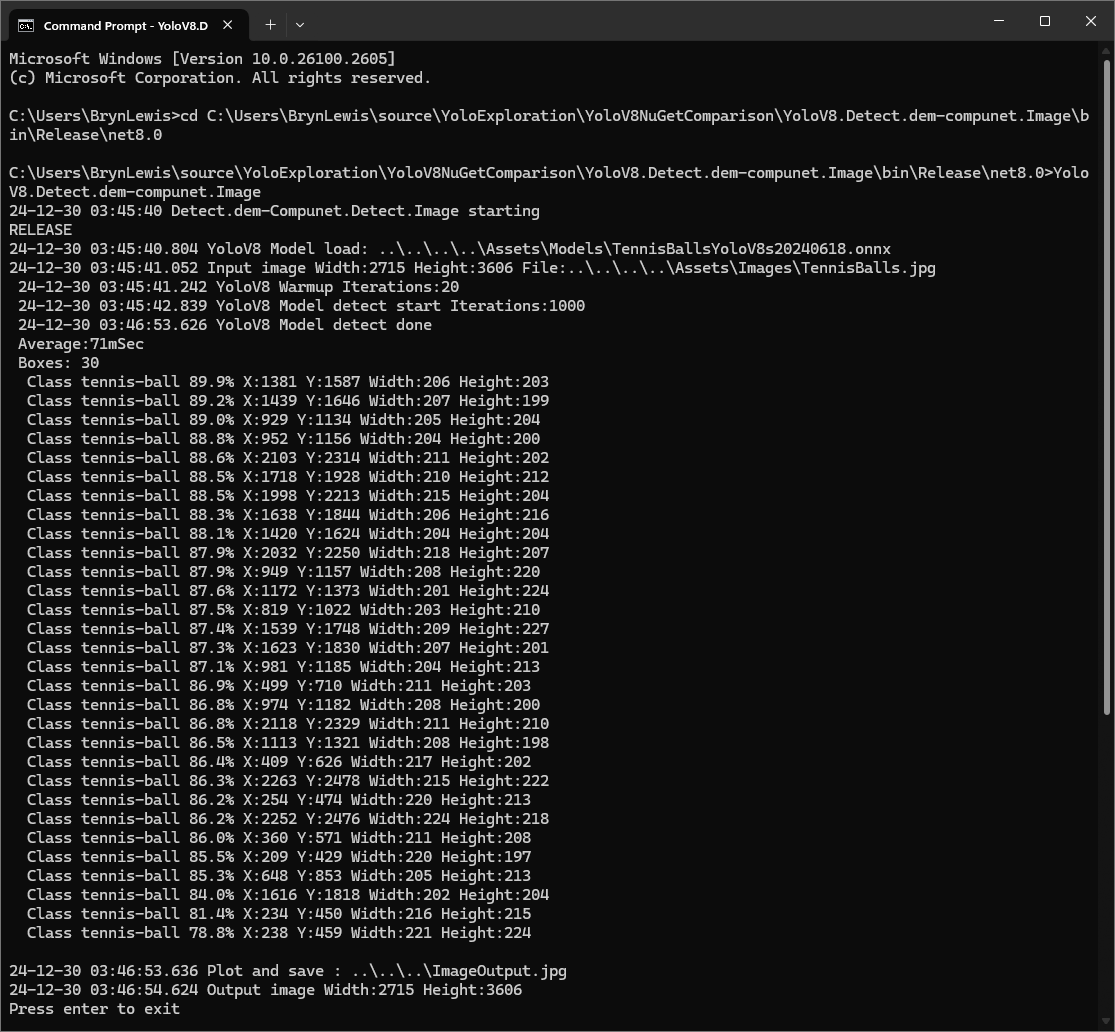
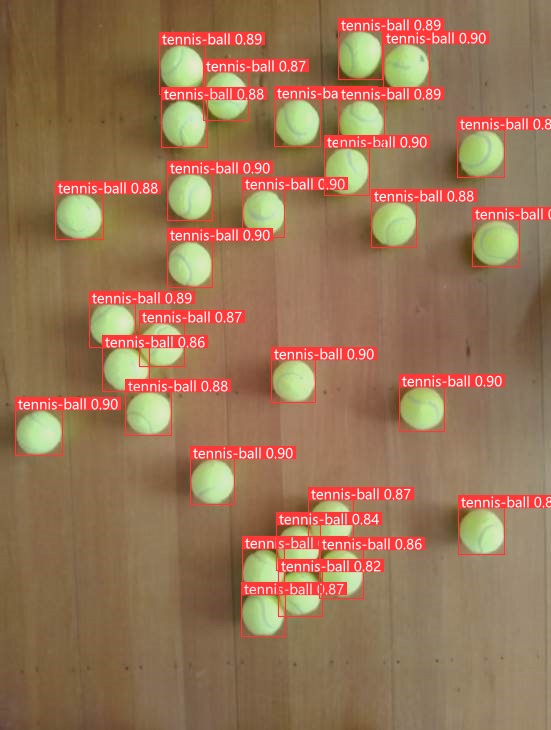
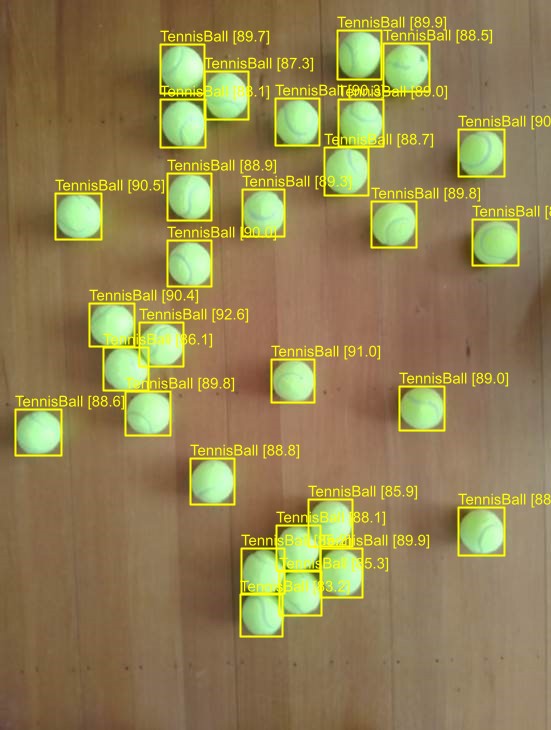
I started with the dme-compunet YoloV8 NuGet which found all the tennis balls and the results were consistent with earlier tests.
dme-compunet test harness image bounding boxes
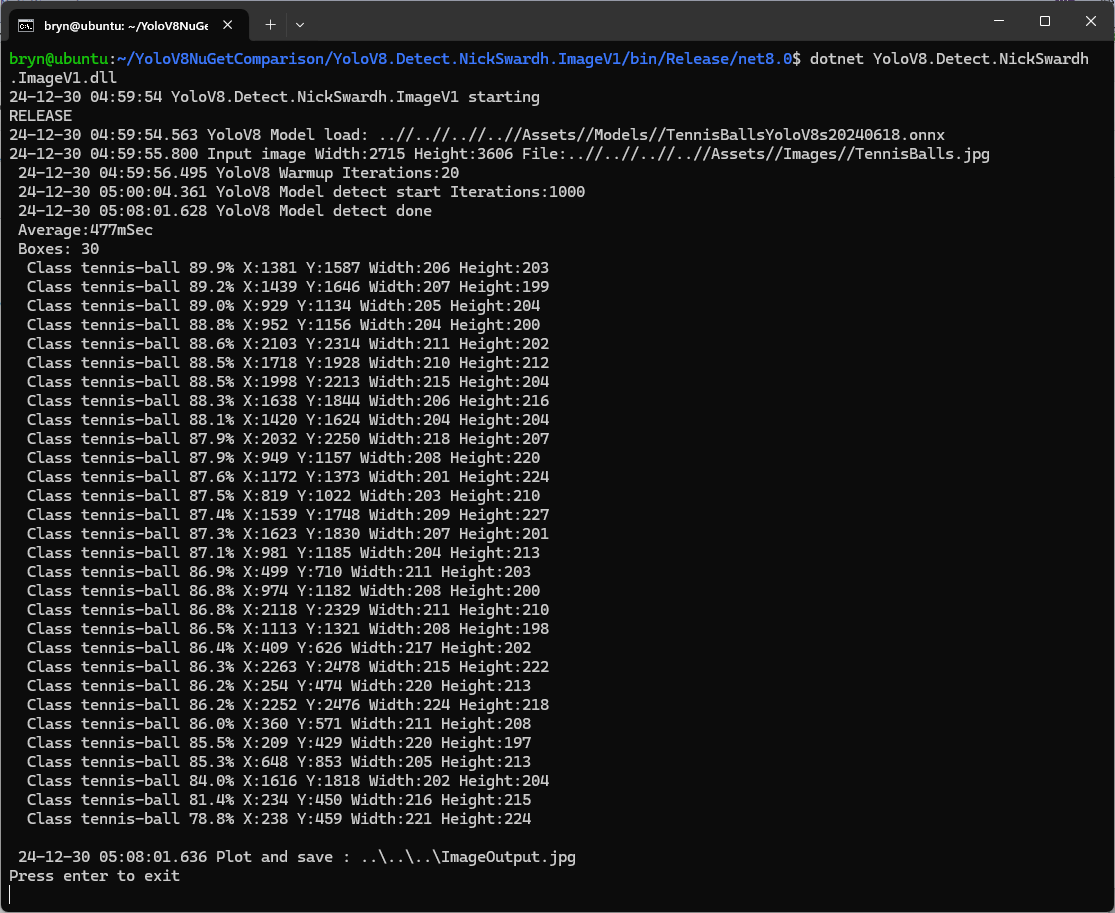
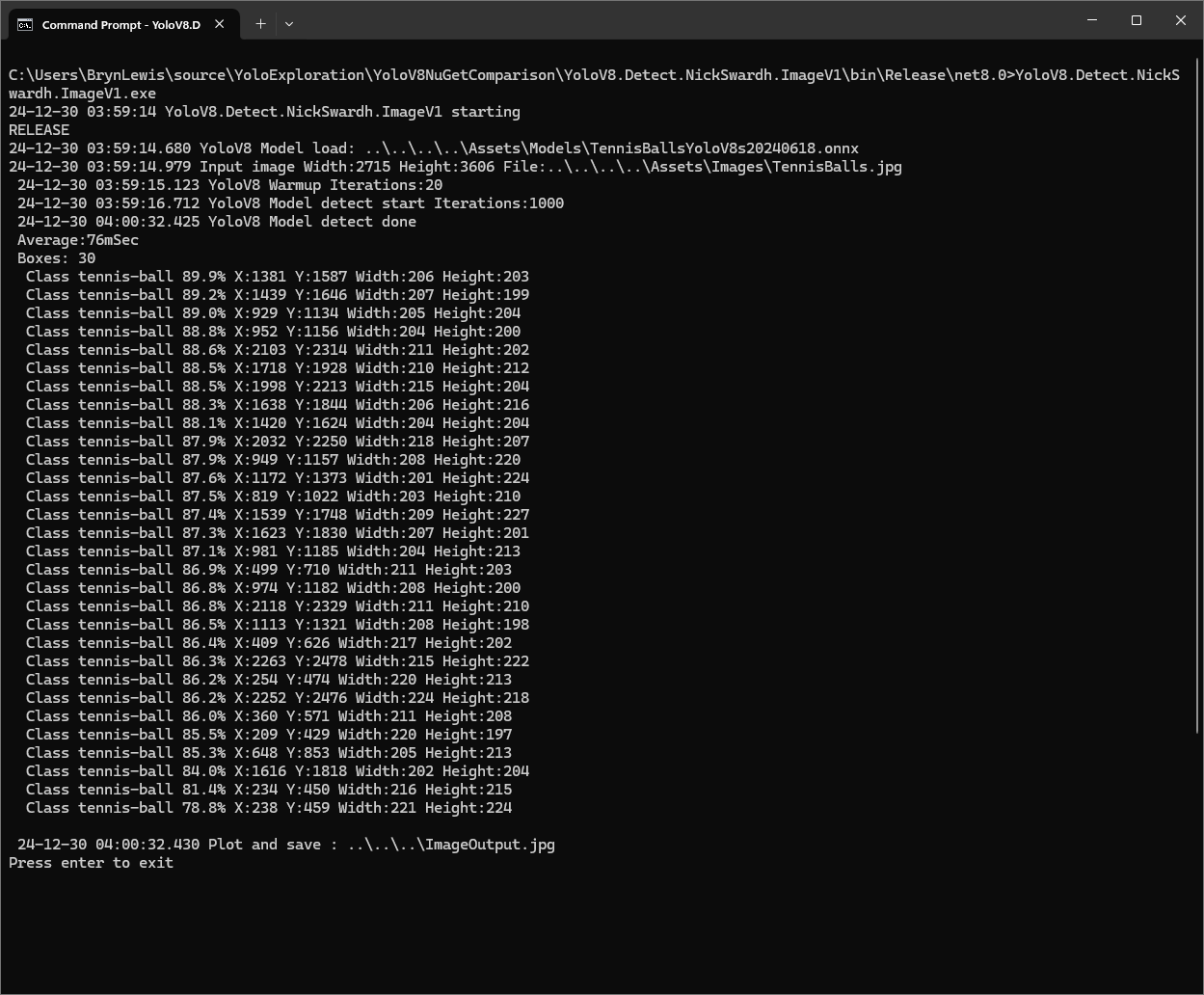
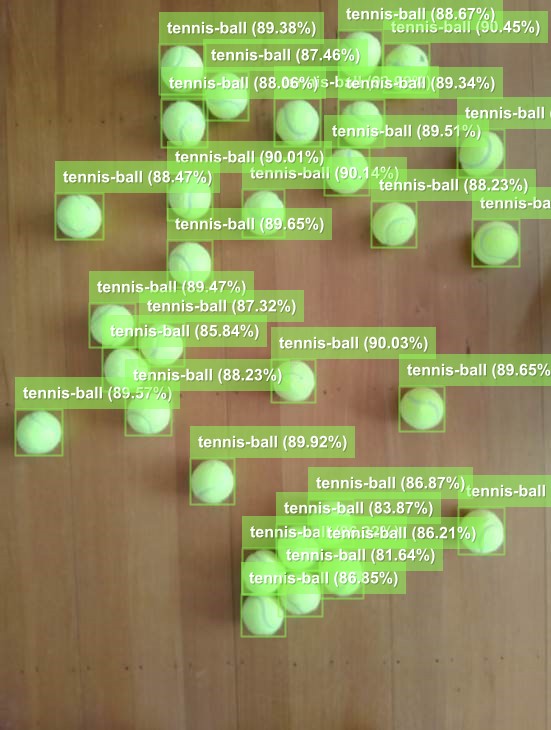
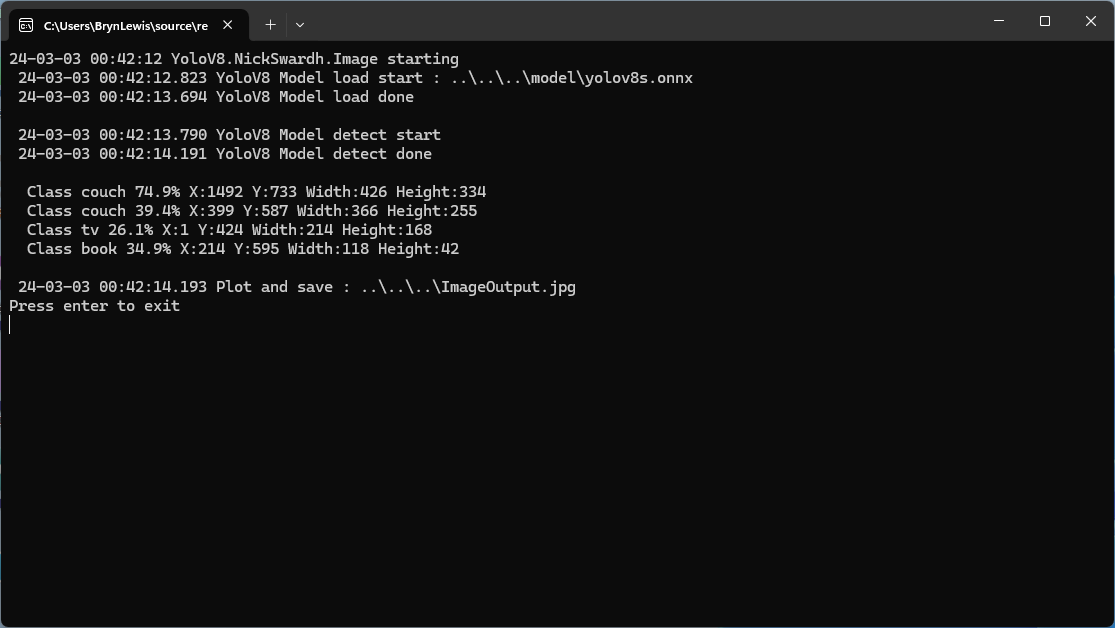
The YoloDotNet by NickSwardh NuGet update had some “breaking changes” so I built “old” and “updated” test harnesses. The V1 version found all the tennis balls and the results were consistent with earlier tests.
NickSwardh V1 test harness image bounding boxes
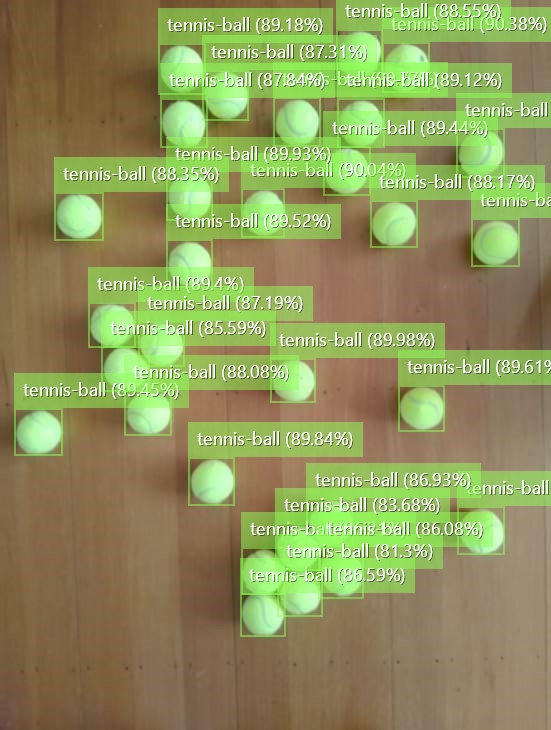
The YoloDotNet by NickSwardh NuGet update had some “breaking changes” so there were some code changes but the V1 and V2 results were slightly different.
NickSwardh V2 test harness image bounding boxes
Even though the YoloV8 by sstainba NuGet hadn’t been updated I ran the test harness just in case and the results were consistent with previous tests.
The NickSwardV2 implementation was significantly faster, but I need to investigate the slight difference in the bounding boxes. It looks like Sixlabors.ImageSharp might be the issue.
The same approach as the YoloV8.Detect.SecurityCamera.Stream sample is used because the image doesn’t have to be saved on the local filesystem.
Utralytics Pose Model marked-up image
To check the results, I put a breakpoint in the timer just after PoseAsync method is called and then used the Visual Studio 2022 Debugger QuickWatch functionality to inspect the contents of the PoseResult object.
The uses the Microsoft.Extensions.Logging library to publish diagnostic information to the console while debugging the application.
Visual Studio 2022 QuickWatch displaying object detection results.
To check the results I put a breakpoint in the timer just after DetectAsync method is called and then used the Visual Studio 2022 Debugger QuickWatch functionality to inspect the contents of the DetectionResult object.
Visual Studio 2022 JSON Visualiser displaying object detection results.
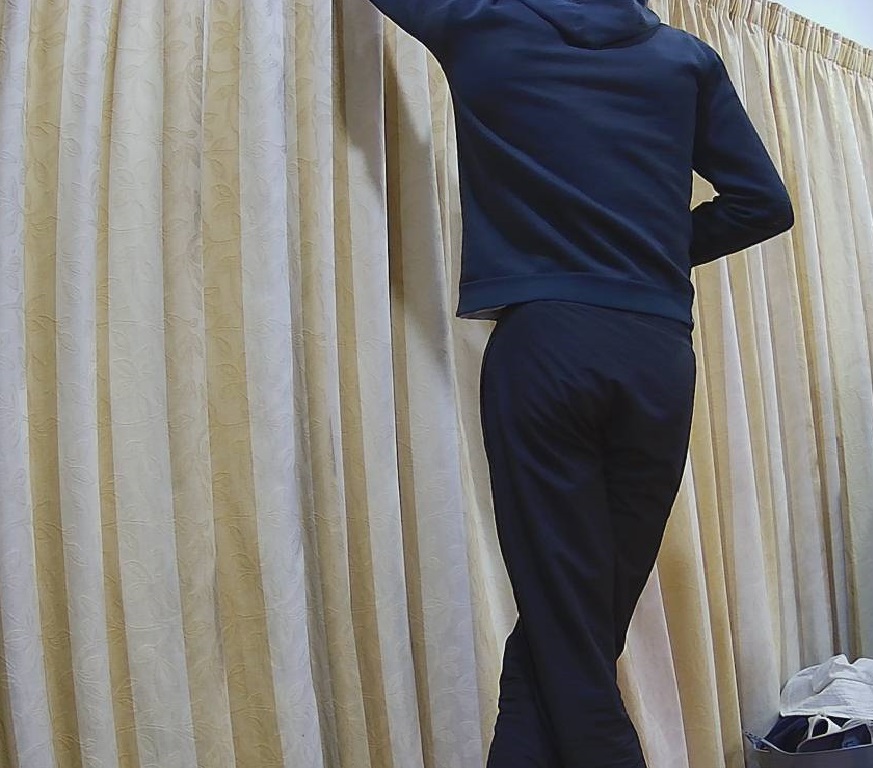
Security Camera image for object detection photo bombed by Yarnold our Standard Apricot Poodle.
This application can also be deployed as a Linuxsystemd Service so it will start then run in the background. The same approach as the YoloV8.Detect.SecurityCamera.Stream sample is used because the image doesn’t have to be saved on the local filesystem.
The YoloV8.Detect.SecurityCamera.File sample downloads images from the security camera to the local file system, then calls DetectAsync with the local file path.
private static async void ImageUpdateTimerCallback(object state)
{
   //...
   try
   {
      Console.WriteLine($"{DateTime.UtcNow:yy-MM-dd HH:mm:ss:fff} YoloV8 Security Camera Image File processing start");

      using (Stream cameraStream = await _httpClient.GetStreamAsync(_applicationSettings.CameraUrl))
      using (Stream fileStream = System.IO.File.Create(_applicationSettings.ImageFilepath))
      {
         await cameraStream.CopyToAsync(fileStream);
      }

      DetectionResult result = await _predictor.DetectAsync(_applicationSettings.ImageFilepath);

      Console.WriteLine($"Speed: {result.Speed}");

      foreach (var prediction in result.Boxes)
      {
         Console.WriteLine($" Class {prediction.Class} {(prediction.Confidence * 100.0):f1}% X:{prediction.Bounds.X} Y:{prediction.Bounds.Y} Width:{prediction.Bounds.Width} Height:{prediction.Bounds.Height}");
      }

      Console.WriteLine($"{DateTime.UtcNow:yy-MM-dd HH:mm:ss:fff} YoloV8 Security Camera Image processing done");
   }
   catch (Exception ex)
   {
      Console.WriteLine($"{DateTime.UtcNow:yy-MM-dd HH:mm:ss} YoloV8 Security camera image download or YoloV8 prediction failed {ex.Message}");
   }
//...
}
Console application using camera image saved on filesystem
The ImageSelector parameter of DetectAsync caught my attention as I hadn’t seen this approach used before. The developers who wrote the NuGet package are definitely smarter than me so I figured I might learn something useful digging deeper.
public static DetectionResult Detect(this YoloV8 predictor, ImageSelector selector)
{
    predictor.ValidateTask(YoloV8Task.Detect);

    return predictor.Run(selector, (outputs, image, timer) =>
    {
        var output = outputs[0].AsTensor<float>();

        var parser = new DetectionOutputParser(predictor.Metadata, predictor.Parameters);

        var boxes = parser.Parse(output, image);
        var speed = timer.Stop();

        return new DetectionResult
        {
            Boxes = boxes,
            Image = image,
            Speed = speed,
        };
    });

    public TResult Run<TResult>(ImageSelector selector, PostprocessContext<TResult> postprocess) where TResult : YoloV8Result
    {
        using var image = selector.Load(true);

        var originSize = image.Size;

        var timer = new SpeedTimer();

        timer.StartPreprocess();

        var input = Preprocess(image);

        var inputs = MapNamedOnnxValues([input]);

        timer.StartInference();

        using var outputs = Infer(inputs);

        var list = new List<NamedOnnxValue>(outputs);

        timer.StartPostprocess();

        return postprocess(list, originSize, timer);
    }
}
It looks like most of the image loading magic of ImageSelector class is implemented using the SixLabors library…
public class ImageSelector<TPixel> where TPixel : unmanaged, IPixel<TPixel>
{
    private readonly Func<Image<TPixel>> _factory;

    public ImageSelector(Image image)
    {
        _factory = image.CloneAs<TPixel>;
    }

    public ImageSelector(string path)
    {
        _factory = () => Image.Load<TPixel>(path);
    }

    public ImageSelector(byte[] data)
    {
        _factory = () => Image.Load<TPixel>(data);
    }

    public ImageSelector(Stream stream)
    {
        _factory = () => Image.Load<TPixel>(stream);
    }

    internal Image<TPixel> Load(bool autoOrient)
    {
        var image = _factory();

        if (autoOrient)
            image.Mutate(x => x.AutoOrient());

        return image;
    }

    public static implicit operator ImageSelector<TPixel>(Image image) => new(image);
    public static implicit operator ImageSelector<TPixel>(string path) => new(path);
    public static implicit operator ImageSelector<TPixel>(byte[] data) => new(data);
    public static implicit operator ImageSelector<TPixel>(Stream stream) => new(stream);
}
Learnt something new must be careful to apply it only where it adds value.
All of the implementations load the model, load the sample image, detect objects in the image, then markup the image with the classification, minimum bounding boxes, and confidences of each object.
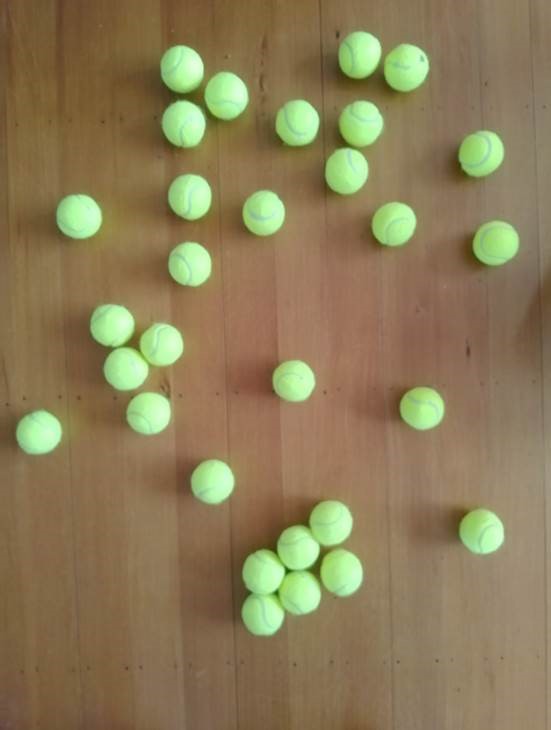
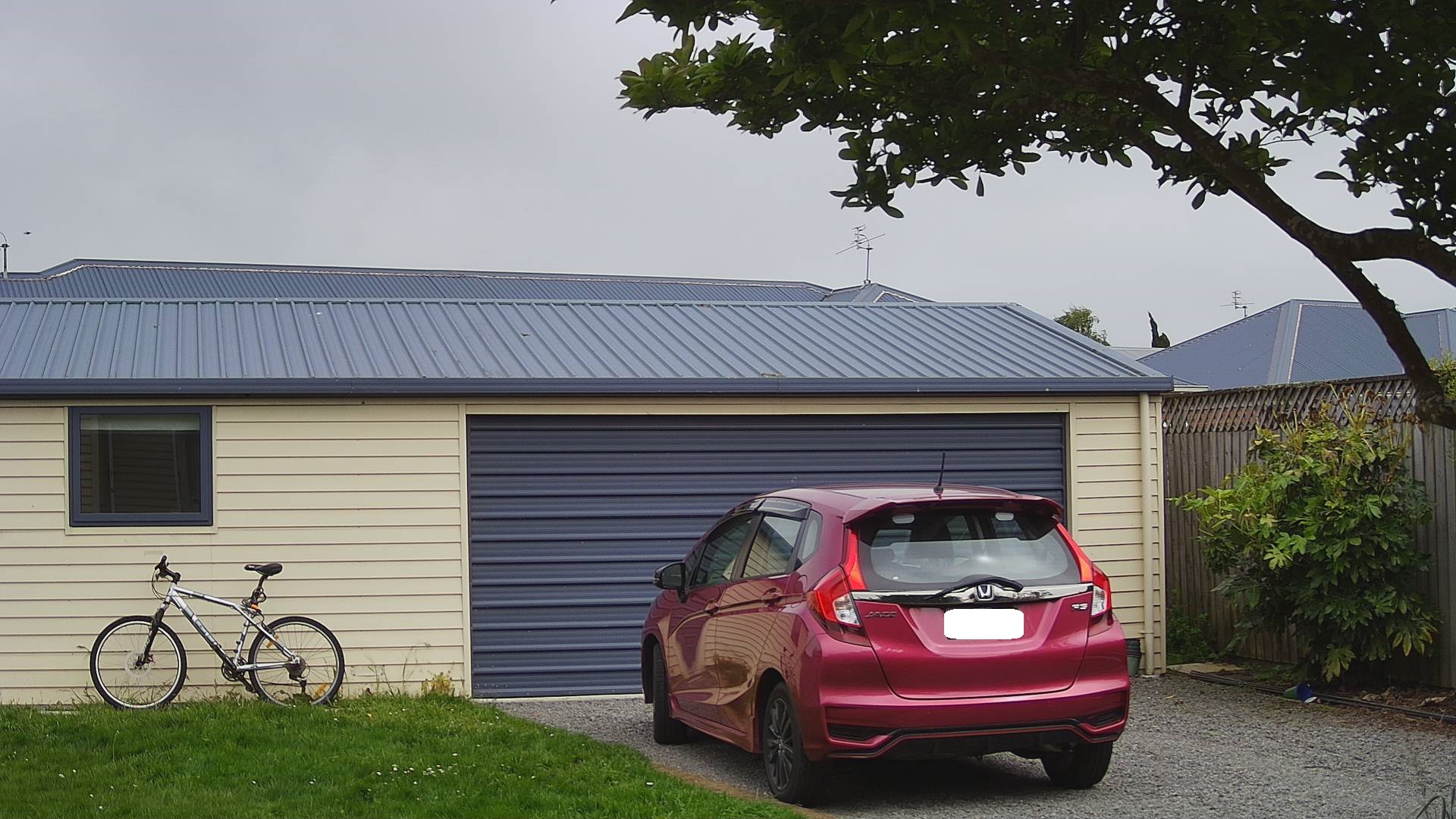
Input Image
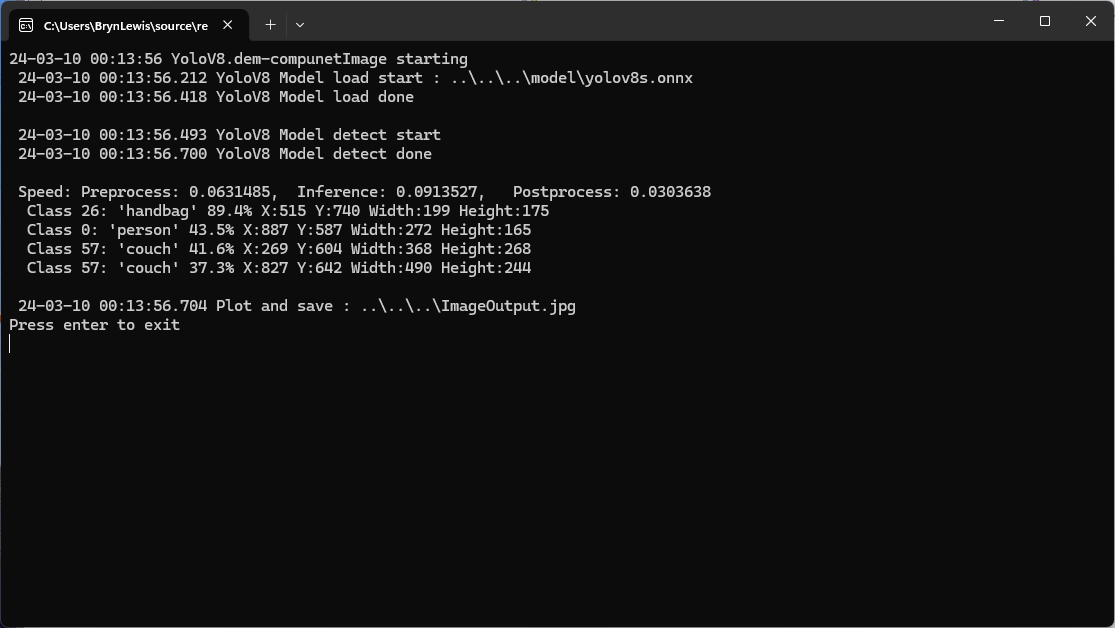
The first implementation uses YoloV8 by dme-compunet which supports asynchronous operation. The image is loaded asynchronously, the prediction is asynchronous, then marked up and saved asynchronously.
using (var predictor = new Compunet.YoloV8.YoloV8(_applicationSettings.ModelPath))
{
   Console.WriteLine($" {DateTime.UtcNow:yy-MM-dd HH:mm:ss.fff} YoloV8 Model load done");
   Console.WriteLine();

   using (var image = await SixLabors.ImageSharp.Image.LoadAsync<Rgba32>(_applicationSettings.ImageInputPath))
   {
      Console.WriteLine($" {DateTime.UtcNow:yy-MM-dd HH:mm:ss.fff} YoloV8 Model detect start");

      var predictions = await predictor.DetectAsync(image);

      Console.WriteLine($" {DateTime.UtcNow:yy-MM-dd HH:mm:ss.fff} YoloV8 Model detect done");
      Console.WriteLine();

      Console.WriteLine($" Speed: {predictions.Speed}");

      foreach (var prediction in predictions.Boxes)
      {
         Console.WriteLine($"  Class {prediction.Class} {(prediction.Confidence * 100.0):f1}% X:{prediction.Bounds.X} Y:{prediction.Bounds.Y} Width:{prediction.Bounds.Width} Height:{prediction.Bounds.Height}");
      }
      Console.WriteLine();

      Console.WriteLine($" {DateTime.UtcNow:yy-MM-dd HH:mm:ss.fff} Plot and save : {_applicationSettings.ImageOutputPath}");

      SixLabors.ImageSharp.Image imageOutput = await predictions.PlotImageAsync(image);

      await imageOutput.SaveAsJpegAsync(_applicationSettings.ImageOutputPath);
   }
}
dme-compunet YoloV8 test application output
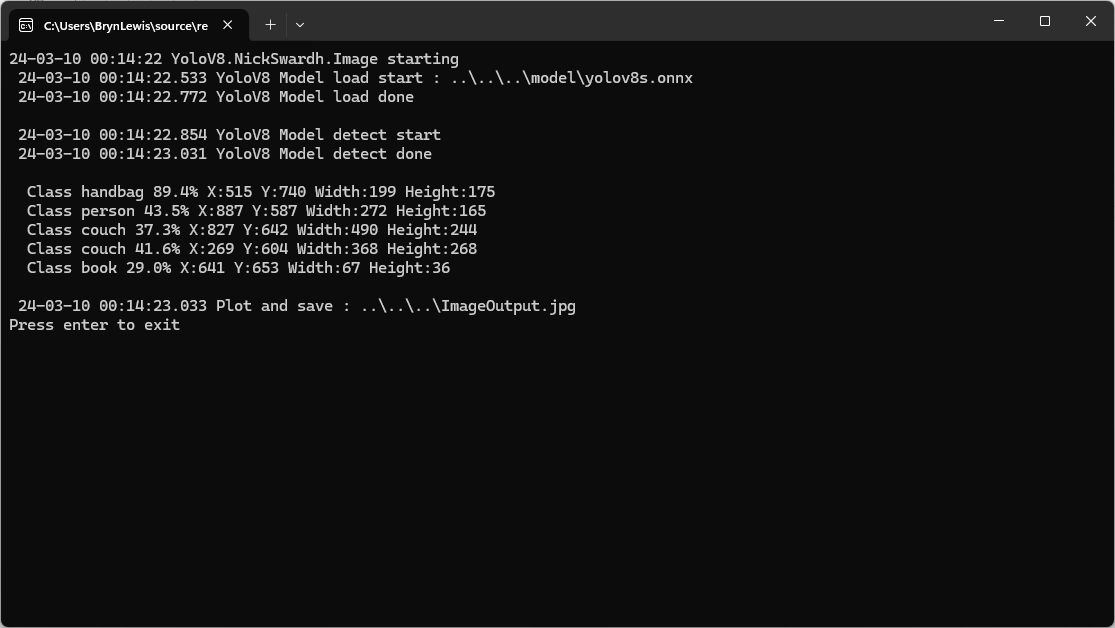
The second implementation uses YoloDotNet by NichSwardh which partially supports asynchronous operation. The image is loaded asynchronously, the prediction is synchronous, the markup is synchronous, and then saved asynchronously.
using (var predictor = new Yolo(_applicationSettings.ModelPath, false))
{
   Console.WriteLine($" {DateTime.UtcNow:yy-MM-dd HH:mm:ss.fff} YoloV8 Model load done");
   Console.WriteLine();

   using (var image = await SixLabors.ImageSharp.Image.LoadAsync<Rgba32>(_applicationSettings.ImageInputPath))
   {
      Console.WriteLine($" {DateTime.UtcNow:yy-MM-dd HH:mm:ss.fff} YoloV8 Model detect start");

      var predictions = predictor.RunObjectDetection(image);

      Console.WriteLine($" {DateTime.UtcNow:yy-MM-dd HH:mm:ss.fff} YoloV8 Model detect done");
      Console.WriteLine();

      foreach (var predicition in predictions)
      {
         Console.WriteLine($"  Class {predicition.Label.Name} {(predicition.Confidence * 100.0):f1}% X:{predicition.BoundingBox.Left} Y:{predicition.BoundingBox.Y} Width:{predicition.BoundingBox.Width} Height:{predicition.BoundingBox.Height}");
      }
      Console.WriteLine();

      Console.WriteLine($" {DateTime.UtcNow:yy-MM-dd HH:mm:ss.fff} Plot and save : {_applicationSettings.ImageOutputPath}");

      image.Draw(predictions);

      await image.SaveAsJpegAsync(_applicationSettings.ImageOutputPath);
   }
}
nickswardth YoloDotNet test application output
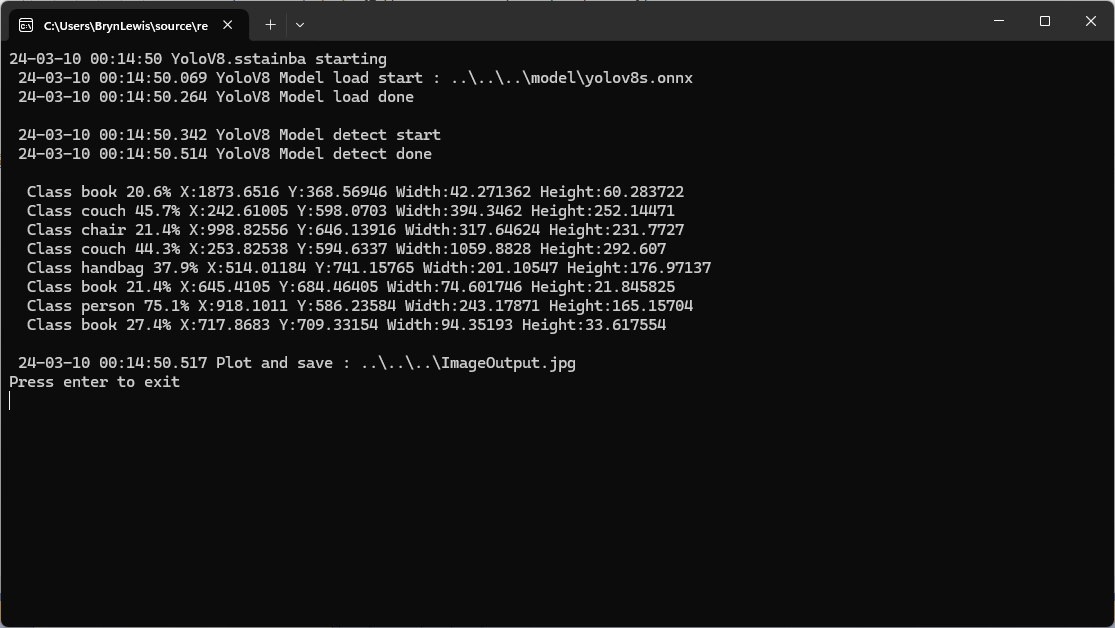
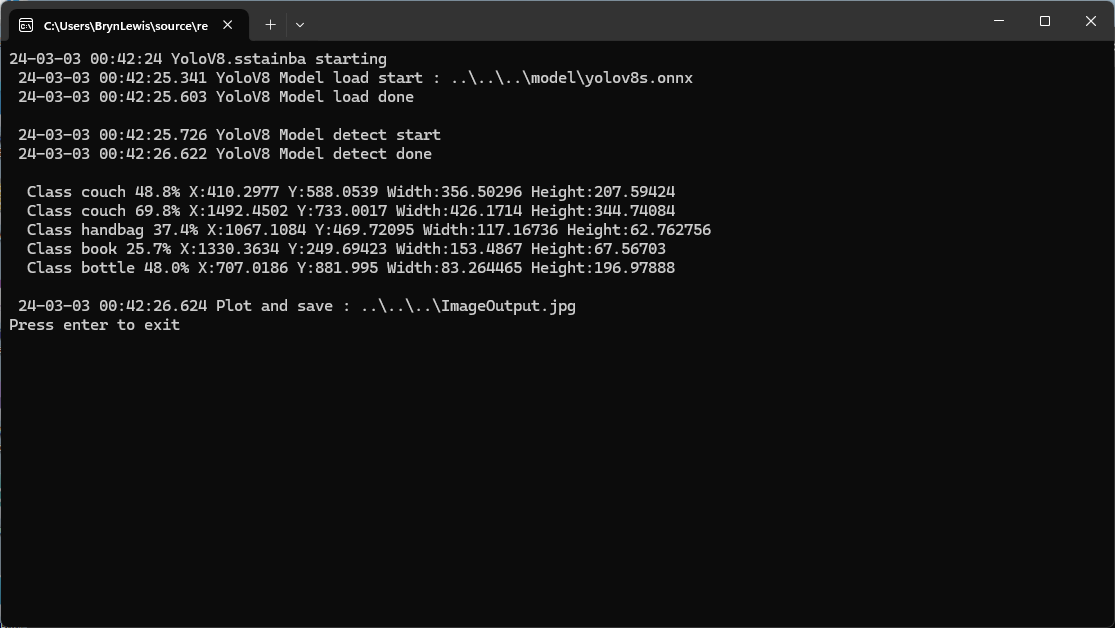
The third implementation uses YoloV8 by sstainba which partially supports asynchronous operation. The image is loaded asynchronously, the prediction is synchronous, the markup is synchronous, and then saved asynchronously.
using (var predictor = YoloV8Predictor.Create(_applicationSettings.ModelPath))
{
   Console.WriteLine($" {DateTime.UtcNow:yy-MM-dd HH:mm:ss.fff} YoloV8 Model load done");
   Console.WriteLine();

   using (var image = await SixLabors.ImageSharp.Image.LoadAsync<Rgba32>(_applicationSettings.ImageInputPath))
   {
      Console.WriteLine($" {DateTime.UtcNow:yy-MM-dd HH:mm:ss.fff} YoloV8 Model detect start");

      var predictions = predictor.Predict(image);

      Console.WriteLine($" {DateTime.UtcNow:yy-MM-dd HH:mm:ss.fff} YoloV8 Model detect done");
      Console.WriteLine();

      foreach (var prediction in predictions)
      {
         Console.WriteLine($"  Class {prediction.Label.Name} {(prediction.Score * 100.0):f1}% X:{prediction.Rectangle.X} Y:{prediction.Rectangle.Y} Width:{prediction.Rectangle.Width} Height:{prediction.Rectangle.Height}");
      }

      Console.WriteLine();

      Console.WriteLine($" {DateTime.UtcNow:yy-MM-dd HH:mm:ss.fff} Plot and save : {_applicationSettings.ImageOutputPath}");

      // This is a bit hacky should be fixed up in future release
      Font font = new Font(SystemFonts.Get(_applicationSettings.FontName), _applicationSettings.FontSize);
      foreach (var prediction in predictions)
      {
         var x = (int)Math.Max(prediction.Rectangle.X, 0);
         var y = (int)Math.Max(prediction.Rectangle.Y, 0);
         var width = (int)Math.Min(image.Width - x, prediction.Rectangle.Width);
         var height = (int)Math.Min(image.Height - y, prediction.Rectangle.Height);

         //Note that the output is already scaled to the original image height and width.

         // Bounding Box Text
         string text = $"{prediction.Label.Name} [{prediction.Score}]";
         var size = TextMeasurer.MeasureSize(text, new TextOptions(font));

         image.Mutate(d => d.Draw(Pens.Solid(Color.Yellow, 2), new Rectangle(x, y, width, height)));

         image.Mutate(d => d.DrawText(text, font, Color.Yellow, new Point(x, (int)(y - size.Height - 1))));
      }

      await image.SaveAsJpegAsync(_applicationSettings.ImageOutputPath);
   }
}
sstainba YoloV8 test application output
I don’t understand why the three NuGets produced different results which is worrying.
While debugging my AzureIoTSmartEdgeCamera application I kept on getting file locked errors when the image from the security camera downloading which was a bit odd. So, I went back to basics and started with only the compiler directives required to build a “minimalist” version of the application.
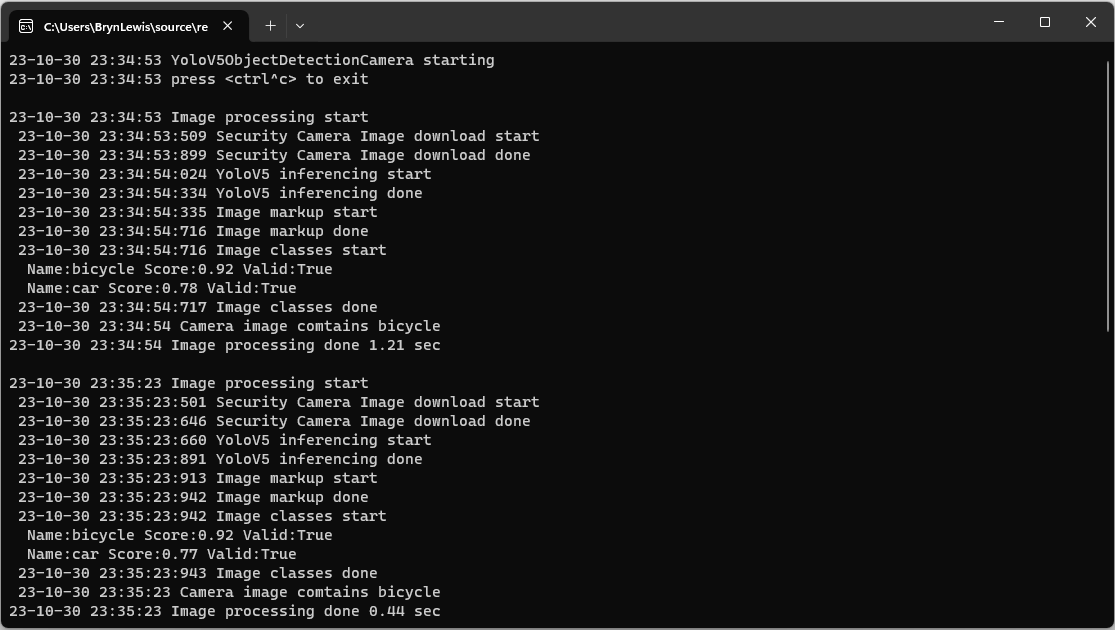
Console output of minimalist application
If I had been paying attention, I would have noticed the issue here. I had missed that in the first block of System.Console.Writelines that the image download finished after the YoloV5 inferencing started.
#if CAMERA_SECURITY
private void SecurityCameraImageCapture()
{
	_logger.LogTrace("Security Camera Image download start");

	NetworkCredential networkCredential = new NetworkCredential()
	{
		UserName = _securityCameraSettings.CameraUserName,
		Password = _securityCameraSettings.CameraUserPassword,
	};

	using (WebClient client = new WebClient())
	{
		client.Credentials = networkCredential;

		client.DownloadFile(_securityCameraSettings.CameraUrl, _applicationSettings.ImageCameraFilepath);
	}

	_logger.LogTrace("Security Camera Image download done");
}
#endif
#if CAMERA_SECURITY
      private async Task SecurityCameraImageCapture()
      {
         _logger.LogTrace("Security Camera Image download start");

         using (Stream cameraStream = await _httpClient.GetStreamAsync(_securityCameraSettings.CameraUrl))
         using (Stream fileStream = File.Create(_applicationSettings.ImageCameraFilepath))
         {
            await cameraStream.CopyToAsync(fileStream);
         }

         _logger.LogTrace("Security Camera Image download done");
      }
#endif
If I had been paying attention, I would have also noticed the issue here..
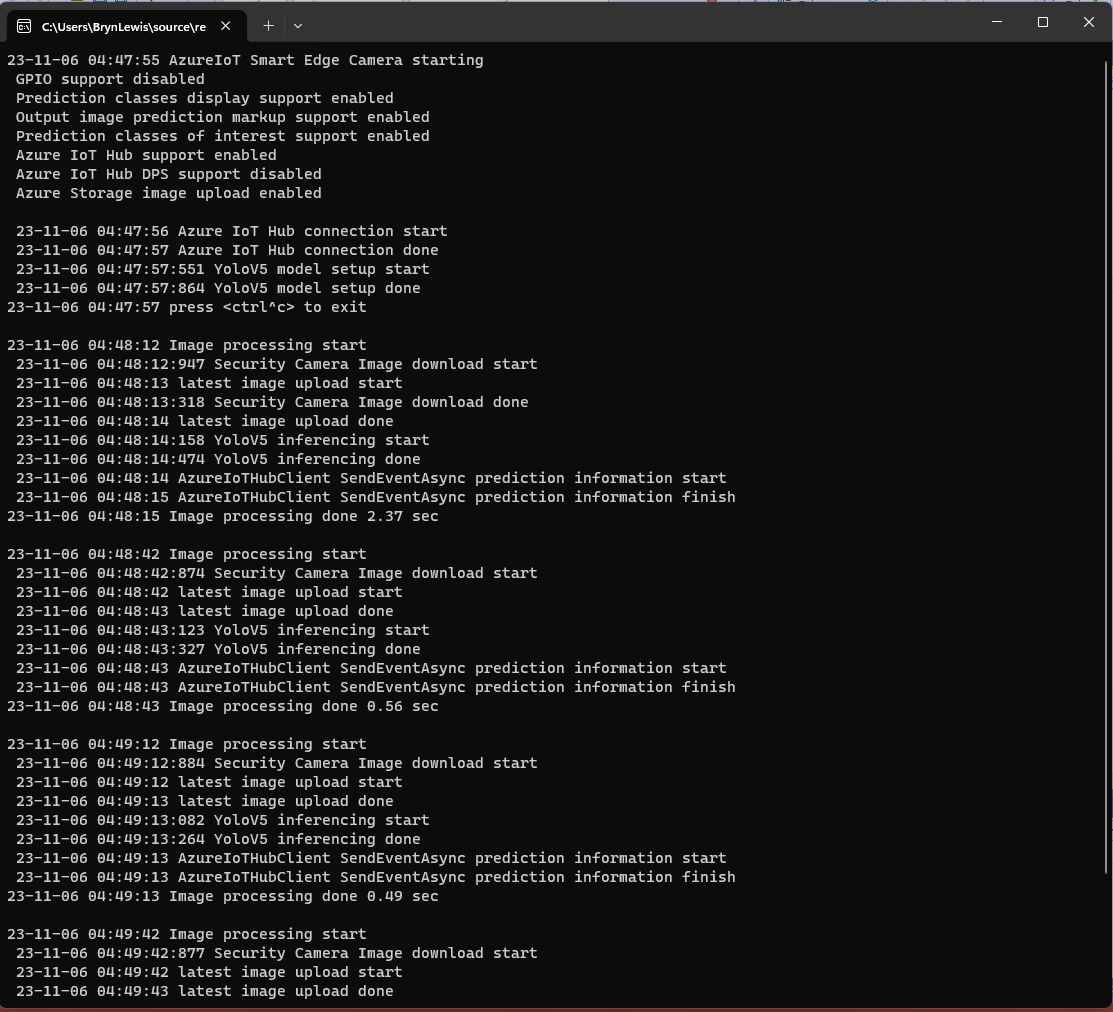
Console output of maximalist application
When I changed the compiler definitions to turn on pretty much every feature the issue became really really obvious because the “Security Camera Image download done” message wasn’t displayed.
private static async void ImageUpdateTimerCallback(object state)
{
   DateTime requestAtUtc = DateTime.UtcNow;

   // Just incase - stop code being called while photo already in progress
   if (_cameraBusy)
   {
      return;
   }
   _cameraBusy = true;

   Console.WriteLine($"{DateTime.UtcNow:yy-MM-dd HH:mm:ss} Image processing start");

   try
   {
#if SECURITY_CAMERA
      Console.WriteLine($" {DateTime.UtcNow:yy-MM-dd HH:mm:ss:fff} Security Camera Image download start");

      using (Stream cameraStream = await _httpClient.GetStreamAsync(_applicationSettings.CameraUrl))
      using (Stream fileStream = File.Create(_applicationSettings.ImageInputFilenameLocal))
      {
         await cameraStream.CopyToAsync(fileStream);
      }

      Console.WriteLine($" {DateTime.UtcNow:yy-MM-dd HH:mm:ss:fff} Security Camera Image download done");
#endif

      List<YoloPrediction> predictions;

      // Process the image on local file system
      using (Image<Rgba32> image = await Image.LoadAsync<Rgba32>(_applicationSettings.ImageInputFilenameLocal))
      {
         Console.WriteLine($" {DateTime.UtcNow:yy-MM-dd HH:mm:ss:fff} YoloV5 inferencing start");
         predictions = _scorer.Predict(image);
         Console.WriteLine($" {DateTime.UtcNow:yy-MM-dd HH:mm:ss:fff} YoloV5 inferencing done");

#if OUTPUT_IMAGE_MARKUP
         Console.WriteLine($" {DateTime.UtcNow:yy-MM-dd HH:mm:ss:fff} Image markup start");

         var font = new Font(new FontCollection().Add(_applicationSettings.ImageOutputMarkupFontPath), _applicationSettings.ImageOutputMarkupFontSize);

         foreach (var prediction in predictions) // iterate predictions to draw results
         {
            double score = Math.Round(prediction.Score, 2);

            var (x, y) = (prediction.Rectangle.Left - 3, prediction.Rectangle.Top - 23);

            image.Mutate(a => a.DrawPolygon(Pens.Solid(prediction.Label.Color, 1),
                  new PointF(prediction.Rectangle.Left, prediction.Rectangle.Top),
                  new PointF(prediction.Rectangle.Right, prediction.Rectangle.Top),
                  new PointF(prediction.Rectangle.Right, prediction.Rectangle.Bottom),
                  new PointF(prediction.Rectangle.Left, prediction.Rectangle.Bottom)
            ));

            image.Mutate(a => a.DrawText($"{prediction.Label.Name} ({score})",
                  font, prediction.Label.Color, new PointF(x, y)));
         }

         await image.SaveAsJpegAsync(_applicationSettings.ImageOutputFilenameLocal);

         Console.WriteLine($" {DateTime.UtcNow:yy-MM-dd HH:mm:ss:fff} Image markup done");
#endif
      }


#if PREDICTION_CLASSES
      Console.WriteLine($" {DateTime.UtcNow:yy-MM-dd HH:mm:ss:fff} Image classes start");
      foreach (var prediction in predictions)
      {
         Console.WriteLine($"  Name:{prediction.Label.Name} Score:{prediction.Score:f2} Valid:{prediction.Score > _applicationSettings.PredictionScoreThreshold}");
      }
      Console.WriteLine($" {DateTime.UtcNow:yy-MM-dd HH:mm:ss:fff} Image classes done");
#endif

#if PREDICTION_CLASSES_OF_INTEREST
      IEnumerable<string> predictionsOfInterest = predictions.Where(p => p.Score > _applicationSettings.PredictionScoreThreshold).Select(c => c.Label.Name).Intersect(_applicationSettings.PredictionLabelsOfInterest, StringComparer.OrdinalIgnoreCase);

      if (predictionsOfInterest.Any())
      {
         Console.WriteLine($" {DateTime.UtcNow:yy-MM-dd HH:mm:ss} Camera image comtains {String.Join(",", predictionsOfInterest)}");
      }

#endif
   }
   catch (Exception ex)
   {
      Console.WriteLine($"{DateTime.UtcNow:yy-MM-dd HH:mm:ss} Camera image download, upload or post procesing failed {ex.Message}");
   }
   finally
   {
      _cameraBusy = false;
   }

   TimeSpan duration = DateTime.UtcNow - requestAtUtc;

   Console.WriteLine($"{DateTime.UtcNow:yy-MM-dd HH:mm:ss} Image processing done {duration.TotalSeconds:f2} sec");
   Console.WriteLine();
}
The names of the input image, output image and yoloV5 model file are configured in the appsettings.json (on device) or secrets.json (Visual Studio 2022 desktop) file. The location (ImageOutputMarkupFontPath) and size (ImageOutputMarkupFontSize) of the font used are configurable to make it easier run the application on different devices and operating systems.
This post builds on my Smartish Edge Camera -Azure IoT Direct Methods post adding two updateable properties for the image capture and processing timer the due and period values. The two properties can be updated together or independently but the values are not persisted.
When I was searching for answers I found this code in many posts and articles but it didn’t really cover my scenario.
private static async Task OnDesiredPropertyChanged(TwinCollection desiredProperties,
  object userContext)
{
   Console.WriteLine("desired property chPleange:");
   Console.WriteLine(JsonConvert.SerializeObject(desiredProperties));
   Console.WriteLine("Sending current time as reported property");
   TwinCollection reportedProperties = new TwinCollection
   {
       ["DateTimeLastDesiredPropertyChangeReceived"] = DateTime.Now
   };

    await Client.UpdateReportedPropertiesAsync(reportedProperties).ConfigureAwait(false);
}
protected override async Task ExecuteAsync(CancellationToken stoppingToken)
{
	_logger.LogInformation("Azure IoT Smart Edge Camera Service starting");

	try
	{
#if AZURE_IOT_HUB_CONNECTION
		_deviceClient = await AzureIoTHubConnection();
#endif
#if AZURE_IOT_HUB_DPS_CONNECTION
		_deviceClient = await AzureIoTHubDpsConnection();
#endif

#if AZURE_DEVICE_PROPERTIES
		_logger.LogTrace("ReportedPropeties upload start");

		TwinCollection reportedProperties = new TwinCollection();

		reportedProperties["OSVersion"] = Environment.OSVersion.VersionString;
		reportedProperties["MachineName"] = Environment.MachineName;
		reportedProperties["ApplicationVersion"] = Assembly.GetAssembly(typeof(Program)).GetName().Version;
		reportedProperties["ImageTimerDue"] = _applicationSettings.ImageTimerDue;
		reportedProperties["ImageTimerPeriod"] = _applicationSettings.ImageTimerPeriod;
		reportedProperties["YoloV5ModelPath"] = _applicationSettings.YoloV5ModelPath;

		reportedProperties["PredictionScoreThreshold"] = _applicationSettings.PredictionScoreThreshold;
		reportedProperties["PredictionLabelsOfInterest"] = _applicationSettings.PredictionLabelsOfInterest;
		reportedProperties["PredictionLabelsMinimum"] = _applicationSettings.PredictionLabelsMinimum;

		await _deviceClient.UpdateReportedPropertiesAsync(reportedProperties, stoppingToken);

		_logger.LogTrace("ReportedPropeties upload done");
#endif

		_logger.LogTrace("YoloV5 model setup start");
		_scorer = new YoloScorer<YoloCocoP5Model>(_applicationSettings.YoloV5ModelPath);
		_logger.LogTrace("YoloV5 model setup done");

		_ImageUpdatetimer = new Timer(ImageUpdateTimerCallback, null, _applicationSettings.ImageTimerDue, _applicationSettings.ImageTimerPeriod);

		await _deviceClient.SetMethodHandlerAsync("ImageTimerStart", ImageTimerStartHandler, null);
		await _deviceClient.SetMethodHandlerAsync("ImageTimerStop", ImageTimerStopHandler, null);
		await _deviceClient.SetMethodDefaultHandlerAsync(DefaultHandler, null);

		await _deviceClient.SetDesiredPropertyUpdateCallbackAsync(OnDesiredPropertyChangedAsync, null);

		try
		{
			await Task.Delay(Timeout.Infinite, stoppingToken);
		}
		catch (TaskCanceledException)
		{
			_logger.LogInformation("Application shutown requested");
		}
	}
	catch (Exception ex)
	{
		_logger.LogError(ex, "Application startup failure");
	}
	finally
	{
		_deviceClient?.Dispose();
	}

	_logger.LogInformation("Azure IoT Smart Edge Camera Service shutdown");
}

// Lots of other code here

private async Task OnDesiredPropertyChangedAsync(TwinCollection desiredProperties, object userContext)
{
	TwinCollection reportedProperties = new TwinCollection();

	_logger.LogInformation("OnDesiredPropertyChanged handler");

	// NB- This approach does not save the ImageTimerDue or ImageTimerPeriod, a stop/start with return to appsettings.json configuration values. If only
	// one parameter specified other is default from appsettings.json. If timer settings changed I think they won't take
	// effect until next time Timer fires.

	try
	{
		// Check to see if either of ImageTimerDue or ImageTimerPeriod has changed
		if (!desiredProperties.Contains("ImageTimerDue") && !desiredProperties.Contains("ImageTimerPeriod"))
		{
			_logger.LogInformation("OnDesiredPropertyChanged neither ImageTimerDue or ImageTimerPeriod present");
			return;
		}

		TimeSpan imageTimerDue = _applicationSettings.ImageTimerDue;

		// Check that format of ImageTimerDue valid if present
		if (desiredProperties.Contains("ImageTimerDue"))
		{
			if (TimeSpan.TryParse(desiredProperties["ImageTimerDue"].Value, out imageTimerDue))
			{
				reportedProperties["ImageTimerDue"] = imageTimerDue;
			}
			else
			{
				_logger.LogInformation("OnDesiredPropertyChanged ImageTimerDue invalid");
				return;
			}
		}

		TimeSpan imageTimerPeriod = _applicationSettings.ImageTimerPeriod;

		// Check that format of ImageTimerPeriod valid if present
		if (desiredProperties.Contains("ImageTimerPeriod"))
		{
			if (TimeSpan.TryParse(desiredProperties["ImageTimerPeriod"].Value, out imageTimerPeriod))
			{
				reportedProperties["ImageTimerPeriod"] = imageTimerPeriod;
			}
			else
			{
				_logger.LogInformation("OnDesiredPropertyChanged ImageTimerPeriod invalid");
				return;
			}
		}

		_logger.LogInformation("Desired Due:{0} Period:{1}", imageTimerDue, imageTimerPeriod);

		if (!_ImageUpdatetimer.Change(imageTimerDue, imageTimerPeriod))
		{
			_logger.LogInformation("Desired Due:{0} Period:{1} failed", imageTimerDue, imageTimerPeriod);
		}

		await _deviceClient.UpdateReportedPropertiesAsync(reportedProperties);
	}
	catch (Exception ex)
	{
		_logger.LogError(ex, "OnDesiredPropertyChangedAsync handler failed");
	}
}
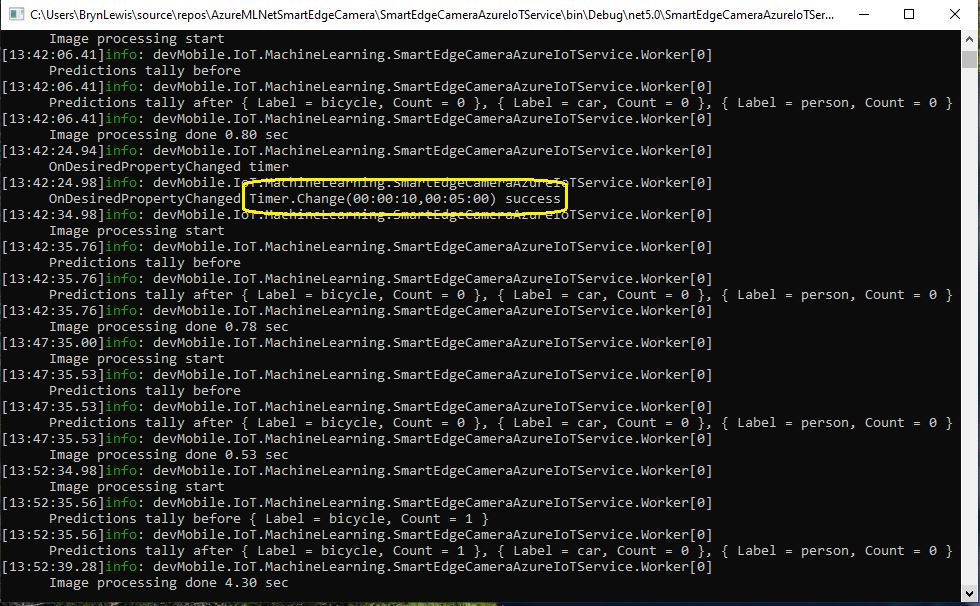
The TwinCollection desiredProperties is checked for ImageTimerDue and ImageTimerPeriod properties and if either of these are present and valid the Timer.Change method is called.
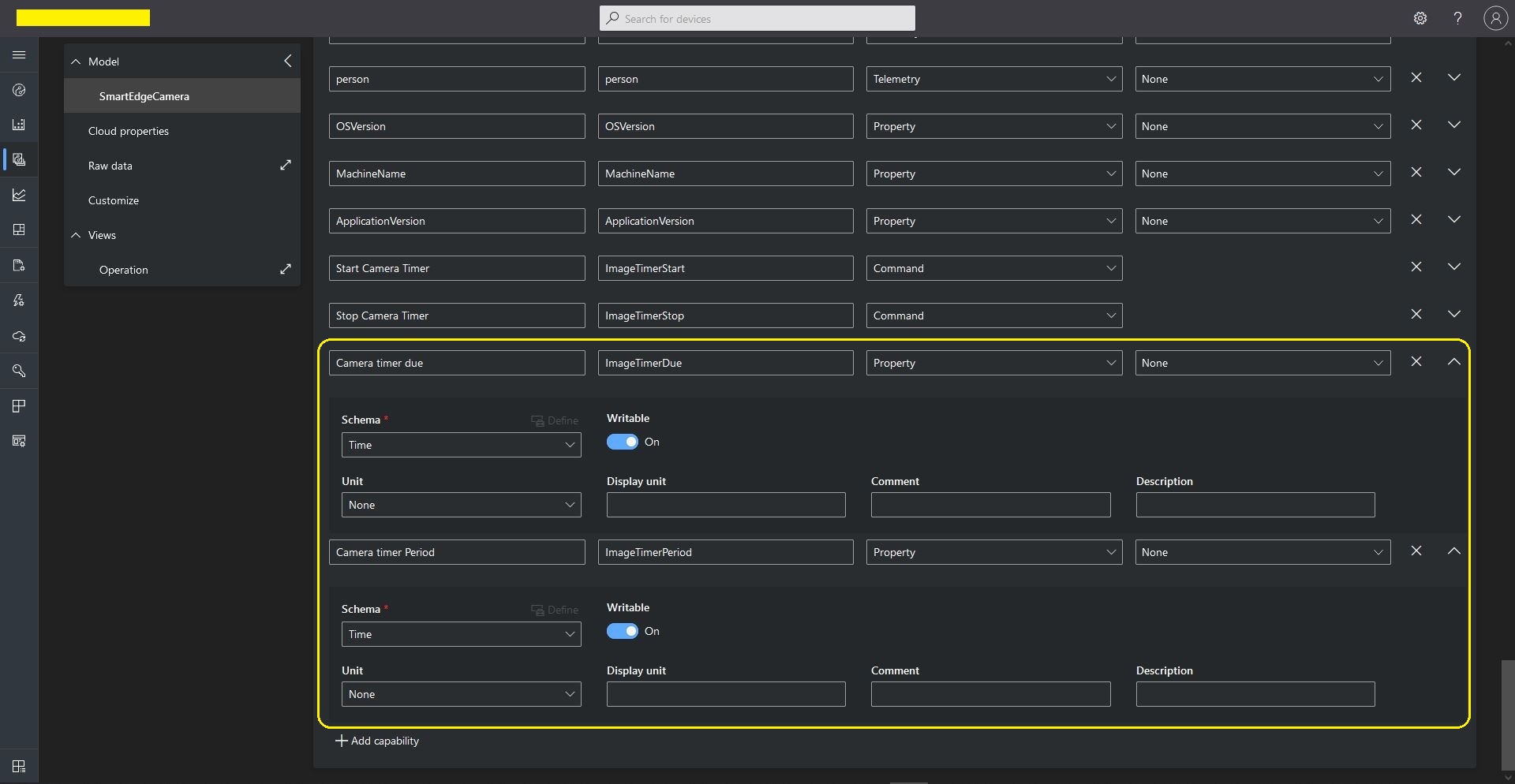
Azure IoT Central SmartEdgeCamera Device template capabilities
I added a View to the template so the two properties could be changed (I didn’t configure either as required)
Azure IoT Central SmartEdgeCamera Device Default view designer
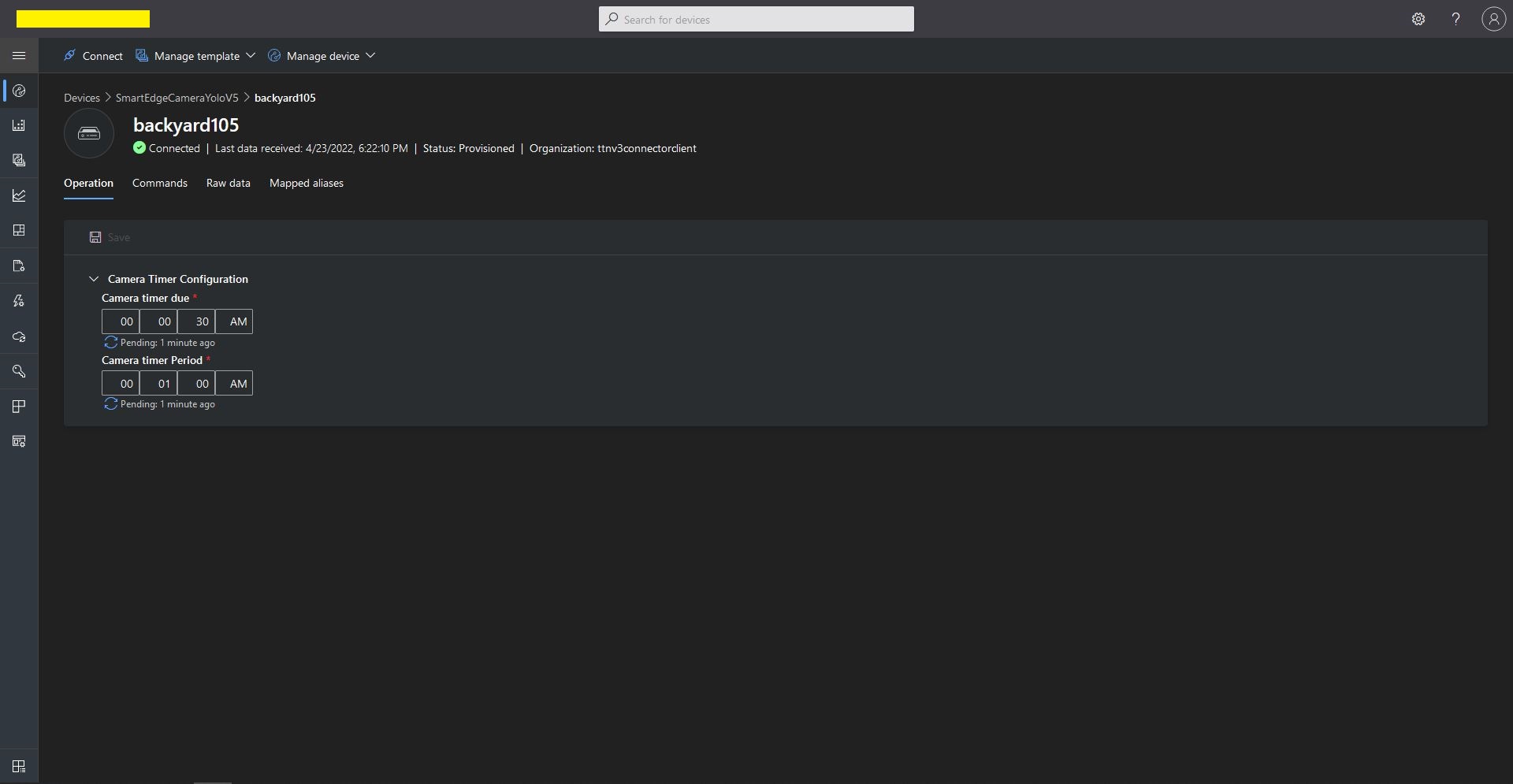
In the “Device Properties”, “Operation Tab” when I changed the ImageTimerDue and/or ImageTimerPeriod there was visual feedback that there was an update in progress.
Azure IoT Central SmartEdgeCamera Device Properties update start