Random wanderings through Microsoft Azure esp. PaaS plumbing, the IoT bits, AI on Micro controllers, AI on Edge Devices, .NET nanoFramework, .NET Core on *nix and ML.NET+ONNX
public class IoTHubApplicationSetting
{
	public string DtdlModelId { get; set; }
}

public class IoTHubSettings
{
	public string IoTHubConnectionString { get; set; } = string.Empty;

	public Dictionary<string, IoTHubApplicationSetting> Applications { get; set; }
}


public class DeviceProvisiongServiceApplicationSetting
{
	public string DtdlModelId { get; set; } = string.Empty;

	public string GroupEnrollmentKey { get; set; } = string.Empty;
}

public class DeviceProvisiongServiceSettings
{
	public string IdScope { get; set; } = string.Empty;

	public Dictionary<string, DeviceProvisiongServiceApplicationSetting> Applications { get; set; }
}


public class IoTCentralMethodSetting
{
	public byte Port { get; set; } = 0;

	public bool Confirmed { get; set; } = false;

	public Models.DownlinkPriority Priority { get; set; } = Models.DownlinkPriority.Normal;

	public Models.DownlinkQueue Queue { get; set; } = Models.DownlinkQueue.Replace;
}

public class IoTCentralSetting
{
	public Dictionary<string, IoTCentralMethodSetting> Methods { get; set; }
}

public class AzureIoTSettings
{
	public IoTHubSettings IoTHub { get; set; }

	public DeviceProvisiongServiceSettings DeviceProvisioningService { get; set; }

	public IoTCentralSetting IoTCentral { get; set; }
}
Azure IoT Central appears to have no support for setting message properties so the LoRaWAN port, confirmed flag, priority, and queuing so these a retrieved from configuration.
Azure Function Configuration
Models.Downlink downlink;
Models.DownlinkQueue queue;

string payloadText = Encoding.UTF8.GetString(message.GetBytes()).Trim();

if (message.Properties.ContainsKey("method-name"))
{
	#region Azure IoT Central C2D message processing
	string methodName = message.Properties["method-name"];

	if (string.IsNullOrWhiteSpace(methodName))
	{
		_logger.LogWarning("Downlink-DeviceID:{0} MessagedID:{1} LockToken:{2} method-name property empty", receiveMessageHandlerContext.DeviceId, message.MessageId, message.LockToken);

		await deviceClient.RejectAsync(message);
		return;
	}

	// Look up the method settings to get confirmed, port, priority, and queue
	if ((_azureIoTSettings == null) || (_azureIoTSettings.IoTCentral == null) || !_azureIoTSettings.IoTCentral.Methods.TryGetValue(methodName, out IoTCentralMethodSetting methodSetting))
	{
		_logger.LogWarning("Downlink-DeviceID:{0} MessagedID:{1} LockToken:{2} method-name:{3} has no settings", receiveMessageHandlerContext.DeviceId, message.MessageId, message.LockToken, methodName);

		await deviceClient.RejectAsync(message);
		return;
	}

	downlink = new Models.Downlink()
	{
		Confirmed = methodSetting.Confirmed,
		Priority = methodSetting.Priority,
		Port = methodSetting.Port,
		CorrelationIds = AzureLockToken.Add(message.LockToken),
	};

	queue = methodSetting.Queue;

	// Check to see if special case for Azure IoT central command with no request payload
	if (payloadText.IsPayloadEmpty())
	{
		downlink.PayloadRaw = "";
	}

	if (!payloadText.IsPayloadEmpty())
	{
		if (payloadText.IsPayloadValidJson())
		{
			downlink.PayloadDecoded = JToken.Parse(payloadText);
			}
		else
		{
			downlink.PayloadDecoded = new JObject(new JProperty(methodName, payloadText));
		}
	}

	logger.LogInformation("Downlink-IoT Central DeviceID:{0} Method:{1} MessageID:{2} LockToken:{3} Port:{4} Confirmed:{5} Priority:{6} Queue:{7}",
		receiveMessageHandlerContext.DeviceId,
		methodName,
		message.MessageId,
		message.LockToken,
		downlink.Port,
		downlink.Confirmed,
		downlink.Priority,
		queue);
	#endregion
}
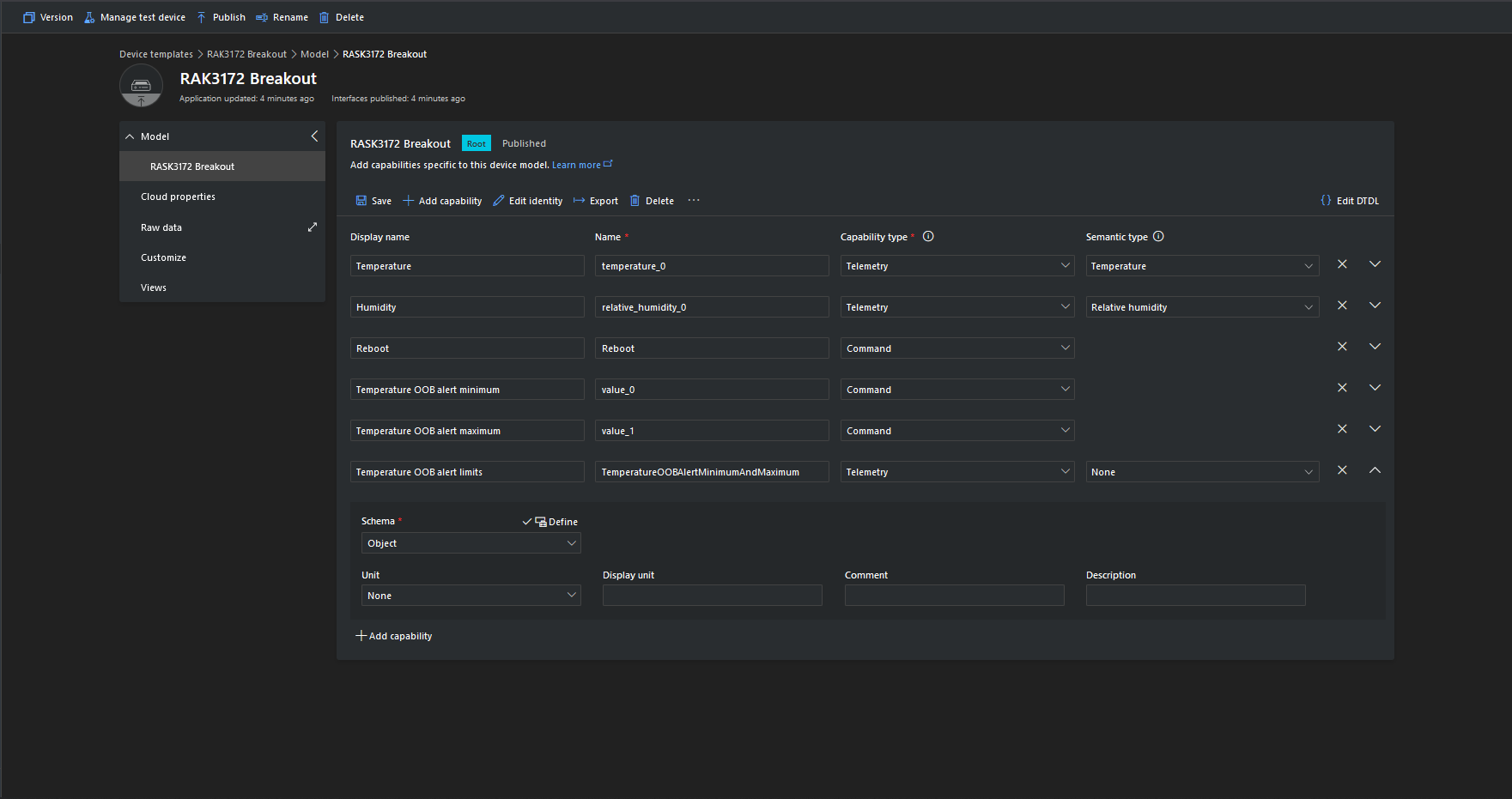
The reboot command payload only contains an “@” so the TTTI payload will be empty, the minimum and maximum command payloads will contain only a numeric value which is added to the decoded payload with the method name, the combined minimum and maximum command has a JSON payload which is “grafted” into the decoded payload.
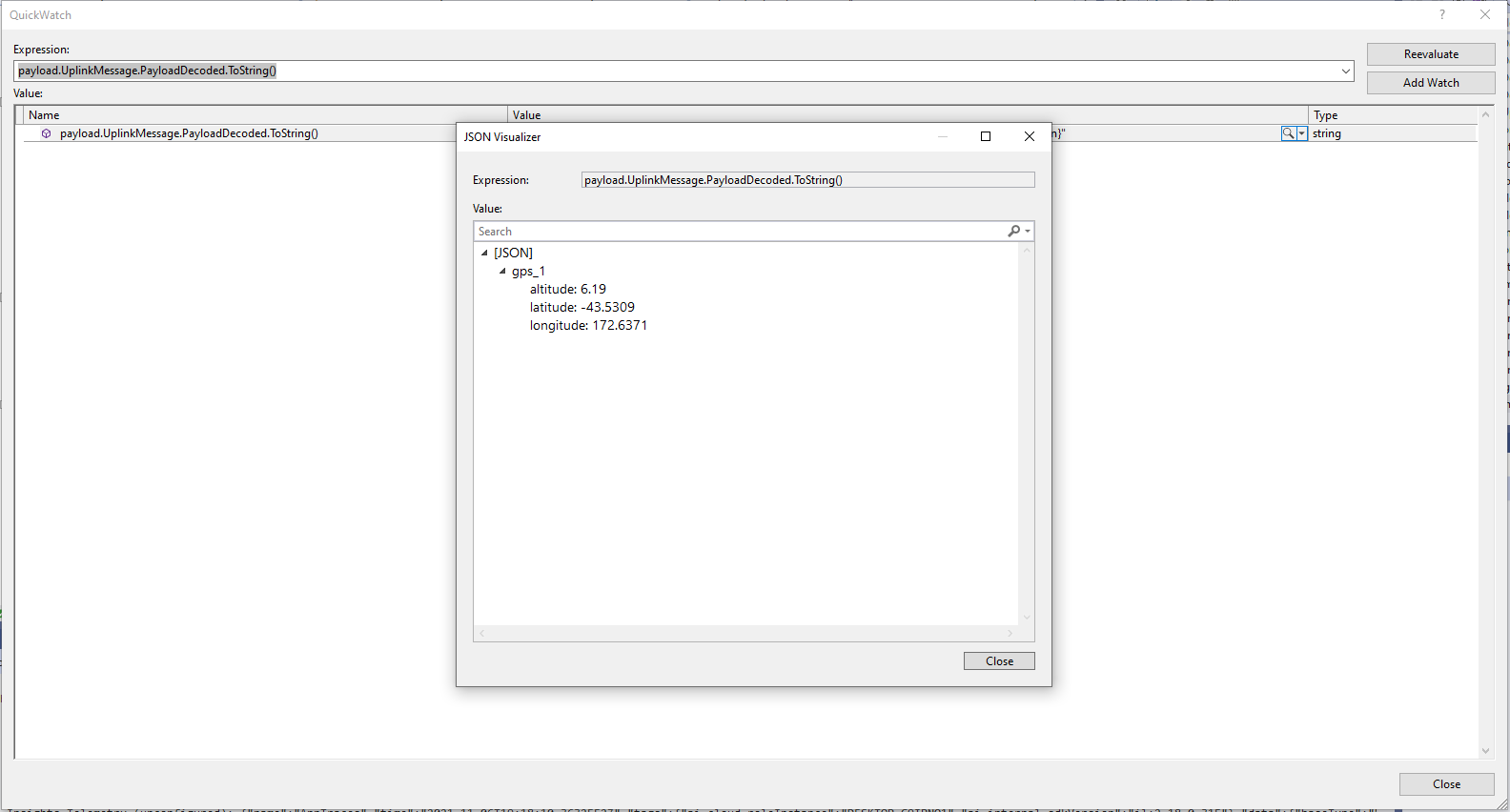
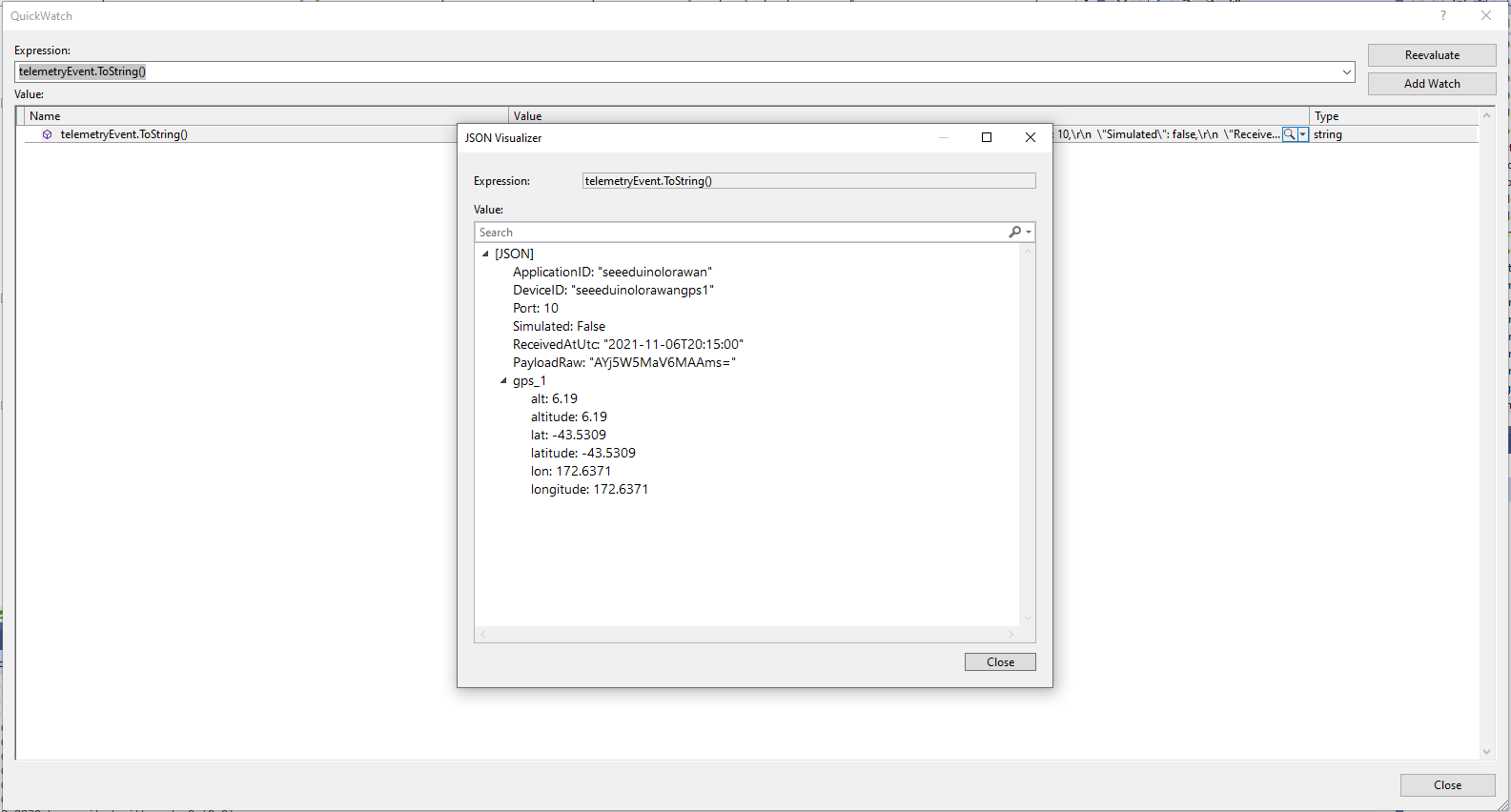
The Azure IoT Central Location Telemetry messages have a slightly different format to the output of the TTI LPP Payload formatter so the payload has to be “post processed”.
private void EnumerateChildren(JObject jobject, JToken token)
{
	if (token is JProperty property)
	{
		if (token.First is JValue)
		{
			// Temporary dirty hack for Azure IoT Central compatibility
			if (token.Parent is JObject possibleGpsProperty)
			{
				// TODO Need to check if similar approach necessary accelerometer and gyro LPP payloads
				if (possibleGpsProperty.Path.StartsWith("GPS_", StringComparison.OrdinalIgnoreCase))
				{
					if (string.Compare(property.Name, "Latitude", true) == 0)
					{
						jobject.Add("lat", property.Value);
					}
					if (string.Compare(property.Name, "Longitude", true) == 0)
					{
						jobject.Add("lon", property.Value);
					}
					if (string.Compare(property.Name, "Altitude", true) == 0)
					{
						jobject.Add("alt", property.Value);
					}
				}
			}
			jobject.Add(property.Name, property.Value);
		}
		else
		{
			JObject parentObject = new JObject();
			foreach (JToken token2 in token.Children())
			{
				EnumerateChildren(parentObject, token2);
				jobject.Add(property.Name, parentObject);
			}
		}
	}
	else
	{
		foreach (JToken token2 in token.Children())
		{
			EnumerateChildren(jobject, token2);
		}
	}
}
I may have to extend this method for other LPP datatypes
“Post processed” TTI JSON GPS Position data suitable for Azure IoT Central
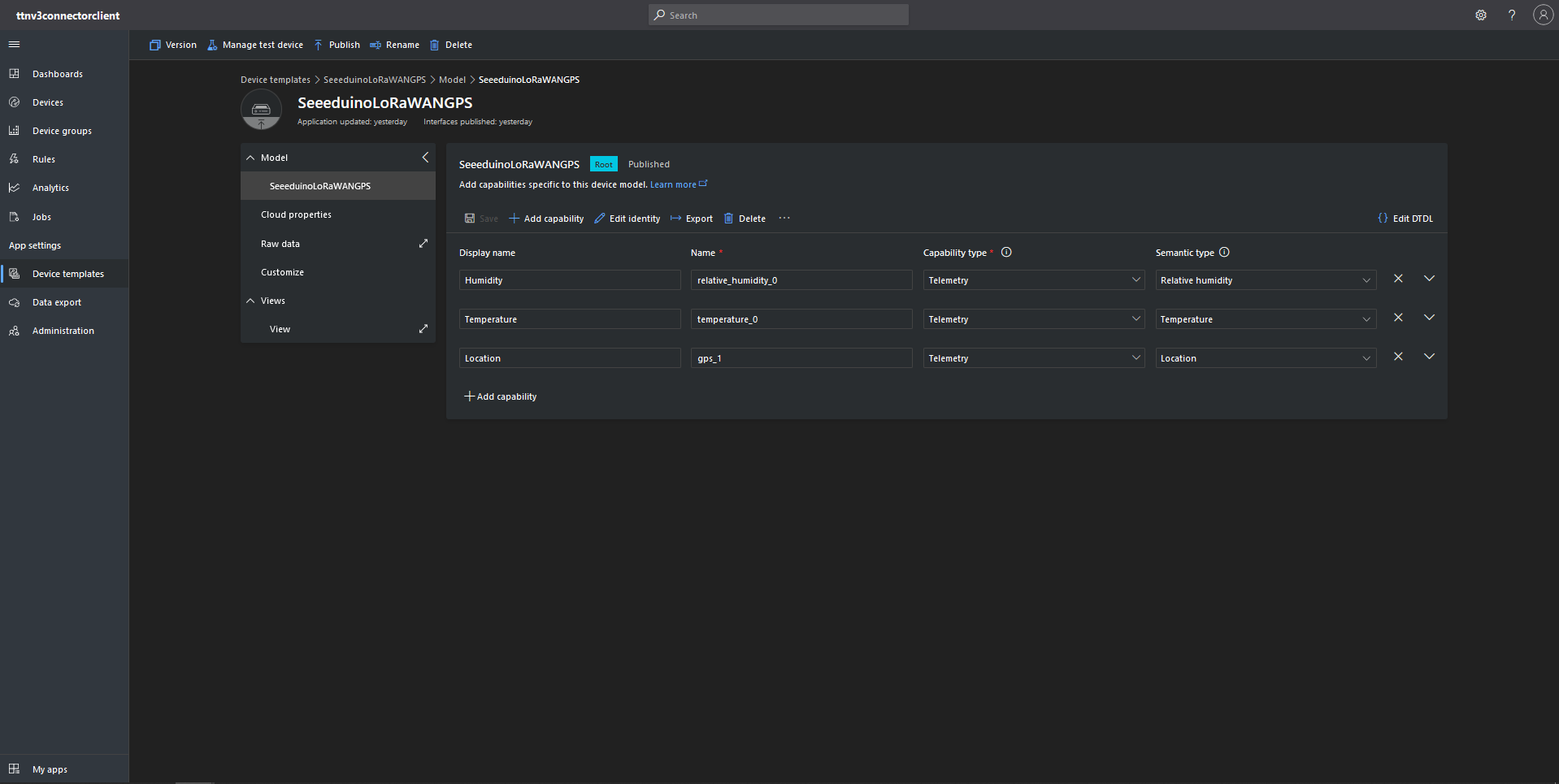
Azure IoT Central Device Template with Location Capability
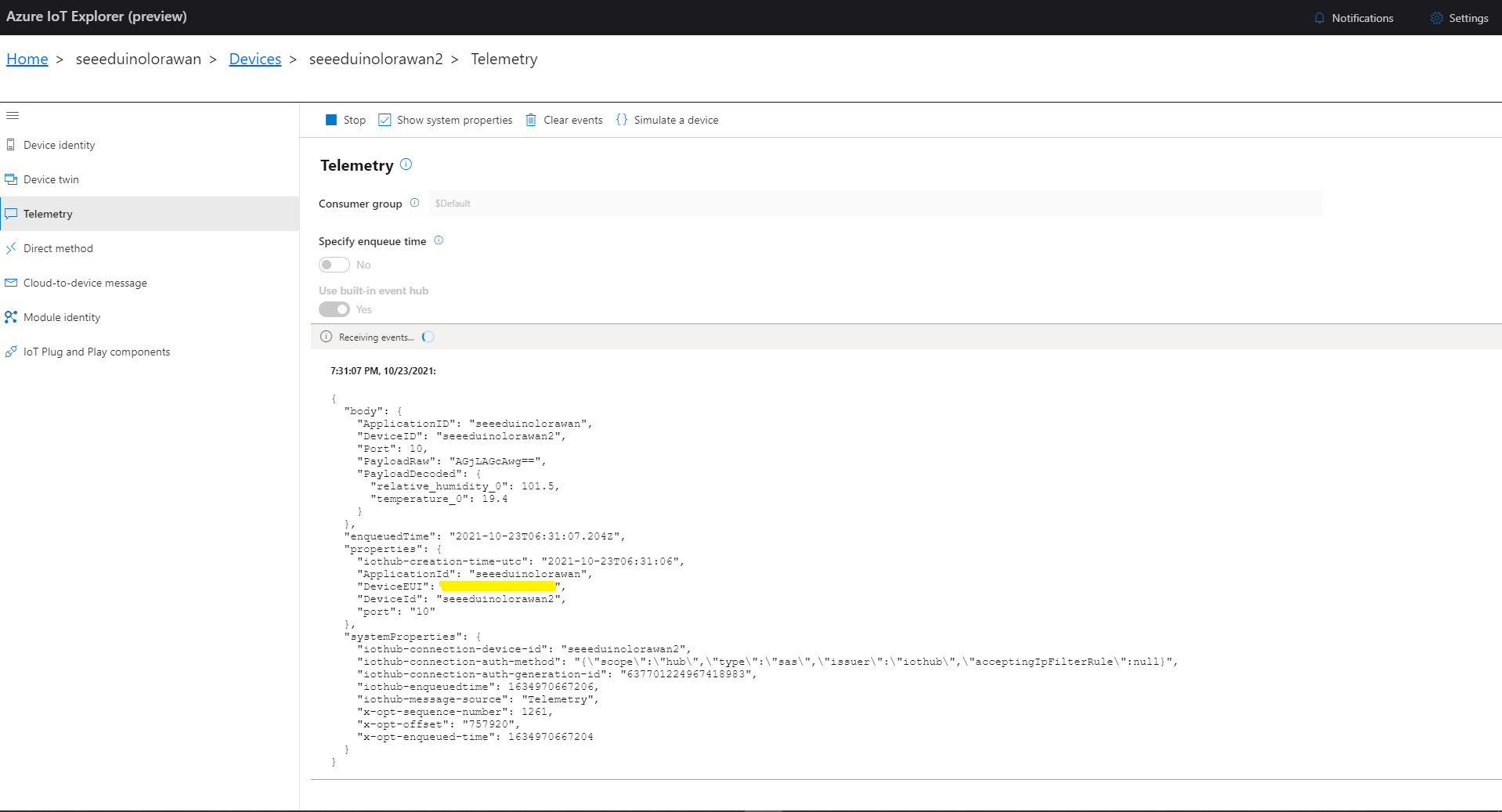
For initial development and testing I ran the function application in the desktop emulator and simulated TTI webhook calls with Telerik Fiddler and modified sample payloads. After some issues with iothub-creation-time-utc decoded telemetry messages were displayed in the Device Raw Data tab
Azure IoT Central Device Raw Data tab with successfully decoded GPS location payloads
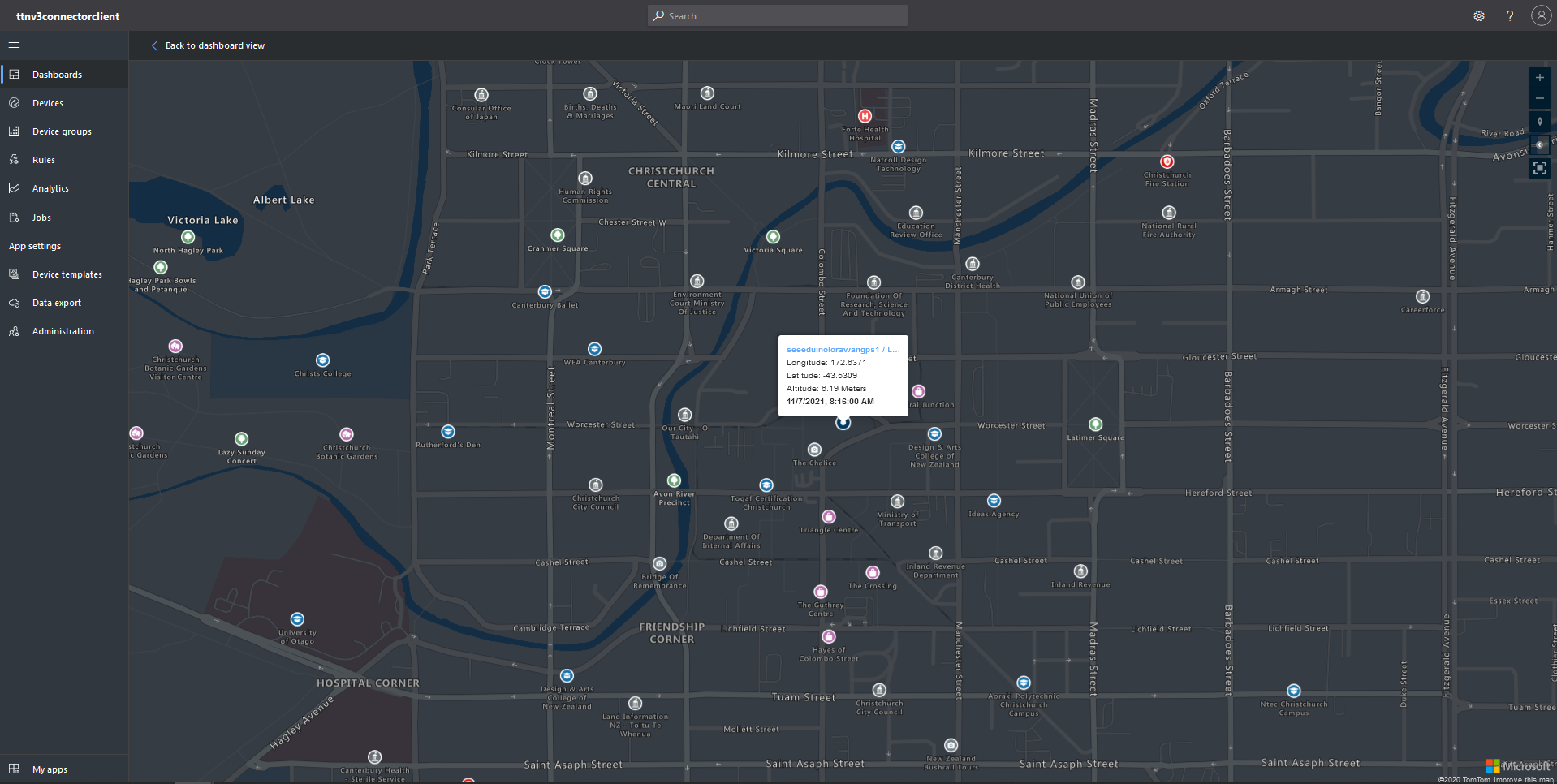
Azure IoT Central map displaying with device location highlighted
The TTI V3 Connector Minimalist Cloud to Device only required a port number, and there was no way to specify whether delivery of message had to be confirmed, the way the message was queued, or the priority of message delivery. Like the port number these optional settings can be specified in message properties.
If any of these properties are incorrect DeviceClient.RejectAsync is called which deletes the message from the device queue and indicates to the server that the message could not be processed.
private async Task AzureIoTHubClientReceiveMessageHandler(Message message, object userContext)
{
	try
	{
		Models.AzureIoTHubReceiveMessageHandlerContext receiveMessageHandlerContext = (Models.AzureIoTHubReceiveMessageHandlerContext)userContext;

		if (!_DeviceClients.TryGetValue(receiveMessageHandlerContext.DeviceId, out DeviceClient deviceClient))
		{
			_logger.LogWarning("Downlink-DeviceID:{0} unknown", receiveMessageHandlerContext.DeviceId);
			return;
		}

		using (message)
		{
			string payloadText = Encoding.UTF8.GetString(message.GetBytes()).Trim();

			if (!AzureDownlinkMessage.PortTryGet(message.Properties, out byte port))
			{
				_logger.LogWarning("Downlink-Port property is invalid");

				await deviceClient.RejectAsync(message);
				return;
			}

			if (!AzureDownlinkMessage.ConfirmedTryGet(message.Properties, out bool confirmed))
			{
				_logger.LogWarning("Downlink-Confirmed flag is invalid");

				await deviceClient.RejectAsync(message);
				return;
			}

			if (!AzureDownlinkMessage.PriorityTryGet(message.Properties, out Models.DownlinkPriority priority))
			{
				_logger.LogWarning("Downlink-Priority value is invalid");

				await deviceClient.RejectAsync(message);
				return;
			}

			if (!AzureDownlinkMessage.QueueTryGet(message.Properties, out Models.DownlinkQueue queue))
			{
				_logger.LogWarning("Downlink-Queue value is invalid");

				await deviceClient.RejectAsync(message.LockToken);
				return;
			}

			Models.Downlink downlink = new Models.Downlink()
			{
				Confirmed = confirmed,
				Priority = priority,
				Port = port,
				CorrelationIds = AzureLockToken.Add(message.LockToken),
			};

			// Split over multiple lines in an attempt to improve readability. In this scenario a valid JSON string should start/end with {/} for an object or [/] for an array
			if ((payloadText.StartsWith("{") && payloadText.EndsWith("}"))
													||
				((payloadText.StartsWith("[") && payloadText.EndsWith("]"))))
			{
				try
				{
					downlink.PayloadDecoded = JToken.Parse(payloadText);
				}
				catch (JsonReaderException)
				{
					downlink.PayloadRaw = payloadText;
				}
			}
			else
			{
				downlink.PayloadRaw = payloadText;
			}

			_logger.LogInformation("Downlink-IoT Hub DeviceID:{0} MessageID:{2} LockToken:{3} Port:{4} Confirmed:{5} Priority:{6} Queue:{7}",
				receiveMessageHandlerContext.DeviceId,
				message.MessageId,
				message.LockToken,
				downlink.Port,
				downlink.Confirmed,
				downlink.Priority,
				queue);

			Models.DownlinkPayload Payload = new Models.DownlinkPayload()
			{
				Downlinks = new List<Models.Downlink>()
				{
					downlink
				}
			};

			string url = $"{receiveMessageHandlerContext.WebhookBaseURL}/{receiveMessageHandlerContext.ApplicationId}/webhooks/{receiveMessageHandlerContext.WebhookId}/devices/{receiveMessageHandlerContext.DeviceId}/down/{queue}".ToLower();

			using (var client = new WebClient())
			{
				client.Headers.Add("Authorization", $"Bearer {receiveMessageHandlerContext.ApiKey}");

				client.UploadString(new Uri(url), JsonConvert.SerializeObject(Payload));
			}

			_logger.LogInformation("Downlink-DeviceID:{0} LockToken:{1} success", receiveMessageHandlerContext.DeviceId, message.LockToken);
		}
	}
	catch (Exception ex)
	{
		_logger.LogError(ex, "Downlink-ReceiveMessge processing failed");
	}
}
A correlation identifier containing the Message LockToken is added to the downlink payload.
Unconfirmed Downlink Messages
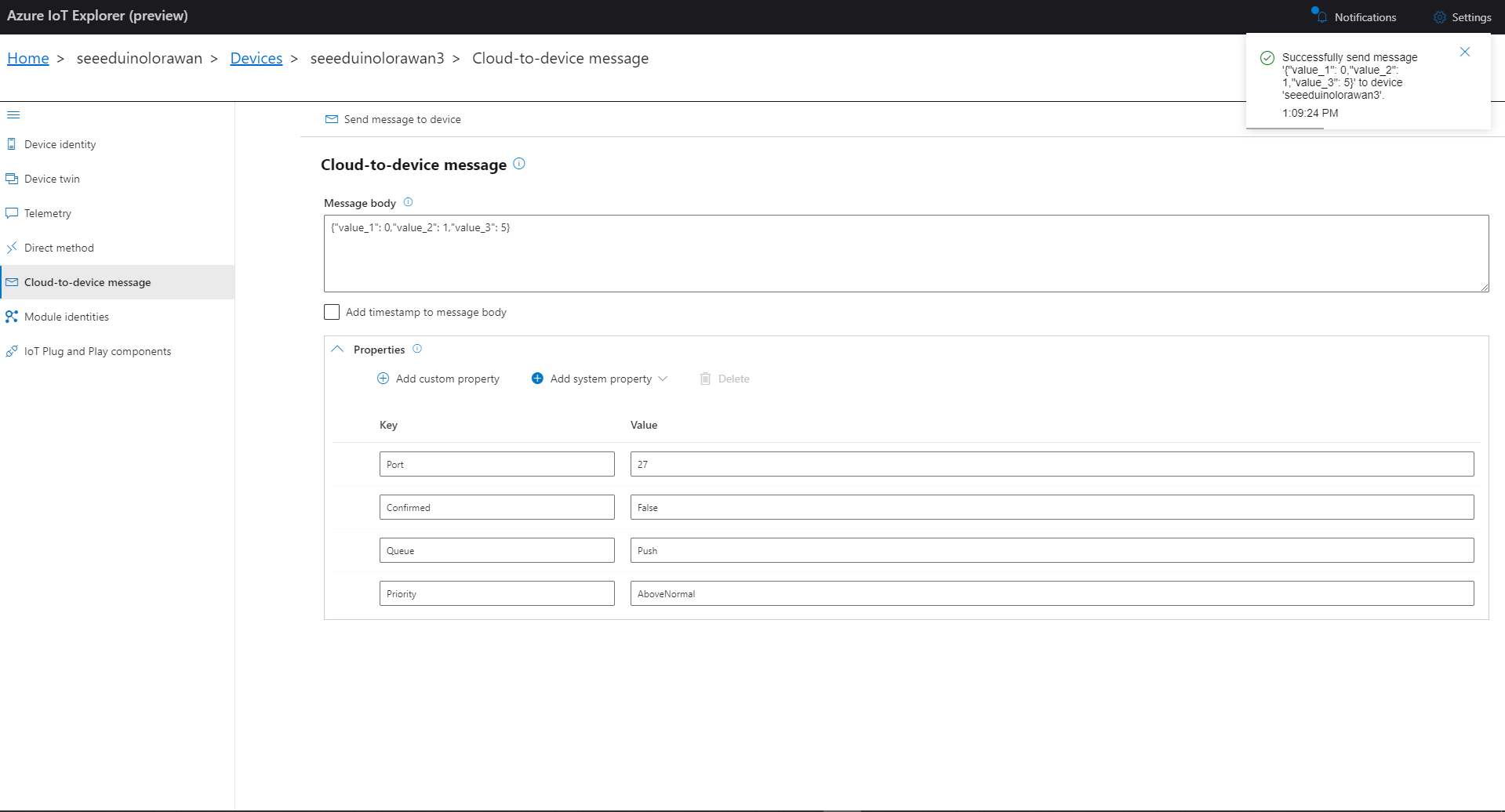
Azure IoT Explorer Cloud to Device sending an unconfirmed downlink message
For unconfirmed messages The TTI Connector calls the DeviceClient.CompletedAsync method (with the LockToken from the CorrelationIDs list) which deletes the message from the device queue.
[Function("Queued")]
public async Task<HttpResponseData> Queued([HttpTrigger(AuthorizationLevel.Function, "post")] HttpRequestData req, FunctionContext executionContext)
{
	var logger = executionContext.GetLogger("Queued");

	// Wrap all the processing in a try\catch so if anything blows up we have logged it.
	try
	{
		string payloadText = await req.ReadAsStringAsync();

		Models.DownlinkQueuedPayload payload = JsonConvert.DeserializeObject<Models.DownlinkQueuedPayload>(payloadText);
		if (payload == null)
		{
			logger.LogInformation("Queued-Payload {0} invalid", payloadText);

			return req.CreateResponse(HttpStatusCode.BadRequest);
		}

		string applicationId = payload.EndDeviceIds.ApplicationIds.ApplicationId;
		string deviceId = payload.EndDeviceIds.DeviceId;

		logger.LogInformation("Queued-ApplicationID:{0} DeviceID:{1} ", applicationId, deviceId);

		if (!_DeviceClients.TryGetValue(deviceId, out DeviceClient deviceClient))
		{
			logger.LogInformation("Queued-Unknown device for ApplicationID:{0} DeviceID:{1}", applicationId, deviceId);

			return req.CreateResponse(HttpStatusCode.Conflict);
		}

		// If the message is not confirmed "complete" it as soon as with network
		if (!payload.DownlinkQueued.Confirmed)
		{
			if (!AzureLockToken.TryGet(payload.DownlinkQueued.CorrelationIds, out string lockToken))
			{
				logger.LogWarning("Queued-DeviceID:{0} LockToken missing from payload:{1}", payload.EndDeviceIds.DeviceId, payloadText);

				return req.CreateResponse(HttpStatusCode.BadRequest);
			}

			try
			{
				await deviceClient.CompleteAsync(lockToken);
			}
			catch (DeviceMessageLockLostException)
			{
				logger.LogWarning("Queued-CompleteAsync DeviceID:{0} LockToken:{1} timeout", payload.EndDeviceIds.DeviceId, lockToken);

				return req.CreateResponse(HttpStatusCode.Conflict);
			}

			logger.LogInformation("Queued-DeviceID:{0} LockToken:{1} success", payload.EndDeviceIds.DeviceId, lockToken);
		}
	}
	catch (Exception ex)
	{
		logger.LogError(ex, "Queued message processing failed");

		return req.CreateResponse(HttpStatusCode.InternalServerError);
	}

	return req.CreateResponse(HttpStatusCode.OK);
}
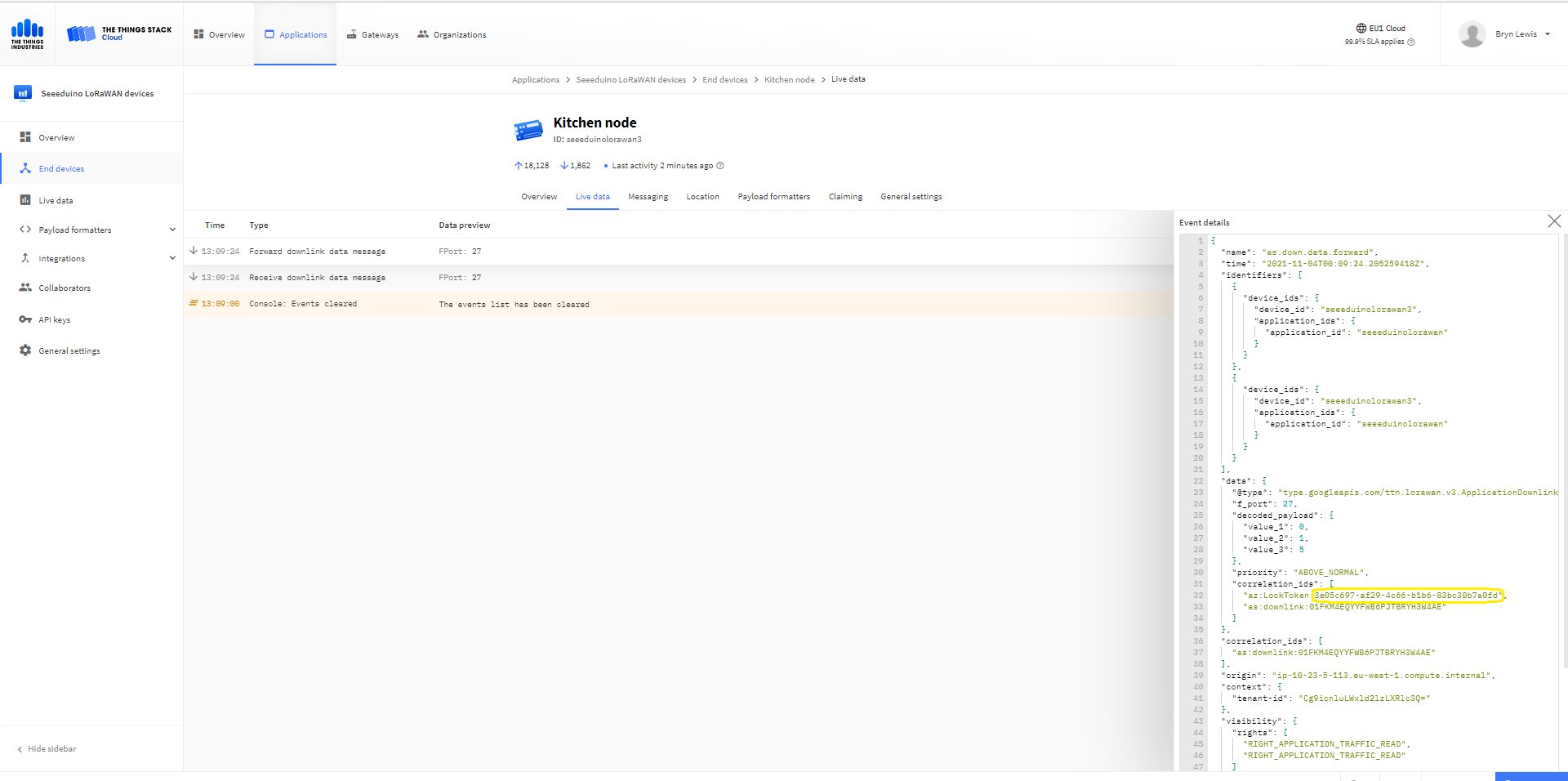
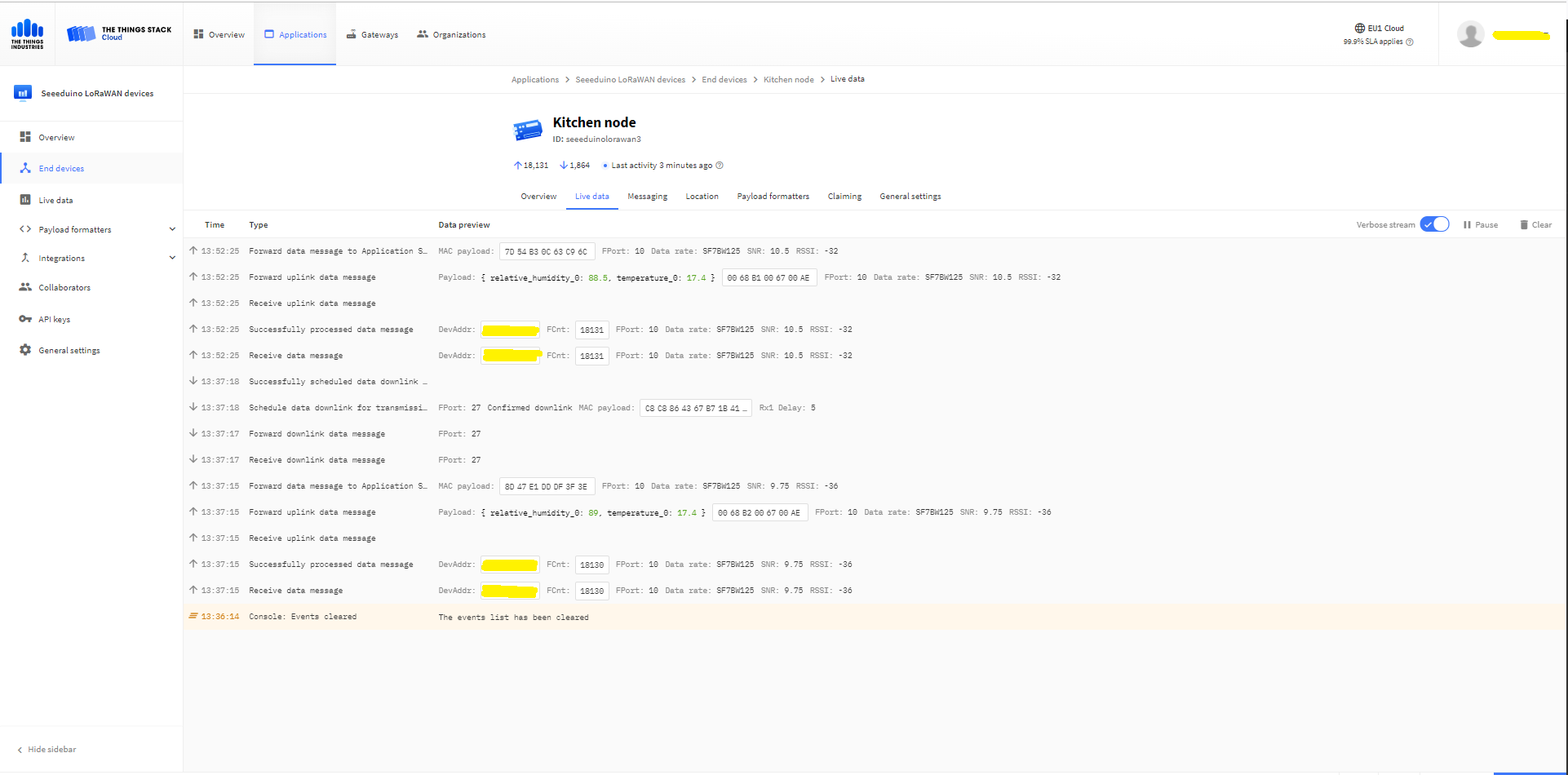
The Things Industries Live Data tab for an unconfirmed message-Queued
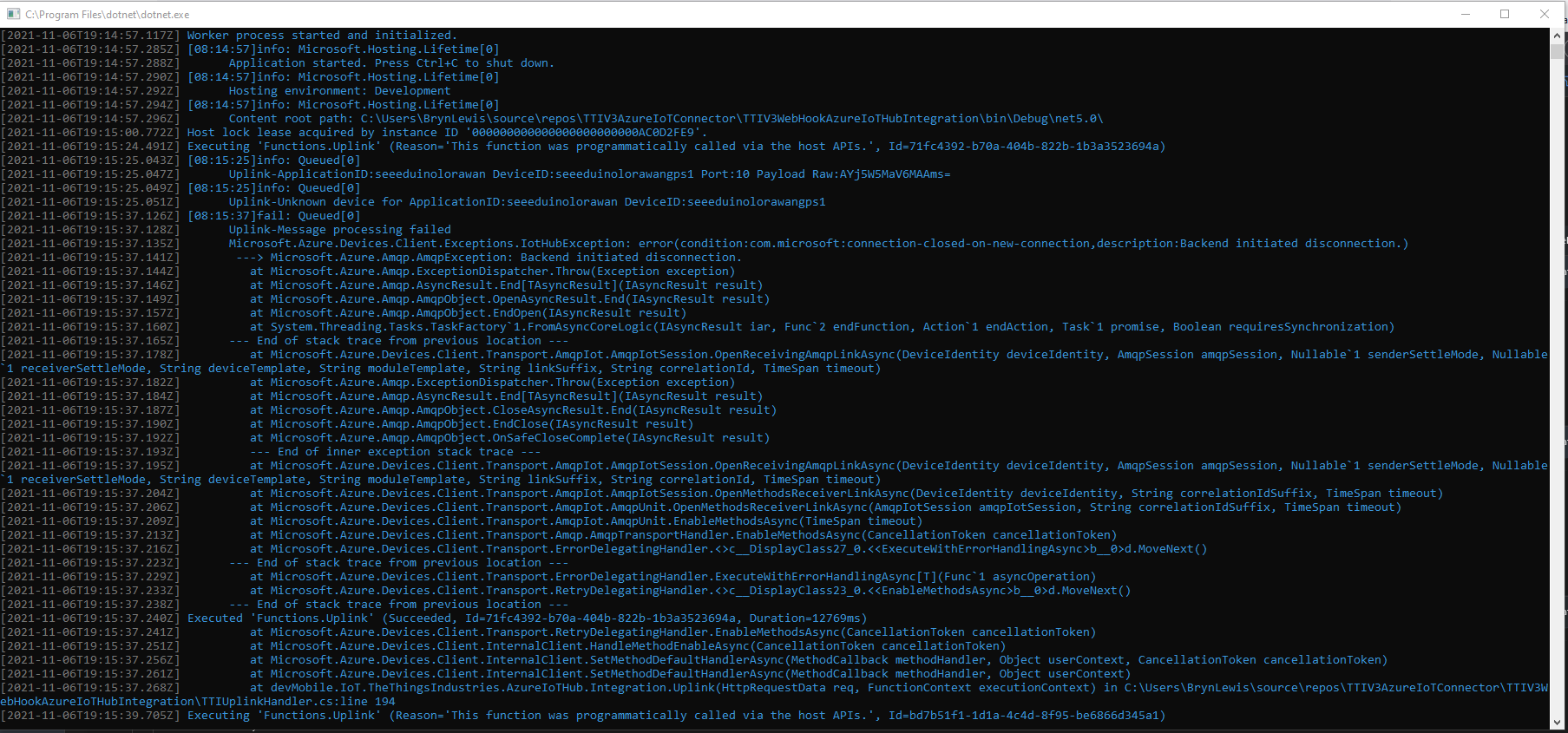
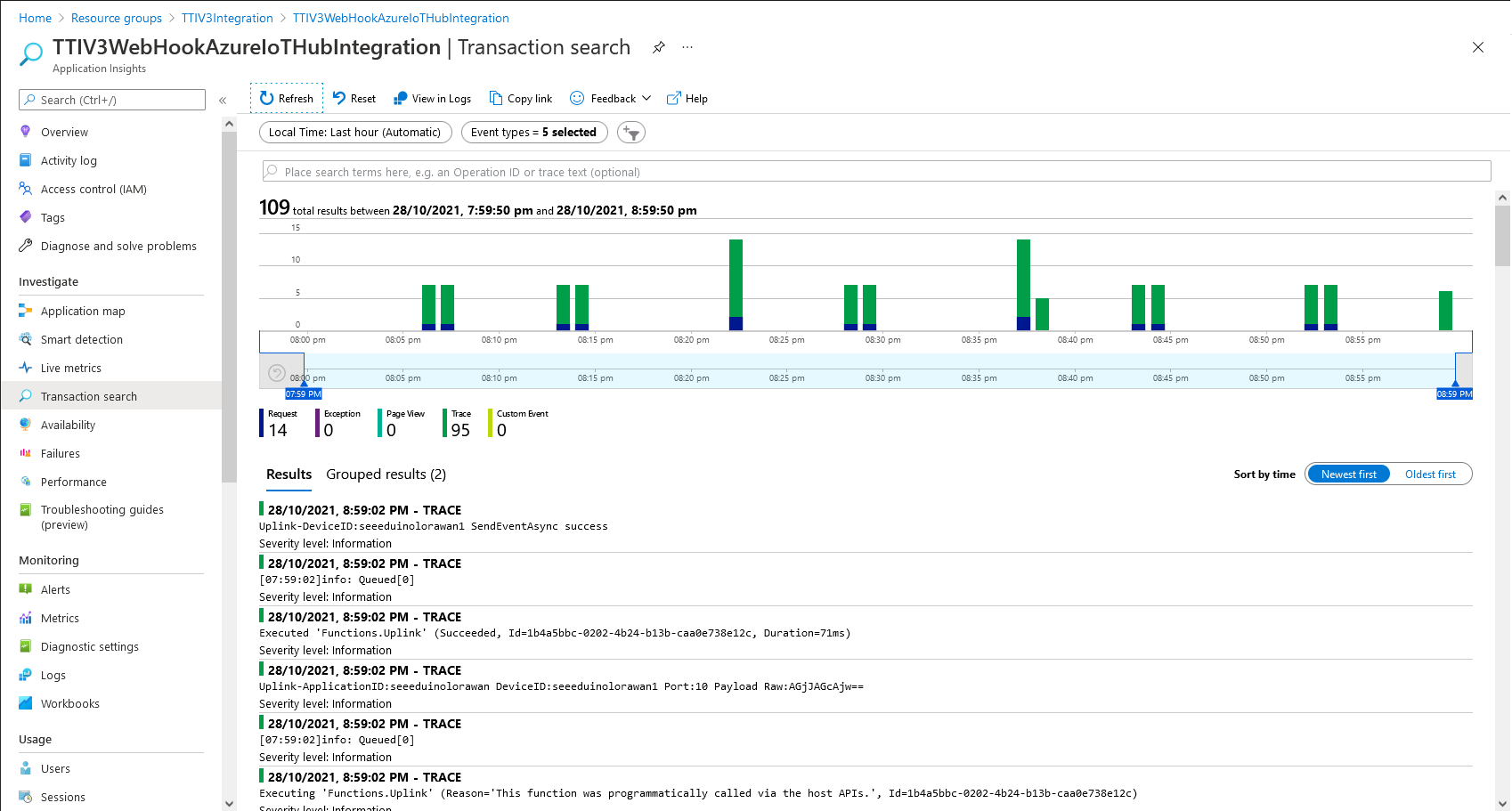
Azure Application Insights for an unconfirmed message
The Things Industries Live Data tab for an unconfirmed message-Sent
Confirmed Downlink Messages
Azure IoT Explorer Cloud to Device sending a confirmed downlink message
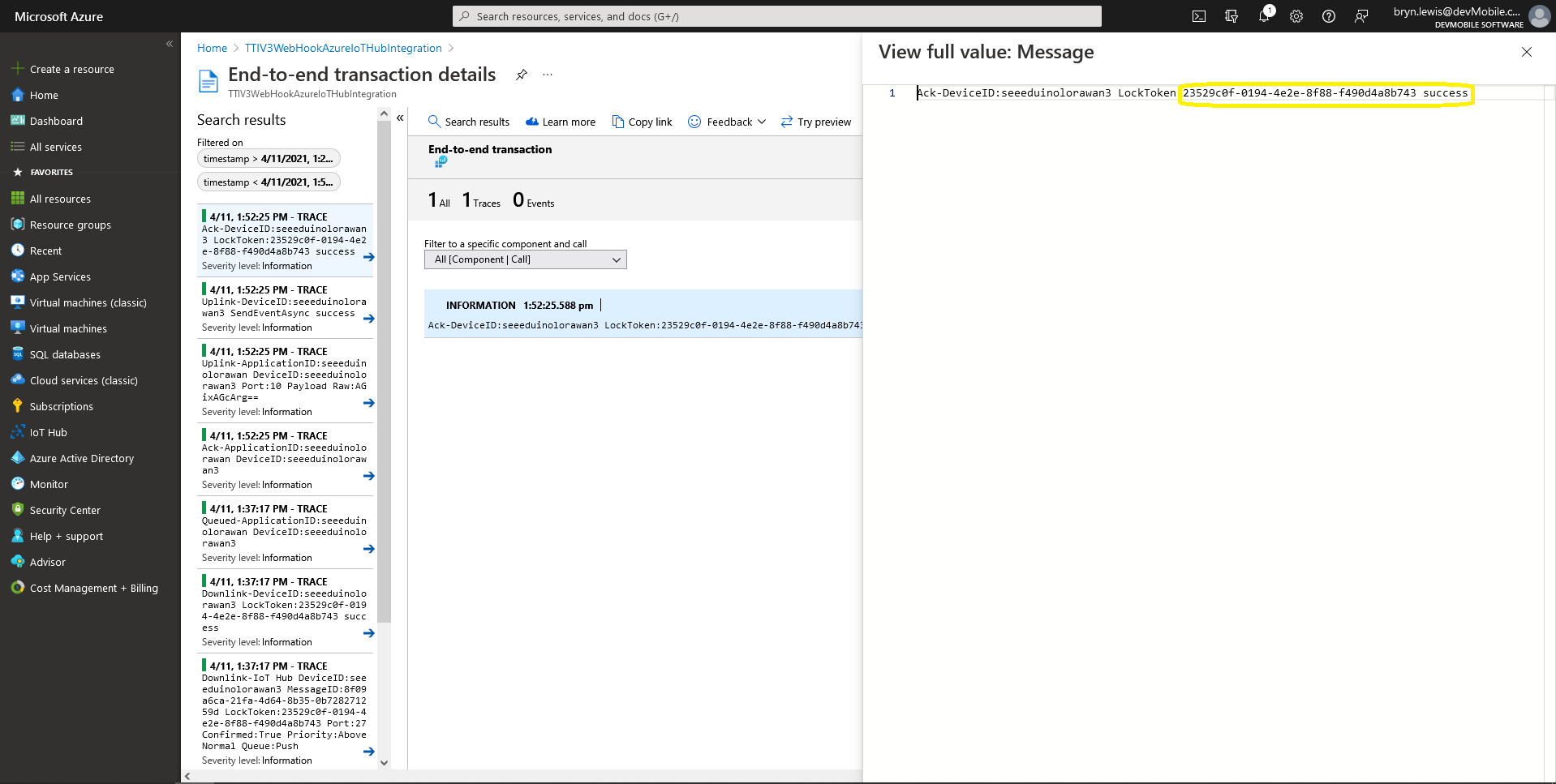
Azure Application Insights for a confirmed message
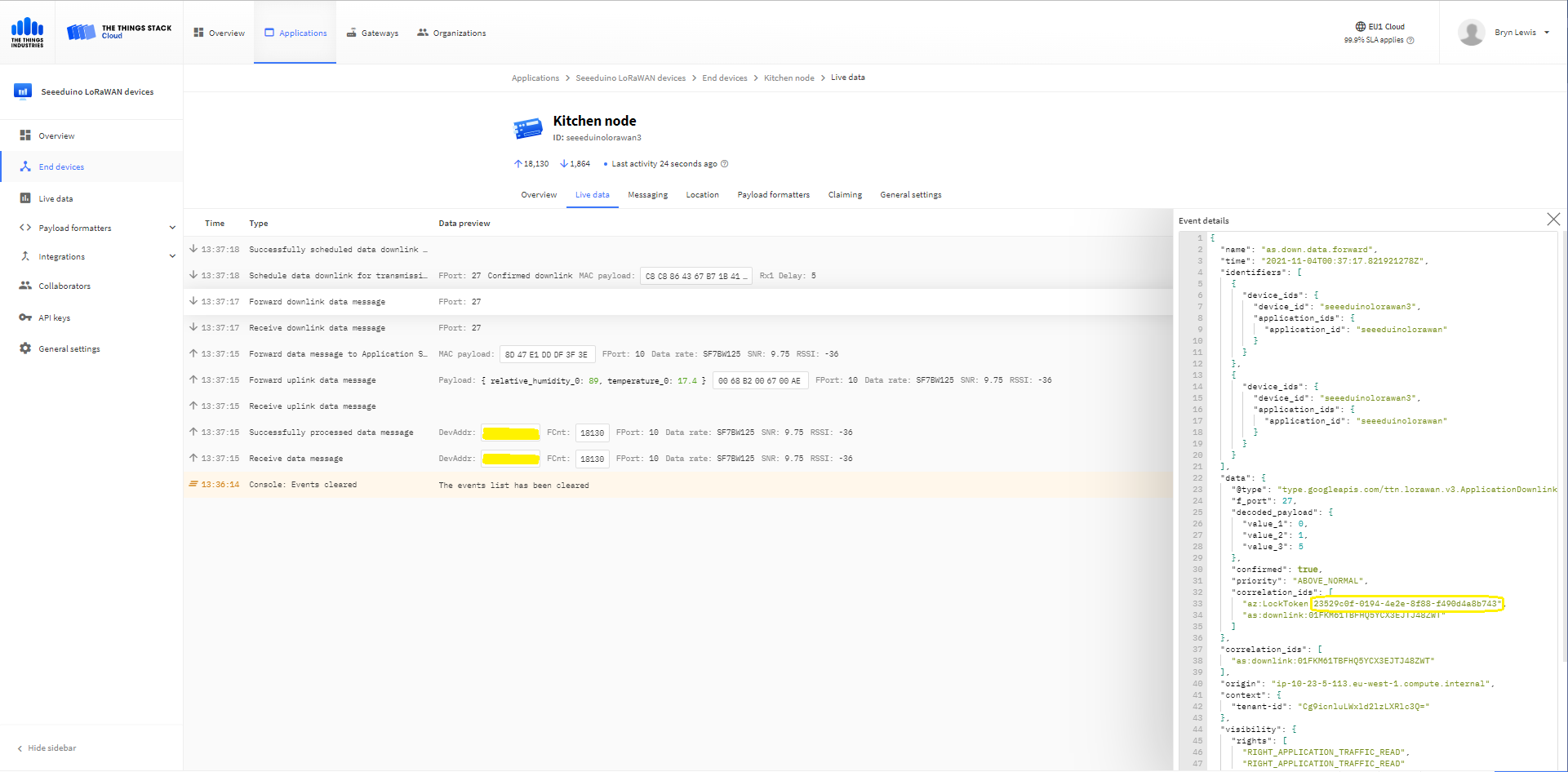
The Things Industries Live Data tab for a confirmed message-Sent
The Things Industries Live Data tab for a confirmed message-Ack
If message delivery succeeds the deviceClient.CompleteAsync method (with the LockToken from the CorrelationIDs list) is called which removes the message from the device queue.
[Function("Ack")]
public async Task<HttpResponseData> Ack([HttpTrigger(AuthorizationLevel.Function, "post")] HttpRequestData req, FunctionContext executionContext)
{
	var logger = executionContext.GetLogger("Queued");

	// Wrap all the processing in a try\catch so if anything blows up we have logged it.
	try
	{
		string payloadText = await req.ReadAsStringAsync();

		Models.DownlinkAckPayload payload = JsonConvert.DeserializeObject<Models.DownlinkAckPayload>(payloadText);
		if (payload == null)
		{
			logger.LogInformation("Ack-Payload {0} invalid", payloadText);

			return req.CreateResponse(HttpStatusCode.BadRequest);
		}

		string applicationId = payload.EndDeviceIds.ApplicationIds.ApplicationId;
		string deviceId = payload.EndDeviceIds.DeviceId;

		logger.LogInformation("Ack-ApplicationID:{0} DeviceID:{1} ", applicationId, deviceId);

		if (!_DeviceClients.TryGetValue(deviceId, out DeviceClient deviceClient))
		{
			logger.LogInformation("Ack-Unknown device for ApplicationID:{0} DeviceID:{1}", applicationId, deviceId);

			return req.CreateResponse(HttpStatusCode.Conflict);
		}

		if (!AzureLockToken.TryGet(payload.DownlinkAck.CorrelationIds, out string lockToken))
		{
			logger.LogWarning("Ack-DeviceID:{0} LockToken missing from payload:{1}", payload.EndDeviceIds.DeviceId, payloadText);

			return req.CreateResponse(HttpStatusCode.BadRequest);
		}

		try
		{
			await deviceClient.CompleteAsync(lockToken);
		}
		catch (DeviceMessageLockLostException)
		{
			logger.LogWarning("Ack-CompleteAsync DeviceID:{0} LockToken:{1} timeout", payload.EndDeviceIds.DeviceId, lockToken);

			return req.CreateResponse(HttpStatusCode.Conflict);
		}

		logger.LogInformation("Ack-DeviceID:{0} LockToken:{1} success", payload.EndDeviceIds.DeviceId, lockToken);
	}
	catch (Exception ex)
	{
		logger.LogError(ex, "Ack message processing failed");

		return req.CreateResponse(HttpStatusCode.InternalServerError);
	}

	return req.CreateResponse(HttpStatusCode.OK);
}
Azure Application Insights for an confirmed message Ack
If message delivery fails the deviceClient.AbandonAsync method (with the LockToken from the CorrelationIDs list) is called which puts the downlink message back onto the device queue.
[Function("Failed")]
public async Task<HttpResponseData> Failed([HttpTrigger(AuthorizationLevel.Function, "post")] HttpRequestData req, FunctionContext executionContext)
{
	var logger = executionContext.GetLogger("Queued");

	// Wrap all the processing in a try\catch so if anything blows up we have logged it.
	try
	{
		string payloadText = await req.ReadAsStringAsync();

		Models.DownlinkFailedPayload payload = JsonConvert.DeserializeObject<Models.DownlinkFailedPayload>(payloadText);
		if (payload == null)
		{
			logger.LogInformation("Failed-Payload {0} invalid", payloadText);

			return req.CreateResponse(HttpStatusCode.BadRequest);
		}

		string applicationId = payload.EndDeviceIds.ApplicationIds.ApplicationId;
		string deviceId = payload.EndDeviceIds.DeviceId;

		logger.LogInformation("Failed-ApplicationID:{0} DeviceID:{1} ", applicationId, deviceId);

		if (!_DeviceClients.TryGetValue(deviceId, out DeviceClient deviceClient))
		{
			logger.LogInformation("Failed-Unknown device for ApplicationID:{0} DeviceID:{1}", applicationId, deviceId);

			return req.CreateResponse(HttpStatusCode.Conflict);
		}

		if (!AzureLockToken.TryGet(payload.DownlinkFailed.CorrelationIds, out string lockToken))
		{
			logger.LogWarning("Failed-DeviceID:{0} LockToken missing from payload:{1}", payload.EndDeviceIds.DeviceId, payloadText);

			return req.CreateResponse(HttpStatusCode.BadRequest);
		}

		try
		{
			await deviceClient.RejectAsync(lockToken);
		}
		catch (DeviceMessageLockLostException)
		{
			logger.LogWarning("Failed-RejectAsync DeviceID:{0} LockToken:{1} timeout", payload.EndDeviceIds.DeviceId, lockToken);

			return req.CreateResponse(HttpStatusCode.Conflict);
		}

		logger.LogInformation("Failed-DeviceID:{0} LockToken:{1} success", payload.EndDeviceIds.DeviceId, lockToken);
	}
	catch (Exception ex)
	{
		logger.LogError(ex, "Failed message processing failed");

		return req.CreateResponse(HttpStatusCode.InternalServerError);
	}

	return req.CreateResponse(HttpStatusCode.OK);
}
If message delivery is unsuccessful the deviceClient.RejectAsync method (with the LockToken from the CorrelationIDs list) is called which deletes the message from the device queue and indicates to the server that the message could not be processed.
[Function("Nack")]
public async Task<HttpResponseData> Nack([HttpTrigger(AuthorizationLevel.Function, "post")] HttpRequestData req, FunctionContext executionContext)
{
	var logger = executionContext.GetLogger("Queued");

	// Wrap all the processing in a try\catch so if anything blows up we have logged it.
	try
	{
		string payloadText = await req.ReadAsStringAsync();

		Models.DownlinkNackPayload payload = JsonConvert.DeserializeObject<Models.DownlinkNackPayload>(payloadText);
		if (payload == null)
		{
			logger.LogInformation("Nack-Payload {0} invalid", payloadText);

			return req.CreateResponse(HttpStatusCode.BadRequest);
		}

		string applicationId = payload.EndDeviceIds.ApplicationIds.ApplicationId;
		string deviceId = payload.EndDeviceIds.DeviceId;

		logger.LogInformation("Nack-ApplicationID:{0} DeviceID:{1} ", applicationId, deviceId);

		if (!_DeviceClients.TryGetValue(deviceId, out DeviceClient deviceClient))
		{
			logger.LogInformation("Nack-Unknown device for ApplicationID:{0} DeviceID:{1}", applicationId, deviceId);

			return req.CreateResponse(HttpStatusCode.Conflict);
		}

		if (!AzureLockToken.TryGet(payload.DownlinkNack.CorrelationIds, out string lockToken))
		{
			logger.LogWarning("Nack-DeviceID:{0} LockToken missing from payload:{1}", payload.EndDeviceIds.DeviceId, payloadText);

			return req.CreateResponse(HttpStatusCode.BadRequest);
		}

		try
		{
			await deviceClient.RejectAsync(lockToken);
		}
		catch (DeviceMessageLockLostException)
		{
			logger.LogWarning("Nack-RejectAsync DeviceID:{0} LockToken:{1} timeout", payload.EndDeviceIds.DeviceId, lockToken);

			return req.CreateResponse(HttpStatusCode.Conflict);
		}

		logger.LogInformation("Nack-DeviceID:{0} LockToken:{1} success", payload.EndDeviceIds.DeviceId, lockToken);
	}
	catch (Exception ex)
	{
		logger.LogError(ex, "Nack message processing failed");

		return req.CreateResponse(HttpStatusCode.InternalServerError);
	}

	return req.CreateResponse(HttpStatusCode.OK);
}
The way message Failed(Abandon), Ack(CompleteAsync) and Nack(RejectAsync) are handled needs some more testing to confirm my understanding of the sequencing of TTI confirmed message delivery.
BEWARE
The use of Confirmed messaging with devices that send uplink messages irregularly can cause weird problems if the Azure IoT hub downlink message times out.
public partial class Webhooks
{
	[Function("Uplink")]
	public async Task<HttpResponseData> Uplink([HttpTrigger(AuthorizationLevel.Function, "post")] HttpRequestData req, FunctionContext executionContext)
	{
		var logger = executionContext.GetLogger("Uplink");

		// Wrap all the processing in a try\catch so if anything blows up we have logged it. Will need to specialise for connectivity failues etc.
		try
		{
			Models.PayloadUplink payload = JsonConvert.DeserializeObject<Models.PayloadUplink>(await req.ReadAsStringAsync());
			if (payload == null)
			{
				logger.LogInformation("Uplink: Payload {0} invalid", await req.ReadAsStringAsync());

				return req.CreateResponse(HttpStatusCode.BadRequest);
			}

			string applicationId = payload.EndDeviceIds.ApplicationIds.ApplicationId;
			string deviceId = payload.EndDeviceIds.DeviceId;

			if ((payload.UplinkMessage.Port == null ) || (!payload.UplinkMessage.Port.HasValue) || (payload.UplinkMessage.Port.Value == 0))
			{
				logger.LogInformation("Uplink-ApplicationID:{0} DeviceID:{1} Payload Raw:{2} Control nessage", applicationId, deviceId, payload.UplinkMessage.PayloadRaw);

				return req.CreateResponse(HttpStatusCode.BadRequest);
			}

			int port = payload.UplinkMessage.Port.Value;

			logger.LogInformation("Uplink-ApplicationID:{0} DeviceID:{1} Port:{2} Payload Raw:{3}", applicationId, deviceId, port, payload.UplinkMessage.PayloadRaw);

			if (!_DeviceClients.TryGetValue(deviceId, out DeviceClient deviceClient))
			{
				logger.LogInformation("Uplink-Unknown device for ApplicationID:{0} DeviceID:{1}", applicationId, deviceId);

				deviceClient = DeviceClient.CreateFromConnectionString(_configuration.GetConnectionString("AzureIoTHub"), deviceId);

				try
				{
					await deviceClient.OpenAsync();
				}
				catch (DeviceNotFoundException)
				{
					logger.LogWarning("Uplink-Unknown DeviceID:{0}", deviceId);

					return req.CreateResponse(HttpStatusCode.NotFound);
				}

				if (!_DeviceClients.TryAdd(deviceId, deviceClient))
				{
					logger.LogWarning("Uplink-TryAdd failed for ApplicationID:{0} DeviceID:{1}", applicationId, deviceId);

					return req.CreateResponse(HttpStatusCode.Conflict);
				}
			}

			JObject telemetryEvent = new JObject
			{
				{ "ApplicationID", applicationId },
				{ "DeviceID", deviceId },
				{ "Port", port },
				{ "PayloadRaw", payload.UplinkMessage.PayloadRaw }
			};

			// If the payload has been decoded by payload formatter, put it in the message body.
			if (payload.UplinkMessage.PayloadDecoded != null)
			{
				telemetryEvent.Add("PayloadDecoded", payload.UplinkMessage.PayloadDecoded);
			}

			// Send the message to Azure IoT Hub
			using (Message ioTHubmessage = new Message(Encoding.ASCII.GetBytes(JsonConvert.SerializeObject(telemetryEvent))))
			{
				// Ensure the displayed time is the acquired time rather than the uploaded time.
				ioTHubmessage.Properties.Add("iothub-creation-time-utc", payload.UplinkMessage.ReceivedAtUtc.ToString("s", CultureInfo.InvariantCulture));
				ioTHubmessage.Properties.Add("ApplicationId", applicationId);
				ioTHubmessage.Properties.Add("DeviceEUI", payload.EndDeviceIds.DeviceEui);
				ioTHubmessage.Properties.Add("DeviceId", deviceId);
				ioTHubmessage.Properties.Add("port", port.ToString());

				await deviceClient.SendEventAsync(ioTHubmessage);
			}
		}
		catch (Exception ex)
		{
			logger.LogError(ex, "Uplink message processing failed");

			return req.CreateResponse(HttpStatusCode.InternalServerError);
		}

		return req.CreateResponse(HttpStatusCode.OK);
	}
}
For initial development and testing I ran the function application in the desktop emulator and simulated TTI webhook calls with Telerik Fiddler and modified TTI sample payloads.
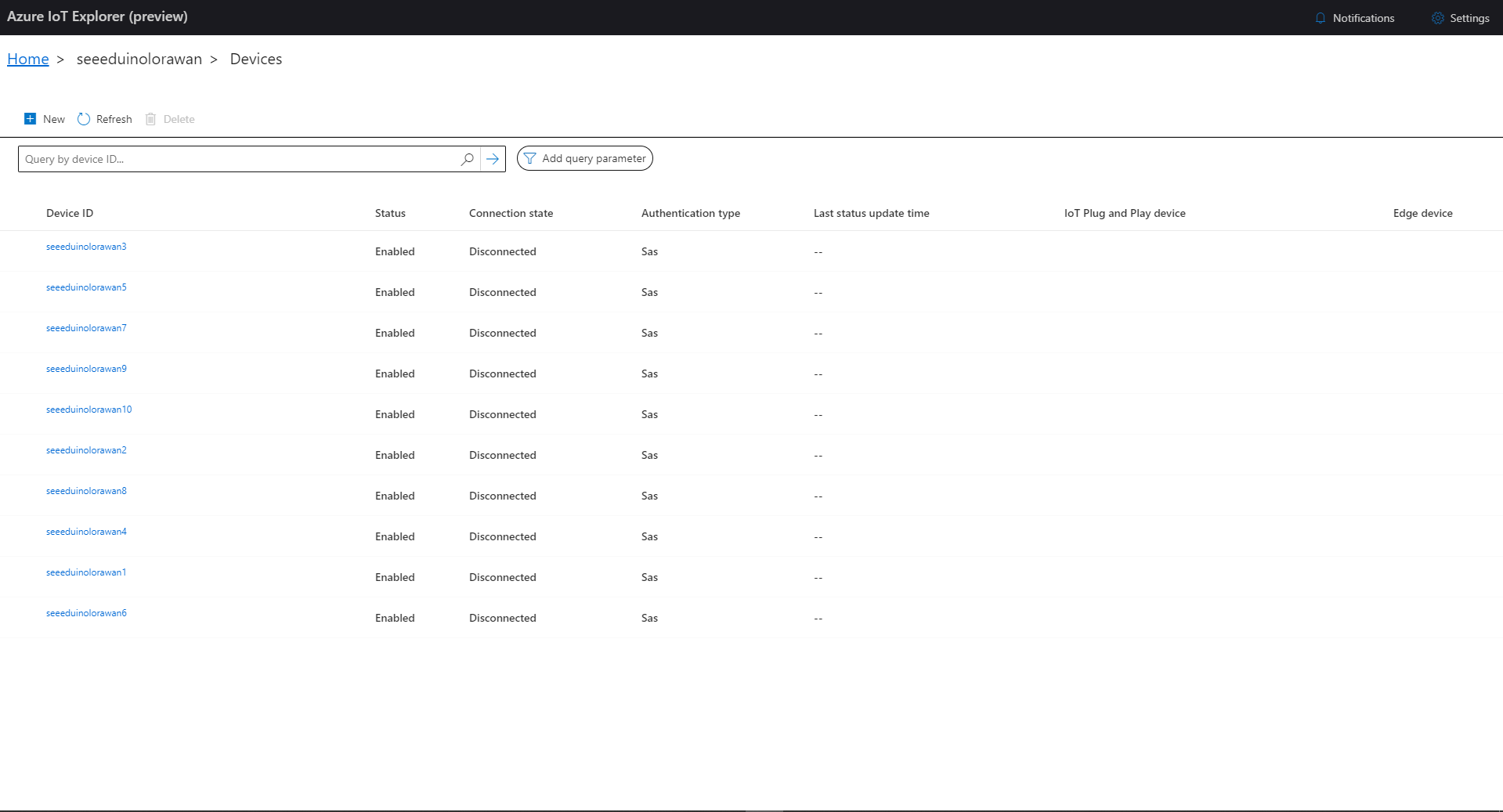
I then used Azure IoT Explorer to configure devices, view uplink traffic etc. When I connected to my Azure IoT Hub shortly after starting the application all the devices were disconnected.
Azure IoT Explorer – no connected devices
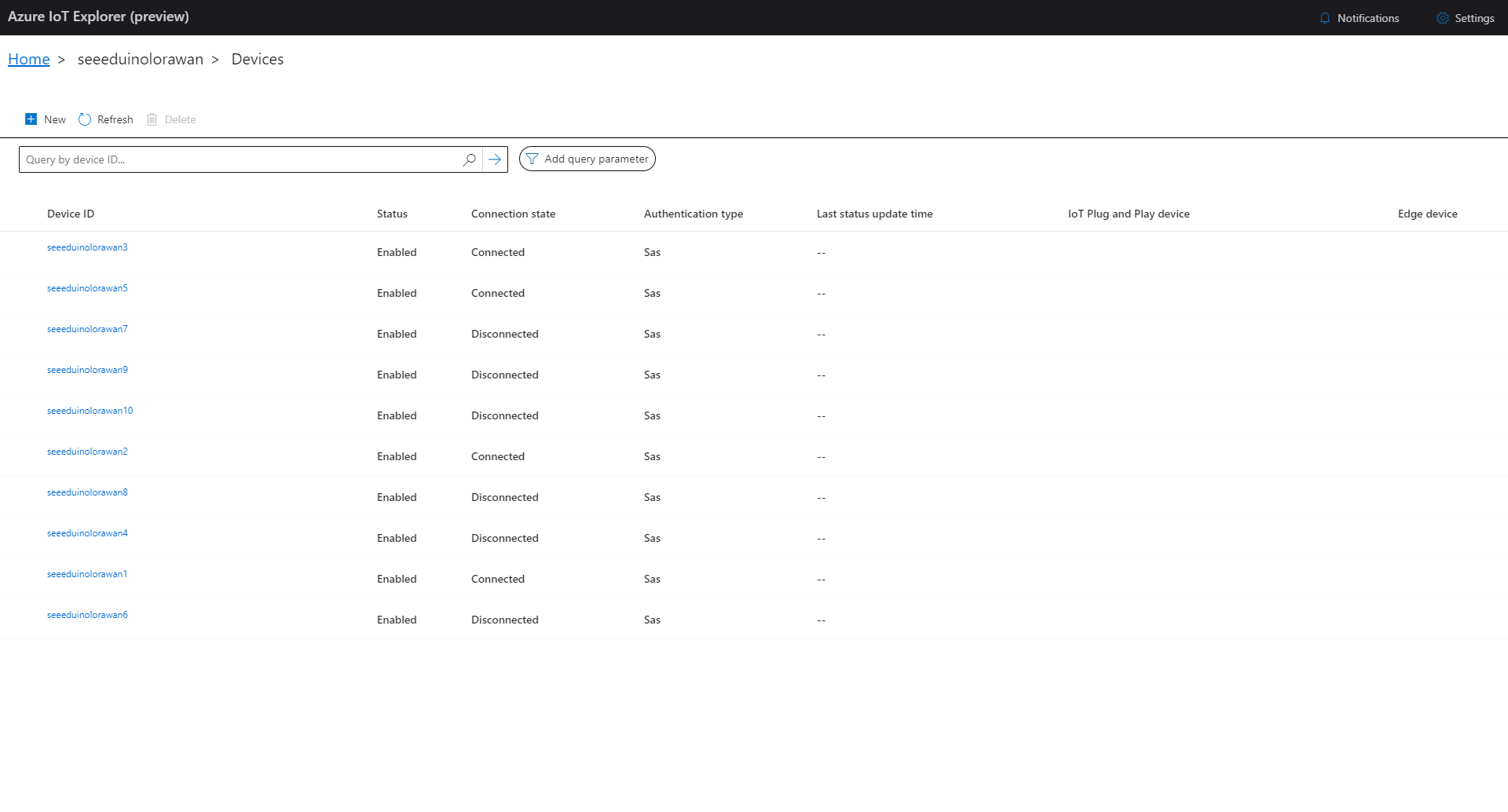
The SeeeduinoLoRaWAN devices report roughly every 15 minutes so it took a while for them all to connect. (the SeeeduinoLoRaWAN4 & SeeeduinoLoRaWAN6 need to be repaired) .
namespace devMobile.IoT.TheThingsIndustries.HttpInputStorageQueueOutput
{
	using System.Net;
	using System.Threading.Tasks;

	using Microsoft.Azure.Functions.Worker;
	using Microsoft.Azure.Functions.Worker.Http;
	using Microsoft.Azure.WebJobs;
	using Microsoft.Extensions.Logging;


	[StorageAccount("AzureWebJobsStorage")]
	public static class Webhooks
	{
		[Function("Uplink")]
		public static async Task<HttpTriggerUplinkOutputBindingType> Uplink([HttpTrigger(AuthorizationLevel.Function, "post")] HttpRequestData req, FunctionContext context)
		{
			var logger = context.GetLogger("UplinkMessage");

			logger.LogInformation("Uplink processed");

			var response = req.CreateResponse(HttpStatusCode.OK);

			return new HttpTriggerUplinkOutputBindingType()
			{
				Name = await req.ReadAsStringAsync(),
				HttpReponse = response
			};
		}

		public class HttpTriggerUplinkOutputBindingType
		{
			[QueueOutput("uplink")]
			public string Name { get; set; }

			public HttpResponseData HttpReponse { get; set; }
		}

...

		[Function("Failed")]
		public static async Task<HttpTriggerFailedOutputBindingType> Failed([HttpTrigger(AuthorizationLevel.Function, "post")] HttpRequestData req, FunctionContext context)
		{
			var logger = context.GetLogger("Failed");

			logger.LogInformation("Failed procssed");

			var response = req.CreateResponse(HttpStatusCode.OK);

			return new HttpTriggerFailedOutputBindingType()
			{
				Name = await req.ReadAsStringAsync(),
				HttpReponse = response
			};
		}

		public class HttpTriggerFailedOutputBindingType
		{
			[QueueOutput("failed")]
			public string Name { get; set; }

			public HttpResponseData HttpReponse { get; set; }
		}
	}
}
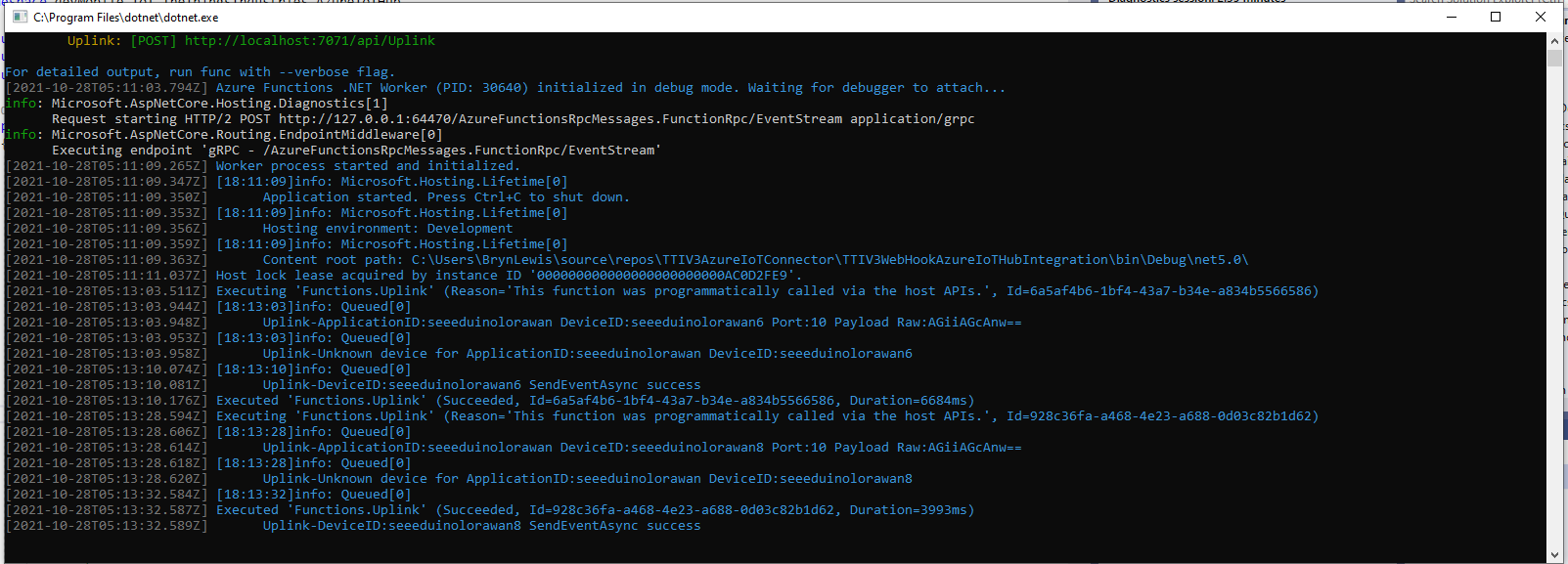
Azure Functions Desktop Development environment running my functions
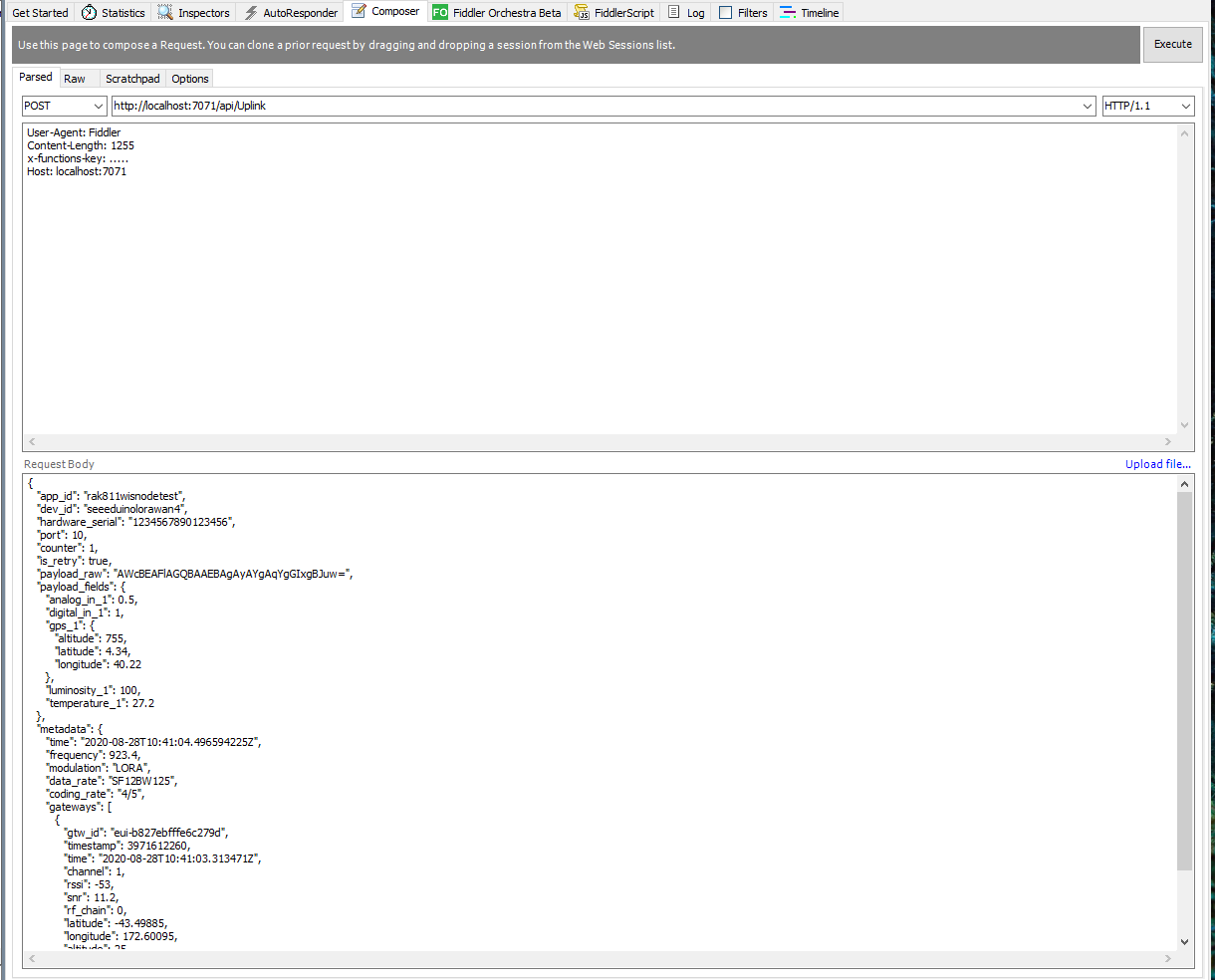
I used Telerik Fiddler with some sample payloads to test my application.
Telerik Fiddler Request Composer “posting” sample message to desktop endpoint
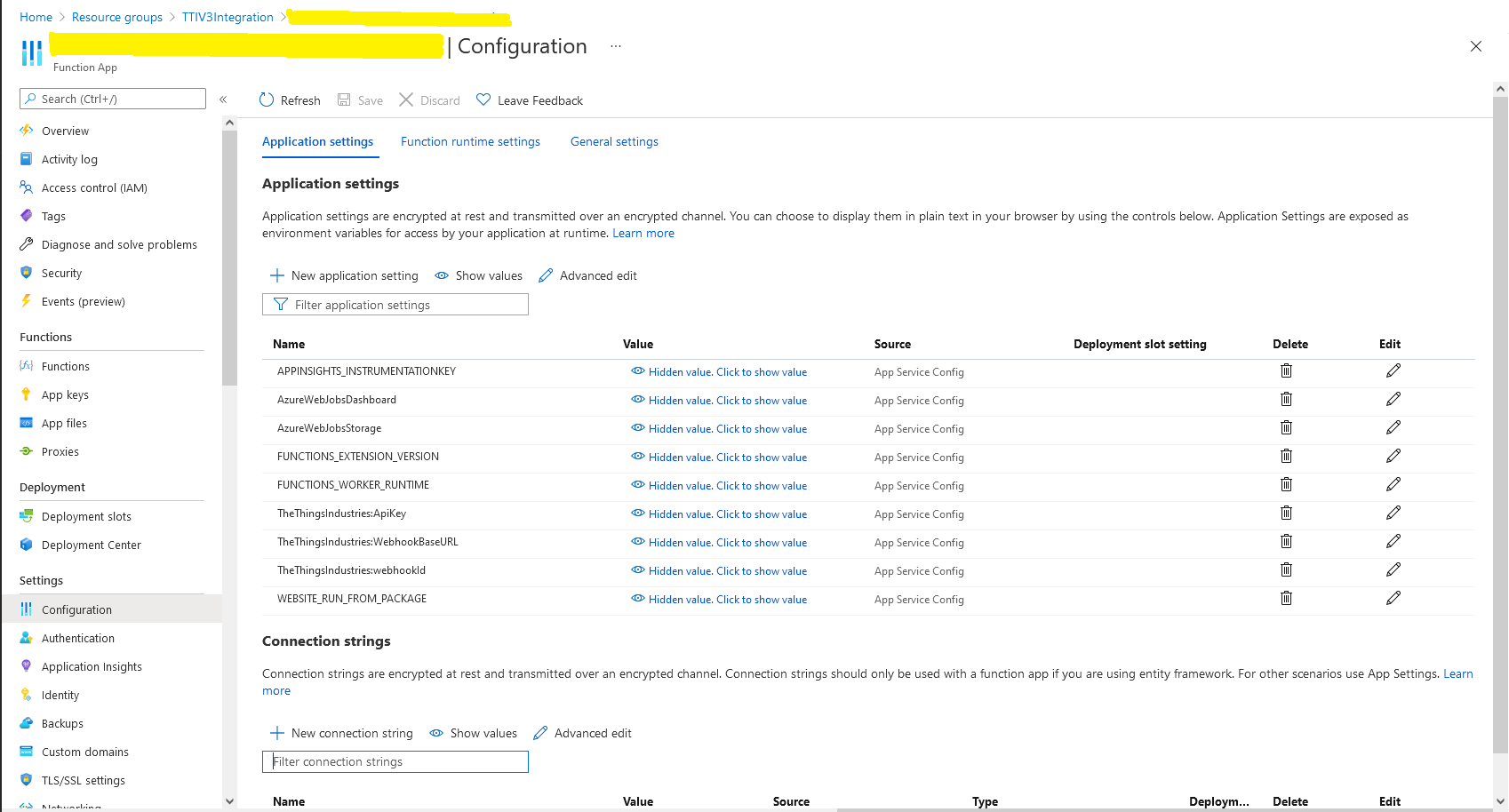
Once the functions were running reliably on my desktop, I created an Azure Service Plan, deployed the code, then generated an API Key for securing my HTTPTrigger endpoints.
Azure Functions Host Key configuration dialog
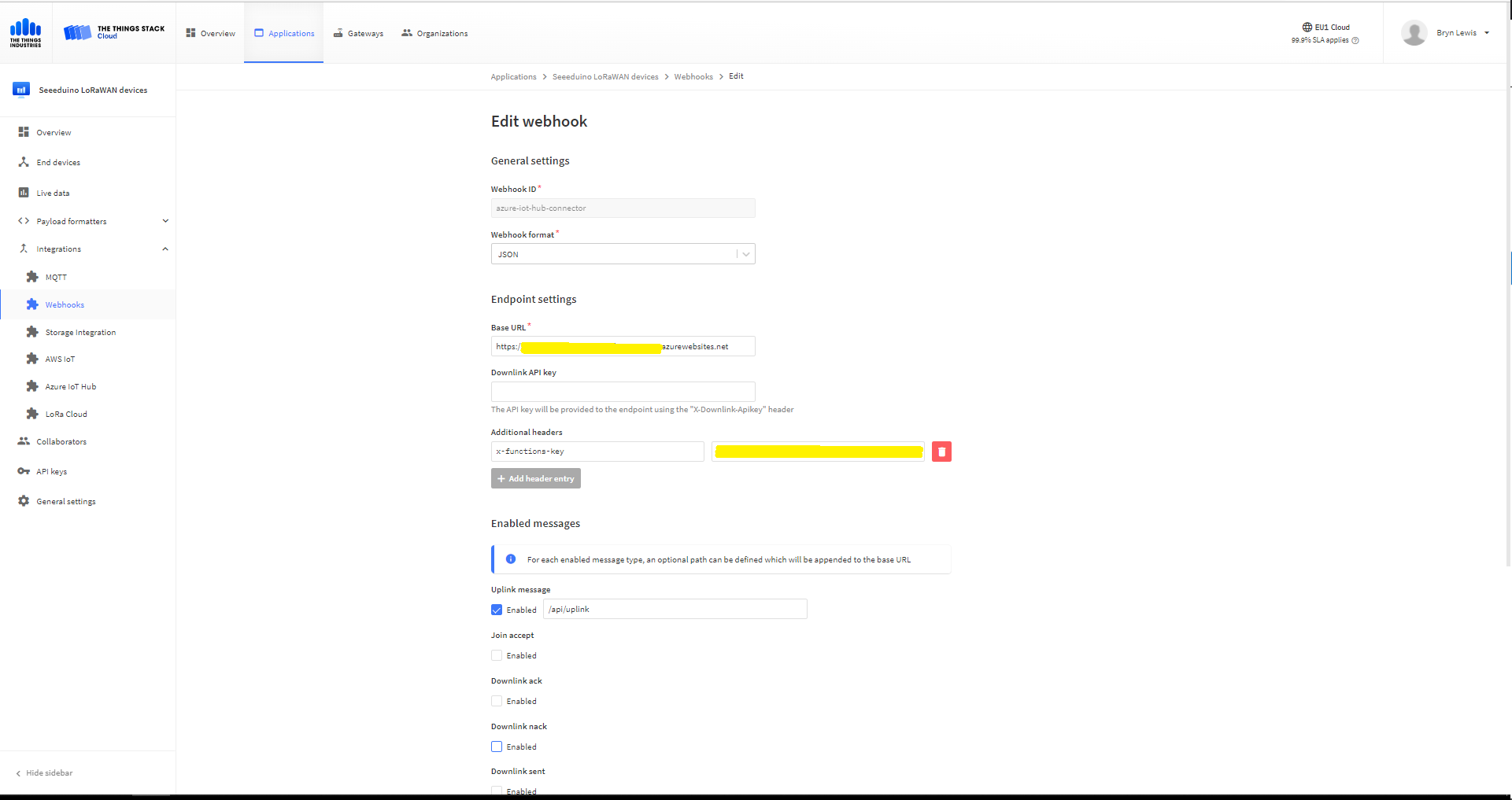
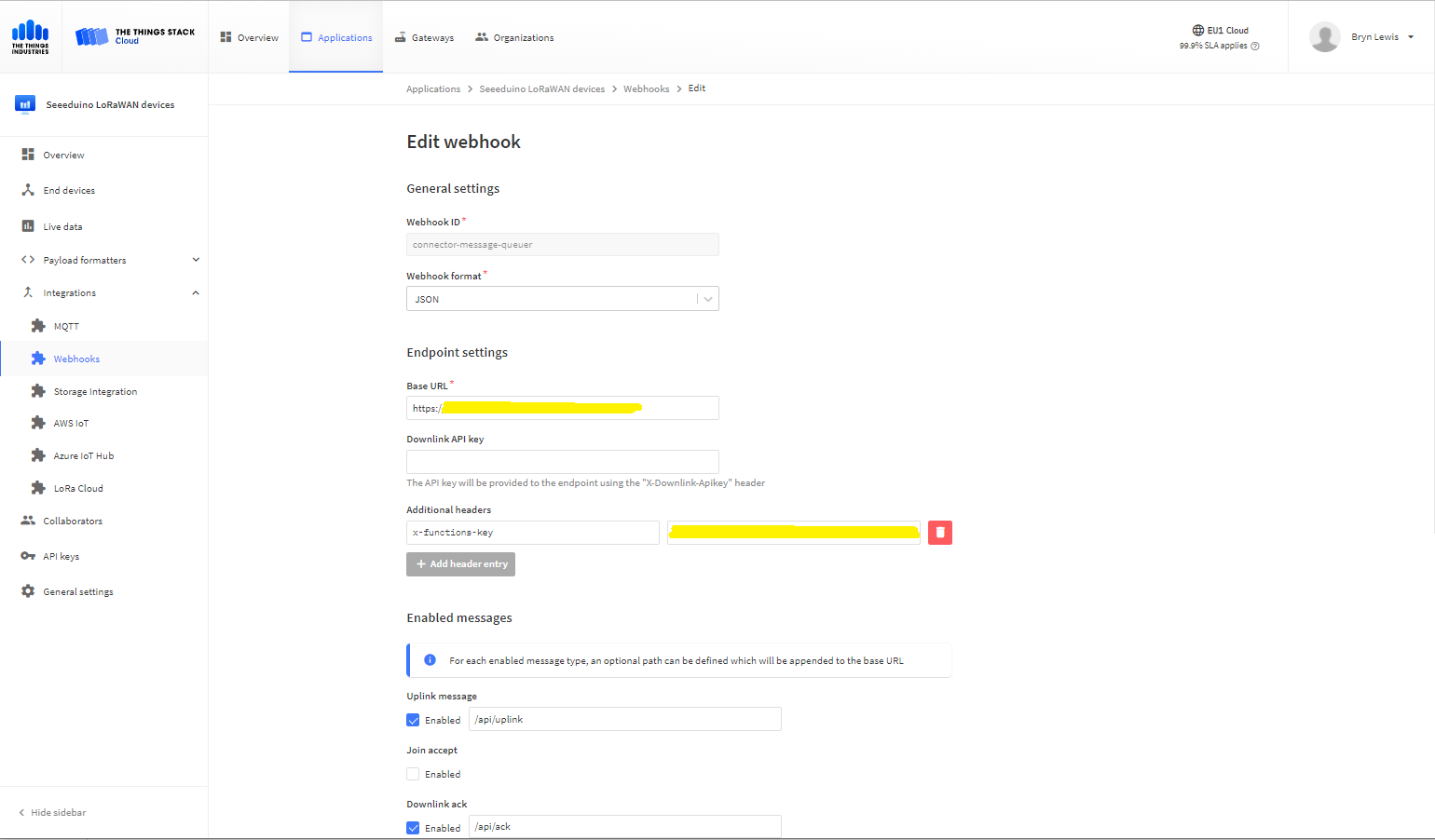
I then added a TTI Webhook Integration to my TTI SeeduinoLoRaWAN application, manually configured the endpoint, enabled the different messages I wanted to process and set the x-functions-key header.
TTI Application Webhook configuration
After a short delay I could see messages in the message uplink queue with Azure Storage Explorer
Azure Storage Explorer displaying content of my uplink queue
Building a new version of my TTIV3 Azure IoT connector is a useful learning exercise but I’m still deciding whether is it worth the effort as TTI has one now?
In the new code a Thread reads lines of text from the SerialPort and processes them, checking for command responses, failures and downlink messages.
Unlike most of the devices I have worked with the RAK811 Join and Send commands are synchronous so return once the process has completed. The RAK811 responses also have quite a few empty, null prefixed or null suffixed lines which is a bit odd.
public void SerialPortProcessor()
{
	string line;

	while (CommandProcessResponses)
	{
		try
		{
#if DIAGNOSTICS
			Debug.WriteLine($" {DateTime.UtcNow:hh:mm:ss} ReadLine before");
#endif
			line = SerialDevice.ReadLine().Trim('\0').Trim();
#if DIAGNOSTICS
			Debug.WriteLine($" {DateTime.UtcNow:hh:mm:ss} ReadLine after:{line}");
#endif
			// consume empty lines
			if (String.IsNullOrWhiteSpace(line))
			{
				continue;
			}

			// Consume the response from set work mode
			if (line.StartsWith("?LoRa (R)") || line.StartsWith("RAK811 ") || line.StartsWith("UART1 ") || line.StartsWith("UART3 ") || line.StartsWith("LoRa work mode"))
			{
				continue;
			}

			// See if device successfully joined network
			if (line.StartsWith("OK Join Success"))
			{
				OnJoinCompletion?.Invoke(true);

				CommandResponseExpectedEvent.Set();

				continue;
			}

			if (line.StartsWith("at+recv="))
			{
				string[] payloadFields = line.Split("=,:".ToCharArray());

				byte port = byte.Parse(payloadFields[1]);
				int rssi = int.Parse(payloadFields[2]);
				int snr = int.Parse(payloadFields[3]);
				int length = int.Parse(payloadFields[4]);

				if (this.OnMessageConfirmation != null)
				{
					OnMessageConfirmation?.Invoke(rssi, snr);
				}
				if (length > 0)
				{
					string payload = payloadFields[5];

					if (this.OnReceiveMessage != null)
					{
						OnReceiveMessage.Invoke(port, rssi, snr, payload);
					}
				}
				continue;
			}

			switch (line)
			{
				case "OK":
				case "Initialization OK":
				case "OK Wake Up":
				case "OK Sleep":
					CommandResult = Result.Success;
					break;

				case "ERROR: 1":
					CommandResult = Result.ATCommandUnsuported;
					break;
				case "ERROR: 2":
					CommandResult = Result.ATCommandInvalidParameter;
					break;
				case "ERROR: 3": //There is an error when reading or writing flash.
				case "ERROR: 4": //There is an error when reading or writing through IIC.
					CommandResult = Result.ErrorReadingOrWritingFlash;
					break;
				case "ERROR: 5": //There is an error when sending through UART
					CommandResult = Result.ATCommandInvalidParameter;
					break;
				case "ERROR: 41": //The BLE works in an invalid state, so that it can’t be operated.
					CommandResult = Result.ResponseInvalid;
					break;
				case "ERROR: 80":
					CommandResult = Result.LoRaBusy;
					break;
				case "ERROR: 81":
					CommandResult = Result.LoRaServiceIsUnknown;
					break;
				case "ERROR: 82":
					CommandResult = Result.LoRaParameterInvalid;
					break;
				case "ERROR: 83":
					CommandResult = Result.LoRaFrequencyInvalid;
					break;
				case "ERROR: 84":
					CommandResult = Result.LoRaDataRateInvalid;
					break;
				case "ERROR: 85":
					CommandResult = Result.LoRaFrequencyAndDataRateInvalid;
					break;
				case "ERROR: 86":
					CommandResult = Result.LoRaDeviceNotJoinedNetwork;
					break;
				case "ERROR: 87":
					CommandResult = Result.LoRaPacketToLong;
					break;
				case "ERROR: 88":
					CommandResult = Result.LoRaServiceIsClosedByServer;
					break;
				case "ERROR: 89":
					CommandResult = Result.LoRaRegionUnsupported;
					break;
				case "ERROR: 90":
					CommandResult = Result.LoRaDutyCycleRestricted;
					break;
				case "ERROR: 91":
					CommandResult = Result.LoRaNoValidChannelFound;
					break;
				case "ERROR: 92":
					CommandResult = Result.LoRaNoFreeChannelFound;
					break;
				case "ERROR: 93":
					CommandResult = Result.StatusIsError;
					break;
				case "ERROR: 94":
					CommandResult = Result.LoRaTransmitTimeout;
					break;
				case "ERROR: 95":
					CommandResult = Result.LoRaRX1Timeout;
					break;
				case "ERROR: 96":
					CommandResult = Result.LoRaRX2Timeout;
					break;
				case "ERROR: 97":
					CommandResult = Result.LoRaRX1ReceiveError;
					break;
				case "ERROR: 98":
					CommandResult = Result.LoRaRX2ReceiveError;
					break;
				case "ERROR: 99":
					CommandResult = Result.LoRaJoinFailed;
					break;
				case "ERROR: 100":
					CommandResult = Result.LoRaDownlinkRepeated;
					break;
				case "ERROR: 101":
					CommandResult = Result.LoRaPayloadSizeNotValidForDataRate;
					break;
				case "ERROR: 102":
					CommandResult = Result.LoRaTooManyDownlinkFramesLost;
					break;
				case "ERROR: 103":
					CommandResult = Result.LoRaAddressFail;
					break;
				case "ERROR: 104":
					CommandResult = Result.LoRaMicVerifyError;
					break;
				default:
					CommandResult = Result.ResponseInvalid;
					break;
			}
		}
		catch (TimeoutException)
		{
			// Intentionally ignored, not certain this is a good idea
		}

		CommandResponseExpectedEvent.Set();
	}
}
After a lot of testing I think my thread based approach works reliably. Initially, I was having some signal strength issues because I had forgotten to configure the external antenna. I need to add some validation to the metrics and payload field unpacking (though I’m not certain what todo if they are the wrong format).
Earlier in the year I built Things Network(TTN)V2 and V3 connectors and after using these in production applications I have learnt a lot about what I had got wrong, less wrong and what I had got right.
Using a TTN V3MQTTApplication integration wasn’t a great idea. The management of state was very complex. The storage of application keys in a app.settings file made configuration easy but was bad for security.
The use of Azure Key Vault in the TTNV2 connector was a good approach, but the process of creation and updating of the settings needs to be easier.
Using TTN device registry as the “single source of truth” was a good decision as managing the amount of LoRaWAN network, application and device specific configuration in an Azure IoT Hub would be non-trivial.
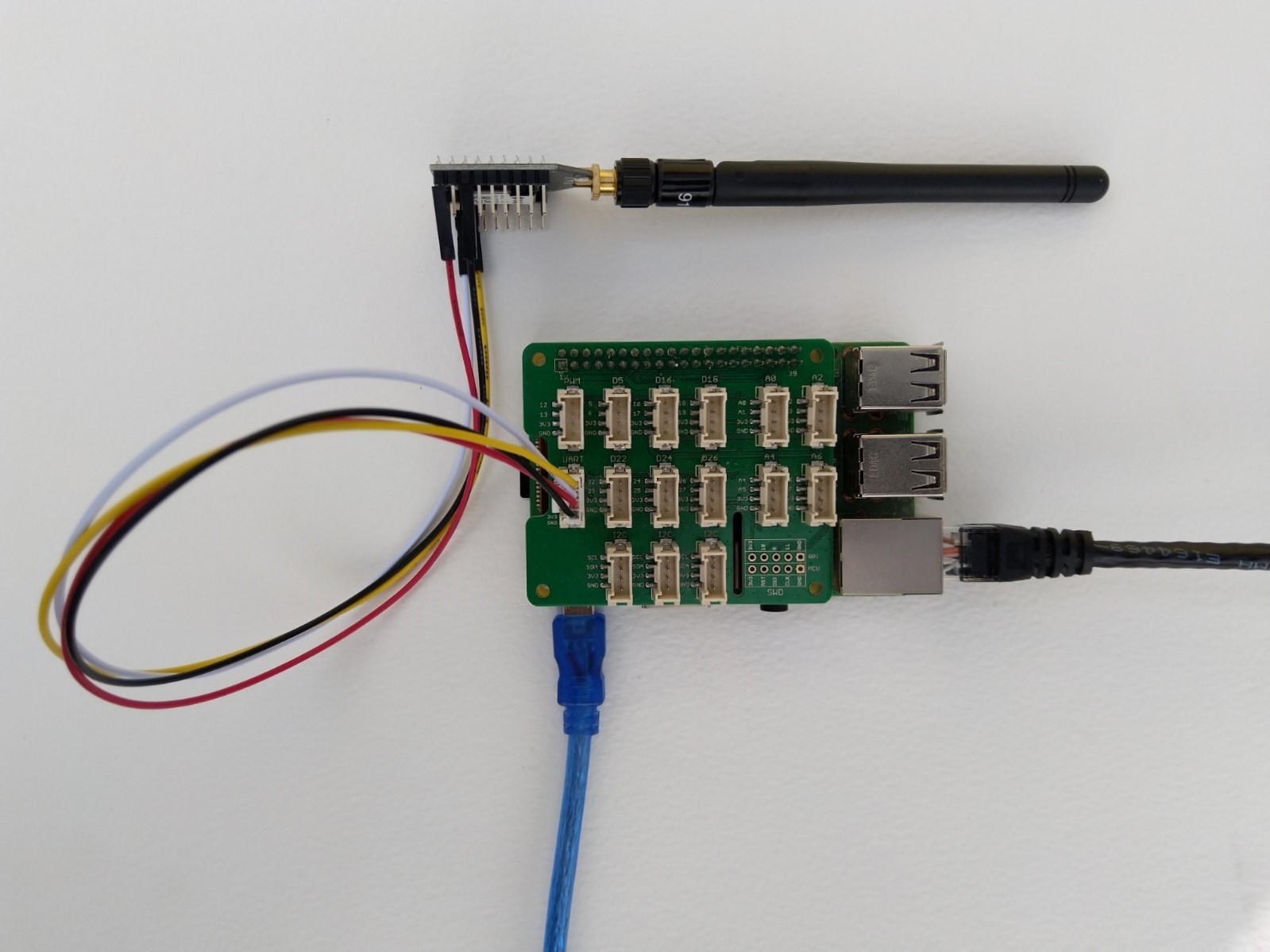
Raspberry Pi3 with Grove Base Hat and RAK3172 Breakout (using UART2)
After some experimentation in the BreakOutSerial project I decided to reimplement the RAK3172 command processing. In the new code a Thread reads lines of text from the SerialPort and processes them. I have replaced the Join and Send(Confirmed) methods with ones that block only while the command are sent to the RAK3172. Then, when completed the OnJoinCompletion or OnMessagesConfirmation event handlers are called.
private Result SendCommand(string command)
{
	if (command == null)
	{
		throw new ArgumentNullException(nameof(command));
	}

	if (command == string.Empty)
	{
		throw new ArgumentException($"command cannot be empty", nameof(command));
	}

	serialDevice.WriteLine(command);

	this.CommandResponseExpectedEvent.Reset();

	if (!this.CommandResponseExpectedEvent.WaitOne(CommandTimeoutDefaultmSec, false))
	{
		return Result.Timeout;
	}

	return CommandResult;
}

private void SerialPortProcessor()
{
	string line;

	while (CommandProcessResponses)
	{
		try
		{
#if DIAGNOSTICS
			Debug.WriteLine($" {DateTime.UtcNow:hh:mm:ss} ReadLine before");
#endif
			line = serialDevice.ReadLine();
#if DIAGNOSTICS
			Debug.WriteLine($" {DateTime.UtcNow:hh:mm:ss} ReadLine after:{line}");
#endif

			// See if device successfully joined network
			if (line.StartsWith("+EVT:JOINED"))
			{
				OnJoinCompletion?.Invoke(true);

				continue;
			}

			// See if device failed ot join network
			if (line.StartsWith("+EVT:JOIN FAILED"))
			{
				OnJoinCompletion?.Invoke(false);

				continue;
			}

			// Applicable only if confirmed messages enabled
			if (line.StartsWith("+EVT:SEND CONFIRMED OK"))
			{
				OnMessageConfirmation?.Invoke();

				continue;
			}

			// Check for A/B/C downlink message
			if (line.StartsWith("+EVT:RX_1") || line.StartsWith("+EVT:RX_2") || line.StartsWith("+EVT:RX_3") || line.StartsWith("+EVT:RX_C"))
			{
				// TODO beef up validation, nto certain what todo if borked
				string[] metricsFields= line.Split(' ', ',');

				int rssi = int.Parse(metricsFields[3]);
				int snr = int.Parse(metricsFields[6]);

				line = serialDevice.ReadLine();

#if DIAGNOSTICS
				Debug.WriteLine($" {DateTime.UtcNow:HH:mm:ss} UNICAST :{line}");
#endif
				line = serialDevice.ReadLine();
#if DIAGNOSTICS
				Debug.WriteLine($" {DateTime.UtcNow:HH:mm:ss} Payload:{line}");
#endif
				// TODO beef up validation, nto certain what todo if borked
				string[] payloadFields = line.Split(':');

				byte port = byte.Parse(payloadFields[1]);
				string payload = payloadFields[2];

				OnReceiveMessage?.Invoke(port, rssi, snr, payload);

				continue;
			}

#if DIAGNOSTICS
           Debug.WriteLine($" {DateTime.UtcNow:hh:mm:ss} ReadLine Result");
#endif
			line = serialDevice.ReadLine();
#if DIAGNOSTICS
             Debug.WriteLine($" {DateTime.UtcNow:hh:mm:ss} ReadLine Result:{line}");
#endif
			switch (line)
			{
				case "OK":
					CommandResult = Result.Success;
					break;
				case "AT_ERROR":
					CommandResult = Result.AtError;
					break;
				case "AT_PARAM_ERROR":
					CommandResult = Result.ParameterError;
					break;
				case "AT_BUSY_ERROR":
					CommandResult = Result.BusyError;
					break;
				case "AT_TEST_PARAM_OVERFLOW":
					CommandResult = Result.ParameterOverflow;
					break;
				case "AT_NO_NETWORK_JOINED":
					CommandResult = Result.NotJoined;
					break;
				case "AT_RX_ERROR":
					CommandResult = Result.ReceiveError;
					break;
				case "AT_DUTYCYLE_RESTRICTED":
					CommandResult = Result.DutyCycleRestricted;
					break;
				default:
					CommandResult = Result.Undefined;
					break;
			}

			CommandResponseExpectedEvent.Set();
		}
		catch (TimeoutException)
		{
			// Intentionally ignored, not certain this is a good idea
		}
	}
}
After a lot of testing I think my thread based approach works reliably. I also had to modify the code to shutdown the command processor thread and free any non managed resources.
/// <summary>
/// Ensures unmanaged serial port and thread resources are released in a "responsible" manner.
/// </summary>
public void Dispose()
{
	CommandProcessResponses = false;

	if (CommandResponsesProcessorThread != null)
	{
		CommandResponsesProcessorThread.Join();
		CommandResponsesProcessorThread = null;
	}

	if (serialDevice != null)
	{
		serialDevice.Dispose();
		serialDevice = null;
	}
}
I need to add some validation to the metrics and payload field unpacking (though I’m not certain what todo if they are the wrong format) and review the handling of multi-line event messages.
Raspberry Pi3 with Grove Base Hat and RAK3172 Breakout (using UART2)
After some experimentation in the BreakOutSerial project I decided to reimplement the RAK3172 command processing. In the new code a Thread reads lines of text from the SerialPort and processes them. I have replaced the Join and Send(Confirmed) methods with ones that block only while the command are sent to the RAK3172. Then, when completed the OnJoinCompletion or OnMessagesConfirmation event handlers are called.
private Result SendCommand(string command)
{
   if (command == null)
   {
      throw new ArgumentNullException(nameof(command));
   }

   if (command == string.Empty)
   {
      throw new ArgumentException($"command invalid length cannot be empty", nameof(command));
    }

   serialDevice.ReadTimeout = (int)CommandTimeoutDefault.TotalMilliseconds;
   serialDevice.WriteLine(command);

   this.atExpectedEvent.Reset();

   if (!this.atExpectedEvent.WaitOne((int)CommandTimeoutDefault.TotalMilliseconds, false))
      return Result.Timeout;

   return result;
}

public void SerialPortProcessor()
{
   string line;

   while (true)
   {
      this.serialDevice.ReadTimeout = -1;

      Debug.WriteLine("ReadLine before");
      line = serialDevice.ReadLine();
      Debug.WriteLine($"ReadLine after:{line}");

            // check for +EVT:JOINED
      if (line.StartsWith("+EVT:JOINED"))
      {
            OnJoinCompletion?.Invoke(true);

            continue;
      }

      if (line.StartsWith("+EVT:JOIN FAILED"))
      {
	     OnJoinCompletion?.Invoke(false);

         continue;
      }

      if (line.StartsWith("+EVT:SEND CONFIRMED OK"))
      {
         OnMessageConfirmation?.Invoke();

         continue;
      }

      // Check for A/B/C downlink message
      if (line.StartsWith("+EVT:RX_1") || line.StartsWith("+EVT:RX_2") || line.StartsWith("+EVT:RX_3") || line.StartsWith("+EVT:RX_C"))
      {
         string[] fields1 = line.Split(' ', ',');

         int rssi = int.Parse(fields1[3]);
         int snr = int.Parse(fields1[6]);

         line = serialDevice.ReadLine();
         Console.WriteLine($"{DateTime.UtcNow:HH:mm:ss} UNICAST :{line}");

         line = serialDevice.ReadLine();
         Console.WriteLine($"{DateTime.UtcNow:HH:mm:ss} Payload:{line}");

         string[] fields2 = line.Split(':');

         int port = int.Parse(fields2[1]);
         string payload = fields2[2];

         OnReceiveMessage?.Invoke(port, rssi, snr, payload);

         continue;
      }

      try
      {
         this.serialDevice.ReadTimeout = 3000;

         Debug.WriteLine("ReadLine Result");
         line = serialDevice.ReadLine();
         Debug.WriteLine($"ReadLine Result after:{line}");

         switch (line)
         {
            case "OK":
               result = Result.Success;
               break;
         case "AT_ERROR":
               result = Result.Error;
               break;
         case "AT_PARAM_ERROR":
               result = Result.ParameterError;
               break;
         case "AT_BUSY_ERROR":
               result = Result.BusyError;
               break;
         case "AT_TEST_PARAM_OVERFLOW":
               result = Result.ParameterOverflow;
               break;
         case "AT_NO_NETWORK_JOINED":
               result = Result.NotJoined;
               break;
         case "AT_RX_ERROR":
               result = Result.ReceiveError;
               break;
         case "AT_DUTYCYLE_RESTRICTED":
               result = Result.DutyCycleRestricted;
               break;
         default:
               result = Result.Undefined;
               break;
         }
      }
      catch (TimeoutException)
      {
         result = Result.Timeout;
      }
   atExpectedEvent.Set();
}
The code is not suitable for production but it confirmed my thread based approach works. I need to add code to shutdown the message processing thread in a controlled way, support for Class B & C devices, replace the OnJoinCompletionHandler timer magic numbers and soak test for 5-7 days.
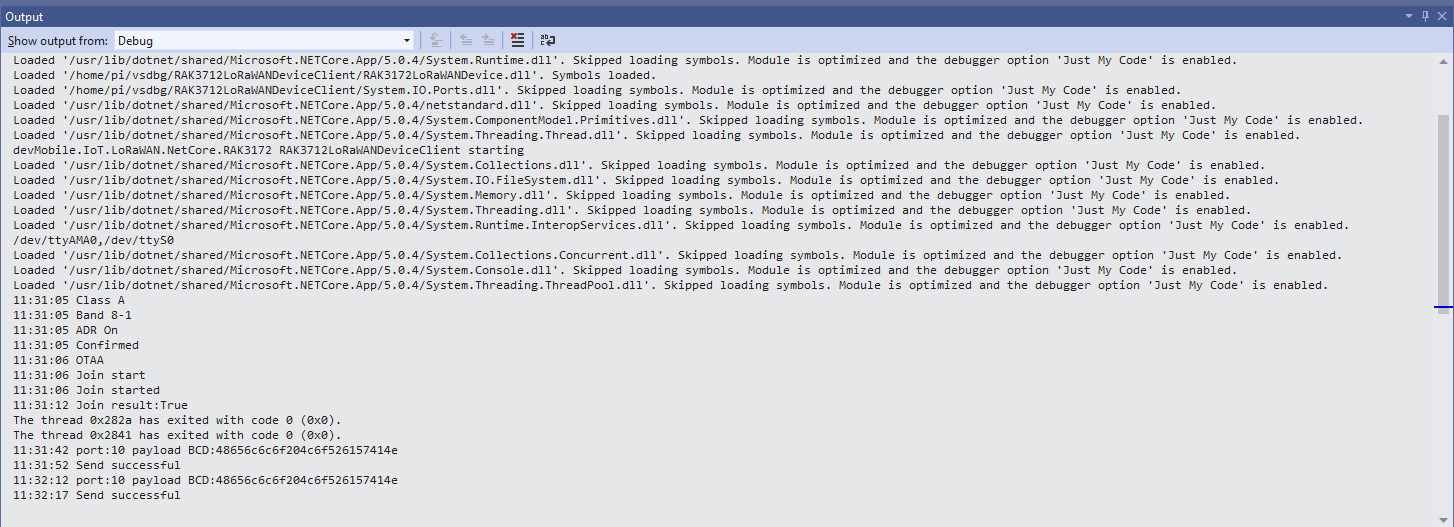
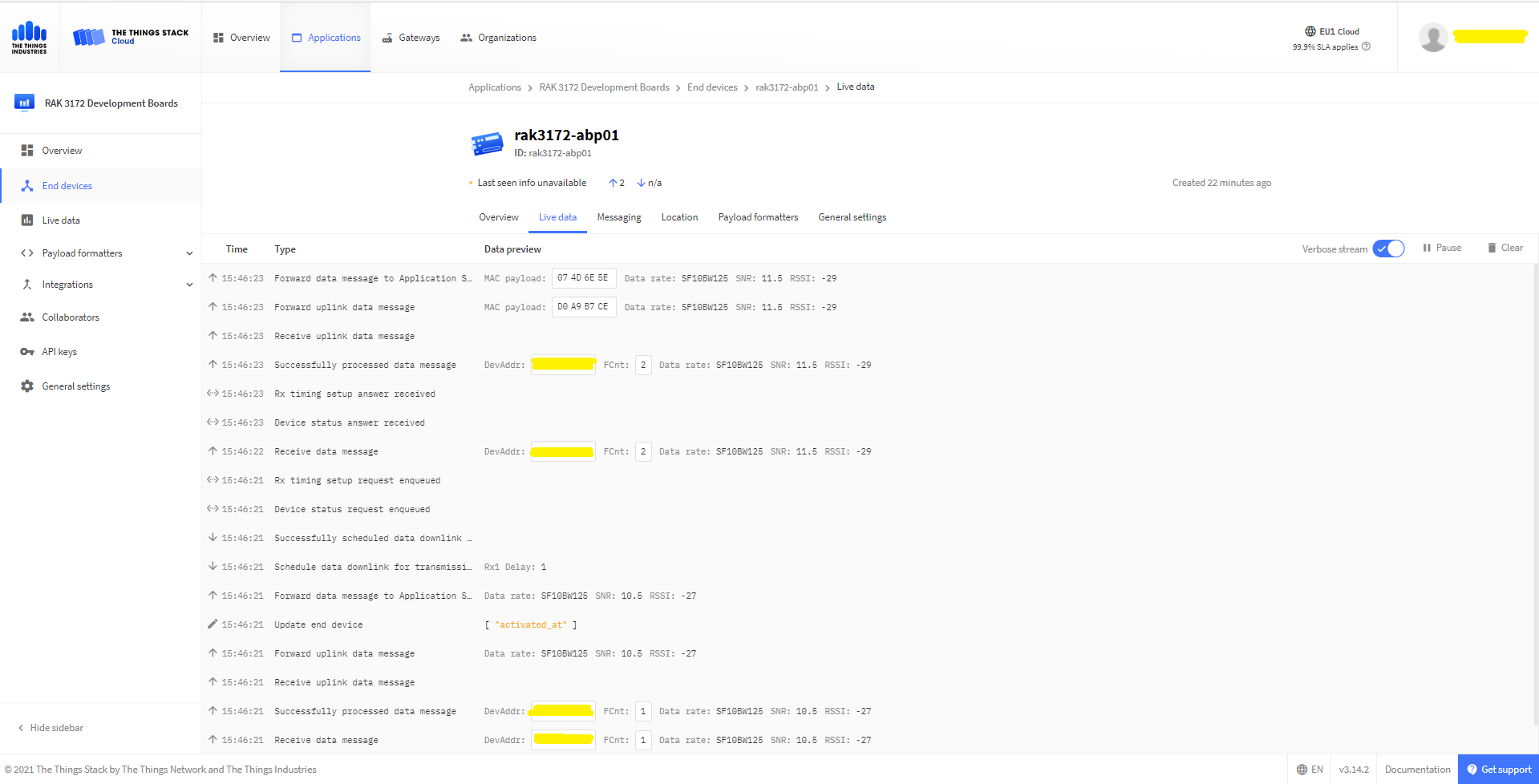
Visual Studio Displaying RAK3172 device joining network then sending messages
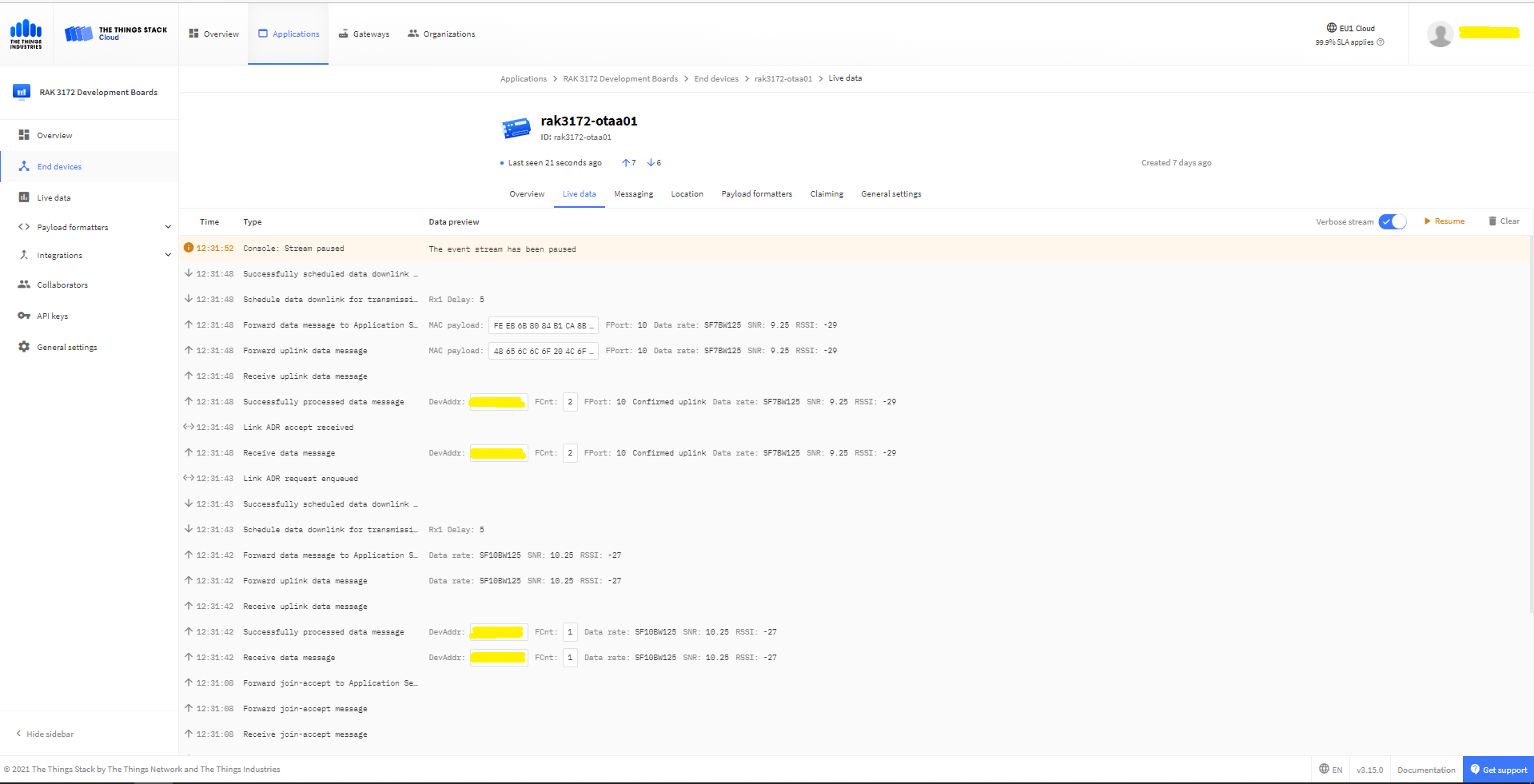
In the Visual Studio 2019 debug output I could see messages getting sent and then after a short delay they were visible in the TTN console.
TTN Displaying RAK3172 device joining network then sending messages
Raspberry Pi3 with Grove Base Hat and RAK3172 Breakout (using UART2)
My Activation By Personalisation (ABP) implementation is very “nasty” (just like the OTAA one) I have assumed that there would be no timeouts or failures and I only send one BCD message “48656c6c6f204c6f526157414e” which is “hello LoRaWAN”.
The code just sequentially steps through the necessary configuration to join the TTN network with a suitable delay after each command is sent.
//---------------------------------------------------------------------------------
// Copyright (c) September 2021, devMobile Software
//
// Licensed under the Apache License, Version 2.0 (the "License");
// you may not use this file except in compliance with the License.
// You may obtain a copy of the License at
//
//     http://www.apache.org/licenses/LICENSE-2.0
//
// Unless required by applicable law or agreed to in writing, software
// distributed under the License is distributed on an "AS IS" BASIS,
// WITHOUT WARRANTIES OR CONDITIONS OF ANY KIND, either express or implied.
// See the License for the specific language governing permissions and
// limitations under the License.
//
//---------------------------------------------------------------------------------
namespace devMobile.IoT.NetCore.RAK3172.NetworkJoinABP
{
	using System;
	using System.Diagnostics;
	using System.IO.Ports;
	using System.Threading;

	public class Program
	{
		private const string SerialPortId = "/dev/ttyS0";
		private const string DevAddress = "...";
		private const string NwksKey = "...";
		private const string AppsKey = "...";
		private const byte MessagePort = 1;
		private const string Payload = "A0EEE456D02AFF4AB8BAFD58101D2A2A"; // Hello LoRaWAN

		public static void Main()
		{
			string response;

			Debug.WriteLine("devMobile.IoT.NetCore.Rak3172.NetworkJoinOTAA starting");

			Debug.WriteLine(String.Join(",", SerialPort.GetPortNames()));

			try
			{
				using (SerialPort serialPort = new SerialPort(SerialPortId))
				{
					// set parameters
					serialPort.BaudRate = 9600;
					serialPort.DataBits = 8;
					serialPort.Parity = Parity.None;
					serialPort.StopBits = StopBits.One;
					serialPort.Handshake = Handshake.None;

					serialPort.ReadTimeout = 5000;

					serialPort.NewLine = "\r\n";

					serialPort.Open();

					// clear out the RX buffer
					response = serialPort.ReadExisting();
					Debug.WriteLine($"RX :{response.Trim()} bytes:{response.Length}");
					Thread.Sleep(500);

					// Set the Working mode to LoRaWAN
					Console.WriteLine("Set Work mode");
					serialPort.WriteLine("AT+NWM=1");
					// Read the blank line
					response = serialPort.ReadLine();
					// Read the response
					response = serialPort.ReadLine();
					Debug.WriteLine($"RX :{response.Trim()} bytes:{response.Length}");

					// Set the Region to AS923
					Console.WriteLine("Set Region");
					serialPort.WriteLine("AT+BAND=8-1");
					// Read the blank line
					response = serialPort.ReadLine();
					// Read the response
					response = serialPort.ReadLine();
					Debug.WriteLine($"RX :{response.Trim()} bytes:{response.Length}");

					// Set the JoinMode
					Console.WriteLine("Set Join mode");
					serialPort.WriteLine("AT+NJM=0");
					// Read the blank line
					response = serialPort.ReadLine();
					// Read the response
					response = serialPort.ReadLine();
					Debug.WriteLine($"RX :{response.Trim()} bytes:{response.Length}");

					// Set the device address
					Console.WriteLine("Set Device Address");
					serialPort.WriteLine($"AT+DEVADDR={DevAddress}");
					// Read the blank line
					response = serialPort.ReadLine();
					// Read the response
					response = serialPort.ReadLine();
					Debug.WriteLine($"RX :{response.Trim()} bytes:{response.Length}");

					// Set the network session key
					Console.WriteLine("Set Network Session Key");
					serialPort.WriteLine($"AT+NWKSKEY={NwksKey}");
					// Read the blank line
					response = serialPort.ReadLine();
					// Read the response
					response = serialPort.ReadLine();
					Debug.WriteLine($"RX :{response.Trim()} bytes:{response.Length}");

					// Set the application session key
					Console.WriteLine("Set application Session Key");
					serialPort.WriteLine($"AT+APPSKEY={AppsKey}");
					// Read the blank line
					response = serialPort.ReadLine();
					// Read the response
					response = serialPort.ReadLine();
					Debug.WriteLine($"RX :{response.Trim()} bytes:{response.Length}");

					// Set the Confirm flag
					Console.WriteLine("Set Confirm off");
					serialPort.WriteLine("AT+CFM=0");
					// Read the blank line
					response = serialPort.ReadLine();
					// Read the response
					response = serialPort.ReadLine();
					Debug.WriteLine($"RX :{response.Trim()} bytes:{response.Length}");

					// Join the network
					Console.WriteLine("Start Join");
					serialPort.WriteLine("AT+JOIN=1:0:10:2");

					// Read the blank line
					response = serialPort.ReadLine();

					// Read the Result
					response = serialPort.ReadLine();
					Debug.WriteLine($"RX :{response.Trim()} bytes:{response.Length}");

					Thread.Sleep(10000);

					// Read the +EVT:JOINED
					response = serialPort.ReadLine();
					Debug.WriteLine($"RX :{response.Trim()} bytes:{response.Length}");

					while (true)
					{
						Console.WriteLine("Sending");
						serialPort.WriteLine($"AT+SEND={MessagePort}:{Payload}");

						// Read the blank line
						response = serialPort.ReadLine();

						// Read the result
						Console.WriteLine("Send result");
						response = serialPort.ReadLine();
						Debug.WriteLine($"RX :{response.Trim()} bytes:{response.Length}");

						Thread.Sleep(300000);
					}
				}
			}
			catch (Exception ex)
			{
				Debug.WriteLine(ex.Message);
			}
		}
	}
}
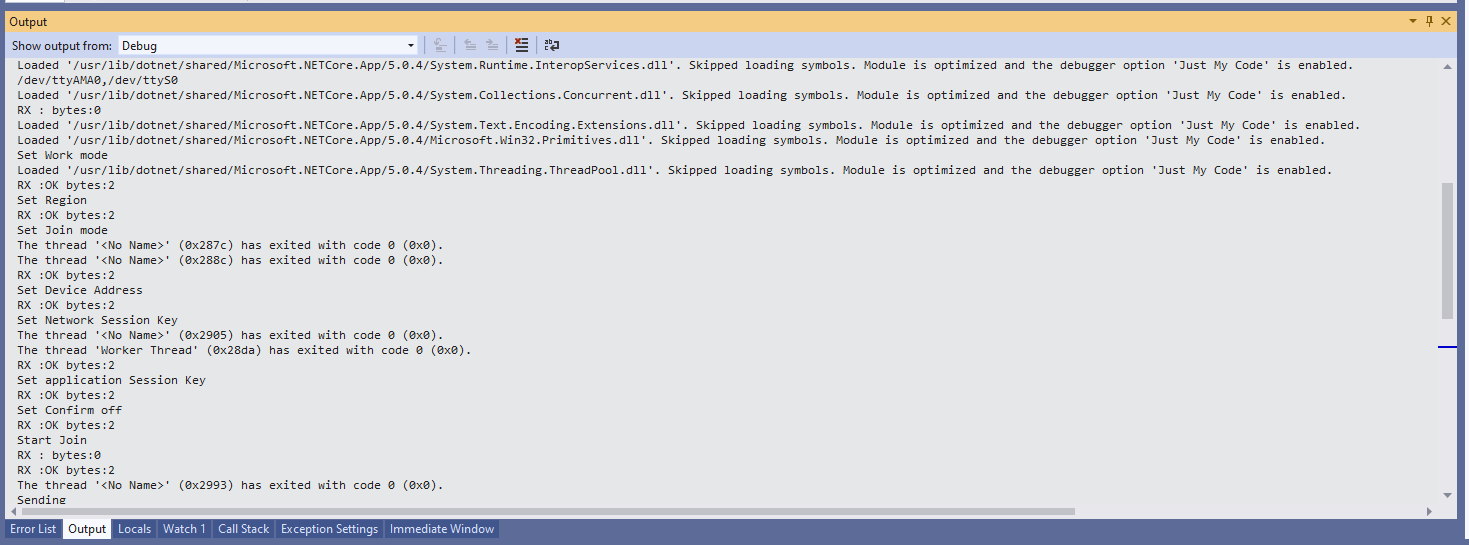
The code is not suitable for production but it confirmed my software and hardware configuration worked.
In the Visual Studio 2019 debug output I could see messages getting sent and then after a short delay they were visible in the TTN console.
The RAK3172 command format is quite different from other modules I have used e.g. Requesting the firmware version information
TX- AT+VER=?
RX- Blank Line
RX- V1.0.2
RX- OK
Requesting the APPEUI
TX- AT+DEVADDR=?
RX- 11223344
RX- Blank line
RX- OK
I think the RAK3172 module ships with a default DEVEUI so in this code and my library I have assumed it will be configured as part of a “provisioning” process.








 devMobile's blog