Random wanderings through Microsoft Azure esp. PaaS plumbing, the IoT bits, AI on Micro controllers, AI on Edge Devices, .NET nanoFramework, .NET Core on *nix and ML.NET+ONNX
The next step was to enumerate all the EndDevices of a The Things Network(TTN) Application and display their attributes. I have to establish an Azure DeviceClient connection to an Azure IoT Hub for each TTN EndDevice to get downlink messages. To do this I will have to enumerate the TTN Applications in the instance then enumerate the LoRaWAN EndDevices.
using (HttpClient httpClient = new HttpClient())
{
	EndDeviceRegistryClient endDeviceRegistryClient = new EndDeviceRegistryClient(baseUrl, httpClient)
	{
		ApiKey = apiKey
	};

	try
	{
#if FIELDS_MINIMUM
		string[] fieldMaskPathsDevice = { "attributes" }; // think this is the bare minimum required for integration
#else
		string[] fieldMaskPathsDevice = { "name", "description", "attributes" };
#endif
		V3EndDevices endDevices = await endDeviceRegistryClient.ListAsync(applicationID, field_mask_paths:fieldMaskPathsDevice);
		if ((endDevices != null) && (endDevices.End_devices != null)) // If there are no devices returns null rather than empty list
		{
			foreach (V3EndDevice endDevice in endDevices.End_devices)
			{
#if FIELDS_MINIMUM
				Console.WriteLine($"EndDevice ID:{endDevice.Ids.Device_id}");
#else
				Console.WriteLine($"Device ID:{endDevice.Ids.Device_id} Name:{endDevice.Name} Description:{endDevice.Description}");
				Console.WriteLine($"  CreatedAt: {endDevice.Created_at:dd-MM-yy HH:mm:ss} UpdatedAt: {endDevice.Updated_at:dd-MM-yy HH:mm:ss}");
#endif
				if (endDevice.Attributes != null)
				{
					Console.WriteLine("  EndDevice attributes");

					foreach (KeyValuePair<string, string> attribute in endDevice.Attributes)
					{
						Console.WriteLine($"    Key: {attribute.Key} Value: {attribute.Value}");
					}
				}
				Console.WriteLine();
			}
		}
	}
	catch (Exception ex)
	{
		Console.WriteLine(ex.Message);
	}

	Console.WriteLine("Press <enter> to exit");
	Console.ReadLine();
}
Like the applicationRegistryClient.ListAsync call the endDeviceRegistryClient.ListAsync also returns null rather than an empty list.
The next step was to enumerate The Things Network(TTN) Applications so I could connect only to the required Azure IoT hub(s). There would also be a single configuration setting for the client (establish a connection for every TTN application, or don’t establish a connection for any) and this could be overridden with a TTN application attribute
long pageSize = long.Parse(args[3]);
Console.WriteLine($"Page size: {pageSize}");

Console.WriteLine();

using (HttpClient httpClient = new HttpClient())
{
	ApplicationRegistryClient applicationRegistryClient = new ApplicationRegistryClient(baseUrl, httpClient)
	{
		ApiKey = apiKey
	};

	try
	{
		int page = 1;

		string[] fieldMaskPathsApplication = { "attributes" }; // think this is the bare minimum required for integration

		V3Applications applications = await applicationRegistryClient.ListAsync(collaborator, field_mask_paths: fieldMaskPathsApplication, limit: pageSize, page: page);
		while ((applications != null) && (applications.Applications != null))
		{
			Console.WriteLine($"Applications:{applications.Applications.Count} Page:{page} Page size:{pageSize}");
			foreach (V3Application application in applications.Applications)
			{
				bool applicationIntegration = ApplicationAzureintegrationDefault;

				Console.WriteLine($"Application ID:{application.Ids.Application_id}");
				if (application.Attributes != null)
				{
					string ApplicationAzureIntegrationValue = string.Empty;
					if (application.Attributes.TryGetValue(ApplicationAzureIntegrationField, out ApplicationAzureIntegrationValue))
					{
						bool.TryParse(ApplicationAzureIntegrationValue, out applicationIntegration);
					}

					if (applicationIntegration)
					{
						Console.WriteLine("  Application attributes");

						foreach (KeyValuePair<string, string> attribute in application.Attributes)
						{
							Console.WriteLine($"   Key: {attribute.Key} Value: {attribute.Value}");
						}
					}
				}
				Console.WriteLine();
			}
			page += 1;
			applications = await applicationRegistryClient.ListAsync(collaborator, field_mask_paths: fieldMaskPathsApplication, limit: pageSize, page: page);
		};
	}
	catch (Exception ex)
	{
		Console.WriteLine(ex.Message);
	}

	Console.WriteLine("Press <enter> to exit");
	Console.ReadLine();
}
I Used the field_mask_paths parameter (don’t need created_at, updated_at, name etc.) to minimise the data returned to my client.
I was hoping that there would be a away to further “shape” the returned data, but in the NSwag generated code the construction of the URL with field_mask_paths, order, limit, and page parameters meant this appears not to be possible.
For each LoraWAN client I have to have an open connection to the Azure IoT hub to get Cloud to Device (C2D) messages so I’m looking at using connection pooling to reduce the overall number of connections.
I think the Azure ClientDevice library supports up to 995 devices per connection and has quiet a lot of additional functionality.
/// <summary>
/// contains Amqp Connection Pool settings for DeviceClient
/// </summary>
public sealed class AmqpConnectionPoolSettings
{
   private static readonly TimeSpan s_defaultConnectionIdleTimeout = TimeSpan.FromMinutes(2);
    private uint _maxPoolSize;
    internal const uint MaxDevicesPerConnection = 995; // IotHub allows upto 999 tokens per connection. Setting the threshold just below that.

    /// <summary>
    /// The default size of the pool
    /// </summary>
    /// <remarks>
    /// Allows up to 100,000 devices
    /// </remarks>
    private const uint DefaultPoolSize = 100;

    /// <summary>
    /// The maximum value that can be used for the MaxPoolSize property
    /// </summary>
     public const uint AbsoluteMaxPoolSize = ushort.MaxValue;

    /// <summary>
    /// Creates an instance of AmqpConnecitonPoolSettings with default properties
    /// </summary>
    public AmqpConnectionPoolSettings()
    {
       _maxPoolSize = DefaultPoolSize;
       Pooling = false;
    }
Whereas I think AMQPNetLite may support more, but will require me to implement more of the Azure IoT client interface
/// <summary>
/// The default maximum frame size used by the library.
/// </summary>
public const uint DefaultMaxFrameSize = 64 * 1024;
internal const ushort DefaultMaxConcurrentChannels = 8 * 1024;
internal const uint DefaultMaxLinkHandles = 256 * 1024;
internal const uint DefaultHeartBeatInterval = 90000;
internal const uint MinimumHeartBeatIntervalMs = 5 * 1000;
I have got todo some more research to see which library is easier/requires more code/complex/scales better.
After reviewing the initial implementation I found I had to have one connection per The Things Network(TTN) device. Todo this I first have to enumerate the LoRaWAN Devices for each Application in my instance. First I had to add the TTN APIKey to the application and device registry requests.
namespace devMobile.TheThingsNetwork.API
{
	public partial class EndDeviceRegistryClient
	{
		public string ApiKey { set; get; }

		partial void PrepareRequest(System.Net.Http.HttpClient client, System.Net.Http.HttpRequestMessage request, string url)
		{
			if (!client.DefaultRequestHeaders.Contains("Authorization"))
			{
				client.DefaultRequestHeaders.Add("Authorization", $"Bearer {ApiKey}");
			}
		}
	}

	public partial class ApplicationRegistryClient
	{
		public string ApiKey { set; get; }

		partial void PrepareRequest(System.Net.Http.HttpClient client, System.Net.Http.HttpRequestMessage request, string url)
		{
			if (!client.DefaultRequestHeaders.Contains("Authorization"))
			{
				client.DefaultRequestHeaders.Add("Authorization", $"Bearer {ApiKey}");
			}
		}
	}
}
The first step was to enumerate Applications and their attributes
#if FIELDS_MINIMUM
	string[] fieldMaskPathsApplication = { "attributes" }; // think this is the bare minimum required for integration
#else
	string[] fieldMaskPathsApplication = { "name", "description", "attributes" };
#endif

	V3Applications applications = await applicationRegistryClient.ListAsync(collaborator, field_mask_paths: fieldMaskPathsApplication);
	if ((applications != null) && (applications.Applications != null)) // If there are no applications returns null rather than empty list
	{
		foreach (V3Application application in applications.Applications)
		{
#if FIELDS_MINIMUM
			Console.WriteLine($"Application ID:{application.Ids.Application_id}");
#else
			Console.WriteLine($"Application ID:{application.Ids.Application_id} Name:{application.Name} Description:{application.Description}");
			Console.WriteLine($"  CreatedAt: {application.Created_at:dd-MM-yy HH:mm:ss} UpdatedAt: {application.Updated_at:dd-MM-yy HH:mm:ss}");
#endif
			if (application.Attributes != null)
			{
				Console.WriteLine("  Application attributes");

				foreach (KeyValuePair<string, string> attribute in application.Attributes)
				{
					Console.WriteLine($"    Key: {attribute.Key} Value: {attribute.Value}");
				}
			}
			Console.WriteLine();
		}
	}
}
The applicationRegistryClient.ListAsync call returns null rather than an empty list which tripped me up. I only found this when I deleted all the applications in my instance and started from scratch.
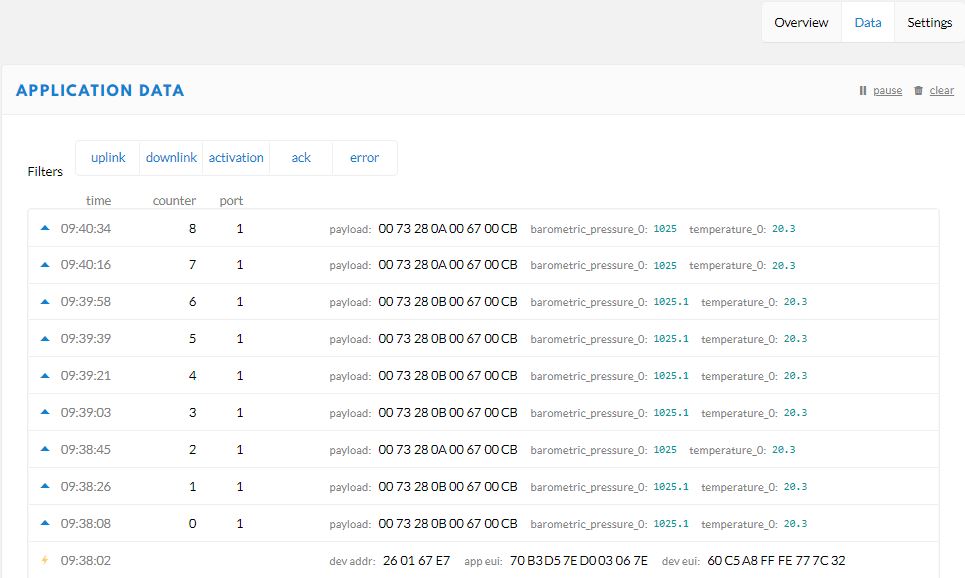
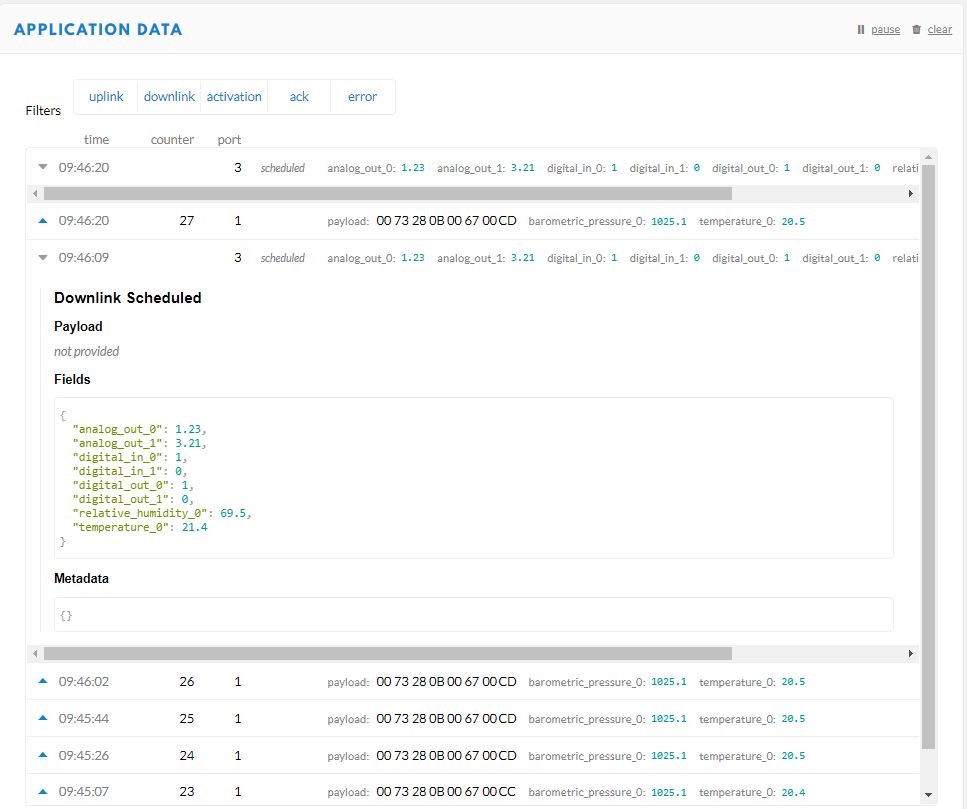
In my applications the Low power payload(LPP) uplink messages from my *duino devices are decoded by the built in The Things Network(TTN) decoder. I can also see the nicely formatted values in the device data view.
Downlink Encoding
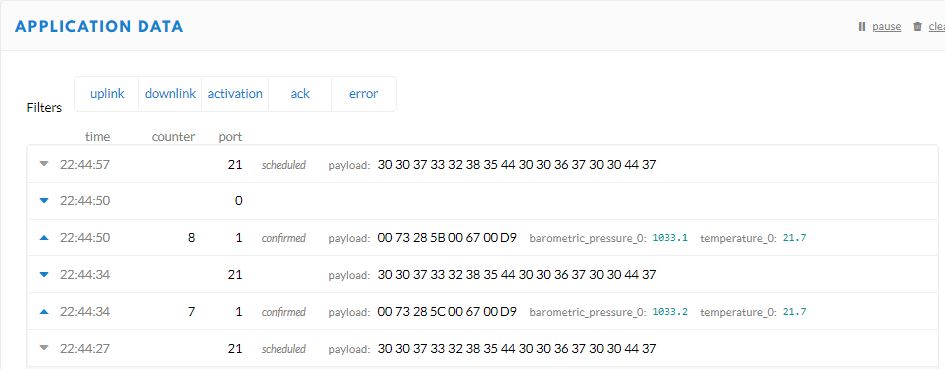
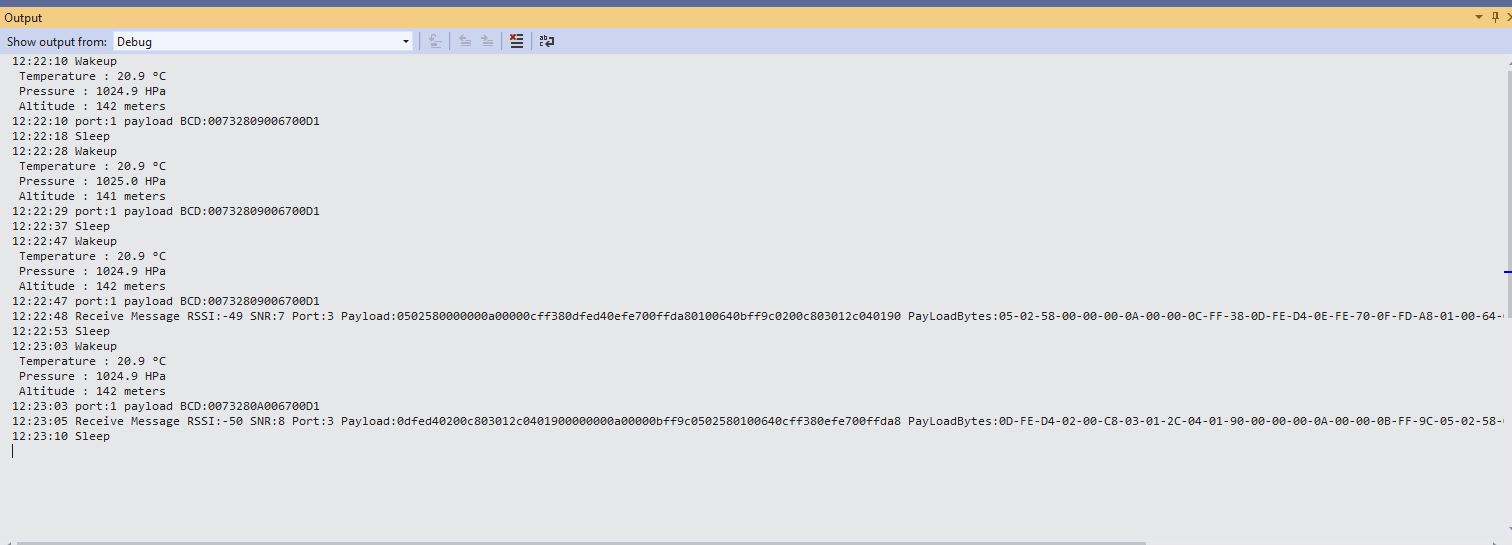
I could successfully download raw data to the device but I found that manually unpacking it on the device was painful.
Raw data
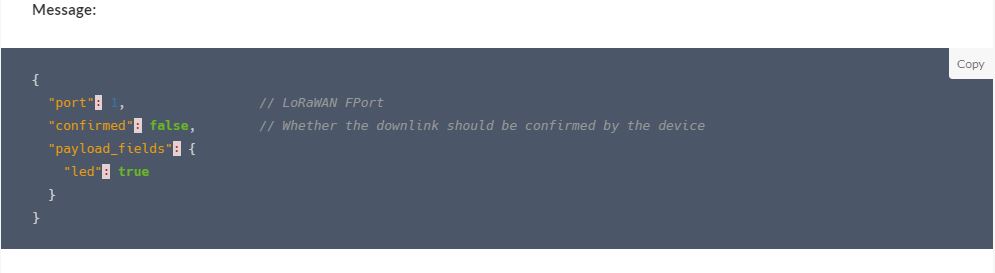
I really want to send LPP formatted messages to my devices so I could use a standard LPP library. I initially populated the payload fields in the downlink message JSON. The TTN documentation appeared to indicate this was possible.
Download JSON payload format
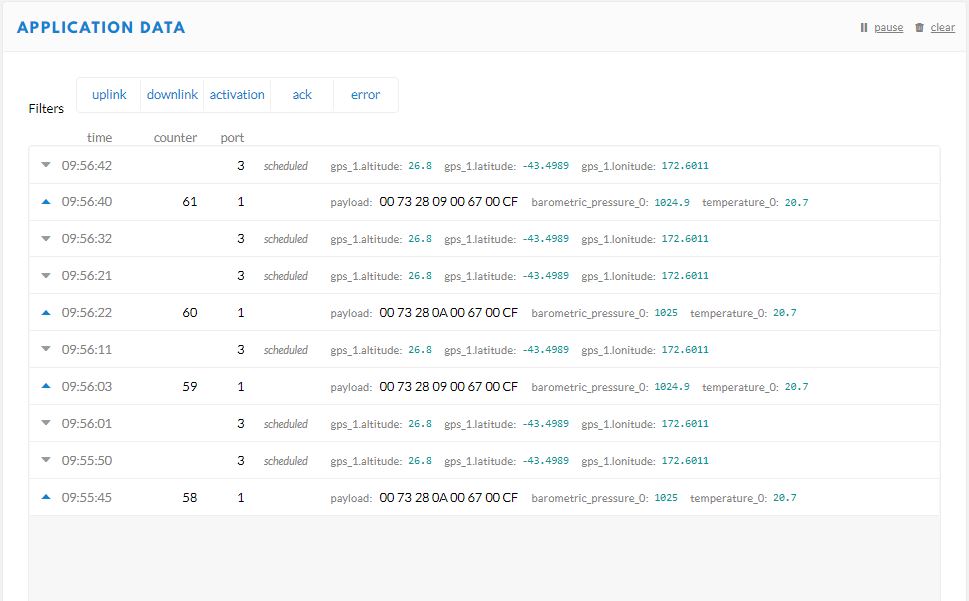
Initially I tried a more complex data type because I was looking at downloading a location to the device.
Complex data type
I could see nicely formatted values in the device data view but they didn’t arrive at the device. I then tried simpler data type to see if the complex data type was an issue.
Simple Data Types
At this point I asked a few questions on the TTN forums and started to dig into the TTN source code.
Learning Go on demand
I had a look at the TTB Go code and learnt a lot as I figured out how the “baked in “encoder/decoder worked. I haven’t done any Go coding so it took a while to get comfortable with the syntax. The code my look a bit odd as a Pascal formatter was the closest I could get to Go.
At this point I started to hit the limits of my Go skills but with some trial and error I figured it out…
Executive Summary
The downlink payload values are sent as 2 byte floats with a sign bit, 100 multiplier. The fields have to be named “value_X” where X is is a byte value.
return DeviceClient.Create(result.AssignedHub,
                  authentication,
                  new ITransportSettings[]
                  {
                     new AmqpTransportSettings(TransportType.Amqp_Tcp_Only)
                     {
                        PrefetchCount = 0,
                        AmqpConnectionPoolSettings = new AmqpConnectionPoolSettings()
                        {
                           Pooling = true,
                        }
                     }
                  }
               );
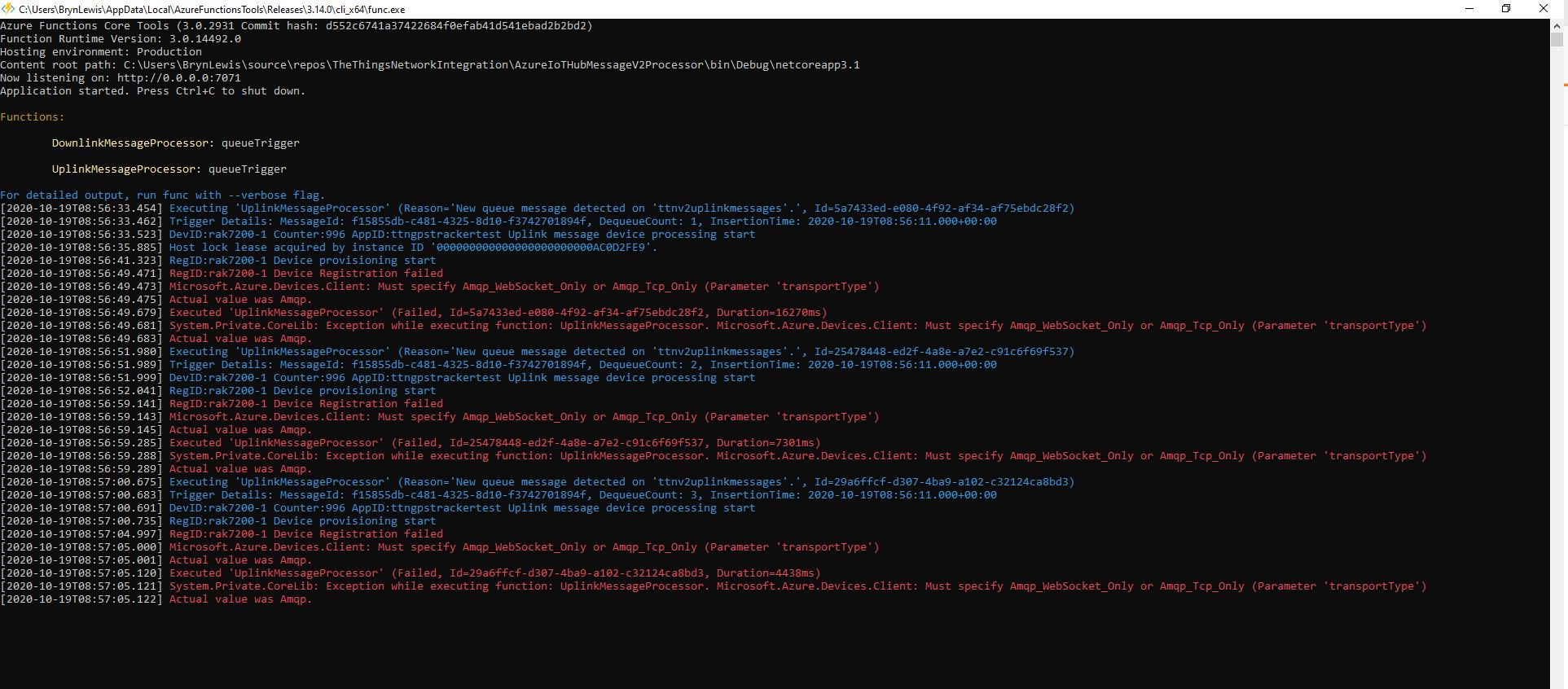
My first attempt failed as I hadn’t configured “TransportType.Amqp_Tcp_Only” which would have allowed the AMQP implementation to fallback to other protocols which don’t support pooling.
Exception caused by not using TransportType.Amqp_Tcp_Only
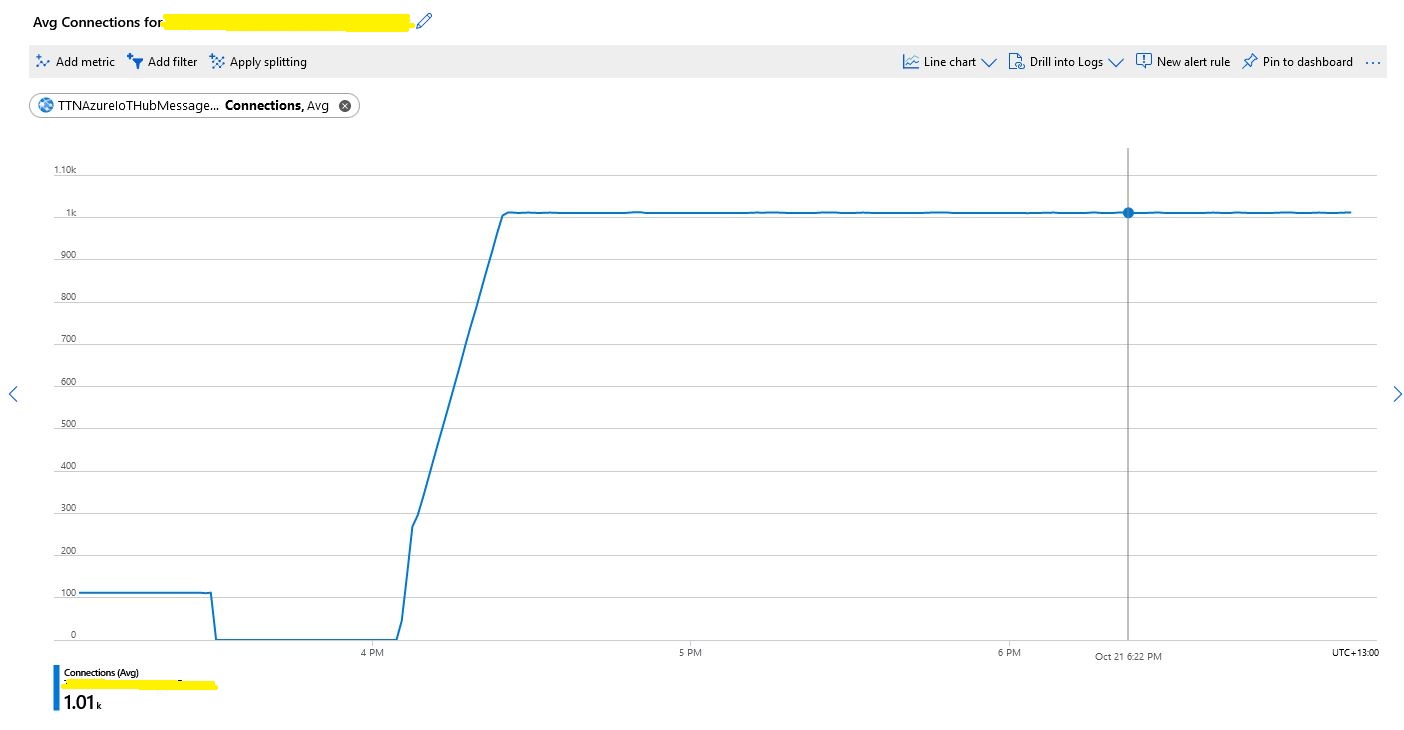
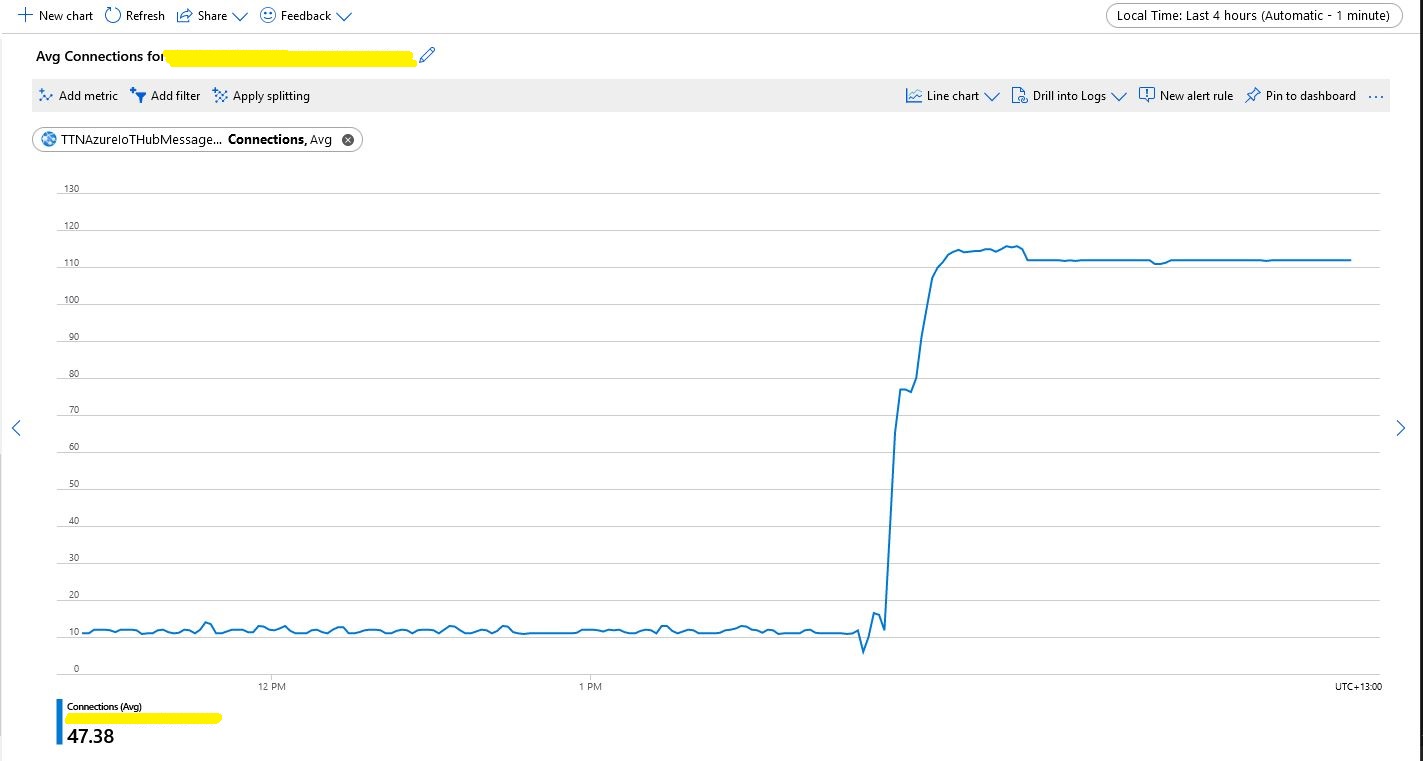
I then deployed the updated code and ran my 1000 device stress test (note the different x axis scales)
Number of connections with pooling
This confirmed what I found in the Azure.AMQP source code
/// <summary>
/// The default size of the pool
/// </summary>
/// <remarks>
/// Allows up to 100,000 devices
/// </remarks>
/// private const uint DefaultPoolSize = 100;
For a PoC the DIY cache was ok but I wanted to replace it with something more robust like the .Net ObjectCache which is in the System.Runtime.Caching namespace.
I started by replacing the ConcurrentDictionary declaration
static readonly ConcurrentDictionary<string, DeviceClient> DeviceClients = new ConcurrentDictionary<string, DeviceClient>();
Then, where there were compiler errors I updated the method call.
// See if the device has already been provisioned or is being provisioned on another thread.
if (DeviceClients.Add(registrationId, deviceContext, cacheItemPolicy))
{
   log.LogInformation("RegID:{registrationId} Device provisioning start", registrationId);
...
One difference I found was that ObjectCache throws an exception if the value is null. I was using a null value to indicate that the Device Provisioning Service(DPS) process had been initiated on another thread and was underway.
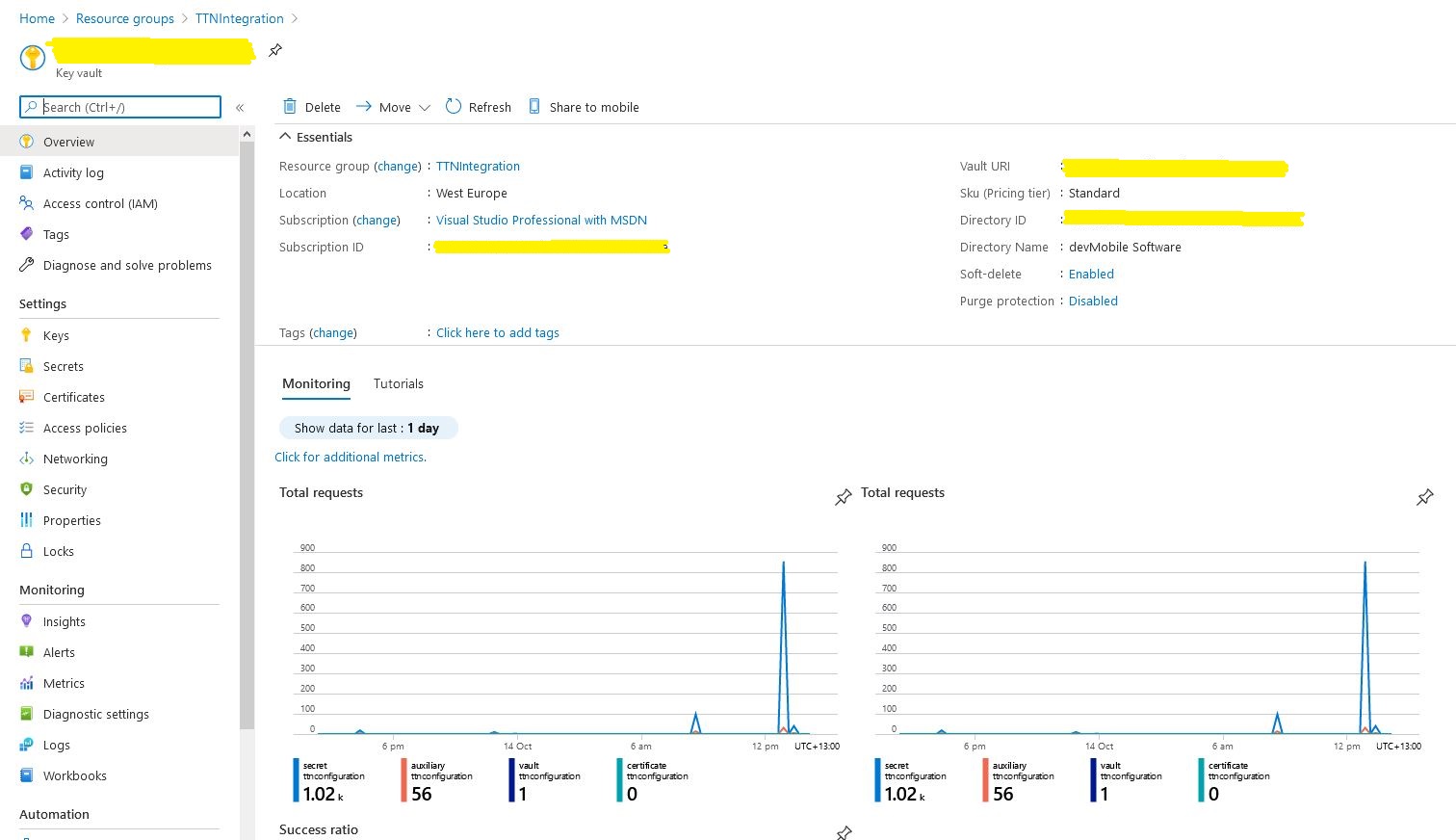
The Azure Key Vault is intended for securing sensitive information like connection strings so I added one to my resource group.
Azure Key Vault overview and basic metrics
I wrote a wrapper which resolves configuration settings based on the The Things Network(TTN) application identifier and port information in the uplink message payload. The resolve methods start by looking for configuration for the applicationId and port (separated by a – ), then the applicationId and then finally falling back to a default value. This functionality is used for AzureIoTHub connection strings, DPS IDScopes, DPS Enrollment Group Symmetric Keys, and is also used to format the cache keys.
public class ApplicationConfiguration
{
const string DpsGlobaDeviceEndpointDefault = "global.azure-devices-provisioning.net";

private IConfiguration Configuration;

public void Initialise( )
{
   // Check that KeyVault URI is configured in environment variables. Not a lot we can do if it isn't....
   if (Configuration == null)
   {
      string keyVaultUri = Environment.GetEnvironmentVariable("KeyVaultURI");
      if (string.IsNullOrWhiteSpace(keyVaultUri))
      {
         throw new ApplicationException("KeyVaultURI environment variable not set");
      }

      // Load configuration from KeyVault
      Configuration = new ConfigurationBuilder()
         .AddEnvironmentVariables()
         .AddAzureKeyVault(keyVaultUri)
         .Build();
   }
}

public string DpsGlobaDeviceEndpointResolve()
{
   string globaDeviceEndpoint = Configuration.GetSection("DPSGlobaDeviceEndpoint").Value;
   if (string.IsNullOrWhiteSpace(globaDeviceEndpoint))
   {
      globaDeviceEndpoint = DpsGlobaDeviceEndpointDefault;
   }

   return globaDeviceEndpoint;
}

public string ConnectionStringResolve(string applicationId, int port)
{
   // Check to see if there is application + port specific configuration
   string connectionString = Configuration.GetSection($"AzureIotHubConnectionString-{applicationId}-{port}").Value;
   if (!string.IsNullOrWhiteSpace(connectionString))
   {
      return connectionString;
   }

   // Check to see if there is application specific configuration, otherwise run with default
   connectionString = Configuration.GetSection($"AzureIotHubConnectionString-{applicationId}").Value;
   if (!string.IsNullOrWhiteSpace(connectionString))
   {
      return connectionString;
   }

   // get the default as not a specialised configuration
   connectionString = Configuration.GetSection("AzureIotHubConnectionStringDefault").Value;

   return connectionString;
}

public string DpsIdScopeResolve(string applicationId, int port)
{
   // Check to see if there is application + port specific configuration
   string idScope = Configuration.GetSection($"DPSIDScope-{applicationId}-{port}").Value;
   if (!string.IsNullOrWhiteSpace(idScope))
   {
      return idScope;
   }

   // Check to see if there is application specific configuration, otherwise run with default
   idScope = Configuration.GetSection($"DPSIDScope-{applicationId}").Value;
   if (!string.IsNullOrWhiteSpace(idScope))
   {
      return idScope;
   }

   // get the default as not a specialised configuration
   idScope = Configuration.GetSection("DPSIDScopeDefault").Value;

   if (string.IsNullOrWhiteSpace(idScope))
   {
      throw new ApplicationException($"DPSIDScope configuration invalid");
   }

   return idScope;
}
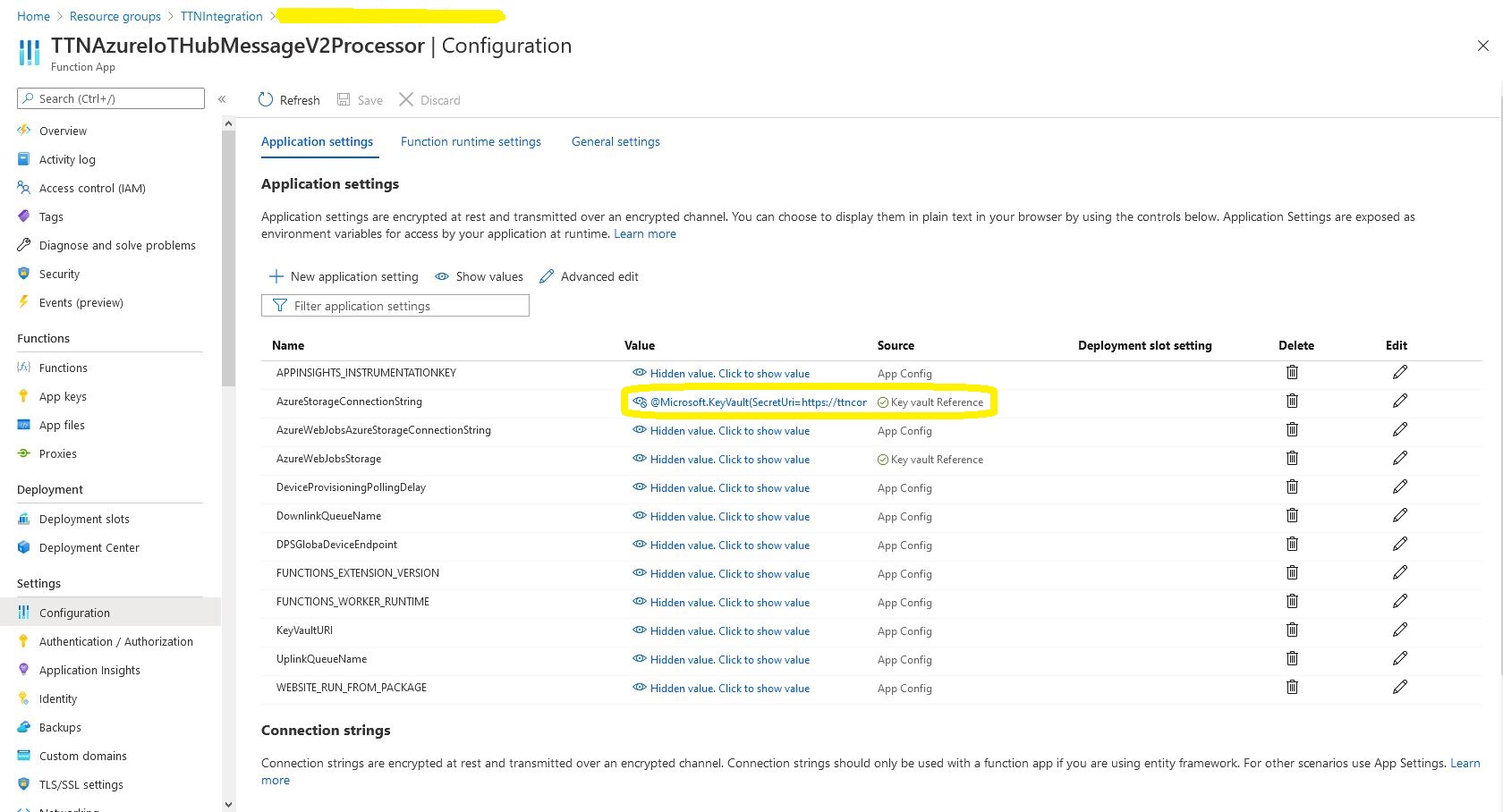
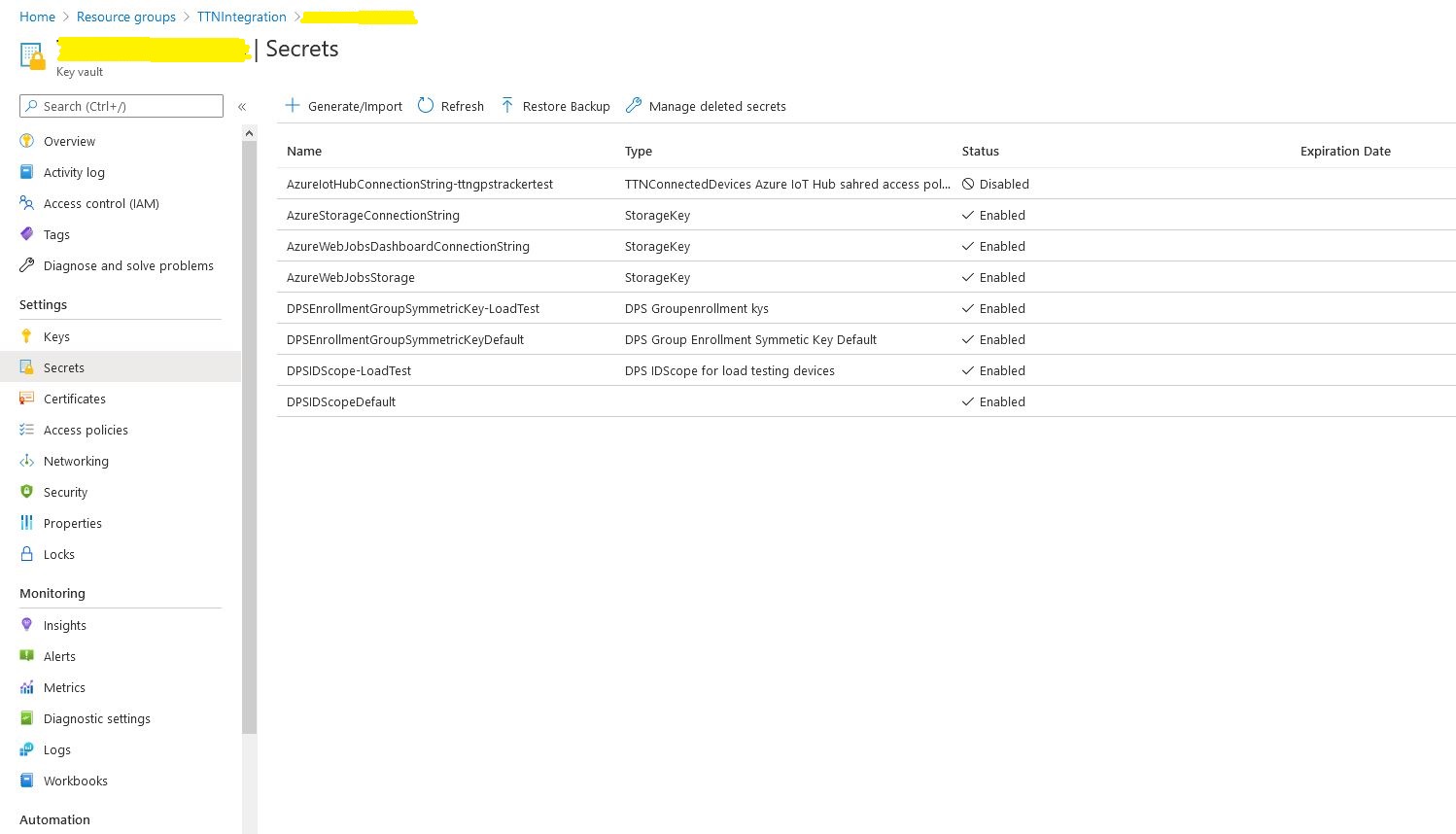
In the Azure Key Vault “Access Policies” I configured an “Application Access Policy” so my Azure TTNAzureIoTHubMessageV2Processor function identity could retrieve secrets.
Azure Key Vault Secrets
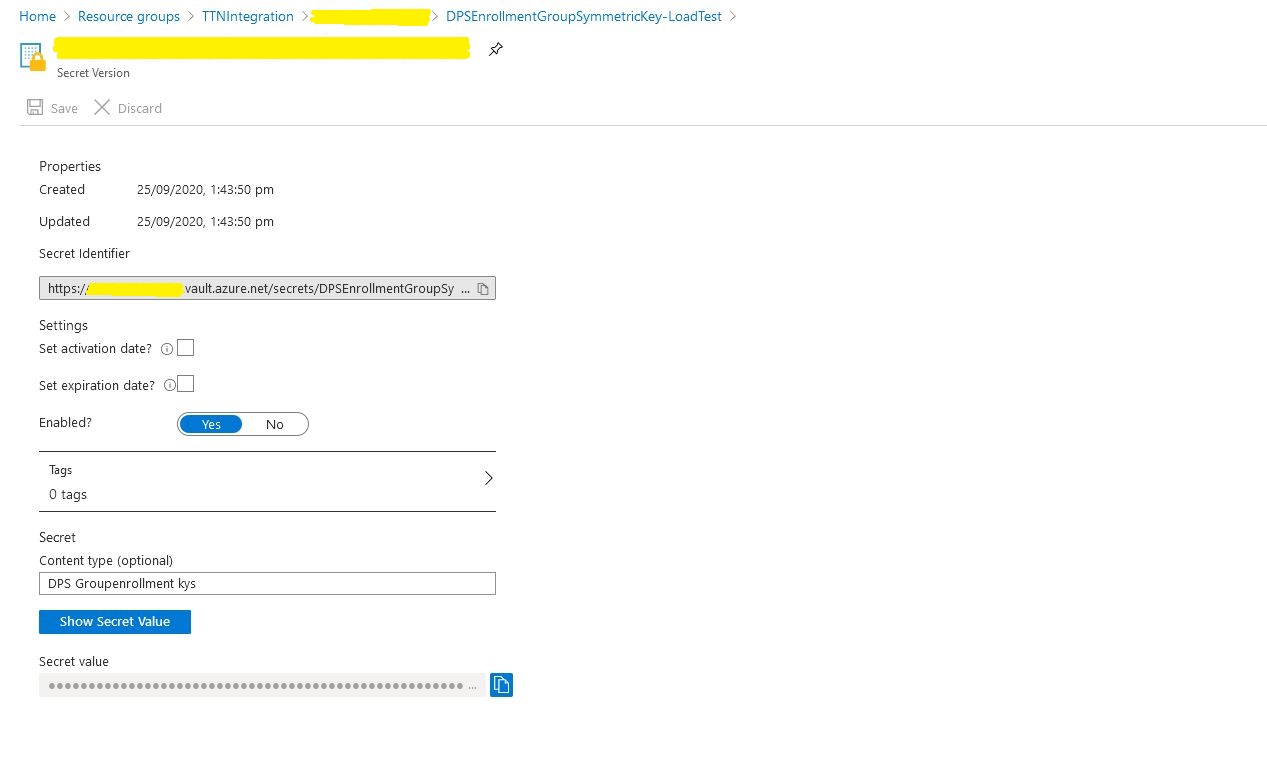
I kept on making typos in the secret names and types which was frustrating.
Azure Key Vault secret
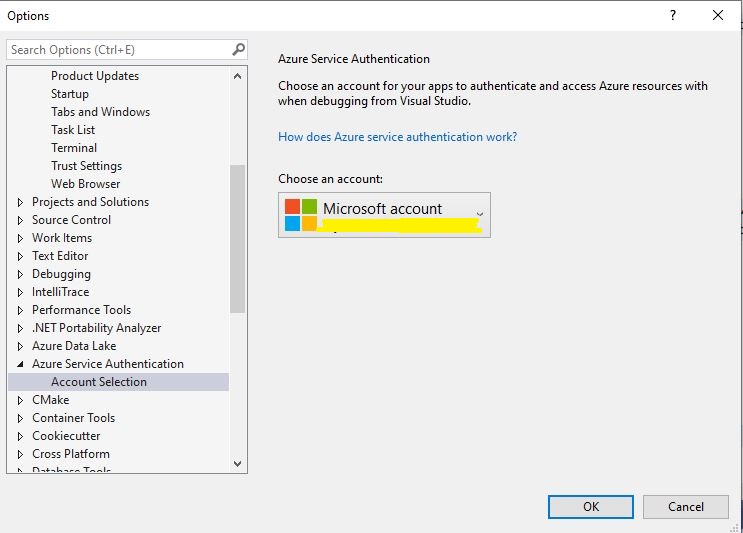
While debugging in Visual Studio you may need to configure the Azure Identity so the application can access the Azure Key Vault.
Reducing the size of message payloads is important for LoRa/LoRaWAN communications, as it reduces power consumption and bandwidth usage. One of the more common formats is Low Power Payload(LPP) which is based on the IPSO Alliance Smart Objects Guidelines and is natively supported by The Things Network(TTN).
My implementation was “inspired” by some C/C++ sample code. The first step was to allocate a buffer to store the byte encoded values. I pre allocated the buffer to try and reduce the impacts of garbage collection. The code uses a manually incremented index into the buffer for performance reasons, plus the inconsistent support of System.Collections.Generic and Language Integrated Query(LINQ) on my three embedded platforms. The maximum length message that can be sent is limited by coding rate, duty cycle and bandwidth of the LoRa channel.
public Encoder(byte bufferSize)
{
   if ((bufferSize < BufferSizeMinimum) || ( bufferSize > BufferSizeMaximum))
   {
      throw new ArgumentException($"BufferSize must be between {BufferSizeMinimum} and {BufferSizeMaximum}", "bufferSize");
   }

   buffer = new byte[bufferSize];
}
For a simple data types like a digital input a single byte (True or False ) is used. The channel parameter is included so that multiple values of the same data type can be included in a message.
public void DigitalInputAdd(byte channel, bool value)
{
   if ((index + DigitalInputSize) > buffer.Length)
   {
     throw new ApplicationException("DigitalInputAdd insufficent buffer capacity");
   }

   buffer[index++] = channel;
   buffer[index++] = (byte)DataType.DigitalInput;
   // I know this is fugly but it works on all platforms
   if (value)
   {
      buffer[index++] = 1;
   }
   else
   {
      buffer[index++] = 0;
   }
}
For more complex data types like a Global Positioning System(GPS) location (Latitude, Longitude and Altitude) the values are converted to 32bit signed integers and only 3 of the 4 bytes are used.
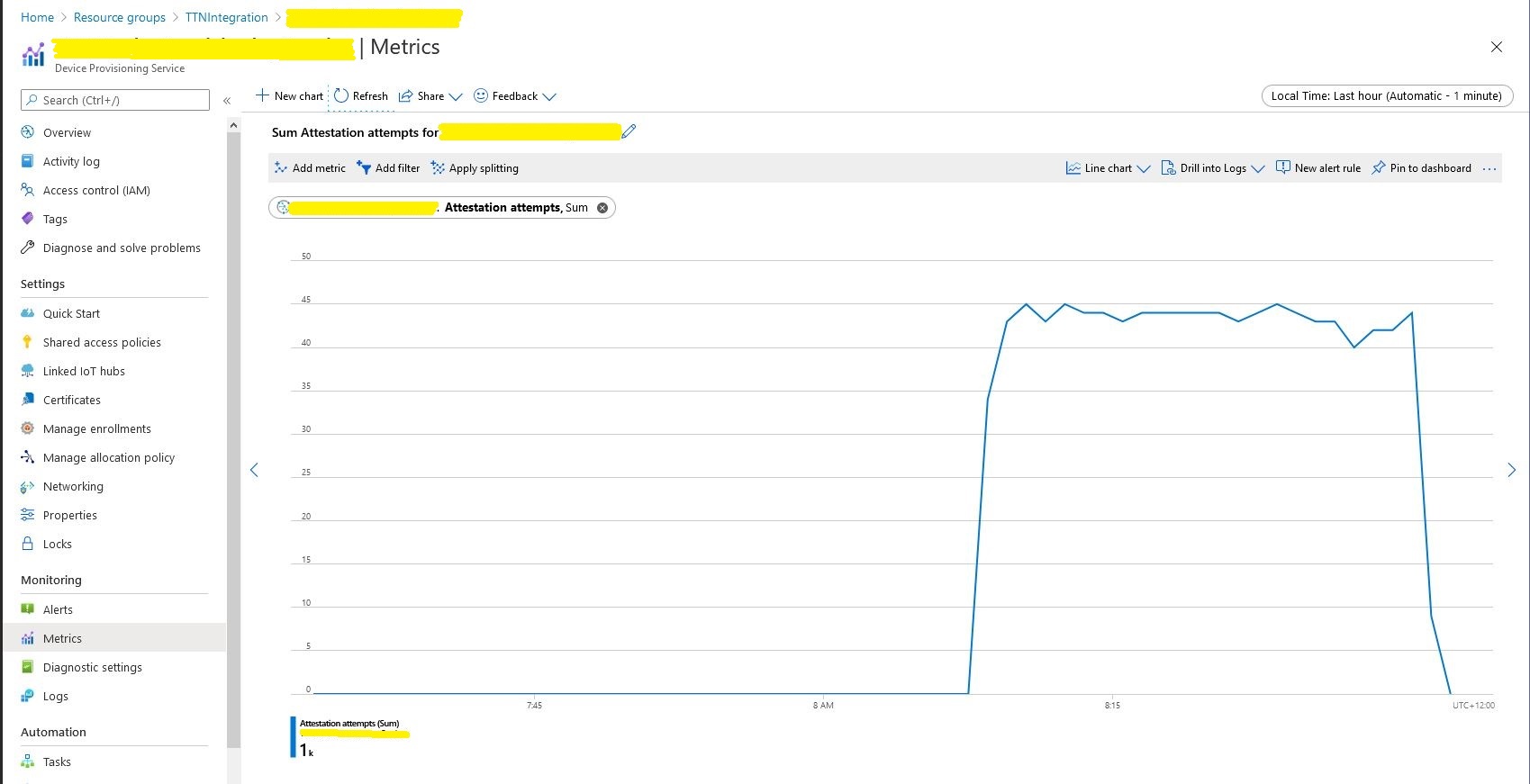
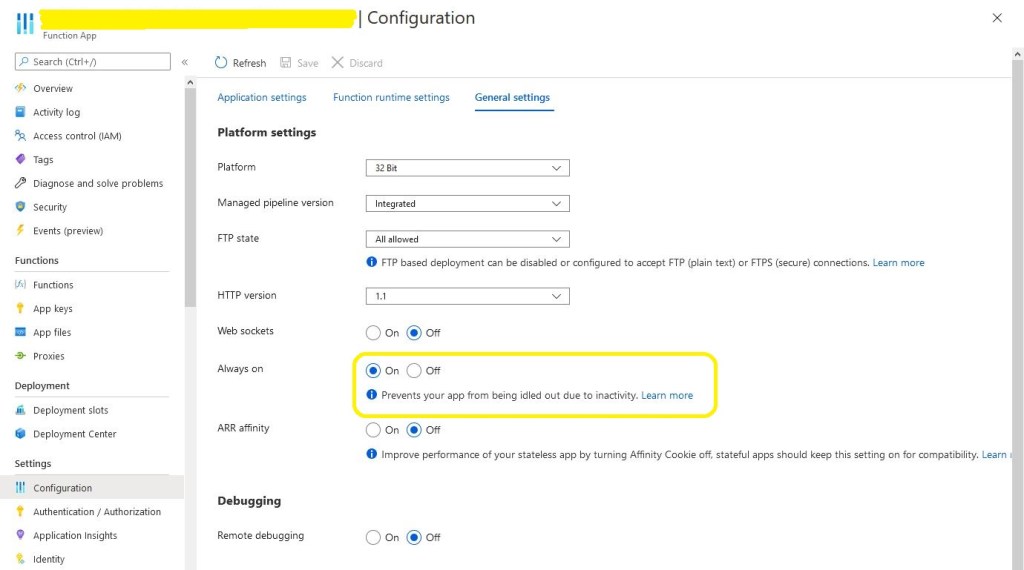
The next “learning” was that if you forget to enable “always on” the caching won’t work and your application will call the DPS way more often than expected.
Azure Application “always on configuration
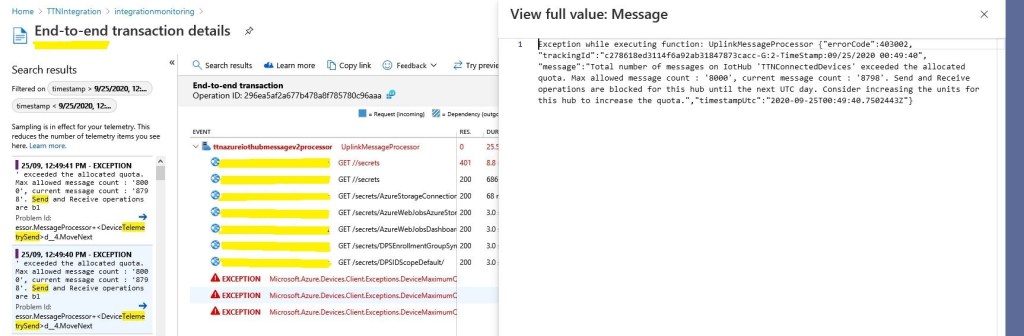
The next “learning” was if your soak test sends 24000 messages it will start to fail just after you go out to get a coffee because of the 8000 msgs/day limit on the free version of IoT Hub.
Azure IoT Hub Free tier 8000 messages/day limit
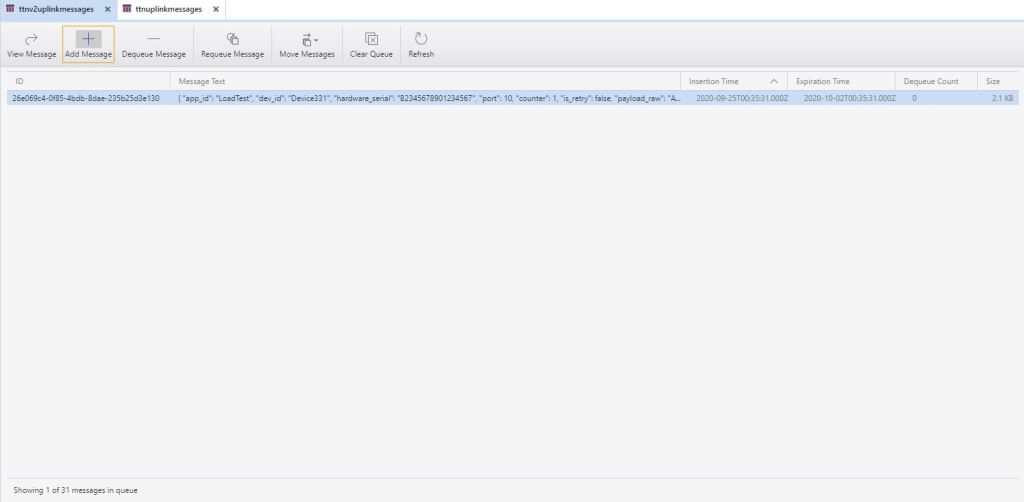
After these “learnings” the application appeared to be working and every so often a message would briefly appear in Azure Storage Explorer queue view.
Azure storage explorer view of uplink messages queue
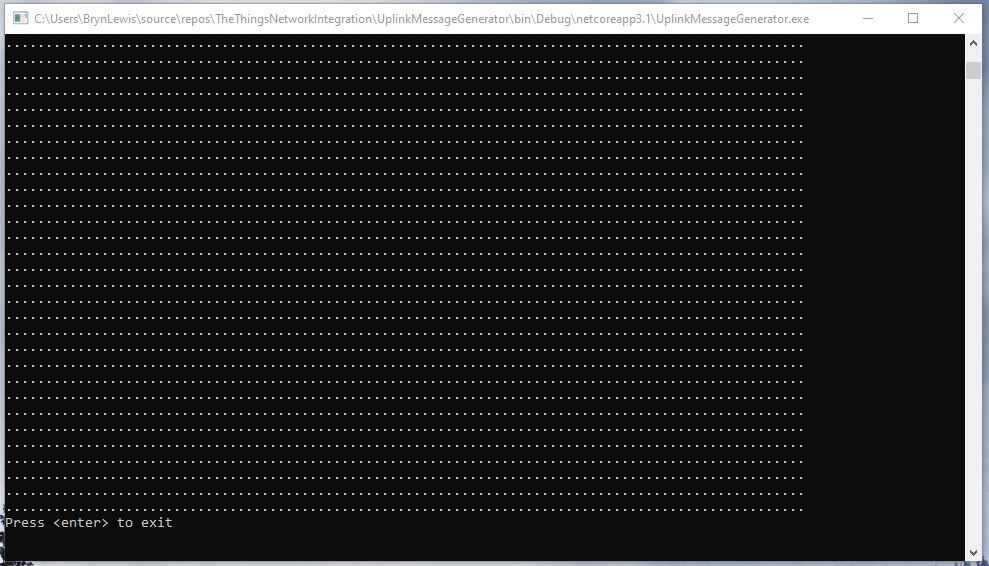
The console test application simulated 1000 devices sending 24 messages every so often and took roughly 8 hours to complete.
Message generator finished
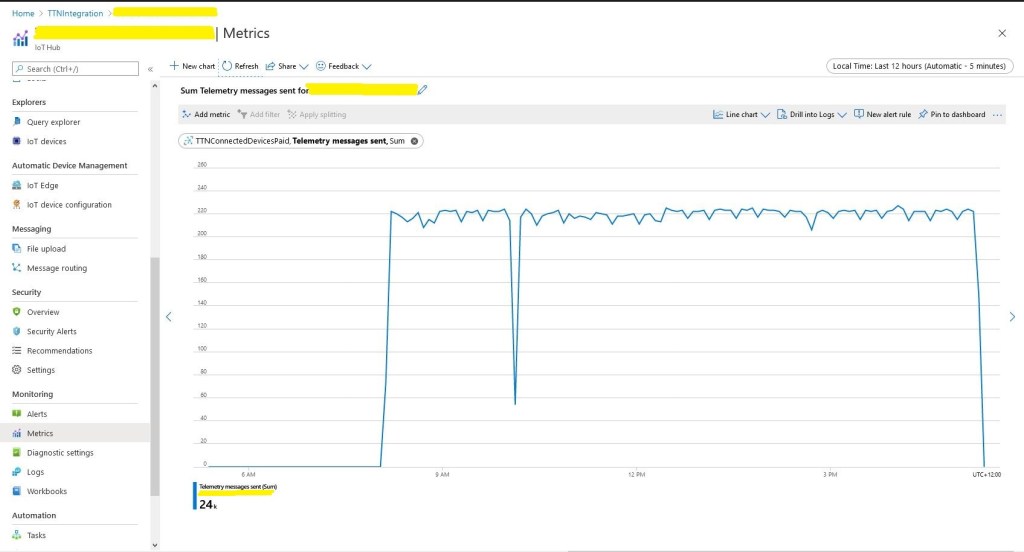
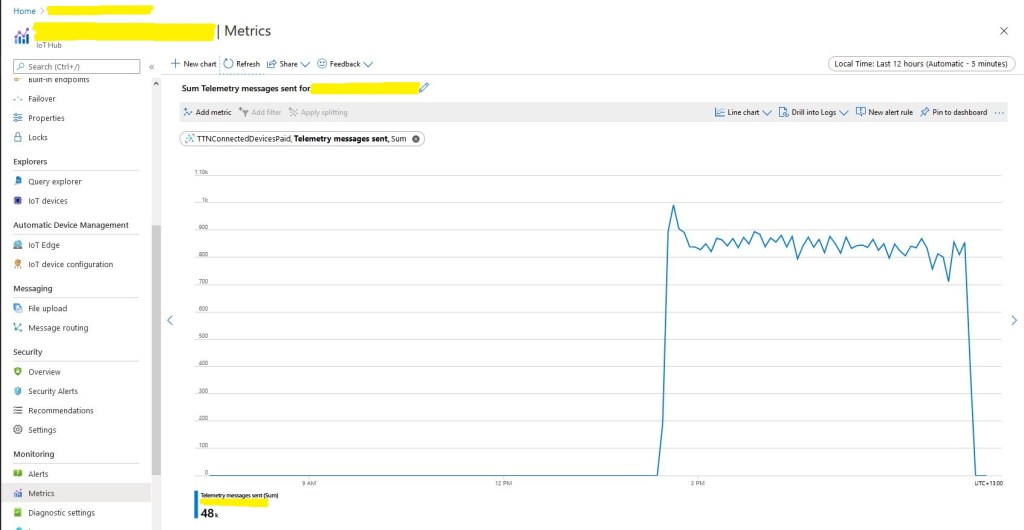
In the Azure IoT Hub telemetry 24000 messages had been received after roughly 8 hours confirming the test rig was working as expected.
The notch was another “learning”, if you go and do some gardening then after roughly 40 minutes of inactivity your desktop PC will go into power save mode and the test client will stop sending messages.
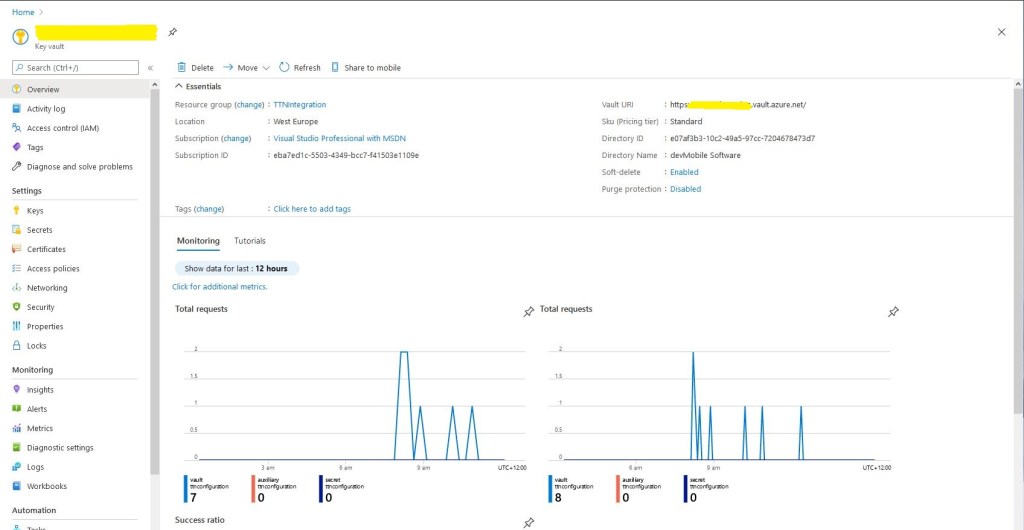
The caching of settings appeared to be work as there were only a couple of requests to my Azure Key Vault where sensitive information like connection strings, symmetric keys etc. are stored.
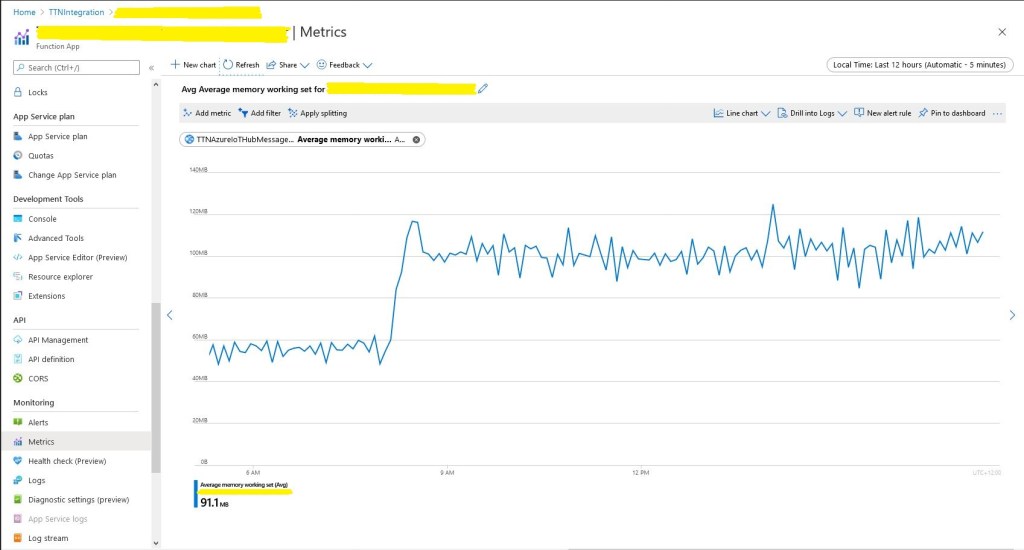
Memory consumption did look to bad and topped out at roughly 120M.
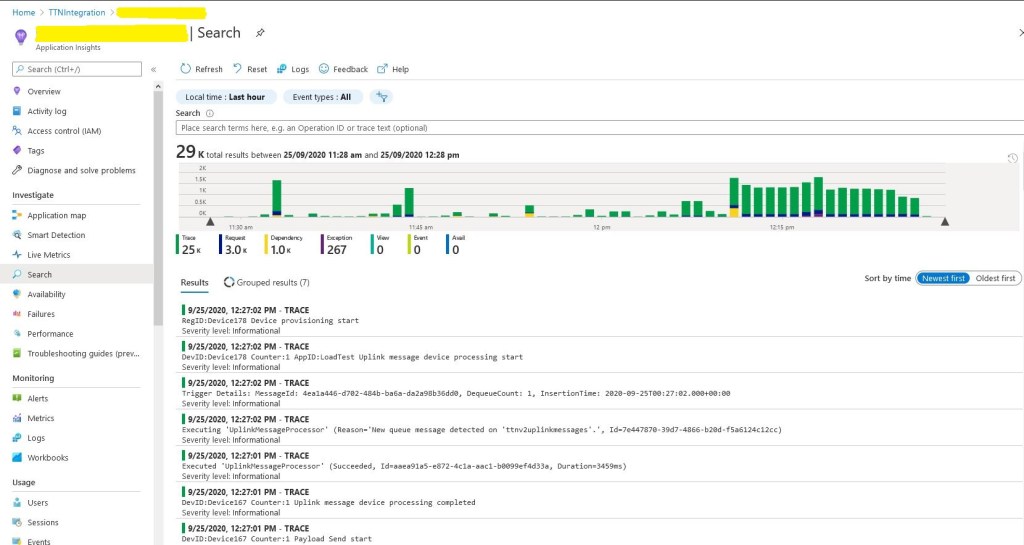
In the application logging you can see the 1000 calls to DPS at the beginning (the yellow dependency events) then the regular processing of messages.
Application Insights logging
Even with the “learnings” the testing went pretty well overall. I do need to run the test rig for longer and with even more simulated devices.

 devMobile's blog