Random wanderings through Microsoft Azure esp. PaaS plumbing, the IoT bits, AI on Micro controllers, AI on Edge Devices, .NET nanoFramework, .NET Core on *nix and ML.NET+ONNX
For a PoC the DIY cache was ok but I wanted to replace it with something more robust like the .Net ObjectCache which is in the System.Runtime.Caching namespace.
I started by replacing the ConcurrentDictionary declaration
static readonly ConcurrentDictionary<string, DeviceClient> DeviceClients = new ConcurrentDictionary<string, DeviceClient>();
Then, where there were compiler errors I updated the method call.
// See if the device has already been provisioned or is being provisioned on another thread.
if (DeviceClients.Add(registrationId, deviceContext, cacheItemPolicy))
{
   log.LogInformation("RegID:{registrationId} Device provisioning start", registrationId);
...
One difference I found was that ObjectCache throws an exception if the value is null. I was using a null value to indicate that the Device Provisioning Service(DPS) process had been initiated on another thread and was underway.
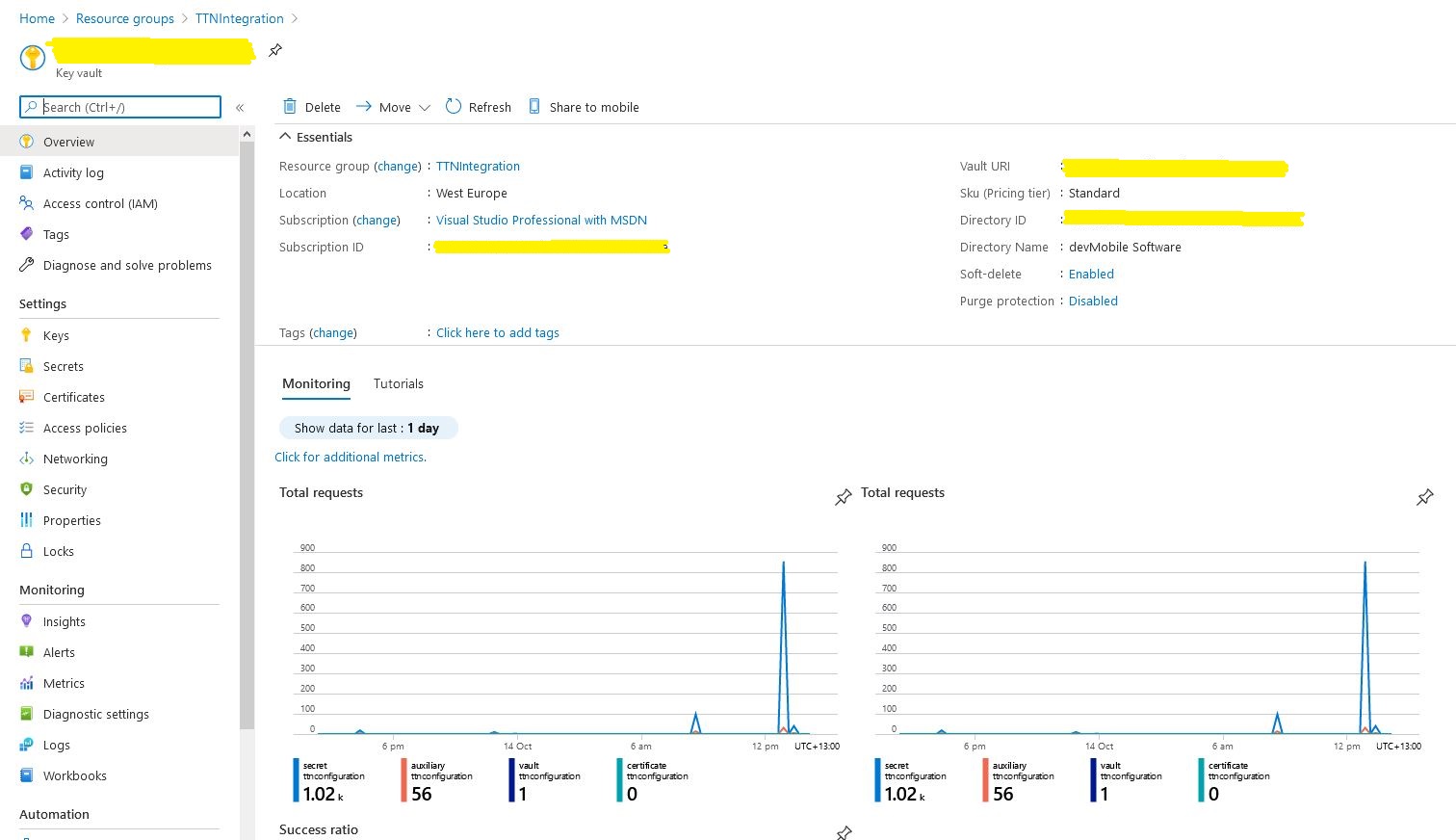
The Azure Key Vault is intended for securing sensitive information like connection strings so I added one to my resource group.
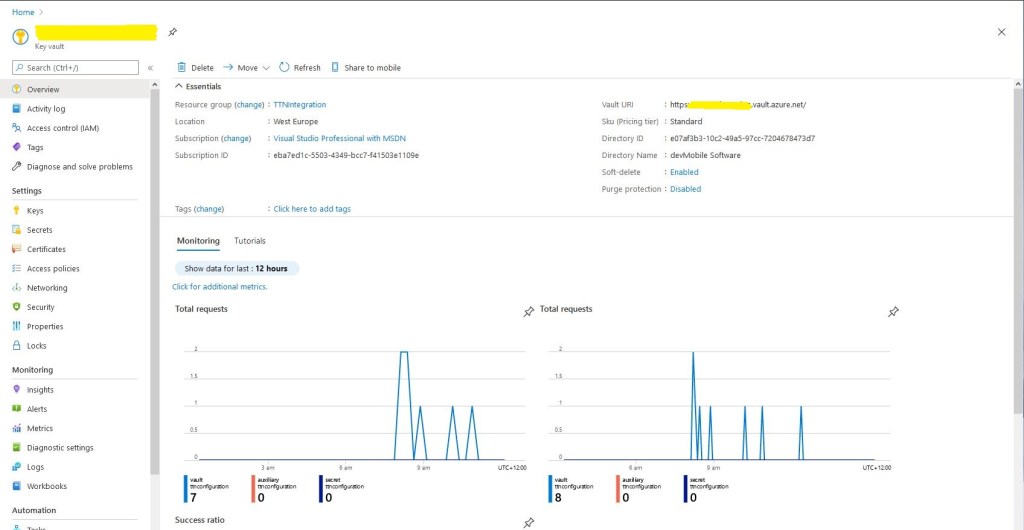
Azure Key Vault overview and basic metrics
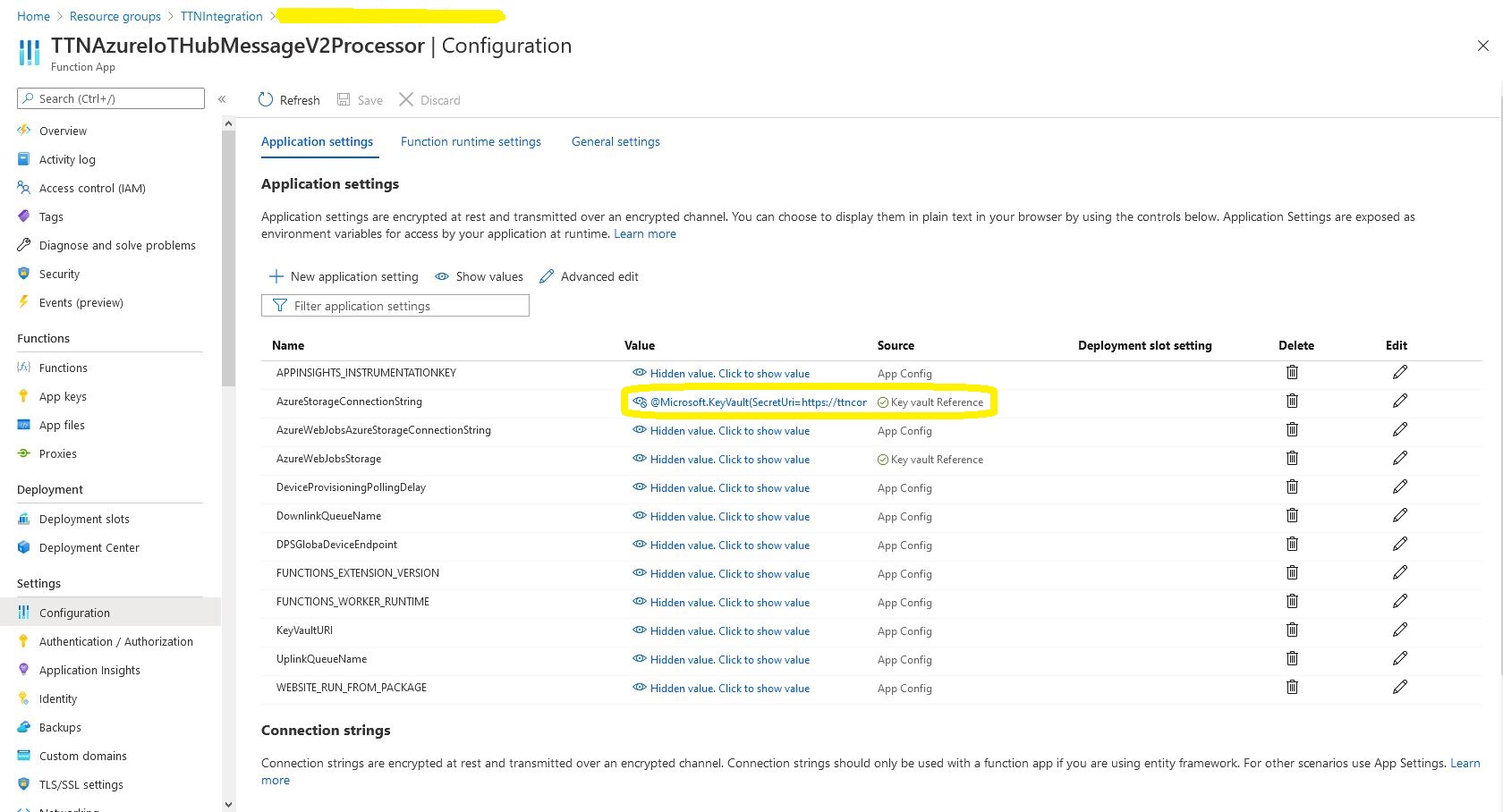
I wrote a wrapper which resolves configuration settings based on the The Things Network(TTN) application identifier and port information in the uplink message payload. The resolve methods start by looking for configuration for the applicationId and port (separated by a – ), then the applicationId and then finally falling back to a default value. This functionality is used for AzureIoTHub connection strings, DPS IDScopes, DPS Enrollment Group Symmetric Keys, and is also used to format the cache keys.
public class ApplicationConfiguration
{
const string DpsGlobaDeviceEndpointDefault = "global.azure-devices-provisioning.net";

private IConfiguration Configuration;

public void Initialise( )
{
   // Check that KeyVault URI is configured in environment variables. Not a lot we can do if it isn't....
   if (Configuration == null)
   {
      string keyVaultUri = Environment.GetEnvironmentVariable("KeyVaultURI");
      if (string.IsNullOrWhiteSpace(keyVaultUri))
      {
         throw new ApplicationException("KeyVaultURI environment variable not set");
      }

      // Load configuration from KeyVault
      Configuration = new ConfigurationBuilder()
         .AddEnvironmentVariables()
         .AddAzureKeyVault(keyVaultUri)
         .Build();
   }
}

public string DpsGlobaDeviceEndpointResolve()
{
   string globaDeviceEndpoint = Configuration.GetSection("DPSGlobaDeviceEndpoint").Value;
   if (string.IsNullOrWhiteSpace(globaDeviceEndpoint))
   {
      globaDeviceEndpoint = DpsGlobaDeviceEndpointDefault;
   }

   return globaDeviceEndpoint;
}

public string ConnectionStringResolve(string applicationId, int port)
{
   // Check to see if there is application + port specific configuration
   string connectionString = Configuration.GetSection($"AzureIotHubConnectionString-{applicationId}-{port}").Value;
   if (!string.IsNullOrWhiteSpace(connectionString))
   {
      return connectionString;
   }

   // Check to see if there is application specific configuration, otherwise run with default
   connectionString = Configuration.GetSection($"AzureIotHubConnectionString-{applicationId}").Value;
   if (!string.IsNullOrWhiteSpace(connectionString))
   {
      return connectionString;
   }

   // get the default as not a specialised configuration
   connectionString = Configuration.GetSection("AzureIotHubConnectionStringDefault").Value;

   return connectionString;
}

public string DpsIdScopeResolve(string applicationId, int port)
{
   // Check to see if there is application + port specific configuration
   string idScope = Configuration.GetSection($"DPSIDScope-{applicationId}-{port}").Value;
   if (!string.IsNullOrWhiteSpace(idScope))
   {
      return idScope;
   }

   // Check to see if there is application specific configuration, otherwise run with default
   idScope = Configuration.GetSection($"DPSIDScope-{applicationId}").Value;
   if (!string.IsNullOrWhiteSpace(idScope))
   {
      return idScope;
   }

   // get the default as not a specialised configuration
   idScope = Configuration.GetSection("DPSIDScopeDefault").Value;

   if (string.IsNullOrWhiteSpace(idScope))
   {
      throw new ApplicationException($"DPSIDScope configuration invalid");
   }

   return idScope;
}
In the Azure Key Vault “Access Policies” I configured an “Application Access Policy” so my Azure TTNAzureIoTHubMessageV2Processor function identity could retrieve secrets.
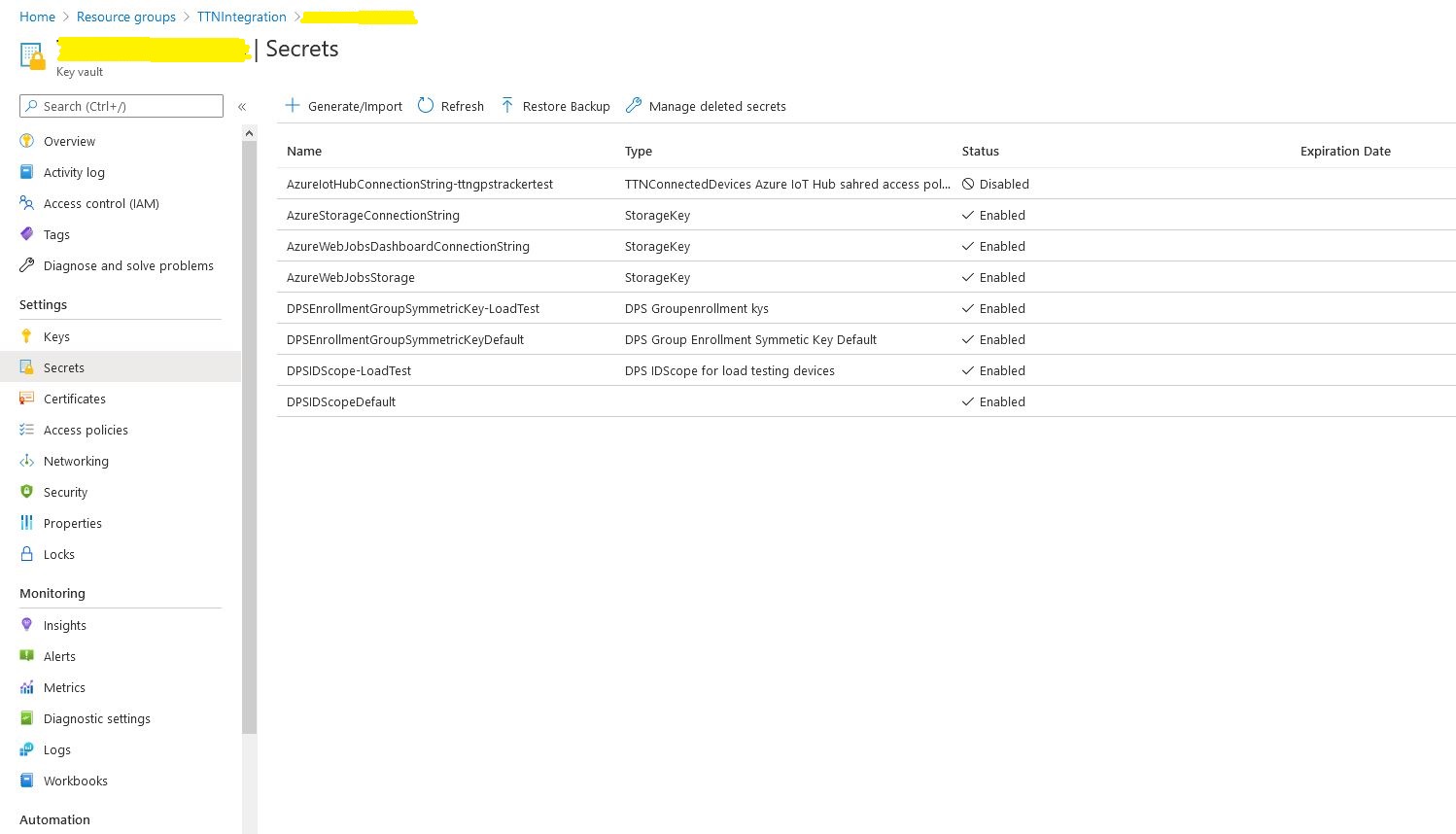
Azure Key Vault Secrets
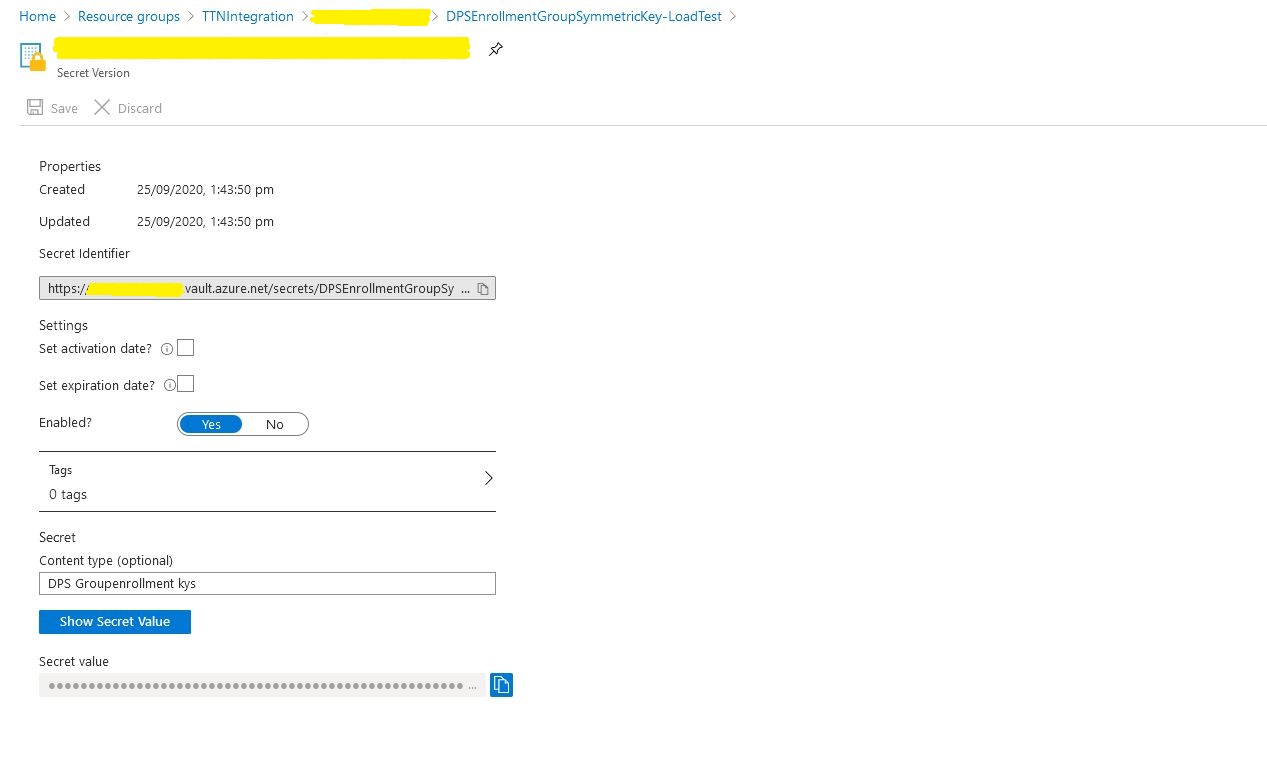
I kept on making typos in the secret names and types which was frustrating.
Azure Key Vault secret
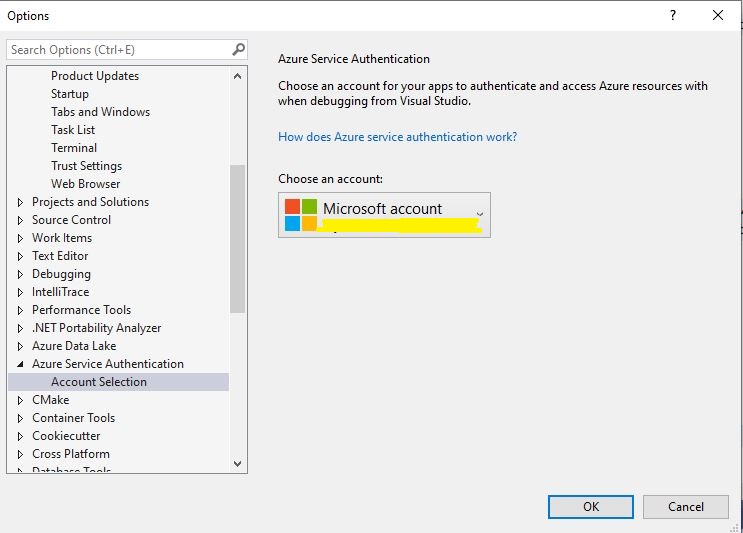
While debugging in Visual Studio you may need to configure the Azure Identity so the application can access the Azure Key Vault.
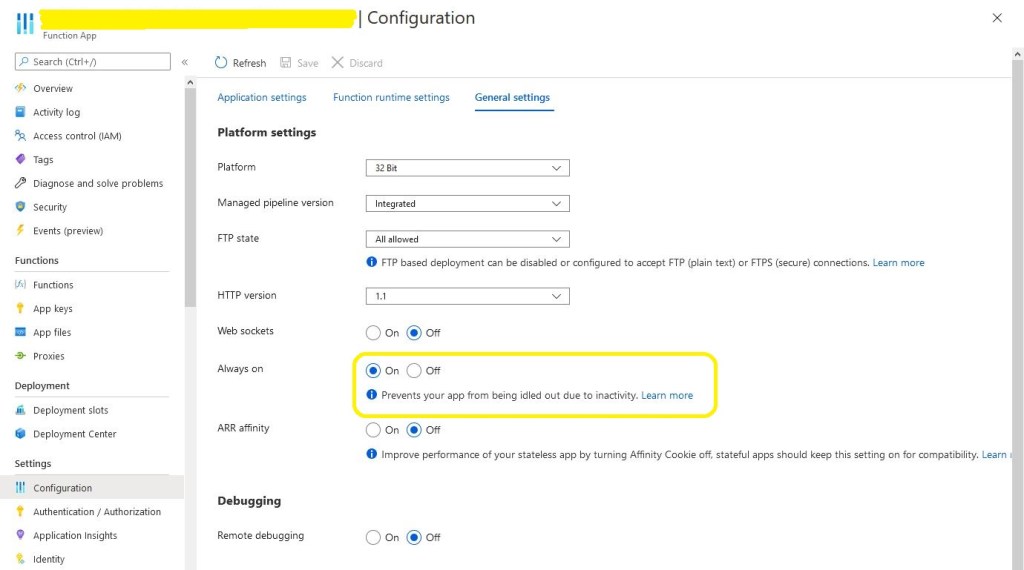
The next “learning” was that if you forget to enable “always on” the caching won’t work and your application will call the DPS way more often than expected.
Azure Application “always on configuration
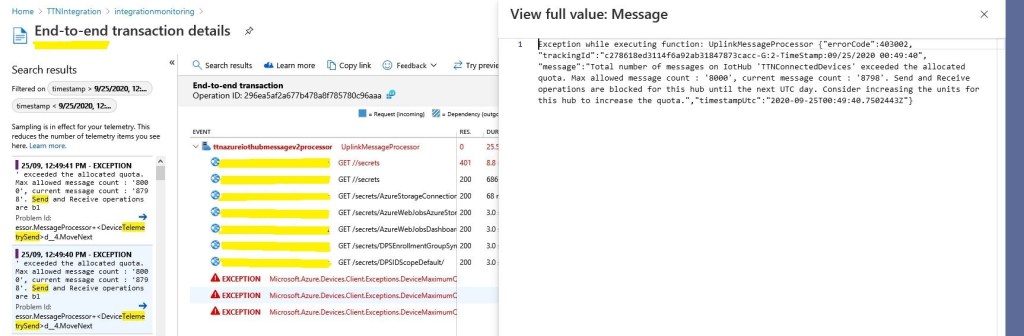
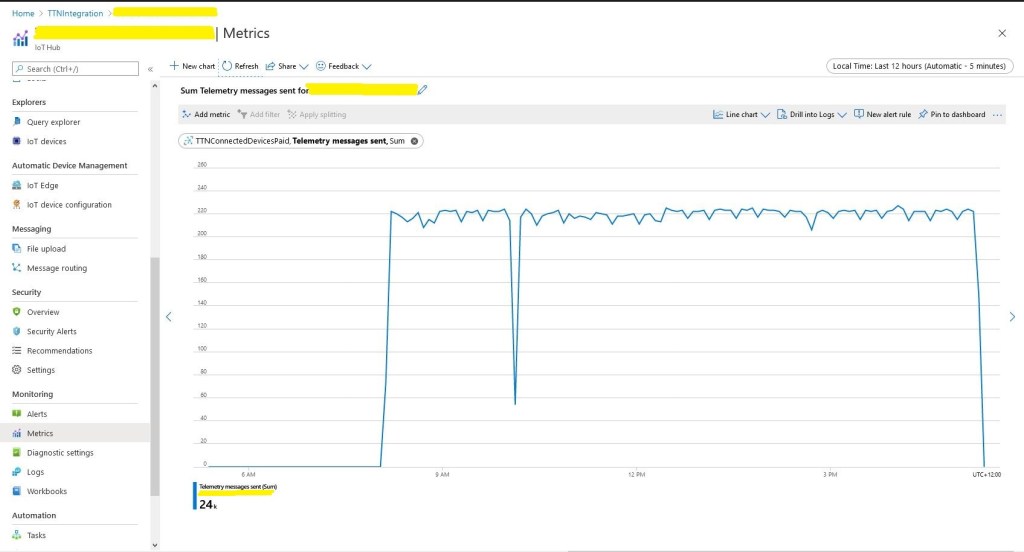
The next “learning” was if your soak test sends 24000 messages it will start to fail just after you go out to get a coffee because of the 8000 msgs/day limit on the free version of IoT Hub.
Azure IoT Hub Free tier 8000 messages/day limit
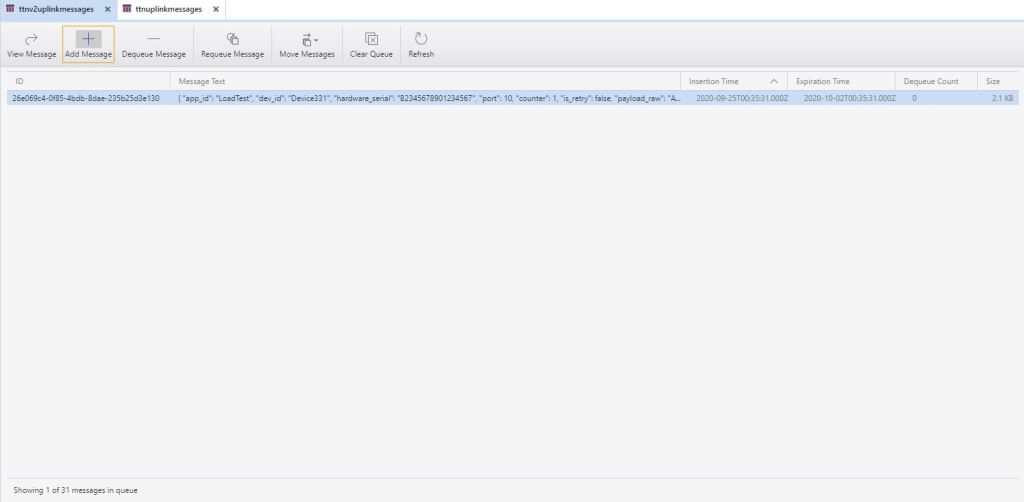
After these “learnings” the application appeared to be working and every so often a message would briefly appear in Azure Storage Explorer queue view.
Azure storage explorer view of uplink messages queue
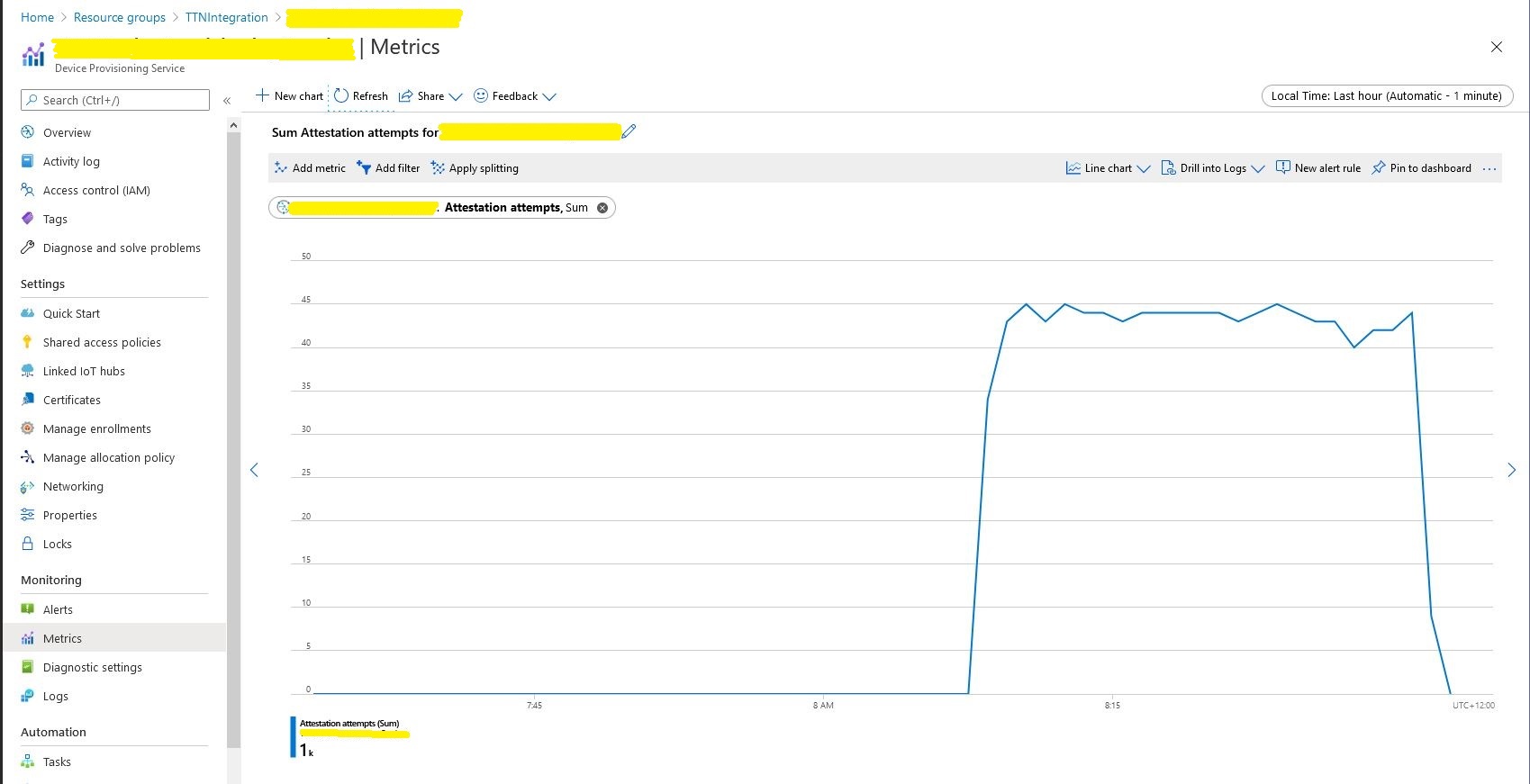
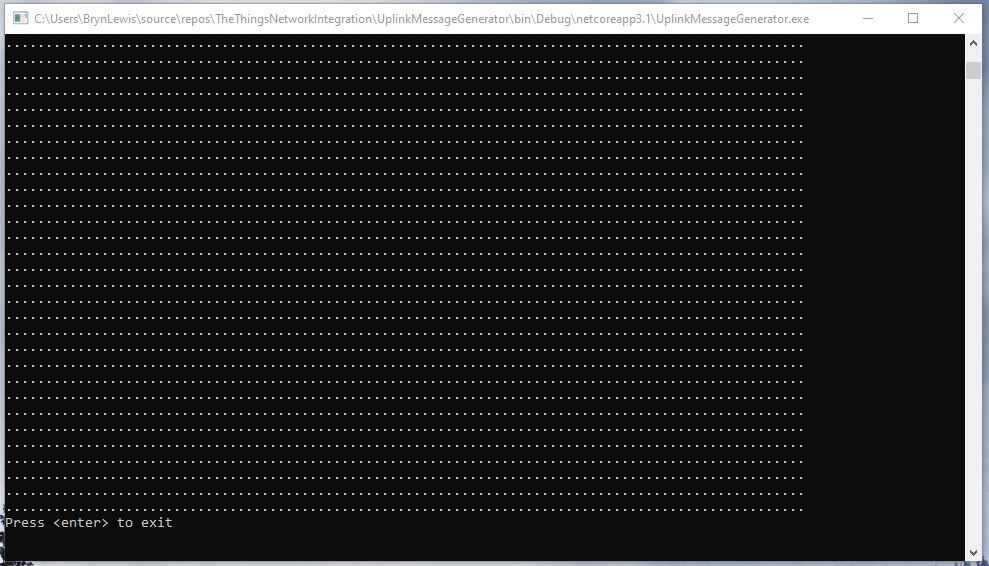
The console test application simulated 1000 devices sending 24 messages every so often and took roughly 8 hours to complete.
Message generator finished
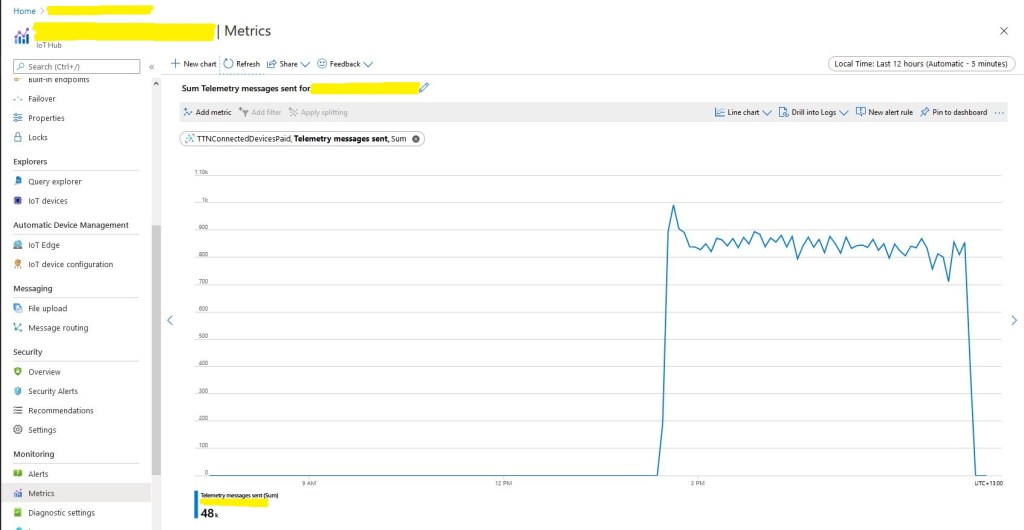
In the Azure IoT Hub telemetry 24000 messages had been received after roughly 8 hours confirming the test rig was working as expected.
The notch was another “learning”, if you go and do some gardening then after roughly 40 minutes of inactivity your desktop PC will go into power save mode and the test client will stop sending messages.
The caching of settings appeared to be work as there were only a couple of requests to my Azure Key Vault where sensitive information like connection strings, symmetric keys etc. are stored.
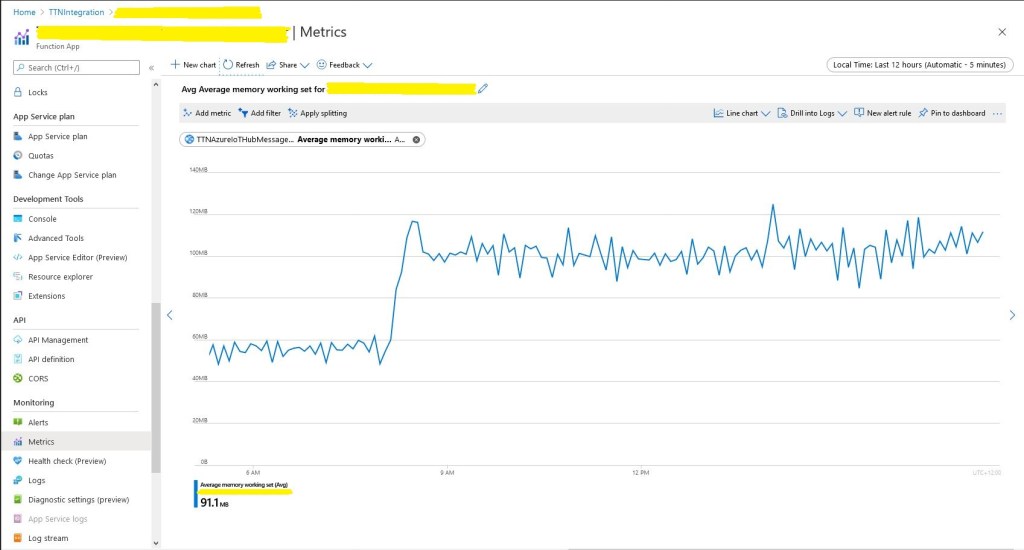
Memory consumption did look to bad and topped out at roughly 120M.
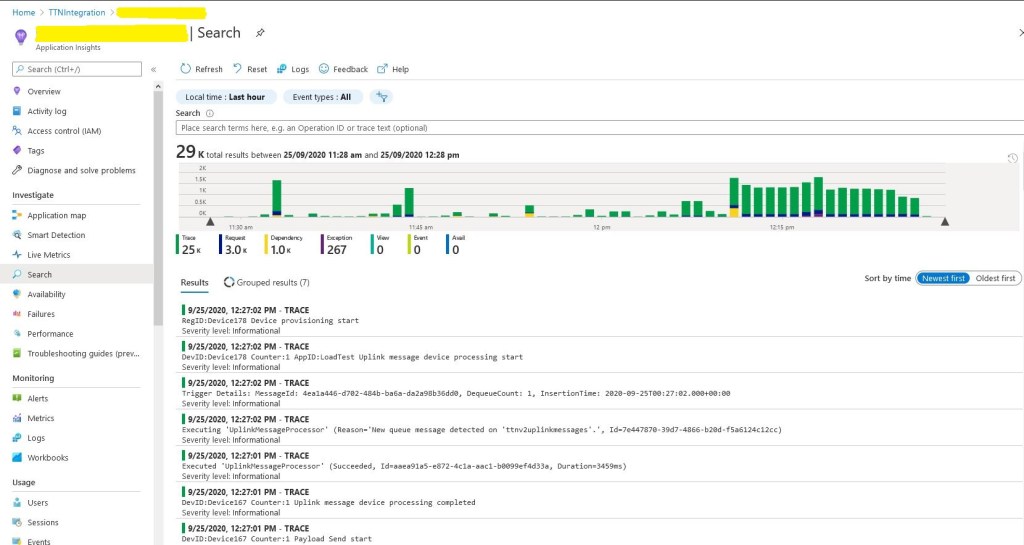
In the application logging you can see the 1000 calls to DPS at the beginning (the yellow dependency events) then the regular processing of messages.
Application Insights logging
Even with the “learnings” the testing went pretty well overall. I do need to run the test rig for longer and with even more simulated devices.
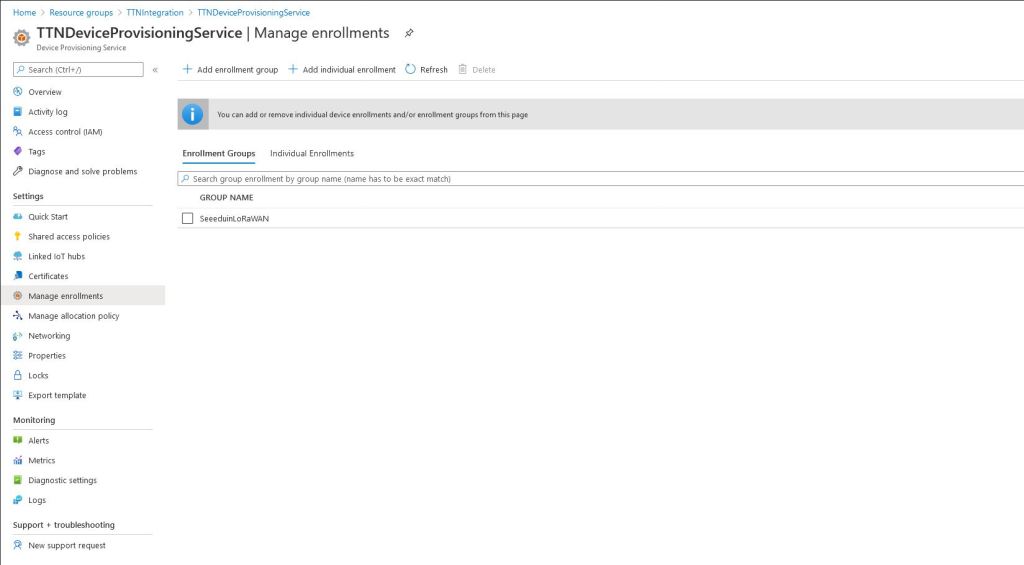
For more complex deployments the ApplicationEnrollmentGroupMapping configuration enables The Things Network(TTN) devices to be provisioned using different GroupEnrollment keys based on the applicationid in the first Uplink message which initiates provisoning.
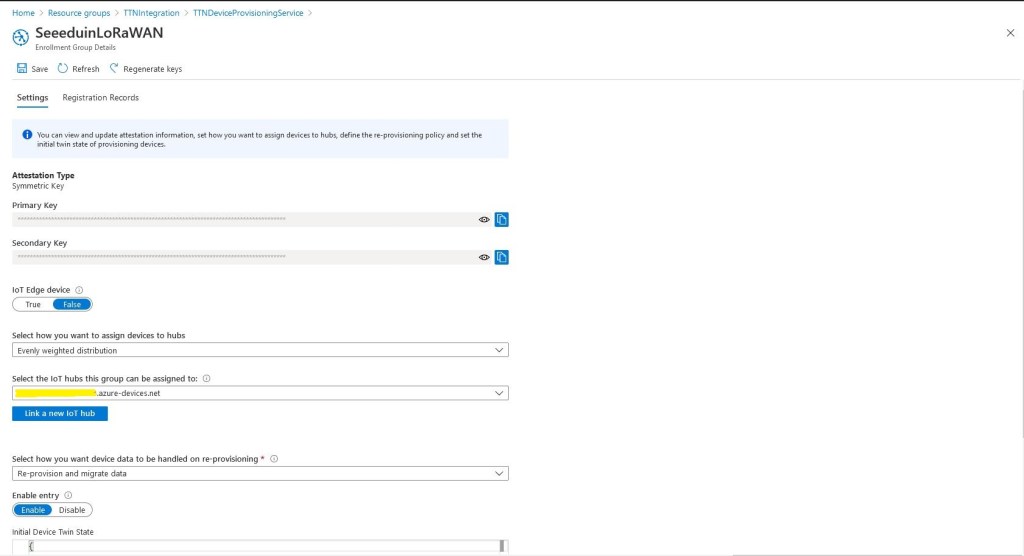
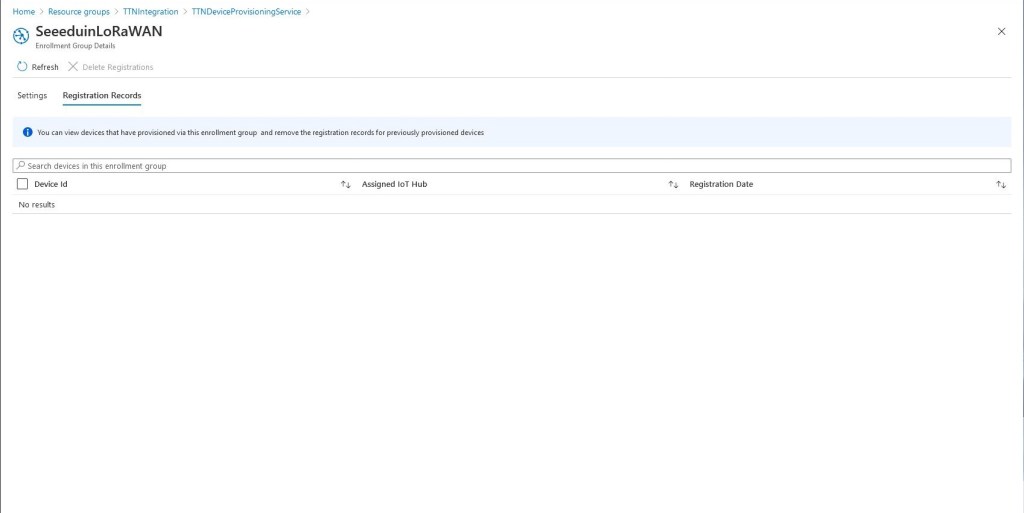
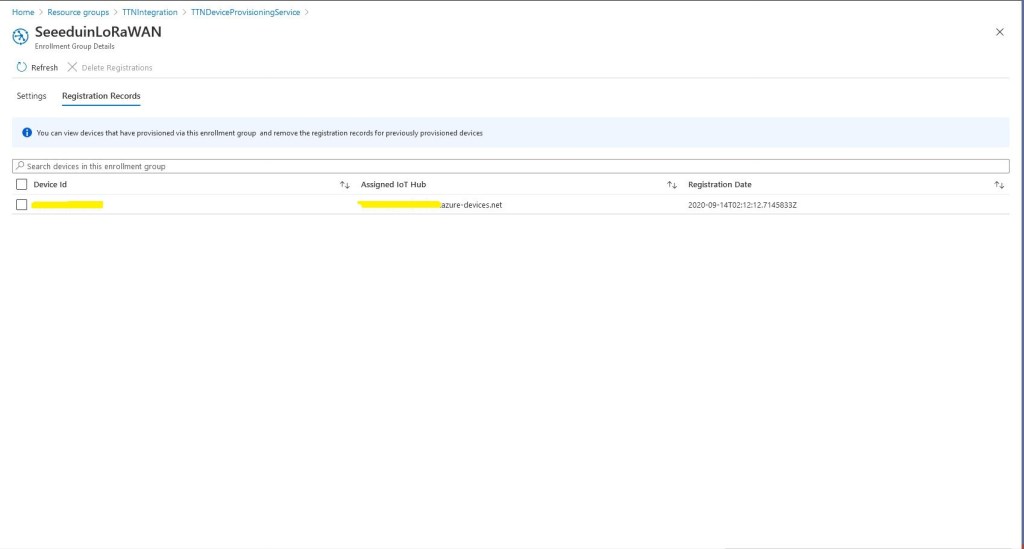
Then as uplink messages from the TTN integration are processed devices are “automagically” created in the DPS.
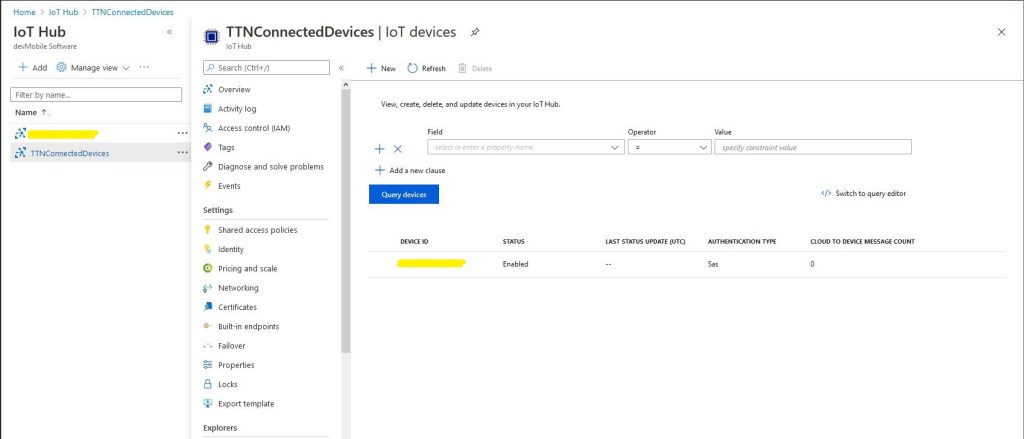
Simultaneously devices are created in the Azure IoT Hub
Then shortly after telemetry events are available for applications to process or inspection with tools like Azure IoT Explorer.
In the telemetry event payload sent to the Azure IoT IoT Hub are some extra fields to help with debugging and tracing. The raw payload is also included so messages not decoded by TTN can be processed by the client application(s).
/ Assemble the JSON payload to send to Azure IoT Hub/Central.
log.LogInformation($"{messagePrefix} Payload assembly start");
JObject telemetryEvent = new JObject();
try
{
   JObject payloadFields = (JObject)payloadObect.payload_fields;
   telemetryEvent.Add("HardwareSerial", payloadObect.hardware_serial);
   telemetryEvent.Add("Retry", payloadObect.is_retry);
   telemetryEvent.Add("Counter", payloadObect.counter);
   telemetryEvent.Add("DeviceID", payloadObect.dev_id);
   telemetryEvent.Add("ApplicationID", payloadObect.app_id);
   telemetryEvent.Add("Port", payloadObect.port);
   telemetryEvent.Add("PayloadRaw", payloadObect.payload_raw);
   telemetryEvent.Add("ReceivedAtUTC", payloadObect.metadata.time);

   // If the payload has been unpacked in TTN backend add fields to telemetry event payload
   if (payloadFields != null)
   {
      foreach (JProperty child in payloadFields.Children())
      {
         EnumerateChildren(telemetryEvent, child);
      }
   }
}
catch (Exception ex)
{
   log.LogError(ex, $"{messagePrefix} Payload processing or Telemetry event assembly failed");
   throw;
}
Beware, the Azure Storage Account and storage queue names have a limited character set. This caused me problems several times when I used camel cased queue names etc.
In the last couple of posts I had been building an Azure Function with a QueueTrigger to process the uplink messages. The function used custom bindings so that the CloudQueueMessage could be accessed, and load the Azure Storage account plus queue name from configuration. I’m still using classes generated by JSON2CSharp (with minimal modifications) for deserialising the payloads with JSON.Net.
The message processor Azure Function uses a ConcurrentCollection to store AzureDeviceClient objects constructed using the information returned by the Azure Device Provisioning Service(DPS). This is so the DPS doesn’t have to be called for the connection details for every message.(When the Azure function is restarted the dictionary of DeviceClient objects has to be repopulated). If there is a backlog of messages the message processor can process more than a dozen messages concurrently so the telemetry events displayed in an application like Azure IoT Central can arrive out of order.
The solution uses DPS Group Enrollment with Symmetric Key Attestation so Azure IoT Hub devices can be “automagically” created when a message from a new device is processed. The processing code is multi-thread and relies on many error conditions being handled by the Azure Function retry mechanism. After a number of failed retries the messages are moved to a poison queue. Azure Storage Explorer is a good tool for viewing payloads and moving poison messages back to the processing queue.
public static class UplinkMessageProcessor
{
   static readonly ConcurrentDictionary<string, DeviceClient> DeviceClients = new ConcurrentDictionary<string, DeviceClient>();

   [FunctionName("UplinkMessageProcessor")]
   public static async Task Run(
      [QueueTrigger("%UplinkQueueName%", Connection = "AzureStorageConnectionString")]
      CloudQueueMessage cloudQueueMessage, // Used to get CloudQueueMessage.Id for logging
      Microsoft.Azure.WebJobs.ExecutionContext context,
      ILogger log)
   {
      PayloadV5 payloadObect;
      DeviceClient deviceClient = null;
      DeviceProvisioningServiceSettings deviceProvisioningServiceConfig;

      string environmentName = Environment.GetEnvironmentVariable("ENVIRONMENT");

      // Load configuration for DPS. Refactor approach and store securely...
      var configuration = new ConfigurationBuilder()
      .SetBasePath(context.FunctionAppDirectory)
      .AddJsonFile($"appsettings.json")
      .AddJsonFile($"appsettings.{environmentName}.json")
      .AddEnvironmentVariables()
      .Build();

      // Load configuration for DPS. Refactor approach and store securely...
      try
      {
         deviceProvisioningServiceConfig = (DeviceProvisioningServiceSettings)configuration.GetSection("DeviceProvisioningService").Get<DeviceProvisioningServiceSettings>(); ;
      }
      catch (Exception ex)
      {
         log.LogError(ex, $"Configuration loading failed");
         throw;
      }

      // Deserialise uplink message from Azure storage queue
      try
      {
         payloadObect = JsonConvert.DeserializeObject<PayloadV5>(cloudQueueMessage.AsString);
      }
      catch (Exception ex)
      {
         log.LogError(ex, $"MessageID:{cloudQueueMessage.Id} uplink message deserialisation failed");
         throw;
      }

      // Extract the device ID as it's used lots of places
      string registrationID = payloadObect.hardware_serial;

      // Construct the prefix used in all the logging
      string messagePrefix = $"MessageID: {cloudQueueMessage.Id} DeviceID:{registrationID} Counter:{payloadObect.counter} Application ID:{payloadObect.app_id}";
      log.LogInformation($"{messagePrefix} Uplink message device processing start");

      // See if the device has already been provisioned
      if (DeviceClients.TryAdd(registrationID, deviceClient))
      {
         log.LogInformation($"{messagePrefix} Device provisioning start");

         string enrollmentGroupSymmetricKey = deviceProvisioningServiceConfig.EnrollmentGroupSymmetricKeyDefault;

         // figure out if custom mapping for TTN applicationID
         if (deviceProvisioningServiceConfig.ApplicationEnrollmentGroupMapping != null)
        {
            deviceProvisioningServiceConfig.ApplicationEnrollmentGroupMapping.GetValueOrDefault(payloadObect.app_id, deviceProvisioningServiceConfig.EnrollmentGroupSymmetricKeyDefault);
         }

         // Do DPS magic first time device seen
         await DeviceRegistration(log, messagePrefix, deviceProvisioningServiceConfig.GlobalDeviceEndpoint, deviceProvisioningServiceConfig.ScopeID, enrollmentGroupSymmetricKey, registrationID);
      }

      // Wait for the Device Provisioning Service to complete on this or other thread
      log.LogInformation($"{messagePrefix} Device provisioning polling start");
      if (!DeviceClients.TryGetValue(registrationID, out deviceClient))
      {
         log.LogError($"{messagePrefix} Device provisioning polling TryGet before while failed");

         throw new ApplicationException($"{messagePrefix} Device provisioning polling TryGet before while failed");
      }

      while (deviceClient == null)
      {
         log.LogInformation($"{messagePrefix} provisioning polling delay");
         await Task.Delay(deviceProvisioningServiceConfig.DeviceProvisioningPollingDelay);

         if (!DeviceClients.TryGetValue(registrationID, out deviceClient))
         {
            log.LogError($"{messagePrefix} Device provisioning polling TryGet while loop failed");

            throw new ApplicationException($"{messagePrefix} Device provisioning polling TryGet while loopfailed");
         }
      }

      // Assemble the JSON payload to send to Azure IoT Hub/Central.
      log.LogInformation($"{messagePrefix} Payload assembly start");
      JObject telemetryEvent = new JObject();
      try
      {
         JObject payloadFields = (JObject)payloadObect.payload_fields;
         telemetryEvent.Add("HardwareSerial", payloadObect.hardware_serial);
         telemetryEvent.Add("Retry", payloadObect.is_retry);
         telemetryEvent.Add("Counter", payloadObect.counter);
         telemetryEvent.Add("DeviceID", payloadObect.dev_id);
         telemetryEvent.Add("ApplicationID", payloadObect.app_id);
         telemetryEvent.Add("Port", payloadObect.port);
         telemetryEvent.Add("PayloadRaw", payloadObect.payload_raw);
         telemetryEvent.Add("ReceivedAt", payloadObect.metadata.time);

         // If the payload has been unpacked in TTN backend add fields to telemetry event payload
         if (payloadFields != null)
         {
            foreach (JProperty child in payloadFields.Children())
            {
               EnumerateChildren(telemetryEvent, child);
            }
         }
      }
      catch (Exception ex)
      {
         if (DeviceClients.TryRemove(registrationID, out deviceClient))
         {
            log.LogWarning($"{messagePrefix} TryRemove payload assembly failed");
         }

         log.LogError(ex, $"{messagePrefix} Payload assembly failed");
         throw;
      }

      // Send the message to Azure IoT Hub/Azure IoT Central
      log.LogInformation($"{messagePrefix} Payload SendEventAsync start");
      try
      {
         using (Message ioTHubmessage = new Message(Encoding.ASCII.GetBytes(JsonConvert.SerializeObject(telemetryEvent))))
         {
            // Ensure the displayed time is the acquired time rather than the uploaded time. esp. importan for messages that end up in poison queue
            ioTHubmessage.Properties.Add("iothub-creation-time-utc", payloadObect.metadata.time.ToString("s", CultureInfo.InvariantCulture));
            await deviceClient.SendEventAsync(ioTHubmessage);
         }
      }
      catch (Exception ex)
      {
         if (DeviceClients.TryRemove(registrationID, out deviceClient))
         {
            log.LogWarning($"{messagePrefix} TryRemove SendEventAsync failed");
         }

         log.LogError(ex, $"{messagePrefix} SendEventAsync failed");
         throw;
      }

   log.LogInformation($"{messagePrefix} Uplink message device processing completed");
   }
}
There is also support for using a specific GroupEnrollment based on the application_id in the uplink message payload.
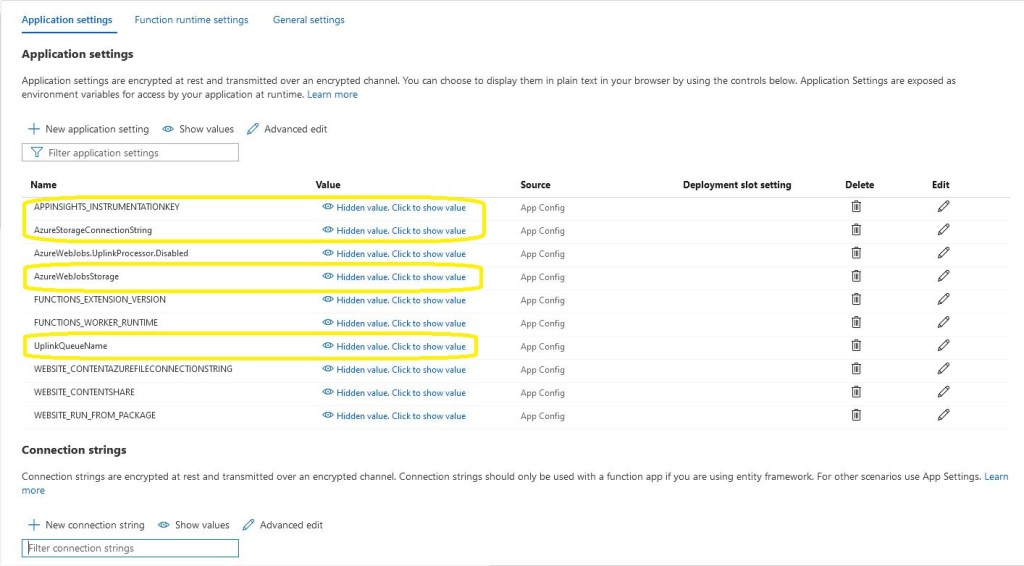
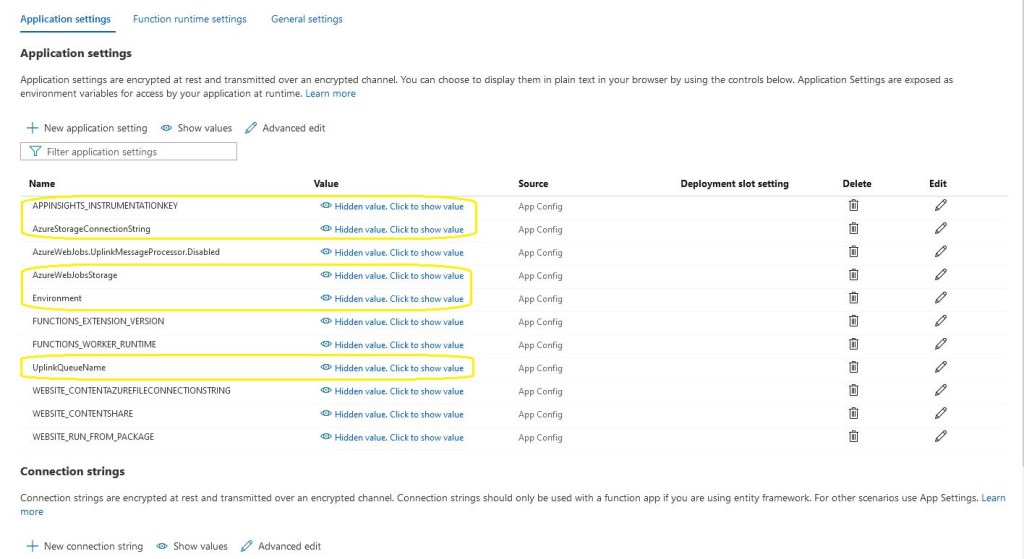
In addition to the appsettings.json there is configuration for application insights, uplink message queue name and Azure Storage connection strings. The “Environment” setting is important as it specifies what appsettings.json file should be used if code is being debugged etc..
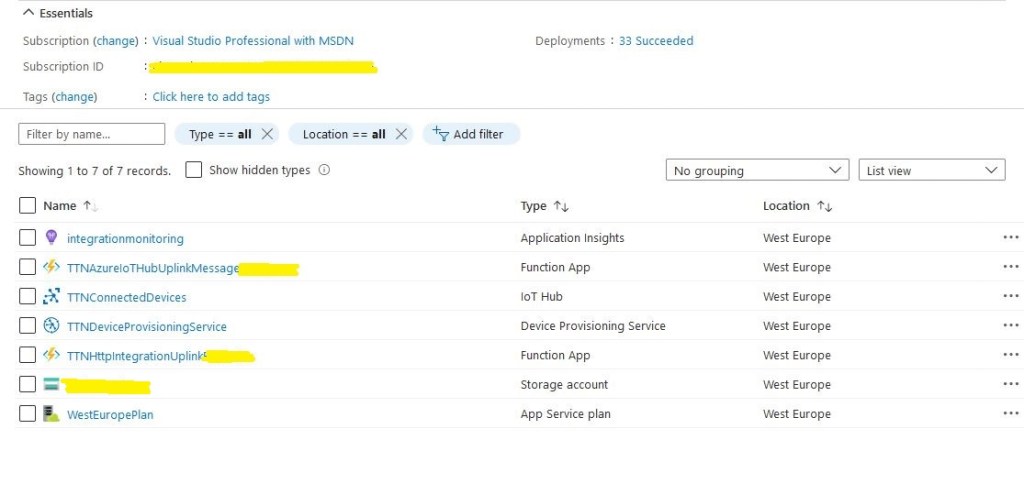
The deployed solution application consists of Azure IoTHub and DPS instances. There are two Azure functions, one for putting the messages from the TTN into a queue the other is for processing them. The Azure Functions are hosted in an Azure AppService plan.
Azure solution deployment
An Azure Storage account is used for the queue and Azure Function synchronisation information and Azure Application Insights is used to monitor the solution.
My first couple of attempts at an Azure Queue Trigger Function which could do retries when an uplink message couldn’t be processed immediately(I didn’t want to throw an exception as this was just a transient issue) didn’t work. I wanted to return the uplink message to the Azure Storage Queue with the initial visibility set to a couple of seconds without throwing an exception.
I tried decorating the method with an Azure Storage Queueoutput binding but finally settled on the approach below. I can insert a single message into the storage queue and the application would start looping every minute.
public static class UplinkMessageProcessor
{
   const string RunTag = "Processor001";
   static int ConcurrentThreadCount = 0;
   static int MessagesProcessed = 0;

   [FunctionName("UplinkMessageProcessor")]
   public static void Run(
      [QueueTrigger("%UplinkQueueName%", Connection = "AzureStorageConnectionString")]
      CloudQueueMessage cloudQueueMessage,
      IBinder binder, ILogger log)
   {
      try
      {
         Interlocked.Increment(ref ConcurrentThreadCount);
         Interlocked.Increment(ref MessagesProcessed);

         log.LogInformation($"{MessagesProcessed} {RunTag} Threads:{ConcurrentThreadCount}");

         CloudQueue outputQueue = binder.Bind<CloudQueue>(new QueueAttribute("%UplinkQueueName%"));

         CloudQueueMessage message = new CloudQueueMessage(cloudQueueMessage.AsString);

         outputQueue.AddMessage(message, initialVisibilityDelay: new TimeSpan(0, 1, 0));

         Thread.Sleep(2000);

         Interlocked.Decrement(ref ConcurrentThreadCount);
      }
      catch (Exception ex)
      {
         log.LogError(ex, "Processing of Uplink message failed");

         throw;
      }
   }
}
I used the binder.bind method to get the CloudQueue and CloudQueueMessage details so I could insert a hidden messages back into the queue.
The version of Azure Storage queue libraries used by the function bindings (Sep 2020) may cause some compile time warnings if you select the wrong NuGet package.
Hopefully this has enough keywords that someone trying todo the same thing finds it.
There was lots of code in nested classes for deserialising the The Things Network(TTN)JSON uplink messages in my WebAPI project. It looked a bit fragile and if the process failed uplink messages could be lost.
My first attempt at an Azure HTTP Trigger Function to handle an uplink message didn’t work. I had decorated the HTTP Trigger method with an Azure Storage Queue as the destination for the output.
public static class UplinkProcessor
{
   [FunctionName("UplinkProcessor")]
   [return: Queue("%UplinkQueueName%", Connection = "AzureStorageConnectionString")]
   public static async Task<IActionResult> Run([HttpTrigger(AuthorizationLevel.Anonymous, "get", "post", Route = null)] HttpRequest request, ILogger log)
   {
      string payload;

      log.LogInformation("C# HTTP trigger function processed a request.");

      using (StreamReader streamReader = new StreamReader(request.Body))
      {
         payload = await streamReader.ReadToEndAsync();
      }

      return new OkObjectResult(payload);
   }
}
There were a couple of other versions which failed with encoding issues.
Invalid uplink event JSON
public static class UplinkProcessor
{
   [FunctionName("UplinkProcessor")]
   [return: Queue("%UplinkQueueName%", Connection = "AzureStorageConnectionString")]
   public static async Task<string> Run([HttpTrigger("post", Route = null)] HttpRequest request, ILogger log)
   {
      string payload;

      log.LogInformation("C# HTTP trigger function processed a request.");

      using (StreamReader streamReader = new StreamReader(request.Body))
      {
         payload = await streamReader.ReadToEndAsync();
      }

      return payload;
   }
}
I finally settled on returning a string, which with the benefit of hindsight was obvious.
Valid JSON message
By storing the raw uplink event JSON from TTN the application can recover if it they can’t deserialised, (message format has changed or generated class issues) The queue processor won’t be able to process the uplink event messages so they will end up in the poison message queue after being retried a few times.
In the Azure management portal I generated a method scope API key.
Azure HTTP function API key management
I then added an x-functions-key header in the TTN application integration configuration and it worked second attempt due to a copy and past fail.
Things Network Application integration
To confirm my APIKey setup was correct I changed the header name and my requests started to fail with a 401 Unauthorised error.
After some experimentation it took less than two dozen lines of C# to create a secure endpoint to receive uplink messages and put them in an Azure Storage queue.
With the different versions of the libraries involved (Early April 2020) this was what I found worked for me so YMMV.
Initially the logging to Application Insights wasn’t working even though it was configured in the ApplicationIngisghts.config file. After some experimentation I found setting the APPINSIGHTS_INSTRUMENTATIONKEY environment variable was the only way I could get it to work.
namespace ApplicationInsightsAzureFunctionLog4NetClient
{
	using System;
	using System.IO;
	using System.Reflection;
	using log4net;
	using log4net.Config;
	using Microsoft.ApplicationInsights;
	using Microsoft.ApplicationInsights.Extensibility;
	using Microsoft.Azure.WebJobs;

	public static class ApplicationInsightsTimer
	{
		[FunctionName("ApplicationInsightsTimerLog4Net")]
		public static void Run([TimerTrigger("0 */1 * * * *")]TimerInfo myTimer, ExecutionContext executionContext)
		{
         ILog log = log4net.LogManager.GetLogger(System.Reflection.MethodBase.GetCurrentMethod().DeclaringType);

         using (TelemetryConfiguration telemetryConfiguration = TelemetryConfiguration.CreateDefault())
         {
            TelemetryClient telemetryClient = new TelemetryClient(telemetryConfiguration);

            var logRepository = LogManager.GetRepository(Assembly.GetEntryAssembly());
            XmlConfigurator.Configure(logRepository, new FileInfo(Path.Combine(executionContext.FunctionAppDirectory, "log4net.config")));

            log.Debug("This is a Log4Net Debug message");
            log.Info("This is a Log4Net Info message");
            log.Warn("This is a Log4Net Warning message");
            log.Error("This is a Log4Net Error message");
            log.Fatal("This is a Log4Net Fatal message");

            telemetryClient.Flush();
         }
      }
   }
}
I did notice that there were a number of exceptions which warrant further investigation.
'func.exe' (CoreCLR: clrhost): Loaded 'C:\Users\BrynLewis\source\repos\AzureApplicationInsightsClients\ApplicationInsightsAzureFunctionLog4NetClient\bin\Debug\netcoreapp3.1\bin\log4net.dll'.
Exception thrown: 'System.IO.FileNotFoundException' in System.Private.CoreLib.dll
Exception thrown: 'System.IO.FileNotFoundException' in System.Private.CoreLib.dll
Exception thrown: 'System.IO.FileNotFoundException' in System.Private.CoreLib.dll
Exception thrown: 'System.IO.FileNotFoundException' in System.Private.CoreLib.dll
Exception thrown: 'System.IO.FileNotFoundException' in System.Private.CoreLib.dll
Exception thrown: 'System.IO.FileNotFoundException' in System.Private.CoreLib.dll
'func.exe' (CoreCLR: clrhost): Loaded 'C:\Users\BrynLewis\AppData\Local\AzureFunctionsTools\Releases\2.47.1\cli_x64\System.Xml.XmlDocument.dll'.
'func.exe' (CoreCLR: clrhost): Loaded 'C:\Users\BrynLewis\source\repos\AzureApplicationInsightsClients\ApplicationInsightsAzureFunctionLog4NetClient\bin\Debug\netcoreapp3.1\bin\Microsoft.ApplicationInsights.Log4NetAppender.dll'.
'func.exe' (CoreCLR: clrhost): Loaded 'C:\Users\BrynLewis\AppData\Local\AzureFunctionsTools\Releases\2.47.1\cli_x64\System.Reflection.TypeExtensions.dll'.
Application Insights Telemetry: {"name":"Microsoft.ApplicationInsights.64b1950b90bb46aaa36c26f5dce0cad3.Message","time":"2020-04-09T09:22:33.2274370Z","iKey":"1234567890123-1234-12345-123456789012","tags":{"ai.cloud.roleInstance":"DESKTOP-C9IPNQ1","ai.operation.id":"bc6c4d10cebd954c9d815ad06add2582","ai.operation.parentId":"|bc6c4d10cebd954c9d815ad06add2582.d8fa83b88b175348.","ai.operation.name":"ApplicationInsightsTimerLog4Net","ai.location.ip":"0.0.0.0","ai.internal.sdkVersion":"log4net:2.13.1-12554","ai.internal.nodeName":"DESKTOP-C9IPNQ1"},"data":{"baseType":"MessageData","baseData":{"ver":2,"message":"This is a Log4Net Info message","severityLevel":"Information","properties":{"Domain":"NOT AVAILABLE","InvocationId":"91063ef9-70d0-4318-a1e0-e49ade07c51b","ThreadName":"14","ClassName":"?","LogLevel":"Information","ProcessId":"15824","Category":"Function.ApplicationInsightsTimerLog4Net","MethodName":"?","Identity":"NOT AVAILABLE","FileName":"?","LoggerName":"ApplicationInsightsAzureFunctionLog4NetClient.ApplicationInsightsTimer","LineNumber":"?"}}}}
The latest code for my Azure Function Log4net to Applications Insights sample is available on here.
Application Insights logging with message unpackingApplication Insights logging message payload
Then in the last log entry the decoded message payload
/*
    Copyright ® 2020 Feb devMobile Software, All Rights Reserved

    MIT License

    Permission is hereby granted, free of charge, to any person obtaining a copy
    of this software and associated documentation files (the "Software"), to deal
    in the Software without restriction, including without limitation the rights
    to use, copy, modify, merge, publish, distribute, sublicense, and/or sell
    copies of the Software, and to permit persons to whom the Software is
    furnished to do so, subject to the following conditions:

    The above copyright notice and this permission notice shall be included in all
    copies or substantial portions of the Software.

    THE SOFTWARE IS PROVIDED "AS IS", WITHOUT WARRANTY OF ANY KIND, EXPRESS OR
    IMPLIED, INCLUDING BUT NOT LIMITED TO THE WARRANTIES OF MERCHANTABILITY,
    FITNESS FOR A PARTICULAR PURPOSE AND NONINFRINGEMENT. IN NO EVENT SHALL THE
    AUTHORS OR COPYRIGHT HOLDERS BE LIABLE FOR ANY CLAIM, DAMAGES OR OTHER
    LIABILITY, WHETHER IN AN ACTION OF CONTRACT, TORT OR OTHERWISE, ARISING FROM,
    OUT OF OR IN CONNECTION WITH THE SOFTWARE OR THE USE OR OTHER DEALINGS IN THE
    SOFTWARE

    Default URL for triggering event grid function in the local environment.
    http://localhost:7071/runtime/webhooks/EventGrid?functionName=functionname
 */
namespace EventGridProcessorAzureIotHub
{
   using System;
   using System.IO;
   using System.Reflection;

   using Microsoft.Azure.WebJobs;
   using Microsoft.Azure.EventGrid.Models;
   using Microsoft.Azure.WebJobs.Extensions.EventGrid;

   using log4net;
   using log4net.Config;
   using Newtonsoft.Json;

   public static class Telemetry
    {
        [FunctionName("Telemetry")]
        public static void Run([EventGridTrigger]Microsoft.Azure.EventGrid.Models.EventGridEvent eventGridEvent, ExecutionContext executionContext )//, TelemetryClient telemetryClient)
        {
			ILog log = log4net.LogManager.GetLogger(System.Reflection.MethodBase.GetCurrentMethod().DeclaringType);

		   var logRepository = LogManager.GetRepository(Assembly.GetEntryAssembly());
			XmlConfigurator.Configure(logRepository, new FileInfo(Path.Combine(executionContext.FunctionAppDirectory, "log4net.config")));

         log.Info($"eventGridEvent.Data-{eventGridEvent}");

         log.Info($"eventGridEvent.Data.ToString()-{eventGridEvent.Data.ToString()}");

        IotHubDeviceTelemetryEventData iOThubDeviceTelemetryEventData = (IotHubDeviceTelemetryEventData)JsonConvert.DeserializeObject(eventGridEvent.Data.ToString(), typeof(IotHubDeviceTelemetryEventData));

         log.Info($"iOThubDeviceTelemetryEventData.Body.ToString()-{iOThubDeviceTelemetryEventData.Body.ToString()}");

         byte[] base64EncodedBytes = System.Convert.FromBase64String(iOThubDeviceTelemetryEventData.Body.ToString());

         log.Info($"System.Text.Encoding.UTF8.GetString(-{System.Text.Encoding.UTF8.GetString(base64EncodedBytes)}");
      }
	}
}
Overall it took roughly half a page of code (mainly generated by a tool) to unpack and log the contents of an Azure IoT Hub EventGrid payload to Application Insights.
After extensive searching I found a couple of relevant blog posts but these had complex approaches and I wanted to keep the churn in the codebase I was working on to an absolute minimum.
With the different versions of the libraries involved (Late March 2019) this was what worked for me so YMMV. To provide the simplest possible example I have created a TimerTrigger which logs information via Log4Net to Azure Application Insights.
Initially the Log4Net configuration wasn’t loaded because its location is usually configured in the AssemblyInfo.cs file and .Net Core 2.x code doesn’t have one.
// You can specify all the values or you can default the Build and Revision Numbers
// by using the '*' as shown below:
// [assembly: AssemblyVersion("1.0.*")]
[assembly: AssemblyVersion("1.0.0.0")]
[assembly: AssemblyFileVersion("1.0.0.0")]
[assembly: log4net.Config.XmlConfigurator]
I figured I would have to manually load the Log4Net configuration and had to look at the file system of machine running the function to figure out where the Log4Net XML configuration file was getting copied to.
The “Copy to output directory” setting is important
Then I had to get the Dependency Injection (DI) framework to build an ExecutionContext for me so I could get the FunctionAppDirectory to combine with the Log4Net config file name. I used Path.Combine which is more robust and secure than manually concatenating segments of a path together.
/*
    Copyright ® 2019 March devMobile Software, All Rights Reserved

    MIT License
...
*/
namespace ApplicationInsightsAzureFunctionLog4NetClient
{
	using System;
	using System.IO;
	using System.Reflection;
	using log4net;
	using log4net.Config;
	using Microsoft.ApplicationInsights.Extensibility;
	using Microsoft.Azure.WebJobs;

	public static class ApplicationInsightsTimer
	{
		[FunctionName("ApplicationInsightsTimerLog4Net")]
		public static void Run([TimerTrigger("0 */1 * * * *")]TimerInfo myTimer, ExecutionContext executionContext)
		{
			ILog log = log4net.LogManager.GetLogger(System.Reflection.MethodBase.GetCurrentMethod().DeclaringType);

			TelemetryConfiguration.Active.InstrumentationKey = Environment.GetEnvironmentVariable("InstrumentationKey", EnvironmentVariableTarget.Process);

			var logRepository = LogManager.GetRepository(Assembly.GetEntryAssembly());
			XmlConfigurator.Configure(logRepository, new FileInfo(Path.Combine(executionContext.FunctionAppDirectory, "log4net.config")));

			log.Debug("This is a Log4Net Debug message");
			log.Info("This is a Log4Net Info message");
			log.Warn("This is a Log4Net Warning message");
			log.Error("This is a Log4Net Error message");
			log.Fatal("This is a Log4Net Fatal message");

			TelemetryConfiguration.Active.TelemetryChannel.Flush();
		}
	}
}
Log4Net logging in Azure Application Insights
The latest code for my Azure Function Log4net to Applications Insights sample along with some samples for other logging platforms is available on GitHub.




 devMobile's blog