MPU 6050 I2C read rates using Netduino plus 2

The quadcopter will need to determine it’s orientation then update the thrust to be delivered by each motor many times a second. So I was interested to see how fast my Nedtduino plus 2 could read data from the MPU 6050 accelerometer & gyroscope. I stumbled across this blog and it appears that they are building a Quadcopter as well(Google translation was hard work to read).

There was also some very useful C# NetMF code which I used as the basis for my performance test harness.

10,000 readings of 16bit values from the Accelerometer (X,Y,Z) Gyroscope (X,Y,Z) and temperature sensor. The initial run didn’t look to positive

21.78, 21.77, 21.77, 21.77, 21.77, 21.77, 21.77,21.77,21.77,21.77 sec Avg 21.77

Which is roughly 460/sec

I then had a look at the I2C interface code and noticed that the bus speed was set to 100KHz so I increased it to 400KHz

10.33, 10.23, 10.23,10.23,10.23,10.23,10.23,10.23,10.72,10.23 Avg 10.29

Which is roughly 970/sec

I then had a look at the I2C interface code and changed the way that the register values were read so the array of registers to read didn’t have to be loaded.

8.55,8.57,8.55,8.57,8.55,8.57,8.57,8.57,8.55,8.57 Avg 8.56

I think 1170/sec should be sufficient, but I’m going to have a look at the Digital Motion Processor (DMP) capabilities of the MPU6050. This will require significant effort as there currently (June 2013) doesn’t appear to be any NetMF support for this approach.

Quadcopter MPU 6050 IMU mounting board ordered

For testing I’m going to need a shield to mount my MPU 6050 breakout board and connectors for the four motor speed controllers so a protoshield looked like an ideal solution. The netduino plus 2 I am planning to use for the Quadcopter controller has a slightly different I2C setup to the original Netduino & Netduino plus. After some research it looks like the Netduino plus 2 arrangement is the same as the Arduino Uno & Arduino Leonardo with the I2C SDA & SCL pins next to the AREF pin. I did consider using a software based I2C implementation but discounted this because I was worried about performance and additional complexity.

Many of the Arduino/Netduino protoshields currently on sale (June 2013) don’t have the necessary SDA & SCL pins e.g. Sparkfun, Freetronics, Adafruit, Makershed, ladyada etc.

I have sourced 2 x Leoshield from GorillaBuilderz in Australia which look suitable.

Quadcopter frame and motors ordered

Using the suggested parts list for a quadcopter on Hovership. I have ordered

1x Turnigy Battery Strap 330mm
1x On-Board Lipoly Low Voltage Alarm
2x Turnigy nano-tech 1800mah 3S 25~50C Lipo Pack
1x Hobby King Quadcopter Power Distribution Board
5x Turnigy Multistar 10 Amp Multi-rotor Brushless
5x Turnigy Aerodrive SK3 – 2822-1090kv Brushless Outrunner Motor
5x 8045 SF Props 2pc Standard Rotation/2 pc RH Rotation
1x Hobbyking X525 V3 Glass Fiber Quadcopter Frame 600mm
1x Hobbyking X525 V3 Glass Fiber Main Frame Bottom Plate
1x Hobbyking X525 V3 Aluminum Square Booms (4pcs/bag)
2x Hobbyking X525 V3 Glass Fiber Motor Mount (4pcs/bag)
2x Hobbyking X525 Glass Fiber Landing Gear (4pcs/bag)
1x Hobbyking X525 V3 Glass Fiber Main Frame Upper Plate (1pc/bag)
1x CNC Alloy Prop Balancer for Propeller, EDF & Heli Shaft/Blade

I have ordered plenty of spare propellers, motor mounts and frame bits as based on my experience with my Crazyflie Nano Quadcopter there will be many crashes while I debug the software and learn how to fly. I will purchase a Lipoly charger and battery bag locally.

MPU 6050 Quadcopter IMU has arrived

The  3 x MPU 6050 breakout boards (GY521) I ordered on Alibaba arrived from China yesterday. I’m looking at using a device which has both an accelerometer & gyroscope in one package rather than an IMU assembled from several discrete devices to make the software simpler (only one I2C bus address).

To make the Microsoft I2C implementation work with multiple discrete devices usually requires a layer of abstraction like commonly used AbstractI2CDevice class which I was wanting to avoid in this project.

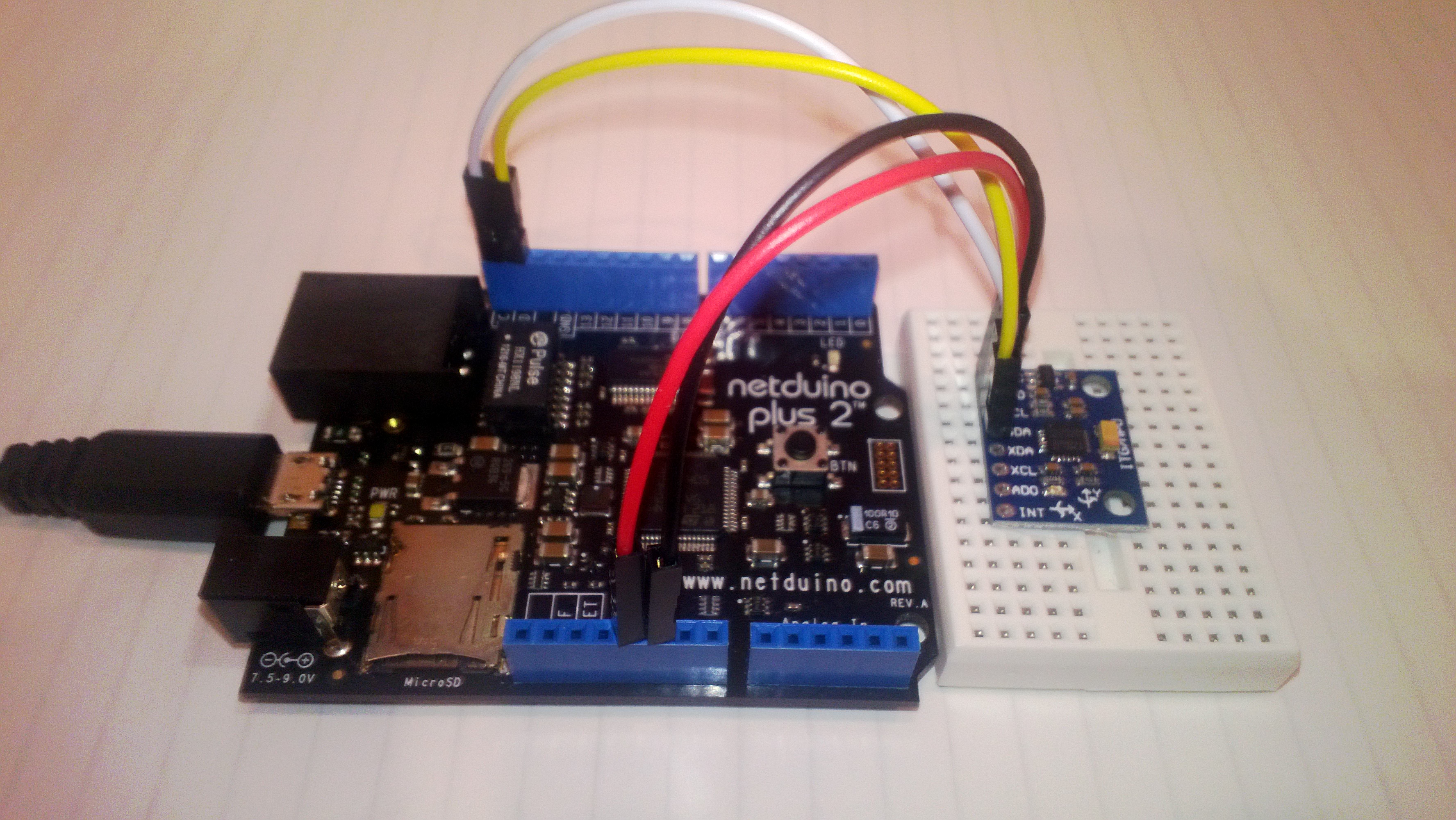
The test rig for my light weight high performance driver, a netduino 2 plus & breakout board.

Image

If I need a compass to make the Quadcopter controller work I’ll upgrade to an MPU 9150.

I2C read rates on Netduino Plus vs Netduino plus 2

As part of my quadcopter project I purchased a Netduino Plus 2 for the flight controller. The increased performance 48MHz vs. 168MHz CPU and other improvements looked like it could make it possible to implement most or all of the control algorithms in C#.

So I could compare the performance of the I2C interfaces I setup two test rigs which polled an ADXL345 Accelerometer (using the Love Electronics sample code) 10,000 times for X,Y & Z acceleration values.

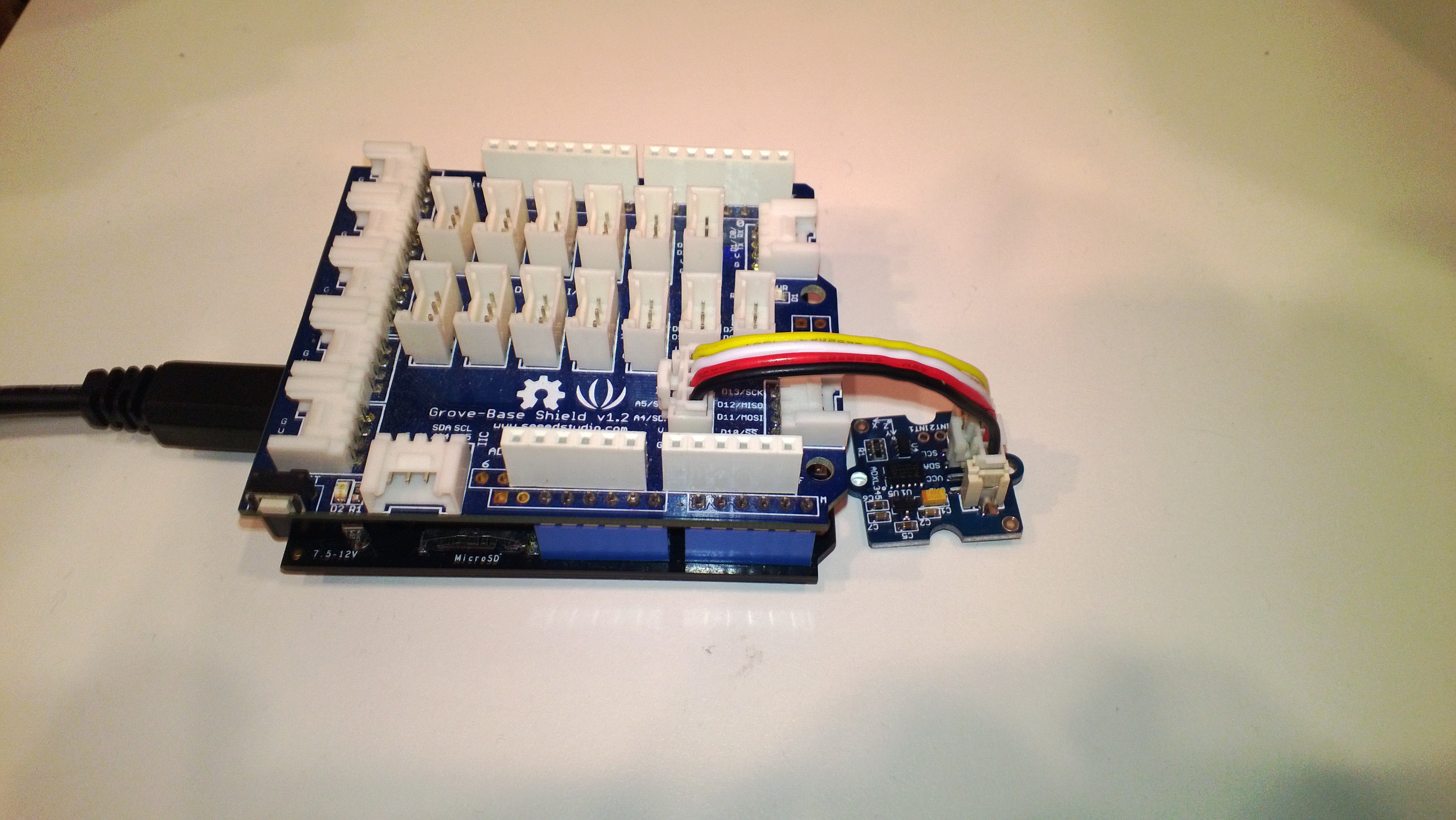
NetduinoPlusAccelerometer

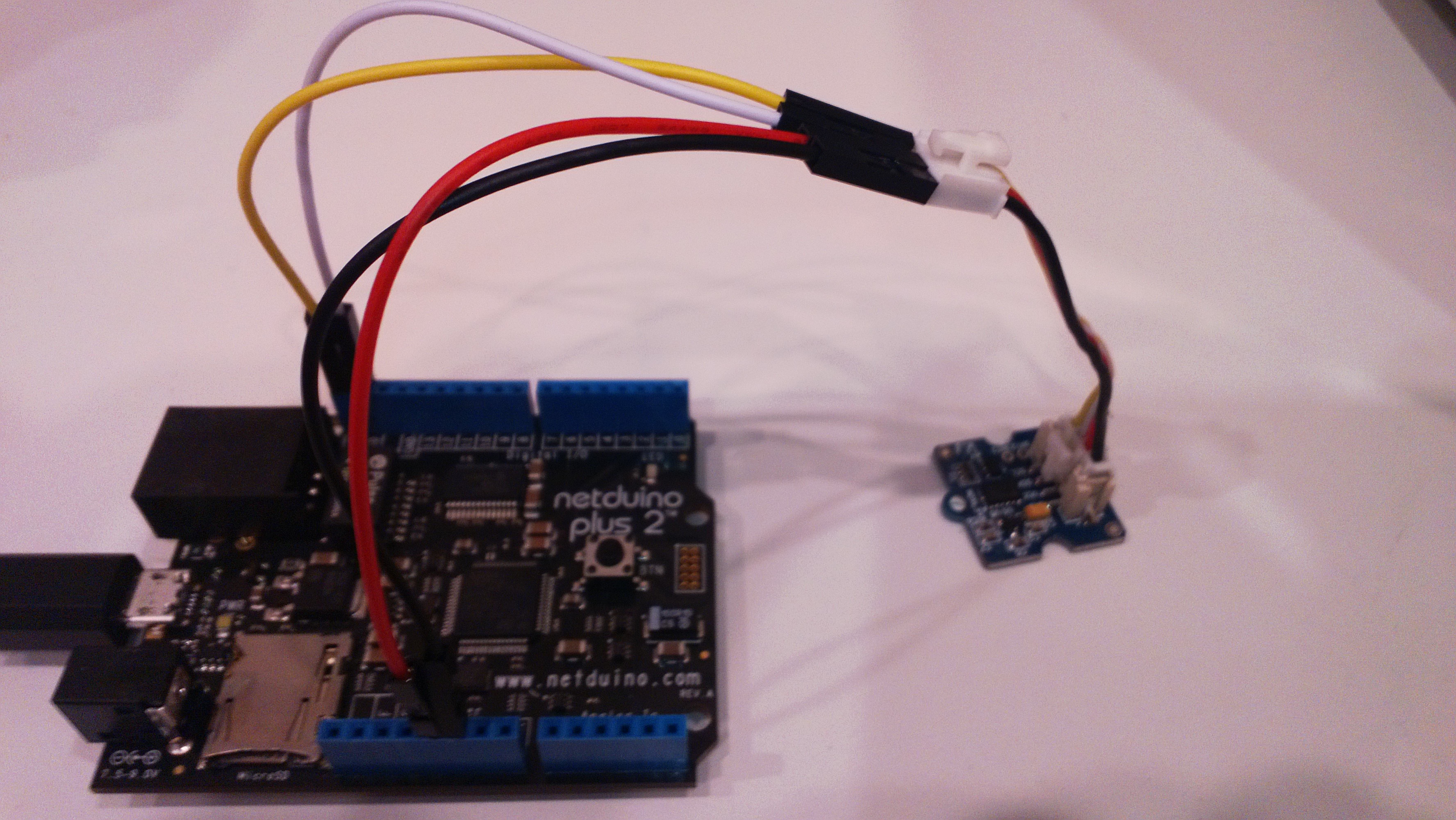
The different I2C pins on the Netduino plus 2 required some jumper cables

Netduino2PlusAccelerometer

Both devices were running NetMF 4.2 and I monitored the output of the test harness using MF Deploy.

Netduino Plus

22.2797,22.3126,22.3313,22.3129,22.3590,22.3689,22.3497,22.3049,22.3649,22.3836

Average 22.3 seconds roughly 450/sec

Netduino Plus 2

6.8312,6.8059,6.8003,6.8051,6.8319,6.7999,6.8104,6.8194,6.8233,6.8096

Average 6.8 seconds roughly 1470/sec

NetMF Quadcopter Proof of Concept

A few weeks ago I read a number of conversation on the Netduino and TinyCLR Forums about building a quadcopter. Often there was discussion about how .NetMF wasn’t a viable platform and this got me thinking…

Today, I purchased a Crazyflie Nano Quadcopter Kit 10-DOF as a research platform. I also purchased a Netduino Plus 2 (faster processor than my current Netduino Plus and Fez Panda II boards) and an MPU 6050 breakout board as the start of my control system.

First thing to confirm is that I can read the gyro and accelerometer data from the MPU 6050 at a high enough rate to enable controlled flight. The next step will be to confirm that the processor can process the gyro & accelerometer data at a high enough rate to enable controlled flight.

If these initial investigations are successful start to purchase the parts for a development system based on this Beginners Quadcopter Kit buying guide. I won’t need the remote control hardware (I will use Zigbee or similar) or the controller board.

Using a proven should reduce the risk, plus if I can’t get it to work I can purchase the necessary Openpilot or similar kit and have a working quadcopter.

EntLib Logging in Azure – Revisited

At one of my clients I was debugging an application which used the Microsoft Enterprise Library logging block and I added some code to log the service configuration on start up.

The odd thing was that when I turned on verbose logging I noticed the first couple of log entries were missing sometimes. After some mucking around I found that the log entries were only missing for a new deployment and everything was fine for a restart.

The missing log entries weren’t immediately obvious as I was testing an application which was clustered and there were multiple instances were logging information simultaneously.

public override bool OnStart()
{
Trace.Listeners.Add(new DiagnosticMonitorTraceListener());
Trace.AutoFlush = true;

CloudStorageAccount storageAccount = CloudStorageAccount.Parse(RoleEnvironment.GetConfigurationSettingValue("Microsoft.WindowsAzure.Plugins.Diagnostics.ConnectionString"));
RoleInstanceDiagnosticManager roleInstanceDiagnosticManager = storageAccount.CreateRoleInstanceDiagnosticManager(RoleEnvironment.DeploymentId, RoleEnvironment.CurrentRoleInstance.Role.Name, RoleEnvironment.CurrentRoleInstance.Id);

var configuration = roleInstanceDiagnosticManager.GetCurrentConfiguration();
if (configuration == null)
{
configuration = DiagnosticMonitor.GetDefaultInitialConfiguration();
}

configuration.Logs.BufferQuotaInMB = 4;
configuration.Logs.ScheduledTransferPeriod = TimeSpan.FromMinutes(1);
configuration.Logs.ScheduledTransferLogLevelFilter = LogLevel.Undefined;
roleInstanceDiagnosticManager.SetCurrentConfiguration(configuration);

EnterpriseLibraryContainer.Current = EnterpriseLibraryContainer.CreateDefaultContainer(new FileConfigurationSource("web.config", false));
Logger.Write("OnStart " + DateTime.UtcNow.ToLongTimeString());


return base.OnStart();
}

public override void Run()
{
int index = 0;

Logger.Write(“Run Start ” + DateTime.UtcNow.ToLongTimeString());

while (true)
{
Logger.Write(“Run Loop ” + index.ToString() + ” ” + DateTime.UtcNow.ToLongTimeString());
index++;
Thread.Sleep(10000);
}
}

The trace log for a new deployment looked like this (I have found it starts somewhere between loop 2 thru 6 )

Run Loop 6 8:04:09 AM
Run Loop 7 8:04:19 AM
Run Loop 8 8:04:29 AM
….

For a restart like this

OnStart 8:19:01 AM
Run Start 8:19:01 AM
Run Loop 0 8:19:01 AM
Run Loop 1 8:19:11 AM
Run Loop 2 8:19:21 AM

I’m assuming that it this is a result of the time it takes for DiagnosticsAgent.exe to spin up.

If I use the Windows Event log the results are similar but with duplicate entries every so often which is odd.

NetMF Gadgeteer SeeedStudio GPS module driver oddness

A few months ago I built a proof of concept NetMF 4.2 application for a client which uploaded data to a Windows Azure Service. Recently we had been talking about extending the application to include support for tagging of the uploaded data with position information.

I purchased a Gadgeeter GPS Module from SeeedStudio and did a trial integration of the module into the client’s application. Initially it was working but I noticed that after a while (I monitored the application using MF Deploy) it would start displaying buffer overflow messages. I did the usual thing and went looking for “slow” code in the GPS events, removed debug print statements and made sure my application and the GPS were “playing nice” but the problem persisted.

My modifications seemed to make little difference so I downloaded the Microsoft Gadgeeter source code from codeplex so I could have a closer look at how the GPS driver worked. (I also personally would also like the driver to return the HDoP, VDoP or PDoP so there is an indication of the accuracy of the position data)

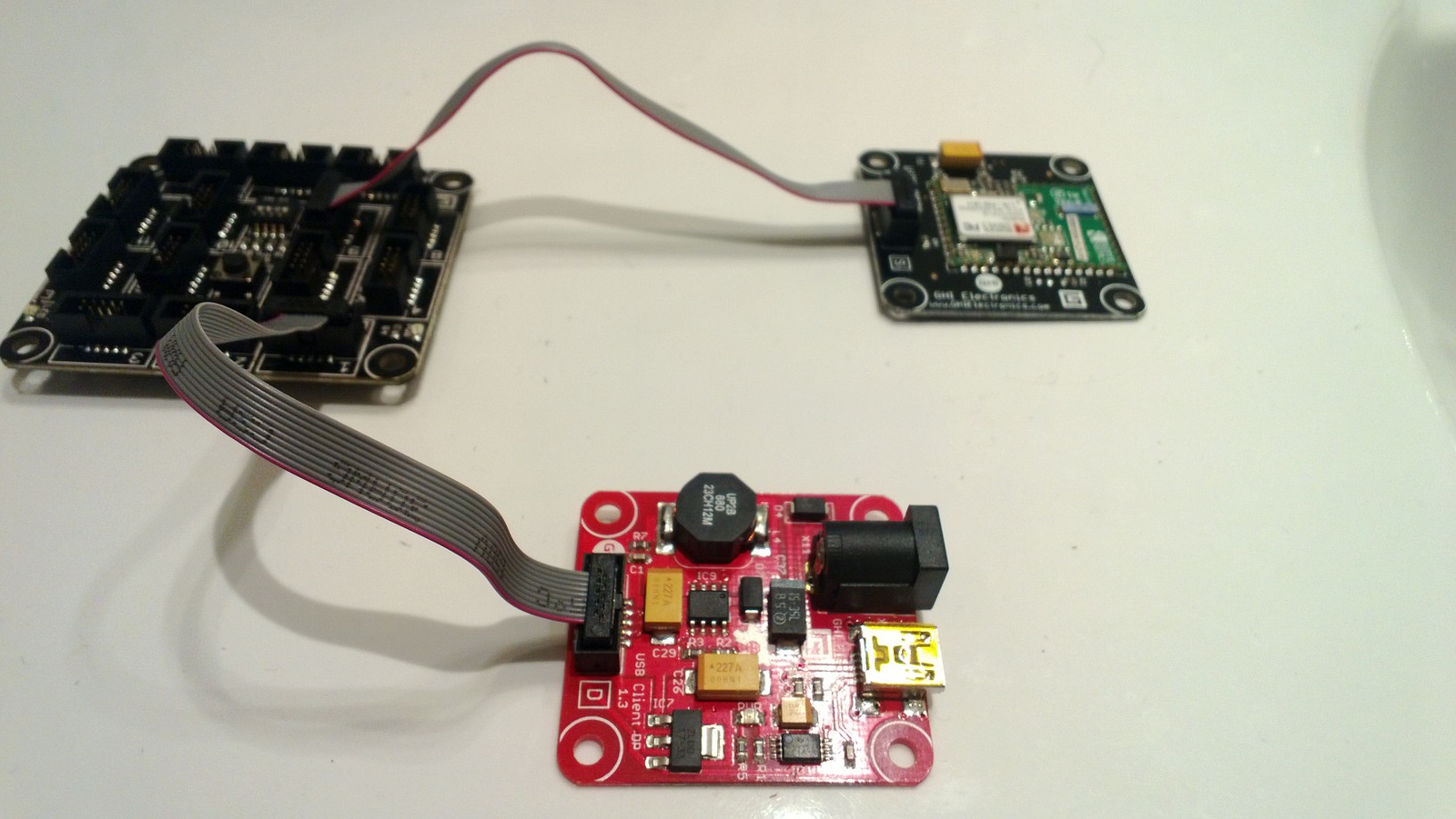
I noticed that there was a GPSTestApp and fired it up to see what would happen. I connected to my FEZ Spider device using MF Deploy and below is the output. The GPS Test application threw an exception shortly after I started it, then started displaying “Buffer OVFLW”. (Odd thing is I it must still be processing some NMEA1803 strings)

I need to do some digging to figure out what’s going on as initially thought it was my code but as the demo application fails I’m not so sure 🙂

Found debugger!
Create TS.
Loading start at a0e00000, end a0e1383c
Assembly: mscorlib (4.2.0.0)     Assembly: Microsoft.SPOT.Native (4.2.0.0)     Assembly: Microsoft.SPOT.Security.PKCS11 (4.2.0.0)     Assembly: System.Security (4.2.0.0)  Loading Deployment Assemblies.
Attaching deployed file.
Assembly: Microsoft.SPOT.IO (4.2.0.0)  Attaching deployed file.
Assembly: GTM.Seeed.GPS (1.6.0.0)  Attaching deployed file.
Assembly: Microsoft.SPOT.Graphics (4.2.0.0)  Attaching deployed file.
Assembly: Microsoft.SPOT.Hardware (4.2.0.0)  Attaching deployed file.
Assembly: Microsoft.SPOT.Hardware.PWM (4.2.0.1)  Attaching deployed file.
Assembly: GHI.Premium.Hardware (4.2.9.0)  Attaching deployed file.
Assembly: System (4.2.0.0)  Attaching deployed file.
Assembly: Gadgeteer.Serial (2.42.0.0)  Attaching deployed file.
Assembly: Microsoft.SPOT.TinyCore (4.2.0.0)  Attaching deployed file.
Assembly: GHI.Premium.System (4.2.9.0)  Attaching deployed file.
Assembly: GPSTestApp (1.0.0.0)  Attaching deployed file.
Assembly: Microsoft.SPOT.Net (4.2.0.0)  Attaching deployed file.
Assembly: System.IO (4.2.0.0)  Attaching deployed file.
Assembly: GHI.Premium.IO (4.2.9.0)  Attaching deployed file.
Assembly: Gadgeteer (2.42.0.0)  Attaching deployed file.
Assembly: Microsoft.SPOT.Hardware.SerialPort (4.2.0.0)  Attaching deployed file.
Assembly: GHIElectronics.Gadgeteer.FEZSpider (1.1.1.0)  Resolving.
GC: 1msec 28272 bytes used, 7311396 bytes available
Type 0F (STRING              ):     24 bytes
Type 15 (FREEBLOCK           ): 7311396 bytes
Type 17 (ASSEMBLY            ):  28176 bytes
Type 34 (APPDOMAIN_HEAD      ):     72 bytes
GC: performing heap compaction...
Ready.

Using mainboard GHI Electronics FEZSpider version 1.0
Program Started
#### Exception System.InvalidOperationException – 0x00000000 (4) ####
#### Message:
#### System.IO.Ports.SerialPort::set_ReadTimeout [IP: 0009] ####
#### Gadgeteer.Interfaces.Serial::ReadLineProcess [IP: 0015] ####
Uncaught exception
GPS last position NO POSITION FIX age 10675199.02:48:05.4775807
Buffer OVFLW
Buffer OVFLW
Buffer OVFLW
Buffer OVFLW
Buffer OVFLW

95 x Buffer OVFLW

Buffer OVFLW
Buffer OVFLW
Buffer OVFLW
Buffer OVFLW
GPS last position NO POSITION FIX age 10675199.02:48:05.4775807
Buffer OVFLW
Buffer OVFLW

FEZ Spider NetMF 4.2 Wifi with Designer Support

I now have a GHI Wifi RS21 Module which I needed get working with a FEZ Spider running NetMF 4.2 (I have upgraded both my FEZ Spiders to 4.2 so no 4.1 vs. 4.2 comparison this time). Other developers seemed to be struggling to get connectivity with various earlier versions of the NetMF going working robustly.

(http://www.tinyclr.com/forum/topic?id=9404)
(http://www.tinyclr.com/forum/topic?id=9388)
(http://www.tinyclr.com/forum/topic?id=9502)
(http://www.tinyclr.com/forum/topic?id=9538)

So after flashing my device to 4.2.9.0 I built a quick and dirty demo to illustrate how I got my RS9110 based Wifi module working with designer support. For a real application I would move the initialisation out of the ProgramStarted and improve the exception handling but this sample code should be enough to get you started. I have checked and this code works after both a device reset or re-flashing.

FezSpider + Wifi

Christchurch DNUG Internet of Things Presentation 5:30PM 26th March

I’m doing a presentation at the EPIC centre on the 26th of March about Windows Azure and the Internet of Things.

The local Java user group have been invited as well so I’ll be going into interop and connectivity considerations as well.  More information about the location and time is available from here.

Tim Carr from Mindkits has also kindly provided some swag. I have got a Fez Panda II and Robot Chassis to give away for the best two questions.