Random wanderings through Microsoft Azure esp. PaaS plumbing, the IoT bits, AI on Micro controllers, AI on Edge Devices, .NET nanoFramework, .NET Core on *nix and ML.NET+ONNX
For a trivial controller like the one below the difference between synchronous and asynchronous calls is most probably negligible, the asynchronous versions may even be slightly slower. ASP.NET Core web API applications should be designed to process many requests concurrently.
The Dapper library has the following asynchronous methods
These asynchronous methods enable a small pool of threads to process thousands of concurrent requests by not waiting on blocking database calls. Rather than waiting on a long-running synchronous database call to complete, the thread can work on another request.
namespace devMobile.WebAPIDapper.Lists.Controllers
{
	[ApiController]
	[Route("api/[controller]")]
	public class StockItemsAsyncController : ControllerBase
	{
		private readonly string connectionString;
		private readonly ILogger<StockItemsAsyncController> logger;

		public StockItemsAsyncController(IConfiguration configuration, ILogger<StockItemsAsyncController> logger)
		{
			this.connectionString = configuration.GetSection("ConnectionStrings").GetSection("WideWorldImportersDatabase").Value;

			this.logger = logger;
		}

		[HttpGet]
		public async Task<ActionResult<IAsyncEnumerable<Model.StockItemListDtoV1>>> Get()
		{
			IEnumerable<Model.StockItemListDtoV1> response = null;

			try
			{
				using (SqlConnection db = new SqlConnection(this.connectionString))
				{
					response = await db.QueryAsync<Model.StockItemListDtoV1>(sql: @"SELECT [StockItemID] as ""ID"", [StockItemName] as ""Name"", [RecommendedRetailPrice], [TaxRate] FROM [Warehouse].[StockItems]", commandType: CommandType.Text);
				}
			}
			catch (SqlException ex)
			{
				logger.LogError(ex, "Retrieving list of StockItems");

				return this.StatusCode(StatusCodes.Status500InternalServerError);
			}

			return this.Ok(response);
		}
	}
}
This sample controller method returns a small number of records (approximate 230) in one request so performance is unlikely to be a consideration. A controller method which returns many (1000s or even 10000s) records could cause performance and scalability issues. In a future post I will add pagination and then do some stress testing of the application to compare the different implementations.
With no error handling the code was a bit fragile so I modified the program.cs file and added support for the built in logging and Debug provider. To reduce the amount of code in the controller I have also moved the DTO to a separate file in the “models” folder.
namespace devMobile.WebAPIDapper.Lists
{
	public class Program
	{
		public static void Main(string[] args)
		{
			CreateHostBuilder(args).Build().Run();
		}

		public static IHostBuilder CreateHostBuilder(string[] args) =>
			 Host.CreateDefaultBuilder(args)
				.ConfigureLogging(logging =>
				{
					logging.ClearProviders();
					logging.AddDebug();
				})
				.ConfigureWebHostDefaults(webBuilder =>
				{
					webBuilder.UseStartup<Startup>();
				});
	}
}
To test the exception handling I “broke” the Dapper query embedded SQL.
namespace devMobile.WebAPIDapper.Lists.Controllers
{
	[Route("api/[controller]")]
	[ApiController]
	public class StockItemsFailureController: ControllerBase
	{
		private readonly string connectionString;
		private readonly ILogger<StockItemsFailureController> logger;

		public StockItemsFailureController(IConfiguration configuration, ILogger<StockItemsFailureController> logger)
		{
			this.connectionString = configuration.GetSection("ConnectionStrings").GetSection("WideWorldImportersDatabase").Value;

			this.logger = logger;
		}

		[HttpGet]
		public ActionResult<IEnumerable<Model.StockItemListDtoV1>> Get()
		{
			IEnumerable<Model.StockItemListDtoV1> response = null;

			try
			{
				using (SqlConnection db = new SqlConnection(this.connectionString))
				{
					response = db.Query<Model.StockItemListDtoV1>(sql: @"SELECTx [StockItemID] as ""ID"", [StockItemName] as ""Name"", [RecommendedRetailPrice], [TaxRate] FROM [Warehouse].[StockItems]", commandType: CommandType.Text);
				}
			}
			catch( SqlException ex)
			{
				logger.LogError(ex, "Retrieving list of StockItems");

				return this.StatusCode(StatusCodes.Status500InternalServerError);
			}

			return this.Ok(response);
		}
	}
The controller failed and the following error was displayed in the Visual Studio output window
devMobile.WebAPIDapper.Lists.Controllers.StockItemsFailureController: Error: Retrieving list of StockItems

System.Data.SqlClient.SqlException (0x80131904): Incorrect syntax near the keyword 'as'.
   at System.Data.SqlClient.SqlConnection.OnError(SqlException exception, Boolean breakConnection, Action`1 wrapCloseInAction)
   at System.Data.SqlClient.SqlInternalConnection.OnError(SqlException exception, Boolean breakConnection, Action`1 wrapCloseInAction)
   at System.Data.SqlClient.TdsParser.ThrowExceptionAndWarning(TdsParserStateObject stateObj, Boolean callerHasConnectionLock, Boolean asyncClose)
   at System.Data.SqlClient.TdsParser.TryRun(RunBehavior runBehavior, SqlCommand cmdHandler, SqlDataReader dataStream, BulkCopySimpleResultSet bulkCopyHandler, TdsParserStateObject stateObj, Boolean& dataReady)
   at System.Data.SqlClient.SqlDataReader.TryConsumeMetaData()
   at System.Data.SqlClient.SqlDataReader.get_MetaData()
   at System.Data.SqlClient.SqlCommand.FinishExecuteReader(SqlDataReader ds, RunBehavior runBehavior, String resetOptionsString)
   at System.Data.SqlClient.SqlCommand.RunExecuteReaderTds(CommandBehavior cmdBehavior, RunBehavior runBehavior, Boolean returnStream, Boolean async, Int32 timeout, Task& task, Boolean asyncWrite, SqlDataReader ds)
   at System.Data.SqlClient.SqlCommand.RunExecuteReader(CommandBehavior cmdBehavior, RunBehavior runBehavior, Boolean returnStream, TaskCompletionSource`1 completion, Int32 timeout, Task& task, Boolean asyncWrite, String method)
   at System.Data.SqlClient.SqlCommand.RunExecuteReader(CommandBehavior cmdBehavior, RunBehavior runBehavior, Boolean returnStream, String method)
   at System.Data.SqlClient.SqlCommand.ExecuteReader(CommandBehavior behavior)
   at System.Data.SqlClient.SqlCommand.ExecuteDbDataReader(CommandBehavior behavior)
   at System.Data.Common.DbCommand.System.Data.IDbCommand.ExecuteReader(CommandBehavior behavior)
   at Dapper.SqlMapper.ExecuteReaderWithFlagsFallback(IDbCommand cmd, Boolean wasClosed, CommandBehavior behavior) in /_/Dapper/SqlMapper.cs:line 1055
   at Dapper.SqlMapper.QueryImpl[T](IDbConnection cnn, CommandDefinition command, Type effectiveType)+MoveNext() in /_/Dapper/SqlMapper.cs:line 1083
   at System.Collections.Generic.List`1..ctor(IEnumerable`1 collection)
   at System.Linq.Enumerable.ToList[TSource](IEnumerable`1 source)
   at Dapper.SqlMapper.Query[T](IDbConnection cnn, String sql, Object param, IDbTransaction transaction, Boolean buffered, Nullable`1 commandTimeout, Nullable`1 commandType) in /_/Dapper/SqlMapper.cs:line 725
   at devMobile.WebAPIDapper.Lists.Controllers.StockItemsFailureController.Get() in C:\Users\BrynLewis\source\repos\WebAPIDapper\Lists\Controllers\03.StockItemsFailureController.cs:line 53
ClientConnectionId:f37eb089-a560-406d-8c24-cf904bb17d8a
Error Number:156,State:1,Class:15
The program '[16996] iisexpress.exe: Program Trace' has exited with code 0 (0x0).
The program '[16996] iisexpress.exe' has exited with code -1 (0xffffffff).
In a couple of future posts I will add support for Log4Net, nLog, Serilog and a couple other libraries.
Over the last few months I have been working on a series of .Net CoreWeb API projects for customers which have been connecting to existing on premises Microsoft SQL Server or Azure SQL databases I didn’t want to use the term “legacy” databases as they are part of large systems which are providing useful functionality to my customers and their clients.
One of the systems has in operation for a decade and the evolution of the database has been thoughtfully managed by the developers. They have always had to balance the business’s requirements, while trying to minimise new, and chip away at any existing technical debt.
Often the applications had large existing code bases in VB.Net, C# or C++ which used ADO.Net and/or other Object Relational Mappers(ORMs) like Entity Framework(EF) and nHibernate. Over the years as developers had “come and gone” the mix of technologies had grown to the point where the codebases were difficult to maintain and to understand how the technologies interacted in production.
In a couple of organisations access to database(s) was managed by a Database Administrator(DBA) who defined the approach used (often with stored procedures) and vetted all access to data for performance, compliance and/or security considerations.
Unless it is something important these posts won’t have lots of screen grabs from Visual Studio with buttons to press highlighted, or details of how to use app.settings.json files etc.
In the beginning
The first step was creating a Visual Studio 2019 solution, adding an empty Web API project then adding an “API Controller with read/write actions.(most of which I have deleted).
using Microsoft.AspNetCore.Mvc;
using System;
using System.Collections.Generic;
using System.Linq;
using System.Threading.Tasks;

// For more information on enabling Web API for empty projects, visit https://go.microsoft.com/fwlink/?LinkID=397860

namespace devMobile.WebAPIDapper.Lists.Controllers
{
	[ApiController]
	[Route("api/[controller]")]
	public class ReadWriteController : ControllerBase
	{
		// GET: api/<ReadWriteController>
		[HttpGet]
		public IEnumerable<string> Get()
		{
			return new string[] { "value1", "value2" };
		}

		// GET api/<ReadWriteController>/5
		[HttpGet("{id}")]
		public string Get(int id)
		{
			return "value";
		}

		// POST api/<ReadWriteController>
		[HttpPost]
		public void Post([FromBody] string value)
		{
		}

		// PUT api/<ReadWriteController>/5
		[HttpPut("{id}")]
		public void Put(int id, [FromBody] string value)
		{
		}

		// DELETE api/<ReadWriteController>/5
		[HttpDelete("{id}")]
		public void Delete(int id)
		{
		}
	}
}
Several of the existing codebases used ADO.Net so Dapper the lightweight ORM(NuGet) developed by the Stackoverflow team has been a good fit. The developers were comfortable with ADO.Net unlike EF which has a pretty steep learning curve especially when retrofitting it to an existing database.
using System.Collections.Generic;
using System.Data;
using System.Data.SqlClient;

using Microsoft.AspNetCore.Mvc;
using Microsoft.Extensions.Configuration;

using Dapper;

namespace devMobile.WebAPIDapper.SimpleList.Controllers
{
	public class StockItemListDto
	{
		public int Id { get; set; }
		public string Name { get; set; }
		public decimal RecommendedRetailPrice { get; set; }
		public decimal TaxRate { get; set; }
	}

	[Route("api/[controller]")]
	[ApiController]
	public class StockItemController : ControllerBase
	{
		private readonly string connectionString;

		public StockItemController(IConfiguration configuration)
		{
			this.connectionString = configuration.GetSection("ConnectionStrings").GetSection("WideWorldImportersDatabase").Value;
		}

		public IEnumerable<StockItemListDto> Get()
		{
			IEnumerable<StockItemListDto> response = null;

			using (SqlConnection db = new SqlConnection(this.connectionString))
			{
				response = db.Query<StockItemListDto>(sql: @"SELECT [StockItemID] as ""ID"", [StockItemName] as ""Name"", [RecommendedRetailPrice], [TaxRate] FROM [Warehouse].[StockItems]", commandType: CommandType.Text);
			}

			return response;
		}
	}
}
To keep the code as small and simple as practical I have used embedded SQL (I’ll cover stored procedures in depth in future posts), the request is synchronous, the “baked in” appsettings.json configuration file support is used, the Data Transfer Object(DTO) is included with the controller implementation, the names of the columns returned by the SQL query match the DTO properties, and there is no logging or error handling.
[{"id":1,"name":"USB missile launcher (Green)","recommendedRetailPrice":37.38,"taxRate":15.000,"validFrom":"2016-05-31T23:11:00"}, {"id":2,"name":"USB rocket launcher (Gray)","recommendedRetailPrice":37.38,"taxRate":15.000,"validFrom":"2016-05-31T23:11:00"},{"id":3,"name":"Office cube periscope (Black)","recommendedRetailPrice":27.66,"taxRate":15.000,"validFrom":"2016-05-31T23:00:00"},{"id":4,"name":"USB food flash drive - sushi roll","recommendedRetailPrice":47.84,"taxRate":15.000,"validFrom":"2016-05-31T23:11:00"},{"id":5,"name":"USB food flash drive - hamburger","recommendedRetailPrice":47.84,"taxRate":15.000,"validFrom":"2016-05-31T23:11:00"},{"id":6,"name":"USB food flash drive - hot dog","recommendedRetailPrice":47.84,"taxRate":15.000,"validFrom":"2016-05-31T23:11:00"},{"id":7,"name":"USB food flash drive - pizza slice","recommendedRetailPrice":47.84,"taxRate":15.000,"validFrom":"2016-05-31T23:11:00"},{"id":8,"name":"USB food flash drive - dim sum 10 drive variety pack","recommendedRetailPrice":358.80,"taxRate":15.000,"validFrom":"2016-05-31T23:11:00"},{"id":9,"name":"USB food flash drive - banana","recommendedRetailPrice":47.84,"taxRate":15.000,"validFrom":"2016-05-31T23:11:00"},
...
{"id":217,"name":"Void fill 200 L bag (White) 200L","recommendedRetailPrice":37.38,"taxRate":15.000,"validFrom":"2016-05-31T23:12:00"},{"id":218,"name":"Void fill 300 L bag (White) 300L","recommendedRetailPrice":56.06,"taxRate":15.000,"validFrom":"2016-05-31T23:12:00"},{"id":219,"name":"Void fill 400 L bag (White) 400L","recommendedRetailPrice":74.75,"taxRate":15.000,"validFrom":"2016-05-31T23:12:00"},{"id":220,"name":"Novelty chilli chocolates 250g","recommendedRetailPrice":12.23,"taxRate":10.000,"validFrom":"2016-05-31T23:00:00"},{"id":221,"name":"Novelty chilli chocolates 500g","recommendedRetailPrice":20.74,"taxRate":10.000,"validFrom":"2016-05-31T23:00:00"},{"id":222,"name":"Chocolate beetles 250g","recommendedRetailPrice":12.23,"taxRate":10.000,"validFrom":"2016-05-31T23:00:00"},{"id":223,"name":"Chocolate echidnas 250g","recommendedRetailPrice":12.23,"taxRate":10.000,"validFrom":"2016-05-31T23:00:00"},{"id":224,"name":"Chocolate frogs 250g","recommendedRetailPrice":12.23,"taxRate":10.000,"validFrom":"2016-05-31T23:00:00"},{"id":225,"name":"Chocolate sharks 250g","recommendedRetailPrice":12.23,"taxRate":10.000,"validFrom":"2016-05-31T23:00:00"},{"id":226,"name":"White chocolate snow balls 250g","recommendedRetailPrice":12.23,"taxRate":10.000,"validFrom":"2016-05-31T23:00:00"},{"id":227,"name":"White chocolate moon rocks 250g","recommendedRetailPrice":12.23,"taxRate":10.000,"validFrom":"2016-05-31T23:00:00"}]
While running my The Things IndustriesTTI) gateway I noticed an exception in the logs every so often
Exception of type 'Microsoft.Azure.Devices.Client.Exceptions.DeviceMessageLockLostException' was thrown.
My client subscribes to Message Queue Telemetry Transport Topics(MQTT) (using MQTTNet) for each TTI Application and establishes a connection (using an Azure DeviceClient) for each TTI Device to an Azure IoT Hub(s).
The application subscribes to the queued, ack, nack, and failed topics so the progress of a downlink message can be monitored. For downlink messages the correlation_id “az:LockToken:” contains the message.LockToken so that they can be Abandoned, Completed or Rejected in the MQTT receive messageHandler.
Below is the logging from my application for an odd sequence of messages
The sequence of messages is a bit odd, in the Azure DeviceClient ReceiveMessageHandler a downlink message is published, then a queued message is received, then a nak and finally an ack, The exception was because my client was trying to Complete the delivery of a message that had already been Abandoned.
namespace devMobile.TheThingsNetwork.WorkerService
{
   using System.Collections.Generic;

   public class AzureDeviceProvisiongServiceSettings
   {
      public string IdScope { get; set; }
      public string GroupEnrollmentKey { get; set; }
   }

   public class AzureSettings
   {
      public string IoTHubConnectionString { get; set; }
      public AzureDeviceProvisiongServiceSettings DeviceProvisioningServiceSettings { get; set; }
   }

   public class ApplicationSetting
   {
      public AzureSettings AzureSettings { get; set; }

      public string MQTTAccessKey { get; set; }

      public byte? ApplicationPageSize { get; set; }

      public bool? DeviceIntegrationDefault { get; set; }
      public byte? DevicePageSize { get; set; }
   }

   public class TheThingsIndustries
   {
      public string MqttServerName { get; set; }
      public string MqttClientName { get; set; }

      public string Tennant { get; set; }
      public string ApiBaseUrl { get; set; }
      public string ApiKey { get; set; }

      public bool ApplicationIntegrationDefault { get; set; }
      public byte ApplicationPageSize { get; set; }

      public bool DeviceIntegrationDefault { get; set; }
      public byte DevicePageSize { get; set; }
   }

   public class ProgramSettings
   {
      public TheThingsIndustries TheThingsIndustries { get; set; }

      public AzureSettings AzureSettingsDefault { get; set; }

      public Dictionary<string, ApplicationSetting> Applications { get; set; }
   }
}
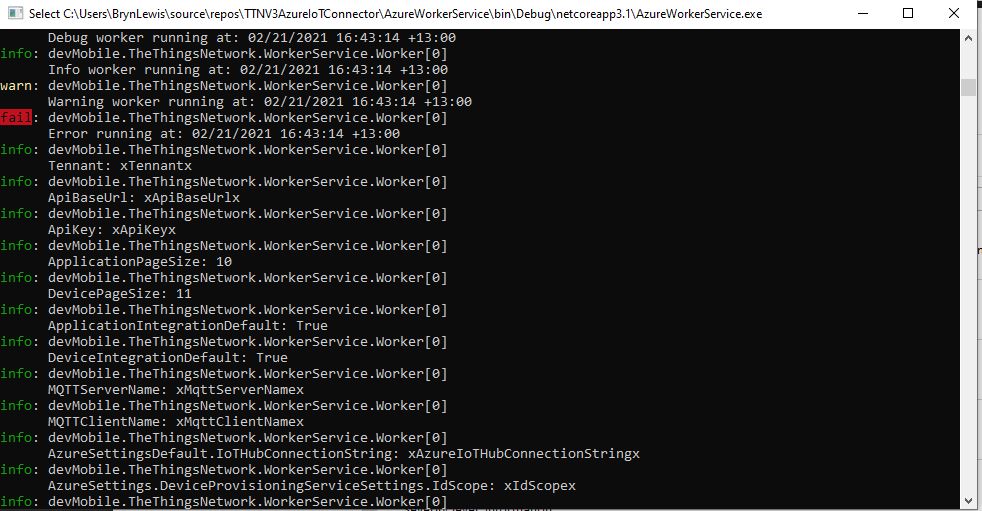
The amount of configuration required to support multiple TTI Applications containing many Devices is also starting to get out of hand.
I need to subscribe to a Message Queue Telemetry Transport Topics(MQTT using MQTTNet) for each Application and establish a connection (using an Azure DeviceClient) for each TTI Device to the configured Azure IoT Hub(s).
The Azure DeviceClient has to be configured and OpenAsync called just before/after subscribing to the TTI Application /up topic so the SendEventAsync method can be called to send messages to the configured Azure IoT Hub(s). For downlink messages the SetReceiveMessageHandler method will need to be called just before/after subscribing to ../down/queued, ../down/sent,../down/ack,…/down/nack and ,…/down/failed downlink topics.
The ordering of downloading the Application and Device configuration so downlink messages can be sent and uplink message received as soon as possible (so no messages are lost) is important. I have considered making the downlink process multi-threaded so API calls are made concurrently but I’m not certain the additional complexity would be worth it, especially in initial versions.
I’m also currently not certain about how to register my program for Application and Device registry changes so it doesn’t have to be restarted when configuration changes. I have also considered reverting to an HTTP Integration so that I could use Azure Storage queues to buffer uplink and downlink messages. This may also introduce ordering issues when multiple threads are created for Azure Queue Trigger functions to process a message backlog.
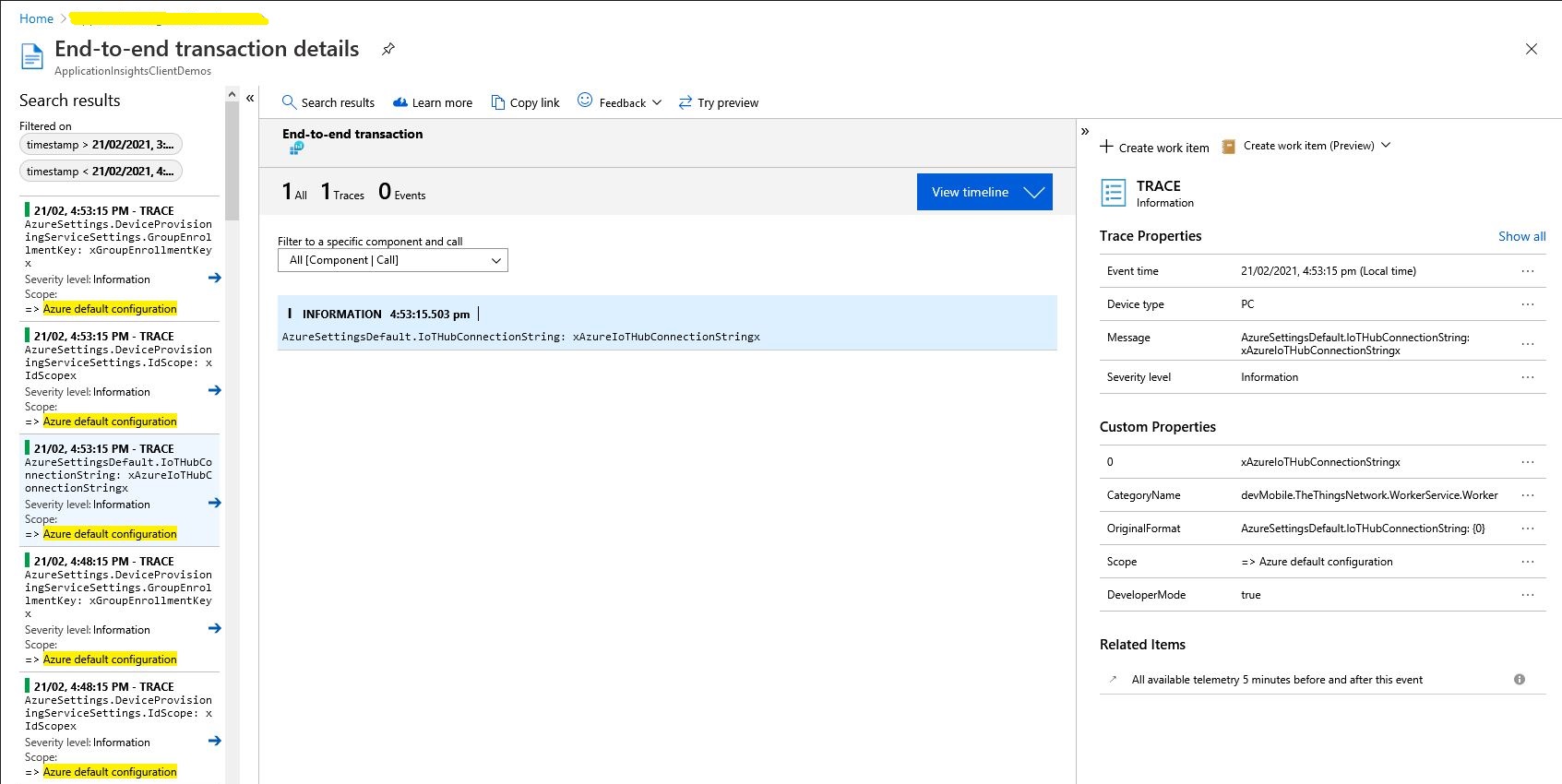
For debugging the application and monitoring in production I was planning on using the Apache Log4Net library but now I’m not certain the additional configuration complexity and dependencies are worth it. The built in Microsoft.Extensions.Logging library with Azure Application Insights integration looks like a “light weight” alternative with sufficient functionality .
My Azure IoT Hub messages have properties for the LoRaWAN port (required), confirmed (which defaults to false), priority (which defaults to Normal) and queue(which defaults to Replace). The priority and queue enumerations are defined in TTNcommon.cs.
I used the enumeration for message priority in the JSON payload and MQTT downlink message topic.
Initially when I published a message it wasn’t sent and there was no error. It was a while before I noticed that the queue setting was being being converted to the text “Push” or “Replace” based on the enumeration value name (The priority value was in the JSON which is case insensitive). I did wonder if the tenantId and ApplicationId were also case sensitive so I ensured consistent capitalisation with ToLower();
My Azure IoT Central client application displays the generated message including the decoded payload field which is used by the built in Low Power Protocol(LPP) decoder/encoder and other custom encoders/decoders.
Azure IoT Central commands for TTN/TTI integration
From the “Device Commands” form I can send commands and a queued commands which have float parameters or object parameters which contain one or more float values in a JSON payload.
For commands which call the methodHander which was been registered by calling SetMethodDefaultHandlerAsync the request payload can be JSON or plain text. If the payload is valid JSON it is “grafted”(couldn’t think of a better word) into the decoded_payload field. If the payload is not valid a JSON object with the method name as the “name” and the text payload as the value is added the decoded_payload.
private static async Task<MethodResponse> MethodCallbackDefaultHandler(MethodRequest methodRequest, object userContext)
{
   AzureIoTMethodHandlerContext receiveMessageHandlerConext = (AzureIoTMethodHandlerContext)userContext;

   Console.WriteLine($"Default handler method {methodRequest.Name} was called.");

   Console.WriteLine($"Payload:{methodRequest.DataAsJson}");
   Console.WriteLine();

   if (string.IsNullOrWhiteSpace(methodRequest.Name))
   {
      Console.WriteLine($"   Method Request Name null or white space");
      return new MethodResponse(400);
   }

   string payloadText = Encoding.UTF8.GetString(methodRequest.Data);
   if (string.IsNullOrWhiteSpace(payloadText))
   {
       Console.WriteLine($"   Payload null or white space");
       return new MethodResponse(400);
   }

   // At this point would check to see if Azure DeviceClient is in cache, this is so nasty
   if ( String.Compare( methodRequest.Name, "Analog_Output_1", true) ==0 )
   {
      Console.WriteLine($"   Device not found");
      return new MethodResponse(UTF8Encoding.UTF8.GetBytes("Device not found"), 404);
   }

   JObject payload;

   if (IsValidJSON(payloadText))
   {
      payload = JObject.Parse(payloadText);
   }
   else
   {
      payload = new JObject
      {
         { methodRequest.Name, payloadText }
      };
   }

   string downlinktopic = $"v3/{receiveMessageHandlerConext.ApplicationId}@{receiveMessageHandlerConext.TenantId}/devices/{receiveMessageHandlerConext.DeviceId}/down/push";

   DownlinkPayload downlinkPayload = new DownlinkPayload()
   {
      Downlinks = new List<Downlink>()
      {
         new Downlink()
         {
            Confirmed = false,
            //PayloadRaw = messageBody,
            PayloadDecoded = payload,
            Priority = DownlinkPriority.Normal,
            Port = 10,
            /*
            CorrelationIds = new List<string>()
            {
               methodRequest.LockToken
            }
            */
         }
      }
   };

   Console.WriteLine($"TTN Topic :{downlinktopic}");
   Console.WriteLine($"TTN downlink JSON :{JsonConvert.SerializeObject(downlinkPayload, Formatting.Indented)}");

   return new MethodResponse(200);
}
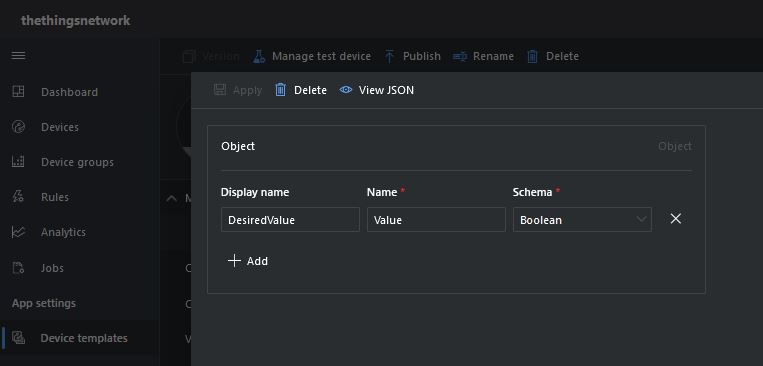
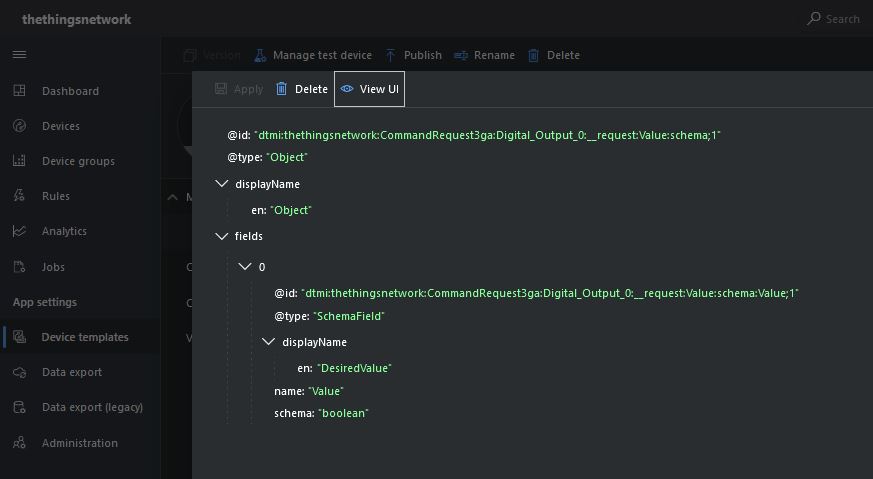
Configuration of unqueued Commands with a typed payloadThe output of my test harness for a Command for a typed payloadConfiguring fields of object payload(JSON)
A JSON request payload also supports downlink messages with more that one value.
The output of my test harness for a Command with an object payload(JSON)
For queued commands which call the ReceiveMessageHandler which has was registered by calling SetReceiveMessageHandler the request payload is JSON or plain text.
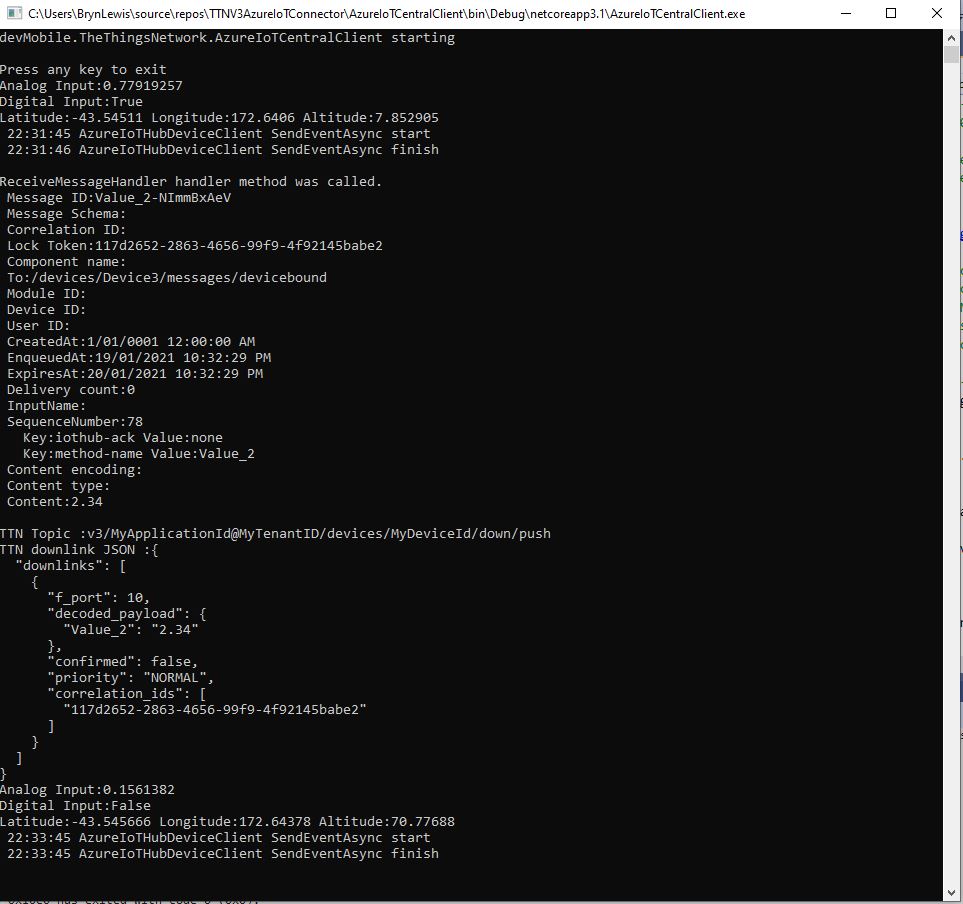
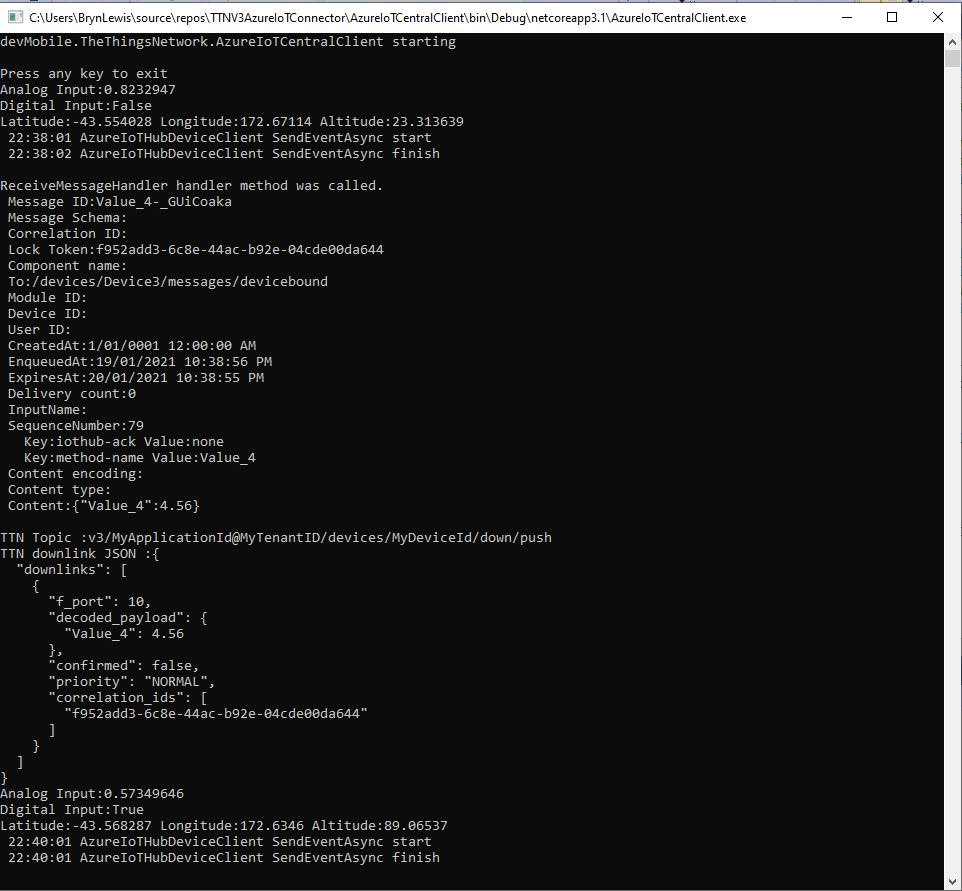
When I initiated an Analog queued command the message handler was invoked with the name of the command capability (Analog_Output_2) in a message property called “method-name”. For a typed parameter the message content was a string representation of the value. For an object parameter the payload contains a JSON representation of the request field(s)
The output of my test harness for a Queued Command with a typed payload
A JSON request payload supports downlink message with more that one value.
The output of my test harness for a Queued Command with an object payload(JSON)
The context information for both comments and queued commands provides additional information required to construct the MQTT topic for publishing the downlink messages.
If the device is not known the Abandon method will be called immediately. For command messages Completed will be called as soon as the message is “sent”
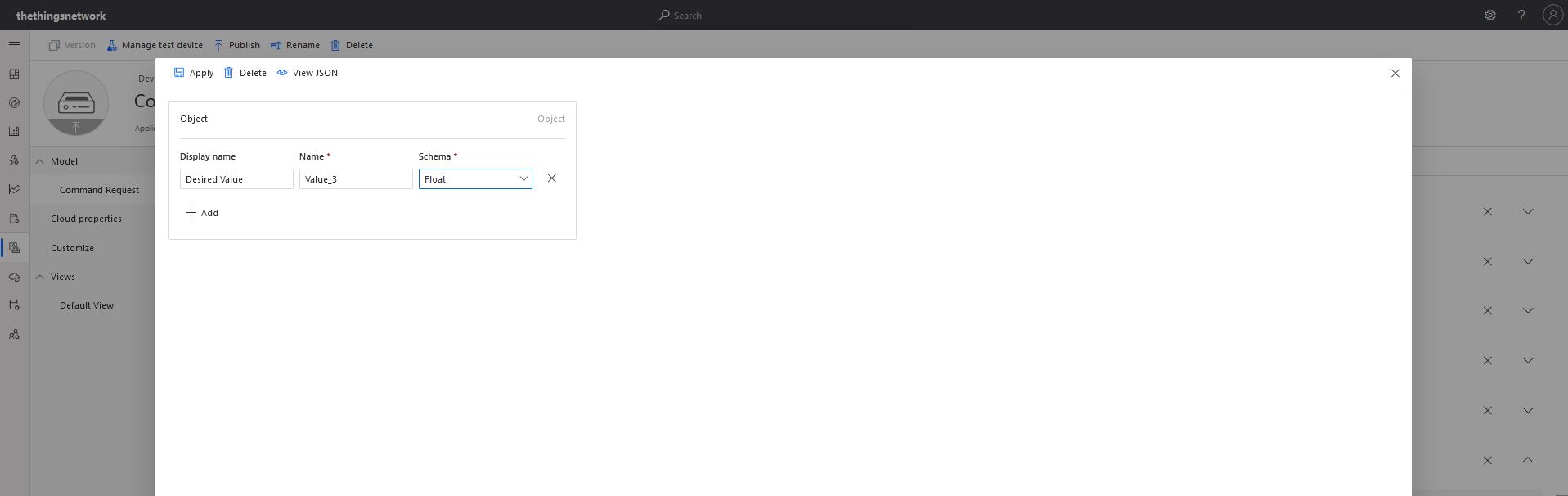
With object based parameters the request JSON could contain more than one value though the validation of user provided information didn’t appear to be as robust.
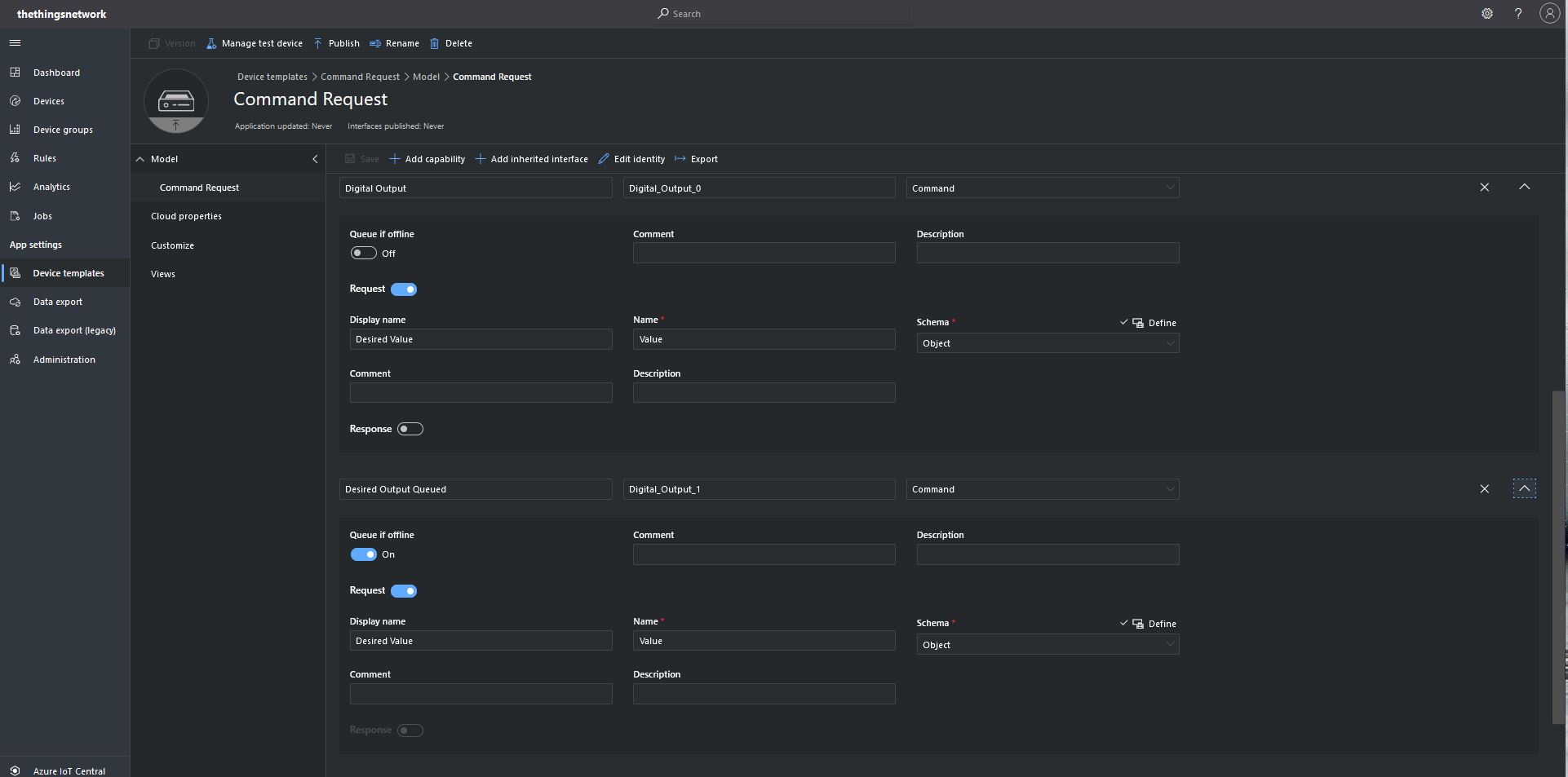
Object parameter schema definition
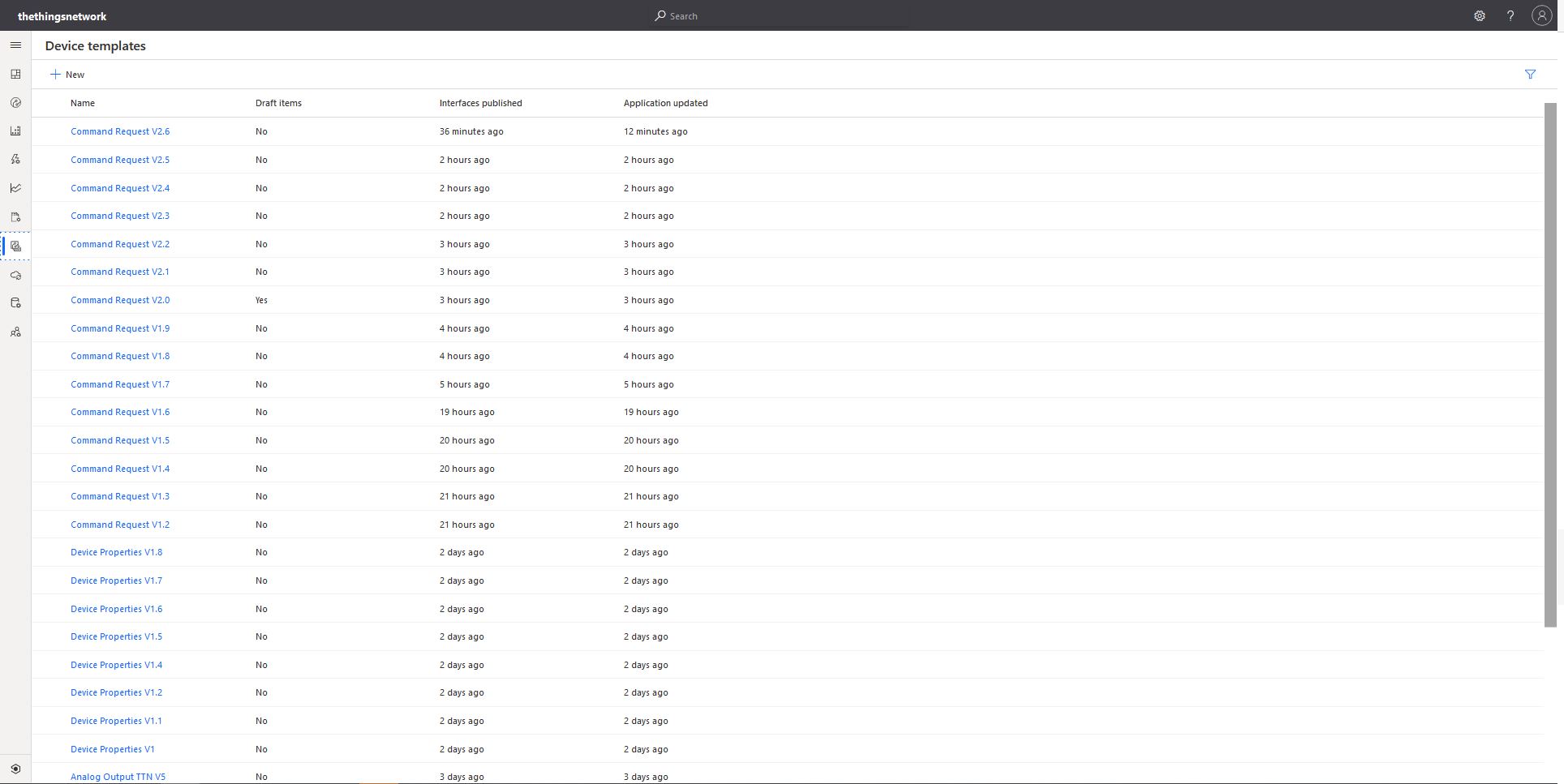
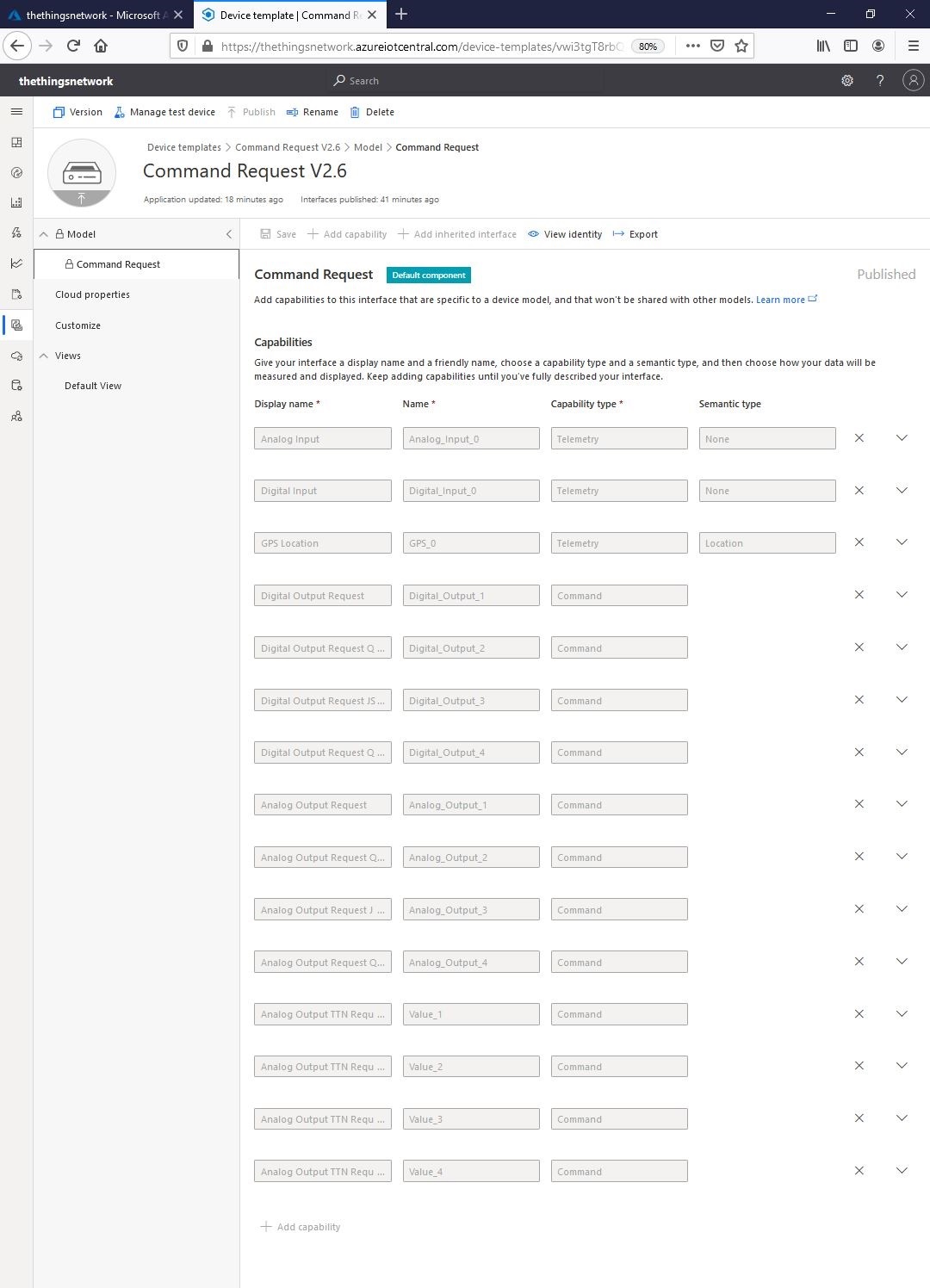
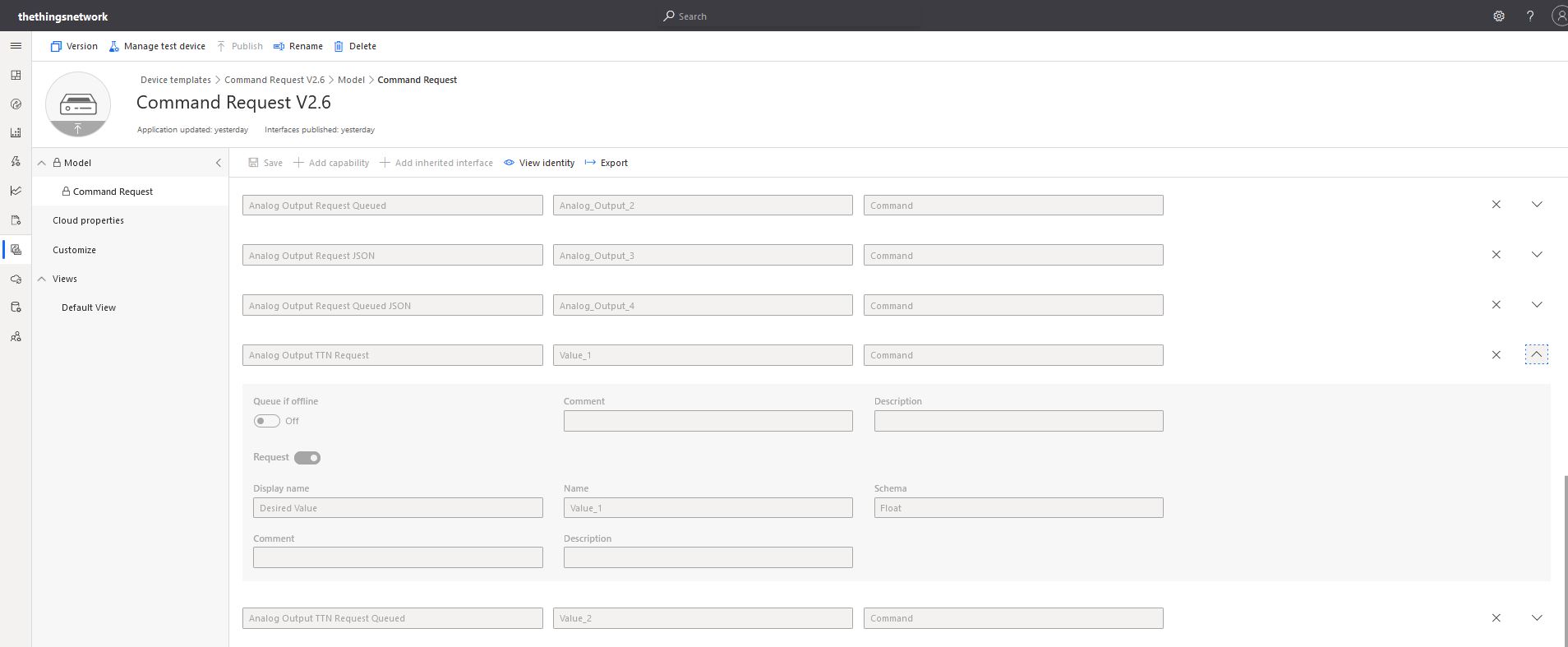
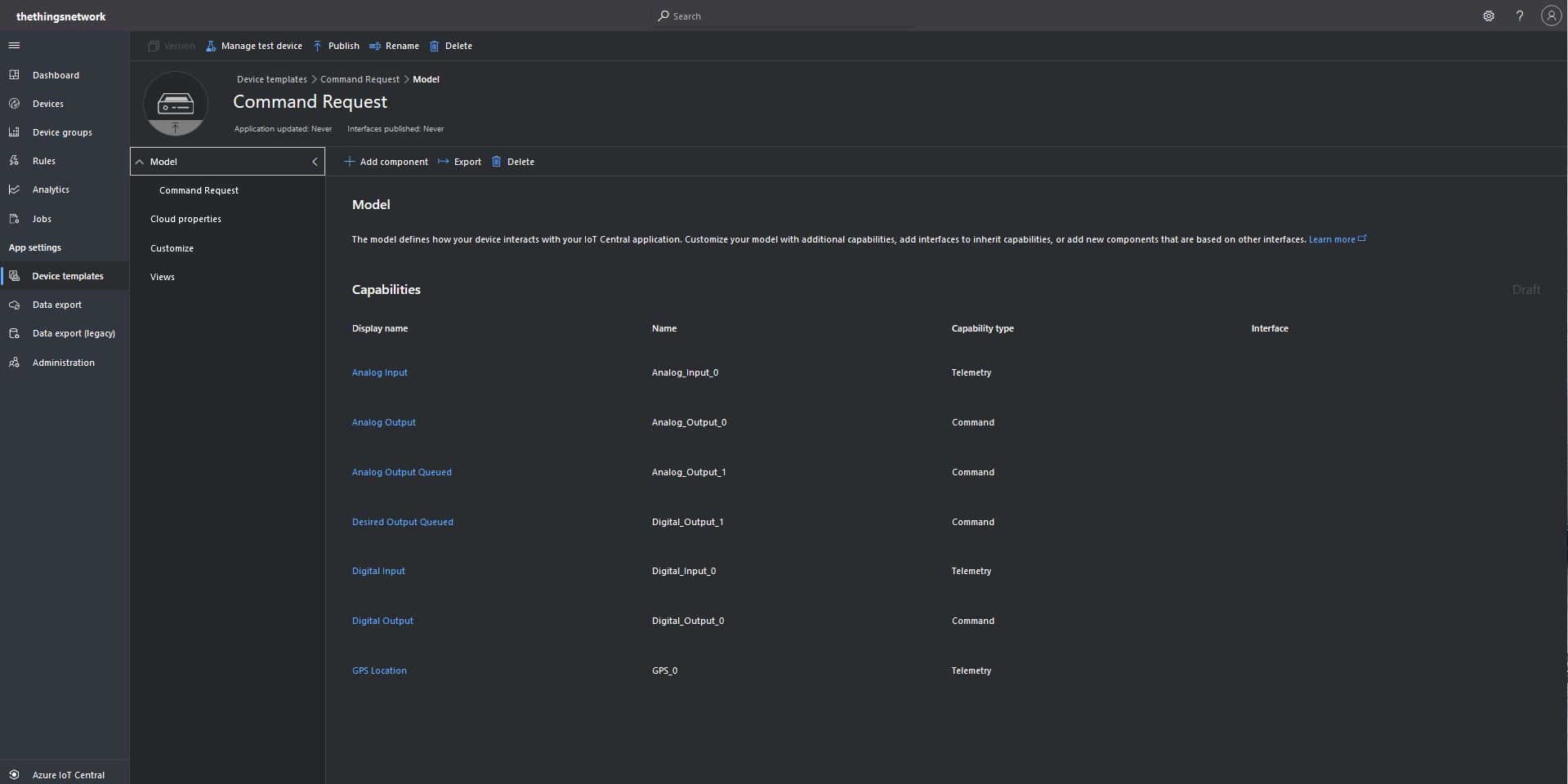
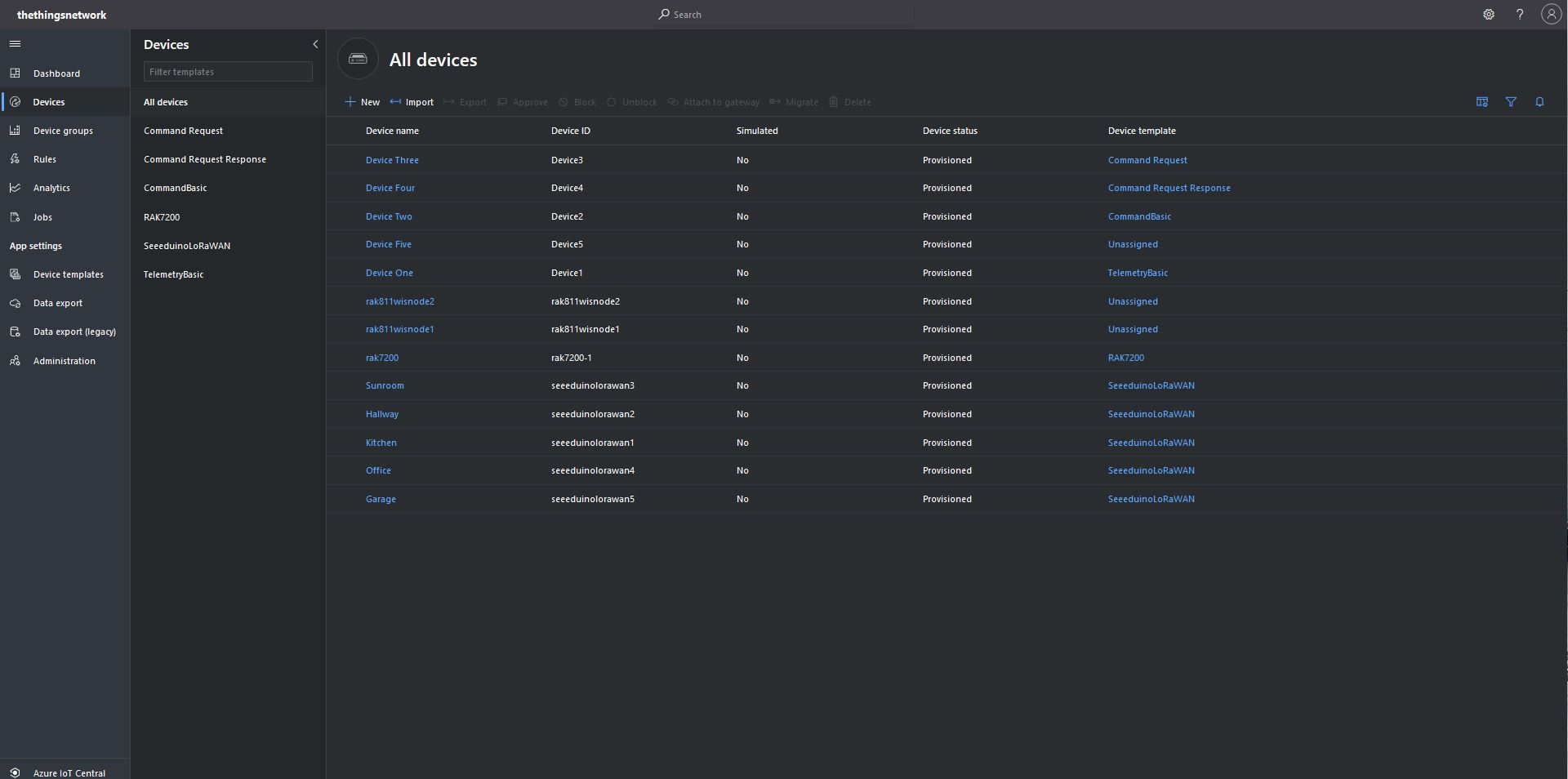
I “migrated” my third preconfigured device to the CommandRequest template to see how the commands with Request parameters interacted with my PoC application.
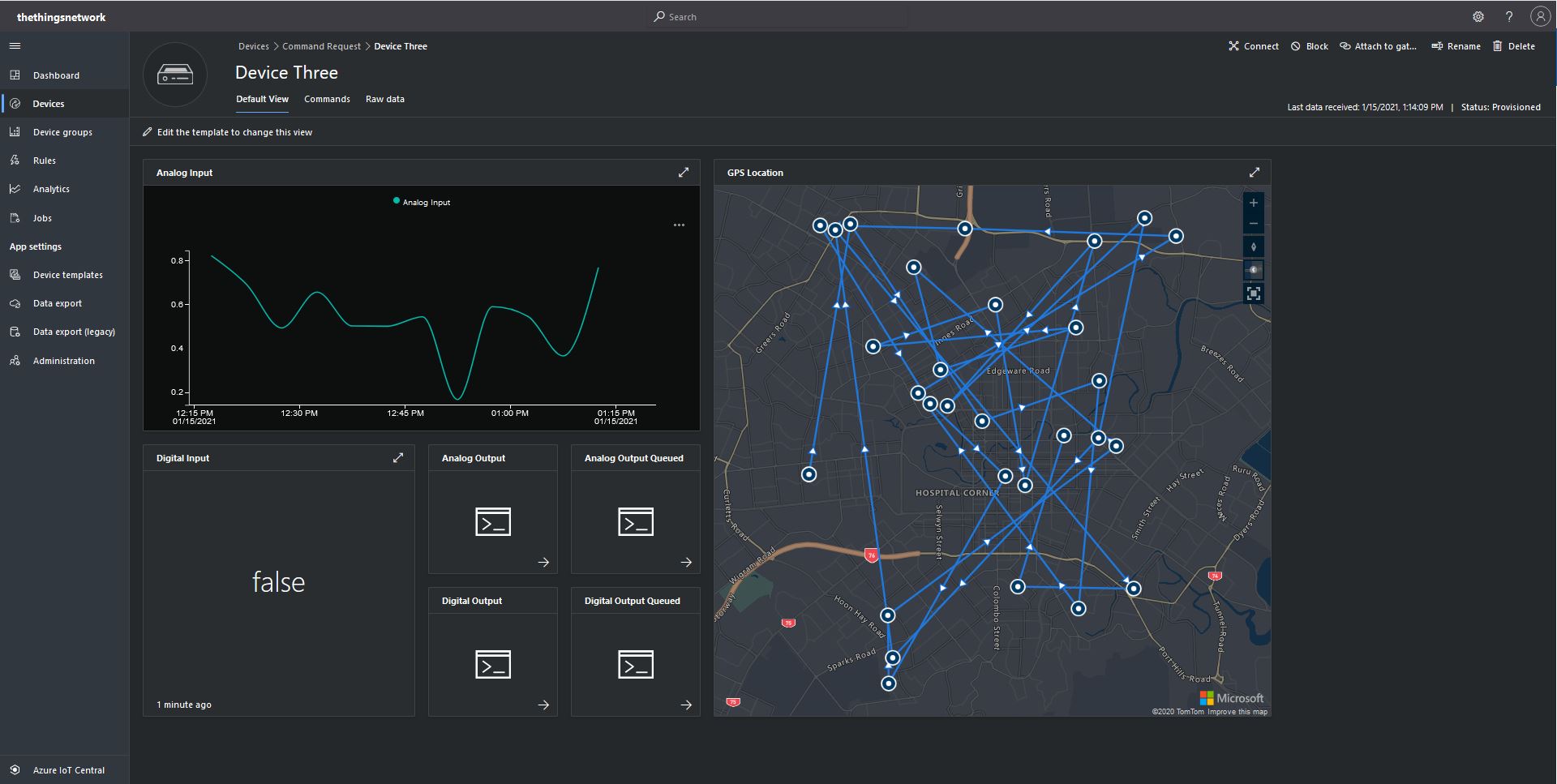
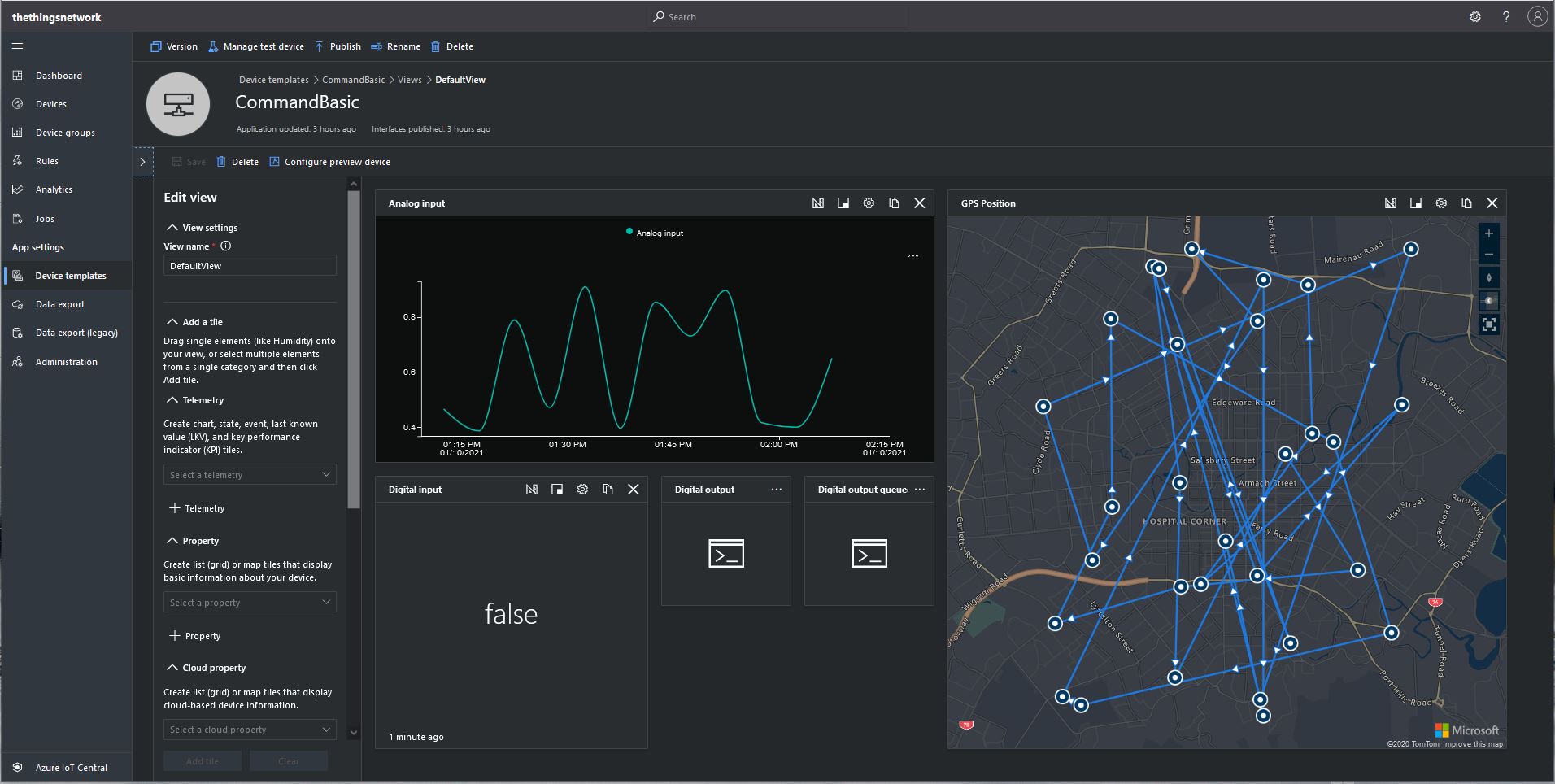
After “migrating” my device I went back and created a Template view so I could visualise the simulated telemetry from my PoC application and provide a way to initiate commands (Didn’t really need four command tiles as they all open the Device commands form).
CommandRequest device template default view
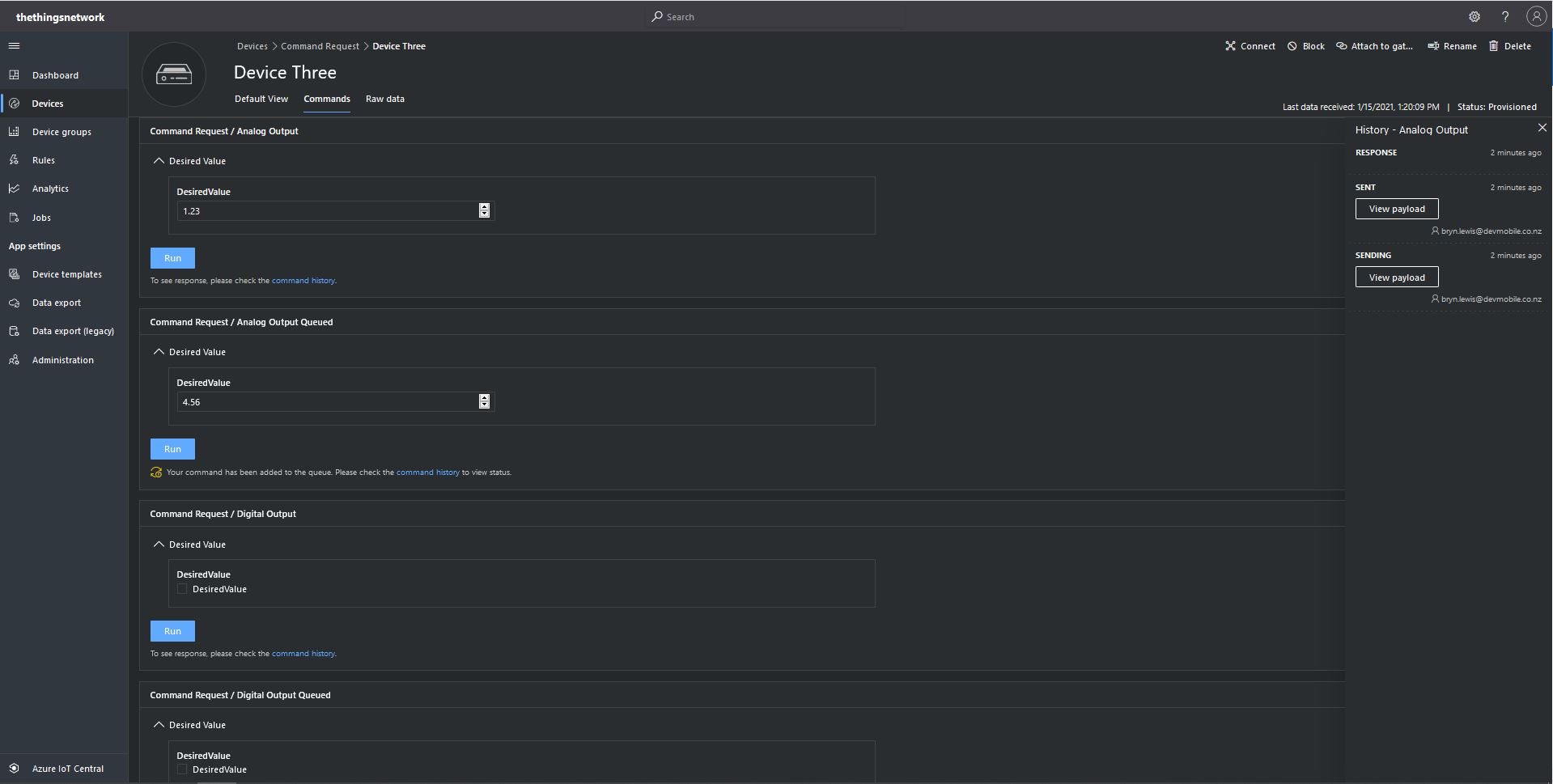
From the Device Commands form I could send commands and a queued commands which had analog or digital parameters.
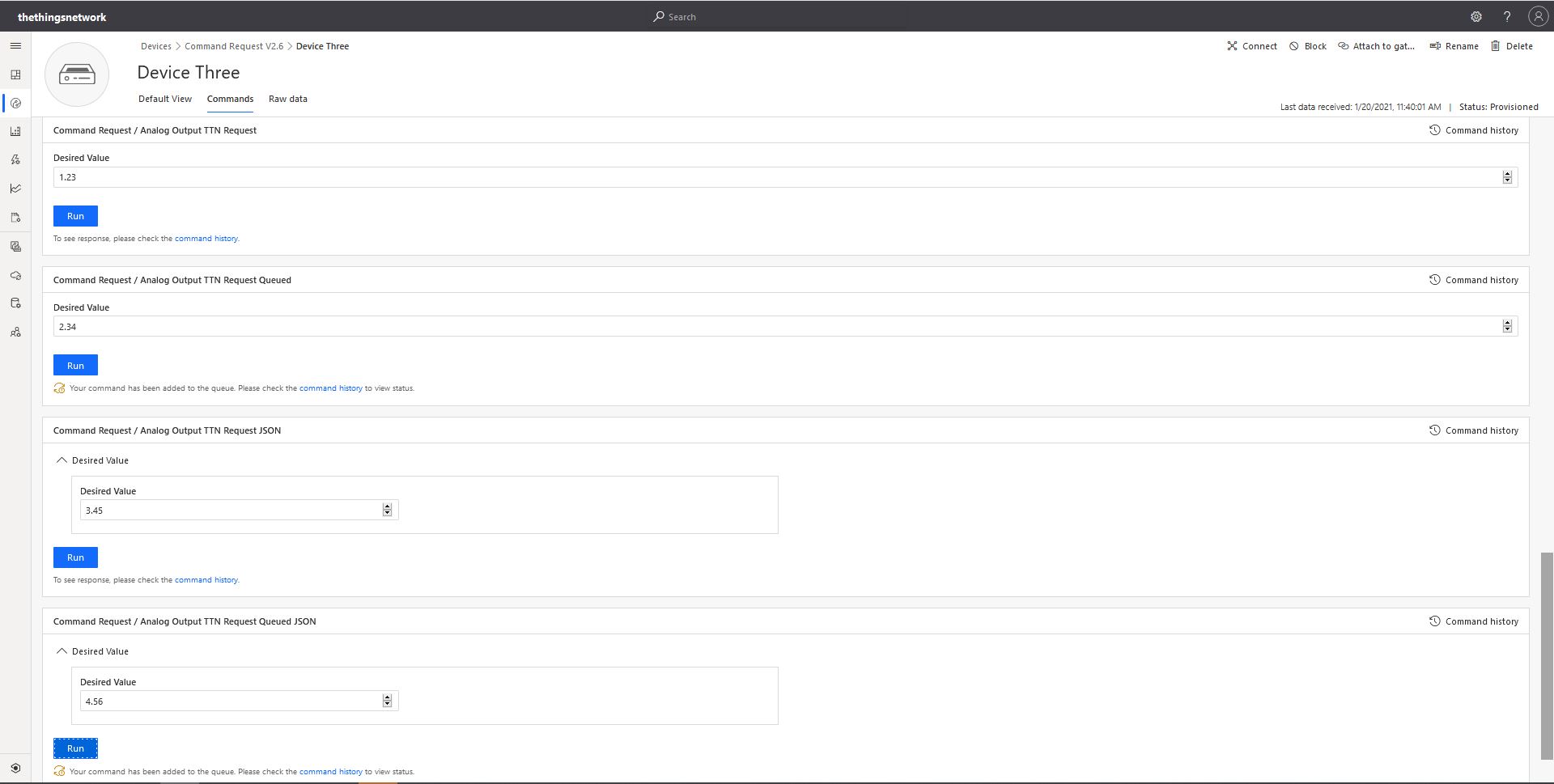
Device Three Command Tab
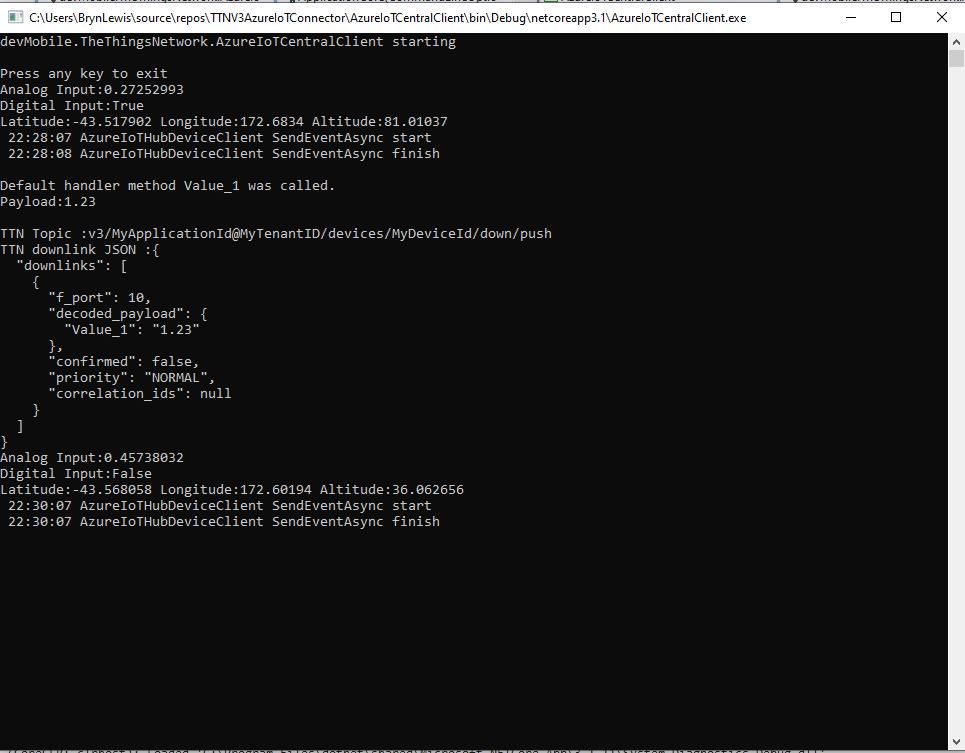
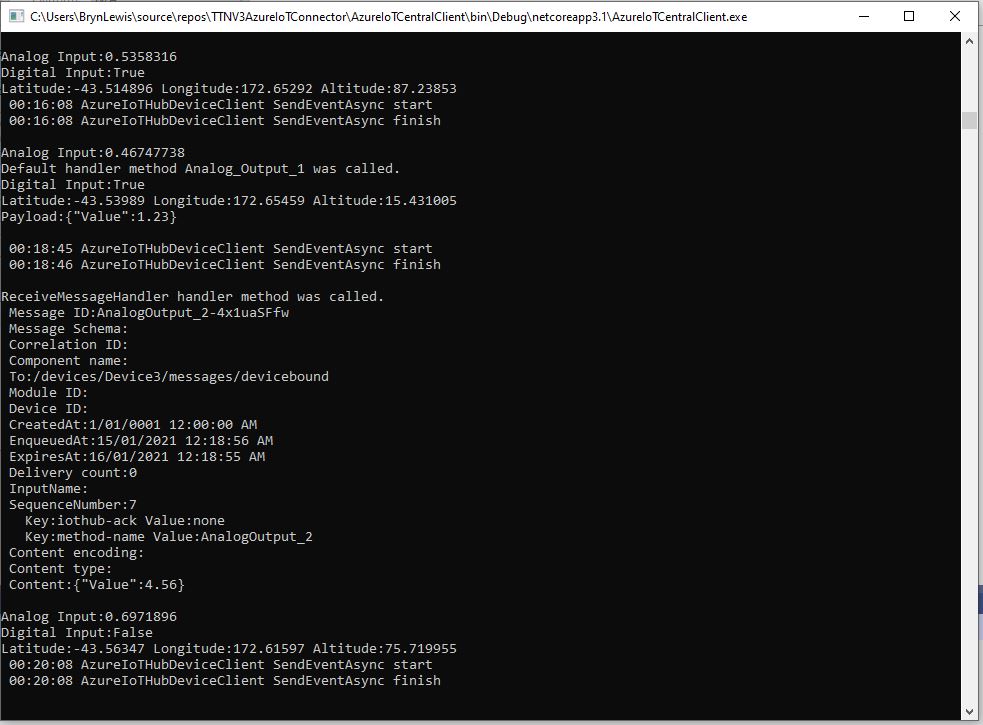
When I initiated an Analog non-queued command the default method handler was invoked with the name of the command capability (Analog_Output_1) as the method name and the payload contained a JSON representation of the request values(s). With a typed parameter a string representation of the value was in the message payload. With a typed parameter a string representation of the value was in the message payload rather than JSON.
Console application displaying Analog request and Analog Request queued commands
When I initiated an Analog queued command the message handler was invoked with the name of the command capability (Analog_Output_2) in a message property called “method-name” and the payload contained a JSON representation of the request value(s). With a typed parameter a string representation of the value was in the message payload rather than JSON.
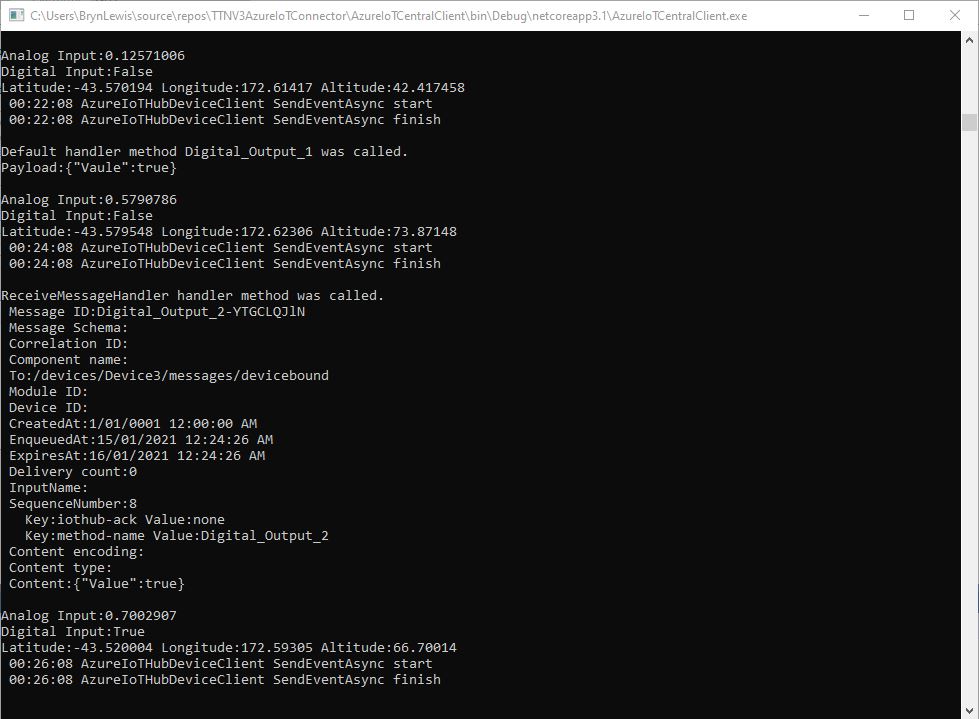
When I initiated a Digital non-queued command the default method handler was invoked with the name of the command capability (Digital_Output_1) as the method name and the payload contained a JSON representation of the request values(s). With a typed parameter a string representation of the value was in the message payload rather than JSON.
Console application displaying Digital request and Digital Request queued commands
When I initiated a Digital queued command the message handler was invoked with the name of the command capability(Digital_Output_2) in a message property called “method-name” and the payload contained a JSON representation of the request value(s). With a typed parameter a string representation of the value was in the message payload rather than JSON.
The validation of user input wasn’t as robust as I expected, with problems selecting checkboxes with a mouse when there were several Boolean fields. I often had to click on a nearby input field and use the TAB button to navigate to the desired checkbox. I also had problems with ISO 8601 format date validation as the built in Date Picker returned a month, day, year date which was not editable and wouldn’t pass validation.
The next logical step would be to look at commands with a Response parameter but as the MQTT interface is The Things Network(TTN) and The Things Industries(TTI) is asynchronous and devices reporting every 5 minutes to a couple of times a day there could be a significant delay between sending a message and receiving an optional delivery confirmation or response.
I have been struggling with making The Things Network(TTN) and The Things Industries(TTI) uplink/downlink messages work well Azure IoT Central. To explore different messaging approaches I have built a proof of Concept(PoC) application which simulates TTN/TTI connectivity to an Azure IoT Hub, or Azure IoT Central.
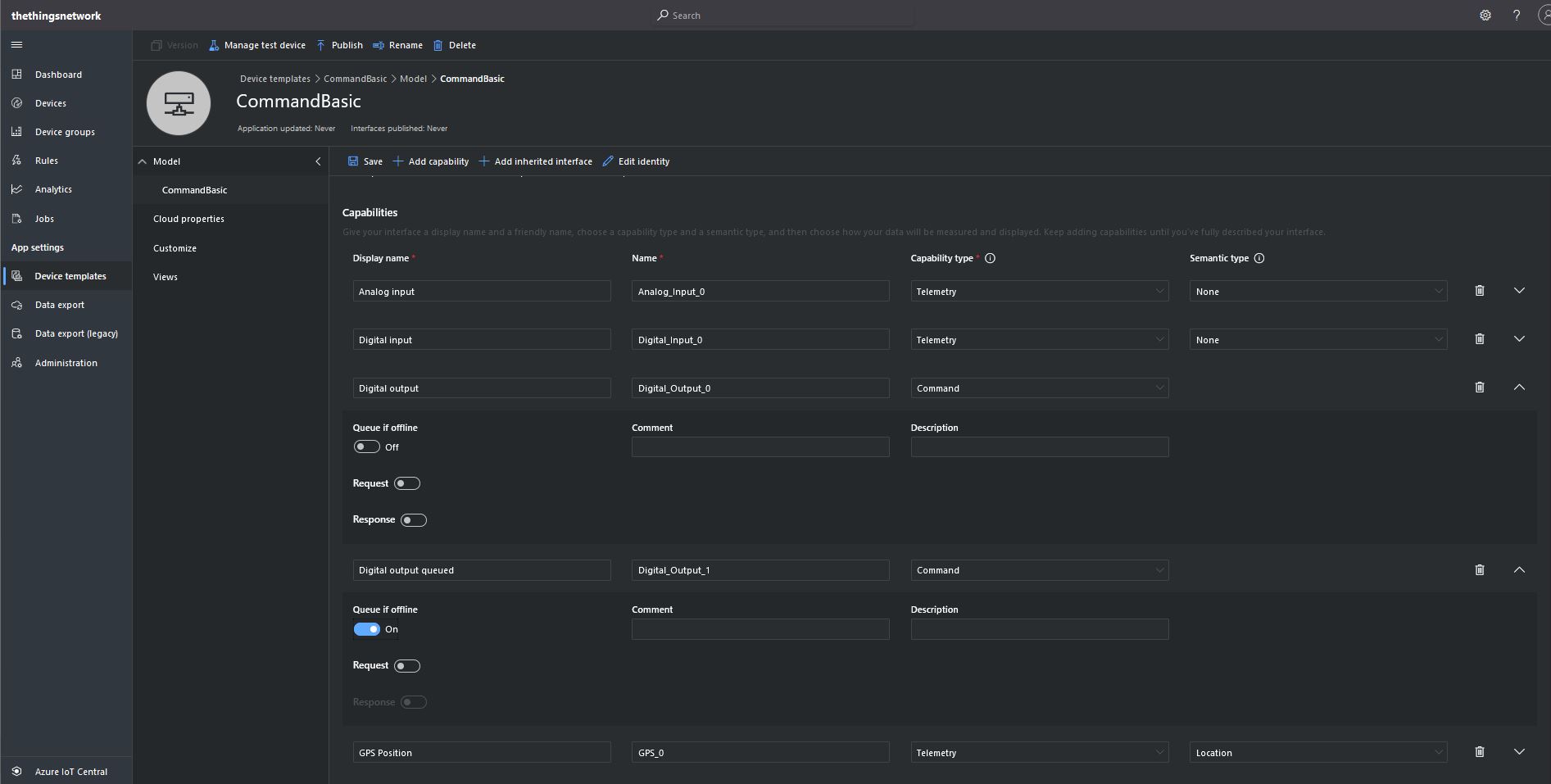
This blog post is about queued and non queued Cloud to Device(C2D) commands without request or response parameters. I have mostly used non queued commands in other projects (my Azure IoT HubLoRa and RF24L01 gateways) to “Restart” devices etc..
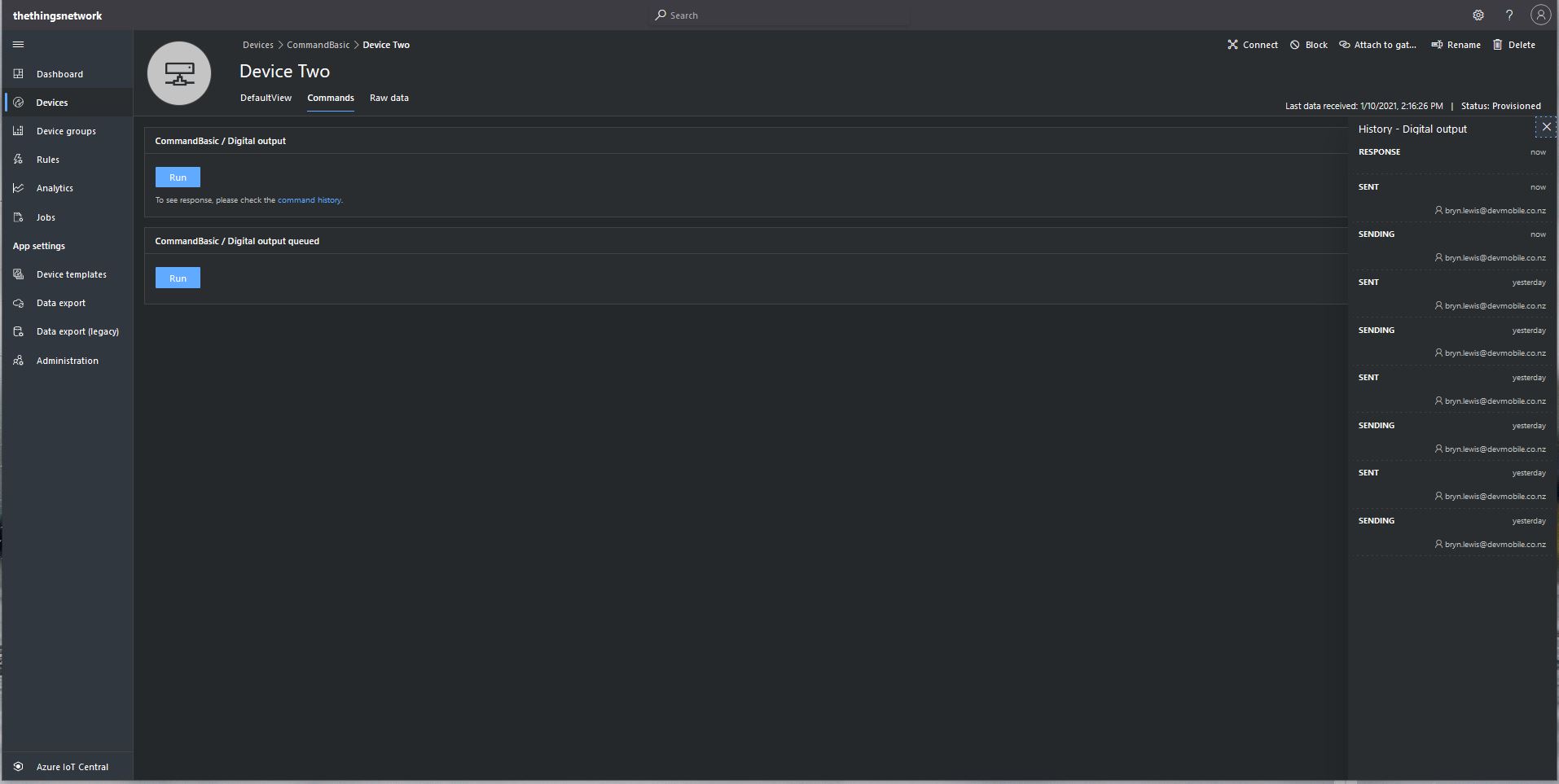
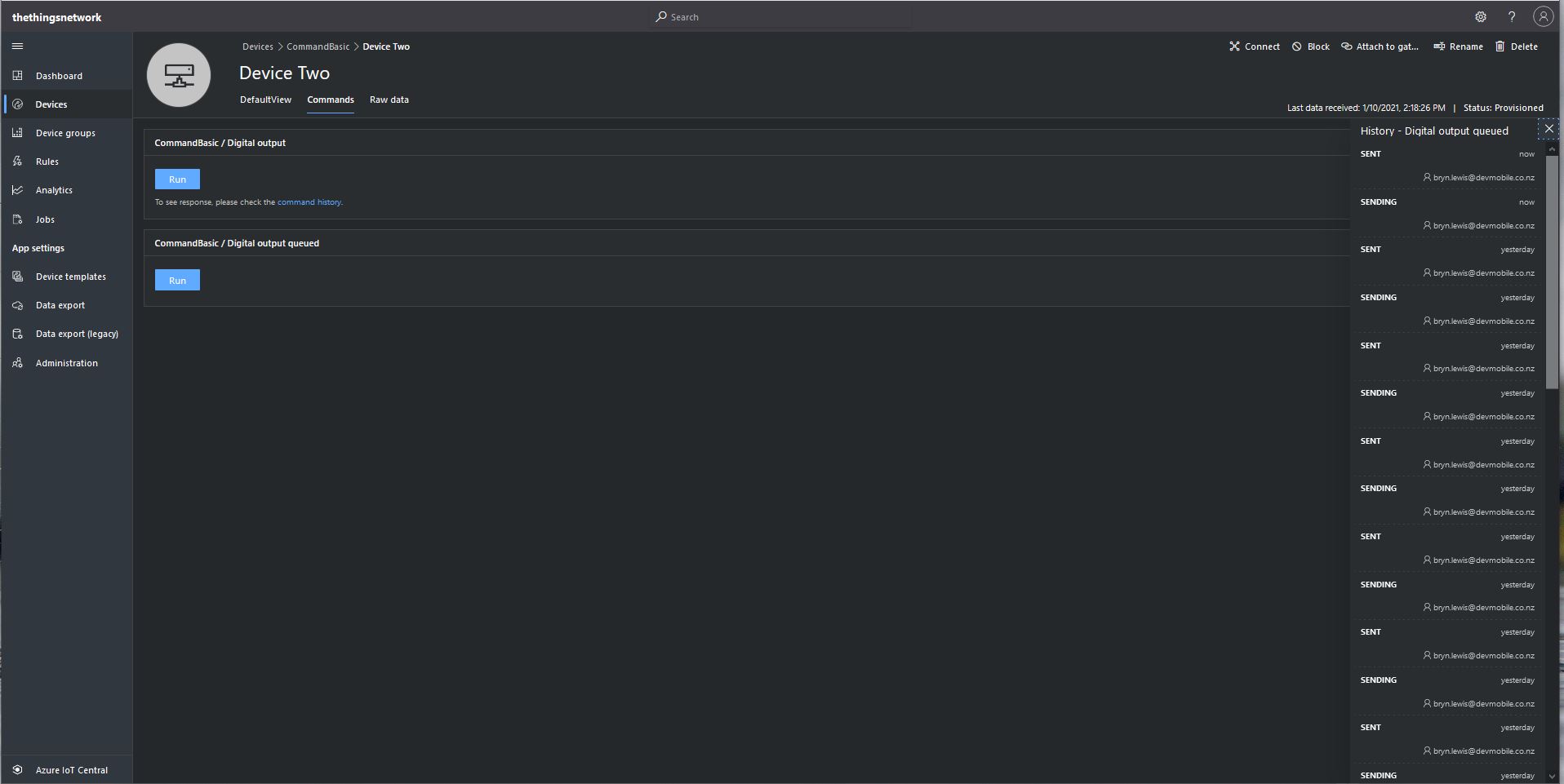
From the Device Commands tab I can could non queued and a queued commands
Device Two Commands tab
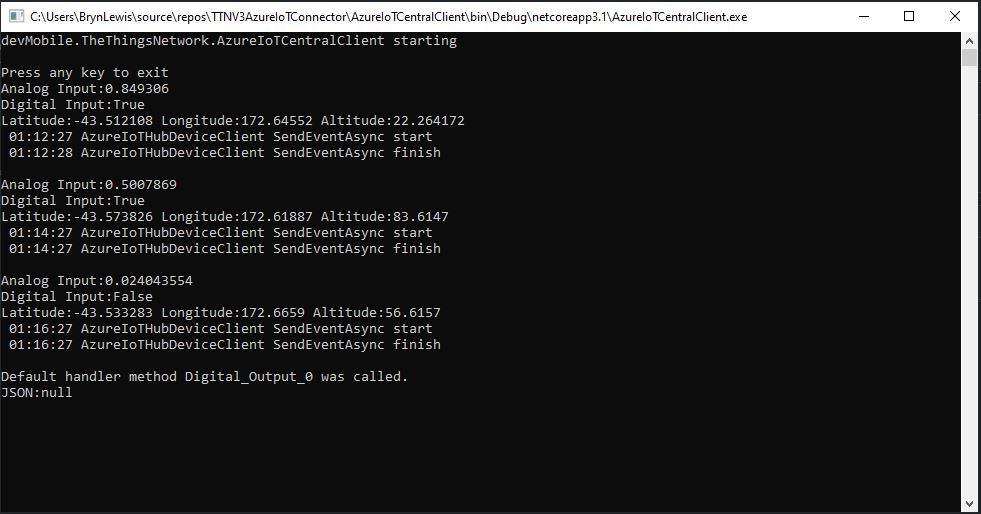
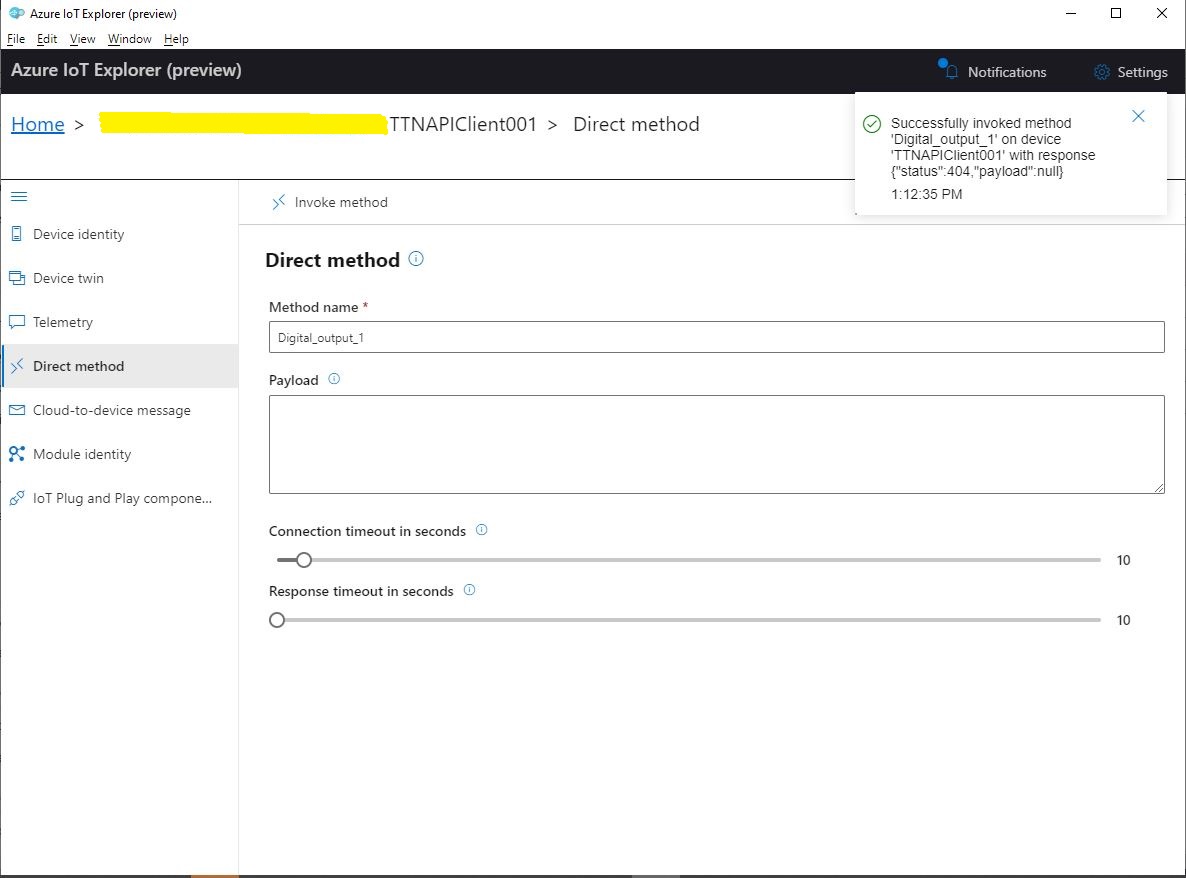
When I sent a non-queued command the default method handler was invoked with the name of the command capability (Digital_Output_0) as the method name and an empty payload. In the Azure IoT Central interface I couldn’t see any difference for successful (HTTP 200 OK) or failure (HTTP 400 Bad Request or HTTP 404 Not Found) responses. If the application was not running the command failed immediately.
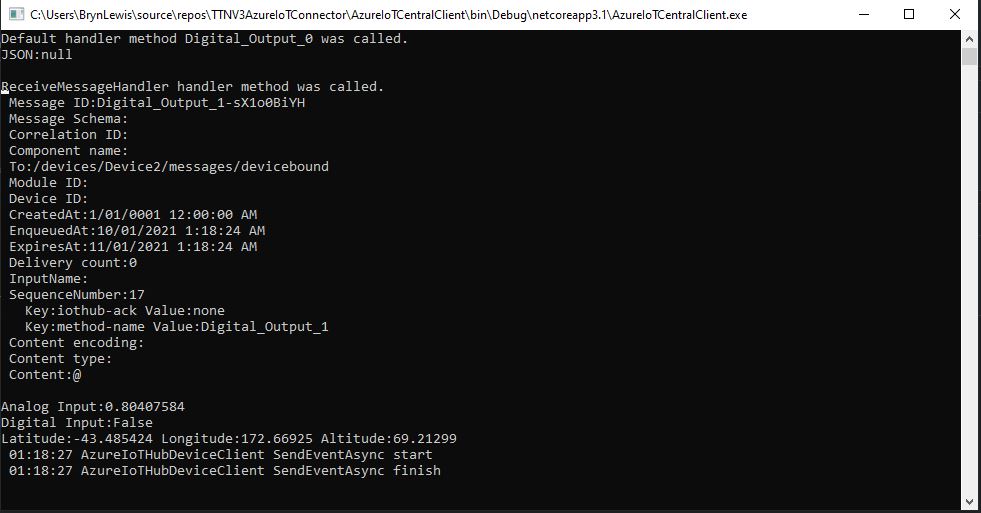
When I sent a queued command the message handler was invoked with the name of the command capability(Digital_Output_1) in a message property called “method-name” and the payload contained only an “@” character.
Console application displaying queued call
If the application was not running the command was queued until the Console application was started. When the console application was running and AbandonAsync was called rather than CompleteAsync the message was retried 10 times. If RejectAsync was called rather than CompleteAsync the message was deleted from the queue and not retried. There didn’t appear to be any difference for the displayed Azure IoT Central or Azure IoT Hub explorer results when AbandonAsync or RejectAsync were called.
I also created a personal dashboard to visualise the telemetry data and initiate commands. The way the two commands were presented on the dashboard was quite limited so I will go back to the documentation and see what I missed
I have been struggling with making The Things Network(TTN) and The Things Industries(TTI) uplink/downlink messages Azure IoT Central compatible. To explore the messaging approaches used I have built a proof of Concept(PoC) application which simulates TTN/TTI connectivity to an Azure IoT Hub, or Azure IoT Central.
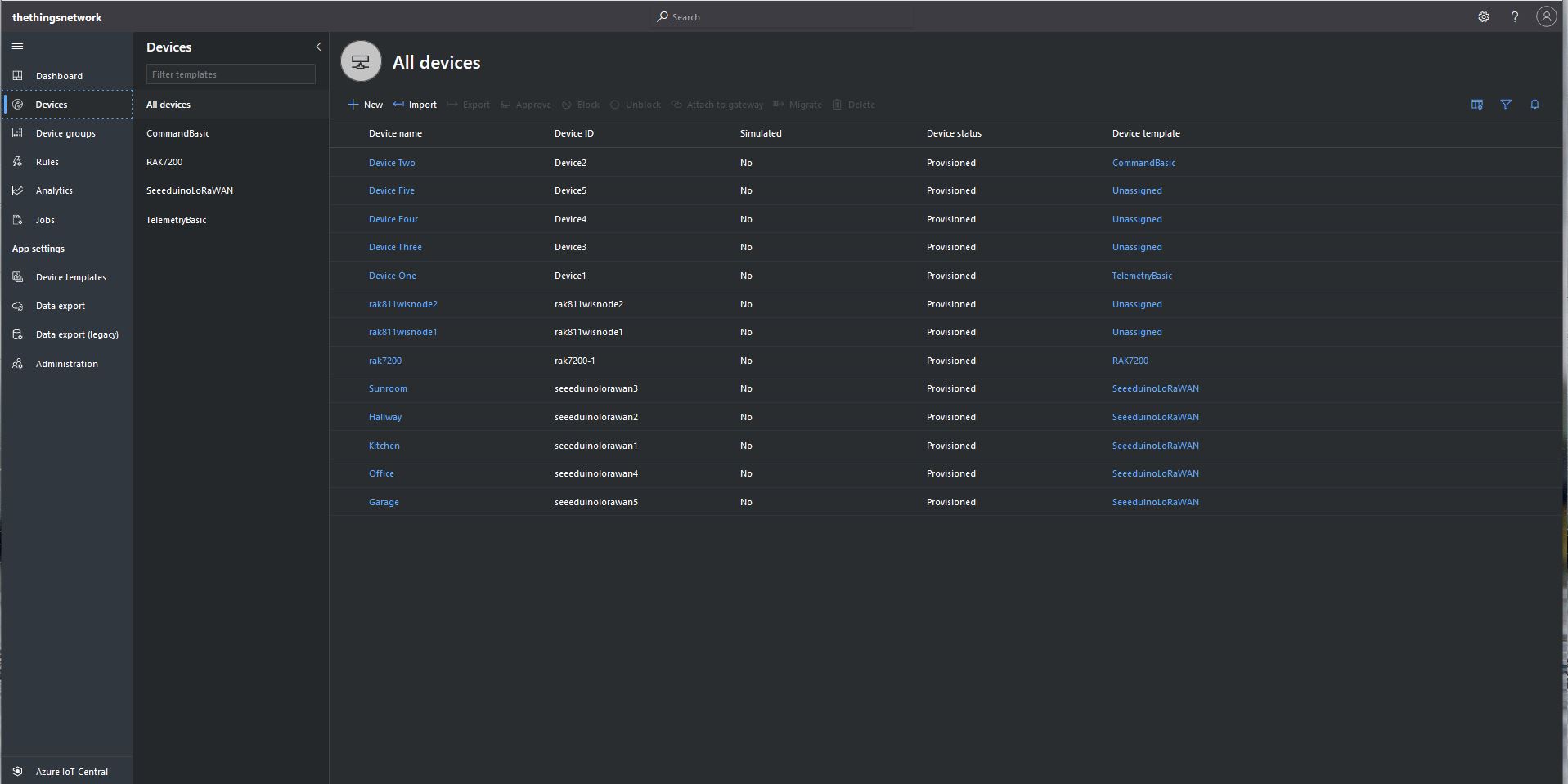
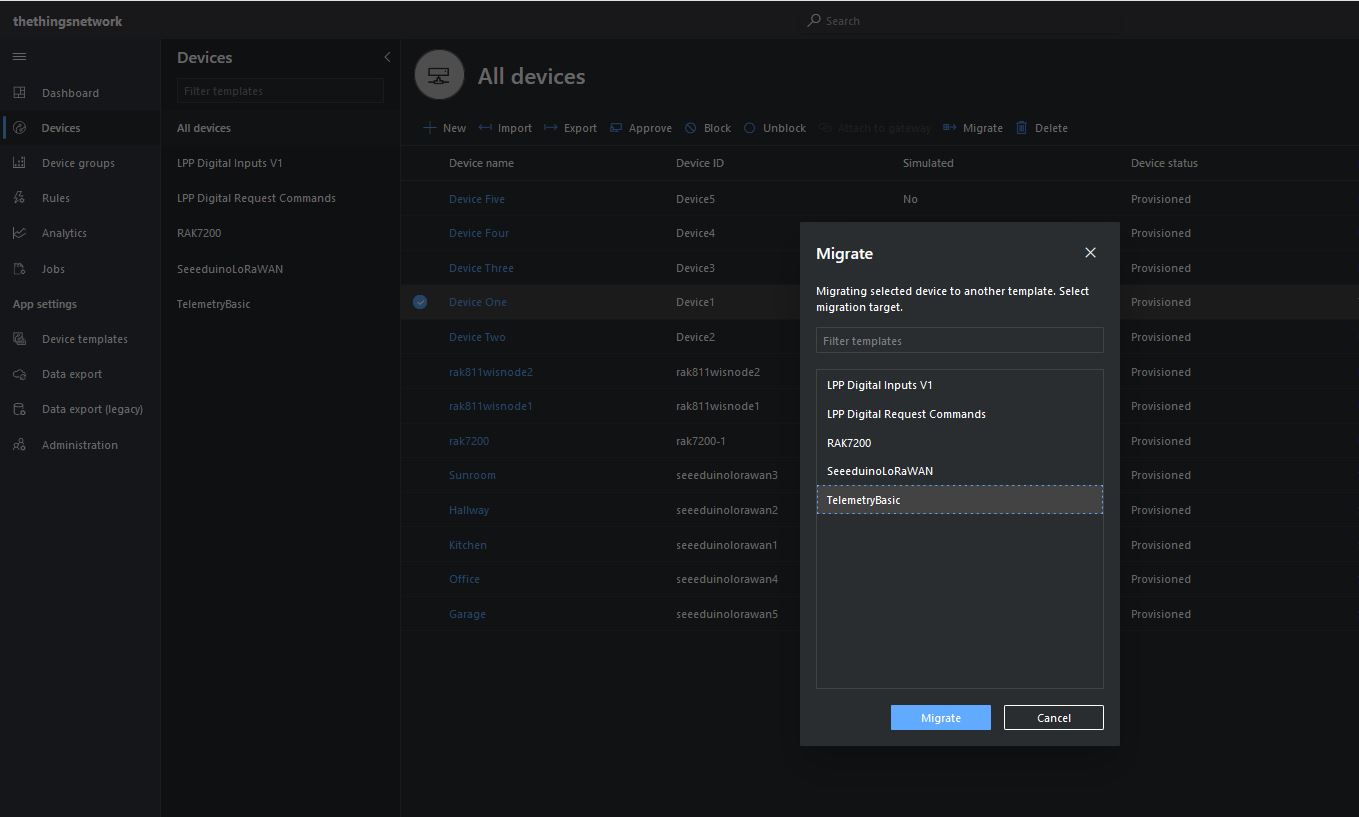
I then “migrated” the first device to my BasicTelemetry template
Migrating a device to TelemetryBasic template
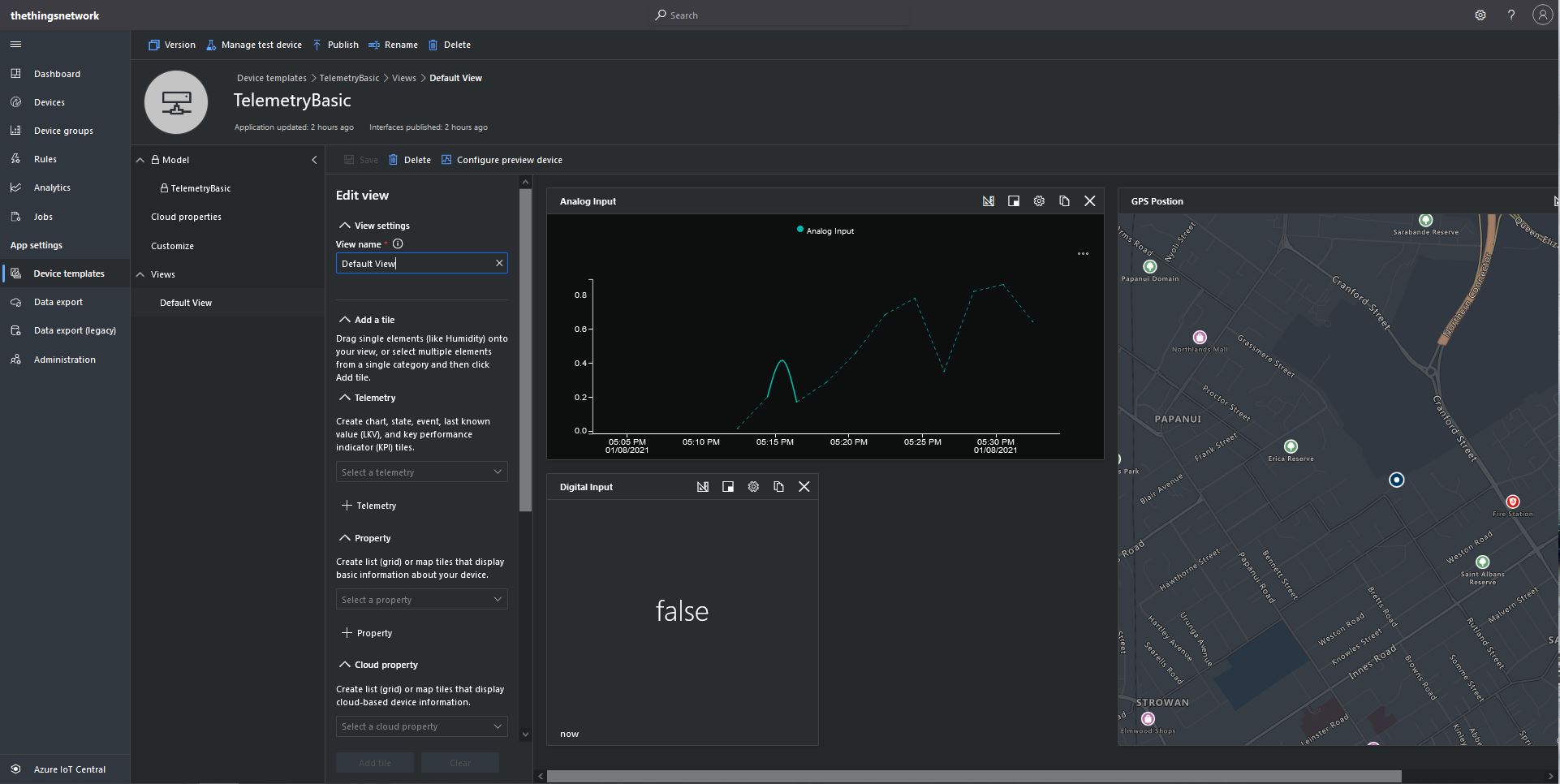
I then went back and created a Template view to visualise the telemetry from my console application.
TelemetryBasic device template default view
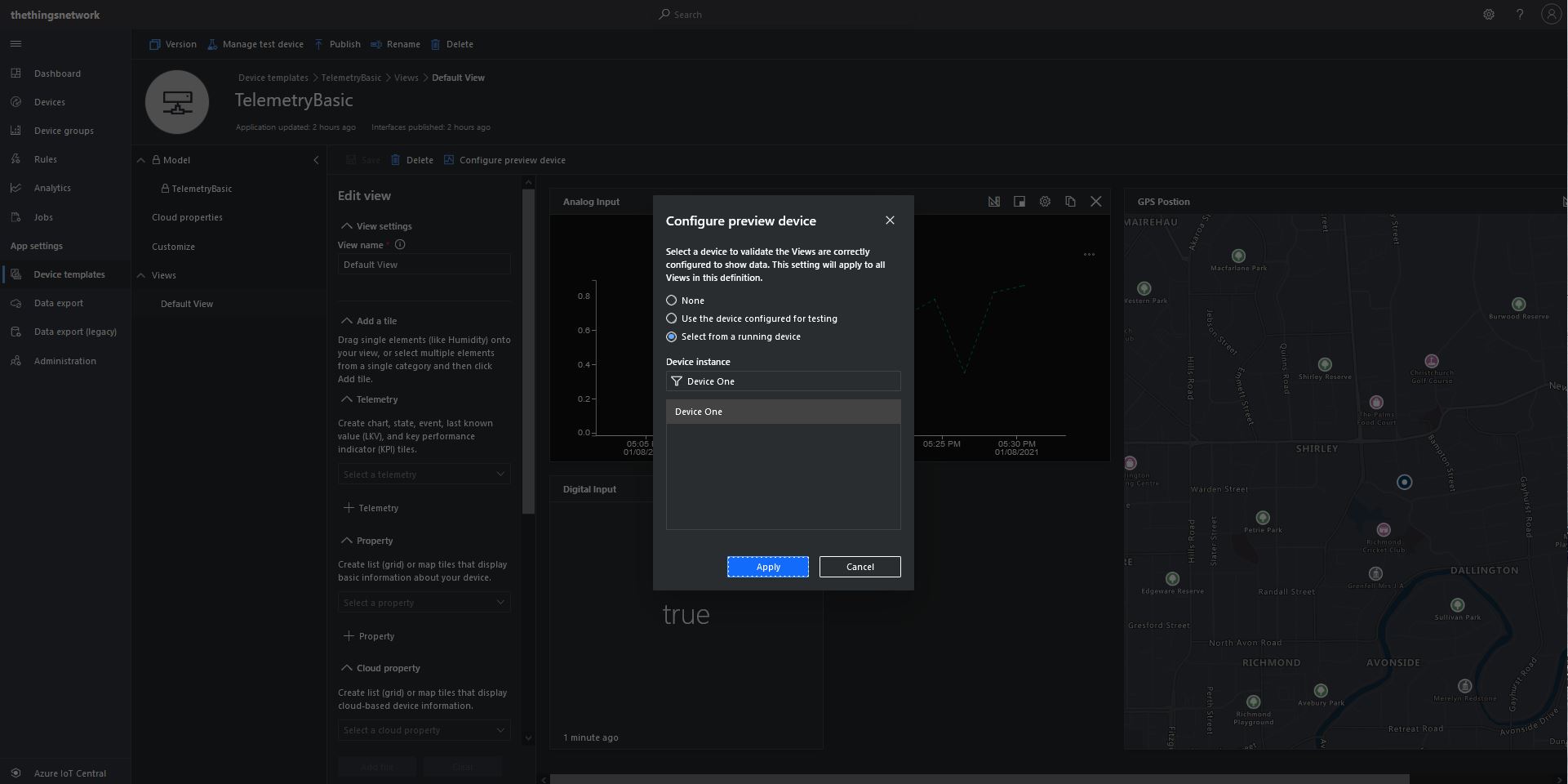
Then I configured a preview device so the template view was populated with “realistic” data.
TelemetryBasic device template default view configuring a device as data source
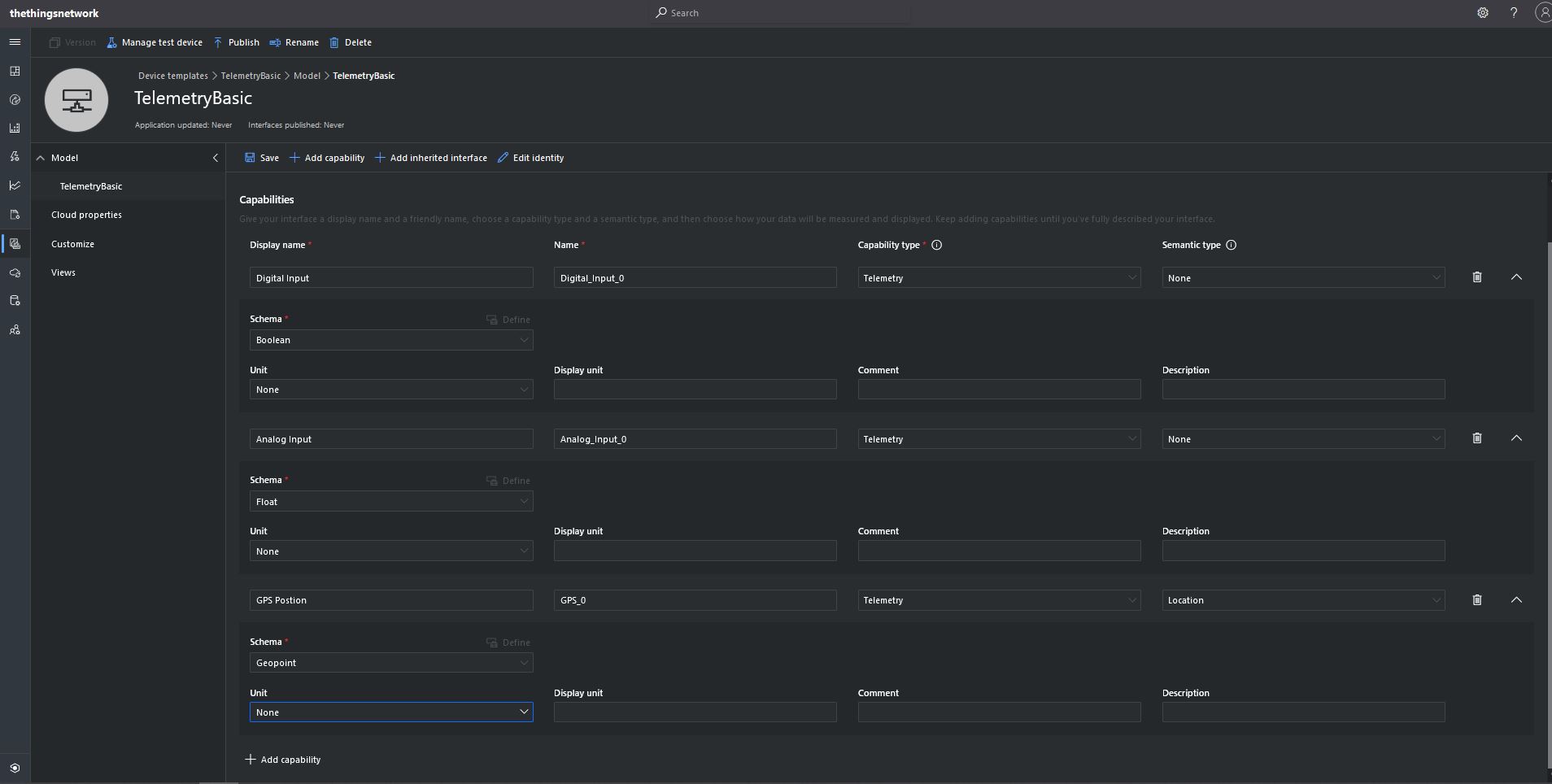
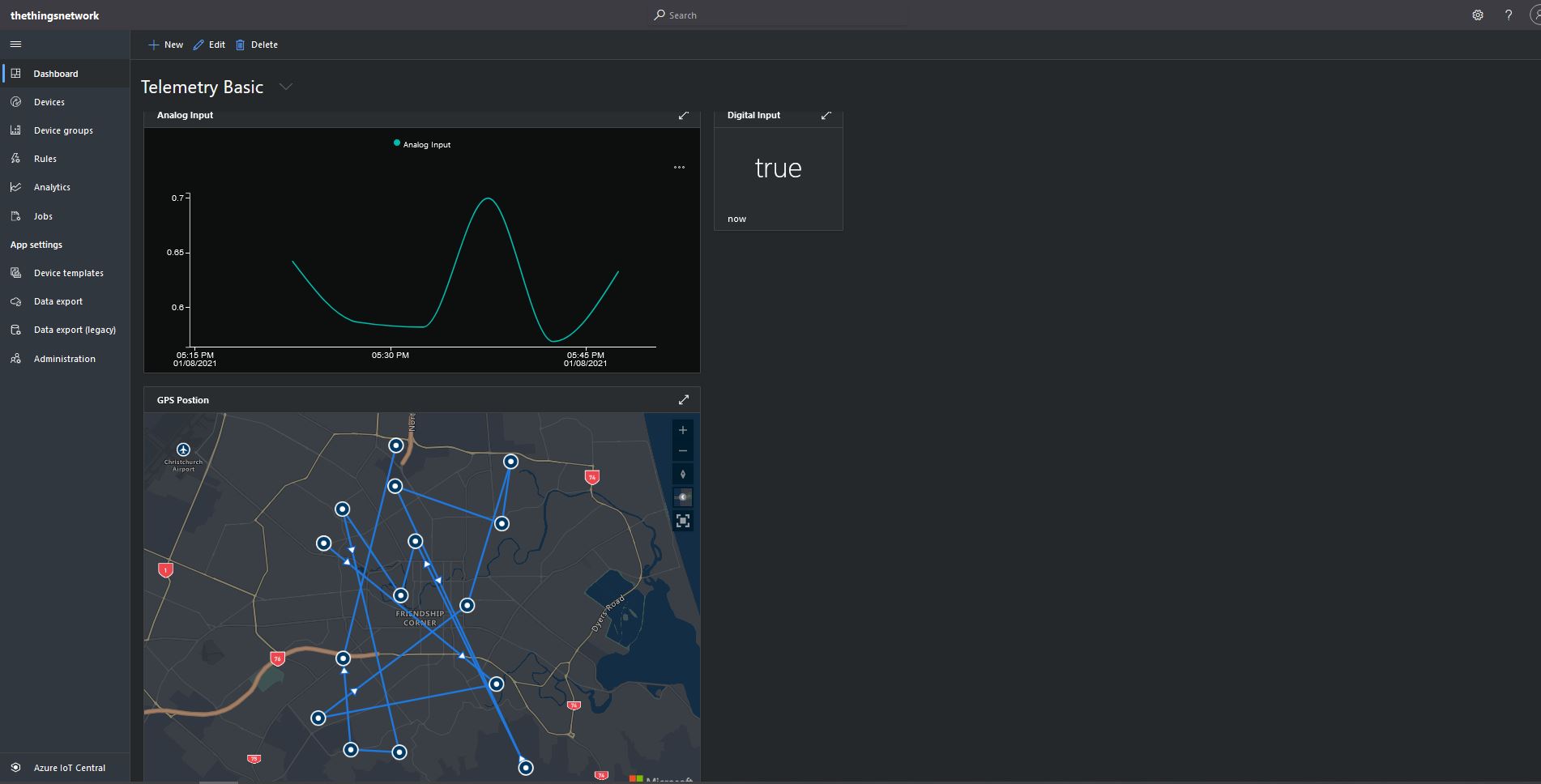
The console application simulates a digital input (random true/false), analog input (random value between 0.0 and 1.0) and a Global Positioning System(GPS) location (Christchurch Anglican Cathedral with a random latitude, longitude and altitude offset) .





 devMobile's blog