Random wanderings through Microsoft Azure esp. PaaS plumbing, the IoT bits, AI on Micro controllers, AI on Edge Devices, .NET nanoFramework, .NET Core on *nix and ML.NET+ONNX
The code currently isn’t very robust so when I accidentally used an invalid region, then AppEUI the responses weren’t consistent. When the region configuration failed the response was +DR: ERROR(-1) which maps to “Parameters is invalid” and when the Join failed the response was “+JOIN: Join failed”.
// Set the Region to AS923
txByteCount = serialDevice.Write(UTF8Encoding.UTF8.GetBytes("AT+DR=AS924\r\n"));
Debug.WriteLine($"TX: DR {txByteCount} bytes");
Thread.Sleep(500);

//Read the response
rxByteCount = serialDevice.BytesToRead;
if (rxByteCount > 0)
{
   byte[] rxBuffer = new byte[rxByteCount];
   serialDevice.Read(rxBuffer);
   Debug.WriteLine($"RX :{UTF8Encoding.UTF8.GetString(rxBuffer)}");
}
I had to add some code to the SerialDevice_DataReceived method for handling the “+JOIN: Join failed” case. It would be good if the Seeedstudio LoRa-E5 reported errors in a consistent way for all commands, without the ERROR(..) marker.
My Over the Air Activation (OTAA) implementation is very “nasty” as it is assumed that there are no timeouts or failures and it only sends one BCD message “48656c6c6f204c6f526157414e” which is “hello LoRaWAN”. The code just sequentially steps through the necessary commands (with a suitable delay after each is sent) to join the TTI network.
public class Program
{
#if TINYCLR_V2_FEZDUINO
   private static string SerialPortId = SC20100.UartPort.Uart5;
#endif
   private const string AppKey = "................................";

   //txByteCount = serialDevice.Write(UTF8Encoding.UTF8.GetBytes($"AT+ID=AppEui,{AppEui}\r\n"));
   //private const string AppEui = "................";

   //txByteCount = serialDevice.Write(UTF8Encoding.UTF8.GetBytes($"AT+ID=AppEui,\"{AppEui}\"\r\n"));
   private const string AppEui = ".. .. .. .. .. .. .. ..";

   private const byte messagePort = 1;

   //private const string payload = "48656c6c6f204c6f526157414e"; // Hello LoRaWAN
   private const string payload = "01020304"; // AQIDBA==
   //private const string payload = "04030201"; // BAMCAQ==

   public static void Main()
   {
      UartController serialDevice;
      int txByteCount;
      int rxByteCount;

      Debug.WriteLine("devMobile.IoT.SeeedE5.NetworkJoinOTAA starting");

      try
      {
         serialDevice = UartController.FromName(SerialPortId);

         serialDevice.SetActiveSettings(new UartSetting()
         {
            BaudRate = 9600,
            Parity = UartParity.None,
            StopBits = UartStopBitCount.One,
            Handshaking = UartHandshake.None,
            DataBits = 8
         });

         serialDevice.Enable();

         // Set the Region to AS923
         txByteCount = serialDevice.Write(UTF8Encoding.UTF8.GetBytes("AT+DR=AS923\r\n"));
         Debug.WriteLine($"TX: DR {txByteCount} bytes");
         Thread.Sleep(500);

         // Read the response
         rxByteCount = serialDevice.BytesToRead;
         if (rxByteCount > 0)
         {
            byte[] rxBuffer = new byte[rxByteCount];
            serialDevice.Read(rxBuffer);
            Debug.WriteLine($"RX :{UTF8Encoding.UTF8.GetString(rxBuffer)}");
         }

         // Set the Join mode
         txByteCount = serialDevice.Write(UTF8Encoding.UTF8.GetBytes("AT+MODE=LWOTAA\r\n"));
         Debug.WriteLine($"TX: MODE {txByteCount} bytes");
         Thread.Sleep(500);

         // Read the response
         rxByteCount = serialDevice.BytesToRead;
         if (rxByteCount > 0)
         {
            byte[] rxBuffer = new byte[rxByteCount];
            serialDevice.Read(rxBuffer);
            Debug.WriteLine($"RX :{UTF8Encoding.UTF8.GetString(rxBuffer)}");
         }

         // Set the appEUI
         txByteCount = serialDevice.Write(UTF8Encoding.UTF8.GetBytes($"AT+ID=AppEui,\"{AppEui}\"\r\n"));
         Debug.WriteLine($"TX: ID=AppEui {txByteCount} bytes");
         Thread.Sleep(500);

         // Read the response
         rxByteCount = serialDevice.BytesToRead;
         if (rxByteCount > 0)
         {
            byte[] rxBuffer = new byte[rxByteCount];
            serialDevice.Read(rxBuffer);
            Debug.WriteLine($"RX :{UTF8Encoding.UTF8.GetString(rxBuffer)}");
         }

         // Set the appKey
         txByteCount = serialDevice.Write(UTF8Encoding.UTF8.GetBytes($"AT+KEY=APPKEY,{AppKey}\r\n"));
         Debug.WriteLine($"TX: KEY=APPKEY {txByteCount} bytes");
         Thread.Sleep(500);

         // Read the response
         rxByteCount = serialDevice.BytesToRead;
         if (rxByteCount > 0)
         {
            byte[] rxBuffer = new byte[rxByteCount];
            serialDevice.Read(rxBuffer);
            Debug.WriteLine($"RX :{UTF8Encoding.UTF8.GetString(rxBuffer)}");
         }

         // Set the PORT
         txByteCount = serialDevice.Write(UTF8Encoding.UTF8.GetBytes($"AT+PORT={messagePort}\r\n"));
         Debug.WriteLine($"TX: PORT {txByteCount} bytes");
         Thread.Sleep(500);

         // Read the response
         rxByteCount = serialDevice.BytesToRead;
         if (rxByteCount > 0)
         {
            byte[] rxBuffer = new byte[rxByteCount];
            serialDevice.Read(rxBuffer);
            Debug.WriteLine($"RX :{UTF8Encoding.UTF8.GetString(rxBuffer)}");
         }

         // Join the network
         txByteCount = serialDevice.Write(UTF8Encoding.UTF8.GetBytes("AT+JOIN\r\n"));
         Debug.WriteLine($"TX: JOIN {txByteCount} bytes");
         Thread.Sleep(10000);

         // Read the response
         rxByteCount = serialDevice.BytesToRead;
         if (rxByteCount > 0)
         {
            byte[] rxBuffer = new byte[rxByteCount];
            serialDevice.Read(rxBuffer);
            Debug.WriteLine($"RX :{UTF8Encoding.UTF8.GetString(rxBuffer)}");
         }

         while (true)
         {
            // Unconfirmed message
            txByteCount = serialDevice.Write(UTF8Encoding.UTF8.GetBytes($"AT+MSGHEX=\"{payload}\"\r\n"));
            Debug.WriteLine($"TX: MSGHEX {txByteCount} bytes");

            // Confirmed message
            //txByteCount = serialDevice.Write(UTF8Encoding.UTF8.GetBytes($"AT+CMSGHEX=\"{payload}\"\r\n"));
            //Debug.WriteLine($"TX: CMSGHEX {txByteCount} bytes");

            Thread.Sleep(10000);

            // Read the response
            rxByteCount = serialDevice.BytesToRead;
            if (rxByteCount > 0)
            {
               byte[] rxBuffer = new byte[rxByteCount];
               serialDevice.Read(rxBuffer);
               Debug.WriteLine($"RX :{UTF8Encoding.UTF8.GetString(rxBuffer)}");
            }

            Thread.Sleep(30000);
         }
      }
      catch (Exception ex)
      {
         Debug.WriteLine(ex.Message);
      }
   }
}
The code is not suitable for production but it confirmed my software and hardware configuration worked.
When I first ran the code no data was received so I doubled checked the serial connections and figured out I had to modify the cable and reverse the TX and RX pins.
The thread '<No Name>' (0x2) has exited with code 0 (0x0).
devMobile.IoT.Rak811LoRaWanDeviceClient starting
12:00:12 Region AS923
12:00:12 ADR On
12:00:12 Unconfirmed
12:00:12 OTAA
12:00:13 Join start Timeout:30Sec
Join failed 26
The thread '<No Name>' (0x1) has exited with code 0 (0x0).
Done.
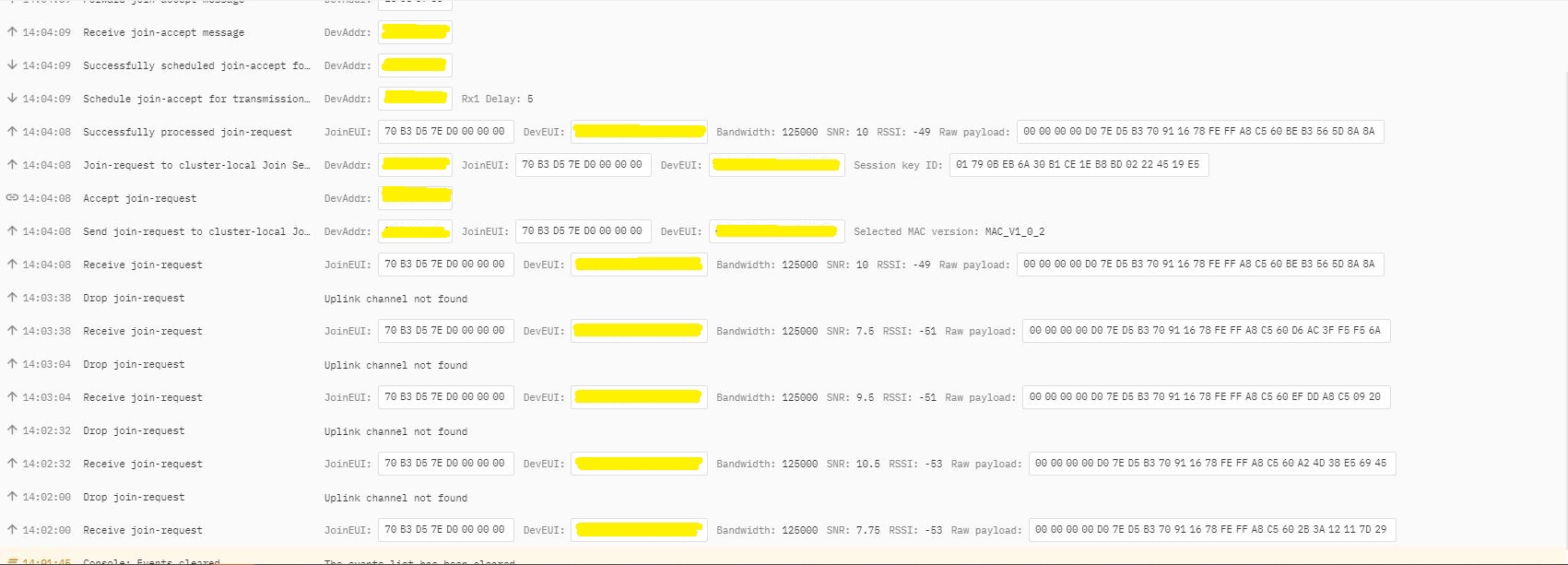
In TTI end device live data tab I could see the the joins attempts were failing with “Uplink channel Not found”
The Things Industries device live data tab “uplink channel not found” failures
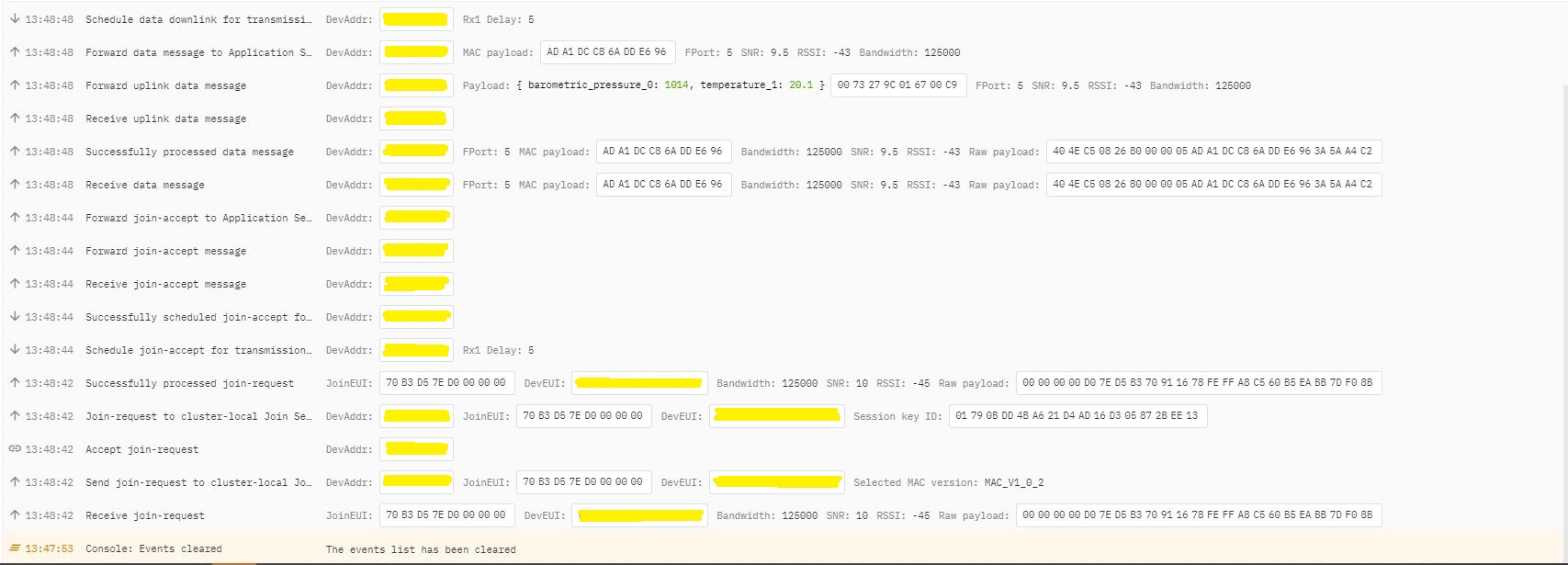
The Things Industries device live data tab “uplink channel not found” detail
Initially I assumed this was an issue with my configuration of the RAKwirelessRAK7258 gateway in my office that I was using for testing. After some discussions with a helpful TTI support person they suggested that I try disabling all bar the first two channels the RAK811 module was configured to use then see if worked.
I modified the intialise method of my TinyCLR V2 RAK811 Module library to disable all bar the first two channels
result = SendCommand("OK", "at+set_config=lora:ch_mask:2:0", CommandTimeoutDefault);
if (result != Result.Success)
{
#if DIAGNOSTICS
   Debug.WriteLine($" {DateTime.UtcNow:hh:mm:ss} at+set_config=lora:ch_mask:2:0 {result}");
#endif
   return result;
}

result = SendCommand("OK", "at+set_config=lora:ch_mask:3:0", CommandTimeoutDefault);
if (result != Result.Success)
{
#if DIAGNOSTICS
   Debug.WriteLine($" {DateTime.UtcNow:hh:mm:ss} at+set_config=lora:ch_mask:3:0 {result}");
#endif
   return result;
}

result = SendCommand("OK", "at+set_config=lora:ch_mask:4:0", CommandTimeoutDefault);
if (result != Result.Success)
{
#if DIAGNOSTICS
   Debug.WriteLine($" {DateTime.UtcNow:hh:mm:ss} at+set_config=lora:ch_mask:4:0 {result}");
#endif
   return result;
}

result = SendCommand("OK", "at+set_config=lora:ch_mask:5:0", CommandTimeoutDefault);
if (result != Result.Success)
{
#if DIAGNOSTICS
    Debug.WriteLine($" {DateTime.UtcNow:hh:mm:ss} at+set_config=lora:ch_mask:5:0 {result}");
#endif
   return result;
}

result = SendCommand("OK", "at+set_config=lora:ch_mask:6:0", CommandTimeoutDefault);
if (result != Result.Success)
{
#if DIAGNOSTICS
   Debug.WriteLine($" {DateTime.UtcNow:hh:mm:ss} at+set_config=lora:ch_mask:6:0 {result}");
#endif
   return result;
}

result = SendCommand("OK", "at+set_config=lora:ch_mask:7:0", CommandTimeoutDefault);
if (result != Result.Success)
{
#if DIAGNOSTICS
   Debug.WriteLine($" {DateTime.UtcNow:hh:mm:ss} at+set_config=lora:ch_mask:7:0 {result}");
#endif
   return result;
}
After modifying the code my Fezduino joined reliably.
The thread ” (0x2) has exited with code 0 (0x0). devMobile.IoT.Rak811LoRaWanDeviceClient starting 12:00:12 Region AS923 12:00:12 ADR On 12:00:12 Unconfirmed 12:00:12 OTAA 12:00:13 Join start Timeout:30Sec 12:00:18 Join finish Temperature : 19.9 °C Pressure : 1014.0 HPa Altitude : 143 meters 12:00:19 port:5 payload BCD:0073279C016700C8 12:00:44 Sleep 12:01:44 Wakeup Temperature : 20.1 °C Pressure : 1014.0 HPa Altitude : 143 meters 12:01:44 port:5 payload BCD:0073279C016700C9 12:02:09 Sleep
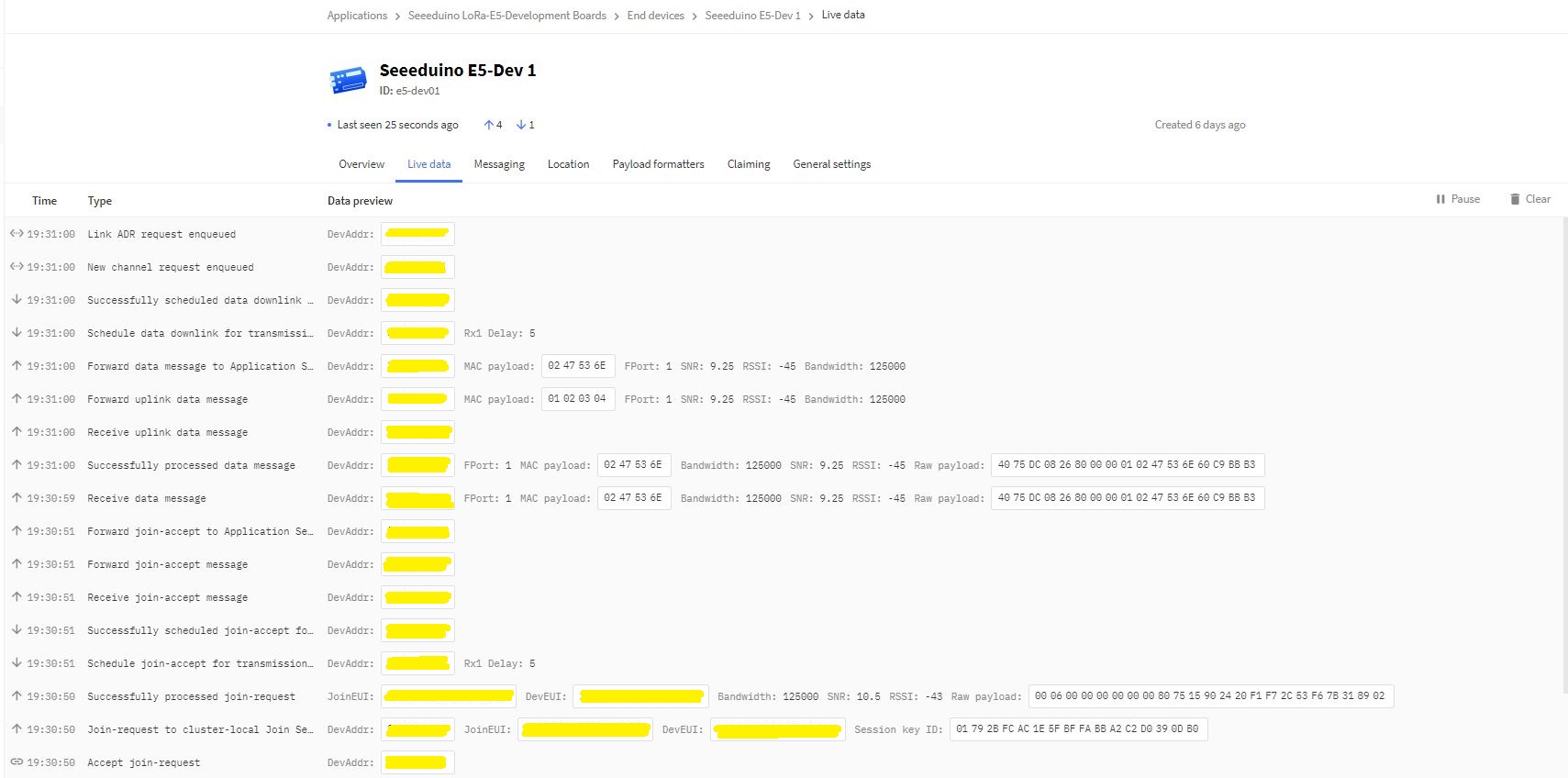
The Things Industries device live data tab successful join.
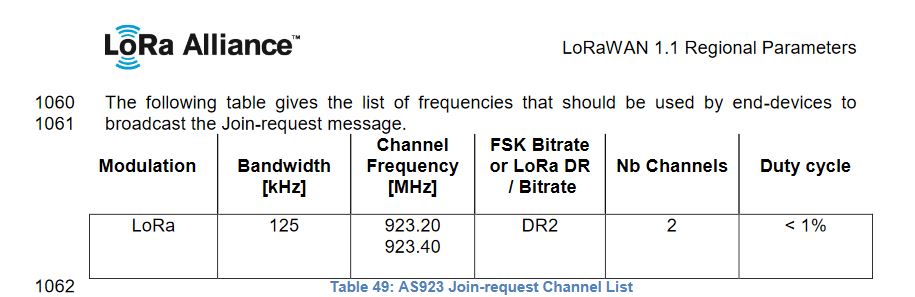
After some further discussion with TTI support it looks like the RAK811 module doesn’t send join requests on the frequencies specified for the AS923 region in the LoRaWAN™1.1Regional Parameters.
After confirming the join-request channel issue I went back to the RAKwireless forums with some new terms to search for and found that others were having a similar issue but with RAK4200 modules. My “best guess” is that the TTI implementation is more strict about join-request frequencies than the TTN
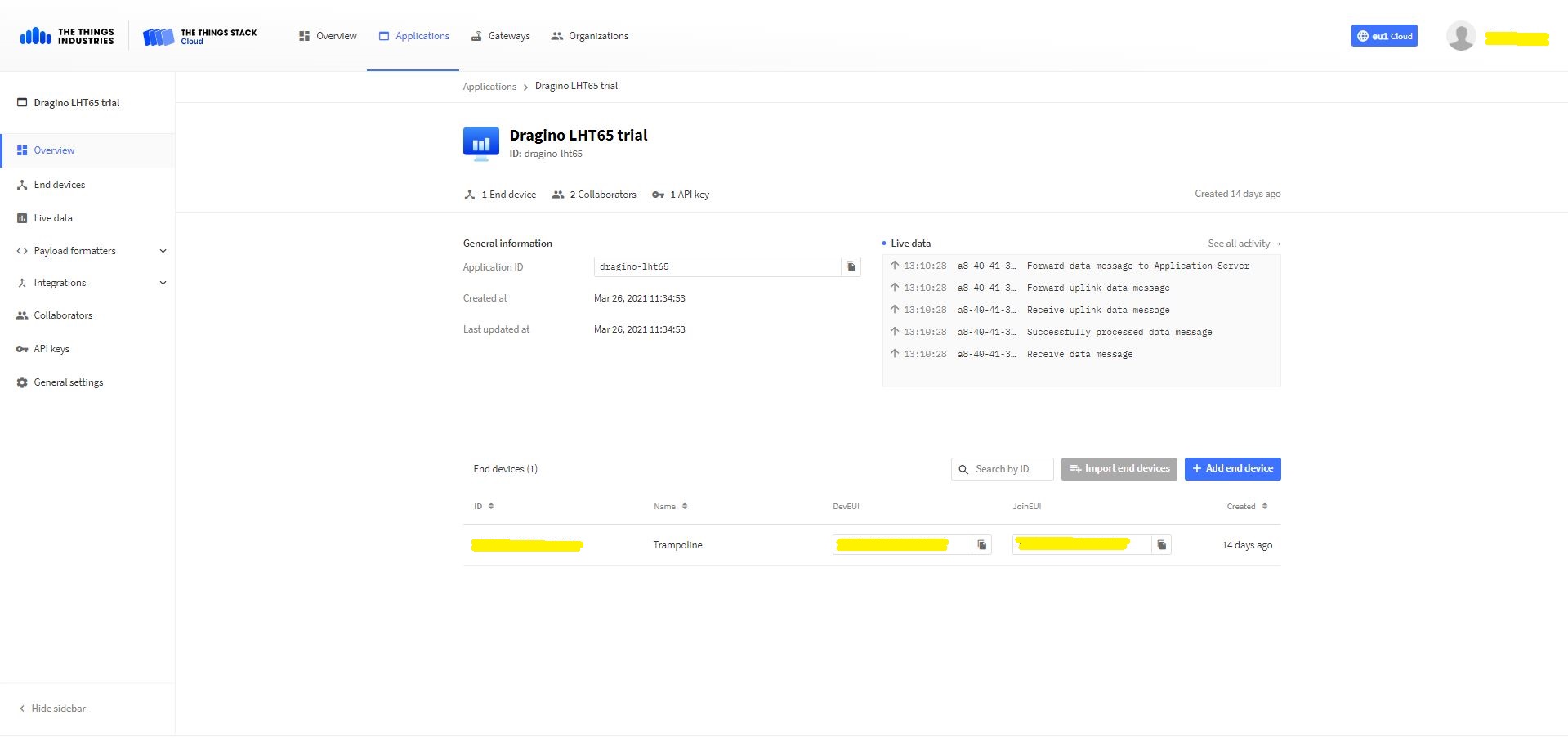
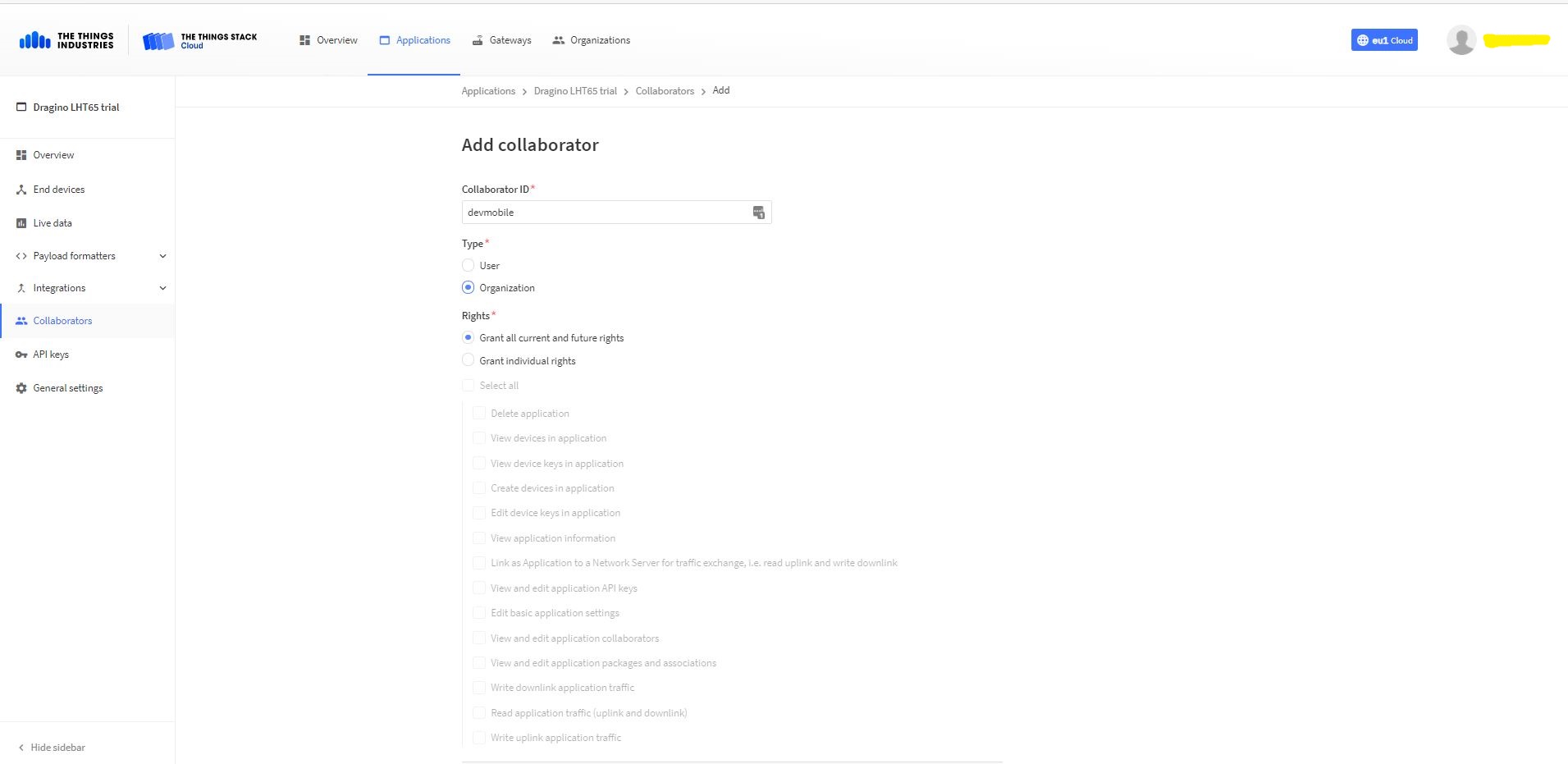
Adding devMobile as a collaborator on the new application
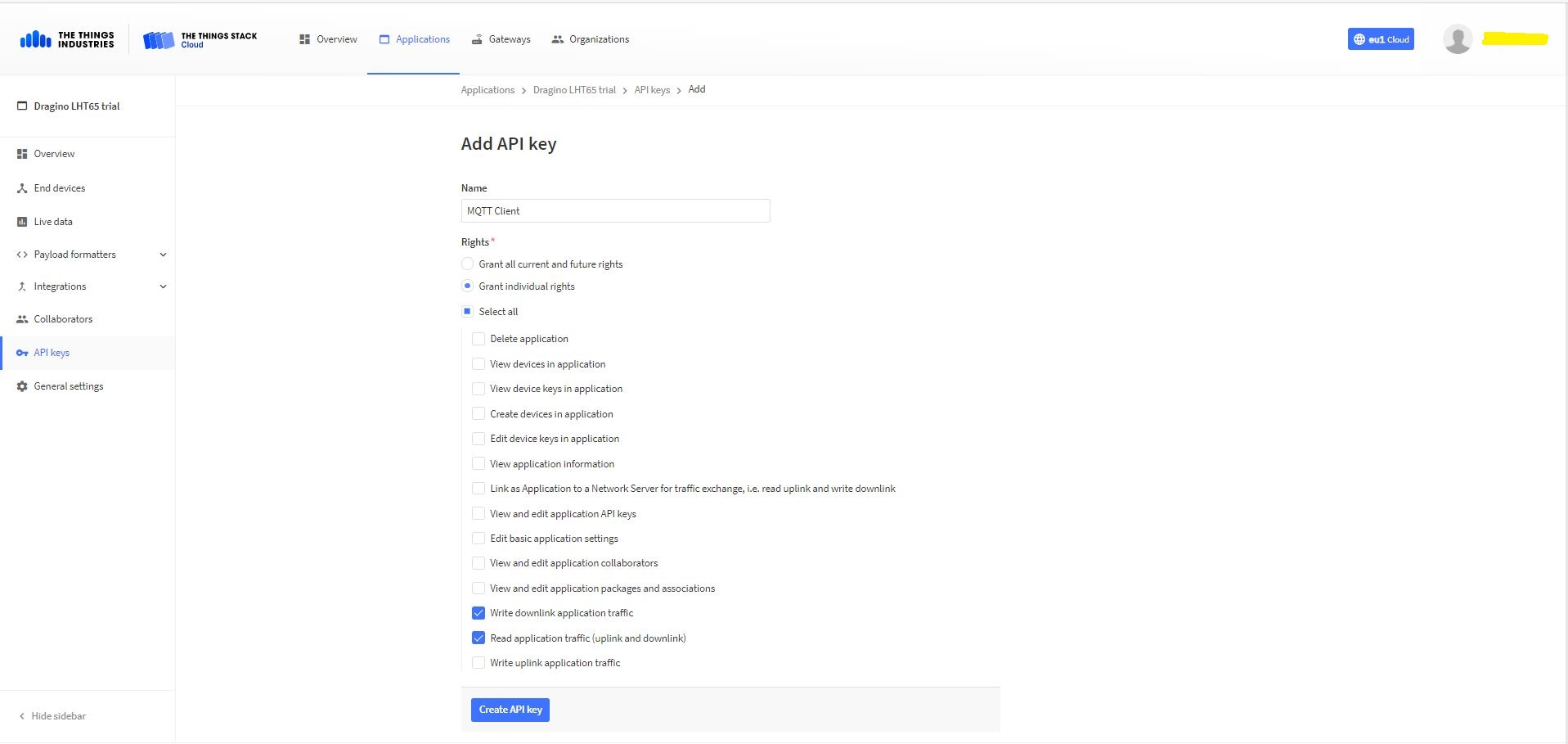
TTI Application API Key configuration
The new Application API Key used by the MQTTnetmanaged client only needs to have write downlink and read uplink traffic enabled.
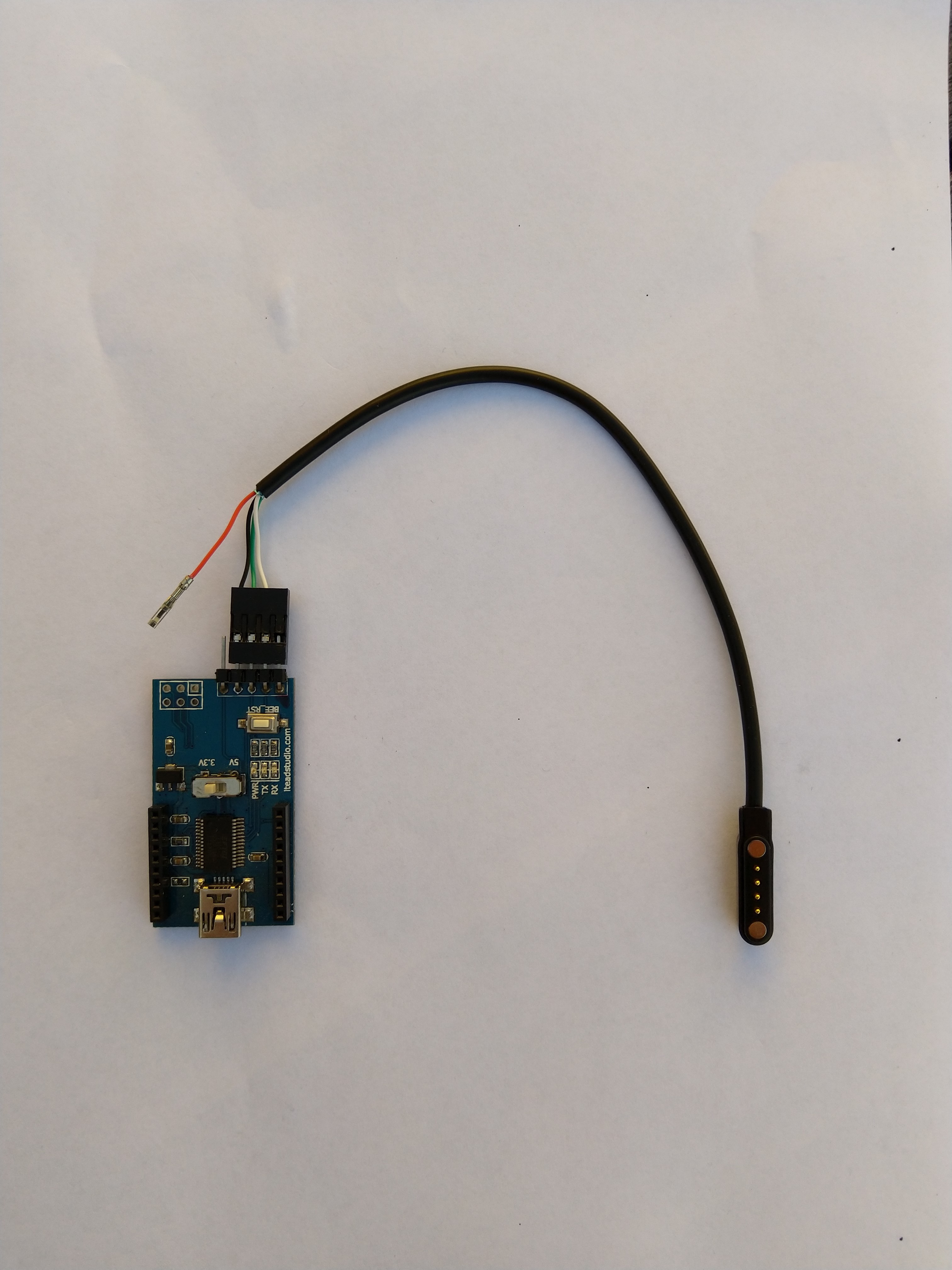
FTDI Adapter and modified LHT64 cable
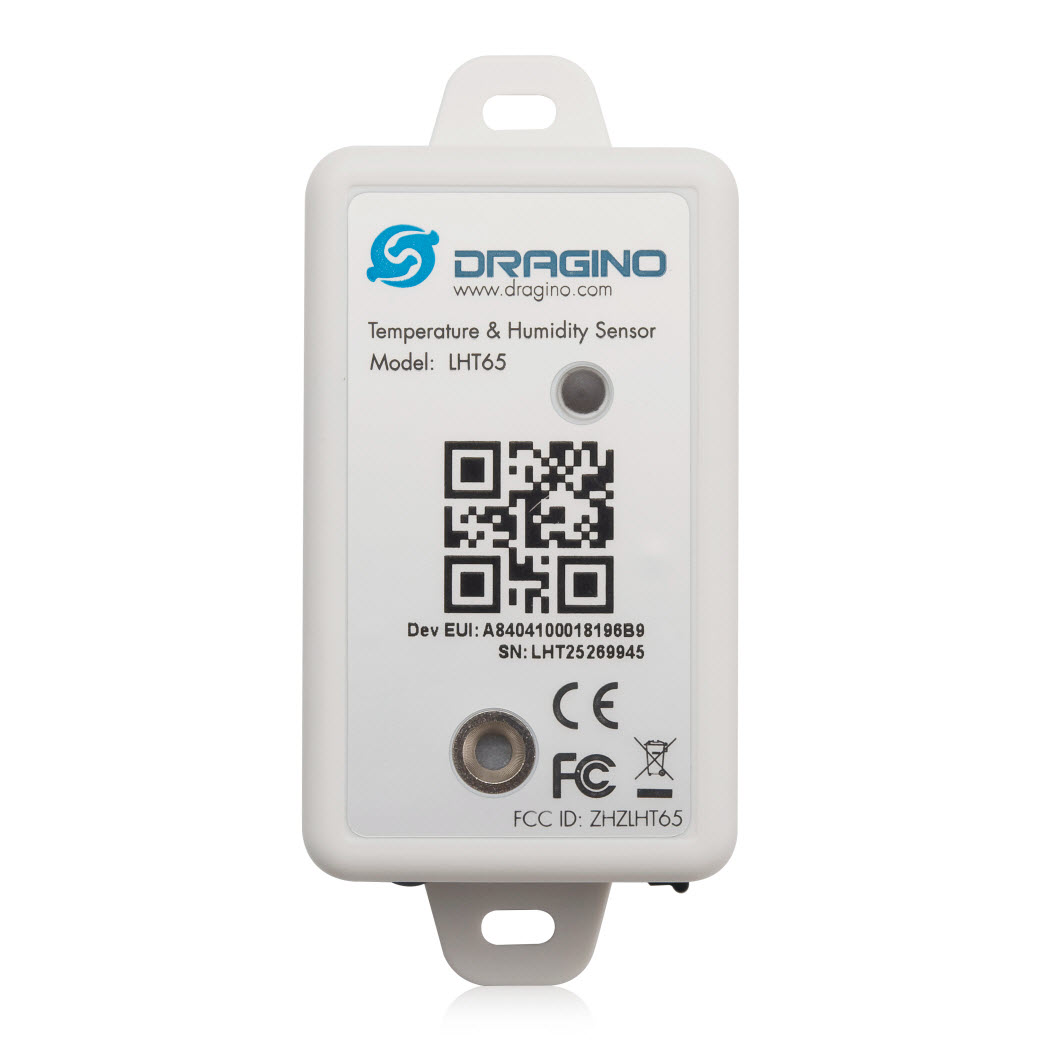
So I could reliably connect to my LHT65 devices to configure them I modified a programming cable so I could use it with a spare FTDI adaptor without jumper wires. Todo this I used a small jewelers screwdriver to “pop” out the VCC cable and move the transmit data line.
After entering the device password and checking the firmware version I used the AT+CFG command to display the device settings
AT+CFG: Print all configurations

[334428]***** UpLinkCounter= 0 *****
[334430]TX on freq 923200000 Hz at DR 2
[334804]txDone
[339807]RX on freq 923200000 Hz at DR 2
[339868]rxTimeOut
[340807]RX on freq 923200000 Hz at DR 2
[340868]rxTimeOut

Correct Password

Stop Tx events,Please wait for all configurations to print
Printf all config...
AT+DEUI=a8 .. .. .. .. .. .. d6
AT+DADDR=01......D6

AT+APPKEY=9d .. .. .. .. .. .. .. .. .. .. .. .. .. .. 2e
AT+NWKSKEY=f6 .. .. .. .. .. .. .. .. .. .. .. .. .. .. 69
AT+APPSKEY=4c 35 .. .. .. .. .. .. .. .. .. .. .. .. .. 3d
AT+APPEUI=a0 .. .. .. .. .. .. 00
AT+ADR=1
AT+TXP=0
AT+DR=0
AT+DCS=0
AT+PNM=1
AT+RX2FQ=923200000
AT+RX2DR=2
AT+RX1DL=1000
AT+RX2DL=2000
AT+JN1DL=5000
AT+JN2DL=6000
AT+NJM=1
AT+NWKID=00 00 00 00
AT+FCU=0
AT+FCD=0
AT+CLASS=A
AT+NJS=0
AT+RECVB=0:
AT+RECV=0:
AT+VER=v1.7 AS923

AT+CFM=0
AT+CFS=0
AT+SNR=0
AT+RSSI=0
AT+TDC=1200000
AT+PORT=2
AT+PWORD=123456
AT+CHS=0
AT+DATE=21/3/26 07:49:15
AT+SLEEP=0
AT+EXT=4,2
AT+RTP=20
AT+BAT=3120
AT+WMOD=0
AT+ARTEMP=-40,125
AT+CITEMP=1
Start Tx events OK


[399287]***** UpLinkCounter= 0 *****

[399289]TX on freq 923400000 Hz at DR 2

[399663]txDone

[404666]RX on freq 923400000 Hz at DR 2

[404726]rxTimeOut

[405666]RX on freq 923200000 Hz at DR 2

[405726]rxTimeOut
The Dragino LHT65 uses the DeviceEUI as the DeviceID which meant I had todo more redaction in my TTI/TTN and Azure Application Insights screen captures. The rules around the re-use of EndDevice ID were a pain in the arse(PITA) in my development focused tenant.
Dragino LHT 65 Device uplink payload formatter
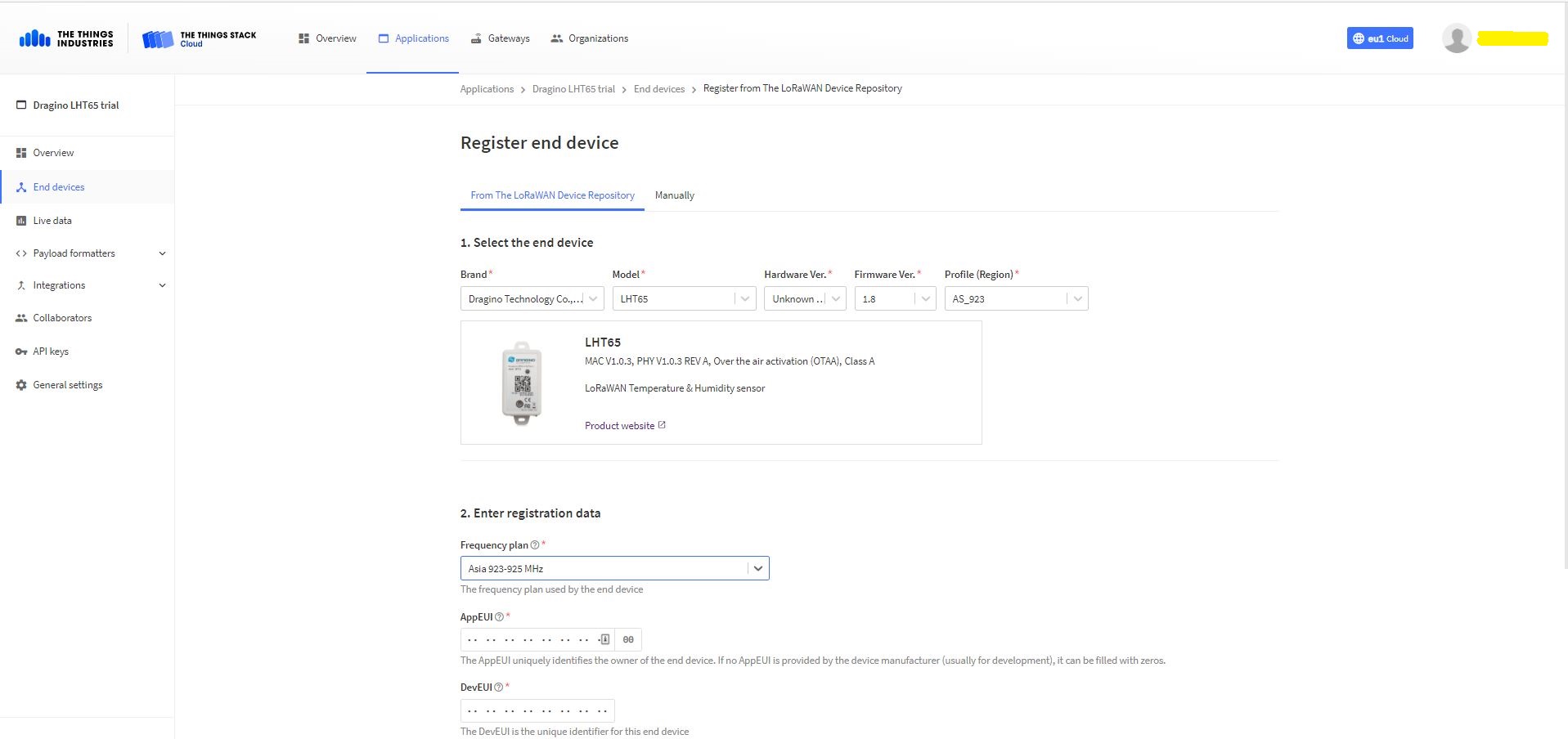
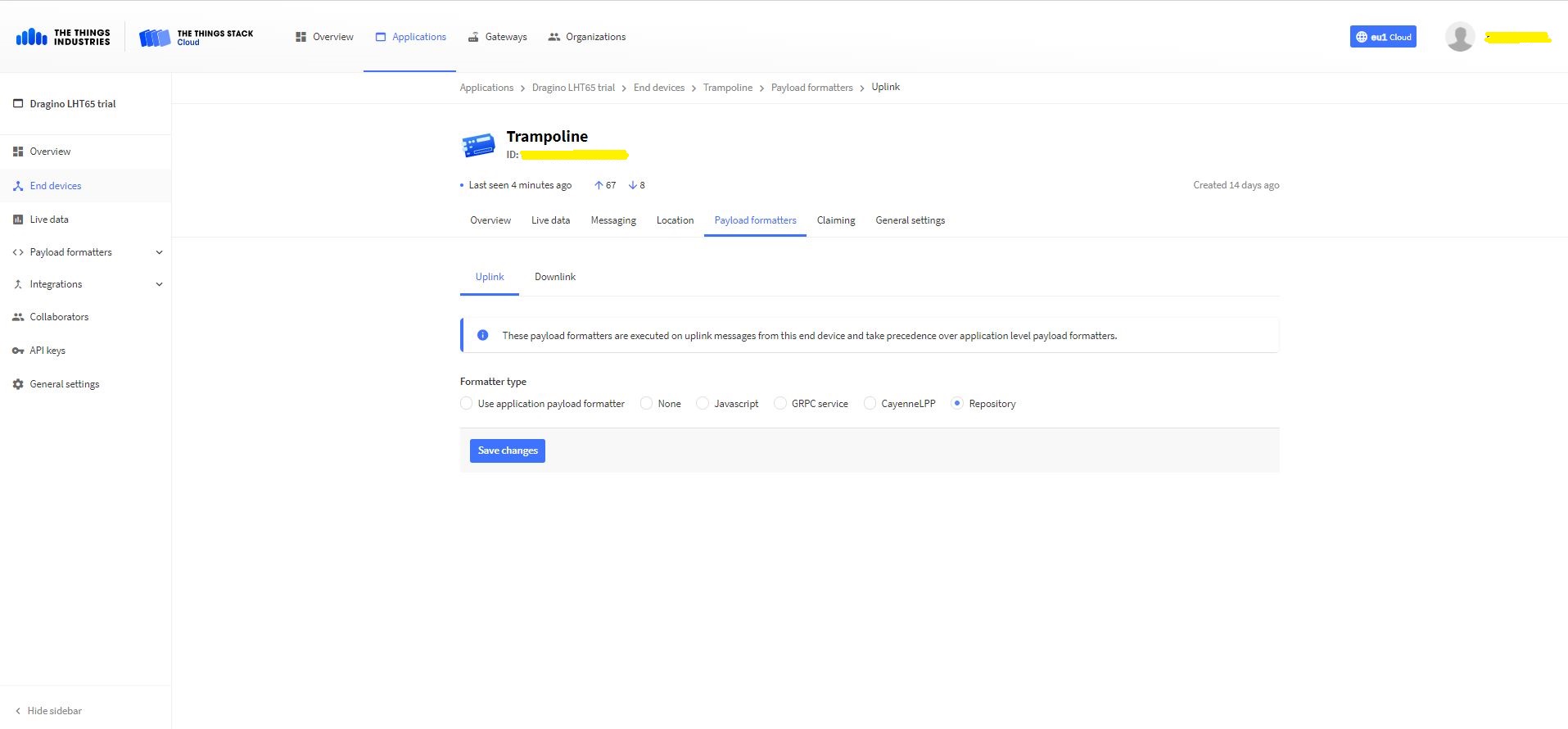
The connector supports both uplink and downlink messages with JSON encoded payloads. The Dragino LHT65 has a vendor supplied formatter which is automatically configured when an EndDevice is created. The EndDevice formatter configuration can also be overridden at the Application level in the app.settings.json file.
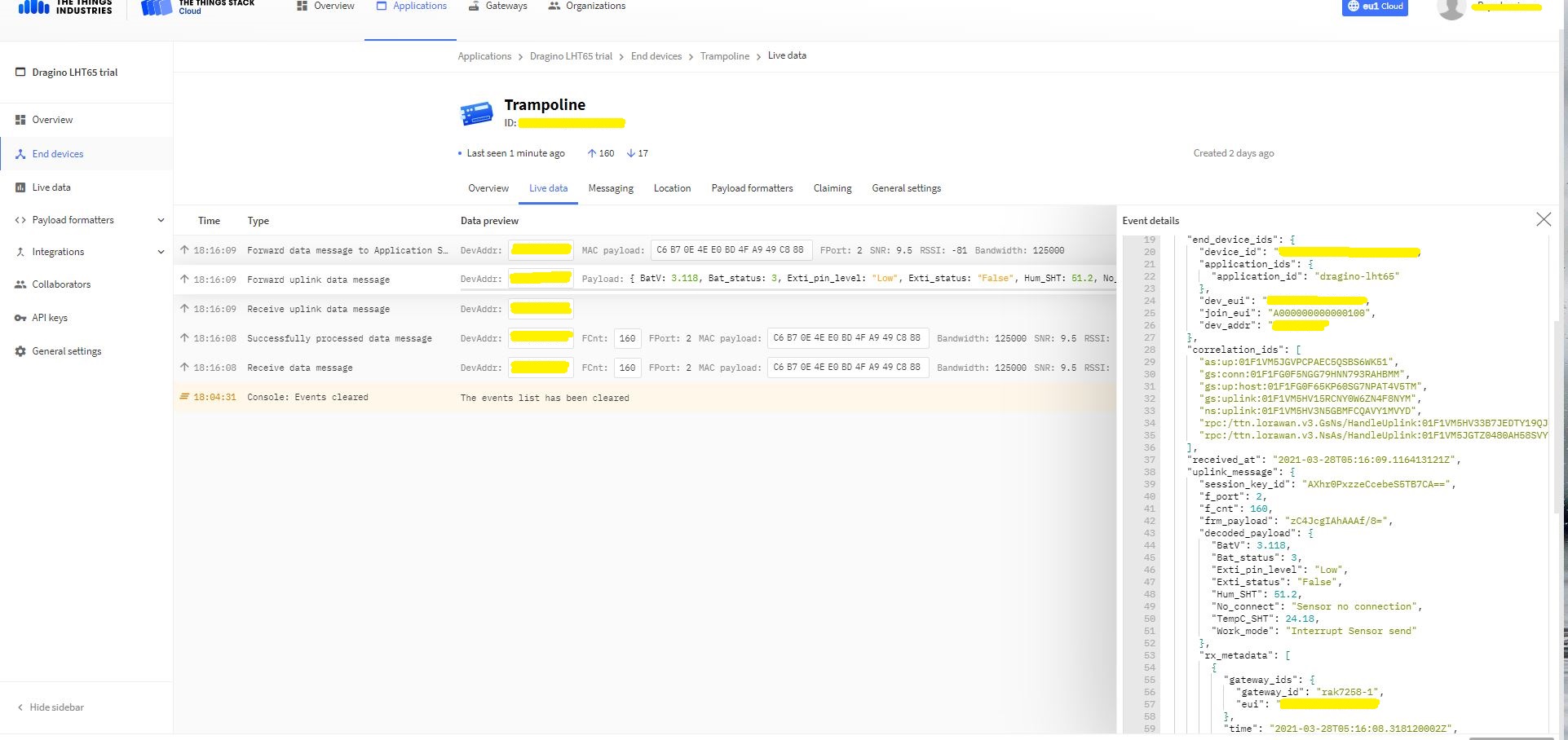
Device Live Data Uplink Data Payload
Once an EndDevice is configured in TTI/TTN I usually use the “Live data Uplink Payload” to work out the decoded payload JSON property names and data types.
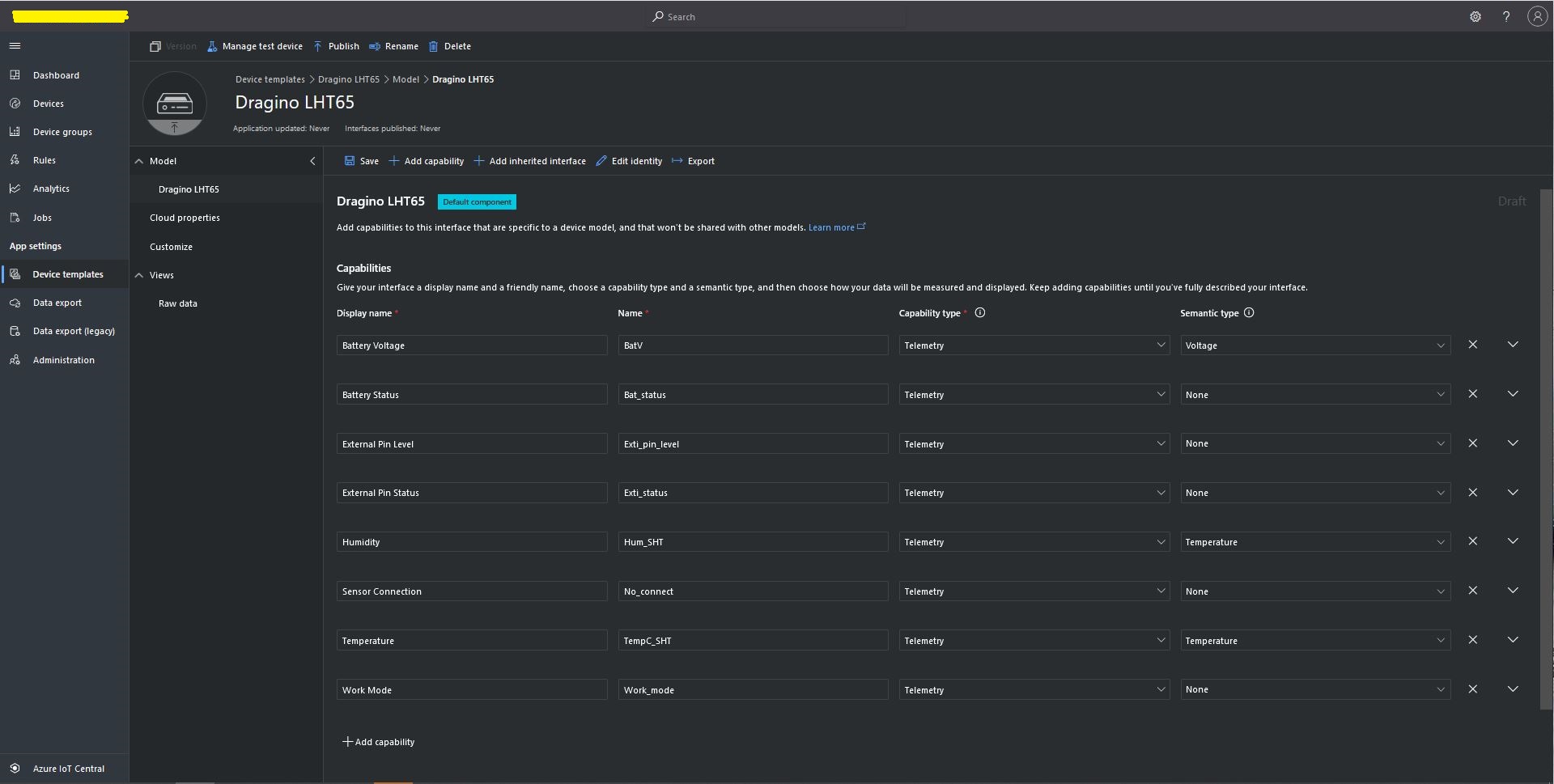
LHT65 Uplink only Azure IoT Central Device Template
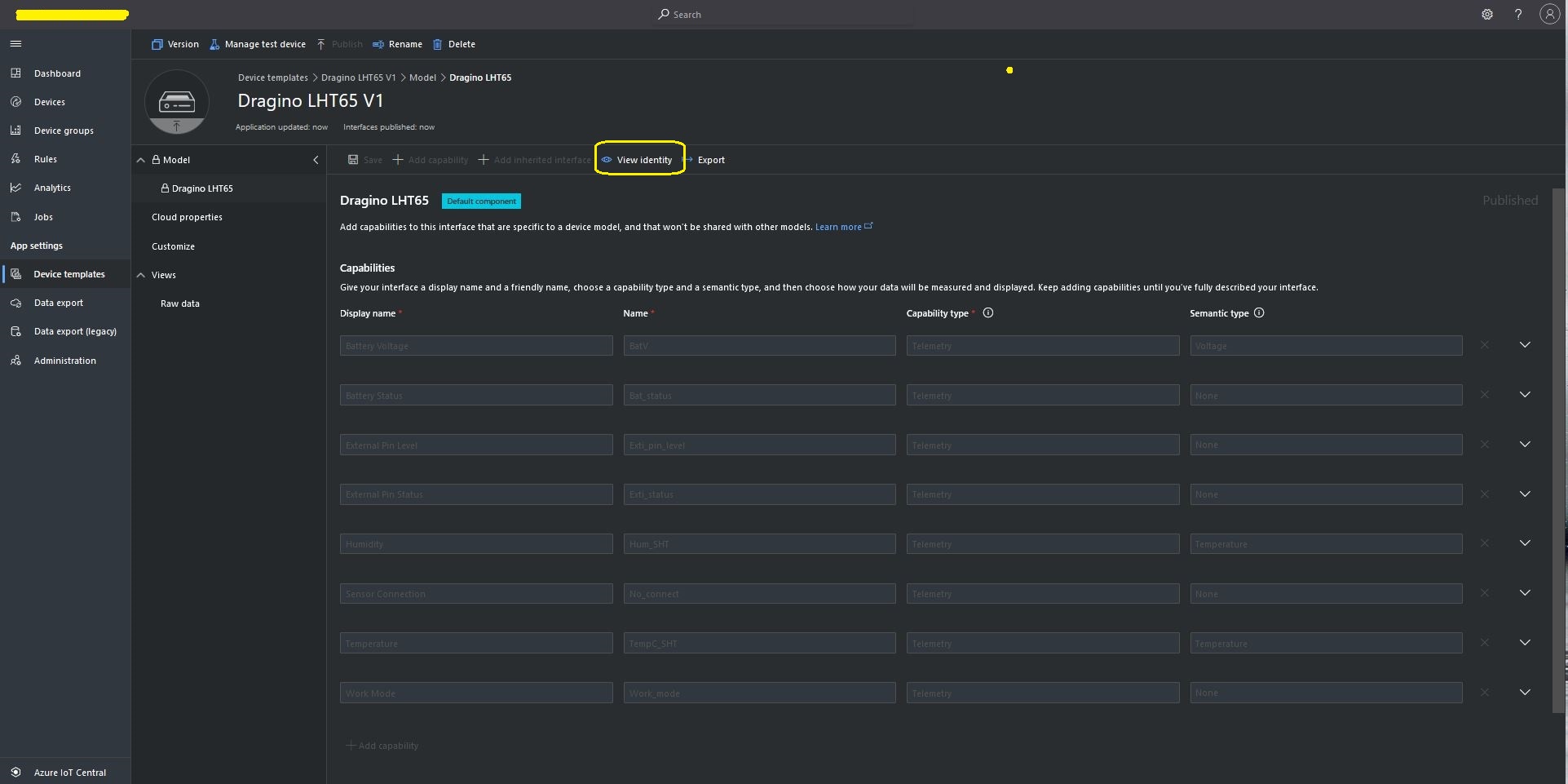
LHT65 Device Template View Identity
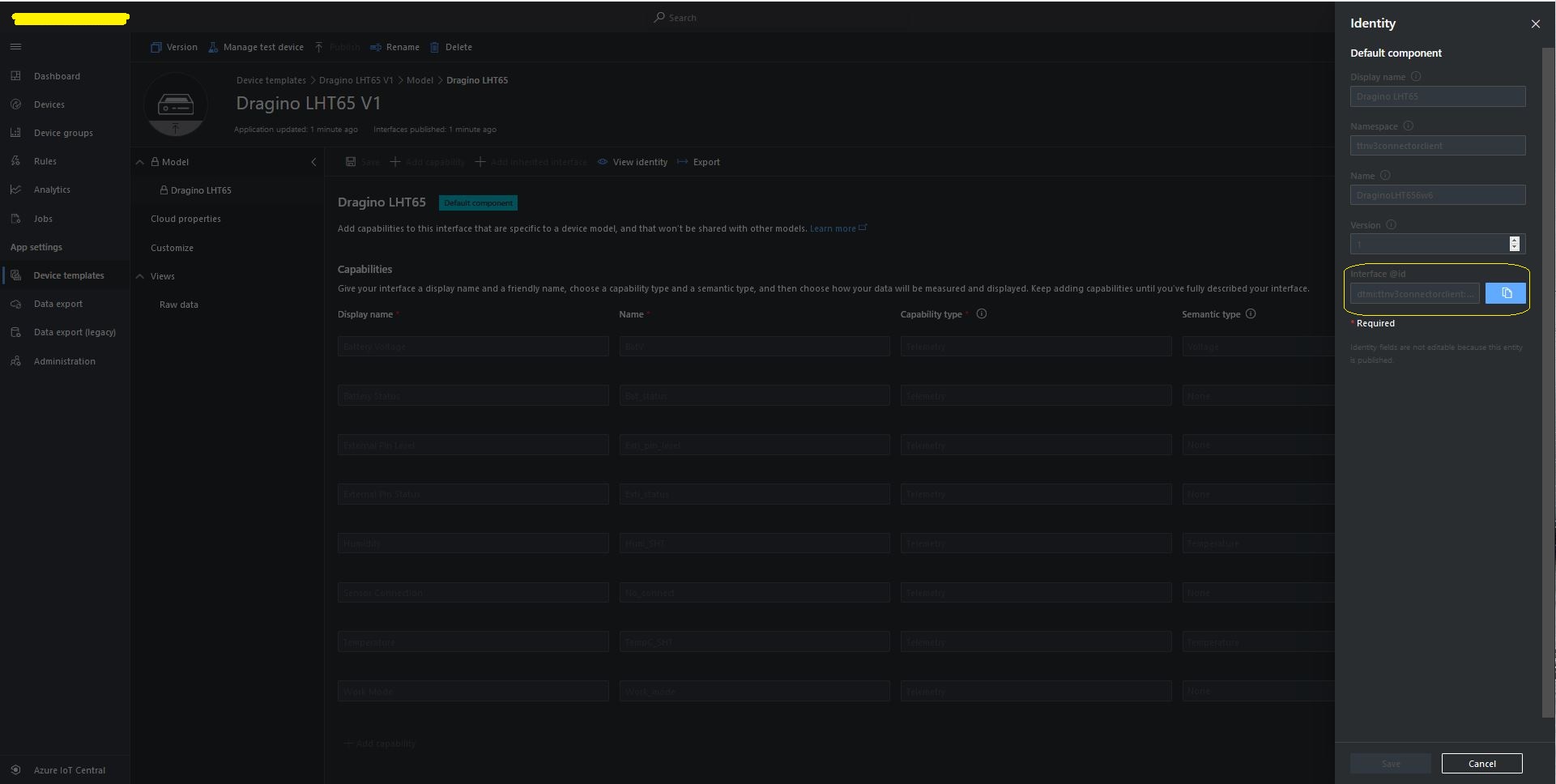
For Azure IoT Central “automagic” provisioning the DTDLModelId has to be copied from the Azure IoT Central Template into the TTI/TTN EndDevice or app.settings.json file application configuration.
LHT65 Device Template copy DTDL @ID
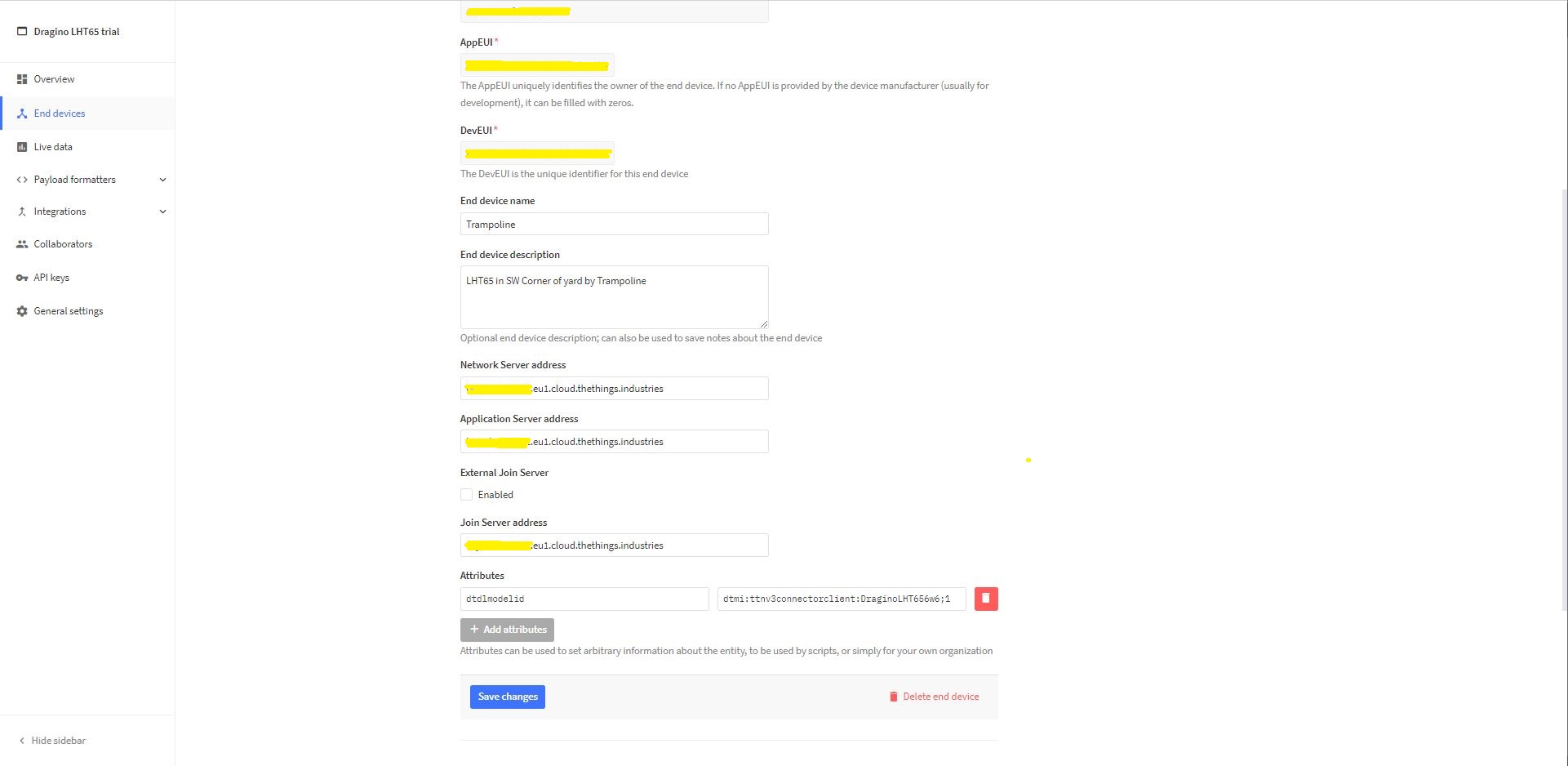
TTI EndDevice configuring the DTDLV2 @ID at the device level
Configuring the DTDLV2 @ID at the TTI application level in the app.settings.json file
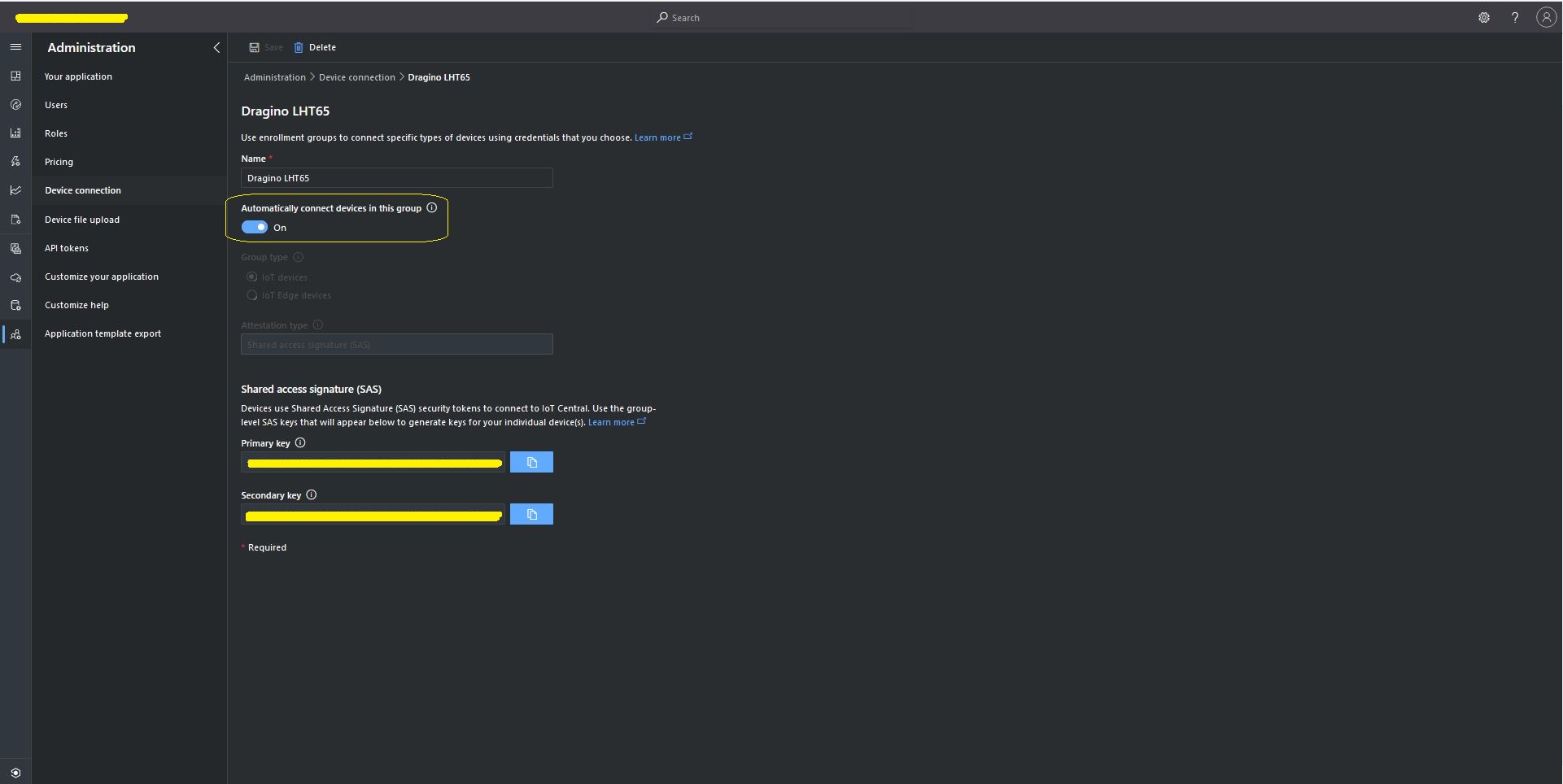
The Azure Device Provisioning Service(DPS) is configured at the TTI application level in the app.settings.json file. The IDScope and one of the Primary or Secondary Shared Access Signature(SAS) keys should be copied into DeviceProvisioningServiceSettings of an Application in the app.settings.json file. I usually set the “Automatically connect devices in this group” flag as part of the “automagic” provisioning process.
Azure IoT Central Group Enrollment Key
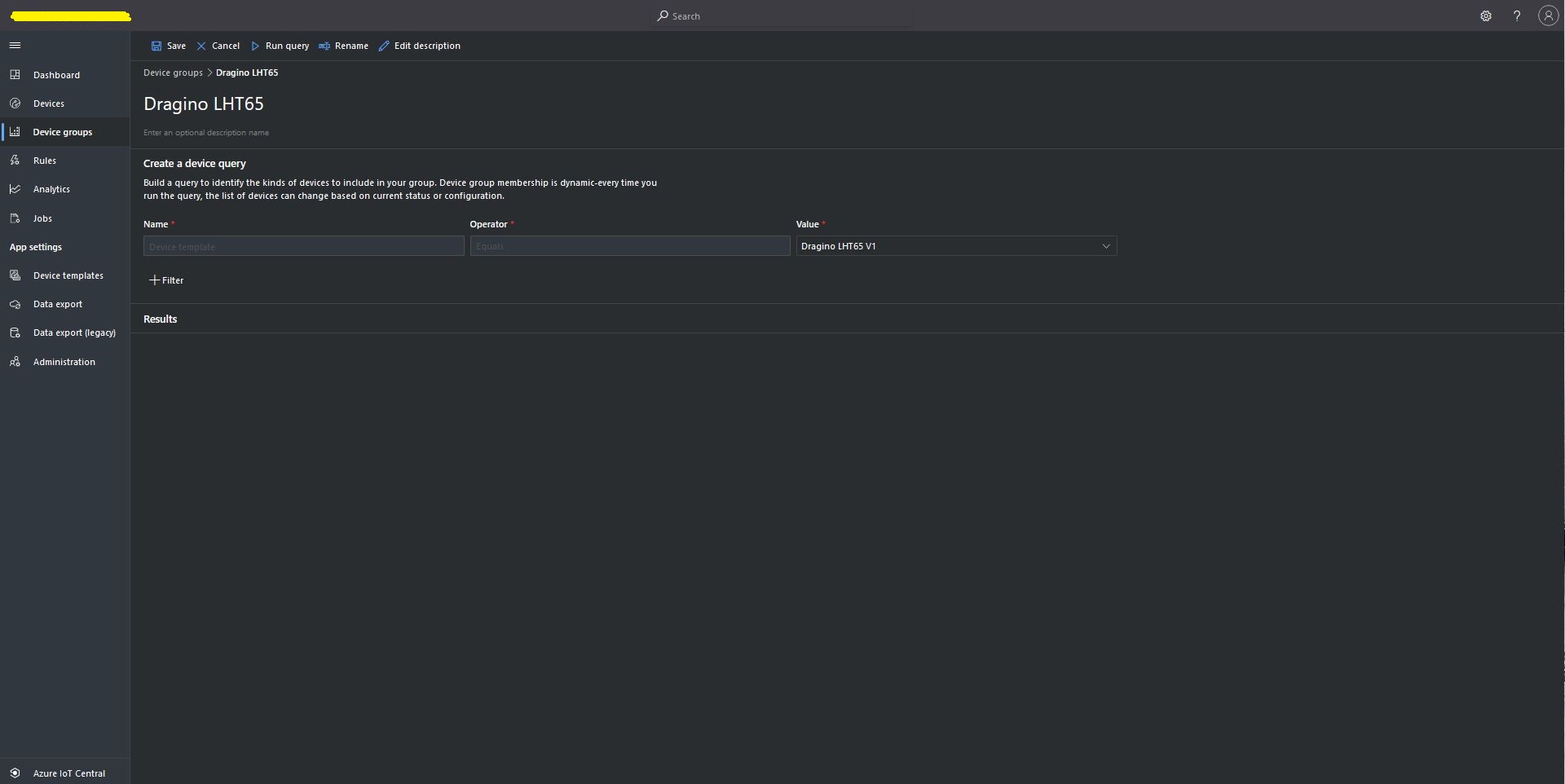
Then device templates need to be mapped to an Enrollment Group then Device Group.
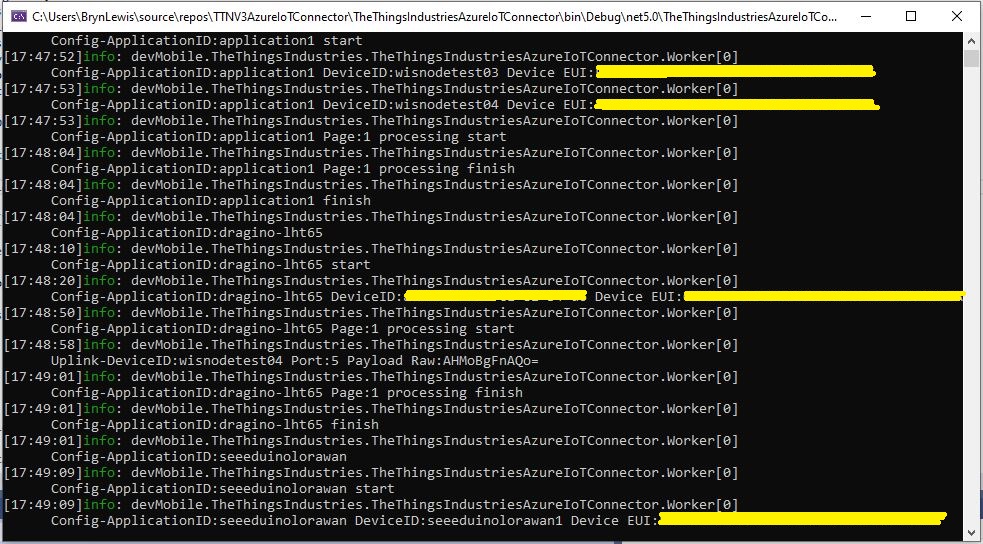
For testing the connector application can be run locally with diagnostic information displayed in the application console window as it “automagically’ provisions devices and uploads telemetry data.
Connector application Diagnostics
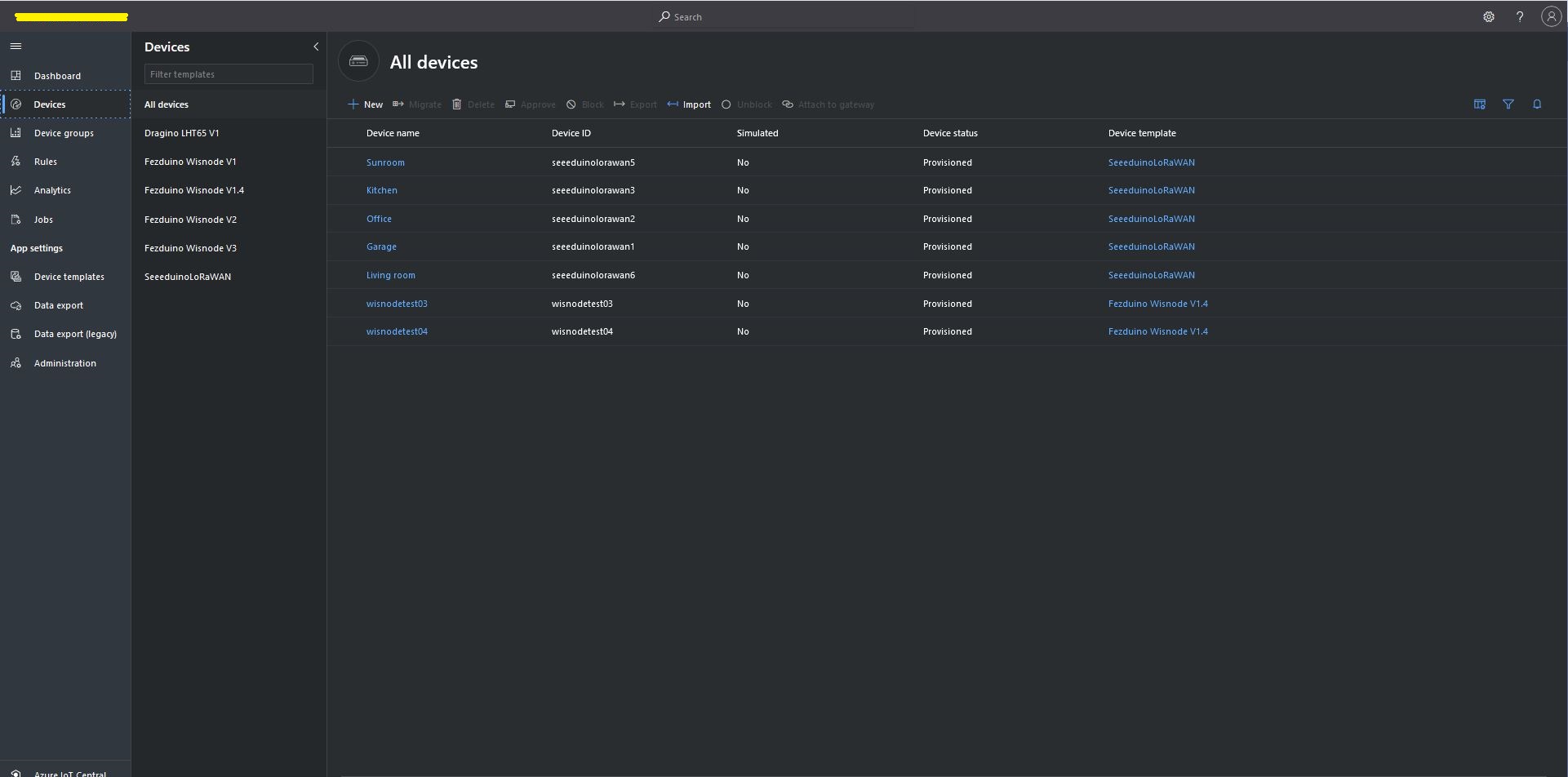
Azure IoT Central Device list before my LHT65 device is “automagically” provisioned
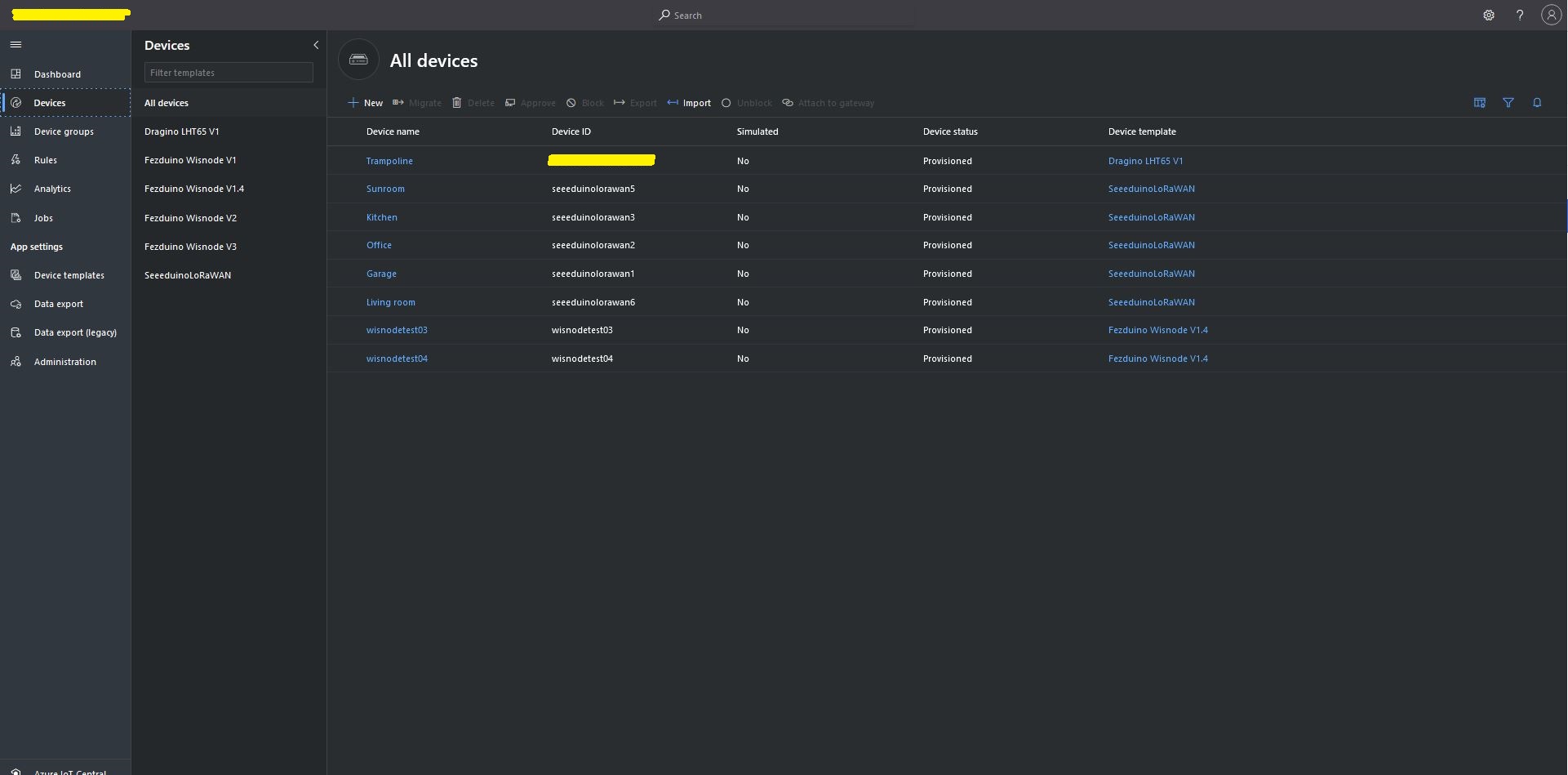
Azure IoT Central Device list after my LHT65 device is “automagically” provisioned
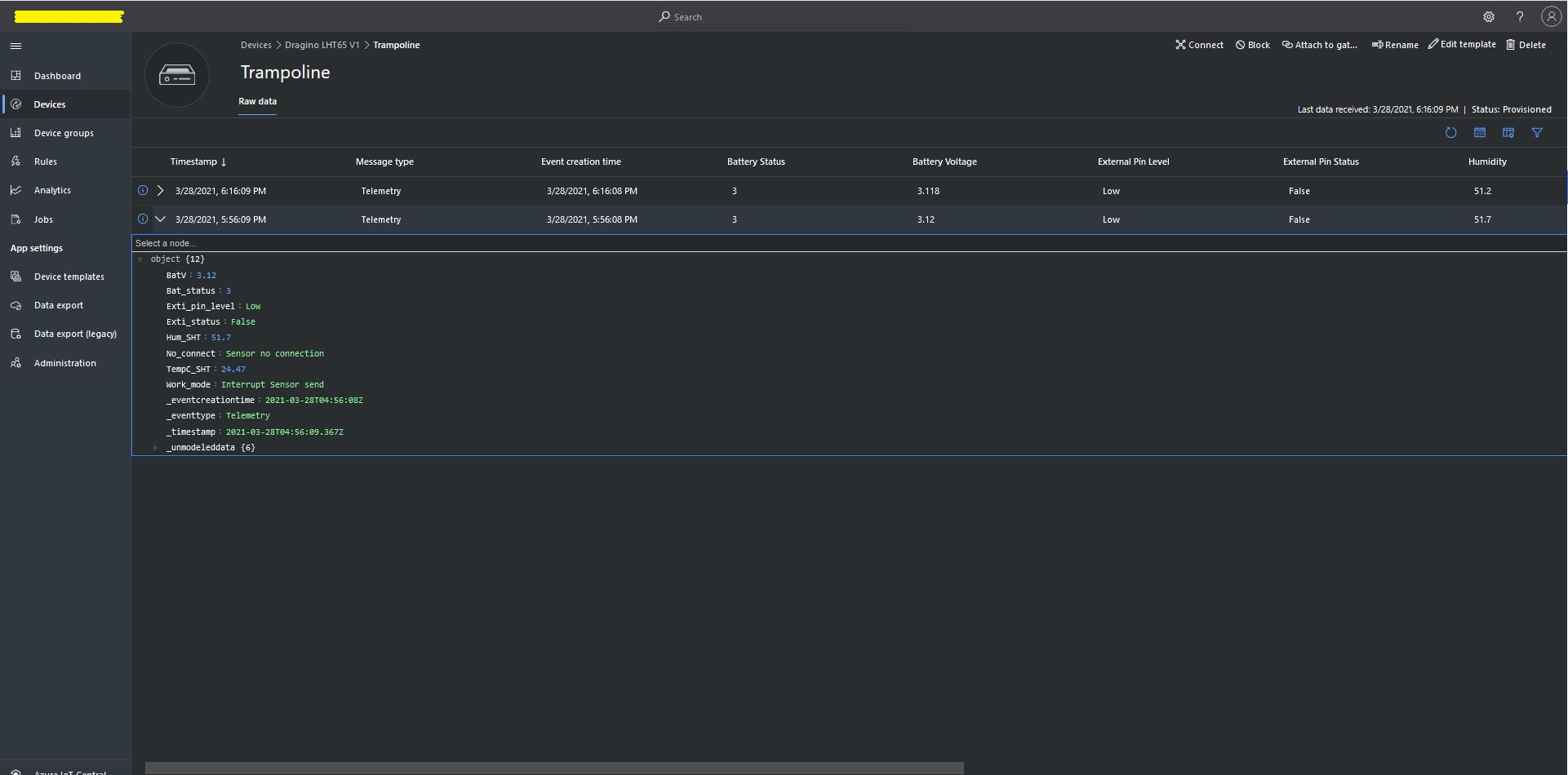
One a device has been provisioned I check on the raw data display that all the fields I configured have been mapped correctly.
Azure IoT Central raw data display
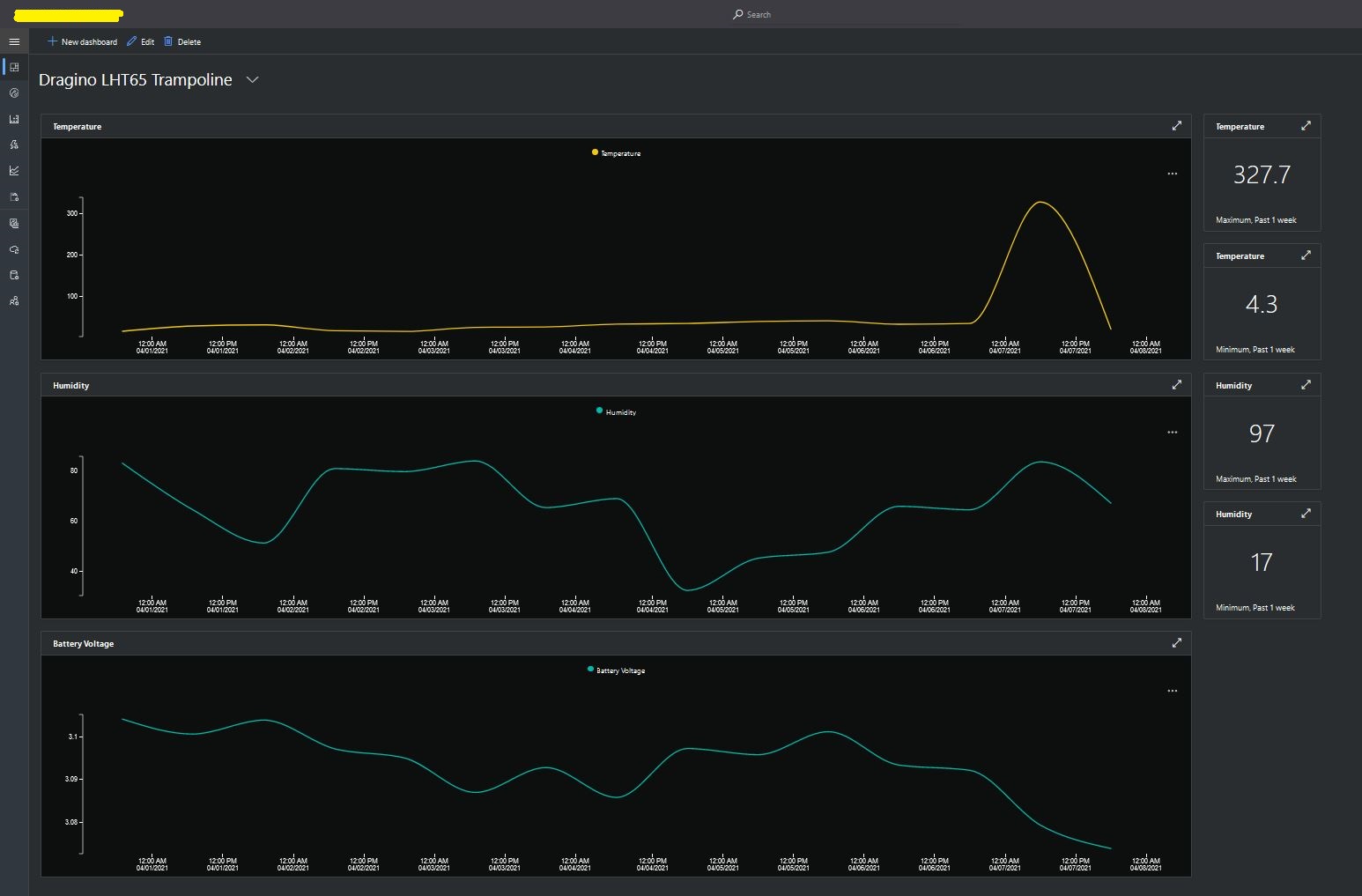
I then created a dashboard to display the telemetry data from the LHT65 sensors.
Azure IoT Central dashboard displaying LHT65 temperature, humidity and battery voltage graphs.
The dashboard also has a few KPI displays which highlighted an issue which occurs a couple of times a month with the LHT65 onboard temperature sensor values (327.7°). I have connected Dragino technical support and have also been unable to find a way to remove the current an/or filter out future aberrant values.
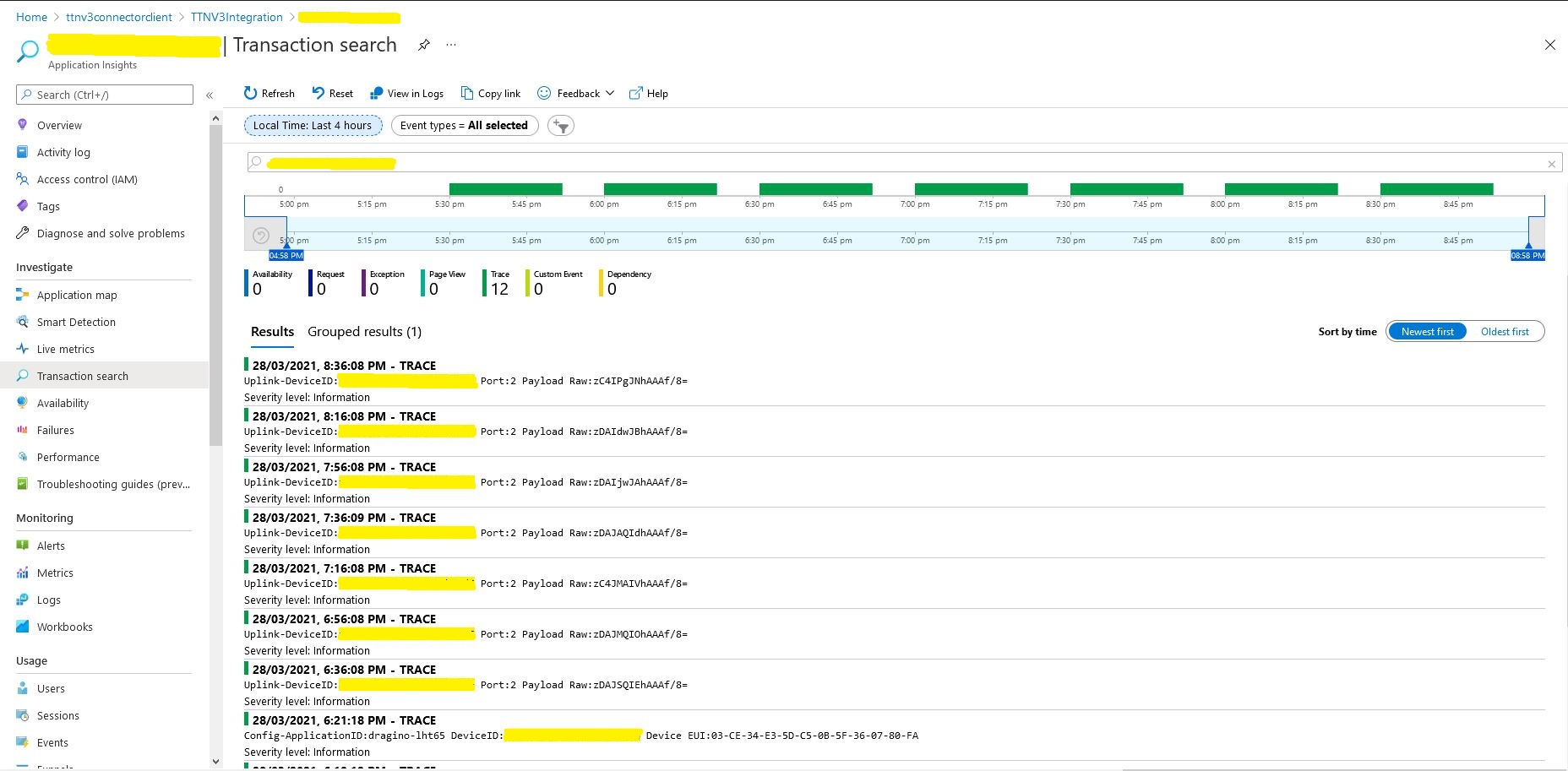
Azure Application Insights logging
I also noticed that the formatting of the DeviceEUI values in the Application Insights logging was incorrect after trying to search for one of my Seeedstudio LoRaWAN device with its DeviceEUI.
return DeviceClient.CreateFromConnectionString(connectionString, deviceId,
	new ITransportSettings[]
	{
		new AmqpTransportSettings(TransportType.Amqp_Tcp_Only)
		{
			PrefetchCount = 0,
			AmqpConnectionPoolSettings = new AmqpConnectionPoolSettings()
			{
				Pooling = true,
			}
		}
	});
I hadn’t noticed this issue in my Azure IoT The Things Network Integration because I hadn’t built support for C2D messaging. After some trial and error I figured out the issue was the PrefetchCount initialisation.
return DeviceClient.CreateFromConnectionString(connectionString, deviceId,
	new ITransportSettings[]
	{
		new AmqpTransportSettings(TransportType.Amqp_Tcp_Only)
		{
			AmqpConnectionPoolSettings = new AmqpConnectionPoolSettings()
			{
				Pooling = true,
			}
		}
	});
Even though the Service Bus APIs do not directly expose such an option today, a lower-level AMQP protocol client can use the link-credit model to turn the “pull-style” interaction of issuing one unit of credit for each receive request into a “push-style” model by issuing a large number of link credits and then receive messages as they become available without any further interaction. Push is supported through the MessagingFactory.PrefetchCount or MessageReceiver.PrefetchCount property settings. When they are non-zero, the AMQP client uses it as the link credit.
n this context, it’s important to understand that the clock for the expiration of the lock on the message inside the entity starts when the message is taken from the entity, not when the message is put on the wire. Whenever the client indicates readiness to receive messages by issuing link credit, it is therefore expected to be actively pulling messages across the network and be ready to handle them. Otherwise the message lock may have expired before the message is even delivered. The use of link-credit flow control should directly reflect the immediate readiness to deal with available messages dispatched to the receiver.
In the Azure IoT Hub SDK the prefetch count is set to 50 (around line 57) and throws an exception if less that zero (around line 90) and there is some information about tuning the prefetch value for Azure Service Bus.
“You are correct, the pre-fetch count is used to set the link credit over AMQP. What this signifies is the max. no. of messages that can be “in-flight” from the service to the client, at any given time. (This value defaults to 50 for the IoT Hub .NET client). The client specifies its link-credit, that the service must respect. In simplest terms, any time the service sends a message to the client, it decrements the link credit, and will continue sending messages until linkCredit > 0. Once the client acknowledges the message, it will increment the link credit.”
In summary if Prefetch count is set to zero on startup in my application no messages will be sent to the client….
After trialing a couple of different approaches I have removed the AzureSettingsDefault. If an application has a connectionstring configured that is used, if there is not one then the DPS configuration is used, if there are neither currently the application logs an error. In the future I will look at adding a configuration option to make the application optionally shutdown
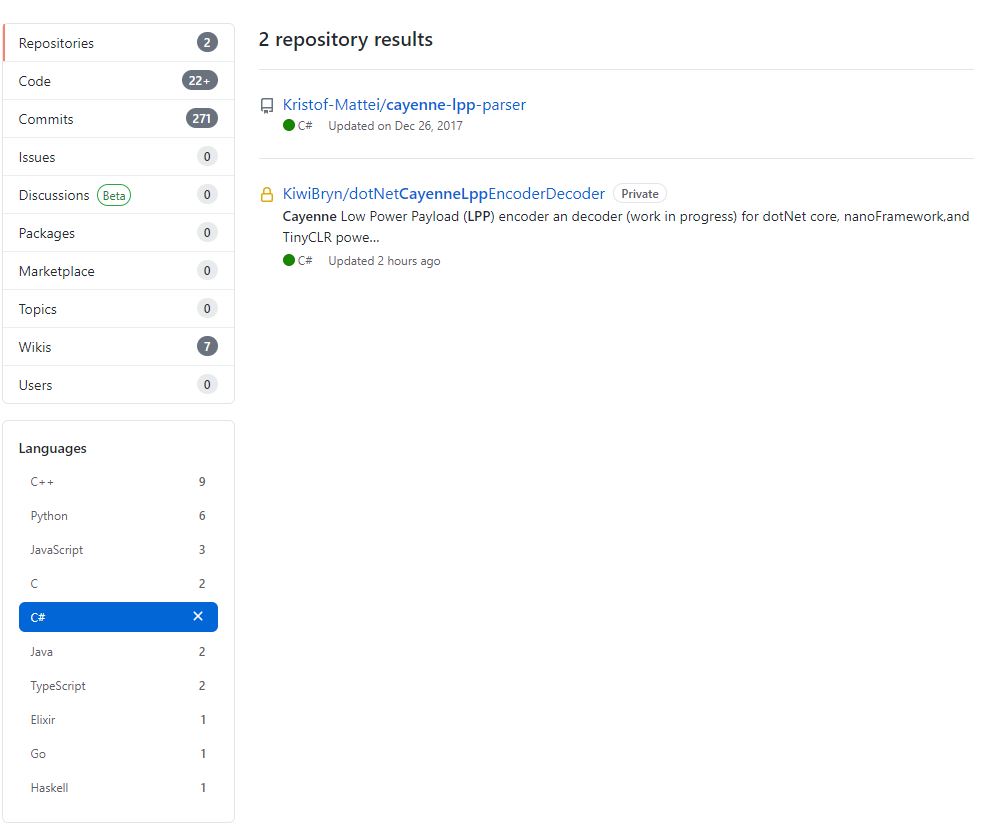
I originally started building my own Low Power Protocol(LPP) encoder because I could only find one other Github repository with a C# implementation. There hadn’t been any updates for a while and I wasn’t confident that I could make the code work on my nanoFramework and TinyCLR devices.
The original C++ code (understandably) had some language specific approaches which didn’t map well into C#. I then translated the code to C#
public void TemperatureAdd(byte channel, float celsius)
{
   if ((index + TemperatureSize) > buffer.Length)
   {
      throw new ApplicationException("TemperatureAdd insufficent buffer capacity");
   }

   short val = (short)(celsius * 10);

   buffer[index++] = channel;
   buffer[index++] = (byte)DataType.Temperature;
   buffer[index++] = (byte)(val >> 8);
   buffer[index++] = (byte)val;
}
One of my sensors was sending values with more decimal places than LPP supported and I noticed the value was not getting rounded e.g. 2.99 ->2.9 not 3.0 etc. So I revised my implementation to use Math.Round (which is supported by the nanoFramework and TinyCLR).
public void DigitalInputAdd(byte channel, bool value)
{
   #region Guard conditions
   if ((channel < Constants.ChannelMinimum) || (channel > Constants.ChannelMaximum))
   {
      throw new ArgumentException($"channel must be between {Constants.ChannelMinimum} and {Constants.ChannelMaximum}", "channel");
   }

   if ((index + Constants.DigitalInputSize) > buffer.Length)
   {
      throw new ApplicationException($"Datatype DigitalInput insufficent buffer capacity, {buffer.Length - index} bytes available");
   }
   #endregion

   buffer[index++] = channel;
   buffer[index++] = (byte)Enumerations.DataType.DigitalInput;

   // I know this is fugly but it works on all platforms
   if (value)
   {
      buffer[index++] = 1;
   }
   else
   {
     buffer[index++] = 0;
   }
 }
I then extracted out the channel and buffer size validation but I’m not certain this makes the code anymore readable/understandable
public void DigitalInputAdd(byte channel, bool value)
{
   IsChannelNumberValid(channel);
   IsBufferSizeSufficient(Enumerations.DataType.DigitalInput);

   buffer[index++] = channel;
   buffer[index++] = (byte)Enumerations.DataType.DigitalInput;

   // I know this is fugly but it works on all platforms
   if (value)
   {
      buffer[index++] = 1;
   }
   else
   {
      buffer[index++] = 0;
   }
}
The code runs on netCore, nanoFramework, and TinyCLRV2 just needs a few more unit tests and it will be ready for production. I started with an LPP encoder which I needed for one of my applications. I’m also working an approach for a decoder which will run on all my target platforms with minimal modification or compile time directives.
Back in 1986 in my second first year at the University of Canterbury I did “MATH131 Numerical Methods” which was a year of looking at why mathematics in FORTRAN, C, and Pascal sometimes didn’t return the result you were expecting…
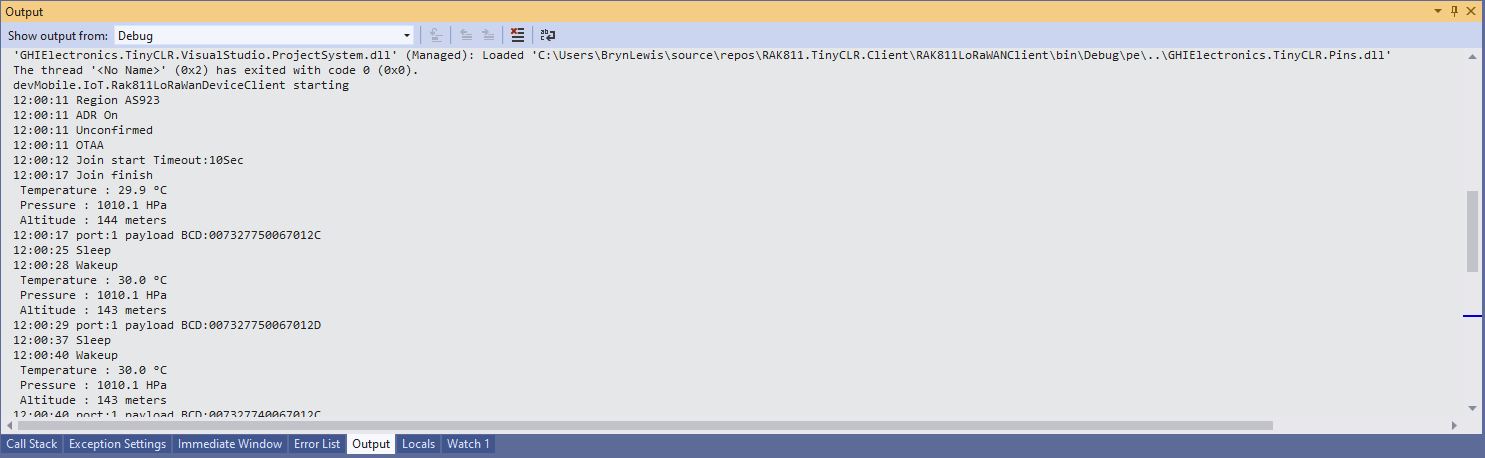
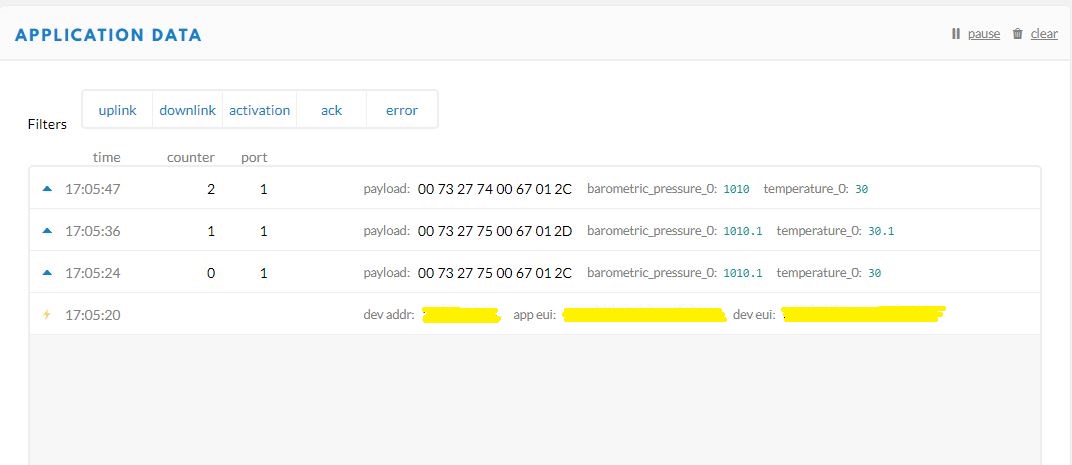
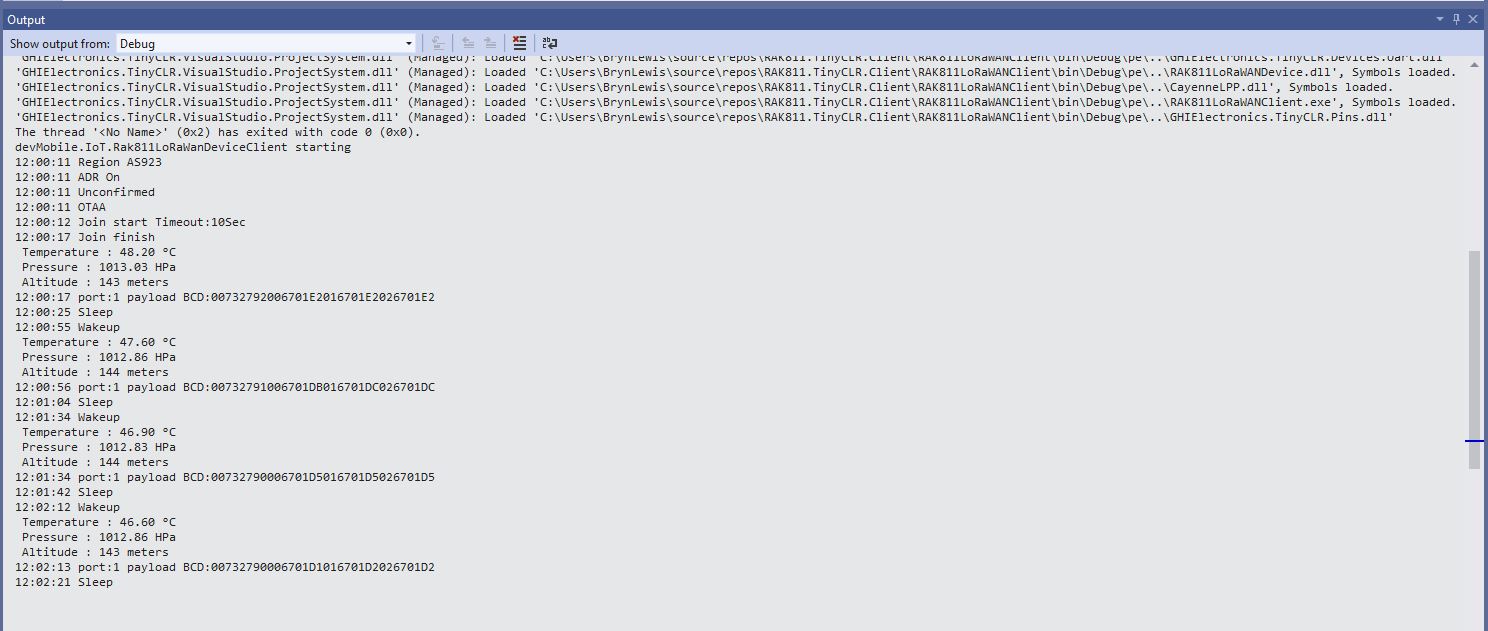
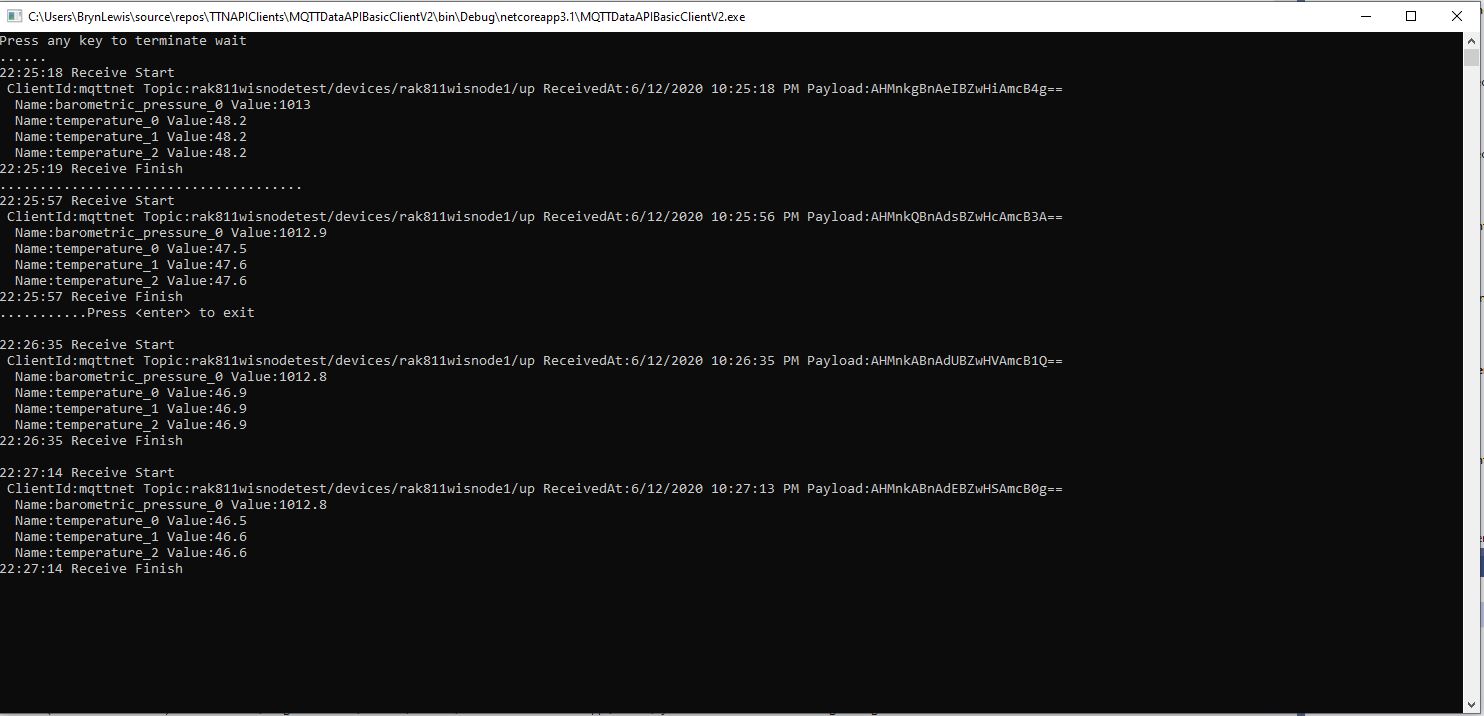
Visual Studio 2019 Debug output windowThe Things Network Device Application Data tab
I have implemented my own Low Power Payload encoder in C# based on the sample Mbed C code
My translation of that code to C#
public void TemperatureAdd(byte channel, float celsius)
{
   if ((index + TemperatureSize) > buffer.Length)
   {
      throw new ApplicationException("TemperatureAdd insufficent buffer capacity");
   }

   short val = (short)(celsius * 10);

   buffer[index++] = channel;
   buffer[index++] = (byte)DataType.Temperature;
   buffer[index++] = (byte)(val >> 8);
   buffer[index++] = (byte)val;
}
After looking at the code I think the issues was most probably due to the representation of the constant 10(int32), 10.0(double), and 10.0f(single) . To confirm my theory I modified the client to send the temperature with the calculation done with three different constants.
Visual Studio 2019 Debug output windowThe Things Network(TTN) Message Queue Telemetry Transport(MQTT) client
After some trial and error I settled on this C# code for my decoder
public void TemperatureAdd(byte channel, float celsius)
{
   if ((index + TemperatureSize) > buffer.Length)
   {
      throw new ApplicationException("TemperatureAdd insufficent buffer capacity");
   }

   short val = (short)(celsius * 10.0f);

   buffer[index++] = channel;
   buffer[index++] = (byte)DataType.Temperature;
   buffer[index++] = (byte)(val >> 8);
   buffer[index++] = (byte)val;
}
I don’t think this is specifically an issue with the TinyCLR V2 just with number type used for the constant.

 devMobile's blog