Swarm Space – Underlying Architecture sorted

After figuring out that calling an Azure Http Trigger function to load the cache wasn’t going to work reliably, I have revisited the architecture one last time and significantly refactored the SwarmSpaceAzuureIoTConnector project.

Visual Studio 2022 solution

The application now has a StartUpService which loads the Azure DeviceClient cache (Lazy Cache) in the background as the application starts up. If an uplink message is received from a SwarmDevice before, it has been loaded by the FunctionsStartup the DeviceClient information is cached and another connection to the Azure IoT Hub is not established.

...
using Microsoft.Azure.Functions.Extensions.DependencyInjection;

[assembly: FunctionsStartup(typeof(devMobile.IoT.SwarmSpaceAzureIoTConnector.Connector.StartUpService))]
namespace devMobile.IoT.SwarmSpaceAzureIoTConnector.Connector
{
...
    public class StartUpService : BackgroundService
    {
        private readonly ILogger<StartUpService> _logger;
        private readonly ISwarmSpaceBumblebeeHive _swarmSpaceBumblebeeHive;
        private readonly Models.ApplicationSettings _applicationSettings;
        private readonly IAzureDeviceClientCache _azureDeviceClientCache;

        public StartUpService(ILogger<StartUpService> logger, IAzureDeviceClientCache azureDeviceClientCache, ISwarmSpaceBumblebeeHive swarmSpaceBumblebeeHive, IOptions<Models.ApplicationSettings> applicationSettings)//, IOptions<Models.AzureIoTSettings> azureIoTSettings)
        {
            _logger = logger;
            _azureDeviceClientCache = azureDeviceClientCache;
            _swarmSpaceBumblebeeHive = swarmSpaceBumblebeeHive;
            _applicationSettings = applicationSettings.Value;
        }

        protected override async Task ExecuteAsync(CancellationToken cancellationToken)
        {
            await Task.Yield();

            _logger.LogInformation("StartUpService.ExecuteAsync start");

            try
            {
                _logger.LogInformation("BumblebeeHiveCacheRefresh start");

                foreach (SwarmSpace.BumblebeeHiveClient.Device device in await _swarmSpaceBumblebeeHive.DeviceListAsync(cancellationToken))
                {
                    _logger.LogInformation("BumblebeeHiveCacheRefresh DeviceId:{DeviceId} DeviceName:{DeviceName}", device.DeviceId, device.DeviceName);

                    Models.AzureIoTDeviceClientContext context = new Models.AzureIoTDeviceClientContext()
                    {
                        OrganisationId = _applicationSettings.OrganisationId,
                        DeviceType = (byte)device.DeviceType,
                        DeviceId = (uint)device.DeviceId,
                    };

                    await _azureDeviceClientCache.GetOrAddAsync(context.DeviceId, context);
                }

                _logger.LogInformation("BumblebeeHiveCacheRefresh finish");
            }
            catch (Exception ex)
            {
                _logger.LogError(ex, "StartUpService.ExecuteAsync error");

                throw;
            }

            _logger.LogInformation("StartUpService.ExecuteAsync finish");
        }
    }
}

The uplink and downlink payload formatters are stored in Azure Blob Storage are compiled (CS-Script) as they are loaded then cached (Lazy Cache)

Azure Storage explorer displaying list of uplink payload formatter blobs.
Azure Storage explorer displaying list of downlink payload formatter blobs.
private async Task<IFormatterDownlink> DownlinkLoadAsync(int userApplicationId)
{
    BlobClient blobClient = new BlobClient(_payloadFormatterConnectionString, _applicationSettings.PayloadFormattersDownlinkContainer, $"{userApplicationId}.cs");

    if (!await blobClient.ExistsAsync())
    {
        _logger.LogInformation("PayloadFormatterDownlink- UserApplicationId:{0} Container:{1} not found using default:{2}", userApplicationId, _applicationSettings.PayloadFormattersUplinkContainer, _applicationSettings.PayloadFormatterUplinkBlobDefault);

        blobClient = new BlobClient(_payloadFormatterConnectionString, _applicationSettings.PayloadFormatterDownlinkBlobDefault, _applicationSettings.PayloadFormatterDownlinkBlobDefault);
    }

    BlobDownloadResult downloadResult = await blobClient.DownloadContentAsync();

    return CSScript.Evaluator.LoadCode<PayloadFormatter.IFormatterDownlink>(downloadResult.Content.ToString());
}

The uplink and downlink formatters can be edited in Visual Studio 2022 with syntax highlighting (currently they have to be manually uploaded).

The SwarmSpaceBumbleebeehive module no longer has public login or logout methods.

    public interface ISwarmSpaceBumblebeeHive
    {
        public Task<ICollection<Device>> DeviceListAsync(CancellationToken cancellationToken);

        public Task SendAsync(uint organisationId, uint deviceId, byte deviceType, ushort userApplicationId, byte[] payload);
    }

The DeviceListAsync and SendAsync methods now call the BumblebeeHive login method after configurable period of inactivity.

public async Task<ICollection<Device>> DeviceListAsync(CancellationToken cancellationToken)
{
        if ((_TokenActivityAtUtC + _bumblebeeHiveSettings.TokenValidFor) < DateTime.UtcNow)
        {
            await Login();
        }

        using (HttpClient httpClient = _httpClientFactory.CreateClient())
       {
            Client client = new Client(httpClient);

            client.BaseUrl = _bumblebeeHiveSettings.BaseUrl;

            httpClient.DefaultRequestHeaders.Add("Authorization", $"bearer {_token}");

            return await client.GetDevicesAsync(null, null, null, null, null, null, null, null, null, cancellationToken);
        }
}

I’m looking at building a webby user interface where users an interactivity list, create, edit, delete formatters with syntax highlighter support, and the executing the formatter with sample payloads.

Swarm Space Azure IoT Connector Identity Translation Gateway Architecture

This approach uses most of the existing building blocks, and that’s it no more changes.

Swarm Space – Underlying Architecture Revisited

After figuring out that calling a CS-Script uplink payload formatter inside an Azure Http Trigger function wasn’t going to work I needed a new architecture.

Swarm Space Azure IoT Connector Identity Translation Gateway Architecture

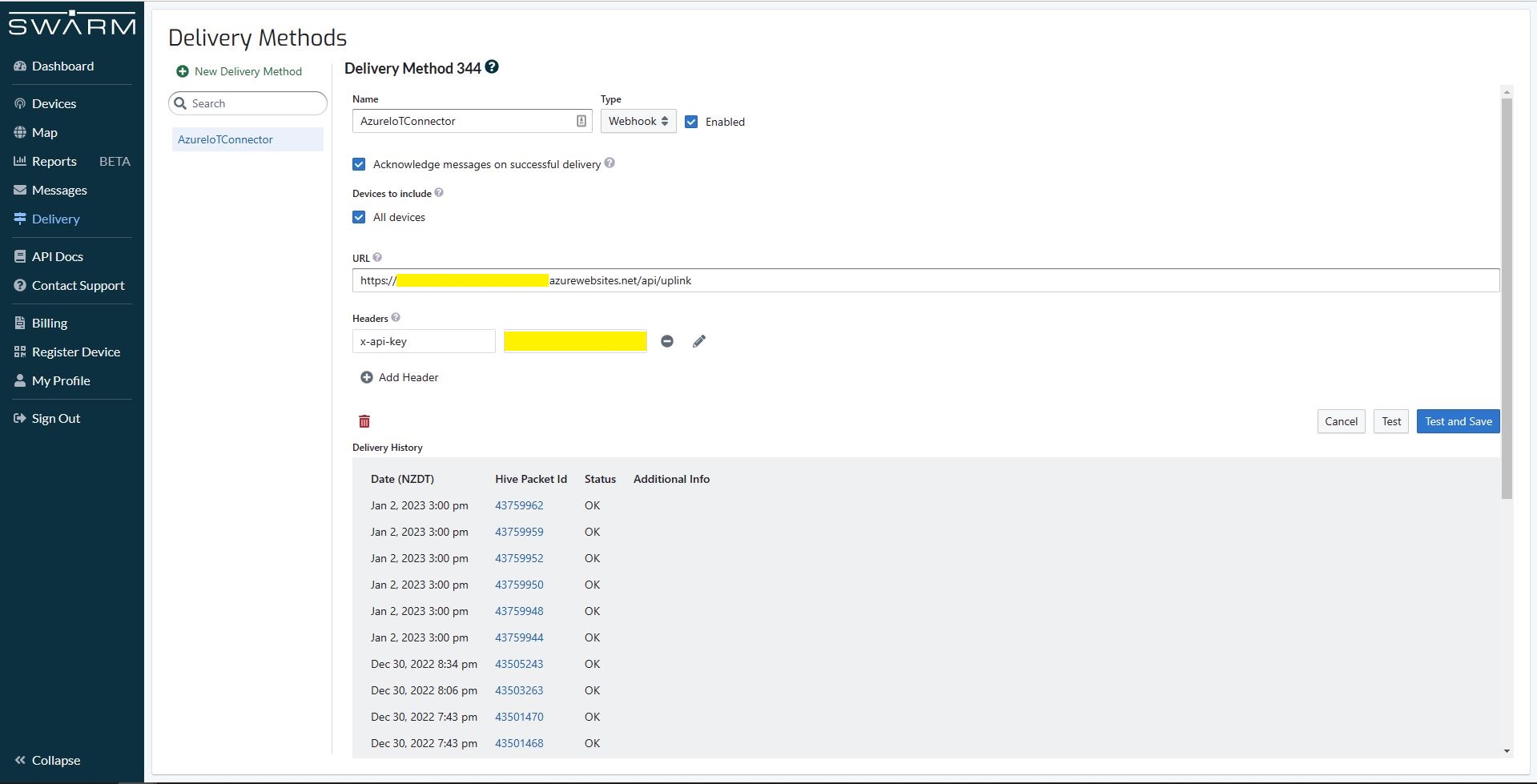
The new approach uses most of the existing building blocks but adds an Azure HTTP Trigger which receives the Swarm Space Bumble bee hive Webhook Delivery Method calls and writes them to an Azure Storage Queue.

Swarm Space Bumble bee hive Web Hook Delivery method

The uplink and downlink formatters are now called asynchronously so they have limited impact on the overall performance of the application.

TTI V3 Connector Azure Storage Queues Paused

After running my The Things Industries(TTI) V3 HTTPStorageQueueOutput application for a week I think there are some problems with my approach so I have paused development while I build another HTTPTrigger Azure Functions based Proof of Concept(PoC).

The HTTPTrigger and Azure Storage Queue OutputBinding based code which inserts messages into an Azure Storage Queue was minimal

[StorageAccount("AzureWebJobsStorage")]
public static class Webhooks
{
	[Function("Uplink")]
	public static async Task<HttpTriggerUplinkOutputBindingType> Uplink([HttpTrigger(AuthorizationLevel.Function, "post")] HttpRequestData req, FunctionContext context)
	{
		var logger = context.GetLogger("UplinkMessage");

		logger.LogInformation("Uplink processed");
			
		var response = req.CreateResponse(HttpStatusCode.OK);

		return new HttpTriggerUplinkOutputBindingType()
		{
			Name = await req.ReadAsStringAsync(),
			HttpReponse = response
		};
	}
}

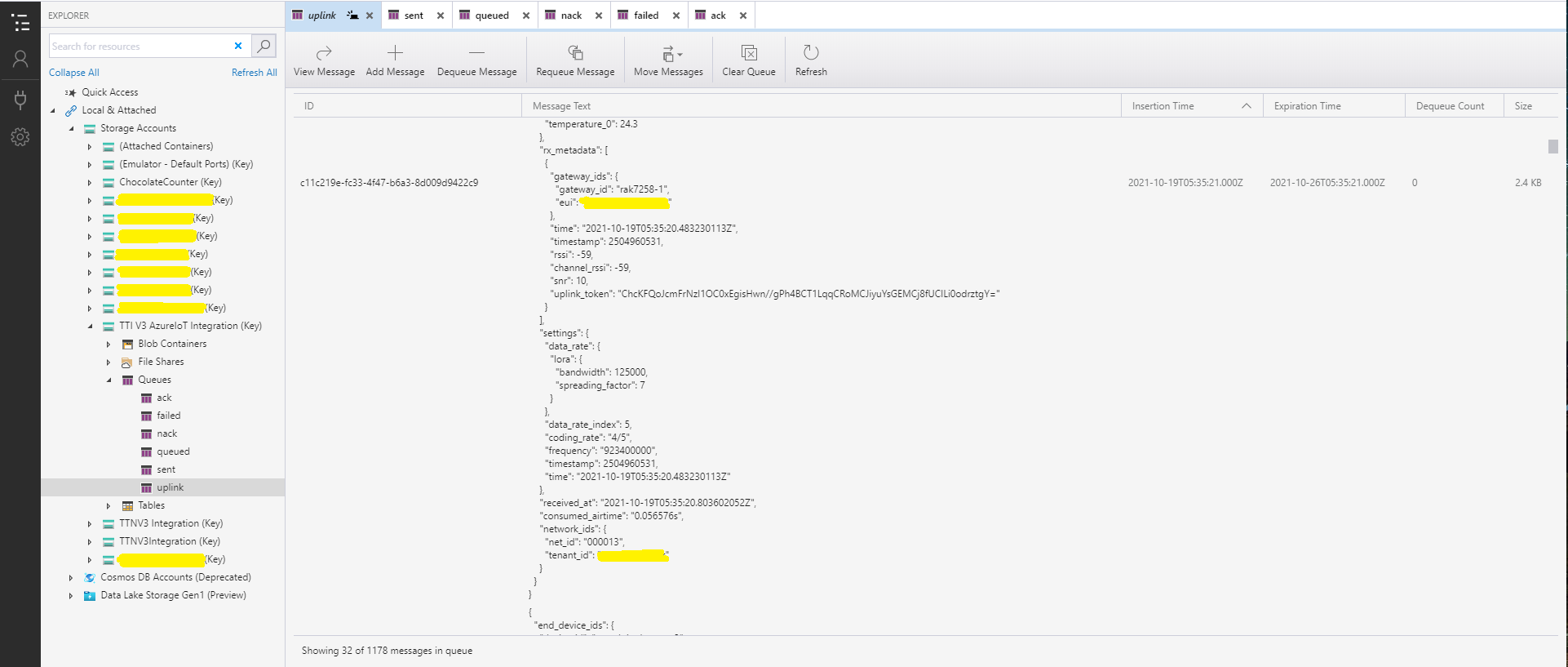
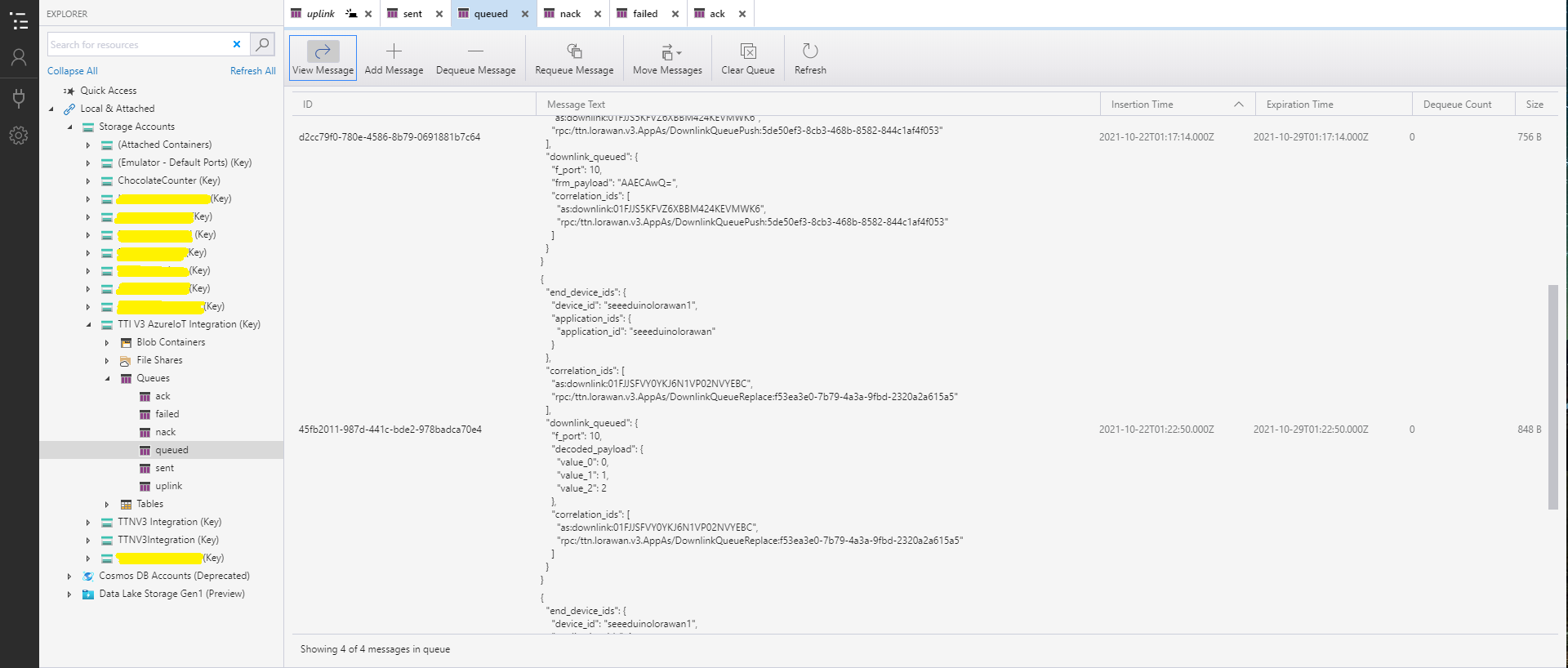
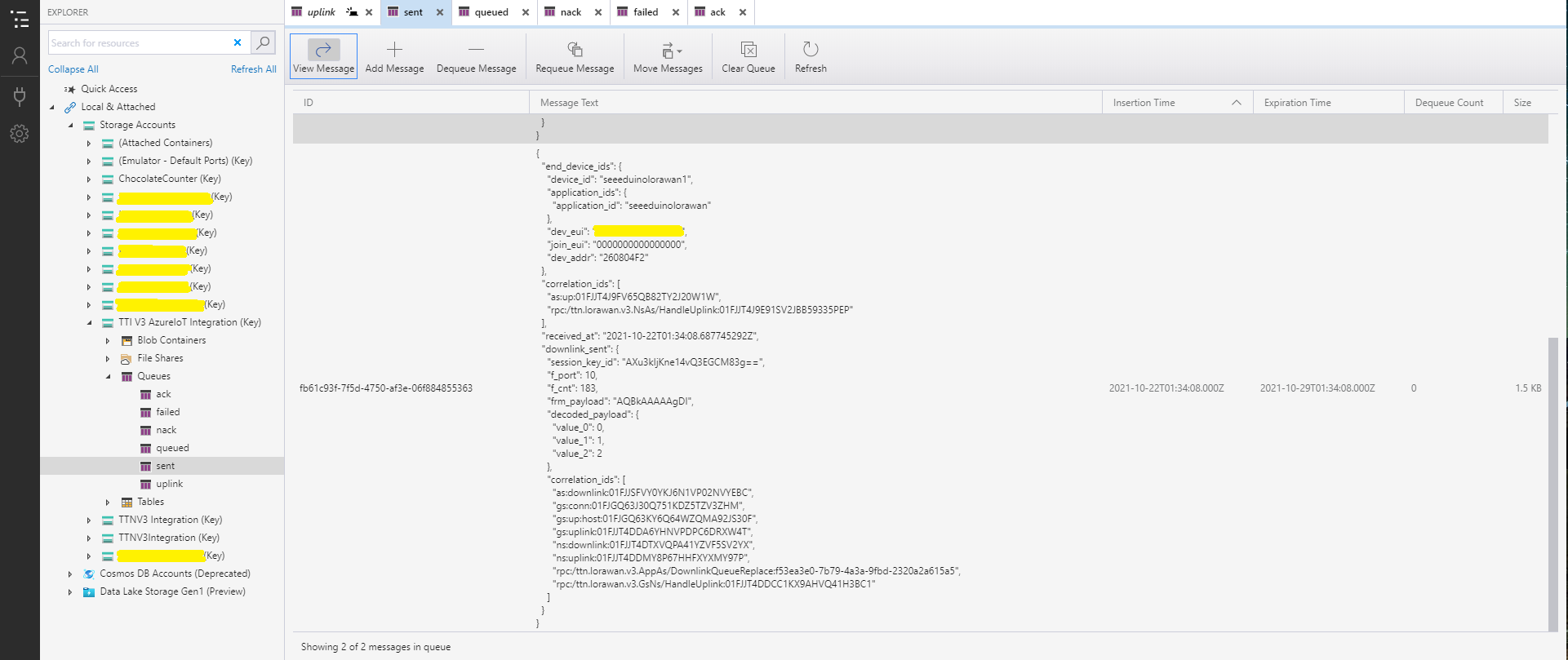
With Azure Storage Explorer I could inspect uplink, queued, sent, and acknowledgment(ACK) messages. It was difficult to generate failed and Negative Acknowledgement (Nack) and failed messages

Azure Storage Explorer displaying Uplink messages
Azure Storage Explorer displaying queued messages
Azure Storage Explorer displaying sent messages
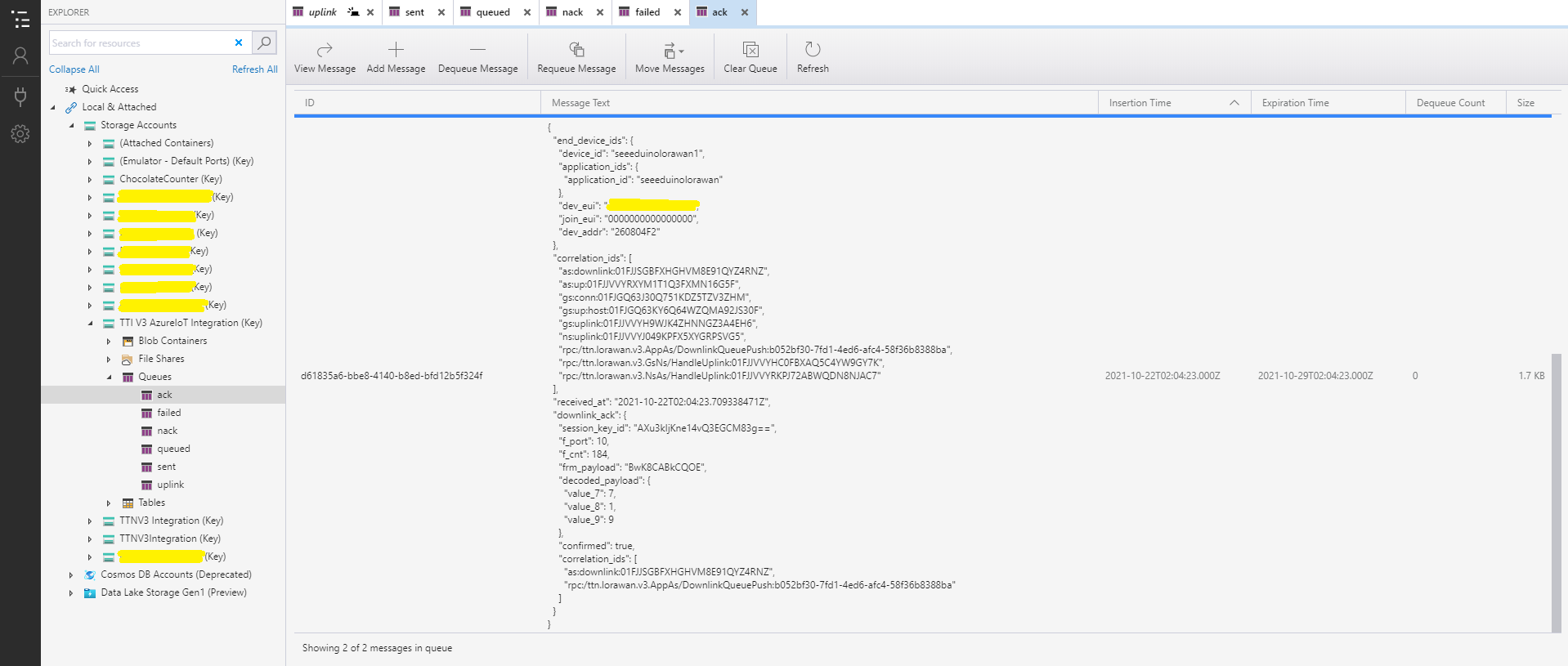
Azure Storage Explorer Displaying Ack messages

After some experimentation I realised that I had forgotten that the order of message processing was important e.g. a TTI Queued message should be processed before the associated Ack. This could (and did happen) because I had a queue for each message type and in addition the Azure Queue Storage trigger binding would use parallel execution to process backlogs of messages. My approach caused issues with both intra and inter queue message ordering

Azure IOT Hub and Event Grid Part1

I have one an Azure IoT Hub LoRa Telemetry Field Gateway running in my office and I wanted to process the data collected by the sensors around my property without using a Software as a Service(SaaS) Internet of Things (IoT) package.

Rather than lots of screen grabs of my configuration steps I figured people reading this series of posts would be able to figure the details out themselves.

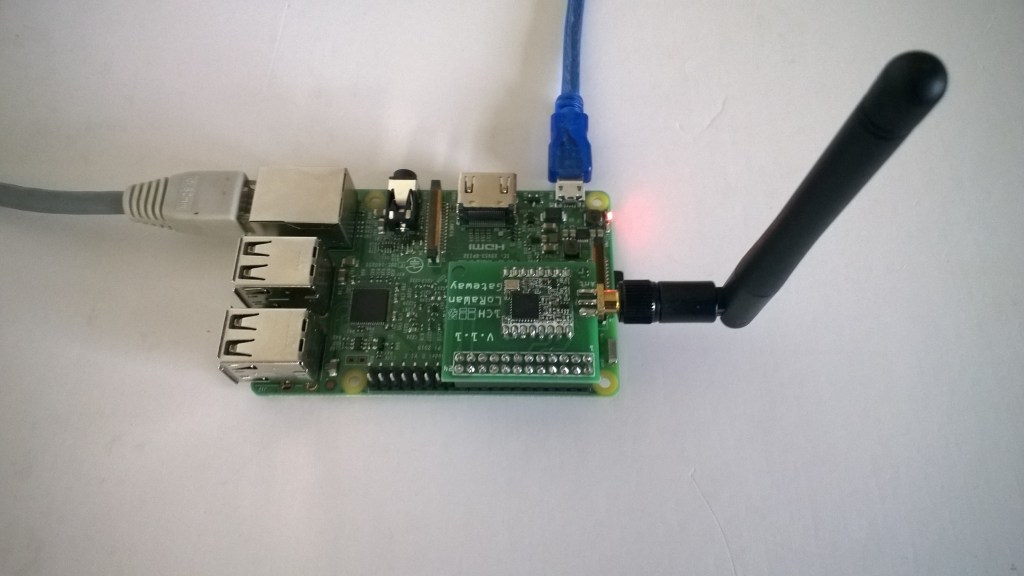
Raspberry PI with M2M LoRa Hat

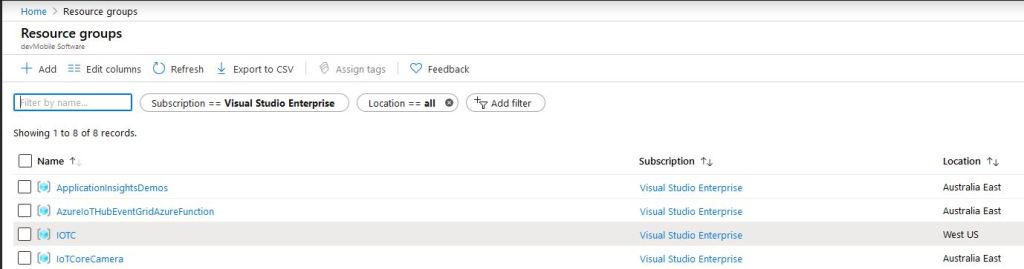
I created an Azure Resource Group for this project, and created an Azure IoT Hub.

Azure Resource Group with IoT Hub

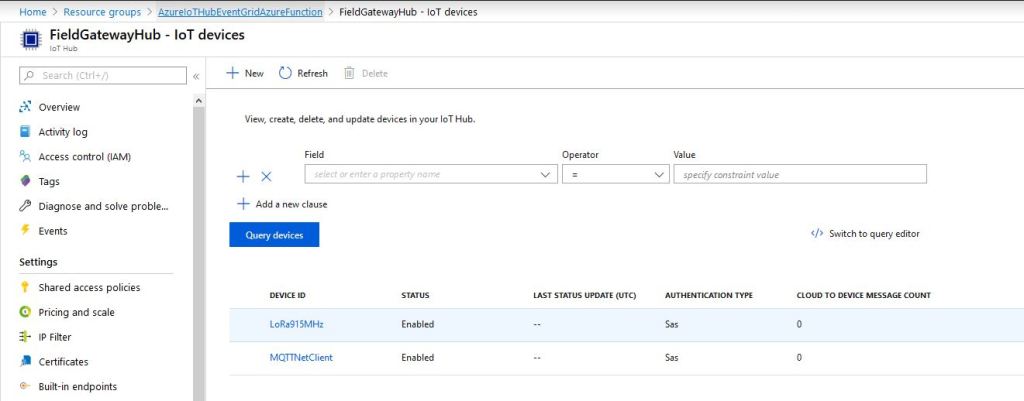
I then provisioned an Azure IoT Hub device so I could get the connection string for my Windows 10 Azure IoT Hub LoRa Telemetry Field gateway.

LoRa Field Gateway Provisioned in Azure IoT Hub

I downloaded the JSON configuration file template from my Windows 10 device (which is created on first startup after installation) and configured the Azure IoT Hub connection string.

{
   "AzureIoTHubDeviceConnectionString": "HostName=FieldGatewayHub.azure-devices.net;DeviceId=LoRa915MHz;SharedAccessKey=123456789012345678901234567890123456789/arg=",
   "AzureIoTHubTransportType": "amqp",
   "SensorIDIsDeviceIDSensorID": false,
   "Address": "LoRaIoT1",
   "Frequency": 915000000.0,
   "PABoost": true
}

I then uploaded this to my Windows 10 IoT Core device and restarted the Azure IoT Hub Field gateway so it picked up the new settings.

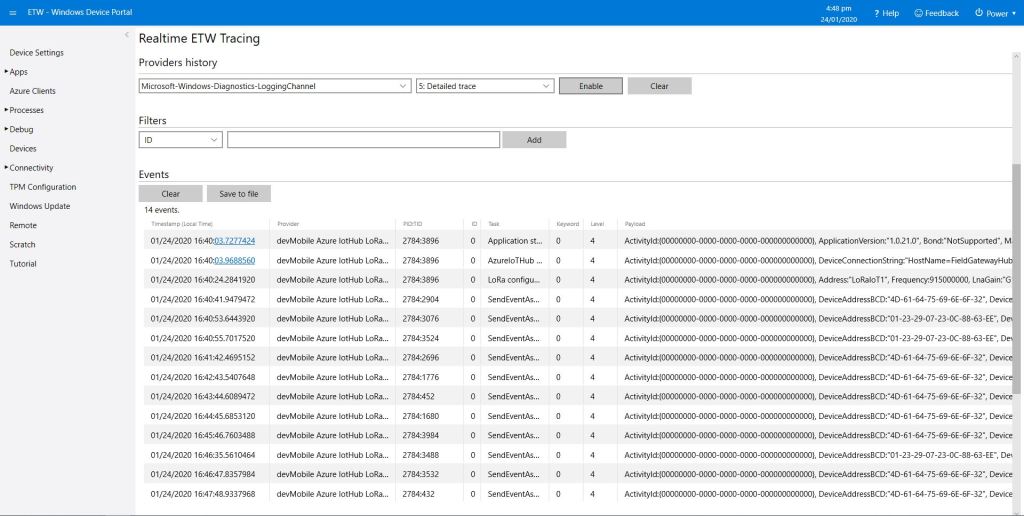
I could then see on the device messages from sensor nodes being unpacked and uploaded to my Azure IoT Hub.

ETW logging on device

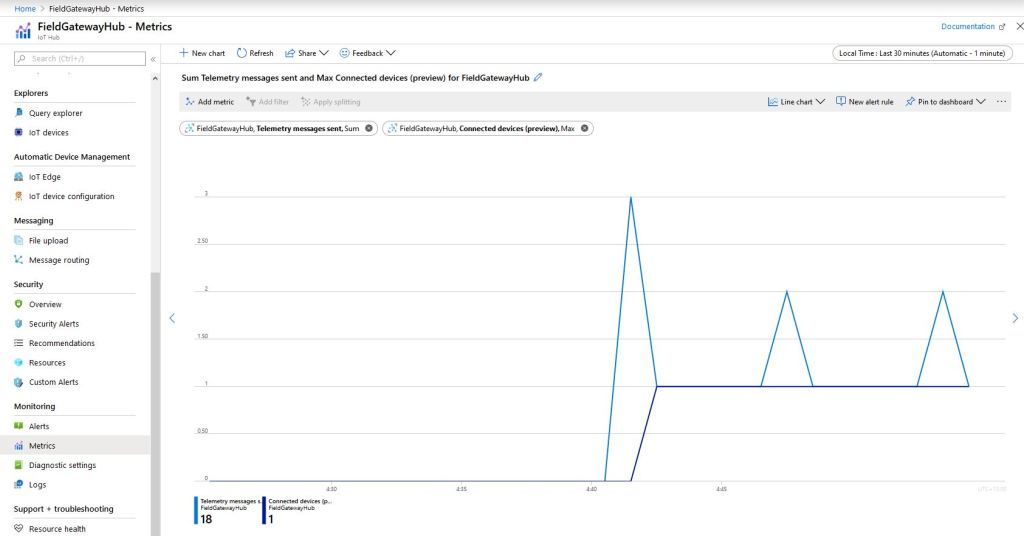
In the Azure IoT Hub metrics I graphed the number of devices connected and the number of telemetry messages sent and could see my device connect then start uploading telemetry.

Azure IoT Hub metrics

One of my customers uses Azure Event Grid for application integration and I wanted to explore using it in an IoT solution. The first step was to create an Event Grid Domain.

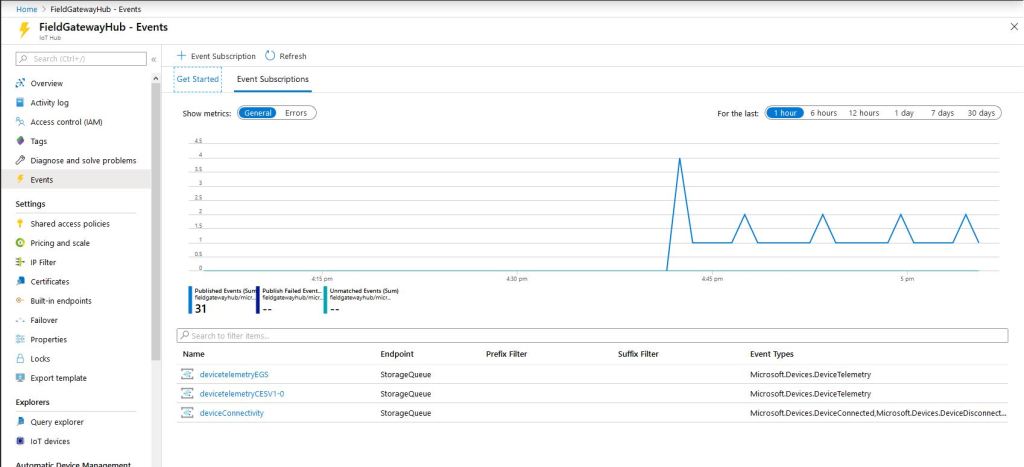
I then used the Azure IoT Hub Events tab to wire up these events.

  • Microsoft.Devices.DeviceConnected
  • Microsoft.Devices.DeviceDisconnected
  • Microsoft.Devices.DeviceTelemetry
Azure IoT Hub Event Metrics

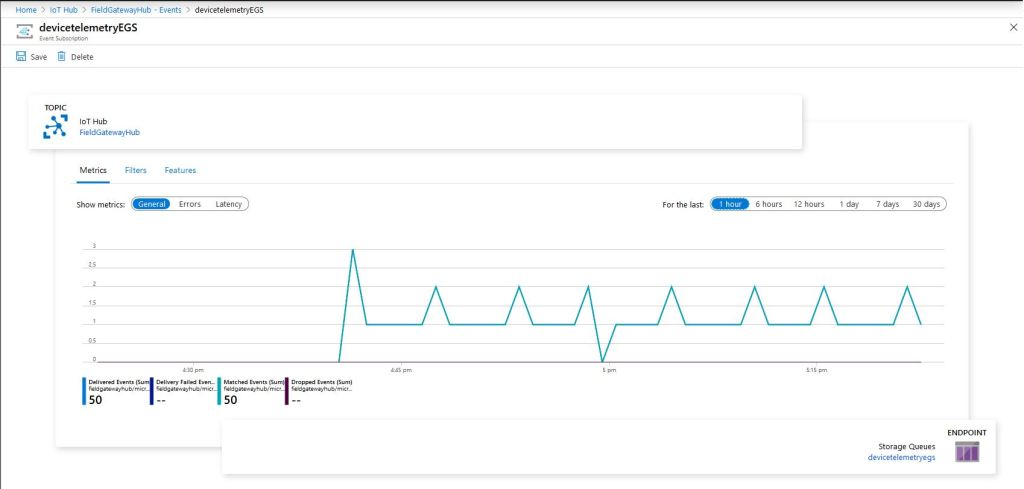
To confirm my event subscriptions were successful I previously found the “simplest” approach was to use an Azure storage queue endpoint. I had to create an Azure Storage Account with two Azure Storage Queues one for device connectivity (.DeviceConnected & .DeviceDisconnected) events and the other for device telemetry (.DeviceTelemetry) events.

I created a couple of other subscriptions so I could compare the different Event schemas (Event Grid Schema & Cloud Event Schema v1.0). At this stage I didn’t configure any Filters or Additional Features.

Azure IoT Hub Telemetry Event Metrics

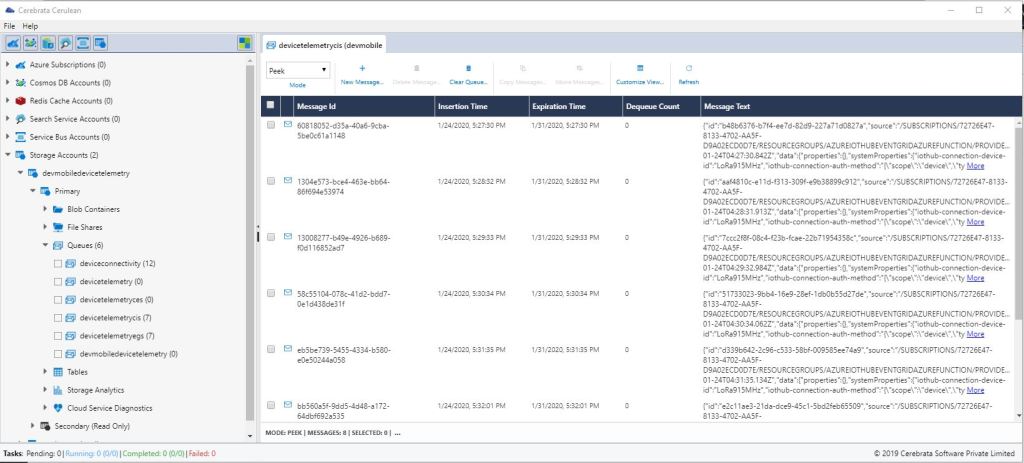
I use Cerebrate Cerculean for monitoring and managing a couple of other customer projects so I used it to inspect the messages in the storage queues.

Cerebrate Ceculean Storage queue Inspector

The message are quite verbose

{
"id":"b48b6376-b7f4-ee7d-82d9-12345678901a",
"source":"/SUBSCRIPTIONS/12345678-901234789-0123-456789012345/RESOURCEGROUPS/AZUREIOTHUBEVENTGRIDAZUREFUNCTION/PROVIDERS/MICROSOFT.DEVICES/IOTHUBS/FIELDGATEWAYHUB",
"specversion":"1.0",
"type":"Microsoft.Devices.DeviceTelemetry",
"dataschema":"#",
"subject":"devices/LoRa915MHz",
"time":"2020-01-24T04:27:30.842Z","data":
{"properties":{},
"systemProperties":{"iothub-connection-device-id":"LoRa915MHz",
"iothub-connection-auth-method":"{\"scope\":\"device\",\"type\":\"sas\",\"issuer\":\"iothub\",\"acceptingIpFilterRule\":null}",
"iothub-connection-auth-generation-id":"637149227434620853",
"iothub-enqueuedtime":"2020-01-24T04:27:30.842Z",
"iothub-message-source":"Telemetry"},
"body":"eyJQYWNrZXRTTlIiOiIxMC4wIiwiUGFja2V0UlNTSSI6LTY5LCJSU1NJIjotMTA5LCJEZXZpY2VBZGRyZXNzQkNEIjoiNEQtNjEtNjQtNzUtNjktNkUtNkYtMzIiLCJhdCI6Ijc2LjYiLCJhaCI6IjU4Iiwid3NhIjoiMiIsIndzZyI6IjUiLCJ3ZCI6IjMyMi44OCIsInIiOiIwLjAwIn0="
}
}

The message payload is base64 encoded, so I used an online tool to decode it.

{
 PacketSNR":"10.0",
"PacketRSSI":-69,
"RSSI":-109,
"DeviceAddressBCD":"4D-61-64-75-69-6E-6F-32",
"at":"76.6",
"ah":"58",
"wsa":"2",
"wsg":"5",
"wd":"322.88",
"r":"0.00"
}

Without writing any code (I will script the configuration) I could upload sensor data to an Azure IoT Hub, subscribe to a selection of events the Azure IoT Hub publishes and then inspect them in an Azure Storage Queue.

I did notice that the .DeviceConnected and .DeviceDisconnected events did take a while to arrive. When I started the field gateway application on the device I would get several DeviceTelemetry events before the DeviceConnected event arrived.