.NET nanoFramework Adafruit PMSA003I Basic connectivity

This is a “throw away” .NET nanoFramework application for investigating how Adafruit PMSA003I Inter Integrated Circuit bus(I²C) connectivity works.

Adafruit PMSA003I Particulates Sensor

My test setup is a simple .NET nanoFramework console application running on an Adafruit FeatherS2- ESP32-S2.

Adafruit PMSA003I + Adafruit Feather ESP32 test rig

The PMSA0031 application has lots of magic numbers from the PMSA003I Module Datasheet and is just a tool for exploring how the sensor works.

public static void Main()
{
#if SPARKFUN_ESP32_THING_PLUS
    Configuration.SetPinFunction(Gpio.IO23, DeviceFunction.I2C1_DATA);
    Configuration.SetPinFunction(Gpio.IO22, DeviceFunction.I2C1_CLOCK);
#endif
#if ADAFRUIT_FEATHER_S2
    Configuration.SetPinFunction(Gpio.IO08, DeviceFunction.I2C1_DATA);
    Configuration.SetPinFunction(Gpio.IO09, DeviceFunction.I2C1_CLOCK);
#endif
    Thread.Sleep(1000);

    I2cConnectionSettings i2cConnectionSettings = new(1, 0x12, I2cBusSpeed.StandardMode);

    using (I2cDevice i2cDevice = I2cDevice.Create(i2cConnectionSettings))
    {
        {
            SpanByte writeBuffer = new byte[1];
            SpanByte readBuffer = new byte[1];

            writeBuffer[0] = 0x0;

            i2cDevice.WriteRead(writeBuffer, readBuffer);

            Console.WriteLine($"0x0 {readBuffer[0]:X2}");
        }

        while (true)
        {
            SpanByte writeBuffer = new byte[1];
            SpanByte readBuffer = new byte[32];

            writeBuffer[0] = 0x0;

            i2cDevice.WriteRead(writeBuffer, readBuffer);

            //Console.WriteLine(System.BitConverter.ToString(readBuffer.ToArray()));
            Console.WriteLine($"Length:{ReadInt16BigEndian(readBuffer.Slice(0x2, 2))}");

            if ((readBuffer[0] == 0x42) || (readBuffer[1] == 0x4d))
            {
                Console.WriteLine($"PM    1.0:{ReadInt16BigEndian(readBuffer.Slice(0x4, 2))}, 2.5:{ReadInt16BigEndian(readBuffer.Slice(0x6, 2))}, 10.0:{ReadInt16BigEndian(readBuffer.Slice(0x8, 2))} std");
                Console.WriteLine($"PM    1.0:{ReadInt16BigEndian(readBuffer.Slice(0x0A, 2))}, 2.5:{ReadInt16BigEndian(readBuffer.Slice(0x0C, 2))}, 10.0:{ReadInt16BigEndian(readBuffer.Slice(0x0E, 2))} env");
                Console.WriteLine($"µg/m3 0.3:{ReadInt16BigEndian(readBuffer.Slice(0x10, 2))}, 0.5:{ReadInt16BigEndian(readBuffer.Slice(0x12, 2))}, 1.0:{ReadInt16BigEndian(readBuffer.Slice(0x14, 2))}, 2.5:{ReadInt16BigEndian(readBuffer.Slice(0x16, 2))}, 5.0:{ReadInt16BigEndian(readBuffer.Slice(0x18, 2))}, 10.0:{ReadInt16BigEndian(readBuffer.Slice(0x1A, 2))}");

                // Don't need to display these values everytime
                //Console.WriteLine($"Version:{readBuffer[0x1c]}");
                //Console.WriteLine($"Error:{readBuffer[0x1d]}");
            }
            else
            {
                Console.WriteLine(".");
            }

            Thread.Sleep(5000);
        }
    }
}

private static ushort ReadInt16BigEndian(SpanByte source)
{
    if (source.Length != 2)
    {
        throw new ArgumentOutOfRangeException();
    }

    ushort result = (ushort)(source[0] << 8);

    return result |= source[1];
}

The unpacking of the value standard particulate, environmental particulate and particle count values is fairly repetitive, but I will fix it in the next version.

Visual Studio 2022 Debug Output

The checksum calculation isn’t great even a simple cyclic redundancy check(CRC) would be an improvement on summing the 28 bytes of the payload.

.NET nanoFramework RAK11200 – I2C SHT3C & SHT31

The RAKwireless RAK11200 WisBlock WiFi Module module is based on an Expressif ESP32 processor which is supported by the .NET nanoFramework and I wanted to explore the different ways Inter-Integrated Circuit(I2C) devices could be connected.

The RAK11200 WisBlock WiFi Module has two I2C ports and on the RAK5005 WisBlock Base Board the Wisblock Sensor, and RAK1920 WisBlock Sensor Adapter Module Grove Socket are connected to I2C1.

RAK11200 Schematic

The I2C1 the SDA(serial data) and SCL(serial clock line) have to be mapped to physical pins on the RAK11200 WisBlock WiFi Module using the nanoFramework ESP32 support NuGet. package

                Configuration.SetPinFunction(Gpio.IO04, DeviceFunction.I2C1_DATA);
                Configuration.SetPinFunction(Gpio.IO05, DeviceFunction.I2C1_CLOCK)

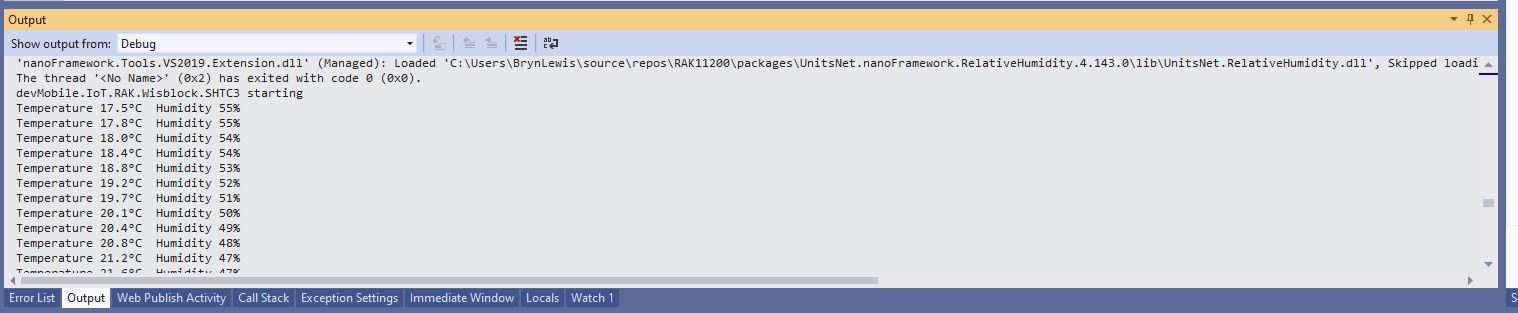
The first sample project uses a RAK1901 SHTC3 WisBlock Sensor because it plugs into the RAK5005 WisBlock Base Board.

RAK5005 Baseboard, RAK1901 Sensor and RAK11200 Core WisBlock modules
public static void Main()
{
    Debug.WriteLine("devMobile.IoT.RAK.Wisblock.SHTC3 starting");

    try
    {
        Configuration.SetPinFunction(Gpio.IO04, DeviceFunction.I2C1_DATA);
        Configuration.SetPinFunction(Gpio.IO05, DeviceFunction.I2C1_CLOCK);

        I2cConnectionSettings settings = new(1, Shtc3.DefaultI2cAddress);

        using (I2cDevice device = I2cDevice.Create(settings))
        using (Shtc3 shtc3 = new(device))
        {
            while (true)
            {
                if (shtc3.TryGetTemperatureAndHumidity(out var temperature, out var relativeHumidity))
                {
                    Debug.WriteLine($"Temperature {temperature.DegreesCelsius:F1}°C  Humidity {relativeHumidity.Value:F0}%");
                }

                Thread.Sleep(10000);
            }
        }
    }
    catch (Exception ex)
    {
        Debug.WriteLine($"SHTC3 initialisation or read failed {ex.Message}");

        Thread.Sleep(Timeout.Infinite);
    }
}
Visual Studio Output window displaying SHT3C temperature & humidity values

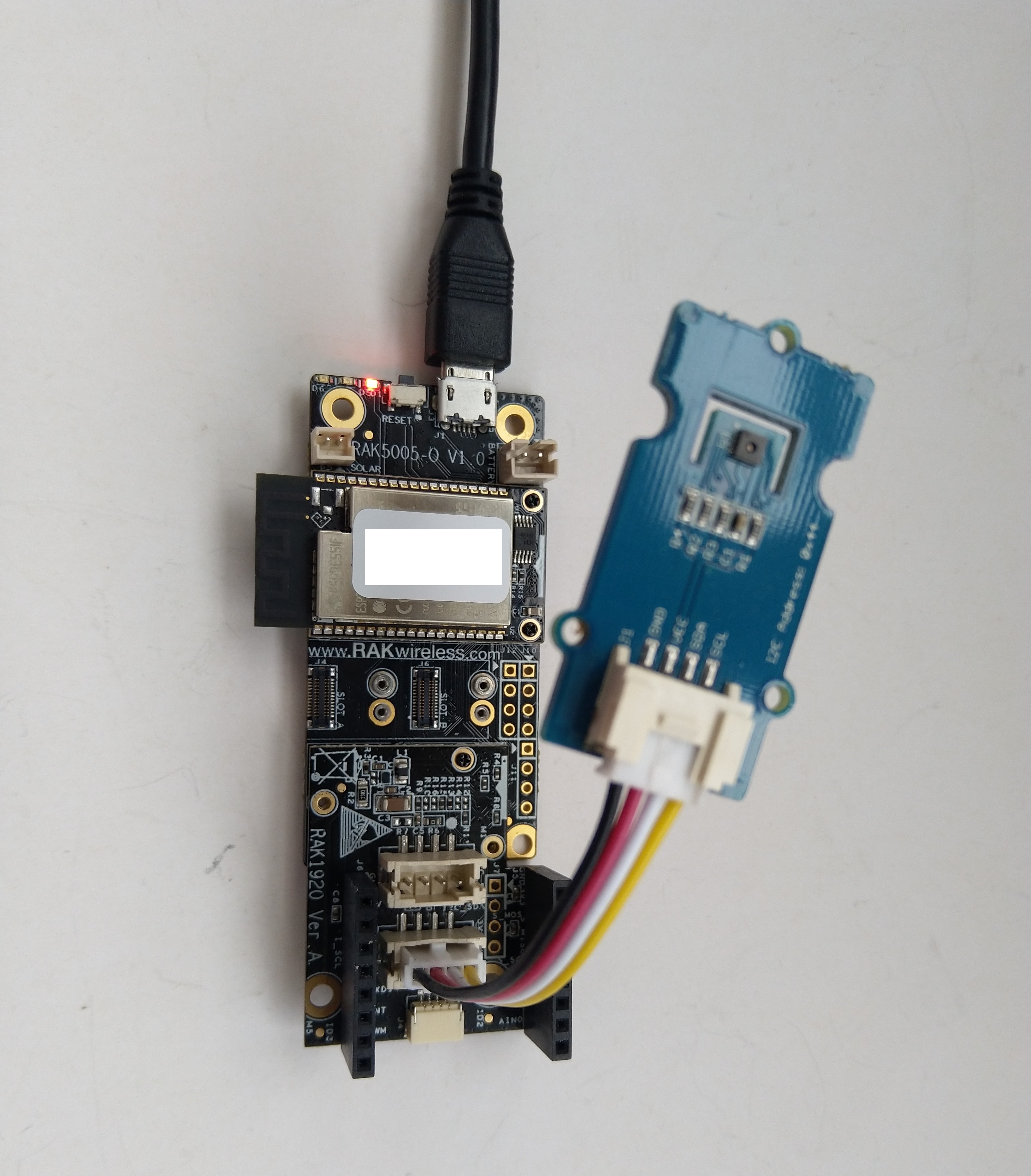
The second sample uses a Seeedstudio Grove – Temperature & Humidity Sensor (SHT31) pluged into a RAK1920 Sensor Adapter for Click, QWIIC and Grove Modules.

RAK5005 Baseboard, RAK1920 Sensor, RAK11200 Core WisBlock modules and Seeedstudio Grove SHT31
public static void Main()
{
    Debug.WriteLine("devMobile.IoT.RAK.Wisblock.SHT31 starting");

    try
    {
        Configuration.SetPinFunction(Gpio.IO04, DeviceFunction.I2C1_DATA);
        Configuration.SetPinFunction(Gpio.IO05, DeviceFunction.I2C1_CLOCK);

        I2cConnectionSettings settings = new(1, (byte)I2cAddress.AddrLow);

        using (I2cDevice device = I2cDevice.Create(settings))
        using (Sht3x sht31 = new(device))
        {

            while (true)
            {
                var temperature = sht31.Temperature;
                var relativeHumidity = sht31.Humidity;

                Debug.WriteLine($"Temperature {temperature.DegreesCelsius:F1}°C  Humidity {relativeHumidity.Value:F0}%");

                Thread.Sleep(10000);
            }
        }
    }
    catch (Exception ex)
    {
        Debug.WriteLine($"SHT31 initialisation or read failed {ex.Message}");

        Thread.Sleep(Timeout.Infinite);
     }
}
Visual Studio Output window displaying SHT31 temperature & humidity values

The SHTC3 and SHT31 sensors were used because they both have nanoFramework.IoTDevice library support.