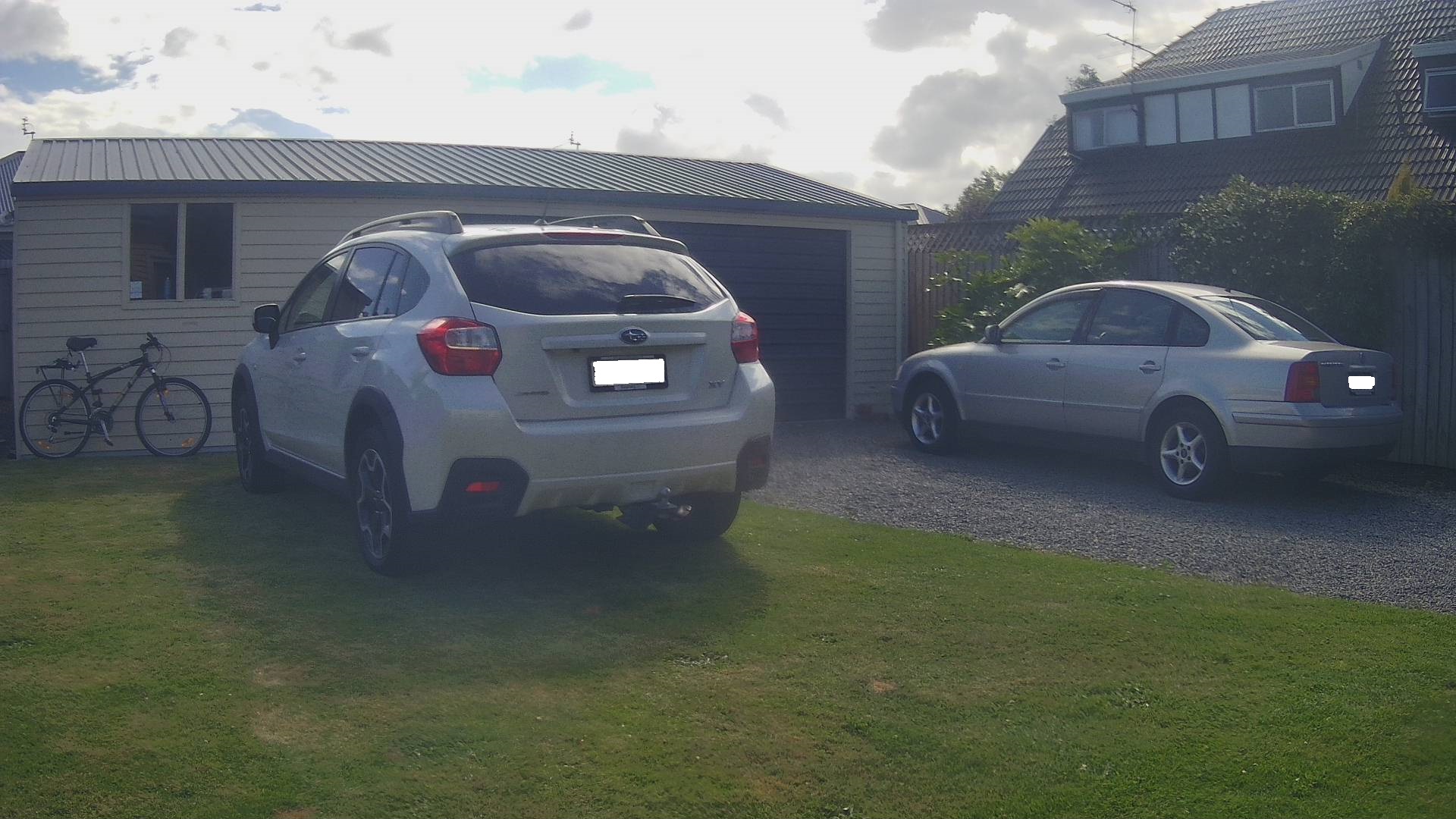
ML.Net YoloV5 + Security Camera “async” fail

While debugging my AzureIoTSmartEdgeCamera application I kept on getting file locked errors when the image from the security camera downloading which was a bit odd. So, I went back to basics and started with only the compiler directives required to build a “minimalist” version of the application.

If I had been paying attention, I would have noticed the issue here. I had missed that in the first block of System.Console.Writelines that the image download finished after the YoloV5 inferencing started.

#if CAMERA_SECURITY
private void SecurityCameraImageCapture()
{
	_logger.LogTrace("Security Camera Image download start");

	NetworkCredential networkCredential = new NetworkCredential()
	{
		UserName = _securityCameraSettings.CameraUserName,
		Password = _securityCameraSettings.CameraUserPassword,
	};

	using (WebClient client = new WebClient())
	{
		client.Credentials = networkCredential;

		client.DownloadFile(_securityCameraSettings.CameraUrl, _applicationSettings.ImageCameraFilepath);
	}

	_logger.LogTrace("Security Camera Image download done");
}
#endif

I had replaced the System.Net.WebClient(deprecated) image download implementation with code that retrieved images from the security camera using System.Net.Http.HttpClient.

#if CAMERA_SECURITY
      private async Task SecurityCameraImageCapture()
      {
         _logger.LogTrace("Security Camera Image download start");

         using (Stream cameraStream = await _httpClient.GetStreamAsync(_securityCameraSettings.CameraUrl))
         using (Stream fileStream = File.Create(_applicationSettings.ImageCameraFilepath))
         {
            await cameraStream.CopyToAsync(fileStream);
         }

         _logger.LogTrace("Security Camera Image download done");
      }
#endif

If I had been paying attention, I would have also noticed the issue here..
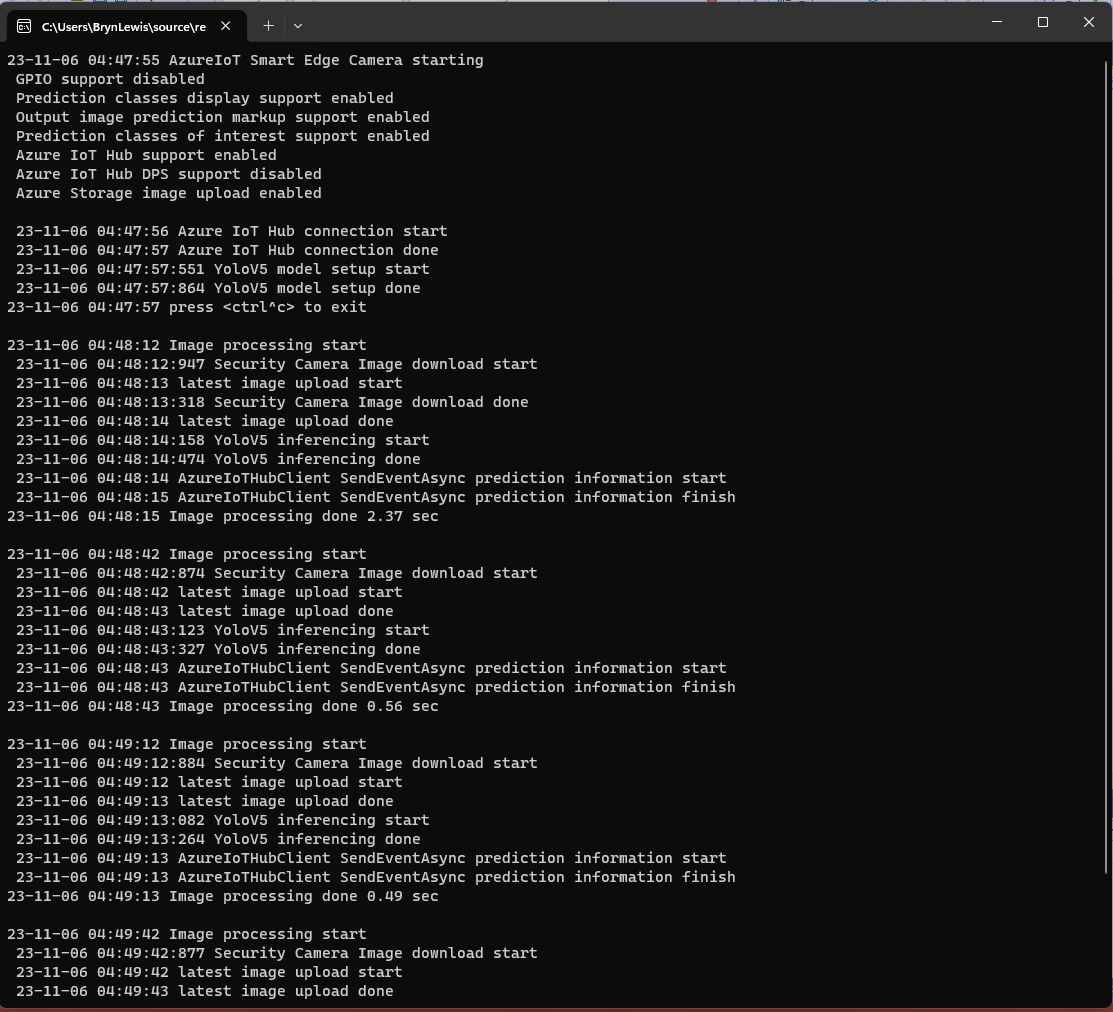
Console output of maximalist application

When I changed the compiler definitions to turn on pretty much every feature the issue became really really obvious because the “Security Camera Image download done” message wasn’t displayed.

#if CAMERA_RASPBERRY_PI
				RaspberryPIImageCapture();
#endif
#if CAMERA_SECURITY
				SecurityCameraImageCapture();
#endif

The original code to get the image from the camera was synchronous and I had forgotten to add an await.

#if CAMERA_RASPBERRY_PI
			RaspberryPIImageCapture();
#endif
#if CAMERA_SECURITY
            await SecurityCameraImageCaptureAsync();
#endif   

I then updated the code and the application worked as expected.

Console output of working maximalist application

Summary

Would have saved myself a lot of time if I had paid attention to the debugging information and compiler warnings.

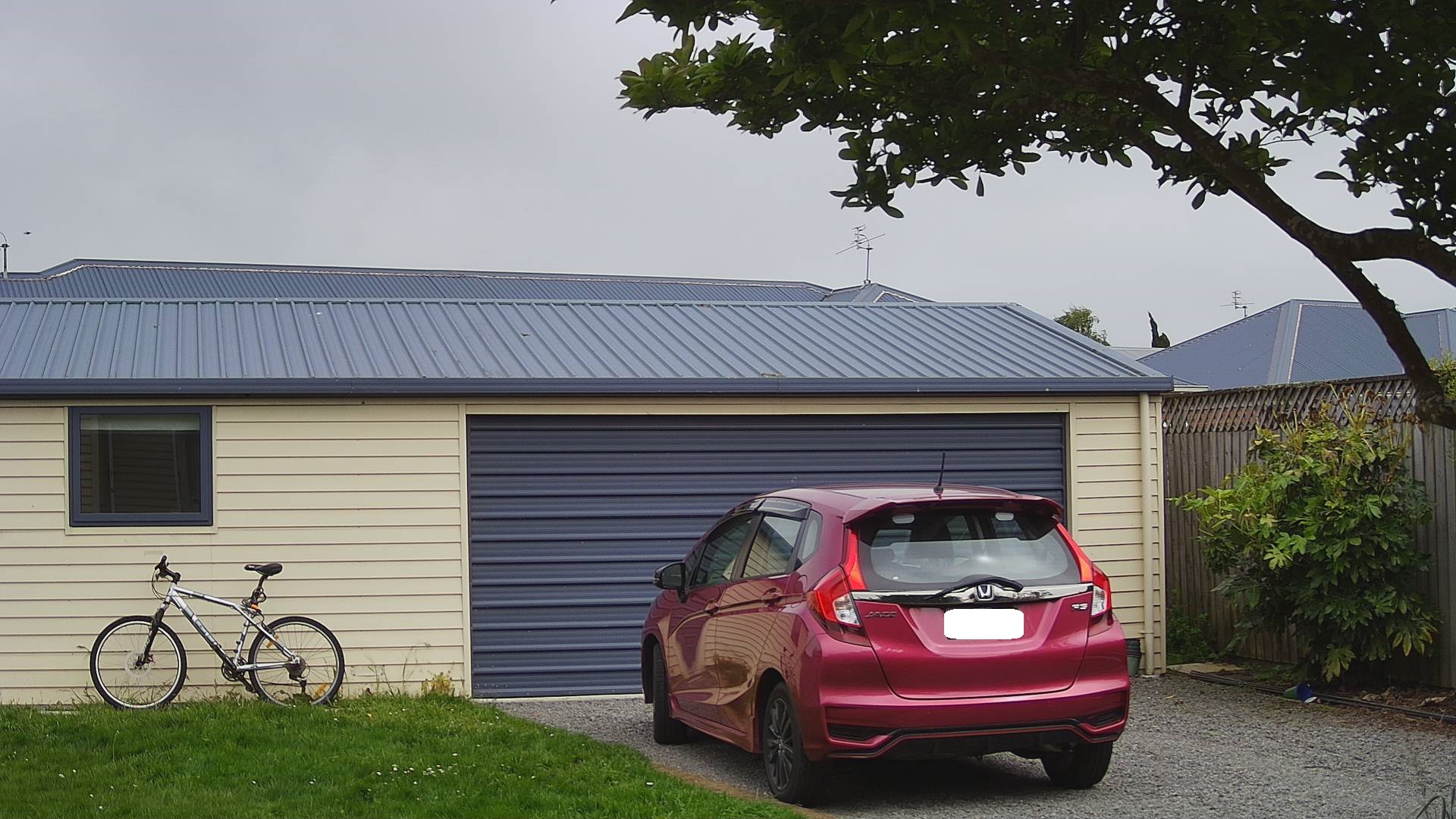
ML.Net YoloV5 + Security Camera Revisited

This post is about “revisiting” my ML.Net YoloV5 + Camera on ARM64 Raspberry PI application, updating it to .NET 6, the latest version of the TechWings yolov5-net (library formerly from mentalstack) and the latest version of the ML.Net Open Neural Network Exchange(ONNX) libraries.
Visual Studio 2022 with updated NuGet packages

The updated TechWings yolov5-net library now uses Six Labors ImageSharp for markup rather than System.Drawing.Common. (I found System.Drawing.Common a massive Pain in the Arse (PiTA))
private static async void ImageUpdateTimerCallback(object state)
{
   DateTime requestAtUtc = DateTime.UtcNow;

   // Just incase - stop code being called while photo already in progress
   if (_cameraBusy)
   {
      return;
   }
   _cameraBusy = true;

   Console.WriteLine($"{DateTime.UtcNow:yy-MM-dd HH:mm:ss} Image processing start");

   try
   {
#if SECURITY_CAMERA
      Console.WriteLine($" {DateTime.UtcNow:yy-MM-dd HH:mm:ss:fff} Security Camera Image download start");

      using (Stream cameraStream = await _httpClient.GetStreamAsync(_applicationSettings.CameraUrl))
      using (Stream fileStream = File.Create(_applicationSettings.ImageInputFilenameLocal))
      {
         await cameraStream.CopyToAsync(fileStream);
      }

      Console.WriteLine($" {DateTime.UtcNow:yy-MM-dd HH:mm:ss:fff} Security Camera Image download done");
#endif

      List<YoloPrediction> predictions;

      // Process the image on local file system
      using (Image<Rgba32> image = await Image.LoadAsync<Rgba32>(_applicationSettings.ImageInputFilenameLocal))
      {
         Console.WriteLine($" {DateTime.UtcNow:yy-MM-dd HH:mm:ss:fff} YoloV5 inferencing start");
         predictions = _scorer.Predict(image);
         Console.WriteLine($" {DateTime.UtcNow:yy-MM-dd HH:mm:ss:fff} YoloV5 inferencing done");

#if OUTPUT_IMAGE_MARKUP
         Console.WriteLine($" {DateTime.UtcNow:yy-MM-dd HH:mm:ss:fff} Image markup start");

         var font = new Font(new FontCollection().Add(_applicationSettings.ImageOutputMarkupFontPath), _applicationSettings.ImageOutputMarkupFontSize);

         foreach (var prediction in predictions) // iterate predictions to draw results
         {
            double score = Math.Round(prediction.Score, 2);

            var (x, y) = (prediction.Rectangle.Left - 3, prediction.Rectangle.Top - 23);

            image.Mutate(a => a.DrawPolygon(Pens.Solid(prediction.Label.Color, 1),
                  new PointF(prediction.Rectangle.Left, prediction.Rectangle.Top),
                  new PointF(prediction.Rectangle.Right, prediction.Rectangle.Top),
                  new PointF(prediction.Rectangle.Right, prediction.Rectangle.Bottom),
                  new PointF(prediction.Rectangle.Left, prediction.Rectangle.Bottom)
            ));

            image.Mutate(a => a.DrawText($"{prediction.Label.Name} ({score})",
                  font, prediction.Label.Color, new PointF(x, y)));
         }

         await image.SaveAsJpegAsync(_applicationSettings.ImageOutputFilenameLocal);

         Console.WriteLine($" {DateTime.UtcNow:yy-MM-dd HH:mm:ss:fff} Image markup done");
#endif
      }


#if PREDICTION_CLASSES
      Console.WriteLine($" {DateTime.UtcNow:yy-MM-dd HH:mm:ss:fff} Image classes start");
      foreach (var prediction in predictions)
      {
         Console.WriteLine($"  Name:{prediction.Label.Name} Score:{prediction.Score:f2} Valid:{prediction.Score > _applicationSettings.PredictionScoreThreshold}");
      }
      Console.WriteLine($" {DateTime.UtcNow:yy-MM-dd HH:mm:ss:fff} Image classes done");
#endif

#if PREDICTION_CLASSES_OF_INTEREST
      IEnumerable<string> predictionsOfInterest = predictions.Where(p => p.Score > _applicationSettings.PredictionScoreThreshold).Select(c => c.Label.Name).Intersect(_applicationSettings.PredictionLabelsOfInterest, StringComparer.OrdinalIgnoreCase);

      if (predictionsOfInterest.Any())
      {
         Console.WriteLine($" {DateTime.UtcNow:yy-MM-dd HH:mm:ss} Camera image comtains {String.Join(",", predictionsOfInterest)}");
      }

#endif
   }
   catch (Exception ex)
   {
      Console.WriteLine($"{DateTime.UtcNow:yy-MM-dd HH:mm:ss} Camera image download, upload or post procesing failed {ex.Message}");
   }
   finally
   {
      _cameraBusy = false;
   }

   TimeSpan duration = DateTime.UtcNow - requestAtUtc;

   Console.WriteLine($"{DateTime.UtcNow:yy-MM-dd HH:mm:ss} Image processing done {duration.TotalSeconds:f2} sec");
   Console.WriteLine();
}

The names of the input image, output image and yoloV5 model file are configured in the appsettings.json (on device) or secrets.json (Visual Studio 2022 desktop) file. The location (ImageOutputMarkupFontPath) and size (ImageOutputMarkupFontSize) of the font used are configurable to make it easier run the application on different devices and operating systems.

{
   "ApplicationSettings": {
      "ImageTimerDue": "0.00:00:15",
      "ImageTimerPeriod": "0.00:00:30",

      "CameraUrl": "HTTP://10.0.0.56:85/images/snapshot.jpg",
      "CameraUserName": "",
      "CameraUserPassword": "",

      "ImageInputFilenameLocal": "InputLatest.jpg",
      "ImageOutputFilenameLocal": "OutputLatest.jpg",

      "ImageOutputMarkupFontPath": "C:/Windows/Fonts/consola.ttf",
      "ImageOutputMarkupFontSize": 16,

      "YoloV5ModelPath": "YoloV5/yolov5s.onnx",

      "PredictionScoreThreshold": 0.5,

      "PredictionLabelsOfInterest": [
         "bicycle",
         "person",
         "bench"
      ]
   }
}

The test-rig consisted of a Unv ADZK-10 Security Camera, Power over Ethernet(PoE) module and my development desktop PC.

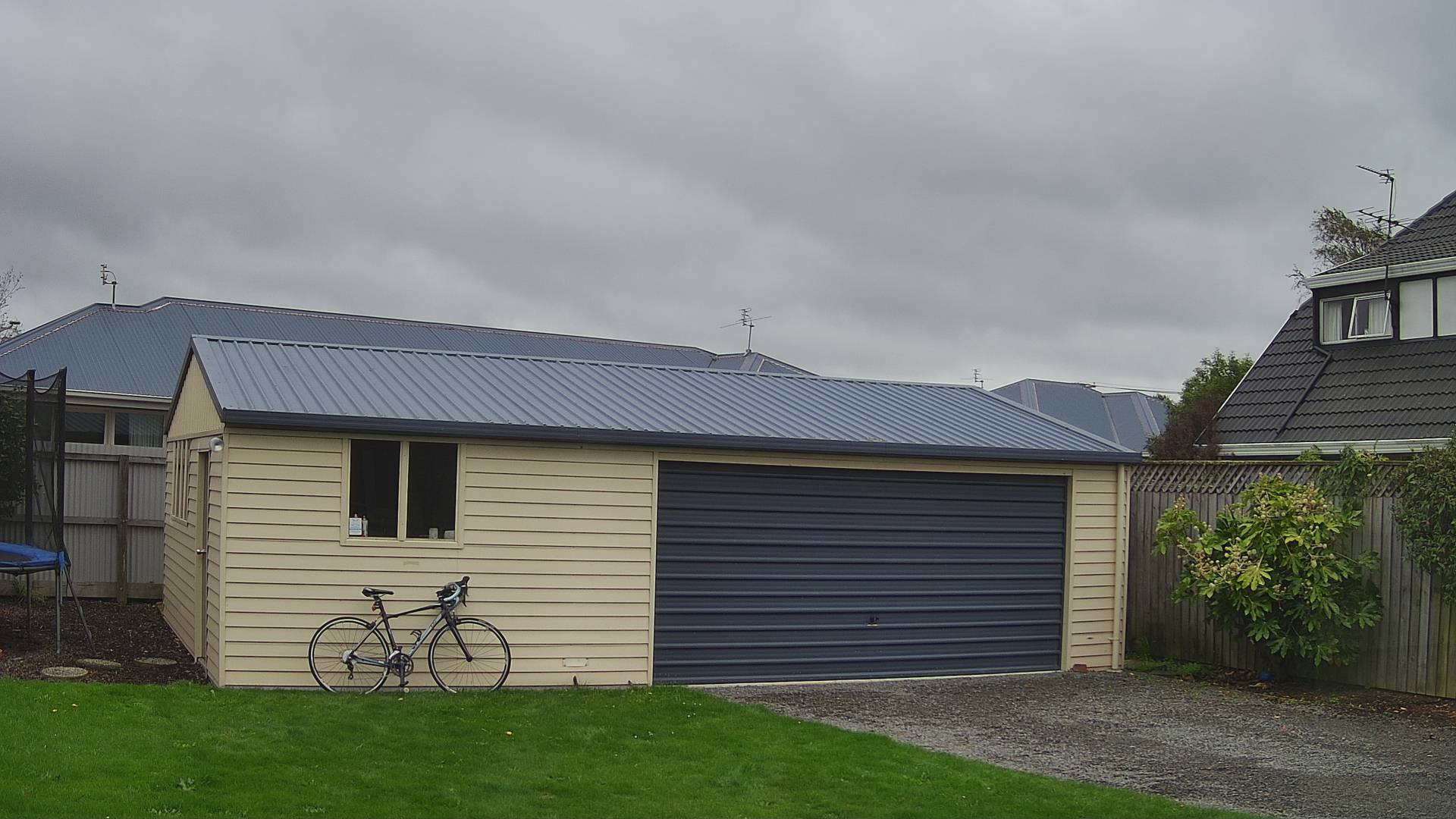
My bicycle and “mother in laws” car in backyard
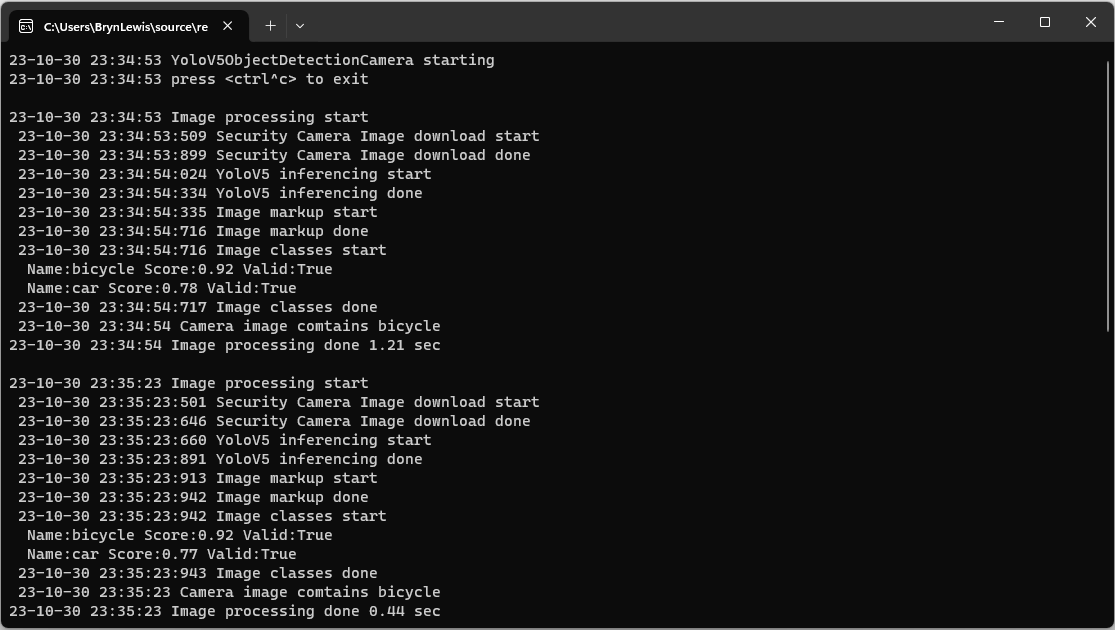
YoloV5ObjectDetectionCamera running on my desktop PC

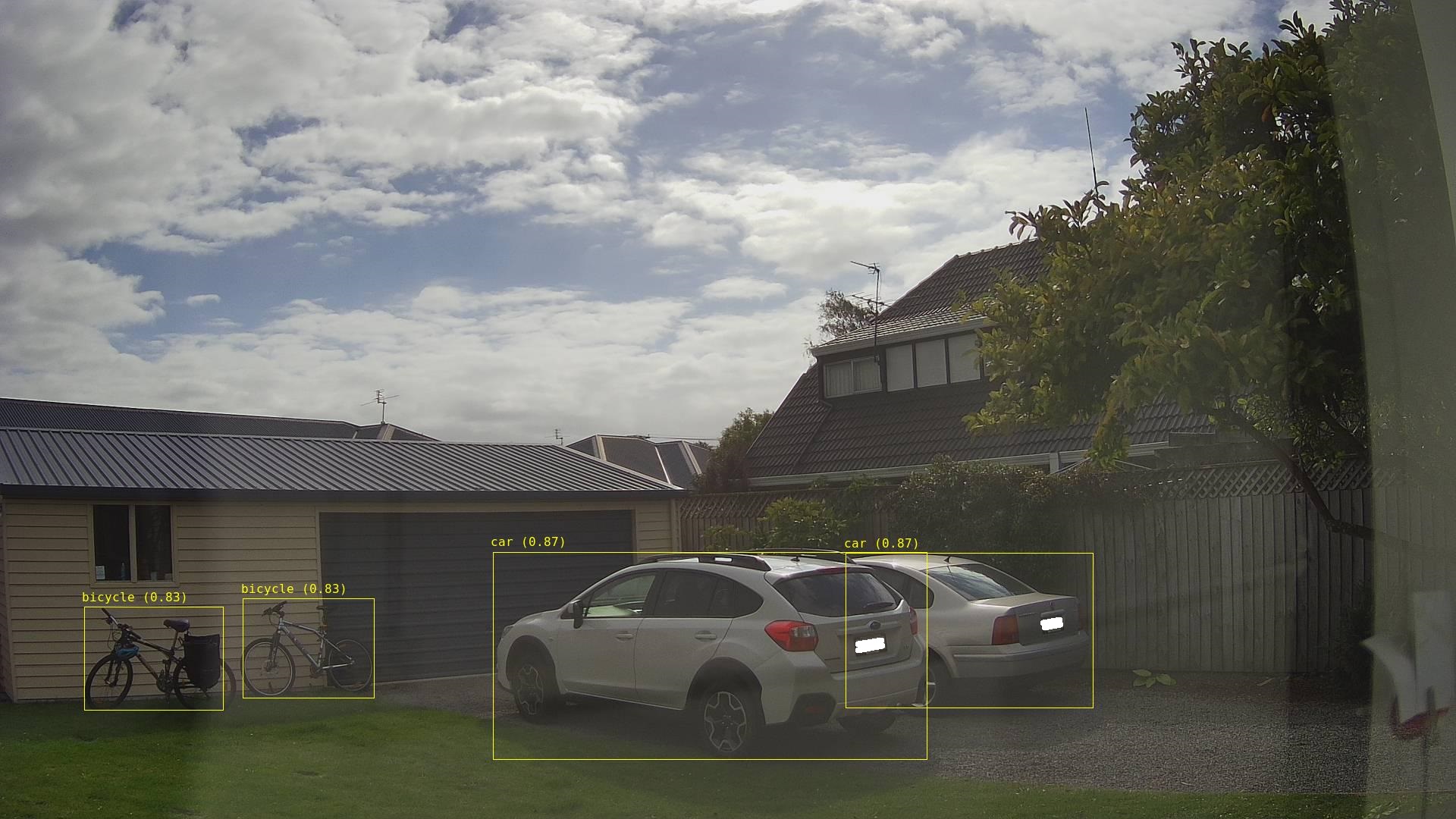
Once the YoloV5s model was loaded, inferencing was taking roughly 0.47 seconds.

Marked up image of my bicycle and “mother in laws” car in backyard

Summary

Again, I was “standing on the shoulders of giants” the TechWings code just worked. With a pretrained yoloV5 model, the ML.Net Open Neural Network Exchange(ONNX) plumbing it took a couple of hours to update the application. Most of this time was learning about the Six Labors ImageSharp library to mark up the images.

Smartish Edge Camera – Azure IoT Central

This post builds on Smartish Edge Camera – Azure Hub Part 1 using the Azure IoT Hub Device Provisioning Service(DPS) to connect to Azure IoT Central.

The list of object classes is in the YoloCocoP5Model.cs file in the mentalstack/yolov5-net repository.

public override List<YoloLabel> Labels { get; set; } = new List<YoloLabel>()
{
    new YoloLabel { Id = 1, Name = "person" },
    new YoloLabel { Id = 2, Name = "bicycle" },
    new YoloLabel { Id = 3, Name = "car" },
    new YoloLabel { Id = 4, Name = "motorcycle" },
    new YoloLabel { Id = 5, Name = "airplane" },
    new YoloLabel { Id = 6, Name = "bus" },
    new YoloLabel { Id = 7, Name = "train" },
    new YoloLabel { Id = 8, Name = "truck" },
    new YoloLabel { Id = 9, Name = "boat" },
    new YoloLabel { Id = 10, Name = "traffic light" },
    new YoloLabel { Id = 11, Name = "fire hydrant" },
    new YoloLabel { Id = 12, Name = "stop sign" },
    new YoloLabel { Id = 13, Name = "parking meter" },
    new YoloLabel { Id = 14, Name = "bench" },
    new YoloLabel { Id = 15, Name = "bird" },
    new YoloLabel { Id = 16, Name = "cat" },
    new YoloLabel { Id = 17, Name = "dog" },
    new YoloLabel { Id = 18, Name = "horse" },
    new YoloLabel { Id = 19, Name = "sheep" },
    new YoloLabel { Id = 20, Name = "cow" },
    new YoloLabel { Id = 21, Name = "elephant" },
    new YoloLabel { Id = 22, Name = "bear" },
    new YoloLabel { Id = 23, Name = "zebra" },
    new YoloLabel { Id = 24, Name = "giraffe" },
    new YoloLabel { Id = 25, Name = "backpack" },
    new YoloLabel { Id = 26, Name = "umbrella" },
    new YoloLabel { Id = 27, Name = "handbag" },
    new YoloLabel { Id = 28, Name = "tie" },
    new YoloLabel { Id = 29, Name = "suitcase" },
    new YoloLabel { Id = 30, Name = "frisbee" },
    new YoloLabel { Id = 31, Name = "skis" },
    new YoloLabel { Id = 32, Name = "snowboard" },
    new YoloLabel { Id = 33, Name = "sports ball" },
    new YoloLabel { Id = 34, Name = "kite" },
    new YoloLabel { Id = 35, Name = "baseball bat" },
    new YoloLabel { Id = 36, Name = "baseball glove" },
    new YoloLabel { Id = 37, Name = "skateboard" },
    new YoloLabel { Id = 38, Name = "surfboard" },
    new YoloLabel { Id = 39, Name = "tennis racket" },
    new YoloLabel { Id = 40, Name = "bottle" },
    new YoloLabel { Id = 41, Name = "wine glass" },
    new YoloLabel { Id = 42, Name = "cup" },
    new YoloLabel { Id = 43, Name = "fork" },
    new YoloLabel { Id = 44, Name = "knife" },
    new YoloLabel { Id = 45, Name = "spoon" },
    new YoloLabel { Id = 46, Name = "bowl" },
    new YoloLabel { Id = 47, Name = "banana" },
    new YoloLabel { Id = 48, Name = "apple" },
    new YoloLabel { Id = 49, Name = "sandwich" },
    new YoloLabel { Id = 50, Name = "orange" },
    new YoloLabel { Id = 51, Name = "broccoli" },
    new YoloLabel { Id = 52, Name = "carrot" },
    new YoloLabel { Id = 53, Name = "hot dog" },
    new YoloLabel { Id = 54, Name = "pizza" },
    new YoloLabel { Id = 55, Name = "donut" },
    new YoloLabel { Id = 56, Name = "cake" },
    new YoloLabel { Id = 57, Name = "chair" },
    new YoloLabel { Id = 58, Name = "couch" },
    new YoloLabel { Id = 59, Name = "potted plant" },
    new YoloLabel { Id = 60, Name = "bed" },
    new YoloLabel { Id = 61, Name = "dining table" },
    new YoloLabel { Id = 62, Name = "toilet" },
    new YoloLabel { Id = 63, Name = "tv" },
    new YoloLabel { Id = 64, Name = "laptop" },
    new YoloLabel { Id = 65, Name = "mouse" },
    new YoloLabel { Id = 66, Name = "remote" },
    new YoloLabel { Id = 67, Name = "keyboard" },
    new YoloLabel { Id = 68, Name = "cell phone" },
    new YoloLabel { Id = 69, Name = "microwave" },
    new YoloLabel { Id = 70, Name = "oven" },
    new YoloLabel { Id = 71, Name = "toaster" },
    new YoloLabel { Id = 72, Name = "sink" },
    new YoloLabel { Id = 73, Name = "refrigerator" },
    new YoloLabel { Id = 74, Name = "book" },
    new YoloLabel { Id = 75, Name = "clock" },
    new YoloLabel { Id = 76, Name = "vase" },
    new YoloLabel { Id = 77, Name = "scissors" },
    new YoloLabel { Id = 78, Name = "teddy bear" },
    new YoloLabel { Id = 79, Name = "hair drier" },
    new YoloLabel { Id = 80, Name = "toothbrush" }
};

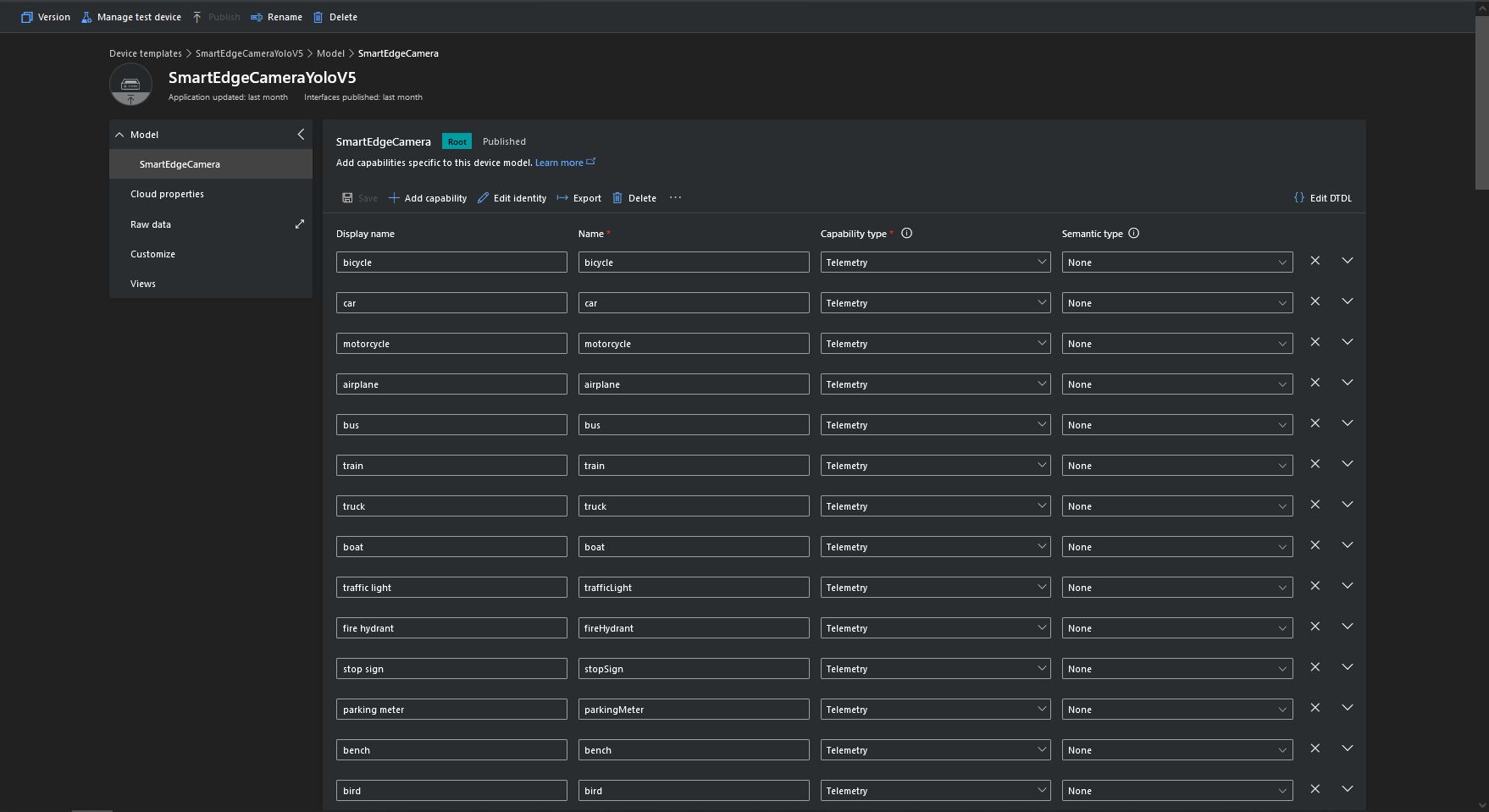
Some of the label choices seem a bit arbitrary(frisbee, surfboard) and American(fire hydrant, baseball bat, baseball glove) It was quite tedious configuring the 80 labels in my Azure IoT Central template.

Azure IoT Central Template with all the YoloV5 labels configured

If there is an object with a label in the PredictionLabelsOfInterest list, a tally of each of the different object classes in the image is sent to an Azure IoT Hub/ Azure IoT Central.

"Application": {
  "DeviceID": "",
  "ImageTimerDue": "0.00:00:15",
  "ImageTimerPeriod": "0.00:00:30",

  "ImageCameraFilepath": "ImageCamera.jpg",
  "ImageMarkedUpFilepath": "ImageMarkedup.jpg",

  "YoloV5ModelPath": "YoloV5/yolov5s.onnx",

  "PredictionScoreThreshold": 0.7,
  "PredictionLabelsOfInterest": [
    "bicycle",
    "person"
  ],
  "PredictionLabelsMinimum": [
    "bicycle",
    "car",
    "person"
  ]
}
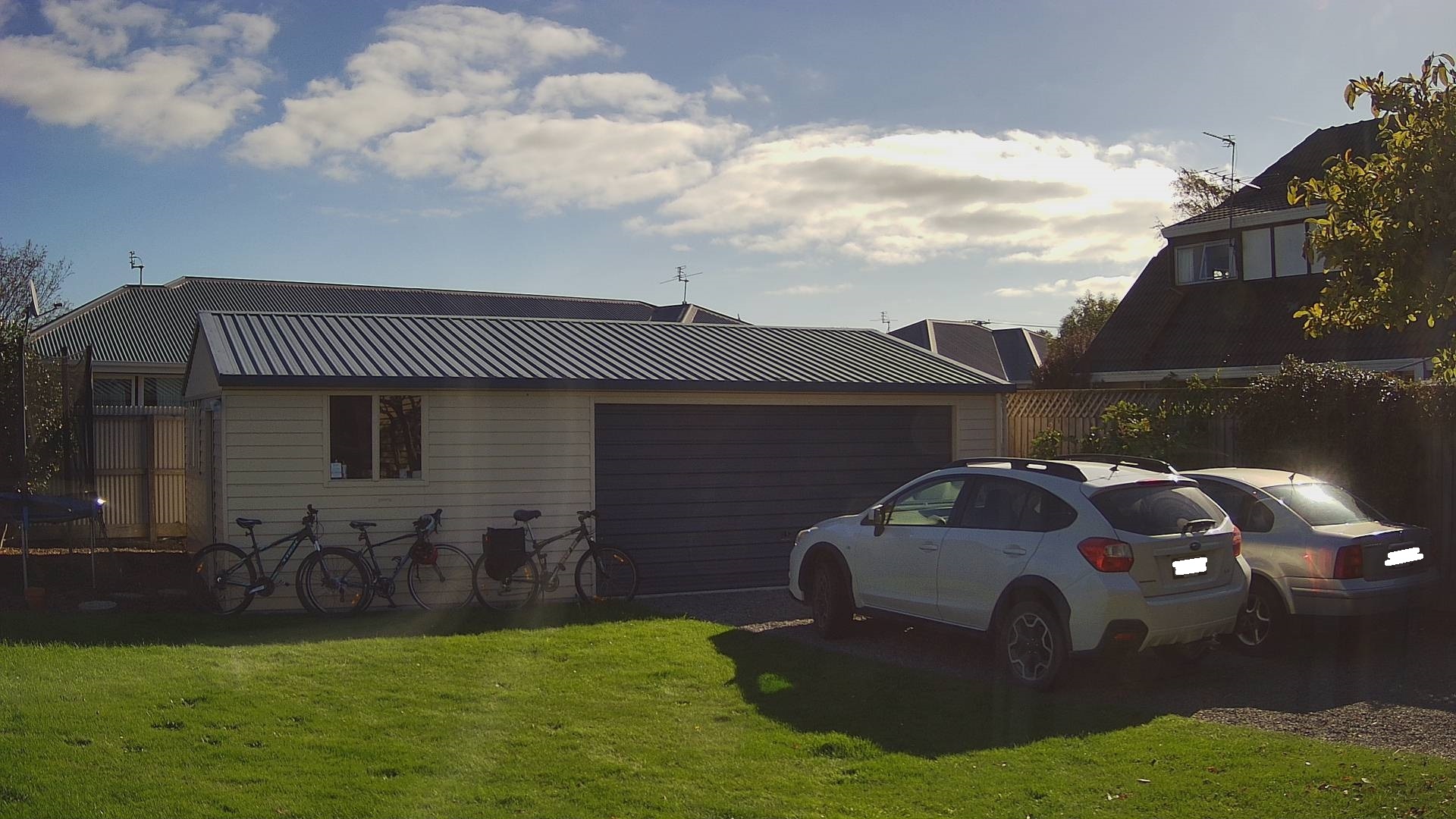
My backyard just after the car left (the dry patch in shingle on the right)
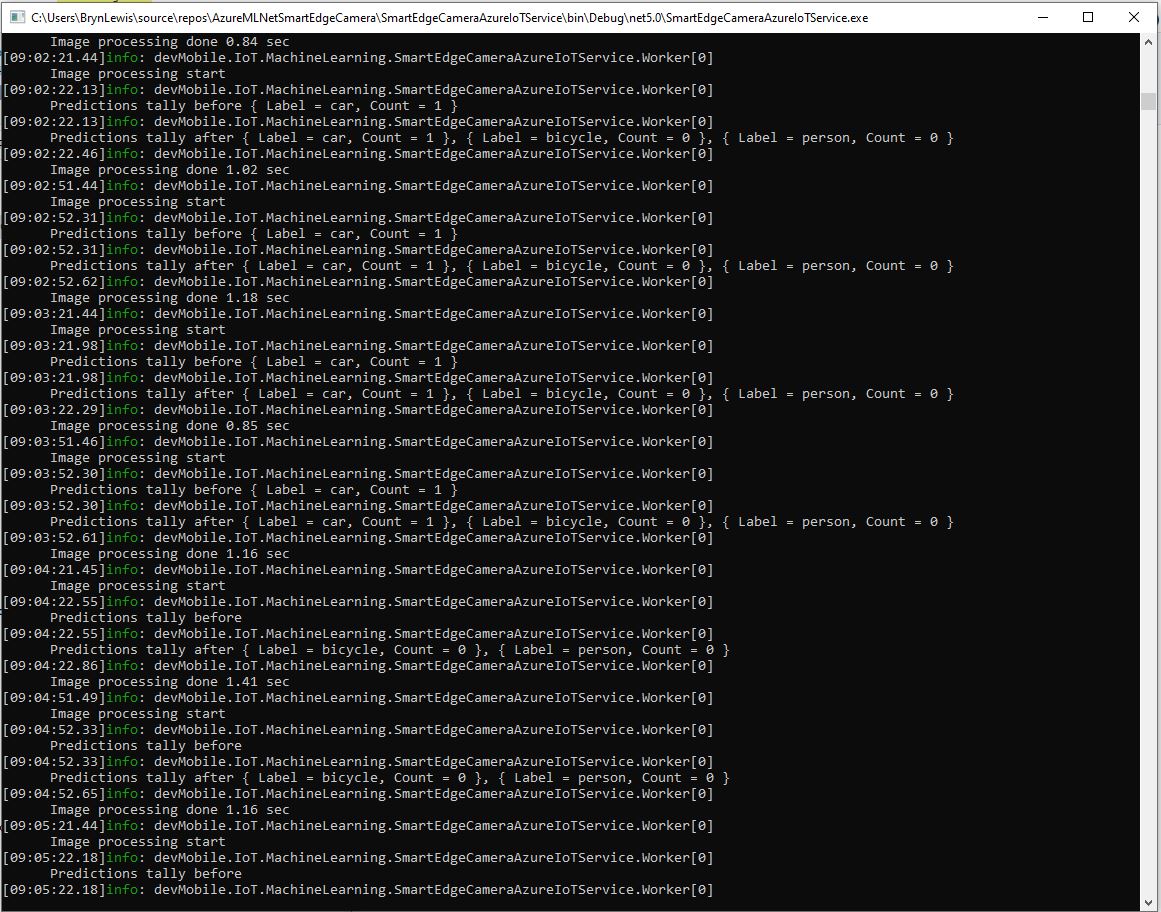
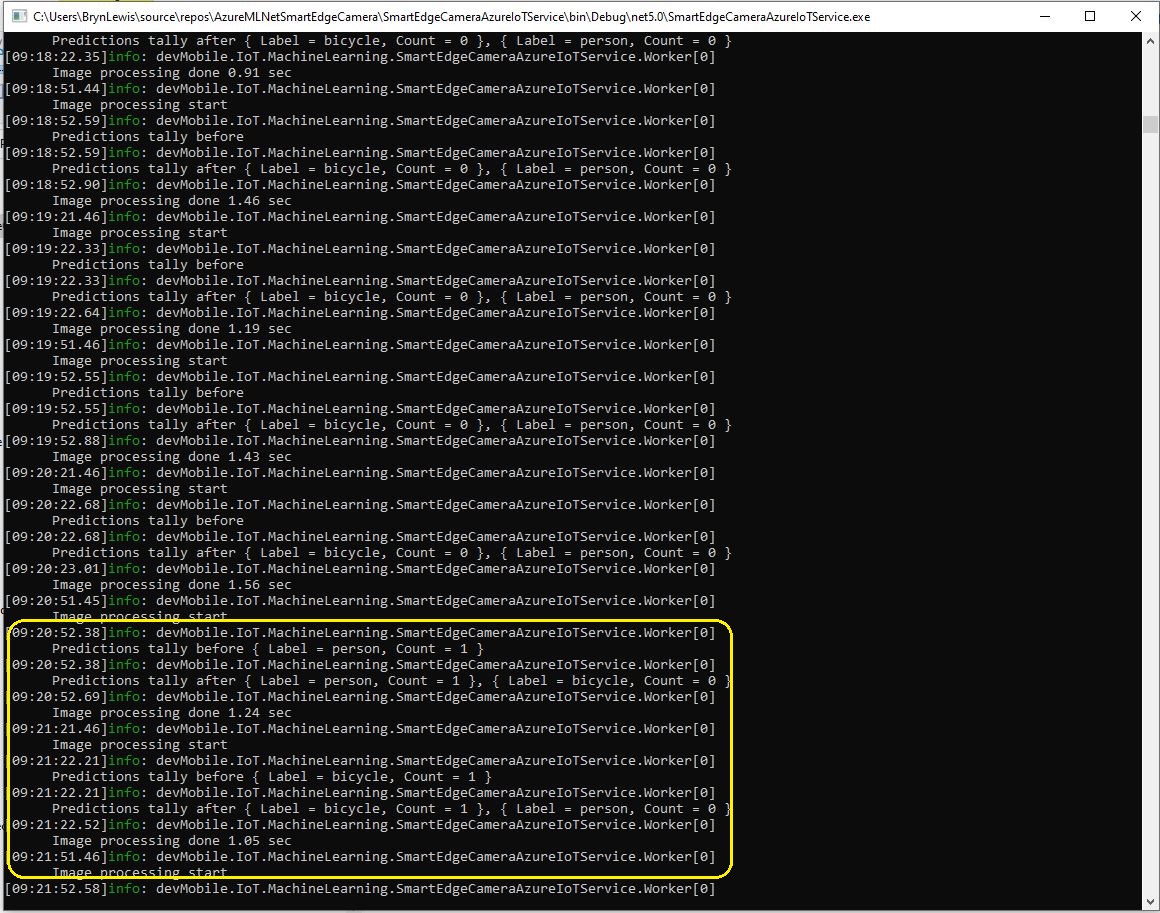
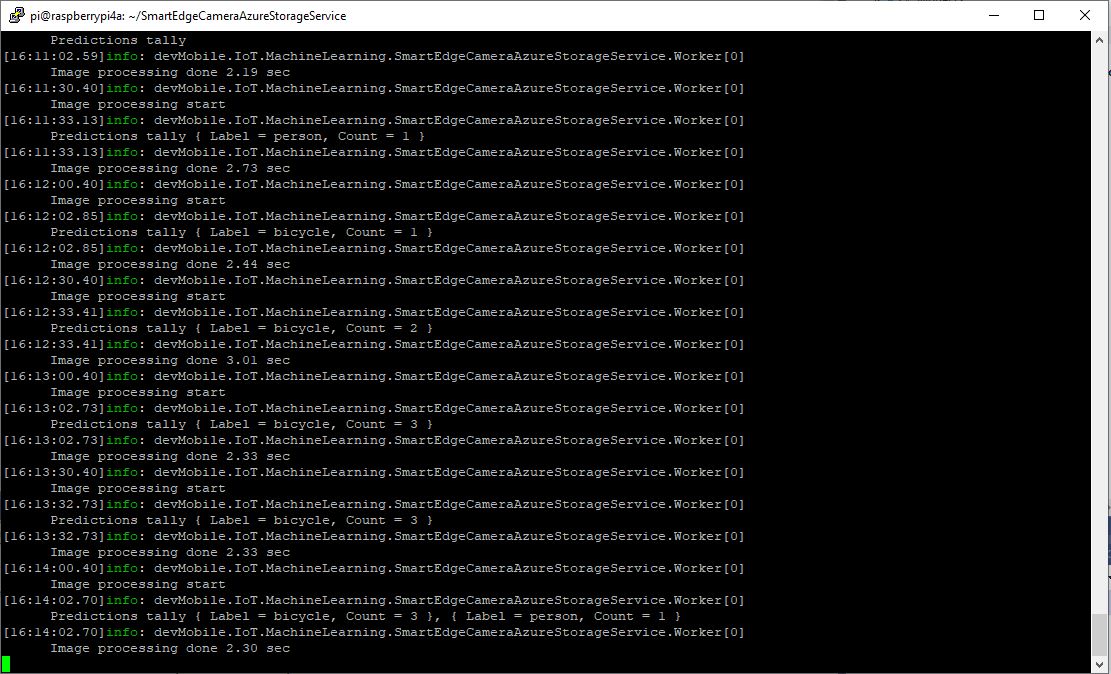
Smartish Edge Camera Service console just after car left
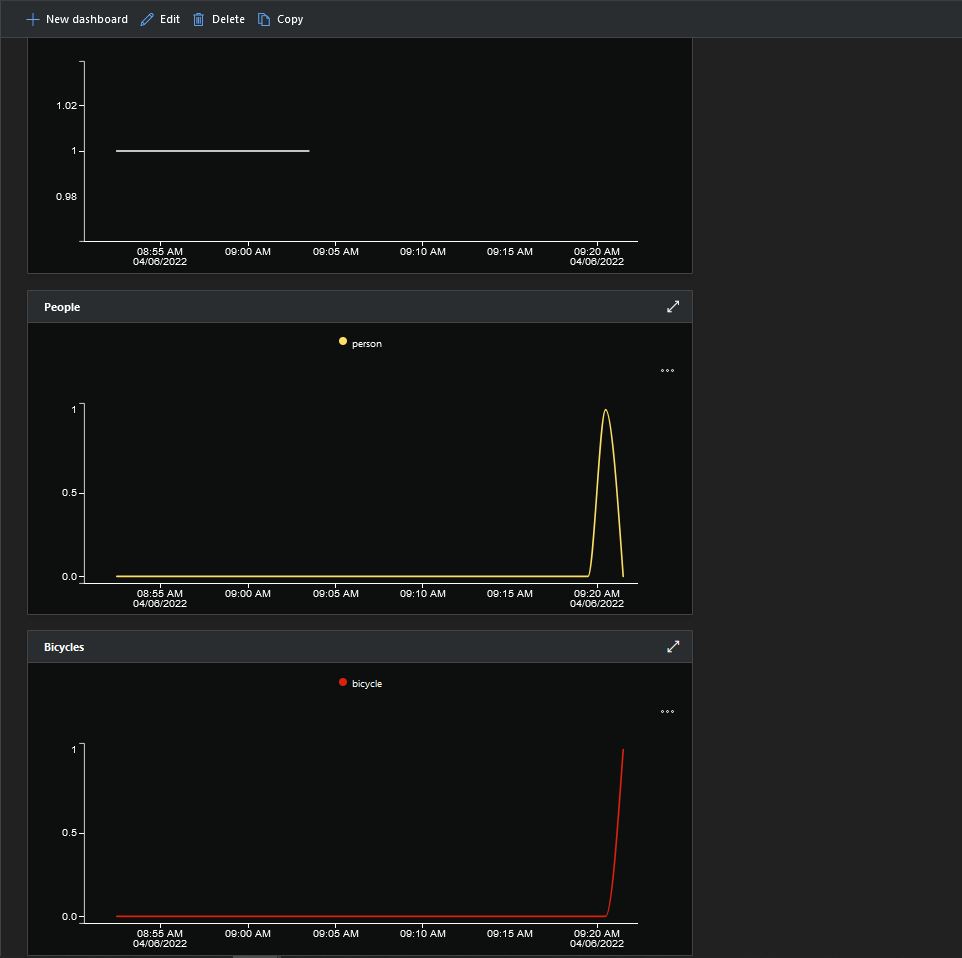
Smartish Edge Camera Azure IoT Central graphs showing missing data points

After the You Only Look Once(YOLOV5)+ML.Net+Open Neural Network Exchange(ONNX) plumbing has loaded a timer with a configurable due time and period is started.

private async void ImageUpdateTimerCallback(object state)
{
	DateTime requestAtUtc = DateTime.UtcNow;

	// Just incase - stop code being called while photo already in progress
	if (_cameraBusy)
	{
		return;
	}
	_cameraBusy = true;

	_logger.LogInformation("Image processing start");

	try
	{
#if CAMERA_RASPBERRY_PI
		RaspberryPIImageCapture();
#endif
#if CAMERA_SECURITY
		SecurityCameraImageCapture();
#endif
		List<YoloPrediction> predictions;

		using (Image image = Image.FromFile(_applicationSettings.ImageCameraFilepath))
		{
			_logger.LogTrace("Prediction start");
			predictions = _scorer.Predict(image);
			_logger.LogTrace("Prediction done");

			OutputImageMarkup(image, predictions, _applicationSettings.ImageMarkedUpFilepath);
		}

		if (_logger.IsEnabled(LogLevel.Trace))
		{
			_logger.LogTrace("Predictions {0}", predictions.Select(p => new { p.Label.Name, p.Score }));
		}

		var predictionsValid = predictions.Where(p => p.Score >= _applicationSettings.PredictionScoreThreshold).Select(p => p.Label.Name);

		// Count up the number of each class detected in the image
		var predictionsTally = predictionsValid.GroupBy(p => p)
				.Select(p => new
				{
					Label = p.Key,
					Count = p.Count()
				});

		if (_logger.IsEnabled(LogLevel.Information))
		{
			_logger.LogInformation("Predictions tally before {0}", predictionsTally.ToList());
		}

		// Add in any missing counts the cloudy side is expecting
		if (_applicationSettings.PredictionLabelsMinimum != null)
		{
			foreach( String label in _applicationSettings.PredictionLabelsMinimum)
			{
				if (!predictionsTally.Any(c=>c.Label == label ))
				{
					predictionsTally = predictionsTally.Append(new {Label = label, Count = 0 });
				}
			}
		}

		if (_logger.IsEnabled(LogLevel.Information))
		{
			_logger.LogInformation("Predictions tally after {0}", predictionsTally.ToList());
		}

		if ((_applicationSettings.PredictionLabelsOfInterest == null) || (predictionsValid.Select(c => c).Intersect(_applicationSettings.PredictionLabelsOfInterest, StringComparer.OrdinalIgnoreCase).Any()))
		{
			JObject telemetryDataPoint = new JObject();

			foreach (var predictionTally in predictionsTally)
			{
				telemetryDataPoint.Add(predictionTally.Label, predictionTally.Count);
			}

			using (Message message = new Message(Encoding.ASCII.GetBytes(JsonConvert.SerializeObject(telemetryDataPoint))))
			{
				message.Properties.Add("iothub-creation-time-utc", requestAtUtc.ToString("s", CultureInfo.InvariantCulture));

				await _deviceClient.SendEventAsync(message);
			}
		}
	}
	catch (Exception ex)
	{
		_logger.LogError(ex, "Camera image download, post processing, or telemetry failed");
	}
	finally
	{
		_cameraBusy = false;
	}

	TimeSpan duration = DateTime.UtcNow - requestAtUtc;

	_logger.LogInformation("Image processing done {0:f2} sec", duration.TotalSeconds);
}

Using some Language Integrated Query (LINQ) code any predictions with a score < PredictionScoreThreshold are discarded. A count of the instances of each class is generated with some more LINQ code.

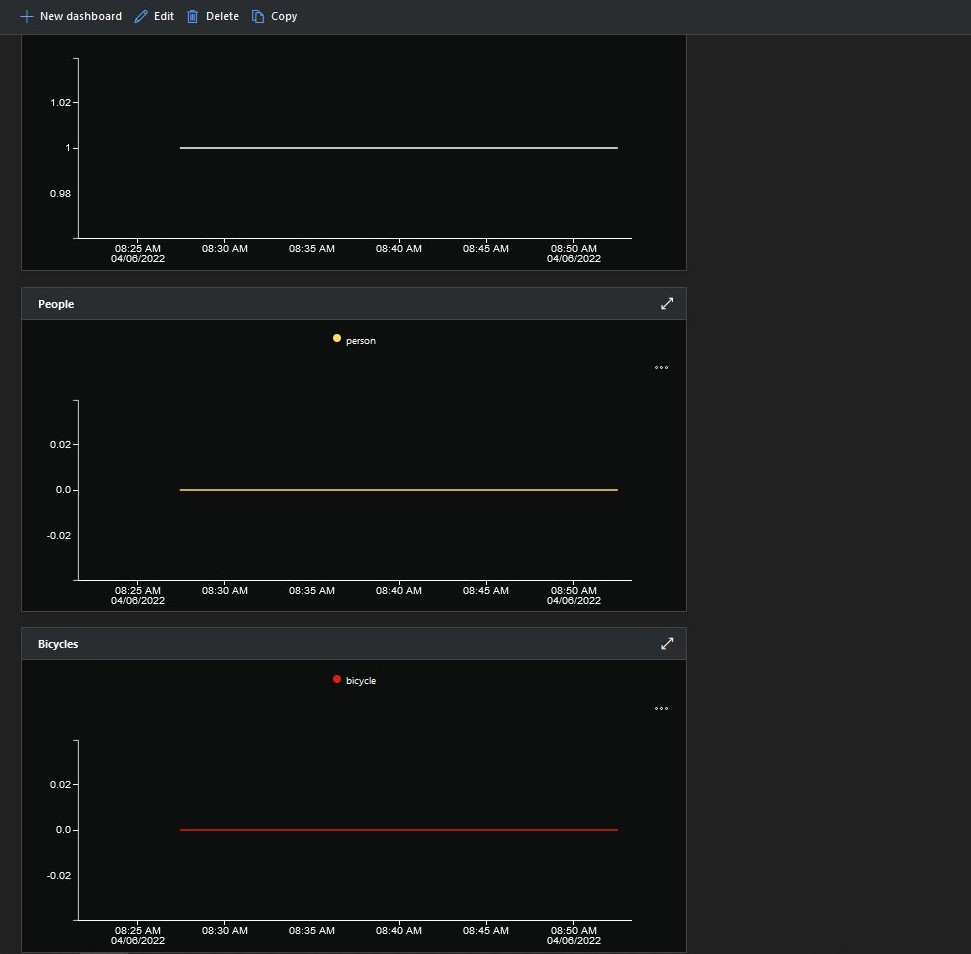
The PredictionLabelsMinimum(optional) is then used to add additional labels with a count of 0 to PredictionsTally so there are no missing datapoints. This is specifically for Azure IoT Central Dashboard so the graph lines are continuous.

Smartish Edge Camera Service console just after put bike in-front of the garage

If any of the list of valid predictions labels is in the PredictionLabelsOfInterest list (if the PredictionLabelsOfInterest is empty any label is a label of interest) the list of prediction class counts is used to populate a Newtonsoft JObject which is serialised to generate a Java Script Object Notation(JSON) Azure IoT Hub message payload.

The “automagic” graph scaling can be sub-optimal

The mentalstack/yolov5-net and NuGet have been incredibly useful and MentalStack team have done a marvelous job building and supporting this project.

The test-rig consisted of a Unv ADZK-10 Security Camera, Power over Ethernet(PoE) and my HP Prodesk 400G4 DM (i7-8700T).

Smartish Edge Camera – Azure IoT Hub

The SmartEdgeCameraAzureIoTService application uses the same You Only Look Once(YOLOV5) + ML.Net + Open Neural Network Exchange(ONNX) plumbing as the SmartEdgeCameraAzureStorageService.

If there is an object with a label in the PredictionLabelsOfInterest list, a tally of each of the different object classes is sent to an Azure IoT Hub.

"Application": {
  "DeviceID": "",
  "ImageTimerDue": "0.00:00:15",
  "ImageTimerPeriod": "0.00:00:30",

  "ImageCameraFilepath": "ImageCamera.jpg",

  "YoloV5ModelPath": "YoloV5/yolov5s.onnx",

  "PredicitionScoreThreshold": 0.7,
  "PredictionLabelsOfInterest": [
    "person"
  ],
}

The Azure IoT hub can configured via a Shared Access Signature(SAS) device policy connection string or the Azure IoT Hub Device Provisioning Service(DPS)

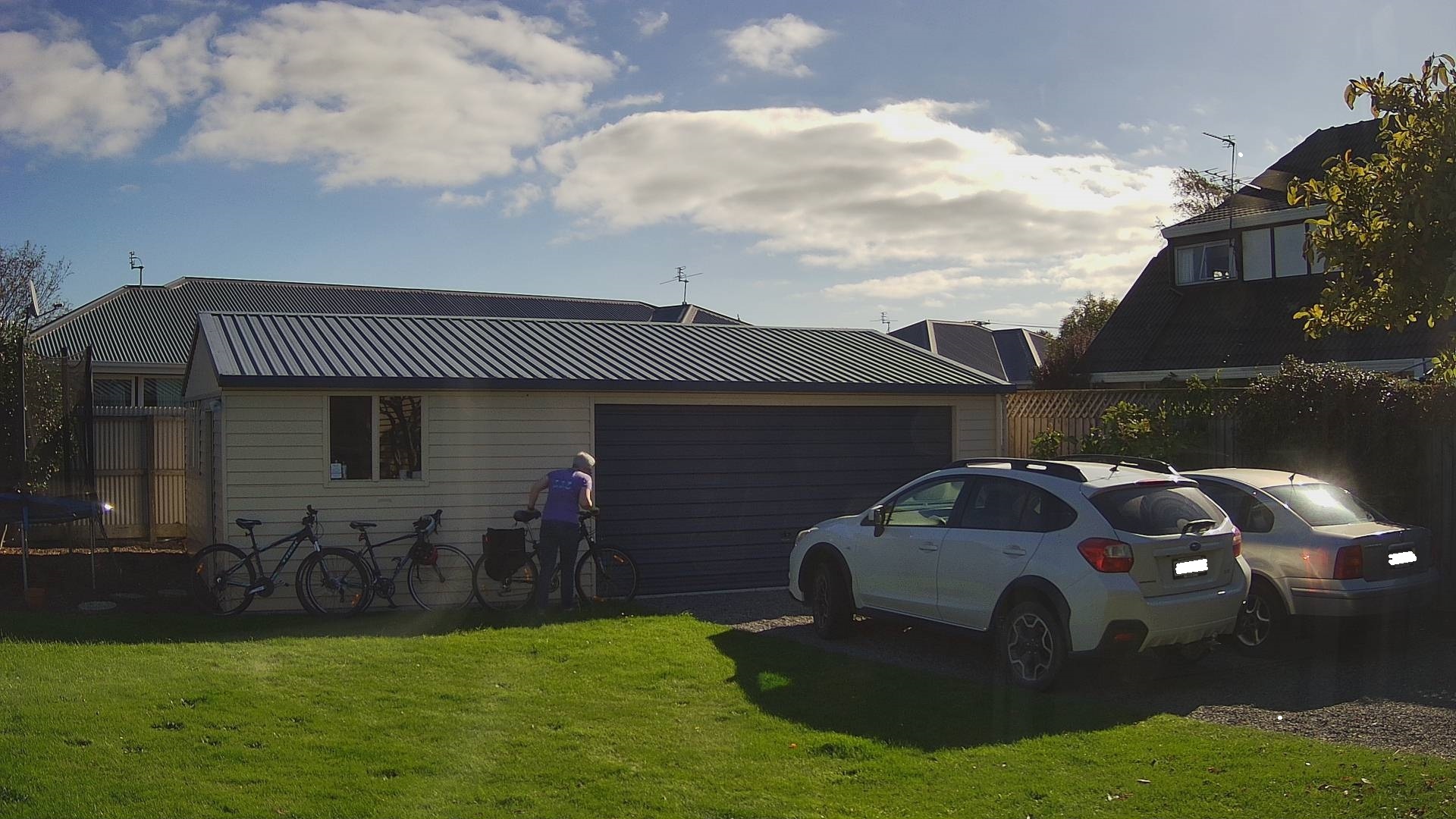
Cars and bicycles in my backyard with no object(s) of interest
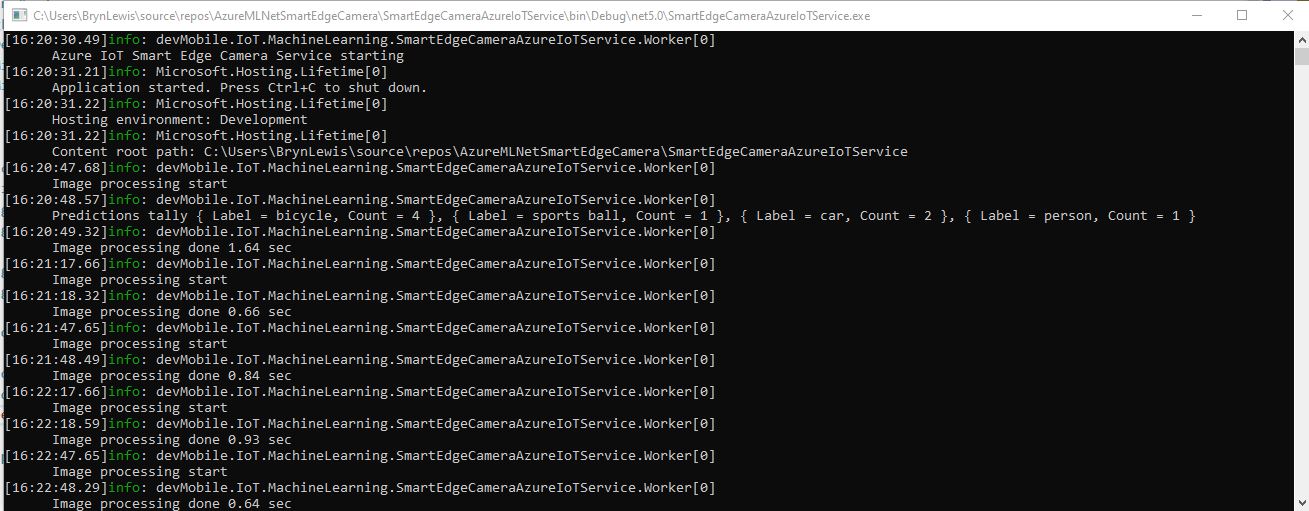
SmartEdgeCameraAzureIoTService no object(s) of interest
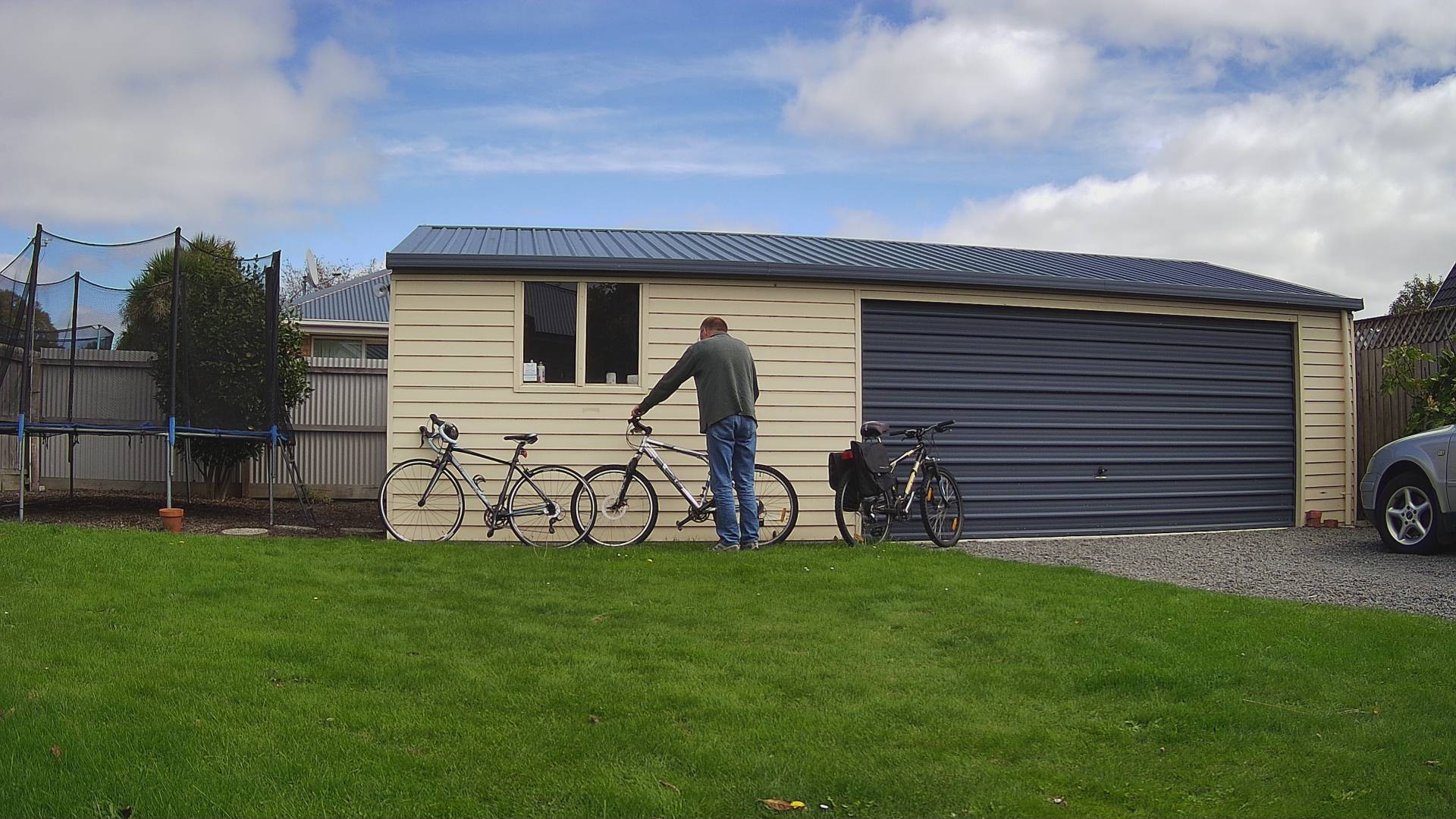
Cars and bicycles in my backyard with one object of interest
SmartEdgeCameraAzureIoTService one object of interest
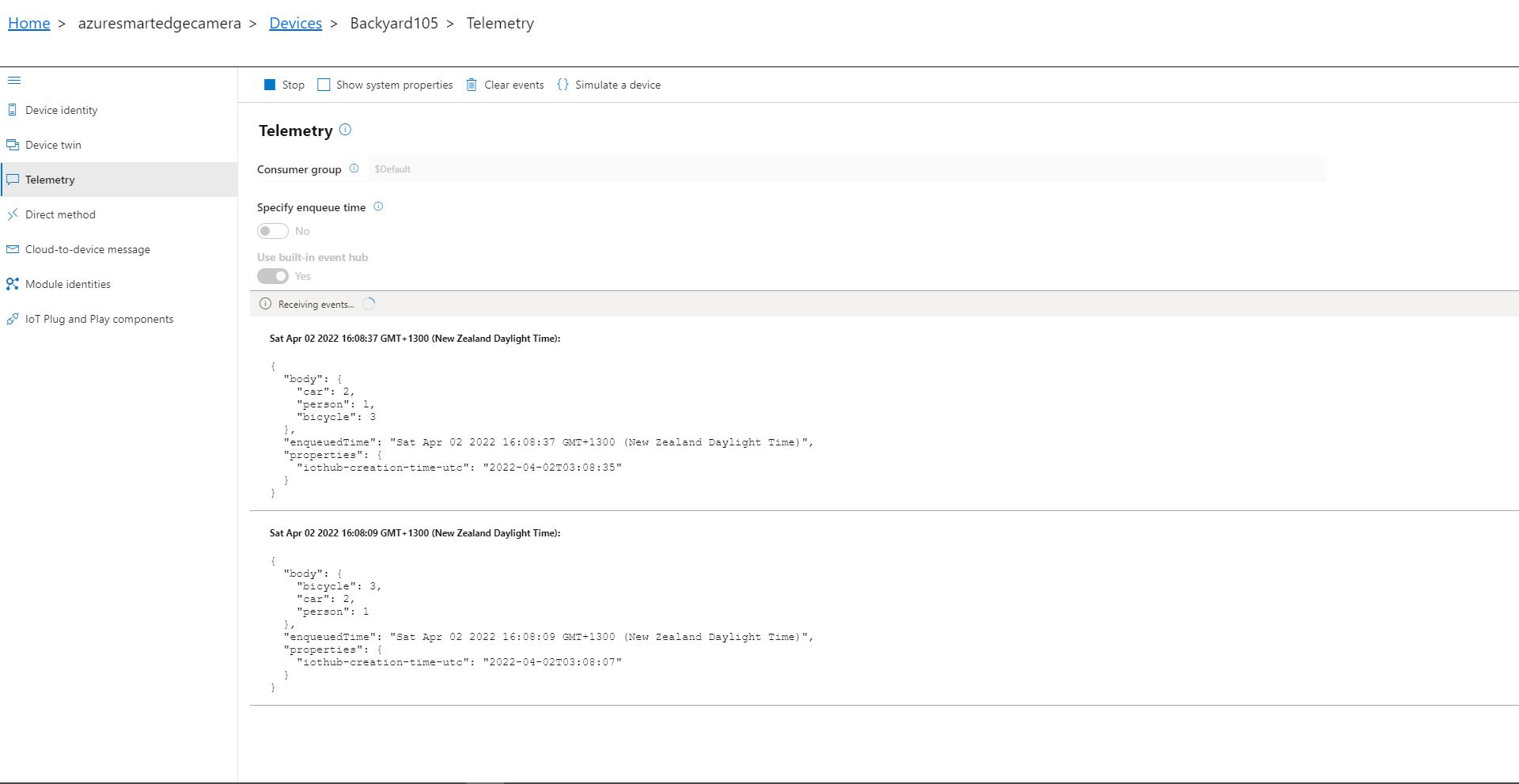
Azure IoT Explorer Telemetry with one object of interest

After the You Only Look Once(YOLOV5)+ML.Net+Open Neural Network Exchange(ONNX) plumbing has loaded a timer with a configurable due time and period is started. Using some Language Integrated Query (LINQ) code any predictions with a score < PredictionScoreThreshold are discarded, then the list of predictions is checked to see if there are any in the PredictionLabelsOfInterest. If there are any matching predictions a count of the instances of each class is generated with more LINQ code.

private async void ImageUpdateTimerCallback(object state)
{
	DateTime requestAtUtc = DateTime.UtcNow;

	// Just incase - stop code being called while photo already in progress
	if (_cameraBusy)
	{
		return;
	}
	_cameraBusy = true;

	_logger.LogInformation("Image processing start");

	try
	{
#if CAMERA_RASPBERRY_PI
		RaspberryPIImageCapture();
#endif
#if CAMERA_SECURITY
		SecurityCameraImageCapture();
#endif
		List<YoloPrediction> predictions;

		using (Image image = Image.FromFile(_applicationSettings.ImageCameraFilepath))
		{
			_logger.LogTrace("Prediction start");
			predictions = _scorer.Predict(image);
			_logger.LogTrace("Prediction done");
		}

		if (_logger.IsEnabled(LogLevel.Trace))
		{
			_logger.LogTrace("Predictions {0}", predictions.Select(p => new { p.Label.Name, p.Score }));
		}

		var predictionsOfInterest = predictions.Where(p => p.Score > _applicationSettings.PredicitionScoreThreshold)
										.Select(c => c.Label.Name)
										.Intersect(_applicationSettings.PredictionLabelsOfInterest, StringComparer.OrdinalIgnoreCase);

		if (predictionsOfInterest.Any())
		{
			if (_logger.IsEnabled(LogLevel.Trace))
			{
				_logger.LogTrace("Predictions of interest {0}", predictionsOfInterest.ToList());
			}

			var predictionsTally = predictions.GroupBy(p => p.Label.Name)
									.Select(p => new
									{
										Label = p.Key,
										Count = p.Count()
									});

			if (_logger.IsEnabled(LogLevel.Information))
			{
				_logger.LogInformation("Predictions tally {0}", predictionsTally.ToList());
			}

			JObject telemetryDataPoint = new JObject();

			foreach (var predictionTally in predictionsTally)
			{
				telemetryDataPoint.Add(predictionTally.Label, predictionTally.Count);
			}

			using (Message message = new Message(Encoding.ASCII.GetBytes(JsonConvert.SerializeObject(telemetryDataPoint))))
			{
				message.Properties.Add("iothub-creation-time-utc", requestAtUtc.ToString("s", CultureInfo.InvariantCulture));

				await _deviceClient.SendEventAsync(message);
			}
		}
	}
	catch (Exception ex)
	{
		_logger.LogError(ex, "Camera image download, post processing, telemetry failed");
	}
	finally
	{
		_cameraBusy = false;
	}

	TimeSpan duration = DateTime.UtcNow - requestAtUtc;

	_logger.LogInformation("Image processing done {0:f2} sec", duration.TotalSeconds);
}

The list of prediction class counts is used to populate a Newtonsoft JObject which serialised to generate a Java Script Object Notation(JSON) payload for an Azure IoT Hub message.

The test-rig consisted of a Unv ADZK-10 Security Camera, Power over Ethernet(PoE) and my HP Prodesk 400G4 DM (i7-8700T)

Smartish Edge Camera – Azure Storage Service

The AzureIoTSmartEdgeCameraService was a useful proof of concept(PoC) but the codebase was starting to get unwieldy so it has been split into the SmartEdgeCameraAzureStorageService and SmartEdgeCameraAzureIoTService.

The initial ML.Net +You only look once V5(YoloV5) project uploaded raw (effectively a time lapse camera) and marked-up (with searchable tags) images to Azure Storage. But, after using it in a “real” project I found…

  • The time-lapse functionality which continually uploaded images wasn’t that useful. I have another standalone application which has that functionality.
  • If an object with a label in the “PredictionLabelsOfInterest” and a score greater than PredicitionScoreThreshold was detected it was useful to have the option to upload the camera and/or marked-up (including objects below the threshold) image(s).
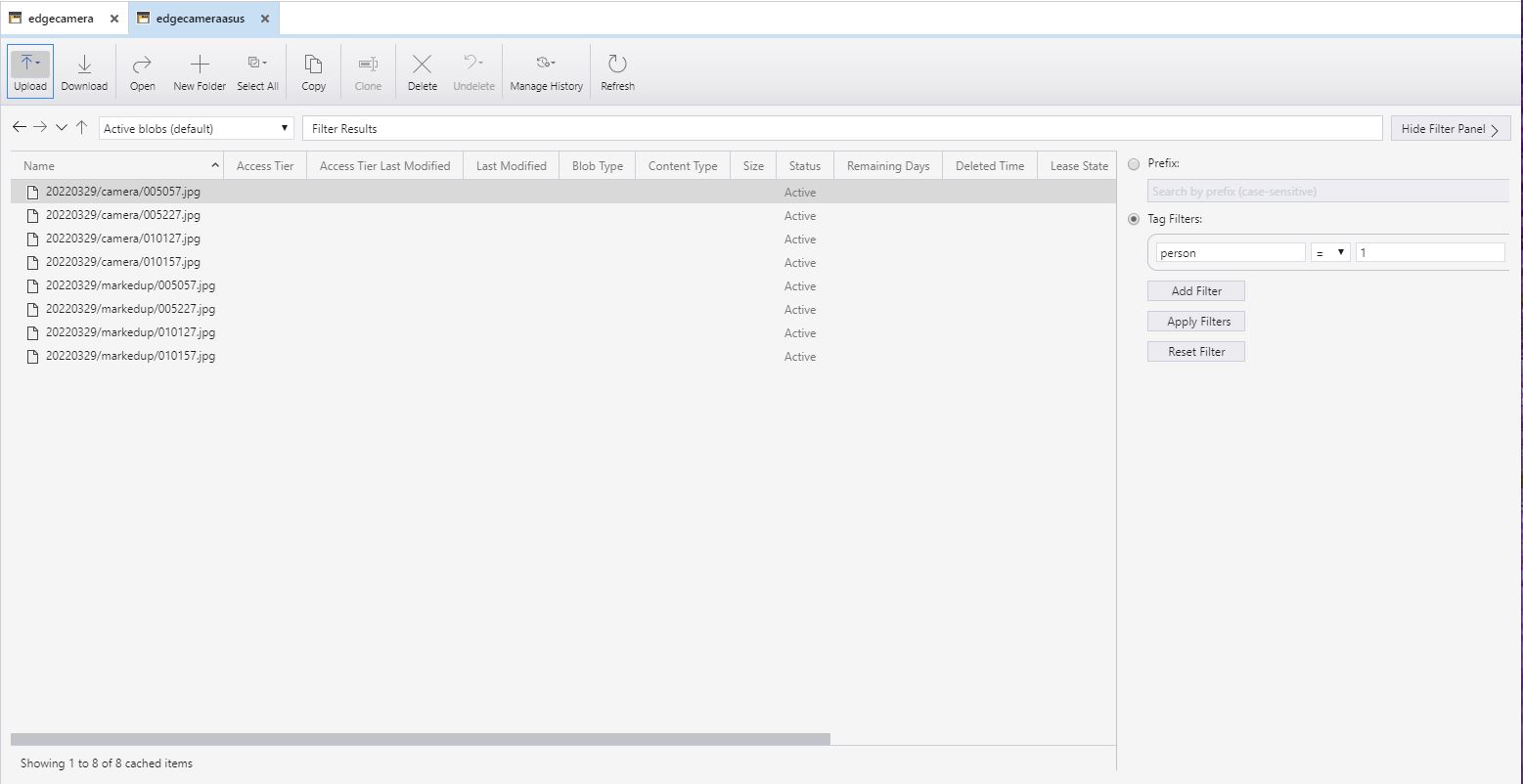
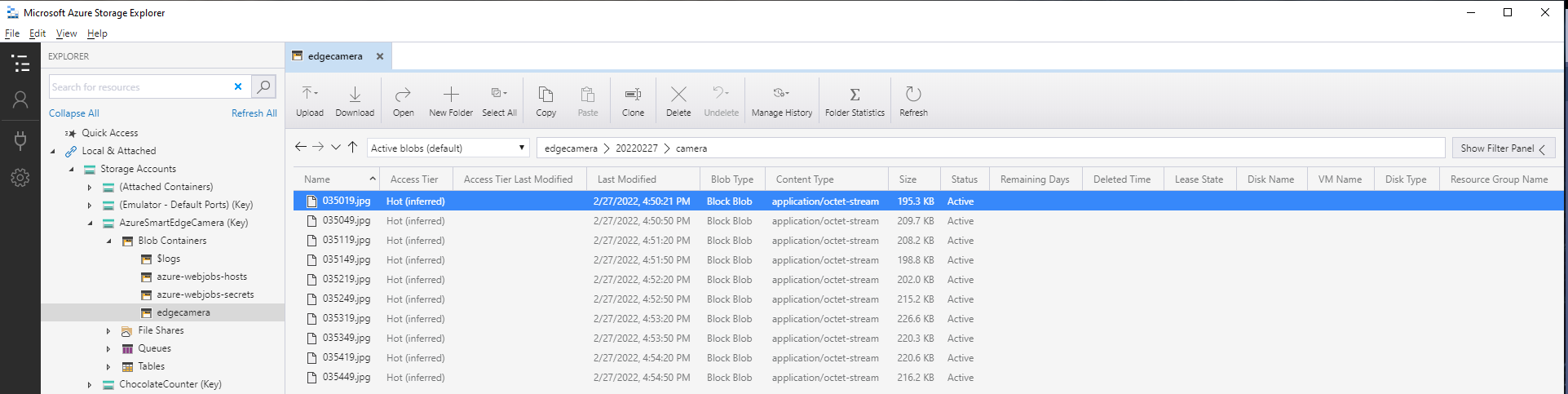
  • Having both camera and marked-up images tagged so they were searchable with an application like Azure Storage Explorer was very useful.
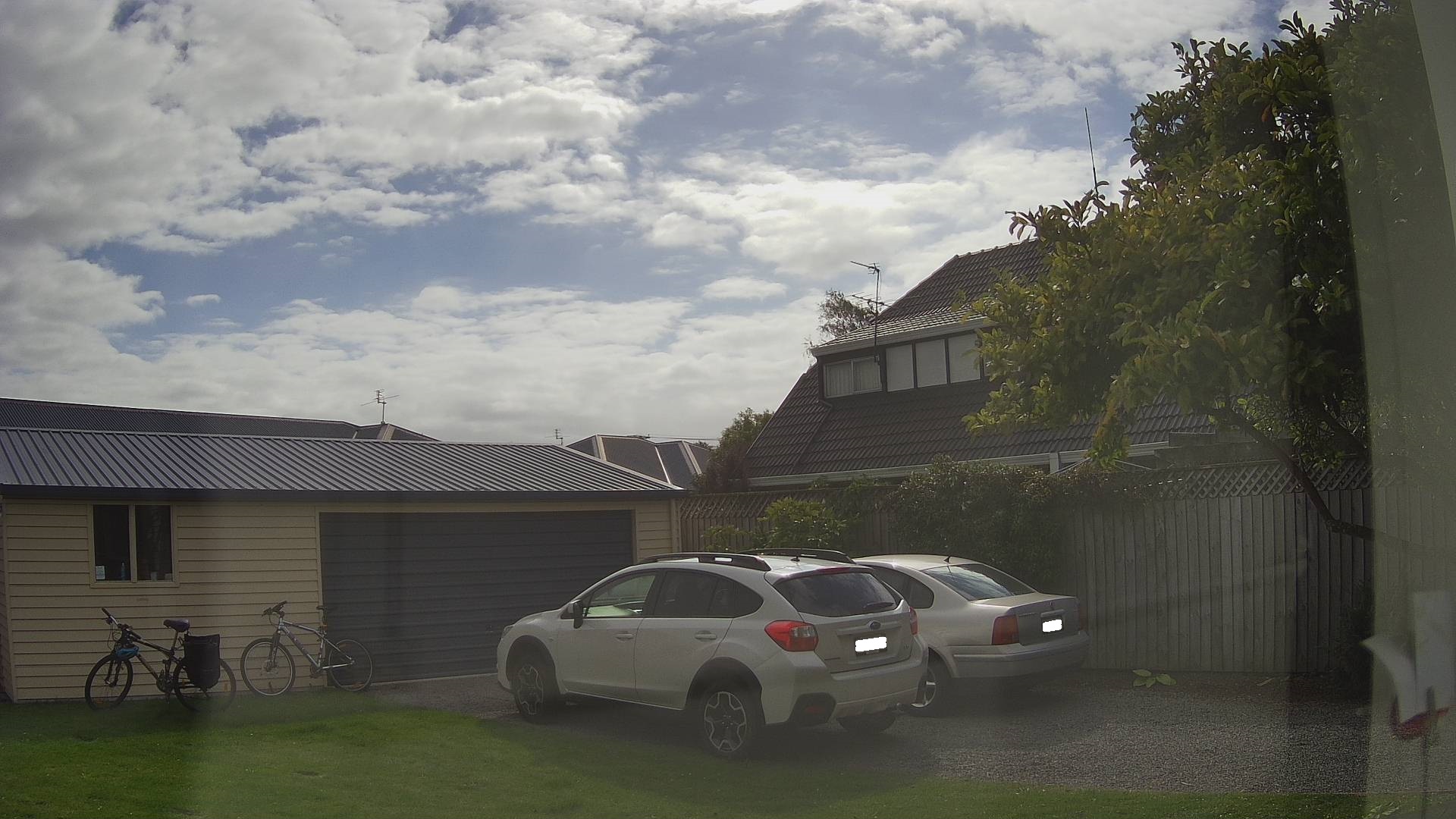
Security Camera Image
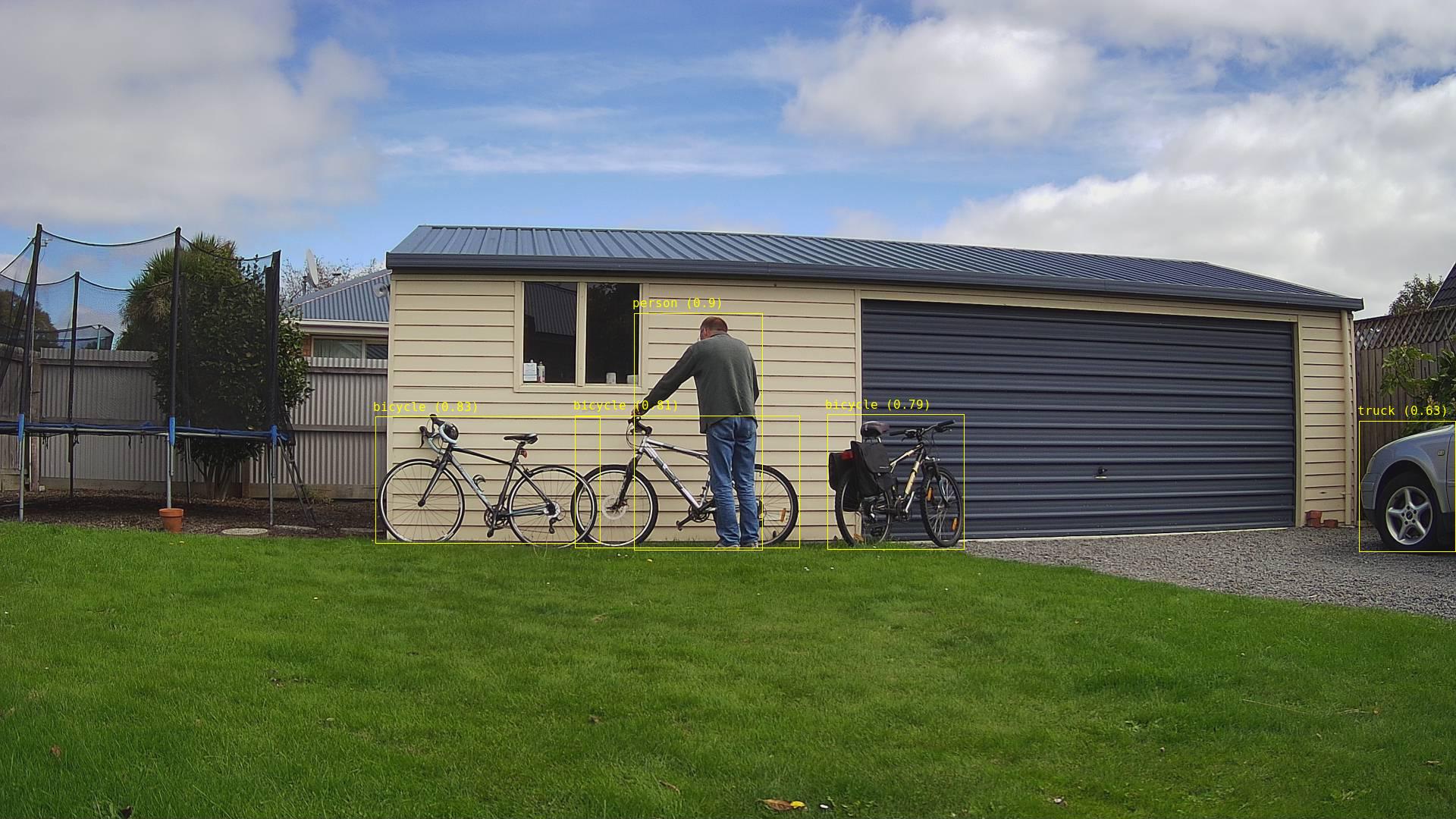
Security Camera image with bounding boxes around all detected objects
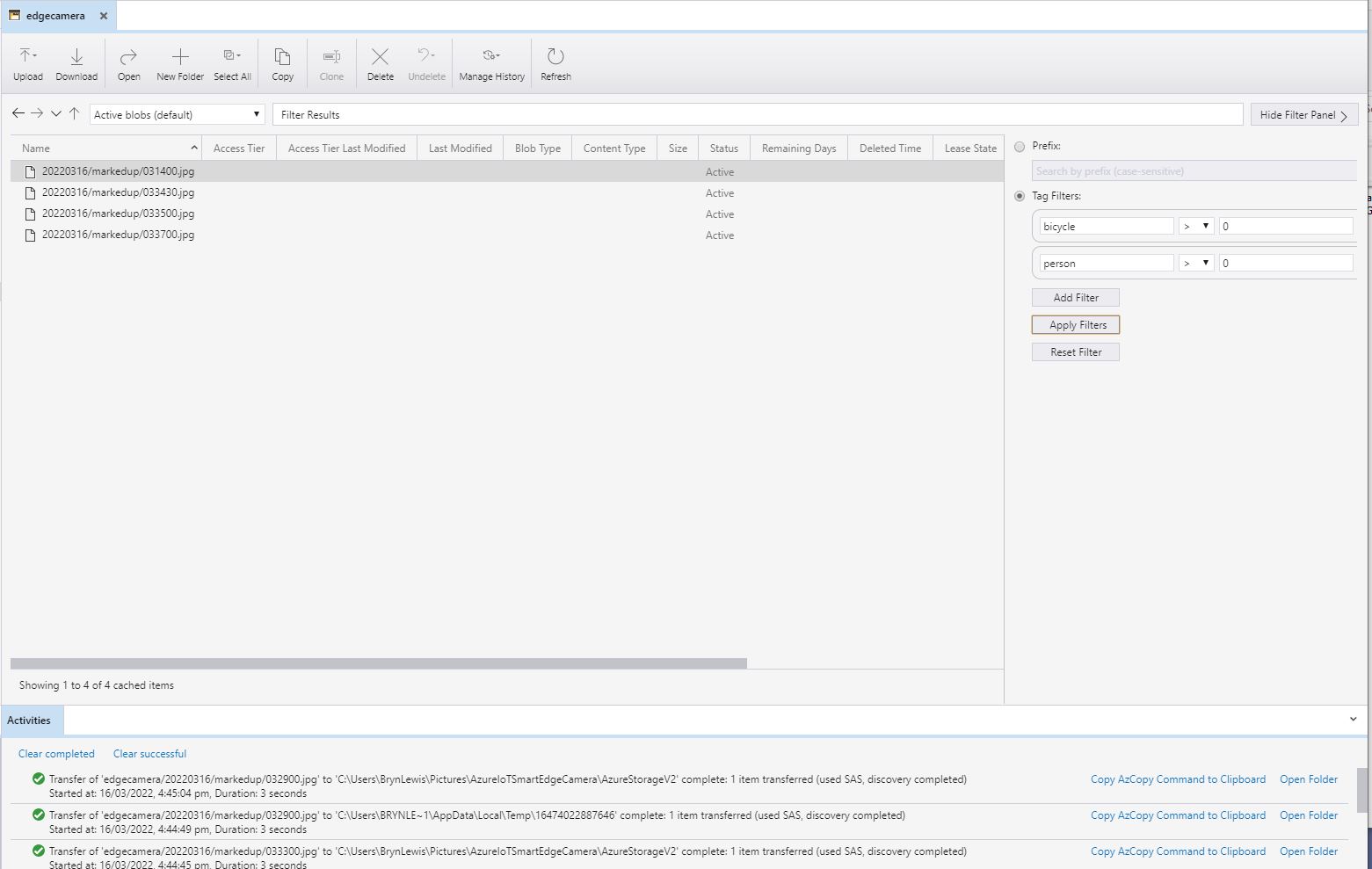
Azure Storage Explorer filter for images containing 1 person

After the You Only Look Once(YOLOV5)+ML.Net+Open Neural Network Exchange(ONNX) plumbing has loaded a timer with a configurable due time and period was started.

private async void ImageUpdateTimerCallback(object state)
{
	DateTime requestAtUtc = DateTime.UtcNow;

	// Just incase - stop code being called while photo already in progress
	if (_cameraBusy)
	{
		return;
	}
	_cameraBusy = true;

	_logger.LogInformation("Image processing start");

	try
	{
#if CAMERA_RASPBERRY_PI
		RaspberryPIImageCapture();
#endif
#if CAMERA_SECURITY
		SecurityCameraImageCapture();
#endif
		List<YoloPrediction> predictions;

		using (Image image = Image.FromFile(_applicationSettings.ImageCameraFilepath))
		{
			_logger.LogTrace("Prediction start");
			predictions = _scorer.Predict(image);
			_logger.LogTrace("Prediction done");

			OutputImageMarkup(image, predictions, _applicationSettings.ImageMarkedUpFilepath);
		}

		if (_logger.IsEnabled(LogLevel.Trace))
		{
			_logger.LogTrace("Predictions {0}", predictions.Select(p => new { p.Label.Name, p.Score }));
		}

		var predictionsOfInterest = predictions.Where(p => p.Score > _applicationSettings.PredicitionScoreThreshold).Select(c => c.Label.Name).Intersect(_applicationSettings.PredictionLabelsOfInterest, StringComparer.OrdinalIgnoreCase);
		if (_logger.IsEnabled(LogLevel.Trace))
		{
			_logger.LogTrace("Predictions of interest {0}", predictionsOfInterest.ToList());
		}

		var predictionsTally = predictions.Where(p => p.Score >= _applicationSettings.PredicitionScoreThreshold)
									.GroupBy(p => p.Label.Name)
									.Select(p => new
									{
										Label = p.Key,
										Count = p.Count()
									});

		if (predictionsOfInterest.Any())
		{
			BlobUploadOptions blobUploadOptions = new BlobUploadOptions()
			{
				Tags = new Dictionary<string, string>()
			};

			foreach (var predicition in predictionsTally)
			{
				blobUploadOptions.Tags.Add(predicition.Label, predicition.Count.ToString());
			}

			if (_applicationSettings.ImageCameraUpload)
			{
				_logger.LogTrace("Image camera upload start");

				string imageFilenameCloud = string.Format(_azureStorageSettings.ImageCameraFilenameFormat, requestAtUtc);

				await _imagecontainerClient.GetBlobClient(imageFilenameCloud).UploadAsync(_applicationSettings.ImageCameraFilepath, blobUploadOptions);

				_logger.LogTrace("Image camera upload done");
			}

			if (_applicationSettings.ImageMarkedupUpload)
			{
				_logger.LogTrace("Image marked-up upload start");

				string imageFilenameCloud = string.Format(_azureStorageSettings.ImageMarkedUpFilenameFormat, requestAtUtc);

				await _imagecontainerClient.GetBlobClient(imageFilenameCloud).UploadAsync(_applicationSettings.ImageMarkedUpFilepath, blobUploadOptions);

				_logger.LogTrace("Image marked-up upload done");
			}
		}

		if (_logger.IsEnabled(LogLevel.Information))
		{
			_logger.LogInformation("Predictions tally {0}", predictionsTally.ToList());
		}
	}
	catch (Exception ex)
	{
		_logger.LogError(ex, "Camera image download, post procesing, image upload, or telemetry failed");
	}
	finally
	{
		_cameraBusy = false;
	}

	TimeSpan duration = DateTime.UtcNow - requestAtUtc;

	_logger.LogInformation("Image processing done {0:f2} sec", duration.TotalSeconds);
}

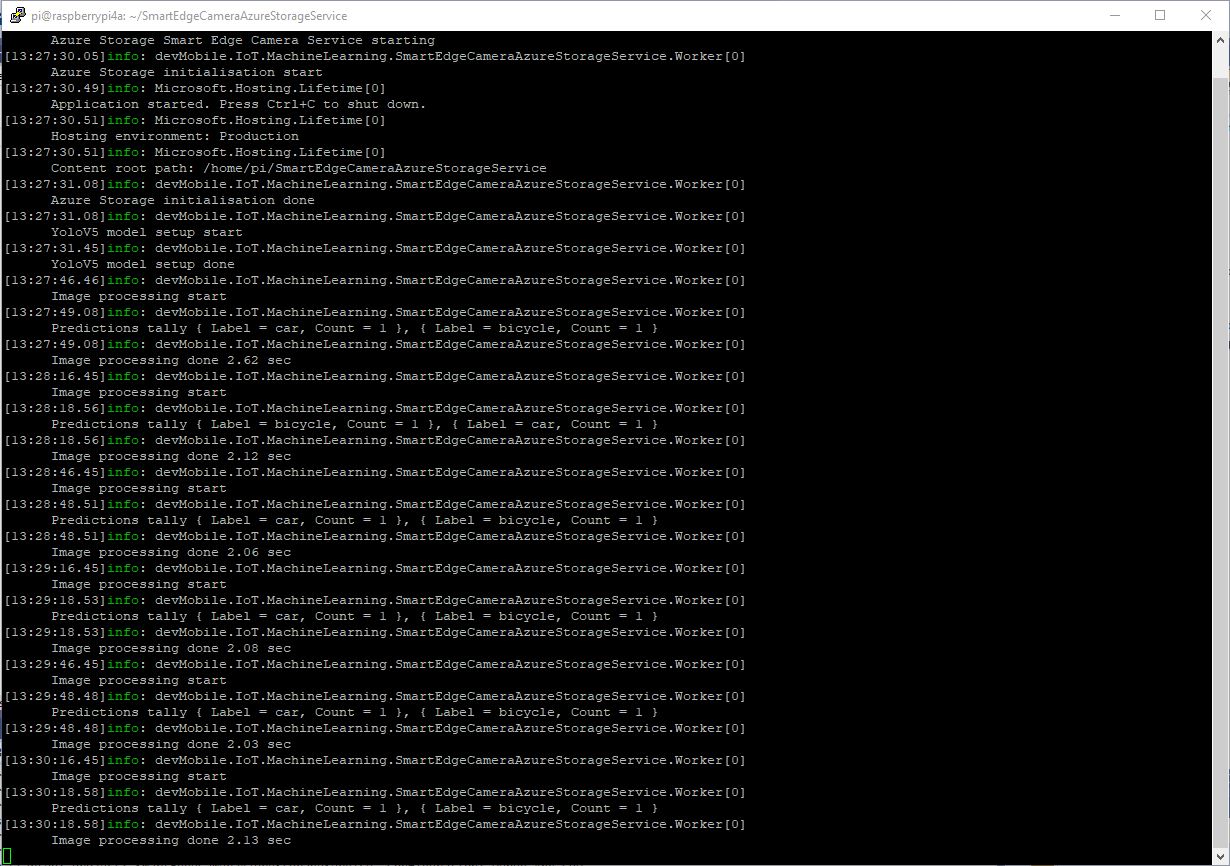
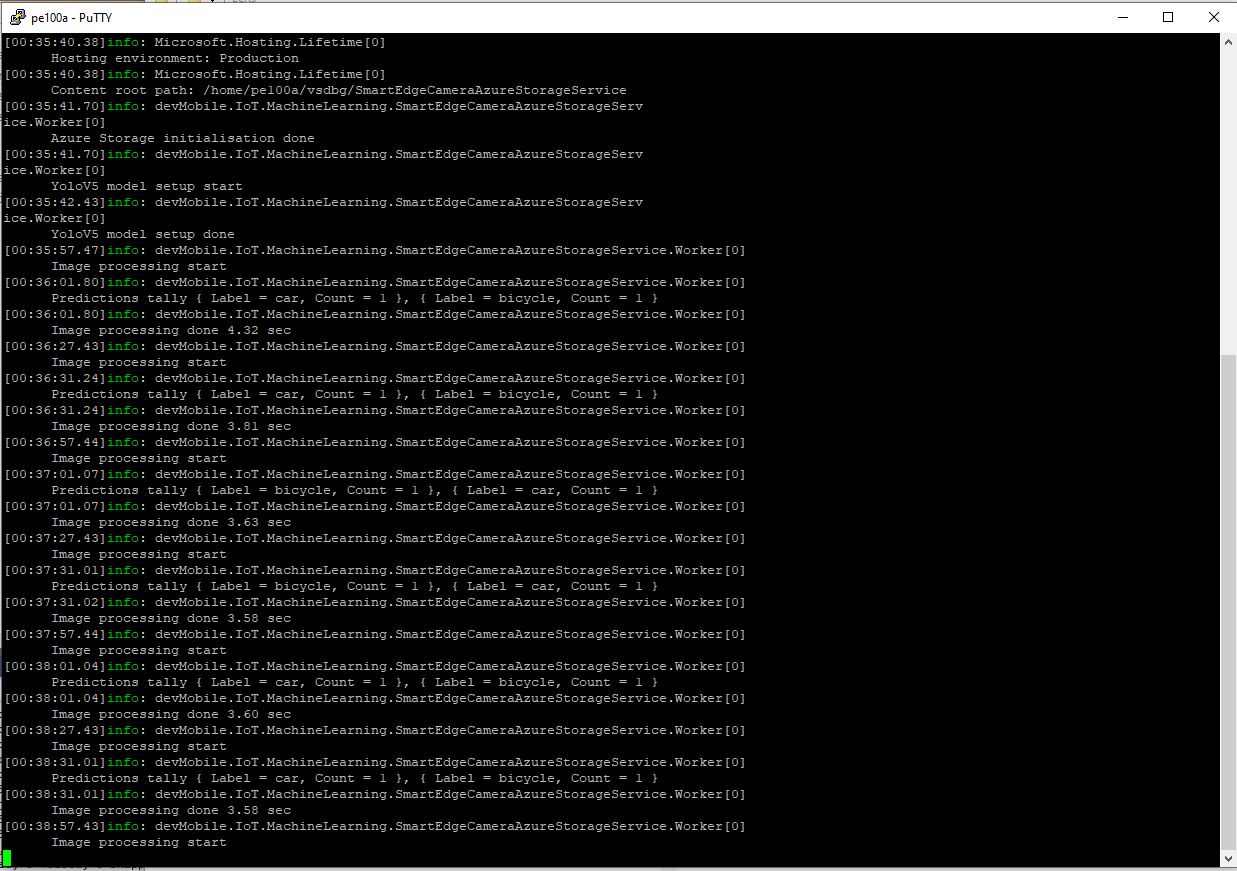
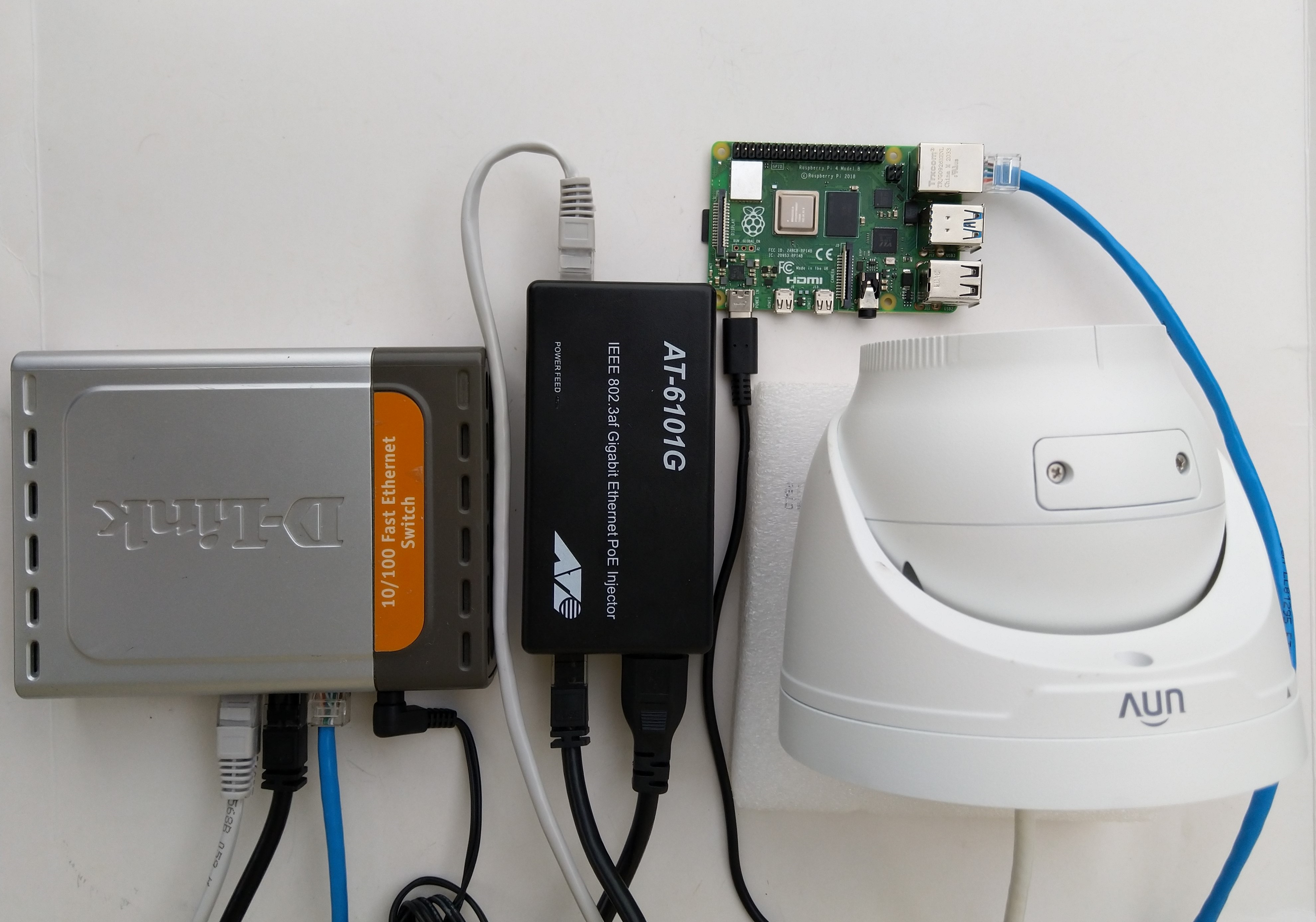
The test-rig consisted of a Unv ADZK-10 Security Camera, Power over Ethernet(PoE) module, D-Link Switch and a Raspberry Pi 4B 8G, or ASUS PE100A, or my HP Prodesk 400G4 DM (i7-8700T)

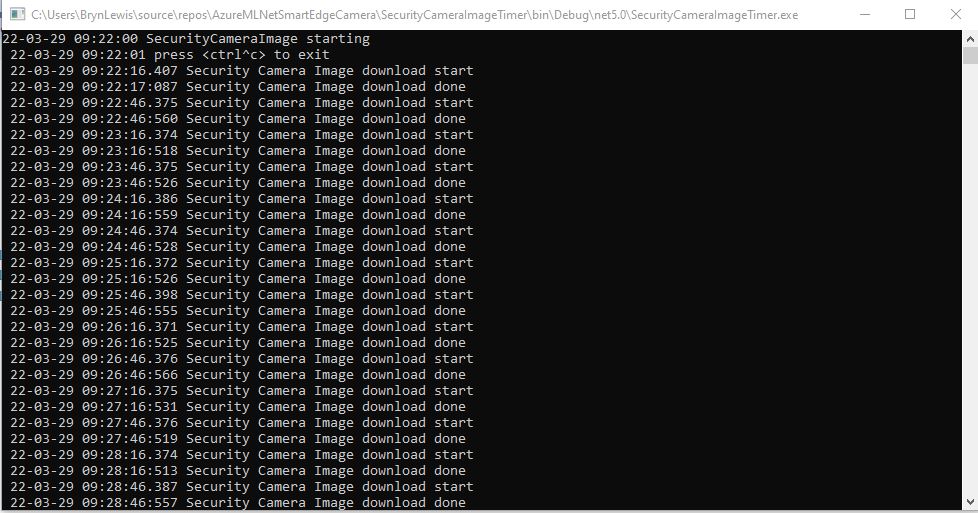
Security Camera Image download times

Excluding the first download it takes on average 0.16 secs to download a security camera image with my network setup.

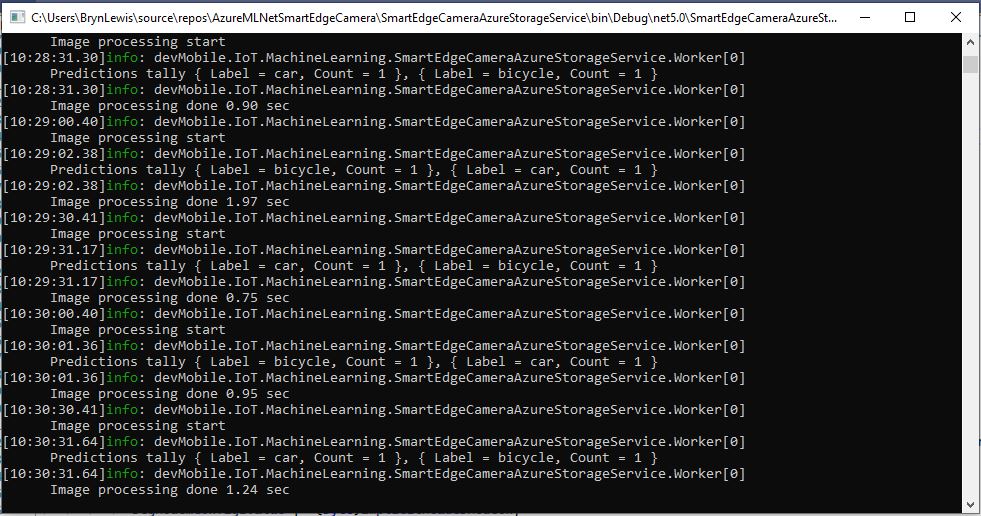
Development PC image download and processing console

The HP Prodesk 400G4 DM (i7-8700T) took on average 1.16 seconds to download an image from the camera, run the model, and upload the two images to Azure Storage

Raspberry PI 4B image download and processing console

The Raspberry Pi 4B 8G took on average 2.18 seconds to download an image from the camera, run the model, then upload the two images to Azure Storage

ASUS PE100A image download an processing console

The ASUS PE100A took on average 3.79 seconds to download an image from the camera, run the model, then upload the two images to Azure Storage.

Smartish Edge Camera – Azure Storage Image Tags

This ML.Net +You only look once V5(YoloV5) + RaspberryPI 4B project uploads raw camera and marked up (with searchable tags) images to Azure Storage.

Raspberry PI 4 B backyard test rig

My backyard test-rig consists of a Unv ADZK-10 Security Camera, Power over Ethernet(PoE) module, D-Link Switch and a Raspberry Pi 4B 8G.

{
   ...

  "Application": {
    "DeviceId": "edgecamera",
...
    "PredicitionScoreThreshold": 0.7,
    "PredictionLabelsOfInterest": [
      "bicycle",
      "person",
      "car"
    ],
    "OutputImageMarkup": true
  },
...
  "AzureStorage": {
    "ConnectionString": "FhisIsNotTheConnectionStringYouAreLookingFor",
    "ImageCameraFilenameFormat": "{0:yyyyMMdd}/camera/{0:HHmmss}.jpg",
    "ImageMarkedUpFilenameFormat": "{0:yyyyMMdd}/markedup/{0:HHmmss}.jpg"
  }
}

After the You Only Look Once(YOLOV5)+ML.Net+Open Neural Network Exchange(ONNX) plumbing has loaded a timer with a configurable due time and period is started.

private async void ImageUpdateTimerCallback(object state)
{
	DateTime requestAtUtc = DateTime.UtcNow;

	// Just incase - stop code being called while photo already in progress
	if (_cameraBusy)
	{
		return;
	}
	_cameraBusy = true;

	_logger.LogInformation("Image processing start");

	try
	{
#if CAMERA_RASPBERRY_PI
		RaspberryPIImageCapture();
#endif
#if CAMERA_SECURITY
		SecurityCameraImageCapture();
#endif
		if (_applicationSettings.ImageCameraUpload)
		{
			_logger.LogTrace("Image camera upload start");

			string imageFilenameCloud = string.Format(_azureStorageSettings.ImageCameraFilenameFormat, requestAtUtc);

			await _imagecontainerClient.GetBlobClient(imageFilenameCloud).UploadAsync(_applicationSettings.ImageCameraFilepath, true);

			_logger.LogTrace("Image camera upload done");
		}

		List<YoloPrediction> predictions;

		using (Image image = Image.FromFile(_applicationSettings.ImageCameraFilepath))
		{
			_logger.LogTrace("Prediction start");
			predictions = _scorer.Predict(image);
			_logger.LogTrace("Prediction done");

			OutputImageMarkup(image, predictions, _applicationSettings.ImageMarkedUpFilepath);
		}

		if (_logger.IsEnabled(LogLevel.Trace))
		{
			_logger.LogTrace("Predictions {0}", predictions.Select(p => new { p.Label.Name, p.Score }));
		}

		var predictionsOfInterest = predictions.Where(p => p.Score > _applicationSettings.PredicitionScoreThreshold).Select(c => c.Label.Name).Intersect(_applicationSettings.PredictionLabelsOfInterest, StringComparer.OrdinalIgnoreCase);
		if (_logger.IsEnabled(LogLevel.Trace))
		{
			_logger.LogTrace("Predictions of interest {0}", predictionsOfInterest.ToList());
		}

		var predictionsTally = predictions.Where(p => p.Score >= _applicationSettings.PredicitionScoreThreshold)
									.GroupBy(p => p.Label.Name)
									.Select(p => new
									{
										Label = p.Key,
										Count = p.Count()
									});

		if (_applicationSettings.ImageMarkedupUpload && predictionsOfInterest.Any())
		{
			_logger.LogTrace("Image marked-up upload start");

			string imageFilenameCloud = string.Format(_azureStorageSettings.ImageMarkedUpFilenameFormat, requestAtUtc);

			BlobUploadOptions blobUploadOptions = new BlobUploadOptions()
			{
				Tags = new Dictionary<string, string>()
			};

			foreach (var predicition in predictionsTally)
			{
				blobUploadOptions.Tags.Add(predicition.Label, predicition.Count.ToString());
			}

			BlobClient blobClient = _imagecontainerClient.GetBlobClient(imageFilenameCloud);

			await blobClient.UploadAsync(_applicationSettings.ImageMarkedUpFilepath, blobUploadOptions);

			_logger.LogTrace("Image marked-up upload done");
		}

		if (_logger.IsEnabled(LogLevel.Information))
		{
			_logger.LogInformation("Predictions tally {0}", predictionsTally.ToList());
		}
	}
	catch (Exception ex)
	{
		_logger.LogError(ex, "Camera image download, post procesing, image upload, or telemetry failed");
	}
	finally
	{
		_cameraBusy = false;
	}

	TimeSpan duration = DateTime.UtcNow - requestAtUtc;

	_logger.LogInformation("Image processing done {0:f2} sec", duration.TotalSeconds);
}
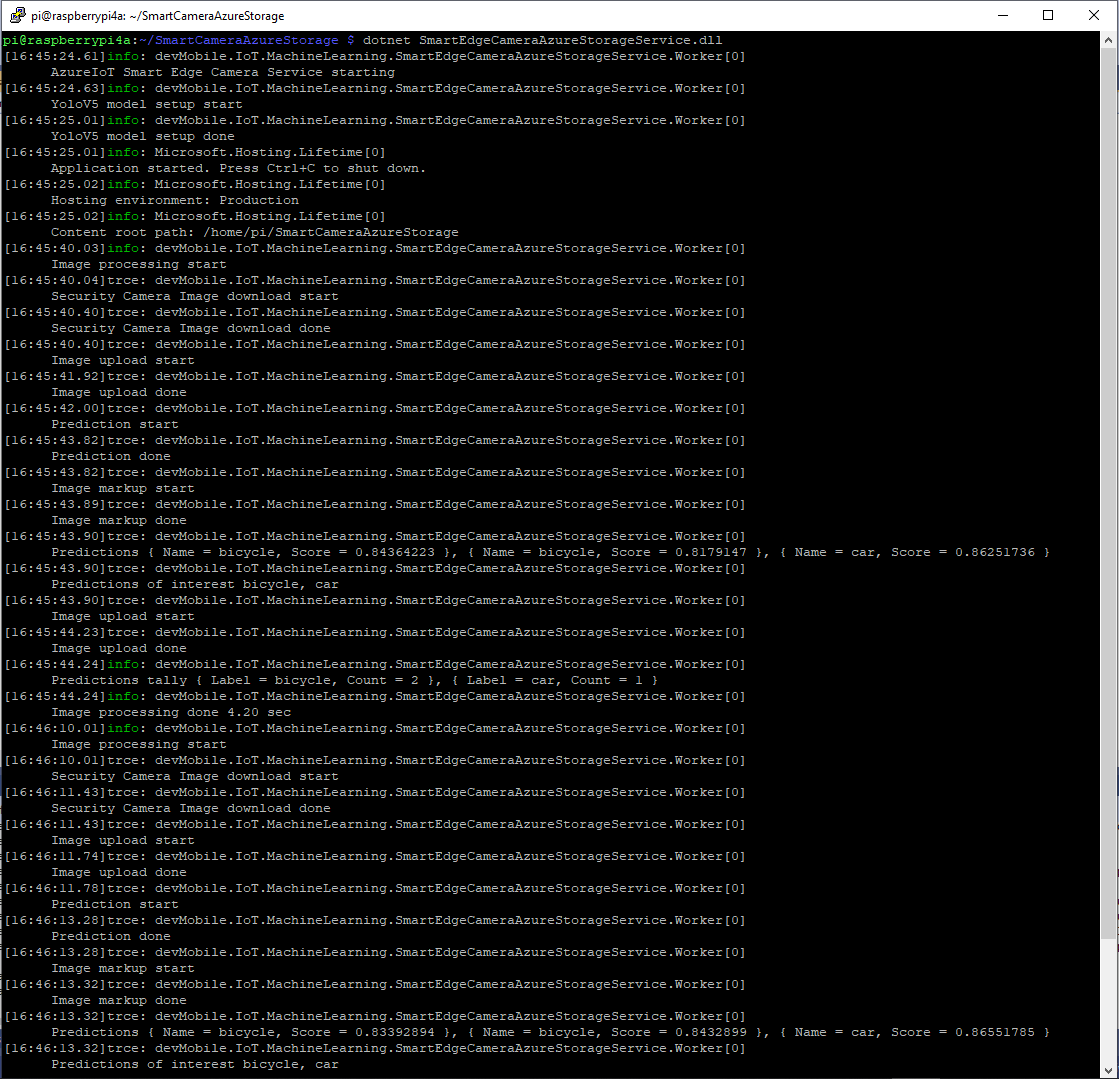
RaspberryPI 4B console application output

A marked up image is uploaded to Azure Storage if any of the objects detected (with a score greater than PredicitionScoreThreshold) is in the PredictionLabelsOfInterest list.

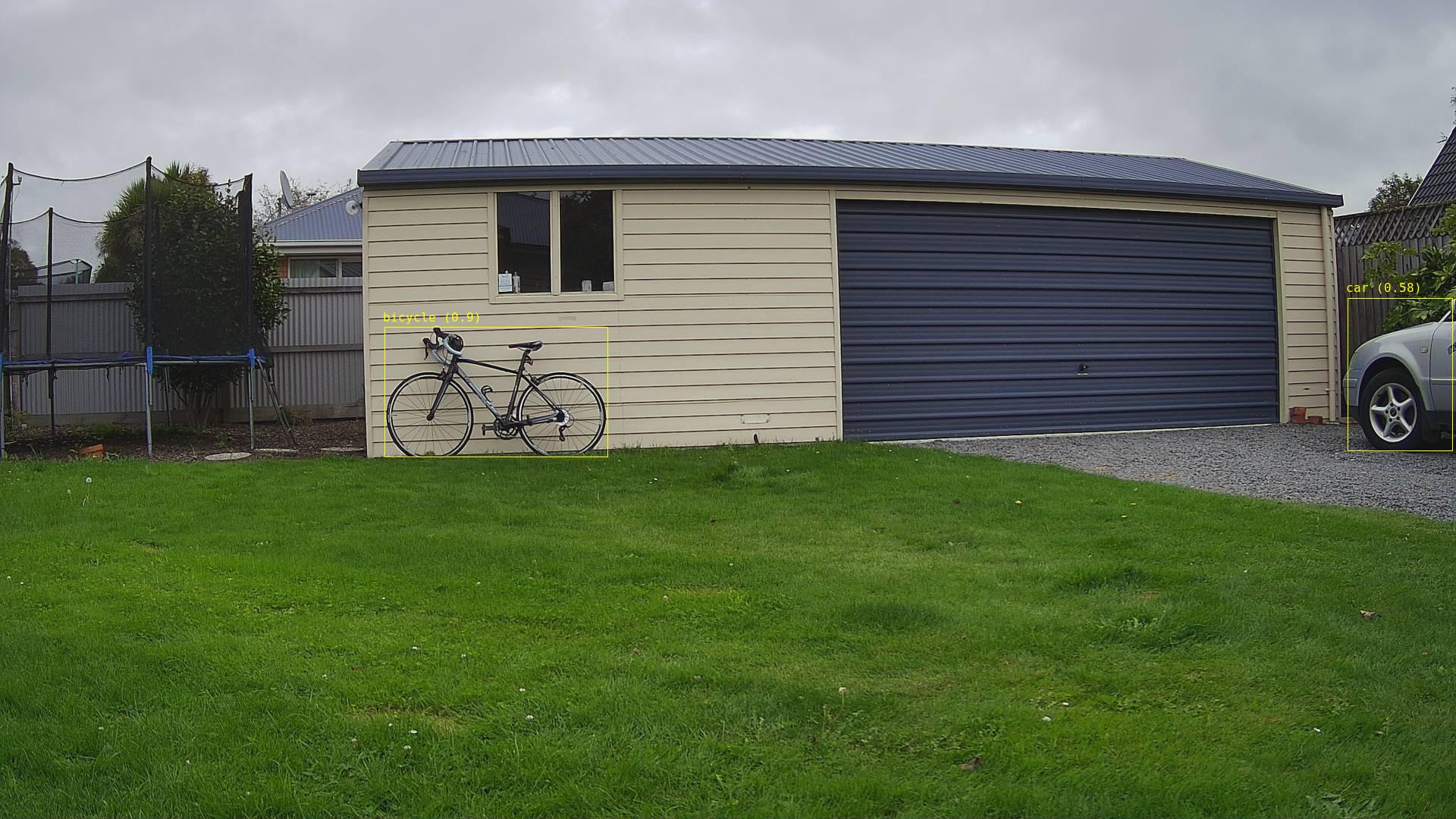
Single bicycle
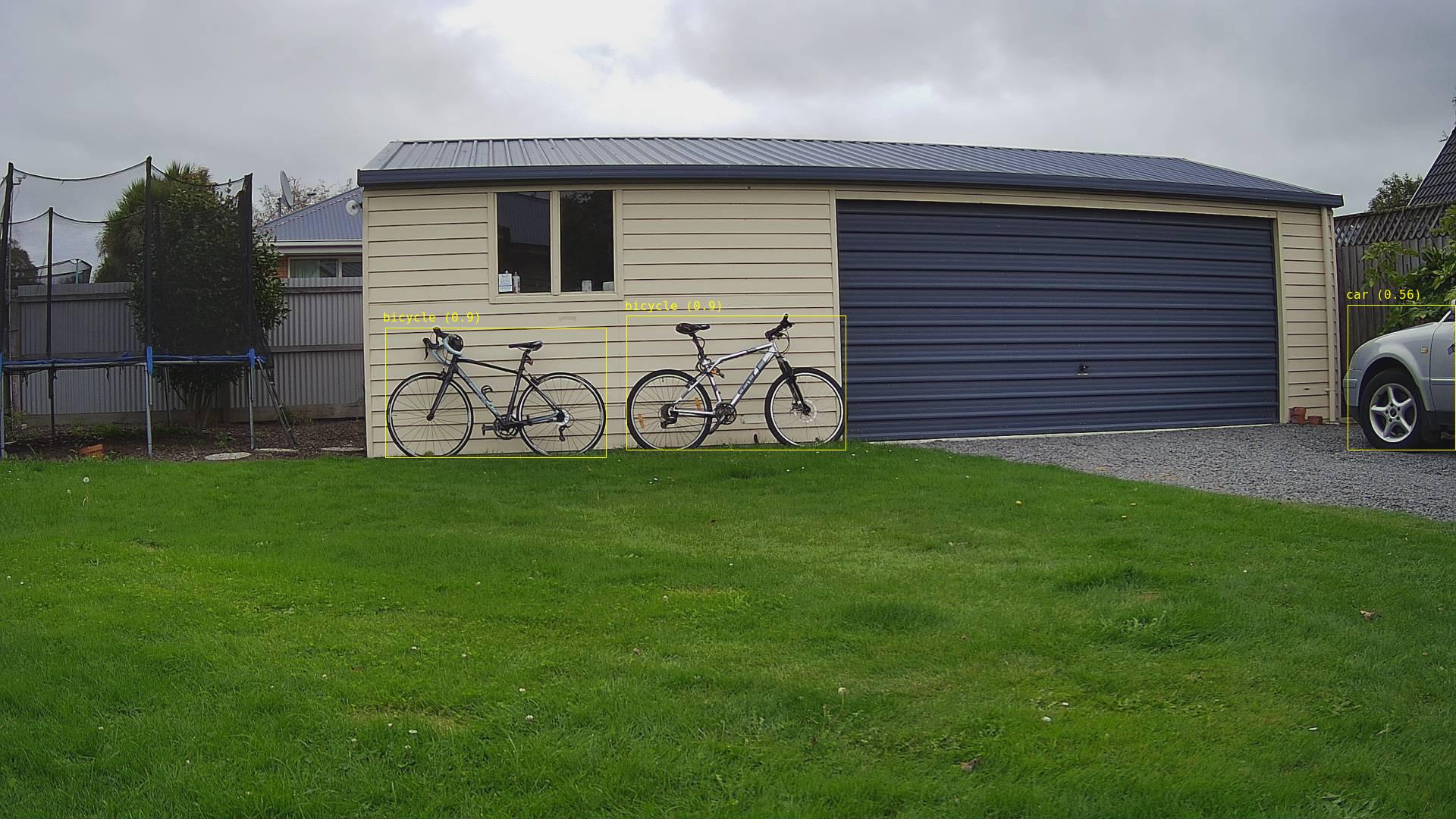
Two bicycles
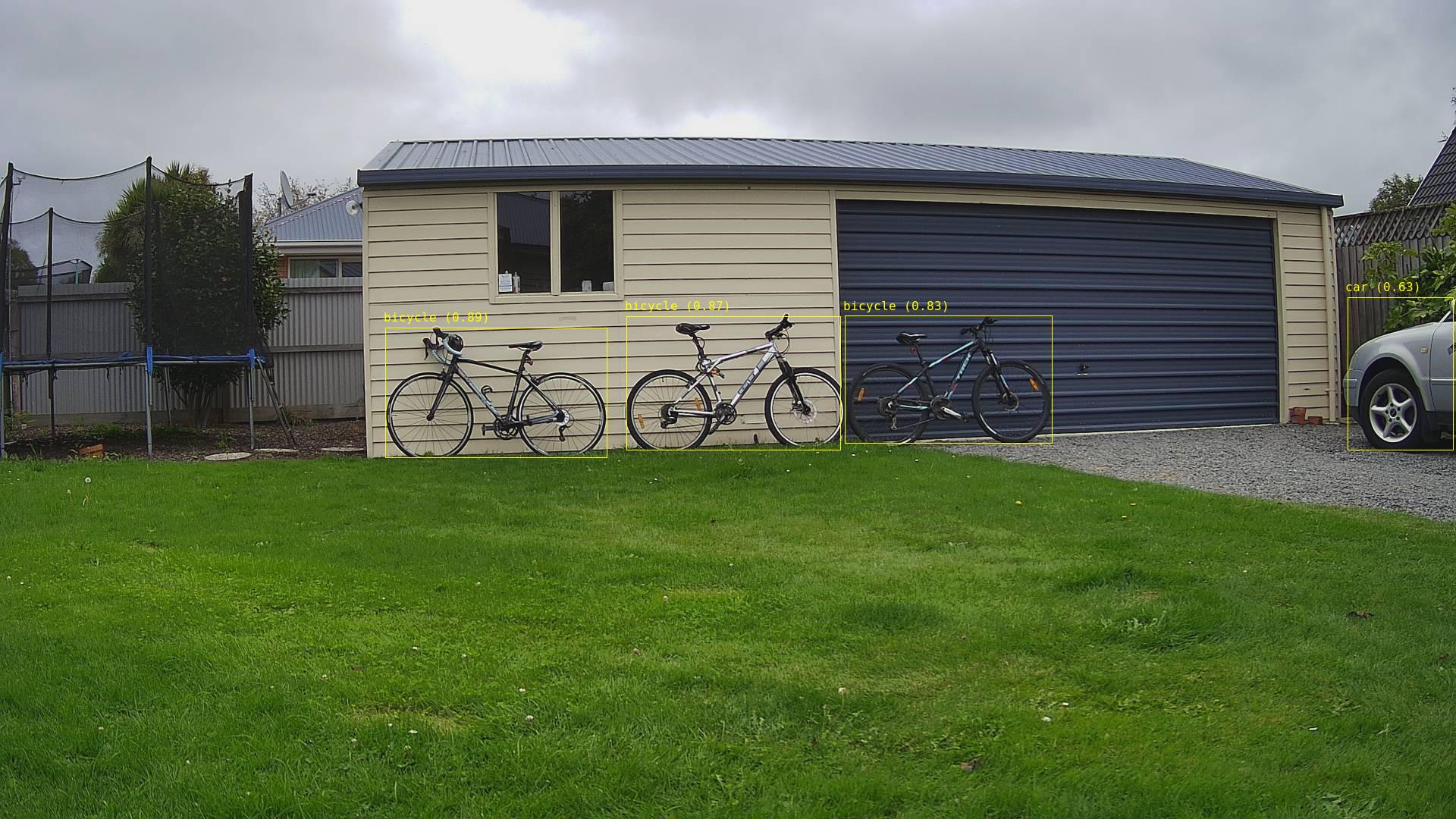
Three bicycles
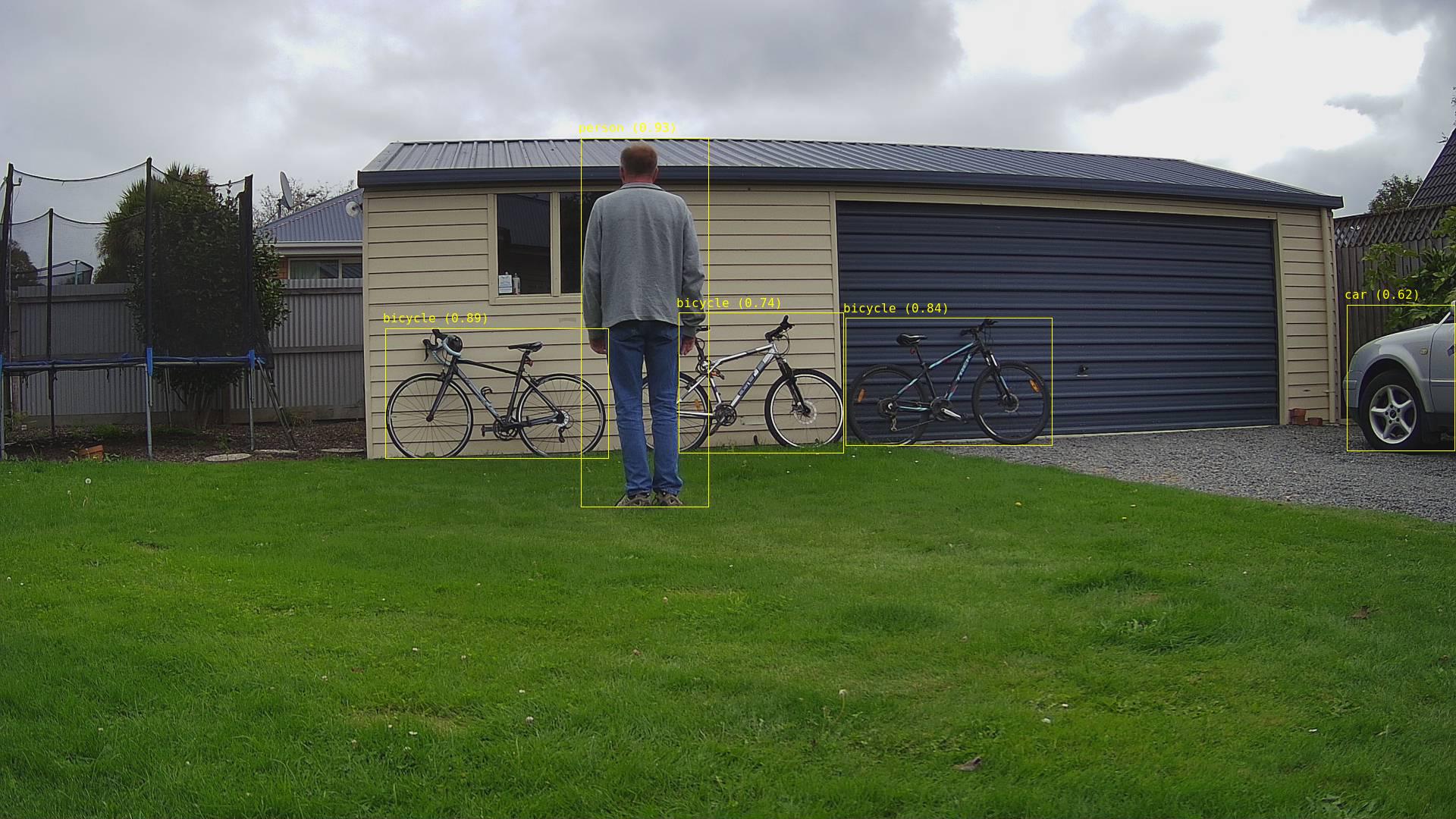
Three bicycles with person in the foreground
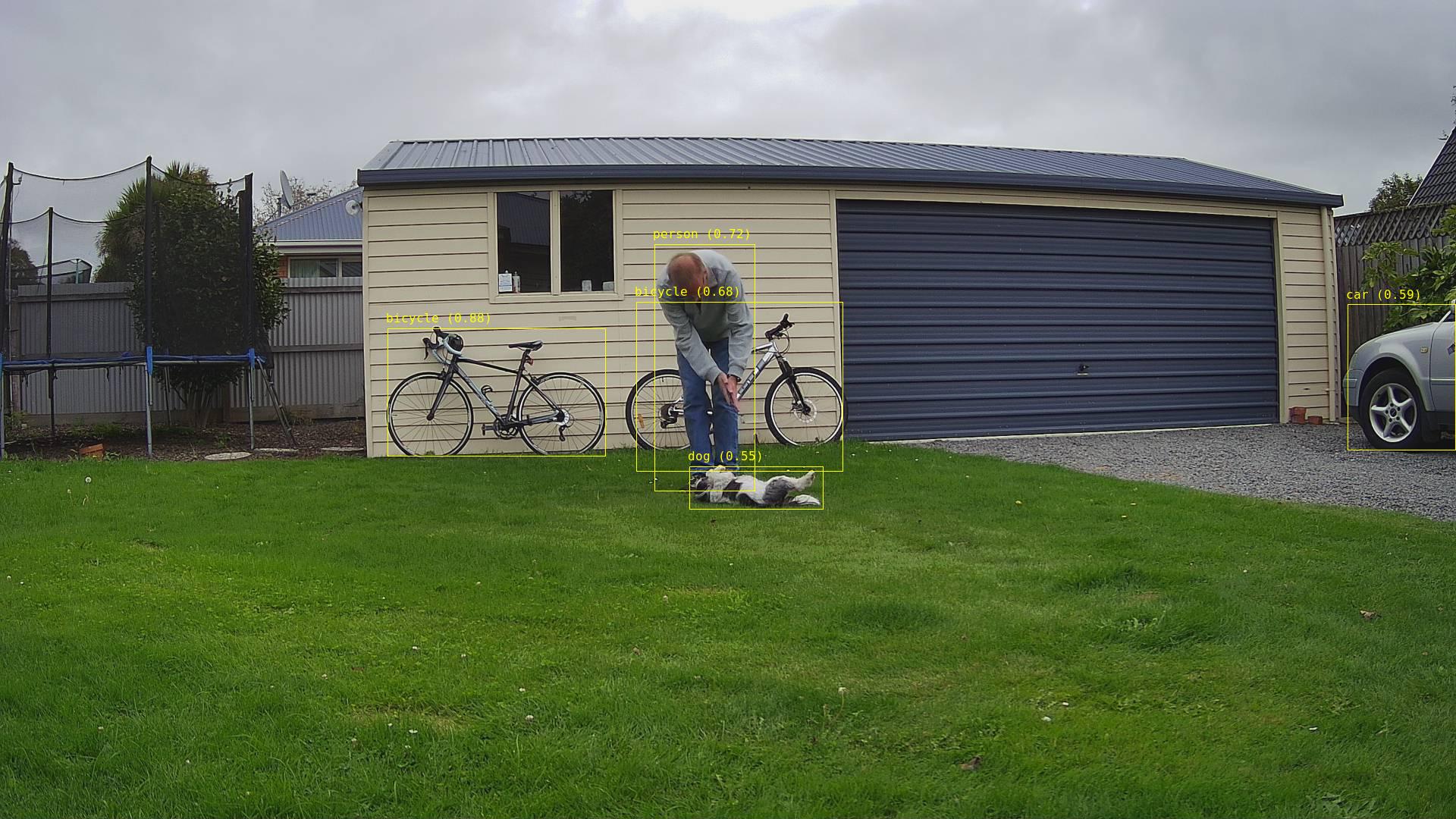
Two bicycles with a person and dog in the foreground

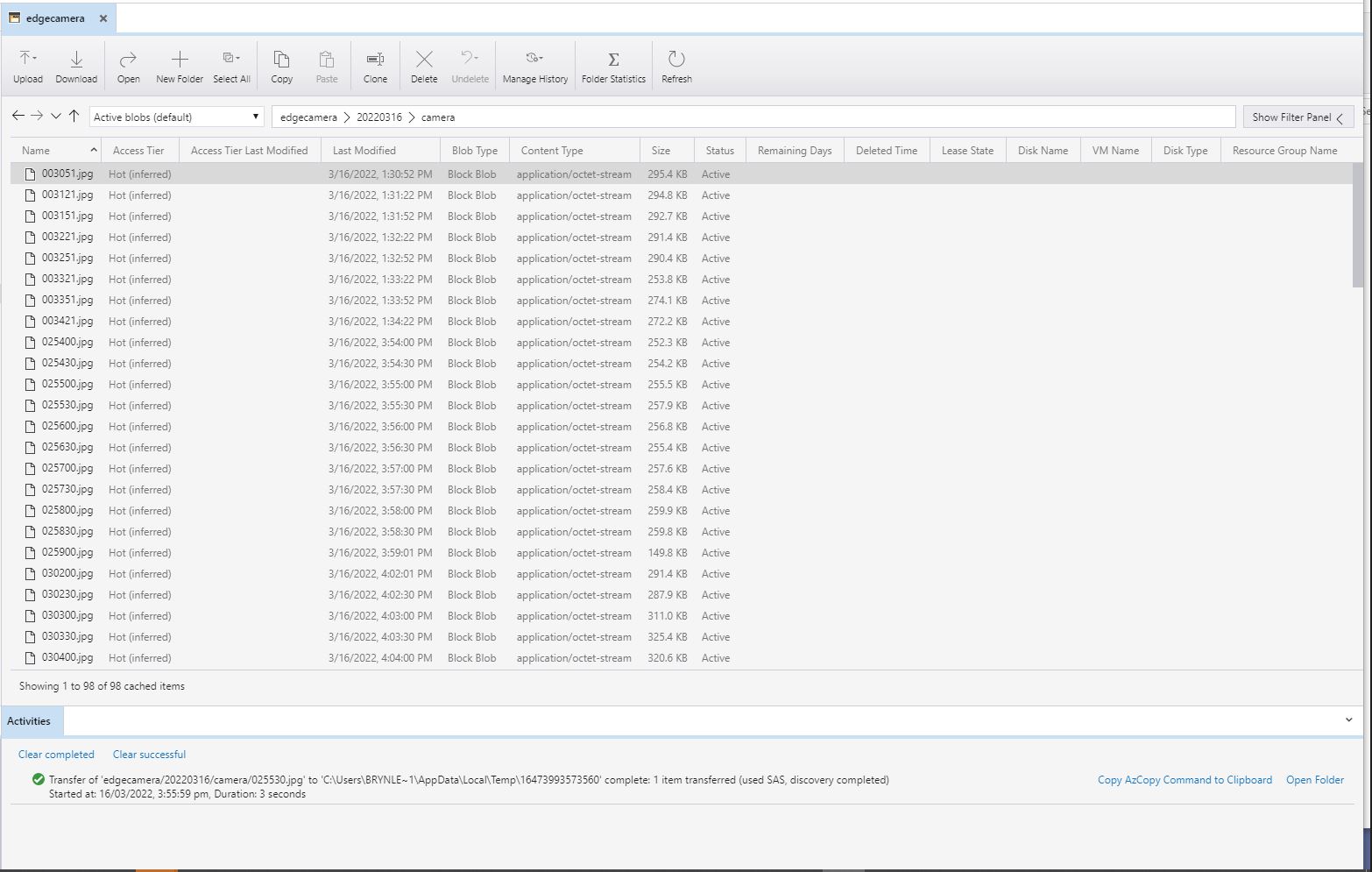
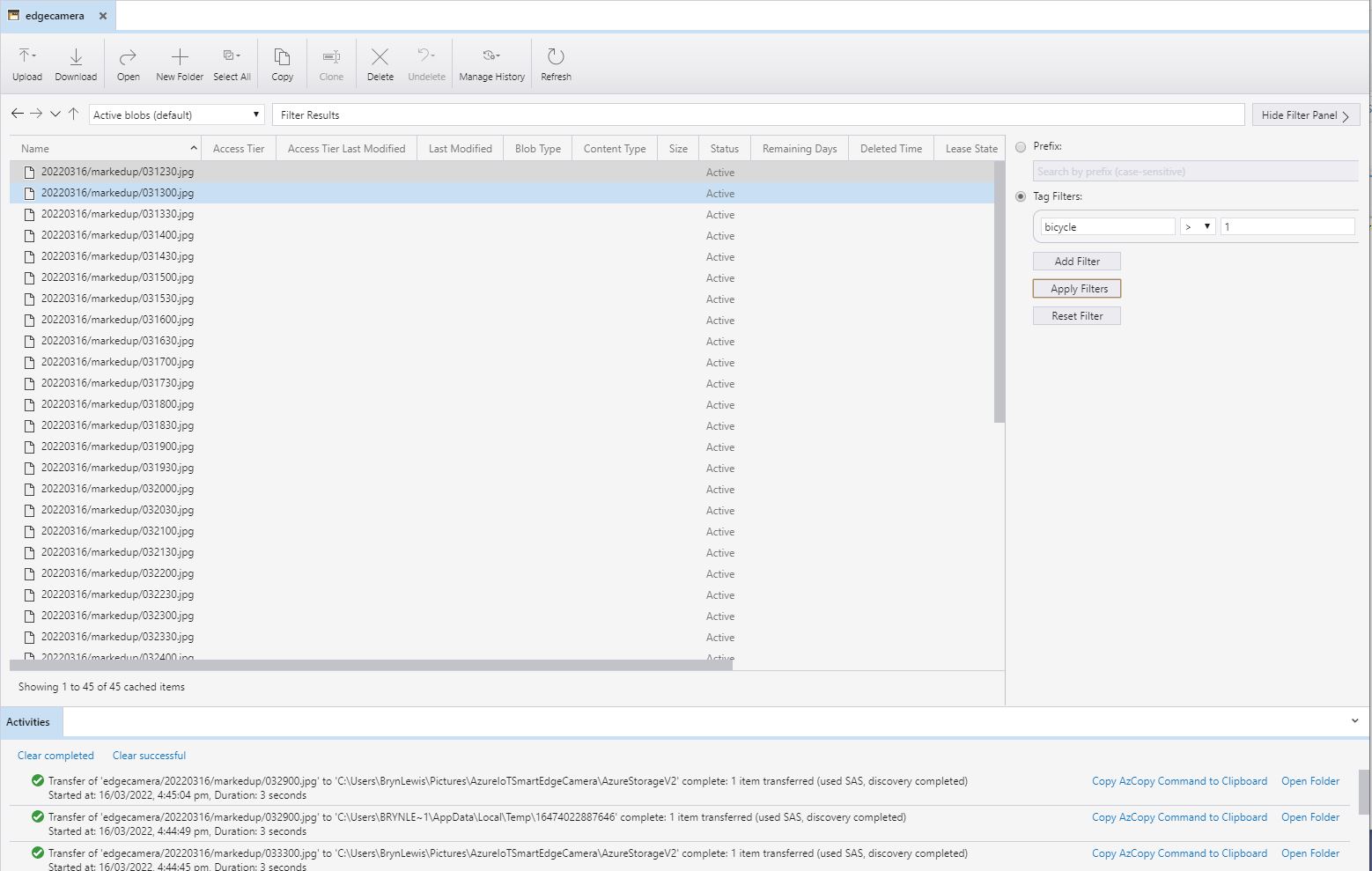
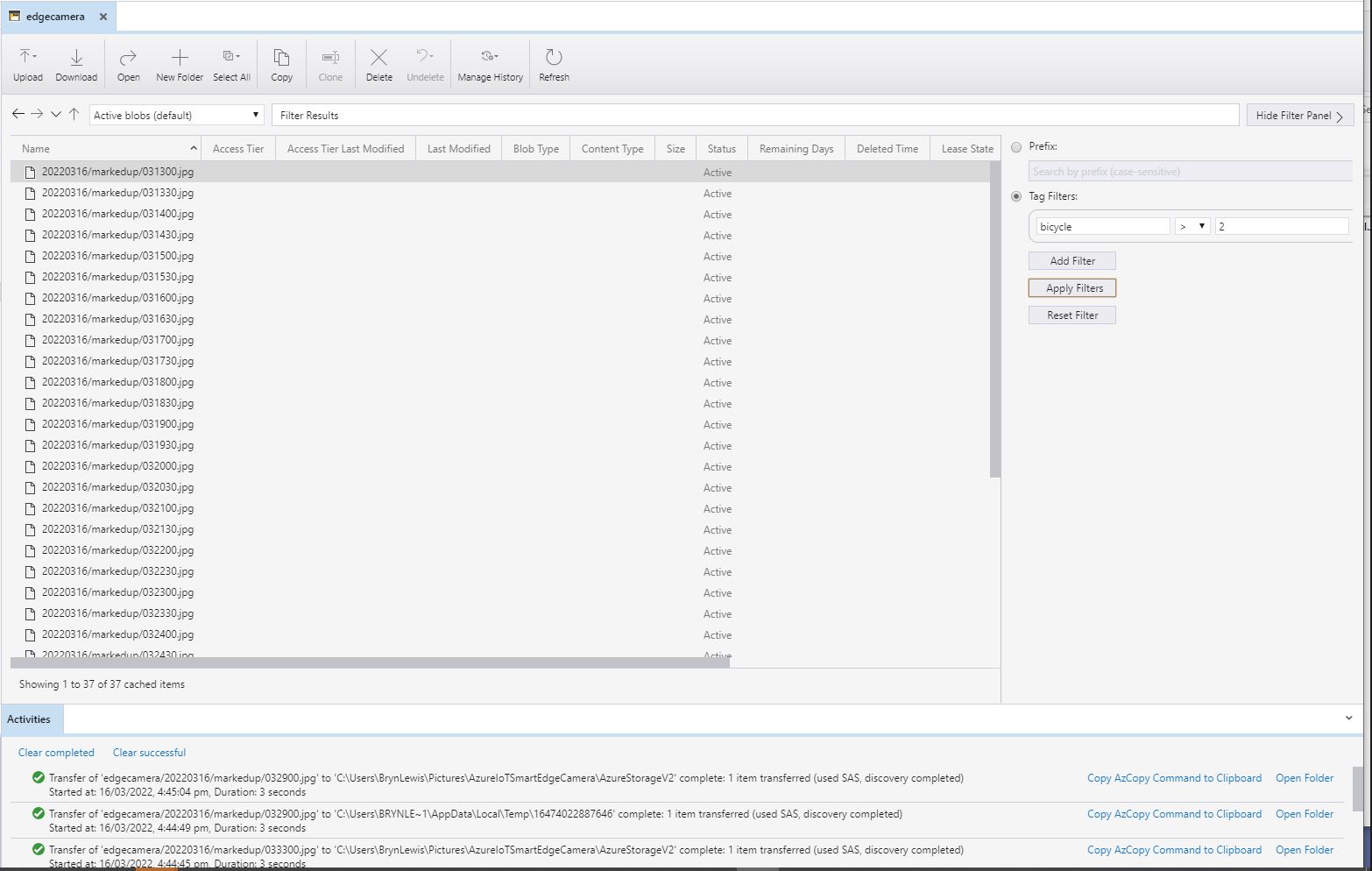
I have added Tags to the images so they can be filtered with tools like Azure Storage Explorer.

All the camera images
All the marked up images with more than one bicycle
All the marked up images with more than two bicycles
All the marked up images with people and bicycles

Smartish Edge Camera – Azure Storage basics

This project is another reworked version of on my ML.Net YoloV5 + Camera + GPIO on ARM64 Raspberry PI which supports only the uploading of camera and marked up images to Azure Storage.

My backyard test-rig consists of a Unv IPC675LFW Pan Tilt Zoom(PTZ) Security Camera, Power over Ethernet(PoE) module, and a Raspberry Pi 4B 8G.

Raspberry PI 4 B backyard test rig

The application can be compiled with Raspberry PI V2 Camera or Unv Security Camera (The security camera configuration may work for other cameras/vendors).

The appsetings.json file has configuration options for the Azure Storage Account, DeviceID (Used for the Azure Blob storage container name), the list of object classes of interest (based on the YoloV5 image classes) , and the image blob storage file names (used to “bucket” images).

{
  "Logging": {
    "LogLevel": {
      "Default": "Information",
      "Microsoft": "Warning",
      "Microsoft.Hosting.Lifetime": "Information"
    }
  },

  "Application": {
    "DeviceId": "edgecamera",

    "ImageTimerDue": "0.00:00:15",
    "ImageTimerPeriod": "0.00:00:30",

    "ImageCameraFilepath": "ImageCamera.jpg",
    "ImageMarkedUpFilepath": "ImageMarkedup.jpg",

    "ImageCameraUpload": true,
    "ImageMarkedupUpload": true,

    "YoloV5ModelPath": "YoloV5/yolov5s.onnx",

    "PredicitionScoreThreshold": 0.7,
    "PredictionLabelsOfInterest": [
      "bicycle",
      "person",
      "car"
    ],
    "OutputImageMarkup": true
  },

  "SecurityCamera": {
    "CameraUrl": "",
    "CameraUserName": "",
    "CameraUserPassword": ""
  },

  "RaspberryPICamera": {
    "ProcessWaitForExit": 1000,
    "Rotation": 180
  },

  "AzureStorage": {
    "ConnectionString": "FhisIsNotTheConnectionStringYouAreLookingFor",
    "ImageCameraFilenameFormat": "{0:yyyyMMdd}/camera/{0:HHmmss}.jpg",
    "ImageMarkedUpFilenameFormat": "{0:yyyyMMdd}/markedup/{0:HHmmss}.jpg"
  }
}

Part of this refactor was injecting(DI) the logging and configuration dependencies.

public class Program
{
	public static void Main(string[] args)
	{
		CreateHostBuilder(args).Build().Run();
	}

	public static IHostBuilder CreateHostBuilder(string[] args) =>
		 Host.CreateDefaultBuilder(args)
			.ConfigureServices((hostContext, services) =>
			{
				services.Configure<ApplicationSettings>(hostContext.Configuration.GetSection("Application"));
				services.Configure<SecurityCameraSettings>(hostContext.Configuration.GetSection("SecurityCamera"));
				services.Configure<RaspberryPICameraSettings>(hostContext.Configuration.GetSection("RaspberryPICamera"));
				services.Configure<AzureStorageSettings>(hostContext.Configuration.GetSection("AzureStorage"));
			})
			.ConfigureLogging(logging =>
			{
				logging.ClearProviders();
				logging.AddSimpleConsole(c => c.TimestampFormat = "[HH:mm:ss.ff]");
			})
			.UseSystemd()
			.ConfigureServices((hostContext, services) =>
			{
			  services.AddHostedService<Worker>();
			});
		}
	}
}

After the You Only Look Once(YOLOV5)+ML.Net+Open Neural Network Exchange(ONNX) plumbing has loaded a timer with a configurable due time and period is started.

private async void ImageUpdateTimerCallback(object state)
{
	DateTime requestAtUtc = DateTime.UtcNow;

	// Just incase - stop code being called while photo already in progress
	if (_cameraBusy)
	{
		return;
	}
	_cameraBusy = true;

	_logger.LogInformation("Image processing start");

	try
	{
#if CAMERA_RASPBERRY_PI
		RaspberryPIImageCapture();
#endif
#if CAMERA_SECURITY
		SecurityCameraImageCapture();
#endif
		if (_applicationSettings.ImageCameraUpload)
		{
					await AzureStorageImageUpload(requestAtUtc, _applicationSettings.ImageCameraFilepath, 
 azureStorageSettings.ImageCameraFilenameFormat);
		}

		List<YoloPrediction> predictions;

		using (Image image = Image.FromFile(_applicationSettings.ImageCameraFilepath))
		{
			_logger.LogTrace("Prediction start");
			predictions = _scorer.Predict(image);
			_logger.LogTrace("Prediction done");

			OutputImageMarkup(image, predictions, _applicationSettings.ImageMarkedUpFilepath);
		}

		if (_logger.IsEnabled(LogLevel.Trace))
		{
			_logger.LogTrace("Predictions {0}", predictions.Select(p => new { p.Label.Name, p.Score }));
		}

		var predictionsOfInterest = predictions.Where(p => p.Score > _applicationSettings.PredicitionScoreThreshold).Select(c => c.Label.Name).Intersect(_applicationSettings.PredictionLabelsOfInterest, StringComparer.OrdinalIgnoreCase);
		if (_logger.IsEnabled(LogLevel.Trace))
		{
			_logger.LogTrace("Predictions of interest {0}", predictionsOfInterest.ToList());
		}

		if (_applicationSettings.ImageMarkedupUpload && predictionsOfInterest.Any())
		{
			await AzureStorageImageUpload(requestAtUtc, _applicationSettings.ImageMarkedUpFilepath, _azureStorageSettings.ImageMarkedUpFilenameFormat);
		}

		var predictionsTally = predictions.Where(p => p.Score >= _applicationSettings.PredicitionScoreThreshold)
									.GroupBy(p => p.Label.Name)
									.Select(p => new
									{
										Label = p.Key,
										Count = p.Count()
									});

		if (_logger.IsEnabled(LogLevel.Information))
		{
			_logger.LogInformation("Predictions tally {0}", predictionsTally.ToList());
		}
	}
	catch (Exception ex)
	{
		_logger.LogError(ex, "Camera image download, post procesing, image upload, or telemetry failed");
	}
	finally
	{
		_cameraBusy = false;
	}

	TimeSpan duration = DateTime.UtcNow - requestAtUtc;

	_logger.LogInformation("Image processing done {0:f2} sec", duration.TotalSeconds);
}

In the ImageUpdateTimerCallback method a camera image is captured (by my Raspberry Pi Camera Module 2 or IPC675LFW Security Camera) and written to the local file system.

Raspberry PI4B console displaying image processing and uploading

The MentalStack YoloV5 model ML.Net support library processes the camera image on the local filesystem. The prediction output (can be inspected with Netron) is parsed generating list of objects that have been detected, their Minimum Bounding Rectangle(MBR) and class.

Image from security camera
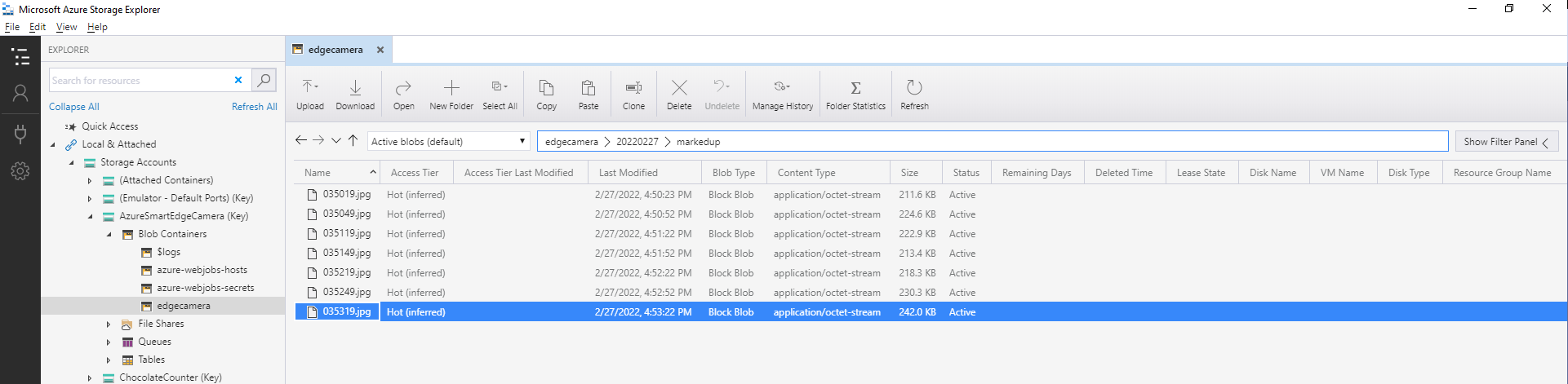
Azure IoT Storage Explorer displaying list of camera images

The list of predictions is post processed with a Language Integrated Query(LINQ) which filters out predictions with a score below a configurable threshold(PredicitionScoreThreshold) and returns a count of each class. If this list intersects with the configurable PredictionLabelsOfInterest a marked up image is uploaded to Azure Storage.

Image from security camera marked up with Minimum Bounding Boxes(MBRs)
Azure IoT Storage Explorer displaying list of marked up camera images

The current implementation is quite limited, the camera image upload, object detection and image upload if there are objects of interest is implemented in a single timer callback. I’m considering implementing two timers one for the uploading of camera images (time lapse camera) and the other for running the object detection process and uploading marked up images.

Marked up images are uploaded if any of the objects detected (with a score greater than PredicitionScoreThreshold) is in the PredictionLabelsOfInterest. I’m considering adding a PredicitionScoreThreshold and minimum count for individual prediction classes, and optionally marked up image upload only when the list of objects detected has changed.

Azure Smartish Edge Camera – Background Service

This is a “note to self” post about deploying a .NET Core Worker Service to a Raspberry PI 4B 8G running Raspberry PI OS (Bullseye). After reading many posts, then a lot of trial and error this approach appeared to work reliably for my system configuration.(Though YMMV with other distros etc.)

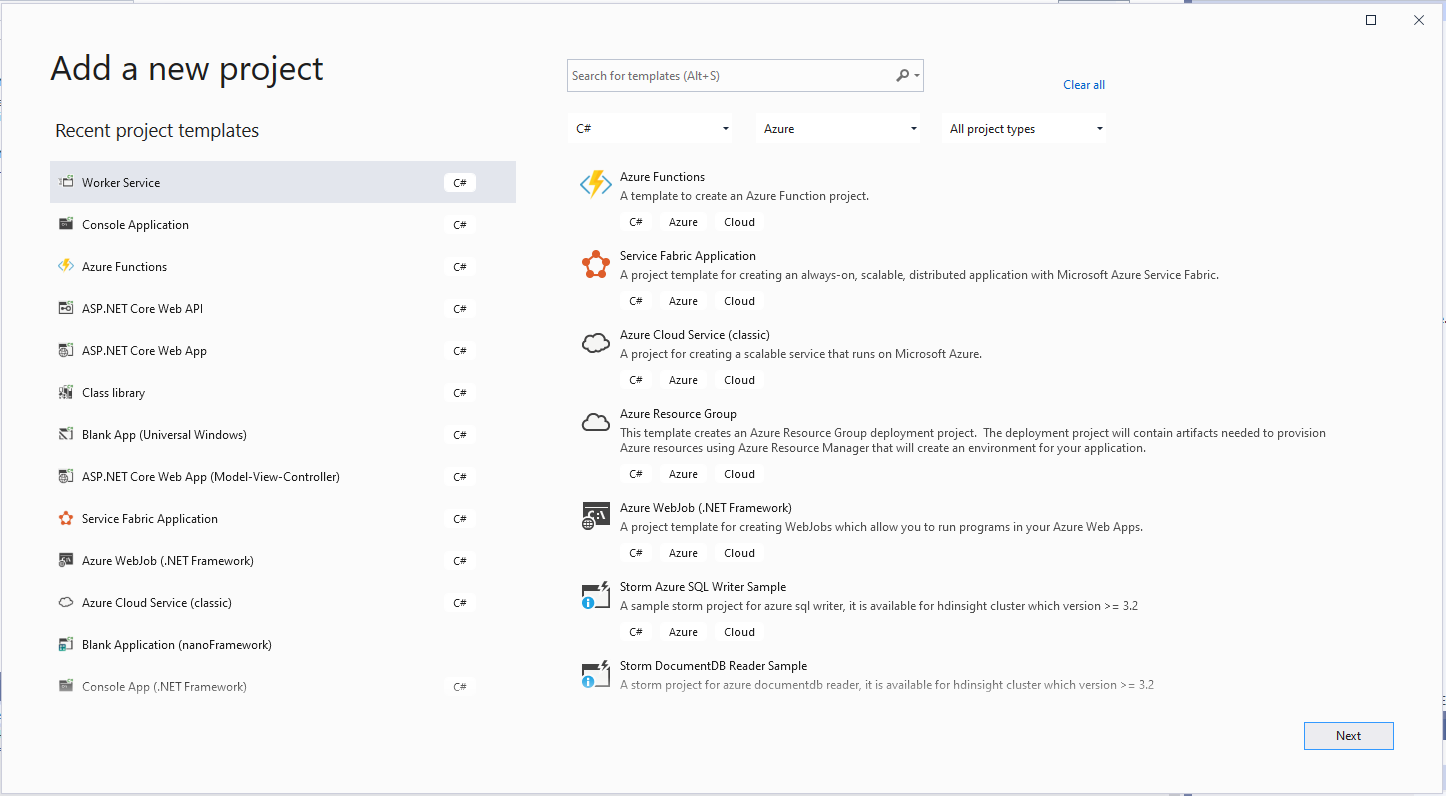
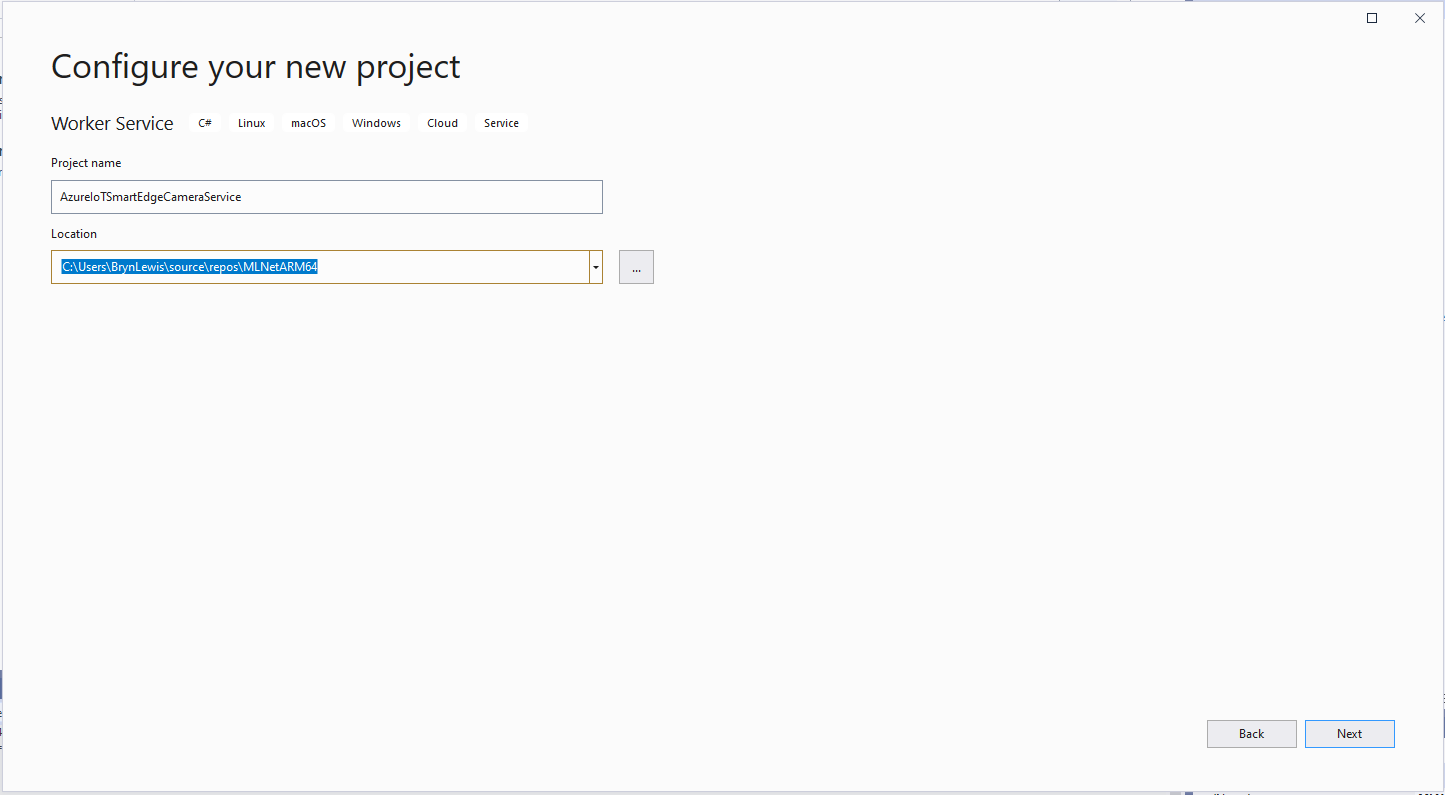
The first step was to create a new Worker Service project in Visual Studio 2019

VS 2019 Add new Worker Service project wizard
VS 2019 Add new Worker Service project name
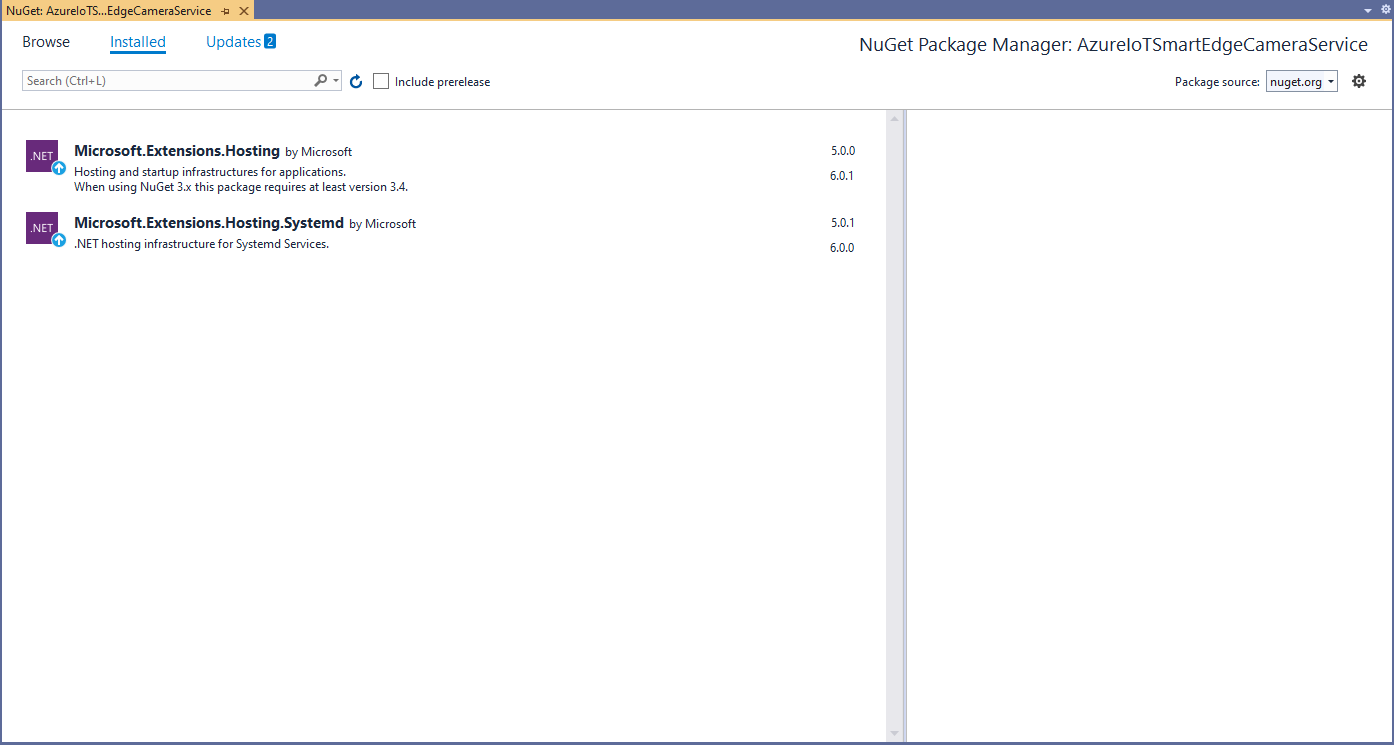
Visual Studio 2019 NuGet management

I intentionally did not update the Microsoft.Extensions.Hosting and Microsoft.Extensions.Hosting.Systemd (for UseSystemd) NuGet packages for my initial development.

using Microsoft.Extensions.DependencyInjection;
using Microsoft.Extensions.Hosting;

namespace devMobile.IoT.MachineLearning.AzureIoTSmartEdgeCameraService
{
	public class Program
	{
		public static void Main(string[] args)
		{
			CreateHostBuilder(args).Build().Run();
		}

		public static IHostBuilder CreateHostBuilder(string[] args) =>
			 Host.CreateDefaultBuilder(args)
					.UseSystemd()
				  .ConfigureServices((hostContext, services) =>
				  {
					  services.AddHostedService<Worker>();
				  });
	}
}

program.cs

using System;
using System.Threading;
using System.Threading.Tasks;

using Microsoft.Extensions.Hosting;
using Microsoft.Extensions.Logging;

namespace devMobile.IoT.MachineLearning.AzureIoTSmartEdgeCameraService
{
	public class Worker : BackgroundService
	{
		private readonly ILogger<Worker> _logger;

		public Worker(ILogger<Worker> logger)
		{
			_logger = logger;
		}

		protected override async Task ExecuteAsync(CancellationToken stoppingToken)
		{
			while (!stoppingToken.IsCancellationRequested)
			{
				_logger.LogInformation("Worker running at: {time}", DateTimeOffset.Now);

				await Task.Delay(1000, stoppingToken);
			}
		}
	}
}

Worker.cs

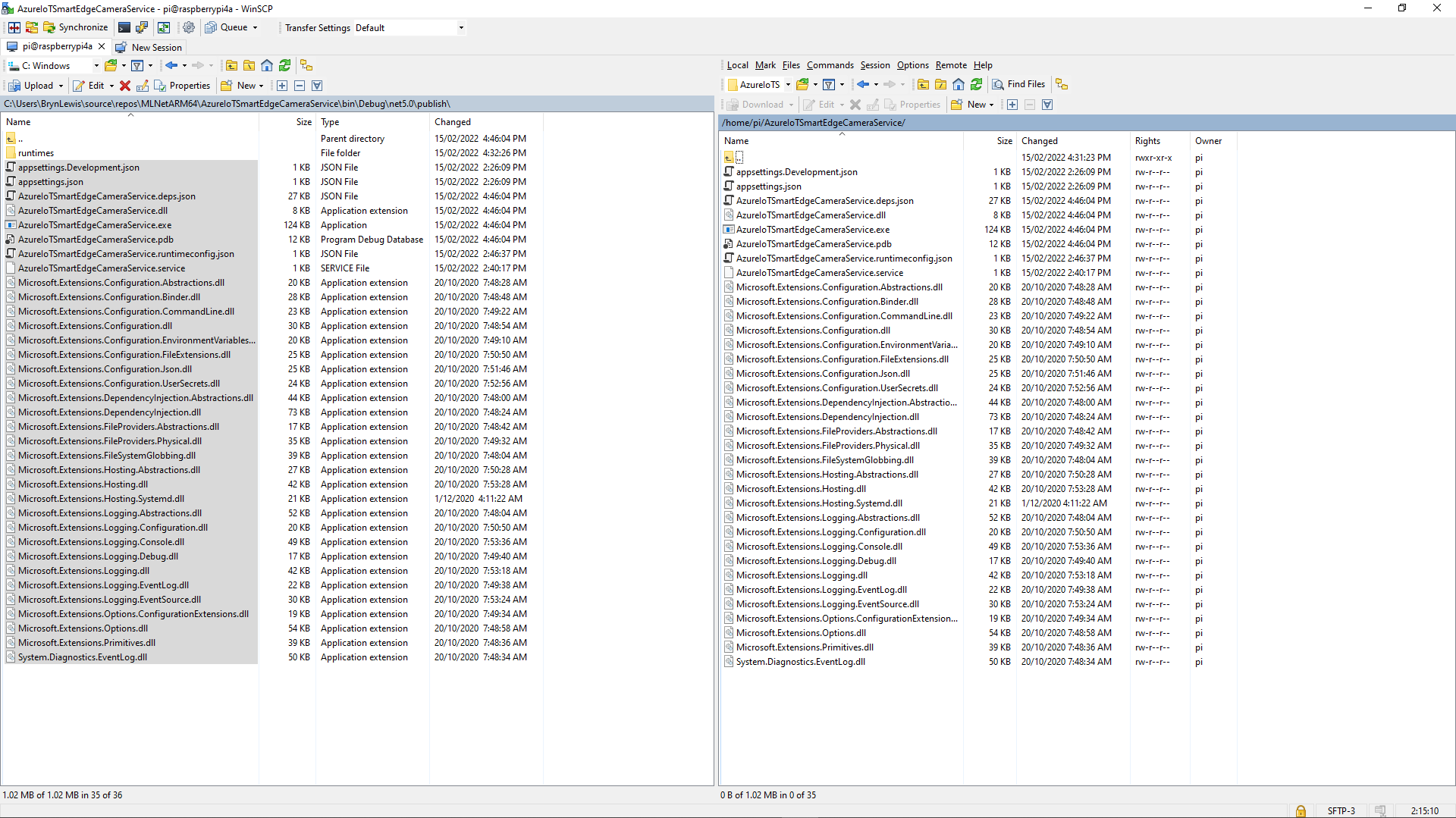
The first step was to create a new directory (AzureIoTSmartEdgeCameraService) on the device. In Visual Studio 2019 I “published” my application and copied the contents of the “publish” folder to the Raspberry PI with Winscp. (This intermediary folder was to avoid issues with the permissions of the /usr/sbin/ & etc/systemd/system folders)

Using Winscp to copy files to AzureIoTSmartEdgeCameraService folder on my device
Install service

Test in application directory
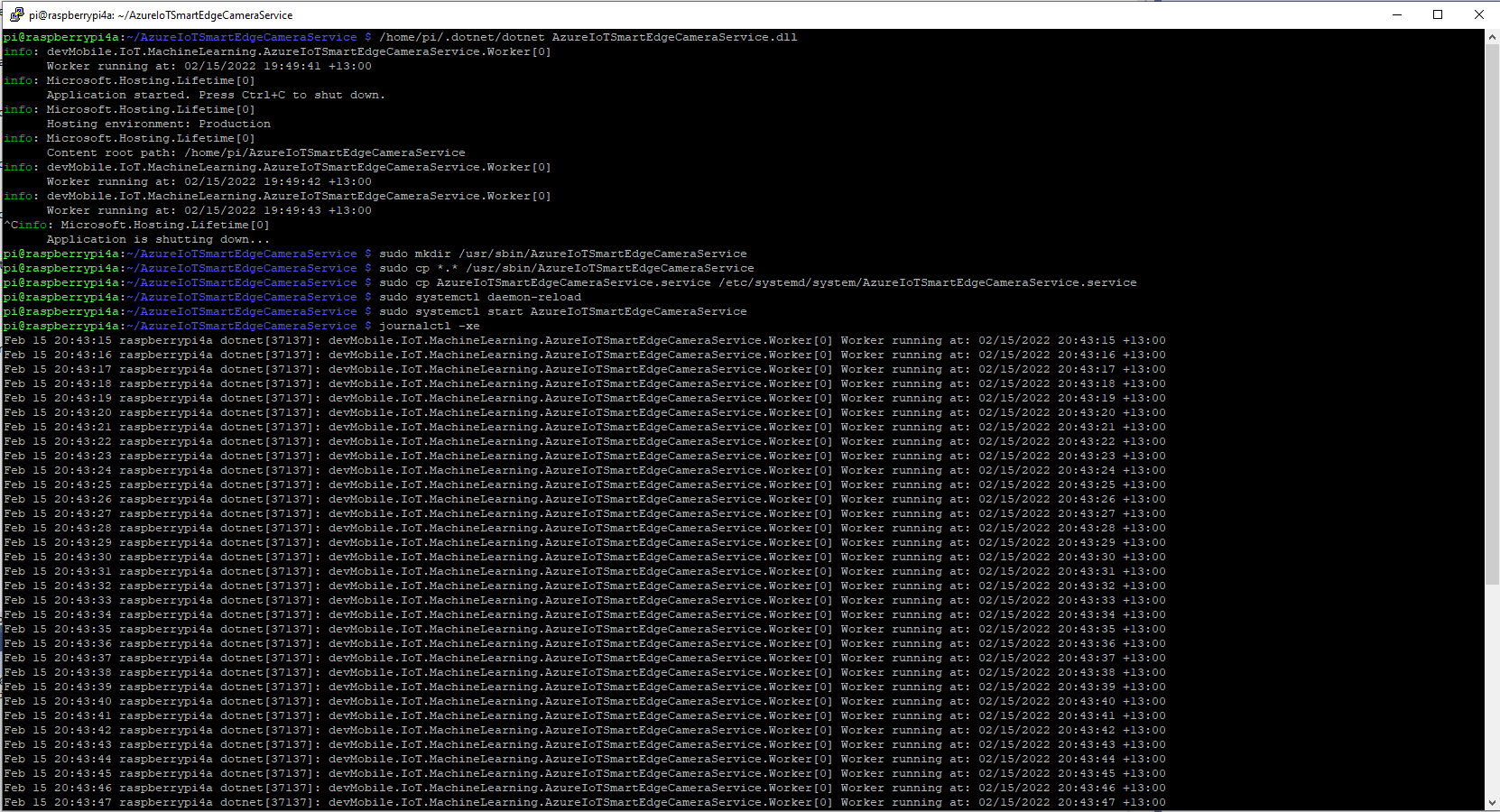
	/home/pi/.dotnet/dotnet AzureIoTSmartEdgeCameraService.dll

Make service directory
	sudo mkdir /usr/sbin/AzureIoTSmartEdgeCameraService

Copy files to service directory
	sudo cp *.* /usr/sbin/AzureIoTSmartEdgeCameraService

Copy .service file to systemd folderclear
	sudo cp AzureIoTSmartEdgeCameraService.service /etc/systemd/system/AzureIoTSmartEdgeCameraService.service
 
Force reload of systemd configuration
	sudo systemctl daemon-reload

Start the Azure IoT SmartEdge Camera service
	sudo systemctl start AzureIoTSmartEdgeCameraService
Installing and starting the AzureIoTSmartEdgeCameraService
Uninstall service
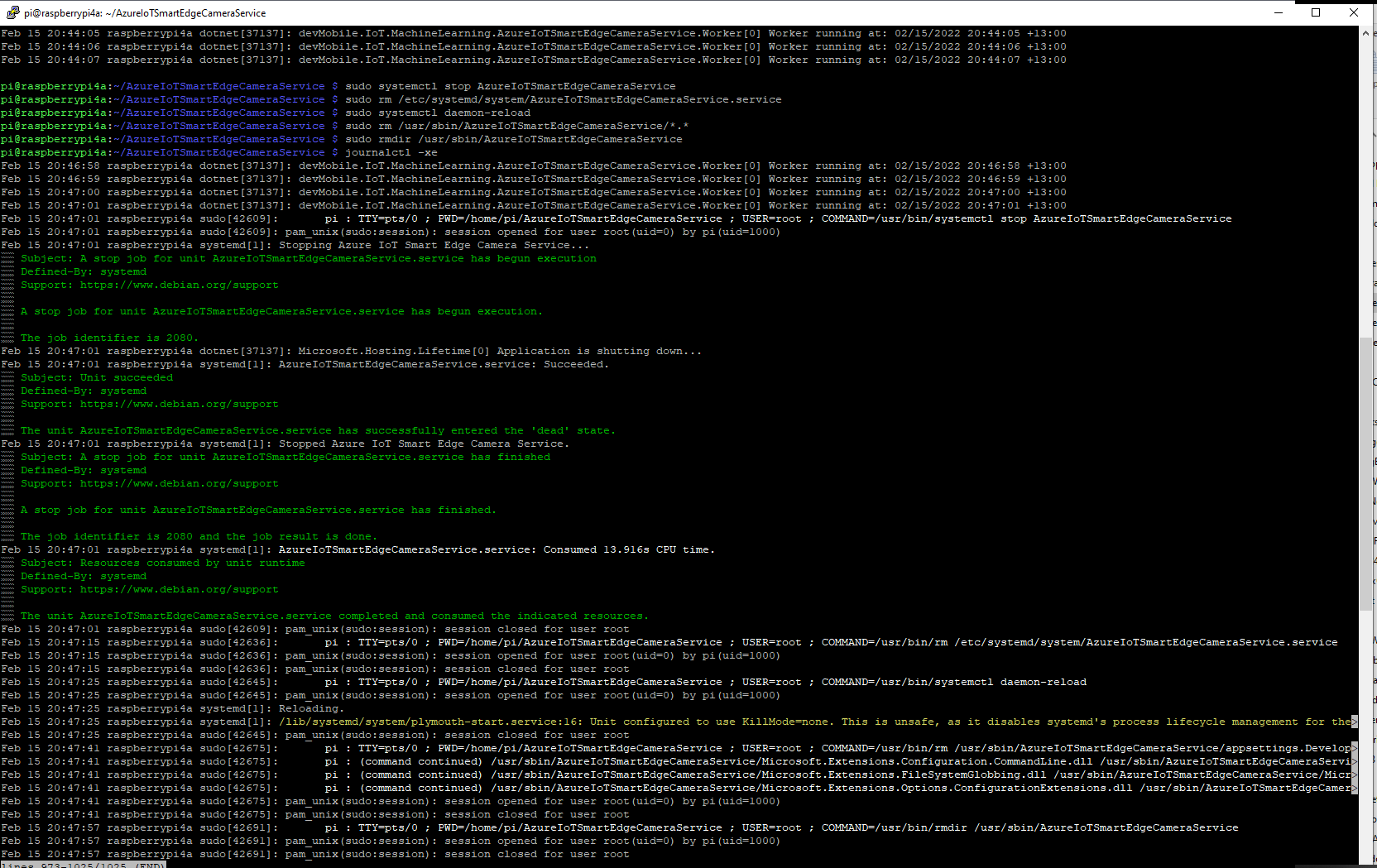
	sudo systemctl stop AzureIoTSmartEdgeCameraService

	sudo rm /etc/systemd/system/AzureIoTSmartEdgeCameraService.service

	sudo systemctl daemon-reload

	sudo rm /usr/sbin/AzureIoTSmartEdgeCameraService/*.*

	sudo rmdir /usr/sbin/AzureIoTSmartEdgeCameraService

	See what is happening
	journalctl -xe

Stopping and removing the AzureIoTSmartEdgeCameraService

It took a lot of attempts to get a clean install then uninstall for the screen captures.

ML.Net YoloV5 + Camera + GPIO on ARM64 Raspberry PI

This project builds on my ML.Net YoloV5 + Camera on ARM64 Raspberry PI post and adds support for turning a Light Emitting Diode(LED) on if the label of any object detected in an image is in the PredictionLabelsOfInterest list.

{
  "ApplicationSettings": {
    "ImageTimerDue": "0.00:00:15",
    "ImageTimerPeriod": "0.00:00:30",

    "CameraUrl": "...",
    "CameraUserName": "..",
    "CameraUserPassword": "...",

    "LedPinNumer": 5,

    "InputImageFilenameLocal": "InputLatest.jpg",
    "OutputImageFilenameLocal": "OutputLatest.jpg",

    "ProcessWaitForExit": 10000,

    "YoloV5ModelPath": "Assets/yolov5/yolov5s.onnx",

    "PredicitionScoreThreshold": 0.5,

    "PredictionLabelsOfInterest": [
      "bicycle",
      "person",
      "bench"
    ]
  }
}

The test-rig has consists of a Unv ADZK-10 Security Camera, Power over Ethernet(PoE) module, D-Link 8 port switch, Raspberry PI 8G 4b with a Seeedstudio Grove-Base Hat for Raspberry Pi, and Grove-Blue LED Button.

Test-rig configuration

class Program
{
	private static Model.ApplicationSettings _applicationSettings;
	private static bool _cameraBusy = false;
	private static YoloScorer<YoloCocoP5Model> _scorer = null;
#if GPIO_SUPPORT
	private static GpioController _gpiocontroller;
#endif

	static async Task Main(string[] args)
	{
		Console.WriteLine($"{DateTime.UtcNow:yy-MM-dd HH:mm:ss} YoloV5ObjectDetectionCamera starting");

		try
		{
			// load the app settings into configuration
			var configuration = new ConfigurationBuilder()
				 .AddJsonFile("appsettings.json", false, true)
				 .Build();

			_applicationSettings = configuration.GetSection("ApplicationSettings").Get<Model.ApplicationSettings>();

#if GPIO_SUPPORT
			Console.WriteLine($" {DateTime.UtcNow:yy-MM-dd HH:mm:ss:fff} GPIO setup start");

			_gpiocontroller = new GpioController(PinNumberingScheme.Logical);

			_gpiocontroller.OpenPin(_applicationSettings.ButtonPinNumer, PinMode.InputPullDown);

			_gpiocontroller.OpenPin(_applicationSettings.LedPinNumer, PinMode.Output);
			_gpiocontroller.Write(_applicationSettings.LedPinNumer, PinValue.Low);

			Console.WriteLine($" {DateTime.UtcNow:yy-MM-dd HH:mm:ss:fff} GPIO setup done");
#endif

			_scorer = new YoloScorer<YoloCocoP5Model>(_applicationSettings.YoloV5ModelPath);

			Timer imageUpdatetimer = new Timer(ImageUpdateTimerCallback, null, _applicationSettings.ImageImageTimerDue, _applicationSettings.ImageTimerPeriod);

			Console.WriteLine($"{DateTime.UtcNow:yy-MM-dd HH:mm:ss} press <ctrl^c> to exit");
			Console.WriteLine();

			try
			{
				await Task.Delay(Timeout.Infinite);
			}
			catch (TaskCanceledException)
			{
				Console.WriteLine($"{DateTime.UtcNow:yy-MM-dd HH:mm:ss} Application shutown requested");
			}
		}
		catch (Exception ex)
		{
				Console.WriteLine($"{DateTime.UtcNow:yy-MM-dd HH:mm:ss} Application shutown failure {ex.Message}", ex);
		}
	}

	private static void ImageUpdateTimerCallback(object state)
	{
		DateTime requestAtUtc = DateTime.UtcNow;

		// Just incase - stop code being called while photo already in progress
		if (_cameraBusy)
		{
			return;
		}
		_cameraBusy = true;

		Console.WriteLine($"{DateTime.UtcNow:yy-MM-dd HH:mm:ss} Image processing start");

		try
		{
#if SECURITY_CAMERA
			Console.WriteLine($" {DateTime.UtcNow:yy-MM-dd HH:mm:ss:fff} Security Camera Image download start");

			NetworkCredential networkCredential = new NetworkCredential()
			{
				UserName = _applicationSettings.CameraUserName,
				Password = _applicationSettings.CameraUserPassword,
			};

			using (WebClient client = new WebClient())
			{
				client.Credentials = networkCredential;

				client.DownloadFile(_applicationSettings.CameraUrl, _applicationSettings.InputImageFilenameLocal);
			}
			Console.WriteLine($" {DateTime.UtcNow:yy-MM-dd HH:mm:ss:fff} Security Camera Image download done");
#endif

#if RASPBERRY_PI_CAMERA
			Console.WriteLine($" {DateTime.UtcNow:yy-MM-dd HH:mm:ss:fff} Raspberry PI Image capture start");

			using (Process process = new Process())
			{
				process.StartInfo.FileName = @"libcamera-jpeg";
				process.StartInfo.Arguments = $"-o {_applicationSettings.InputImageFilenameLocal} --nopreview -t1 --rotation 180";
				process.StartInfo.RedirectStandardError = true;

				process.Start();

				if (!process.WaitForExit(_applicationSettings.ProcessWaitForExit) || (process.ExitCode != 0))
				{
					Console.WriteLine($"{DateTime.UtcNow:yy-MM-dd HH:mm:ss:fff} Image update failure {process.ExitCode}");
				}
			}

			Console.WriteLine($" {DateTime.UtcNow:yy-MM-dd HH:mm:ss:fff} Raspberry PI Image capture done");
#endif

			List<YoloPrediction> predictions;

			// Process the image on local file system
			using (Image image = Image.FromFile(_applicationSettings.InputImageFilenameLocal))
			{
				Console.WriteLine($" {DateTime.UtcNow:yy-MM-dd HH:mm:ss:fff} YoloV5 inferencing start");
				predictions = _scorer.Predict(image);
				Console.WriteLine($" {DateTime.UtcNow:yy-MM-dd HH:mm:ss:fff} YoloV5 inferencing done");

#if OUTPUT_IMAGE_MARKUP
				using (Graphics graphics = Graphics.FromImage(image))
				{
					Console.WriteLine($" {DateTime.UtcNow:yy-MM-dd HH:mm:ss:fff} Image markup start");

					foreach (var prediction in predictions) // iterate predictions to draw results
					{
						double score = Math.Round(prediction.Score, 2);

						graphics.DrawRectangles(new Pen(prediction.Label.Color, 1), new[] { prediction.Rectangle });

						var (x, y) = (prediction.Rectangle.X - 3, prediction.Rectangle.Y - 23);

						graphics.DrawString($"{prediction.Label.Name} ({score})", new Font("Consolas", 16, GraphicsUnit.Pixel), new SolidBrush(prediction.Label.Color), new PointF(x, y));
					}

					image.Save(_applicationSettings.OutputImageFilenameLocal);

					Console.WriteLine($" {DateTime.UtcNow:yy-MM-dd HH:mm:ss:fff} Image markup done");
				}
#endif
			}

#if PREDICTION_CLASSES
			Console.WriteLine($" {DateTime.UtcNow:yy-MM-dd HH:mm:ss:fff} Image classes start");
			foreach (var prediction in predictions)
			{
				Console.WriteLine($"  Name:{prediction.Label.Name} Score:{prediction.Score:f2} Valid:{prediction.Score > _applicationSettings.PredicitionScoreThreshold}");
			}
			Console.WriteLine($" {DateTime.UtcNow:yy-MM-dd HH:mm:ss:fff} Image classes done");
#endif

#if PREDICTION_CLASSES_OF_INTEREST
			IEnumerable<string> predictionsOfInterest= predictions.Where(p=>p.Score > _applicationSettings.PredicitionScoreThreshold).Select(c => c.Label.Name).Intersect(_applicationSettings.PredictionLabelsOfInterest, StringComparer.OrdinalIgnoreCase);

			if (predictionsOfInterest.Any())
			{
				Console.WriteLine($" {DateTime.UtcNow:yy-MM-dd HH:mm:ss} Camera image comtains {String.Join(",", predictionsOfInterest)}");
			}

   #if GPIO_SUPPORT
		   if (predictionsOfInterest.Any())
			{
				_gpiocontroller.Write(_applicationSettings.LedPinNumer, PinValue.High);
			}
			else
			{
				_gpiocontroller.Write(_applicationSettings.LedPinNumer, PinValue.Low);
			}
	#endif
#endif
		}
		catch (Exception ex)
		{
			Console.WriteLine($"{DateTime.UtcNow:yy-MM-dd HH:mm:ss} Camera image download, upload or post procesing failed {ex.Message}");
		}
		finally
		{
			_cameraBusy = false;
		}

		TimeSpan duration = DateTime.UtcNow - requestAtUtc;

		Console.WriteLine($"{DateTime.UtcNow:yy-MM-dd HH:mm:ss} Image processing done {duration.TotalSeconds:f2} sec");
		Console.WriteLine();
	}
}

The name of the digital output pin, input image, output image and yoloV5 model file names are configured in the appsettings.json file.

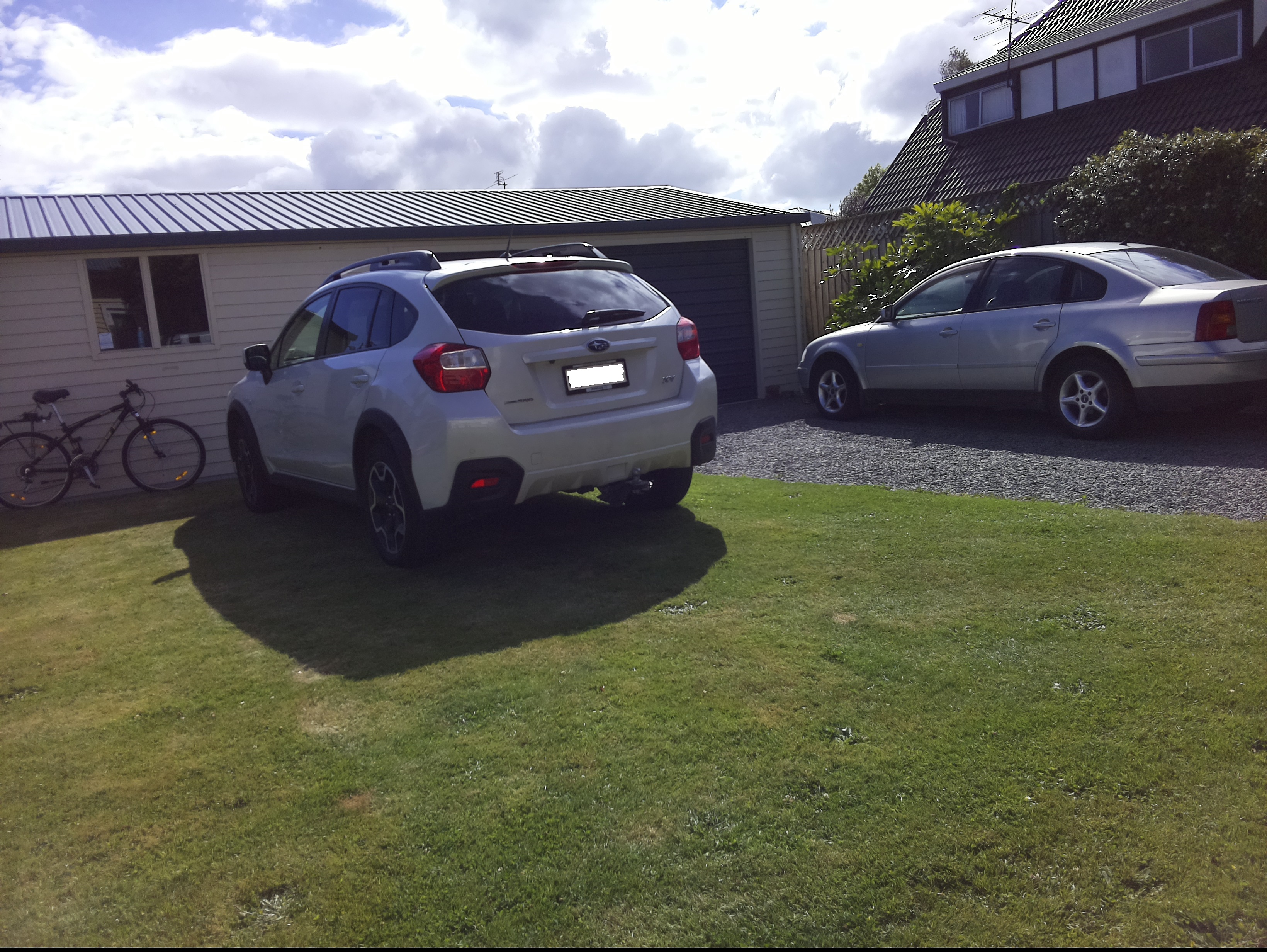
Mountain bike leaning against garage
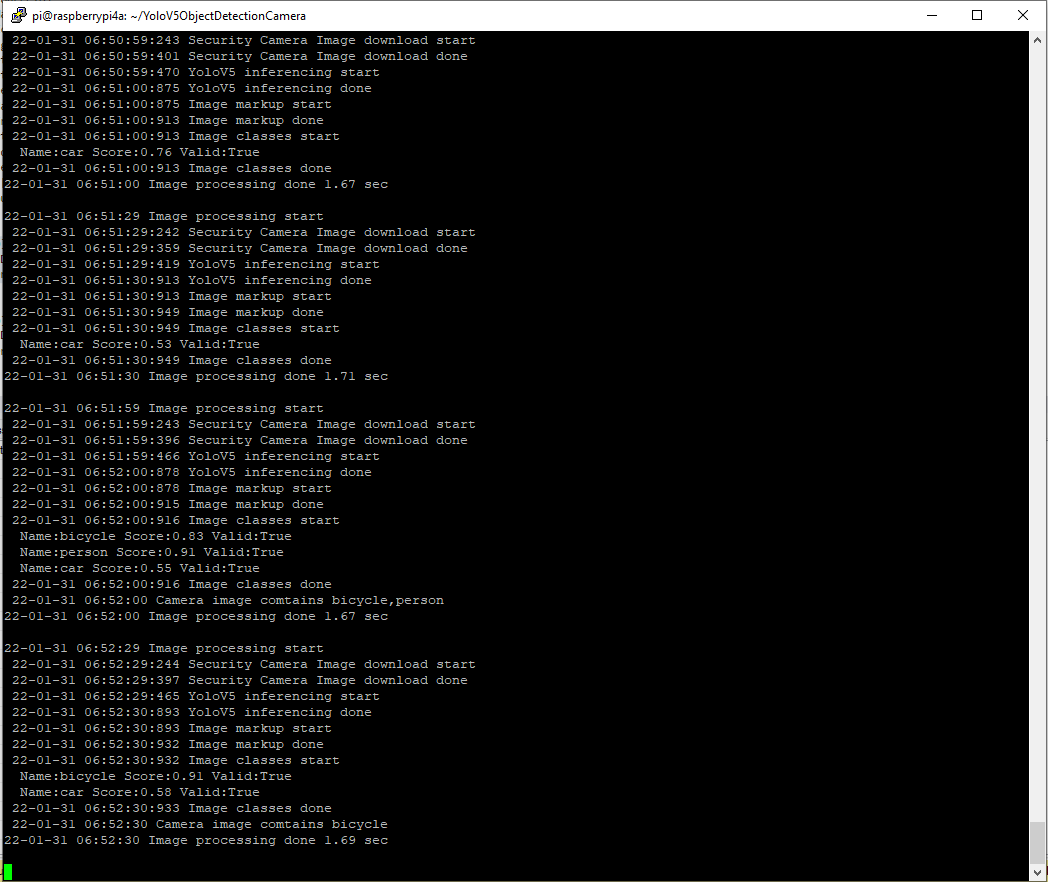
YoloV5 based application console

The 22-01-31 06:52 “person” detection is me moving the mountain bike into position.

Marked up image of my mountain bike leaning against the garage

Summary

Once the YoloV5s model was loaded, inferencing was taking roughly 1.45 seconds. The application is starting to get a bit “nasty” so for the next version I’ll need to do some refactoring.

ML.Net YoloV5 + Camera on ARM64 Raspberry PI

Building on my previous post I modified the code to support capturing images with a security camera(Unv ADZK-10) or a Raspberry PI Camera V2.

namespace devMobile.IoT.MachineLearning.ObjectDetectionCamera
{
	class Program
	{
		private static Model.ApplicationSettings _applicationSettings;
		private static YoloScorer<YoloCocoP5Model> _scorer = null;
		private static bool _cameraBusy = false;

		static async Task Main(string[] args)
		{
			Console.WriteLine($"{DateTime.UtcNow:yy-MM-dd HH:mm:ss} ObjectDetectionCamera starting");

			try
			{
				// load the app settings into configuration
				var configuration = new ConfigurationBuilder()
					 .AddJsonFile("appsettings.json", false, true)
					 .Build();

				_applicationSettings = configuration.GetSection("ApplicationSettings").Get<Model.ApplicationSettings>();

				_scorer = new YoloScorer<YoloCocoP5Model>(_applicationSettings.YoloV5ModelPath);

				Timer imageUpdatetimer = new Timer(ImageUpdateTimerCallback, null, _applicationSettings.ImageImageTimerDue, _applicationSettings.ImageTimerPeriod);

				Console.WriteLine($" {DateTime.UtcNow:yy-MM-dd HH:mm:ss} press <ctrl^c> to exit");

				try
				{
					await Task.Delay(Timeout.Infinite);
				}
				catch (TaskCanceledException)
				{
					Console.WriteLine($"{DateTime.UtcNow:yy-MM-dd HH:mm:ss} Application shutown requested");
				}
			}
			catch (Exception ex)
			{
				Console.WriteLine($"{DateTime.UtcNow:yy-MM-dd HH:mm:ss} Application shutown failure {ex.Message}", ex);
			}
		}

		private static async void ImageUpdateTimerCallback(object state)
		{
			DateTime requestAtUtc = DateTime.UtcNow;

			// Just incase - stop code being called while photo already in progress
			if (_cameraBusy)
			{
				return;
			}
			_cameraBusy = true;

			try
			{
#if SECURITY_CAMERA
				Console.WriteLine($" {DateTime.UtcNow:yy-MM-dd HH:mm:ss} Security Camera Image download start");

				NetworkCredential networkCredential = new NetworkCredential()
				{
					UserName = _applicationSettings.CameraUserName,
					Password = _applicationSettings.CameraUserPassword,
				};

				using (WebClient client = new WebClient())
				{
					client.Credentials = networkCredential;

					client.DownloadFile(_applicationSettings.CameraUrl, _applicationSettings.InputImageFilenameLocal);
				}
				Console.WriteLine($" {DateTime.UtcNow:yy-MM-dd HH:mm:ss} Security Camera Image download done");
#endif

#if RASPBERRY_PI_CAMERA
				Console.WriteLine($" {DateTime.UtcNow:yy-MM-dd HH:mm:ss} Raspberry PI Image capture start");

				using (Process process = new Process())
				{
					process.StartInfo.FileName = @"libcamera-jpeg";
					process.StartInfo.Arguments = $"-o {_applicationSettings.InputImageFilenameLocal} --nopreview -t1 --rotation 180";
					process.StartInfo.RedirectStandardError = true;

					process.Start();

					if (!process.WaitForExit(_applicationSettings.ProcessWaitForExit) || (process.ExitCode != 0))
					{
						Console.WriteLine($"{DateTime.UtcNow:yy-MM-dd HH:mm:ss} Image update failure {process.ExitCode}");
					}
				}

				Console.WriteLine($" {DateTime.UtcNow:yy-MM-dd HH:mm:ss} Raspberry PI Image capture done");
#endif

				// Process the image on local file system
				using (Image image = Image.FromFile(_applicationSettings.InputImageFilenameLocal))
				{
					Console.WriteLine($" {DateTime.UtcNow:yy-MM-dd HH:mm:ss} YoloV5 inferencing start");
					System.Collections.Generic.List<YoloPrediction> predictions = _scorer.Predict(image);
					Console.WriteLine($" {DateTime.UtcNow:yy-MM-dd HH:mm:ss} YoloV5 inferencing done");

					using (Graphics graphics = Graphics.FromImage(image))
					{
						foreach (var prediction in predictions) // iterate predictions to draw results
						{
							double score = Math.Round(prediction.Score, 2);

							graphics.DrawRectangles(new Pen(prediction.Label.Color, 1), new[] { prediction.Rectangle });

							var (x, y) = (prediction.Rectangle.X - 3, prediction.Rectangle.Y - 23);

							graphics.DrawString($"{prediction.Label.Name} ({score})", new Font("Consolas", 16, GraphicsUnit.Pixel), new SolidBrush(prediction.Label.Color), new PointF(x, y));

							Console.WriteLine($"  {prediction.Label.Name} {score:f1}");

						}

						image.Save(_applicationSettings.OutputImageFilenameLocal);
					}
				}
				Console.WriteLine($" {DateTime.UtcNow:yy-MM-dd HH:mm:ss} YoloV5 inferencing done");
			}
			catch (Exception ex)
			{
				Console.WriteLine($"{DateTime.UtcNow:yy-MM-dd HH:mm:ss} Camera image download, upload or post procesing failed {ex.Message}");
			}
			finally
			{
				_cameraBusy = false;
			}

			TimeSpan duration = DateTime.UtcNow - requestAtUtc;

			Console.WriteLine($"{DateTime.UtcNow:yy-MM-dd HH:mm:ss} Image Update done {duration.TotalSeconds:f1} sec");
		}
	}
}

The name of the input image, output image and yoloV5 model file names are configured in the appsettings.json file.

Raspberry PI Camera V2 Results

Raspberry PI Camera V2 source image
ObjectDectionCamera application running on my RaspberryPI4
Raspberry PI Camera V2 image with MBRs

Security camera Results

Security Camera source image
ObjectDetectionCamera application running on RaspberryPI 8G 4B
Security Camera image with MBRs

Summary

The RaspberryPI Camera V2 images were 3280×2464 2.04M and the security camera images were 1920 x1080 464K so there was a significant quality and size difference.

When I ran the YoloV5s model application on my development box (Intel(R) Core(TM) i7-8700T CPU @ 2.40GHz) a security camera image took less than a second to process.

ObjectDetectionCamera application running on my development box

On the RaspberryPI V4b 8G the Raspberry PI Camera V2 images took roughly 1.52 seconds and security camera images roughly 1.47 seconds.

I was “standing on the shoulders of giants” the Mentalstack code just worked. With a pretrained yoloV5 model, the ML.Net Open Neural Network Exchange(ONNX) plumbing I had a working solution in a couple of hours.