Myriota Connector – Azure IoT Hub Downlink Methods

The Azure IoT Hub Cloud to Device(C2D) messaging approach didn’t work at all well with the Myriota Application Programming Interface(API). A downlink message can take up to 24hrs to be delivered and the Myriota (API) doesn’t currently queue control messages. Also, the Myriota (API) control message send method responds with 400 Bad Request if there is already a message being sent to a device. Azure IoT Hubs also support Direct Methods which provide immediate confirmation of the result of a request.

The Method Callback Delegate has different parameters, so I had to update the downlink formatter interface and update all of the sample downlink payload formatters.

public interface IFormatterDownlink
{
   public byte[] Evaluate(string terminalId, string methodName, JObject? payloadJson, byte[] payloadBytes);
}

How direct methods will be processed is configured in the application settings. For each direct method name the downlink payload formatter to be invoked and an optional Javascript Object Notation(JSON) payload can be configured.

"IoTHub": {
   ...
   "Methods": {
      "LightsGoOn": {
         "Formatter": "LightsOffOn.cs",
         "Payload": "{\"Light\": true}"
      },
      "LightsGoOff": {
         "Formatter": "LightsOffOn.cs",
         "Payload": "{\"Light\": false}"
      },
      "FanSpeed": {
         "Formatter": "FanSpeed.cs",
         "Payload": ""
      },
...
}

If there is no configuration for the direct method name, the payload formatter specified in Myriota device “DownlinkDefault” Attribute is used, and if that is not configured the default formatter in the payloadFormatters section of the application settings is used.

namespace devMobile.IoT.MyriotaAzureIoTConnector.Connector
{
   internal class IoTHubDownlink(ILogger<IoTHubDownlink> _logger, IOptions<Models.AzureIoT> azureIoTSettings, IPayloadFormatterCache _payloadFormatterCache, IMyriotaModuleAPI _myriotaModuleAPI) : IIoTHubDownlink
   {
      private readonly Models.AzureIoT _azureIoTSettings = azureIoTSettings.Value;

      public async Task<MethodResponse> IotHubMethodHandler(MethodRequest methodRequest, object userContext)
      {
         // DIY request identifier so processing progress can be tracked in Application Insights
         string requestId = Guid.NewGuid().ToString();

         Models.DeviceConnectionContext context = (Models.DeviceConnectionContext)userContext;

         try
         {
            _logger.LogInformation("Downlink- TerminalId:{TerminalId} RequestId:{requestId} Name:{Name}", context.TerminalId, requestId, methodRequest.Name);

            // Lookup payload formatter name, none specified use context one which is from device attributes or the default in configuration
            string payloadFormatterName;
            if (_azureIoTSettings.IoTHub.Methods.TryGetValue(methodRequest.Name, out Models.AzureIoTHubMethod? method) && !string.IsNullOrEmpty(method.Formatter))
            {
               payloadFormatterName = method.Formatter;

               _logger.LogInformation("Downlink- IoT Hub TerminalID:{TermimalId} RequestID:{requestId} Method formatter:{payloadFormatterName} ", context.TerminalId, requestId, payloadFormatterName);
            }
            else
            {
               payloadFormatterName = context.PayloadFormatterDownlink;

               _logger.LogInformation("Downlink- IoT Hub TerminalID:{TermimalId} RequestID:{requestId} Context formatter:{payloadFormatterName} ", context.TerminalId, requestId, payloadFormatterName);
            }

            // Display methodRequest.Data as Hex
            if (methodRequest.Data is not null)
            {
               _logger.LogInformation("Downlink- IoT Hub TerminalID:{TerminalId} RequestID:{requestId} Data:{Data}", context.TerminalId, requestId, BitConverter.ToString(methodRequest.Data));
            }
            else
            {
               _logger.LogInformation("Downlink- IoT Hub TerminalID:{TerminalId} RequestID:{requestId} Data:null", context.TerminalId, requestId);
            }

            JObject? requestJson = null;

            if ((method is not null) && !string.IsNullOrWhiteSpace(method.Payload))
            {
               // There is a matching method with a possible JSON payload
               string payload = method.Payload.Trim();

               if ((payload.StartsWith('{') && payload.EndsWith('}')) || (payload.StartsWith('[') && payload.EndsWith(']')))
               {
                  // The payload is could be JSON
                  try
                  {
                     requestJson = JObject.Parse(payload);
                  }
                  catch (JsonReaderException jex)
                  {
                     _logger.LogWarning(jex, "Downlink- IoT Hub TerminalID:{TerminalId} RequestID:{requestId} Method Payload is not valid JSON", context.TerminalId, requestId);

                     return new MethodResponse(Encoding.ASCII.GetBytes($"{{\"message\":\"RequestID:{requestId} Method payload is not valid JSON.\"}}"), (int)HttpStatusCode.UnprocessableEntity);
                  }
               }
               else
               {
                  // The payload couldn't be JSON
                  _logger.LogWarning("Downlink- IoT Hub TerminalID:{TerminalId} RequestID:{requestId} Method Payload is definitely not valid JSON", context.TerminalId, requestId);

                  return new MethodResponse(Encoding.ASCII.GetBytes($"{{\"message\":\"RequestID:{requestId} Method payload is definitely not valid JSON.\"}}"), (int)HttpStatusCode.UnprocessableEntity);
               }

               _logger.LogInformation("Downlink- IoT Hub TerminalID:{TerminalId} RequestID:{requestId} Method Payload:{requestJson}", context.TerminalId, requestId, JsonConvert.SerializeObject(requestJson, Formatting.Indented));
            }
            else
            {
               // If there was not matching method or the payload was "empty" see if the method request payload is valid
               if (!string.IsNullOrWhiteSpace(methodRequest.DataAsJson))
               {
                  string payload = methodRequest.DataAsJson.Trim();

                  if ((payload.StartsWith('{') && payload.EndsWith('}')) || (payload.StartsWith('[') && payload.EndsWith(']')))
                  {
                     // The payload is could be JSON
                     try
                     {
                        requestJson = JObject.Parse(payload);

                        _logger.LogInformation("Downlink- IoT Hub TerminalID:{TerminalId} RequestID:{requestId} DataAsJson:{requestJson}", context.TerminalId, requestId, JsonConvert.SerializeObject(requestJson, Formatting.Indented));
                     }
                     catch (JsonReaderException jex)
                     {
                        _logger.LogInformation(jex, "Downlink- IoT Hub TerminalID:{TerminalId} RequestID:{requestId} DataAsJson is not valid JSON", context.TerminalId, requestId);
                     }
                  }
               }
            }

            // This "shouldn't" fail, but it could for invalid path to blob, timeout retrieving blob, payload formatter syntax error etc.
            IFormatterDownlink payloadFormatter = await _payloadFormatterCache.DownlinkGetAsync(payloadFormatterName);

            if ( requestJson is null ) 
            { 
               requestJson = new JObject();
            }

            // This also "shouldn't" fail, but the payload formatters can throw runtime exceptions like null reference, divide by zero, index out of range etc.
            byte[] payloadBytes = payloadFormatter.Evaluate(context.TerminalId, methodRequest.Name, requestJson, methodRequest.Data);

            // Validate payload before calling Myriota control message send API method
            if (payloadBytes is null)
            {
               _logger.LogWarning("Downlink- IoT Hub TerminalID:{TerminalId} Request:{requestId} Evaluate returned null", context.TerminalId, requestId);

               return new MethodResponse(Encoding.ASCII.GetBytes($"{{\"message\":\"RequestID:{requestId} payload evaluate returned null.\"}}"), (int)HttpStatusCode.UnprocessableEntity);
            }

            if ((payloadBytes.Length < Constants.DownlinkPayloadMinimumLength) || (payloadBytes.Length > Constants.DownlinkPayloadMaximumLength))
            {
               _logger.LogWarning("Downlink- IoT Hub TerminalID:{TerminalId} RequestID:{requestId} PayloadBytes:{payloadBytes} length:{Length} invalid, must be {DownlinkPayloadMinimumLength} to {DownlinkPayloadMaximumLength} bytes", context.TerminalId, requestId, BitConverter.ToString(payloadBytes), payloadBytes.Length, Constants.DownlinkPayloadMinimumLength, Constants.DownlinkPayloadMaximumLength); ;

               return new MethodResponse(Encoding.ASCII.GetBytes($"{{\"message\":\"RequestID:{requestId} payload evaluation length invalid.\"}}"), (int)HttpStatusCode.UnprocessableEntity);
            }

            // Finally send Control Message to device using the Myriota API
            _logger.LogInformation("Downlink- IoT Hub TerminalID:{TerminalId} RequestID:{requestID} PayloadBytes:{payloadBytes} Length:{Length} sending", context.TerminalId, requestId, BitConverter.ToString(payloadBytes), payloadBytes.Length);

            string messageId = await _myriotaModuleAPI.SendAsync(context.TerminalId, payloadBytes);

            _logger.LogInformation("Downlink- IoT Hub TerminalID:{TerminalId} RequestID:{requestId} Myriota MessageID:{messageId} sent", context.TerminalId, requestId, messageId);
         }
         catch (Exception ex)
         {
            _logger.LogError(ex, "Downlink- IoT Hub TerminalID:{TerminalId} RequestID:{requestId} IotHubMethodHandler processing failed", context.TerminalId, requestId);

            return new MethodResponse(Encoding.ASCII.GetBytes($"{{\"message\":\"TerminalID:{context.TerminalId} RequestID:{requestId} method handler failed.\"}}"), (int)HttpStatusCode.InternalServerError);
         }

         return new MethodResponse(Encoding.ASCII.GetBytes($"{{\"message\":\"TerminalID:{context.TerminalId} RequestID:{requestId} Message sent successfully.\"}}"), (int)HttpStatusCode.OK);
      }
   }
}

The validation of Direct Method MessageRequest DataAsJson and the method configuration payload is a three-step process, first any leading or trailing whitespace is removed, then the first and last characters are checked as a JSON payload has to enclosed in {}(an object) or [] (an array) characters, then finally JObject.Parse is used to populate a JObject.

If the method configuration payload is “broken” an HTTP 422 Unprocessable content is returned. If the MessageRequest DataAsJson is “broken” only the Direct Method MessageRequest Payload passed to the evaluator.

Azure IoT Explorer Invoking FanSpeed method with correct JSON payload

I used Azure IoT Explorer to invoke C2D methods with optional “hand-crafted” JavaScript Object Notation(JSON) payloads.

public class FormatterDownlink : PayloadFormatter.IFormatterDownlink
{
   public byte[] Evaluate(string terminalId, string methodName, JObject payloadJson, byte[] payloadBytes)
   {
      byte? status = payloadJson.GetValue("FanSpeed", StringComparison.OrdinalIgnoreCase)?.Value<byte>();

      if (!status.HasValue)
      {
         return new byte[] { };
      }

      return new byte[] { 1, status.Value };
   }
}

The FanSpeed.cs payload formatter extracts the FanSpeed value from the JSON payload and returns a two byte array containing the message type and speed of the fan.

Azure Function application displaying Diagnostic information for control message

Each logging message starts with the TerminalID (to simplify searching for all the direct methods invoked on a device) and the requestId a Globally Unique Identifier (GUID) to simplify searching for all the “steps” associated with sending a message) with the rest of the logging message containing “step” specific diagnostic information.
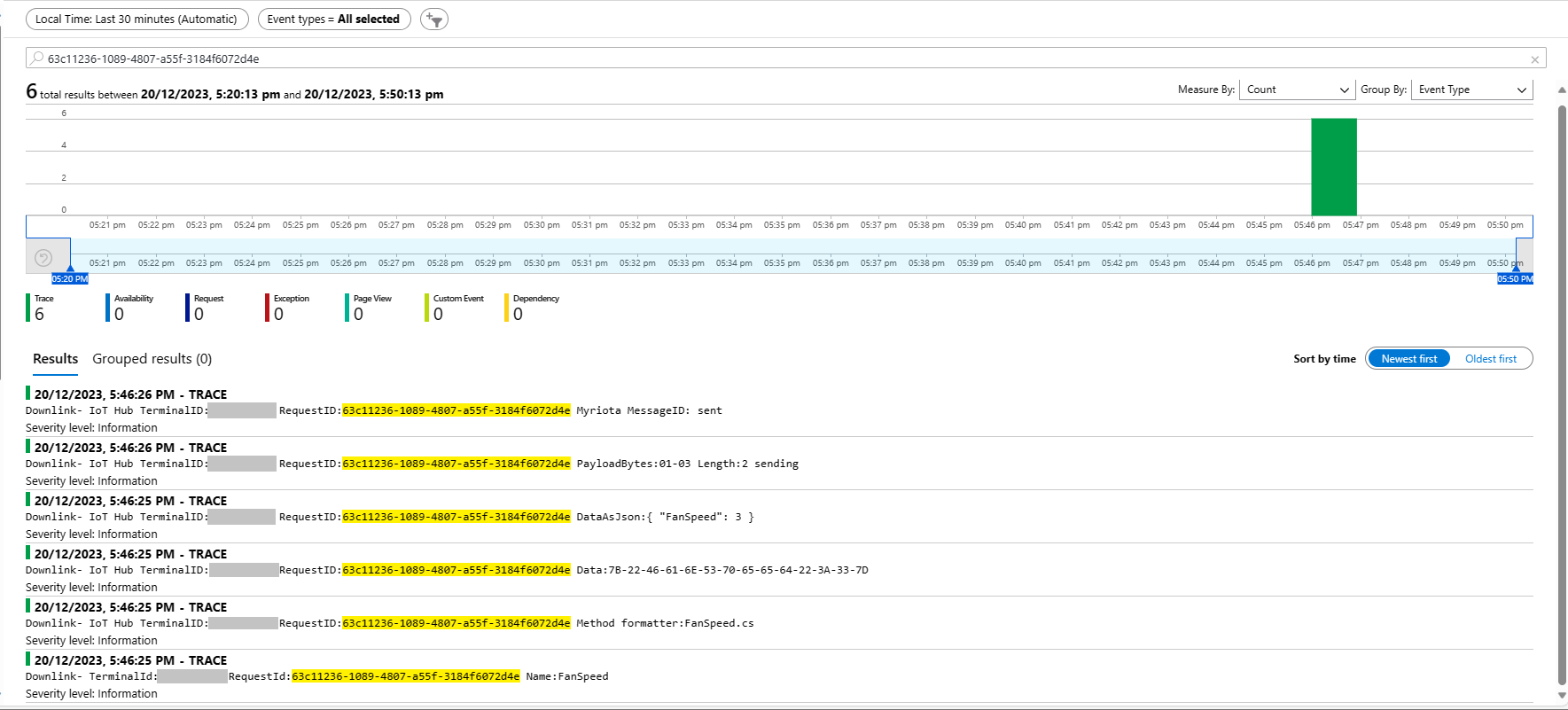
Azure Application Insights displaying information diagnostic information
Myriota Device manager control message history displaying pending control message

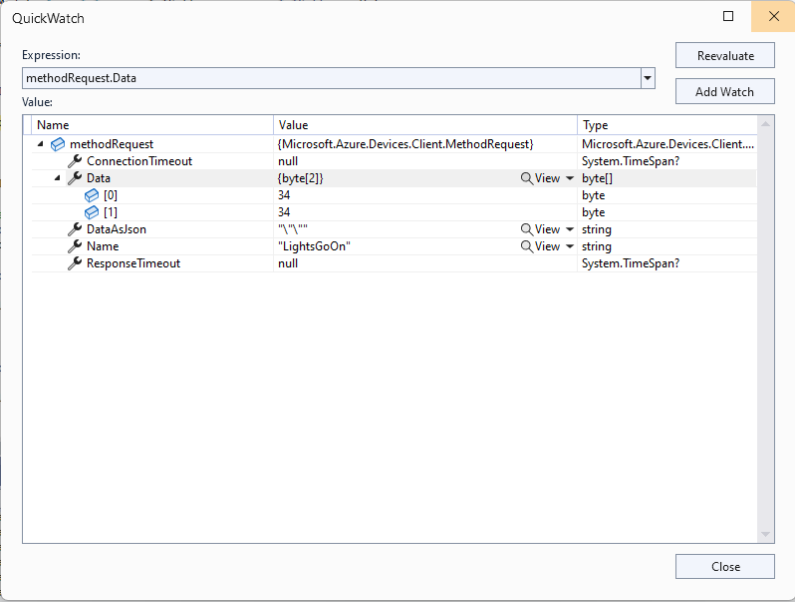
The Azure IoT Explorer payload for an empty message contained two ” characters which is a bit odd. I will have to build a test application which uses the Azure IoT Hub C2D direct method API to see if this is a “feature”.
Myriota Connector – Azure IoT Hub Downlink logging refactor

After several refactorings the code stabilised and the Azure IoT Hub downlink message handler (configured with SetMethodDefaultHandlerAsync ) was ready for testing. I used Azure IoT Explorer to send some “hand-crafted” JavaScript Object Notation(JSON) Cloud to Device(C2D) messages.

Each logging message starts with the TerminalID (to simplify searching for all the messages sent to a device) and the message LockToken (to simplify searching for all the “steps” associated with sending a message) with the rest of the logging message containing “step” specific diagnostic information.

Successful Azure IoT Explorer C2D JSON Message

If there is no PayloadFormatter attribute the default in the PayloadFormatters section of the function configuration is used.

using System;
using System.Collections.Generic;

using Newtonsoft.Json;
using Newtonsoft.Json.Linq;

public class FormatterDownlink : PayloadFormatter.IFormatterDownlink
{
   public byte[] Evaluate(IDictionary<string, string> properties, string terminalId, JObject payloadJson, byte[] payloadBytes)
   {
      byte? status = payloadJson.Value<byte?>("FanSpeed");

      if (!status.HasValue)
      {
         return new byte[] { };
      }

      return new byte[] { 1, status.Value };
   }
}

The FanSpeed.cs payload formatter extracts the FanSpeed value from the JSON payload and returns a two byte array containing the message type and speed of the fan.

Azure IoT Function running waiting for a C2D message

After re-reading the SetMethodHandlerAync documentation I refactored the code (back to the approach used a couple of branches ago) with the “using” wrapping the try/catch.

public async Task AzureIoTHubMessageHandler(Message message, object userContext)
{
   Models.DeviceConnectionContext context = (Models.DeviceConnectionContext)userContext;

   _logger.LogInformation("Downlink- IoT Hub TerminalId:{TermimalId} LockToken:{LockToken}", context.TerminalId, message.LockToken);

   using (message) // https://learn.microsoft.com/en-us/dotnet/api/microsoft.azure.devices.client.deviceclient.setreceivemessagehandlerasync?view=azure-dotnet
   {
      try
      {
         // Replace default formatter with message specific formatter if configured.
         if (!message.Properties.TryGetValue(Constants.IoTHubDownlinkPayloadFormatterProperty, out string? payloadFormatterName) || string.IsNullOrEmpty(payloadFormatterName))
         {
            _logger.LogInformation("Downlink- IoT Hub TerminalID:{TermimalId} LockToken:{LockToken} Context formatter:{payloadFormatterName} ", context.TerminalId, message.LockToken, payloadFormatterName);

            payloadFormatterName = context.PayloadFormatterDownlink;
         }
         else
         {
            _logger.LogInformation("Downlink- IoT Hub TerminalID:{TermimalId} LockToken:{LockToken} Property formatter:{payloadFormatterName} ", context.TerminalId, message.LockToken, payloadFormatterName);
         }


         // If GetBytes fails payload really badly broken
         byte[] messageBytes = message.GetBytes();

         _logger.LogInformation("Downlink- IoT Hub TerminalID:{TerminalId} LockToken:{LockToken} Message bytes:{messageBytes}", context.TerminalId, message.LockToken, BitConverter.ToString(messageBytes));


         // Try converting the bytes to text then to JSON
         JObject? messageJson = null;
         try
         {
            // These will fail for some messages, payload formatter gets bytes only
            string messageText = Encoding.UTF8.GetString(messageBytes);

            try
            {
               messageJson = JObject.Parse(messageText);

               _logger.LogInformation("Downlink- IoT Hub TerminalID:{TerminalId} LockToken:{LockToken} JSON:{messageJson}", context.TerminalId, message.LockToken, JsonConvert.SerializeObject(messageJson, Formatting.Indented));
            }
            catch (JsonReaderException jex)
            {
               _logger.LogInformation(jex, "Downlink- IoT Hub TerminalID:{TerminalId} LockToken:{LockToken} not valid JSON", context.TerminalId, message.LockToken);
            }
         }
         catch (ArgumentException aex)
         {
            _logger.LogInformation(aex, "Downlink- IoT Hub TerminalID:{TerminalId} LockToken:{LockToken} message bytes not valid text", context.TerminalId, message.LockToken);
         }


         // This shouldn't fail, but it could for invalid path to blob, timeout retrieving blob, payload formatter syntax error etc.
         IFormatterDownlink payloadFormatter = await _payloadFormatterCache.DownlinkGetAsync(payloadFormatterName);

         // This will fail if payload formatter throws runtime exceptions like null reference, divide by zero, index out of range etc.
         byte[] payloadBytes = payloadFormatter.Evaluate(message.Properties, context.TerminalId, messageJson, messageBytes);


         // Validate payload before calling Myriota control message send API method
         if (payloadBytes is null)
         {
            _logger.LogWarning("Downlink- IoT Hub TerminalID:{TerminalId} LockToken:{LockToken} payload formatter:{payloadFormatter} Evaluate returned null", context.TerminalId, message.LockToken, payloadFormatterName);

            await context.DeviceClient.RejectAsync(message);

            return;
         }

         if ((payloadBytes.Length < Constants.DownlinkPayloadMinimumLength) || (payloadBytes.Length > Constants.DownlinkPayloadMaximumLength))
         {
            _logger.LogWarning("Downlink- IoT Hub TerminalID:{TerminalId} LockToken:{LockToken} PayloadBytes:{payloadBytes} length:{Length} invalid must be {DownlinkPayloadMinimumLength} to {DownlinkPayloadMaximumLength} bytes", context.TerminalId, message.LockToken, Convert.ToHexString(payloadBytes), payloadBytes.Length, Constants.DownlinkPayloadMinimumLength, Constants.DownlinkPayloadMaximumLength);

            await context.DeviceClient.RejectAsync(message);

            return;
         }


         // Finally send Control Message to device using the Myriota API
         _logger.LogInformation("Downlink- IoT Hub TerminalID:{TerminalId} LockToken:{LockToken} PayloadBytes:{payloadBytes} Length:{Length} sending", context.TerminalId, message.LockToken, BitConverter.ToString(payloadBytes), payloadBytes.Length);

         string messageId = await _myriotaModuleAPI.SendAsync(context.TerminalId, payloadBytes);

         _logger.LogInformation("Downlink- IoT Hub TerminalID:{TerminalId} LockToken:{LockToken} MessageID:{messageId} sent", context.TerminalId, message.LockToken, messageId);

         await context.DeviceClient.CompleteAsync(message);
      }
      catch (Exception ex)
      {
         _logger.LogError(ex, "Downlink- IoT Hub TerminalID:{TerminalId} LockToken:{LockToken} MessageHandler processing failed", context.TerminalId, message.LockToken);

         await context.DeviceClient.RejectAsync(message);
      }
   }
}

The first time I ran the myriotaAzureIoTConnector Azure function in the Core Tools debugging environment there were no errors and the Microsoft.Azure.Devices.Client.DeviceClient connection cache loaded in the background.

Azure IoT Function failing with a SystemArgumentOutOfRangeException

The first time I sent a downlink message the handler failed spectacularly with a SystemArgumentOutOfRangeException

After adding some breakpoints, restarting the application, then single stepping through the code I found that I had accidentally used BitConverter.ToSingle(payloadBytes) instead of BitConverter.ToString(payloadBytes) to get the Hexadecimal representation of the payload bytes.

...
// Finally send Control Message to device using the Myriota API
_logger.LogInformation("Downlink- IoT Hub TerminalID:{TerminalId} LockToken:{LockToken} PayloadBytes:{payloadBytes} Length:{Length} sending", context.TerminalId, message.LockToken, BitConverter.ToString(payloadBytes), payloadBytes.Length);

string messageId = await _myriotaModuleAPI.SendAsync(context.TerminalId, payloadBytes);
...
Azure IoT Function successfully sending downlink message.

The Encoding.UTF8.GetString and JObject.Parse are processed in a single Try with a specialised catch for when the payload cannot be converted to text. If the payload cannot be converted to JSON only the payloadBytes parameter of payload formatter is populated.

Myriota Connector – Azure IoT Hub Downlink final refactoring

I often print code and review it away from a computer. I can’t be distracted by “tinkering” with the code and I find that drawing on it helps me visualise what is going on. The payload formatters are retrieved from Azure Storage blob which have a default retry policy, the Azure IoT Hub DeviceClient methods have a default retry policy, the Myriota Cloud API SendMessage has retries (Implemented with Polly) and if the CS-Script compilation fails there is nothing that can be done so the code could be simplified.

The Azure IoT Hub downlink message handler was a partial class and part of implementation of the IDeviceConnectionCache which was a hangover from one of the initial versions.

internal partial class DeviceConnectionCache : IDeviceConnectionCache
{
   public async Task AzureIoTHubMessageHandler(Message message, object userContext)
   {
      Models.DeviceConnectionContext context = (Models.DeviceConnectionContext)userContext;

      _logger.LogInformation("Downlink- IoT Hub TerminalId:{termimalId} LockToken:{LockToken}", context.TerminalId, message.LockToken);

I replaced the IDeviceConnectionCache interface with IIoTHubDownlink which was declare in a new file in the interfaces folder.

namespace devMobile.IoT.MyriotaAzureIoTConnector.Connector
{
   public interface IIoTHubDownlink
   {
      public Task AzureIoTHubMessageHandler(Message message, object userContext);
   }
}

Then had to inject all the required dependencies which had been implemented in one of the other partial class files.

internal class IoTHubDownlink : IIoTHubDownlink
{
   private readonly ILogger<IoTHubDownlink> _logger;
   private readonly IPayloadFormatterCache _payloadFormatterCache;
   private readonly IMyriotaModuleAPI _myriotaModuleAPI;

   public IoTHubDownlink(ILogger<IoTHubDownlink> logger, IPayloadFormatterCache payloadFormatterCache, IMyriotaModuleAPI myriotaModuleAPI)
   {
      _logger = logger;
      _payloadFormatterCache = payloadFormatterCache;
      _myriotaModuleAPI = myriotaModuleAPI;
   }
...
}

The implementation had been extracted to a separate class so it had to be constructed by the Dependency Injection plumbing.

...
services.AddSingleton<IPayloadFormatterCache, PayloadFormatterCache>();
services.AddSingleton<IIoTHubDownlink, IoTHubDownlink>();
services.AddSingleton<IIoTCentralDownlink, IoTCentralDownlink>();
services.AddOptions<Models.MyriotaSettings>().Configure<IConfiguration>((settings, configuration) =>
{
    configuration.GetSection("Myriota").Bind(settings);
 });
 services.AddSingleton<IMyriotaModuleAPI, MyriotaModuleAPI>();
...

The lifetime of the Microsoft.Azure.Devices.Client.Message was being managed manually which seemed a bit odd.

public async Task AzureIoTHubMessageHandler(Message message, object userContext)
{
   Models.DeviceConnectionContext context = (Models.DeviceConnectionContext)userContext;

   _logger.LogInformation("Downlink- IoT Hub TerminalId:{termimalId} LockToken:{LockToken}", context.TerminalId, message.LockToken);

   // Use default formatter and replace with message specific formatter if configured.
   string payloadFormatter;
   if (!message.Properties.TryGetValue(Constants.IoTHubDownlinkPayloadFormatterProperty, out payloadFormatter) || string.IsNullOrEmpty(payloadFormatter))
   {
      payloadFormatter = context.PayloadFormatterDownlink;
   }

   _logger.LogInformation("Downlink- IoT Hub TerminalID:{termimalId} LockToken:{LockToken} Payload formatter:{payloadFormatter} ", context.TerminalId, message.LockToken, payloadFormatter);

   try
   {
   ...
   }
   finally
   {
      // Mop up the non managed resources of message
      message.Dispose();
   }
}

I replaced this with a with a “using” which “automagically” manages the lifetime of any non-managed resources. I also added string Locktoken variable for DeviceClient.RejectAsync and DeviceClient.CompletedAsync so that the “using” could be inside the try/catch (there is scope to reduce the amount of code in the “using”)

public async Task AzureIoTHubMessageHandler(Message message, object userContext)
{
   Models.DeviceConnectionContext context = (Models.DeviceConnectionContext)userContext;

   _logger.LogInformation("Downlink- IoT Hub TerminalId:{TermimalId} LockToken:{lockToken}", context.TerminalId, message.LockToken);

   // broken out so using for message only has to be inside try
   string lockToken = message.LockToken; 

   try
   {
      using (message)
      {
...
      }
      catch (Exception ex)
      {
         _logger.LogError(ex, "Downlink- IoT Hub TerminalID:{TerminalId} LockToken:{lockToken} MessageHandler processing failed", context.TerminalId, lockToken);

         await context.DeviceClient.RejectAsync(lockToken);
      }
   }
}

The handling of the Encoding.UTF8.GetString and JObject.Parse payload was broken. If the Encoding.UTF8.GetString threw an exception there was no point in calling the JObject.Parse

// If this fails payload broken
byte[] messageBytes = message.GetBytes();

// This will fail for some messages, payload formatter gets bytes only
string messageText = string.Empty;
try
{
   messageText = Encoding.UTF8.GetString(messageBytes);
}
catch (ArgumentException aex)
{
   _logger.LogInformation("Downlink- IoT Hub TerminalID:{TerminalId} LockToken:{LockToken} messageBytes:{2} not valid Text", context.TerminalId, message.LockToken, BitConverter.ToString(messageBytes));
}

// This will fail for some messages, payload formatter gets bytes only
JObject? messageJson = null;
try
{
   messageJson = JObject.Parse(messageText);
}
catch ( JsonReaderException jex)
{
   _logger.LogInformation("Downlink- IoT Hub TerminalID:{TerminalId} LockToken:{LockToken} messageText:{2} not valid json", context.TerminalId, message.LockToken, BitConverter.ToString(messageBytes));
}

The Encoding.UTF8.GetString and JObject.Parse are now processed in a single Try with a specialised catch handling.

// These will fail for some messages, then payload formatter gets bytes only
string messageText = string.Empty;
JObject? messageJson = null;
try
{
   messageText = Encoding.UTF8.GetString(messageBytes);

   messageJson = JObject.Parse(messageText);
 }
catch (ArgumentException aex)
{
   _logger.LogInformation("Downlink- IoT Hub TerminalID:{TerminalId} LockToken:{lockToken} messageBytes:{messageBytes} not valid text exception:{Message}", context.TerminalId, lockToken, BitConverter.ToString(messageBytes), aex.Message);
}
catch (JsonReaderException jex)
{
   _logger.LogInformation("Downlink- IoT Hub TerminalID:{TerminalId} LockToken:{lockToken} messageText:{messageText} not valid json exception:{Message}", context.TerminalId, lockToken, messageText, jex.Message);
}

// This shouldn't fail, but it could for lots of different reasons, invalid path to blob, syntax error, interface broken etc.
IFormatterDownlink payloadFormatter = await _payloadFormatterCache.DownlinkGetAsync(payloadFormatterName);

This refactored code now looks an awful lot like the “sunny days” code checked in on the 3rd of November.

Myriota Connector – UplinkMessageProcessor Queue Output Binding

The myriota Azure IoT Hub Cloud Identity Translation Gateway uplink message handler Azure Storage Queue Trigger Function wasn’t processing “transient” vs. “permanent” failures well. Sometimes a “permanent” failure message would be retried multiple times by the function runtime before getting moved to the poison queue.

After some experimentation using an Azure Storage Queue Function Output binding to move messages to the poison queue looked like a reasonable approach. (Though, returning null to indicate the message should be removed from the queue was not obvious from the documentation)

[Function("UplinkMessageProcessor")]
[QueueOutput(queueName: "uplink-poison", Connection = "UplinkQueueStorage")]
public async Task<Models.UplinkPayloadQueueDto> UplinkMessageProcessor([QueueTrigger(queueName: "uplink", Connection = "UplinkQueueStorage")] Models.UplinkPayloadQueueDto payload, CancellationToken cancellationToken)
{
...
   // Process each packet in the payload. Myriota docs say only one packet per payload but just incase...
   foreach (Models.QueuePacket packet in payload.Data.Packets)
   {
      // Lookup the device client in the cache or create a new one
      Models.DeviceConnectionContext context;

      try
      {
         context = await _deviceConnectionCache.GetOrAddAsync(packet.TerminalId, cancellationToken);
      }
      catch (DeviceNotFoundException dnfex)
      {
         _logger.LogError(dnfex, "Uplink- PayloadId:{0} TerminalId:{1} terminal not found", payload.Id, packet.TerminalId);

         return payload;
      }
      catch (Exception ex) // Maybe just send to poison queue or figure if transient error?
      {
         _logger.LogError(ex, "Uplink- PayloadId:{0} TerminalId:{1} ", payload.Id, packet.TerminalId);

         throw;
      }
...
         // Proccessing successful, message can be deleted by QueueTrigger plumbing
         return null;
      }

After building and testing an Azure Storage Queue Function Output binding implementation I’m not certain that it is a good approach. The code is a bit “chunky” and I have had to implement more of the retry process logic.

Myriota Connector – Azure IoT Hub Downlink refactoring

The myriota Azure IoT Hub Cloud Identity Translation Gateway downlink message handler was getting a bit “chunky”. So, I started by stripping the code back to the absolute bare minimum that would “work”.
public async Task AzureIoTHubMessageHandler(Message message, object userContext)
{
   Models.DeviceConnectionContext context = (Models.DeviceConnectionContext)userContext;

   _logger.LogInformation("Downlink- IoT Hub TerminalId:{termimalId} LockToken:{LockToken}", context.TerminalId, message.LockToken);

   try
   {

      await context.DeviceClient.CompleteAsync(message);
   }
   catch (Exception ex)
   {
      await context.DeviceClient.RejectAsync(message);

      _logger.LogError(ex, "Downlink- IoT Hub TerminalID:{terminalId} LockToken:{LockToken} failed", context.TerminalId, message.LockToken );
   }
}

Then the code was then extended so it worked for “sunny day” scenarios. The payload formatter was successfully retrieved from the configured Azure Storage Blob, CS-Script successfully compiled the payload formatter, the message payload was valid text, the message text was valid Javascript Object Notation(JSON), the JSON was successfully processed by the compiled payload formatter, and finally the payload was accepted by the Myriota Cloud API.

public async Task AzureIoTHubMessageHandler(Message message, object userContext)
{
   Models.DeviceConnectionContext context = (Models.DeviceConnectionContext)userContext;

   _logger.LogInformation("Downlink- IoT Hub TerminalId:{termimalId} LockToken:{LockToken}", context.TerminalId, message.LockToken);

   string payloadFormatter;

   // Use default formatter and replace with message specific formatter if configured.
   if (!message.Properties.TryGetValue(Constants.IoTHubDownlinkPayloadFormatterProperty, out payloadFormatter) || string.IsNullOrEmpty(payloadFormatter))
   {
      payloadFormatter = context.PayloadFormatterDownlink;
   }

   _logger.LogInformation("Downlink- IoT Hub TerminalID:{termimalId} LockToken:{LockToken} Payload formatter:{payloadFormatter} ", context.TerminalId, message.LockToken, payloadFormatter);

   try
   {
      IFormatterDownlink payloadFormatterDownlink = await _payloadFormatterCache.DownlinkGetAsync(payloadFormatter);

      byte[] messageBytes = message.GetBytes();

      string messageText = Encoding.UTF8.GetString(messageBytes);

      JObject messageJson = JObject.Parse(messageText);

      byte[] payloadBytes = payloadFormatterDownlink.Evaluate(message.Properties, context.TerminalId, messageJson, messageBytes);

      string messageId = await _myriotaModuleAPI.SendAsync(context.TerminalId, payloadBytes);

      _logger.LogInformation("Downlink- IoT Hub TerminalID:{terminalId} LockToken:{LockToken} MessageID:{messageId} sent", context.TerminalId, message.LockToken, messageId);
      
      await context.DeviceClient.CompleteAsync(message);
   }
   catch (Exception ex)
   {
      await context.DeviceClient.RejectAsync(message);

      _logger.LogError(ex, "Downlink- IoT Hub TerminalID:{terminalId} LockToken:{LockToken} failed", context.TerminalId, message.LockToken);
   }
}

Then code was then extended to handle message payloads which were problematic but not “failures”

public async Task AzureIoTHubMessageHandler(Message message, object userContext)
{
   Models.DeviceConnectionContext context = (Models.DeviceConnectionContext)userContext;

   _logger.LogInformation("Downlink- IoT Hub TerminalId:{termimalId} LockToken:{LockToken}", context.TerminalId, message.LockToken);

   string payloadFormatter;

   // Use default formatter and replace with message specific formatter if configured.
   if (!message.Properties.TryGetValue(Constants.IoTHubDownlinkPayloadFormatterProperty, out payloadFormatter) || string.IsNullOrEmpty(payloadFormatter))
   {
      payloadFormatter = context.PayloadFormatterDownlink;
   }

   _logger.LogInformation("Downlink- IoT Hub TerminalID:{termimalId} LockToken:{LockToken} Payload formatter:{payloadFormatter} ", context.TerminalId, message.LockToken, payloadFormatter);

   try
   {
      // If this fails payload broken
      byte[] messageBytes = message.GetBytes();

      string messageText = string.Empty;
      JObject messageJson = null;

      // These will fail for some messages, gets bytes only
      try
      {
         messageText = Encoding.UTF8.GetString(messageBytes);

         messageJson = JObject.Parse(messageText);
      }
      catch (ArgumentException aex)
      {
         _logger.LogInformation("Downlink-DeviceID:{DeviceId} LockToken:{LockToken} messageBytes:{2} not valid Text", context.TerminalId, message.LockToken, BitConverter.ToString(messageBytes));
      }
      catch( JsonReaderException jex)
      {
         _logger.LogInformation("Downlink-DeviceID:{DeviceId} LockToken:{LockToken} messageText:{2} not valid json", context.TerminalId, message.LockToken, BitConverter.ToString(messageBytes));
      }

      IFormatterDownlink payloadFormatterDownlink = await _payloadFormatterCache.DownlinkGetAsync(payloadFormatter);

      byte[] payloadBytes = payloadFormatterDownlink.Evaluate(message.Properties, context.TerminalId, messageJson, messageBytes);

      string messageId = await _myriotaModuleAPI.SendAsync(context.TerminalId, payloadBytes);

      await context.DeviceClient.CompleteAsync(message);

      _logger.LogInformation("Downlink- IoT Hub TerminalID:{terminalId} LockToken:{LockToken} MessageID:{messageId} sent", context.TerminalId, message.LockToken, messageId);
   }
   catch (Exception ex)
   {
      await context.DeviceClient.RejectAsync(message);

      _logger.LogError(ex, "Downlink- IoT Hub TerminalID:{terminalId} LockToken:{LockToken} failed", context.TerminalId, message.LockToken);
   }
   finally
   {
      message.Dispose();
   }
}

Then finally the code was modified to gracefully handle broken payloads returned by the payload formatter evaluation, some comments were added, and the non-managed resources of the DeviceClient.Message disposed.

public async Task AzureIoTHubMessageHandler(Message message, object userContext)
{
   Models.DeviceConnectionContext context = (Models.DeviceConnectionContext)userContext;

   _logger.LogInformation("Downlink- IoT Hub TerminalId:{termimalId} LockToken:{LockToken}", context.TerminalId, message.LockToken);

   // Use default formatter and replace with message specific formatter if configured.
   string payloadFormatter;
   if (!message.Properties.TryGetValue(Constants.IoTHubDownlinkPayloadFormatterProperty, out payloadFormatter) || string.IsNullOrEmpty(payloadFormatter))
   {
      payloadFormatter = context.PayloadFormatterDownlink;
   }

   _logger.LogInformation("Downlink- IoT Hub TerminalID:{termimalId} LockToken:{LockToken} Payload formatter:{payloadFormatter} ", context.TerminalId, message.LockToken, payloadFormatter);

   try
   {
      // If this fails payload broken
      byte[] messageBytes = message.GetBytes();

      // This will fail for some messages, payload formatter gets bytes only
      string messageText = string.Empty;
      try
      {
         messageText = Encoding.UTF8.GetString(messageBytes);
      }
      catch (ArgumentException aex)
      {
         _logger.LogInformation("Downlink- IoT Hub TerminalID:{TerminalId} LockToken:{LockToken} messageBytes:{2} not valid Text", context.TerminalId, message.LockToken, BitConverter.ToString(messageBytes));
      }

      // This will fail for some messages, payload formatter gets bytes only
      JObject? messageJson = null;
      try
      {
         messageJson = JObject.Parse(messageText);
      }
      catch ( JsonReaderException jex)
      {
         _logger.LogInformation("Downlink- IoT Hub TerminalID:{TerminalId} LockToken:{LockToken} messageText:{2} not valid json", context.TerminalId, message.LockToken, BitConverter.ToString(messageBytes));
      }

      // This shouldn't fail, but it could for lots of diffent reasons, invalid path to blob, syntax error, interface broken etc.
      IFormatterDownlink payloadFormatterDownlink = await _payloadFormatterCache.DownlinkGetAsync(payloadFormatter);

      // This shouldn't fail, but it could for lots of different reasons, null references, divide by zero, out of range etc.
      byte[] payloadBytes = payloadFormatterDownlink.Evaluate(message.Properties, context.TerminalId, messageJson, messageBytes);

      // Validate payload before calling Myriota control message send API method
      if (payloadBytes is null)
      {
         _logger.LogWarning("Downlink- IoT Hub TerminalID:{terminalId} LockToken:{LockToken} payload formatter:{payloadFormatter} Evaluate returned null", context.TerminalId, message.LockToken, payloadFormatter);

         await context.DeviceClient.RejectAsync(message);

         return;
      }

      if ((payloadBytes.Length < Constants.DownlinkPayloadMinimumLength) || (payloadBytes.Length > Constants.DownlinkPayloadMaximumLength))
      {
         _logger.LogWarning("Downlink- IoT Hub TerminalID:{terminalId} LockToken:{LockToken} payloadData length:{Length} invalid must be {DownlinkPayloadMinimumLength} to {DownlinkPayloadMaximumLength} bytes", context.TerminalId, message.LockToken, payloadBytes.Length, Constants.DownlinkPayloadMinimumLength, Constants.DownlinkPayloadMaximumLength);

         await context.DeviceClient.RejectAsync(message);

         return;
      }

      // This shouldn't fail, but it could few reasons mainly connectivity & message queuing etc.
      _logger.LogInformation("Downlink- IoT Hub TerminalID:{TerminalId} LockToken:{LockToken} PayloadData:{payloadData} Length:{Length} sending", context.TerminalId, message.LockToken, Convert.ToHexString(payloadBytes), payloadBytes.Length);

      // Finally send the message using Myriota API
      string messageId = await _myriotaModuleAPI.SendAsync(context.TerminalId, payloadBytes);

      _logger.LogInformation("Downlink- IoT Hub TerminalID:{TerminalId} LockToken:{LockToken} MessageID:{messageId} sent", context.TerminalId, message.LockToken, messageId);

      await context.DeviceClient.CompleteAsync(message);

      _logger.LogInformation("Downlink- IoT Hub TerminalID:{terminalId} LockToken:{LockToken} MessageID:{messageId} sent", context.TerminalId, message.LockToken, messageId);
   }
   catch (Exception ex)
   {
      await context.DeviceClient.RejectAsync(message);

      _logger.LogError(ex, "Downlink- IoT Hub TerminalID:{terminalId} LockToken:{LockToken} failed", context.TerminalId, message.LockToken);
   }
   finally
   {
      // Mop up the non managed resources of message
      message.Dispose();
   }
}

As the code was being extended, I tested different failures to make sure the Application Insights logging messages were useful. The first failure mode tested was the Azure Storage Blob, path was broken or the blob was missing.

Visual Studio 2022 Debugger blob not found exception message
Application Insights blob not found exception logging

Then a series of “broken” payload formatters were created to test CS-Script compile time failures.

// Broken interface implementation
using System;
using System.Collections.Generic;

using Newtonsoft.Json;
using Newtonsoft.Json.Linq;

public class FormatterDownlink : PayloadFormatter.IFormatterDownlink
{
   public byte[] Evaluate(IDictionary<string, string> properties, string terminalId, byte[] payloadBytes)
   {
      return payloadBytes;
   }
}
Visual Studio 2022 Debugger interface implementation broken exception message
Application Insights interface implementation broken exception logging
// Broken syntax
using System;
using System.Collections.Generic;

using Newtonsoft.Json;
using Newtonsoft.Json.Linq;

public class FormatterDownlink : PayloadFormatter.IFormatterDownlink
{
   public byte[] Evaluate(IDictionary<string, string> properties, string terminalId, JObject payloadJson, byte[] payloadBytes)
   {
      return payloadBytes
   }
}
Visual Studio 2022 Debugger syntax error exception message
Application Insights syntax error exception logging
// Runtime error
using System;
using System.Collections.Generic;

using Newtonsoft.Json;
using Newtonsoft.Json.Linq;

public class FormatterDownlink : PayloadFormatter.IFormatterDownlink
{
   public byte[] Evaluate(IDictionary<string, string> properties, string terminalId, JObject payloadJson, byte[] payloadBytes)
   {
      payloadBytes[20] = 0;

      return payloadBytes;
   }
}
Visual Studio 2022 Debugger runtime error exception message
Application Insights syntax error exception logging

Invalid Myriota Cloud API send control message payload

Visual Studio 2022 Debugger Myriota send failure exception message
Application Insights Myriota send failure exception logging

The final test was sending a downlink message which was valid JSON, contained the correct information for the specified payload formatter and was successfully processed by the Myriota Cloud API.

Azure IoT Explorer with valid JSON payload and payload formatter name
Azure function output of successful downlink message
Application Insights successful downlink message logging

After a couple of hours the I think the downlink messageHandler implementation was significantly improved.

Device Provisioning Service(DPS) JsonData

While building my The Things Industries(TTI) V3 connector which uses the Azure Device Provisioning Service(DPS) the way pretty much all of the samples formatted the JsonData property of the ProvisioningRegistrationAdditionalData (part of Plug n Play provisioning) by manually constructing a JSON object which bugged me.

ProvisioningRegistrationAdditionalData provisioningRegistrationAdditionalData = new ProvisioningRegistrationAdditionalData()
{
   JsonData = $"{{\"modelId\": \"{modelId}\"}}"
};

result = await provClient.RegisterAsync(provisioningRegistrationAdditionalData);

I remembered seeing a sample where the DTDLV2 methodId was formatted by a library function and after a surprising amount of searching I found what I was looking for in Azure-Samples repository.

The code for the CreateDpsPayload method

// Copyright (c) Microsoft. All rights reserved.
// Licensed under the MIT license. See LICENSE file in the project root for full license information.

using Microsoft.Azure.Devices.Provisioning.Client.Extensions;

namespace Microsoft.Azure.Devices.Provisioning.Client.PlugAndPlay
{
    /// <summary>
    /// A helper class for formatting the DPS device registration payload, per plug and play convention.
    /// </summary>
    public static class PnpConvention
    {
        /// <summary>
        /// Create the DPS payload to provision a device as plug and play.
        /// </summary>
        /// <remarks>
        /// For more information on device provisioning service and plug and play compatibility,
        /// and PnP device certification, see <see href="https://docs.microsoft.com/en-us/azure/iot-pnp/howto-certify-device"/>.
        /// The DPS payload should be in the format:
        /// <code>
        /// {
        ///   "modelId": "dtmi:com:example:modelName;1"
        /// }
        /// </code>
        /// For information on DTDL, see <see href="https://github.com/Azure/opendigitaltwins-dtdl/blob/master/DTDL/v2/dtdlv2.md"/>
        /// </remarks>
        /// <param name="modelId">The Id of the model the device adheres to for properties, telemetry, and commands.</param>
        /// <returns>The DPS payload to provision a device as plug and play.</returns>
        public static string CreateDpsPayload(string modelId)
        {
            modelId.ThrowIfNullOrWhiteSpace(nameof(modelId));
            return $"{{\"modelId\":\"{modelId}\"}}";
        }
    }
}

With a couple of changes my code now uses the CreateDpsPayload method

using Microsoft.Azure.Devices.Provisioning.Client.PlugAndPlay;

...

using (var securityProvider = new SecurityProviderSymmetricKey(deviceId, deviceKey, null))
{
   using (var transport = new ProvisioningTransportHandlerAmqp(TransportFallbackType.TcpOnly))
   {
      ProvisioningDeviceClient provClient = ProvisioningDeviceClient.Create(
         Constants.AzureDpsGlobalDeviceEndpoint,
         deviceProvisiongServiceSettings.IdScope,
         securityProvider,
         transport);

      DeviceRegistrationResult result;

      if (!string.IsNullOrEmpty(modelId))
      {
         ProvisioningRegistrationAdditionalData provisioningRegistrationAdditionalData = new ProvisioningRegistrationAdditionalData()
         {
               JsonData = PnpConvention.CreateDpsPayload(modelId)
         };

         result = await provClient.RegisterAsync(provisioningRegistrationAdditionalData, stoppingToken);
      }
      else
      {
         result = await provClient.RegisterAsync(stoppingToken);
      }

      if (result.Status != ProvisioningRegistrationStatusType.Assigned)
      {
         _logger.LogError("Config-DeviceID:{0} Status:{1} RegisterAsync failed ", deviceId, result.Status);

         return false;
      }

      IAuthenticationMethod authentication = new DeviceAuthenticationWithRegistrySymmetricKey(result.DeviceId, (securityProvider as SecurityProviderSymmetricKey).GetPrimaryKey());

      deviceClient = DeviceClient.Create(result.AssignedHub, authentication, transportSettings);
   }
}

TTI V3 Gateway Device Provisioning Service(DPS) Concurrent Requests

While debugging The Things Industries(TTI) V3 connector on my desktop I had noticed that using an Azure IoT Hub device connection string was quite a bit faster than using the Azure Device Provisioning Service(DPS). The Azure Webjob connector was executing the requests sequentially which made the duration of the DPS call even more apparent.

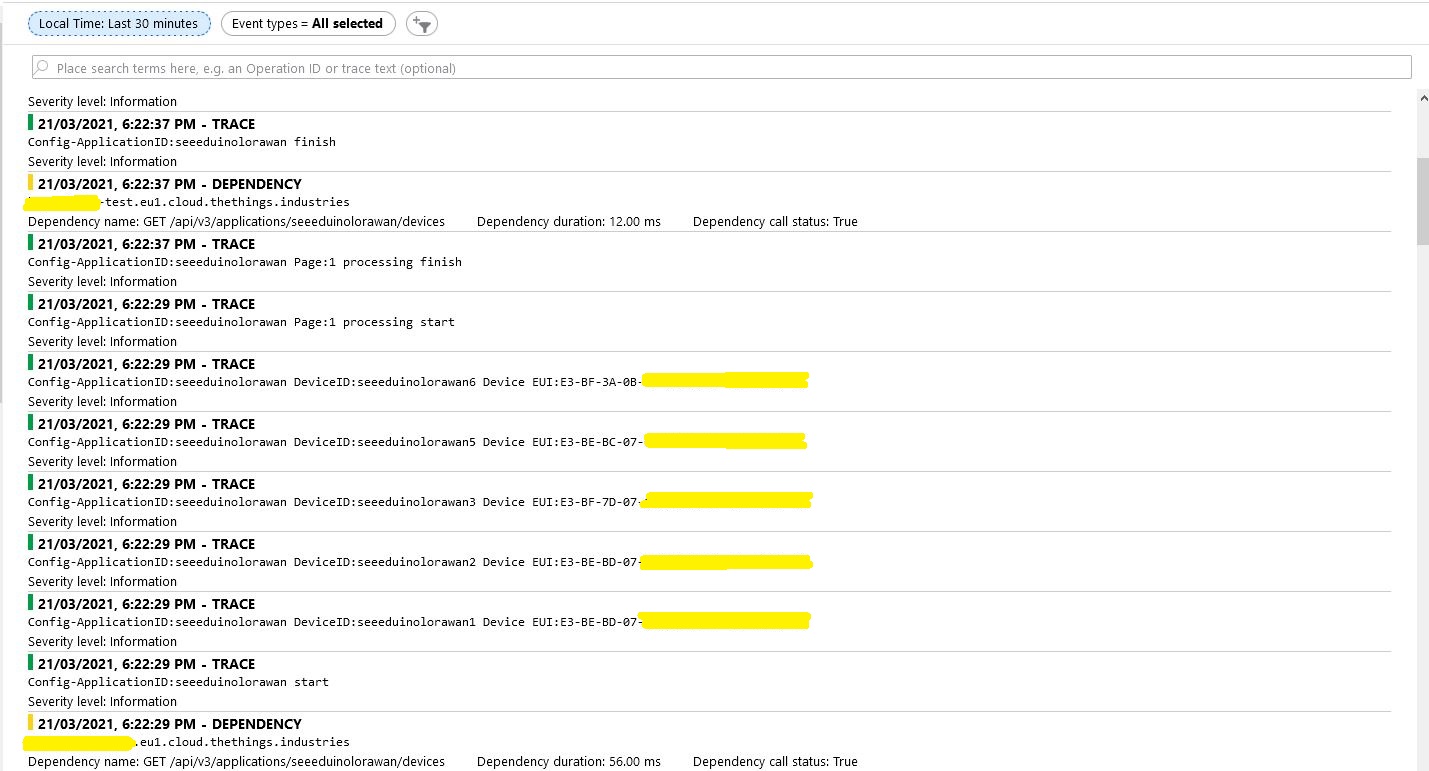
To reduce the impact of the RegisterAsync call duration this Proof of Concept(PoC) code uses the System.Tasks.Threading library to execute each request in its own thread and then wait for all the requests to finish.

try
{
   int devicePage = 1;
   V3EndDevices endDevices = await endDeviceRegistryClient.ListAsync(
      applicationSetting.Key,
      field_mask_paths: Constants.DevicefieldMaskPaths,
      page: devicePage,
      limit: _programSettings.TheThingsIndustries.DevicePageSize,
      cancellationToken: stoppingToken);

   while ((endDevices != null) && (endDevices.End_devices != null)) // If no devices returns null rather than empty list
   {
      List<Task<bool>> tasks = new List<Task<bool>>();

      _logger.LogInformation("Config-ApplicationID:{0} start", applicationSetting.Key);

      foreach (V3EndDevice device in endDevices.End_devices)
      {
         if (DeviceAzureEnabled(device))
         {
            _logger.LogInformation("Config-ApplicationID:{0} DeviceID:{1} Device EUI:{2}", device.Ids.Application_ids.Application_id, device.Ids.Device_id, BitConverter.ToString(device.Ids.Dev_eui));

            tasks.Add(DeviceRegistration(device.Ids.Application_ids.Application_id,
                                       device.Ids.Device_id,
                                       _programSettings.ResolveDeviceModelId(device.Ids.Application_ids.Application_id, device.Attributes),
                                       stoppingToken));
         }
      }

      _logger.LogInformation("Config-ApplicationID:{0} Page:{1} processing start", applicationSetting.Key, devicePage);

      Task.WaitAll(tasks.ToArray(),stoppingToken);

      _logger.LogInformation("Config-ApplicationID:{0} Page:{1} processing finish", applicationSetting.Key, devicePage);

      endDevices = await endDeviceRegistryClient.ListAsync(
         applicationSetting.Key,
         field_mask_paths: Constants.DevicefieldMaskPaths,
         page: devicePage += 1,
         limit: _programSettings.TheThingsIndustries.DevicePageSize,
         cancellationToken: stoppingToken);
   }
   _logger.LogInformation("Config-ApplicationID:{0} finish", applicationSetting.Key);
}
catch (ApiException ex)
{
   _logger.LogError("Config-Application configuration API error:{0}", ex.StatusCode);
}

The connector application paginates the retrieval of device configuration from TTI API and a Task is created for each device returned in a page. In the Application Insights Trace logging the duration of a single page of device registrations was approximately the duration of the longest call.

There will be a tradeoff between device page size (resource utilisation by many threads) and startup duration (to many sequential page operations) which will need to be explored.

TTI V3 Gateway Device Provisioning Service(DPS) Performance

My The Things Industries(TTI) V3 connector is an Identity Translation Cloud Gateway, it maps LoRaWAN devices to Azure IoT Hub devices. The connector creates a DeviceClient for each TTI LoRaWAN device and can use an Azure Device Connection string or the Azure Device Provisioning Service(DPS).

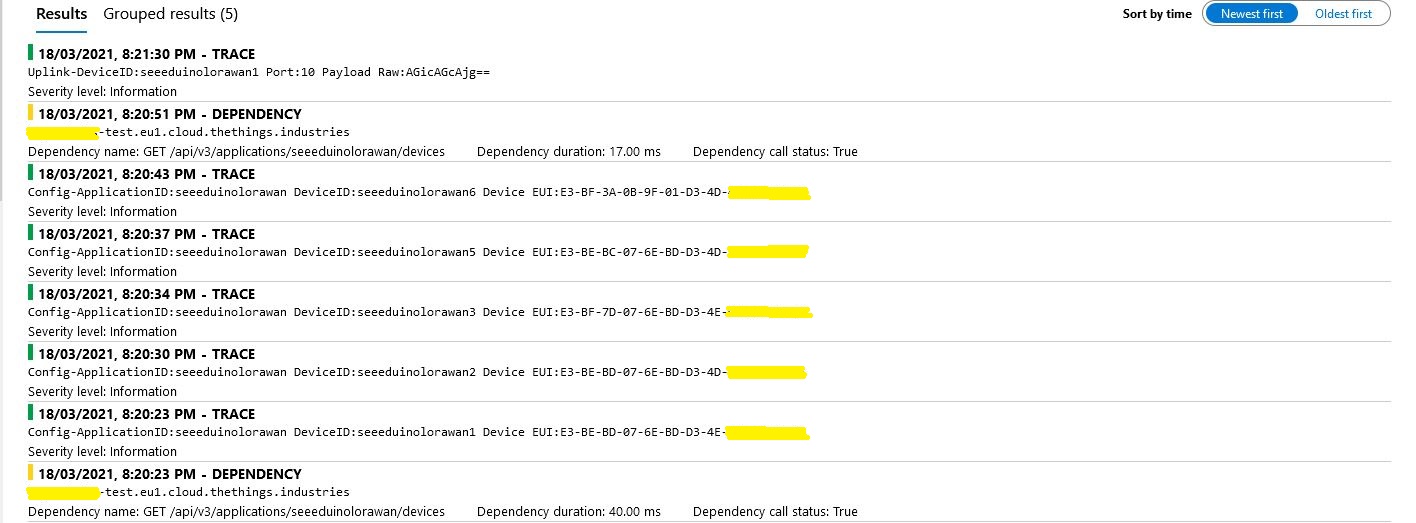
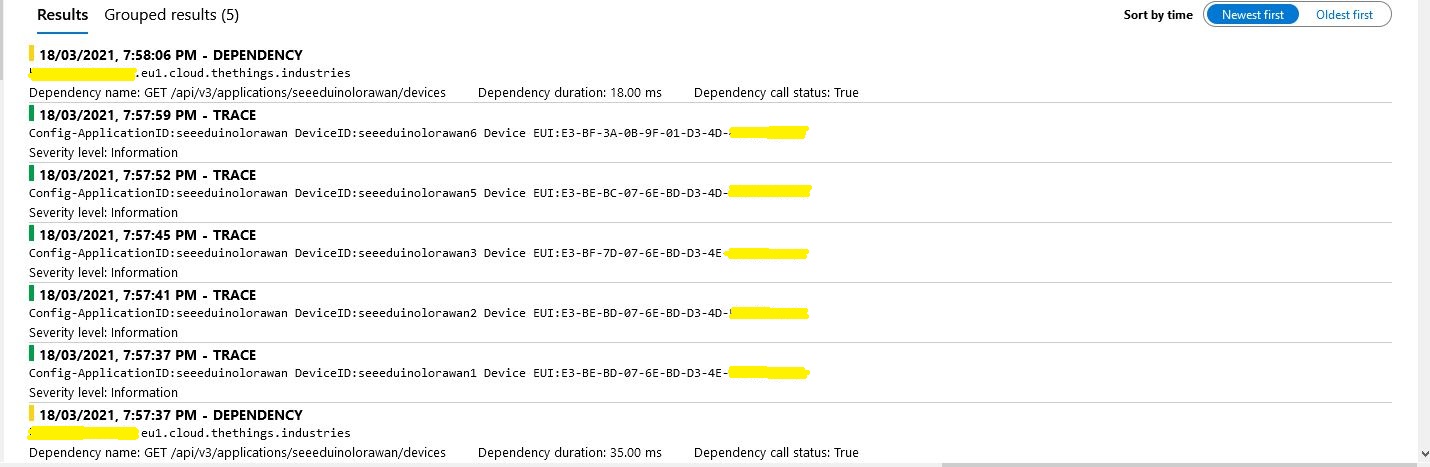
While debugging the connector on my desktop I had noticed that using a connection string was quite a bit faster than using DPS and I had assumed this was just happenstance. While doing some testing in the Azure North Europe data-center (Closer to TTI European servers) I grabbed some screen shots of the trace messages in Azure Application Insights as the TTI Connector Application was starting.

I only have six LoRaWAN devices configured in my TTI dev instance, but I repeated each test several times and the results were consistent so the request durations are reasonable. My TTI Connector application, IoT Hub, DPS and Application insights instances are all in the same Azure Region and Azure Resource Group so networking overheads shouldn’t be significant.

Azure IoT Hub Connection device connection string

Using an Azure IoT Hub Device Shared Access policy connection string establishing a connection took less than a second.

My Azure DPS Instance

Using my own DPS instance to provide the connection string and then establishing a connection took between 3 and 7 seconds.

Azure IoT Central DPS

For my Azure IoT Central instance getting a connection string and establishing a connection took between 4 and 7 seconds.

The Azure DPS client code was copied from one of the sample applications so I have assumed it is “correct”.

using (var transport = new ProvisioningTransportHandlerAmqp(TransportFallbackType.TcpOnly))
{
	ProvisioningDeviceClient provClient = ProvisioningDeviceClient.Create( 
		Constants.AzureDpsGlobalDeviceEndpoint,
		deviceProvisiongServiceSettings.IdScope,
		securityProvider,
		transport);

	DeviceRegistrationResult result;

	if (!string.IsNullOrEmpty(modelId))
	{
		ProvisioningRegistrationAdditionalData provisioningRegistrationAdditionalData = new ProvisioningRegistrationAdditionalData()
		{
			JsonData = $"{{"modelId": "{modelId}"}}"
		};

		result = await provClient.RegisterAsync(provisioningRegistrationAdditionalData, stoppingToken);
	}
	else
    {
		result = await provClient.RegisterAsync(stoppingToken);
	}

	if (result.Status != ProvisioningRegistrationStatusType.Assigned)
	{
		_logger.LogError("Config-DeviceID:{0} Status:{1} RegisterAsync failed ", deviceId, result.Status);

		return false;
	}

	IAuthenticationMethod authentication = new DeviceAuthenticationWithRegistrySymmetricKey(result.DeviceId, (securityProvider as SecurityProviderSymmetricKey).GetPrimaryKey());

	deviceClient = DeviceClient.Create(result.AssignedHub, authentication, transportSettings);
}

I need to investigate why getting a connection string from the DPS then connecting take significantly longer (I appreciate that “behind the scenes” service calls maybe required). This wouldn’t be an issue for individual devices connecting from different locations but for my Identity Translation Cloud gateway which currently open connections sequentially this could be a problem when there are a large number of devices.

If the individual requests duration can’t be reduced (using connection pooling etc.) I may have to spin up multiple threads so multiple devices can be connecting concurrently.

TTI V3 Gateway Azure IoT Central Digital Twin Definition Language(DTDL) support

Over the last couple of days I have added limited Digital Twin Definition Language(DTDLV2) support to my The Things Industries(TTI) V3 connector so that Azure IoT Central devices can be “zero touch” provisioned. For this blog post I used five Seeeduino LoRaWAN devices left over from another abandoned project.

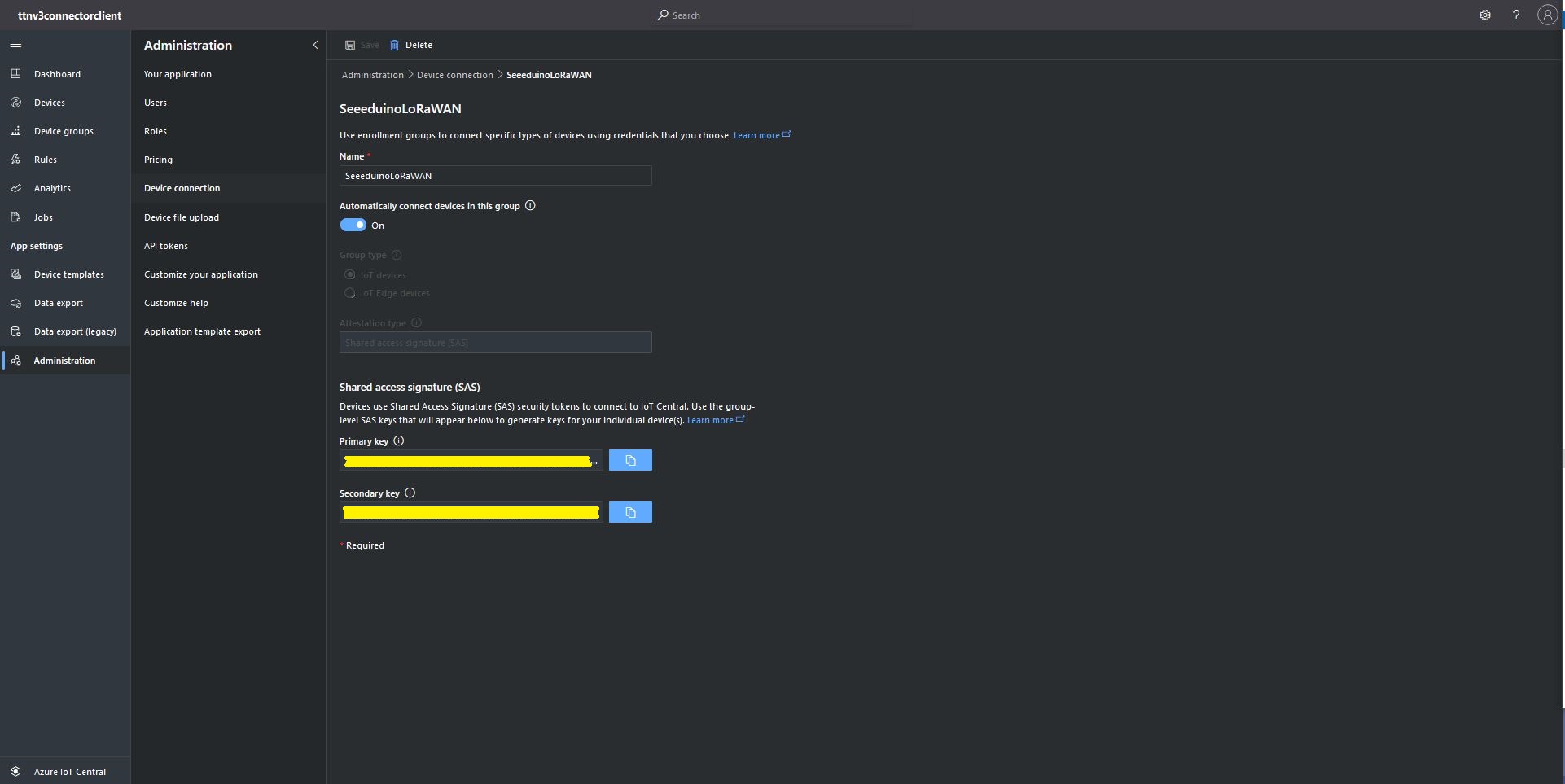
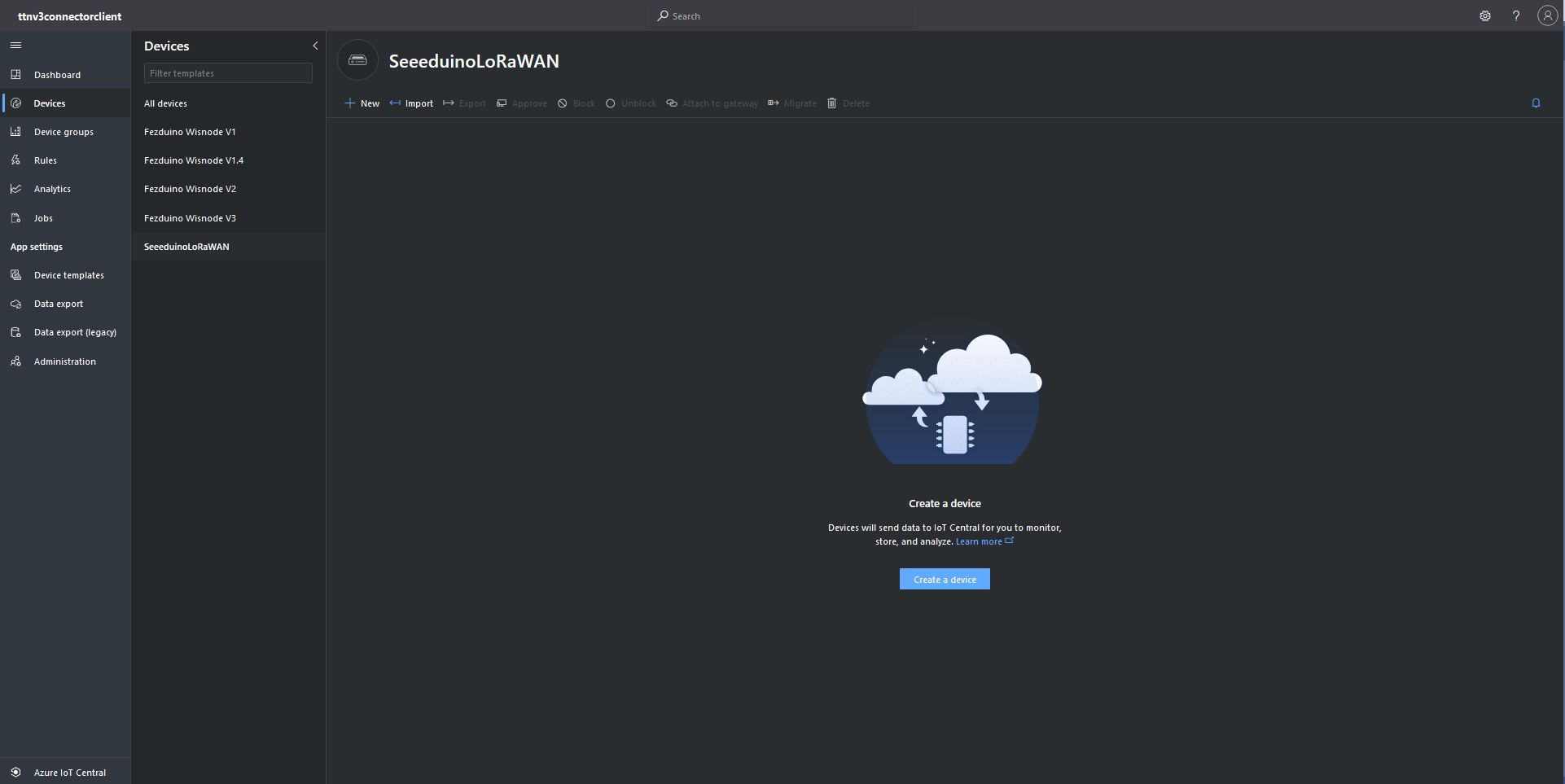
The first step was to configure and Azure IoT Central enrollment group (ensure “Automatically connect devices in this group” is on) and copy the IDScope and Group Enrollment key to the appsettings.json file (see sample file below for more detail)

Azure IoT Central Enrollment Group configuration

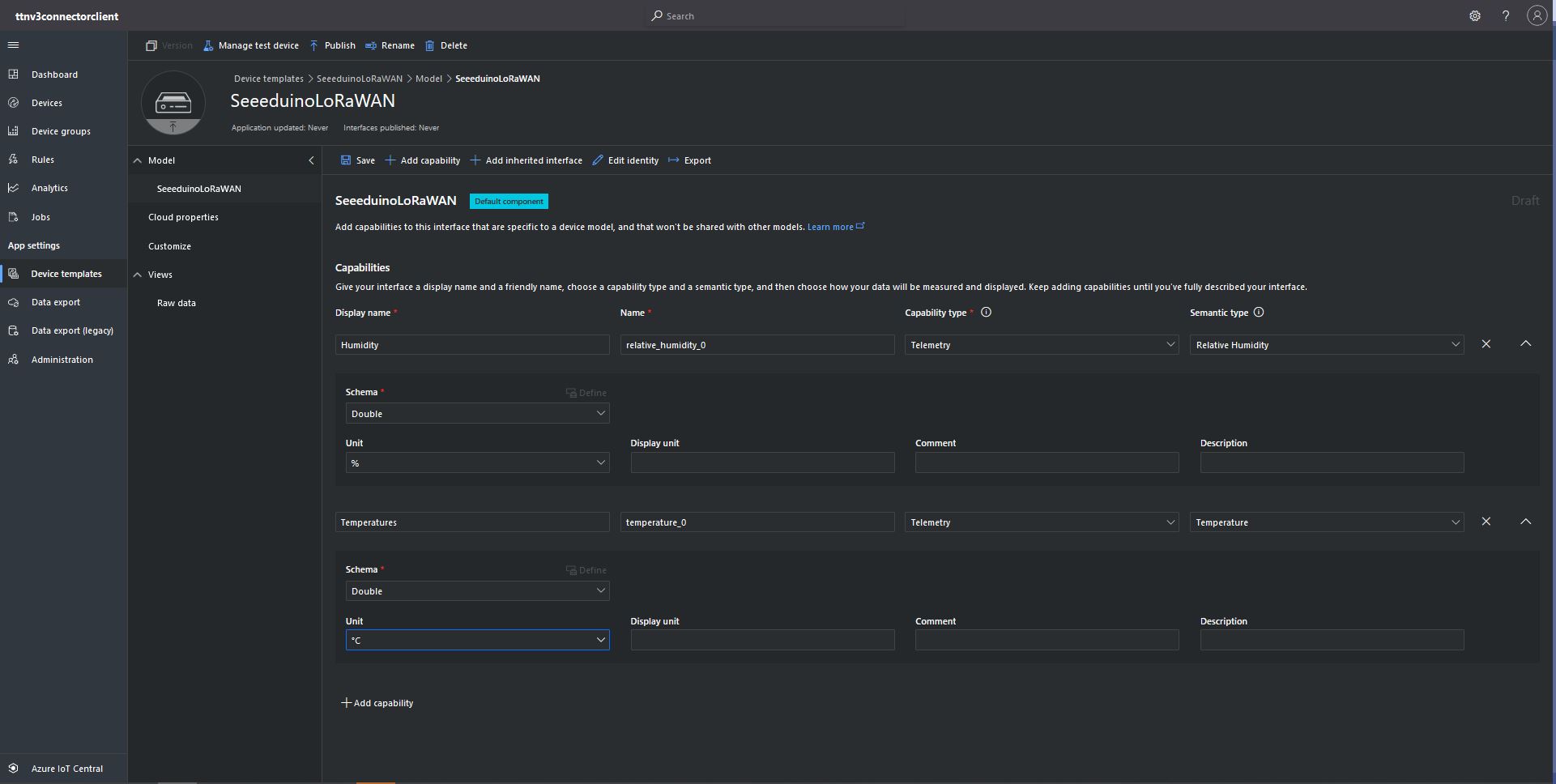
Then I created an Azure IoT Central template for the seeeduino LoRAWAN devices which are running software (developed with the Arduino tooling) that read values from a Grove – Temperature&Humidity sensor. The naming of telemetry properties in specified by the Low Power Protocol(LPP) encoder/decoder (I check the decoded payload in TTI EndDevice “Live Data” tab).

Configuring Seeeduino LoRaWAN device template

Then I mapped the Azure IoT Central Device Group to my Azure IoT Central Enrollment Group

Associating Device Group with Group Enrollment configuration

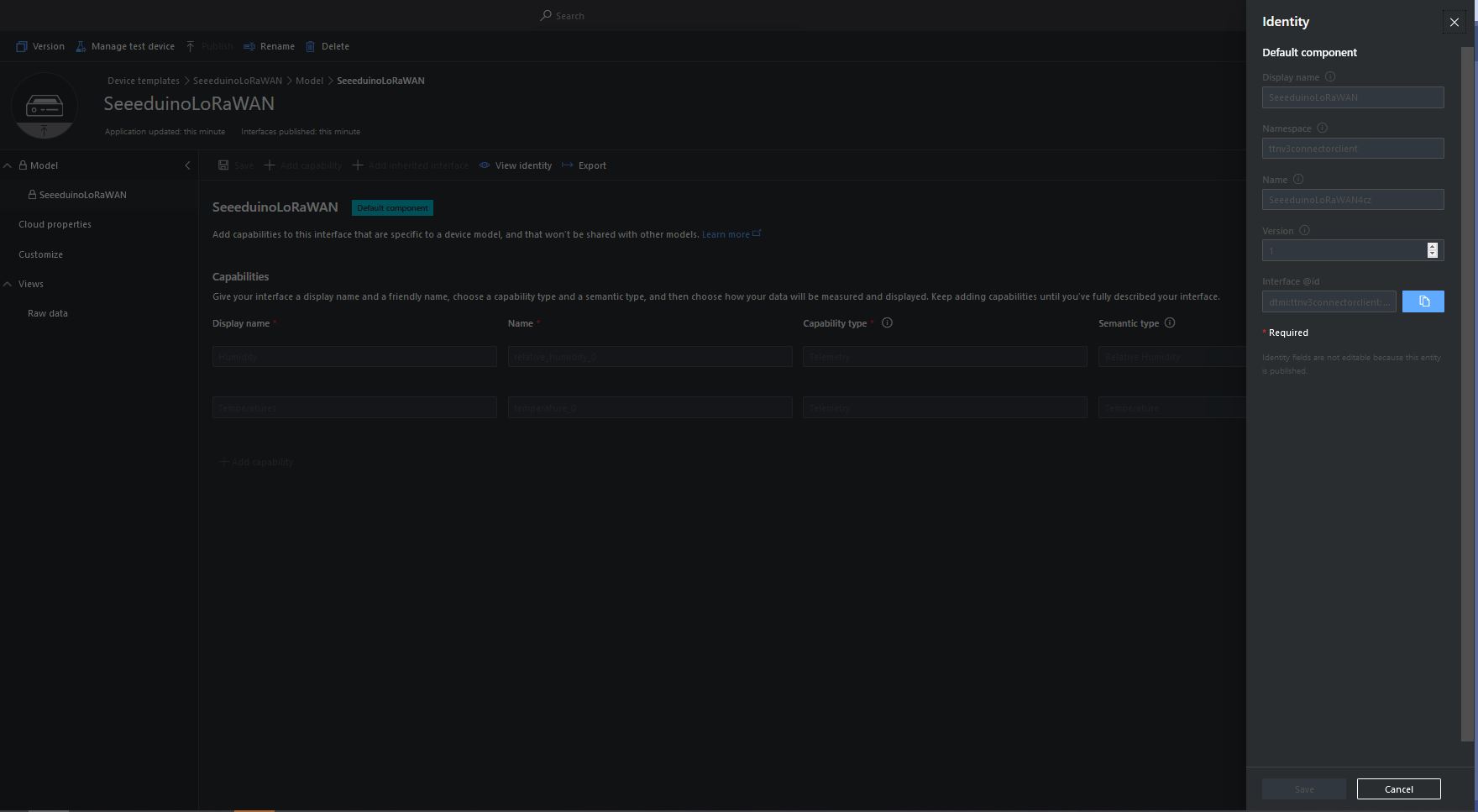
The Device Template @Id can be configured as the “default” template for all the devices in a TTI application in the app.settings.json file.

{
...
   "ProgramSettings": {
      "Applications": {
...
      "seeeduinolorawan": {
        "AzureSettings": {
           "DeviceProvisioningServiceSettings": {
              "IdScope": "...",
              "GroupEnrollmentKey": "..."
            }
         },
         "DTDLModelId": "dtmi:ttnv3connectorclient:SeeeduinoLoRaWAN4cz;1",
         "MQTTAccessKey": "...",
         "DeviceIntegrationDefault": true,
         "DevicePageSize": 10
      }
   }.
...

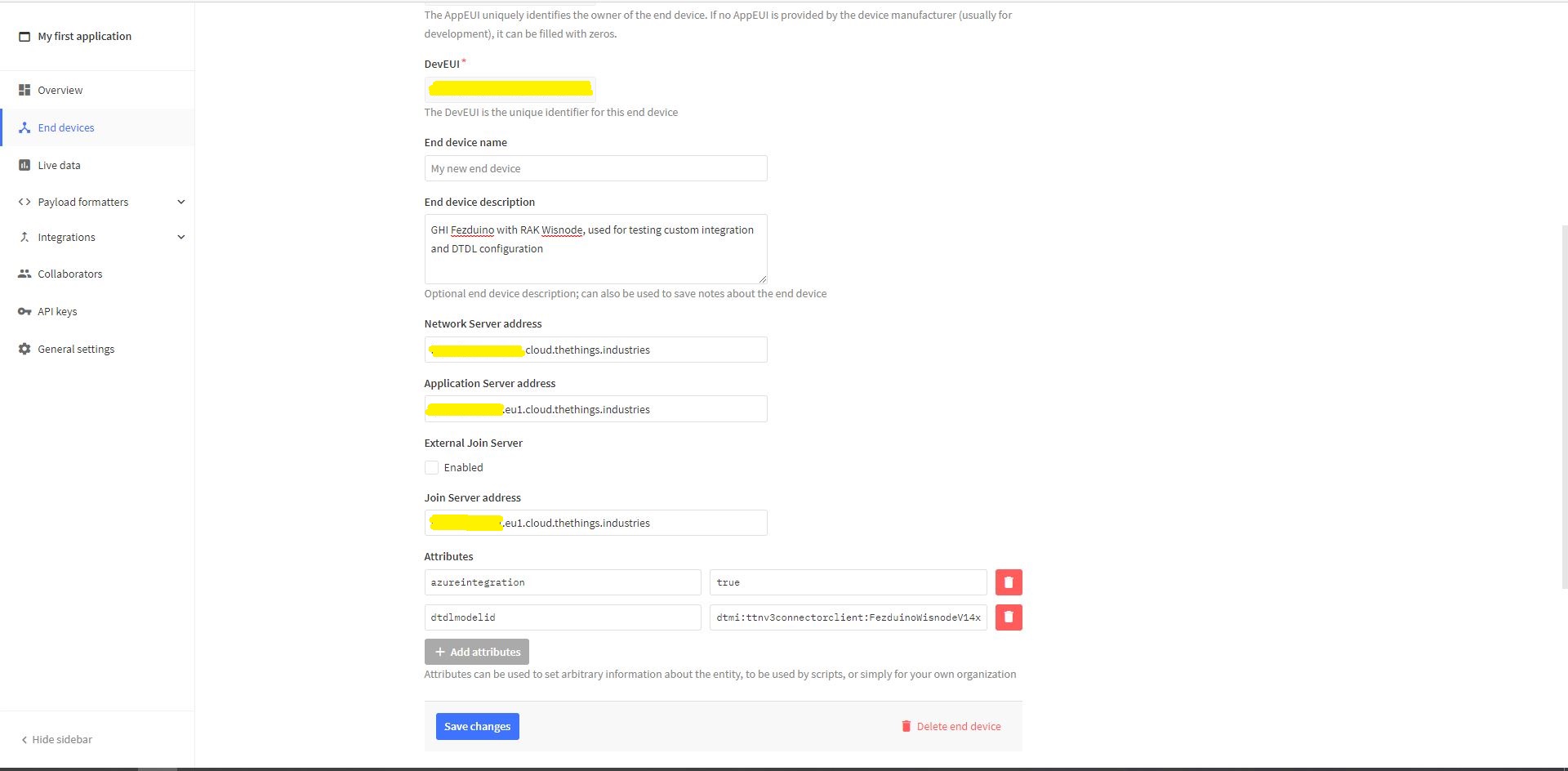
The Device Template @Id can also be set using a dtdlmodelid attribute in a TTI end device settings so devices can be individually configured.

TTI Application EndDevice dtdlmodelid attribute usage

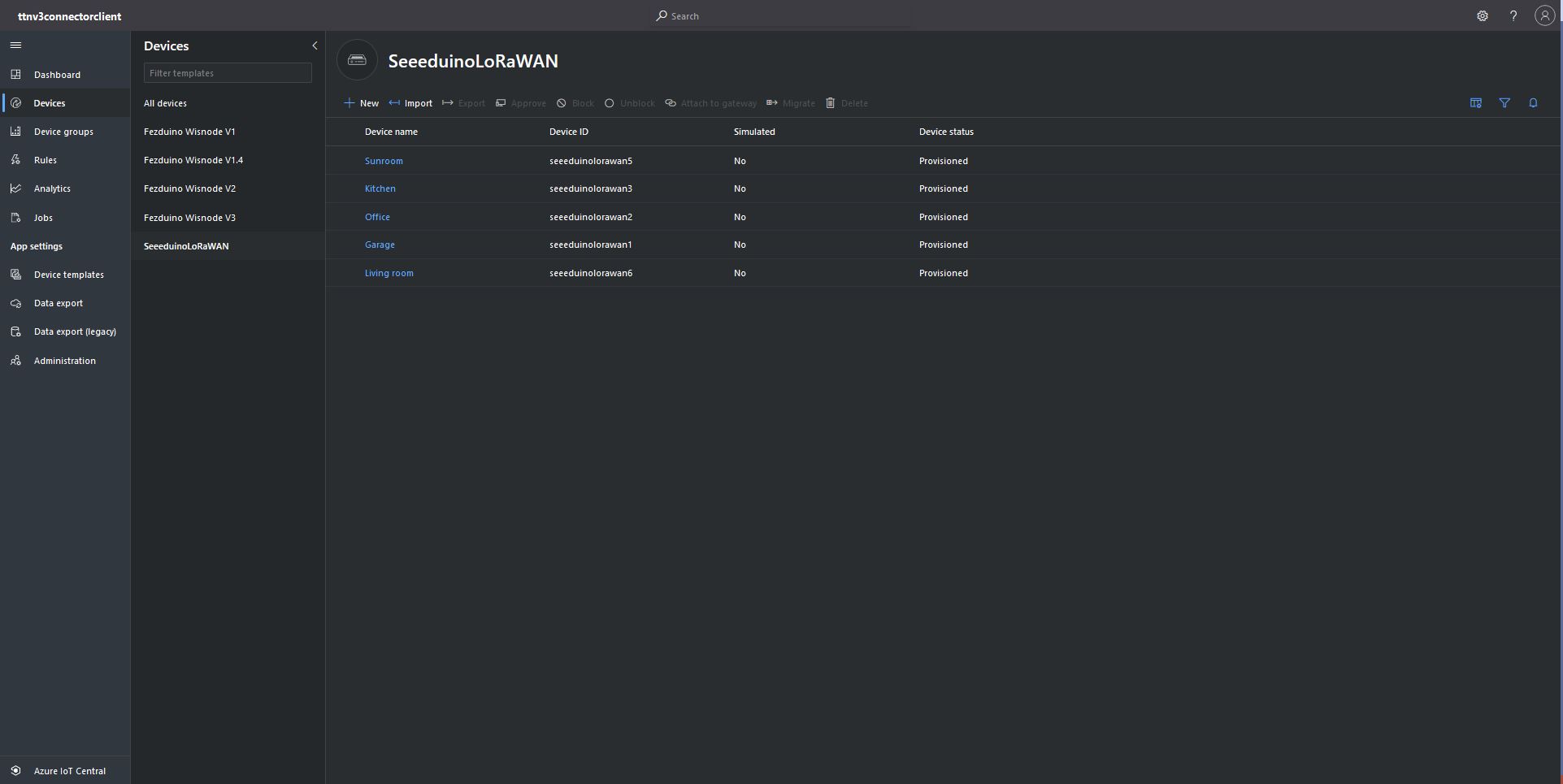
At startup the TTI Gateway enumerates through the devices in each application configured in the app.settings.json. The Azure Device Provisioning Service(DPS) is used to retrieve each device’s connection string and configure it in Azure IoT Central if required.

Azure IoT Central Device Group with no provisioned Devices
TTI Connector application connecting and provisioning EndDevices
Azure IoT Central devices mapped to an Azure IoT Central Template via the modelID

The ProvisioningRegistrationAdditionalData optional parameter of the DPS RegisterAsync method has a JSON property which is used to the specify the device ModelID.

using (var transport = new ProvisioningTransportHandlerAmqp(TransportFallbackType.TcpOnly))
{
	ProvisioningDeviceClient provClient = ProvisioningDeviceClient.Create( 
		Constants.AzureDpsGlobalDeviceEndpoint,
		deviceProvisiongServiceSettings.IdScope,
		securityProvider,
		transport);

	DeviceRegistrationResult result;

	if (!string.IsNullOrEmpty(modelId))
	{
		ProvisioningRegistrationAdditionalData provisioningRegistrationAdditionalData = new ProvisioningRegistrationAdditionalData()
		{
			JsonData = $"{{\"modelId\": \"{modelId}\"}}"
		};

		result = await provClient.RegisterAsync(provisioningRegistrationAdditionalData, stoppingToken);
	}
	else
    {
		result = await provClient.RegisterAsync(stoppingToken);
	}

	if (result.Status != ProvisioningRegistrationStatusType.Assigned)
	{
		_logger.LogError("Config-DeviceID:{0} Status:{1} RegisterAsync failed ", deviceId, result.Status);

		return false;
	}

	IAuthenticationMethod authentication = new DeviceAuthenticationWithRegistrySymmetricKey(result.DeviceId, (securityProvider as SecurityProviderSymmetricKey).GetPrimaryKey());

	deviceClient = DeviceClient.Create(result.AssignedHub, authentication, transportSettings);
}

My implementation was “inspired” by TemperatureController project in the PnP Device Samples.

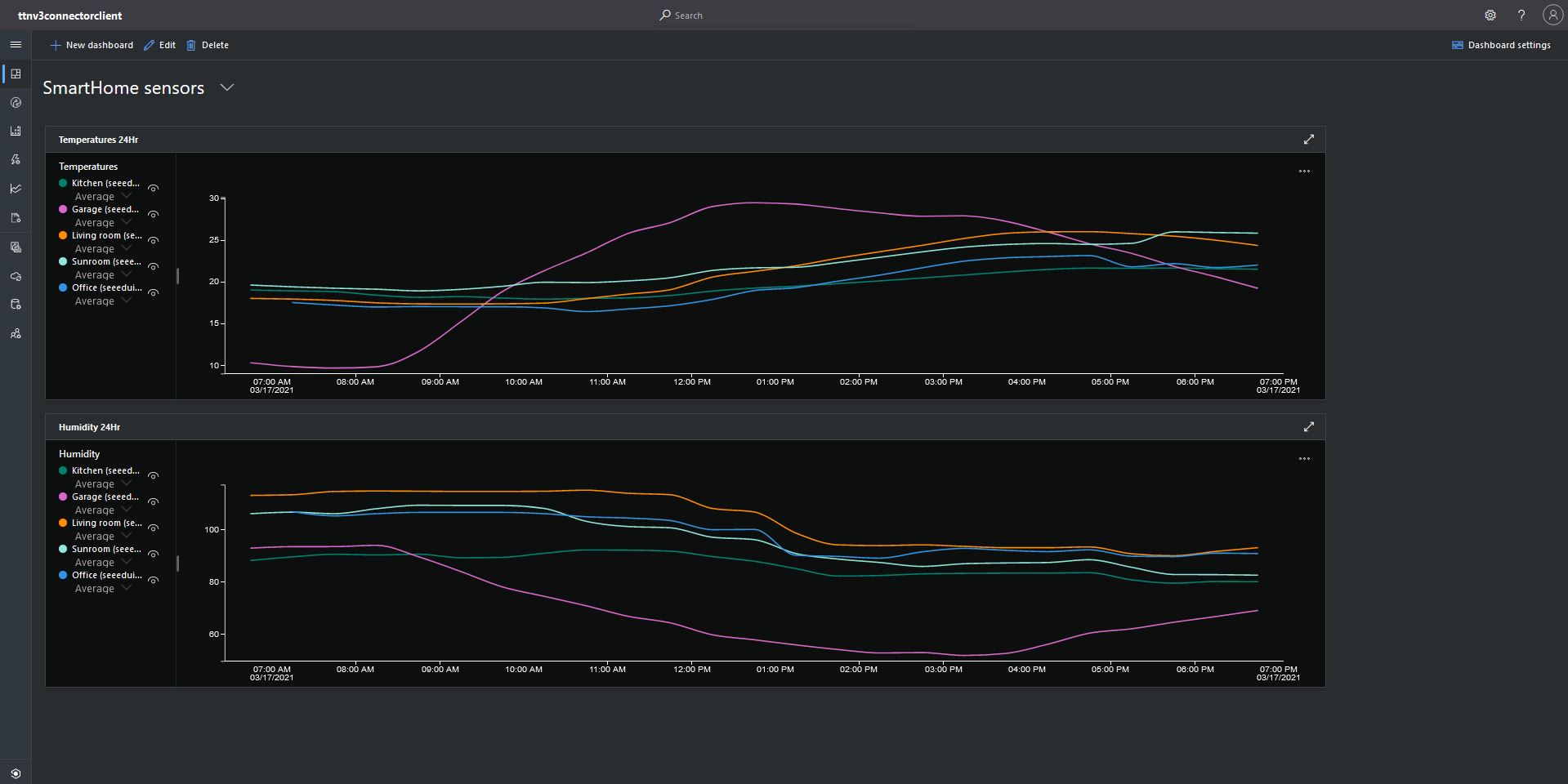
Azure IoT Central Dashboard with Seeeduino LoRaWAN devices around my house that were “automagically” provisioned

I need to do some testing to confirm my code works reliably with both DPS and user provided connection strings. The RegisterAsync call is currently taking about four seconds which could be an issue for TTI applications with many devices.

TTI V3 Gateway Azure IoT Hub Support

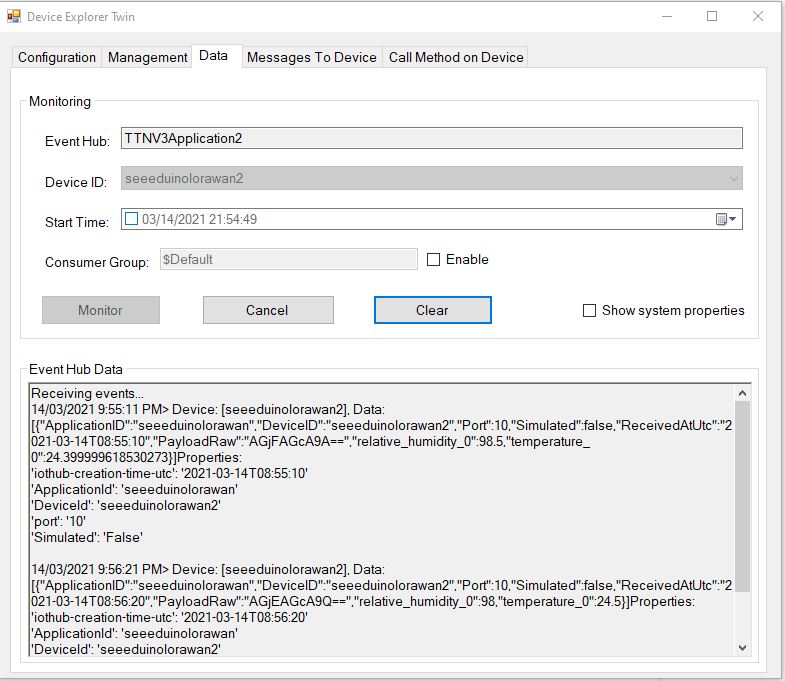
After a couple of weeks work my The Things Industries(TTI) V3 gateway is in beta testing. For this blog post I have configured five Seeeduino LoRaWAN devices. My sensor nodes connect to an Azure IoT Hub with a Shared Access Signature(SAS) device policy connection string. I’m using Device Twin Explorer to display Telemetry from and send messages to the sensor nodes. I have also configured Azure Stream Analytics and PowerBI to graph telemetry from the sensor nodes.

Device Twin Explorer displaying telemetry from one of the Seeeduino devices

My integration uses only queued messages as often they won’t be delivered to the sensor node immediately, especially if the sensor node only sends an uplink message every 30 minutes/hour/day.

The confirmed flag should be used with care as the Azure IoT Hub messages may expire before a delivery Ack/Nack/Failed is received from the TTI.

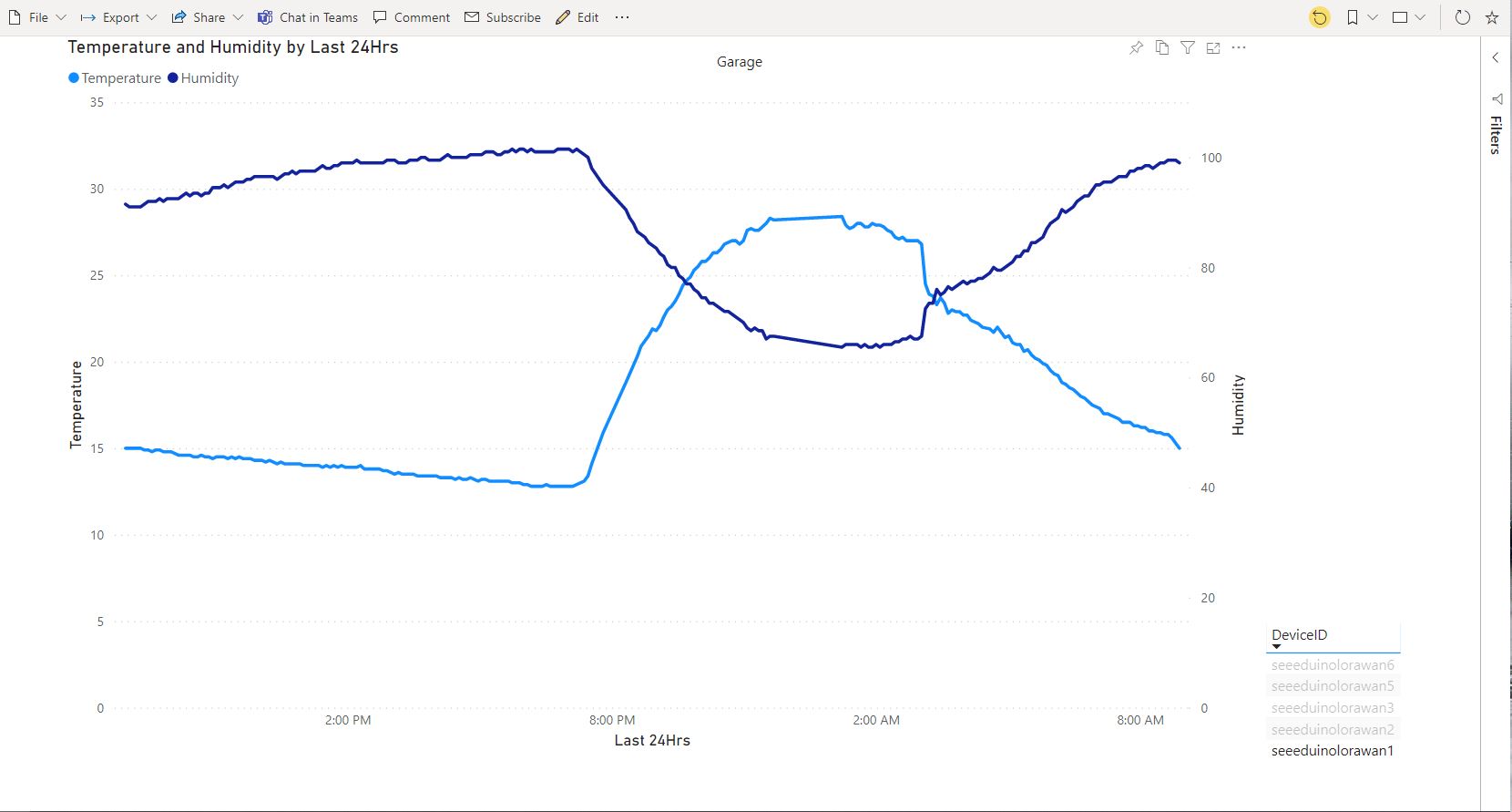
PowerBI graph of temperature and humidity in my garage over 24 hours

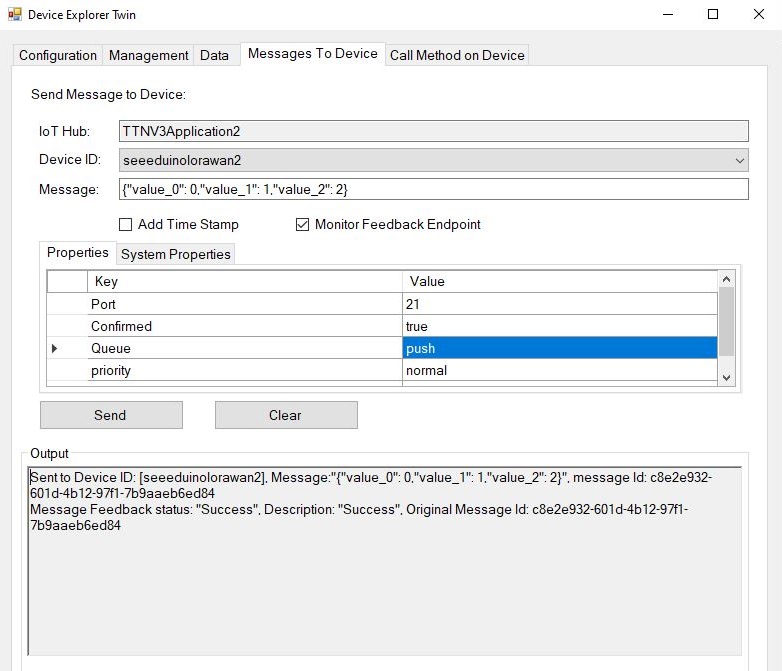
To send a downlink message, TTI needs a LoRaWAN port number (plus optional queue, confirmed and priority values) which is specified in the Azure IoT Hub message custom properties.

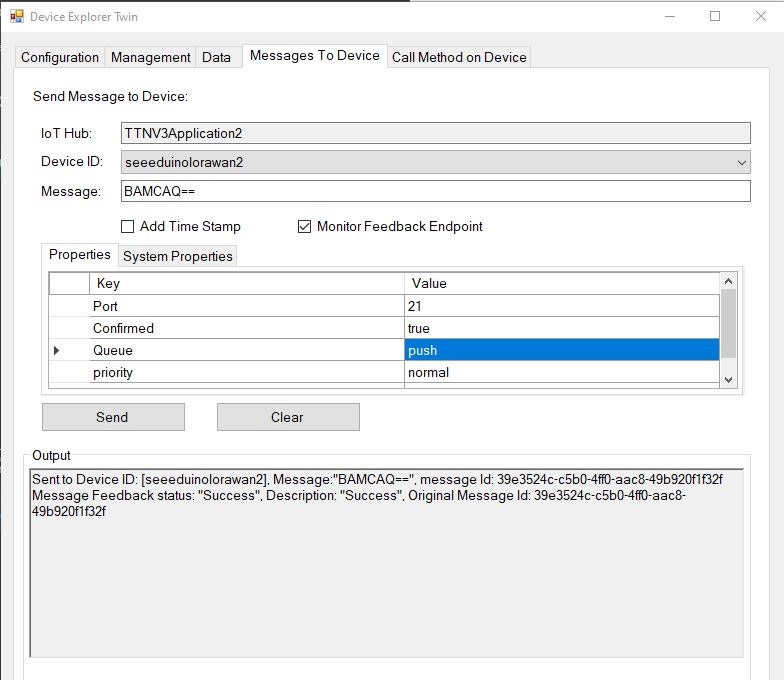
Device explorer displaying a raw payload message which has been confirmed delivered
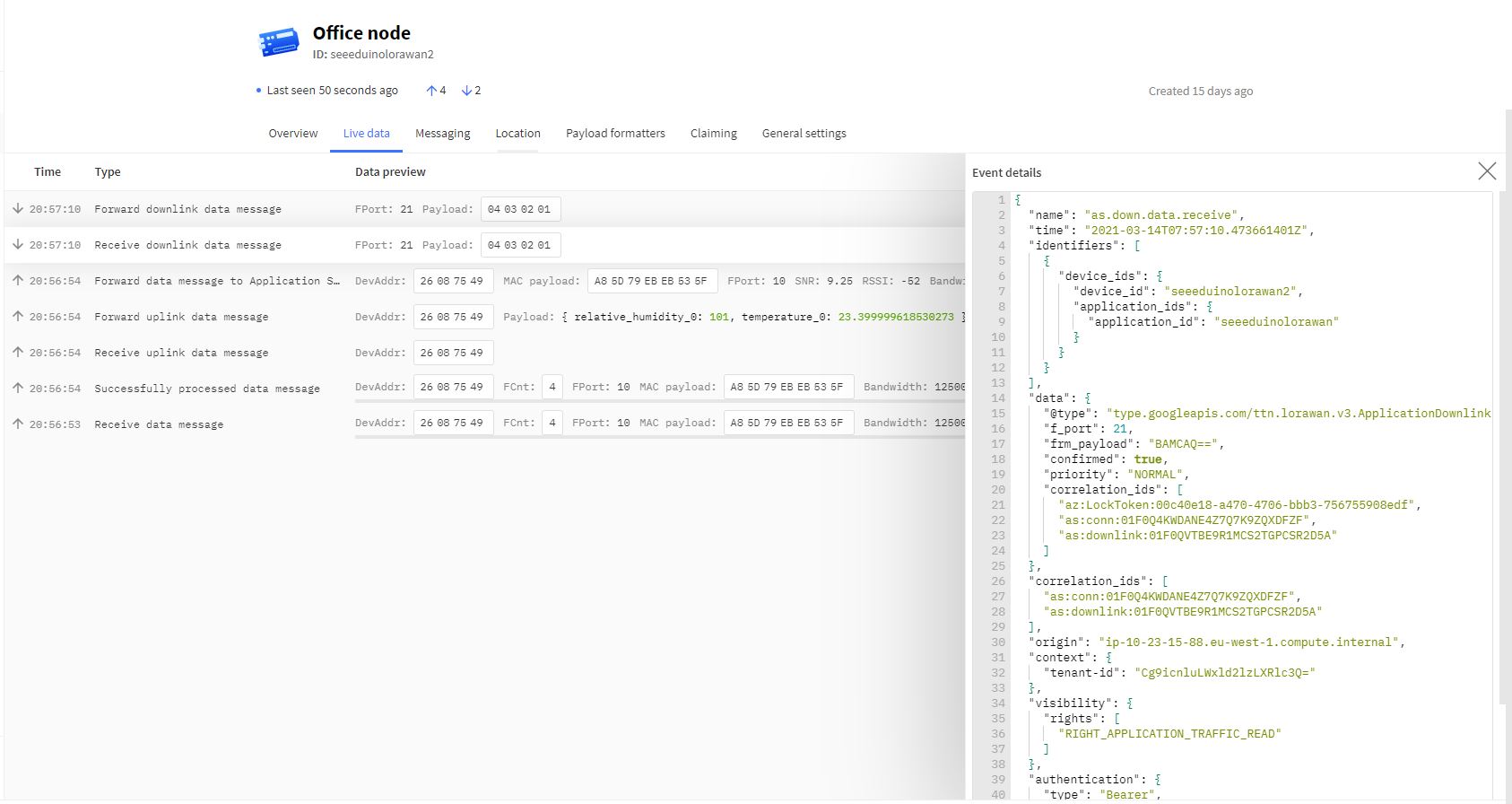
TTI device live data tab displaying raw payload in downlink message information tab
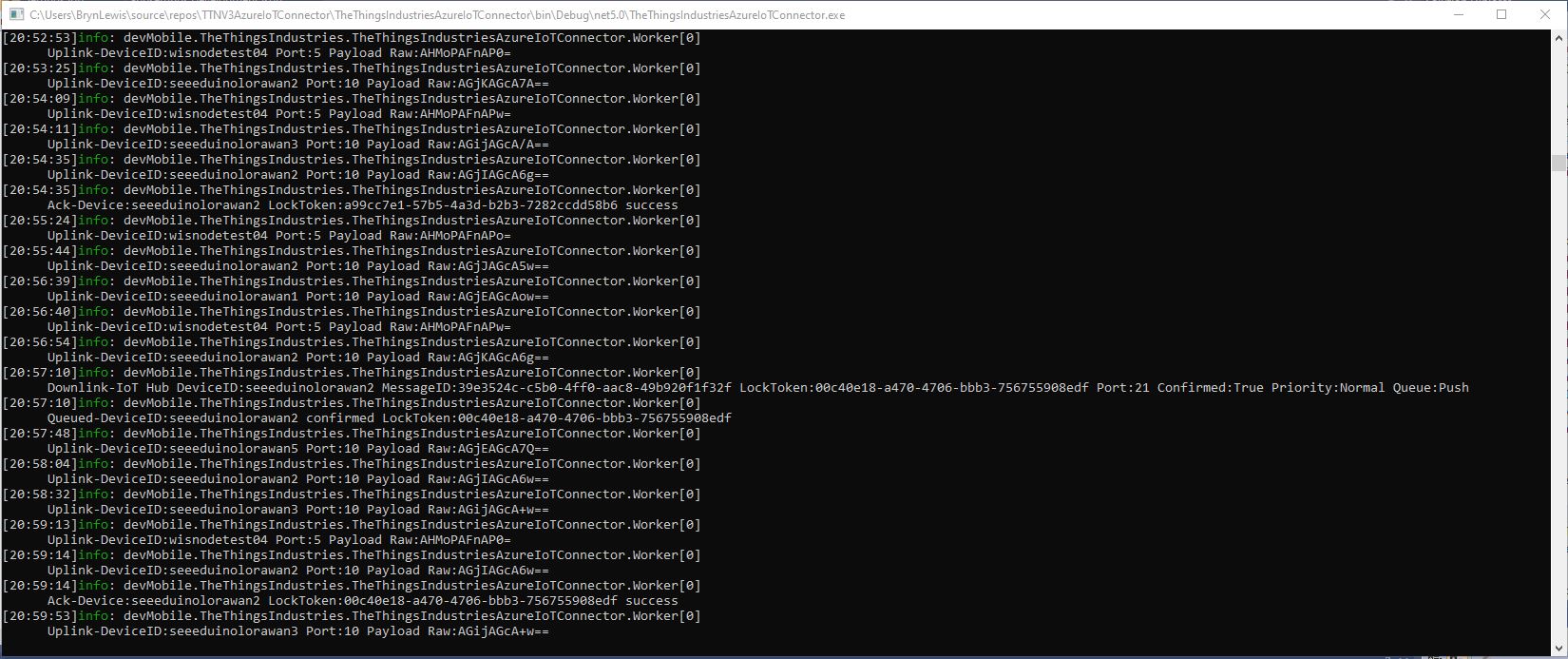
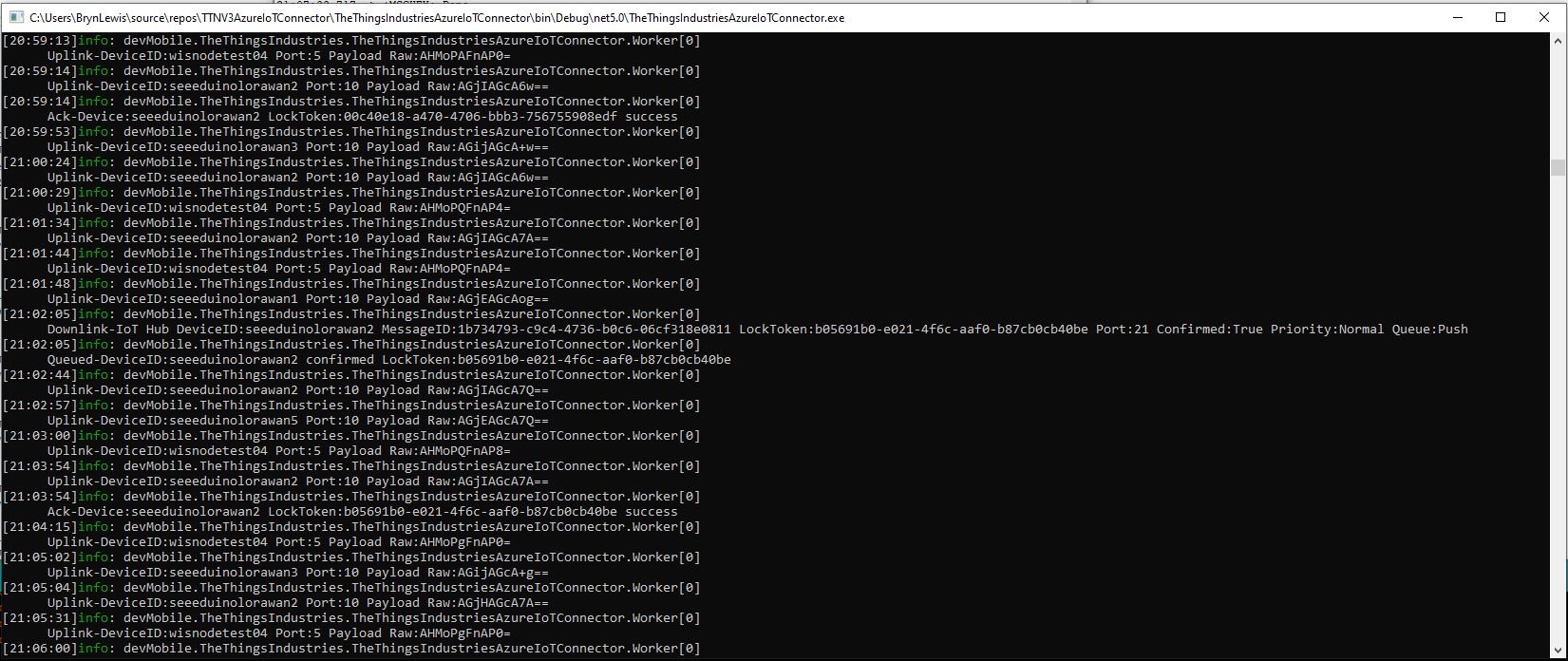
Azure IoT Connector console application sending raw payload to sensor node with confirmation ack
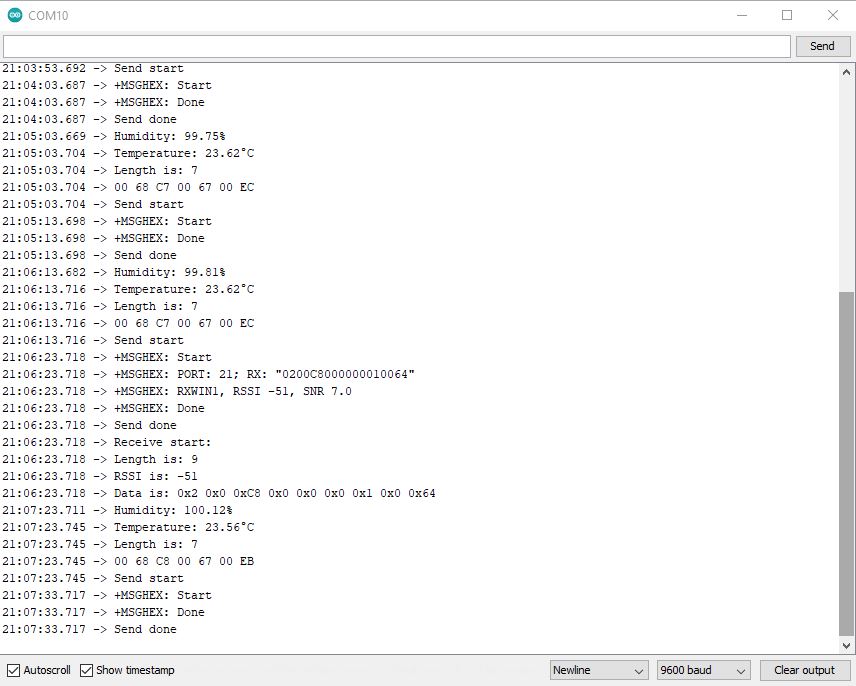
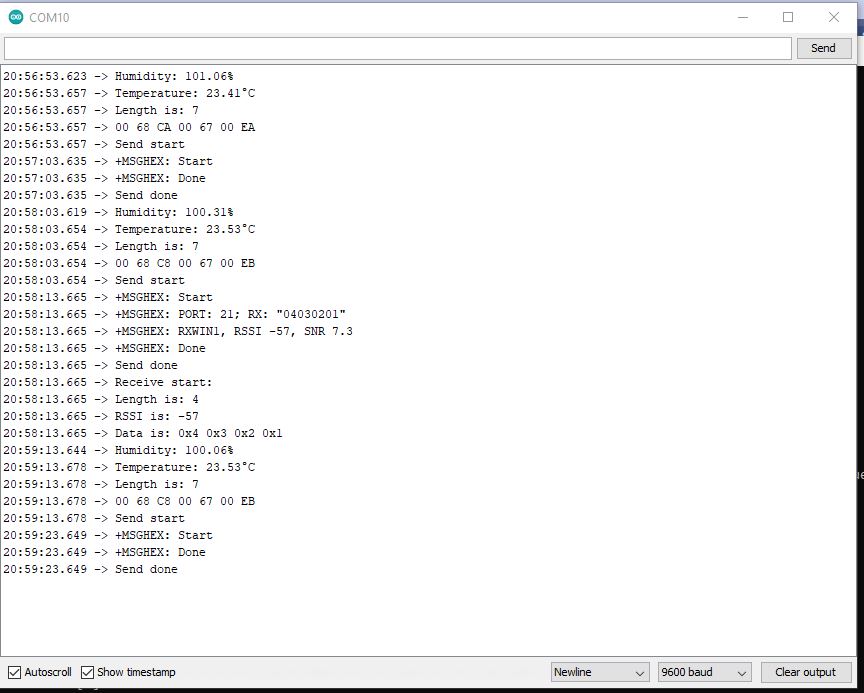
Arduino monitor displaying received raw payload from TTI

If the Azure IoT Hub message payload is valid JSON it is copied into the payload decoded downlink message property. and if it is not valid JSON it assumed to be a Base64 encoded value and copied into the payload raw downlink message property.

try
{
	// Split over multiple lines in an attempt to improve readability. A valid JSON string should start/end with {/} for an object or [/] for an array
	if (!(payloadText.StartsWith("{") && payloadText.EndsWith("}"))
										&&
		(!(payloadText.StartsWith("[") && payloadText.EndsWith("]"))))
	{
		throw new JsonReaderException();
	}

	downlink.PayloadDecoded = JToken.Parse(payloadText);
}
catch (JsonReaderException)
{
	downlink.PayloadRaw = payloadText;
}

Like the Azure IoT Central JSON validation I had to add a check that the string started with a “{” and finished with a “}” (a JSON object) or started with a “[” and finished with a “]” (a JSON array) as part of the validation process.

Device explorer displaying a JSON payload message which has been confirmed delivered

I normally wouldn’t use exceptions for flow control but I can’t see a better way of doing this.

TTI device live data tab displaying JSON payload in downlink message information tab
Azure IoT Connector console application sending JSON payload to sensor node with confirmation ack
Arduino monitor displaying received JSON payload from TTI

The build in TTI decoder only supports downlink decoded payloads with property names “value_0” through “value_x” custom encoders may support other property names.