Random wanderings through Microsoft Azure esp. PaaS plumbing, the IoT bits, AI on Micro controllers, AI on Edge Devices, .NET nanoFramework, .NET Core on *nix and ML.NET+ONNX
I need to test the expiry of my SAS Tokens some more especially with the client running on my development machine (NZT which is currently UTC+13) and in Azure (UTC timezone)
This post has been edited (2019-11-24) my original assumption about how DateTime.Kind unspecified was handled were incorrect.
As I was testing my Azure MQTT Test Client I noticed some oddness with MQTT connection timeouts and this got me wondering about token expiry times. So, I went searching again and found thisAzure IoT Hub specific sample code
This code worked first time and was more flexible than mine which was a bonus. Though while running my MQTTNet based client I noticed the connection would drop after approximately 10mins (EDIT this was probably an unrelated networking issue).
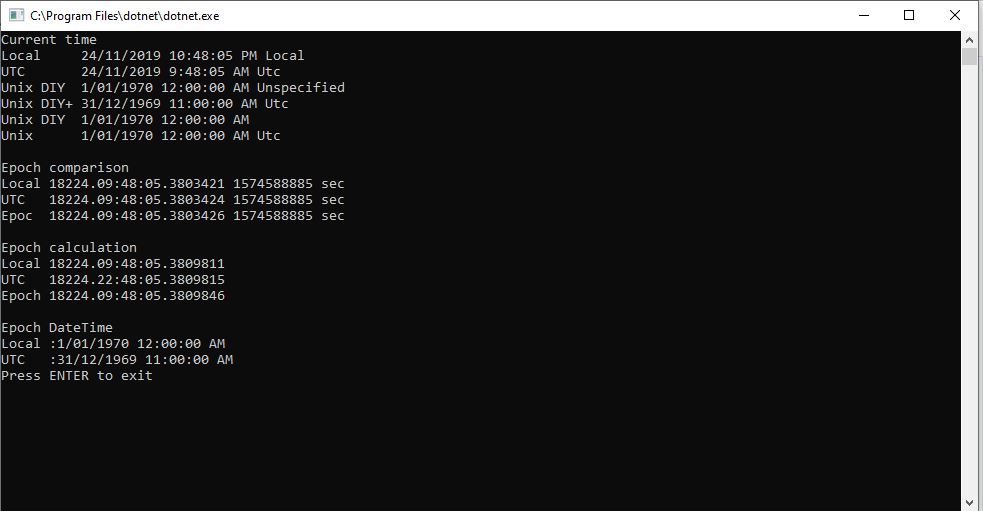
A long time ago (25 years) I had issues sharing a Unix time value between an applications written with Borland C and Microsoft Visual C which made me wonder about Unix epoch base offsets.
So to test my theory I built a Unix epoch test harness console application
EDIT: I now think the UtcNow to “unspecified” kind mathematics was being handled correctly. I have updated the code to use the DateTime.UnixEpoch constant so the code is more readable.
I need to test the expiry of my SAS Tokens some more especially with the client running on my development machine (NZT which is currently UTC+13) and in Azure (UTC timezone)
A long time ago I wrote a post about uploading telemetry data to an Azure Event Hub from a Netduino 3 Wifi using HTTPS. To send messages to the EventHub I had to create a valid SAS Token which took a surprising amount of effort because of the reduced text encoding/decoding and cryptographic functionality available in .NET Micro Framework v4.3 (NetMF)
// Create a SAS token for a specified scope. SAS tokens are described in http://msdn.microsoft.com/en-us/library/windowsazure/dn170477.aspx.
private static string CreateSasToken(string uri, string keyName, string key)
{
   // Set token lifetime to 20 minutes. When supplying a device with a token, you might want to use a longer expiration time.
   uint tokenExpirationTime = GetExpiry(20 * 60);

   string stringToSign = HttpUtility.UrlEncode(uri) + "\n" + tokenExpirationTime;

   var hmac = SHA.computeHMAC_SHA256(Encoding.UTF8.GetBytes(key), Encoding.UTF8.GetBytes(stringToSign));
   string signature = Convert.ToBase64String(hmac);

   signature = Base64NetMf42ToRfc4648(signature);

   string token = "SharedAccessSignature sr=" + HttpUtility.UrlEncode(uri) + "&sig=" + HttpUtility.UrlEncode(signature) + "&se=" + tokenExpirationTime.ToString() + "&skn=" + keyName;

   return token;
}

private static string Base64NetMf42ToRfc4648(string base64netMf)
{
   var base64Rfc = string.Empty;

   for (var i = 0; i < base64netMf.Length; i++)
   {
      if (base64netMf[i] == '!')
      {
         base64Rfc += '+';
      }
      else if (base64netMf[i] == '*')
      {
         base64Rfc += '/';
      }
      else
      {
         base64Rfc += base64netMf[i];
      }
   }
   return base64Rfc;
}

static uint GetExpiry(uint tokenLifetimeInSeconds)
{
   const long ticksPerSecond = 1000000000 / 100; // 1 tick = 100 nano seconds

   DateTime origin = new DateTime(1970, 1, 1, 0, 0, 0, 0);
   TimeSpan diff = DateTime.Now.ToUniversalTime() - origin;

   return ((uint)(diff.Ticks / ticksPerSecond)) + tokenLifetimeInSeconds;
}
An initial search lead to this article about how to generate a SAS token for an Azure Event Hub in multiple languages. For my first attempt I “copied and paste” the code sample for C# (I also wasn’t certain what to put in the KeyName parameter) and it didn’t work.
The shared SAS token now looked closer to what I was expecting but the MQTTNet ConnectAsync was failing with an authentication exception. After looking at the Device Explorer SAS Key code, my .NetMF implementation and the code for the IoT Hub SDK I noticed the encoding for the HMAC Key was different. Encoding.UTF8.GetBytes vs. Convert.FromBase64String.
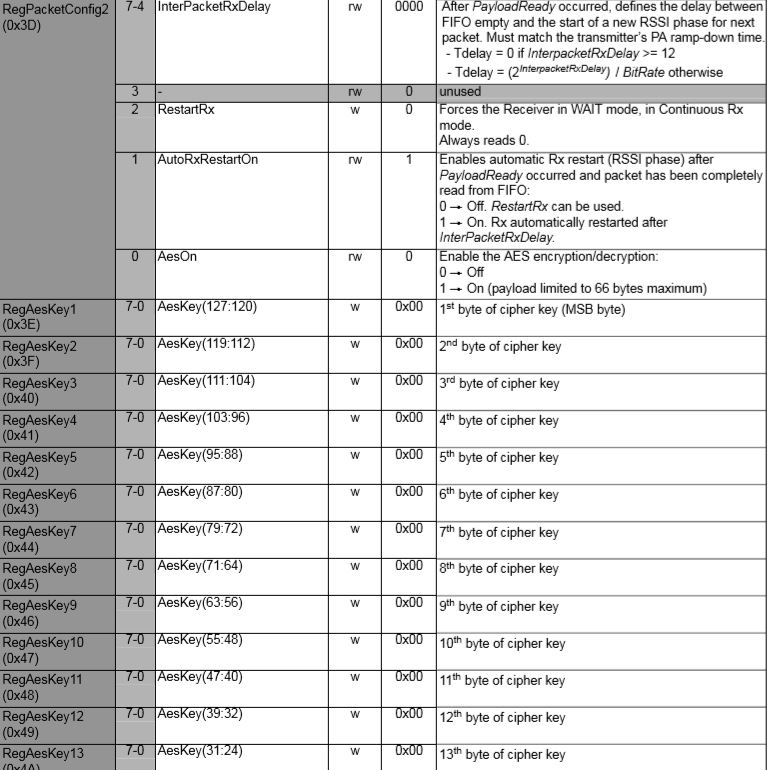
In the Arduino code I found the order of initialisation was critical. Because of the way the Rasmatic library is written the call to vRF69SetAesKey has to be after the vInitialize.
The next step will be merging and refactoring the test harness to extract the code for accessing the RFM69 registers into a separate class, then defining enumerations and constants for all the RFM69 settings.

 devMobile's blog