Swarm Space – Underlying Architecture sorted

After figuring out that calling an Azure Http Trigger function to load the cache wasn’t going to work reliably, I have revisited the architecture one last time and significantly refactored the SwarmSpaceAzuureIoTConnector project.

Visual Studio 2022 solution

The application now has a StartUpService which loads the Azure DeviceClient cache (Lazy Cache) in the background as the application starts up. If an uplink message is received from a SwarmDevice before, it has been loaded by the FunctionsStartup the DeviceClient information is cached and another connection to the Azure IoT Hub is not established.

...
using Microsoft.Azure.Functions.Extensions.DependencyInjection;

[assembly: FunctionsStartup(typeof(devMobile.IoT.SwarmSpaceAzureIoTConnector.Connector.StartUpService))]
namespace devMobile.IoT.SwarmSpaceAzureIoTConnector.Connector
{
...
    public class StartUpService : BackgroundService
    {
        private readonly ILogger<StartUpService> _logger;
        private readonly ISwarmSpaceBumblebeeHive _swarmSpaceBumblebeeHive;
        private readonly Models.ApplicationSettings _applicationSettings;
        private readonly IAzureDeviceClientCache _azureDeviceClientCache;

        public StartUpService(ILogger<StartUpService> logger, IAzureDeviceClientCache azureDeviceClientCache, ISwarmSpaceBumblebeeHive swarmSpaceBumblebeeHive, IOptions<Models.ApplicationSettings> applicationSettings)//, IOptions<Models.AzureIoTSettings> azureIoTSettings)
        {
            _logger = logger;
            _azureDeviceClientCache = azureDeviceClientCache;
            _swarmSpaceBumblebeeHive = swarmSpaceBumblebeeHive;
            _applicationSettings = applicationSettings.Value;
        }

        protected override async Task ExecuteAsync(CancellationToken cancellationToken)
        {
            await Task.Yield();

            _logger.LogInformation("StartUpService.ExecuteAsync start");

            try
            {
                _logger.LogInformation("BumblebeeHiveCacheRefresh start");

                foreach (SwarmSpace.BumblebeeHiveClient.Device device in await _swarmSpaceBumblebeeHive.DeviceListAsync(cancellationToken))
                {
                    _logger.LogInformation("BumblebeeHiveCacheRefresh DeviceId:{DeviceId} DeviceName:{DeviceName}", device.DeviceId, device.DeviceName);

                    Models.AzureIoTDeviceClientContext context = new Models.AzureIoTDeviceClientContext()
                    {
                        OrganisationId = _applicationSettings.OrganisationId,
                        DeviceType = (byte)device.DeviceType,
                        DeviceId = (uint)device.DeviceId,
                    };

                    await _azureDeviceClientCache.GetOrAddAsync(context.DeviceId, context);
                }

                _logger.LogInformation("BumblebeeHiveCacheRefresh finish");
            }
            catch (Exception ex)
            {
                _logger.LogError(ex, "StartUpService.ExecuteAsync error");

                throw;
            }

            _logger.LogInformation("StartUpService.ExecuteAsync finish");
        }
    }
}

The uplink and downlink payload formatters are stored in Azure Blob Storage are compiled (CS-Script) as they are loaded then cached (Lazy Cache)

Azure Storage explorer displaying list of uplink payload formatter blobs.
Azure Storage explorer displaying list of downlink payload formatter blobs.
private async Task<IFormatterDownlink> DownlinkLoadAsync(int userApplicationId)
{
    BlobClient blobClient = new BlobClient(_payloadFormatterConnectionString, _applicationSettings.PayloadFormattersDownlinkContainer, $"{userApplicationId}.cs");

    if (!await blobClient.ExistsAsync())
    {
        _logger.LogInformation("PayloadFormatterDownlink- UserApplicationId:{0} Container:{1} not found using default:{2}", userApplicationId, _applicationSettings.PayloadFormattersUplinkContainer, _applicationSettings.PayloadFormatterUplinkBlobDefault);

        blobClient = new BlobClient(_payloadFormatterConnectionString, _applicationSettings.PayloadFormatterDownlinkBlobDefault, _applicationSettings.PayloadFormatterDownlinkBlobDefault);
    }

    BlobDownloadResult downloadResult = await blobClient.DownloadContentAsync();

    return CSScript.Evaluator.LoadCode<PayloadFormatter.IFormatterDownlink>(downloadResult.Content.ToString());
}

The uplink and downlink formatters can be edited in Visual Studio 2022 with syntax highlighting (currently they have to be manually uploaded).

The SwarmSpaceBumbleebeehive module no longer has public login or logout methods.

    public interface ISwarmSpaceBumblebeeHive
    {
        public Task<ICollection<Device>> DeviceListAsync(CancellationToken cancellationToken);

        public Task SendAsync(uint organisationId, uint deviceId, byte deviceType, ushort userApplicationId, byte[] payload);
    }

The DeviceListAsync and SendAsync methods now call the BumblebeeHive login method after configurable period of inactivity.

public async Task<ICollection<Device>> DeviceListAsync(CancellationToken cancellationToken)
{
        if ((_TokenActivityAtUtC + _bumblebeeHiveSettings.TokenValidFor) < DateTime.UtcNow)
        {
            await Login();
        }

        using (HttpClient httpClient = _httpClientFactory.CreateClient())
       {
            Client client = new Client(httpClient);

            client.BaseUrl = _bumblebeeHiveSettings.BaseUrl;

            httpClient.DefaultRequestHeaders.Add("Authorization", $"bearer {_token}");

            return await client.GetDevicesAsync(null, null, null, null, null, null, null, null, null, cancellationToken);
        }
}

I’m looking at building a webby user interface where users an interactivity list, create, edit, delete formatters with syntax highlighter support, and the executing the formatter with sample payloads.

Swarm Space Azure IoT Connector Identity Translation Gateway Architecture

This approach uses most of the existing building blocks, and that’s it no more changes.

Swarm Space – Uplink with WebAPI Revisited again

After reviewing my ASP .NET Core WebAPI Swarm Space Delivery Method webhook implementation I have made a final round of changes.

There are now separate Data Transfer Objects(DTO) for the uplink and queue message payloads mainly, because the UplinkPayloadQueueDto has additional fields for the client (based on the x-api-key) and when the webhook was called.

public class UplinkPayloadQueueDto
{
    public ulong PacketId { get; set; }
    public byte DeviceType { get; set; }
    public uint DeviceId { get; set; }
    public ushort UserApplicationId { get; set; }
    public uint OrganizationId { get; set; }
    public string Data { get; set; } = string.Empty;
    public byte Length { get; set; }
    public int Status { get; set; }
    public DateTime SwarmHiveReceivedAtUtc { get; set; }
    public DateTime UplinkWebHookReceivedAtUtc { get; set; }
    public string Client { get; set; } = string.Empty;
 }

public class UplinkPayloadWebDto
{
    public ulong PacketId { get; set; }
    public byte DeviceType { get; set; }
    public uint DeviceId { get; set; }
    public ushort UserApplicationId { get; set; }
    public uint OrganizationId { get; set; }
    public string Data { get; set; } = string.Empty;

    [Range(Constants.PayloadLengthMinimum, Constants.PayloadLengthMaximum)]
    public byte Len { get; set; }
    public int Status { get; set; }

    public DateTime HiveRxTime { get; set; }
}

I did consider using AutoMapper to copy the values from the UplinkPayloadWebDto to the UplinkPayloadQueueDto but the additional complexity/configuration required for one mapping wasn’t worth it.

The UplinkController has a single POST method, which has a JSON payload(FromBody) and a single header (FromHeader) “x-api-key” which is to secure the method and identify the caller.

[HttpPost]
public async Task<IActionResult> Post([FromHeader(Name = "x-api-key")] string xApiKeyValue, [FromBody] Models.UplinkPayloadWebDto payloadWeb)
{
    if (!_applicationSettings.XApiKeys.TryGetValue(xApiKeyValue, out string apiKeyName))
    {
        _logger.LogWarning("Authentication unsuccessful X-API-KEY value:{xApiKeyValue}", xApiKeyValue);

        return this.Unauthorized("Unauthorized client");
    }

    _logger.LogInformation("Authentication successful X-API-KEY value:{apiKeyName}", apiKeyName);

    // Could of used AutoMapper but didn't seem worth it for one place
    Models.UplinkPayloadQueueDto payloadQueue = new()
    {
        PacketId = payloadWeb.PacketId,
        DeviceType = payloadWeb.DeviceType,
        DeviceId = payloadWeb.DeviceId,
        UserApplicationId = payloadWeb.UserApplicationId,
        OrganizationId = payloadWeb.OrganizationId,
        Data = payloadWeb.Data,
        Length = payloadWeb.Len,
        Status = payloadWeb.Status,
        SwarmHiveReceivedAtUtc = payloadWeb.HiveRxTime,
        UplinkWebHookReceivedAtUtc = DateTime.UtcNow,
        Client = apiKeyName,
    };

    _logger.LogInformation("SendAsync queue name:{QueueName}", _applicationSettings.QueueName);

    QueueClient queueClient = _queueServiceClient.GetQueueClient(_applicationSettings.QueueName);

    await queueClient.SendMessageAsync(Convert.ToBase64String(JsonSerializer.SerializeToUtf8Bytes(payloadQueue)));

    return this.Ok();
 }

I’ve also used dependency injection (DI) to get a QueueClient just because “it’s always better with DI”.

Azure Web App Application settings with x-api-key configuration

The “x-api-key” values can also be updated without having to redeploy the application.

Smartish Edge Camera – Azure IoT Tagged Image Upload Error

The SmartEdgeCameraAzureStorageService uploads images with “tags” so it is easier to search for images that may need reviewing. When I added the same tagging functionality to the SmartEdgeCameraAzureIoTService which uploads images to the Storage Account associated with my Azure IoT Hub it failed.

SmartEdgeCameraAzureIoTService error message
[16:39:30.66]fail: devMobile.IoT.MachineLearning.SmartEdgeCameraAzureIoTService.Worker[0]
      Camera image download, post processing, or telemetry failed
      Azure.RequestFailedException: This request is not authorized to perform this operation using this permission.
RequestId:7a1747db-e01e-0019-484c-5c0499000000
Time:2022-04-30T04:39:31.2050951Z
      Status: 403 (This request is not authorized to perform this operation using this permission.)
      ErrorCode: AuthorizationPermissionMismatch

      Content:
      <?xml version="1.0" encoding="utf-8"?><Error><Code>AuthorizationPermissionMismatch</Code><Message>This request is not authorized to perform this operation using this permission.
RequestId:7a1747db-e01e-0019-484c-5c0499000000
Time:2022-04-30T04:39:31.2050951Z</Message></Error>

      Headers:
      Server: Windows-Azure-Blob/1.0,Microsoft-HTTPAPI/2.0
      x-ms-request-id: 7a1747db-e01e-0019-484c-5c0499000000
      x-ms-client-request-id: d0e8eb36-9e01-4eac-a522-f84b9deafa32
      x-ms-version: 2021-04-10
      x-ms-error-code: AuthorizationPermissionMismatch
      Date: Sat, 30 Apr 2022 04:39:30 GMT
      Content-Length: 279
      Content-Type: application/xml

         at Azure.Storage.Blobs.BlockBlobRestClient.UploadAsync(Int64 contentLength, Stream body, Nullable`1 timeout, Byte[] transactionalContentMD5, String blobContentType, String blobContentEncoding, String blobContentLanguage, Byte[] blobContentMD5, String blobCacheControl, IDictionary`2 metadata, String leaseId, String blobContentDisposition, String encryptionKey, String encryptionKeySha256, Nullable`1 encryptionAlgorithm, String encryptionScope, Nullable`1 tier, Nullable`1 ifModifiedSince, Nullable`1 ifUnmodifiedSince, String ifMatch, String ifNoneMatch, String ifTags, String blobTagsString, Nullable`1 immutabilityPolicyExpiry, Nullable`1 immutabilityPolicyMode, Nullable`1 legalHold, CancellationToken cancellationToken)
         at Azure.Storage.Blobs.Specialized.BlockBlobClient.UploadInternal(Stream content, BlobHttpHeaders blobHttpHeaders, IDictionary`2 metadata, IDictionary`2 tags, BlobRequestConditions conditions, Nullable`1 accessTier, BlobImmutabilityPolicy immutabilityPolicy, Nullable`1 legalHold, IProgress`1 progressHandler, String operationName, Boolean async, CancellationToken cancellationToken)
         at Azure.Storage.Blobs.Specialized.BlockBlobClient.<>c__DisplayClass62_0.<<GetPartitionedUploaderBehaviors>b__0>d.MoveNext()
      --- End of stack trace from previous location ---
         at Azure.Storage.PartitionedUploader`2.UploadInternal(Stream content, Nullable`1 expectedContentLength, TServiceSpecificData args, IProgress`1 progressHandler, Boolean async, CancellationToken cancellationToken)
         at Azure.Storage.Blobs.Specialized.BlockBlobClient.UploadAsync(Stream content, BlobUploadOptions options, CancellationToken cancellationToken)
         at devMobile.IoT.MachineLearning.SmartEdgeCameraAzureIoTService.Worker.UploadImage(List`1 predictions, String filepath, String blobpath) in C:\Users\BrynLewis\source\repos\AzureMLNetSmartEdgeCamera\SmartEdgeCameraAzureIoTService\Worker.cs:line 581
         at devMobile.IoT.MachineLearning.SmartEdgeCameraAzureIoTService.Worker.UploadImage(List`1 predictions, String filepath, String blobpath) in C:\Users\BrynLewis\source\repos\AzureMLNetSmartEdgeCamera\SmartEdgeCameraAzureIoTService\Worker.cs:line 606
         at devMobile.IoT.MachineLearning.SmartEdgeCameraAzureIoTService.Worker.ImageUpdateTimerCallback(Object state) in C:\Users\BrynLewis\source\repos\AzureMLNetSmartEdgeCamera\SmartEdgeCameraAzureIoTService\Worker.cs:line 394
[16:39:30.72]info: devMobile.IoT.MachineLearning.SmartEdgeCameraAzureIoTService.Worker[0]

try
{
   FileUploadSasUriResponse sasUri = await _deviceClient.GetFileUploadSasUriAsync(fileUploadSasUriRequest);

	var blockBlobClient = new BlockBlobClient(sasUri.GetBlobUri());
   ...

   var blockBlobClient = new BlockBlobClient(uploadUri);

	BlobUploadOptions blobUploadOptions = new BlobUploadOptions()
	{
		Tags = new Dictionary<string, string>()
	};

	foreach (var prediction in predictionsTally)
	{
		blobUploadOptions.Tags.Add(prediction.Label, prediction.Count.ToString());
	}   
    await blockBlobClient.UploadAsync(fileStreamSource, blobUploadOptions);
   ...
}
catch (Exception ex)
{
   ...
}

There were no relevant search results(April 2022) so I submitted a Microsoft Azure IoT SDK for .NET issue “UploadAsync fails when Tags added to blob uploading to Storage Account associated with an IoT Hub” which has been triaged and moved to “discussion”.

Smartish Edge Camera – Azure Storage Service

The AzureIoTSmartEdgeCameraService was a useful proof of concept(PoC) but the codebase was starting to get unwieldy so it has been split into the SmartEdgeCameraAzureStorageService and SmartEdgeCameraAzureIoTService.

The initial ML.Net +You only look once V5(YoloV5) project uploaded raw (effectively a time lapse camera) and marked-up (with searchable tags) images to Azure Storage. But, after using it in a “real” project I found…

  • The time-lapse functionality which continually uploaded images wasn’t that useful. I have another standalone application which has that functionality.
  • If an object with a label in the “PredictionLabelsOfInterest” and a score greater than PredicitionScoreThreshold was detected it was useful to have the option to upload the camera and/or marked-up (including objects below the threshold) image(s).
  • Having both camera and marked-up images tagged so they were searchable with an application like Azure Storage Explorer was very useful.
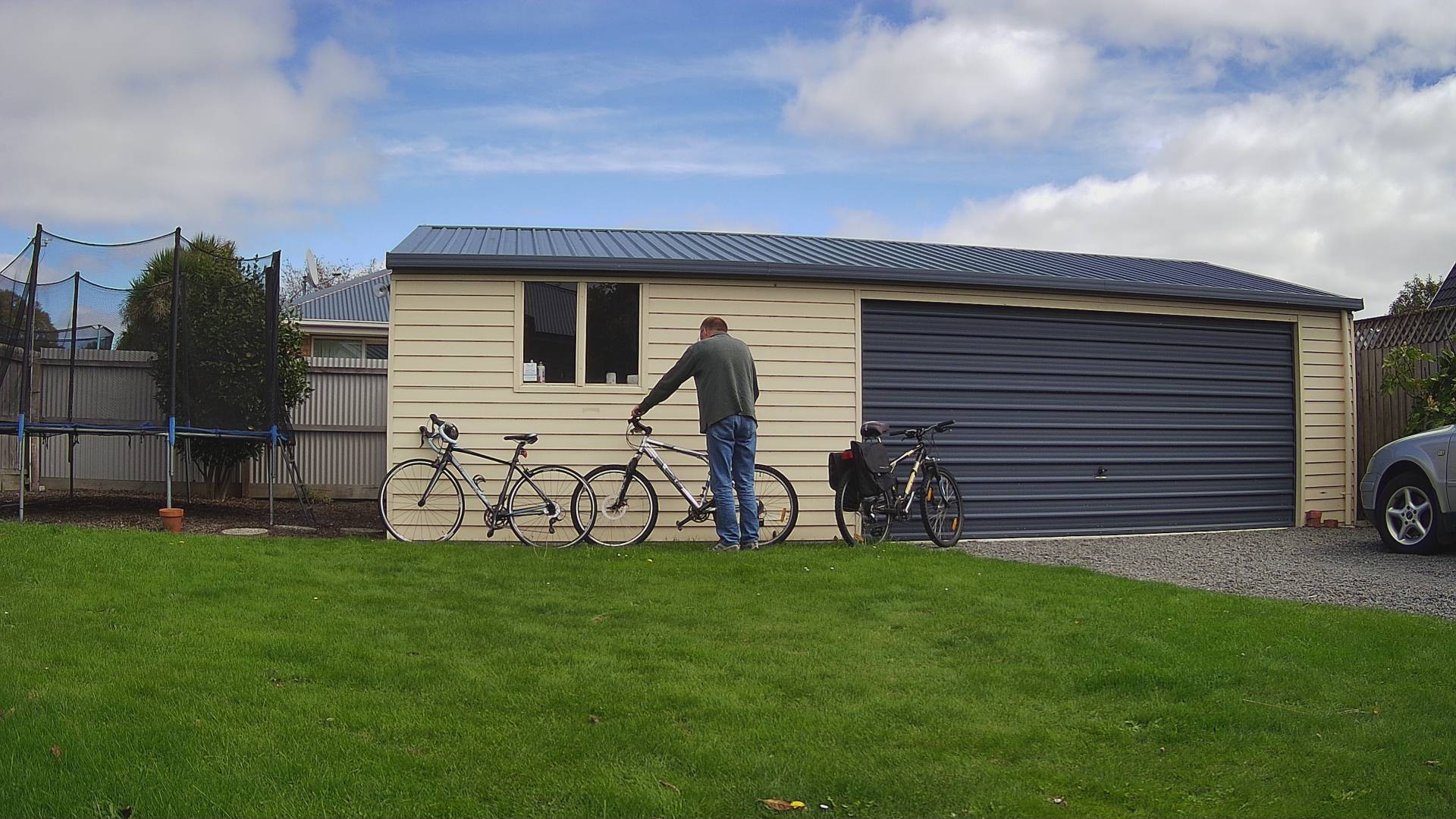
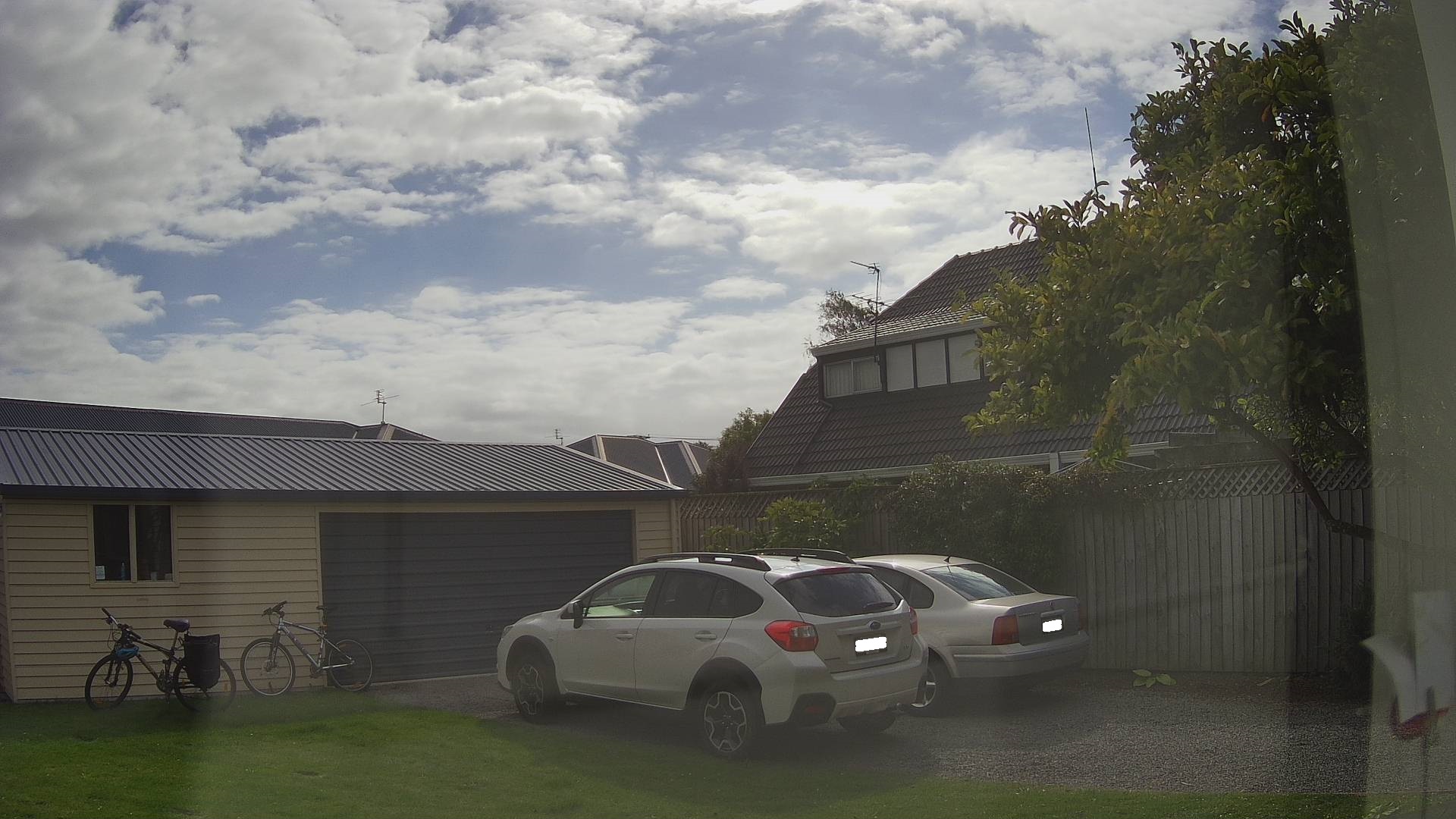
Security Camera Image
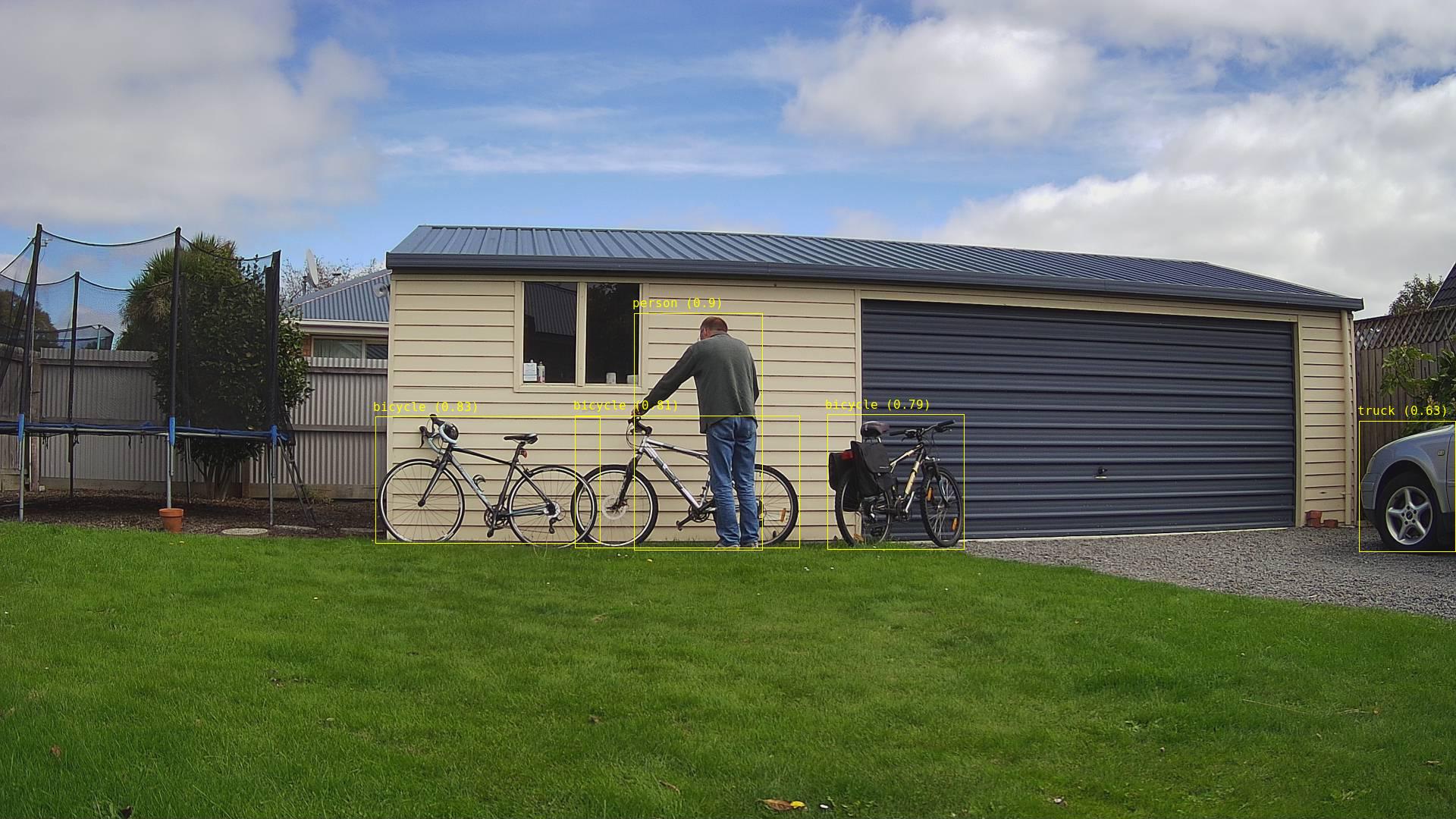
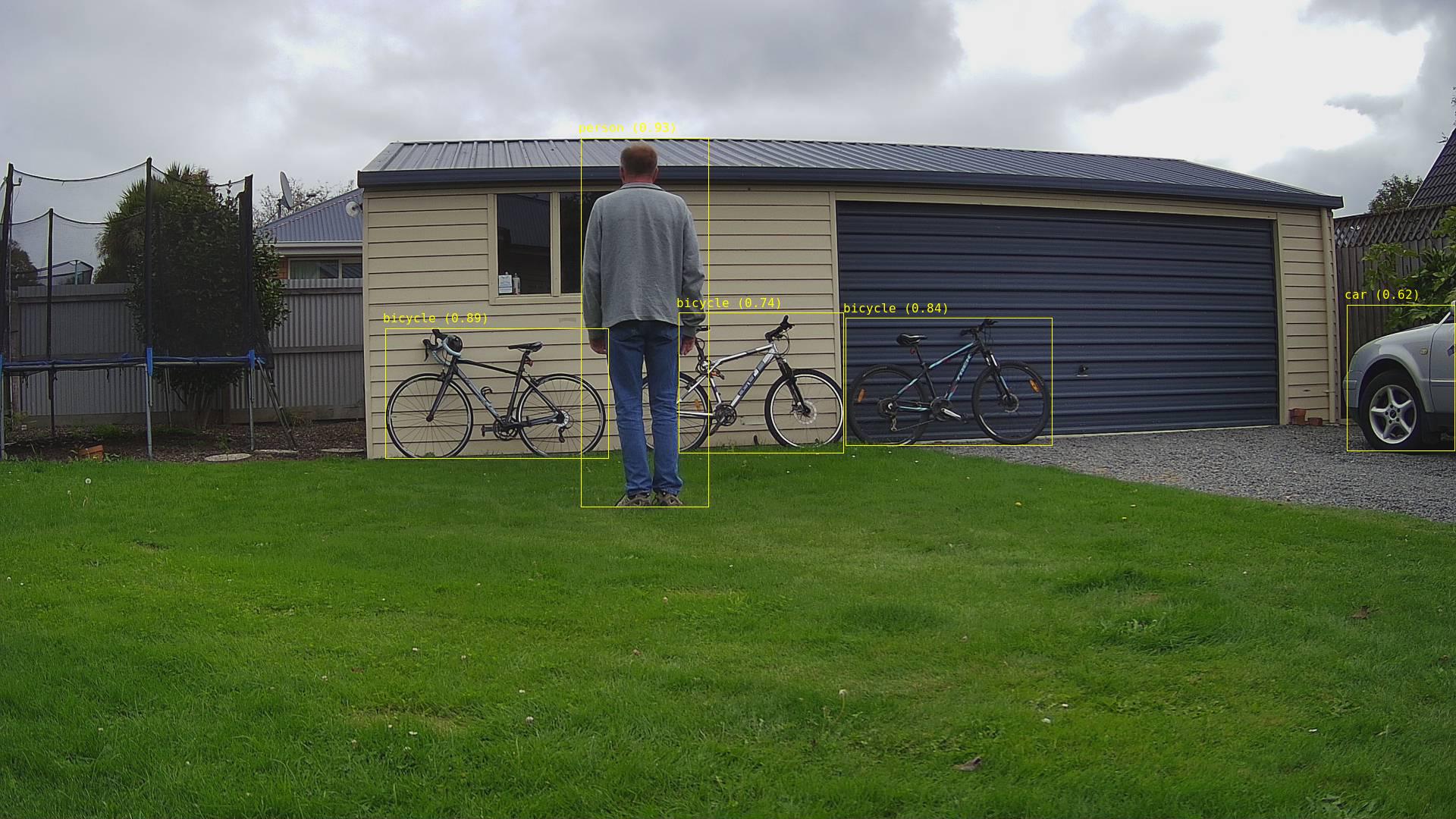
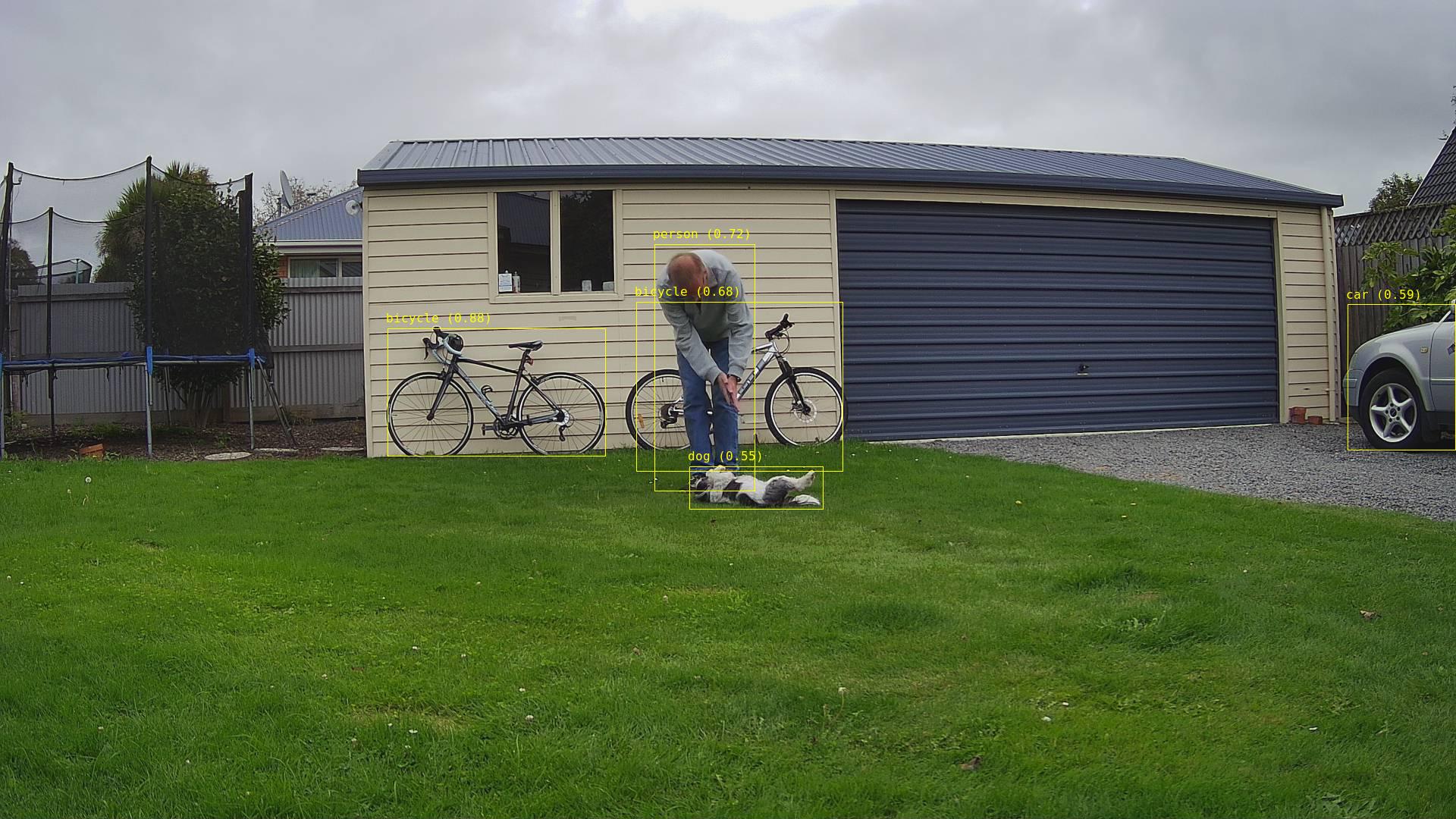
Security Camera image with bounding boxes around all detected objects
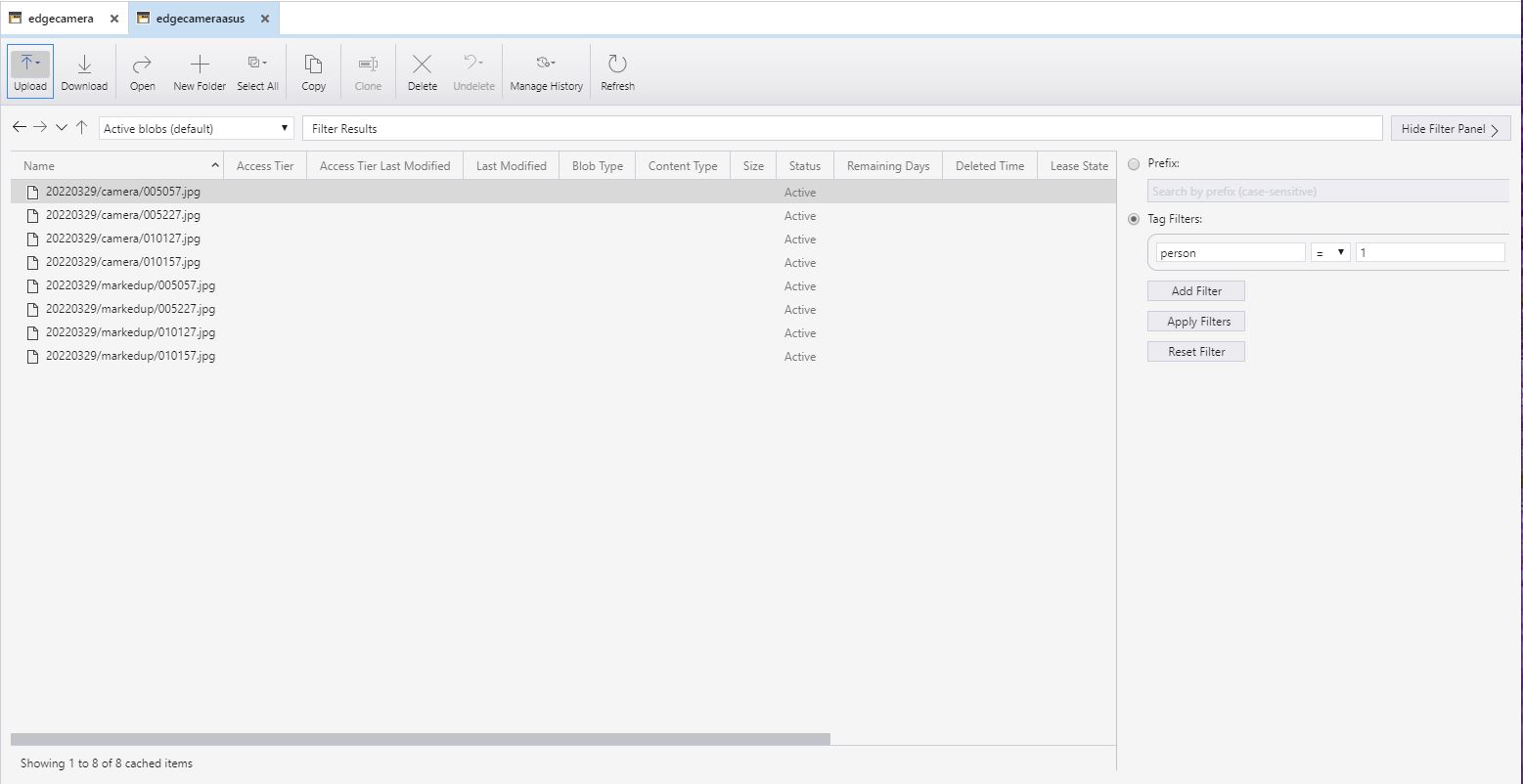
Azure Storage Explorer filter for images containing 1 person

After the You Only Look Once(YOLOV5)+ML.Net+Open Neural Network Exchange(ONNX) plumbing has loaded a timer with a configurable due time and period was started.

private async void ImageUpdateTimerCallback(object state)
{
	DateTime requestAtUtc = DateTime.UtcNow;

	// Just incase - stop code being called while photo already in progress
	if (_cameraBusy)
	{
		return;
	}
	_cameraBusy = true;

	_logger.LogInformation("Image processing start");

	try
	{
#if CAMERA_RASPBERRY_PI
		RaspberryPIImageCapture();
#endif
#if CAMERA_SECURITY
		SecurityCameraImageCapture();
#endif
		List<YoloPrediction> predictions;

		using (Image image = Image.FromFile(_applicationSettings.ImageCameraFilepath))
		{
			_logger.LogTrace("Prediction start");
			predictions = _scorer.Predict(image);
			_logger.LogTrace("Prediction done");

			OutputImageMarkup(image, predictions, _applicationSettings.ImageMarkedUpFilepath);
		}

		if (_logger.IsEnabled(LogLevel.Trace))
		{
			_logger.LogTrace("Predictions {0}", predictions.Select(p => new { p.Label.Name, p.Score }));
		}

		var predictionsOfInterest = predictions.Where(p => p.Score > _applicationSettings.PredicitionScoreThreshold).Select(c => c.Label.Name).Intersect(_applicationSettings.PredictionLabelsOfInterest, StringComparer.OrdinalIgnoreCase);
		if (_logger.IsEnabled(LogLevel.Trace))
		{
			_logger.LogTrace("Predictions of interest {0}", predictionsOfInterest.ToList());
		}

		var predictionsTally = predictions.Where(p => p.Score >= _applicationSettings.PredicitionScoreThreshold)
									.GroupBy(p => p.Label.Name)
									.Select(p => new
									{
										Label = p.Key,
										Count = p.Count()
									});

		if (predictionsOfInterest.Any())
		{
			BlobUploadOptions blobUploadOptions = new BlobUploadOptions()
			{
				Tags = new Dictionary<string, string>()
			};

			foreach (var predicition in predictionsTally)
			{
				blobUploadOptions.Tags.Add(predicition.Label, predicition.Count.ToString());
			}

			if (_applicationSettings.ImageCameraUpload)
			{
				_logger.LogTrace("Image camera upload start");

				string imageFilenameCloud = string.Format(_azureStorageSettings.ImageCameraFilenameFormat, requestAtUtc);

				await _imagecontainerClient.GetBlobClient(imageFilenameCloud).UploadAsync(_applicationSettings.ImageCameraFilepath, blobUploadOptions);

				_logger.LogTrace("Image camera upload done");
			}

			if (_applicationSettings.ImageMarkedupUpload)
			{
				_logger.LogTrace("Image marked-up upload start");

				string imageFilenameCloud = string.Format(_azureStorageSettings.ImageMarkedUpFilenameFormat, requestAtUtc);

				await _imagecontainerClient.GetBlobClient(imageFilenameCloud).UploadAsync(_applicationSettings.ImageMarkedUpFilepath, blobUploadOptions);

				_logger.LogTrace("Image marked-up upload done");
			}
		}

		if (_logger.IsEnabled(LogLevel.Information))
		{
			_logger.LogInformation("Predictions tally {0}", predictionsTally.ToList());
		}
	}
	catch (Exception ex)
	{
		_logger.LogError(ex, "Camera image download, post procesing, image upload, or telemetry failed");
	}
	finally
	{
		_cameraBusy = false;
	}

	TimeSpan duration = DateTime.UtcNow - requestAtUtc;

	_logger.LogInformation("Image processing done {0:f2} sec", duration.TotalSeconds);
}

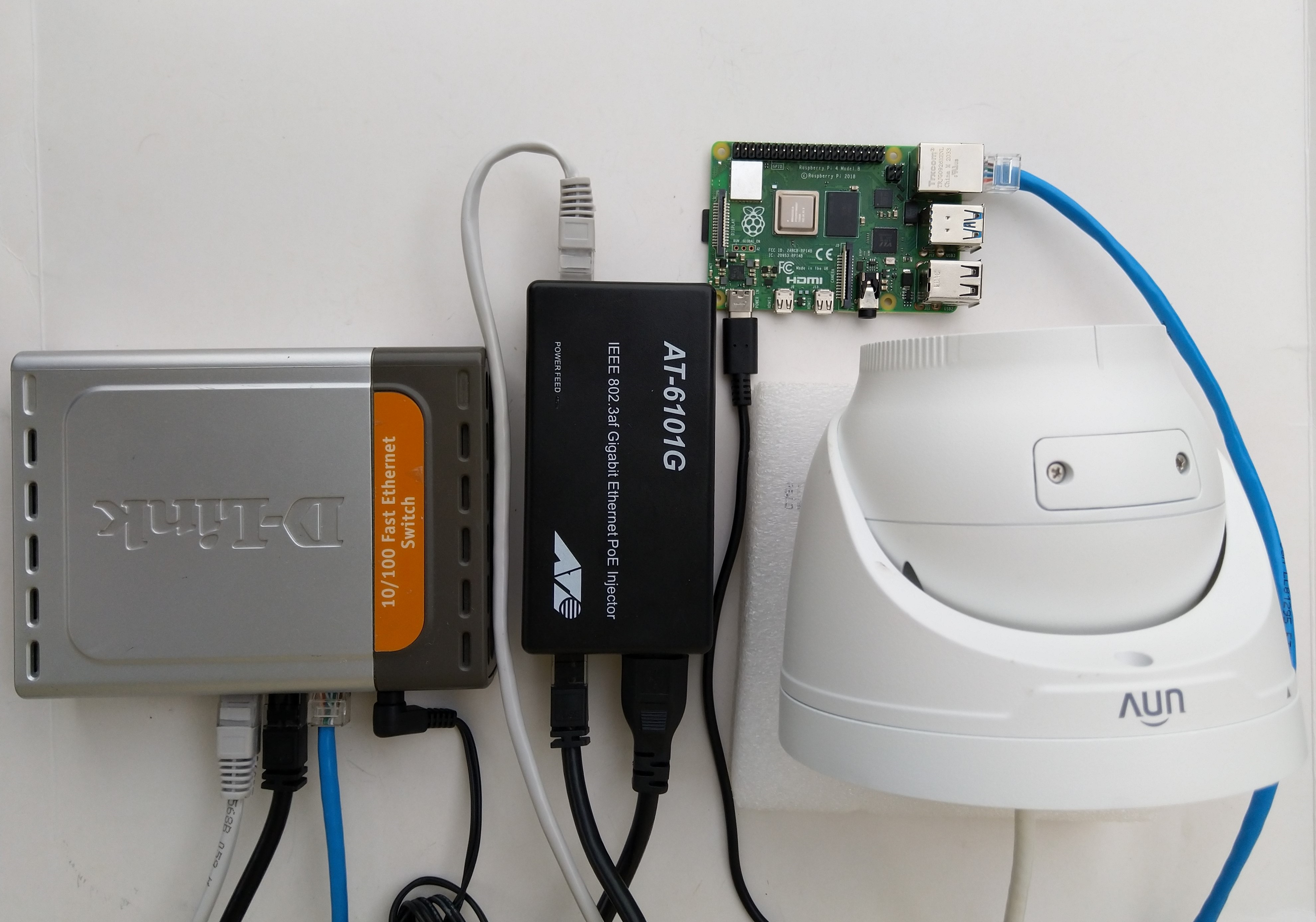
The test-rig consisted of a Unv ADZK-10 Security Camera, Power over Ethernet(PoE) module, D-Link Switch and a Raspberry Pi 4B 8G, or ASUS PE100A, or my HP Prodesk 400G4 DM (i7-8700T)

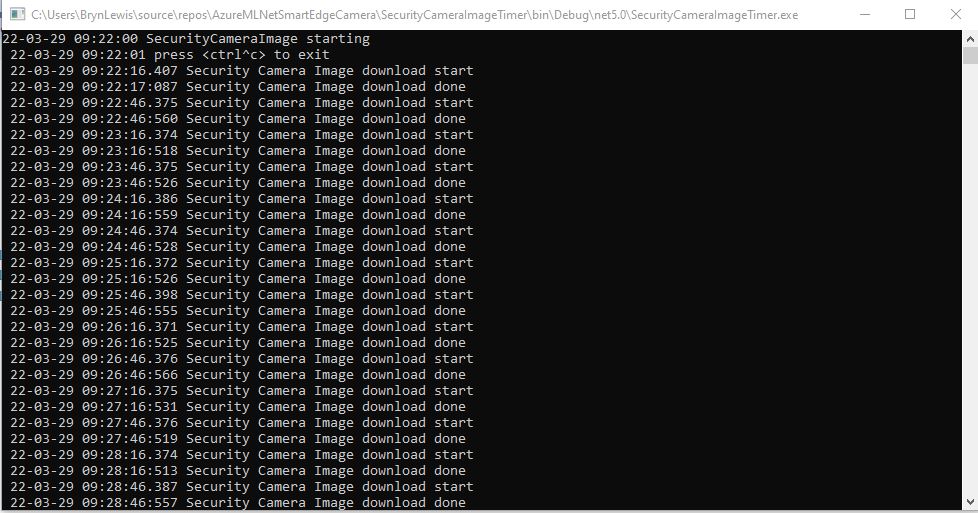
Security Camera Image download times

Excluding the first download it takes on average 0.16 secs to download a security camera image with my network setup.

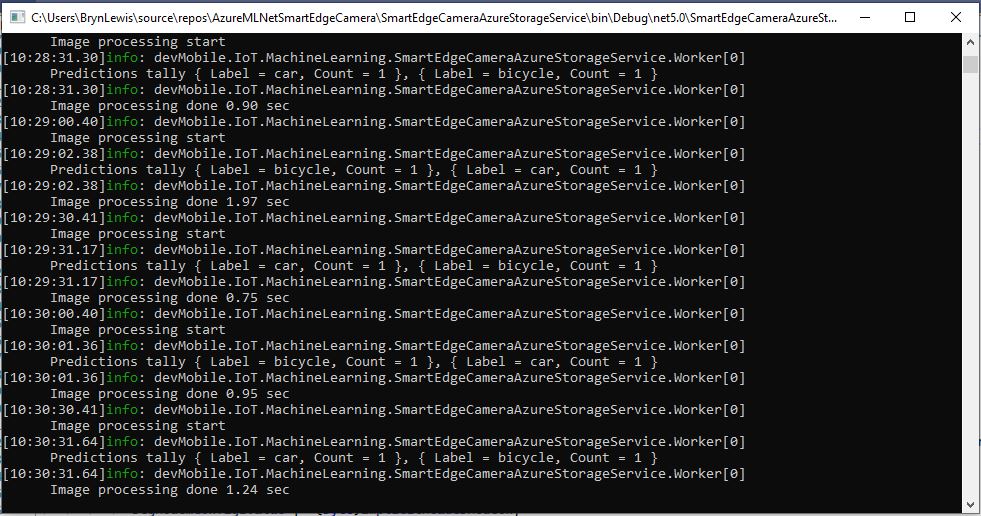
Development PC image download and processing console

The HP Prodesk 400G4 DM (i7-8700T) took on average 1.16 seconds to download an image from the camera, run the model, and upload the two images to Azure Storage

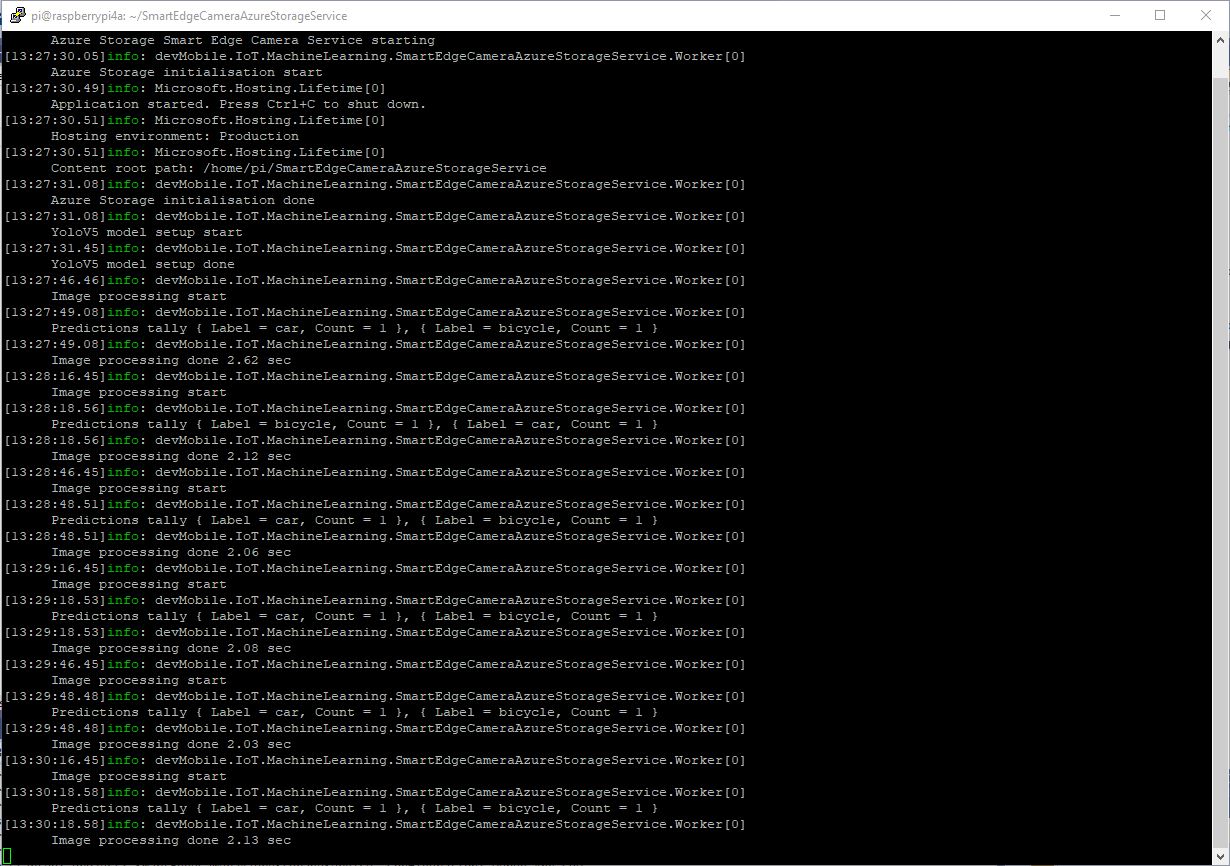
Raspberry PI 4B image download and processing console

The Raspberry Pi 4B 8G took on average 2.18 seconds to download an image from the camera, run the model, then upload the two images to Azure Storage

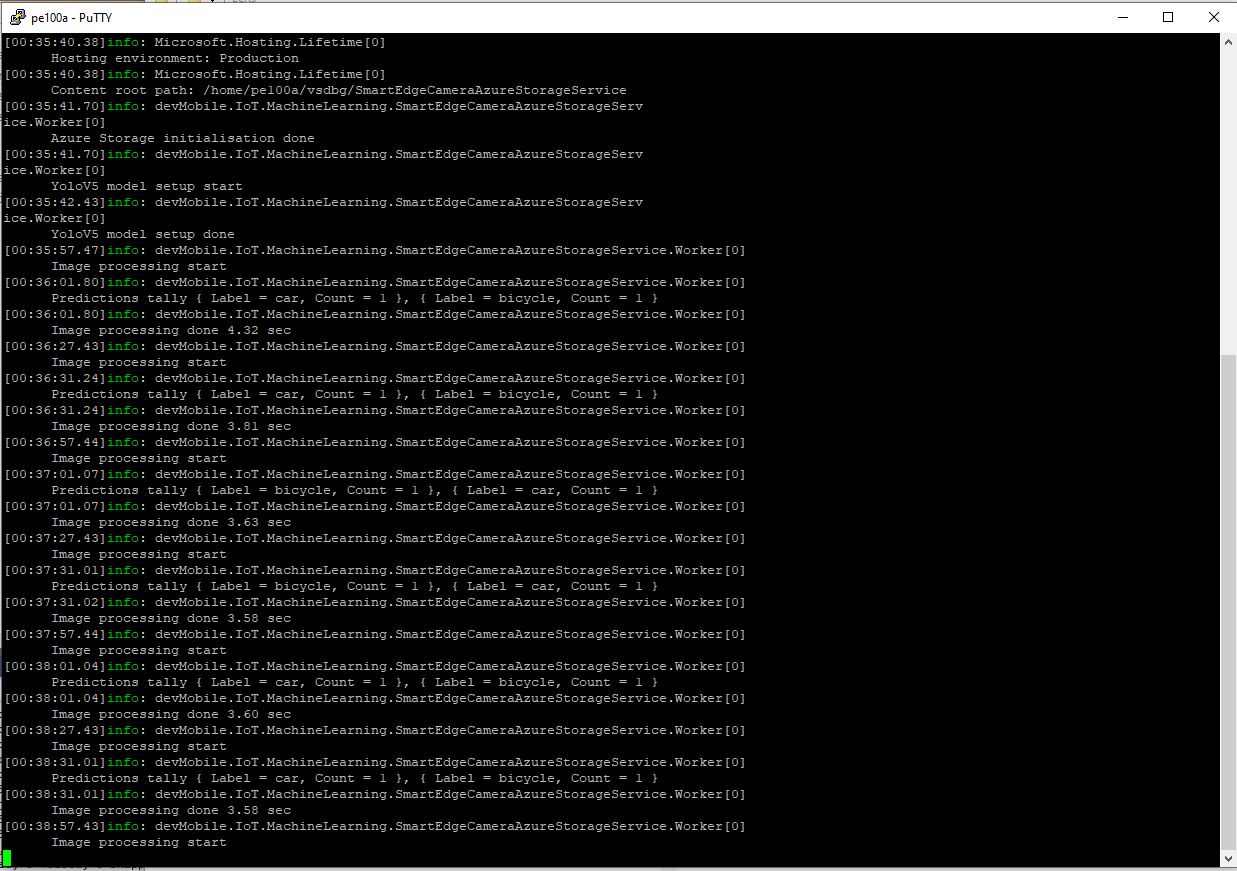
ASUS PE100A image download an processing console

The ASUS PE100A took on average 3.79 seconds to download an image from the camera, run the model, then upload the two images to Azure Storage.

Smartish Edge Camera – Azure Storage Image Tags

This ML.Net +You only look once V5(YoloV5) + RaspberryPI 4B project uploads raw camera and marked up (with searchable tags) images to Azure Storage.

Raspberry PI 4 B backyard test rig

My backyard test-rig consists of a Unv ADZK-10 Security Camera, Power over Ethernet(PoE) module, D-Link Switch and a Raspberry Pi 4B 8G.

{
   ...

  "Application": {
    "DeviceId": "edgecamera",
...
    "PredicitionScoreThreshold": 0.7,
    "PredictionLabelsOfInterest": [
      "bicycle",
      "person",
      "car"
    ],
    "OutputImageMarkup": true
  },
...
  "AzureStorage": {
    "ConnectionString": "FhisIsNotTheConnectionStringYouAreLookingFor",
    "ImageCameraFilenameFormat": "{0:yyyyMMdd}/camera/{0:HHmmss}.jpg",
    "ImageMarkedUpFilenameFormat": "{0:yyyyMMdd}/markedup/{0:HHmmss}.jpg"
  }
}

After the You Only Look Once(YOLOV5)+ML.Net+Open Neural Network Exchange(ONNX) plumbing has loaded a timer with a configurable due time and period is started.

private async void ImageUpdateTimerCallback(object state)
{
	DateTime requestAtUtc = DateTime.UtcNow;

	// Just incase - stop code being called while photo already in progress
	if (_cameraBusy)
	{
		return;
	}
	_cameraBusy = true;

	_logger.LogInformation("Image processing start");

	try
	{
#if CAMERA_RASPBERRY_PI
		RaspberryPIImageCapture();
#endif
#if CAMERA_SECURITY
		SecurityCameraImageCapture();
#endif
		if (_applicationSettings.ImageCameraUpload)
		{
			_logger.LogTrace("Image camera upload start");

			string imageFilenameCloud = string.Format(_azureStorageSettings.ImageCameraFilenameFormat, requestAtUtc);

			await _imagecontainerClient.GetBlobClient(imageFilenameCloud).UploadAsync(_applicationSettings.ImageCameraFilepath, true);

			_logger.LogTrace("Image camera upload done");
		}

		List<YoloPrediction> predictions;

		using (Image image = Image.FromFile(_applicationSettings.ImageCameraFilepath))
		{
			_logger.LogTrace("Prediction start");
			predictions = _scorer.Predict(image);
			_logger.LogTrace("Prediction done");

			OutputImageMarkup(image, predictions, _applicationSettings.ImageMarkedUpFilepath);
		}

		if (_logger.IsEnabled(LogLevel.Trace))
		{
			_logger.LogTrace("Predictions {0}", predictions.Select(p => new { p.Label.Name, p.Score }));
		}

		var predictionsOfInterest = predictions.Where(p => p.Score > _applicationSettings.PredicitionScoreThreshold).Select(c => c.Label.Name).Intersect(_applicationSettings.PredictionLabelsOfInterest, StringComparer.OrdinalIgnoreCase);
		if (_logger.IsEnabled(LogLevel.Trace))
		{
			_logger.LogTrace("Predictions of interest {0}", predictionsOfInterest.ToList());
		}

		var predictionsTally = predictions.Where(p => p.Score >= _applicationSettings.PredicitionScoreThreshold)
									.GroupBy(p => p.Label.Name)
									.Select(p => new
									{
										Label = p.Key,
										Count = p.Count()
									});

		if (_applicationSettings.ImageMarkedupUpload && predictionsOfInterest.Any())
		{
			_logger.LogTrace("Image marked-up upload start");

			string imageFilenameCloud = string.Format(_azureStorageSettings.ImageMarkedUpFilenameFormat, requestAtUtc);

			BlobUploadOptions blobUploadOptions = new BlobUploadOptions()
			{
				Tags = new Dictionary<string, string>()
			};

			foreach (var predicition in predictionsTally)
			{
				blobUploadOptions.Tags.Add(predicition.Label, predicition.Count.ToString());
			}

			BlobClient blobClient = _imagecontainerClient.GetBlobClient(imageFilenameCloud);

			await blobClient.UploadAsync(_applicationSettings.ImageMarkedUpFilepath, blobUploadOptions);

			_logger.LogTrace("Image marked-up upload done");
		}

		if (_logger.IsEnabled(LogLevel.Information))
		{
			_logger.LogInformation("Predictions tally {0}", predictionsTally.ToList());
		}
	}
	catch (Exception ex)
	{
		_logger.LogError(ex, "Camera image download, post procesing, image upload, or telemetry failed");
	}
	finally
	{
		_cameraBusy = false;
	}

	TimeSpan duration = DateTime.UtcNow - requestAtUtc;

	_logger.LogInformation("Image processing done {0:f2} sec", duration.TotalSeconds);
}
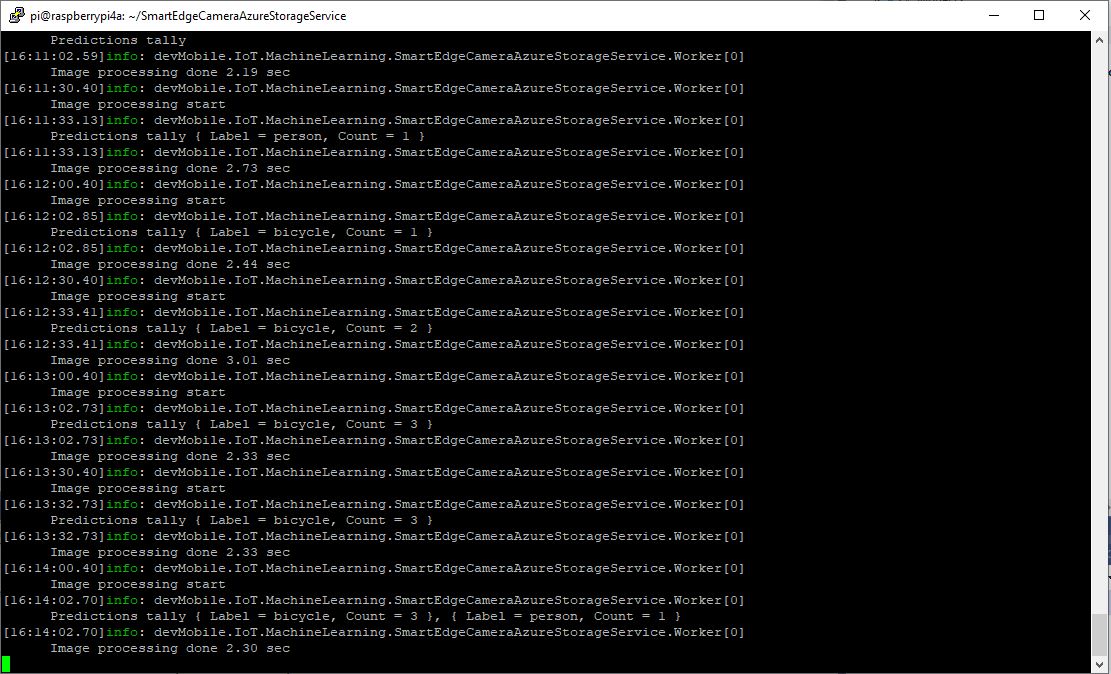
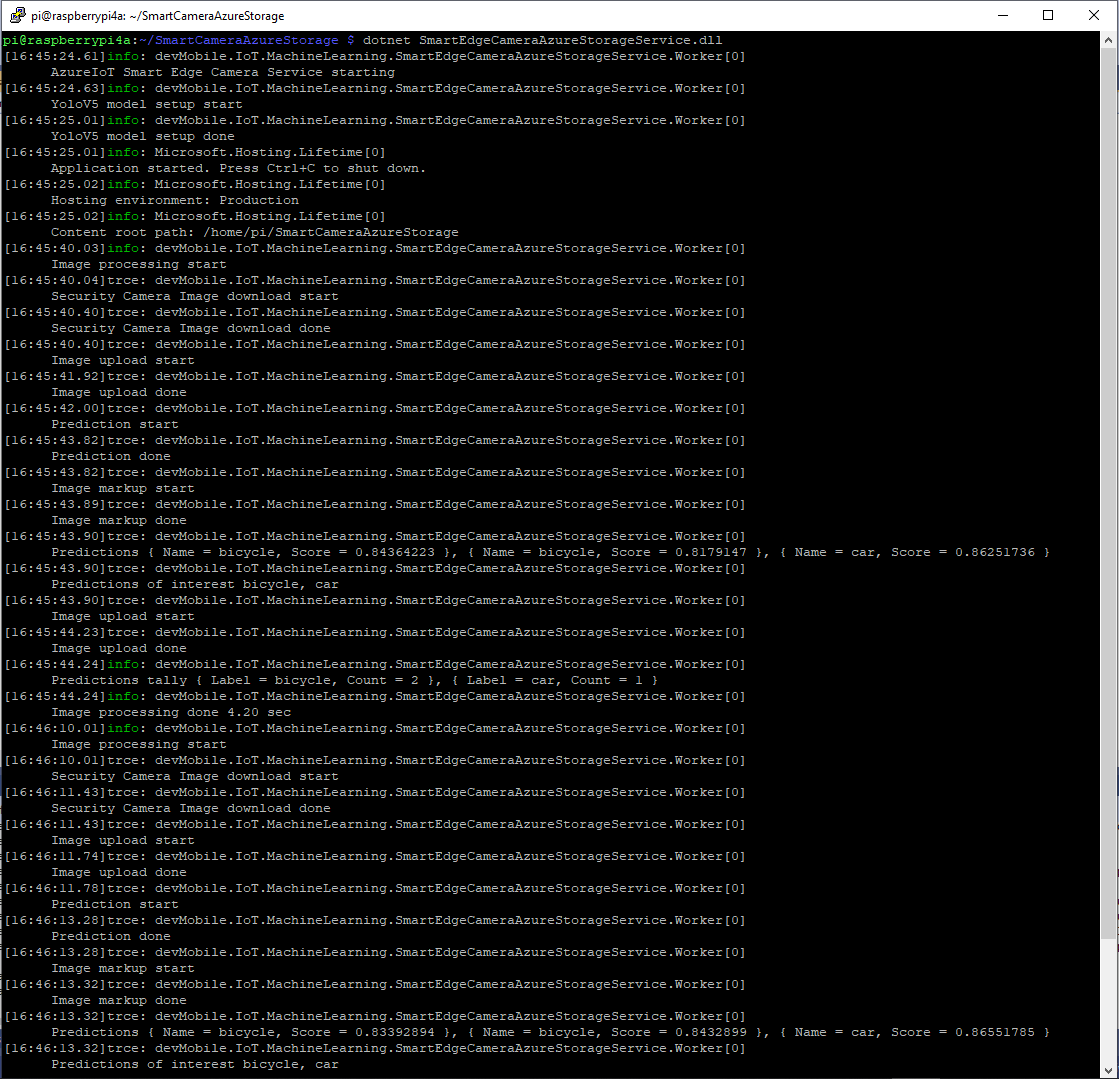
RaspberryPI 4B console application output

A marked up image is uploaded to Azure Storage if any of the objects detected (with a score greater than PredicitionScoreThreshold) is in the PredictionLabelsOfInterest list.

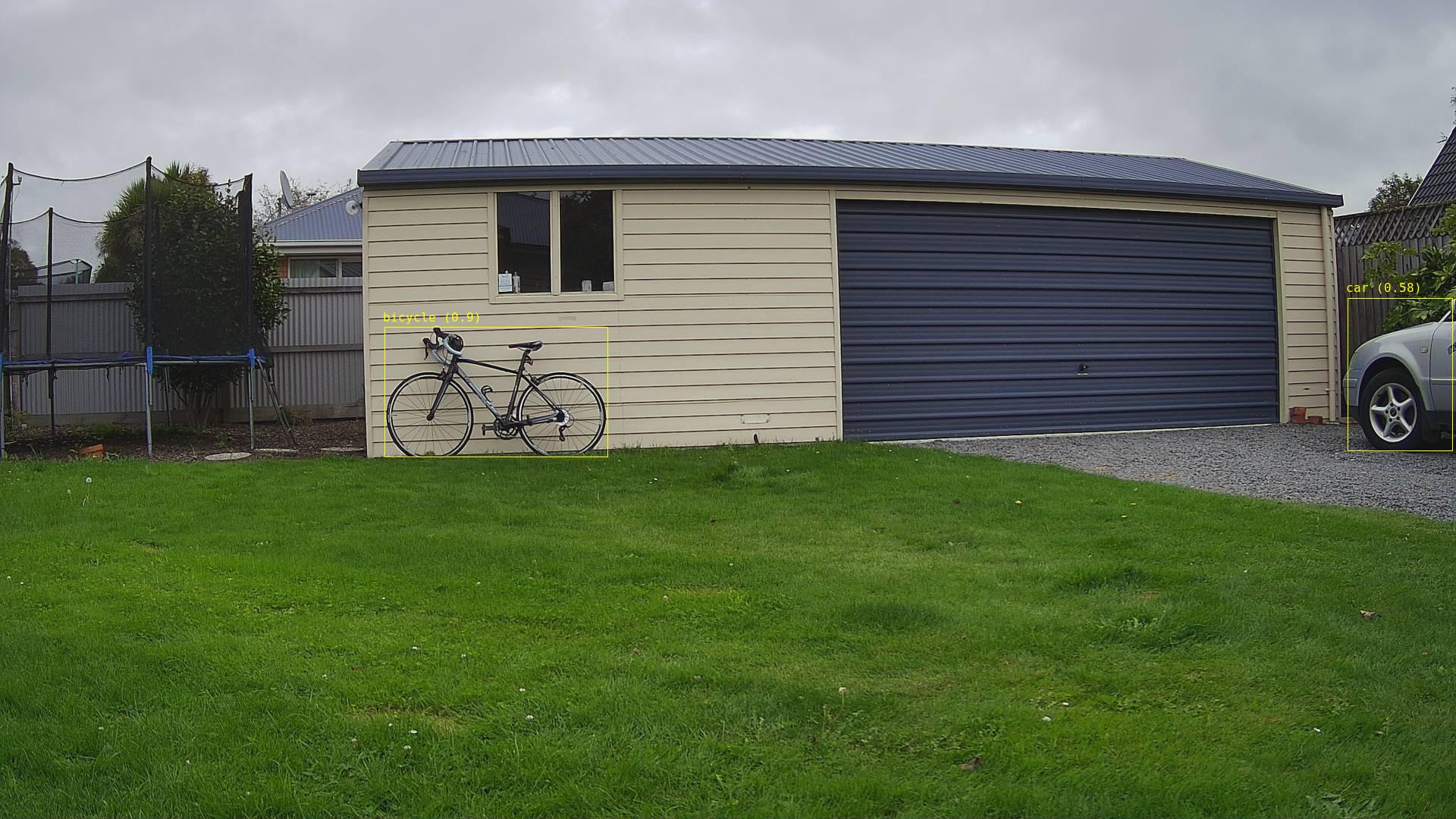
Single bicycle
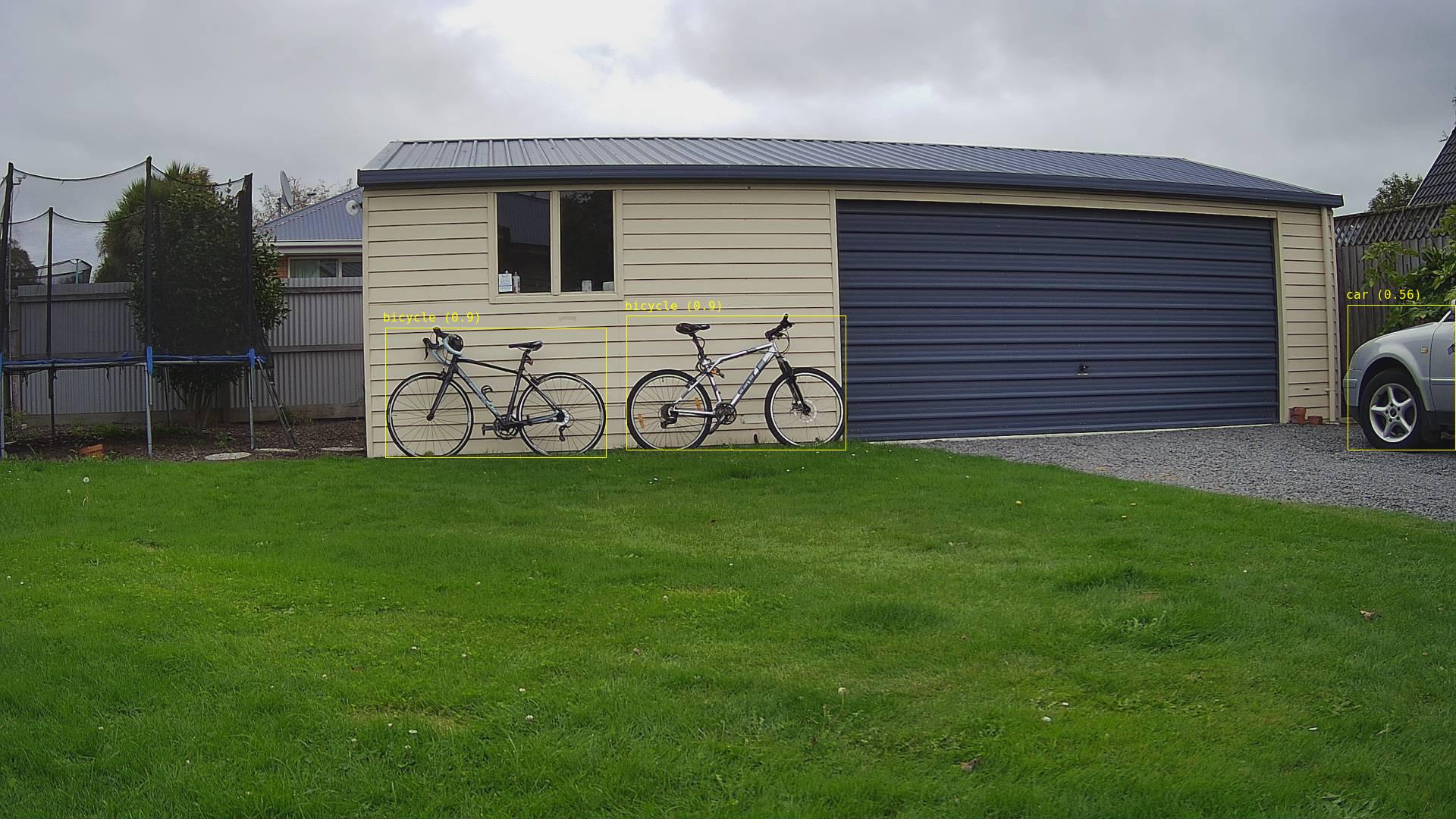
Two bicycles
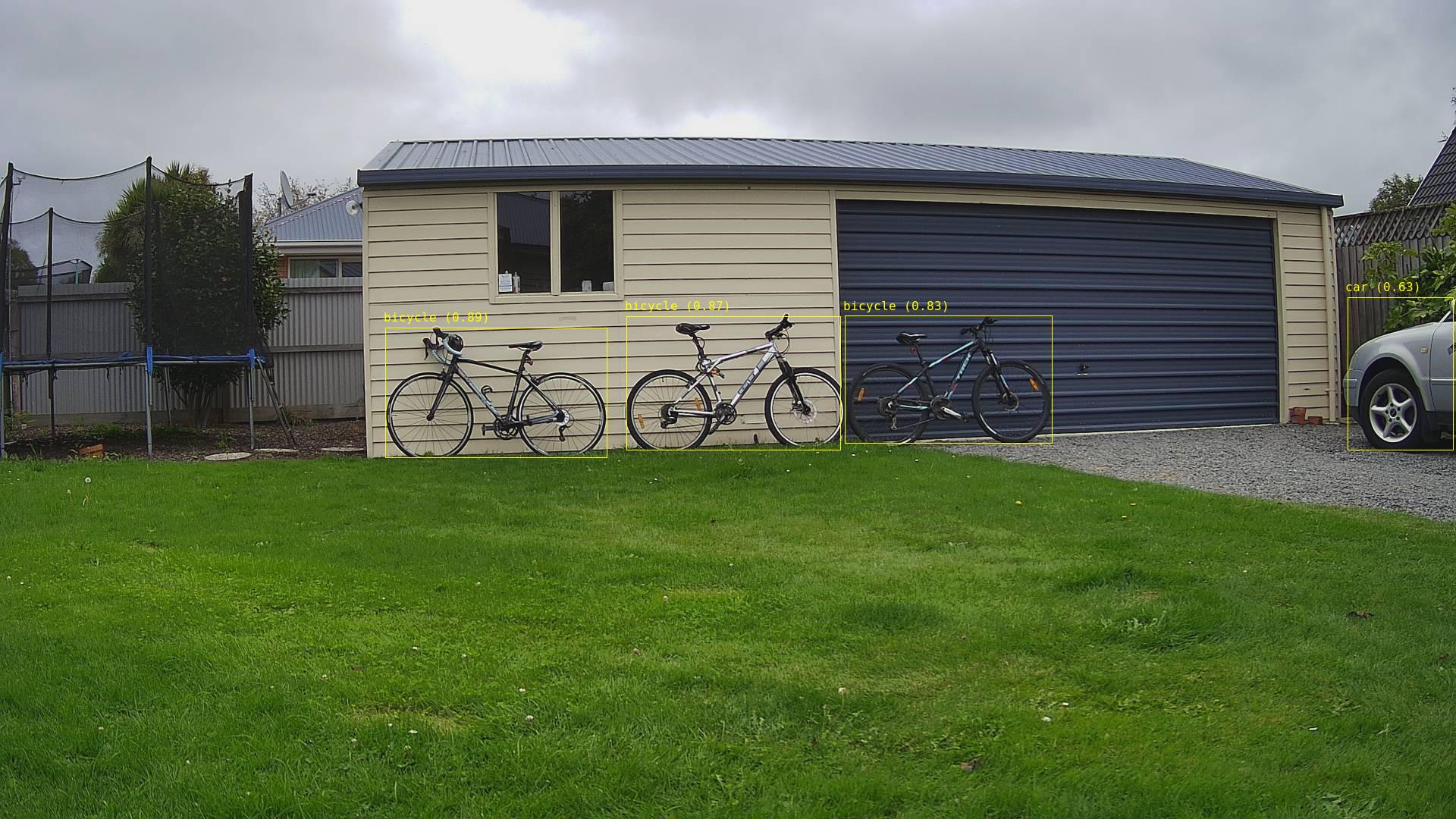
Three bicycles
Three bicycles with person in the foreground
Two bicycles with a person and dog in the foreground

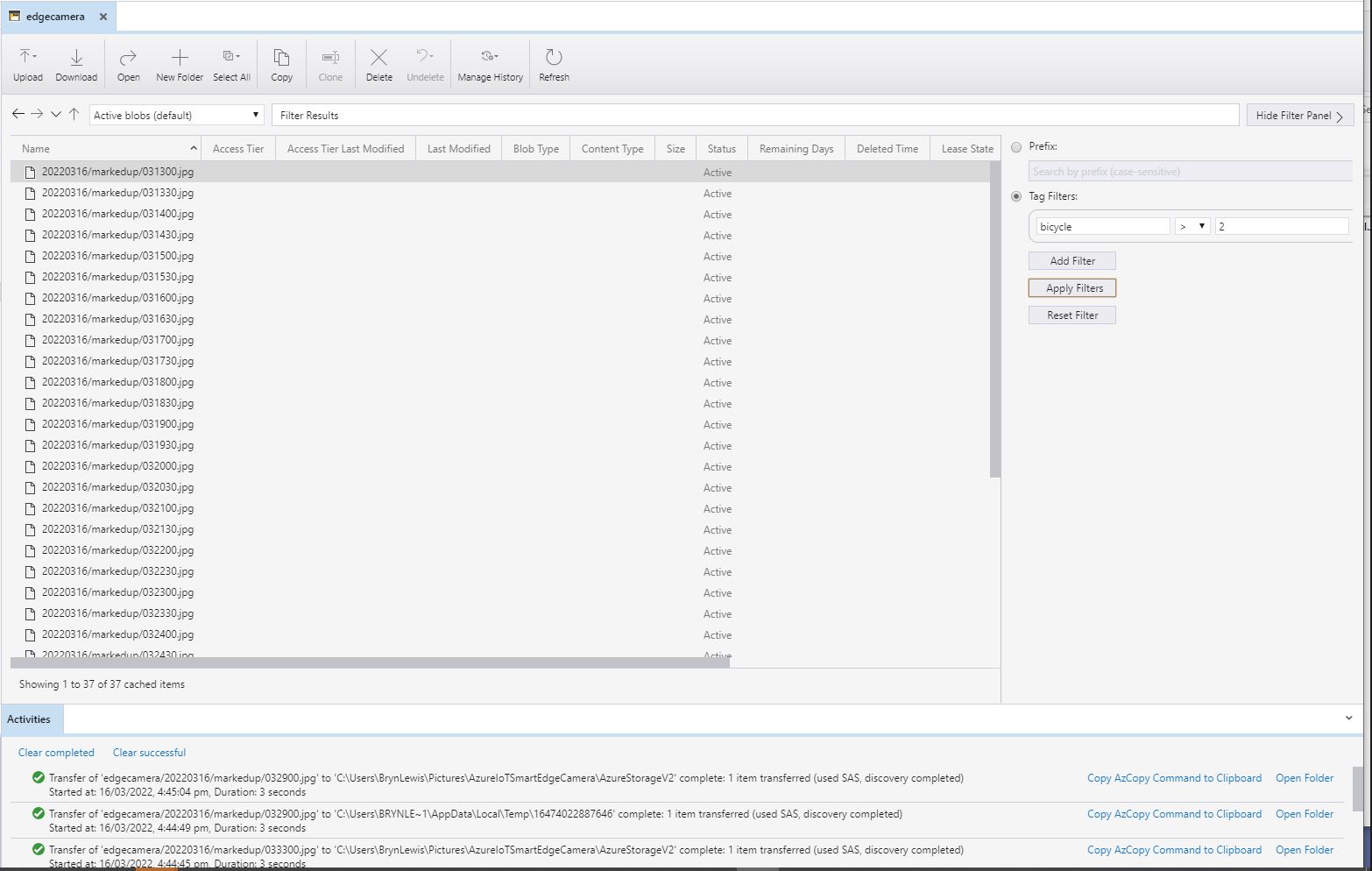
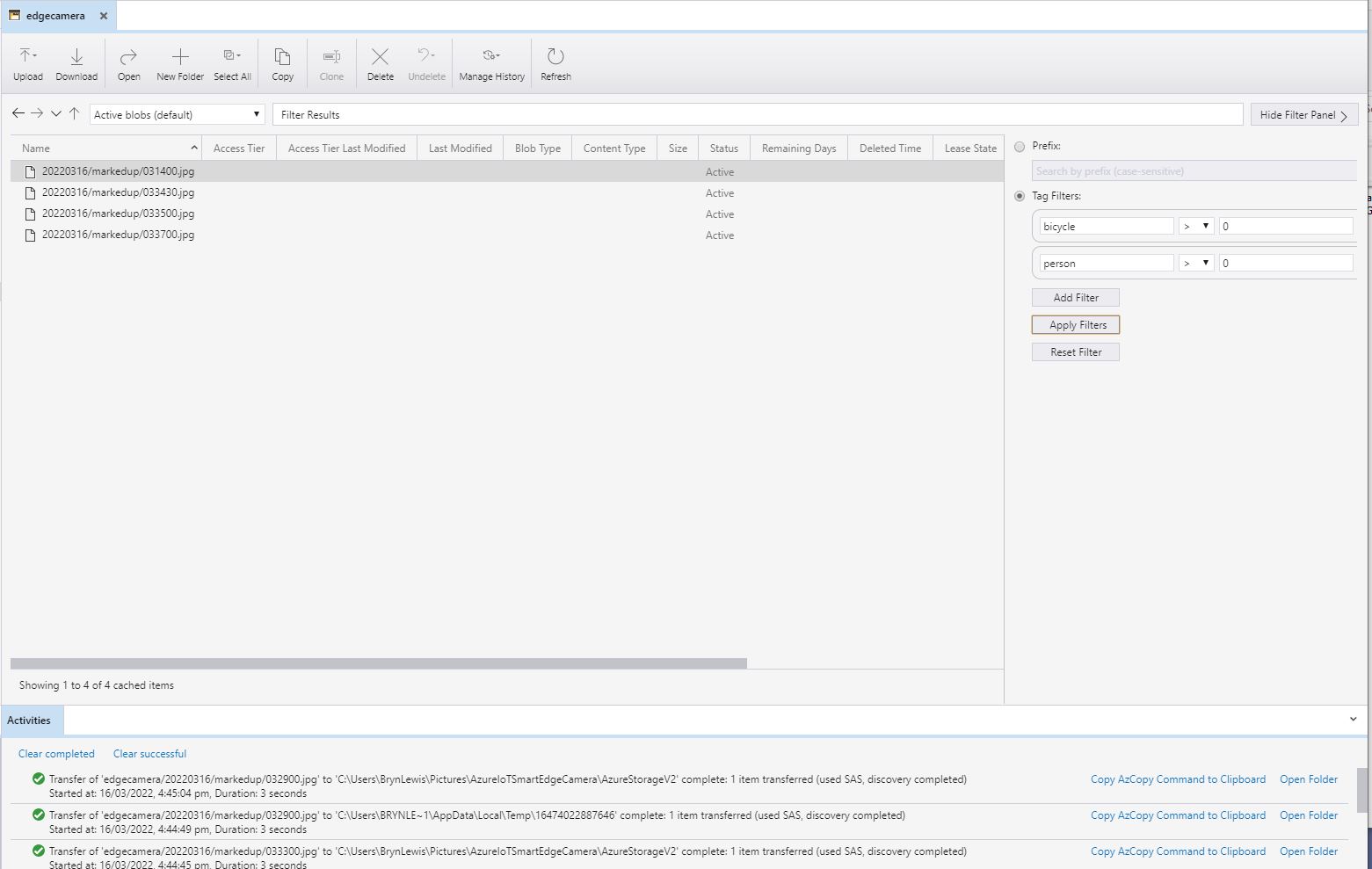
I have added Tags to the images so they can be filtered with tools like Azure Storage Explorer.

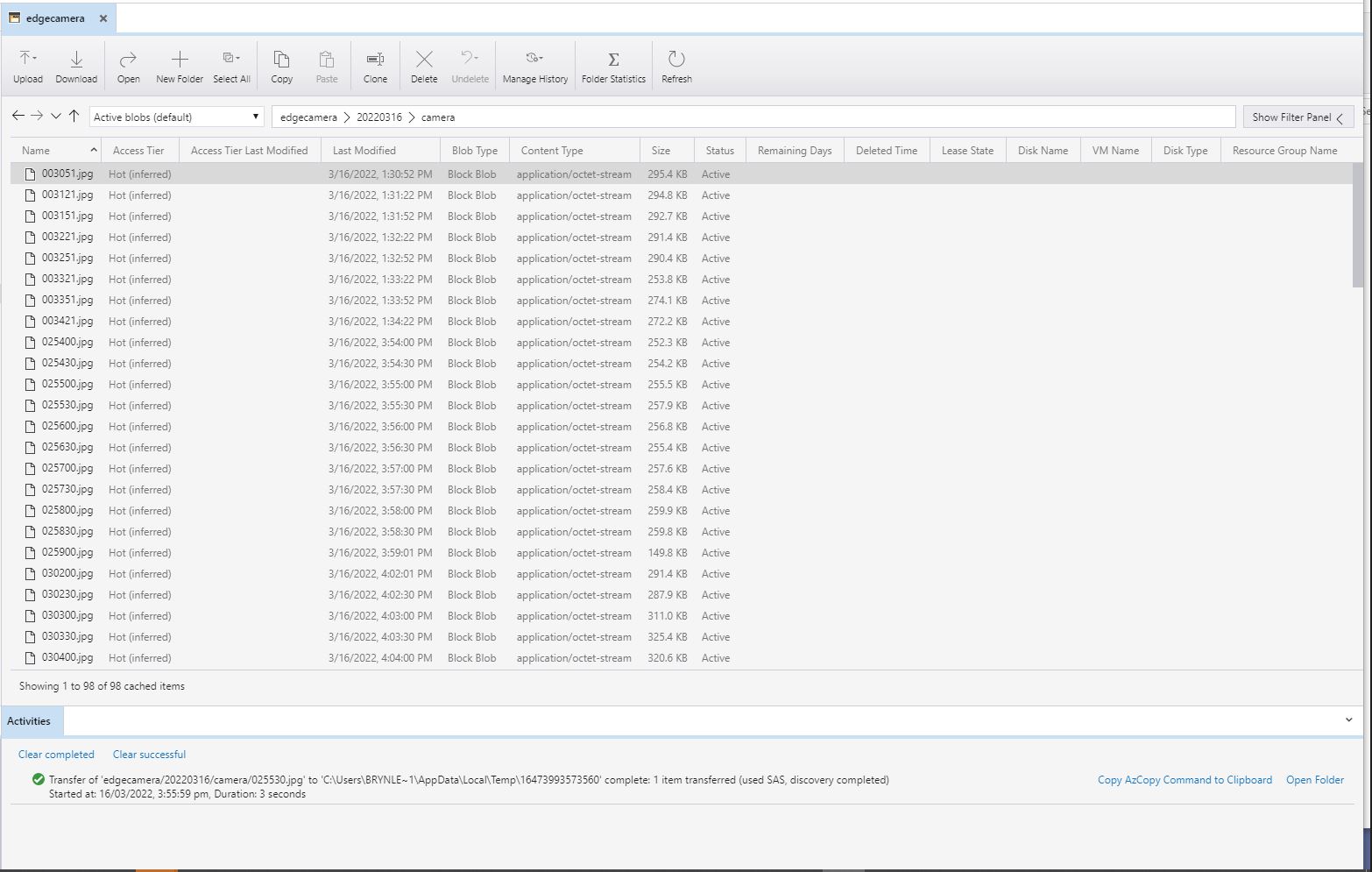
All the camera images
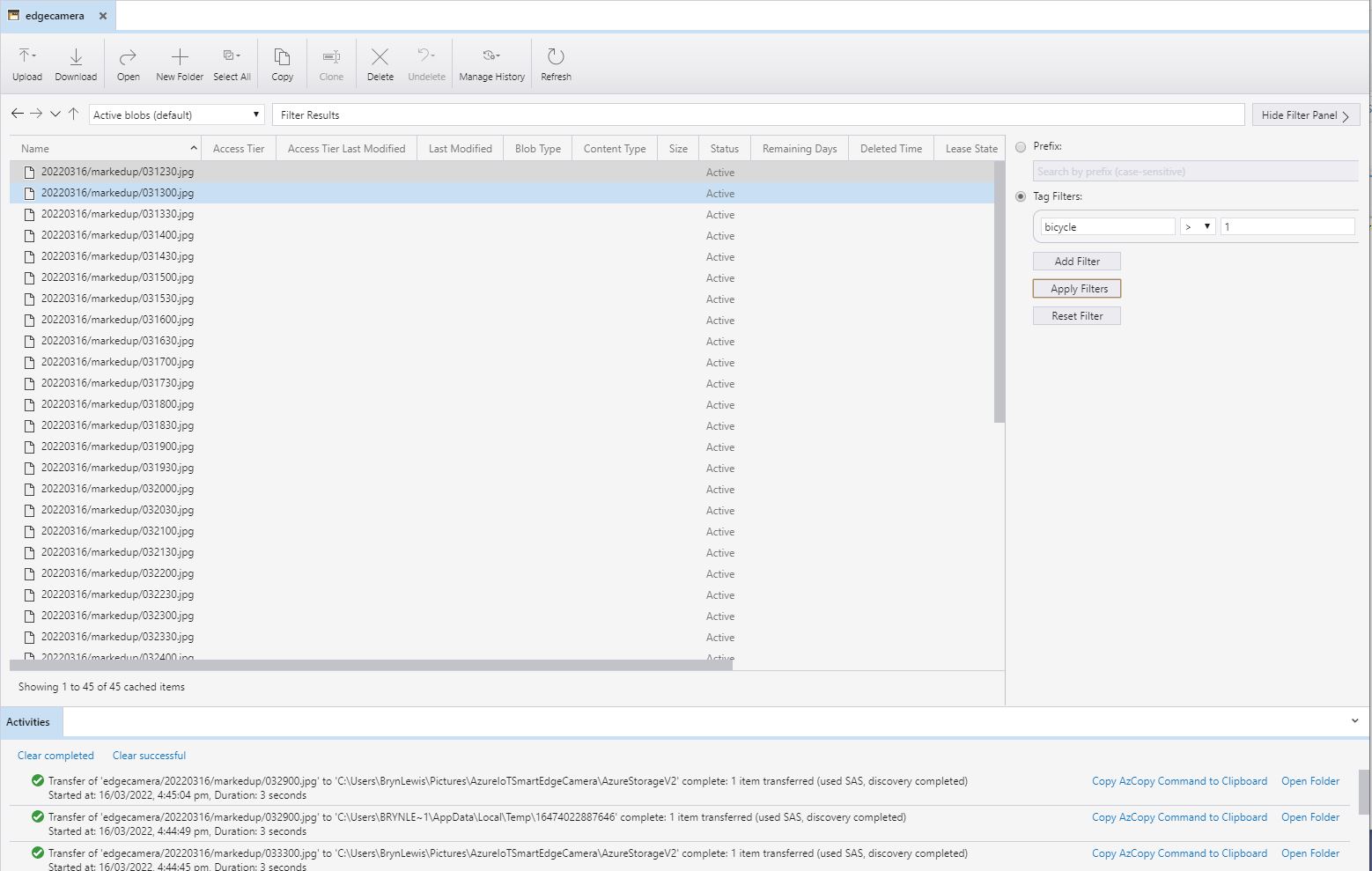
All the marked up images with more than one bicycle
All the marked up images with more than two bicycles
All the marked up images with people and bicycles

Smartish Edge Camera – Azure Storage basics

This project is another reworked version of on my ML.Net YoloV5 + Camera + GPIO on ARM64 Raspberry PI which supports only the uploading of camera and marked up images to Azure Storage.

My backyard test-rig consists of a Unv IPC675LFW Pan Tilt Zoom(PTZ) Security Camera, Power over Ethernet(PoE) module, and a Raspberry Pi 4B 8G.

Raspberry PI 4 B backyard test rig

The application can be compiled with Raspberry PI V2 Camera or Unv Security Camera (The security camera configuration may work for other cameras/vendors).

The appsetings.json file has configuration options for the Azure Storage Account, DeviceID (Used for the Azure Blob storage container name), the list of object classes of interest (based on the YoloV5 image classes) , and the image blob storage file names (used to “bucket” images).

{
  "Logging": {
    "LogLevel": {
      "Default": "Information",
      "Microsoft": "Warning",
      "Microsoft.Hosting.Lifetime": "Information"
    }
  },

  "Application": {
    "DeviceId": "edgecamera",

    "ImageTimerDue": "0.00:00:15",
    "ImageTimerPeriod": "0.00:00:30",

    "ImageCameraFilepath": "ImageCamera.jpg",
    "ImageMarkedUpFilepath": "ImageMarkedup.jpg",

    "ImageCameraUpload": true,
    "ImageMarkedupUpload": true,

    "YoloV5ModelPath": "YoloV5/yolov5s.onnx",

    "PredicitionScoreThreshold": 0.7,
    "PredictionLabelsOfInterest": [
      "bicycle",
      "person",
      "car"
    ],
    "OutputImageMarkup": true
  },

  "SecurityCamera": {
    "CameraUrl": "",
    "CameraUserName": "",
    "CameraUserPassword": ""
  },

  "RaspberryPICamera": {
    "ProcessWaitForExit": 1000,
    "Rotation": 180
  },

  "AzureStorage": {
    "ConnectionString": "FhisIsNotTheConnectionStringYouAreLookingFor",
    "ImageCameraFilenameFormat": "{0:yyyyMMdd}/camera/{0:HHmmss}.jpg",
    "ImageMarkedUpFilenameFormat": "{0:yyyyMMdd}/markedup/{0:HHmmss}.jpg"
  }
}

Part of this refactor was injecting(DI) the logging and configuration dependencies.

public class Program
{
	public static void Main(string[] args)
	{
		CreateHostBuilder(args).Build().Run();
	}

	public static IHostBuilder CreateHostBuilder(string[] args) =>
		 Host.CreateDefaultBuilder(args)
			.ConfigureServices((hostContext, services) =>
			{
				services.Configure<ApplicationSettings>(hostContext.Configuration.GetSection("Application"));
				services.Configure<SecurityCameraSettings>(hostContext.Configuration.GetSection("SecurityCamera"));
				services.Configure<RaspberryPICameraSettings>(hostContext.Configuration.GetSection("RaspberryPICamera"));
				services.Configure<AzureStorageSettings>(hostContext.Configuration.GetSection("AzureStorage"));
			})
			.ConfigureLogging(logging =>
			{
				logging.ClearProviders();
				logging.AddSimpleConsole(c => c.TimestampFormat = "[HH:mm:ss.ff]");
			})
			.UseSystemd()
			.ConfigureServices((hostContext, services) =>
			{
			  services.AddHostedService<Worker>();
			});
		}
	}
}

After the You Only Look Once(YOLOV5)+ML.Net+Open Neural Network Exchange(ONNX) plumbing has loaded a timer with a configurable due time and period is started.

private async void ImageUpdateTimerCallback(object state)
{
	DateTime requestAtUtc = DateTime.UtcNow;

	// Just incase - stop code being called while photo already in progress
	if (_cameraBusy)
	{
		return;
	}
	_cameraBusy = true;

	_logger.LogInformation("Image processing start");

	try
	{
#if CAMERA_RASPBERRY_PI
		RaspberryPIImageCapture();
#endif
#if CAMERA_SECURITY
		SecurityCameraImageCapture();
#endif
		if (_applicationSettings.ImageCameraUpload)
		{
					await AzureStorageImageUpload(requestAtUtc, _applicationSettings.ImageCameraFilepath, 
 azureStorageSettings.ImageCameraFilenameFormat);
		}

		List<YoloPrediction> predictions;

		using (Image image = Image.FromFile(_applicationSettings.ImageCameraFilepath))
		{
			_logger.LogTrace("Prediction start");
			predictions = _scorer.Predict(image);
			_logger.LogTrace("Prediction done");

			OutputImageMarkup(image, predictions, _applicationSettings.ImageMarkedUpFilepath);
		}

		if (_logger.IsEnabled(LogLevel.Trace))
		{
			_logger.LogTrace("Predictions {0}", predictions.Select(p => new { p.Label.Name, p.Score }));
		}

		var predictionsOfInterest = predictions.Where(p => p.Score > _applicationSettings.PredicitionScoreThreshold).Select(c => c.Label.Name).Intersect(_applicationSettings.PredictionLabelsOfInterest, StringComparer.OrdinalIgnoreCase);
		if (_logger.IsEnabled(LogLevel.Trace))
		{
			_logger.LogTrace("Predictions of interest {0}", predictionsOfInterest.ToList());
		}

		if (_applicationSettings.ImageMarkedupUpload && predictionsOfInterest.Any())
		{
			await AzureStorageImageUpload(requestAtUtc, _applicationSettings.ImageMarkedUpFilepath, _azureStorageSettings.ImageMarkedUpFilenameFormat);
		}

		var predictionsTally = predictions.Where(p => p.Score >= _applicationSettings.PredicitionScoreThreshold)
									.GroupBy(p => p.Label.Name)
									.Select(p => new
									{
										Label = p.Key,
										Count = p.Count()
									});

		if (_logger.IsEnabled(LogLevel.Information))
		{
			_logger.LogInformation("Predictions tally {0}", predictionsTally.ToList());
		}
	}
	catch (Exception ex)
	{
		_logger.LogError(ex, "Camera image download, post procesing, image upload, or telemetry failed");
	}
	finally
	{
		_cameraBusy = false;
	}

	TimeSpan duration = DateTime.UtcNow - requestAtUtc;

	_logger.LogInformation("Image processing done {0:f2} sec", duration.TotalSeconds);
}

In the ImageUpdateTimerCallback method a camera image is captured (by my Raspberry Pi Camera Module 2 or IPC675LFW Security Camera) and written to the local file system.

Raspberry PI4B console displaying image processing and uploading

The MentalStack YoloV5 model ML.Net support library processes the camera image on the local filesystem. The prediction output (can be inspected with Netron) is parsed generating list of objects that have been detected, their Minimum Bounding Rectangle(MBR) and class.

Image from security camera
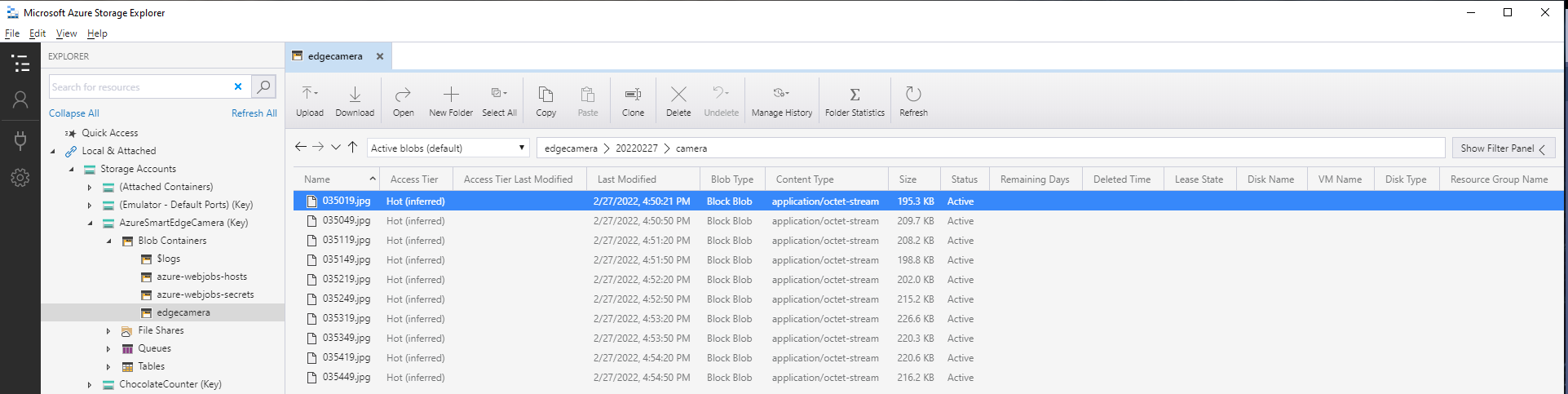
Azure IoT Storage Explorer displaying list of camera images

The list of predictions is post processed with a Language Integrated Query(LINQ) which filters out predictions with a score below a configurable threshold(PredicitionScoreThreshold) and returns a count of each class. If this list intersects with the configurable PredictionLabelsOfInterest a marked up image is uploaded to Azure Storage.

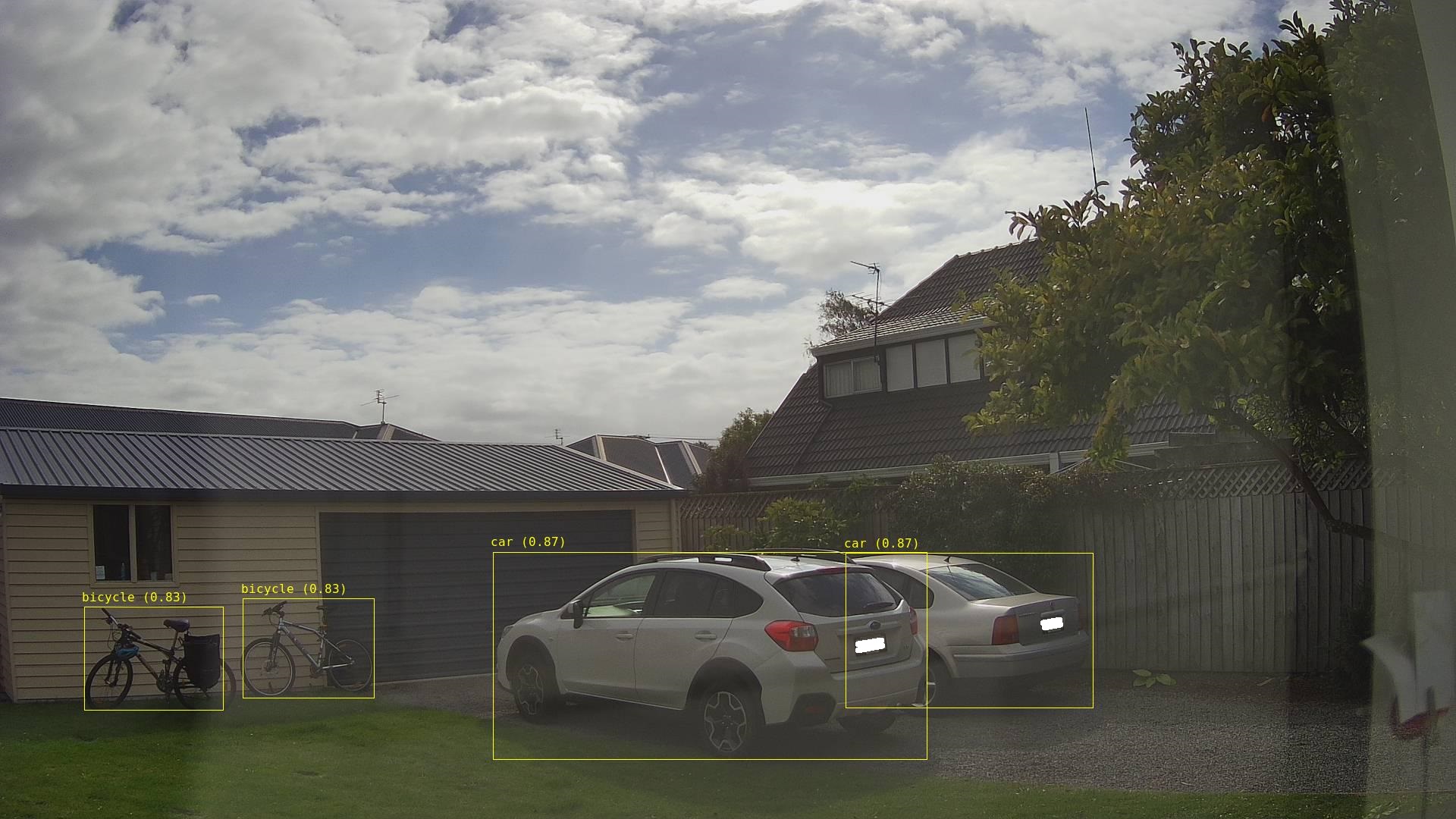
Image from security camera marked up with Minimum Bounding Boxes(MBRs)
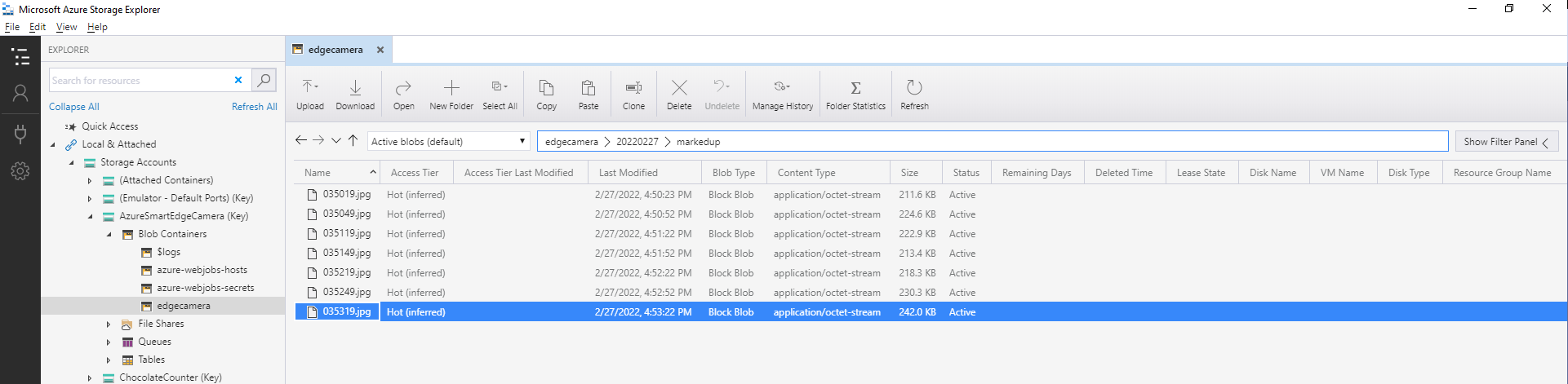
Azure IoT Storage Explorer displaying list of marked up camera images

The current implementation is quite limited, the camera image upload, object detection and image upload if there are objects of interest is implemented in a single timer callback. I’m considering implementing two timers one for the uploading of camera images (time lapse camera) and the other for running the object detection process and uploading marked up images.

Marked up images are uploaded if any of the objects detected (with a score greater than PredicitionScoreThreshold) is in the PredictionLabelsOfInterest. I’m considering adding a PredicitionScoreThreshold and minimum count for individual prediction classes, and optionally marked up image upload only when the list of objects detected has changed.