Random wanderings through Microsoft Azure esp. PaaS plumbing, the IoT bits, AI on Micro controllers, AI on Edge Devices, .NET nanoFramework, .NET Core on *nix and ML.NET+ONNX
The PEM encoded root CA certificate chain that is used to validate the server
public const string CA_ROOT_PEM = @"-----BEGIN CERTIFICATE-----
CN: CN = Microsoft Azure ECC TLS Issuing CA 03
-----END CERTIFICATE-----
-----BEGIN CERTIFICATE-----
CN: CN = DigiCert Global Root G3
-----END CERTIFICATE-----";

The PEM encoded certificate chain that is used to authenticate the device
public const string CLIENT_CERT_PEM_A = @"-----BEGIN CERTIFICATE-----
-----BEGIN CERTIFICATE-----
 CN=Self signed device certificate
-----END CERTIFICATE-----
-----BEGIN CERTIFICATE-----
 CN=Self signed Intermediate certificate
-----END CERTIFICATE-----";

 The PEM encoded private key of device
public const string CLIENT_KEY_PEM_A = @"-----BEGIN EC PRIVATE KEY-----
-----END EC PRIVATE KEY-----";
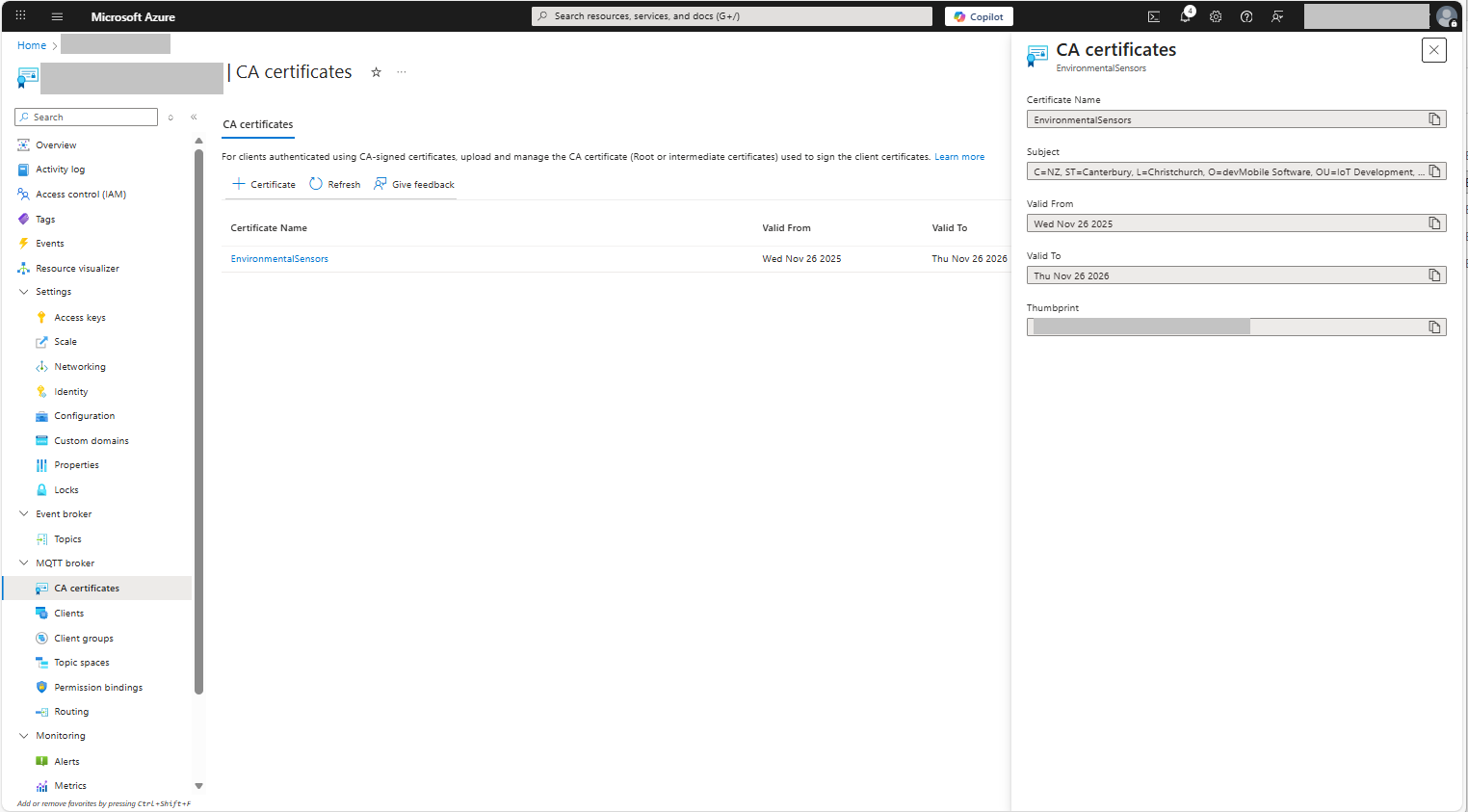
For a non-trivial system there should be a number of intermediate certificates. I have tried creating intermediate certificates for a device type, geography, application, customer and combinations of these. The first couple of times got it wrong so start with a field trial so that it isn’t so painful to go back and fix. (beware the sunk cost fallacy)
I found creating an intermediate certificate that could sign device certificates required a conf file for the basicConstraints and keyUsage configuration.
critical-The extension must be understood and processed by any application validating the certificate. If the application does not understand it, the certificate must be rejected.
CA:TRUE-This certificate is allowed to act as a Certificate Authority (CA), meaning it can sign other certificates.
pathlen:0-This CA can only issue end-entity (leaf) certificates and cannot issue further intermediate CA certificates.
keyCertSig- The certificate can be used to sign other certificates (i.e., it’s a CA certificate).
For production systems putting some thought into the Common name(CN), Organizational unit name(OU), Organization name(O), locality name(L), state or province name(S) and Country name(C)
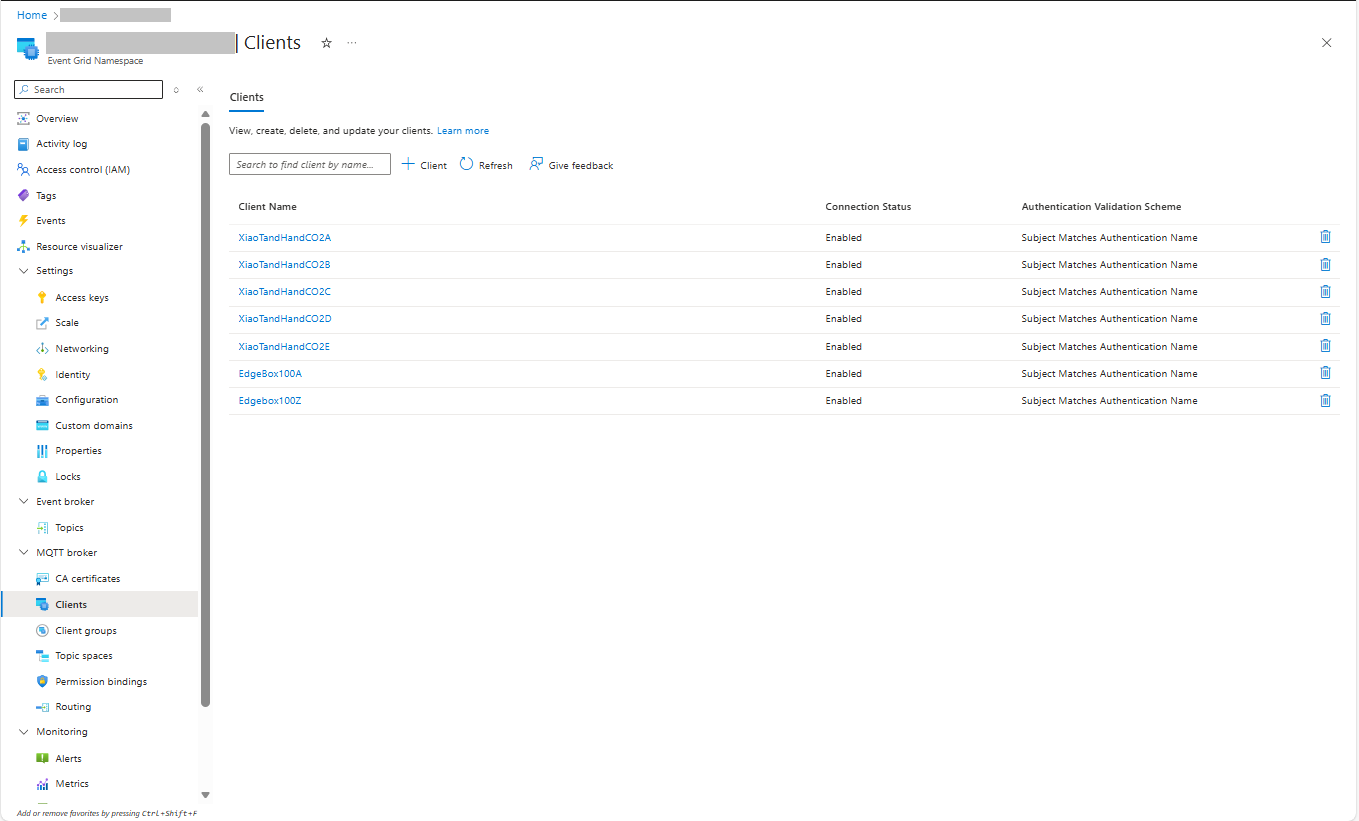
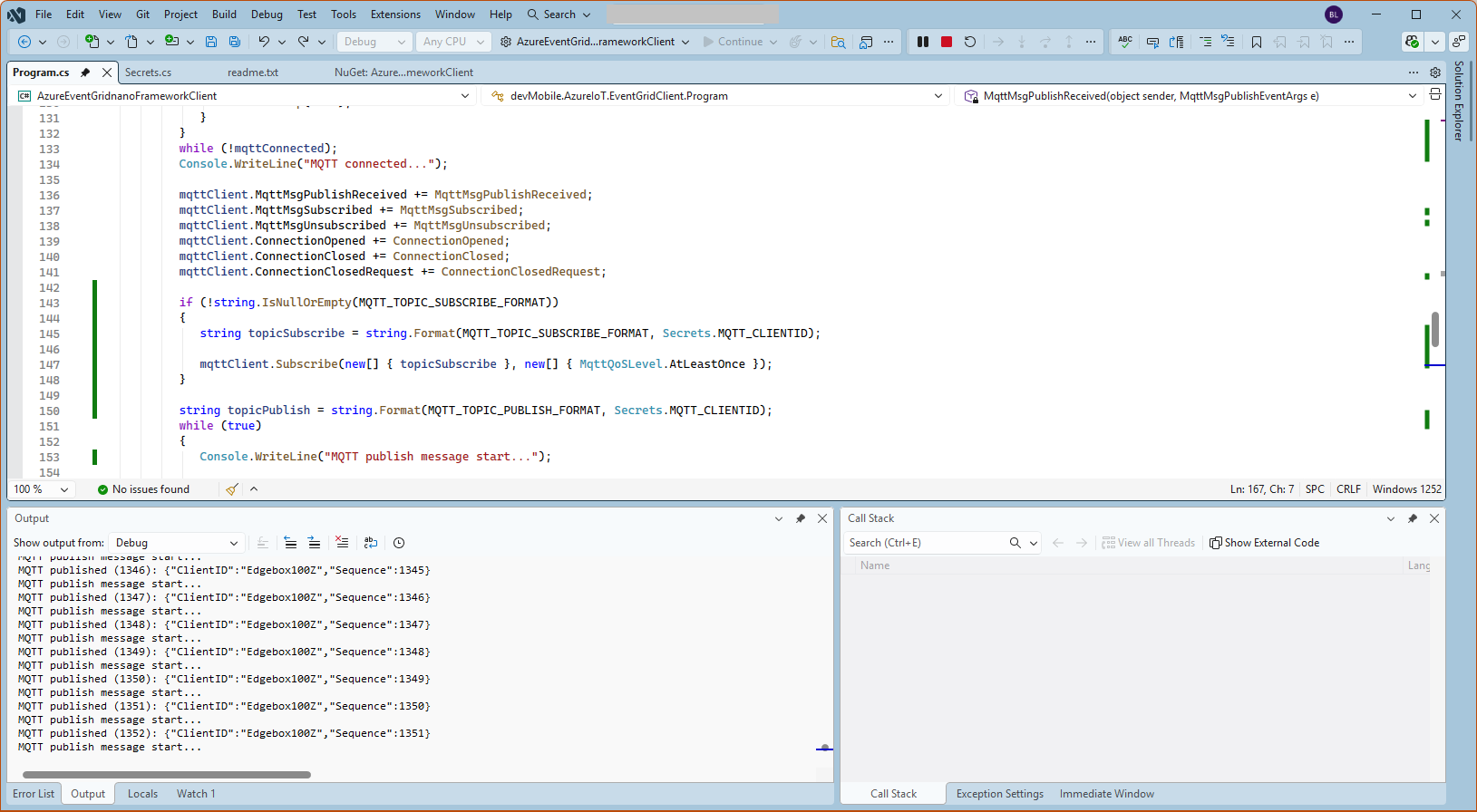
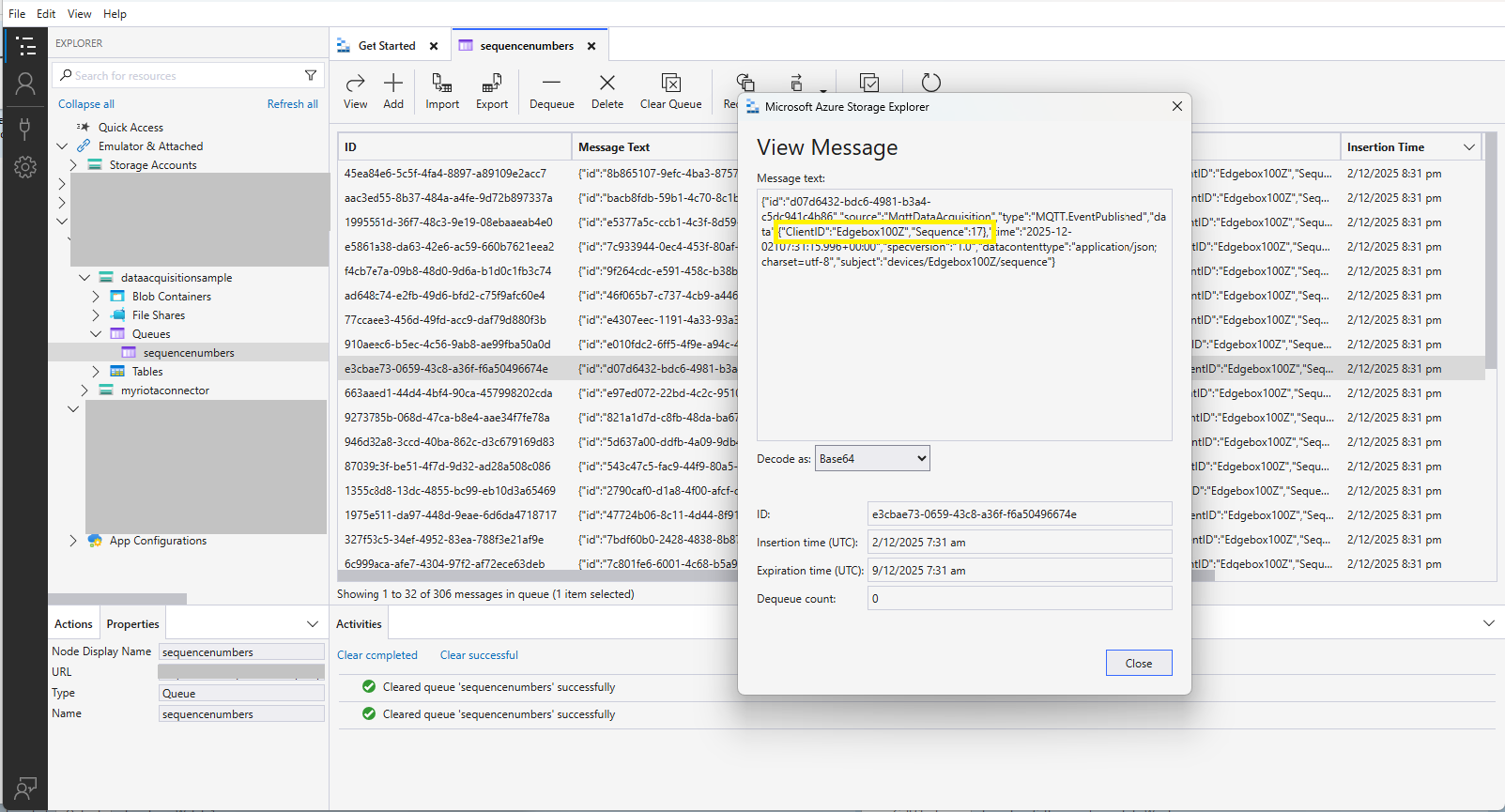
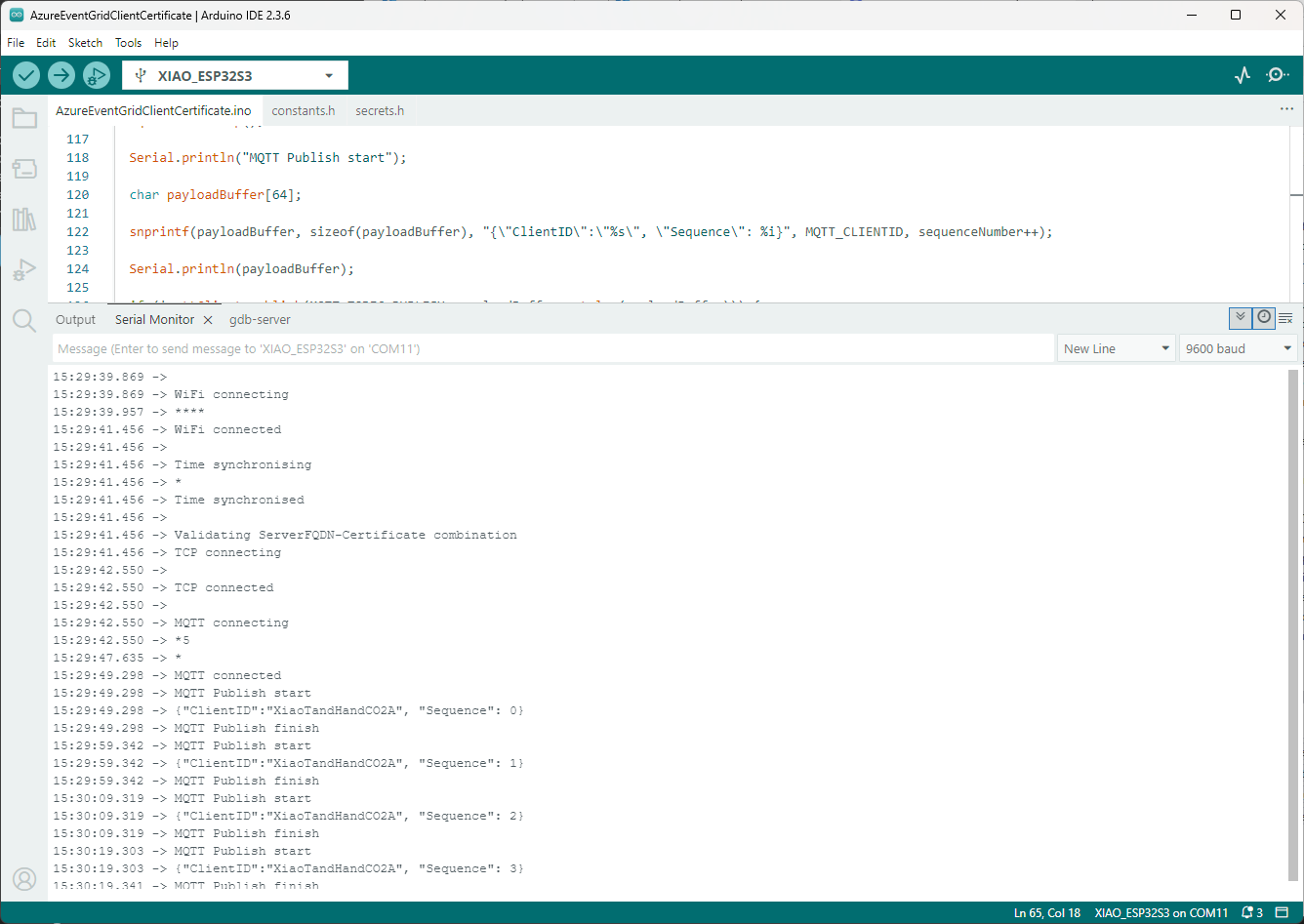
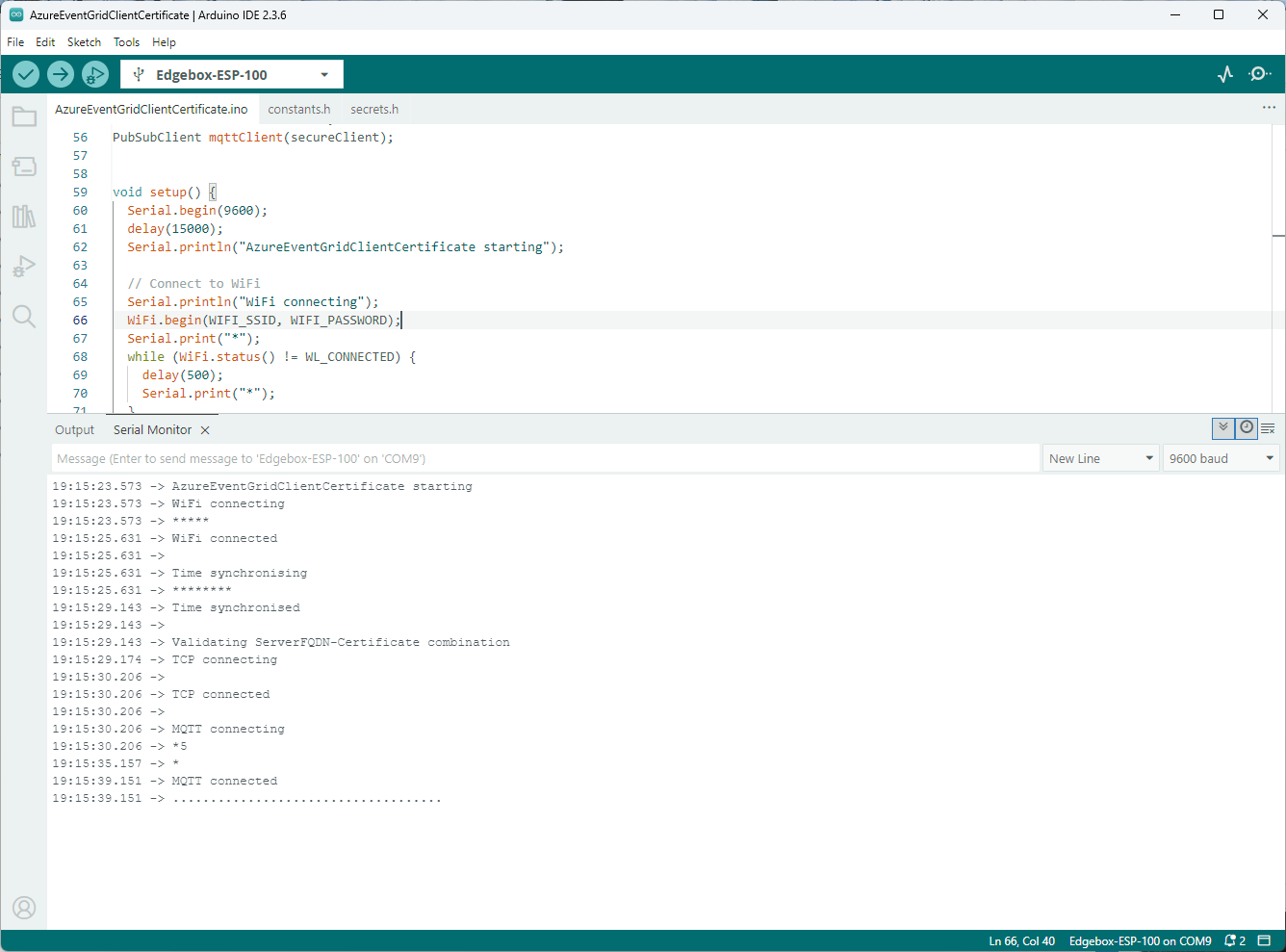
Establishing a connection to the Azure Event Grid MQTT broker often failed which surprised me. Initially I didn’t have any retry logic which meant I wasted quite a bit of time trying to debug failed connections
This post is for Azure Function developers having issues with the SendGrid binding throwing exceptions like the one below.
System.Private.CoreLib: Exception while executing function: Functions.AzureBlobFileUploadEmailer. Microsoft.Azure.WebJobs.Extensions.SendGrid: A 'To' address must be specified for the message
I wasn’t paying close enough attention to the sample code and used the System.Text.Json rather than Newtonsoft.Json to serialize the SendGridMessage object. They use different attributes for property names etc. so the JSON generated was wrong.
namespace SendGrid.Helpers.Mail
{
   /// <summary>
   /// Class SendGridMessage builds an object that sends an email through Twilio SendGrid.
   /// </summary>
   [JsonObject(IsReference = false)]
   public class SendGridMessage
   {
      /// <summary>
      /// Gets or sets an email object containing the email address and name of the sender. Unicode encoding is not supported for the from field.
      /// </summary>
      //[JsonProperty(PropertyName = "from")]
      [JsonPropertyName("from")]
      public EmailAddress From { get; set; }

      /// <summary>
      /// Gets or sets the subject of your email. This may be overridden by personalizations[x].subject.
      /// </summary>
      //[JsonProperty(PropertyName = "subject")]
      [JsonPropertyName("subject")]
      public string Subject { get; set; }

      /// <summary>
      /// Gets or sets a list of messages and their metadata. Each object within personalizations can be thought of as an envelope - it defines who should receive an individual message and how that message should be handled. For more information, please see our documentation on Personalizations. Parameters in personalizations will override the parameters of the same name from the message level.
      /// https://sendgrid.com/docs/Classroom/Send/v3_Mail_Send/personalizations.html.
      /// </summary>
      //[JsonProperty(PropertyName = "personalizations", IsReference = false)]
      [JsonPropertyName("personalizations")]
      public List<Personalization> Personalizations { get; set; }
...
}
namespace SendGrid.Helpers.Mail
{
    /// <summary>
    /// An email object containing the email address and name of the sender or recipient.
    /// </summary>
    [JsonObject(IsReference = false)]
    public class EmailAddress : IEquatable<EmailAddress>
    {
        /// <summary>
        /// Initializes a new instance of the <see cref="EmailAddress"/> class.
        /// </summary>
        public EmailAddress()
        {
        }

        /// <summary>
        /// Initializes a new instance of the <see cref="EmailAddress"/> class.
        /// </summary>
        /// <param name="email">The email address of the sender or recipient.</param>
        /// <param name="name">The name of the sender or recipient.</param>
        public EmailAddress(string email, string name = null)
        {
            this.Email = email;
            this.Name = name;
        }

        /// <summary>
        /// Gets or sets the name of the sender or recipient.
        /// </summary>
        [JsonProperty(PropertyName = "name")]
        public string Name { get; set; }

        /// <summary>
        /// Gets or sets the email address of the sender or recipient.
        /// </summary>
        [JsonProperty(PropertyName = "email")]
        public string Email { get; set; }
...
}
Many of the property name “mismatch” issues were in the Personalization class with the Toos, Ccs, bccs etc. properties
namespace SendGrid.Helpers.Mail
{
    /// <summary>
    /// An array of messages and their metadata. Each object within personalizations can be thought of as an envelope - it defines who should receive an individual message and how that message should be handled. For more information, please see our documentation on Personalizations. Parameters in personalizations will override the parameters of the same name from the message level.
    /// https://sendgrid.com/docs/Classroom/Send/v3_Mail_Send/personalizations.html.
    /// </summary>
    [JsonObject(IsReference = false)]
    public class Personalization
    {
        /// <summary>
        /// Gets or sets an array of recipients. Each email object within this array may contain the recipient’s name, but must always contain the recipient’s email.
        /// </summary>
        [JsonProperty(PropertyName = "to", IsReference = false)]
        [JsonConverter(typeof(RemoveDuplicatesConverter<EmailAddress>))]
        public List<EmailAddress> Tos { get; set; }

        /// <summary>
        /// Gets or sets an array of recipients who will receive a copy of your email. Each email object within this array may contain the recipient’s name, but must always contain the recipient’s email.
        /// </summary>
        [JsonProperty(PropertyName = "cc", IsReference = false)]
        [JsonConverter(typeof(RemoveDuplicatesConverter<EmailAddress>))]
        public List<EmailAddress> Ccs { get; set; }

        /// <summary>
        /// Gets or sets an array of recipients who will receive a blind carbon copy of your email. Each email object within this array may contain the recipient’s name, but must always contain the recipient’s email.
        /// </summary>
        [JsonProperty(PropertyName = "bcc", IsReference = false)]
        [JsonConverter(typeof(RemoveDuplicatesConverter<EmailAddress>))]
        public List<EmailAddress> Bccs { get; set; }

        /// <summary>
        /// Gets or sets the from email address. The domain must match the domain of the from email property specified at root level of the request body.
        /// </summary>
        [JsonProperty(PropertyName = "from")]
        public EmailAddress From { get; set; }

        /// <summary>
        /// Gets or sets the subject line of your email.
        /// </summary>
        [JsonProperty(PropertyName = "subject")]
        public string Subject { get; set; }
...
}
Each logging message starts with the TerminalID (to simplify searching for all the messages sent to a device) and the message LockToken (to simplify searching for all the “steps” associated with sending a message) with the rest of the logging message containing “step” specific diagnostic information.
Successful Azure IoT Explorer C2D JSON Message
If there is no PayloadFormatter attribute the default in the PayloadFormatters section of the function configuration is used.
using System;
using System.Collections.Generic;

using Newtonsoft.Json;
using Newtonsoft.Json.Linq;

public class FormatterDownlink : PayloadFormatter.IFormatterDownlink
{
   public byte[] Evaluate(IDictionary<string, string> properties, string terminalId, JObject payloadJson, byte[] payloadBytes)
   {
      byte? status = payloadJson.Value<byte?>("FanSpeed");

      if (!status.HasValue)
      {
         return new byte[] { };
      }

      return new byte[] { 1, status.Value };
   }
}
The FanSpeed.cs payload formatter extracts the FanSpeed value from the JSON payload and returns a two byte array containing the message type and speed of the fan.
Azure IoT Function running waiting for a C2D message
After re-reading the SetMethodHandlerAync documentation I refactored the code (back to the approach used a couple of branches ago) with the “using” wrapping the try/catch.
public async Task AzureIoTHubMessageHandler(Message message, object userContext)
{
   Models.DeviceConnectionContext context = (Models.DeviceConnectionContext)userContext;

   _logger.LogInformation("Downlink- IoT Hub TerminalId:{TermimalId} LockToken:{LockToken}", context.TerminalId, message.LockToken);

   using (message) // https://learn.microsoft.com/en-us/dotnet/api/microsoft.azure.devices.client.deviceclient.setreceivemessagehandlerasync?view=azure-dotnet
   {
      try
      {
         // Replace default formatter with message specific formatter if configured.
         if (!message.Properties.TryGetValue(Constants.IoTHubDownlinkPayloadFormatterProperty, out string? payloadFormatterName) || string.IsNullOrEmpty(payloadFormatterName))
         {
            _logger.LogInformation("Downlink- IoT Hub TerminalID:{TermimalId} LockToken:{LockToken} Context formatter:{payloadFormatterName} ", context.TerminalId, message.LockToken, payloadFormatterName);

            payloadFormatterName = context.PayloadFormatterDownlink;
         }
         else
         {
            _logger.LogInformation("Downlink- IoT Hub TerminalID:{TermimalId} LockToken:{LockToken} Property formatter:{payloadFormatterName} ", context.TerminalId, message.LockToken, payloadFormatterName);
         }


         // If GetBytes fails payload really badly broken
         byte[] messageBytes = message.GetBytes();

         _logger.LogInformation("Downlink- IoT Hub TerminalID:{TerminalId} LockToken:{LockToken} Message bytes:{messageBytes}", context.TerminalId, message.LockToken, BitConverter.ToString(messageBytes));


         // Try converting the bytes to text then to JSON
         JObject? messageJson = null;
         try
         {
            // These will fail for some messages, payload formatter gets bytes only
            string messageText = Encoding.UTF8.GetString(messageBytes);

            try
            {
               messageJson = JObject.Parse(messageText);

               _logger.LogInformation("Downlink- IoT Hub TerminalID:{TerminalId} LockToken:{LockToken} JSON:{messageJson}", context.TerminalId, message.LockToken, JsonConvert.SerializeObject(messageJson, Formatting.Indented));
            }
            catch (JsonReaderException jex)
            {
               _logger.LogInformation(jex, "Downlink- IoT Hub TerminalID:{TerminalId} LockToken:{LockToken} not valid JSON", context.TerminalId, message.LockToken);
            }
         }
         catch (ArgumentException aex)
         {
            _logger.LogInformation(aex, "Downlink- IoT Hub TerminalID:{TerminalId} LockToken:{LockToken} message bytes not valid text", context.TerminalId, message.LockToken);
         }


         // This shouldn't fail, but it could for invalid path to blob, timeout retrieving blob, payload formatter syntax error etc.
         IFormatterDownlink payloadFormatter = await _payloadFormatterCache.DownlinkGetAsync(payloadFormatterName);

         // This will fail if payload formatter throws runtime exceptions like null reference, divide by zero, index out of range etc.
         byte[] payloadBytes = payloadFormatter.Evaluate(message.Properties, context.TerminalId, messageJson, messageBytes);


         // Validate payload before calling Myriota control message send API method
         if (payloadBytes is null)
         {
            _logger.LogWarning("Downlink- IoT Hub TerminalID:{TerminalId} LockToken:{LockToken} payload formatter:{payloadFormatter} Evaluate returned null", context.TerminalId, message.LockToken, payloadFormatterName);

            await context.DeviceClient.RejectAsync(message);

            return;
         }

         if ((payloadBytes.Length < Constants.DownlinkPayloadMinimumLength) || (payloadBytes.Length > Constants.DownlinkPayloadMaximumLength))
         {
            _logger.LogWarning("Downlink- IoT Hub TerminalID:{TerminalId} LockToken:{LockToken} PayloadBytes:{payloadBytes} length:{Length} invalid must be {DownlinkPayloadMinimumLength} to {DownlinkPayloadMaximumLength} bytes", context.TerminalId, message.LockToken, Convert.ToHexString(payloadBytes), payloadBytes.Length, Constants.DownlinkPayloadMinimumLength, Constants.DownlinkPayloadMaximumLength);

            await context.DeviceClient.RejectAsync(message);

            return;
         }


         // Finally send Control Message to device using the Myriota API
         _logger.LogInformation("Downlink- IoT Hub TerminalID:{TerminalId} LockToken:{LockToken} PayloadBytes:{payloadBytes} Length:{Length} sending", context.TerminalId, message.LockToken, BitConverter.ToString(payloadBytes), payloadBytes.Length);

         string messageId = await _myriotaModuleAPI.SendAsync(context.TerminalId, payloadBytes);

         _logger.LogInformation("Downlink- IoT Hub TerminalID:{TerminalId} LockToken:{LockToken} MessageID:{messageId} sent", context.TerminalId, message.LockToken, messageId);

         await context.DeviceClient.CompleteAsync(message);
      }
      catch (Exception ex)
      {
         _logger.LogError(ex, "Downlink- IoT Hub TerminalID:{TerminalId} LockToken:{LockToken} MessageHandler processing failed", context.TerminalId, message.LockToken);

         await context.DeviceClient.RejectAsync(message);
      }
   }
}
...
// Finally send Control Message to device using the Myriota API
_logger.LogInformation("Downlink- IoT Hub TerminalID:{TerminalId} LockToken:{LockToken} PayloadBytes:{payloadBytes} Length:{Length} sending", context.TerminalId, message.LockToken, BitConverter.ToString(payloadBytes), payloadBytes.Length);

string messageId = await _myriotaModuleAPI.SendAsync(context.TerminalId, payloadBytes);
...
Azure IoT Function successfully sending downlink message.
The Encoding.UTF8.GetString and JObject.Parse are processed in a single Try with a specialised catch for when the payload cannot be converted to text. If the payload cannot be converted to JSON only the payloadBytes parameter of payload formatter is populated.
The Azure IoT Hub downlink message handler was a partial class and part of implementation of the IDeviceConnectionCache which was a hangover from one of the initial versions.
The myriotaAzure IoT Hub Cloud Identity Translation Gateway uplink message handler Azure Storage Queue Trigger Function wasn’t processing “transient” vs. “permanent” failures well. Sometimes a “permanent” failure message would be retried multiple times by the function runtime before getting moved to the poison queue.
After some experimentation using an Azure Storage Queue Function Output binding to move messages to the poison queue looked like a reasonable approach. (Though, returning null to indicate the message should be removed from the queue was not obvious from the documentation)
[Function("UplinkMessageProcessor")]
[QueueOutput(queueName: "uplink-poison", Connection = "UplinkQueueStorage")]
public async Task<Models.UplinkPayloadQueueDto> UplinkMessageProcessor([QueueTrigger(queueName: "uplink", Connection = "UplinkQueueStorage")] Models.UplinkPayloadQueueDto payload, CancellationToken cancellationToken)
{
...
// Process each packet in the payload. Myriota docs say only one packet per payload but just incase...
foreach (Models.QueuePacket packet in payload.Data.Packets)
{
// Lookup the device client in the cache or create a new one
Models.DeviceConnectionContext context;
try
{
context = await _deviceConnectionCache.GetOrAddAsync(packet.TerminalId, cancellationToken);
}
catch (DeviceNotFoundException dnfex)
{
_logger.LogError(dnfex, "Uplink- PayloadId:{0} TerminalId:{1} terminal not found", payload.Id, packet.TerminalId);
return payload;
}
catch (Exception ex) // Maybe just send to poison queue or figure if transient error?
{
_logger.LogError(ex, "Uplink- PayloadId:{0} TerminalId:{1} ", payload.Id, packet.TerminalId);
throw;
}
...
// Proccessing successful, message can be deleted by QueueTrigger plumbing
return null;
}
After building and testing an Azure Storage Queue Function Output binding implementation I’m not certain that it is a good approach. The code is a bit “chunky” and I have had to implement more of the retry process logic.
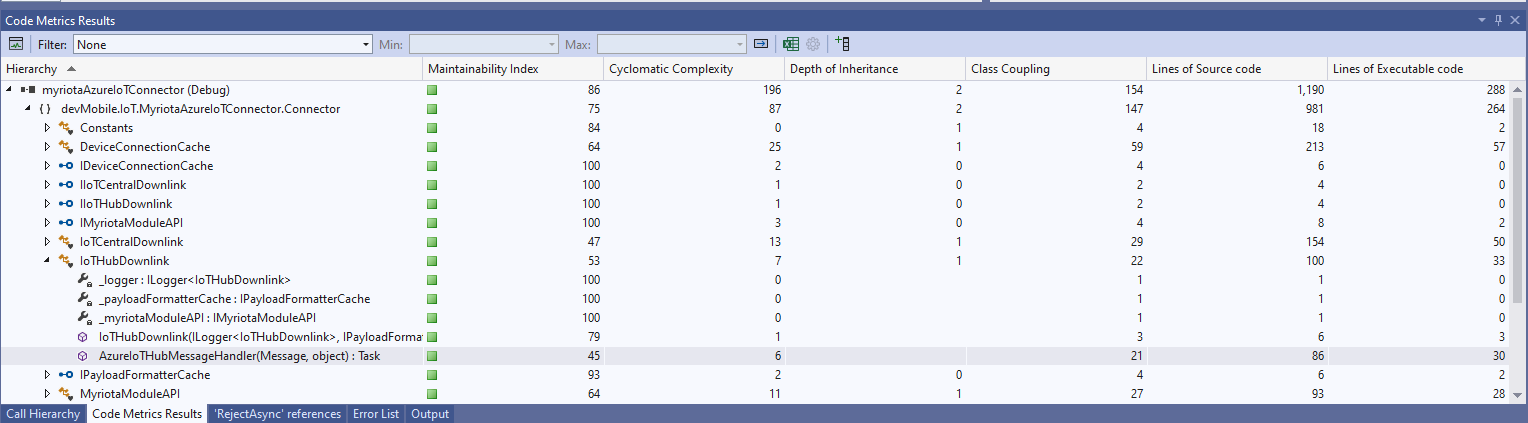
The myriotaAzure IoT Hub Cloud Identity Translation Gateway downlink message handler was getting a bit “chunky”. So, I started by stripping the code back to the absolute bare minimum that would “work”.
Then the code was then extended so it worked for “sunny day” scenarios. The payload formatter was successfully retrieved from the configured Azure Storage Blob, CS-Script successfully compiled the payload formatter, the message payload was valid text, the message text was valid Javascript Object Notation(JSON), the JSON was successfully processed by the compiled payload formatter, and finally the payload was accepted by the Myriota Cloud API.
Then finally the code was modified to gracefully handle broken payloads returned by the payload formatter evaluation, some comments were added, and the non-managed resources of the DeviceClient.Message disposed.
public async Task AzureIoTHubMessageHandler(Message message, object userContext)
{
Models.DeviceConnectionContext context = (Models.DeviceConnectionContext)userContext;
_logger.LogInformation("Downlink- IoT Hub TerminalId:{termimalId} LockToken:{LockToken}", context.TerminalId, message.LockToken);
// Use default formatter and replace with message specific formatter if configured.
string payloadFormatter;
if (!message.Properties.TryGetValue(Constants.IoTHubDownlinkPayloadFormatterProperty, out payloadFormatter) || string.IsNullOrEmpty(payloadFormatter))
{
payloadFormatter = context.PayloadFormatterDownlink;
}
_logger.LogInformation("Downlink- IoT Hub TerminalID:{termimalId} LockToken:{LockToken} Payload formatter:{payloadFormatter} ", context.TerminalId, message.LockToken, payloadFormatter);
try
{
// If this fails payload broken
byte[] messageBytes = message.GetBytes();

// This will fail for some messages, payload formatter gets bytes only
string messageText = string.Empty;
try
{
   messageText = Encoding.UTF8.GetString(messageBytes);
}
catch (ArgumentException aex)
{
   _logger.LogInformation("Downlink- IoT Hub TerminalID:{TerminalId} LockToken:{LockToken} messageBytes:{2} not valid Text", context.TerminalId, message.LockToken, BitConverter.ToString(messageBytes));
}

// This will fail for some messages, payload formatter gets bytes only
JObject? messageJson = null;
try
{
   messageJson = JObject.Parse(messageText);
}
catch ( JsonReaderException jex)
{
   _logger.LogInformation("Downlink- IoT Hub TerminalID:{TerminalId} LockToken:{LockToken} messageText:{2} not valid json", context.TerminalId, message.LockToken, BitConverter.ToString(messageBytes));
}
// This shouldn't fail, but it could for lots of diffent reasons, invalid path to blob, syntax error, interface broken etc.
IFormatterDownlink payloadFormatterDownlink = await _payloadFormatterCache.DownlinkGetAsync(payloadFormatter);
// This shouldn't fail, but it could for lots of different reasons, null references, divide by zero, out of range etc.
byte[] payloadBytes = payloadFormatterDownlink.Evaluate(message.Properties, context.TerminalId, messageJson, messageBytes);
// Validate payload before calling Myriota control message send API method
if (payloadBytes is null)
{
_logger.LogWarning("Downlink- IoT Hub TerminalID:{terminalId} LockToken:{LockToken} payload formatter:{payloadFormatter} Evaluate returned null", context.TerminalId, message.LockToken, payloadFormatter);
await context.DeviceClient.RejectAsync(message);
return;
}
if ((payloadBytes.Length < Constants.DownlinkPayloadMinimumLength) || (payloadBytes.Length > Constants.DownlinkPayloadMaximumLength))
{
_logger.LogWarning("Downlink- IoT Hub TerminalID:{terminalId} LockToken:{LockToken} payloadData length:{Length} invalid must be {DownlinkPayloadMinimumLength} to {DownlinkPayloadMaximumLength} bytes", context.TerminalId, message.LockToken, payloadBytes.Length, Constants.DownlinkPayloadMinimumLength, Constants.DownlinkPayloadMaximumLength);
await context.DeviceClient.RejectAsync(message);
return;
}
// This shouldn't fail, but it could few reasons mainly connectivity & message queuing etc.
_logger.LogInformation("Downlink- IoT Hub TerminalID:{TerminalId} LockToken:{LockToken} PayloadData:{payloadData} Length:{Length} sending", context.TerminalId, message.LockToken, Convert.ToHexString(payloadBytes), payloadBytes.Length);
// Finally send the message using Myriota API
string messageId = await _myriotaModuleAPI.SendAsync(context.TerminalId, payloadBytes);
_logger.LogInformation("Downlink- IoT Hub TerminalID:{TerminalId} LockToken:{LockToken} MessageID:{messageId} sent", context.TerminalId, message.LockToken, messageId);
await context.DeviceClient.CompleteAsync(message);
_logger.LogInformation("Downlink- IoT Hub TerminalID:{terminalId} LockToken:{LockToken} MessageID:{messageId} sent", context.TerminalId, message.LockToken, messageId);
}
catch (Exception ex)
{
await context.DeviceClient.RejectAsync(message);
_logger.LogError(ex, "Downlink- IoT Hub TerminalID:{terminalId} LockToken:{LockToken} failed", context.TerminalId, message.LockToken);
}
finally
{
// Mop up the non managed resources of message
message.Dispose();
}
}
As the code was being extended, I tested different failures to make sure the Application Insights logging messages were useful. The first failure mode tested was the Azure Storage Blob, path was broken or the blob was missing.
Visual Studio 2022 Debugger blob not found exception message
Application Insights blob not found exception logging
Then a series of “broken” payload formatters were created to test CS-Script compile time failures.
// Broken interface implementation
using System;
using System.Collections.Generic;

using Newtonsoft.Json;
using Newtonsoft.Json.Linq;

public class FormatterDownlink : PayloadFormatter.IFormatterDownlink
{
   public byte[] Evaluate(IDictionary<string, string> properties, string terminalId, byte[] payloadBytes)
   {
      return payloadBytes;
   }
}
Visual Studio 2022 Debugger interface implementation broken exception message
// Broken syntax
using System;
using System.Collections.Generic;

using Newtonsoft.Json;
using Newtonsoft.Json.Linq;

public class FormatterDownlink : PayloadFormatter.IFormatterDownlink
{
   public byte[] Evaluate(IDictionary<string, string> properties, string terminalId, JObject payloadJson, byte[] payloadBytes)
   {
      return payloadBytes
   }
}
Visual Studio 2022 Debugger syntax error exception message
The final test was sending a downlink message which was valid JSON, contained the correct information for the specified payload formatter and was successfully processed by the Myriota Cloud API.
Azure IoT Explorer with valid JSON payload and payload formatter name
Azure function output of successful downlink message
The first message sent shortly after I powered up the device had the latitude and longitude of Null Island
The Asset Tracker UserApplicationId is 65002 and the payload is similar to the Swarm Eval Kit. I created some message payloads (location of Christchurch Cathedral) for testing.
namespace PayloadFormatter // Additional namespace for shortening interface when usage in formatter code
{
    using System.Collections.Generic;

    using Newtonsoft.Json.Linq;

    public interface IFormatterUplink
    {
        public JObject Evaluate(IDictionary<string, string> properties, uint organisationId, uint deviceId, byte deviceType, ushort userApplicationId, JObject payloadJson, string payloadText, byte[] payloadBytes);
    }

    public interface IFormatterDownlink
    {
        public byte[] Evaluate(IDictionary<string, string> properties, uint organisationId, uint deviceId, byte deviceType, ushort userApplicationId, JObject payloadJson, string payloadText, byte[] payloadBytes);
    }
}
The definitions of the uplink & downlink payload formatter evaluator interfaces have been updated and shifted to a new project.
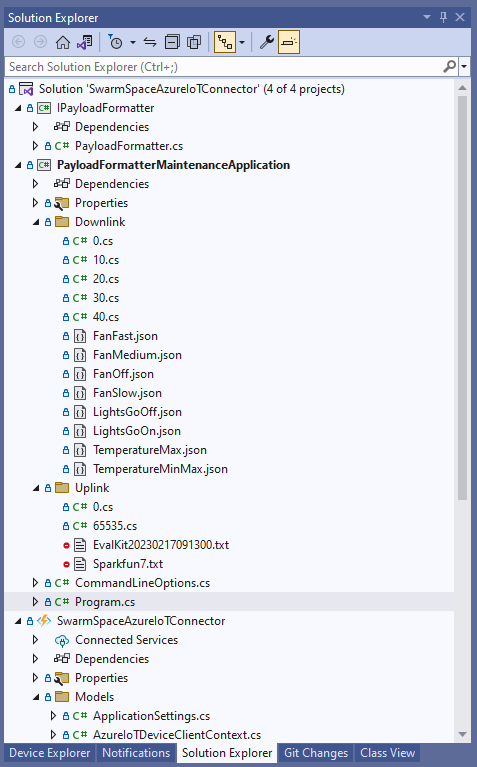
Visual Studio 2022 Solution with payloadformatter maintenance application
I built a console application to help with developing and debugging uplink or downlink formatters. The application has a number of command line parameters which specify the formatter to be used, UserApplicationId, OrganizationId, DeviceType etc.
public class CommandLineOptions
{
    [Option('d', "Direction", Required = true, HelpText = "Test Uplink or DownLink formatter")]
	public string Direction { get; set; }

    [Option('p', "filename", HelpText = "Uplink or Downlink Payload file name")]
    public string PayloadFilename { get; set; } = string.Empty;

    [Option('o', "OrganisationId", Required = true, HelpText = "Organisation unique identifier")]
    public uint OrganizationId { get; set; }

    [Option('i', "DeviceId", Required = true, HelpText = "Device unique identitifer")]
    public uint DeviceId { get; set; }

    [Option('t', "DeviceType", Required = true, HelpText = "Device type number")]
    public byte DeviceType { get; set; }

    [Option('u', "UserApplicationId", Required = true, HelpText = "User Application Id")]
    public ushort UserApplicationId { get; set; }

    [Option('h', "SwarmHiveReceivedAtUtc", HelpText = "Swarm Hive received at time UTC")]
    public DateTime? SwarmHiveReceivedAtUtc { get; set; }

    [Option('w', "UplinkWebHookReceivedAtUtc", HelpText = "Webhook received at time UTC")]
    public DateTime? UplinkWebHookReceivedAtUtc { get; set; }

    [Option('s', "Status", HelpText = "Uplink local file system file name")]
    public byte? Status { get; set; }

    [Option('c', "Client", HelpText = "Uplink local file system file name")]
    public string Client { get; set; }
 }
The downlink formatter (similar approach for uplink) loads the sample file as an array of bytes, then tries to convert it to text, and finally to JSON. Then the formatter code is “compiled” and the executed with the file payload and command line parameters.
private static async Task DownlinkFormatterCore(CommandLineOptions options)
{
    Dictionary<string, string> properties = new Dictionary<string, string>();

    string formatterFolder = Path.Combine(Environment.CurrentDirectory, "downlink");
    Console.WriteLine($"Downlink- uplinkFormatterFolder: {formatterFolder}");

    string formatterFile = Path.Combine(formatterFolder, $"{options.UserApplicationId}.cs");
    Console.WriteLine($"Downlink- UserApplicationId: {options.UserApplicationId}");
    Console.WriteLine($"Downlink- Payload formatter file: {formatterFile}");

    PayloadFormatter.IFormatterDownlink evalulator;
    try
    {
        evalulator = CSScript.Evaluator.LoadFile<PayloadFormatter.IFormatterDownlink>(formatterFile);
     }
    catch (CSScriptLib.CompilerException cex)
    {
        Console.Write($"Loading or compiling file:{formatterFile} failed Exception:{cex}");
        return;
    }

    string payloadFilename = Path.Combine(formatterFolder, options.PayloadFilename);
    Console.WriteLine($"Downlink- payloadFilename:{payloadFilename}");
    byte[] uplinkBytes;

    try
    {
        uplinkBytes = File.ReadAllBytes(payloadFilename);
    }
    catch (DirectoryNotFoundException dex)
    {
        Console.WriteLine($"Uplink payload filename directory {formatterFolder} not found:{dex}");
        return;
    }
    catch (FileNotFoundException fnfex)
    {
        Console.WriteLine($"Uplink payload filename {payloadFilename} not found:{fnfex}");
        return;
    }
    catch (FormatException fex)
    {
        Console.WriteLine($"Uplink payload file invalid format {payloadFilename} not found:{fex}");
        return;
    }

    // See if payload can be converted to a string
    string uplinkText = string.Empty;
    try
    {
        uplinkText = Encoding.UTF8.GetString(uplinkBytes);
    }
    catch (FormatException fex)
    {
        Console.WriteLine("Encoding.UTF8.GetString failed:{0}", fex.Message);
    }

    // See if payload can be converted to JSON
    JObject uplinkJson;
    try
    {
        uplinkJson = JObject.Parse(uplinkText);
    }
    catch (JsonReaderException jrex)
    {
        Console.WriteLine("JObject.Parse failed Exception:{1}", jrex);

        uplinkJson = new JObject();
    }

    Console.WriteLine("Properties");
    foreach (var property in properties)
    {
        Console.WriteLine($"{property.Key}:{property.Value}");
    }

    // Transform the byte and optional text and JSON payload
    Byte[] payload;
    try
    {
        payload = evalulator.Evaluate(properties, options.OrganizationId, options.DeviceId, options.DeviceType, options.UserApplicationId, uplinkJson, uplinkText, uplinkBytes);
    }
    catch (Exception ex)
    {
        Console.WriteLine($"evalulatorUplink.Evaluate failed Exception:{ex}");
        return;
    }

    Console.WriteLine("Payload");
    Console.WriteLine(Convert.ToBase64String(payload));
}
The sample JSON payload is what would be sent by Azure IoT Central to a device to configure the fan speed
Azure IoT Central M138 Breakout device template with the Fan Status command selected
{
  "FanStatus": 2
}
If the downlink payload formatter is compiled and executes successfully the Base64 representation output is displayed
using System;
using System.Collections.Generic;
using Newtonsoft.Json.Linq;

public class FormatterDownlink : PayloadFormatter.IFormatterDownlink
{
    public byte[] Evaluate(IDictionary<string, string> properties, uint organisationId, uint deviceId, byte deviceType, ushort userApplicationId, JObject payloadJson, string payloadText, byte[] payloadBytes)
    {
        byte? status = payloadJson.Value<byte?>("FanStatus");

        if ( status.HasValue )
        {
            return new byte[] { status.Value };
        }

        return new byte[]{};
    }
}
If the downlink payload formatter syntax is incorrect e.g. { status.Value ; }; an error message with the line and column is displayed.
using System;
using System.Collections.Generic;
using Newtonsoft.Json.Linq;

public class FormatterDownlink : PayloadFormatter.IFormatterDownlink
{
    public byte[] Evaluate(IDictionary<string, string> properties, uint organisationId, uint deviceId, byte deviceType, ushort userApplicationId, JObject payloadJson, string payloadText, byte[] payloadBytes)
    {
        byte? status = payloadJson.Value<byte?>("FanStatus");

        if ( status.HasValue )
        {
            return new byte[] { status.Value ; };
        }

        return new byte[]{};
    }
}
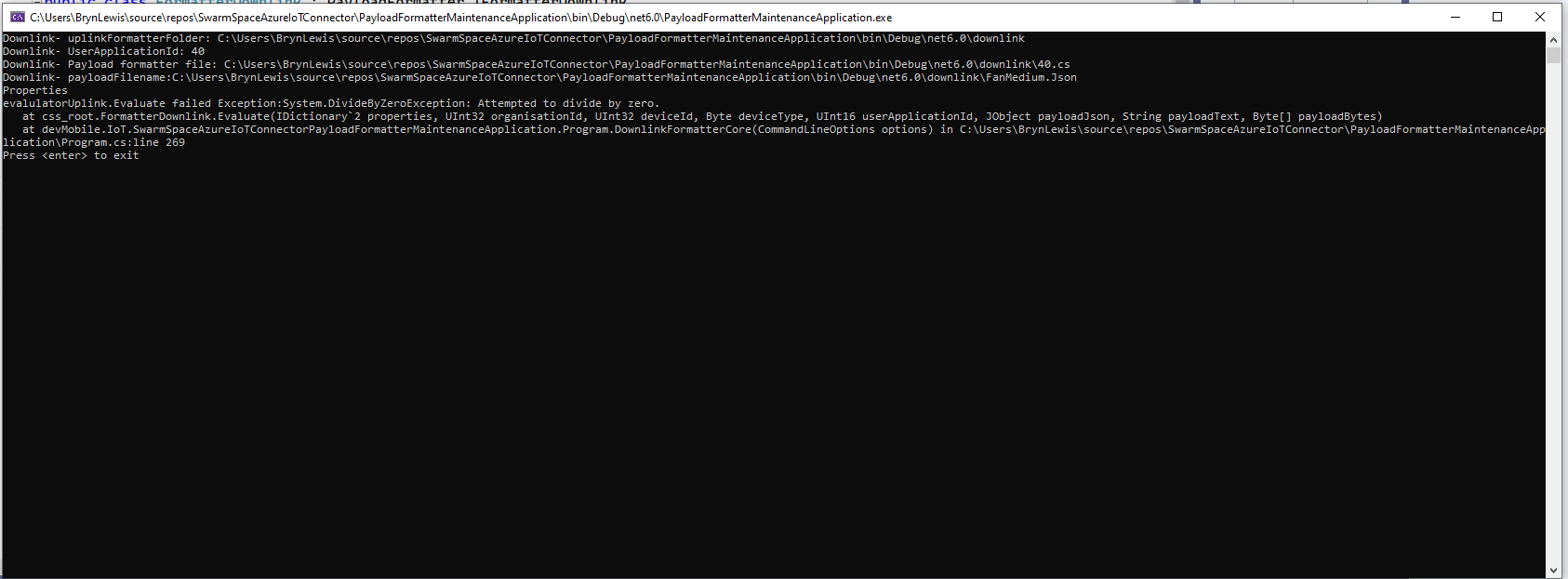
If the downlink payload formatter syntax is correct but execution fails (in the example code division by zero) an error message is displayed.
using System;
using System.Collections.Generic;
using Newtonsoft.Json.Linq;

public class FormatterDownlink : PayloadFormatter.IFormatterDownlink
{
    public byte[] Evaluate(IDictionary<string, string> properties, uint organisationId, uint deviceId, byte deviceType, ushort userApplicationId, JObject payloadJson, string payloadText, byte[] payloadBytes)
    {
        byte? status = payloadJson.Value<byte?>("FanStatus");

        if ( status.HasValue )
        {
            int divideByZero = 10;

            divideByZero = divideByZero / 0;

            return new byte[] { status.Value };
        }

        return new byte[]{};
    }
}






 devMobile's blog